Docker as an every day work tool
2017 Created by Przemysław Koltermann
1
About me
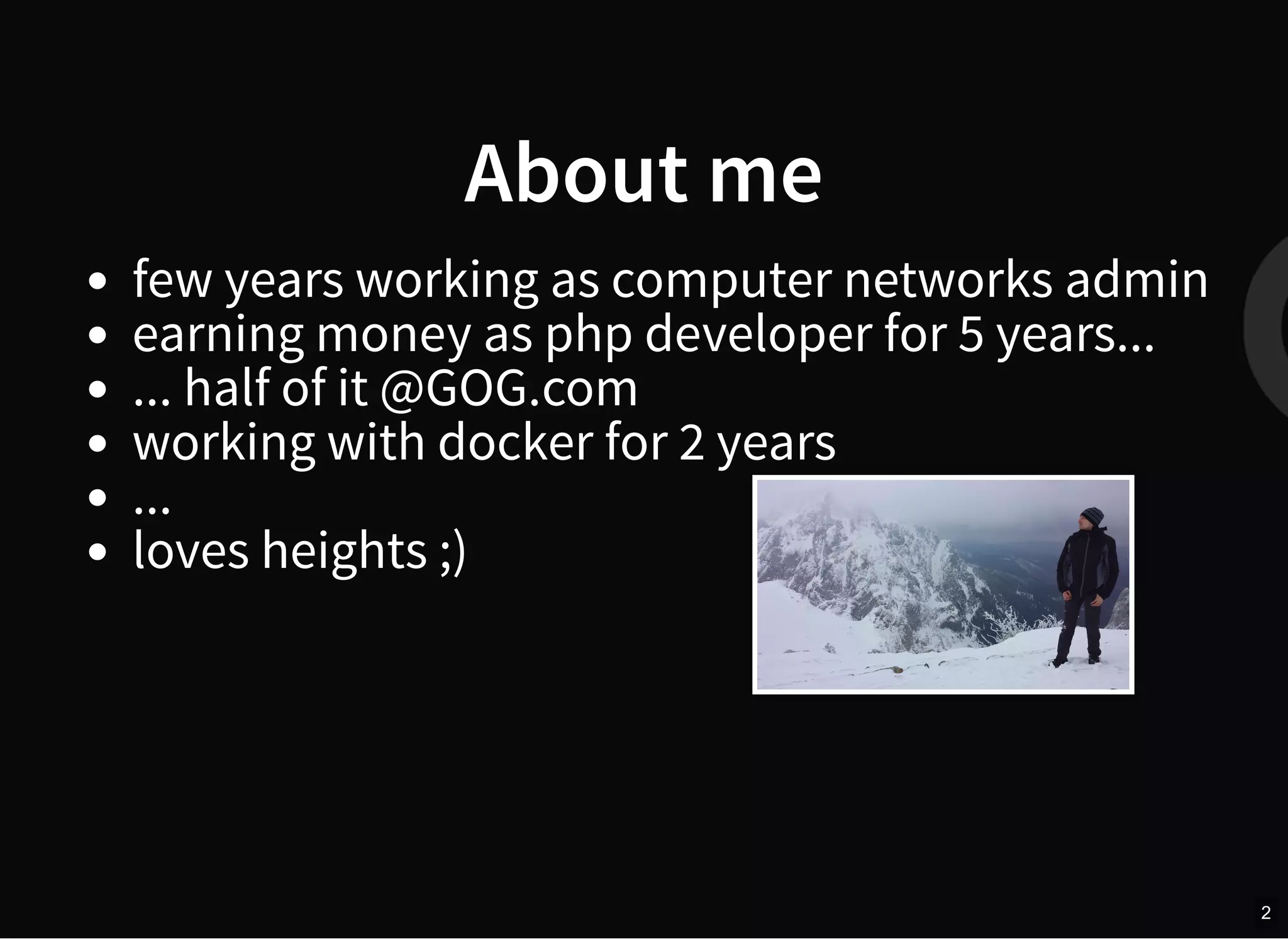
few years working as computer networks admin
earning money as php developer for 5 years...
... half of it @GOG.com
working with docker for 2 years
...
loves heights ;)
2
Docker origins
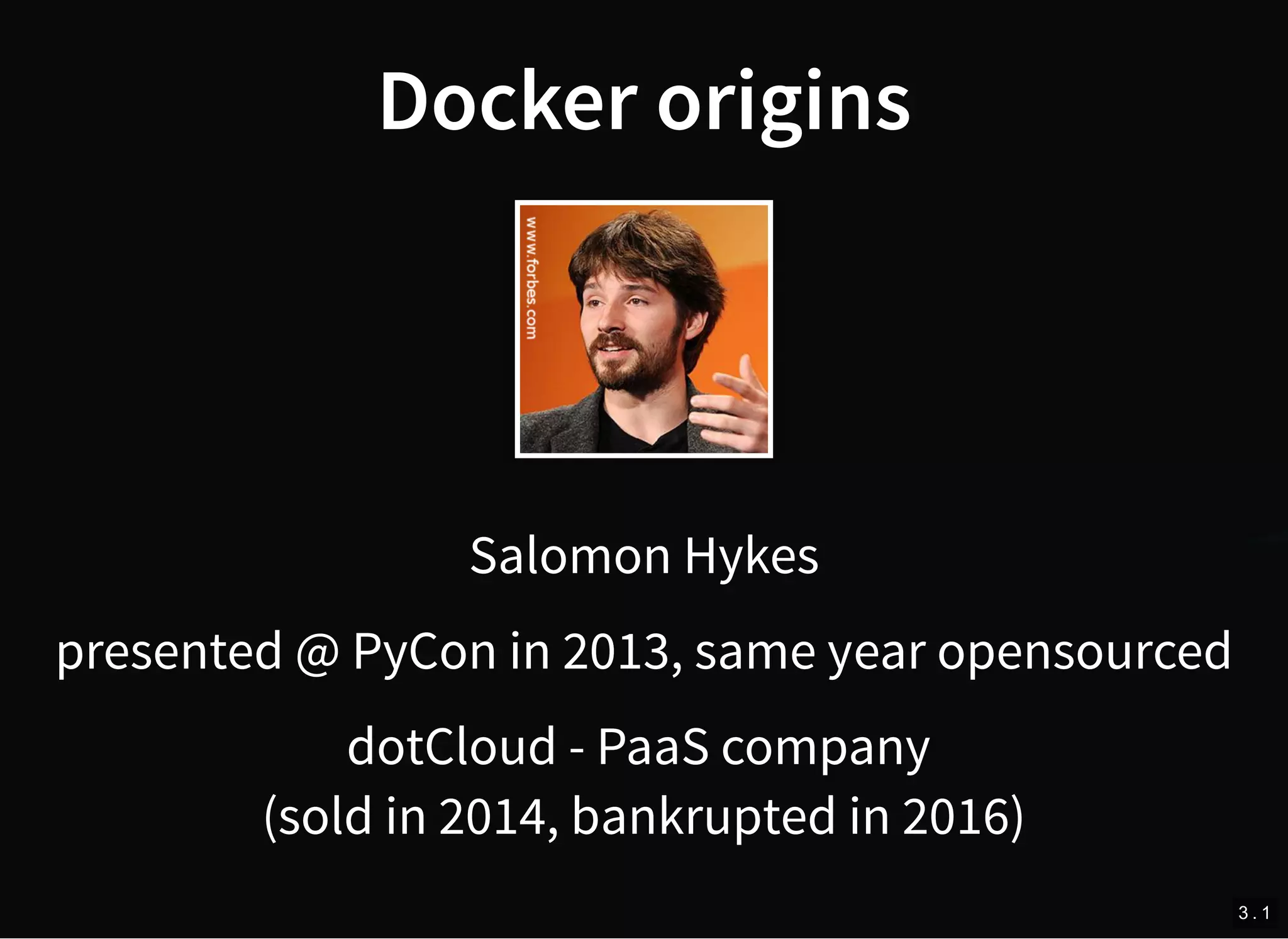
Salomon Hykes
presented @ PyCon in 2013, same year opensourced
dotCloud - PaaS company
(sold in 2014, bankrupted in 2016)
3 . 1
What is docker?
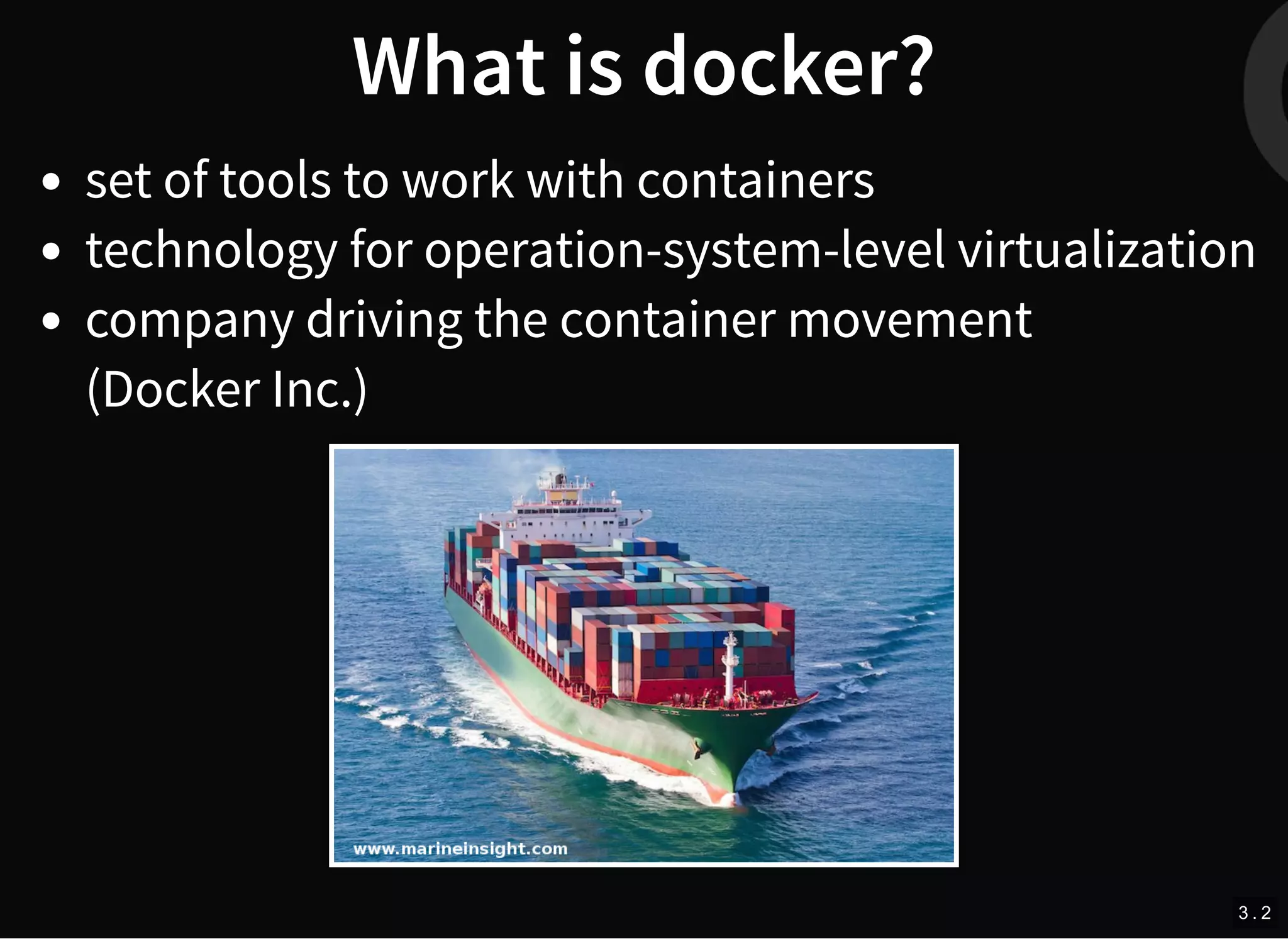
set of tools to work with containers
technology for operation-system-level virtualization
company driving the container movement
(Docker Inc.)
3 . 2
Docker virtualization building
blocks
images
containers
volumes
engine
containerd - the manager
docker machine
registry
docker-compose
much more (SwarmKit, LinuxKit...)
3 . 3
What is image?
lightweight, stand-alone, executable package
contains everything needed to run a piece of
so ware including the code, a runtime, libraries,
environment variables, and config files
build of layers
build based on Dockerfile
4 . 1
Dockerfile example
FROM ubuntu:16.04
MAINTAINER Kimbro Staken version: 0.1
RUN apt-get update && apt-get install -y apache2 
&& apt-get clean && rm -rf /var/lib/apt/lists/*
ENV APACHE_RUN_USER www-data
ENV APACHE_RUN_GROUP www-data
ENV APACHE_LOG_DIR /var/log/apache2
EXPOSE 80
CMD ["/usr/sbin/apache2", "-D", "FOREGROUND"]
https://github.com/kstaken/dockerfile-examples/blob/master/apache/Dockerfile
4 . 2
Dockerfile example - result
% docker image history example
IMAGE CREATED CREATED BY SIZE
e3f4542d5fce 25 seconds ago /bin/sh -c #(nop) CMD ["/usr/sbin/apache2... 0B
d239b64867c7 26 seconds ago /bin/sh -c #(nop) EXPOSE 80/tcp 0B
5e51d52911ac 26 seconds ago /bin/sh -c #(nop) ENV APACHE_LOG_DIR=/var... 0B
7584813c91e6 26 seconds ago /bin/sh -c #(nop) ENV APACHE_RUN_GROUP=ww... 0B
5db13bbf5e17 26 seconds ago /bin/sh -c #(nop) ENV APACHE_RUN_USER=www... 0B
ee972bcf3f19 28 seconds ago /bin/sh -c apt-get update && apt-get insta... 98.9MB
db62f8a8b658 About a minute ago /bin/sh -c #(nop) MAINTAINER Kimbro Stake... 0B
20c44cd7596f 3 weeks ago /bin/sh -c #(nop) CMD ["/bin/bash"] 0B
<missing> 3 weeks ago /bin/sh -c mkdir -p /run/systemd && echo '... 7B
<missing> 3 weeks ago /bin/sh -c sed -i 's/^#s*(deb.*universe... 2.76kB
<missing> 3 weeks ago /bin/sh -c rm -rf /var/lib/apt/lists/* 0B
<missing> 3 weeks ago /bin/sh -c set -xe && echo '#!/bin/sh' >... 745B
<missing> 3 weeks ago /bin/sh -c #(nop) ADD file:280a445783f309c... 123MB
4 . 3
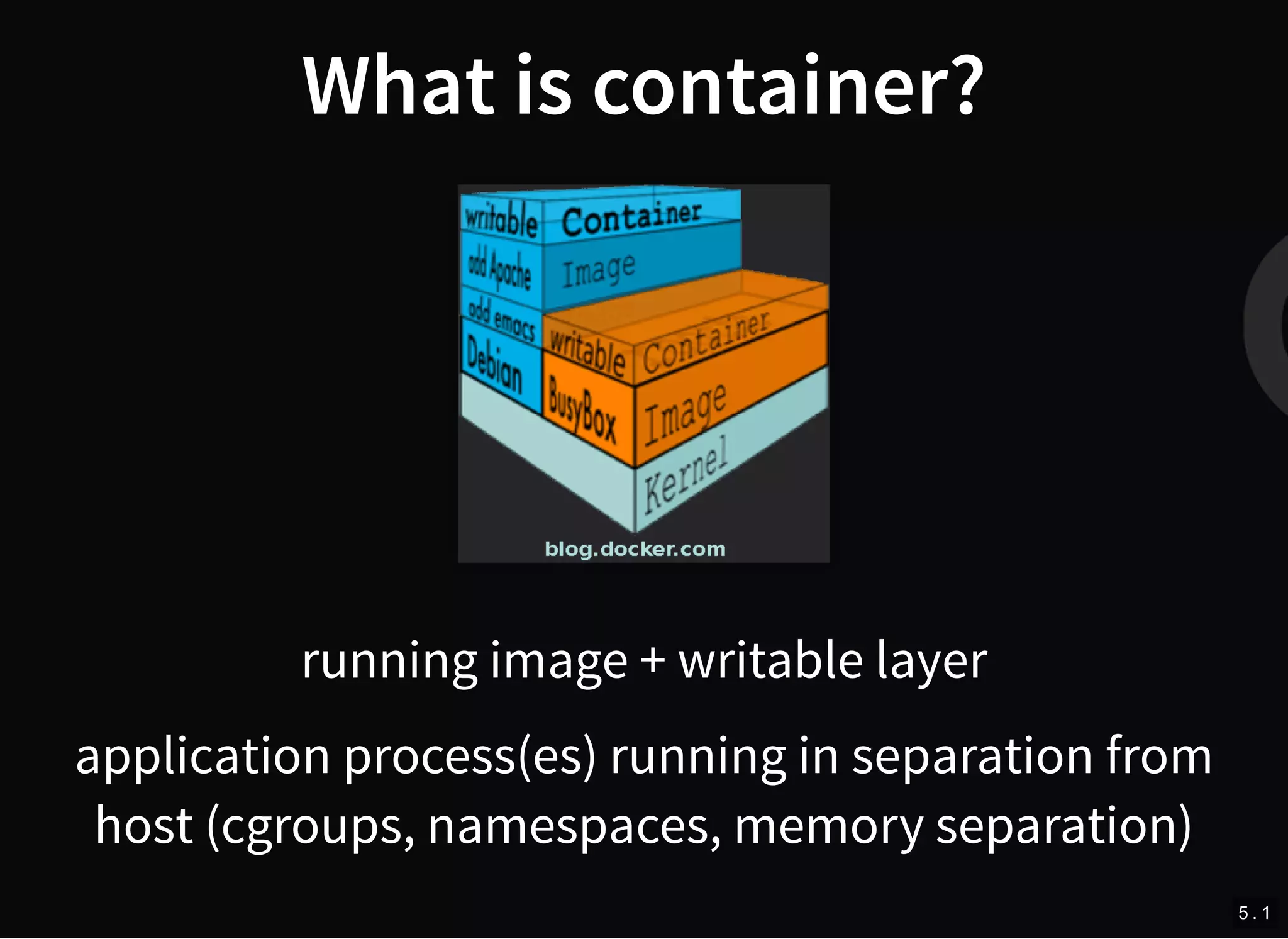
What is container?
running image + writable layer
application process(es) running in separation from
host (cgroups, namespaces, memory separation)
5 . 1
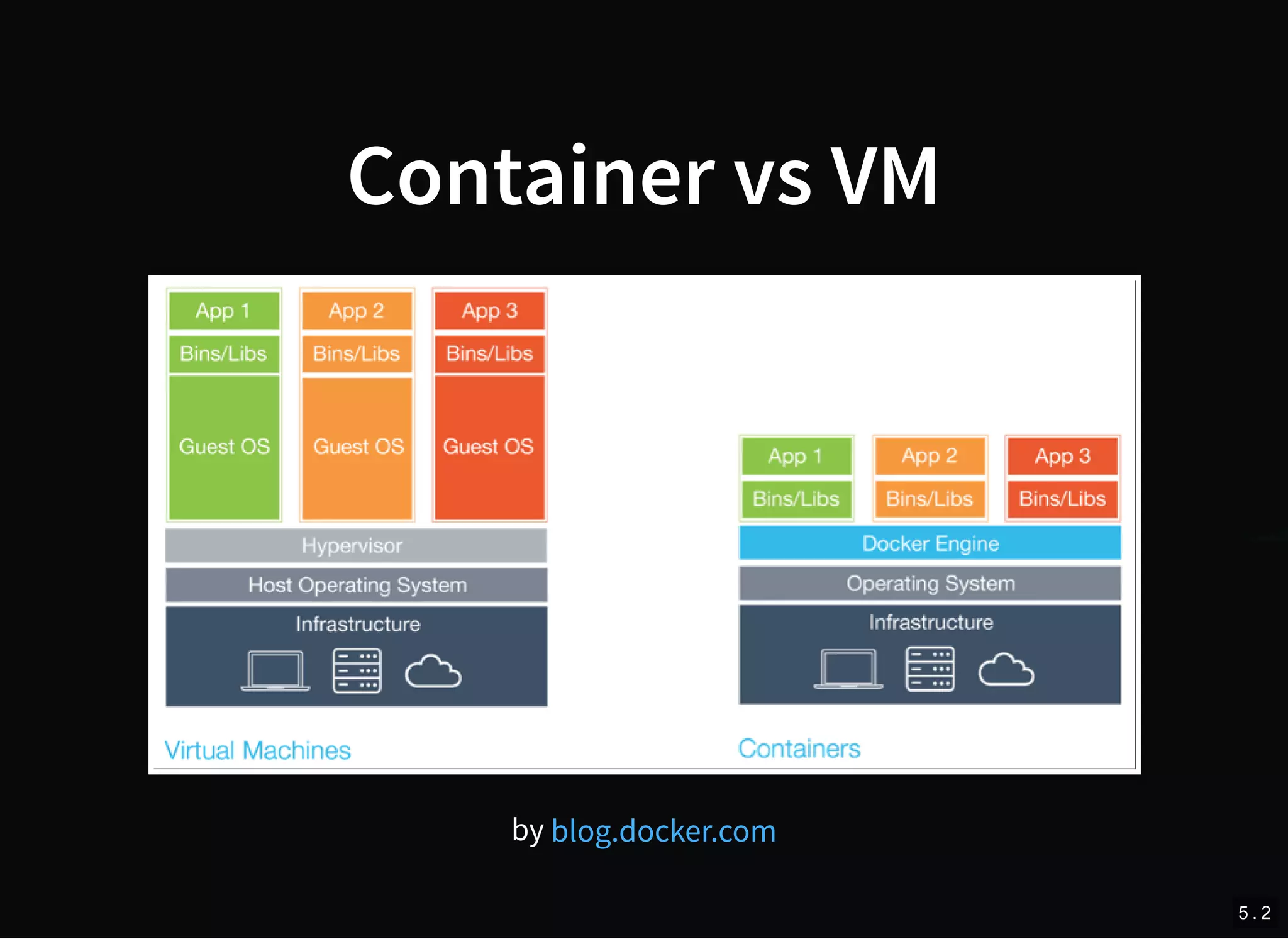
Container vs VM
by blog.docker.com
5 . 2
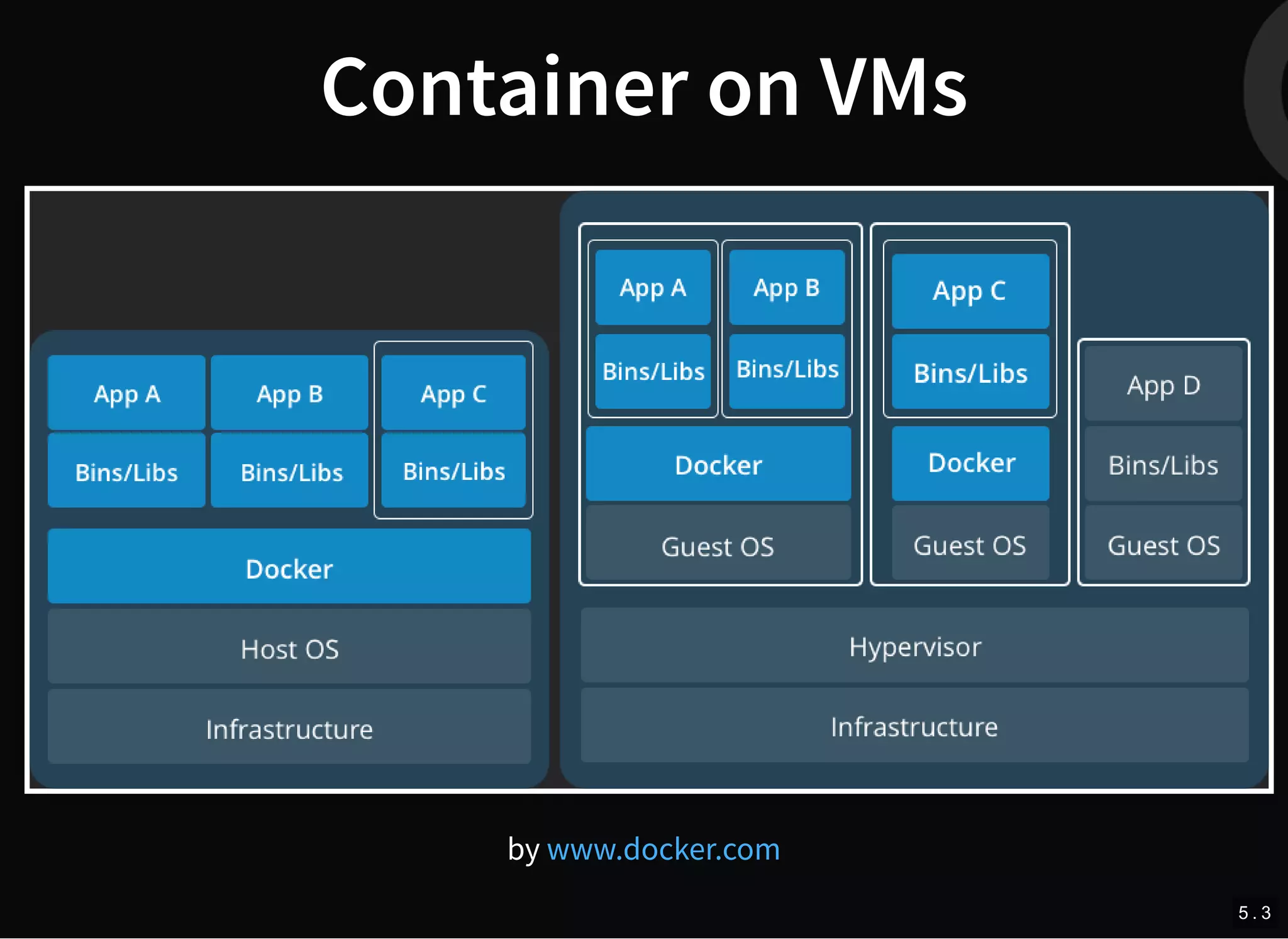
Container on VMs
by www.docker.com
5 . 3
Docker engine flavours
Community Edition CE
Enterprise Edition EE (+DTR, UCP, more)
6
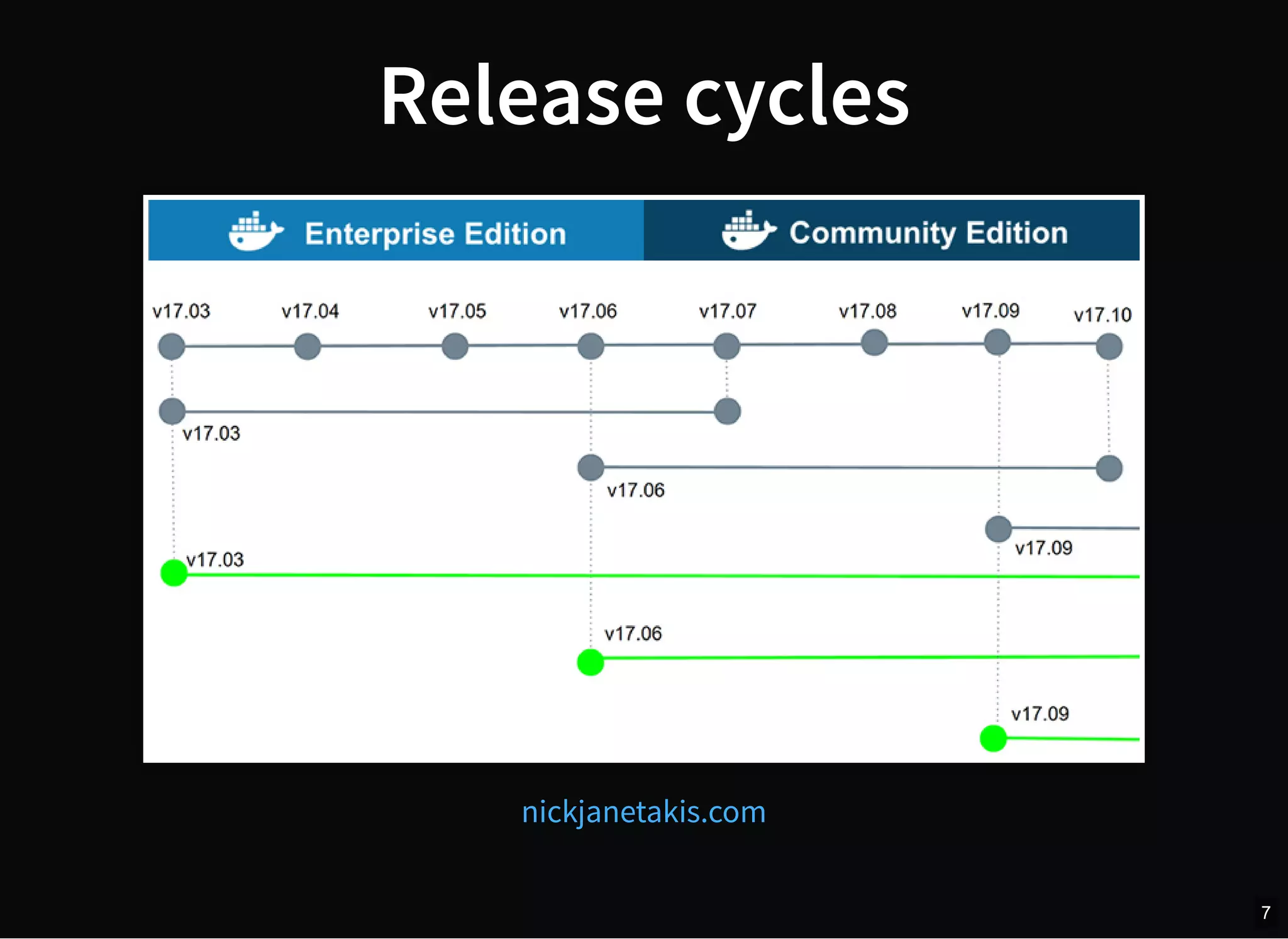
Release cycles
nickjanetakis.com
7
Docker CE platforms
linux (Debian, Ubuntu, Fedora, CentOS)
docker for mac
docker for windows
docker for azure
docker for aws
8
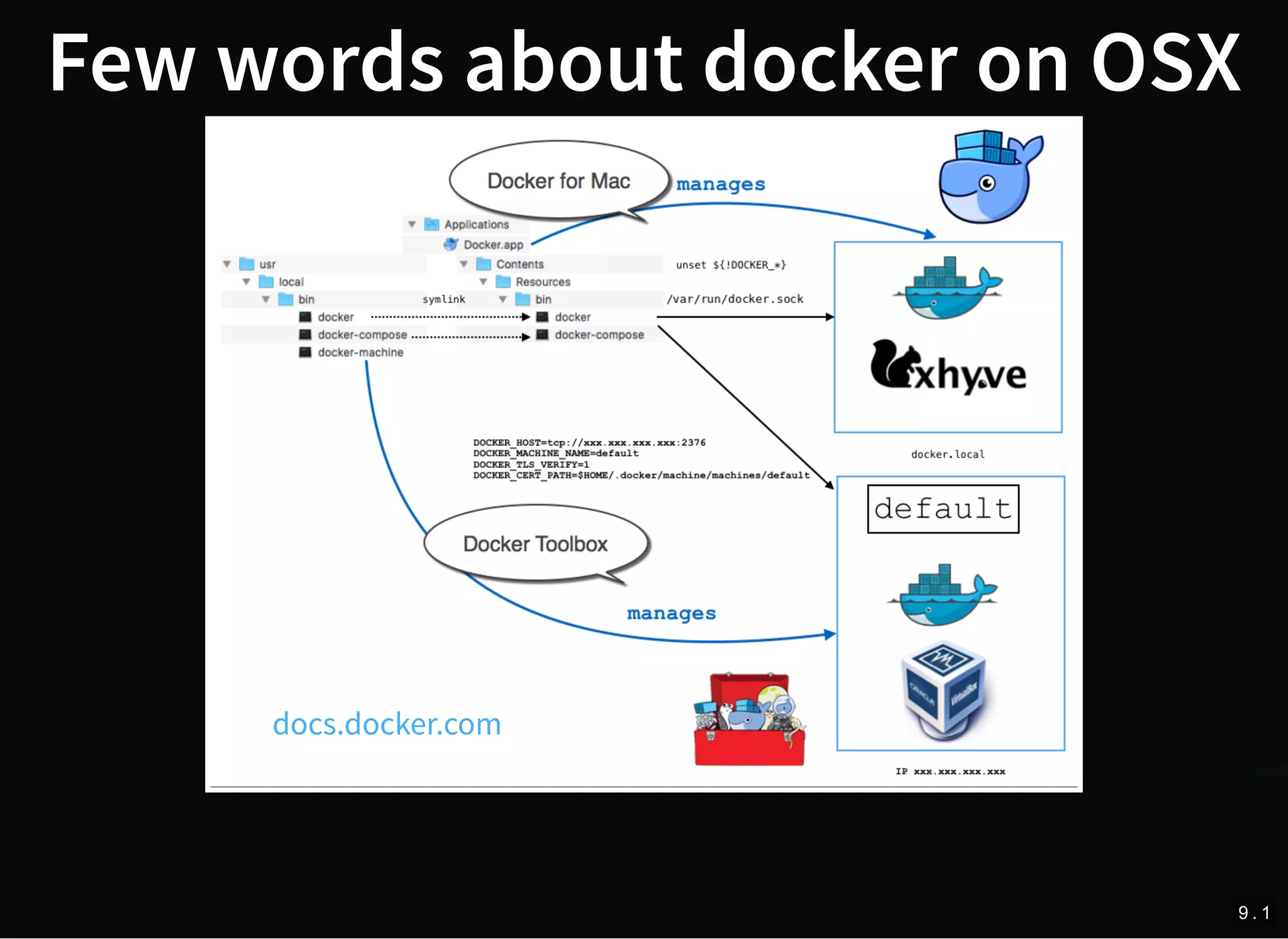
Few words about docker on OSX
docs.docker.com
9 . 1
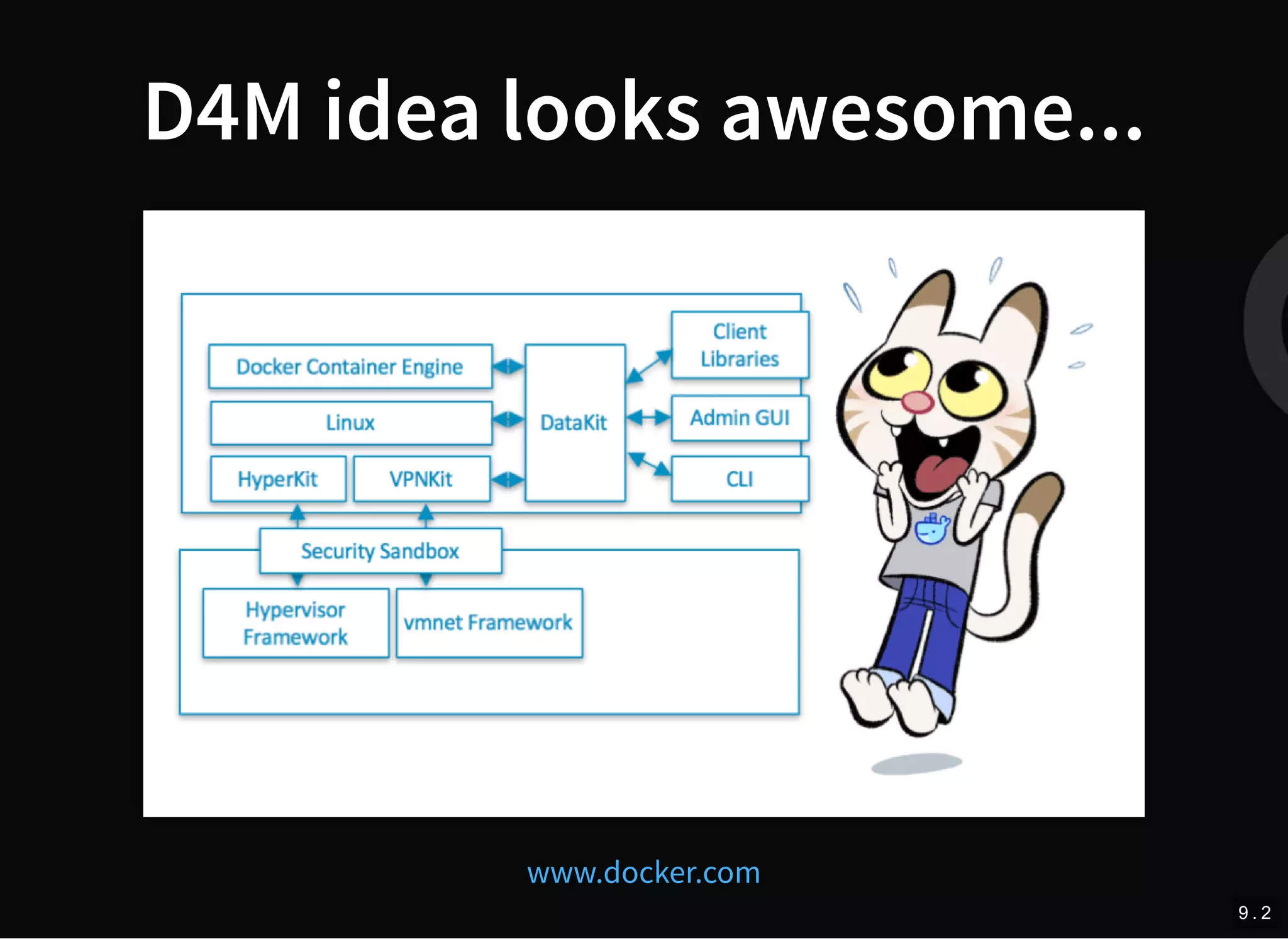
D4M idea looks awesome...
www.docker.com
9 . 2
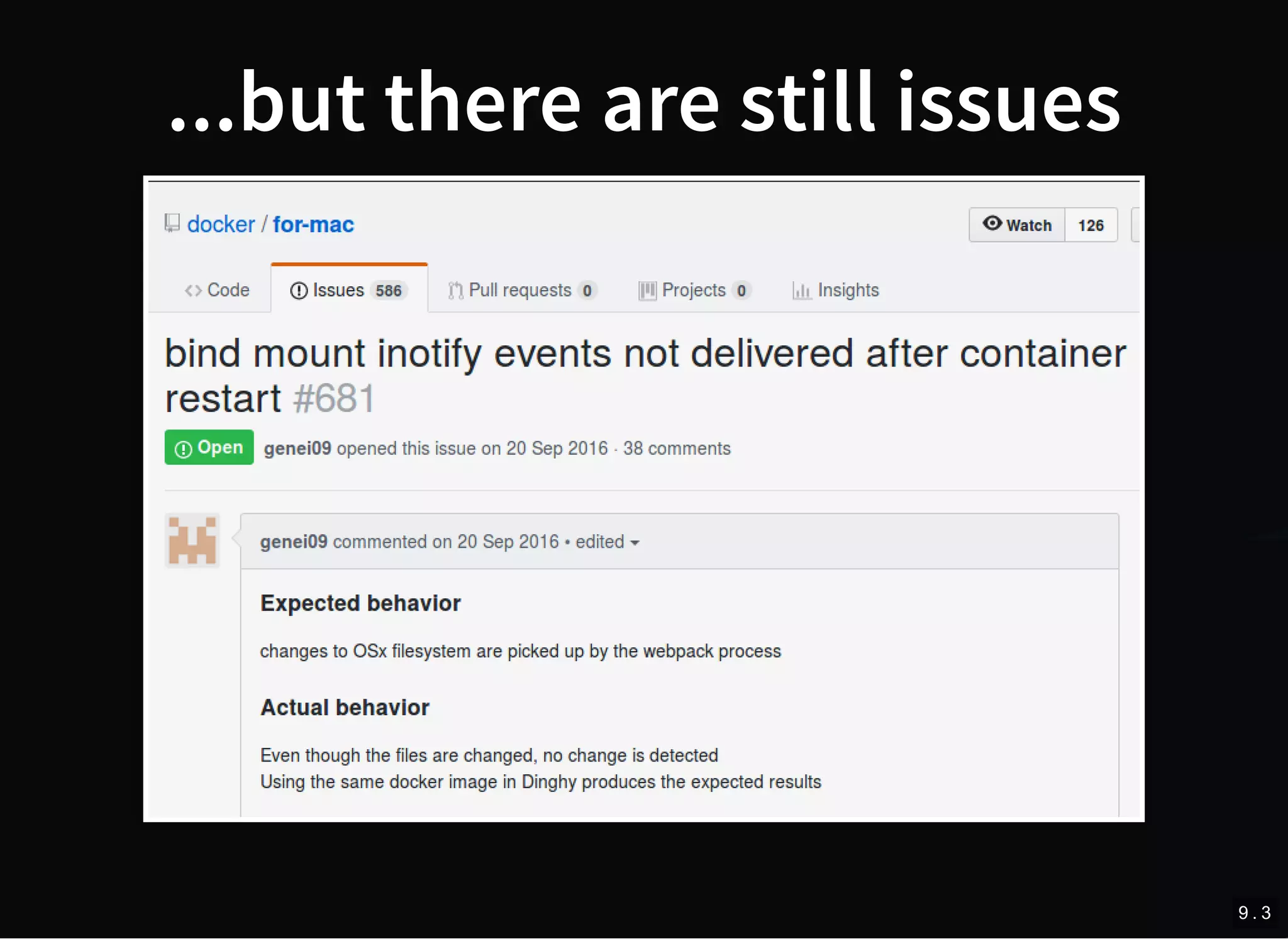
...but there are still issues
9 . 3
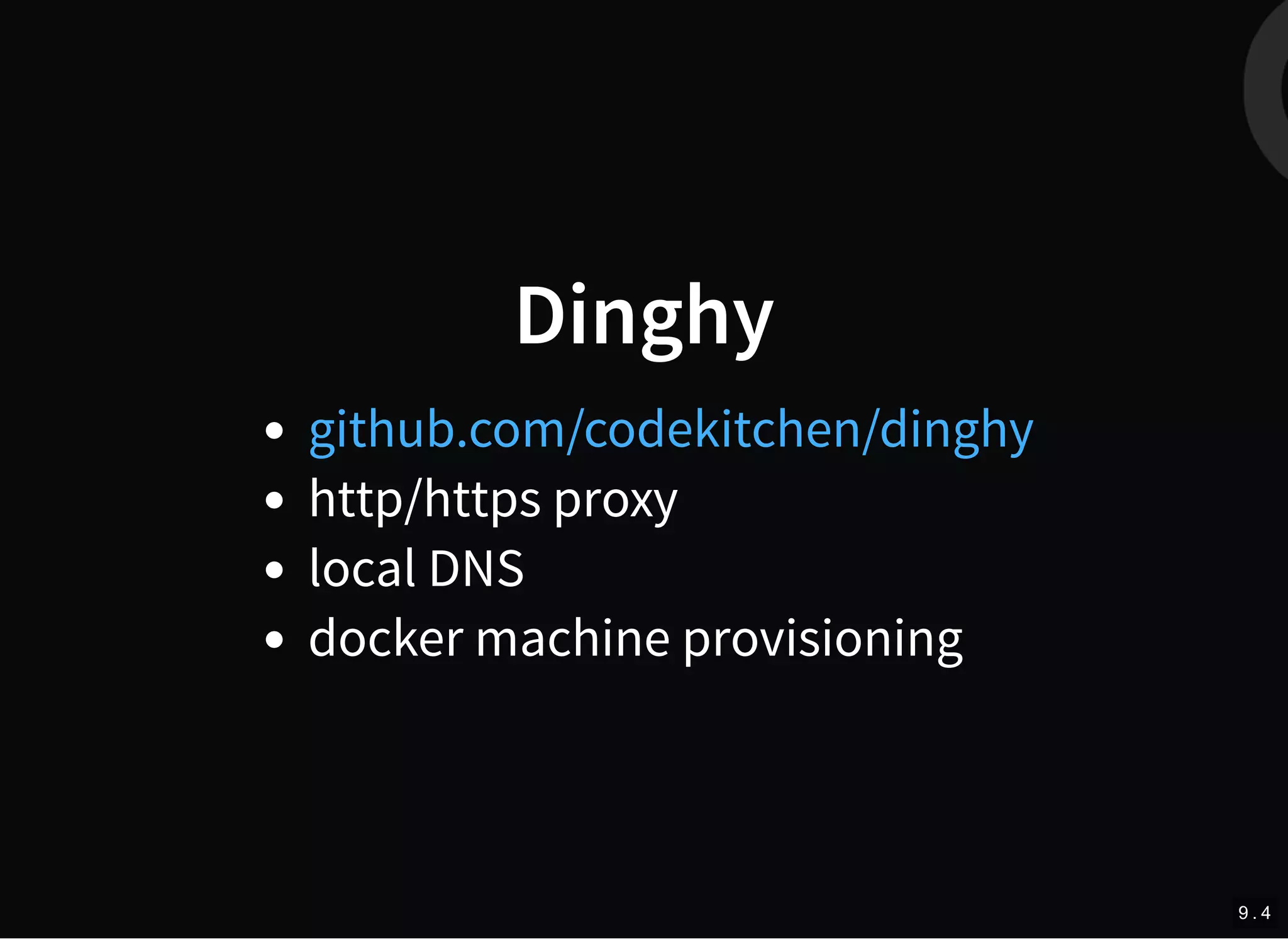
Dinghy
http/https proxy
local DNS
docker machine provisioning
github.com/codekitchen/dinghy
9 . 4
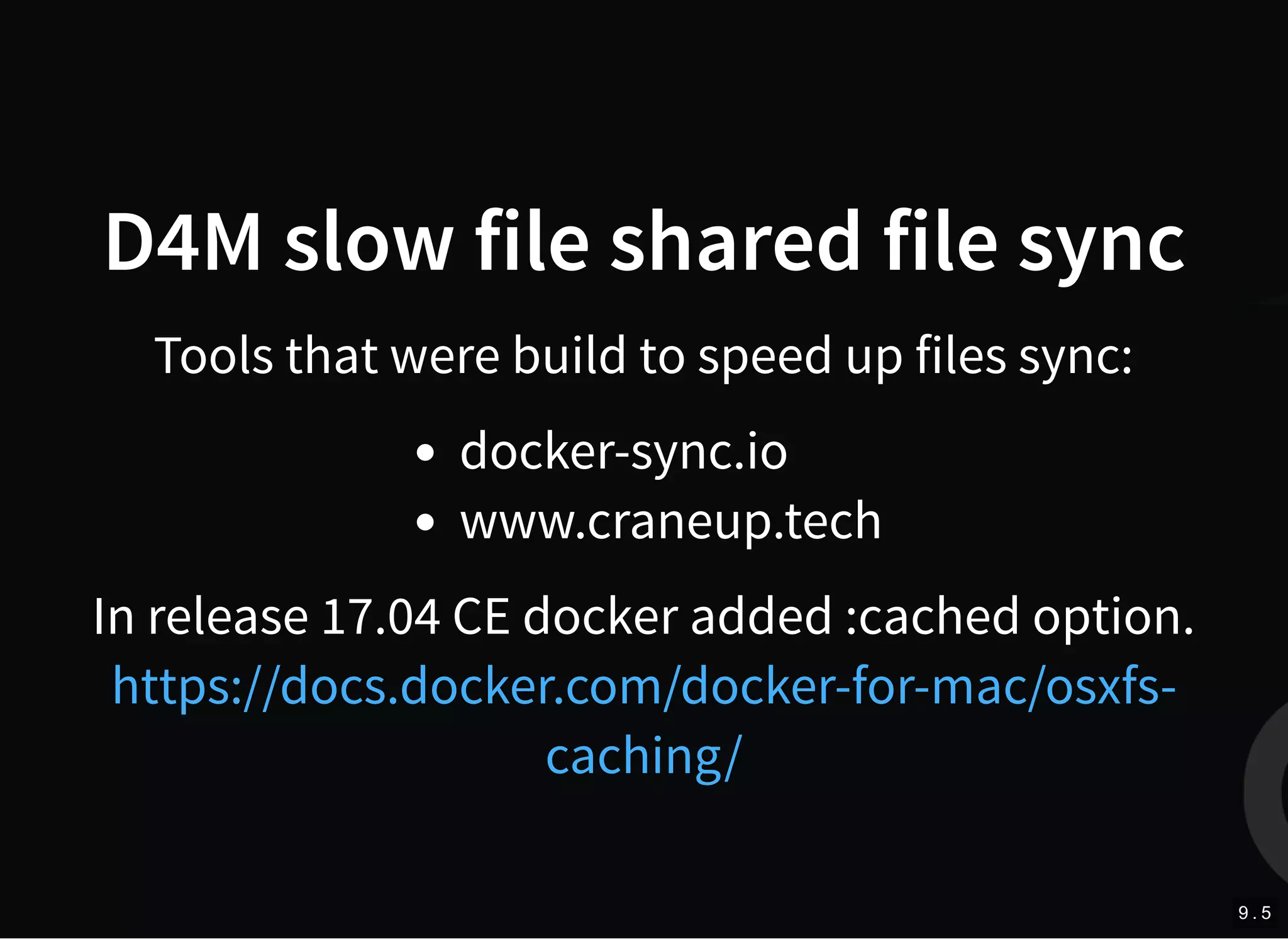
D4M slow file shared file sync
Tools that were build to speed up files sync:
docker-sync.io
www.craneup.tech
In release 17.04 CE docker added :cached option.
https://docs.docker.com/docker-for-mac/osxfs-
caching/
9 . 5
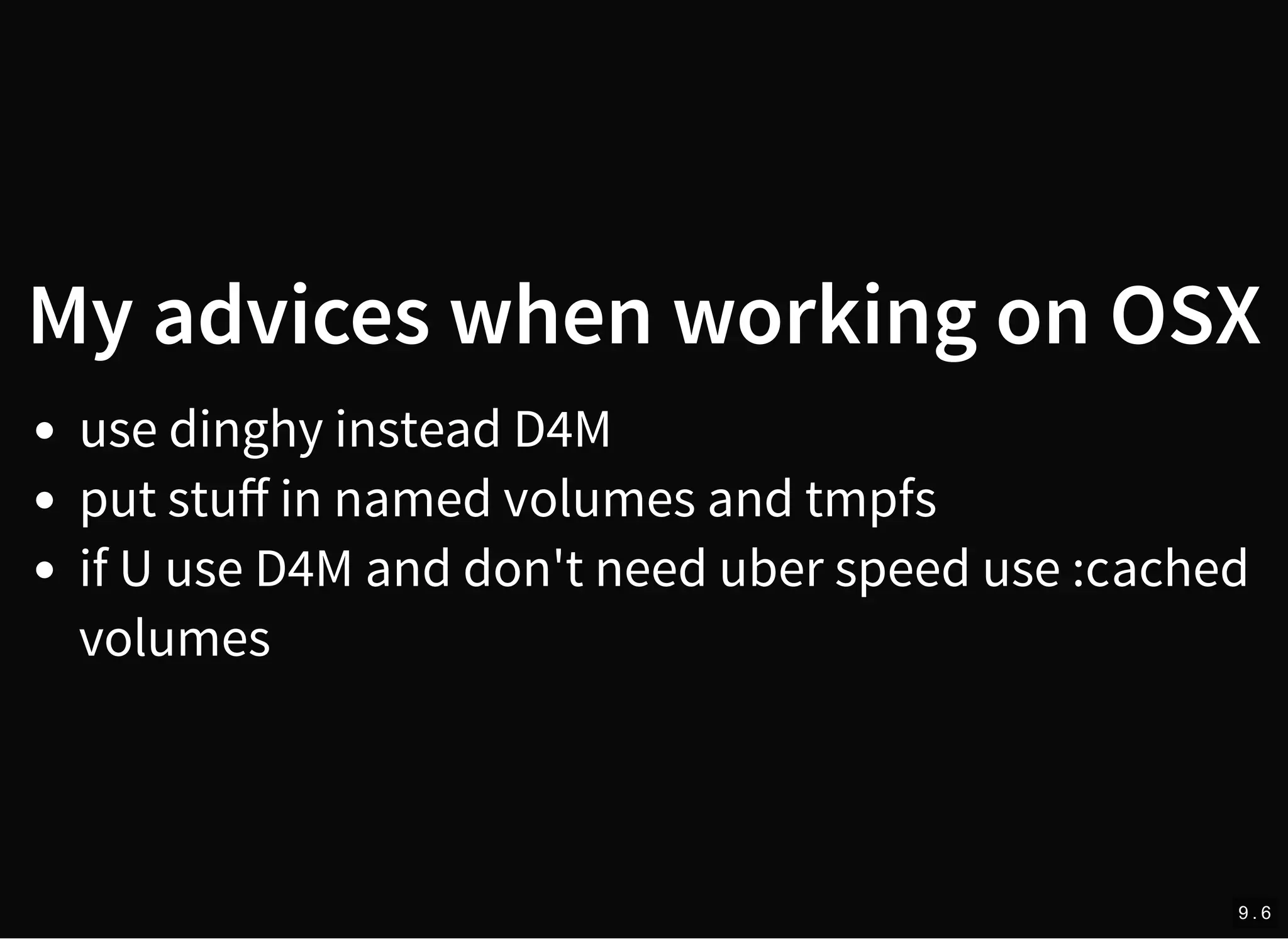
My advices when working on OSX
use dinghy instead D4M
put stuff in named volumes and tmpfs
if U use D4M and don't need uber speed use :cached
volumes
9 . 6
TIME FOR SOME MEAT
10
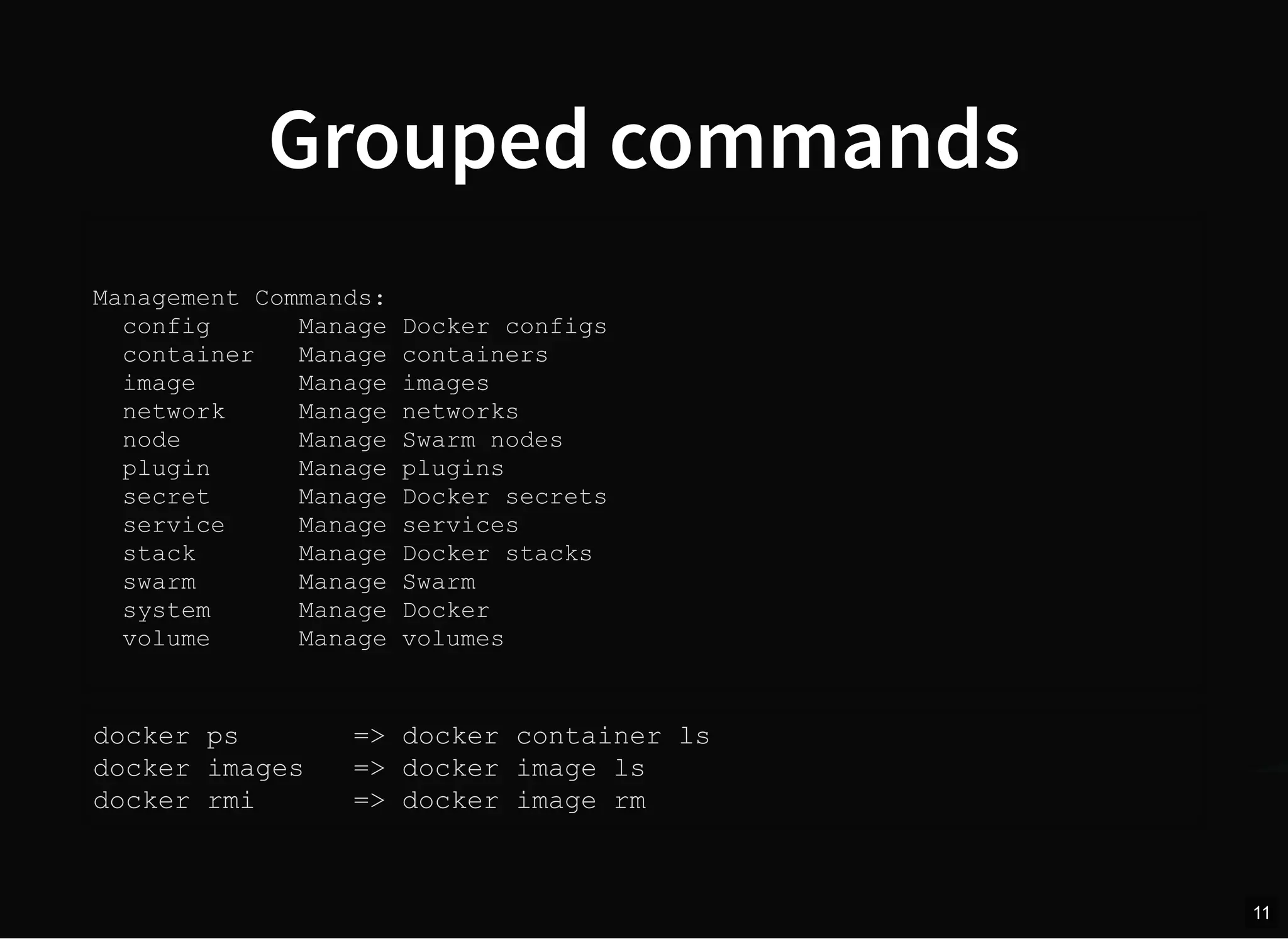
Grouped commands
Management Commands:
config Manage Docker configs
container Manage containers
image Manage images
network Manage networks
node Manage Swarm nodes
plugin Manage plugins
secret Manage Docker secrets
service Manage services
stack Manage Docker stacks
swarm Manage Swarm
system Manage Docker
volume Manage volumes
docker ps => docker container ls
docker images => docker image ls
docker rmi => docker image rm
11
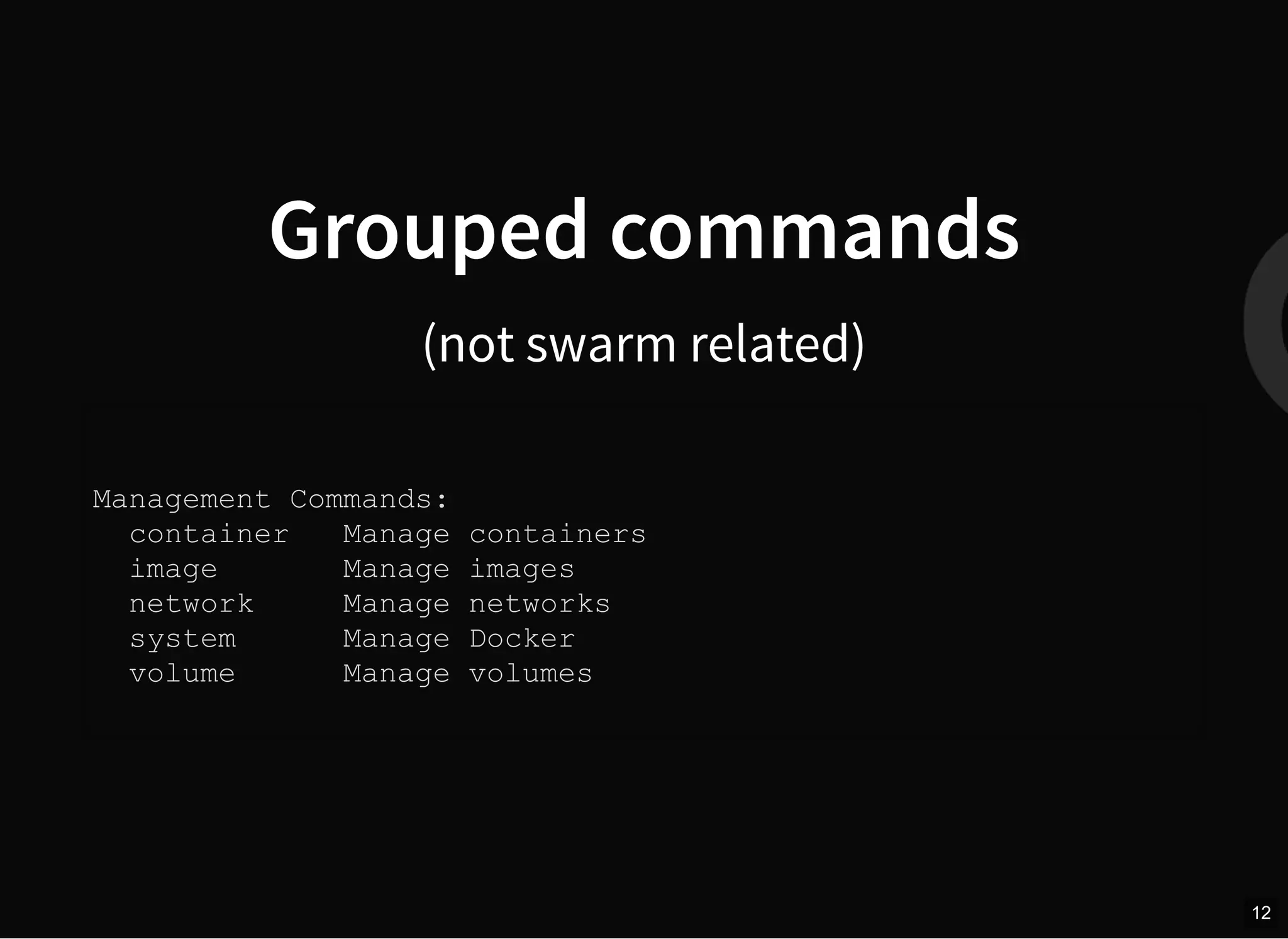
Grouped commands
(not swarm related)
Management Commands:
container Manage containers
image Manage images
network Manage networks
system Manage Docker
volume Manage volumes
12
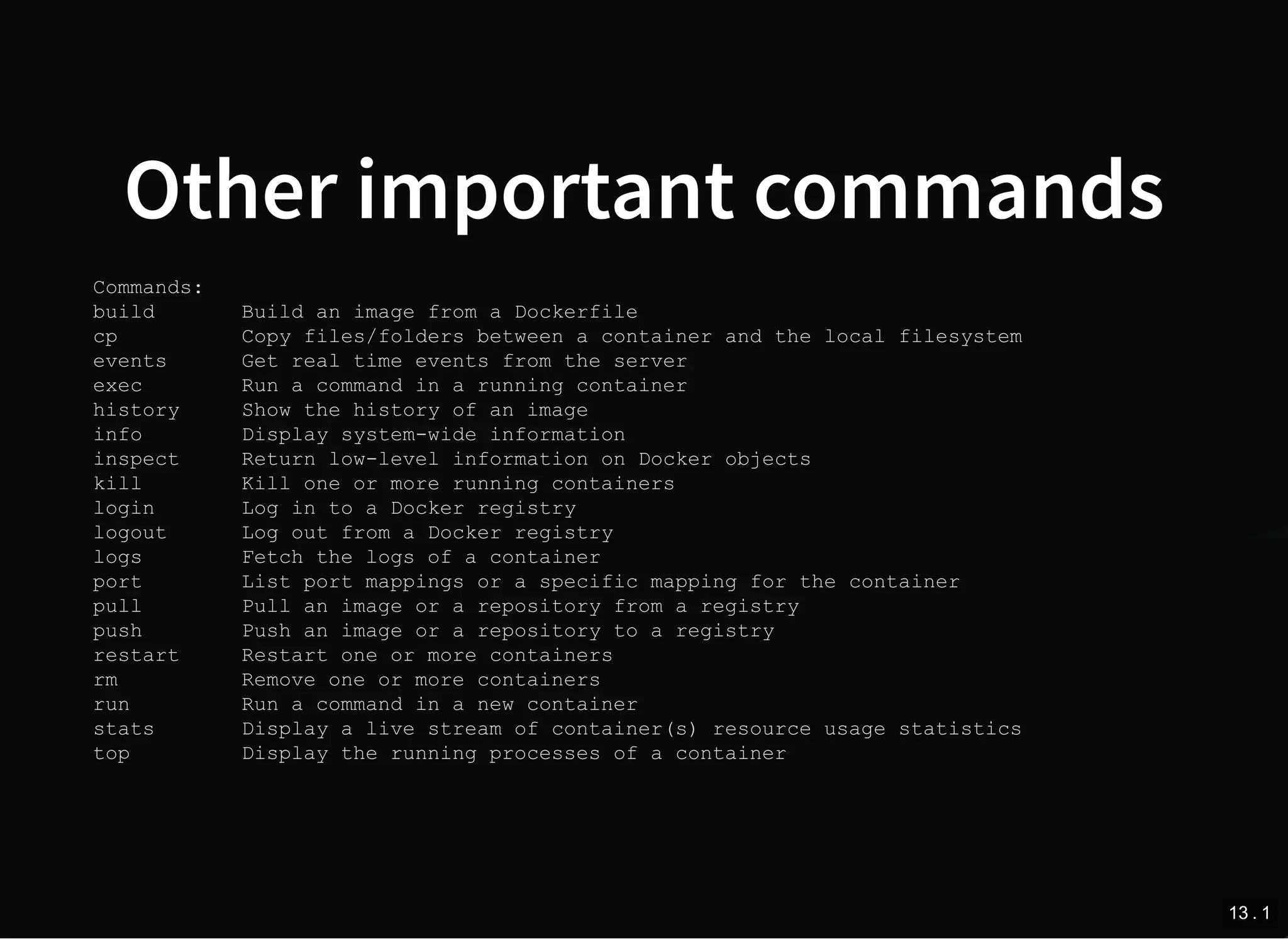
Other important commands
Commands:
build Build an image from a Dockerfile
cp Copy files/folders between a container and the local filesystem
events Get real time events from the server
exec Run a command in a running container
history Show the history of an image
info Display system-wide information
inspect Return low-level information on Docker objects
kill Kill one or more running containers
login Log in to a Docker registry
logout Log out from a Docker registry
logs Fetch the logs of a container
port List port mappings or a specific mapping for the container
pull Pull an image or a repository from a registry
push Push an image or a repository to a registry
restart Restart one or more containers
rm Remove one or more containers
run Run a command in a new container
stats Display a live stream of container(s) resource usage statistics
top Display the running processes of a container
13 . 1
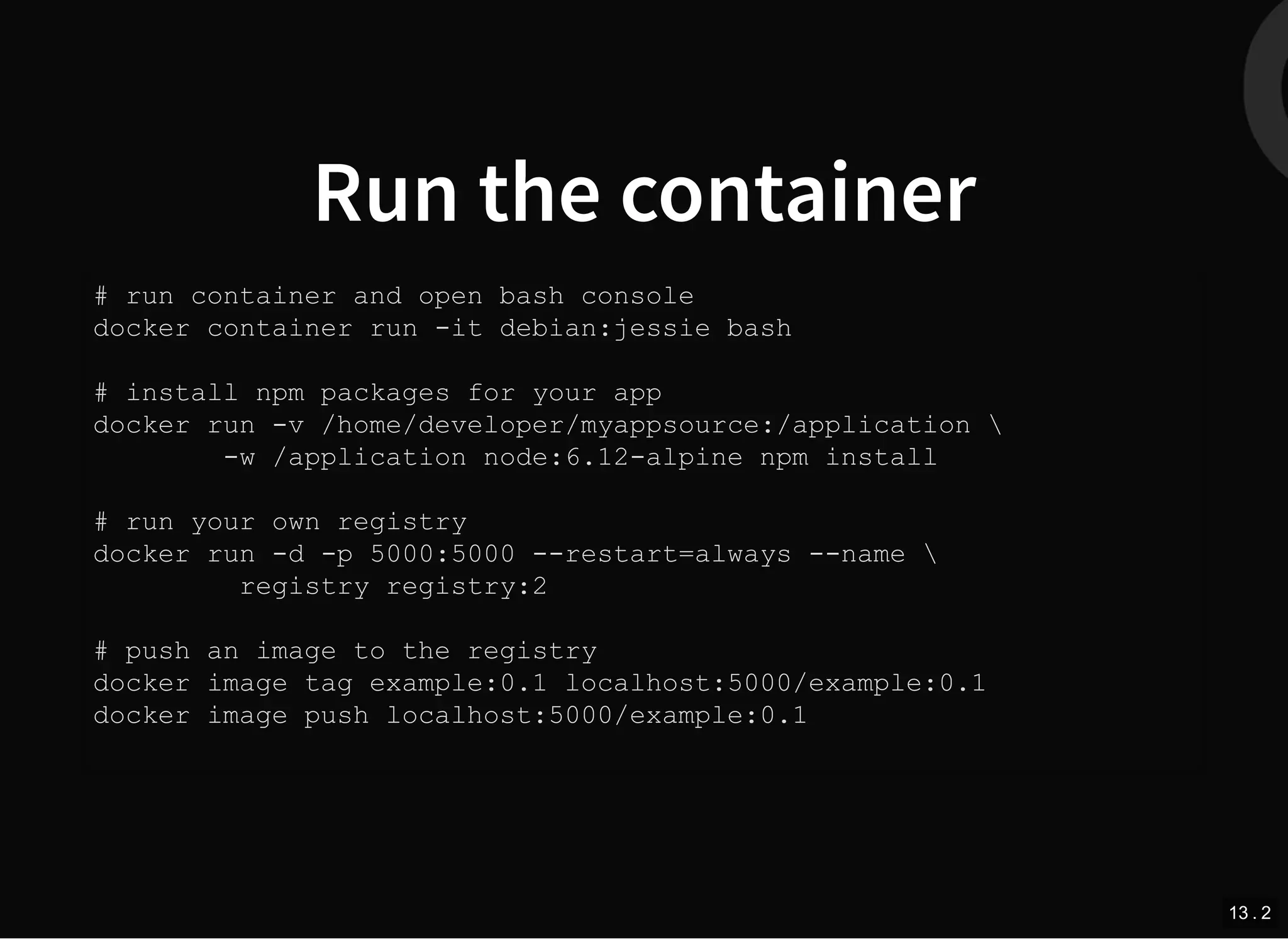
Run the container
# run container and open bash console
docker container run -it debian:jessie bash
# install npm packages for your app
docker run -v /home/developer/myappsource:/application 
-w /application node:6.12-alpine npm install
# run your own registry
docker run -d -p 5000:5000 --restart=always --name 
registry registry:2
# push an image to the registry
docker image tag example:0.1 localhost:5000/example:0.1
docker image push localhost:5000/example:0.1
13 . 2
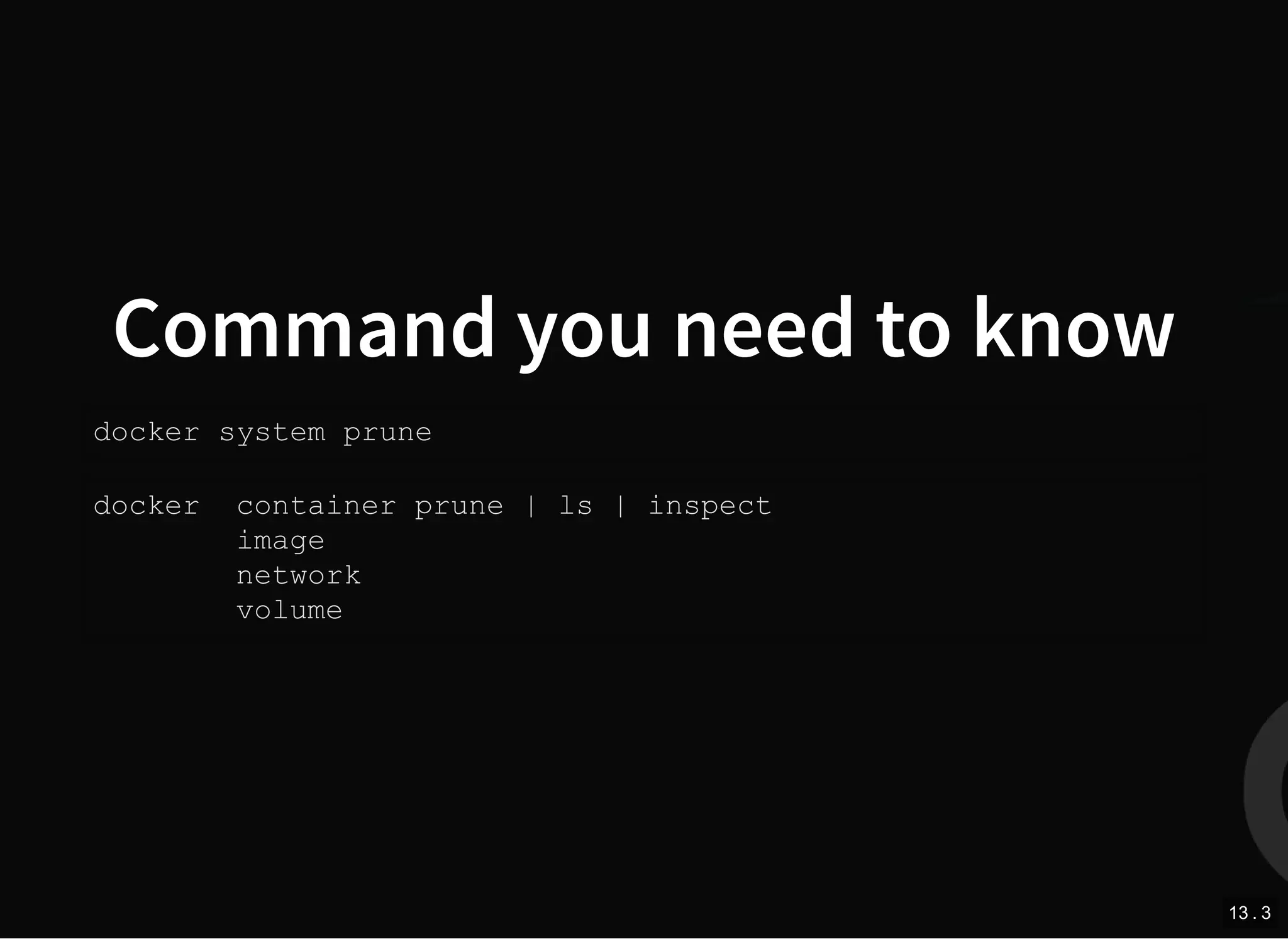
Command you need to know
docker system prune
docker container prune | ls | inspect
image
network
volume
13 . 3
docker system prune
%$ docker system prune
WARNING! This will remove:
- all stopped containers
- all networks not used by at least one container
- all dangling images
- all build cache
Are you sure you want to continue? [y/N] y
Deleted Containers:
7afe35733f15bbd3f0887e2853c65b95709a900d32addb6140fc4c
...
Deleted Networks:
docker_default
Deleted Images:
deleted: sha256:dbef69ad1f9e012e47299c659a0574c883df94
...
Total reclaimed space: 14.66GB
13 . 4
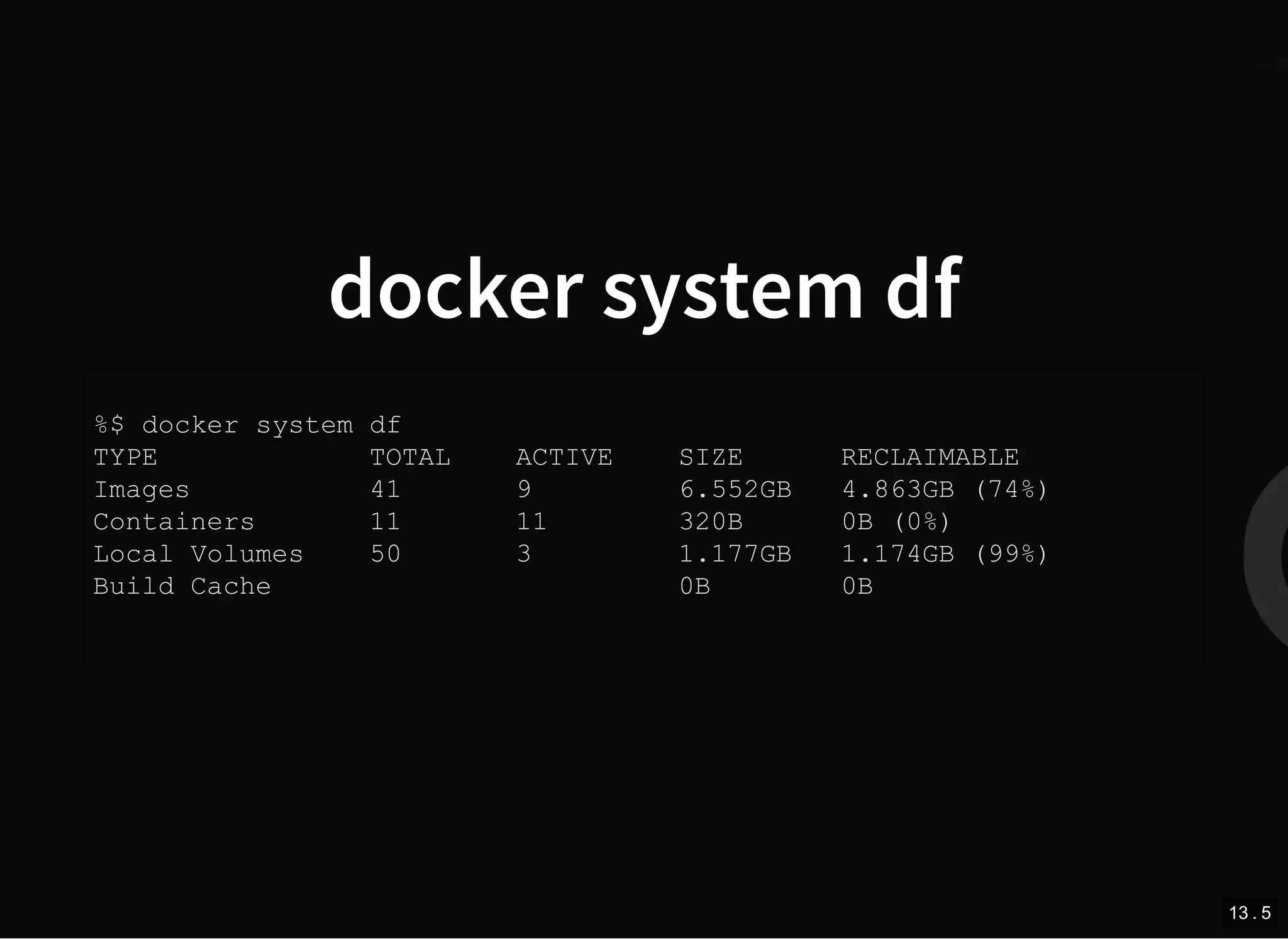
docker system df
%$ docker system df
TYPE TOTAL ACTIVE SIZE RECLAIMABLE
Images 41 9 6.552GB 4.863GB (74%)
Containers 11 11 320B 0B (0%)
Local Volumes 50 3 1.177GB 1.174GB (99%)
Build Cache 0B 0B
13 . 5
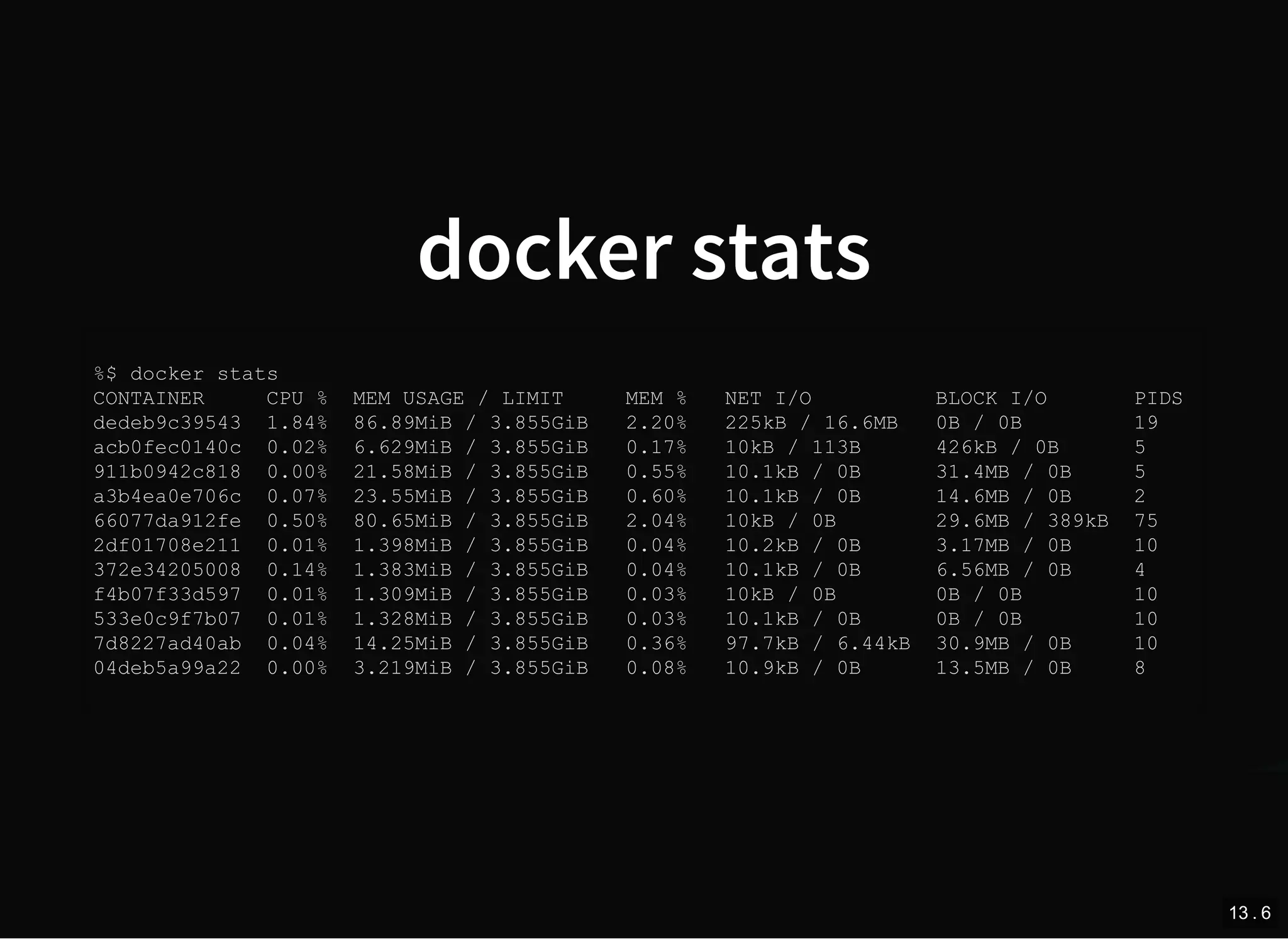
docker stats
%$ docker stats
CONTAINER CPU % MEM USAGE / LIMIT MEM % NET I/O BLOCK I/O PIDS
dedeb9c39543 1.84% 86.89MiB / 3.855GiB 2.20% 225kB / 16.6MB 0B / 0B 19
acb0fec0140c 0.02% 6.629MiB / 3.855GiB 0.17% 10kB / 113B 426kB / 0B 5
911b0942c818 0.00% 21.58MiB / 3.855GiB 0.55% 10.1kB / 0B 31.4MB / 0B 5
a3b4ea0e706c 0.07% 23.55MiB / 3.855GiB 0.60% 10.1kB / 0B 14.6MB / 0B 2
66077da912fe 0.50% 80.65MiB / 3.855GiB 2.04% 10kB / 0B 29.6MB / 389kB 75
2df01708e211 0.01% 1.398MiB / 3.855GiB 0.04% 10.2kB / 0B 3.17MB / 0B 10
372e34205008 0.14% 1.383MiB / 3.855GiB 0.04% 10.1kB / 0B 6.56MB / 0B 4
f4b07f33d597 0.01% 1.309MiB / 3.855GiB 0.03% 10kB / 0B 0B / 0B 10
533e0c9f7b07 0.01% 1.328MiB / 3.855GiB 0.03% 10.1kB / 0B 0B / 0B 10
7d8227ad40ab 0.04% 14.25MiB / 3.855GiB 0.36% 97.7kB / 6.44kB 30.9MB / 0B 10
04deb5a99a22 0.00% 3.219MiB / 3.855GiB 0.08% 10.9kB / 0B 13.5MB / 0B 8
13 . 6
docker image history
%$ docker image history 9867318ddb33
IMAGE CREATED CREATED BY SIZE
9867318ddb33 8 months ago /bin/sh -c #(nop) CMD ["mailcatcher" "-f"... 0B
missing 8 months ago /bin/sh -c #(nop) EXPOSE 1080/tcp 0B
missing 8 months ago /bin/sh -c #(nop) EXPOSE 1025/tcp 0B
missing 8 months ago /bin/sh -c chmod +x install.sh && ./instal... 20.4MB
missing 8 months ago /bin/sh -c #(nop) ADD file:4b20298d8b8d96b... 390B
missing 8 months ago /bin/sh -c #(nop) MAINTAINER Johannes Sch... 0B
missing 8 months ago /bin/sh -c #(nop) CMD ["irb"] 0B
missing 8 months ago /bin/sh -c mkdir -p "$GEM_HOME" "$BUNDLE_B... 0B
missing 8 months ago /bin/sh -c #(nop) ENV PATH=/usr/local/bun... 0B
missing 8 months ago /bin/sh -c gem install bundler --version "... 1.52MB
missing 8 months ago /bin/sh -c #(nop) ENV BUNDLER_VERSION=1.14.6 0B
missing 8 months ago /bin/sh -c set -ex && buildDeps=' biso... 111MB
missing 8 months ago /bin/sh -c #(nop) ENV RUBYGEMS_VERSION=2.... 0B
missing 8 months ago /bin/sh -c #(nop) ENV RUBY_VERSION=2.2.6 0B
missing 8 months ago /bin/sh -c #(nop) ENV RUBY_MAJOR=2.2 0B
missing 8 months ago /bin/sh -c mkdir -p /usr/local/etc && { ... 45B
missing 9 months ago /bin/sh -c set -ex; apt-get update; apt-... 323MB
missing 9 months ago /bin/sh -c apt-get update && apt-get insta... 123MB
missing 9 months ago /bin/sh -c #(nop) CMD ["/bin/bash"] 0B
missing 9 months ago /bin/sh -c #(nop) ADD file:41ac8d85ee35954... 123MB
13 . 7
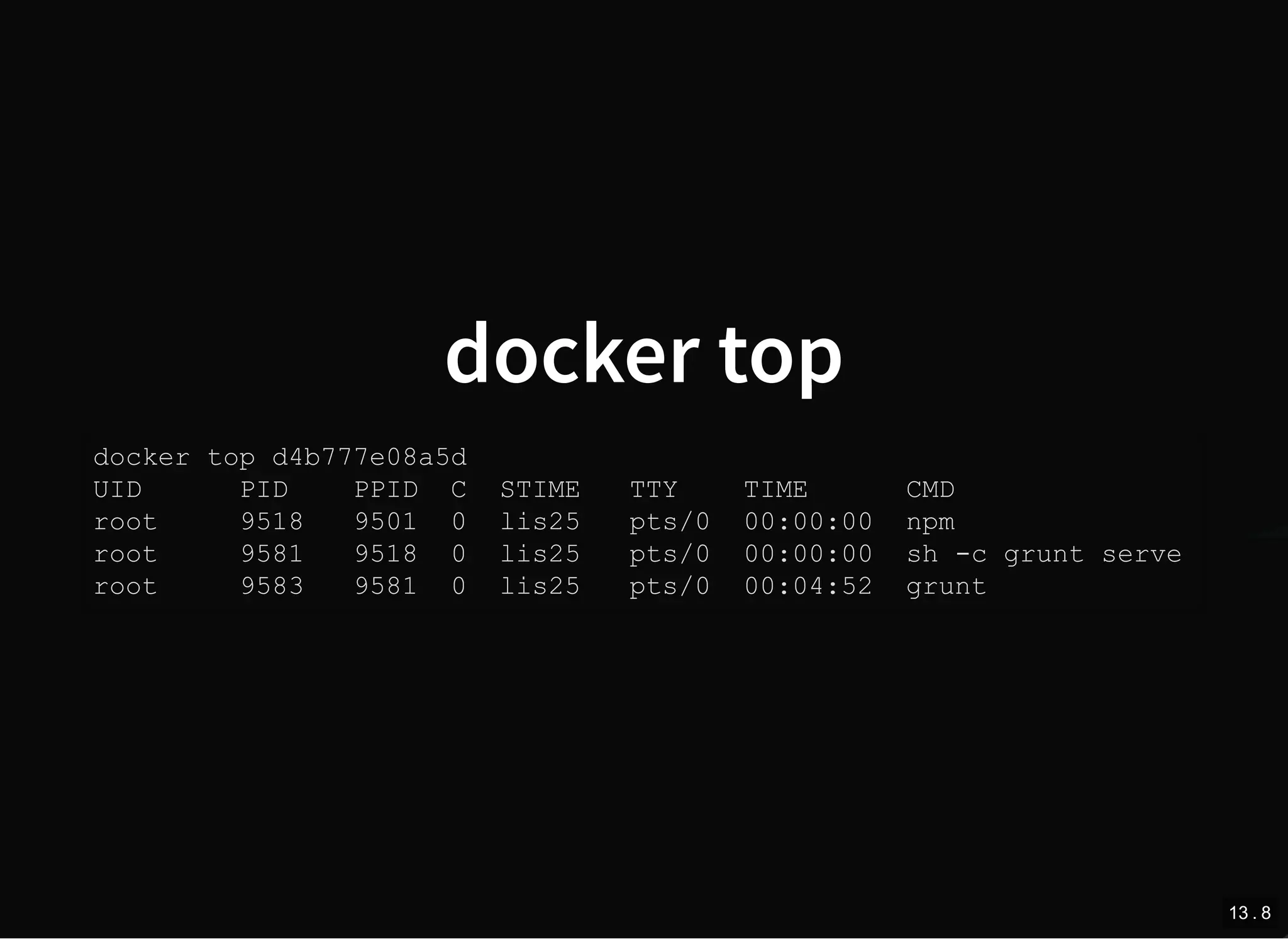
docker top
docker top d4b777e08a5d
UID PID PPID C STIME TTY TIME CMD
root 9518 9501 0 lis25 pts/0 00:00:00 npm
root 9581 9518 0 lis25 pts/0 00:00:00 sh -c grunt serve
root 9583 9581 0 lis25 pts/0 00:04:52 grunt
13 . 8
docker cp
Fastest way to copy files into container
docker cp --help
Usage: docker cp [OPTIONS] CONTAINER:SRC_PATH DEST_PATH|-
docker cp [OPTIONS] SRC_PATH|- CONTAINER:DEST_PATH
Copy files/folders between a container and the local filesystem
Options:
-a, --archive Archive mode (copy all uid/gid information)
-L, --follow-link Always follow symbol link in SRC_PATH
--help Print usage
13 . 9
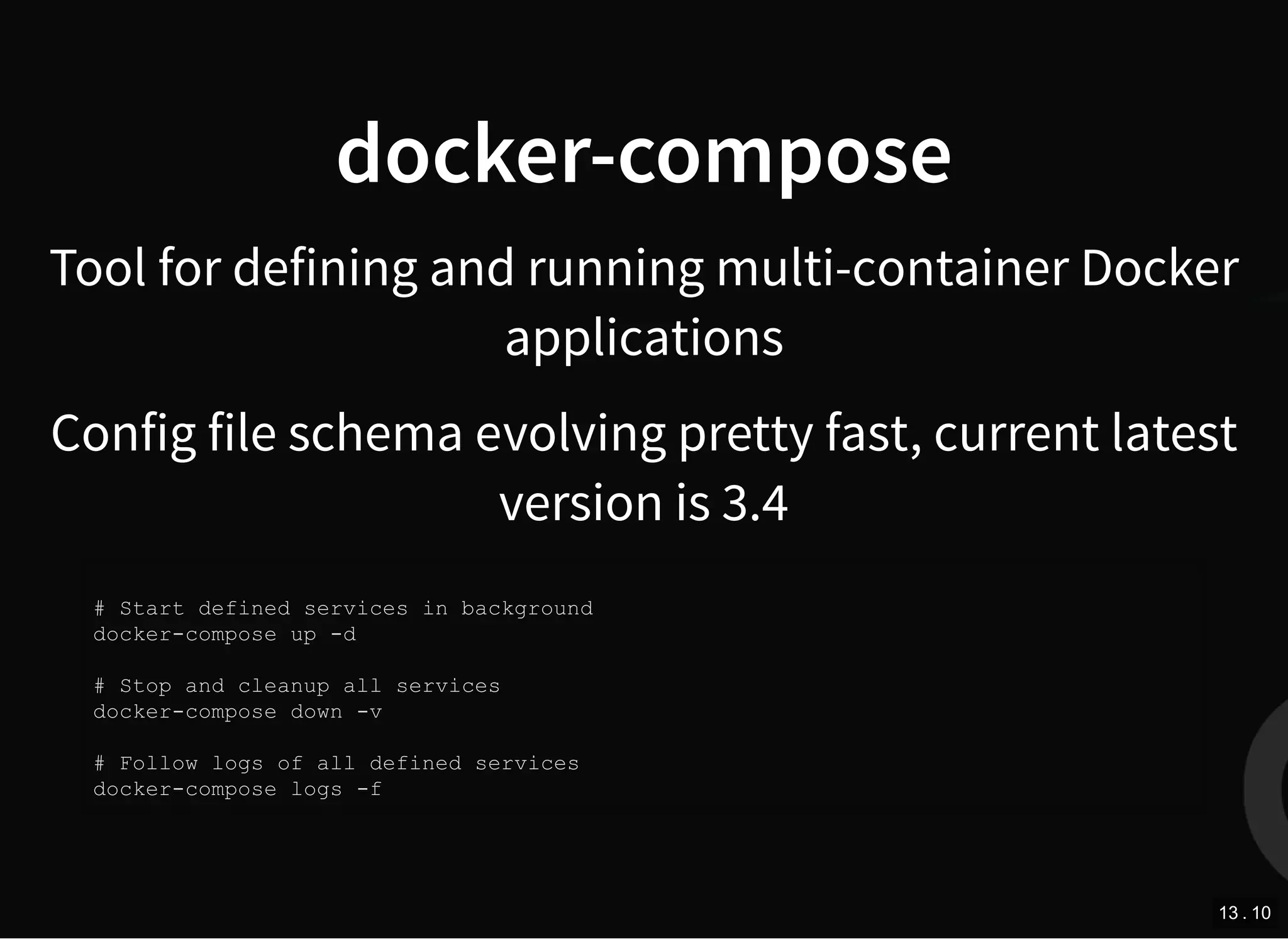
docker-compose
Tool for defining and running multi-container Docker
applications
Config file schema evolving pretty fast, current latest
version is 3.4
# Start defined services in background
docker-compose up -d
# Stop and cleanup all services
docker-compose down -v
# Follow logs of all defined services
docker-compose logs -f
13 . 10
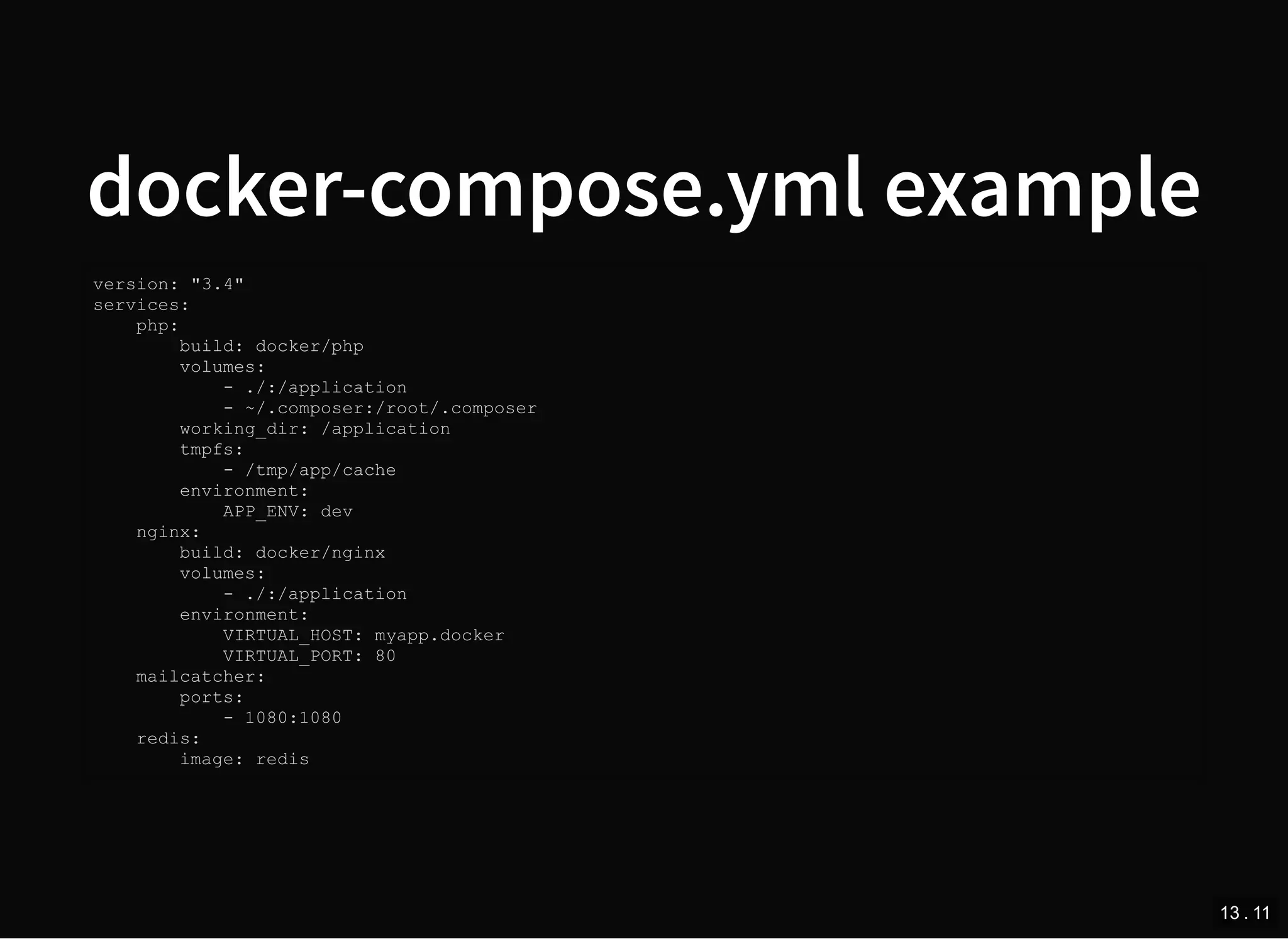
docker-compose.yml example
version: "3.4"
services:
php:
build: docker/php
volumes:
- ./:/application
- ~/.composer:/root/.composer
working_dir: /application
tmpfs:
- /tmp/app/cache
environment:
APP_ENV: dev
nginx:
build: docker/nginx
volumes:
- ./:/application
environment:
VIRTUAL_HOST: myapp.docker
VIRTUAL_PORT: 80
mailcatcher:
ports:
- 1080:1080
redis:
image: redis
13 . 11
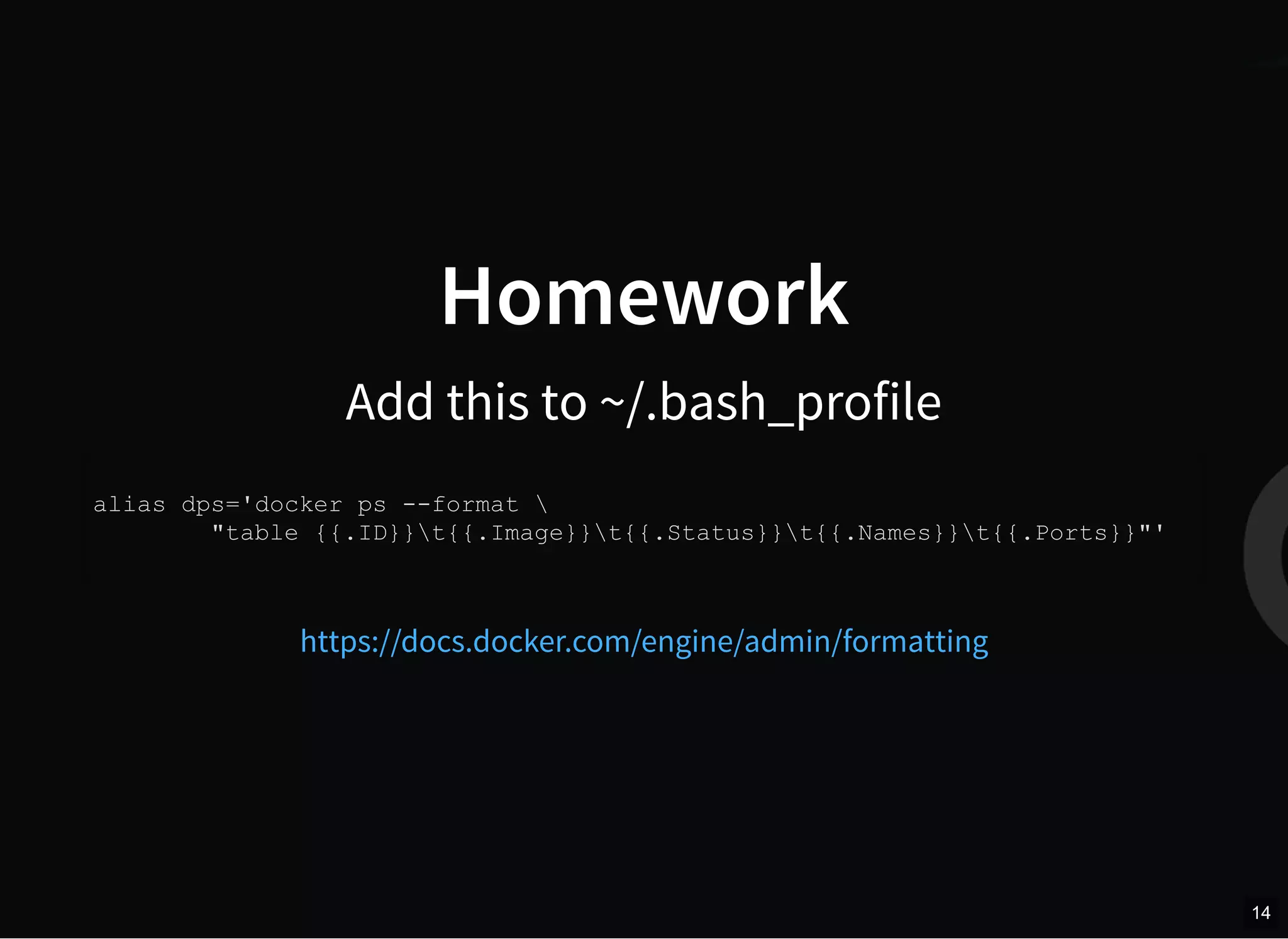
Homework
Add this to ~/.bash_profile
alias dps='docker ps --format 
"table {{.ID}}t{{.Image}}t{{.Status}}t{{.Names}}t{{.Ports}}"'
https://docs.docker.com/engine/admin/formatting
14
What to do next?
15 . 1
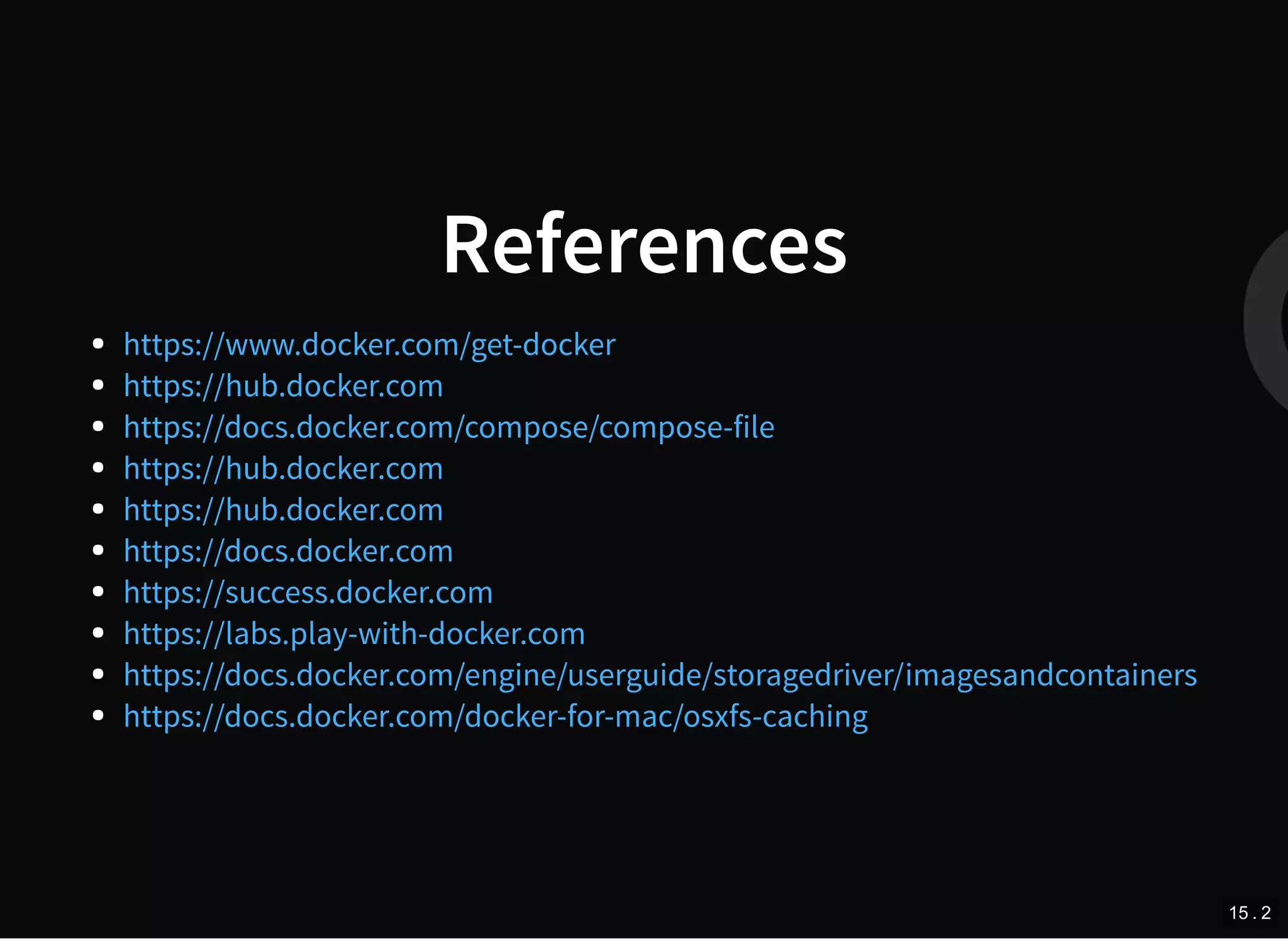
References
https://www.docker.com/get-docker
https://hub.docker.com
https://docs.docker.com/compose/compose-file
https://hub.docker.com
https://docs.docker.com
https://success.docker.com
https://labs.play-with-docker.com
https://docs.docker.com/engine/userguide/storagedriver/imagesandcontainers
https://docs.docker.com/docker-for-mac/osxfs-caching
15 . 2
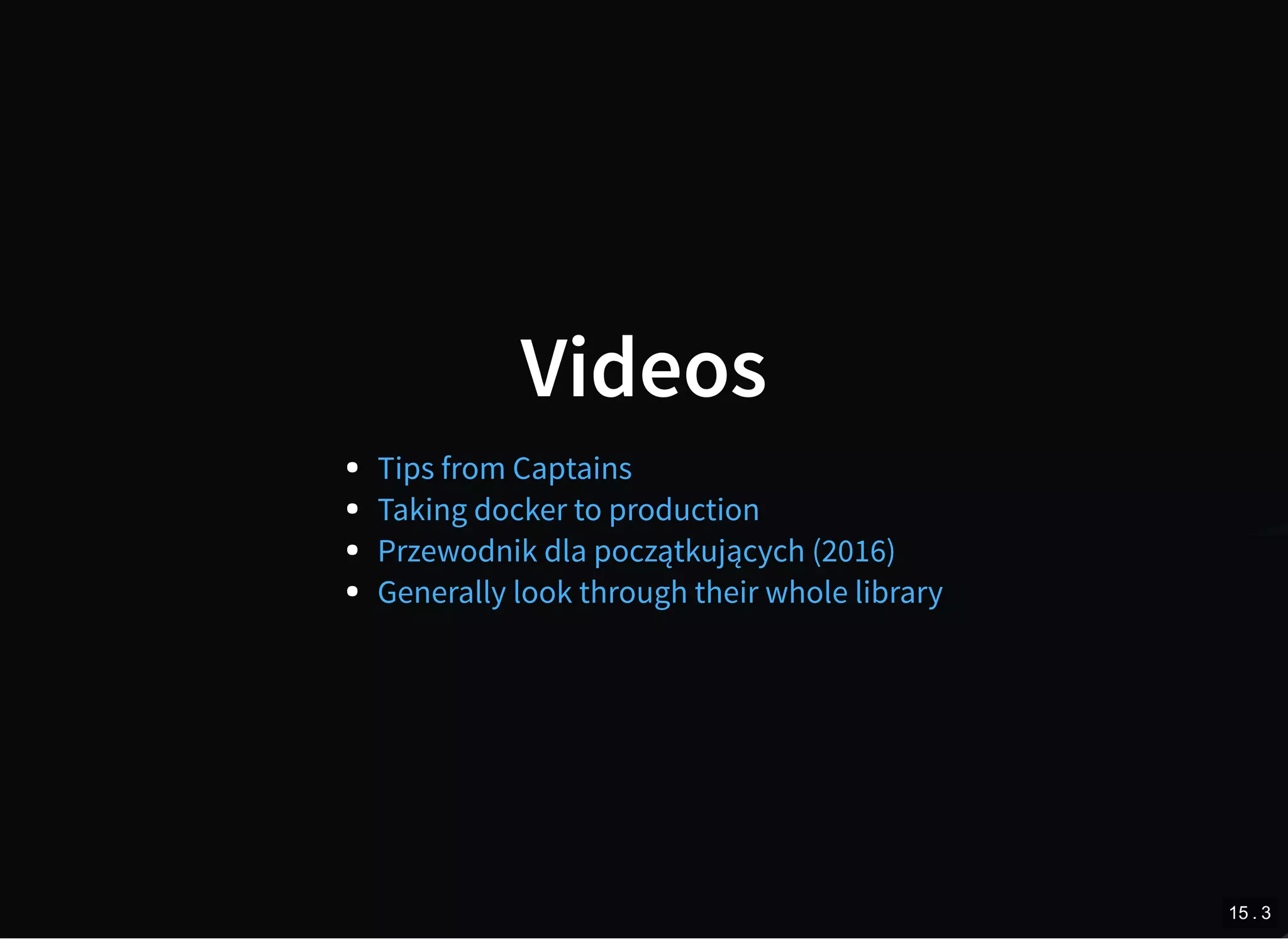
Videos
Tips from Captains
Taking docker to production
Przewodnik dla początkujących (2016)
Generally look through their whole library
15 . 3
QUESTIONS?
16

Check the version with fixes. Link in description

  • 1.
    Docker as anevery day work tool 2017 Created by Przemysław Koltermann 1
  • 2.
    About me few yearsworking as computer networks admin earning money as php developer for 5 years... ... half of it @GOG.com working with docker for 2 years ... loves heights ;) 2
  • 3.
    Docker origins Salomon Hykes presented@ PyCon in 2013, same year opensourced dotCloud - PaaS company (sold in 2014, bankrupted in 2016) 3 . 1
  • 4.
    What is docker? setof tools to work with containers technology for operation-system-level virtualization company driving the container movement (Docker Inc.) 3 . 2
  • 5.
    Docker virtualization building blocks images containers volumes engine containerd- the manager docker machine registry docker-compose much more (SwarmKit, LinuxKit...) 3 . 3
  • 6.
    What is image? lightweight,stand-alone, executable package contains everything needed to run a piece of so ware including the code, a runtime, libraries, environment variables, and config files build of layers build based on Dockerfile 4 . 1
  • 7.
    Dockerfile example FROM ubuntu:16.04 MAINTAINERKimbro Staken version: 0.1 RUN apt-get update && apt-get install -y apache2 && apt-get clean && rm -rf /var/lib/apt/lists/* ENV APACHE_RUN_USER www-data ENV APACHE_RUN_GROUP www-data ENV APACHE_LOG_DIR /var/log/apache2 EXPOSE 80 CMD ["/usr/sbin/apache2", "-D", "FOREGROUND"] https://github.com/kstaken/dockerfile-examples/blob/master/apache/Dockerfile 4 . 2
  • 8.
    Dockerfile example -result % docker image history example IMAGE CREATED CREATED BY SIZE e3f4542d5fce 25 seconds ago /bin/sh -c #(nop) CMD ["/usr/sbin/apache2... 0B d239b64867c7 26 seconds ago /bin/sh -c #(nop) EXPOSE 80/tcp 0B 5e51d52911ac 26 seconds ago /bin/sh -c #(nop) ENV APACHE_LOG_DIR=/var... 0B 7584813c91e6 26 seconds ago /bin/sh -c #(nop) ENV APACHE_RUN_GROUP=ww... 0B 5db13bbf5e17 26 seconds ago /bin/sh -c #(nop) ENV APACHE_RUN_USER=www... 0B ee972bcf3f19 28 seconds ago /bin/sh -c apt-get update && apt-get insta... 98.9MB db62f8a8b658 About a minute ago /bin/sh -c #(nop) MAINTAINER Kimbro Stake... 0B 20c44cd7596f 3 weeks ago /bin/sh -c #(nop) CMD ["/bin/bash"] 0B <missing> 3 weeks ago /bin/sh -c mkdir -p /run/systemd && echo '... 7B <missing> 3 weeks ago /bin/sh -c sed -i 's/^#s*(deb.*universe... 2.76kB <missing> 3 weeks ago /bin/sh -c rm -rf /var/lib/apt/lists/* 0B <missing> 3 weeks ago /bin/sh -c set -xe && echo '#!/bin/sh' >... 745B <missing> 3 weeks ago /bin/sh -c #(nop) ADD file:280a445783f309c... 123MB 4 . 3
  • 9.
    What is container? runningimage + writable layer application process(es) running in separation from host (cgroups, namespaces, memory separation) 5 . 1
  • 10.
    Container vs VM byblog.docker.com 5 . 2
  • 11.
    Container on VMs bywww.docker.com 5 . 3
  • 12.
    Docker engine flavours CommunityEdition CE Enterprise Edition EE (+DTR, UCP, more) 6
  • 13.
  • 14.
    Docker CE platforms linux(Debian, Ubuntu, Fedora, CentOS) docker for mac docker for windows docker for azure docker for aws 8
  • 15.
    Few words aboutdocker on OSX docs.docker.com 9 . 1
  • 16.
    D4M idea looksawesome... www.docker.com 9 . 2
  • 17.
    ...but there arestill issues 9 . 3
  • 18.
    Dinghy http/https proxy local DNS dockermachine provisioning github.com/codekitchen/dinghy 9 . 4
  • 19.
    D4M slow fileshared file sync Tools that were build to speed up files sync: docker-sync.io www.craneup.tech In release 17.04 CE docker added :cached option. https://docs.docker.com/docker-for-mac/osxfs- caching/ 9 . 5
  • 20.
    My advices whenworking on OSX use dinghy instead D4M put stuff in named volumes and tmpfs if U use D4M and don't need uber speed use :cached volumes 9 . 6
  • 21.
  • 22.
    Grouped commands Management Commands: configManage Docker configs container Manage containers image Manage images network Manage networks node Manage Swarm nodes plugin Manage plugins secret Manage Docker secrets service Manage services stack Manage Docker stacks swarm Manage Swarm system Manage Docker volume Manage volumes docker ps => docker container ls docker images => docker image ls docker rmi => docker image rm 11
  • 23.
    Grouped commands (not swarmrelated) Management Commands: container Manage containers image Manage images network Manage networks system Manage Docker volume Manage volumes 12
  • 24.
    Other important commands Commands: buildBuild an image from a Dockerfile cp Copy files/folders between a container and the local filesystem events Get real time events from the server exec Run a command in a running container history Show the history of an image info Display system-wide information inspect Return low-level information on Docker objects kill Kill one or more running containers login Log in to a Docker registry logout Log out from a Docker registry logs Fetch the logs of a container port List port mappings or a specific mapping for the container pull Pull an image or a repository from a registry push Push an image or a repository to a registry restart Restart one or more containers rm Remove one or more containers run Run a command in a new container stats Display a live stream of container(s) resource usage statistics top Display the running processes of a container 13 . 1
  • 25.
    Run the container #run container and open bash console docker container run -it debian:jessie bash # install npm packages for your app docker run -v /home/developer/myappsource:/application -w /application node:6.12-alpine npm install # run your own registry docker run -d -p 5000:5000 --restart=always --name registry registry:2 # push an image to the registry docker image tag example:0.1 localhost:5000/example:0.1 docker image push localhost:5000/example:0.1 13 . 2
  • 26.
    Command you needto know docker system prune docker container prune | ls | inspect image network volume 13 . 3
  • 27.
    docker system prune %$docker system prune WARNING! This will remove: - all stopped containers - all networks not used by at least one container - all dangling images - all build cache Are you sure you want to continue? [y/N] y Deleted Containers: 7afe35733f15bbd3f0887e2853c65b95709a900d32addb6140fc4c ... Deleted Networks: docker_default Deleted Images: deleted: sha256:dbef69ad1f9e012e47299c659a0574c883df94 ... Total reclaimed space: 14.66GB 13 . 4
  • 28.
    docker system df %$docker system df TYPE TOTAL ACTIVE SIZE RECLAIMABLE Images 41 9 6.552GB 4.863GB (74%) Containers 11 11 320B 0B (0%) Local Volumes 50 3 1.177GB 1.174GB (99%) Build Cache 0B 0B 13 . 5
  • 29.
    docker stats %$ dockerstats CONTAINER CPU % MEM USAGE / LIMIT MEM % NET I/O BLOCK I/O PIDS dedeb9c39543 1.84% 86.89MiB / 3.855GiB 2.20% 225kB / 16.6MB 0B / 0B 19 acb0fec0140c 0.02% 6.629MiB / 3.855GiB 0.17% 10kB / 113B 426kB / 0B 5 911b0942c818 0.00% 21.58MiB / 3.855GiB 0.55% 10.1kB / 0B 31.4MB / 0B 5 a3b4ea0e706c 0.07% 23.55MiB / 3.855GiB 0.60% 10.1kB / 0B 14.6MB / 0B 2 66077da912fe 0.50% 80.65MiB / 3.855GiB 2.04% 10kB / 0B 29.6MB / 389kB 75 2df01708e211 0.01% 1.398MiB / 3.855GiB 0.04% 10.2kB / 0B 3.17MB / 0B 10 372e34205008 0.14% 1.383MiB / 3.855GiB 0.04% 10.1kB / 0B 6.56MB / 0B 4 f4b07f33d597 0.01% 1.309MiB / 3.855GiB 0.03% 10kB / 0B 0B / 0B 10 533e0c9f7b07 0.01% 1.328MiB / 3.855GiB 0.03% 10.1kB / 0B 0B / 0B 10 7d8227ad40ab 0.04% 14.25MiB / 3.855GiB 0.36% 97.7kB / 6.44kB 30.9MB / 0B 10 04deb5a99a22 0.00% 3.219MiB / 3.855GiB 0.08% 10.9kB / 0B 13.5MB / 0B 8 13 . 6
  • 30.
    docker image history %$docker image history 9867318ddb33 IMAGE CREATED CREATED BY SIZE 9867318ddb33 8 months ago /bin/sh -c #(nop) CMD ["mailcatcher" "-f"... 0B missing 8 months ago /bin/sh -c #(nop) EXPOSE 1080/tcp 0B missing 8 months ago /bin/sh -c #(nop) EXPOSE 1025/tcp 0B missing 8 months ago /bin/sh -c chmod +x install.sh && ./instal... 20.4MB missing 8 months ago /bin/sh -c #(nop) ADD file:4b20298d8b8d96b... 390B missing 8 months ago /bin/sh -c #(nop) MAINTAINER Johannes Sch... 0B missing 8 months ago /bin/sh -c #(nop) CMD ["irb"] 0B missing 8 months ago /bin/sh -c mkdir -p "$GEM_HOME" "$BUNDLE_B... 0B missing 8 months ago /bin/sh -c #(nop) ENV PATH=/usr/local/bun... 0B missing 8 months ago /bin/sh -c gem install bundler --version "... 1.52MB missing 8 months ago /bin/sh -c #(nop) ENV BUNDLER_VERSION=1.14.6 0B missing 8 months ago /bin/sh -c set -ex && buildDeps=' biso... 111MB missing 8 months ago /bin/sh -c #(nop) ENV RUBYGEMS_VERSION=2.... 0B missing 8 months ago /bin/sh -c #(nop) ENV RUBY_VERSION=2.2.6 0B missing 8 months ago /bin/sh -c #(nop) ENV RUBY_MAJOR=2.2 0B missing 8 months ago /bin/sh -c mkdir -p /usr/local/etc && { ... 45B missing 9 months ago /bin/sh -c set -ex; apt-get update; apt-... 323MB missing 9 months ago /bin/sh -c apt-get update && apt-get insta... 123MB missing 9 months ago /bin/sh -c #(nop) CMD ["/bin/bash"] 0B missing 9 months ago /bin/sh -c #(nop) ADD file:41ac8d85ee35954... 123MB 13 . 7
  • 31.
    docker top docker topd4b777e08a5d UID PID PPID C STIME TTY TIME CMD root 9518 9501 0 lis25 pts/0 00:00:00 npm root 9581 9518 0 lis25 pts/0 00:00:00 sh -c grunt serve root 9583 9581 0 lis25 pts/0 00:04:52 grunt 13 . 8
  • 32.
    docker cp Fastest wayto copy files into container docker cp --help Usage: docker cp [OPTIONS] CONTAINER:SRC_PATH DEST_PATH|- docker cp [OPTIONS] SRC_PATH|- CONTAINER:DEST_PATH Copy files/folders between a container and the local filesystem Options: -a, --archive Archive mode (copy all uid/gid information) -L, --follow-link Always follow symbol link in SRC_PATH --help Print usage 13 . 9
  • 33.
    docker-compose Tool for definingand running multi-container Docker applications Config file schema evolving pretty fast, current latest version is 3.4 # Start defined services in background docker-compose up -d # Stop and cleanup all services docker-compose down -v # Follow logs of all defined services docker-compose logs -f 13 . 10
  • 34.
    docker-compose.yml example version: "3.4" services: php: build:docker/php volumes: - ./:/application - ~/.composer:/root/.composer working_dir: /application tmpfs: - /tmp/app/cache environment: APP_ENV: dev nginx: build: docker/nginx volumes: - ./:/application environment: VIRTUAL_HOST: myapp.docker VIRTUAL_PORT: 80 mailcatcher: ports: - 1080:1080 redis: image: redis 13 . 11
  • 35.
    Homework Add this to~/.bash_profile alias dps='docker ps --format "table {{.ID}}t{{.Image}}t{{.Status}}t{{.Names}}t{{.Ports}}"' https://docs.docker.com/engine/admin/formatting 14
  • 36.
    What to donext? 15 . 1
  • 37.
  • 38.
    Videos Tips from Captains Takingdocker to production Przewodnik dla początkujących (2016) Generally look through their whole library 15 . 3
  • 39.