INSTAGRAM CHECKLIST
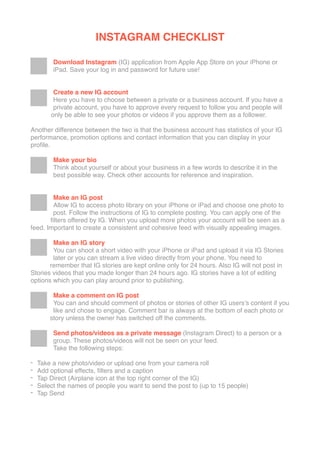
Download Instagram (IG) application from Apple App Store on your iPhone or
iPad. Save your log in and password for future use!
Create a new IG account
Here you have to choose between a private or a business account. If you have a
private account, you have to approve every request to follow you and people will
only be able to see your photos or videos if you approve them as a follower.
Another difference between the two is that the business account has statistics of your IG
performance, promotion options and contact information that you can display in your
profile.
Make your bio
Think about yourself or about your business in a few words to describe it in the
best possible way. Check other accounts for reference and inspiration.
Make an IG post
Allow IG to access photo library on your iPhone or iPad and choose one photo to
post. Follow the instructions of IG to complete posting. You can apply one of the
filters offered by IG. When you upload more photos your account will be seen as a
feed. Important to create a consistent and cohesive feed with visually appealing images.
Make an IG story
You can shoot a short video with your iPhone or iPad and upload it via IG Stories
later or you can stream a live video directly from your phone. You need to
remember that IG stories are kept online only for 24 hours. Also IG will not post in
Stories videos that you made longer than 24 hours ago. IG stories have a lot of editing
options which you can play around prior to publishing.
Make a comment on IG post
You can and should comment of photos or stories of other IG users’s content if you
like and chose to engage. Comment bar is always at the bottom of each photo or
story unless the owner has switched off the comments.
Send photos/videos as a private message (Instagram Direct) to a person or a
group. These photos/videos will not be seen on your feed.
Take the following steps:
- Take a new photo/video or upload one from your camera roll
- Add optional effects, filters and a caption
- Tap Direct (Airplane icon at the top right corner of the IG)
- Select the names of people you want to send the post to (up to 15 people)
- Tap Send
INSTAGRAM CHECKLIST
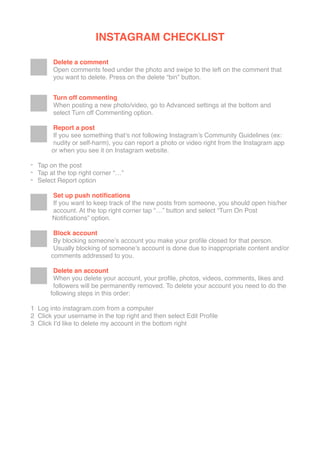
Delete a comment
Open comments feed under the photo and swipe to the left on the comment that
you want to delete. Press on the delete “bin” button.
Turn off commenting
When posting a new photo/video, go to Advanced settings at the bottom and
select Turn off Commenting option.
Report a post
If you see something that’s not following Instagram’s Community Guidelines (ex:
nudity or self-harm), you can report a photo or video right from the Instagram app
or when you see it on Instagram website.
- Tap on the post
- Tap at the top right corner “…”
- Select Report option
Set up push notifications
If you want to keep track of the new posts from someone, you should open his/her
account. At the top right corner tap “…” button and select “Turn On Post
Notifications” option.

Block account
By blocking someone’s account you make your profile closed for that person.
Usually blocking of someone’s account is done due to inappropriate content and/or
comments addressed to you.
Delete an account
When you delete your account, your profile, photos, videos, comments, likes and
followers will be permanently removed. To delete your account you need to do the
following steps in this order:
1  Log into instagram.com from a computer
2  Click your username in the top right and then select Edit Profile 

3  Click I’d like to delete my account in the bottom right

Instagram checklist

  • 2.
    INSTAGRAM CHECKLIST Download Instagram(IG) application from Apple App Store on your iPhone or iPad. Save your log in and password for future use! Create a new IG account Here you have to choose between a private or a business account. If you have a private account, you have to approve every request to follow you and people will only be able to see your photos or videos if you approve them as a follower. Another difference between the two is that the business account has statistics of your IG performance, promotion options and contact information that you can display in your profile. Make your bio Think about yourself or about your business in a few words to describe it in the best possible way. Check other accounts for reference and inspiration. Make an IG post Allow IG to access photo library on your iPhone or iPad and choose one photo to post. Follow the instructions of IG to complete posting. You can apply one of the filters offered by IG. When you upload more photos your account will be seen as a feed. Important to create a consistent and cohesive feed with visually appealing images. Make an IG story You can shoot a short video with your iPhone or iPad and upload it via IG Stories later or you can stream a live video directly from your phone. You need to remember that IG stories are kept online only for 24 hours. Also IG will not post in Stories videos that you made longer than 24 hours ago. IG stories have a lot of editing options which you can play around prior to publishing. Make a comment on IG post You can and should comment of photos or stories of other IG users’s content if you like and chose to engage. Comment bar is always at the bottom of each photo or story unless the owner has switched off the comments. Send photos/videos as a private message (Instagram Direct) to a person or a group. These photos/videos will not be seen on your feed. Take the following steps: - Take a new photo/video or upload one from your camera roll - Add optional effects, filters and a caption - Tap Direct (Airplane icon at the top right corner of the IG) - Select the names of people you want to send the post to (up to 15 people) - Tap Send
  • 3.
    INSTAGRAM CHECKLIST Delete acomment Open comments feed under the photo and swipe to the left on the comment that you want to delete. Press on the delete “bin” button. Turn off commenting When posting a new photo/video, go to Advanced settings at the bottom and select Turn off Commenting option. Report a post If you see something that’s not following Instagram’s Community Guidelines (ex: nudity or self-harm), you can report a photo or video right from the Instagram app or when you see it on Instagram website. - Tap on the post - Tap at the top right corner “…” - Select Report option Set up push notifications If you want to keep track of the new posts from someone, you should open his/her account. At the top right corner tap “…” button and select “Turn On Post Notifications” option.
 Block account By blocking someone’s account you make your profile closed for that person. Usually blocking of someone’s account is done due to inappropriate content and/or comments addressed to you. Delete an account When you delete your account, your profile, photos, videos, comments, likes and followers will be permanently removed. To delete your account you need to do the following steps in this order: 1  Log into instagram.com from a computer 2  Click your username in the top right and then select Edit Profile 
 3  Click I’d like to delete my account in the bottom right