Input Devices
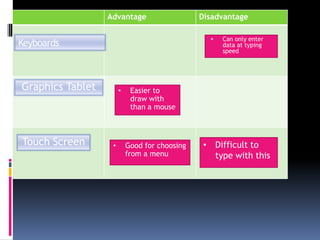
KeyboardsCan only enter data at typing speedGraphics TabletEasier to draw with than a mouseTouch ScreenDifficult to type with this
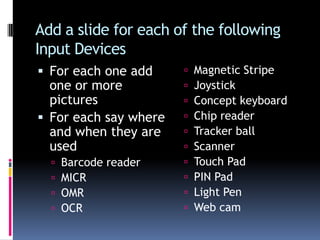
Good for choosing from a menuAdd a slide for each of the following Input DevicesFor each one add one or more picturesFor each say where and when they are usedBarcode readerMICROMROCRMagnetic StripeJoystick Concept keyboardChip readerTracker ballScannerTouch PadPIN Pad Light PenWeb cam
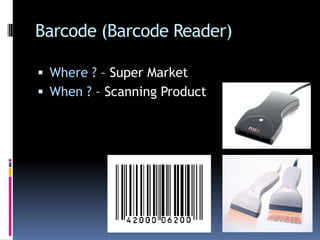
Barcode (Barcode Reader)Where ? – Super MarketWhen ? – Scanning Product
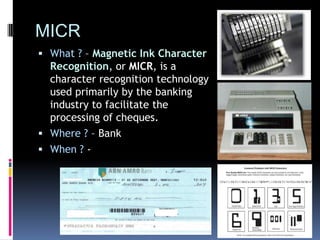
MICRWhat ? – Magnetic Ink Character Recognition, or MICR, is a character recognition technology used primarily by the banking industry to facilitate the processing of cheques.Where ? – BankWhen ? -
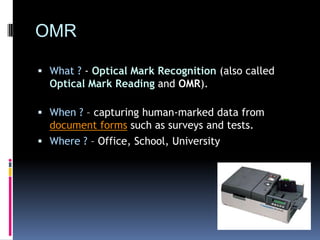
OMRWhat ? - Optical Mark Recognition(also called Optical Mark Readingand OMR). When ? – capturing human-marked data from document forms such as surveys and tests.Where ? – Office, School, University
OCRWhat ? - Optical character recognitionWhere ? - When ? - Regulate big volumes of legal papers. When people scan any document it's stored in form of an image, which can't be edited. Whilst OCR has made it possible to scan any printed document and relocate it into word-processing software, such as MS word where you can easily edit it as per your need.
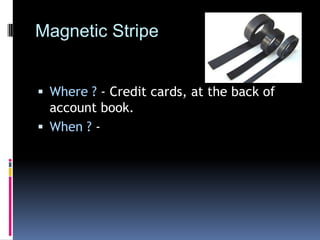
Magnetic StripeWhere ? - Credit cards, at the back of account book.When ? -
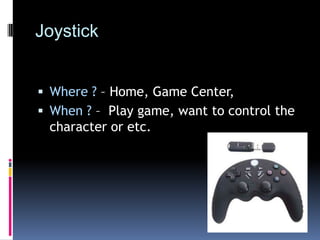
Joystick Where ? – Home, Game Center,When ? –  Play game, want to control the character or etc.
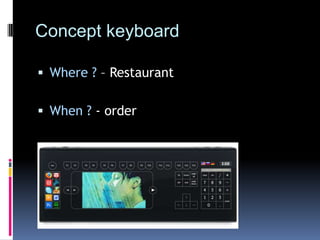
Concept keyboardWhere ? – RestaurantWhen ?- order
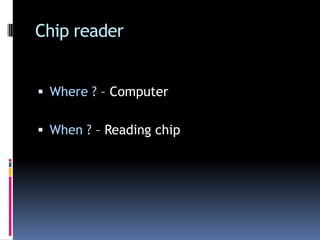
Chip readerWhere ? – ComputerWhen ? – Reading chip
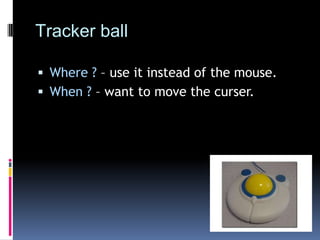
Tracker ballWhere ? – use it instead of the mouse.When ? – want to move the curser.
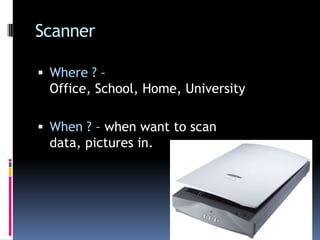
ScannerWhere ? – Office, School, Home, UniversityWhen ? – when want to scan data, pictures in.
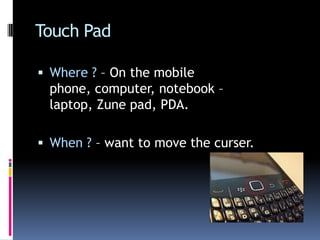
Touch PadWhere ? – On the mobile phone, computer, notebook – laptop, Zune pad, PDA.When ? – want to move the curser.
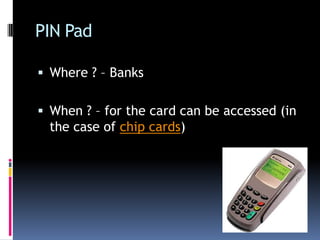
PIN PadWhere ? – BanksWhen ? – for the card can be accessed (in the case of chip cards)
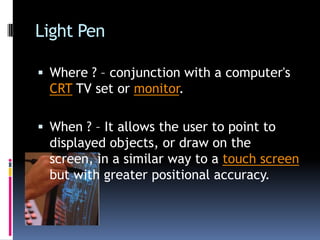
Light PenWhere ? – conjunction with a computer's CRT TV set or monitor. When ? – It allows the user to point to displayed objects, or draw on the screen, in a similar way to a touch screen but with greater positional accuracy.
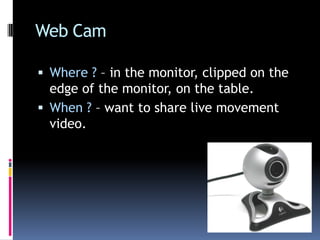
Web CamWhere ? – in the monitor, clipped on the edge of the monitor, on the table. When ? – want to share live movement video.
Thank You for watching~!

Input Devices Maprang.

  • 1.
  • 2.
    KeyboardsCan only enterdata at typing speedGraphics TabletEasier to draw with than a mouseTouch ScreenDifficult to type with this
  • 3.
    Good for choosingfrom a menuAdd a slide for each of the following Input DevicesFor each one add one or more picturesFor each say where and when they are usedBarcode readerMICROMROCRMagnetic StripeJoystick Concept keyboardChip readerTracker ballScannerTouch PadPIN Pad Light PenWeb cam
  • 4.
    Barcode (Barcode Reader)Where? – Super MarketWhen ? – Scanning Product
  • 5.
    MICRWhat ? –Magnetic Ink Character Recognition, or MICR, is a character recognition technology used primarily by the banking industry to facilitate the processing of cheques.Where ? – BankWhen ? -
  • 6.
    OMRWhat ? -Optical Mark Recognition(also called Optical Mark Readingand OMR). When ? – capturing human-marked data from document forms such as surveys and tests.Where ? – Office, School, University
  • 7.
    OCRWhat ? -Optical character recognitionWhere ? - When ? - Regulate big volumes of legal papers. When people scan any document it's stored in form of an image, which can't be edited. Whilst OCR has made it possible to scan any printed document and relocate it into word-processing software, such as MS word where you can easily edit it as per your need.
  • 8.
    Magnetic StripeWhere ?- Credit cards, at the back of account book.When ? -
  • 9.
    Joystick Where ?– Home, Game Center,When ? – Play game, want to control the character or etc.
  • 10.
    Concept keyboardWhere ?– RestaurantWhen ?- order
  • 11.
    Chip readerWhere ?– ComputerWhen ? – Reading chip
  • 12.
    Tracker ballWhere ?– use it instead of the mouse.When ? – want to move the curser.
  • 13.
    ScannerWhere ? –Office, School, Home, UniversityWhen ? – when want to scan data, pictures in.
  • 14.
    Touch PadWhere ?– On the mobile phone, computer, notebook – laptop, Zune pad, PDA.When ? – want to move the curser.
  • 15.
    PIN PadWhere ?– BanksWhen ? – for the card can be accessed (in the case of chip cards)
  • 16.
    Light PenWhere ?– conjunction with a computer's CRT TV set or monitor. When ? – It allows the user to point to displayed objects, or draw on the screen, in a similar way to a touch screen but with greater positional accuracy.
  • 17.
    Web CamWhere ?– in the monitor, clipped on the edge of the monitor, on the table. When ? – want to share live movement video.
  • 18.
    Thank You forwatching~!