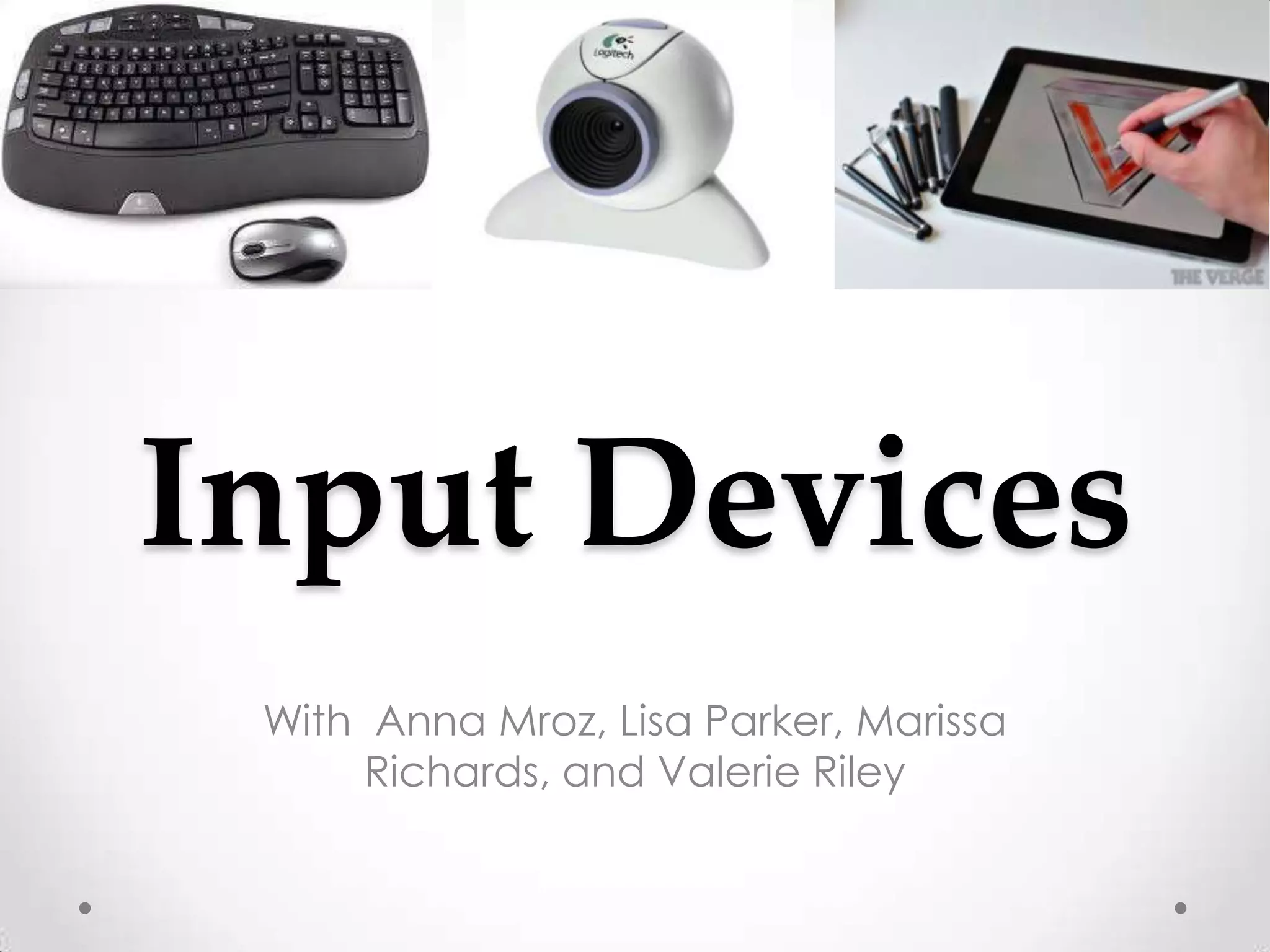
Input Devices
 With Anna Mroz, Lisa Parker, Marissa
      Richards, and Valerie Riley
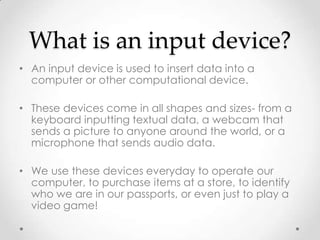
What is an input device?
• An input device is used to insert data into a
  computer or other computational device.

• These devices come in all shapes and sizes- from a
  keyboard inputting textual data, a webcam that
  sends a picture to anyone around the world, or a
  microphone that sends audio data.

• We use these devices everyday to operate our
  computer, to purchase items at a store, to identify
  who we are in our passports, or even just to play a
  video game!
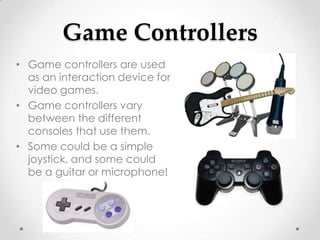
Game Controllers
• Game controllers are used
  as an interaction device for
  video games.
• Game controllers vary
  between the different
  consoles that use them.
• Some could be a simple
  joystick, and some could
  be a guitar or microphone!
Real Life Applications
• Did you know?
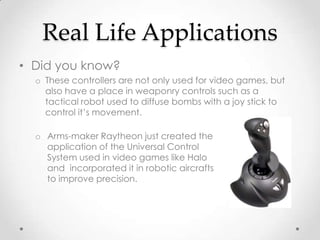
  o These controllers are not only used for video games, but
    also have a place in weaponry controls such as a
    tactical robot used to diffuse bombs with a joy stick to
    control it’s movement.

  o Arms-maker Raytheon just created the
    application of the Universal Control
    System used in video games like Halo
    and incorporated it in robotic aircrafts
    to improve precision.
Biometric Devices
• A biometric device identifies persons seeking
  access to a computing system by determining their
  physical characteristics through fingerprints, voice
  recognition, retina patterns, pictures, weight, or
  other means.

• The two primary uses for biometric devices are
  identification and verification.

•   These devices provide security, accuracy, and the
    capacity to store large amounts of captured data.
The Different Types of
          Biometric Devices
• Fingerprint Scanner                    • Retinal/Iris Scanner
   o Acquires an image of a                 o Both are forms of biometric data
     fingerprint either by optical
                                              capture based on scanning
     scanning or capacitance
     sensing.                                 different parts of the eye.

                                         • Facial Scanner
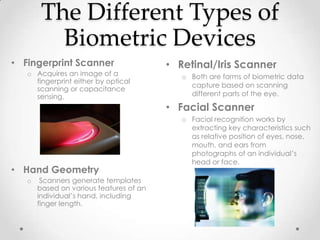
                                            o Facial recognition works by
                                              extracting key characteristics such
                                              as relative position of eyes, nose,
                                              mouth, and ears from
                                              photographs of an individual’s
                                              head or face.
• Hand Geometry
   o    Scanners generate templates
       based on various features of an
       individual’s hand, including
       finger length.
Biometric Devices Continued
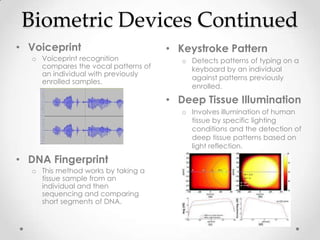
• Voiceprint                         • Keystroke Pattern
  o Voiceprint recognition              o Detects patterns of typing on a
    compares the vocal patterns of        keyboard by an individual
    an individual with previously
                                          against patterns previously
    enrolled samples.
                                          enrolled.

                                     • Deep Tissue Illumination
                                        o Involves illumination of human
                                          tissue by specific lighting
                                          conditions and the detection of
                                          deep tissue patterns based on
                                          light reflection.

• DNA Fingerprint
  o This method works by taking a
    tissue sample from an
    individual and then
    sequencing and comparing
    short segments of DNA.
Adaptive Technology
• Also known as “Assistive Technology” for people
  with a disability or handicap.

• Web-based technology, peripheral devices,
  robotics and speech recognition have allowed
  disabled people to become independent.

• There are common applications of speech
  recognition, and other software that is used by
  most handicapped people.
The Different Types of
    Adaptive Technology
• Braille Keyboards                • EyeTech TM4 USB
  o Braille keyboards allow fast       o Eye tracking device with a
    input and Braille printers           hands free mouse
    supply printed braille             o Tracks eye movement and
    versions of the screen               uses that movement to move
    content                              the cursor on the screen


• Screen Reader
  o Software that converts         •   Voice Recognition
    what is displayed on the           o   Software used to recognize
    screen into audio content              voice commands and
                                           control the computer
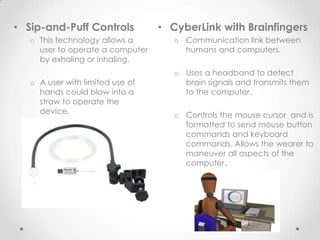
• Sip-and-Puff Controls           • CyberLink with Brainfingers
   o This technology allows a        o Communication link between
     user to operate a computer        humans and computers.
     by exhaling or inhaling.
                                     o Uses a headband to detect
   o A user with limited use of        brain signals and transmits them
     hands could blow into a           to the computer.
     straw to operate the
     device.                         o Controls the mouse cursor and is
                                       formatted to send mouse button
                                       commands and keyboard
                                       commands. Allows the wearer to
                                       maneuver all aspects of the
                                       computer.
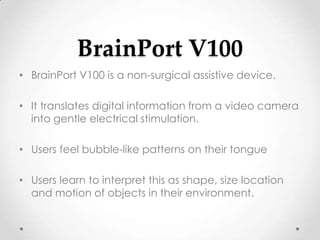
BrainPort V100
• BrainPort V100 is a non-surgical assistive device.

• It translates digital information from a video camera
  into gentle electrical stimulation.

• Users feel bubble-like patterns on their tongue

• Users learn to interpret this as shape, size location
  and motion of objects in their environment.
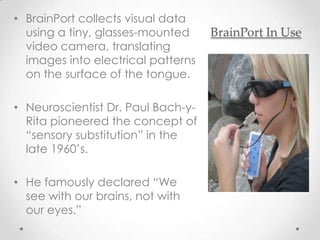
• BrainPort collects visual data
  using a tiny, glasses-mounted     BrainPort In Use
  video camera, translating
  images into electrical patterns
  on the surface of the tongue.

• Neuroscientist Dr. Paul Bach-y-
  Rita pioneered the concept of
  “sensory substitution” in the
  late 1960’s.

• He famously declared “We
  see with our brains, not with
  our eyes.”
Works Cited
•   Computers for the Handicapped | eHow.com
    http://www.ehow.com/list_6302430_computers-handicapped.html#ixzz2LY5XGFBI

•   Input Devices for Physically Challenged Computer Users | eHow.com
    http://www.ehow.com/list_7277761_input-physically-challenged-computer-
    users.html#ixzz2LY6OktJY

•   www.disabled.com

•   Visualizing Technology, Debra Geoghan, 2012 Pearson Education.

•   http://www.wired.com/dangerroom/2008/07/wargames/

•   http://www.wisegeek.com/what-are-biometric-devices.htm

•   http://encyclopedia.jrank.org/articles/pages/6558/Types-of-Biometric-Devices.html

Input devices

  • 1.
    Input Devices WithAnna Mroz, Lisa Parker, Marissa Richards, and Valerie Riley
  • 2.
    What is aninput device? • An input device is used to insert data into a computer or other computational device. • These devices come in all shapes and sizes- from a keyboard inputting textual data, a webcam that sends a picture to anyone around the world, or a microphone that sends audio data. • We use these devices everyday to operate our computer, to purchase items at a store, to identify who we are in our passports, or even just to play a video game!
  • 3.
    Game Controllers • Gamecontrollers are used as an interaction device for video games. • Game controllers vary between the different consoles that use them. • Some could be a simple joystick, and some could be a guitar or microphone!
  • 4.
    Real Life Applications •Did you know? o These controllers are not only used for video games, but also have a place in weaponry controls such as a tactical robot used to diffuse bombs with a joy stick to control it’s movement. o Arms-maker Raytheon just created the application of the Universal Control System used in video games like Halo and incorporated it in robotic aircrafts to improve precision.
  • 5.
    Biometric Devices • Abiometric device identifies persons seeking access to a computing system by determining their physical characteristics through fingerprints, voice recognition, retina patterns, pictures, weight, or other means. • The two primary uses for biometric devices are identification and verification. • These devices provide security, accuracy, and the capacity to store large amounts of captured data.
  • 6.
    The Different Typesof Biometric Devices • Fingerprint Scanner • Retinal/Iris Scanner o Acquires an image of a o Both are forms of biometric data fingerprint either by optical capture based on scanning scanning or capacitance sensing. different parts of the eye. • Facial Scanner o Facial recognition works by extracting key characteristics such as relative position of eyes, nose, mouth, and ears from photographs of an individual’s head or face. • Hand Geometry o Scanners generate templates based on various features of an individual’s hand, including finger length.
  • 7.
    Biometric Devices Continued •Voiceprint • Keystroke Pattern o Voiceprint recognition o Detects patterns of typing on a compares the vocal patterns of keyboard by an individual an individual with previously against patterns previously enrolled samples. enrolled. • Deep Tissue Illumination o Involves illumination of human tissue by specific lighting conditions and the detection of deep tissue patterns based on light reflection. • DNA Fingerprint o This method works by taking a tissue sample from an individual and then sequencing and comparing short segments of DNA.
  • 8.
    Adaptive Technology • Alsoknown as “Assistive Technology” for people with a disability or handicap. • Web-based technology, peripheral devices, robotics and speech recognition have allowed disabled people to become independent. • There are common applications of speech recognition, and other software that is used by most handicapped people.
  • 9.
    The Different Typesof Adaptive Technology • Braille Keyboards • EyeTech TM4 USB o Braille keyboards allow fast o Eye tracking device with a input and Braille printers hands free mouse supply printed braille o Tracks eye movement and versions of the screen uses that movement to move content the cursor on the screen • Screen Reader o Software that converts • Voice Recognition what is displayed on the o Software used to recognize screen into audio content voice commands and control the computer
  • 10.
    • Sip-and-Puff Controls • CyberLink with Brainfingers o This technology allows a o Communication link between user to operate a computer humans and computers. by exhaling or inhaling. o Uses a headband to detect o A user with limited use of brain signals and transmits them hands could blow into a to the computer. straw to operate the device. o Controls the mouse cursor and is formatted to send mouse button commands and keyboard commands. Allows the wearer to maneuver all aspects of the computer.
  • 11.
    BrainPort V100 • BrainPortV100 is a non-surgical assistive device. • It translates digital information from a video camera into gentle electrical stimulation. • Users feel bubble-like patterns on their tongue • Users learn to interpret this as shape, size location and motion of objects in their environment.
  • 12.
    • BrainPort collectsvisual data using a tiny, glasses-mounted BrainPort In Use video camera, translating images into electrical patterns on the surface of the tongue. • Neuroscientist Dr. Paul Bach-y- Rita pioneered the concept of “sensory substitution” in the late 1960’s. • He famously declared “We see with our brains, not with our eyes.”
  • 13.
    Works Cited • Computers for the Handicapped | eHow.com http://www.ehow.com/list_6302430_computers-handicapped.html#ixzz2LY5XGFBI • Input Devices for Physically Challenged Computer Users | eHow.com http://www.ehow.com/list_7277761_input-physically-challenged-computer- users.html#ixzz2LY6OktJY • www.disabled.com • Visualizing Technology, Debra Geoghan, 2012 Pearson Education. • http://www.wired.com/dangerroom/2008/07/wargames/ • http://www.wisegeek.com/what-are-biometric-devices.htm • http://encyclopedia.jrank.org/articles/pages/6558/Types-of-Biometric-Devices.html

Editor's Notes