INFORMATION
TECHNOLOGY
FOR
MANAGERS
CONTENTS
 Internet : Concept and Technology
 World Wide Web
 E mail
 File Transfer Protocol (FTP)
 Search Engines
 Telnet
 Web Browsers
The Internet is a global wide area network that connects
computer systems across the world.
The Internet provides different online services.
lIn order to connect to the Internet, you must have
access to an Internet service provider (ISP), which acts
the middleman between you and the Internet.
Web – a collection of billions of webpages that you can view with a web browser
Email – the most common method of sending and receiving messages online
Social media – websites and apps that allow people to share comments, photos,
and videos
INTERNET CONCEPTS
a. Identify Internet Service Provider.
b. Describe the relationship between ISP and Internet.
c. Identify the options of connections to the ISP.
d. Identify appropriate ISP levels of service to meet the user requirement.
e. Identify the importance of the Internet Protocol (IP).
f. Explain how ISPs handle packets.
INTERNET TECHNOLOGY
1. Video and braodcasting.
2. Presentation Tools.
3. Collaboration & Brainstorming Tools.
4. Blogs & Blogging.
5. Wikis.
6. Social Networking
EMAIL
Intorduction
 During the 1960s and 1970s many companies in the United States used email
facilities on their systems.
 Email or e-mail is short for electronic mail.
 This enabled users of terminals attached to those systems to send messages to
each other.
 That was even before the internet was invented.
 It’s a modern method of:
transmitting data, text files, digital photos, and audio and video files from one
computer to another over the internet.
What is it?
Email or E-mail is short for electronic mail.
It’s a modern method of:
Transmitting data, text files, digital photos, and audio-vedio files from one computer to
another over the internet.
SENDING MESS GES
 Email users create and send messages from individual computers
using commercial programs:
 To send the message, the user has to specify the addresses.
Messages to more than one recipient are called broadcasting.
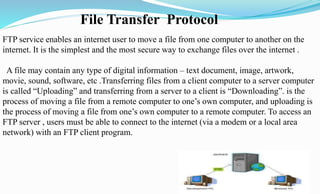
FTP service enables an internet user to move a file from one computer to another on the
internet. It is the simplest and the most secure way to exchange files over the internet .
A file may contain any type of digital information – text document, image, artwork,
movie, sound, software, etc .Transferring files from a client computer to a server computer
is called “Uploading” and transferring from a server to a client is “Downloading”. is the
process of moving a file from a remote computer to one’s own computer, and uploading is
the process of moving a file from one’s own computer to a remote computer. To access an
FTP server , users must be able to connect to the internet (via a modem or a local area
network) with an FTP client program.
File Transfer Protocol
The basic steps to use FTP are:
1.Connect to the FTP server.
2.Navigate the file structure to find the file you want.
3.Transfer the file.
In FTP service, a file transfer takes place in following manner:
1.A user executes the FTP command on his/her local computer, specifying address of the
remote computer as a parameter.
2. An FTP process running on user’s computer (called FTP client process) establishes a
connection with an FTP process running on remote computer (called FTP server process).
3.The system then asks the user to enter his/her login name and password on the remote
computer to ensure that user possesses permission to access the remote computer.
4.After successful login, the user downloads or uploads the desired file(S) by using get (foe
downloading) and put (for uploading) commands. The user can also list directories, or
move between directories of the remote computer, before deciding which file(S) to transfer.
Search Engine
An Internet search engine is an purpose which helps users locate web sites containing useful
knowledge and references to such information on the WWW. To search information on the WWW, a
user types the description of the information using the user interface of the search engine. The search
engine then searches the requested data on the WWW and returns the results to the user. The results
enable the user to locate the requested information quickly from the vast ocean of information
available on the internet.
There are many search engines available on the web . A web search engine provides an interface
between the user and the underlying database . The interface presents the user with a place to type in a
search string, which may be a word, a phrase , a date, or some other criterion, and a way to submit the
request.
Some popular search engines are:-
Yahoo, Google and
AltaVista
Search engine Market share in September 2016
Google 71.11%71.11%
Bing 10.56%%
Baidu 8.73%8.73%
Yahoo! 7.52%7.52%
Major elements of internet search engines are:-
1.Search request interface enables users to provide useful and desired data to he
search engine. Depending on the complexity of this element, the search engine may
allow blueprint of simple words and phrases.
2.Knowledge recover discovers knowledge form the WWW and creates a database for
the search engine. The search engine uses the database to locate useful data during
the search process. Data discovers accures this data in two-ways(a) in manual
method , authors provide data their websites to the search engine (b) in automatic
method , knowledge discover collects the data using programs , such as web crawlers,
spiders, robots.
3.Presenter of search results returns search results, ranking them in an order it
believes , is most relevant to the search. Search engines often list search results in
accordance to a relevance score. Relevance scores reflect the number of times a
search appears in a web page.
TELNET
Telnet was developed in 1969 to aid in remote connectivity
between computers over a network. Telnet can connect to a remote
machine that on a network and is port listening.
Telnet is a protocol,or set of rules,that enables one computer to
another computer. This process is also referred to as remote login.
It also operates on the cilent/server principle.
It allows the user to access Internet resources on other computers
around the world.
Some Common uses of Telnet Services are:
 For using computing power of a remote computer.
 For using some software on a remote computer,which is not available
on user’s local computers.
 For accessing information from a database or archieve on a remote
computer.
 For logging in to one’s own computer from another computer.
To use a computer as a web client, a user needs to load on it a
special software tool known as WWW browser (or browser in
short)
A Web browser acts as an interface between the user and Web
server
Software application that resides on a computer and is used to
locate and display Web pages.
Web user access information from web servers, through a client
program called browser.
A web browser is a software application for retrieving,
presenting, and traversing information resources on the World
Wide Web
FEATURES
All major web browsers allow the user to open multiple
information resources at the same time, either in
different browser windows or in different tabs of the
same window
A refresh and stop buttons for refreshing and stopping
the loading of current documents
Home button that gets you to your home page
Major browsers also include pop-up blockers to prevent
unwanted windows from "popping up" without the
user's consent
COMPONENTS OF WEB BROWSER
1. User Interface
• this includes the address bar, back/forward button ,
bookmarking menu etc
2. Rendering Engine
• Rendering, that is display of the requested contents on the
browser screen.
• By default the rendering engine can display HTML and
XML documents and images
TYPES OF WEB BROWSER
 Mozilla Firefox
 Safari
 Opera
 Amaya
 AOL Explorer
 Elinks
 Arlington Kiosk
 Epiphany
 Flock
 Galeon
 iCab
 Internet Explorer
 Google chrome
 Internet Explorer for Mac
 Lynx
 Maxthon
 Mosaic
 Mozilla Firefox
 Netscape
 OmniWeb
 Dillo
 SeaMonkey
THANK YOU

INFORMATION TECHNOLOGY FOR MANAGERS PRESENTATION BY AMAN DWIVEDI

  • 1.
  • 2.
    CONTENTS  Internet :Concept and Technology  World Wide Web  E mail  File Transfer Protocol (FTP)  Search Engines  Telnet  Web Browsers
  • 4.
    The Internet isa global wide area network that connects computer systems across the world. The Internet provides different online services. lIn order to connect to the Internet, you must have access to an Internet service provider (ISP), which acts the middleman between you and the Internet. Web – a collection of billions of webpages that you can view with a web browser Email – the most common method of sending and receiving messages online Social media – websites and apps that allow people to share comments, photos, and videos
  • 5.
    INTERNET CONCEPTS a. IdentifyInternet Service Provider. b. Describe the relationship between ISP and Internet. c. Identify the options of connections to the ISP. d. Identify appropriate ISP levels of service to meet the user requirement. e. Identify the importance of the Internet Protocol (IP). f. Explain how ISPs handle packets.
  • 6.
    INTERNET TECHNOLOGY 1. Videoand braodcasting. 2. Presentation Tools. 3. Collaboration & Brainstorming Tools. 4. Blogs & Blogging. 5. Wikis. 6. Social Networking
  • 7.
  • 8.
    Intorduction  During the1960s and 1970s many companies in the United States used email facilities on their systems.  Email or e-mail is short for electronic mail.  This enabled users of terminals attached to those systems to send messages to each other.  That was even before the internet was invented.  It’s a modern method of: transmitting data, text files, digital photos, and audio and video files from one computer to another over the internet.
  • 9.
    What is it? Emailor E-mail is short for electronic mail. It’s a modern method of: Transmitting data, text files, digital photos, and audio-vedio files from one computer to another over the internet.
  • 10.
    SENDING MESS GES Email users create and send messages from individual computers using commercial programs:  To send the message, the user has to specify the addresses. Messages to more than one recipient are called broadcasting.
  • 12.
    FTP service enablesan internet user to move a file from one computer to another on the internet. It is the simplest and the most secure way to exchange files over the internet . A file may contain any type of digital information – text document, image, artwork, movie, sound, software, etc .Transferring files from a client computer to a server computer is called “Uploading” and transferring from a server to a client is “Downloading”. is the process of moving a file from a remote computer to one’s own computer, and uploading is the process of moving a file from one’s own computer to a remote computer. To access an FTP server , users must be able to connect to the internet (via a modem or a local area network) with an FTP client program. File Transfer Protocol
  • 13.
    The basic stepsto use FTP are: 1.Connect to the FTP server. 2.Navigate the file structure to find the file you want. 3.Transfer the file.
  • 14.
    In FTP service,a file transfer takes place in following manner: 1.A user executes the FTP command on his/her local computer, specifying address of the remote computer as a parameter. 2. An FTP process running on user’s computer (called FTP client process) establishes a connection with an FTP process running on remote computer (called FTP server process). 3.The system then asks the user to enter his/her login name and password on the remote computer to ensure that user possesses permission to access the remote computer. 4.After successful login, the user downloads or uploads the desired file(S) by using get (foe downloading) and put (for uploading) commands. The user can also list directories, or move between directories of the remote computer, before deciding which file(S) to transfer.
  • 15.
    Search Engine An Internetsearch engine is an purpose which helps users locate web sites containing useful knowledge and references to such information on the WWW. To search information on the WWW, a user types the description of the information using the user interface of the search engine. The search engine then searches the requested data on the WWW and returns the results to the user. The results enable the user to locate the requested information quickly from the vast ocean of information available on the internet. There are many search engines available on the web . A web search engine provides an interface between the user and the underlying database . The interface presents the user with a place to type in a search string, which may be a word, a phrase , a date, or some other criterion, and a way to submit the request. Some popular search engines are:- Yahoo, Google and AltaVista
  • 16.
    Search engine Marketshare in September 2016 Google 71.11%71.11% Bing 10.56%% Baidu 8.73%8.73% Yahoo! 7.52%7.52%
  • 17.
    Major elements ofinternet search engines are:- 1.Search request interface enables users to provide useful and desired data to he search engine. Depending on the complexity of this element, the search engine may allow blueprint of simple words and phrases. 2.Knowledge recover discovers knowledge form the WWW and creates a database for the search engine. The search engine uses the database to locate useful data during the search process. Data discovers accures this data in two-ways(a) in manual method , authors provide data their websites to the search engine (b) in automatic method , knowledge discover collects the data using programs , such as web crawlers, spiders, robots. 3.Presenter of search results returns search results, ranking them in an order it believes , is most relevant to the search. Search engines often list search results in accordance to a relevance score. Relevance scores reflect the number of times a search appears in a web page.
  • 19.
    TELNET Telnet was developedin 1969 to aid in remote connectivity between computers over a network. Telnet can connect to a remote machine that on a network and is port listening. Telnet is a protocol,or set of rules,that enables one computer to another computer. This process is also referred to as remote login. It also operates on the cilent/server principle. It allows the user to access Internet resources on other computers around the world.
  • 20.
    Some Common usesof Telnet Services are:  For using computing power of a remote computer.  For using some software on a remote computer,which is not available on user’s local computers.  For accessing information from a database or archieve on a remote computer.  For logging in to one’s own computer from another computer.
  • 22.
    To use acomputer as a web client, a user needs to load on it a special software tool known as WWW browser (or browser in short) A Web browser acts as an interface between the user and Web server Software application that resides on a computer and is used to locate and display Web pages. Web user access information from web servers, through a client program called browser. A web browser is a software application for retrieving, presenting, and traversing information resources on the World Wide Web
  • 23.
    FEATURES All major webbrowsers allow the user to open multiple information resources at the same time, either in different browser windows or in different tabs of the same window A refresh and stop buttons for refreshing and stopping the loading of current documents Home button that gets you to your home page Major browsers also include pop-up blockers to prevent unwanted windows from "popping up" without the user's consent
  • 24.
    COMPONENTS OF WEBBROWSER 1. User Interface • this includes the address bar, back/forward button , bookmarking menu etc 2. Rendering Engine • Rendering, that is display of the requested contents on the browser screen. • By default the rendering engine can display HTML and XML documents and images
  • 25.
    TYPES OF WEBBROWSER  Mozilla Firefox  Safari  Opera  Amaya  AOL Explorer  Elinks  Arlington Kiosk  Epiphany  Flock  Galeon  iCab  Internet Explorer  Google chrome  Internet Explorer for Mac  Lynx  Maxthon  Mosaic  Mozilla Firefox  Netscape  OmniWeb  Dillo  SeaMonkey
  • 26.