The document introduces the basics of the Internet. It describes the history from its conception in the 1960s to its growth in the 1990s-2000s. It explains that an Internet user needs a computer, modem, Internet Service Provider (ISP) and browser to access the web. The browser allows users to enter URLs to access websites and search engines. In addition to the web, the Internet provides non-web services like newsgroups, file transfer protocol (FTP), telnet, and email.
In this document
Powered by AI
Overview of the Internet's history, components to access it, role of ISPs and browsers, search methods, non-web services.
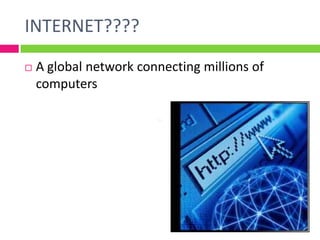
Definition of the Internet as a global network; key historical figures and milestones in its development.
Rapid growth statistics from 72 million users in 2000 to 162 million in 2002; the impact of Tim Berners-Lee.
Requirements for Internet access including hardware (computer, modem) and software (ISP, browser).
Explanation of URLs, structure of web addresses, and HTTP protocols including domain types (com, edu, etc.).
Accessing the Internet via mobile devices and the role of Wireless Application Protocol (WAP).
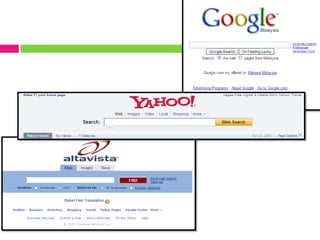
Function and types of search engines; notable search tools and how they classify and retrieve information.
Introduction to various non-web internet services including newsgroups, FTP, Telnet, and email functionalities.
INTRODUCTION TO THEINTERNET
Briefly describe the history of the Internet
Explain what is needed to get on the Internet
Describe generally what an Internet Service Provider
does
Describe the function of a browser
Describe how to search the Internet
List and describe the non- web services of the Internet
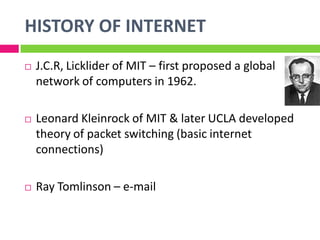
J.C.R, Lickliderof MIT – first proposed a global
network of computers in 1962.
Leonard Kleinrock of MIT & later UCLA developed
theory of packet switching (basic internet
connections)
Ray Tomlinson – e-mail
HISTORY OF INTERNET
4.
The Internetexploded into the public
consciousness in the mid 1990s
Approximately the Internet grew from 72
million in 2000 to 162 million in 2002
E-commerce is growing rapidly.
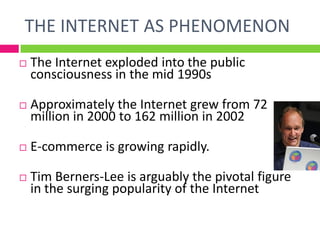
Tim Berners-Lee is arguably the pivotal figure
in the surging popularity of the Internet
THE INTERNET AS PHENOMENON
5.
GETTING START
The InternetService Provider and the Browser
An internet user needs
• a computer
• a modem (dial-up, cable or DSL)
• a network connection
• the related software
• an Internet Service Provider (ISP)
• Browser
An ISP provides the server computer and
software to connect to the Internet
6.
The browser inaction
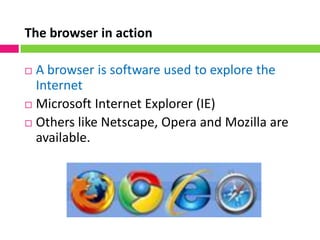
A browser is software used to explore the
Internet
Microsoft Internet Explorer (IE)
Others like Netscape, Opera and Mozilla are
available.
7.
Uniform Resource Locator(URL)
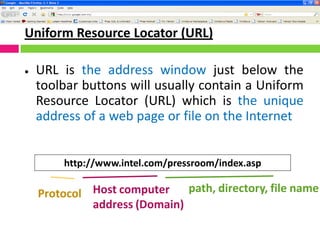
URL is the address window just below the
toolbar buttons will usually contain a Uniform
Resource Locator (URL) which is the unique
address of a web page or file on the Internet
http://www.intel.com/pressroom/index.asp
Protocol Host computer
address (Domain)
path, directory, file name
8.
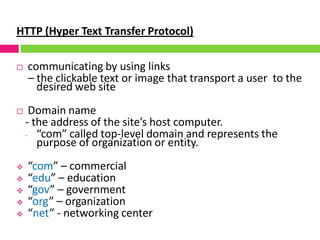
HTTP (Hyper TextTransfer Protocol)
communicating by using links
– the clickable text or image that transport a user to the
desired web site
Domain name
- the address of the site’s host computer.
- “com” called top-level domain and represents the
purpose of organization or entity.
“com” – commercial
“edu” – education
“gov” – government
“org” – organization
“net” - networking center
9.
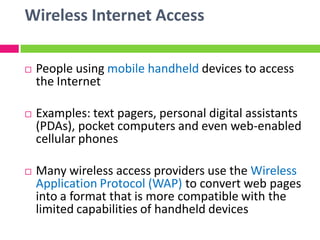
Wireless Internet Access
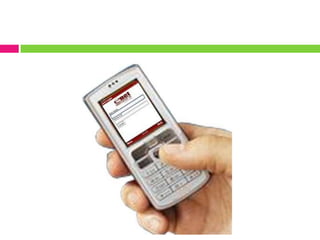
People using mobile handheld devices to access
the Internet
Examples: text pagers, personal digital assistants
(PDAs), pocket computers and even web-enabled
cellular phones
Many wireless access providers use the Wireless
Application Protocol (WAP) to convert web pages
into a format that is more compatible with the
limited capabilities of handheld devices
11.
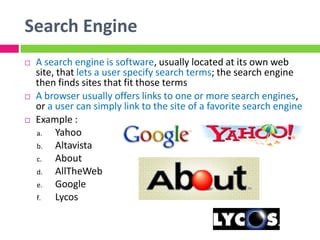
Search Engine
Asearch engine is software, usually located at its own web
site, that lets a user specify search terms; the search engine
then finds sites that fit those terms
A browser usually offers links to one or more search engines,
or a user can simply link to the site of a favorite search engine
Example :
a. Yahoo
b. Altavista
c. About
d. AllTheWeb
e. Google
f. Lycos
13.
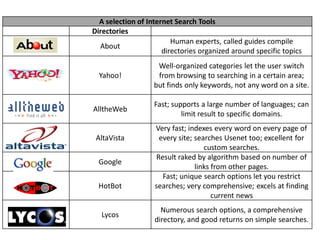
A selection ofInternet Search Tools
Directories
About
Human experts, called guides compile
directories organized around specific topics
Yahoo!
Well-organized categories let the user switch
from browsing to searching in a certain area;
but finds only keywords, not any word on a site.
AlltheWeb
Fast; supports a large number of languages; can
limit result to specific domains.
AltaVista
Very fast; indexes every word on every page of
every site; searches Usenet too; excellent for
custom searches.
Google
Result raked by algorithm based on number of
links from other pages.
HotBot
Fast; unique search options let you restrict
searches; very comprehensive; excels at finding
current news
Lycos
Numerous search options, a comprehensive
directory, and good returns on simple searches.
14.
NON-WEB SERVICES OFTHE INTERNET
1. Newsgroups
2. File Transfer Protocol (FTP)
3. Telnet
4. E-mail
15.
1. Newsgroups
Usenet– an informal network of computers
Allows posting and reading of messages
Typically focuses on specific topics
Requires a newsreader
Some are moderated
Messages sent to a moderator, who determines
whether the message is appropriate
Prevents users from attacking other members and
prevents inappropriate material from being posted
16.
2. File TransferProtocol (FTP)
A protocol for transferring files among
computers.
FTP servers maintain collections of
downloadable files
Downloading can often be done anonymously,
without logging in
Many FTP servers can be accessed through Web
browser
17.
3. Telnet
Aprotocol that allows remote users to log onto a
host computer.
Users use their own PCs
Users log in over the Internet
Users’ experience is the same as if they were
sitting at the host computer’s local terminal
Remote user typically has to have a user ID and
password
18.
4. E-mail
Themost commonly used feature of the Internet
Network provides mail server :
Collects and stores messages in mailbox
E-mail address consists of user name, followed by @
symbol, then domain name of mail server
E-mail client software on your computer
Allows you to manage your e-mail messages
Features
Address books
The ability to attach files
Filters
Direct incoming e-mail to specific folders
Block spam