CONTENTS
 Definition And History
 Basic services of INTERNET
 The World Wide Web (W.W.W.)
 WWW browsers
 INTERNET search engines
 Uses of INTERNET
Definition and History
 The INTERNET is a network of
computers, which links many different
types of computers all over the world.
 ARPANET was the first WAN and had
only four sites in 1969.
 In 1989, the U.S. government lifted
restrictions on the use of INTERNET,
and allow its usage for commercial
purposes as well.
Basic Services Of The
INTERNET
 Electronic Mail (E-Mail) –
Allow user to send a mail (message ) to
another internet user in any part of the world
in a near-real-time manner .
 File Transfer Protocol (FTP) –
Allow user to move a file from one computer to
another on the internet.
 Telnet –
Allow a user to log into another computer
somewhere on the internet .
Electronic Mail
It is faster than Paper Mail .
Unlike telephone, The persons
communicating with each other
need not to be available at the
same time.
Unlike Fax documents , Email
documents can be stored in a
computer and be easily edited
using editing programs.
E-Mail is a rapid and productive communication
tool because :
File Transfer Protocol
 Moving a file from a remote computer to ones
own computer is known as Downloading.
 Moving a file from ones own computer to a
remote computer is known as Uploading.
 Anonymous FTP site in a computer allows a
user to log in with the username of anonymous
and password that is user’s E-mail Address.
 Anonymous FTP sites are called publically
accessible sites because they can be accessed
by any user on internet.
TELNET :
Some common uses of
telnet service are -:
Using the computing power of the
remote computer.
Using a software on the remote
computer.
Accessing remote computers data
base or achieve.
Logging into ones own computer
from another computer.
The World Wide Web (WWW)
 World Wide Web or W3 is the most popular and promising
method of organizing and accessing information on the INTERNET.
 Hypertext is a new way of information storage and retrieval that
enables authors to structure information in novel ways.
 A properly designed hypertext document can help users to
locate desired type of information rapidly.
 Hypertext documents enable this by using a series of link.
 A link is a special type of item in a hypertext document
connecting the document to another document.
 Hypertext documents on internet are known as Web Pages.
WWW Browsers
 To use a computer as a Web client, a user needs to
load on it a special software tool known as WWW
Browser.
 Browser provide following navigation facilities –
 Do not require a user to login to a server
computer.
 Enable a user to visit a server computer’s site
directly and access information on it by specifying its
URL (Uniform Resource Locator).
 Enable user to create and maintain a personal
hotlist of favorite URL.
 Maintain a history of server computers visited by
user in a surfing session.
 Enable a user to download information in various
formats.
INTERNET SEARCH ENGINES
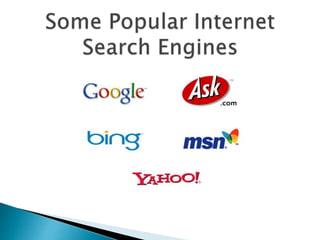
 Internet search engine is an application, which helps users
to locate Web sites containing useful information and
references.
 To search Information :
 A user types the description of the information using the
user interference of the search engine.
 The search engine then searches the requested information
on the WWW and returns the results to the user.
 Results enable the user to locate the requested quickly
from the last ocean of information available on the internet.
Major Elements of Internet Search
Engines
 Search Request Interface
enables users to provide description of desired information to the search
engine
search engine may allow specifications of simple keywords and phrases,
combination of keywords and phrases using Boolean operators and
exclusion/inclusion operators, and title and URL limiters
Information Discoverer
Discovers information from the WWW and creates a database for the
search engine.
Search engine uses the database to locate useful information during the
search process.
Presenter of search results
search engines often list search results in accordance to a relevance
score.
Relevance scores reflect the number of times a search term appears in
a web page.
Some search engines also allow users to control relevance score by
giving different weights.
Some important current strategic of the INTERNET
are :
 On-line communication
 Software sharing
 Exchange of views on topics of common interest
 Posting of information of general interest
 Organization promotion
 Product promotion and feedback about products
 Customer support service
 On-line journals, magazines, Encyclopedia, and
dictionary
 On-line shopping
 World-wide conferencing
QUOTE
The Internet is like alcohol in some sense. It
accentuates what you would do anyway. If you want to
be a loner, you can be more alone. If you want to
connect, it makes it easier to connect.
Esther Dyson
PRESENTED BY :
RAHUL GANDHI
SANDEEP SINGH
PIYUSH CHATERJEE
Internet-8432104.ppsx

Internet-8432104.ppsx

  • 2.
    CONTENTS  Definition AndHistory  Basic services of INTERNET  The World Wide Web (W.W.W.)  WWW browsers  INTERNET search engines  Uses of INTERNET
  • 3.
    Definition and History The INTERNET is a network of computers, which links many different types of computers all over the world.  ARPANET was the first WAN and had only four sites in 1969.  In 1989, the U.S. government lifted restrictions on the use of INTERNET, and allow its usage for commercial purposes as well.
  • 4.
    Basic Services OfThe INTERNET  Electronic Mail (E-Mail) – Allow user to send a mail (message ) to another internet user in any part of the world in a near-real-time manner .  File Transfer Protocol (FTP) – Allow user to move a file from one computer to another on the internet.  Telnet – Allow a user to log into another computer somewhere on the internet .
  • 5.
    Electronic Mail It isfaster than Paper Mail . Unlike telephone, The persons communicating with each other need not to be available at the same time. Unlike Fax documents , Email documents can be stored in a computer and be easily edited using editing programs. E-Mail is a rapid and productive communication tool because :
  • 6.
    File Transfer Protocol Moving a file from a remote computer to ones own computer is known as Downloading.  Moving a file from ones own computer to a remote computer is known as Uploading.  Anonymous FTP site in a computer allows a user to log in with the username of anonymous and password that is user’s E-mail Address.  Anonymous FTP sites are called publically accessible sites because they can be accessed by any user on internet.
  • 7.
    TELNET : Some commonuses of telnet service are -: Using the computing power of the remote computer. Using a software on the remote computer. Accessing remote computers data base or achieve. Logging into ones own computer from another computer.
  • 9.
    The World WideWeb (WWW)  World Wide Web or W3 is the most popular and promising method of organizing and accessing information on the INTERNET.  Hypertext is a new way of information storage and retrieval that enables authors to structure information in novel ways.  A properly designed hypertext document can help users to locate desired type of information rapidly.  Hypertext documents enable this by using a series of link.  A link is a special type of item in a hypertext document connecting the document to another document.  Hypertext documents on internet are known as Web Pages.
  • 10.
    WWW Browsers  Touse a computer as a Web client, a user needs to load on it a special software tool known as WWW Browser.  Browser provide following navigation facilities –  Do not require a user to login to a server computer.  Enable a user to visit a server computer’s site directly and access information on it by specifying its URL (Uniform Resource Locator).  Enable user to create and maintain a personal hotlist of favorite URL.  Maintain a history of server computers visited by user in a surfing session.  Enable a user to download information in various formats.
  • 11.
    INTERNET SEARCH ENGINES Internet search engine is an application, which helps users to locate Web sites containing useful information and references.  To search Information :  A user types the description of the information using the user interference of the search engine.  The search engine then searches the requested information on the WWW and returns the results to the user.  Results enable the user to locate the requested quickly from the last ocean of information available on the internet.
  • 12.
    Major Elements ofInternet Search Engines  Search Request Interface enables users to provide description of desired information to the search engine search engine may allow specifications of simple keywords and phrases, combination of keywords and phrases using Boolean operators and exclusion/inclusion operators, and title and URL limiters Information Discoverer Discovers information from the WWW and creates a database for the search engine. Search engine uses the database to locate useful information during the search process. Presenter of search results search engines often list search results in accordance to a relevance score. Relevance scores reflect the number of times a search term appears in a web page. Some search engines also allow users to control relevance score by giving different weights.
  • 15.
    Some important currentstrategic of the INTERNET are :  On-line communication  Software sharing  Exchange of views on topics of common interest  Posting of information of general interest  Organization promotion  Product promotion and feedback about products  Customer support service  On-line journals, magazines, Encyclopedia, and dictionary  On-line shopping  World-wide conferencing
  • 16.
    QUOTE The Internet islike alcohol in some sense. It accentuates what you would do anyway. If you want to be a loner, you can be more alone. If you want to connect, it makes it easier to connect. Esther Dyson
  • 17.
    PRESENTED BY : RAHULGANDHI SANDEEP SINGH PIYUSH CHATERJEE