Input Controls: Data and Instruction
Input
Components in the input subsystem are responsible
for bringing information into a system. This
information takes two forms: first, it may be raw
data to be processed; second, it may be instructions
to direct the system to execute particular processes,
update or interrogate particular data, or prepare
particular types of output. This chapter examines
controls over the capture, preparation, and entry of
data and instructions into a system. Allen[1977]
studied 156 cases of computer fraud and found that
108 of the cases involved addition, deletion, or
alteration of an input transaction.
Input Controls: Data and Instruction
Input
Data Capture Methods
Document-Based Data Capture
• When document based data capture methods are
used, some type of data preparation activity also is
undertaken; scanning, keyboarding operation.
• Advantage of document based data capture is that
they are easy and flexible.
• Documents can be readily distributed close to the
points of data capture.
• Expensive data capture and input devices are not
needed at each location where data capture occurs.
Input Controls: Data and Instruction
Input
• However, they often require substantial amounts of
human intervention.
• Costly and error prone
Direct Entry Data Capture
• Involves immediate recording of an event as it
occurs using an input device.
• The risks of clerical or operator errors decrease.
• Immediate validation of data can be undertaken to
provide operators with feedback on data capture
errors.
Input Controls: Data and Instruction
Input
• If many data capture points are required it may be
difficult to provide direct entry facilities at each
location.
Hybrid Data Capture
• Uses a combination of document based-based and
direct entry techniques.
• Reduces the amount of human interaction needed
in the data capture process.
• The Hardware and Software needed to support
hybrid data capture methods are still costly,
however, although costs are decreasing rapidly.
Input Controls: Data and Instruction
Input
Data Preparation Methods.
Data preparation comprise one or more of the
following tasks.
• Converting data to machine readable form
• Converting data from one machine readable form to
another
• Scanning for authenticity, accuracy, completeness,
and uniqueness
• Verifying data converted to machine-readable form:
costly thus used for critical fields where errors are
difficult to detect with an input validation program
Input Controls: Data and Instruction
Input
Direct Entry Devices
• They are several direct entry devices, such as voice
recognition units, process control devices, light
pens, joysticks, mouse. For now we look at some of
the widely used.
Point-of-Sale Terminals
• Optical scanning of a premarked code, for e.g. the
universal product code, enables faster throughput
of items.
• Increased accuracy in pricing items
Input Controls: Data and Instruction
Input
• Reduced price marking upon receipt of an item and
upon change of the item's price.
• Customer satisfaction; a more detailed customer
receipt is printed
• Improved control over tender since the terminal
controls the cash drawer.
• Better inventory control and shelf allocation
through more timely information on item sales.
Automatic Teller Machines
• They are designed to be physically secure – they
have the same anti-theft features as a safe.
Input Controls: Data and Instruction
Input
• Camera surveillance must be undertaken, and heat,
motion, and sound detectors might be installed.
• ATMs usually provide some type of facility for
entering a cryptographic key.
• If device control software is not secure, fraudulent
modifications can be carried out so an ATM
dispenses all cash when the software recognizes a
particular card.
• The most critical component of an ATM device is
the software that drives the device.
Input Controls: Data and Instruction
Input
Input Devices
• Input devices are used to read the data into the
application. Since most input devices function
reliably, however, the auditors primary concern is
that a regular maintenance schedule for these
devices be maintained.
• The auditors should understand what type of errors
will be prevented, detected, and corrected by the
controls in the input devices.
Input Controls: Data and Instruction
Input
Card Readers
To detect card reader malfunctions, four types of
controls are used:
• Dual read
• Hole Count
• Echo Check
• Character Check
Input Controls: Data and Instruction
Input
Source Document Design
The auditor must understand the fundamentals of
good source document design. As a basic data input
control, a well designed source document achieves
several purposes:
• Increases the speed and accuracy with which data
can be recorded.
• Controls the workflow
• Facilitates preparation of the data in machine
readable form
• Facilitates subsequent reference checking
Input Controls: Data and Instruction
Input
Source Document Design Guidelines
• Preprint wherever possible
• Provide titles, headings, notes, and instructions
• Use techniques for emphasis and to highlight
differences
• Arrange fields for ease of use
• Where possible, provide multiple choice answers to
questions to avoid omissions
• Use boxes to identify field size errors
• Combine instructions with questions
Input Controls: Data and Instruction
Input
• Space items appropriately on forms:
• Design for ease of keying
• Prenumber source documents
• Conform to organization's standards
Data Code Controls
• Data codes uniquely identify an entity or identify an
entity as a member of a group.
• Codes are often more efficient than textual or
narrative description, since they require a smaller
number of characters to carry a given amount of
Input Controls: Data and Instruction
Input
Design Requirements
• Flexibility
• Meaningfulness
• Compactness
• Convenience
• Evolvability
Input Controls: Data and Instruction
Input
Data Coding Errors
• Addition
• Truncation
• Transcription
• Transposition
• Double Transposition
Input Controls: Data and Instruction
Input
Types of Codes
Serial Codes
• Serial coding systems assign consecutive numbers
or alphabetics to an entity irrespective of the
attributes of the entity.
• Advantage of a serial code are the ease with which
a new item can be added and conciseness.
• Deleted items must have their codes reassigned to
new items.
• it conveys no information about the characteristics
of the entity to which it is assigned
Input Controls: Data and Instruction
Input
Block Sequence Codes
• Block sequence codes assign blocks of numbers to
particular categories of an entity.
• Block sequence code have the advantage of giving
some mnemonic value to the code.
• They are problems in choosing the size of the block
needed(and the remedy if overflow occurs) and
ensuring blocks are not too wasted large so wasted
characters occur and the code is no longer concise.
Input Controls: Data and Instruction
Input
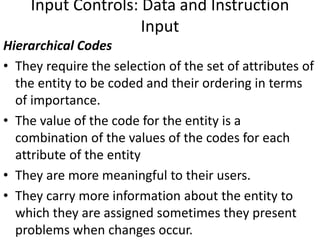
Hierarchical Codes
• They require the selection of the set of attributes of
the entity to be coded and their ordering in terms
of importance.
• The value of the code for the entity is a
combination of the values of the codes for each
attribute of the entity
• They are more meaningful to their users.
• They carry more information about the entity to
which they are assigned sometimes they present
problems when changes occur.
Input Controls: Data and Instruction
Input
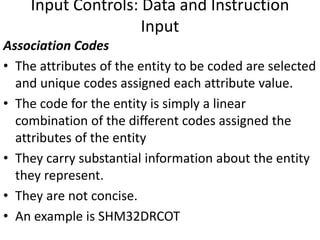
Association Codes
• The attributes of the entity to be coded are selected
and unique codes assigned each attribute value.
• The code for the entity is simply a linear
combination of the different codes assigned the
attributes of the entity
• They carry substantial information about the entity
they represent.
• They are not concise.
• An example is SHM32DRCOT
Input Controls: Data and Instruction
Input
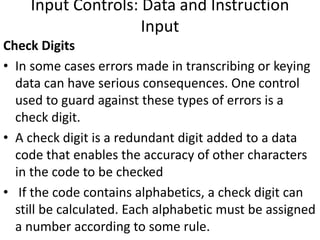
Check Digits
• In some cases errors made in transcribing or keying
data can have serious consequences. One control
used to guard against these types of errors is a
check digit.
• A check digit is a redundant digit added to a data
code that enables the accuracy of other characters
in the code to be checked
• If the code contains alphabetics, a check digit can
still be calculated. Each alphabetic must be assigned
a number according to some rule.
Input Controls: Data and Instruction
Input
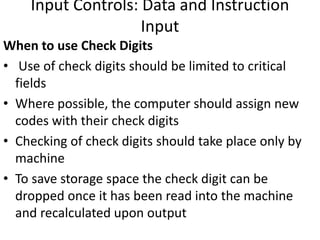
When to use Check Digits
• Use of check digits should be limited to critical
fields
• Where possible, the computer should assign new
codes with their check digits
• Checking of check digits should take place only by
machine
• To save storage space the check digit can be
dropped once it has been read into the machine
and recalculated upon output
Input Controls: Data and Instruction
Input
Instruction Input
• Ensuring quality of instruction input to a computer
system is a more difficult objective to achieve than
to ensure the quality of data input. Users often
attempt to communicate complex actions that they
want the system to undertake. On the other hand
the input subsystem needs to provide considerable
flexibility so users can accomplish their processing
objectives. On the other hand, it needs to exercise
careful control over the actions they undertake. The
languages used to communicate instructions to the
Input Controls: Data and Instruction
Input
Question-Answer Dialogs
• Used obtain data and instruction input.
• In those cases where the required answers are not
obvious, a help facility can be used to assist
inexperienced users.
• Effectiveness and efficiency issues are of primary
concern
• For experienced users, the alternating sequence of
question and answer may be slow and frustrating,
thus may be allowed to stack answers or change to
another language mode.
Input Controls: Data and Instruction
Input
Command Languages e.g. SQL - print the customer
numbers of those customers who had more than 10
transactions over $200
• Job control languages
• Menu-Driven languages
• Forms-Based languages
• Natural languages
• Direct Manipulation languages
Input Controls: Data and Instruction
Input
Audit Trail Controls
• With the data input and instruction input functions,
the audit trail in the input subsystem maintains the
chronology of events from the time data and
instructions are captured until they are entered into
the system.
Accounting Audit Trail
• A source document should show who prepared the
document, who authorized the document, when it
was prepared and what account or record to be
updated.
Input Controls: Data and Instruction
Input
• With direct entry data capture, the input program
must attach certain audit trail data to the input
record e.g the identity of the terminal operator, the
identity of the terminal, the time and date of input,
and a unique reference number for the transaction
that will be carried through the system.
• In the case of instruction input, the input subsystem
must retain a record on magnetic media containing
such data items as the originator of the insructions,
the type of instruction and its arguments, the
results produced, and the time and date of entry of
Input Controls: Data and Instruction
Input
Operations Audit Trail
Some of the types of operations audit trail data that
might be collected are:
• Time to key in a source document at a terminal
• Number of read errors made by an OCR device
• Number of keying errors identified during
verification
• Frequency with which an instruction in a command
language is used.
• Time taken to execute the same instruction using a
Validation and Error Control
• Input validation controls are used to identify errors
in data or instructions before the data is processed
or the instructions are executed.
Data Input Validation Checks
• Data should be validated as soon as possible after it
has been captured and as close as possible to the
source of the data.
• Controls to check the validity of input data can be
exercised at four level
Validation and Error Control
Field Checks
• The validation logic applied to the field in the input
validation program does not depend on other fields
within the record or other records within the batch.
• Several field checks can be applied; missing
data/blanks, alphabetics/numerics, range, check
digit, size
Record Checks
• With a record check, the validation logic applied to
a field depends on the logical field‘s
interrelationships with the other fields in a record
Validation and Error Control
• The following record checks can be applied;
Reasonableness, Valid sign-numerics, sequence
checks.
Batch Checks
• They apply validation logic to fields and records
based based on their interrelationships with
controls established for the batch
• Batch checks include control totals, sequence
checks, size checks, duplicate checks.
Validation and Error Control
File Checks
• They ensure correct files are input to a production
run of an application system.
• These checks are especially important for master
files where reconstruction may be difficult and
costly.
• Internal label, generation number, retention date,
and control totals are checked
Validation and Error Control
Design of the Data Input Validation Program
• A well designed data input program ensures that
the quality of the data entering an application
system is high, and it facilitates correction and
resubmission of errors.
• The auditor is interested in three aspects; how data
is validated, how errors are handled and how errors
are reported.
Data Validation
• System specifications often give a programmer
some indication of errors to be expected.
Validation and Error Control
• Start the design of the validation routines by
specifying what should be correct and then identify
deviations that may occur.
• The input program must identify as many errors as
possible in a record or batch.
• Another requirement in writing an input program is
ensuring its ability to recover when errors occur.
• The input program where possible should correct
errors automatically.
• Documentation of the input program is essential.
Validation and Error Control
Handling of Errors
• The validation program must report errors and
exercise careful control to ensure the errors are
corrected.
• Upon receiving error reports, users must identify
reasons for errors, correct the data and resubmit
the data for validation once again.
• If errors are not cleared off an error file within a
reasonable time period, the input validation
program should remind the users that the errors
still await correction.
Validation and Error Control
• The user must decide on the number and types of
errors that can be tolerated before further
processing of the data through the system.
Reporting of Errors
• Errors must be reported in a way that facilitates fast
and accurate correction of errors
Screen Error Messages
• Error messages must be clear and concise,
courteous and neutral
• The input validation program also must provide
various levels of error messages.
Validation and Error Control
Printed Error Messages.
• The report file must be sorted before printing to
facilitate error correction e.g errors to be corrected
by a particular user may be sorted together.
• The field in error can be identified by printing
indicators such as upward arrows.
• Space should exist on the error report for the
signature of the person correcting the errors, this
gives an audit trail for errors corrected.
Validation and Error Control
• The error messages printed must clearly state the
nature of the error, where possible printing error
codes instead of error messages should be avoided.
• At the end of the error report, summary statistics
should be printed for transactions processed and
the different types of errors identified.
• The frequency of each error type also should be
printed.
Validation and Error Control
Instruction Input Validation Checks
• Instruction input entered via a job control language
or interactive dialog also must be validated.
• The auditor should understand the types of
validation that should be carried out by a job
control language or interactive dialog and the way
in which errors should be reported as a basis for
evaluating the quality of the language and the
likelihood of user errors being made.
Validation and Error Control
Lexical Validation
• The language evaluates each “word” entered by a
user.
• As words are formed from characters, the language
must establish rules whereby strings of characters
are recognized as discrete words.
• Usually this recognition occurs via boundary
characters and delimiters.
Validation and Error Control
Syntactic Validation
• The language reads a string of words identified and
validated by the lexical analyzer and attempts to
determine the sequence of operations that the
string of words is intended to invoke.
• The syntax analyzer validates the syntax of an
instruction by parsing the string of words entered to
determine whether it conforms to a particular rule
in the grammar of the language.
Validation and Error Control
Semantic Validation
• During semantic validation, the language completes
its analysis of the meaning of the instruction
entered.
• During Semantic, the language might check that
variables to be multiplied together are numeric
types and not alphabetic or alphanumeric types.
• The language can check that the operations to be
undertaken on the data items or the results
produced conform to the constraints expressed for
the data items in the data definition.
Validation and Error Control
Reporting of Errors
• Guidelines for reporting errors that were discussed
earlier for data validation apply also to instruction
validation.
• Error messages must communicate to users
completely and meaningfully as possible to the
nature of errors made during transaction input.
• If the language fail to identify an error, unknown to
the user, results may be produced that are
meaningless.
Validation and Error Control
Audit Trail Controls
• Audit trail controls relating to input validation and
error control maintain chronology of events from
the time data is validated to the time data is
corrected.
Accounting Audit Trail
• ➢ When data is validated, a time and date stamp
should be attached so the timeliness of data
validation and error correction and resubmission
can be assessed.
Validation and Error Control
• If an input validation programme identifies an error,
it must generate and attach a unique error number
to the data in error unless the data can be corrected
immediately. In this way the path of the erroneous
data can be traced until the time of the correction.
Operations Audit Trail
• The operations audit trail should maintain a record
of the nature and number of errors made during
data and instruction input, the resources consumed
to detect and correct errors, and the elapsed time
between error identification and error correction.
Validation and Error Control
• The amount of central processor time used to
detect particular types of errors.
• Periodically the operations audit trail should be
analyzed to determine whether users need
retraining, specific types of data input or instruction
input need to be redesigned, or input validation
programs need to be rewritten.
Existence Controls
• Existence controls must enable input validation
programs, files of valid data and erroneous data to
be reestablished in the event of destruction or loss.
Communication Controls
The communication subsystem is responsible for
transmitting data among all the other subsystems
within a system or for transmitting data to or
receiving data from another system. This chapter
examines the controls that can be established within
the communication subsystem to preserve asset
safeguarding and data integrity.
Communication Controls
• Communication Subsystem Exposures
Component Failure
• The primary components in the communication
subsystem are communication lines, hardware and
software.
• In com lines, errors arise because of noise.
• Hardware and Software failure can occur for many
reasons; circuitry failure, a disk crash, a power
surge, insufficient temperature storage, program
bugs etc.
Communication Controls
Subversive Threats
• In a subversive attack on the communication
subsystem, an intruder attempts to violate the
integrity of some component in the subsystem.
• Subversive attacks can either be passive or active.
• Passive attacks can be performed for traffic analysis,
they include; intruders reading and analyzing the
clear text source and destination identifiers
attached to a message for routing purposes, they
may examine the length and frequency of messages
being transmitted.
Communication Controls
They are seven types of active attacks:
• Message insertion
• Delete a message being transmitted
• Message modification
• Change message order
• message duplication
• Denial of message services
• Spurious association e.g they may play a
handshaking sequence previously used by a
legitimate user of the system.
Communication Controls
Line Error Detection
• Line errors can be detected by using either
loop(echo) check or building some form of
redundancy into the message transmitted.
Loop Check
• Involves the receiver of the message sending back
the message received to the sender.
• Since a loop check at least halves the throughput of
communication lines, normally it is used on full
duplex.
Communication Controls
Redundancy Checks
• It takes the form of error detection codes. Three
major types of codes exist
• (a) Parity checking codes
• (b) M-out-of-N codes and
• (c) cyclic codes.
Error Correction
• Two methods are used to correct errors
• Error Correcting Codes: They enable line errors to be
detected and corrected at the receiving station.
Communication Controls
• However to be able to carry error correction, large
amounts of redundancy are required in the
messages transmitted.
• There is also a danger the attempted correction of
an error will be carried out incorrectly.
Retransmission
• If this is to be used, the decision is to be made on
how much data is to be transmitted.
• Retransmission of small quantity of data is faster.
• The disadvantage is that error detection codes is
less efficient for small amounts of data.
Communication Controls
• Error correction through retransmission requires
special logic to indicate the correct or incorrect
receipt of a message.
• Noise may also corrupt the control characters
Improving Network Reliability
• Besides using hardware and software to detect and
correct line errors, a communication network can
be designed to reduce the likelihood of line errors
and system failure occurring and to minimize the
effects of line errors and system failure when they
do occur.
Communication Controls
Controls Over Subversive Threats
• They are two types of controls over subversive
threats to the communication subsystem.
• The first type seeks to establish physical barriers to
the data traversing the subsystem.
• The second type accepts that an intruder can gain
access.
• Here we look at controls that seek to render data
useless if it is intercepted by an intruder.
Communication Controls
Link Encryption
• Protects all data traversing a communication link
between two nodes in a network.
• The two nodes share a common encryption key.
• The message and its source and destination
identifiers can be encrypted.
• Link encryption can not protect the integrity of data
if a node in the network is subverted.
• High costs may have to be incurred to protect the
security of each node in the network.
Communication Controls
End to End Encryption
• End to End encryption protects the integrity of data
passing between a sender and receiver,
independently of the nodes that the data traverses.
• It provides limited protection against traffic
analysis.
• Consequently, link encryption sometimes is used in
conjunction with end to end encryption to reduce
exposures from traffic analysis.
Communication Controls
Message Authentication Codes
• In EFTS, a control used to identify changes to a
message in transit is a MAC
• It is calculated by applying DES algorithm and a
secret key to selected data items in a message or to
the entire message.
• If the calculated MAC and the received MAC are not
equal, the message has been altered in some way
during transit.
Communication Controls
Message Sequence Numbers
• Message sequence numbers are required to detect
any attack on the order of messages being
transmitted between a sender and a receiver.
• It must be impossible for the intruder to alter the
sequence number in a message.
Audit Trail Controls
• Audit trails in communication subsystem maintains
the chronology of events from the time a sender
dispatches a message to the time a receiver obtains
the message.
Communication Controls
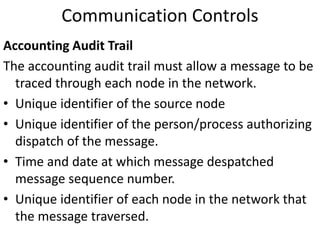
Accounting Audit Trail
The accounting audit trail must allow a message to be
traced through each node in the network.
• Unique identifier of the source node
• Unique identifier of the person/process authorizing
dispatch of the message.
• Time and date at which message despatched
message sequence number.
• Unique identifier of each node in the network that
the message traversed.
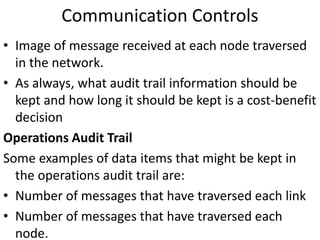
Communication Controls
• Image of message received at each node traversed
in the network.
• As always, what audit trail information should be
kept and how long it should be kept is a cost-benefit
decision
Operations Audit Trail
Some examples of data items that might be kept in
the operations audit trail are:
• Number of messages that have traversed each link
• Number of messages that have traversed each
node.
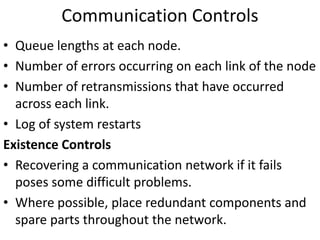
Communication Controls
• Queue lengths at each node.
• Number of errors occurring on each link of the node
• Number of retransmissions that have occurred
across each link.
• Log of system restarts
Existence Controls
• Recovering a communication network if it fails
poses some difficult problems.
• Where possible, place redundant components and
spare parts throughout the network.
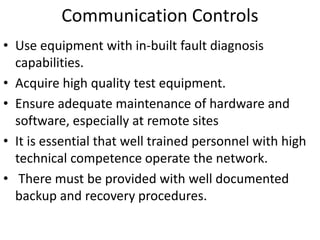
Communication Controls
• Use equipment with in-built fault diagnosis
capabilities.
• Acquire high quality test equipment.
• Ensure adequate maintenance of hardware and
software, especially at remote sites
• It is essential that well trained personnel with high
technical competence operate the network.
• There must be provided with well documented
backup and recovery procedures.
Processing Controls
The processing subsystem is responsible for
computing, sorting, classifying and summarizing
data. Its major components are:
• The central processor in which programs are
executed
• The real or virtual memory in which programs
instructions and data are stored.
• The operating system that manages system
resources
• application programs that execute instructions for
specific user requirements.
Processing Controls
Processor Controls
• Breaks in the strict sequence of executing
instructions by increasing memory address are
called interrupts.
• Processors have executed instructions in one of
two states; a supervisory state for privileged users
and a problem state that applies to user programs.
• The processor determines the state of the program
it is executing by referencing some type of secure
indicator such as a privilege state bit. This bit is set
by a trusted process during transitions in states.
Processing Controls
Real Memory Controls.
• Controls over real memory seek to detect and
correct errors that occur in memory cells and to
protect areas of memory assigned to a program
from illegal access by another program.
Error Detection and Correction
• Errors occur in a memory cell if electronic circuitry
malfunctions or some type of random disturbance
affects the storage components.
Processing Controls
• To detect errors in a memory cell, parity bits are
often used, each time the contents of a cell are
referenced, the parity of the contents is computed
and compared with the stored parity bit.
Access Controls
• In a multi-user system, not only must the operating
system be protected from user program, each user
program must be protected from other user
programs.
Processing Controls
• In non-contiguous storage allocation systems, a lock
and key mechanism can be employed to protect the
areas of real memory assigned to the program.
• Providing protection at the level of a storage is
costly since considerable extra storage is required to
record the protection attributes.
Operating System Integrity
• It is the set of programs implemented in software,
firmware, or hardware that permits sharing and use
of resources within a computer system.
Processing Controls
Nature of a Secure Operating System
For an operating system to be secure, it must achieve
five goals:
1) The operating system must be protected from user
processes.
2) Users must be protected from each other.
3) Users must be protected from themselves.
4) The operating system must be protected from
itself.
5) The operating system must be protected from its
Processing Controls
Functional Requirements
• To protect the integrity of the resources that it
manages, a secure operating system must enforce a
particular security policy. The security policies
formulated so far tend to fall into one of the three
categories.
1) Access policies
2) Flow policies
Processing Controls
Design Approaches
• Some operating systems designers now advocate
an approach to operating system design called the
kernel approach
• The security kernel approach to operating system
design is based upon the concept of a reference
monitor.
• A reference monitor is an abstract mechanism that
checks each reference by a subject to an object to
ensure that the reference complies with a security
policy.
Processing Controls
• A security kernel is the hardware, software,
firmware mechanism that implements a reference
monitor.
• A security kernel is used because it concentrate all
the security relevant features of the operating
system into a single mechanism.
• One of the critical aspects of the kernel is the set of
trusted processes that it provides.
• Since trusted processes can be used to corrupt the
integrity of the system, auditors need to examine
carefully the controls exercised over their use.
Processing Controls
Implementation Considerations
• Auditors must attempt to understand how the
operating system they are evaluating has been
designed and implemented as a basis for
determining the reliance they will place upon the
integrity of the system itself and its ability to
enforce controls over application systems.
Operating System integrity threats.
• A system crash may result in sections of memory
being dumped on various output devices in an
uncontrolled manner.
Processing Controls
Some of the major known methods of penetrating
operating systems are:
• Browsing
• Masquerading
• Piggybacking
• Between lines entry
• Spoofing
• Trojan horse
Processing Controls
Operating System Integrity Flaws
• Some major integrity flaws often found in operating
systems are:
• Incomplete parameter validation
• Implicit sharing of data
• Asynchronous validation
• Inadequate Access Control
• Violable limits
• Exploitable logic error
Processing Controls
Application Software Controls
• Application software should perform a set of
validation checks to identify processing errors when
they occur. It should also be designed in such a way
to avoid processing errors at the first place.
Validation Checks
• Validation checks primarily ensure computations
performed on numeric fields are authorized,
accurate, and complete.
• Checks performed are overflow, range, sign
reasonableness, crossfooting and control totals.
Processing Controls
Some matters of Programming Style
• Handle rounding correctly: there is an algorithm for
handling this problem and the auditor should check
to see the algorithm has been used
• Print run-to-run control totals: The control totals
provide evidence that the program processed all the
input data and that it processed the data correctly.
• Minimize operator intervention
• Use redundant calculations
Processing Controls
Audit Trail Controls
• The audit trail in the processing subsystem
maintains the chronology of events from the time
data is received from the input subsystem to the
time data is dispatched to the database,
communication, or other subsystems.
Accounting audit trail
• It should provide the auditor with a capability to
trace and to replicate the set of processing
performed on an input data item.
Processing Controls
• The audit trail for a triggered transaction must
contain the set of data items that caused the
transaction to arise, the identifier of the process
that produced the triggered transaction.
• To replicate the results of complex processes, a set
of intermediate results and the values of any
standing data items used may have to be printed or
stored in the audit trail together with the set of
input and output data item values.
Processing Controls
Operations Audit Trail
• On all sub-systems, the most extensive operations
audit trail data is maintained in the processing sub-
system.
• Such data is easy to collect since most operating
system provide a facility to create a comprehensive
log of events that occur during system execution.
Content of the Operations Audit Trail
• Four types of data are collected in the operations
audit trail.
Processing Controls
Consumption of data
• The data identifies which user consumed the
resource, what process consumed the resource and
when the resource was consumed.
Data relating to attempted integrity violation
• The logging facility may be used to create an audit
entry for all attempts to use resources that failed.
Hardware Malfunctions
• Memory parity errors may be recorded by the
logging facility, an abnormal number may indicate
that a memory component needs to be replaced.
Processing Controls
Record user-specified events

Information systems application control Framework.ppt

  • 1.
    Input Controls: Dataand Instruction Input Components in the input subsystem are responsible for bringing information into a system. This information takes two forms: first, it may be raw data to be processed; second, it may be instructions to direct the system to execute particular processes, update or interrogate particular data, or prepare particular types of output. This chapter examines controls over the capture, preparation, and entry of data and instructions into a system. Allen[1977] studied 156 cases of computer fraud and found that 108 of the cases involved addition, deletion, or alteration of an input transaction.
  • 2.
    Input Controls: Dataand Instruction Input Data Capture Methods Document-Based Data Capture • When document based data capture methods are used, some type of data preparation activity also is undertaken; scanning, keyboarding operation. • Advantage of document based data capture is that they are easy and flexible. • Documents can be readily distributed close to the points of data capture. • Expensive data capture and input devices are not needed at each location where data capture occurs.
  • 3.
    Input Controls: Dataand Instruction Input • However, they often require substantial amounts of human intervention. • Costly and error prone Direct Entry Data Capture • Involves immediate recording of an event as it occurs using an input device. • The risks of clerical or operator errors decrease. • Immediate validation of data can be undertaken to provide operators with feedback on data capture errors.
  • 4.
    Input Controls: Dataand Instruction Input • If many data capture points are required it may be difficult to provide direct entry facilities at each location. Hybrid Data Capture • Uses a combination of document based-based and direct entry techniques. • Reduces the amount of human interaction needed in the data capture process. • The Hardware and Software needed to support hybrid data capture methods are still costly, however, although costs are decreasing rapidly.
  • 5.
    Input Controls: Dataand Instruction Input Data Preparation Methods. Data preparation comprise one or more of the following tasks. • Converting data to machine readable form • Converting data from one machine readable form to another • Scanning for authenticity, accuracy, completeness, and uniqueness • Verifying data converted to machine-readable form: costly thus used for critical fields where errors are difficult to detect with an input validation program
  • 6.
    Input Controls: Dataand Instruction Input Direct Entry Devices • They are several direct entry devices, such as voice recognition units, process control devices, light pens, joysticks, mouse. For now we look at some of the widely used. Point-of-Sale Terminals • Optical scanning of a premarked code, for e.g. the universal product code, enables faster throughput of items. • Increased accuracy in pricing items
  • 7.
    Input Controls: Dataand Instruction Input • Reduced price marking upon receipt of an item and upon change of the item's price. • Customer satisfaction; a more detailed customer receipt is printed • Improved control over tender since the terminal controls the cash drawer. • Better inventory control and shelf allocation through more timely information on item sales. Automatic Teller Machines • They are designed to be physically secure – they have the same anti-theft features as a safe.
  • 8.
    Input Controls: Dataand Instruction Input • Camera surveillance must be undertaken, and heat, motion, and sound detectors might be installed. • ATMs usually provide some type of facility for entering a cryptographic key. • If device control software is not secure, fraudulent modifications can be carried out so an ATM dispenses all cash when the software recognizes a particular card. • The most critical component of an ATM device is the software that drives the device.
  • 9.
    Input Controls: Dataand Instruction Input Input Devices • Input devices are used to read the data into the application. Since most input devices function reliably, however, the auditors primary concern is that a regular maintenance schedule for these devices be maintained. • The auditors should understand what type of errors will be prevented, detected, and corrected by the controls in the input devices.
  • 10.
    Input Controls: Dataand Instruction Input Card Readers To detect card reader malfunctions, four types of controls are used: • Dual read • Hole Count • Echo Check • Character Check
  • 11.
    Input Controls: Dataand Instruction Input Source Document Design The auditor must understand the fundamentals of good source document design. As a basic data input control, a well designed source document achieves several purposes: • Increases the speed and accuracy with which data can be recorded. • Controls the workflow • Facilitates preparation of the data in machine readable form • Facilitates subsequent reference checking
  • 12.
    Input Controls: Dataand Instruction Input Source Document Design Guidelines • Preprint wherever possible • Provide titles, headings, notes, and instructions • Use techniques for emphasis and to highlight differences • Arrange fields for ease of use • Where possible, provide multiple choice answers to questions to avoid omissions • Use boxes to identify field size errors • Combine instructions with questions
  • 13.
    Input Controls: Dataand Instruction Input • Space items appropriately on forms: • Design for ease of keying • Prenumber source documents • Conform to organization's standards Data Code Controls • Data codes uniquely identify an entity or identify an entity as a member of a group. • Codes are often more efficient than textual or narrative description, since they require a smaller number of characters to carry a given amount of
  • 14.
    Input Controls: Dataand Instruction Input Design Requirements • Flexibility • Meaningfulness • Compactness • Convenience • Evolvability
  • 15.
    Input Controls: Dataand Instruction Input Data Coding Errors • Addition • Truncation • Transcription • Transposition • Double Transposition
  • 16.
    Input Controls: Dataand Instruction Input Types of Codes Serial Codes • Serial coding systems assign consecutive numbers or alphabetics to an entity irrespective of the attributes of the entity. • Advantage of a serial code are the ease with which a new item can be added and conciseness. • Deleted items must have their codes reassigned to new items. • it conveys no information about the characteristics of the entity to which it is assigned
  • 17.
    Input Controls: Dataand Instruction Input Block Sequence Codes • Block sequence codes assign blocks of numbers to particular categories of an entity. • Block sequence code have the advantage of giving some mnemonic value to the code. • They are problems in choosing the size of the block needed(and the remedy if overflow occurs) and ensuring blocks are not too wasted large so wasted characters occur and the code is no longer concise.
  • 18.
    Input Controls: Dataand Instruction Input Hierarchical Codes • They require the selection of the set of attributes of the entity to be coded and their ordering in terms of importance. • The value of the code for the entity is a combination of the values of the codes for each attribute of the entity • They are more meaningful to their users. • They carry more information about the entity to which they are assigned sometimes they present problems when changes occur.
  • 19.
    Input Controls: Dataand Instruction Input Association Codes • The attributes of the entity to be coded are selected and unique codes assigned each attribute value. • The code for the entity is simply a linear combination of the different codes assigned the attributes of the entity • They carry substantial information about the entity they represent. • They are not concise. • An example is SHM32DRCOT
  • 20.
    Input Controls: Dataand Instruction Input Check Digits • In some cases errors made in transcribing or keying data can have serious consequences. One control used to guard against these types of errors is a check digit. • A check digit is a redundant digit added to a data code that enables the accuracy of other characters in the code to be checked • If the code contains alphabetics, a check digit can still be calculated. Each alphabetic must be assigned a number according to some rule.
  • 21.
    Input Controls: Dataand Instruction Input When to use Check Digits • Use of check digits should be limited to critical fields • Where possible, the computer should assign new codes with their check digits • Checking of check digits should take place only by machine • To save storage space the check digit can be dropped once it has been read into the machine and recalculated upon output
  • 22.
    Input Controls: Dataand Instruction Input Instruction Input • Ensuring quality of instruction input to a computer system is a more difficult objective to achieve than to ensure the quality of data input. Users often attempt to communicate complex actions that they want the system to undertake. On the other hand the input subsystem needs to provide considerable flexibility so users can accomplish their processing objectives. On the other hand, it needs to exercise careful control over the actions they undertake. The languages used to communicate instructions to the
  • 23.
    Input Controls: Dataand Instruction Input Question-Answer Dialogs • Used obtain data and instruction input. • In those cases where the required answers are not obvious, a help facility can be used to assist inexperienced users. • Effectiveness and efficiency issues are of primary concern • For experienced users, the alternating sequence of question and answer may be slow and frustrating, thus may be allowed to stack answers or change to another language mode.
  • 24.
    Input Controls: Dataand Instruction Input Command Languages e.g. SQL - print the customer numbers of those customers who had more than 10 transactions over $200 • Job control languages • Menu-Driven languages • Forms-Based languages • Natural languages • Direct Manipulation languages
  • 25.
    Input Controls: Dataand Instruction Input Audit Trail Controls • With the data input and instruction input functions, the audit trail in the input subsystem maintains the chronology of events from the time data and instructions are captured until they are entered into the system. Accounting Audit Trail • A source document should show who prepared the document, who authorized the document, when it was prepared and what account or record to be updated.
  • 26.
    Input Controls: Dataand Instruction Input • With direct entry data capture, the input program must attach certain audit trail data to the input record e.g the identity of the terminal operator, the identity of the terminal, the time and date of input, and a unique reference number for the transaction that will be carried through the system. • In the case of instruction input, the input subsystem must retain a record on magnetic media containing such data items as the originator of the insructions, the type of instruction and its arguments, the results produced, and the time and date of entry of
  • 27.
    Input Controls: Dataand Instruction Input Operations Audit Trail Some of the types of operations audit trail data that might be collected are: • Time to key in a source document at a terminal • Number of read errors made by an OCR device • Number of keying errors identified during verification • Frequency with which an instruction in a command language is used. • Time taken to execute the same instruction using a
  • 28.
    Validation and ErrorControl • Input validation controls are used to identify errors in data or instructions before the data is processed or the instructions are executed. Data Input Validation Checks • Data should be validated as soon as possible after it has been captured and as close as possible to the source of the data. • Controls to check the validity of input data can be exercised at four level
  • 29.
    Validation and ErrorControl Field Checks • The validation logic applied to the field in the input validation program does not depend on other fields within the record or other records within the batch. • Several field checks can be applied; missing data/blanks, alphabetics/numerics, range, check digit, size Record Checks • With a record check, the validation logic applied to a field depends on the logical field‘s interrelationships with the other fields in a record
  • 30.
    Validation and ErrorControl • The following record checks can be applied; Reasonableness, Valid sign-numerics, sequence checks. Batch Checks • They apply validation logic to fields and records based based on their interrelationships with controls established for the batch • Batch checks include control totals, sequence checks, size checks, duplicate checks.
  • 31.
    Validation and ErrorControl File Checks • They ensure correct files are input to a production run of an application system. • These checks are especially important for master files where reconstruction may be difficult and costly. • Internal label, generation number, retention date, and control totals are checked
  • 32.
    Validation and ErrorControl Design of the Data Input Validation Program • A well designed data input program ensures that the quality of the data entering an application system is high, and it facilitates correction and resubmission of errors. • The auditor is interested in three aspects; how data is validated, how errors are handled and how errors are reported. Data Validation • System specifications often give a programmer some indication of errors to be expected.
  • 33.
    Validation and ErrorControl • Start the design of the validation routines by specifying what should be correct and then identify deviations that may occur. • The input program must identify as many errors as possible in a record or batch. • Another requirement in writing an input program is ensuring its ability to recover when errors occur. • The input program where possible should correct errors automatically. • Documentation of the input program is essential.
  • 34.
    Validation and ErrorControl Handling of Errors • The validation program must report errors and exercise careful control to ensure the errors are corrected. • Upon receiving error reports, users must identify reasons for errors, correct the data and resubmit the data for validation once again. • If errors are not cleared off an error file within a reasonable time period, the input validation program should remind the users that the errors still await correction.
  • 35.
    Validation and ErrorControl • The user must decide on the number and types of errors that can be tolerated before further processing of the data through the system. Reporting of Errors • Errors must be reported in a way that facilitates fast and accurate correction of errors Screen Error Messages • Error messages must be clear and concise, courteous and neutral • The input validation program also must provide various levels of error messages.
  • 36.
    Validation and ErrorControl Printed Error Messages. • The report file must be sorted before printing to facilitate error correction e.g errors to be corrected by a particular user may be sorted together. • The field in error can be identified by printing indicators such as upward arrows. • Space should exist on the error report for the signature of the person correcting the errors, this gives an audit trail for errors corrected.
  • 37.
    Validation and ErrorControl • The error messages printed must clearly state the nature of the error, where possible printing error codes instead of error messages should be avoided. • At the end of the error report, summary statistics should be printed for transactions processed and the different types of errors identified. • The frequency of each error type also should be printed.
  • 38.
    Validation and ErrorControl Instruction Input Validation Checks • Instruction input entered via a job control language or interactive dialog also must be validated. • The auditor should understand the types of validation that should be carried out by a job control language or interactive dialog and the way in which errors should be reported as a basis for evaluating the quality of the language and the likelihood of user errors being made.
  • 39.
    Validation and ErrorControl Lexical Validation • The language evaluates each “word” entered by a user. • As words are formed from characters, the language must establish rules whereby strings of characters are recognized as discrete words. • Usually this recognition occurs via boundary characters and delimiters.
  • 40.
    Validation and ErrorControl Syntactic Validation • The language reads a string of words identified and validated by the lexical analyzer and attempts to determine the sequence of operations that the string of words is intended to invoke. • The syntax analyzer validates the syntax of an instruction by parsing the string of words entered to determine whether it conforms to a particular rule in the grammar of the language.
  • 41.
    Validation and ErrorControl Semantic Validation • During semantic validation, the language completes its analysis of the meaning of the instruction entered. • During Semantic, the language might check that variables to be multiplied together are numeric types and not alphabetic or alphanumeric types. • The language can check that the operations to be undertaken on the data items or the results produced conform to the constraints expressed for the data items in the data definition.
  • 42.
    Validation and ErrorControl Reporting of Errors • Guidelines for reporting errors that were discussed earlier for data validation apply also to instruction validation. • Error messages must communicate to users completely and meaningfully as possible to the nature of errors made during transaction input. • If the language fail to identify an error, unknown to the user, results may be produced that are meaningless.
  • 43.
    Validation and ErrorControl Audit Trail Controls • Audit trail controls relating to input validation and error control maintain chronology of events from the time data is validated to the time data is corrected. Accounting Audit Trail • ➢ When data is validated, a time and date stamp should be attached so the timeliness of data validation and error correction and resubmission can be assessed.
  • 44.
    Validation and ErrorControl • If an input validation programme identifies an error, it must generate and attach a unique error number to the data in error unless the data can be corrected immediately. In this way the path of the erroneous data can be traced until the time of the correction. Operations Audit Trail • The operations audit trail should maintain a record of the nature and number of errors made during data and instruction input, the resources consumed to detect and correct errors, and the elapsed time between error identification and error correction.
  • 45.
    Validation and ErrorControl • The amount of central processor time used to detect particular types of errors. • Periodically the operations audit trail should be analyzed to determine whether users need retraining, specific types of data input or instruction input need to be redesigned, or input validation programs need to be rewritten. Existence Controls • Existence controls must enable input validation programs, files of valid data and erroneous data to be reestablished in the event of destruction or loss.
  • 46.
    Communication Controls The communicationsubsystem is responsible for transmitting data among all the other subsystems within a system or for transmitting data to or receiving data from another system. This chapter examines the controls that can be established within the communication subsystem to preserve asset safeguarding and data integrity.
  • 47.
    Communication Controls • CommunicationSubsystem Exposures Component Failure • The primary components in the communication subsystem are communication lines, hardware and software. • In com lines, errors arise because of noise. • Hardware and Software failure can occur for many reasons; circuitry failure, a disk crash, a power surge, insufficient temperature storage, program bugs etc.
  • 48.
    Communication Controls Subversive Threats •In a subversive attack on the communication subsystem, an intruder attempts to violate the integrity of some component in the subsystem. • Subversive attacks can either be passive or active. • Passive attacks can be performed for traffic analysis, they include; intruders reading and analyzing the clear text source and destination identifiers attached to a message for routing purposes, they may examine the length and frequency of messages being transmitted.
  • 49.
    Communication Controls They areseven types of active attacks: • Message insertion • Delete a message being transmitted • Message modification • Change message order • message duplication • Denial of message services • Spurious association e.g they may play a handshaking sequence previously used by a legitimate user of the system.
  • 50.
    Communication Controls Line ErrorDetection • Line errors can be detected by using either loop(echo) check or building some form of redundancy into the message transmitted. Loop Check • Involves the receiver of the message sending back the message received to the sender. • Since a loop check at least halves the throughput of communication lines, normally it is used on full duplex.
  • 51.
    Communication Controls Redundancy Checks •It takes the form of error detection codes. Three major types of codes exist • (a) Parity checking codes • (b) M-out-of-N codes and • (c) cyclic codes. Error Correction • Two methods are used to correct errors • Error Correcting Codes: They enable line errors to be detected and corrected at the receiving station.
  • 52.
    Communication Controls • Howeverto be able to carry error correction, large amounts of redundancy are required in the messages transmitted. • There is also a danger the attempted correction of an error will be carried out incorrectly. Retransmission • If this is to be used, the decision is to be made on how much data is to be transmitted. • Retransmission of small quantity of data is faster. • The disadvantage is that error detection codes is less efficient for small amounts of data.
  • 53.
    Communication Controls • Errorcorrection through retransmission requires special logic to indicate the correct or incorrect receipt of a message. • Noise may also corrupt the control characters Improving Network Reliability • Besides using hardware and software to detect and correct line errors, a communication network can be designed to reduce the likelihood of line errors and system failure occurring and to minimize the effects of line errors and system failure when they do occur.
  • 54.
    Communication Controls Controls OverSubversive Threats • They are two types of controls over subversive threats to the communication subsystem. • The first type seeks to establish physical barriers to the data traversing the subsystem. • The second type accepts that an intruder can gain access. • Here we look at controls that seek to render data useless if it is intercepted by an intruder.
  • 55.
    Communication Controls Link Encryption •Protects all data traversing a communication link between two nodes in a network. • The two nodes share a common encryption key. • The message and its source and destination identifiers can be encrypted. • Link encryption can not protect the integrity of data if a node in the network is subverted. • High costs may have to be incurred to protect the security of each node in the network.
  • 56.
    Communication Controls End toEnd Encryption • End to End encryption protects the integrity of data passing between a sender and receiver, independently of the nodes that the data traverses. • It provides limited protection against traffic analysis. • Consequently, link encryption sometimes is used in conjunction with end to end encryption to reduce exposures from traffic analysis.
  • 57.
    Communication Controls Message AuthenticationCodes • In EFTS, a control used to identify changes to a message in transit is a MAC • It is calculated by applying DES algorithm and a secret key to selected data items in a message or to the entire message. • If the calculated MAC and the received MAC are not equal, the message has been altered in some way during transit.
  • 58.
    Communication Controls Message SequenceNumbers • Message sequence numbers are required to detect any attack on the order of messages being transmitted between a sender and a receiver. • It must be impossible for the intruder to alter the sequence number in a message. Audit Trail Controls • Audit trails in communication subsystem maintains the chronology of events from the time a sender dispatches a message to the time a receiver obtains the message.
  • 59.
    Communication Controls Accounting AuditTrail The accounting audit trail must allow a message to be traced through each node in the network. • Unique identifier of the source node • Unique identifier of the person/process authorizing dispatch of the message. • Time and date at which message despatched message sequence number. • Unique identifier of each node in the network that the message traversed.
  • 60.
    Communication Controls • Imageof message received at each node traversed in the network. • As always, what audit trail information should be kept and how long it should be kept is a cost-benefit decision Operations Audit Trail Some examples of data items that might be kept in the operations audit trail are: • Number of messages that have traversed each link • Number of messages that have traversed each node.
  • 61.
    Communication Controls • Queuelengths at each node. • Number of errors occurring on each link of the node • Number of retransmissions that have occurred across each link. • Log of system restarts Existence Controls • Recovering a communication network if it fails poses some difficult problems. • Where possible, place redundant components and spare parts throughout the network.
  • 62.
    Communication Controls • Useequipment with in-built fault diagnosis capabilities. • Acquire high quality test equipment. • Ensure adequate maintenance of hardware and software, especially at remote sites • It is essential that well trained personnel with high technical competence operate the network. • There must be provided with well documented backup and recovery procedures.
  • 63.
    Processing Controls The processingsubsystem is responsible for computing, sorting, classifying and summarizing data. Its major components are: • The central processor in which programs are executed • The real or virtual memory in which programs instructions and data are stored. • The operating system that manages system resources • application programs that execute instructions for specific user requirements.
  • 64.
    Processing Controls Processor Controls •Breaks in the strict sequence of executing instructions by increasing memory address are called interrupts. • Processors have executed instructions in one of two states; a supervisory state for privileged users and a problem state that applies to user programs. • The processor determines the state of the program it is executing by referencing some type of secure indicator such as a privilege state bit. This bit is set by a trusted process during transitions in states.
  • 65.
    Processing Controls Real MemoryControls. • Controls over real memory seek to detect and correct errors that occur in memory cells and to protect areas of memory assigned to a program from illegal access by another program. Error Detection and Correction • Errors occur in a memory cell if electronic circuitry malfunctions or some type of random disturbance affects the storage components.
  • 66.
    Processing Controls • Todetect errors in a memory cell, parity bits are often used, each time the contents of a cell are referenced, the parity of the contents is computed and compared with the stored parity bit. Access Controls • In a multi-user system, not only must the operating system be protected from user program, each user program must be protected from other user programs.
  • 67.
    Processing Controls • Innon-contiguous storage allocation systems, a lock and key mechanism can be employed to protect the areas of real memory assigned to the program. • Providing protection at the level of a storage is costly since considerable extra storage is required to record the protection attributes. Operating System Integrity • It is the set of programs implemented in software, firmware, or hardware that permits sharing and use of resources within a computer system.
  • 68.
    Processing Controls Nature ofa Secure Operating System For an operating system to be secure, it must achieve five goals: 1) The operating system must be protected from user processes. 2) Users must be protected from each other. 3) Users must be protected from themselves. 4) The operating system must be protected from itself. 5) The operating system must be protected from its
  • 69.
    Processing Controls Functional Requirements •To protect the integrity of the resources that it manages, a secure operating system must enforce a particular security policy. The security policies formulated so far tend to fall into one of the three categories. 1) Access policies 2) Flow policies
  • 70.
    Processing Controls Design Approaches •Some operating systems designers now advocate an approach to operating system design called the kernel approach • The security kernel approach to operating system design is based upon the concept of a reference monitor. • A reference monitor is an abstract mechanism that checks each reference by a subject to an object to ensure that the reference complies with a security policy.
  • 71.
    Processing Controls • Asecurity kernel is the hardware, software, firmware mechanism that implements a reference monitor. • A security kernel is used because it concentrate all the security relevant features of the operating system into a single mechanism. • One of the critical aspects of the kernel is the set of trusted processes that it provides. • Since trusted processes can be used to corrupt the integrity of the system, auditors need to examine carefully the controls exercised over their use.
  • 72.
    Processing Controls Implementation Considerations •Auditors must attempt to understand how the operating system they are evaluating has been designed and implemented as a basis for determining the reliance they will place upon the integrity of the system itself and its ability to enforce controls over application systems. Operating System integrity threats. • A system crash may result in sections of memory being dumped on various output devices in an uncontrolled manner.
  • 73.
    Processing Controls Some ofthe major known methods of penetrating operating systems are: • Browsing • Masquerading • Piggybacking • Between lines entry • Spoofing • Trojan horse
  • 74.
    Processing Controls Operating SystemIntegrity Flaws • Some major integrity flaws often found in operating systems are: • Incomplete parameter validation • Implicit sharing of data • Asynchronous validation • Inadequate Access Control • Violable limits • Exploitable logic error
  • 75.
    Processing Controls Application SoftwareControls • Application software should perform a set of validation checks to identify processing errors when they occur. It should also be designed in such a way to avoid processing errors at the first place. Validation Checks • Validation checks primarily ensure computations performed on numeric fields are authorized, accurate, and complete. • Checks performed are overflow, range, sign reasonableness, crossfooting and control totals.
  • 76.
    Processing Controls Some mattersof Programming Style • Handle rounding correctly: there is an algorithm for handling this problem and the auditor should check to see the algorithm has been used • Print run-to-run control totals: The control totals provide evidence that the program processed all the input data and that it processed the data correctly. • Minimize operator intervention • Use redundant calculations
  • 77.
    Processing Controls Audit TrailControls • The audit trail in the processing subsystem maintains the chronology of events from the time data is received from the input subsystem to the time data is dispatched to the database, communication, or other subsystems. Accounting audit trail • It should provide the auditor with a capability to trace and to replicate the set of processing performed on an input data item.
  • 78.
    Processing Controls • Theaudit trail for a triggered transaction must contain the set of data items that caused the transaction to arise, the identifier of the process that produced the triggered transaction. • To replicate the results of complex processes, a set of intermediate results and the values of any standing data items used may have to be printed or stored in the audit trail together with the set of input and output data item values.
  • 79.
    Processing Controls Operations AuditTrail • On all sub-systems, the most extensive operations audit trail data is maintained in the processing sub- system. • Such data is easy to collect since most operating system provide a facility to create a comprehensive log of events that occur during system execution. Content of the Operations Audit Trail • Four types of data are collected in the operations audit trail.
  • 80.
    Processing Controls Consumption ofdata • The data identifies which user consumed the resource, what process consumed the resource and when the resource was consumed. Data relating to attempted integrity violation • The logging facility may be used to create an audit entry for all attempts to use resources that failed. Hardware Malfunctions • Memory parity errors may be recorded by the logging facility, an abnormal number may indicate that a memory component needs to be replaced.
  • 81.