AND ITS TYPES
INFORMATION
SYSTEM
Presented By:- Dev Dibyanshu singh deo ,
Subrat singh
INFORMATION INFORMATION
SYSTEM
SYSTEM TYPES OF
INFORMATION
SYSTEM
01
02
03
04
TABLE OF CONTENTS
In this presentation we are going to discuss
about information system and its types.
INTRODUCTION
INFORMATION
It means process data which can be converted
into meaningful and useful for the user
01
: Information is a group of
data that collectively carries
a logical meaning.
INFORMATION
Data is a collection of facts and
figure to be used for a specific
purpose such as survey and
analysis
DATA
Organising the data by a
computer
PROCESSING
Information is knowledge
obtained from
investigation
INFORMATION
RELATIONSHIP BETWEEN DATA AND INFORMATION
SYSTEM
AA system is an organized collection
of parts (or subsystems) that are
highly integrated to accomplish an
overall goal
• Relevance
• Timeliness
• Accuracy
• Completeness
• Summarization
• Reliability
• Validity
• Consistency
• Up-to-date
• Impartiality
• Cost-benefit analysis
• Frequency of transmission
CHARACTERISTICS OF
INFORMATION
INFORMATION SYSTEM
An information system can be defined as a
set of interrelated components that
collect , process , store and distribute
information to support decision making ,
coordination and controlling an
organization
Decision support system
T.P.S
Transaction process
system
M.I.S
Management
lnformation system
D.S.S
E.S.S
Executive support
sysytem
TYPES OF INFORMATION SYSYTEM
O.A.S
Office automation
system
A PICTURE IS WORTH
A THOUSAND WORDS
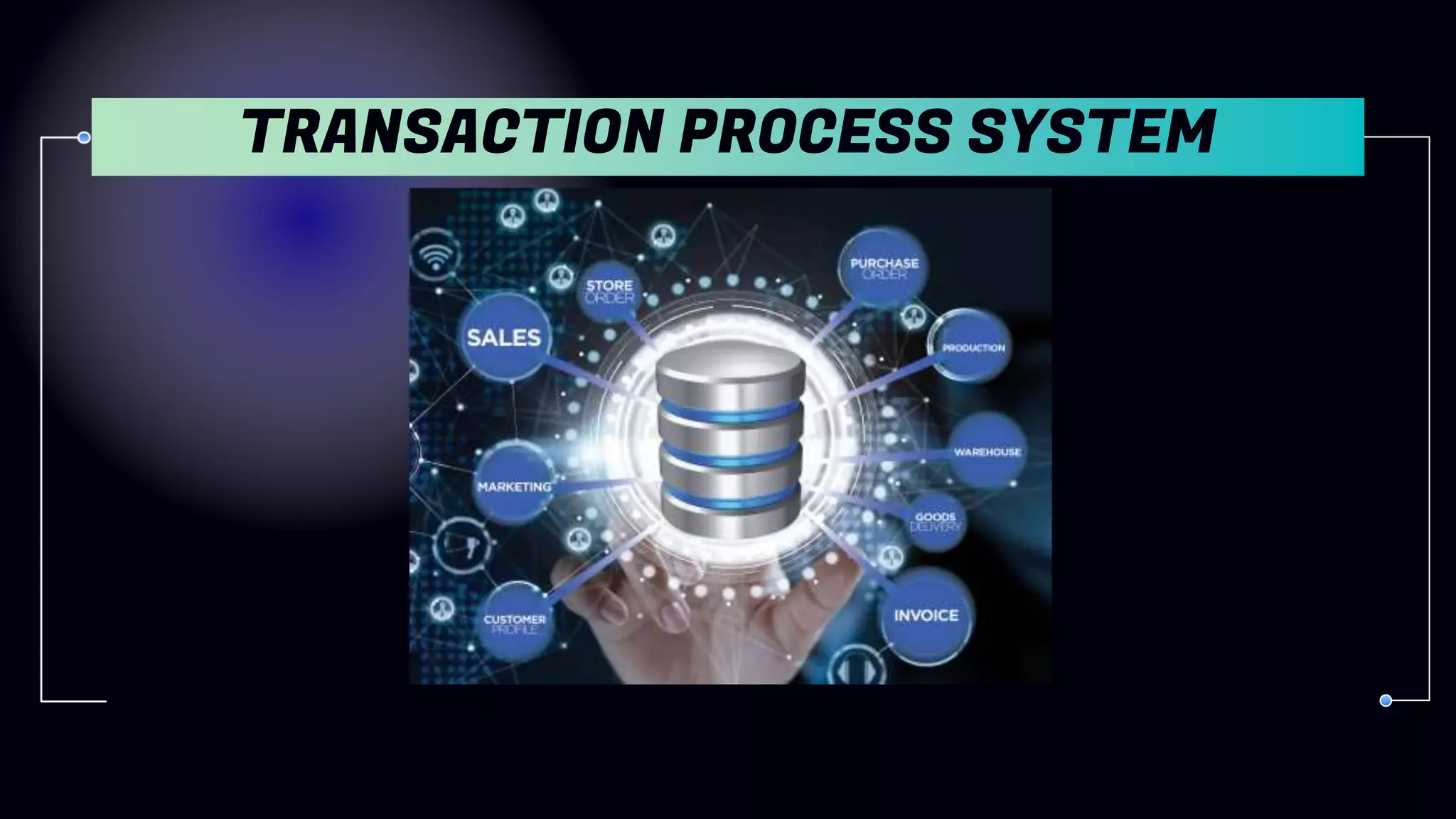
TRANSACTION
PROCESS SYSTEM
TRANSACTION PROCESS SYSTEM
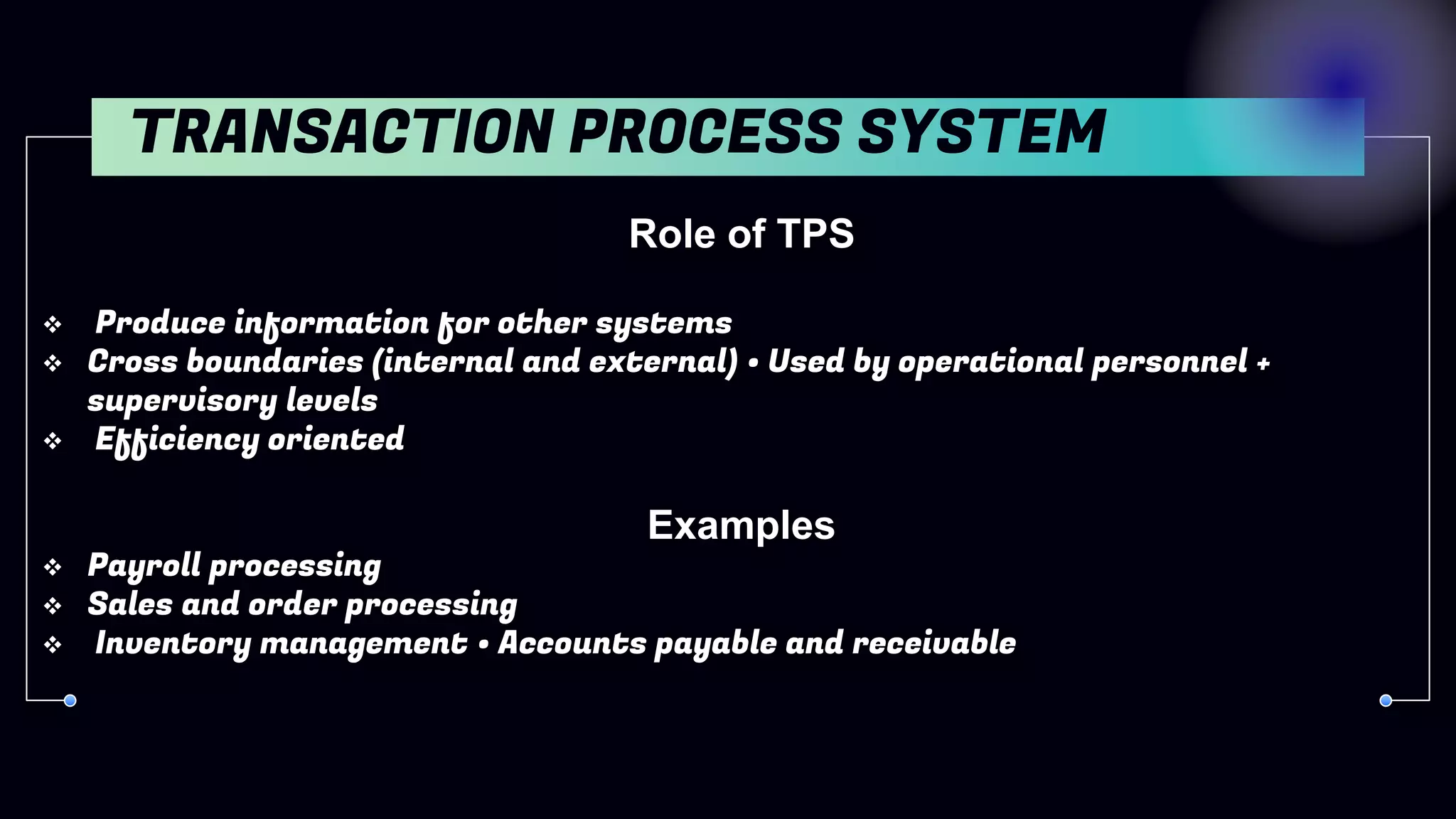
Role of TPS
 Produce information for other systems
 Cross boundaries (internal and external) • Used by operational personnel +
supervisory levels
 Efficiency oriented
Examples
 Payroll processing
 Sales and order processing
 Inventory management • Accounts payable and receivable
TRANSACTION PROCESS SYSTEM
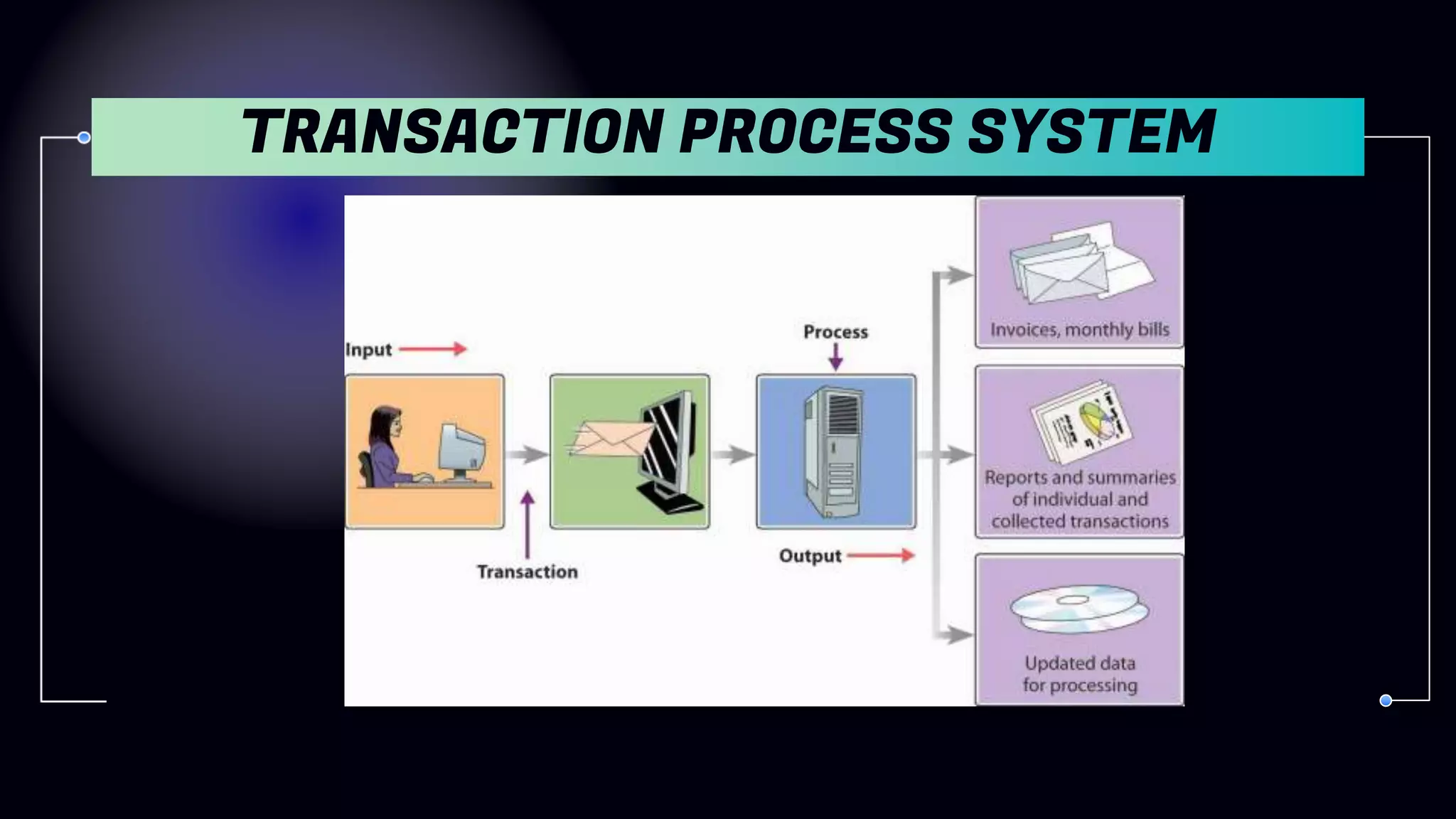
 Transaction = an event that generates or modifies data
Used at Operational level of the organization
 Processes business events and transactions to produce reports
 Goal: to automate repetitive information processing activities
within organizations
 Increases speed
 Increases accuracy
 Greater efficiency
 Supports the monitoring, collection, storage, processing, and
dissemination of the organization’s basic business transactions
 Mainly includes accounting and financial transactions
 Mainly used for providing other information systems with data
OBJECTIVES OF TPS
TRANSACTION PROCESS SYSTEM
MANAGEMENT
INFORMATION
SYSTEM
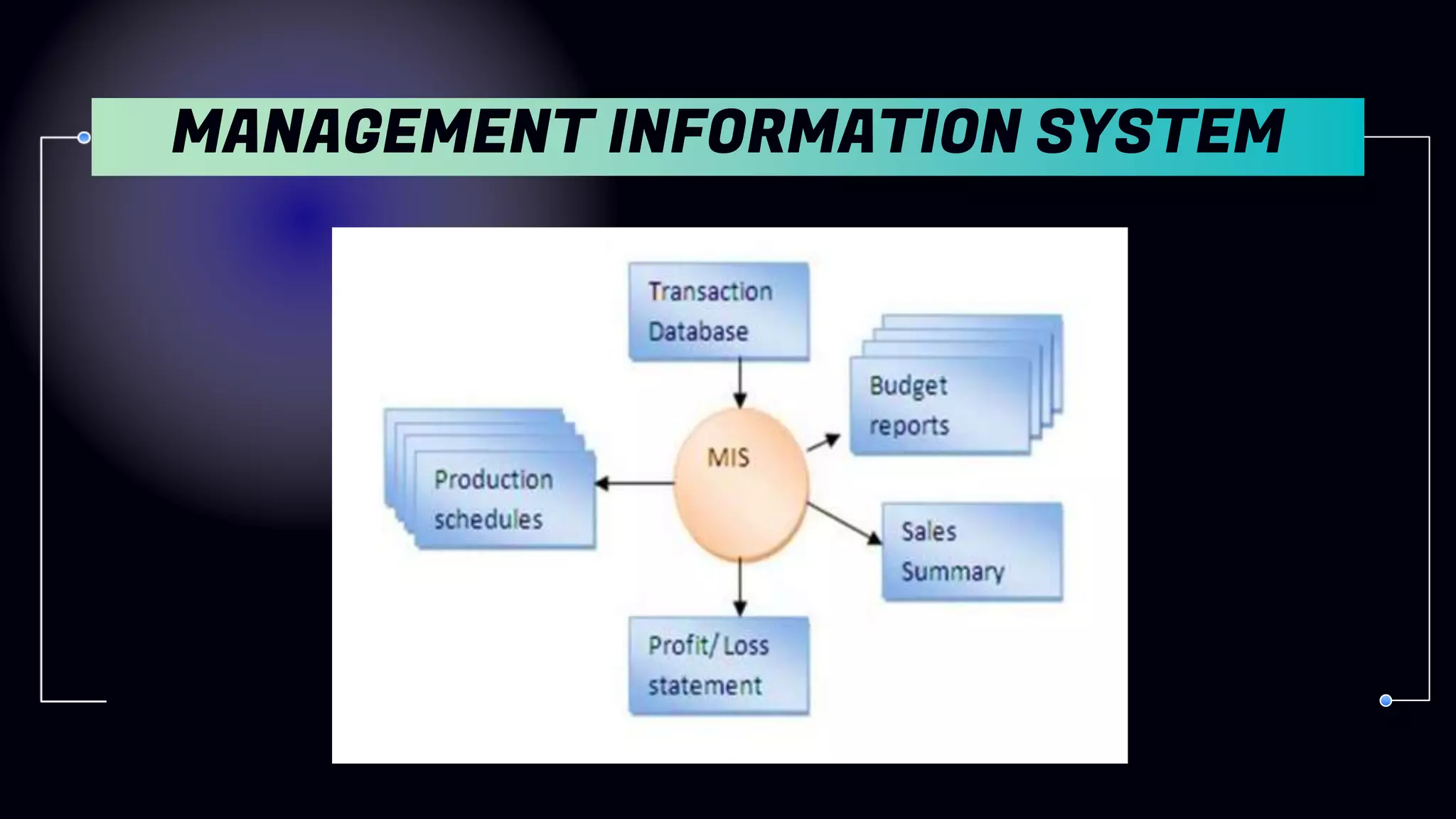
 Refers to the data, equipment and computer programs that
are used to develop information for managerial use .
 Converts raw data from transaction processing system into
meaningful form .
 Focus on the information requirements of low to middle level
managers
MANAGEMENT INFORMATION SYSTEM
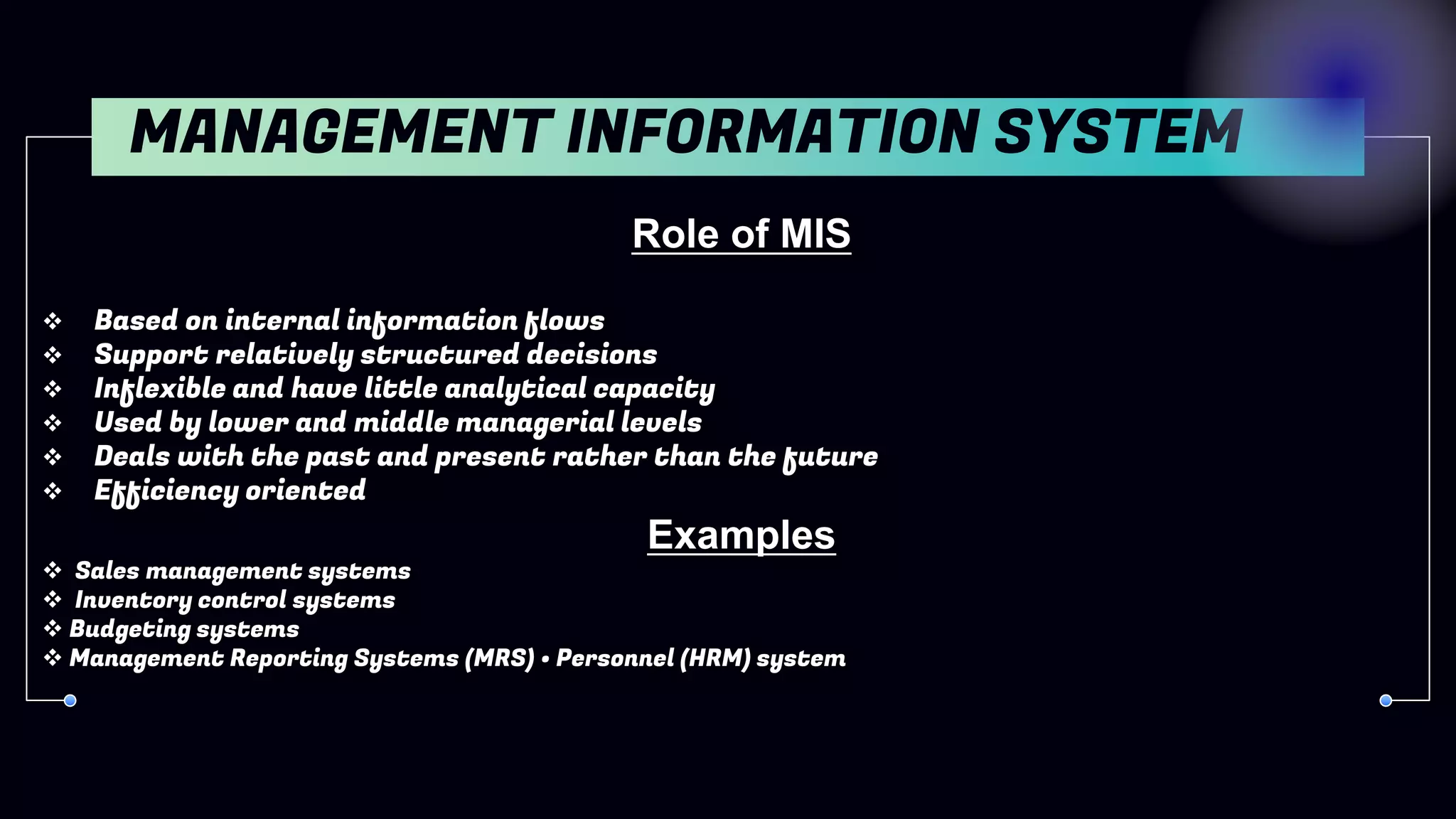
Role of MIS
 Based on internal information flows
 Support relatively structured decisions
 Inflexible and have little analytical capacity
 Used by lower and middle managerial levels
 Deals with the past and present rather than the future
 Efficiency oriented
Examples
 Sales management systems
 Inventory control systems
 Budgeting systems
 Management Reporting Systems (MRS) • Personnel (HRM) system
MANAGEMENT INFORMATION SYSTEM
 Provide summary information of organisational activity at
periodical intervals
 Operational control and efficiency
 Focus on internal information
 Useful to structured decisions
OBJECTIVES OF MIS
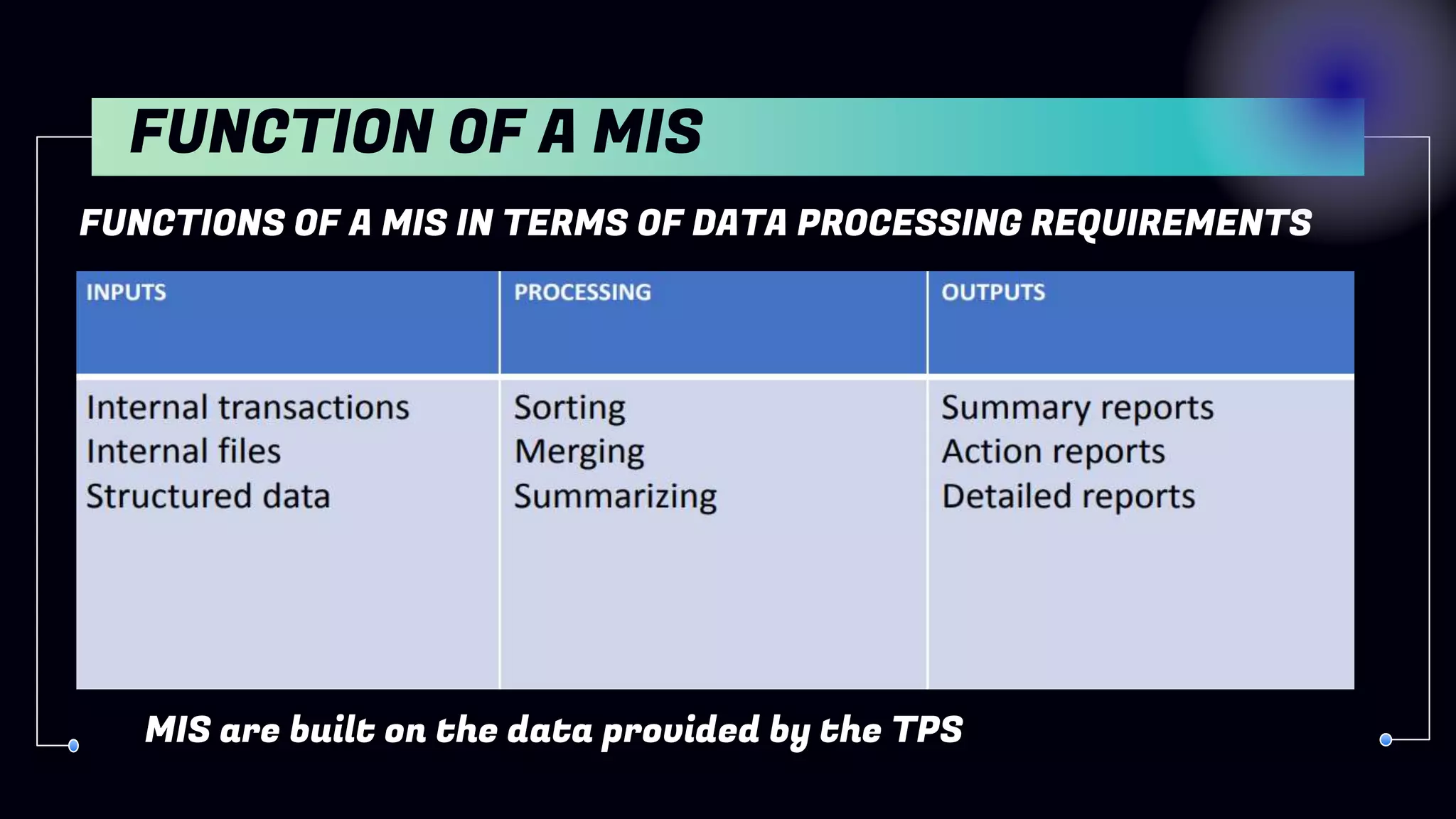
FUNCTIONS OF A MIS IN TERMS OF DATA PROCESSING REQUIREMENTS
FUNCTION OF A MIS
MIS are built on the data provided by the TPS
MANAGEMENT INFORMATION SYSTEM
DECISION SUPPORT
SYSTEM
 Refers to systems which support the process of decision-making
dealing with unstructured problems
 May be defined as the “what-if” approach that assists management
 In formulating policies and projecting the likely consequences of
decisions
 Considered as an extension of MIS
 An effective blend of human intelligence, information technology and
Software
 Provides strategic information
DECISION SUPPORT SYSTEM
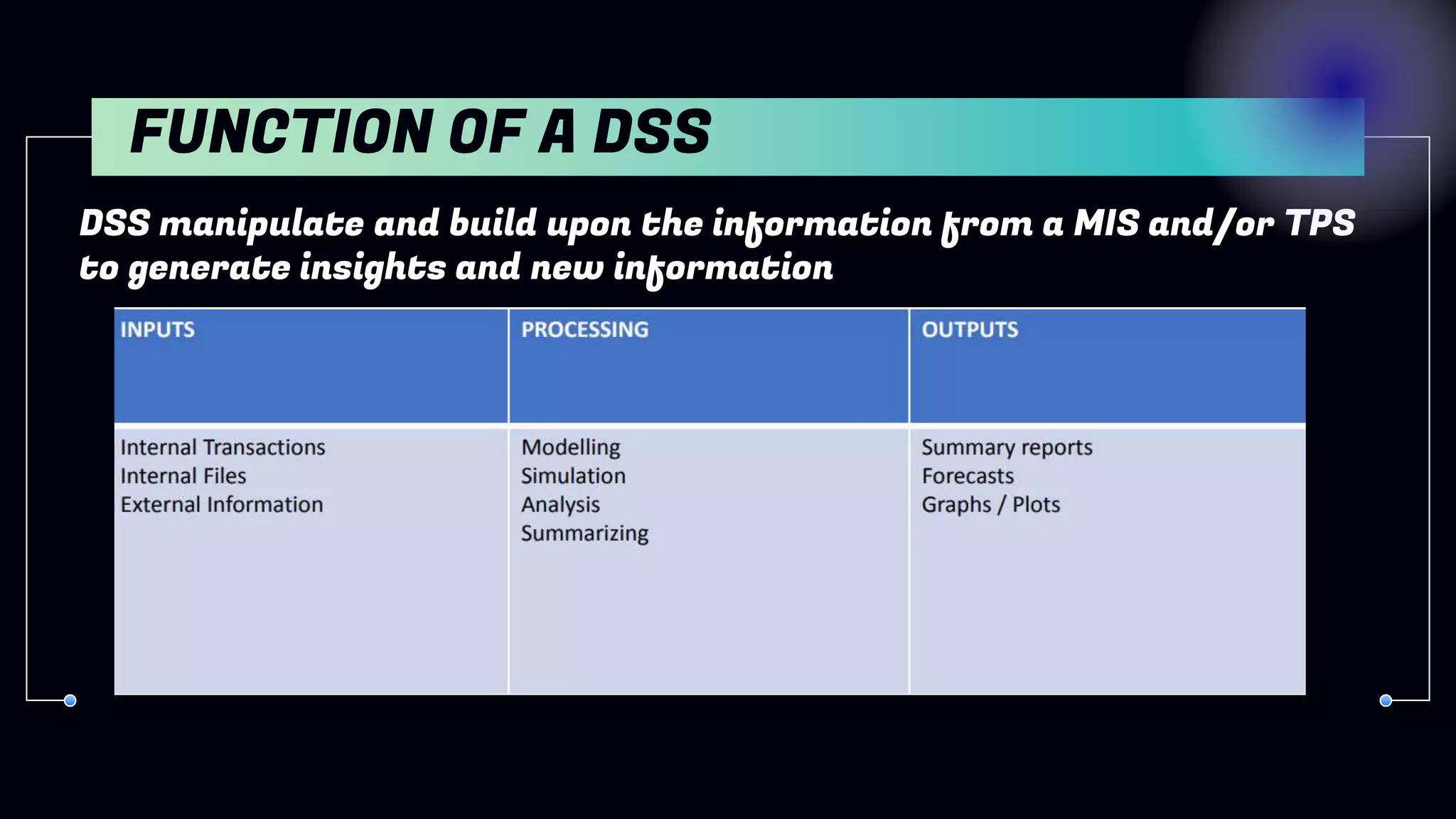
DSS manipulate and build upon the information from a MIS and/or TPS
to generate insights and new information
FUNCTION OF A DSS
Role of DSS
• Support ill- structured or semi-structured decisions
• Have analytical and/or modelling capacity
• Used by more senior managerial levels
• Are concerned with predicting the future
• Are effectiveness oriented
Some examples of DSS
• Group Decision Support Systems (GDSS) • Computer Supported Co-operative work (CSCW)
• Logistics systems
• Financial Planning systems
• Spreadsheet Models
DECISION SUPPORT SYSTEM
COMPARISON BETWEEN MIS AND DSS
EXECUTIVE
INFORMATION
SYSTEM
• Specialized form of DSS
• Used by top-level managers
• Reduce the information overload on executives
• Makes use of internal and external information
• Provides managers and executives flexible access to information for
monitoring operational results and general business conditions
• Provides a comprehensive picture of business performance by
analysing key performance indicators for growth
• Meets strategic information needs of the top management
• Also known as Executive Support System
EXECUTIVE INFORMATION SYSTEM
Role of EIS
• Are concerned with ease of use
• Are concerned with predicting the future
• Are effectiveness oriented
• Are highly flexible
• Support unstructured decisions
• Use internal and external data sources
• Used only at the most senior management levels
Some examples
• Executive Information Systems tend to be highly individualized and are often custom made
for a particular client group; however, a number of off-the- shelf EIS packages do exist and
many enterprise level systems offer a customizable EIS module
EXECUTIVE INFORMATION SYSTEM
FUNCTION OF EIS
OFFICE AUTOMATION
SYSTEM
• Help people perform personal record keeping, writing, and
calculations efficiently
• Aim is to improve the productivity of managers at various levels
of management by providing secretarial assistance and better
communication facilities.
OFFICE AUTOMATION SYSTEM
Main types of tools include
• Spreadsheet programs
• Text & image processing systems
• Presentation packages
• Personal database systems and note-taking systems
Examples
• Communicating and scheduling
• Document preparation
• Analyzing data
• Consolidating information
OBJECTIVES OF TPS
COMPONENTS OF OFFICE AUTOMATION
SYSTEM AND THEIR FUNCTIONS
THANK
YOU

Information System and its types.pptx

  • 1.
    AND ITS TYPES INFORMATION SYSTEM PresentedBy:- Dev Dibyanshu singh deo , Subrat singh
  • 2.
    INFORMATION INFORMATION SYSTEM SYSTEM TYPESOF INFORMATION SYSTEM 01 02 03 04 TABLE OF CONTENTS
  • 3.
    In this presentationwe are going to discuss about information system and its types. INTRODUCTION
  • 4.
    INFORMATION It means processdata which can be converted into meaningful and useful for the user 01
  • 5.
    : Information isa group of data that collectively carries a logical meaning. INFORMATION
  • 6.
    Data is acollection of facts and figure to be used for a specific purpose such as survey and analysis DATA Organising the data by a computer PROCESSING Information is knowledge obtained from investigation INFORMATION RELATIONSHIP BETWEEN DATA AND INFORMATION
  • 7.
    SYSTEM AA system isan organized collection of parts (or subsystems) that are highly integrated to accomplish an overall goal
  • 8.
    • Relevance • Timeliness •Accuracy • Completeness • Summarization • Reliability • Validity • Consistency • Up-to-date • Impartiality • Cost-benefit analysis • Frequency of transmission CHARACTERISTICS OF INFORMATION
  • 9.
    INFORMATION SYSTEM An informationsystem can be defined as a set of interrelated components that collect , process , store and distribute information to support decision making , coordination and controlling an organization
  • 10.
    Decision support system T.P.S Transactionprocess system M.I.S Management lnformation system D.S.S E.S.S Executive support sysytem TYPES OF INFORMATION SYSYTEM O.A.S Office automation system
  • 11.
    A PICTURE ISWORTH A THOUSAND WORDS TRANSACTION PROCESS SYSTEM
  • 12.
  • 13.
    Role of TPS Produce information for other systems  Cross boundaries (internal and external) • Used by operational personnel + supervisory levels  Efficiency oriented Examples  Payroll processing  Sales and order processing  Inventory management • Accounts payable and receivable TRANSACTION PROCESS SYSTEM
  • 14.
     Transaction =an event that generates or modifies data Used at Operational level of the organization  Processes business events and transactions to produce reports  Goal: to automate repetitive information processing activities within organizations  Increases speed  Increases accuracy  Greater efficiency  Supports the monitoring, collection, storage, processing, and dissemination of the organization’s basic business transactions  Mainly includes accounting and financial transactions  Mainly used for providing other information systems with data OBJECTIVES OF TPS
  • 15.
  • 16.
  • 17.
     Refers tothe data, equipment and computer programs that are used to develop information for managerial use .  Converts raw data from transaction processing system into meaningful form .  Focus on the information requirements of low to middle level managers MANAGEMENT INFORMATION SYSTEM
  • 18.
    Role of MIS Based on internal information flows  Support relatively structured decisions  Inflexible and have little analytical capacity  Used by lower and middle managerial levels  Deals with the past and present rather than the future  Efficiency oriented Examples  Sales management systems  Inventory control systems  Budgeting systems  Management Reporting Systems (MRS) • Personnel (HRM) system MANAGEMENT INFORMATION SYSTEM
  • 19.
     Provide summaryinformation of organisational activity at periodical intervals  Operational control and efficiency  Focus on internal information  Useful to structured decisions OBJECTIVES OF MIS
  • 20.
    FUNCTIONS OF AMIS IN TERMS OF DATA PROCESSING REQUIREMENTS FUNCTION OF A MIS MIS are built on the data provided by the TPS
  • 21.
  • 22.
  • 23.
     Refers tosystems which support the process of decision-making dealing with unstructured problems  May be defined as the “what-if” approach that assists management  In formulating policies and projecting the likely consequences of decisions  Considered as an extension of MIS  An effective blend of human intelligence, information technology and Software  Provides strategic information DECISION SUPPORT SYSTEM
  • 24.
    DSS manipulate andbuild upon the information from a MIS and/or TPS to generate insights and new information FUNCTION OF A DSS
  • 25.
    Role of DSS •Support ill- structured or semi-structured decisions • Have analytical and/or modelling capacity • Used by more senior managerial levels • Are concerned with predicting the future • Are effectiveness oriented Some examples of DSS • Group Decision Support Systems (GDSS) • Computer Supported Co-operative work (CSCW) • Logistics systems • Financial Planning systems • Spreadsheet Models DECISION SUPPORT SYSTEM
  • 26.
  • 27.
  • 28.
    • Specialized formof DSS • Used by top-level managers • Reduce the information overload on executives • Makes use of internal and external information • Provides managers and executives flexible access to information for monitoring operational results and general business conditions • Provides a comprehensive picture of business performance by analysing key performance indicators for growth • Meets strategic information needs of the top management • Also known as Executive Support System EXECUTIVE INFORMATION SYSTEM
  • 29.
    Role of EIS •Are concerned with ease of use • Are concerned with predicting the future • Are effectiveness oriented • Are highly flexible • Support unstructured decisions • Use internal and external data sources • Used only at the most senior management levels Some examples • Executive Information Systems tend to be highly individualized and are often custom made for a particular client group; however, a number of off-the- shelf EIS packages do exist and many enterprise level systems offer a customizable EIS module EXECUTIVE INFORMATION SYSTEM
  • 30.
  • 31.
  • 32.
    • Help peopleperform personal record keeping, writing, and calculations efficiently • Aim is to improve the productivity of managers at various levels of management by providing secretarial assistance and better communication facilities. OFFICE AUTOMATION SYSTEM
  • 33.
    Main types oftools include • Spreadsheet programs • Text & image processing systems • Presentation packages • Personal database systems and note-taking systems Examples • Communicating and scheduling • Document preparation • Analyzing data • Consolidating information OBJECTIVES OF TPS
  • 34.
    COMPONENTS OF OFFICEAUTOMATION SYSTEM AND THEIR FUNCTIONS
  • 35.