Presented By:
Danish Hashmi
&
Shaigie
INFORMATION SYSTEM
Information is combination of organized
data. And data is text, numbers, audio,
video, and image. Components of
information system
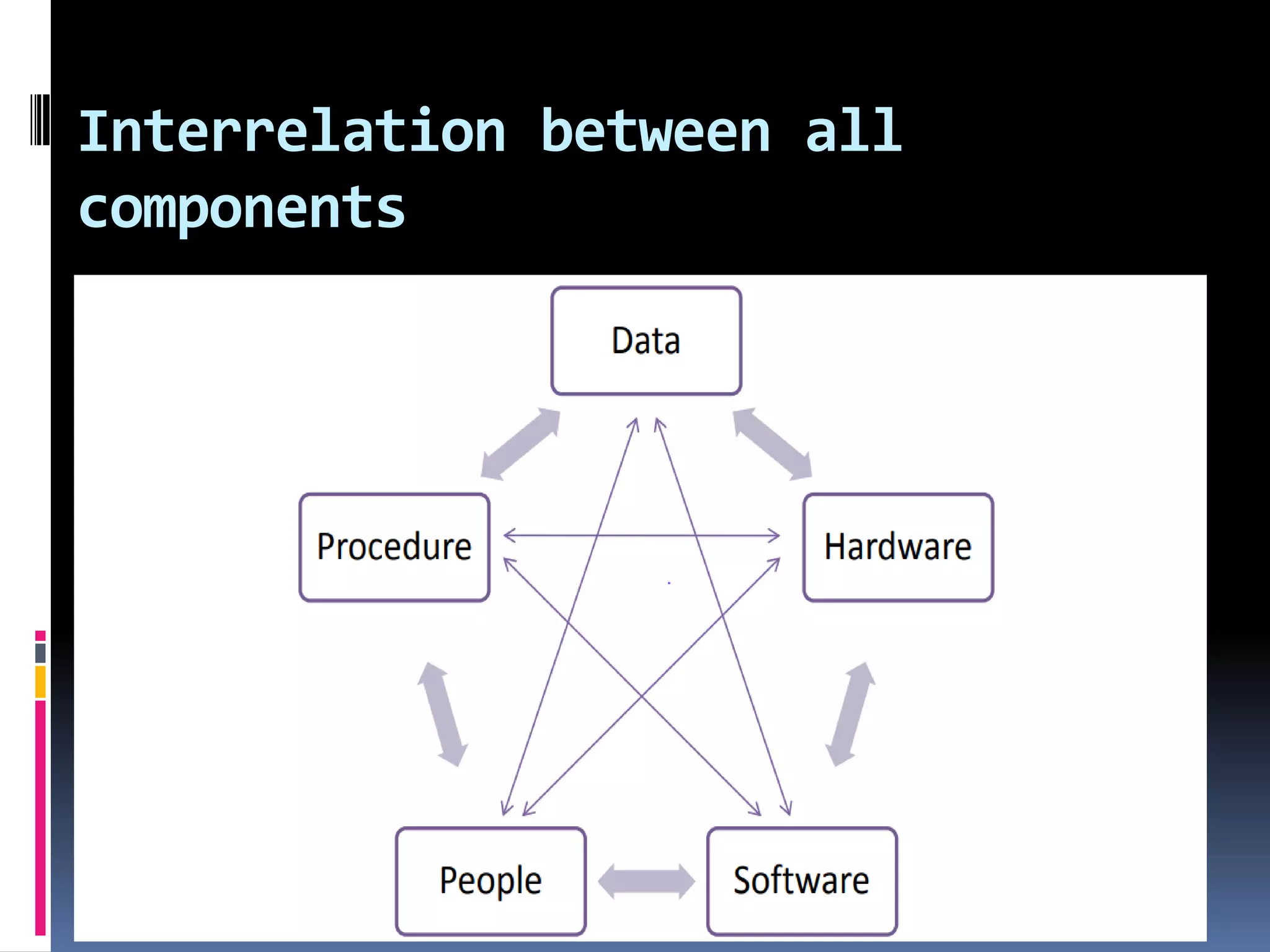
1. Process
2. Data
3. Hardware
4. Software
5. Peoples
Interrelation between all
components
Types of information system
1. Management information system
2. Transaction process system
3. Decision support system
4. Executive information system
5. Expert system/Artificial
intelligence
System Design
1. Logical design
2. Physical design
3. Construction
4. Testing
Phases of system design
Logical design:-
Translate user requirements into detailed function. Create a structure
system and put all information in it.
Components of logical design
Input file: the file is use to capture input data.
Procedures: The logical algorithms used to process the input. Step by
step design in this and then convert into programing language for
implementation.
OUTPUT FILES: The files that will be used to capture information that
is the result of processing data. The files in which input of customers,
employees, suppliers, job applicants or other parties are recorded.
USER DIALOG:The manner in which the user will interact with the
Tools for Design
System design achieved with the help
of tools.
There are two types of tools
1. DFD
2. Data dictionary
Data flow diagram (DFD)
It described the flow of data in a
business operation. It shows a project
with the symbols.
DFD elements (Uses only 4 symbols):
1. External entities (Source/Sinks)
2. Processes
3. Data stores
4. Direction in which the data flows
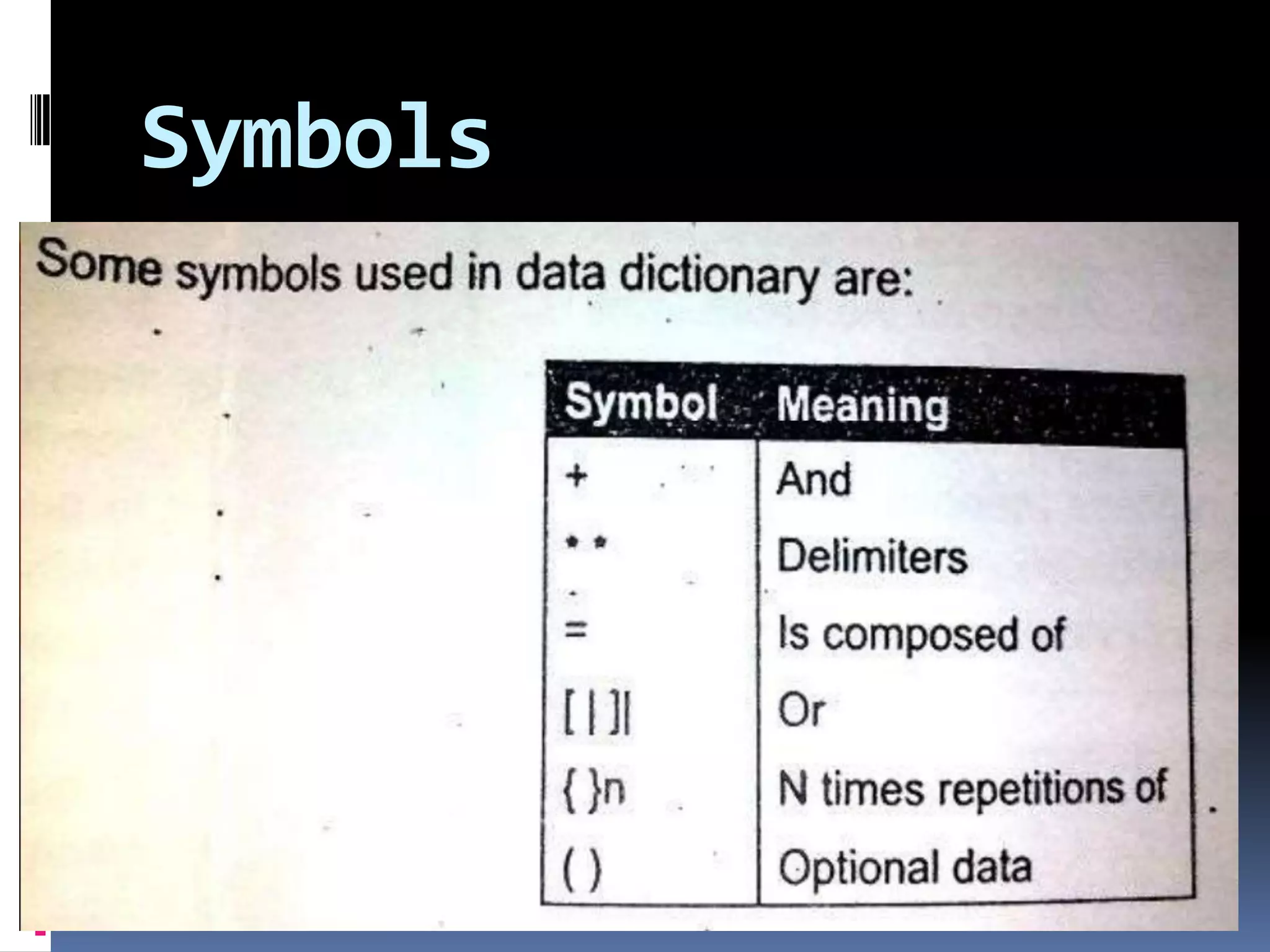
Symbols
Data dictionary
Normally serves the following purpose:
1. A summary of the documentation
2. A tool to reduce redundancy of data
3. A background for I/O design
4. as a centralized control of all data in a
system
5. as a controller of data integrity
Symbols
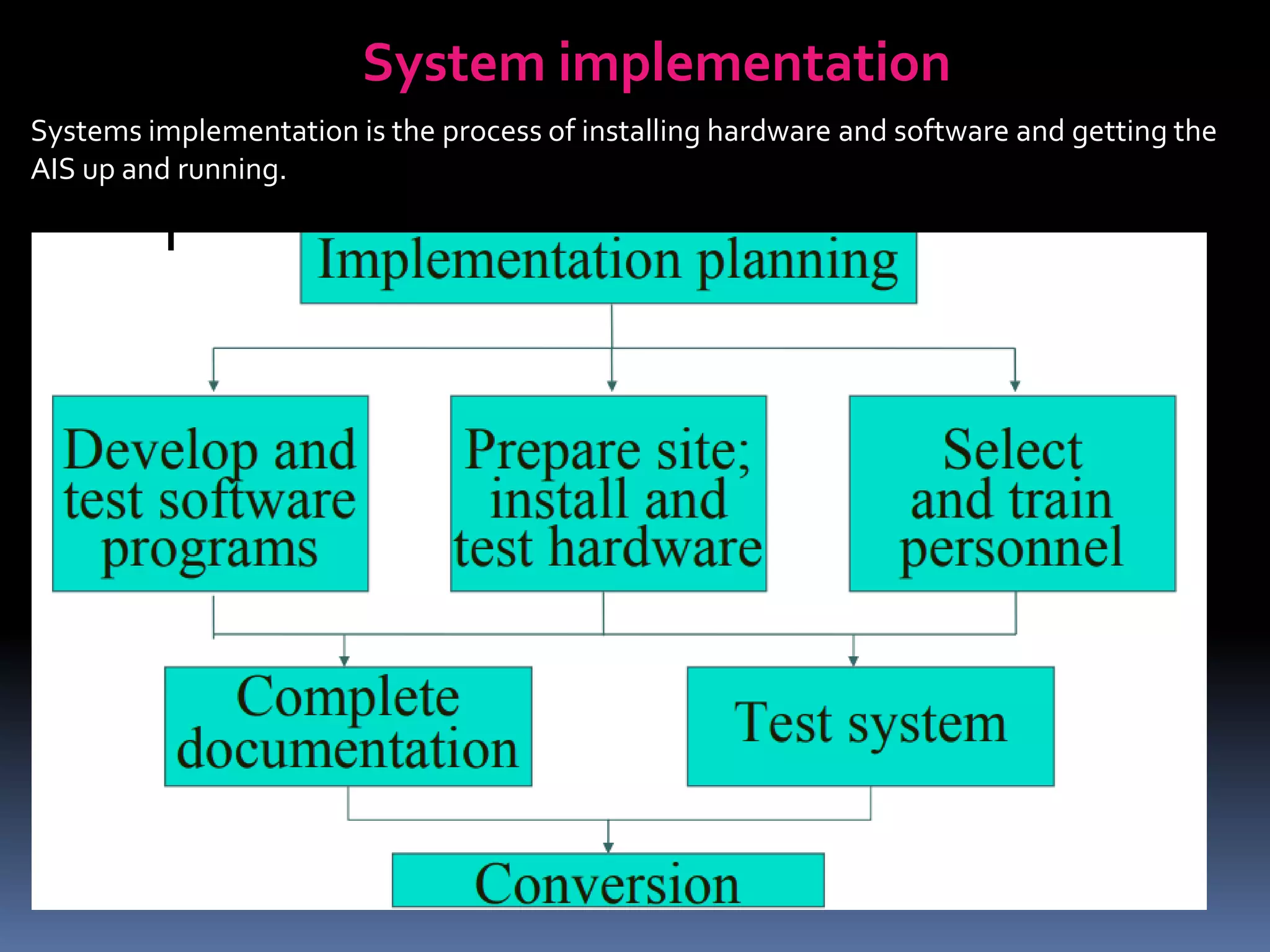
System implementation
Systems implementation is the process of installing hardware and software and getting the
AIS up and running.
Implementation Planning
In this plan for the project. It consists of implementation
plan, completion date, cost, implementation tasks, person
or persons responsible for the task.
Develop andTest software programs
It consists of seven steps
• Determine user needs
• Develop a plane
• Write a instruction code
• Test
• Documentation
• Train the employee
• Install and use the system
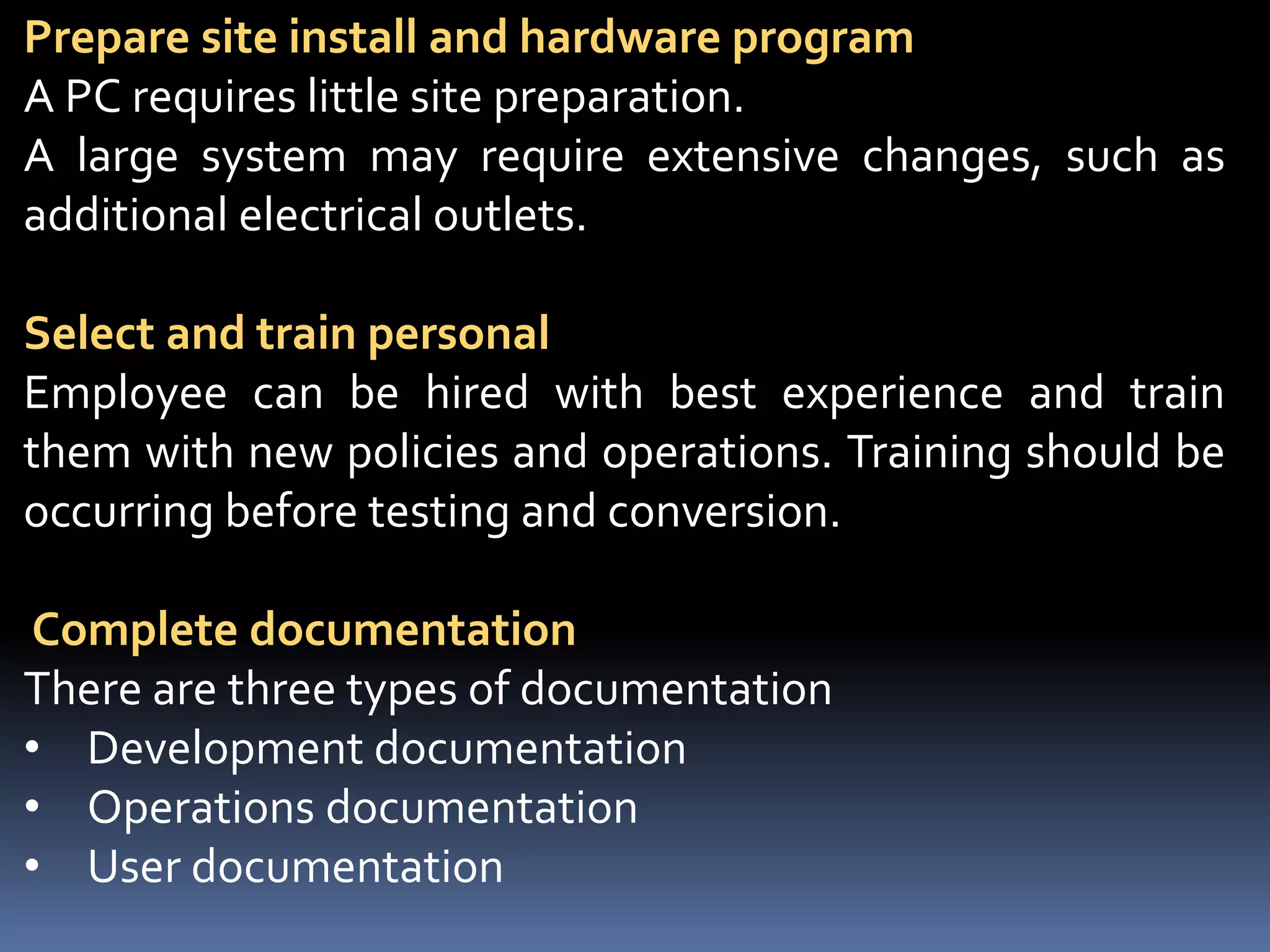
Prepare site install and hardware program
A PC requires little site preparation.
A large system may require extensive changes, such as
additional electrical outlets.
Select and train personal
Employee can be hired with best experience and train
them with new policies and operations. Training should be
occurring before testing and conversion.
Complete documentation
There are three types of documentation
• Development documentation
• Operations documentation
• User documentation
Test system
There are three forms of testing
• Walk through
• Processing of test transection
• Acceptance tests
Conversion
There are four types of conversion
• Direct conversion
• Parallel conversion
• Phase-in conversion
• Pilot conversion
System maintenance
Involves servicing, maintaining and improving
functional information system through its
lifetime. System operation and support occur
in parallel.
There are four types of maintenance
• Corrective maintenance
• Adoptive maintenance
• Perfective maintenance
• Preventive maintenance
Corrective maintenance
Corrective maintenance refers to changes made to repairs the
defects in the design, coding or implementation of the system. It
diagnoses and corrects errors in an operational system. When
corrective maintenance problems occurred, it needs to be
repaired and resolve as soon as possible. Examples incorrect
report title, incorrect report total and wrong format for report
Adoptive maintenance
It is based on business needs and provide enhancement to a
system. It’s different with corrective maintenance, because
adaptive maintenance is less urgent since business and technical
changes may occur over some period of time. The needs occur
when change in the organization such as new products or
services, new technology, or introduce of a web-based system. It’s
only a small part of an organization’s maintenance effort, it’s not
urgent but it’s add values to organizations.
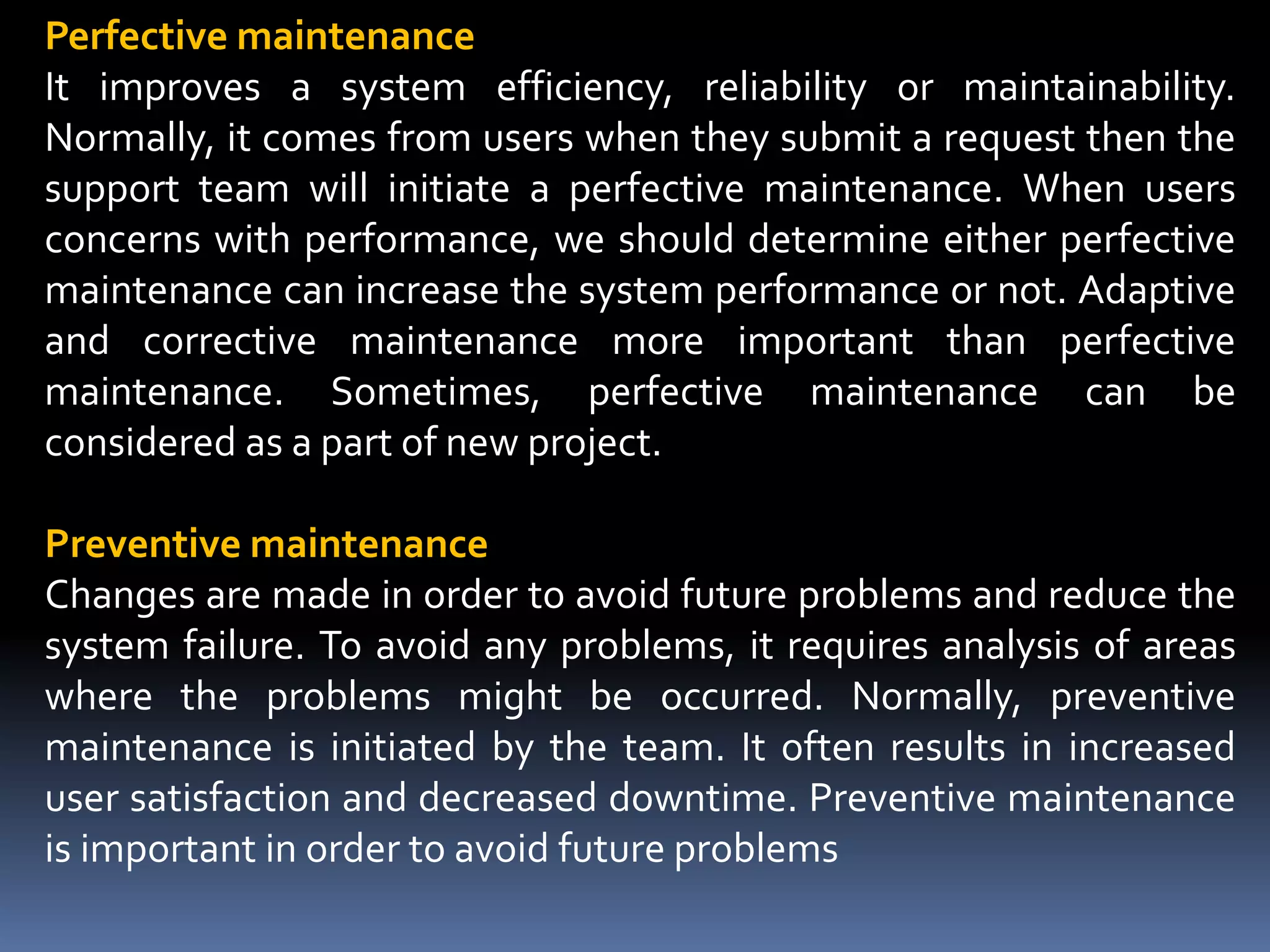
Perfective maintenance
It improves a system efficiency, reliability or maintainability.
Normally, it comes from users when they submit a request then the
support team will initiate a perfective maintenance. When users
concerns with performance, we should determine either perfective
maintenance can increase the system performance or not. Adaptive
and corrective maintenance more important than perfective
maintenance. Sometimes, perfective maintenance can be
considered as a part of new project.
Preventive maintenance
Changes are made in order to avoid future problems and reduce the
system failure. To avoid any problems, it requires analysis of areas
where the problems might be occurred. Normally, preventive
maintenance is initiated by the team. It often results in increased
user satisfaction and decreased downtime. Preventive maintenance
is important in order to avoid future problems

Information system

  • 1.
  • 2.
    INFORMATION SYSTEM Information iscombination of organized data. And data is text, numbers, audio, video, and image. Components of information system 1. Process 2. Data 3. Hardware 4. Software 5. Peoples
  • 3.
  • 4.
    Types of informationsystem 1. Management information system 2. Transaction process system 3. Decision support system 4. Executive information system 5. Expert system/Artificial intelligence
  • 5.
    System Design 1. Logicaldesign 2. Physical design 3. Construction 4. Testing Phases of system design
  • 6.
    Logical design:- Translate userrequirements into detailed function. Create a structure system and put all information in it. Components of logical design Input file: the file is use to capture input data. Procedures: The logical algorithms used to process the input. Step by step design in this and then convert into programing language for implementation. OUTPUT FILES: The files that will be used to capture information that is the result of processing data. The files in which input of customers, employees, suppliers, job applicants or other parties are recorded. USER DIALOG:The manner in which the user will interact with the
  • 7.
    Tools for Design Systemdesign achieved with the help of tools. There are two types of tools 1. DFD 2. Data dictionary
  • 8.
    Data flow diagram(DFD) It described the flow of data in a business operation. It shows a project with the symbols. DFD elements (Uses only 4 symbols): 1. External entities (Source/Sinks) 2. Processes 3. Data stores 4. Direction in which the data flows
  • 9.
  • 10.
    Data dictionary Normally servesthe following purpose: 1. A summary of the documentation 2. A tool to reduce redundancy of data 3. A background for I/O design 4. as a centralized control of all data in a system 5. as a controller of data integrity
  • 11.
  • 12.
    System implementation Systems implementationis the process of installing hardware and software and getting the AIS up and running.
  • 13.
    Implementation Planning In thisplan for the project. It consists of implementation plan, completion date, cost, implementation tasks, person or persons responsible for the task. Develop andTest software programs It consists of seven steps • Determine user needs • Develop a plane • Write a instruction code • Test • Documentation • Train the employee • Install and use the system
  • 14.
    Prepare site installand hardware program A PC requires little site preparation. A large system may require extensive changes, such as additional electrical outlets. Select and train personal Employee can be hired with best experience and train them with new policies and operations. Training should be occurring before testing and conversion. Complete documentation There are three types of documentation • Development documentation • Operations documentation • User documentation
  • 15.
    Test system There arethree forms of testing • Walk through • Processing of test transection • Acceptance tests Conversion There are four types of conversion • Direct conversion • Parallel conversion • Phase-in conversion • Pilot conversion
  • 16.
    System maintenance Involves servicing,maintaining and improving functional information system through its lifetime. System operation and support occur in parallel. There are four types of maintenance • Corrective maintenance • Adoptive maintenance • Perfective maintenance • Preventive maintenance
  • 17.
    Corrective maintenance Corrective maintenancerefers to changes made to repairs the defects in the design, coding or implementation of the system. It diagnoses and corrects errors in an operational system. When corrective maintenance problems occurred, it needs to be repaired and resolve as soon as possible. Examples incorrect report title, incorrect report total and wrong format for report Adoptive maintenance It is based on business needs and provide enhancement to a system. It’s different with corrective maintenance, because adaptive maintenance is less urgent since business and technical changes may occur over some period of time. The needs occur when change in the organization such as new products or services, new technology, or introduce of a web-based system. It’s only a small part of an organization’s maintenance effort, it’s not urgent but it’s add values to organizations.
  • 18.
    Perfective maintenance It improvesa system efficiency, reliability or maintainability. Normally, it comes from users when they submit a request then the support team will initiate a perfective maintenance. When users concerns with performance, we should determine either perfective maintenance can increase the system performance or not. Adaptive and corrective maintenance more important than perfective maintenance. Sometimes, perfective maintenance can be considered as a part of new project. Preventive maintenance Changes are made in order to avoid future problems and reduce the system failure. To avoid any problems, it requires analysis of areas where the problems might be occurred. Normally, preventive maintenance is initiated by the team. It often results in increased user satisfaction and decreased downtime. Preventive maintenance is important in order to avoid future problems