Information Management (and more) at
the Statistics and Bioinformatics Unit,
Vall d’Hebrón Institut de Recerca (VHIR)
with the Wiki-Tiki CMS system
Alex Sánchez1,2, Xavier de Pedro2, Ferran Briansó2
1Departament d’Estadística UB
2Statistics and Bioinformatics Unit (VHIR)
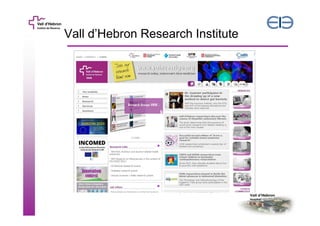
Vall d’Hebron Research Institute
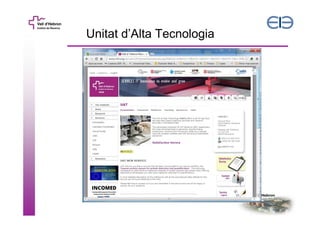
Unitat d’Alta Tecnologia
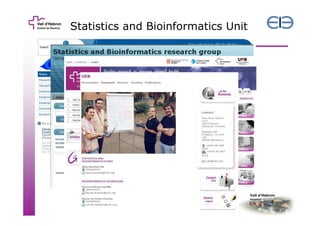
Statistics and Bioinformatics Unit

4
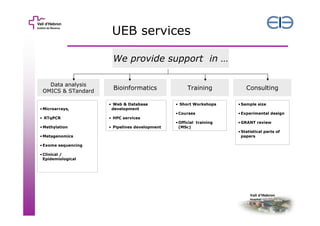
UEB services
We provide support in …
Data analysis
OMICS & STandard

Bioinformatics

• Microarrays,

• Web & Database
development

• RTqPCR

• Pipelines development

Consulting

• HPC services

• Methylation

Training

• Exome sequencing
• Clinical /
Epidemiological

• Sample size

• Courses

• Metagenomics

• Short Workshops

• Experimental design

• Official training
(MSc)

• GRANT review
• Statistical parts of
papers
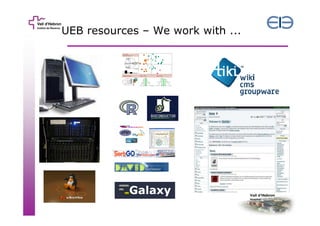
UEB resources – We work with ...
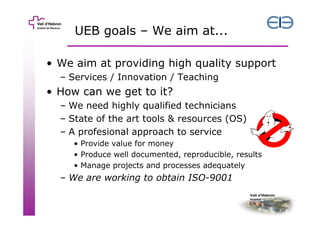
UEB goals – We aim at...
• We aim at providing high quality support
– Services / Innovation / Teaching

• How can we get to it?
– We need highly qualified technicians
– State of the art tools & resources (OS)
– A profesional approach to service
• Provide value for money
• Produce well documented, reproducible, results
• Manage projects and processes adequately

– We are working to obtain ISO-9001
UEB Projects & Processes
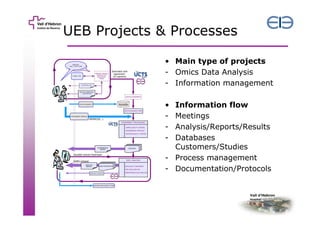
• Main type of projects
- Omics Data Analysis
- Information management
•
-

Information flow
Meetings
Analysis/Reports/Results
Databases
Customers/Studies
- Process management
- Documentation/Protocols
1. Accounting for quality in
studies & projects
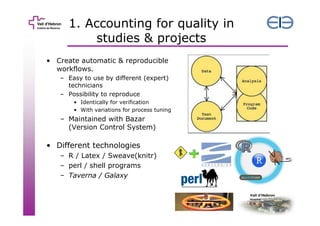
• Create automatic & reproducible
workflows.
– Easy to use by different (expert)
technicians
– Possibility to reproduce
• Identically for verification
• With variations for process tuning

– Maintained with Bazar
(Version Control System)

• Different technologies
– R / Latex / Sweave(knitr)
– perl / shell programs
– Taverna / Galaxy
2. Controlling information flows
First wave

Next wave (Tiki)

• Several systems

• One unique system

– Google
• Docs, calendars
• Spreadsheets

– Dropbox
– MS-Acces databases

– Very good for
• Documentation
• File/Image sharing
• Event /Calendar
management.
– Trackers for
• databases
• Tasks, projects
– Extra bonus!
• R web applications
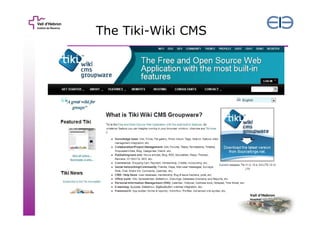
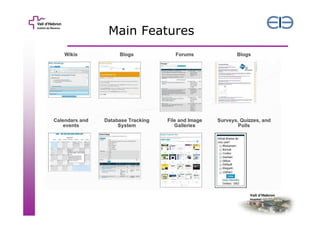
The Tiki-Wiki CMS
Main Features
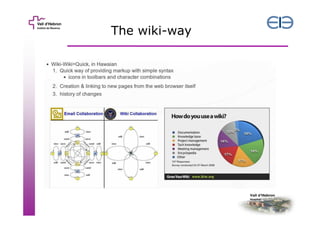
The wiki-way
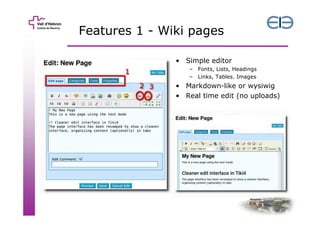
Features 1 - Wiki pages
• Simple editor
– Fonts, Lists, Headings
– Links, Tables. Images

• Markdown-like or wysiwig
• Real time edit (no uploads)
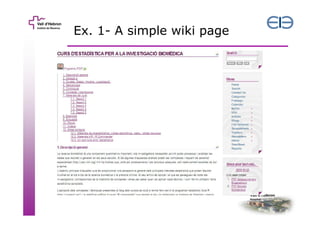
Ex. 1- A simple wiki page
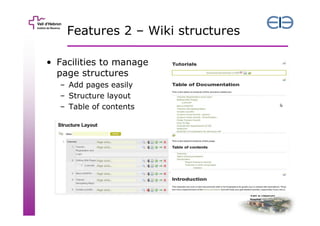
Features 2 – Wiki structures
• Facilities to manage
page structures
– Add pages easily
– Structure layout
– Table of contents
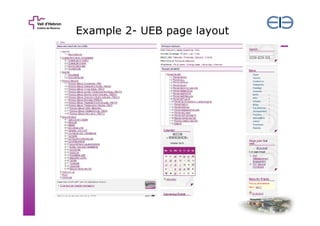
Example 2- UEB page layout
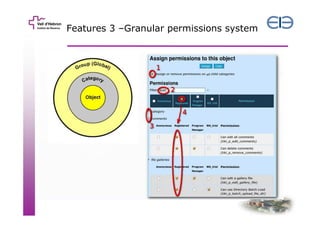
Features 3 –Granular permissions system
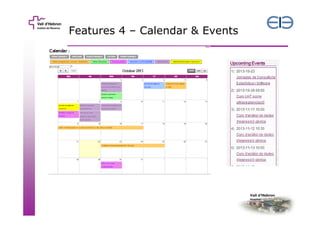
Features 4 – Calendar & Events
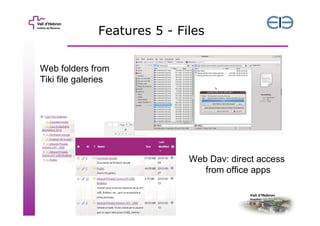
Features 5 - Files
Web folders from
Tiki file galeries

Web Dav: direct access
from office apps
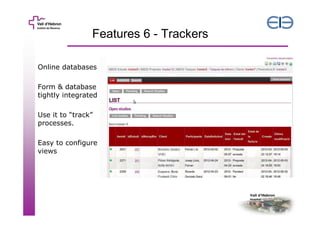
Features 6 - Trackers
Online databases
Form & database
tightly integrated
Use it to “track”
processes.
Easy to configure
views
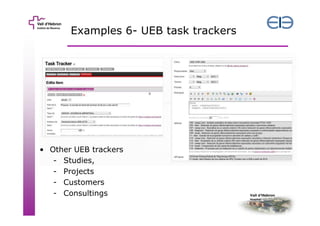
Examples 6- UEB task trackers

• Other UEB trackers
- Studies,
- Projects
- Customers
- Consultings
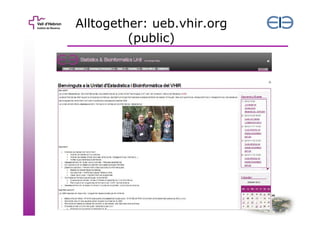
Alltogether: ueb.vhir.org
(public)
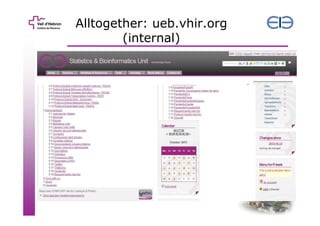
Alltogether: ueb.vhir.org
(internal)
In summary
– Using the Tiki-Wiki CMS information flows
happening in our unit can be managed.
• Wiki pages for
– Documentats & Protocols
– Teaching materials

• Trackers for
– Studies & Customers databases
– Project & Task management

• Calendars & News for planning and informing
• File & Image galleries for safestoring

– All finely customized thanks to permissions
There is more than this
• A common important need is to be able
to use R from the web
– Internally: Create GUI to automate process
• Call pipelines
• Collect results

– Externally
• Provide common-use tools to users
– Increase visibility
– Saves us from repeating monotonous tasks
» E.g. Post exploiting results
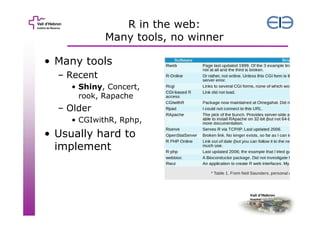
R in the web:
Many tools, no winner
• Many tools
– Recent
• Shiny, Concert,
rook, Rapache

– Older
• CGIwithR, Rphp,

• Usually hard to
implement
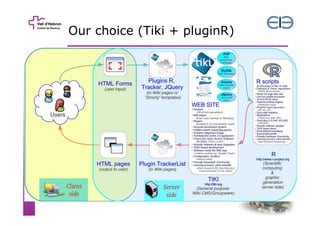
Our choice (Tiki + pluginR)
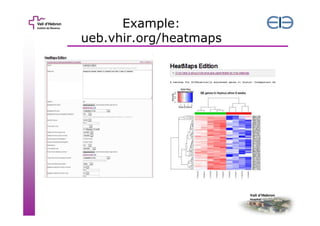
Example:
ueb.vhir.org/heatmaps
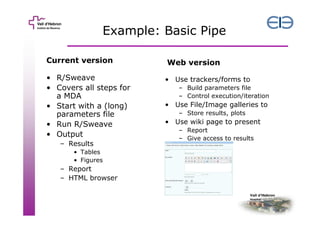
Example: Basic Pipe
Current version

Web version

• R/Sweave
• Covers all steps for
a MDA
• Start with a (long)
parameters file
• Run R/Sweave
• Output

• Use trackers/forms to

– Results
• Tables
• Figures

– Report
– HTML browser

– Build parameters file
– Control execution/iteration

• Use File/Image galleries to
– Store results, plots

• Use wiki page to present
– Report
– Give access to results
In summary (2)
• The Wiki-Tiki CMS has interesting
capabilities to empower efficient work
at all levels.
• In a context where it can be necessary
to create web pages implementing R
programs, combining Tiki with R
through pluginR is a powerful approach.
Acknowledgments
The members of the Unitat d’Estadística i
Bioinformàtica of the VHIR
https://ueb.vhir.org
Xavi de Pedro – Tiki developer
Ferran B.
J.L Mosquera
Tiki testers/users
Ricardo Gonzalo
Unitat d’alta tecnologia at VHIR
https://uat.tiki.org
Grup de Recerca en Estadística i
Bioinformàtica (UB)
https://eib.stat.ub.edu

Information management at vhir ueb using tiki-cms

  • 1.
    Information Management (andmore) at the Statistics and Bioinformatics Unit, Vall d’Hebrón Institut de Recerca (VHIR) with the Wiki-Tiki CMS system Alex Sánchez1,2, Xavier de Pedro2, Ferran Briansó2 1Departament d’Estadística UB 2Statistics and Bioinformatics Unit (VHIR)
  • 2.
  • 3.
  • 4.
  • 5.
    UEB services We providesupport in … Data analysis OMICS & STandard Bioinformatics • Microarrays, • Web & Database development • RTqPCR • Pipelines development Consulting • HPC services • Methylation Training • Exome sequencing • Clinical / Epidemiological • Sample size • Courses • Metagenomics • Short Workshops • Experimental design • Official training (MSc) • GRANT review • Statistical parts of papers
  • 6.
    UEB resources –We work with ...
  • 7.
    UEB goals –We aim at... • We aim at providing high quality support – Services / Innovation / Teaching • How can we get to it? – We need highly qualified technicians – State of the art tools & resources (OS) – A profesional approach to service • Provide value for money • Produce well documented, reproducible, results • Manage projects and processes adequately – We are working to obtain ISO-9001
  • 8.
    UEB Projects &Processes • Main type of projects - Omics Data Analysis - Information management • - Information flow Meetings Analysis/Reports/Results Databases Customers/Studies - Process management - Documentation/Protocols
  • 9.
    1. Accounting forquality in studies & projects • Create automatic & reproducible workflows. – Easy to use by different (expert) technicians – Possibility to reproduce • Identically for verification • With variations for process tuning – Maintained with Bazar (Version Control System) • Different technologies – R / Latex / Sweave(knitr) – perl / shell programs – Taverna / Galaxy
  • 10.
    2. Controlling informationflows First wave Next wave (Tiki) • Several systems • One unique system – Google • Docs, calendars • Spreadsheets – Dropbox – MS-Acces databases – Very good for • Documentation • File/Image sharing • Event /Calendar management. – Trackers for • databases • Tasks, projects – Extra bonus! • R web applications
  • 11.
  • 12.
  • 13.
  • 14.
    Features 1 -Wiki pages • Simple editor – Fonts, Lists, Headings – Links, Tables. Images • Markdown-like or wysiwig • Real time edit (no uploads)
  • 15.
    Ex. 1- Asimple wiki page
  • 16.
    Features 2 –Wiki structures • Facilities to manage page structures – Add pages easily – Structure layout – Table of contents
  • 17.
    Example 2- UEBpage layout
  • 18.
    Features 3 –Granularpermissions system
  • 19.
    Features 4 –Calendar & Events
  • 20.
    Features 5 -Files Web folders from Tiki file galeries Web Dav: direct access from office apps
  • 21.
    Features 6 -Trackers Online databases Form & database tightly integrated Use it to “track” processes. Easy to configure views
  • 22.
    Examples 6- UEBtask trackers • Other UEB trackers - Studies, - Projects - Customers - Consultings
  • 23.
  • 24.
  • 25.
    In summary – Usingthe Tiki-Wiki CMS information flows happening in our unit can be managed. • Wiki pages for – Documentats & Protocols – Teaching materials • Trackers for – Studies & Customers databases – Project & Task management • Calendars & News for planning and informing • File & Image galleries for safestoring – All finely customized thanks to permissions
  • 26.
    There is morethan this • A common important need is to be able to use R from the web – Internally: Create GUI to automate process • Call pipelines • Collect results – Externally • Provide common-use tools to users – Increase visibility – Saves us from repeating monotonous tasks » E.g. Post exploiting results
  • 27.
    R in theweb: Many tools, no winner • Many tools – Recent • Shiny, Concert, rook, Rapache – Older • CGIwithR, Rphp, • Usually hard to implement
  • 28.
    Our choice (Tiki+ pluginR)
  • 29.
  • 30.
    Example: Basic Pipe Currentversion Web version • R/Sweave • Covers all steps for a MDA • Start with a (long) parameters file • Run R/Sweave • Output • Use trackers/forms to – Results • Tables • Figures – Report – HTML browser – Build parameters file – Control execution/iteration • Use File/Image galleries to – Store results, plots • Use wiki page to present – Report – Give access to results
  • 31.
    In summary (2) •The Wiki-Tiki CMS has interesting capabilities to empower efficient work at all levels. • In a context where it can be necessary to create web pages implementing R programs, combining Tiki with R through pluginR is a powerful approach.
  • 32.
    Acknowledgments The members ofthe Unitat d’Estadística i Bioinformàtica of the VHIR https://ueb.vhir.org Xavi de Pedro – Tiki developer Ferran B. J.L Mosquera Tiki testers/users Ricardo Gonzalo Unitat d’alta tecnologia at VHIR https://uat.tiki.org Grup de Recerca en Estadística i Bioinformàtica (UB) https://eib.stat.ub.edu