
Michaelson Jasper P. Duyan, LPT
Edukasyong Pantahanan at
Pangkabuhayan 1
(TLE 100)
Edukasyong Pantahanan at
Pangkabuhayan 1
(TLE 100)
ST. JOHN PAUL II COLLEGE OF DAVAO
ECOLAND DRIVE, MATINA, DAVAO CITY
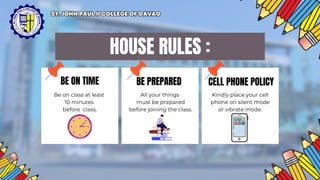
BE PREPARED CELL PHONE POLICY
HOUSE RULES :
BE ON TIME
Be on class at least
10 minutes
before class.
All your things
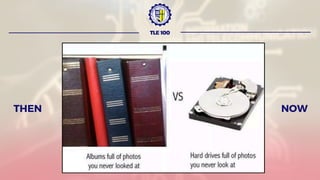
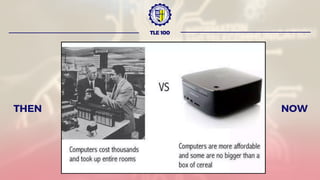
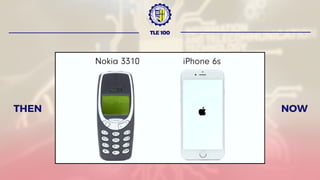
must be prepared
before joining the class.
Kindly place your cell
phone on silent mode
or vibrate mode.
ST. JOHN PAUL II COLLEGE OF DAVAO
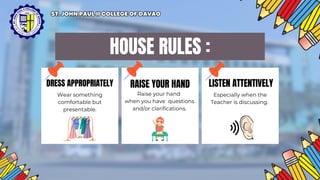
HOUSE RULES :
DRESS APPROPRIATELY RAISE YOUR HAND LISTEN ATTENTIVELY
Wear something
comfortable but
presentable.
Raise your hand
when you have questions
and/or clarifications.
Especially when the
Teacher is discussing.
ST. JOHN PAUL II COLLEGE OF DAVAO
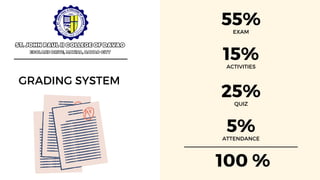
55%
EXAM
5%
ATTENDANCE
15%
ACTIVITIES
25%
QUIZ
GRADING SYSTEM
ST. JOHN PAUL II COLLEGE OF DAVAO
ECOLAND DRIVE, MATINA, DAVAO CITY
100 %
TLE 100
INFORMATION AND COMMUNICATION
TECHNOLOGY
IN
EDUCATION
Lesson Outcomes:
Explain the ICT in education
Discuss the reliable sources in the internet.
“Wag kang sumuko ka na,
Hindi mo na kaya mo yan”
TLE 100
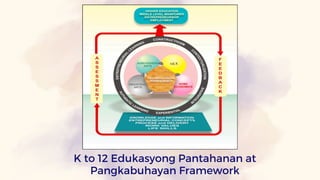
K to 12 Edukasyong Pantahanan at
Pangkabuhayan Framework
Information and Communication
Technology in Education
(I.C.T.)
TLE 100
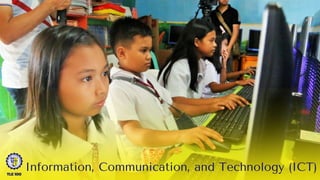
Information, Communication, and Technology (ICT)
TLE 100
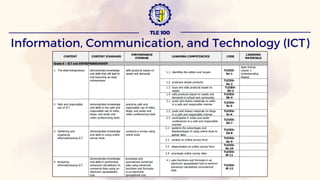
Information, Communication, and Technology (ICT)
TLE 100
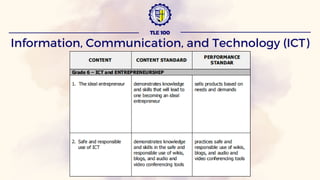
Information, Communication, and Technology (ICT)
TLE 100
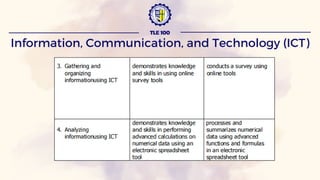
Information, Communication, and Technology (ICT)
TLE 100
ICT implies the technology consists of electronic devices
and associated human interactive materials that enable the user
to employ them for a wide range of teaching-learning processes
and personal use.
INFORMATION AND COMMUNICATION TECHNOLOGY IN
EDUCATION
TLE 100
According to UNESCO “ICT is a scientific, technological
and engineering discipline and management technique used in
handling information, its application and association with social,
economic and cultural matters”.
INFORMATION AND COMMUNICATION TECHNOLOGY IN
EDUCATION
TLE 100
TLE 100
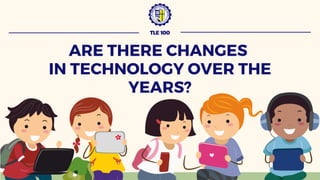
ARE THERE CHANGES
IN TECHNOLOGY OVER THE
YEARS?
TLE 100
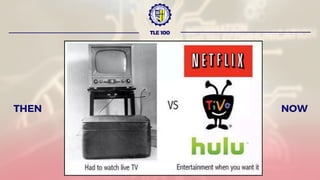
NOW
THEN
TLE 100
NOW
THEN
THEN
TLE 100
NOW
THEN
TLE 100
NOW
TLE 100
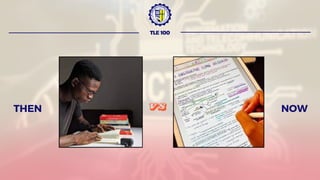
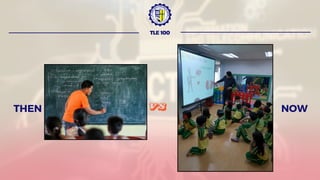
HOW ABOUT THE
ICT IN EDUCATION?
THEN
TLE 100
NOW
VS
THEN
TLE 100
NOW
VS
TLE 100
ICT IN EDUCATION
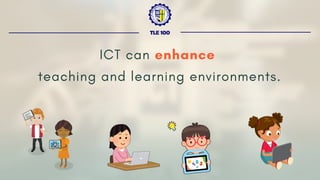
ICT can enhance
teaching and learning environments.
TLE 100
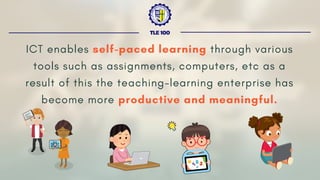
ICT enables self-paced learning through various
tools such as assignments, computers, etc as a
result of this the teaching-learning enterprise has
become more productive and meaningful.
TLE 100
TLE 100
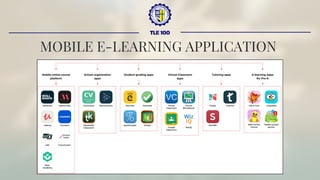
MOBILE E-LEARNING APPLICATION
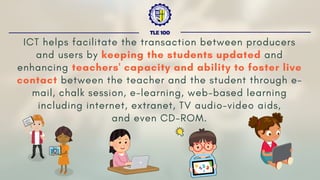
ICT helps facilitate the transaction between producers
and users by keeping the students updated and
enhancing teachers' capacity and ability to foster live
contact between the teacher and the student through e-
mail, chalk session, e-learning, web-based learning
including internet, extranet, TV audio-video aids,
and even CD-ROM.
TLE 100
TLE 100
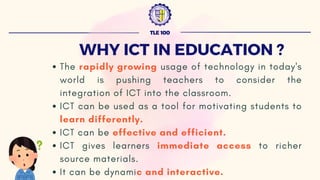
WHY ICT IN EDUCATION ?
TLE 100
WHY ICT IN EDUCATION ?
The rapidly growing usage of technology in today's
world is pushing teachers to consider the
integration of ICT into the classroom.
ICT can be used as a tool for motivating students to
learn differently.
ICT can be effective and efficient.
ICT gives learners immediate access to richer
source materials.
It can be dynamic and interactive.
TLE 100
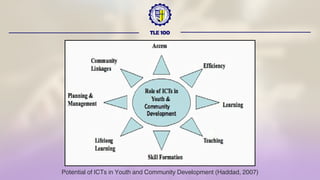
ROLE OF ICT IN YOUTH
AND COMMUNITY
DEVELOPMENT
TLE 100
Potential of ICTs in Youth and Community Development (Haddad, 2007)
TLE 100
TLE 100
ELEMENTS OF ICT IN
EDUCATION
TLE 100
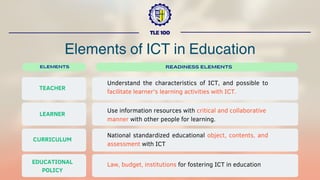
Elements of ICT in Education
ELEMENTS
TEACHER
READINESS ELEMENTS
Understand the characteristics of ICT, and possible to
facilitate learner's learning activities with ICT.
LEARNER
CURRICULUM
EDUCATIONAL
POLICY
Use information resources with critical and collaborative
manner with other people for learning.
National standardized educational object, contents, and
assessment with ICT
Law, budget, institutions for fostering ICT in education
TLE 100
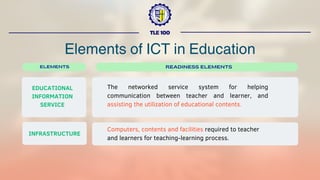
Elements of ICT in Education
ELEMENTS
EDUCATIONAL
INFORMATION
SERVICE
READINESS ELEMENTS
The networked service system for helping
communication between teacher and learner, and
assisting the utilization of educational contents.
INFRASTRUCTURE
Computers, contents and facilities required to teacher
and learners for teaching-learning process.
TLE 100
CHARACTERISTICS OF
INFORMATION
TECHNOLOGY
TLE 100
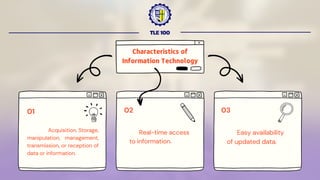
Real-time access
to information.
02 03
Characteristics of
Information Technology
Acquisition, Storage,
manipulation, management,
transmission, or reception of
data or information.
01
Easy availability
of updated data.
TLE 100
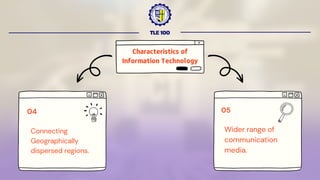
05
Characteristics of
Information Technology
Connecting
Geographically
dispersed regions.
04
Wider range of
communication
media.
ICT
FOR
EDUCATION
TLE 100
TLE 100
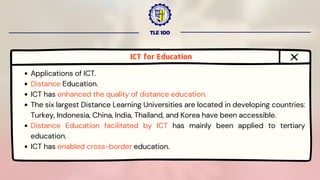
ICT for Education
Applications of ICT.
Distance Education.
ICT has enhanced the quality of distance education.
The six largest Distance Learning Universities are located in developing countries:
Turkey, Indonesia, China, India, Thailand, and Korea have been accessible.
Distance Education facilitated by ICT has mainly been applied to tertiary
education.
ICT has enabled cross-border education.
ICT
IN
EDUCATION
TLE 100
TLE 100
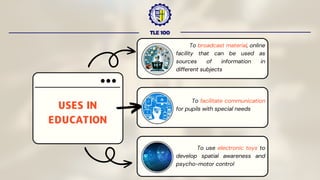
USES IN
EDUCATION
To broadcast material, online
facility that can be used as
sources of information in
different subjects
To facilitate communication
for pupils with special needs
To use electronic toys to
develop spatial awareness and
psycho-motor control
TLE 100
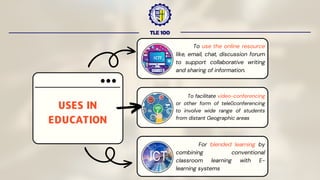
USES IN
EDUCATION
To use the online resource
like, email, chat, discussion forum
to support collaborative writing
and sharing of information.
To facilitate video-conferencing
or other form of teleconferencing
to involve wide range of students
from distant Geographic areas
For blended learning by
combining conventional
classroom learning with E-
learning systems
TLE 100
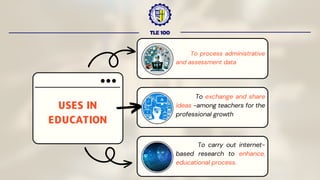
USES IN
EDUCATION
To process administrative
and assessment data
To exchange and share
ideas -among teachers for the
professional growth
To carry out internet-
based research to enhance,
educational process.
ADVANTAGES OF
USING ICT IN
LESSONS
TLE 100
TLE 100
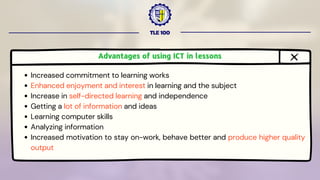
Advantages of using ICT in lessons
Increased commitment to learning works
Enhanced enjoyment and interest in learning and the subject
Increase in self-directed learning and independence
Getting a lot of information and ideas
Learning computer skills
Analyzing information
Increased motivation to stay on-work, behave better and produce higher quality
output
TLE 100
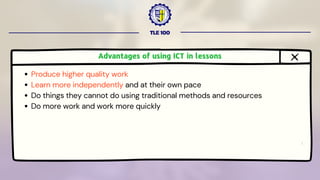
Advantages of using ICT in lessons
Produce higher quality work
Learn more independently and at their own pace
Do things they cannot do using traditional methods and resources
Do more work and work more quickly
TLE 100
for Evaluating
Resources in the Internet
Criteria
TLE 100
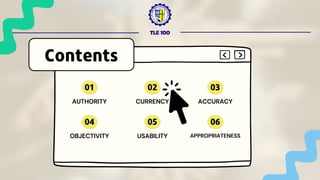
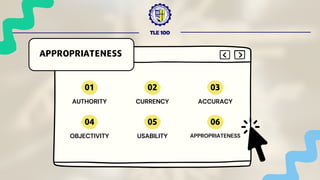
AUTHORITY
Contents
01
CURRENCY
02
ACCURACY
03
OBJECTIVITY
04
USABILITY
05
APPROPRIATENESS
06
TLE 100
AUTHORITY
Contents
01
CURRENCY
02
ACCURACY
03
OBJECTIVITY
04
USABILITY
05
APPROPRIATENESS
06
TLE 100
AUTHORITY
Authority refers to the reliability and credibility
of the source.
What are the author’s qualifications?
Is the author or source affiliated with a
reputable organization?
Is there a contact person listed?
Is there evidence of quality control?
TLE 100
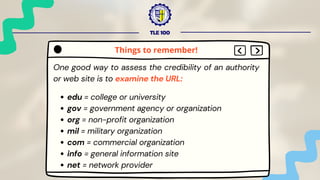
One good way to assess the credibility of an authority
or web site is to examine the URL:
edu = college or university
gov = government agency or organization
org = non-profit organization
mil = military organization
com = commercial organization
info = general information site
net = network provider
Things to remember!
TLE 100
One good way to assess the credibility of an authority
or web site is to examine the URL:
int = intergovernmental organization
A tilde ~ after the domain type usually indicates a
personal web page and not an official part of that
organization’s site
Look for personal data about the author or
organization
Things to remember!
TLE 100
One good way to assess the credibility of an authority
or web site is to examine the URL:
Look for contact information, an email address,
webmaster, editor, etc.
Things to remember!
TLE 100
AUTHORITY
Contents
01
CURRENCY
02
ACCURACY
03
OBJECTIVITY
04
USABILITY
05
APPROPRIATENESS
06
TLE 100
CURRENCY
Currency … or timeliness
Internet sources offer a real
advantage in that they are often even
more current than traditional print
sources. The information can be
updated constantly.
TLE 100
Examine the Date
Date of information - usually indicates when the
material was originally written
Date of publication - usually indicates when the
material first appeared on the Web
Date of last revision or update - usually indicates
the latest revision
And check the links to make sure that they are up-
do-date
Things to remember!
TLE 100
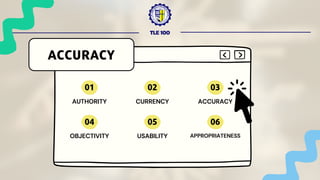
AUTHORITY
ACCURACY
01
CURRENCY
02
ACCURACY
03
OBJECTIVITY
04
USABILITY
05
APPROPRIATENESS
06
TLE 100
Accuracy refers to the reliability of
the information.
To examine the quality of the content
on the site, ask the following questions:
ACCURACY
TLE 100
Is the information
Dependable?
Error-free?
Documented?
Accurate?
Comprehensive?
Understandable?
ACCURACY
TLE 100
AUTHORITY
OBJECTIVITY
01
CURRENCY
02
ACCURACY
03
OBJECTIVITY
04
USABILITY
05
APPROPRIATENESS
06
TLE 100
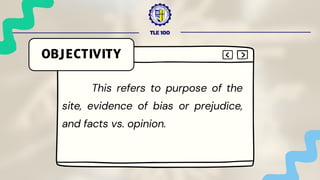
OBJECTIVITY
This refers to purpose of the
site, evidence of bias or prejudice,
and facts vs. opinion.
TLE 100
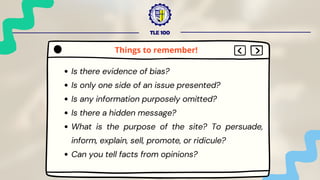
Is there evidence of bias?
Is only one side of an issue presented?
Is any information purposely omitted?
Is there a hidden message?
What is the purpose of the site? To persuade,
inform, explain, sell, promote, or ridicule?
Can you tell facts from opinions?
Things to remember!
TLE 100
AUTHORITY
USABILITY
01
CURRENCY
02
ACCURACY
03
OBJECTIVITY
04
USABILITY
05
APPROPRIATENESS
06
TLE 100
USABILITY
Usability refers to user
friendliness and how easily the site
allows you to retrieve information.
TLE 100
Consider the following criteria:
User friendliness- Is it easy to find, read, and use
the information?
Organization- Is it logically and clearly arranged?
Table of Contents or Index- Is it labeled clearly
and is it complete?
Design- Is it clean, clear, and uncluttered?
Things to remember!
TLE 100
Consider the following criteria:
Consistency- Are navigation buttons the same
throughout?
Links- Are they clear, accurate, workable,
valuable?
Things to remember!
TLE 100
AUTHORITY
APPROPRIATENESS
01
CURRENCY
02
ACCURACY
03
OBJECTIVITY
04
USABILITY
05
APPROPRIATENESS
06
TLE 100
Various types of webpages
exist. Examine the purpose of the
site to help you to determine the
appropriateness for use in your
research.
APPROPRIATENESS
TLE 100
Five types are listed below:
(from Jan Alexander and Marsha Ann Tate of Widenour University)
Advocacy Webpages
Business/Marketing Webpages
Informational Webpages
News Webpages
Personal Webpages
APPROPRIATENESS
TLE 100
Remember that the Internet is not the only source of information:
It is very useful for some topics
Use a variety of sources, both Internet and
traditional sources
Always question the validity of the information
that you find.
Remember the important evaluation criteria to
consider
Things to remember!
SEARCH INDICATOR:
Vijayalakshmi M. (2016) Information and Communication Technology in
Education
https://www.slideshare.net/IndraniRengasamy1/information-
andcommunication-technology-in-education
O’Neill, Ann B. “Trash or Treasure? How to Evaluate Internet Resources.” 16
Nov. 2004. 7 Apr. 2005
http://www.bcps.org/offices/lis/models/tips/eval.html.
TLE 100
QUESTIONS?
MS Office Fun
Workshop for Elementary
Students
ACTIVTY #2
TLE 100
MS Office Fun Workshop for Elementary Students
TLE 100
OBJECTIVE:
Students will create basic functions of MS
Word/PowerPoint through a fun and interactive video
tutorial, followed by hands-on practice.
TLE 100
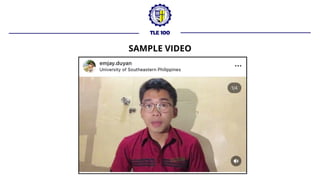
SAMPLE VIDEO
TLE 100
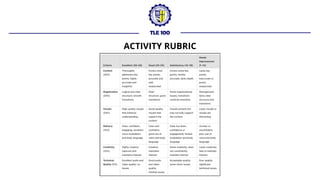
ACTIVITY RUBRIC
Thank You
for your participation
TLE 100

Information and Communication Technology in Education

  • 1.
    Michaelson Jasper P.Duyan, LPT Edukasyong Pantahanan at Pangkabuhayan 1 (TLE 100) Edukasyong Pantahanan at Pangkabuhayan 1 (TLE 100) ST. JOHN PAUL II COLLEGE OF DAVAO ST. JOHN PAUL II COLLEGE OF DAVAO ECOLAND DRIVE, MATINA, DAVAO CITY ECOLAND DRIVE, MATINA, DAVAO CITY
  • 2.
    BE PREPARED CELLPHONE POLICY HOUSE RULES : BE ON TIME Be on class at least 10 minutes before class. All your things must be prepared before joining the class. Kindly place your cell phone on silent mode or vibrate mode. ST. JOHN PAUL II COLLEGE OF DAVAO ST. JOHN PAUL II COLLEGE OF DAVAO
  • 3.
    HOUSE RULES : DRESSAPPROPRIATELY RAISE YOUR HAND LISTEN ATTENTIVELY Wear something comfortable but presentable. Raise your hand when you have questions and/or clarifications. Especially when the Teacher is discussing. ST. JOHN PAUL II COLLEGE OF DAVAO ST. JOHN PAUL II COLLEGE OF DAVAO
  • 4.
    ST. JOHN PAULII COLLEGE OF DAVAO ST. JOHN PAUL II COLLEGE OF DAVAO
  • 5.
    55% EXAM 5% ATTENDANCE 15% ACTIVITIES 25% QUIZ GRADING SYSTEM ST. JOHNPAUL II COLLEGE OF DAVAO ST. JOHN PAUL II COLLEGE OF DAVAO ECOLAND DRIVE, MATINA, DAVAO CITY ECOLAND DRIVE, MATINA, DAVAO CITY 100 %
  • 6.
    TLE 100 INFORMATION ANDCOMMUNICATION TECHNOLOGY IN EDUCATION Lesson Outcomes: Explain the ICT in education Discuss the reliable sources in the internet.
  • 7.
    “Wag kang sumukoka na, Hindi mo na kaya mo yan” TLE 100
  • 8.
    K to 12Edukasyong Pantahanan at Pangkabuhayan Framework
  • 9.
    Information and Communication Technologyin Education (I.C.T.) TLE 100
  • 10.
    Information, Communication, andTechnology (ICT) TLE 100
  • 11.
    Information, Communication, andTechnology (ICT) TLE 100
  • 12.
    Information, Communication, andTechnology (ICT) TLE 100
  • 13.
    Information, Communication, andTechnology (ICT) TLE 100
  • 14.
    ICT implies thetechnology consists of electronic devices and associated human interactive materials that enable the user to employ them for a wide range of teaching-learning processes and personal use. INFORMATION AND COMMUNICATION TECHNOLOGY IN EDUCATION TLE 100
  • 15.
    According to UNESCO“ICT is a scientific, technological and engineering discipline and management technique used in handling information, its application and association with social, economic and cultural matters”. INFORMATION AND COMMUNICATION TECHNOLOGY IN EDUCATION TLE 100
  • 16.
    TLE 100 ARE THERECHANGES IN TECHNOLOGY OVER THE YEARS?
  • 17.
  • 18.
  • 19.
  • 20.
  • 21.
    TLE 100 HOW ABOUTTHE ICT IN EDUCATION?
  • 22.
  • 23.
  • 24.
    TLE 100 ICT INEDUCATION
  • 25.
    ICT can enhance teachingand learning environments. TLE 100
  • 26.
    ICT enables self-pacedlearning through various tools such as assignments, computers, etc as a result of this the teaching-learning enterprise has become more productive and meaningful. TLE 100
  • 27.
  • 28.
    ICT helps facilitatethe transaction between producers and users by keeping the students updated and enhancing teachers' capacity and ability to foster live contact between the teacher and the student through e- mail, chalk session, e-learning, web-based learning including internet, extranet, TV audio-video aids, and even CD-ROM. TLE 100
  • 29.
    TLE 100 WHY ICTIN EDUCATION ?
  • 30.
    TLE 100 WHY ICTIN EDUCATION ? The rapidly growing usage of technology in today's world is pushing teachers to consider the integration of ICT into the classroom. ICT can be used as a tool for motivating students to learn differently. ICT can be effective and efficient. ICT gives learners immediate access to richer source materials. It can be dynamic and interactive.
  • 31.
    TLE 100 ROLE OFICT IN YOUTH AND COMMUNITY DEVELOPMENT
  • 32.
    TLE 100 Potential ofICTs in Youth and Community Development (Haddad, 2007)
  • 33.
  • 34.
    TLE 100 ELEMENTS OFICT IN EDUCATION
  • 35.
    TLE 100 Elements ofICT in Education ELEMENTS TEACHER READINESS ELEMENTS Understand the characteristics of ICT, and possible to facilitate learner's learning activities with ICT. LEARNER CURRICULUM EDUCATIONAL POLICY Use information resources with critical and collaborative manner with other people for learning. National standardized educational object, contents, and assessment with ICT Law, budget, institutions for fostering ICT in education
  • 36.
    TLE 100 Elements ofICT in Education ELEMENTS EDUCATIONAL INFORMATION SERVICE READINESS ELEMENTS The networked service system for helping communication between teacher and learner, and assisting the utilization of educational contents. INFRASTRUCTURE Computers, contents and facilities required to teacher and learners for teaching-learning process.
  • 37.
  • 38.
    TLE 100 Real-time access toinformation. 02 03 Characteristics of Information Technology Acquisition, Storage, manipulation, management, transmission, or reception of data or information. 01 Easy availability of updated data.
  • 39.
    TLE 100 05 Characteristics of InformationTechnology Connecting Geographically dispersed regions. 04 Wider range of communication media.
  • 40.
  • 41.
    TLE 100 ICT forEducation Applications of ICT. Distance Education. ICT has enhanced the quality of distance education. The six largest Distance Learning Universities are located in developing countries: Turkey, Indonesia, China, India, Thailand, and Korea have been accessible. Distance Education facilitated by ICT has mainly been applied to tertiary education. ICT has enabled cross-border education.
  • 42.
  • 43.
    TLE 100 USES IN EDUCATION Tobroadcast material, online facility that can be used as sources of information in different subjects To facilitate communication for pupils with special needs To use electronic toys to develop spatial awareness and psycho-motor control
  • 44.
    TLE 100 USES IN EDUCATION Touse the online resource like, email, chat, discussion forum to support collaborative writing and sharing of information. To facilitate video-conferencing or other form of teleconferencing to involve wide range of students from distant Geographic areas For blended learning by combining conventional classroom learning with E- learning systems
  • 45.
    TLE 100 USES IN EDUCATION Toprocess administrative and assessment data To exchange and share ideas -among teachers for the professional growth To carry out internet- based research to enhance, educational process.
  • 46.
    ADVANTAGES OF USING ICTIN LESSONS TLE 100
  • 47.
    TLE 100 Advantages ofusing ICT in lessons Increased commitment to learning works Enhanced enjoyment and interest in learning and the subject Increase in self-directed learning and independence Getting a lot of information and ideas Learning computer skills Analyzing information Increased motivation to stay on-work, behave better and produce higher quality output
  • 48.
    TLE 100 Advantages ofusing ICT in lessons Produce higher quality work Learn more independently and at their own pace Do things they cannot do using traditional methods and resources Do more work and work more quickly
  • 49.
    TLE 100 for Evaluating Resourcesin the Internet Criteria
  • 50.
  • 51.
  • 52.
    TLE 100 AUTHORITY Authority refersto the reliability and credibility of the source. What are the author’s qualifications? Is the author or source affiliated with a reputable organization? Is there a contact person listed? Is there evidence of quality control?
  • 53.
    TLE 100 One goodway to assess the credibility of an authority or web site is to examine the URL: edu = college or university gov = government agency or organization org = non-profit organization mil = military organization com = commercial organization info = general information site net = network provider Things to remember!
  • 54.
    TLE 100 One goodway to assess the credibility of an authority or web site is to examine the URL: int = intergovernmental organization A tilde ~ after the domain type usually indicates a personal web page and not an official part of that organization’s site Look for personal data about the author or organization Things to remember!
  • 55.
    TLE 100 One goodway to assess the credibility of an authority or web site is to examine the URL: Look for contact information, an email address, webmaster, editor, etc. Things to remember!
  • 56.
  • 57.
    TLE 100 CURRENCY Currency …or timeliness Internet sources offer a real advantage in that they are often even more current than traditional print sources. The information can be updated constantly.
  • 58.
    TLE 100 Examine theDate Date of information - usually indicates when the material was originally written Date of publication - usually indicates when the material first appeared on the Web Date of last revision or update - usually indicates the latest revision And check the links to make sure that they are up- do-date Things to remember!
  • 59.
  • 60.
    TLE 100 Accuracy refersto the reliability of the information. To examine the quality of the content on the site, ask the following questions: ACCURACY
  • 61.
    TLE 100 Is theinformation Dependable? Error-free? Documented? Accurate? Comprehensive? Understandable? ACCURACY
  • 62.
  • 63.
    TLE 100 OBJECTIVITY This refersto purpose of the site, evidence of bias or prejudice, and facts vs. opinion.
  • 64.
    TLE 100 Is thereevidence of bias? Is only one side of an issue presented? Is any information purposely omitted? Is there a hidden message? What is the purpose of the site? To persuade, inform, explain, sell, promote, or ridicule? Can you tell facts from opinions? Things to remember!
  • 65.
  • 66.
    TLE 100 USABILITY Usability refersto user friendliness and how easily the site allows you to retrieve information.
  • 67.
    TLE 100 Consider thefollowing criteria: User friendliness- Is it easy to find, read, and use the information? Organization- Is it logically and clearly arranged? Table of Contents or Index- Is it labeled clearly and is it complete? Design- Is it clean, clear, and uncluttered? Things to remember!
  • 68.
    TLE 100 Consider thefollowing criteria: Consistency- Are navigation buttons the same throughout? Links- Are they clear, accurate, workable, valuable? Things to remember!
  • 69.
  • 70.
    TLE 100 Various typesof webpages exist. Examine the purpose of the site to help you to determine the appropriateness for use in your research. APPROPRIATENESS
  • 71.
    TLE 100 Five typesare listed below: (from Jan Alexander and Marsha Ann Tate of Widenour University) Advocacy Webpages Business/Marketing Webpages Informational Webpages News Webpages Personal Webpages APPROPRIATENESS
  • 72.
    TLE 100 Remember thatthe Internet is not the only source of information: It is very useful for some topics Use a variety of sources, both Internet and traditional sources Always question the validity of the information that you find. Remember the important evaluation criteria to consider Things to remember!
  • 73.
    SEARCH INDICATOR: Vijayalakshmi M.(2016) Information and Communication Technology in Education https://www.slideshare.net/IndraniRengasamy1/information- andcommunication-technology-in-education O’Neill, Ann B. “Trash or Treasure? How to Evaluate Internet Resources.” 16 Nov. 2004. 7 Apr. 2005 http://www.bcps.org/offices/lis/models/tips/eval.html. TLE 100
  • 74.
  • 75.
    MS Office Fun Workshopfor Elementary Students ACTIVTY #2 TLE 100
  • 76.
    MS Office FunWorkshop for Elementary Students TLE 100 OBJECTIVE: Students will create basic functions of MS Word/PowerPoint through a fun and interactive video tutorial, followed by hands-on practice.
  • 77.
  • 78.
  • 79.
    Thank You for yourparticipation TLE 100