Improve Power BI
Performance
@xuanalytics
Who I am
• Dan (Annie) Xu
• Microsoft Cloud Solution Architect (OCP)
• Dax@Microsoft.com
Understand it ->
Improve it
Agenda
• Level setting
• The Vertipaq engine
• Query Architecture Essentials
• Optimization for Query Performance
• Thinking in a bigger picture
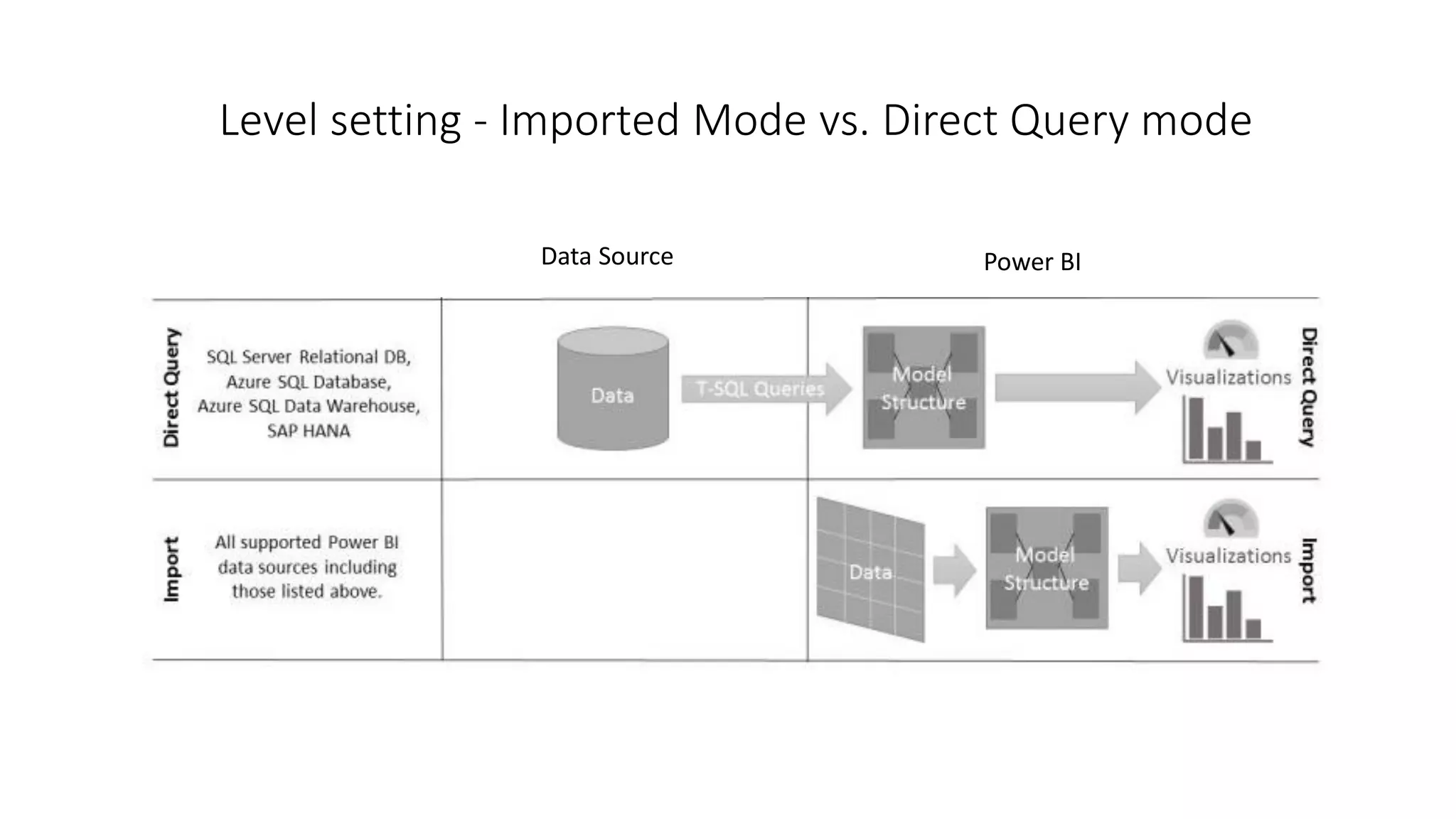
Level setting - Imported Mode vs. Direct Query mode
Data Source Power BI
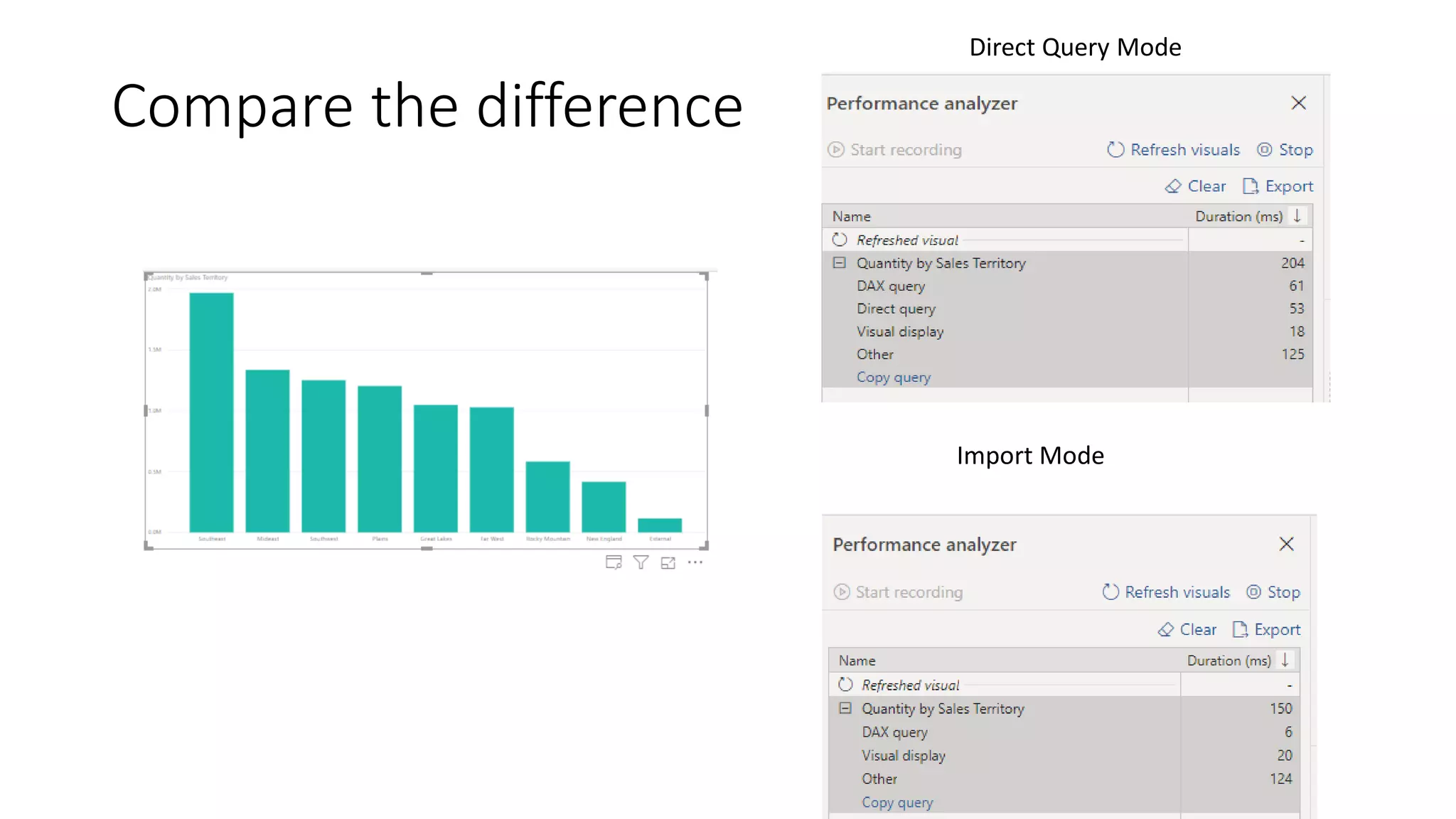
Compare the difference
Direct Query Mode
Import Mode
Understand the Vertipaq engine
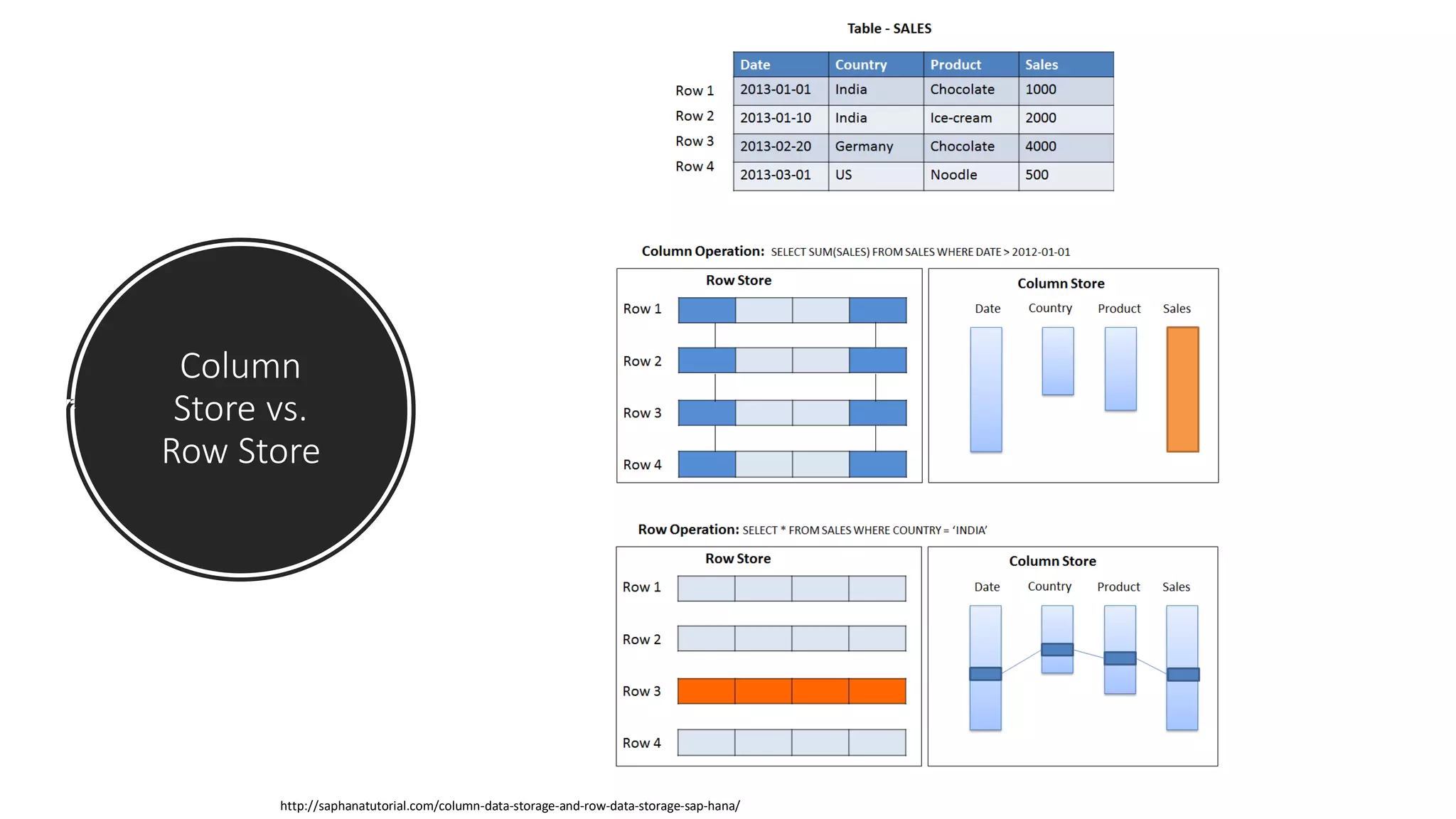
Column
Store vs.
Row Store
http://saphanatutorial.com/column-data-storage-and-row-data-storage-sap-hana/
Compression
http://saphanatutorial.com/column-data-storage-and-row-data-storage-sap-hana/
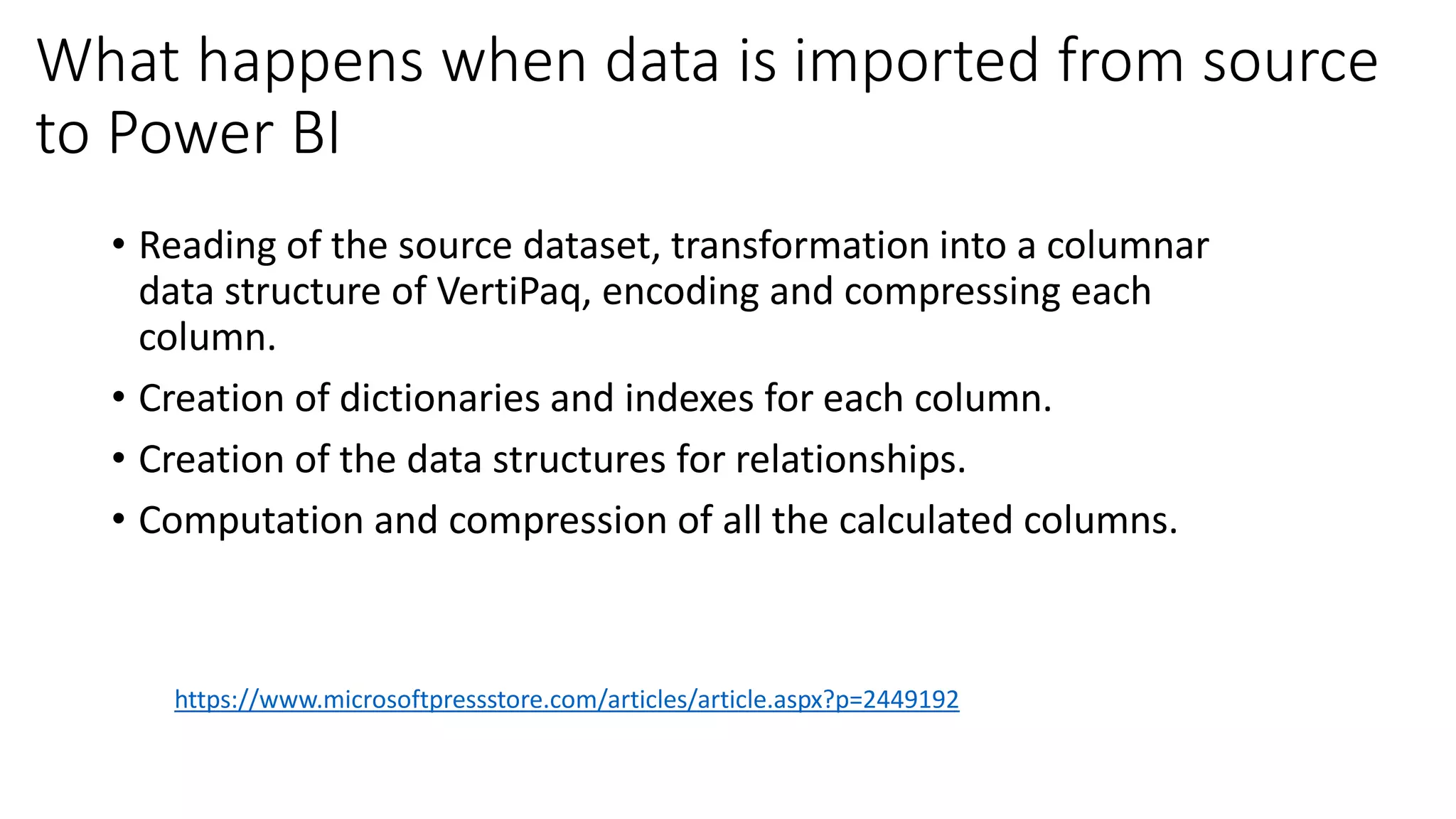
What happens when data is imported from source
to Power BI
• Reading of the source dataset, transformation into a columnar
data structure of VertiPaq, encoding and compressing each
column.
• Creation of dictionaries and indexes for each column.
• Creation of the data structures for relationships.
• Computation and compression of all the calculated columns.
https://www.microsoftpressstore.com/articles/article.aspx?p=2449192
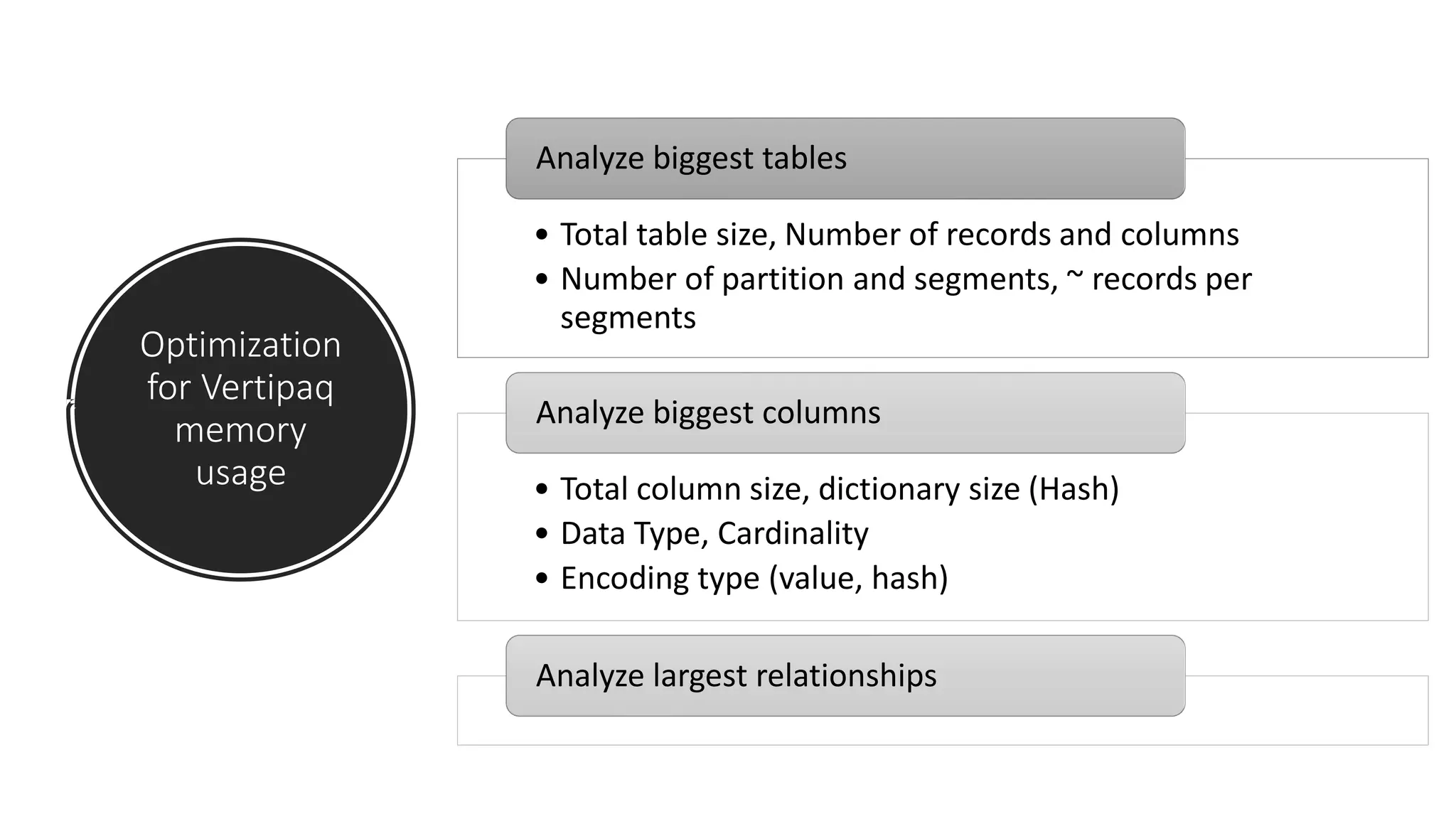
Optimization
for Vertipaq
memory
usage
• Total table size, Number of records and columns
• Number of partition and segments, ~ records per
segments
Analyze biggest tables
• Total column size, dictionary size (Hash)
• Data Type, Cardinality
• Encoding type (value, hash)
Analyze biggest columns
Analyze largest relationships
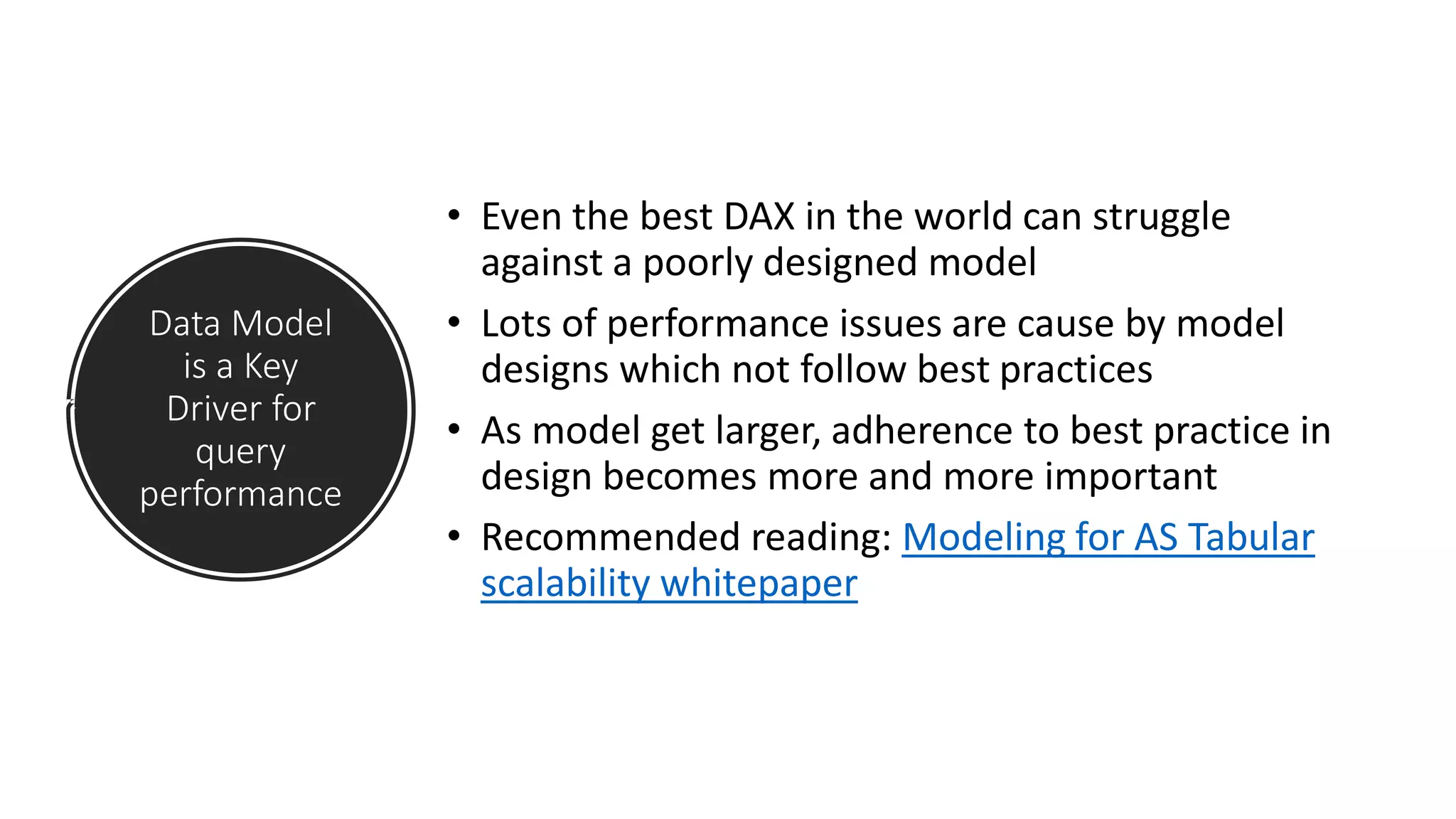
Data Model
is a Key
Driver for
query
performance
• Even the best DAX in the world can struggle
against a poorly designed model
• Lots of performance issues are cause by model
designs which not follow best practices
• As model get larger, adherence to best practice in
design becomes more and more important
• Recommended reading: Modeling for AS Tabular
scalability whitepaper
Demo time!
Your Tool: Vertipaq Analyzer
Query Architecture Essential
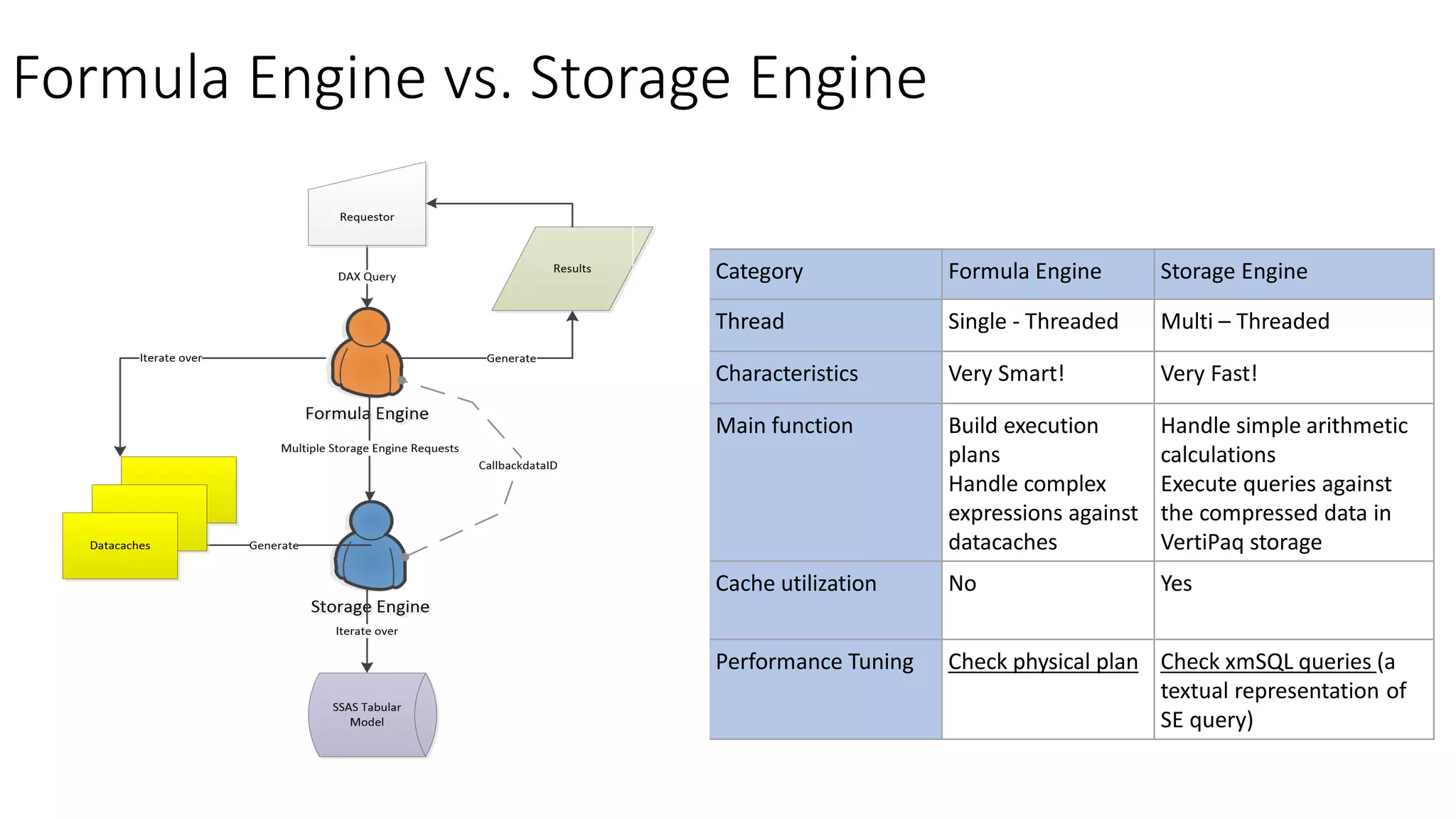
Formula Engine vs. Storage Engine
Category Formula Engine Storage Engine
Thread Single - Threaded Multi – Threaded
Characteristics Very Smart! Very Fast!
Main function Build execution
plans
Handle complex
expressions against
datacaches
Handle simple arithmetic
calculations
Execute queries against
the compressed data in
VertiPaq storage
Cache utilization No Yes
Performance Tuning Check physical plan Check xmSQL queries (a
textual representation of
SE query)
Vertipaq Cache
• Goal: Improve the performance of multiple requests of the same data
cache within the same query or different queries requesting the same
datacache
• Only result of Storage Engine is Cached (FE does not have any)
• Vertipaq engine can reuses data in cache only when the cardinality is
the same and the columns are a subset of a previous query
CallbackDataID
• The SE only supports a limited set of operators and functions in
xmSQL. It cannot calculated complex logic such as conditional logic,
advanced math
• When a calculation is required within a VertiPaq iterator, the SE may
call FE using a special xmSQL function called CallbackDataID.
• If the CallbackDataID is generated in query plan of a iterator, the SE
calls the FE for every row, passing the DAX expression and the values
of its members as arguments.
• The result of the CallbackDataID is a data cache with only one row,
corresponding to the aggregated result
CallBackDataID Performance
• Slower than pure Vertipaq
• Faster than pure Formula Engine
• – Highly parallelized
• – Works on compressed data
• Not cached
Optimization for Query Performance
Consider
Query
Memory
Usage
• Simple queries require some memory
• Complex queries require more memory Ex:
Materialization of datasets
• Data Cache (SE query) also requires memory
Optimization
Standard
Process
1. Measure performance Power BI Performance
Analyzer
2. Analyze the query plan Dax Studio
3. Find a new way to rethink calculation & query
(Reduce FE usage and Increase SE usage)
4. Measure performance gain
5. Loop until the expected level of performance
Demo time!
Your Tool: Dax Studio, Power BI Performance Analyzer
Thinking in a bigger picture
More horse
power
• Power BI pro, Power BI premium, Power BI
embedded
• Use SSAS Tabular Server (Hardware
considerations)
• Direct Query: more powerful data pipeline
engine (SQL Server, Azure SQL Data
Warehouse edc.
Appendix List
• Useful Links
• Key Concepts
• Useful Tools for DAX and Tabular Modeling
Useful Links
• https://www.sqlbi.com/
• https://powerpivotpro.com
• http://anniexu1990.com
• Book: The Definitive Guide to DAX
Key Concepts
• Column store vs. row store technology
• Vertipaq compression
• Row context vs. filter context
• Formula Engine vs. Storage Engine
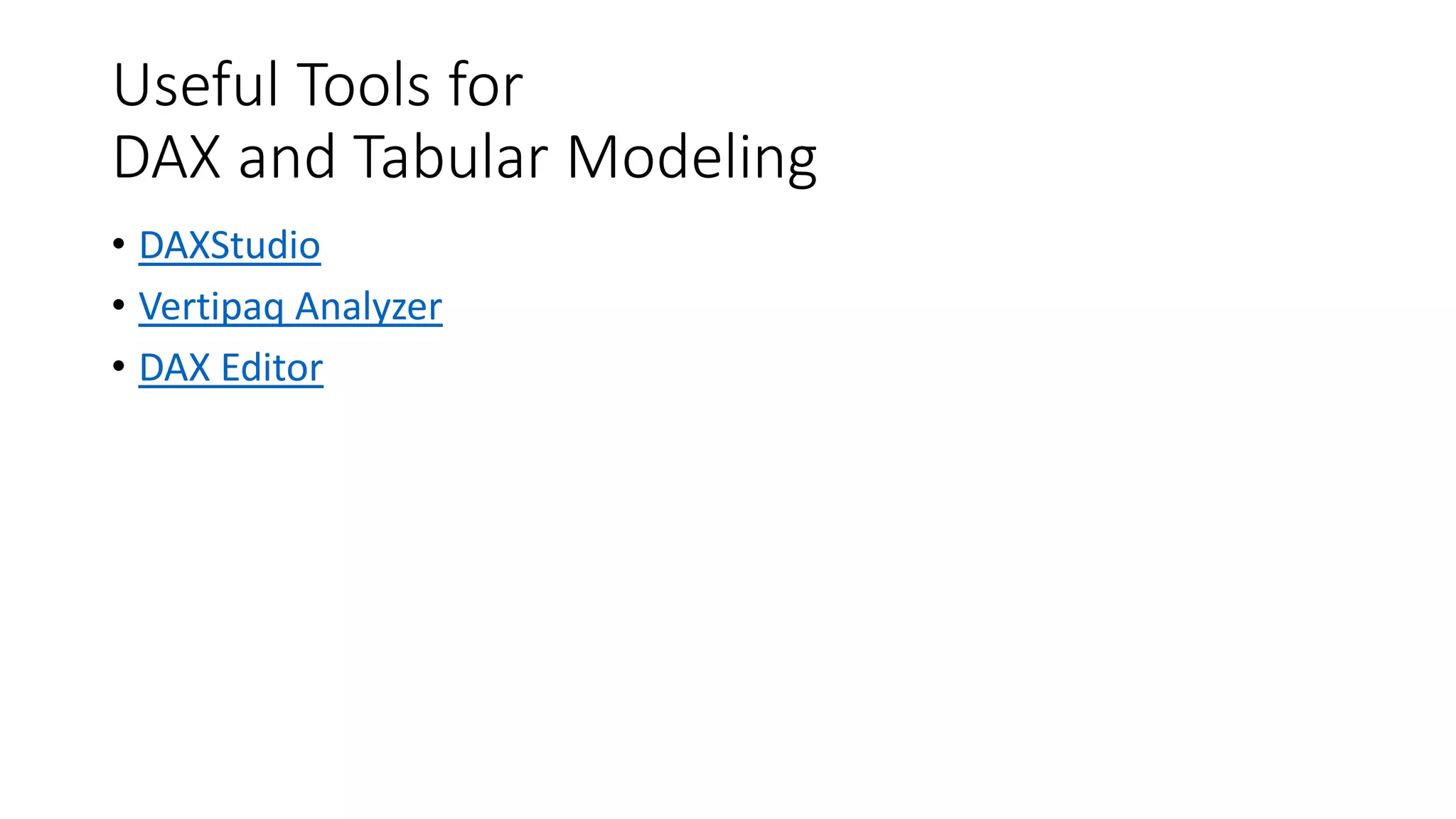
Useful Tools for
DAX and Tabular Modeling
• DAXStudio
• Vertipaq Analyzer
• DAX Editor
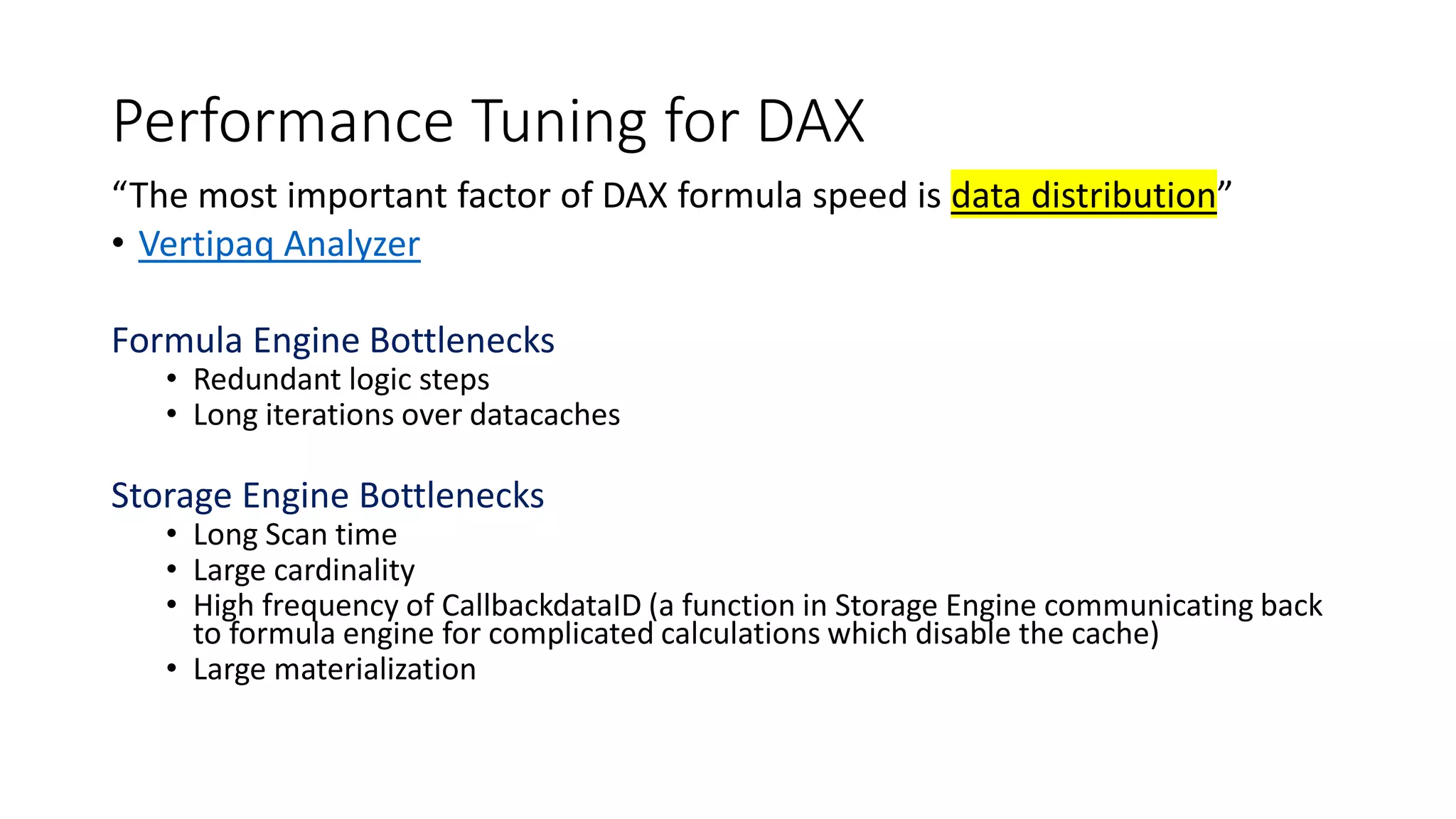
Performance Tuning for DAX
“The most important factor of DAX formula speed is data distribution”
• Vertipaq Analyzer
Formula Engine Bottlenecks
• Redundant logic steps
• Long iterations over datacaches
Storage Engine Bottlenecks
• Long Scan time
• Large cardinality
• High frequency of CallbackdataID (a function in Storage Engine communicating back
to formula engine for complicated calculations which disable the cache)
• Large materialization
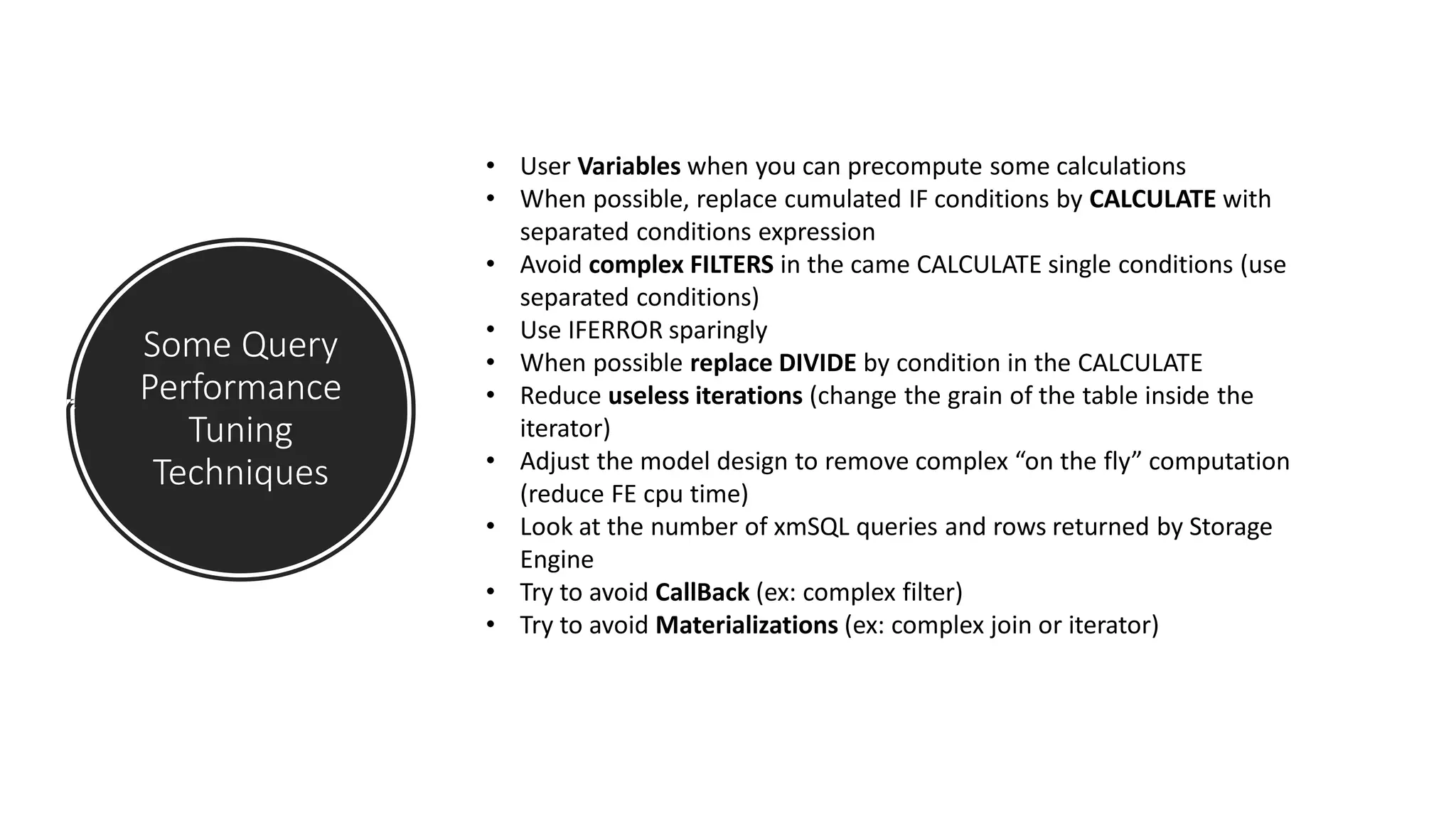
Some Query
Performance
Tuning
Techniques
• User Variables when you can precompute some calculations
• When possible, replace cumulated IF conditions by CALCULATE with
separated conditions expression
• Avoid complex FILTERS in the came CALCULATE single conditions (use
separated conditions)
• Use IFERROR sparingly
• When possible replace DIVIDE by condition in the CALCULATE
• Reduce useless iterations (change the grain of the table inside the
iterator)
• Adjust the model design to remove complex “on the fly” computation
(reduce FE cpu time)
• Look at the number of xmSQL queries and rows returned by Storage
Engine
• Try to avoid CallBack (ex: complex filter)
• Try to avoid Materializations (ex: complex join or iterator)

Improve power bi performance

  • 1.
  • 2.
    Who I am •Dan (Annie) Xu • Microsoft Cloud Solution Architect (OCP) • Dax@Microsoft.com
  • 3.
  • 4.
    Agenda • Level setting •The Vertipaq engine • Query Architecture Essentials • Optimization for Query Performance • Thinking in a bigger picture
  • 5.
    Level setting -Imported Mode vs. Direct Query mode Data Source Power BI
  • 6.
    Compare the difference DirectQuery Mode Import Mode
  • 7.
  • 8.
  • 9.
  • 10.
    What happens whendata is imported from source to Power BI • Reading of the source dataset, transformation into a columnar data structure of VertiPaq, encoding and compressing each column. • Creation of dictionaries and indexes for each column. • Creation of the data structures for relationships. • Computation and compression of all the calculated columns. https://www.microsoftpressstore.com/articles/article.aspx?p=2449192
  • 11.
    Optimization for Vertipaq memory usage • Totaltable size, Number of records and columns • Number of partition and segments, ~ records per segments Analyze biggest tables • Total column size, dictionary size (Hash) • Data Type, Cardinality • Encoding type (value, hash) Analyze biggest columns Analyze largest relationships
  • 12.
    Data Model is aKey Driver for query performance • Even the best DAX in the world can struggle against a poorly designed model • Lots of performance issues are cause by model designs which not follow best practices • As model get larger, adherence to best practice in design becomes more and more important • Recommended reading: Modeling for AS Tabular scalability whitepaper
  • 13.
    Demo time! Your Tool:Vertipaq Analyzer
  • 14.
  • 15.
    Formula Engine vs.Storage Engine Category Formula Engine Storage Engine Thread Single - Threaded Multi – Threaded Characteristics Very Smart! Very Fast! Main function Build execution plans Handle complex expressions against datacaches Handle simple arithmetic calculations Execute queries against the compressed data in VertiPaq storage Cache utilization No Yes Performance Tuning Check physical plan Check xmSQL queries (a textual representation of SE query)
  • 16.
    Vertipaq Cache • Goal:Improve the performance of multiple requests of the same data cache within the same query or different queries requesting the same datacache • Only result of Storage Engine is Cached (FE does not have any) • Vertipaq engine can reuses data in cache only when the cardinality is the same and the columns are a subset of a previous query
  • 17.
    CallbackDataID • The SEonly supports a limited set of operators and functions in xmSQL. It cannot calculated complex logic such as conditional logic, advanced math • When a calculation is required within a VertiPaq iterator, the SE may call FE using a special xmSQL function called CallbackDataID. • If the CallbackDataID is generated in query plan of a iterator, the SE calls the FE for every row, passing the DAX expression and the values of its members as arguments. • The result of the CallbackDataID is a data cache with only one row, corresponding to the aggregated result
  • 18.
    CallBackDataID Performance • Slowerthan pure Vertipaq • Faster than pure Formula Engine • – Highly parallelized • – Works on compressed data • Not cached
  • 19.
  • 20.
    Consider Query Memory Usage • Simple queriesrequire some memory • Complex queries require more memory Ex: Materialization of datasets • Data Cache (SE query) also requires memory
  • 21.
    Optimization Standard Process 1. Measure performancePower BI Performance Analyzer 2. Analyze the query plan Dax Studio 3. Find a new way to rethink calculation & query (Reduce FE usage and Increase SE usage) 4. Measure performance gain 5. Loop until the expected level of performance
  • 22.
    Demo time! Your Tool:Dax Studio, Power BI Performance Analyzer
  • 23.
    Thinking in abigger picture
  • 24.
    More horse power • PowerBI pro, Power BI premium, Power BI embedded • Use SSAS Tabular Server (Hardware considerations) • Direct Query: more powerful data pipeline engine (SQL Server, Azure SQL Data Warehouse edc.
  • 26.
    Appendix List • UsefulLinks • Key Concepts • Useful Tools for DAX and Tabular Modeling
  • 27.
    Useful Links • https://www.sqlbi.com/ •https://powerpivotpro.com • http://anniexu1990.com • Book: The Definitive Guide to DAX
  • 28.
    Key Concepts • Columnstore vs. row store technology • Vertipaq compression • Row context vs. filter context • Formula Engine vs. Storage Engine
  • 29.
    Useful Tools for DAXand Tabular Modeling • DAXStudio • Vertipaq Analyzer • DAX Editor
  • 30.
    Performance Tuning forDAX “The most important factor of DAX formula speed is data distribution” • Vertipaq Analyzer Formula Engine Bottlenecks • Redundant logic steps • Long iterations over datacaches Storage Engine Bottlenecks • Long Scan time • Large cardinality • High frequency of CallbackdataID (a function in Storage Engine communicating back to formula engine for complicated calculations which disable the cache) • Large materialization
  • 31.
    Some Query Performance Tuning Techniques • UserVariables when you can precompute some calculations • When possible, replace cumulated IF conditions by CALCULATE with separated conditions expression • Avoid complex FILTERS in the came CALCULATE single conditions (use separated conditions) • Use IFERROR sparingly • When possible replace DIVIDE by condition in the CALCULATE • Reduce useless iterations (change the grain of the table inside the iterator) • Adjust the model design to remove complex “on the fly” computation (reduce FE cpu time) • Look at the number of xmSQL queries and rows returned by Storage Engine • Try to avoid CallBack (ex: complex filter) • Try to avoid Materializations (ex: complex join or iterator)