













WORK WITH MULTIPLE HOT TERABYTES IN
JVMS
PER MINBORG
@PMINBORG
CTO, SPEEDMENT, INC.
See all the presentations from the In-Memory Computing
Summit at http://imcsummit.org
SPEEDMENT, INC.
3
ABOUT PER
SCENARIO
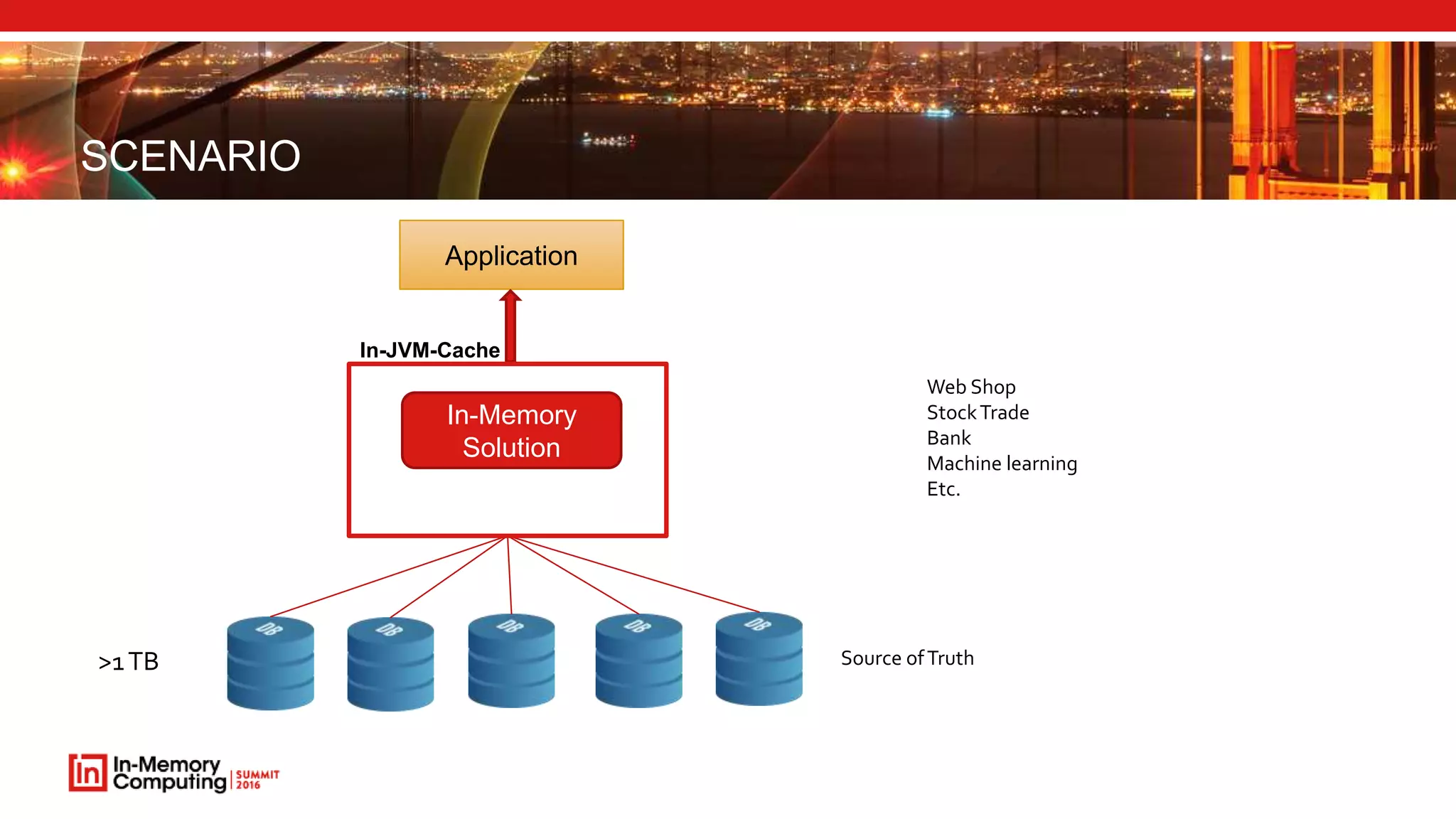
>1TB
Application
Source ofTruth
In-JVM-Cache
In-Memory
Solution
Web Shop
StockTrade
Bank
Machine learning
Etc.
PROS OF IN-MEMORY
 Improved performance
 Consistent performance
 Cost reduction (server, AWS and licenses)
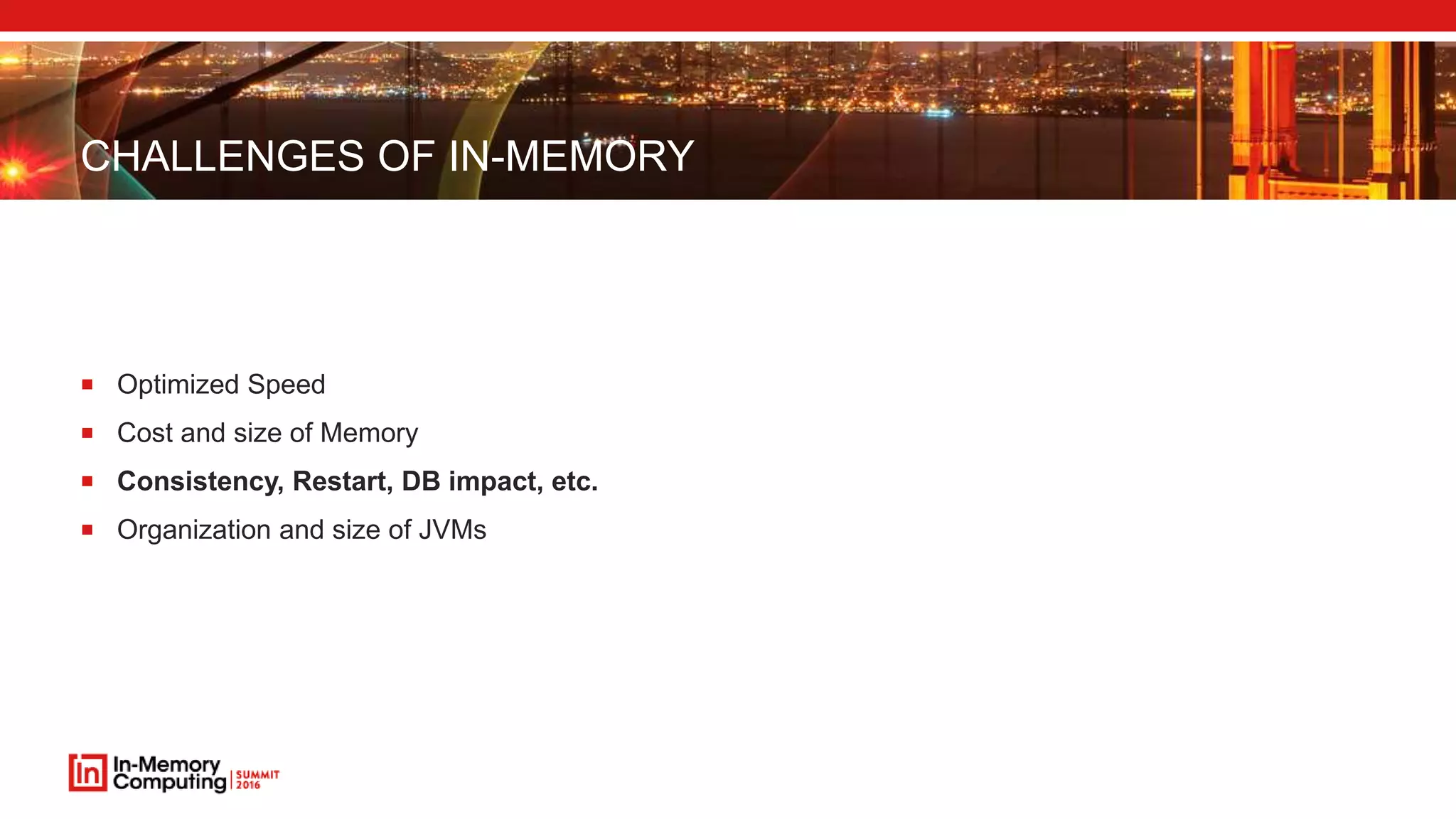
CHALLENGES OF IN-MEMORY
 Optimized Speed
 Cost and size of Memory
 Consistency, Restart, DB impact, etc.
 Organization and size of JVMs
CHALLENGES OF IN-MEMORY
 Optimized Speed
 Cost and size of Memory
 Consistency, Restart, DB impact, etc.
 Organization and size of JVMs
OPTIMIZED SPEED
 No matter how advanced database you may ever use, it is really the data locality that counts
 Eventually, memory will cost less than x $/GB (Pick any x)
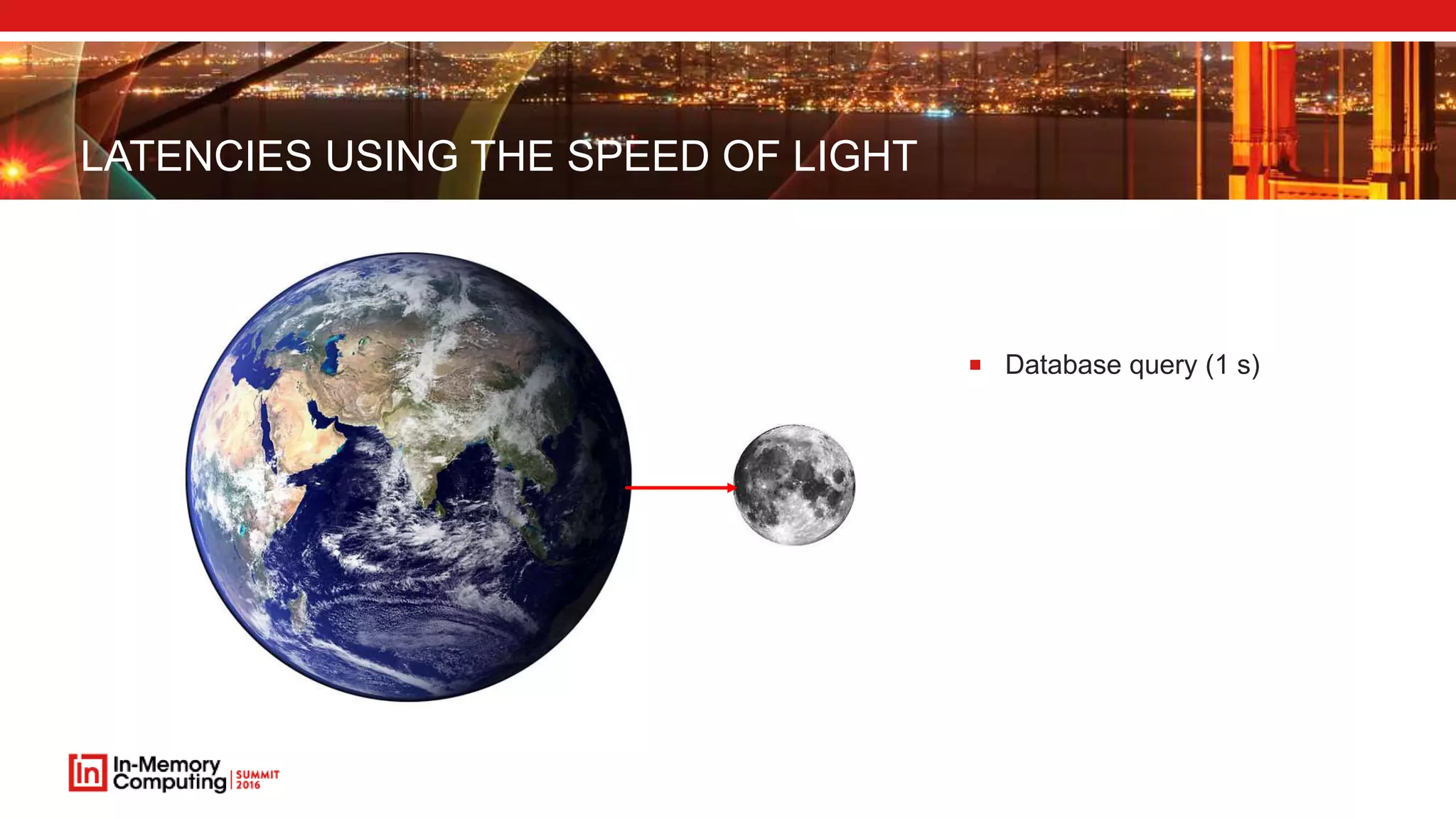
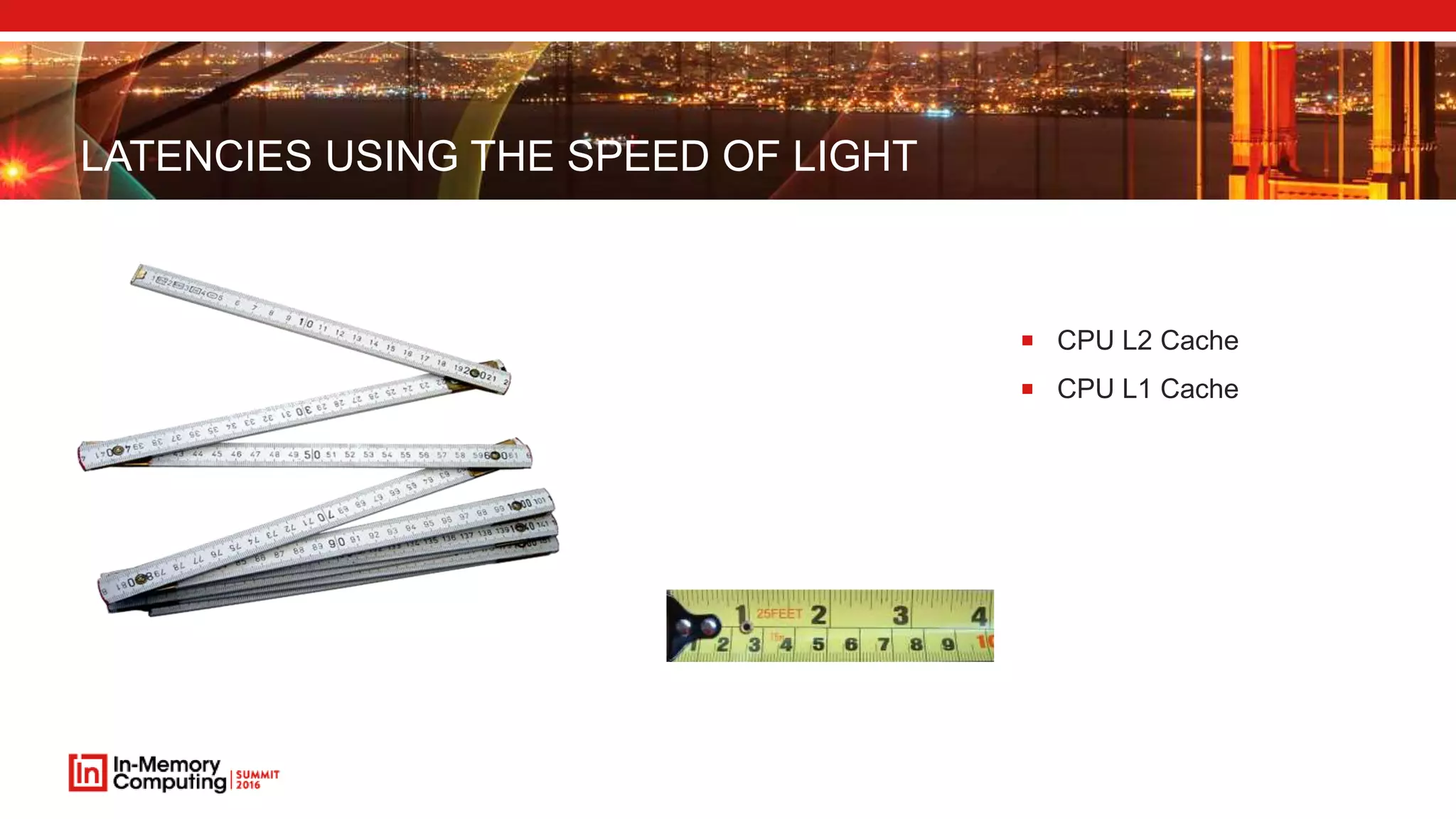
LATENCIES USING THE SPEED OF LIGHT
 Database query (1 s)
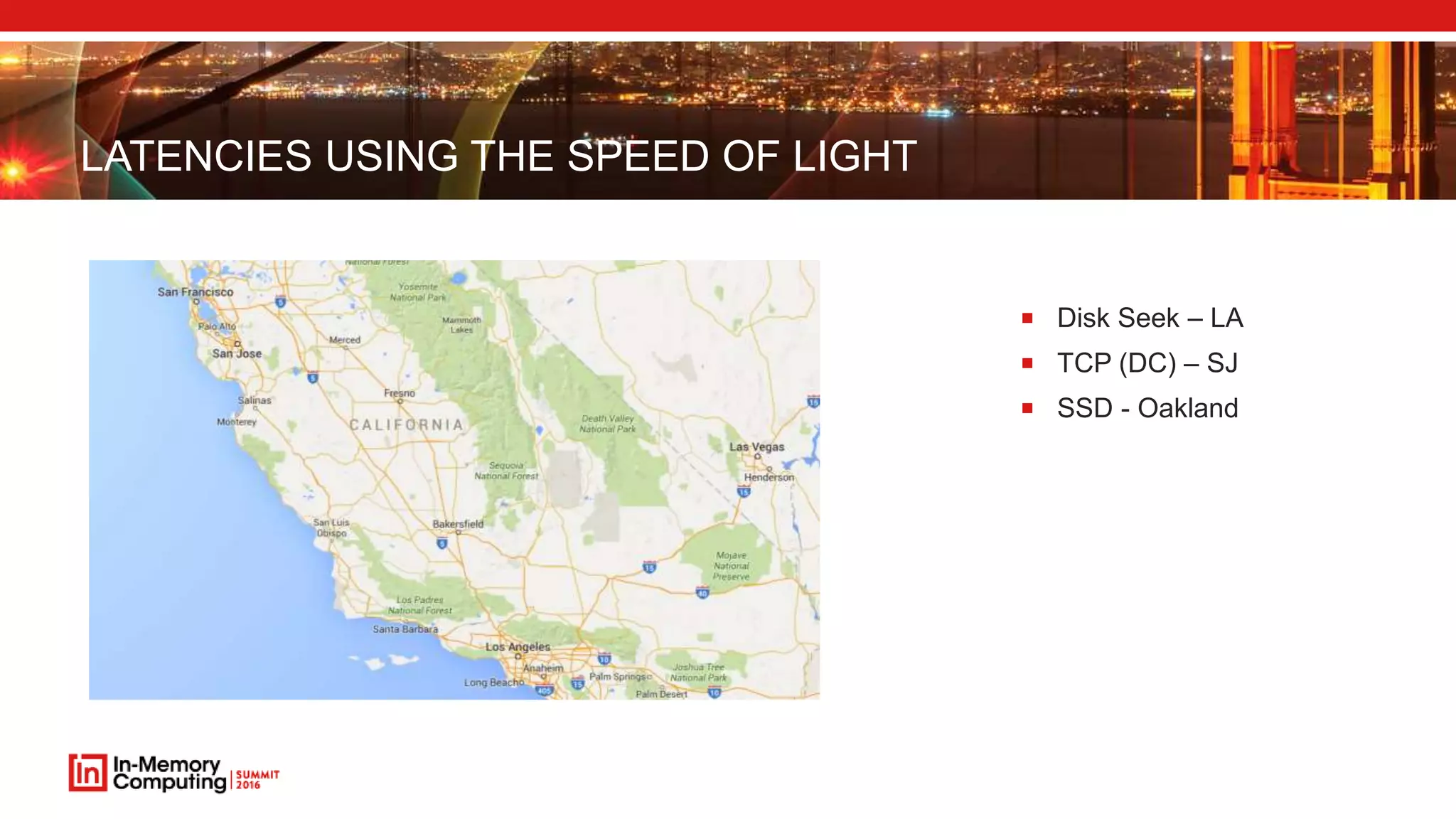
LATENCIES USING THE SPEED OF LIGHT
 Disk Seek – LA
 TCP (DC) – SJ
 SSD - Oakland
LATENCIES USING THE SPEED OF LIGHT
 Main Memory
 CPU L3 Cache
LATENCIES USING THE SPEED OF LIGHT
 CPU L2 Cache
 CPU L1 Cache
CHALLENGES OF IN-MEMORY
 Optimized Speed
 Cost and size of Memory
 Consistency, Restart, DB impact, etc.
 Organization and size of JVMs
TITLE OF SLIDE GOES HEREHow much
does 1 GB
cost?
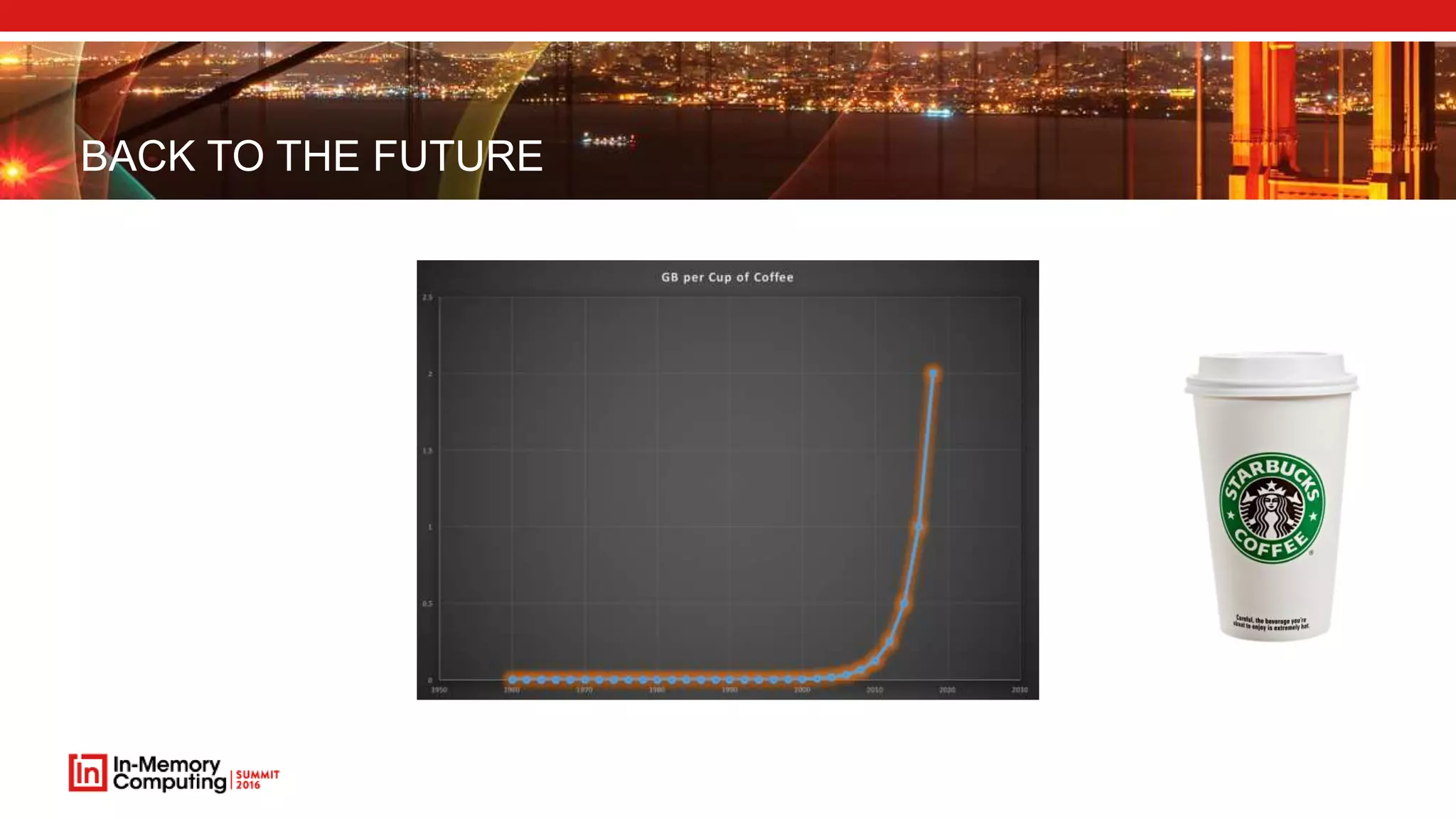
BACK TO THE FUTURE
$ 5
$ 0.04
$ 720,000
$ 67,000,000,000
Source: http://www.jcmit.com/memoryprice.htm
BACK TO THE FUTURE
CHALLENGES OF IN-MEMORY
 Optimized Speed
 Cost and size of Memory
 Consistency, Restart, DB impact, etc.
 Organization and size of JVMs
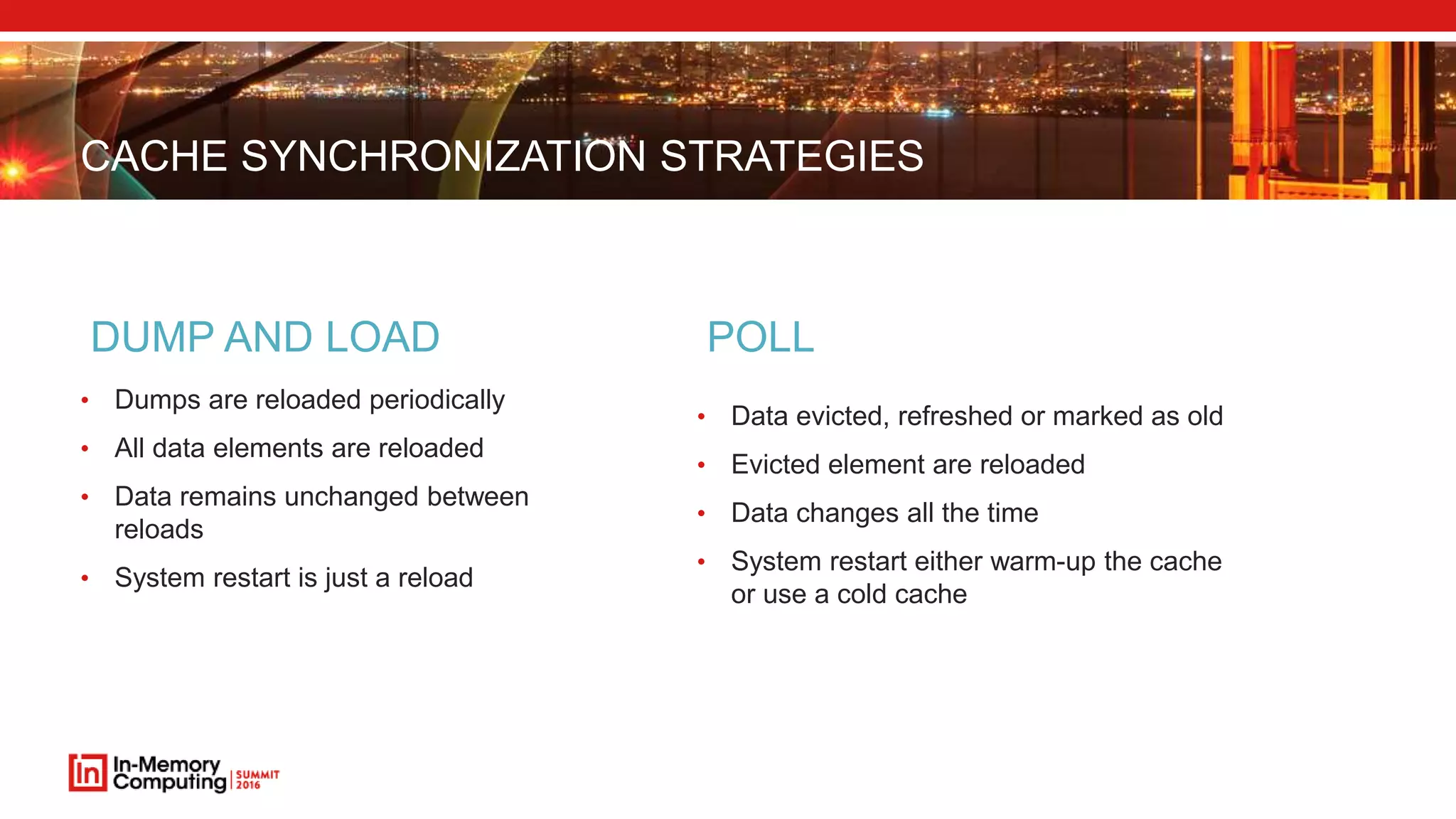
CACHE SYNCHRONIZATION STRATEGIES
• Dumps are reloaded periodically
• All data elements are reloaded
• Data remains unchanged between
reloads
• System restart is just a reload
DUMP AND LOAD
• Data evicted, refreshed or marked as old
• Evicted element are reloaded
• Data changes all the time
• System restart either warm-up the cache
or use a cold cache
POLL
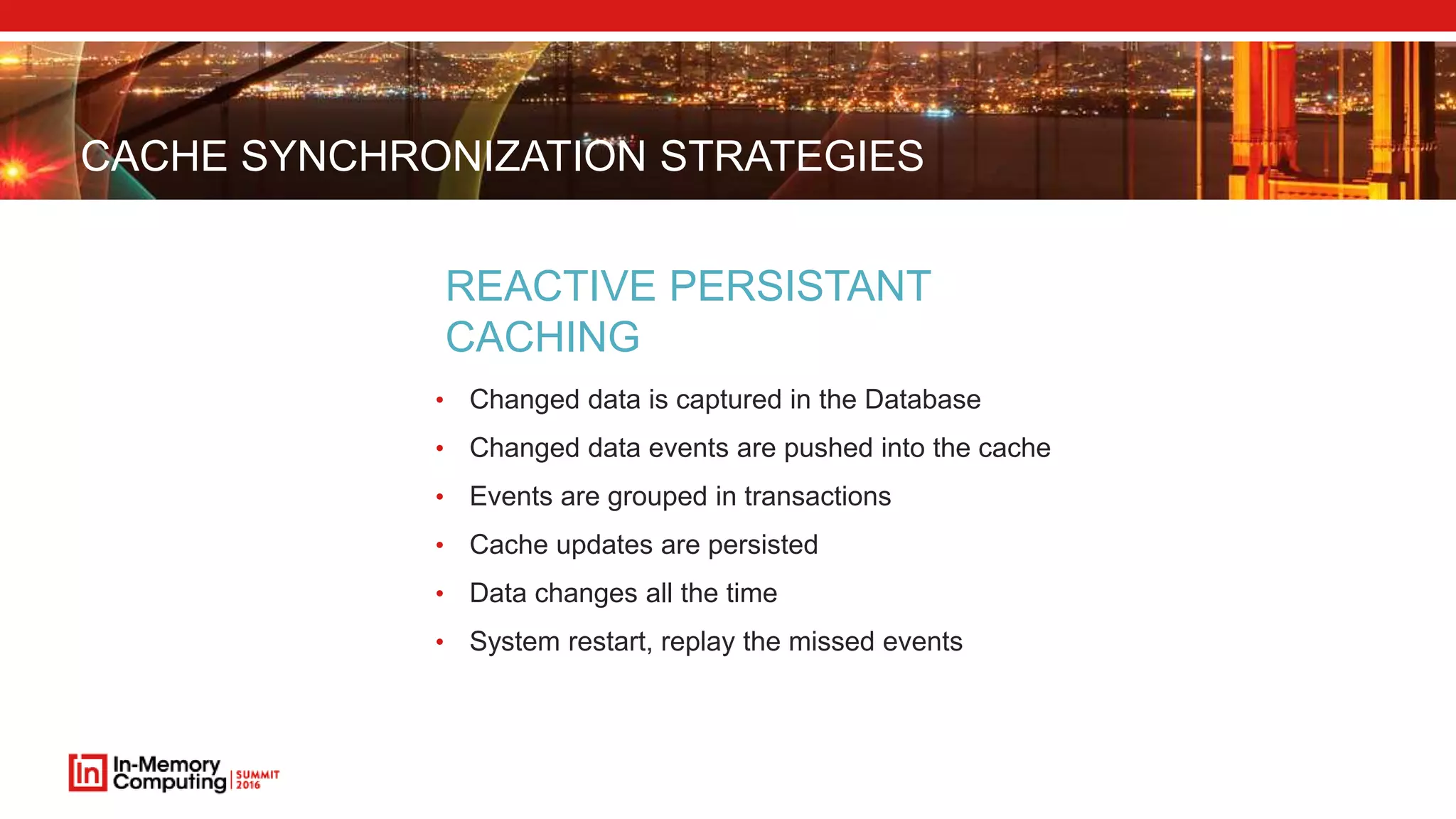
CACHE SYNCHRONIZATION STRATEGIES
• Changed data is captured in the Database
• Changed data events are pushed into the cache
• Events are grouped in transactions
• Cache updates are persisted
• Data changes all the time
• System restart, replay the missed events
REACTIVE PERSISTANT
CACHING
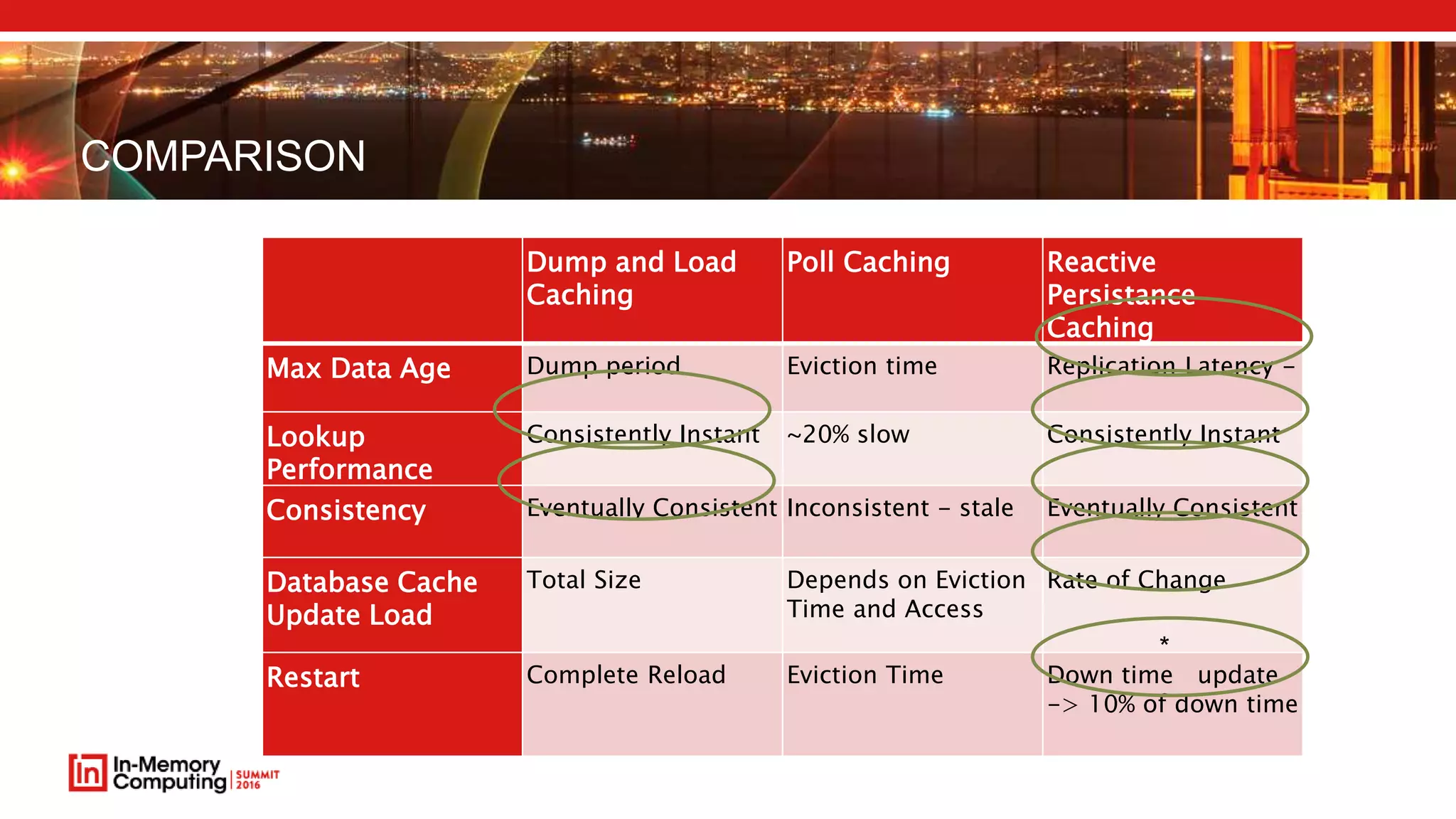
COMPARISON
Dump and Load
Caching
Poll Caching Reactive
Persistance
Caching
Max Data Age Dump period Eviction time Replication Latency -
Lookup
Performance
Consistently Instant ~20% slow Consistently Instant
Consistency Eventually Consistent Inconsistent - stale Eventually Consistent
Database Cache
Update Load
Total Size Depends on Eviction
Time and Access
Rate of Change
Restart Complete Reload Eviction Time Down time update
-> 10% of down time
*
CHALLENGES OF IN-MEMORY
 Optimized Speed
 Cost and size of Memory
 Consistency, Restart, DB impact, etc.
 Organization and size of JVMs
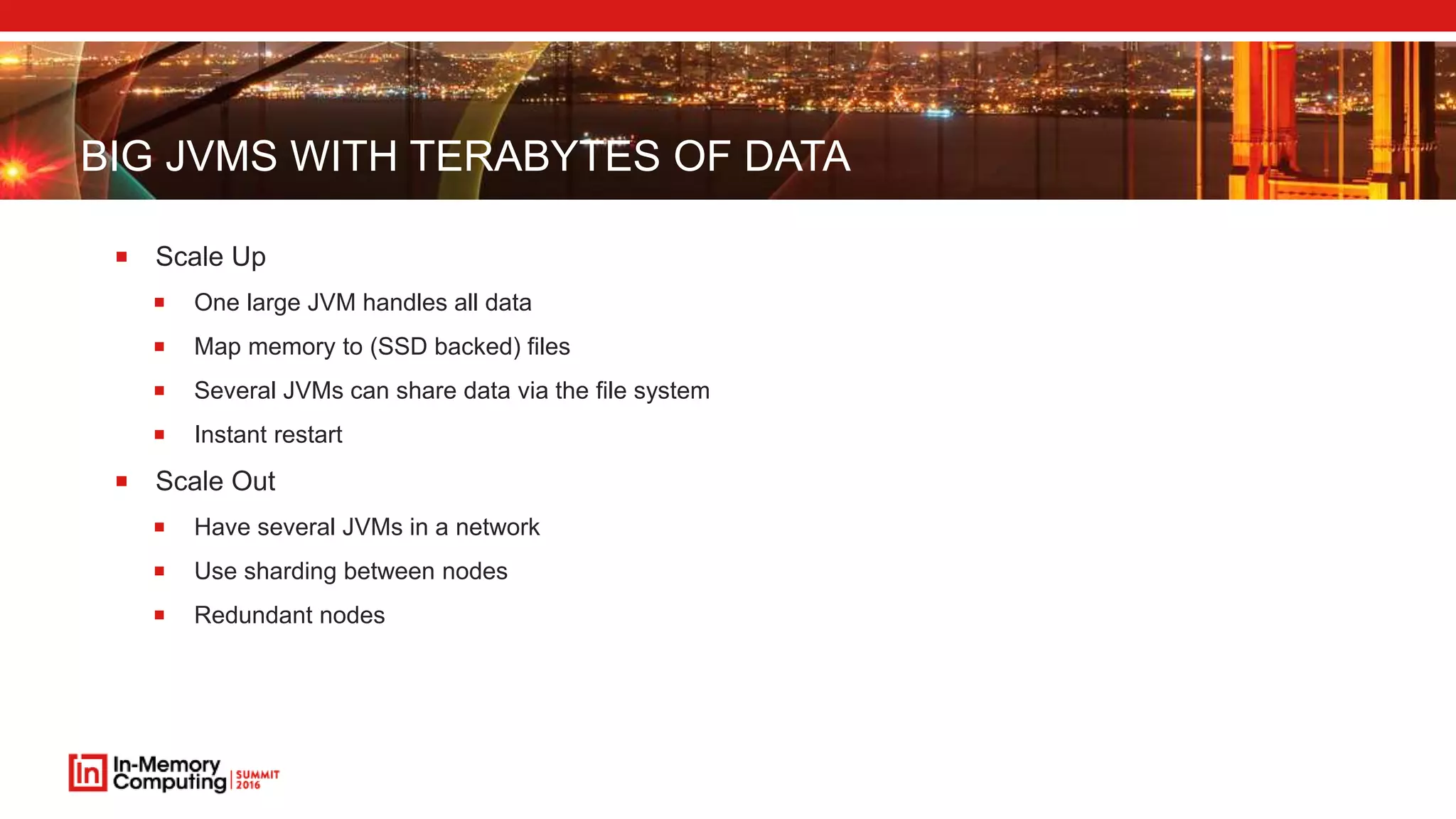
BIG JVMS WITH TERABYTES OF DATA
 Scale Up
 One large JVM handles all data
 Map memory to (SSD backed) files
 Several JVMs can share data via the file system
 Instant restart
 Scale Out
 Have several JVMs in a network
 Use sharding between nodes
 Redundant nodes
CONVENTIONAL JAVA APPLICATIONS
 Java Objects live on the Heap and are Garbage Collected periodically
 Garbage Collection times increases with the Java Heap size
 Garbage Collection times increases with the Java Heap mutation rate
 “The app has hit the GC wall”
 Hard to meet reasonable SLAs with more than 16:ish GB JVMs
 10 TB data and 10 GB JVMs -> ~1000 JVMs
OFF HEAP STORAGE
 Stores data outside of the Java heap
 The Garbage Collector does not see the content
 Scales up to terra bytes of main memory in a single JVM
 Use any number of nodes for scale out solutions
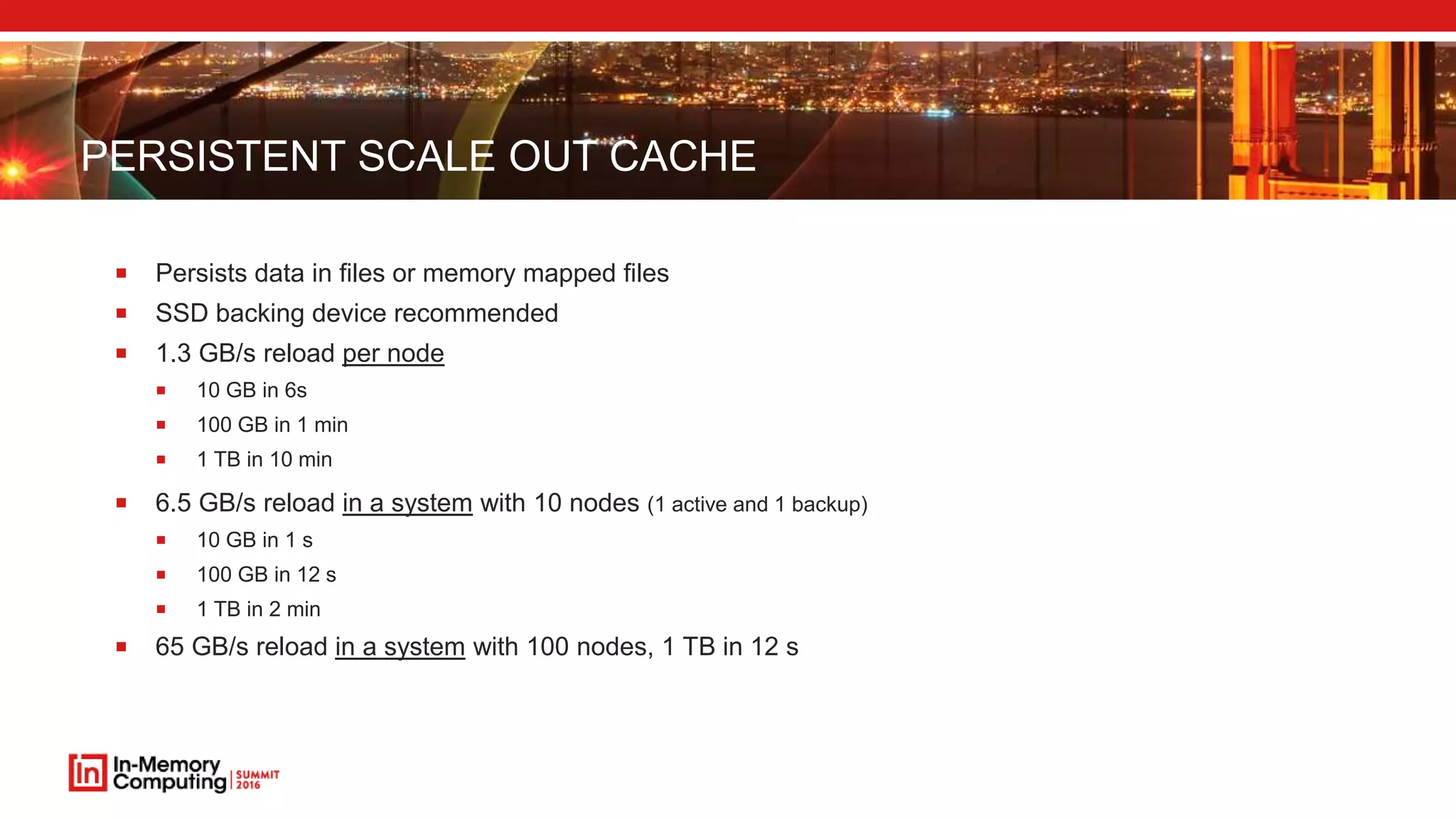
PERSISTENT SCALE OUT CACHE
 Persists data in files or memory mapped files
 SSD backing device recommended
 1.3 GB/s reload per node
 10 GB in 6s
 100 GB in 1 min
 1 TB in 10 min
 6.5 GB/s reload in a system with 10 nodes (1 active and 1 backup)
 10 GB in 1 s
 100 GB in 12 s
 1 TB in 2 min
 65 GB/s reload in a system with 100 nodes, 1 TB in 12 s
COMPRESSED OOPS IN JAVA 8
 Using the default of
–XX:+UseCompressedOops
–XX:ObjectAlignmentInBytes=16
 In a 64-bit JVM, it can use “compressed” memory references.
 This allows the heap to be up to 64 GB without the overhead of 64-bit object references.
 As all object must be 8 or 16-byte aligned, the lower 3 or 4 bits of the address are always zeros and
don’t need to be stored. This allows the heap to reference 4 billion * 16-bytes or 64 GB.
 Uses 32-bit references.
JVM SIZE SWEET SPOT
 50 GB off heap per node
 20 nodes per terabyte
 40 nodes per terabyte with minimum redundancy
CONCLUSIONS
 Get speed by keeping your data close to the application
 RAM is cheap and getting bigger and ever cheaper
 Consistent solution with Reactive Persistent Caching
Reactive Persistent Caching imposes minimum load on restart and on the DB
 Scale up solutions can be in the terabytes with virtual memory or file mapped memory
Scale out solutions can use 50 GBish nodes
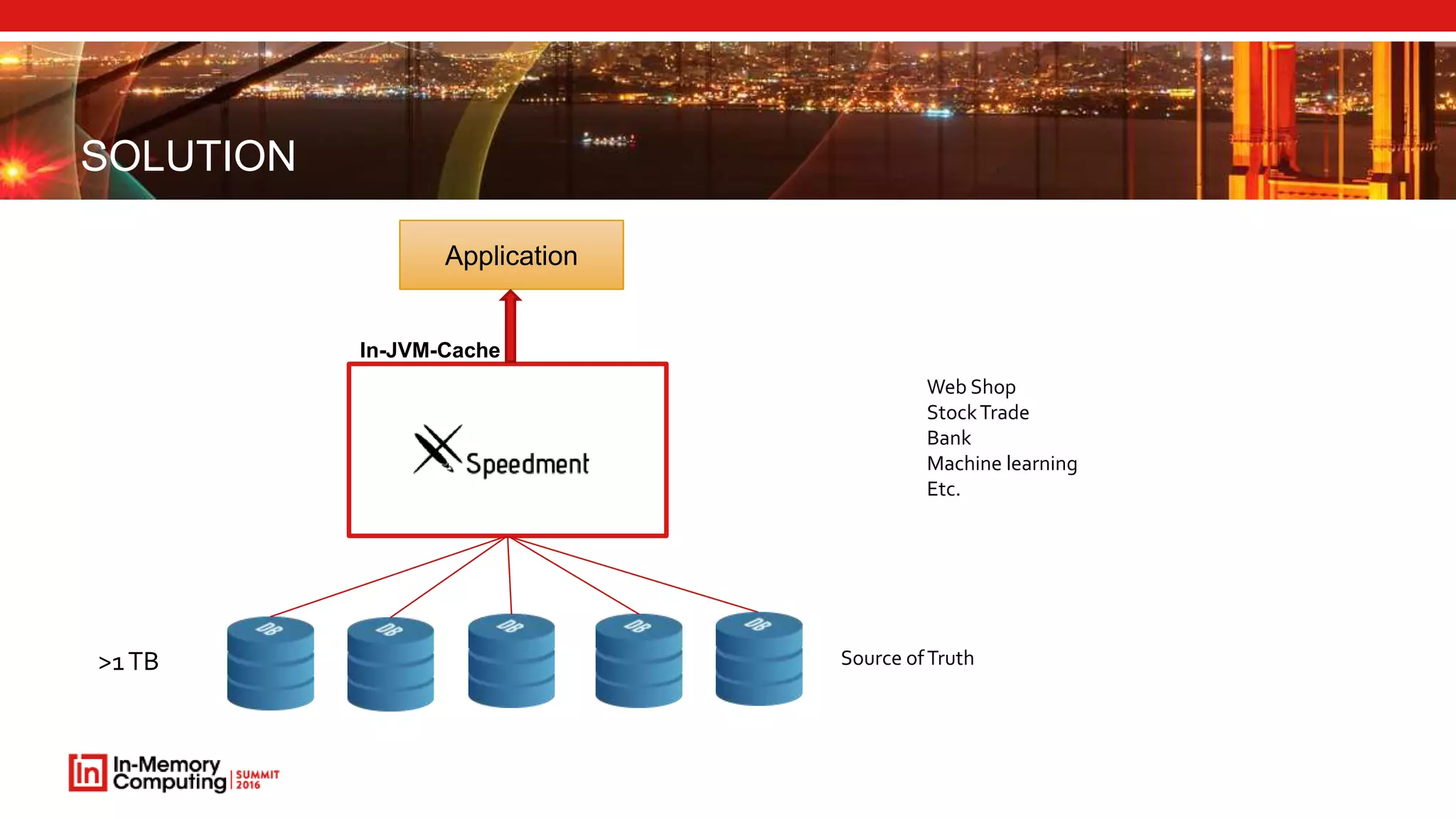
SOLUTION
>1TB
Application
In-JVM-Cache
Web Shop
StockTrade
Bank
Machine learning
Etc.
Source ofTruth
SPEEDMENT
 Java Application Development Tool
 In-JVM-memory cache
 Database SQL Reflector (CDC, Change Data Capture)
 Pluggable storage engines (Speedment, Chronicle Map, Hazelcast, Grid Gain, etc.)
 Code generation tool -> Automatic domain model extraction from databases
 Transaction-aware
SPEEDMENT SCALE UP ULTRA-LOW LATENCY CACHE
 Ultra-low latency (Runs in the same JVM as the application)
 Millions of TPS
 Latencies measured in microseconds
 Supports file mapping
 Terabytes of data
 O(1) for equality operations
 O(log(N)) for other operations
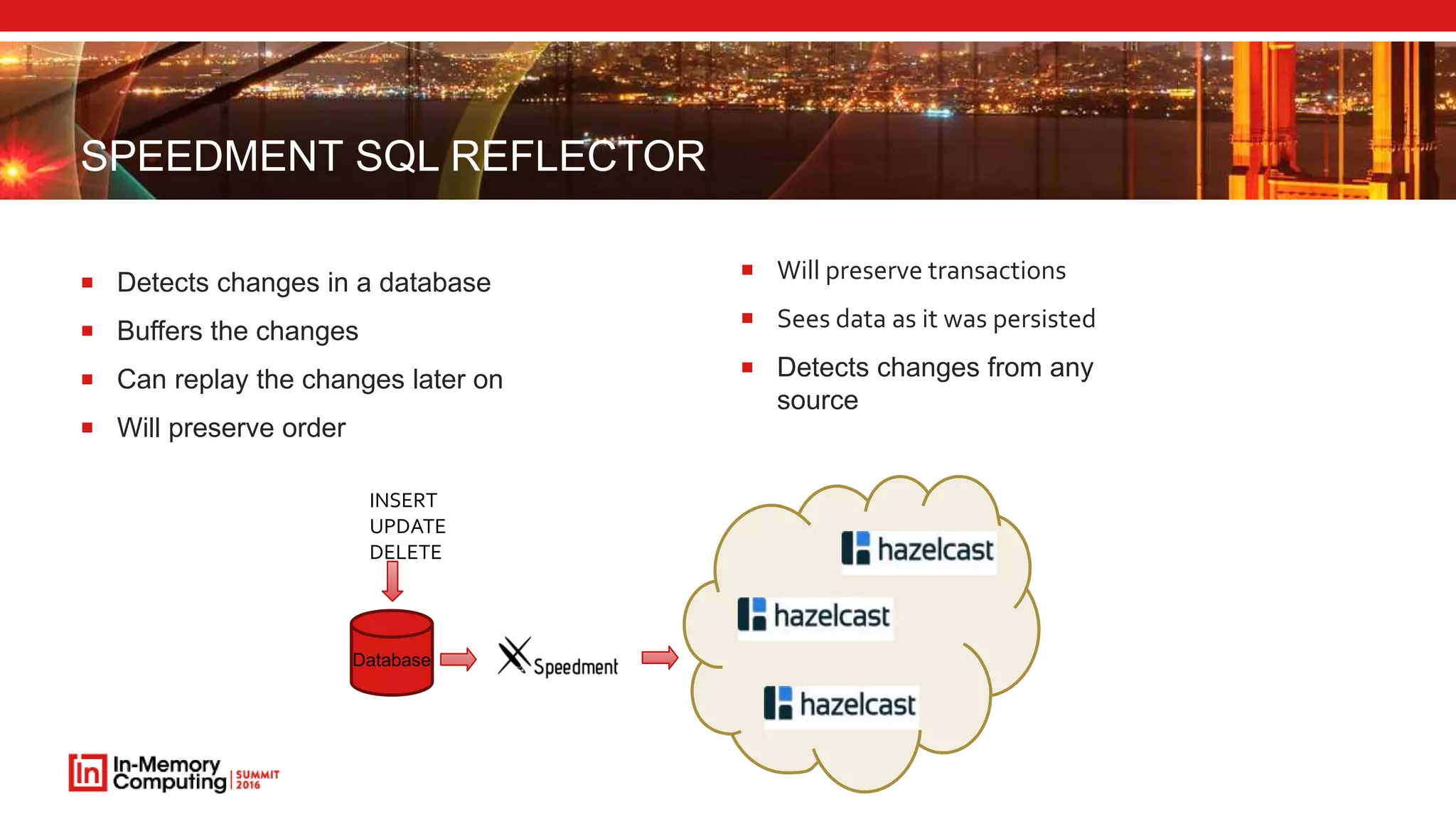
SPEEDMENT SQL REFLECTOR
 Detects changes in a database
 Buffers the changes
 Can replay the changes later on
 Will preserve order
 Will preserve transactions
 Sees data as it was persisted
 Detects changes from any
source
Database
INSERT
UPDATE
DELETE
DOWNLOAD TRIAL @ WWW.SPEEDMENT.COM
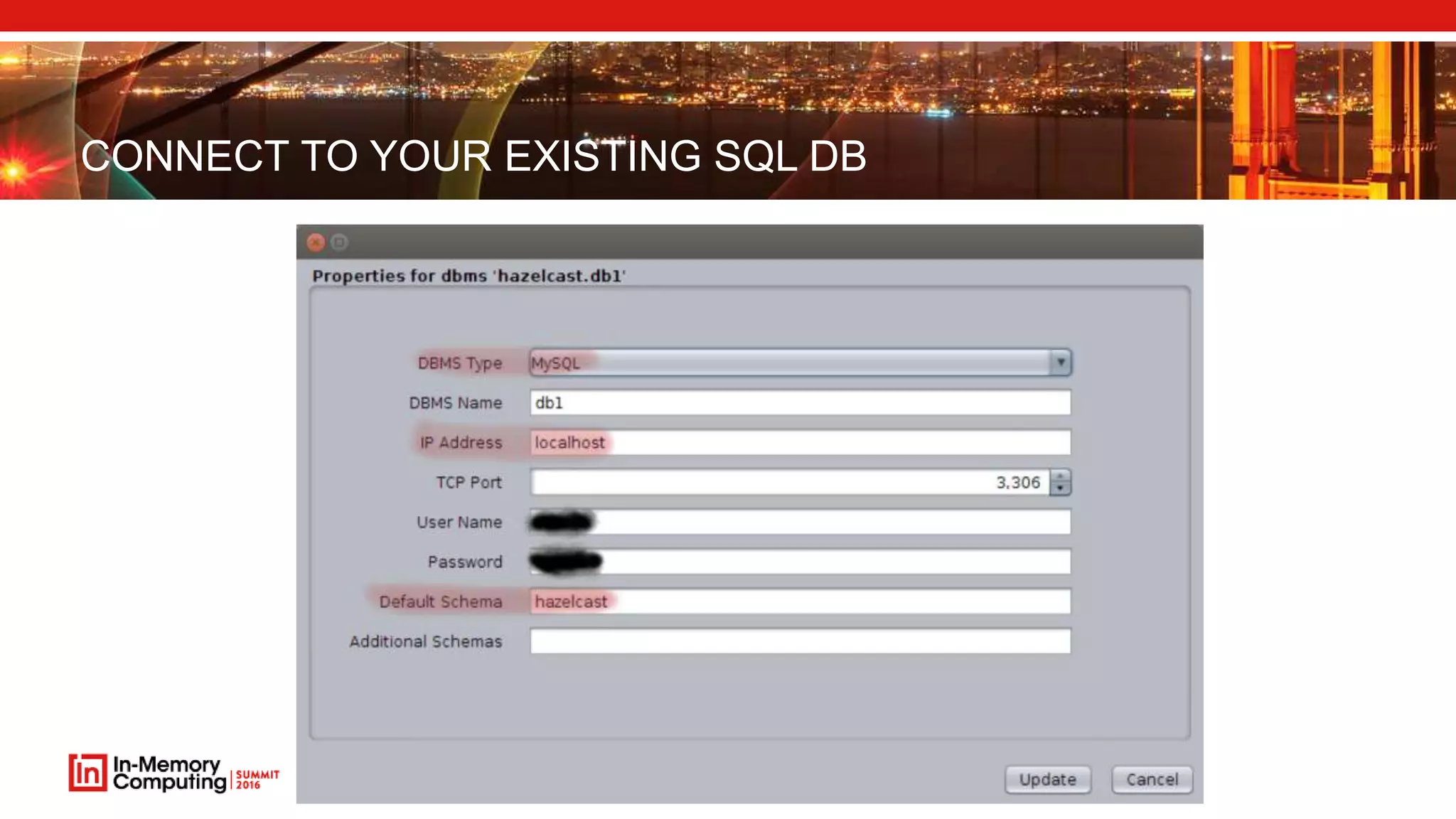
CONNECT TO YOUR EXISTING SQL DB
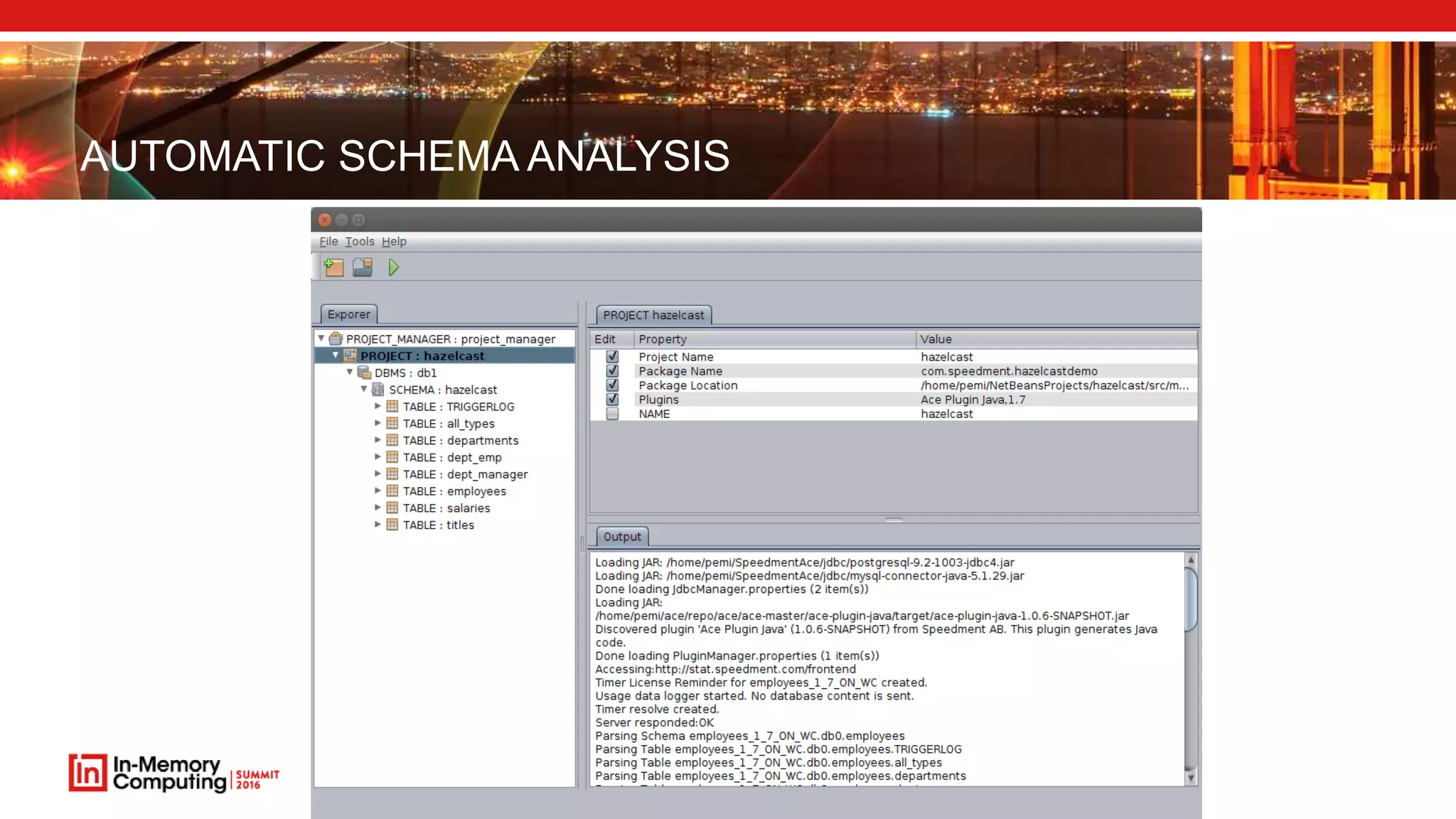
AUTOMATIC SCHEMA ANALYSIS
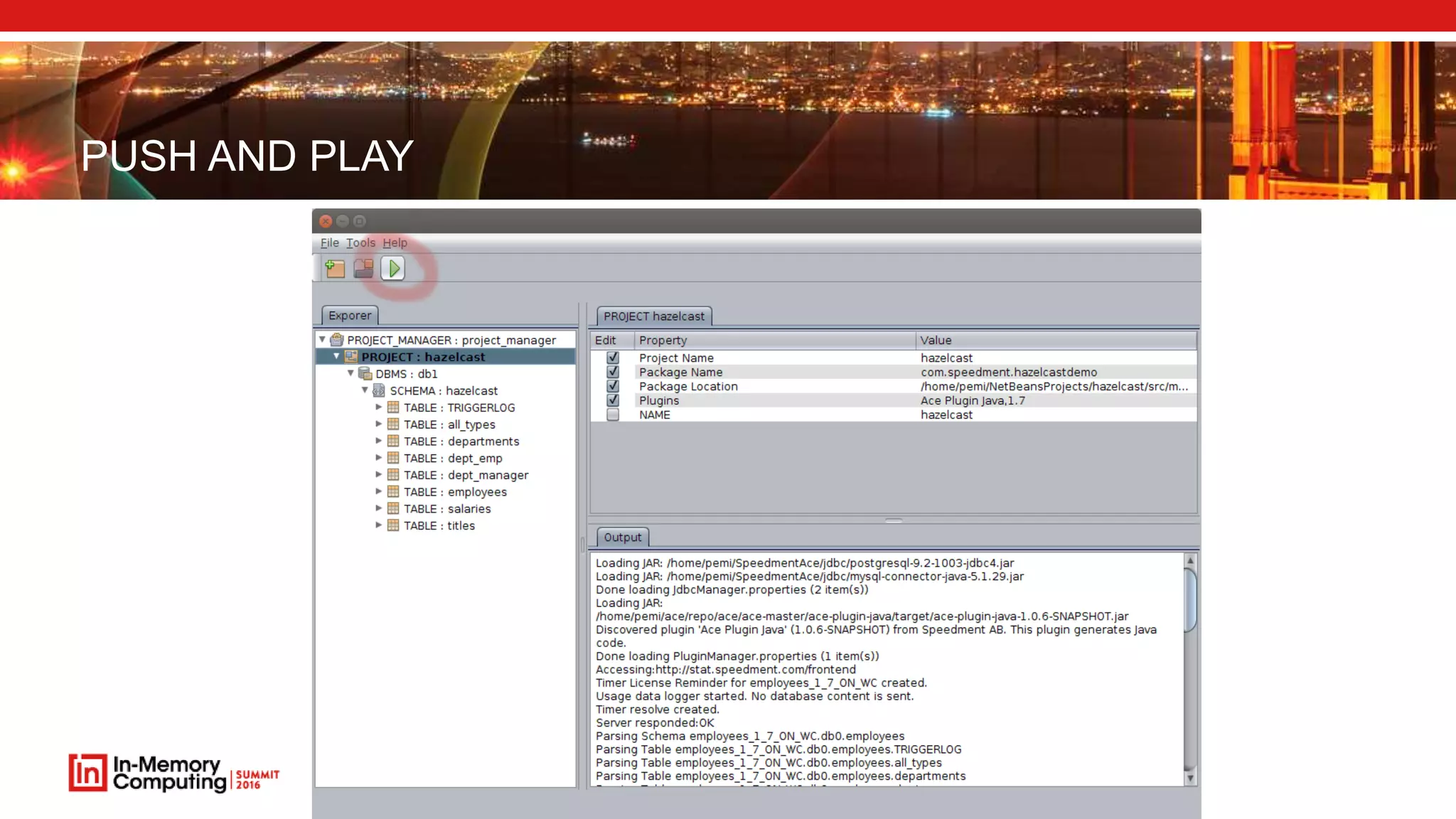
PUSH AND PLAY
OFFERINGS
 Complete solutions for in-memory hot big data
 Software licenses
 Service and support
 Consulting
sales@speedment.com
@Speedment
www.speedment.com

IMC Summit 2016 Breakout - Per Minoborg - Work with Multiple Hot Terabytes in JVMs

  • 1.
    WORK WITH MULTIPLEHOT TERABYTES IN JVMS PER MINBORG @PMINBORG CTO, SPEEDMENT, INC. See all the presentations from the In-Memory Computing Summit at http://imcsummit.org
  • 2.
  • 3.
  • 4.
  • 5.
    PROS OF IN-MEMORY Improved performance  Consistent performance  Cost reduction (server, AWS and licenses)
  • 6.
    CHALLENGES OF IN-MEMORY Optimized Speed  Cost and size of Memory  Consistency, Restart, DB impact, etc.  Organization and size of JVMs
  • 7.
    CHALLENGES OF IN-MEMORY Optimized Speed  Cost and size of Memory  Consistency, Restart, DB impact, etc.  Organization and size of JVMs
  • 8.
    OPTIMIZED SPEED  Nomatter how advanced database you may ever use, it is really the data locality that counts  Eventually, memory will cost less than x $/GB (Pick any x)
  • 9.
    LATENCIES USING THESPEED OF LIGHT  Database query (1 s)
  • 10.
    LATENCIES USING THESPEED OF LIGHT  Disk Seek – LA  TCP (DC) – SJ  SSD - Oakland
  • 11.
    LATENCIES USING THESPEED OF LIGHT  Main Memory  CPU L3 Cache
  • 12.
    LATENCIES USING THESPEED OF LIGHT  CPU L2 Cache  CPU L1 Cache
  • 13.
    CHALLENGES OF IN-MEMORY Optimized Speed  Cost and size of Memory  Consistency, Restart, DB impact, etc.  Organization and size of JVMs
  • 14.
    TITLE OF SLIDEGOES HEREHow much does 1 GB cost?
  • 15.
    BACK TO THEFUTURE $ 5 $ 0.04 $ 720,000 $ 67,000,000,000 Source: http://www.jcmit.com/memoryprice.htm
  • 16.
  • 17.
    CHALLENGES OF IN-MEMORY Optimized Speed  Cost and size of Memory  Consistency, Restart, DB impact, etc.  Organization and size of JVMs
  • 18.
    CACHE SYNCHRONIZATION STRATEGIES •Dumps are reloaded periodically • All data elements are reloaded • Data remains unchanged between reloads • System restart is just a reload DUMP AND LOAD • Data evicted, refreshed or marked as old • Evicted element are reloaded • Data changes all the time • System restart either warm-up the cache or use a cold cache POLL
  • 19.
    CACHE SYNCHRONIZATION STRATEGIES •Changed data is captured in the Database • Changed data events are pushed into the cache • Events are grouped in transactions • Cache updates are persisted • Data changes all the time • System restart, replay the missed events REACTIVE PERSISTANT CACHING
  • 20.
    COMPARISON Dump and Load Caching PollCaching Reactive Persistance Caching Max Data Age Dump period Eviction time Replication Latency - Lookup Performance Consistently Instant ~20% slow Consistently Instant Consistency Eventually Consistent Inconsistent - stale Eventually Consistent Database Cache Update Load Total Size Depends on Eviction Time and Access Rate of Change Restart Complete Reload Eviction Time Down time update -> 10% of down time *
  • 21.
    CHALLENGES OF IN-MEMORY Optimized Speed  Cost and size of Memory  Consistency, Restart, DB impact, etc.  Organization and size of JVMs
  • 22.
    BIG JVMS WITHTERABYTES OF DATA  Scale Up  One large JVM handles all data  Map memory to (SSD backed) files  Several JVMs can share data via the file system  Instant restart  Scale Out  Have several JVMs in a network  Use sharding between nodes  Redundant nodes
  • 23.
    CONVENTIONAL JAVA APPLICATIONS Java Objects live on the Heap and are Garbage Collected periodically  Garbage Collection times increases with the Java Heap size  Garbage Collection times increases with the Java Heap mutation rate  “The app has hit the GC wall”  Hard to meet reasonable SLAs with more than 16:ish GB JVMs  10 TB data and 10 GB JVMs -> ~1000 JVMs
  • 24.
    OFF HEAP STORAGE Stores data outside of the Java heap  The Garbage Collector does not see the content  Scales up to terra bytes of main memory in a single JVM  Use any number of nodes for scale out solutions
  • 25.
    PERSISTENT SCALE OUTCACHE  Persists data in files or memory mapped files  SSD backing device recommended  1.3 GB/s reload per node  10 GB in 6s  100 GB in 1 min  1 TB in 10 min  6.5 GB/s reload in a system with 10 nodes (1 active and 1 backup)  10 GB in 1 s  100 GB in 12 s  1 TB in 2 min  65 GB/s reload in a system with 100 nodes, 1 TB in 12 s
  • 26.
    COMPRESSED OOPS INJAVA 8  Using the default of –XX:+UseCompressedOops –XX:ObjectAlignmentInBytes=16  In a 64-bit JVM, it can use “compressed” memory references.  This allows the heap to be up to 64 GB without the overhead of 64-bit object references.  As all object must be 8 or 16-byte aligned, the lower 3 or 4 bits of the address are always zeros and don’t need to be stored. This allows the heap to reference 4 billion * 16-bytes or 64 GB.  Uses 32-bit references.
  • 27.
    JVM SIZE SWEETSPOT  50 GB off heap per node  20 nodes per terabyte  40 nodes per terabyte with minimum redundancy
  • 28.
    CONCLUSIONS  Get speedby keeping your data close to the application  RAM is cheap and getting bigger and ever cheaper  Consistent solution with Reactive Persistent Caching Reactive Persistent Caching imposes minimum load on restart and on the DB  Scale up solutions can be in the terabytes with virtual memory or file mapped memory Scale out solutions can use 50 GBish nodes
  • 29.
  • 30.
    SPEEDMENT  Java ApplicationDevelopment Tool  In-JVM-memory cache  Database SQL Reflector (CDC, Change Data Capture)  Pluggable storage engines (Speedment, Chronicle Map, Hazelcast, Grid Gain, etc.)  Code generation tool -> Automatic domain model extraction from databases  Transaction-aware
  • 31.
    SPEEDMENT SCALE UPULTRA-LOW LATENCY CACHE  Ultra-low latency (Runs in the same JVM as the application)  Millions of TPS  Latencies measured in microseconds  Supports file mapping  Terabytes of data  O(1) for equality operations  O(log(N)) for other operations
  • 32.
    SPEEDMENT SQL REFLECTOR Detects changes in a database  Buffers the changes  Can replay the changes later on  Will preserve order  Will preserve transactions  Sees data as it was persisted  Detects changes from any source Database INSERT UPDATE DELETE
  • 33.
    DOWNLOAD TRIAL @WWW.SPEEDMENT.COM
  • 34.
    CONNECT TO YOUREXISTING SQL DB
  • 35.
  • 36.
  • 37.
    OFFERINGS  Complete solutionsfor in-memory hot big data  Software licenses  Service and support  Consulting
  • 38.