1.3 Operating systems
WWW.YAHMAD.CO.UK
• Define and describe operating systems which contain a Command Line Interface
(CLI)
• Define and describe operating systems which contain a Graphical User Interface
(GUI)
• Describe the differences, including the benefits and drawbacks, between operating
systems which contain a CLI and those which contain a GUI
A J I R O N D I
Ajiro Tech – Best IGCSE ICT YouTube Channel
Chapter
1:
Types
and
components
of
computer
systems
1.3 Operating systems
WWW.YAHMAD.CO.UK
Meaning of an Operating System and some roles
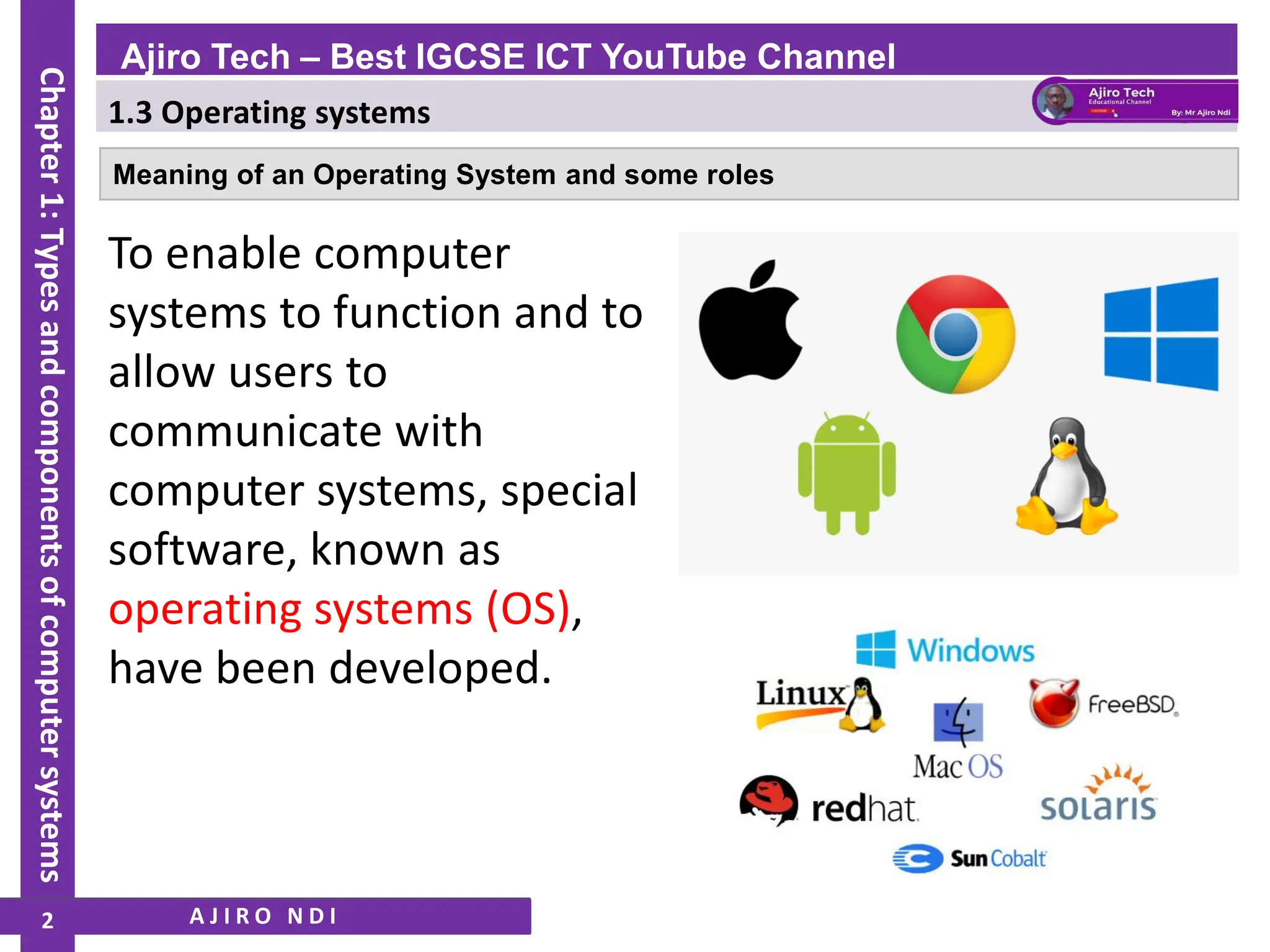
To enable computer
systems to function and to
allow users to
communicate with
computer systems, special
software, known as
operating systems (OS),
have been developed.
A J I R O N D I
Ajiro Tech – Best IGCSE ICT YouTube Channel
Chapter
1:
Types
and
components
of
computer
systems
2
1.3 Operating systems
WWW.YAHMAD.CO.UK
The general tasks for a typical operating system include:
A J I R O N D I
❖ control of the operation of the input, output and backing storage devices
❖ supervising the loading, running and storage of applications programs
❖ maintaining security of the whole computer system
❖ dealing with errors that occur in application programs
❖ maintaining a computer log (which details computer usage)
❖ allowing communication between user and the computer system (user interface).
Ajiro Tech – Best IGCSE ICT YouTube Channel
Chapter
1:
Types
and
components
of
computer
systems
3
1.3 Operating systems
WWW.YAHMAD.CO.UK
User interfaces
A J I R O N D I
❖ command line interface (CLI)
❖ graphical user interface (GUI)
❖ gesture-based user interface.
❖ dialogue-based user interface
Ajiro Tech – Best IGCSE ICT YouTube Channel
Chapter
1:
Types
and
components
of
computer
systems
4
1.3 Operating systems
WWW.YAHMAD.CO.UK
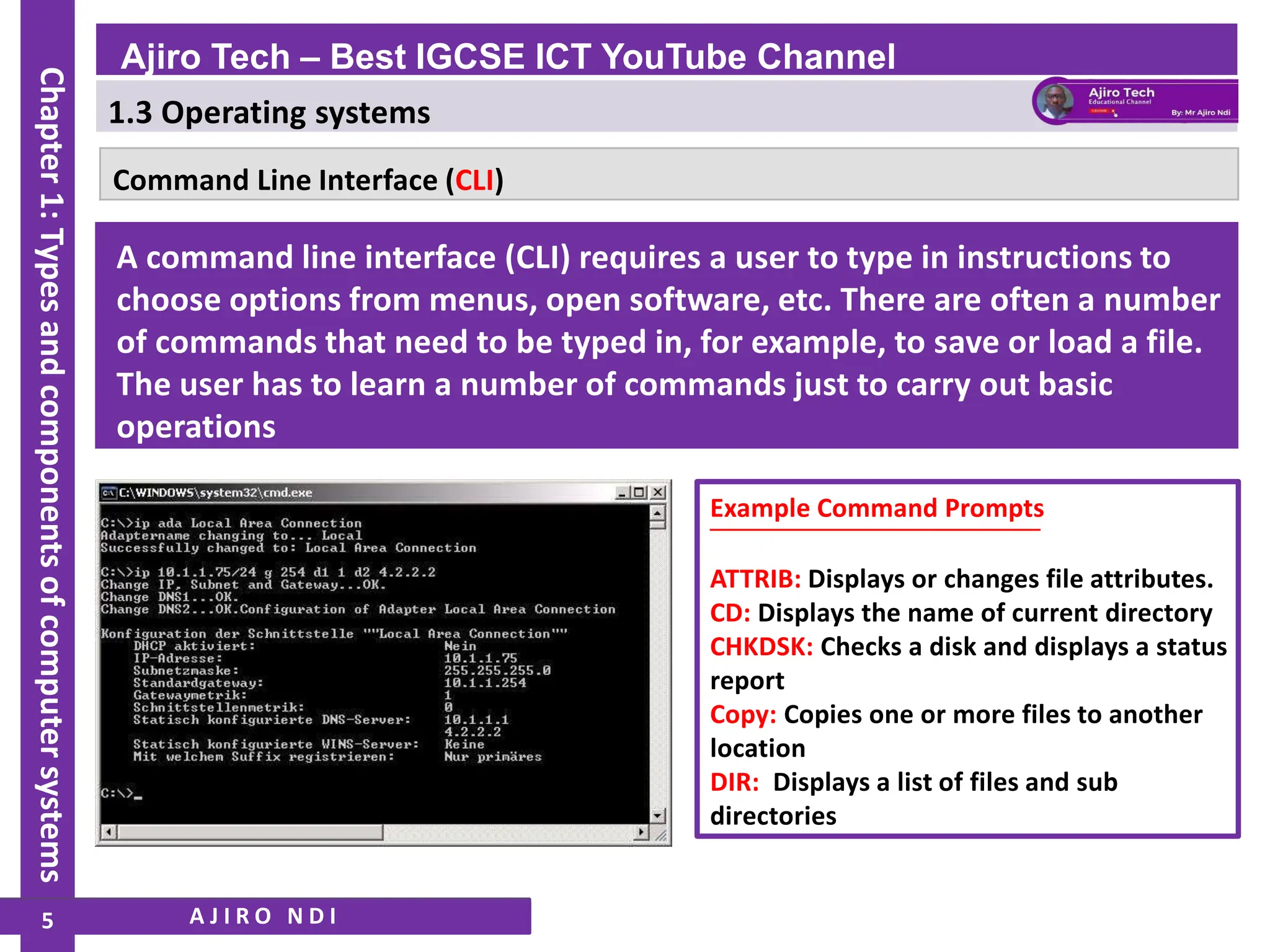
Command Line Interface (CLI)
A command line interface (CLI) requires a user to type in instructions to
choose options from menus, open software, etc. There are often a number
of commands that need to be typed in, for example, to save or load a file.
The user has to learn a number of commands just to carry out basic
operations
Example Command Prompts
ATTRIB: Displays or changes file attributes.
CD: Displays the name of current directory
CHKDSK: Checks a disk and displays a status
report
Copy: Copies one or more files to another
location
DIR: Displays a list of files and sub
directories
A J I R O N D I
Ajiro Tech – Best IGCSE ICT YouTube Channel
Chapter
1:
Types
and
components
of
computer
systems
5
1.3 Operating systems
WWW.YAHMAD.CO.UK
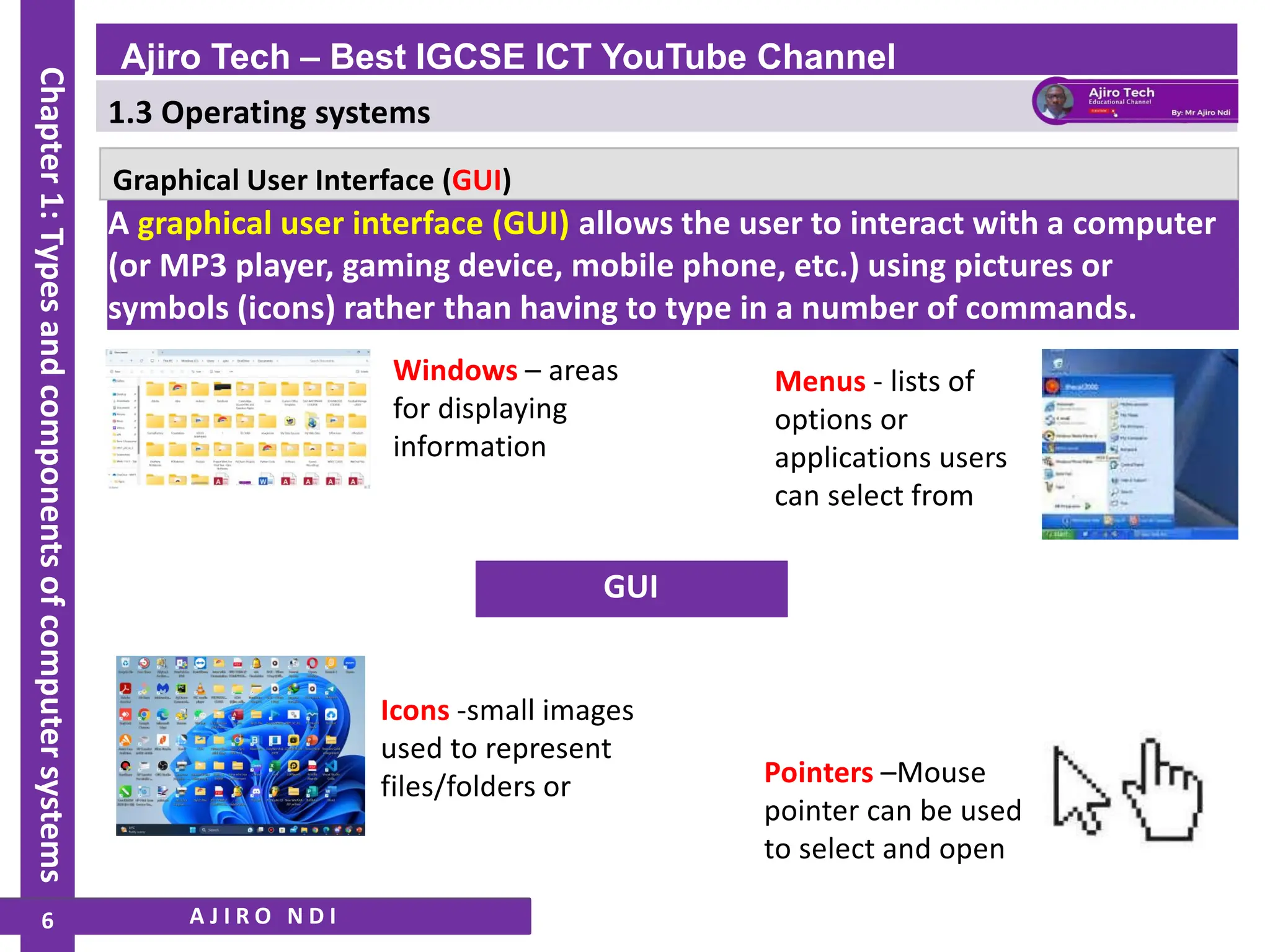
Graphical User Interface (GUI)
GUI
Windows – areas
for displaying
information
Icons -small images
used to represent
files/folders or
Menus - lists of
options or
applications users
can select from
Pointers –Mouse
pointer can be used
to select and open
A J I R O N D I
A graphical user interface (GUI) allows the user to interact with a computer
(or MP3 player, gaming device, mobile phone, etc.) using pictures or
symbols (icons) rather than having to type in a number of commands.
Ajiro Tech – Best IGCSE ICT YouTube Channel
Chapter
1:
Types
and
components
of
computer
systems
6
1.3 Operating systems
WWW.YAHMAD.CO.UK
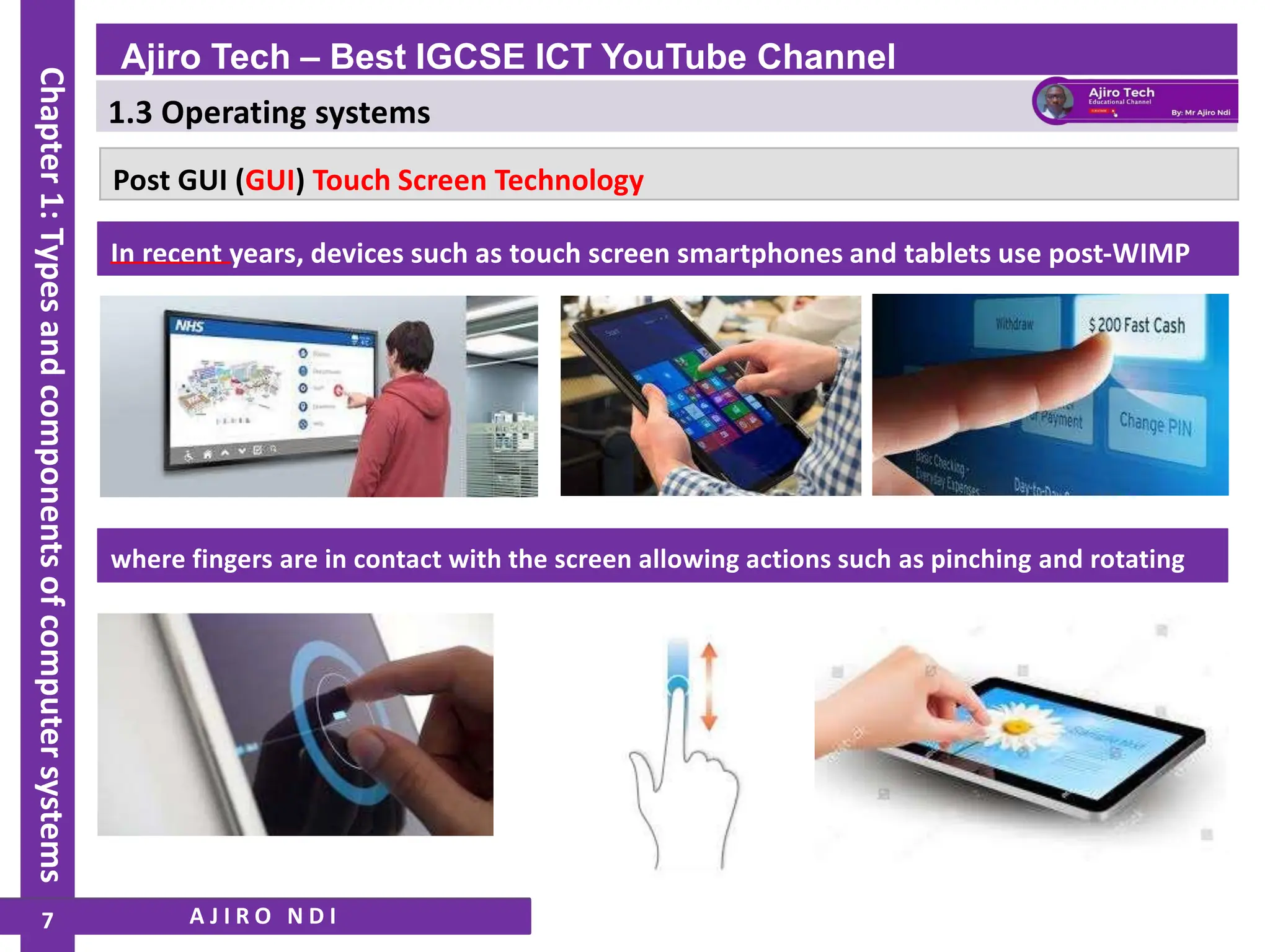
Post GUI (GUI) Touch Screen Technology
where fingers are in contact with the screen allowing actions such as pinching and rotating
In recent years, devices such as touch screen smartphones and tablets use post-WIMP
A J I R O N D I
Ajiro Tech – Best IGCSE ICT YouTube Channel
Chapter
1:
Types
and
components
of
computer
systems
7
1.3 Operating systems
WWW.YAHMAD.CO.UK
Who would use each type of interface?
CLI: a programmer, analyst or technician; basically, somebody
who needs to have direct communication with a computer to
develop new software, locate errors and remove them, initiate
memory dumps (contents of the computer memory at some
moment in time), and so on.
A J I R O N D I
GUI: the end-user who does not have to (or does not need to)
have any great knowledge of how the computer works; a
person who uses the computer to run software, play games or
store/manipulate photographs, for example.
Ajiro Tech – Best IGCSE ICT YouTube Channel
Chapter
1:
Types
and
components
of
computer
systems
8
1.3 Operating systems
WWW.YAHMAD.CO.UK
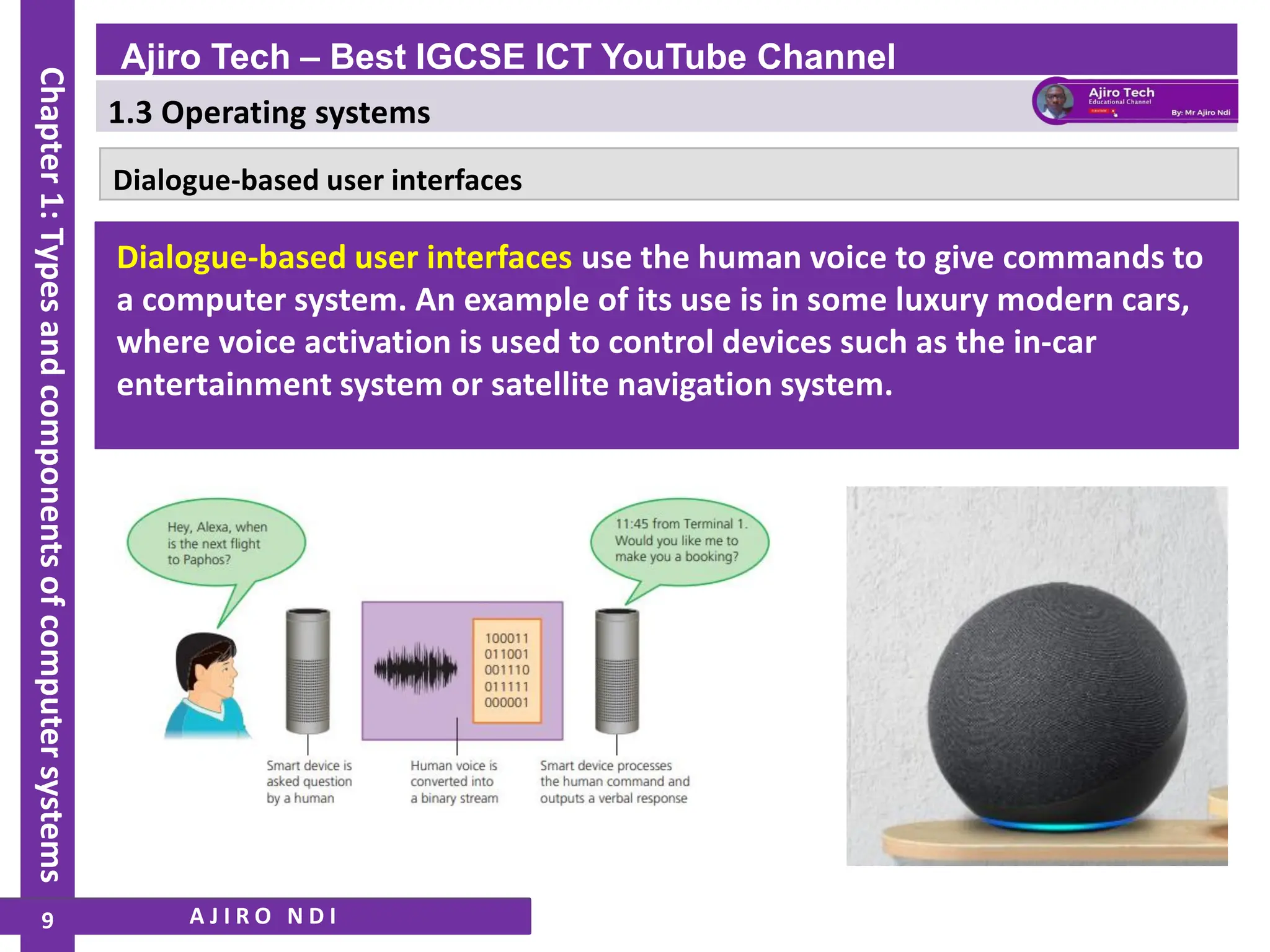
Dialogue-based user interfaces
Dialogue-based user interfaces use the human voice to give commands to
a computer system. An example of its use is in some luxury modern cars,
where voice activation is used to control devices such as the in-car
entertainment system or satellite navigation system.
A J I R O N D I
Ajiro Tech – Best IGCSE ICT YouTube Channel
Chapter
1:
Types
and
components
of
computer
systems
9
1.3 Operating systems
WWW.YAHMAD.CO.UK
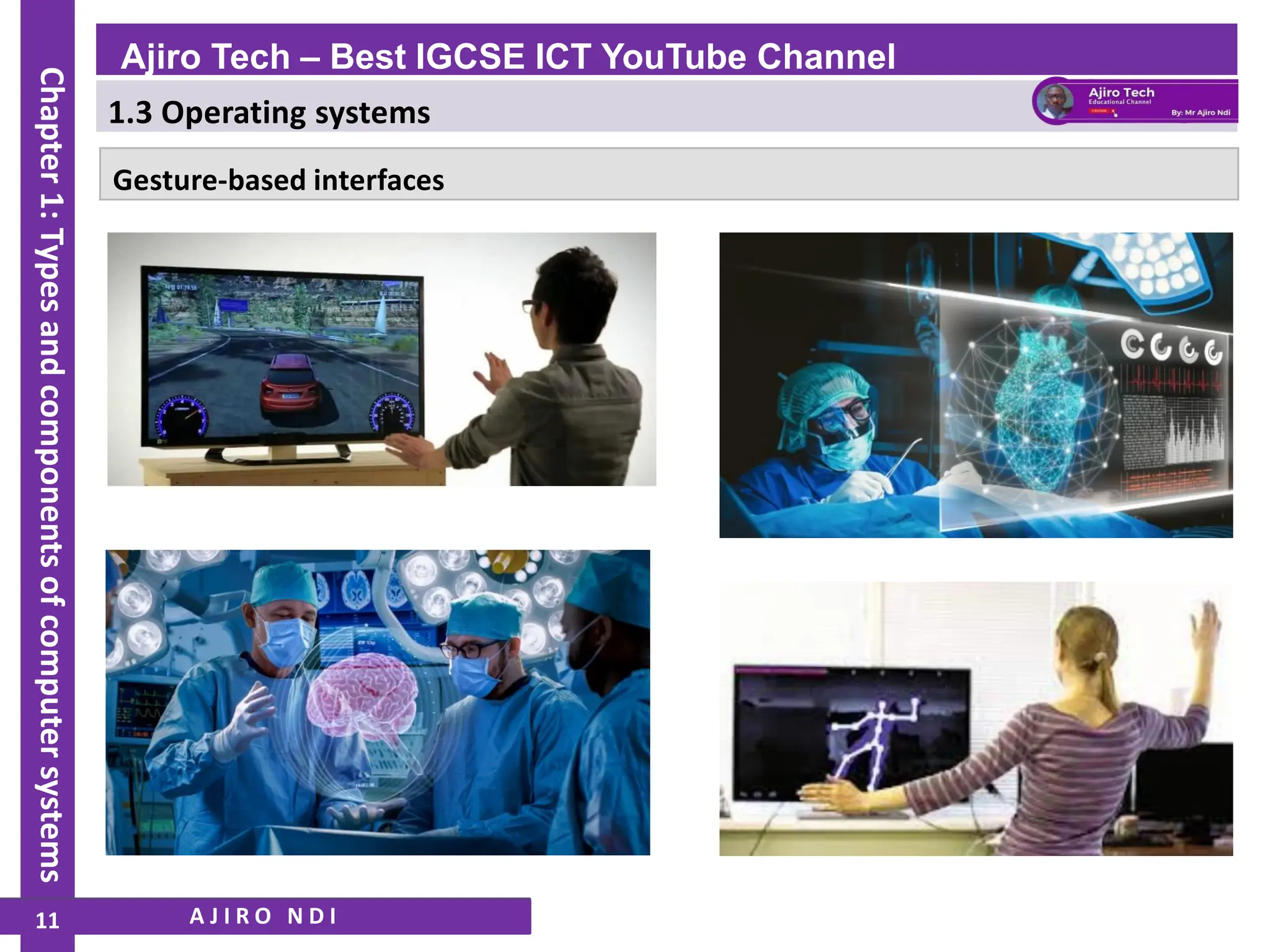
Gesture-based interfaces
Gesture-based interfaces rely on human interaction by the moving of
hands, head or even the feet. Gesture recognition allows humans to
interface with a computer in a more natural fashion without the need for
any mechanical devices. This type of interface uses techniques known as
computer vision and image processing.
A J I R O N D I
Ajiro Tech – Best IGCSE ICT YouTube Channel
Chapter
1:
Types
and
components
of
computer
systems
10
1.3 Operating systems
WWW.YAHMAD.CO.UK
Gesture-based interfaces
A J I R O N D I
Ajiro Tech – Best IGCSE ICT YouTube Channel
Chapter
1:
Types
and
components
of
computer
systems
11
1.3 Operating systems
WWW.YAHMAD.CO.UK
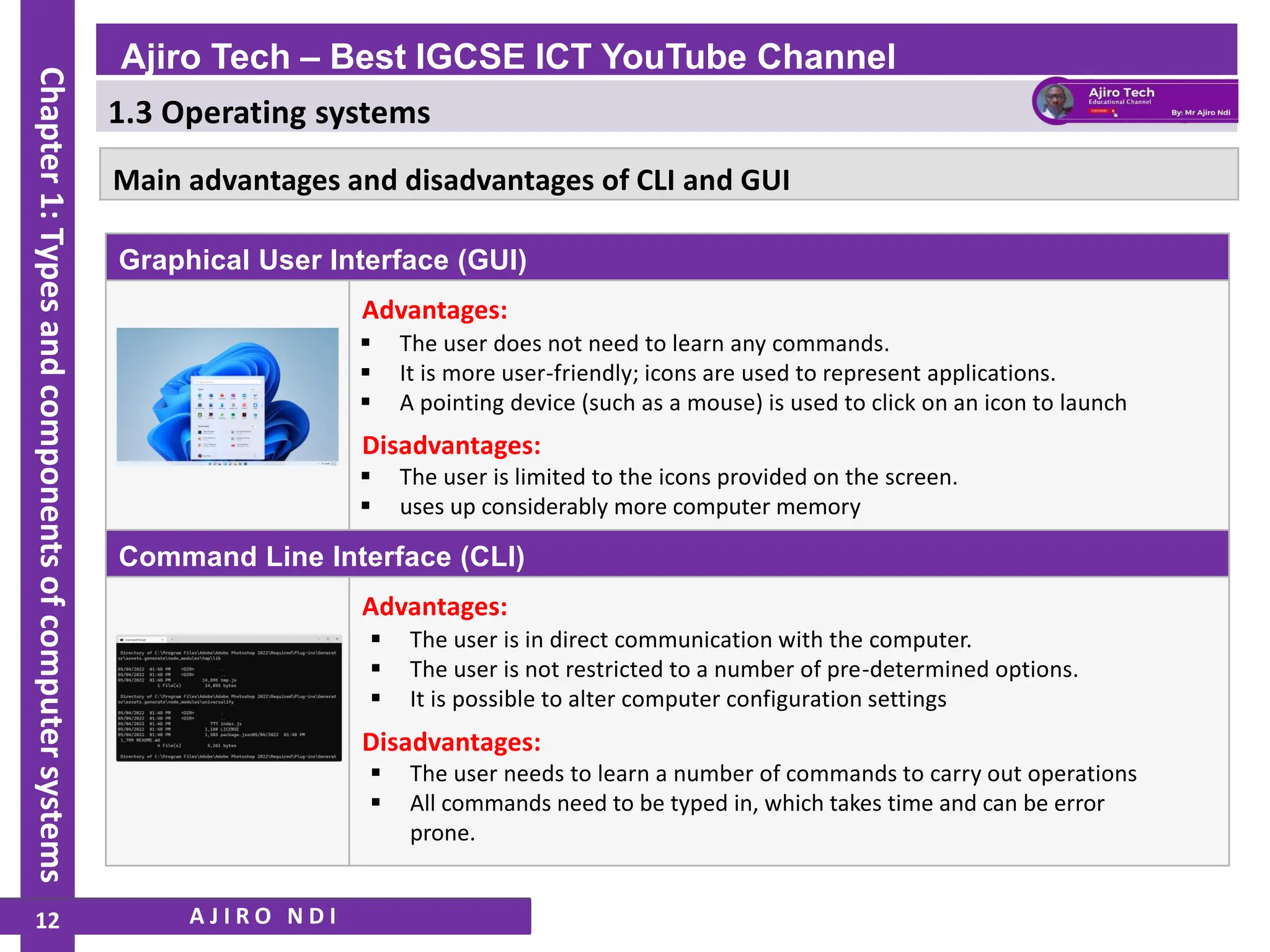
Graphical User Interface (GUI)
Advantages:
▪ The user is in direct communication with the computer.
▪ The user is not restricted to a number of pre-determined options.
▪ It is possible to alter computer configuration settings
Disadvantages:
▪ The user is limited to the icons provided on the screen.
▪ uses up considerably more computer memory
Command Line Interface (CLI)
Advantages:
Disadvantages:
▪ The user needs to learn a number of commands to carry out operations
▪ All commands need to be typed in, which takes time and can be error
prone.
Main advantages and disadvantages of CLI and GUI
A J I R O N D I
▪ The user does not need to learn any commands.
▪ It is more user-friendly; icons are used to represent applications.
▪ A pointing device (such as a mouse) is used to click on an icon to launch
Ajiro Tech – Best IGCSE ICT YouTube Channel
Chapter
1:
Types
and
components
of
computer
systems
12
1.3 Operating systems
WWW.YAHMAD.CO.UK
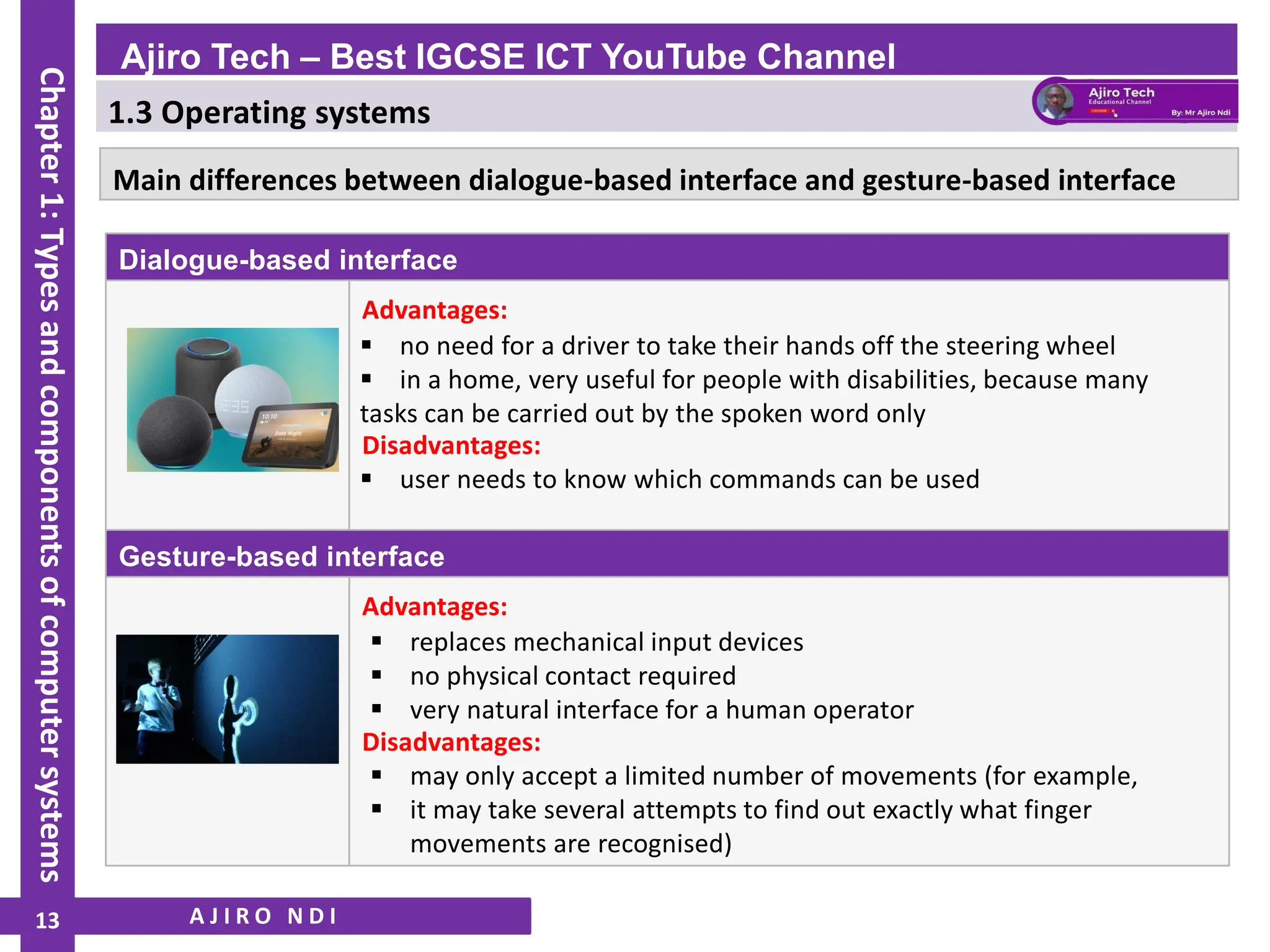
Dialogue-based interface
Advantages:
▪ replaces mechanical input devices
▪ no physical contact required
▪ very natural interface for a human operator
Disadvantages:
▪ user needs to know which commands can be used
Gesture-based interface
Advantages:
Disadvantages:
▪ may only accept a limited number of movements (for example,
▪ it may take several attempts to find out exactly what finger
movements are recognised)
Main differences between dialogue-based interface and gesture-based interface
A J I R O N D I
▪ no need for a driver to take their hands off the steering wheel
▪ in a home, very useful for people with disabilities, because many
tasks can be carried out by the spoken word only
Ajiro Tech – Best IGCSE ICT YouTube Channel
Chapter
1:
Types
and
components
of
computer
systems
13

IGCSE ICT - Types and Components of Computer Systems - Operating Systems - Ajiro Tech - Part 3

  • 1.
    1.3 Operating systems WWW.YAHMAD.CO.UK •Define and describe operating systems which contain a Command Line Interface (CLI) • Define and describe operating systems which contain a Graphical User Interface (GUI) • Describe the differences, including the benefits and drawbacks, between operating systems which contain a CLI and those which contain a GUI A J I R O N D I Ajiro Tech – Best IGCSE ICT YouTube Channel Chapter 1: Types and components of computer systems
  • 2.
    1.3 Operating systems WWW.YAHMAD.CO.UK Meaningof an Operating System and some roles To enable computer systems to function and to allow users to communicate with computer systems, special software, known as operating systems (OS), have been developed. A J I R O N D I Ajiro Tech – Best IGCSE ICT YouTube Channel Chapter 1: Types and components of computer systems 2
  • 3.
    1.3 Operating systems WWW.YAHMAD.CO.UK Thegeneral tasks for a typical operating system include: A J I R O N D I ❖ control of the operation of the input, output and backing storage devices ❖ supervising the loading, running and storage of applications programs ❖ maintaining security of the whole computer system ❖ dealing with errors that occur in application programs ❖ maintaining a computer log (which details computer usage) ❖ allowing communication between user and the computer system (user interface). Ajiro Tech – Best IGCSE ICT YouTube Channel Chapter 1: Types and components of computer systems 3
  • 4.
    1.3 Operating systems WWW.YAHMAD.CO.UK Userinterfaces A J I R O N D I ❖ command line interface (CLI) ❖ graphical user interface (GUI) ❖ gesture-based user interface. ❖ dialogue-based user interface Ajiro Tech – Best IGCSE ICT YouTube Channel Chapter 1: Types and components of computer systems 4
  • 5.
    1.3 Operating systems WWW.YAHMAD.CO.UK CommandLine Interface (CLI) A command line interface (CLI) requires a user to type in instructions to choose options from menus, open software, etc. There are often a number of commands that need to be typed in, for example, to save or load a file. The user has to learn a number of commands just to carry out basic operations Example Command Prompts ATTRIB: Displays or changes file attributes. CD: Displays the name of current directory CHKDSK: Checks a disk and displays a status report Copy: Copies one or more files to another location DIR: Displays a list of files and sub directories A J I R O N D I Ajiro Tech – Best IGCSE ICT YouTube Channel Chapter 1: Types and components of computer systems 5
  • 6.
    1.3 Operating systems WWW.YAHMAD.CO.UK GraphicalUser Interface (GUI) GUI Windows – areas for displaying information Icons -small images used to represent files/folders or Menus - lists of options or applications users can select from Pointers –Mouse pointer can be used to select and open A J I R O N D I A graphical user interface (GUI) allows the user to interact with a computer (or MP3 player, gaming device, mobile phone, etc.) using pictures or symbols (icons) rather than having to type in a number of commands. Ajiro Tech – Best IGCSE ICT YouTube Channel Chapter 1: Types and components of computer systems 6
  • 7.
    1.3 Operating systems WWW.YAHMAD.CO.UK PostGUI (GUI) Touch Screen Technology where fingers are in contact with the screen allowing actions such as pinching and rotating In recent years, devices such as touch screen smartphones and tablets use post-WIMP A J I R O N D I Ajiro Tech – Best IGCSE ICT YouTube Channel Chapter 1: Types and components of computer systems 7
  • 8.
    1.3 Operating systems WWW.YAHMAD.CO.UK Whowould use each type of interface? CLI: a programmer, analyst or technician; basically, somebody who needs to have direct communication with a computer to develop new software, locate errors and remove them, initiate memory dumps (contents of the computer memory at some moment in time), and so on. A J I R O N D I GUI: the end-user who does not have to (or does not need to) have any great knowledge of how the computer works; a person who uses the computer to run software, play games or store/manipulate photographs, for example. Ajiro Tech – Best IGCSE ICT YouTube Channel Chapter 1: Types and components of computer systems 8
  • 9.
    1.3 Operating systems WWW.YAHMAD.CO.UK Dialogue-baseduser interfaces Dialogue-based user interfaces use the human voice to give commands to a computer system. An example of its use is in some luxury modern cars, where voice activation is used to control devices such as the in-car entertainment system or satellite navigation system. A J I R O N D I Ajiro Tech – Best IGCSE ICT YouTube Channel Chapter 1: Types and components of computer systems 9
  • 10.
    1.3 Operating systems WWW.YAHMAD.CO.UK Gesture-basedinterfaces Gesture-based interfaces rely on human interaction by the moving of hands, head or even the feet. Gesture recognition allows humans to interface with a computer in a more natural fashion without the need for any mechanical devices. This type of interface uses techniques known as computer vision and image processing. A J I R O N D I Ajiro Tech – Best IGCSE ICT YouTube Channel Chapter 1: Types and components of computer systems 10
  • 11.
    1.3 Operating systems WWW.YAHMAD.CO.UK Gesture-basedinterfaces A J I R O N D I Ajiro Tech – Best IGCSE ICT YouTube Channel Chapter 1: Types and components of computer systems 11
  • 12.
    1.3 Operating systems WWW.YAHMAD.CO.UK GraphicalUser Interface (GUI) Advantages: ▪ The user is in direct communication with the computer. ▪ The user is not restricted to a number of pre-determined options. ▪ It is possible to alter computer configuration settings Disadvantages: ▪ The user is limited to the icons provided on the screen. ▪ uses up considerably more computer memory Command Line Interface (CLI) Advantages: Disadvantages: ▪ The user needs to learn a number of commands to carry out operations ▪ All commands need to be typed in, which takes time and can be error prone. Main advantages and disadvantages of CLI and GUI A J I R O N D I ▪ The user does not need to learn any commands. ▪ It is more user-friendly; icons are used to represent applications. ▪ A pointing device (such as a mouse) is used to click on an icon to launch Ajiro Tech – Best IGCSE ICT YouTube Channel Chapter 1: Types and components of computer systems 12
  • 13.
    1.3 Operating systems WWW.YAHMAD.CO.UK Dialogue-basedinterface Advantages: ▪ replaces mechanical input devices ▪ no physical contact required ▪ very natural interface for a human operator Disadvantages: ▪ user needs to know which commands can be used Gesture-based interface Advantages: Disadvantages: ▪ may only accept a limited number of movements (for example, ▪ it may take several attempts to find out exactly what finger movements are recognised) Main differences between dialogue-based interface and gesture-based interface A J I R O N D I ▪ no need for a driver to take their hands off the steering wheel ▪ in a home, very useful for people with disabilities, because many tasks can be carried out by the spoken word only Ajiro Tech – Best IGCSE ICT YouTube Channel Chapter 1: Types and components of computer systems 13