ICT IGCSE Theory – Revision Presentation
1
• Define hardware as consisting of physical components of a computer system
• Identify internal hardware devices (e.g. processor, motherboards, random access
memory (RAM), read-only memory (ROM), video cards, sound cards and internal
hard disk drives.
• Identify external hardware devices and peripherals (such as monitors, keyboards,
mice, keyboards, printers as input and output devices and external storage devices in
general)
• Define software as programs for controlling the operation of a computer or processing
of electronic data
• Identify the two types of software – applications software and system software
• Define applications software (e.g. word processing, spreadsheet, database
management systems, control software, measuring software, applets and apps,
photo-editing software, video-editing software, graphics manipulation software)
• Define system software (e.g. compilers, linkers, device drivers, operating systems and
utilities)
Types and components of computer systems
ICT IGCSE Theory – Revision Presentation
2
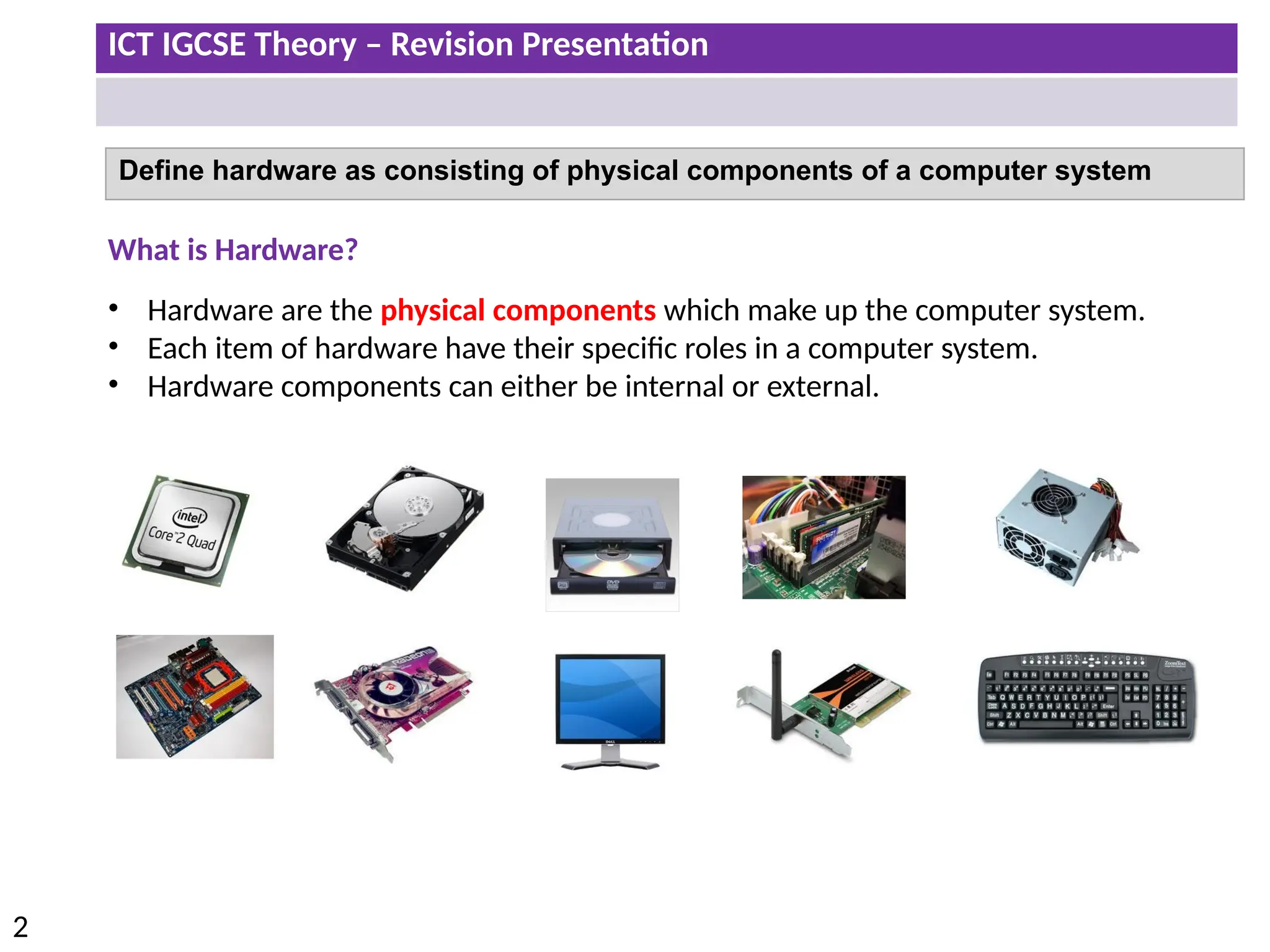
Define hardware as consisting of physical components of a computer system
What is Hardware?
• Hardware are the physical components which make up the computer system.
• Each item of hardware have their specific roles in a computer system.
• Hardware components can either be internal or external.
ICT IGCSE Theory – Revision Presentation
3
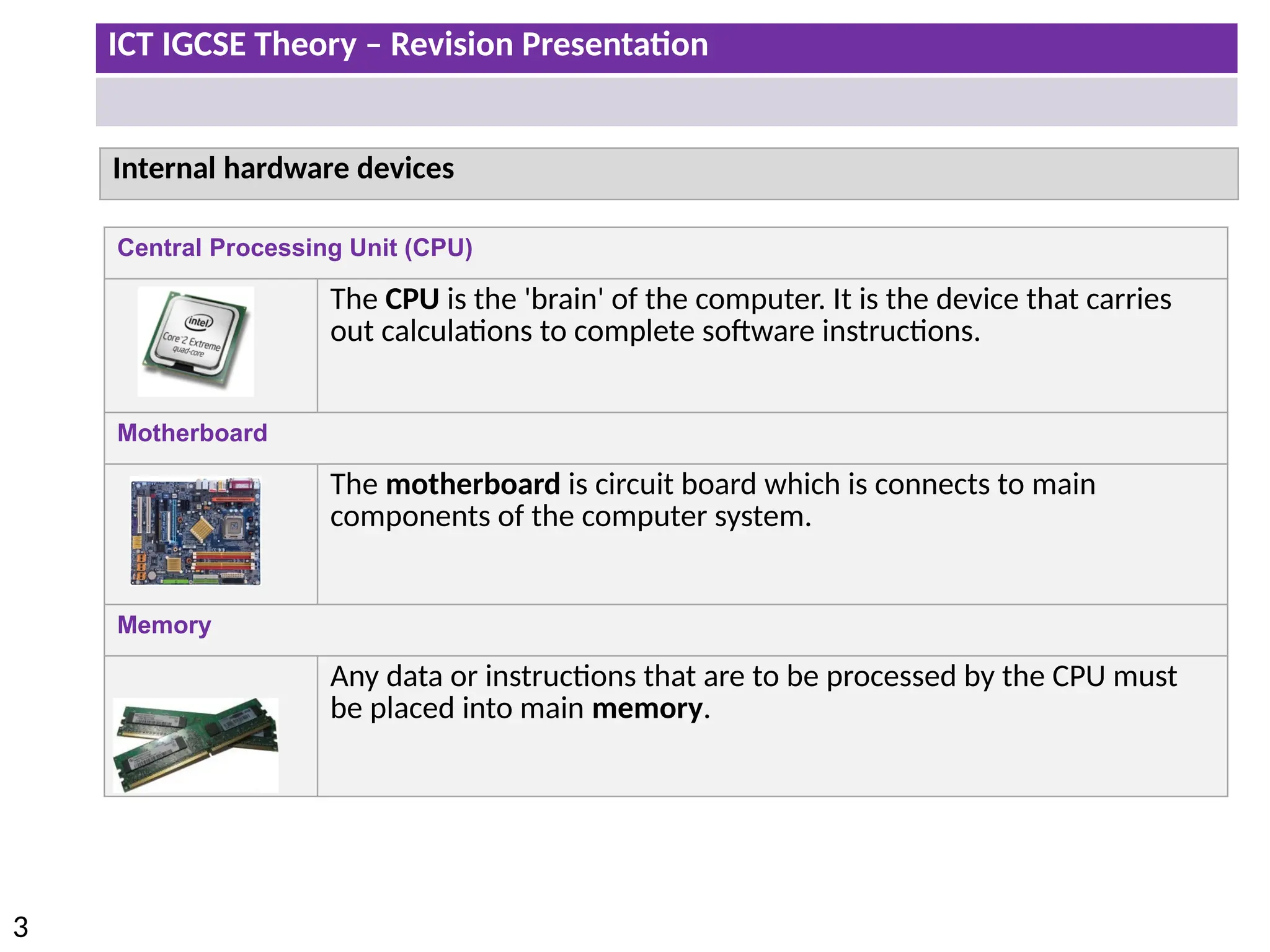
Central Processing Unit (CPU)
The CPU is the 'brain' of the computer. It is the device that carries
out calculations to complete software instructions.
Motherboard
The motherboard is circuit board which is connects to main
components of the computer system.
Memory
Any data or instructions that are to be processed by the CPU must
be placed into main memory.
Internal hardware devices
ICT IGCSE Theory – Revision Presentation
4
Internal hardware devices
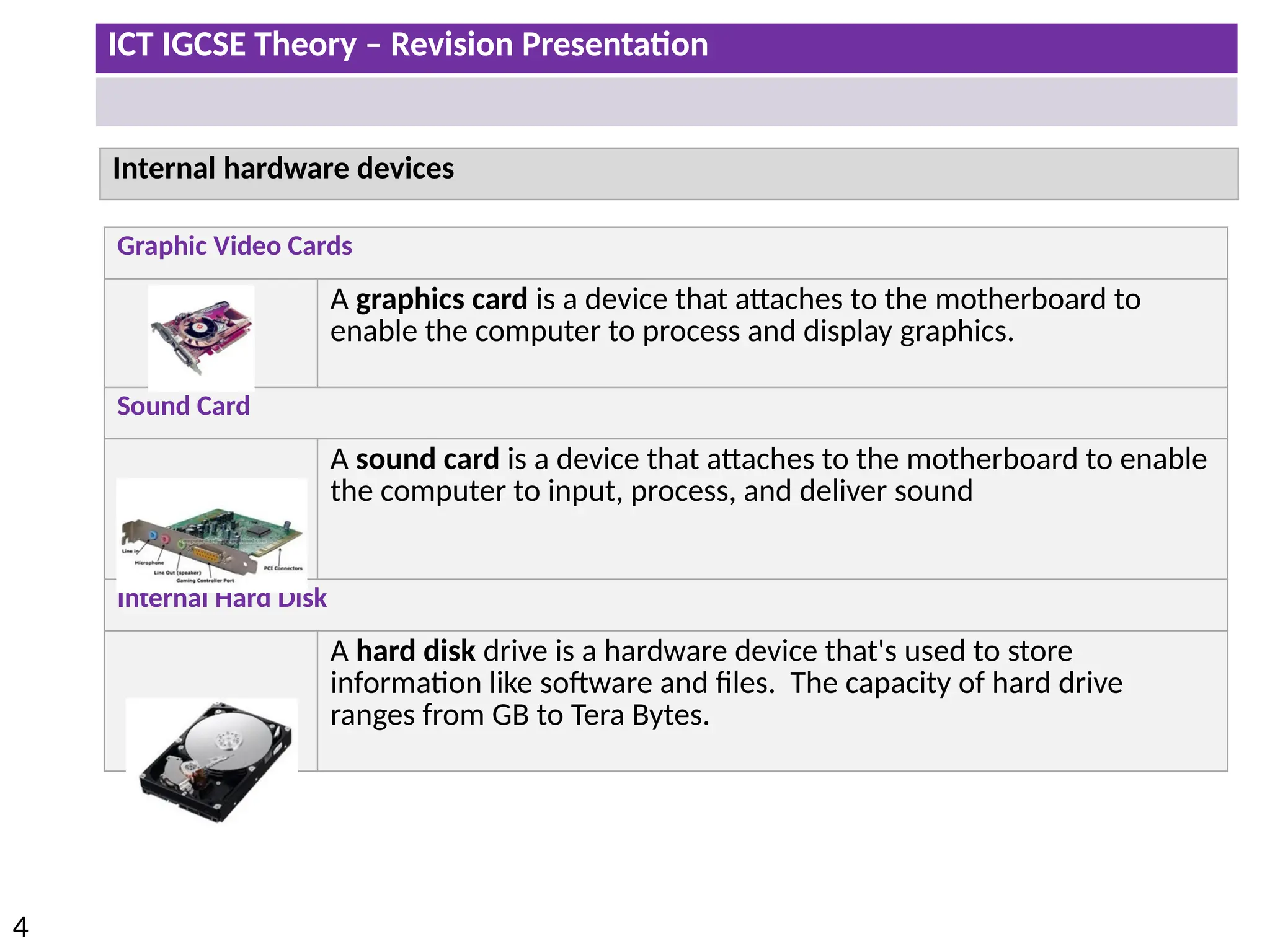
Graphic Video Cards
A graphics card is a device that attaches to the motherboard to
enable the computer to process and display graphics.
Sound Card
A sound card is a device that attaches to the motherboard to enable
the computer to input, process, and deliver sound
Internal Hard Disk
A hard disk drive is a hardware device that's used to store
information like software and files. The capacity of hard drive
ranges from GB to Tera Bytes.
ICT IGCSE Theory – Revision Presentation
5
Internal hardware devices
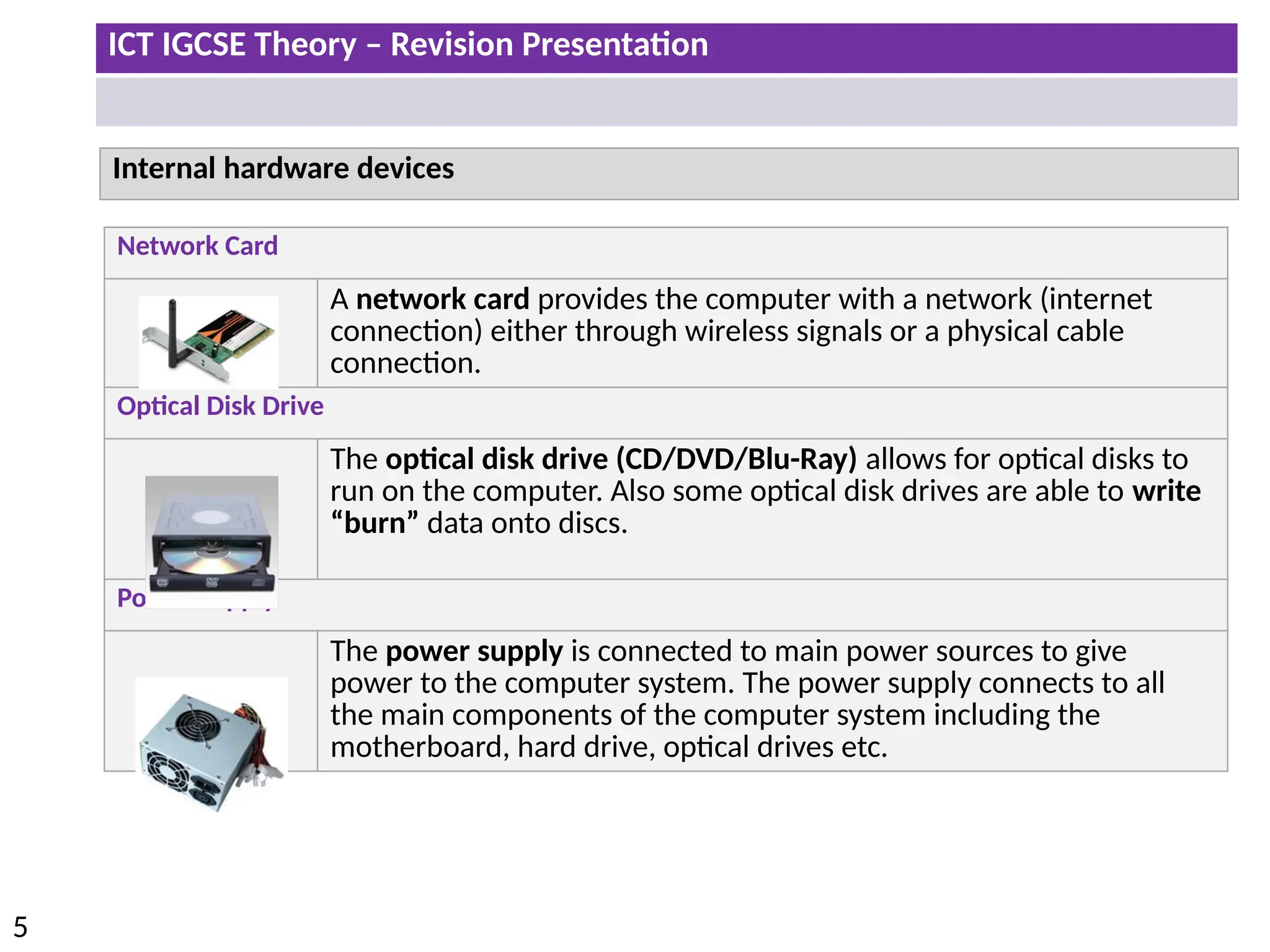
Network Card
A network card provides the computer with a network (internet
connection) either through wireless signals or a physical cable
connection.
Optical Disk Drive
The optical disk drive (CD/DVD/Blu-Ray) allows for optical disks to
run on the computer. Also some optical disk drives are able to write
“burn” data onto discs.
Power Supply
The power supply is connected to main power sources to give
power to the computer system. The power supply connects to all
the main components of the computer system including the
motherboard, hard drive, optical drives etc.
ICT IGCSE Theory – Revision Presentation
6
External hardware devices
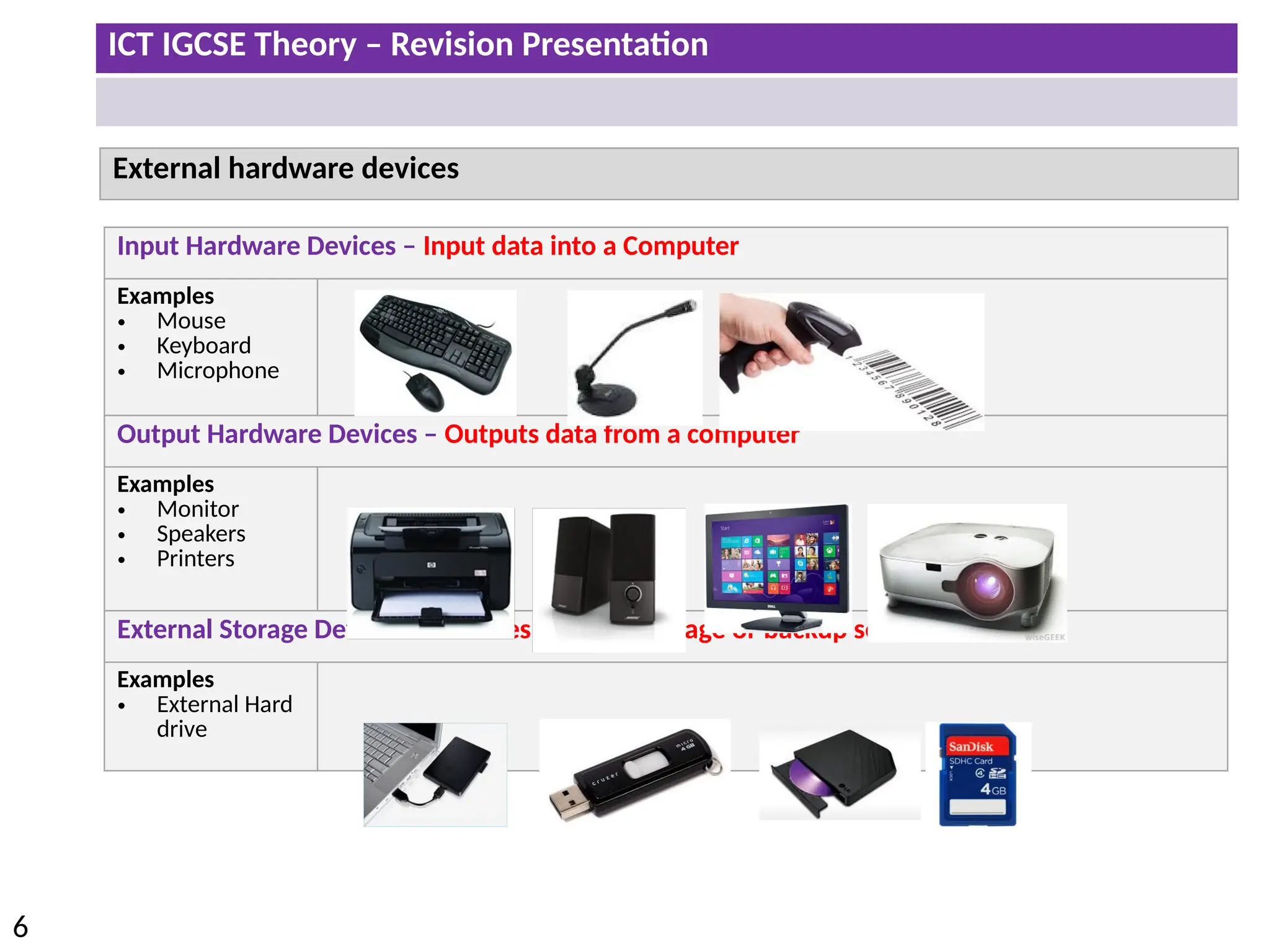
Input Hardware Devices – Input data into a Computer
Examples
• Mouse
• Keyboard
• Microphone
Output Hardware Devices – Outputs data from a computer
Examples
• Monitor
• Speakers
• Printers
External Storage Devices – Provides external storage or backup solutions
Examples
• External Hard
drive
ICT IGCSE Theory – Revision Presentation
7
Computer Software
What is Software?
1. Software is a collection of instructions that can be ‘run’ on a computer. These
instructions tell the computer what to do.
2. Software is not a physical thing (but it can of course be stored on a physical
medium such as a CD-ROM), it is just a bunch of codes.
3. For a computer system to be useful it has to consist of both hardware and
software.
ICT IGCSE Theory – Revision Presentation
8
Applications Software and System Software
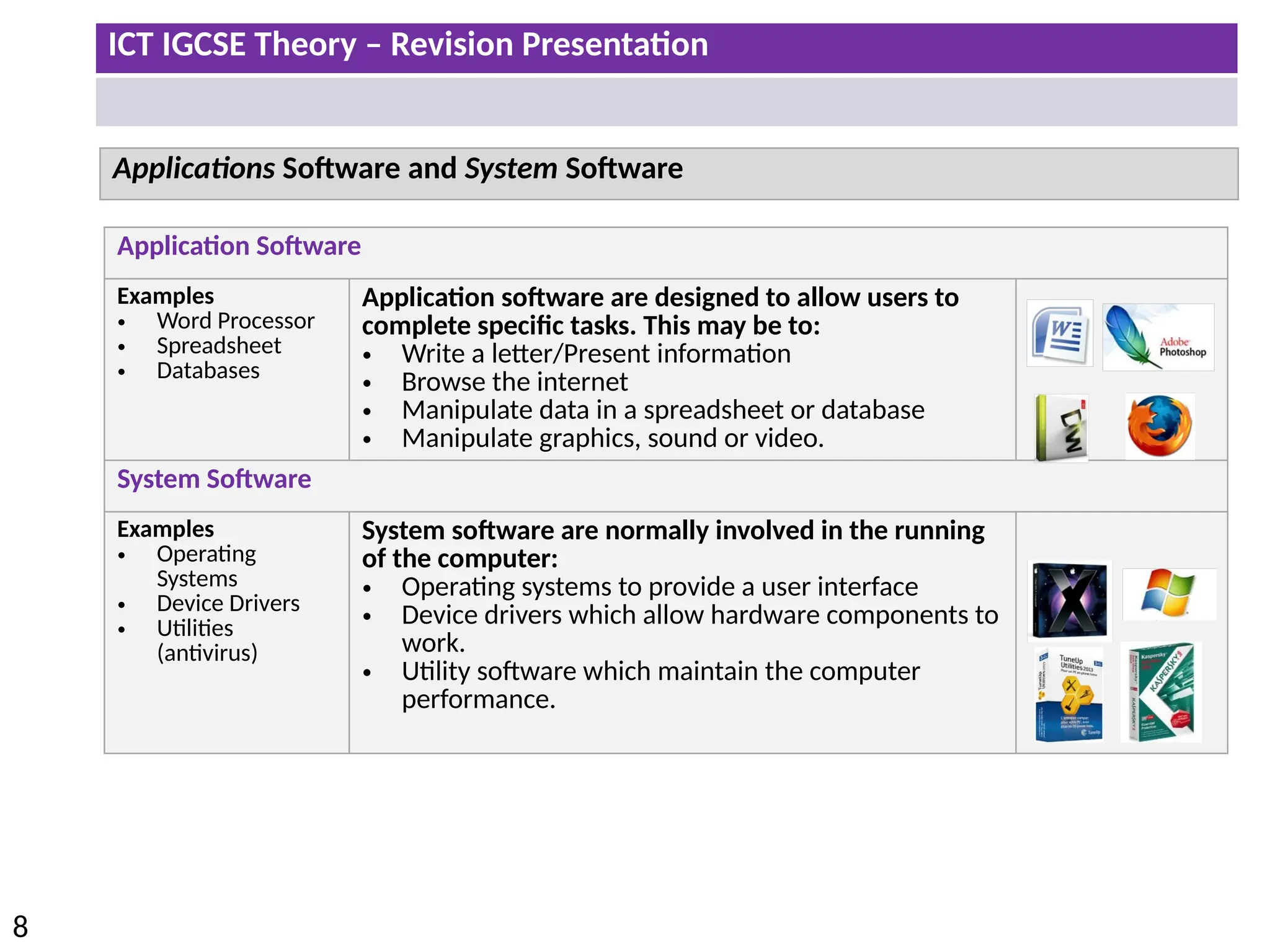
Application Software
Examples
• Word Processor
• Spreadsheet
• Databases
Application software are designed to allow users to
complete specific tasks. This may be to:
• Write a letter/Present information
• Browse the internet
• Manipulate data in a spreadsheet or database
• Manipulate graphics, sound or video.
System Software
Examples
• Operating
Systems
• Device Drivers
• Utilities
(antivirus)
System software are normally involved in the running
of the computer:
• Operating systems to provide a user interface
• Device drivers which allow hardware components to
work.
• Utility software which maintain the computer
performance.
ICT IGCSE Theory – Revision Presentation
9
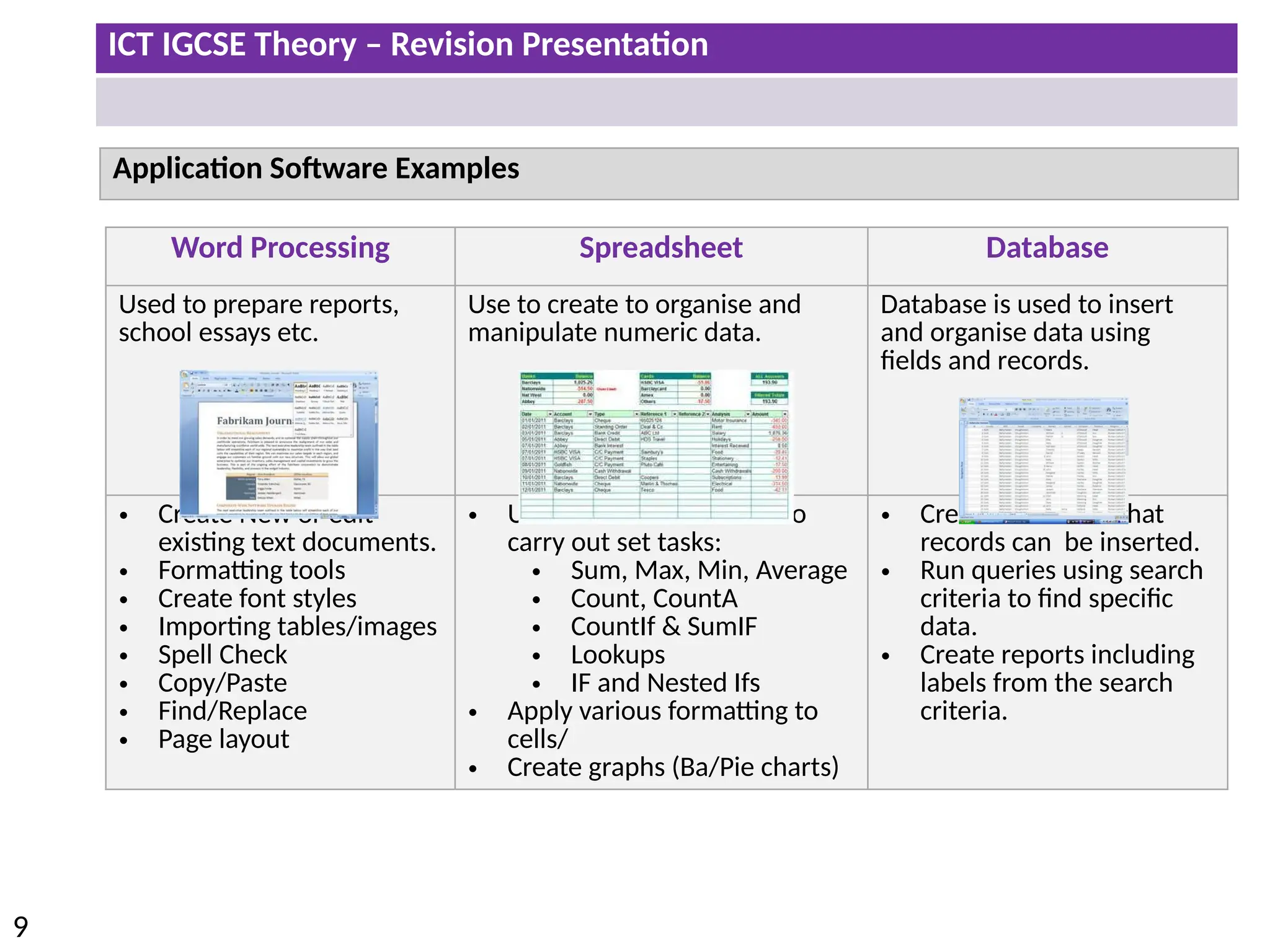
Application Software Examples
Word Processing Spreadsheet Database
Used to prepare reports,
school essays etc.
Use to create to organise and
manipulate numeric data.
Database is used to insert
and organise data using
fields and records.
• Create New or edit
existing text documents.
• Formatting tools
• Create font styles
• Importing tables/images
• Spell Check
• Copy/Paste
• Find/Replace
• Page layout
• Use of various formulas to
carry out set tasks:
• Sum, Max, Min, Average
• Count, CountA
• CountIf & SumIF
• Lookups
• IF and Nested Ifs
• Apply various formatting to
cells/
• Create graphs (Ba/Pie charts)
• Create a table so that
records can be inserted.
• Run queries using search
criteria to find specific
data.
• Create reports including
labels from the search
criteria.
ICT IGCSE Theory – Revision Presentation
10
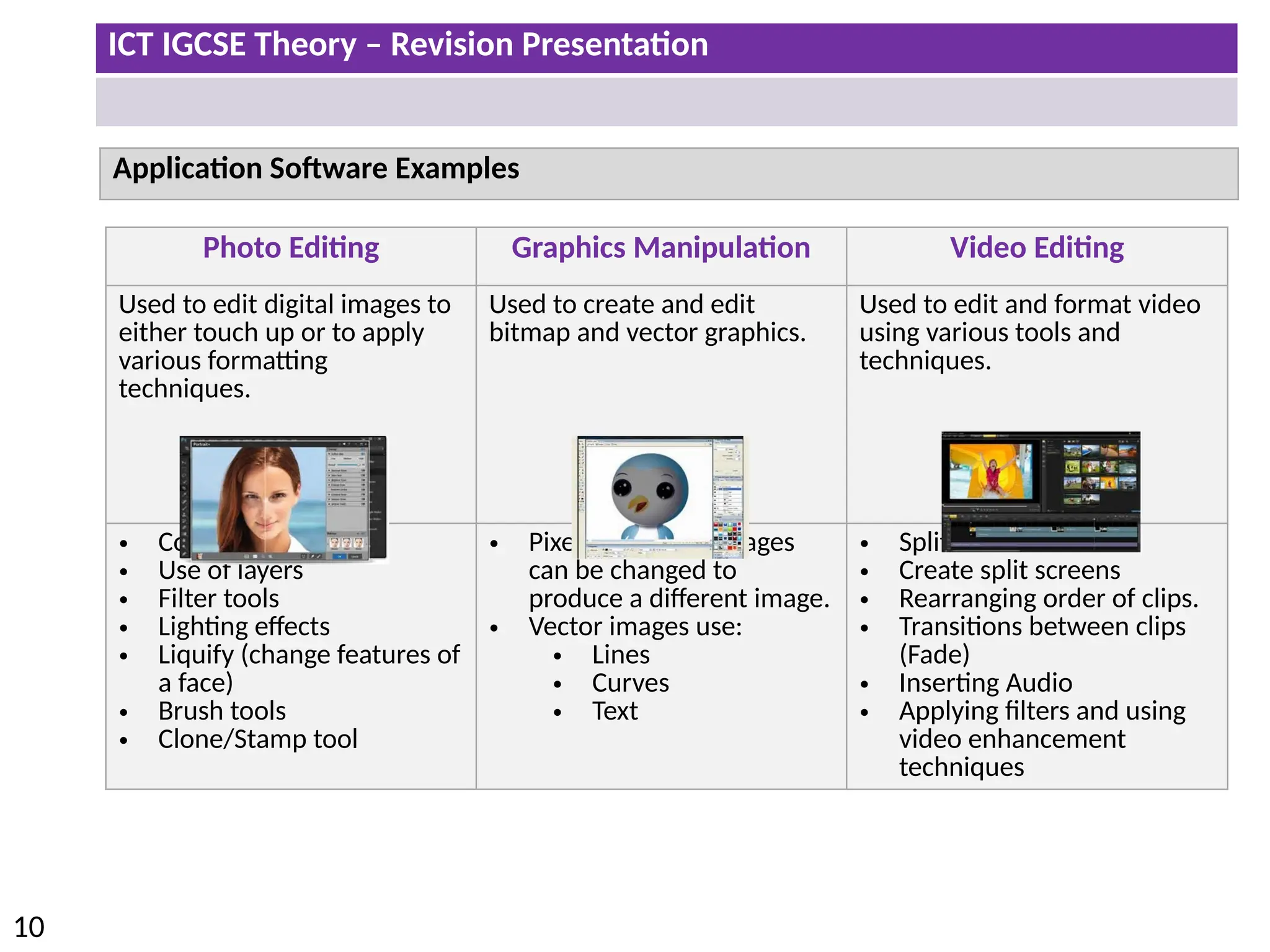
Application Software Examples
Photo Editing Graphics Manipulation Video Editing
Used to edit digital images to
either touch up or to apply
various formatting
techniques.
Used to create and edit
bitmap and vector graphics.
Used to edit and format video
using various tools and
techniques.
• Contrast/Brightness
• Use of layers
• Filter tools
• Lighting effects
• Liquify (change features of
a face)
• Brush tools
• Clone/Stamp tool
• Pixels in bitmap images
can be changed to
produce a different image.
• Vector images use:
• Lines
• Curves
• Text
• Split and Trim videos
• Create split screens
• Rearranging order of clips.
• Transitions between clips
(Fade)
• Inserting Audio
• Applying filters and using
video enhancement
techniques
ICT IGCSE Theory – Revision Presentation
11
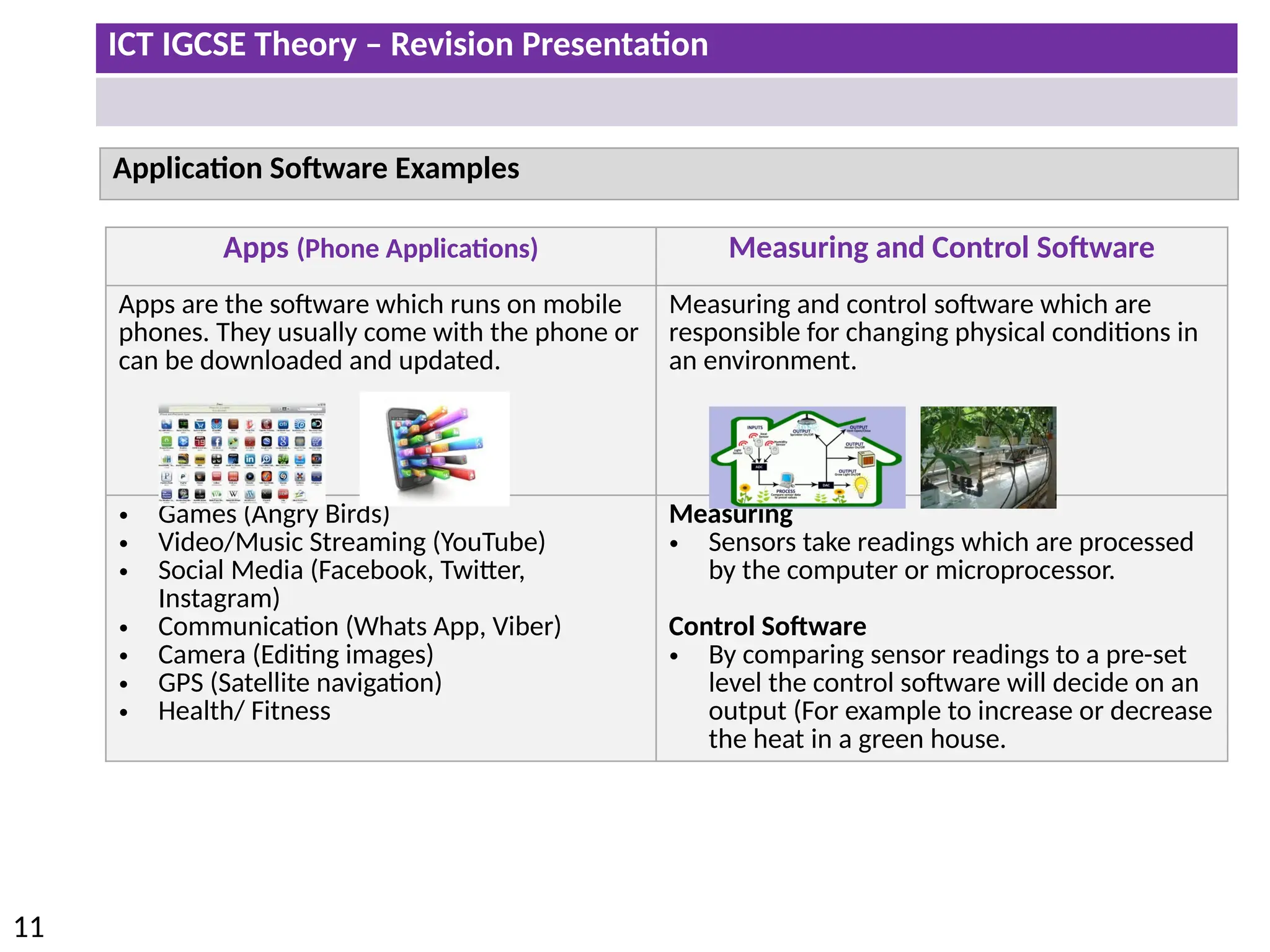
Application Software Examples
Apps (Phone Applications) Measuring and Control Software
Apps are the software which runs on mobile
phones. They usually come with the phone or
can be downloaded and updated.
Measuring and control software which are
responsible for changing physical conditions in
an environment.
• Games (Angry Birds)
• Video/Music Streaming (YouTube)
• Social Media (Facebook, Twitter,
Instagram)
• Communication (Whats App, Viber)
• Camera (Editing images)
• GPS (Satellite navigation)
• Health/ Fitness
Measuring
• Sensors take readings which are processed
by the computer or microprocessor.
Control Software
• By comparing sensor readings to a pre-set
level the control software will decide on an
output (For example to increase or decrease
the heat in a green house.
ICT IGCSE Theory – Revision Presentation
12
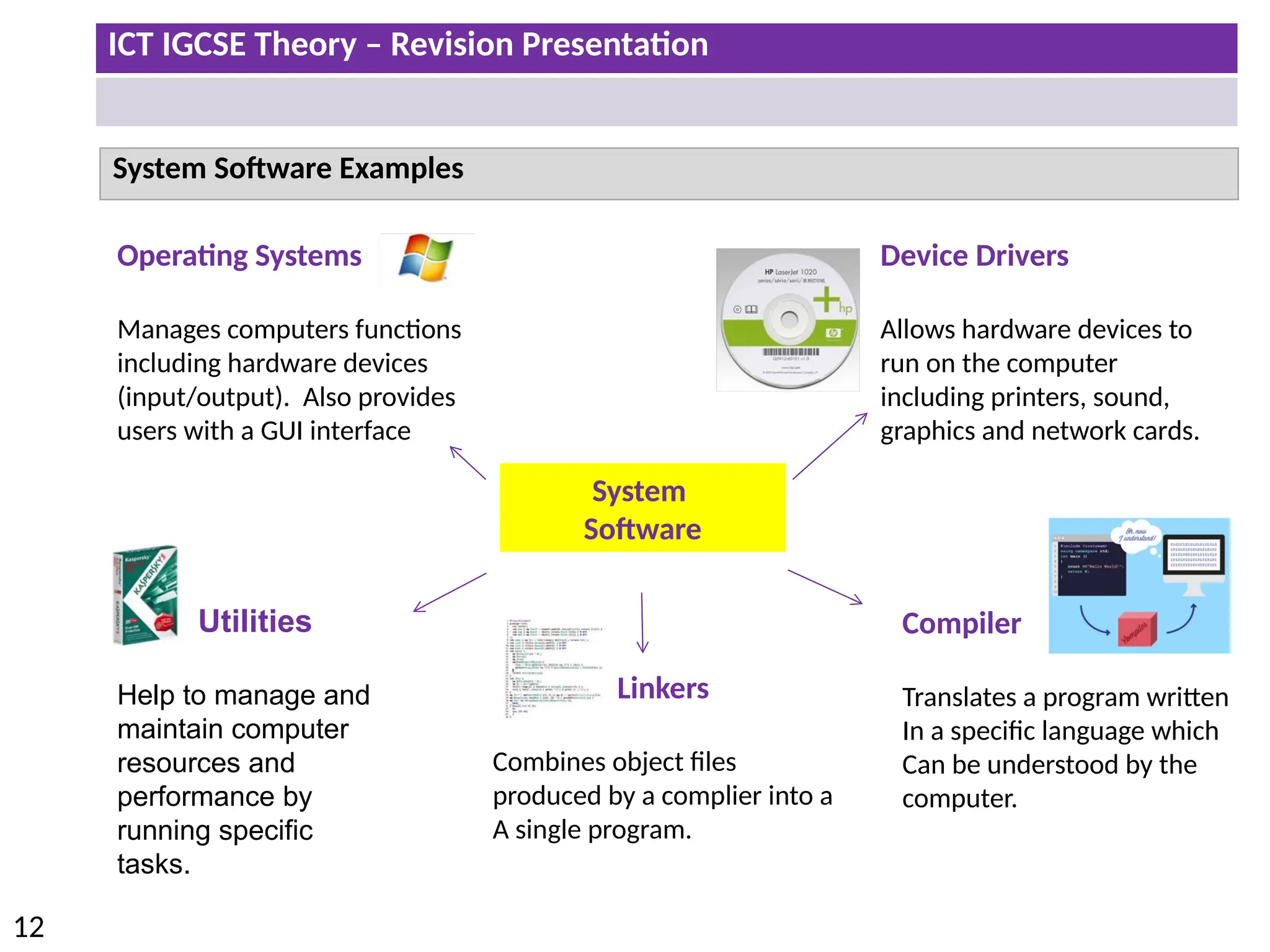
System Software Examples
System
Software
Device Drivers
Allows hardware devices to
run on the computer
including printers, sound,
graphics and network cards.
Linkers
Combines object files
produced by a complier into a
A single program.
Operating Systems
Manages computers functions
including hardware devices
(input/output). Also provides
users with a GUI interface
Compiler
Translates a program written
In a specific language which
Can be understood by the
computer.
Utilities
Help to manage and
maintain computer
resources and
performance by
running specific
tasks.
ICT IGCSE Theory – Revision Presentation
13
• Describe the central processing unit including its role
• Describe internal memory, i.e. ROM and RAM and the differences between them
• Define input and output devices and describe the difference between them
• Define secondary/backing storage
ICT IGCSE Theory – Revision Presentation
14
Describe the central processing unit including its role
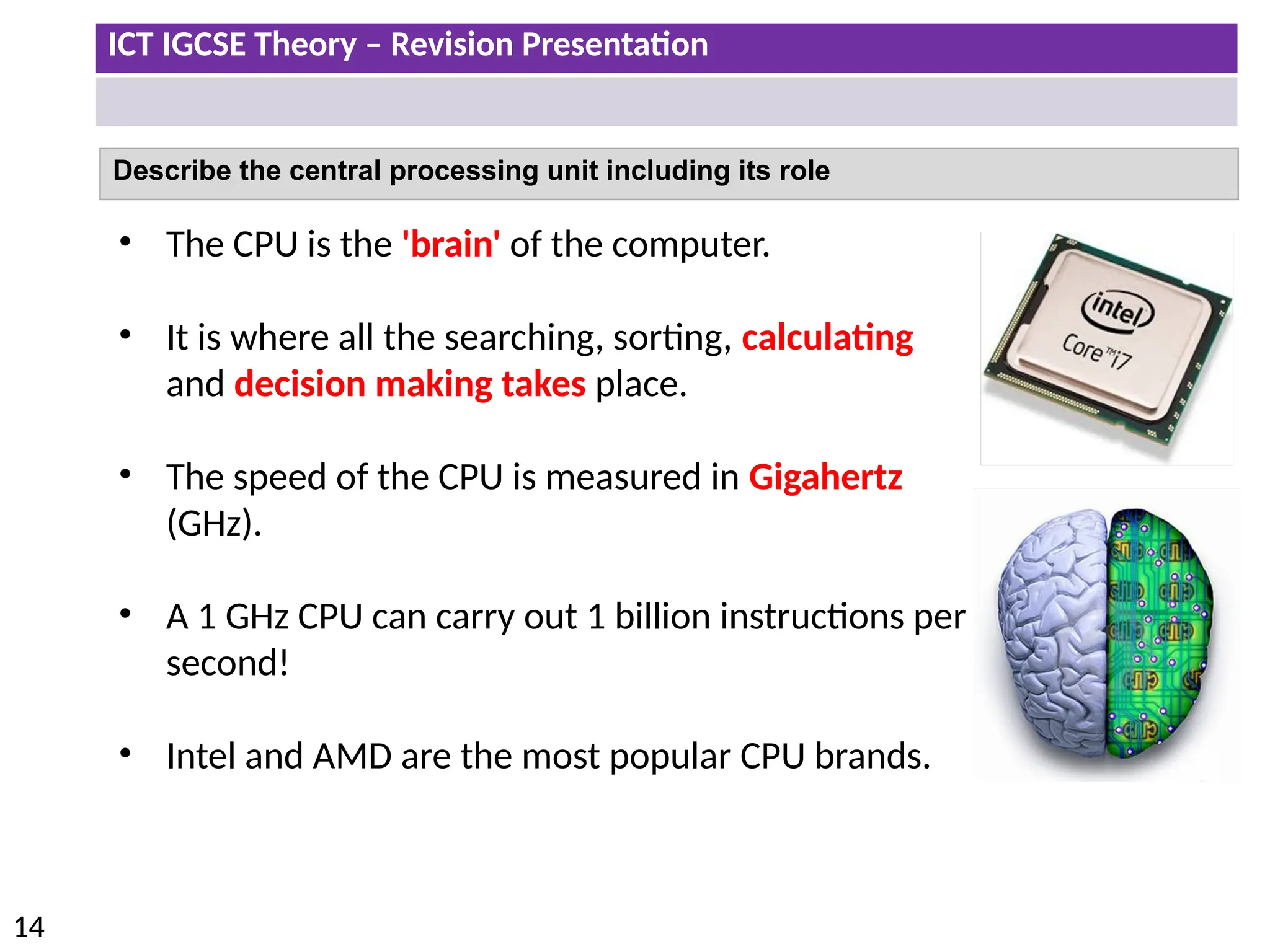
• The CPU is the 'brain' of the computer.
• It is where all the searching, sorting, calculating
and decision making takes place.
• The speed of the CPU is measured in Gigahertz
(GHz).
• A 1 GHz CPU can carry out 1 billion instructions per
second!
• Intel and AMD are the most popular CPU brands.
ICT IGCSE Theory – Revision Presentation
15
Main Memory
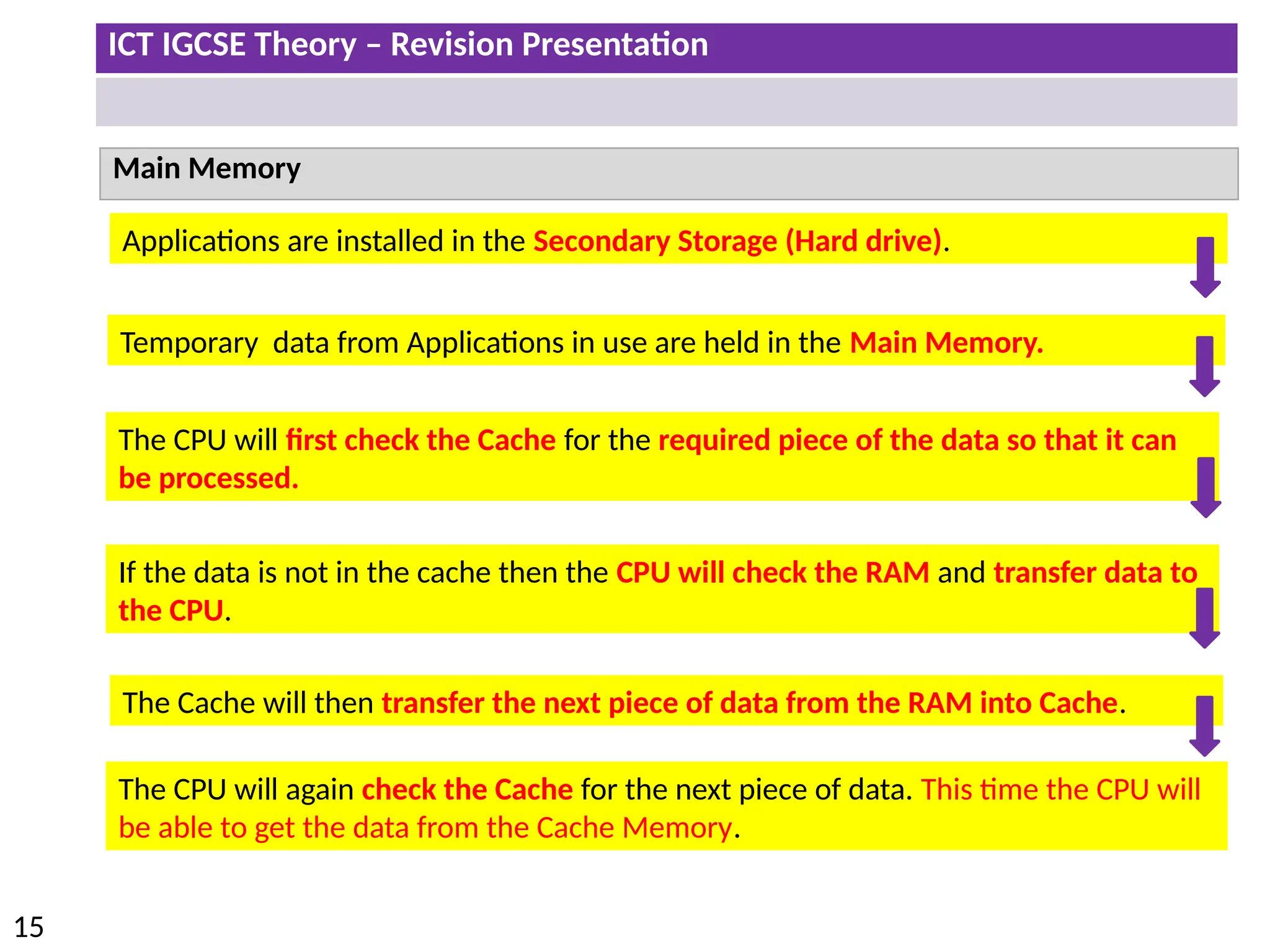
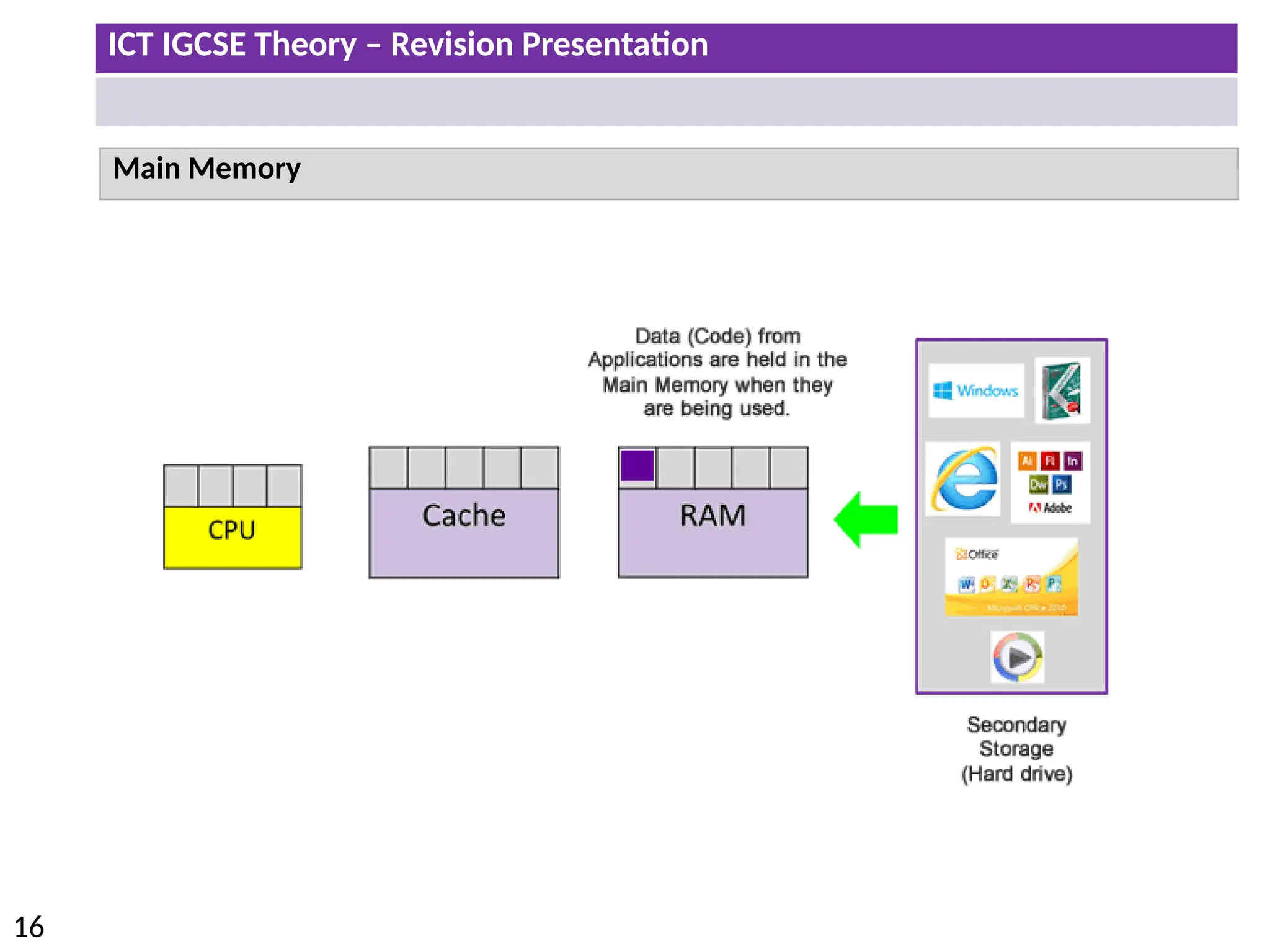
The CPU will again check the Cache for the next piece of data. This time the CPU will
be able to get the data from the Cache Memory.
Temporary data from Applications in use are held in the Main Memory.
Applications are installed in the Secondary Storage (Hard drive).
The CPU will first check the Cache for the required piece of the data so that it can
be processed.
If the data is not in the cache then the CPU will check the RAM and transfer data to
the CPU.
The Cache will then transfer the next piece of data from the RAM into Cache.
ICT IGCSE Theory – Revision Presentation
16
Main Memory
ICT IGCSE Theory – Revision Presentation
17
Cache
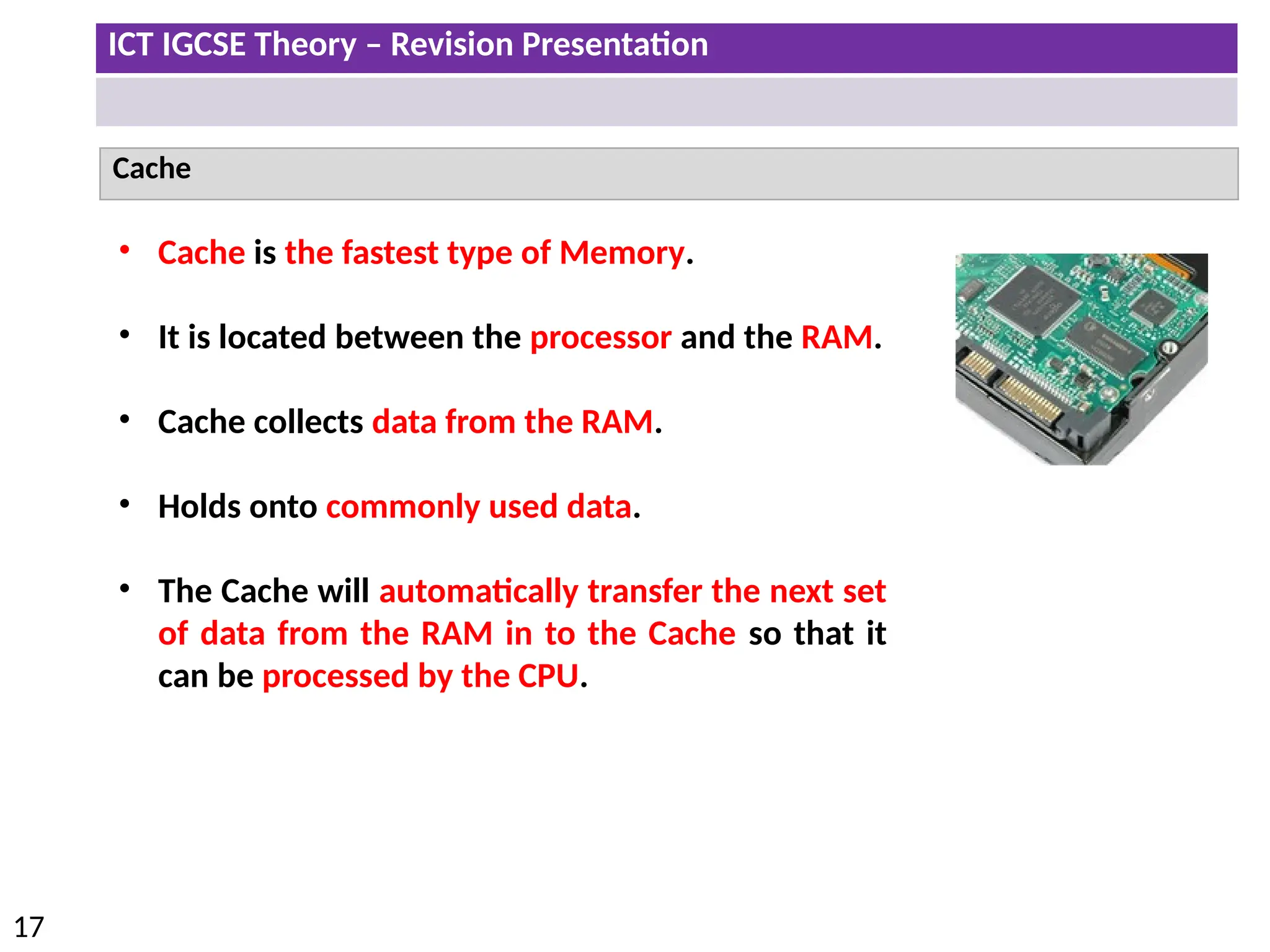
• Cache is the fastest type of Memory.
• It is located between the processor and the RAM.
• Cache collects data from the RAM.
• Holds onto commonly used data.
• The Cache will automatically transfer the next set
of data from the RAM in to the Cache so that it
can be processed by the CPU.
ICT IGCSE Theory – Revision Presentation
18
RAM (Random Access Memory)
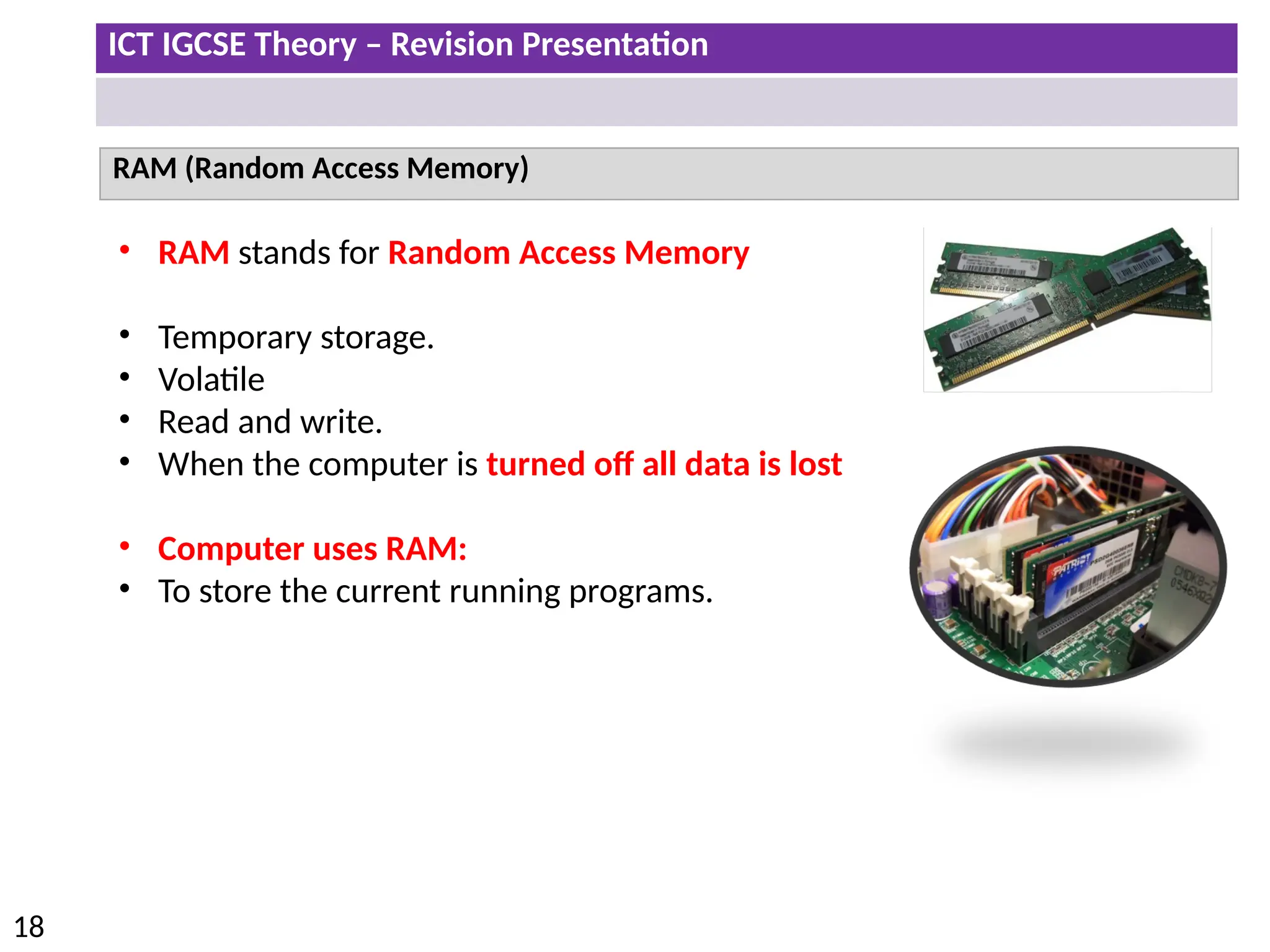
• RAM stands for Random Access Memory
• Temporary storage.
• Volatile
• Read and write.
• When the computer is turned off all data is lost
• Computer uses RAM:
• To store the current running programs.
ICT IGCSE Theory – Revision Presentation
19
ROM (Read Only Memory)
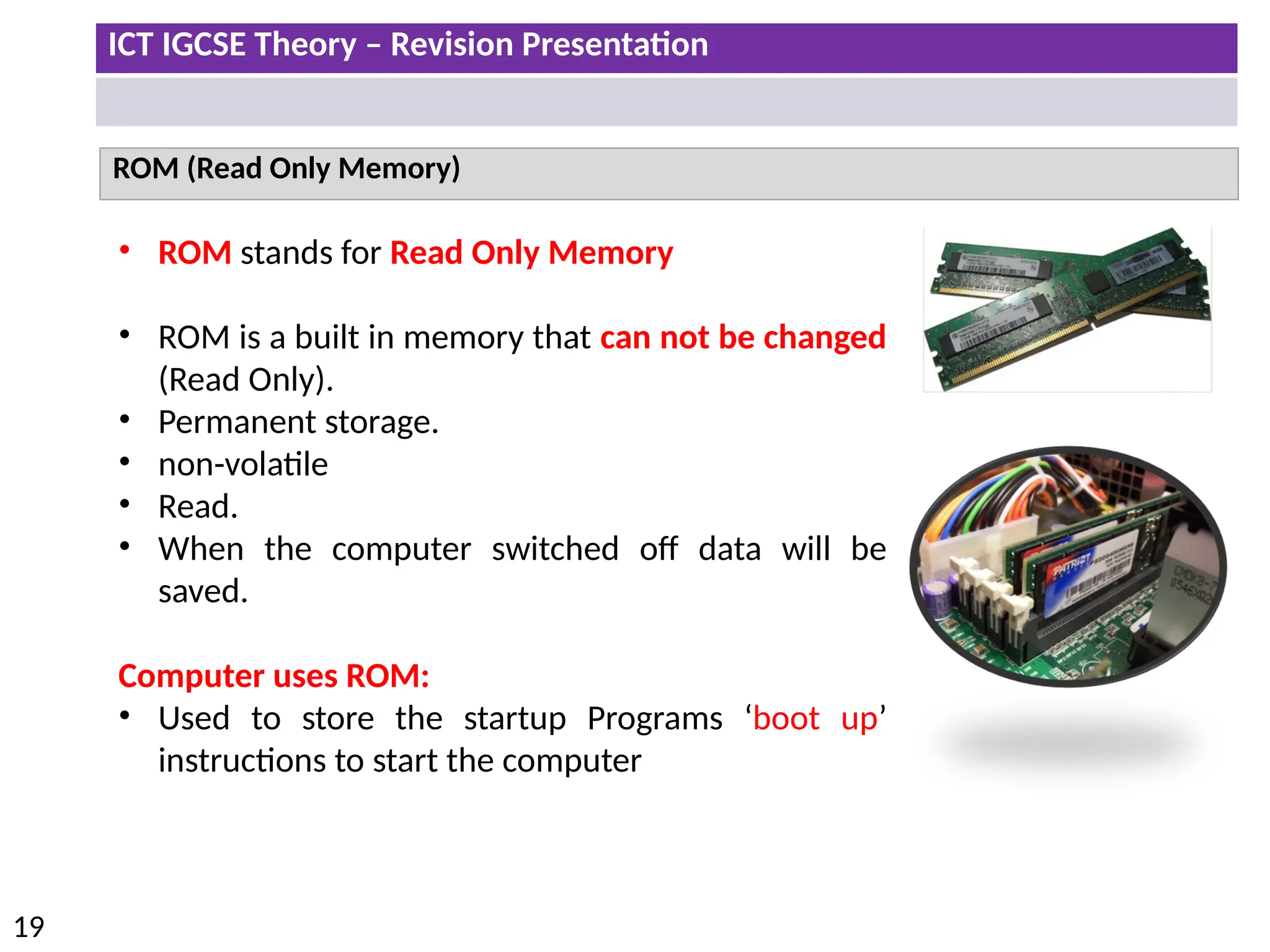
• ROM stands for Read Only Memory
• ROM is a built in memory that can not be changed
(Read Only).
• Permanent storage.
• non-volatile
• Read.
• When the computer switched off data will be
saved.
Computer uses ROM:
• Used to store the startup Programs ‘boot up’
instructions to start the computer
ICT IGCSE Theory – Revision Presentation
20
Input and Output devices
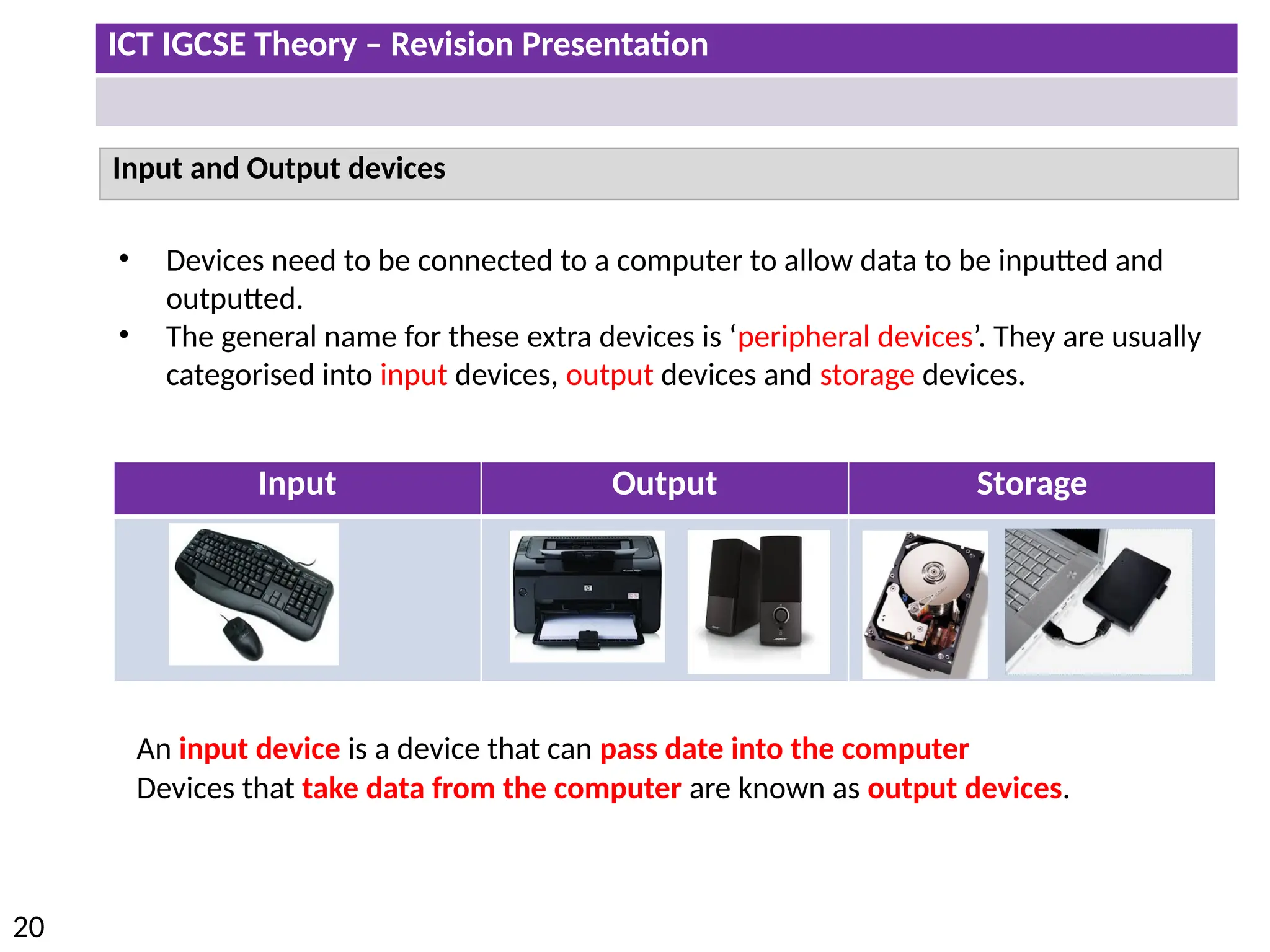
• Devices need to be connected to a computer to allow data to be inputted and
outputted.
• The general name for these extra devices is ‘peripheral devices’. They are usually
categorised into input devices, output devices and storage devices.
Input Output Storage
An input device is a device that can pass date into the computer
Devices that take data from the computer are known as output devices.
ICT IGCSE Theory – Revision Presentation
21
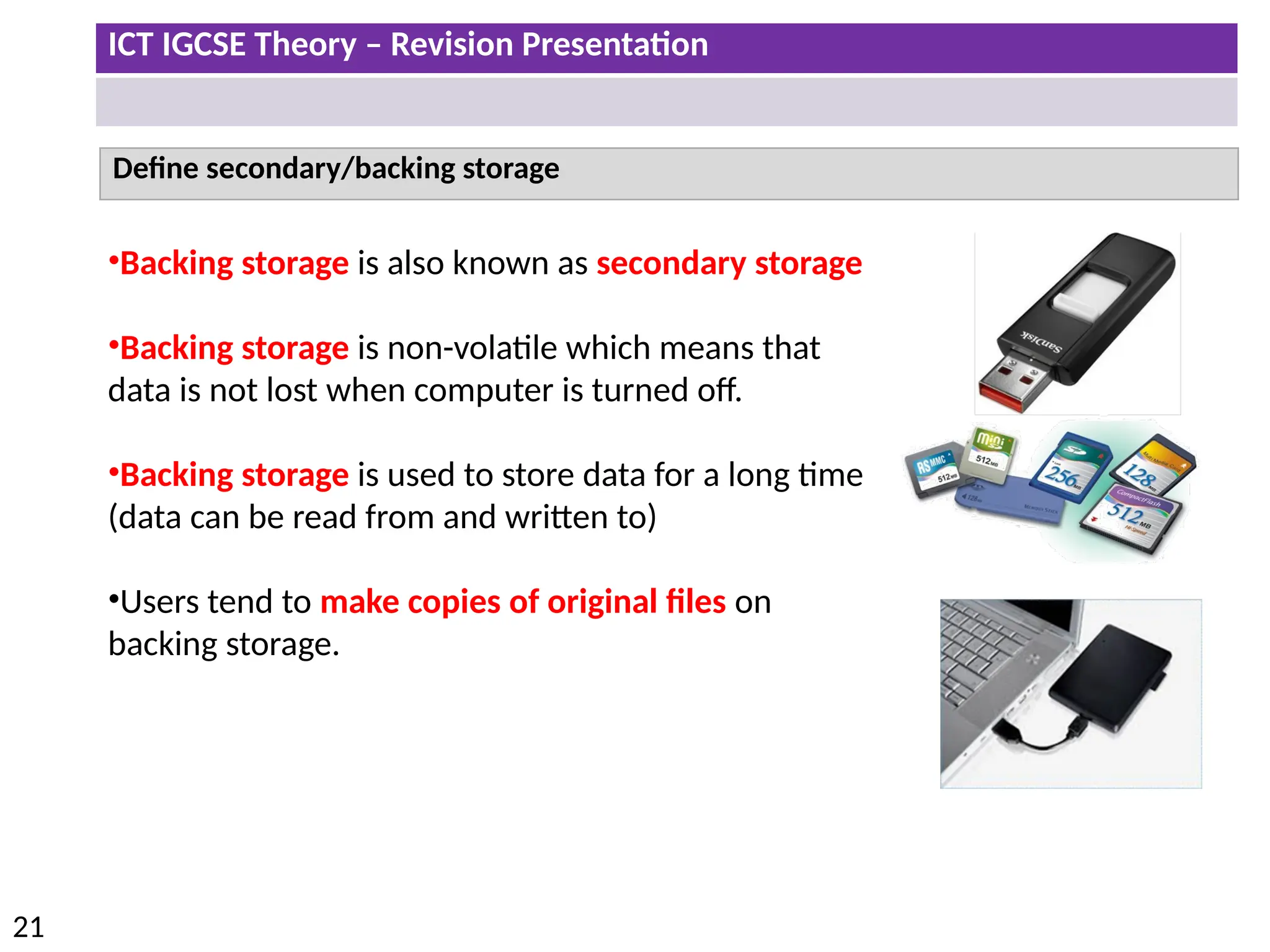
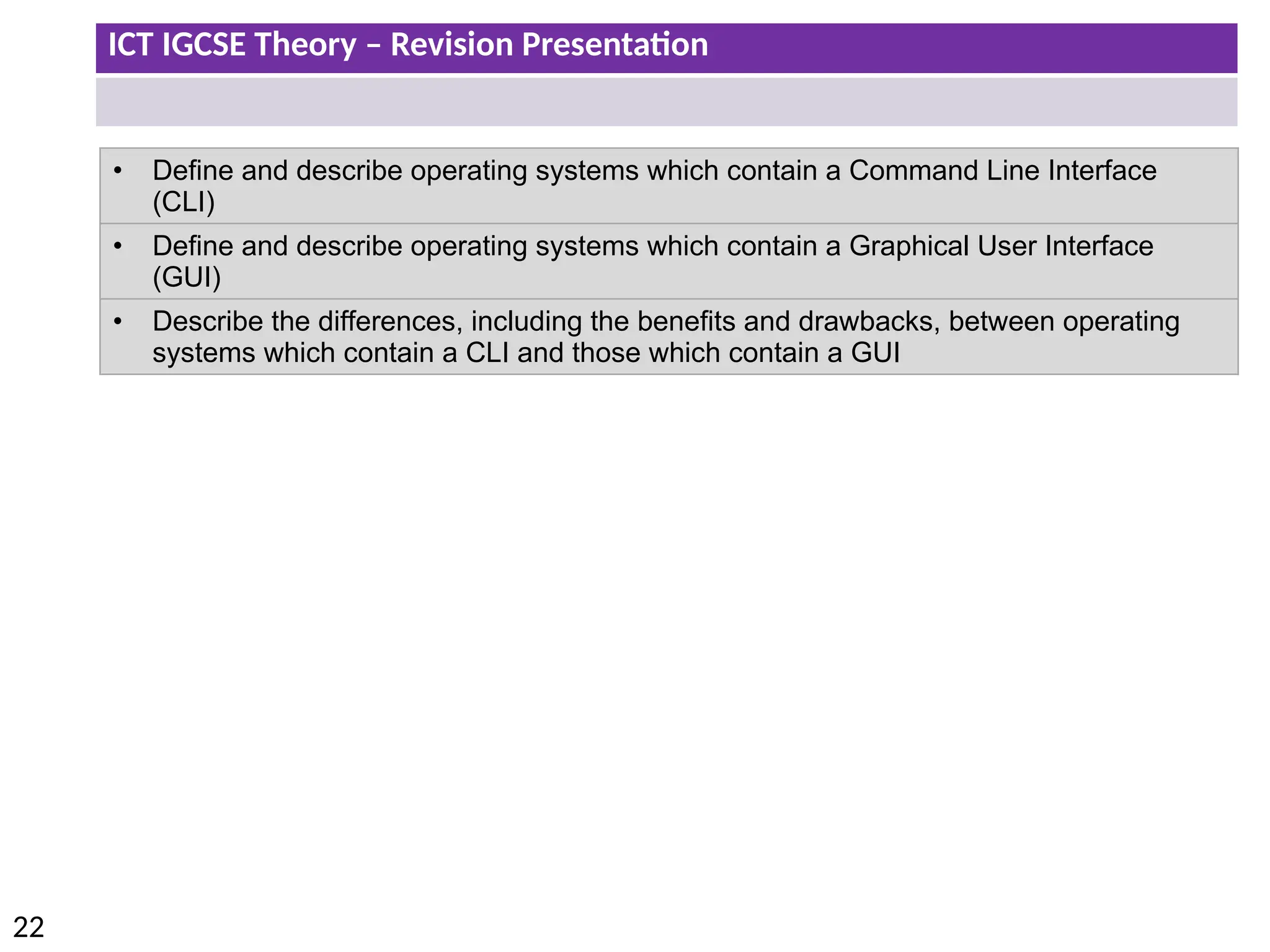
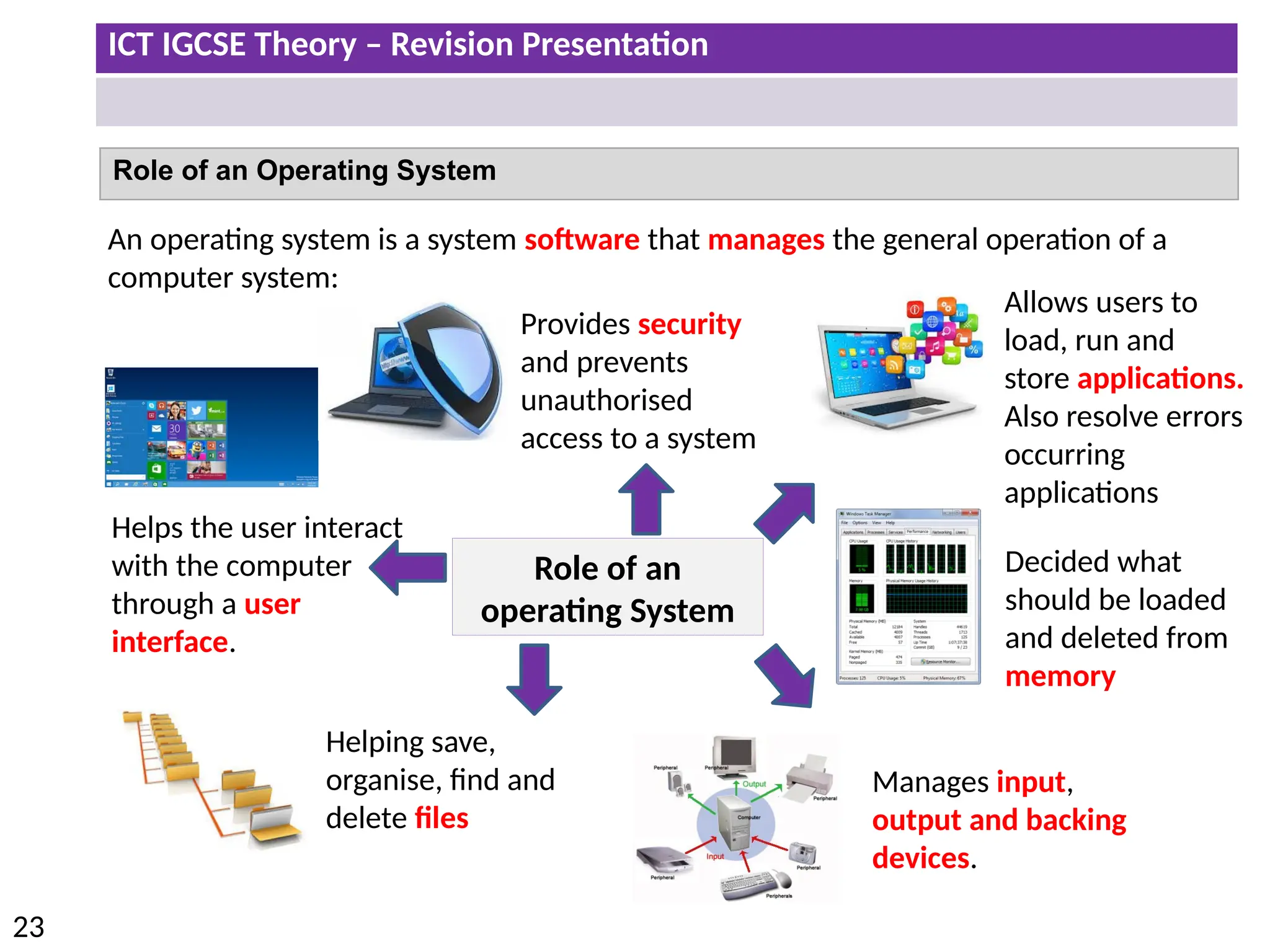
Define secondary/backing storage
•Backing storage is also known as secondary storage
•Backing storage is non-volatile which means that
data is not lost when computer is turned off.
•Backing storage is used to store data for a long time
(data can be read from and written to)
•Users tend to make copies of original files on
backing storage.
ICT IGCSE Theory – Revision Presentation
22
• Define and describe operating systems which contain a Command Line Interface
(CLI)
• Define and describe operating systems which contain a Graphical User Interface
(GUI)
• Describe the differences, including the benefits and drawbacks, between operating
systems which contain a CLI and those which contain a GUI
ICT IGCSE Theory – Revision Presentation
23
Role of an Operating System
An operating system is a system software that manages the general operation of a
computer system:
Role of an
operating System
Helps the user interact
with the computer
through a user
interface.
Provides security
and prevents
unauthorised
access to a system
Allows users to
load, run and
store applications.
Also resolve errors
occurring
applications
Decided what
should be loaded
and deleted from
memory
Helping save,
organise, find and
delete files
Manages input,
output and backing
devices.
ICT IGCSE Theory – Revision Presentation
24
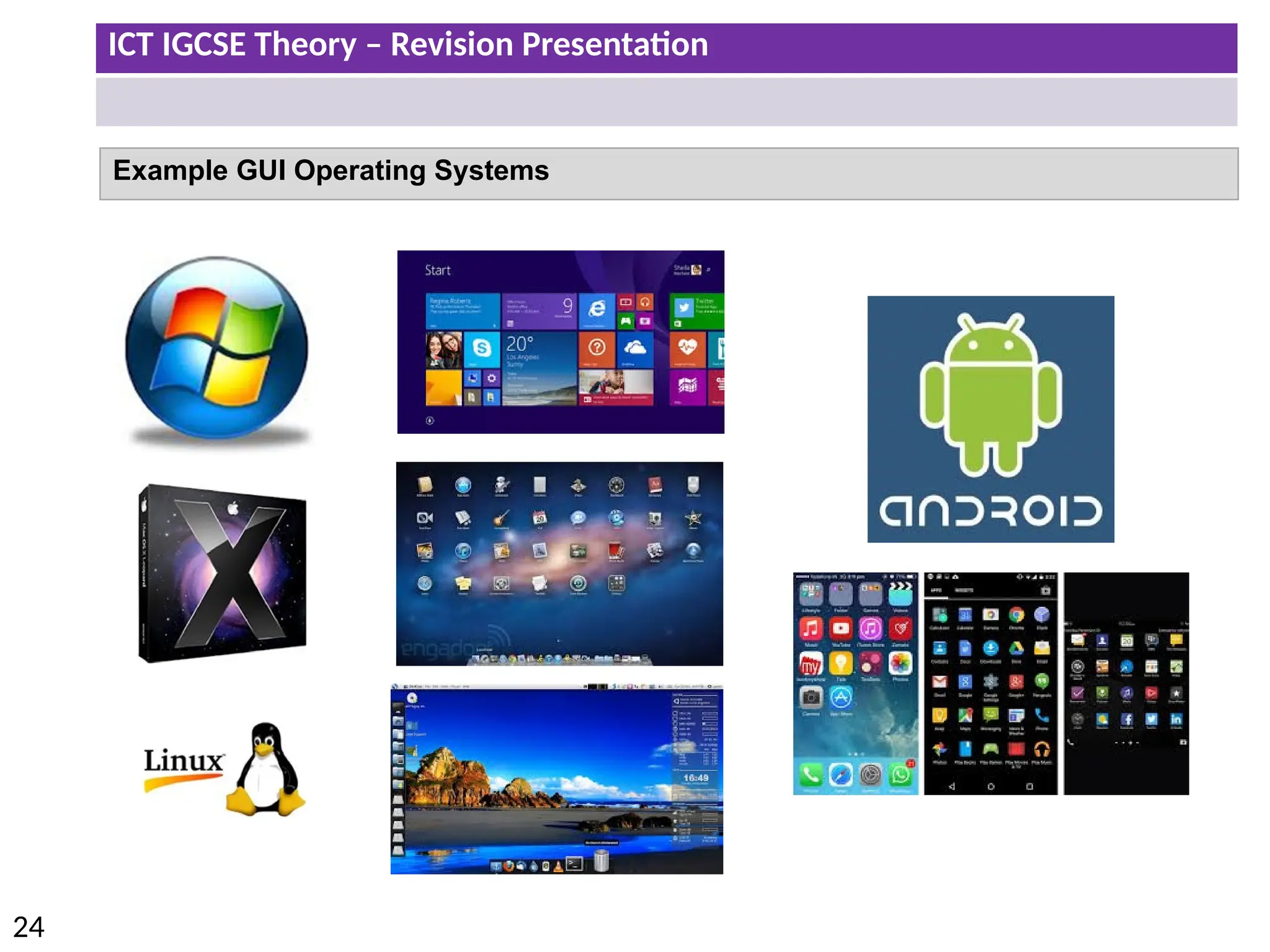
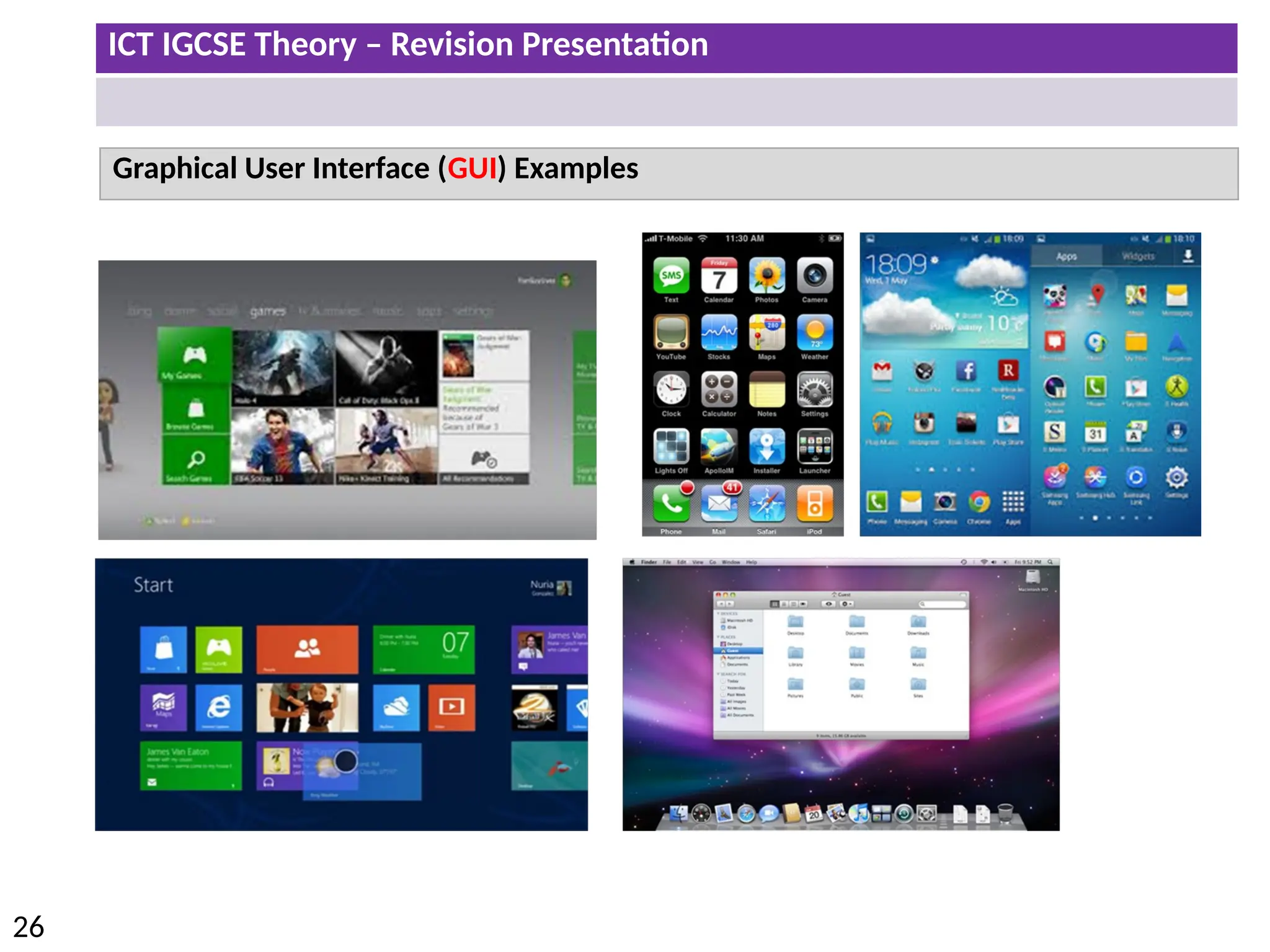
Example GUI Operating Systems
ICT IGCSE Theory – Revision Presentation
25
Graphical User Interface (GUI)
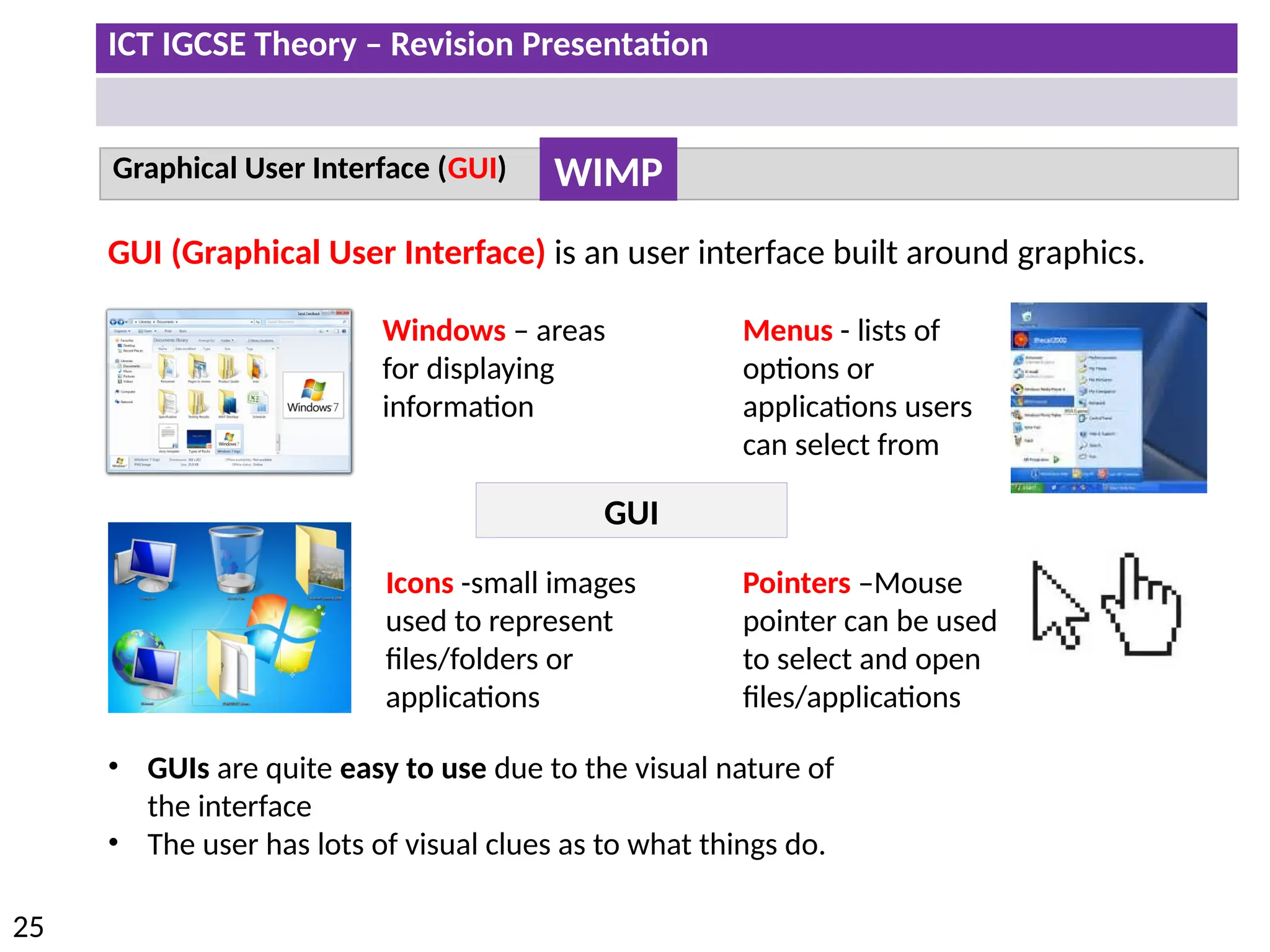
GUI (Graphical User Interface) is an user interface built around graphics.
GUI
Windows – areas
for displaying
information
Icons -small images
used to represent
files/folders or
applications
Menus - lists of
options or
applications users
can select from
Pointers –Mouse
pointer can be used
to select and open
files/applications
WIMP
• GUIs are quite easy to use due to the visual nature of
the interface
• The user has lots of visual clues as to what things do.
ICT IGCSE Theory – Revision Presentation
26
Graphical User Interface (GUI) Examples
ICT IGCSE Theory – Revision Presentation
27
Command Line Interface (CLI)
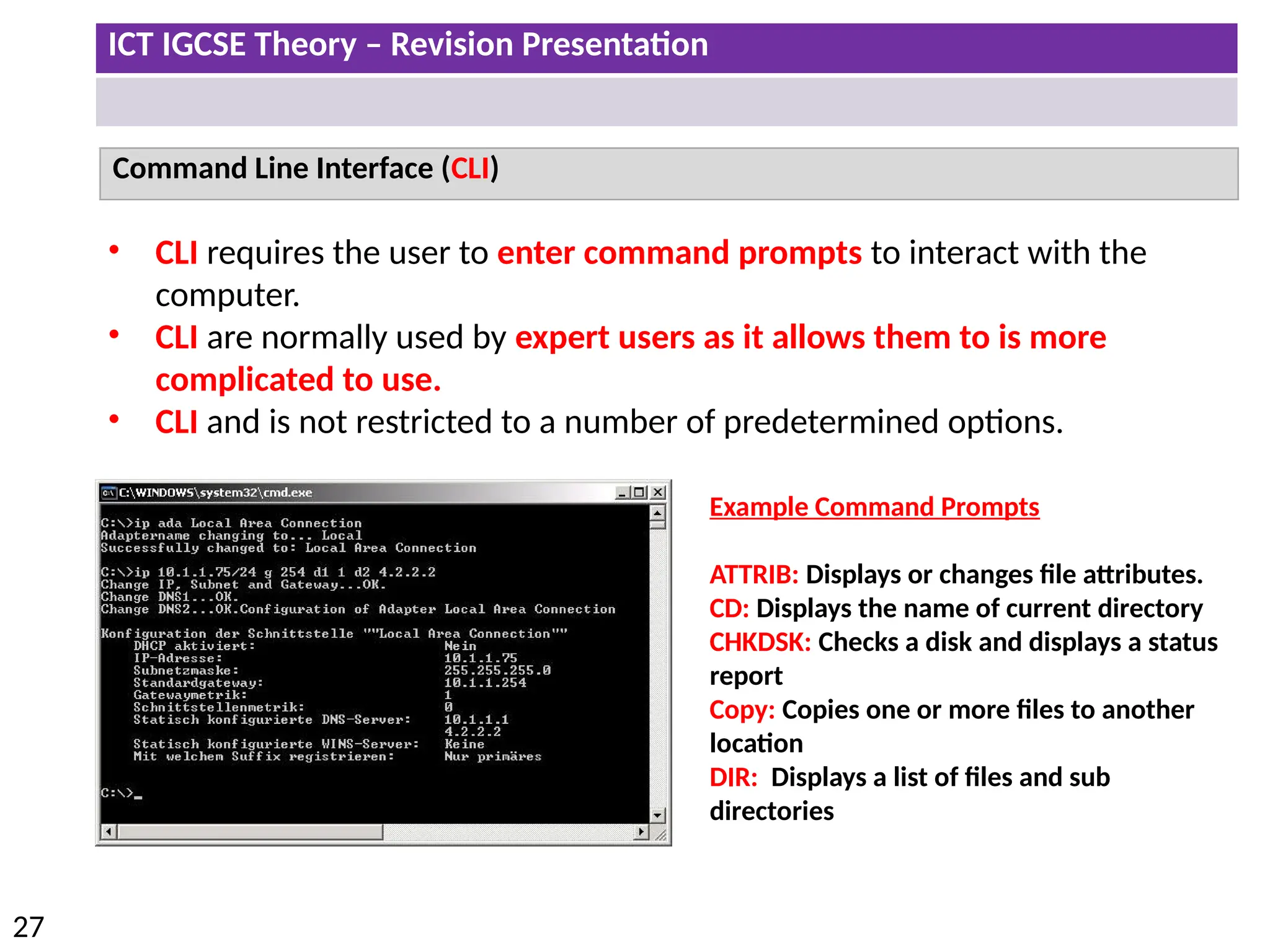
• CLI requires the user to enter command prompts to interact with the
computer.
• CLI are normally used by expert users as it allows them to is more
complicated to use.
• CLI and is not restricted to a number of predetermined options.
Example Command Prompts
ATTRIB: Displays or changes file attributes.
CD: Displays the name of current directory
CHKDSK: Checks a disk and displays a status
report
Copy: Copies one or more files to another
location
DIR: Displays a list of files and sub
directories
ICT IGCSE Theory – Revision Presentation
28
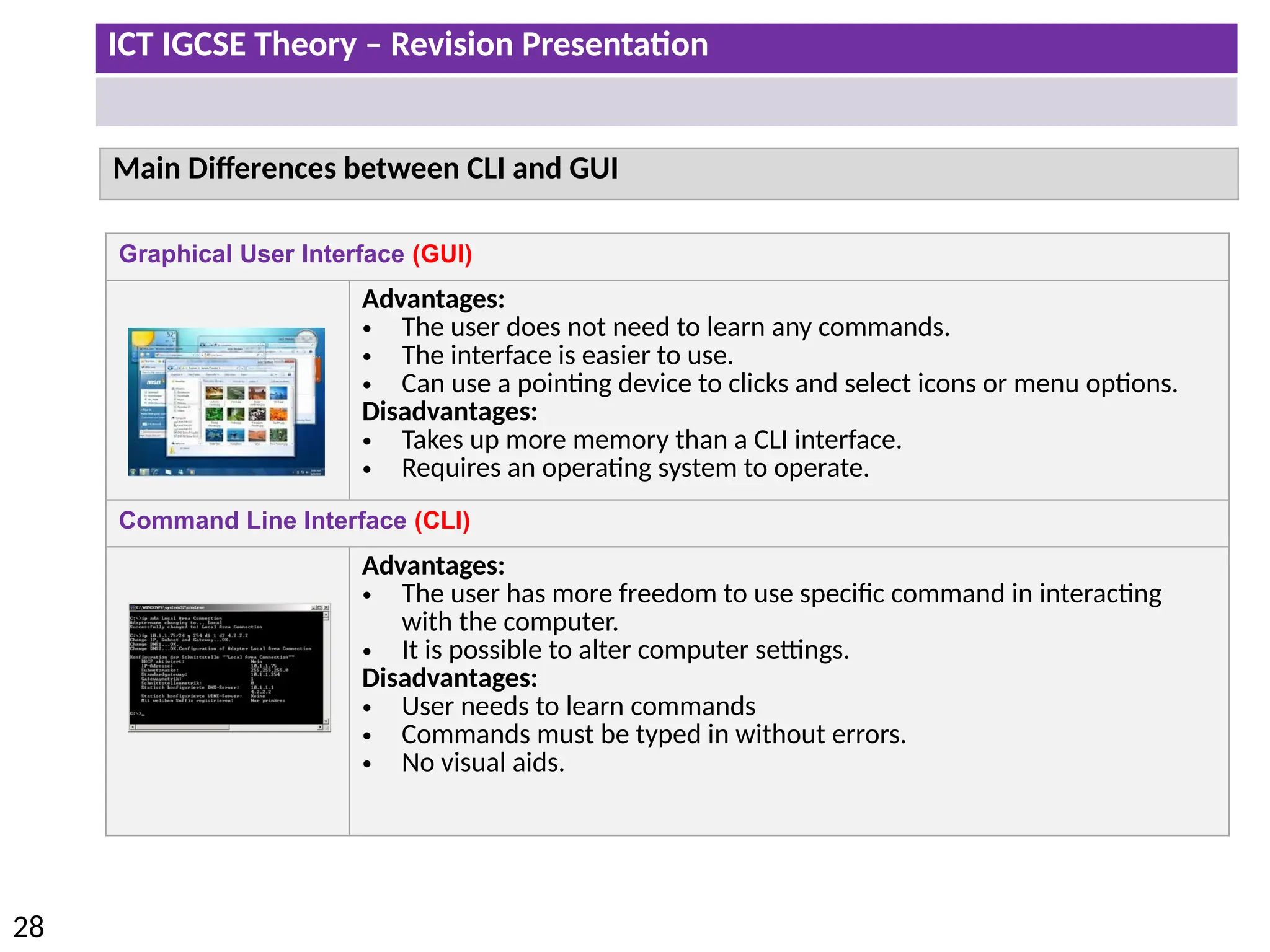
Graphical User Interface (GUI)
Advantages:
• The user does not need to learn any commands.
• The interface is easier to use.
• Can use a pointing device to clicks and select icons or menu options.
Disadvantages:
• Takes up more memory than a CLI interface.
• Requires an operating system to operate.
Command Line Interface (CLI)
Advantages:
• The user has more freedom to use specific command in interacting
with the computer.
• It is possible to alter computer settings.
Disadvantages:
• User needs to learn commands
• Commands must be typed in without errors.
• No visual aids.
Main Differences between CLI and GUI
ICT IGCSE Theory – Revision Presentation
29
• Describe the characteristics of a personal/desktop computer and its uses, both as a
standalone and networked computer
• Describe the characteristics of a laptop computer and what it is used for, both as a
standalone and networked computer
• Describe the characteristics of a tablet computer and what it is used for, including its
ability to use wireless technology or 3G/4G technology
• Describe the computer characteristics of a smartphone and what it is used for in
computing terms
• Describe the advantages and disadvantages of each type of computer
ICT IGCSE Theory – Revision Presentation
30
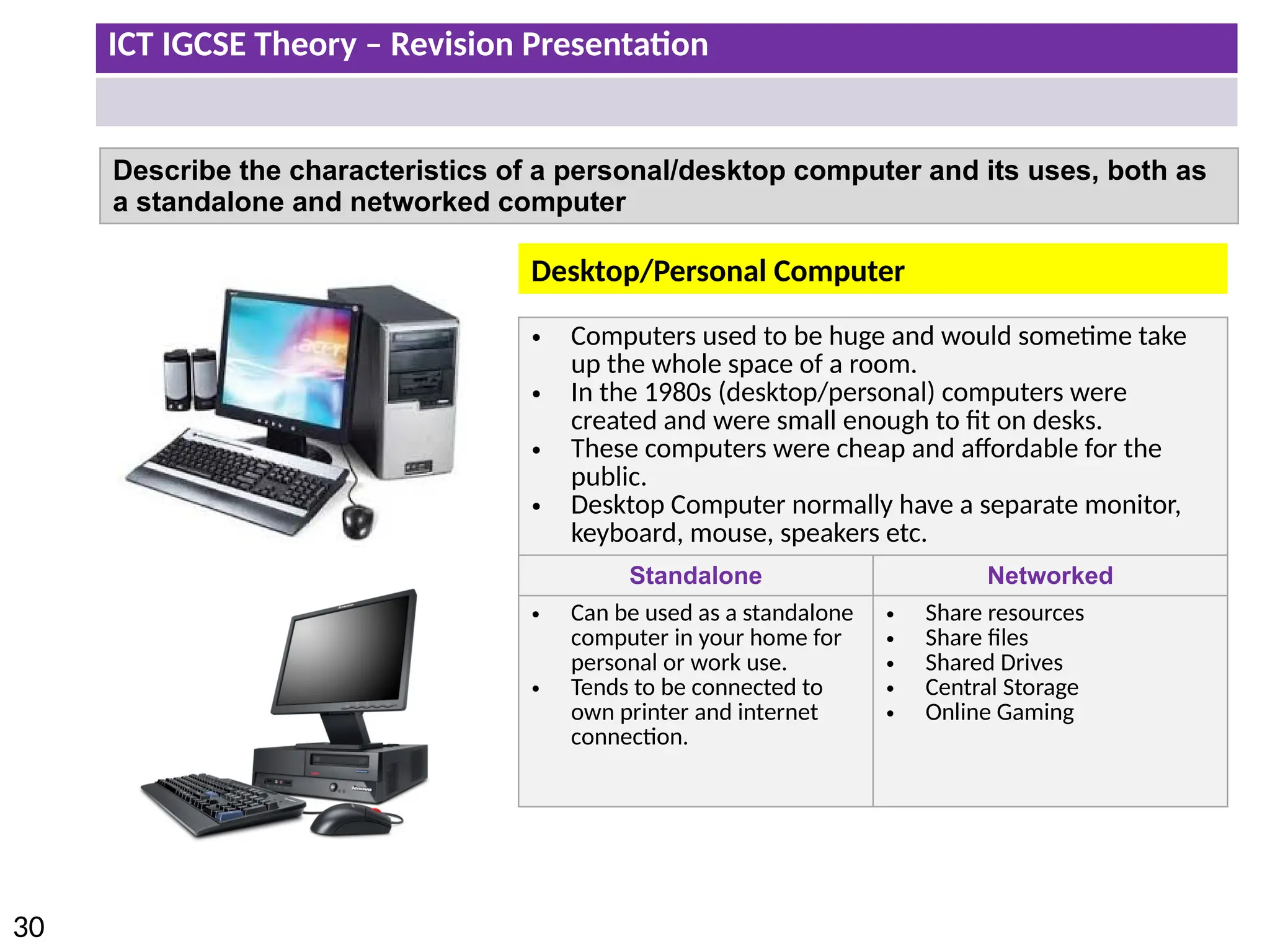
Describe the characteristics of a personal/desktop computer and its uses, both as
a standalone and networked computer
• Computers used to be huge and would sometime take
up the whole space of a room.
• In the 1980s (desktop/personal) computers were
created and were small enough to fit on desks.
• These computers were cheap and affordable for the
public.
• Desktop Computer normally have a separate monitor,
keyboard, mouse, speakers etc.
Standalone Networked
• Can be used as a standalone
computer in your home for
personal or work use.
• Tends to be connected to
own printer and internet
connection.
• Share resources
• Share files
• Shared Drives
• Central Storage
• Online Gaming
Desktop/Personal Computer
ICT IGCSE Theory – Revision Presentation
31
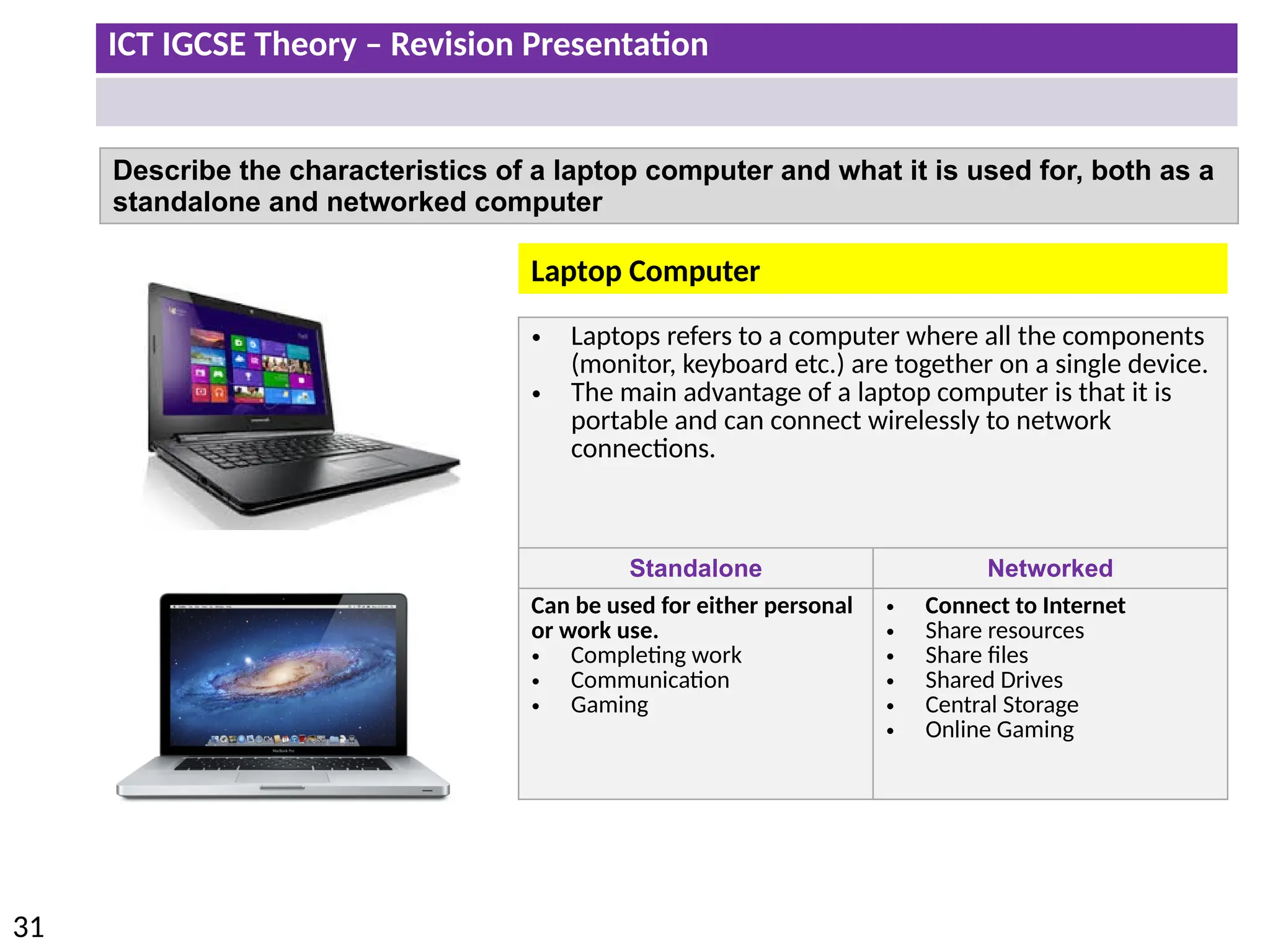
Describe the characteristics of a laptop computer and what it is used for, both as a
standalone and networked computer
• Laptops refers to a computer where all the components
(monitor, keyboard etc.) are together on a single device.
• The main advantage of a laptop computer is that it is
portable and can connect wirelessly to network
connections.
Standalone Networked
Can be used for either personal
or work use.
• Completing work
• Communication
• Gaming
• Connect to Internet
• Share resources
• Share files
• Shared Drives
• Central Storage
• Online Gaming
Laptop Computer
ICT IGCSE Theory – Revision Presentation
32
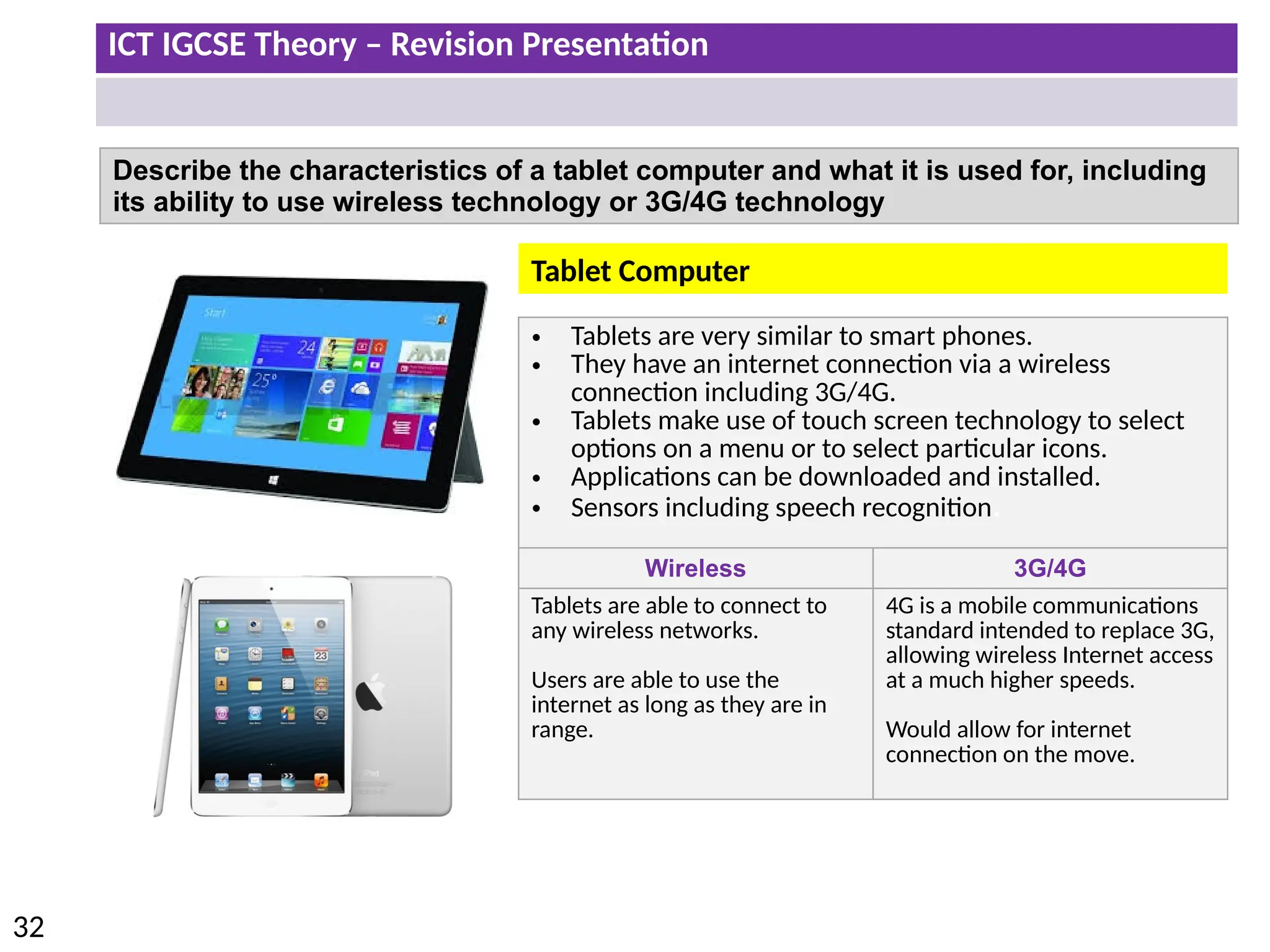
Describe the characteristics of a tablet computer and what it is used for, including
its ability to use wireless technology or 3G/4G technology
• Tablets are very similar to smart phones.
• They have an internet connection via a wireless
connection including 3G/4G.
• Tablets make use of touch screen technology to select
options on a menu or to select particular icons.
• Applications can be downloaded and installed.
• Sensors including speech recognition.
Wireless 3G/4G
Tablets are able to connect to
any wireless networks.
Users are able to use the
internet as long as they are in
range.
4G is a mobile communications
standard intended to replace 3G,
allowing wireless Internet access
at a much higher speeds.
Would allow for internet
connection on the move.
Tablet Computer
ICT IGCSE Theory – Revision Presentation
33
Describe the computer characteristics of a smartphone and what it is used for in
computing terms
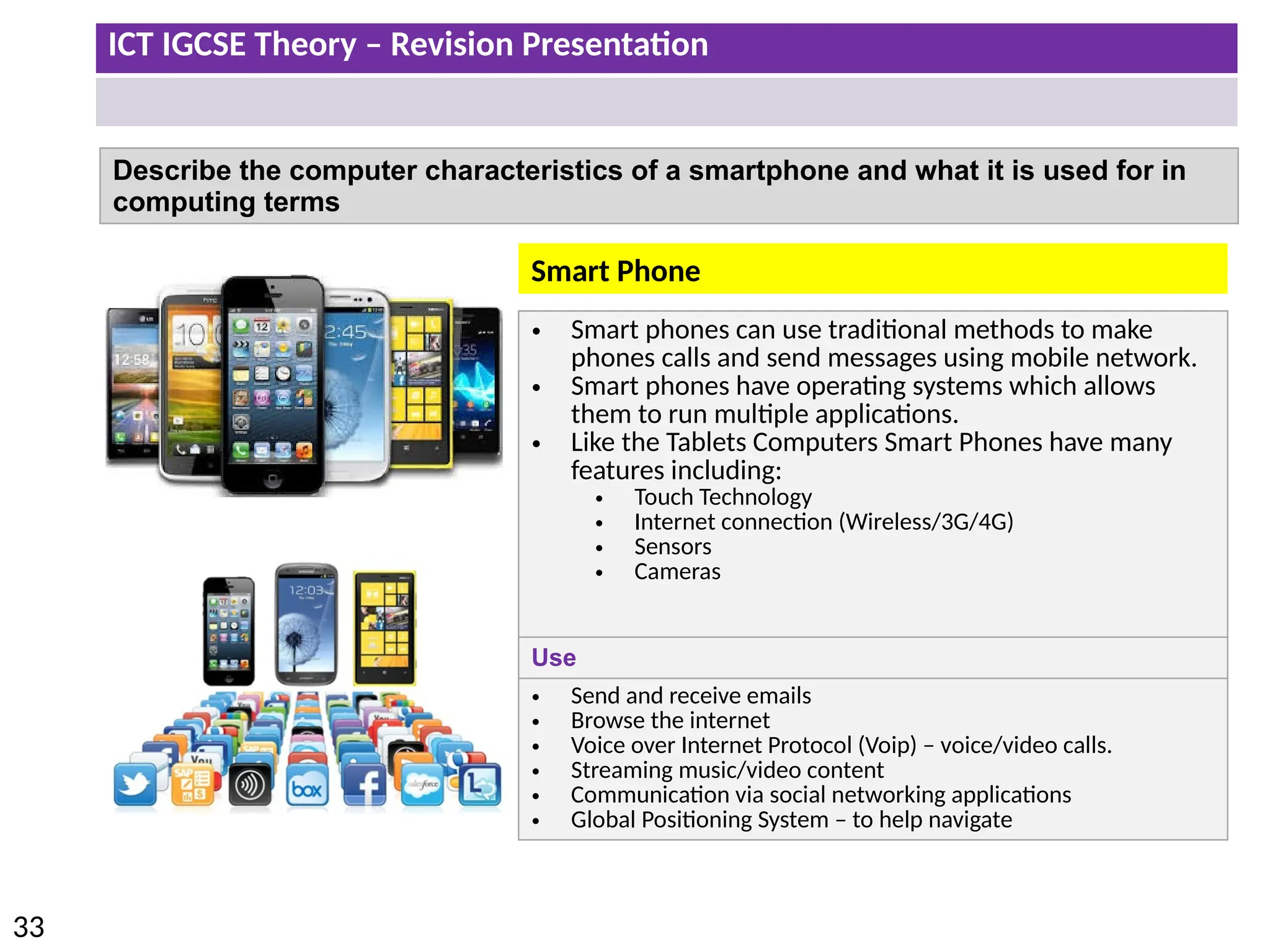
• Smart phones can use traditional methods to make
phones calls and send messages using mobile network.
• Smart phones have operating systems which allows
them to run multiple applications.
• Like the Tablets Computers Smart Phones have many
features including:
• Touch Technology
• Internet connection (Wireless/3G/4G)
• Sensors
• Cameras
Use
• Send and receive emails
• Browse the internet
• Voice over Internet Protocol (Voip) – voice/video calls.
• Streaming music/video content
• Communication via social networking applications
• Global Positioning System – to help navigate
Smart Phone
ICT IGCSE Theory – Revision Presentation
34
Describe the advantages and disadvantages of each type of computer
Type Advantages Disadvantages
Desktop/Personal
Computer
• Always connected to the mains.
• Monitors can come in any sizes
• Can be upgraded and parts easily replaced.
• Tend to have a higher specifications than laptop
computers.
• Not portable
• Takes up more desk space.
• Separate components like keyboard, mouse,
monitor, speakers etc.
• Loose cables which could be trip hazards.
Laptop
Computer
• Its portable due to small size and weight.
• Battery can be recharged.
• Can connect wireless to internet.
• No loose cables. All components connected
together.
• Limited battery life.
• Laptops are difficult to repair and upgrade.
• Can be stolen or lost.
• Some users find it difficult to use pointing
device.
Tablet
Computer
• High definition anti glare display.
• Wireless , 3G/4G & Bluetooth connection.
• Data can backed up or synchronised with other
devices.
• Touch screen technology
• Battery life longer than a mobile phone.
• Limited memory compared to laptops.
• Expensive to use 3G/4G internet
• Typing can be more difficult compared to a
normal keyboard.
• Not all files are compatible with tablets.
Smart Phone • Small in size and easier to carry around.
• Can be used whilst on the move using wireless
or 3G/4G Connectivity.
• Touch screen technology
• Small screens make it difficult to read.
• Battery life is short
• Could be misplaced or stolen
• Limited storage/memory compared to other
types of computers.
• Slow data transfer rates
ICT IGCSE Theory – Revision Presentation
35
• Describe how emerging technologies are having an impact on everyday life (e.g.
artificial intelligence, biometrics, vision enhancement, robotics, quantum cryptography,
computer-assisted translation, 3D and holographic imaging, virtual reality
ICT IGCSE Theory – Revision Presentation
36
Emerging Technologies
Artificial intelligence (AI) is computer systems that can simulate human intelligence
(able to make decisions typically made by a human).
• The PR2 robot is being programmed to complete a number
of specific tasks just like a human.
• Deep Blue was a chess-playing computer developed by IBM.
It is known for being the first piece of artificial intelligence to
win both a chess game against a reigning world champion.
• Self-parking cars currently on the market are not completely
independent, but they do make parallel parking much easier.
• As seen in the movies AI could be potentially used in the military
and police force.
• However the issue would be whether a robot could demonstrate
empathy in certain situations.
ICT IGCSE Theory – Revision Presentation
37
Impacts of AI on everyday life:
• Accurate prediction of weather .
• Increased leisure time.
• Safer transport.
• Increased Personal .
• Improved medical .
• Game Playing
• Expert Systems
• Languages
• Robotics
AI is being developed in the
following areas:
Artificial intelligence (AI)
ICT IGCSE Theory – Revision Presentation
38
Emerging Technologies
Biometrics authentication is used as a form of identification which recognises
individuals body parts. Biometrics uses unique characteristics of the human which
means it can not be replicated by other people.
Finger Printing
• Staff can scan their finer prints to sign in and out of work.
• Police can use finger print to authenticate an individual’s identity.
Eye Recognition
• No physical contact is required to scan the iris which may be useful in some cultures.
• Immigration at airports use eye recognition to prevent people travelling with fraudulent
documentation.
Facial and voice recognition is also another form of biometrics. The main purpose of
biometrics is to improve security with regards to access to computer systems.
Impacts of Biometrics on everyday life:
• Better airport security.
• Increased building security.
• Reduced car theft.
• More secure mobile phones.
ICT IGCSE Theory – Revision Presentation
39
Emerging Technologies
Vision Enhancement uses video technology which is projected to the user though
the lens. The system can bring distant objects closer and into focus.
• The vision enhancement system amplifies infrared light so that an image can be
clearly seen even in darkness.
• Militaries across the world use this technology to complete missions and carry
out surveillance at night.
ICT IGCSE Theory – Revision Presentation
40
Emerging Technologies
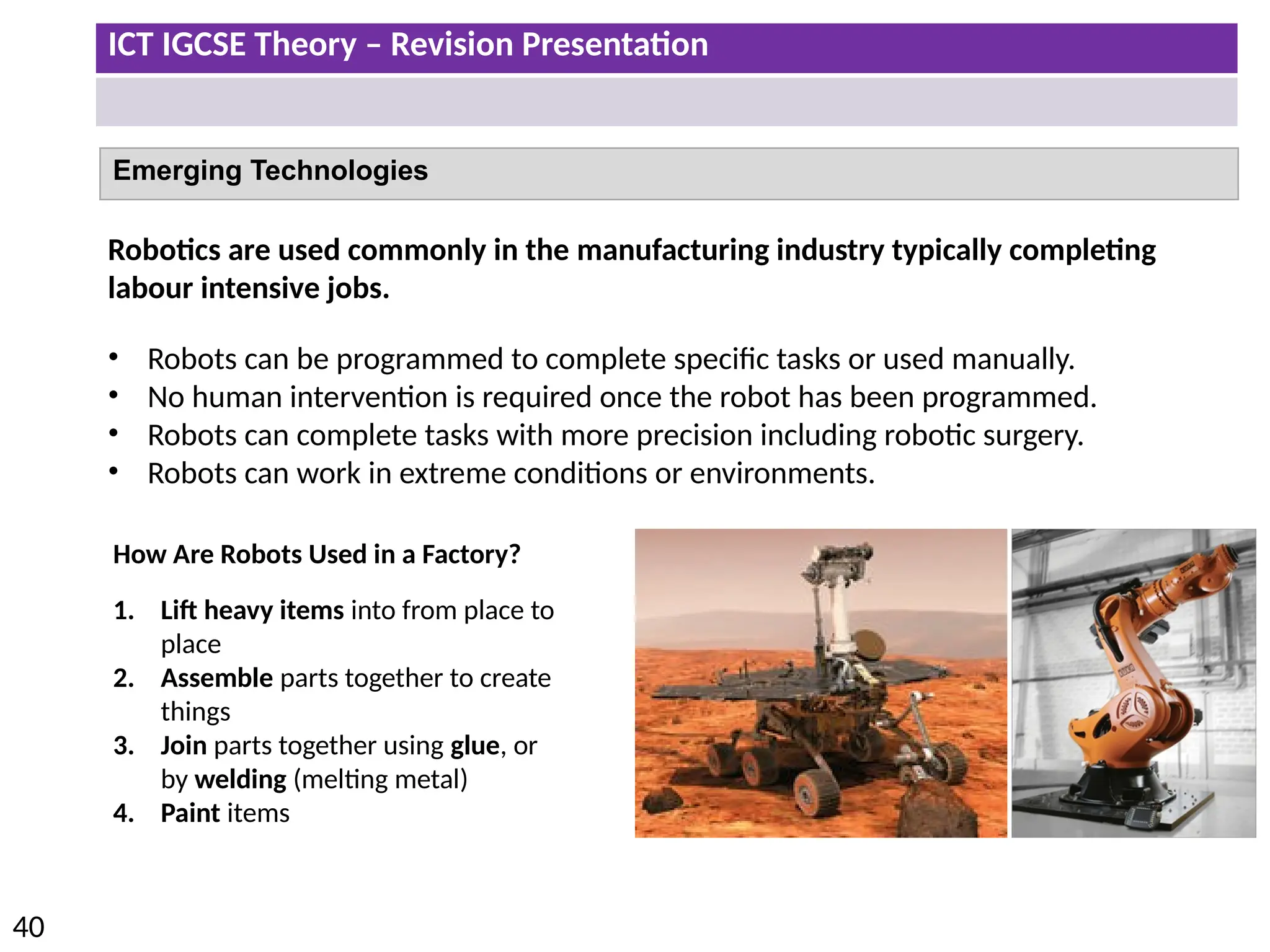
Robotics are used commonly in the manufacturing industry typically completing
labour intensive jobs.
• Robots can be programmed to complete specific tasks or used manually.
• No human intervention is required once the robot has been programmed.
• Robots can complete tasks with more precision including robotic surgery.
• Robots can work in extreme conditions or environments.
How Are Robots Used in a Factory?
1. Lift heavy items into from place to
place
2. Assemble parts together to create
things
3. Join parts together using glue, or
by welding (melting metal)
4. Paint items
ICT IGCSE Theory – Revision Presentation
41
Emerging Technologies
Quantum Cryptography
Quantum cryptography (encryption) is an emerging technology that allows messages
and data to be sent with complete privacy.
1. Older methods of encryption were
based around mathematics but
quantum cryptography uses physics
instead.
2. In quantum cryptography, messages
are encrypted using photons. These
are tiny packets of light.
Impacts of Quantum Encryption on everyday life:
1. Completely secure voting
2. Completely secure communication
3. Completely secure bank transfers
4. Completely secure personal information
ICT IGCSE Theory – Revision Presentation
42
Emerging Technologies
Computer-assisted Translation
CAT is where a human translator uses computer software to help in the translation
process.
Examples of different types of CAT:
1. Spell checkers
2. Translation memory software
3. Language search-engine software
Impacts of Computer Aided Translation on
everyday life:
1. More accurate documents
2. A more multilingual society
3. Quicker and more efficient translations
ICT IGCSE Theory – Revision Presentation
43
Emerging Technologies
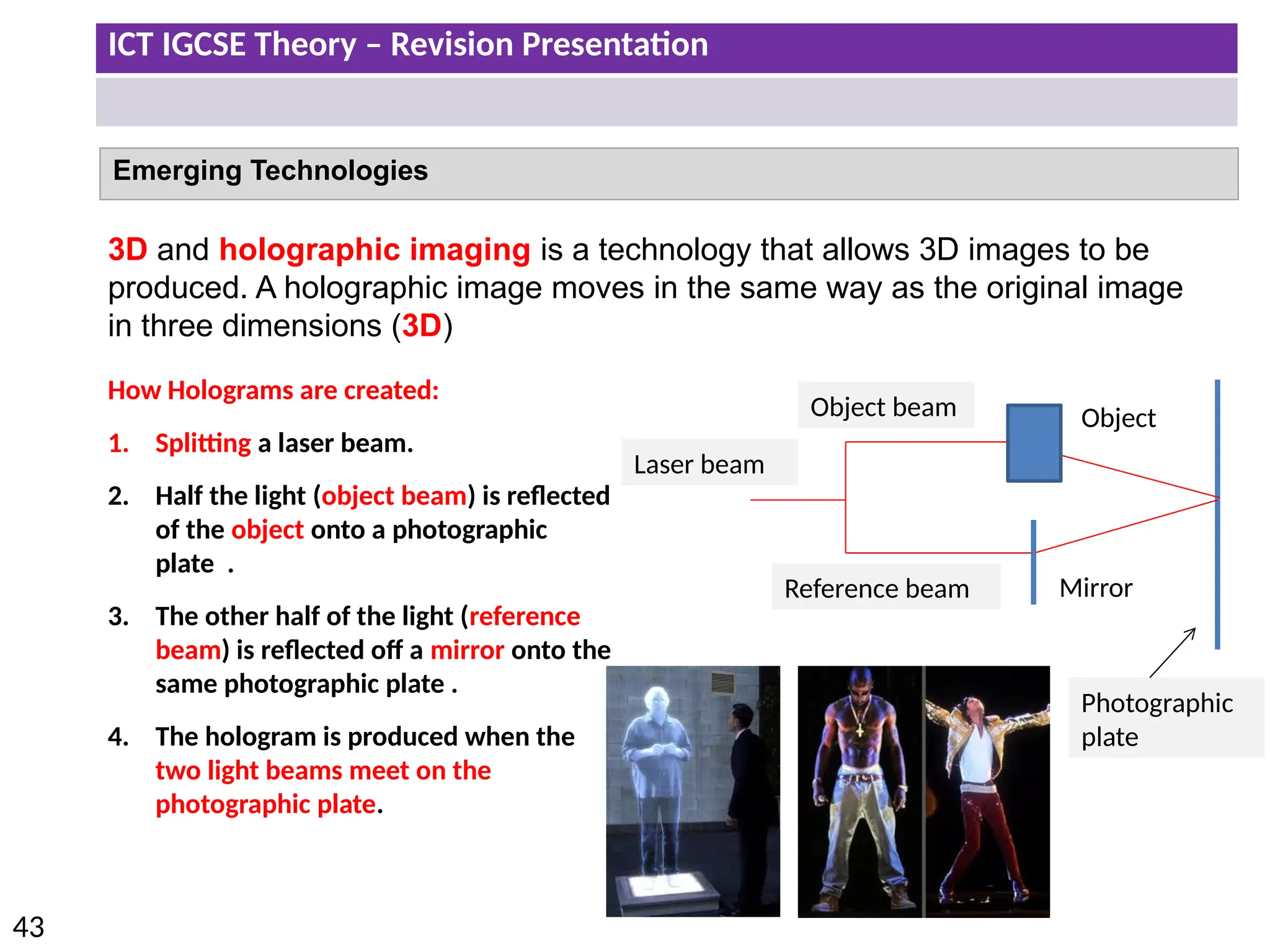
3D and holographic imaging is a technology that allows 3D images to be
produced. A holographic image moves in the same way as the original image
in three dimensions (3D)
How Holograms are created:
1. Splitting a laser beam.
2. Half the light (object beam) is reflected
of the object onto a photographic
plate .
3. The other half of the light (reference
beam) is reflected off a mirror onto the
same photographic plate .
4. The hologram is produced when the
two light beams meet on the
photographic plate.
Laser beam
Object beam
Reference beam
Photographic
plate
Mirror
Object
ICT IGCSE Theory – Revision Presentation
44
Impacts of 3D Imaging on everyday life:
• Improved security
• Better movie experiences
• Greater data storage
ICT IGCSE Theory – Revision Presentation
45
Emerging Technologies
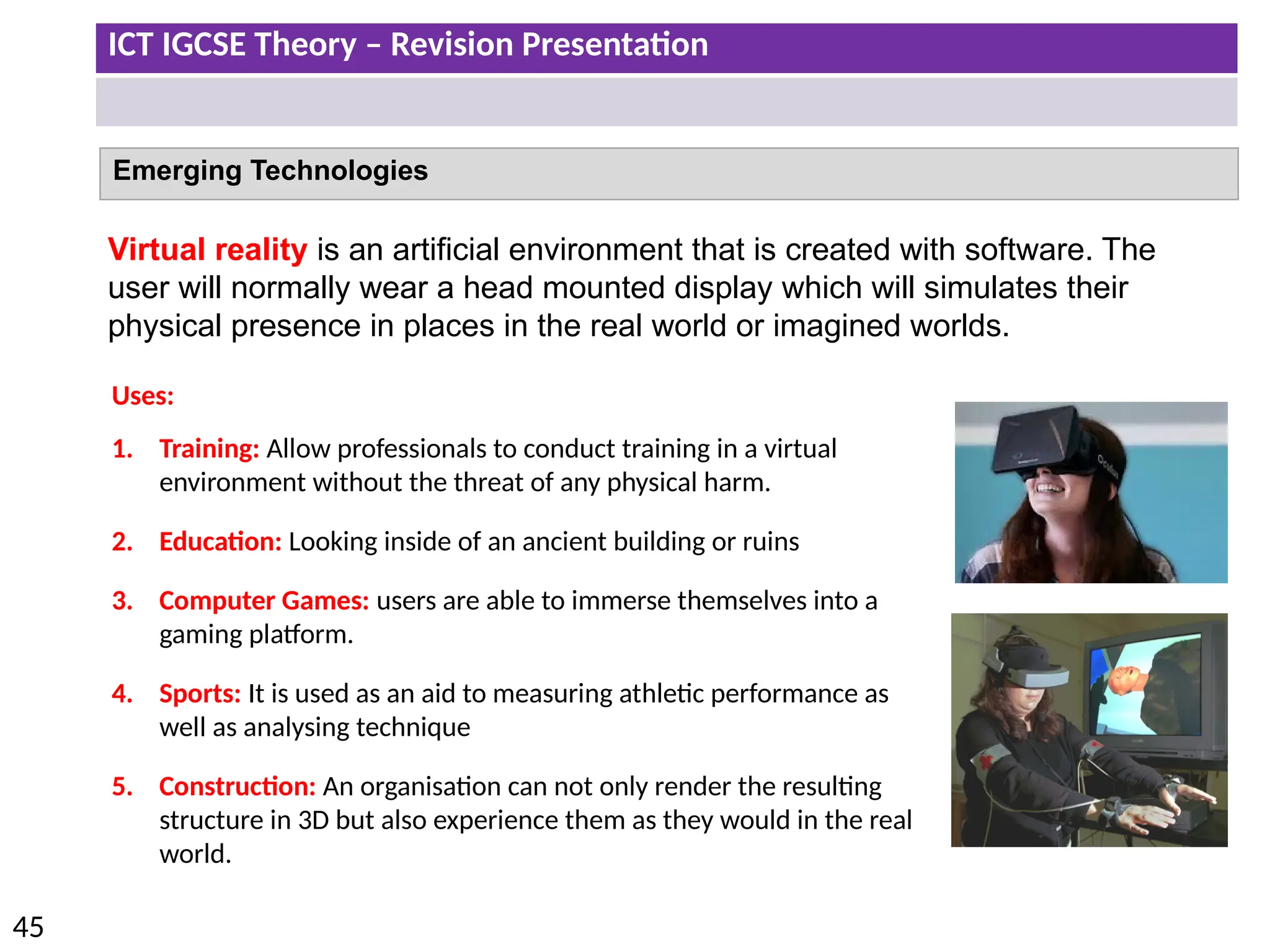
Virtual reality is an artificial environment that is created with software. The
user will normally wear a head mounted display which will simulates their
physical presence in places in the real world or imagined worlds.
Uses:
1. Training: Allow professionals to conduct training in a virtual
environment without the threat of any physical harm.
2. Education: Looking inside of an ancient building or ruins
3. Computer Games: users are able to immerse themselves into a
gaming platform.
4. Sports: It is used as an aid to measuring athletic performance as
well as analysing technique
5. Construction: An organisation can not only render the resulting
structure in 3D but also experience them as they would in the real
world.
ICT IGCSE Theory – Revision Presentation
46
Equipment needed to create the virtual reality experience
• Eye Goggles
• Special Gloves
• Headphones
• Powerful Computer
Impacts of Virtual Reality on everyday
life:
•Improved medical surgeons
•Larger and stronger buildings
•More effective treatment of phobias
•Training in dangerous situations
•More realistic education
ICT IGCSE Theory – Revision Presentation
47
• Identify input devices and their uses, e.g. keyboard, numeric keypad, pointing devices
(such as mouse, touchpad, tracker ball), remote control, joystick/driving wheel, touch
screen, scanners, digital cameras, microphone, sensors (general), temperature
sensor, pressure sensor, light sensor, graphics tablet, video camera, web cam
Input and output devices
ICT IGCSE Theory – Revision Presentation
48
Input Devices in their Use
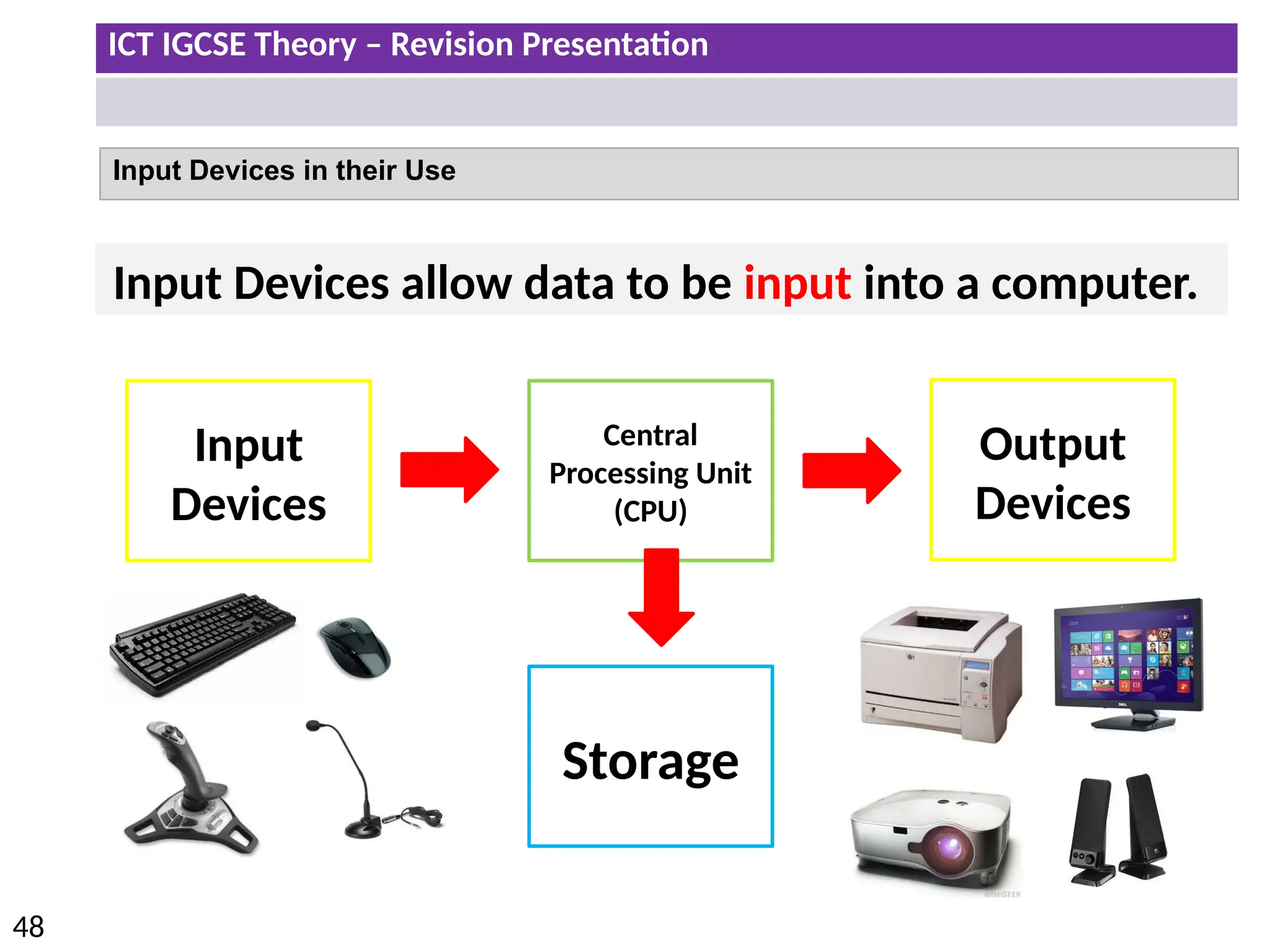
Input Devices allow data to be input into a computer.
Input
Devices
Central
Processing Unit
(CPU)
Storage
Output
Devices
ICT IGCSE Theory – Revision Presentation
49
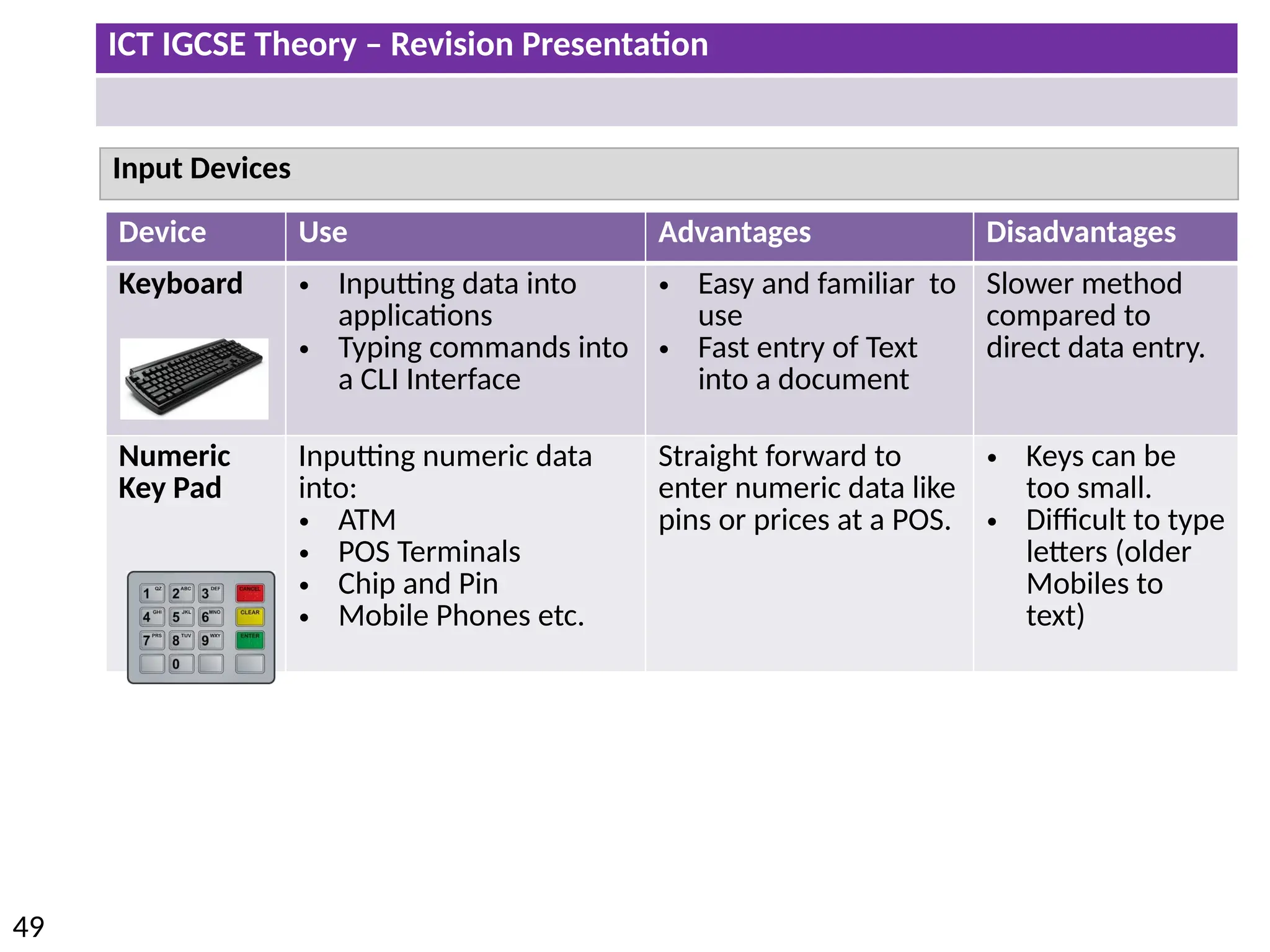
Device Use Advantages Disadvantages
Keyboard • Inputting data into
applications
• Typing commands into
a CLI Interface
• Easy and familiar to
use
• Fast entry of Text
into a document
Slower method
compared to
direct data entry.
Numeric
Key Pad
Inputting numeric data
into:
• ATM
• POS Terminals
• Chip and Pin
• Mobile Phones etc.
Straight forward to
enter numeric data like
pins or prices at a POS.
• Keys can be
too small.
• Difficult to type
letters (older
Mobiles to
text)
Input Devices
ICT IGCSE Theory – Revision Presentation
50
Input Devices
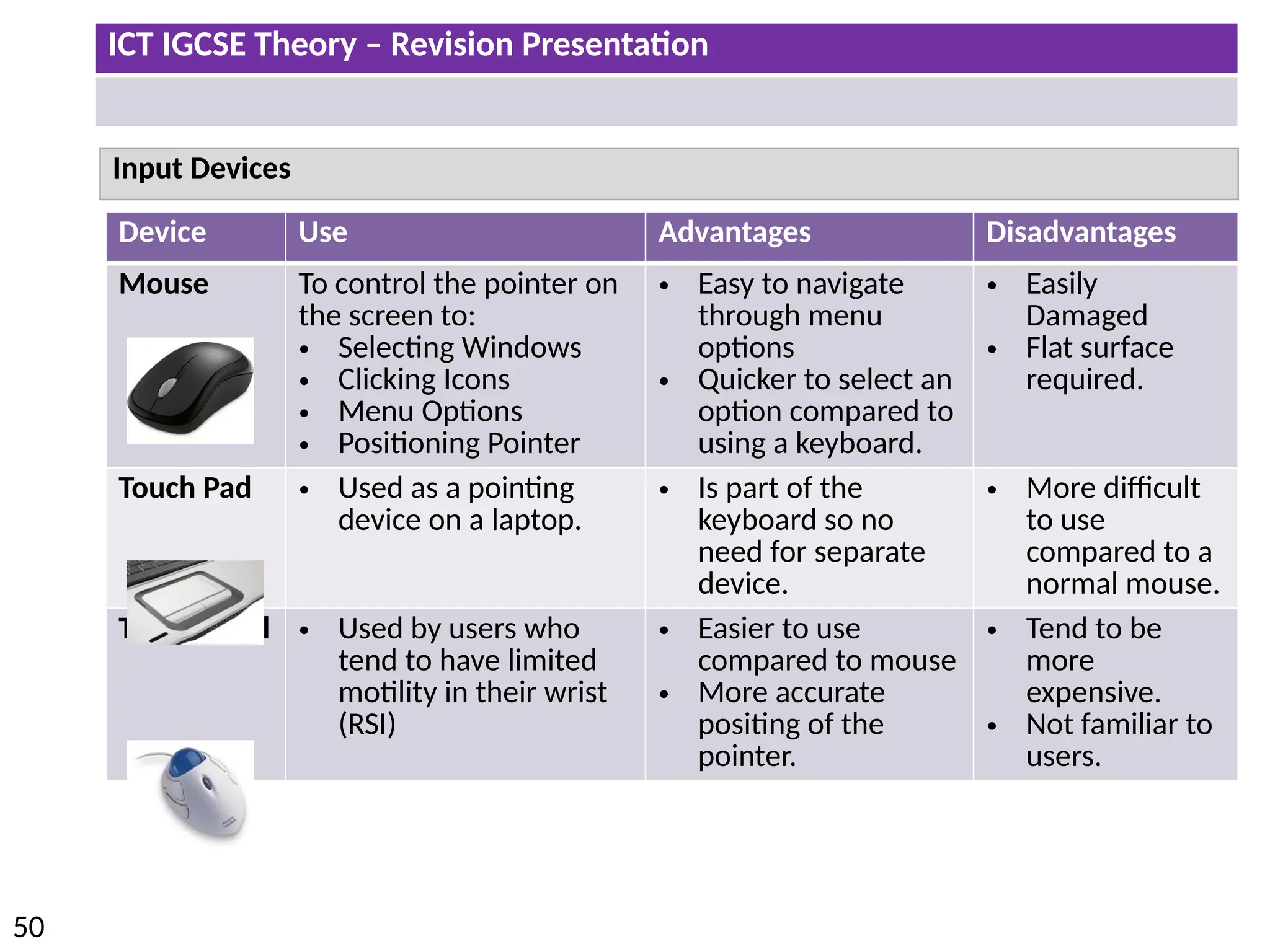
Device Use Advantages Disadvantages
Mouse To control the pointer on
the screen to:
• Selecting Windows
• Clicking Icons
• Menu Options
• Positioning Pointer
• Easy to navigate
through menu
options
• Quicker to select an
option compared to
using a keyboard.
• Easily
Damaged
• Flat surface
required.
Touch Pad • Used as a pointing
device on a laptop.
• Is part of the
keyboard so no
need for separate
device.
• More difficult
to use
compared to a
normal mouse.
Tracker Ball • Used by users who
tend to have limited
motility in their wrist
(RSI)
• Easier to use
compared to mouse
• More accurate
positing of the
pointer.
• Tend to be
more
expensive.
• Not familiar to
users.
ICT IGCSE Theory – Revision Presentation
51
Input Devices
Device Use Advantages Disadvantages
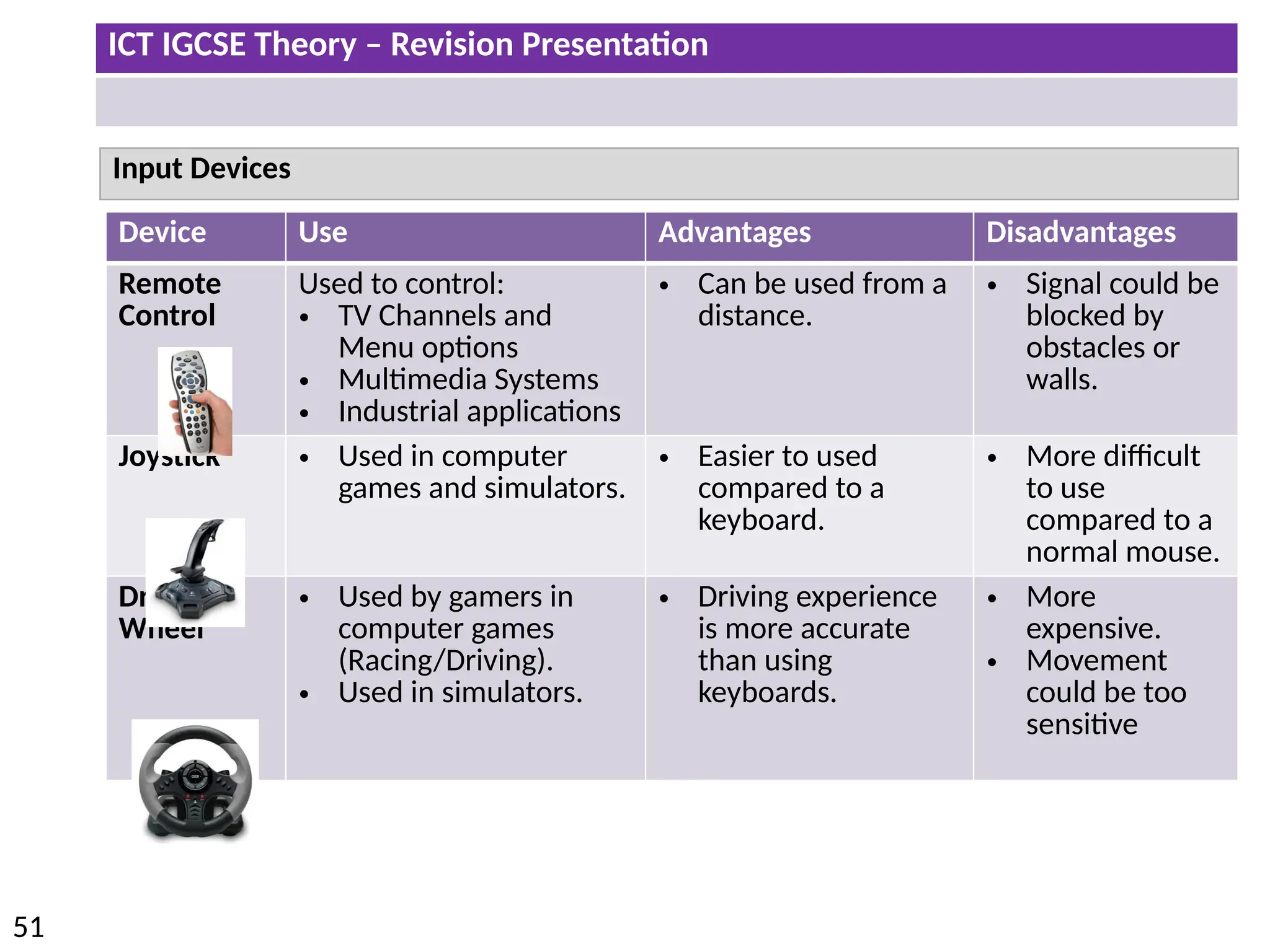
Remote
Control
Used to control:
• TV Channels and
Menu options
• Multimedia Systems
• Industrial applications
• Can be used from a
distance.
• Signal could be
blocked by
obstacles or
walls.
Joystick • Used in computer
games and simulators.
• Easier to used
compared to a
keyboard.
• More difficult
to use
compared to a
normal mouse.
Driving
Wheel
• Used by gamers in
computer games
(Racing/Driving).
• Used in simulators.
• Driving experience
is more accurate
than using
keyboards.
• More
expensive.
• Movement
could be too
sensitive
ICT IGCSE Theory – Revision Presentation
52
Input Devices
Device Use Advantages Disadvantages
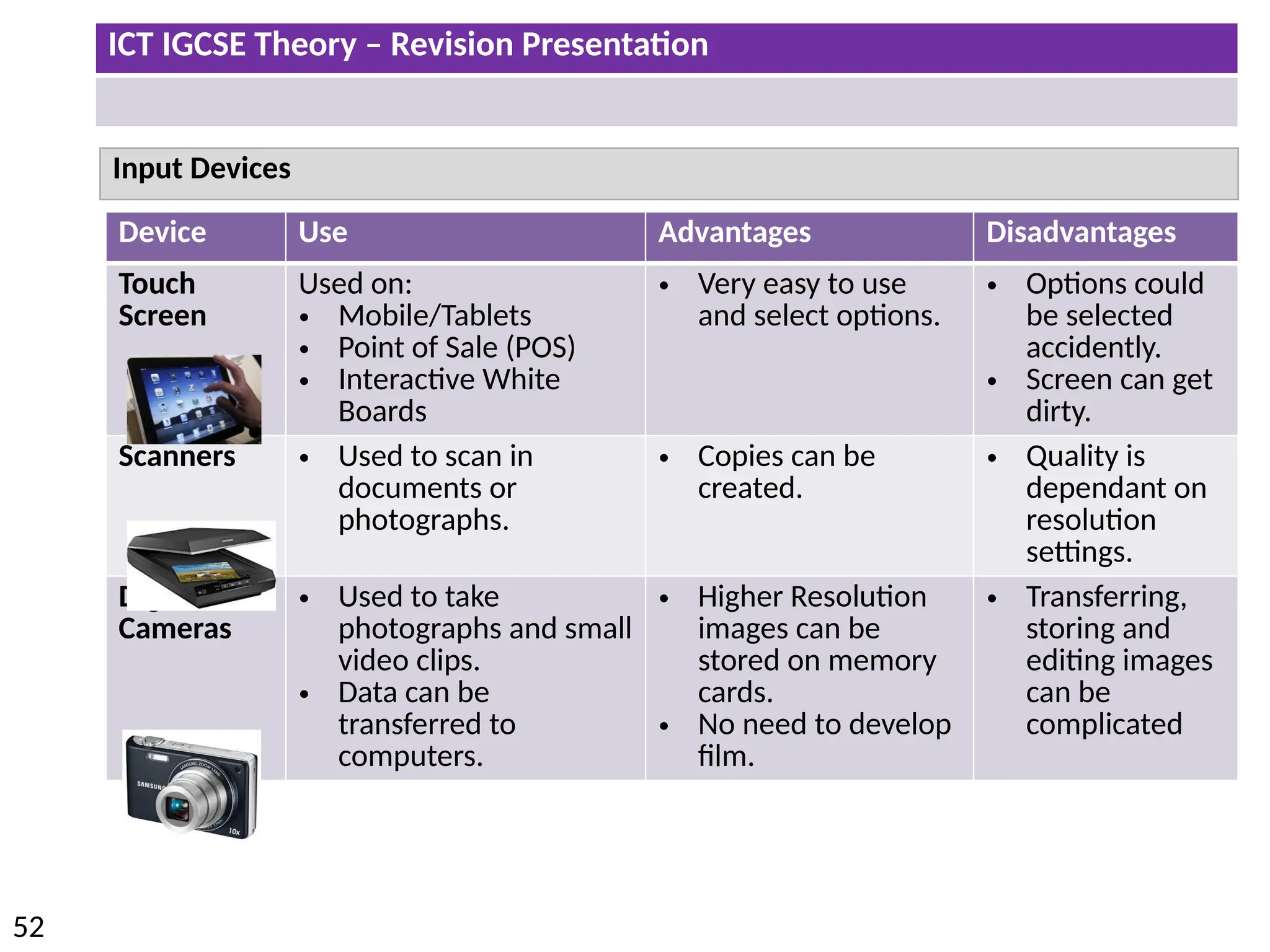
Touch
Screen
Used on:
• Mobile/Tablets
• Point of Sale (POS)
• Interactive White
Boards
• Very easy to use
and select options.
• Options could
be selected
accidently.
• Screen can get
dirty.
Scanners • Used to scan in
documents or
photographs.
• Copies can be
created.
• Quality is
dependant on
resolution
settings.
Digital
Cameras
• Used to take
photographs and small
video clips.
• Data can be
transferred to
computers.
• Higher Resolution
images can be
stored on memory
cards.
• No need to develop
film.
• Transferring,
storing and
editing images
can be
complicated
ICT IGCSE Theory – Revision Presentation
53
Input Devices
Device Use Advantages Disadvantages
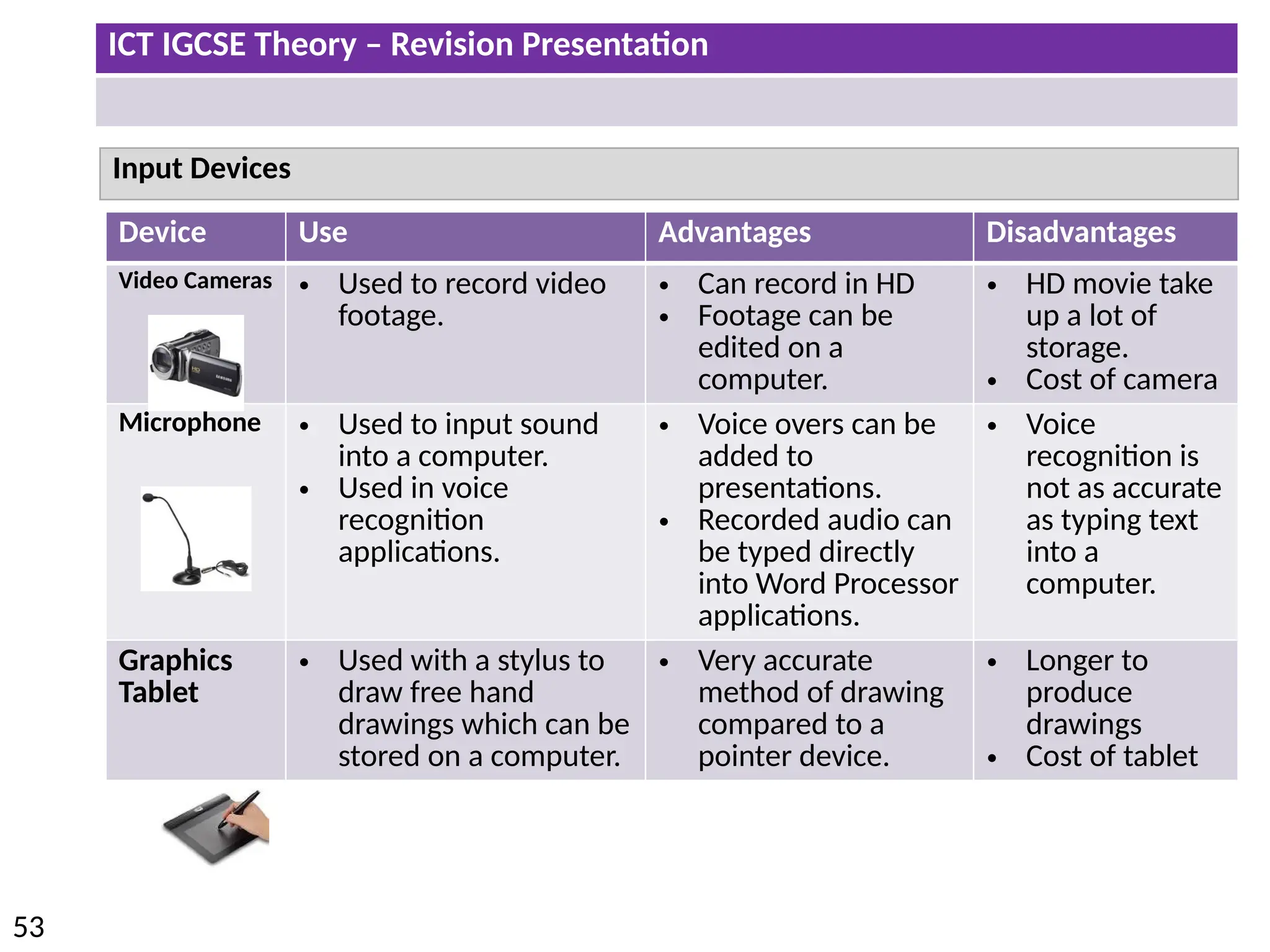
Video Cameras • Used to record video
footage.
• Can record in HD
• Footage can be
edited on a
computer.
• HD movie take
up a lot of
storage.
• Cost of camera
Microphone • Used to input sound
into a computer.
• Used in voice
recognition
applications.
• Voice overs can be
added to
presentations.
• Recorded audio can
be typed directly
into Word Processor
applications.
• Voice
recognition is
not as accurate
as typing text
into a
computer.
Graphics
Tablet
• Used with a stylus to
draw free hand
drawings which can be
stored on a computer.
• Very accurate
method of drawing
compared to a
pointer device.
• Longer to
produce
drawings
• Cost of tablet
ICT IGCSE Theory – Revision Presentation
54
Input Devices
Device Use Advantages Disadvantages
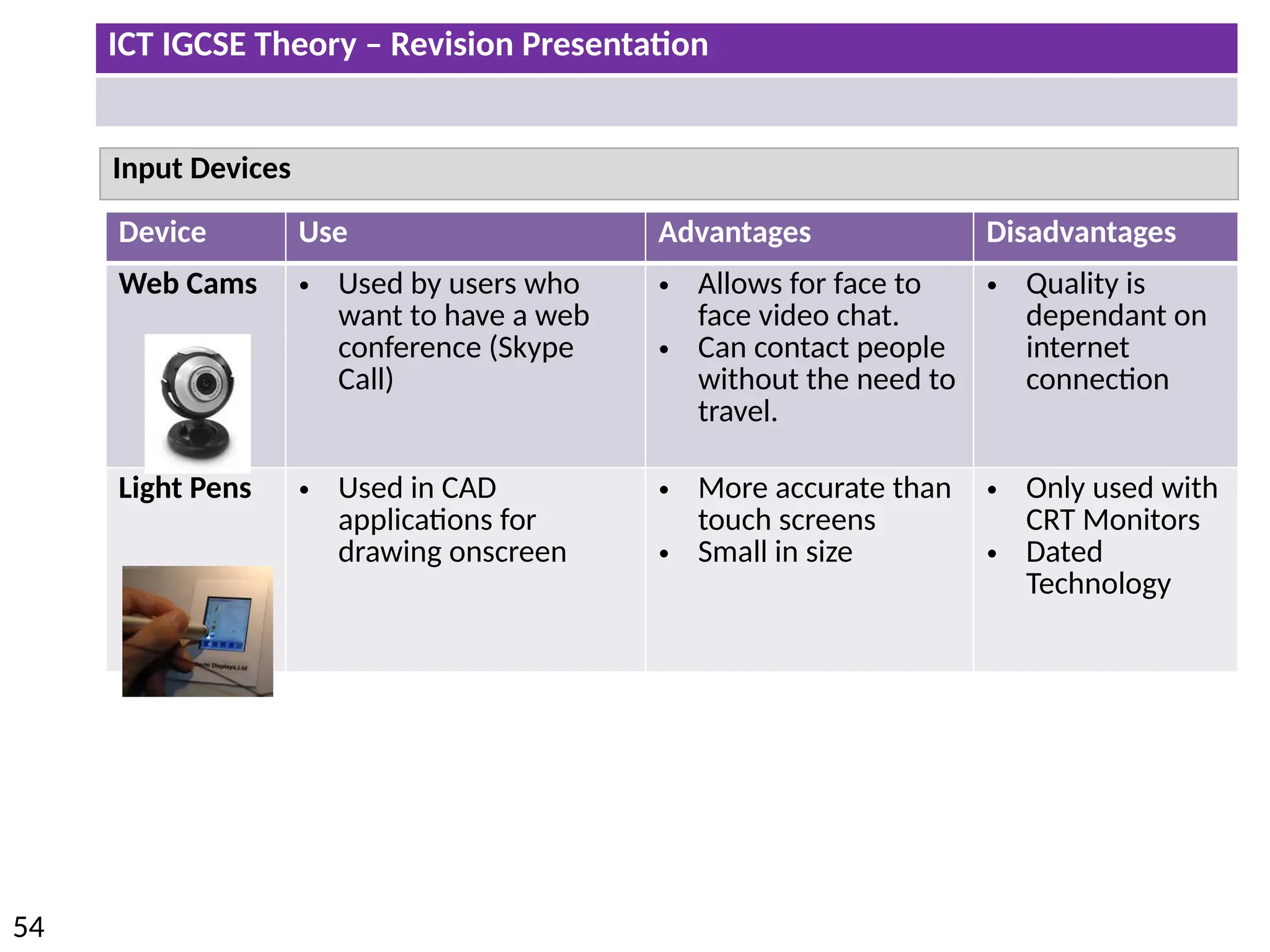
Web Cams • Used by users who
want to have a web
conference (Skype
Call)
• Allows for face to
face video chat.
• Can contact people
without the need to
travel.
• Quality is
dependant on
internet
connection
Light Pens • Used in CAD
applications for
drawing onscreen
• More accurate than
touch screens
• Small in size
• Only used with
CRT Monitors
• Dated
Technology
ICT IGCSE Theory – Revision Presentation
55
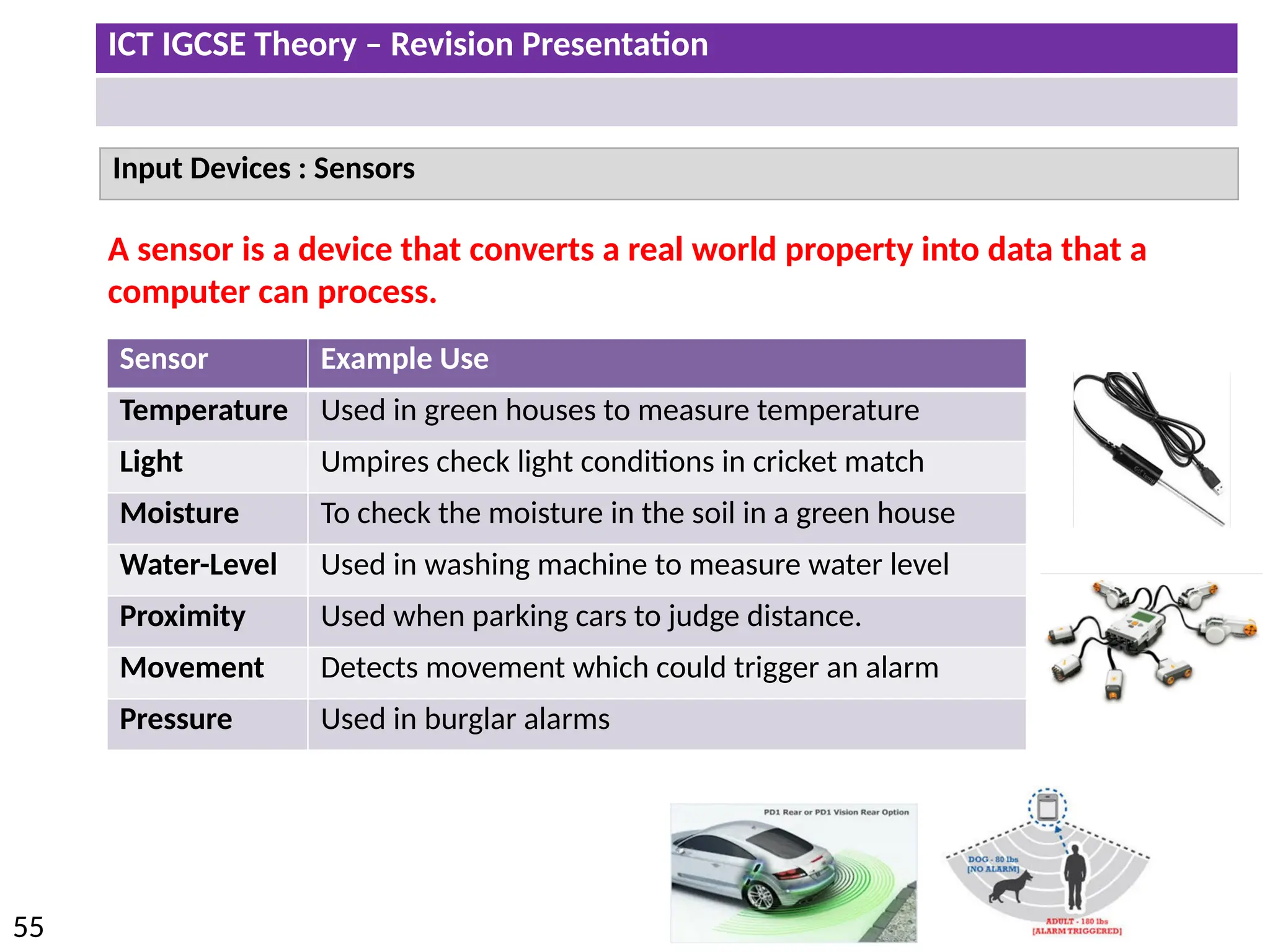
Input Devices : Sensors
Sensor Example Use
Temperature Used in green houses to measure temperature
Light Umpires check light conditions in cricket match
Moisture To check the moisture in the soil in a green house
Water-Level Used in washing machine to measure water level
Proximity Used when parking cars to judge distance.
Movement Detects movement which could trigger an alarm
Pressure Used in burglar alarms
A sensor is a device that converts a real world property into data that a
computer can process.
ICT IGCSE Theory – Revision Presentation
56
Input Devices : Sensors
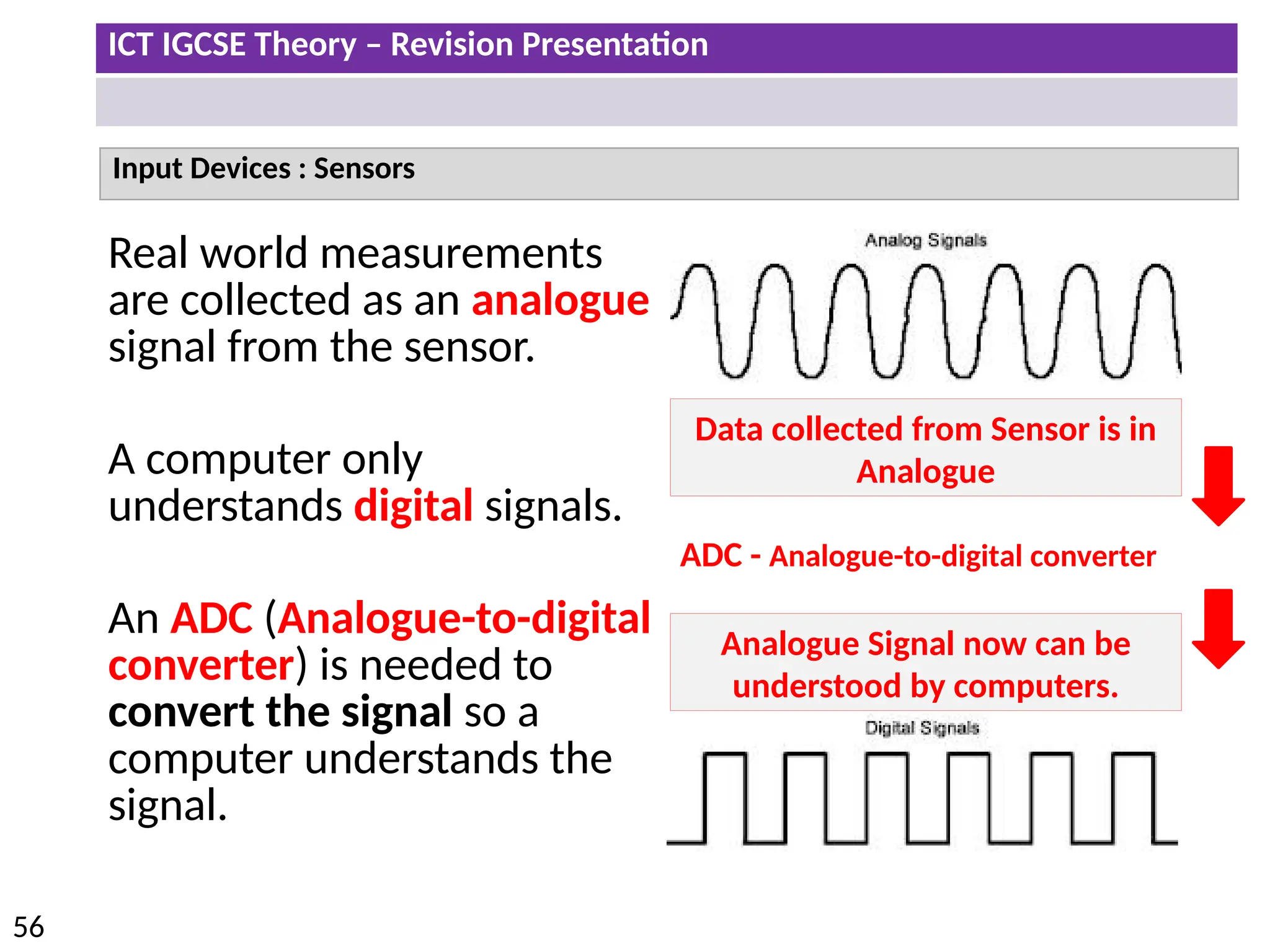
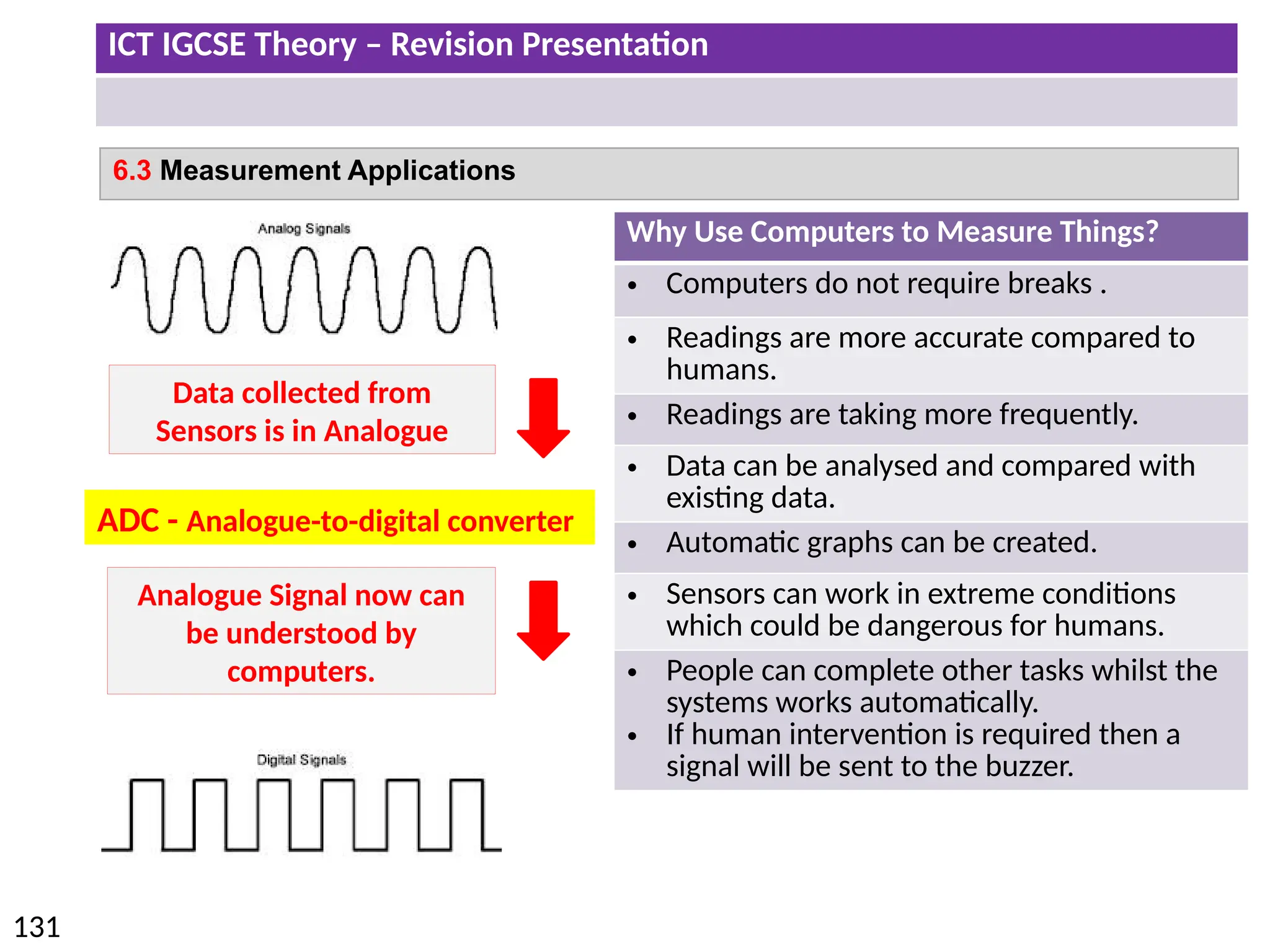
Real world measurements
are collected as an analogue
signal from the sensor.
A computer only
understands digital signals.
An ADC (Analogue-to-digital
converter) is needed to
convert the signal so a
computer understands the
signal.
Data collected from Sensor is in
Analogue
Analogue Signal now can be
understood by computers.
ADC - Analogue-to-digital converter
ICT IGCSE Theory – Revision Presentation
57
• Describe direct data entry and associated devices, e.g. magnetic stripe readers, chip
and PIN readers, Radio Frequency Identification (RFID) readers, Magnetic Ink
Character Reader (MICR), Optical Mark Reader (OMR), Optical Character Reader
(OCR), bar code reader
• Identify the advantages and disadvantages of any of the above devices in comparison
with others
ICT IGCSE Theory – Revision Presentation
58
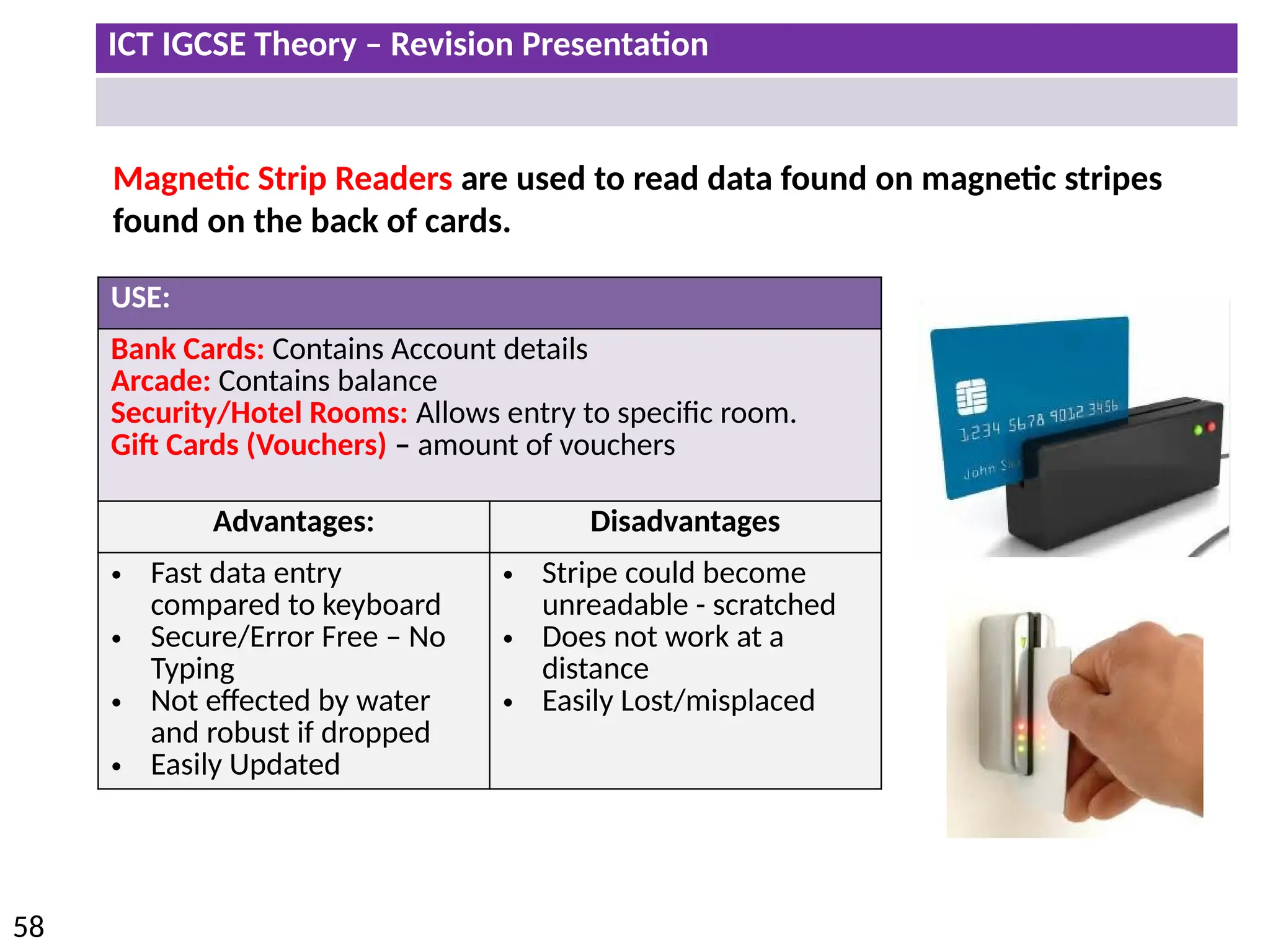
Magnetic Strip Readers are used to read data found on magnetic stripes
found on the back of cards.
USE:
Bank Cards: Contains Account details
Arcade: Contains balance
Security/Hotel Rooms: Allows entry to specific room.
Gift Cards (Vouchers) – amount of vouchers
Advantages: Disadvantages
• Fast data entry
compared to keyboard
• Secure/Error Free – No
Typing
• Not effected by water
and robust if dropped
• Easily Updated
• Stripe could become
unreadable - scratched
• Does not work at a
distance
• Easily Lost/misplaced
ICT IGCSE Theory – Revision Presentation
59
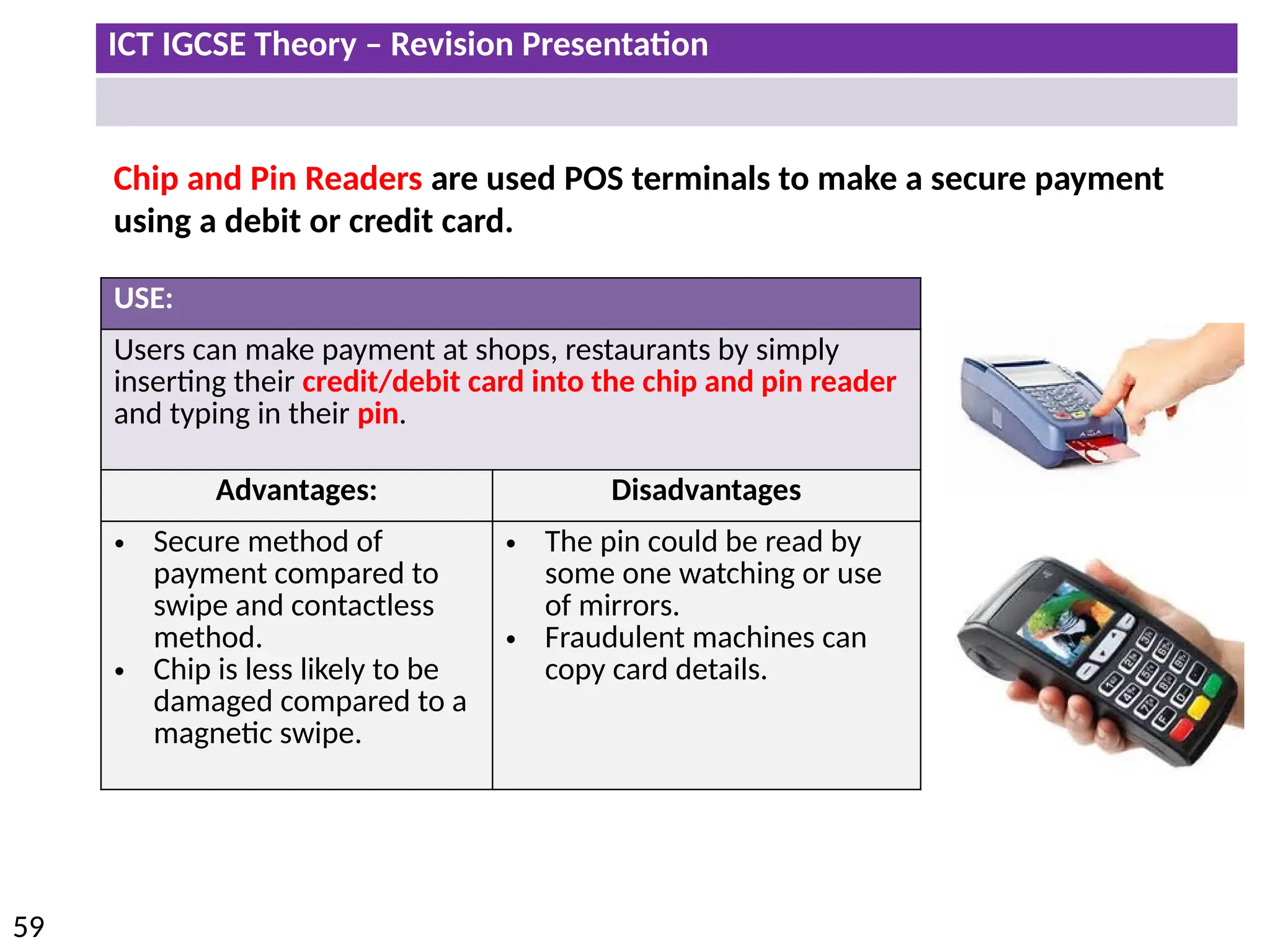
Chip and Pin Readers are used POS terminals to make a secure payment
using a debit or credit card.
USE:
Users can make payment at shops, restaurants by simply
inserting their credit/debit card into the chip and pin reader
and typing in their pin.
Advantages: Disadvantages
• Secure method of
payment compared to
swipe and contactless
method.
• Chip is less likely to be
damaged compared to a
magnetic swipe.
• The pin could be read by
some one watching or use
of mirrors.
• Fraudulent machines can
copy card details.
ICT IGCSE Theory – Revision Presentation
60
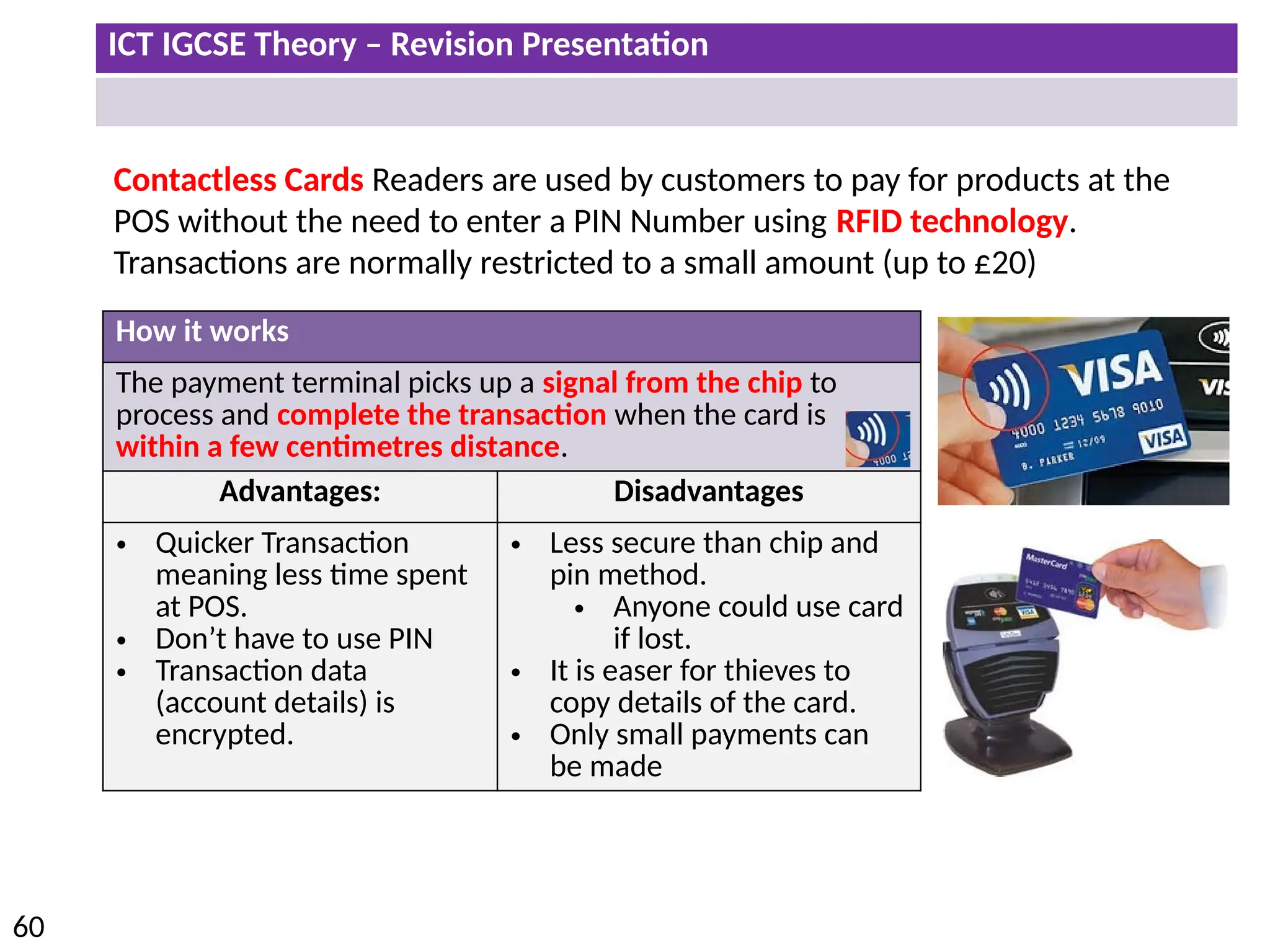
Contactless Cards Readers are used by customers to pay for products at the
POS without the need to enter a PIN Number using RFID technology.
Transactions are normally restricted to a small amount (up to £20)
How it works
The payment terminal picks up a signal from the chip to
process and complete the transaction when the card is
within a few centimetres distance.
Advantages: Disadvantages
• Quicker Transaction
meaning less time spent
at POS.
• Don’t have to use PIN
• Transaction data
(account details) is
encrypted.
• Less secure than chip and
pin method.
• Anyone could use card
if lost.
• It is easer for thieves to
copy details of the card.
• Only small payments can
be made
ICT IGCSE Theory – Revision Presentation
61
Radio Frequency Identification
RFID
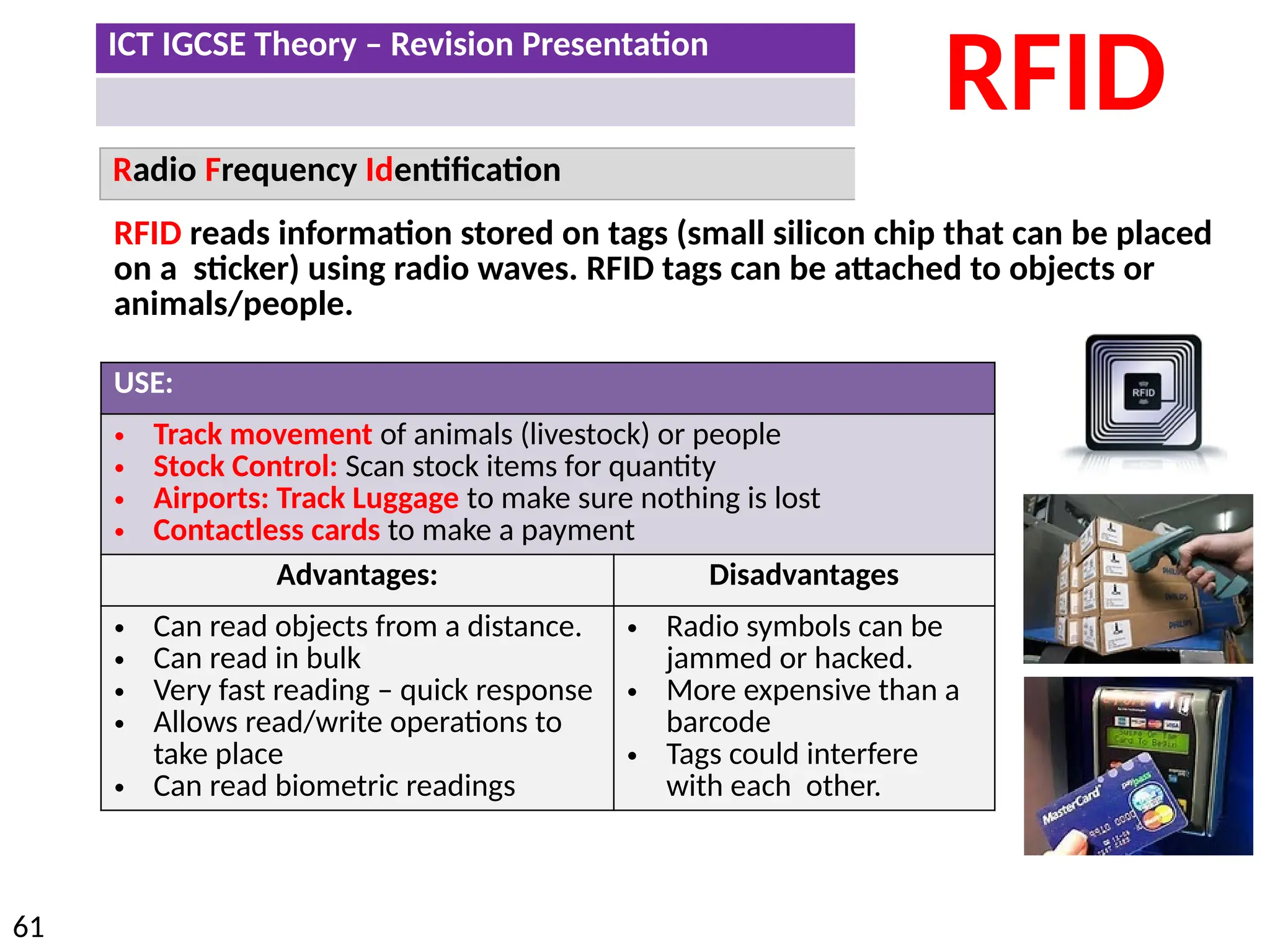
RFID reads information stored on tags (small silicon chip that can be placed
on a sticker) using radio waves. RFID tags can be attached to objects or
animals/people.
USE:
• Track movement of animals (livestock) or people
• Stock Control: Scan stock items for quantity
• Airports: Track Luggage to make sure nothing is lost
• Contactless cards to make a payment
Advantages: Disadvantages
• Can read objects from a distance.
• Can read in bulk
• Very fast reading – quick response
• Allows read/write operations to
take place
• Can read biometric readings
• Radio symbols can be
jammed or hacked.
• More expensive than a
barcode
• Tags could interfere
with each other.
ICT IGCSE Theory – Revision Presentation
62
Magnetic Ink Character Reader
MICR
USE:
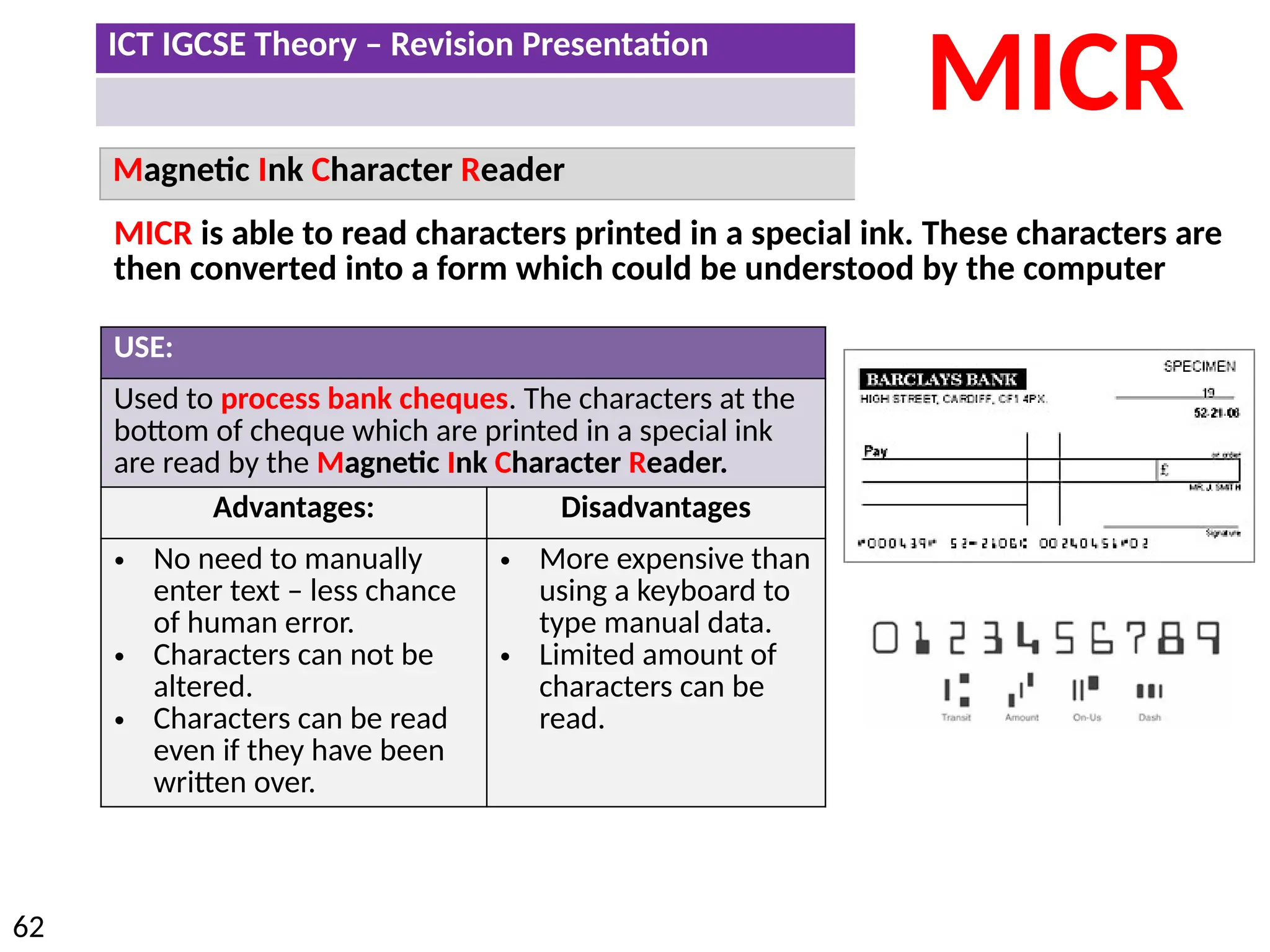
Used to process bank cheques. The characters at the
bottom of cheque which are printed in a special ink
are read by the Magnetic Ink Character Reader.
Advantages: Disadvantages
• No need to manually
enter text – less chance
of human error.
• Characters can not be
altered.
• Characters can be read
even if they have been
written over.
• More expensive than
using a keyboard to
type manual data.
• Limited amount of
characters can be
read.
MICR is able to read characters printed in a special ink. These characters are
then converted into a form which could be understood by the computer
ICT IGCSE Theory – Revision Presentation
63
Optical Mark Reader
OMR
USE:
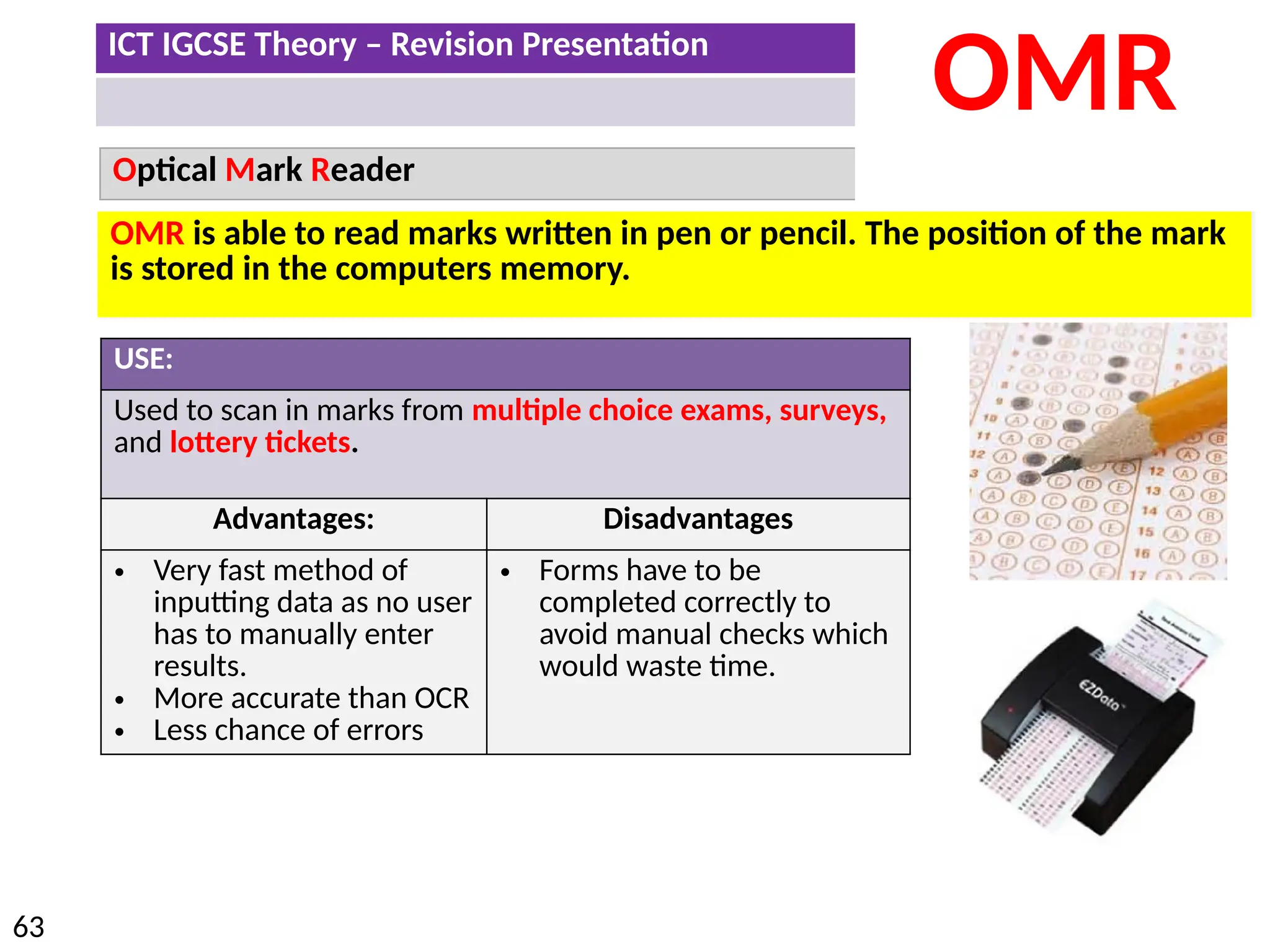
Used to scan in marks from multiple choice exams, surveys,
and lottery tickets.
Advantages: Disadvantages
• Very fast method of
inputting data as no user
has to manually enter
results.
• More accurate than OCR
• Less chance of errors
• Forms have to be
completed correctly to
avoid manual checks which
would waste time.
OMR is able to read marks written in pen or pencil. The position of the mark
is stored in the computers memory.
ICT IGCSE Theory – Revision Presentation
64
Optical Character Reader
OCR
USE:
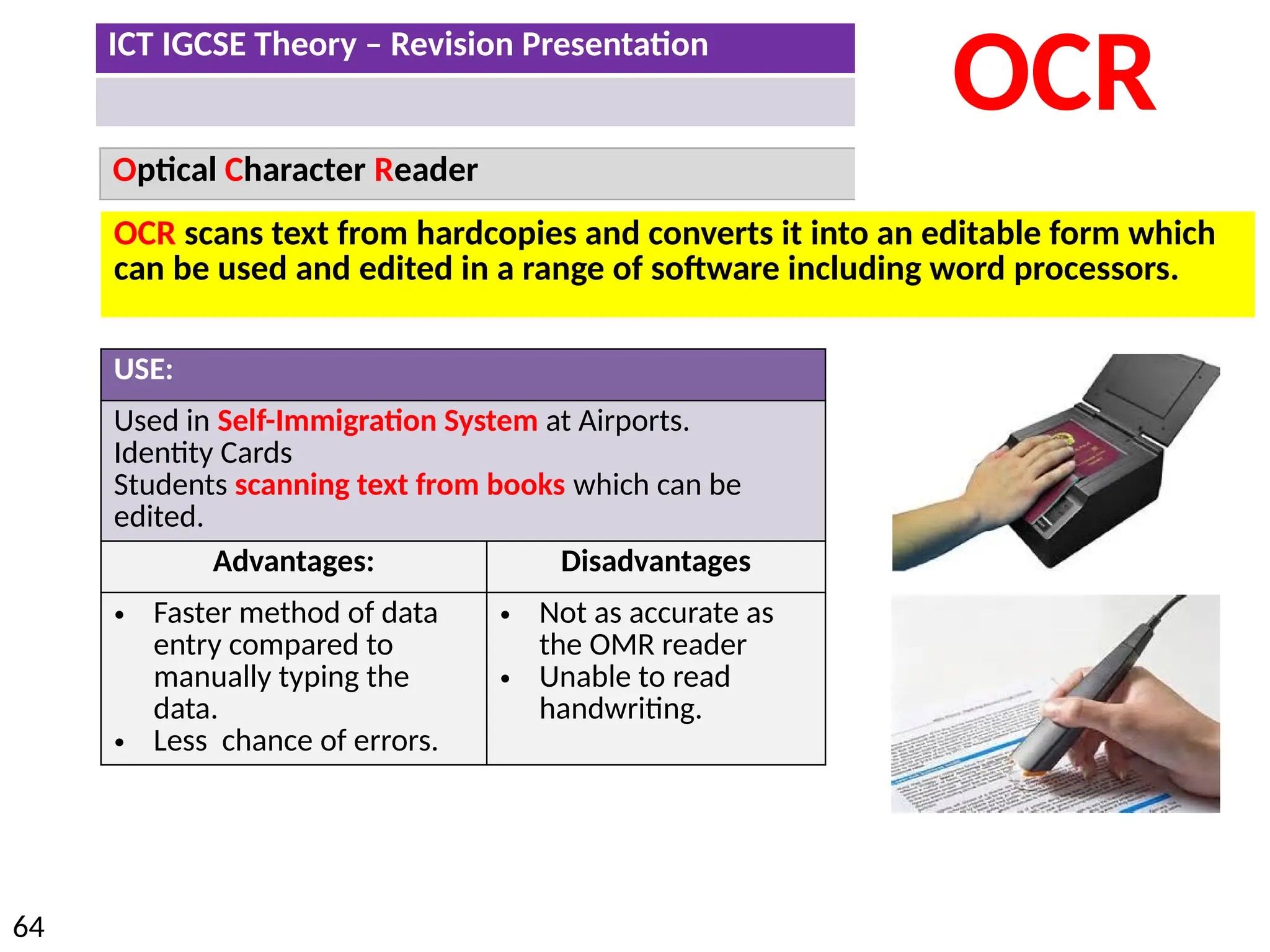
Used in Self-Immigration System at Airports.
Identity Cards
Students scanning text from books which can be
edited.
Advantages: Disadvantages
• Faster method of data
entry compared to
manually typing the
data.
• Less chance of errors.
• Not as accurate as
the OMR reader
• Unable to read
handwriting.
OCR scans text from hardcopies and converts it into an editable form which
can be used and edited in a range of software including word processors.
ICT IGCSE Theory – Revision Presentation
65
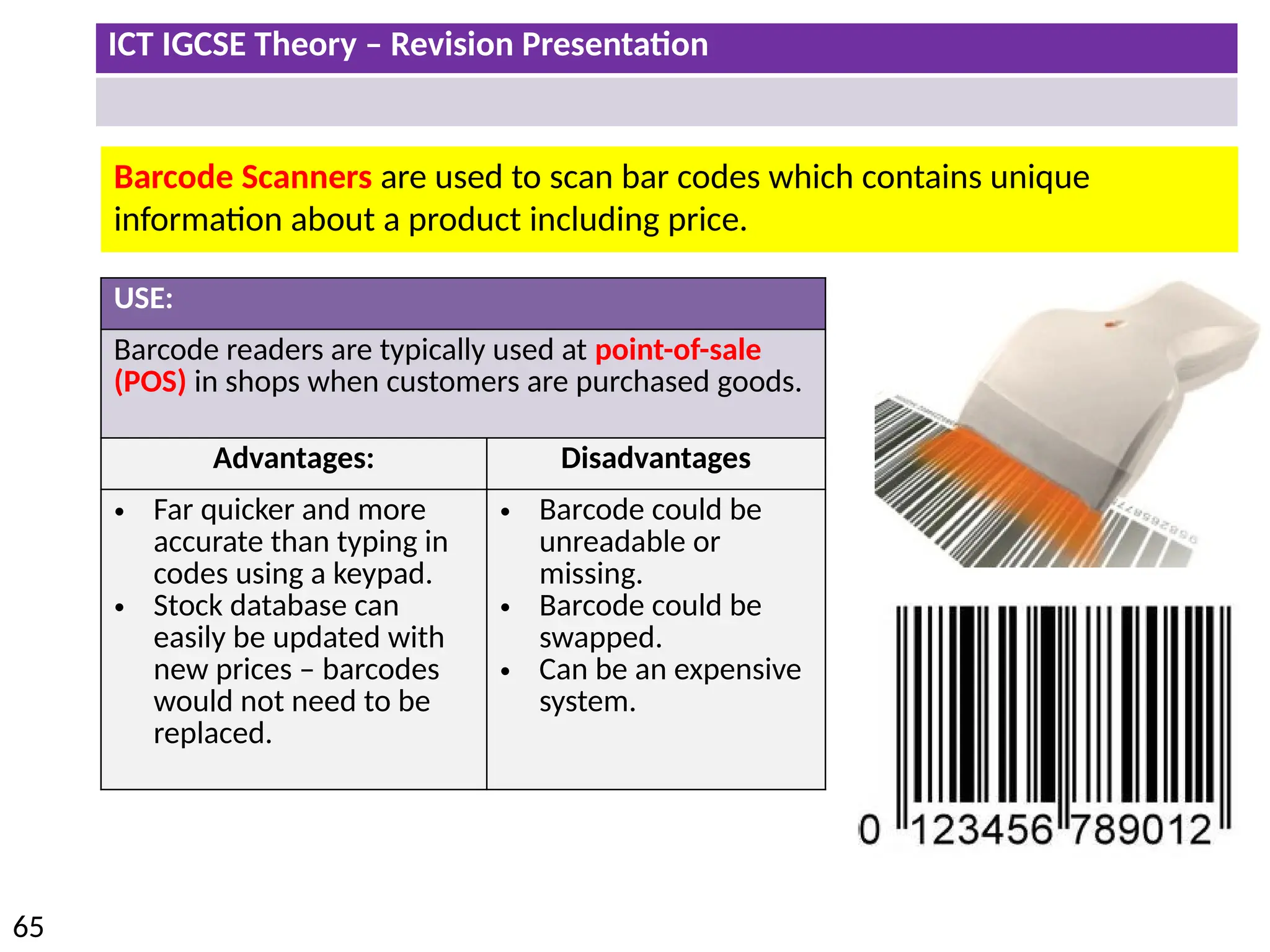
Barcode Scanners are used to scan bar codes which contains unique
information about a product including price.
USE:
Barcode readers are typically used at point-of-sale
(POS) in shops when customers are purchased goods.
Advantages: Disadvantages
• Far quicker and more
accurate than typing in
codes using a keypad.
• Stock database can
easily be updated with
new prices – barcodes
would not need to be
replaced.
• Barcode could be
unreadable or
missing.
• Barcode could be
swapped.
• Can be an expensive
system.
ICT IGCSE Theory – Revision Presentation
66
• Identify output devices and their uses, e.g. CRT monitor, TFT/LCD monitor, IPS/LCD
monitor, LED monitor, touch screen (as an output device), multimedia projector, laser
printer, inkjet printer, dot matrix printer, wide format printer, 3D printer, speakers,
motors, buzzers, heaters, lights/lamps
• Describe the advantages and disadvantages of any of the above devices
ICT IGCSE Theory – Revision Presentation
67
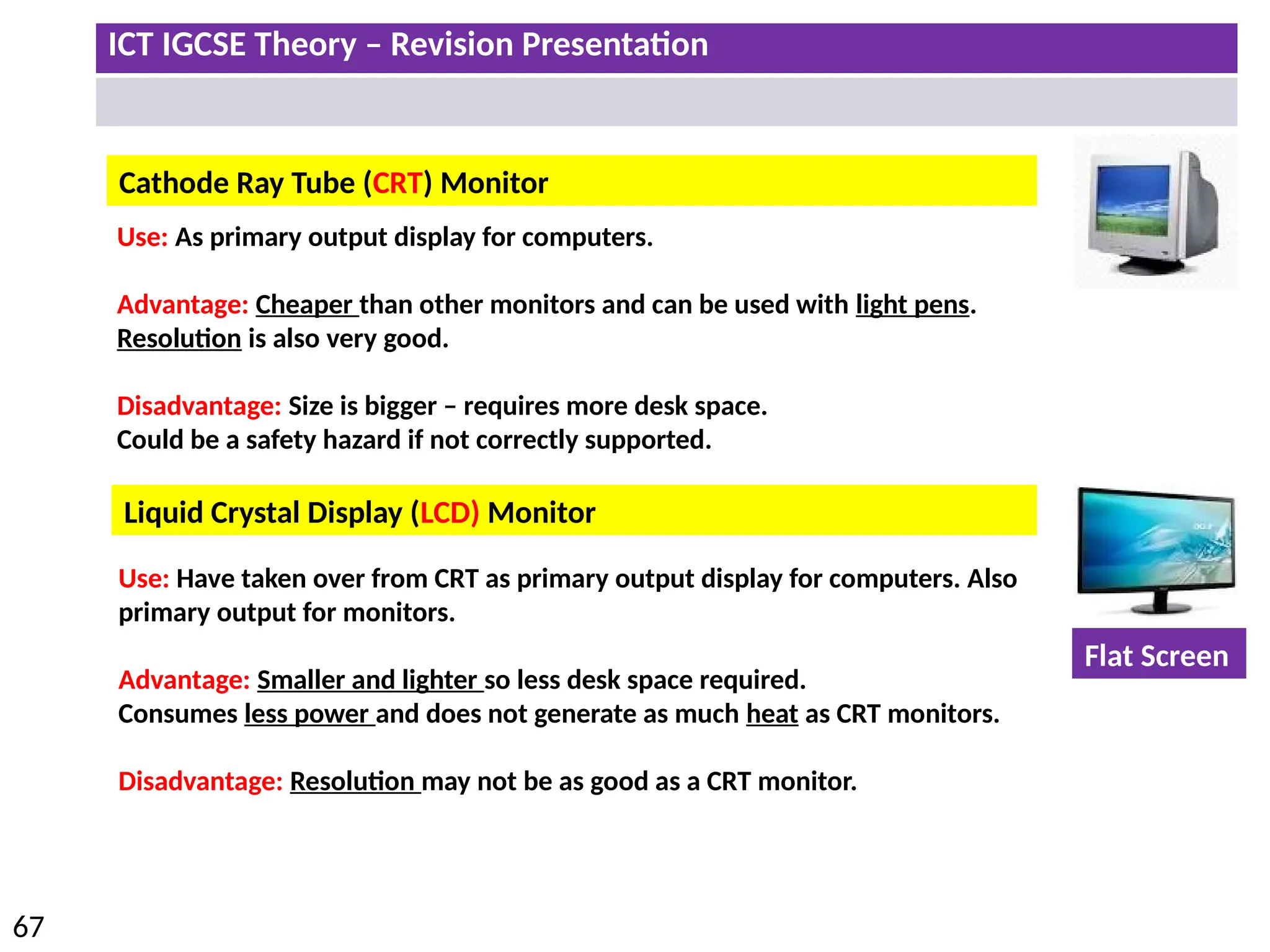
Cathode Ray Tube (CRT) Monitor
Liquid Crystal Display (LCD) Monitor
Use: As primary output display for computers.
Advantage: Cheaper than other monitors and can be used with light pens.
Resolution is also very good.
Disadvantage: Size is bigger – requires more desk space.
Could be a safety hazard if not correctly supported.
Use: Have taken over from CRT as primary output display for computers. Also
primary output for monitors.
Advantage: Smaller and lighter so less desk space required.
Consumes less power and does not generate as much heat as CRT monitors.
Disadvantage: Resolution may not be as good as a CRT monitor.
Flat Screen
ICT IGCSE Theory – Revision Presentation
68
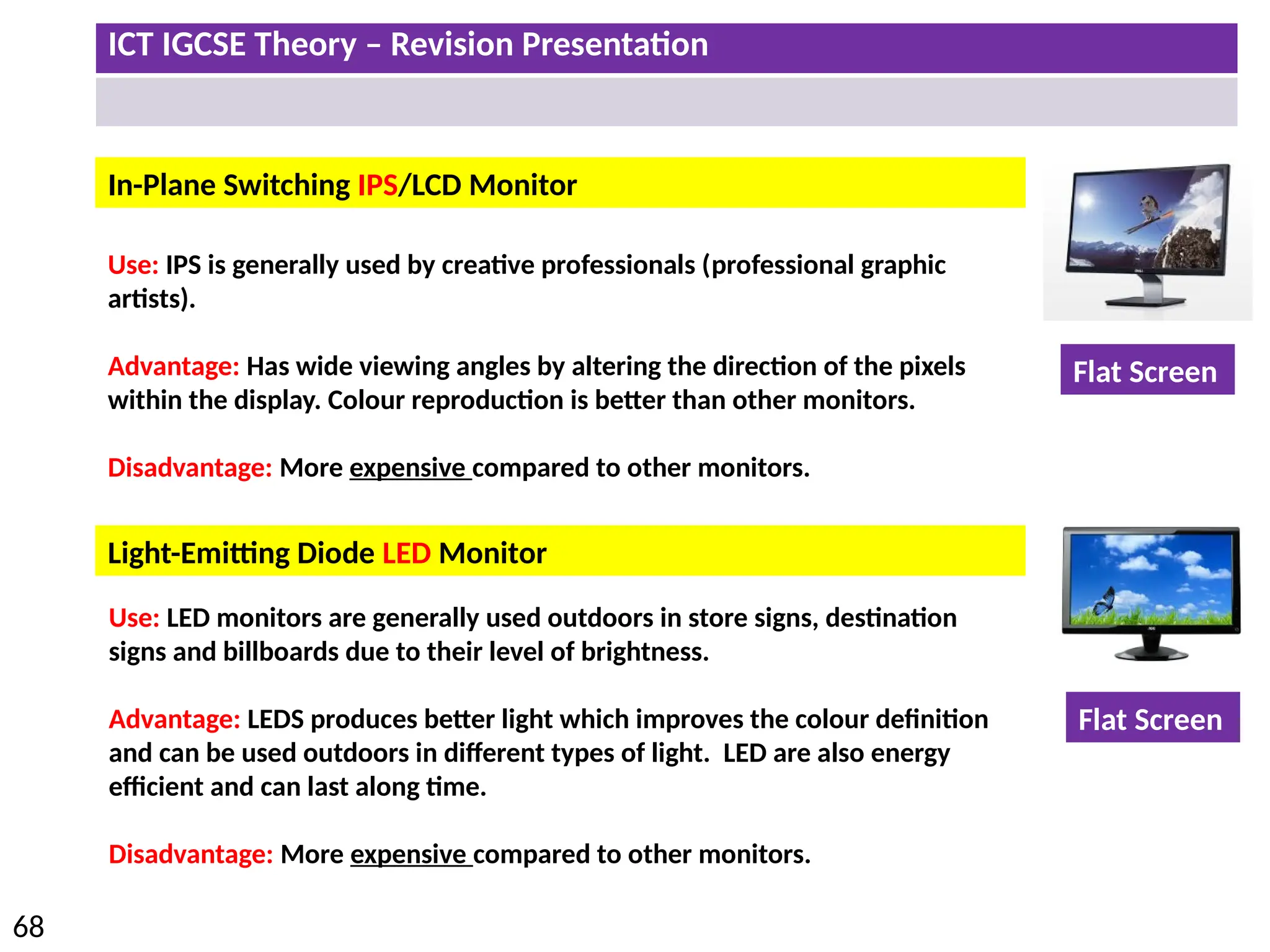
Light-Emitting Diode LED Monitor
In-Plane Switching IPS/LCD Monitor
Use: IPS is generally used by creative professionals (professional graphic
artists).
Advantage: Has wide viewing angles by altering the direction of the pixels
within the display. Colour reproduction is better than other monitors.
Disadvantage: More expensive compared to other monitors.
Use: LED monitors are generally used outdoors in store signs, destination
signs and billboards due to their level of brightness.
Advantage: LEDS produces better light which improves the colour definition
and can be used outdoors in different types of light. LED are also energy
efficient and can last along time.
Disadvantage: More expensive compared to other monitors.
Flat Screen
Flat Screen
ICT IGCSE Theory – Revision Presentation
69
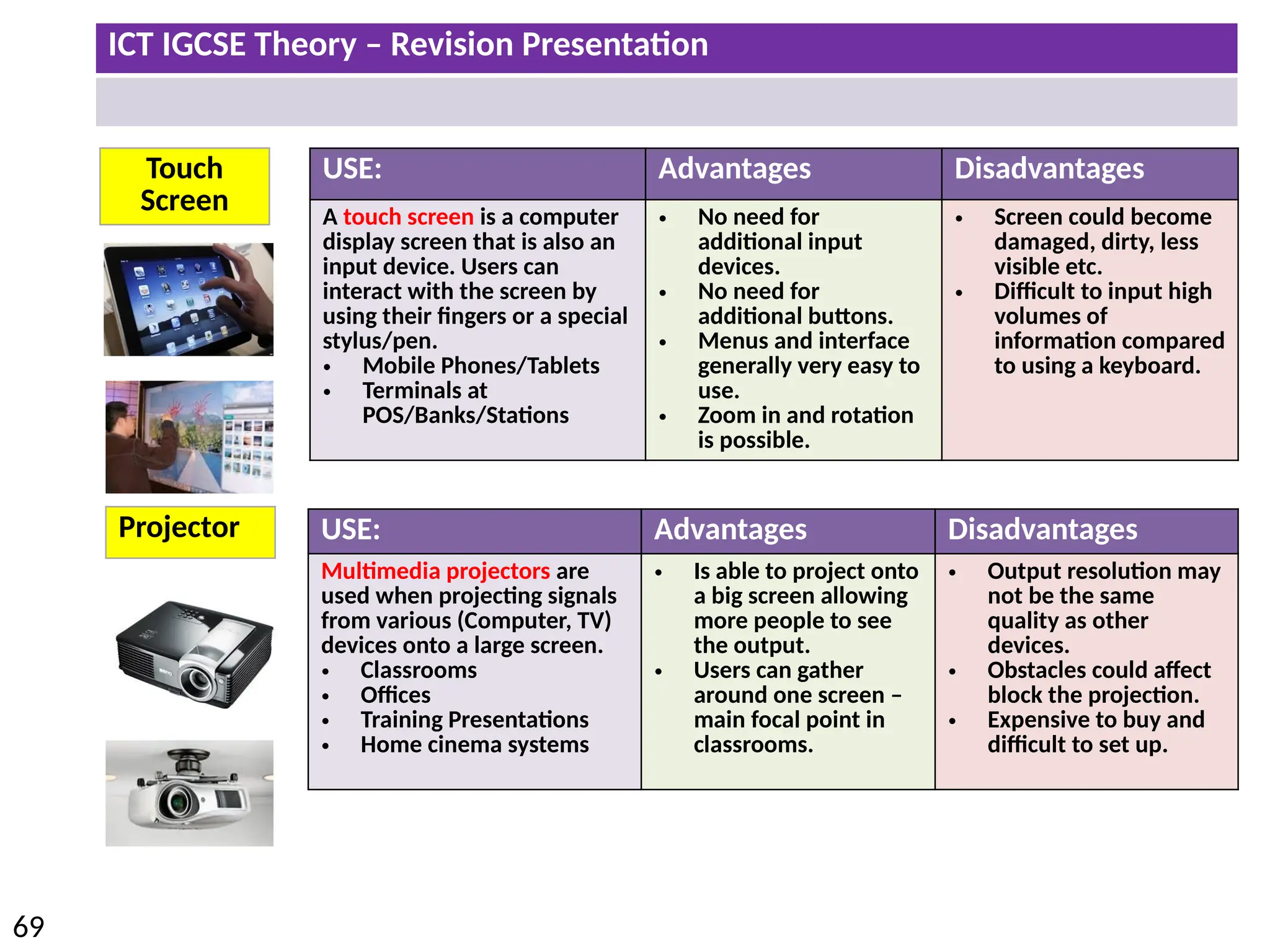
Touch
Screen
Projector
USE: Advantages Disadvantages
A touch screen is a computer
display screen that is also an
input device. Users can
interact with the screen by
using their fingers or a special
stylus/pen.
• Mobile Phones/Tablets
• Terminals at
POS/Banks/Stations
• No need for
additional input
devices.
• No need for
additional buttons.
• Menus and interface
generally very easy to
use.
• Zoom in and rotation
is possible.
• Screen could become
damaged, dirty, less
visible etc.
• Difficult to input high
volumes of
information compared
to using a keyboard.
USE: Advantages Disadvantages
Multimedia projectors are
used when projecting signals
from various (Computer, TV)
devices onto a large screen.
• Classrooms
• Offices
• Training Presentations
• Home cinema systems
• Is able to project onto
a big screen allowing
more people to see
the output.
• Users can gather
around one screen –
main focal point in
classrooms.
• Output resolution may
not be the same
quality as other
devices.
• Obstacles could affect
block the projection.
• Expensive to buy and
difficult to set up.
ICT IGCSE Theory – Revision Presentation
70
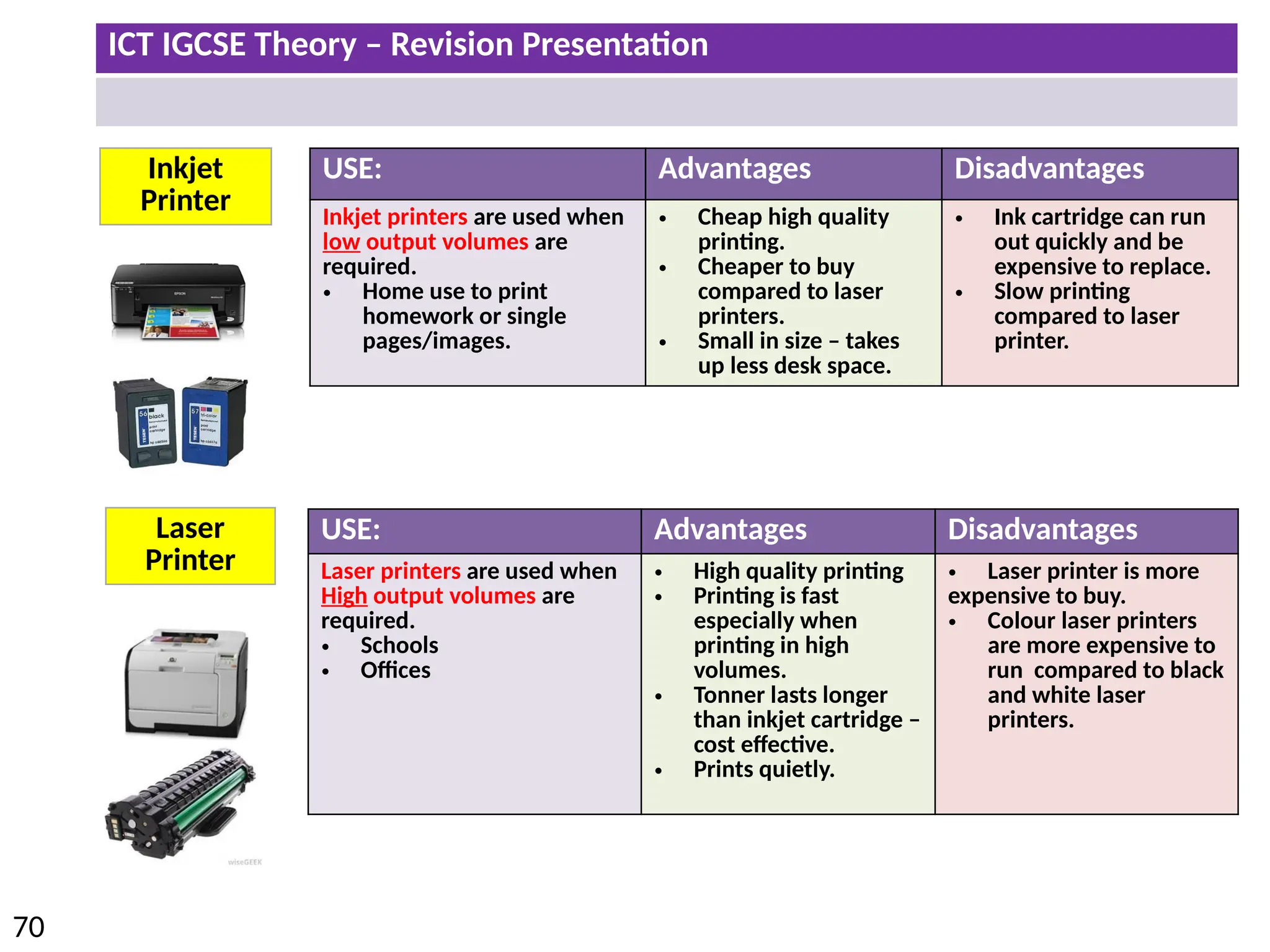
Inkjet
Printer
Laser
Printer
USE: Advantages Disadvantages
Inkjet printers are used when
low output volumes are
required.
• Home use to print
homework or single
pages/images.
• Cheap high quality
printing.
• Cheaper to buy
compared to laser
printers.
• Small in size – takes
up less desk space.
• Ink cartridge can run
out quickly and be
expensive to replace.
• Slow printing
compared to laser
printer.
USE: Advantages Disadvantages
Laser printers are used when
High output volumes are
required.
• Schools
• Offices
• High quality printing
• Printing is fast
especially when
printing in high
volumes.
• Tonner lasts longer
than inkjet cartridge –
cost effective.
• Prints quietly.
• Laser printer is more
expensive to buy.
• Colour laser printers
are more expensive to
run compared to black
and white laser
printers.
ICT IGCSE Theory – Revision Presentation
71
Dot Matrix
Printer
Wide
Format
Printer
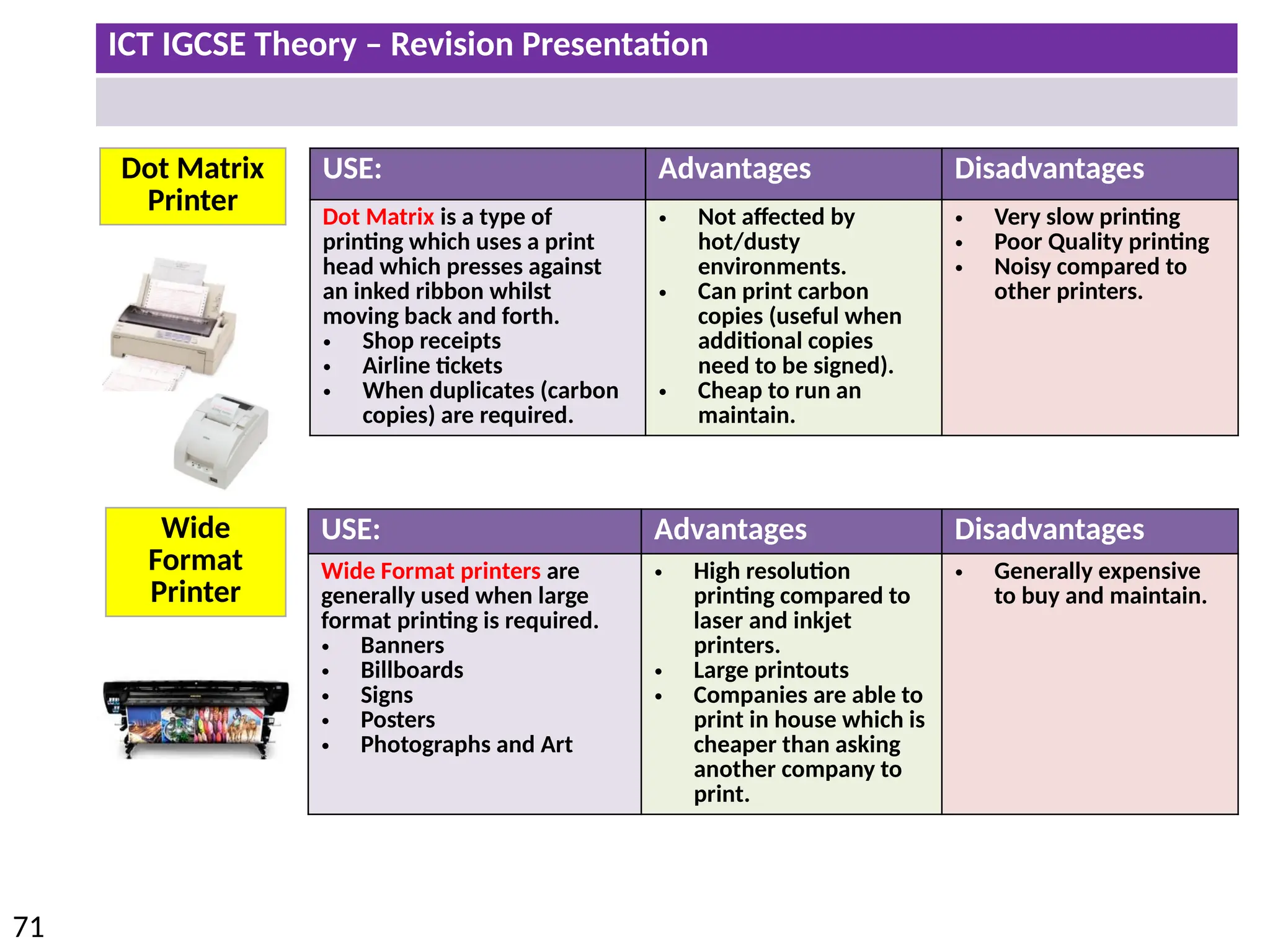
USE: Advantages Disadvantages
Dot Matrix is a type of
printing which uses a print
head which presses against
an inked ribbon whilst
moving back and forth.
• Shop receipts
• Airline tickets
• When duplicates (carbon
copies) are required.
• Not affected by
hot/dusty
environments.
• Can print carbon
copies (useful when
additional copies
need to be signed).
• Cheap to run an
maintain.
• Very slow printing
• Poor Quality printing
• Noisy compared to
other printers.
USE: Advantages Disadvantages
Wide Format printers are
generally used when large
format printing is required.
• Banners
• Billboards
• Signs
• Posters
• Photographs and Art
• High resolution
printing compared to
laser and inkjet
printers.
• Large printouts
• Companies are able to
print in house which is
cheaper than asking
another company to
print.
• Generally expensive
to buy and maintain.
ICT IGCSE Theory – Revision Presentation
72
3D Printer
Speakers
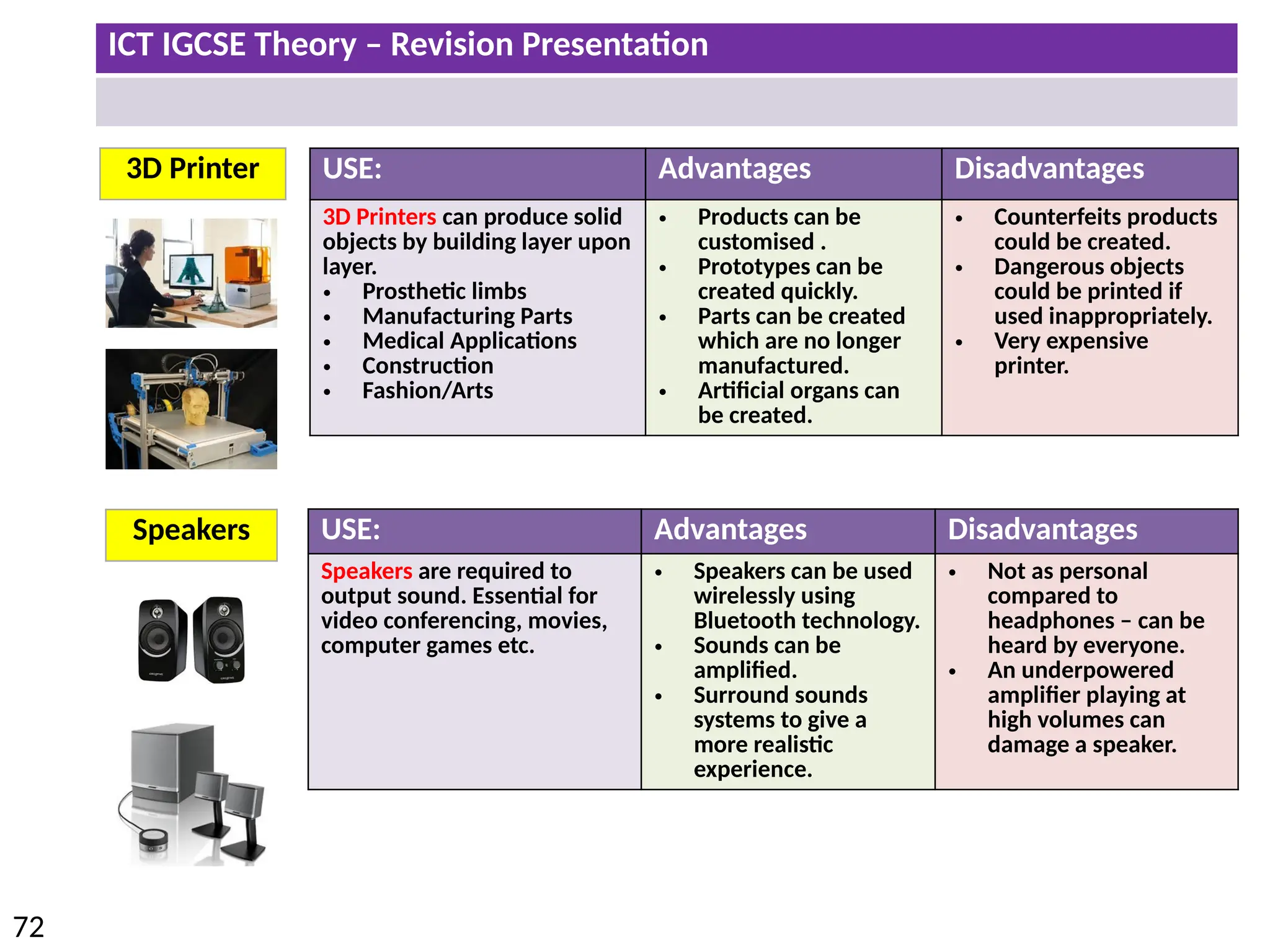
USE: Advantages Disadvantages
3D Printers can produce solid
objects by building layer upon
layer.
• Prosthetic limbs
• Manufacturing Parts
• Medical Applications
• Construction
• Fashion/Arts
• Products can be
customised .
• Prototypes can be
created quickly.
• Parts can be created
which are no longer
manufactured.
• Artificial organs can
be created.
• Counterfeits products
could be created.
• Dangerous objects
could be printed if
used inappropriately.
• Very expensive
printer.
USE: Advantages Disadvantages
Speakers are required to
output sound. Essential for
video conferencing, movies,
computer games etc.
• Speakers can be used
wirelessly using
Bluetooth technology.
• Sounds can be
amplified.
• Surround sounds
systems to give a
more realistic
experience.
• Not as personal
compared to
headphones – can be
heard by everyone.
• An underpowered
amplifier playing at
high volumes can
damage a speaker.
ICT IGCSE Theory – Revision Presentation
73
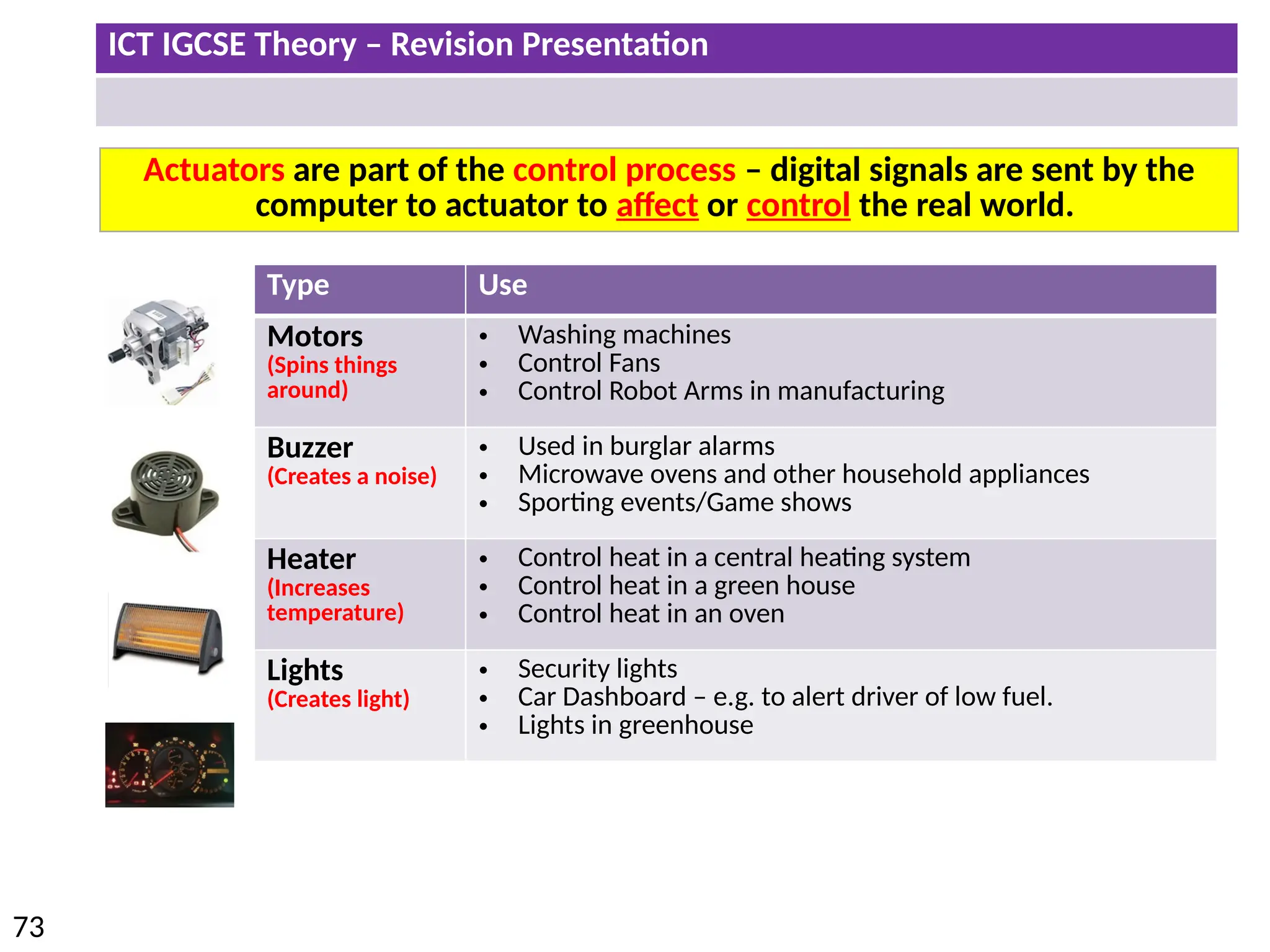
Actuators are part of the control process – digital signals are sent by the
computer to actuator to affect or control the real world.
Type Use
Motors
(Spins things
around)
• Washing machines
• Control Fans
• Control Robot Arms in manufacturing
Buzzer
(Creates a noise)
• Used in burglar alarms
• Microwave ovens and other household appliances
• Sporting events/Game shows
Heater
(Increases
temperature)
• Control heat in a central heating system
• Control heat in a green house
• Control heat in an oven
Lights
(Creates light)
• Security lights
• Car Dashboard – e.g. to alert driver of low fuel.
• Lights in greenhouse
ICT IGCSE Theory – Revision Presentation
74
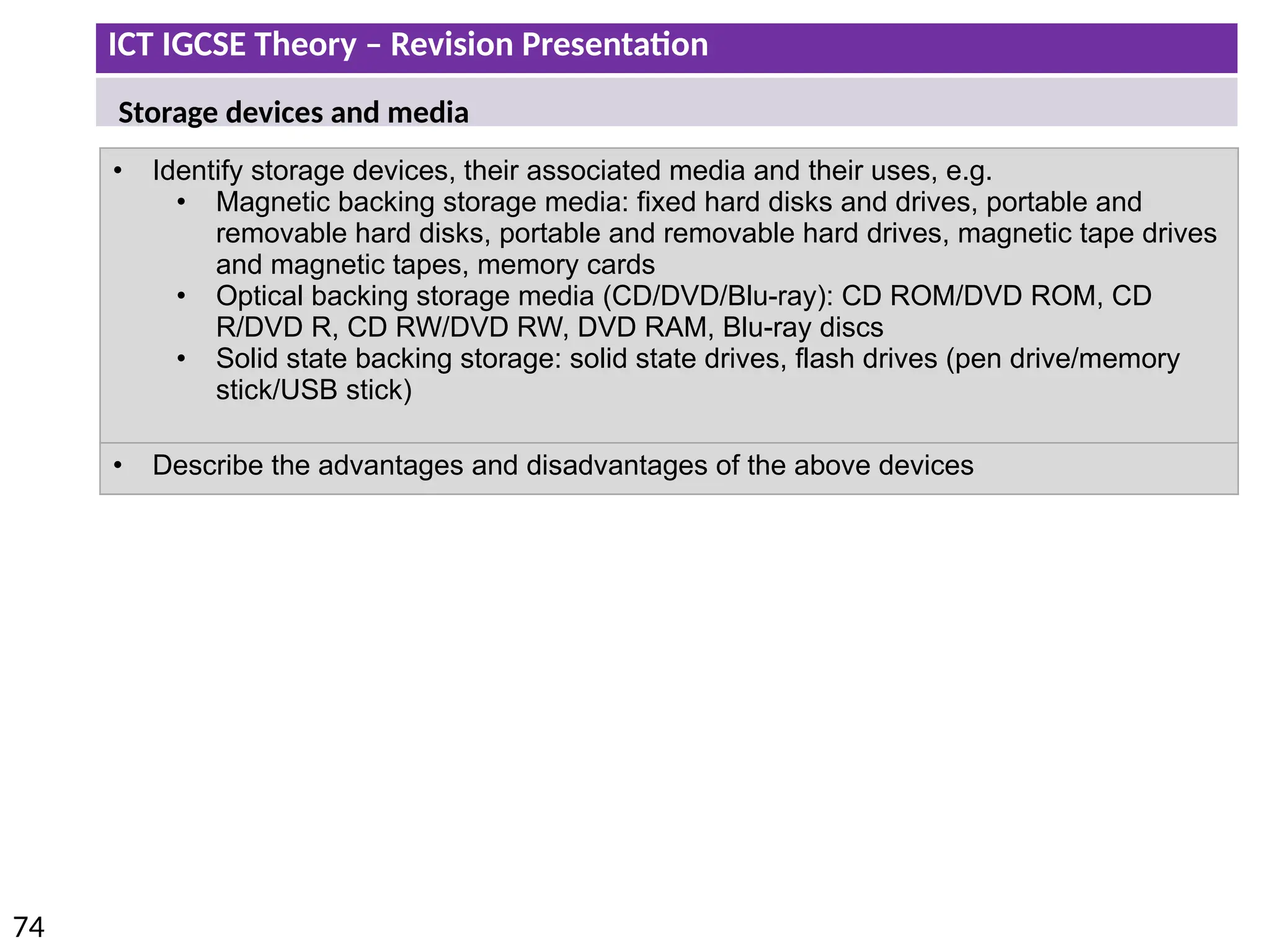
• Identify storage devices, their associated media and their uses, e.g.
• Magnetic backing storage media: fixed hard disks and drives, portable and
removable hard disks, portable and removable hard drives, magnetic tape drives
and magnetic tapes, memory cards
• Optical backing storage media (CD/DVD/Blu-ray): CD ROM/DVD ROM, CD
R/DVD R, CD RW/DVD RW, DVD RAM, Blu-ray discs
• Solid state backing storage: solid state drives, flash drives (pen drive/memory
stick/USB stick)
• Describe the advantages and disadvantages of the above devices
Storage devices and media
ICT IGCSE Theory – Revision Presentation
75
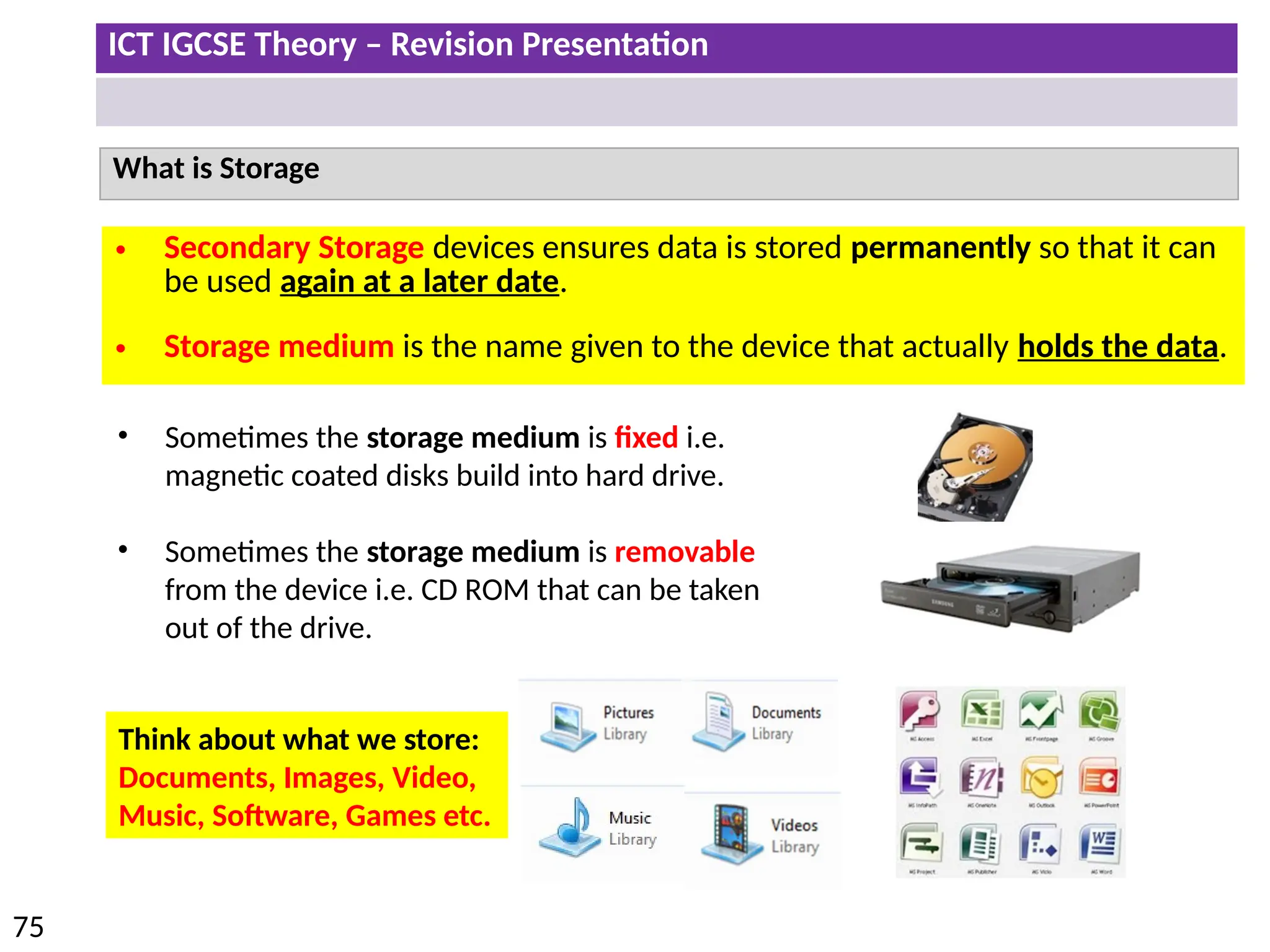
What is Storage
• Secondary Storage devices ensures data is stored permanently so that it can
be used again at a later date.
• Storage medium is the name given to the device that actually holds the data.
• Sometimes the storage medium is fixed i.e.
magnetic coated disks build into hard drive.
• Sometimes the storage medium is removable
from the device i.e. CD ROM that can be taken
out of the drive.
Think about what we store:
Documents, Images, Video,
Music, Software, Games etc.
ICT IGCSE Theory – Revision Presentation
76
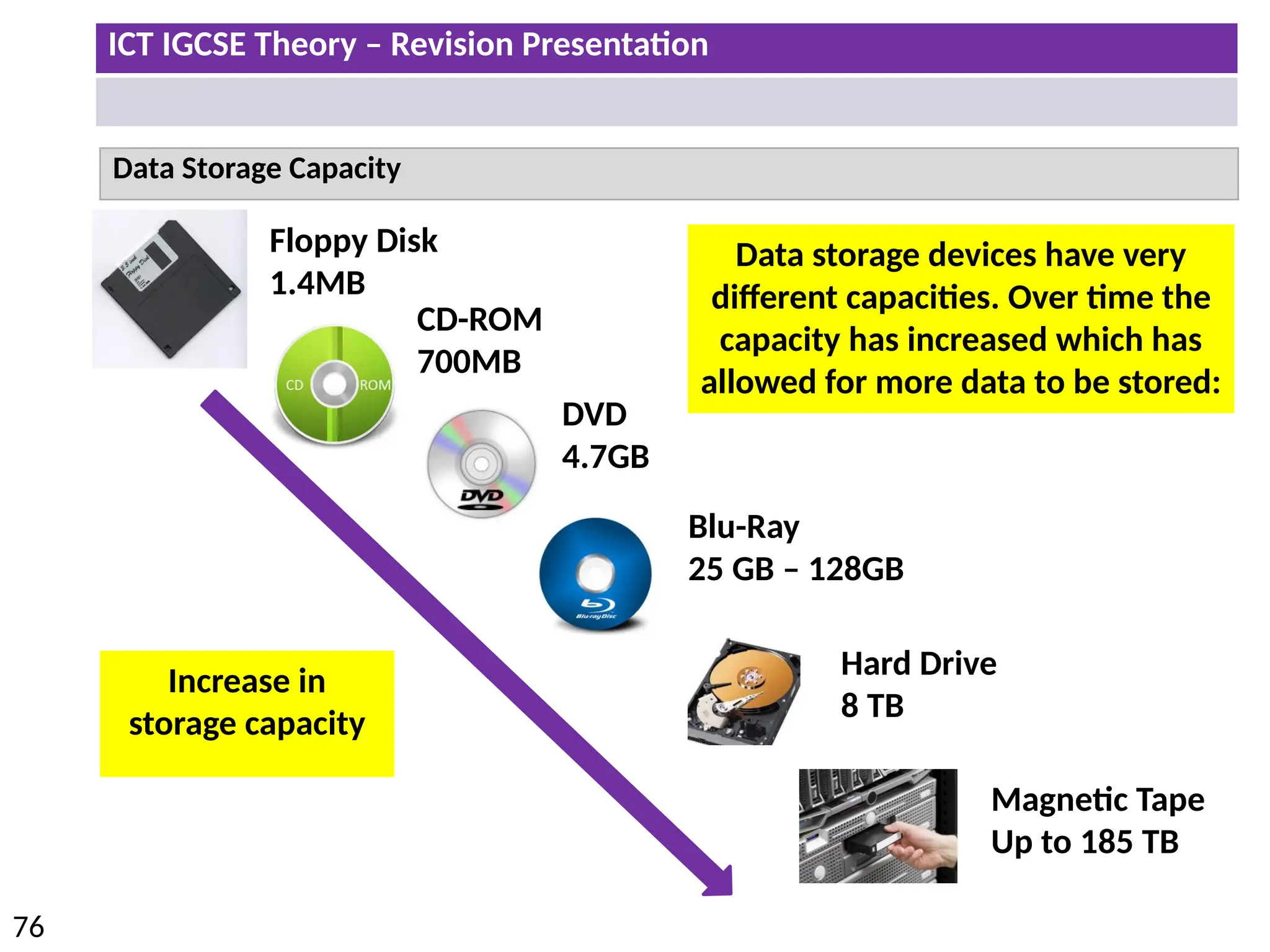
Data Storage Capacity
Floppy Disk
1.4MB
CD-ROM
700MB
DVD
4.7GB
Blu-Ray
25 GB – 128GB
Hard Drive
8 TB
Magnetic Tape
Up to 185 TB
Increase in
storage capacity
Data storage devices have very
different capacities. Over time the
capacity has increased which has
allowed for more data to be stored:
ICT IGCSE Theory – Revision Presentation
77
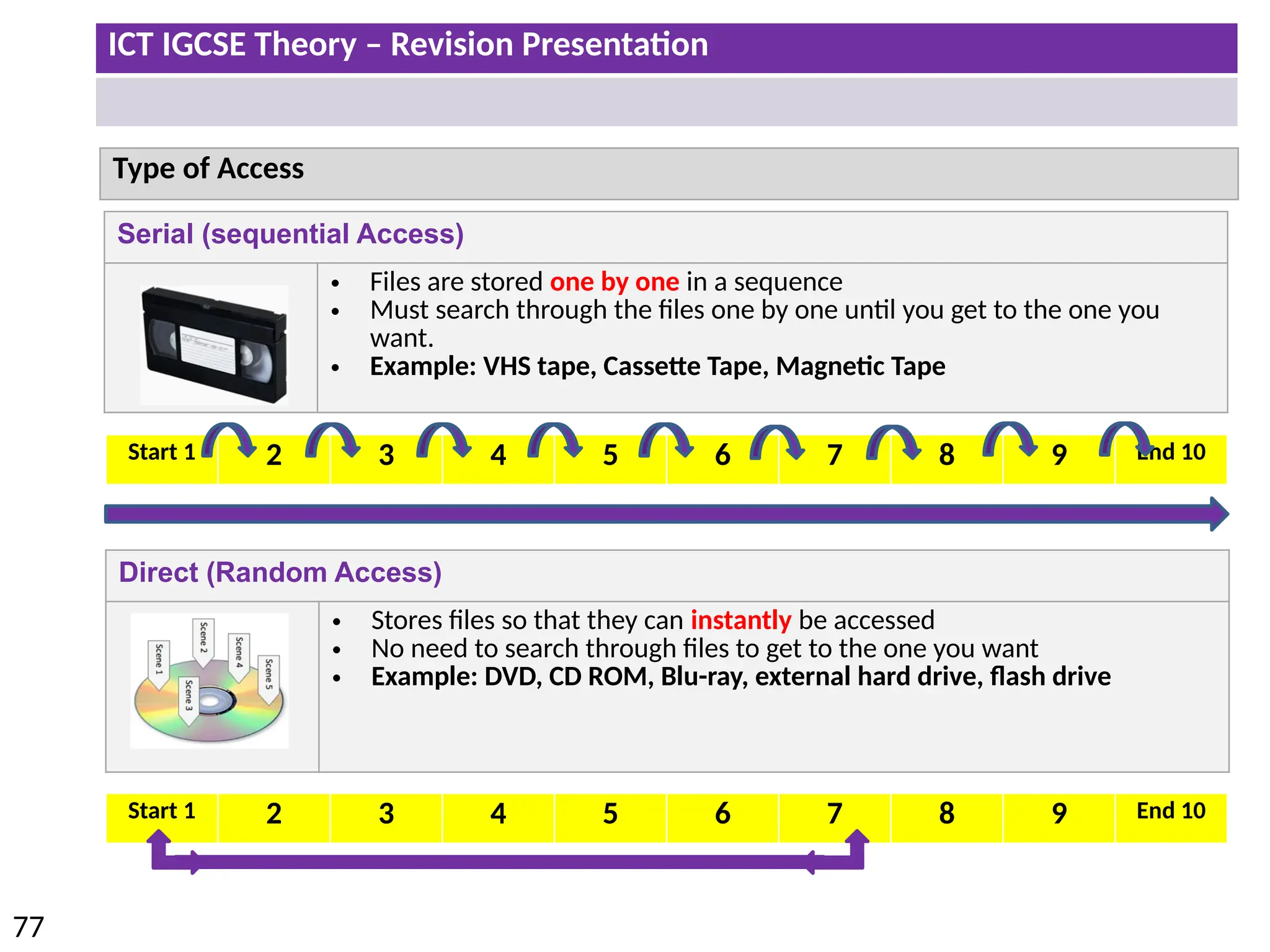
Direct (Random Access)
• Stores files so that they can instantly be accessed
• No need to search through files to get to the one you want
• Example: DVD, CD ROM, Blu-ray, external hard drive, flash drive
Type of Access
Serial (sequential Access)
• Files are stored one by one in a sequence
• Must search through the files one by one until you get to the one you
want.
• Example: VHS tape, Cassette Tape, Magnetic Tape
Start 1 2 3 4 5 6 7 8 9 End 10
ICT IGCSE Theory – Revision Presentation
78
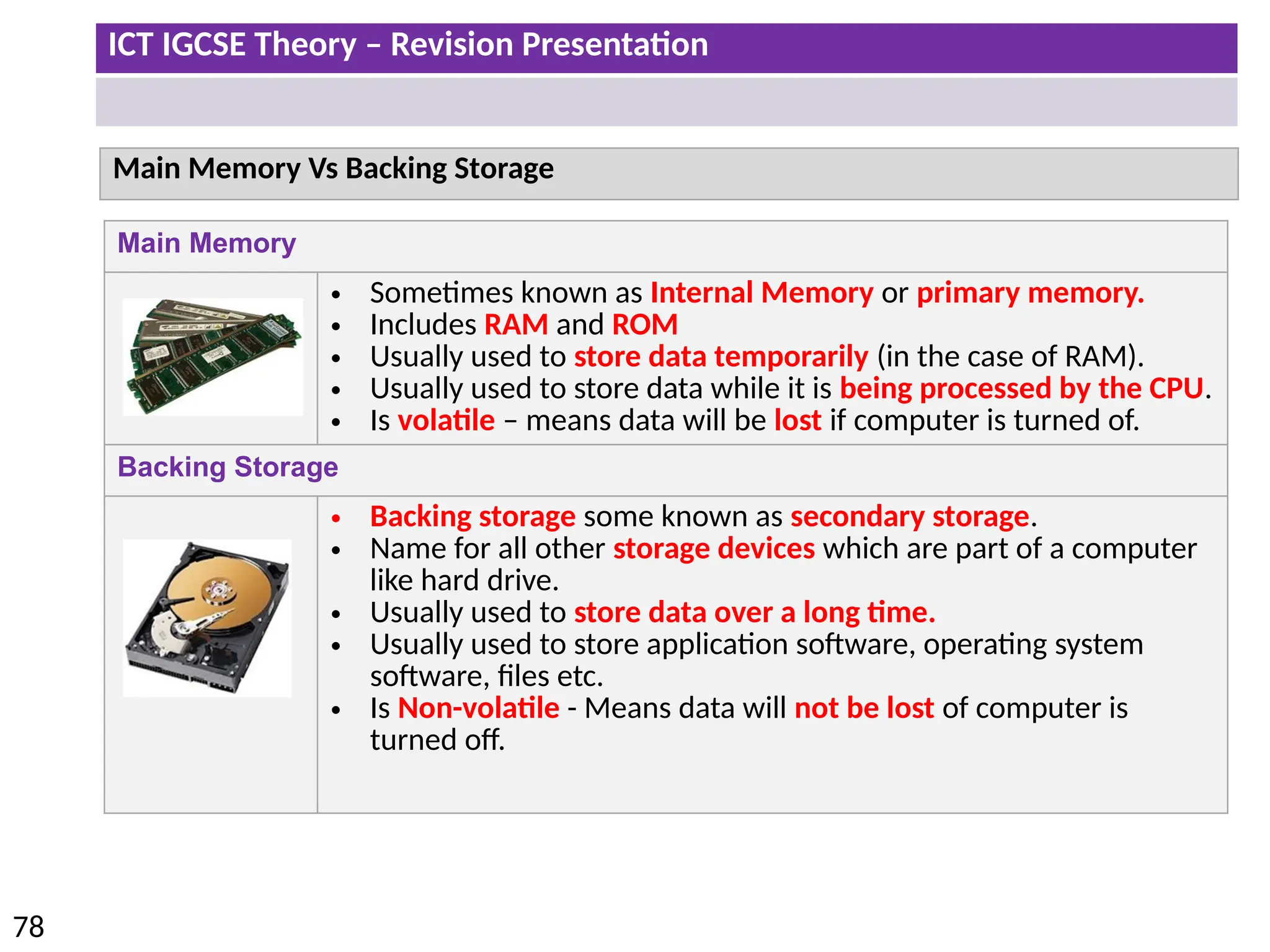
Main Memory
• Sometimes known as Internal Memory or primary memory.
• Includes RAM and ROM
• Usually used to store data temporarily (in the case of RAM).
• Usually used to store data while it is being processed by the CPU.
• Is volatile – means data will be lost if computer is turned of.
Backing Storage
• Backing storage some known as secondary storage.
• Name for all other storage devices which are part of a computer
like hard drive.
• Usually used to store data over a long time.
• Usually used to store application software, operating system
software, files etc.
• Is Non-volatile - Means data will not be lost of computer is
turned off.
Main Memory Vs Backing Storage
ICT IGCSE Theory – Revision Presentation
79
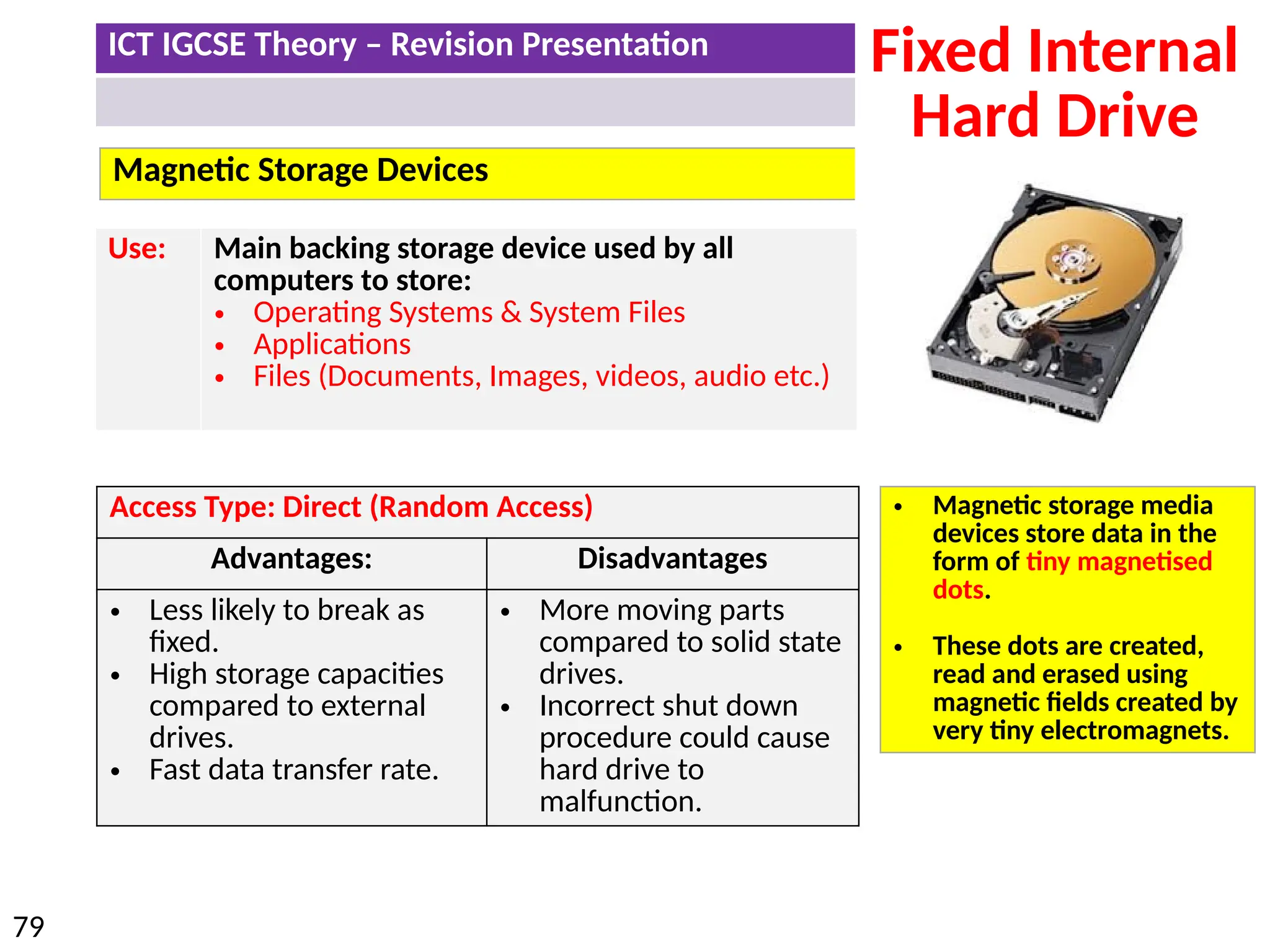
Magnetic Storage Devices
Fixed Internal
Hard Drive
Access Type: Direct (Random Access)
Advantages: Disadvantages
• Less likely to break as
fixed.
• High storage capacities
compared to external
drives.
• Fast data transfer rate.
• More moving parts
compared to solid state
drives.
• Incorrect shut down
procedure could cause
hard drive to
malfunction.
Use: Main backing storage device used by all
computers to store:
• Operating Systems & System Files
• Applications
• Files (Documents, Images, videos, audio etc.)
• Magnetic storage media
devices store data in the
form of tiny magnetised
dots.
• These dots are created,
read and erased using
magnetic fields created by
very tiny electromagnets.
ICT IGCSE Theory – Revision Presentation
80
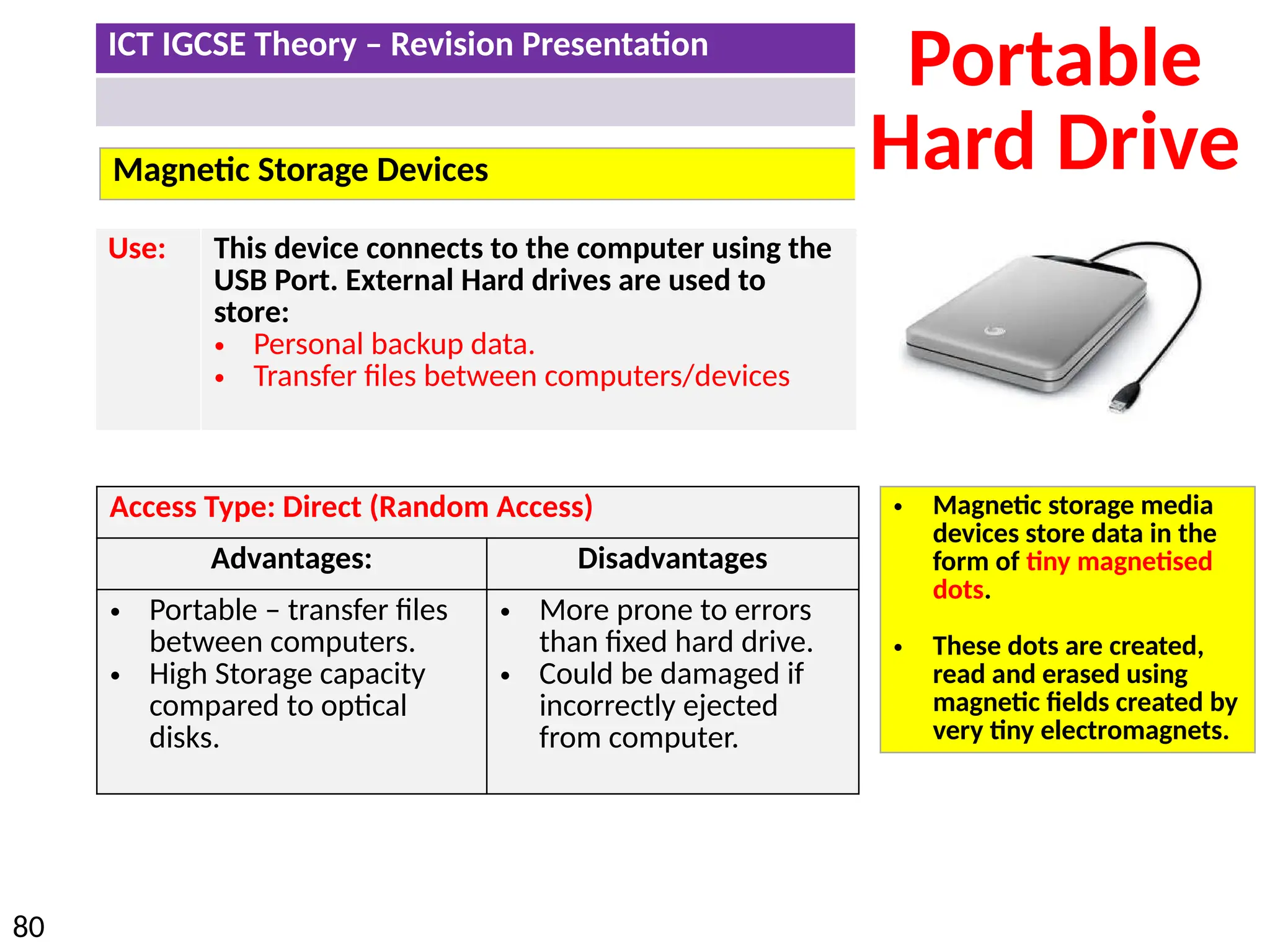
Magnetic Storage Devices
Portable
Hard Drive
Access Type: Direct (Random Access)
Advantages: Disadvantages
• Portable – transfer files
between computers.
• High Storage capacity
compared to optical
disks.
• More prone to errors
than fixed hard drive.
• Could be damaged if
incorrectly ejected
from computer.
Use: This device connects to the computer using the
USB Port. External Hard drives are used to
store:
• Personal backup data.
• Transfer files between computers/devices
• Magnetic storage media
devices store data in the
form of tiny magnetised
dots.
• These dots are created,
read and erased using
magnetic fields created by
very tiny electromagnets.
ICT IGCSE Theory – Revision Presentation
81
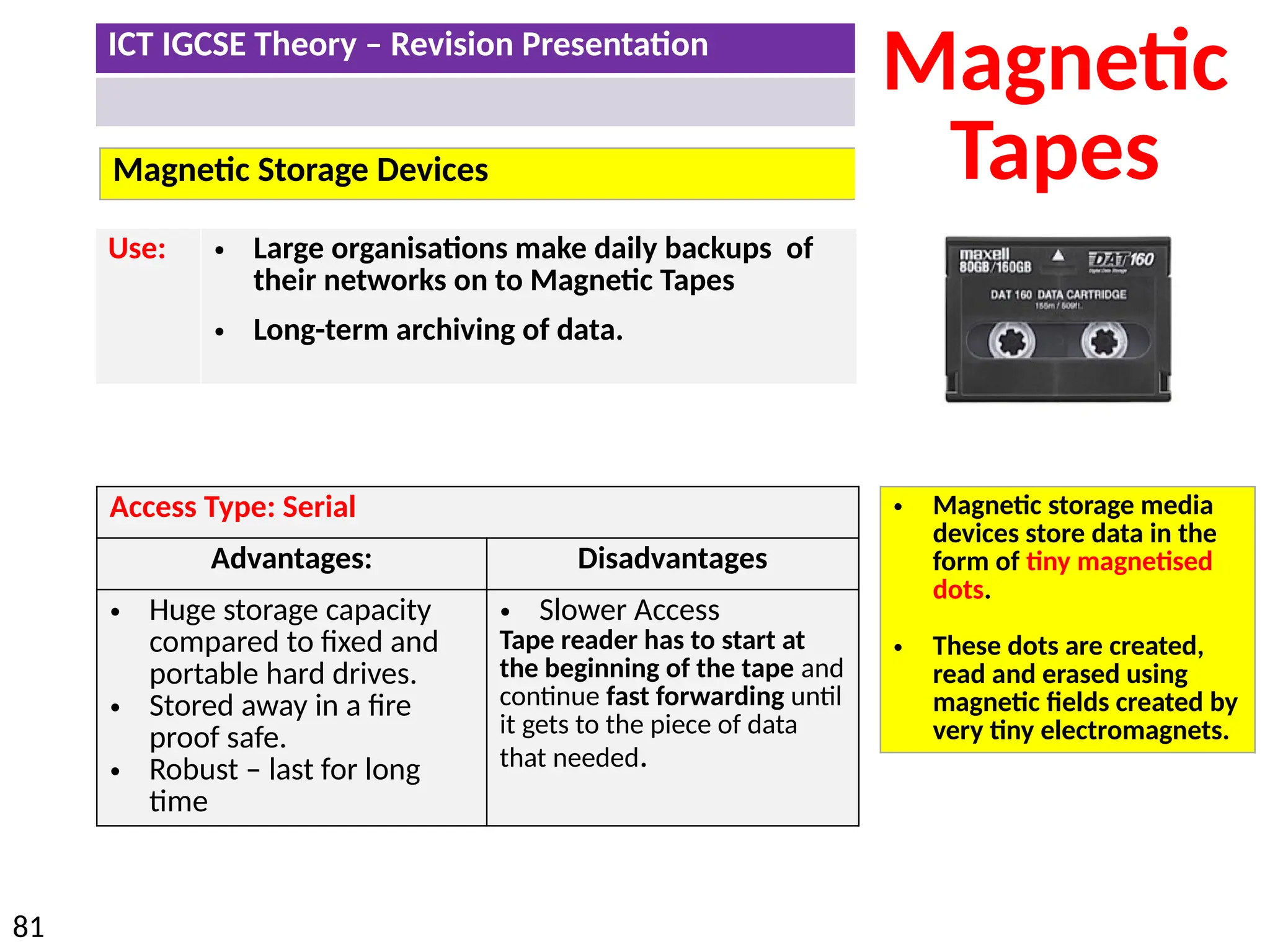
Magnetic Storage Devices
Magnetic
Tapes
Access Type: Serial
Advantages: Disadvantages
• Huge storage capacity
compared to fixed and
portable hard drives.
• Stored away in a fire
proof safe.
• Robust – last for long
time
• Slower Access
Tape reader has to start at
the beginning of the tape and
continue fast forwarding until
it gets to the piece of data
that needed.
Use: • Large organisations make daily backups of
their networks on to Magnetic Tapes
• Long-term archiving of data.
• Magnetic storage media
devices store data in the
form of tiny magnetised
dots.
• These dots are created,
read and erased using
magnetic fields created by
very tiny electromagnets.
ICT IGCSE Theory – Revision Presentation
82
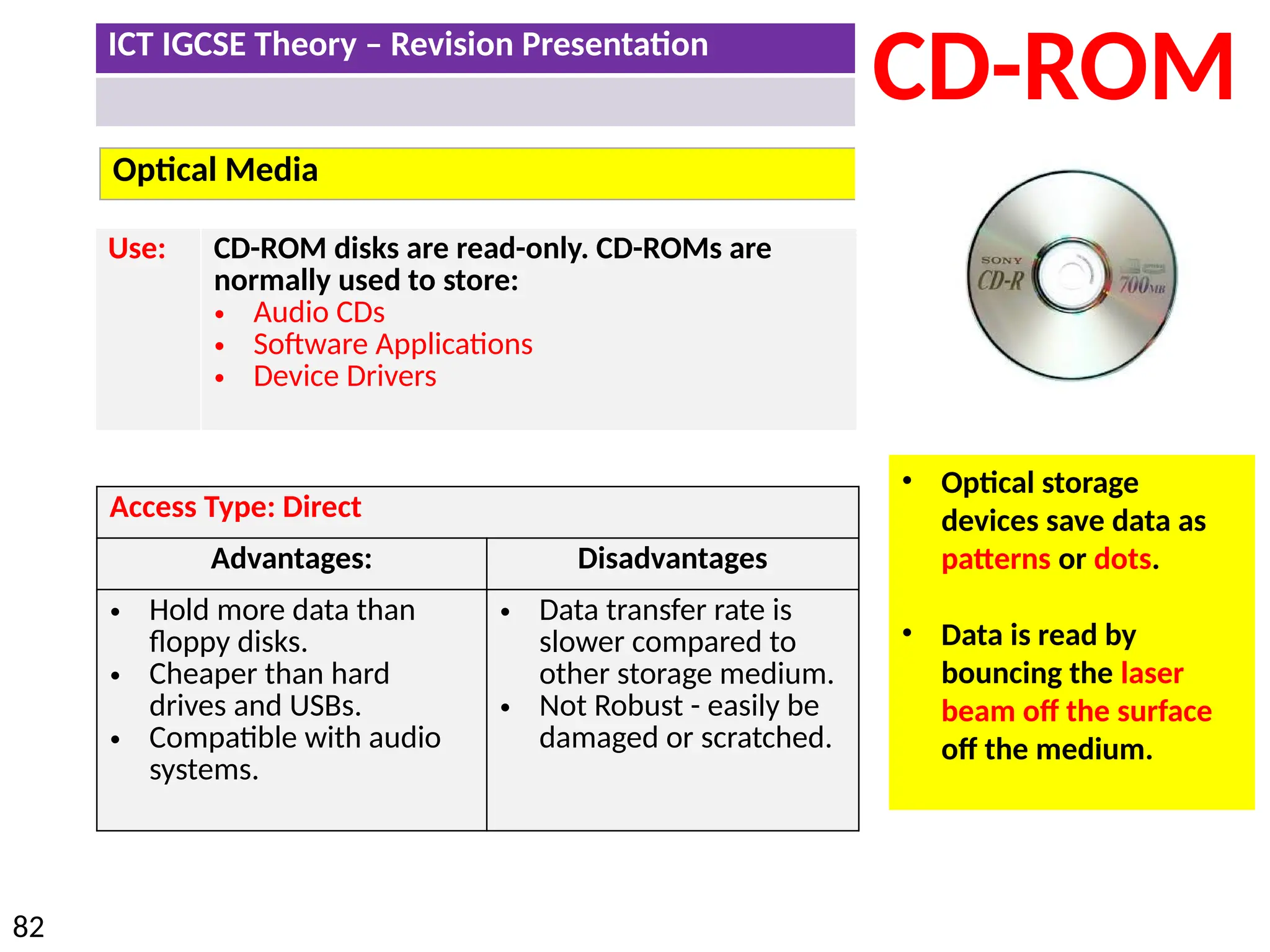
Optical Media
CD-ROM
Use: CD-ROM disks are read-only. CD-ROMs are
normally used to store:
• Audio CDs
• Software Applications
• Device Drivers
• Optical storage
devices save data as
patterns or dots.
• Data is read by
bouncing the laser
beam off the surface
off the medium.
Access Type: Direct
Advantages: Disadvantages
• Hold more data than
floppy disks.
• Cheaper than hard
drives and USBs.
• Compatible with audio
systems.
• Data transfer rate is
slower compared to
other storage medium.
• Not Robust - easily be
damaged or scratched.
ICT IGCSE Theory – Revision Presentation
83
Optical Media
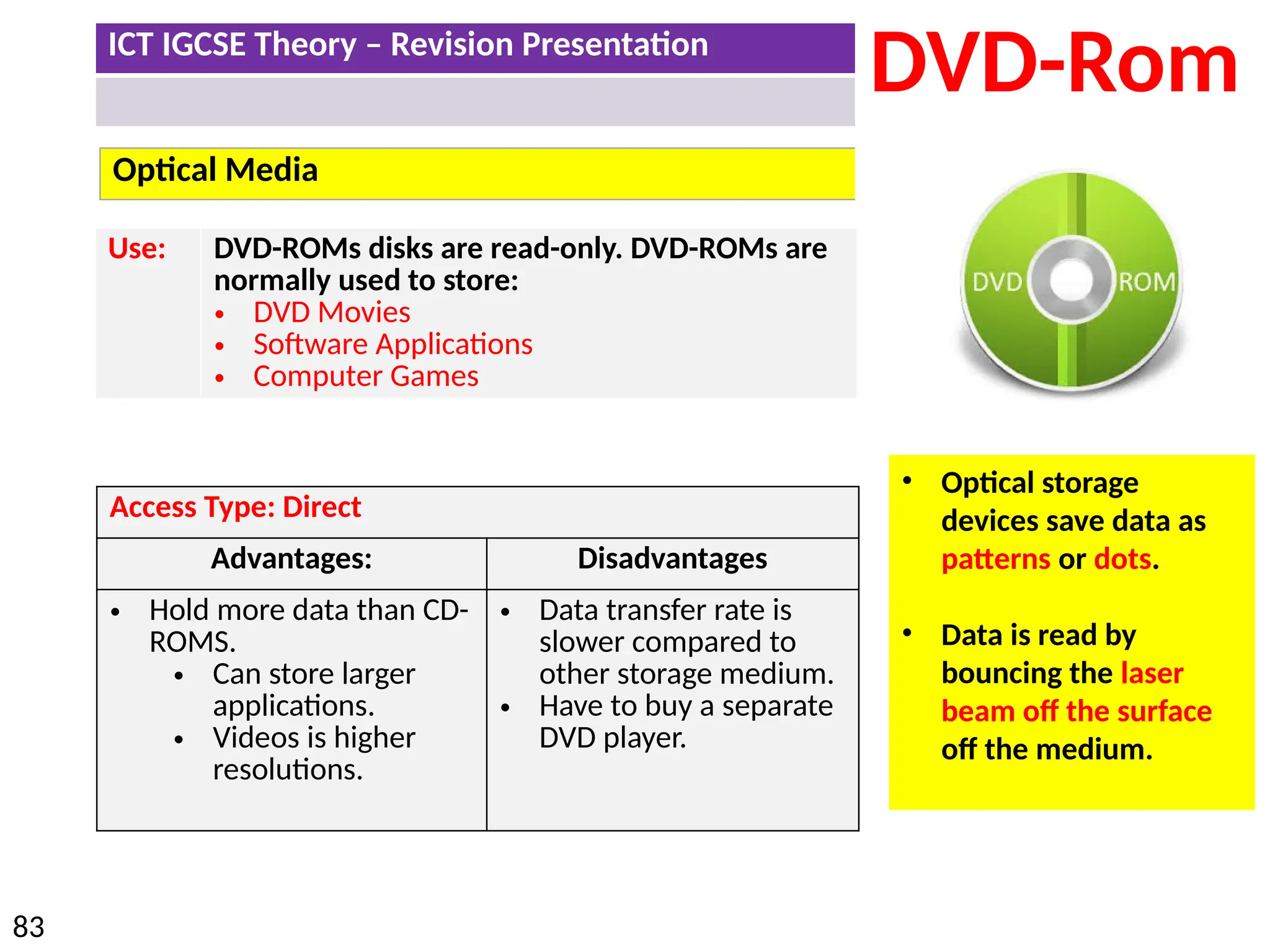
DVD-Rom
Use: DVD-ROMs disks are read-only. DVD-ROMs are
normally used to store:
• DVD Movies
• Software Applications
• Computer Games
• Optical storage
devices save data as
patterns or dots.
• Data is read by
bouncing the laser
beam off the surface
off the medium.
Access Type: Direct
Advantages: Disadvantages
• Hold more data than CD-
ROMS.
• Can store larger
applications.
• Videos is higher
resolutions.
• Data transfer rate is
slower compared to
other storage medium.
• Have to buy a separate
DVD player.
ICT IGCSE Theory – Revision Presentation
84
Optical Media
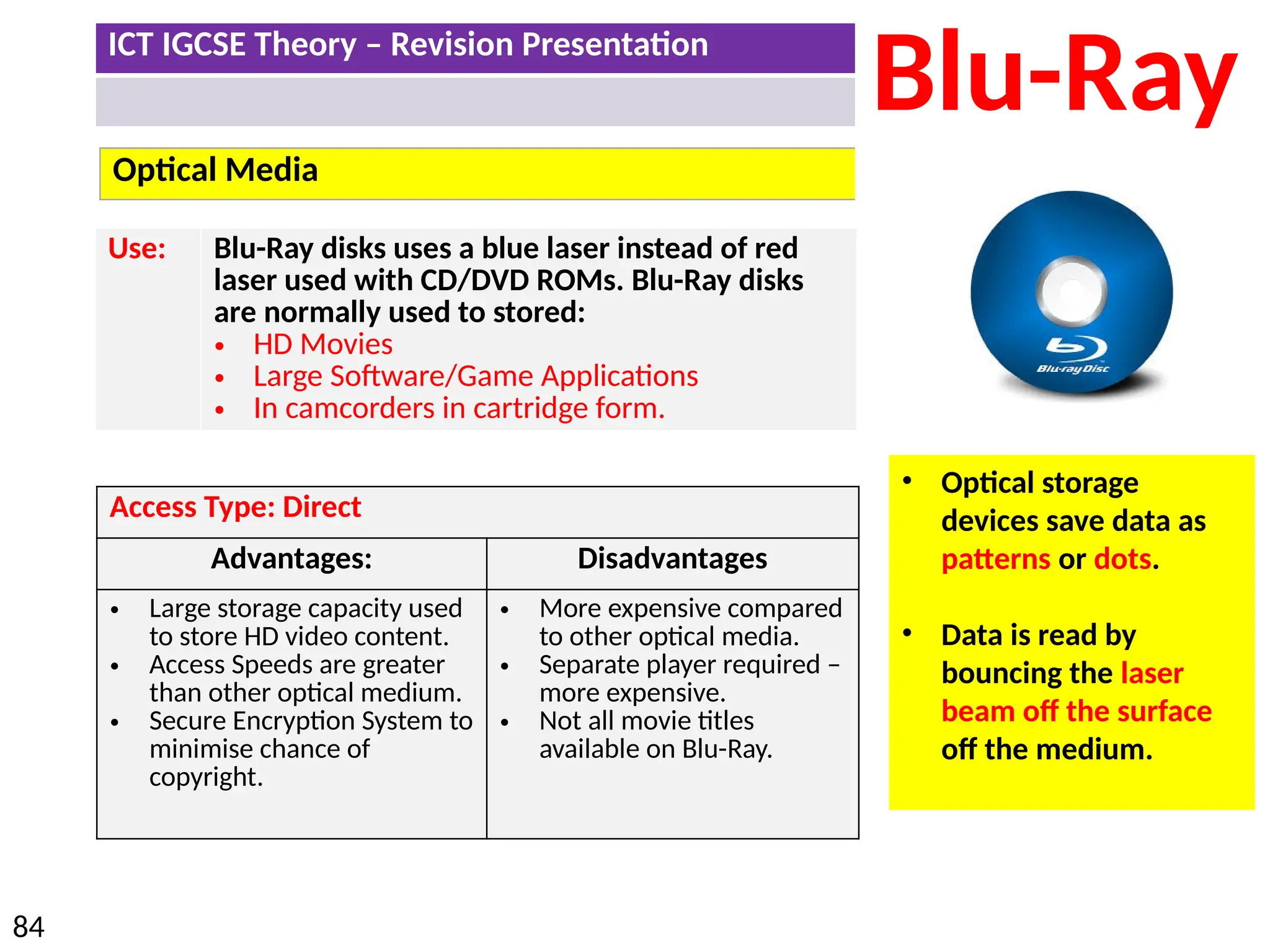
Blu-Ray
Use: Blu-Ray disks uses a blue laser instead of red
laser used with CD/DVD ROMs. Blu-Ray disks
are normally used to stored:
• HD Movies
• Large Software/Game Applications
• In camcorders in cartridge form.
• Optical storage
devices save data as
patterns or dots.
• Data is read by
bouncing the laser
beam off the surface
off the medium.
Access Type: Direct
Advantages: Disadvantages
• Large storage capacity used
to store HD video content.
• Access Speeds are greater
than other optical medium.
• Secure Encryption System to
minimise chance of
copyright.
• More expensive compared
to other optical media.
• Separate player required –
more expensive.
• Not all movie titles
available on Blu-Ray.
ICT IGCSE Theory – Revision Presentation
85
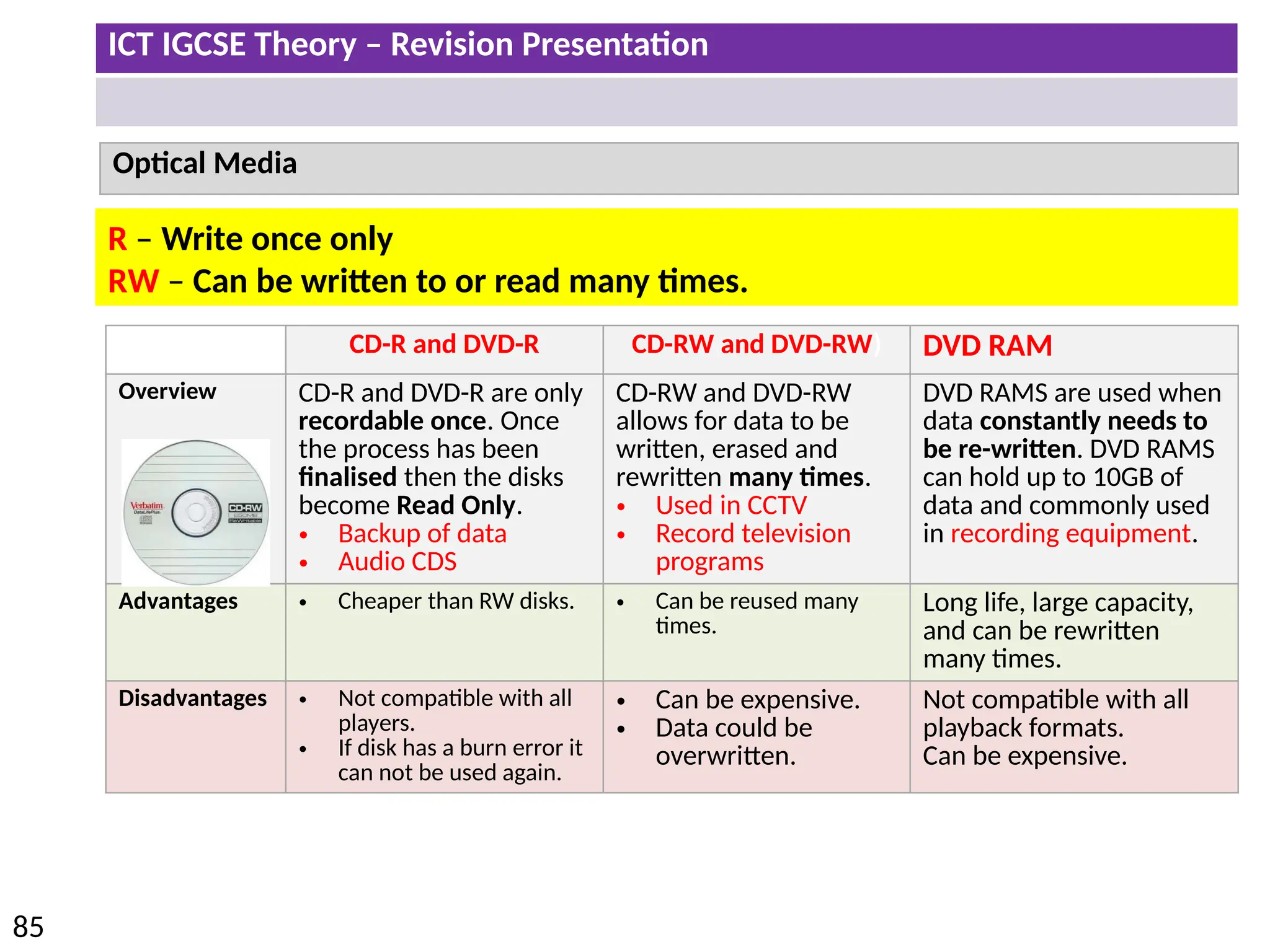
Optical Media
CD-R and DVD-R CD-RW and DVD-RW) DVD RAM
Overview CD-R and DVD-R are only
recordable once. Once
the process has been
finalised then the disks
become Read Only.
• Backup of data
• Audio CDS
CD-RW and DVD-RW
allows for data to be
written, erased and
rewritten many times.
• Used in CCTV
• Record television
programs
DVD RAMS are used when
data constantly needs to
be re-written. DVD RAMS
can hold up to 10GB of
data and commonly used
in recording equipment.
Advantages • Cheaper than RW disks. • Can be reused many
times.
Long life, large capacity,
and can be rewritten
many times.
Disadvantages • Not compatible with all
players.
• If disk has a burn error it
can not be used again.
• Can be expensive.
• Data could be
overwritten.
Not compatible with all
playback formats.
Can be expensive.
R – Write once only
RW – Can be written to or read many times.
ICT IGCSE Theory – Revision Presentation
86
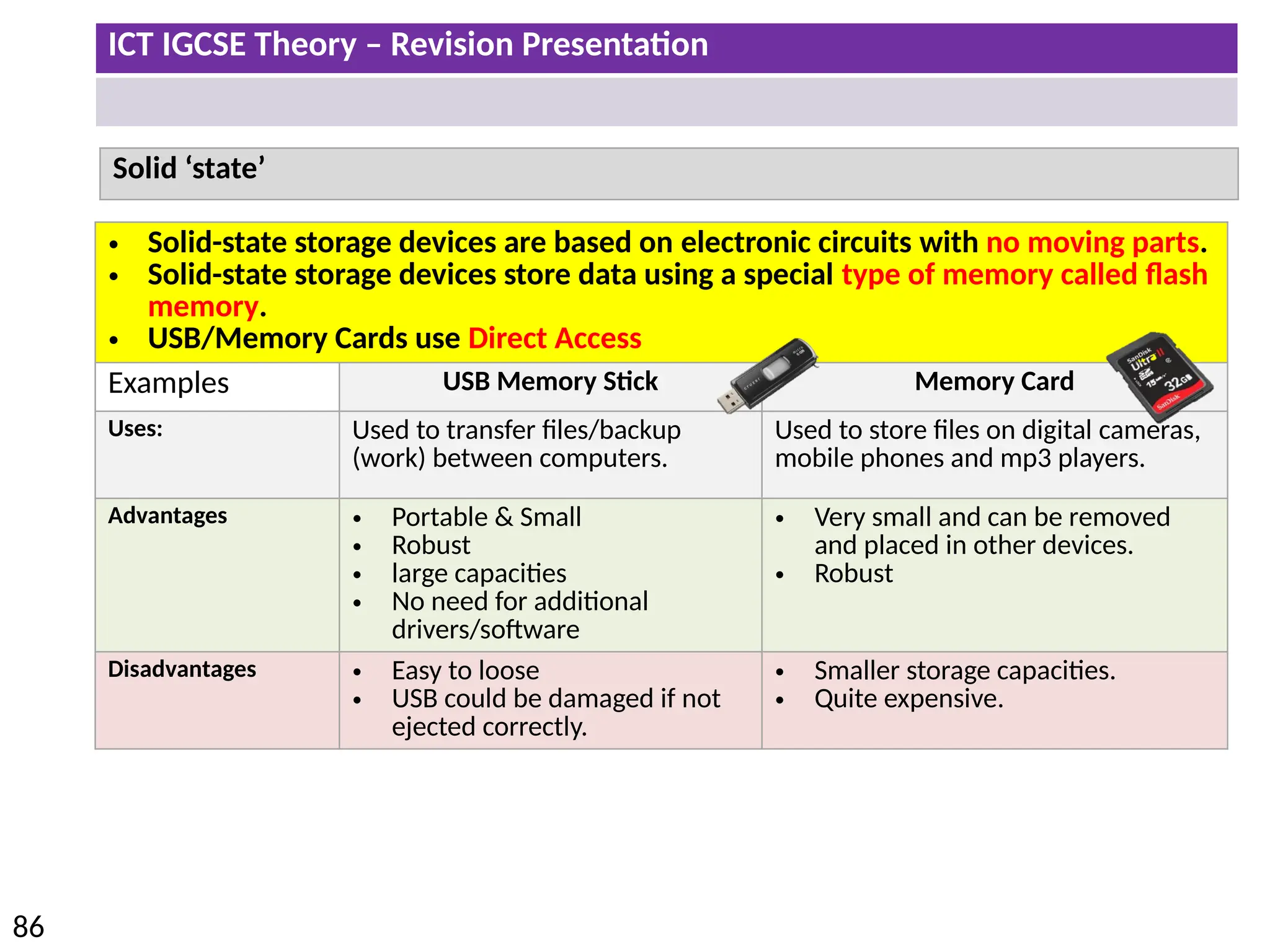
Solid ‘state’
• Solid-state storage devices are based on electronic circuits with no moving parts.
• Solid-state storage devices store data using a special type of memory called flash
memory.
• USB/Memory Cards use Direct Access
Examples USB Memory Stick Memory Card
Uses: Used to transfer files/backup
(work) between computers.
Used to store files on digital cameras,
mobile phones and mp3 players.
Advantages • Portable & Small
• Robust
• large capacities
• No need for additional
drivers/software
• Very small and can be removed
and placed in other devices.
• Robust
Disadvantages • Easy to loose
• USB could be damaged if not
ejected correctly.
• Smaller storage capacities.
• Quite expensive.
ICT IGCSE Theory – Revision Presentation
87
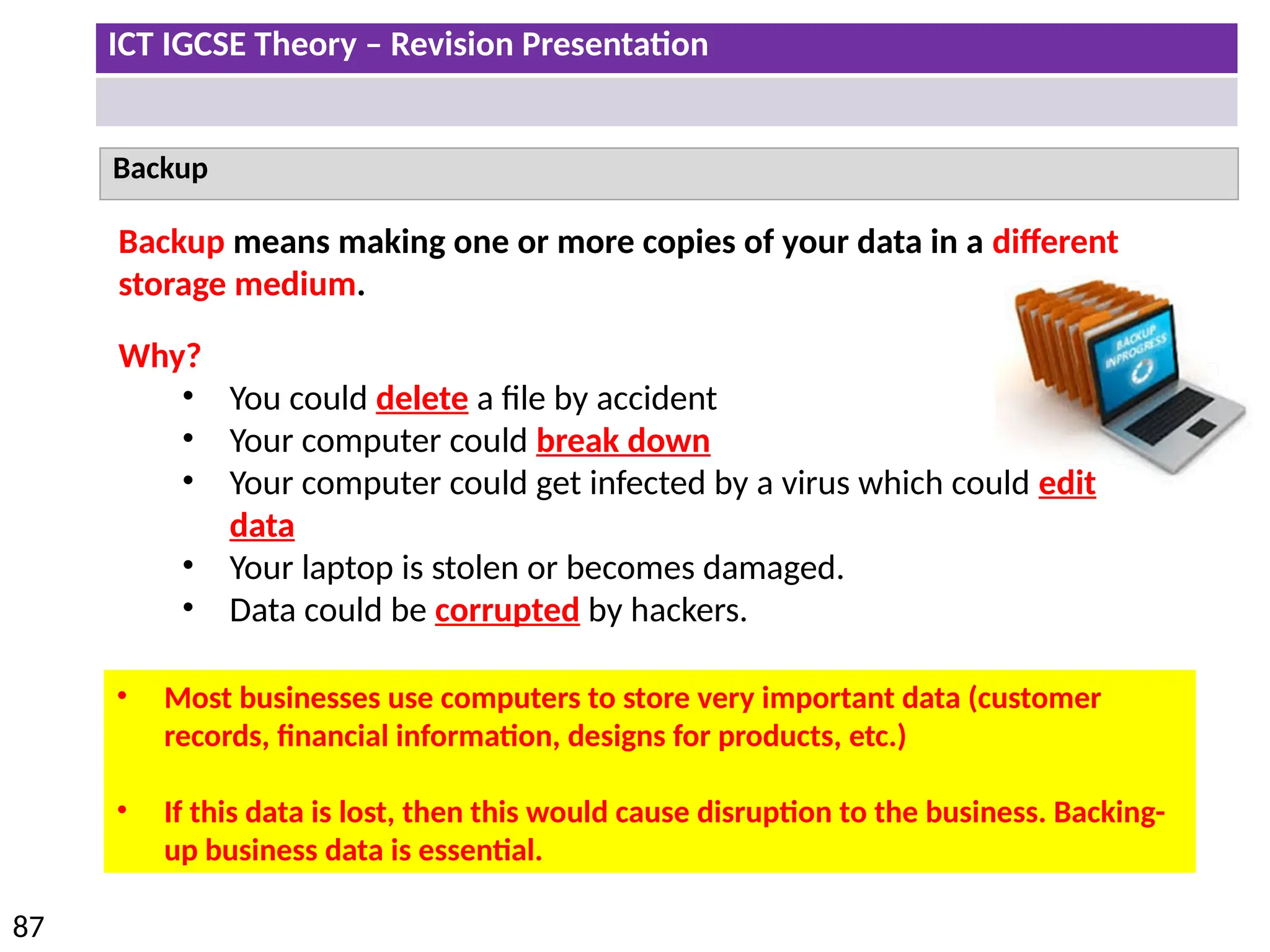
Backup
Backup means making one or more copies of your data in a different
storage medium.
Why?
• You could delete a file by accident
• Your computer could break down
• Your computer could get infected by a virus which could edit
data
• Your laptop is stolen or becomes damaged.
• Data could be corrupted by hackers.
• Most businesses use computers to store very important data (customer
records, financial information, designs for products, etc.)
• If this data is lost, then this would cause disruption to the business. Backing-
up business data is essential.
ICT IGCSE Theory – Revision Presentation
88
How are Backups created
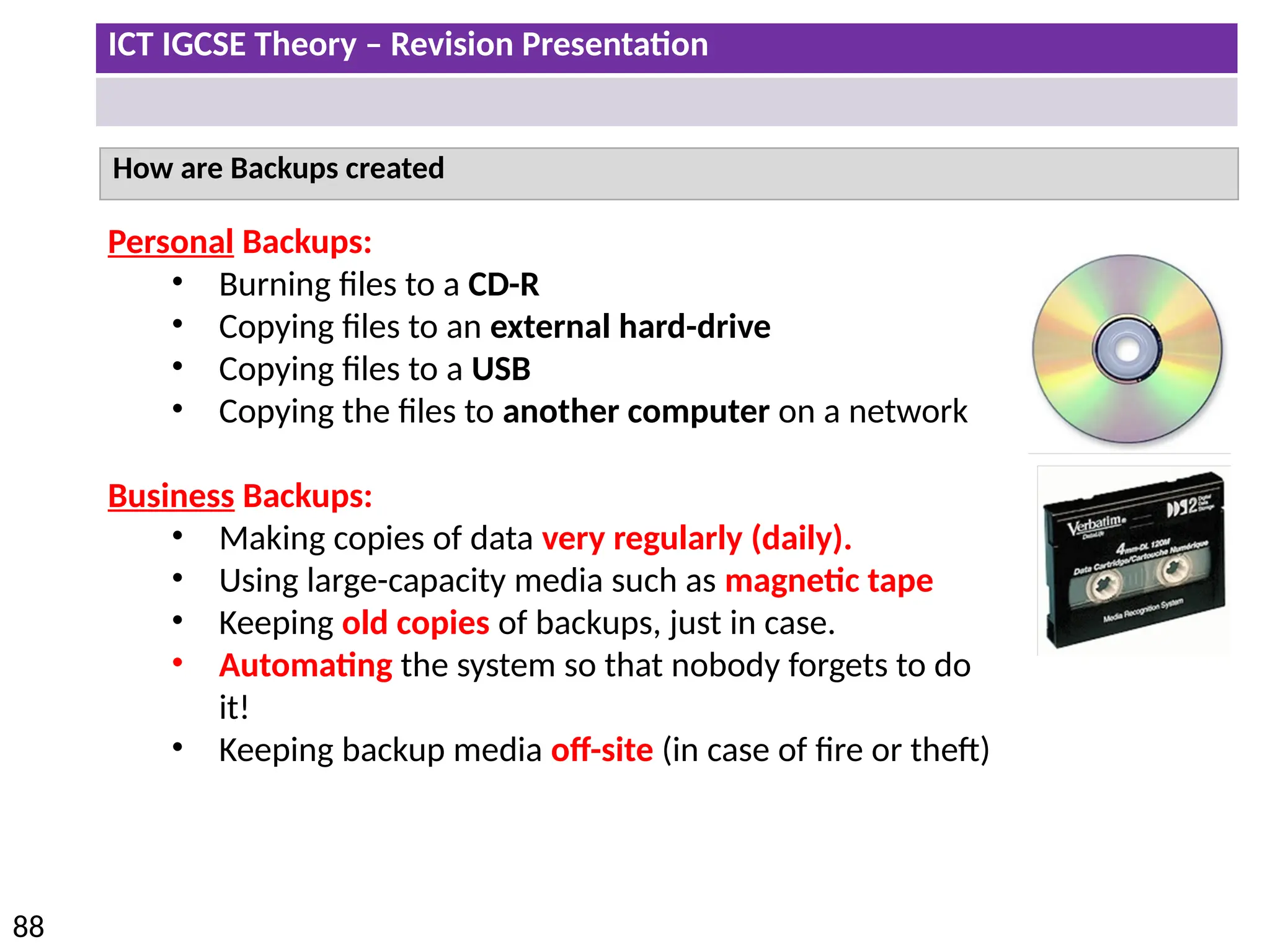
Personal Backups:
• Burning files to a CD-R
• Copying files to an external hard-drive
• Copying files to a USB
• Copying the files to another computer on a network
Business Backups:
• Making copies of data very regularly (daily).
• Using large-capacity media such as magnetic tape
• Keeping old copies of backups, just in case.
• Automating the system so that nobody forgets to do
it!
• Keeping backup media off-site (in case of fire or theft)
ICT IGCSE Theory – Revision Presentation
89
• Understand how a router works and its purpose
• Understand the use of other common network devices, including: network interface
cards, hubs, bridges, switches, modems
• Understand the use of WiFi and Bluetooth in networks
• Understand how to set up and configure a small network, including: access to the
internet, the use of a browser, the use of email, access to an ISP
• Understand the characteristics and purpose of common network environments, such
as intranets and the internet
• Understand the advantages and disadvantages of using different types of computer to
access the internet
Networks and the effects of using them
ICT IGCSE Theory – Revision Presentation
90
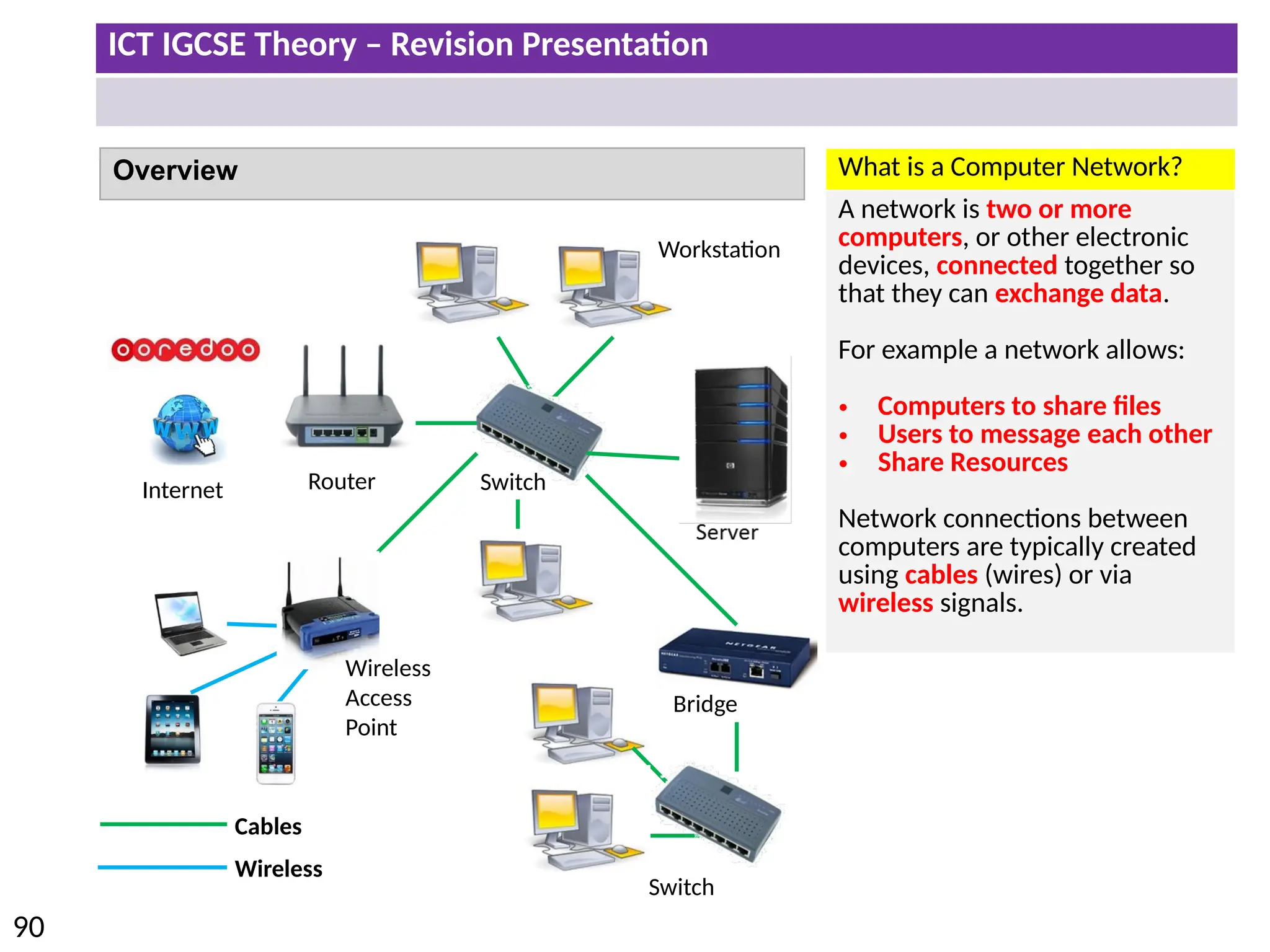
Overview What is a Computer Network?
A network is two or more
computers, or other electronic
devices, connected together so
that they can exchange data.
For example a network allows:
• Computers to share files
• Users to message each other
• Share Resources
Network connections between
computers are typically created
using cables (wires) or via
wireless signals.
Cables
Wireless
Workstation
Switch
Bridge
Wireless
Access
Point
Internet
Switch
Router
ICT IGCSE Theory – Revision Presentation
91
Overview
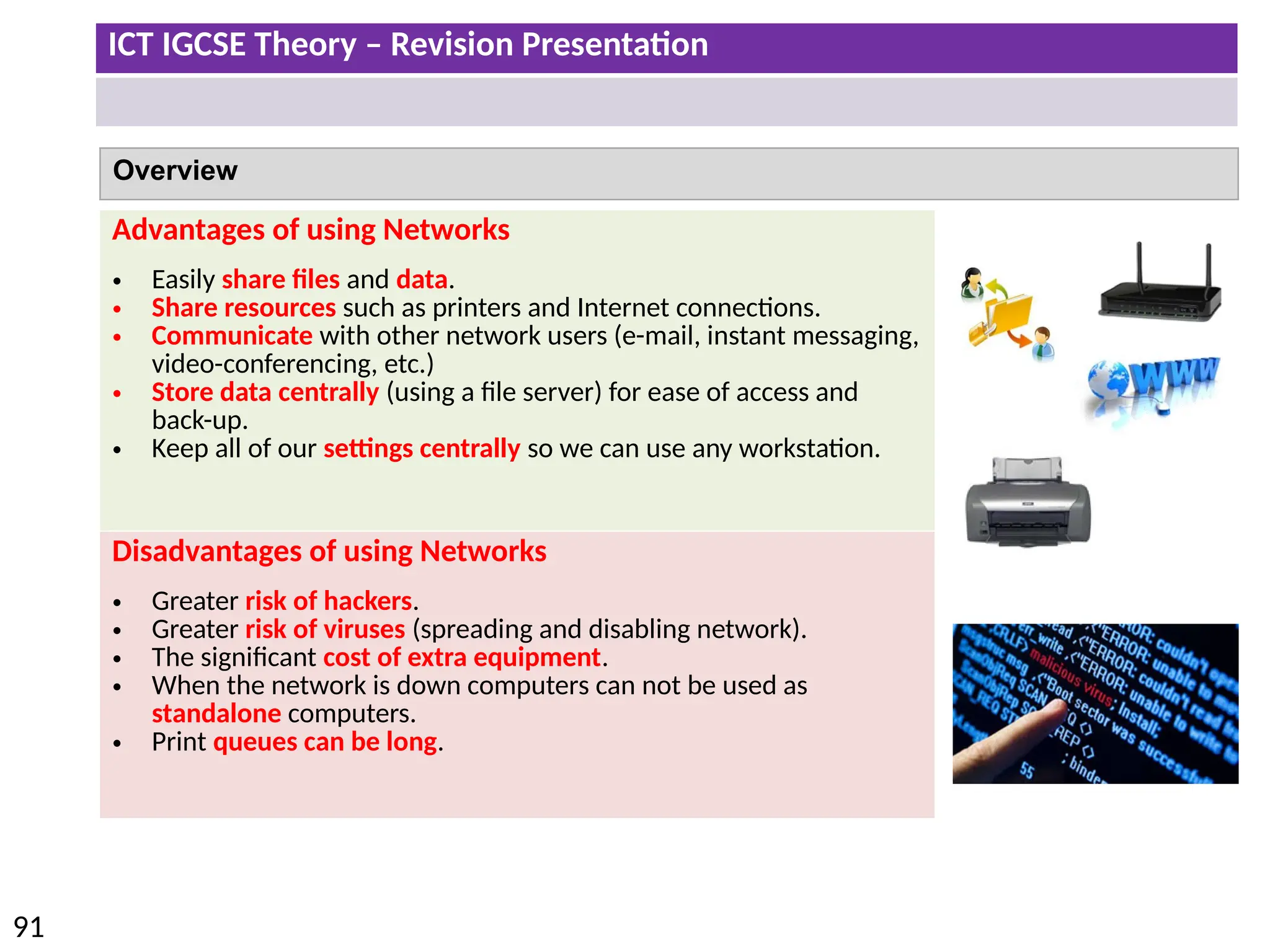
Advantages of using Networks
• Easily share files and data.
• Share resources such as printers and Internet connections.
• Communicate with other network users (e-mail, instant messaging,
video-conferencing, etc.)
• Store data centrally (using a file server) for ease of access and
back-up.
• Keep all of our settings centrally so we can use any workstation.
Disadvantages of using Networks
• Greater risk of hackers.
• Greater risk of viruses (spreading and disabling network).
• The significant cost of extra equipment.
• When the network is down computers can not be used as
standalone computers.
• Print queues can be long.
ICT IGCSE Theory – Revision Presentation
92
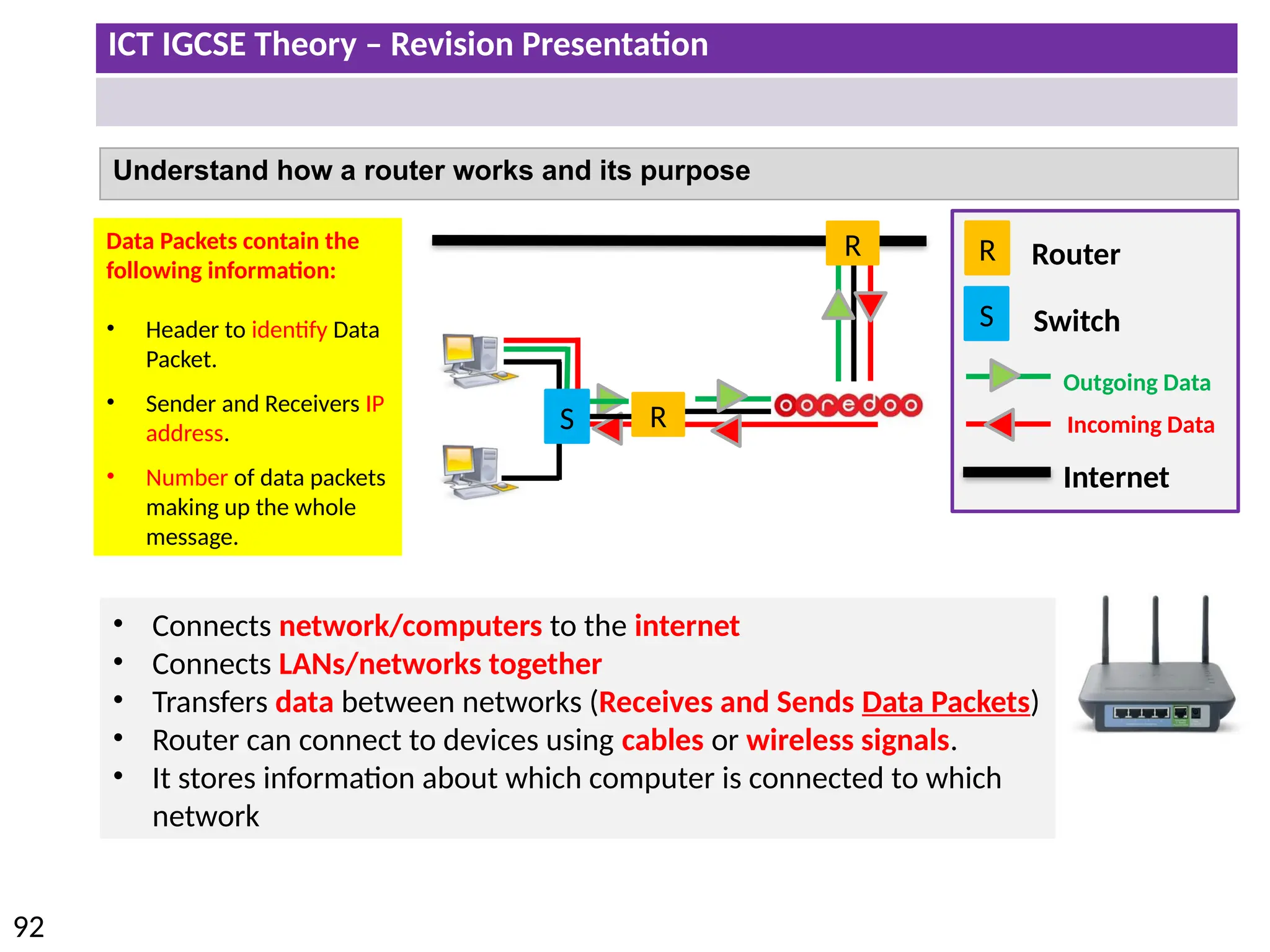
Understand how a router works and its purpose
R
Internet
Outgoing Data
Incoming Data
Router
R
R
S
S Switch
• Connects network/computers to the internet
• Connects LANs/networks together
• Transfers data between networks (Receives and Sends Data Packets)
• Router can connect to devices using cables or wireless signals.
• It stores information about which computer is connected to which
network
Data Packets contain the
following information:
• Header to identify Data
Packet.
• Sender and Receivers IP
address.
• Number of data packets
making up the whole
message.
ICT IGCSE Theory – Revision Presentation
93
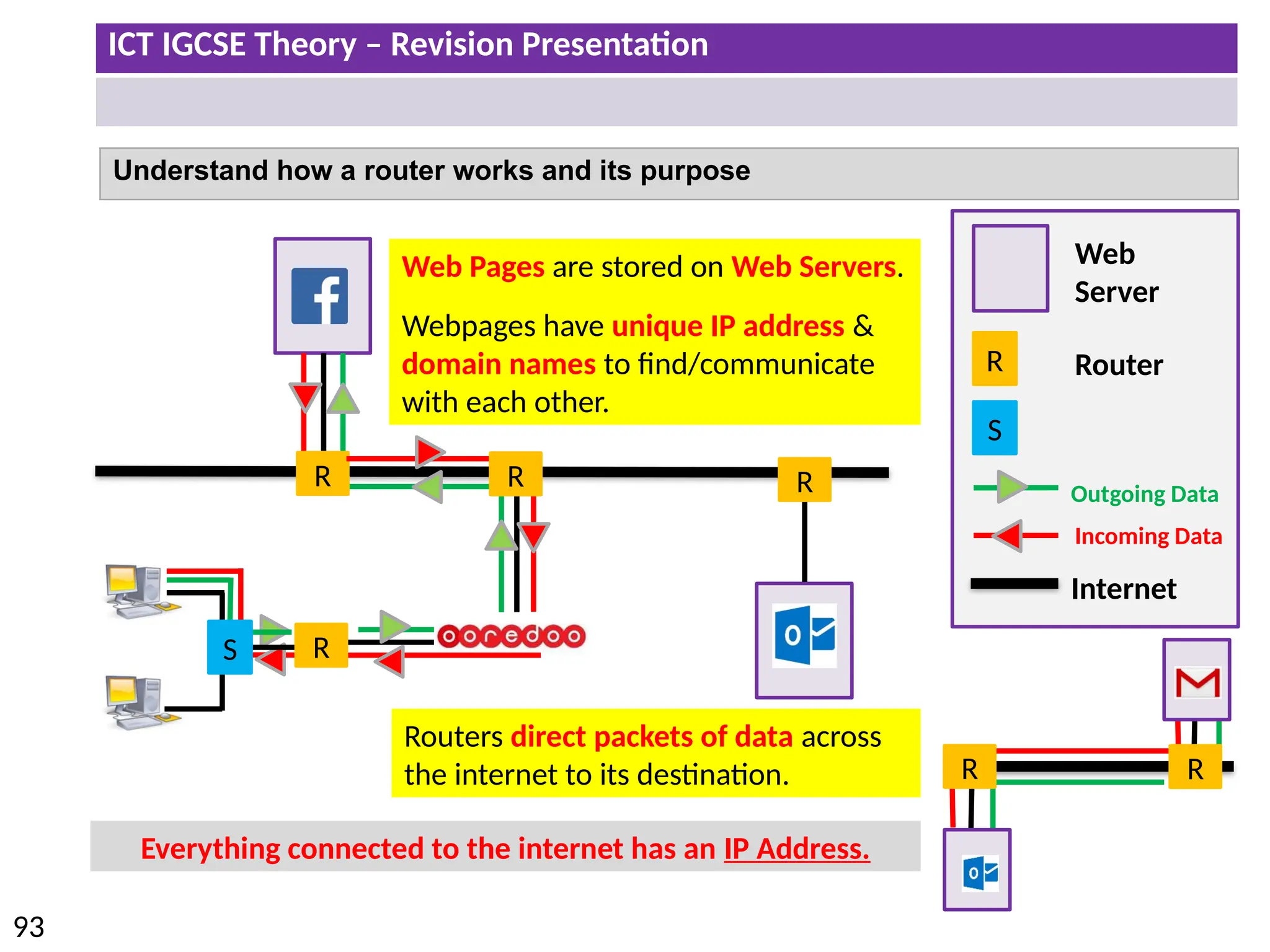
Understand how a router works and its purpose
R
R R
R
Internet
Outgoing Data
Incoming Data
Router
Web
Server
Web Pages are stored on Web Servers.
Webpages have unique IP address &
domain names to find/communicate
with each other.
Routers direct packets of data across
the internet to its destination. R
R
Everything connected to the internet has an IP Address.
R
S
S
ICT IGCSE Theory – Revision Presentation
94
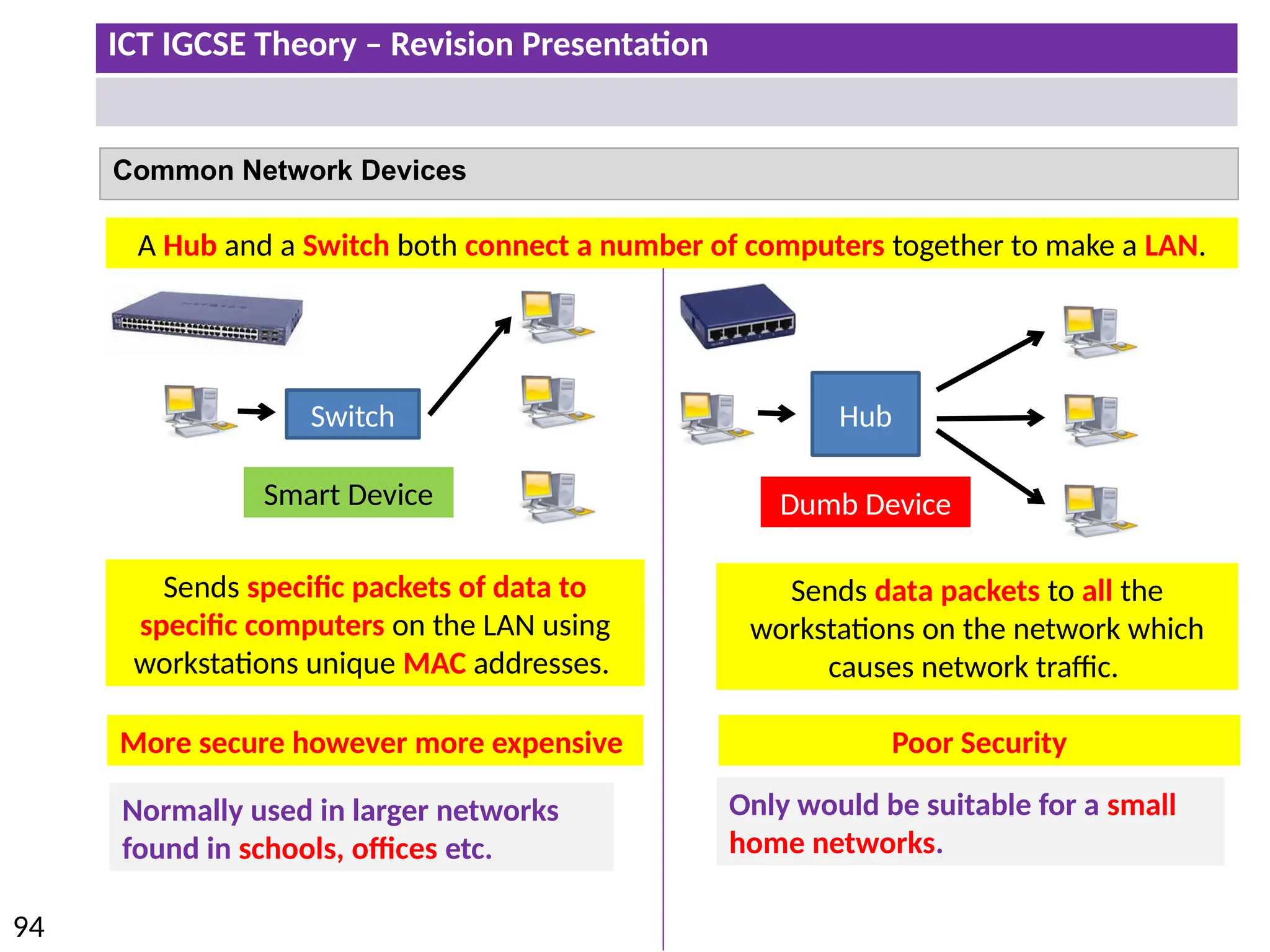
Common Network Devices
Switch Hub
Smart Device Dumb Device
A Hub and a Switch both connect a number of computers together to make a LAN.
Normally used in larger networks
found in schools, offices etc.
Poor Security
Only would be suitable for a small
home networks.
Sends specific packets of data to
specific computers on the LAN using
workstations unique MAC addresses.
Sends data packets to all the
workstations on the network which
causes network traffic.
More secure however more expensive
ICT IGCSE Theory – Revision Presentation
95
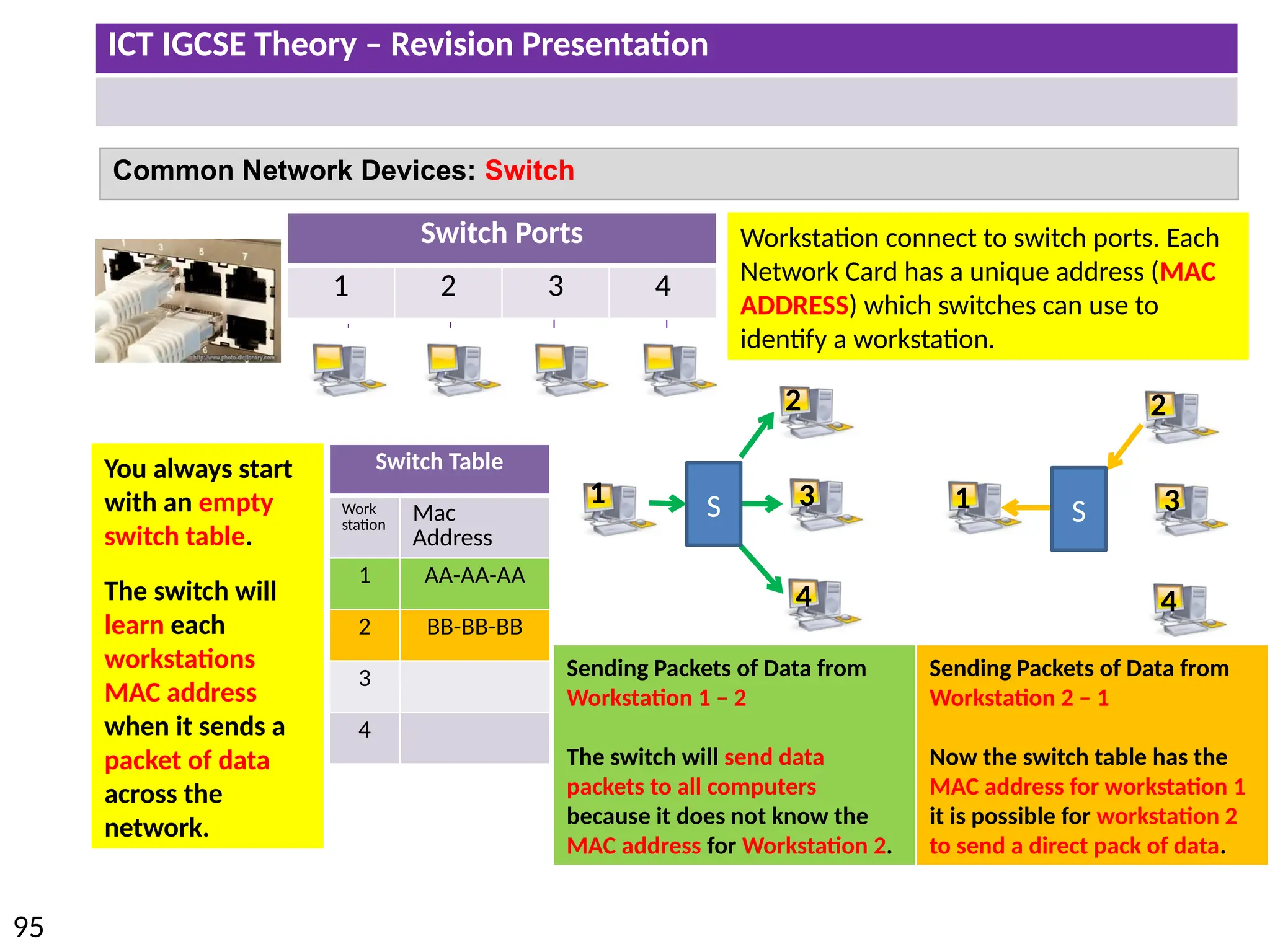
Switch Ports
1 2 3 4
Switch Table
Work
station
Mac
Address
1 AA-AA-AA
2 BB-BB-BB
3
4
Workstation connect to switch ports. Each
Network Card has a unique address (MAC
ADDRESS) which switches can use to
identify a workstation.
Common Network Devices: Switch
You always start
with an empty
switch table.
The switch will
learn each
workstations
MAC address
when it sends a
packet of data
across the
network.
Sending Packets of Data from
Workstation 1 – 2
The switch will send data
packets to all computers
because it does not know the
MAC address for Workstation 2.
1
2
3
4
Sending Packets of Data from
Workstation 2 – 1
Now the switch table has the
MAC address for workstation 1
it is possible for workstation 2
to send a direct pack of data.
1
2
3
4
S S
ICT IGCSE Theory – Revision Presentation
96
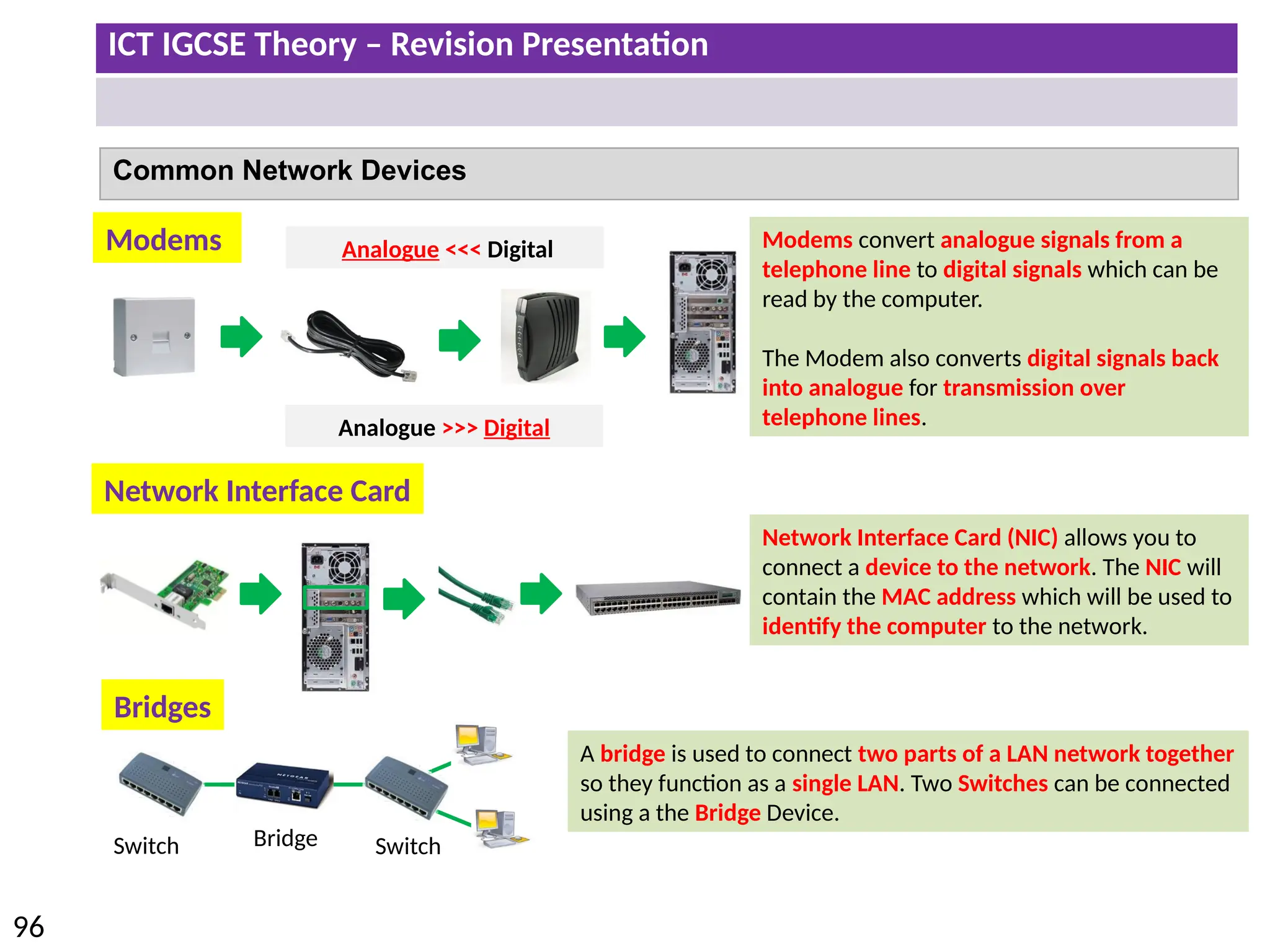
Common Network Devices
Modems
Network Interface Card
Bridge
Switch
Bridges
Network Interface Card (NIC) allows you to
connect a device to the network. The NIC will
contain the MAC address which will be used to
identify the computer to the network.
Switch
A bridge is used to connect two parts of a LAN network together
so they function as a single LAN. Two Switches can be connected
using a the Bridge Device.
Modems convert analogue signals from a
telephone line to digital signals which can be
read by the computer.
The Modem also converts digital signals back
into analogue for transmission over
telephone lines.
Analogue >>> Digital
Analogue <<< Digital
ICT IGCSE Theory – Revision Presentation
97
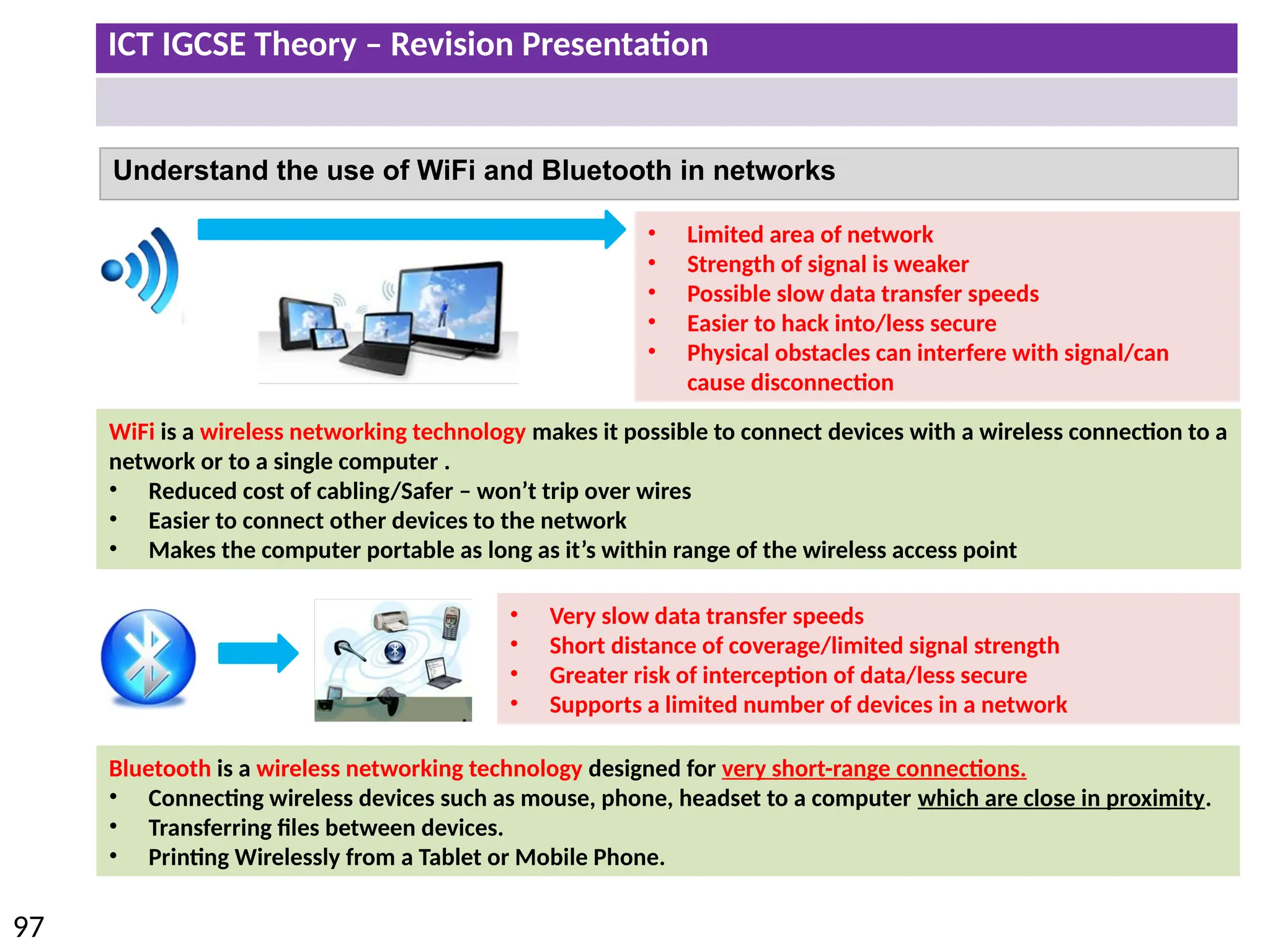
Understand the use of WiFi and Bluetooth in networks
• Very slow data transfer speeds
• Short distance of coverage/limited signal strength
• Greater risk of interception of data/less secure
• Supports a limited number of devices in a network
Bluetooth is a wireless networking technology designed for very short-range connections.
• Connecting wireless devices such as mouse, phone, headset to a computer which are close in proximity.
• Transferring files between devices.
• Printing Wirelessly from a Tablet or Mobile Phone.
WiFi is a wireless networking technology makes it possible to connect devices with a wireless connection to a
network or to a single computer .
• Reduced cost of cabling/Safer – won’t trip over wires
• Easier to connect other devices to the network
• Makes the computer portable as long as it’s within range of the wireless access point
• Limited area of network
• Strength of signal is weaker
• Possible slow data transfer speeds
• Easier to hack into/less secure
• Physical obstacles can interfere with signal/can
cause disconnection
ICT IGCSE Theory – Revision Presentation
98
Wi-Fi
WiFi is a technology which makes it possible to connect a device to a network or to a single
computer through wireless communications, for example:
• Laptops
• Mobile Phones, PDAs and other handheld devices
• Large computers which are WiFi enabled.
Bluetooth
Bluetooth is a wireless networking technology designed for very short-range connections
(typically just a few metres).
Typical uses of Bluetooth:
• Connecting wireless devices such as mouse, keyboard, headset to a computer.
• Transferring files between devices.
• Printing Wirelessly from a PDA or Mobile Phone.
Advantages of Wireless Technology:
• Reduced cost of cabling
• Safer – won’t trip over wires
• Easier to connect other devices to the
network
• Makes the computer portable as long as it’s
within range of the wireless access point
Disadvantage of Wireless Technology:
• Limited area of network
• Strength of signal is weaker
• Possible slow data transfer speeds
• Easier to hack into/less secure
• Physical obstacles can interfere with signal/can cause
disconnection
ICT IGCSE Theory – Revision Presentation
99
Web Browser:
To browse the internet.
Email:
To send email messages including
attachments to other users.
Security:
Anti Virus/Spyware software to protect your
computer from external threats
(Viruses/Hackers)
Router:
To connect your LAN to the Internet (WAN)
Switch/Hub:
To connect Network Devices together using
cables.
Network Cables:
To create physical connections.
Firewall:
To keep network secure from external threats.
Servers:
To manage network functions such as network
security, network file storage, share resources
etc.
Setting up a Network
ISP (Internet Service Provider)
Set up an account with an Internet Service Provider (ISP) to
receive an internet connection to your location
ICT IGCSE Theory – Revision Presentation
100
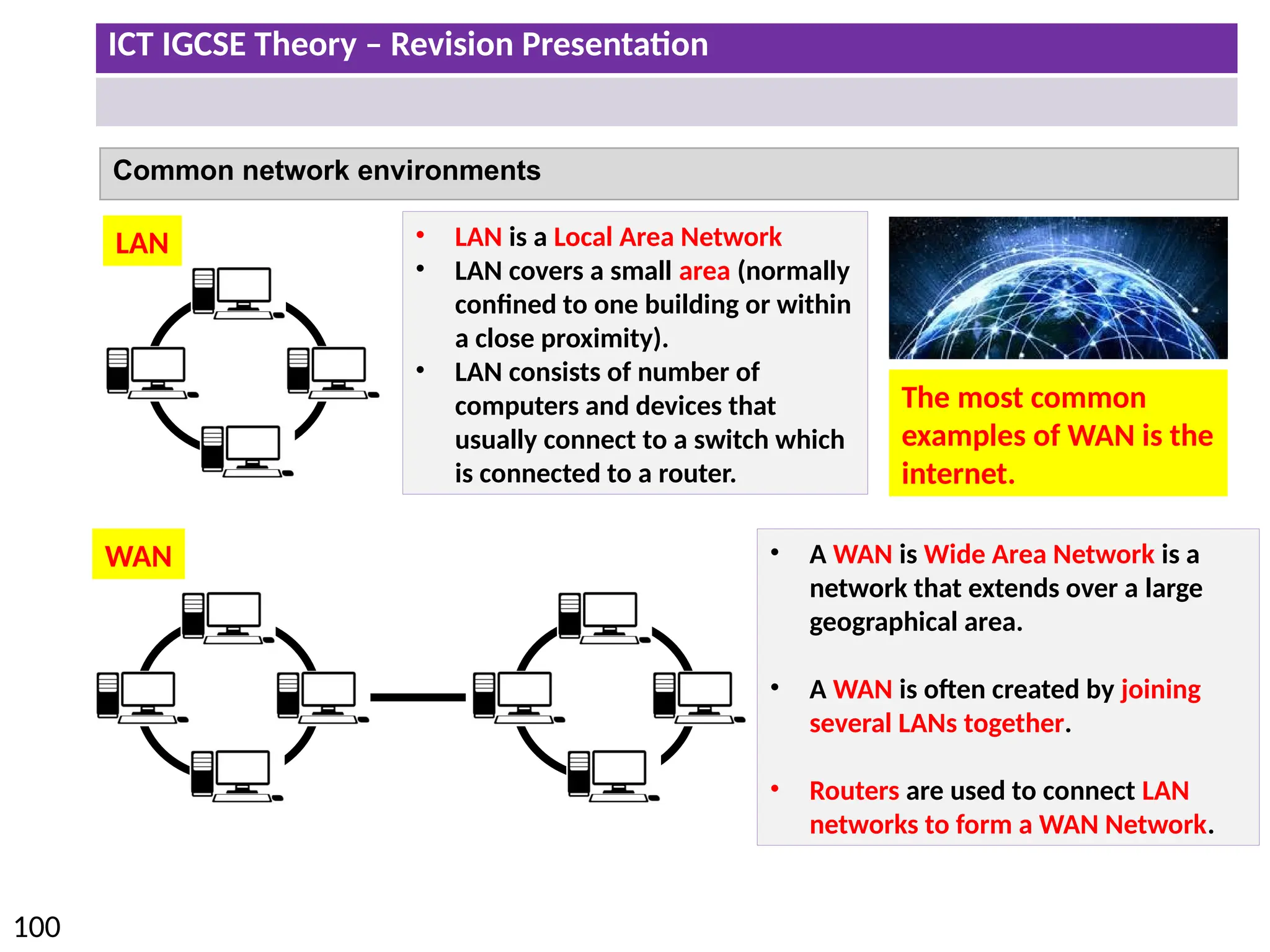
Common network environments
• LAN is a Local Area Network
• LAN covers a small area (normally
confined to one building or within
a close proximity).
• LAN consists of number of
computers and devices that
usually connect to a switch which
is connected to a router.
• A WAN is Wide Area Network is a
network that extends over a large
geographical area.
• A WAN is often created by joining
several LANs together.
• Routers are used to connect LAN
networks to form a WAN Network.
LAN
WAN
The most common
examples of WAN is the
internet.
ICT IGCSE Theory – Revision Presentation
101
Common network environments
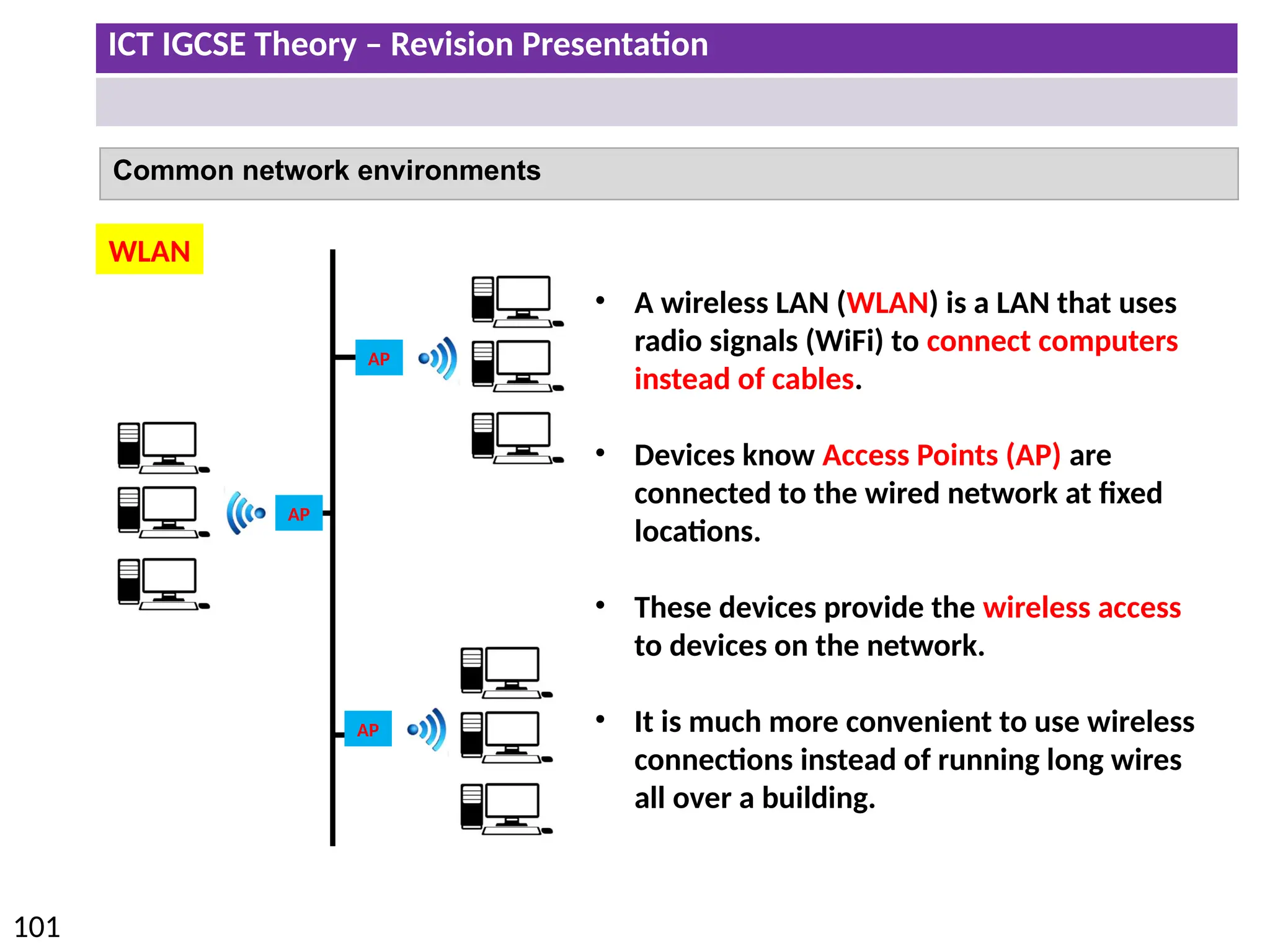
• A wireless LAN (WLAN) is a LAN that uses
radio signals (WiFi) to connect computers
instead of cables.
• Devices know Access Points (AP) are
connected to the wired network at fixed
locations.
• These devices provide the wireless access
to devices on the network.
• It is much more convenient to use wireless
connections instead of running long wires
all over a building.
WLAN
AP
AP
AP
ICT IGCSE Theory – Revision Presentation
102
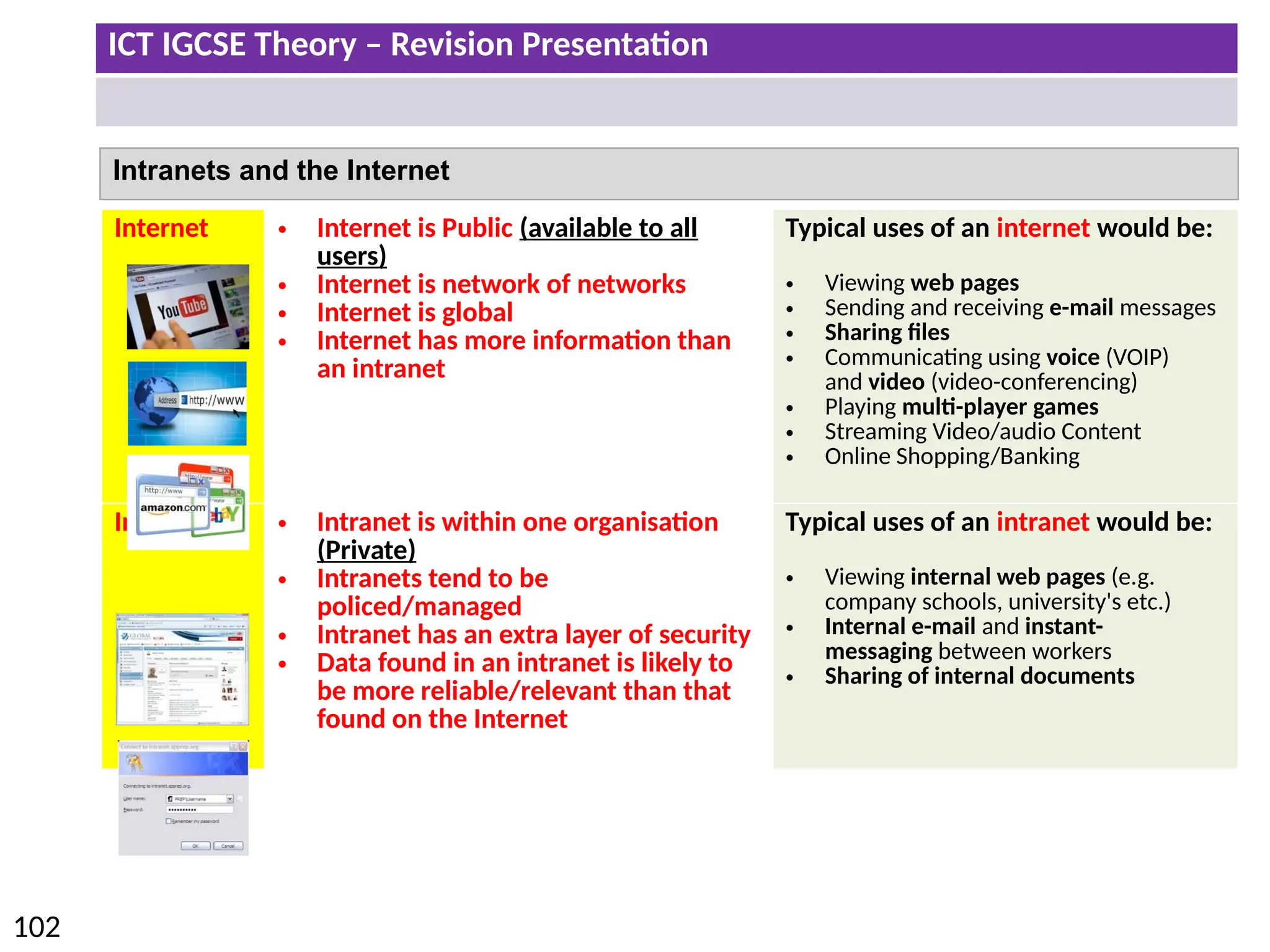
Internet • Internet is Public (available to all
users)
• Internet is network of networks
• Internet is global
• Internet has more information than
an intranet
Typical uses of an internet would be:
• Viewing web pages
• Sending and receiving e-mail messages
• Sharing files
• Communicating using voice (VOIP)
and video (video-conferencing)
• Playing multi-player games
• Streaming Video/audio Content
• Online Shopping/Banking
Intranet • Intranet is within one organisation
(Private)
• Intranets tend to be
policed/managed
• Intranet has an extra layer of security
• Data found in an intranet is likely to
be more reliable/relevant than that
found on the Internet
Typical uses of an intranet would be:
• Viewing internal web pages (e.g.
company schools, university's etc.)
• Internal e-mail and instant-
messaging between workers
• Sharing of internal documents
Intranets and the Internet
ICT IGCSE Theory – Revision Presentation
103
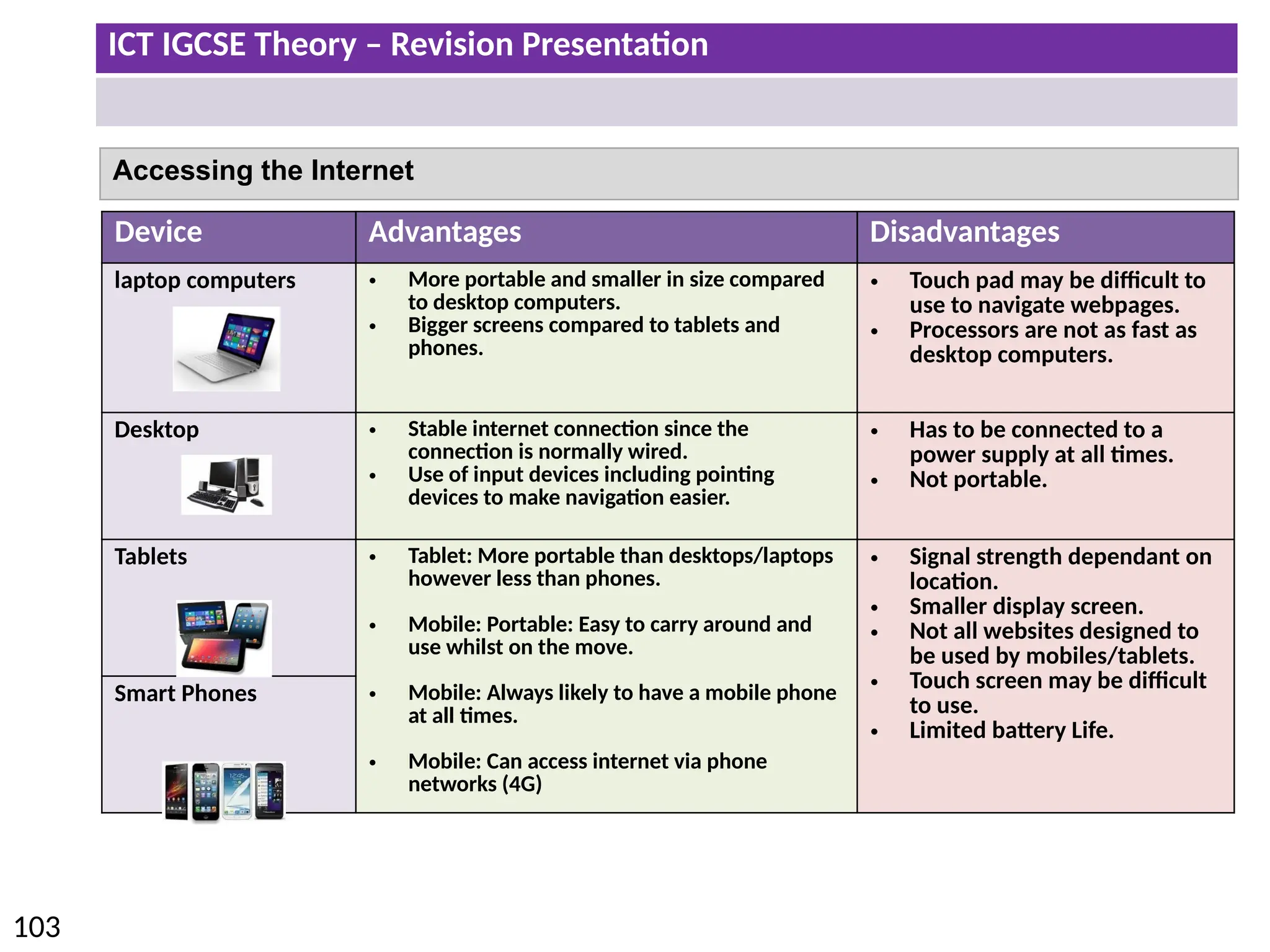
Accessing the Internet
Device Advantages Disadvantages
laptop computers • More portable and smaller in size compared
to desktop computers.
• Bigger screens compared to tablets and
phones.
• Touch pad may be difficult to
use to navigate webpages.
• Processors are not as fast as
desktop computers.
Desktop • Stable internet connection since the
connection is normally wired.
• Use of input devices including pointing
devices to make navigation easier.
• Has to be connected to a
power supply at all times.
• Not portable.
Tablets • Tablet: More portable than desktops/laptops
however less than phones.
• Mobile: Portable: Easy to carry around and
use whilst on the move.
• Mobile: Always likely to have a mobile phone
at all times.
• Mobile: Can access internet via phone
networks (4G)
• Signal strength dependant on
location.
• Smaller display screen.
• Not all websites designed to
be used by mobiles/tablets.
• Touch screen may be difficult
to use.
• Limited battery Life.
Smart Phones
ICT IGCSE Theory – Revision Presentation
104
• Security issues regarding data transfer
• Network communication
ICT IGCSE Theory – Revision Presentation
105
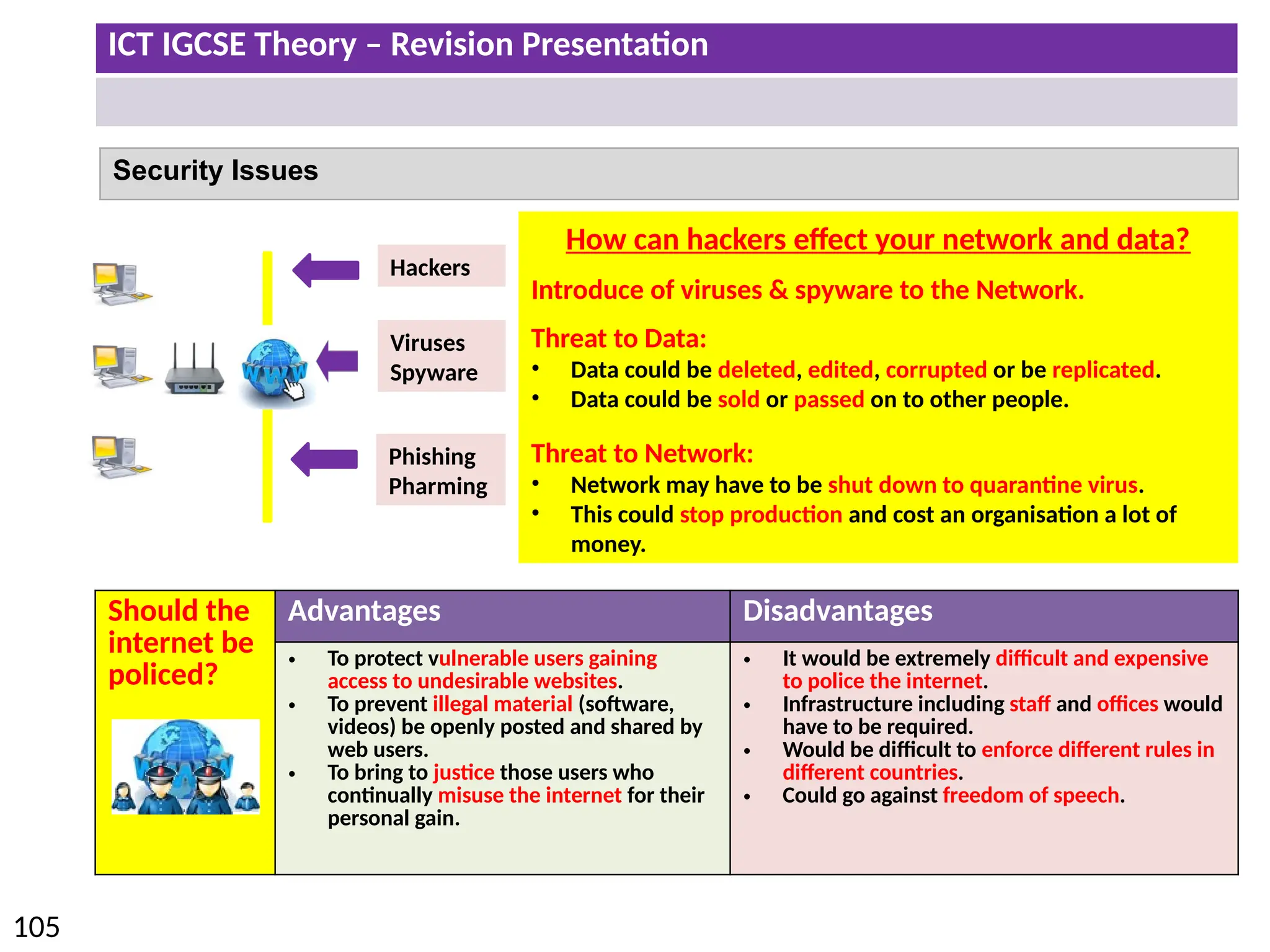
Security Issues

Hackers
Viruses
Spyware
Phishing
Pharming
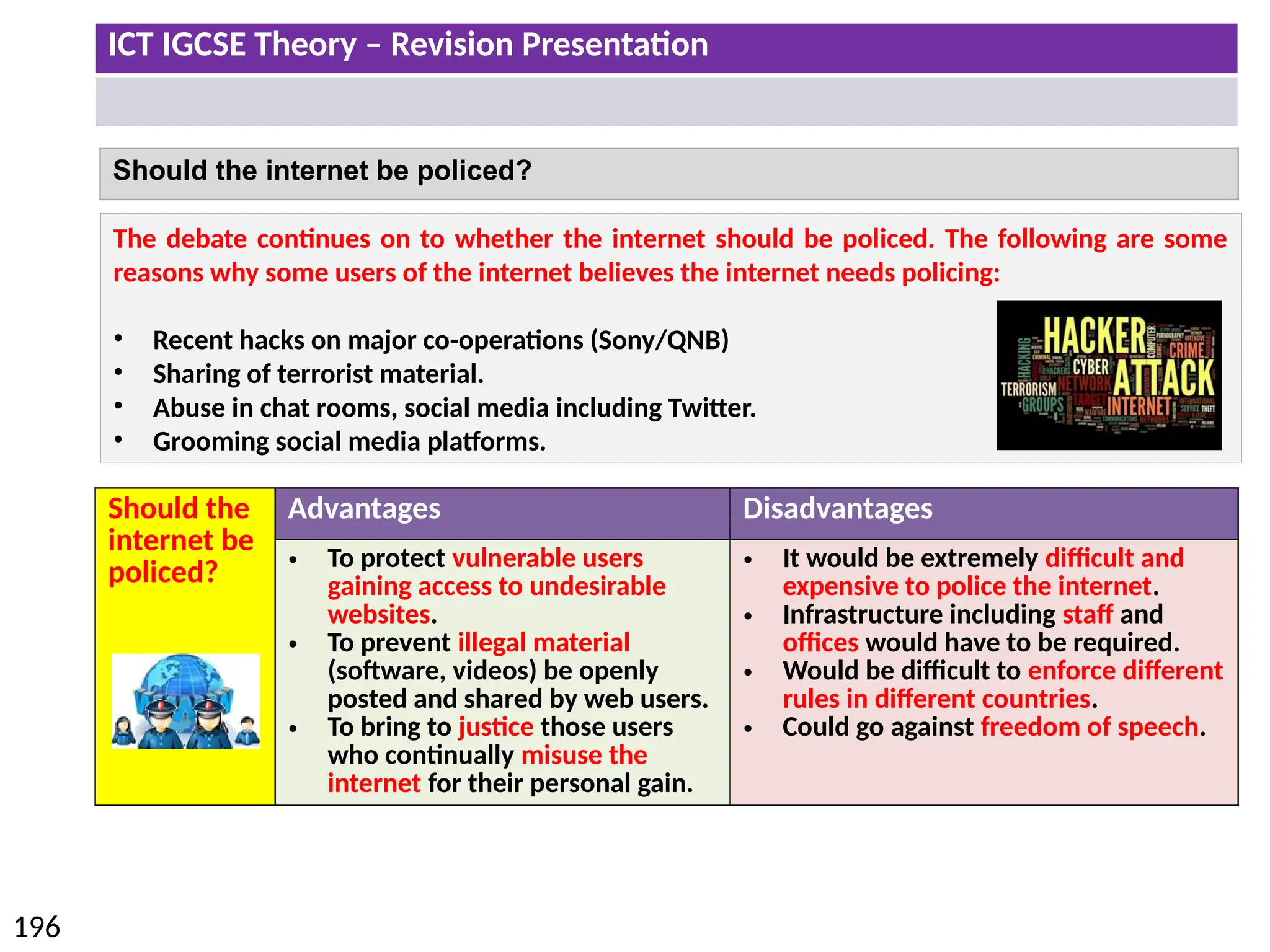
Should the
internet be
policed?
Advantages Disadvantages
• To protect vulnerable users gaining
access to undesirable websites.
• To prevent illegal material (software,
videos) be openly posted and shared by
web users.
• To bring to justice those users who
continually misuse the internet for their
personal gain.
• It would be extremely difficult and expensive
to police the internet.
• Infrastructure including staff and offices would
have to be required.
• Would be difficult to enforce different rules in
different countries.
• Could go against freedom of speech.
How can hackers effect your network and data?
Introduce of viruses & spyware to the Network.
Threat to Data:
• Data could be deleted, edited, corrupted or be replicated.
• Data could be sold or passed on to other people.
Threat to Network:
• Network may have to be shut down to quarantine virus.
• This could stop production and cost an organisation a lot of
money.
ICT IGCSE Theory – Revision Presentation
106
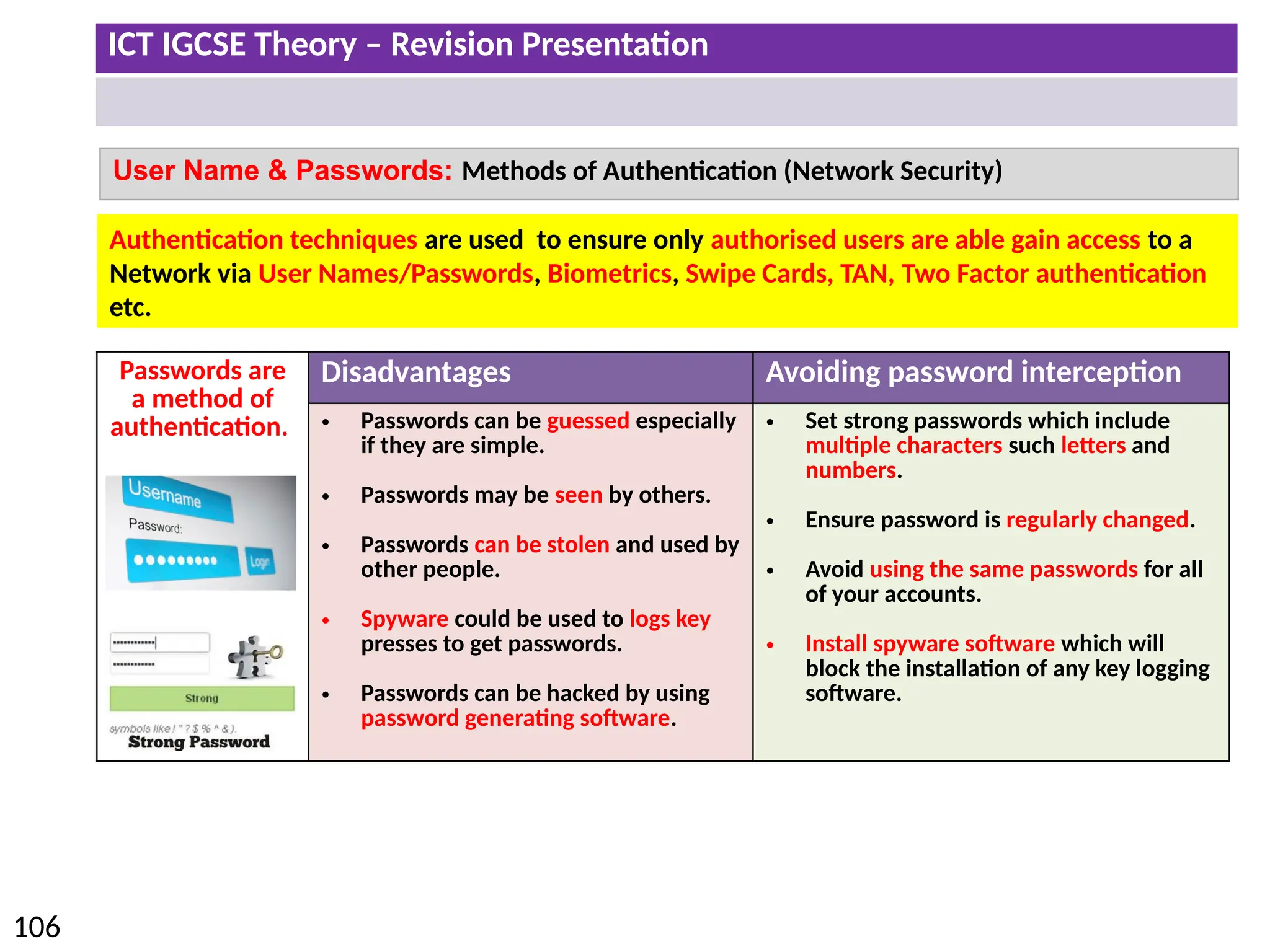
Passwords are
a method of
authentication.
Disadvantages Avoiding password interception
• Passwords can be guessed especially
if they are simple.
• Passwords may be seen by others.
• Passwords can be stolen and used by
other people.
• Spyware could be used to logs key
presses to get passwords.
• Passwords can be hacked by using
password generating software.
• Set strong passwords which include
multiple characters such letters and
numbers.
• Ensure password is regularly changed.
• Avoid using the same passwords for all
of your accounts.
• Install spyware software which will
block the installation of any key logging
software.
User Name & Passwords: Methods of Authentication (Network Security)
Authentication techniques are used to ensure only authorised users are able gain access to a
Network via User Names/Passwords, Biometrics, Swipe Cards, TAN, Two Factor authentication
etc.
ICT IGCSE Theory – Revision Presentation
107
User Name & Passwords: Methods of Authentication (Network Security)
Setting a strong Password:
• Use at least 8 characters
• Includes letters and numbers
• Avoid using names or words which could be easily guessed.
• Use upper and lower case letters.
When users log onto to their online accounts they may also be asked for additional
information to verify their accounts.
Security Question:
• Users may be asked to answer security questions related to their
account.
• Typical questions includes mothers maiden name.
Personal Image:
• QNB (Qatar National Bank) require users to identify an image when
they log in on the website for online banking. .
• Users will have to confirm if the image shown is one they selected as
their account image.
ICT IGCSE Theory – Revision Presentation
108
Alternatives Methods of Authentication (Network Security)
Device Overview/Advantages
Biometrics
• Finger Prints
• Retina Scan
• Iris Scans
• Face Scans
• Vocal Recognition
• Biometrics use unique data.
• Only the person with the biometric features can access the
network.
• Can not copy/replicate biometric data
Magnetic Swipe
Cards
• Swipe cards are used to gain access to the system by swiping the
card into the reader.
• Swipe cards are quite easy to use and update.
• Could also be used to gain entry into a room (hotel room).
Transaction
authentication
number (TAN)
• TAN is used by online banking services.
• User will insert their bank card into the TAN reader which will
then provide a code which will need to be entered to complete a
transaction.
Two factor
authentication
• Two Factor Authentication involves the user typing in their
password and then typing in a code.
• The code is sent to the registered phone number of the account
as a text.
• If an unauthorised attempt is made to log into an account then
the text message will alert the user.
ICT IGCSE Theory – Revision Presentation
109
Security issues regarding data transfer: Viruses & Spyware
A computer virus is a piece of programming code/software which can install and replicate it self
on to a computer system without the user’s permission. A computer virus can cause the
following problems.
1. Causes the computer to crash – become slower
2. Sometimes files can be deleted – leads to computer malfunction.
3. Data files can be copied by the hacker or the files could be corrupted.
4. Could stop production until the virus has been quarantined.
Installing anti virus and spyware software and the use of a firewall is not
enough to keep your computer safe. You also need to pay attention to the
following points.
• Do not download any files from untrusted sources including email attachments.
• Do not install illegal software onto your computer.
• Do not click on links from unknown websites.
• Do not connect storage devices (e.g. USB) from unknown sources.
• Ensure virus software is up to date and virus definitions are regularly updated.
Spyware gathers data from computers without the user knowing. Spyware could
monitor key presses to gain personal information or passwords. This information
would be sent back to the hacker.
ICT IGCSE Theory – Revision Presentation
110
Security issues regarding data transfer: Firewall
Monitors and controls incoming
and outgoing data traffic.
Helps to prevent malware
(viruses) getting into
computer/from the internet
Prevents computer accessing
undesirable/unauthorised sites
Warns you regarding threats/allows you
to accept/reject downloaded programs
Keeps a list of undesirable sites/IP addresses
Keeps a list of acceptable sites/IP addresses
Prevents unauthorised computers
using the internet accessing the
computer
ICT IGCSE Theory – Revision Presentation
111
Encryption
Disadvantages
• Data can still be deleted from system
• Criminals can use encryption to keep incriminating material secure
Encryption is the process of converting information into a form that is meaningless
to anyone except holders of a ‘key’.
1. Data is scrambled up (Data is
Encrypted).
2. If the data is intercepted it then it
prevents people from understanding
and reading the data.
3. The person with the key is able to
Decrypt and understand the data.
ICT IGCSE Theory – Revision Presentation
112
Proxy Server
Server passes on requests to the Internet
Passes the requested web pages to individual computers
Can be used to monitor Internet usage
Can cache/store the webpages
Can block certain sites
Can act as a buffer (between Internet and LAN)
Can act as a web server
ICT IGCSE Theory – Revision Presentation
113
Security issues regarding data transfer: Data Protection Act
Data protection Act applies to paper based or electronic forms of data stored on a computer.
The data protection act is to protect rights of the individual who the data is obtained from.
Web based business such as Amazon or Ebay store sensitive data about customers including
payment details. They would have to abide by the data protection act to keep the data secure.
Principles of the Data Protection Act
1. Data must be fairly and lawfully processed.
2. Data can only be processed for the stated purpose.
3. Data must be adequate, relevant and not excessive.
4. Data must be accurate.
5. Data must not be kept longer than necessary.
6. Data must be processed in accordance with the data subject rights.
7. Data must be kept secure.
8. Data must not be transferred to another country unless they have
adequate protection.
ICT IGCSE Theory – Revision Presentation
114
Network communication
Type of
Communication
Overview/Advantages Disadvantage
Physical Faxing • Requires a fax machine and a telephone line.
• Number of the recipient dialled before the
document is copied and sent.
• Physical documents are printed and can be
signed.
• Anyone can access faxed
documents.
• The fax may be out of paper or
ink (toner).
• No notification of fax received.
Email
Communication
• Can send multiple attachments.
• Can send to multiple recipients in one
message.
• Emails can be received instantly and accessed
on many platforms including tablets and
phones.
• Email attachments may include
viruses.
• May receive spam (unwanted
mail).
• May receive phishing (scam)
emails to obtain personal data.
Electronic Faxing • Electronic Fax is sent via a internet connection.
• No need to buy a fax machine, ink or paper.
• Electronic Fax documents are sent to an email which will ensure the correct person
will receive the fax – less chance of document being intercepted.
• Electronic Fax's can also be sent directly to a fax machine.
• Send fax's from any location with an internet connection.
• No additional cost to send fax over internet network.
ICT IGCSE Theory – Revision Presentation
115
Network communication
Advantages and Disadvantages of using email compared with faxing
Fax Email
Advantages • Documents can be signed which are
legally accepted.
• Physical copies of documents can be
sent and automatically printed.
• Emails are password protected so less
likely chance of data being intercepted.
• Emails can be received instantly.
• Attachments can be edited and sent back.
• Can send to many recipients at the same
time.
Disadvantages • Data is more likely to be intercepted
once it is printed from the fax
machine.
• There could be delays in receiving
the fax due to a busy telephone line
or lack of paper or ink.
• Fax can only be received during
office hours.
• Not everyone has a fax machine.
• Cant be used when documents need to be
signed.
• Viruses can be download from
attachments.
• Unwanted emails could be received
(Phishing/Spam).
ICT IGCSE Theory – Revision Presentation
116
Network communication
Type of Communication Overview Hardware
Video
Conferencing
• Video conferencing uses both video and sound
using an internet connection.
• It can be used to have business meeting when
people are in different locations.
• Web Camera
• Screen/Monitor
• Speaker
• Microphone
Advantages • No need to travel to have meetings which would cut down
on travelling costs (including flights and hotel) and
travelling time.
• Video conference can be held at short notice.
• Facilitates long distance learning – students can access live
lectures without travelling.
Disadvantages • Technical problems with the internet or hardware could
effect the quality of the video conference.
• Set up costs to purchase hardware/software and to provide
relevant training to staff.
• Lack of personal contact you would have if it was a face to
face meeting.
• Different time zones could make it difficult to find to find a
suitable time to have a meeting.
• Not possible to sign documents.
ICT IGCSE Theory – Revision Presentation
117
Network communication
Type of Communication Overview Hardware
Audio-
Conferencing
Audio conference can be done over the telephone network
or using a computer making use of VOIP.
1. The organiser of the phone conference is given a
unique Pin which can be shared participants.
2. For Participants to join they have to dial the
conference phone number.
3. Then they would have to enter a PIN.
• Telephone
VOIP
• Microphone
• Speakers
Web-
Conferencing
• Web conference can be done using internet connection.
• It is very similar to video conference as participants can
hear audio and see a live video stream.
• Participants can join the web conference by clicking on
the supplied link from the organiser.
• Participants can join and leave the web conference at
any time.
• Instant messaging (IM) feature is available to
communicate with other participants.
• Participants can be given permission to speak and can
share content such as images, video or presentations.
• Same as
video
conferencing.
• Keyboard
could be use
for IM.
ICT IGCSE Theory – Revision Presentation
118
• 5.1 Effects of IT on employment
• 5.2 Effects of IT on working patterns within organisations
• 5.3 Microprocessor-controlled devices in the home
• 5.4 Potential health problems related to the prolonged use of IT equipment
The effects of using IT
ICT IGCSE Theory – Revision Presentation
119
Effects of IT on employment
Areas of Increased Employment Areas of Increased Unemployment
Website designers: With a demand for
companies to have a web presence website
designers are required to set up and maintain
the webpages.
Delivery Drivers: With more shops opting to
have online presences dispatch departments
are required to deliver goods to customers.
Office Work:
The use of applications such as
spreadsheets, word processors and
databases has improved the efficiency of
the office and also reduced the numbers
of workers required to complete set tasks.
Computer Programmers:
With the increase use various devices
programmers are required to write operating
systems, applications and computer games.
Manufacturing:
In the manufacturing industry robots have
replaced human workers. Robotics will
mainly complete the more labour
intensive tasks.
Network Managers:
In any place of work network computers is
the norm. For a network to function network
technicians and managers would have to be
present to maintain and to provide technical
support.
Retail:
With more retail outlets opting for the
online route to target a wider customer
base this has meant more high street
stores are closing down due to a lack of
demand and staff are losing their jobs.
ICT IGCSE Theory – Revision Presentation
120
Effects of IT on working patterns within organisations
The use of computers have changed the way we complete our work. Employees now don’t
necessarily have to be in the office to complete set tasks.
Remote Working: Employees are
able to access their office desktop
computer from a different location
(home).
Advantages Disadvantages
Employee
• Do not have to make child care
arrangements – spend more
time with family.
• Employee can work at a
convenient time for them.
• Save time/costs on travelling.
Employer
• No need to provide desk/office
space.
• Employees may be happier and
productive working at home.
Employee
• Lack of interaction (including
social) with staff and
management.
• Employee could be easily
distracted working from
home.
• Could be overlooked for
promotion opportunities.
Employer
• It could be harder to check
what the employee is up to.
Use of Intranet: Employees can log
into an intranet to communicate
and access shared resources with
other staff.
Use of Internet: Employees can
check their emails or have web
conferences with peers.
Use of Smart Phone: Phone calls
and emails can be diverted to
personal smart phone from office
accounts.
ICT IGCSE Theory – Revision Presentation
121
Effects of IT on working patterns within organisations
The introduction of ICT in the work places has allowed employees to work a more flexible time
rather than the rigid traditional office hours of 9-5. The four main types of Employee working
patterns are Full Time, Compressed, Part Time and Job Share.
Full Time:
• Employees will normally work
over 5 full days.
• Typically 9am till 4 or 5pm.
• Will complete between 35 –
40 hours a week.
Compressed Hours:
• Employee are still working
full time hours.
• However the same amount of
hours are completed over
less days.
• Employees will work more
hours in one day.
ICT IGCSE Theory – Revision Presentation
122
Effects of IT on working patterns within organisations
Part Time (flexi-Time):
• Employees who work less
hours over a week than a full
time employee.
• Part time staff can work
outside of the traditional
hours of work (evenings or
weekends).
Job Sharing:
• Full time job is divided
between two part time
employees.
• Both employees do the same
job – same responsibilities.
• One employee could work in
the morning and the other in
the afternoon or the first or
second part of the week.
ICT IGCSE Theory – Revision Presentation
123
Microprocessor-controlled devices in the home
Microprocessors are found in many household devices. These devices could either be labour-
saving devices, leisure or more for connivance.
Advantages Disadvantages
• Devices do much of the housework chores including:
• Cooking Food
• Washing clothes or dishes
• Tasks do not need to be done manually which means:
• Do not need to be in the house when food is cooking or
clothes are being washed.
• More time to spend with family and friends.
• More time for leisure activities or to complete work.
• Can encourage a healthy lifestyle because of smart fridges
analysing food ingredients.
• Do not have to leave home to get fit.
• Burglar alarm provides a sense of security.
• People can become over reliant on
these devices and can become lazy.
• Can lead to unhealthy eating due to
dependency on ready meals.
• Manual household skills are lost.
ICT IGCSE Theory – Revision Presentation
124
Potential health problems related to the prolonged use of IT equipment
Health Risk and Reason Prevention
Repetitive Strain Injury (Fingers/Wrist)
• From repetitive clicking of mouse and
continual typing.
• Use of a wrist support when typing and
using a mouse.
Back Problems
• From sitting in same position all day or
having a bad sitting posture.
• Use of adjustable ergonomic chair.
• Ensure the monitor is at eye level.
Headaches/Eyestrain
• From staring at screen continuously or
having bad lighting in the room.
• The use of anti glare filter to reduce the
screen reflection which could tire the eyes.
• Use of LCD screens over CRT due to
reduced amount of flickering.
Use of IT equipment to minimise the health risks:
• Use of ergonomic chairs which are adjustable to suit the needs of the user.
• Use of ergonomic designed work stations.
• Use of ergonomic keyboards.
• Use of voice-recognition software to reduce the amount of mouse clicking and typing.
Strategies to minimise the health risks:
• Take regular breaks – walk around and stretch muscles.
• Look away from the monitor at regular intervals
ICT IGCSE Theory – Revision Presentation
125
6.1 Communication applications
6.2 Data handling applications
6.3 Measurement applications
6.4 Microprocessors in control applications
6.5 Modelling applications
6.6 Applications in manufacturing industries
6.7 School management systems
6.8 Booking systems
6.9 Banking applications
6.10 Computers in medicine
6.11 Computers in libraries
6.12 Expert systems
6.13 Computers in the retail industry
6.14 Recognition systems
6.15 Monitoring and tracking systems
6.16 Satellite systems
ICT IGCSE Theory – Revision Presentation
126
6.1 Communication Applications
Paper Based
Types of Communication & Purpose Use of Computers
News Letter: Used by companies to communicate certain information to staff and
customers. May contain information on recent events and identify success
company may have experienced.
Brochures/Leaflet: Can be used to advertise a company or to be informative.
Brochures are normally printed on glossy paper with a high quality finish.
Flyers: Informative document which can be distributed to promote or create
awareness of an up and coming events.
Posters: larger then flyers and are strategically positioned to promote and create
awareness. Displayed on billboards, notice boards, buildings as part of an
advertising campaign to target a specific target audience.
• Save and insert pictures
from clipart, Internet,
scanned images & digital
camera.
• Adjust the page layout.
• Create and Insert
Tables/charts
• Formatting the layout of
the document.
• Applying effects to
images (crop, colour
scale, rotate etc.)
Text Formatting
• Font Style
• Bold
• Alignment (left, centre,
right and fully justified)
• underline
• Italic
• colour
Advantages
• Not necessary to have a computer or
internet connection.
• You have a physical copy of the
document.
Disadvantages
• These communication would mainly be
distributed by hand.
• Printing costs
• Restricted to a smaller target audience.
ICT IGCSE Theory – Revision Presentation
127
6.1 Communication Applications
Computer Based
Types of Communication & Purpose
Websites
• Companies use websites as a means to communicate with existing and
potentially new customers.
• Websites can be easily updated and can provide relevant and up to
date information.
• Websites can be used to research, social network, online gaming or for
online shopping and banking.
Multimedia Presentations
• A common use for presentations is to provide training in businesses or
places of education. The presentation will be a focal point on the
projector whilst the speaker is presenting.
Advantages
• Can include interactive elements
such as sound, video, animation and
hyperlinks.
• Can be available on different
platforms.
Disadvantages
• Websites can be hacked and
information may be altered.
• Setting up website and maintaining
would be expensive and would
require a special skill set.
Cartoons (Animations)
Animations can also
be created using
specialist software
to promote new
products.
Music Scores
Music can now be
created and edited
on computers. Can
be used as part of
adverts or slogans.
ICT IGCSE Theory – Revision Presentation
128
6.1 Communication Applications
Mobile Based
Types of Communication & Purpose
Phone Calls: Allows users to make a audio phone calls to each other from
any location within the network coverage area.
Text Messages: Allows user to send simple messages to each other even if
the recipients phone is turned of or not within network coverage.
Accessing the Internet: Email and social networking applications are now
available on mobile phones which makes it easier for users to stay in
contact with each other. Businesses can also use these apps to advertise
and communicate with customers.
Advantages
• Mobile phone is portable and can
be used on the move.
• Mobile phone contracts can offer
free minutes and texts.
Disadvantages
• Long distance calls or phones calls in
different countries could be expensive.
• Mobile signal could be weak or non
existent in some places.
Voice Over Internet Protocol
(VoIP)
When voice calls
are taken place
over an internet
connection (e.g.
Whatsapp, Viber).
ICT IGCSE Theory – Revision Presentation
129
6.2 Data Handling Applications
Address Lists
Mobile phones include
address books which
include contact names,
numbers, email
addresses etc.
School Records
Student records including
assessment and behaviour
data. Also staff data could
also be held on database
Club/Society Records
Information on current members
including names and contact details.
Also members methods of payment
to pay membership fee.
Libraries
Information on current books
which are available to borrow
and members of the libraries.
Surveys
Information from
surveys could be held
on a database so that
data could be analysed
and queried.
Advantages of Data Handling Applications for Storing Data:
• Data can be updated, organised, sorted and searched in different ways.
• Data can displayed or printed in different formats.
• Data can be backed up or moved using storage media.
• Huge storage space not required (filing cabinets)
ICT IGCSE Theory – Revision Presentation
130
6.3 Measurement applications
Role of Measurement Applications
Sensors are placed to measure physical variables. The
data from sensors are measured in analogue. The
analogue signal is then converted to a digital signal
using a convertor.
1 - Input devices called
sensors feed data into the
computer.
3 - As a result of the
processing, the computer can
send a signal to the output
devices called actuators which
could change physical
conditions.
Examples
Weather
Stations
Thermometer for measuring temperature
Anemometer for measuring wind speed
Wind vane for measuring wind direction
Hygrometer for measuring humidity
Barometer for measuring atmospheric pressure
Green
House
Sensors are placed in the green house to measure
whether plants are growing in the correct
conditions:
• Light, Moisture, Humidity, PH Levels
Patients
Vital Signs
Sensors will be attached to the body to monitor:
• heartbeat, blood pressure, temperature etc.
2 - The computer then
processes the input data.
Sensor readings are compared to
the preset values.
ICT IGCSE Theory – Revision Presentation
131
6.3 Measurement Applications
Why Use Computers to Measure Things?
• Computers do not require breaks .
• Readings are more accurate compared to
humans.
• Readings are taking more frequently.
• Data can be analysed and compared with
existing data.
• Automatic graphs can be created.
• Sensors can work in extreme conditions
which could be dangerous for humans.
• People can complete other tasks whilst the
systems works automatically.
• If human intervention is required then a
signal will be sent to the buzzer.
Data collected from
Sensors is in Analogue
Analogue Signal now can
be understood by
computers.
ADC - Analogue-to-digital converter
ICT IGCSE Theory – Revision Presentation
132
6.4 Microprocessors in Control Applications
Role of Microprocessor in Control Applications
• Sensor readings are compared to the pre-set value which are
inputted by the user.
• If sensor readings are below or higher then then the pre-set value
then a signal will be sent to the actuator to change the physical
conditions.
• Process is constantly will be repeated.
Example Process Microprocessor Output
Green House Compares light, temperature,
moisture to Pre-set value.
Sends signal to actuator is necessary.
Process is constantly repeated
• Light on/off
• Heater on/off
• Motor
open/close
windows
Patients Vital
Signs
Compares Vital signs (heartbeat, blood
pressure, temperature to Pre-set
value.
Sends signal to actuator is necessary.
Process is constantly repeated
• Buzzer will alert
staff to any vital
signs which are
below the
expected values.
1 - Input devices called
sensors feed data into the
computer.
3 - As a result of the
processing, the computer can
send a signal to the output
devices called actuators which
could change physical
conditions.
2 - The computer then
processes the input data.
Sensor readings are compared to
the preset values.
ICT IGCSE Theory – Revision Presentation
133
6.4 Microprocessors in control applications
Green House (Temperature Example)
1 – Input
Sensors
Monitoring
Continuously
ADC
Microprocessor
Preset:
20 Degrees
Send signals to
Motor to close
Window and Turn
Heater ON
Send signals to
Motor to open
Window
Less than < 20 Degrees
More than > 20 Degrees
Examples in a Green House
• Light
• Moisture
• Humidity
• PH Levels
Process
Repeated
ICT IGCSE Theory – Revision Presentation
134
6.4 Microprocessors in Control Applications
Microprocessors Typical Exam Questions
Describe the role of the microprocessor in controlling the oven
temperature.
• Microprocessor switches heater on
• Microprocessor receives data from temperature sensor
• Temperature of oven is compared with pre-set value by microprocessor
• If higher microprocessor switches heater off
• If lower microprocessor leaves heater on
Describe how the microprocessor uses data from the light sensor in a
green house.
• Microprocessor compares light reading with preset value
• If lower than pre-set value microprocessor sends signal to switch on light bulb
• If higher than pre-set value microprocessor sends signal to switch off light bulb
• process is continuous/ monitoring of sensors is continuous
ICT IGCSE Theory – Revision Presentation
135
6.4 Microprocessors in Control Applications
Turtle Graphics
Tip: In this question you have to
write out the remaining steps.
1st
: Work out how many more steps
you have to get around the shape. (8)
2nd
: It is possible you may have to
use a repeat to draw the shape.
3rd
: Remember to end the repeat.
ICT IGCSE Theory – Revision Presentation
136
6.4 Microprocessors in Control Applications
Turtle Graphics
A student wishes to use a floor turtle to draw this shape which has no two lines the same
length:
Name four different instructions which the turtle graphics software could use in order to
draw the shape. For each one explain the meaning of the instruction.
Tip: They may actual ask you to write
possible instructions and the
meanings to draw the shape shown.
ICT IGCSE Theory – Revision Presentation
137
6.5 Modelling Applications
A computer model is a model which would replicate (simulate) the functions of a
real system.
To save costs and time
by testing a system
before you build it.
e.g. Creating bridges
To train people how to
use the system in a safe
controlled environment.
e.g. Flight Simulators.
To investigate the
capabilities of the system
in detail by interrogating
and manipulating the
computer model.
To make predictions of
how the system would
operate in the future.
e.g. Use of spreadsheets
to track profit/loss over
time
Why we use Computer Models?
ICT IGCSE Theory – Revision Presentation
138
Type of Modelling Application
Spreadsheets
• Business used can use spreadsheets to forecast spreadsheet models
to forecast future profit or loss.
• Due to the use of formulas business can adjust certain values to see
automatic changes in potential revenue.
Flight
Simulator
• Pilots are able to learn how to fly a plane using a flight simulator.
• The controls and the interface is the same as real plane.
• Different conditions can be tested.
• Reduced costs as a plane would not be damaged in the training.
Building
Simulator
• Before buildings are constructed simulations take place to ensure
they are fit for purpose.
• Simulations ensure the potential building could cope with physical
demands including earthquake/storm threats.
Traffic Lights
• A traffic light simulator looks at the flow of traffic (data captured from
sensors).
• The simulator will adjust the lights to best control the flow of traffic.
6.5 Modelling Applications
ICT IGCSE Theory – Revision Presentation
139
6.6 Applications in Manufacturing Industries
Robots are used in manufacturing to help to improve productivity, consistency (in terms of final finish) and to
reduce overall running costs. Robots generally make the factory a much more safer environment for workers.
How Are Robots Used in a Factory?
1. Lift heavy items
2. Assemble parts together
3. Paint items (Spraying)
4. Manufacturing Microchips
Advantages Disadvantages
• Robots can work 24/7 with the same consistency and
accuracy compared to humans.
Robots cannot easily adapt to a situation which is beyond their
sequence of instructions.
• Robots can be more productive than humans. Robots can be expensive to buy and maintain.
• Robots can work in extreme conditions not suitable for
humans.
Some workers may loose their jobs as robots can do more labor
intensive jobs.
• Robots do not need to be paid. People are deskilled due to robots doing more complicated
jobs.
Robots are programmed with a sequence of
instructions. The programmer may guide the
robot through each step physically or by
controlling the robot by remote.
Exact sequence of
movement is stored in
the memory.
The robot is now able to carry out the
same sequence of instructions over and
over again.
ICT IGCSE Theory – Revision Presentation
140
Type of Modelling Application
Learner
Registration
and Attendance
• Teachers will be able to click on a particular class and complete the register.
• Once this is saved then other users of the management system can see who has been
register for that particular period.
• This is useful as it allows teachers to see who should be attending their lessons.
• Data of attendance can then be easily analysed.
Exam
Timetables
• Exam Timetables can be produced using management systems and teachers who are
not teaching could be easily allocated to invigilate exams.
Creating
Timetables or
Cover
• Timetables can be produced using management systems.
• They are generally quicker to create and less prone to errors compared to a paper
based system.
• Timetables can also be produced cover classes when teachers are absent and lessons
need to be covered.
Learner
Performance
• Teacher are able to log student data (grades/applications/reports/behaviour) into a
school management system.
• This data is then available (central storage of data) to anyone other members of staff.
• The data can analysed and reports can be produced.
Benefits to
school/parents
• Parents are able to log in and access student reports online.
• They can be kept up to date about exam results and general student progress in
subjects.
• Also they can receive immediate feedback. There would be no need for printed
reports which would reduce costs.
6.7 School Management Systems
School Management Systems are now used in schools by staff to complete a number of tasks on a daily basis.
ICT IGCSE Theory – Revision Presentation
141
6.8 Booking Systems
Example Uses:
Transport: Flight, Trains and Buses
Entertainment: Theatre, Cinema and Stadium
Accommodation: Hotels, Apartments and Villas
Advantages: Disadvantages
• User can check availability of tickets
and compare prices on comparison
websites.
• Confirmation message is sent
instantly once payment has been
authorised.
• They prevent double booking as the
process is real time. This means if
somebody makes a booking then it
instantly becomes unavailable.
• You may receive special offers if you
regularly book using a particular
booking website.
• It may be difficult to cancel a booking
and get your money back.
• Online booking services have known
to crash to high level of traffic to the
website.
• You are unable to receive specific
advice on your booking if it is done
online.
• Websites may not be user friendly
and may make the booking process
more difficult.
Online booking systems use real time processing which allows users to
make and confirm bookings instantly. Once payment has been received
and booking is confirmed then booking can not be double booked.
Input: User will select the
requirements of the
booking. E.g. date of flights,
Airports, Location etc.
Processing : involves
checking if bookings are
possible (availability)
Outputs:
booking confirmations
/rejections
alternatives/Payment
ICT IGCSE Theory – Revision Presentation
142
6.9 Banking Applications
Business
Bank
Account
-£4500
EFT instruction to pay Employees
£4500
Employee 1
+ £1500
Employee 2
+ £1500
Employee 3
+ £1500
Advantages: Disadvantages
• No physical money is transferred which makes
the transfer more secure.
• Transfer of salaries can be regulated by the
government (e.g. Used in Qatar to ensure
employers are paying their employees on time).
• Customers can set up standing orders (direct
debit) to pay bills on specific dates.
• Money could be transferred from the incorrect
account.
• Incorrect amount of money could be transferred
by mistake.
• If you have a poor credit rating then you may not
be declined to use EFT as a method of payment
(e.g. paying monthly for a mobile phone contract).
Electronic Fund Transfer (EFT) allows money to be transferred electronically from one account to another.
An example of EFT is when an Employer pays their employees their salaries.
ICT IGCSE Theory – Revision Presentation
143
6.9 Banking Applications
Processing credit/debit card Transactions
Customer’s Bank (Card Holder’s Issuing Bank)
Merchants' Bank (Acquiring)
Card Holder
Merchant
Checking Funds
Card holder is paying by
Card.
Card will be place in
chip and pin reader.
Pin will be entered to
proceed with
transaction.
Using details on the
card the Merchant’s
bank contacts the card
holders bank to check
for sufficient funds to
complete the
transaction.
Funds are transferred
Funds are not available
Transaction
Declined.
ICT IGCSE Theory – Revision Presentation
144
6.9 Banking Applications
Clearing of Cheques
You receive a check
from your employer
which you pay into
your bank account.
The cheque is then
sent to a clearing
centre where it is
sorted and cheque
data is created.
The cheque data is
sent electronically to
the payers bank (the
person who wrote
the cheque).
The payers bank
checks for fraud and
also checks if
sufficient funds are
available.
If funds are
available then the
money is sent
electronically to the
bank of the person
who paid in the
cheque.
Money is received
electronically from
the cheque payers
bank and deposited
into the account of
the person who paid
in the cheque.
After 4 working
days the person
who paid in the
cheque should
have access to
the money.
You
Employer
ICT IGCSE Theory – Revision Presentation
145
6.9 Banking Applications
ATM (Cash machines) can be used for various purposes (including cash withdrawal/deposit,
checking/printing statement).
Customer may be asked to select a language.
The customer types in the PIN.
The PIN number is
compared with the PIN
stored in the chip. If Pin
is the same then the
customer can Proceed.
If not customer will be
requested to re enter
the Pin.
Cash Withdrawal
Cash Deposit
Check Balance
Print Statement
Phone Topup
If Pin is correct then the customer will select a
service.
If customer selects the Cash Withdrawal then they
are requested to select an amount to withdraw.
The customer’s account
is checked to see if it has
sufficient funds.
The amount is also
checked against the card
limit or daily withdrawal
limit.
If there are sufficient funds and the amount is within
the card limit the required notes are issued.
Customer is requested if they would like a receipt.
The card is then returned to the customer.
ICT IGCSE Theory – Revision Presentation
146
6.9 Banking Applications
Banking Advantages Disadvantages
Online
Banking
Customers can now access their bank
accounts online on secure websites using
authentication techniques. Some banks have
also developed online banking applications to
allow customers to access their accounts via
mobile phones and tablets.
Customers can use the on-line banking
system to:
• Check their balance and print statements
• Manage direct debits
• Transfer money internally and externally to
other accounts using EFT.
• Apply for loans or credit cards.
• Can be accessed from
various platforms and
used 24/7 including
whilst on the move.
• Save time and costs-
No Travelling or money
spent on travelling or
parking.
• Statements can be
downloaded from a
given time period.
• Several layers of
authentication.
• Internet connection
required.
• Less personable for
those who would
prefer direct
communication with
a bank
representative .
• Your account could
be hacked or
passwords stolen
from key logging
software.
Phone
Banking
Phone banking is very similar to online banking
in that customers can complete similar tasks.
Customers will have to enter in their account
details to authenticate them to the system.
Then they will have to select from various
options by the specified numbers keys.
• Can talk directly to a
representative from
the bank.
• Ask additional queries
which are not available
online.
• Call costs
• May be put on hold
for a long time.
• Call times (9am-5pm)
are not flexible.
ICT IGCSE Theory – Revision Presentation
147
6.10 Computers in Medicine
Type Use of Technology Advantages Disadvantages
Information
Systems in
Medicine
• Keeping patient records in a
database so correct
diagnosis can be given
according to patients medical
history.
• Monitoring patients (vital
signs) using measure and
control systems
• The use of expert systems to
diagnose an illness.
• Computers can take more
accurate an more frequent
readings of patients.
• Computers can respond
quicker to any changes in
patients condition.
• Staff are available to
complete other tasks.
• Data can be stored in
central place.
• Saving physical space
which would be required
to stored paper records.
• Equipment could
be expensive.
• Training would be
required.
• Regular
maintenance of
the system would
be required.
• Systems could
stop responding.
3D printers • Surgical and Diagnostic Aids
• Prosthetics
• Tissue engineering
• Artificial blood vessels
• Designs of medical tools and
equipment
• Printing is relatively cheap.
• Printing can be faster
compared to
manufacturing parts.
• Technology is still
in the earl stages
of development.
• Limited selection
of materials
available.
ICT IGCSE Theory – Revision Presentation
148
6.11 Computers in Libraries
Issuing of Books Advantages:
• Books and members can be identified by unique
barcodes which can be scanned in directly by
barcode scanners.
• When a book is taken out the bar code is scanned as
well as the barcode on the members card.
• The due date is worked out by the date the book
was issued.
• Data from the books
and the members are
entered quickly and
more accurately
compared to manual
methods.
Automatic Processing Advantages:
• The library’s database is checked on a daily basis to
check which books are due.
• Liberians can quickly check if a book is available to
be borrowed or could provide specific dates to
members when the book will be returned.
• Automatic emails could be sent to the members to
remind them of the due date.
• Members would be
able to extend the
lease period on the
book borrowed
online.
Computers are used in libraries to keep a track on which books have been borrowed by which
members. Databases software is typically used to store details of the books and the members.
ICT IGCSE Theory – Revision Presentation
149
6.12 Expert Systems
Expert systems are used to provide expert opinions without the need for the expert by using a
system allowing the user to query the knowledge base to find solutions to their problems.
User
Interface
Inference
Engine
Knowledge base
User
User interface - Will allow user to
interact with the system to receive
feedback.
For example the user may be prompted to
enter their symptoms for a medical issue.
knowledge base - Information is
developed by experts based on
a collection of facts and rules.
For Example a medical diagnosis expert
system would be developed by doctors.
Inference Engine - The Inference engine will act as a search engine.
It will query the knowledge base to match the query of the user.
Additional questions could be to user to provide a more specific
diagnosis
Rules Base
ICT IGCSE Theory – Revision Presentation
150
6.12 Expert Systems
Creating an Expert System
Examples
1. Data is gathered/collected from experts to create a knowledge base.
2. The rules base is designed/created based on the information from the knowledge base.
3. A user interface screen is designed/created which would provide the user with the ability to
interact with the system.
4. The inference engine is designed/created as link between the user interface and the
knowledge base.
5. The system is tested.
Car Diagnostic Expert System
Car engine will connected to the diagnostic expert system.
The expert system will automatically test certain functions
and provide feedback for repair.
ICT IGCSE Theory – Revision Presentation
151
6.13 Computers in the Retail Industry
Current Stock Level
10
6 Cans Purchased
When goods are sold at the POS the stock
control system is automatically updated.
Current Stock Level 4
If Stock Falls Below 5
(Pre-set)
True: Reorder 10
Order is sent to the
suppliers.
Suppliers address details
stored in database.
POS (Point of Sale) is the place a transaction takes place. Customers can pay by cash or using
their debit/credit cards. Stock control systems can automatically update stock records when
items are purchased at the POS.
Bar code scanner
used to scan
items at POS
The suppliers send a delivery (10
cans of beans) to the store.
Stock control system automatically
updates the stock levels adding the
delivered goods.
- 6
purchased
cans
ICT IGCSE Theory – Revision Presentation
152
6.13 Computers in the Retail Industry
1. Customer gives bank card to cashier at POS.
2. The cashier enters the card in to the chip and pin reader
and confirms the value of the purchase.
4. The shops computer will use the account details on the
chip to connect to the customers bank account and check
the balance.
5. If funds are sufficient then the transaction will be
approved.
7. Once the transaction is complete receipt will be printed.
The cashier will give the card and receipt to the customer.
6. The purchase amount is subtracted from the customer’s
account and deposited into the shops banks account.
EFTPOS (Electronic Fund Transfer Point of Sale) is when a customer uses a card to complete a
transaction.
3. The customer is requested to enter their pin. If Pin
matches the Pin stored on the chip then the transaction can
continue.
Pin entered has
to be correct for
the transaction
to continue. The
card will also be
checked for
validity (expiry
date/stolen).
If funds are not available
a declined message will be
sent to the stores
computer. The cashier will
then request for another
method of payment
ICT IGCSE Theory – Revision Presentation
153
6.13 Computers in the Retail Industry
Internet banking and shopping is becoming more popular to users due to the development of
the internet and the advancement of mobile internet technology.
Advantages Disadvantages
• Internet is now available on more platforms including
applications available on phones and tablets.
• Internet can be accessed 24/7.
• No need to travel (saves money on travel/parking)
• Saves time (No need to que in the banks or shops)
• Access to wide range of goods on the internet.
• Useful for individuals who find it difficult to travel and
goods can be delivered directly to your home.
• People can spend more time doing other leisure activities.
• Online accounts could be hacked/cards
details could be stolen.
• Users require a internet connection and
need to be computer literate.
• Lack of socialising/exercising.
• You can not see the goods before you
buy (try on clothes).
• Delays in delivery.
Effect on the company
• Less retail outlets required which means no rent or utility costs.
• Less staff required in retail outlets however specialist staff would have to be
employed to maintain the website and run the dispatch department.
• Online presence would attract more customers (Global).
• Lack of customer interaction.
ICT IGCSE Theory – Revision Presentation
154
6.14 Recognition Systems
Recognition Systems are used to directly enter data into a computer system. Recognition
systems tend to be more accurate and quicker method of entering data into a computer system
compared to manual methods.
MICR Magnetic ink which are found at the bottom of the checks
are scanned in to MICR (Magnetic Ink Character Reader).
OCR
Scanned text is converted into a format which can be
edited.
OMR
Pencil or pen marks are scanned in by the OMR (Optical
Mark Reader).
RFID
Uses radio waves to capture and store information on a
tag.
Number Plates
Sensors are used to detect a car (if its gone over the line)
and a signal will be send to the microprocessor to take
the image of the number plate.
ICT IGCSE Theory – Revision Presentation
155
Key Logging
Key logging software monitors which keys
have been pressed. Passwords and personal
details can be obtained for malicious
purposes by hackers.
6.15 Monitoring and Tracking Systems
Reasons for Monitoring and Tracking Systems:
• Surveillance (Potential Criminals/Terrorists)
• Tracking released prisoners to ensure they stay within an agreed location(Ankle monitors)
• Monitoring customers buying patterns.
Cookies
When a user visits a website a cookie is
created which could store the user browsing
preferences:
• Language settings
• Items in the shopping cart
• Links which have been click on
Cookies essentially leave an electronic
footprint on user browsing habits.
Call Monitoring
Calls can be monitored by police as part of
surveillance operations.
Calls may also be monitored as training tool
in call centres to improve employees
performance the quality of the customer
service.
Number Plate Recognition
Number plates can be tracked by cameras
situated in specific locations to keep track
of whereabouts of a specific individuals to
whom the car is licenced too.
ICT IGCSE Theory – Revision Presentation
156
6.16 Satellite Systems
GPS (Global Positioning Systems)
GPS can determine a specific locations using satellite navigation systems.
• Cars, Ships, Planes can use GPS when navigating to specific locations.
• Walkers to locate position on hills/mountains.
• Used by runners to calculate distance.
Advantages: Disadvantages
• Drivers do not have to use maps
• GPS can re-route and find quickest
routes.
• Can provide useful locations of
amenities (e.g Petrol stations)
• Loss of signal
• Maps have to be updated (New roads
may not be shown)
• Typically four satellites must be visible to the receiver.
• Calculates the distance from a receiver to the satellite.
• Calculates the position of the receiver.
ICT IGCSE Theory – Revision Presentation
157
6.16 Satellite Systems
GIS (Geographic Information System)
GIS allows for potential locations to be analysed based on specific queries.
GIS will allow users to see specific details on a location:
• Road Networks
• Community Services (e.g. Schools)
• Environmental Features (e.g. Rivers)
• Properties Details (e.g. rental
properties)
GIS will then combine these
specific details and allow the
user to specify certain criteria
about a particular location.
Business can use GIS to identify a suitable location for their
business taking into consideration:
• Road links which could be easily accessible for customers and
suppliers.
• Proximity of Customers to potential retail outlets.
• Availability of potential retail outlets mapped by the GIS to give
options to the business.
• Environmental features to avoid being close to flood risk zones.
ICT IGCSE Theory – Revision Presentation
158
• 7.1 Analysis
• 7.2 Design
• 7.3 Development
• 7.4Testing
• 7.5 Implementation
• 7.6 Documentation
• 7.7 Evaluation
The effects of using IT
ICT IGCSE Theory – Revision Presentation
159
Evaluation: Evaluating whether the new system meets the requirements of the
design requirements.
Documentation: Creating technical and user documentation for new system.
Implementation: Replacing the old system with the new system.
Development & Testing: Developing and testing new system.
Design: Designing a new system to correct the problems identified in the analysis.
Analysis: Collecting information about the present system and identifying problems.
Systems Analysts will review an existing system which is currently not meeting
expectations. The steps shown below will be followed to develop a new system
which is fit for purpose.
ICT IGCSE Theory – Revision Presentation
160
7.1 Analysis
Analysis techniques Advantages Disadvantages
Observation The use of the current system is
observed to find out how it
works.
• The analyst can obtain
reliable information about
the current system.
• Information will not be
biased as it’s the analyst’s
point of view.
• Some employees may feel
uncomfortable being
observed
• Employees may perform
differently if they know
they being observed.
Interview People who use the system are
interviewed to get their
feedback.
• Can ask open ended
questions to gauge to
more feedback.
• Questions can be modified
during interview.
• It can be a time
consuming process.
• The interviewee cant
remain anonymous with
this method.
Questionnaire
s
Questionnaires are distributed
to employees/ customers to
find out a range of opinions
about the current system.
• Questionnaires can reach
a larger audience.
• Questions can be
answered quickly using
tick boxes – cheaper
method of analysing.
• Questionnaires may not
be completed accurately.
• May not be all returned.
• Can not expand or clarify
answers to questions.
Collecting
Documents
Existing documentation for the
current system is analysed to
identify what data is inputted
and outputted.
• Analyst's can see how
current the paper system
operates.
• Can obtain information
critical to the system.
• It can be a time consuming
process.
• Due to the amount of time
required this is a costly
method.
ICT IGCSE Theory – Revision Presentation
161
7.1 Analysis
Data which is inputted,
processed and outputted into
the system are identified.
Data may be paper based.
Problems with the
current system are
identified.
What could be
improved?
The requirements of the user
and the potential new system
are identified.
What is the new system meant
to do?
New System Requirements Specification
• Once the systems analysts have completed the analysis stage of the systems life cycle they
should be fully aware of the limitations of the current system.
• The next step will be to design a new system (normally computer based) to resolve the
problems identified by the users and the systems analyst.
• The Requirements Specification will be created which will outline the required
improvements and expectations for the new system.
ICT IGCSE Theory – Revision Presentation
162
7.2 Design
Based on the information from the analysis stage a new system will be designed. The new
system will hope to resolve the issues identified in the current system.
Users should be able to interact with a system via a data capture form so is it easier and quicker
to input data.
On-screen forms should:
• Appropriate spacing for each field.
• Screen filled/not too much white space.
• Clearly defined input area for each field.
• An easy to read font/font size.
• A sensible font colour/background colour.
• Drop down lists and tick boxes.
• No overlapping of items.
• Navigation aids
Drop down lists to
choose an option
Tick boxes/radio buttons
to enter choices
Buttons:
• Go forward or
backwards
• Add, Save and
delete records
ICT IGCSE Theory – Revision Presentation
163
7.2 Design
Before a data input form can be created the database has to
be created. The following need to be considered:
• Type of data which will captured and inputted.
• Different tables which may be required and relationships
which could be established.
• Different fields (including Key) which would be required.
• Data types that would be required for each field
• Text
• Integer (numeric)
• Double
• Boolean (Yes/No)
• OLE Object (Image)
Paper Based Forms Must Include:
• Clear heading and instructions.
• Use of text boxes to collect information such as name,
DOB etc.
• Use of tick boxes to make choices easier (Gender).
• Clear fonts and text styles.
ICT IGCSE Theory – Revision Presentation
164
7.2 Design
• Data Validation checks whether the data entered data fulfils
specific criteria to ensure the data is valid.
• Different validation techniques can be used on different
fields depending on the type of data required for each field.
Presence Check To check if the data has been entered (is it present).
Range Check To check the data entered is in the correct range (Year 7 -12).
Length Check To check if item of text is too short or too long (check if full number has been entered).
Type Check To check if the type of data entered is correct (no letters in a numeric field).
Format Check To check if the data has been entered in the correct format (Date – DD/MM/YYYY)
Check digit The last one or two digits in a code are used to check the other digits are correct
Data Verification: Is a
method of double checking
the data to see if it is
correct.
Proof Reading: Once data has
been entered it will be checked to
see if it is correct (e.g. check is
name is spelt correctly).
Double Entry: The same data
is required to be entered
twice (e.g. type new
password twice).
ICT IGCSE Theory – Revision Presentation
165
7.3 Development and Testing
Development
Create the file structure:
• Field Names
• (To store specific data)
• Set Specific Data Types
Validation Techniques:
• Validation rules will ensure
the correct data in entered
into the fields.
User Interface:
• The user interface will allow
the user to interact with the
system and input data.
Each step in the development stage will be checked to ensure there
are no errors in the system.
• Validation rules will be checked to see if only the correct values
can be entered into the relevant fields.
• User Interface: Check to see if they are user friendly and to see if
the different components work (navigation buttons).
ICT IGCSE Theory – Revision Presentation
166
7.3 Development and Testing
Testing take place to ensure all
components of the system are
working correctly before the
system is implemented.
• Software systems are developed
in Modular form which means
each part of the system is
developed separately by the
programmer.
• This allows each module of the
system to be tested separately
once it has been developed.
• If errors are found in the
modules or full program then
then modifications will be made
to the system.
Module 1 Module 2 Module 3
Testing Testing Testing
Modules combined to make Full Program
Testing
Testing
Modify if any
errors found
Modify if any
errors found
Modify if any
errors found
Modify if any errors found
Modifications which could be made:
• Data/file structures
• Validation Rules
• Input methods & output formats
ICT IGCSE Theory – Revision Presentation
167
7.3 Development and Testing
Example: Test
Scores
0 – 100% (Range)
-10%
0%
5%
10%
20%
30%
40%
50%
60%
70%
80%
90%
95%
100%
110%
R
A
N
G
E
Boundary
Boundary
A typical test plan would include:
• What is being tested
• The test data that will be used
• The expected outcome of the Test.
Below are examples of three different types of test data that could be entered
into the system. Once the system has been fully tested then live data (actual
data that would be entered) will be entered into the system. Results are
compared to those produced from the current system.
Extreme
Extreme data – data on the boundaries of the range or at the limits of
acceptability.
Example – 0%-5% or 95-100%
Normal
Normal data – data within a (given) range
Example – 10% - 90%
Abnormal
Abnormal data – data outside the range (limits)
Example – Less than 0% or more than 100%
ICT IGCSE Theory – Revision Presentation
168
7.4 Implementation
Advantages Disadvantages
Direct Changeover The existing system is
stopped and replaced by
the new system
immediately.
The data that was inputted
into existing system is now
inputted into the new
system.
• The whole system
would have been
fully tested before it
is implemented so
less chance of errors.
• Costs are reduced as
only one system is
being used. Tasks are
not duplicated.
• If the new system fails
then old system is not
available to fall back
to.
• There may not be
enough time to
provide training to
employees.
Parallel Running The existing and new
system work together for a
period of time until the new
system fully takes over.
Data is inputted into both
systems whilst they are
running at the same time.
• If the new system
does not meet the
requirements then
old system is still
available.
• Employees can be
trained gradually
how to used the new
system.
• Tasks will be
duplicated as data is
inputted into both
systems.
• This will require more
employees which will
result in more costs
(paying salaries) for
the employers.
ICT IGCSE Theory – Revision Presentation
169
7.4 Implementation
Advantages Disadvantages
Phased
Implementation
The new system is gradually
introduced. When parts of the
new system are working at a
satisfactory level then more
elements of the system are
phased in.
Eventually the old system will
be phased out over a period
of time.
• You only introduce a
new part of system if
the current phase is
working correctly.
• If a part of the new
system does not meet
the requirements then
you can always go back
to point of system
which was working.
• Time consuming as
every part of the system
which is implemented
needs to be evaluated.
• A number of training
sessions would be
required for employees
when each step of the
new system is
introduced.
Pilot Running The new system is
piloted (trialled) in one part
(department) of an
organisation. If the pilot is
successful then it will be
implemented across all
departments.
• If the new system does
not meet the
requirements then
only one department
is affected.
• Training can take place
in one department at a
time. Then employees
could be used in other
departments to help
with training.
• It could take a while for
the whole system to be
implemented across all
departments.
• If the system fails in one
department then
modifications and
further training would
be required resulting in
delays.
ICT IGCSE Theory – Revision Presentation
170
7.5 Documentation
User Documentation Technical Documentation
The user documentation is intended to
help the users of the system.
User documentation usually includes:
• List of minimum hardware and
software required to use the system
• How to install the system
• How to start / stop the system
• How to use the features of the system
• Screenshots showing the system in
typical use
• Example inputs and outputs
• Explanations of any error
messages that might be shown
• A troubleshooting guide
The maintainers are usually technical people,
who need to know exactly how the system
works.
Technical documentation usually includes:
• Details of the hardware and software required
for the system
• Details of data structures (data types, field
names, etc.)
• Details of expected inputs
• Details of validation checks
• Details of how data is processed
• Diagrams showing how data moves through
the system
• Flowcharts describing how the system works
There are two types of documentation that should be produced when creating a new system:
• User Documentation
• Technical Documentation
ICT IGCSE Theory – Revision Presentation
171
7.6 Evaluation
The final stage of the system life cycle is to evaluate the new system which has been
implemented in full. The purpose of the evaluation is refer back to the requirements
specification to see whether the new system has resolved the issues of the previous
system and met the requirements stated in the design.
Compare the solution
with the original task
requirements.
Identify any limitations
and necessary
improvements to the
system.
Evaluate the users’
responses to the results
of testing the system.
1 2 3
• After the evaluation is complete if there are any problems or
limitations with the system from a technical or user point of view then
the system analyst will refer back to the design stage of the systems
life cycle.
• Based on the feedback necessary adjustments could be made to
improve the overall efficiency and usability of the new system
ICT IGCSE Theory – Revision Presentation
172
What Does an Evaluation Look For?
• Efficient :
– Does it operate quickly, smoothly and with minimal waste?
– Is the system saving time, and resources?
• Easy to use:
– Are all of the system's users able to use the system easily and
effectively?
– b. Can new staff understand and use the system with minimal training?
• Appropriate :
– Is the system suitable for the particular business / organization?
– b. Does the system actually meet the needs of the business /
organization?
Back
ICT IGCSE Theory – Revision Presentation
173
How is a System Evaluated?
• Check against the Requirements Specification
• Check the Users' Responses
ICT IGCSE Theory – Revision Presentation
174
• 8.1 Physical Safety
• 8.2 e-Safety
• 8.3 Security of Data
ICT IGCSE Theory – Revision Presentation
175
8.1 Physical Safety
Electrocution from spilling drinks
• Ensure all drinks are kept away
from the computers, ICT labs or
office desks.
Fire from sockets being overloaded
• Ensure plug sockets or extension
cables are not overloaded.
Equipment overheating
• Ensure ventilation in the room is
good and equipment is not
covered whilst in use.
Tripping over trailing cables
• Ensure cable ducts are used to
cover wires.
• Ensure cables are tucked away.
Strategies to minimise potential safety risks:
• Regular maintenance of equipment to check if it is passing safety standards.
• Regular check of the state of cables/plugs to ensure there is nothing exposed.
• Use of wireless connections to eliminate the use of cables.
• Ensure potential trip hazards are under desks (bags, plug sockets).
Physical Safety Risks
ICT IGCSE Theory – Revision Presentation
176
8.2 e-Safety
Personal Data:
• Contact details (Phone
number/email address)
• Address Details
• Personal Images
• Payment details including
card and bank details
• Medical history
• Political views
• Family details
• Passwords
Why personal data should be
confidential and protected:
• Users can be stalked or even kidnapped –
status updates can alert people of your
location at a particular time.
• Details can be stolen, copied or pass on.
• Users could be blackmailed/ threatened
into doing inappropriate things.
• Customer details could be sold onto a third
party.
How to avoid
inappropriate disclosure
of personal data:
• Ensure privacy setting in
social media sites have
been activated.
• Do not share data via
social media or emails
with strangers.
• Do not post inappropriate
images or content.
Discuss why e-safety is needed:
These days youngsters are not fully aware of the dangers the internet poses and
the potential risks they may put themselves under. For that reason eSafety
lessons are taking place in schools to educate young people about the potential
risks of using the internet appropriately so that they know how to stay safe
whilst being online.
ICT IGCSE Theory – Revision Presentation
177
8.2 e-Safety
• Only use trusted websites or those
recommended by teachers.
• Only use a student friendly search
engine with safety filters.
• Restrict access to certain content via
ISP or filtering software.
Personal Use of Internet
• General browsing – keeping up to date
with current affairs.
• Researching for school projects.
• Online shopping/banking
Minimise the Potential Dangers
Use of Email
• To keep in touch with friends, family
and co workers.
• To share information including
attachments - Images, Presentations etc.
• To get in touch with organisations.
• Only email people already known to
you or from your contacts list.
• Think before opening an email from
an unknown person.
• Be careful about emailing your
school’s name or a picture of
yourself in school uniform.
ICT IGCSE Theory – Revision Presentation
178
8.2 e-Safety
• Know how to block and report
unwanted users in chat rooms.
• Never give out any personal
information online.
• Never arrange to meet strangers
especially in a secluded place.
• Keep adults informed about your use
of social media.
Use of Social Media
• Personal Use:
• Share information about
yourself to your friends and
followers.
• Business Use:
• Promotion/Awareness
Online Gaming
• Online gaming is now very popular
over many platforms. More games are
now providing multiplayer options
with some games.
• Maps especially created for online
gamers.
• Never use real name when playing
games online.
• Use appropriate language when
using headsets and communicating
with other gamers.
• Only play online with trusted
friends.
Minimise the Potential Dangers
ICT IGCSE Theory – Revision Presentation
179
8.3 Security of Data
Hacking
What is Hacking?
• To gain unauthorised access to a computer system
without the user knowledge or permission.
Effects of Hacking?
• To delete, corrupt, copy and edit files. Sensitive Data could be
sold to competitors.
• Identity theft – to steal users identity.
• To expose a company (for example wiki leaks).
• To cause disruption and stop production.
Strategies to prevent hacking to protect data
• Use of firewalls – sometimes part of the operating system.
• Use of strong passwords which are frequently changed.
• Use of protection software to detect and block possible
hacking attempts.
• Hire a professional hacker to test the weaknesses of your
system.
ICT IGCSE Theory – Revision Presentation
180
8.3 Security of Data
Computer Virus
What is a computer virus ?
A computer virus is a piece of programming code/software which
can install and replicate it self on to a computer system without
the user’s permission.
Effects of a computer virus ?
• Causes the computer to crash – become slower
• Sometimes files can be deleted – leads to computer malfunction.
• Data files can be copied by the hacker or the files could be
corrupted.
• Could stop production until the virus has been quarantined.
Strategies to prevent computer virus
• Install antivirus software and regularly update it.
• Do not use software or USB from unknown sources.
• Be careful about clicking on links from untrusted
websites.
• Be careful about downloading attachments from
unknown email addresses.
Downloaded exe (executable)
files could also be a virus when
they are installed by double
clicking on them.
ICT IGCSE Theory – Revision Presentation
181
8.3 Security of Data
Spyware
What is Spyware?
Is a software which can monitor your use of the computer
(internet browsing) and monitor and log key pressed.
Effects of Spyware?
Spyware software will send the data back to person who planted
the spyware software on your computer. This could include
personal details like passwords and banking account information.
Spyware software could also install additional software to read
cookie data and change web browsing preferences.
Strategies to prevent Spyware
• The use of anti spyware software which is regularly
updated.
• The use of a pointing device to select characters when
entering sensitive data.
ICT IGCSE Theory – Revision Presentation
182
8.3 Security of Data
Phishing
What is Phishing?
The recipient will receive an email which looks legitimate. The
email will normally request the user to update their details which
could be their password or payment details. To update the users
details they will have to click on a link which will take them to a
fake website.
Effects of Phishing?
The user will be tricked into entering their details into a fake
website. The sender of the initial email will have gained personal
details from the user. These details can be used fraudulently or
for identity theft.
Strategies to prevent Phishing
• Use a filter on your email account so that only emails
from an allowed users appear in your inbox.
• Always double check the URL and email address.
ICT IGCSE Theory – Revision Presentation
183
8.3 Security of Data
Pharming
What is Pharming?
A malicious code installed onto a web server or computer will
redirect users to a fake website even though they have typed in a
legitimate URL address.
Effects of Pharming?
The fake website will look like the real website (websites tend to
look like a trusted websites to deceive the user). Users will be
tricked into entering their personal details. Like Phishing this can
lead to fraud or identity theft.
Strategies to prevent Pharming
• Anti spyware software could eliminate pharming code
from a computer.
• Always double check the URL to see if is the same one
you typed in.
ICT IGCSE Theory – Revision Presentation
184
8.3 Security of Data
Smishing
What is Smishing (SMS Phishing)?
Users will receive fake SMS (text) messages claiming they have
won some sort of prize. Text message will appear to come from a
legitimate company. To claim the price users will have to call a
premium phone number or go to a website and give personal
details.
Effects of Smishing?
The effects are very similar to Phishing and Pharming where
personal details will be obtained from users. However users could
incur additional costs when they ring the premium number to
claim a prize.
Strategies to prevent Smishing
• Double check the SMS message – check for spelling
mistakes.
• Check the link of the website to see if it is legitimate?
• Contact your bank directly If you are requested to
change some details.
Vishing: Uses a voice messages
which tricks users into calling a
premium rate telephone. Voice
mail may sound legitimate and
may request for user to update
their details.
ICT IGCSE Theory – Revision Presentation
185
8.3 Security of Data
Spam Email
What is Spam Email?
Spam (junk) email is sent out to recipients from a mailing list. The
email could be part of a phishing scam or could be to promote
certain products. They are basically unwanted emails.
Effects of Spam Email?
If a spam email is part of a phishing scam then there is a chance
your details could be obtained. The network could also become
slower or unresponsive if there is a lot of unnecessary traffic
flooding the network.
Strategies to prevent Spam Email
• Use a junk email filter to stop spam email coming into
the inbox.
• Do not sign up for any commercial mailing lists.
• Do not reply to spam email.
• Untick the check box if you are asked to give your
email to a third party.
ICT IGCSE Theory – Revision Presentation
186
8.3 Security of Data
Credit Card Fraud
What is credit card fraud?
Online credit card fraud is when a user is tricked into giving their
personal and financial information. This could be via phishing,
pharming or the use of spyware software.
Effects of credit card fraud?
When a users account has been breached (credit/debit card
details have been obtained)then unauthorised purchases can be
made. Also money can be transferred out of the account.
Strategies to prevent credit card fraud.
• Have a strong password on your account.
• Ensure website has a secure connection.
• Install and update spyware software.
• Regularly check bank statement for any suspicious
activity.
ICT IGCSE Theory – Revision Presentation
187
8.3 Security of Data
Advantage Disadvantage
Fingerprint Scans:
Users will have press their finger
against the scanner. Finger prints
are compared against those stored
in the database.
• Very easy to use.
• Very high accuracy.
• Small storage
requirements for
biometric data.
• If the skin is damaged
then it may be difficult
for the reader to read
and recognise the
fingerprint.
Retina/Iris Recognition:
Scans use infrared light to scan
unique patterns of blood vessels
in the retina.
• Very high accuracy.
• No way to replicate a
users retina.
• Very intrusive
• Expensive to setup
• Takes a while to scan.
Face Recognition:
Physical facial features are
scanned and compared to the
information held in the database.
• Non-intrusive method
• Cheap technology
• Physical features can
change over time with
age.
Voice Recognition:
User will use speak which will
compare the voice to one held on
the database.
• Non-intrusive method
• Cheap technology
• Verification is very
quick.
• Very low accuracy.
• Users voice could be
affected by an illness.
Biometrics is a method of authentication. It relies on unique characteristics of human beings.
Biometrics data is difficult to copy and requires the user to be present so that this method of
authentication can be used.
ICT IGCSE Theory – Revision Presentation
188
8.3 Security of Data
Why is it Used
Firewall • Firewall provides security to a computer or
network.
• Is located between the computer and internet
connection.
• Firewalls will examine network traffic and block
and alert users to potential risks.
Passwords and User Name
Passwords are a method of authentication. They are used frequently online when
logging onto user accounts. If passwords are breached then your account may be hacked.
Details could be shared with other users of the internet.
To protect your personal data from being obtained you need to be fully
aware of phishing, pharming and vishing scams. There are always signs
which should cast doubt to whether you should disclose your personal
information. Also the use of an updated spyware software would help
improve security on your computer.
Any attempt to obtain illegal information should be reported to the
authorities.
Users
Computer Internet
Firewall
(Hardware
or software)
ICT IGCSE Theory – Revision Presentation
189
8.3 Security of Data
1 2 3 4 5 6 7 8 9 10 11 12 13
A B C D E F G H I J K L M
14 15 16 17 18 19 20 21 22 23 24 25 26
N O P Q R S T U V W X Y Z
Encryption Key
Encryption is the process of converting information into a form that is meaningless
to anyone except holders of a ‘key’.
Hello Data is
Encrypted 85121215
Data is
Decrypted
Hello
Data in scrambled into a meaningless
format. Even if it is intercepted it would
mean nothing to hackers.
Data is now in a
format which can be
understood.
ICT IGCSE Theory – Revision Presentation
190
8.3 Security of Data
Issues Related to Security of Data
Cloud: Online storage medium used
to backup files. Files can be accessed
from any device with an internet
connection.
• Data has been lost in the past during a
routine backup.
• Celebrity data has been hacked and shared
including images.
• The security of the building where the
servers are held and access rights to
employees could effect the security of the
data.
Moderated Forums: Online
discussion forum where all posts are
moderated by an administrator.
Security of Forums:
Moderated forums are more secure than un-
moderated forums as posts are regularly
checked by the admin. Inappropriate posts
which could be offensive can be deleted.
Un-Moderated Forums: No
measures are place to moderate
posts by users.
Digital Certificates
They are used to verify the identity of the sender in an online business transaction. It
also provides the opportunity for the receiver to give an encrypted response.
ICT IGCSE Theory – Revision Presentation
191
8.3 Security of Data
Secure Socket Layer (SSL)
• Using a secure connection ensures data is kept safe when sending sensitive information.
• Secure websites encrypt information before sending it to others.
• Only the computer on the other end can read and understand the data.
• Websites which depend on security can have their websites reviewed and validated by
companies called certificate authorities. These reviews will ensure the website is secure.
Features of a web page that identify it as using a secure server
S will show after http in the URL address – for
example https://www.ebay.co.uk
Padlock will be shown on browser to show
users the webpage is secure.
Colour and company name will be shown in the
address bar in the colour green once it has
been validated by the certificate authorities as
being secure.
ICT IGCSE Theory – Revision Presentation
192
• 9.1 Audience Appreciation
• 9.2 Legal, Moral, Ethical and Cultural Appreciation
ICT IGCSE Theory – Revision Presentation
193
Audience Appreciation
It is very important to tailor an ICT solution to the proposed audience. A number of factors
need to be taken into consideration to ensure the ICT solution is suitable for its target
audience.
The following methods can be used to find out more
about the potential target audience.
• Interviews
• Questionnaires
• Market Research
Based on the research the ICT team will have a
clearer idea about the following factors:
Target Audience Age
Audience Expectation
Audience Experience
Audience Knowledge
Target Audience Age
Audience Expectations
Audience Experience
Audience Knowledge
Once the ICT team are aware of
the customer needs then they
can take the following into
consideration:
Use of Language
Use of colours
Usability
Use of multimedia and
interactive content
Level of complexity
ICT IGCSE Theory – Revision Presentation
194
Legal, Moral, Ethical and Cultural Appreciation
Copyright laws protect software in very much the same way as music CDs, Video etc. Software
Piracy is a continuous issue for software developers and measures have been put in place to
make it more difficult to use illegal copies of software.
It is illegal to:
• Make a software copy to sell or give away.
• Rent out software.
• Use a software on a network on multiple
computers.
• Use name or branding of copyrighted
software on another software without
permission.
• Using code from copyright software
without permission and then passing the
software on as your own to sell.
Measures from software developers to
prevent the use of illegal software:
Use of a Product Key when installing
software.
Online Activation to ensure legitimate
product key has been used.
Software CD/DVD must be in the drive
whilst software is being used.
Making users agree to terms of conditions
before installation of software.
ICT IGCSE Theory – Revision Presentation
195
Legal, Moral, Ethical and Cultural Appreciation
Legal: Ensure copyright laws are abided by including not using any coding or branding from
existing copyrighted software.
Morality: To distinguish from right or wrong. Sometimes it may not be illegal to carry out an act
however it could be against your morals. For example setting up a fake website to deceive is
not illegal but questions your level of morality.
When creating an ICT solution consideration also has to be taken regarding legal, morality,
ethics and cultural issues.
Ethics: Is to break a code of conduct. One example could be to leak information to a rival
software publisher or to the press about new software ideas.
Culture: When software is released in different cultures then care must be taken so that people
are not offended. For example certain use of words could be offence to one culture and not to
another. If certain computer games mock religion or cultural beliefs then again this could cause
offence.
ICT IGCSE Theory – Revision Presentation
196
Should the internet be policed?
Should the
internet be
policed?
Advantages Disadvantages
• To protect vulnerable users
gaining access to undesirable
websites.
• To prevent illegal material
(software, videos) be openly
posted and shared by web users.
• To bring to justice those users
who continually misuse the
internet for their personal gain.
• It would be extremely difficult and
expensive to police the internet.
• Infrastructure including staff and
offices would have to be required.
• Would be difficult to enforce different
rules in different countries.
• Could go against freedom of speech.
The debate continues on to whether the internet should be policed. The following are some
reasons why some users of the internet believes the internet needs policing:
• Recent hacks on major co-operations (Sony/QNB)
• Sharing of terrorist material.
• Abuse in chat rooms, social media including Twitter.
• Grooming social media platforms.
ICT IGCSE Theory – Revision Presentation
197
• 10.1 Communicate with other ICT users using email
• 10.2 Effective use of the internet
ICT IGCSE Theory – Revision Presentation
198
Communicate with other ICT users using email
Email is very popular form of communication between people. However many countries have
laws to protect people from the misuse of emails.
Below are some laws which companies and individuals have to follow when using email:
Ensuring emails do not have
false or misleading subject
lines.
Organisations must include
valid postal address.
Organisations are not allowed
capture and store lists of email
addresses.
Organisations are required to
ask for permission (opt in)
before they can send emails to
individuals.
There should be a clear way for
recipients to “opt out”
(unsubscribe) from receiving
email.
Organisations must ensure privacy policy are
clear and that subscribers are made aware of
such policies.
ICT IGCSE Theory – Revision Presentation
199
Communicate with other ICT users using email
Acceptable Language:
• When sending an email the language and content
within the email needs to be appropriate.
• If the emails is being sent to an employee within
a business then the language should be formal.
Examples of using
inappropriate language:
• Abusive, racist,
threatening language.
• Obscene Images /
illegal content
Senders should consider what they write
as content in an email could be
misunderstood or taken out of context.
Senders should check for
spelling and grammatical errors.
Do not capitalize every thing.
Respond quickly to an email
message.
Avoid humor as some people
may not understand the joke.
Do not plagiarize and obey the
copyright law.
Netiquette: The rules of
etiquette that apply when
communicating over
computer networks,
especially the Internet
ICT IGCSE Theory – Revision Presentation
200
Communicate with other ICT users using email
The content of an email can be protected by the copyright law. If the
sender of an email states the message is confidential then it is important
the email is not forwarded onto a third party. It could also be a case of
attachments being downloaded and also passed on.
Sometimes organisations will send an email with a copyright statement at
the bottom of the email.
You could also be at
risk due to email
scams
(phishing/pharming).
Your email inbox could
also be jammed up by
spam email.
If your email account is not secure then emails could be sent from
your account without your permission or knowledge.
Your email account could be hacked due to the following reasons:
Having a weak password
Leaving your computer on and walking out of the
room whilst being logged into your email.
Using your email on a shared computer with
multiple users.
ICT IGCSE Theory – Revision Presentation
201
Communicate with other ICT users using email
What is Spam Email?
Spam (junk) email is sent out to recipients from a mailing list. The
email could be part of a phishing scam or could be to promote
certain products. They are basically unwanted emails.
Effects of Spam Email?
If a spam email is part of a phishing scam then there is a chance
your details could be obtained. The network could also become
slower or unresponsive if there is a lot of unnecessary traffic
flooding the network.
Strategies to prevent Spam
Email
• Use a junk email filter to stop
spam email coming into the
inbox.
• Do not sign up for any
commercial mailing lists.
• Do not reply to spam email.
• Untick the check box if you are
asked to give your email to a
third party.
Email Groups are contacts which are grouped together
So that emails can be sent to multiple recipients.
When sending an email to a group you would just have to
write the name of the group rather than writing
everyone's email address.
ICT IGCSE Theory – Revision Presentation
202
Effective use of the internet
Internet – Worldwide Collection of Networks:
• Browse the internet
• Social Networking & Communication
• Online shopping & banking
• Transfer files from computer to computer
Intranet – Defined as a computer network based on
internet technology:
• Normally accessible by internal members of the company via a
username and password.
• Information is specific to the needs of the company.
• Less chance of external threats such hacking and viruses.
World Wide Web (WWW):
• World Wide Web is part of the internet.
• Can be accessed using a web browser.
• Consists of a massive collection of webpages.
ICT IGCSE Theory – Revision Presentation
203
Effective use of the internet
Protocol:// Website Address /Path/Filename
Is the rules which are followed when transferring information across
the internet. Rules are agreed between the sender and recipient
when data is being transferred.
HyperText Transfer
Protocol (HTTP) &
(HTTPS)
Uniform Resource
Locator (URL) & Web
Browser
• A web browser allows the user to display a webpage. A web
browser will use URLs to access specified websites.
• URLs are represented by numbers (http://100.100.100.1)
however it is not very user friendly.
• So therefore an alphanumeric format (http://www.yahmad.o.uk)
HTTP or HTTPS
http://www.yahmad.co.uk/Pages/Chapter18.html
ICT IGCSE Theory – Revision Presentation
204
Effective use of the internet
FTP is a network protocol when
transferring files from one computer to
another over the internet. FileZilla is
popular FTP application which is used to
upload web pages so that they can be
hosted and viewed on the internet.
File transfer Protocol
(FTP)
Internet Service
Provider (ISP) ISP is a company which provides internet
access to users. Normally the users would
have to pay a monthly fee. Broadband
connections tend to use fire-optic cables
for increased bandwidth.
ICT IGCSE Theory – Revision Presentation
205
Effective use of the internet
Cloud: Online storage medium used to backup files. Files can
be accessed from any device with an internet connection.
Data is saved on more than one server so in case of
maintenance or repair data is always accessible.
Advantages Disadvantages
• Files can be accessed from
any location using an
internet connection.
• Users don’t have to carry
storage devices around
with them.
• Offer backup solutions.
• Unlimited storage capacity.
• Files could be hacked.
• Dependant on a good
quality internet connection
to download and upload
files.
• Potential costs of using
cloud storage.
ICT IGCSE Theory – Revision Presentation
206
Effective use of the internet
When using the internet you can either
type in a URL address or use a search
engine to find specific data. Normally key
words would be typed into a search
engine to find particular information.
The more detailed the search will result is
then the matches are likely to be more
accurate.
Search Engines
Advanced Search Criteria:
In many search engines you have the
option to have an advanced search.
ICT IGCSE Theory – Revision Presentation
207
Effective use of the internet
• A blog is based on personal experiences and usually updated by
one author.
• Blog entries are in order (most recent entries are shown first).
• Blogs can not be changed by other users of the internet.
• Bloggers can be prosecuted for posting offensive material.
Blogs and Blogging
Wikis • A wiki is a collaboration from users (many authors) to create
content.
• Wikis can be edited by anyone (content can be edited or
deleted).
• Wikipedia is an example use of Wikis.
Social Networks • Social Networking sites allow users to interact and
communicate with each other.
• You can connect with people with similar interests.
• Users are able to share content such as photos, video and
status updates.
ICT IGCSE Theory – Revision Presentation
208
Using the Internet
Advantages Disadvantages
• Regularly updated in real time.
• Vast amount of information.
• Can find information using search engines.
• Is available on many platforms.
• Web content can include text, images, video,
sounds, animations etc.
• Not regulated
• Online threats (hacking/viruses/scams/
cyber bullying)
• Easily become distracted
• Sharing of illegal content
• Exposure to inappropriate material
• Information may not be reliable
Effective use of the internet
The internet has also evolved over the years with the
introduction of social networks, media streaming sites,
online shopping/banking.
• The internet is very accessible over various
platforms.
• Relatively cheap to use and sometimes free.
• Increase in bandwidth allows faster browsing and
download speeds.
Why the internet is so popular?
ICT IGCSE Theory – Revision Presentation
209
Effective use of the internet
Why an internet search to
find relevant information is
not always fast.
Why it is not always easy to
find reliable information on
the internet
How to evaluate the
reliability of information
found on the internet
• Due to amount of information available on the internet
it is difficult to find specific information quickly.
• Search engines will not necessarily post the website in
order of usefulness so you may have to look through
different websites to find your information.
• Content on the internet is not regulated. Any body can
make a website and post any content which is not
factually correct.
• Wikis can be edited to contain false information.
• Information may be biased depending on who was the
author.
• Checking the websites URL address (ending in .gov
or .ac more likely to be reliable)
• Check links or endorsements from other websites.
• Check the last time the website was updated.
ICT IGCSE Theory – Revision Presentation
210
Web Development Layers
210
ICT IGCSE Theory – Revision Presentation
211
The Three Layers of Web Design
• Structure
• Style or Presentation
• Behaviors
ICT IGCSE Theory – Revision Presentation
212
The Three Layers of Web Design
• Content: Content and structure of webpage
• Presentation: Used for formatting & styles
• Behavior layer :For scripting/action/doing
something within the page
ICT IGCSE Theory – Revision Presentation
213
Structure or Content
• The structure or content layer of a web
page is the underlying HTML code of that
page. Like a house's frame creates a
strong foundation upon which the rest of
the house is built, so does a solid
foundation of HTML create a platform
upon which a website can be created.
HTML structure can consist of text or
images and it includes the hyperlinks that
visitors will use to navigate around that
web site.
ICT IGCSE Theory – Revision Presentation
214
Style or presentation layer
• The style or presentation layer dictates how a
structured HTML document will look to a site's
visitors. This layer is defined by CSS (Cascading Style
Sheets). These files contain styles that indicate how
the document should be displayed in a web browser.
On today's Web, the style layer can also include
Media Queries that can change a site's display based
on different screen sizes and devices.
ICT IGCSE Theory – Revision Presentation
215
Behavior
• The behavior layer is the layer of a Web page
that can respond to different user actions or
make changes to a page based on a set of
conditions. For most Web pages, the behavior
level would be the JavaScript interactions on
the page.
ICT IGCSE Theory – Revision Presentation
216
Why Should You Separate the Layers?
• When you're creating a web page, it is
desirable to keep the layers as separated as
possible. Structure should be confided to your
HTML, visual styles to the CSS, and behaviors to
any scripts that the site uses.
ICT IGCSE Theory – Revision Presentation
217
217
Some of the benefits of separating the layers
are:
• Shared resources: When you write an external CSS file or
JavaScript file, you can use that file by any page on your
web site
• Faster downloads: Once the script or stylesheet has
been downloaded by your customer the first time, it is
cached by their web browser. Because these shared
resources are now contained in cache, other pages that
are requested in the browser load more quickly,which
improves overall page speed and performance
ICT IGCSE Theory – Revision Presentation
218
• Accessibility : External style sheets and script files are
more accessible to people and to browsers.
• Backwards compatibility: When you have a site that is
designed with the development layers, it will be more
backwards compatible because browsers or device that
can't use certain CSS styles or which may have JavaScript
disabled can still view the HTML. Your web site can then
be progressively enhanced with features for the browsers
that support them.

COMPLETE IGCSE NOTE 396442924-ICT-For-IGCSE.pptx

  • 1.
    ICT IGCSE Theory– Revision Presentation 1 • Define hardware as consisting of physical components of a computer system • Identify internal hardware devices (e.g. processor, motherboards, random access memory (RAM), read-only memory (ROM), video cards, sound cards and internal hard disk drives. • Identify external hardware devices and peripherals (such as monitors, keyboards, mice, keyboards, printers as input and output devices and external storage devices in general) • Define software as programs for controlling the operation of a computer or processing of electronic data • Identify the two types of software – applications software and system software • Define applications software (e.g. word processing, spreadsheet, database management systems, control software, measuring software, applets and apps, photo-editing software, video-editing software, graphics manipulation software) • Define system software (e.g. compilers, linkers, device drivers, operating systems and utilities) Types and components of computer systems
  • 2.
    ICT IGCSE Theory– Revision Presentation 2 Define hardware as consisting of physical components of a computer system What is Hardware? • Hardware are the physical components which make up the computer system. • Each item of hardware have their specific roles in a computer system. • Hardware components can either be internal or external.
  • 3.
    ICT IGCSE Theory– Revision Presentation 3 Central Processing Unit (CPU) The CPU is the 'brain' of the computer. It is the device that carries out calculations to complete software instructions. Motherboard The motherboard is circuit board which is connects to main components of the computer system. Memory Any data or instructions that are to be processed by the CPU must be placed into main memory. Internal hardware devices
  • 4.
    ICT IGCSE Theory– Revision Presentation 4 Internal hardware devices Graphic Video Cards A graphics card is a device that attaches to the motherboard to enable the computer to process and display graphics. Sound Card A sound card is a device that attaches to the motherboard to enable the computer to input, process, and deliver sound Internal Hard Disk A hard disk drive is a hardware device that's used to store information like software and files. The capacity of hard drive ranges from GB to Tera Bytes.
  • 5.
    ICT IGCSE Theory– Revision Presentation 5 Internal hardware devices Network Card A network card provides the computer with a network (internet connection) either through wireless signals or a physical cable connection. Optical Disk Drive The optical disk drive (CD/DVD/Blu-Ray) allows for optical disks to run on the computer. Also some optical disk drives are able to write “burn” data onto discs. Power Supply The power supply is connected to main power sources to give power to the computer system. The power supply connects to all the main components of the computer system including the motherboard, hard drive, optical drives etc.
  • 6.
    ICT IGCSE Theory– Revision Presentation 6 External hardware devices Input Hardware Devices – Input data into a Computer Examples • Mouse • Keyboard • Microphone Output Hardware Devices – Outputs data from a computer Examples • Monitor • Speakers • Printers External Storage Devices – Provides external storage or backup solutions Examples • External Hard drive
  • 7.
    ICT IGCSE Theory– Revision Presentation 7 Computer Software What is Software? 1. Software is a collection of instructions that can be ‘run’ on a computer. These instructions tell the computer what to do. 2. Software is not a physical thing (but it can of course be stored on a physical medium such as a CD-ROM), it is just a bunch of codes. 3. For a computer system to be useful it has to consist of both hardware and software.
  • 8.
    ICT IGCSE Theory– Revision Presentation 8 Applications Software and System Software Application Software Examples • Word Processor • Spreadsheet • Databases Application software are designed to allow users to complete specific tasks. This may be to: • Write a letter/Present information • Browse the internet • Manipulate data in a spreadsheet or database • Manipulate graphics, sound or video. System Software Examples • Operating Systems • Device Drivers • Utilities (antivirus) System software are normally involved in the running of the computer: • Operating systems to provide a user interface • Device drivers which allow hardware components to work. • Utility software which maintain the computer performance.
  • 9.
    ICT IGCSE Theory– Revision Presentation 9 Application Software Examples Word Processing Spreadsheet Database Used to prepare reports, school essays etc. Use to create to organise and manipulate numeric data. Database is used to insert and organise data using fields and records. • Create New or edit existing text documents. • Formatting tools • Create font styles • Importing tables/images • Spell Check • Copy/Paste • Find/Replace • Page layout • Use of various formulas to carry out set tasks: • Sum, Max, Min, Average • Count, CountA • CountIf & SumIF • Lookups • IF and Nested Ifs • Apply various formatting to cells/ • Create graphs (Ba/Pie charts) • Create a table so that records can be inserted. • Run queries using search criteria to find specific data. • Create reports including labels from the search criteria.
  • 10.
    ICT IGCSE Theory– Revision Presentation 10 Application Software Examples Photo Editing Graphics Manipulation Video Editing Used to edit digital images to either touch up or to apply various formatting techniques. Used to create and edit bitmap and vector graphics. Used to edit and format video using various tools and techniques. • Contrast/Brightness • Use of layers • Filter tools • Lighting effects • Liquify (change features of a face) • Brush tools • Clone/Stamp tool • Pixels in bitmap images can be changed to produce a different image. • Vector images use: • Lines • Curves • Text • Split and Trim videos • Create split screens • Rearranging order of clips. • Transitions between clips (Fade) • Inserting Audio • Applying filters and using video enhancement techniques
  • 11.
    ICT IGCSE Theory– Revision Presentation 11 Application Software Examples Apps (Phone Applications) Measuring and Control Software Apps are the software which runs on mobile phones. They usually come with the phone or can be downloaded and updated. Measuring and control software which are responsible for changing physical conditions in an environment. • Games (Angry Birds) • Video/Music Streaming (YouTube) • Social Media (Facebook, Twitter, Instagram) • Communication (Whats App, Viber) • Camera (Editing images) • GPS (Satellite navigation) • Health/ Fitness Measuring • Sensors take readings which are processed by the computer or microprocessor. Control Software • By comparing sensor readings to a pre-set level the control software will decide on an output (For example to increase or decrease the heat in a green house.
  • 12.
    ICT IGCSE Theory– Revision Presentation 12 System Software Examples System Software Device Drivers Allows hardware devices to run on the computer including printers, sound, graphics and network cards. Linkers Combines object files produced by a complier into a A single program. Operating Systems Manages computers functions including hardware devices (input/output). Also provides users with a GUI interface Compiler Translates a program written In a specific language which Can be understood by the computer. Utilities Help to manage and maintain computer resources and performance by running specific tasks.
  • 13.
    ICT IGCSE Theory– Revision Presentation 13 • Describe the central processing unit including its role • Describe internal memory, i.e. ROM and RAM and the differences between them • Define input and output devices and describe the difference between them • Define secondary/backing storage
  • 14.
    ICT IGCSE Theory– Revision Presentation 14 Describe the central processing unit including its role • The CPU is the 'brain' of the computer. • It is where all the searching, sorting, calculating and decision making takes place. • The speed of the CPU is measured in Gigahertz (GHz). • A 1 GHz CPU can carry out 1 billion instructions per second! • Intel and AMD are the most popular CPU brands.
  • 15.
    ICT IGCSE Theory– Revision Presentation 15 Main Memory The CPU will again check the Cache for the next piece of data. This time the CPU will be able to get the data from the Cache Memory. Temporary data from Applications in use are held in the Main Memory. Applications are installed in the Secondary Storage (Hard drive). The CPU will first check the Cache for the required piece of the data so that it can be processed. If the data is not in the cache then the CPU will check the RAM and transfer data to the CPU. The Cache will then transfer the next piece of data from the RAM into Cache.
  • 16.
    ICT IGCSE Theory– Revision Presentation 16 Main Memory
  • 17.
    ICT IGCSE Theory– Revision Presentation 17 Cache • Cache is the fastest type of Memory. • It is located between the processor and the RAM. • Cache collects data from the RAM. • Holds onto commonly used data. • The Cache will automatically transfer the next set of data from the RAM in to the Cache so that it can be processed by the CPU.
  • 18.
    ICT IGCSE Theory– Revision Presentation 18 RAM (Random Access Memory) • RAM stands for Random Access Memory • Temporary storage. • Volatile • Read and write. • When the computer is turned off all data is lost • Computer uses RAM: • To store the current running programs.
  • 19.
    ICT IGCSE Theory– Revision Presentation 19 ROM (Read Only Memory) • ROM stands for Read Only Memory • ROM is a built in memory that can not be changed (Read Only). • Permanent storage. • non-volatile • Read. • When the computer switched off data will be saved. Computer uses ROM: • Used to store the startup Programs ‘boot up’ instructions to start the computer
  • 20.
    ICT IGCSE Theory– Revision Presentation 20 Input and Output devices • Devices need to be connected to a computer to allow data to be inputted and outputted. • The general name for these extra devices is ‘peripheral devices’. They are usually categorised into input devices, output devices and storage devices. Input Output Storage An input device is a device that can pass date into the computer Devices that take data from the computer are known as output devices.
  • 21.
    ICT IGCSE Theory– Revision Presentation 21 Define secondary/backing storage •Backing storage is also known as secondary storage •Backing storage is non-volatile which means that data is not lost when computer is turned off. •Backing storage is used to store data for a long time (data can be read from and written to) •Users tend to make copies of original files on backing storage.
  • 22.
    ICT IGCSE Theory– Revision Presentation 22 • Define and describe operating systems which contain a Command Line Interface (CLI) • Define and describe operating systems which contain a Graphical User Interface (GUI) • Describe the differences, including the benefits and drawbacks, between operating systems which contain a CLI and those which contain a GUI
  • 23.
    ICT IGCSE Theory– Revision Presentation 23 Role of an Operating System An operating system is a system software that manages the general operation of a computer system: Role of an operating System Helps the user interact with the computer through a user interface. Provides security and prevents unauthorised access to a system Allows users to load, run and store applications. Also resolve errors occurring applications Decided what should be loaded and deleted from memory Helping save, organise, find and delete files Manages input, output and backing devices.
  • 24.
    ICT IGCSE Theory– Revision Presentation 24 Example GUI Operating Systems
  • 25.
    ICT IGCSE Theory– Revision Presentation 25 Graphical User Interface (GUI) GUI (Graphical User Interface) is an user interface built around graphics. GUI Windows – areas for displaying information Icons -small images used to represent files/folders or applications Menus - lists of options or applications users can select from Pointers –Mouse pointer can be used to select and open files/applications WIMP • GUIs are quite easy to use due to the visual nature of the interface • The user has lots of visual clues as to what things do.
  • 26.
    ICT IGCSE Theory– Revision Presentation 26 Graphical User Interface (GUI) Examples
  • 27.
    ICT IGCSE Theory– Revision Presentation 27 Command Line Interface (CLI) • CLI requires the user to enter command prompts to interact with the computer. • CLI are normally used by expert users as it allows them to is more complicated to use. • CLI and is not restricted to a number of predetermined options. Example Command Prompts ATTRIB: Displays or changes file attributes. CD: Displays the name of current directory CHKDSK: Checks a disk and displays a status report Copy: Copies one or more files to another location DIR: Displays a list of files and sub directories
  • 28.
    ICT IGCSE Theory– Revision Presentation 28 Graphical User Interface (GUI) Advantages: • The user does not need to learn any commands. • The interface is easier to use. • Can use a pointing device to clicks and select icons or menu options. Disadvantages: • Takes up more memory than a CLI interface. • Requires an operating system to operate. Command Line Interface (CLI) Advantages: • The user has more freedom to use specific command in interacting with the computer. • It is possible to alter computer settings. Disadvantages: • User needs to learn commands • Commands must be typed in without errors. • No visual aids. Main Differences between CLI and GUI
  • 29.
    ICT IGCSE Theory– Revision Presentation 29 • Describe the characteristics of a personal/desktop computer and its uses, both as a standalone and networked computer • Describe the characteristics of a laptop computer and what it is used for, both as a standalone and networked computer • Describe the characteristics of a tablet computer and what it is used for, including its ability to use wireless technology or 3G/4G technology • Describe the computer characteristics of a smartphone and what it is used for in computing terms • Describe the advantages and disadvantages of each type of computer
  • 30.
    ICT IGCSE Theory– Revision Presentation 30 Describe the characteristics of a personal/desktop computer and its uses, both as a standalone and networked computer • Computers used to be huge and would sometime take up the whole space of a room. • In the 1980s (desktop/personal) computers were created and were small enough to fit on desks. • These computers were cheap and affordable for the public. • Desktop Computer normally have a separate monitor, keyboard, mouse, speakers etc. Standalone Networked • Can be used as a standalone computer in your home for personal or work use. • Tends to be connected to own printer and internet connection. • Share resources • Share files • Shared Drives • Central Storage • Online Gaming Desktop/Personal Computer
  • 31.
    ICT IGCSE Theory– Revision Presentation 31 Describe the characteristics of a laptop computer and what it is used for, both as a standalone and networked computer • Laptops refers to a computer where all the components (monitor, keyboard etc.) are together on a single device. • The main advantage of a laptop computer is that it is portable and can connect wirelessly to network connections. Standalone Networked Can be used for either personal or work use. • Completing work • Communication • Gaming • Connect to Internet • Share resources • Share files • Shared Drives • Central Storage • Online Gaming Laptop Computer
  • 32.
    ICT IGCSE Theory– Revision Presentation 32 Describe the characteristics of a tablet computer and what it is used for, including its ability to use wireless technology or 3G/4G technology • Tablets are very similar to smart phones. • They have an internet connection via a wireless connection including 3G/4G. • Tablets make use of touch screen technology to select options on a menu or to select particular icons. • Applications can be downloaded and installed. • Sensors including speech recognition. Wireless 3G/4G Tablets are able to connect to any wireless networks. Users are able to use the internet as long as they are in range. 4G is a mobile communications standard intended to replace 3G, allowing wireless Internet access at a much higher speeds. Would allow for internet connection on the move. Tablet Computer
  • 33.
    ICT IGCSE Theory– Revision Presentation 33 Describe the computer characteristics of a smartphone and what it is used for in computing terms • Smart phones can use traditional methods to make phones calls and send messages using mobile network. • Smart phones have operating systems which allows them to run multiple applications. • Like the Tablets Computers Smart Phones have many features including: • Touch Technology • Internet connection (Wireless/3G/4G) • Sensors • Cameras Use • Send and receive emails • Browse the internet • Voice over Internet Protocol (Voip) – voice/video calls. • Streaming music/video content • Communication via social networking applications • Global Positioning System – to help navigate Smart Phone
  • 34.
    ICT IGCSE Theory– Revision Presentation 34 Describe the advantages and disadvantages of each type of computer Type Advantages Disadvantages Desktop/Personal Computer • Always connected to the mains. • Monitors can come in any sizes • Can be upgraded and parts easily replaced. • Tend to have a higher specifications than laptop computers. • Not portable • Takes up more desk space. • Separate components like keyboard, mouse, monitor, speakers etc. • Loose cables which could be trip hazards. Laptop Computer • Its portable due to small size and weight. • Battery can be recharged. • Can connect wireless to internet. • No loose cables. All components connected together. • Limited battery life. • Laptops are difficult to repair and upgrade. • Can be stolen or lost. • Some users find it difficult to use pointing device. Tablet Computer • High definition anti glare display. • Wireless , 3G/4G & Bluetooth connection. • Data can backed up or synchronised with other devices. • Touch screen technology • Battery life longer than a mobile phone. • Limited memory compared to laptops. • Expensive to use 3G/4G internet • Typing can be more difficult compared to a normal keyboard. • Not all files are compatible with tablets. Smart Phone • Small in size and easier to carry around. • Can be used whilst on the move using wireless or 3G/4G Connectivity. • Touch screen technology • Small screens make it difficult to read. • Battery life is short • Could be misplaced or stolen • Limited storage/memory compared to other types of computers. • Slow data transfer rates
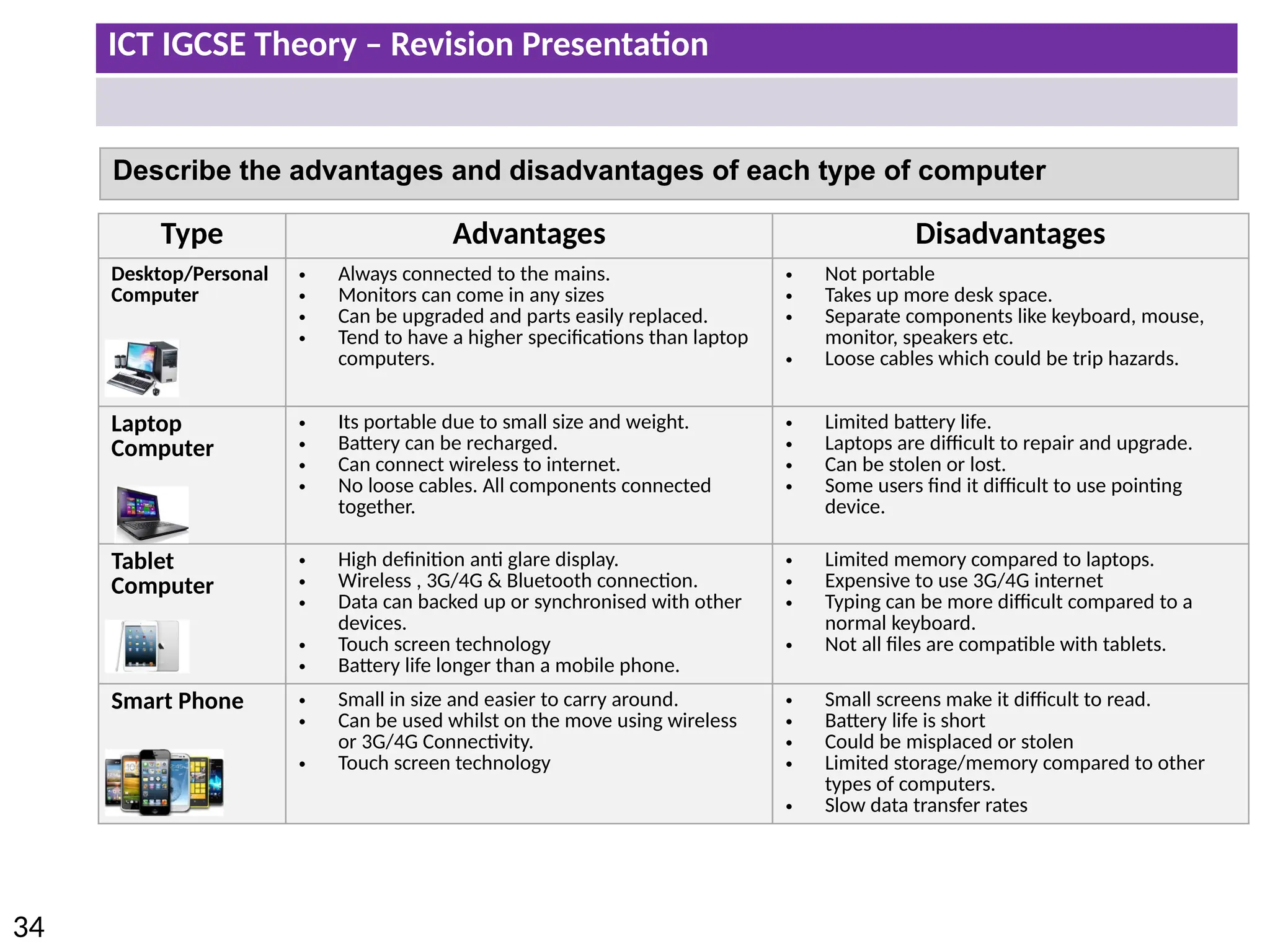
  • 35.
    ICT IGCSE Theory– Revision Presentation 35 • Describe how emerging technologies are having an impact on everyday life (e.g. artificial intelligence, biometrics, vision enhancement, robotics, quantum cryptography, computer-assisted translation, 3D and holographic imaging, virtual reality
  • 36.
    ICT IGCSE Theory– Revision Presentation 36 Emerging Technologies Artificial intelligence (AI) is computer systems that can simulate human intelligence (able to make decisions typically made by a human). • The PR2 robot is being programmed to complete a number of specific tasks just like a human. • Deep Blue was a chess-playing computer developed by IBM. It is known for being the first piece of artificial intelligence to win both a chess game against a reigning world champion. • Self-parking cars currently on the market are not completely independent, but they do make parallel parking much easier. • As seen in the movies AI could be potentially used in the military and police force. • However the issue would be whether a robot could demonstrate empathy in certain situations.
  • 37.
    ICT IGCSE Theory– Revision Presentation 37 Impacts of AI on everyday life: • Accurate prediction of weather . • Increased leisure time. • Safer transport. • Increased Personal . • Improved medical . • Game Playing • Expert Systems • Languages • Robotics AI is being developed in the following areas: Artificial intelligence (AI)
  • 38.
    ICT IGCSE Theory– Revision Presentation 38 Emerging Technologies Biometrics authentication is used as a form of identification which recognises individuals body parts. Biometrics uses unique characteristics of the human which means it can not be replicated by other people. Finger Printing • Staff can scan their finer prints to sign in and out of work. • Police can use finger print to authenticate an individual’s identity. Eye Recognition • No physical contact is required to scan the iris which may be useful in some cultures. • Immigration at airports use eye recognition to prevent people travelling with fraudulent documentation. Facial and voice recognition is also another form of biometrics. The main purpose of biometrics is to improve security with regards to access to computer systems. Impacts of Biometrics on everyday life: • Better airport security. • Increased building security. • Reduced car theft. • More secure mobile phones.
  • 39.
    ICT IGCSE Theory– Revision Presentation 39 Emerging Technologies Vision Enhancement uses video technology which is projected to the user though the lens. The system can bring distant objects closer and into focus. • The vision enhancement system amplifies infrared light so that an image can be clearly seen even in darkness. • Militaries across the world use this technology to complete missions and carry out surveillance at night.
  • 40.
    ICT IGCSE Theory– Revision Presentation 40 Emerging Technologies Robotics are used commonly in the manufacturing industry typically completing labour intensive jobs. • Robots can be programmed to complete specific tasks or used manually. • No human intervention is required once the robot has been programmed. • Robots can complete tasks with more precision including robotic surgery. • Robots can work in extreme conditions or environments. How Are Robots Used in a Factory? 1. Lift heavy items into from place to place 2. Assemble parts together to create things 3. Join parts together using glue, or by welding (melting metal) 4. Paint items
  • 41.
    ICT IGCSE Theory– Revision Presentation 41 Emerging Technologies Quantum Cryptography Quantum cryptography (encryption) is an emerging technology that allows messages and data to be sent with complete privacy. 1. Older methods of encryption were based around mathematics but quantum cryptography uses physics instead. 2. In quantum cryptography, messages are encrypted using photons. These are tiny packets of light. Impacts of Quantum Encryption on everyday life: 1. Completely secure voting 2. Completely secure communication 3. Completely secure bank transfers 4. Completely secure personal information
  • 42.
    ICT IGCSE Theory– Revision Presentation 42 Emerging Technologies Computer-assisted Translation CAT is where a human translator uses computer software to help in the translation process. Examples of different types of CAT: 1. Spell checkers 2. Translation memory software 3. Language search-engine software Impacts of Computer Aided Translation on everyday life: 1. More accurate documents 2. A more multilingual society 3. Quicker and more efficient translations
  • 43.
    ICT IGCSE Theory– Revision Presentation 43 Emerging Technologies 3D and holographic imaging is a technology that allows 3D images to be produced. A holographic image moves in the same way as the original image in three dimensions (3D) How Holograms are created: 1. Splitting a laser beam. 2. Half the light (object beam) is reflected of the object onto a photographic plate . 3. The other half of the light (reference beam) is reflected off a mirror onto the same photographic plate . 4. The hologram is produced when the two light beams meet on the photographic plate. Laser beam Object beam Reference beam Photographic plate Mirror Object
  • 44.
    ICT IGCSE Theory– Revision Presentation 44 Impacts of 3D Imaging on everyday life: • Improved security • Better movie experiences • Greater data storage
  • 45.
    ICT IGCSE Theory– Revision Presentation 45 Emerging Technologies Virtual reality is an artificial environment that is created with software. The user will normally wear a head mounted display which will simulates their physical presence in places in the real world or imagined worlds. Uses: 1. Training: Allow professionals to conduct training in a virtual environment without the threat of any physical harm. 2. Education: Looking inside of an ancient building or ruins 3. Computer Games: users are able to immerse themselves into a gaming platform. 4. Sports: It is used as an aid to measuring athletic performance as well as analysing technique 5. Construction: An organisation can not only render the resulting structure in 3D but also experience them as they would in the real world.
  • 46.
    ICT IGCSE Theory– Revision Presentation 46 Equipment needed to create the virtual reality experience • Eye Goggles • Special Gloves • Headphones • Powerful Computer Impacts of Virtual Reality on everyday life: •Improved medical surgeons •Larger and stronger buildings •More effective treatment of phobias •Training in dangerous situations •More realistic education
  • 47.
    ICT IGCSE Theory– Revision Presentation 47 • Identify input devices and their uses, e.g. keyboard, numeric keypad, pointing devices (such as mouse, touchpad, tracker ball), remote control, joystick/driving wheel, touch screen, scanners, digital cameras, microphone, sensors (general), temperature sensor, pressure sensor, light sensor, graphics tablet, video camera, web cam Input and output devices
  • 48.
    ICT IGCSE Theory– Revision Presentation 48 Input Devices in their Use Input Devices allow data to be input into a computer. Input Devices Central Processing Unit (CPU) Storage Output Devices
  • 49.
    ICT IGCSE Theory– Revision Presentation 49 Device Use Advantages Disadvantages Keyboard • Inputting data into applications • Typing commands into a CLI Interface • Easy and familiar to use • Fast entry of Text into a document Slower method compared to direct data entry. Numeric Key Pad Inputting numeric data into: • ATM • POS Terminals • Chip and Pin • Mobile Phones etc. Straight forward to enter numeric data like pins or prices at a POS. • Keys can be too small. • Difficult to type letters (older Mobiles to text) Input Devices
  • 50.
    ICT IGCSE Theory– Revision Presentation 50 Input Devices Device Use Advantages Disadvantages Mouse To control the pointer on the screen to: • Selecting Windows • Clicking Icons • Menu Options • Positioning Pointer • Easy to navigate through menu options • Quicker to select an option compared to using a keyboard. • Easily Damaged • Flat surface required. Touch Pad • Used as a pointing device on a laptop. • Is part of the keyboard so no need for separate device. • More difficult to use compared to a normal mouse. Tracker Ball • Used by users who tend to have limited motility in their wrist (RSI) • Easier to use compared to mouse • More accurate positing of the pointer. • Tend to be more expensive. • Not familiar to users.
  • 51.
    ICT IGCSE Theory– Revision Presentation 51 Input Devices Device Use Advantages Disadvantages Remote Control Used to control: • TV Channels and Menu options • Multimedia Systems • Industrial applications • Can be used from a distance. • Signal could be blocked by obstacles or walls. Joystick • Used in computer games and simulators. • Easier to used compared to a keyboard. • More difficult to use compared to a normal mouse. Driving Wheel • Used by gamers in computer games (Racing/Driving). • Used in simulators. • Driving experience is more accurate than using keyboards. • More expensive. • Movement could be too sensitive
  • 52.
    ICT IGCSE Theory– Revision Presentation 52 Input Devices Device Use Advantages Disadvantages Touch Screen Used on: • Mobile/Tablets • Point of Sale (POS) • Interactive White Boards • Very easy to use and select options. • Options could be selected accidently. • Screen can get dirty. Scanners • Used to scan in documents or photographs. • Copies can be created. • Quality is dependant on resolution settings. Digital Cameras • Used to take photographs and small video clips. • Data can be transferred to computers. • Higher Resolution images can be stored on memory cards. • No need to develop film. • Transferring, storing and editing images can be complicated
  • 53.
    ICT IGCSE Theory– Revision Presentation 53 Input Devices Device Use Advantages Disadvantages Video Cameras • Used to record video footage. • Can record in HD • Footage can be edited on a computer. • HD movie take up a lot of storage. • Cost of camera Microphone • Used to input sound into a computer. • Used in voice recognition applications. • Voice overs can be added to presentations. • Recorded audio can be typed directly into Word Processor applications. • Voice recognition is not as accurate as typing text into a computer. Graphics Tablet • Used with a stylus to draw free hand drawings which can be stored on a computer. • Very accurate method of drawing compared to a pointer device. • Longer to produce drawings • Cost of tablet
  • 54.
    ICT IGCSE Theory– Revision Presentation 54 Input Devices Device Use Advantages Disadvantages Web Cams • Used by users who want to have a web conference (Skype Call) • Allows for face to face video chat. • Can contact people without the need to travel. • Quality is dependant on internet connection Light Pens • Used in CAD applications for drawing onscreen • More accurate than touch screens • Small in size • Only used with CRT Monitors • Dated Technology
  • 55.
    ICT IGCSE Theory– Revision Presentation 55 Input Devices : Sensors Sensor Example Use Temperature Used in green houses to measure temperature Light Umpires check light conditions in cricket match Moisture To check the moisture in the soil in a green house Water-Level Used in washing machine to measure water level Proximity Used when parking cars to judge distance. Movement Detects movement which could trigger an alarm Pressure Used in burglar alarms A sensor is a device that converts a real world property into data that a computer can process.
  • 56.
    ICT IGCSE Theory– Revision Presentation 56 Input Devices : Sensors Real world measurements are collected as an analogue signal from the sensor. A computer only understands digital signals. An ADC (Analogue-to-digital converter) is needed to convert the signal so a computer understands the signal. Data collected from Sensor is in Analogue Analogue Signal now can be understood by computers. ADC - Analogue-to-digital converter
  • 57.
    ICT IGCSE Theory– Revision Presentation 57 • Describe direct data entry and associated devices, e.g. magnetic stripe readers, chip and PIN readers, Radio Frequency Identification (RFID) readers, Magnetic Ink Character Reader (MICR), Optical Mark Reader (OMR), Optical Character Reader (OCR), bar code reader • Identify the advantages and disadvantages of any of the above devices in comparison with others
  • 58.
    ICT IGCSE Theory– Revision Presentation 58 Magnetic Strip Readers are used to read data found on magnetic stripes found on the back of cards. USE: Bank Cards: Contains Account details Arcade: Contains balance Security/Hotel Rooms: Allows entry to specific room. Gift Cards (Vouchers) – amount of vouchers Advantages: Disadvantages • Fast data entry compared to keyboard • Secure/Error Free – No Typing • Not effected by water and robust if dropped • Easily Updated • Stripe could become unreadable - scratched • Does not work at a distance • Easily Lost/misplaced
  • 59.
    ICT IGCSE Theory– Revision Presentation 59 Chip and Pin Readers are used POS terminals to make a secure payment using a debit or credit card. USE: Users can make payment at shops, restaurants by simply inserting their credit/debit card into the chip and pin reader and typing in their pin. Advantages: Disadvantages • Secure method of payment compared to swipe and contactless method. • Chip is less likely to be damaged compared to a magnetic swipe. • The pin could be read by some one watching or use of mirrors. • Fraudulent machines can copy card details.
  • 60.
    ICT IGCSE Theory– Revision Presentation 60 Contactless Cards Readers are used by customers to pay for products at the POS without the need to enter a PIN Number using RFID technology. Transactions are normally restricted to a small amount (up to £20) How it works The payment terminal picks up a signal from the chip to process and complete the transaction when the card is within a few centimetres distance. Advantages: Disadvantages • Quicker Transaction meaning less time spent at POS. • Don’t have to use PIN • Transaction data (account details) is encrypted. • Less secure than chip and pin method. • Anyone could use card if lost. • It is easer for thieves to copy details of the card. • Only small payments can be made
  • 61.
    ICT IGCSE Theory– Revision Presentation 61 Radio Frequency Identification RFID RFID reads information stored on tags (small silicon chip that can be placed on a sticker) using radio waves. RFID tags can be attached to objects or animals/people. USE: • Track movement of animals (livestock) or people • Stock Control: Scan stock items for quantity • Airports: Track Luggage to make sure nothing is lost • Contactless cards to make a payment Advantages: Disadvantages • Can read objects from a distance. • Can read in bulk • Very fast reading – quick response • Allows read/write operations to take place • Can read biometric readings • Radio symbols can be jammed or hacked. • More expensive than a barcode • Tags could interfere with each other.
  • 62.
    ICT IGCSE Theory– Revision Presentation 62 Magnetic Ink Character Reader MICR USE: Used to process bank cheques. The characters at the bottom of cheque which are printed in a special ink are read by the Magnetic Ink Character Reader. Advantages: Disadvantages • No need to manually enter text – less chance of human error. • Characters can not be altered. • Characters can be read even if they have been written over. • More expensive than using a keyboard to type manual data. • Limited amount of characters can be read. MICR is able to read characters printed in a special ink. These characters are then converted into a form which could be understood by the computer
  • 63.
    ICT IGCSE Theory– Revision Presentation 63 Optical Mark Reader OMR USE: Used to scan in marks from multiple choice exams, surveys, and lottery tickets. Advantages: Disadvantages • Very fast method of inputting data as no user has to manually enter results. • More accurate than OCR • Less chance of errors • Forms have to be completed correctly to avoid manual checks which would waste time. OMR is able to read marks written in pen or pencil. The position of the mark is stored in the computers memory.
  • 64.
    ICT IGCSE Theory– Revision Presentation 64 Optical Character Reader OCR USE: Used in Self-Immigration System at Airports. Identity Cards Students scanning text from books which can be edited. Advantages: Disadvantages • Faster method of data entry compared to manually typing the data. • Less chance of errors. • Not as accurate as the OMR reader • Unable to read handwriting. OCR scans text from hardcopies and converts it into an editable form which can be used and edited in a range of software including word processors.
  • 65.
    ICT IGCSE Theory– Revision Presentation 65 Barcode Scanners are used to scan bar codes which contains unique information about a product including price. USE: Barcode readers are typically used at point-of-sale (POS) in shops when customers are purchased goods. Advantages: Disadvantages • Far quicker and more accurate than typing in codes using a keypad. • Stock database can easily be updated with new prices – barcodes would not need to be replaced. • Barcode could be unreadable or missing. • Barcode could be swapped. • Can be an expensive system.
  • 66.
    ICT IGCSE Theory– Revision Presentation 66 • Identify output devices and their uses, e.g. CRT monitor, TFT/LCD monitor, IPS/LCD monitor, LED monitor, touch screen (as an output device), multimedia projector, laser printer, inkjet printer, dot matrix printer, wide format printer, 3D printer, speakers, motors, buzzers, heaters, lights/lamps • Describe the advantages and disadvantages of any of the above devices
  • 67.
    ICT IGCSE Theory– Revision Presentation 67 Cathode Ray Tube (CRT) Monitor Liquid Crystal Display (LCD) Monitor Use: As primary output display for computers. Advantage: Cheaper than other monitors and can be used with light pens. Resolution is also very good. Disadvantage: Size is bigger – requires more desk space. Could be a safety hazard if not correctly supported. Use: Have taken over from CRT as primary output display for computers. Also primary output for monitors. Advantage: Smaller and lighter so less desk space required. Consumes less power and does not generate as much heat as CRT monitors. Disadvantage: Resolution may not be as good as a CRT monitor. Flat Screen
  • 68.
    ICT IGCSE Theory– Revision Presentation 68 Light-Emitting Diode LED Monitor In-Plane Switching IPS/LCD Monitor Use: IPS is generally used by creative professionals (professional graphic artists). Advantage: Has wide viewing angles by altering the direction of the pixels within the display. Colour reproduction is better than other monitors. Disadvantage: More expensive compared to other monitors. Use: LED monitors are generally used outdoors in store signs, destination signs and billboards due to their level of brightness. Advantage: LEDS produces better light which improves the colour definition and can be used outdoors in different types of light. LED are also energy efficient and can last along time. Disadvantage: More expensive compared to other monitors. Flat Screen Flat Screen
  • 69.
    ICT IGCSE Theory– Revision Presentation 69 Touch Screen Projector USE: Advantages Disadvantages A touch screen is a computer display screen that is also an input device. Users can interact with the screen by using their fingers or a special stylus/pen. • Mobile Phones/Tablets • Terminals at POS/Banks/Stations • No need for additional input devices. • No need for additional buttons. • Menus and interface generally very easy to use. • Zoom in and rotation is possible. • Screen could become damaged, dirty, less visible etc. • Difficult to input high volumes of information compared to using a keyboard. USE: Advantages Disadvantages Multimedia projectors are used when projecting signals from various (Computer, TV) devices onto a large screen. • Classrooms • Offices • Training Presentations • Home cinema systems • Is able to project onto a big screen allowing more people to see the output. • Users can gather around one screen – main focal point in classrooms. • Output resolution may not be the same quality as other devices. • Obstacles could affect block the projection. • Expensive to buy and difficult to set up.
  • 70.
    ICT IGCSE Theory– Revision Presentation 70 Inkjet Printer Laser Printer USE: Advantages Disadvantages Inkjet printers are used when low output volumes are required. • Home use to print homework or single pages/images. • Cheap high quality printing. • Cheaper to buy compared to laser printers. • Small in size – takes up less desk space. • Ink cartridge can run out quickly and be expensive to replace. • Slow printing compared to laser printer. USE: Advantages Disadvantages Laser printers are used when High output volumes are required. • Schools • Offices • High quality printing • Printing is fast especially when printing in high volumes. • Tonner lasts longer than inkjet cartridge – cost effective. • Prints quietly. • Laser printer is more expensive to buy. • Colour laser printers are more expensive to run compared to black and white laser printers.
  • 71.
    ICT IGCSE Theory– Revision Presentation 71 Dot Matrix Printer Wide Format Printer USE: Advantages Disadvantages Dot Matrix is a type of printing which uses a print head which presses against an inked ribbon whilst moving back and forth. • Shop receipts • Airline tickets • When duplicates (carbon copies) are required. • Not affected by hot/dusty environments. • Can print carbon copies (useful when additional copies need to be signed). • Cheap to run an maintain. • Very slow printing • Poor Quality printing • Noisy compared to other printers. USE: Advantages Disadvantages Wide Format printers are generally used when large format printing is required. • Banners • Billboards • Signs • Posters • Photographs and Art • High resolution printing compared to laser and inkjet printers. • Large printouts • Companies are able to print in house which is cheaper than asking another company to print. • Generally expensive to buy and maintain.
  • 72.
    ICT IGCSE Theory– Revision Presentation 72 3D Printer Speakers USE: Advantages Disadvantages 3D Printers can produce solid objects by building layer upon layer. • Prosthetic limbs • Manufacturing Parts • Medical Applications • Construction • Fashion/Arts • Products can be customised . • Prototypes can be created quickly. • Parts can be created which are no longer manufactured. • Artificial organs can be created. • Counterfeits products could be created. • Dangerous objects could be printed if used inappropriately. • Very expensive printer. USE: Advantages Disadvantages Speakers are required to output sound. Essential for video conferencing, movies, computer games etc. • Speakers can be used wirelessly using Bluetooth technology. • Sounds can be amplified. • Surround sounds systems to give a more realistic experience. • Not as personal compared to headphones – can be heard by everyone. • An underpowered amplifier playing at high volumes can damage a speaker.
  • 73.
    ICT IGCSE Theory– Revision Presentation 73 Actuators are part of the control process – digital signals are sent by the computer to actuator to affect or control the real world. Type Use Motors (Spins things around) • Washing machines • Control Fans • Control Robot Arms in manufacturing Buzzer (Creates a noise) • Used in burglar alarms • Microwave ovens and other household appliances • Sporting events/Game shows Heater (Increases temperature) • Control heat in a central heating system • Control heat in a green house • Control heat in an oven Lights (Creates light) • Security lights • Car Dashboard – e.g. to alert driver of low fuel. • Lights in greenhouse
  • 74.
    ICT IGCSE Theory– Revision Presentation 74 • Identify storage devices, their associated media and their uses, e.g. • Magnetic backing storage media: fixed hard disks and drives, portable and removable hard disks, portable and removable hard drives, magnetic tape drives and magnetic tapes, memory cards • Optical backing storage media (CD/DVD/Blu-ray): CD ROM/DVD ROM, CD R/DVD R, CD RW/DVD RW, DVD RAM, Blu-ray discs • Solid state backing storage: solid state drives, flash drives (pen drive/memory stick/USB stick) • Describe the advantages and disadvantages of the above devices Storage devices and media
  • 75.
    ICT IGCSE Theory– Revision Presentation 75 What is Storage • Secondary Storage devices ensures data is stored permanently so that it can be used again at a later date. • Storage medium is the name given to the device that actually holds the data. • Sometimes the storage medium is fixed i.e. magnetic coated disks build into hard drive. • Sometimes the storage medium is removable from the device i.e. CD ROM that can be taken out of the drive. Think about what we store: Documents, Images, Video, Music, Software, Games etc.
  • 76.
    ICT IGCSE Theory– Revision Presentation 76 Data Storage Capacity Floppy Disk 1.4MB CD-ROM 700MB DVD 4.7GB Blu-Ray 25 GB – 128GB Hard Drive 8 TB Magnetic Tape Up to 185 TB Increase in storage capacity Data storage devices have very different capacities. Over time the capacity has increased which has allowed for more data to be stored:
  • 77.
    ICT IGCSE Theory– Revision Presentation 77 Direct (Random Access) • Stores files so that they can instantly be accessed • No need to search through files to get to the one you want • Example: DVD, CD ROM, Blu-ray, external hard drive, flash drive Type of Access Serial (sequential Access) • Files are stored one by one in a sequence • Must search through the files one by one until you get to the one you want. • Example: VHS tape, Cassette Tape, Magnetic Tape Start 1 2 3 4 5 6 7 8 9 End 10 Start 1 2 3 4 5 6 7 8 9 End 10
  • 78.
    ICT IGCSE Theory– Revision Presentation 78 Main Memory • Sometimes known as Internal Memory or primary memory. • Includes RAM and ROM • Usually used to store data temporarily (in the case of RAM). • Usually used to store data while it is being processed by the CPU. • Is volatile – means data will be lost if computer is turned of. Backing Storage • Backing storage some known as secondary storage. • Name for all other storage devices which are part of a computer like hard drive. • Usually used to store data over a long time. • Usually used to store application software, operating system software, files etc. • Is Non-volatile - Means data will not be lost of computer is turned off. Main Memory Vs Backing Storage
  • 79.
    ICT IGCSE Theory– Revision Presentation 79 Magnetic Storage Devices Fixed Internal Hard Drive Access Type: Direct (Random Access) Advantages: Disadvantages • Less likely to break as fixed. • High storage capacities compared to external drives. • Fast data transfer rate. • More moving parts compared to solid state drives. • Incorrect shut down procedure could cause hard drive to malfunction. Use: Main backing storage device used by all computers to store: • Operating Systems & System Files • Applications • Files (Documents, Images, videos, audio etc.) • Magnetic storage media devices store data in the form of tiny magnetised dots. • These dots are created, read and erased using magnetic fields created by very tiny electromagnets.
  • 80.
    ICT IGCSE Theory– Revision Presentation 80 Magnetic Storage Devices Portable Hard Drive Access Type: Direct (Random Access) Advantages: Disadvantages • Portable – transfer files between computers. • High Storage capacity compared to optical disks. • More prone to errors than fixed hard drive. • Could be damaged if incorrectly ejected from computer. Use: This device connects to the computer using the USB Port. External Hard drives are used to store: • Personal backup data. • Transfer files between computers/devices • Magnetic storage media devices store data in the form of tiny magnetised dots. • These dots are created, read and erased using magnetic fields created by very tiny electromagnets.
  • 81.
    ICT IGCSE Theory– Revision Presentation 81 Magnetic Storage Devices Magnetic Tapes Access Type: Serial Advantages: Disadvantages • Huge storage capacity compared to fixed and portable hard drives. • Stored away in a fire proof safe. • Robust – last for long time • Slower Access Tape reader has to start at the beginning of the tape and continue fast forwarding until it gets to the piece of data that needed. Use: • Large organisations make daily backups of their networks on to Magnetic Tapes • Long-term archiving of data. • Magnetic storage media devices store data in the form of tiny magnetised dots. • These dots are created, read and erased using magnetic fields created by very tiny electromagnets.
  • 82.
    ICT IGCSE Theory– Revision Presentation 82 Optical Media CD-ROM Use: CD-ROM disks are read-only. CD-ROMs are normally used to store: • Audio CDs • Software Applications • Device Drivers • Optical storage devices save data as patterns or dots. • Data is read by bouncing the laser beam off the surface off the medium. Access Type: Direct Advantages: Disadvantages • Hold more data than floppy disks. • Cheaper than hard drives and USBs. • Compatible with audio systems. • Data transfer rate is slower compared to other storage medium. • Not Robust - easily be damaged or scratched.
  • 83.
    ICT IGCSE Theory– Revision Presentation 83 Optical Media DVD-Rom Use: DVD-ROMs disks are read-only. DVD-ROMs are normally used to store: • DVD Movies • Software Applications • Computer Games • Optical storage devices save data as patterns or dots. • Data is read by bouncing the laser beam off the surface off the medium. Access Type: Direct Advantages: Disadvantages • Hold more data than CD- ROMS. • Can store larger applications. • Videos is higher resolutions. • Data transfer rate is slower compared to other storage medium. • Have to buy a separate DVD player.
  • 84.
    ICT IGCSE Theory– Revision Presentation 84 Optical Media Blu-Ray Use: Blu-Ray disks uses a blue laser instead of red laser used with CD/DVD ROMs. Blu-Ray disks are normally used to stored: • HD Movies • Large Software/Game Applications • In camcorders in cartridge form. • Optical storage devices save data as patterns or dots. • Data is read by bouncing the laser beam off the surface off the medium. Access Type: Direct Advantages: Disadvantages • Large storage capacity used to store HD video content. • Access Speeds are greater than other optical medium. • Secure Encryption System to minimise chance of copyright. • More expensive compared to other optical media. • Separate player required – more expensive. • Not all movie titles available on Blu-Ray.
  • 85.
    ICT IGCSE Theory– Revision Presentation 85 Optical Media CD-R and DVD-R CD-RW and DVD-RW) DVD RAM Overview CD-R and DVD-R are only recordable once. Once the process has been finalised then the disks become Read Only. • Backup of data • Audio CDS CD-RW and DVD-RW allows for data to be written, erased and rewritten many times. • Used in CCTV • Record television programs DVD RAMS are used when data constantly needs to be re-written. DVD RAMS can hold up to 10GB of data and commonly used in recording equipment. Advantages • Cheaper than RW disks. • Can be reused many times. Long life, large capacity, and can be rewritten many times. Disadvantages • Not compatible with all players. • If disk has a burn error it can not be used again. • Can be expensive. • Data could be overwritten. Not compatible with all playback formats. Can be expensive. R – Write once only RW – Can be written to or read many times.
  • 86.
    ICT IGCSE Theory– Revision Presentation 86 Solid ‘state’ • Solid-state storage devices are based on electronic circuits with no moving parts. • Solid-state storage devices store data using a special type of memory called flash memory. • USB/Memory Cards use Direct Access Examples USB Memory Stick Memory Card Uses: Used to transfer files/backup (work) between computers. Used to store files on digital cameras, mobile phones and mp3 players. Advantages • Portable & Small • Robust • large capacities • No need for additional drivers/software • Very small and can be removed and placed in other devices. • Robust Disadvantages • Easy to loose • USB could be damaged if not ejected correctly. • Smaller storage capacities. • Quite expensive.
  • 87.
    ICT IGCSE Theory– Revision Presentation 87 Backup Backup means making one or more copies of your data in a different storage medium. Why? • You could delete a file by accident • Your computer could break down • Your computer could get infected by a virus which could edit data • Your laptop is stolen or becomes damaged. • Data could be corrupted by hackers. • Most businesses use computers to store very important data (customer records, financial information, designs for products, etc.) • If this data is lost, then this would cause disruption to the business. Backing- up business data is essential.
  • 88.
    ICT IGCSE Theory– Revision Presentation 88 How are Backups created Personal Backups: • Burning files to a CD-R • Copying files to an external hard-drive • Copying files to a USB • Copying the files to another computer on a network Business Backups: • Making copies of data very regularly (daily). • Using large-capacity media such as magnetic tape • Keeping old copies of backups, just in case. • Automating the system so that nobody forgets to do it! • Keeping backup media off-site (in case of fire or theft)
  • 89.
    ICT IGCSE Theory– Revision Presentation 89 • Understand how a router works and its purpose • Understand the use of other common network devices, including: network interface cards, hubs, bridges, switches, modems • Understand the use of WiFi and Bluetooth in networks • Understand how to set up and configure a small network, including: access to the internet, the use of a browser, the use of email, access to an ISP • Understand the characteristics and purpose of common network environments, such as intranets and the internet • Understand the advantages and disadvantages of using different types of computer to access the internet Networks and the effects of using them
  • 90.
    ICT IGCSE Theory– Revision Presentation 90 Overview What is a Computer Network? A network is two or more computers, or other electronic devices, connected together so that they can exchange data. For example a network allows: • Computers to share files • Users to message each other • Share Resources Network connections between computers are typically created using cables (wires) or via wireless signals. Cables Wireless Workstation Switch Bridge Wireless Access Point Internet Switch Router
  • 91.
    ICT IGCSE Theory– Revision Presentation 91 Overview Advantages of using Networks • Easily share files and data. • Share resources such as printers and Internet connections. • Communicate with other network users (e-mail, instant messaging, video-conferencing, etc.) • Store data centrally (using a file server) for ease of access and back-up. • Keep all of our settings centrally so we can use any workstation. Disadvantages of using Networks • Greater risk of hackers. • Greater risk of viruses (spreading and disabling network). • The significant cost of extra equipment. • When the network is down computers can not be used as standalone computers. • Print queues can be long.
  • 92.
    ICT IGCSE Theory– Revision Presentation 92 Understand how a router works and its purpose R Internet Outgoing Data Incoming Data Router R R S S Switch • Connects network/computers to the internet • Connects LANs/networks together • Transfers data between networks (Receives and Sends Data Packets) • Router can connect to devices using cables or wireless signals. • It stores information about which computer is connected to which network Data Packets contain the following information: • Header to identify Data Packet. • Sender and Receivers IP address. • Number of data packets making up the whole message.
  • 93.
    ICT IGCSE Theory– Revision Presentation 93 Understand how a router works and its purpose R R R R Internet Outgoing Data Incoming Data Router Web Server Web Pages are stored on Web Servers. Webpages have unique IP address & domain names to find/communicate with each other. Routers direct packets of data across the internet to its destination. R R Everything connected to the internet has an IP Address. R S S
  • 94.
    ICT IGCSE Theory– Revision Presentation 94 Common Network Devices Switch Hub Smart Device Dumb Device A Hub and a Switch both connect a number of computers together to make a LAN. Normally used in larger networks found in schools, offices etc. Poor Security Only would be suitable for a small home networks. Sends specific packets of data to specific computers on the LAN using workstations unique MAC addresses. Sends data packets to all the workstations on the network which causes network traffic. More secure however more expensive
  • 95.
    ICT IGCSE Theory– Revision Presentation 95 Switch Ports 1 2 3 4 Switch Table Work station Mac Address 1 AA-AA-AA 2 BB-BB-BB 3 4 Workstation connect to switch ports. Each Network Card has a unique address (MAC ADDRESS) which switches can use to identify a workstation. Common Network Devices: Switch You always start with an empty switch table. The switch will learn each workstations MAC address when it sends a packet of data across the network. Sending Packets of Data from Workstation 1 – 2 The switch will send data packets to all computers because it does not know the MAC address for Workstation 2. 1 2 3 4 Sending Packets of Data from Workstation 2 – 1 Now the switch table has the MAC address for workstation 1 it is possible for workstation 2 to send a direct pack of data. 1 2 3 4 S S
  • 96.
    ICT IGCSE Theory– Revision Presentation 96 Common Network Devices Modems Network Interface Card Bridge Switch Bridges Network Interface Card (NIC) allows you to connect a device to the network. The NIC will contain the MAC address which will be used to identify the computer to the network. Switch A bridge is used to connect two parts of a LAN network together so they function as a single LAN. Two Switches can be connected using a the Bridge Device. Modems convert analogue signals from a telephone line to digital signals which can be read by the computer. The Modem also converts digital signals back into analogue for transmission over telephone lines. Analogue >>> Digital Analogue <<< Digital
  • 97.
    ICT IGCSE Theory– Revision Presentation 97 Understand the use of WiFi and Bluetooth in networks • Very slow data transfer speeds • Short distance of coverage/limited signal strength • Greater risk of interception of data/less secure • Supports a limited number of devices in a network Bluetooth is a wireless networking technology designed for very short-range connections. • Connecting wireless devices such as mouse, phone, headset to a computer which are close in proximity. • Transferring files between devices. • Printing Wirelessly from a Tablet or Mobile Phone. WiFi is a wireless networking technology makes it possible to connect devices with a wireless connection to a network or to a single computer . • Reduced cost of cabling/Safer – won’t trip over wires • Easier to connect other devices to the network • Makes the computer portable as long as it’s within range of the wireless access point • Limited area of network • Strength of signal is weaker • Possible slow data transfer speeds • Easier to hack into/less secure • Physical obstacles can interfere with signal/can cause disconnection
  • 98.
    ICT IGCSE Theory– Revision Presentation 98 Wi-Fi WiFi is a technology which makes it possible to connect a device to a network or to a single computer through wireless communications, for example: • Laptops • Mobile Phones, PDAs and other handheld devices • Large computers which are WiFi enabled. Bluetooth Bluetooth is a wireless networking technology designed for very short-range connections (typically just a few metres). Typical uses of Bluetooth: • Connecting wireless devices such as mouse, keyboard, headset to a computer. • Transferring files between devices. • Printing Wirelessly from a PDA or Mobile Phone. Advantages of Wireless Technology: • Reduced cost of cabling • Safer – won’t trip over wires • Easier to connect other devices to the network • Makes the computer portable as long as it’s within range of the wireless access point Disadvantage of Wireless Technology: • Limited area of network • Strength of signal is weaker • Possible slow data transfer speeds • Easier to hack into/less secure • Physical obstacles can interfere with signal/can cause disconnection
  • 99.
    ICT IGCSE Theory– Revision Presentation 99 Web Browser: To browse the internet. Email: To send email messages including attachments to other users. Security: Anti Virus/Spyware software to protect your computer from external threats (Viruses/Hackers) Router: To connect your LAN to the Internet (WAN) Switch/Hub: To connect Network Devices together using cables. Network Cables: To create physical connections. Firewall: To keep network secure from external threats. Servers: To manage network functions such as network security, network file storage, share resources etc. Setting up a Network ISP (Internet Service Provider) Set up an account with an Internet Service Provider (ISP) to receive an internet connection to your location
  • 100.
    ICT IGCSE Theory– Revision Presentation 100 Common network environments • LAN is a Local Area Network • LAN covers a small area (normally confined to one building or within a close proximity). • LAN consists of number of computers and devices that usually connect to a switch which is connected to a router. • A WAN is Wide Area Network is a network that extends over a large geographical area. • A WAN is often created by joining several LANs together. • Routers are used to connect LAN networks to form a WAN Network. LAN WAN The most common examples of WAN is the internet.
  • 101.
    ICT IGCSE Theory– Revision Presentation 101 Common network environments • A wireless LAN (WLAN) is a LAN that uses radio signals (WiFi) to connect computers instead of cables. • Devices know Access Points (AP) are connected to the wired network at fixed locations. • These devices provide the wireless access to devices on the network. • It is much more convenient to use wireless connections instead of running long wires all over a building. WLAN AP AP AP
  • 102.
    ICT IGCSE Theory– Revision Presentation 102 Internet • Internet is Public (available to all users) • Internet is network of networks • Internet is global • Internet has more information than an intranet Typical uses of an internet would be: • Viewing web pages • Sending and receiving e-mail messages • Sharing files • Communicating using voice (VOIP) and video (video-conferencing) • Playing multi-player games • Streaming Video/audio Content • Online Shopping/Banking Intranet • Intranet is within one organisation (Private) • Intranets tend to be policed/managed • Intranet has an extra layer of security • Data found in an intranet is likely to be more reliable/relevant than that found on the Internet Typical uses of an intranet would be: • Viewing internal web pages (e.g. company schools, university's etc.) • Internal e-mail and instant- messaging between workers • Sharing of internal documents Intranets and the Internet
  • 103.
    ICT IGCSE Theory– Revision Presentation 103 Accessing the Internet Device Advantages Disadvantages laptop computers • More portable and smaller in size compared to desktop computers. • Bigger screens compared to tablets and phones. • Touch pad may be difficult to use to navigate webpages. • Processors are not as fast as desktop computers. Desktop • Stable internet connection since the connection is normally wired. • Use of input devices including pointing devices to make navigation easier. • Has to be connected to a power supply at all times. • Not portable. Tablets • Tablet: More portable than desktops/laptops however less than phones. • Mobile: Portable: Easy to carry around and use whilst on the move. • Mobile: Always likely to have a mobile phone at all times. • Mobile: Can access internet via phone networks (4G) • Signal strength dependant on location. • Smaller display screen. • Not all websites designed to be used by mobiles/tablets. • Touch screen may be difficult to use. • Limited battery Life. Smart Phones
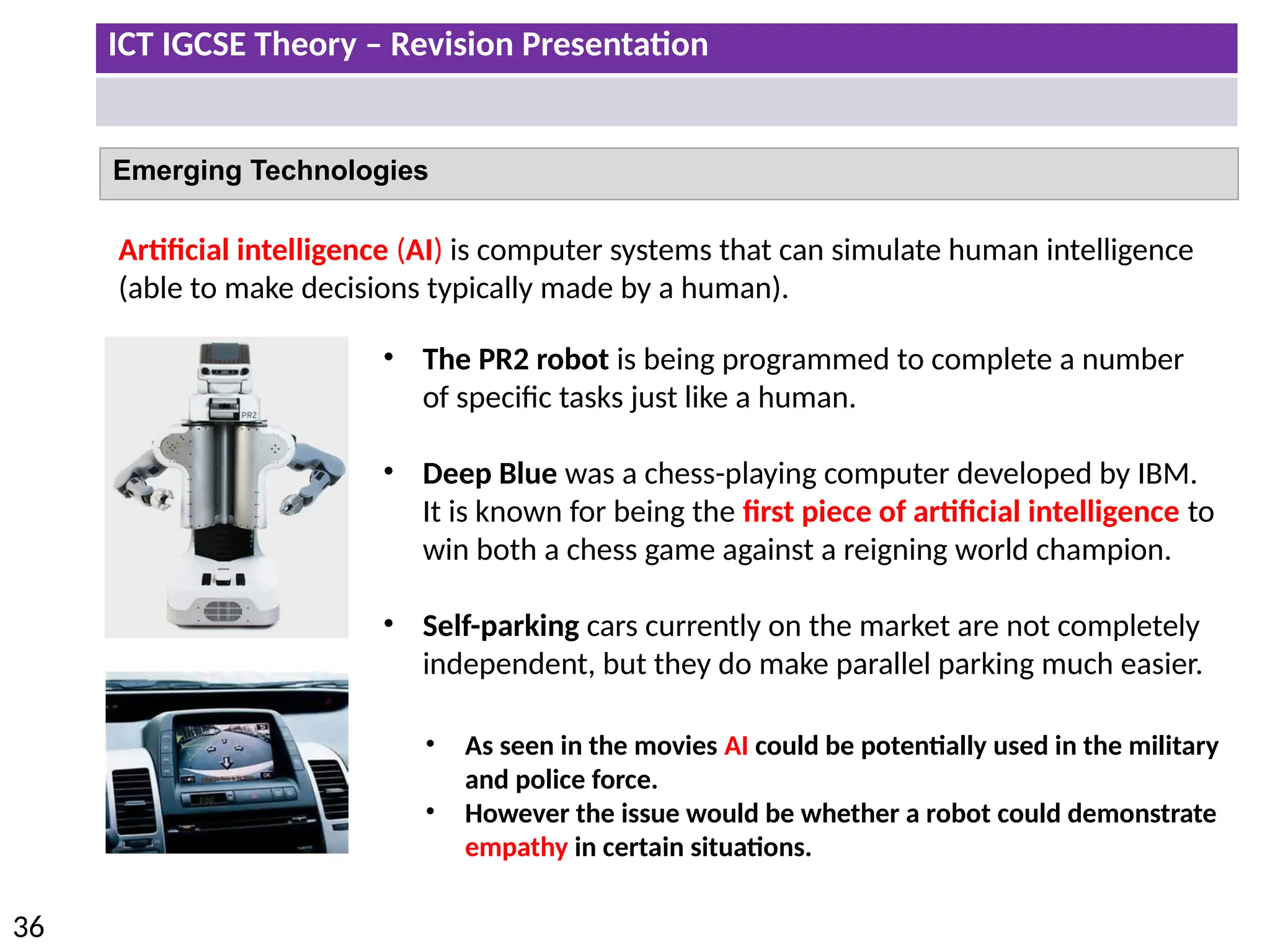
  • 104.
    ICT IGCSE Theory– Revision Presentation 104 • Security issues regarding data transfer • Network communication
  • 105.
    ICT IGCSE Theory– Revision Presentation 105 Security Issues Hackers Viruses Spyware Phishing Pharming Should the internet be policed? Advantages Disadvantages • To protect vulnerable users gaining access to undesirable websites. • To prevent illegal material (software, videos) be openly posted and shared by web users. • To bring to justice those users who continually misuse the internet for their personal gain. • It would be extremely difficult and expensive to police the internet. • Infrastructure including staff and offices would have to be required. • Would be difficult to enforce different rules in different countries. • Could go against freedom of speech. How can hackers effect your network and data? Introduce of viruses & spyware to the Network. Threat to Data: • Data could be deleted, edited, corrupted or be replicated. • Data could be sold or passed on to other people. Threat to Network: • Network may have to be shut down to quarantine virus. • This could stop production and cost an organisation a lot of money.
  • 106.
    ICT IGCSE Theory– Revision Presentation 106 Passwords are a method of authentication. Disadvantages Avoiding password interception • Passwords can be guessed especially if they are simple. • Passwords may be seen by others. • Passwords can be stolen and used by other people. • Spyware could be used to logs key presses to get passwords. • Passwords can be hacked by using password generating software. • Set strong passwords which include multiple characters such letters and numbers. • Ensure password is regularly changed. • Avoid using the same passwords for all of your accounts. • Install spyware software which will block the installation of any key logging software. User Name & Passwords: Methods of Authentication (Network Security) Authentication techniques are used to ensure only authorised users are able gain access to a Network via User Names/Passwords, Biometrics, Swipe Cards, TAN, Two Factor authentication etc.
  • 107.
    ICT IGCSE Theory– Revision Presentation 107 User Name & Passwords: Methods of Authentication (Network Security) Setting a strong Password: • Use at least 8 characters • Includes letters and numbers • Avoid using names or words which could be easily guessed. • Use upper and lower case letters. When users log onto to their online accounts they may also be asked for additional information to verify their accounts. Security Question: • Users may be asked to answer security questions related to their account. • Typical questions includes mothers maiden name. Personal Image: • QNB (Qatar National Bank) require users to identify an image when they log in on the website for online banking. . • Users will have to confirm if the image shown is one they selected as their account image.
  • 108.
    ICT IGCSE Theory– Revision Presentation 108 Alternatives Methods of Authentication (Network Security) Device Overview/Advantages Biometrics • Finger Prints • Retina Scan • Iris Scans • Face Scans • Vocal Recognition • Biometrics use unique data. • Only the person with the biometric features can access the network. • Can not copy/replicate biometric data Magnetic Swipe Cards • Swipe cards are used to gain access to the system by swiping the card into the reader. • Swipe cards are quite easy to use and update. • Could also be used to gain entry into a room (hotel room). Transaction authentication number (TAN) • TAN is used by online banking services. • User will insert their bank card into the TAN reader which will then provide a code which will need to be entered to complete a transaction. Two factor authentication • Two Factor Authentication involves the user typing in their password and then typing in a code. • The code is sent to the registered phone number of the account as a text. • If an unauthorised attempt is made to log into an account then the text message will alert the user.
  • 109.
    ICT IGCSE Theory– Revision Presentation 109 Security issues regarding data transfer: Viruses & Spyware A computer virus is a piece of programming code/software which can install and replicate it self on to a computer system without the user’s permission. A computer virus can cause the following problems. 1. Causes the computer to crash – become slower 2. Sometimes files can be deleted – leads to computer malfunction. 3. Data files can be copied by the hacker or the files could be corrupted. 4. Could stop production until the virus has been quarantined. Installing anti virus and spyware software and the use of a firewall is not enough to keep your computer safe. You also need to pay attention to the following points. • Do not download any files from untrusted sources including email attachments. • Do not install illegal software onto your computer. • Do not click on links from unknown websites. • Do not connect storage devices (e.g. USB) from unknown sources. • Ensure virus software is up to date and virus definitions are regularly updated. Spyware gathers data from computers without the user knowing. Spyware could monitor key presses to gain personal information or passwords. This information would be sent back to the hacker.
  • 110.
    ICT IGCSE Theory– Revision Presentation 110 Security issues regarding data transfer: Firewall Monitors and controls incoming and outgoing data traffic. Helps to prevent malware (viruses) getting into computer/from the internet Prevents computer accessing undesirable/unauthorised sites Warns you regarding threats/allows you to accept/reject downloaded programs Keeps a list of undesirable sites/IP addresses Keeps a list of acceptable sites/IP addresses Prevents unauthorised computers using the internet accessing the computer
  • 111.
    ICT IGCSE Theory– Revision Presentation 111 Encryption Disadvantages • Data can still be deleted from system • Criminals can use encryption to keep incriminating material secure Encryption is the process of converting information into a form that is meaningless to anyone except holders of a ‘key’. 1. Data is scrambled up (Data is Encrypted). 2. If the data is intercepted it then it prevents people from understanding and reading the data. 3. The person with the key is able to Decrypt and understand the data.
  • 112.
    ICT IGCSE Theory– Revision Presentation 112 Proxy Server Server passes on requests to the Internet Passes the requested web pages to individual computers Can be used to monitor Internet usage Can cache/store the webpages Can block certain sites Can act as a buffer (between Internet and LAN) Can act as a web server
  • 113.
    ICT IGCSE Theory– Revision Presentation 113 Security issues regarding data transfer: Data Protection Act Data protection Act applies to paper based or electronic forms of data stored on a computer. The data protection act is to protect rights of the individual who the data is obtained from. Web based business such as Amazon or Ebay store sensitive data about customers including payment details. They would have to abide by the data protection act to keep the data secure. Principles of the Data Protection Act 1. Data must be fairly and lawfully processed. 2. Data can only be processed for the stated purpose. 3. Data must be adequate, relevant and not excessive. 4. Data must be accurate. 5. Data must not be kept longer than necessary. 6. Data must be processed in accordance with the data subject rights. 7. Data must be kept secure. 8. Data must not be transferred to another country unless they have adequate protection.
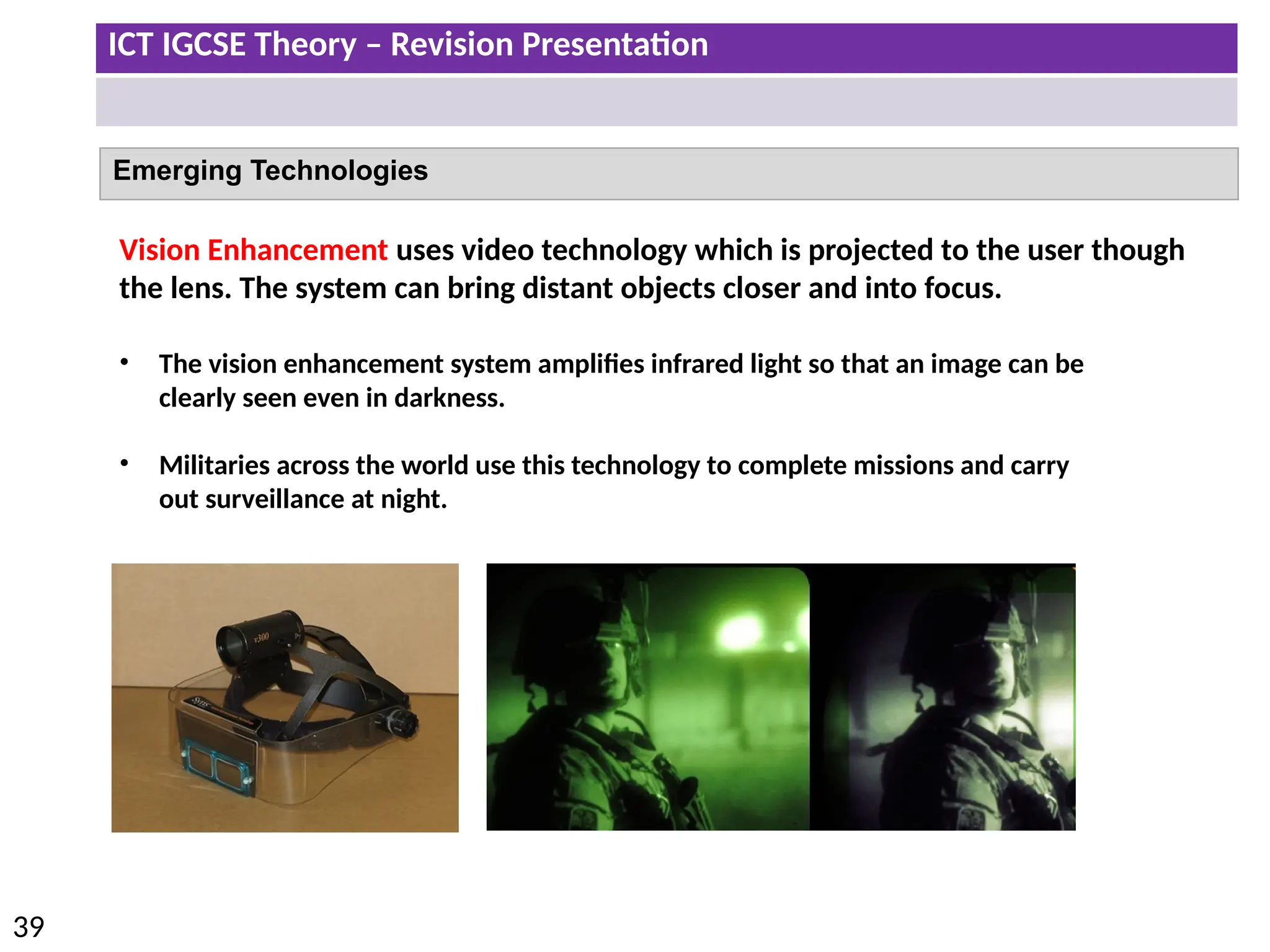
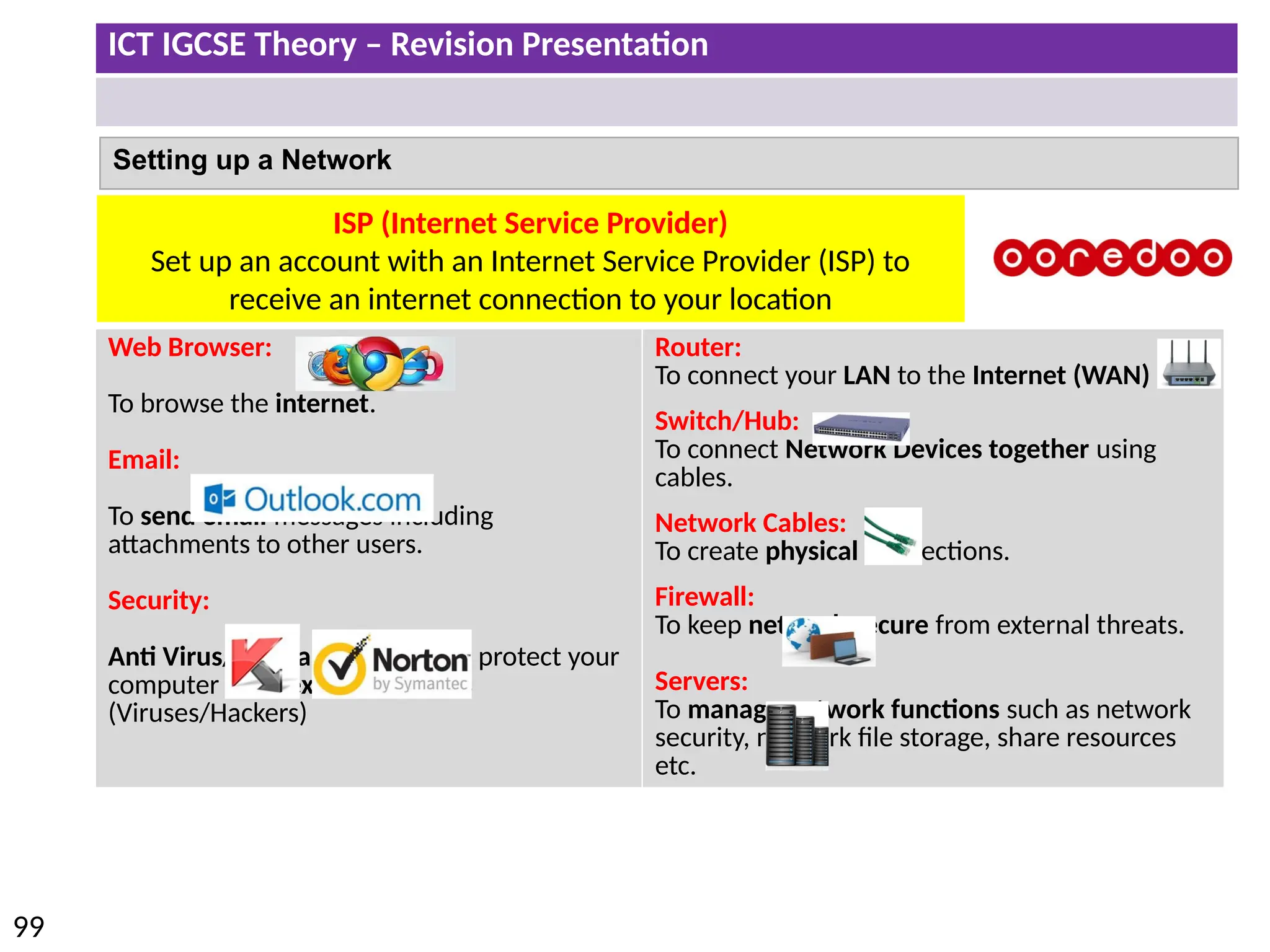
  • 114.
    ICT IGCSE Theory– Revision Presentation 114 Network communication Type of Communication Overview/Advantages Disadvantage Physical Faxing • Requires a fax machine and a telephone line. • Number of the recipient dialled before the document is copied and sent. • Physical documents are printed and can be signed. • Anyone can access faxed documents. • The fax may be out of paper or ink (toner). • No notification of fax received. Email Communication • Can send multiple attachments. • Can send to multiple recipients in one message. • Emails can be received instantly and accessed on many platforms including tablets and phones. • Email attachments may include viruses. • May receive spam (unwanted mail). • May receive phishing (scam) emails to obtain personal data. Electronic Faxing • Electronic Fax is sent via a internet connection. • No need to buy a fax machine, ink or paper. • Electronic Fax documents are sent to an email which will ensure the correct person will receive the fax – less chance of document being intercepted. • Electronic Fax's can also be sent directly to a fax machine. • Send fax's from any location with an internet connection. • No additional cost to send fax over internet network.
  • 115.
    ICT IGCSE Theory– Revision Presentation 115 Network communication Advantages and Disadvantages of using email compared with faxing Fax Email Advantages • Documents can be signed which are legally accepted. • Physical copies of documents can be sent and automatically printed. • Emails are password protected so less likely chance of data being intercepted. • Emails can be received instantly. • Attachments can be edited and sent back. • Can send to many recipients at the same time. Disadvantages • Data is more likely to be intercepted once it is printed from the fax machine. • There could be delays in receiving the fax due to a busy telephone line or lack of paper or ink. • Fax can only be received during office hours. • Not everyone has a fax machine. • Cant be used when documents need to be signed. • Viruses can be download from attachments. • Unwanted emails could be received (Phishing/Spam).
  • 116.
    ICT IGCSE Theory– Revision Presentation 116 Network communication Type of Communication Overview Hardware Video Conferencing • Video conferencing uses both video and sound using an internet connection. • It can be used to have business meeting when people are in different locations. • Web Camera • Screen/Monitor • Speaker • Microphone Advantages • No need to travel to have meetings which would cut down on travelling costs (including flights and hotel) and travelling time. • Video conference can be held at short notice. • Facilitates long distance learning – students can access live lectures without travelling. Disadvantages • Technical problems with the internet or hardware could effect the quality of the video conference. • Set up costs to purchase hardware/software and to provide relevant training to staff. • Lack of personal contact you would have if it was a face to face meeting. • Different time zones could make it difficult to find to find a suitable time to have a meeting. • Not possible to sign documents.
  • 117.
    ICT IGCSE Theory– Revision Presentation 117 Network communication Type of Communication Overview Hardware Audio- Conferencing Audio conference can be done over the telephone network or using a computer making use of VOIP. 1. The organiser of the phone conference is given a unique Pin which can be shared participants. 2. For Participants to join they have to dial the conference phone number. 3. Then they would have to enter a PIN. • Telephone VOIP • Microphone • Speakers Web- Conferencing • Web conference can be done using internet connection. • It is very similar to video conference as participants can hear audio and see a live video stream. • Participants can join the web conference by clicking on the supplied link from the organiser. • Participants can join and leave the web conference at any time. • Instant messaging (IM) feature is available to communicate with other participants. • Participants can be given permission to speak and can share content such as images, video or presentations. • Same as video conferencing. • Keyboard could be use for IM.
  • 118.
    ICT IGCSE Theory– Revision Presentation 118 • 5.1 Effects of IT on employment • 5.2 Effects of IT on working patterns within organisations • 5.3 Microprocessor-controlled devices in the home • 5.4 Potential health problems related to the prolonged use of IT equipment The effects of using IT
  • 119.
    ICT IGCSE Theory– Revision Presentation 119 Effects of IT on employment Areas of Increased Employment Areas of Increased Unemployment Website designers: With a demand for companies to have a web presence website designers are required to set up and maintain the webpages. Delivery Drivers: With more shops opting to have online presences dispatch departments are required to deliver goods to customers. Office Work: The use of applications such as spreadsheets, word processors and databases has improved the efficiency of the office and also reduced the numbers of workers required to complete set tasks. Computer Programmers: With the increase use various devices programmers are required to write operating systems, applications and computer games. Manufacturing: In the manufacturing industry robots have replaced human workers. Robotics will mainly complete the more labour intensive tasks. Network Managers: In any place of work network computers is the norm. For a network to function network technicians and managers would have to be present to maintain and to provide technical support. Retail: With more retail outlets opting for the online route to target a wider customer base this has meant more high street stores are closing down due to a lack of demand and staff are losing their jobs.
  • 120.
    ICT IGCSE Theory– Revision Presentation 120 Effects of IT on working patterns within organisations The use of computers have changed the way we complete our work. Employees now don’t necessarily have to be in the office to complete set tasks. Remote Working: Employees are able to access their office desktop computer from a different location (home). Advantages Disadvantages Employee • Do not have to make child care arrangements – spend more time with family. • Employee can work at a convenient time for them. • Save time/costs on travelling. Employer • No need to provide desk/office space. • Employees may be happier and productive working at home. Employee • Lack of interaction (including social) with staff and management. • Employee could be easily distracted working from home. • Could be overlooked for promotion opportunities. Employer • It could be harder to check what the employee is up to. Use of Intranet: Employees can log into an intranet to communicate and access shared resources with other staff. Use of Internet: Employees can check their emails or have web conferences with peers. Use of Smart Phone: Phone calls and emails can be diverted to personal smart phone from office accounts.
  • 121.
    ICT IGCSE Theory– Revision Presentation 121 Effects of IT on working patterns within organisations The introduction of ICT in the work places has allowed employees to work a more flexible time rather than the rigid traditional office hours of 9-5. The four main types of Employee working patterns are Full Time, Compressed, Part Time and Job Share. Full Time: • Employees will normally work over 5 full days. • Typically 9am till 4 or 5pm. • Will complete between 35 – 40 hours a week. Compressed Hours: • Employee are still working full time hours. • However the same amount of hours are completed over less days. • Employees will work more hours in one day.
  • 122.
    ICT IGCSE Theory– Revision Presentation 122 Effects of IT on working patterns within organisations Part Time (flexi-Time): • Employees who work less hours over a week than a full time employee. • Part time staff can work outside of the traditional hours of work (evenings or weekends). Job Sharing: • Full time job is divided between two part time employees. • Both employees do the same job – same responsibilities. • One employee could work in the morning and the other in the afternoon or the first or second part of the week.
  • 123.
    ICT IGCSE Theory– Revision Presentation 123 Microprocessor-controlled devices in the home Microprocessors are found in many household devices. These devices could either be labour- saving devices, leisure or more for connivance. Advantages Disadvantages • Devices do much of the housework chores including: • Cooking Food • Washing clothes or dishes • Tasks do not need to be done manually which means: • Do not need to be in the house when food is cooking or clothes are being washed. • More time to spend with family and friends. • More time for leisure activities or to complete work. • Can encourage a healthy lifestyle because of smart fridges analysing food ingredients. • Do not have to leave home to get fit. • Burglar alarm provides a sense of security. • People can become over reliant on these devices and can become lazy. • Can lead to unhealthy eating due to dependency on ready meals. • Manual household skills are lost.
  • 124.
    ICT IGCSE Theory– Revision Presentation 124 Potential health problems related to the prolonged use of IT equipment Health Risk and Reason Prevention Repetitive Strain Injury (Fingers/Wrist) • From repetitive clicking of mouse and continual typing. • Use of a wrist support when typing and using a mouse. Back Problems • From sitting in same position all day or having a bad sitting posture. • Use of adjustable ergonomic chair. • Ensure the monitor is at eye level. Headaches/Eyestrain • From staring at screen continuously or having bad lighting in the room. • The use of anti glare filter to reduce the screen reflection which could tire the eyes. • Use of LCD screens over CRT due to reduced amount of flickering. Use of IT equipment to minimise the health risks: • Use of ergonomic chairs which are adjustable to suit the needs of the user. • Use of ergonomic designed work stations. • Use of ergonomic keyboards. • Use of voice-recognition software to reduce the amount of mouse clicking and typing. Strategies to minimise the health risks: • Take regular breaks – walk around and stretch muscles. • Look away from the monitor at regular intervals
  • 125.
    ICT IGCSE Theory– Revision Presentation 125 6.1 Communication applications 6.2 Data handling applications 6.3 Measurement applications 6.4 Microprocessors in control applications 6.5 Modelling applications 6.6 Applications in manufacturing industries 6.7 School management systems 6.8 Booking systems 6.9 Banking applications 6.10 Computers in medicine 6.11 Computers in libraries 6.12 Expert systems 6.13 Computers in the retail industry 6.14 Recognition systems 6.15 Monitoring and tracking systems 6.16 Satellite systems
  • 126.
    ICT IGCSE Theory– Revision Presentation 126 6.1 Communication Applications Paper Based Types of Communication & Purpose Use of Computers News Letter: Used by companies to communicate certain information to staff and customers. May contain information on recent events and identify success company may have experienced. Brochures/Leaflet: Can be used to advertise a company or to be informative. Brochures are normally printed on glossy paper with a high quality finish. Flyers: Informative document which can be distributed to promote or create awareness of an up and coming events. Posters: larger then flyers and are strategically positioned to promote and create awareness. Displayed on billboards, notice boards, buildings as part of an advertising campaign to target a specific target audience. • Save and insert pictures from clipart, Internet, scanned images & digital camera. • Adjust the page layout. • Create and Insert Tables/charts • Formatting the layout of the document. • Applying effects to images (crop, colour scale, rotate etc.) Text Formatting • Font Style • Bold • Alignment (left, centre, right and fully justified) • underline • Italic • colour Advantages • Not necessary to have a computer or internet connection. • You have a physical copy of the document. Disadvantages • These communication would mainly be distributed by hand. • Printing costs • Restricted to a smaller target audience.
  • 127.
    ICT IGCSE Theory– Revision Presentation 127 6.1 Communication Applications Computer Based Types of Communication & Purpose Websites • Companies use websites as a means to communicate with existing and potentially new customers. • Websites can be easily updated and can provide relevant and up to date information. • Websites can be used to research, social network, online gaming or for online shopping and banking. Multimedia Presentations • A common use for presentations is to provide training in businesses or places of education. The presentation will be a focal point on the projector whilst the speaker is presenting. Advantages • Can include interactive elements such as sound, video, animation and hyperlinks. • Can be available on different platforms. Disadvantages • Websites can be hacked and information may be altered. • Setting up website and maintaining would be expensive and would require a special skill set. Cartoons (Animations) Animations can also be created using specialist software to promote new products. Music Scores Music can now be created and edited on computers. Can be used as part of adverts or slogans.
  • 128.
    ICT IGCSE Theory– Revision Presentation 128 6.1 Communication Applications Mobile Based Types of Communication & Purpose Phone Calls: Allows users to make a audio phone calls to each other from any location within the network coverage area. Text Messages: Allows user to send simple messages to each other even if the recipients phone is turned of or not within network coverage. Accessing the Internet: Email and social networking applications are now available on mobile phones which makes it easier for users to stay in contact with each other. Businesses can also use these apps to advertise and communicate with customers. Advantages • Mobile phone is portable and can be used on the move. • Mobile phone contracts can offer free minutes and texts. Disadvantages • Long distance calls or phones calls in different countries could be expensive. • Mobile signal could be weak or non existent in some places. Voice Over Internet Protocol (VoIP) When voice calls are taken place over an internet connection (e.g. Whatsapp, Viber).
  • 129.
    ICT IGCSE Theory– Revision Presentation 129 6.2 Data Handling Applications Address Lists Mobile phones include address books which include contact names, numbers, email addresses etc. School Records Student records including assessment and behaviour data. Also staff data could also be held on database Club/Society Records Information on current members including names and contact details. Also members methods of payment to pay membership fee. Libraries Information on current books which are available to borrow and members of the libraries. Surveys Information from surveys could be held on a database so that data could be analysed and queried. Advantages of Data Handling Applications for Storing Data: • Data can be updated, organised, sorted and searched in different ways. • Data can displayed or printed in different formats. • Data can be backed up or moved using storage media. • Huge storage space not required (filing cabinets)
  • 130.
    ICT IGCSE Theory– Revision Presentation 130 6.3 Measurement applications Role of Measurement Applications Sensors are placed to measure physical variables. The data from sensors are measured in analogue. The analogue signal is then converted to a digital signal using a convertor. 1 - Input devices called sensors feed data into the computer. 3 - As a result of the processing, the computer can send a signal to the output devices called actuators which could change physical conditions. Examples Weather Stations Thermometer for measuring temperature Anemometer for measuring wind speed Wind vane for measuring wind direction Hygrometer for measuring humidity Barometer for measuring atmospheric pressure Green House Sensors are placed in the green house to measure whether plants are growing in the correct conditions: • Light, Moisture, Humidity, PH Levels Patients Vital Signs Sensors will be attached to the body to monitor: • heartbeat, blood pressure, temperature etc. 2 - The computer then processes the input data. Sensor readings are compared to the preset values.
  • 131.
    ICT IGCSE Theory– Revision Presentation 131 6.3 Measurement Applications Why Use Computers to Measure Things? • Computers do not require breaks . • Readings are more accurate compared to humans. • Readings are taking more frequently. • Data can be analysed and compared with existing data. • Automatic graphs can be created. • Sensors can work in extreme conditions which could be dangerous for humans. • People can complete other tasks whilst the systems works automatically. • If human intervention is required then a signal will be sent to the buzzer. Data collected from Sensors is in Analogue Analogue Signal now can be understood by computers. ADC - Analogue-to-digital converter
  • 132.
    ICT IGCSE Theory– Revision Presentation 132 6.4 Microprocessors in Control Applications Role of Microprocessor in Control Applications • Sensor readings are compared to the pre-set value which are inputted by the user. • If sensor readings are below or higher then then the pre-set value then a signal will be sent to the actuator to change the physical conditions. • Process is constantly will be repeated. Example Process Microprocessor Output Green House Compares light, temperature, moisture to Pre-set value. Sends signal to actuator is necessary. Process is constantly repeated • Light on/off • Heater on/off • Motor open/close windows Patients Vital Signs Compares Vital signs (heartbeat, blood pressure, temperature to Pre-set value. Sends signal to actuator is necessary. Process is constantly repeated • Buzzer will alert staff to any vital signs which are below the expected values. 1 - Input devices called sensors feed data into the computer. 3 - As a result of the processing, the computer can send a signal to the output devices called actuators which could change physical conditions. 2 - The computer then processes the input data. Sensor readings are compared to the preset values.
  • 133.
    ICT IGCSE Theory– Revision Presentation 133 6.4 Microprocessors in control applications Green House (Temperature Example) 1 – Input Sensors Monitoring Continuously ADC Microprocessor Preset: 20 Degrees Send signals to Motor to close Window and Turn Heater ON Send signals to Motor to open Window Less than < 20 Degrees More than > 20 Degrees Examples in a Green House • Light • Moisture • Humidity • PH Levels Process Repeated
  • 134.
    ICT IGCSE Theory– Revision Presentation 134 6.4 Microprocessors in Control Applications Microprocessors Typical Exam Questions Describe the role of the microprocessor in controlling the oven temperature. • Microprocessor switches heater on • Microprocessor receives data from temperature sensor • Temperature of oven is compared with pre-set value by microprocessor • If higher microprocessor switches heater off • If lower microprocessor leaves heater on Describe how the microprocessor uses data from the light sensor in a green house. • Microprocessor compares light reading with preset value • If lower than pre-set value microprocessor sends signal to switch on light bulb • If higher than pre-set value microprocessor sends signal to switch off light bulb • process is continuous/ monitoring of sensors is continuous
  • 135.
    ICT IGCSE Theory– Revision Presentation 135 6.4 Microprocessors in Control Applications Turtle Graphics Tip: In this question you have to write out the remaining steps. 1st : Work out how many more steps you have to get around the shape. (8) 2nd : It is possible you may have to use a repeat to draw the shape. 3rd : Remember to end the repeat.
  • 136.
    ICT IGCSE Theory– Revision Presentation 136 6.4 Microprocessors in Control Applications Turtle Graphics A student wishes to use a floor turtle to draw this shape which has no two lines the same length: Name four different instructions which the turtle graphics software could use in order to draw the shape. For each one explain the meaning of the instruction. Tip: They may actual ask you to write possible instructions and the meanings to draw the shape shown.
  • 137.
    ICT IGCSE Theory– Revision Presentation 137 6.5 Modelling Applications A computer model is a model which would replicate (simulate) the functions of a real system. To save costs and time by testing a system before you build it. e.g. Creating bridges To train people how to use the system in a safe controlled environment. e.g. Flight Simulators. To investigate the capabilities of the system in detail by interrogating and manipulating the computer model. To make predictions of how the system would operate in the future. e.g. Use of spreadsheets to track profit/loss over time Why we use Computer Models?
  • 138.
    ICT IGCSE Theory– Revision Presentation 138 Type of Modelling Application Spreadsheets • Business used can use spreadsheets to forecast spreadsheet models to forecast future profit or loss. • Due to the use of formulas business can adjust certain values to see automatic changes in potential revenue. Flight Simulator • Pilots are able to learn how to fly a plane using a flight simulator. • The controls and the interface is the same as real plane. • Different conditions can be tested. • Reduced costs as a plane would not be damaged in the training. Building Simulator • Before buildings are constructed simulations take place to ensure they are fit for purpose. • Simulations ensure the potential building could cope with physical demands including earthquake/storm threats. Traffic Lights • A traffic light simulator looks at the flow of traffic (data captured from sensors). • The simulator will adjust the lights to best control the flow of traffic. 6.5 Modelling Applications
  • 139.
    ICT IGCSE Theory– Revision Presentation 139 6.6 Applications in Manufacturing Industries Robots are used in manufacturing to help to improve productivity, consistency (in terms of final finish) and to reduce overall running costs. Robots generally make the factory a much more safer environment for workers. How Are Robots Used in a Factory? 1. Lift heavy items 2. Assemble parts together 3. Paint items (Spraying) 4. Manufacturing Microchips Advantages Disadvantages • Robots can work 24/7 with the same consistency and accuracy compared to humans. Robots cannot easily adapt to a situation which is beyond their sequence of instructions. • Robots can be more productive than humans. Robots can be expensive to buy and maintain. • Robots can work in extreme conditions not suitable for humans. Some workers may loose their jobs as robots can do more labor intensive jobs. • Robots do not need to be paid. People are deskilled due to robots doing more complicated jobs. Robots are programmed with a sequence of instructions. The programmer may guide the robot through each step physically or by controlling the robot by remote. Exact sequence of movement is stored in the memory. The robot is now able to carry out the same sequence of instructions over and over again.
  • 140.
    ICT IGCSE Theory– Revision Presentation 140 Type of Modelling Application Learner Registration and Attendance • Teachers will be able to click on a particular class and complete the register. • Once this is saved then other users of the management system can see who has been register for that particular period. • This is useful as it allows teachers to see who should be attending their lessons. • Data of attendance can then be easily analysed. Exam Timetables • Exam Timetables can be produced using management systems and teachers who are not teaching could be easily allocated to invigilate exams. Creating Timetables or Cover • Timetables can be produced using management systems. • They are generally quicker to create and less prone to errors compared to a paper based system. • Timetables can also be produced cover classes when teachers are absent and lessons need to be covered. Learner Performance • Teacher are able to log student data (grades/applications/reports/behaviour) into a school management system. • This data is then available (central storage of data) to anyone other members of staff. • The data can analysed and reports can be produced. Benefits to school/parents • Parents are able to log in and access student reports online. • They can be kept up to date about exam results and general student progress in subjects. • Also they can receive immediate feedback. There would be no need for printed reports which would reduce costs. 6.7 School Management Systems School Management Systems are now used in schools by staff to complete a number of tasks on a daily basis.
  • 141.
    ICT IGCSE Theory– Revision Presentation 141 6.8 Booking Systems Example Uses: Transport: Flight, Trains and Buses Entertainment: Theatre, Cinema and Stadium Accommodation: Hotels, Apartments and Villas Advantages: Disadvantages • User can check availability of tickets and compare prices on comparison websites. • Confirmation message is sent instantly once payment has been authorised. • They prevent double booking as the process is real time. This means if somebody makes a booking then it instantly becomes unavailable. • You may receive special offers if you regularly book using a particular booking website. • It may be difficult to cancel a booking and get your money back. • Online booking services have known to crash to high level of traffic to the website. • You are unable to receive specific advice on your booking if it is done online. • Websites may not be user friendly and may make the booking process more difficult. Online booking systems use real time processing which allows users to make and confirm bookings instantly. Once payment has been received and booking is confirmed then booking can not be double booked. Input: User will select the requirements of the booking. E.g. date of flights, Airports, Location etc. Processing : involves checking if bookings are possible (availability) Outputs: booking confirmations /rejections alternatives/Payment
  • 142.
    ICT IGCSE Theory– Revision Presentation 142 6.9 Banking Applications Business Bank Account -£4500 EFT instruction to pay Employees £4500 Employee 1 + £1500 Employee 2 + £1500 Employee 3 + £1500 Advantages: Disadvantages • No physical money is transferred which makes the transfer more secure. • Transfer of salaries can be regulated by the government (e.g. Used in Qatar to ensure employers are paying their employees on time). • Customers can set up standing orders (direct debit) to pay bills on specific dates. • Money could be transferred from the incorrect account. • Incorrect amount of money could be transferred by mistake. • If you have a poor credit rating then you may not be declined to use EFT as a method of payment (e.g. paying monthly for a mobile phone contract). Electronic Fund Transfer (EFT) allows money to be transferred electronically from one account to another. An example of EFT is when an Employer pays their employees their salaries.
  • 143.
    ICT IGCSE Theory– Revision Presentation 143 6.9 Banking Applications Processing credit/debit card Transactions Customer’s Bank (Card Holder’s Issuing Bank) Merchants' Bank (Acquiring) Card Holder Merchant Checking Funds Card holder is paying by Card. Card will be place in chip and pin reader. Pin will be entered to proceed with transaction. Using details on the card the Merchant’s bank contacts the card holders bank to check for sufficient funds to complete the transaction. Funds are transferred Funds are not available Transaction Declined.
  • 144.
    ICT IGCSE Theory– Revision Presentation 144 6.9 Banking Applications Clearing of Cheques You receive a check from your employer which you pay into your bank account. The cheque is then sent to a clearing centre where it is sorted and cheque data is created. The cheque data is sent electronically to the payers bank (the person who wrote the cheque). The payers bank checks for fraud and also checks if sufficient funds are available. If funds are available then the money is sent electronically to the bank of the person who paid in the cheque. Money is received electronically from the cheque payers bank and deposited into the account of the person who paid in the cheque. After 4 working days the person who paid in the cheque should have access to the money. You Employer
  • 145.
    ICT IGCSE Theory– Revision Presentation 145 6.9 Banking Applications ATM (Cash machines) can be used for various purposes (including cash withdrawal/deposit, checking/printing statement). Customer may be asked to select a language. The customer types in the PIN. The PIN number is compared with the PIN stored in the chip. If Pin is the same then the customer can Proceed. If not customer will be requested to re enter the Pin. Cash Withdrawal Cash Deposit Check Balance Print Statement Phone Topup If Pin is correct then the customer will select a service. If customer selects the Cash Withdrawal then they are requested to select an amount to withdraw. The customer’s account is checked to see if it has sufficient funds. The amount is also checked against the card limit or daily withdrawal limit. If there are sufficient funds and the amount is within the card limit the required notes are issued. Customer is requested if they would like a receipt. The card is then returned to the customer.
  • 146.
    ICT IGCSE Theory– Revision Presentation 146 6.9 Banking Applications Banking Advantages Disadvantages Online Banking Customers can now access their bank accounts online on secure websites using authentication techniques. Some banks have also developed online banking applications to allow customers to access their accounts via mobile phones and tablets. Customers can use the on-line banking system to: • Check their balance and print statements • Manage direct debits • Transfer money internally and externally to other accounts using EFT. • Apply for loans or credit cards. • Can be accessed from various platforms and used 24/7 including whilst on the move. • Save time and costs- No Travelling or money spent on travelling or parking. • Statements can be downloaded from a given time period. • Several layers of authentication. • Internet connection required. • Less personable for those who would prefer direct communication with a bank representative . • Your account could be hacked or passwords stolen from key logging software. Phone Banking Phone banking is very similar to online banking in that customers can complete similar tasks. Customers will have to enter in their account details to authenticate them to the system. Then they will have to select from various options by the specified numbers keys. • Can talk directly to a representative from the bank. • Ask additional queries which are not available online. • Call costs • May be put on hold for a long time. • Call times (9am-5pm) are not flexible.
  • 147.
    ICT IGCSE Theory– Revision Presentation 147 6.10 Computers in Medicine Type Use of Technology Advantages Disadvantages Information Systems in Medicine • Keeping patient records in a database so correct diagnosis can be given according to patients medical history. • Monitoring patients (vital signs) using measure and control systems • The use of expert systems to diagnose an illness. • Computers can take more accurate an more frequent readings of patients. • Computers can respond quicker to any changes in patients condition. • Staff are available to complete other tasks. • Data can be stored in central place. • Saving physical space which would be required to stored paper records. • Equipment could be expensive. • Training would be required. • Regular maintenance of the system would be required. • Systems could stop responding. 3D printers • Surgical and Diagnostic Aids • Prosthetics • Tissue engineering • Artificial blood vessels • Designs of medical tools and equipment • Printing is relatively cheap. • Printing can be faster compared to manufacturing parts. • Technology is still in the earl stages of development. • Limited selection of materials available.
  • 148.
    ICT IGCSE Theory– Revision Presentation 148 6.11 Computers in Libraries Issuing of Books Advantages: • Books and members can be identified by unique barcodes which can be scanned in directly by barcode scanners. • When a book is taken out the bar code is scanned as well as the barcode on the members card. • The due date is worked out by the date the book was issued. • Data from the books and the members are entered quickly and more accurately compared to manual methods. Automatic Processing Advantages: • The library’s database is checked on a daily basis to check which books are due. • Liberians can quickly check if a book is available to be borrowed or could provide specific dates to members when the book will be returned. • Automatic emails could be sent to the members to remind them of the due date. • Members would be able to extend the lease period on the book borrowed online. Computers are used in libraries to keep a track on which books have been borrowed by which members. Databases software is typically used to store details of the books and the members.
  • 149.
    ICT IGCSE Theory– Revision Presentation 149 6.12 Expert Systems Expert systems are used to provide expert opinions without the need for the expert by using a system allowing the user to query the knowledge base to find solutions to their problems. User Interface Inference Engine Knowledge base User User interface - Will allow user to interact with the system to receive feedback. For example the user may be prompted to enter their symptoms for a medical issue. knowledge base - Information is developed by experts based on a collection of facts and rules. For Example a medical diagnosis expert system would be developed by doctors. Inference Engine - The Inference engine will act as a search engine. It will query the knowledge base to match the query of the user. Additional questions could be to user to provide a more specific diagnosis Rules Base
  • 150.
    ICT IGCSE Theory– Revision Presentation 150 6.12 Expert Systems Creating an Expert System Examples 1. Data is gathered/collected from experts to create a knowledge base. 2. The rules base is designed/created based on the information from the knowledge base. 3. A user interface screen is designed/created which would provide the user with the ability to interact with the system. 4. The inference engine is designed/created as link between the user interface and the knowledge base. 5. The system is tested. Car Diagnostic Expert System Car engine will connected to the diagnostic expert system. The expert system will automatically test certain functions and provide feedback for repair.
  • 151.
    ICT IGCSE Theory– Revision Presentation 151 6.13 Computers in the Retail Industry Current Stock Level 10 6 Cans Purchased When goods are sold at the POS the stock control system is automatically updated. Current Stock Level 4 If Stock Falls Below 5 (Pre-set) True: Reorder 10 Order is sent to the suppliers. Suppliers address details stored in database. POS (Point of Sale) is the place a transaction takes place. Customers can pay by cash or using their debit/credit cards. Stock control systems can automatically update stock records when items are purchased at the POS. Bar code scanner used to scan items at POS The suppliers send a delivery (10 cans of beans) to the store. Stock control system automatically updates the stock levels adding the delivered goods. - 6 purchased cans
  • 152.
    ICT IGCSE Theory– Revision Presentation 152 6.13 Computers in the Retail Industry 1. Customer gives bank card to cashier at POS. 2. The cashier enters the card in to the chip and pin reader and confirms the value of the purchase. 4. The shops computer will use the account details on the chip to connect to the customers bank account and check the balance. 5. If funds are sufficient then the transaction will be approved. 7. Once the transaction is complete receipt will be printed. The cashier will give the card and receipt to the customer. 6. The purchase amount is subtracted from the customer’s account and deposited into the shops banks account. EFTPOS (Electronic Fund Transfer Point of Sale) is when a customer uses a card to complete a transaction. 3. The customer is requested to enter their pin. If Pin matches the Pin stored on the chip then the transaction can continue. Pin entered has to be correct for the transaction to continue. The card will also be checked for validity (expiry date/stolen). If funds are not available a declined message will be sent to the stores computer. The cashier will then request for another method of payment
  • 153.
    ICT IGCSE Theory– Revision Presentation 153 6.13 Computers in the Retail Industry Internet banking and shopping is becoming more popular to users due to the development of the internet and the advancement of mobile internet technology. Advantages Disadvantages • Internet is now available on more platforms including applications available on phones and tablets. • Internet can be accessed 24/7. • No need to travel (saves money on travel/parking) • Saves time (No need to que in the banks or shops) • Access to wide range of goods on the internet. • Useful for individuals who find it difficult to travel and goods can be delivered directly to your home. • People can spend more time doing other leisure activities. • Online accounts could be hacked/cards details could be stolen. • Users require a internet connection and need to be computer literate. • Lack of socialising/exercising. • You can not see the goods before you buy (try on clothes). • Delays in delivery. Effect on the company • Less retail outlets required which means no rent or utility costs. • Less staff required in retail outlets however specialist staff would have to be employed to maintain the website and run the dispatch department. • Online presence would attract more customers (Global). • Lack of customer interaction.
  • 154.
    ICT IGCSE Theory– Revision Presentation 154 6.14 Recognition Systems Recognition Systems are used to directly enter data into a computer system. Recognition systems tend to be more accurate and quicker method of entering data into a computer system compared to manual methods. MICR Magnetic ink which are found at the bottom of the checks are scanned in to MICR (Magnetic Ink Character Reader). OCR Scanned text is converted into a format which can be edited. OMR Pencil or pen marks are scanned in by the OMR (Optical Mark Reader). RFID Uses radio waves to capture and store information on a tag. Number Plates Sensors are used to detect a car (if its gone over the line) and a signal will be send to the microprocessor to take the image of the number plate.
  • 155.
    ICT IGCSE Theory– Revision Presentation 155 Key Logging Key logging software monitors which keys have been pressed. Passwords and personal details can be obtained for malicious purposes by hackers. 6.15 Monitoring and Tracking Systems Reasons for Monitoring and Tracking Systems: • Surveillance (Potential Criminals/Terrorists) • Tracking released prisoners to ensure they stay within an agreed location(Ankle monitors) • Monitoring customers buying patterns. Cookies When a user visits a website a cookie is created which could store the user browsing preferences: • Language settings • Items in the shopping cart • Links which have been click on Cookies essentially leave an electronic footprint on user browsing habits. Call Monitoring Calls can be monitored by police as part of surveillance operations. Calls may also be monitored as training tool in call centres to improve employees performance the quality of the customer service. Number Plate Recognition Number plates can be tracked by cameras situated in specific locations to keep track of whereabouts of a specific individuals to whom the car is licenced too.
  • 156.
    ICT IGCSE Theory– Revision Presentation 156 6.16 Satellite Systems GPS (Global Positioning Systems) GPS can determine a specific locations using satellite navigation systems. • Cars, Ships, Planes can use GPS when navigating to specific locations. • Walkers to locate position on hills/mountains. • Used by runners to calculate distance. Advantages: Disadvantages • Drivers do not have to use maps • GPS can re-route and find quickest routes. • Can provide useful locations of amenities (e.g Petrol stations) • Loss of signal • Maps have to be updated (New roads may not be shown) • Typically four satellites must be visible to the receiver. • Calculates the distance from a receiver to the satellite. • Calculates the position of the receiver.
  • 157.
    ICT IGCSE Theory– Revision Presentation 157 6.16 Satellite Systems GIS (Geographic Information System) GIS allows for potential locations to be analysed based on specific queries. GIS will allow users to see specific details on a location: • Road Networks • Community Services (e.g. Schools) • Environmental Features (e.g. Rivers) • Properties Details (e.g. rental properties) GIS will then combine these specific details and allow the user to specify certain criteria about a particular location. Business can use GIS to identify a suitable location for their business taking into consideration: • Road links which could be easily accessible for customers and suppliers. • Proximity of Customers to potential retail outlets. • Availability of potential retail outlets mapped by the GIS to give options to the business. • Environmental features to avoid being close to flood risk zones.
  • 158.
    ICT IGCSE Theory– Revision Presentation 158 • 7.1 Analysis • 7.2 Design • 7.3 Development • 7.4Testing • 7.5 Implementation • 7.6 Documentation • 7.7 Evaluation The effects of using IT
  • 159.
    ICT IGCSE Theory– Revision Presentation 159 Evaluation: Evaluating whether the new system meets the requirements of the design requirements. Documentation: Creating technical and user documentation for new system. Implementation: Replacing the old system with the new system. Development & Testing: Developing and testing new system. Design: Designing a new system to correct the problems identified in the analysis. Analysis: Collecting information about the present system and identifying problems. Systems Analysts will review an existing system which is currently not meeting expectations. The steps shown below will be followed to develop a new system which is fit for purpose.
  • 160.
    ICT IGCSE Theory– Revision Presentation 160 7.1 Analysis Analysis techniques Advantages Disadvantages Observation The use of the current system is observed to find out how it works. • The analyst can obtain reliable information about the current system. • Information will not be biased as it’s the analyst’s point of view. • Some employees may feel uncomfortable being observed • Employees may perform differently if they know they being observed. Interview People who use the system are interviewed to get their feedback. • Can ask open ended questions to gauge to more feedback. • Questions can be modified during interview. • It can be a time consuming process. • The interviewee cant remain anonymous with this method. Questionnaire s Questionnaires are distributed to employees/ customers to find out a range of opinions about the current system. • Questionnaires can reach a larger audience. • Questions can be answered quickly using tick boxes – cheaper method of analysing. • Questionnaires may not be completed accurately. • May not be all returned. • Can not expand or clarify answers to questions. Collecting Documents Existing documentation for the current system is analysed to identify what data is inputted and outputted. • Analyst's can see how current the paper system operates. • Can obtain information critical to the system. • It can be a time consuming process. • Due to the amount of time required this is a costly method.
  • 161.
    ICT IGCSE Theory– Revision Presentation 161 7.1 Analysis Data which is inputted, processed and outputted into the system are identified. Data may be paper based. Problems with the current system are identified. What could be improved? The requirements of the user and the potential new system are identified. What is the new system meant to do? New System Requirements Specification • Once the systems analysts have completed the analysis stage of the systems life cycle they should be fully aware of the limitations of the current system. • The next step will be to design a new system (normally computer based) to resolve the problems identified by the users and the systems analyst. • The Requirements Specification will be created which will outline the required improvements and expectations for the new system.
  • 162.
    ICT IGCSE Theory– Revision Presentation 162 7.2 Design Based on the information from the analysis stage a new system will be designed. The new system will hope to resolve the issues identified in the current system. Users should be able to interact with a system via a data capture form so is it easier and quicker to input data. On-screen forms should: • Appropriate spacing for each field. • Screen filled/not too much white space. • Clearly defined input area for each field. • An easy to read font/font size. • A sensible font colour/background colour. • Drop down lists and tick boxes. • No overlapping of items. • Navigation aids Drop down lists to choose an option Tick boxes/radio buttons to enter choices Buttons: • Go forward or backwards • Add, Save and delete records
  • 163.
    ICT IGCSE Theory– Revision Presentation 163 7.2 Design Before a data input form can be created the database has to be created. The following need to be considered: • Type of data which will captured and inputted. • Different tables which may be required and relationships which could be established. • Different fields (including Key) which would be required. • Data types that would be required for each field • Text • Integer (numeric) • Double • Boolean (Yes/No) • OLE Object (Image) Paper Based Forms Must Include: • Clear heading and instructions. • Use of text boxes to collect information such as name, DOB etc. • Use of tick boxes to make choices easier (Gender). • Clear fonts and text styles.
  • 164.
    ICT IGCSE Theory– Revision Presentation 164 7.2 Design • Data Validation checks whether the data entered data fulfils specific criteria to ensure the data is valid. • Different validation techniques can be used on different fields depending on the type of data required for each field. Presence Check To check if the data has been entered (is it present). Range Check To check the data entered is in the correct range (Year 7 -12). Length Check To check if item of text is too short or too long (check if full number has been entered). Type Check To check if the type of data entered is correct (no letters in a numeric field). Format Check To check if the data has been entered in the correct format (Date – DD/MM/YYYY) Check digit The last one or two digits in a code are used to check the other digits are correct Data Verification: Is a method of double checking the data to see if it is correct. Proof Reading: Once data has been entered it will be checked to see if it is correct (e.g. check is name is spelt correctly). Double Entry: The same data is required to be entered twice (e.g. type new password twice).
  • 165.
    ICT IGCSE Theory– Revision Presentation 165 7.3 Development and Testing Development Create the file structure: • Field Names • (To store specific data) • Set Specific Data Types Validation Techniques: • Validation rules will ensure the correct data in entered into the fields. User Interface: • The user interface will allow the user to interact with the system and input data. Each step in the development stage will be checked to ensure there are no errors in the system. • Validation rules will be checked to see if only the correct values can be entered into the relevant fields. • User Interface: Check to see if they are user friendly and to see if the different components work (navigation buttons).
  • 166.
    ICT IGCSE Theory– Revision Presentation 166 7.3 Development and Testing Testing take place to ensure all components of the system are working correctly before the system is implemented. • Software systems are developed in Modular form which means each part of the system is developed separately by the programmer. • This allows each module of the system to be tested separately once it has been developed. • If errors are found in the modules or full program then then modifications will be made to the system. Module 1 Module 2 Module 3 Testing Testing Testing Modules combined to make Full Program Testing Testing Modify if any errors found Modify if any errors found Modify if any errors found Modify if any errors found Modifications which could be made: • Data/file structures • Validation Rules • Input methods & output formats
  • 167.
    ICT IGCSE Theory– Revision Presentation 167 7.3 Development and Testing Example: Test Scores 0 – 100% (Range) -10% 0% 5% 10% 20% 30% 40% 50% 60% 70% 80% 90% 95% 100% 110% R A N G E Boundary Boundary A typical test plan would include: • What is being tested • The test data that will be used • The expected outcome of the Test. Below are examples of three different types of test data that could be entered into the system. Once the system has been fully tested then live data (actual data that would be entered) will be entered into the system. Results are compared to those produced from the current system. Extreme Extreme data – data on the boundaries of the range or at the limits of acceptability. Example – 0%-5% or 95-100% Normal Normal data – data within a (given) range Example – 10% - 90% Abnormal Abnormal data – data outside the range (limits) Example – Less than 0% or more than 100%
  • 168.
    ICT IGCSE Theory– Revision Presentation 168 7.4 Implementation Advantages Disadvantages Direct Changeover The existing system is stopped and replaced by the new system immediately. The data that was inputted into existing system is now inputted into the new system. • The whole system would have been fully tested before it is implemented so less chance of errors. • Costs are reduced as only one system is being used. Tasks are not duplicated. • If the new system fails then old system is not available to fall back to. • There may not be enough time to provide training to employees. Parallel Running The existing and new system work together for a period of time until the new system fully takes over. Data is inputted into both systems whilst they are running at the same time. • If the new system does not meet the requirements then old system is still available. • Employees can be trained gradually how to used the new system. • Tasks will be duplicated as data is inputted into both systems. • This will require more employees which will result in more costs (paying salaries) for the employers.
  • 169.
    ICT IGCSE Theory– Revision Presentation 169 7.4 Implementation Advantages Disadvantages Phased Implementation The new system is gradually introduced. When parts of the new system are working at a satisfactory level then more elements of the system are phased in. Eventually the old system will be phased out over a period of time. • You only introduce a new part of system if the current phase is working correctly. • If a part of the new system does not meet the requirements then you can always go back to point of system which was working. • Time consuming as every part of the system which is implemented needs to be evaluated. • A number of training sessions would be required for employees when each step of the new system is introduced. Pilot Running The new system is piloted (trialled) in one part (department) of an organisation. If the pilot is successful then it will be implemented across all departments. • If the new system does not meet the requirements then only one department is affected. • Training can take place in one department at a time. Then employees could be used in other departments to help with training. • It could take a while for the whole system to be implemented across all departments. • If the system fails in one department then modifications and further training would be required resulting in delays.
  • 170.
    ICT IGCSE Theory– Revision Presentation 170 7.5 Documentation User Documentation Technical Documentation The user documentation is intended to help the users of the system. User documentation usually includes: • List of minimum hardware and software required to use the system • How to install the system • How to start / stop the system • How to use the features of the system • Screenshots showing the system in typical use • Example inputs and outputs • Explanations of any error messages that might be shown • A troubleshooting guide The maintainers are usually technical people, who need to know exactly how the system works. Technical documentation usually includes: • Details of the hardware and software required for the system • Details of data structures (data types, field names, etc.) • Details of expected inputs • Details of validation checks • Details of how data is processed • Diagrams showing how data moves through the system • Flowcharts describing how the system works There are two types of documentation that should be produced when creating a new system: • User Documentation • Technical Documentation
  • 171.
    ICT IGCSE Theory– Revision Presentation 171 7.6 Evaluation The final stage of the system life cycle is to evaluate the new system which has been implemented in full. The purpose of the evaluation is refer back to the requirements specification to see whether the new system has resolved the issues of the previous system and met the requirements stated in the design. Compare the solution with the original task requirements. Identify any limitations and necessary improvements to the system. Evaluate the users’ responses to the results of testing the system. 1 2 3 • After the evaluation is complete if there are any problems or limitations with the system from a technical or user point of view then the system analyst will refer back to the design stage of the systems life cycle. • Based on the feedback necessary adjustments could be made to improve the overall efficiency and usability of the new system
  • 172.
    ICT IGCSE Theory– Revision Presentation 172 What Does an Evaluation Look For? • Efficient : – Does it operate quickly, smoothly and with minimal waste? – Is the system saving time, and resources? • Easy to use: – Are all of the system's users able to use the system easily and effectively? – b. Can new staff understand and use the system with minimal training? • Appropriate : – Is the system suitable for the particular business / organization? – b. Does the system actually meet the needs of the business / organization? Back
  • 173.
    ICT IGCSE Theory– Revision Presentation 173 How is a System Evaluated? • Check against the Requirements Specification • Check the Users' Responses
  • 174.
    ICT IGCSE Theory– Revision Presentation 174 • 8.1 Physical Safety • 8.2 e-Safety • 8.3 Security of Data
  • 175.
    ICT IGCSE Theory– Revision Presentation 175 8.1 Physical Safety Electrocution from spilling drinks • Ensure all drinks are kept away from the computers, ICT labs or office desks. Fire from sockets being overloaded • Ensure plug sockets or extension cables are not overloaded. Equipment overheating • Ensure ventilation in the room is good and equipment is not covered whilst in use. Tripping over trailing cables • Ensure cable ducts are used to cover wires. • Ensure cables are tucked away. Strategies to minimise potential safety risks: • Regular maintenance of equipment to check if it is passing safety standards. • Regular check of the state of cables/plugs to ensure there is nothing exposed. • Use of wireless connections to eliminate the use of cables. • Ensure potential trip hazards are under desks (bags, plug sockets). Physical Safety Risks
  • 176.
    ICT IGCSE Theory– Revision Presentation 176 8.2 e-Safety Personal Data: • Contact details (Phone number/email address) • Address Details • Personal Images • Payment details including card and bank details • Medical history • Political views • Family details • Passwords Why personal data should be confidential and protected: • Users can be stalked or even kidnapped – status updates can alert people of your location at a particular time. • Details can be stolen, copied or pass on. • Users could be blackmailed/ threatened into doing inappropriate things. • Customer details could be sold onto a third party. How to avoid inappropriate disclosure of personal data: • Ensure privacy setting in social media sites have been activated. • Do not share data via social media or emails with strangers. • Do not post inappropriate images or content. Discuss why e-safety is needed: These days youngsters are not fully aware of the dangers the internet poses and the potential risks they may put themselves under. For that reason eSafety lessons are taking place in schools to educate young people about the potential risks of using the internet appropriately so that they know how to stay safe whilst being online.
  • 177.
    ICT IGCSE Theory– Revision Presentation 177 8.2 e-Safety • Only use trusted websites or those recommended by teachers. • Only use a student friendly search engine with safety filters. • Restrict access to certain content via ISP or filtering software. Personal Use of Internet • General browsing – keeping up to date with current affairs. • Researching for school projects. • Online shopping/banking Minimise the Potential Dangers Use of Email • To keep in touch with friends, family and co workers. • To share information including attachments - Images, Presentations etc. • To get in touch with organisations. • Only email people already known to you or from your contacts list. • Think before opening an email from an unknown person. • Be careful about emailing your school’s name or a picture of yourself in school uniform.
  • 178.
    ICT IGCSE Theory– Revision Presentation 178 8.2 e-Safety • Know how to block and report unwanted users in chat rooms. • Never give out any personal information online. • Never arrange to meet strangers especially in a secluded place. • Keep adults informed about your use of social media. Use of Social Media • Personal Use: • Share information about yourself to your friends and followers. • Business Use: • Promotion/Awareness Online Gaming • Online gaming is now very popular over many platforms. More games are now providing multiplayer options with some games. • Maps especially created for online gamers. • Never use real name when playing games online. • Use appropriate language when using headsets and communicating with other gamers. • Only play online with trusted friends. Minimise the Potential Dangers
  • 179.
    ICT IGCSE Theory– Revision Presentation 179 8.3 Security of Data Hacking What is Hacking? • To gain unauthorised access to a computer system without the user knowledge or permission. Effects of Hacking? • To delete, corrupt, copy and edit files. Sensitive Data could be sold to competitors. • Identity theft – to steal users identity. • To expose a company (for example wiki leaks). • To cause disruption and stop production. Strategies to prevent hacking to protect data • Use of firewalls – sometimes part of the operating system. • Use of strong passwords which are frequently changed. • Use of protection software to detect and block possible hacking attempts. • Hire a professional hacker to test the weaknesses of your system.
  • 180.
    ICT IGCSE Theory– Revision Presentation 180 8.3 Security of Data Computer Virus What is a computer virus ? A computer virus is a piece of programming code/software which can install and replicate it self on to a computer system without the user’s permission. Effects of a computer virus ? • Causes the computer to crash – become slower • Sometimes files can be deleted – leads to computer malfunction. • Data files can be copied by the hacker or the files could be corrupted. • Could stop production until the virus has been quarantined. Strategies to prevent computer virus • Install antivirus software and regularly update it. • Do not use software or USB from unknown sources. • Be careful about clicking on links from untrusted websites. • Be careful about downloading attachments from unknown email addresses. Downloaded exe (executable) files could also be a virus when they are installed by double clicking on them.
  • 181.
    ICT IGCSE Theory– Revision Presentation 181 8.3 Security of Data Spyware What is Spyware? Is a software which can monitor your use of the computer (internet browsing) and monitor and log key pressed. Effects of Spyware? Spyware software will send the data back to person who planted the spyware software on your computer. This could include personal details like passwords and banking account information. Spyware software could also install additional software to read cookie data and change web browsing preferences. Strategies to prevent Spyware • The use of anti spyware software which is regularly updated. • The use of a pointing device to select characters when entering sensitive data.
  • 182.
    ICT IGCSE Theory– Revision Presentation 182 8.3 Security of Data Phishing What is Phishing? The recipient will receive an email which looks legitimate. The email will normally request the user to update their details which could be their password or payment details. To update the users details they will have to click on a link which will take them to a fake website. Effects of Phishing? The user will be tricked into entering their details into a fake website. The sender of the initial email will have gained personal details from the user. These details can be used fraudulently or for identity theft. Strategies to prevent Phishing • Use a filter on your email account so that only emails from an allowed users appear in your inbox. • Always double check the URL and email address.
  • 183.
    ICT IGCSE Theory– Revision Presentation 183 8.3 Security of Data Pharming What is Pharming? A malicious code installed onto a web server or computer will redirect users to a fake website even though they have typed in a legitimate URL address. Effects of Pharming? The fake website will look like the real website (websites tend to look like a trusted websites to deceive the user). Users will be tricked into entering their personal details. Like Phishing this can lead to fraud or identity theft. Strategies to prevent Pharming • Anti spyware software could eliminate pharming code from a computer. • Always double check the URL to see if is the same one you typed in.
  • 184.
    ICT IGCSE Theory– Revision Presentation 184 8.3 Security of Data Smishing What is Smishing (SMS Phishing)? Users will receive fake SMS (text) messages claiming they have won some sort of prize. Text message will appear to come from a legitimate company. To claim the price users will have to call a premium phone number or go to a website and give personal details. Effects of Smishing? The effects are very similar to Phishing and Pharming where personal details will be obtained from users. However users could incur additional costs when they ring the premium number to claim a prize. Strategies to prevent Smishing • Double check the SMS message – check for spelling mistakes. • Check the link of the website to see if it is legitimate? • Contact your bank directly If you are requested to change some details. Vishing: Uses a voice messages which tricks users into calling a premium rate telephone. Voice mail may sound legitimate and may request for user to update their details.
  • 185.
    ICT IGCSE Theory– Revision Presentation 185 8.3 Security of Data Spam Email What is Spam Email? Spam (junk) email is sent out to recipients from a mailing list. The email could be part of a phishing scam or could be to promote certain products. They are basically unwanted emails. Effects of Spam Email? If a spam email is part of a phishing scam then there is a chance your details could be obtained. The network could also become slower or unresponsive if there is a lot of unnecessary traffic flooding the network. Strategies to prevent Spam Email • Use a junk email filter to stop spam email coming into the inbox. • Do not sign up for any commercial mailing lists. • Do not reply to spam email. • Untick the check box if you are asked to give your email to a third party.
  • 186.
    ICT IGCSE Theory– Revision Presentation 186 8.3 Security of Data Credit Card Fraud What is credit card fraud? Online credit card fraud is when a user is tricked into giving their personal and financial information. This could be via phishing, pharming or the use of spyware software. Effects of credit card fraud? When a users account has been breached (credit/debit card details have been obtained)then unauthorised purchases can be made. Also money can be transferred out of the account. Strategies to prevent credit card fraud. • Have a strong password on your account. • Ensure website has a secure connection. • Install and update spyware software. • Regularly check bank statement for any suspicious activity.
  • 187.
    ICT IGCSE Theory– Revision Presentation 187 8.3 Security of Data Advantage Disadvantage Fingerprint Scans: Users will have press their finger against the scanner. Finger prints are compared against those stored in the database. • Very easy to use. • Very high accuracy. • Small storage requirements for biometric data. • If the skin is damaged then it may be difficult for the reader to read and recognise the fingerprint. Retina/Iris Recognition: Scans use infrared light to scan unique patterns of blood vessels in the retina. • Very high accuracy. • No way to replicate a users retina. • Very intrusive • Expensive to setup • Takes a while to scan. Face Recognition: Physical facial features are scanned and compared to the information held in the database. • Non-intrusive method • Cheap technology • Physical features can change over time with age. Voice Recognition: User will use speak which will compare the voice to one held on the database. • Non-intrusive method • Cheap technology • Verification is very quick. • Very low accuracy. • Users voice could be affected by an illness. Biometrics is a method of authentication. It relies on unique characteristics of human beings. Biometrics data is difficult to copy and requires the user to be present so that this method of authentication can be used.
  • 188.
    ICT IGCSE Theory– Revision Presentation 188 8.3 Security of Data Why is it Used Firewall • Firewall provides security to a computer or network. • Is located between the computer and internet connection. • Firewalls will examine network traffic and block and alert users to potential risks. Passwords and User Name Passwords are a method of authentication. They are used frequently online when logging onto user accounts. If passwords are breached then your account may be hacked. Details could be shared with other users of the internet. To protect your personal data from being obtained you need to be fully aware of phishing, pharming and vishing scams. There are always signs which should cast doubt to whether you should disclose your personal information. Also the use of an updated spyware software would help improve security on your computer. Any attempt to obtain illegal information should be reported to the authorities. Users Computer Internet Firewall (Hardware or software)
  • 189.
    ICT IGCSE Theory– Revision Presentation 189 8.3 Security of Data 1 2 3 4 5 6 7 8 9 10 11 12 13 A B C D E F G H I J K L M 14 15 16 17 18 19 20 21 22 23 24 25 26 N O P Q R S T U V W X Y Z Encryption Key Encryption is the process of converting information into a form that is meaningless to anyone except holders of a ‘key’. Hello Data is Encrypted 85121215 Data is Decrypted Hello Data in scrambled into a meaningless format. Even if it is intercepted it would mean nothing to hackers. Data is now in a format which can be understood.
  • 190.
    ICT IGCSE Theory– Revision Presentation 190 8.3 Security of Data Issues Related to Security of Data Cloud: Online storage medium used to backup files. Files can be accessed from any device with an internet connection. • Data has been lost in the past during a routine backup. • Celebrity data has been hacked and shared including images. • The security of the building where the servers are held and access rights to employees could effect the security of the data. Moderated Forums: Online discussion forum where all posts are moderated by an administrator. Security of Forums: Moderated forums are more secure than un- moderated forums as posts are regularly checked by the admin. Inappropriate posts which could be offensive can be deleted. Un-Moderated Forums: No measures are place to moderate posts by users. Digital Certificates They are used to verify the identity of the sender in an online business transaction. It also provides the opportunity for the receiver to give an encrypted response.
  • 191.
    ICT IGCSE Theory– Revision Presentation 191 8.3 Security of Data Secure Socket Layer (SSL) • Using a secure connection ensures data is kept safe when sending sensitive information. • Secure websites encrypt information before sending it to others. • Only the computer on the other end can read and understand the data. • Websites which depend on security can have their websites reviewed and validated by companies called certificate authorities. These reviews will ensure the website is secure. Features of a web page that identify it as using a secure server S will show after http in the URL address – for example https://www.ebay.co.uk Padlock will be shown on browser to show users the webpage is secure. Colour and company name will be shown in the address bar in the colour green once it has been validated by the certificate authorities as being secure.
  • 192.
    ICT IGCSE Theory– Revision Presentation 192 • 9.1 Audience Appreciation • 9.2 Legal, Moral, Ethical and Cultural Appreciation
  • 193.
    ICT IGCSE Theory– Revision Presentation 193 Audience Appreciation It is very important to tailor an ICT solution to the proposed audience. A number of factors need to be taken into consideration to ensure the ICT solution is suitable for its target audience. The following methods can be used to find out more about the potential target audience. • Interviews • Questionnaires • Market Research Based on the research the ICT team will have a clearer idea about the following factors: Target Audience Age Audience Expectation Audience Experience Audience Knowledge Target Audience Age Audience Expectations Audience Experience Audience Knowledge Once the ICT team are aware of the customer needs then they can take the following into consideration: Use of Language Use of colours Usability Use of multimedia and interactive content Level of complexity
  • 194.
    ICT IGCSE Theory– Revision Presentation 194 Legal, Moral, Ethical and Cultural Appreciation Copyright laws protect software in very much the same way as music CDs, Video etc. Software Piracy is a continuous issue for software developers and measures have been put in place to make it more difficult to use illegal copies of software. It is illegal to: • Make a software copy to sell or give away. • Rent out software. • Use a software on a network on multiple computers. • Use name or branding of copyrighted software on another software without permission. • Using code from copyright software without permission and then passing the software on as your own to sell. Measures from software developers to prevent the use of illegal software: Use of a Product Key when installing software. Online Activation to ensure legitimate product key has been used. Software CD/DVD must be in the drive whilst software is being used. Making users agree to terms of conditions before installation of software.
  • 195.
    ICT IGCSE Theory– Revision Presentation 195 Legal, Moral, Ethical and Cultural Appreciation Legal: Ensure copyright laws are abided by including not using any coding or branding from existing copyrighted software. Morality: To distinguish from right or wrong. Sometimes it may not be illegal to carry out an act however it could be against your morals. For example setting up a fake website to deceive is not illegal but questions your level of morality. When creating an ICT solution consideration also has to be taken regarding legal, morality, ethics and cultural issues. Ethics: Is to break a code of conduct. One example could be to leak information to a rival software publisher or to the press about new software ideas. Culture: When software is released in different cultures then care must be taken so that people are not offended. For example certain use of words could be offence to one culture and not to another. If certain computer games mock religion or cultural beliefs then again this could cause offence.
  • 196.
    ICT IGCSE Theory– Revision Presentation 196 Should the internet be policed? Should the internet be policed? Advantages Disadvantages • To protect vulnerable users gaining access to undesirable websites. • To prevent illegal material (software, videos) be openly posted and shared by web users. • To bring to justice those users who continually misuse the internet for their personal gain. • It would be extremely difficult and expensive to police the internet. • Infrastructure including staff and offices would have to be required. • Would be difficult to enforce different rules in different countries. • Could go against freedom of speech. The debate continues on to whether the internet should be policed. The following are some reasons why some users of the internet believes the internet needs policing: • Recent hacks on major co-operations (Sony/QNB) • Sharing of terrorist material. • Abuse in chat rooms, social media including Twitter. • Grooming social media platforms.
  • 197.
    ICT IGCSE Theory– Revision Presentation 197 • 10.1 Communicate with other ICT users using email • 10.2 Effective use of the internet
  • 198.
    ICT IGCSE Theory– Revision Presentation 198 Communicate with other ICT users using email Email is very popular form of communication between people. However many countries have laws to protect people from the misuse of emails. Below are some laws which companies and individuals have to follow when using email: Ensuring emails do not have false or misleading subject lines. Organisations must include valid postal address. Organisations are not allowed capture and store lists of email addresses. Organisations are required to ask for permission (opt in) before they can send emails to individuals. There should be a clear way for recipients to “opt out” (unsubscribe) from receiving email. Organisations must ensure privacy policy are clear and that subscribers are made aware of such policies.
  • 199.
    ICT IGCSE Theory– Revision Presentation 199 Communicate with other ICT users using email Acceptable Language: • When sending an email the language and content within the email needs to be appropriate. • If the emails is being sent to an employee within a business then the language should be formal. Examples of using inappropriate language: • Abusive, racist, threatening language. • Obscene Images / illegal content Senders should consider what they write as content in an email could be misunderstood or taken out of context. Senders should check for spelling and grammatical errors. Do not capitalize every thing. Respond quickly to an email message. Avoid humor as some people may not understand the joke. Do not plagiarize and obey the copyright law. Netiquette: The rules of etiquette that apply when communicating over computer networks, especially the Internet
  • 200.
    ICT IGCSE Theory– Revision Presentation 200 Communicate with other ICT users using email The content of an email can be protected by the copyright law. If the sender of an email states the message is confidential then it is important the email is not forwarded onto a third party. It could also be a case of attachments being downloaded and also passed on. Sometimes organisations will send an email with a copyright statement at the bottom of the email. You could also be at risk due to email scams (phishing/pharming). Your email inbox could also be jammed up by spam email. If your email account is not secure then emails could be sent from your account without your permission or knowledge. Your email account could be hacked due to the following reasons: Having a weak password Leaving your computer on and walking out of the room whilst being logged into your email. Using your email on a shared computer with multiple users.
  • 201.
    ICT IGCSE Theory– Revision Presentation 201 Communicate with other ICT users using email What is Spam Email? Spam (junk) email is sent out to recipients from a mailing list. The email could be part of a phishing scam or could be to promote certain products. They are basically unwanted emails. Effects of Spam Email? If a spam email is part of a phishing scam then there is a chance your details could be obtained. The network could also become slower or unresponsive if there is a lot of unnecessary traffic flooding the network. Strategies to prevent Spam Email • Use a junk email filter to stop spam email coming into the inbox. • Do not sign up for any commercial mailing lists. • Do not reply to spam email. • Untick the check box if you are asked to give your email to a third party. Email Groups are contacts which are grouped together So that emails can be sent to multiple recipients. When sending an email to a group you would just have to write the name of the group rather than writing everyone's email address.
  • 202.
    ICT IGCSE Theory– Revision Presentation 202 Effective use of the internet Internet – Worldwide Collection of Networks: • Browse the internet • Social Networking & Communication • Online shopping & banking • Transfer files from computer to computer Intranet – Defined as a computer network based on internet technology: • Normally accessible by internal members of the company via a username and password. • Information is specific to the needs of the company. • Less chance of external threats such hacking and viruses. World Wide Web (WWW): • World Wide Web is part of the internet. • Can be accessed using a web browser. • Consists of a massive collection of webpages.
  • 203.
    ICT IGCSE Theory– Revision Presentation 203 Effective use of the internet Protocol:// Website Address /Path/Filename Is the rules which are followed when transferring information across the internet. Rules are agreed between the sender and recipient when data is being transferred. HyperText Transfer Protocol (HTTP) & (HTTPS) Uniform Resource Locator (URL) & Web Browser • A web browser allows the user to display a webpage. A web browser will use URLs to access specified websites. • URLs are represented by numbers (http://100.100.100.1) however it is not very user friendly. • So therefore an alphanumeric format (http://www.yahmad.o.uk) HTTP or HTTPS http://www.yahmad.co.uk/Pages/Chapter18.html
  • 204.
    ICT IGCSE Theory– Revision Presentation 204 Effective use of the internet FTP is a network protocol when transferring files from one computer to another over the internet. FileZilla is popular FTP application which is used to upload web pages so that they can be hosted and viewed on the internet. File transfer Protocol (FTP) Internet Service Provider (ISP) ISP is a company which provides internet access to users. Normally the users would have to pay a monthly fee. Broadband connections tend to use fire-optic cables for increased bandwidth.
  • 205.
    ICT IGCSE Theory– Revision Presentation 205 Effective use of the internet Cloud: Online storage medium used to backup files. Files can be accessed from any device with an internet connection. Data is saved on more than one server so in case of maintenance or repair data is always accessible. Advantages Disadvantages • Files can be accessed from any location using an internet connection. • Users don’t have to carry storage devices around with them. • Offer backup solutions. • Unlimited storage capacity. • Files could be hacked. • Dependant on a good quality internet connection to download and upload files. • Potential costs of using cloud storage.
  • 206.
    ICT IGCSE Theory– Revision Presentation 206 Effective use of the internet When using the internet you can either type in a URL address or use a search engine to find specific data. Normally key words would be typed into a search engine to find particular information. The more detailed the search will result is then the matches are likely to be more accurate. Search Engines Advanced Search Criteria: In many search engines you have the option to have an advanced search.
  • 207.
    ICT IGCSE Theory– Revision Presentation 207 Effective use of the internet • A blog is based on personal experiences and usually updated by one author. • Blog entries are in order (most recent entries are shown first). • Blogs can not be changed by other users of the internet. • Bloggers can be prosecuted for posting offensive material. Blogs and Blogging Wikis • A wiki is a collaboration from users (many authors) to create content. • Wikis can be edited by anyone (content can be edited or deleted). • Wikipedia is an example use of Wikis. Social Networks • Social Networking sites allow users to interact and communicate with each other. • You can connect with people with similar interests. • Users are able to share content such as photos, video and status updates.
  • 208.
    ICT IGCSE Theory– Revision Presentation 208 Using the Internet Advantages Disadvantages • Regularly updated in real time. • Vast amount of information. • Can find information using search engines. • Is available on many platforms. • Web content can include text, images, video, sounds, animations etc. • Not regulated • Online threats (hacking/viruses/scams/ cyber bullying) • Easily become distracted • Sharing of illegal content • Exposure to inappropriate material • Information may not be reliable Effective use of the internet The internet has also evolved over the years with the introduction of social networks, media streaming sites, online shopping/banking. • The internet is very accessible over various platforms. • Relatively cheap to use and sometimes free. • Increase in bandwidth allows faster browsing and download speeds. Why the internet is so popular?
  • 209.
    ICT IGCSE Theory– Revision Presentation 209 Effective use of the internet Why an internet search to find relevant information is not always fast. Why it is not always easy to find reliable information on the internet How to evaluate the reliability of information found on the internet • Due to amount of information available on the internet it is difficult to find specific information quickly. • Search engines will not necessarily post the website in order of usefulness so you may have to look through different websites to find your information. • Content on the internet is not regulated. Any body can make a website and post any content which is not factually correct. • Wikis can be edited to contain false information. • Information may be biased depending on who was the author. • Checking the websites URL address (ending in .gov or .ac more likely to be reliable) • Check links or endorsements from other websites. • Check the last time the website was updated.
  • 210.
    ICT IGCSE Theory– Revision Presentation 210 Web Development Layers 210
  • 211.
    ICT IGCSE Theory– Revision Presentation 211 The Three Layers of Web Design • Structure • Style or Presentation • Behaviors
  • 212.
    ICT IGCSE Theory– Revision Presentation 212 The Three Layers of Web Design • Content: Content and structure of webpage • Presentation: Used for formatting & styles • Behavior layer :For scripting/action/doing something within the page
  • 213.
    ICT IGCSE Theory– Revision Presentation 213 Structure or Content • The structure or content layer of a web page is the underlying HTML code of that page. Like a house's frame creates a strong foundation upon which the rest of the house is built, so does a solid foundation of HTML create a platform upon which a website can be created. HTML structure can consist of text or images and it includes the hyperlinks that visitors will use to navigate around that web site.
  • 214.
    ICT IGCSE Theory– Revision Presentation 214 Style or presentation layer • The style or presentation layer dictates how a structured HTML document will look to a site's visitors. This layer is defined by CSS (Cascading Style Sheets). These files contain styles that indicate how the document should be displayed in a web browser. On today's Web, the style layer can also include Media Queries that can change a site's display based on different screen sizes and devices.
  • 215.
    ICT IGCSE Theory– Revision Presentation 215 Behavior • The behavior layer is the layer of a Web page that can respond to different user actions or make changes to a page based on a set of conditions. For most Web pages, the behavior level would be the JavaScript interactions on the page.
  • 216.
    ICT IGCSE Theory– Revision Presentation 216 Why Should You Separate the Layers? • When you're creating a web page, it is desirable to keep the layers as separated as possible. Structure should be confided to your HTML, visual styles to the CSS, and behaviors to any scripts that the site uses.
  • 217.
    ICT IGCSE Theory– Revision Presentation 217 217 Some of the benefits of separating the layers are: • Shared resources: When you write an external CSS file or JavaScript file, you can use that file by any page on your web site • Faster downloads: Once the script or stylesheet has been downloaded by your customer the first time, it is cached by their web browser. Because these shared resources are now contained in cache, other pages that are requested in the browser load more quickly,which improves overall page speed and performance
  • 218.
    ICT IGCSE Theory– Revision Presentation 218 • Accessibility : External style sheets and script files are more accessible to people and to browsers. • Backwards compatibility: When you have a site that is designed with the development layers, it will be more backwards compatible because browsers or device that can't use certain CSS styles or which may have JavaScript disabled can still view the HTML. Your web site can then be progressively enhanced with features for the browsers that support them.