IBM Cloud Power Systems
Virtual Servers
Nagesh Ramamoorthy
Overview
• IBM® Power Systems™ Virtual Server on IBM Cloud is an infrastructure as a service offering that you can use to
deploy a virtual server, also known as a logical partition (LPAR), in a matter of minutes.
• Power Systems Virtual Server service as a container for all Power Systems Virtual Server instances at a specific
geographic location
• Available in Dallas , Frankfurt and Washington DC locations only.
• You can configure and customize the following options when you create a Power Systems Virtual Server:
• Number of virtual server instances
• Number of cores
• Amount of memory
• Data volume size and type (HDD or SSD)
• Private or public network
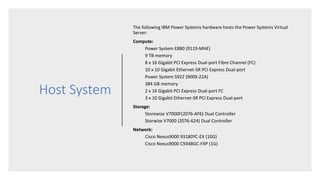
Host System
The following IBM Power Systems hardware hosts the Power Systems Virtual
Server:
Compute:
Power System E880 (9119-MHE)
9 TB memory
8 x 16 Gigabit PCI Express Dual-port Fibre Channel (FC)
10 x 10 Gigabit Ethernet-SR PCI Express Dual-port
Power System S922 (9009-22A)
384 GB memory
2 x 16 Gigabit PCI Express Dual-port FC
3 x 10 Gigabit Ethernet-SR PCI Express Dual-port
Storage:
Storewize V7000F(2076-AF6) Dual Controller
Storwize V7000 (2076-624) Dual Controller
Network:
Cisco Nexus9000 93180YC-EX (10G)
Cisco Nexus9000 C9348GC-FXP (1G)
OS Images
• Supports AIX and IBM I operating systems.
• The versions of OS supported depends on the Host system
• You can bring your own custom AIX or IBM i operating system image that you have
previously deployed and tested.
• Custom Images has to uploaded in the object storage to use during the VM creation.
• Stock images include only AIX 7.1 and AIX 7.2 for AIX.
• After you provision the virtual server in the cloud, it is your responsibility to make
sure that the AIX or IBM i operating system is secure.
• By using the Power Systems Virtual Server service, you do not have access to the
HMC, VIOS, and the host system
Pricing and Billing
• The Power Systems Virtual Server uses a monthly billing rate that includes the
licenses for the AIX and IBM i operating systems.
• The monthly billing rate is pro-rated by the hour based on the resources that are
deployed to the Power Systems Virtual Server instance for the month.
• You can also bring your own custom image to use on a Power Systems Virtual
Server instance, but you must still purchase an operating system license for IBM
Cloud.
• Shared processor costs far less than the dedicated processor option. Dedicated
processor $766 for 1 core , 2 GB and shared processor $142 for 1 core , 2 GB
Access Management
• SSH keys is the only default way of authenticating to the AIX OS
• The IBM Power Systems Virtual Server on IBM Cloud authorization and resource
management practices coordinate with the IBM Cloud Identity and Access Management
(IAM) services.
• Platform Roles and its associated allowed actions:
• Editor: View instances, list instances, create instances, and delete instances.
• Administrator: View instances, list instances, create instances, delete instances, and
assign policies to other users.
• Service Roles and its associated allowed actions:
• Manager: Create instances , Increase storage volume sizes, Create SSH keys, Modify
network settings, Create boot images, Delete storage volumes
High Availability, Backup/Restore
• IBM Cloud Power VS supports VM “capture and export” option which allows to take the
snapshot of the VM disks to object storage or Image catalog
• We can use AIX native “mksysb” backup and "alt_disk_mksysb" feature to perform
backups / restore.
• When a virtual server has failed , the VM is automatically migrated to a newer healthy
host . This provides a basic HA functionality.
• To provide higher availability options, we need to use PowerHA SystemMirror for AIX
Standard Edition solution.
• In order to use the PowerHA SystemsMirror, we need use "different server" colocation
option while creating the VM and choose "shareable" block storage disks.
Monitoring , Console, Resize and Activity
Tracker
• Power Systems virtual server events are logged to Activity tracker with LogDNA
instance
• We get the console option from the GUI including the SMS menu without the
need of a HMC.
• There is no native Monitoring solution for Power virtual servers.
• We can resize a VM’s CPU , Memory and Block disk size after its initial creation. (
We need to test this capability in detail comparing an Active and In-Active VM)
N/W
Connectivity to
Power Virtual
servers
IBM Cloud provides both Public
and Private network connectivity
to Power VMs
Connectivity: Public Network
• Easy and quick method to connect to a Power Systems Virtual Server instance.
• IBM configures the network infrastructure to enable a secure public network connection
from the internet to the Power Systems Virtual Server instance.
• Connectivity is implemented by using an IBM Cloud Virtual Router Appliance (VRA) and a
Direct Link Connect connection.
• Protected by firewall and supports the following secure network protocols:
• SSH
• HTTPS
• Ping
• IBM i 5250 terminal emulation with SSL (port 992)
Connectivity : Private Network
• Allows the resources for your Power Systems Virtual Server instance to access existing
IBM Cloud resources, such as Bare Metal Servers, Kubernetes containers, or cloud
storage.
• Required for communication between different Power Systems Virtual Server instances.
• Provides two ways to get connected privately
• Option 1: A) Order Direct connect link through IBM cloud catalogue , B) open a case
support create the connection C) Connect from Classic via VRA device.
• Option 2) You can connect directly to the IBM Cloud Power infrastructure through
Megaport exchange. You must engage Megaport directly to procure the bandwidth.
You must also open a secondary ticket with IBM Power to perform the connection.

IBM Cloud PowerVS - AIX and IBM i on Cloud

  • 1.
    IBM Cloud PowerSystems Virtual Servers Nagesh Ramamoorthy
  • 2.
    Overview • IBM® PowerSystems™ Virtual Server on IBM Cloud is an infrastructure as a service offering that you can use to deploy a virtual server, also known as a logical partition (LPAR), in a matter of minutes. • Power Systems Virtual Server service as a container for all Power Systems Virtual Server instances at a specific geographic location • Available in Dallas , Frankfurt and Washington DC locations only. • You can configure and customize the following options when you create a Power Systems Virtual Server: • Number of virtual server instances • Number of cores • Amount of memory • Data volume size and type (HDD or SSD) • Private or public network
  • 3.
    Host System The followingIBM Power Systems hardware hosts the Power Systems Virtual Server: Compute: Power System E880 (9119-MHE) 9 TB memory 8 x 16 Gigabit PCI Express Dual-port Fibre Channel (FC) 10 x 10 Gigabit Ethernet-SR PCI Express Dual-port Power System S922 (9009-22A) 384 GB memory 2 x 16 Gigabit PCI Express Dual-port FC 3 x 10 Gigabit Ethernet-SR PCI Express Dual-port Storage: Storewize V7000F(2076-AF6) Dual Controller Storwize V7000 (2076-624) Dual Controller Network: Cisco Nexus9000 93180YC-EX (10G) Cisco Nexus9000 C9348GC-FXP (1G)
  • 4.
    OS Images • SupportsAIX and IBM I operating systems. • The versions of OS supported depends on the Host system • You can bring your own custom AIX or IBM i operating system image that you have previously deployed and tested. • Custom Images has to uploaded in the object storage to use during the VM creation. • Stock images include only AIX 7.1 and AIX 7.2 for AIX. • After you provision the virtual server in the cloud, it is your responsibility to make sure that the AIX or IBM i operating system is secure. • By using the Power Systems Virtual Server service, you do not have access to the HMC, VIOS, and the host system
  • 5.
    Pricing and Billing •The Power Systems Virtual Server uses a monthly billing rate that includes the licenses for the AIX and IBM i operating systems. • The monthly billing rate is pro-rated by the hour based on the resources that are deployed to the Power Systems Virtual Server instance for the month. • You can also bring your own custom image to use on a Power Systems Virtual Server instance, but you must still purchase an operating system license for IBM Cloud. • Shared processor costs far less than the dedicated processor option. Dedicated processor $766 for 1 core , 2 GB and shared processor $142 for 1 core , 2 GB
  • 6.
    Access Management • SSHkeys is the only default way of authenticating to the AIX OS • The IBM Power Systems Virtual Server on IBM Cloud authorization and resource management practices coordinate with the IBM Cloud Identity and Access Management (IAM) services. • Platform Roles and its associated allowed actions: • Editor: View instances, list instances, create instances, and delete instances. • Administrator: View instances, list instances, create instances, delete instances, and assign policies to other users. • Service Roles and its associated allowed actions: • Manager: Create instances , Increase storage volume sizes, Create SSH keys, Modify network settings, Create boot images, Delete storage volumes
  • 7.
    High Availability, Backup/Restore •IBM Cloud Power VS supports VM “capture and export” option which allows to take the snapshot of the VM disks to object storage or Image catalog • We can use AIX native “mksysb” backup and "alt_disk_mksysb" feature to perform backups / restore. • When a virtual server has failed , the VM is automatically migrated to a newer healthy host . This provides a basic HA functionality. • To provide higher availability options, we need to use PowerHA SystemMirror for AIX Standard Edition solution. • In order to use the PowerHA SystemsMirror, we need use "different server" colocation option while creating the VM and choose "shareable" block storage disks.
  • 8.
    Monitoring , Console,Resize and Activity Tracker • Power Systems virtual server events are logged to Activity tracker with LogDNA instance • We get the console option from the GUI including the SMS menu without the need of a HMC. • There is no native Monitoring solution for Power virtual servers. • We can resize a VM’s CPU , Memory and Block disk size after its initial creation. ( We need to test this capability in detail comparing an Active and In-Active VM)
  • 9.
    N/W Connectivity to Power Virtual servers IBMCloud provides both Public and Private network connectivity to Power VMs
  • 10.
    Connectivity: Public Network •Easy and quick method to connect to a Power Systems Virtual Server instance. • IBM configures the network infrastructure to enable a secure public network connection from the internet to the Power Systems Virtual Server instance. • Connectivity is implemented by using an IBM Cloud Virtual Router Appliance (VRA) and a Direct Link Connect connection. • Protected by firewall and supports the following secure network protocols: • SSH • HTTPS • Ping • IBM i 5250 terminal emulation with SSL (port 992)
  • 11.
    Connectivity : PrivateNetwork • Allows the resources for your Power Systems Virtual Server instance to access existing IBM Cloud resources, such as Bare Metal Servers, Kubernetes containers, or cloud storage. • Required for communication between different Power Systems Virtual Server instances. • Provides two ways to get connected privately • Option 1: A) Order Direct connect link through IBM cloud catalogue , B) open a case support create the connection C) Connect from Classic via VRA device. • Option 2) You can connect directly to the IBM Cloud Power infrastructure through Megaport exchange. You must engage Megaport directly to procure the bandwidth. You must also open a secondary ticket with IBM Power to perform the connection.