1
E M P O W E R I N G B U S I N E S S W I T H T E C H N O L O G Y
A Software Consultancy and Development Company
2
3
4
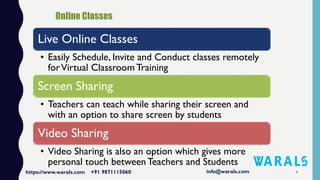
Live Online Classes
• Easily Schedule, Invite and Conduct classes remotely
forVirtual Classroom Training
Screen Sharing
• Teachers can teach while sharing their screen and
with an option to share screen by students
Video Sharing
• Video Sharing is also an option which gives more
personal touch between Teachers and Students
5
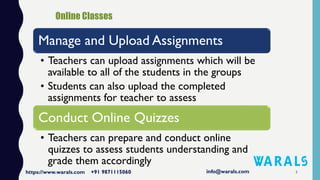
Manage and Upload Assignments
• Teachers can upload assignments which will be
available to all of the students in the groups
• Students can also upload the completed
assignments for teacher to assess
Conduct Online Quizzes
• Teachers can prepare and conduct online
quizzes to assess students understanding and
grade them accordingly
6
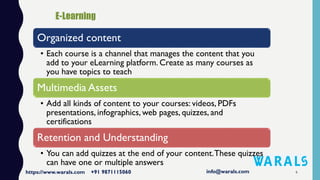
Organized content
• Each course is a channel that manages the content that you
add to your eLearning platform. Create as many courses as
you have topics to teach
Multimedia Assets
• Add all kinds of content to your courses: videos, PDFs
presentations, infographics, web pages, quizzes, and
certifications
Retention and Understanding
• You can add quizzes at the end of your content.These quizzes
can have one or multiple answers
7
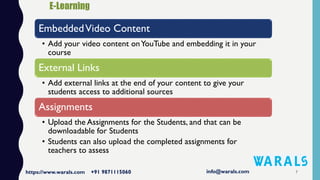
EmbeddedVideo Content
• Add your video content onYouTube and embedding it in your
course
External Links
• Add external links at the end of your content to give your
students access to additional sources
Assignments
• Upload the Assignments for the Students, and that can be
downloadable for Students
• Students can also upload the completed assignments for
teachers to assess
8
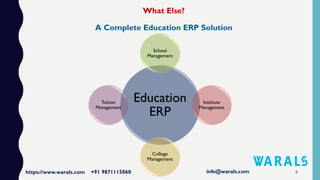
Education
ERP
School
Management
Institute
Management
College
Management
Tuition
Management
9
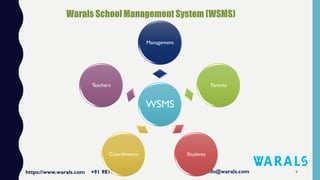
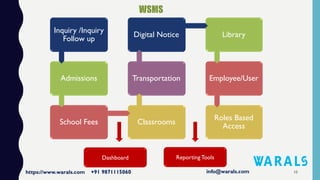
WSMS
Management
Parents
StudentsCoordinators
Teachers
10
Inquiry /Inquiry
Follow up
Admissions
School Fees Classrooms
Transportation
Digital Notice Library
Employee/User
Roles Based
Access
Dashboard ReportingTools
11
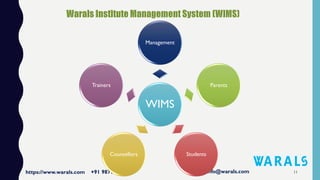
WIMS
Management
Parents
StudentsCounsellors
Trainers
12
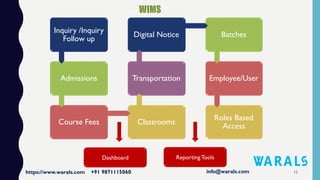
Inquiry /Inquiry
Follow up
Admissions
Course Fees Classrooms
Transportation
Digital Notice Batches
Employee/User
Roles Based
Access
Dashboard ReportingTools
CONTACT US
Call Us or WhatsApp :: +91 9871115060
Email ID :: info@warals.com
Website :: www.WARALS.com
Okhla, Near Kalindi Kunj, New Delhi
https://www.warals.com 13

Warals Learning Management System

  • 1.
    1 E M PO W E R I N G B U S I N E S S W I T H T E C H N O L O G Y A Software Consultancy and Development Company
  • 2.
  • 3.
  • 4.
    4 Live Online Classes •Easily Schedule, Invite and Conduct classes remotely forVirtual Classroom Training Screen Sharing • Teachers can teach while sharing their screen and with an option to share screen by students Video Sharing • Video Sharing is also an option which gives more personal touch between Teachers and Students
  • 5.
    5 Manage and UploadAssignments • Teachers can upload assignments which will be available to all of the students in the groups • Students can also upload the completed assignments for teacher to assess Conduct Online Quizzes • Teachers can prepare and conduct online quizzes to assess students understanding and grade them accordingly
  • 6.
    6 Organized content • Eachcourse is a channel that manages the content that you add to your eLearning platform. Create as many courses as you have topics to teach Multimedia Assets • Add all kinds of content to your courses: videos, PDFs presentations, infographics, web pages, quizzes, and certifications Retention and Understanding • You can add quizzes at the end of your content.These quizzes can have one or multiple answers
  • 7.
    7 EmbeddedVideo Content • Addyour video content onYouTube and embedding it in your course External Links • Add external links at the end of your content to give your students access to additional sources Assignments • Upload the Assignments for the Students, and that can be downloadable for Students • Students can also upload the completed assignments for teachers to assess
  • 8.
  • 9.
  • 10.
    10 Inquiry /Inquiry Follow up Admissions SchoolFees Classrooms Transportation Digital Notice Library Employee/User Roles Based Access Dashboard ReportingTools
  • 11.
  • 12.
    12 Inquiry /Inquiry Follow up Admissions CourseFees Classrooms Transportation Digital Notice Batches Employee/User Roles Based Access Dashboard ReportingTools
  • 13.
    CONTACT US Call Usor WhatsApp :: +91 9871115060 Email ID :: info@warals.com Website :: www.WARALS.com Okhla, Near Kalindi Kunj, New Delhi https://www.warals.com 13