HYPERLINK,
ANIMATION
& TRANSITION
GROUP # 5
Prepared by:
Minerva, Ashley Nicole C.
Larisma, Carl Jesus
From : 11 ABM - CEO
Creating an effective
presentation
But whether or not
these features would
Help is generally
up to you.
Designing your presentation
is the fun part of creating
a report for it gives you
a chance to be creative.
(You'll see in the Next Slide)
Creating an Effective Presentation
Placing animations,
transitions, and art
could be on your
Mind right now.
But wait!! There are
some quick tips in
Creating an effective
presentations:
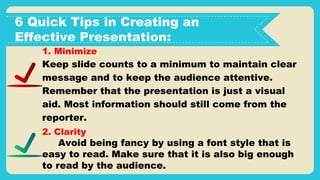
6 Quick Tips in Creating an
Effective Presentation:
1. Minimize
Keep slide counts to a minimum to maintain clear
message and to keep the audience attentive.
Remember that the presentation is just a visual
aid. Most information should still come from the
reporter.
2. Clarity
Avoid being fancy by using a font style that is
easy to read. Make sure that it is also big enough
to read by the audience.
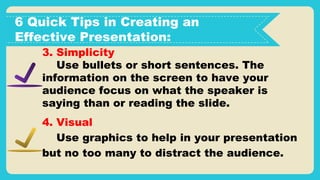
6 Quick Tips in Creating an
Effective Presentation:
3. Simplicity
Use bullets or short sentences. The
information on the screen to have your
audience focus on what the speaker is
saying than or reading the slide.
4. Visual
Use graphics to help in your presentation
but no too many to distract the audience.
6 Quick Tips in Creating an
Effective Presentation:
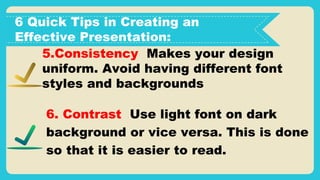
5.Consistency Makes your design
uniform. Avoid having different font
styles and backgrounds
6. Contrast Use light font on dark
background or vice versa. This is done
so that it is easier to read.
Demonstration of the
Hyperlink, Animation,
&
Transition
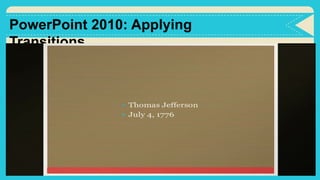
PowerPoint 2010: Applying
Transitions
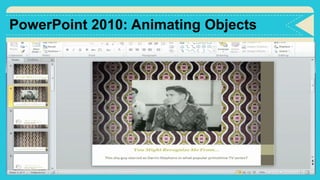
PowerPoint 2010: Animating Objects

Hyperlink,animation,transition - empowerment technology - grade 11/12

  • 1.
    HYPERLINK, ANIMATION & TRANSITION GROUP #5 Prepared by: Minerva, Ashley Nicole C. Larisma, Carl Jesus From : 11 ABM - CEO
  • 2.
  • 3.
    But whether ornot these features would Help is generally up to you. Designing your presentation is the fun part of creating a report for it gives you a chance to be creative. (You'll see in the Next Slide) Creating an Effective Presentation Placing animations, transitions, and art could be on your Mind right now. But wait!! There are some quick tips in Creating an effective presentations:
  • 4.
    6 Quick Tipsin Creating an Effective Presentation: 1. Minimize Keep slide counts to a minimum to maintain clear message and to keep the audience attentive. Remember that the presentation is just a visual aid. Most information should still come from the reporter. 2. Clarity Avoid being fancy by using a font style that is easy to read. Make sure that it is also big enough to read by the audience.
  • 5.
    6 Quick Tipsin Creating an Effective Presentation: 3. Simplicity Use bullets or short sentences. The information on the screen to have your audience focus on what the speaker is saying than or reading the slide. 4. Visual Use graphics to help in your presentation but no too many to distract the audience.
  • 6.
    6 Quick Tipsin Creating an Effective Presentation: 5.Consistency Makes your design uniform. Avoid having different font styles and backgrounds 6. Contrast Use light font on dark background or vice versa. This is done so that it is easier to read.
  • 7.
    Demonstration of the Hyperlink,Animation, & Transition
  • 8.
  • 9.