HUMAN COMPUTER
INTERACTION
TEAM MEMBERS
MUHAMMAD BABAR
SHAFAI TAHIR
IZHAN KHAN
CONTENTS
1. Introduction
2. What is meant by HCI?
3. Types of HCI
4. Current technologies
5. Inventions in HCI
6. Uses
7. Advantages and Disadvantages
8. Conclusion
INTRODUCTION
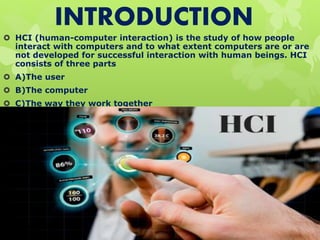
 HCI (human-computer interaction) is the study of how people
interact with computers and to what extent computers are or are
not developed for successful interaction with human beings. HCI
consists of three parts
 A)The user
 B)The computer
 C)The way they work together
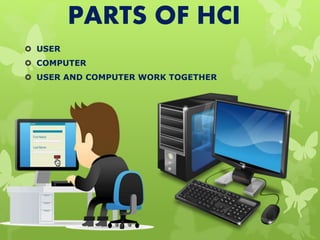
PARTS OF HCI
 USER
 COMPUTER
 USER AND COMPUTER WORK TOGETHER
USER
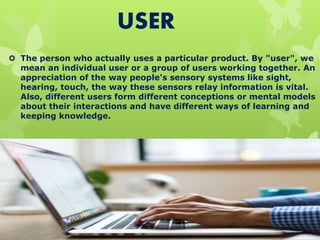
 The person who actually uses a particular product. By "user", we
mean an individual user or a group of users working together. An
appreciation of the way people's sensory systems like sight,
hearing, touch, the way these sensors relay information is vital.
Also, different users form different conceptions or mental models
about their interactions and have different ways of learning and
keeping knowledge.
COMPUTER
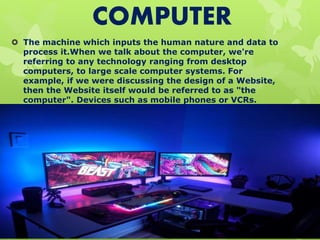
 The machine which inputs the human nature and data to
process it.When we talk about the computer, we're
referring to any technology ranging from desktop
computers, to large scale computer systems. For
example, if we were discussing the design of a Website,
then the Website itself would be referred to as "the
computer". Devices such as mobile phones or VCRs.
INTERACTION
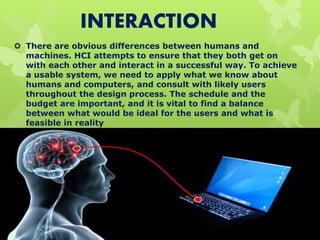
 There are obvious differences between humans and
machines. HCI attempts to ensure that they both get on
with each other and interact in a successful way. To achieve
a usable system, we need to apply what we know about
humans and computers, and consult with likely users
throughout the design process. The schedule and the
budget are important, and it is vital to find a balance
between what would be ideal for the users and what is
feasible in reality
TYPES OF HCI
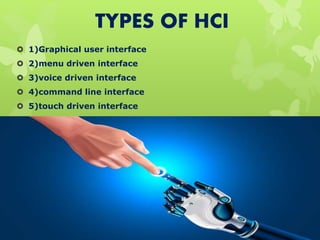
 1)Graphical user interface
 2)menu driven interface
 3)voice driven interface
 4)command line interface
 5)touch driven interface
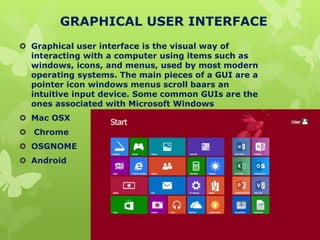
GRAPHICAL USER INTERFACE
 Graphical user interface is the visual way of
interacting with a computer using items such as
windows, icons, and menus, used by most modern
operating systems. The main pieces of a GUI are a
pointer icon windows menus scroll baars an
intuitive input device. Some common GUIs are the
ones associated with Microsoft Windows
 Mac OSX
 Chrome
 OSGNOME
 Android
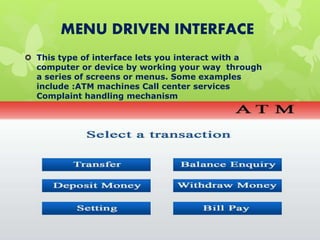
MENU DRIVEN INTERFACE
 This type of interface lets you interact with a
computer or device by working your way through
a series of screens or menus. Some examples
include :ATM machines Call center services
Complaint handling mechanism
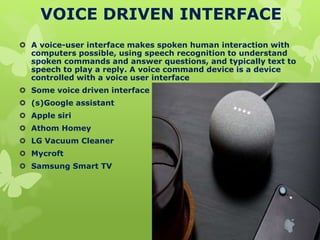
VOICE DRIVEN INTERFACE
 A voice-user interface makes spoken human interaction with
computers possible, using speech recognition to understand
spoken commands and answer questions, and typically text to
speech to play a reply. A voice command device is a device
controlled with a voice user interface
 Some voice driven interface
 (s)Google assistant
 Apple siri
 Athom Homey
 LG Vacuum Cleaner
 Mycroft
 Samsung Smart TV
COMMAND LINE INTERFACE
 A command-line interface is a means of interacting
with a computer program where the user issues
commands to the program in the form of
successive lines of text. The program which
handles the interface is called a command-line
interpreter or command-line processor EXAMPLES:
 MS DOS
 BIOS
 CMD
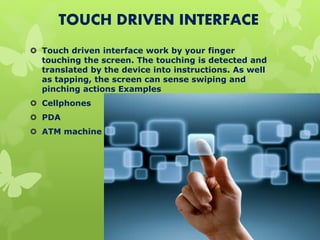
TOUCH DRIVEN INTERFACE
 Touch driven interface work by your finger
touching the screen. The touching is detected and
translated by the device into instructions. As well
as tapping, the screen can sense swiping and
pinching actions Examples
 Cellphones
 PDA
 ATM machine
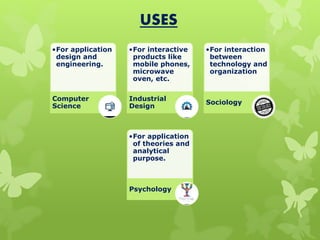
USES
•For application
design and
engineering.
Computer
Science
•For interactive
products like
mobile phones,
microwave
oven, etc.
Industrial
Design
•For interaction
between
technology and
organization
Sociology
•For application
of theories and
analytical
purpose.
Psychology
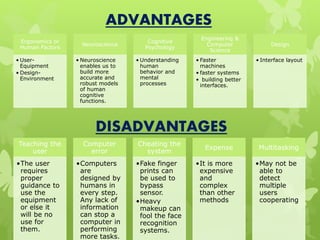
Ergonomics or
Human Factors
• User-
Equipment
• Design-
Environment
Neuroscience
• Neuroscience
enables us to
build more
accurate and
robust models
of human
cognitive
functions.
Cognitive
Psychology
• Understanding
human
behavior and
mental
processes
Engineering &
Computer
Science
• Faster
machines
• faster systems
• building better
interfaces.
Design
• Interface layout
ADVANTAGES
Teaching the
user
•The user
requires
proper
guidance to
use the
equipment
or else it
will be no
use for
them.
Computer
error
•Computers
are
designed by
humans in
every step.
Any lack of
information
can stop a
computer in
performing
more tasks.
Cheating the
system
•Fake finger
prints can
be used to
bypass
sensor.
•Heavy
makeup can
fool the face
recognition
systems.
Expense
•It is more
expensive
and
complex
than other
methods
Multitasking
•May not be
able to
detect
multiple
users
cooperating
DISADVANTAGES
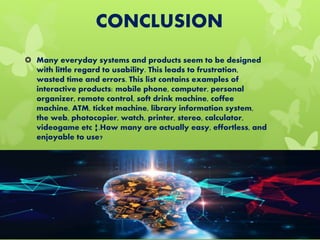
CONCLUSION
 Many everyday systems and products seem to be designed
with little regard to usability. This leads to frustration,
wasted time and errors. This list contains examples of
interactive products: mobile phone, computer, personal
organizer, remote control, soft drink machine, coffee
machine, ATM, ticket machine, library information system,
the web, photocopier, watch, printer, stereo, calculator,
videogame etc ¦.How many are actually easy, effortless, and
enjoyable to use?

Human computer Interaction

  • 1.
  • 2.
  • 3.
    CONTENTS 1. Introduction 2. Whatis meant by HCI? 3. Types of HCI 4. Current technologies 5. Inventions in HCI 6. Uses 7. Advantages and Disadvantages 8. Conclusion
  • 4.
    INTRODUCTION  HCI (human-computerinteraction) is the study of how people interact with computers and to what extent computers are or are not developed for successful interaction with human beings. HCI consists of three parts  A)The user  B)The computer  C)The way they work together
  • 5.
    PARTS OF HCI USER  COMPUTER  USER AND COMPUTER WORK TOGETHER
  • 6.
    USER  The personwho actually uses a particular product. By "user", we mean an individual user or a group of users working together. An appreciation of the way people's sensory systems like sight, hearing, touch, the way these sensors relay information is vital. Also, different users form different conceptions or mental models about their interactions and have different ways of learning and keeping knowledge.
  • 7.
    COMPUTER  The machinewhich inputs the human nature and data to process it.When we talk about the computer, we're referring to any technology ranging from desktop computers, to large scale computer systems. For example, if we were discussing the design of a Website, then the Website itself would be referred to as "the computer". Devices such as mobile phones or VCRs.
  • 8.
    INTERACTION  There areobvious differences between humans and machines. HCI attempts to ensure that they both get on with each other and interact in a successful way. To achieve a usable system, we need to apply what we know about humans and computers, and consult with likely users throughout the design process. The schedule and the budget are important, and it is vital to find a balance between what would be ideal for the users and what is feasible in reality
  • 9.
    TYPES OF HCI 1)Graphical user interface  2)menu driven interface  3)voice driven interface  4)command line interface  5)touch driven interface
  • 10.
    GRAPHICAL USER INTERFACE Graphical user interface is the visual way of interacting with a computer using items such as windows, icons, and menus, used by most modern operating systems. The main pieces of a GUI are a pointer icon windows menus scroll baars an intuitive input device. Some common GUIs are the ones associated with Microsoft Windows  Mac OSX  Chrome  OSGNOME  Android
  • 11.
    MENU DRIVEN INTERFACE This type of interface lets you interact with a computer or device by working your way through a series of screens or menus. Some examples include :ATM machines Call center services Complaint handling mechanism
  • 12.
    VOICE DRIVEN INTERFACE A voice-user interface makes spoken human interaction with computers possible, using speech recognition to understand spoken commands and answer questions, and typically text to speech to play a reply. A voice command device is a device controlled with a voice user interface  Some voice driven interface  (s)Google assistant  Apple siri  Athom Homey  LG Vacuum Cleaner  Mycroft  Samsung Smart TV
  • 13.
    COMMAND LINE INTERFACE A command-line interface is a means of interacting with a computer program where the user issues commands to the program in the form of successive lines of text. The program which handles the interface is called a command-line interpreter or command-line processor EXAMPLES:  MS DOS  BIOS  CMD
  • 14.
    TOUCH DRIVEN INTERFACE Touch driven interface work by your finger touching the screen. The touching is detected and translated by the device into instructions. As well as tapping, the screen can sense swiping and pinching actions Examples  Cellphones  PDA  ATM machine
  • 15.
    USES •For application design and engineering. Computer Science •Forinteractive products like mobile phones, microwave oven, etc. Industrial Design •For interaction between technology and organization Sociology •For application of theories and analytical purpose. Psychology
  • 16.
    Ergonomics or Human Factors •User- Equipment • Design- Environment Neuroscience • Neuroscience enables us to build more accurate and robust models of human cognitive functions. Cognitive Psychology • Understanding human behavior and mental processes Engineering & Computer Science • Faster machines • faster systems • building better interfaces. Design • Interface layout ADVANTAGES Teaching the user •The user requires proper guidance to use the equipment or else it will be no use for them. Computer error •Computers are designed by humans in every step. Any lack of information can stop a computer in performing more tasks. Cheating the system •Fake finger prints can be used to bypass sensor. •Heavy makeup can fool the face recognition systems. Expense •It is more expensive and complex than other methods Multitasking •May not be able to detect multiple users cooperating DISADVANTAGES
  • 17.
    CONCLUSION  Many everydaysystems and products seem to be designed with little regard to usability. This leads to frustration, wasted time and errors. This list contains examples of interactive products: mobile phone, computer, personal organizer, remote control, soft drink machine, coffee machine, ATM, ticket machine, library information system, the web, photocopier, watch, printer, stereo, calculator, videogame etc ¦.How many are actually easy, effortless, and enjoyable to use?