HTML Styles - CSS
Styling HTML with CSS
CSS stands for Cascading Style Sheets.
CSS describes how HTML elements are to be displayed on screen,
paper, or in other media.
CSS saves a lot of work. It can control the layout of multiple web pages
all at once.
CSS can be added to HTML elements in 3 ways:
• Inline - by using the style attribute in HTML elements
• Internal - by using a <style> element in the <head> section
• External - by using an external CSS file
The most common way to add CSS, is to keep the styles in separate CSS
files.
CSS Syntax
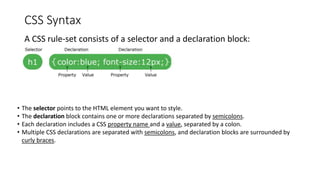
A CSS rule-set consists of a selector and a declaration block:
• The selector points to the HTML element you want to style.
• The declaration block contains one or more declarations separated by semicolons.
• Each declaration includes a CSS property name and a value, separated by a colon.
• Multiple CSS declarations are separated with semicolons, and declaration blocks are surrounded by
curly braces.
ID and Class
# ID’s are unique
Each element can have only one ID
Each page can have only one element with that ID
.Classes are not unique
You can use the same class on multiple elements.
You can use multiple classes on the same element.
Any styling information that needs to be applied to multiple objects on a page should be done with
a class.
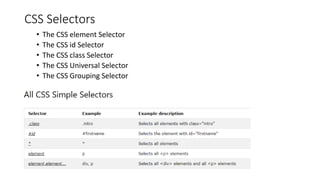
CSS Selectors
• The CSS element Selector
• The CSS id Selector
• The CSS class Selector
• The CSS Universal Selector
• The CSS Grouping Selector
How To Add CSS
*When a browser reads a style sheet, it will format the HTML document according
to the information in the style sheet.
Three Ways to Insert CSS
There are three ways of inserting a style sheet:
• External CSS
• Internal CSS
• Inline CSS
External CSS
An external style sheet is used to define the style for many HTML
pages.
With an external style sheet, you can change the look of an entire web
site, by changing one file!
***An external style sheet can be written in any text editor. The file
must not contain any HTML code, and must be saved with a .css
extension.
*Each HTML page must include a reference to the external style sheet
file inside the <link> element, inside the <head> section.
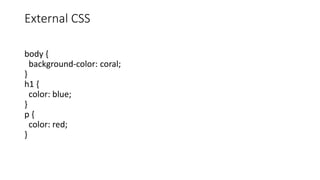
External CSS
body {
background-color: coral;
}
h1 {
color: blue;
}
p {
color: red;
}
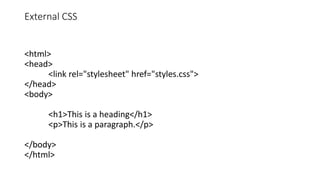
External CSS
<html>
<head>
<link rel="stylesheet" href="styles.css">
</head>
<body>
<h1>This is a heading</h1>
<p>This is a paragraph.</p>
</body>
</html>
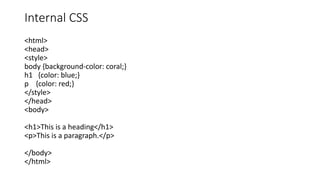
Internal CSS
<html>
<head>
<style>
body {background-color: coral;}
h1 {color: blue;}
p {color: red;}
</style>
</head>
<body>
<h1>This is a heading</h1>
<p>This is a paragraph.</p>
</body>
</html>
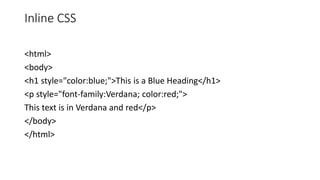
Inline CSS
<html>
<body>
<h1 style="color:blue;">This is a Blue Heading</h1>
<p style="font-family:Verdana; color:red;">
This text is in Verdana and red</p>
</body>
</html>
CSS Fonts
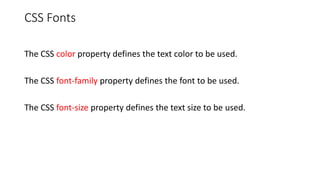
The CSS color property defines the text color to be used.
The CSS font-family property defines the font to be used.
The CSS font-size property defines the text size to be used.
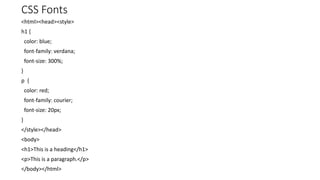
CSS Fonts
<html><head><style>
h1 {
color: blue;
font-family: verdana;
font-size: 300%;
}
p {
color: red;
font-family: courier;
font-size: 20px;
}
</style></head>
<body>
<h1>This is a heading</h1>
<p>This is a paragraph.</p>
</body></html>
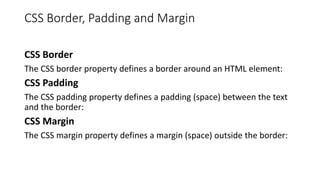
CSS Border, Padding and Margin
CSS Border
The CSS border property defines a border around an HTML element:
CSS Padding
The CSS padding property defines a padding (space) between the text
and the border:
CSS Margin
The CSS margin property defines a margin (space) outside the border:
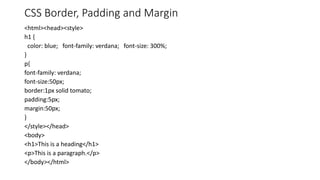
CSS Border, Padding and Margin
<html><head><style>
h1 {
color: blue; font-family: verdana; font-size: 300%;
}
p{
font-family: verdana;
font-size:50px;
border:1px solid tomato;
padding:5px;
margin:50px;
}
</style></head>
<body>
<h1>This is a heading</h1>
<p>This is a paragraph.</p>
</body></html>
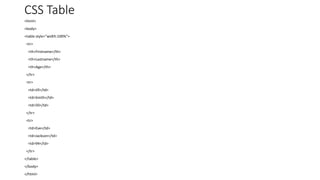
CSS Table
<html>
<body>
<table style="width:100%">
<tr>
<th>Firstname</th>
<th>Lastname</th>
<th>Age</th>
</tr>
<tr>
<td>Jill</td>
<td>Smith</td>
<td>50</td>
</tr>
<tr>
<td>Eve</td>
<td>Jackson</td>
<td>94</td>
</tr>
</table>
</body>
</html>
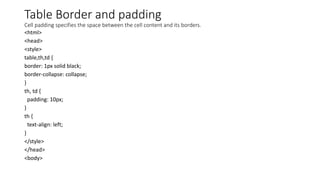
Table Border and padding
Cell padding specifies the space between the cell content and its borders.
<html>
<head>
<style>
table,th,td {
border: 1px solid black;
border-collapse: collapse;
}
th, td {
padding: 10px;
}
th {
text-align: left;
}
</style>
</head>
<body>
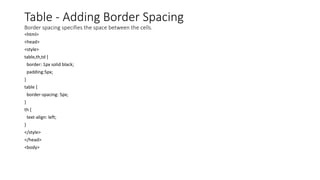
Table - Adding Border Spacing
Border spacing specifies the space between the cells.
<html>
<head>
<style>
table,th,td {
border: 1px solid black;
padding:5px;
}
table {
border-spacing: 5px;
}
th {
text-align: left;
}
</style>
</head>
<body>
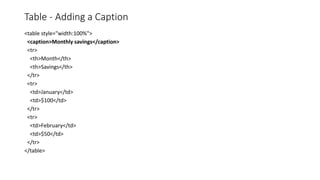
Table - Adding a Caption
<table style="width:100%">
<caption>Monthly savings</caption>
<tr>
<th>Month</th>
<th>Savings</th>
</tr>
<tr>
<td>January</td>
<td>$100</td>
</tr>
<tr>
<td>February</td>
<td>$50</td>
</tr>
</table>
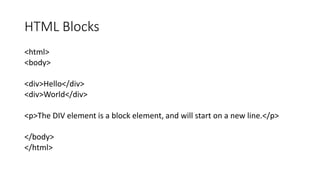
HTML Blocks
<html>
<body>
<div>Hello</div>
<div>World</div>
<p>The DIV element is a block element, and will start on a new line.</p>
</body>
</html>
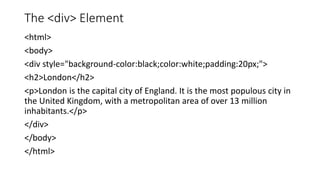
The <div> Element
<html>
<body>
<div style="background-color:black;color:white;padding:20px;">
<h2>London</h2>
<p>London is the capital city of England. It is the most populous city in
the United Kingdom, with a metropolitan area of over 13 million
inhabitants.</p>
</div>
</body>
</html>
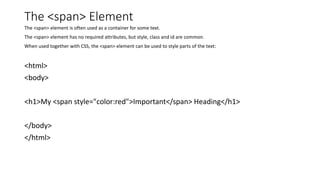
The <span> Element
The <span> element is often used as a container for some text.
The <span> element has no required attributes, but style, class and id are common.
When used together with CSS, the <span> element can be used to style parts of the text:
<html>
<body>
<h1>My <span style="color:red">Important</span> Heading</h1>
</body>
</html>

Html Styles-CSS

  • 1.
  • 2.
    Styling HTML withCSS CSS stands for Cascading Style Sheets. CSS describes how HTML elements are to be displayed on screen, paper, or in other media. CSS saves a lot of work. It can control the layout of multiple web pages all at once. CSS can be added to HTML elements in 3 ways: • Inline - by using the style attribute in HTML elements • Internal - by using a <style> element in the <head> section • External - by using an external CSS file The most common way to add CSS, is to keep the styles in separate CSS files.
  • 3.
    CSS Syntax A CSSrule-set consists of a selector and a declaration block: • The selector points to the HTML element you want to style. • The declaration block contains one or more declarations separated by semicolons. • Each declaration includes a CSS property name and a value, separated by a colon. • Multiple CSS declarations are separated with semicolons, and declaration blocks are surrounded by curly braces.
  • 4.
    ID and Class #ID’s are unique Each element can have only one ID Each page can have only one element with that ID .Classes are not unique You can use the same class on multiple elements. You can use multiple classes on the same element. Any styling information that needs to be applied to multiple objects on a page should be done with a class.
  • 5.
    CSS Selectors • TheCSS element Selector • The CSS id Selector • The CSS class Selector • The CSS Universal Selector • The CSS Grouping Selector
  • 6.
    How To AddCSS *When a browser reads a style sheet, it will format the HTML document according to the information in the style sheet. Three Ways to Insert CSS There are three ways of inserting a style sheet: • External CSS • Internal CSS • Inline CSS
  • 7.
    External CSS An externalstyle sheet is used to define the style for many HTML pages. With an external style sheet, you can change the look of an entire web site, by changing one file! ***An external style sheet can be written in any text editor. The file must not contain any HTML code, and must be saved with a .css extension. *Each HTML page must include a reference to the external style sheet file inside the <link> element, inside the <head> section.
  • 8.
    External CSS body { background-color:coral; } h1 { color: blue; } p { color: red; }
  • 9.
    External CSS <html> <head> <link rel="stylesheet"href="styles.css"> </head> <body> <h1>This is a heading</h1> <p>This is a paragraph.</p> </body> </html>
  • 10.
    Internal CSS <html> <head> <style> body {background-color:coral;} h1 {color: blue;} p {color: red;} </style> </head> <body> <h1>This is a heading</h1> <p>This is a paragraph.</p> </body> </html>
  • 11.
    Inline CSS <html> <body> <h1 style="color:blue;">Thisis a Blue Heading</h1> <p style="font-family:Verdana; color:red;"> This text is in Verdana and red</p> </body> </html>
  • 12.
    CSS Fonts The CSScolor property defines the text color to be used. The CSS font-family property defines the font to be used. The CSS font-size property defines the text size to be used.
  • 13.
    CSS Fonts <html><head><style> h1 { color:blue; font-family: verdana; font-size: 300%; } p { color: red; font-family: courier; font-size: 20px; } </style></head> <body> <h1>This is a heading</h1> <p>This is a paragraph.</p> </body></html>
  • 14.
    CSS Border, Paddingand Margin CSS Border The CSS border property defines a border around an HTML element: CSS Padding The CSS padding property defines a padding (space) between the text and the border: CSS Margin The CSS margin property defines a margin (space) outside the border:
  • 15.
    CSS Border, Paddingand Margin <html><head><style> h1 { color: blue; font-family: verdana; font-size: 300%; } p{ font-family: verdana; font-size:50px; border:1px solid tomato; padding:5px; margin:50px; } </style></head> <body> <h1>This is a heading</h1> <p>This is a paragraph.</p> </body></html>
  • 16.
  • 17.
    Table Border andpadding Cell padding specifies the space between the cell content and its borders. <html> <head> <style> table,th,td { border: 1px solid black; border-collapse: collapse; } th, td { padding: 10px; } th { text-align: left; } </style> </head> <body>
  • 18.
    Table - AddingBorder Spacing Border spacing specifies the space between the cells. <html> <head> <style> table,th,td { border: 1px solid black; padding:5px; } table { border-spacing: 5px; } th { text-align: left; } </style> </head> <body>
  • 19.
    Table - Addinga Caption <table style="width:100%"> <caption>Monthly savings</caption> <tr> <th>Month</th> <th>Savings</th> </tr> <tr> <td>January</td> <td>$100</td> </tr> <tr> <td>February</td> <td>$50</td> </tr> </table>
  • 20.
    HTML Blocks <html> <body> <div>Hello</div> <div>World</div> <p>The DIVelement is a block element, and will start on a new line.</p> </body> </html>
  • 21.
    The <div> Element <html> <body> <divstyle="background-color:black;color:white;padding:20px;"> <h2>London</h2> <p>London is the capital city of England. It is the most populous city in the United Kingdom, with a metropolitan area of over 13 million inhabitants.</p> </div> </body> </html>
  • 22.
    The <span> Element The<span> element is often used as a container for some text. The <span> element has no required attributes, but style, class and id are common. When used together with CSS, the <span> element can be used to style parts of the text: <html> <body> <h1>My <span style="color:red">Important</span> Heading</h1> </body> </html>