 CSS stands for “Cascading Style Sheets”
 A style language that defines how an html document
is displayed.
 HTML defines the structure of the page, CSS defines
how elements are displayed.
What is CSS?
 Change font color, size, family
 Change background colors and images
 Specify the width and height of a block element
 Add margins, borders and padding
What can I do with CSS?
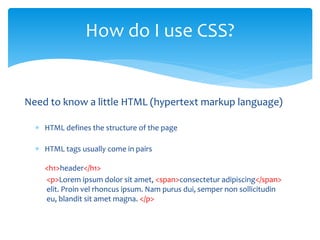
Need to know a little HTML (hypertext markup language)
 HTML defines the structure of the page
 HTML tags usually come in pairs
<h1>header</h1>
<p>Lorem ipsum dolor sit amet, <span>consectetur adipiscing</span>
elit. Proin vel rhoncus ipsum. Nam purus dui, semper non sollicitudin
eu, blandit sit amet magna. </p>
How do I use CSS?
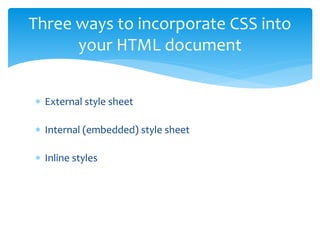
 External style sheet
 Internal (embedded) style sheet
 Inline styles
Three ways to incorporate CSS into
your HTML document
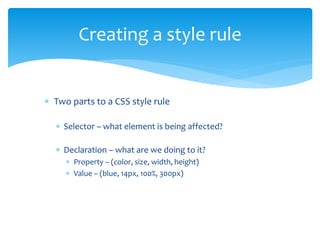
 Two parts to a CSS style rule
 Selector – what element is being affected?
 Declaration – what are we doing to it?
 Property – (color, size, width, height)
 Value – (blue, 14px, 100%, 300px)
Creating a style rule
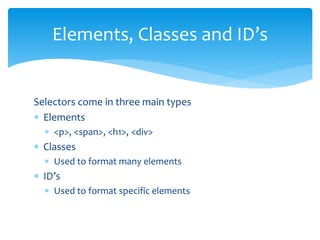
Selectors come in three main types
 Elements
 <p>, <span>, <h1>, <div>
 Classes
 Used to format many elements
 ID’s
 Used to format specific elements
Elements, Classes and ID’s
 p {color: red;}
 Selector is an element
 .info {background-color: green; padding: 10px;}
 Selector is a class
 #main-menu {display: inline;}
 Selector is an id
Examples of CSS Rules
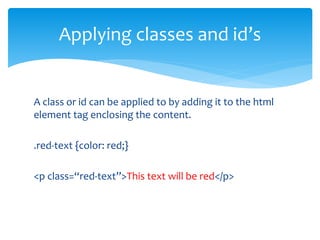
A class or id can be applied to by adding it to the html
element tag enclosing the content.
.red-text {color: red;}
<p class=“red-text”>This text will be red</p>
Applying classes and id’s
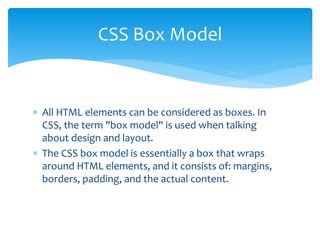
 All HTML elements can be considered as boxes. In
CSS, the term "box model" is used when talking
about design and layout.
 The CSS box model is essentially a box that wraps
around HTML elements, and it consists of: margins,
borders, padding, and the actual content.
CSS Box Model
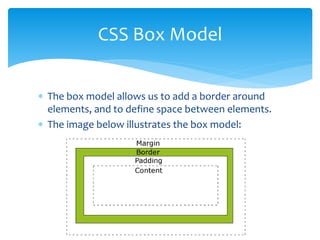
 The box model allows us to add a border around
elements, and to define space between elements.
 The image below illustrates the box model:
CSS Box Model
 http://www.w3schools.com/css/default.asp
 https://www.khanacademy.org/computing/computer-
programming/html-css
 https://css-tricks.com/
 https://developer.mozilla.org/en-US/docs/Web/CSS
 https://www.codecademy.com/tracks/web
 https://www.youtube.com/watch?v=0Xklu0dUmVU&list=P
L6A31A76D7AFC2603
 codepen.io
Resources

What is css

  • 1.
     CSS standsfor “Cascading Style Sheets”  A style language that defines how an html document is displayed.  HTML defines the structure of the page, CSS defines how elements are displayed. What is CSS?
  • 2.
     Change fontcolor, size, family  Change background colors and images  Specify the width and height of a block element  Add margins, borders and padding What can I do with CSS?
  • 3.
    Need to knowa little HTML (hypertext markup language)  HTML defines the structure of the page  HTML tags usually come in pairs <h1>header</h1> <p>Lorem ipsum dolor sit amet, <span>consectetur adipiscing</span> elit. Proin vel rhoncus ipsum. Nam purus dui, semper non sollicitudin eu, blandit sit amet magna. </p> How do I use CSS?
  • 4.
     External stylesheet  Internal (embedded) style sheet  Inline styles Three ways to incorporate CSS into your HTML document
  • 5.
     Two partsto a CSS style rule  Selector – what element is being affected?  Declaration – what are we doing to it?  Property – (color, size, width, height)  Value – (blue, 14px, 100%, 300px) Creating a style rule
  • 6.
    Selectors come inthree main types  Elements  <p>, <span>, <h1>, <div>  Classes  Used to format many elements  ID’s  Used to format specific elements Elements, Classes and ID’s
  • 7.
     p {color:red;}  Selector is an element  .info {background-color: green; padding: 10px;}  Selector is a class  #main-menu {display: inline;}  Selector is an id Examples of CSS Rules
  • 8.
    A class orid can be applied to by adding it to the html element tag enclosing the content. .red-text {color: red;} <p class=“red-text”>This text will be red</p> Applying classes and id’s
  • 9.
     All HTMLelements can be considered as boxes. In CSS, the term "box model" is used when talking about design and layout.  The CSS box model is essentially a box that wraps around HTML elements, and it consists of: margins, borders, padding, and the actual content. CSS Box Model
  • 10.
     The boxmodel allows us to add a border around elements, and to define space between elements.  The image below illustrates the box model: CSS Box Model
  • 11.
     http://www.w3schools.com/css/default.asp  https://www.khanacademy.org/computing/computer- programming/html-css https://css-tricks.com/  https://developer.mozilla.org/en-US/docs/Web/CSS  https://www.codecademy.com/tracks/web  https://www.youtube.com/watch?v=0Xklu0dUmVU&list=P L6A31A76D7AFC2603  codepen.io Resources