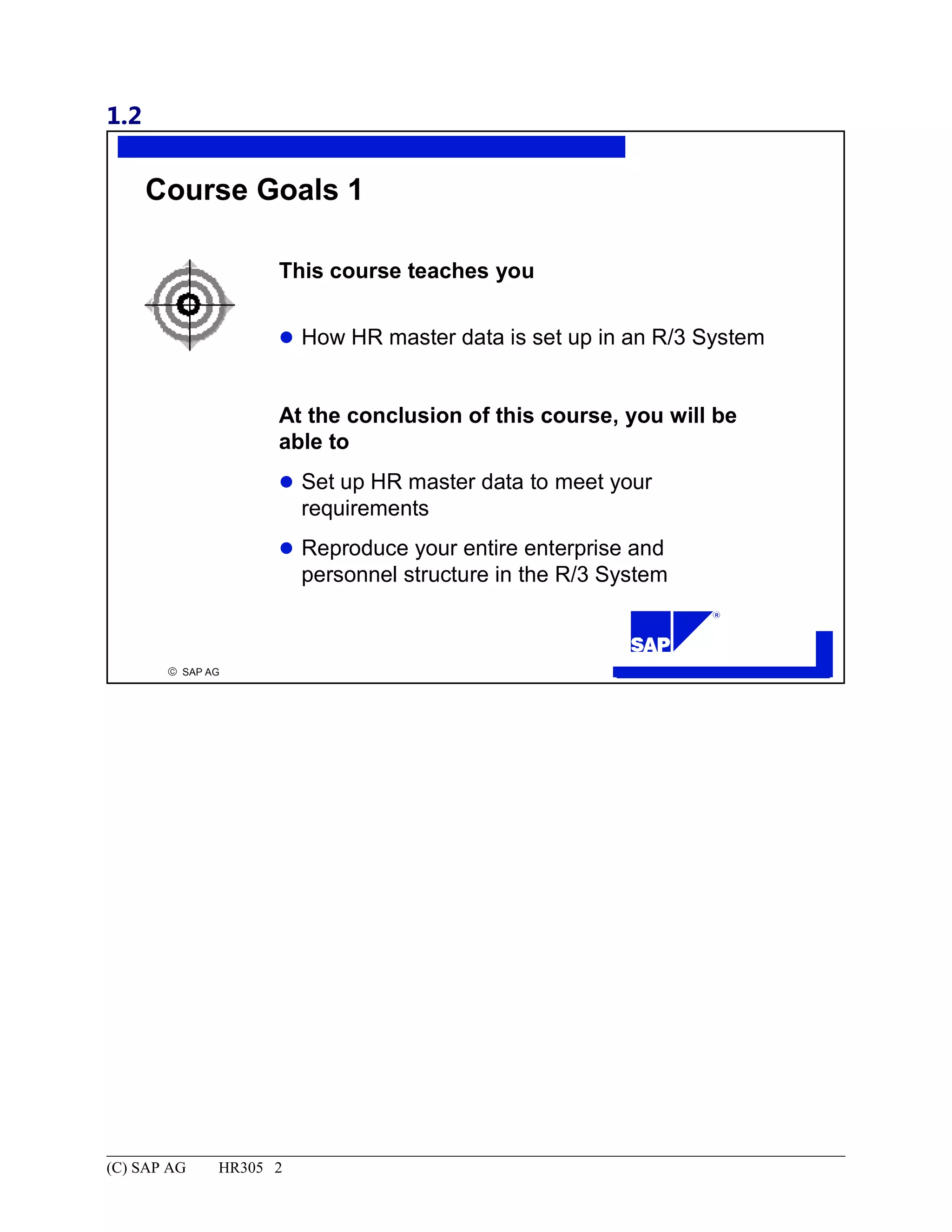
This course teaches you how HR master data is set up in an R/3 System. At the conclusion of this course, you will be able to set up HR master data to meet your requirements and reproduce your entire enterprise and personnel structure in the R/3 System.
HR305 Configuration ofMaster Data...............................................................................................................................1
Copyright.......................................................................................................................................................................2
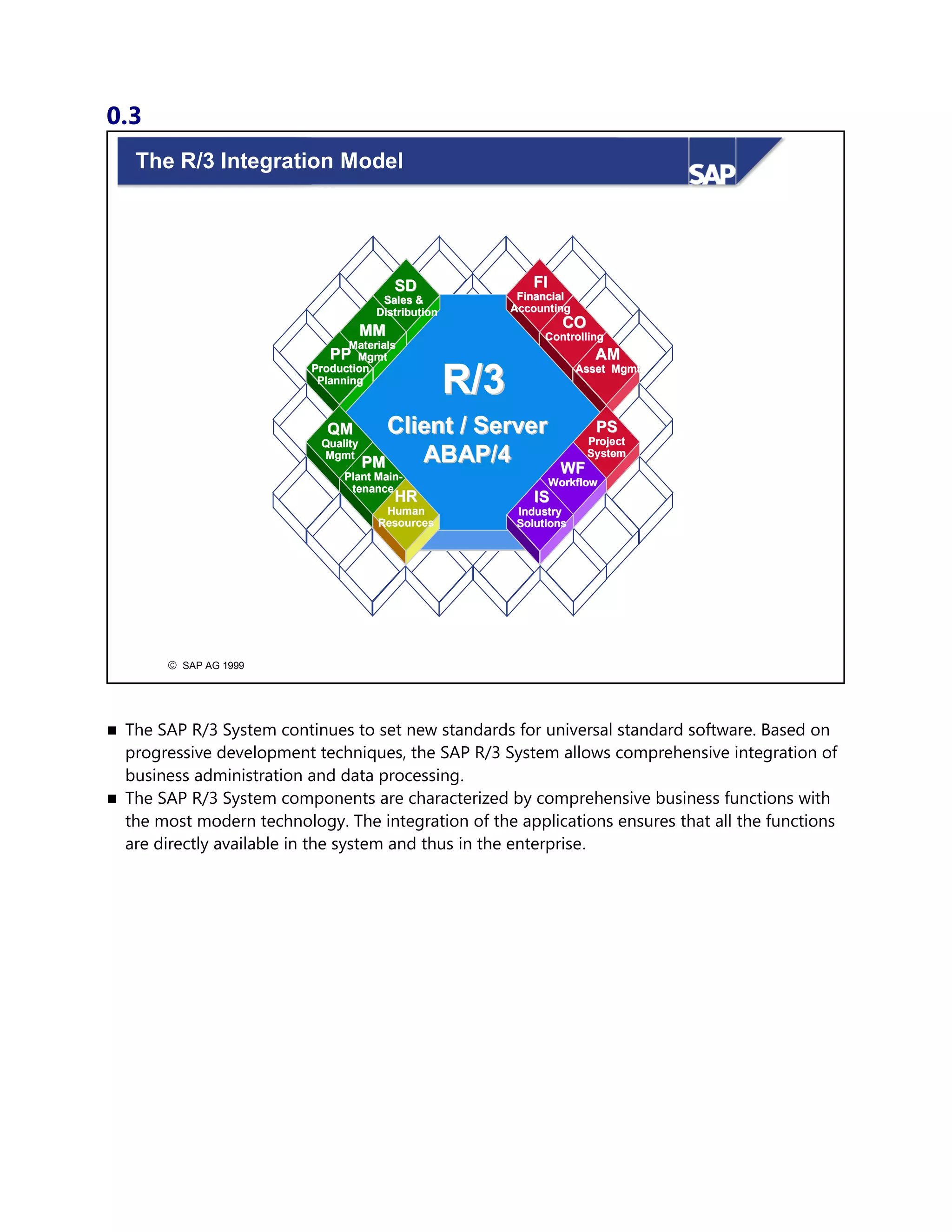
The R/3 Integration Model.........................................................................................................................................3
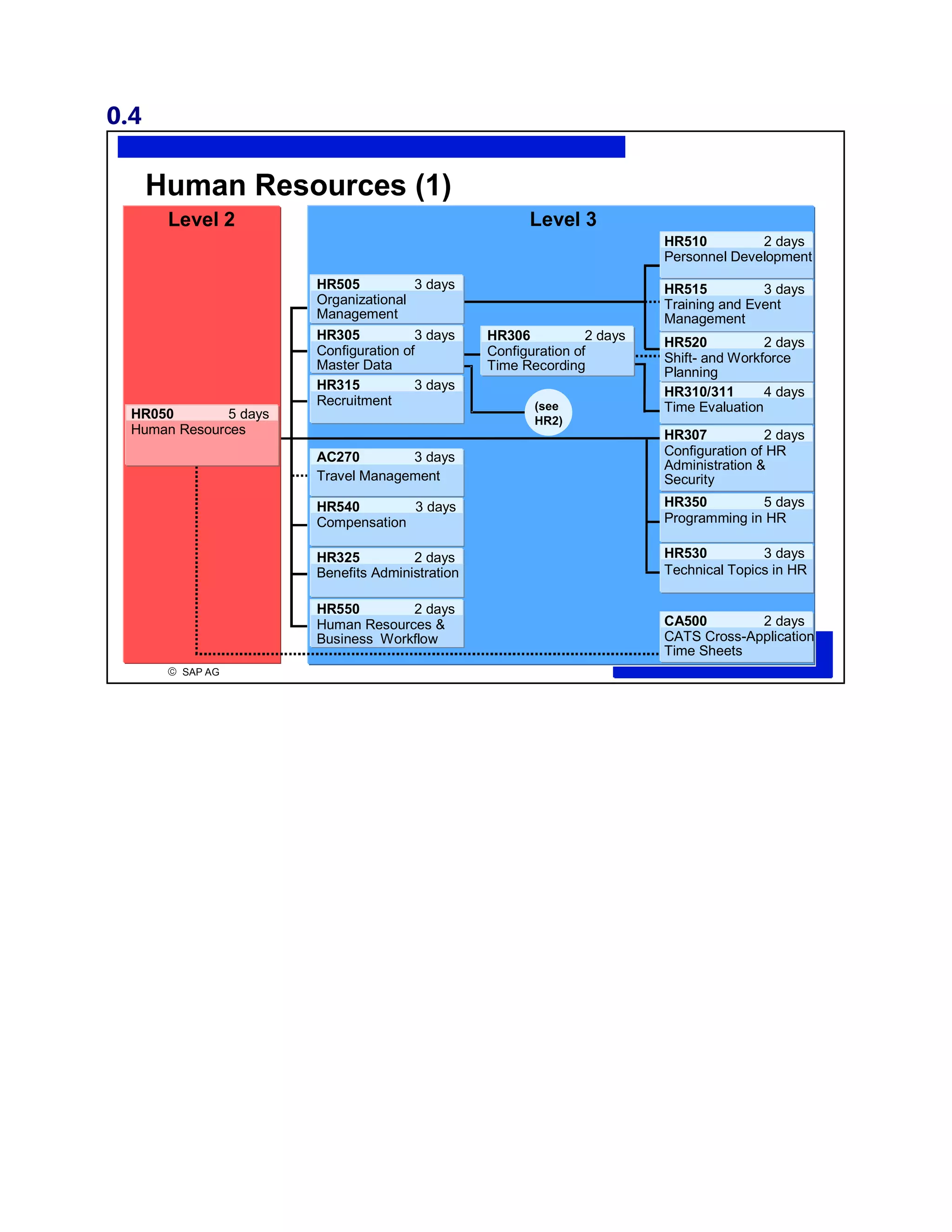
Human Resources (1).................................................................................................................................................4
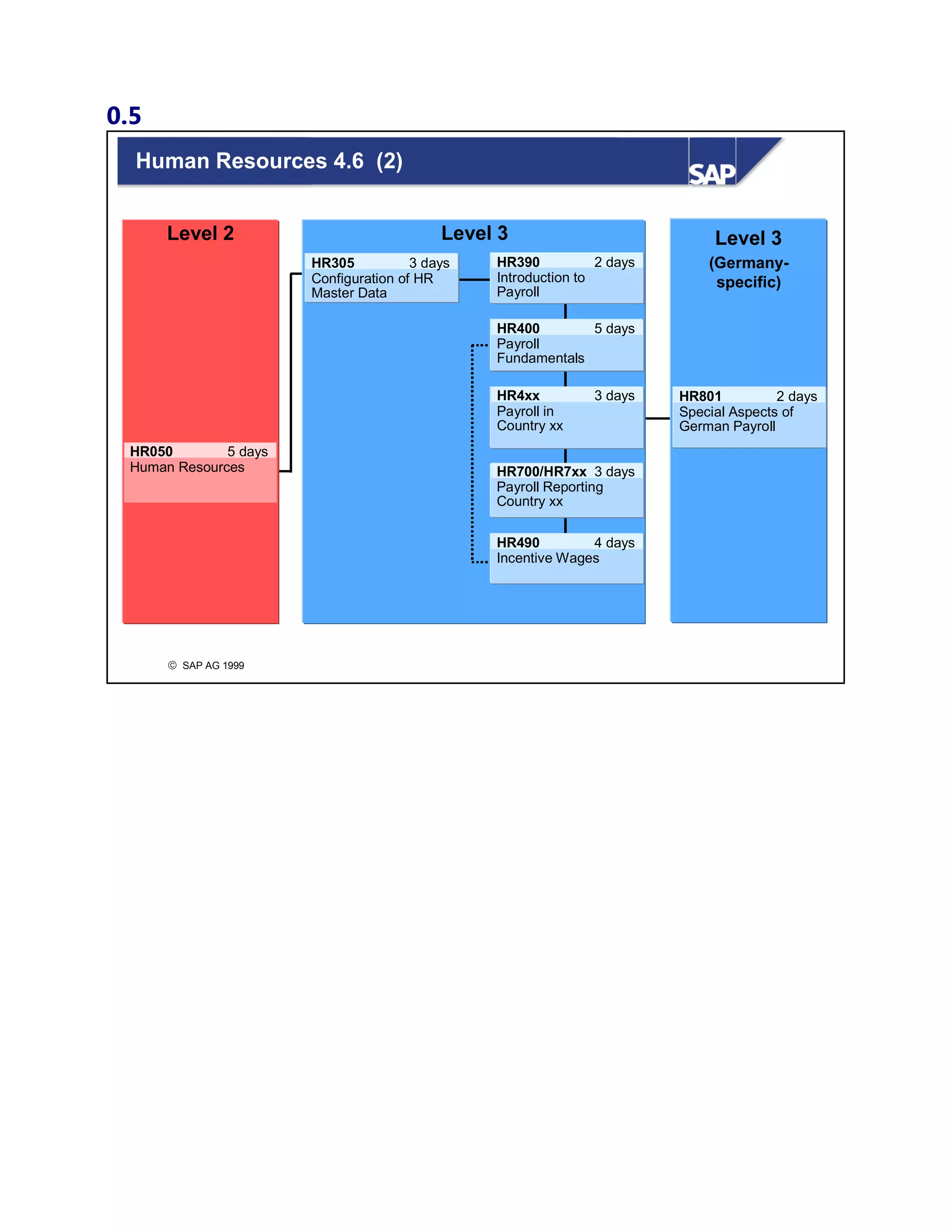
Human Resources 4.6 (2)..........................................................................................................................................5
Course Prerequisites...................................................................................................................................................6
Target Group..............................................................................................................................................................7
Introduction: Contents...................................................................................................................................................1
Course Goals 1...........................................................................................................................................................2
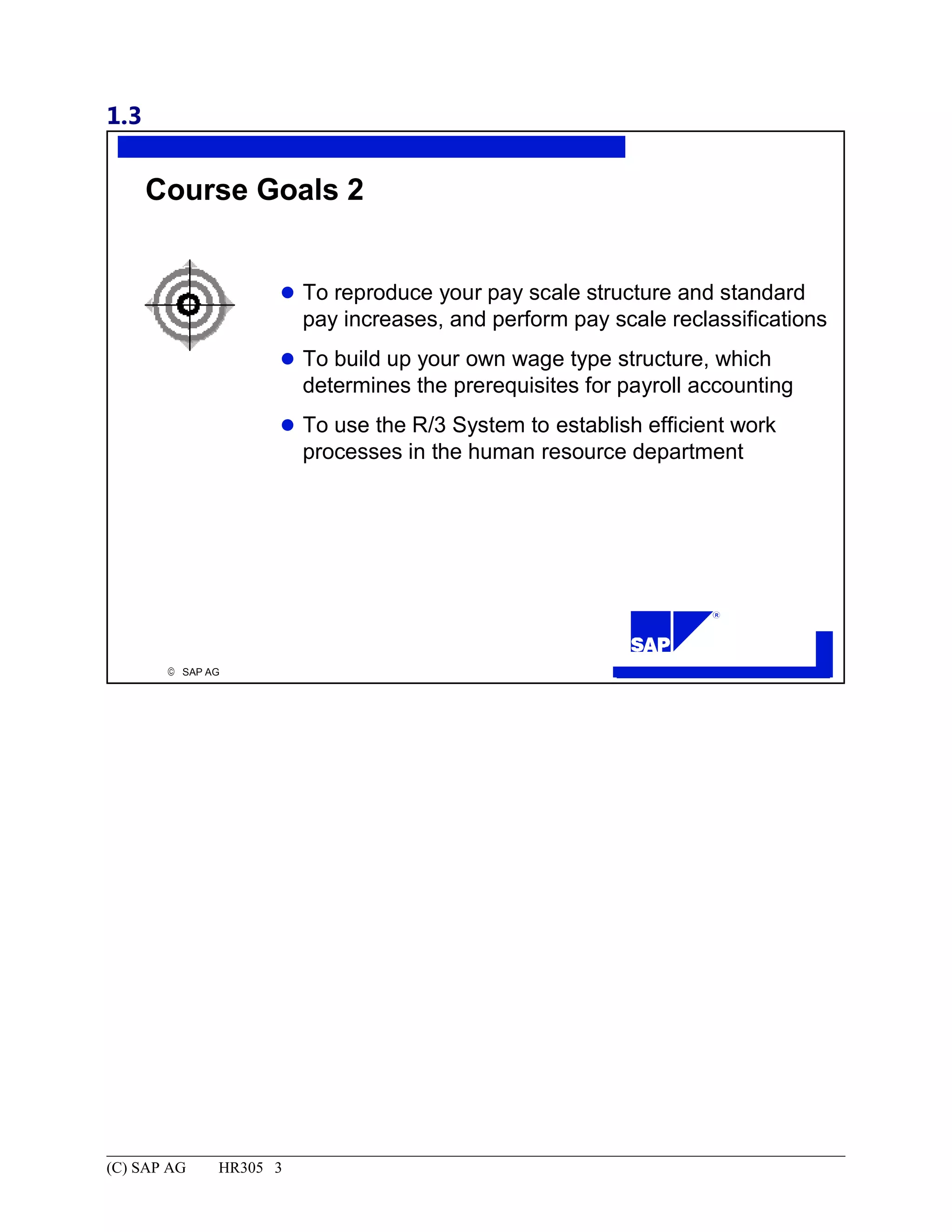
Course Goals 2...........................................................................................................................................................3
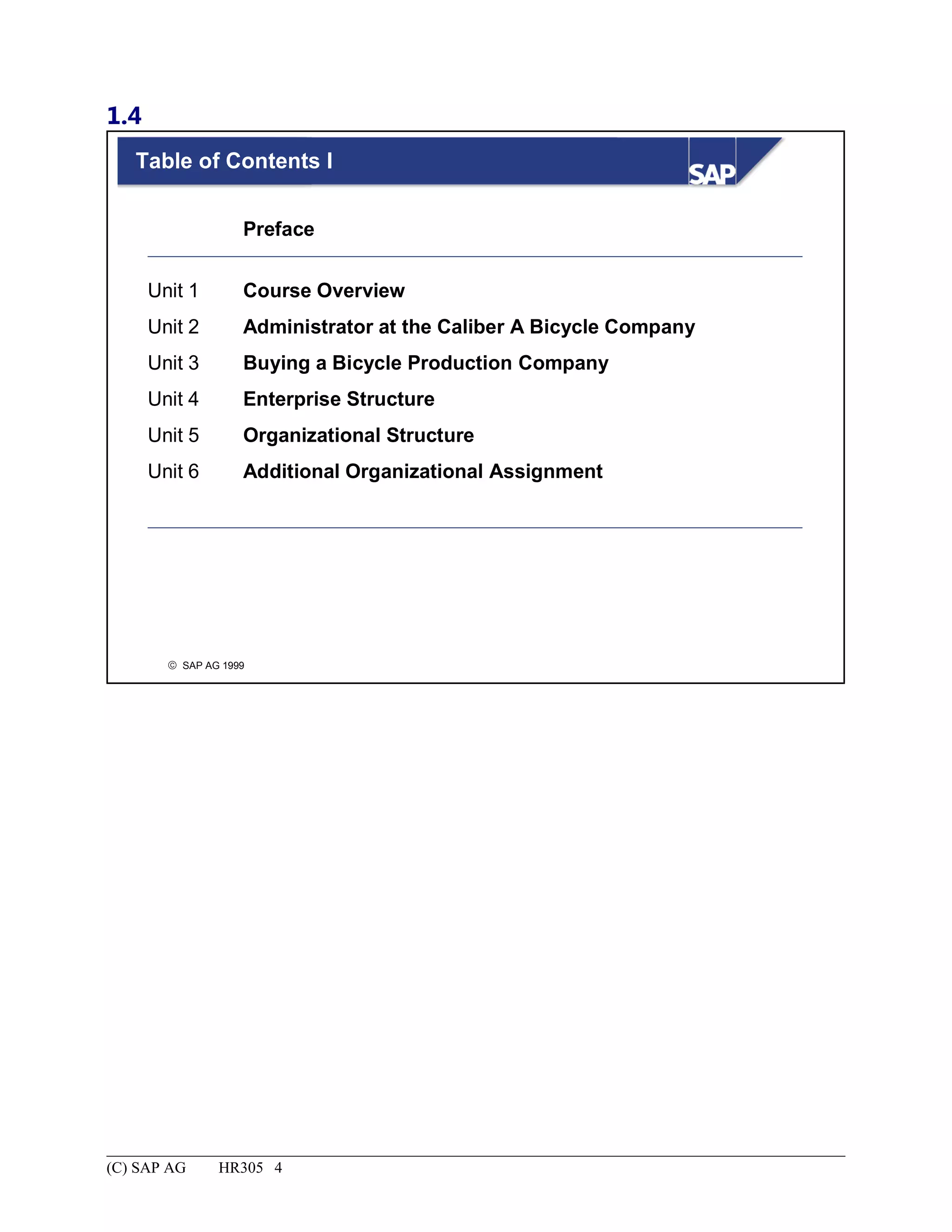
Table of Contents I.....................................................................................................................................................4
Contents.....................................................................................................................................................................5
Main Business Scenario.............................................................................................................................................6
Administrator at the Caliber A Bicycle Company.........................................................................................................1
Administrator at the Caliber A Bicycle Company: Unit Objectives..........................................................................2
Administrator at the Caliber A Bicycle Company: Business Scenario......................................................................3
You are the Human Resources Administrator at the Caliber A Bicycle Company ................................................4
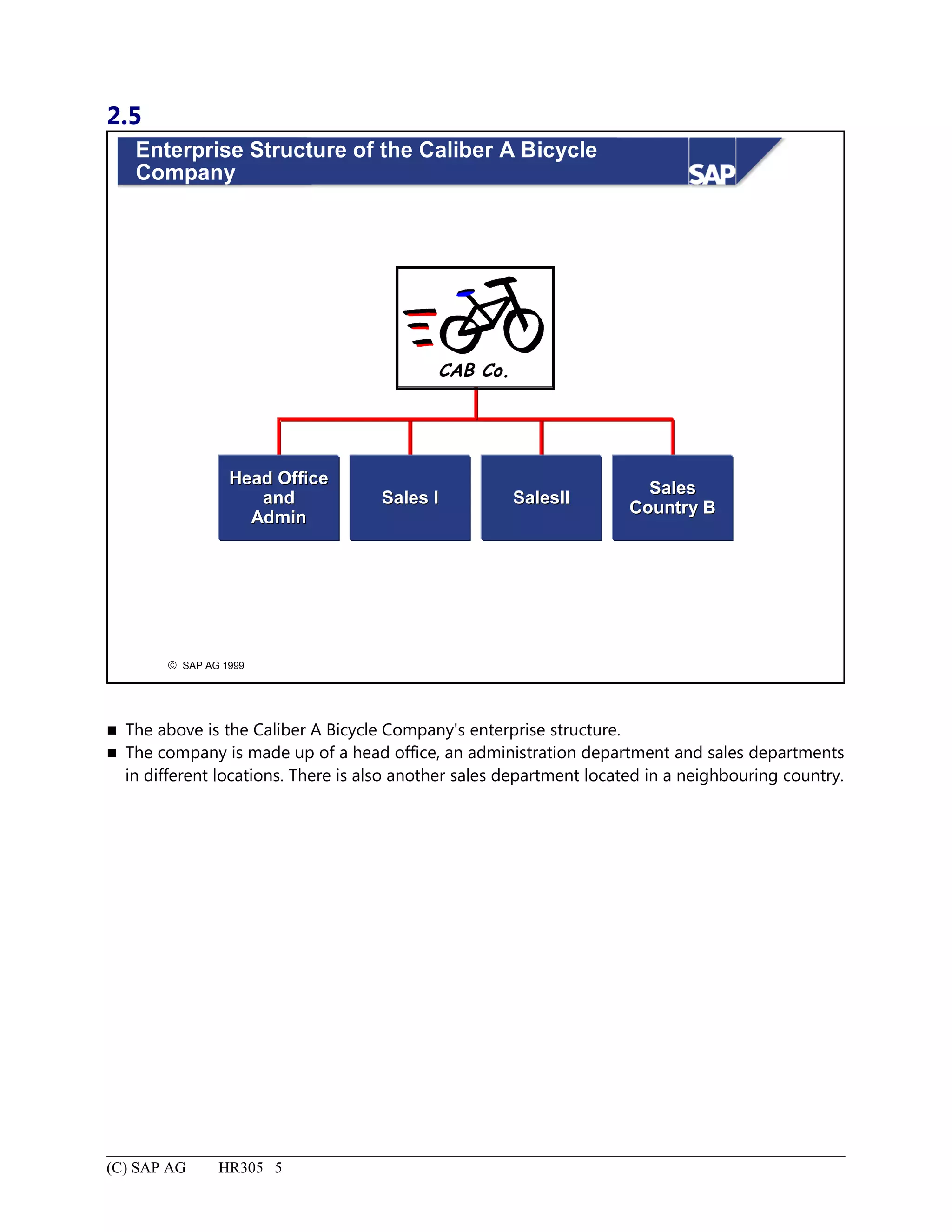
Enterprise Structure of the Caliber A Bicycle Company...........................................................................................5
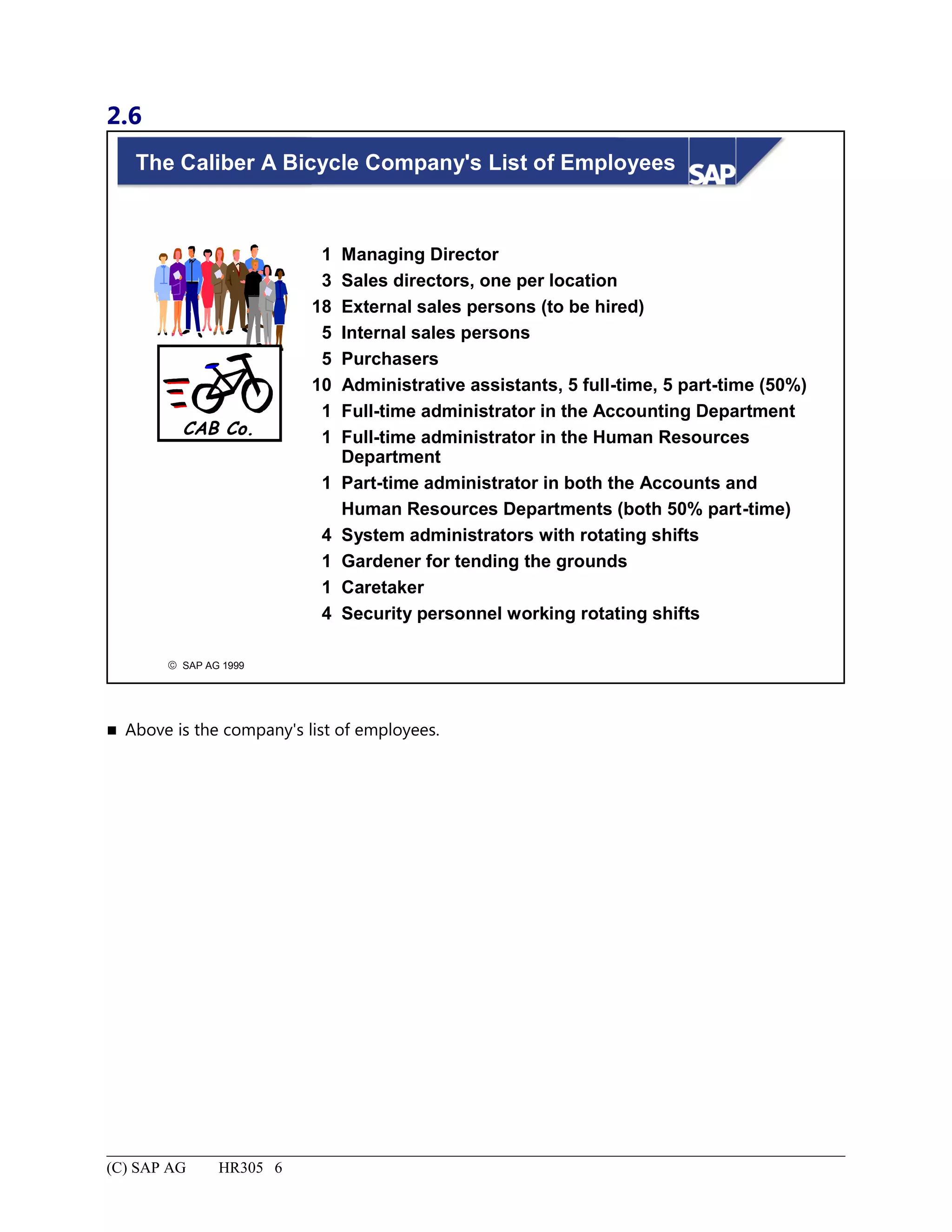
The Caliber A Bicycle Company's List of Employees..............................................................................................6
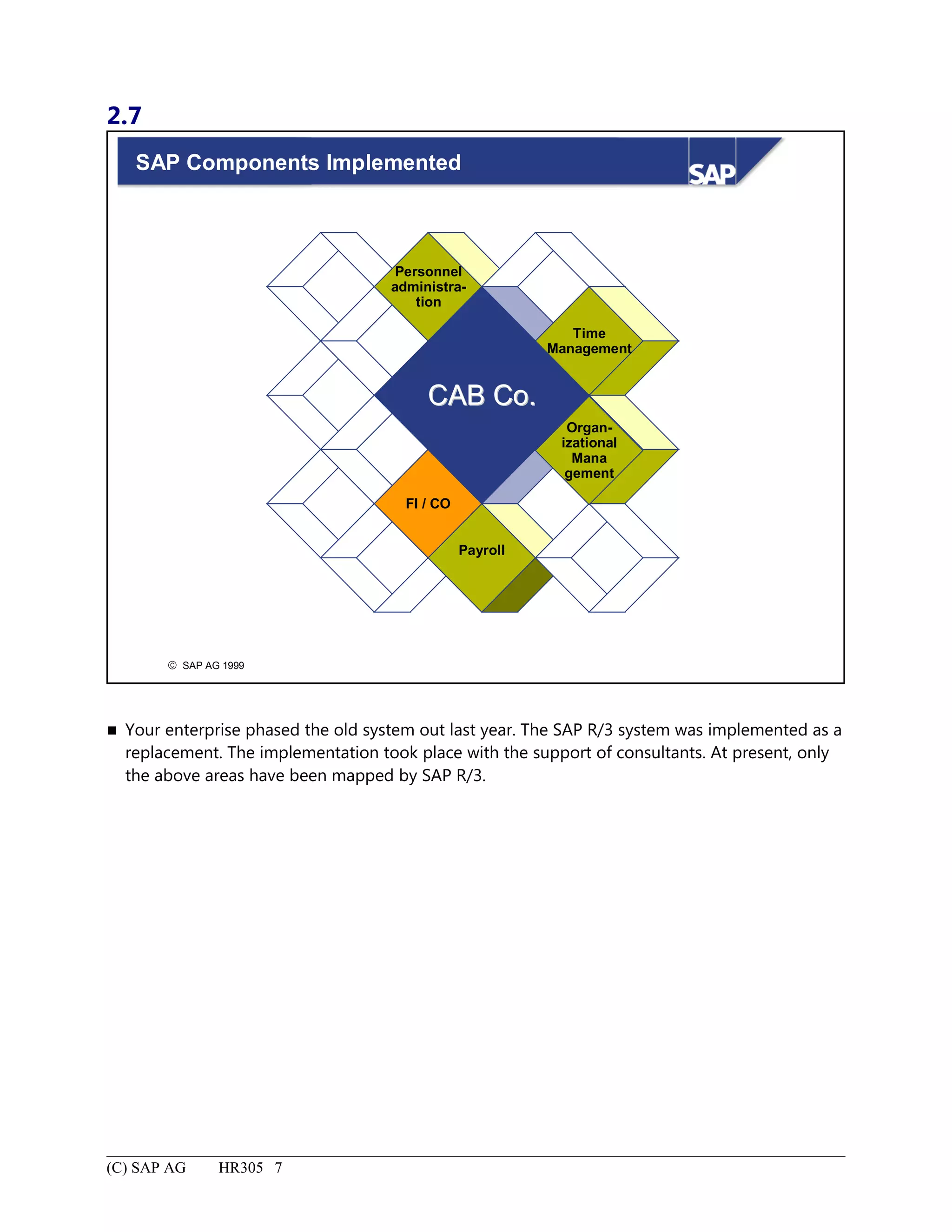
SAP Components Implemented.................................................................................................................................7
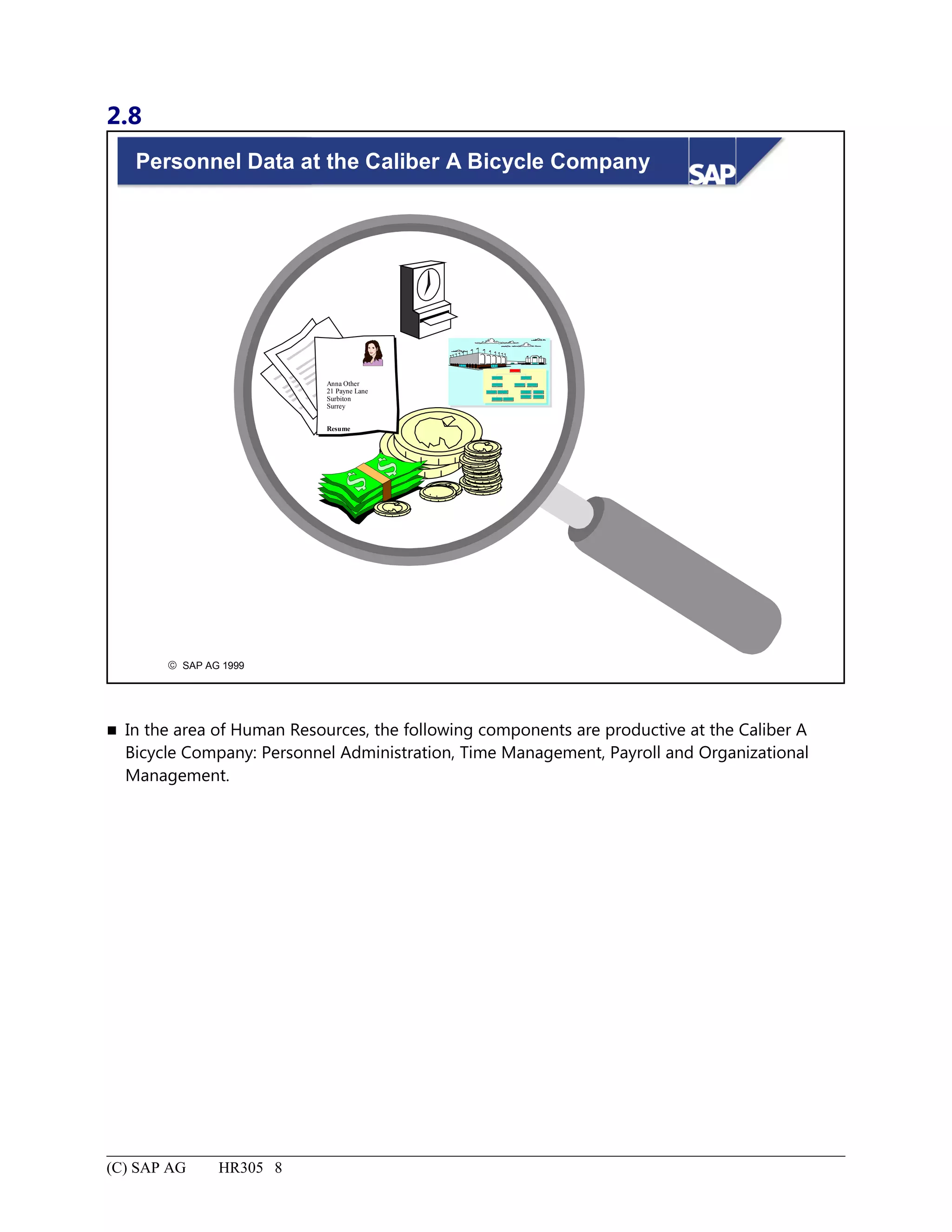
Personnel Data at the Caliber A Bicycle Company...................................................................................................8
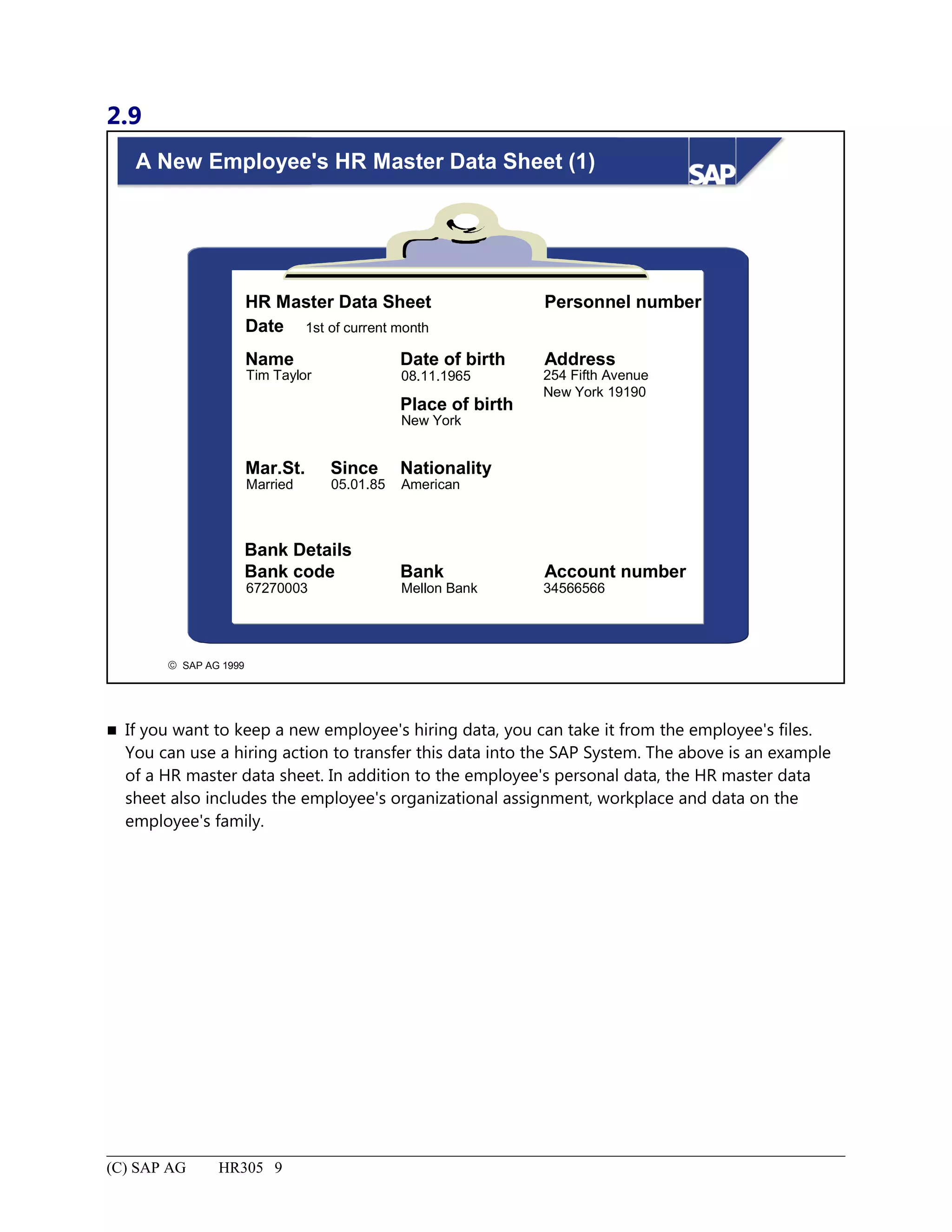
A New Employee's HR Master Data Sheet (1)..........................................................................................................9
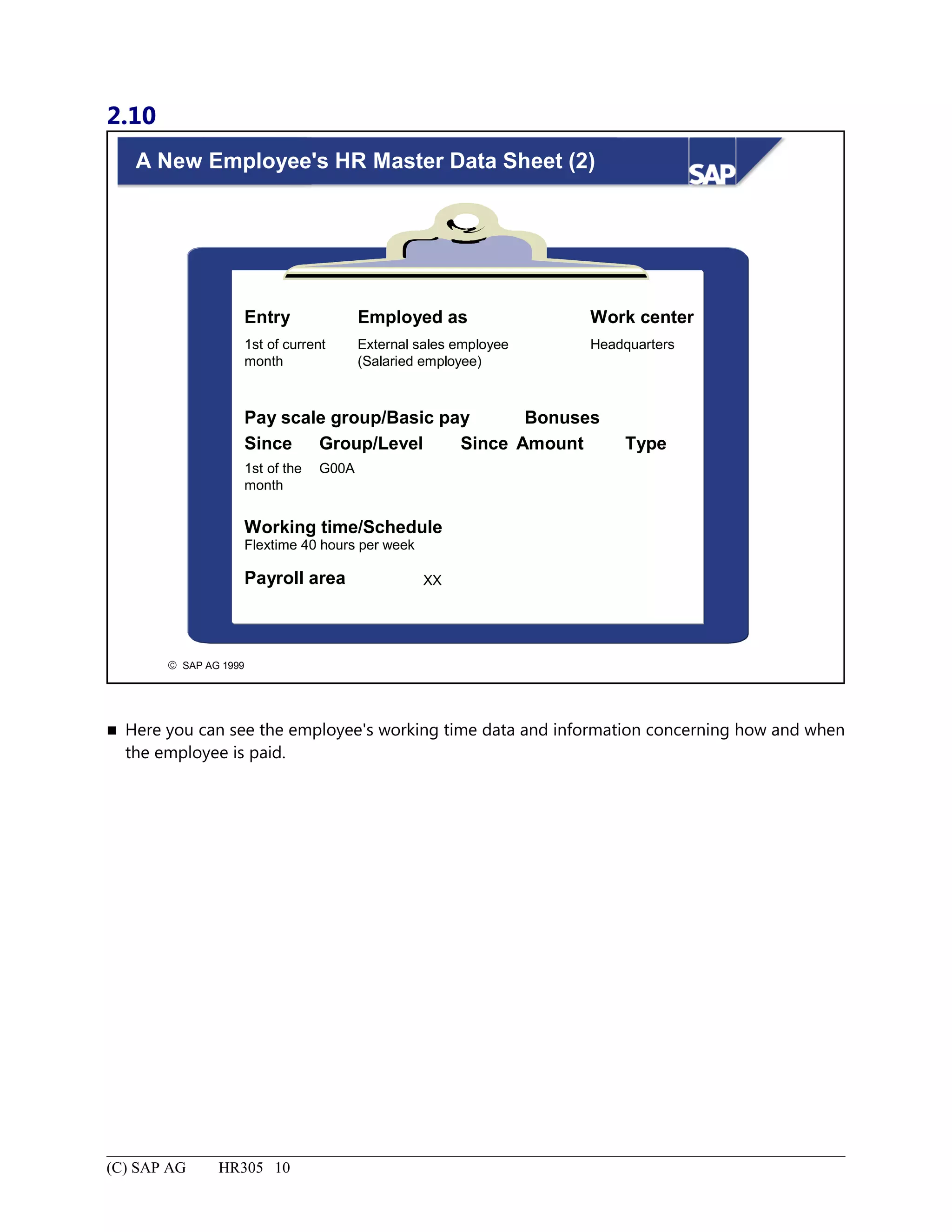
A New Employee's HR Master Data Sheet (2)........................................................................................................10
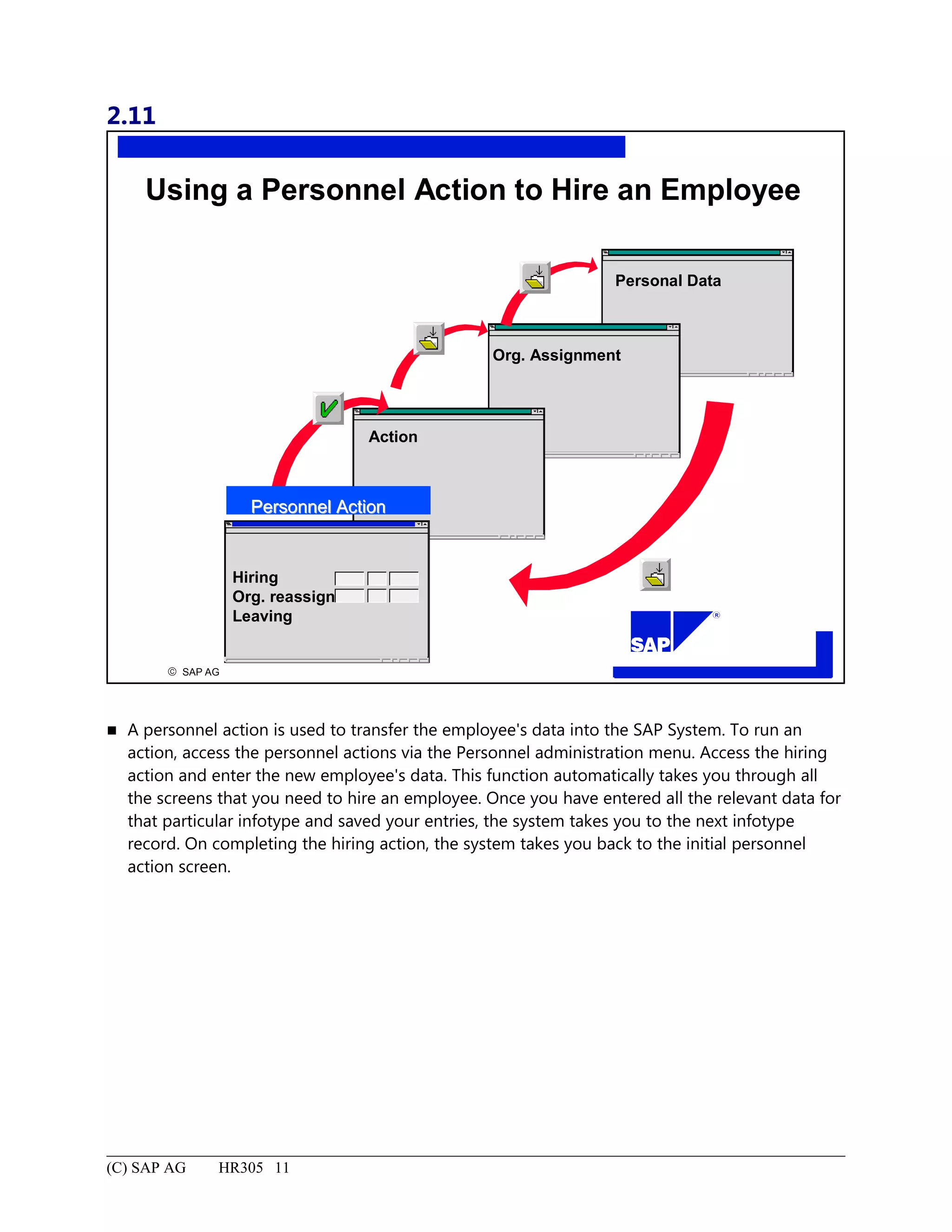
Using a Personnel Action to Hire an Employee......................................................................................................11
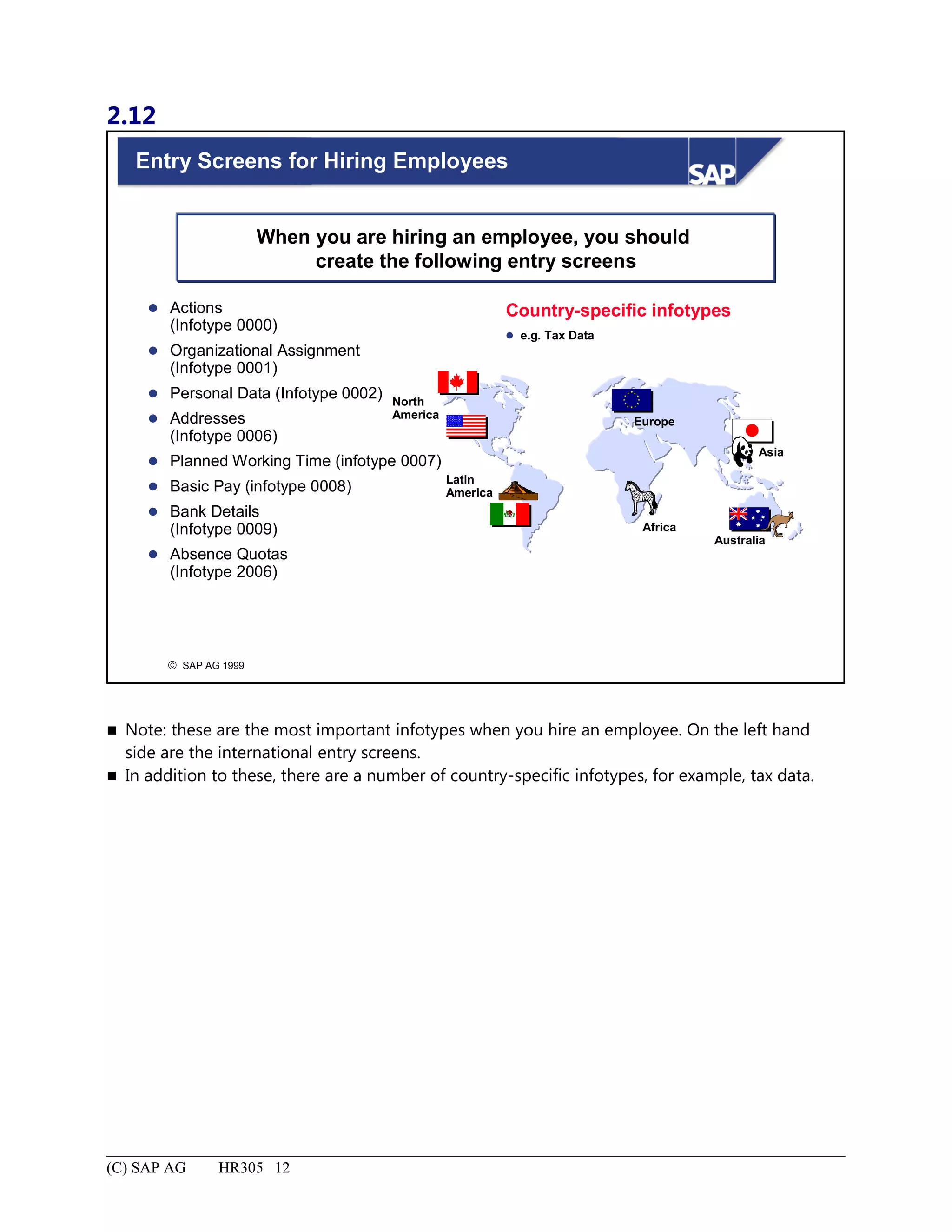
Entry Screens for Hiring Employees.......................................................................................................................12
Administrator at the Caliber 'A' Bicycle Company: Summary................................................................................13
Buying a Bicycle Production Company.........................................................................................................................1
Buying a Bicycle Production Company: Unit Objectives........................................................................................2
Buying a Bicycle Production Company: Business Scenario.....................................................................................3
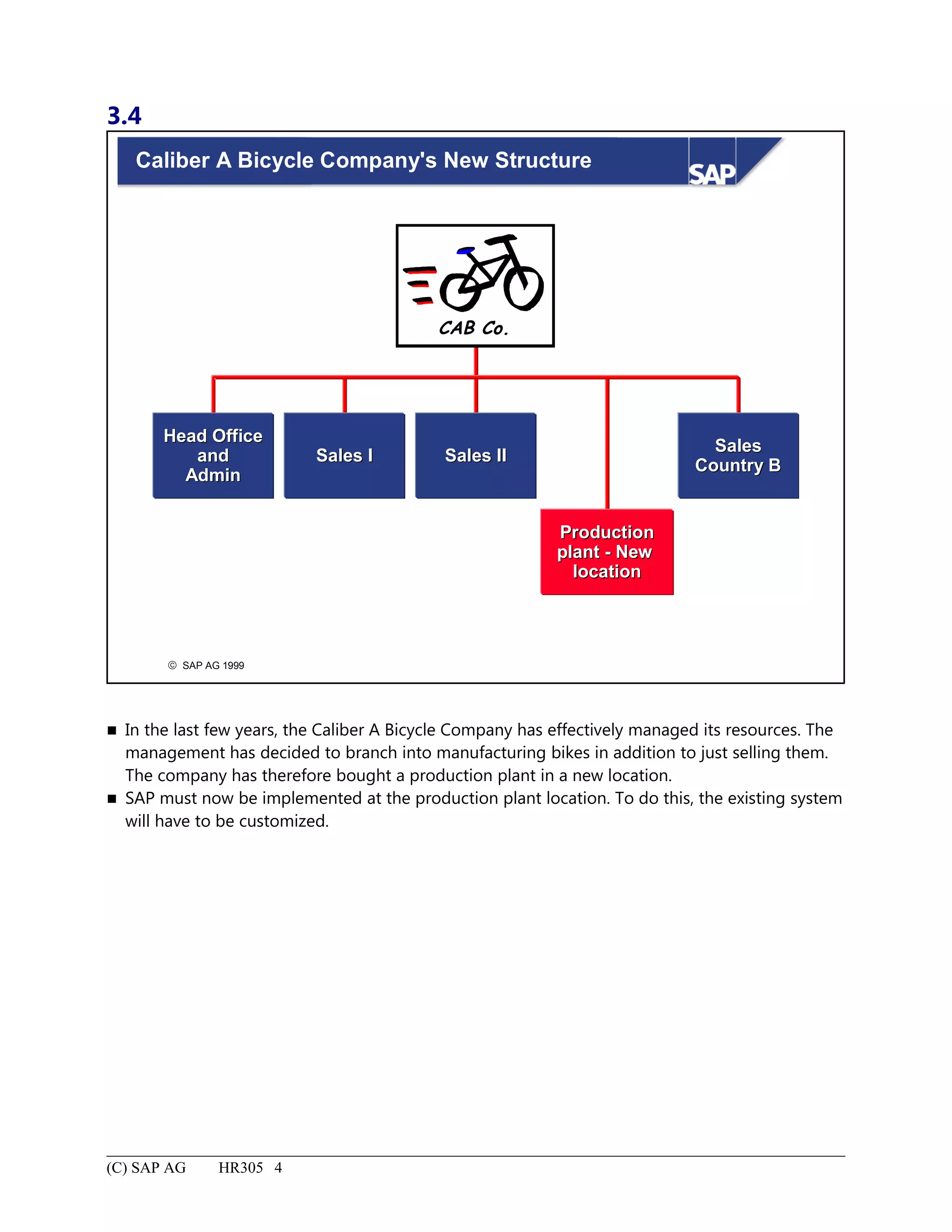
Caliber A Bicycle Company's New Structure............................................................................................................4
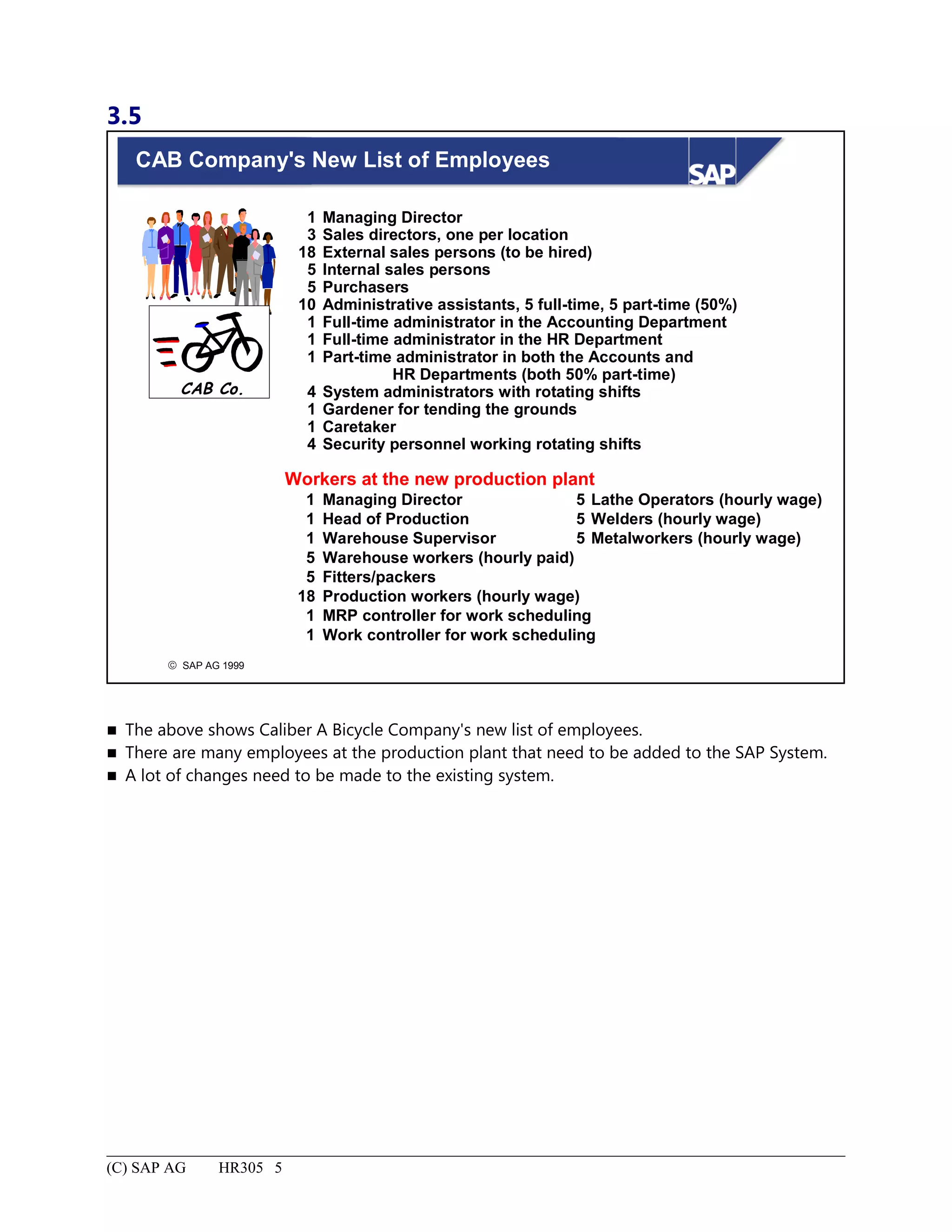
CAB Company's New List of Employees..................................................................................................................5
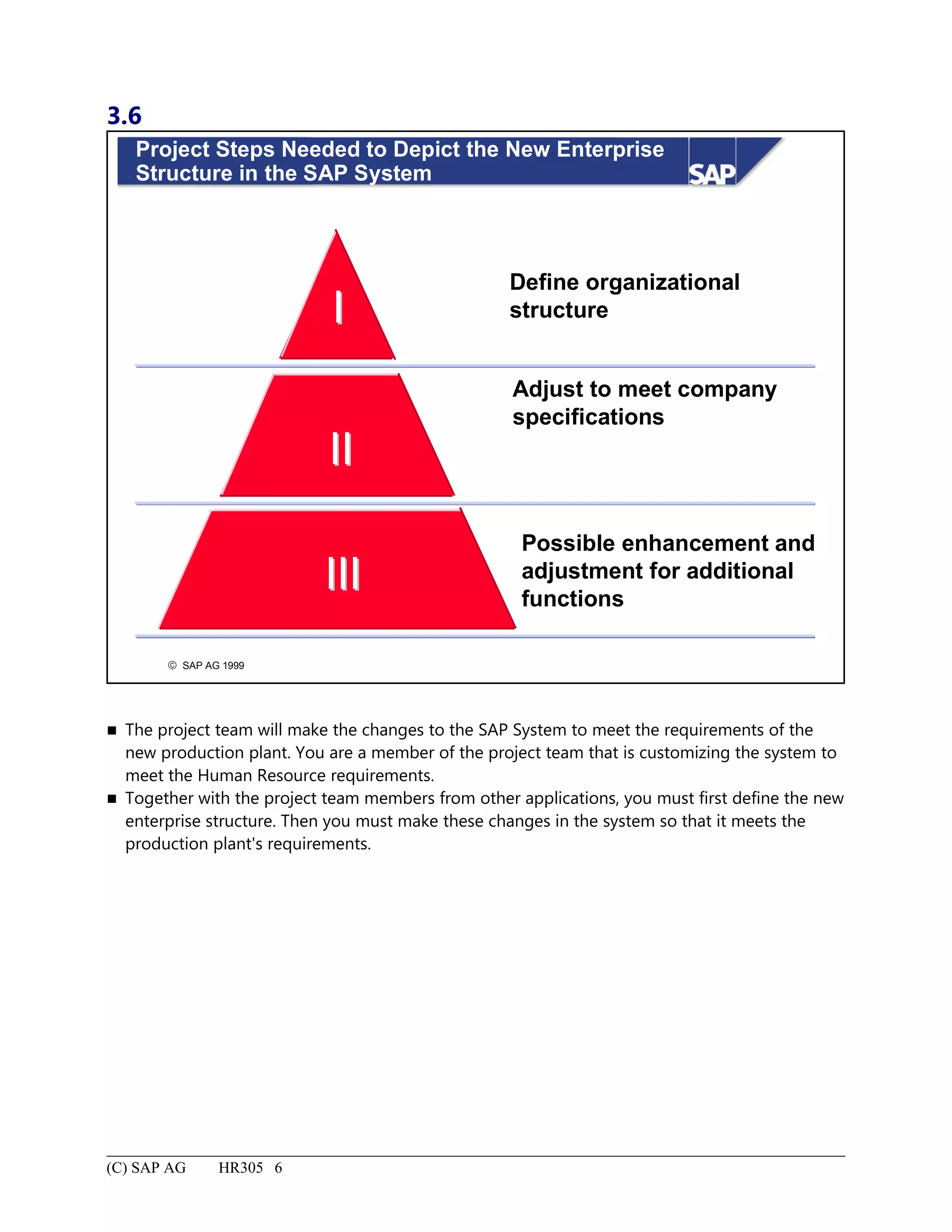
Project Steps Needed to Depict the New Enterprise Structure in the SAP System...................................................6
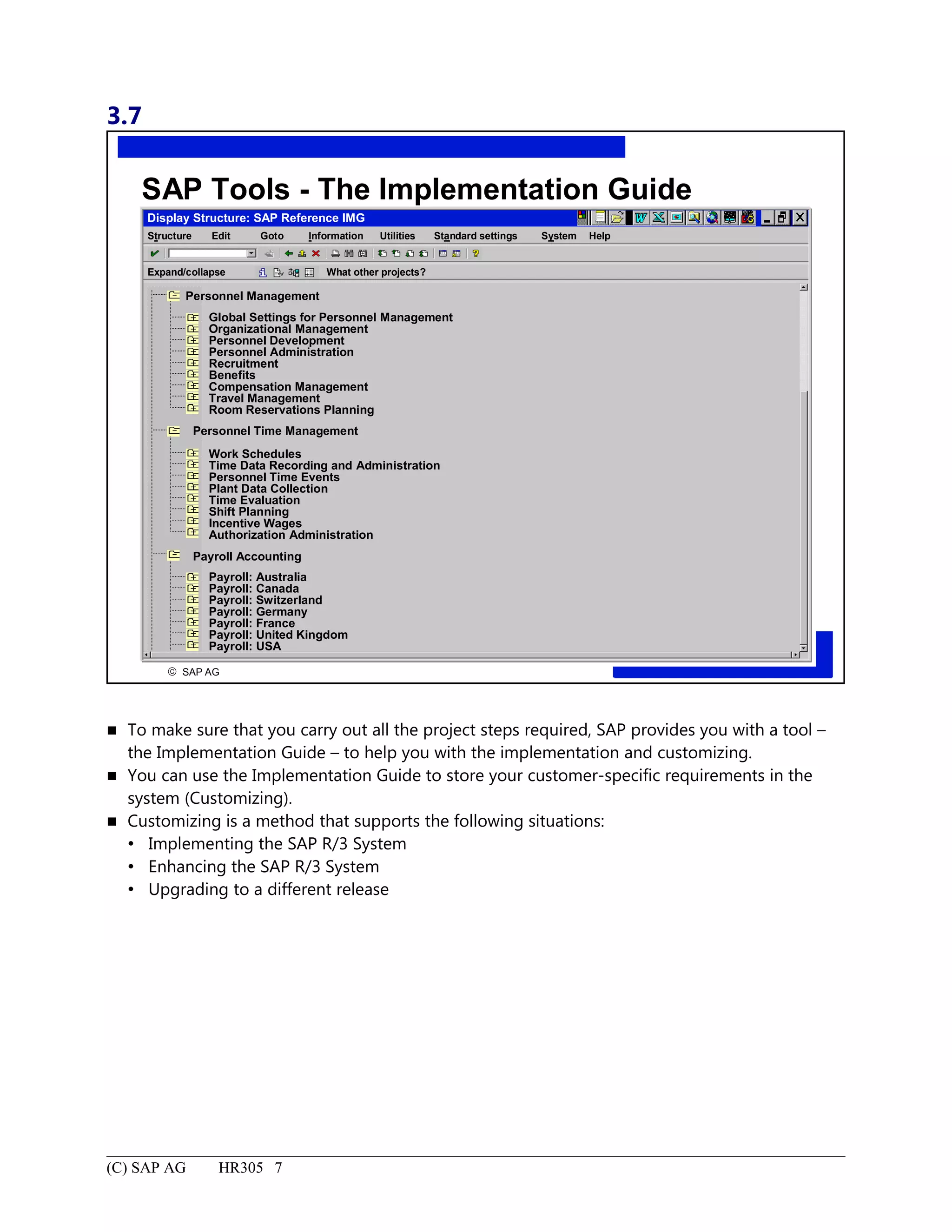
SAP Tools - The Implementation Guide...................................................................................................................7
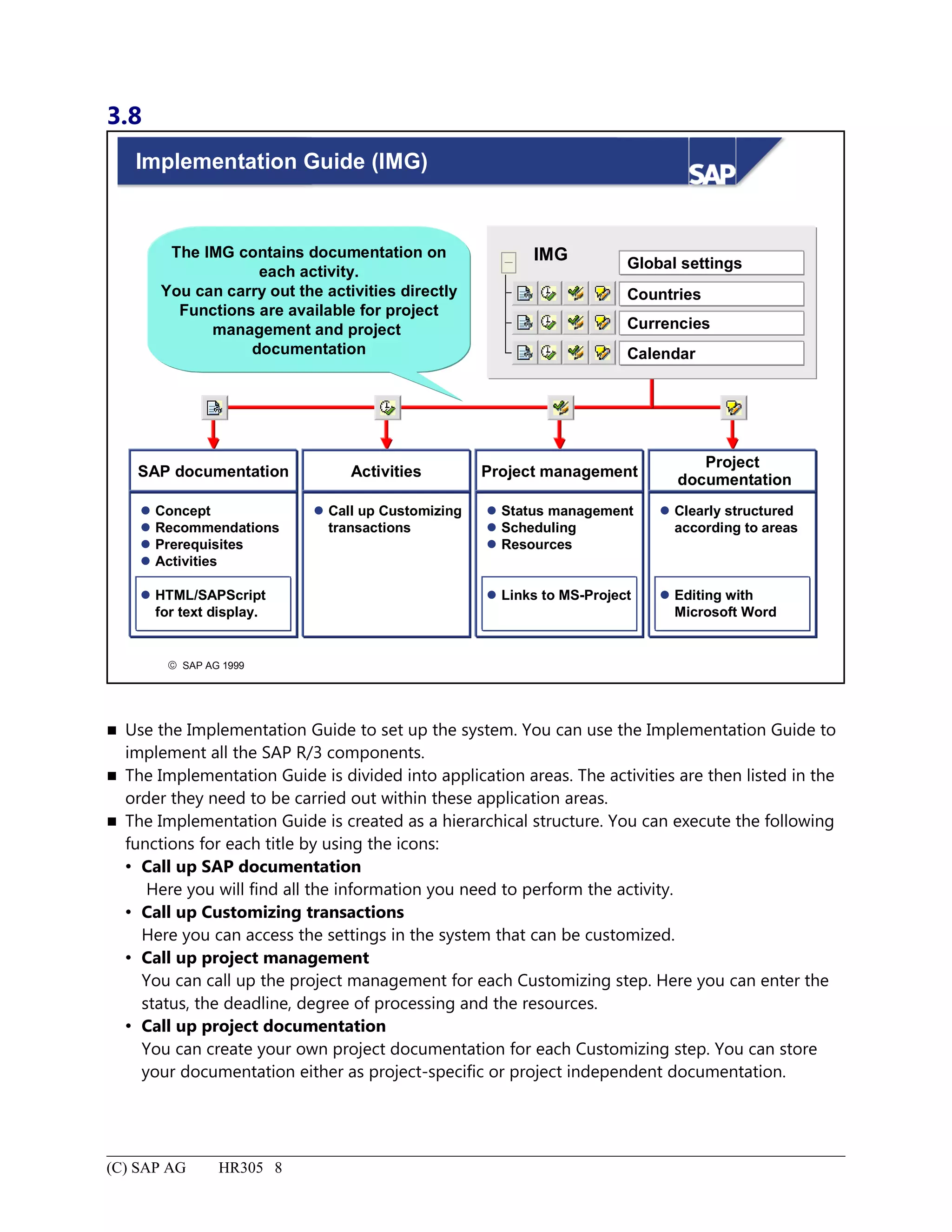
Implementation Guide (IMG)....................................................................................................................................8
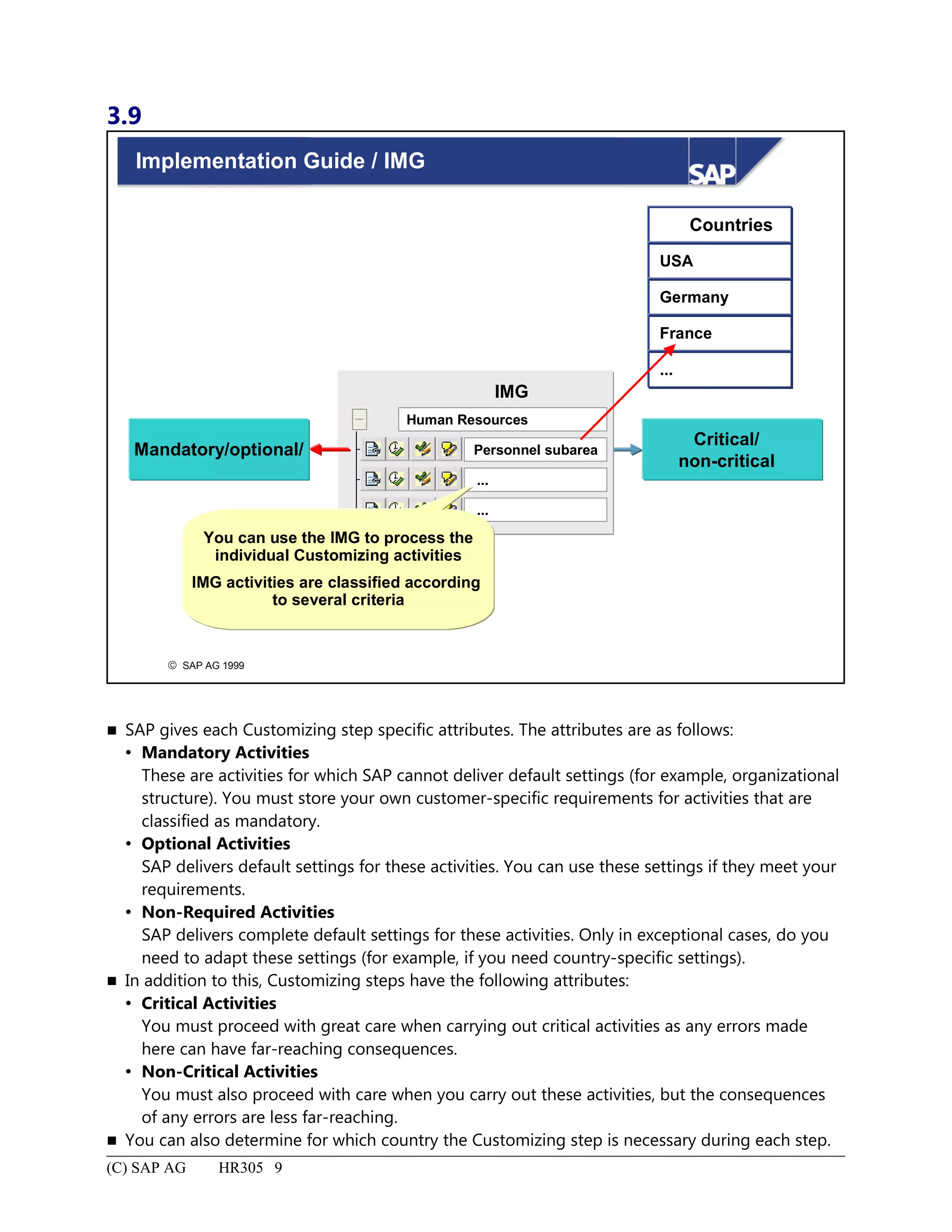
Implementation Guide / IMG.....................................................................................................................................9
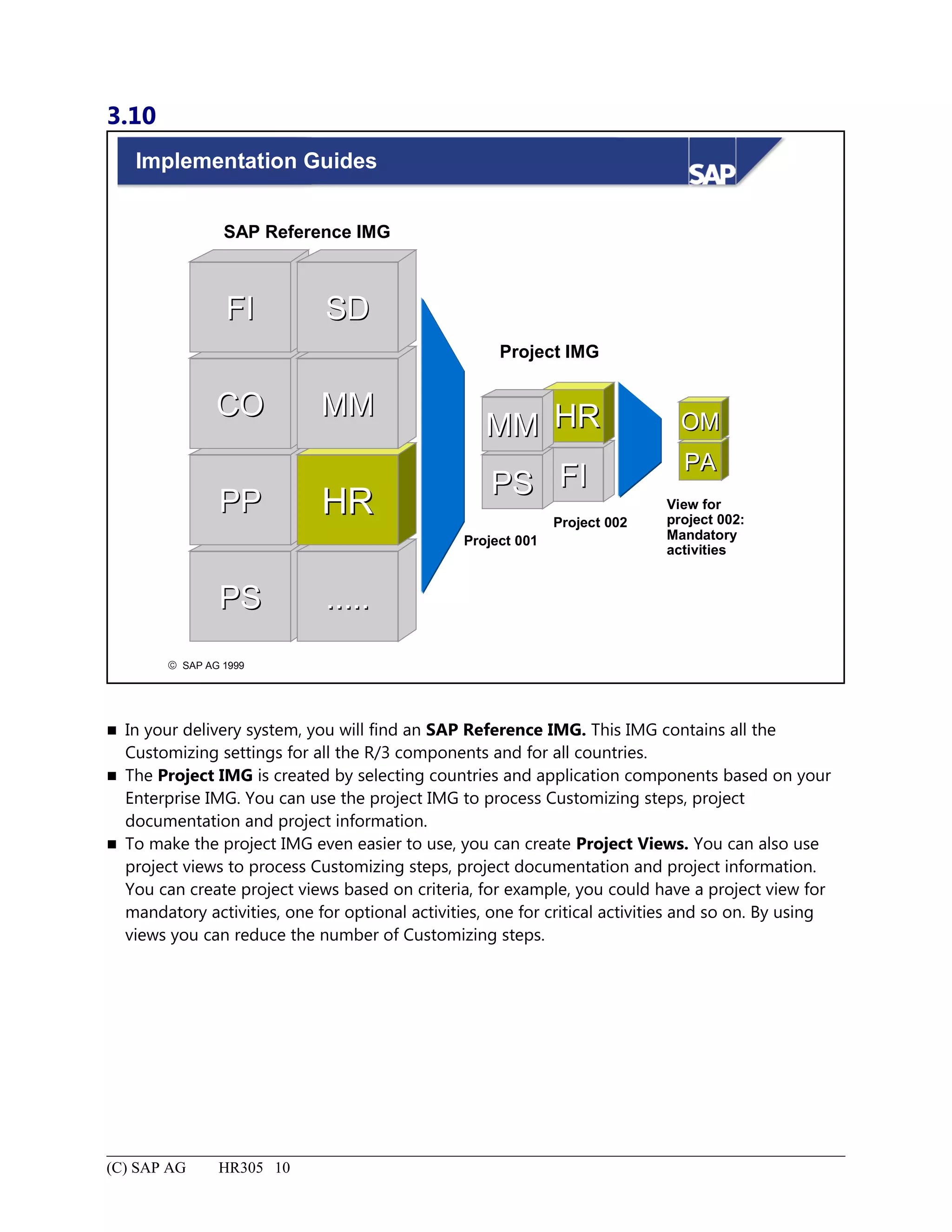
Implementation Guides............................................................................................................................................10
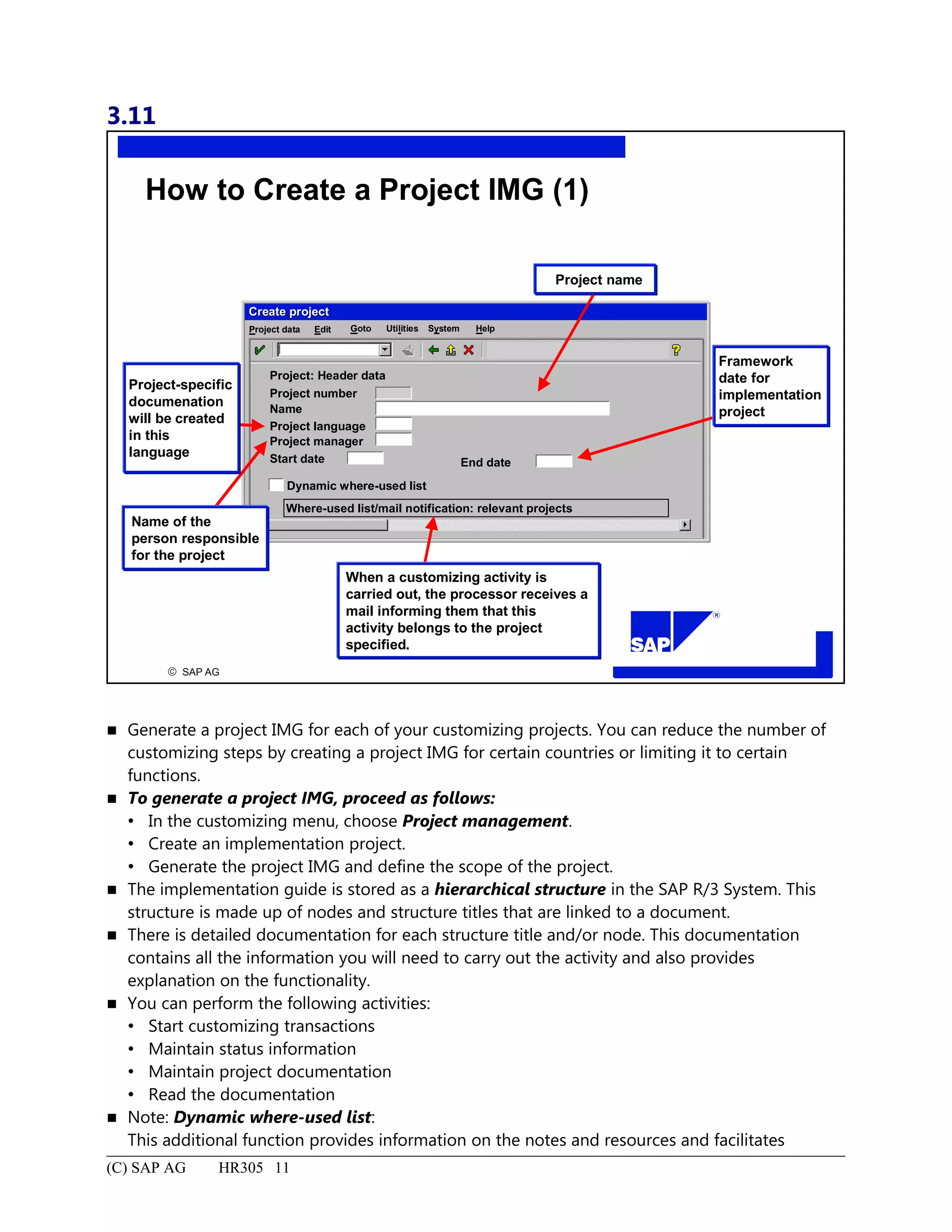
How to Create a Project IMG (1).............................................................................................................................11
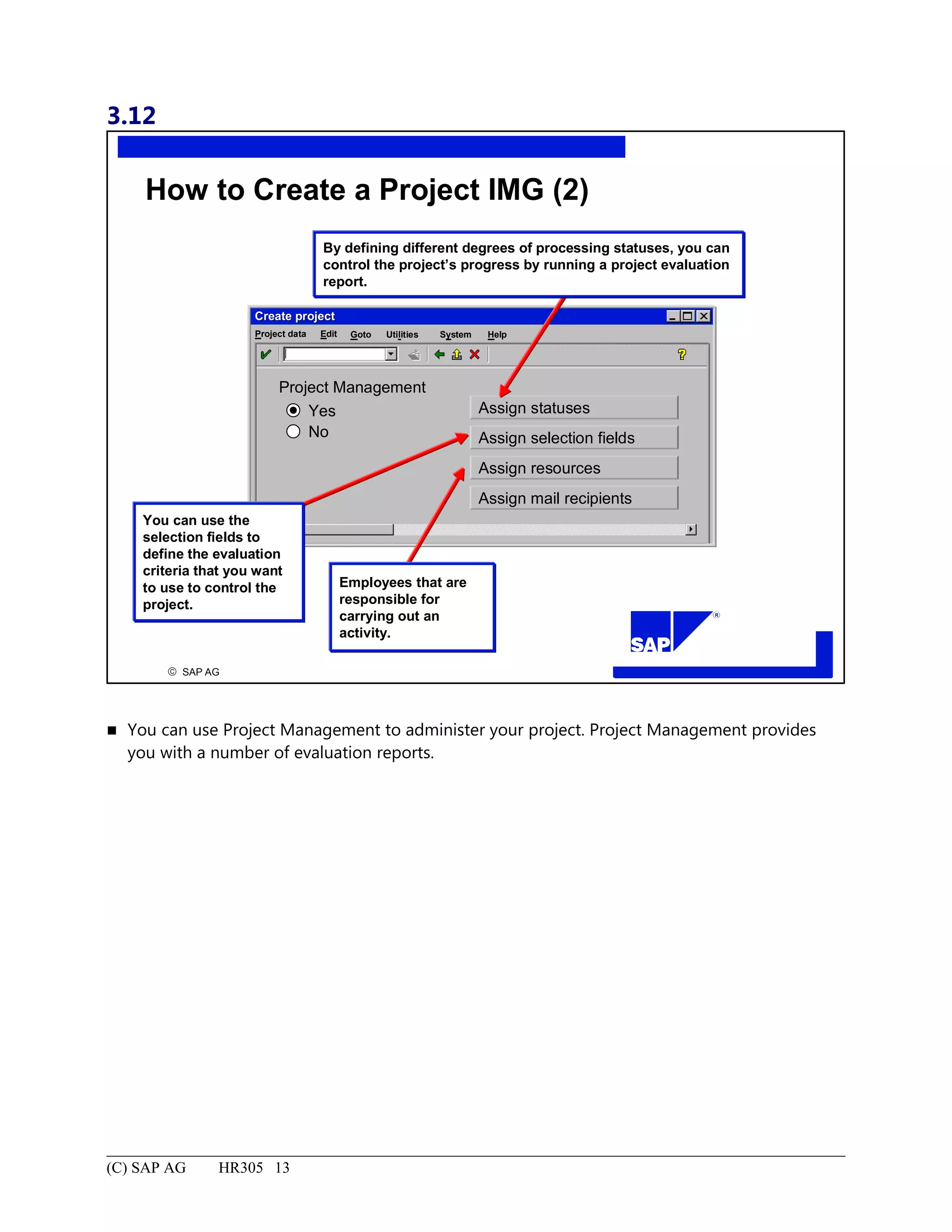
How to Create a Project IMG (2).............................................................................................................................13
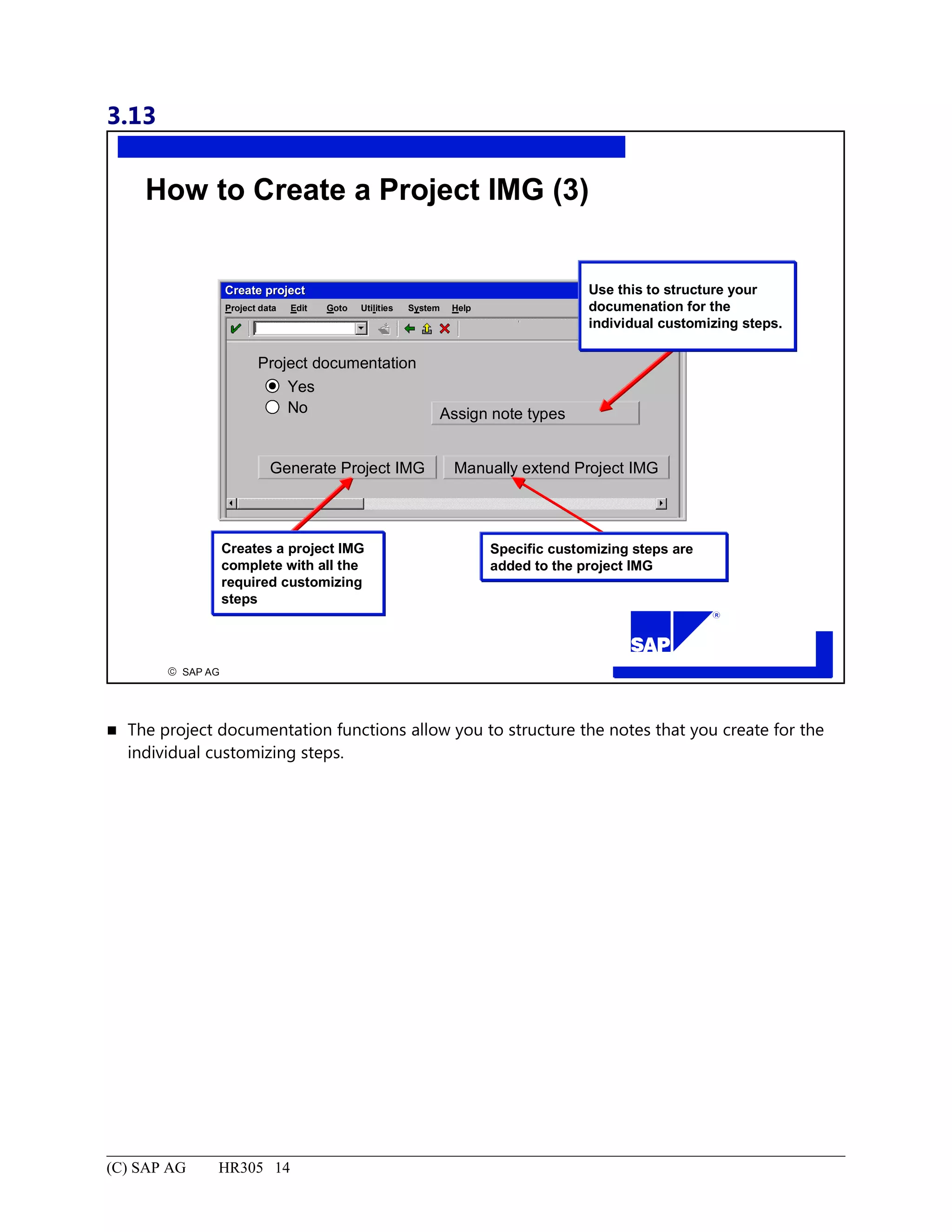
How to Create a Project IMG (3).............................................................................................................................14
4.
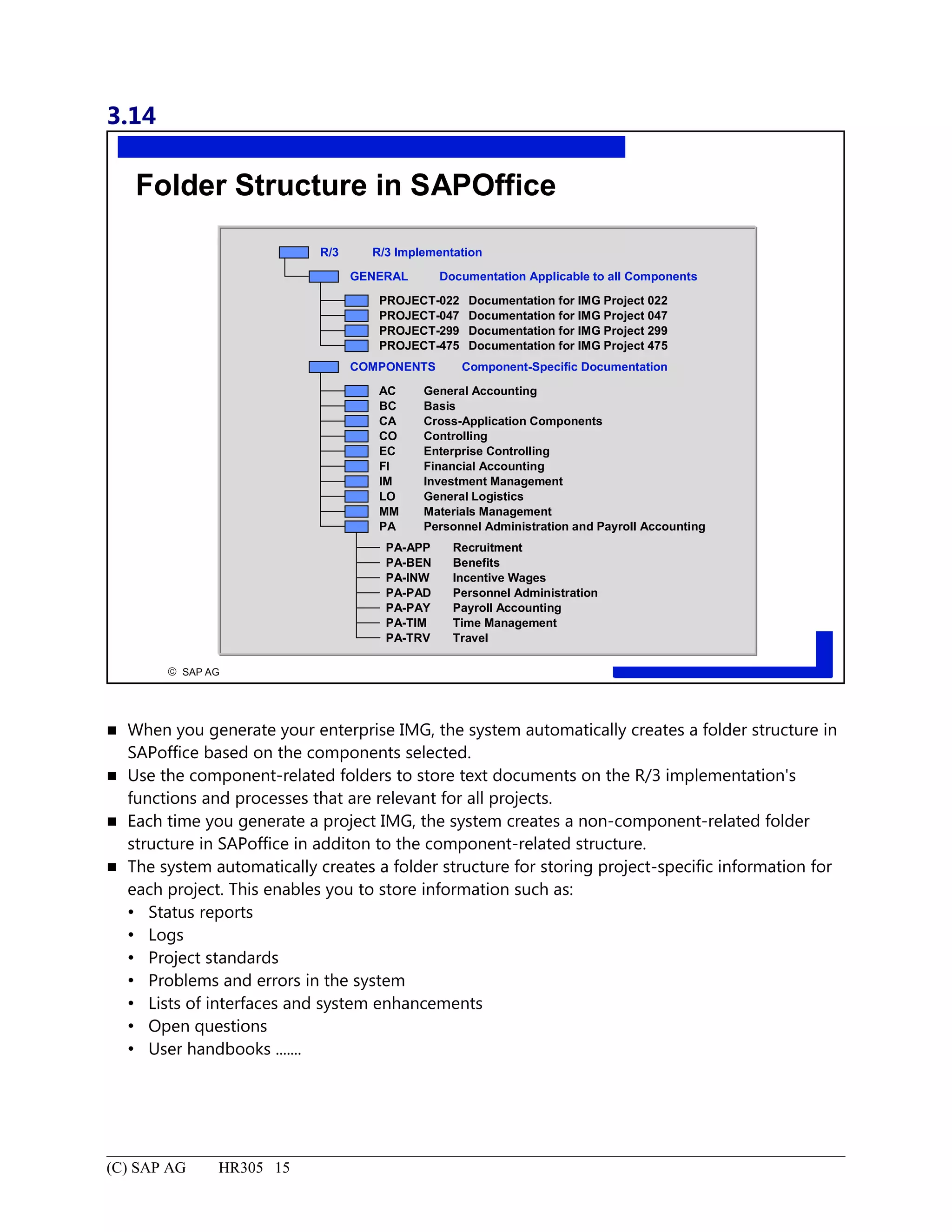
Folder Structure inSAPOffice.................................................................................................................................15
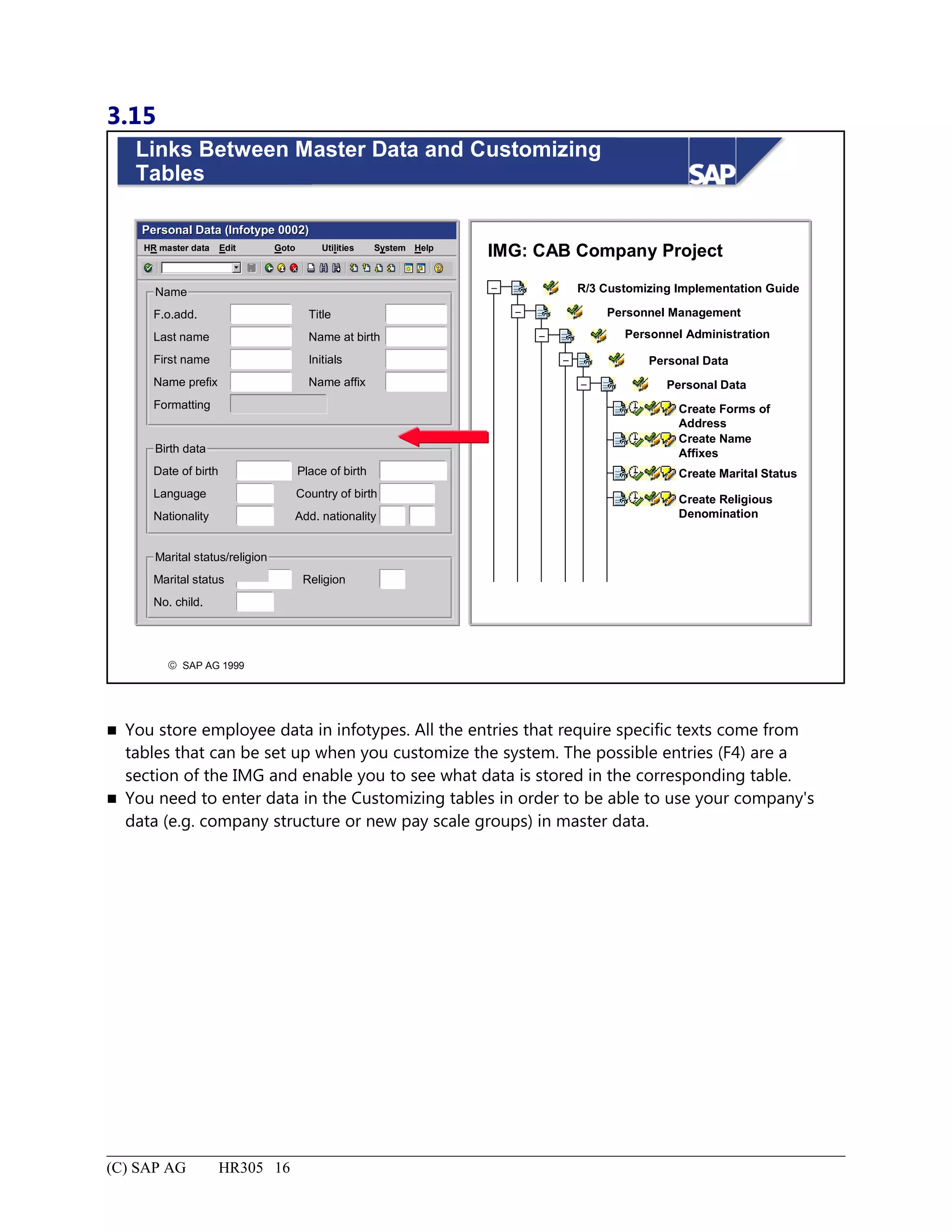
Links Between Master Data and Customizing Tables.............................................................................................16
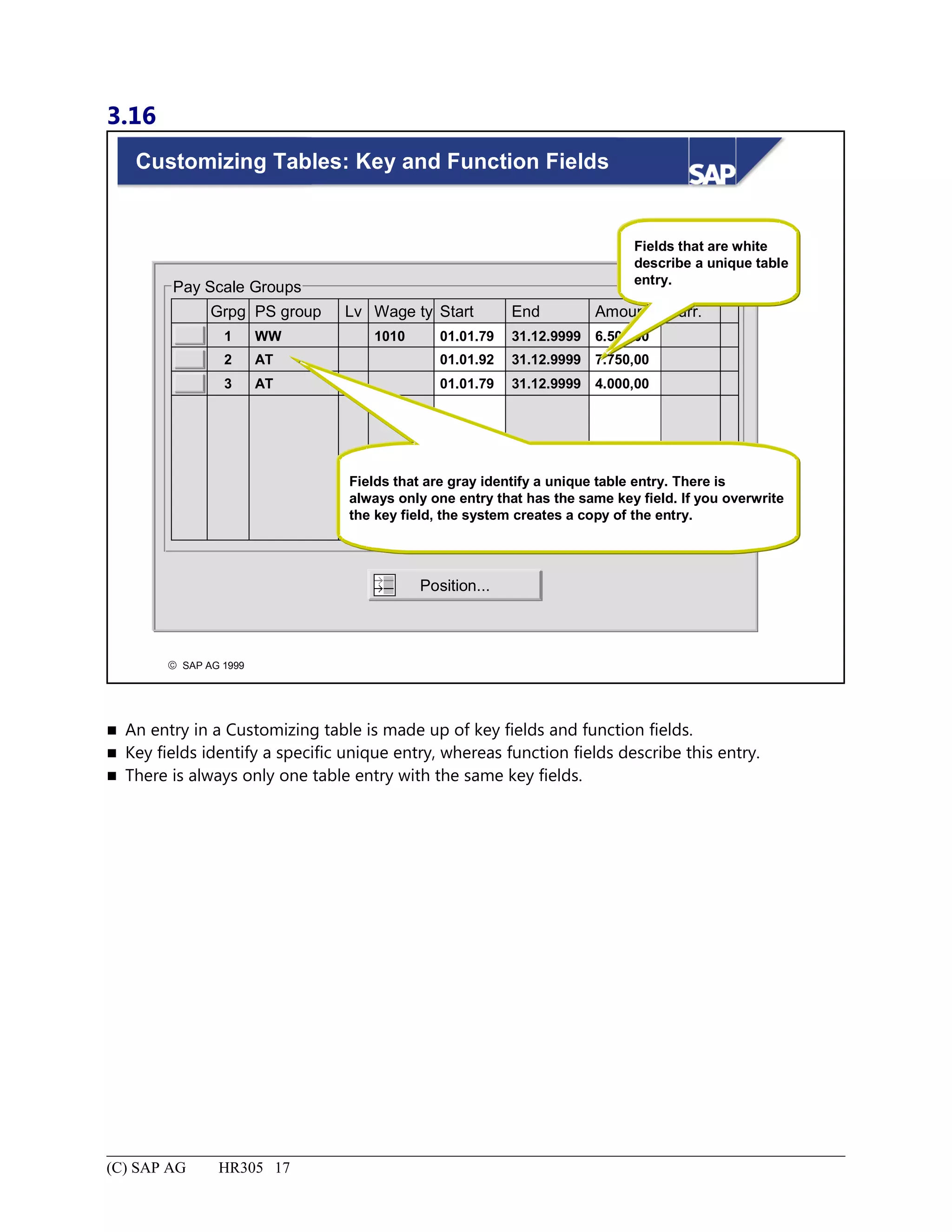
Customizing Tables: Key and Function Fields........................................................................................................17
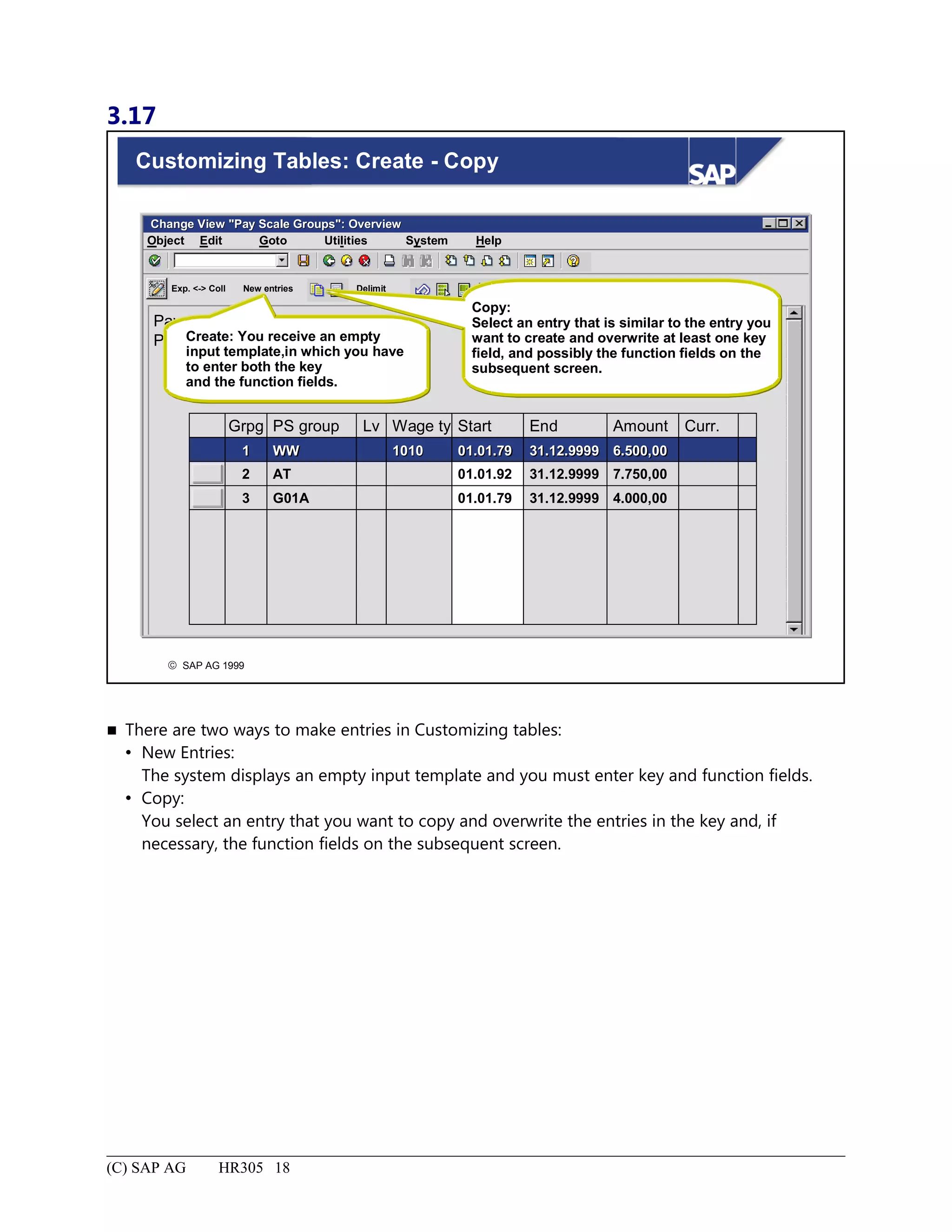
Customizing Tables: Create - Copy.........................................................................................................................18
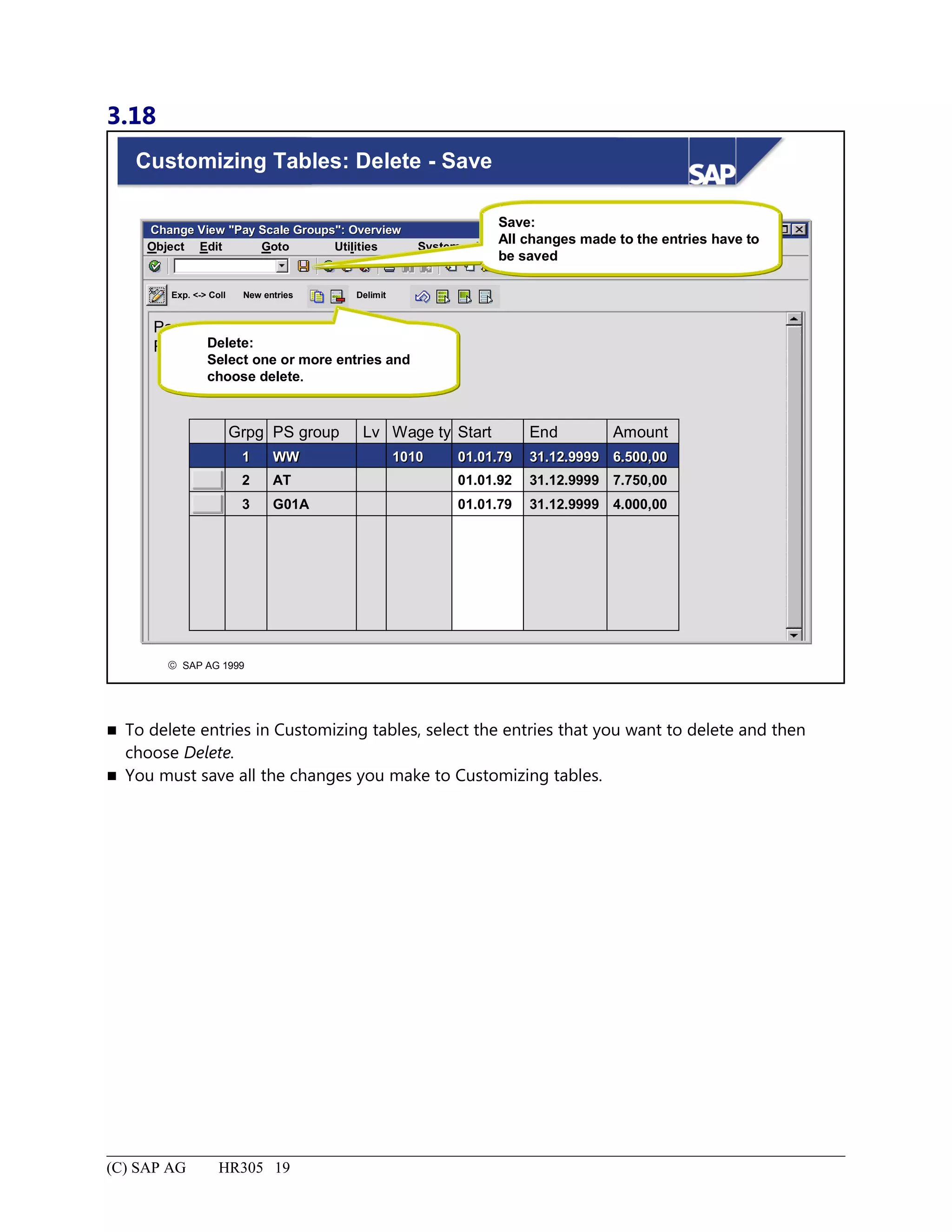
Customizing Tables: Delete - Save..........................................................................................................................19
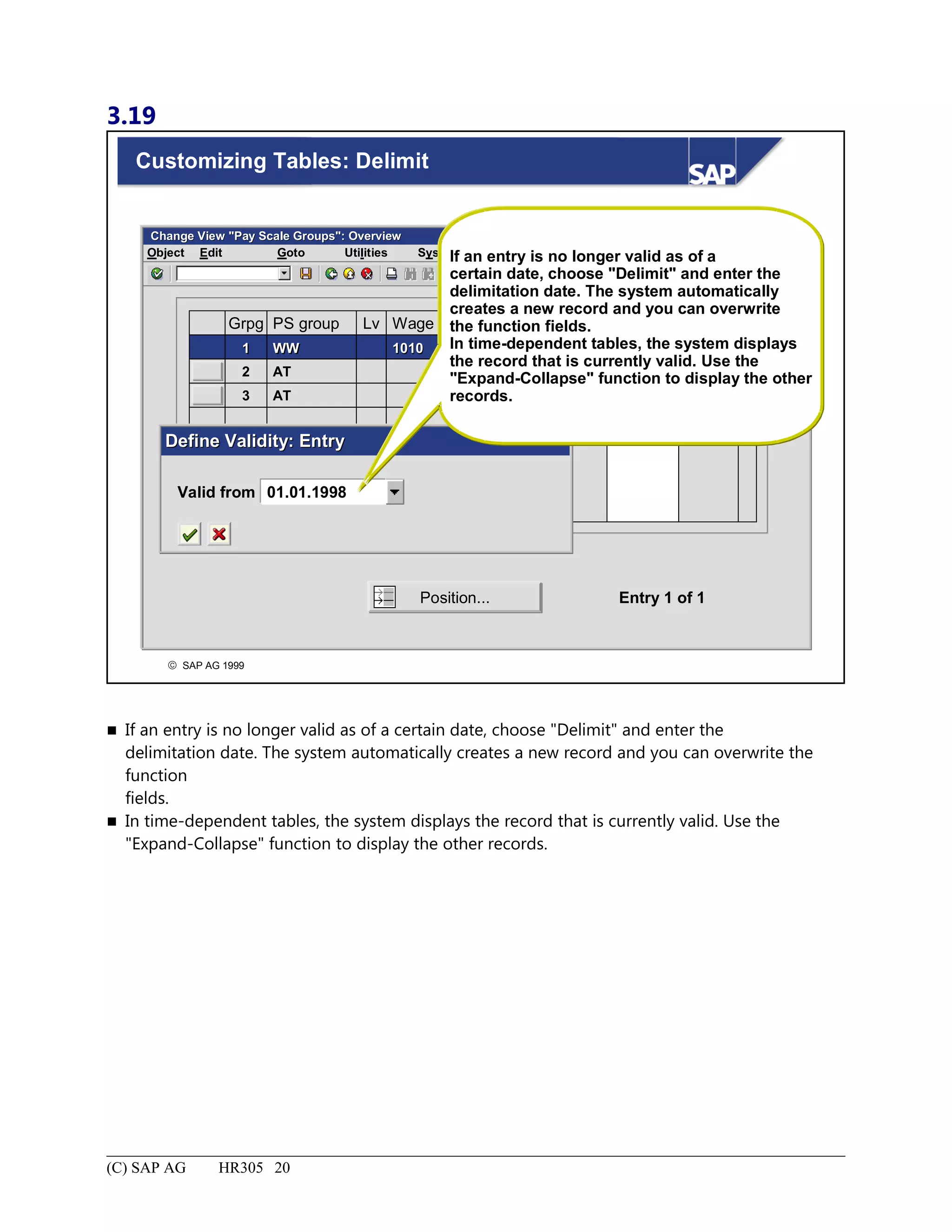
Customizing Tables: Delimit...................................................................................................................................20
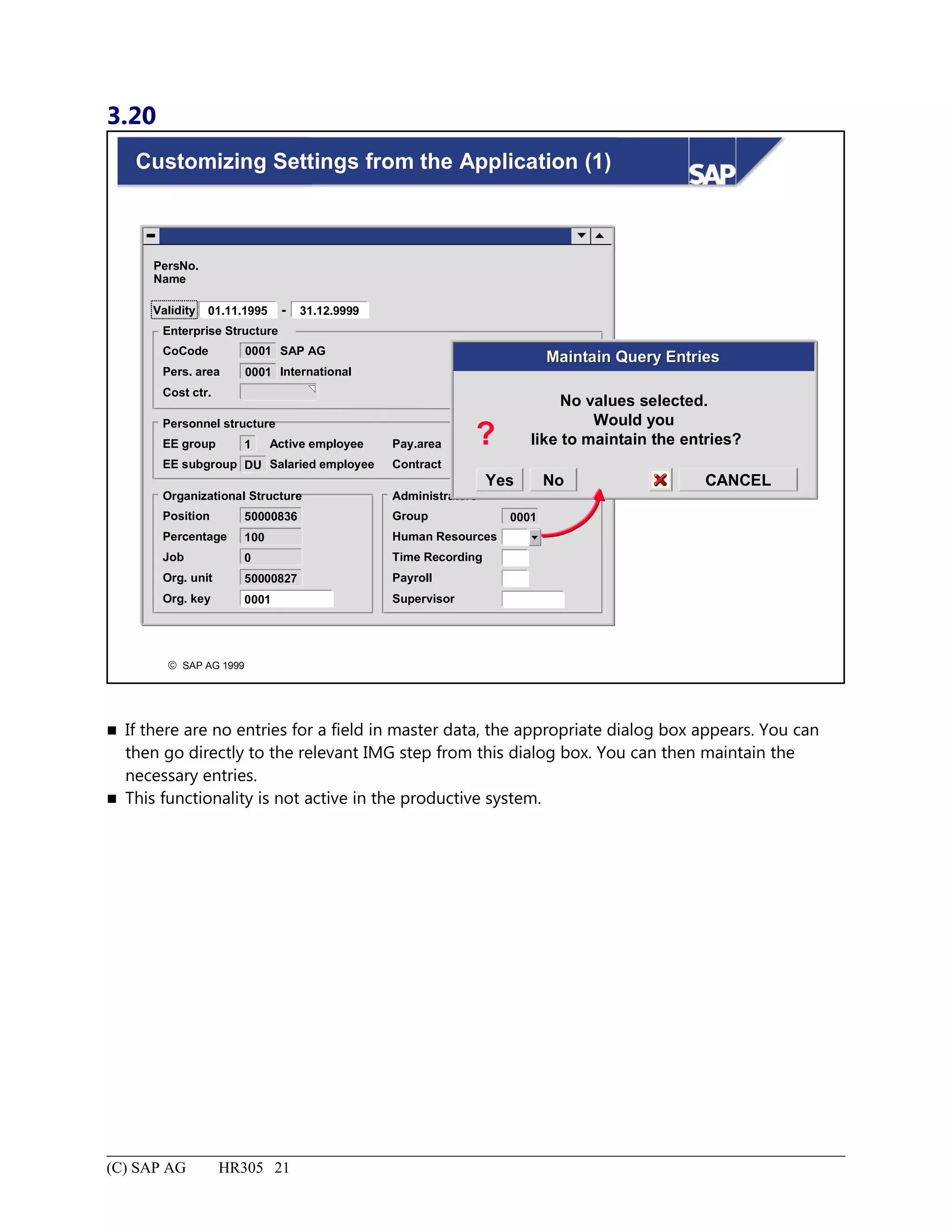
Customizing Settings from the Application (1).......................................................................................................21
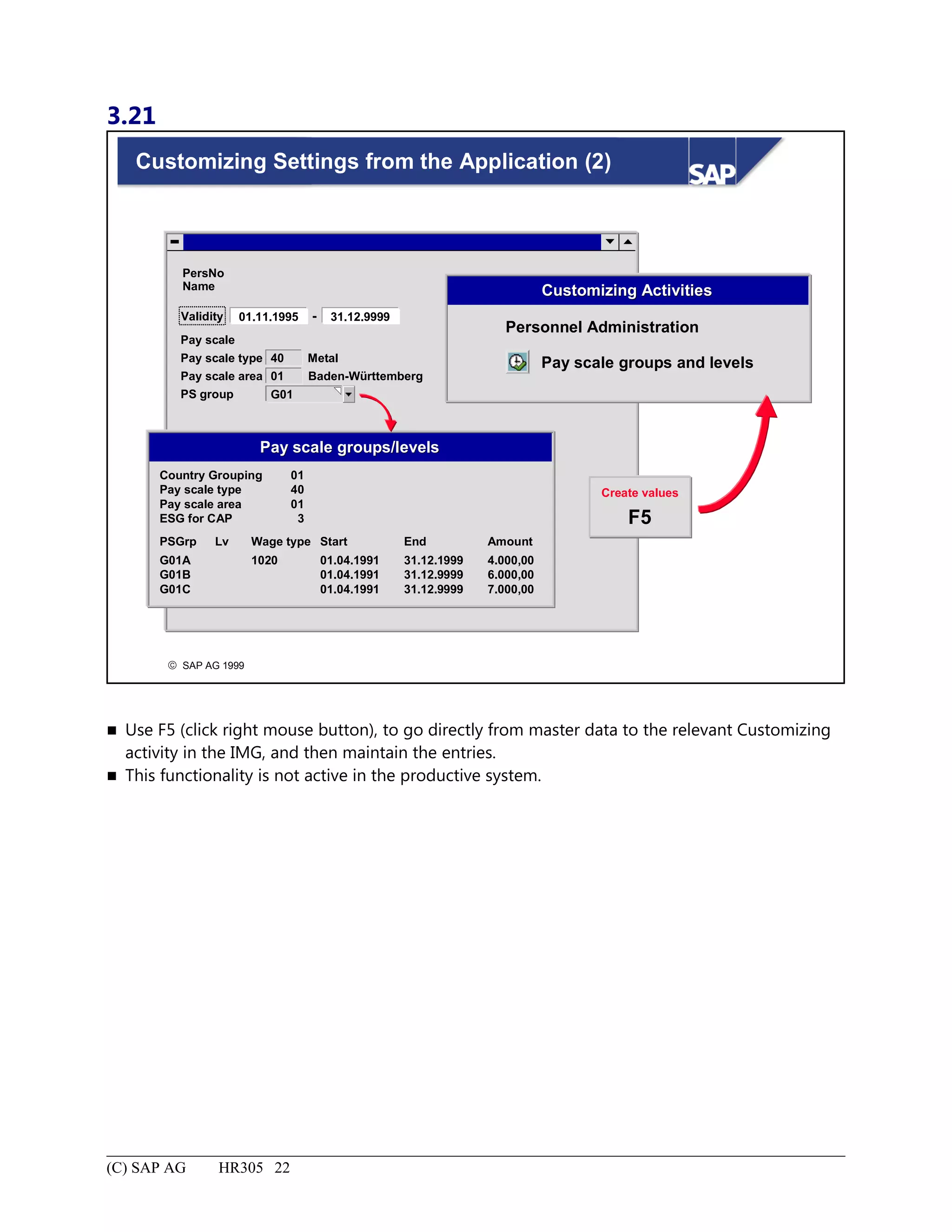
Customizing Settings from the Application (2).......................................................................................................22
Buying a Bicycle Production Company: Summary.................................................................................................23
Enterprise Structure.......................................................................................................................................................1
Enterprise Structure: Unit Objectives........................................................................................................................2
Enterprise Structure: Business Scenario....................................................................................................................3
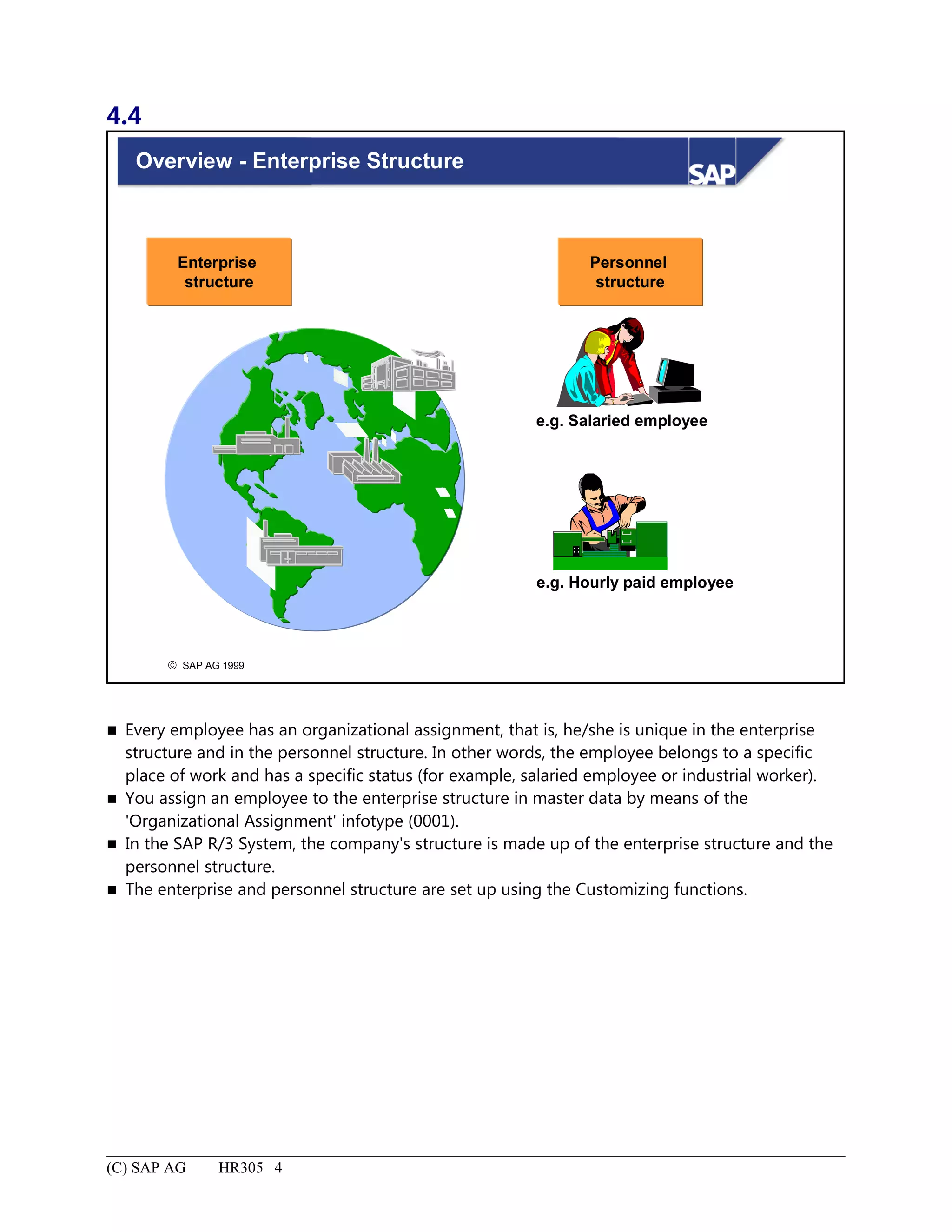
Overview - Enterprise Structure................................................................................................................................4
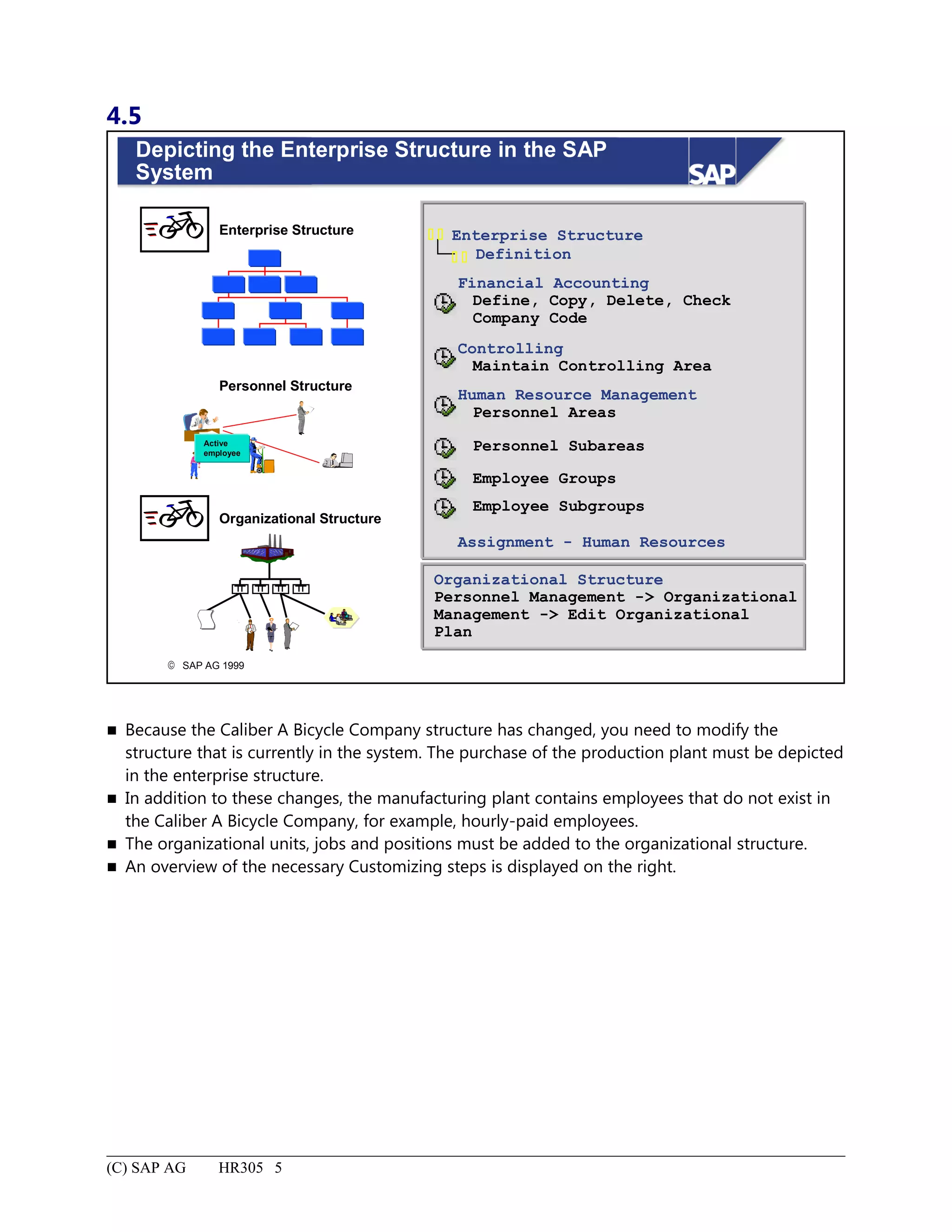
Depicting the Enterprise Structure in the SAP System..............................................................................................5
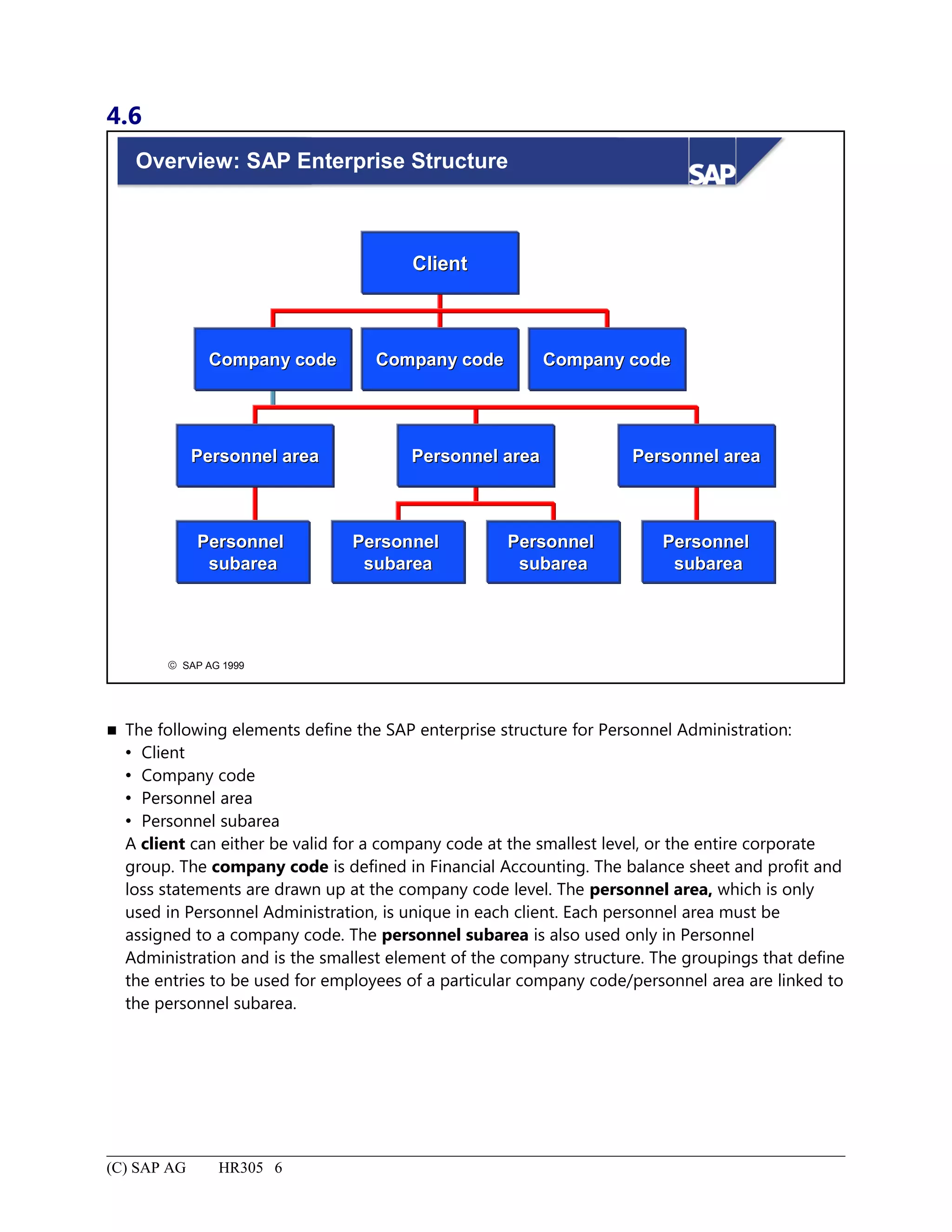
Overview: SAP Enterprise Structure.........................................................................................................................6
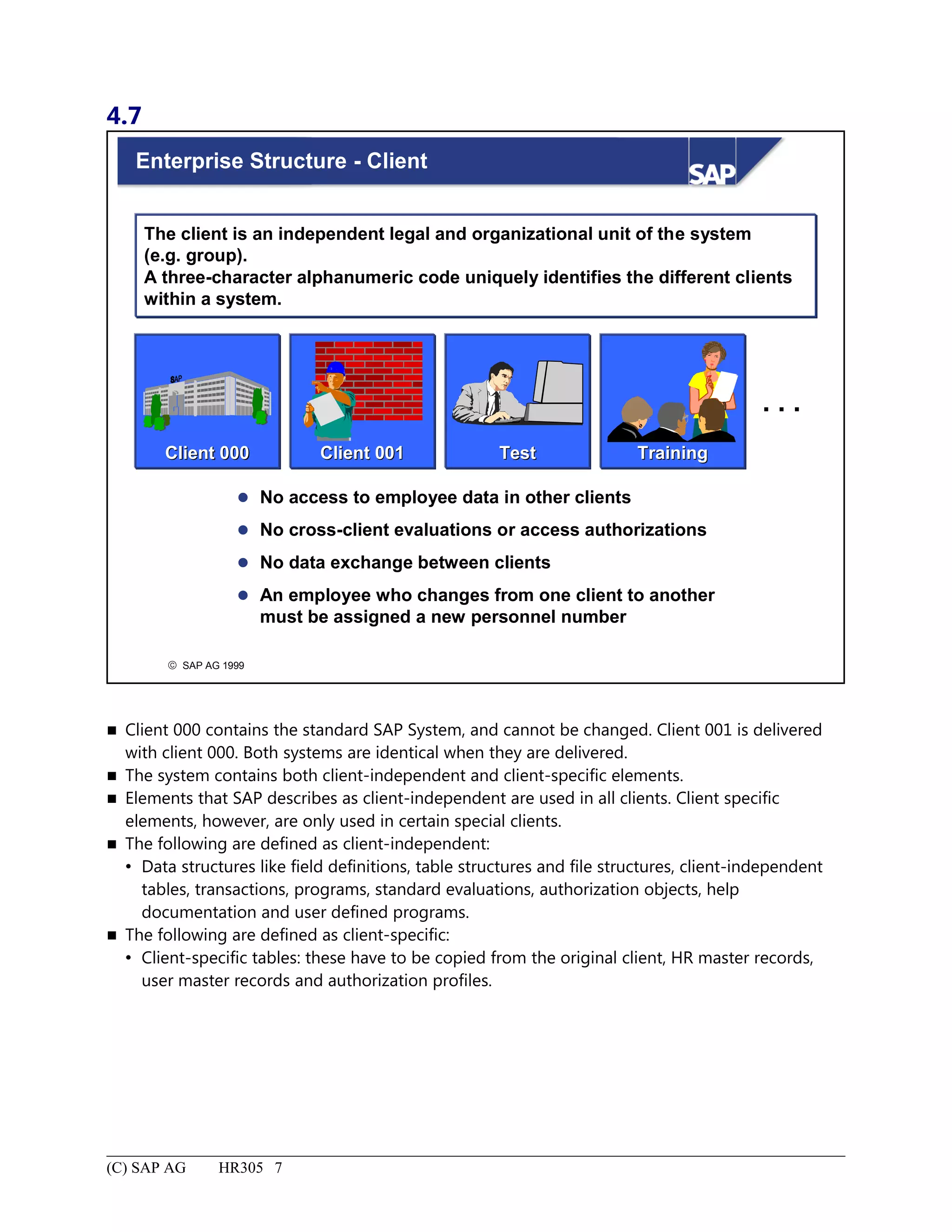
Enterprise Structure - Client......................................................................................................................................7
Enterprise Structure - Company Code.......................................................................................................................8
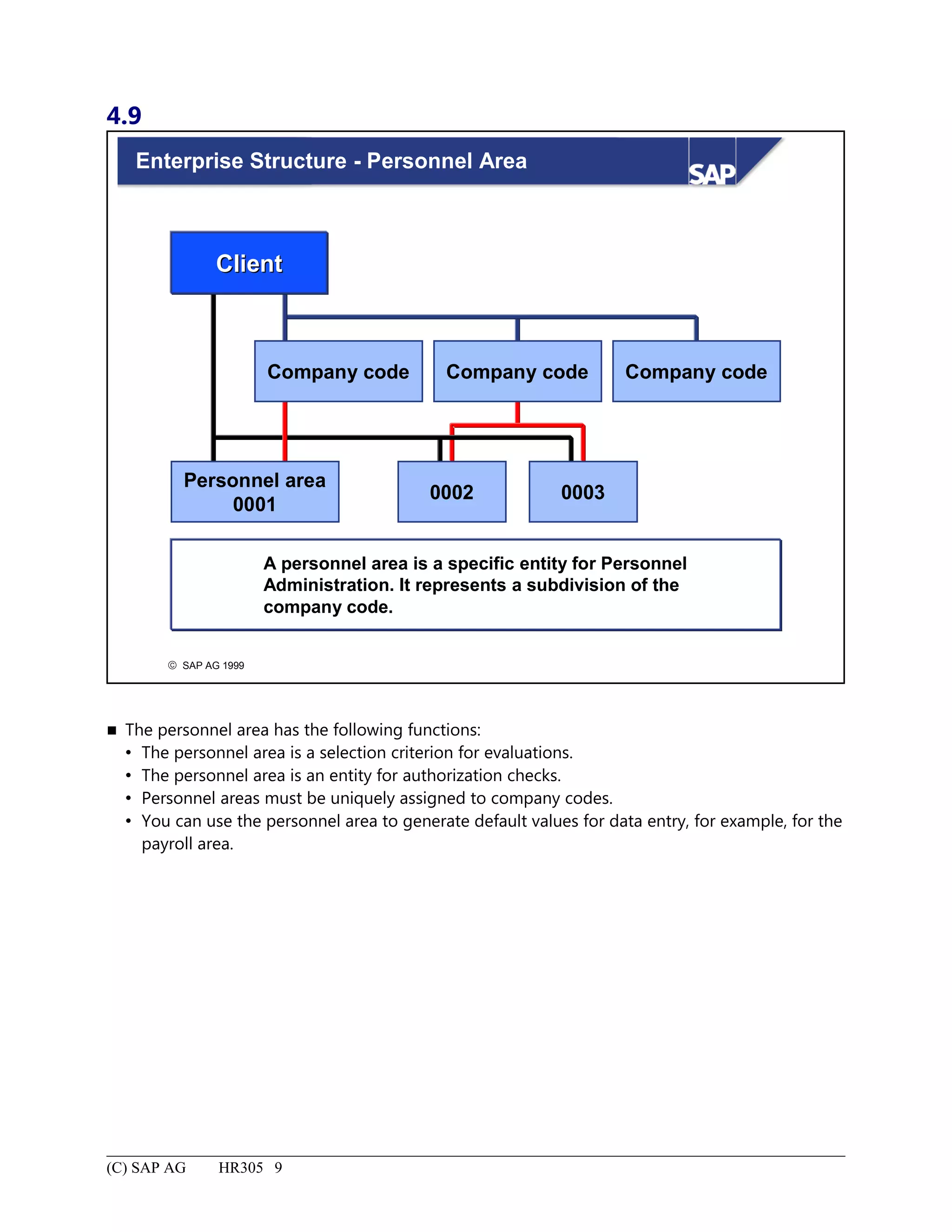
Enterprise Structure - Personnel Area........................................................................................................................9
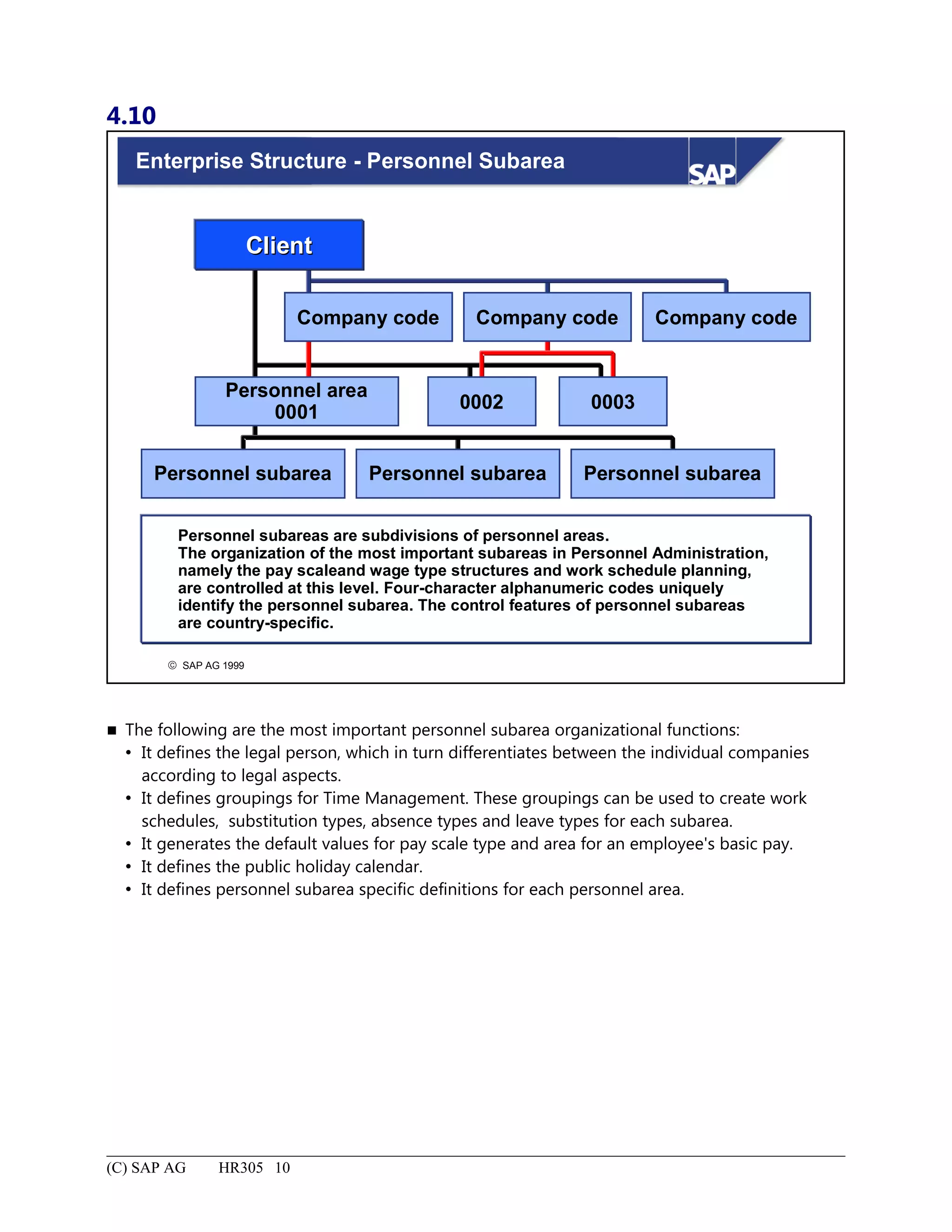
Enterprise Structure - Personnel Subarea................................................................................................................10
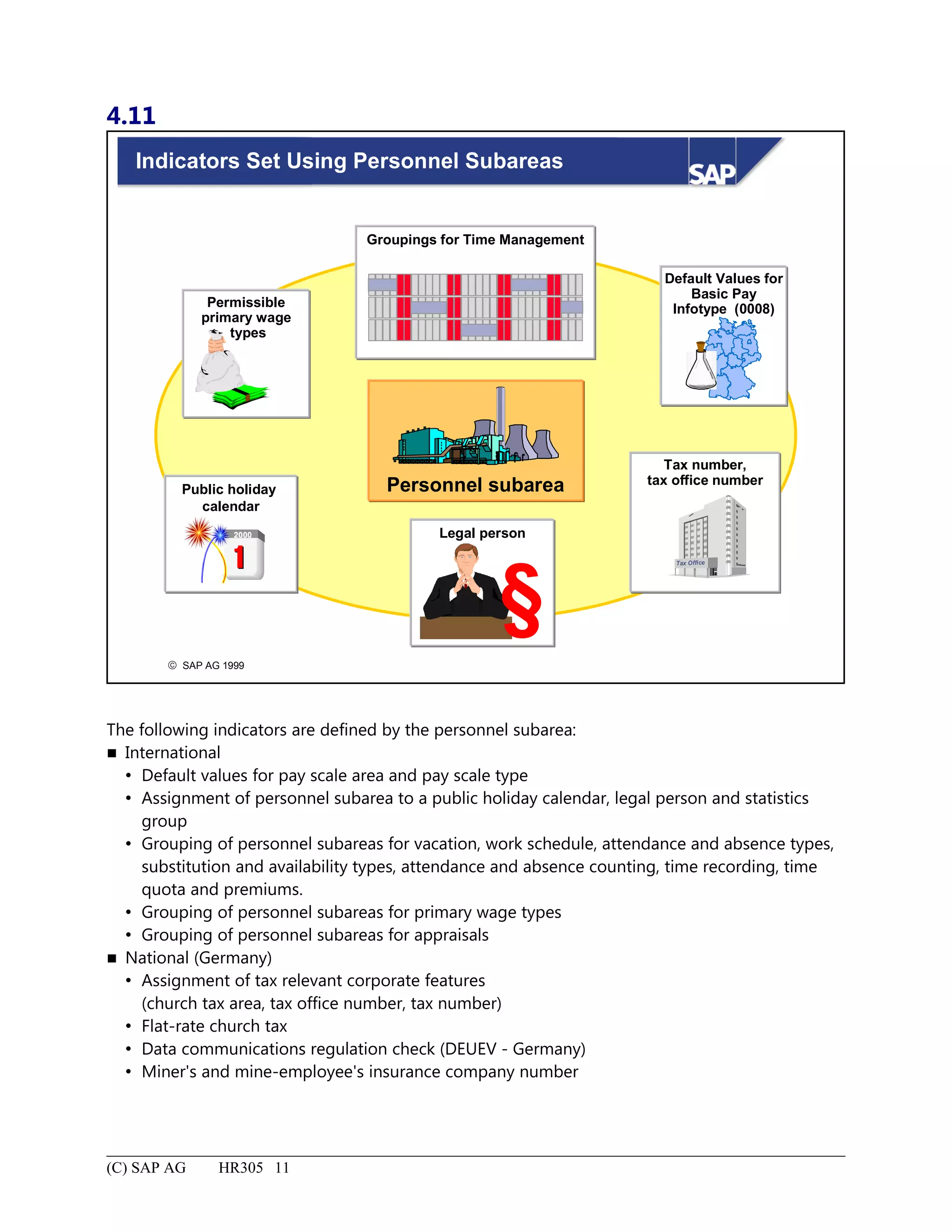
Indicators Set Using Personnel Subareas.................................................................................................................11
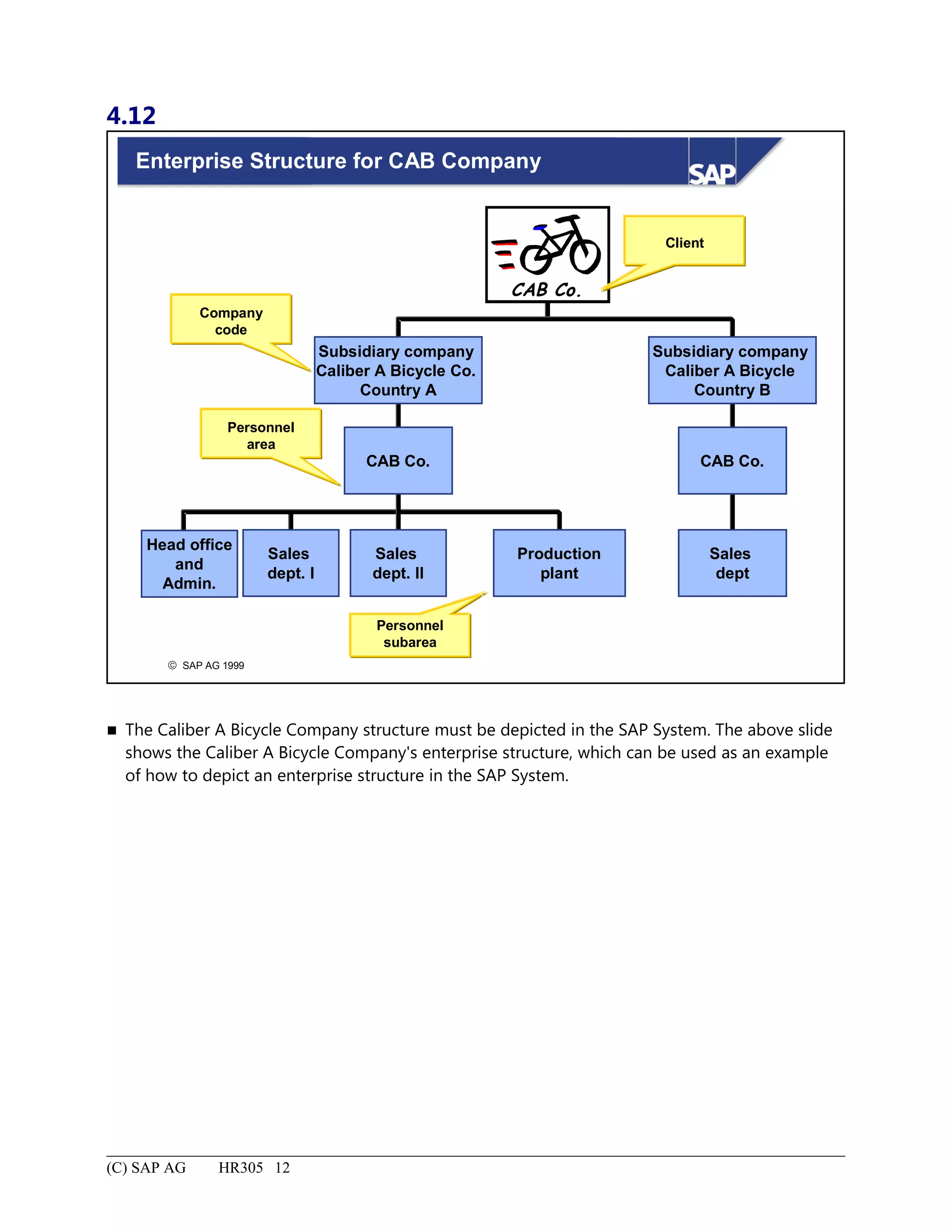
Enterprise Structure for CAB Company..................................................................................................................12
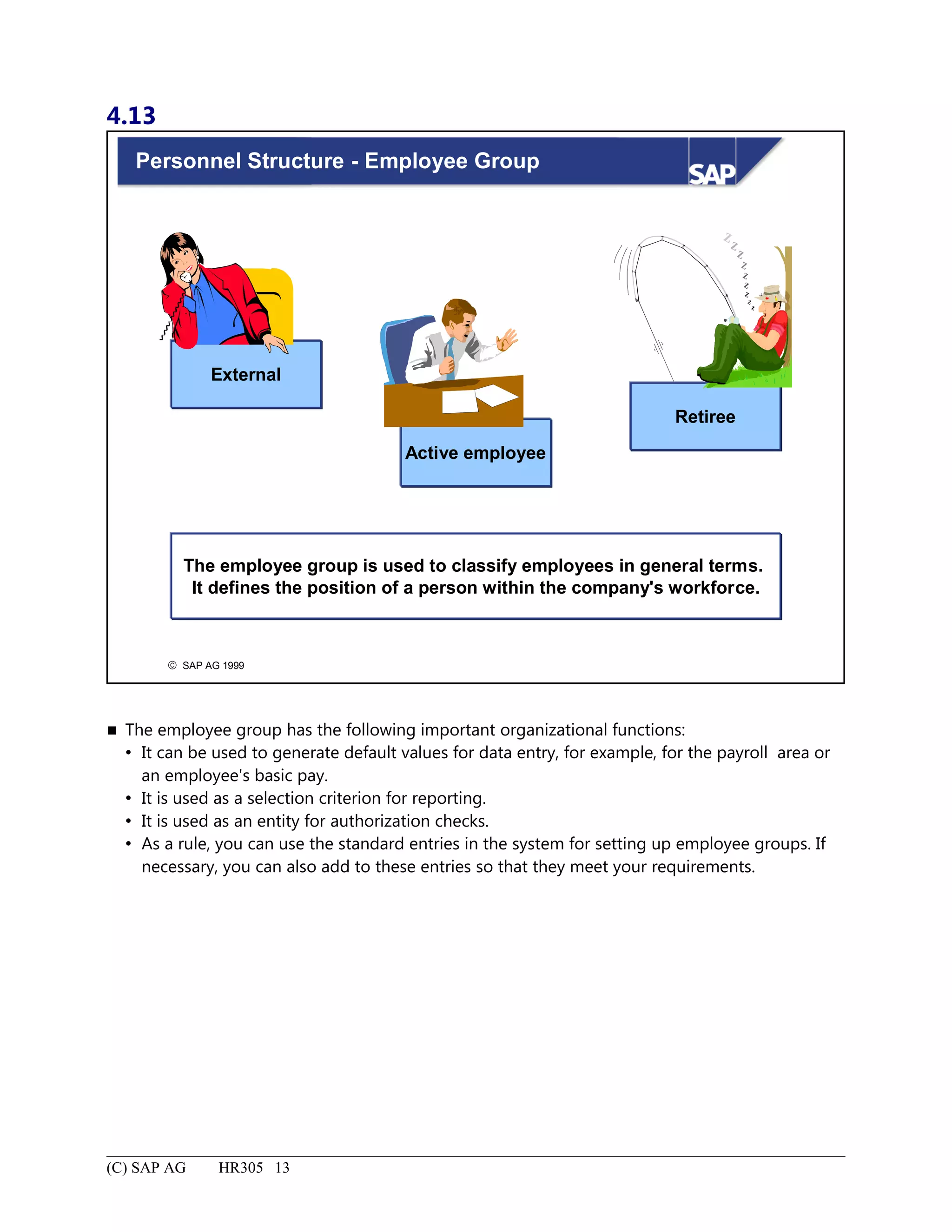
Personnel Structure - Employee Group...................................................................................................................13
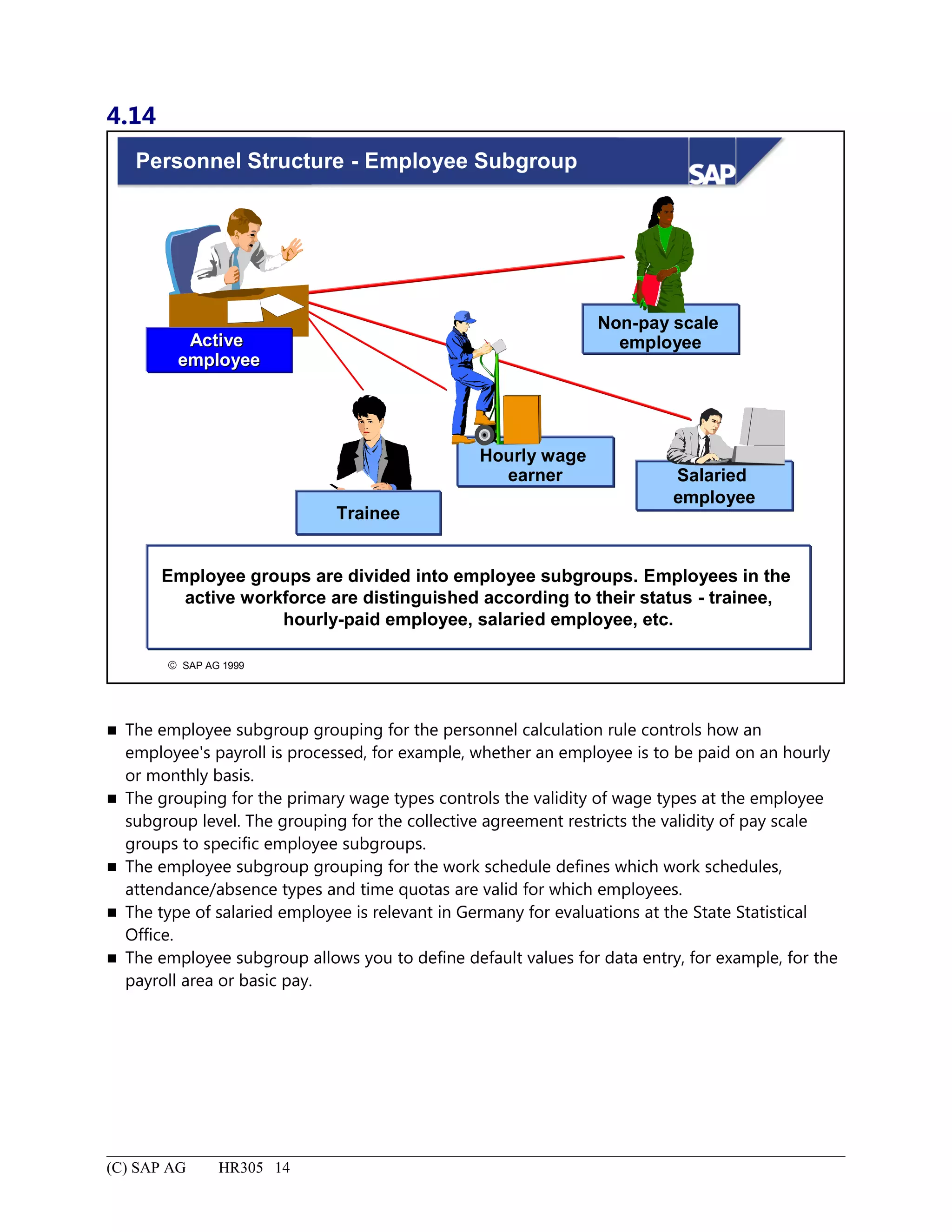
Personnel Structure - Employee Subgroup..............................................................................................................14
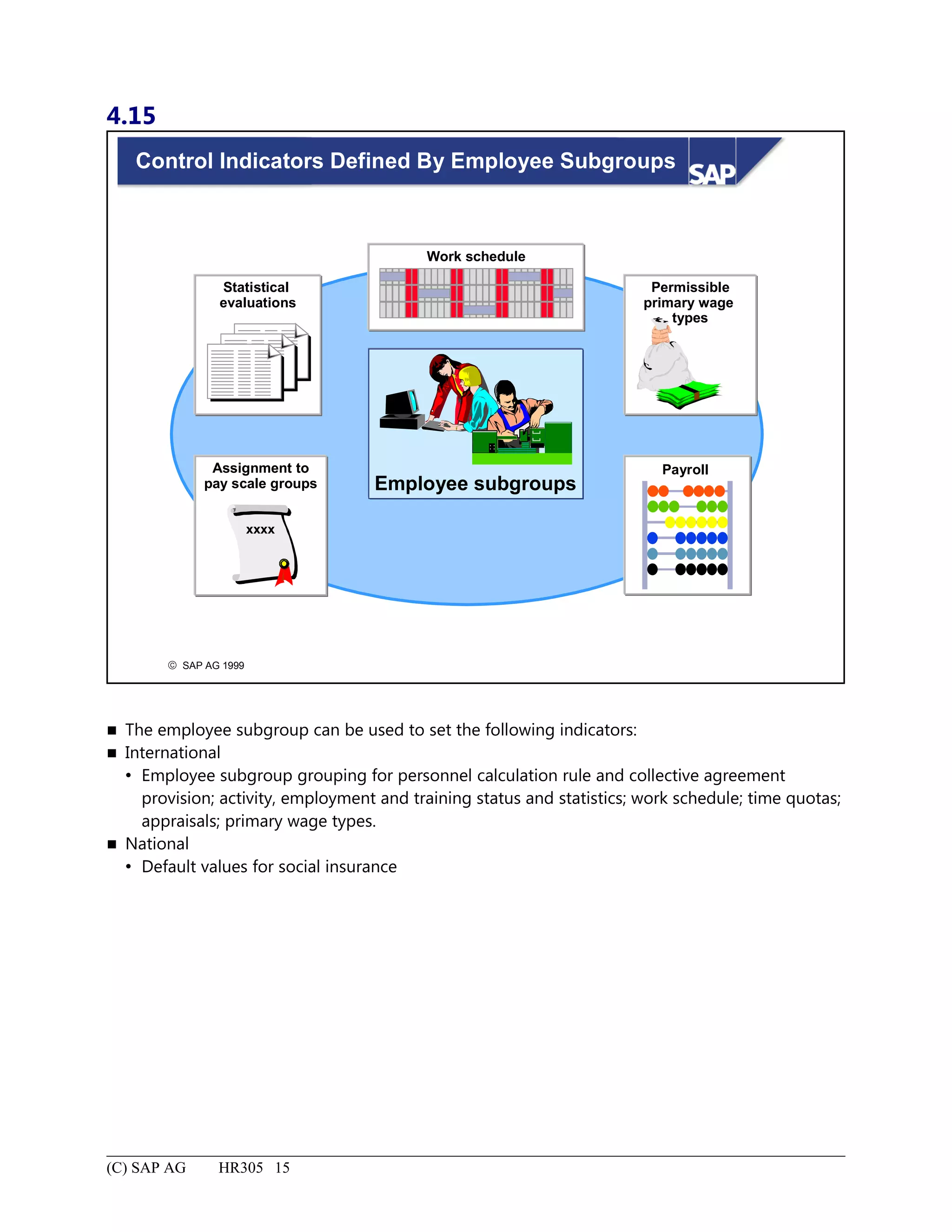
Control Indicators Defined By Employee Subgroups.............................................................................................15
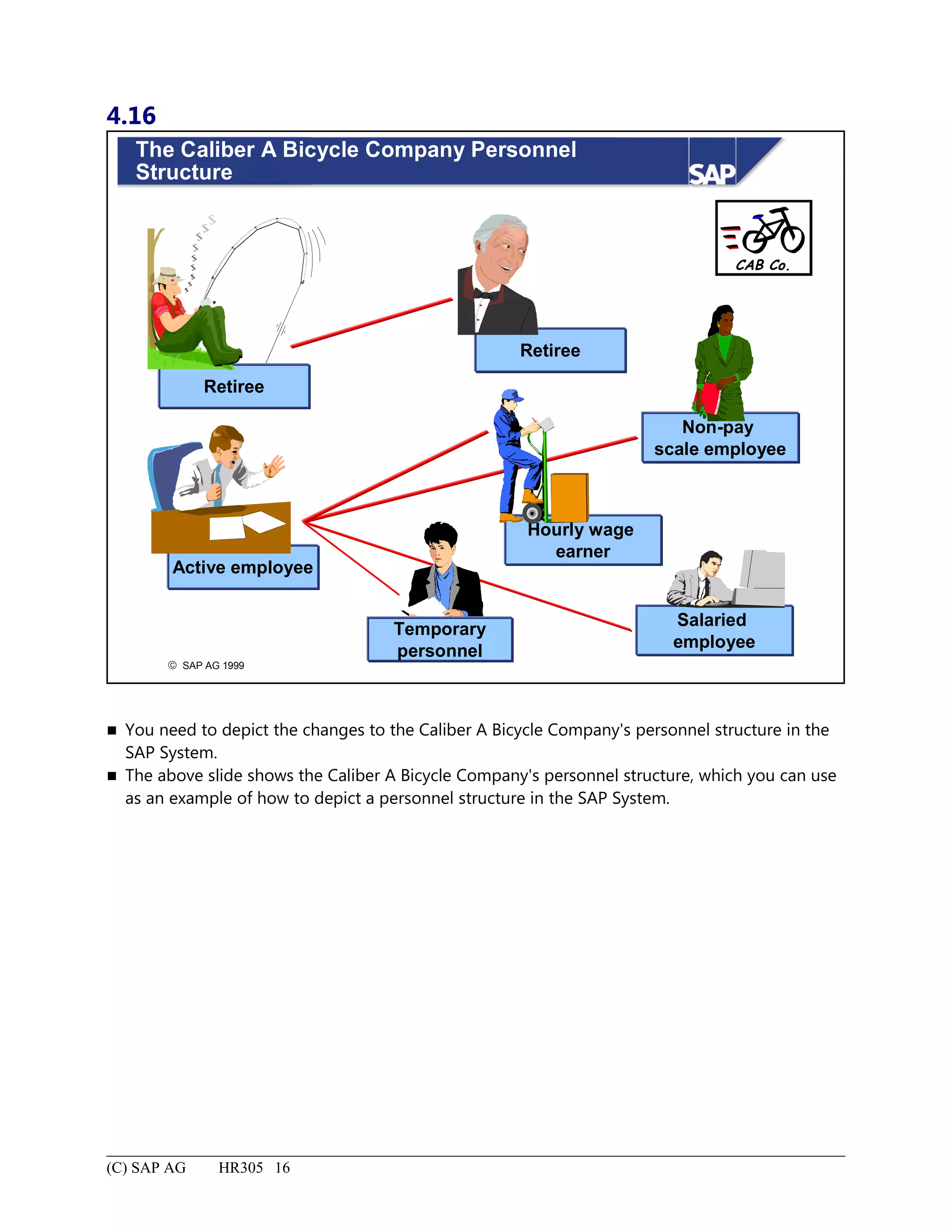
The Caliber A Bicycle Company Personnel Structure............................................................................................16
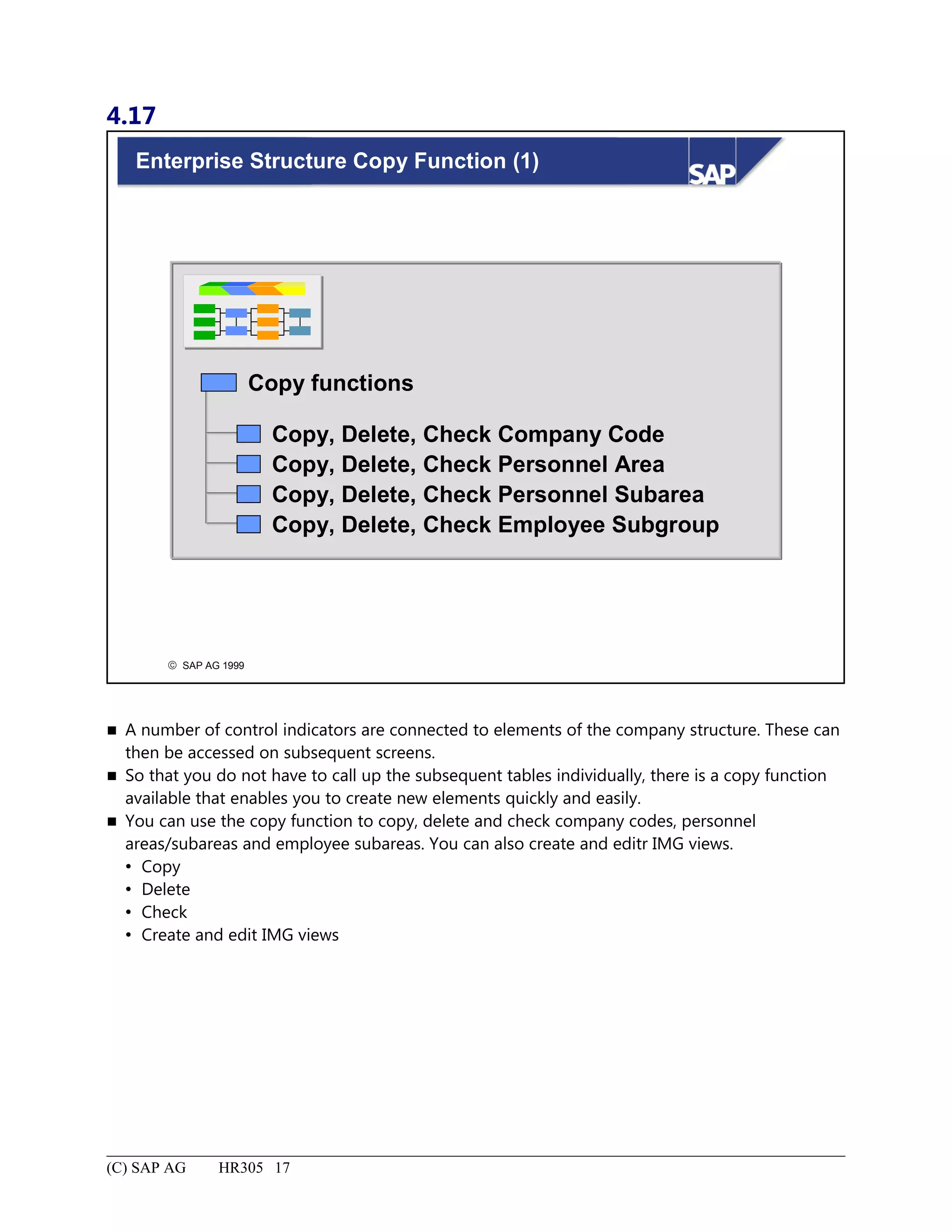
Enterprise Structure Copy Function (1)...................................................................................................................17
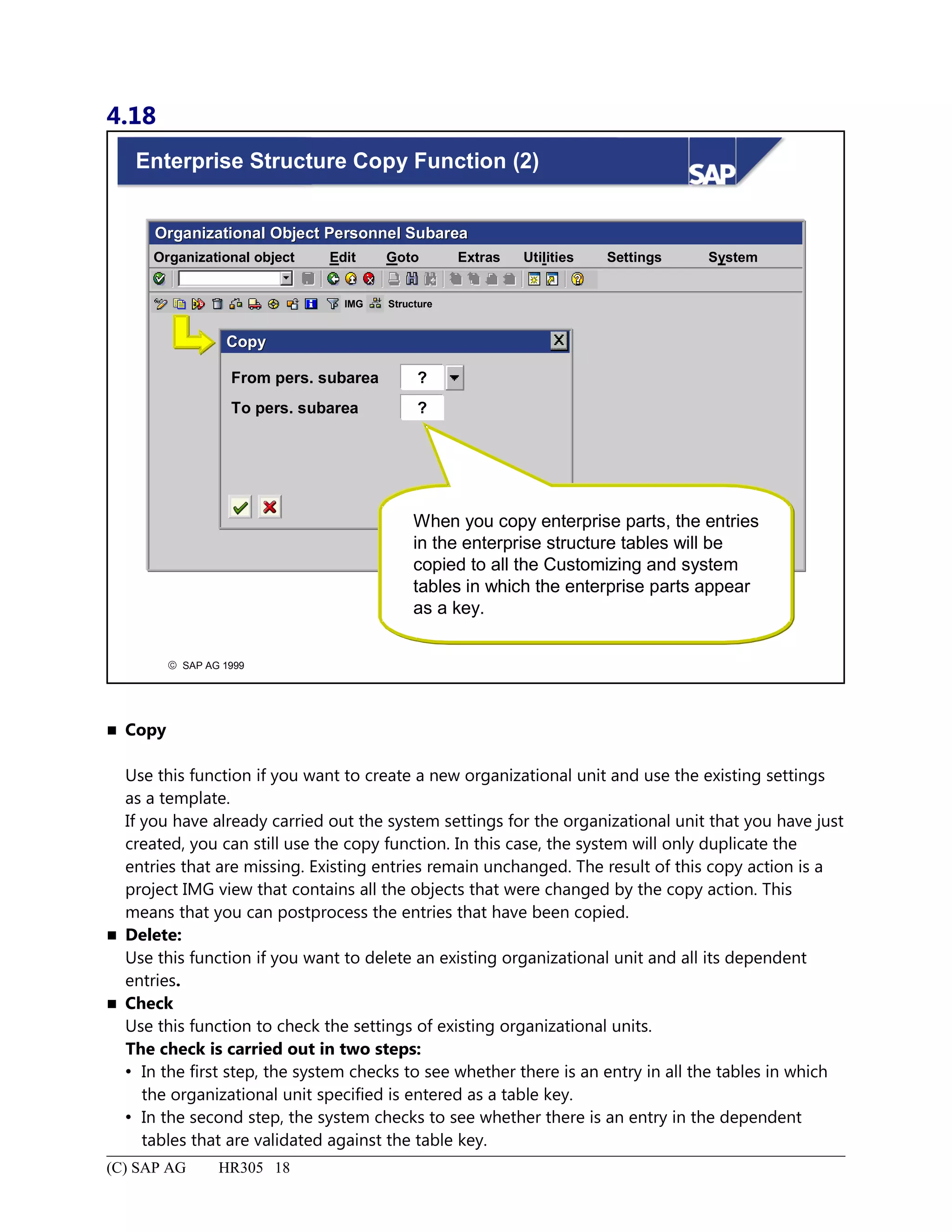
Enterprise Structure Copy Function (2)...................................................................................................................18
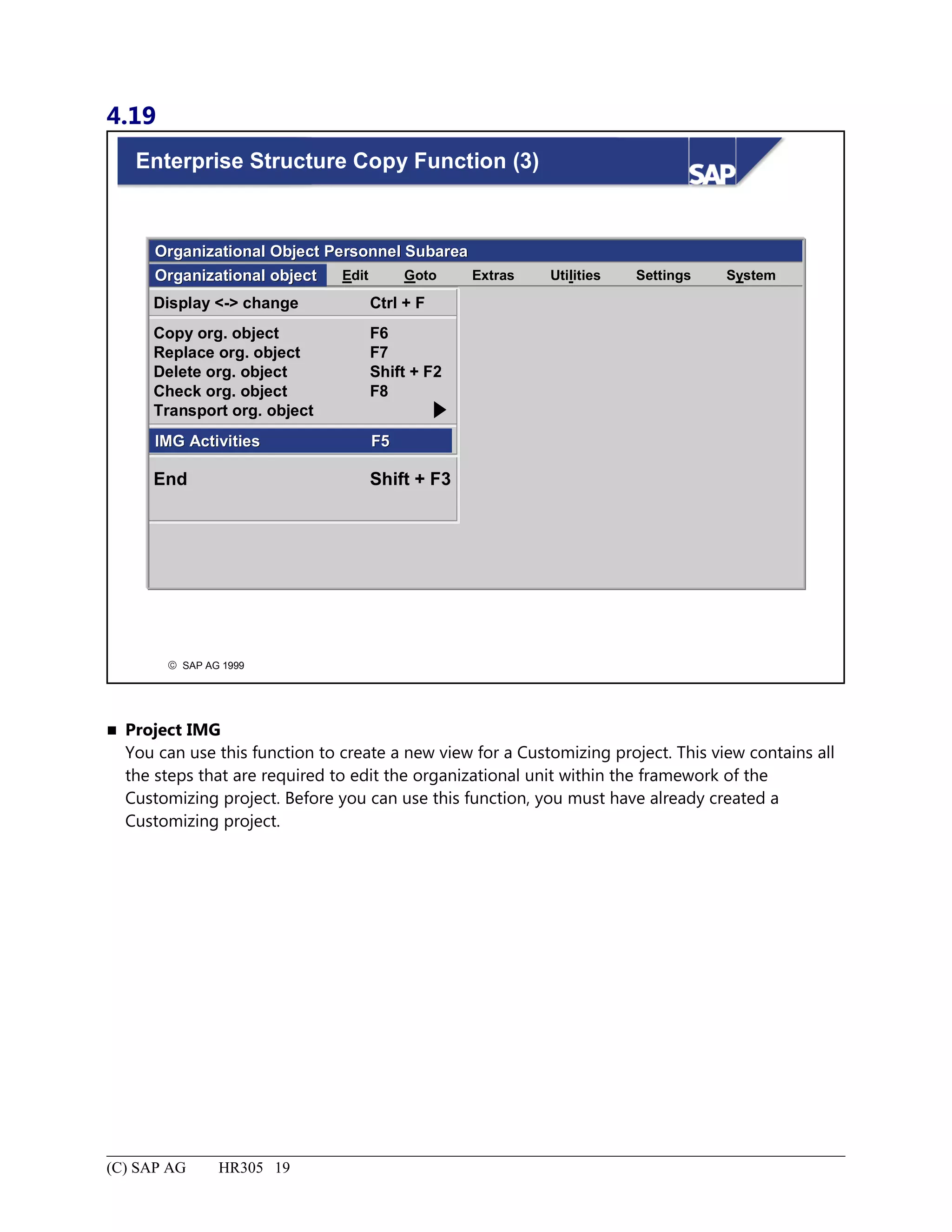
Enterprise Structure Copy Function (3)...................................................................................................................19
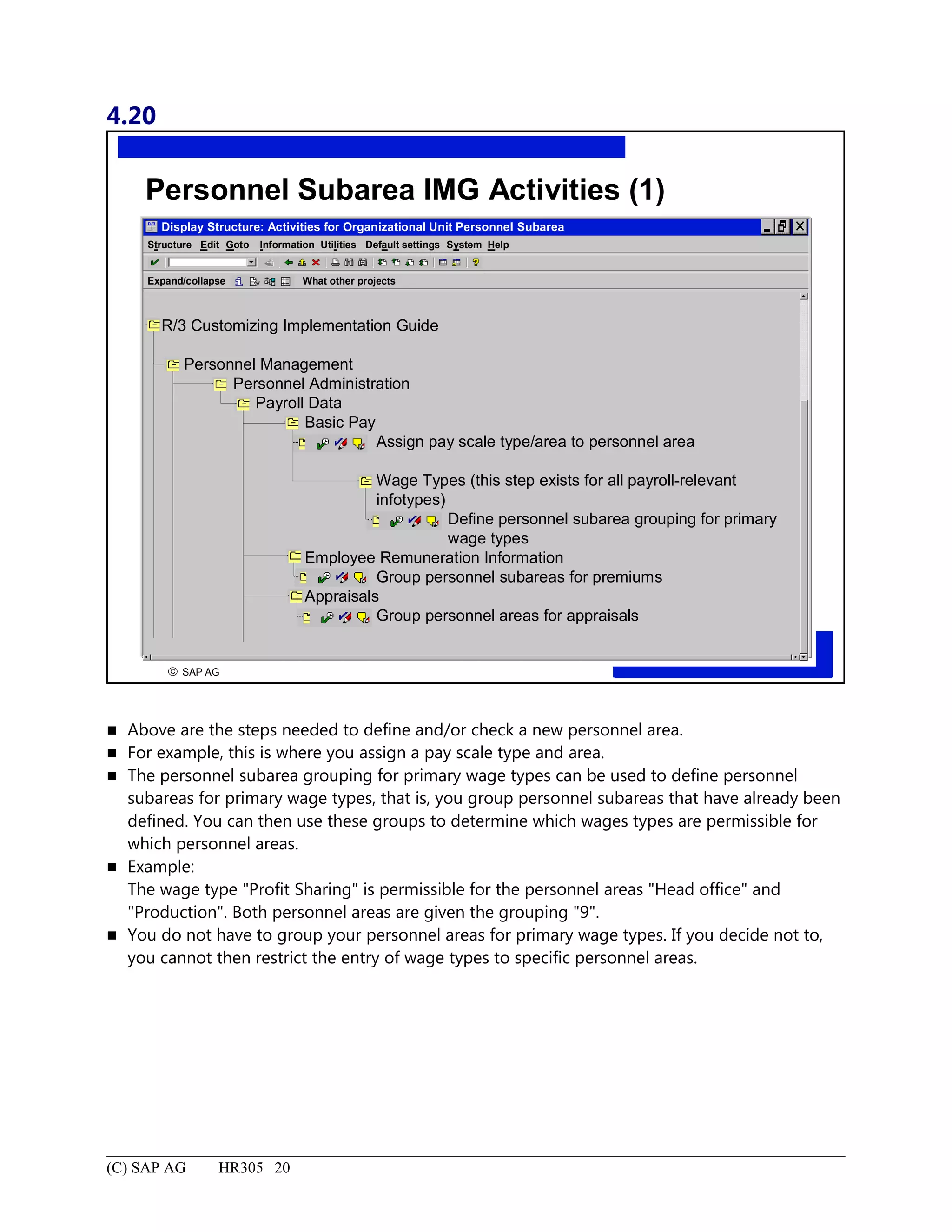
Personnel Subarea IMG Activities (1).....................................................................................................................20
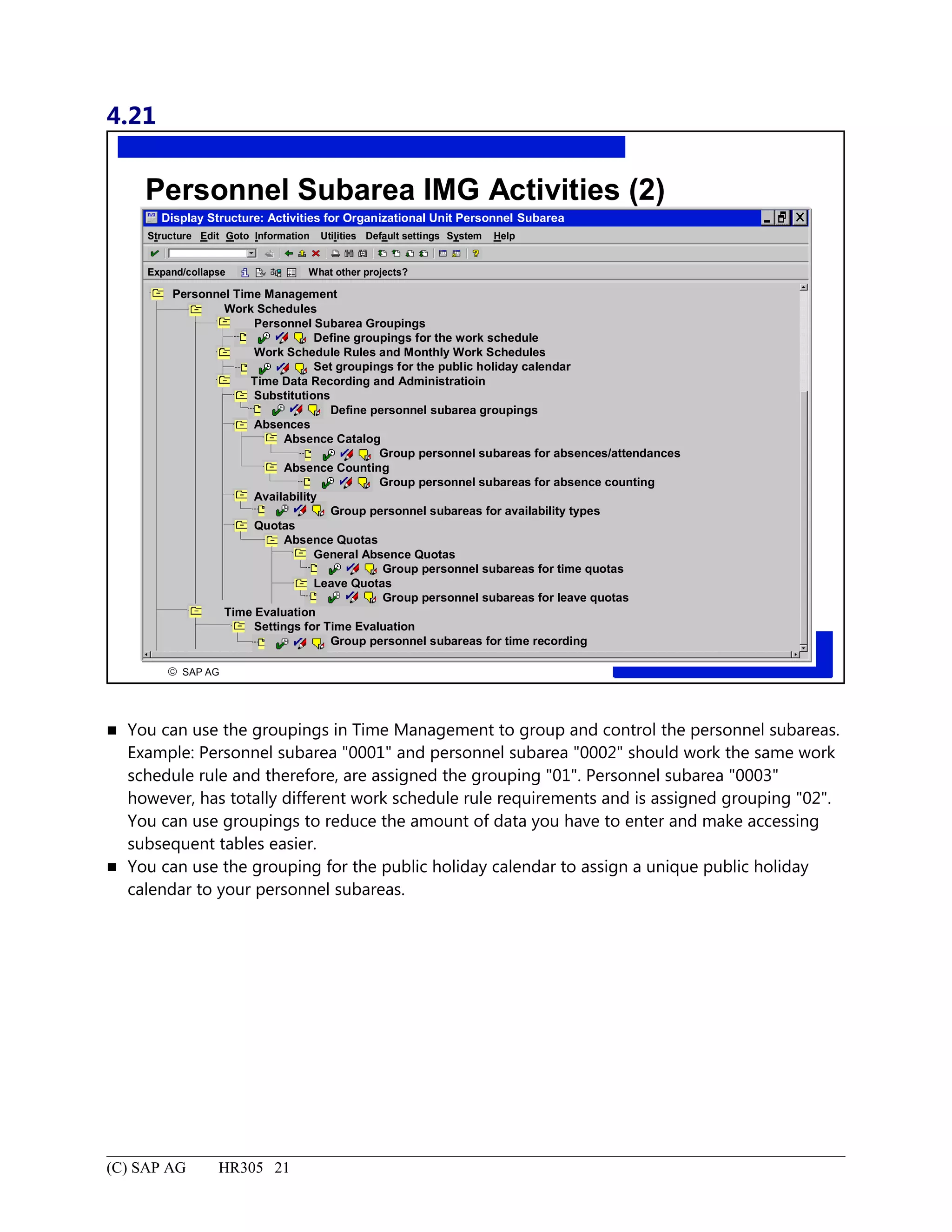
Personnel Subarea IMG Activities (2).....................................................................................................................21
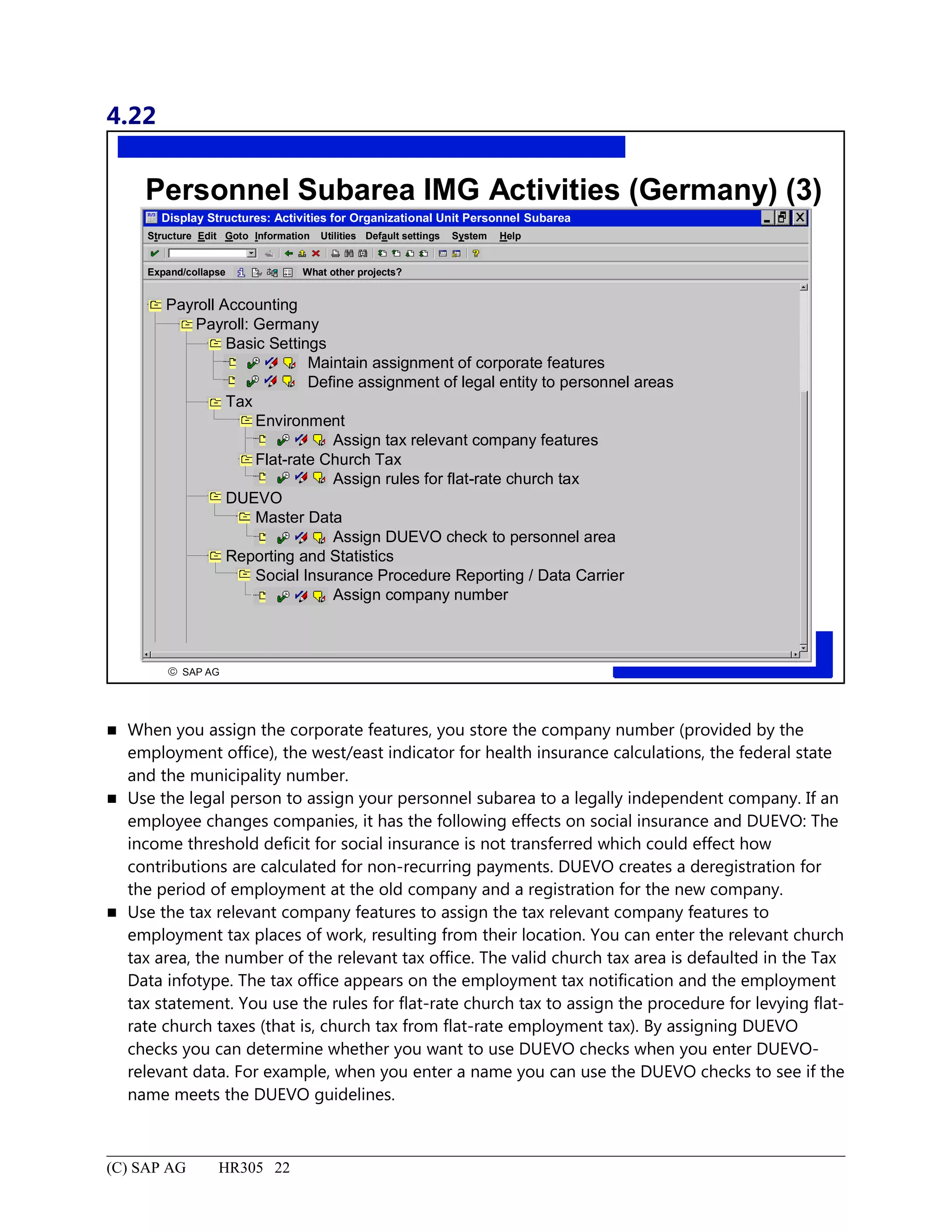
Personnel Subarea IMG Activities (Germany) (3)..................................................................................................22
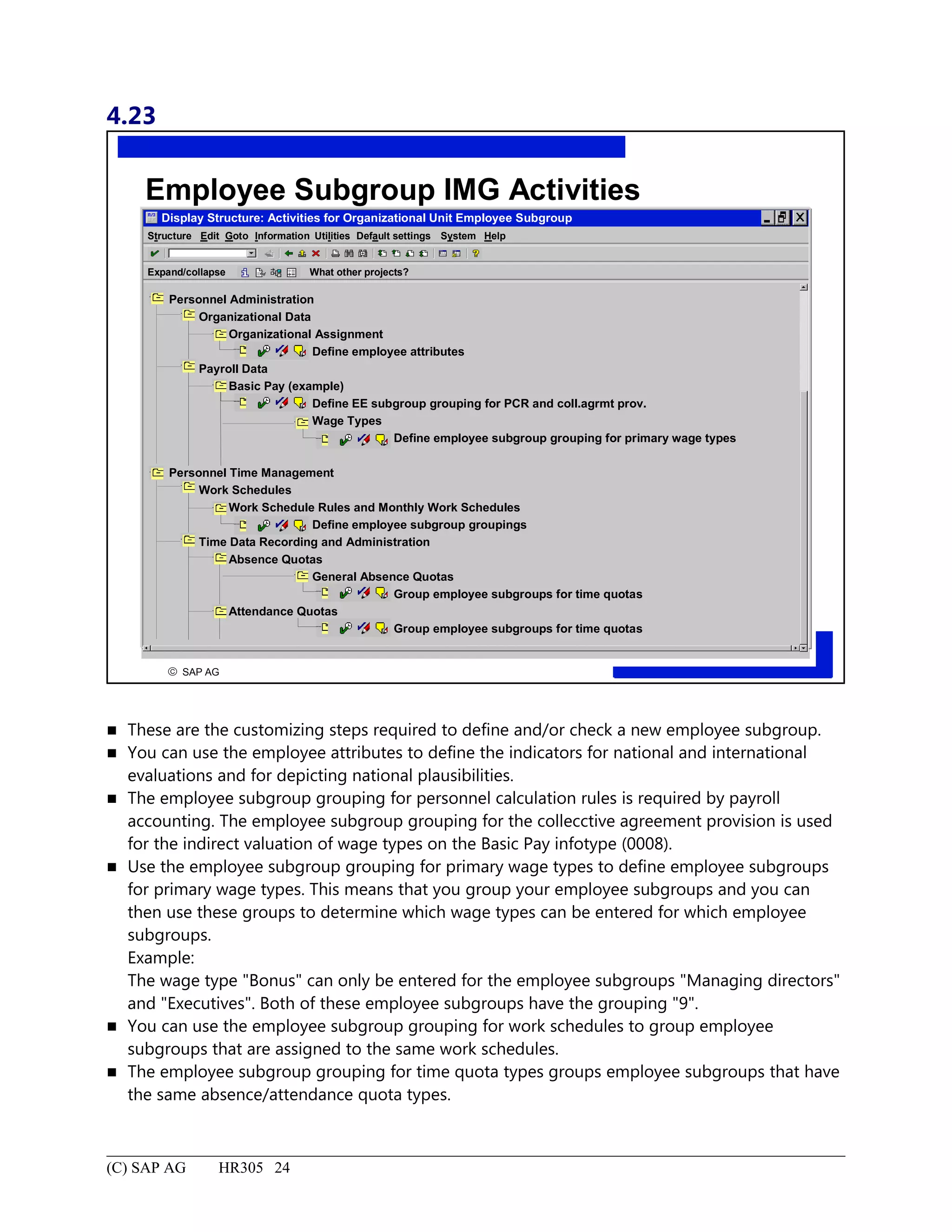
Employee Subgroup IMG Activities.......................................................................................................................24
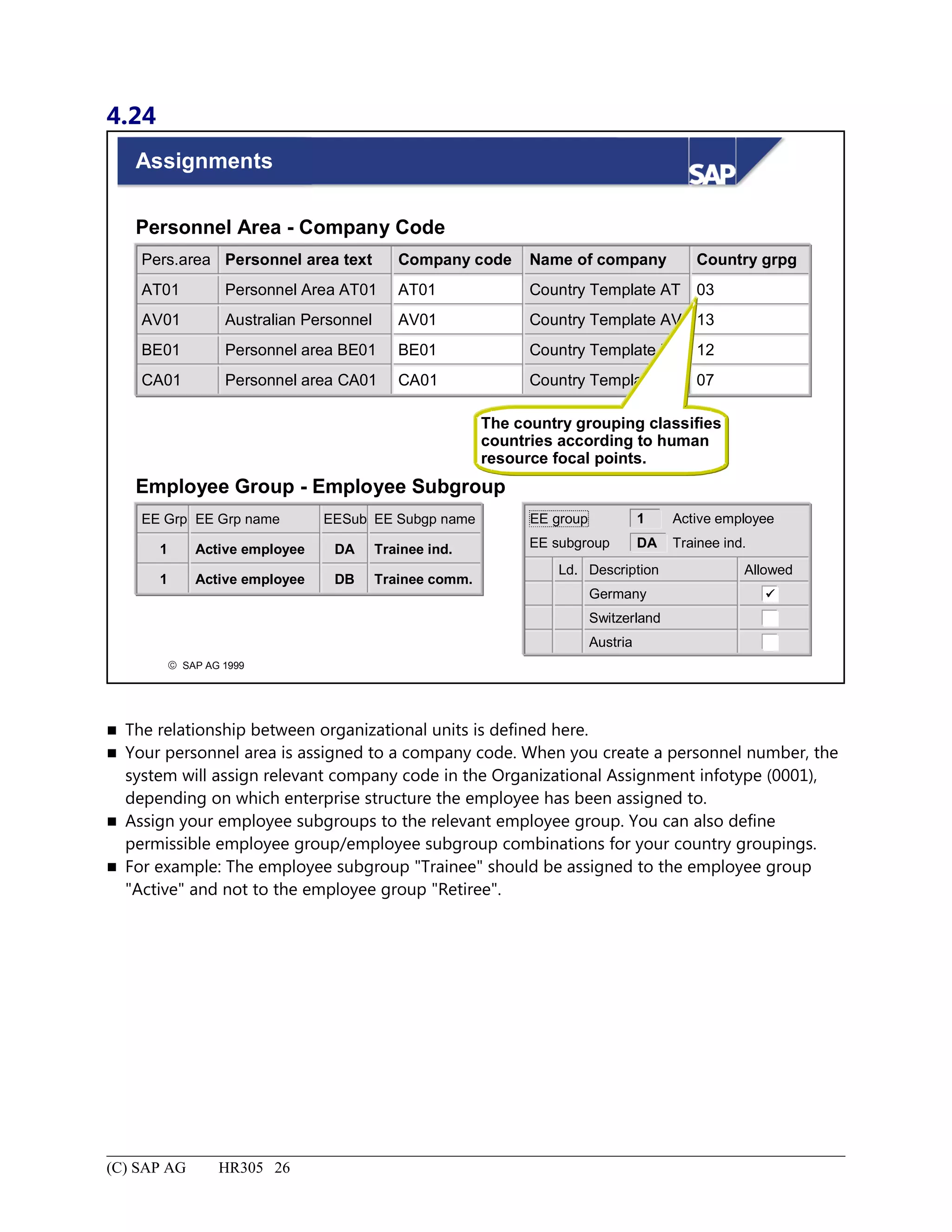
Assignments.............................................................................................................................................................26
Enterprise Structure: Summary................................................................................................................................27
Organizational Structure................................................................................................................................................1
Organizational Structure: Unit Objectives.................................................................................................................2
Organizational Structure: Business Scenario.............................................................................................................3
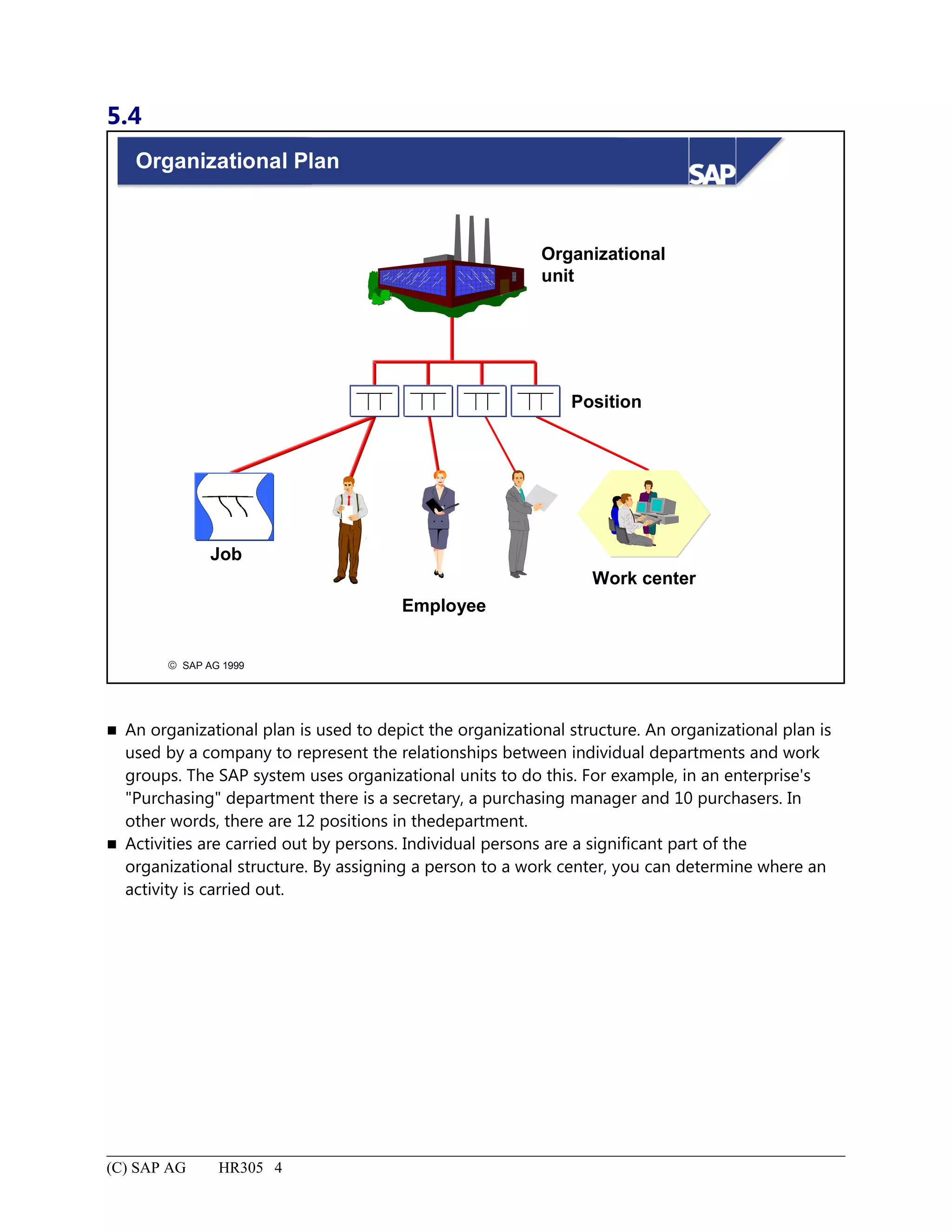
Organizational Plan....................................................................................................................................................4
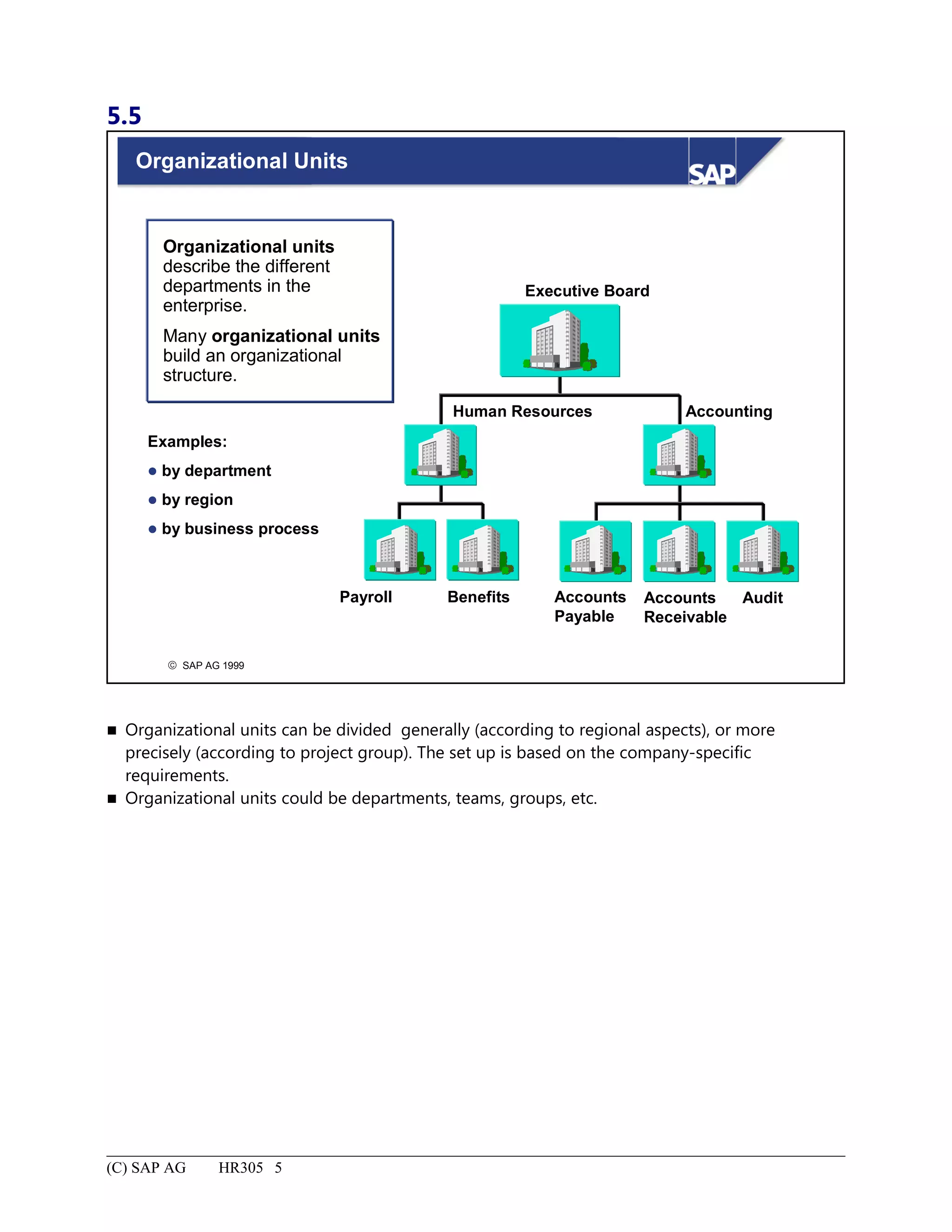
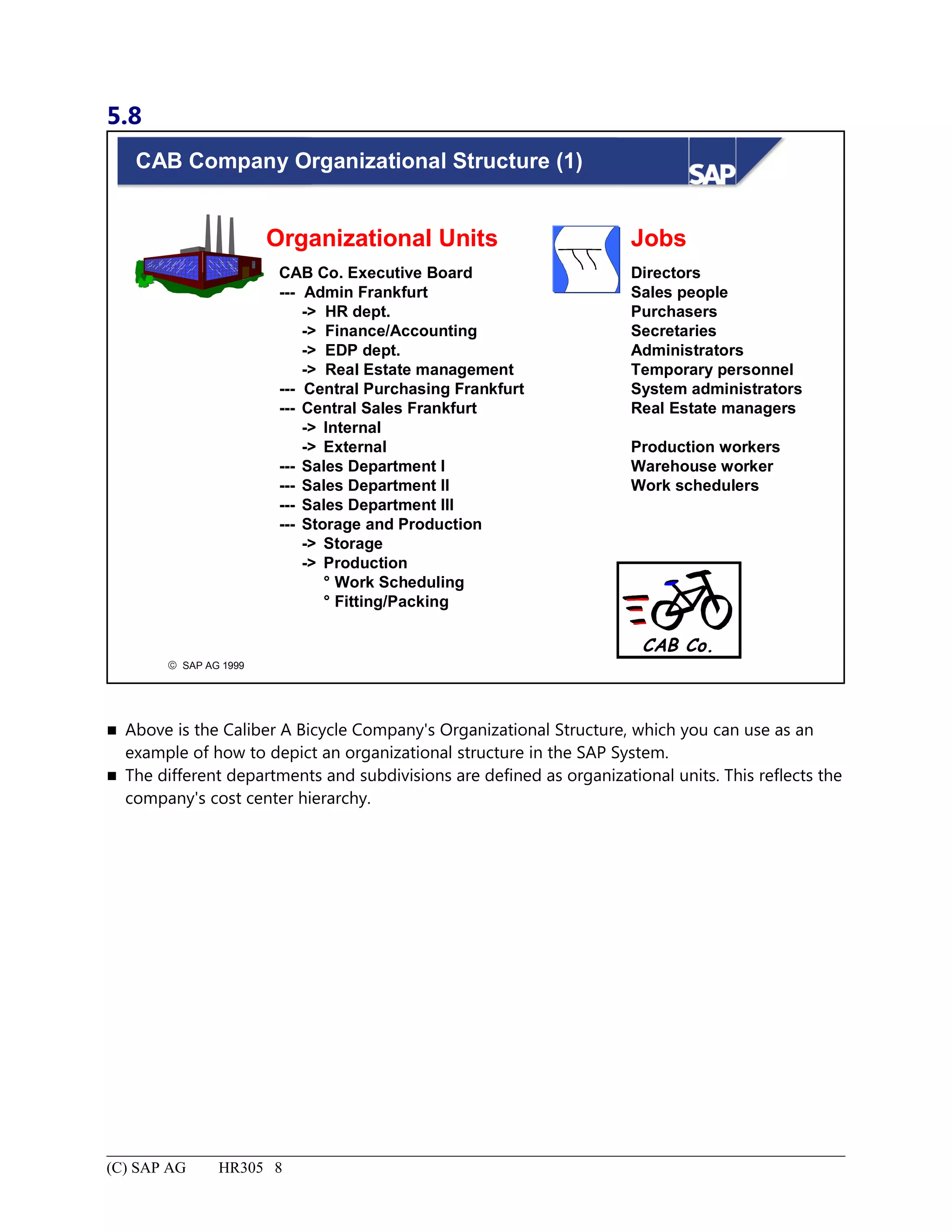
Organizational Units..................................................................................................................................................5
5.
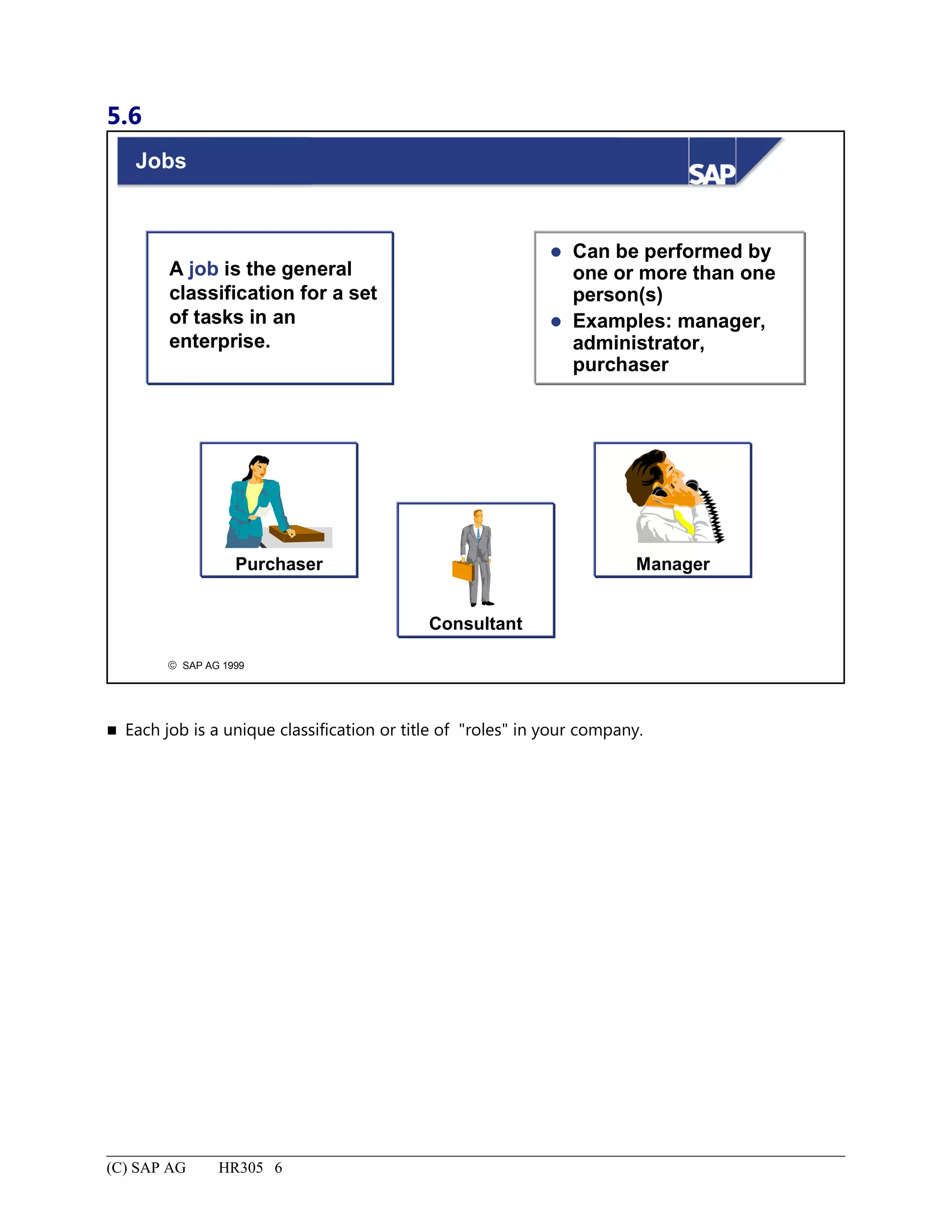
Jobs............................................................................................................................................................................6
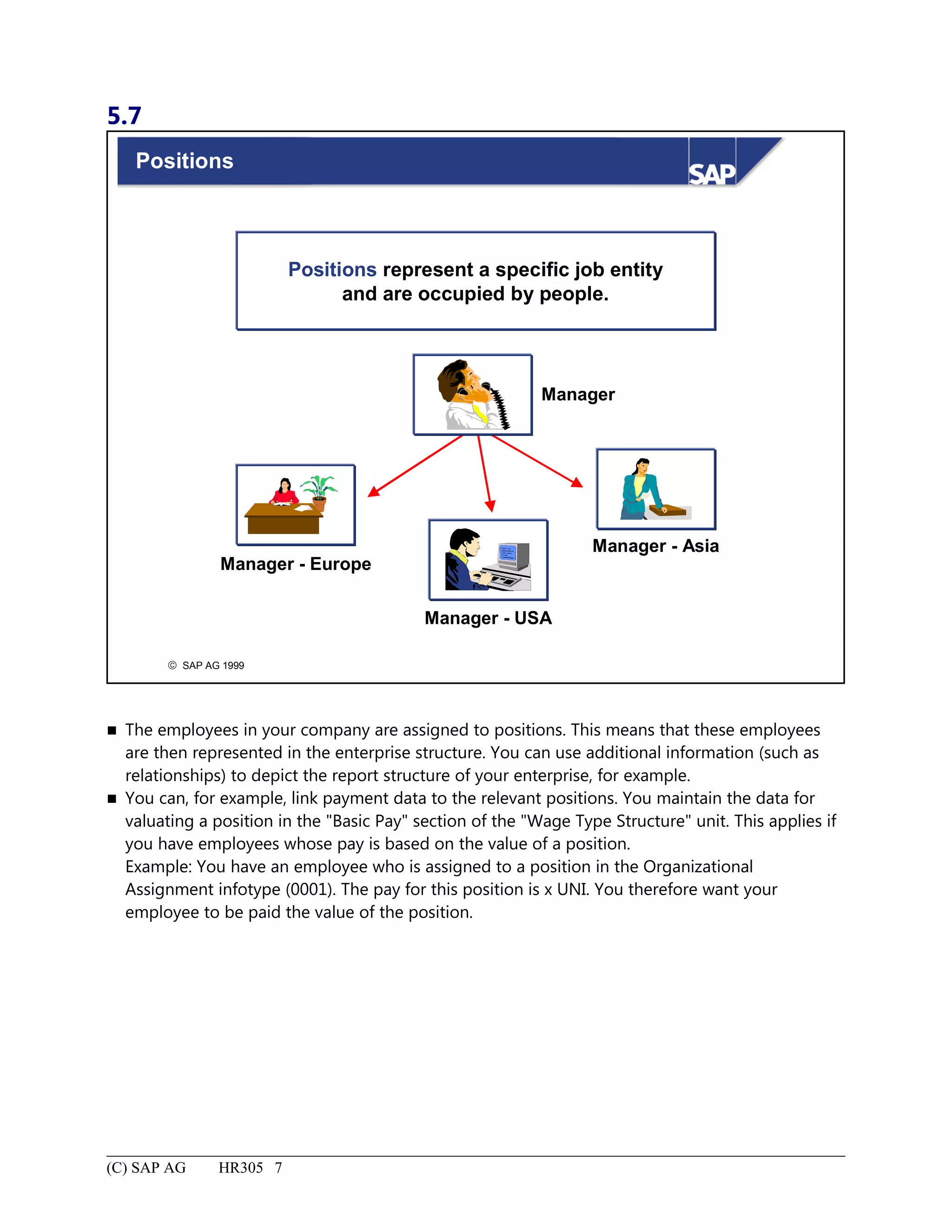
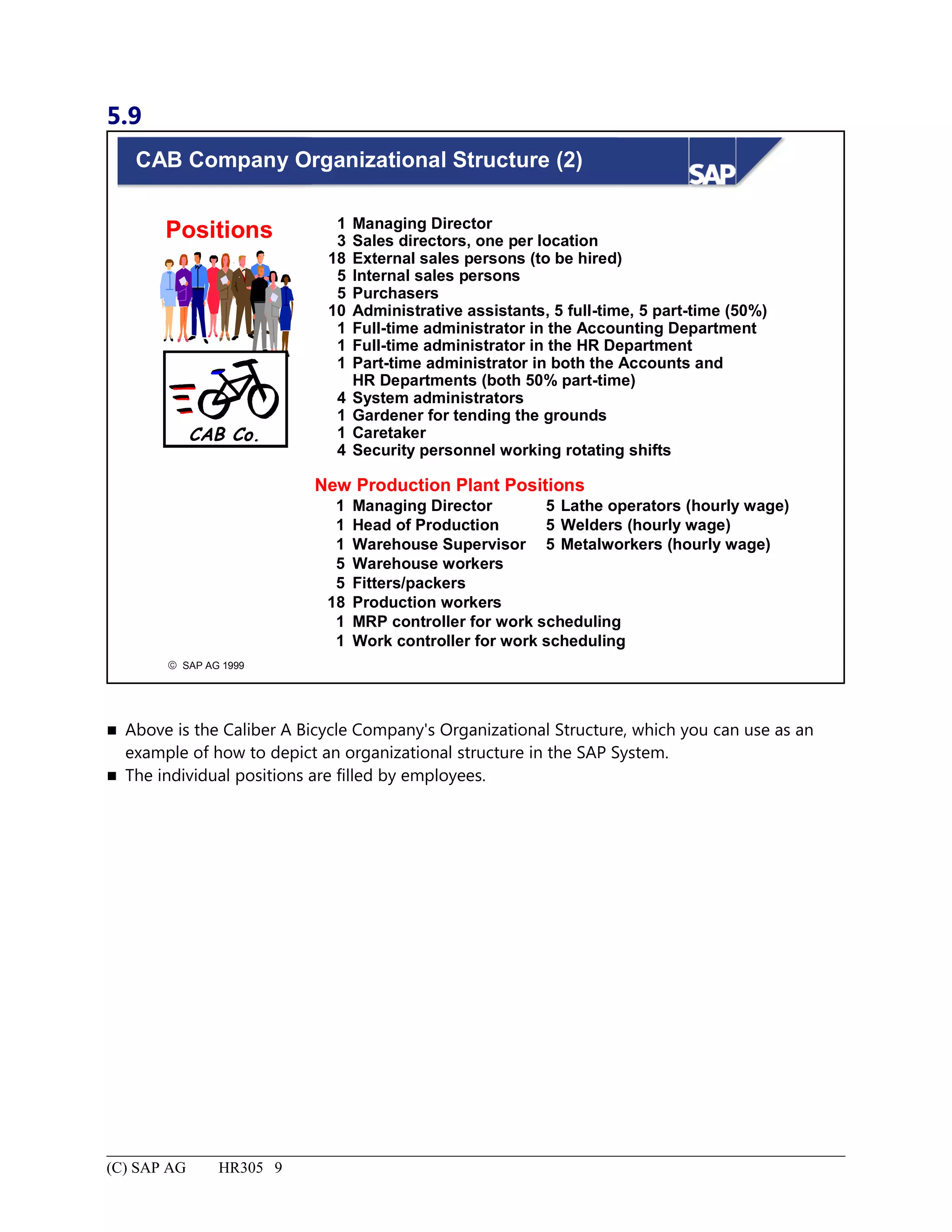
Positions.....................................................................................................................................................................7
CAB Company OrganizationalStructure (1).............................................................................................................8
CAB Company Organizational Structure (2).............................................................................................................9
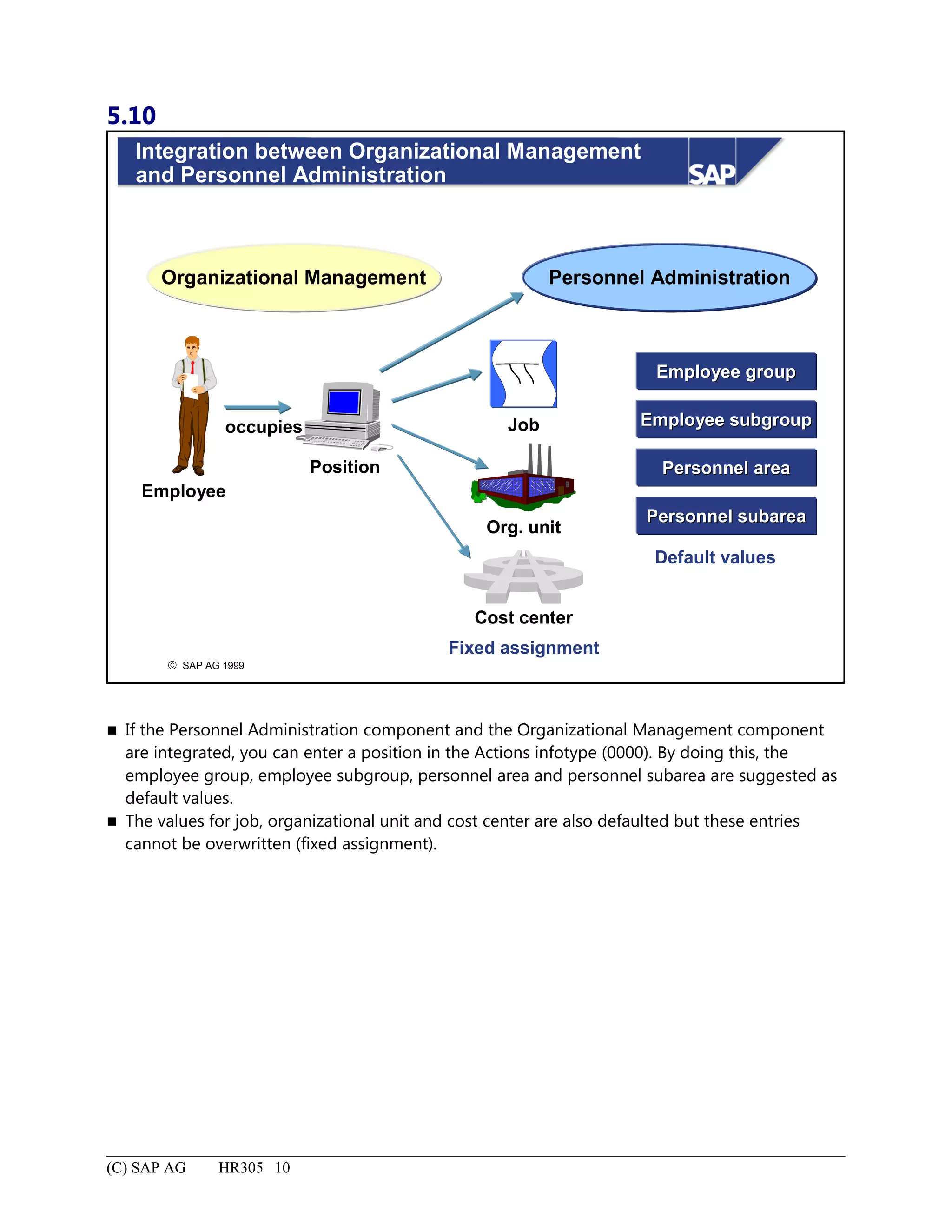
Integration between Organizational Management and Personnel Administration..................................................10
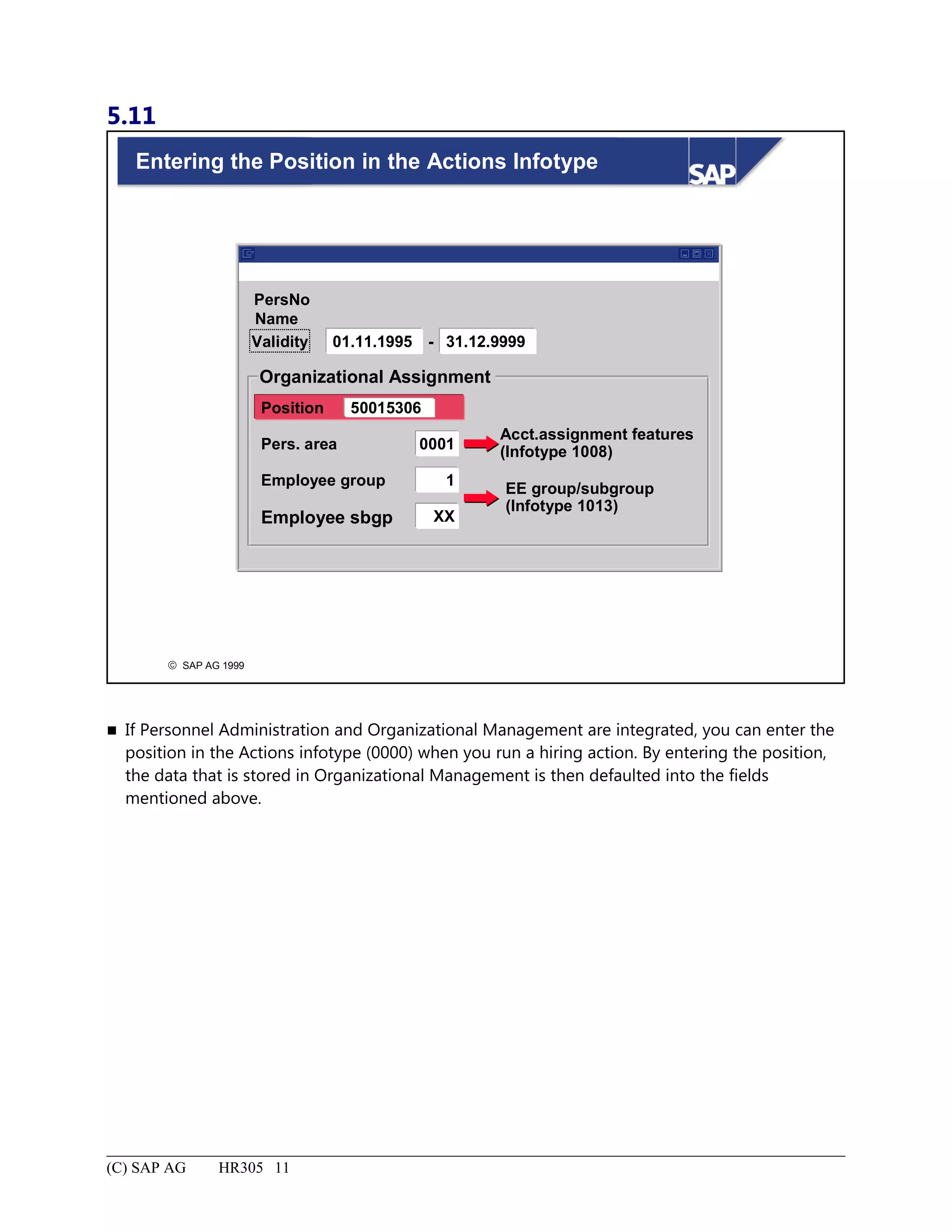
Entering the Position in the Actions Infotype..........................................................................................................11
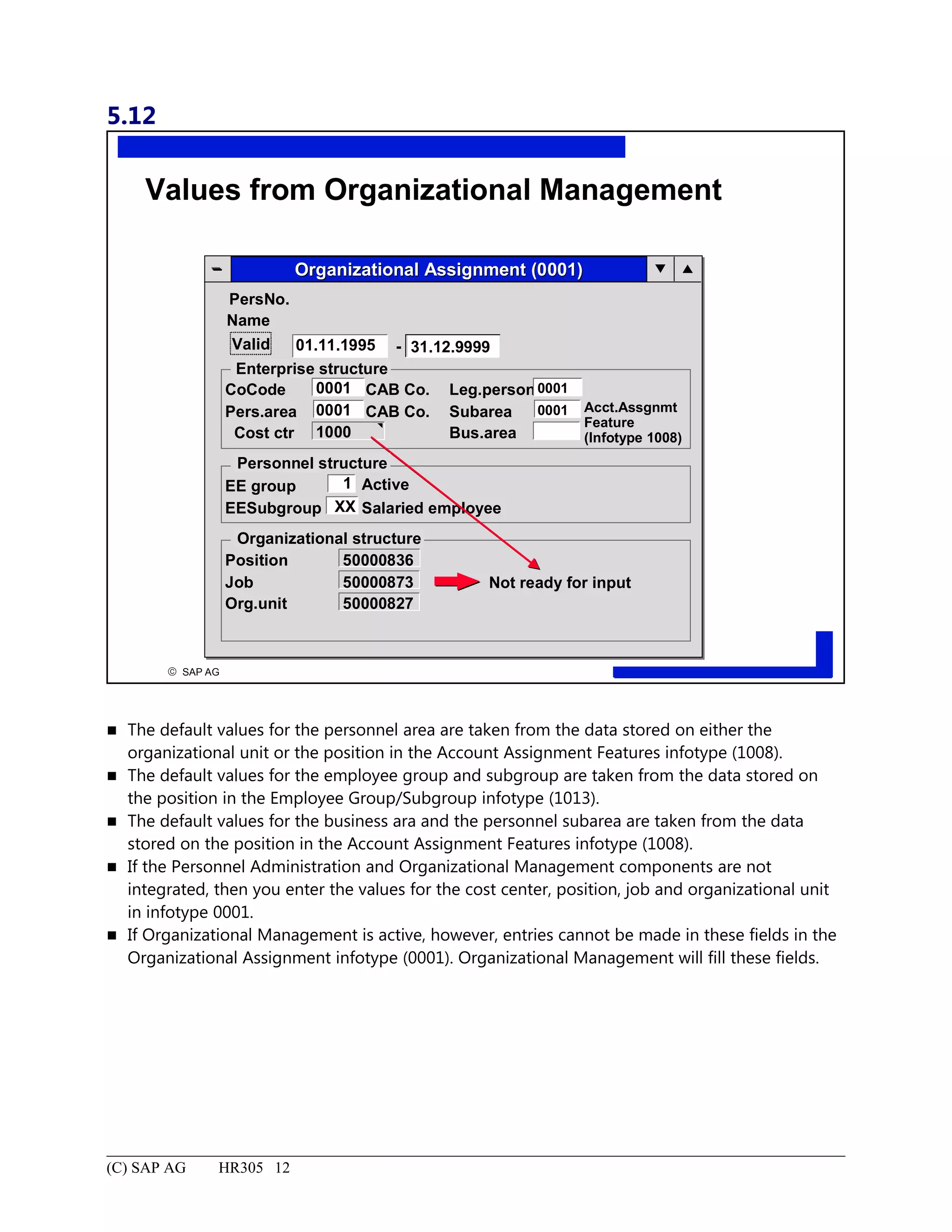
Values from Organizational Management...............................................................................................................12
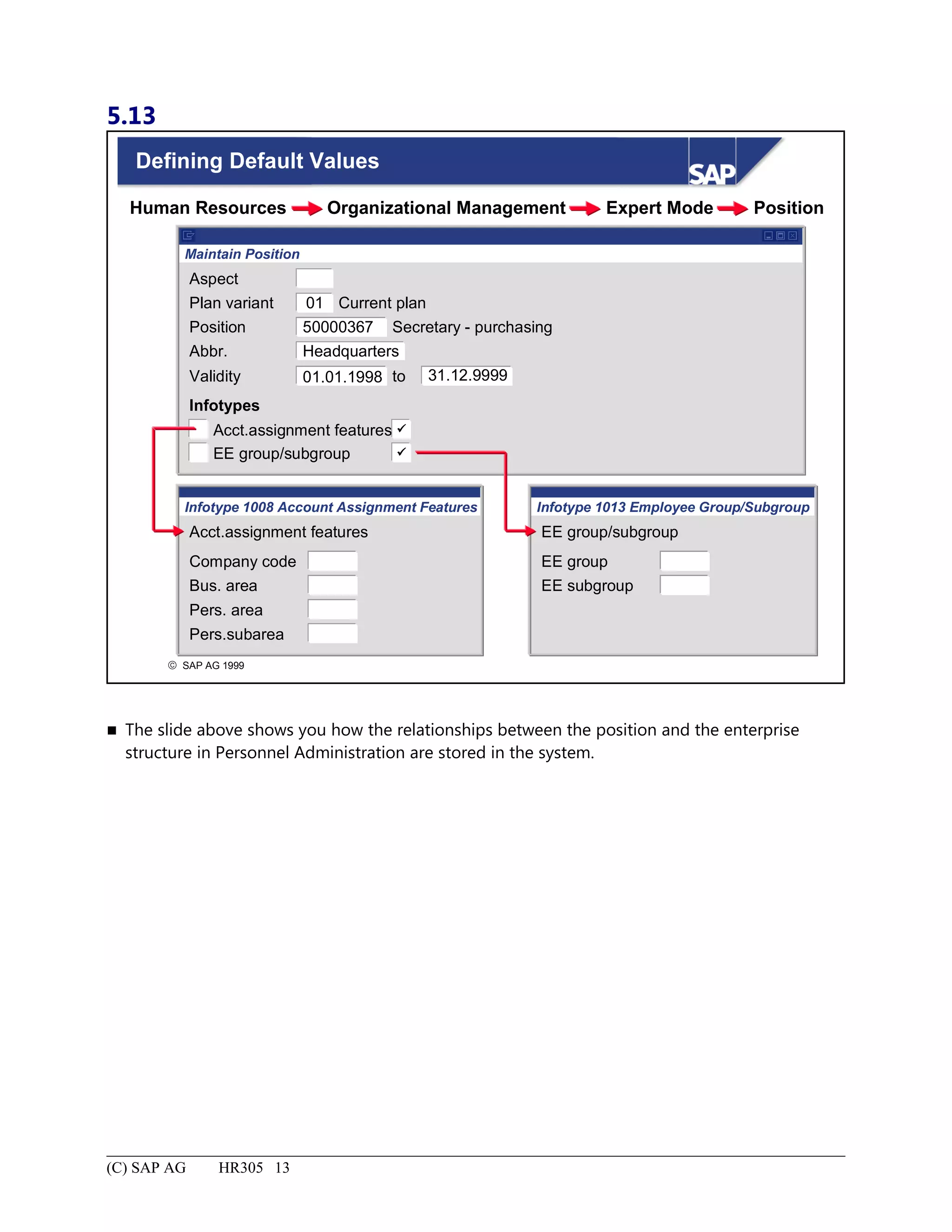
Defining Default Values..........................................................................................................................................13
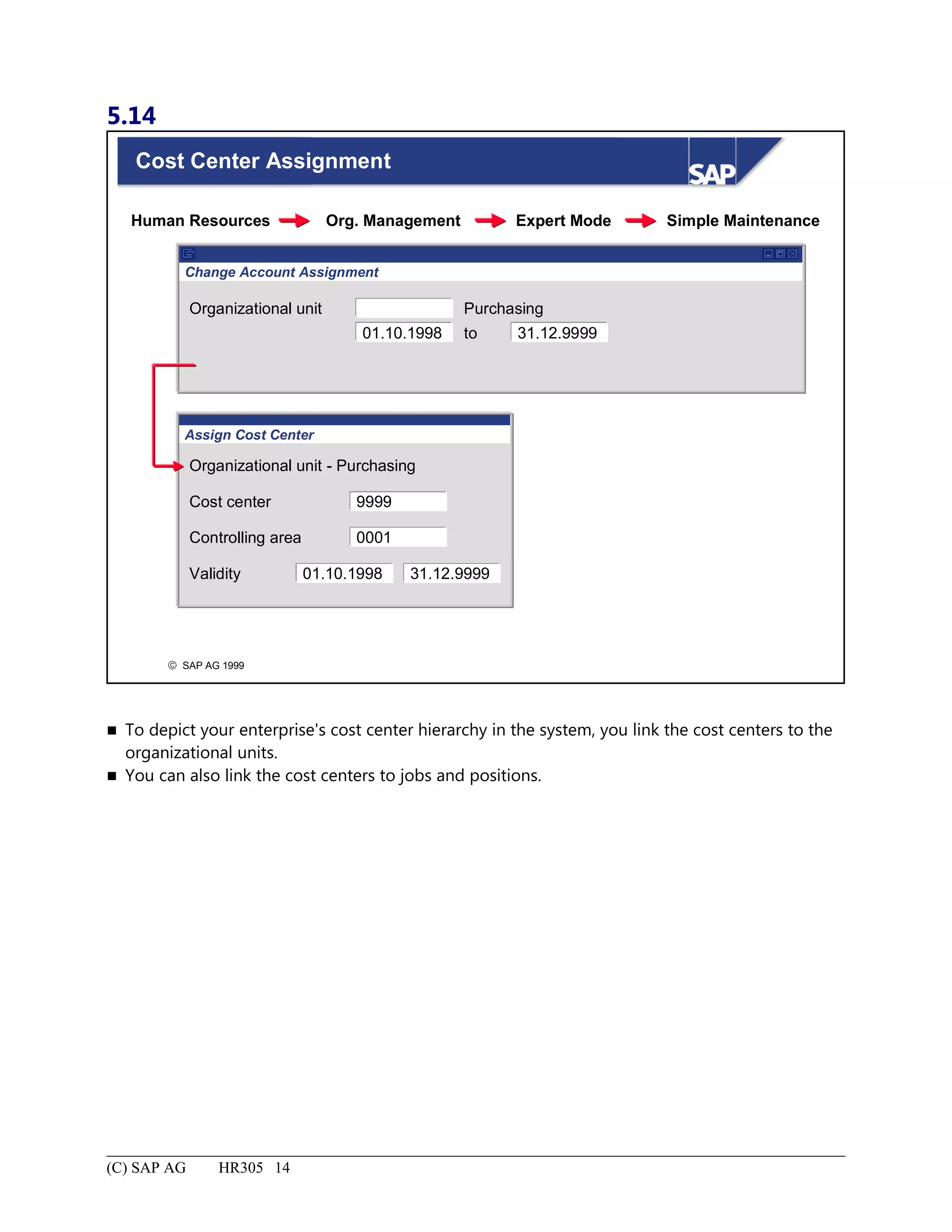
Cost Center Assignment..........................................................................................................................................14
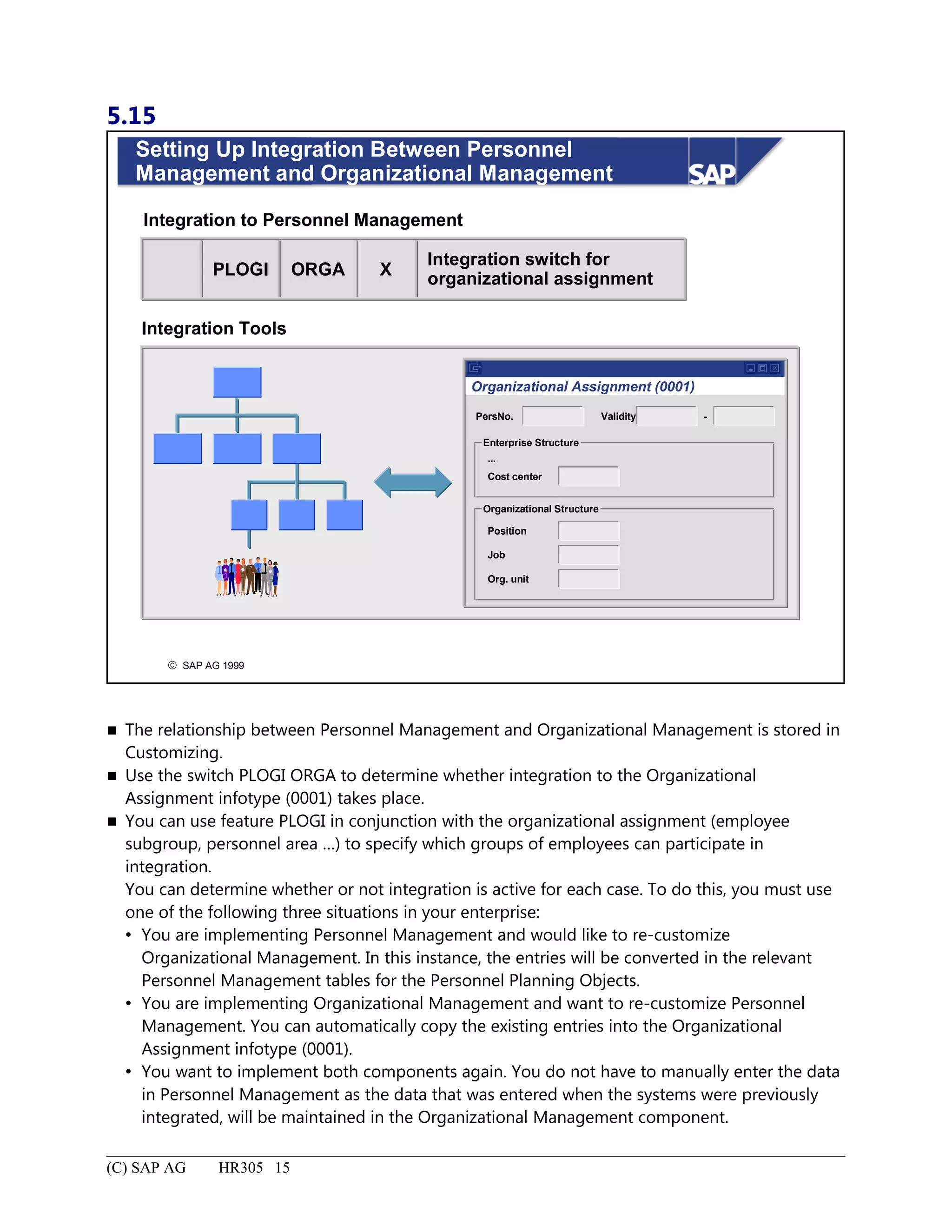
Setting Up Integration Between Personnel Management and Organizational Management...................................15
Organizational Structure: Summary........................................................................................................................16
Additional Organizational Assignment..........................................................................................................................1
Additional Organizational Assignment: Unit Objectives..........................................................................................2
Additional Organizational Assignment: Business Scenario......................................................................................3
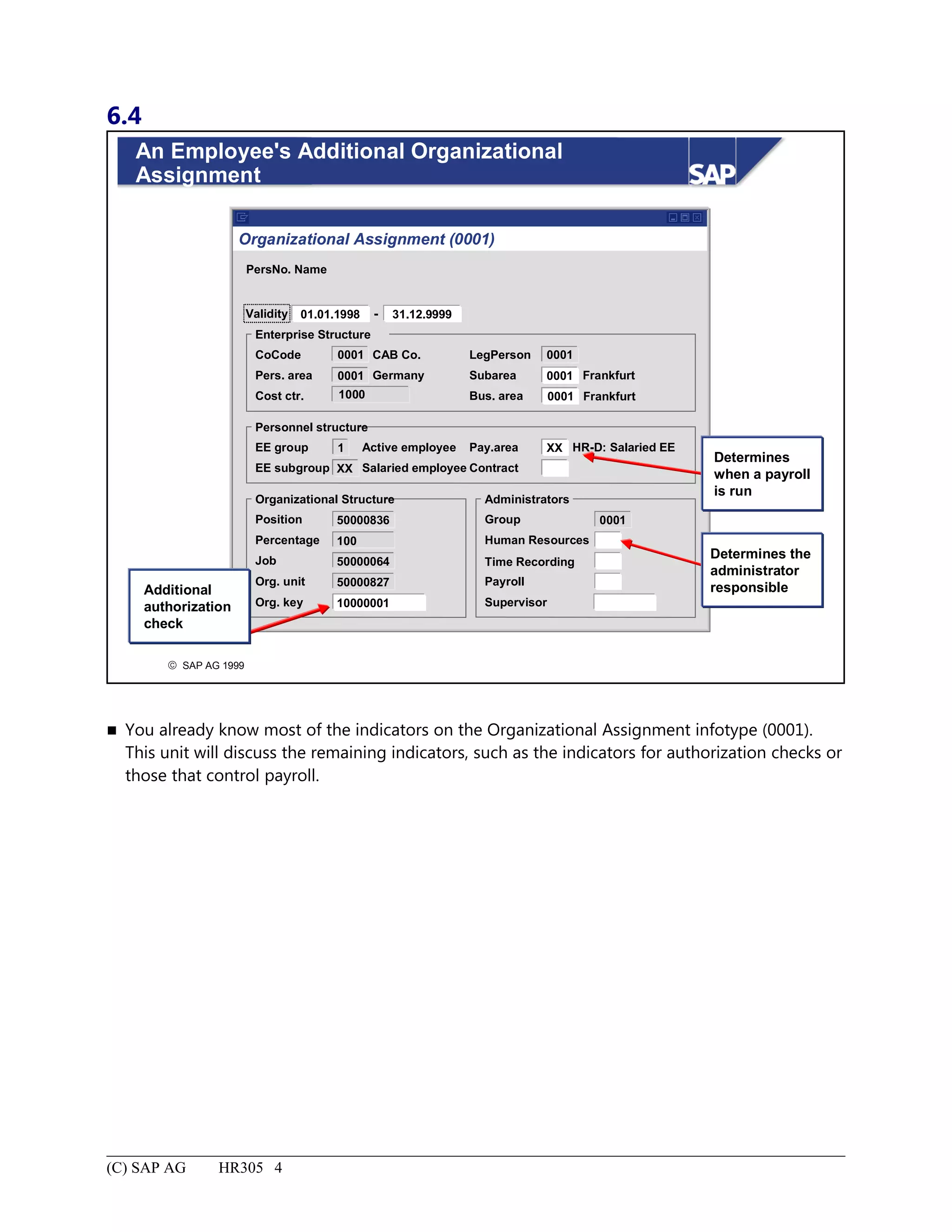
An Employee's Additional Organizational Assignment............................................................................................4
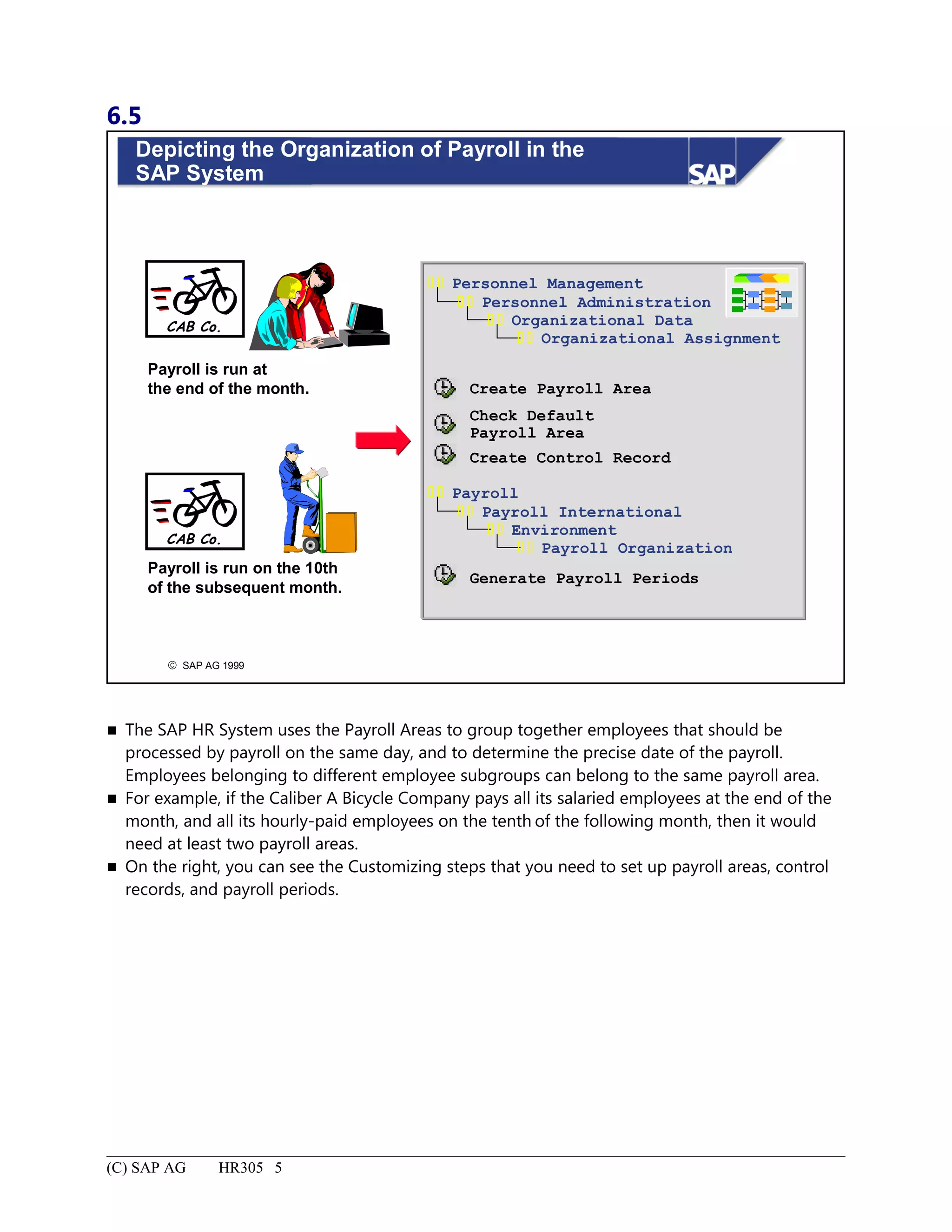
Depicting the Organization of Payroll in theSAP System.........................................................................................5
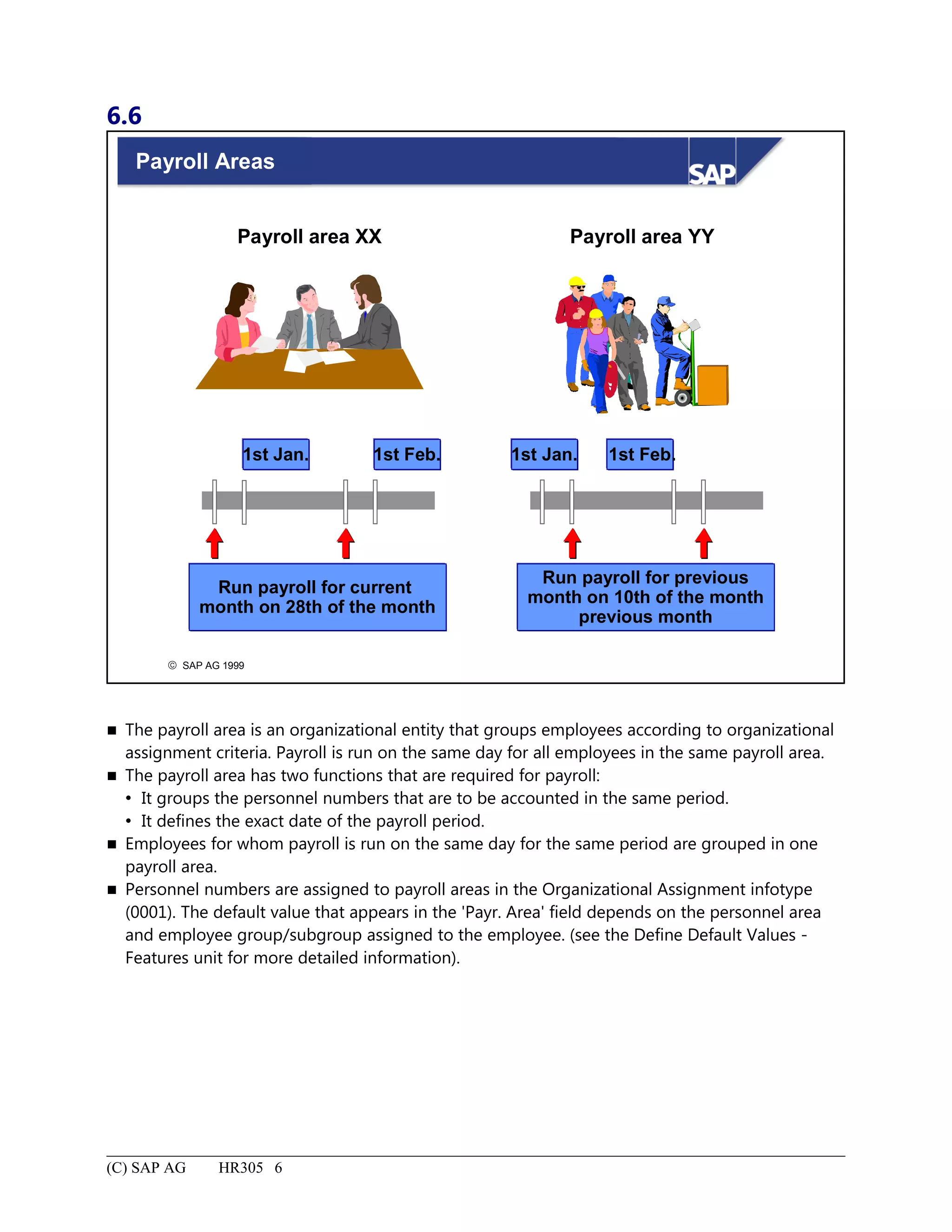
Payroll Areas..............................................................................................................................................................6
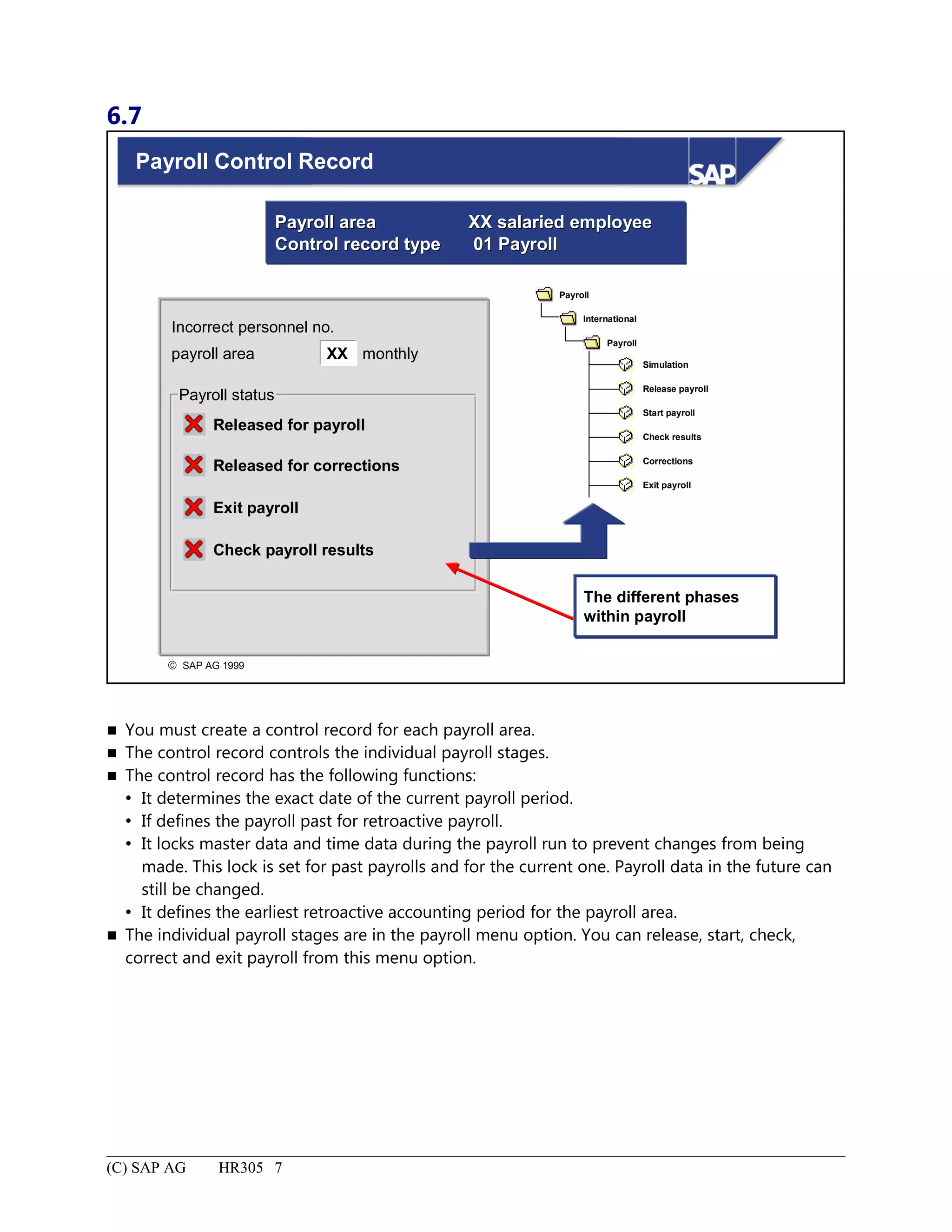
Payroll Control Record..............................................................................................................................................7
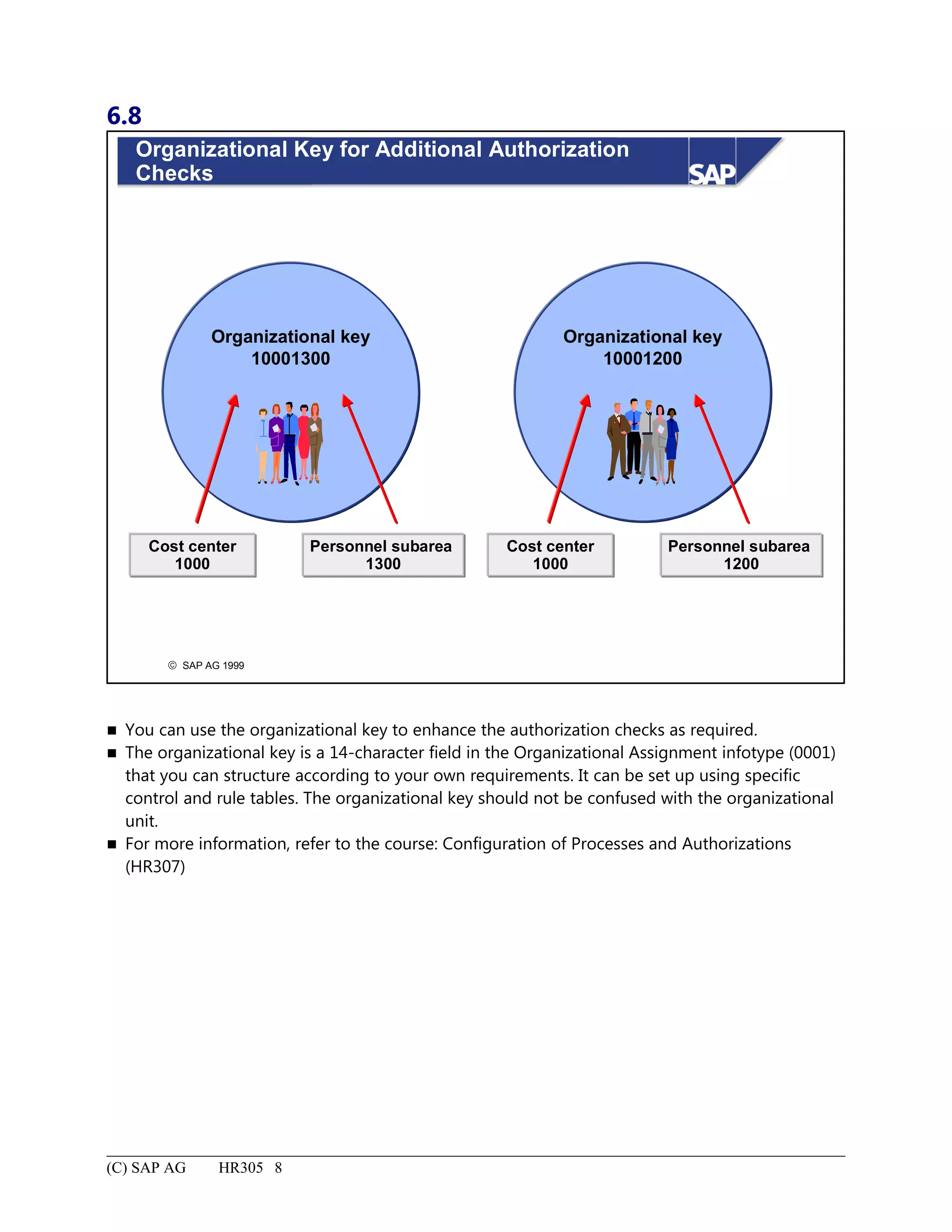
Organizational Key for Additional Authorization Checks........................................................................................8
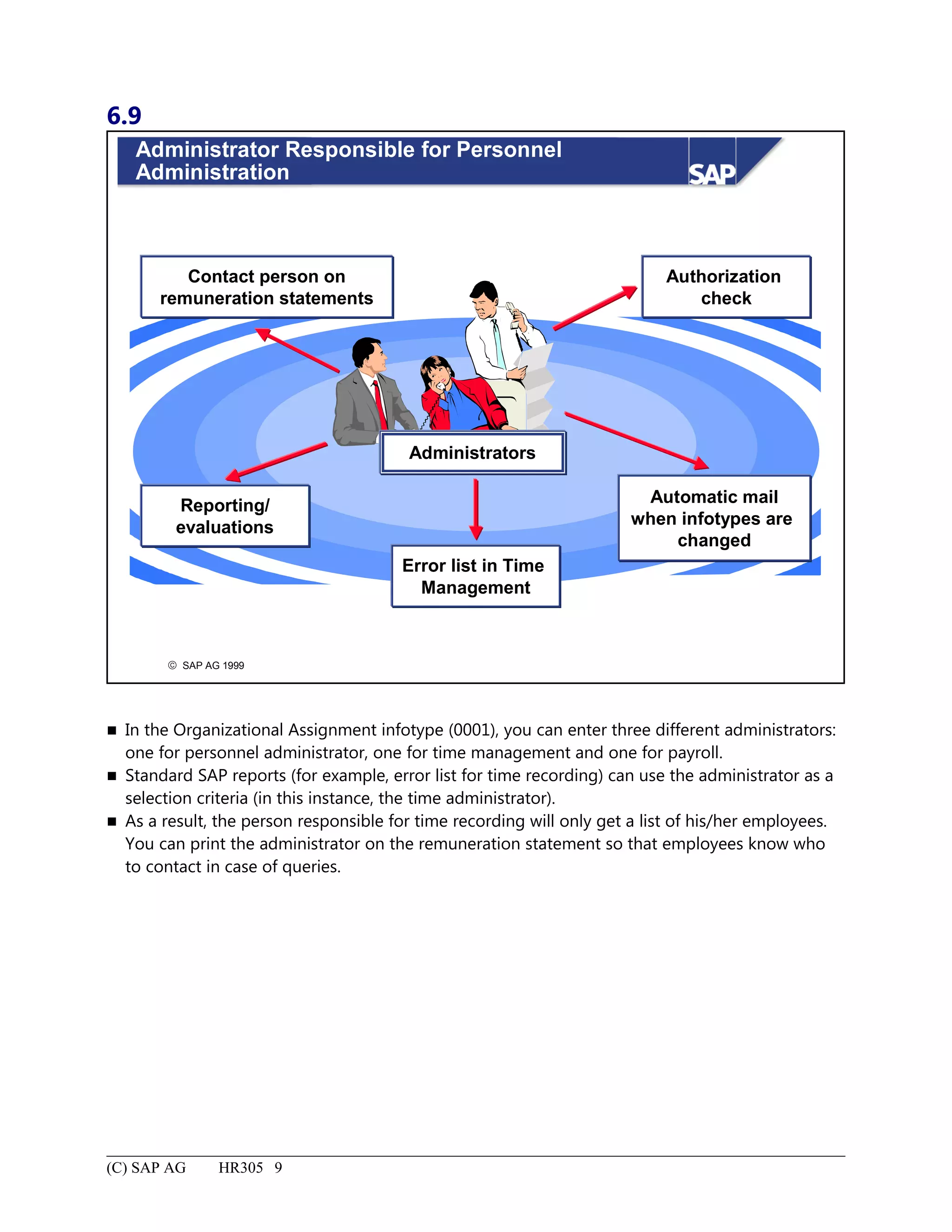
Administrator Responsible for Personnel Administration.........................................................................................9
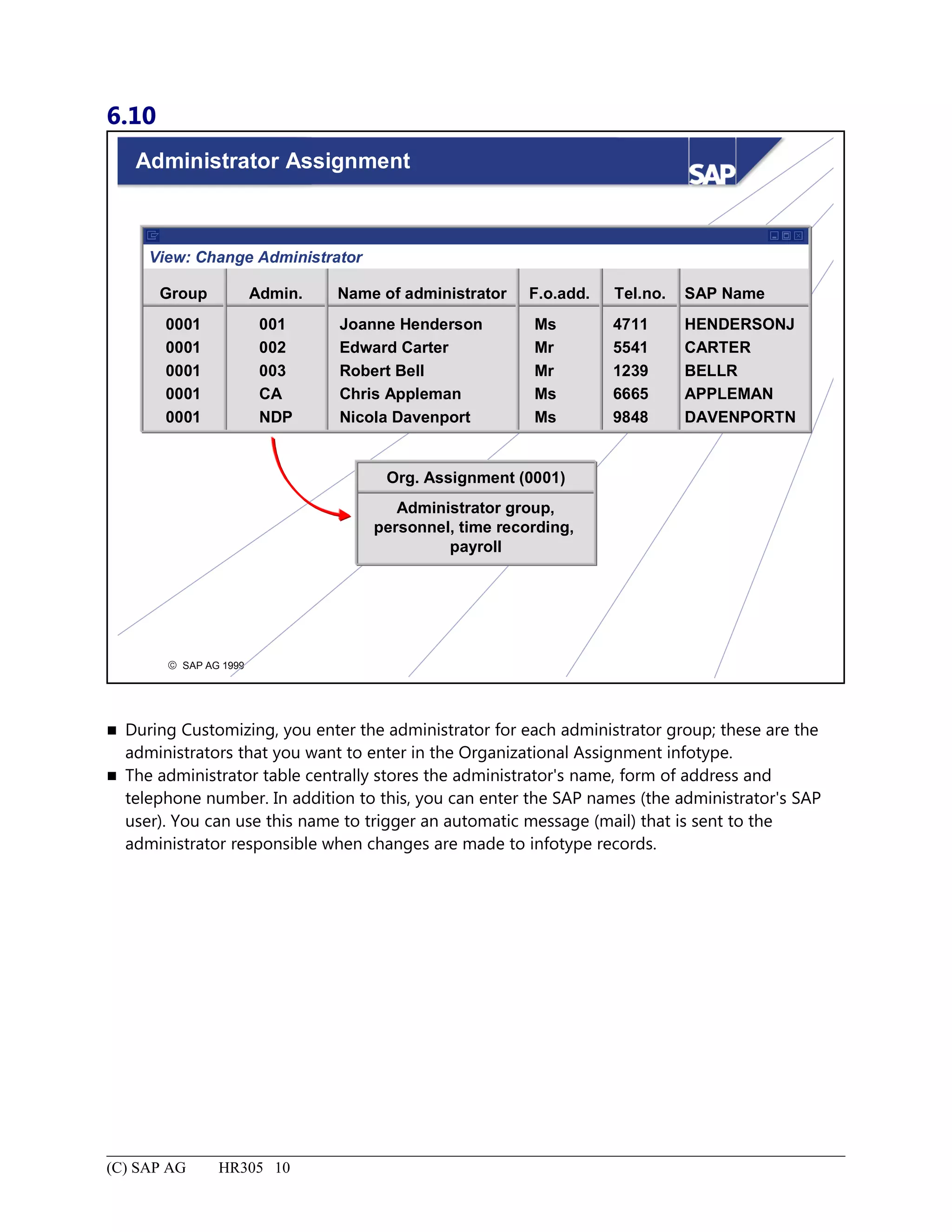
Administrator Assignment.......................................................................................................................................10
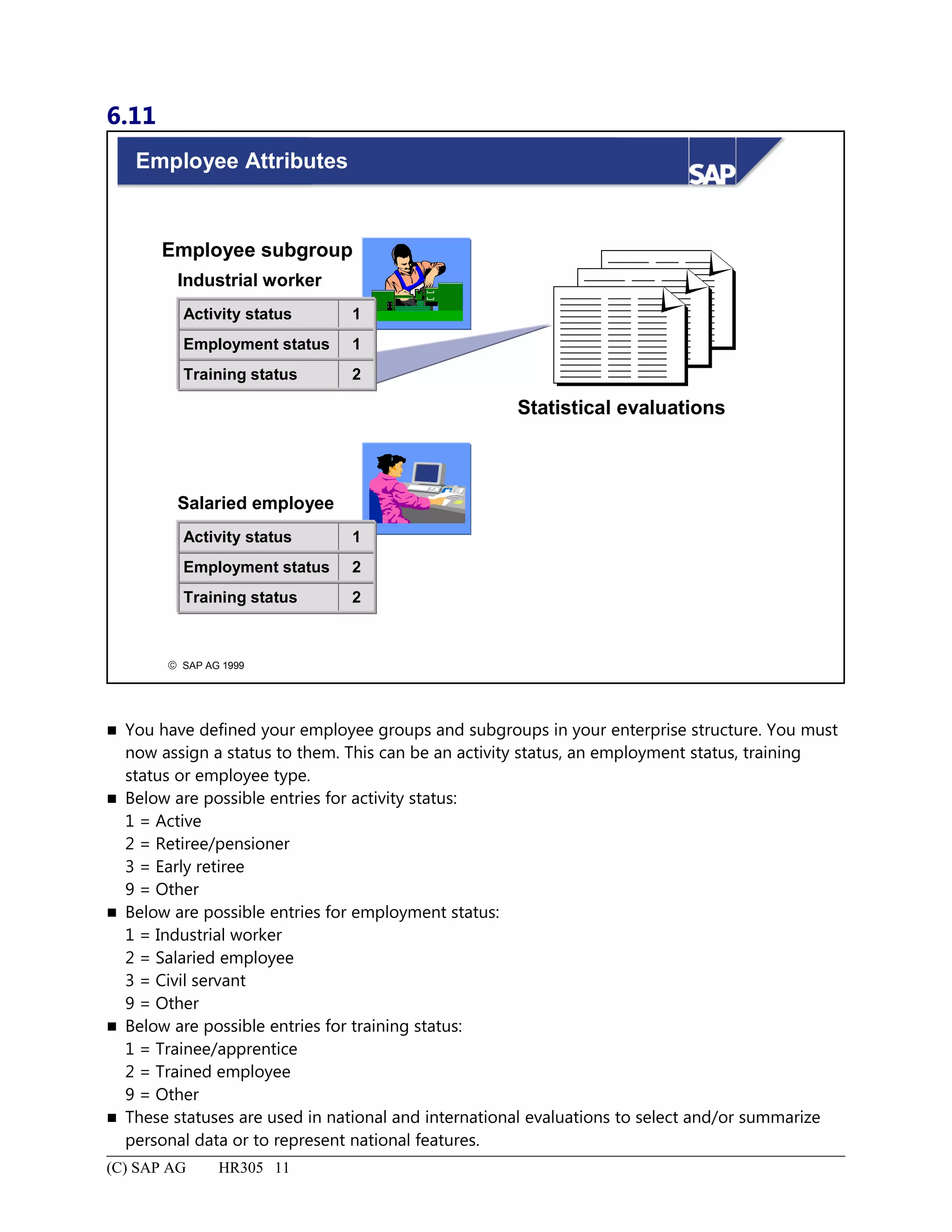
Employee Attributes................................................................................................................................................11
Additional Organizational Assignment: Summary..................................................................................................12
Define Default Values - Features...................................................................................................................................1
Define Default Values - Features: Unit Objectives...................................................................................................2
Define Default Values - Features: Business Scenario...............................................................................................3
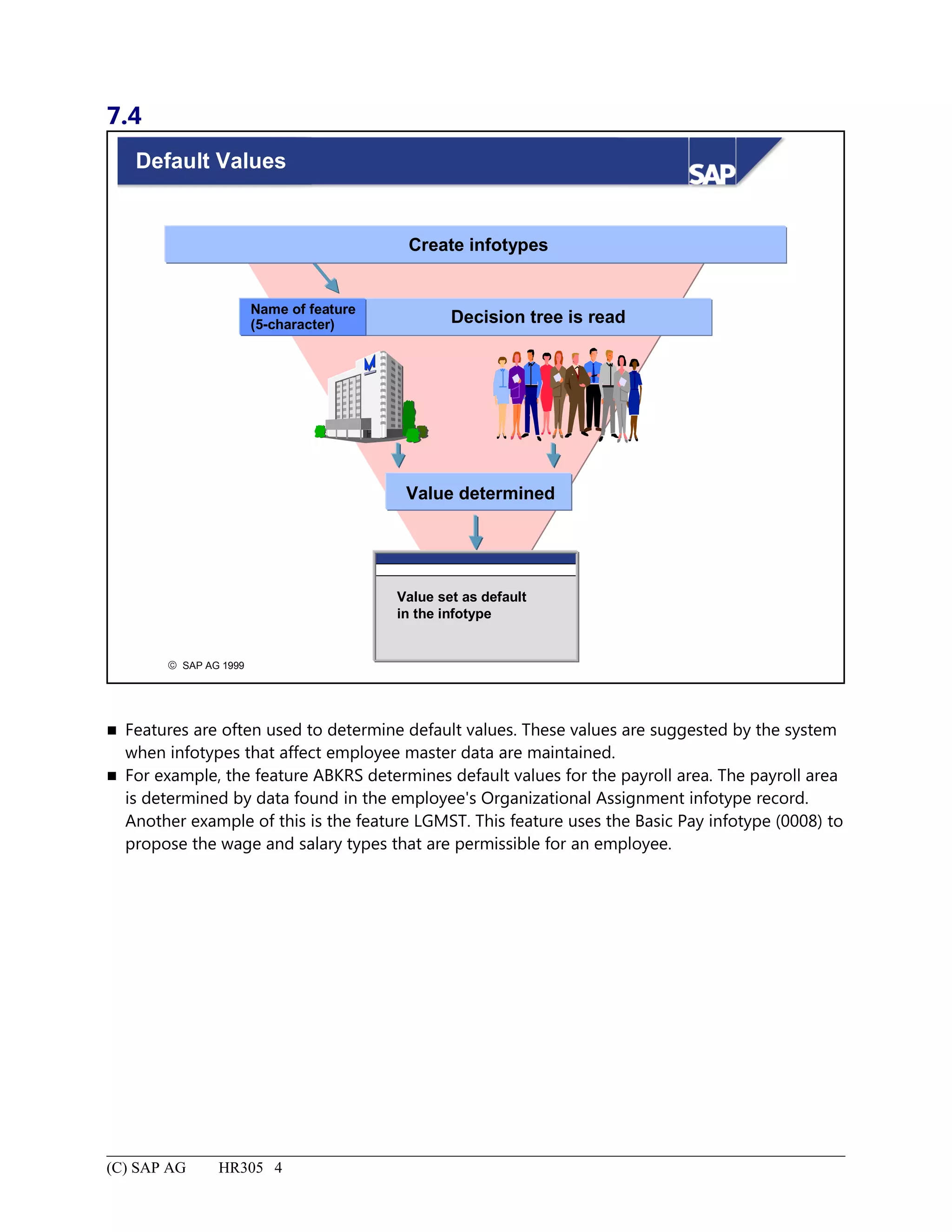
Default Values...........................................................................................................................................................4
Maintaining Features.................................................................................................................................................5
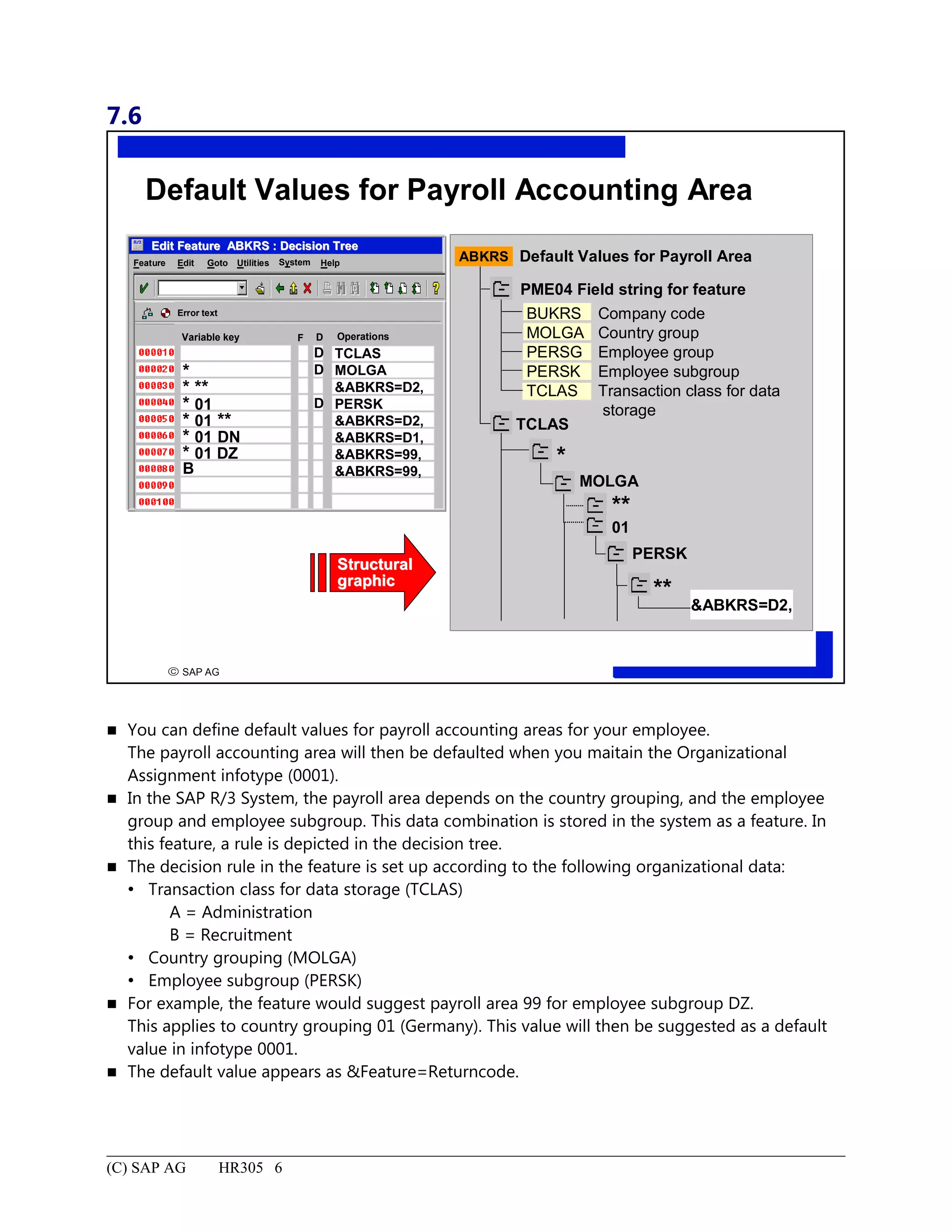
Default Values for Payroll Accounting Area.............................................................................................................6
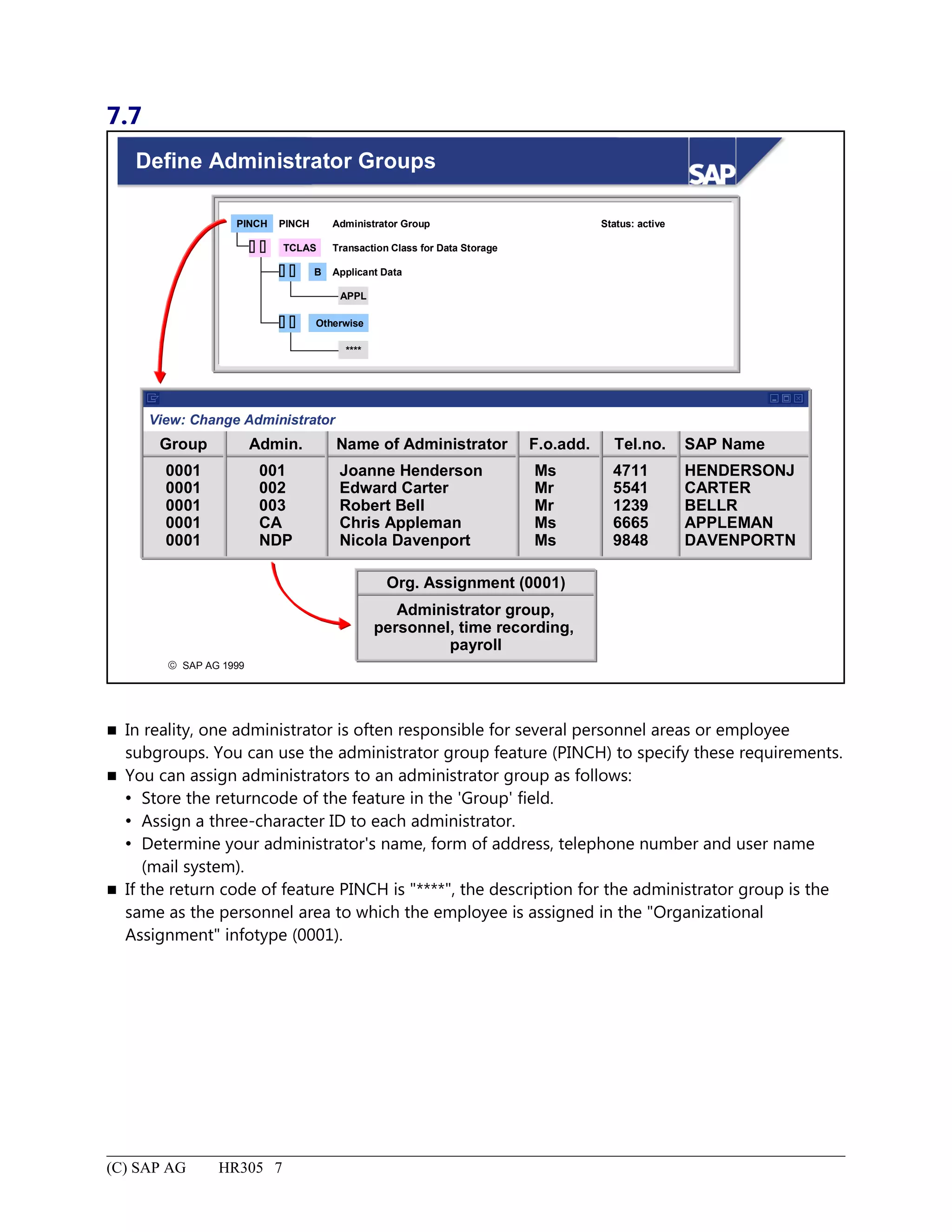
Define Administrator Groups....................................................................................................................................7
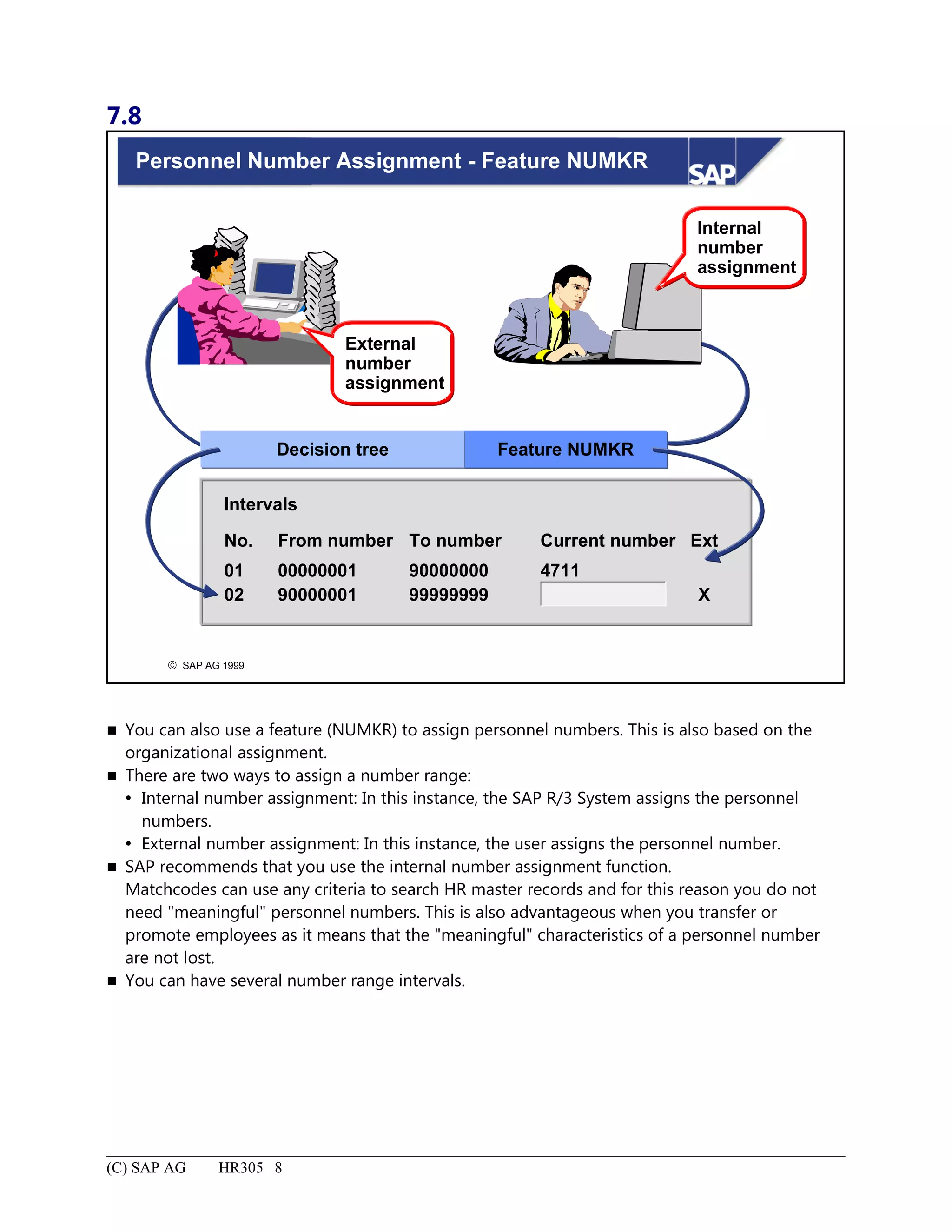
Personnel Number Assignment - Feature NUMKR..................................................................................................8
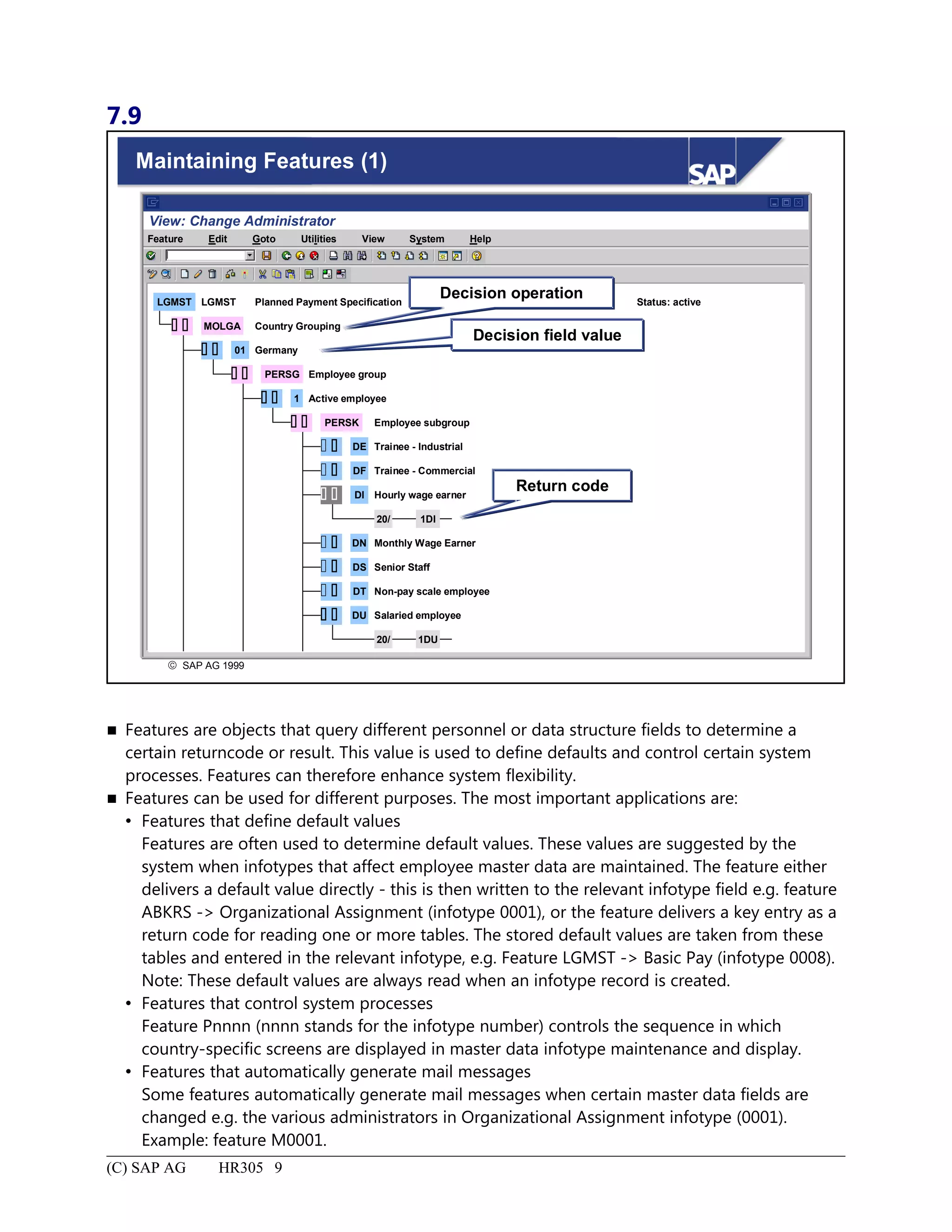
Maintaining Features (1)............................................................................................................................................9
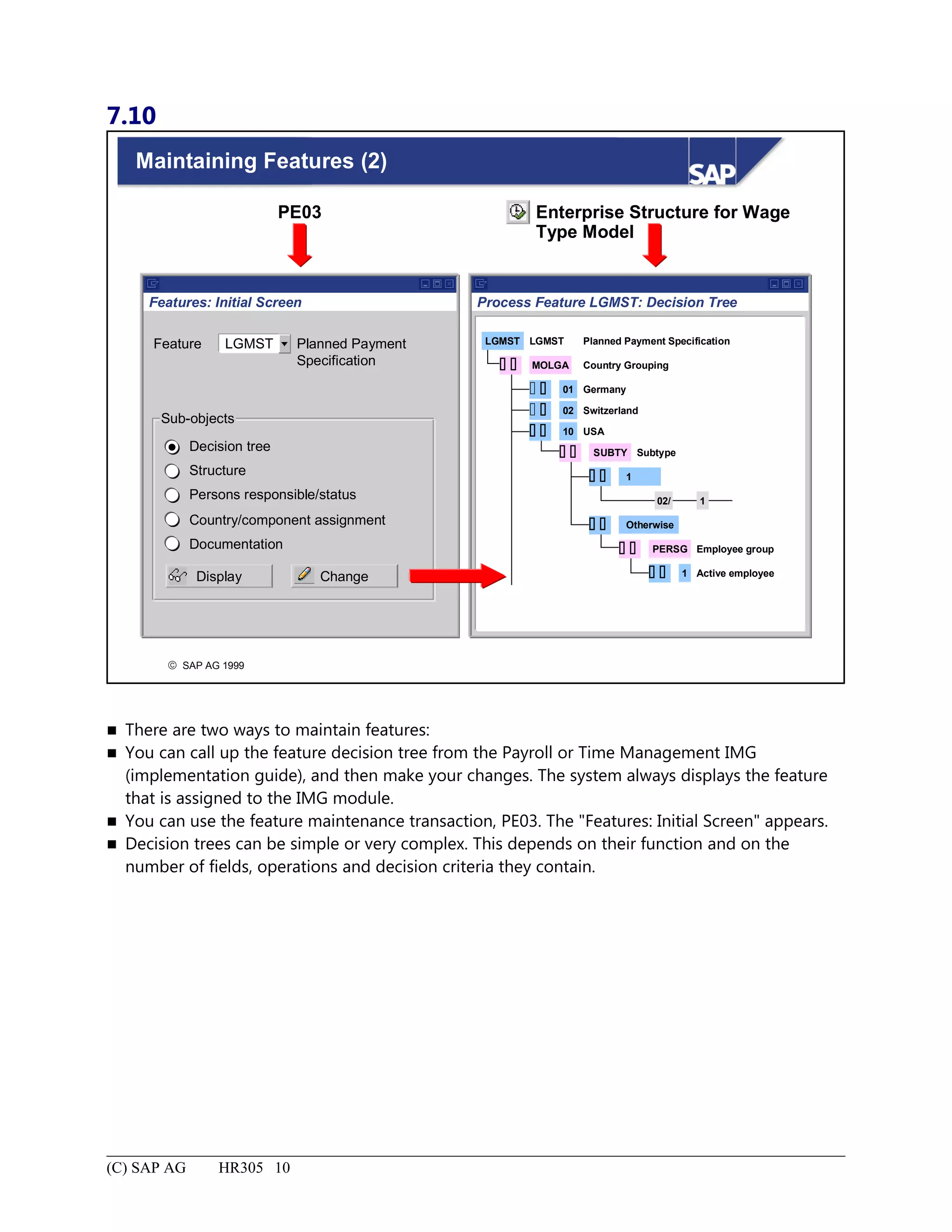
Maintaining Features (2)..........................................................................................................................................10
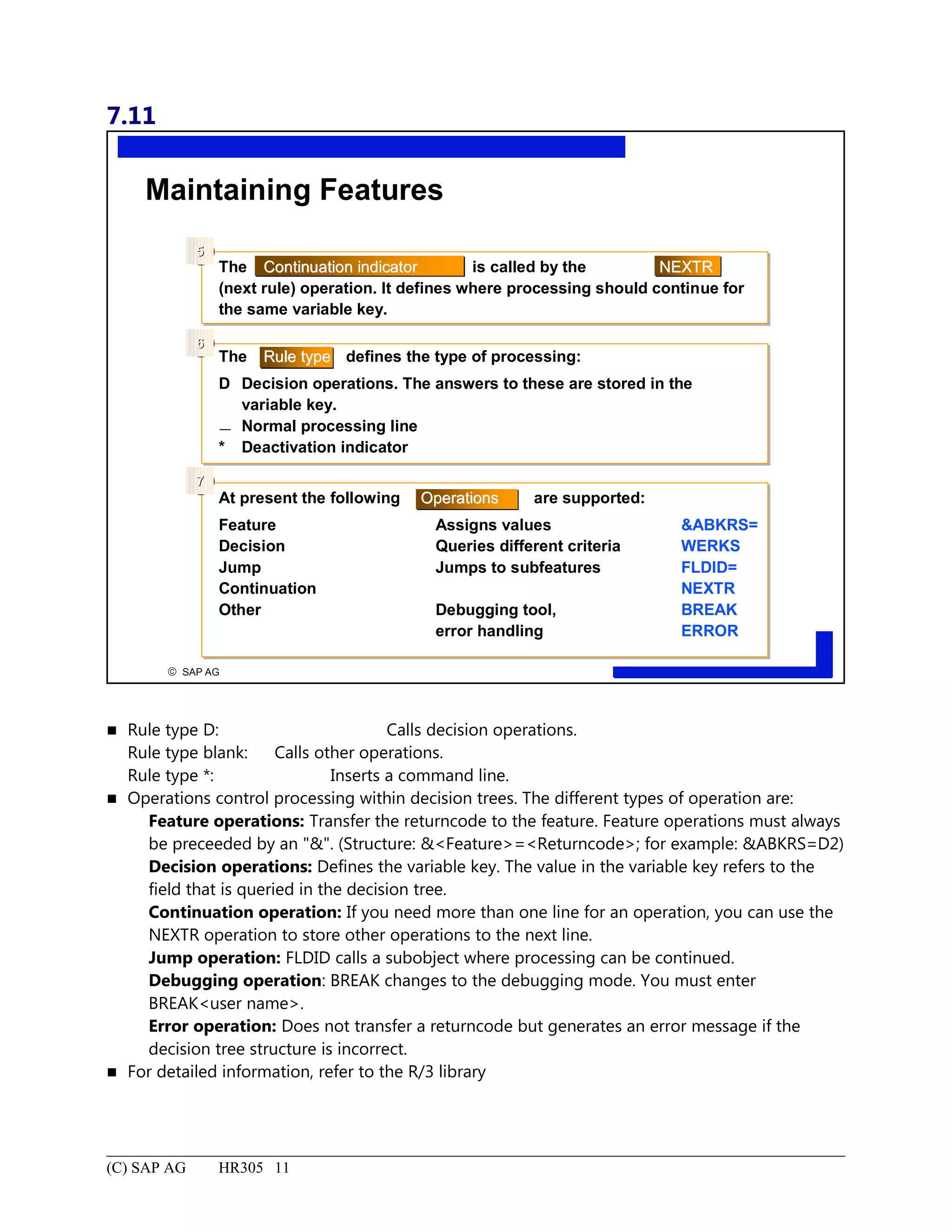
Maintaining Features...............................................................................................................................................11
Define Default Values - Features: Summary...........................................................................................................12
Personal Data.................................................................................................................................................................1
Personal Data: Unit Objectives..................................................................................................................................2
Personal Data: Business Scenario..............................................................................................................................3
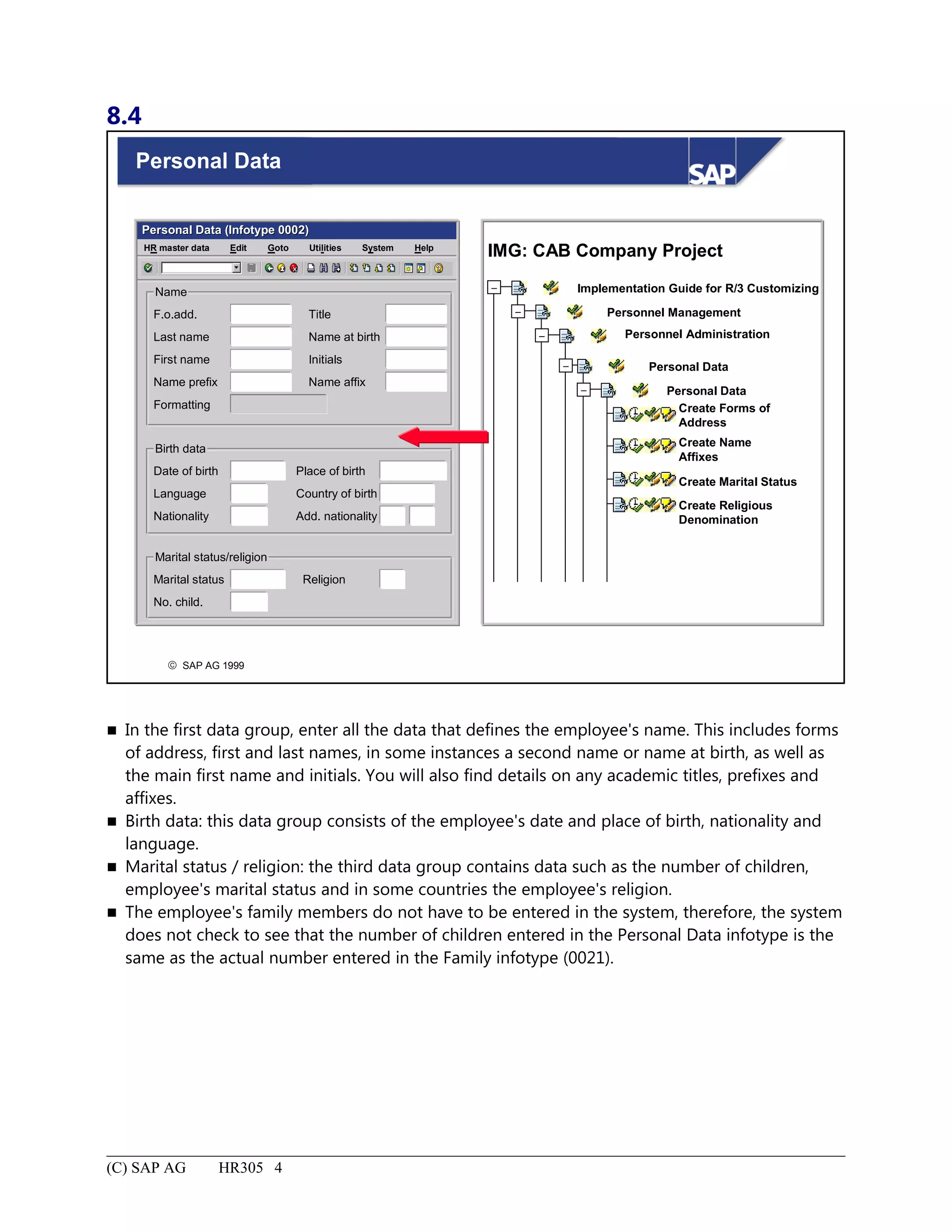
Personal Data.............................................................................................................................................................4
6.
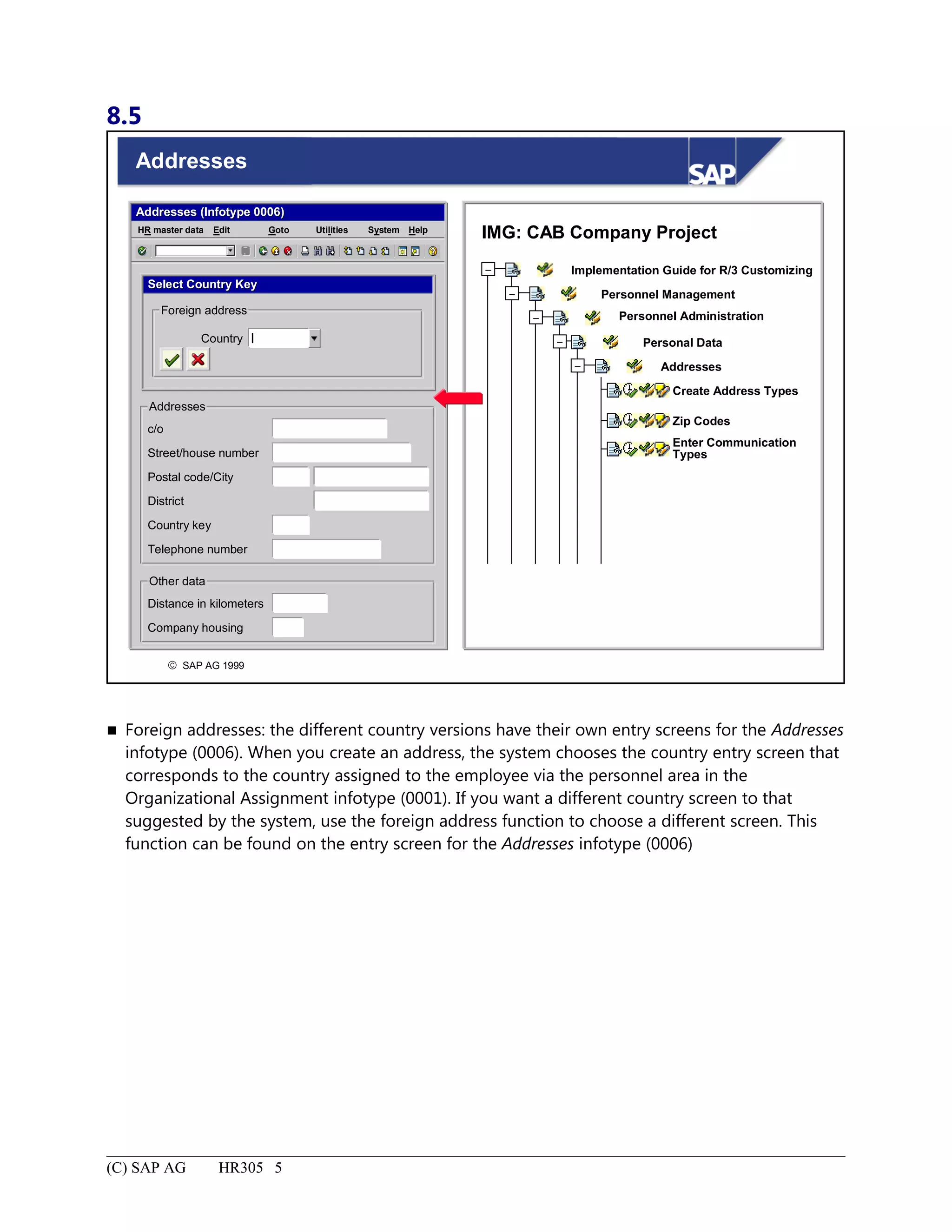
Addresses...................................................................................................................................................................5
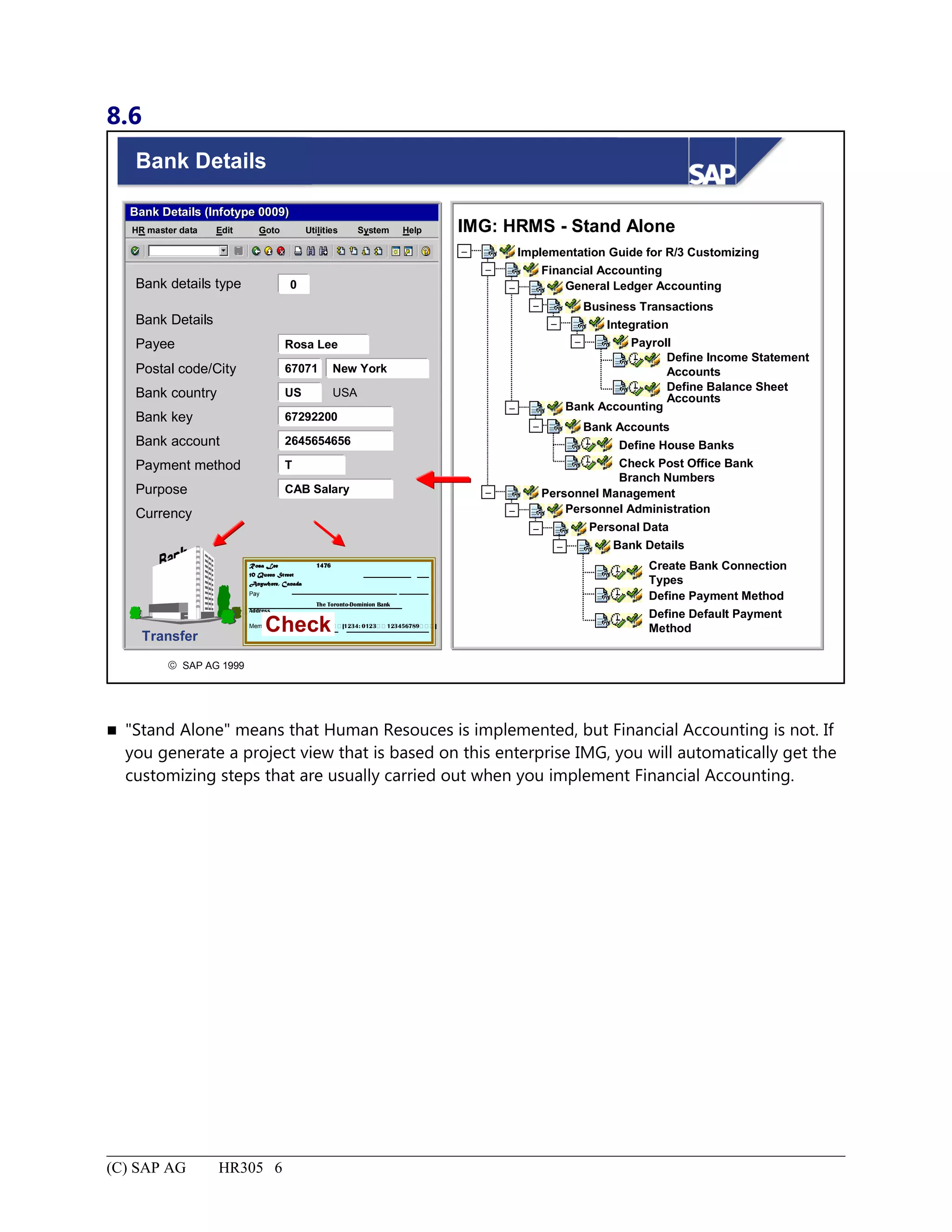
Bank Details...............................................................................................................................................................6
Personal Data:Summary............................................................................................................................................7
Links Between Planned Working Time and Basic Pay.................................................................................................1
Links Between Planned Working Time and Basic Pay: Unit Objectives..................................................................2
Links Between Planned Working Time and Basic Pay: Business Scenario..............................................................3
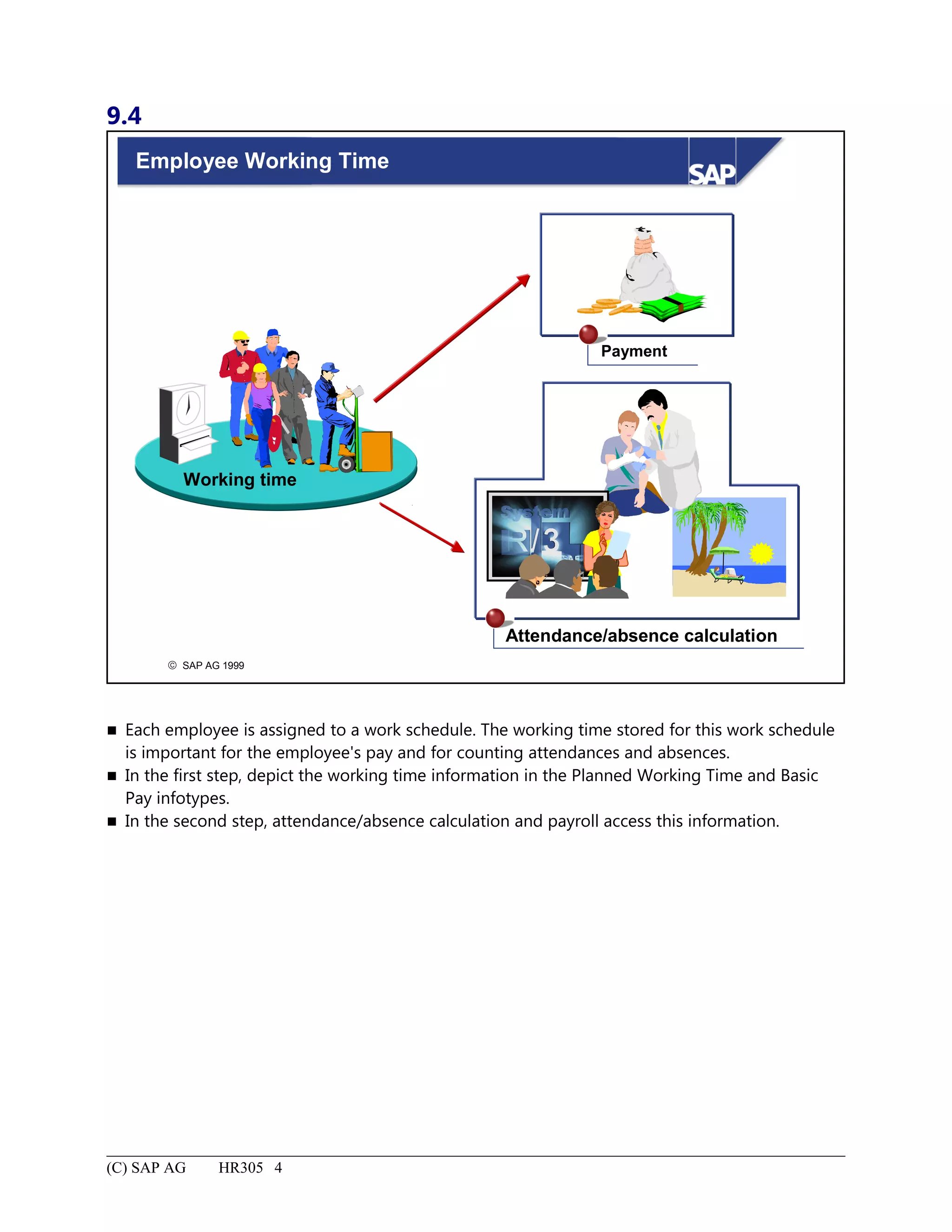
Employee Working Time...........................................................................................................................................4
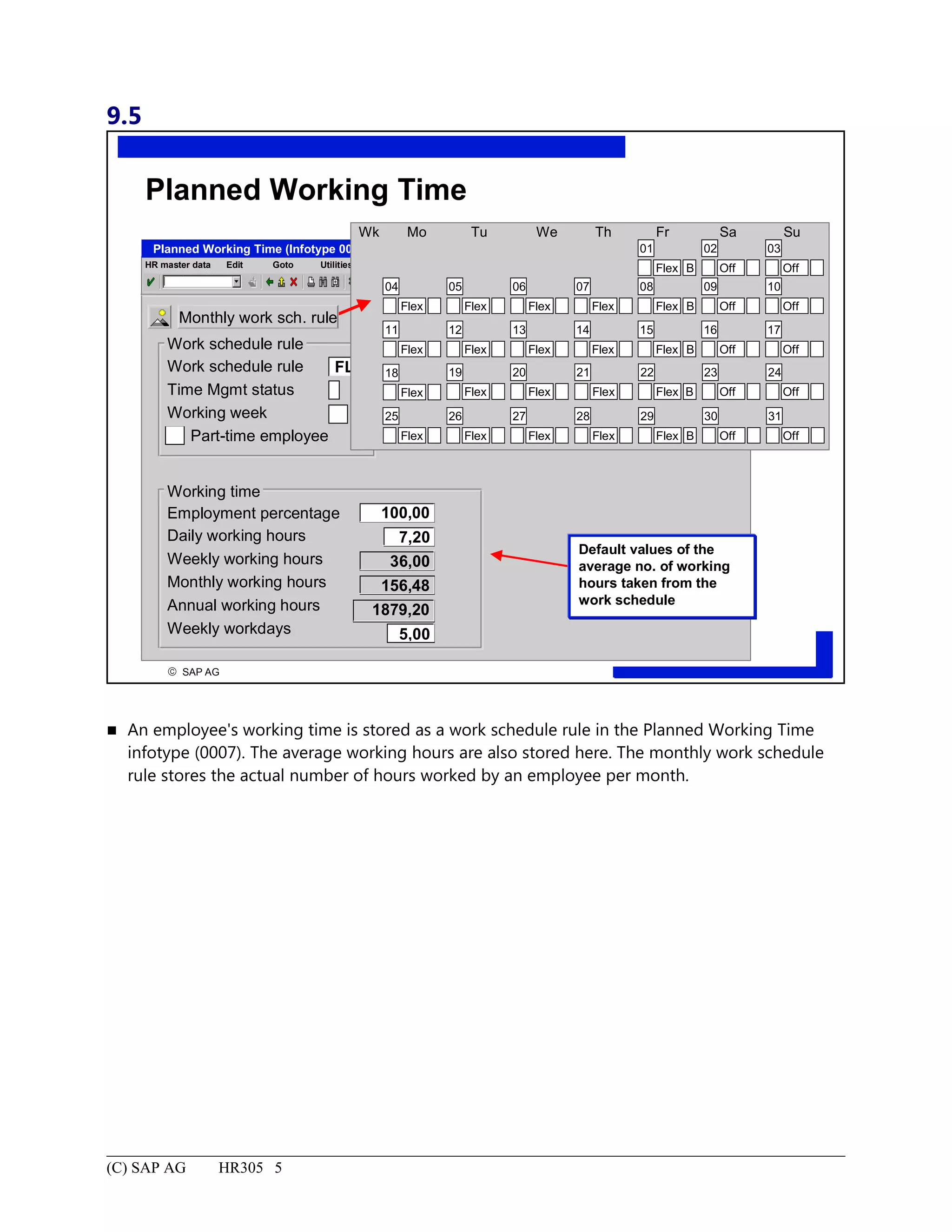
Planned Working Time..............................................................................................................................................5
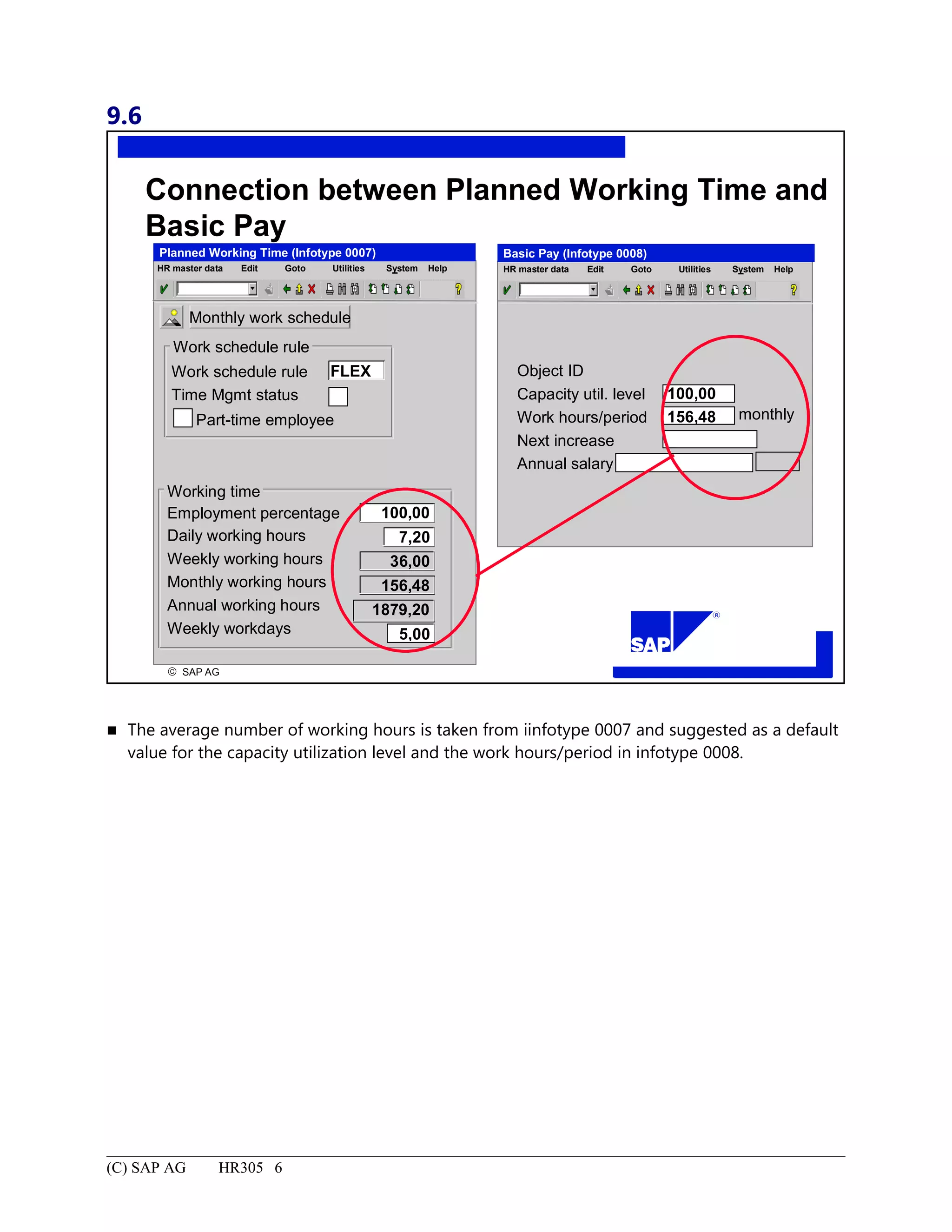
Connection between Planned Working Time and Basic Pay.....................................................................................6
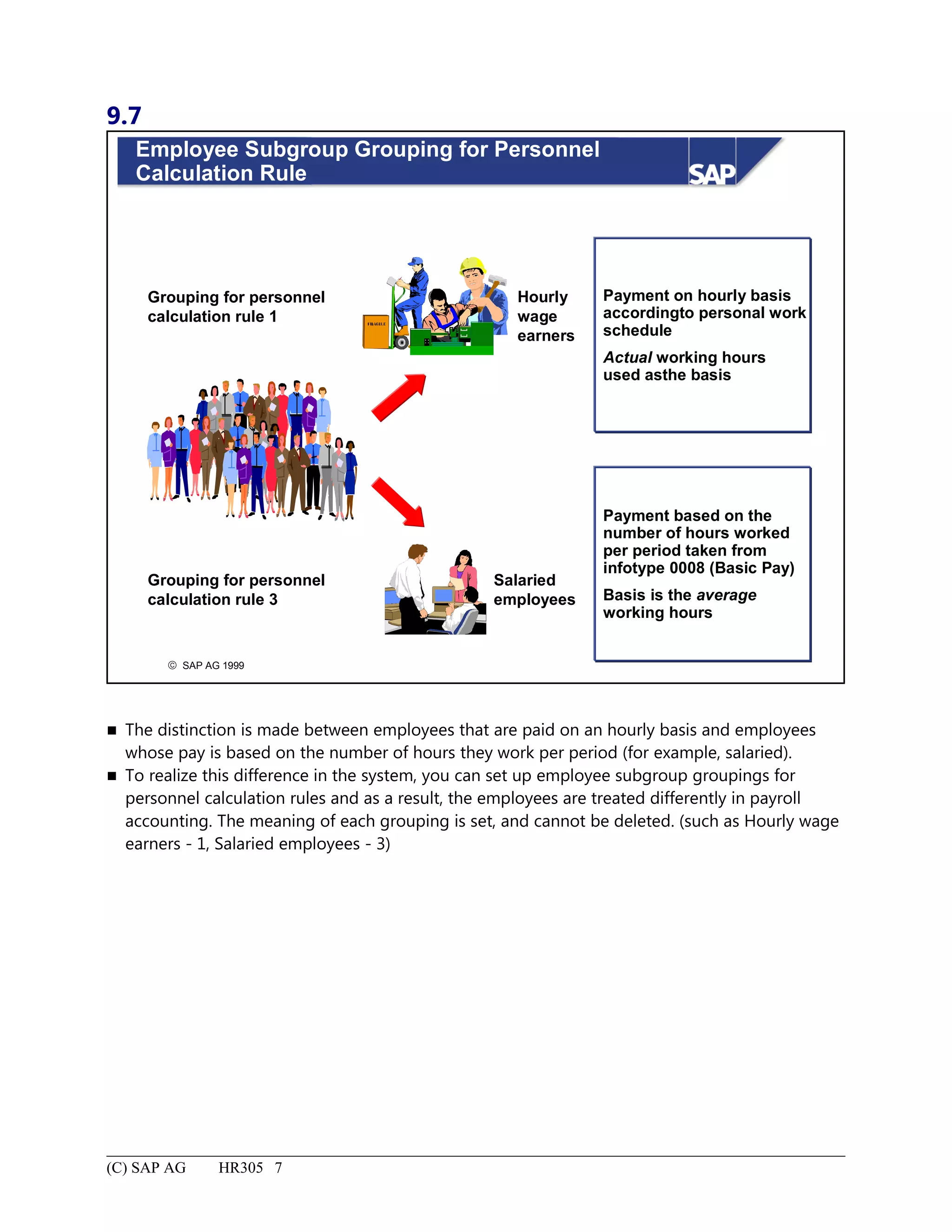
Employee Subgroup Grouping for Personnel Calculation Rule................................................................................7
Links Between Planned Working Time and Basic Pay: Summary............................................................................8
Pay Scale Structure........................................................................................................................................................1
Pay Scale Structure: Unit Objectives.........................................................................................................................2
Pay Scale Structure: Business Scenario.....................................................................................................................3
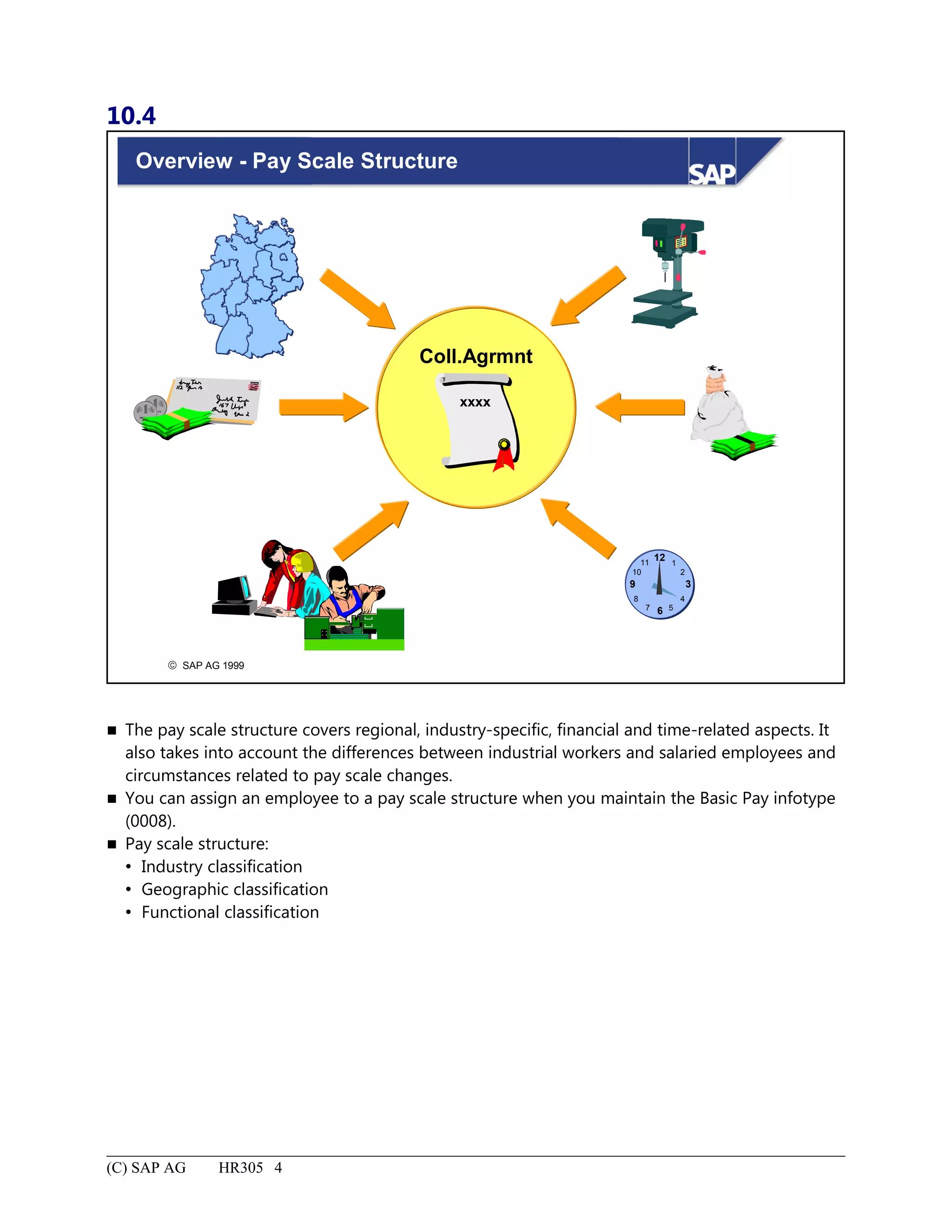
Overview - Pay Scale Structure.................................................................................................................................4
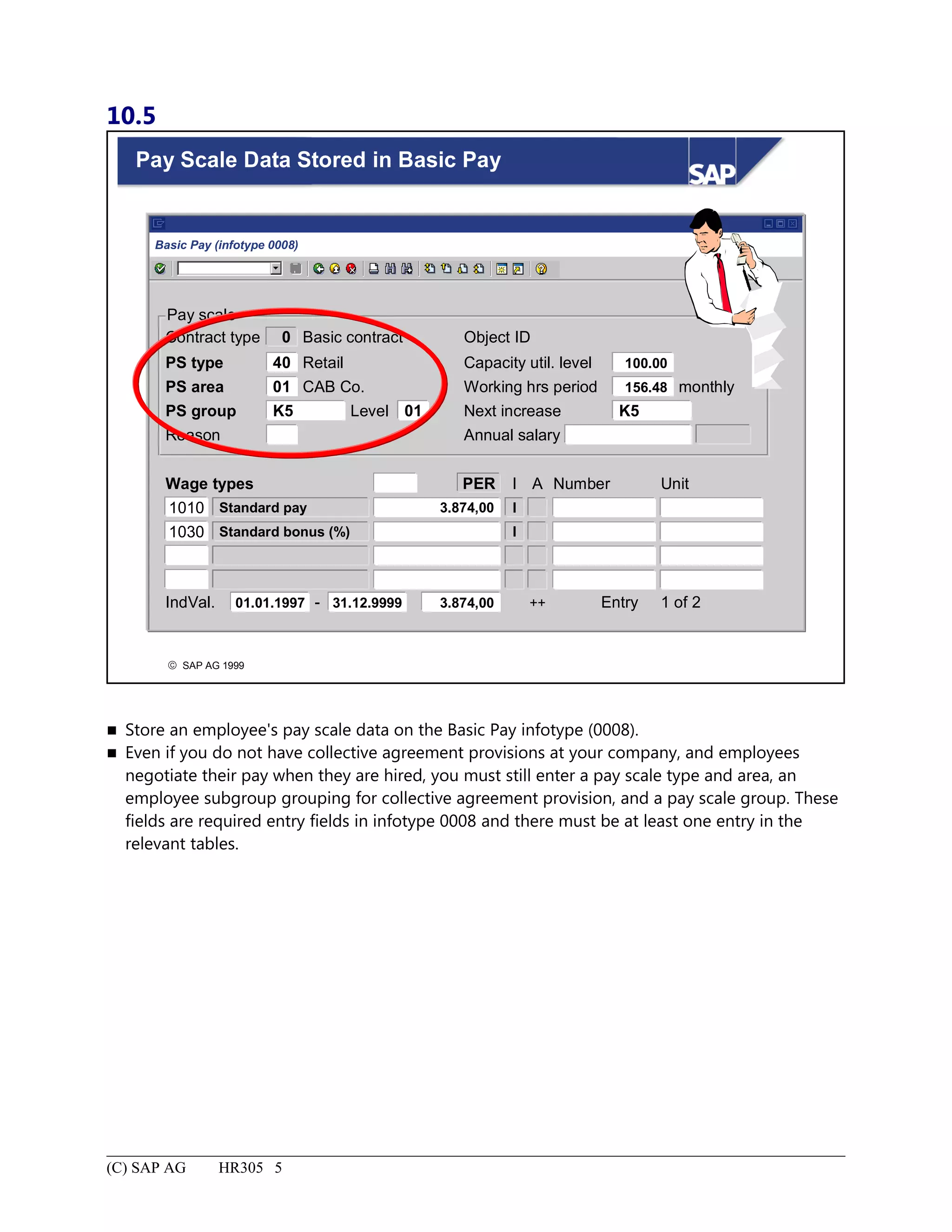
Pay Scale Data Stored in Basic Pay...........................................................................................................................5
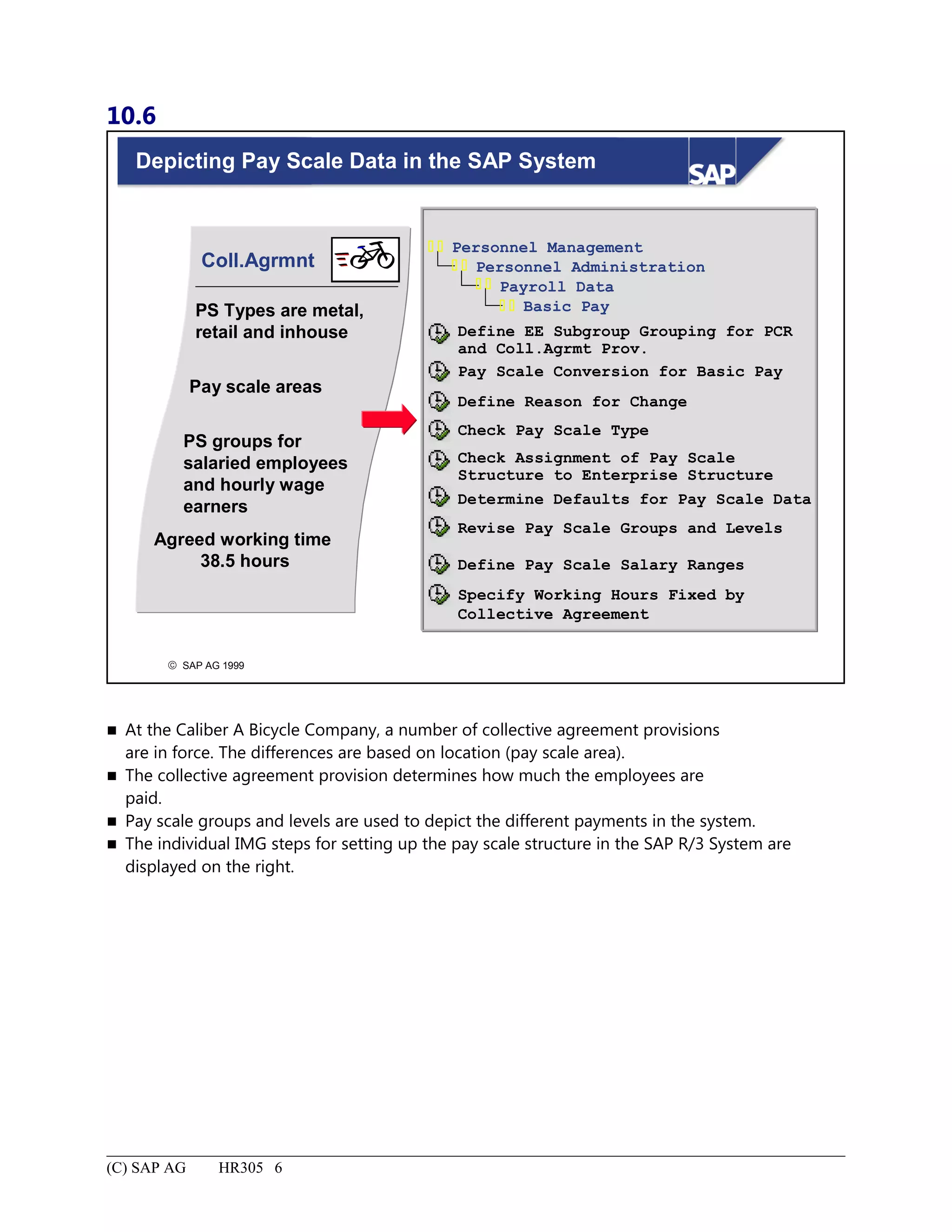
Depicting Pay Scale Data in the SAP System...........................................................................................................6
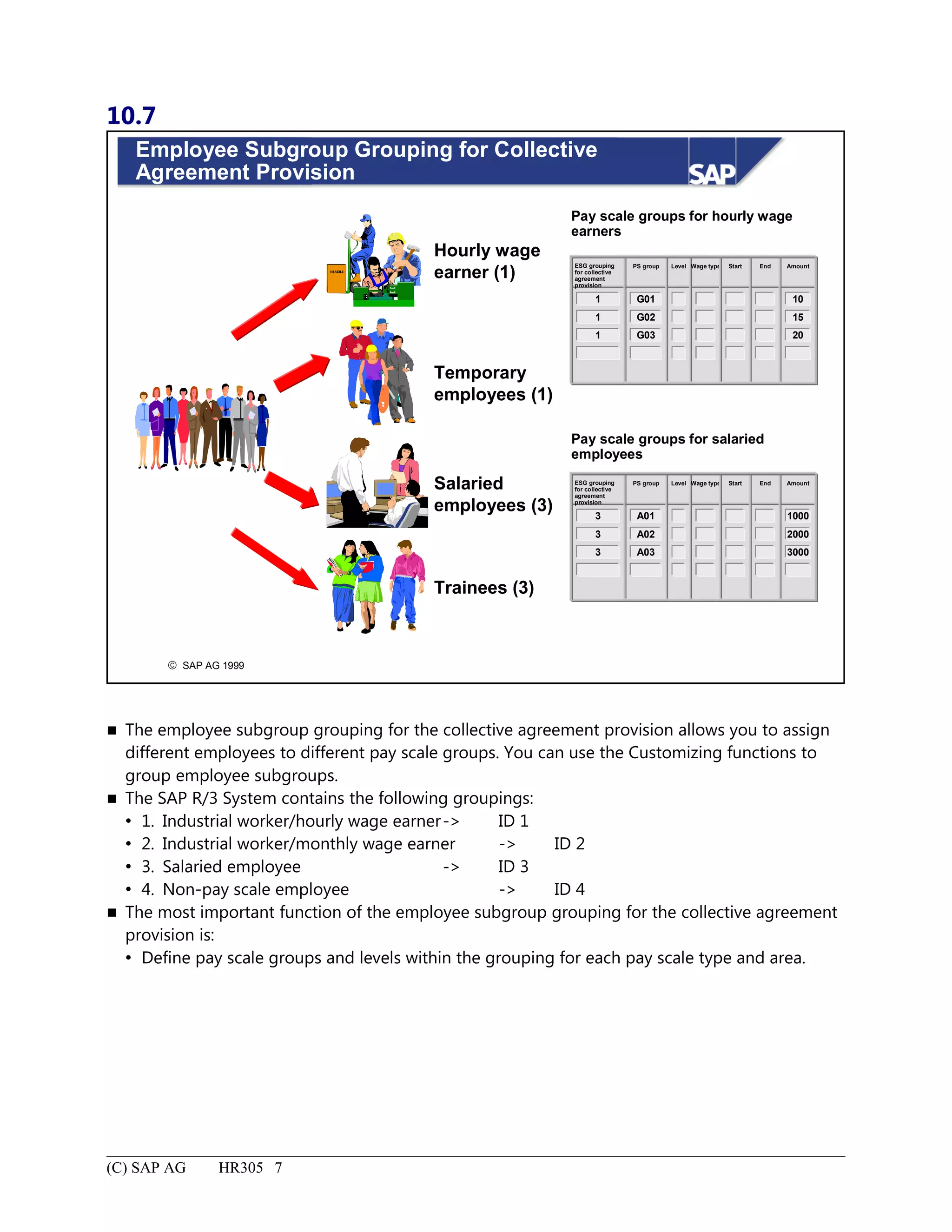
Employee Subgroup Grouping for Collective Agreement Provision........................................................................7
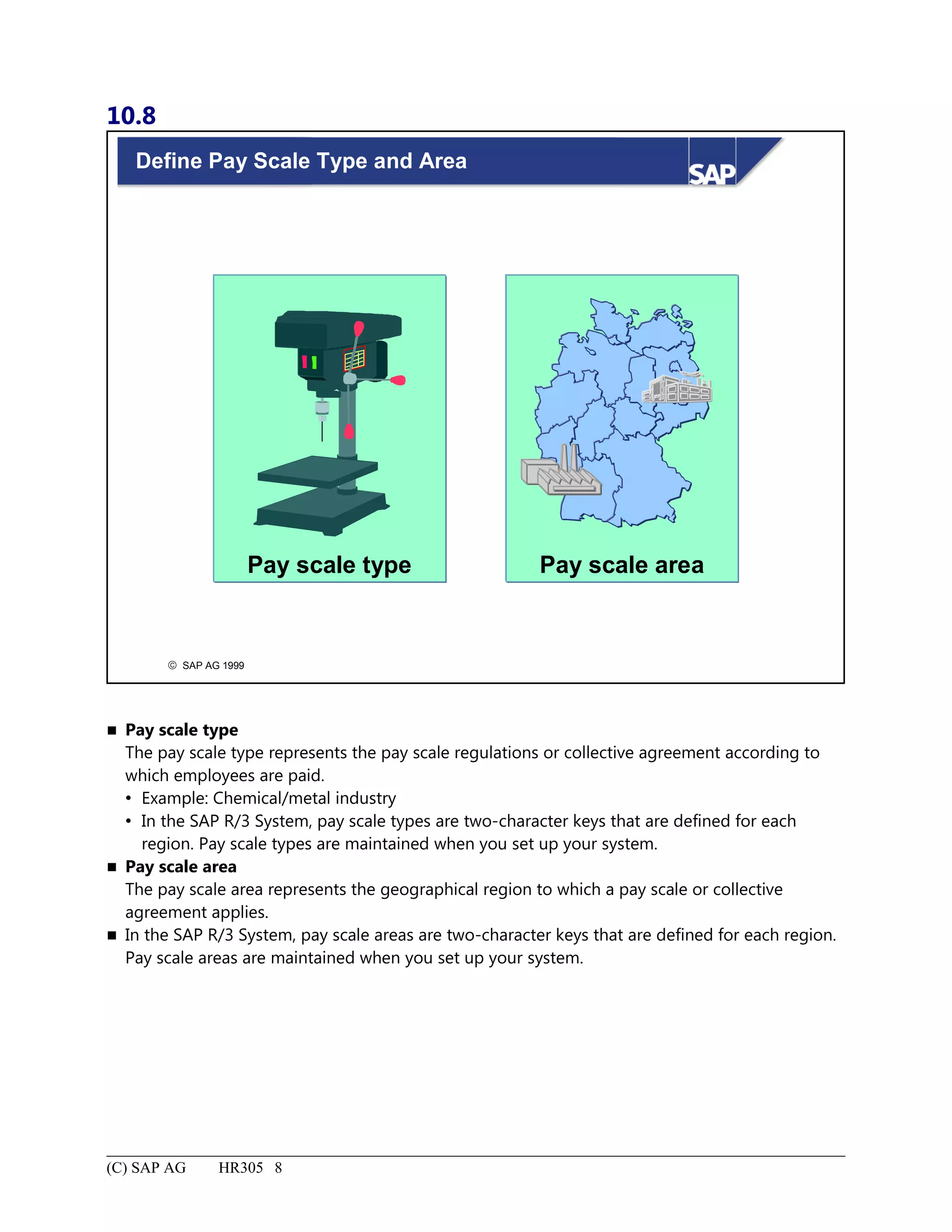
Define Pay Scale Type and Area...............................................................................................................................8
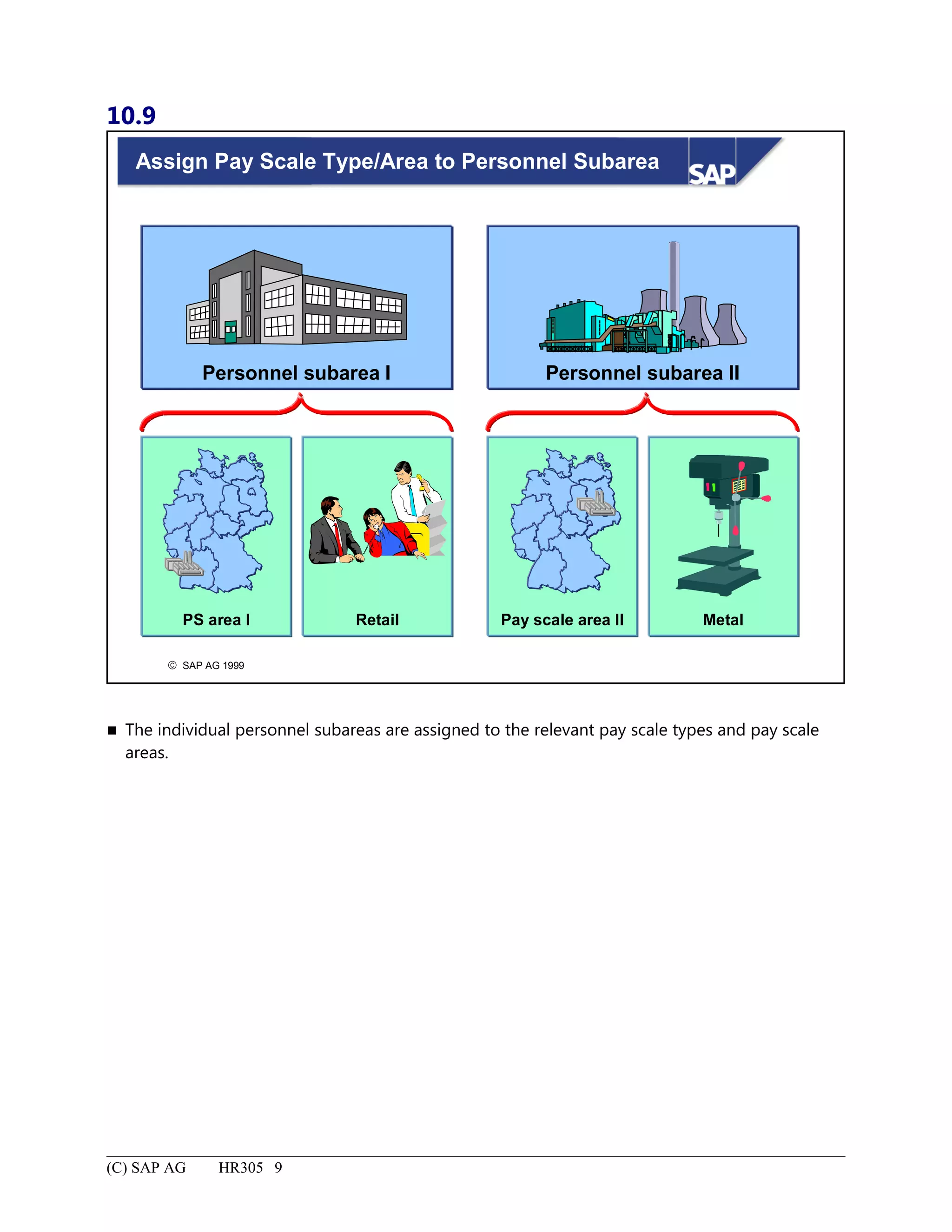
Assign Pay Scale Type/Area to Personnel Subarea...................................................................................................9
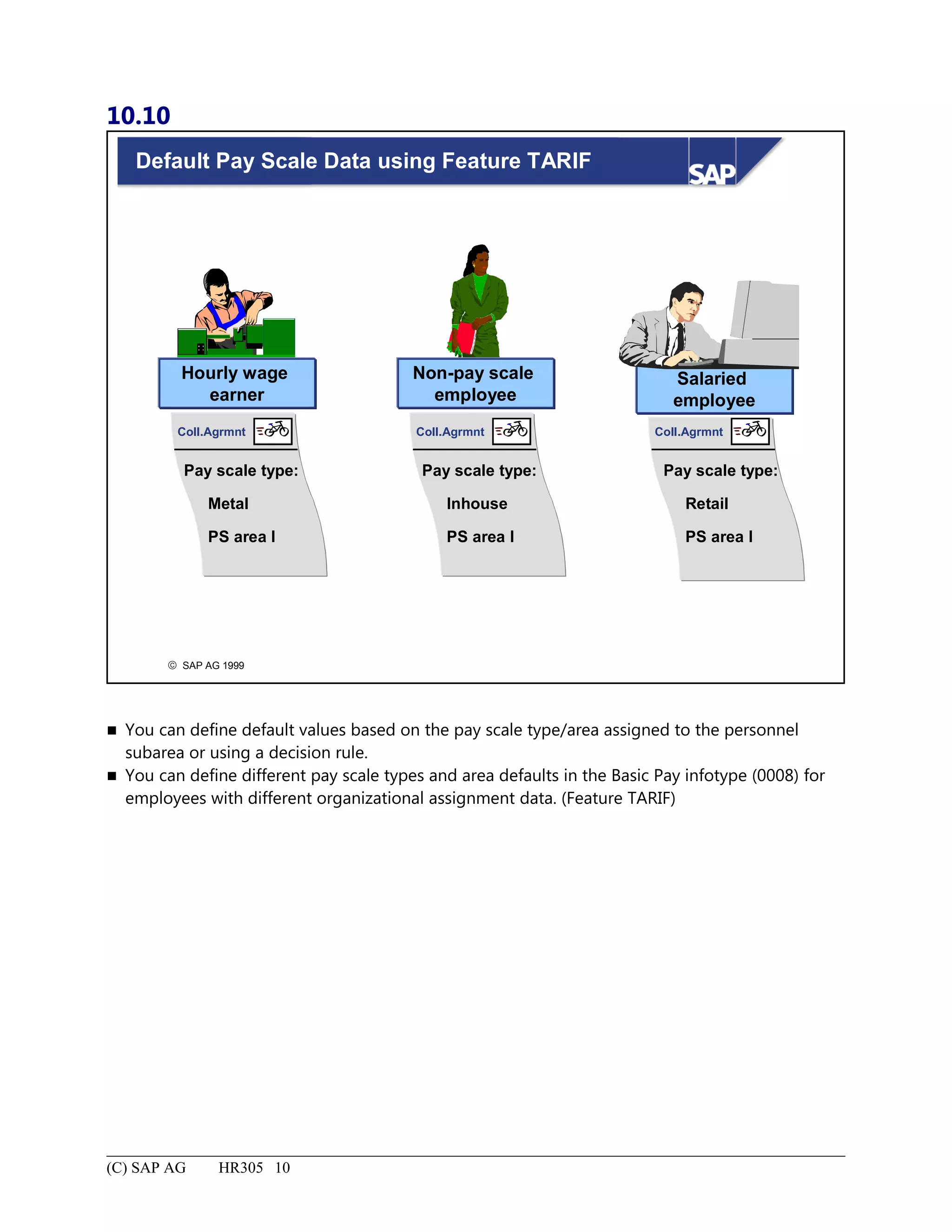
Default Pay Scale Data using Feature TARIF.........................................................................................................10
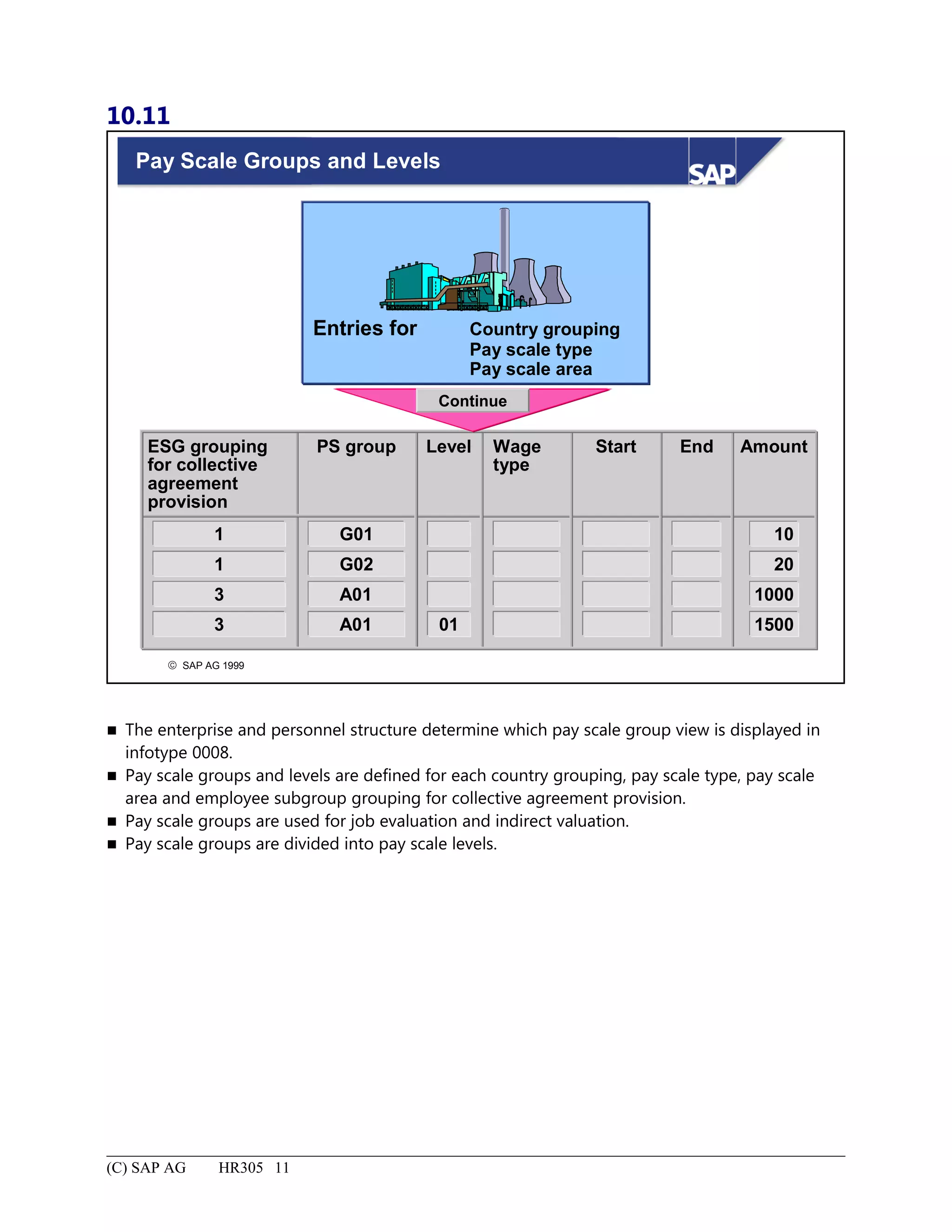
Pay Scale Groups and Levels...................................................................................................................................11
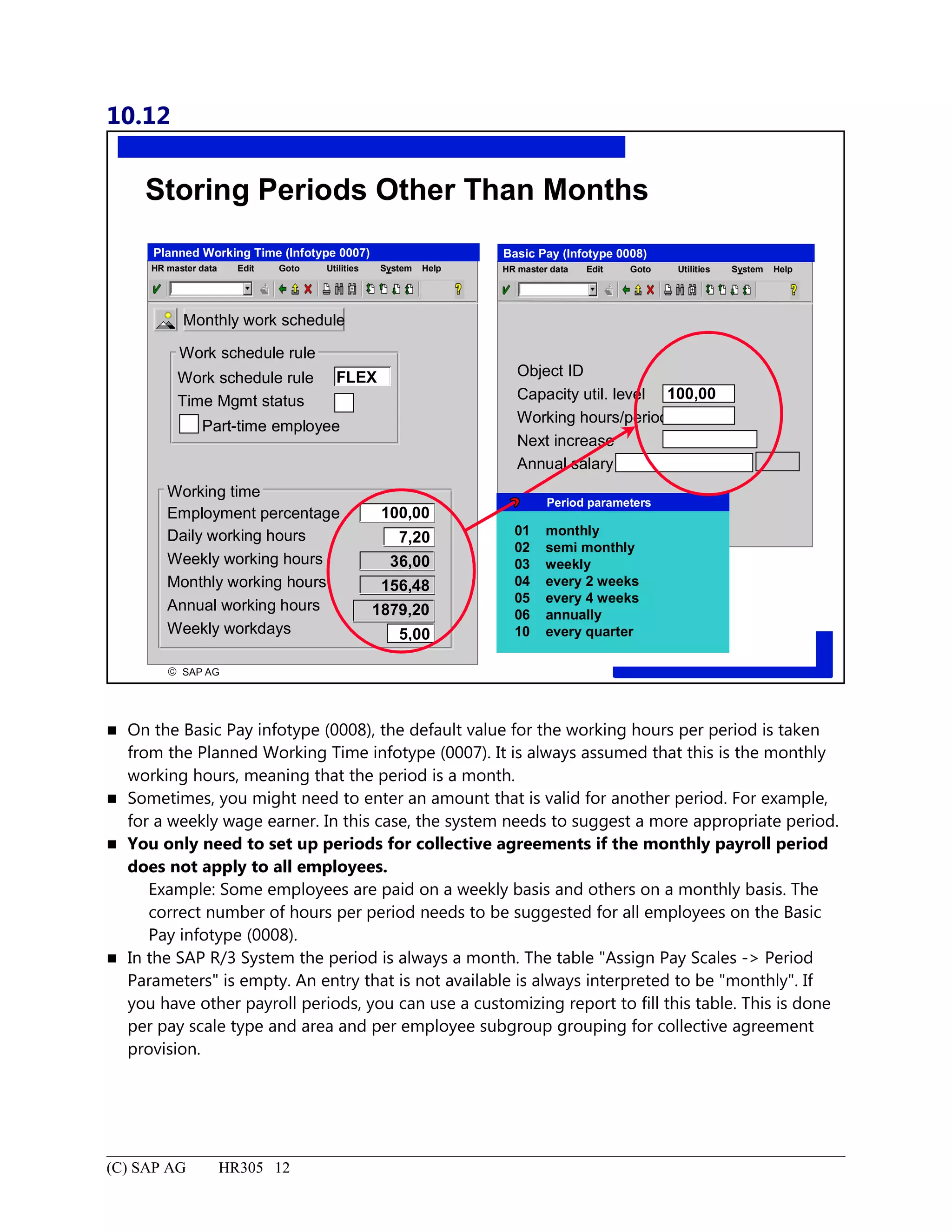
Storing Periods Other Than Months........................................................................................................................12
Pay Scale Structure: Summary.................................................................................................................................13
Wage Type Structure.....................................................................................................................................................1
Wage Type Structure: Unit Objectives......................................................................................................................2
Wage Type Structure: Business Scenario..................................................................................................................3
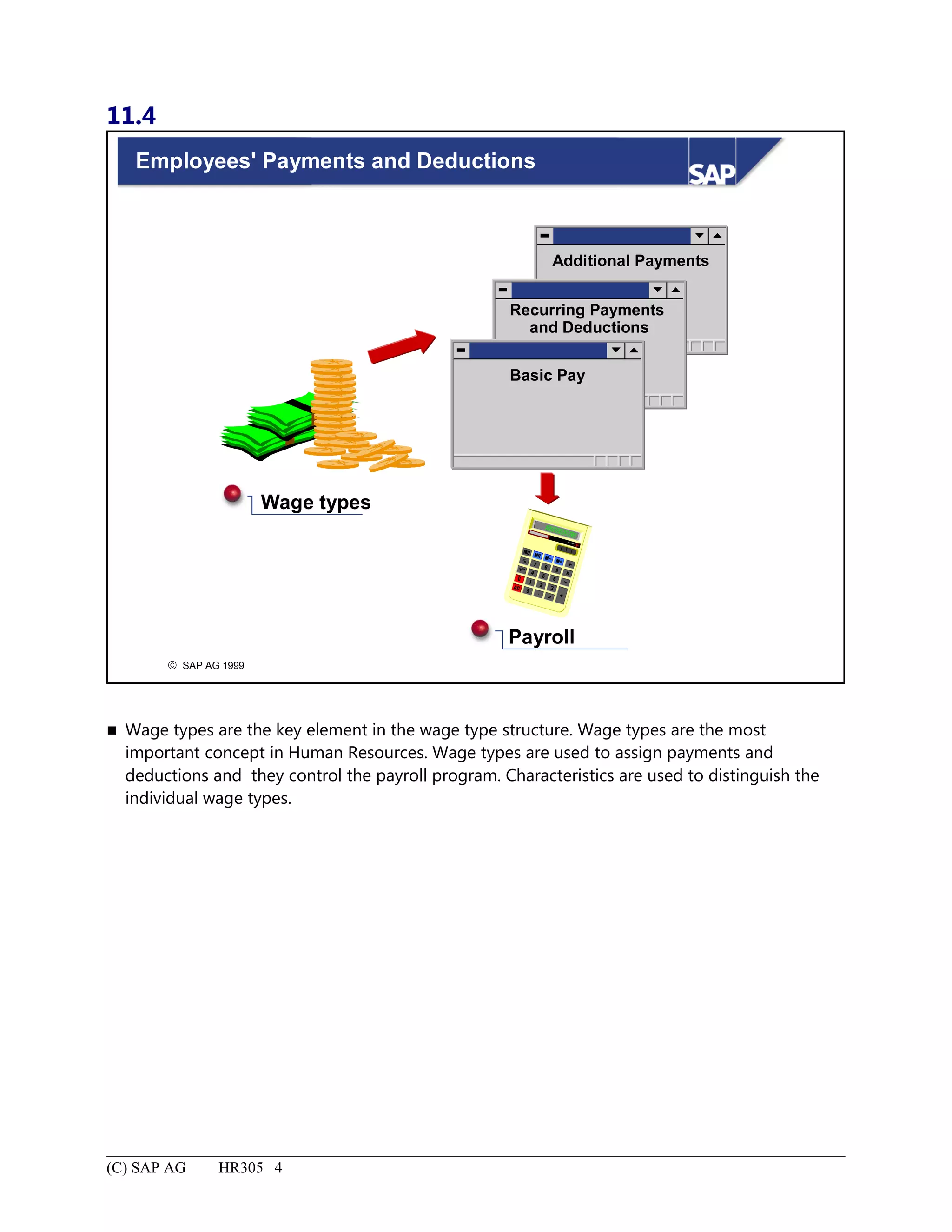
Employees' Payments and Deductions.......................................................................................................................4
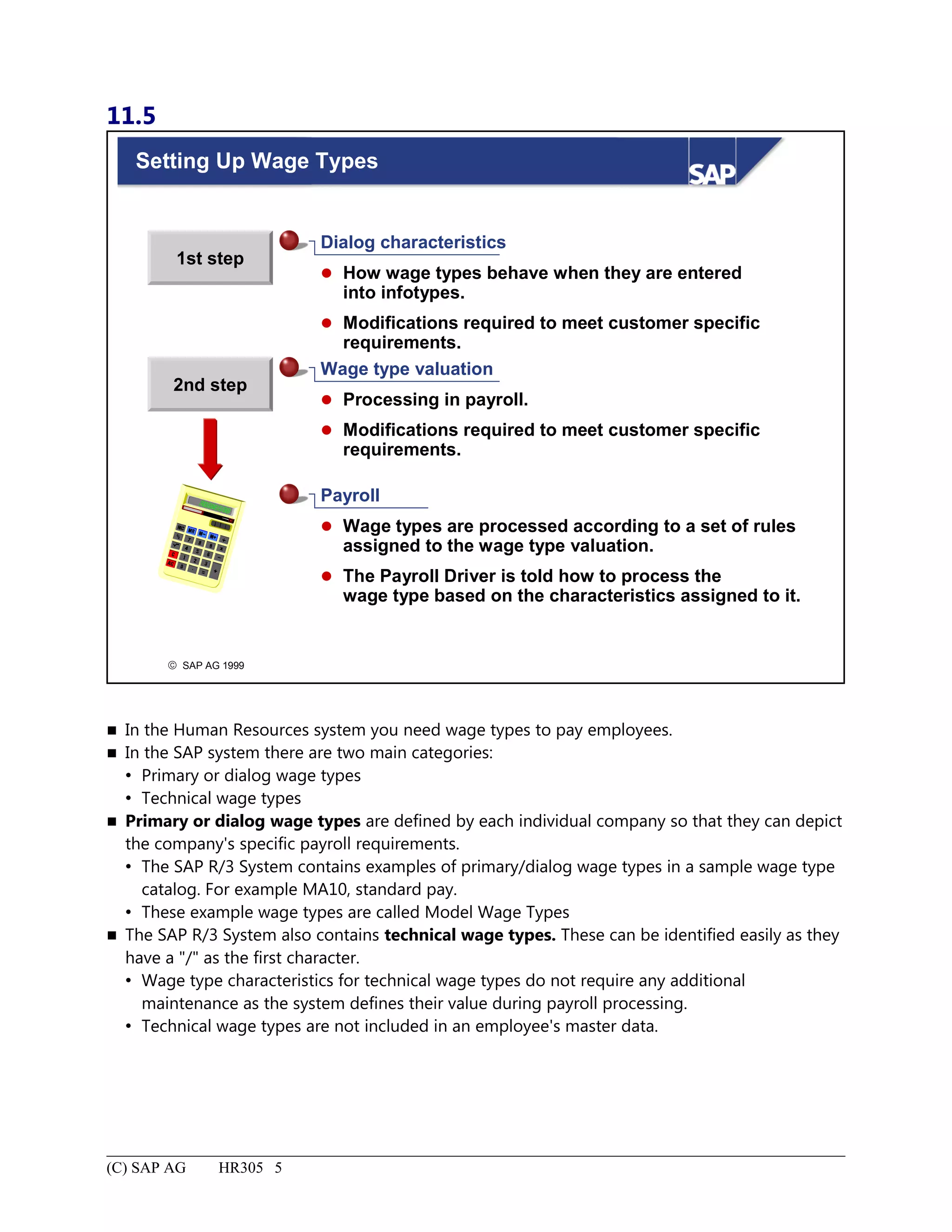
Setting Up Wage Types.............................................................................................................................................5
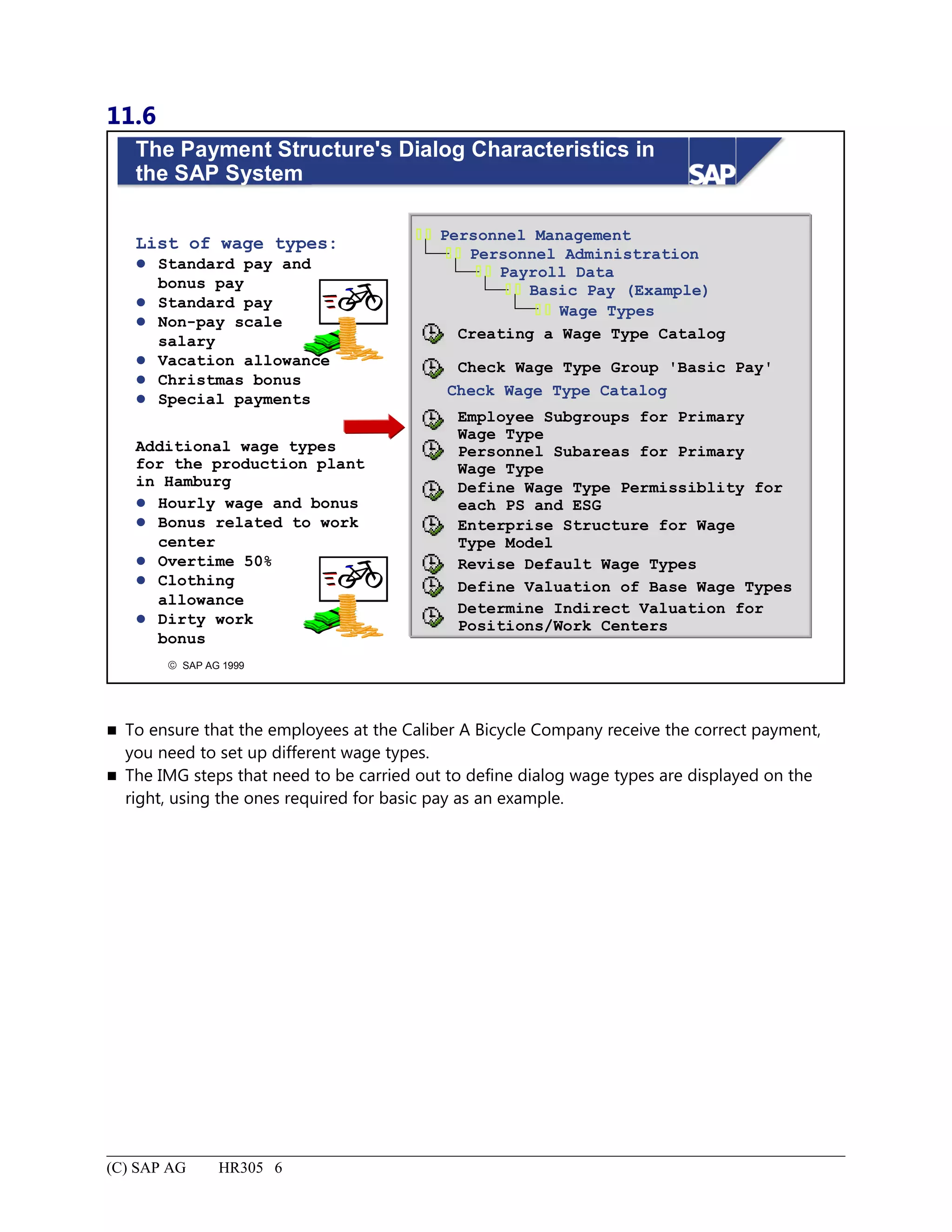
The Payment Structure's Dialog Characteristics in the SAP System.........................................................................6
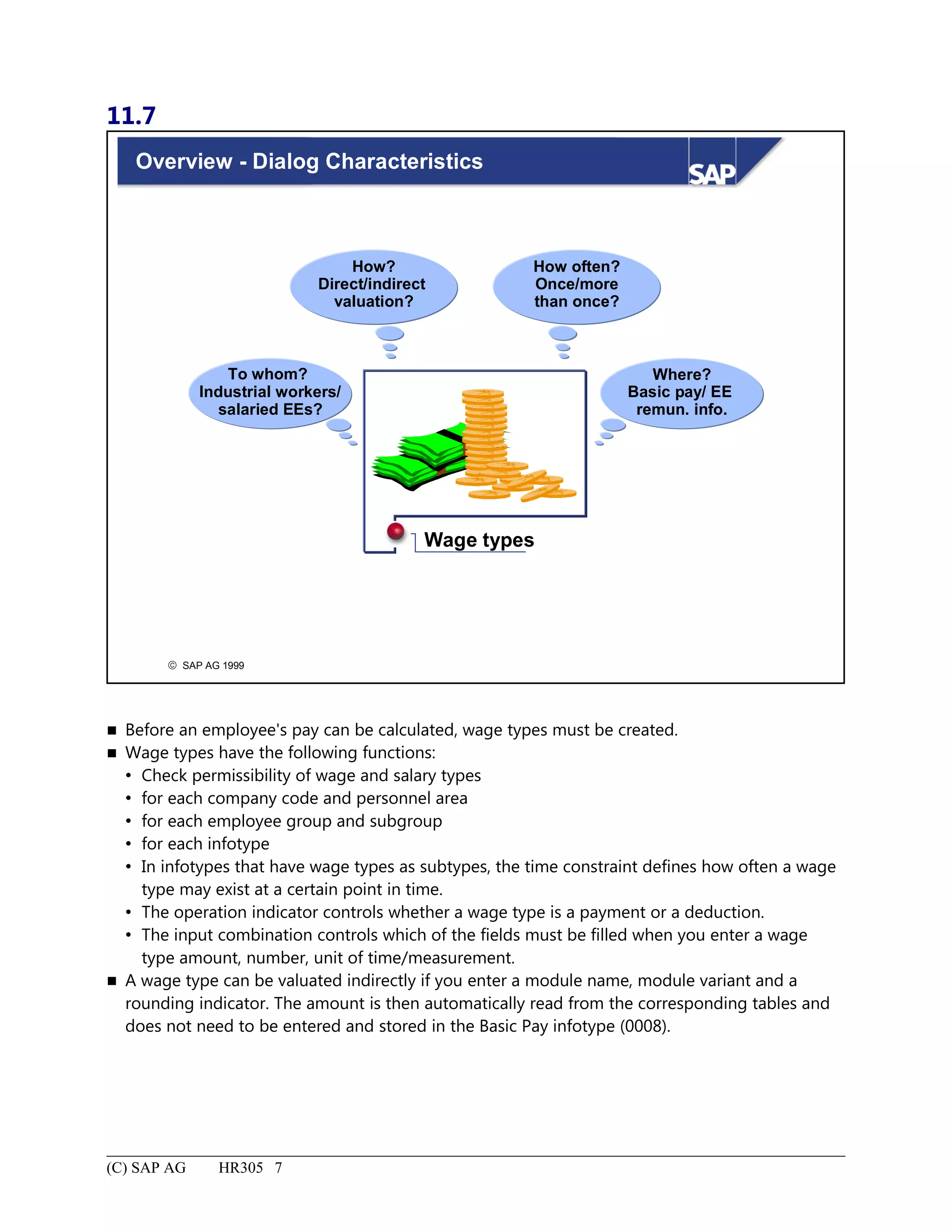
Overview - Dialog Characteristics.............................................................................................................................7
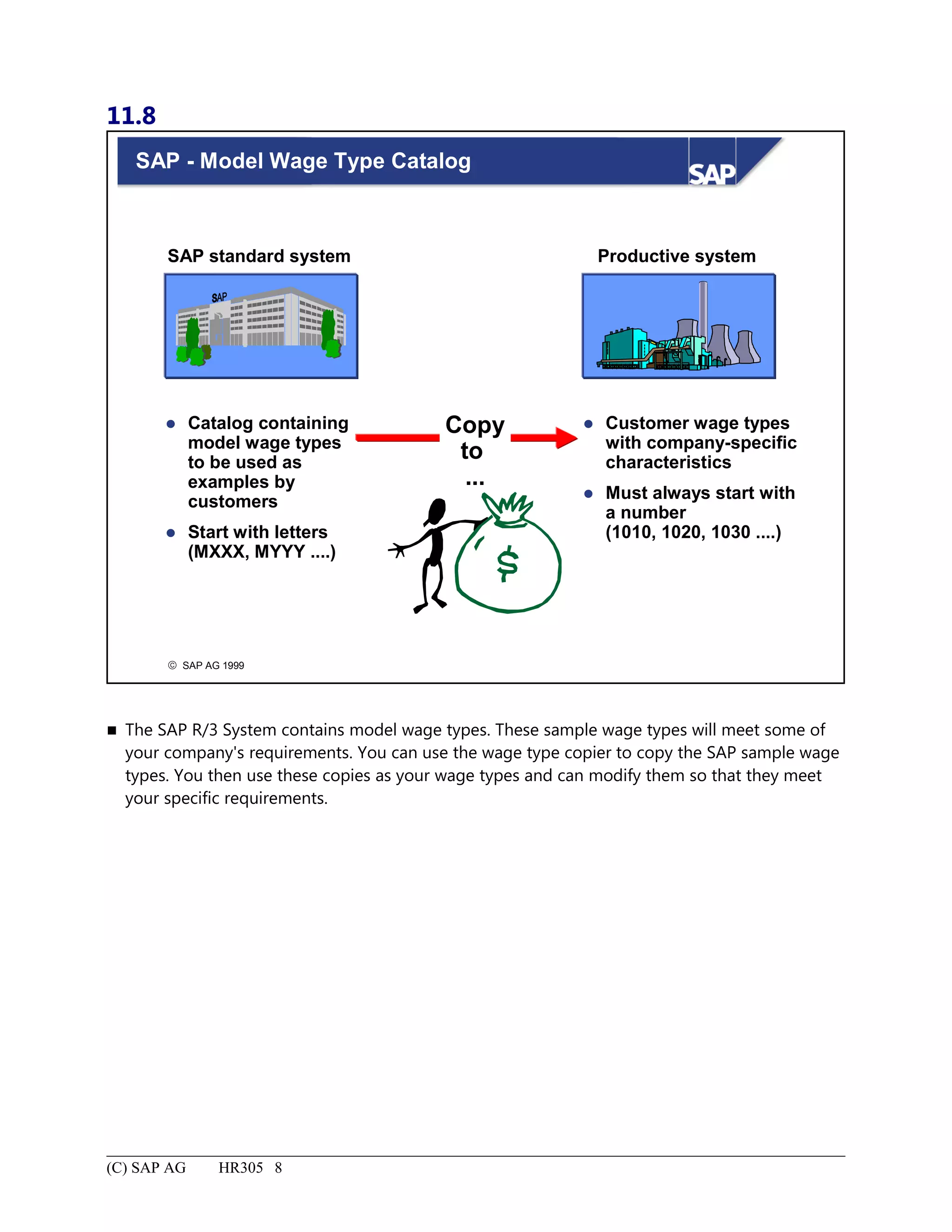
SAP - Model Wage Type Catalog.............................................................................................................................8
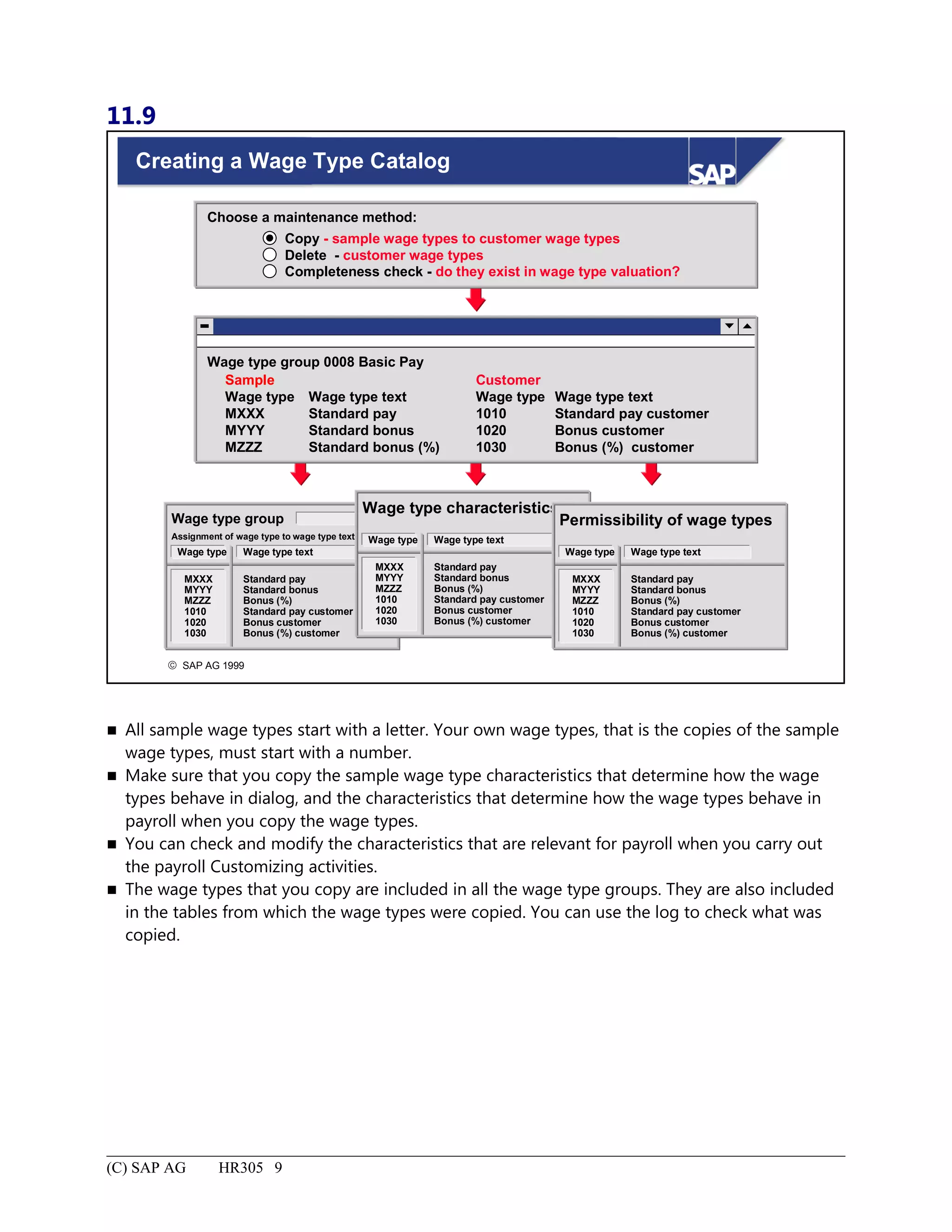
Creating a Wage Type Catalog..................................................................................................................................9
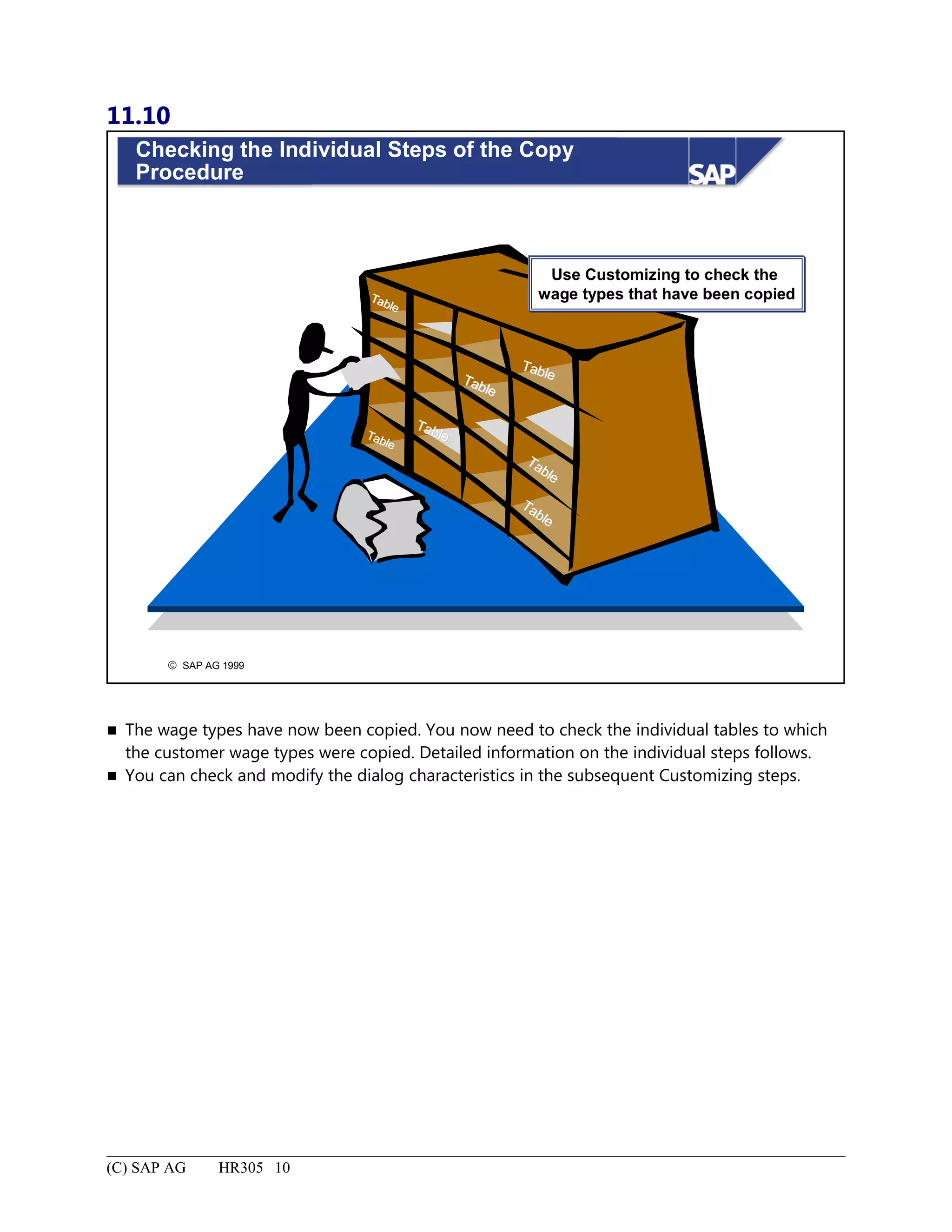
Checking the Individual Steps of the Copy Procedure............................................................................................10
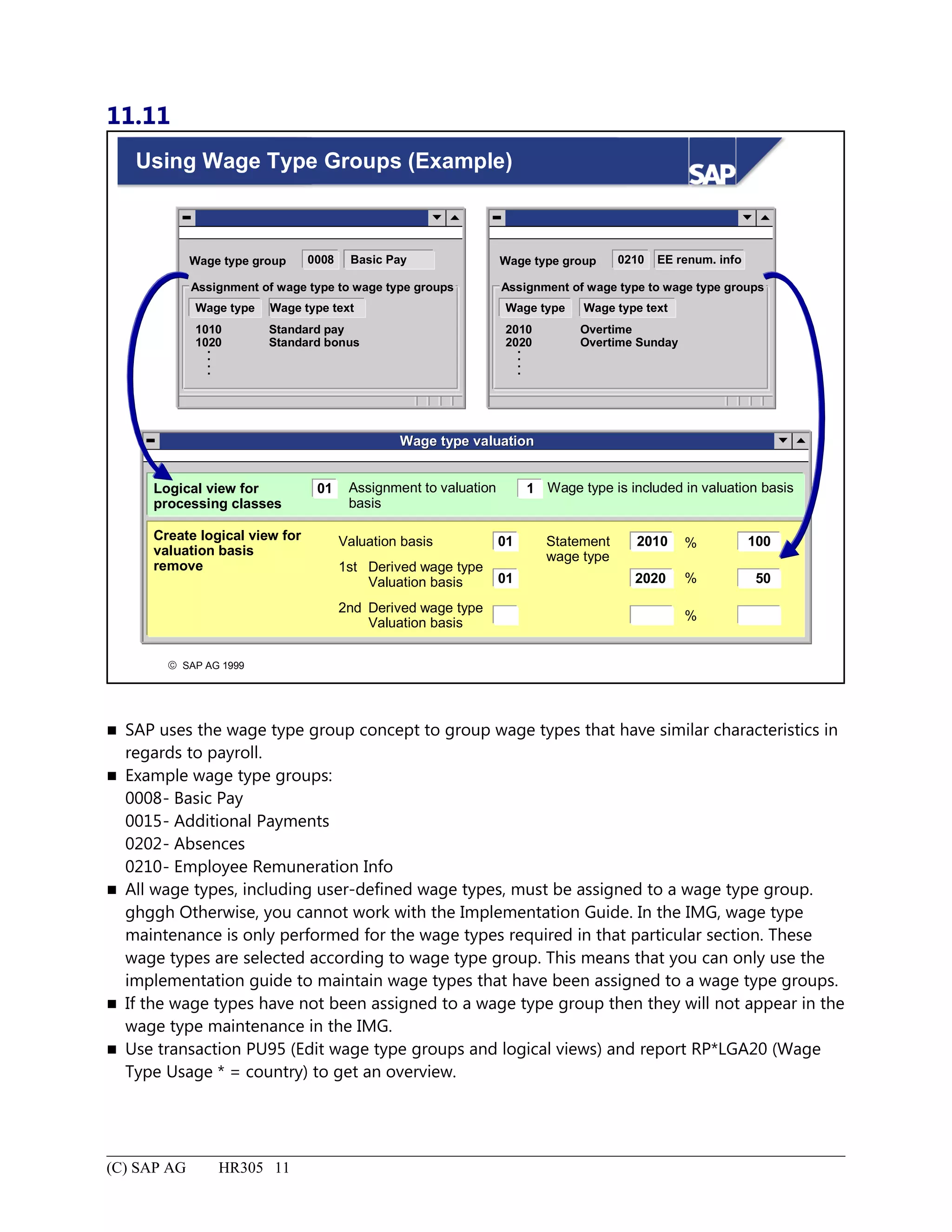
Using Wage Type Groups (Example)......................................................................................................................11
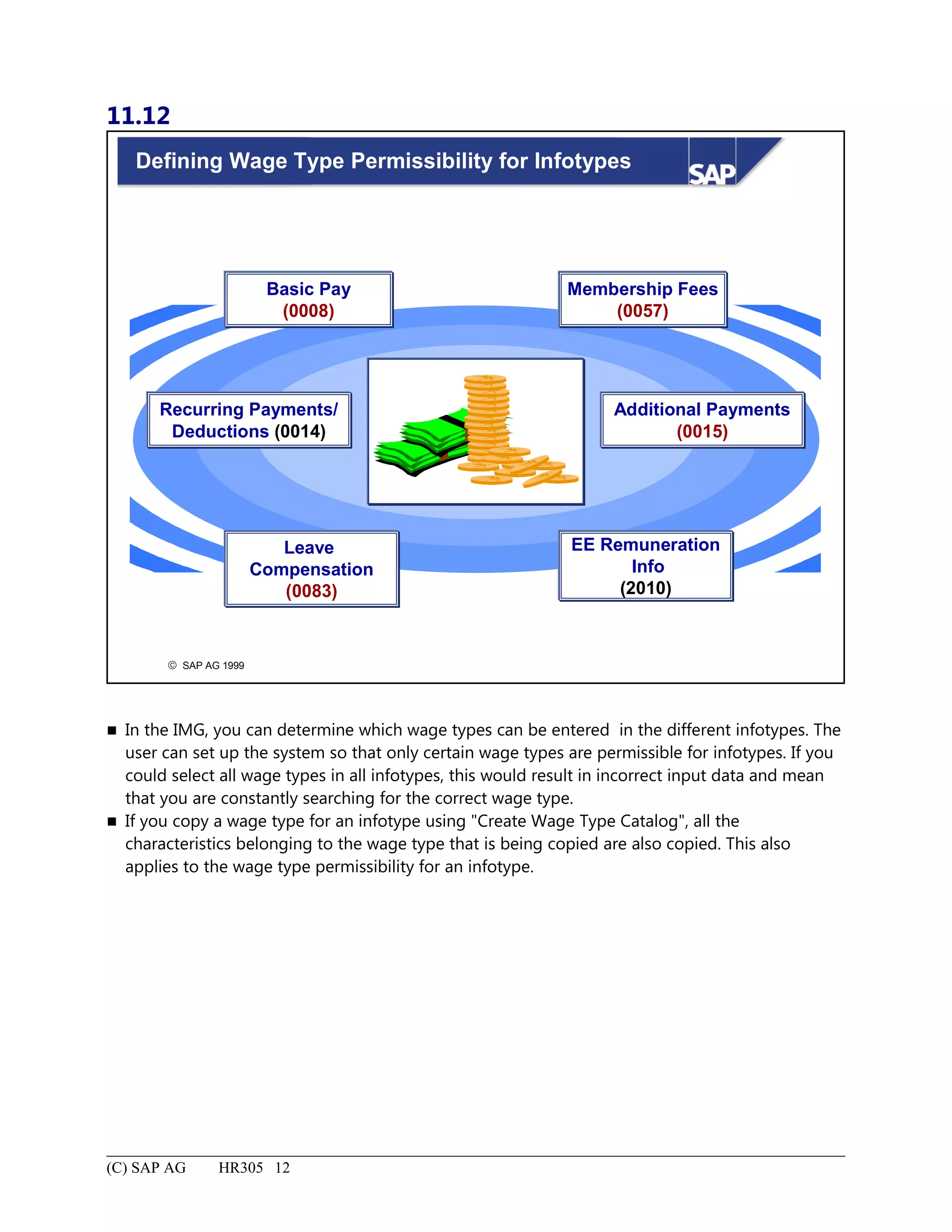
Defining Wage Type Permissibility for Infotypes...................................................................................................12
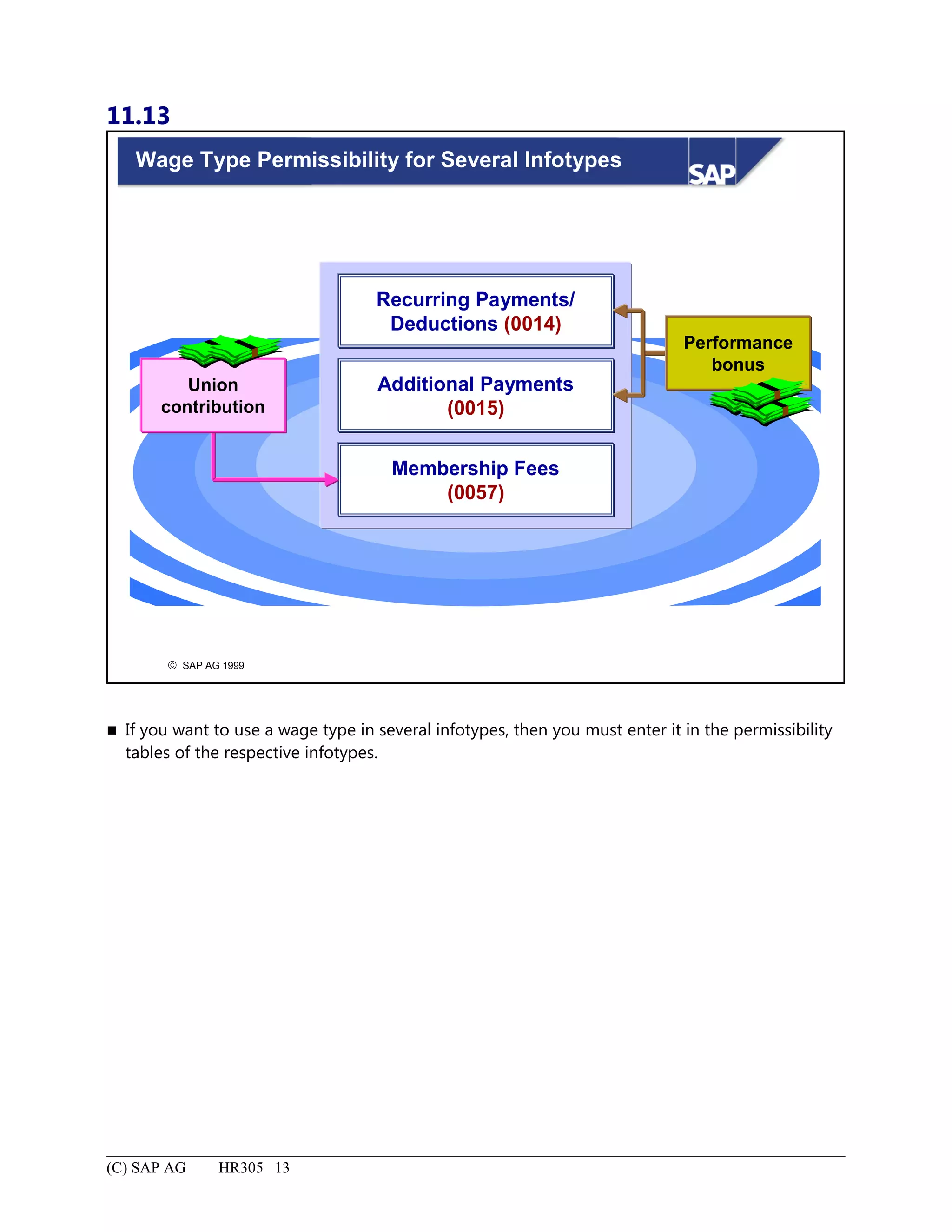
Wage Type Permissibility for Several Infotypes.....................................................................................................13
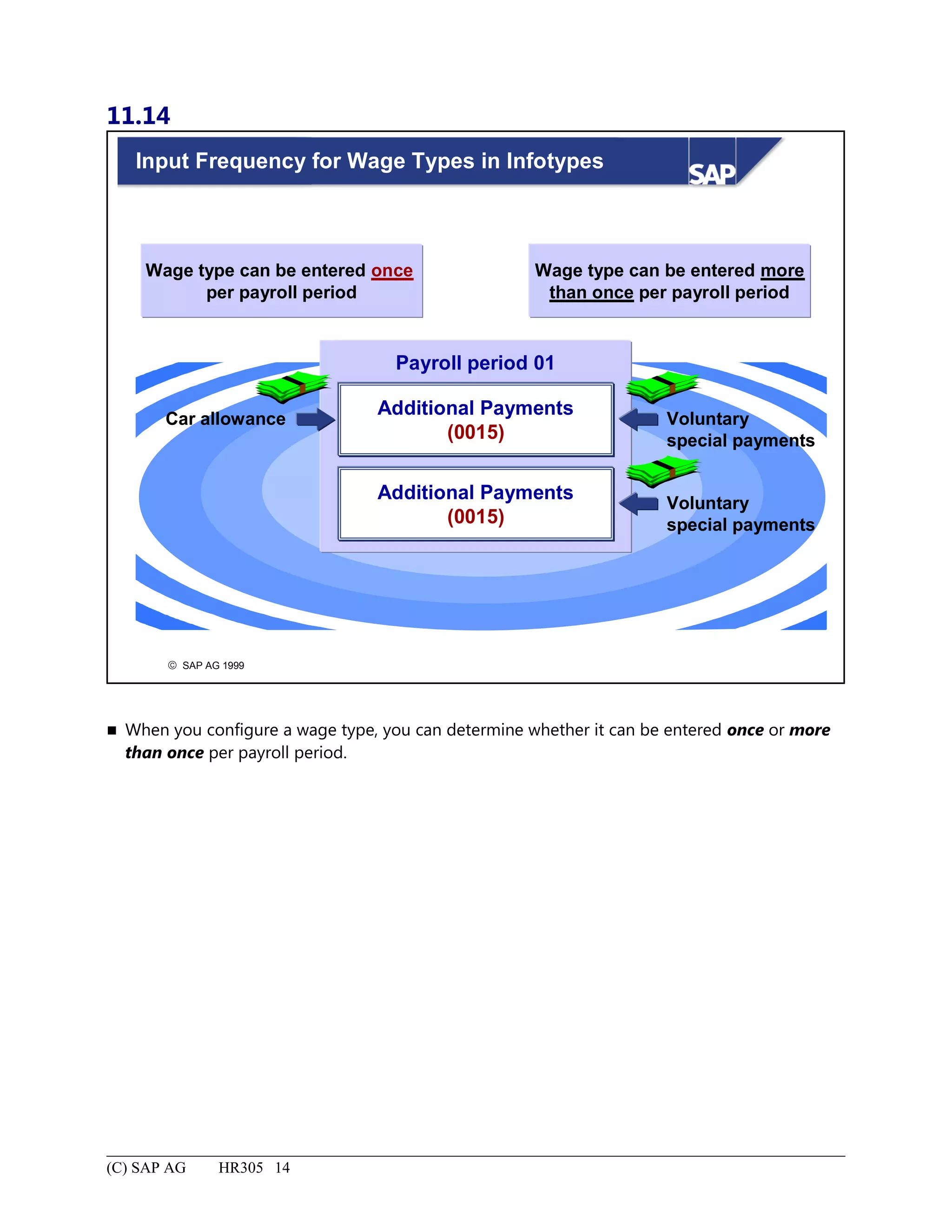
Input Frequency for Wage Types in Infotypes........................................................................................................14
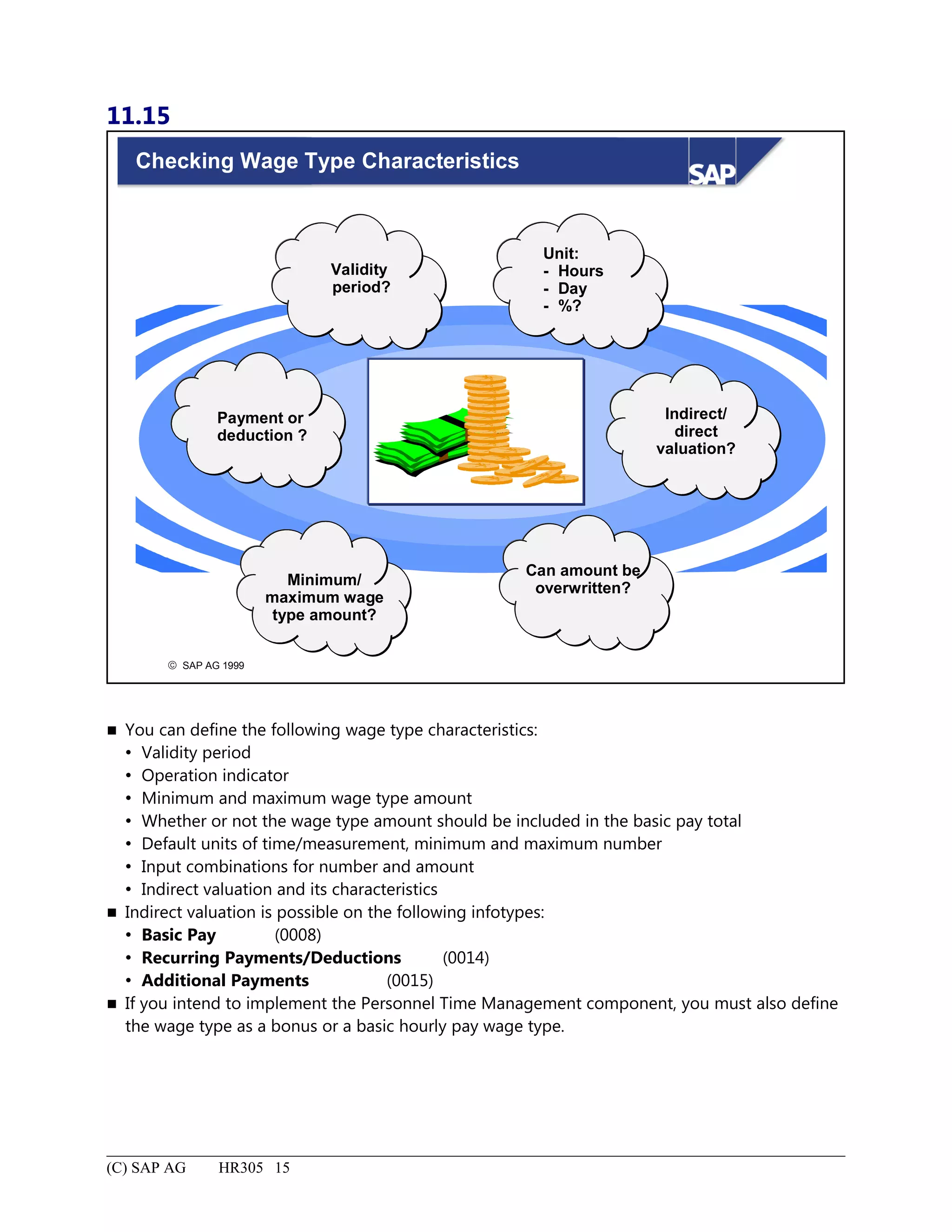
Checking Wage Type Characteristics......................................................................................................................15
7.
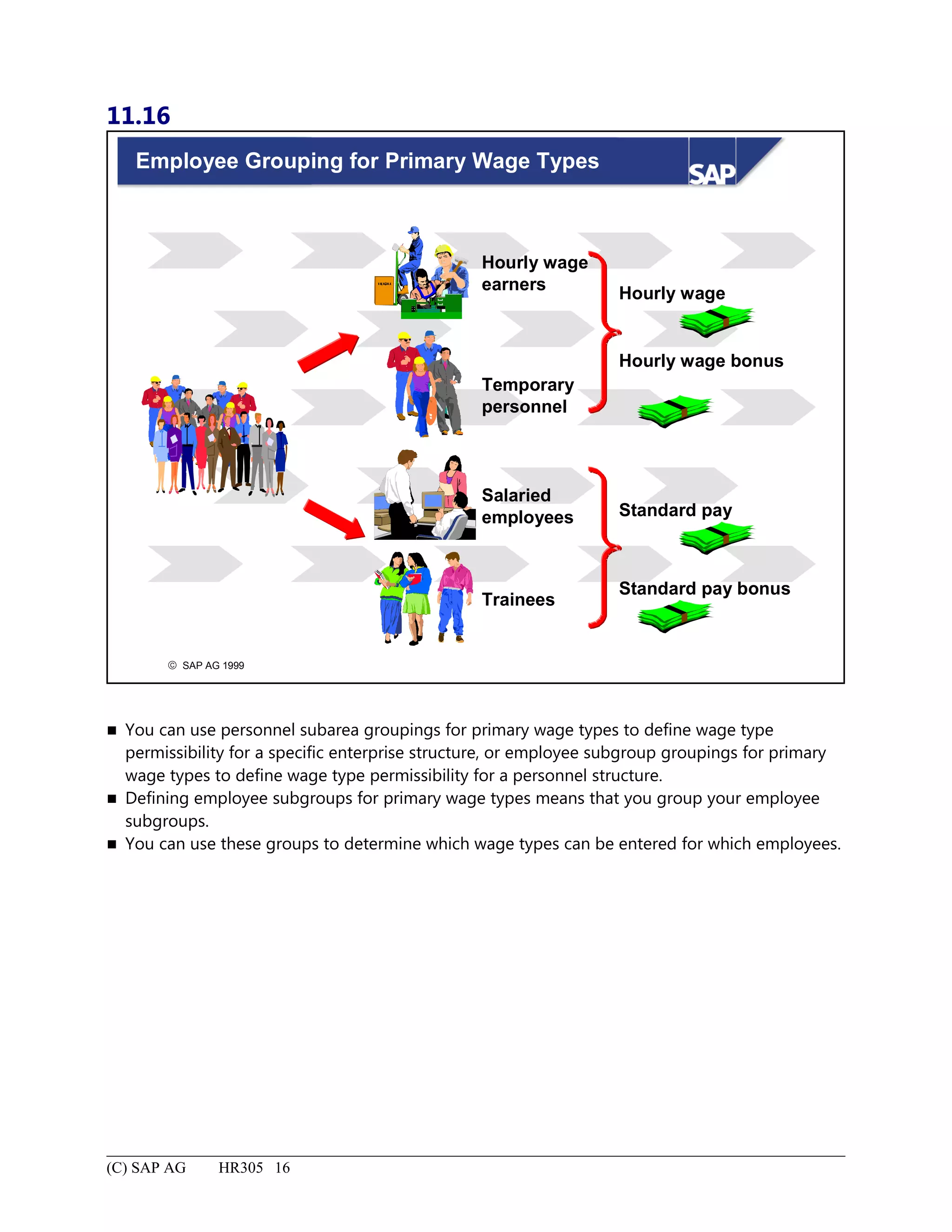
Employee Grouping forPrimary Wage Types........................................................................................................16
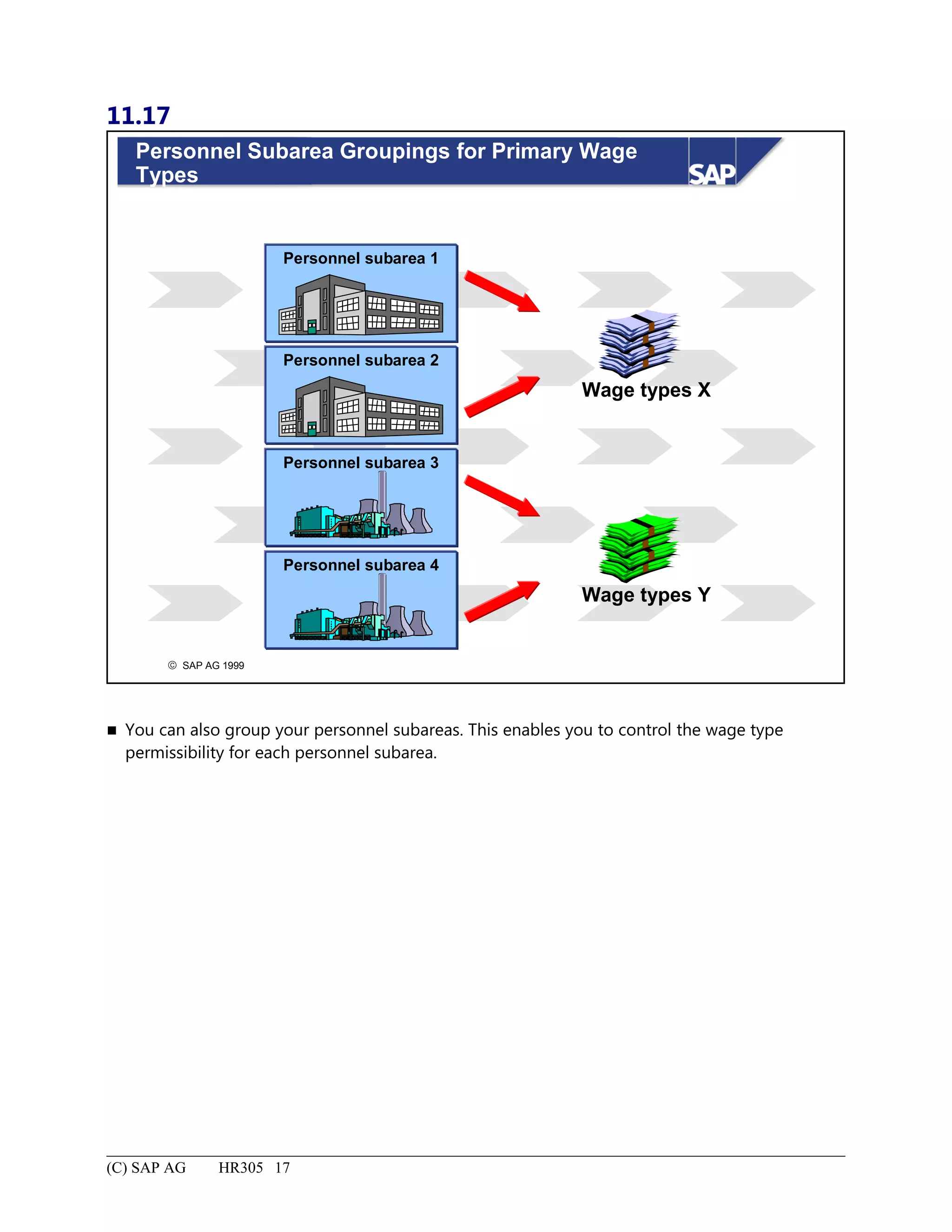
Personnel Subarea Groupings for Primary Wage Types.........................................................................................17
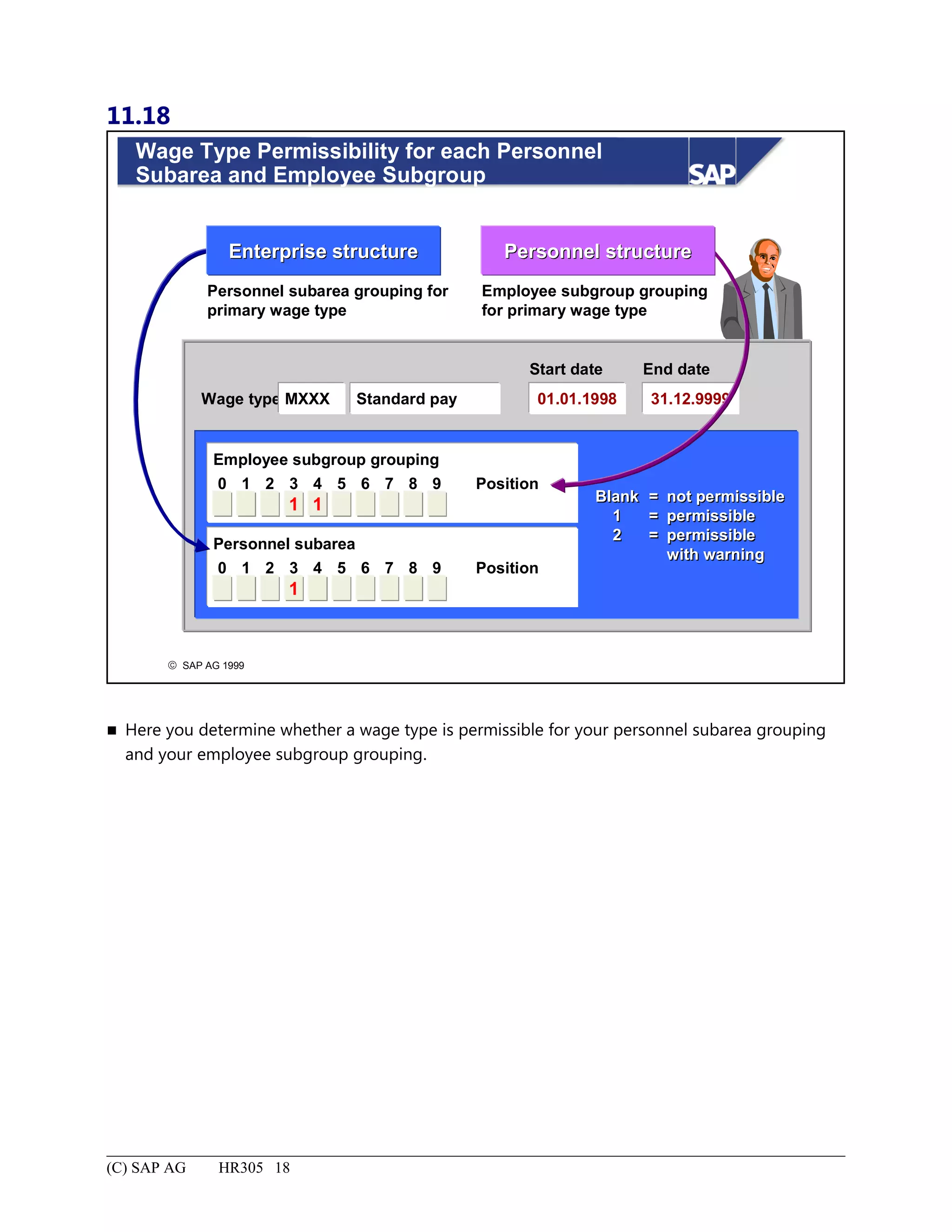
Wage Type Permissibility for each Personnel Subarea and Employee Subgroup...................................................18
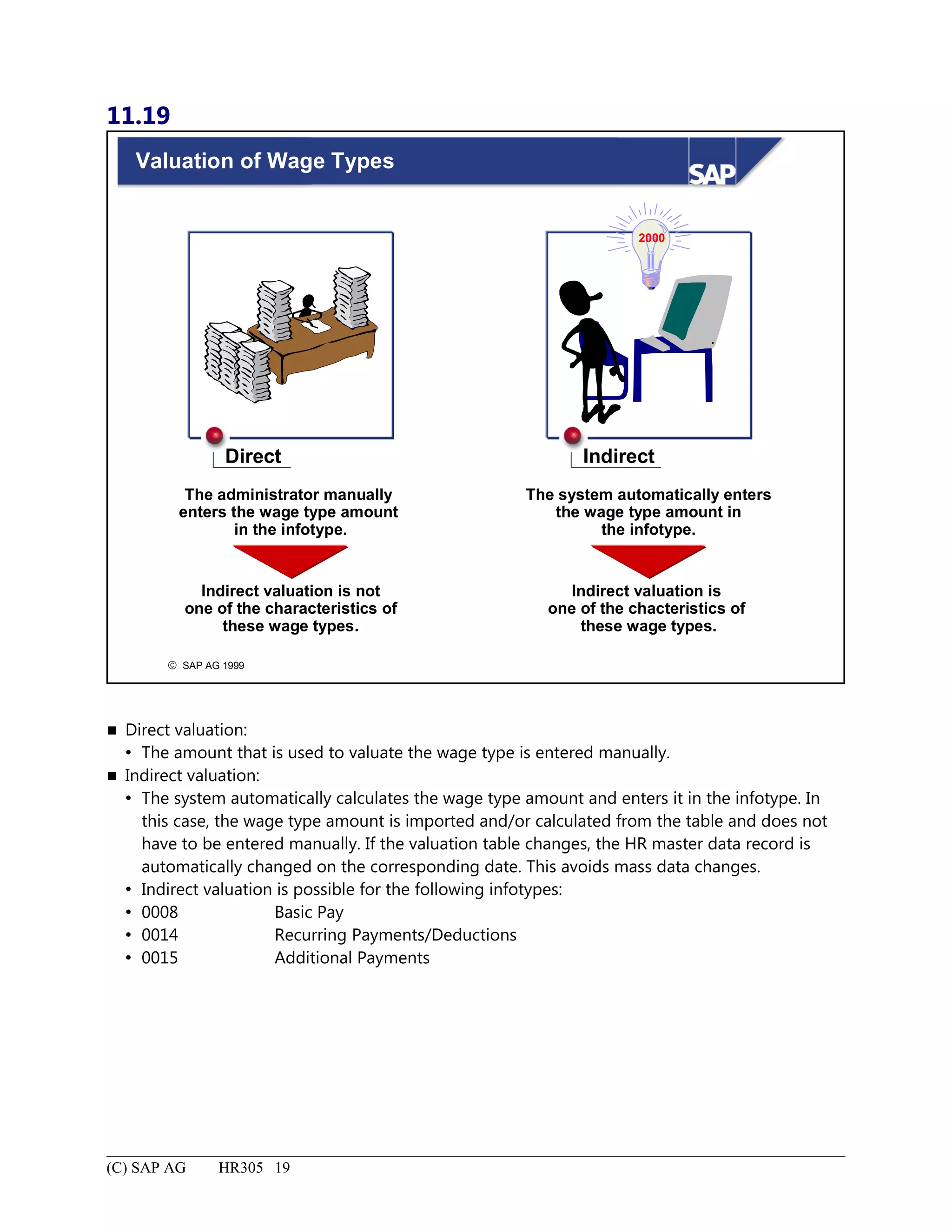
Valuation of Wage Types........................................................................................................................................19
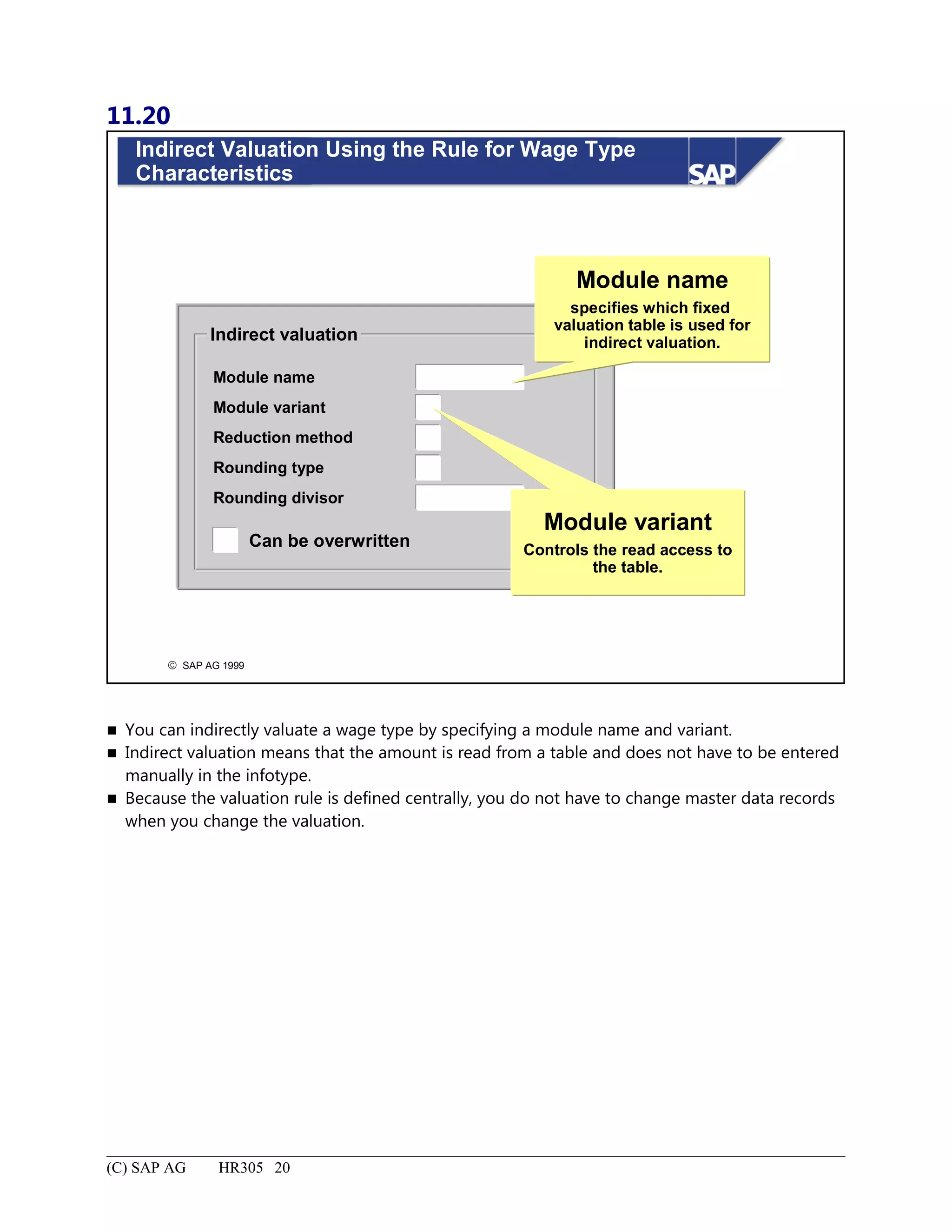
Indirect Valuation Using the Rule for Wage Type Characteristics.........................................................................20
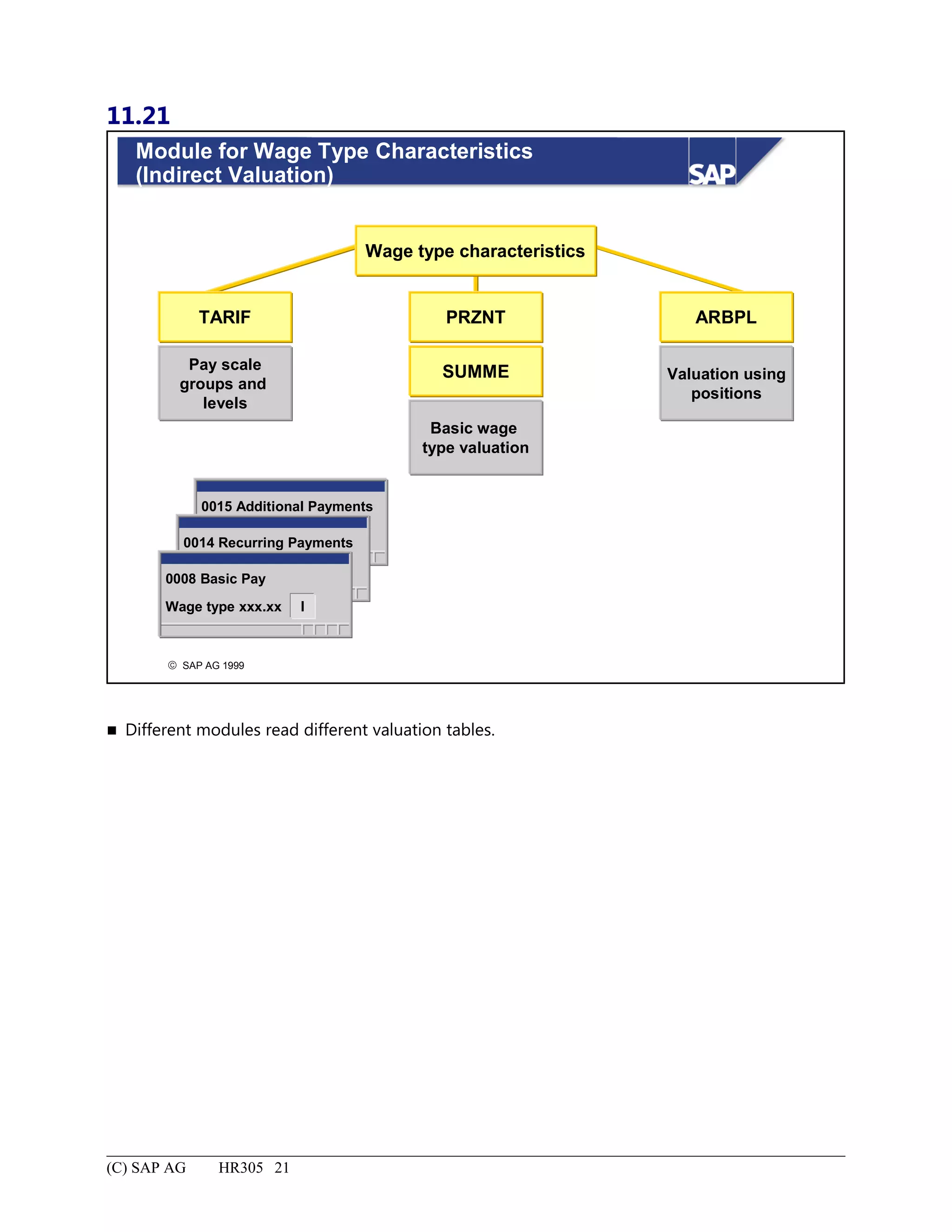
Module for Wage Type Characteristics (Indirect Valuation)..................................................................................21
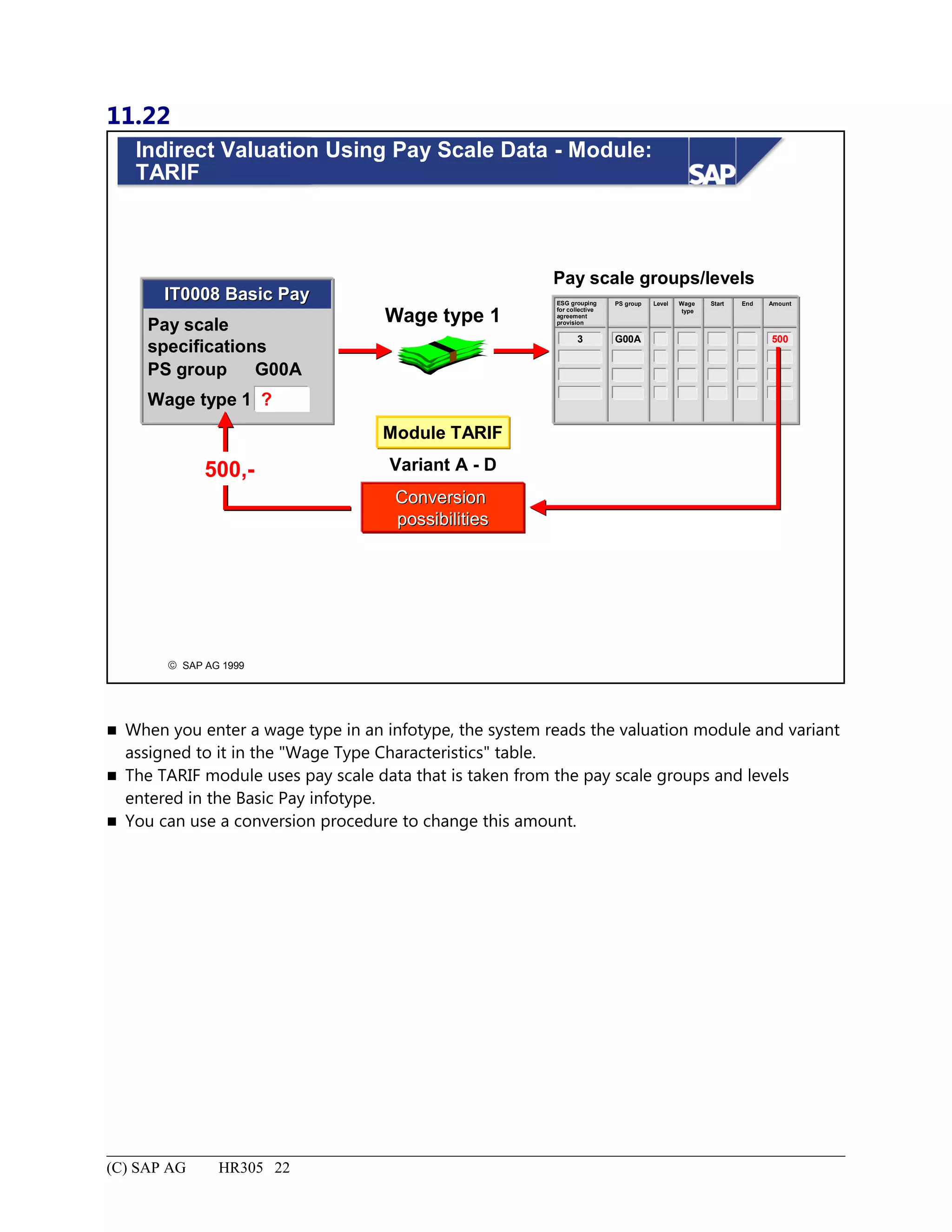
Indirect Valuation Using Pay Scale Data - Module: TARIF...................................................................................22
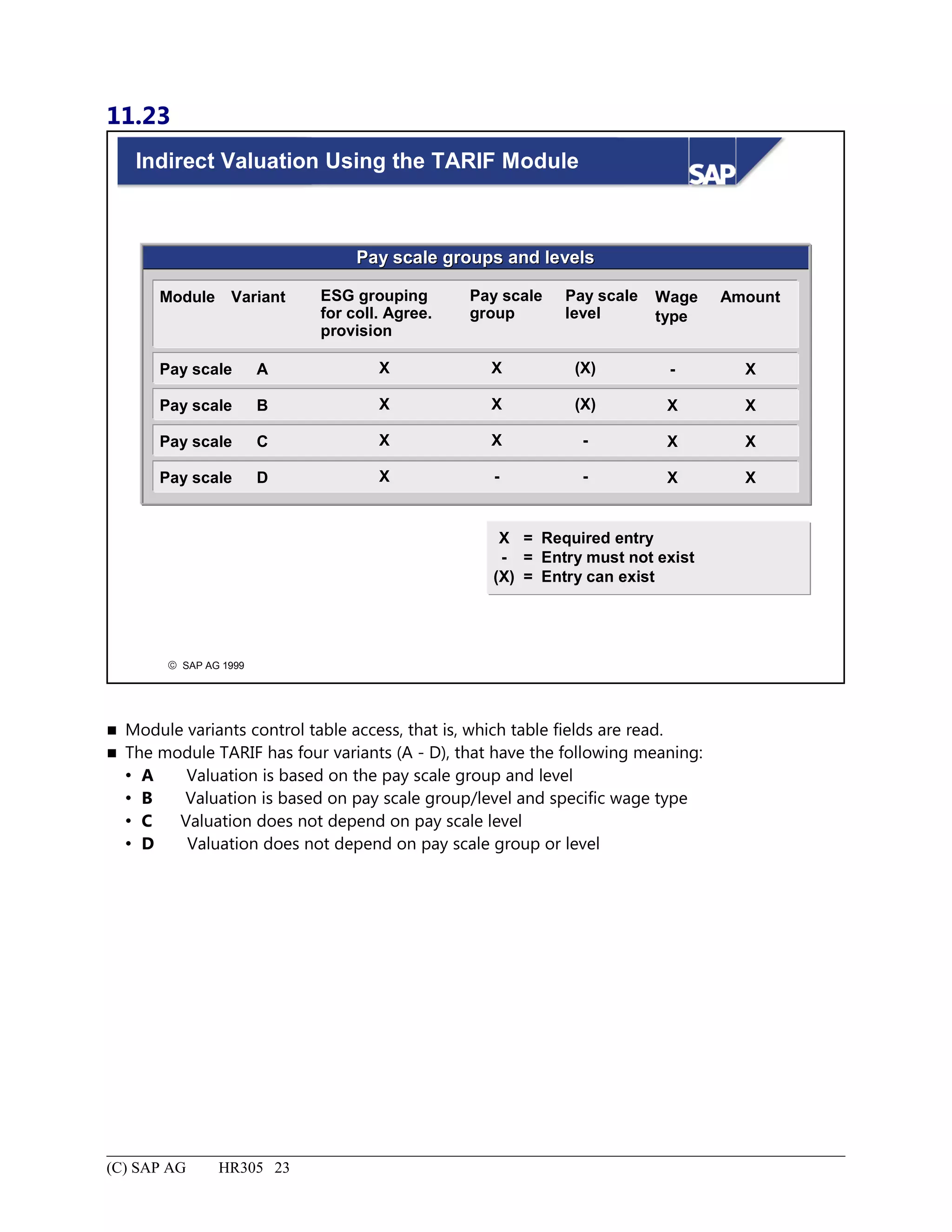
Indirect Valuation Using the TARIF Module..........................................................................................................23
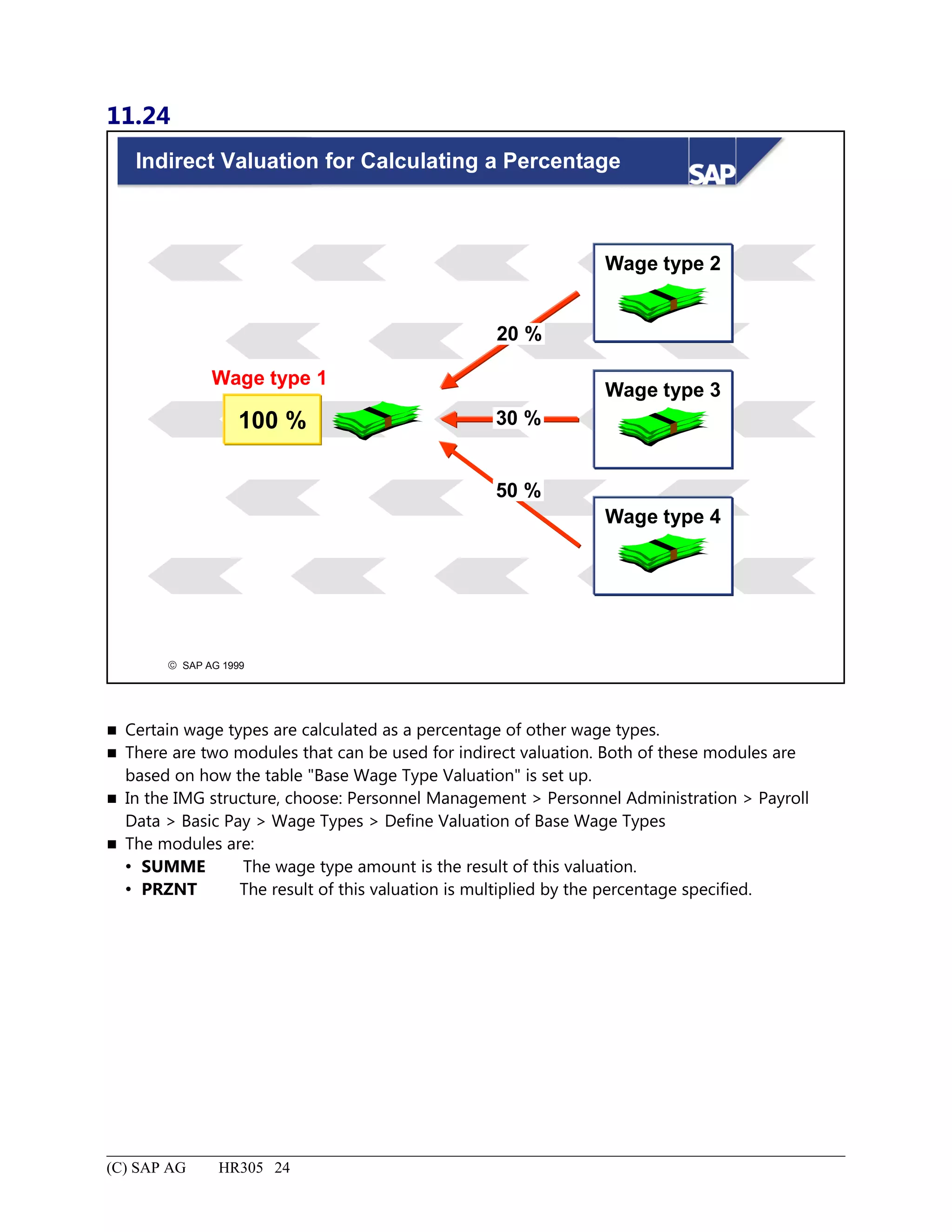
Indirect Valuation for Calculating a Percentage......................................................................................................24
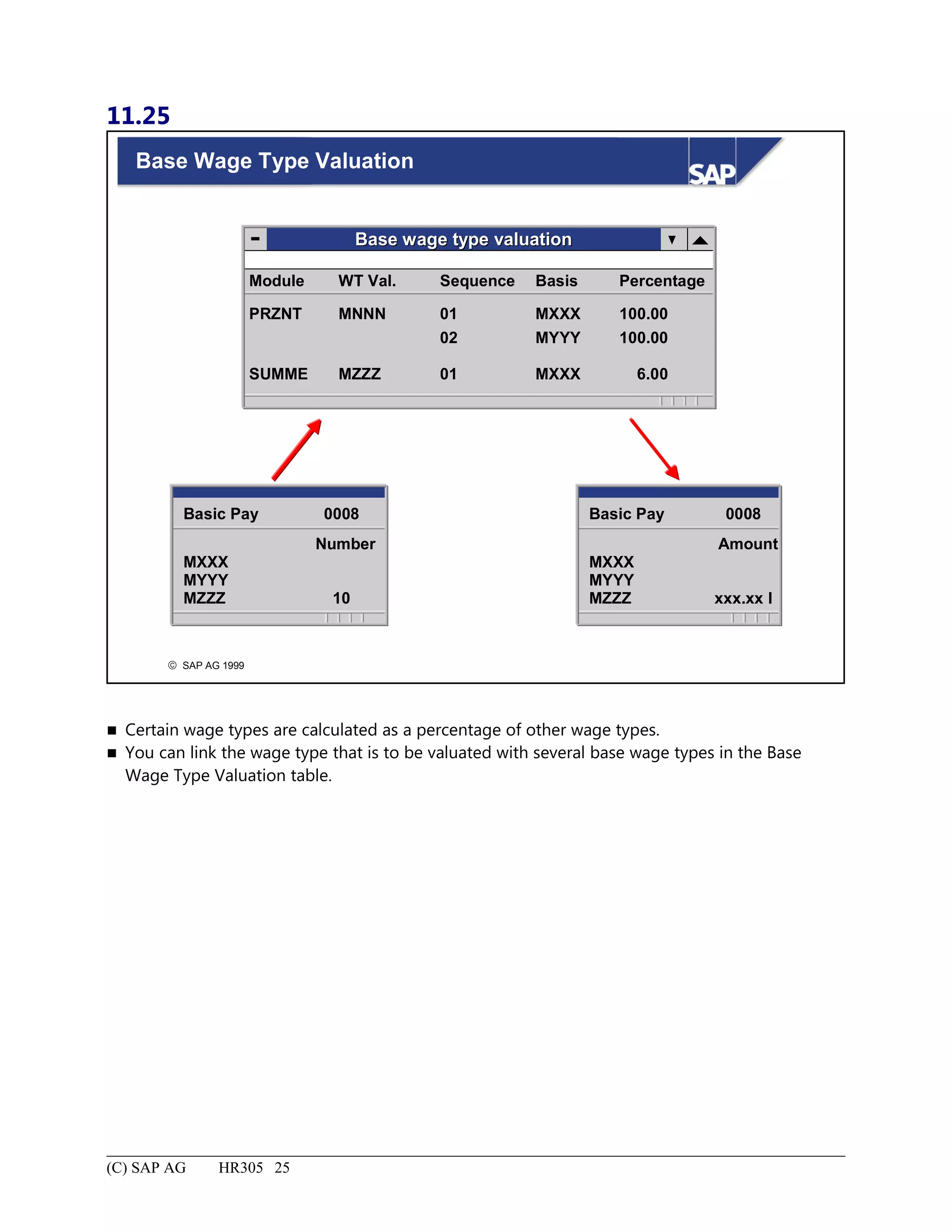
Base Wage Type Valuation.....................................................................................................................................25
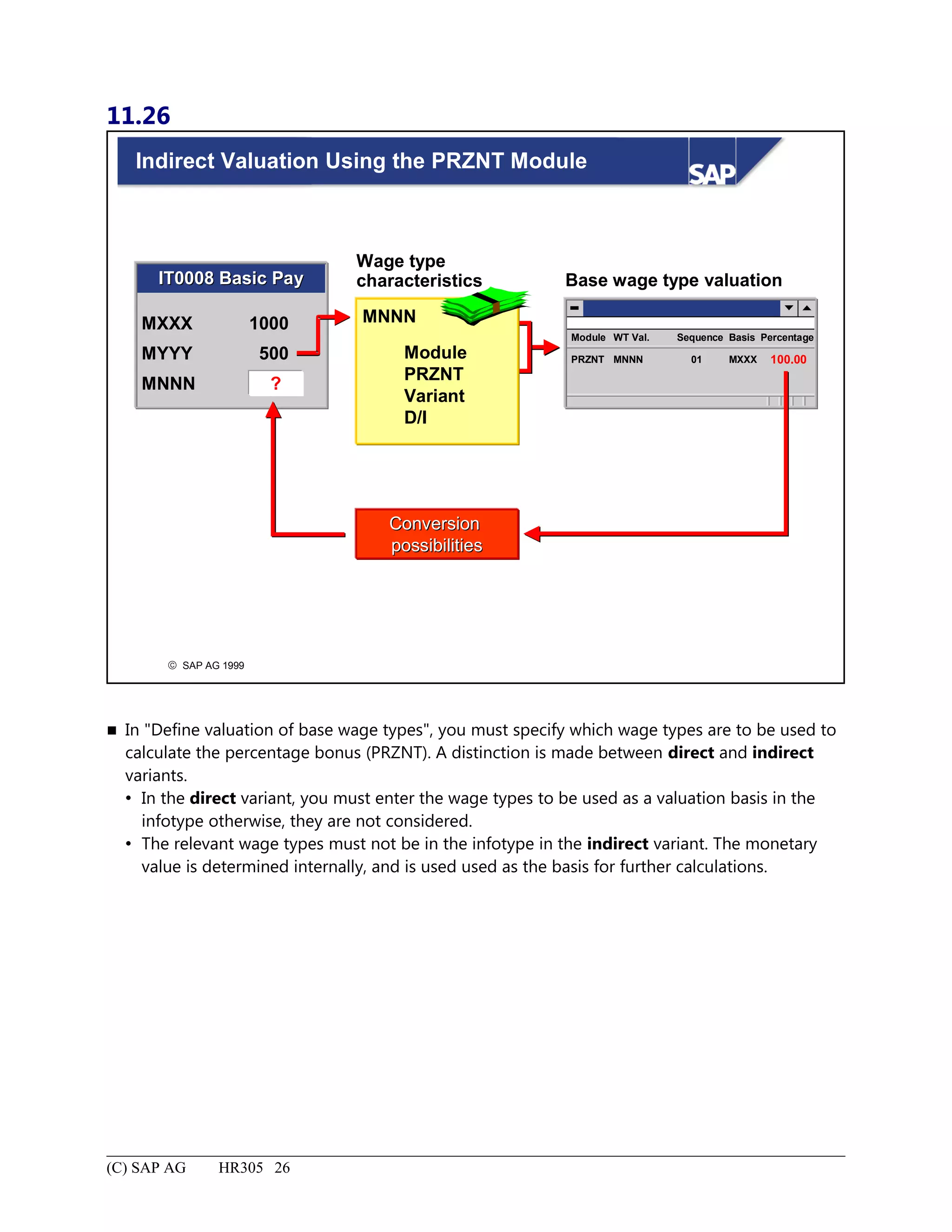
Indirect Valuation Using the PRZNT Module.........................................................................................................26
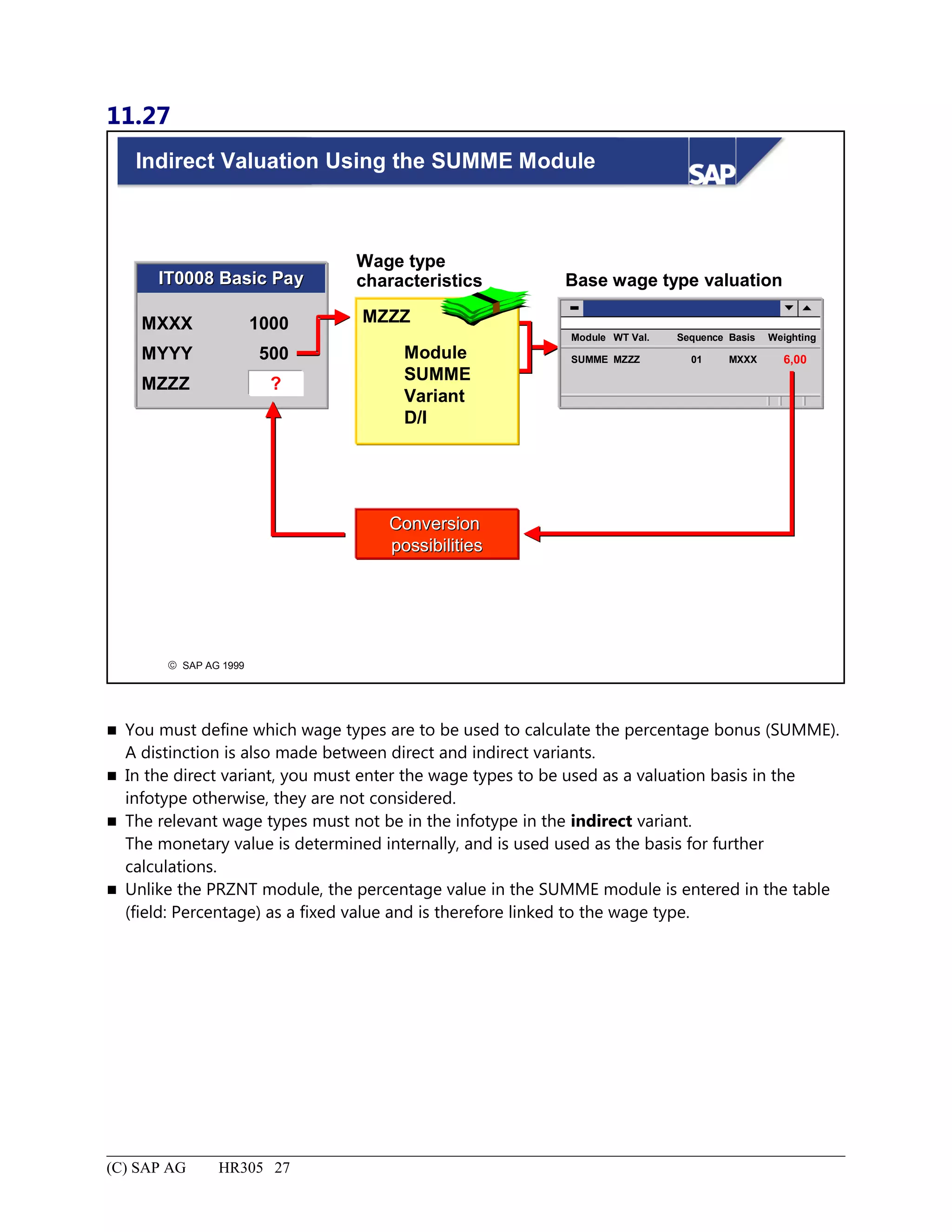
Indirect Valuation Using the SUMME Module.......................................................................................................27
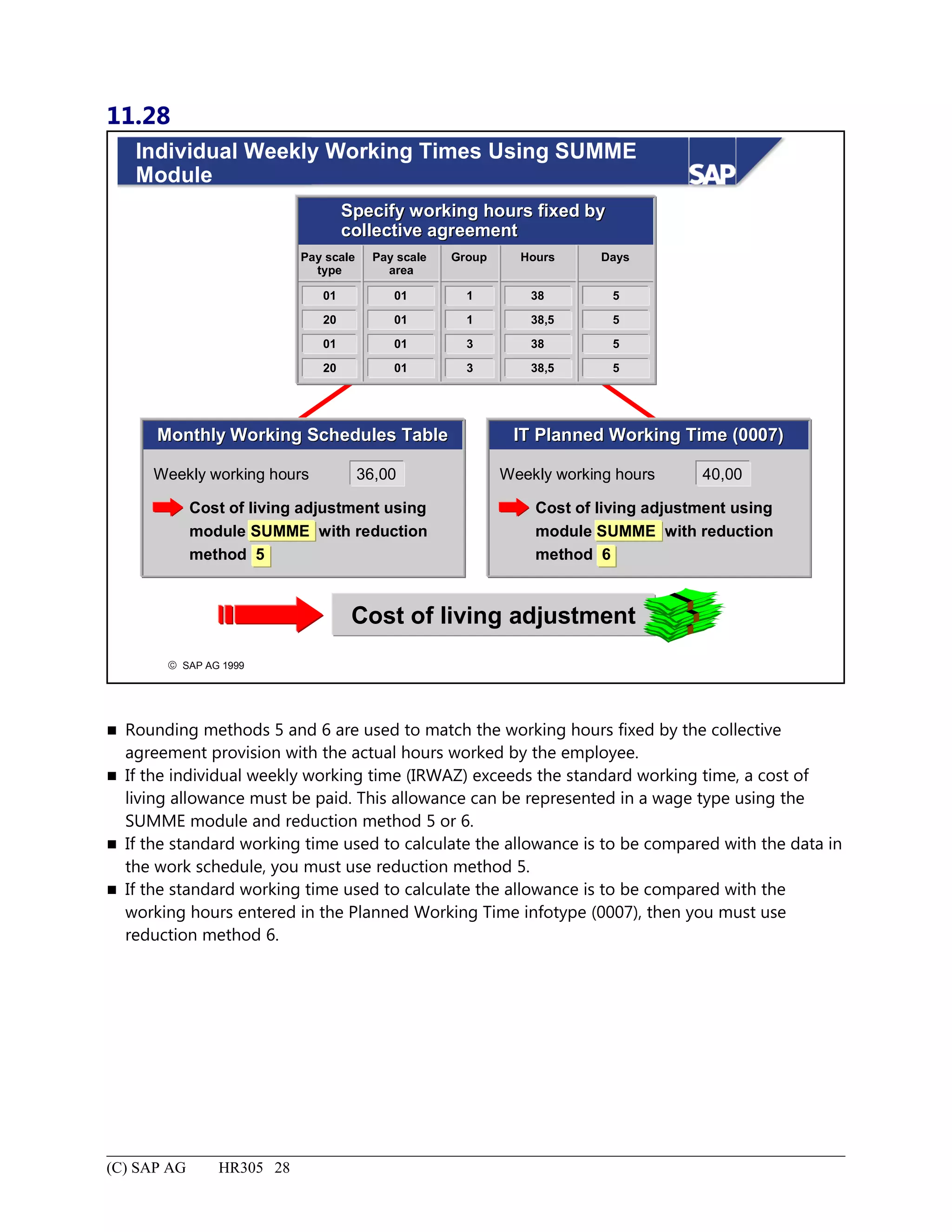
Individual Weekly Working Times Using SUMME Module..................................................................................28
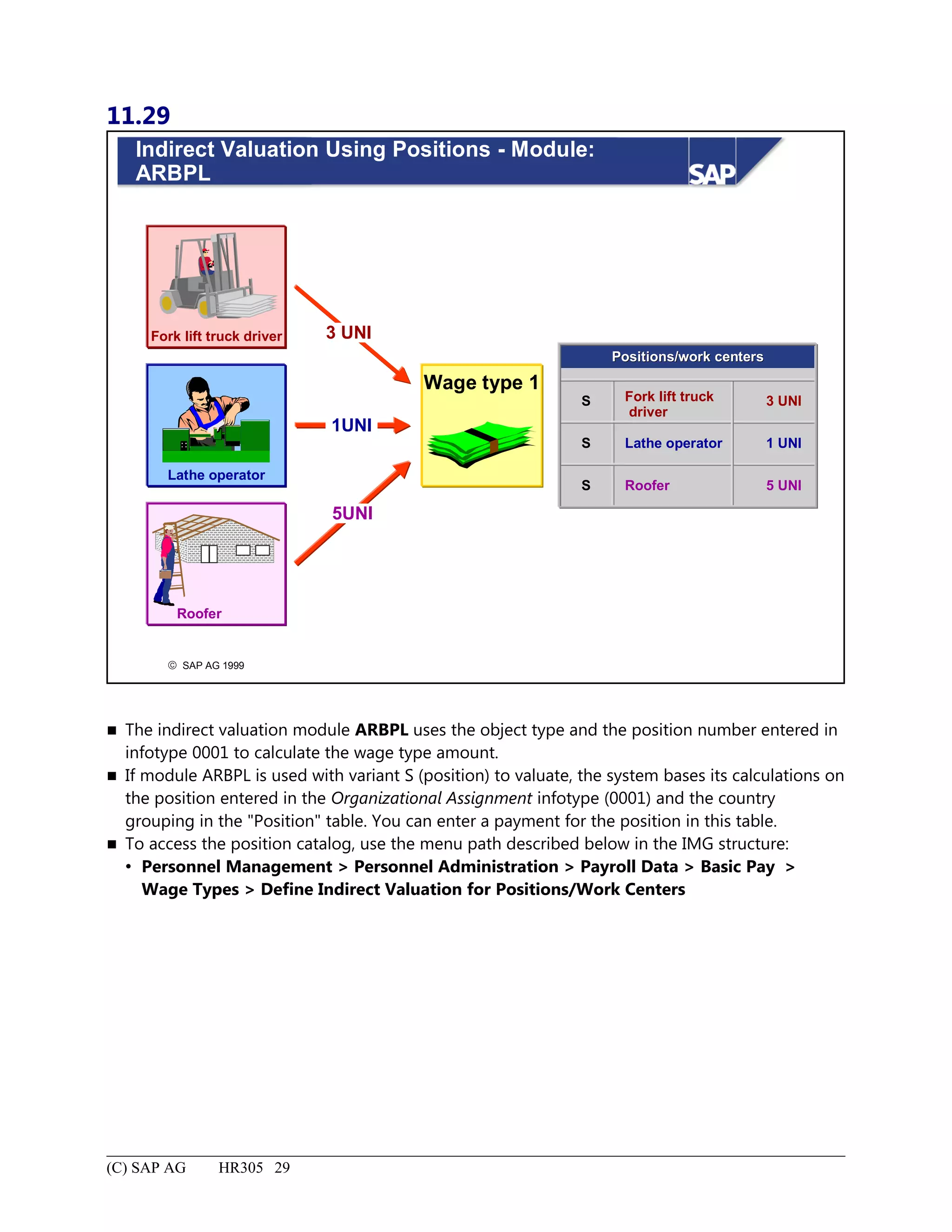
Indirect Valuation Using Positions - Module: ARBPL...........................................................................................29
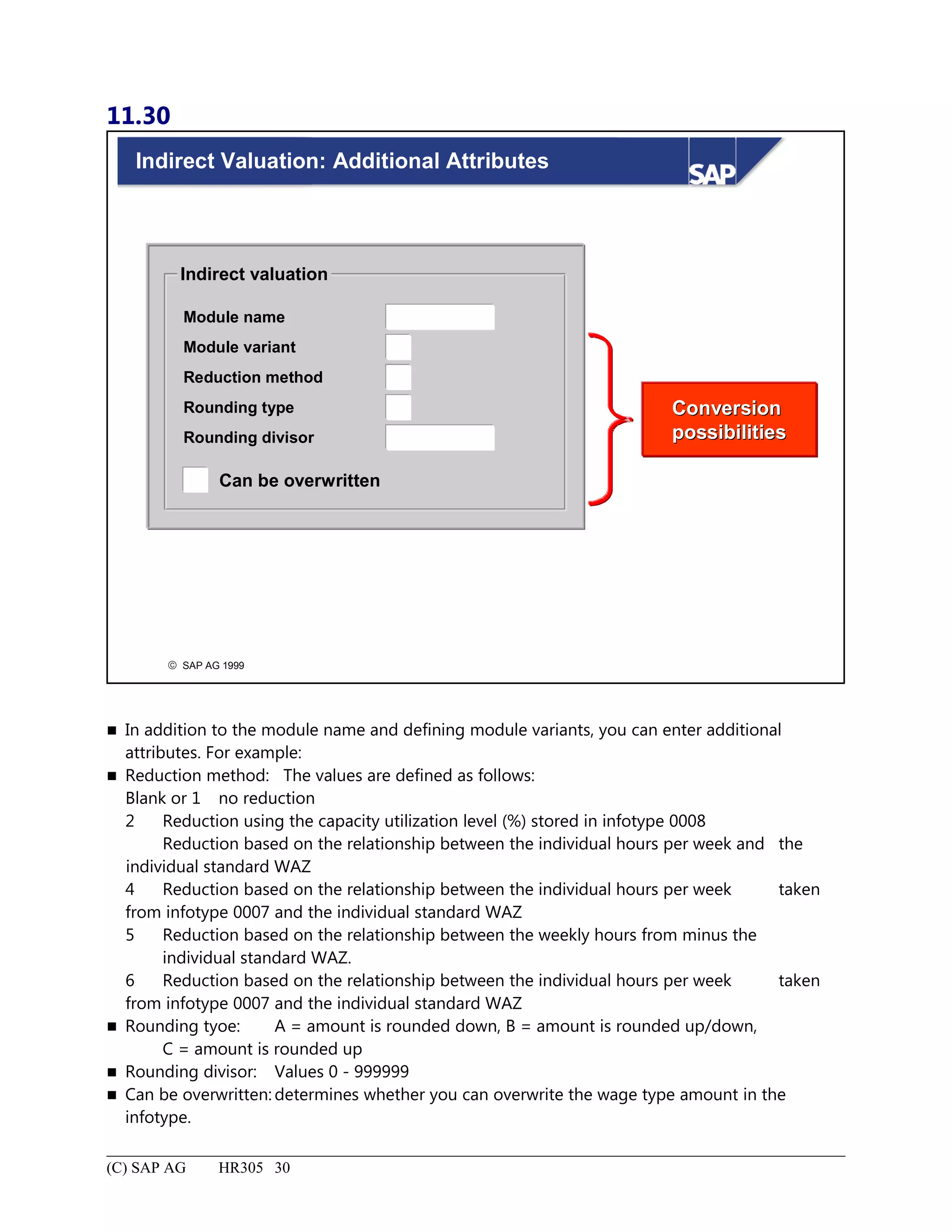
Indirect Valuation: Additional Attributes................................................................................................................30
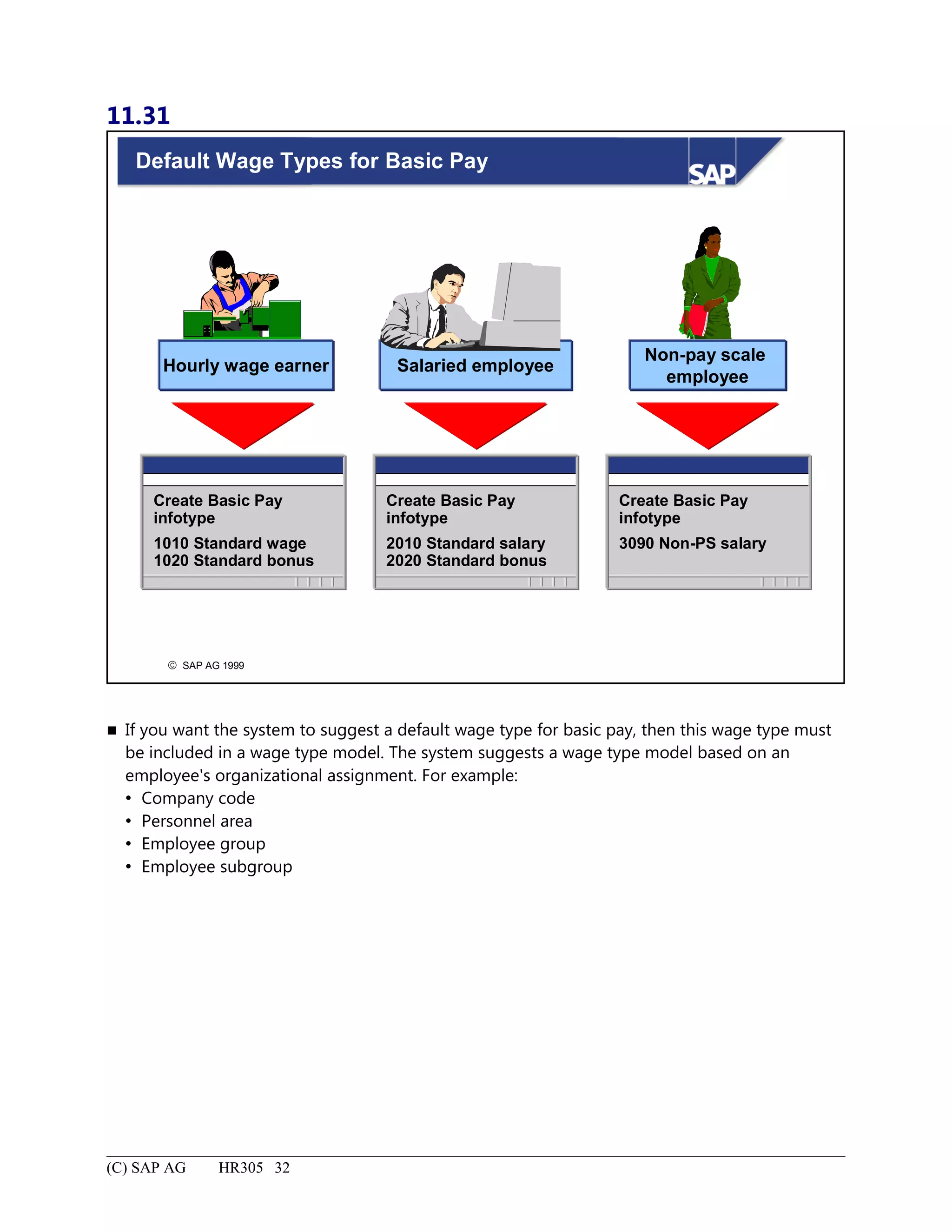
Default Wage Types for Basic Pay..........................................................................................................................32
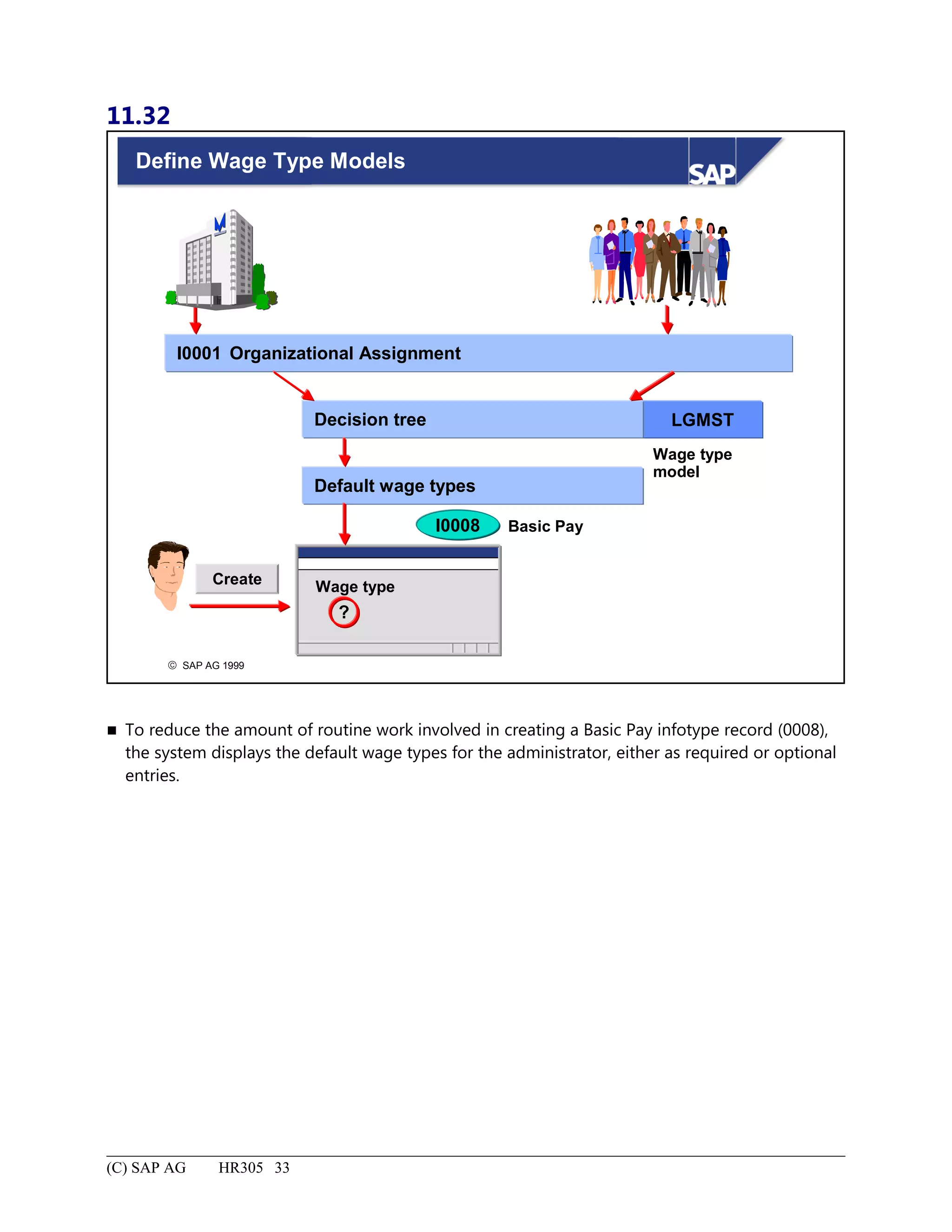
Define Wage Type Models......................................................................................................................................33
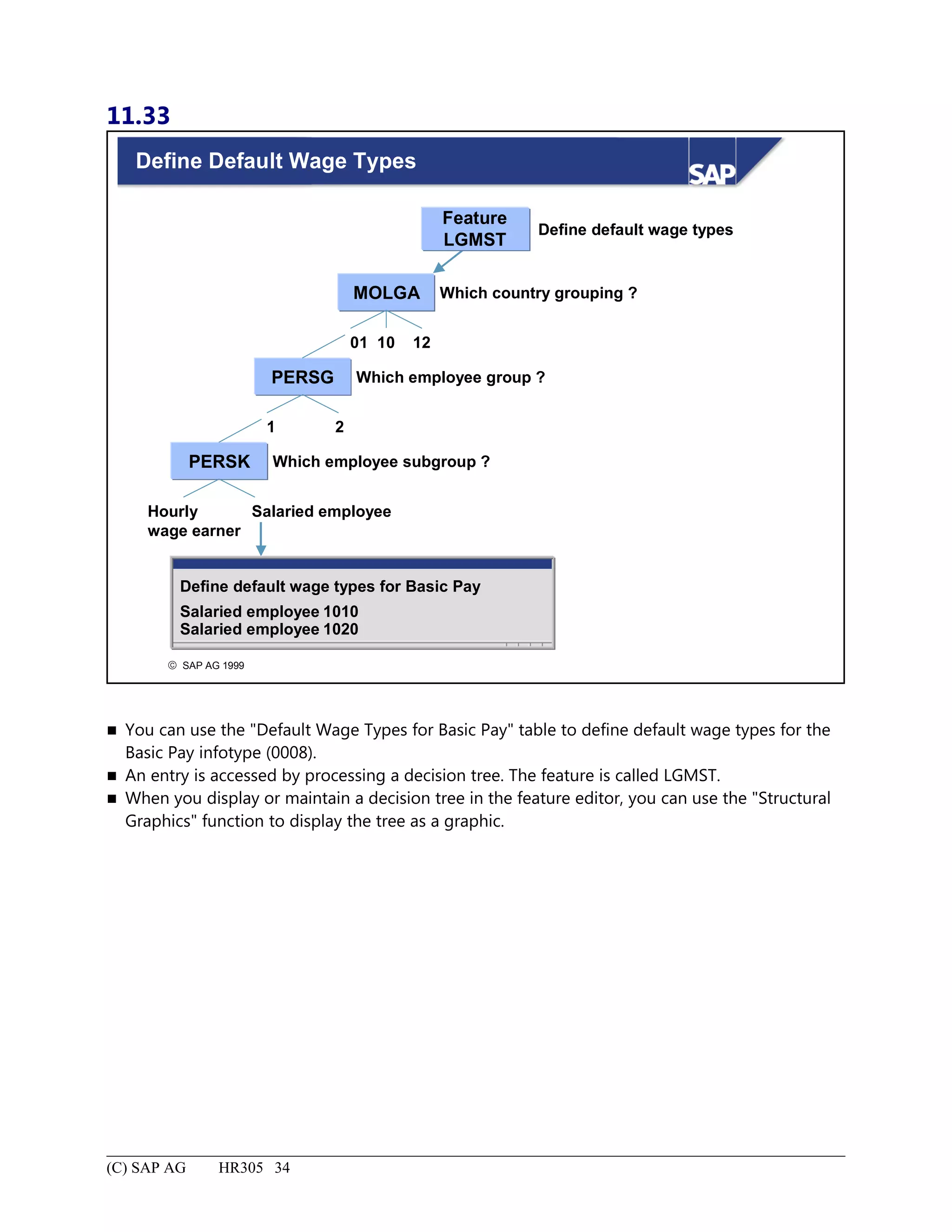
Define Default Wage Types.....................................................................................................................................34
Wage Type Structure: Summary..............................................................................................................................35
Routine Personnel Tasks................................................................................................................................................1
Routine Personnel Tasks: Unit Objectives................................................................................................................2
Routine Personnel Tasks: BusinessScenario.............................................................................................................3
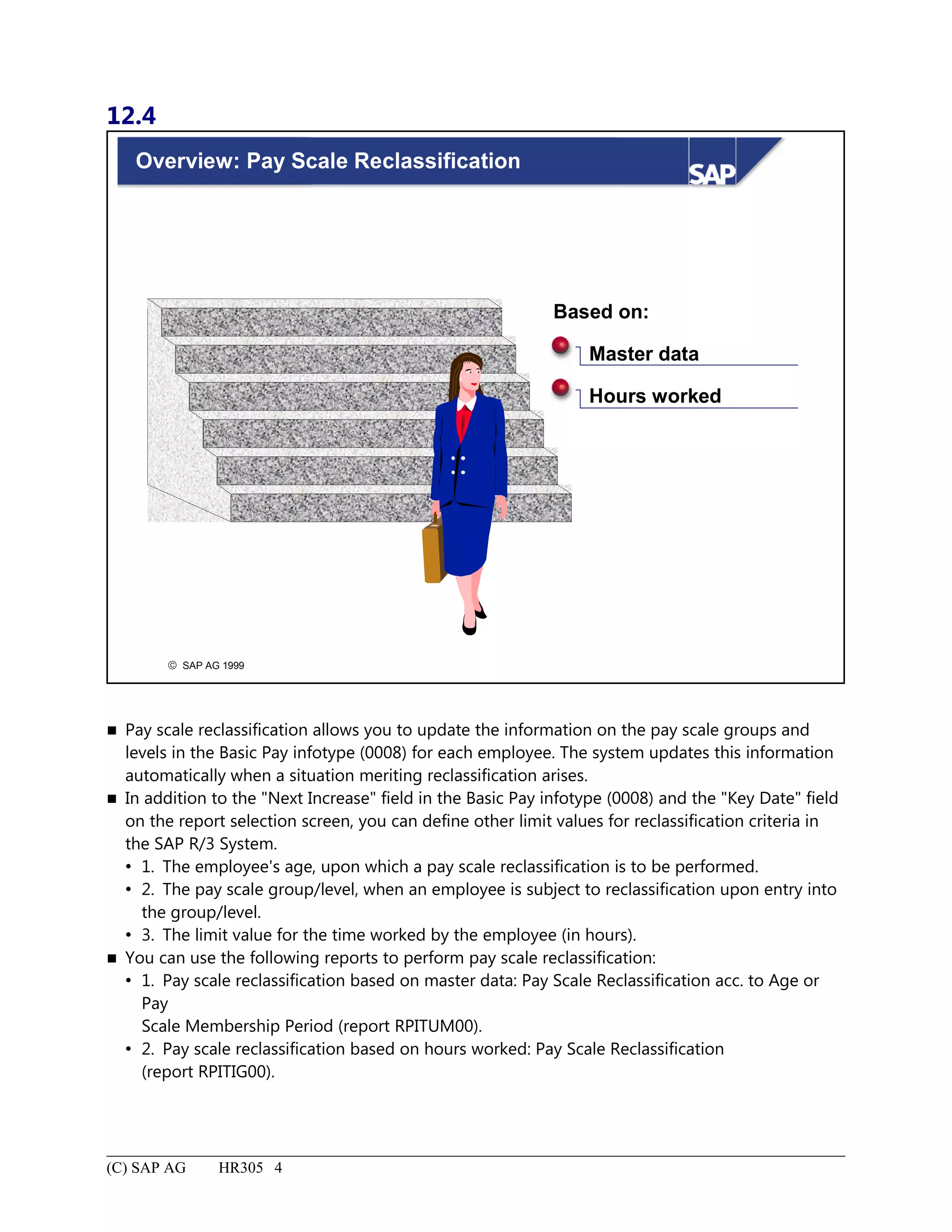
Overview: Pay Scale Reclassification.......................................................................................................................4
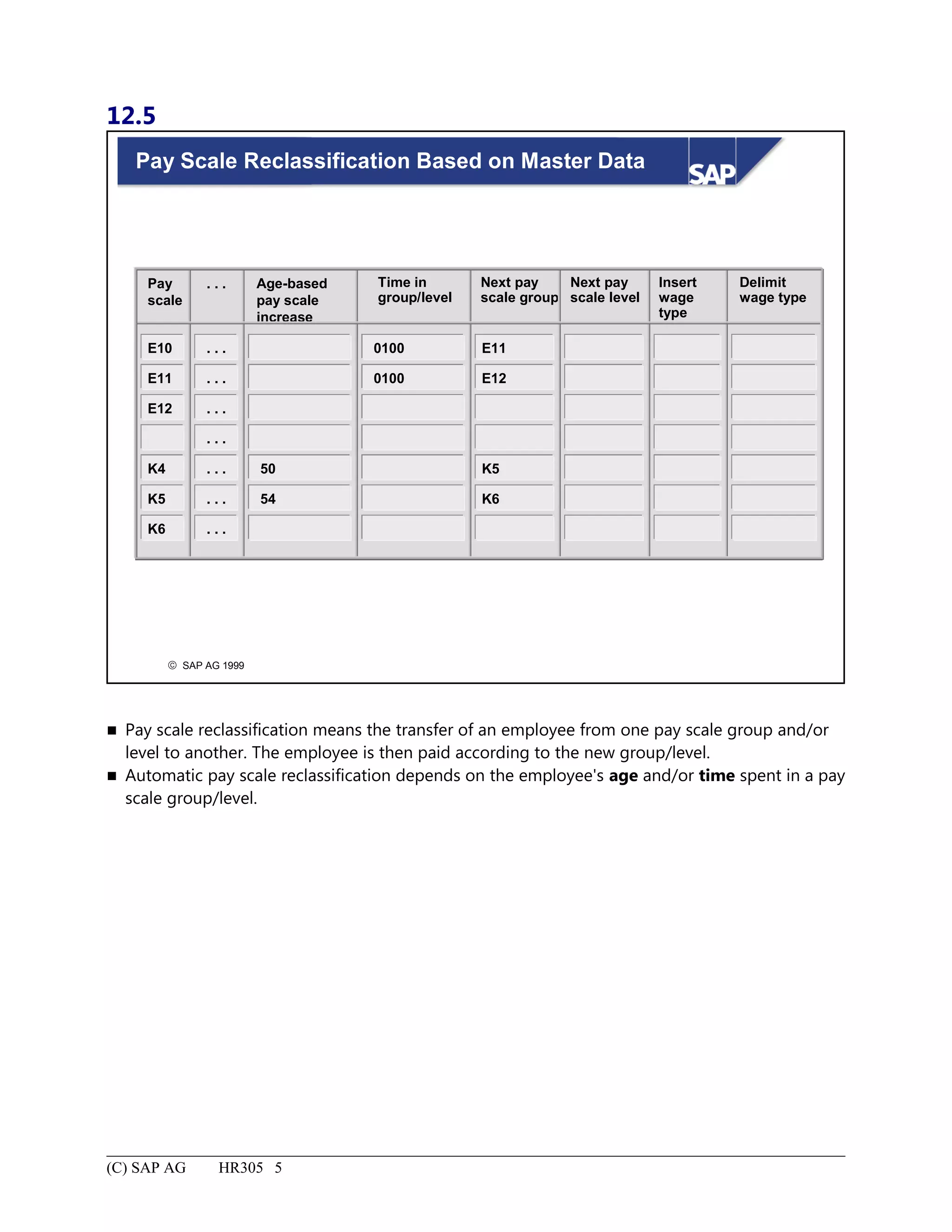
Pay Scale Reclassification Based on Master Data.....................................................................................................5
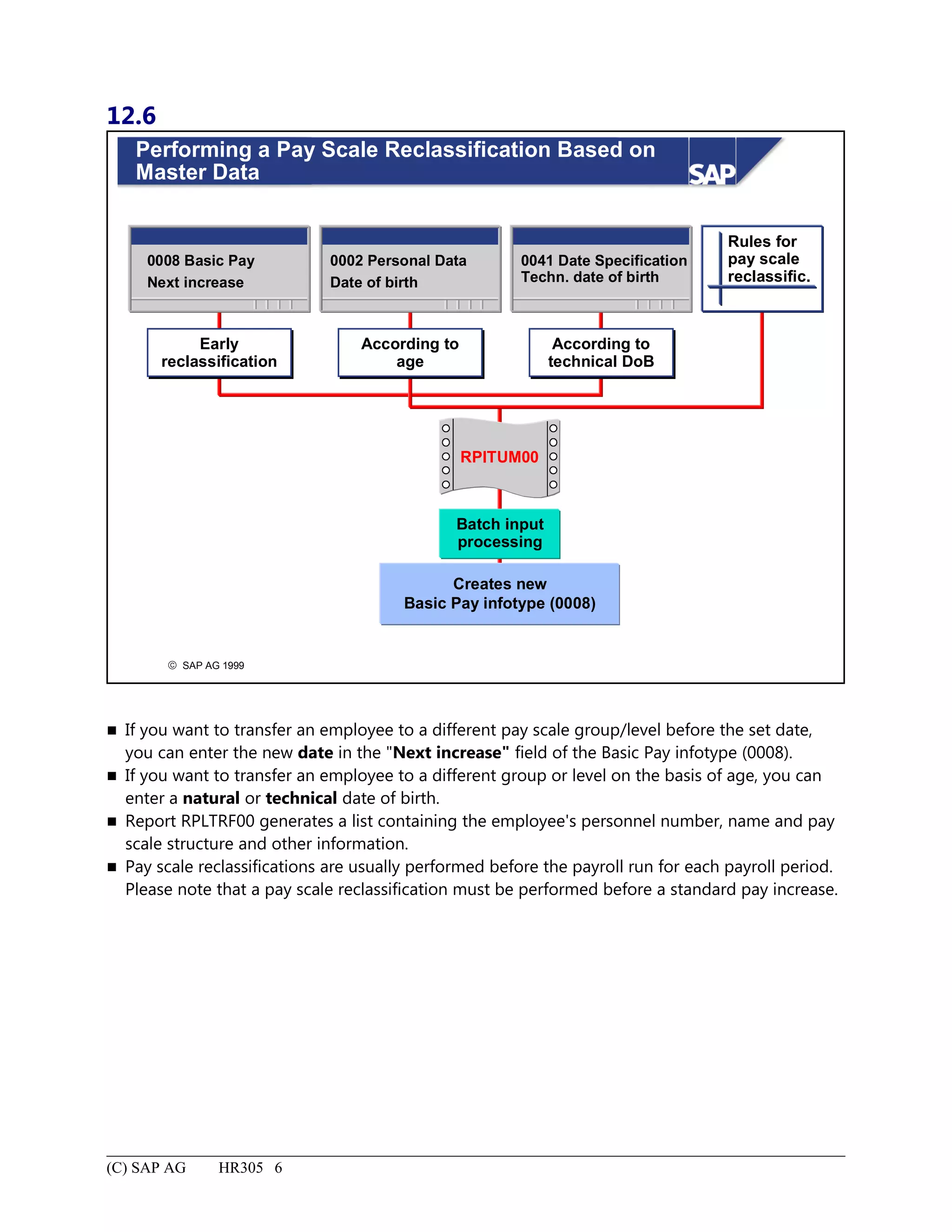
Performing a Pay Scale Reclassification Based on Master Data...............................................................................6
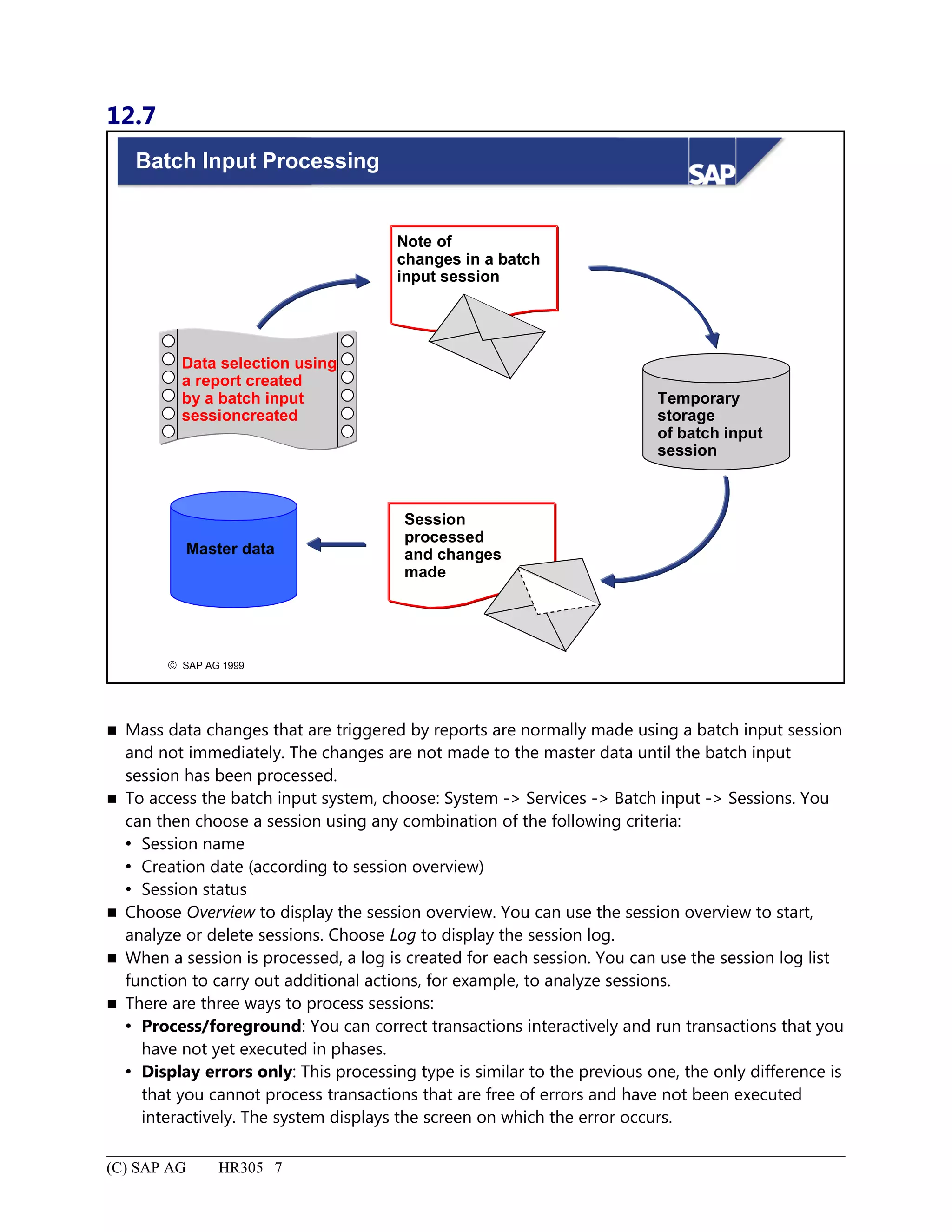
Batch Input Processing..............................................................................................................................................7
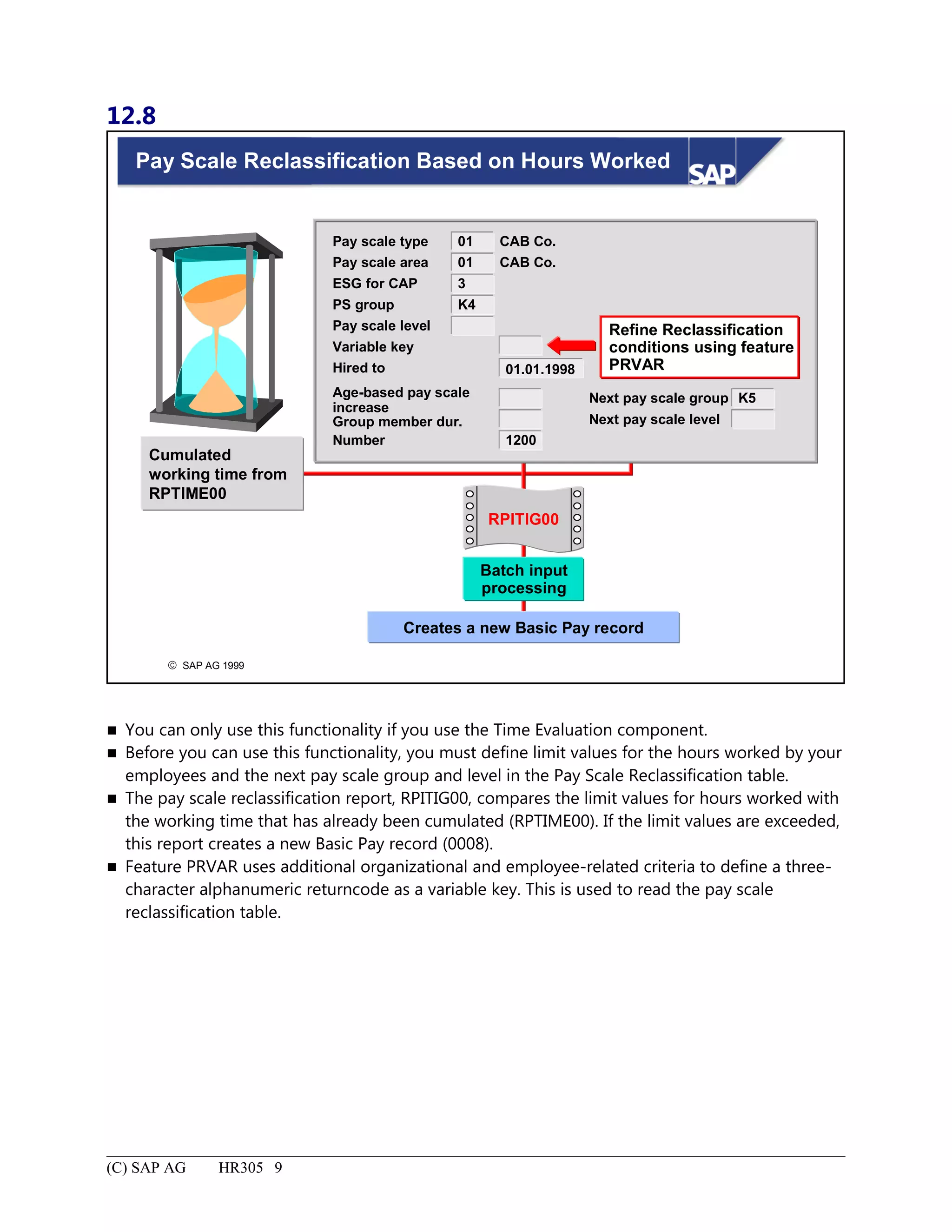
Pay Scale Reclassification Based on Hours Worked.................................................................................................9
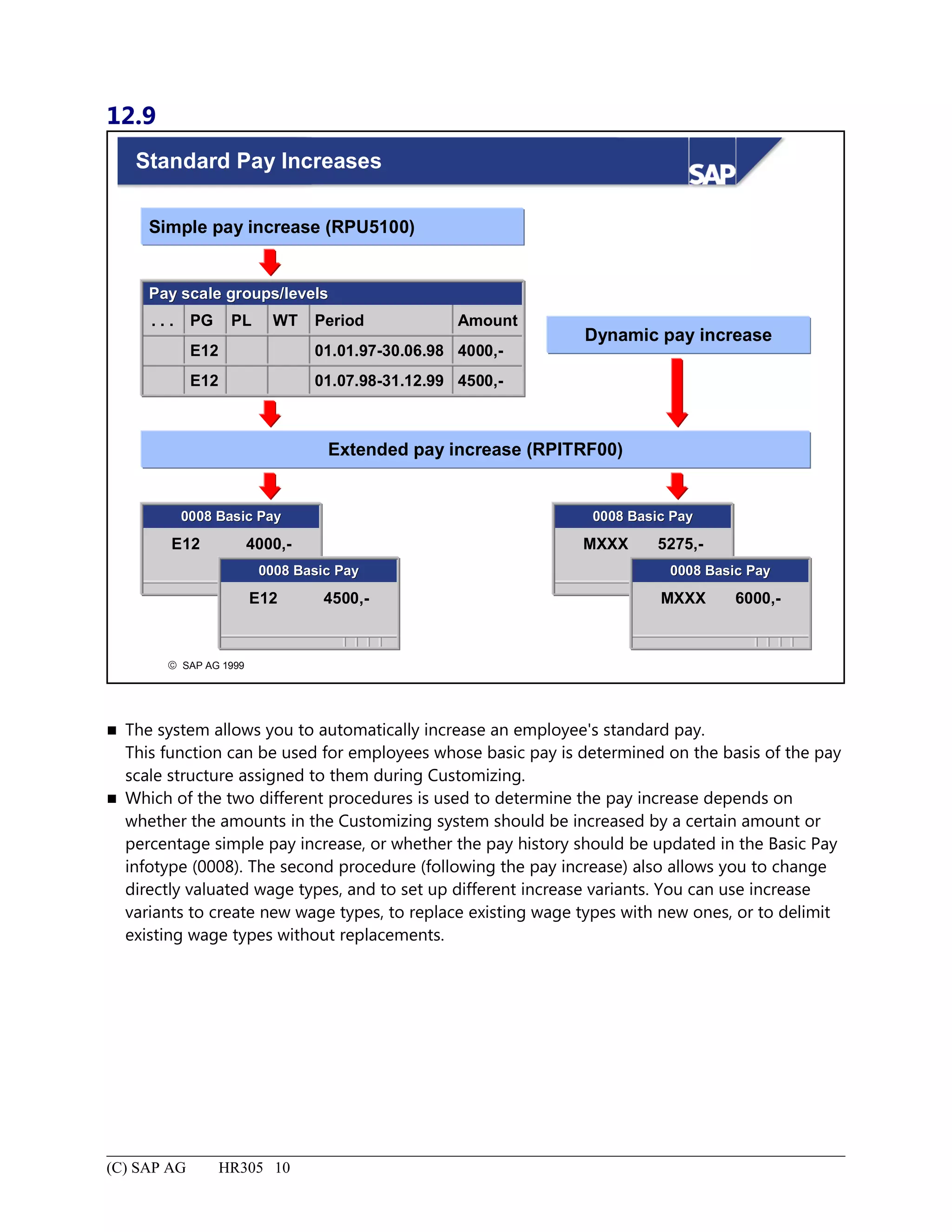
Standard Pay Increases............................................................................................................................................10
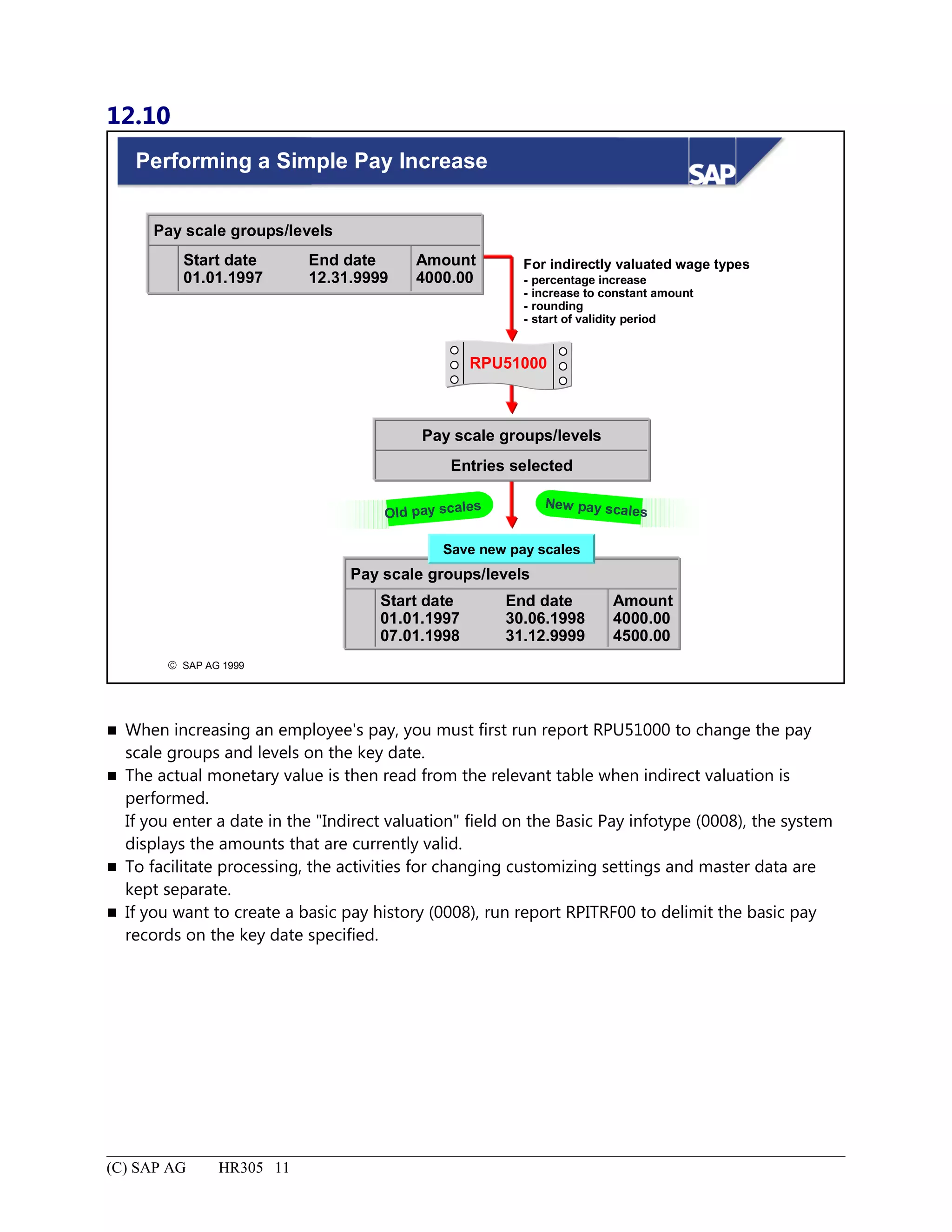
Performing a Simple Pay Increase...........................................................................................................................11
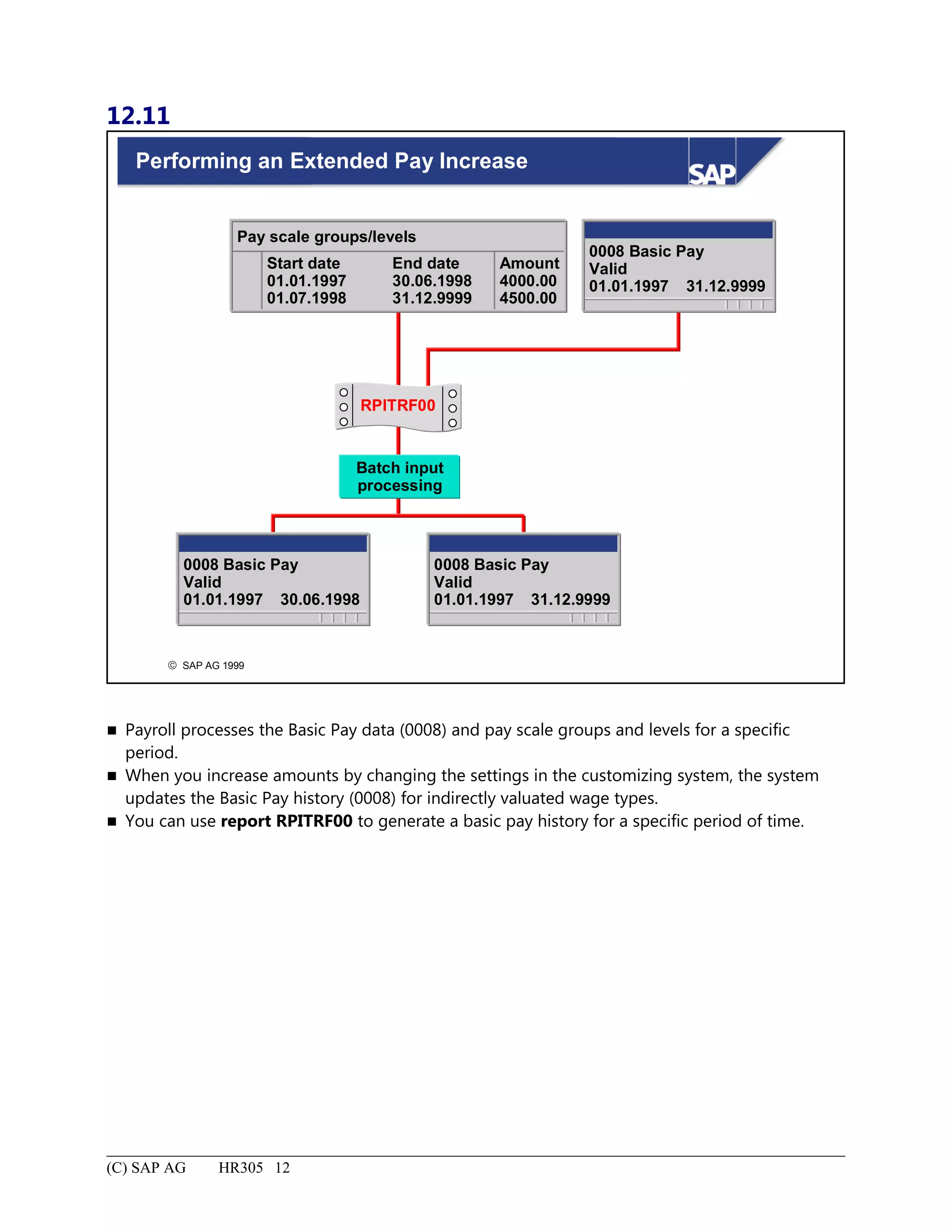
Performing an Extended Pay Increase.....................................................................................................................12
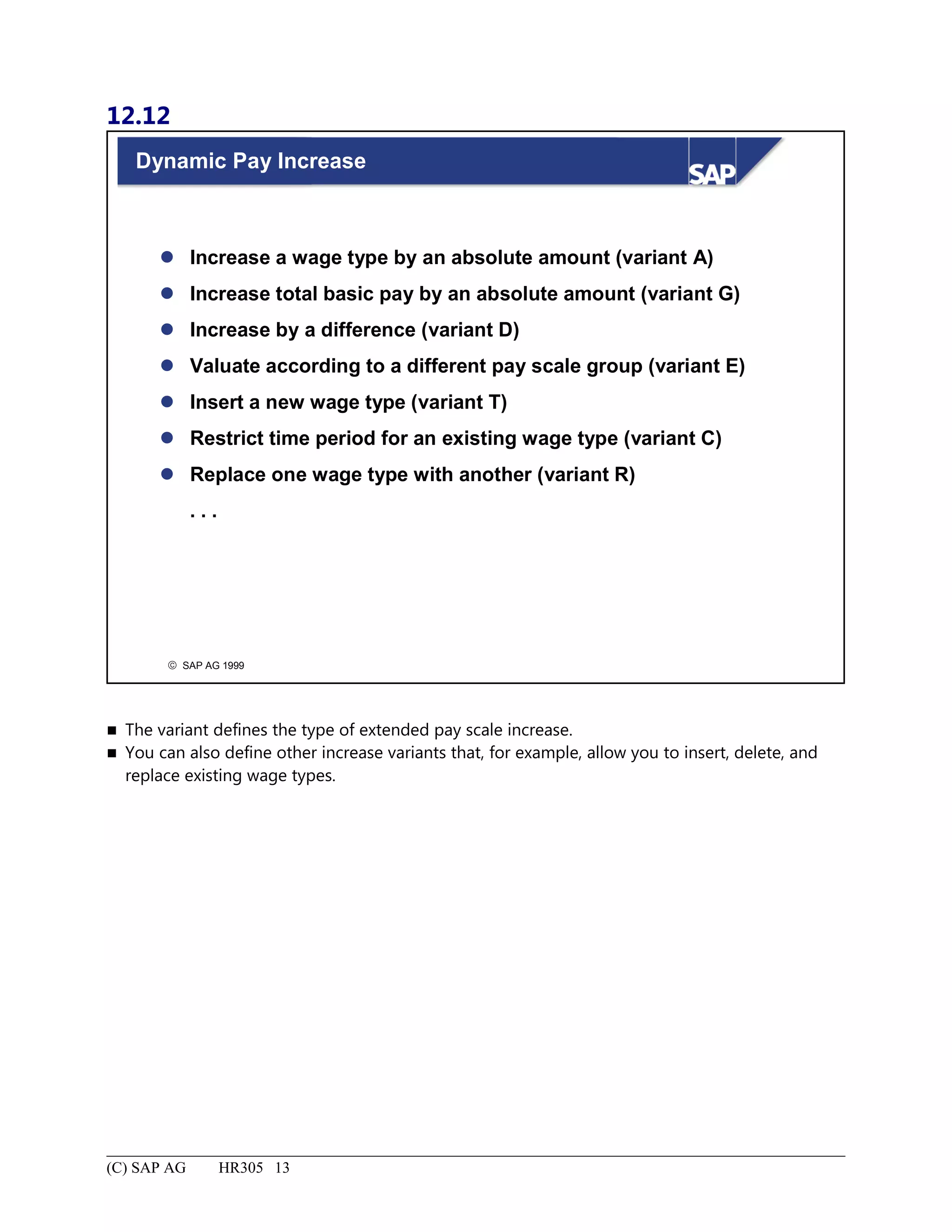
Dynamic Pay Increase..............................................................................................................................................13
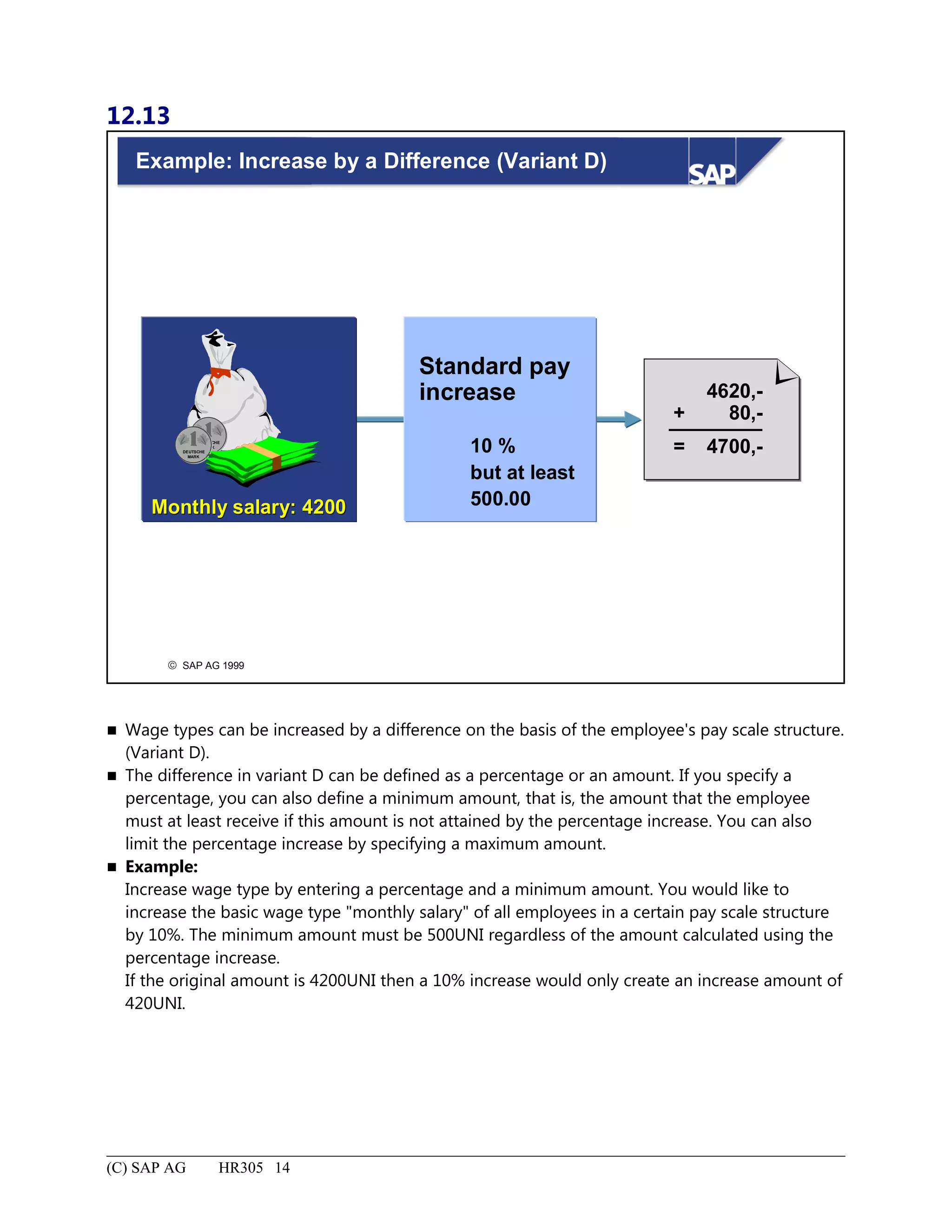
Example: Increase by a Difference (Variant D)......................................................................................................14
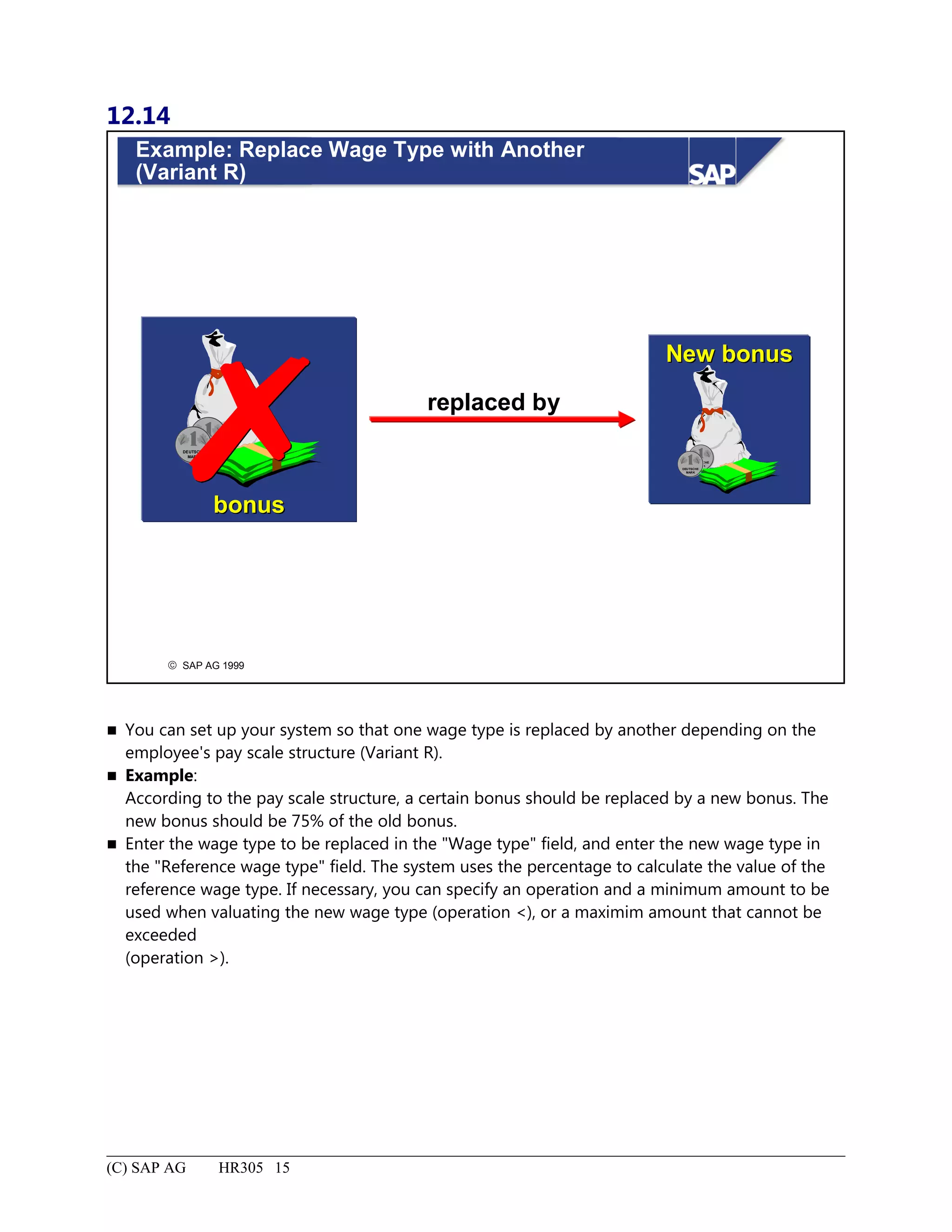
Example: Replace Wage Type with Another (Variant R).......................................................................................15
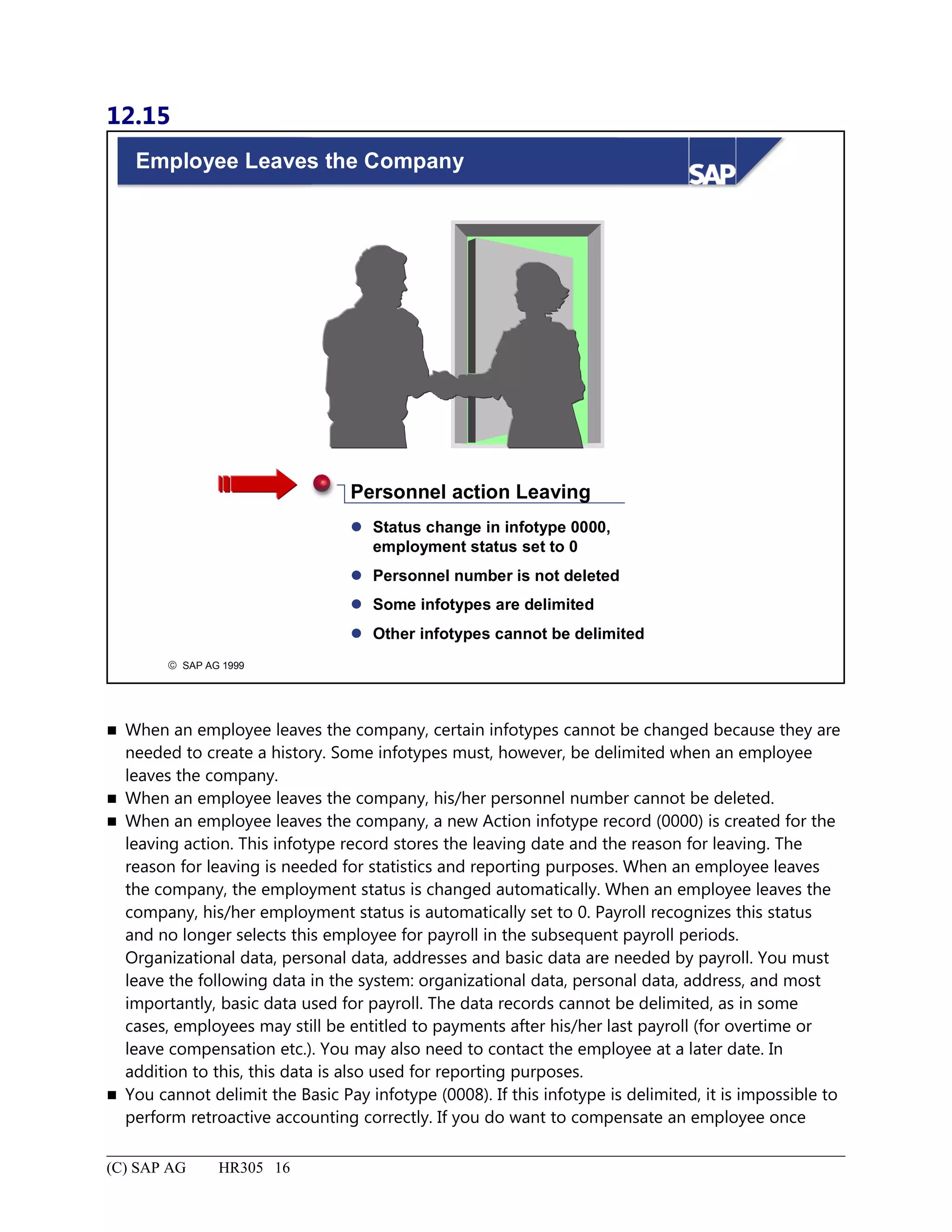
Employee Leaves the Company...............................................................................................................................16
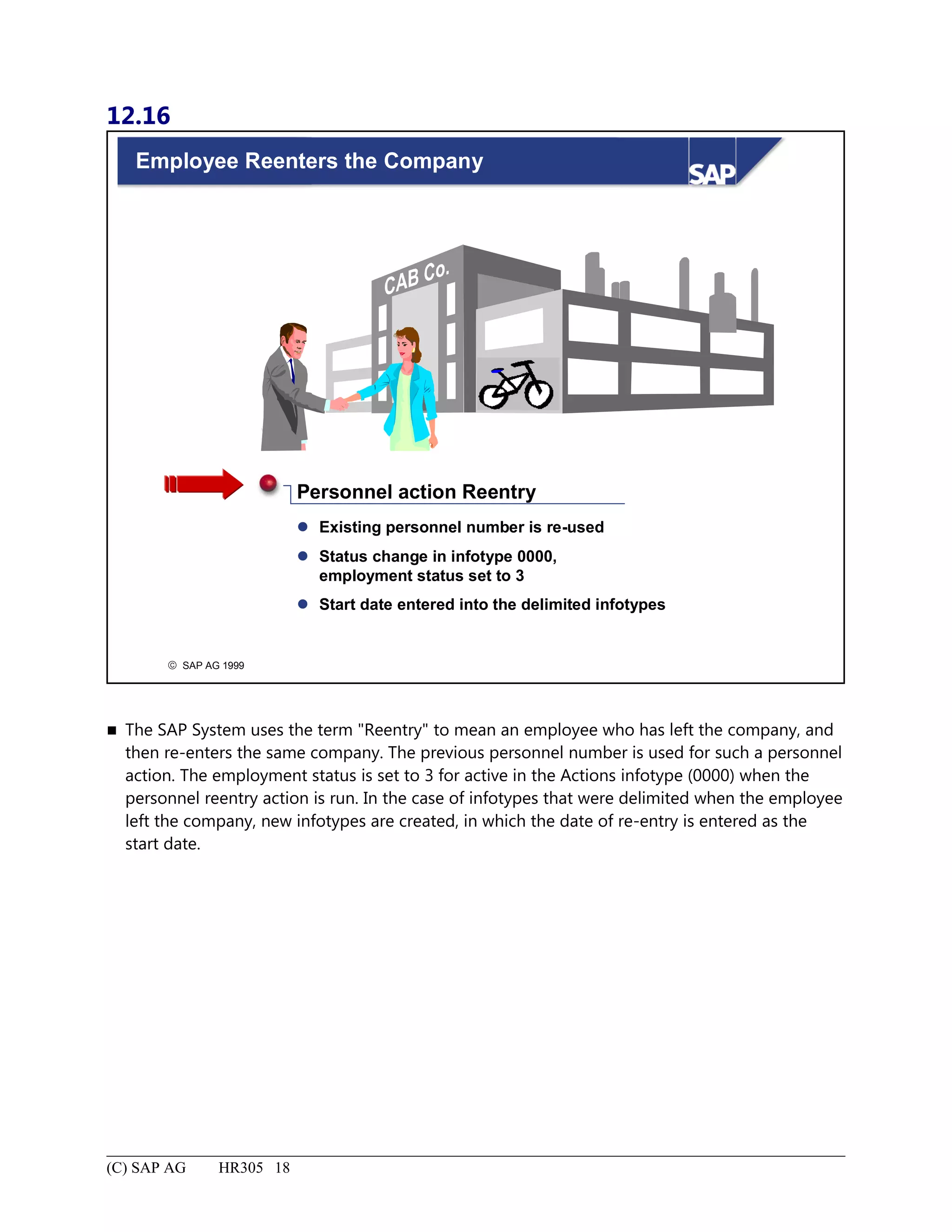
Employee Reenters the Company............................................................................................................................18
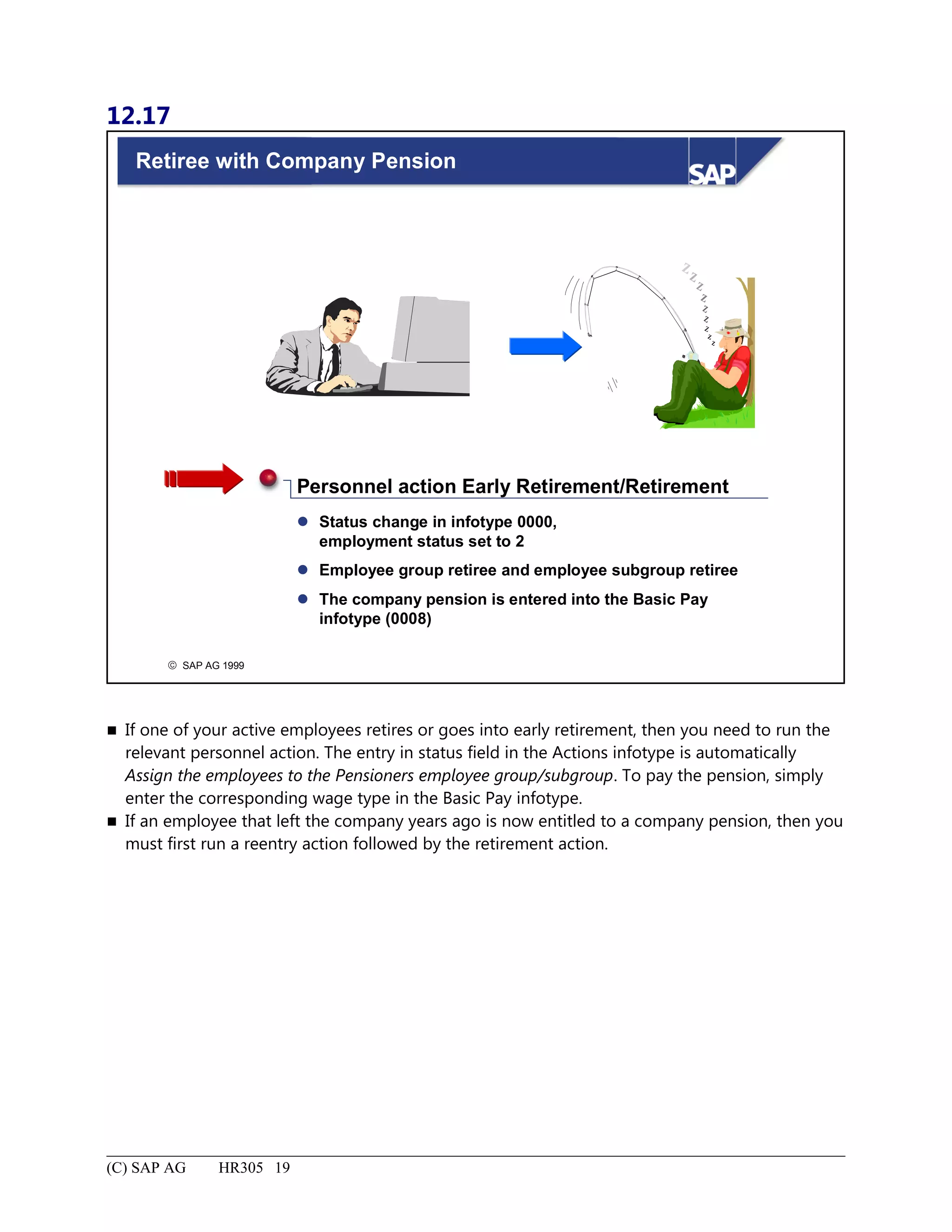
Retiree with Company Pension................................................................................................................................19
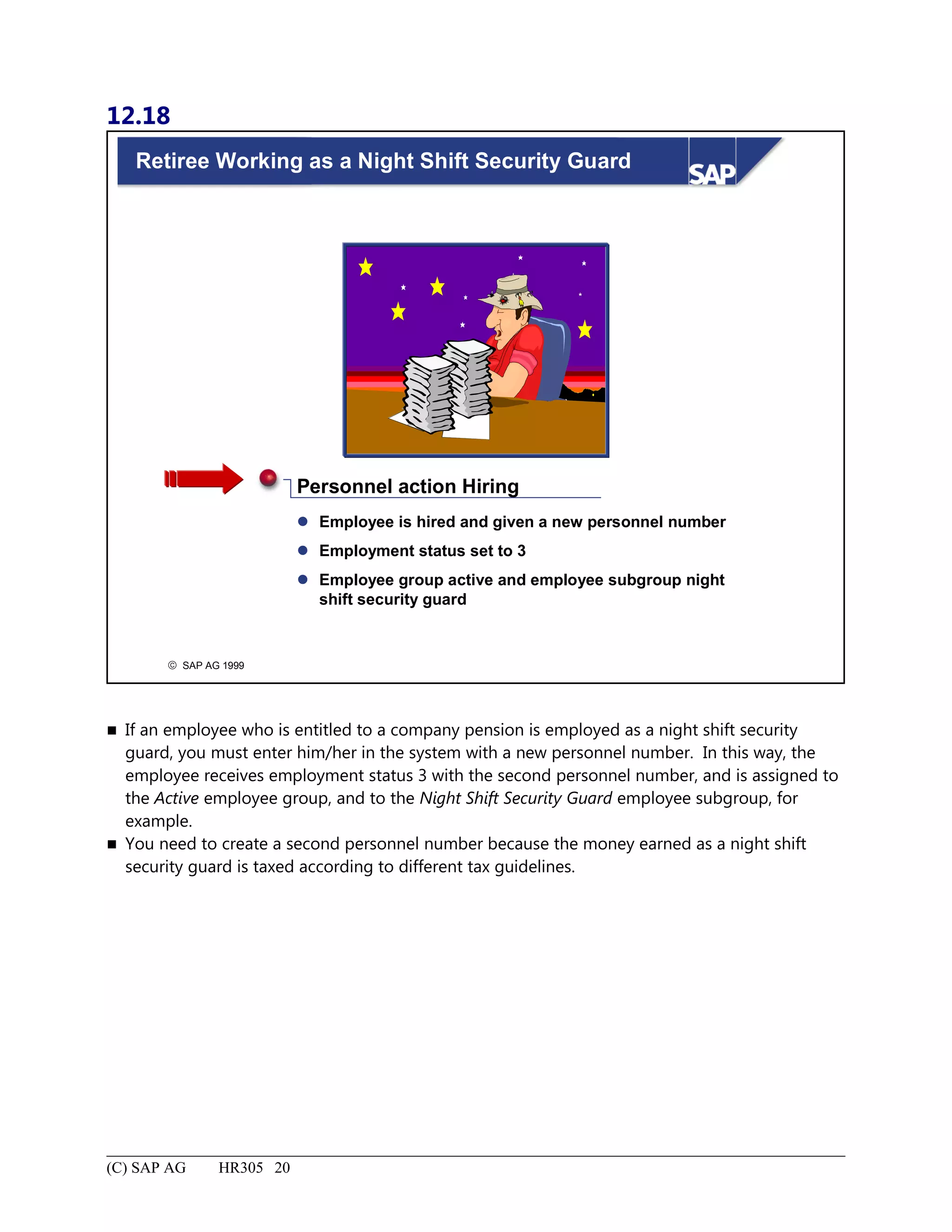
Retiree Working as a Night Shift Security Guard...................................................................................................20
Routine Personnel Tasks: Summary........................................................................................................................21
Appendix........................................................................................................................................................................1
8.
Menu Paths forHR305..............................................................................................................................................2
Absence (Personnel Time Management).................................................................................................................11
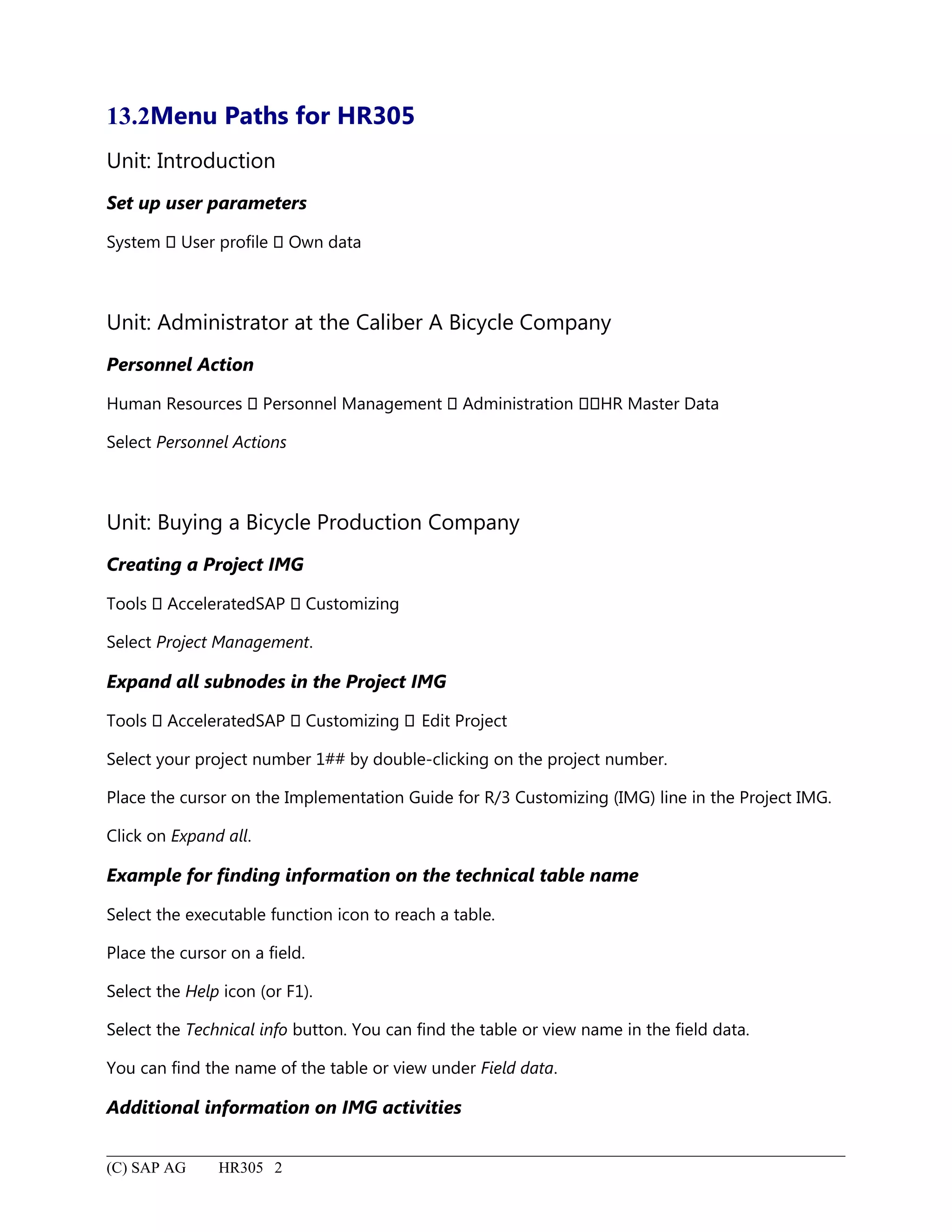
13.2Menu Paths forHR305
Unit: Introduction
Set up user parameters
System User profile Own data
Unit: Administrator at the Caliber A Bicycle Company
Personnel Action
Human Resources Personnel Management Administration HR Master Data
Select Personnel Actions
Unit: Buying a Bicycle Production Company
Creating a Project IMG
Tools AcceleratedSAP Customizing
Select Project Management.
Expand all subnodes in the Project IMG
Tools AcceleratedSAP Customizing Edit Project
Select your project number 1## by double-clicking on the project number.
Place the cursor on the Implementation Guide for R/3 Customizing (IMG) line in the Project IMG.
Click on Expand all.
Example for finding information on the technical table name
Select the executable function icon to reach a table.
Place the cursor on a field.
Select the Help icon (or F1).
Select the Technical info button. You can find the table or view name in the field data.
You can find the name of the table or view under Field data.
Additional information on IMG activities
(C) SAP AG HR305 2
211.
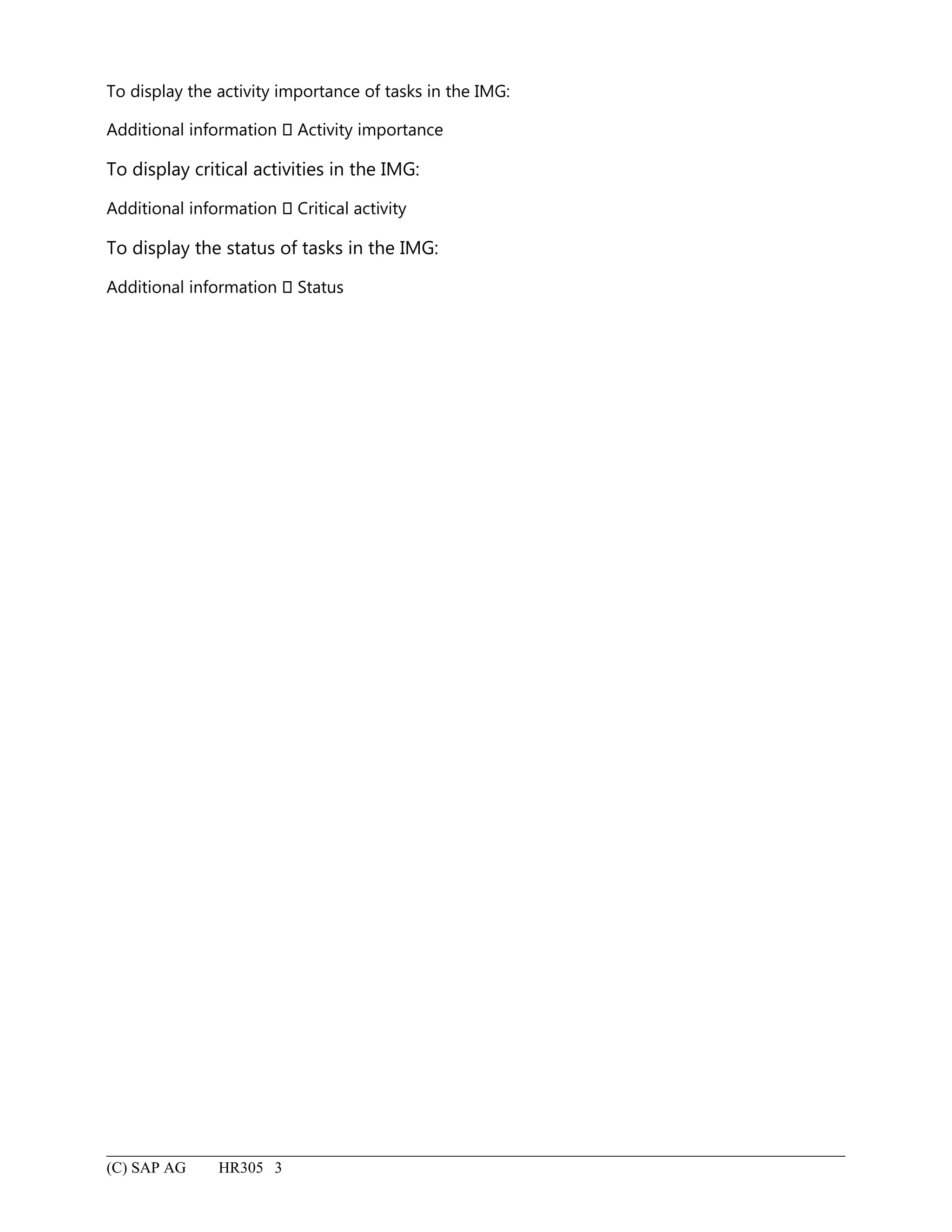
To display theactivity importance of tasks in the IMG:
Additional information Activity importance
To display critical activities in the IMG:
Additional information Critical activity
To display the status of tasks in the IMG:
Additional information Status
(C) SAP AG HR305 3
212.
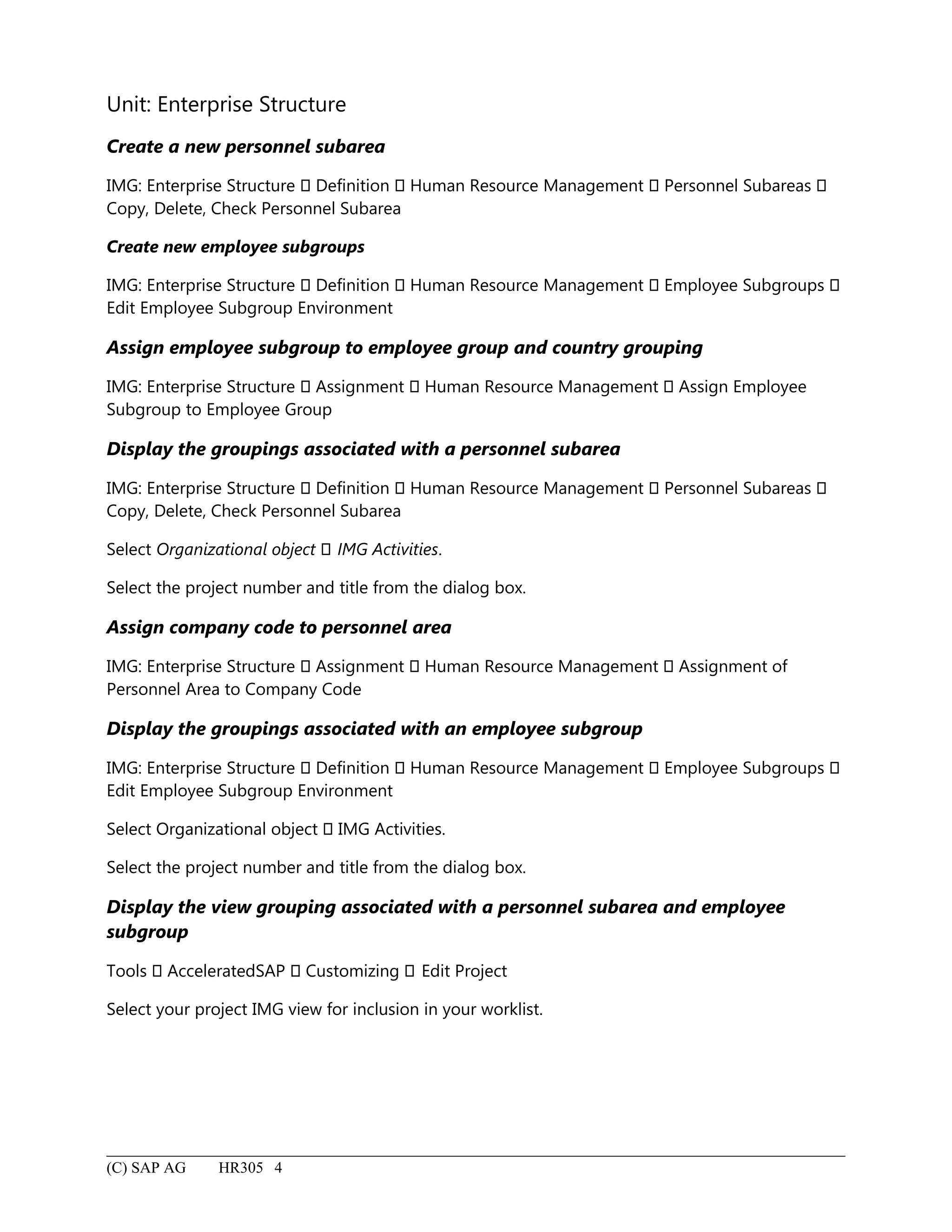
Unit: Enterprise Structure
Createa new personnel subarea
IMG: Enterprise Structure Definition Human Resource Management Personnel Subareas
Copy, Delete, Check Personnel Subarea
Create new employee subgroups
IMG: Enterprise Structure Definition Human Resource Management Employee Subgroups
Edit Employee Subgroup Environment
Assign employee subgroup to employee group and country grouping
IMG: Enterprise Structure Assignment Human Resource Management Assign Employee
Subgroup to Employee Group
Display the groupings associated with a personnel subarea
IMG: Enterprise Structure Definition Human Resource Management Personnel Subareas
Copy, Delete, Check Personnel Subarea
Select Organizational object IMG Activities.
Select the project number and title from the dialog box.
Assign company code to personnel area
IMG: Enterprise Structure Assignment Human Resource Management Assignment of
Personnel Area to Company Code
Display the groupings associated with an employee subgroup
IMG: Enterprise Structure Definition Human Resource Management Employee Subgroups
Edit Employee Subgroup Environment
Select Organizational object IMG Activities.
Select the project number and title from the dialog box.
Display the view grouping associated with a personnel subarea and employee
subgroup
Tools AcceleratedSAP Customizing Edit Project
Select your project IMG view for inclusion in your worklist.
(C) SAP AG HR305 4
213.
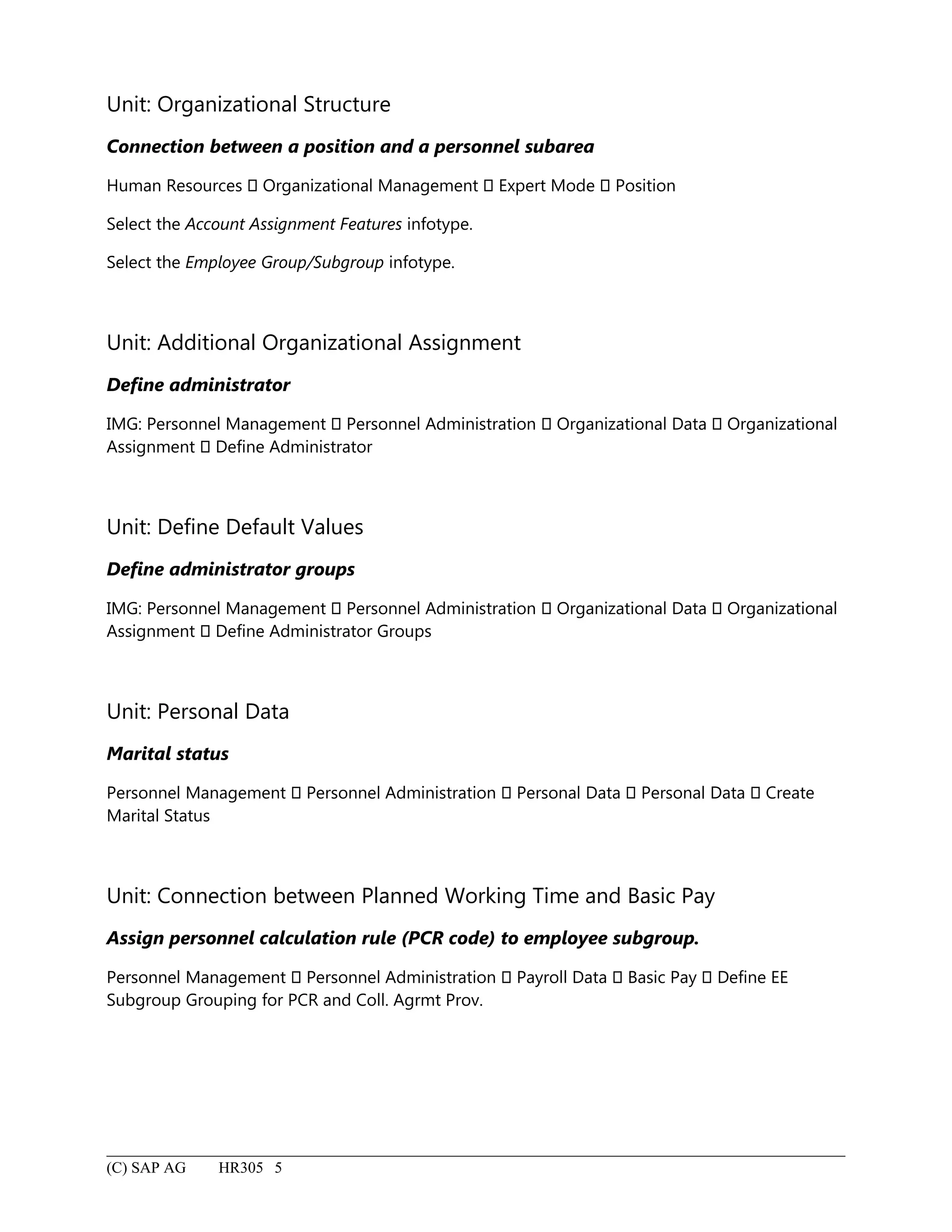
Unit: Organizational Structure
Connectionbetween a position and a personnel subarea
Human Resources Organizational Management Expert Mode Position
Select the Account Assignment Features infotype.
Select the Employee Group/Subgroup infotype.
Unit: Additional Organizational Assignment
Define administrator
IMG: Personnel Management Personnel Administration Organizational Data Organizational
Assignment Define Administrator
Unit: Define Default Values
Define administrator groups
IMG: Personnel Management Personnel Administration Organizational Data Organizational
Assignment Define Administrator Groups
Unit: Personal Data
Marital status
Personnel Management Personnel Administration Personal Data Personal Data Create
Marital Status
Unit: Connection between Planned Working Time and Basic Pay
Assign personnel calculation rule (PCR code) to employee subgroup.
Personnel Management Personnel Administration Payroll Data Basic Pay Define EE
Subgroup Grouping for PCR and Coll. Agrmt Prov.
(C) SAP AG HR305 5
214.
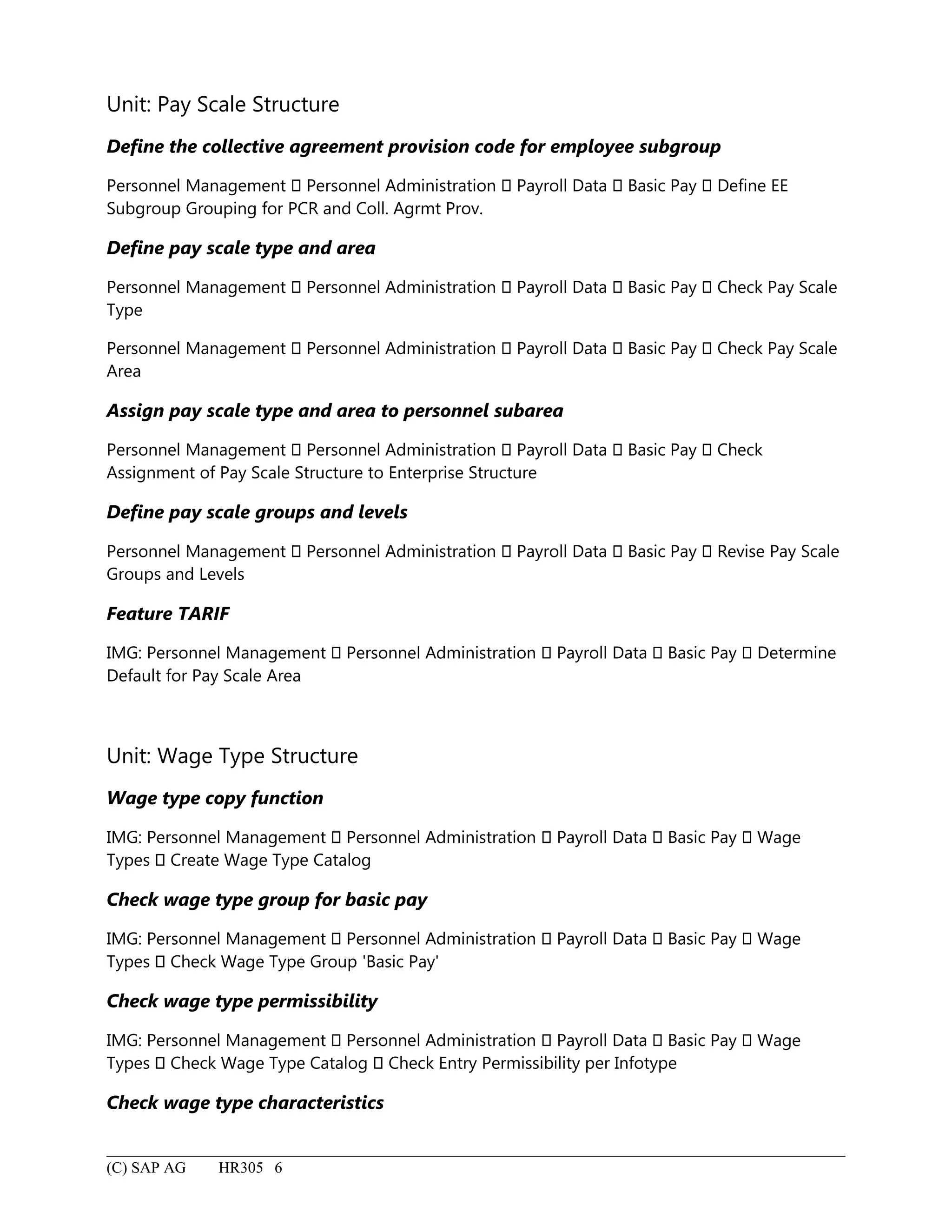
Unit: Pay ScaleStructure
Define the collective agreement provision code for employee subgroup
Personnel Management Personnel Administration Payroll Data Basic Pay Define EE
Subgroup Grouping for PCR and Coll. Agrmt Prov.
Define pay scale type and area
Personnel Management Personnel Administration Payroll Data Basic Pay Check Pay Scale
Type
Personnel Management Personnel Administration Payroll Data Basic Pay Check Pay Scale
Area
Assign pay scale type and area to personnel subarea
Personnel Management Personnel Administration Payroll Data Basic Pay Check
Assignment of Pay Scale Structure to Enterprise Structure
Define pay scale groups and levels
Personnel Management Personnel Administration Payroll Data Basic Pay Revise Pay Scale
Groups and Levels
Feature TARIF
IMG: Personnel Management Personnel Administration Payroll Data Basic Pay Determine
Default for Pay Scale Area
Unit: Wage Type Structure
Wage type copy function
IMG: Personnel Management Personnel Administration Payroll Data Basic Pay Wage
Types Create Wage Type Catalog
Check wage type group for basic pay
IMG: Personnel Management Personnel Administration Payroll Data Basic Pay Wage
Types Check Wage Type Group 'Basic Pay'
Check wage type permissibility
IMG: Personnel Management Personnel Administration Payroll Data Basic Pay Wage
Types Check Wage Type Catalog Check Entry Permissibility per Infotype
Check wage type characteristics
(C) SAP AG HR305 6
215.
IMG: Personnel Management Personnel Administration Payroll Data Basic Pay Wage
Types Check Wage Type Catalog Check Wage Type Characteristics
(C) SAP AG HR305 7
216.
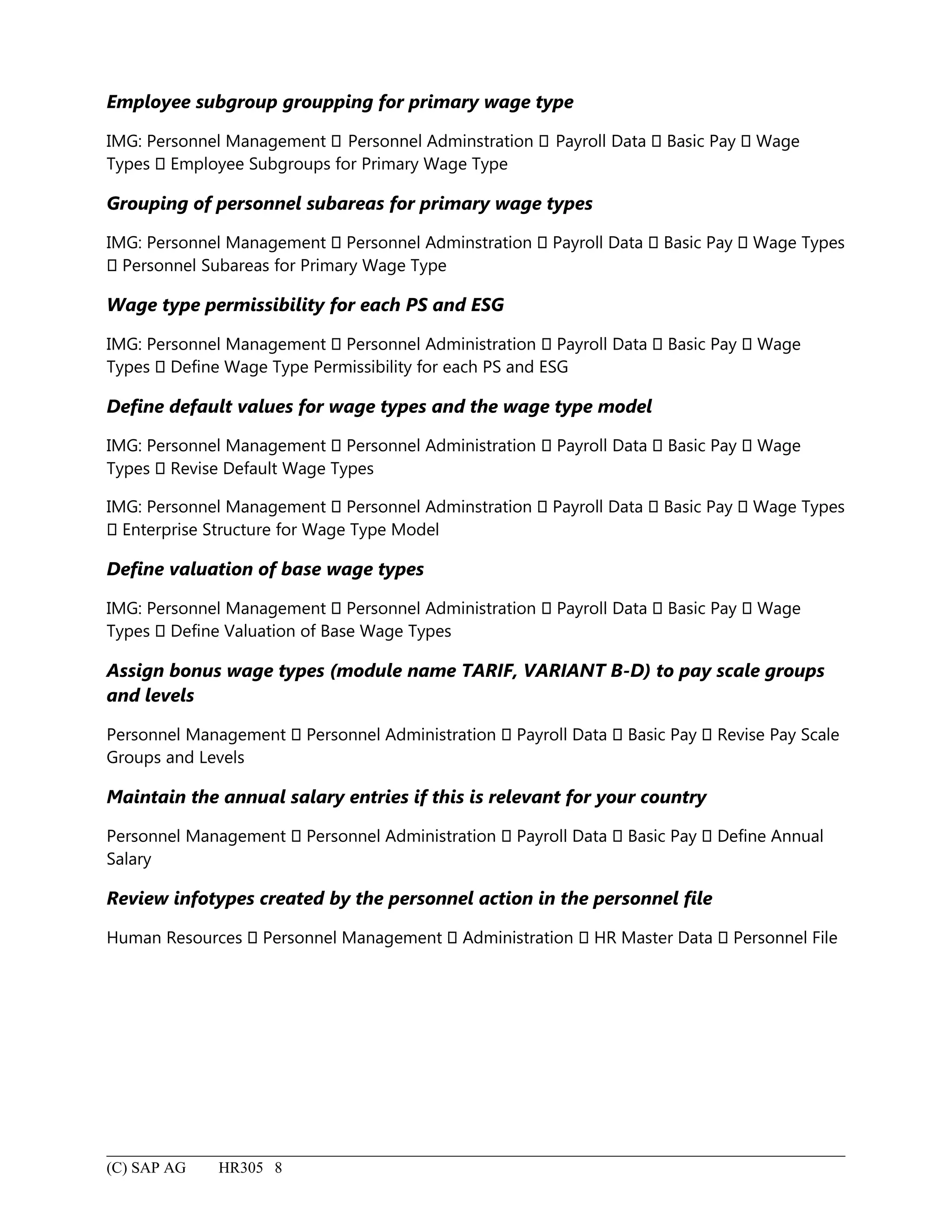
Employee subgroup grouppingfor primary wage type
IMG: Personnel Management Personnel Adminstration Payroll Data Basic Pay Wage
Types Employee Subgroups for Primary Wage Type
Grouping of personnel subareas for primary wage types
IMG: Personnel Management Personnel Adminstration Payroll Data Basic Pay Wage Types
Personnel Subareas for Primary Wage Type
Wage type permissibility for each PS and ESG
IMG: Personnel Management Personnel Administration Payroll Data Basic Pay Wage
Types Define Wage Type Permissibility for each PS and ESG
Define default values for wage types and the wage type model
IMG: Personnel Management Personnel Administration Payroll Data Basic Pay Wage
Types Revise Default Wage Types
IMG: Personnel Management Personnel Adminstration Payroll Data Basic Pay Wage Types
Enterprise Structure for Wage Type Model
Define valuation of base wage types
IMG: Personnel Management Personnel Administration Payroll Data Basic Pay Wage
Types Define Valuation of Base Wage Types
Assign bonus wage types (module name TARIF, VARIANT B-D) to pay scale groups
and levels
Personnel Management Personnel Administration Payroll Data Basic Pay Revise Pay Scale
Groups and Levels
Maintain the annual salary entries if this is relevant for your country
Personnel Management Personnel Administration Payroll Data Basic Pay Define Annual
Salary
Review infotypes created by the personnel action in the personnel file
Human Resources Personnel Management Administration HR Master Data Personnel File
(C) SAP AG HR305 8
217.
Unit: Routine PersonnelTasks
Define rules for reclassification
IMG: Personnel Management Personnel Administration Payroll Data Basic Pay Pay Scale
Reclassification Check Pay Scale Reclassification Based on Master Data
Use Report RPITUM00 and start the batch input session
System Services Reporting
System Services Batch input Sessions
Use report RPU51000 and report RPITRF00 for pay scale increases, and start batch
input session
System Services Reporting
System Services Batch input Sessions
Employee leaving company using ‘Leaving’ personnel action
Human Resources Personnel Management Administration HR Master Data Personnel
Actions
Select the Leaving action.
Rehire employee using the ‘Reentry into company’ personnel action
Human Resources Personnel Management Administration HR Master Data Personnel
Actions
Select ‘Reentry into company’.
Retire employee using the ‘Early retirement’ personnel action
Human Resources Personnel Management Administration HR Master Data Personnel
Actions
Select Early retirement.
(C) SAP AG HR305 9
13.3Absence (Personnel TimeManagement)
Period within regular working time during which an employee is not at work because of sickness
or leave, for example.
Absence quota (Personnel Time Management)
An employee's entitlement to a certain absence. The quota has a limited validity period, and is
reduced by each recorded absence.
Account assignment type (Payroll)
Determines the characteristics used by a wage type in the symbolic account during posting to
accounting, and also the type of account to which the wage type is posted. The account
assignment type defines the transaction used to search for the accompanying account in the table
of automatic account assignments (T030), and the fields that are filled when posting takes place.
Accrual entitlement (Payroll)
The quota entitlement calculated for a specific period in automatic absence quota accrual.
Activity (Personnel Management)
Activities are elements of SAP Business Workflow. An activity can be any one of the following:
• Tasks
• Reports
• Transactions
By assigning activities to users, you identify the areas of the system which users can access. The
set of activities assigned to a user is called an activity profile.
Activity type (Controlling)
Unit within a controlling area used for classification of activities produced or provided by a cost
center.
Use
Planning and allocation of activities requires recording quantities measured in activity units.
Valuations of activity quantities are carried out using activity prices (allocation prices). In
Overhead Cost Controlling (CO-OM), costs are divided into fixed and variable portions based on
the activity quantities. Classifying cost center activities as separate activity types should therefore
take the relevancy of specific costs into account. Activity prices can be posted manually or
calculated automatically based on the costs assignable to the activities. Different activity prices
can be calculated using plan costs and/or actual costs. Planning, allocation, and monitoring of
(C) SAP AG HR305 11
220.
costs can occurat the activity type or cost center levels. Actual costs can be posted on the cost
center level only. Assignment of costs so posted proceeds with the aid of the splitting function.
Activity inputs from one cost center to other cost centers, orders, or business processes represent
utilization of the cost center's resources.
Integration
A cost center may include one activity type, multiple activity types, or no activity types.
Example
Sample activity types in production cost centers would be machine hours or finished units.
Adjustment rule for bases for calculating average values (Payroll)
This rule adapts bases for calculating average values to changed collective agreement conditions
with retroactive effect. This enables you to take account of standard or individual pay increases
when the bases for calculating average values are formed.
Administrative personnel structure (Personnel Management)
The administrative personnel structure divides employees into employee groups and employee
subgroups for administrative reasons in order to control payroll or authorization checks, for
example.
Administrator
A person or group of persons with specific work responsibilities.
Advance payment (Payroll)
This is a lump-sum payment of income, which has already been earned but for which payroll has
not yet been performed. Such payments are usually effected between two ordinary payments of
either wages or salaries. Rather than pay the full amount of earned income after each payroll run,
many companies and organizations prefer to effect one or even several advance payments during
the payroll period. The advance payment is roughly equal to the amount of income that the
employee has already earned. The exact amount of remuneration is calculated later. The advance
payments are deducted from the total and the employee receives the remaining amount, usually
when wages and salaries are paid in the following month.
Assessment basis (Payroll)
The assessment basis is used in accordance with tax law to determine how much tax is paid.
In the context of social security law, the assessment basis is a term used for the total gross
amounts per month on which both tax and contributions to state-run benefit schemes must be
paid. The income threshold, which determines the amount of contributions paid to secure rights
(C) SAP AG HR305 12
221.
to state-run benefits,must also be taken into account. The gross assessment amount may vary for
different types of benefits, such as for health insurance or pension insurance.
Availability for work (Personnel Time Management)
Time period during which an employee must be available to perform any work that arises. It
differs from on-call duty in that the employee must actually be at his/her work center.
Average value calculation rule (Payroll)
This rule is used to valuate time-dependent wage types (e.g. absences, Christmas bonuses, and
vacation allowances).
If you want to valuate a time wage type using averages, it must be coded in processing class 15.
Balance revision (Personnel Time Management)
Balance revisions are used to change time accounts and transfer time balances from one time
account to another.
Base entitlement (Personnel Time Management)
The total entitlement per absence quota type for a specific period, such as a calendar year. The
total entitlement is expressed in days or hours and used in automatic absence quota accrual. It is
taken as the basis for calculating the pro rata leave entitlement.
Bases for calculating average value (Payroll)
Bases for calculating average values are cumulation wage types in which wage types are stored
that can be used to valuate averages.
The secondary wage types /201 to /232 are used as average calculation bases. The valuation
bases include the wage types that are flagged as relevant for average calculations. The average
bases are cumulated in an internal table and then used in the calculation of the average values.
Benchmark job (Personnel Management)
Job that serves as a standard by which other jobs can be measured or compared.
Capital formation savings payment (Personnel Management)
A special type of savings payment for employees that receives state support. Capital formation
savings payments are payments of money to which the employee does not have unrestricted
access. Instead, the employer invests the money in a long-term account. There are different types
of capital formation savings accounts, such as with a credit institution for securities or another
(C) SAP AG HR305 13
222.
type of investment,expenses incurred with regard to a securities sales agreement with the
employee, expenses incurred with regard to housing construction, etc.
Challenge type (Personnel Management)
Feature for classifying the challenge specification.
Examples
• Challenge type 1 = unlimited employability
• Challenge type 2 = limited employability
• Challenge type 3 = sedentary activities only
Change in staffing level (Personnel Management)
Actions such as hirings, dismissals, and early retirement are used to change the staffing level so
that the total number of employees meets actual workforce requirements.
Company insurance (Payroll)
Insurance paid for by the employer and to which the employee has a legal right. "Company
insurance" is an umbrella term that covers all types of insurance policies such as life insurance,
health insurance, accident insurance and third-party liability insurance. Company insurance most
often consists of a life insurance policy between the employer and an insurance company for the
benefit of the employee. The insurance premiums are paid by the company, although the
employee could be required to meet some of the costs. Concluding a group life insurance policy
for a larger group of people results in more favorable insurance conditions. Company insurance is
a type of company pension scheme.
Company pension scheme (Payroll)
All measures taken by an employer that are over and above the compulsory contribution levels
for statutory pension insurance. These measures provide additional support towards safeguarding
the future of the employee and surviving dependents if the employee should leave the company
as a result of (permanent) incapacity to work, reaching a specific age, or death.
There are five forms of company pension scheme to consider:
• Company guaranteed pension payment
• Benevolent fund
• Pension fund
• Company insurance
• Increased insurance or voluntary continued insurance
(C) SAP AG HR305 14
223.
Compensation (Payroll)
Compensation ispaid in lieu of leave which an employee has not used.
Compensation time (Personnel Time Management)
Time which employees work in addition to their standard working time, and which is accumulated
in an account.
Compulsory insurance (Payroll)
Insurance policies which people are obliged to take out by law. Compulsory insurance often takes
the form of national social insurance programs.
Continued pay (Payroll)
Continued pay is effected when an employee is unable to work because he or she is ill or has had
an accident.
Contribution (Payroll)
Contributions can be either regular or once-only payments which are effected to ensure
entitlement to specific benefits. The amount of the contribution can be determined either by law
or by a contract.
Example
• Contributions to secure health insurance or pension rights.
Contribution scale (Payroll)
The contribution scale is used by the health insurance sector to differentiate between tariffs for
those who are voluntarily insured. For example, the contribution scale for:
• Employees
• The self-employed
• Students
Core time (Personnel Time Management)
Time during which an employee must be at work.
Correction run (Payroll)
(C) SAP AG HR305 15
224.
A correction runoccurs when payroll is repeated for the current payroll period to correct
mistakes. Unlike retroactive accounting runs, correction runs are performed during the current
period for payroll runs which are not yet complete.
Credit factor (Payroll)
This is the abbreviated form of "credit factor for severely challenged persons". The credit factor is
a multiplier used to credit an employer with a part percentage for each challenged or severely
challenged employee, the value of which depends on the specification and type of challenge.
Once the total percentage is equal to or greater than the statutory fixed percentage, the employer
is no longer required to pay an equalization levy for challenged persons.
Cumulation (Payroll)
A cumulation is a totaling of values. In incentive wages, for example, the confirmed labor times
(actual labor times) which have been recorded for a particular employee during the course of the
accounting period are added together. The cumulated value can then be used in evaluations and
calculations using the premium formula for the period.
Cumulation Rule (Payroll)
A rule used for cumulating a period's bases for calculating average values. The rule determines
which parts of the wage type are cumulated:
• the wage type number (NUM)
• the wage type amount (AMT)
• the wage type rate (RTE)
• the leading +/- sign
Daily work schedule (Personnel Time Management)
A daily work schedule defines the number of hours to be worked by an employee on a workday,
and the distribution of these hours.
Data communications regulation (Payroll)
A legal regulation that determines how employee salary/wage accounts are handled by data
processing systems. It also applies to the transfer of employment status notifications to data
mediums that can be read automatically, such as magnetic tapes, without the documents
specified in the German Data Entry Regulation.
Date modifier (Payroll)
Modifier used to link additional date types to a payroll calendar.
(C) SAP AG HR305 16
225.
Use
For each periodin the payroll calendar, you can create date specifications in addition to the date
specifications defined for standard payroll intervals. The additional date specifications can be
used, for example, to save the payment date or the date the payment amount is transferred to the
employee's account (planning date).
Day program (Personnel Time Management)
As of Release 3.0A, this term has been replaced by the term "daily work schedule".
Day type (Personnel Time Management)
The day type determines whether or not a day should be paid. It also indicates planned
attendance, irrespective of the employee's daily work schedule.
Dialog wage type (Personnel Management)
Dialog wage types are primary wage types that are entered for an employee when master data is
maintained.
Example
Wage type: Christmas bonus
Different payment (Personnel Management)
A payment that is temporarily different from the current rate paid to an employee on the basis of
his or her master data.
Document (Controlling)
Proof of a cost accounting posting. This posting can be made both within (for example,
distribution) and outside of (for example, primary cost posting in FI) the CO module.
Document (Financial Accounting)
Proof of a business transaction. There is a difference between original documents and DP
documents:
• Original documents include, for example, incoming invoices, bank statements, and carbon
copies of outgoing invoices.
• DP documents include, for example, accounting documents, sample documents, and
recurring entry documents. The accounting document reflects the original document in
the system. All other DP documents serve as an entry facility.
(C) SAP AG HR305 17
226.
Document entry (FinancialAccounting)
Manual or automatic entry of a document in the R/3 System. Manual entry occurs via screens that
are specially designed for the business transactions to be entered. Automatic entry is carried out
via an online interface.
Document split account (Payroll)
A special account that must be created in financial accounting for posting payroll results to
accounting. The partial totals for all documents in a posting run are posted to this account.
Document type (Financial Accounting)
Key that distinguishes the business transactions to be posted. The document type determines
where the document is stored, and the account types to be posted.
Double taxation convention (Personnel Management)
An international agreement between two or more states. The purpose of double taxation
conventions is to prevent people who work abroad and who must pay tax on their earnings from
having to pay taxes more than once (that is, in more than one country) for the same period and
for the same taxable income. They are generally based on the tax laws of the state in which the
work is performed. Double taxation conventions are particularly important for people in regions
near to international borders (cross-border employees).
Earliest possible retroactive accounting period (Payroll)
The period furthest back in the past for which it is still possible to perform a retroactive
accounting run. This means that retroactive accounting takes place for a period for which payroll
has already been performed. The earliest possible retroactive accounting period is specified for a
payroll area, in which respect the system also takes account of the date on which the employee in
question first started working for the employer.
Educational leave (Personnel Time Management)
A defined period of leave granted to an employee for the purpose of study, sometimes with
payment of suitable benefits. Educational leave comprises all levels of vocational training as well
as education on general, political, and union topics. The duration and payment of educational
leave depends on contractual provisions and regional jurisdiction.
Employee (Personnel Management)
The employee is a person who contributes or has contributed to the creation of goods and
services within the enterprise. As a rule, this occurs on the basis of an employment contract or
contract for services.
(C) SAP AG HR305 18
227.
Use
The employee constitutesthe main focus of interest for the majority of human resource subareas
(personnel administration, time management, payroll, etc.) All business processes within these
areas relate to the employee.
Employee group (Personnel Management)
An employee group is an organizational entity for which personnel provisions can be specified.
Structure
An employee group is subdivided into employee subgroups.
Example
Employee groups:
• Active employees
• Employees who have left the enterprise
• Company pensioners
Employee subgroups within the “active employee” group:
• Industrial workers
• Commercial employees
• Technical employees
• etc.
Employee savings bonus (Payroll)
In Germany, the employee savings bonus is paid by the state to people who are in direct paid
employment (that is, people who are not self-employed) if the employer makes capital formation
savings payments to the employee and the employee's taxable annual earnings do not exceed a
specified amount. The savings bonus is calculated on the basis of the savings amount with
corresponding assessment thresholds multiplied by a fixed percentage. Employers used to pay
the employee savings bonus on a monthly basis and were then refunded the money by the tax
office. As of January 1990, the savings bonus is calculated by the tax office and paid to the
employee once a year as part of the annual employment tax declaration.
Employee's contribution (Payroll)
The employee's contribution represents the amount paid by an employee toward his or her own
benefits, such as health insurance. The employee's contribution may be deducted by the
employer from the employee's remuneration and paid directly to the institution that provides the
benefit, such as a health insurance company.
(C) SAP AG HR305 19
228.
Employee subgroup (PersonnelManagement)
An employee subgroup is an organizational entity within an employee group for which personnel
provisions have been specified.
Employee subgroup grouping (Personnel Management)
In HR, employee subgroups are grouped into the following areas:
• Work schedule
• Personnel calculation rules
• Primary wage types
• Collective agreement rules
• Time quota types
• Account determination
Employee subgroup grouping for personnel calculation rules (Personnel Management)
A personnel calculation rule is an instruction on how certain defined tasks must be carried out
within time evaluation, payroll, and the evaluation of payroll results. An employee subgroup
grouping for personnel calculation rules is a subdivision of employee subgroups for which the
same personnel calculation rules have been defined for payroll, and the evaluation of payroll
results and time management data.
Employee subgroup grouping for work schedules (Personnel Time Management)
An employee subgroup grouping for work schedules is a grouping of employee subgroups for
which the same work schedule rules and rules for attendance and absence counting are defined.
Employer's contribution (Payroll)
The employer's contribution represents the amount paid by an employer toward benefits enjoyed
by the employee, such as health insurance.
Employment contract (Personnel Management)
A contract under private law in which the employee undertakes to work directly for the employer,
and the employer undertakes to remunerate the employee.
Entitlement (Payroll)
Represents a company benefit expected in the future. Entitlements can be defined as
• Primary entitlements, which are offered directly to an employee, and
(C) SAP AG HR305 20
229.
• Secondary entitlements,which result from the primary entitlement.
Example
• Primary entitlement:
Entitlement to a retirement pension
• Secondary entitlement:
In case of invalidity, the invalidity pension replaces the retirement pension
Equalization levy (Payroll)
Equalization levies are fixed amounts per month which are paid by both private and public
employers for each work center which should be (but is not) taken by a severely challenged
employee or a person on a par with a severely challenged employee. Employers pay equalization
levies on a yearly basis to the main social welfare office in whose jurisdiction they are located.
Evaluation (Cross-Application Functions (CA))
Compilation of data in the form of a table or list. An evaluation is the result of executing a report.
It can be displayed on the screen, or sent to a printer.
Evaluation Classes (Payroll)
Evaluation classes determine how wage types are evaluated once payroll is complete.
In other words, they are an interface between payroll and subsequent programs.
Evaluation path (Personnel Management)
An evaluation path represents a set of relationships that exist between certain objects within a
hierarchical structure. For example, the path O-S-P represents the set of relationships found
between organizational units > positions > persons.
Evaluation paths are used to select objects for reports. You name the evaluation path that
interests you, and the system traces every branch of the hierarchical structure. The report only
includes those objects found in the named evaluation path.
Extraordinary notice of dismissal (Personnel Management)
Notice of contract termination, whereby the employment contract is either terminated early or
without complying with the notice period in force. As a rule, there is no notice period, but this
does not have to be the case, as the employer can stipulate a notice period even for an
extraordinary notice of dismissal. An extraordinary notice of dismissal can only be effected for
very important reasons. Like the ordinary notice of dismissal, an extraordinary notice of dismissal
is possible for an unlimited employment contract. Unlike an ordinary notice of dismissal, it is also
possible for a fixed-term employment contract.
(C) SAP AG HR305 21
230.
Factoring (Payroll)
Multiplication ofan amount (fixed quantity) by a factor (variable quantity).
Factoring is used in Payroll to determine a proportional payment for the employee for a period
(partial period calculations).
Example
Reasons which lead to a reduction in the payment for a period include the following:
• Employee being hired/leaving during the payroll period
• Unpaid absences
• Employee transferring from part time to full time work and his/her basic pay being
changed accordingly
• Change in basic pay within a period
• Changes to work relationship and resulting changes to basic pay (for example, if a trainee
enters a work relationship)
Factory calendar (Personnel Time Management)
Calendar in which working days are numbered sequentially. The factory calendar is defined on the
basis of a public holiday calendar. The validity period of a factory calendar must be within the
validity period of the public holiday calendar. The weekdays that are working days must also be
specified in this calendar.
Examples
• Monday through Friday are working days.
• Saturday, Sunday, and public holidays are non-working days.
Family type (Personnel Management)
The family type identifies a person as a member of the employee's family.
Examples
• Child
• Spouse
• Testator
• Legal guardian
Feature (Personnel Management)
Features are objects which, depending on the organizational unit, can take on various
specifications. As a result, they can control a wide variety of processes.
(C) SAP AG HR305 22
231.
Fill time (PersonnelTime Management)
In flextime, the difference between the actual time worked (without breaks) and the core time. It
occurs within the work start and end times specified by a company.
Final Processing of Averages (Payroll)
A personnel calculation rule that evaluates the cumulated bases for calculating average values
and then calculates the value of the average. It is included in the table "Calculation Rules for
Averages". The value of the average is stored in the rate field (RTE) of the wage type to be
calculated.
Fixed holiday (Personnel Time Management)
Holiday that occurs on the same date every year (for example, Christmas Day).
Flextime (Personnel Time Management)
Working time where the start and end may be freely determined by the employee, provided that
a certain number of hours are worked on each day.
Floating holiday (Personnel Time Management)
Public holiday that occurs the same number of days after Easter Sunday each year (for example,
Whitsunday).
Garnishment (Payroll)
The confiscation of material possessions or claims belonging to a debtor to settle accounts with
the creditor. "Garnishment of wages" occurs when earned income is confiscated.
Garnishment number (Payroll)
Garnishments belonging to a single garnishment type have their own, individual garnishment
numbers which are assigned one after the other in consecutive order.
Garnishment type (Payroll)
The garnishment type is used to make a distinction between different types of garnishment.
Examples
• Common garnishment
• Preferred garnishment
(C) SAP AG HR305 23
232.
• Cession ofwages
German data entry regulation (Payroll)
A legal regulation governing specifics of health, pension, and unemployment insurance
notifications for eligible persons. The duty of notification requires that employers and manpower
supply clients fill in notification forms for employees' health insurance funds. The required
information comprises personal data, type of employment, start and end dates, and the amount
of payment.
Gratuity (Personnel Management)
A special payment effected by the employer at specific times or for specific reasons, such as at
Christmas, after a particular number of years of service, or for leave. Gratuities are paid in addition
to employee remuneration. Gratuities are not gifts. Instead, they are paid in recognition of work
already performed and as an incentive to continue working effectively. There is, however, a
distinction between gratuities and other types of remuneration effected on an individual basis for
work actually performed, increased productivity, extra work, and specific conduct. Employees do
not have a legal right to gratuities either by law or in accordance with the employer's obligation
to provide certain benefits and medical welfare.
Group incentive wages (Payroll)
In group incentive wages, the result used to pay the work depends on the overall performance of
a group of workers, and not on the performance of one individual.
Headcount (Personnel Management)
The total number of persons employed by an enterprise at a given time.
Hiring (Personnel Management)
A personnel action in which all of the data relevant to the entry of a new employee is entered, for
example, name, address, personnel number, activity, cost center, etc. In the legal sense, hiring
means fulfilling the employment contract between the employer and employee by occupying the
work center assigned to that employee.
Hiring transaction (Personnel Management)
An action used to enter all relevant data on a new employee when he or she enters an enterprise.
Examples
• Personnel number
• Activity
(C) SAP AG HR305 24
233.
• Cost center
HRinformation system (Personnel Management)
The HR information system is a tool that allows you to request various types of HR reports (PA
and PD) from Structural Graphics. This method of requesting reports can be to your advantage
because the request process is simplified.
HR master data (Personnel Management)
Employee data that remains relatively constant over a period of time.
Examples
• Personnel number
• Name
• Address
• Bank details
• Social insurance number
• Health insurance fund
Incentive wages (Payroll)
A type of remuneration that is paid not just for the actual time that a person spends at work, but
also for the amount that the person produces or achieves during that time. Piecework wages and
premium pay are both types of incentive wages.
Income threshold (Payroll)
Unless the income threshold is exceeded, a person's income is used by law to determine the
amount of contributions that he or she must pay for certain benefits. A person whose income
does not exceed the income threshold is obliged to pay into state-supported benefit schemes.
The threshold is determined by law and applies to all branches of the insurance sector (such as
health insurance and pension insurance).
Infotype (Personnel Management)
An infotype is a carrier of system-controlling characteristics, such as attributes and time
constraints. Data is not stored field by field on the human resources database. Instead, it is stored
in logical groups.
Examples
• Infotype "Family"
• Infotype: "Organizational Assignment"
(C) SAP AG HR305 25
234.
• Infotype "BasicPay"
Initial entry (Personnel Management)
The first day on which the employee starts work at the enterprise, according to the contract. The
initial entry should not be confused with the entry date. More than one entry date can exist for an
employee if, for example, he or she changes from one business operating area to another and
receives a new employment contract.
Leave compensation (Payroll)
Financial compensation for leave entitlement that has not been used.
Leave entitlement (Payroll)
The number of days of leave to which a person is entitled after being employed by a company for
a specific period of time. An employee's leave entitlement is governed by contractual provisions.
Local currency (Financial Accounting)
Currency of a company code (country currency) in which the local ledgers are managed.
Lump-sum taxation (Payroll)
A method of taxation that is only used in exceptional circumstances. The amount of tax to be paid
is calculated using a fixed lump sum as opposed to the customary method of using individual
values.
Maternity pay (Payroll)
A financial benefit paid by the health insurance fund. Women in a statutory health insurance fund
on either a voluntary or compulsory basis can apply for maternity pay for the six week period
before and eight or twelve week period after delivery. Certain requirements must, however, be
met before maternity pay can be effected.
1. At the start of the protection period, the woman entitled to maternity pay must be in a work
relationship situation. Alternatively, the employer must dissolve the work relationship during the
pregnancy period in accordance with the appropriate statutory regulations.
2. The woman entitled to maternity pay must be compulsorily insured prior to delivery for a
minimum period determined by law.
The amount of maternity pay is based on average remuneration per calendar day after statutory
deductions effected during the three calendar months prior to the protection period. The
maximum amount of maternity pay is DM 25 per day. Maternity pay is effected for six weeks
before and eight or ten weeks (in the case of premature and multiple births) after delivery. If the
(C) SAP AG HR305 26
235.
woman does nothave statutory insurance, the Federal Government effects maternity pay in the
maximum amount of DM 400.
Membership period (Payroll)
The membership period is used to define the period of time during which an employee is
assigned to a pay scale level within a pay scale group.
Model wage type (Personnel Management)
Model wage types, which are included in the standard system, can be used by customers as a
template for their own, customer-specific user wage types. They are listed in a wage type catalog.
Monthly work schedule (Personnel Time Management)
See work schedule.
Night shift (Personnel Time Management)
Working time in shift operation which is remunerated with a night shift bonus.
Non-pay scale employee (Personnel Management)
Non-pay scale employees perform tasks and assume responsibilities that are more demanding
than those performed and/or assumed by persons assigned to the highest remuneration group in
the collective agreement.
The term also applies to that group of employees whose tasks and responsibilities cannot be
assigned to any of the remuneration groups included in the collective agreement.
Executive employees are always classified as non-pay scale employees.
By definition, non-pay scale employees are not affected by the collective agreement in force at
the enterprise. For this reason, remuneration is determined by a separate agreement concluded
by the employer and non-pay scale employee.
This means that a separate agreement must be concluded before an employee can be classified
as a non-pay scale employee.
Non-working shift (Personnel Time Management)
Day on which an employee is not required to work. In multiple shift operation, non-working shifts
are the days within the monthly work schedule that are marked as days off. Non-working shift
also refers to days off, such as bridge days, which an employee has accumulated on the basis of
compensation time.
Normal working time (Personnel Time Management)
(C) SAP AG HR305 27
236.
Represents an employee'sregular working time and is used in flexible working time models as a
calculation basis when planned working times are not available: if an employee is sick, for
example.
Notice period (Personnel Management)
Time period governed by legal regulations or agreements between the employer and employee
after which a termination becomes effective. This period can vary according to legal and
contractual provisions.
Object ID (Personnel Management)
Used to differentiate between records that have the same infotype, subtype, lock indicator, and
start and end dates.
Off-site work (Personnel Time Management)
Temporary period of work at a place other than the employee's regular workplace, including the
journey there and back. The temporary workplace may not be more than 20 km from the
employee's home.
On call (Personnel Time Management)
Time period during which an employee can be called to work.
Once-only payments/deductions (Payroll)
Once-only payments are benefits granted by the employer to the employee which have no
connection to the work performed by the employee during the period in which the payment is
effected. Once-only deductions, such as Christmas bonuses, can also be made.
Operation (Payroll)
The smallest unit within a personnel calculation rule. Operations can be grouped together to
create rules, and rules can be grouped together to create personnel calculation rules.
Ordinary notice of dismissal (Personnel Management)
The dissolution of an unlimited employment contract complying with the legal or contractual
notice period. An ordinary notice of dismissal is not possible for fixed-term employment
contracts.
Organizational personnel structure (Personnel Management)
(C) SAP AG HR305 28
237.
The assignment ofemployees to positions, jobs, and organizational units for the purpose of
documenting and evaluating the organizational status of the employee.
Organizational structure (Personnel Management)
The organizational structure reflects the organizational hierarchy and employee relationships. It is
made up of the following substructures:
• Enterprise structure
• Personnel structure
• Pay scale structure
• Wage type structure
Overtime (Personnel Time Management)
Overtime represents working time performed in addition to normal working time as defined by
law. The employee is entitled to appropriate remuneration in addition to his or her normal wage
or salary (overtime bonus). Overtime hours, on the other hand, do not represent overtime if total
weekly working time does not exceed weekly working time as defined by law. In spite of this
distinction, the terms "overtime hours" and "overtime" are often used interchangeably. This
means that overtime can be given a broader definition to mean any approved, and therefore paid,
working time performed in addition to normal working time.
Pair formation (Personnel Time Management)
The system must form time pairs in order to evaluate time events recorded by employees at time
recording terminals. Time events that can logically be assigned to the same day are grouped
together.
Pair type (Personnel Time Management)
The pair type is an indicator used in the time evaluation report RPTIM00 to categorize employee
times.
The pair type indicates whether an employee was at work or absent, as well as any times for which
no data exists.
The following pair types are available in the standard R/3 System:
• 0 = Time not recorded or employee is on break
• 1 = Employee at work based on time postings or target pair
• 2 = Recorded absence
• 3 = Recorded attendance or off-site work entry
(C) SAP AG HR305 29
238.
Part-time work (PersonnelTime Management)
Employment for less than the agreed company or standard weekly working time. The capacity
utilization level of part-time employees is less than 100%.
Payments (Payroll)
Benefits which an employee receives on the basis of his or her employment contract. They may be
granted voluntarily by the employer, or be specifically included in the employment contract.
Payments can be made directly in money, or they may be payments in kind.
Examples
• Company discounts
Company cars
• Company-owned apartments
Payroll account (Payroll)
The payroll account facilitates checking employment tax deductions and must be kept by the
employer at the place of work for each employee and for each calendar year. The payroll account
constitutes the most important document on wages and salaries. Apart from personal data on
each employee, it must also include the cumulated gross payroll amount and the net amount for
every payroll period. Each time the payroll is run, the payroll account is updated by the system.
Payroll (Payroll)
Payroll determines the remuneration, tax amounts, and insurance amounts, etc. of an employee
for a particular payroll period.
Structure
A payroll run consists of several items. One item displays the results of a payroll run for a
particular wage type.
Payroll area (Personnel Management)
Organizational unit used in Human Resources. A standard payroll run can be defined for a payroll
area.
Use
A payroll area is used to define the time at which the payroll run takes place, the earliest possible
retroactive accounting period, retroactive recognition, and the payroll periods for which payroll is
to be run. An exception is the “No payroll” payroll area. Payroll is not performed for employees
assigned to this payroll area.
Examples
• Industrial workers (monthly, on the 4th day of the following month)
(C) SAP AG HR305 30
239.
• Salaried employees(monthly, on the 15th day of the month)
• Company pensioners (monthly, on the 20th day of the previous month)
• Weekly wage earners (weekly, on Friday)
Payroll evaluation (Payroll)
The evaluation of an employee's payroll results for a particular payroll period. In payroll
evaluation, you differentiate between statutory requirements (for example, tax reporter, social
insurance statement), and internal requirements (for example, cost accounting, pay remittance),
etc.
Structure
Payroll evaluation has several items. One item displays the evaluation result for a particular wage
type.
Payroll form (Payroll)
A payroll form is a printout which displays all of an employee's payments and deductions.
Payroll journal (Payroll)
Lists the payroll results for a period for one or more employees.
Payroll program (Payroll)
The HR payroll program carries out the tasks performed by conventional payroll programs. It
includes general flow control and a number of programmed modules which are directly relevant
to payroll. The driver carries out the basic technical functions of payroll by processing the
statements in the schema sequentially and interpreting the control tables.
Pay scale area (Personnel Management)
Geographical area in which a collective agreement applies (for example, Bavaria, Baden).
Pay scale grouping (Payroll)
The pay scale grouping defines a salary range.
Example
A pay scale grouping could be expressed as wage type MXXX. The grouping has a minimum value
of 50,000 and a maximum value of 70,000.
Pay scale jump due to age (Payroll)
(C) SAP AG HR305 31
240.
A pay scalejump due to age occurs when an employee is assigned to the next pay scale level up
because he or she has reached a certain age. This type of reassignment mainly takes place in the
civil service (see "pay scale jump due to seniority").
Pay scale jump due to seniority (Payroll)
These pay scale jumps occur when an employee is assigned to the next pay scale level up once he
or she has worked either for the company or for a group within the company for a particular
period of time.
Pay scale structure (Personnel Management)
Links together the elements in a collective agreement. The pay scale structure is used to calculate
the correct remuneration in accordance with the collective agreement. The pay scale structure
consists of the following elements:
• Pay scale type
• Pay scale area
• Employee subgroup grouping for the collective agreement provision
• Pay scale group
• Pay scale level
Pay scale type (Personnel Management)
Functional area for which a collective agreement applies (for example, the metal-processing
industry or chemical industry).
Pension, disability, and surviving dependents' provision (Payroll)
This is an umbrella term for a variety of company and state pension plans. It covers all of the
measures taken to ensure that the financial means (capital or pension payments) required for a
person's retirement are made available, such as when he or she reaches retirement age or
because of a physical challenge. Alternatively, payments could be effected to surviving
dependents after a death has occurred.
Pension fund (Payroll)
Pension funds are a type of company pension scheme. The benefits are financed by the company,
the employee may or may not be required to make a financial contribution. Pension fund
beneficiaries are legally entitled to claim benefits from the pension fund. Relief fund beneficiaries
do not enjoy this right. Pension fund benefits include widows' pensions, orphans' pensions,
and/or capital payments.
(C) SAP AG HR305 32
241.
Period factoring method(Payroll)
The method used to calculate the partial period factor.
In business administration, you differentiate between the following methods:
• Deduction method
• Payment method
• All-or-nothing method
The PWS (personal work schedule) method is the standard method implemented by the R/3
System.
Period parameter (Payroll)
Two-character, numerical parameter used in Payroll. The period parameter defines the time
interval used to run payroll for a payroll area. One period parameter is assigned to each payroll
area. The period parameter determines the period for which payroll is run.
Structure
In the standard system, the period parameter values are defined as monthly, half-monthly, weekly,
once every two weeks, and quarterly.
Example
If the payroll period 01 is assigned to the period parameter 01 (monthly) for 1997, this represents
January 1997.
Period work schedule (Personnel Time Management)
A period work schedule defines the number of hours to be worked by an employee within a
period, and the distribution of these hours. There is one period work schedule item for each day
of the period.
Personnel action (Personnel Management)
A series of infotypes that are added, changed, completely or partially deleted, or delimited in the
HR System for the reason specified, such as hiring, change or cost center, or leaving. The
sequence of infotypes that are edited using these actions is defined in the HR System.
Personnel area (Personnel Management)
The personnel area is an organizational entity that represents an area within an enterprise
delimited according to personnel administration, time management, and payroll criteria.
Use
(C) SAP AG HR305 33
242.
Personnel provisions arespecified at the level of personnel areas and personnel subareas. The
provisions can have a statutory, collective agreement, or enterprise specific character.
Structure
Personnel areas are subdivided into personnel subareas.
Integration
A personnel area is assigned exactly one company code to which the values relevant to financial
accounting that concern the personnel area are allocated. Exactly one collective agreement area,
collective agreement type, and public holiday calendar are specified for a personnel subarea.
Example
The personnel area at a software house can be subdivided into personnel subareas for
development, training, and administration.
Personnel calculation rule (Payroll)
Personnel calculation rules, which consist of one or several operations, are used to effect the fine
control of certain functions from a personnel calculation schema, such as PIT. A personnel
calculation rule may contain one or several subrules and is used to denote the sum of all subrules
that are required for processing a task or subtask.
Personnel calculation schema (Payroll)
A personnel calculation schema defines the order and contents of a program run. It consists of
instructions on how to perform time evaluation runs, payroll runs, and payroll result evaluations
and defines the instruction sequence.
Personnel country grouping (Personnel Management)
The personnel country grouping is used to distinguish between countries within the Human
Resource Management System.
Personnel file (Personnel Management)
Displays all of the data that has been recorded for an employee.
Personnel structure (Personnel Management)
This describes the employee's situation within the enterprise. A distinction is made between
• The administrative perspective, and
• The organizational perspective
Personnel subarea (Personnel Management)
(C) SAP AG HR305 34
243.
A personnel subareais an organizational entity that represents part of a personnel area. It is
delimited according to personnel administration, time management, and payroll criteria.
Piecework wage (Payroll)
This is a type of incentive wage. Unlike time wages, remuneration is effected for quantities
produced irrespective of the working time required to make them.
There are three types of piecework wage:
• Piecerate work (rare)
A fixed amount is paid for each unit that is produced.
• Quantity-based piecerate work (rare)
A target quantity is specified for each unit of time.
• Time-based piecerate work (common)
Remuneration is effected in proportion to the quantity produced, but the quantity is not used
directly to calculate the amount paid. Instead, remuneration is based on the fixed standard time
rather than on the time that was actually required to produce the quantity.
Planned working time (Personnel Time Management)
Planned working time specifies the start and end of work. Daily work schedules for flextime are an
exception. In this case, planned working time represents the time within which employees can
clock in and out if actual times are recorded automatically.
Plan status (Personnel Management)
The plan status reflects the availability of a particular benefit plan for processing. The following
statuses may be used at any one company:
• Open: the plan is open for enrollment.
• Active: the plan is active, but not open for enrollment.
• Closed: the plan is closed for processing, but is kept in the system for historical purposes.
Plant data collection (Cross-Application Functions (CA))
Collection and display of plant data, including check, processing, editing, evaluation and transfer,
in order to receive information on machine utilization, order situation, quality, etc.
Plant data covers labor-related and machine-related messages (comes, goes, short business trip,
setup, processing, quantities, malfunctions) or statistics (machine utilization, scrap and
malfunction statistics).
(C) SAP AG HR305 35
244.
Plant ID card(Personnel Management)
ID card that permits an employee to enter a building, plant etc.
Premium formula (Payroll)
Premium formulas are used in incentive wages to calculate results for a specific day, period or
time ticket. The result is normally a labor utilization rate, but can also be a fixed amount. The
premium formula also controls various cumulations.
Premium wage (Payroll)
The premium wage can be seen as a generalization of the piecework wage. Payment is usually
effected in direct proportion to the quantity produced in piecework, whereas the premium wage
can include further criteria. It may be advisable to limit the labor utilization rate to 130 %, for
example, in order to prevent too great a strain on man or machine. Other values can be used to
valuate performance in addition to the quantity produced: the rate of consumption of operating
supplies, or the quality of the products produced, for example.
Primary wage type (Personnel Management)
An umbrella term for wage types that you can enter online when maintaining master data (dialog
wage types), or which the system provides automatically when predefined conditions are met
during time evaluation (time wage types).
Projected pay (Personnel Management)
Projected pay is one of the sources of information you can use to develop costing scenarios in the
Personnel Cost Planning component. When projected pay is used, the system extracts information
contained in the HR infotype 'Cost Planning' (1015) to determine costs. This infotype lets you
identify personnel costs by assigning wage elements to the different objects you work with. Wage
elements represent the different types of costs that contribute to overall labor costs, such as
wages and salaries, and benefits.
Public holiday calendar (Personnel Time Management)
The public holiday calendar shows the public holidays that occur within a specific validity period
defined in years. Public holiday calendars differ according to the region or country in which they
are implemented and can be adapted to individual requirements.
Public holiday class (Personnel Time Management)
Depending on their type, public holidays can be assigned different classes. Public holidays can be
classified as high public holidays like Easter Sunday, other legal public holidays such as the 4th of
July, or regional public holidays. Each public holiday is assigned a class that can be interpreted in
(C) SAP AG HR305 36
245.
tables and programs.The public holiday class plays an important role in calculating an employee's
entitlement to payment on public holidays.
Public holiday type (Personnel Time Management)
This provides you with information on whether a holiday
• Occurs on the same date each year
• Always occurs a specific number of days before or after Easter, or
• Occurs on a certain weekday
Recurring payments/deductions (Personnel Management)
Payments effected by the employer to the employee which become due in more than one payroll
period, each of which follows on from another, and which can each be assigned to a specific
payroll period. Unlike once-only payments and deductions, a period (start date - end date) can be
entered for recurring payments and deductions.
Examples
• Employer's contribution to capital formation payments
• Employer's contribution to pension insurance
Reduced working hours (Personnel Time Management)
Temporary reduction of regular working time for the entire company, individual departments,
and/or specific employee groups, with a corresponding reduction in payment. One of the most
effective methods used to avoid downsizing.
Regular payments/deductions (Payroll)
In accordance with German social insurance and tax law, regular payments are payments which
can be assigned to their exact periods of origin. They include all types of payments which are
effected on a regular basis, such as salaries, wages, pensions and overtime payments, for the
customary remuneration periods, such as a week or month.
Relevance test (Payroll)
The relevance test enables you to flag a payroll period as either relevant or irrelevant to the
calculation of averages within Payroll. The relevance of the payroll period is determined by
specific criteria.
Reporting (Business Engineer (BC-BE))
(C) SAP AG HR305 37
246.
The selection, summarization,and presentation of data from application systems.
Retirement pension (Payroll)
This is a payment effected as part of a state pension scheme. Retirement pensions also cover
payments made by employers or pension funds to employees who have stopped working
because of their age.
Retroactive accounting (Payroll)
A payroll run is repeated for a period for which payroll has already been performed in the payroll
past. Retroactive accounting is triggered during the payroll run for the current period if certain
master and time data affecting the payroll past has been changed in the meantime. Only changes
to master and time data are relevant for retroactive accounting since previous payroll results must
be corrected. A retroactive accounting limit can be set for the whole company and/or for just one
employee.
Retroactive accounting period (Payroll)
A past payroll period for which payroll has been repeated. The retroactive accounting period
refers either to an individual employee, or to a payroll area.
Secondary wage type (Personnel Management)
Wage types that are created during the payroll run or derived from specific factors. The technical
name of secondary wage types delivered by SAP starts with "/".
Example
Secondary wage type
Total Gross Amount
(/101). This wage type, within which all of the wage types pertaining to an employee's total gross
amount are cumulated, is created during payroll.
Severance pay (Payroll)
Severance pay consists of a sum of money that is paid just once to compensate legal rights.
In a narrower sense, severance pay is used to mean compensation effected when an employee
stops working for his or her employer. The employer pays the employee a specific amount when
the employee stops working because the employment contract has expired or because the
employee has given notice of termination.
Severance pay covers earnings to which the employee has a legal right but which he or she has
not yet received, and earnings which the employee would have received had he or she continued
working for the employer.
(C) SAP AG HR305 38
247.
Severance payments maybe effected after the employee has taken legal action, such as when an
employer terminates an employment contract but has no legal right to do so. However, severance
pay can also be based on a voluntary agreement reached between the employer and employee,
such as when an employee goes into early retirement.
Leave compensation is a special type of severance pay received by the employee for leave which
he or she has not yet taken. It may be paid either while the employee is still working for the
employer, or after the employment contract has been terminated or expired.
Shift schedule (Personnel Time Management)
This term is no longer used in HR. It has been replaced by monthly work schedule.
Sick pay (Payroll)
Sick pay is received by the employee from the health insurance fund for the period in which he or
she is unable to work and is not, therefore, remunerated by the employer. Such payments are
usually effected after the period of continued pay has expired.
Skeleton time (Personnel Time Management)
Individual working time (without breaks) of an employee within the possible work time start and
end period.
Examples
• Work time period 7.00 a.m. - 8.00 p.m.
• Skeleton time 9.00 a.m.- 5.00 p.m.
Staffing percentage (Personnel Management)
Specifies, as a percentage, the extent to which a vacancy is staffed by one or more applicants.
Subschema (Payroll)
A subschema is a personnel calculation schema that is called up in another schema using the
COPY function. A subschema does not have to be executable.
Subsequent sickness (Personnel Management)
A sickness caused by a sickness or injury that occurred in the past, such as when an employee
breaks his or her leg in March and the site of the injury becomes infected in June. The term is also
used to refer to the reoccurrence of the same sickness. For example, an employee is written off
sick in June and September because of a kidney infection. It is important to determine whether
the second sickness is in actual fact a subsequent sickness or a different sickness altogether, as
this has a profound effect on the calculation of an employee's entitlement to continued pay. If a
(C) SAP AG HR305 39
248.
subsequent sickness occurs,the days of absence as of the first sickness are counted up within a
six month period. As a rule, continued pay is no longer effected after 42 days. The days of
absence are not set back to zero until the six month period has elapsed. It is possible, for
example, for an employee to be written off sick twice within a six month period, once for 30 days
because of the first sickness, and then for 20 days because of the subsequent sickness. The
employee would not be entitled to continued pay for eight days.
Substitution (Personnel Time Management)
A substitution constitutes working time that is different from the employee's planned working
time, and/or working time that is paid at a rate determined for a different position.
Subtype (Personnel Management)
A subdivision of an infotype.
Examples
• Infotype: "Family"
Subtypes: "Spouse", "Child"
• Infotype: "Addresses"
Subtypes: "Home address", "Holiday address"
Subtypes: "Permanent residence", "Secondary residence"
Symbolic account (Payroll)
Payroll object used when posting results to accounting. The number of symbolic accounts and the
respective characteristics represent the different expenses and payables that occur as personnel
costs within payroll and must be posted to accounting. The symbolic accounts are assigned to
financial accounts. This ensures that account determination takes place during posting to
accounting.
Use
When creating symbolic accounts, you should make sure that the sum of the symbolic accounts
for personnel expenses and the sum of the symbolic accounts for payables produces a complete
posting.
Structure
A symbolic account has the following characteristics:
• Account assignment type
• Indicator for the employee grouping for account determination
Target time (Personnel Time Management)
Product of quantity produced and standard time per base quantity.
(C) SAP AG HR305 40
249.
Task (Personnel Management)
WithinPD, tasks can be viewed from two distinct perspectives:
• As a human resource element, or
• As an element of SAP Business Workflow (see the workflow definition)
For human resource purposes, tasks are the individual duties, responsibilities, or assignments
performed at your company. For example, answering phones, designing publications, and
developing software could all be tasks.
Tasks describe jobs and positions. It is by relating specific tasks with jobs and positions that you
describe the duties to be performed at your company. You can also relate tasks with work centers
and organizational units.
Temporary work relationship (Personnel Management)
A temporary work relationship commences when an employment contract is concluded and ends
after a particular period of time, that is, without any kind of special termination.
The end of the work relationship can be defined as follows:
• By specifying an exact date on which the work relationship becomes invalid
• By specifying an event that signifies the end of the work relationship, such as when a
salesperson is hired for the duration of a sales period.
Termination (Personnel Management)
Dissolution of the employment contract by either the employee or the employer.
Time category (Personnel Time Management)
This term is no longer used in HR. It has been replaced by employee subgroup grouping for work
schedules.
Time constraint (Personnel Management)
Time constraints determine whether a data record must exist at all times, and/or whether a
particular data record allows for overlapping or coexistent entries. Different time constraints are
used in master data and time management to ensure that the requirements of both these areas
are met.
Time data (Personnel Time Management)
Employee data that is relevant in some way to time. Within HR Management, a distinction is made
between the terms "time data" and "master data".
(C) SAP AG HR305 41
250.
Examples
• Sickness period
•Working time
• Leave
• Overtime
Time evaluation (Personnel Time Management)
Time evaluation is a program that is generated daily to calculate attendance and absence times
on the basis of attendance and absence data, time types (flextime balance, productive hours), and
wage types (bonuses for night, Sunday, and public holiday work).
Time event (Personnel Time Management)
Entry (for example, clock-in/out) made by the employee at the time recording terminal.
Time pair (Personnel Time Management)
Related time events that are logically assigned to the same day.
Example
• 8 a.m. - 10 a.m. Productive time
• 10.30 a.m. - 11 a.m. Break
The time pairs formed in time evaluation are relevant to payroll. The system can refer to the
information linked to a time pair in order to determine how various types of break should be
remunerated, which night bonus an employee should receive for night work, etc.
Time quota (Personnel Time Management)
A time interval during which employees are allowed to be at work or absent, depending on
certain conditions.
Time recording (Personnel Time Management)
Recording an employee's time data, or ascertaining actual times via orders, operating resources,
materials, and tools (plant data collection). There are two basic methods of transferring employee
time data to the R/3 System. You can either:
• Record exceptions from the work schedule, or
• Record actual times - either automatically at time recording terminals, or manually in the
Attendances infotype (2001).
(C) SAP AG HR305 42
251.
Time recording IDcard (Personnel Management)
ID card with a bar code, magnetic strip or the like used to record time events (clock-in/out times,
off-site work) at time recording terminals.
Time ticket (Payroll)
Document on which an employee's actual times and quantities produced are recorded. This
document is used for confirmation of work order completion and remuneration of work
performed. Time tickets are created for all operations printed on job tickets if certain conditions
are fulfilled (operation released, not completed, not deleted, not confirmed). The time ticket is a
means of recording working times and allocating labor costs to cost centers or cost objects. When
used to record piecework, it comprises data that describes a work unit in its entirety. The fields
generally used on time tickets are account assignment fields (order number, operation or cost
center), actual data fields (time required, number of units completed or setup time), and reference
data fields (standard time per unit, quantity to be completed, and target time based on the
number of units and the standard time per unit).
Time wage (Personnel Time Management)
A type of remuneration whereby the employee is paid for attending work, irrespective of the
amount that he or she produces. A specified rate of pay is effected per unit of time (such as an
hour or month).
Time wage type (Personnel Time Management)
Time wage types are primary wage types that are created by time wage type selection during
time evaluation.
Example
An employee works three hours overtime. The system uses time wage type selection to select the
overtime wage type for the employee.
Upload (Personnel Time Management)
Report that transfers the clock-in/out entries or order-related data, which the employee recorded
at the time recording terminal, to the R/3 System. The upload report is used predominantly in
positive time recording and order data entry.
User wage type (Payroll)
A customer-specific wage type as opposed to a model wage type included in the standard
system. User wage types are usually created by making a copy of a model wage type and then
adapting the copy to the customer's specific requirements.
(C) SAP AG HR305 43
252.
Vacancy assignment status(Personnel Management)
Indicates an applicant's current status in the selection procedure for a particular vacancy (for
example, processing, on hold, to be interviewed).
Valuation basis (Payroll)
A rate (such as dollars per hour) that is calculated using elements such as basic pay, payments,
and deductions. More specifically, an hourly rate is used to calculate hourly remuneration.
Variable payments/deductions (Payroll)
Payments or deductions which vary with regard to the amount paid or deducted, not with regard
to when the payment or deduction is effected.
Examples
• Shift bonuses
• Sunday bonuses
• Public holiday bonuses
• Nightwork bonuses
Vesting (Personnel Management)
Vesting is a process whereby an employee's entitlement to benefits to which he or she does not
as yet have an absolute right become his or her property. This entitlement to benefits outlasts the
work relationship between employer and employee. Should the employment relationship end for
any reason whatsoever, the employee retains his or her entitlement to the benefits in question.
The employee's claim to benefits cannot be assigned if the employer declares bankruptcy or goes
into liquidation.
Wage element (Payroll)
Wage elements represent the different categories of costs that contribute to the overall cost of
maintaining a staff. For example: salaries, pension contributions, and training and education. You
can assign a set of wage elements to jobs, positions, work centers, and organizational units to
identify the costs of each object. You do this using the Cost Planning infotype (1015) in the
Organization and Planning application component. This information is in turn used in calculations
in the Personnel Cost Planning application component. Wage elements, and the amounts
assigned to them, are user defined.
Wage group (Production Planning and Control)
The wage group is a classification criterion used for valuating work. An example of a wage group
is "several-weeks training".
(C) SAP AG HR305 44
253.
Wage type (PersonnelManagement)
Classification of wage payments or deductions. The classification is based on the reason for the
payment/deduction, and also considers aspects of personnel administration, payroll, and cost
accounting.
Use
Wage payments represent remuneration for an employee's performance (for example, standard
pay or standard bonus), or assured benefits provided by an employer (for example, company
pension or rent allowance). Wage deductions reduce an employee's agreed wage payments.
Wage deductions can be based on statutory regulations (for example, tax laws or social
insurance), or they can be stipulated in the employment contract (for example, company cars,
savings plans, capital formation plans). Wage deductions can also be voluntary (for example,
union dues).
Structure
Wage types are subdivided into primary and secondary wage types.
Wage type (Production Planning and Control)
The wage type is a criterion for calculating an employee's wage or salary. Piecework wage and
premium wage are examples of wage types.
Wage type model (Personnel Management)
A sequence of specific wage types that are typical for a certain number of employees depending,
for example, on their employee group, employee subgroup, pay scale group, or pay scale area.
The wage type model is stored in the system and can be proposed as a default when the
appropriate procedures are carried out.
Wage type structure (Personnel Management)
The wage type structure defines the meaning of wage types within payroll.
Work center data (Personnel Management)
A collection of information that is characteristic of an employee's work center.
Examples
• Terms of employment
• Activity
• Assignment to a cost center
• Department, etc.
(C) SAP AG HR305 45
254.
Working time (PersonnelTime Management)
Time during which an employee must be available to work for his or her employer. The time
between the start and end of a working day, without taking breaks into account.
Work schedule (Personnel Time Management)
Defines the number of hours to be worked over a specific calendar period, and the distribution of
the hours.
Structure
A work schedule contains one daily work schedule for each day in the period.
(C) SAP AG HR305 46