VARIANT CONFIGURATION
Prepared by : Ramesh Kumbum
Training Agenda
 Target Audience
 Overview of Variant configuration
 Cross module integration
 Process steps
 Master Data
 Characteristic and Class
 Configuration profile
 Configuration stimulation
 Object dependencies
 Training Manuals
 Q&A
Target Audience
Primary:
 SAP SD Consultants
 SAP PP Consultants
 SAP Solution Architects
Secondary
 Other SAP Consultants
 Delivery Team
OVERVIEW
VARIANT CONFIGURATION OVERVIEW
 Variant configuration is useful if you have large number of
combination of parts that go into a product. It means different
permutations and combinations of the parts of the same material
 Example:
A Customer ordering a computer can choose different
combinations of monitor ,CPU, keyboard.
A customer ordering a car can choose different
combinations of accessories and colors.
VARIANT CONFIGURATION-OVERVIEW
Variant Configuration is a tool which improves information exchange
between sales,engineering and production.
Variant configuration helps sales person to put together specification for
the product, so that product can be produced from these
specifications.
Variant configuration is for manufacturing complex product which
contains various characteristics and variants
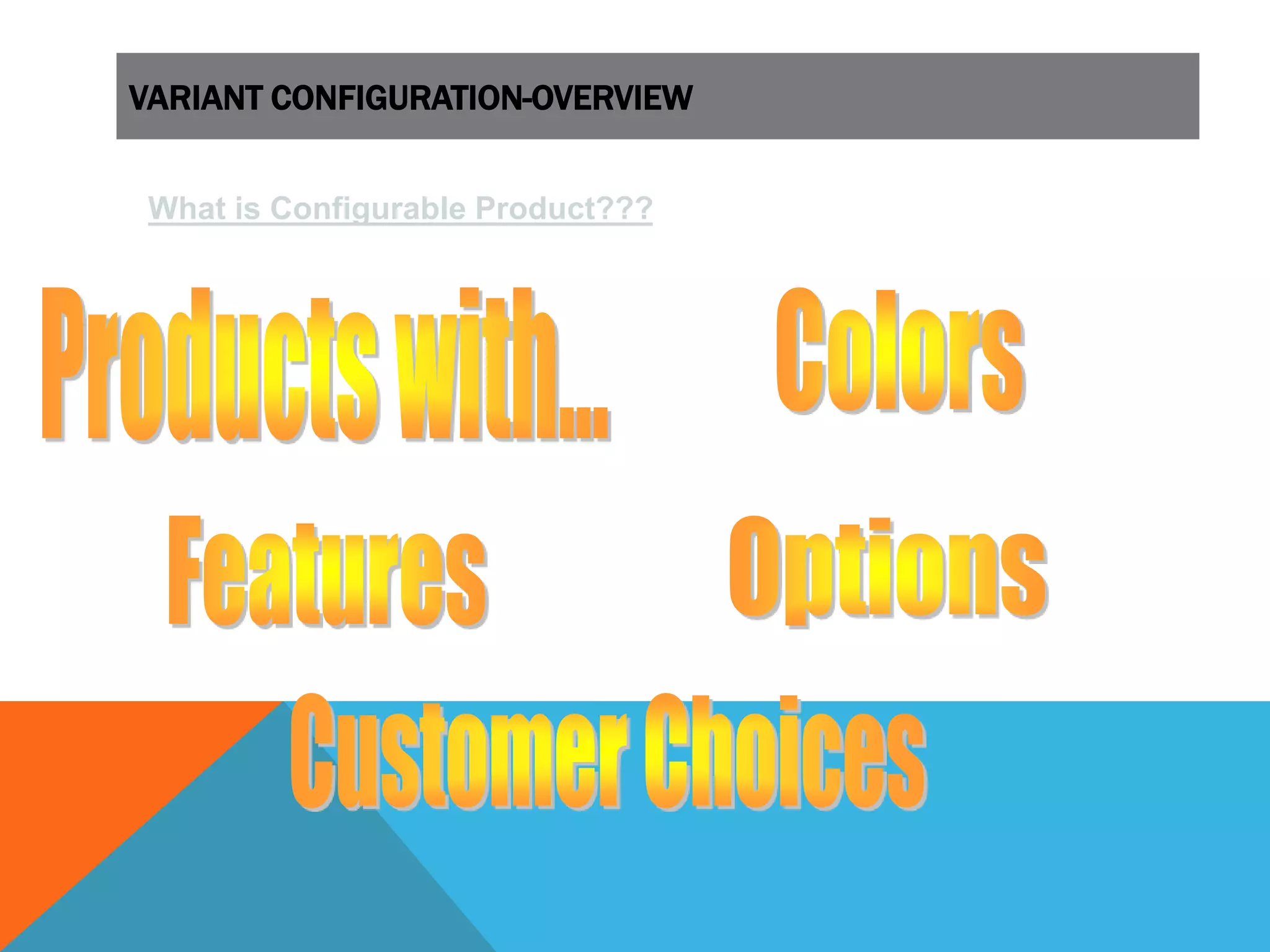
What is Configurable Product???
VARIANT CONFIGURATION-OVERVIEW
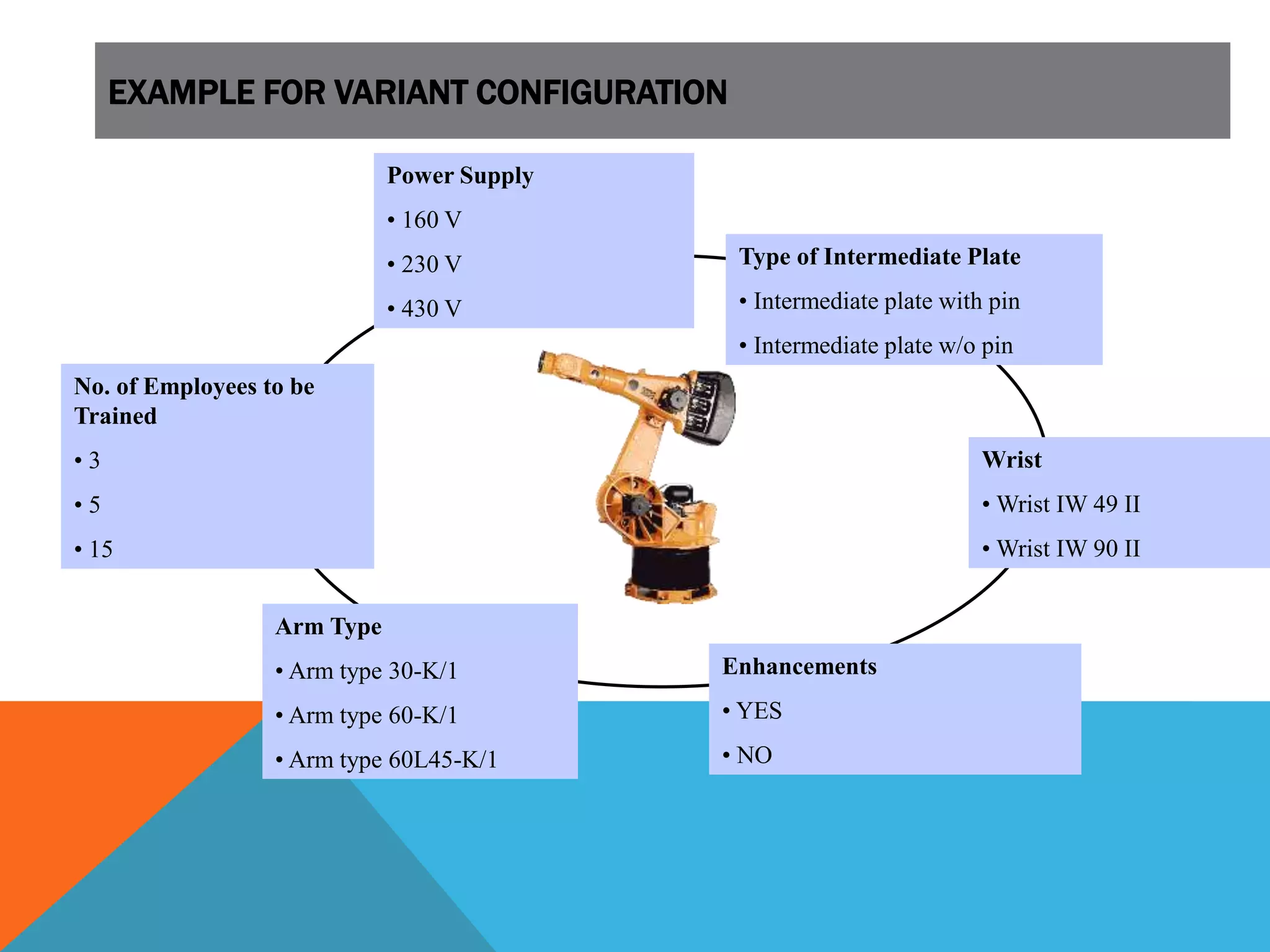
Wrist
• Wrist IW 49 II
• Wrist IW 90 II
Enhancements
• YES
• NO
Arm Type
• Arm type 30-K/1
• Arm type 60-K/1
• Arm type 60L45-K/1
Type of Intermediate Plate
• Intermediate plate with pin
• Intermediate plate w/o pin
Power Supply
• 160 V
• 230 V
• 430 V
No. of Employees to be
Trained
• 3
• 5
• 15
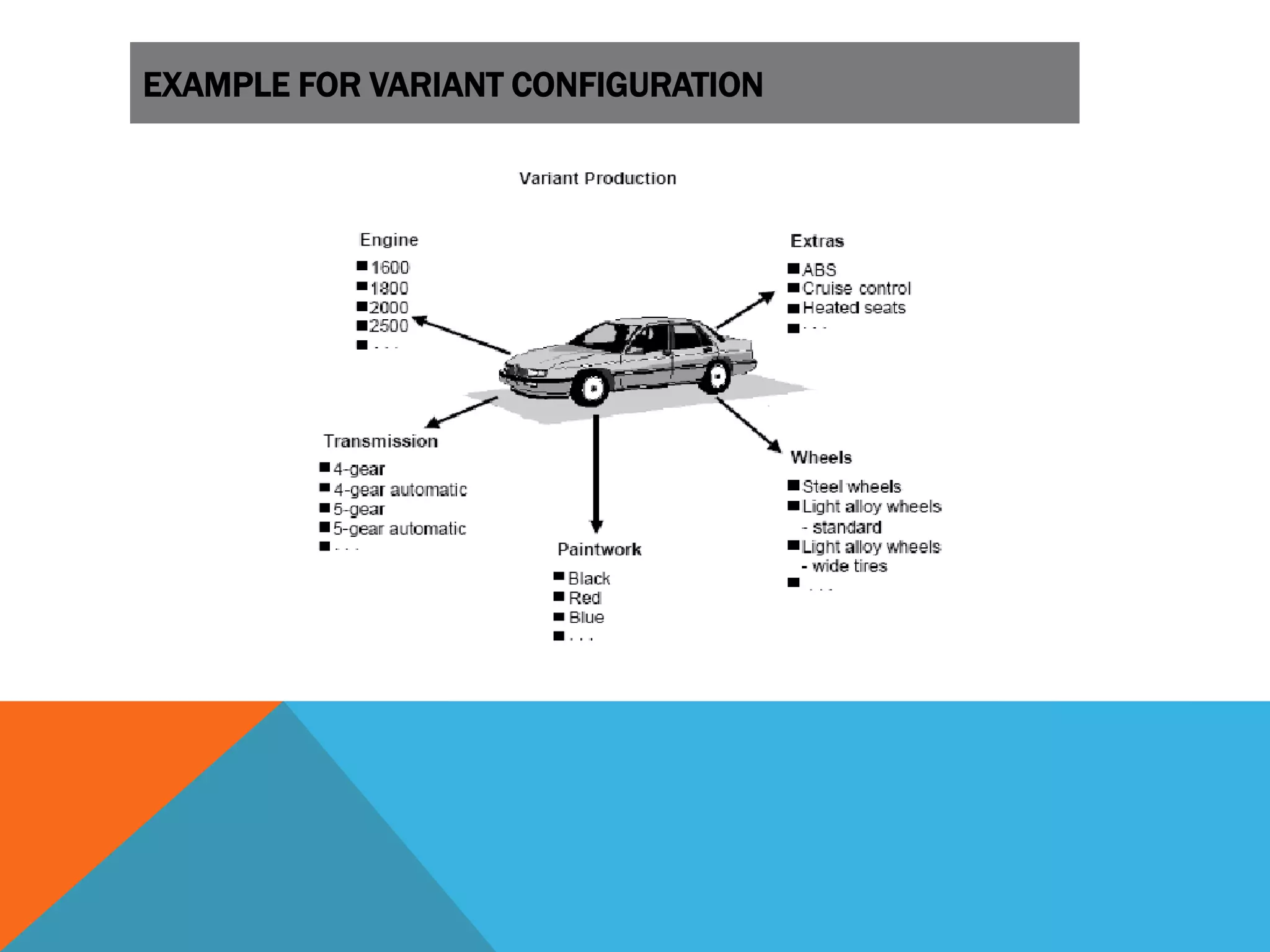
EXAMPLE FOR VARIANT CONFIGURATION
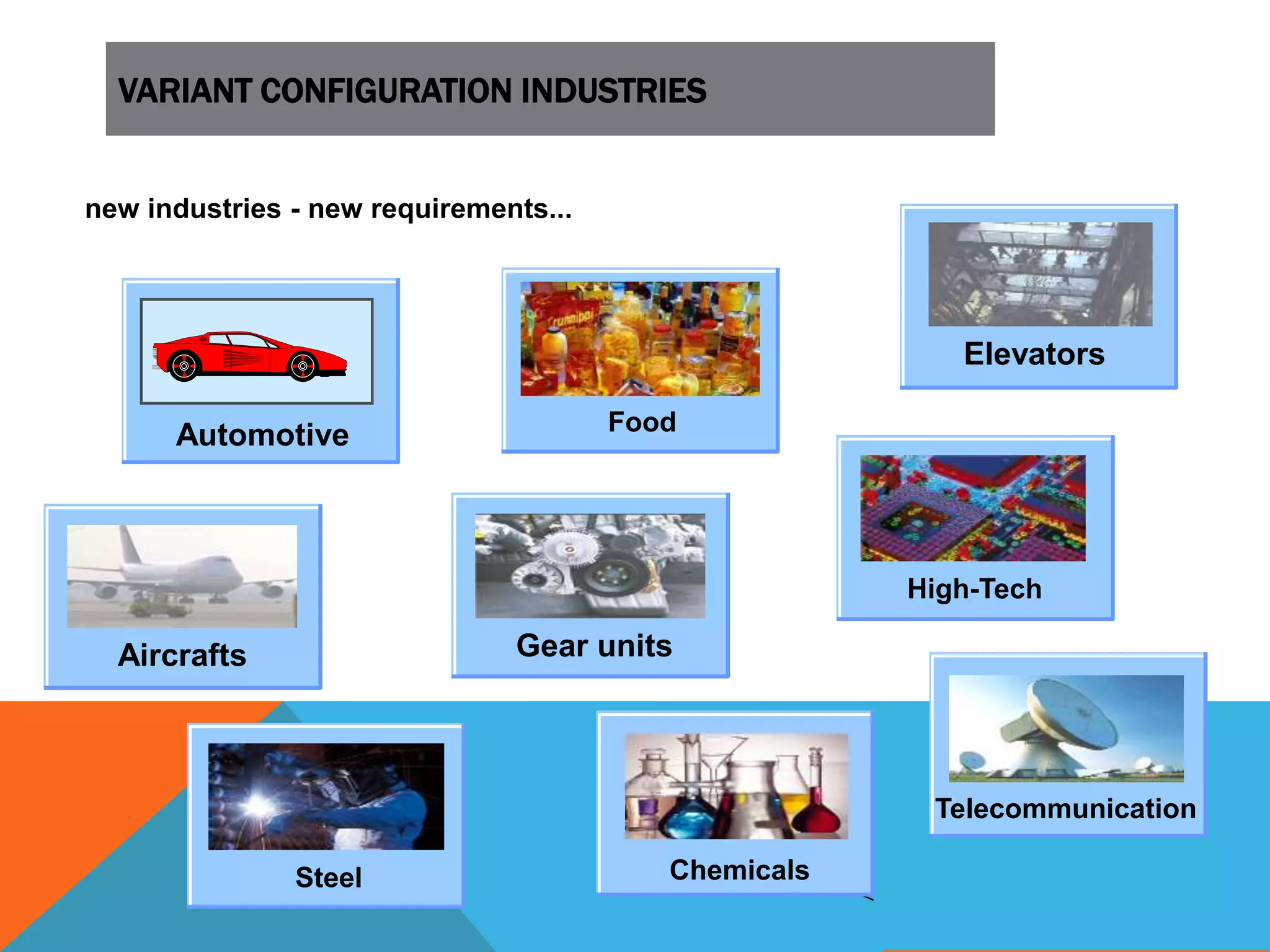
VARIANT CONFIGURATION INDUSTRIES
new industries - new requirements...
Aircrafts
Automotive
Elevators
Gear units
Telecommunication
High-Tech
Food
Steel Chemicals
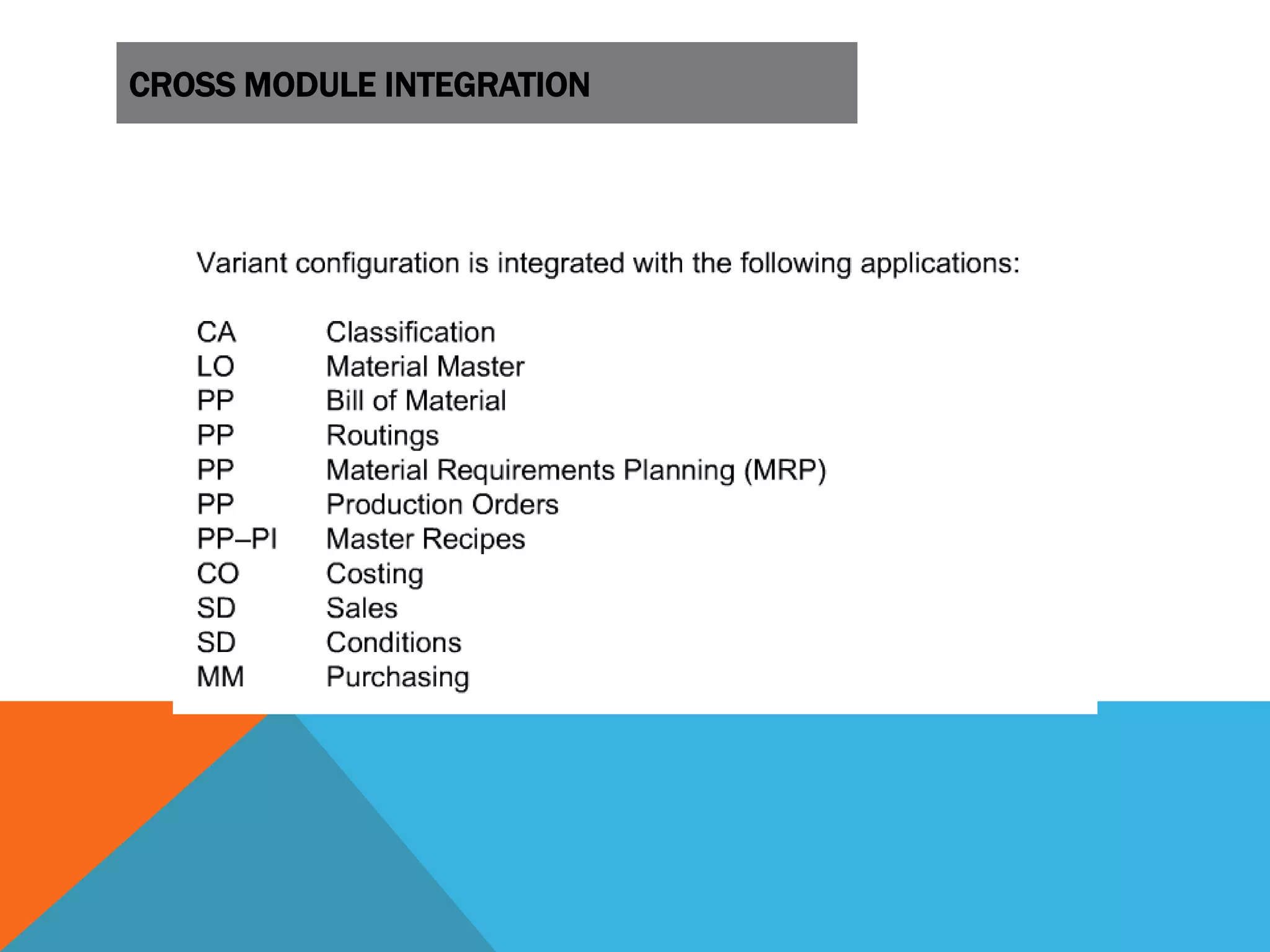
CROSS MODULE INTEGRATION
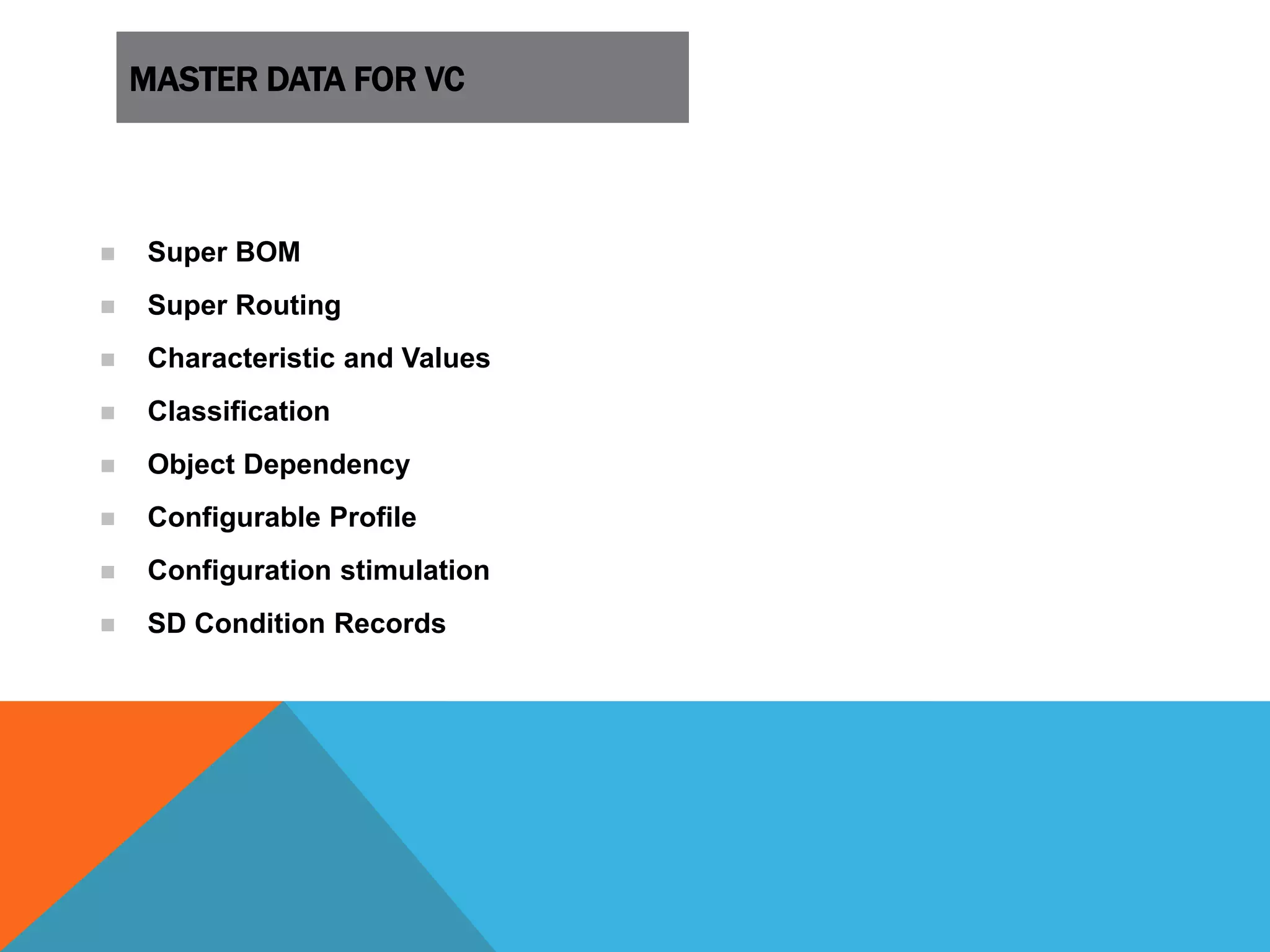
MASTER DATA FOR VC
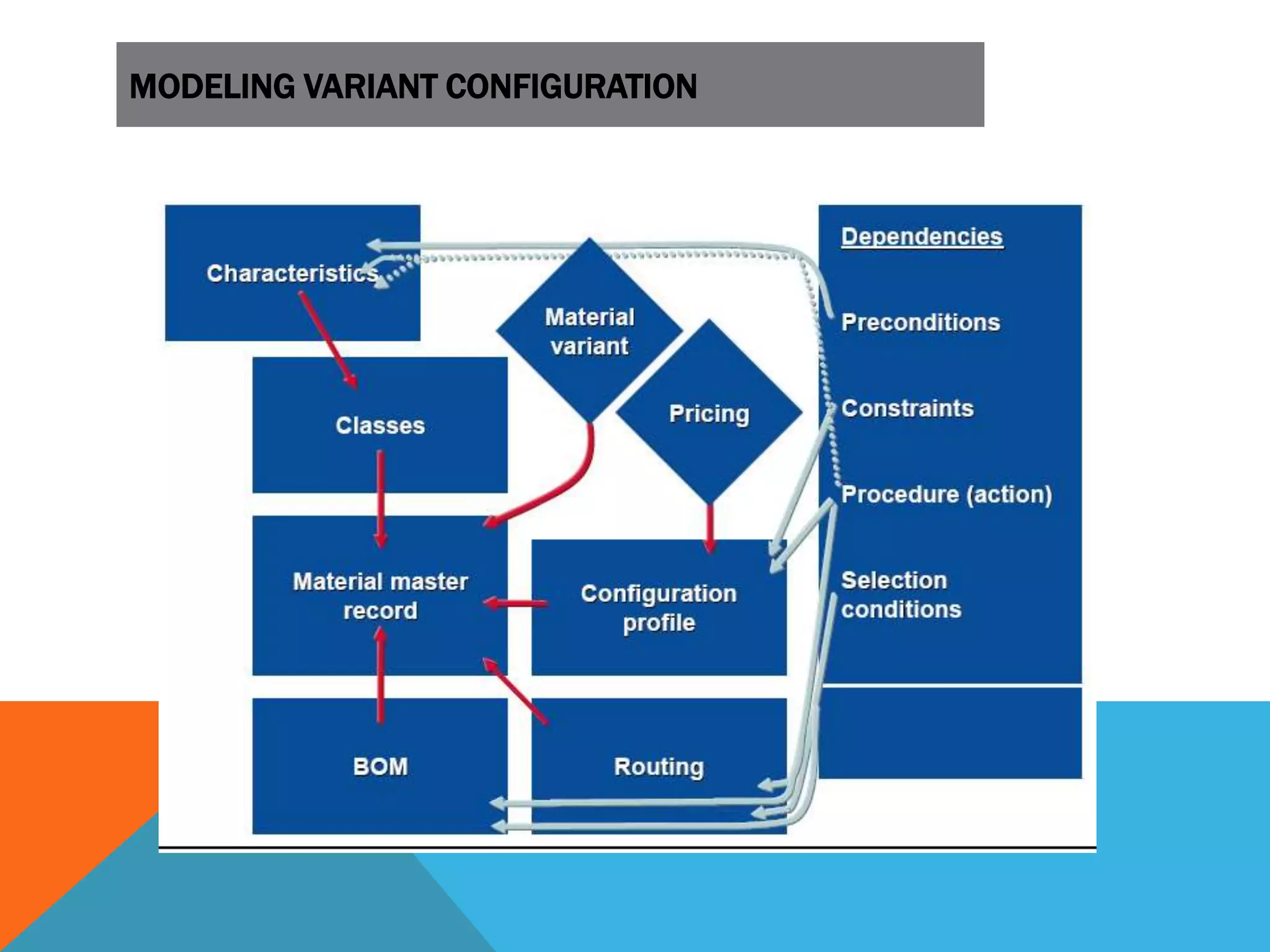
 Super BOM
 Super Routing
 Characteristic and Values
 Classification
 Object Dependency
 Configurable Profile
 Configuration stimulation
 SD Condition Records
MODELING VARIANT CONFIGURATION
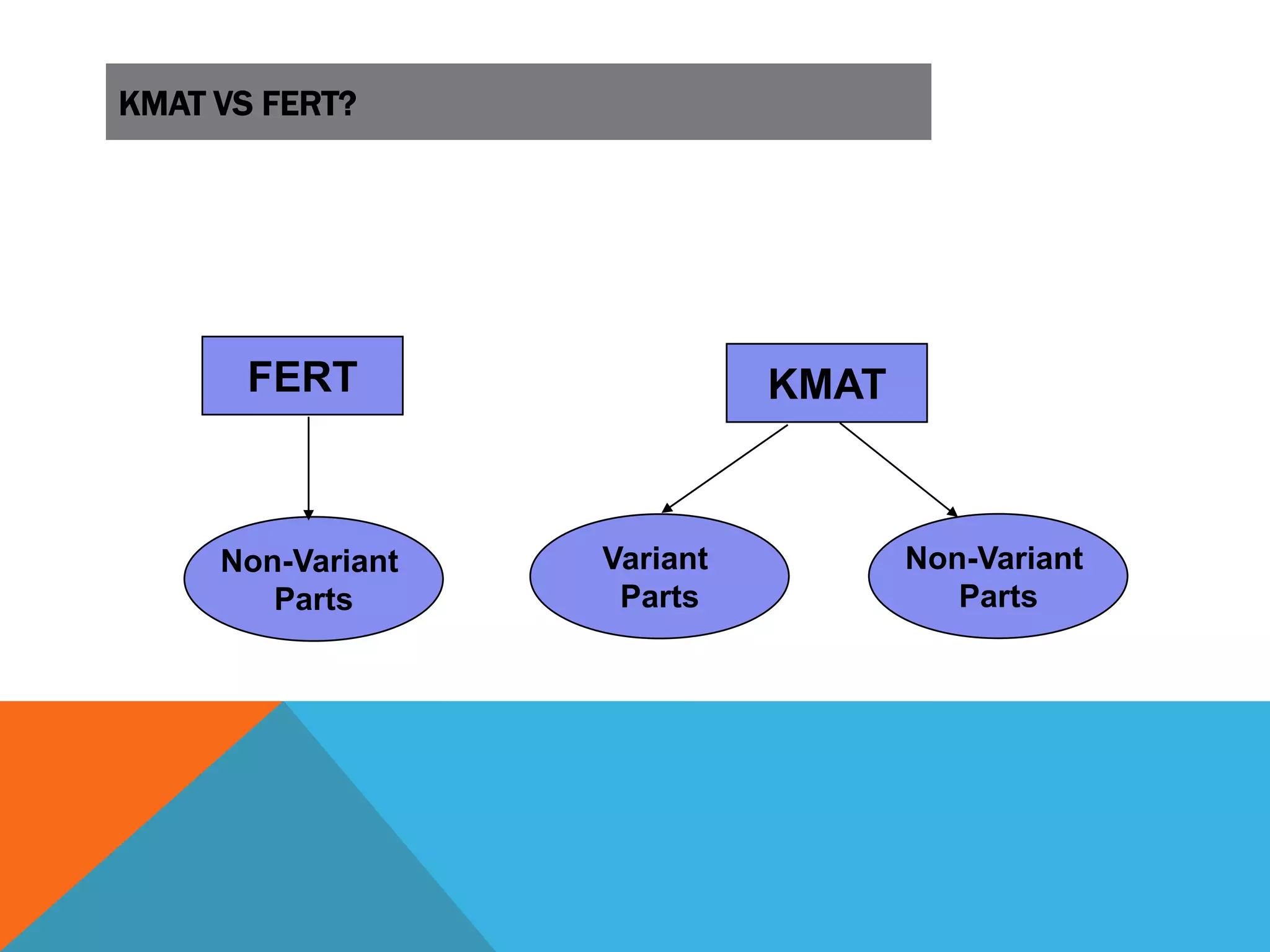
KMAT VS FERT?
FERT KMAT
Non-Variant
Parts
Non-Variant
Parts
Variant
Parts
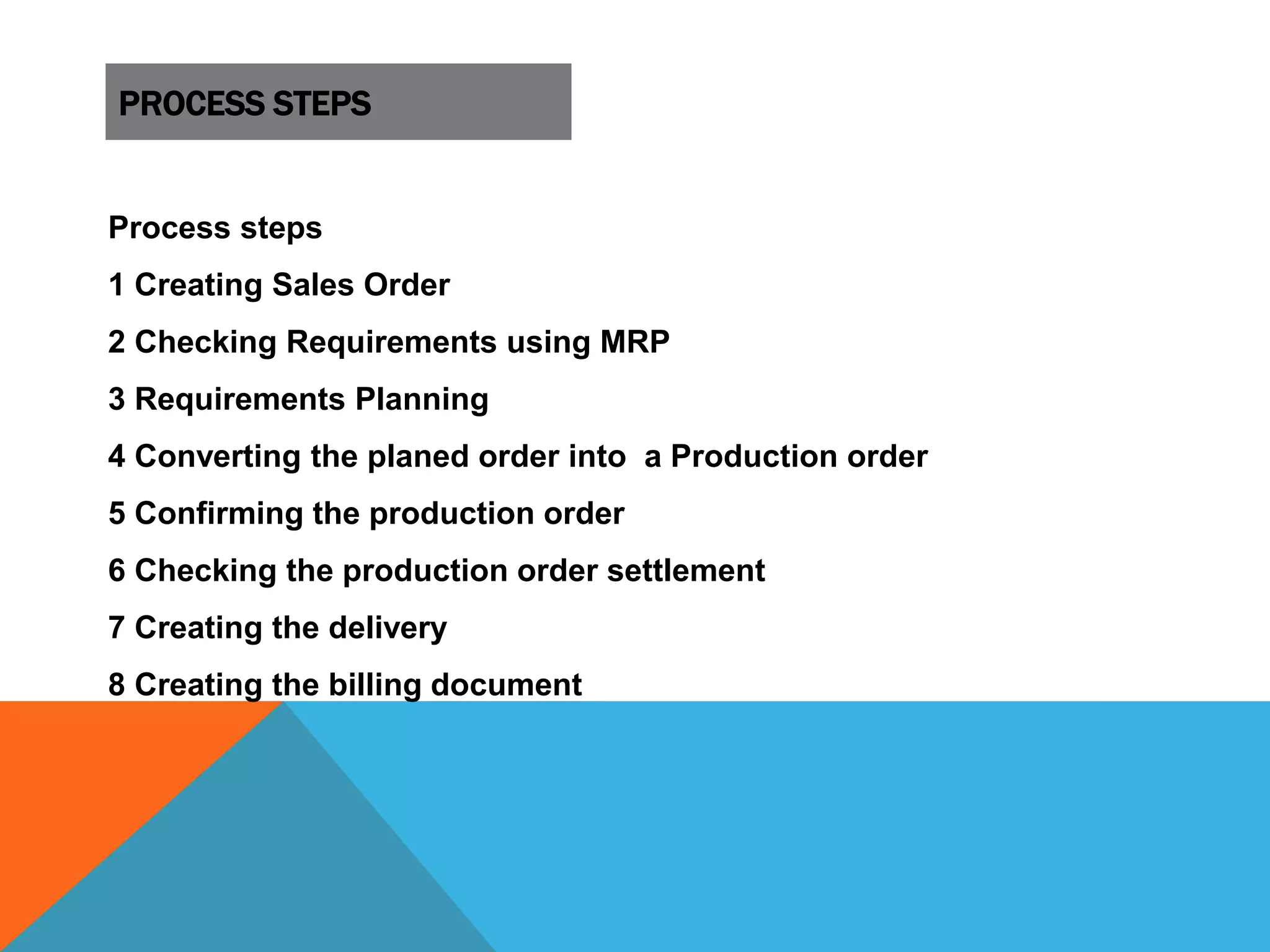
PROCESS STEPS
Process steps
1 Creating Sales Order
2 Checking Requirements using MRP
3 Requirements Planning
4 Converting the planed order into a Production order
5 Confirming the production order
6 Checking the production order settlement
7 Creating the delivery
8 Creating the billing document
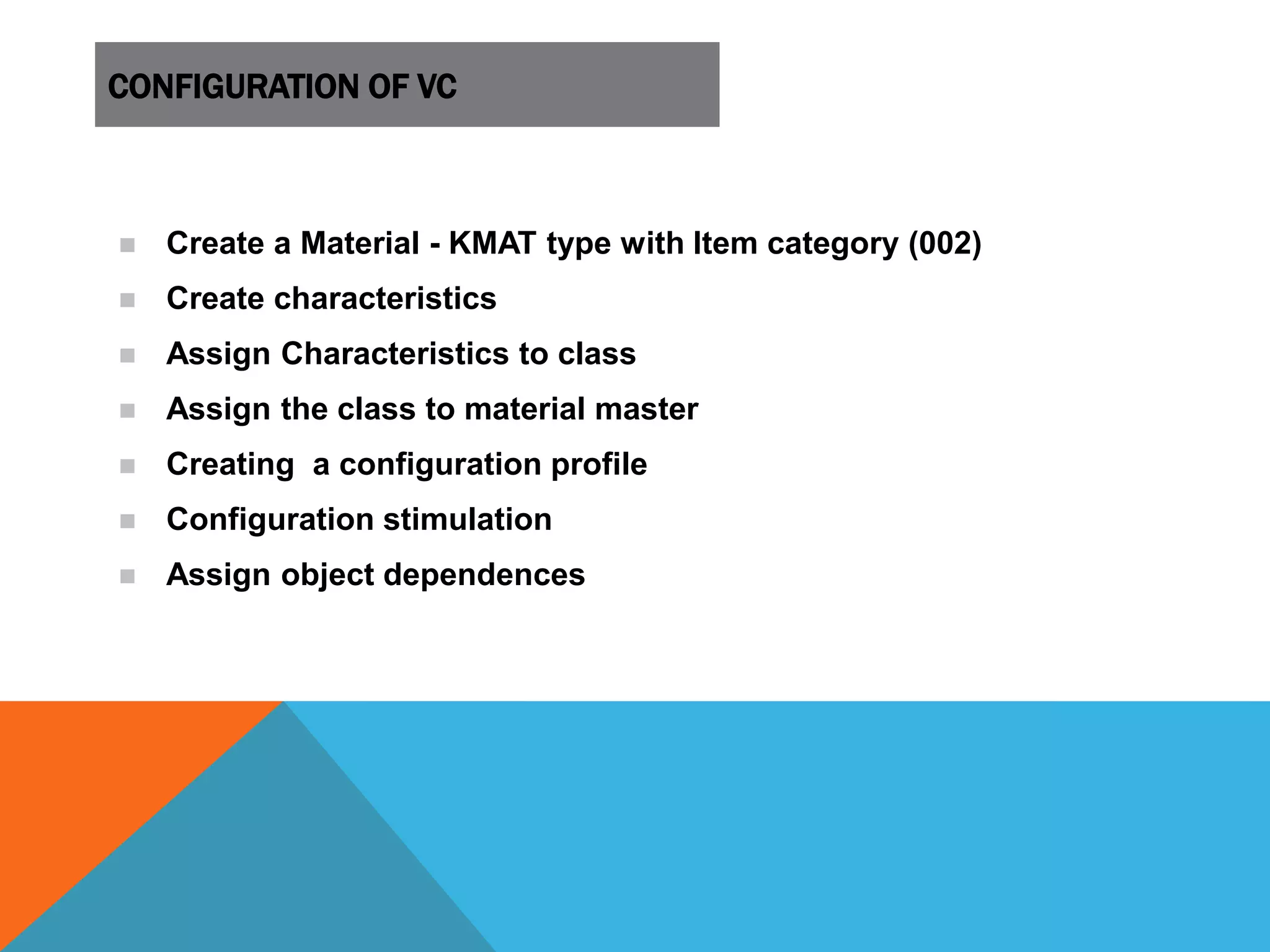
CONFIGURATION OF VC
 Create a Material - KMAT type with Item category (002)
 Create characteristics
 Assign Characteristics to class
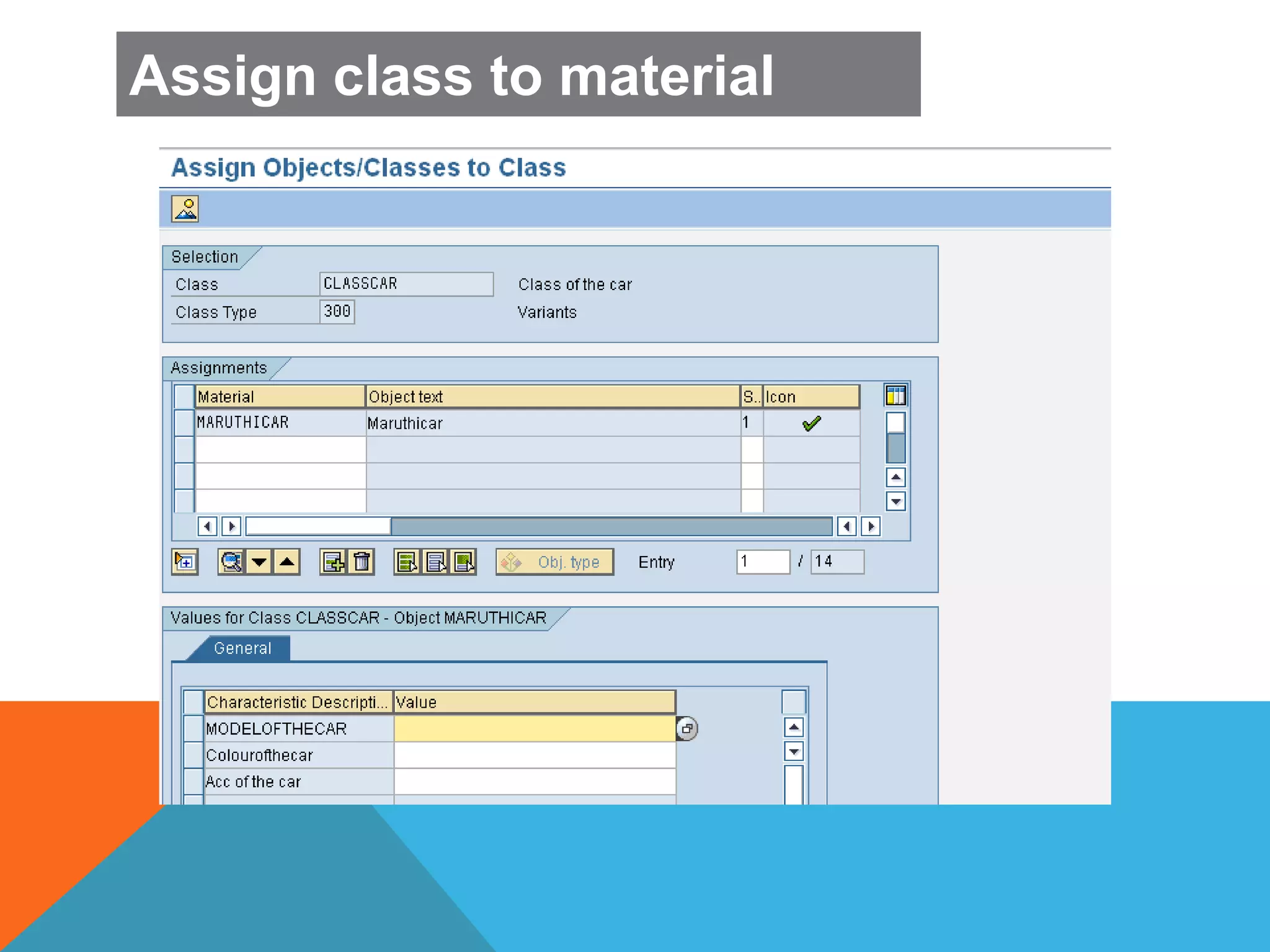
 Assign the class to material master
 Creating a configuration profile
 Configuration stimulation
 Assign object dependences
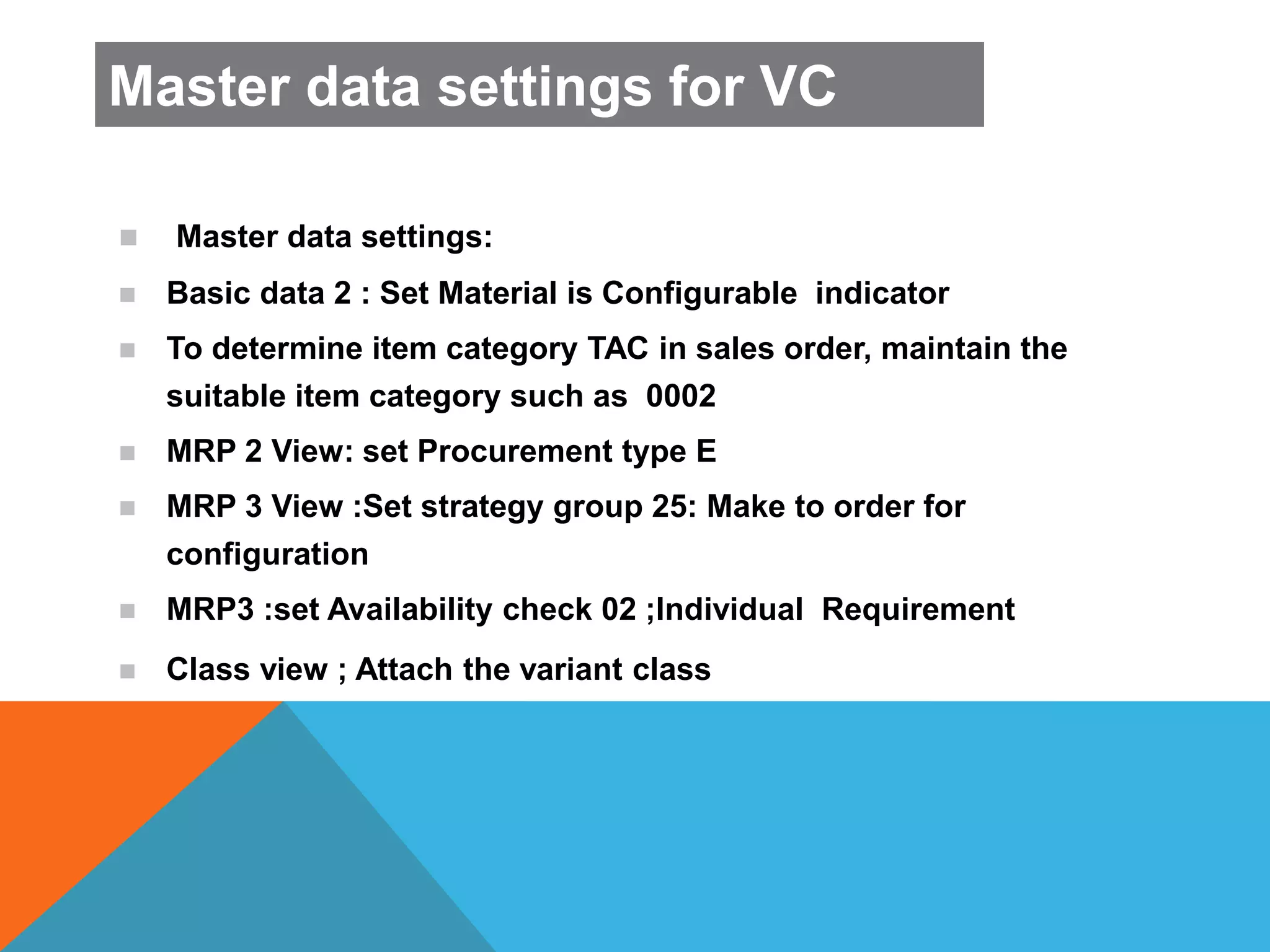
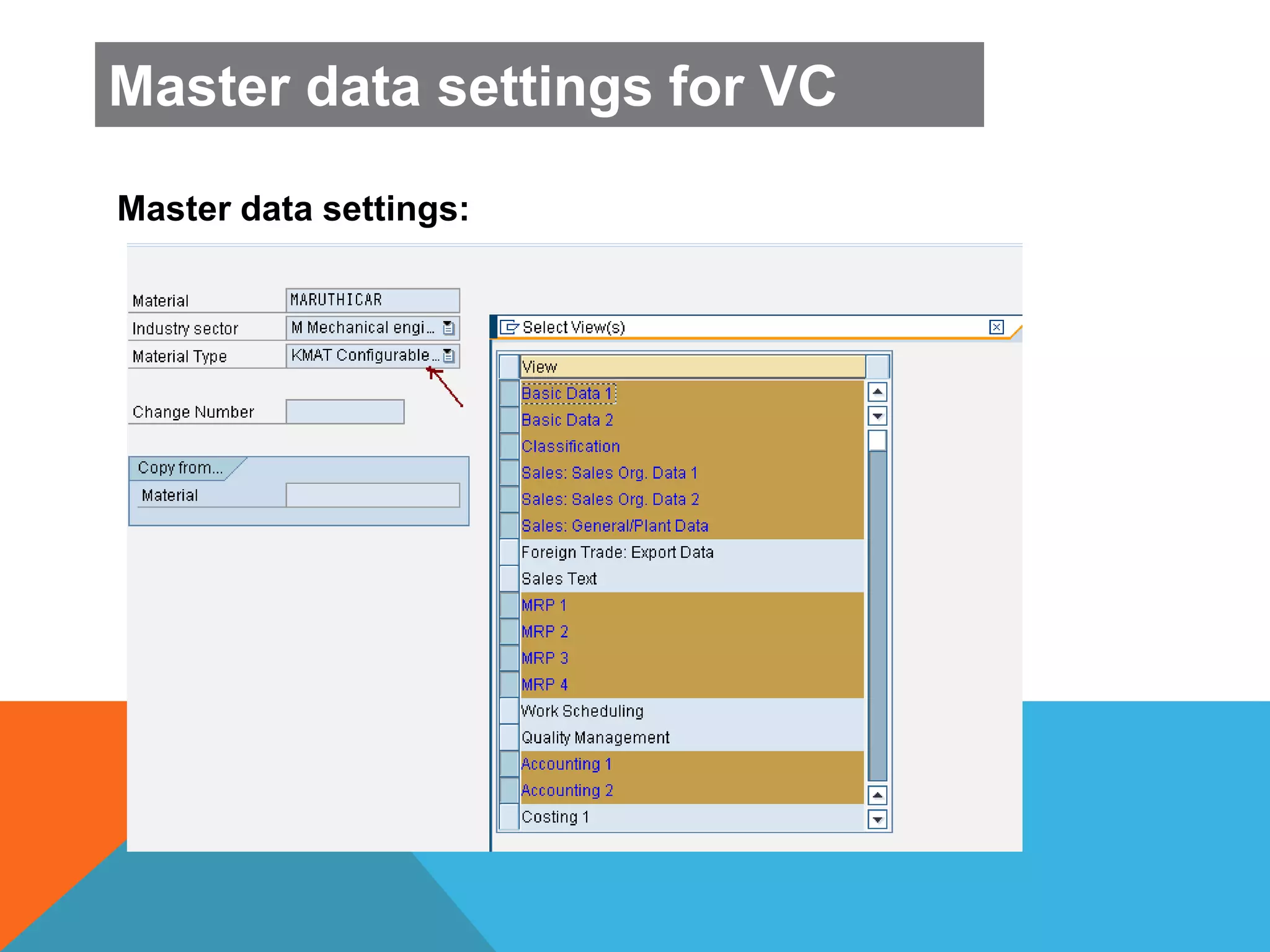
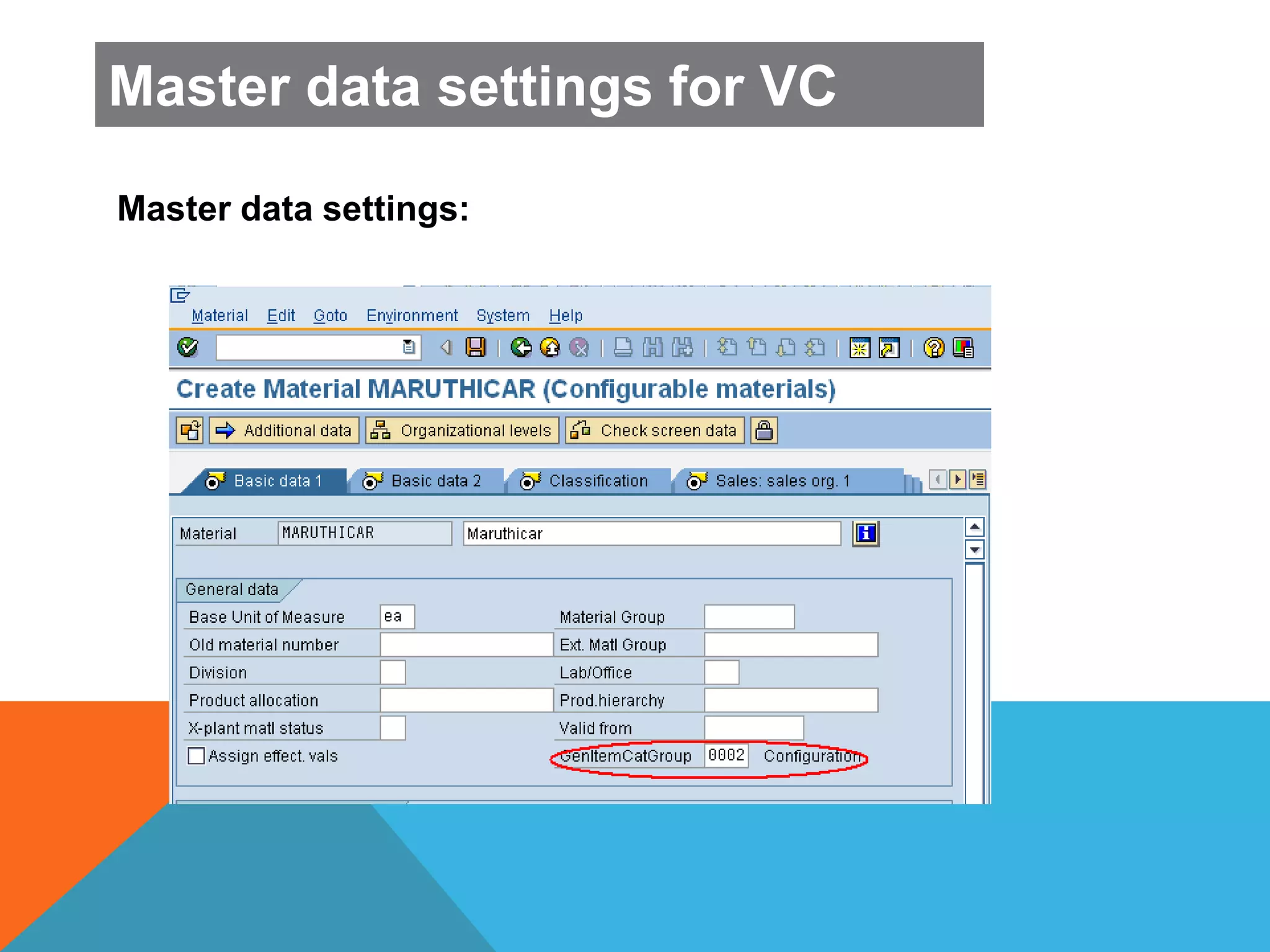
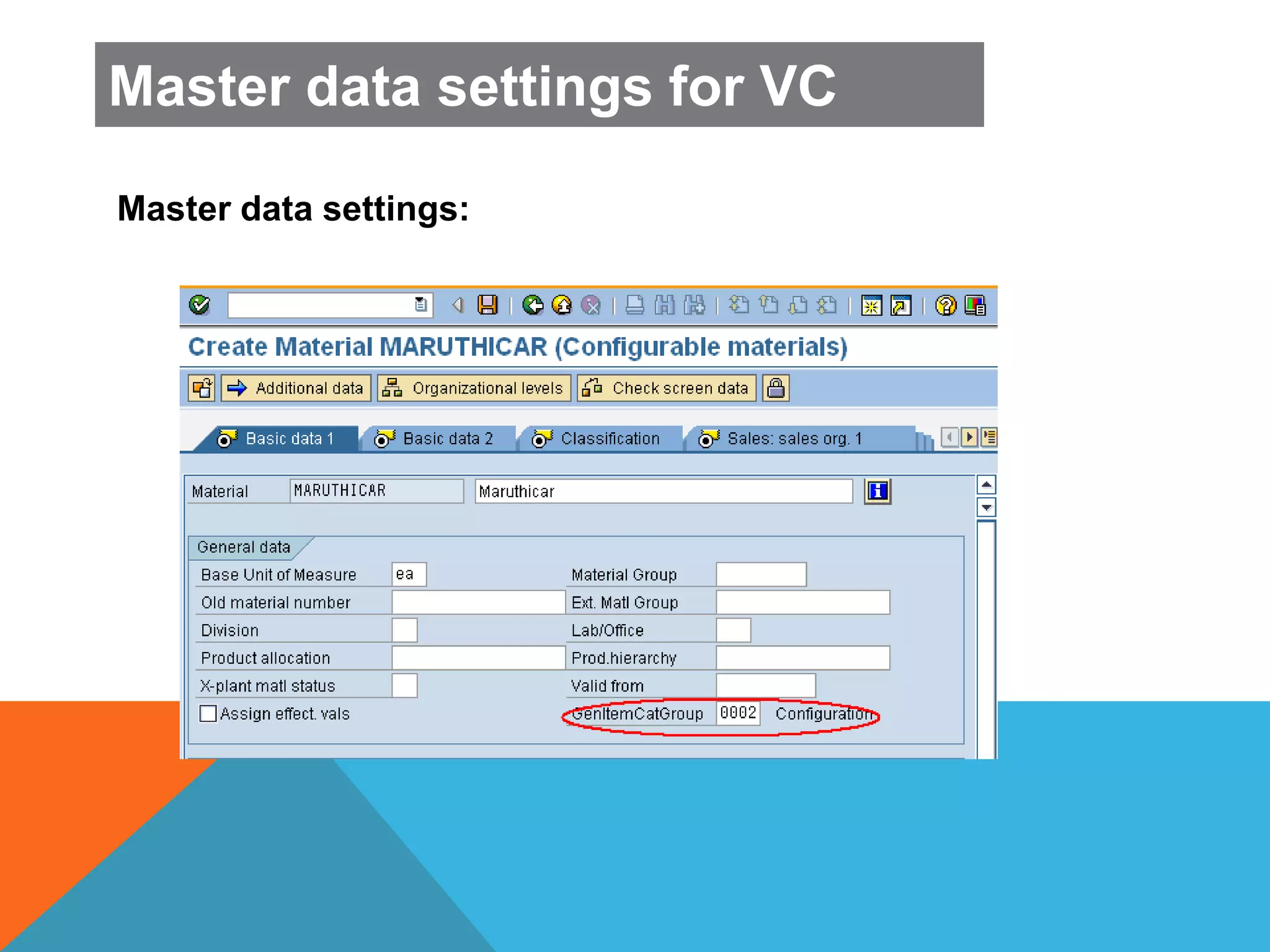
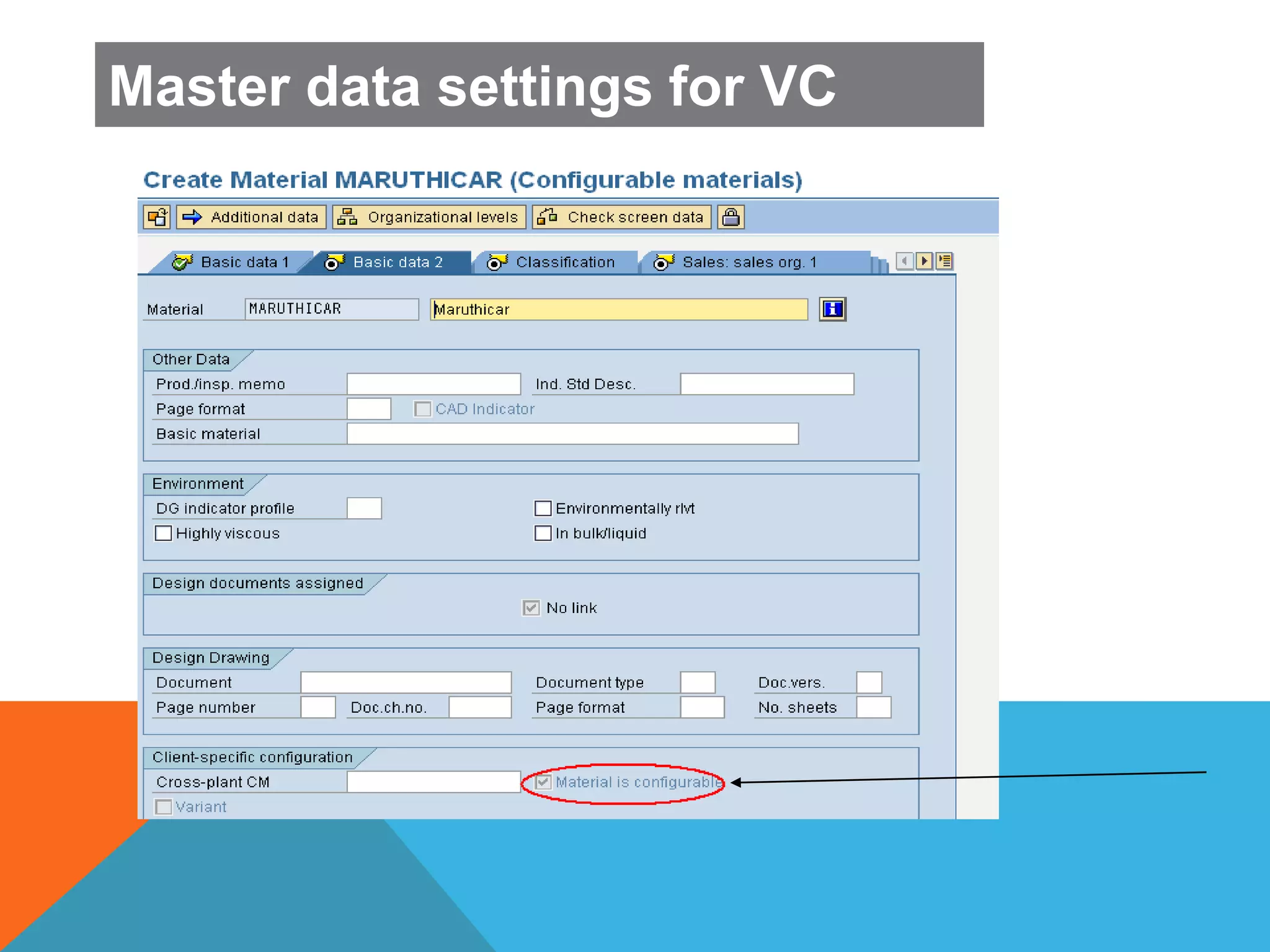
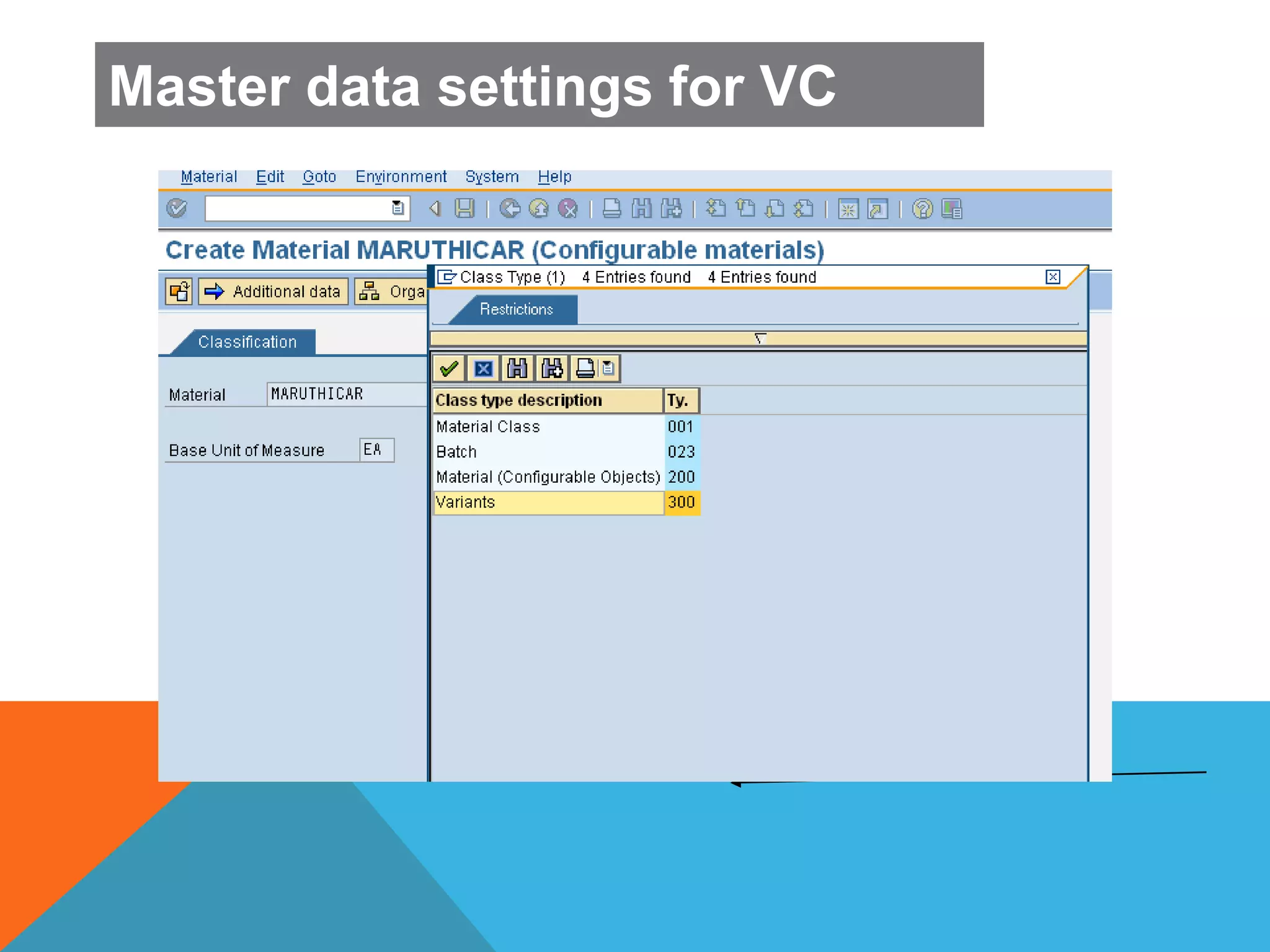
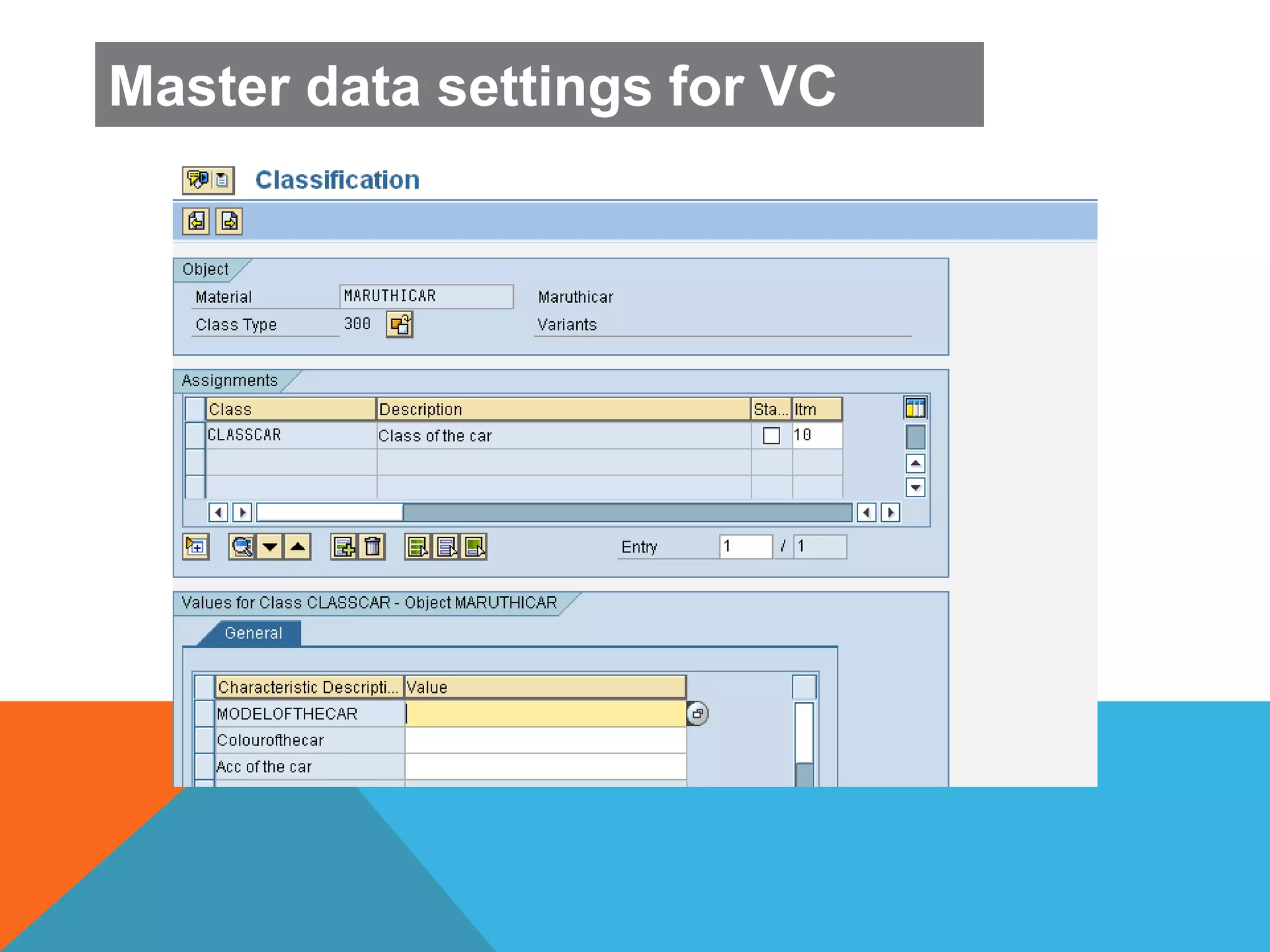
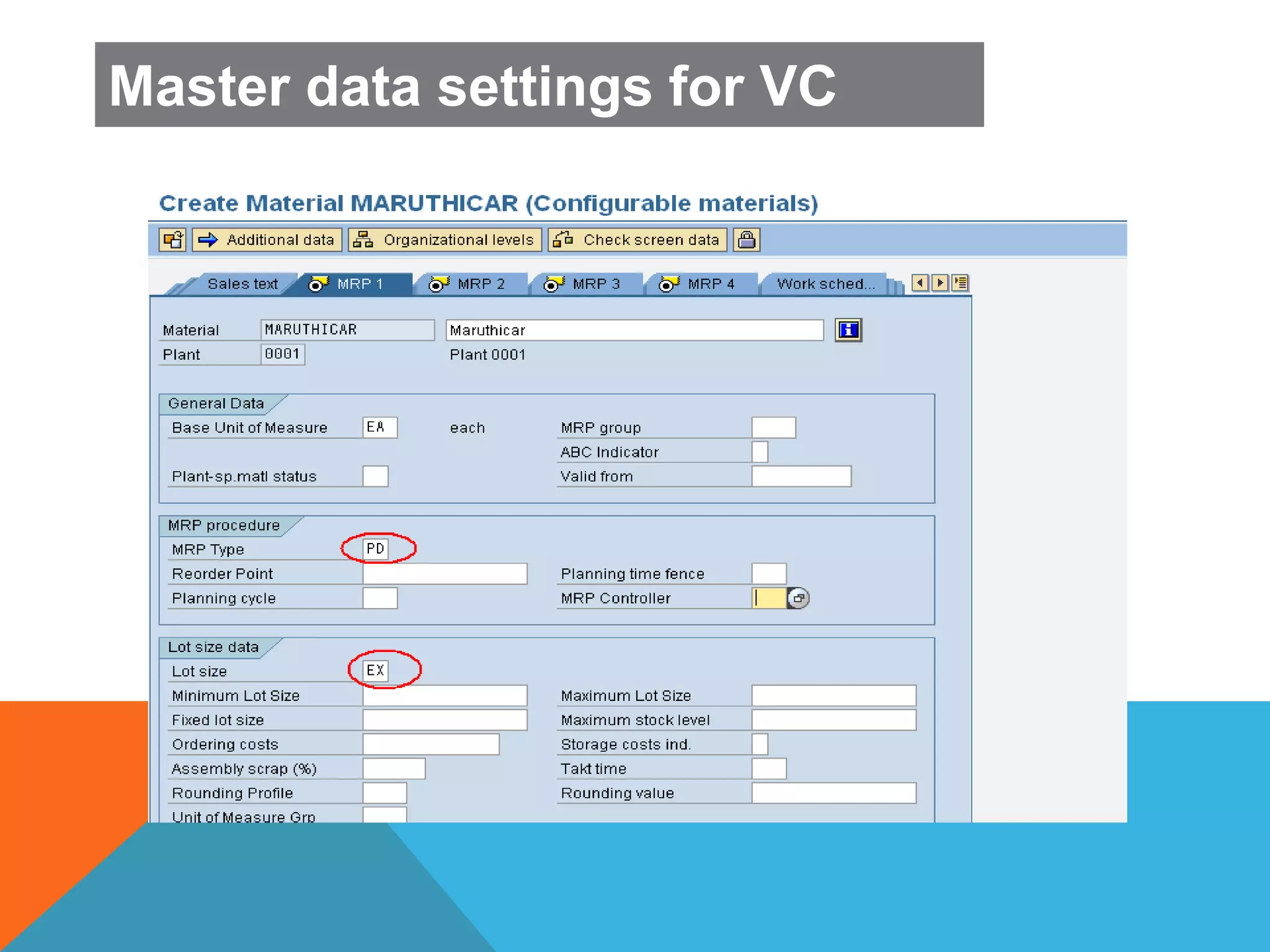
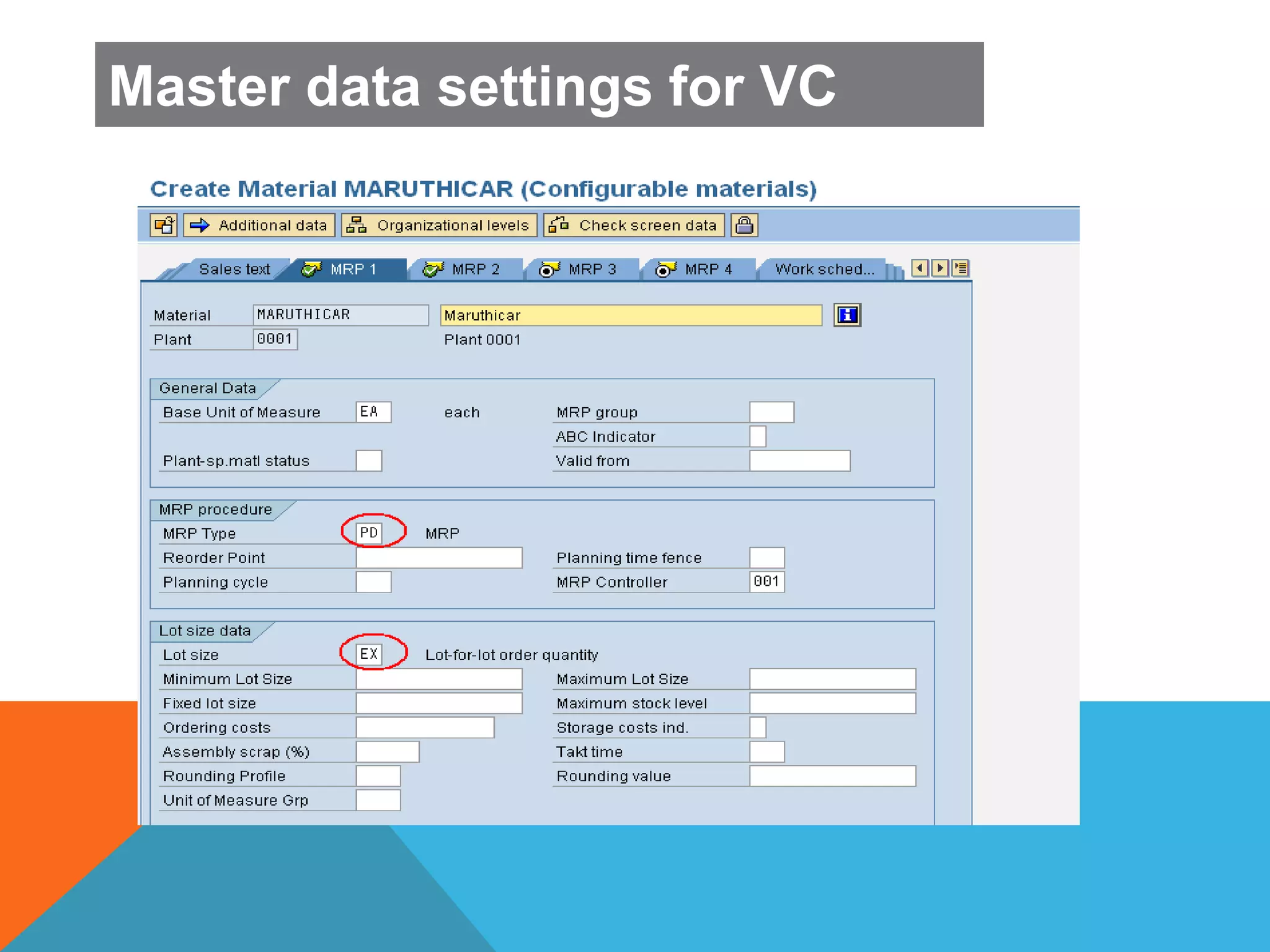
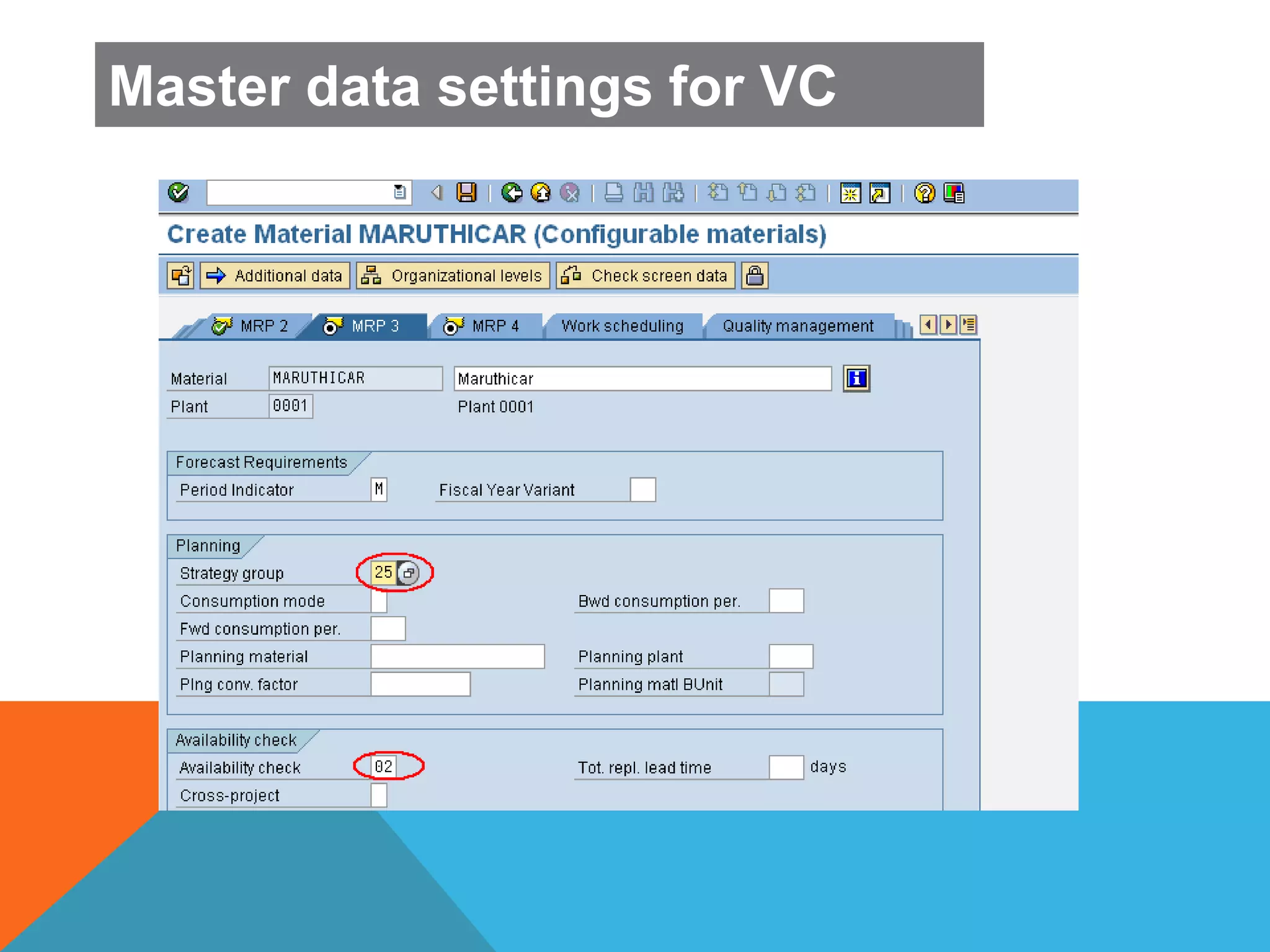
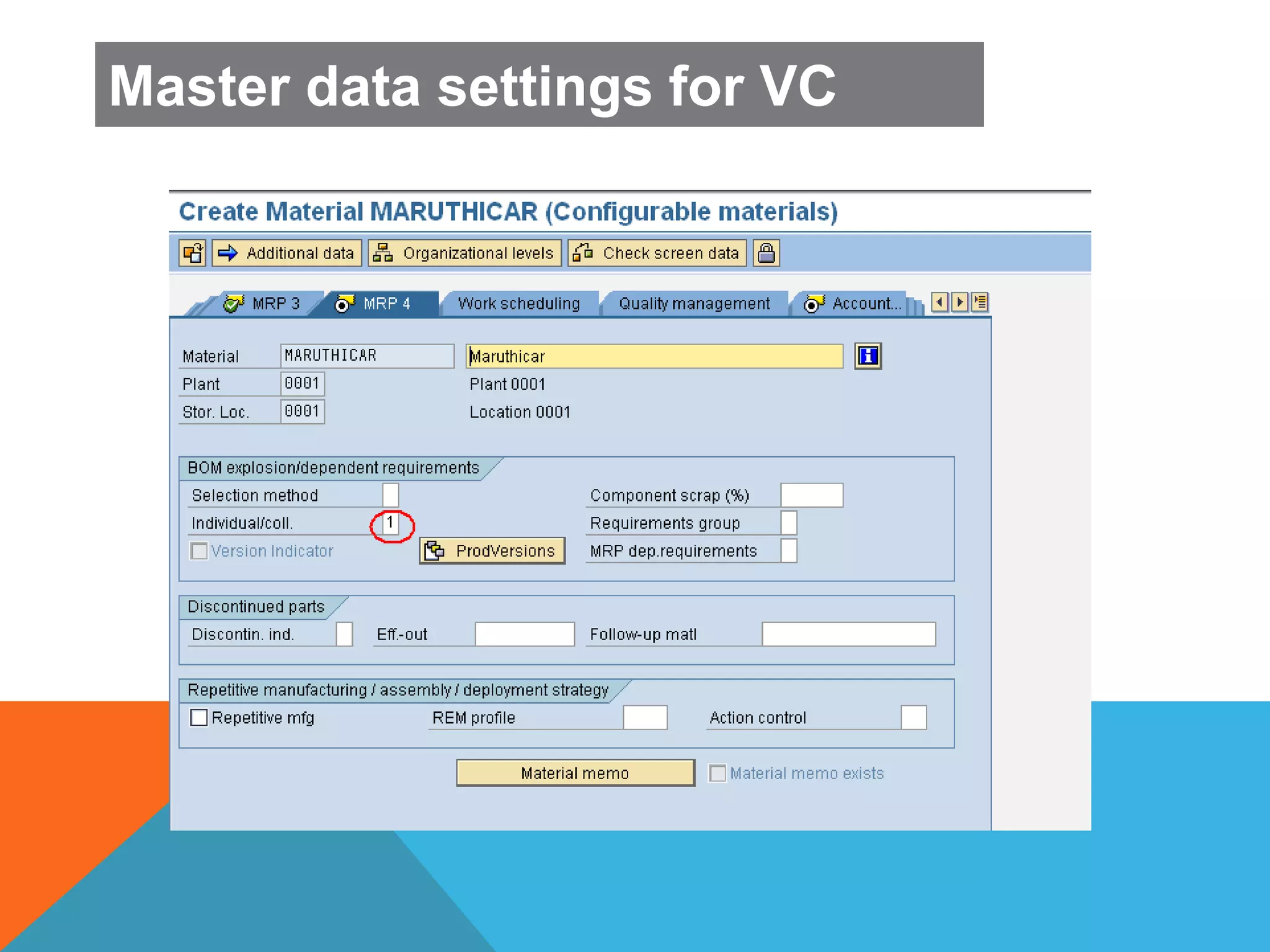
 Master data settings:
 Basic data 2 : Set Material is Configurable indicator
 To determine item category TAC in sales order, maintain the
suitable item category such as 0002
 MRP 2 View: set Procurement type E
 MRP 3 View :Set strategy group 25: Make to order for
configuration
 MRP3 :set Availability check 02 ;Individual Requirement
 Class view ; Attach the variant class
Master data settings for VC
Master data settings:
Master data settings for VC
Master data settings:
Master data settings for VC
Master data settings:
Master data settings for VC
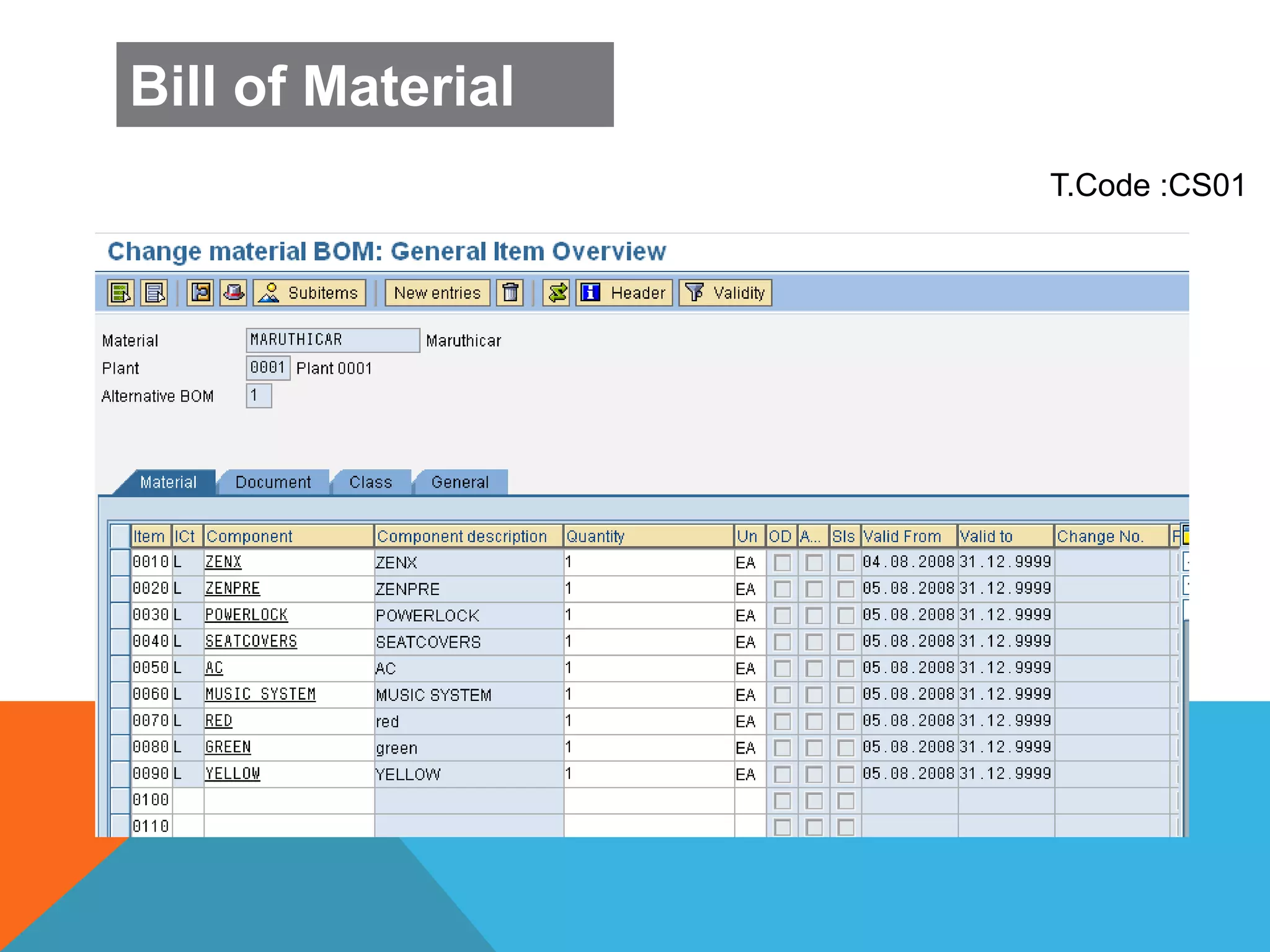
T.Code :CS01
Bill of Material
CHARACTERISTIC AND
VALUES
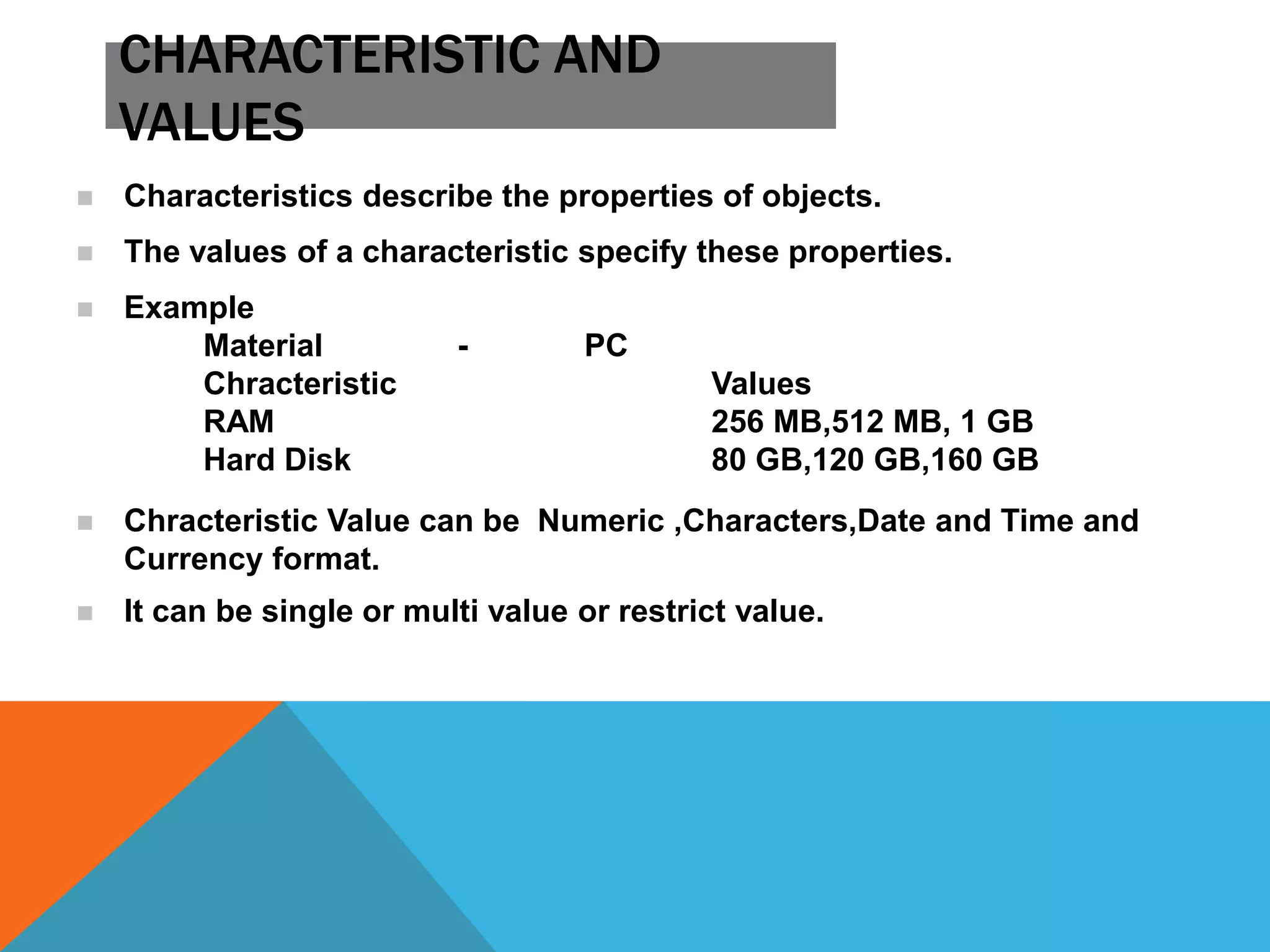
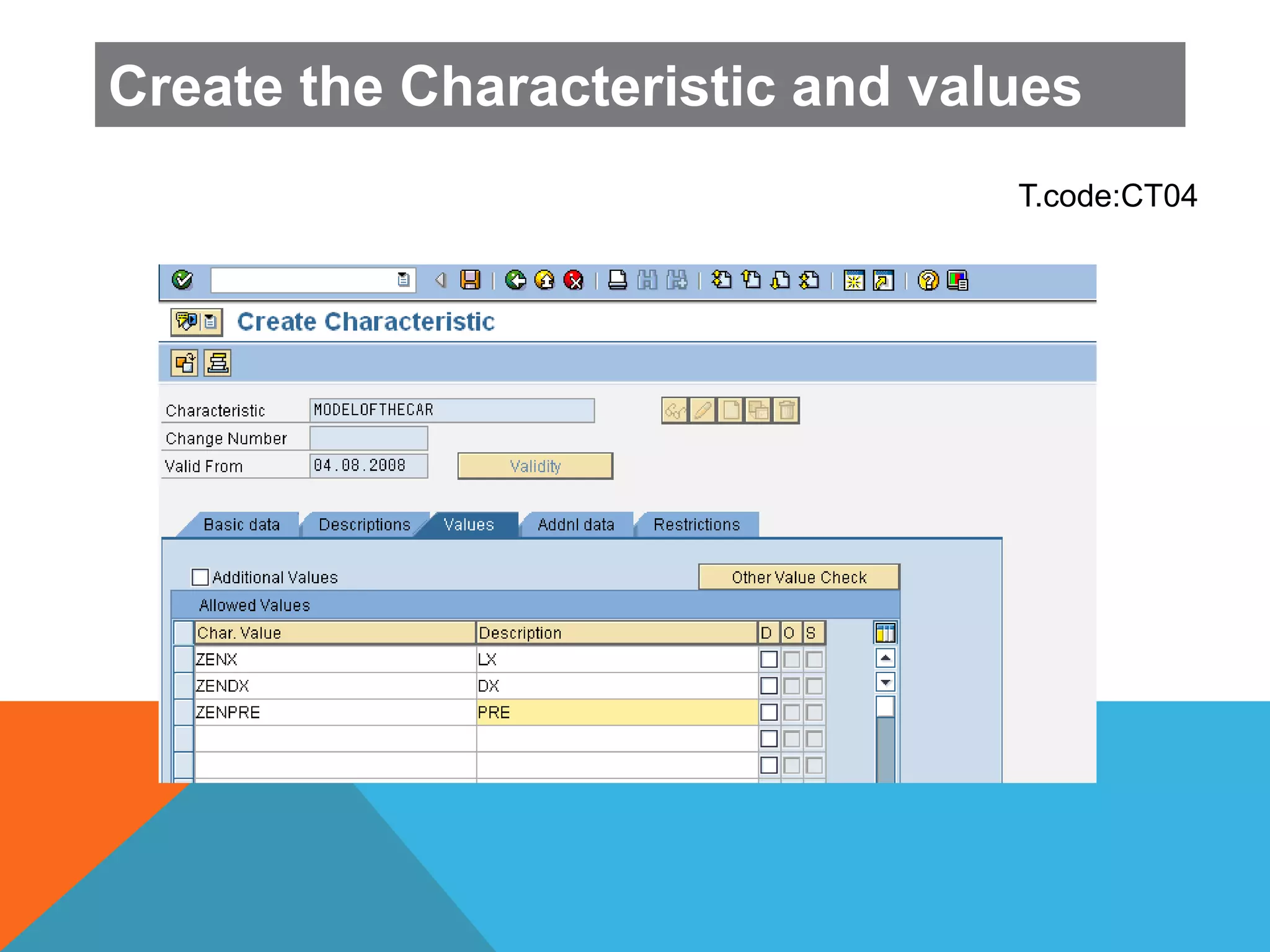
 Characteristics describe the properties of objects.
 The values of a characteristic specify these properties.
 Example
Material - PC
Chracteristic Values
RAM 256 MB,512 MB, 1 GB
Hard Disk 80 GB,120 GB,160 GB
 Chracteristic Value can be Numeric ,Characters,Date and Time and
Currency format.
 It can be single or multi value or restrict value.
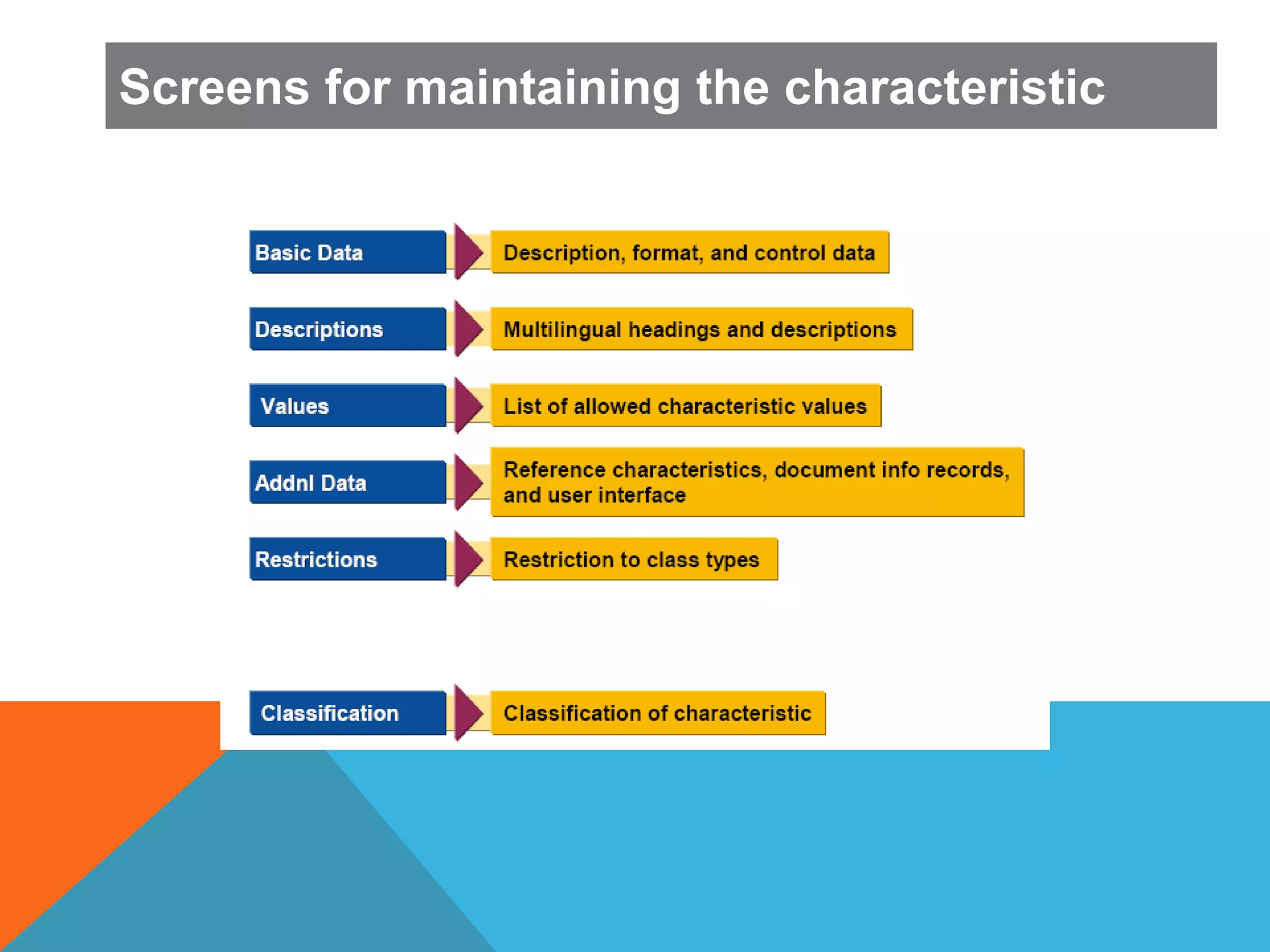
Screens for maintaining the characteristic
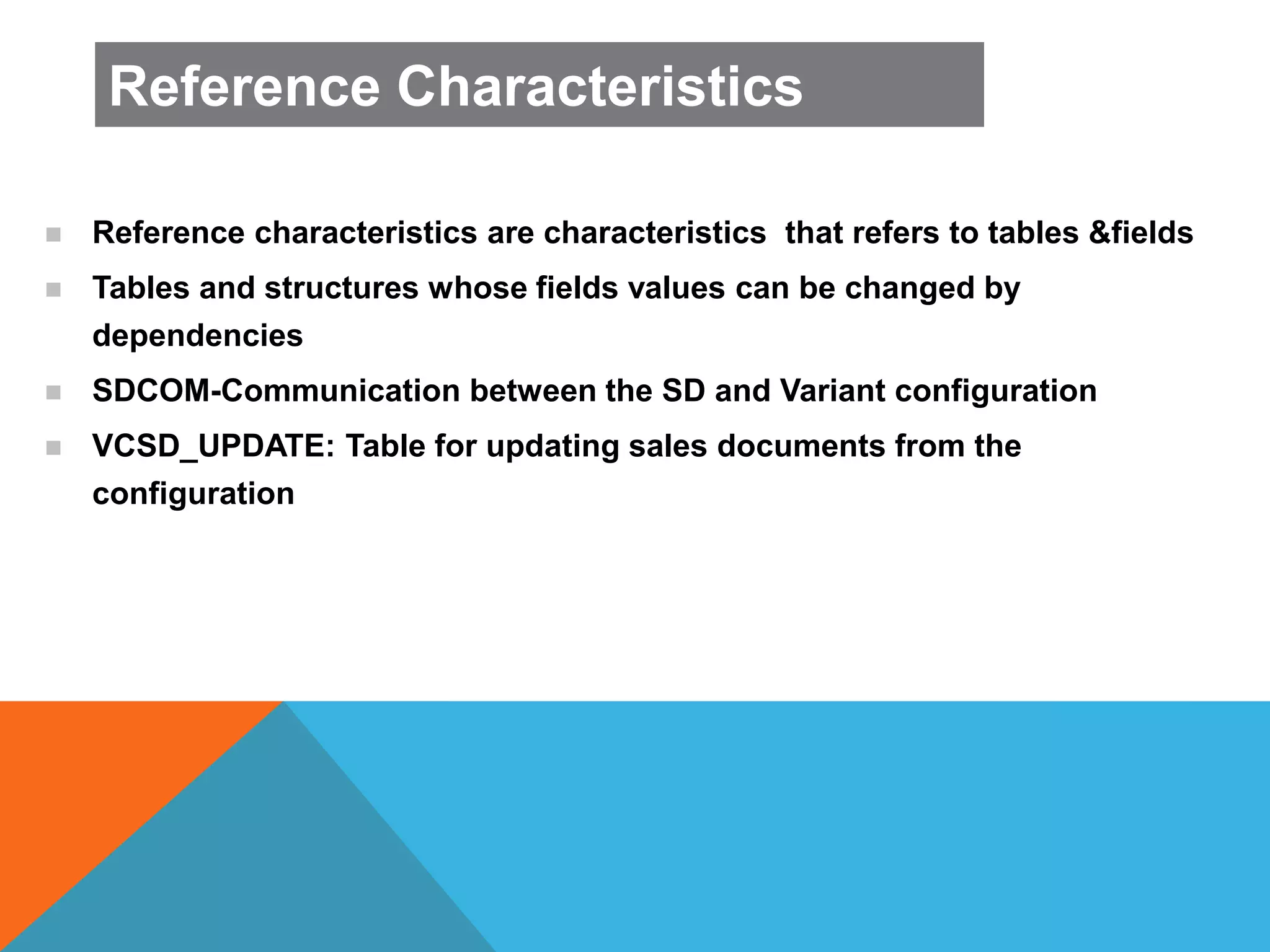
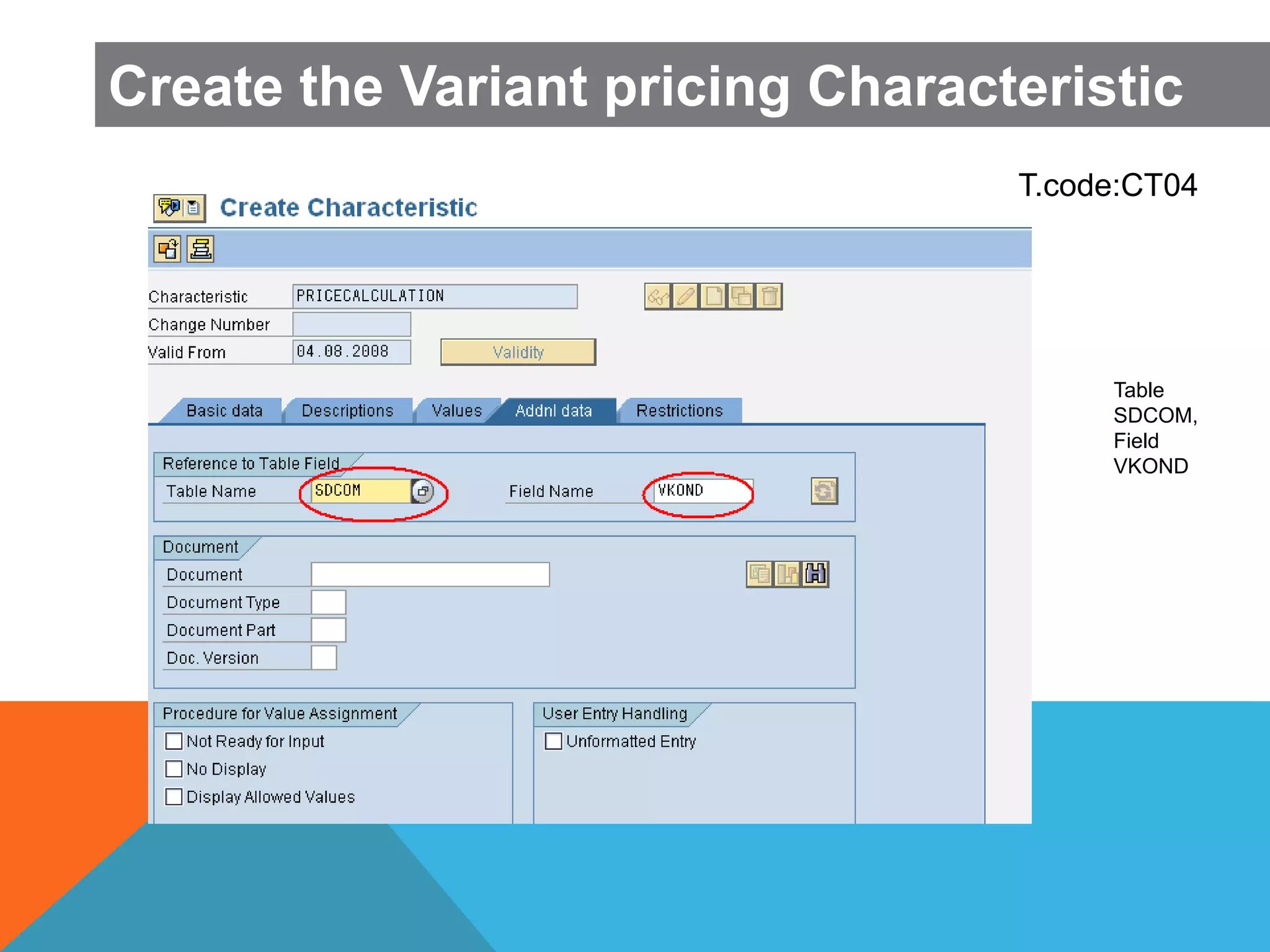
 Reference characteristics are characteristics that refers to tables &fields
 Tables and structures whose fields values can be changed by
dependencies
 SDCOM-Communication between the SD and Variant configuration
 VCSD_UPDATE: Table for updating sales documents from the
configuration
Reference Characteristics
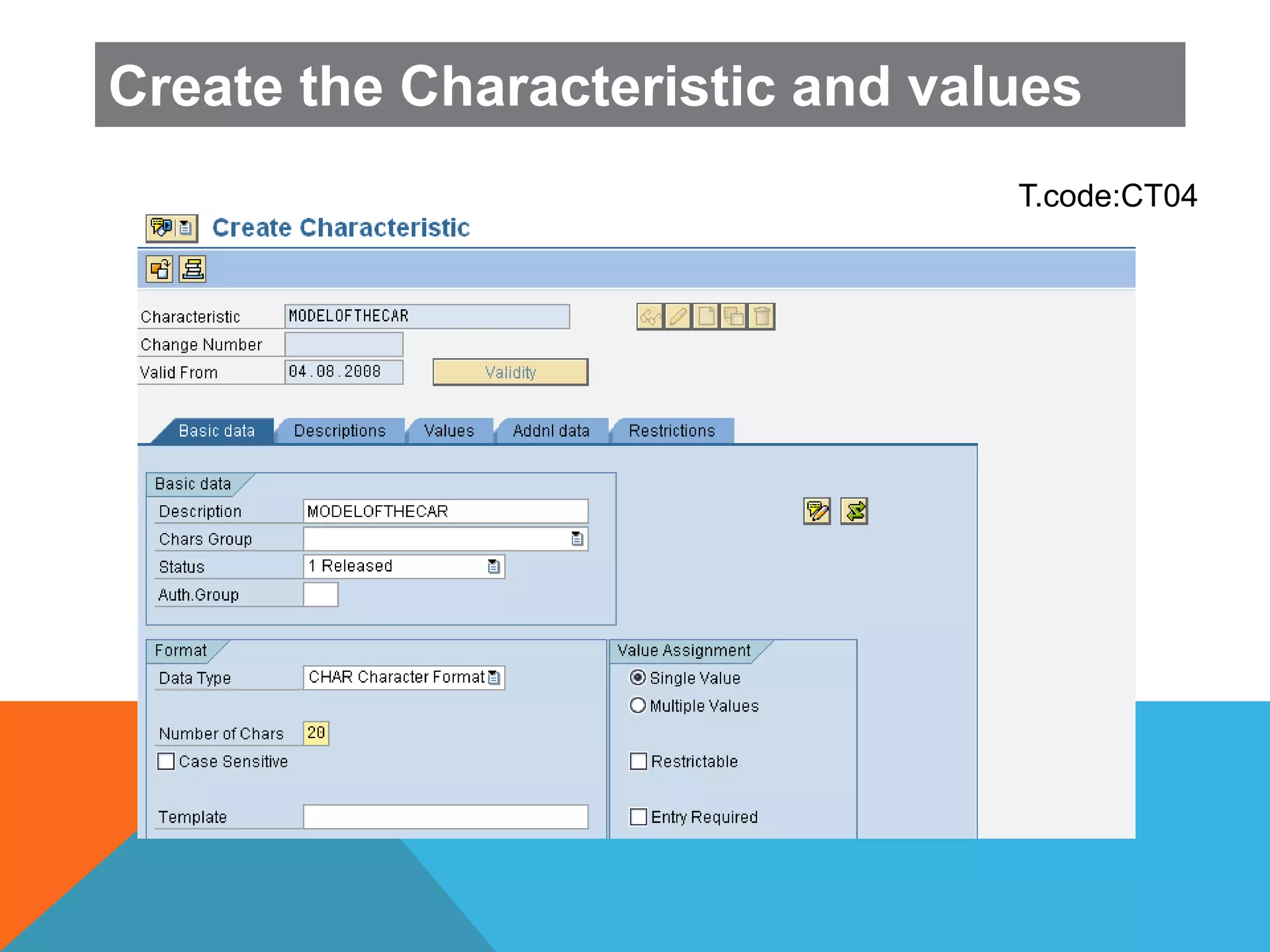
Create the Characteristic and values
T.code:CT04
T.code:CT04
Create the Characteristic and values
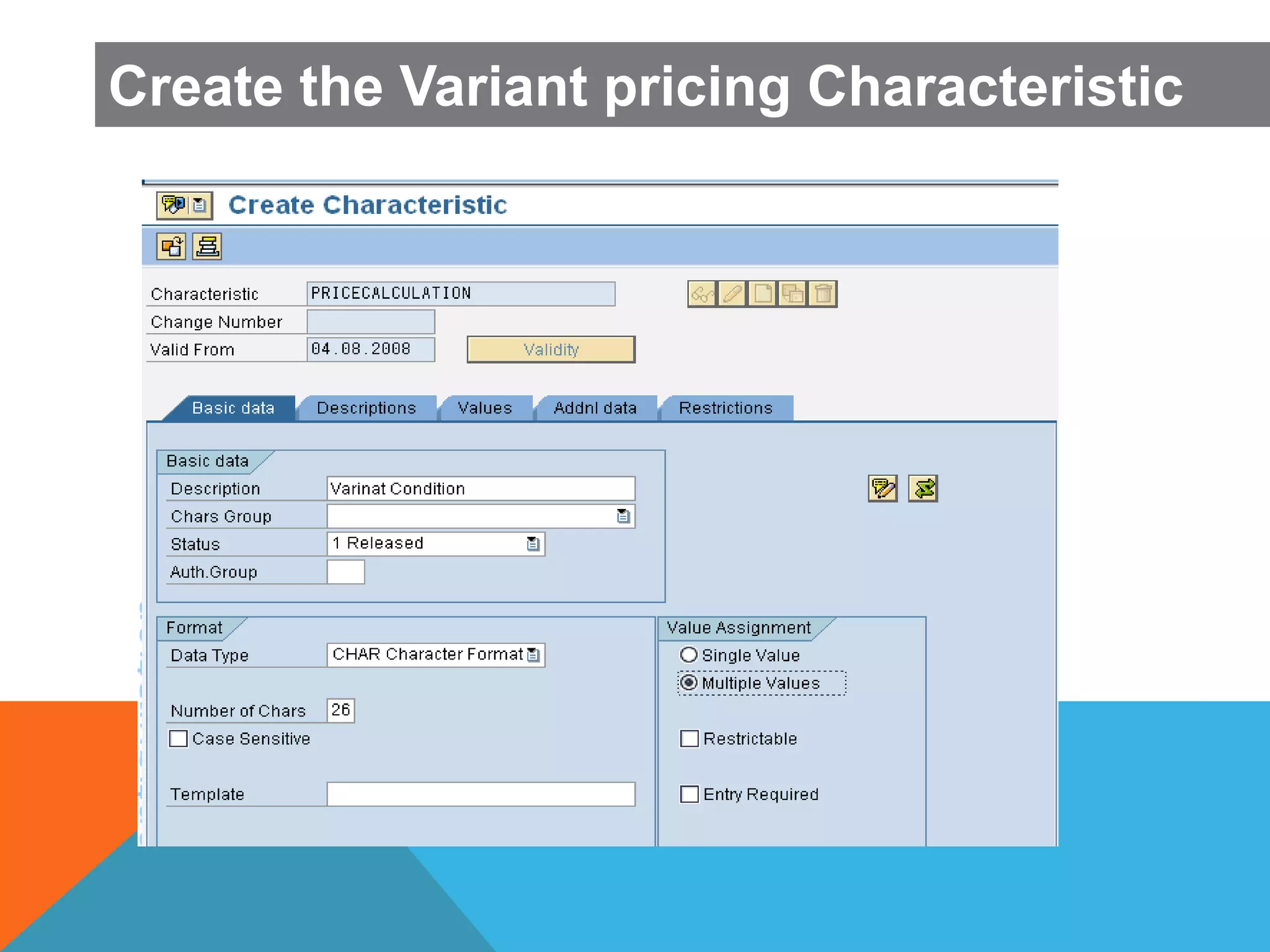
Create the Variant pricing Characteristic
T.code:CT04
Create the Variant pricing Characteristic
Table
SDCOM,
Field
VKOND
CLASS AND CLASS
TYPE
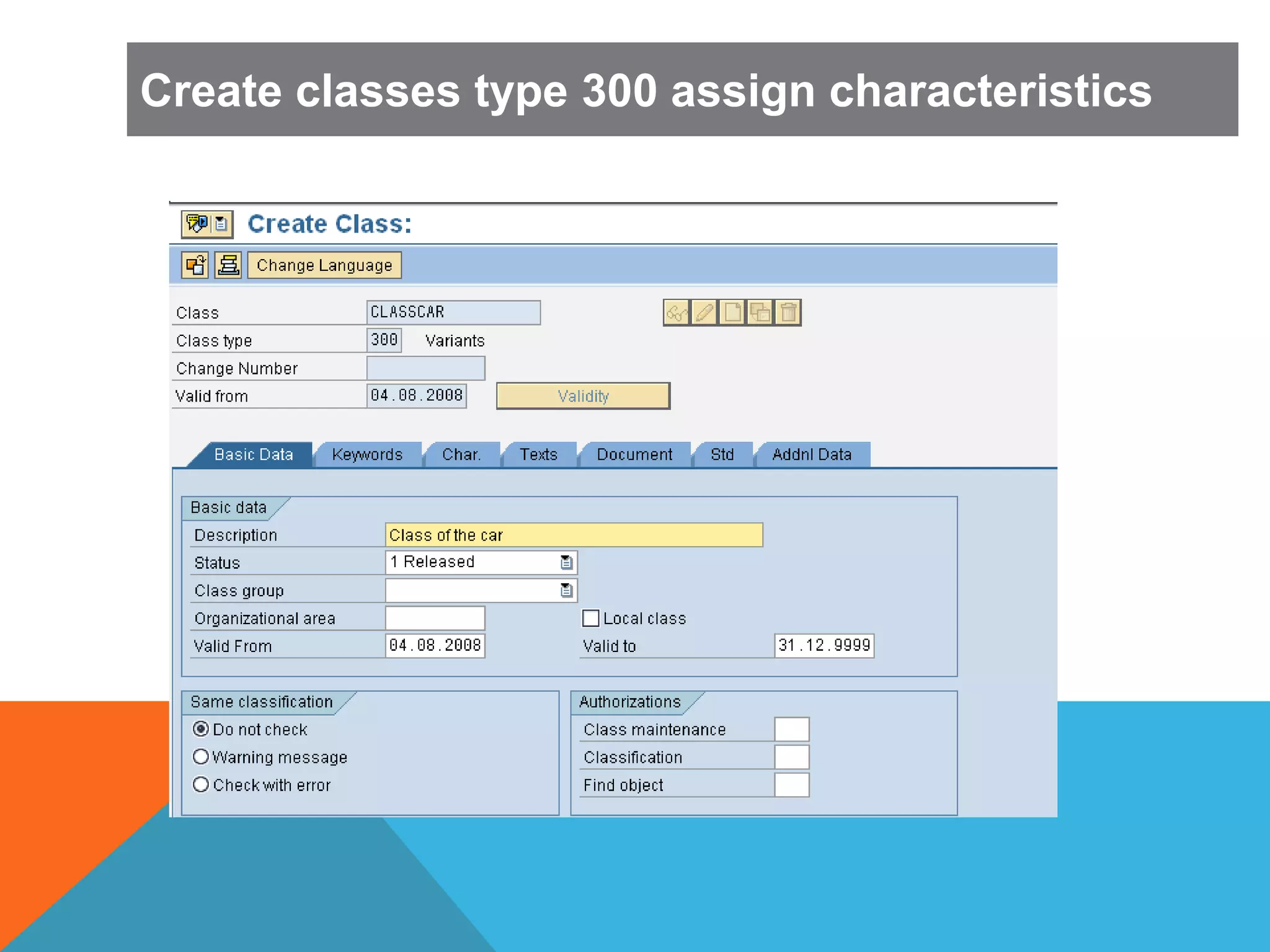
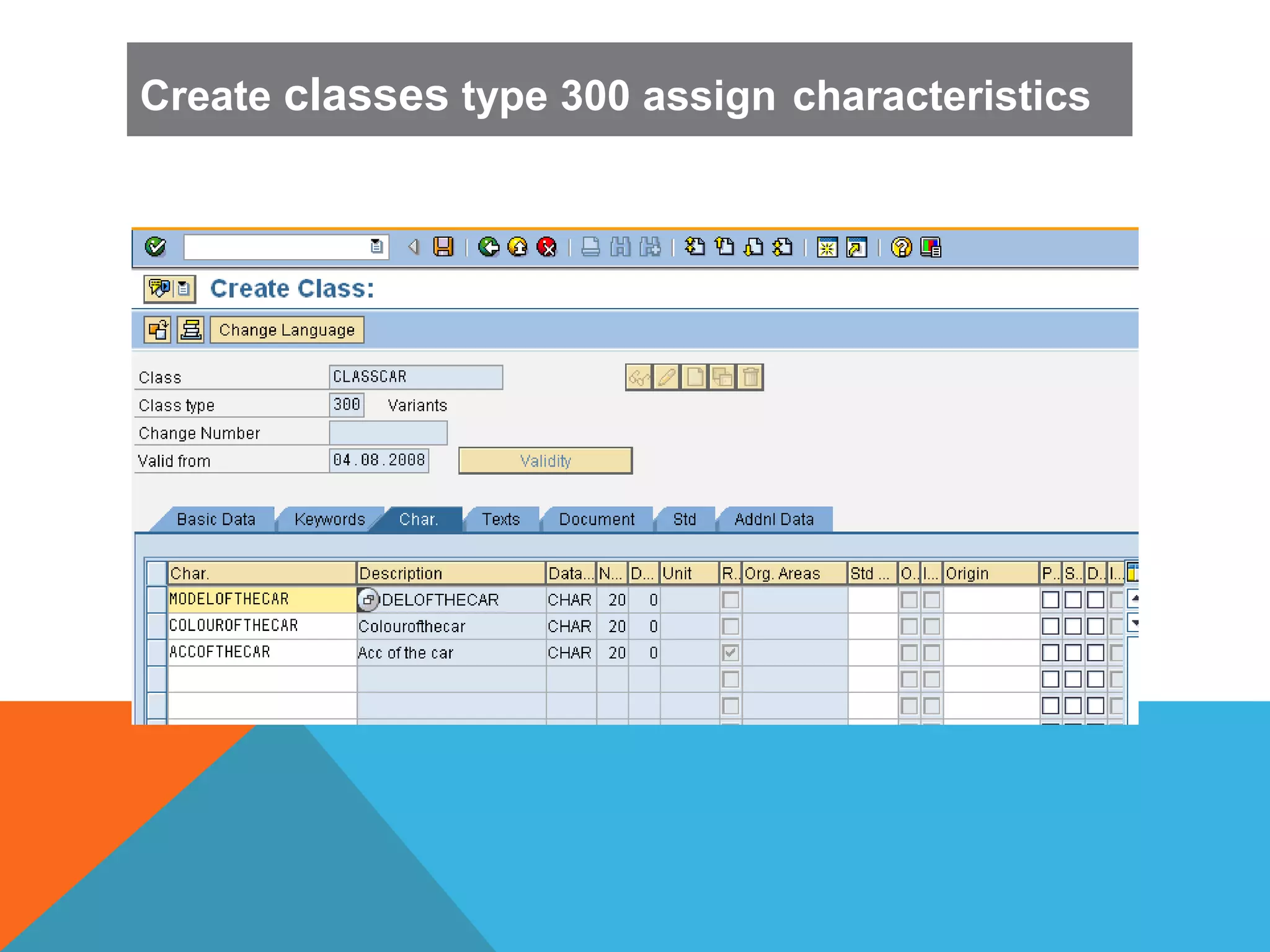
 A Class is used to hold the characteristics that describe about
configurable material.
 Class type used to determines which object types can be classified.
 Class types 200 and 300 are defined for material which are used in
variant configuration/Classification .
Create classes type 300 assign characteristics
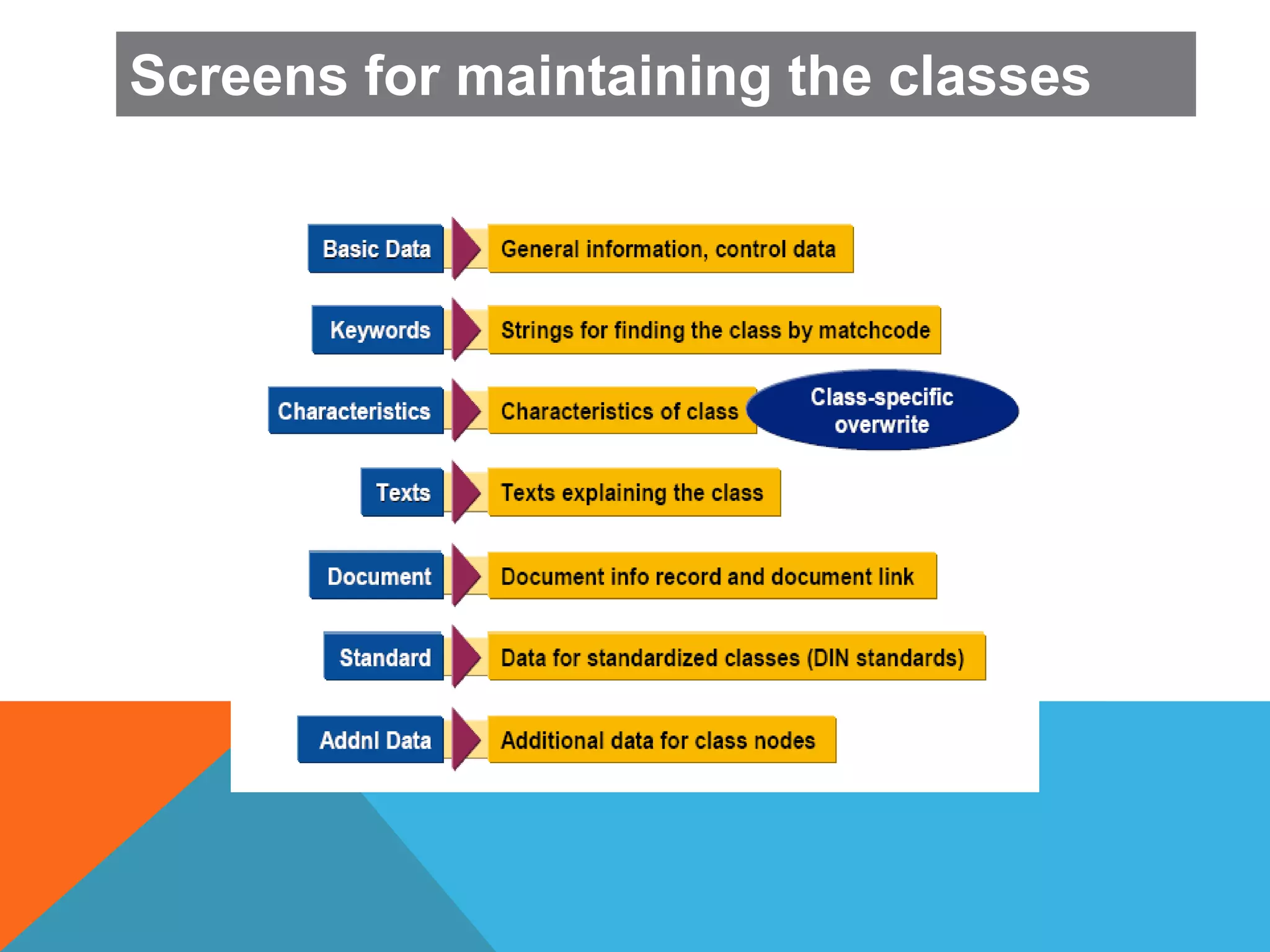
Screens for maintaining the classes
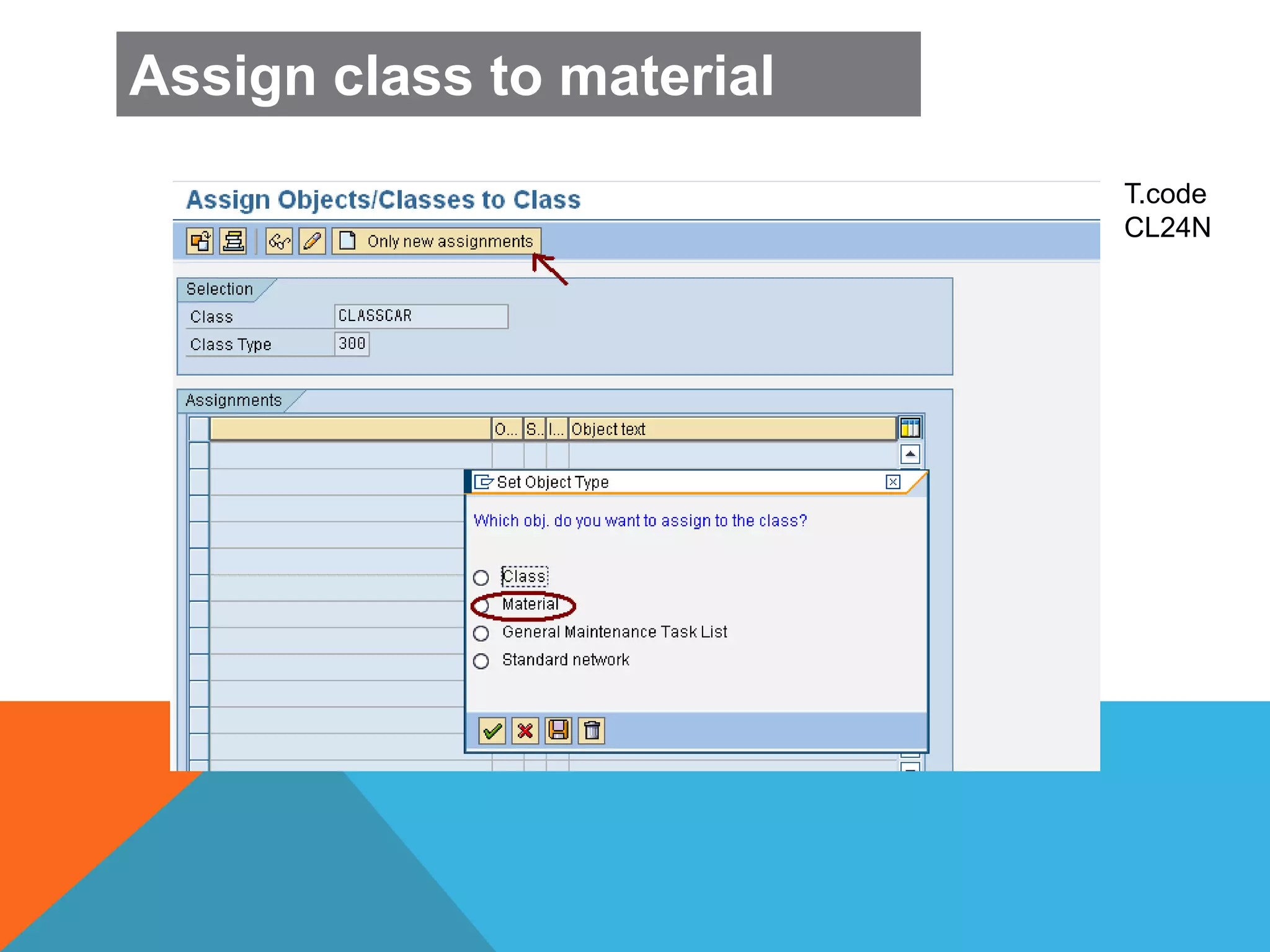
Assign class to material
T.code
CL24N
Assign class to material
CONFIGURATION
PROFILE
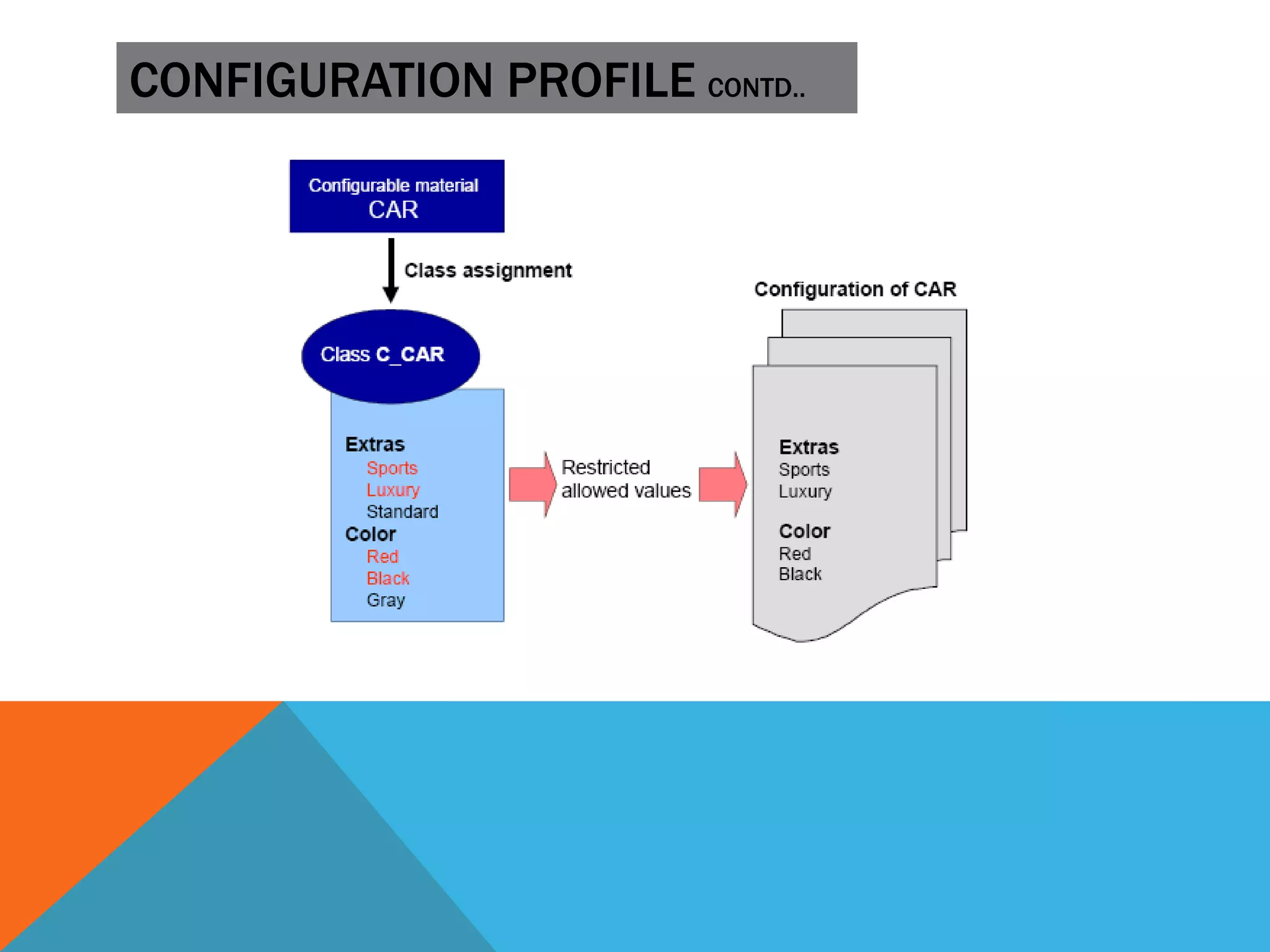
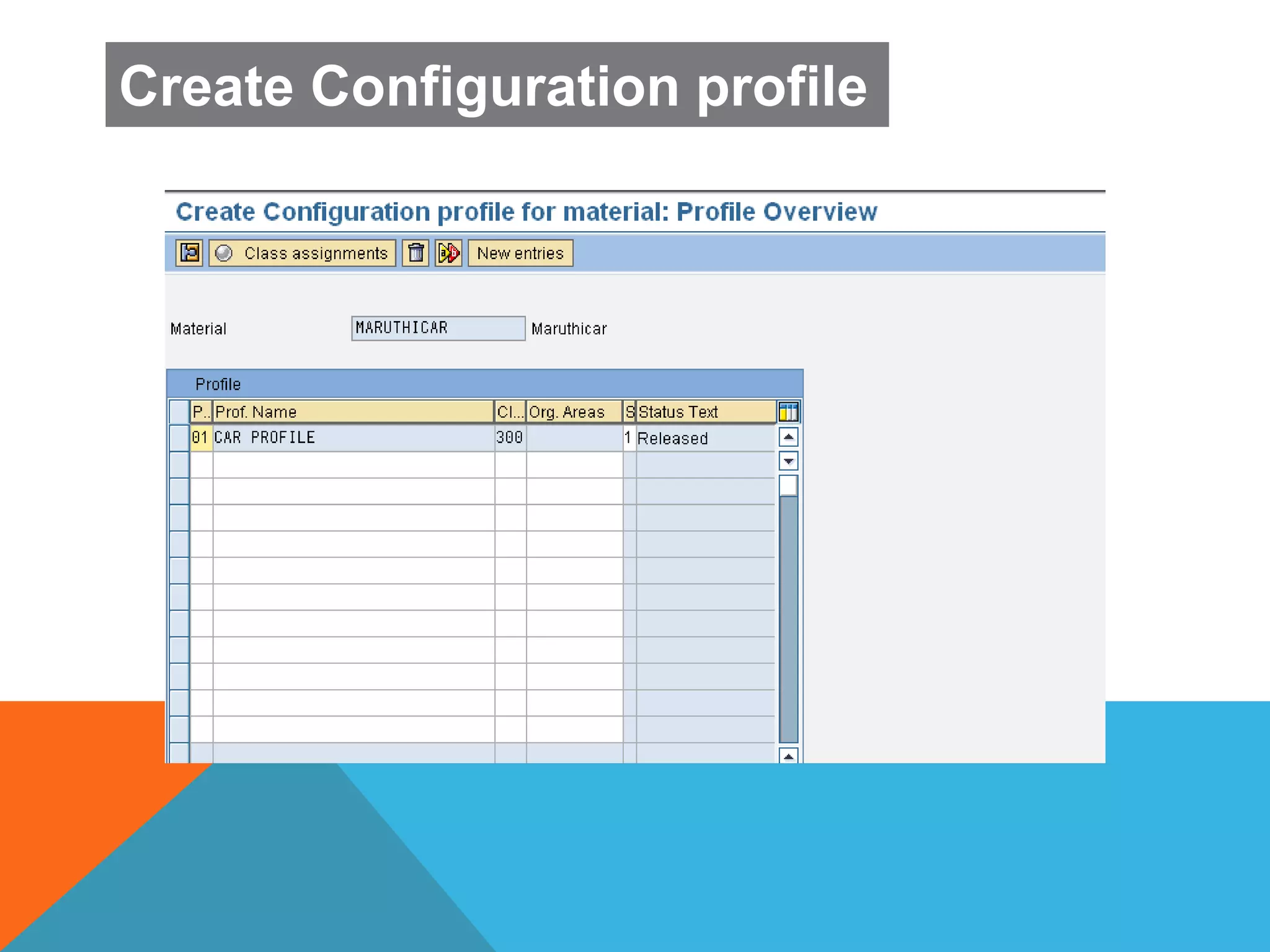
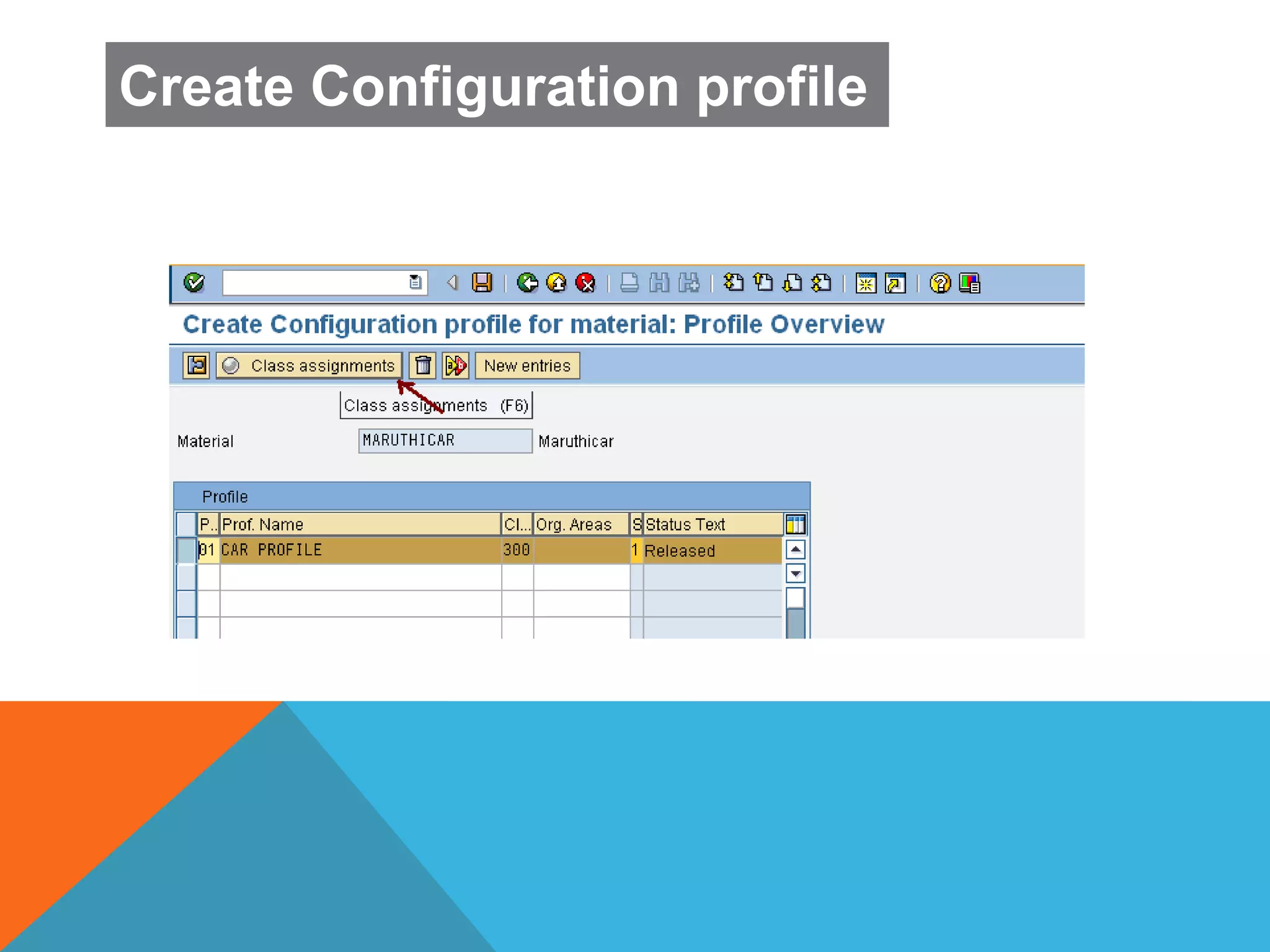
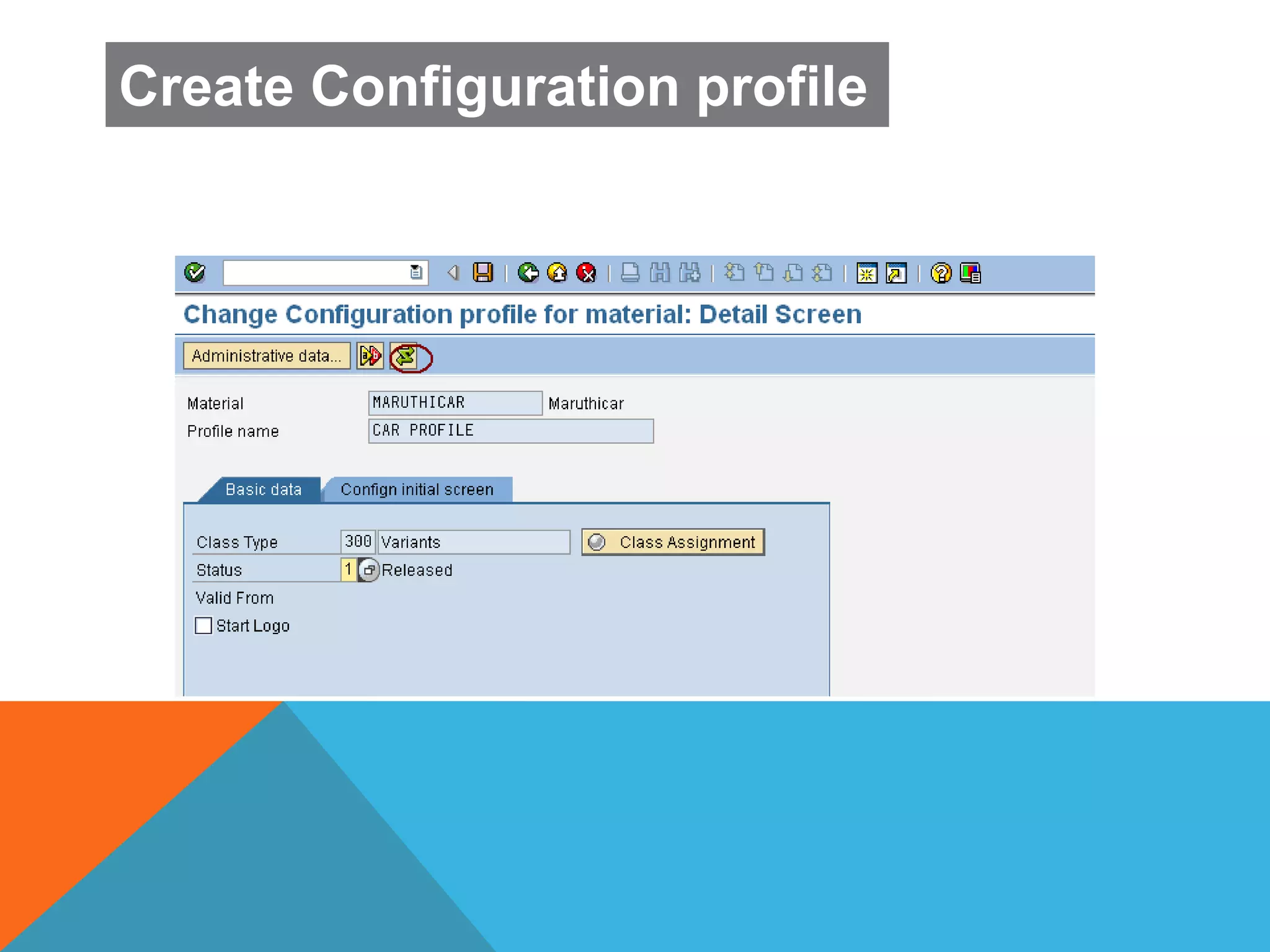
 Configurable Profile is used for assigning one or more variant classes
to configurable material.
 A configurable material has several profiles.Profile is selected during
configuration or according to priority.
 It also possible to define central settings for Configurable Object.
CONFIGURATION PROFILE CONTD..
Create Configuration profile
T
.
C
o
d
e
.
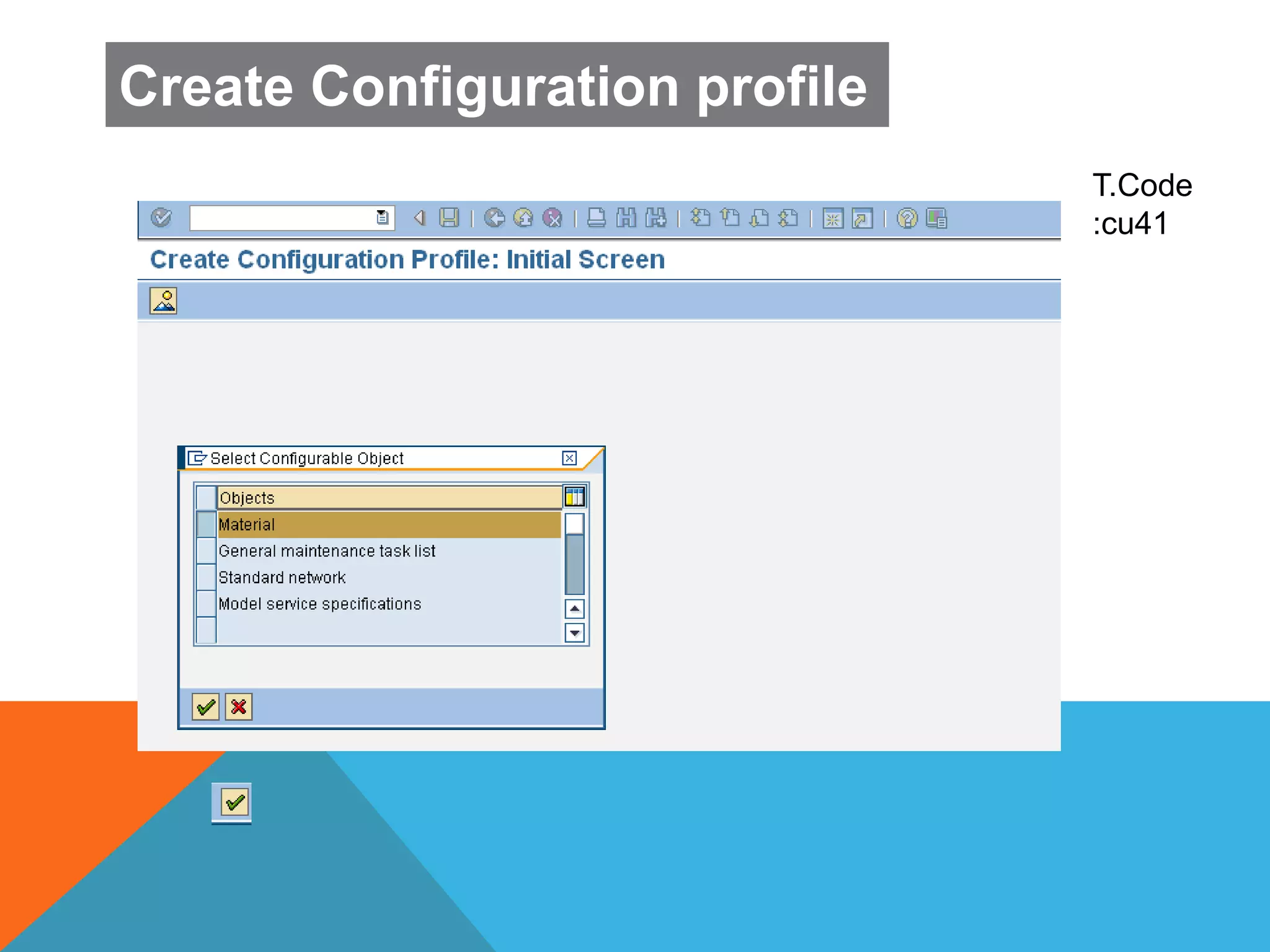
T.Code
:cu41
T
.
C
o
d
e
.
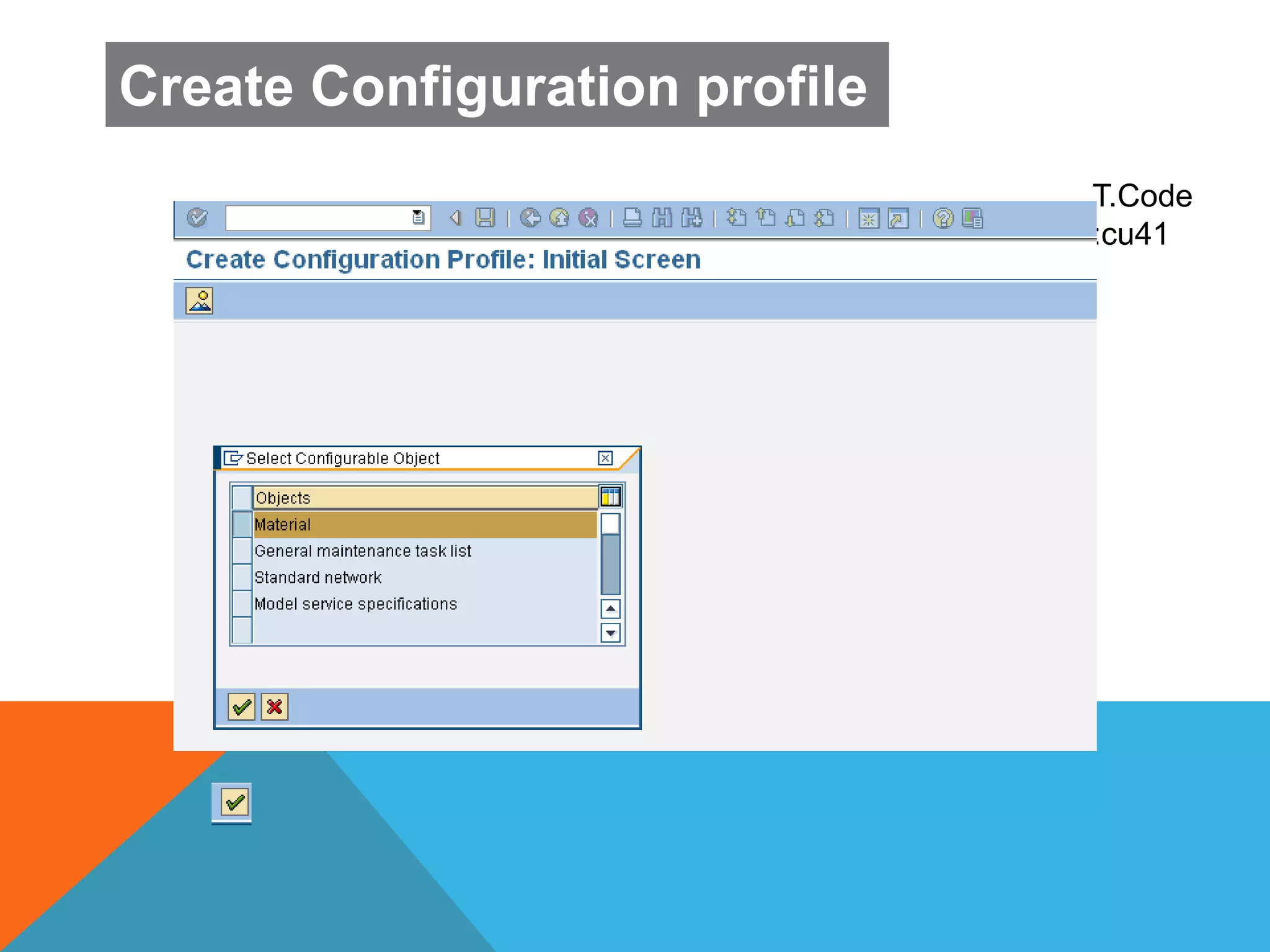
T.Code
:cu41
Create Configuration profile
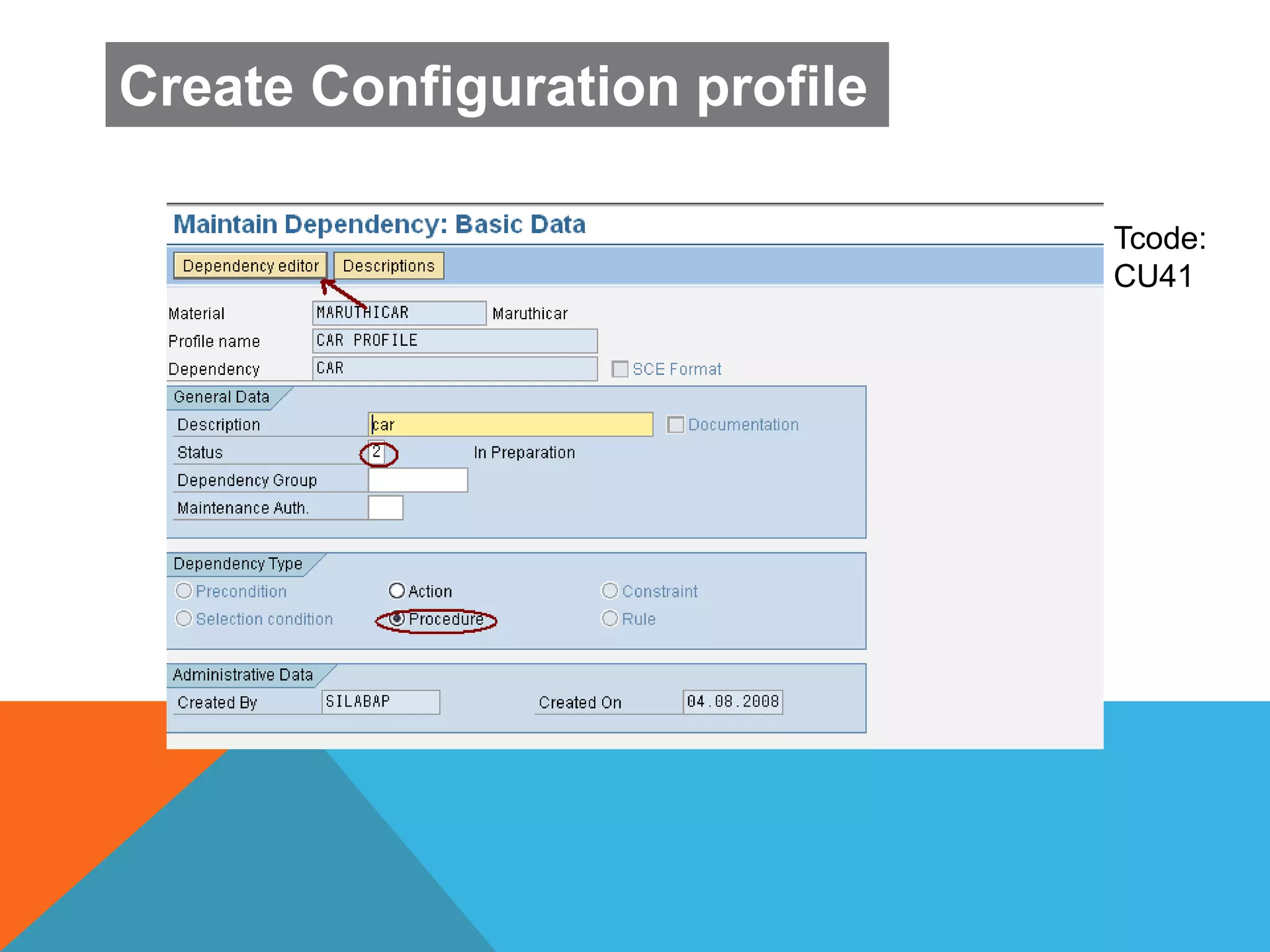
Tcode:
CU41
Create Configuration profile
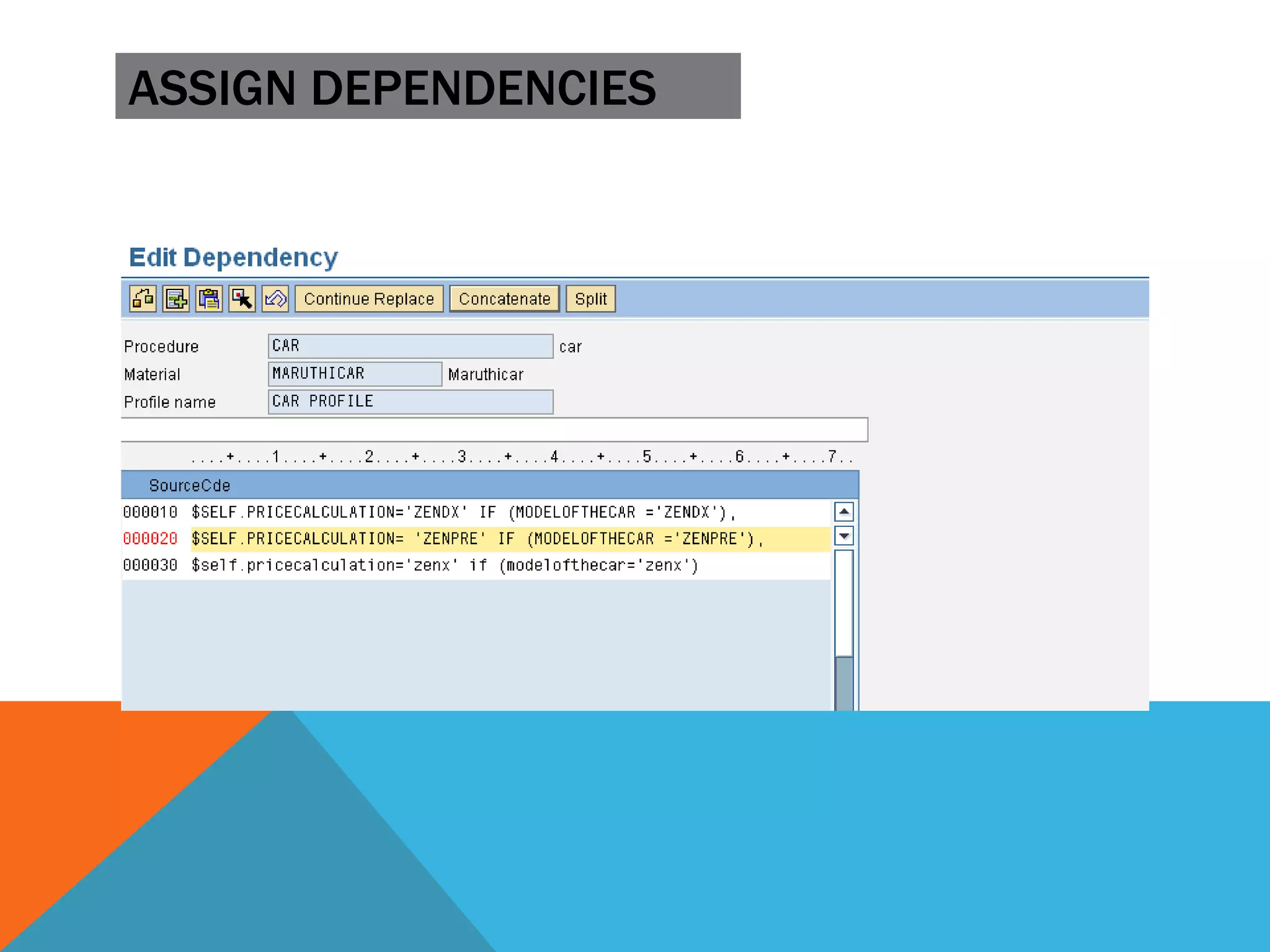
ASSIGN DEPENDENCIES
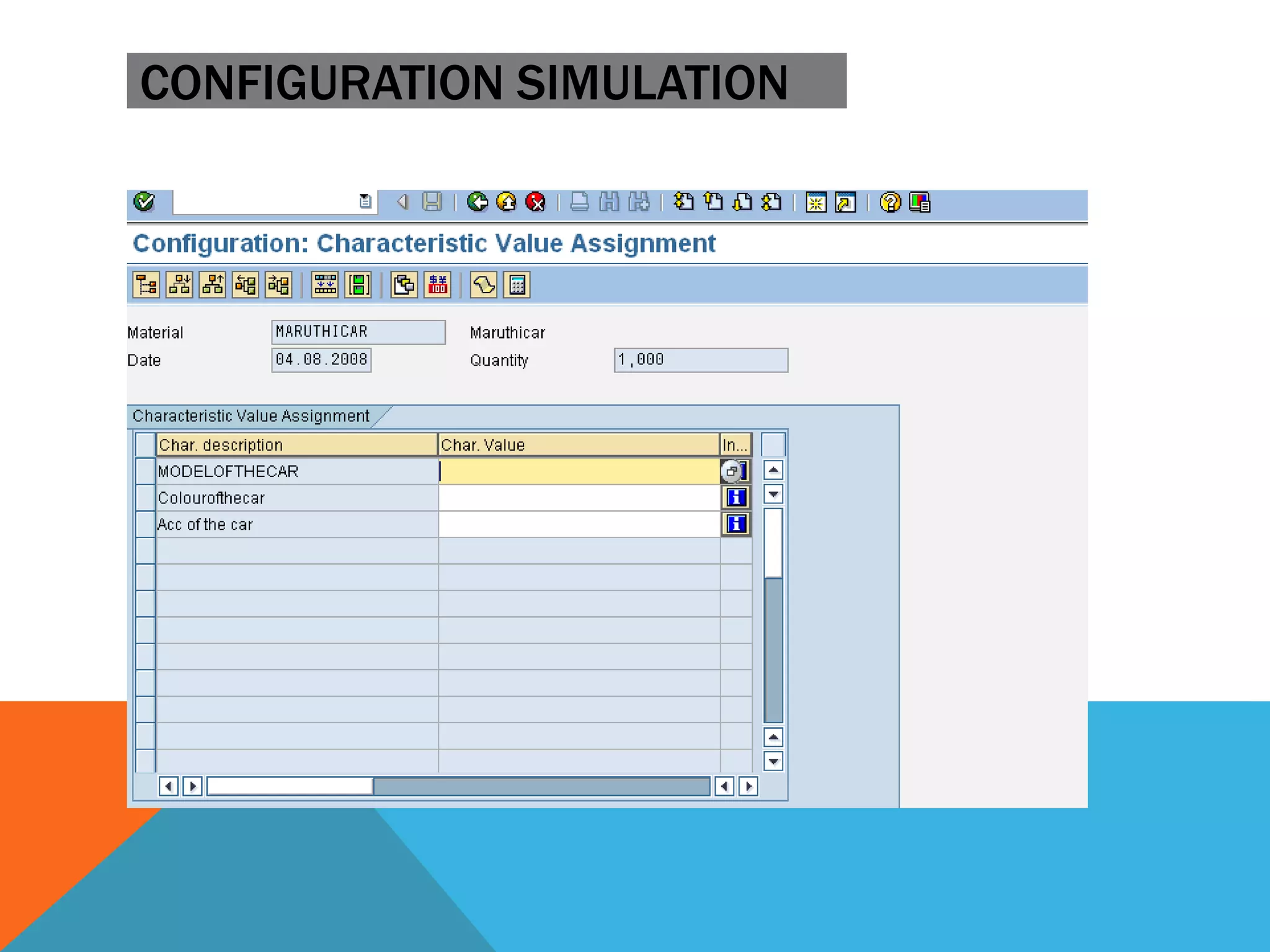
CONFIGURATION SIMULATION
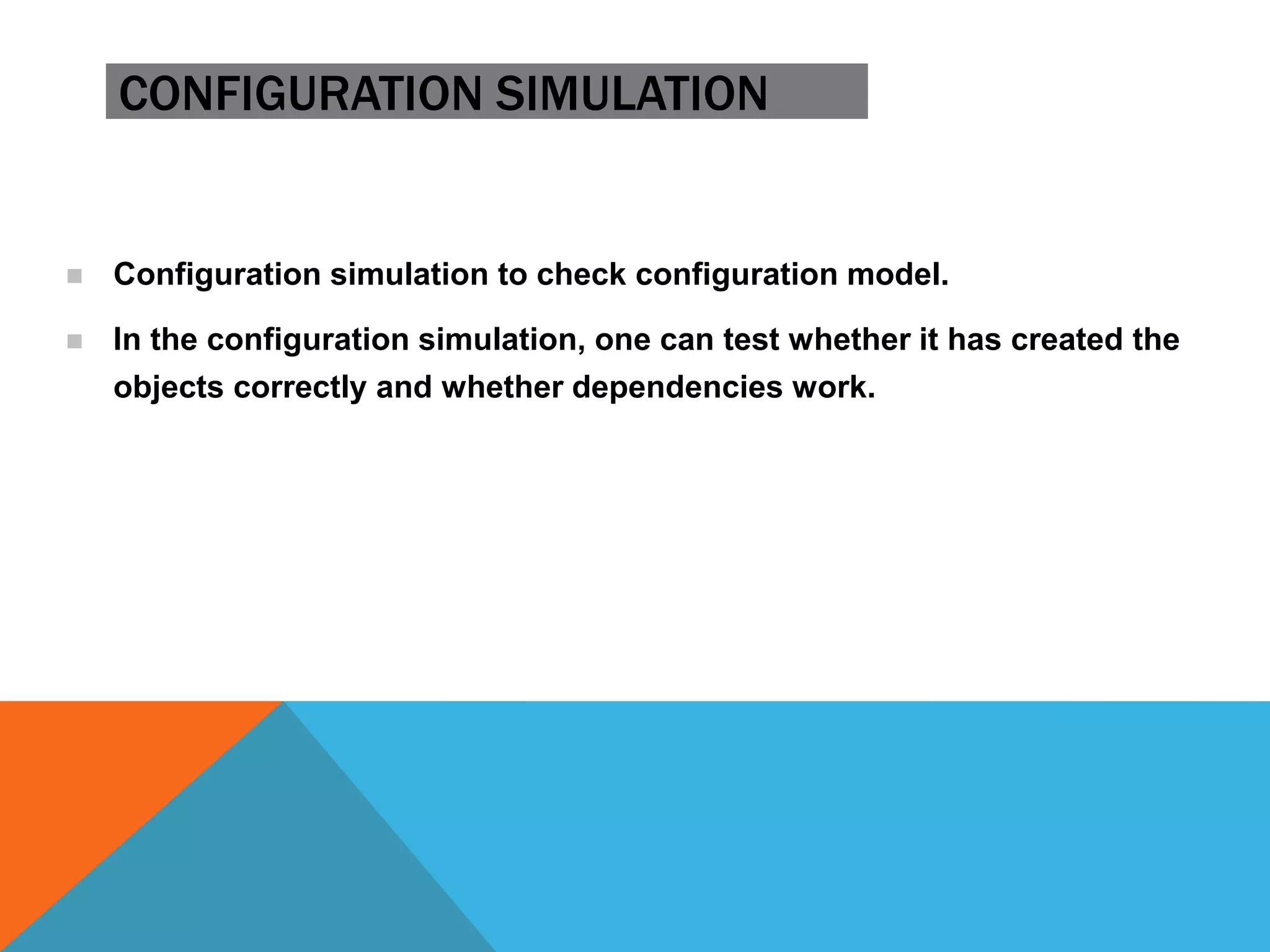
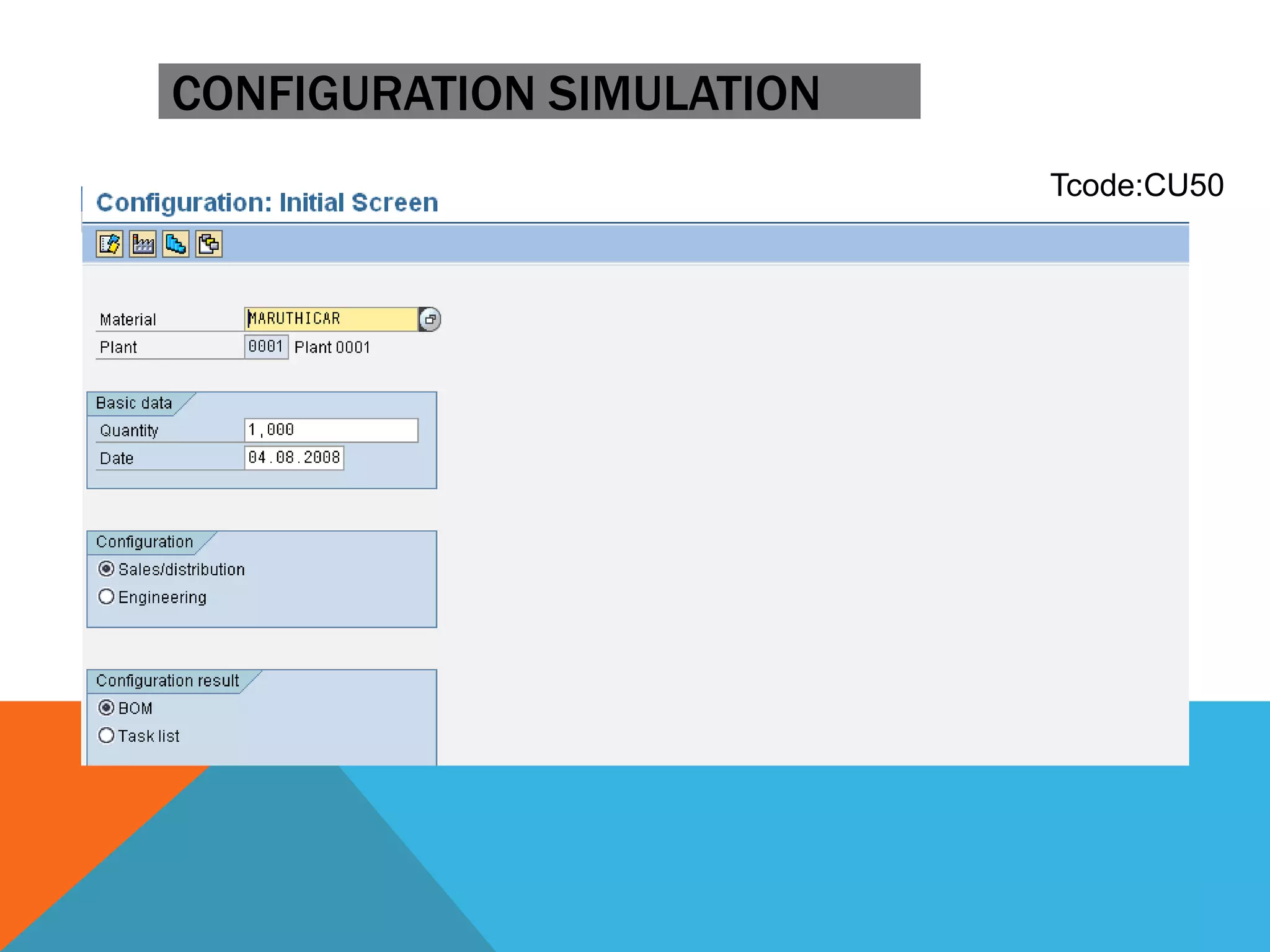
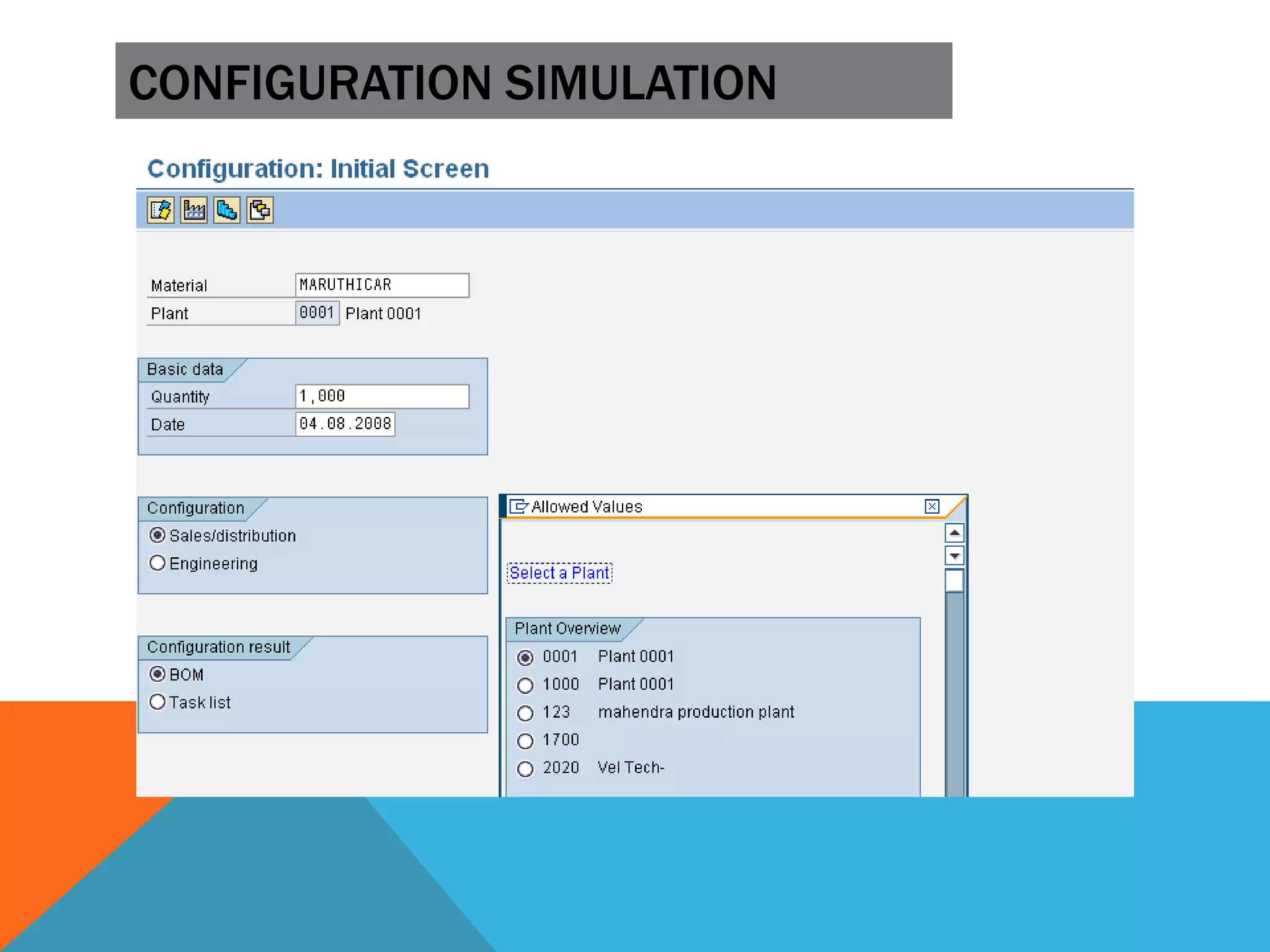
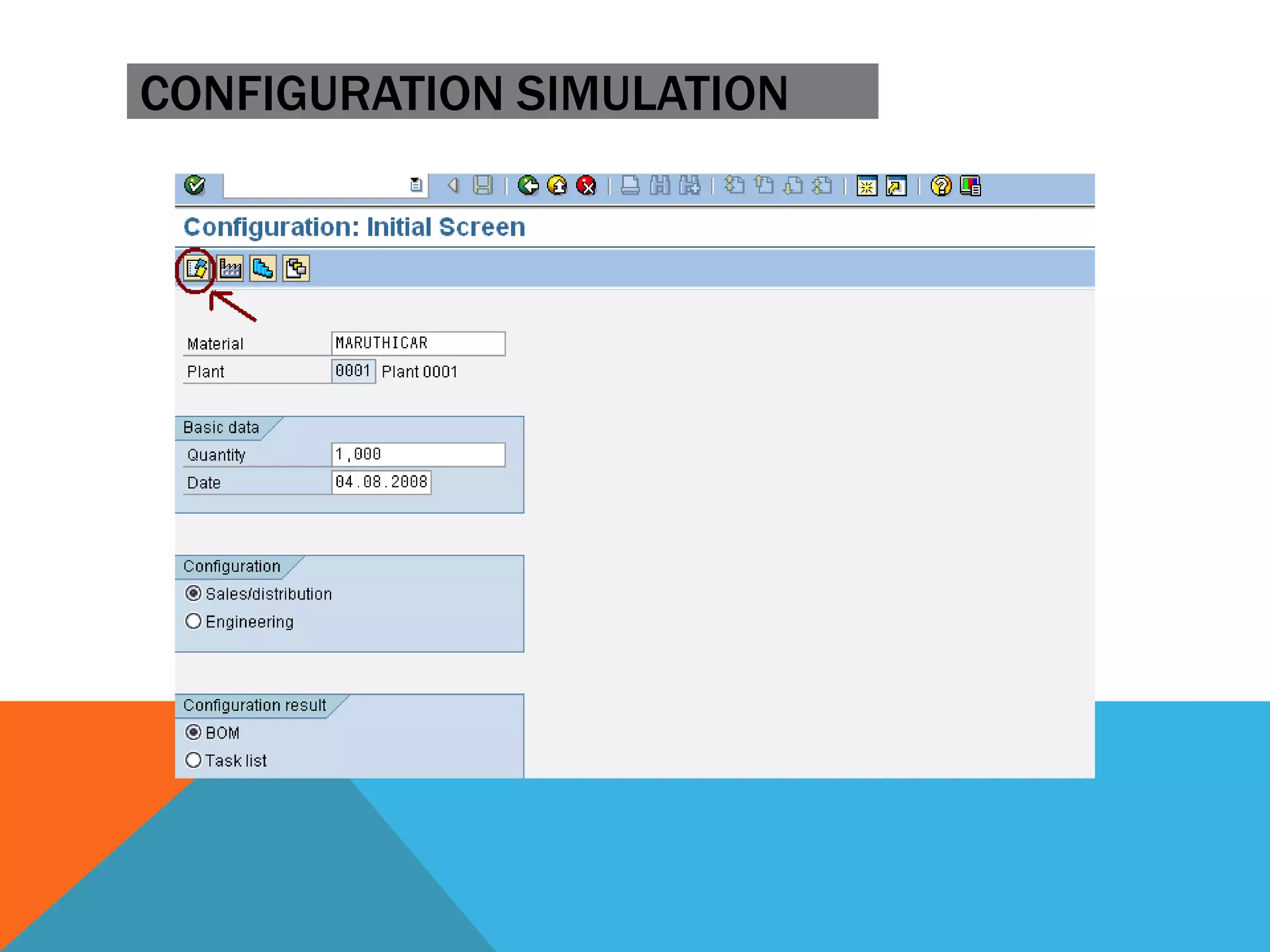
 Configuration simulation to check configuration model.
 In the configuration simulation, one can test whether it has created the
objects correctly and whether dependencies work.
CONFIGURATION SIMULATION
Tcode:CU50
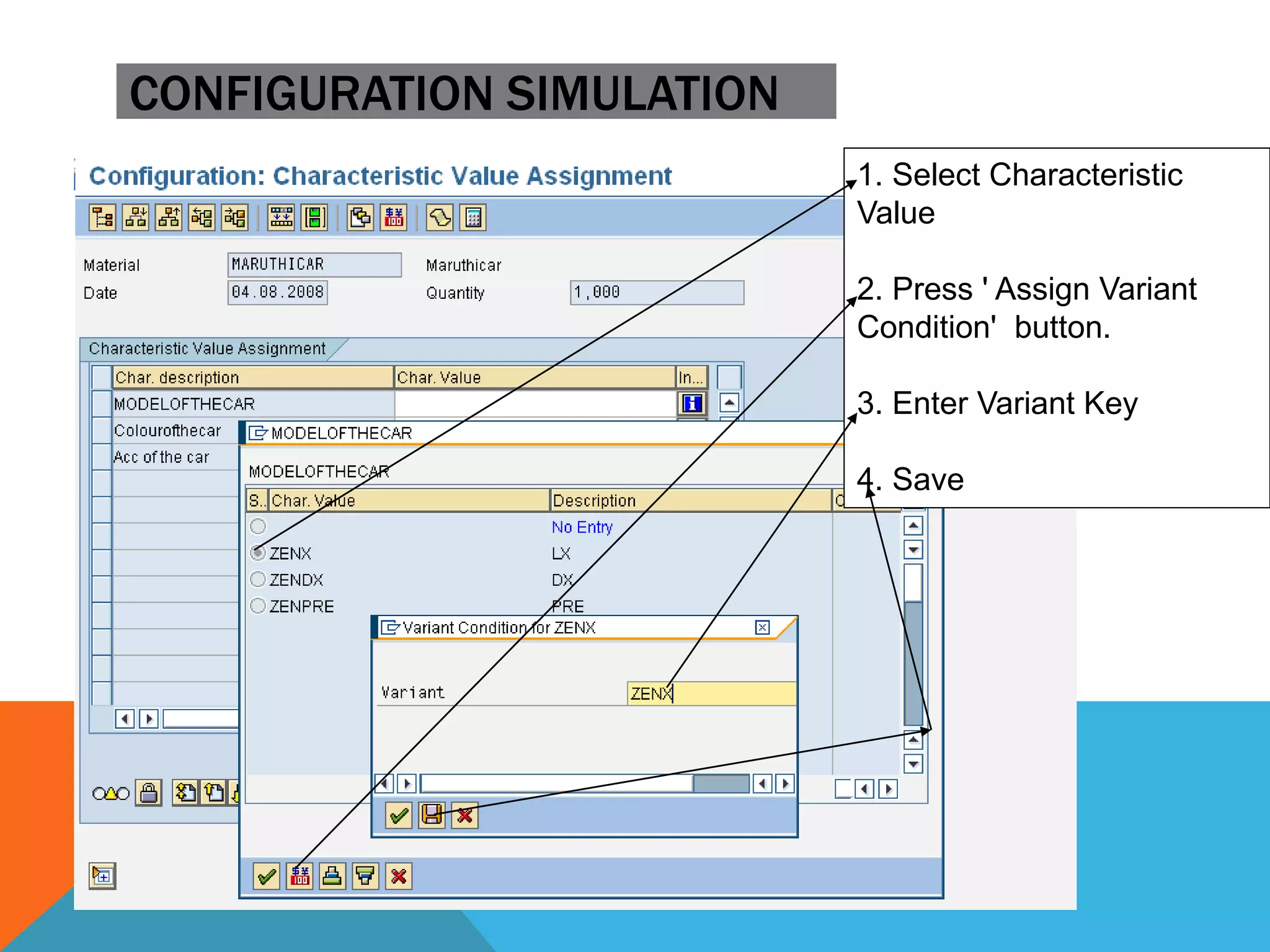
CONFIGURATION SIMULATION
1. Select Characteristic
Value
2. Press ' Assign Variant
Condition' button.
3. Enter Variant Key
4. Save
CONFIGURATION SIMULATION
,
T
.
C
o
d
e
.
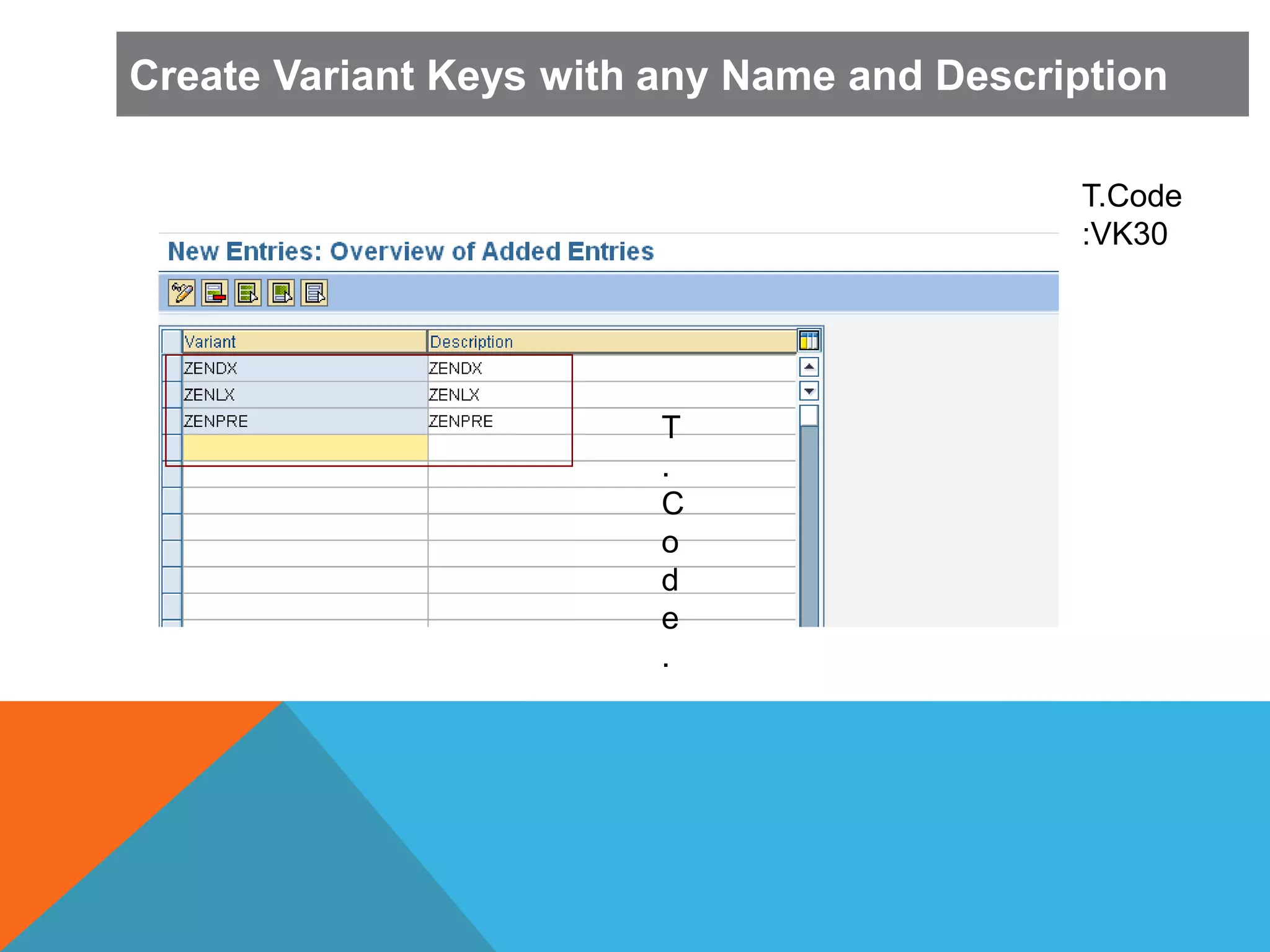
T.Code
:VK30
Create Variant Keys with any Name and Description
T
.
C
o
d
e
.
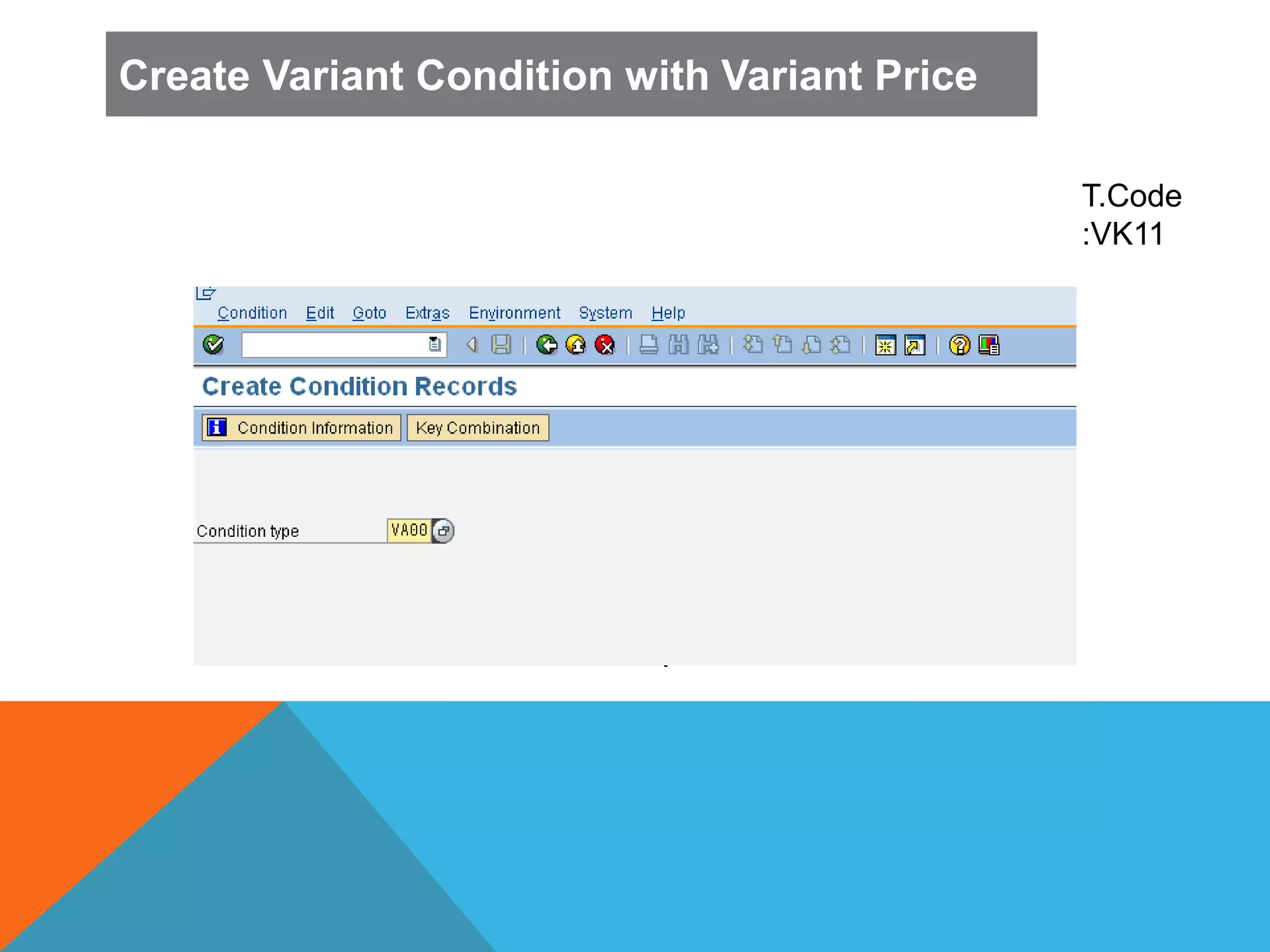
T.Code
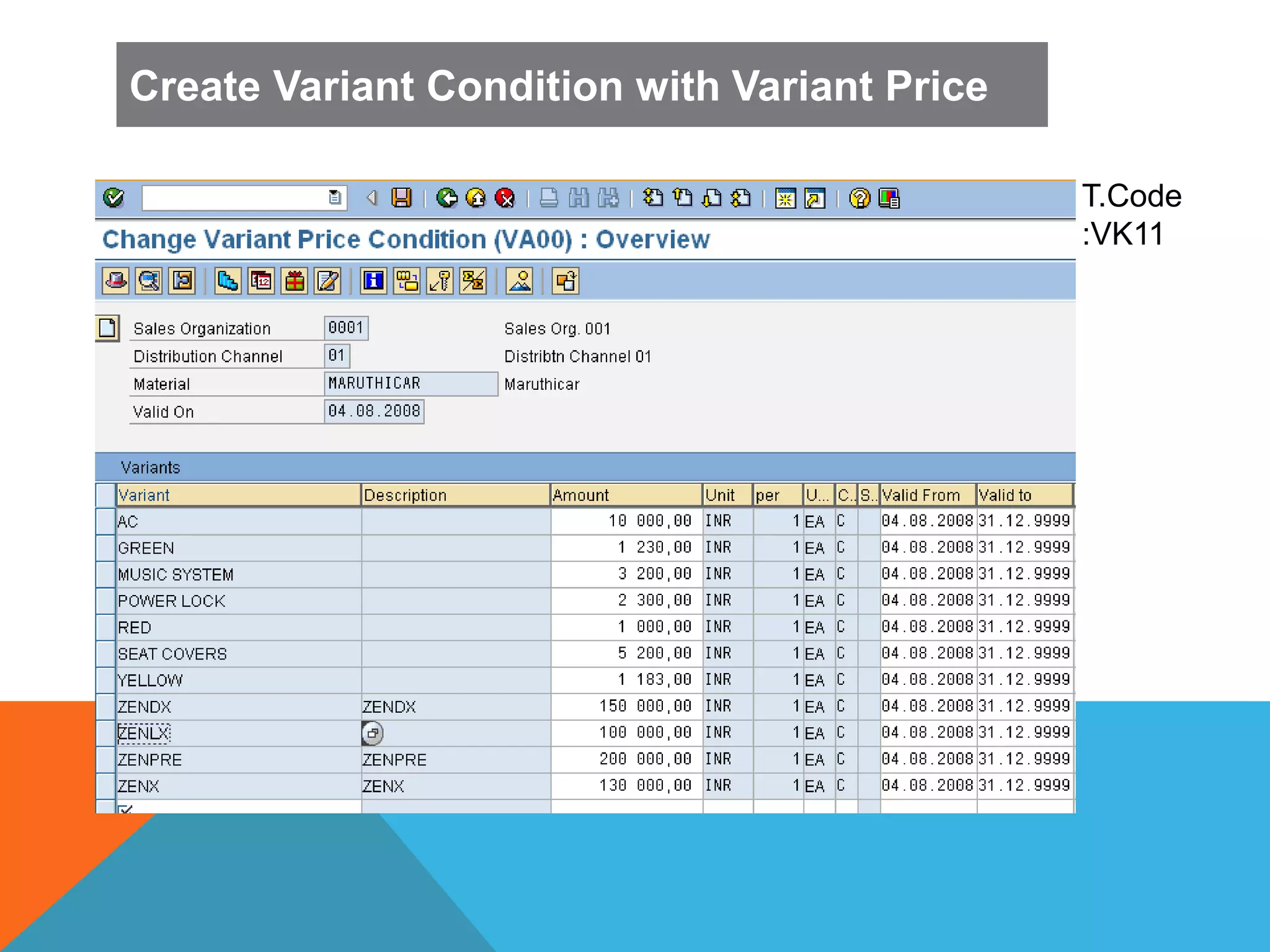
:VK11
Create Variant Condition with Variant Price
T
.
C
o
d
e
.
T.Code
:VK11
Create Variant Condition with Variant Price
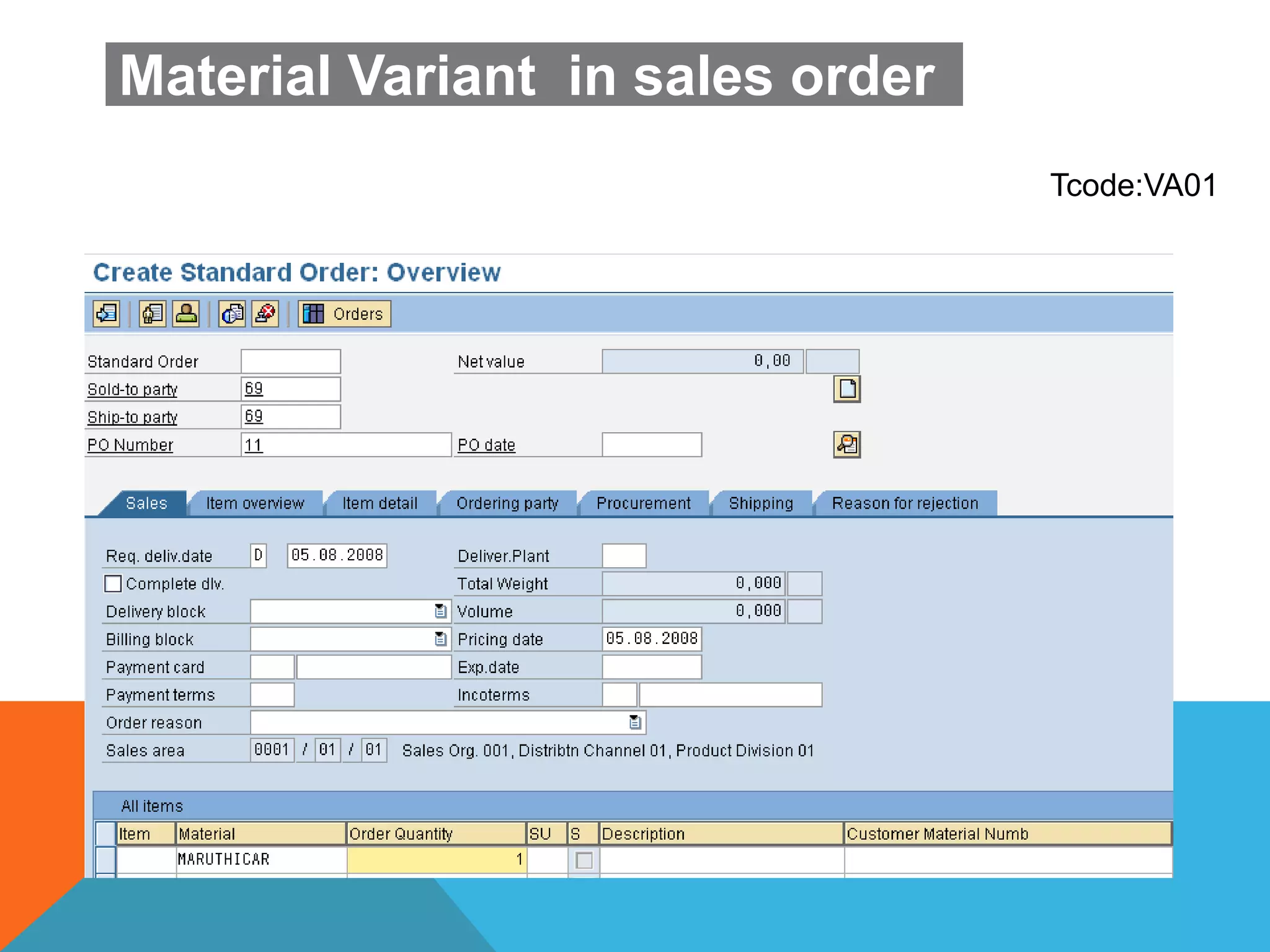
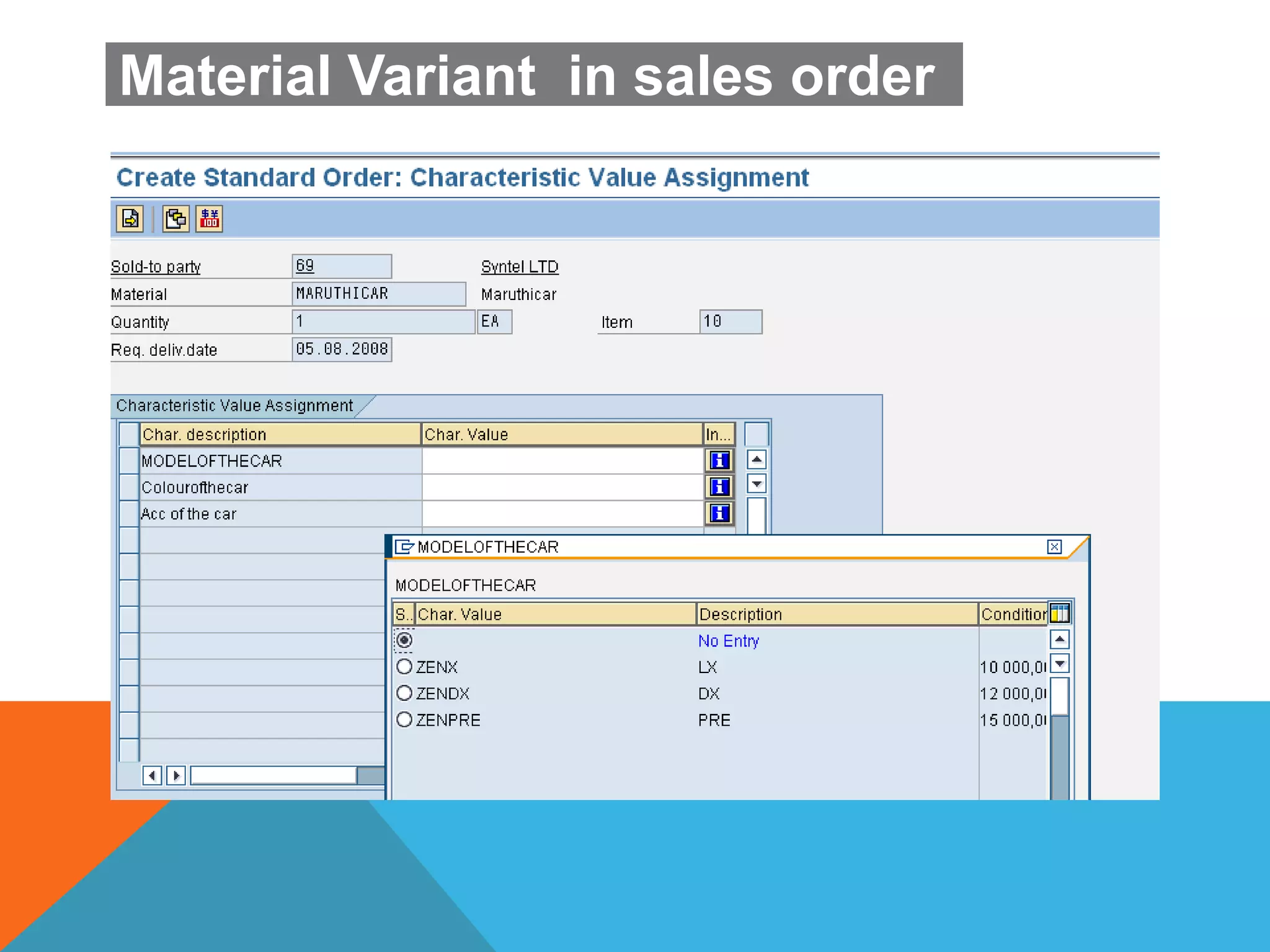
Material Variant in sales order
Tcode:VA01
Material Variant in sales order
SECOND DAY
DEPENDENCIES
Super BOM contains all the required and Variable items. From the variable items required
items will be selected which are Matching the characteristic value.
DEPENDENCIES TYPE
The following types of dependencies are available in VC
 Preconditions
 Selection conditions
 Actions
 Procedures
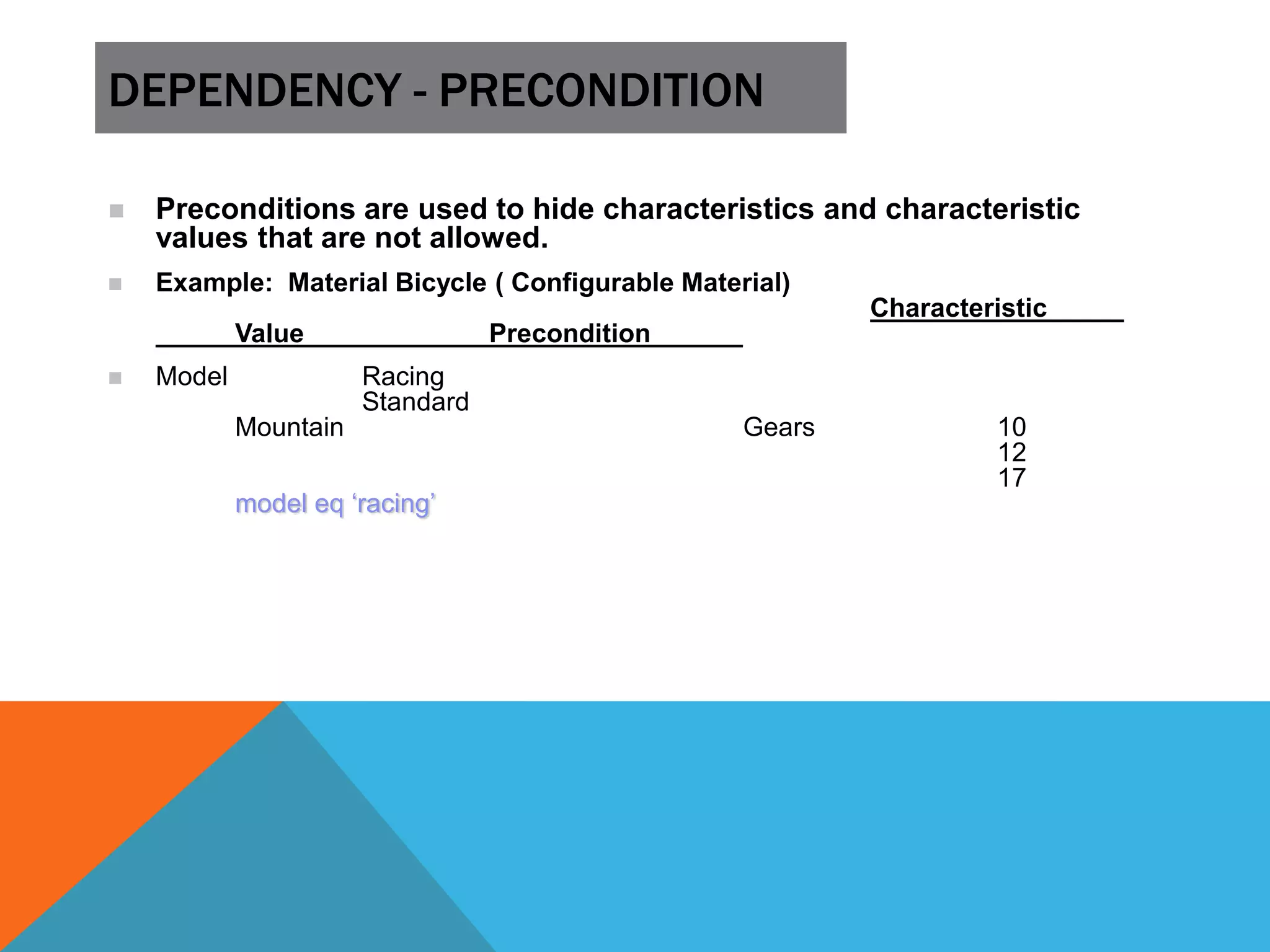
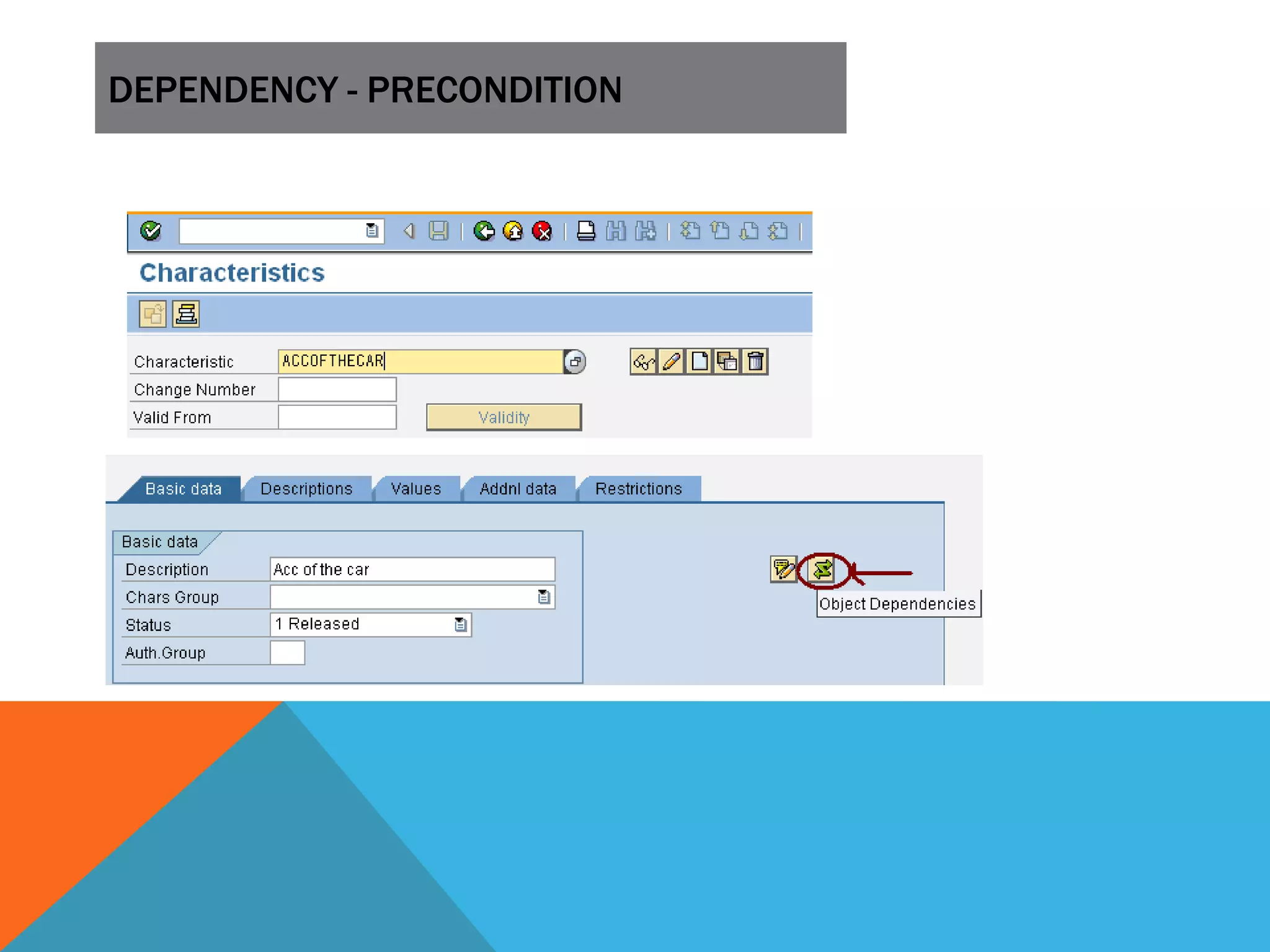
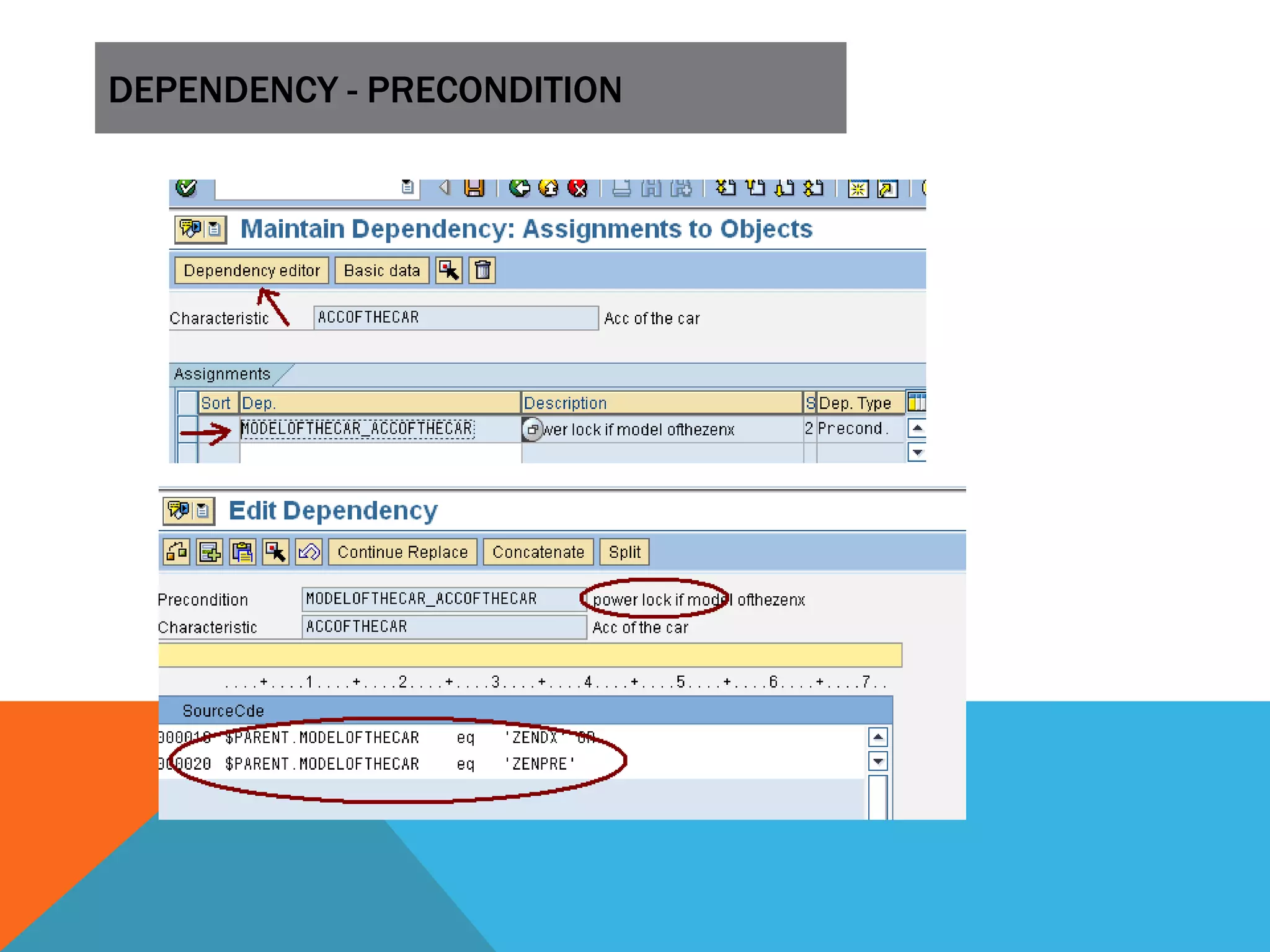
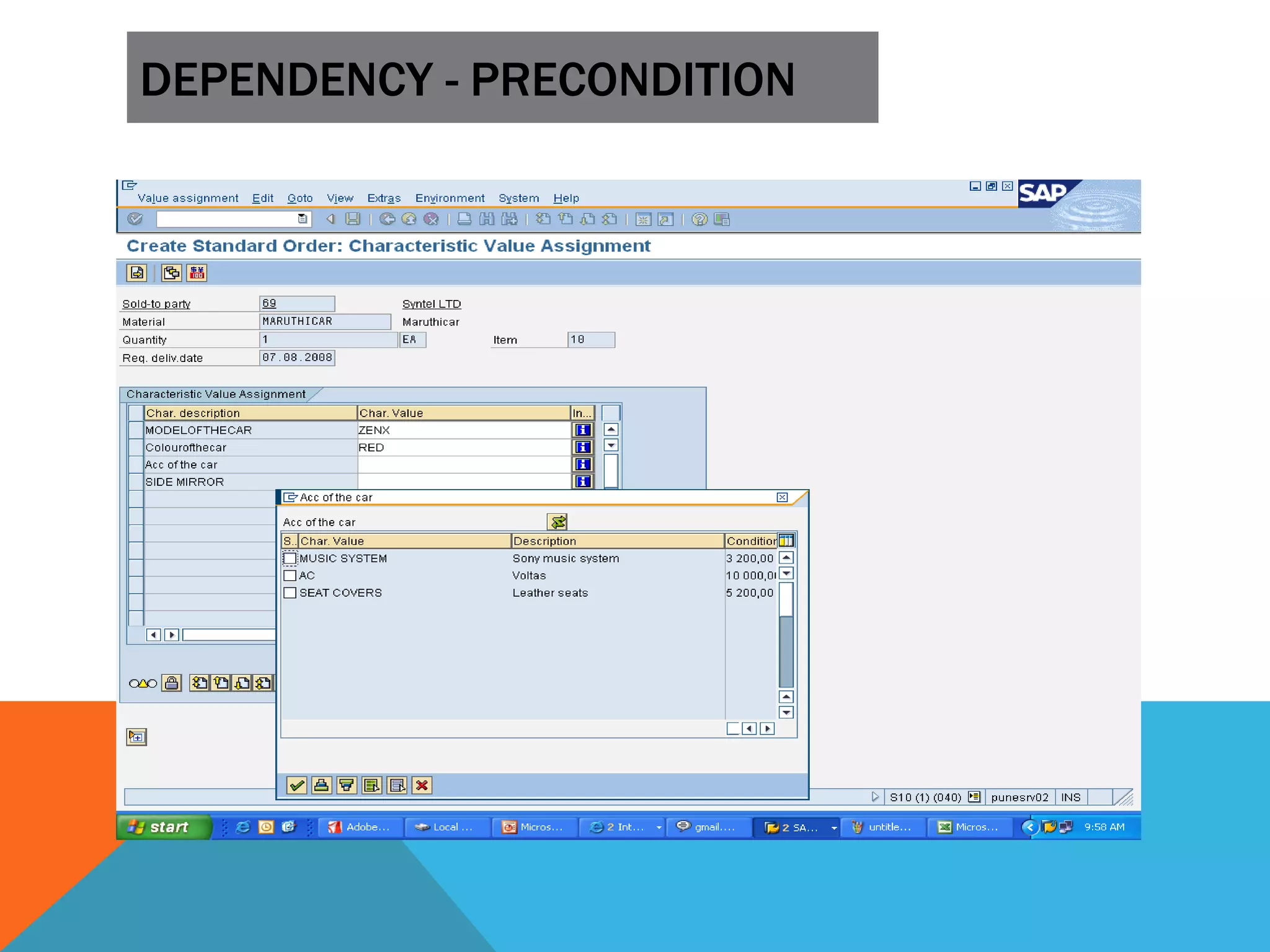
DEPENDENCY - PRECONDITION
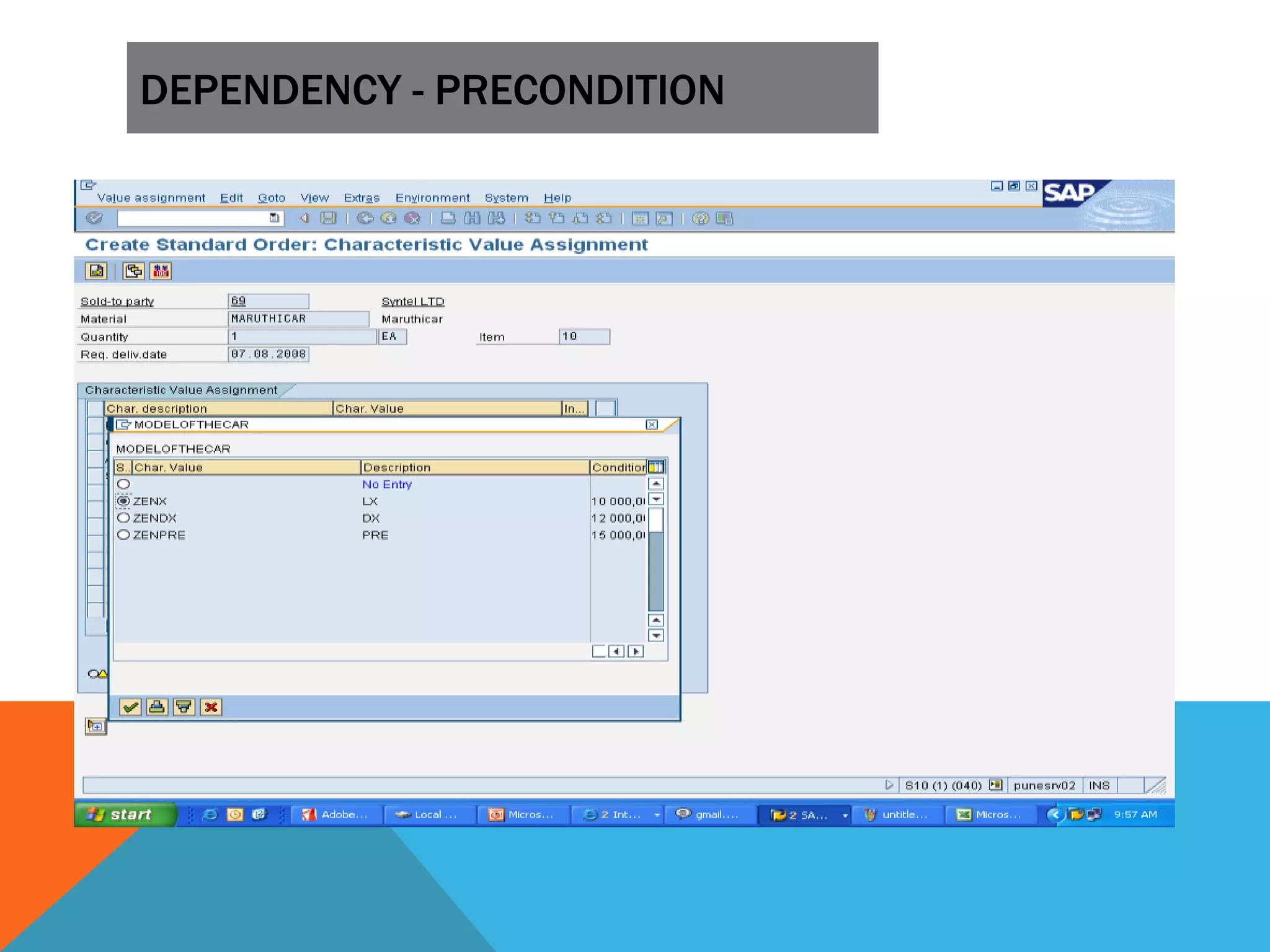
 Preconditions are used to hide characteristics and characteristic
values that are not allowed.
 Example: Material Bicycle ( Configurable Material)
Characteristic
Value Precondition
 Model Racing
Standard
Mountain Gears 10
12
17
model eq ‘racing’
DEPENDENCY - PRECONDITION
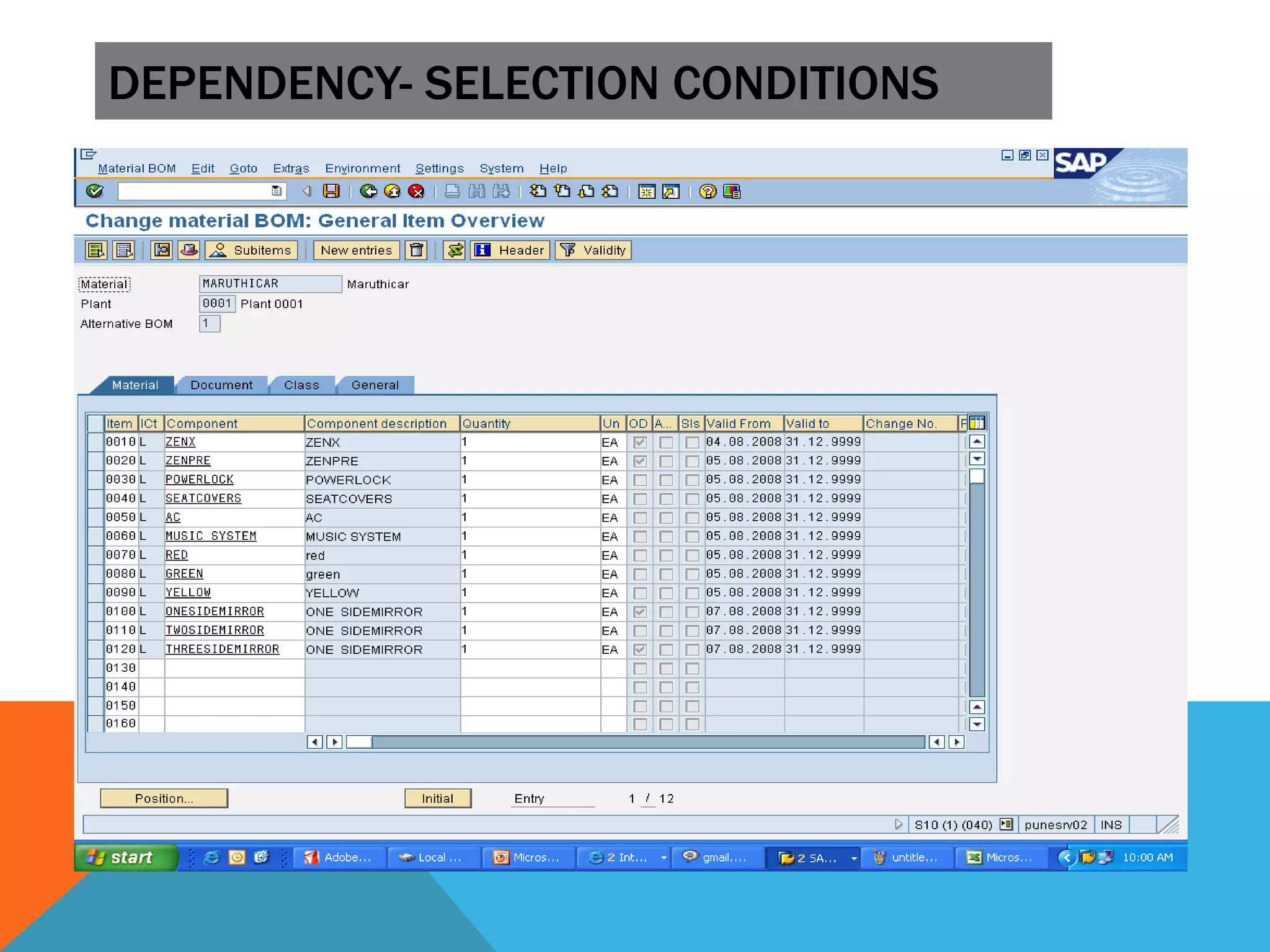
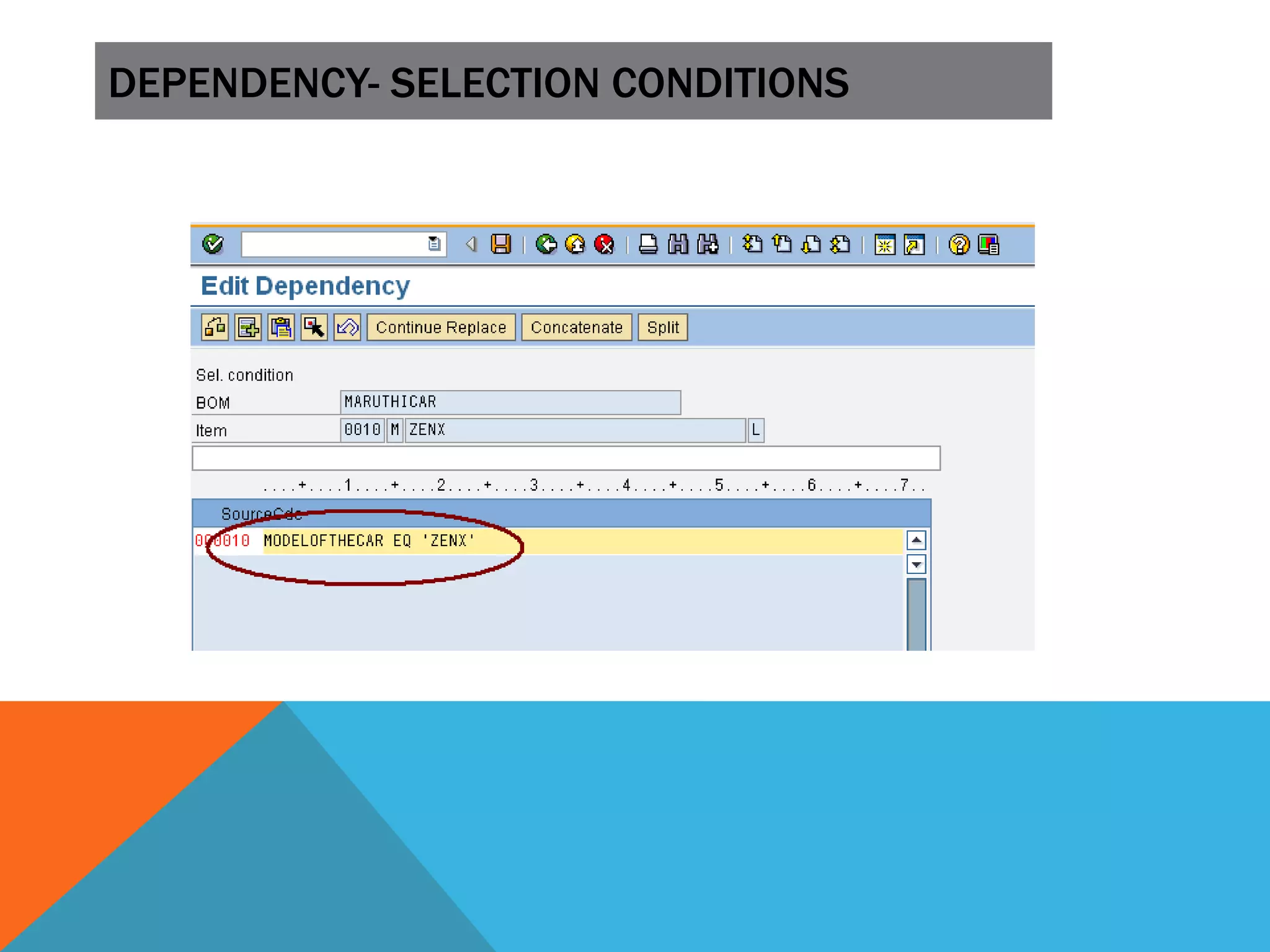
DEPENDENCY- SELECTION CONDITIONS
 Selection conditions can be allocated to the following objects:
 Characteristics
 BOM items
 Operations in task lists
 Sub-operations
 Sequences of operations (Alternative or Parallel)
 Production resources/tools (PRTs)
 A selection conditions describe which BOM components or Routing Operations has
to be copied during configurations.
 Example: Material Personal Computer 1 PC
Component Quantity selection condition RAM-
256 1 RAM-512
1 RAM 1 GB
1 Hard_disk GE 80GB
DEPENDENCY- SELECTION CONDITIONS
DEPENDENCY - PROCEDURE
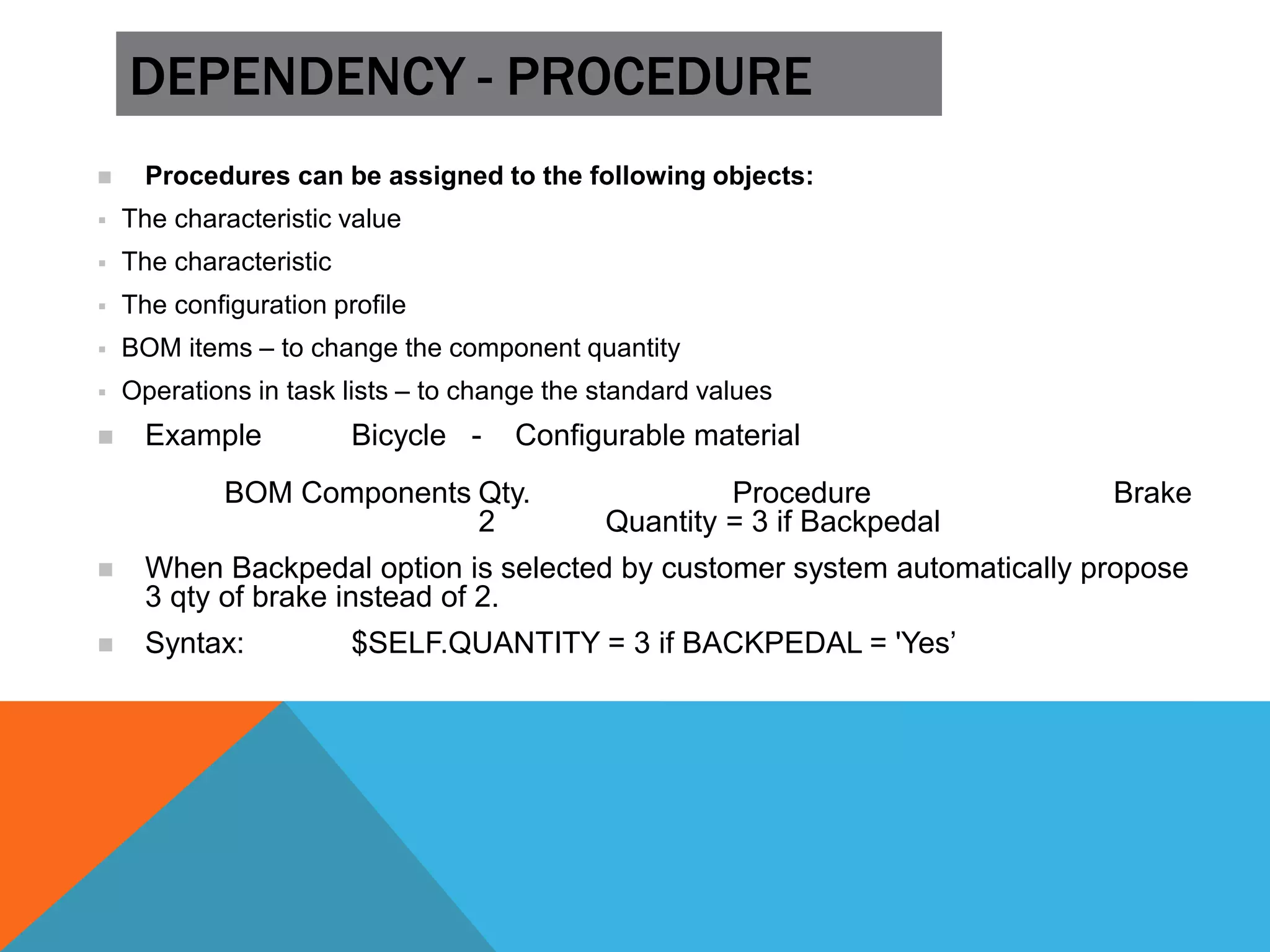
 Procedures can be assigned to the following objects:
 The characteristic value
 The characteristic
 The configuration profile
 BOM items – to change the component quantity
 Operations in task lists – to change the standard values
 Example Bicycle - Configurable material
BOM Components Qty. Procedure Brake
2 Quantity = 3 if Backpedal
 When Backpedal option is selected by customer system automatically propose
3 qty of brake instead of 2.
 Syntax: $SELF.QUANTITY = 3 if BACKPEDAL = 'Yes’
DEPENDENCY - PROCEDURE
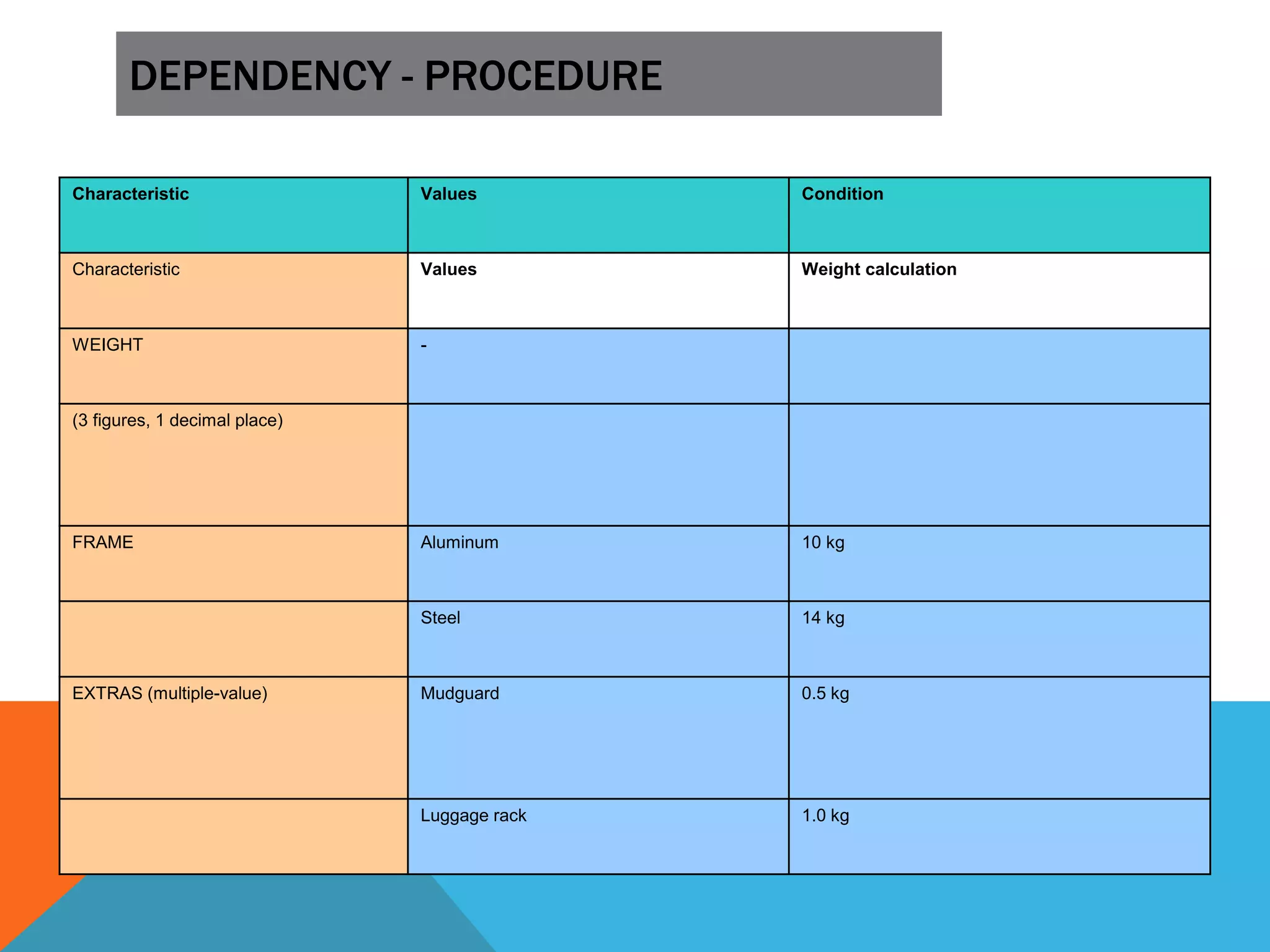
Characteristic Values Condition
Characteristic Values Weight calculation
WEIGHT -
(3 figures, 1 decimal place)
FRAME Aluminum 10 kg
Steel 14 kg
EXTRAS (multiple-value) Mudguard 0.5 kg
Luggage rack 1.0 kg
DEPENDENCY - PROCEDURE
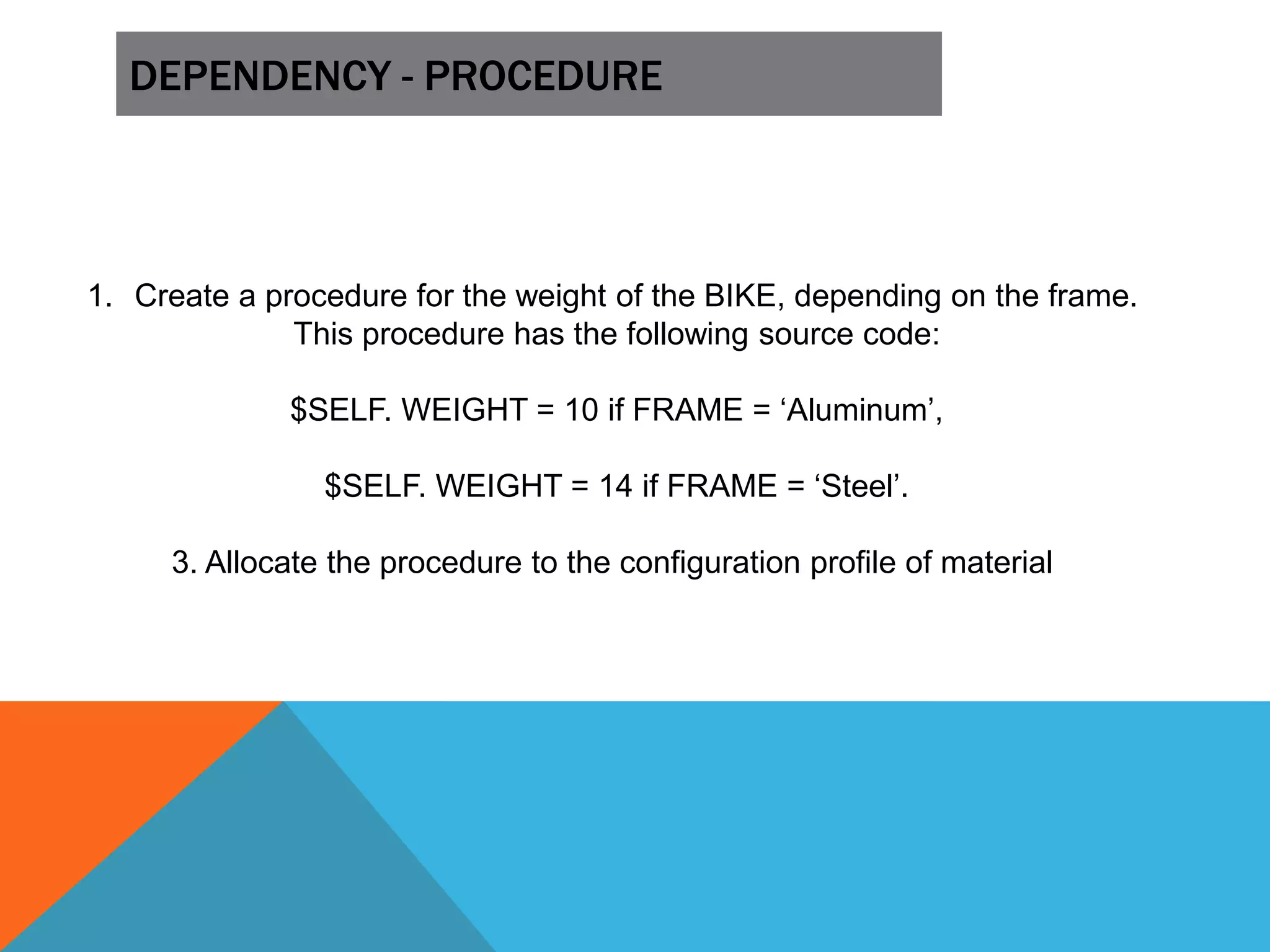
1. Create a procedure for the weight of the BIKE, depending on the frame.
This procedure has the following source code:
$SELF. WEIGHT = 10 if FRAME = ‘Aluminum’,
$SELF. WEIGHT = 14 if FRAME = ‘Steel’.
3. Allocate the procedure to the configuration profile of material
DEPENDENCY - ACTION
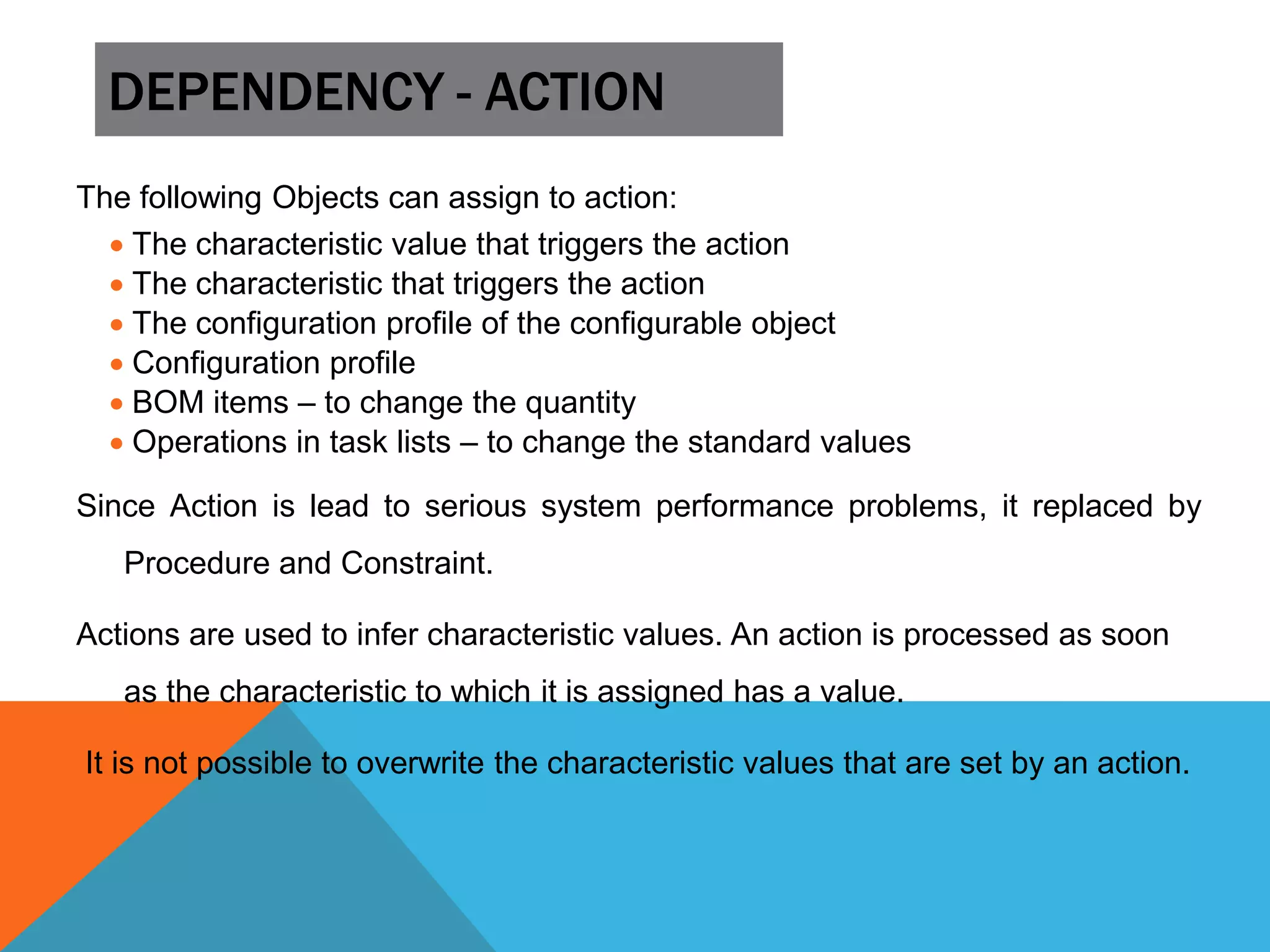
The following Objects can assign to action:
 The characteristic value that triggers the action
 The characteristic that triggers the action
 The configuration profile of the configurable object
 Configuration profile
 BOM items – to change the quantity
 Operations in task lists – to change the standard values
Since Action is lead to serious system performance problems, it replaced by
Procedure and Constraint.
Actions are used to infer characteristic values. An action is processed as soon
as the characteristic to which it is assigned has a value.
It is not possible to overwrite the characteristic values that are set by an action.
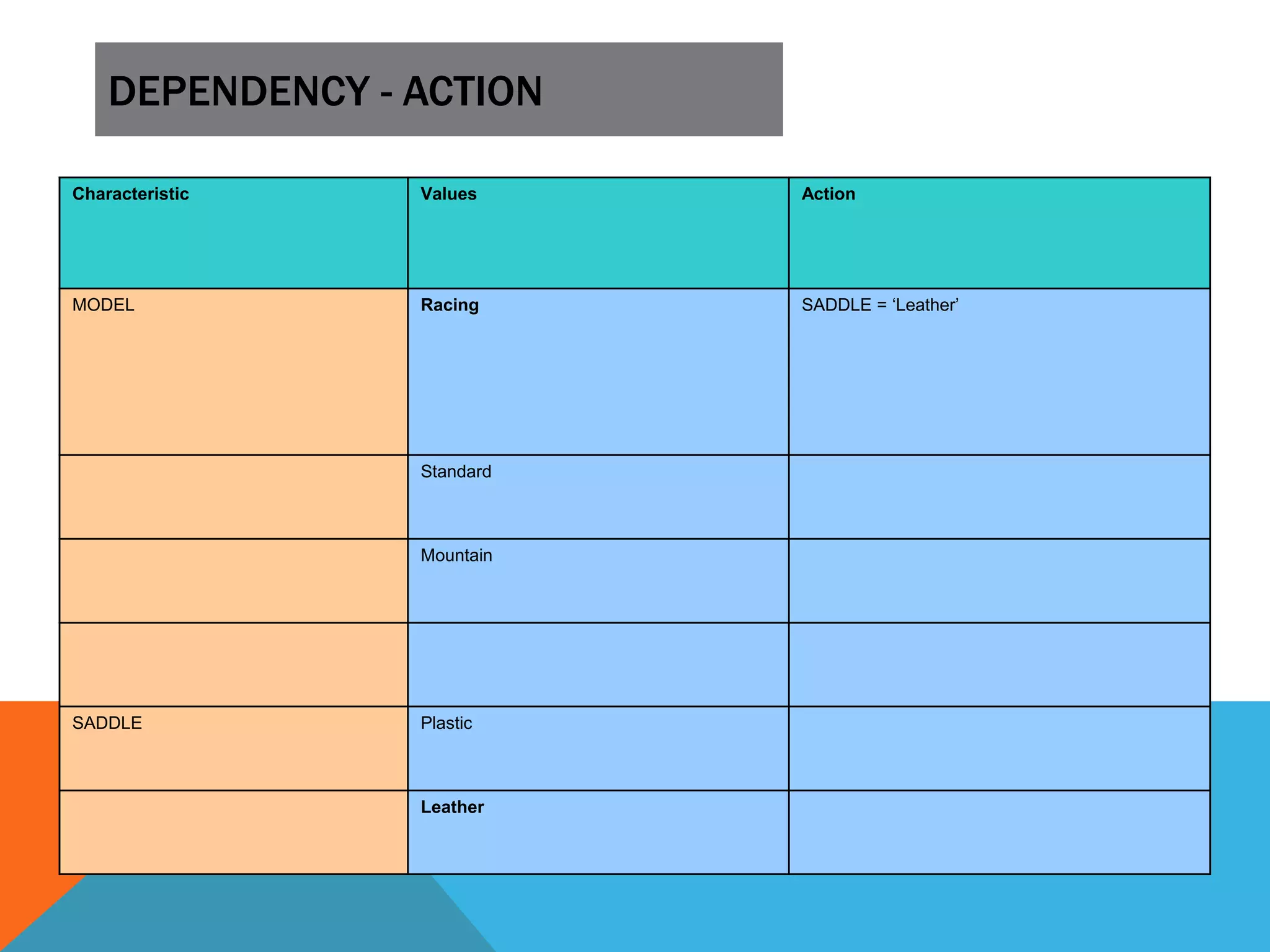
DEPENDENCY - ACTION
Characteristic Values Action
MODEL Racing SADDLE = ‘Leather’
Standard
Mountain
SADDLE Plastic
Leather
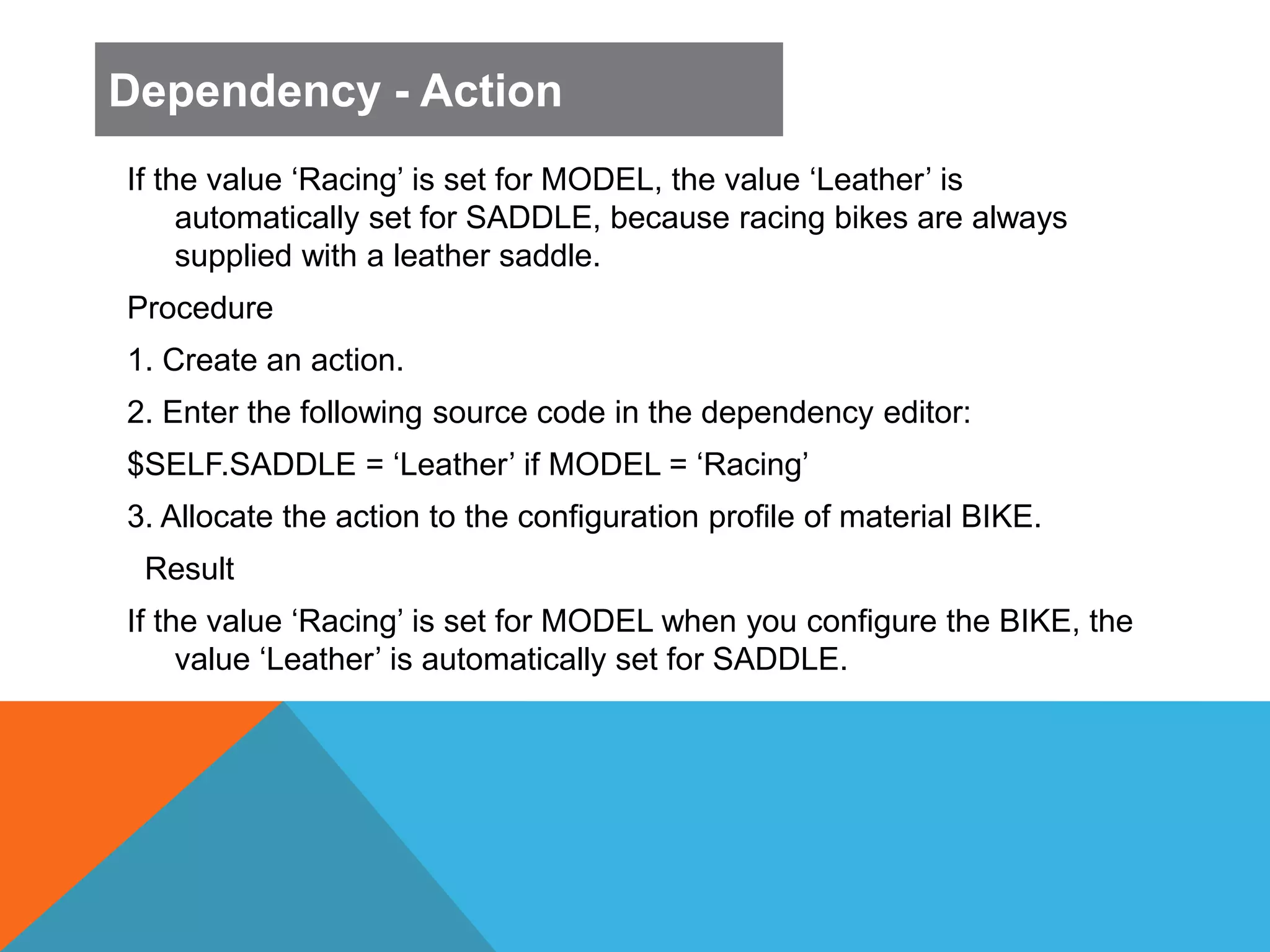
If the value ‘Racing’ is set for MODEL, the value ‘Leather’ is
automatically set for SADDLE, because racing bikes are always
supplied with a leather saddle.
Procedure
1. Create an action.
2. Enter the following source code in the dependency editor:
$SELF.SADDLE = ‘Leather’ if MODEL = ‘Racing’
3. Allocate the action to the configuration profile of material BIKE.
Result
If the value ‘Racing’ is set for MODEL when you configure the BIKE, the
value ‘Leather’ is automatically set for SADDLE.
Dependency - Action
Questions
TRAINING MANUALS
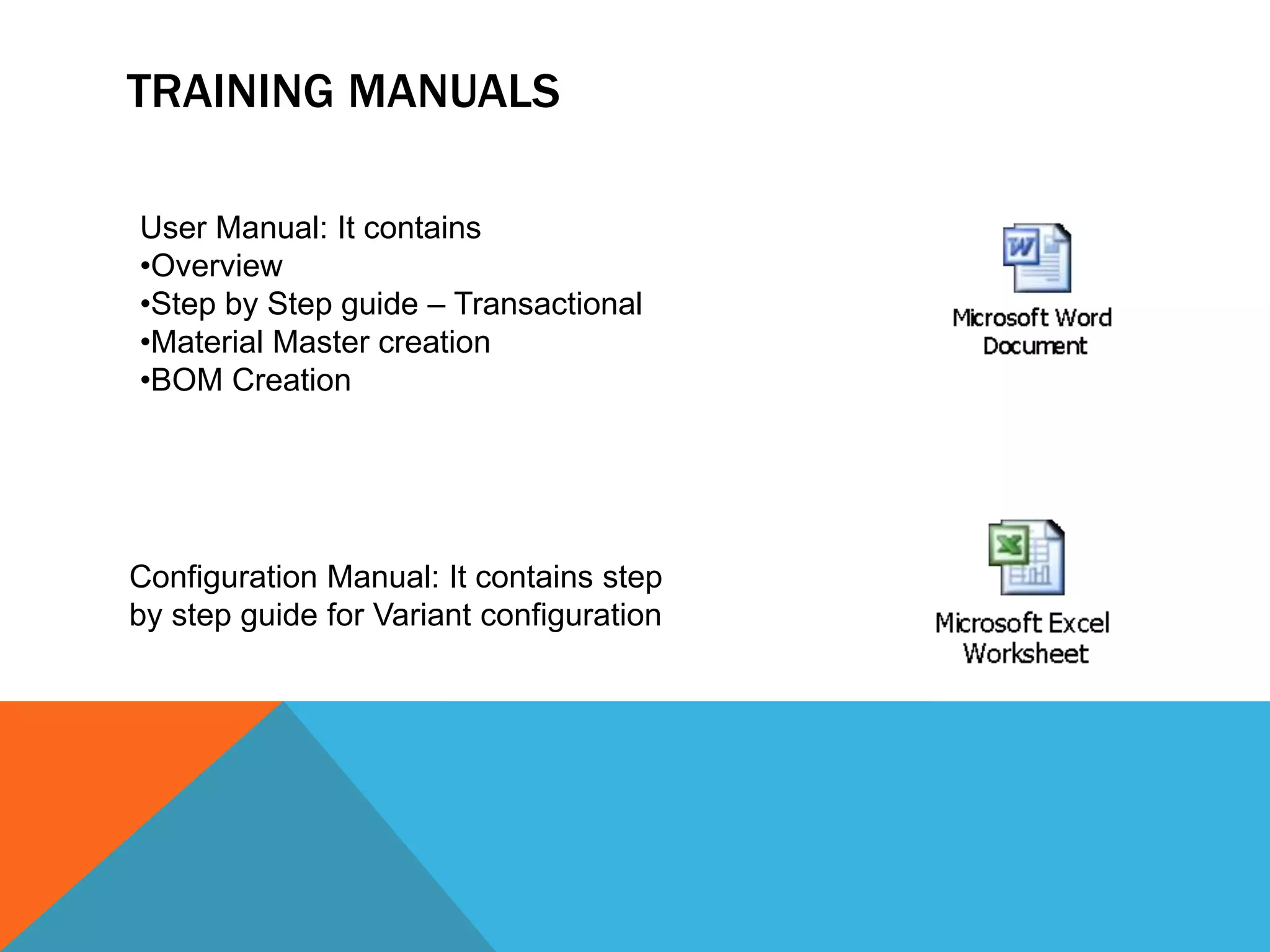
TRAINING MANUALS
User Manual: It contains
•Overview
•Step by Step guide – Transactional
•Material Master creation
•BOM Creation
Configuration Manual: It contains step
by step guide for Variant configuration
THANKS

SAP Variant configuration