HP Server Migration Pack –
Universal Edition
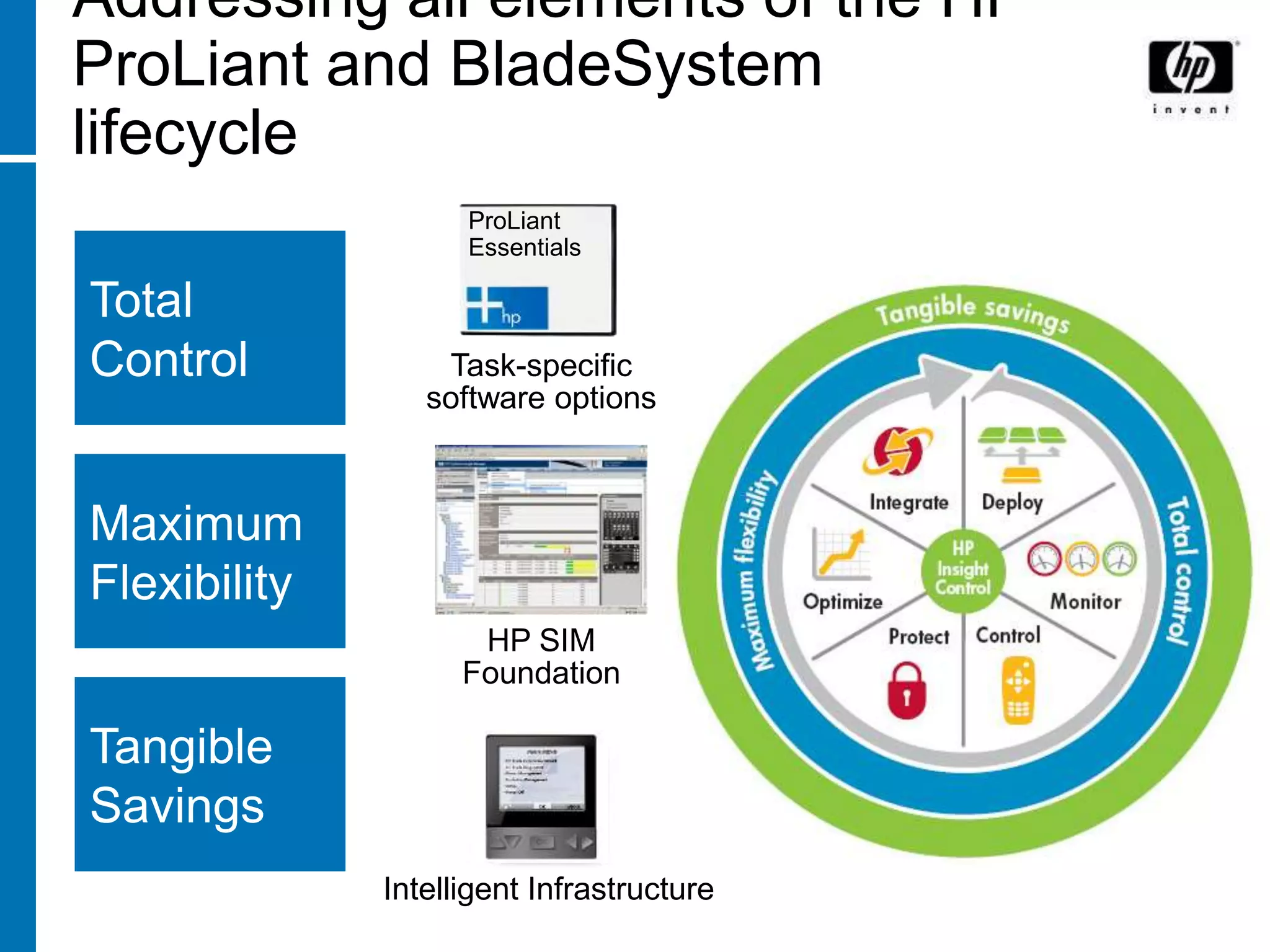
Addressing all elements of the HP
ProLiant and BladeSystem
lifecycle
                    ProLiant
                    Essentials

Total
Control           Task-specific
                 software options


Maximum
Flexibility
                     HP SIM
                    Foundation

Tangible
Savings
              Intelligent Infrastructure
Server Migration as a part of the
HP Insight Control strategy
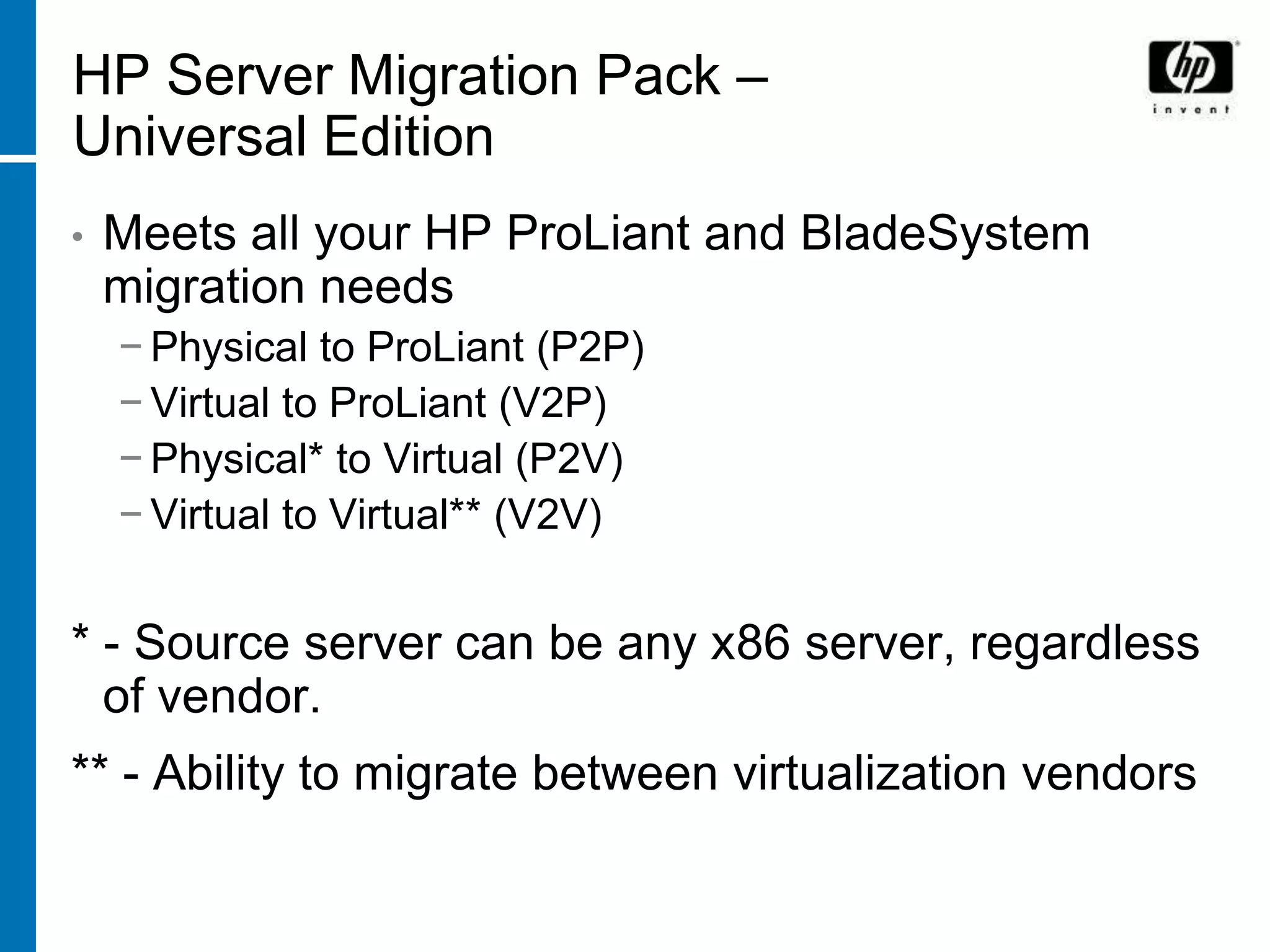
HP Server Migration Pack –
Universal Edition
•   Meets all your HP ProLiant and BladeSystem
    migration needs
    − Physical to ProLiant (P2P)
    − Virtual to ProLiant (V2P)
    − Physical* to Virtual (P2V)
    − Virtual to Virtual** (V2V)


* - Source server can be any x86 server, regardless
  of vendor.
** - Ability to migrate between virtualization vendors
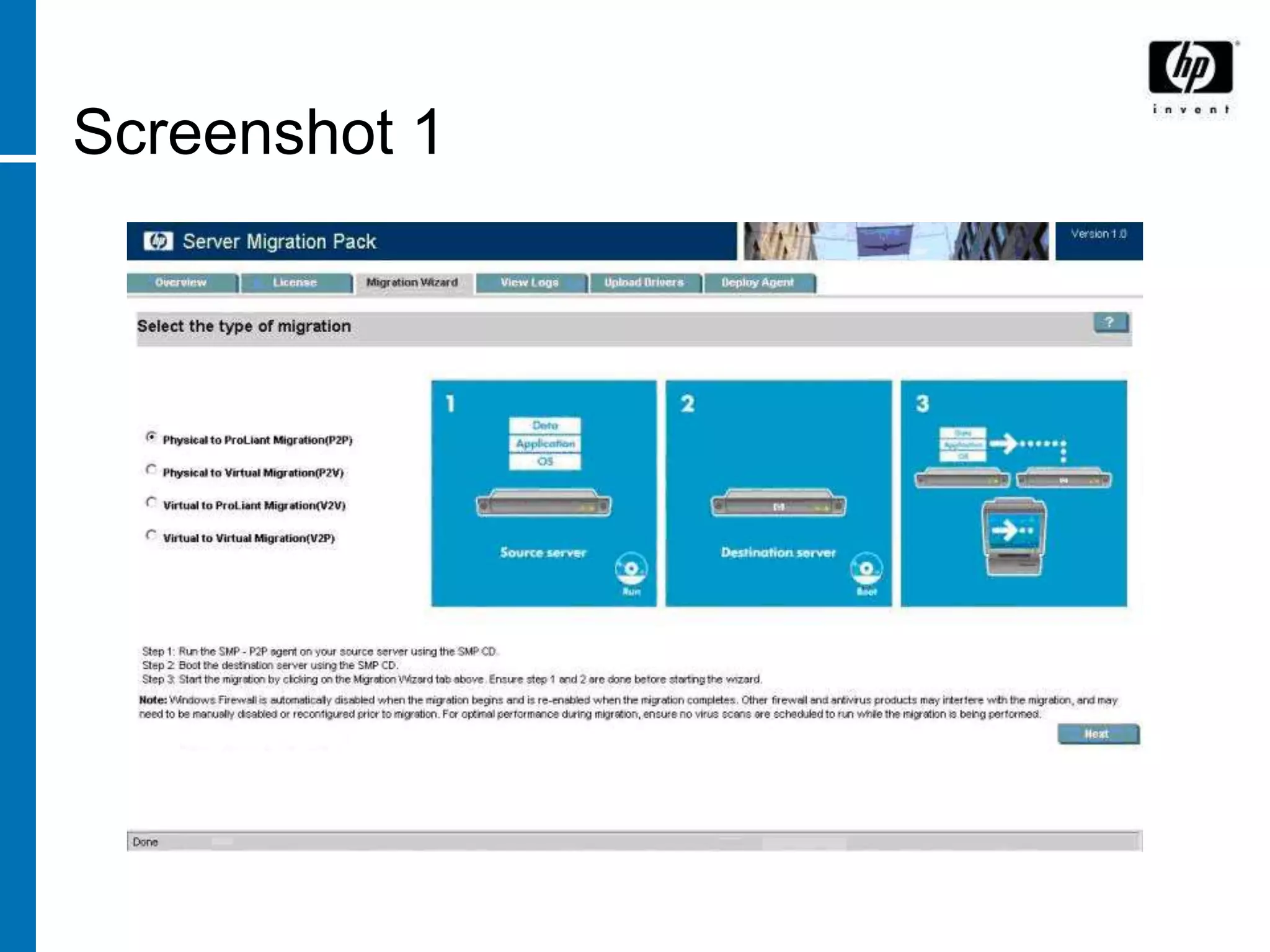
Screenshot 1
The three components of any
migration – the APP STATION

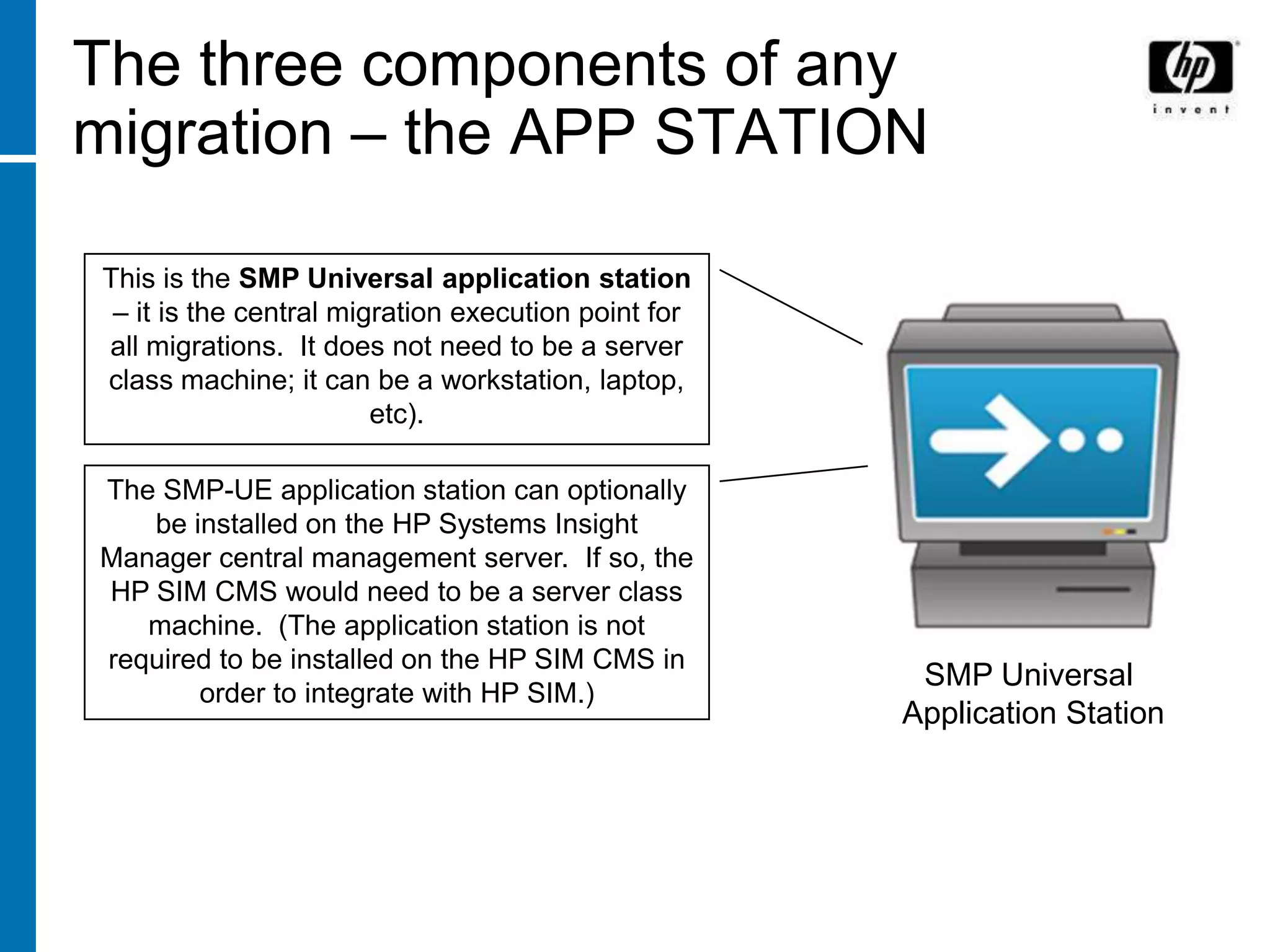
This is the SMP Universal application station
 – it is the central migration execution point for
all migrations. It does not need to be a server
class machine; it can be a workstation, laptop,
                        etc).

The SMP-UE application station can optionally
   be installed on the HP Systems Insight
Manager central management server. If so, the
HP SIM CMS would need to be a server class
   machine. (The application station is not
required to be installed on the HP SIM CMS in
                                                      SMP Universal
       order to integrate with HP SIM.)
                                                     Application Station
The three components of any
migration – the SOURCE server


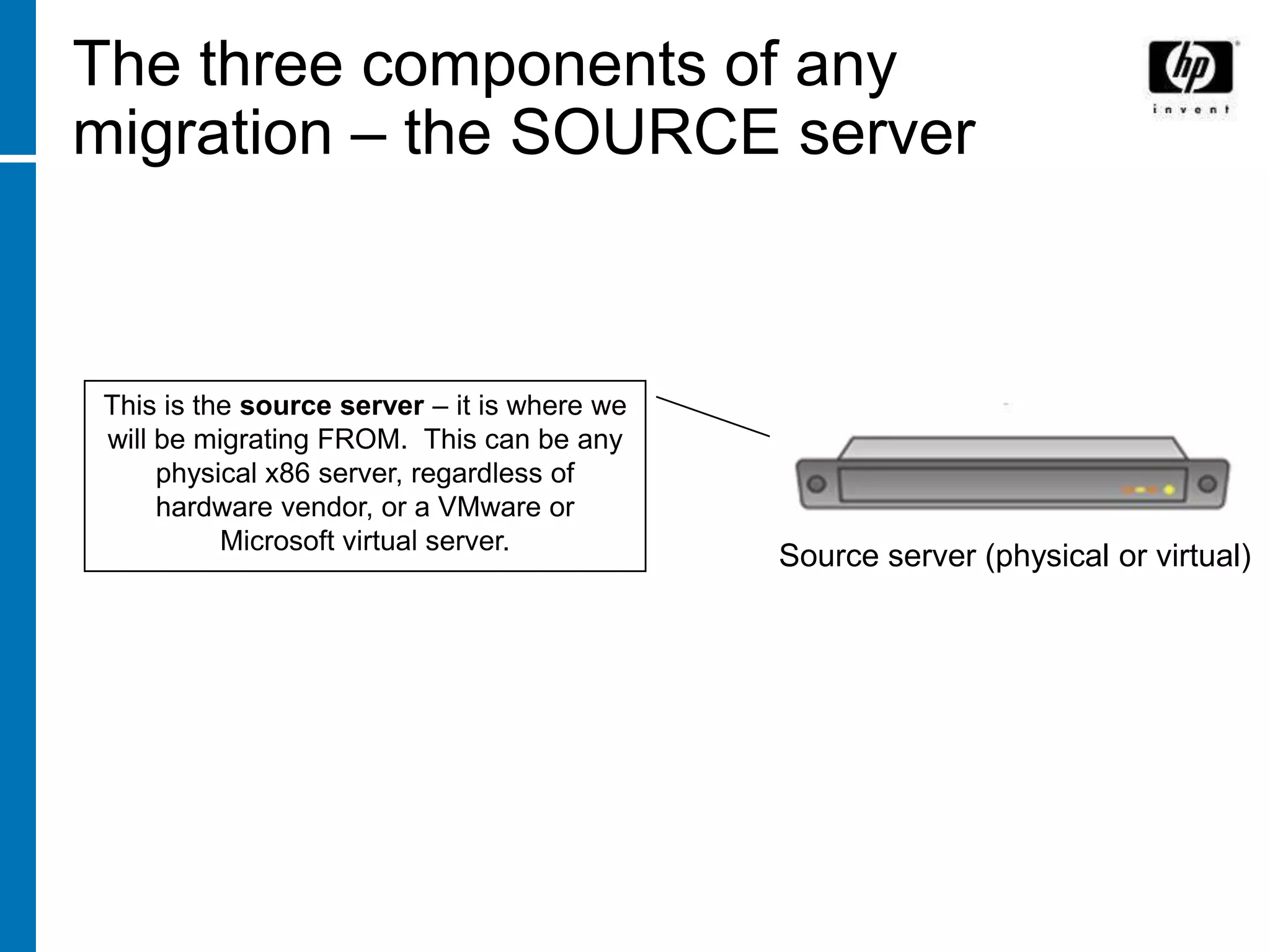
This is the source server – it is where we
will be migrating FROM. This can be any
     physical x86 server, regardless of
     hardware vendor, or a VMware or
          Microsoft virtual server.
                                             Source server (physical or virtual)
The three components of any
migration – the DESTINATION
server


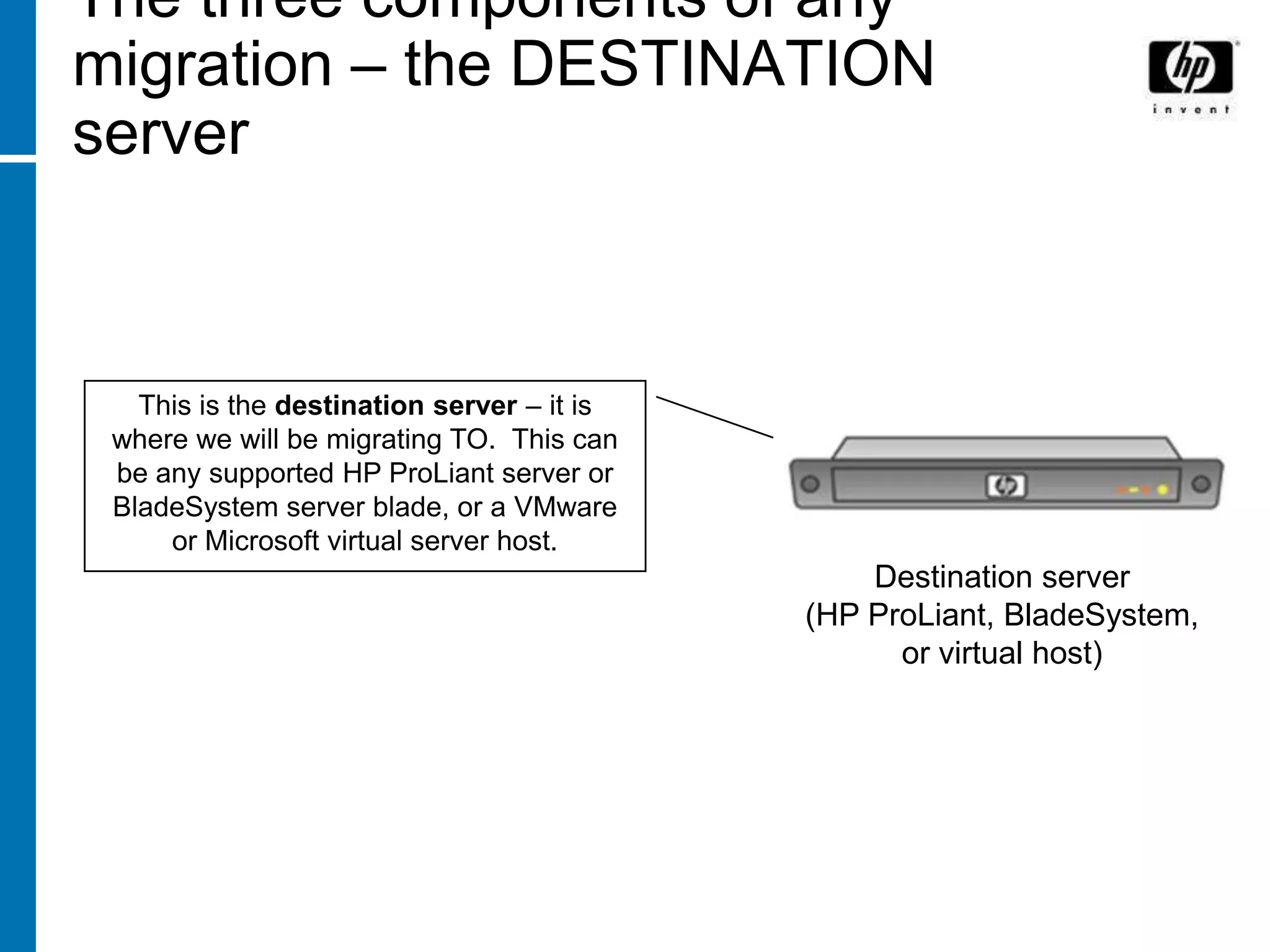
   This is the destination server – it is
 where we will be migrating TO. This can
 be any supported HP ProLiant server or
 BladeSystem server blade, or a VMware
     or Microsoft virtual server host.
                                                Destination server
                                            (HP ProLiant, BladeSystem,
                                                  or virtual host)
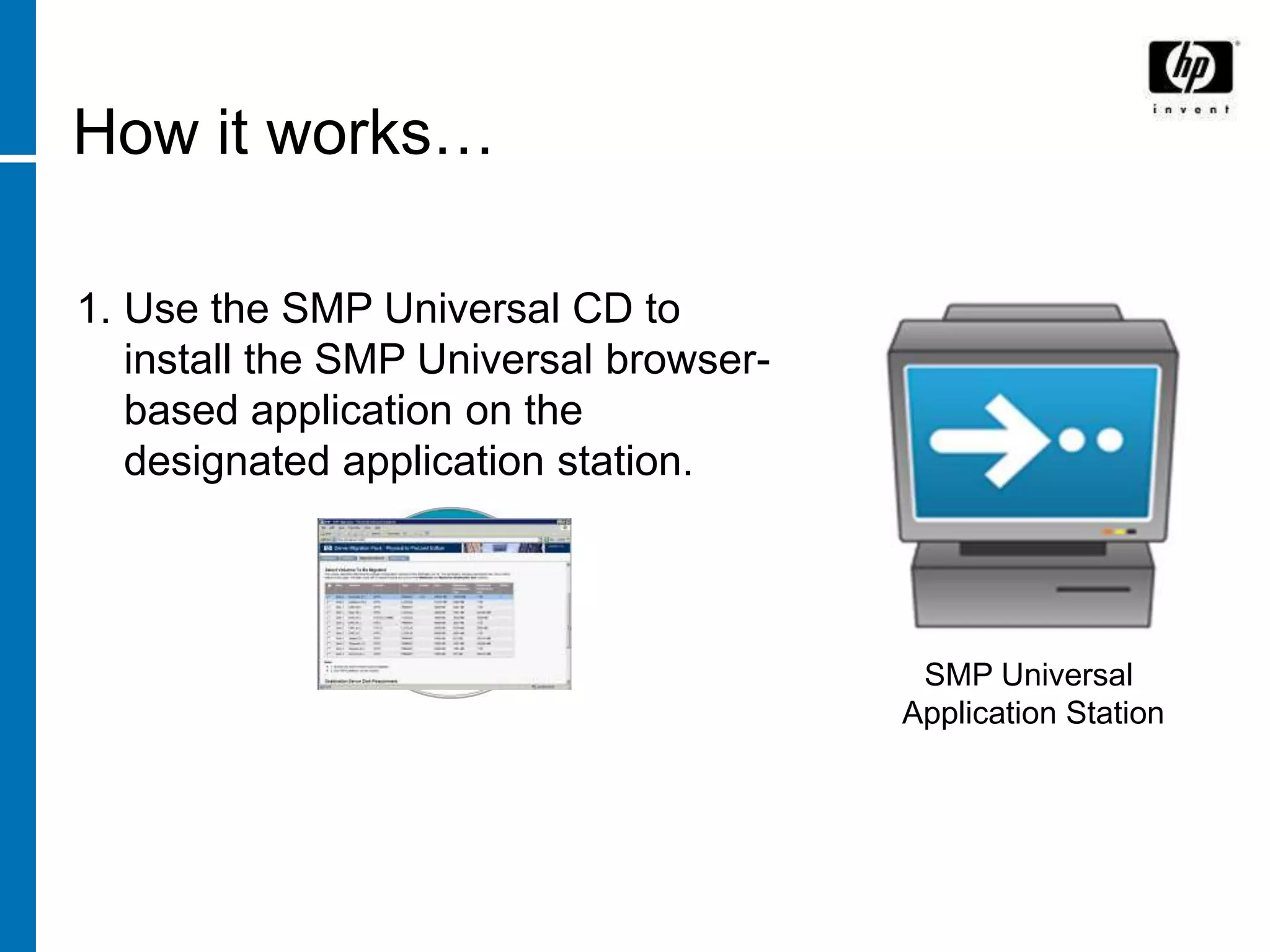
How it works…

1. Use the SMP Universal CD to
   install the SMP Universal browser-
   based application on the
   designated application station.


                                         SMP Universal
                                        Application Station
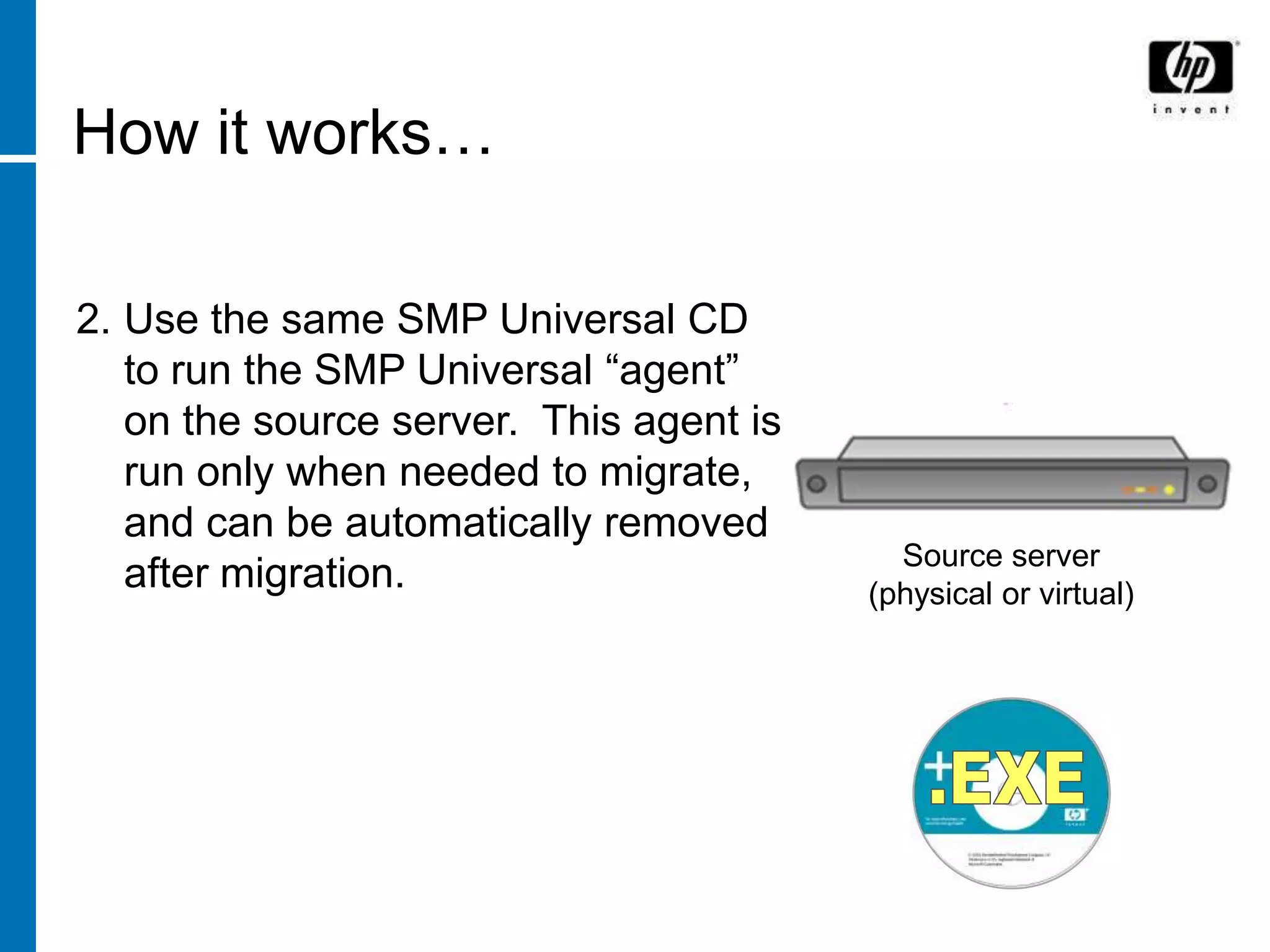
How it works…

2. Use the same SMP Universal CD
   to run the SMP Universal “agent”
   on the source server. This agent is
   run only when needed to migrate,
   and can be automatically removed
                                           Source server
   after migration.                      (physical or virtual)
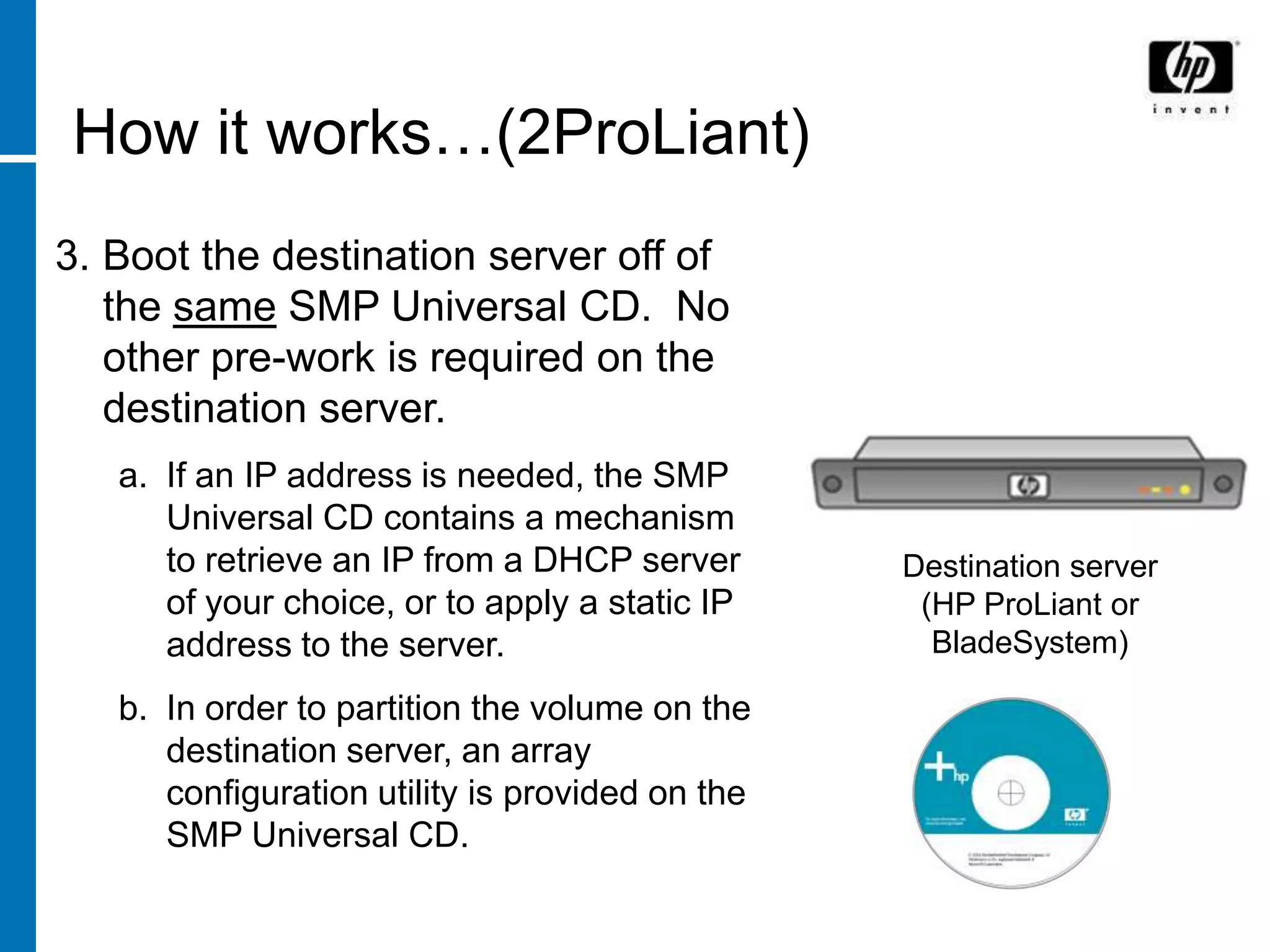
How it works…(2ProLiant)
3. Boot the destination server off of
   the same SMP Universal CD. No
   other pre-work is required on the
   destination server.
   a. If an IP address is needed, the SMP
      Universal CD contains a mechanism
      to retrieve an IP from a DHCP server       Destination server
      of your choice, or to apply a static IP     (HP ProLiant or
      address to the server.                       BladeSystem)

   b. In order to partition the volume on the
      destination server, an array
      configuration utility is provided on the
      SMP Universal CD.
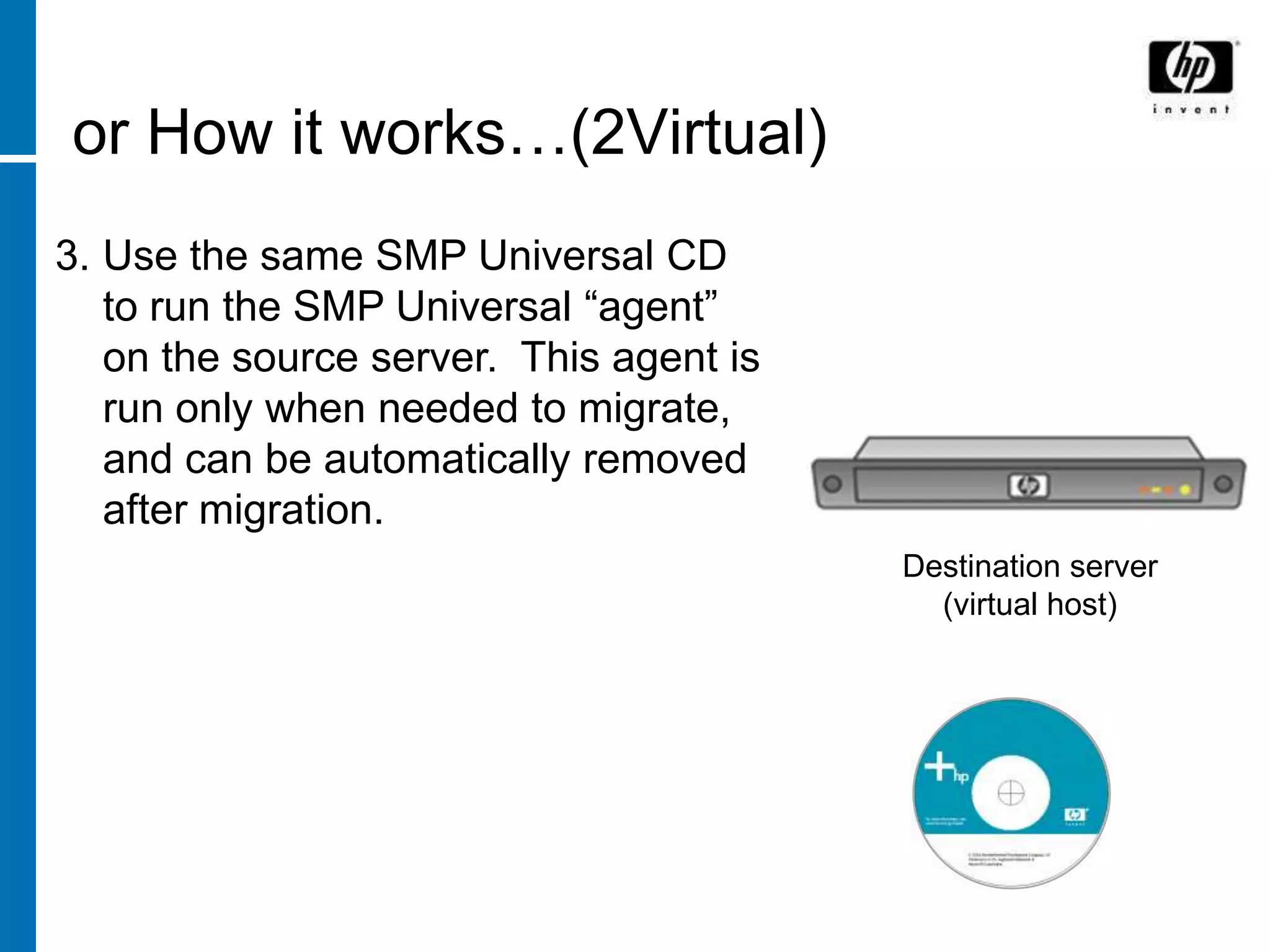
or How it works…(2Virtual)
3. Use the same SMP Universal CD
   to run the SMP Universal “agent”
   on the source server. This agent is
   run only when needed to migrate,
   and can be automatically removed
   after migration.
                                         Destination server
                                           (virtual host)
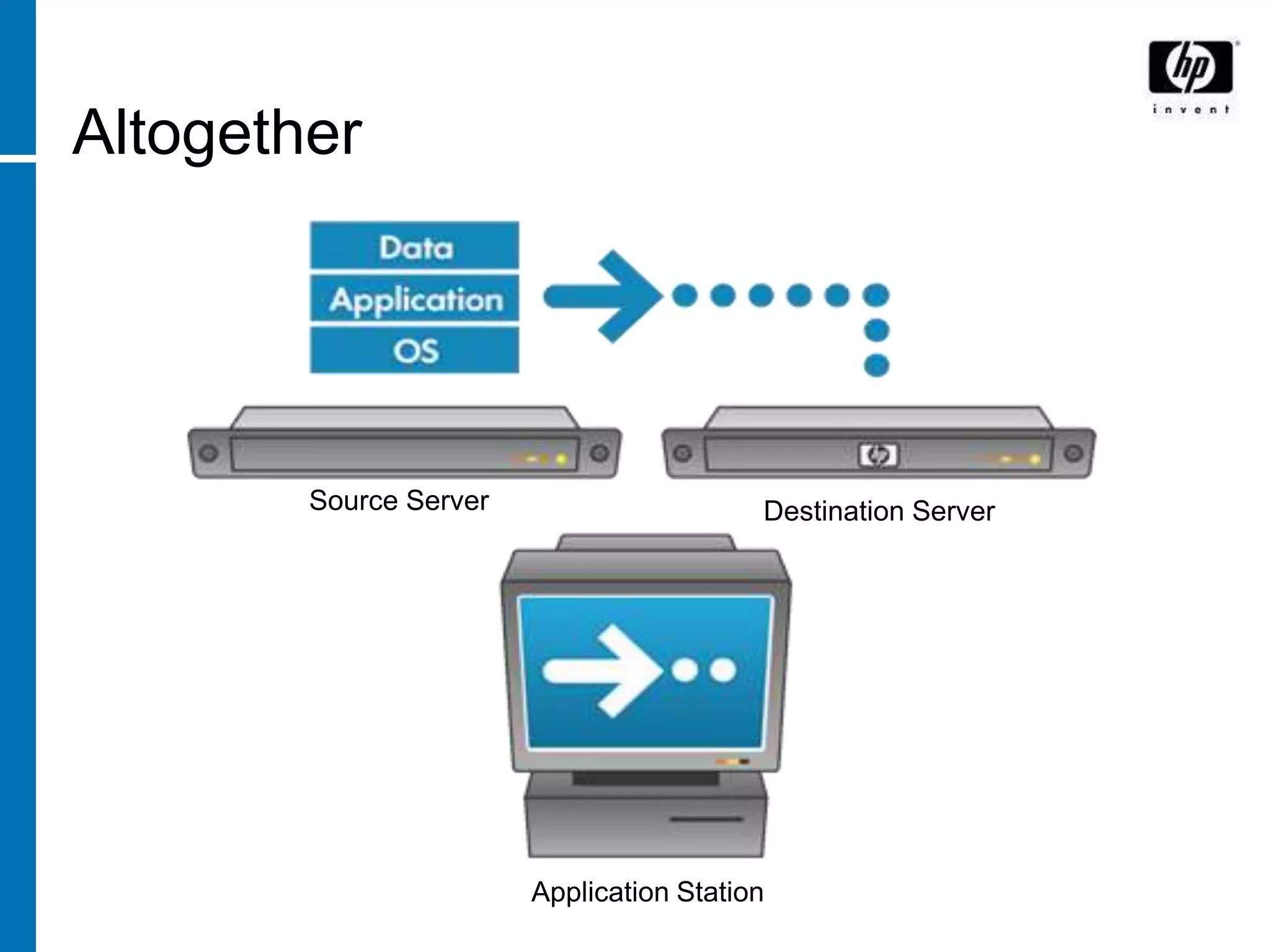
Altogether


        Source Server                     Destination Server


                        Application Station
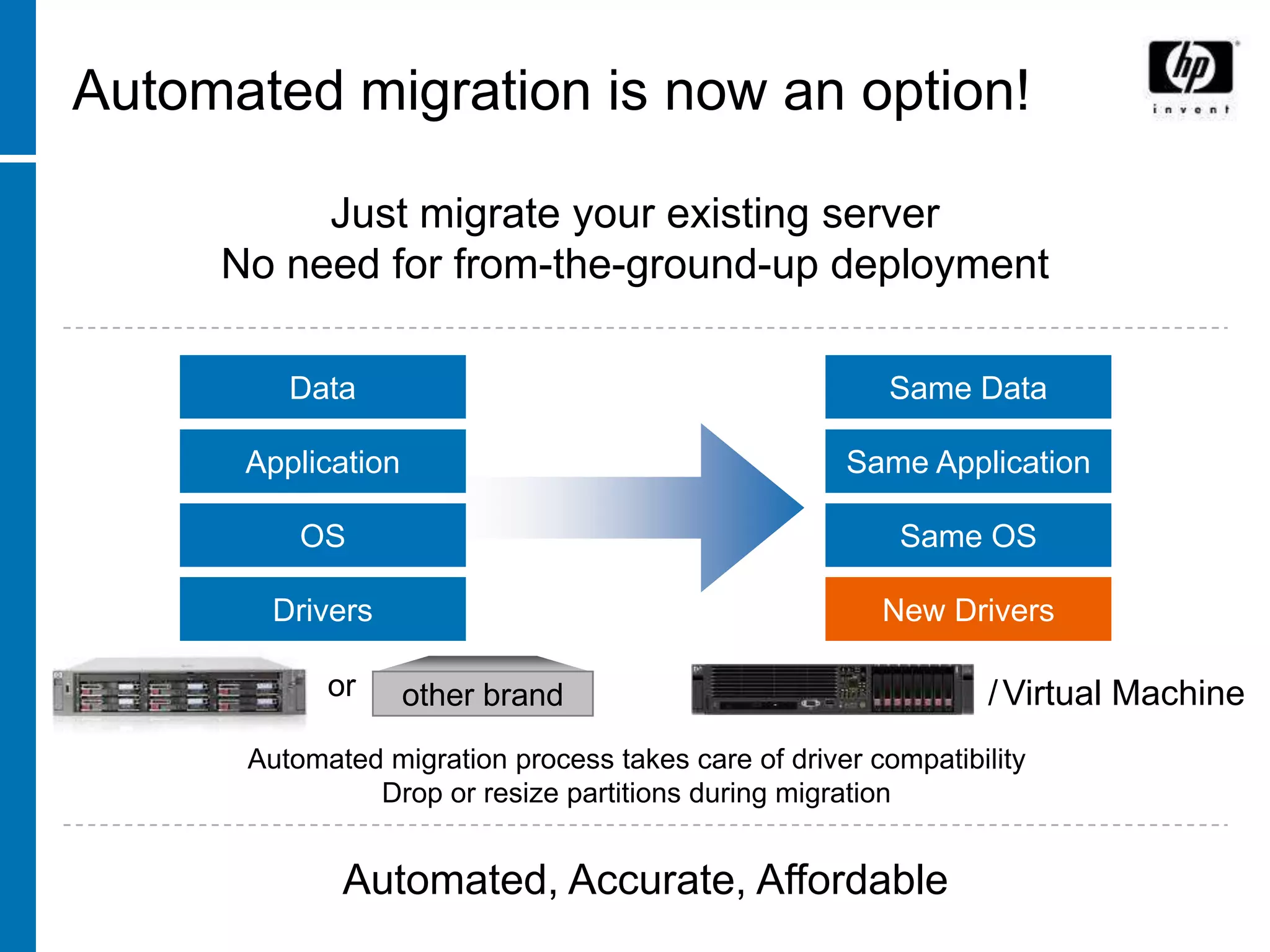
Automated migration is now an option!

          Just migrate your existing server
     No need for from-the-ground-up deployment

         Data                                            Same Data

      Application                                    Same Application

          OS                                             Same OS

       Drivers                                          New Drivers

            or         other
                    other brand                                 / Virtual Machine
      Automated migration process takes care of driver compatibility
               Drop or resize partitions during migration


             Automated, Accurate, Affordable
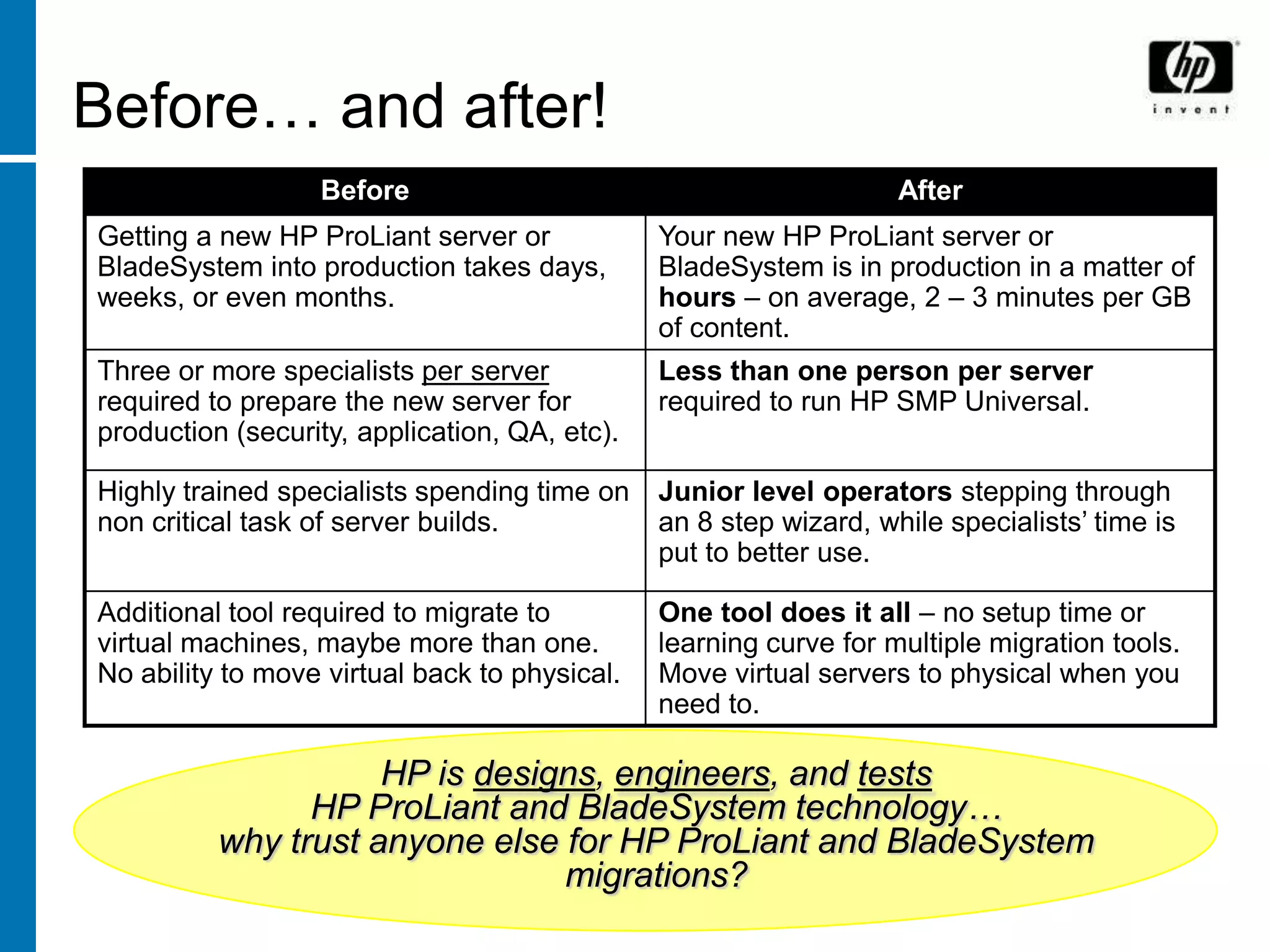
Before… and after!
                  Before                                           After
Getting a new HP ProLiant server or            Your new HP ProLiant server or
BladeSystem into production takes days,        BladeSystem is in production in a matter of
weeks, or even months.                         hours – on average, 2 – 3 minutes per GB
                                               of content.
Three or more specialists per server           Less than one person per server
required to prepare the new server for         required to run HP SMP Universal.
production (security, application, QA, etc).

Highly trained specialists spending time on    Junior level operators stepping through
non critical task of server builds.            an 8 step wizard, while specialists’ time is
                                               put to better use.

Additional tool required to migrate to         One tool does it all – no setup time or
virtual machines, maybe more than one.         learning curve for multiple migration tools.
No ability to move virtual back to physical.   Move virtual servers to physical when you
                                               need to.

                     HP is designs, engineers, and tests
                HP ProLiant and BladeSystem technology…
          why trust anyone else for HP ProLiant and BladeSystem
                                migrations?
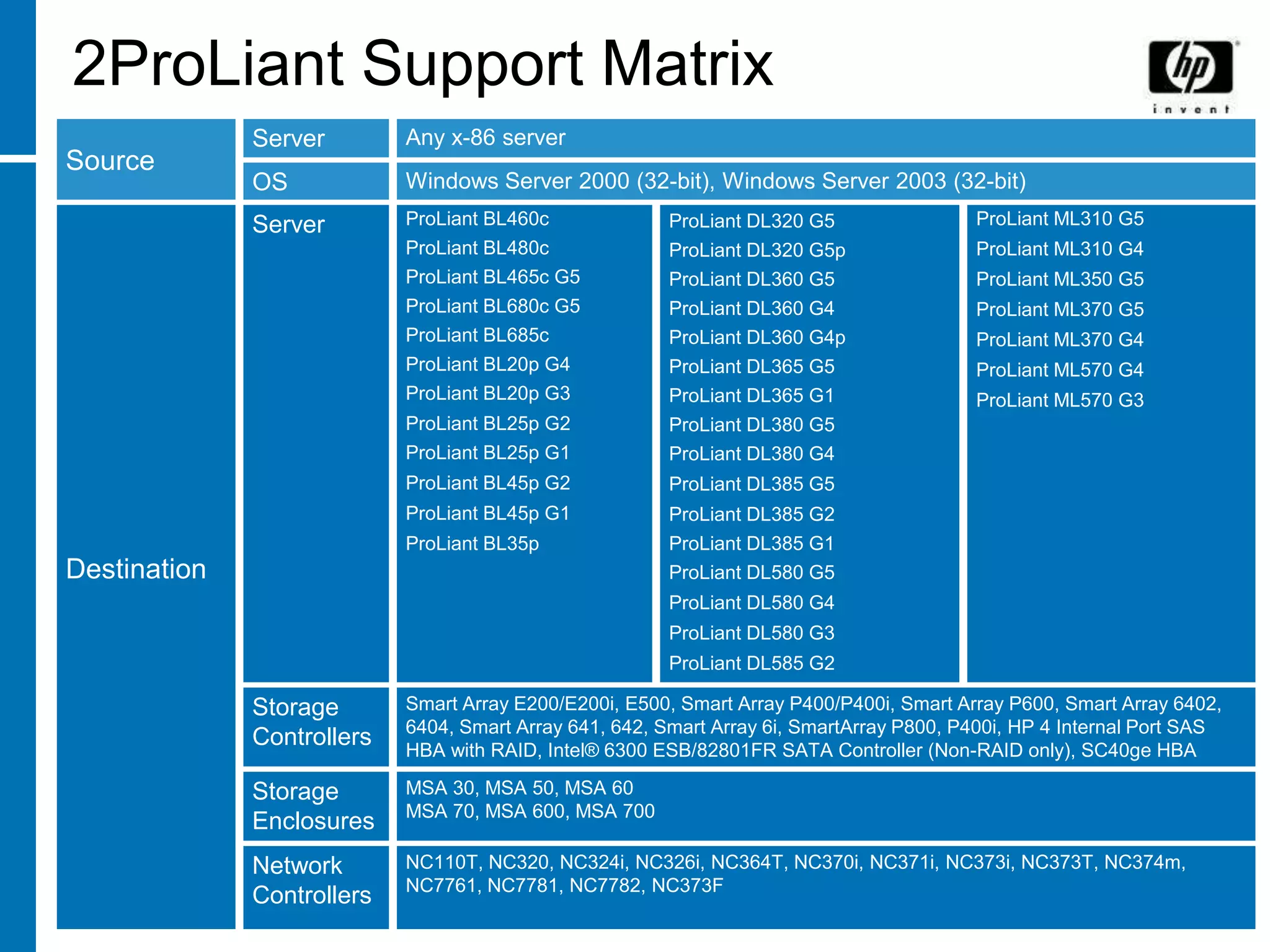
2ProLiant Support Matrix
              Server        Any x-86 server
Source
              OS            Windows Server 2000 (32-bit), Windows Server 2003 (32-bit)
              Server        ProLiant BL460c              ProLiant DL320 G5                ProLiant ML310 G5
                            ProLiant BL480c              ProLiant DL320 G5p               ProLiant ML310 G4
                            ProLiant BL465c G5           ProLiant DL360 G5                ProLiant ML350 G5
                            ProLiant BL680c G5           ProLiant DL360 G4                ProLiant ML370 G5
                            ProLiant BL685c              ProLiant DL360 G4p               ProLiant ML370 G4
                            ProLiant BL20p G4            ProLiant DL365 G5                ProLiant ML570 G4
                            ProLiant BL20p G3            ProLiant DL365 G1                ProLiant ML570 G3
                            ProLiant BL25p G2            ProLiant DL380 G5
                            ProLiant BL25p G1            ProLiant DL380 G4
                            ProLiant BL45p G2            ProLiant DL385 G5
                            ProLiant BL45p G1            ProLiant DL385 G2
                            ProLiant BL35p               ProLiant DL385 G1
Destination                                              ProLiant DL580 G5
                                                         ProLiant DL580 G4
                                                         ProLiant DL580 G3
                                                         ProLiant DL585 G2

              Storage       Smart Array E200/E200i, E500, Smart Array P400/P400i, Smart Array P600, Smart Array 6402,
                            6404, Smart Array 641, 642, Smart Array 6i, SmartArray P800, P400i, HP 4 Internal Port SAS
              Controllers   HBA with RAID, Intel® 6300 ESB/82801FR SATA Controller (Non-RAID only), SC40ge HBA

              Storage       MSA 30, MSA 50, MSA 60
                            MSA 70, MSA 600, MSA 700
              Enclosures
              Network       NC110T, NC320, NC324i, NC326i, NC364T, NC370i, NC371i, NC373i, NC373T, NC374m,
                            NC7761, NC7781, NC7782, NC373F
              Controllers
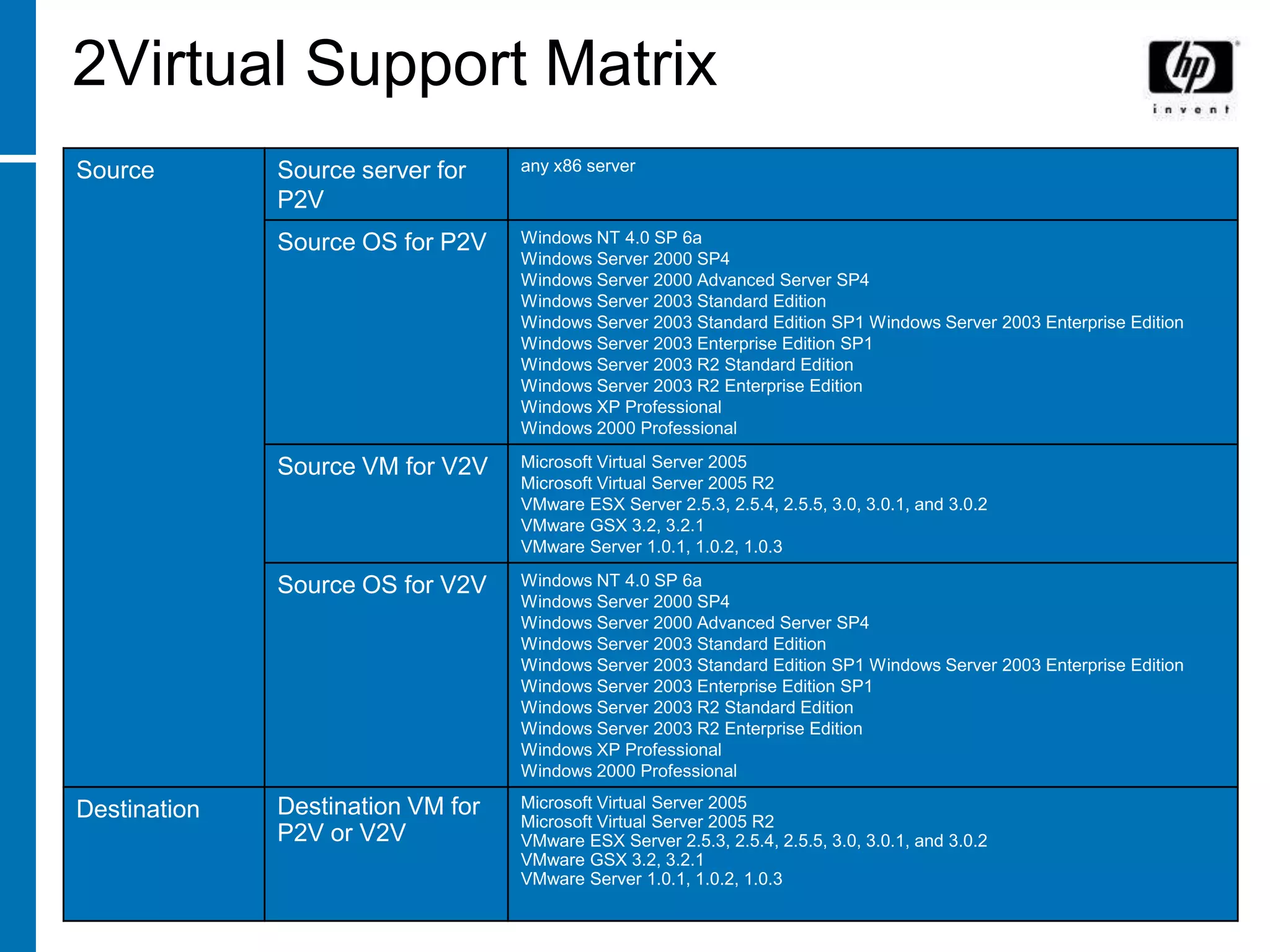
2Virtual Support Matrix
Source        Source server for    any x86 server

              P2V
              Source OS for P2V    Windows NT 4.0 SP 6a
                                   Windows Server 2000 SP4
                                   Windows Server 2000 Advanced Server SP4
                                   Windows Server 2003 Standard Edition
                                   Windows Server 2003 Standard Edition SP1 Windows Server 2003 Enterprise Edition
                                   Windows Server 2003 Enterprise Edition SP1
                                   Windows Server 2003 R2 Standard Edition
                                   Windows Server 2003 R2 Enterprise Edition
                                   Windows XP Professional
                                   Windows 2000 Professional

              Source VM for V2V    Microsoft Virtual Server 2005
                                   Microsoft Virtual Server 2005 R2
                                   VMware ESX Server 2.5.3, 2.5.4, 2.5.5, 3.0, 3.0.1, and 3.0.2
                                   VMware GSX 3.2, 3.2.1
                                   VMware Server 1.0.1, 1.0.2, 1.0.3

              Source OS for V2V    Windows NT 4.0 SP 6a
                                   Windows Server 2000 SP4
                                   Windows Server 2000 Advanced Server SP4
                                   Windows Server 2003 Standard Edition
                                   Windows Server 2003 Standard Edition SP1 Windows Server 2003 Enterprise Edition
                                   Windows Server 2003 Enterprise Edition SP1
                                   Windows Server 2003 R2 Standard Edition
                                   Windows Server 2003 R2 Enterprise Edition
                                   Windows XP Professional
                                   Windows 2000 Professional

              Destination VM for   Microsoft Virtual Server 2005
Destination                        Microsoft Virtual Server 2005 R2
              P2V or V2V           VMware ESX Server 2.5.3, 2.5.4, 2.5.5, 3.0, 3.0.1, and 3.0.2
                                   VMware GSX 3.2, 3.2.1
                                   VMware Server 1.0.1, 1.0.2, 1.0.3
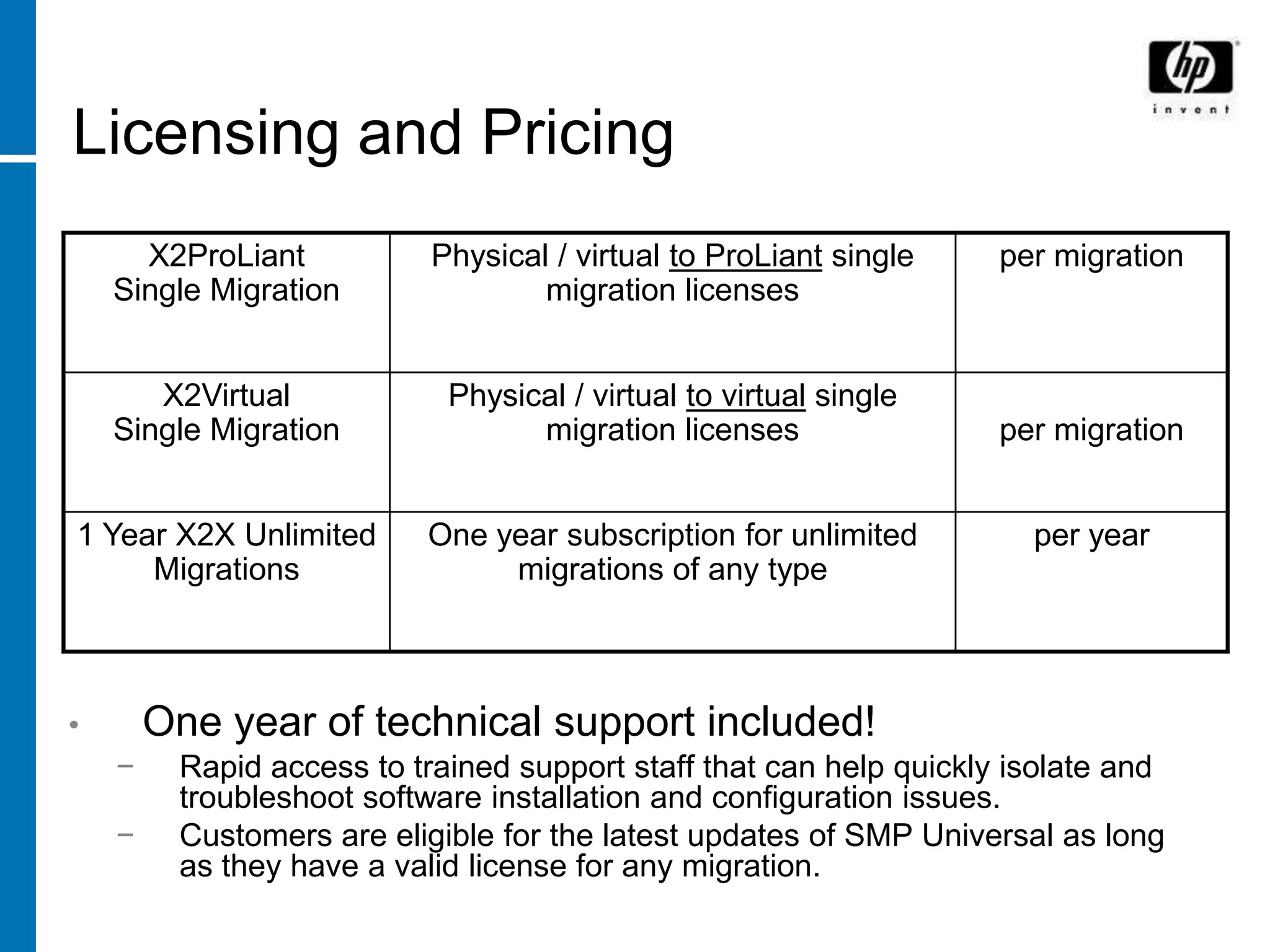
Licensing and Pricing
      X2ProLiant           Physical / virtual to ProLiant single    per migration
    Single Migration               migration licenses


       X2Virtual            Physical / virtual to virtual single
    Single Migration              migration licenses                per migration


1 Year X2X Unlimited      One year subscription for unlimited         per year
     Migrations                migrations of any type


•       One year of technical support included!
    −    Rapid access to trained support staff that can help quickly isolate and
         troubleshoot software installation and configuration issues.
    −    Customers are eligible for the latest updates of SMP Universal as long
         as they have a valid license for any migration.
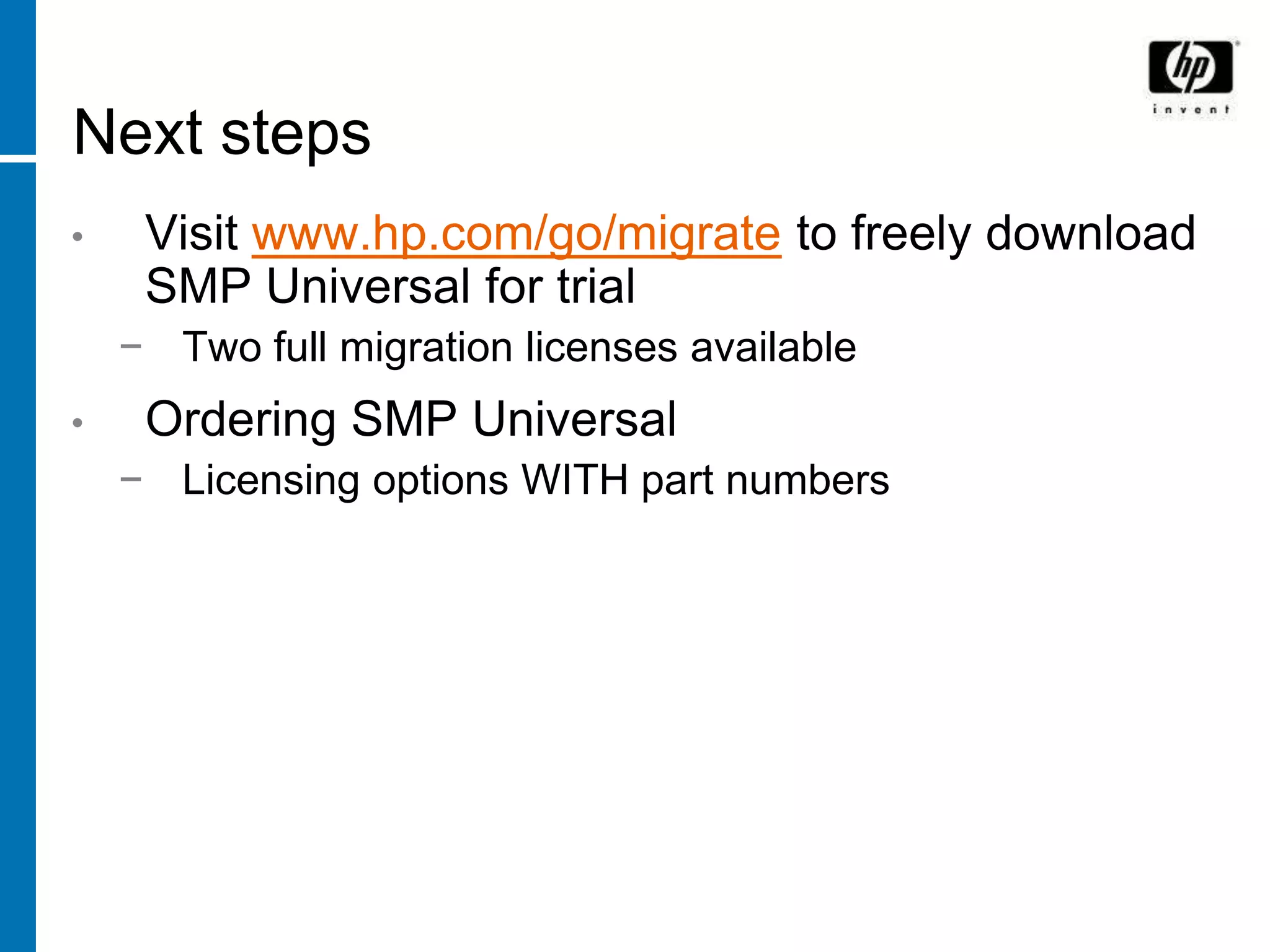
Next steps
•    Visit www.hp.com/go/migrate to freely download
     SMP Universal for trial
    − Two full migration licenses available
•    Ordering SMP Universal
    − Licensing options WITH part numbers
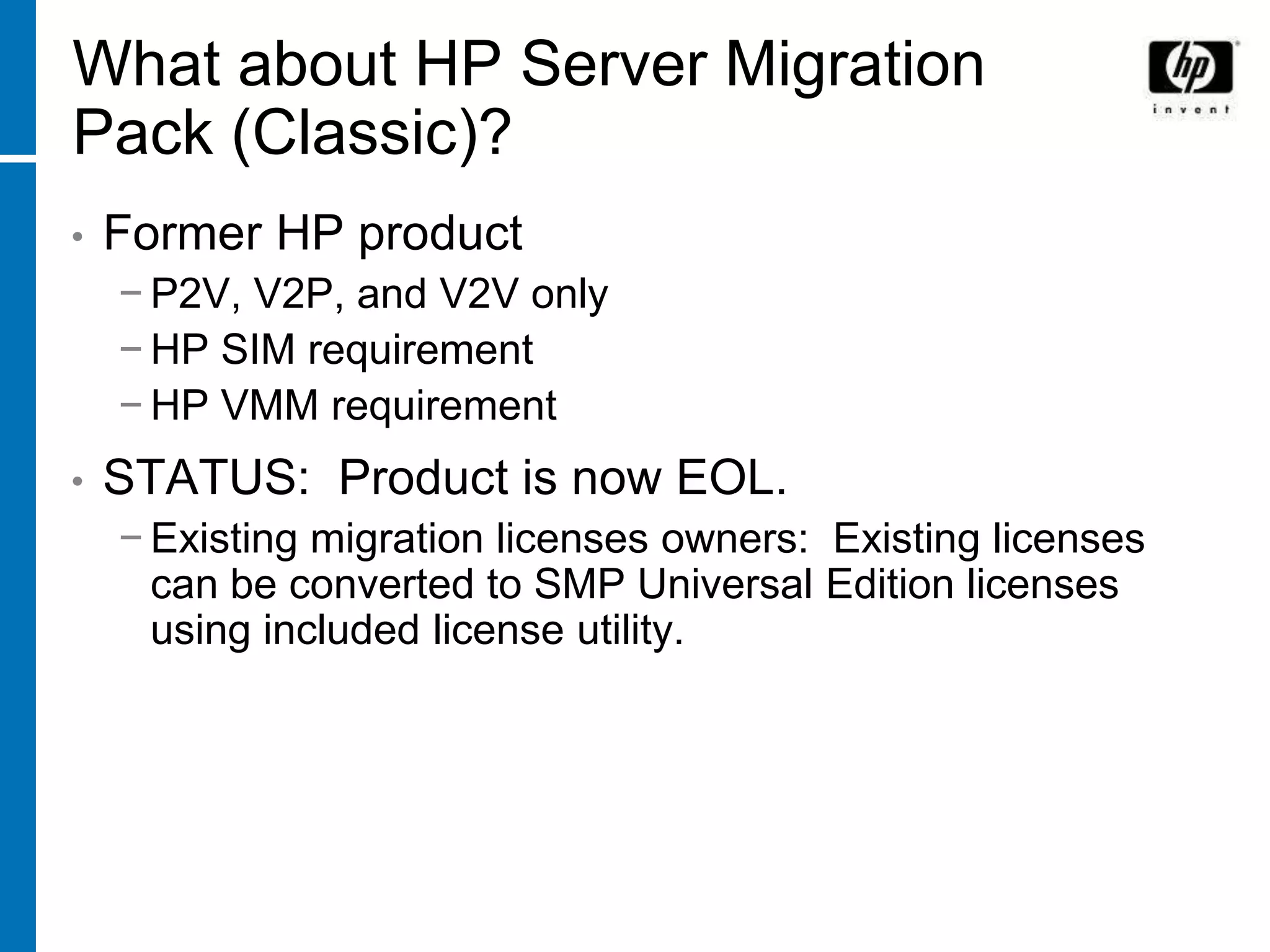
What about HP Server Migration
Pack (Classic)?
•   Former HP product
    − P2V, V2P, and V2V only
    − HP SIM requirement
    − HP VMM requirement
•   STATUS: Product is now EOL.
    − Existing migration licenses owners: Existing licenses
      can be converted to SMP Universal Edition licenses
      using included license utility.
What about HP Server Migration Pack –
Physical to ProLiant Edition (aka P2P, SMP-
P2P)?
•   Former HP product
    − Physical to ProLiant migrations only
    − No ability to interface with HP SIM
    − Could not reside on HP SIM CMS
•   STATUS: Product is now EOL.
    − Existing migration licenses owners: Existing licenses
      can be converted to SMP Universal Edition licenses
      using included license utility.

HP Universal Server Migration Pack - Magnus Wetterberg.ppt

  • 1.
    HP Server MigrationPack – Universal Edition
  • 2.
    Addressing all elementsof the HP ProLiant and BladeSystem lifecycle ProLiant Essentials Total Control Task-specific software options Maximum Flexibility HP SIM Foundation Tangible Savings Intelligent Infrastructure
  • 3.
    Server Migration asa part of the HP Insight Control strategy
  • 4.
    HP Server MigrationPack – Universal Edition • Meets all your HP ProLiant and BladeSystem migration needs − Physical to ProLiant (P2P) − Virtual to ProLiant (V2P) − Physical* to Virtual (P2V) − Virtual to Virtual** (V2V) * - Source server can be any x86 server, regardless of vendor. ** - Ability to migrate between virtualization vendors
  • 5.
  • 6.
    The three componentsof any migration – the APP STATION This is the SMP Universal application station – it is the central migration execution point for all migrations. It does not need to be a server class machine; it can be a workstation, laptop, etc). The SMP-UE application station can optionally be installed on the HP Systems Insight Manager central management server. If so, the HP SIM CMS would need to be a server class machine. (The application station is not required to be installed on the HP SIM CMS in SMP Universal order to integrate with HP SIM.) Application Station
  • 7.
    The three componentsof any migration – the SOURCE server This is the source server – it is where we will be migrating FROM. This can be any physical x86 server, regardless of hardware vendor, or a VMware or Microsoft virtual server. Source server (physical or virtual)
  • 8.
    The three componentsof any migration – the DESTINATION server This is the destination server – it is where we will be migrating TO. This can be any supported HP ProLiant server or BladeSystem server blade, or a VMware or Microsoft virtual server host. Destination server (HP ProLiant, BladeSystem, or virtual host)
  • 9.
    How it works… 1.Use the SMP Universal CD to install the SMP Universal browser- based application on the designated application station. SMP Universal Application Station
  • 10.
    How it works… 2.Use the same SMP Universal CD to run the SMP Universal “agent” on the source server. This agent is run only when needed to migrate, and can be automatically removed Source server after migration. (physical or virtual)
  • 11.
    How it works…(2ProLiant) 3.Boot the destination server off of the same SMP Universal CD. No other pre-work is required on the destination server. a. If an IP address is needed, the SMP Universal CD contains a mechanism to retrieve an IP from a DHCP server Destination server of your choice, or to apply a static IP (HP ProLiant or address to the server. BladeSystem) b. In order to partition the volume on the destination server, an array configuration utility is provided on the SMP Universal CD.
  • 12.
    or How itworks…(2Virtual) 3. Use the same SMP Universal CD to run the SMP Universal “agent” on the source server. This agent is run only when needed to migrate, and can be automatically removed after migration. Destination server (virtual host)
  • 13.
    Altogether Source Server Destination Server Application Station
  • 14.
    Automated migration isnow an option! Just migrate your existing server No need for from-the-ground-up deployment Data Same Data Application Same Application OS Same OS Drivers New Drivers or other other brand / Virtual Machine Automated migration process takes care of driver compatibility Drop or resize partitions during migration Automated, Accurate, Affordable
  • 15.
    Before… and after! Before After Getting a new HP ProLiant server or Your new HP ProLiant server or BladeSystem into production takes days, BladeSystem is in production in a matter of weeks, or even months. hours – on average, 2 – 3 minutes per GB of content. Three or more specialists per server Less than one person per server required to prepare the new server for required to run HP SMP Universal. production (security, application, QA, etc). Highly trained specialists spending time on Junior level operators stepping through non critical task of server builds. an 8 step wizard, while specialists’ time is put to better use. Additional tool required to migrate to One tool does it all – no setup time or virtual machines, maybe more than one. learning curve for multiple migration tools. No ability to move virtual back to physical. Move virtual servers to physical when you need to. HP is designs, engineers, and tests HP ProLiant and BladeSystem technology… why trust anyone else for HP ProLiant and BladeSystem migrations?
  • 16.
    2ProLiant Support Matrix Server Any x-86 server Source OS Windows Server 2000 (32-bit), Windows Server 2003 (32-bit) Server ProLiant BL460c ProLiant DL320 G5 ProLiant ML310 G5 ProLiant BL480c ProLiant DL320 G5p ProLiant ML310 G4 ProLiant BL465c G5 ProLiant DL360 G5 ProLiant ML350 G5 ProLiant BL680c G5 ProLiant DL360 G4 ProLiant ML370 G5 ProLiant BL685c ProLiant DL360 G4p ProLiant ML370 G4 ProLiant BL20p G4 ProLiant DL365 G5 ProLiant ML570 G4 ProLiant BL20p G3 ProLiant DL365 G1 ProLiant ML570 G3 ProLiant BL25p G2 ProLiant DL380 G5 ProLiant BL25p G1 ProLiant DL380 G4 ProLiant BL45p G2 ProLiant DL385 G5 ProLiant BL45p G1 ProLiant DL385 G2 ProLiant BL35p ProLiant DL385 G1 Destination ProLiant DL580 G5 ProLiant DL580 G4 ProLiant DL580 G3 ProLiant DL585 G2 Storage Smart Array E200/E200i, E500, Smart Array P400/P400i, Smart Array P600, Smart Array 6402, 6404, Smart Array 641, 642, Smart Array 6i, SmartArray P800, P400i, HP 4 Internal Port SAS Controllers HBA with RAID, Intel® 6300 ESB/82801FR SATA Controller (Non-RAID only), SC40ge HBA Storage MSA 30, MSA 50, MSA 60 MSA 70, MSA 600, MSA 700 Enclosures Network NC110T, NC320, NC324i, NC326i, NC364T, NC370i, NC371i, NC373i, NC373T, NC374m, NC7761, NC7781, NC7782, NC373F Controllers
  • 17.
    2Virtual Support Matrix Source Source server for any x86 server P2V Source OS for P2V Windows NT 4.0 SP 6a Windows Server 2000 SP4 Windows Server 2000 Advanced Server SP4 Windows Server 2003 Standard Edition Windows Server 2003 Standard Edition SP1 Windows Server 2003 Enterprise Edition Windows Server 2003 Enterprise Edition SP1 Windows Server 2003 R2 Standard Edition Windows Server 2003 R2 Enterprise Edition Windows XP Professional Windows 2000 Professional Source VM for V2V Microsoft Virtual Server 2005 Microsoft Virtual Server 2005 R2 VMware ESX Server 2.5.3, 2.5.4, 2.5.5, 3.0, 3.0.1, and 3.0.2 VMware GSX 3.2, 3.2.1 VMware Server 1.0.1, 1.0.2, 1.0.3 Source OS for V2V Windows NT 4.0 SP 6a Windows Server 2000 SP4 Windows Server 2000 Advanced Server SP4 Windows Server 2003 Standard Edition Windows Server 2003 Standard Edition SP1 Windows Server 2003 Enterprise Edition Windows Server 2003 Enterprise Edition SP1 Windows Server 2003 R2 Standard Edition Windows Server 2003 R2 Enterprise Edition Windows XP Professional Windows 2000 Professional Destination VM for Microsoft Virtual Server 2005 Destination Microsoft Virtual Server 2005 R2 P2V or V2V VMware ESX Server 2.5.3, 2.5.4, 2.5.5, 3.0, 3.0.1, and 3.0.2 VMware GSX 3.2, 3.2.1 VMware Server 1.0.1, 1.0.2, 1.0.3
  • 18.
    Licensing and Pricing X2ProLiant Physical / virtual to ProLiant single per migration Single Migration migration licenses X2Virtual Physical / virtual to virtual single Single Migration migration licenses per migration 1 Year X2X Unlimited One year subscription for unlimited per year Migrations migrations of any type • One year of technical support included! − Rapid access to trained support staff that can help quickly isolate and troubleshoot software installation and configuration issues. − Customers are eligible for the latest updates of SMP Universal as long as they have a valid license for any migration.
  • 19.
    Next steps • Visit www.hp.com/go/migrate to freely download SMP Universal for trial − Two full migration licenses available • Ordering SMP Universal − Licensing options WITH part numbers
  • 20.
    What about HPServer Migration Pack (Classic)? • Former HP product − P2V, V2P, and V2V only − HP SIM requirement − HP VMM requirement • STATUS: Product is now EOL. − Existing migration licenses owners: Existing licenses can be converted to SMP Universal Edition licenses using included license utility.
  • 21.
    What about HPServer Migration Pack – Physical to ProLiant Edition (aka P2P, SMP- P2P)? • Former HP product − Physical to ProLiant migrations only − No ability to interface with HP SIM − Could not reside on HP SIM CMS • STATUS: Product is now EOL. − Existing migration licenses owners: Existing licenses can be converted to SMP Universal Edition licenses using included license utility.