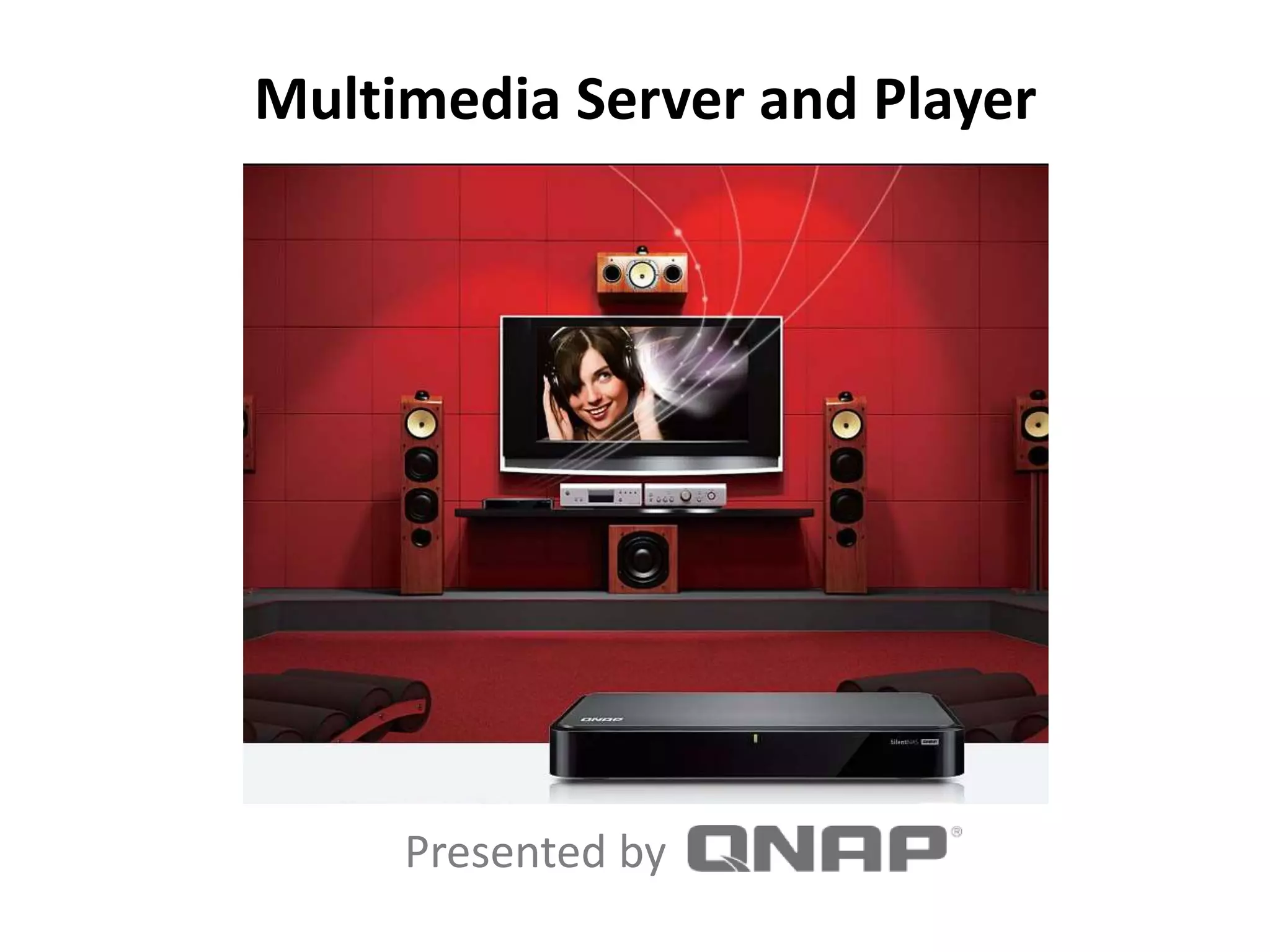

Multimedia Server and Player
Presented by
Part 1 Who
Who is QNAP?
Part 2 What
What is a NAS?
Part 3 When
When can I use a NAS?
Part 4 Where
Where do I use a NAS?
Part 5 Why
Why use a NAS?
Part 6 How
How do I use a NAS ?
Topics
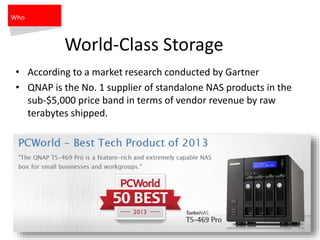
World-Class Storage
• According to a market research conducted by Gartner
• QNAP is the No. 1 supplier of standalone NAS products in the
sub-$5,000 price band in terms of vendor revenue by raw
terabytes shipped.
Who
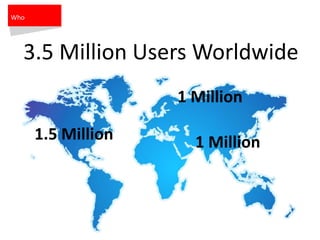
3.5 Million Users Worldwide
1.5 Million
1 Million
1 Million
Who
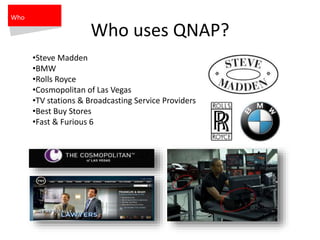
Who uses QNAP?
•Steve Madden
•BMW
•Rolls Royce
•Cosmopolitan of Las Vegas
•TV stations & Broadcasting Service Providers
•Best Buy Stores
•Fast & Furious 6
Who
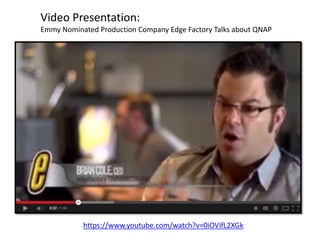
Video Presentation:
Emmy Nominated Production Company Edge Factory Talks about QNAP
https://www.youtube.com/watch?v=0iOVifL2XGk
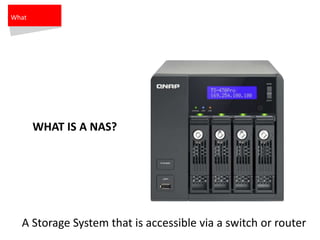
WHAT IS A NAS?
What
A Storage System that is accessible via a switch or router
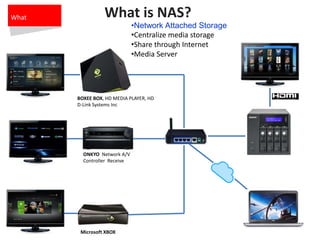
What is NAS?
•Network Attached Storage
•Centralize media storage
•Share through Internet
•Media Server
BOXEE BOX, HD MEDIA PLAYER, HD
D-Link Systems Inc
Microsoft XBOX
What
ONKYO Network A/V
Controller Receive
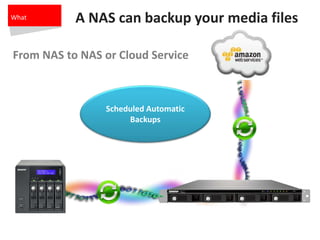
A NAS can backup your media files
Scheduled Automatic
Backups
What
From NAS to NAS or Cloud Service
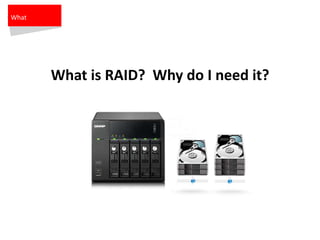
What is RAID? Why do I need it?
What
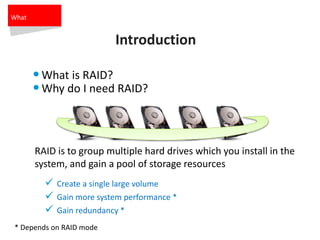
Introduction
•What is RAID?
•Why do I need RAID?
 Create a single large volume
 Gain more system performance *
 Gain redundancy *
RAID is to group multiple hard drives which you install in the
system, and gain a pool of storage resources
* Depends on RAID mode
What
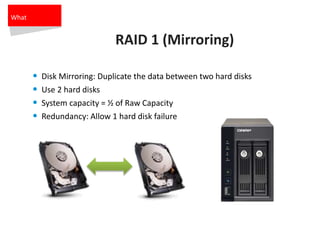
RAID 1 (Mirroring)
• Disk Mirroring: Duplicate the data between two hard disks
• Use 2 hard disks
• System capacity = ½ of Raw Capacity
• Redundancy: Allow 1 hard disk failure
What
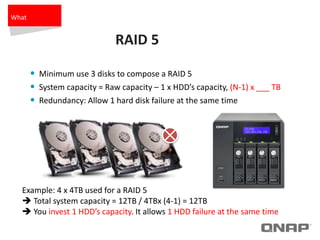
RAID 5
• Minimum use 3 disks to compose a RAID 5
• System capacity = Raw capacity – 1 x HDD’s capacity, (N-1) x ___ TB
• Redundancy: Allow 1 hard disk failure at the same time
Example: 4 x 4TB used for a RAID 5
 Total system capacity = 12TB / 4TBx (4-1) = 12TB
 You invest 1 HDD’s capacity. It allows 1 HDD failure at the same time
What
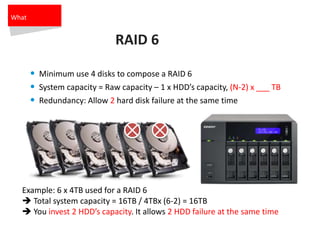
RAID 6
• Minimum use 4 disks to compose a RAID 6
• System capacity = Raw capacity – 1 x HDD’s capacity, (N-2) x ___ TB
• Redundancy: Allow 2 hard disk failure at the same time
Example: 6 x 4TB used for a RAID 6
 Total system capacity = 16TB / 4TBx (6-2) = 16TB
 You invest 2 HDD’s capacity. It allows 2 HDD failure at the same time
What
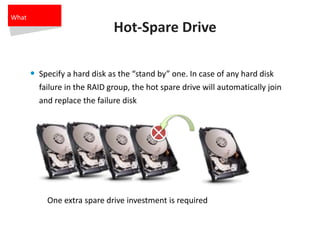
Hot-Spare Drive
• Specify a hard disk as the “stand by” one. In case of any hard disk
failure in the RAID group, the hot spare drive will automatically join
and replace the failure disk
One extra spare drive investment is required
What
V
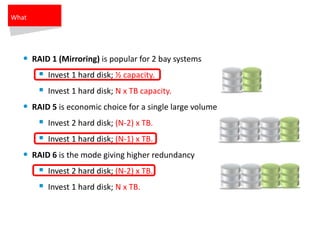
• RAID 1 (Mirroring) is popular for 2 bay systems
 Invest 1 hard disk; ½ capacity.
 Invest 1 hard disk; N x TB capacity.
• RAID 5 is economic choice for a single large volume
 Invest 2 hard disk; (N-2) x TB.
 Invest 1 hard disk; (N-1) x TB.
• RAID 6 is the mode giving higher redundancy
 Invest 2 hard disk; (N-2) x TB.
 Invest 1 hard disk; N x TB.
What
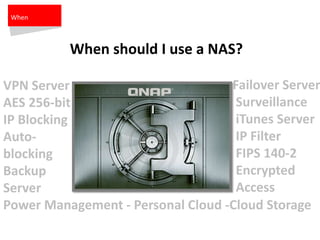
Failover Server
Surveillance
iTunes Server
IP Filter
FIPS 140-2
Encrypted
Access
VPN Server
AES 256-bit
IP Blocking
Auto-
blocking
Backup
Server
Power Management - Personal Cloud -Cloud Storage
When
When should I use a NAS?
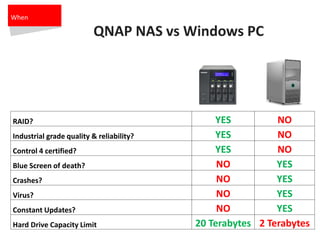
QNAP NAS vs Windows PC
When
RAID? YES NO
Industrial grade quality & reliability? YES NO
Control 4 certified? YES NO
Blue Screen of death? NO YES
Crashes? NO YES
Virus? NO YES
Constant Updates? NO YES
Hard Drive Capacity Limit 20 Terabytes 2 Terabytes
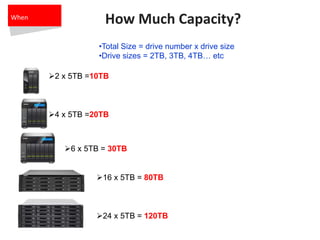
How Much Capacity?
•Total Size = drive number x drive size
•Drive sizes = 2TB, 3TB, 4TB… etc
2 x 5TB =10TB
4 x 5TB =20TB
6 x 5TB = 30TB
16 x 5TB = 80TB
24 x 5TB = 120TB
When
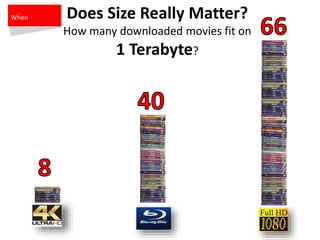
Does Size Really Matter?
How many downloaded movies fit on
1 Terabyte?
When
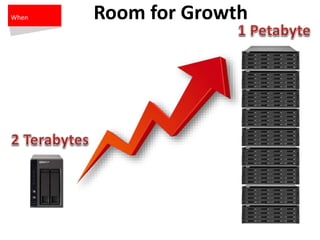
Room for GrowthWhen
Where
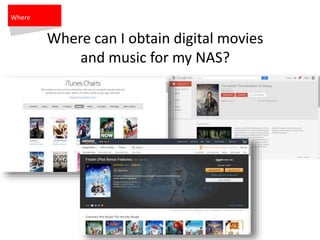
Where can I obtain digital movies
and music for my NAS?
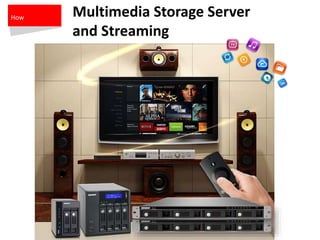
Multimedia Storage Server
and Streaming
How
Multimedia Storage
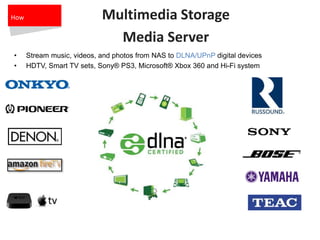
Media Server
• Stream music, videos, and photos from NAS to DLNA/UPnP digital devices
• HDTV, Smart TV sets, Sony® PS3, Microsoft® Xbox 360 and Hi-Fi system
How
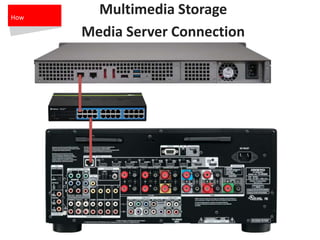
Multimedia Storage
Media Server Connection
How
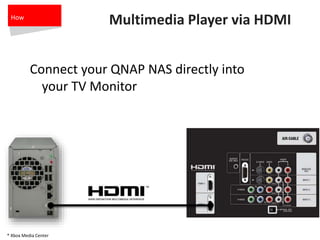
Multimedia Player via HDMI
Connect your QNAP NAS directly into
your TV Monitor
* Xbox Media Center
How
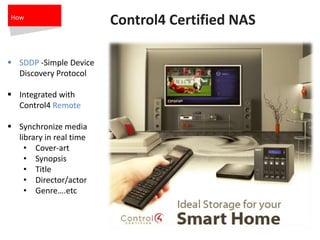
Control4 Certified NAS
 SDDP -Simple Device
Discovery Protocol
 Integrated with
Control4 Remote
 Synchronize media
library in real time
• Cover-art
• Synopsis
• Title
• Director/actor
• Genre….etc
How
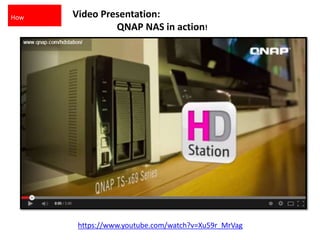
Video Presentation:
QNAP NAS in action!
https://www.youtube.com/watch?v=Xu59r_MrVag
How
Thank you for attending the
Webinar!
Hernan Lopez
hernanlopez@qnap.com

QNAP Multimedia Server and Player

  • 1.
    Multimedia Server andPlayer Presented by
  • 2.
    Part 1 Who Whois QNAP? Part 2 What What is a NAS? Part 3 When When can I use a NAS? Part 4 Where Where do I use a NAS? Part 5 Why Why use a NAS? Part 6 How How do I use a NAS ? Topics
  • 3.
    World-Class Storage • Accordingto a market research conducted by Gartner • QNAP is the No. 1 supplier of standalone NAS products in the sub-$5,000 price band in terms of vendor revenue by raw terabytes shipped. Who
  • 4.
    3.5 Million UsersWorldwide 1.5 Million 1 Million 1 Million Who
  • 5.
    Who uses QNAP? •SteveMadden •BMW •Rolls Royce •Cosmopolitan of Las Vegas •TV stations & Broadcasting Service Providers •Best Buy Stores •Fast & Furious 6 Who
  • 6.
    Video Presentation: Emmy NominatedProduction Company Edge Factory Talks about QNAP https://www.youtube.com/watch?v=0iOVifL2XGk
  • 7.
    WHAT IS ANAS? What A Storage System that is accessible via a switch or router
  • 8.
    What is NAS? •NetworkAttached Storage •Centralize media storage •Share through Internet •Media Server BOXEE BOX, HD MEDIA PLAYER, HD D-Link Systems Inc Microsoft XBOX What ONKYO Network A/V Controller Receive
  • 9.
    A NAS canbackup your media files Scheduled Automatic Backups What From NAS to NAS or Cloud Service
  • 10.
    What is RAID?Why do I need it? What
  • 11.
    Introduction •What is RAID? •Whydo I need RAID?  Create a single large volume  Gain more system performance *  Gain redundancy * RAID is to group multiple hard drives which you install in the system, and gain a pool of storage resources * Depends on RAID mode What
  • 12.
    RAID 1 (Mirroring) •Disk Mirroring: Duplicate the data between two hard disks • Use 2 hard disks • System capacity = ½ of Raw Capacity • Redundancy: Allow 1 hard disk failure What
  • 13.
    RAID 5 • Minimumuse 3 disks to compose a RAID 5 • System capacity = Raw capacity – 1 x HDD’s capacity, (N-1) x ___ TB • Redundancy: Allow 1 hard disk failure at the same time Example: 4 x 4TB used for a RAID 5  Total system capacity = 12TB / 4TBx (4-1) = 12TB  You invest 1 HDD’s capacity. It allows 1 HDD failure at the same time What
  • 14.
    RAID 6 • Minimumuse 4 disks to compose a RAID 6 • System capacity = Raw capacity – 1 x HDD’s capacity, (N-2) x ___ TB • Redundancy: Allow 2 hard disk failure at the same time Example: 6 x 4TB used for a RAID 6  Total system capacity = 16TB / 4TBx (6-2) = 16TB  You invest 2 HDD’s capacity. It allows 2 HDD failure at the same time What
  • 15.
    Hot-Spare Drive • Specifya hard disk as the “stand by” one. In case of any hard disk failure in the RAID group, the hot spare drive will automatically join and replace the failure disk One extra spare drive investment is required What
  • 16.
    V • RAID 1(Mirroring) is popular for 2 bay systems  Invest 1 hard disk; ½ capacity.  Invest 1 hard disk; N x TB capacity. • RAID 5 is economic choice for a single large volume  Invest 2 hard disk; (N-2) x TB.  Invest 1 hard disk; (N-1) x TB. • RAID 6 is the mode giving higher redundancy  Invest 2 hard disk; (N-2) x TB.  Invest 1 hard disk; N x TB. What
  • 17.
    Failover Server Surveillance iTunes Server IPFilter FIPS 140-2 Encrypted Access VPN Server AES 256-bit IP Blocking Auto- blocking Backup Server Power Management - Personal Cloud -Cloud Storage When When should I use a NAS?
  • 18.
    QNAP NAS vsWindows PC When RAID? YES NO Industrial grade quality & reliability? YES NO Control 4 certified? YES NO Blue Screen of death? NO YES Crashes? NO YES Virus? NO YES Constant Updates? NO YES Hard Drive Capacity Limit 20 Terabytes 2 Terabytes
  • 19.
    How Much Capacity? •TotalSize = drive number x drive size •Drive sizes = 2TB, 3TB, 4TB… etc 2 x 5TB =10TB 4 x 5TB =20TB 6 x 5TB = 30TB 16 x 5TB = 80TB 24 x 5TB = 120TB When
  • 20.
    Does Size ReallyMatter? How many downloaded movies fit on 1 Terabyte? When
  • 21.
  • 22.
    Where Where can Iobtain digital movies and music for my NAS?
  • 23.
  • 24.
    Multimedia Storage Media Server •Stream music, videos, and photos from NAS to DLNA/UPnP digital devices • HDTV, Smart TV sets, Sony® PS3, Microsoft® Xbox 360 and Hi-Fi system How
  • 25.
  • 26.
    Multimedia Player viaHDMI Connect your QNAP NAS directly into your TV Monitor * Xbox Media Center How
  • 27.
    Control4 Certified NAS SDDP -Simple Device Discovery Protocol  Integrated with Control4 Remote  Synchronize media library in real time • Cover-art • Synopsis • Title • Director/actor • Genre….etc How
  • 28.
    Video Presentation: QNAP NASin action! https://www.youtube.com/watch?v=Xu59r_MrVag How
  • 29.
    Thank you forattending the Webinar! Hernan Lopez hernanlopez@qnap.com