How (& Why) to Redirect a URL
What is a redirect?
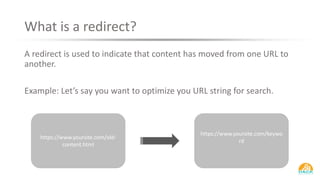
A redirect is used to indicate that content has moved from one URL to
another.
Example: Let’s say you want to optimize you URL string for search.
https://www.yoursite.com/old-
content.html
https://www.yoursite.com/keywo
rd
Why to Use Redirects
Redirects are essential in letting search engines
know when you have moved content.
Even after you move content, search engines will
the old URL and content in their index and will
return tat page in the search results until they
discover the page no longer exists.
Redirect help speed up this process.
When to Use Redirects
• You have old content that expires and needs removed
• You find that you have a broken URL that has links and traffic
• You change you hosting or CMS
• You want to implement a canonical redirect
• You change the URL where existing content can be found.
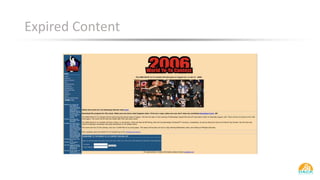
Expired Content
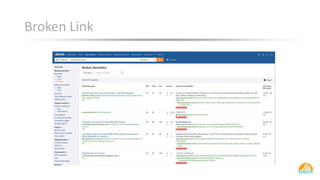
Broken Link
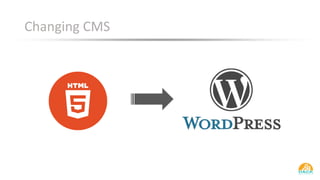
Changing CMS
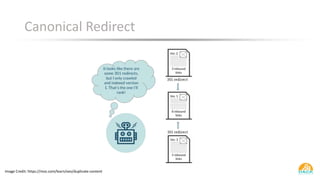
Canonical Redirect
Image Credit: https://moz.com/learn/seo/duplicate-content
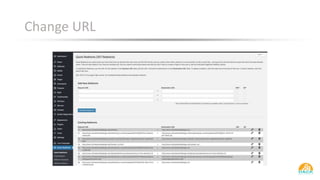
Change URL
Types of Redirects
Not all redirects are equal.
While users may not notice the difference in the types of redirects
used, search engines will and the impact is huge.
The two main types of redirects are 301s and 302s.
301 Redirects
• Know as “permanent redirects.”
• Tells the browser content has been permanently removed.
• Passed links authority and trust of the old link to the new link.
• Eventually replace old URL in the index.
302 Redirects
• Tells search engines the content is only temporarily moved.
• Assumes that the page will eventually be reinstated.
• Does not pass link authority to the new page.
• Will stay in the search index.
Which is Best for SEO
For SEO purposes, always use 301 redirects.
Example:
Let’s say you spent a lot of time and effort acquiring links to your old
page. If you redirect the page and do not use a 301, all the work you
did will not carry over to the new URL.
How to correctly redirect a URL
There are many ways to approach this.
• .htaccess file
• Page Level (302 only)
• Mod_rewrite (most technical)
• Through your CMS
301 Redirects via .htacces
• The .htaccess file is an Apache server configuration file.
• Be very careful editing this file. You can break stuff easily.
Single URL redirect
Permanent redirect from old-page.html to new-page.html.
• Redirect 301 /old-page.html http://www.mydomain.com/new-page.html
Entire domain redirect
Permanent redirect from all domain pages to newdomain.com.
.htaccess file should be at the old website's root directory.
• Redirect 301 / http://www.newdomain.com/
301 Redirects via CMS
Using your CMS is a lot safer and easier.
WordPress: Has a number of plugins to help you out.
• Quick Page/Post Redirect Plugin
• Simple 301 Redirects
• Redirection
• 404 to 301
HubSpot: Auto redirects old URL to the new URL when changed.
Recap
• Redirects are used to point old URLs to new URLS.
• For SEO purposes, use a 301 redirect
• 301 redirects pass link authority of the old page to the new page.

How (& Why) To Redirect a URL

  • 1.
    How (& Why)to Redirect a URL
  • 2.
    What is aredirect? A redirect is used to indicate that content has moved from one URL to another. Example: Let’s say you want to optimize you URL string for search. https://www.yoursite.com/old- content.html https://www.yoursite.com/keywo rd
  • 3.
    Why to UseRedirects Redirects are essential in letting search engines know when you have moved content. Even after you move content, search engines will the old URL and content in their index and will return tat page in the search results until they discover the page no longer exists. Redirect help speed up this process.
  • 4.
    When to UseRedirects • You have old content that expires and needs removed • You find that you have a broken URL that has links and traffic • You change you hosting or CMS • You want to implement a canonical redirect • You change the URL where existing content can be found.
  • 5.
  • 6.
  • 7.
  • 8.
    Canonical Redirect Image Credit:https://moz.com/learn/seo/duplicate-content
  • 9.
  • 10.
    Types of Redirects Notall redirects are equal. While users may not notice the difference in the types of redirects used, search engines will and the impact is huge. The two main types of redirects are 301s and 302s.
  • 11.
    301 Redirects • Knowas “permanent redirects.” • Tells the browser content has been permanently removed. • Passed links authority and trust of the old link to the new link. • Eventually replace old URL in the index.
  • 12.
    302 Redirects • Tellssearch engines the content is only temporarily moved. • Assumes that the page will eventually be reinstated. • Does not pass link authority to the new page. • Will stay in the search index.
  • 13.
    Which is Bestfor SEO For SEO purposes, always use 301 redirects. Example: Let’s say you spent a lot of time and effort acquiring links to your old page. If you redirect the page and do not use a 301, all the work you did will not carry over to the new URL.
  • 14.
    How to correctlyredirect a URL There are many ways to approach this. • .htaccess file • Page Level (302 only) • Mod_rewrite (most technical) • Through your CMS
  • 15.
    301 Redirects via.htacces • The .htaccess file is an Apache server configuration file. • Be very careful editing this file. You can break stuff easily. Single URL redirect Permanent redirect from old-page.html to new-page.html. • Redirect 301 /old-page.html http://www.mydomain.com/new-page.html Entire domain redirect Permanent redirect from all domain pages to newdomain.com. .htaccess file should be at the old website's root directory. • Redirect 301 / http://www.newdomain.com/
  • 16.
    301 Redirects viaCMS Using your CMS is a lot safer and easier. WordPress: Has a number of plugins to help you out. • Quick Page/Post Redirect Plugin • Simple 301 Redirects • Redirection • 404 to 301 HubSpot: Auto redirects old URL to the new URL when changed.
  • 17.
    Recap • Redirects areused to point old URLs to new URLS. • For SEO purposes, use a 301 redirect • 301 redirects pass link authority of the old page to the new page.