How to Setup a Development
Environment for ONAP
Victor Morales
December 12th, 2017
Agenda
• Problem statement
• Proposed solution
• ONAP on Vagrant
- Installation process
• Key features
- Why Vagrant?
- Synced Folders
- Plugins
- Shell Provisioning
• Architecture
• Usage
• Benefits
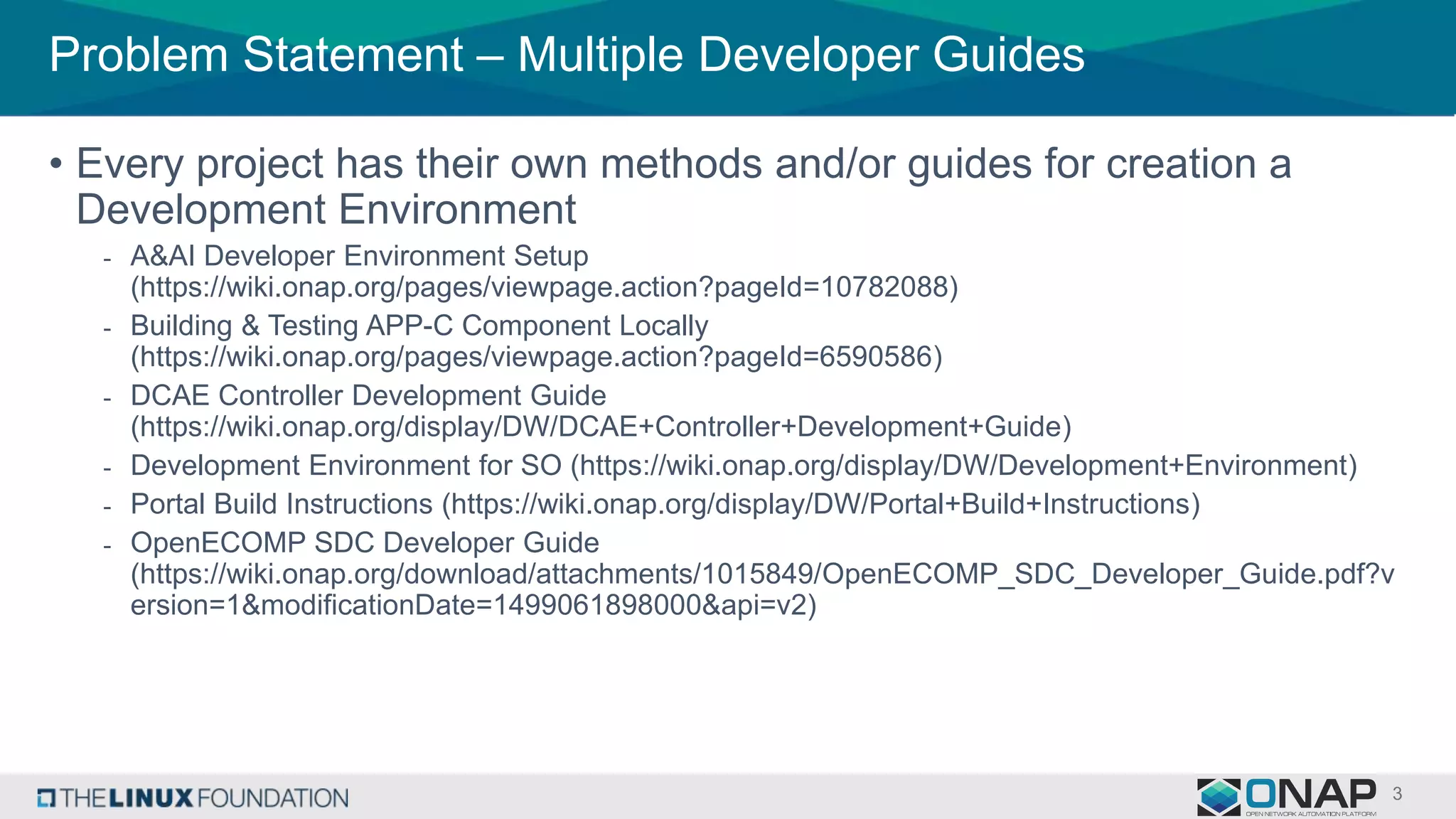
Problem Statement – Multiple Developer Guides
• Every project has their own methods and/or guides for creation a
Development Environment
- A&AI Developer Environment Setup
(https://wiki.onap.org/pages/viewpage.action?pageId=10782088)
- Building & Testing APP-C Component Locally
(https://wiki.onap.org/pages/viewpage.action?pageId=6590586)
- DCAE Controller Development Guide
(https://wiki.onap.org/display/DW/DCAE+Controller+Development+Guide)
- Development Environment for SO (https://wiki.onap.org/display/DW/Development+Environment)
- Portal Build Instructions (https://wiki.onap.org/display/DW/Portal+Build+Instructions)
- OpenECOMP SDC Developer Guide
(https://wiki.onap.org/download/attachments/1015849/OpenECOMP_SDC_Developer_Guide.pdf?v
ersion=1&modificationDate=1499061898000&api=v2)
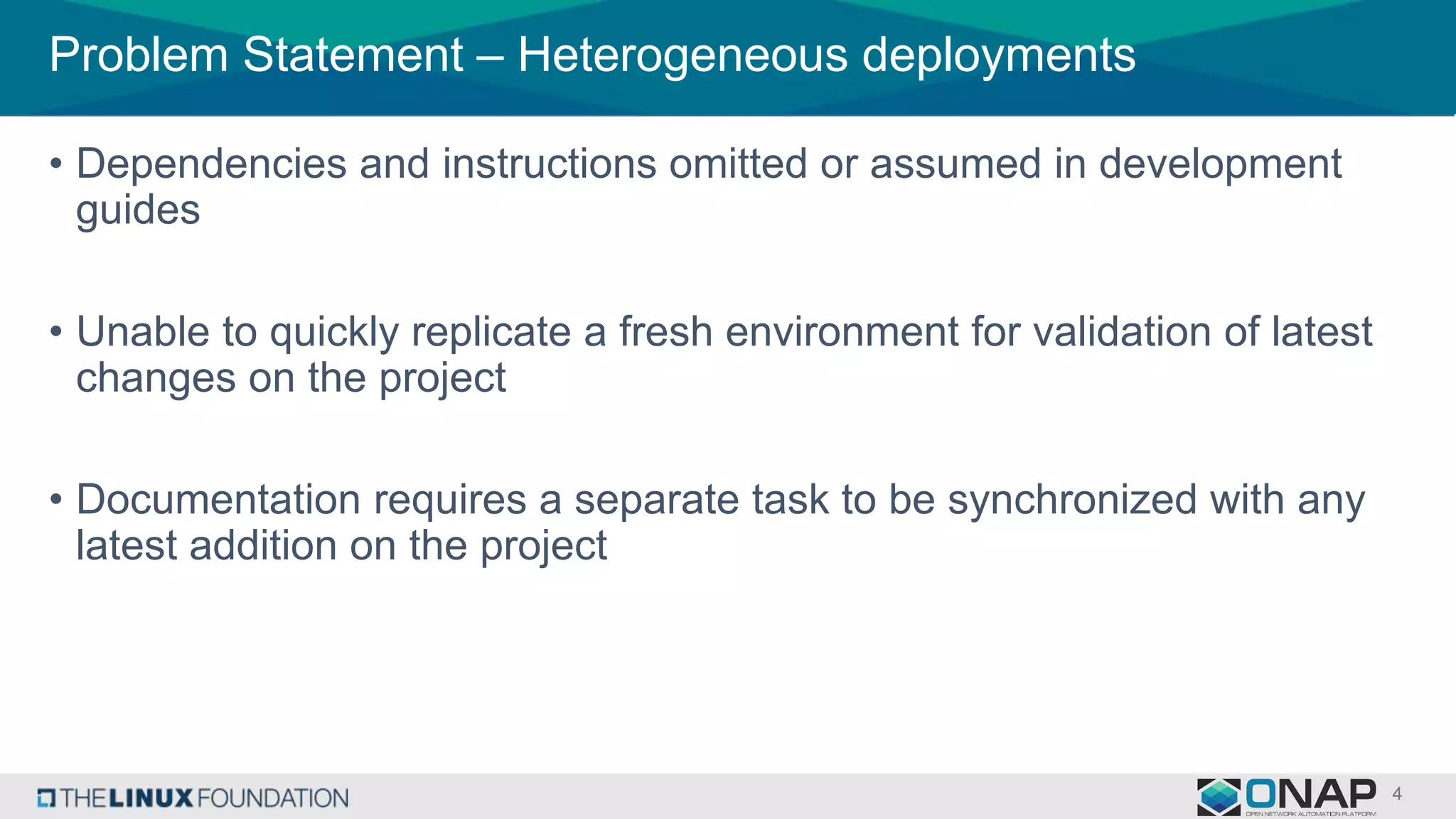
Problem Statement – Heterogeneous deployments
• Dependencies and instructions omitted or assumed in development
guides
• Unable to quickly replicate a fresh environment for validation of latest
changes on the project
• Documentation requires a separate task to be synchronized with any
latest addition on the project
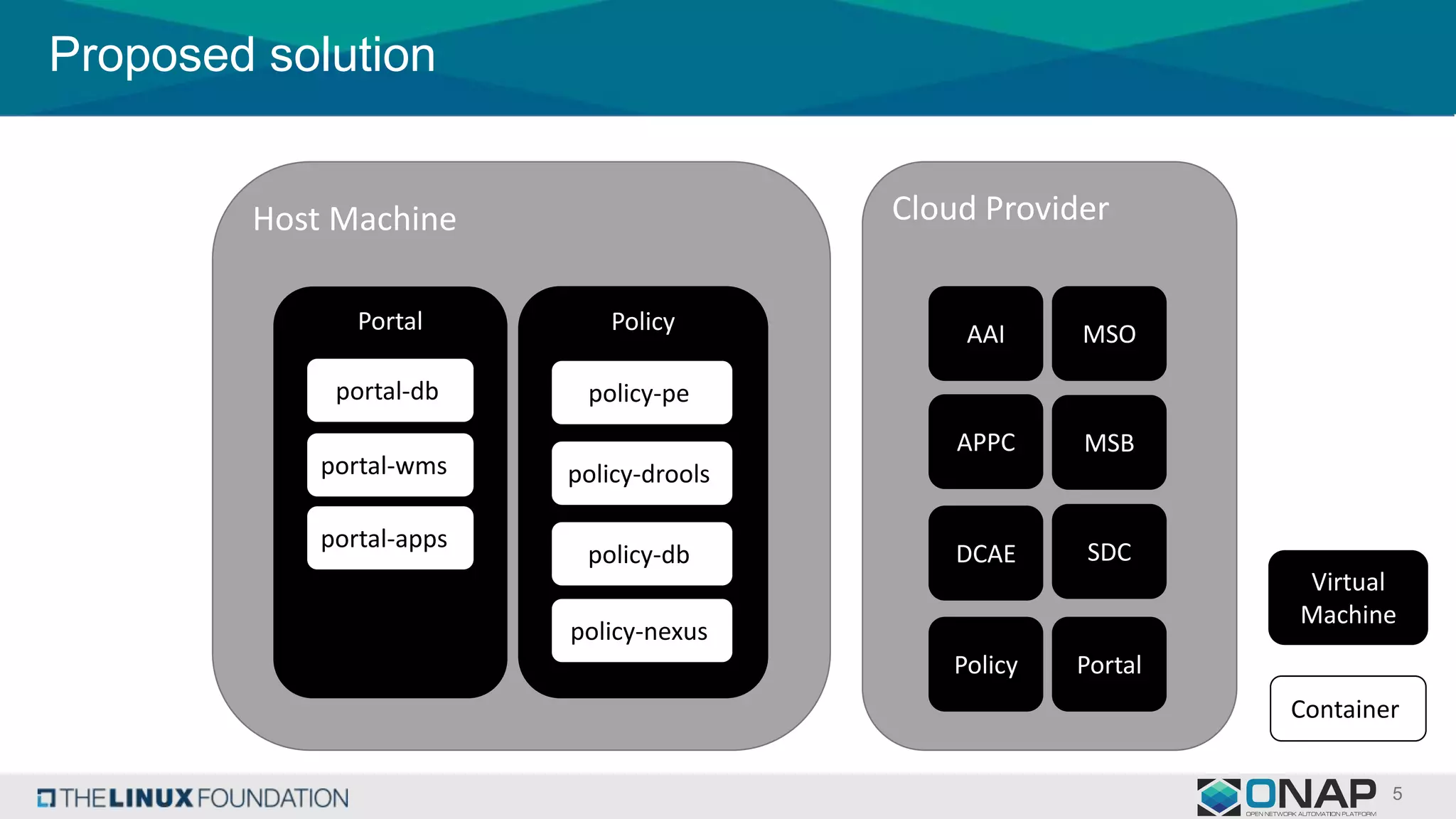
Proposed solution
Host Machine
Portal
portal-db
portal-wms
portal-apps
Policy
policy-pe
policy-drools
policy-db
policy-nexus
Cloud Provider
AAI
APPC
DCAE
MSO
MSB
SDC
Virtual
Machine
Container
Policy Portal
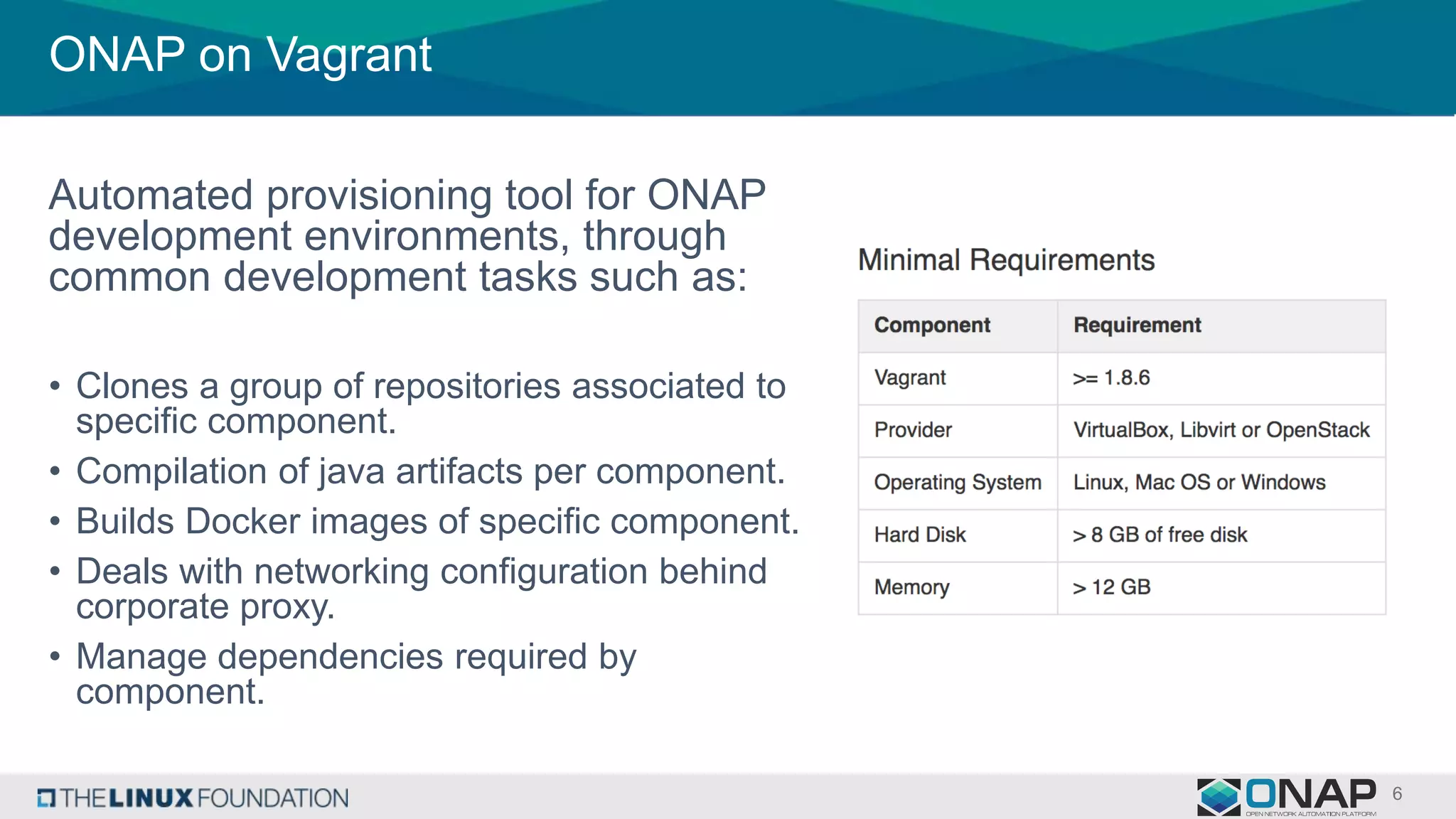
ONAP on Vagrant
Automated provisioning tool for ONAP
development environments, through
common development tasks such as:
• Clones a group of repositories associated to
specific component.
• Compilation of java artifacts per component.
• Builds Docker images of specific component.
• Deals with networking configuration behind
corporate proxy.
• Manage dependencies required by
component.
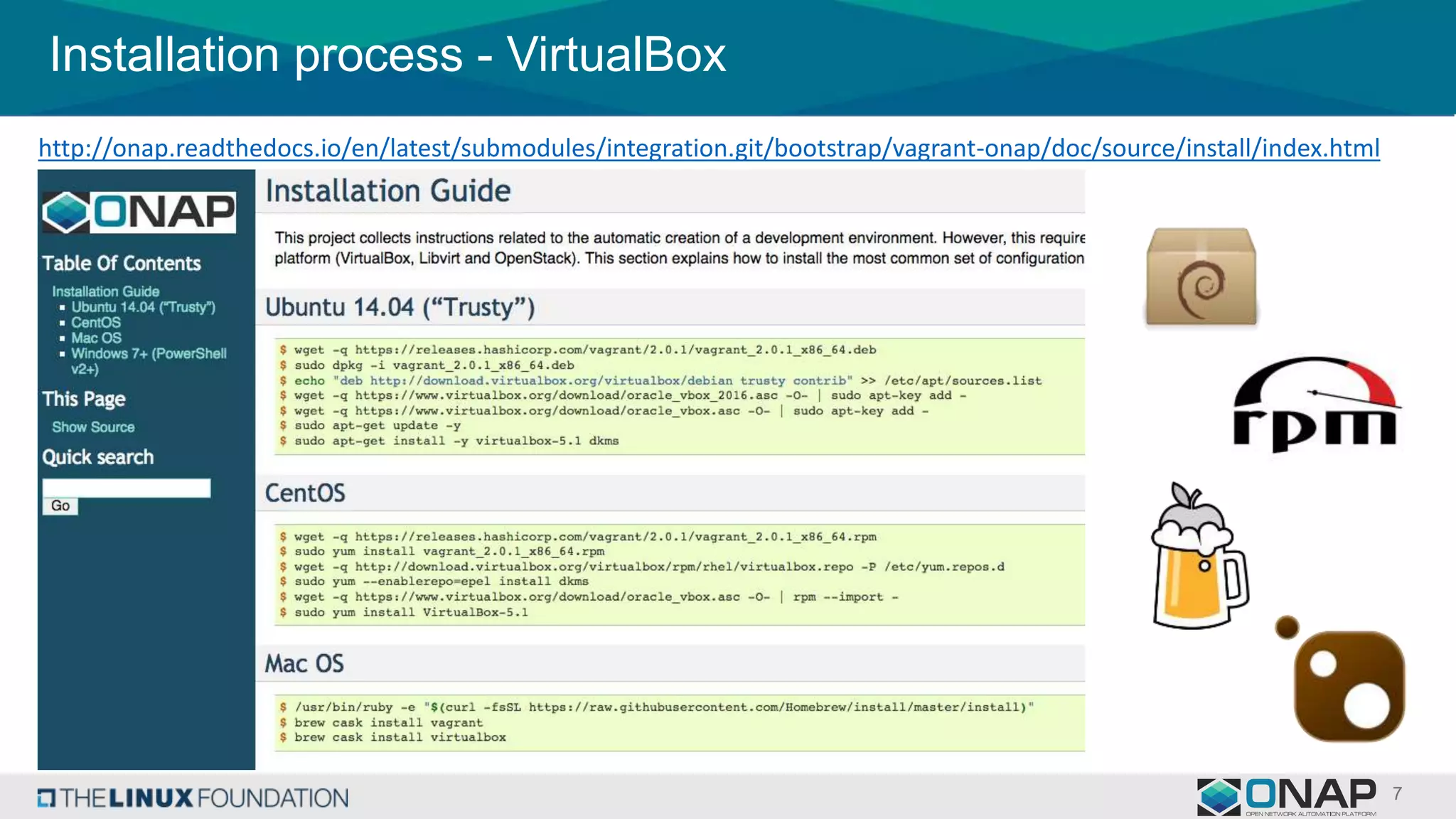
Installation process - VirtualBox
http://onap.readthedocs.io/en/latest/submodules/integration.git/bootstrap/vagrant-onap/doc/source/install/index.html
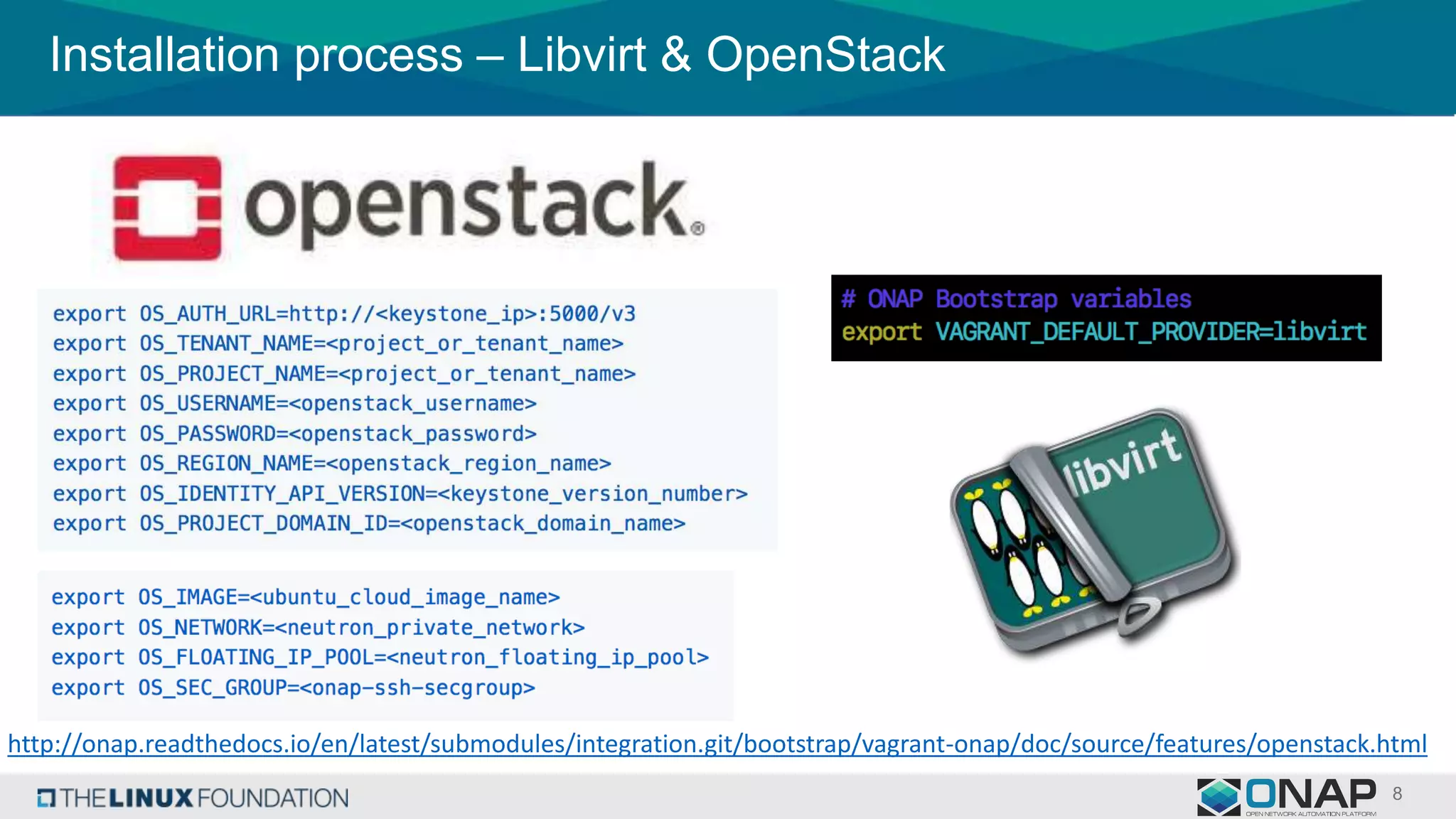
Installation process – Libvirt & OpenStack
http://onap.readthedocs.io/en/latest/submodules/integration.git/bootstrap/vagrant-onap/doc/source/features/openstack.html
Key Features
Why Vagrant?
It’s a tool for building and managing
virtual machine environments in a
single workflow. With an easy-to-use
workflow and focus on automation,
Vagrant lowers development
environment setup time, increases
production parity, and makes the
"works on my machine" excuse a
relic of the past.
Synced Folders
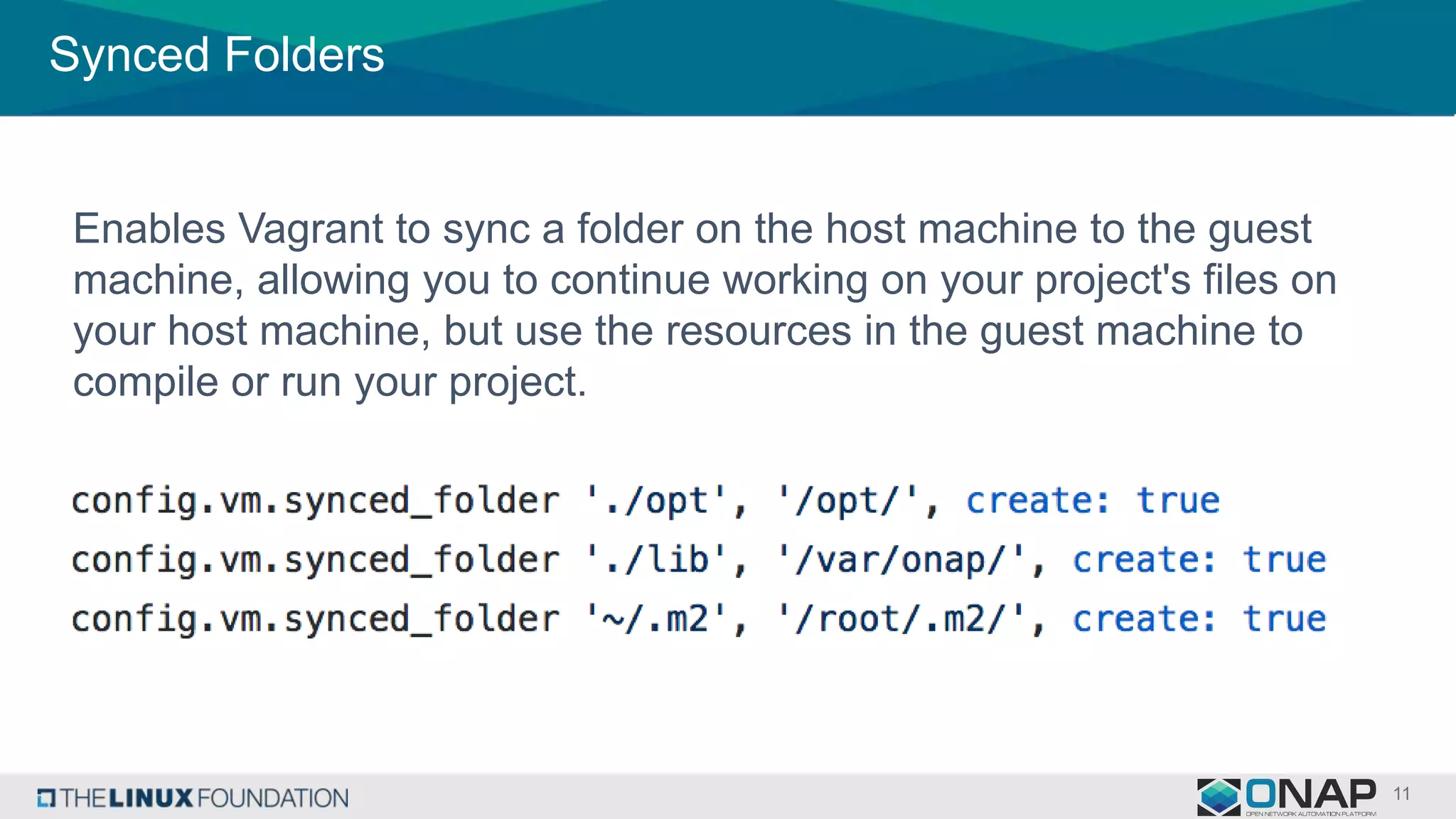
Enables Vagrant to sync a folder on the host machine to the guest
machine, allowing you to continue working on your project's files on
your host machine, but use the resources in the guest machine to
compile or run your project.
Shell Provisioning
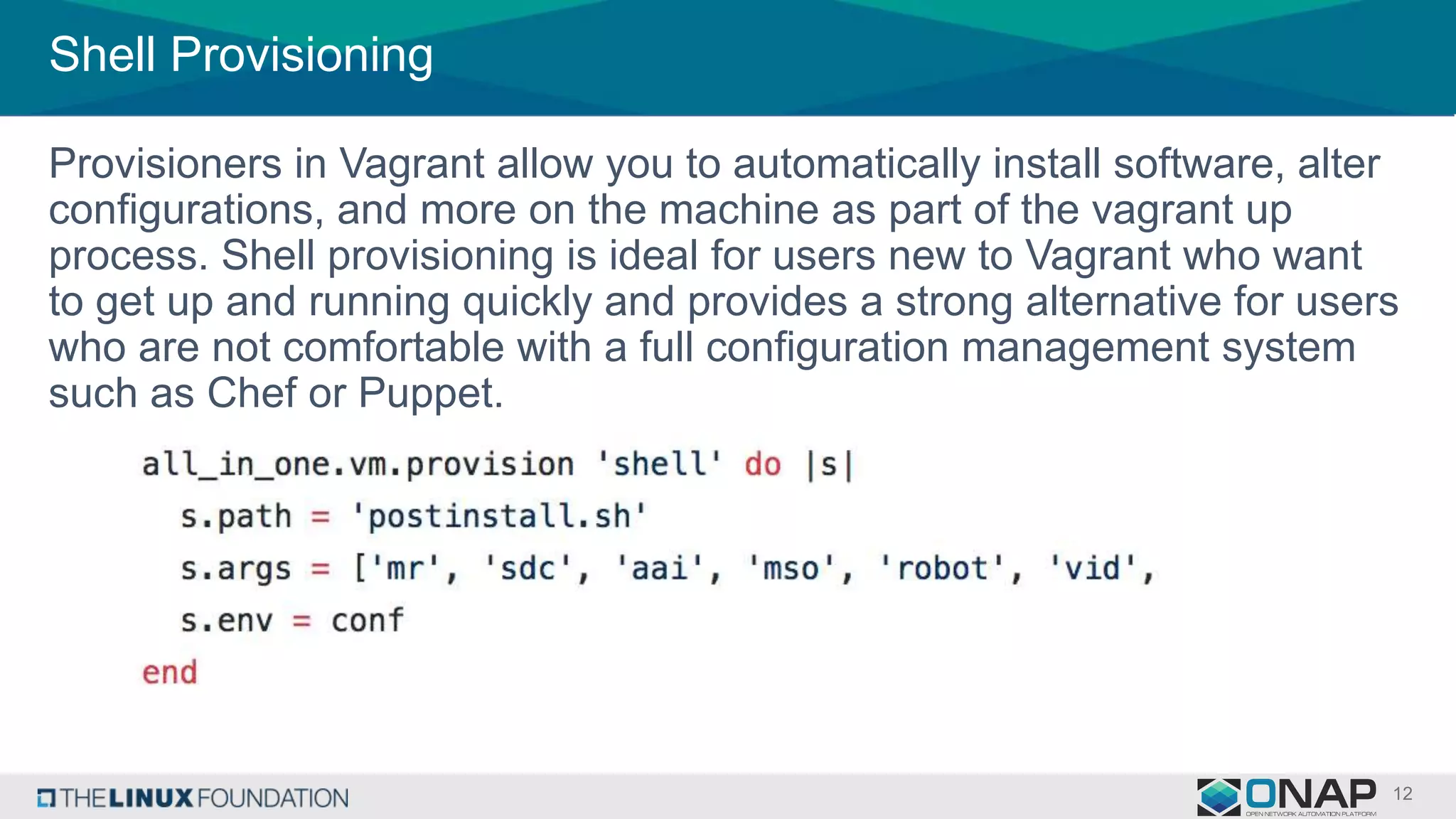
Provisioners in Vagrant allow you to automatically install software, alter
configurations, and more on the machine as part of the vagrant up
process. Shell provisioning is ideal for users new to Vagrant who want
to get up and running quickly and provides a strong alternative for users
who are not comfortable with a full configuration management system
such as Chef or Puppet.
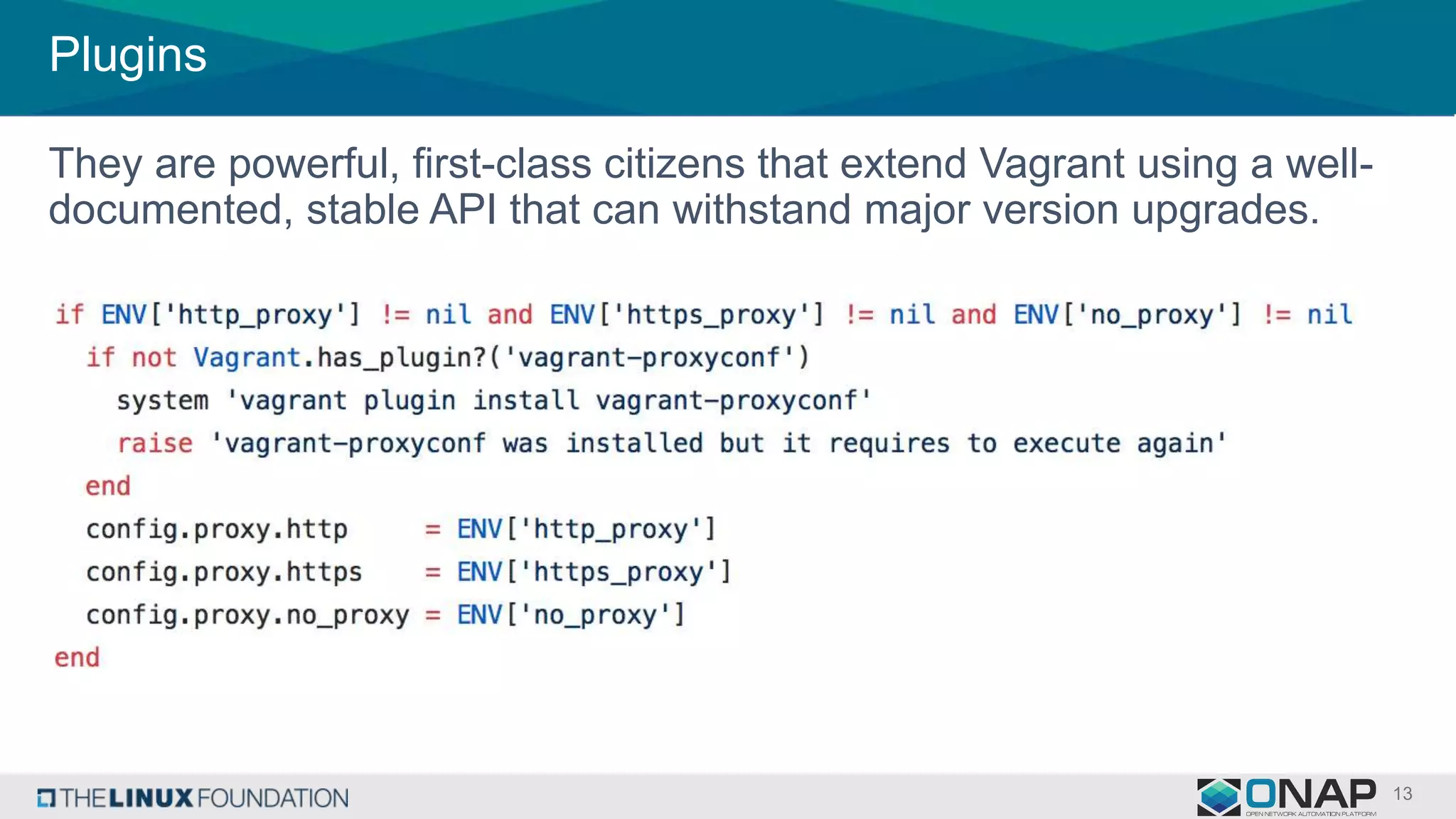
Plugins
They are powerful, first-class citizens that extend Vagrant using a well-
documented, stable API that can withstand major version upgrades.
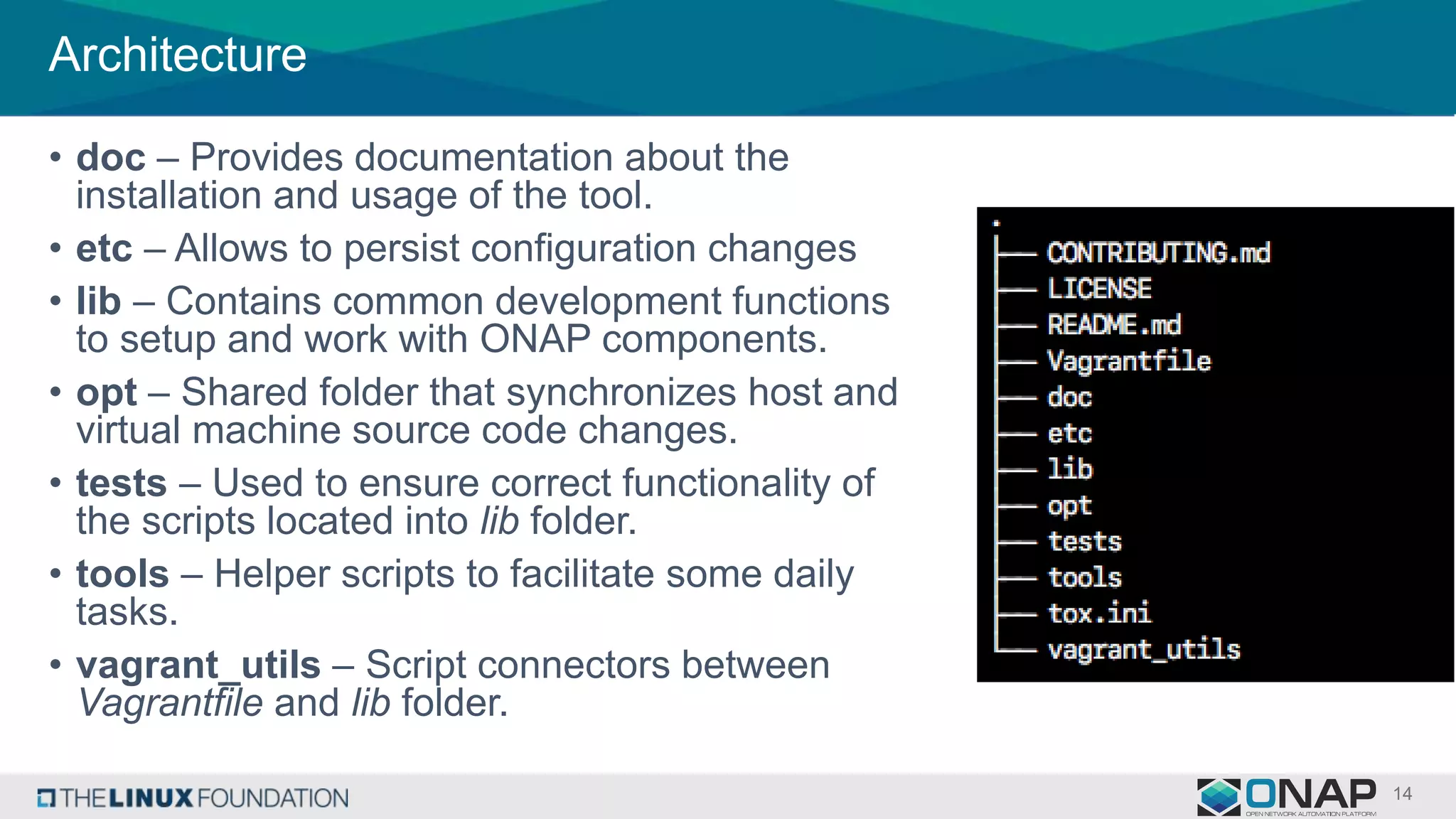
Architecture
• doc – Provides documentation about the
installation and usage of the tool.
• etc – Allows to persist configuration changes
• lib – Contains common development functions
to setup and work with ONAP components.
• opt – Shared folder that synchronizes host and
virtual machine source code changes.
• tests – Used to ensure correct functionality of
the scripts located into lib folder.
• tools – Helper scripts to facilitate some daily
tasks.
• vagrant_utils – Script connectors between
Vagrantfile and lib folder.
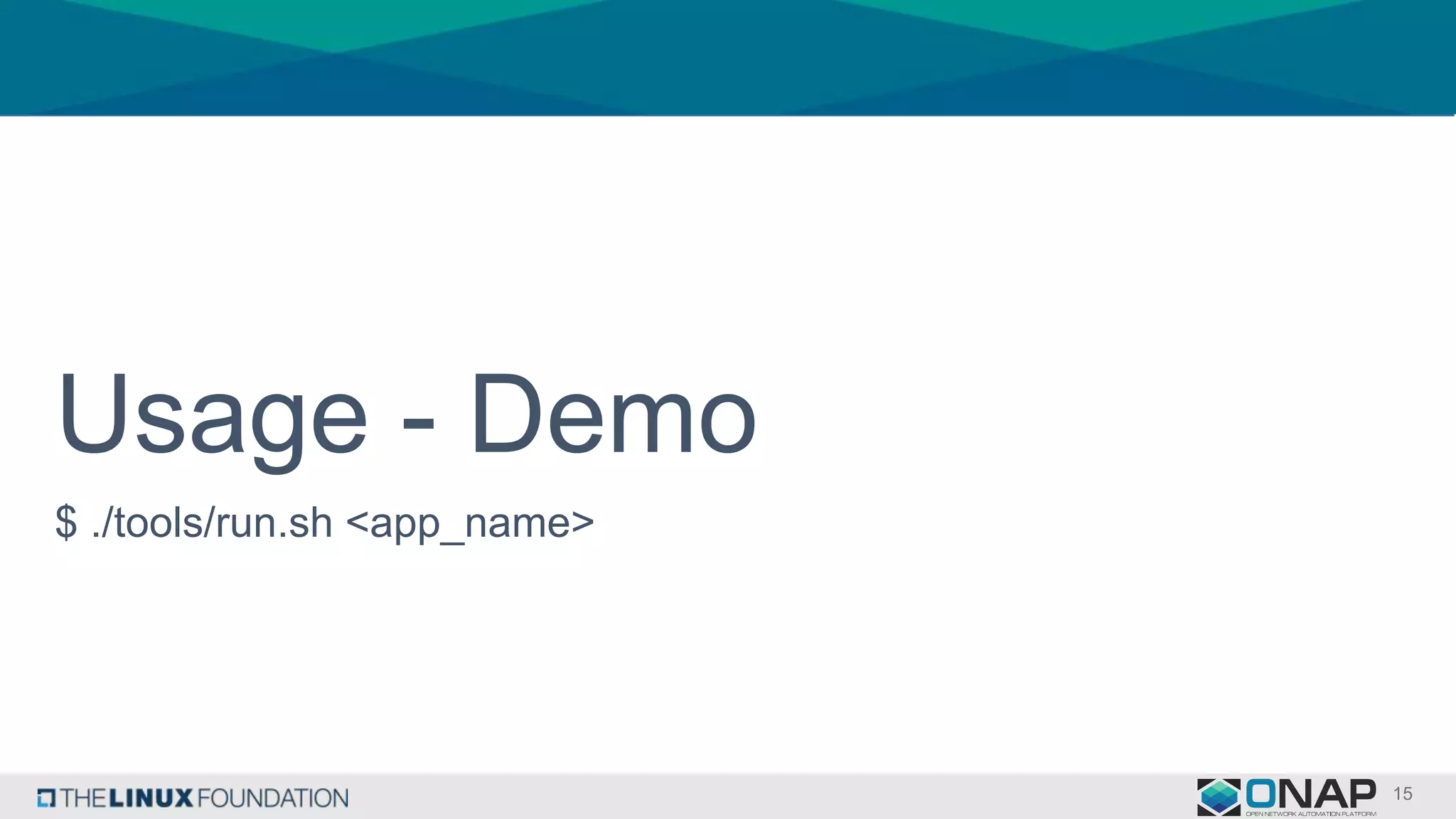
Usage - Demo
$ ./tools/run.sh <app_name>
Conclusion
• This can be used as vehicle to standardize process and dependencies
through an automated provisioning mechanism.
• Setup a development environment using only a single instruction.
• Adding this tool into a CI/CD pipeline can prevent any compilation
failure in the future and guarantee building image process works any
time.

How to setup a development environment for ONAP

  • 1.
    How to Setupa Development Environment for ONAP Victor Morales December 12th, 2017
  • 2.
    Agenda • Problem statement •Proposed solution • ONAP on Vagrant - Installation process • Key features - Why Vagrant? - Synced Folders - Plugins - Shell Provisioning • Architecture • Usage • Benefits
  • 3.
    Problem Statement –Multiple Developer Guides • Every project has their own methods and/or guides for creation a Development Environment - A&AI Developer Environment Setup (https://wiki.onap.org/pages/viewpage.action?pageId=10782088) - Building & Testing APP-C Component Locally (https://wiki.onap.org/pages/viewpage.action?pageId=6590586) - DCAE Controller Development Guide (https://wiki.onap.org/display/DW/DCAE+Controller+Development+Guide) - Development Environment for SO (https://wiki.onap.org/display/DW/Development+Environment) - Portal Build Instructions (https://wiki.onap.org/display/DW/Portal+Build+Instructions) - OpenECOMP SDC Developer Guide (https://wiki.onap.org/download/attachments/1015849/OpenECOMP_SDC_Developer_Guide.pdf?v ersion=1&modificationDate=1499061898000&api=v2)
  • 4.
    Problem Statement –Heterogeneous deployments • Dependencies and instructions omitted or assumed in development guides • Unable to quickly replicate a fresh environment for validation of latest changes on the project • Documentation requires a separate task to be synchronized with any latest addition on the project
  • 5.
  • 6.
    ONAP on Vagrant Automatedprovisioning tool for ONAP development environments, through common development tasks such as: • Clones a group of repositories associated to specific component. • Compilation of java artifacts per component. • Builds Docker images of specific component. • Deals with networking configuration behind corporate proxy. • Manage dependencies required by component.
  • 7.
    Installation process -VirtualBox http://onap.readthedocs.io/en/latest/submodules/integration.git/bootstrap/vagrant-onap/doc/source/install/index.html
  • 8.
    Installation process –Libvirt & OpenStack http://onap.readthedocs.io/en/latest/submodules/integration.git/bootstrap/vagrant-onap/doc/source/features/openstack.html
  • 9.
  • 10.
    Why Vagrant? It’s atool for building and managing virtual machine environments in a single workflow. With an easy-to-use workflow and focus on automation, Vagrant lowers development environment setup time, increases production parity, and makes the "works on my machine" excuse a relic of the past.
  • 11.
    Synced Folders Enables Vagrantto sync a folder on the host machine to the guest machine, allowing you to continue working on your project's files on your host machine, but use the resources in the guest machine to compile or run your project.
  • 12.
    Shell Provisioning Provisioners inVagrant allow you to automatically install software, alter configurations, and more on the machine as part of the vagrant up process. Shell provisioning is ideal for users new to Vagrant who want to get up and running quickly and provides a strong alternative for users who are not comfortable with a full configuration management system such as Chef or Puppet.
  • 13.
    Plugins They are powerful,first-class citizens that extend Vagrant using a well- documented, stable API that can withstand major version upgrades.
  • 14.
    Architecture • doc –Provides documentation about the installation and usage of the tool. • etc – Allows to persist configuration changes • lib – Contains common development functions to setup and work with ONAP components. • opt – Shared folder that synchronizes host and virtual machine source code changes. • tests – Used to ensure correct functionality of the scripts located into lib folder. • tools – Helper scripts to facilitate some daily tasks. • vagrant_utils – Script connectors between Vagrantfile and lib folder.
  • 15.
    Usage - Demo $./tools/run.sh <app_name>
  • 16.
    Conclusion • This canbe used as vehicle to standardize process and dependencies through an automated provisioning mechanism. • Setup a development environment using only a single instruction. • Adding this tool into a CI/CD pipeline can prevent any compilation failure in the future and guarantee building image process works any time.

Editor's Notes

  • #7 Open Network Automation Platform consists of a number of software components that has been developed isolated but are required to work closely together. Every component has defined its own way to setup a development environment and most of the cases the information is placed in a wiki entry which is hard to find it for new contributors. As consequence, the instructions described in those manuals are out of date (because depends on experience developers to maintain it) or some steps are omitted (instructions not captured or assumed). If a new development environment is required, the execution of instructions manually can result in wasting development time.
  • #8 Include the other providers (libvirt and openstack)
  • #9 Include the other providers (libvirt and openstack)
  • #14 vagrant-proxyconf vagrant-libvirt vagrant-openstack-provider