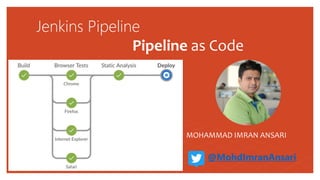
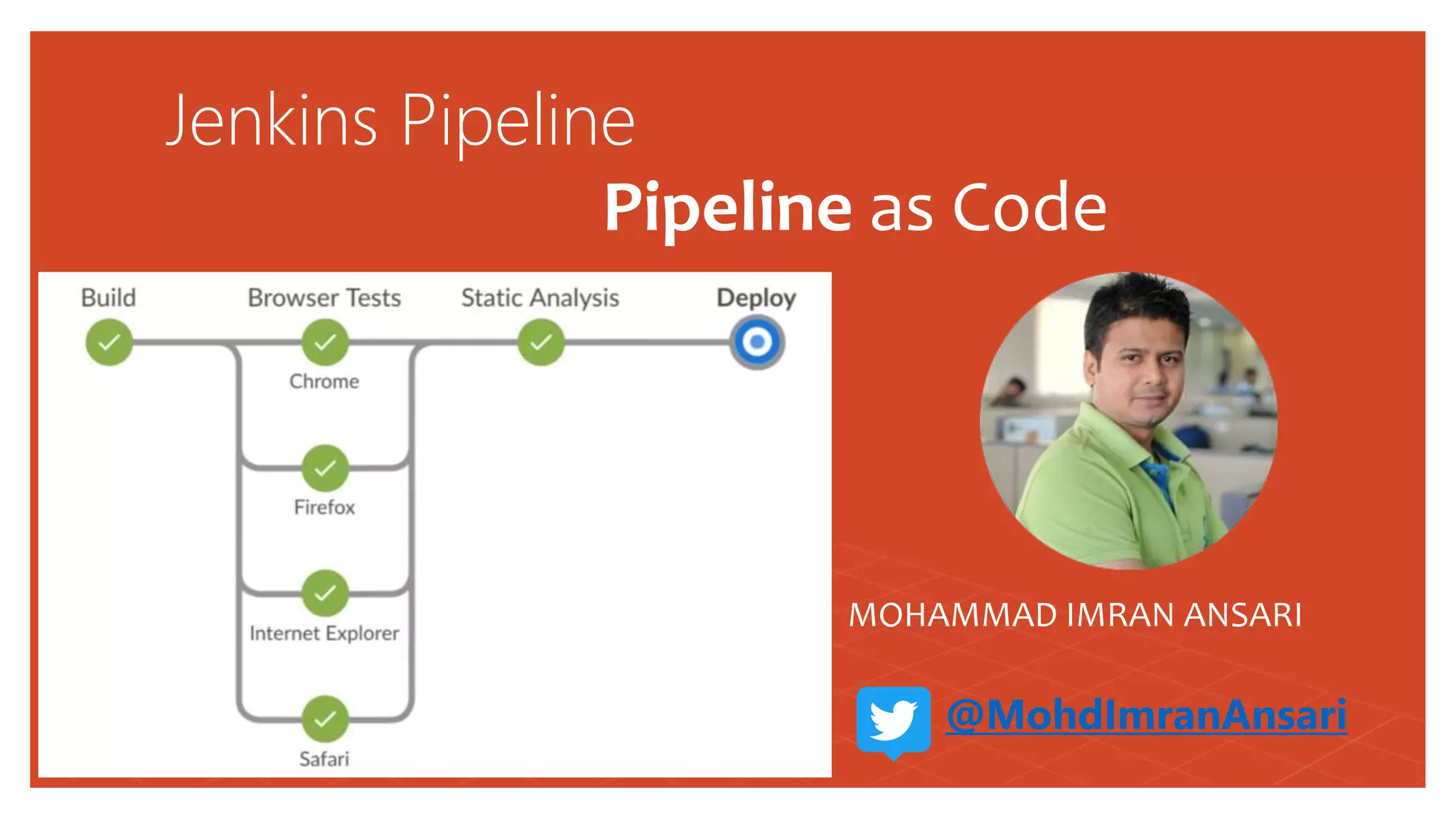
Jenkins Pipeline
Pipeline as Code
MOHAMMAD IMRAN ANSARI
@MohdImranAnsari
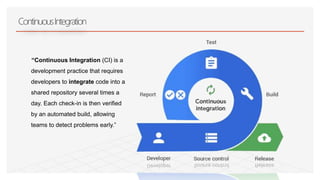
“Continuous Integration (CI) is a
development practice that requires
developers to integrate code into a
shared repository several times a
day. Each check-in is then verified
by an automated build, allowing
teams to detect problems early.”
ContinuousIntegration
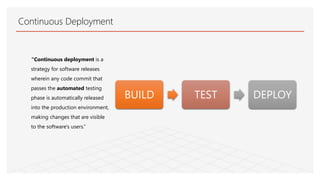
“Continuous deployment is a
strategy for software releases
wherein any code commit that
passes the automated testing
phase is automatically released
into the production environment,
making changes that are visible
to the software's users.”
Continuous Deployment
BUILD TEST DEPLOY
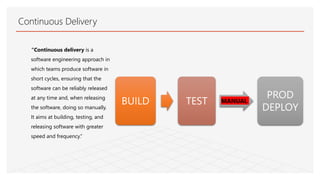
“Continuous delivery is a
software engineering approach in
which teams produce software in
short cycles, ensuring that the
software can be reliably released
at any time and, when releasing
the software, doing so manually.
It aims at building, testing, and
releasing software with greater
speed and frequency.”
Continuous Delivery
BUILD TEST
PROD
DEPLOY
MANUAL
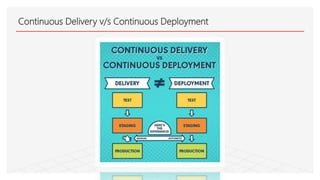
Continuous Delivery v/s Continuous Deployment
Why I LOVE JENKINS ?
Open SOURCE PROJECT
Thousand of Plugins
Integrates with many tools and Services
Tailored to CI/CD
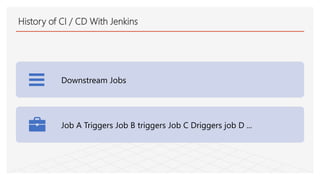
History of CI / CD With Jenkins
Downstream Jobs
Job A Triggers Job B triggers Job C Driggers job D ...
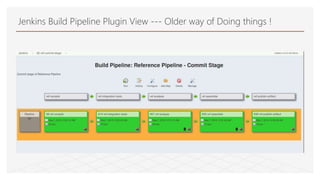
Jenkins Build Pipeline Plugin View --- Older way of Doing things !
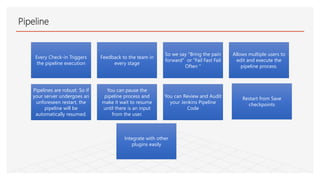
Pipeline
Every Check-in Triggers
the pipeline execution
Feedback to the team in
every stage
So we say "Bring the pain
forward" or "Fail Fast Fail
Often "
Allows multiple users to
edit and execute the
pipeline process.
Pipelines are robust. So if
your server undergoes an
unforeseen restart, the
pipeline will be
automatically resumed.
You can pause the
pipeline process and
make it wait to resume
until there is an input
from the user.
You can Review and Audit
your Jenkins Pipeline
Code
Integrate with other
plugins easily
Restart from Save
checkpoints
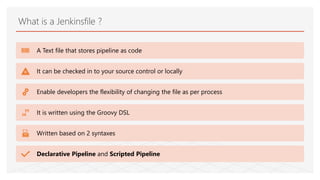
What is a Jenkinsfile ?
A Text file that stores pipeline as code
It can be checked in to your source control or locally
Enable developers the flexibility of changing the file as per process
It is written using the Groovy DSL
Written based on 2 syntaxes
Declarative Pipeline and Scripted Pipeline
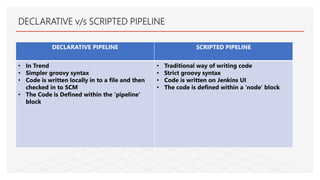
DECLARATIVE PIPELINE SCRIPTED PIPELINE
• In Trend
• Simpler groovy syntax
• Code is written locally in to a file and then
checked in to SCM
• The Code is Defined within the ‘pipeline’
block
• Traditional way of writing code
• Strict groovy syntax
• Code is written on Jenkins UI
• The code is defined within a ‘node’ block
DECLARATIVE v/s SCRIPTED PIPELINE
Pipeline concepts - Pipeline / Node
Pipeline : A user defined block which contains all the stages, it is a key part of declarative pipeline Syntax.
Node : A node is a machine that executes an entire workflow, it is a key part of the scripted pipeline syntax.
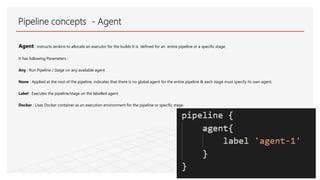
Agent : instructs Jenkins to allocate an executor for the builds It is defined for an entire pipeline or a specific stage.
It has following Parameters :
Any : Run Pipeline / Stage on any available agent
None : Applied at the root of the pipeline, indicates that there is no global agent for the entire pipeline & each stage must specify its own agent.
Label : Executes the pipeline/stage on the labelled agent
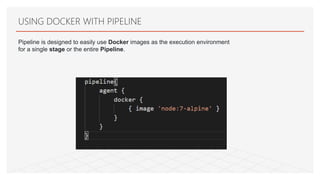
Docker : Uses Docker container as an execution environment for the pipeline or specific stage.
Pipeline concepts - Agent
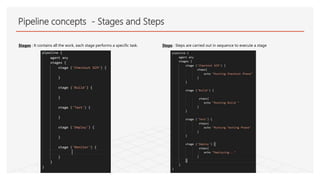
Stages : It contains all the work, each stage performs a specific task. Steps : Steps are carried out in sequence to execute a stage
Pipeline concepts - Stages and Steps
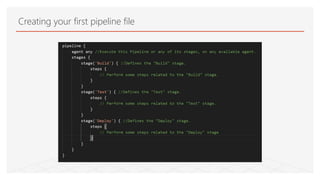
Creating your first pipeline file
DEMO – Creating your first Jenkins File
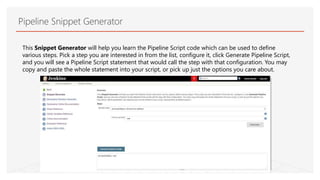
This Snippet Generator will help you learn the Pipeline Script code which can be used to define
various steps. Pick a step you are interested in from the list, configure it, click Generate Pipeline Script,
and you will see a Pipeline Script statement that would call the step with that configuration. You may
copy and paste the whole statement into your script, or pick up just the options you care about.
Pipeline Snippet Generator
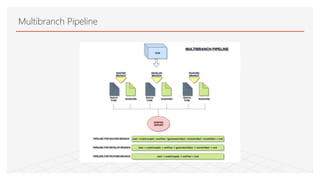
Multibranch Pipeline
DEMO – Creating a Multibranch Pipeline
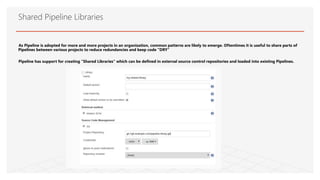
As Pipeline is adopted for more and more projects in an organization, common patterns are likely to emerge. Oftentimes it is useful to share parts of
Pipelines between various projects to reduce redundancies and keep code "DRY"
Pipeline has support for creating "Shared Libraries" which can be defined in external source control repositories and loaded into existing Pipelines.
Shared Pipeline Libraries
DEMO TIME : CREATING A SHARED PIPELINE LIBRARY
USING DOCKER WITH PIPELINE
Pipeline is designed to easily use Docker images as the execution environment
for a single stage or the entire Pipeline.
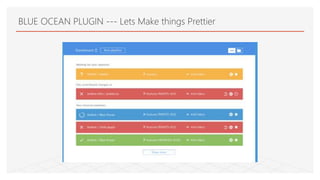
BLUE OCEAN PLUGIN --- Lets Make things Prettier
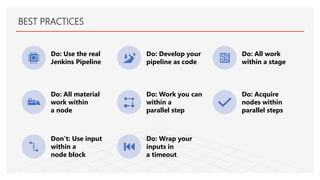
BEST PRACTICES
Do: Use the real
Jenkins Pipeline
Do: Develop your
pipeline as code
Do: All work
within a stage
Do: All material
work within
a node
Do: Work you can
within a
parallel step
Do: Acquire
nodes within
parallel steps
Don’t: Use input
within a
node block
Do: Wrap your
inputs in
a timeout
More questions about Jenkins Pipeline?
Thank You !
@MohdImranAnsari Mohammad Imran Ansari https://www.linkedin.com/in/mohdimranansari
VISIT  https://jenkins.io/doc/

Jenkins pipeline as code

  • 1.
    Jenkins Pipeline Pipeline asCode MOHAMMAD IMRAN ANSARI @MohdImranAnsari
  • 2.
    “Continuous Integration (CI)is a development practice that requires developers to integrate code into a shared repository several times a day. Each check-in is then verified by an automated build, allowing teams to detect problems early.” ContinuousIntegration
  • 3.
    “Continuous deployment isa strategy for software releases wherein any code commit that passes the automated testing phase is automatically released into the production environment, making changes that are visible to the software's users.” Continuous Deployment BUILD TEST DEPLOY
  • 4.
    “Continuous delivery isa software engineering approach in which teams produce software in short cycles, ensuring that the software can be reliably released at any time and, when releasing the software, doing so manually. It aims at building, testing, and releasing software with greater speed and frequency.” Continuous Delivery BUILD TEST PROD DEPLOY MANUAL
  • 5.
    Continuous Delivery v/sContinuous Deployment
  • 6.
    Why I LOVEJENKINS ? Open SOURCE PROJECT Thousand of Plugins Integrates with many tools and Services Tailored to CI/CD
  • 7.
    History of CI/ CD With Jenkins Downstream Jobs Job A Triggers Job B triggers Job C Driggers job D ...
  • 8.
    Jenkins Build PipelinePlugin View --- Older way of Doing things !
  • 9.
    Pipeline Every Check-in Triggers thepipeline execution Feedback to the team in every stage So we say "Bring the pain forward" or "Fail Fast Fail Often " Allows multiple users to edit and execute the pipeline process. Pipelines are robust. So if your server undergoes an unforeseen restart, the pipeline will be automatically resumed. You can pause the pipeline process and make it wait to resume until there is an input from the user. You can Review and Audit your Jenkins Pipeline Code Integrate with other plugins easily Restart from Save checkpoints
  • 10.
    What is aJenkinsfile ? A Text file that stores pipeline as code It can be checked in to your source control or locally Enable developers the flexibility of changing the file as per process It is written using the Groovy DSL Written based on 2 syntaxes Declarative Pipeline and Scripted Pipeline
  • 11.
    DECLARATIVE PIPELINE SCRIPTEDPIPELINE • In Trend • Simpler groovy syntax • Code is written locally in to a file and then checked in to SCM • The Code is Defined within the ‘pipeline’ block • Traditional way of writing code • Strict groovy syntax • Code is written on Jenkins UI • The code is defined within a ‘node’ block DECLARATIVE v/s SCRIPTED PIPELINE
  • 12.
    Pipeline concepts -Pipeline / Node Pipeline : A user defined block which contains all the stages, it is a key part of declarative pipeline Syntax. Node : A node is a machine that executes an entire workflow, it is a key part of the scripted pipeline syntax.
  • 13.
    Agent : instructsJenkins to allocate an executor for the builds It is defined for an entire pipeline or a specific stage. It has following Parameters : Any : Run Pipeline / Stage on any available agent None : Applied at the root of the pipeline, indicates that there is no global agent for the entire pipeline & each stage must specify its own agent. Label : Executes the pipeline/stage on the labelled agent Docker : Uses Docker container as an execution environment for the pipeline or specific stage. Pipeline concepts - Agent
  • 14.
    Stages : Itcontains all the work, each stage performs a specific task. Steps : Steps are carried out in sequence to execute a stage Pipeline concepts - Stages and Steps
  • 15.
    Creating your firstpipeline file
  • 16.
    DEMO – Creatingyour first Jenkins File
  • 17.
    This Snippet Generatorwill help you learn the Pipeline Script code which can be used to define various steps. Pick a step you are interested in from the list, configure it, click Generate Pipeline Script, and you will see a Pipeline Script statement that would call the step with that configuration. You may copy and paste the whole statement into your script, or pick up just the options you care about. Pipeline Snippet Generator
  • 18.
  • 19.
    DEMO – Creatinga Multibranch Pipeline
  • 20.
    As Pipeline isadopted for more and more projects in an organization, common patterns are likely to emerge. Oftentimes it is useful to share parts of Pipelines between various projects to reduce redundancies and keep code "DRY" Pipeline has support for creating "Shared Libraries" which can be defined in external source control repositories and loaded into existing Pipelines. Shared Pipeline Libraries
  • 21.
    DEMO TIME :CREATING A SHARED PIPELINE LIBRARY
  • 22.
    USING DOCKER WITHPIPELINE Pipeline is designed to easily use Docker images as the execution environment for a single stage or the entire Pipeline.
  • 23.
    BLUE OCEAN PLUGIN--- Lets Make things Prettier
  • 24.
    BEST PRACTICES Do: Usethe real Jenkins Pipeline Do: Develop your pipeline as code Do: All work within a stage Do: All material work within a node Do: Work you can within a parallel step Do: Acquire nodes within parallel steps Don’t: Use input within a node block Do: Wrap your inputs in a timeout
  • 25.
    More questions aboutJenkins Pipeline? Thank You ! @MohdImranAnsari Mohammad Imran Ansari https://www.linkedin.com/in/mohdimranansari VISIT  https://jenkins.io/doc/