Brian Culver ● @houstonsptf ● Nov 6, 2018
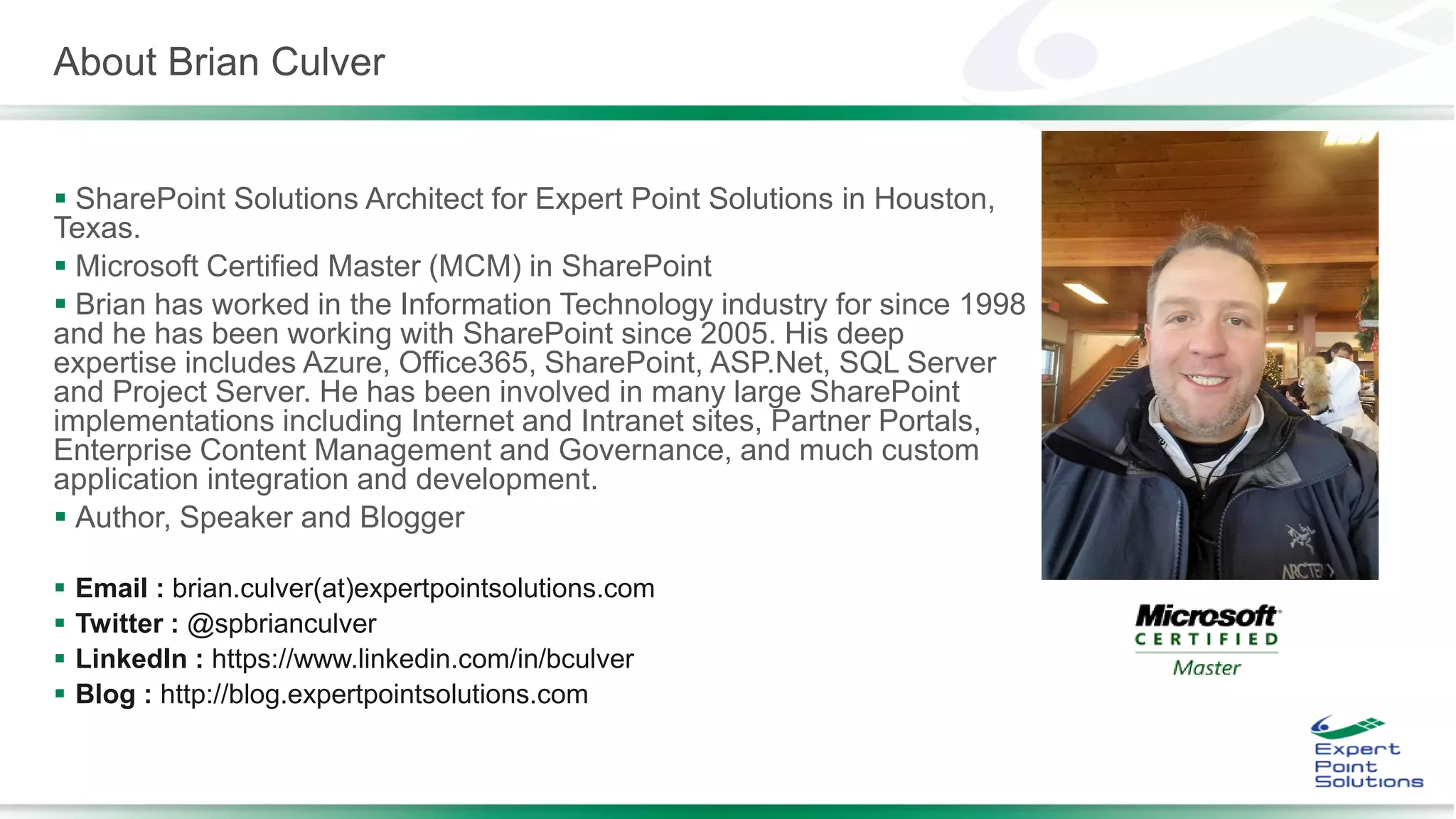
About Brian Culver
 SharePoint Solutions Architect for Expert Point Solutions in Houston,
Texas.
 Microsoft Certified Master (MCM) in SharePoint
 Brian has worked in the Information Technology industry for since 1998
and he has been working with SharePoint since 2005. His deep
expertise includes Azure, Office365, SharePoint, ASP.Net, SQL Server
and Project Server. He has been involved in many large SharePoint
implementations including Internet and Intranet sites, Partner Portals,
Enterprise Content Management and Governance, and much custom
application integration and development.
 Author, Speaker and Blogger
 Email : brian.culver(at)expertpointsolutions.com
 Twitter : @spbrianculver
 LinkedIn : https://www.linkedin.com/in/bculver
 Blog : http://blog.expertpointsolutions.com
Session Agenda
 What is the SharePoint Framework (SPFx)?
 Where does the SharePoint Framework fit?
 SharePoint Framework Toolchain
 JavaScript Frameworks
 SharePoint Framework Build Flow
 SharePoint Framework Developer Environment
What is the SharePoint Framework (SPFx)
 Latest release is 1.6
 New client-side framework for building Modern UI
customizations
 https://docs.microsoft.com/en-
us/sharepoint/dev/spfx/enterprise-guidance
 Built on the well-known web stack
 Open model, not tied to Microsoft tools
 Works great on the cloud
 Available on-premises for SP2016 with Feature Pack 2 (
and newer)
 Enterprise-ready when used with back-end services
 REST API and micro-services, Azure Functions, etc.
 Build client-side Web Parts or client-side Extensions
 Some key features of the SharePoint Framework:
 Runs in the context of the current user and the connection in
the browser. No IFRAMEs for the customization (JavaScript is
embedded directly to the page).
 The controls are rendered within the page DOM.
 The controls are responsive, accessible and mobile friendly.
 Developers are able to access the page lifecycle fully, including
rendering, loading, serializing and deserializing, configuration
changes, and more.
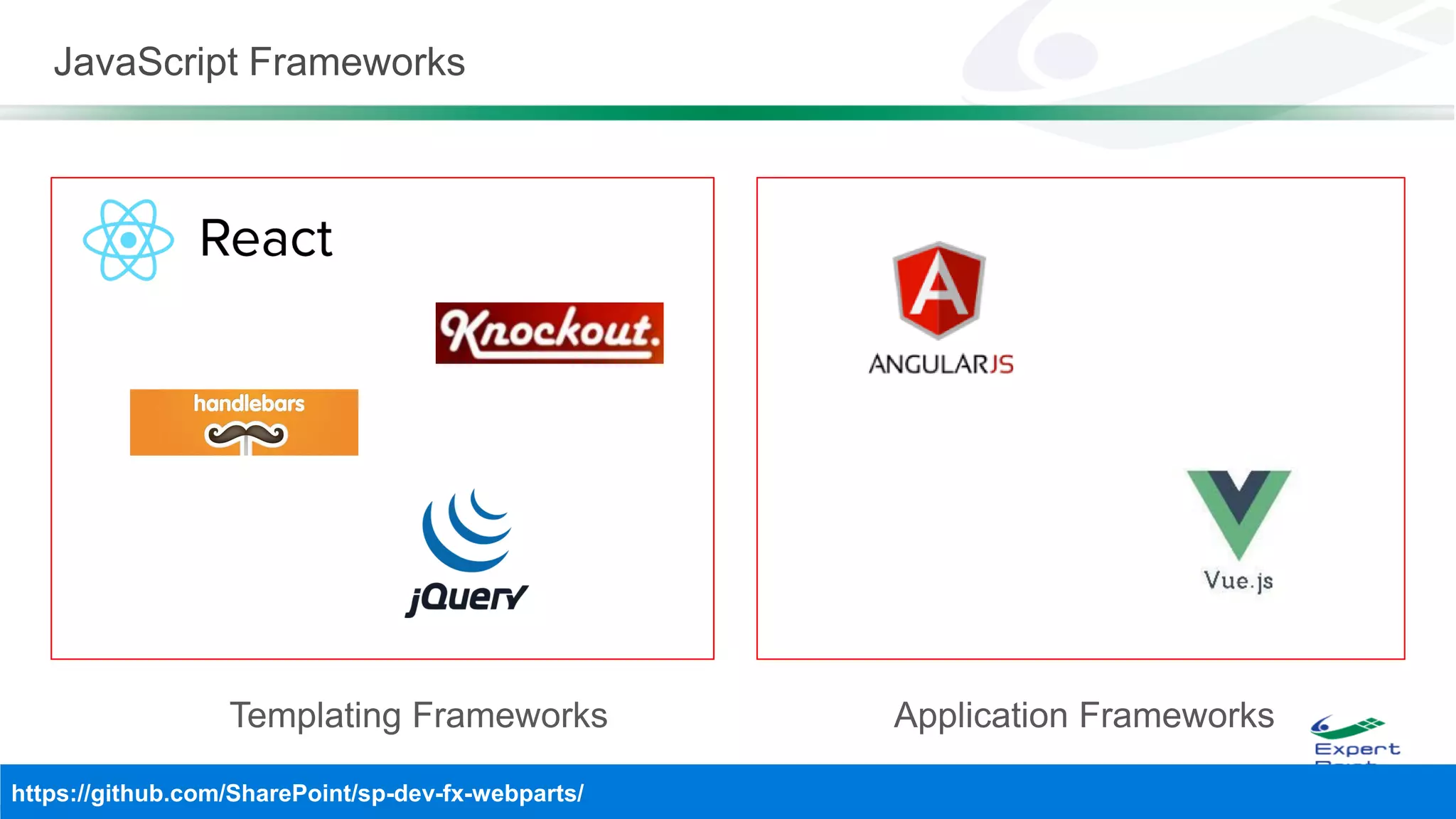
 Framework-agnostic. Use any JavaScript framework: React,
Knockout, Angular, Bootstrap and more.
 The toolchain is based on common open source client
development tools such as npm, nvm, TypeScript, Yeoman,
Yarn, webpack, and gulp.
 Performance is reliable.
 End users can use SPFx client-side solutions that are approved
by the tenant administrators (or their delegates) on all sites,
including self-service team, group, or personal sites.
 SPFx web parts can be added to both classic and modern
pages. Modern pages can only use client-side web parts.
Where does the SharePoint Framework fit?
 Full Trust Solutions
 Server-side code
 Full server side API
 Only supported on-premise
 Visual Studio Only
 Farm Scoped
 Webparts, Timers Jobs, Event Receivers (Feature, Web, Site,
List, etc.)
 Sandbox Solutions
 Restricted Server-side code
 Declarative Solutions only supported in SPO
 Visual Studio Only
 Site Collection Scoped
 Features & Declarative Solutions
 Site columns, content types, Lists, List instances, File
Resources, etc.
 SharePoint Add-in / Apps
 Client-side or Server-side code
 Client-side API
 Execution context was externalized from SharePoint and
displayed via IFRAMEs
 Visual Studio Only
 Tenant and Site Scoped
 SharePoint Framework (SPFx)
 Client-side code only
 Client-sde web parts and extensions
 Execution context is in the page (yeah Baby!!)
 Open source and cross-platform tooling
 Tenant Scoped
 Only way to customize modern pages
 Responsive, accessible and mobile friendly
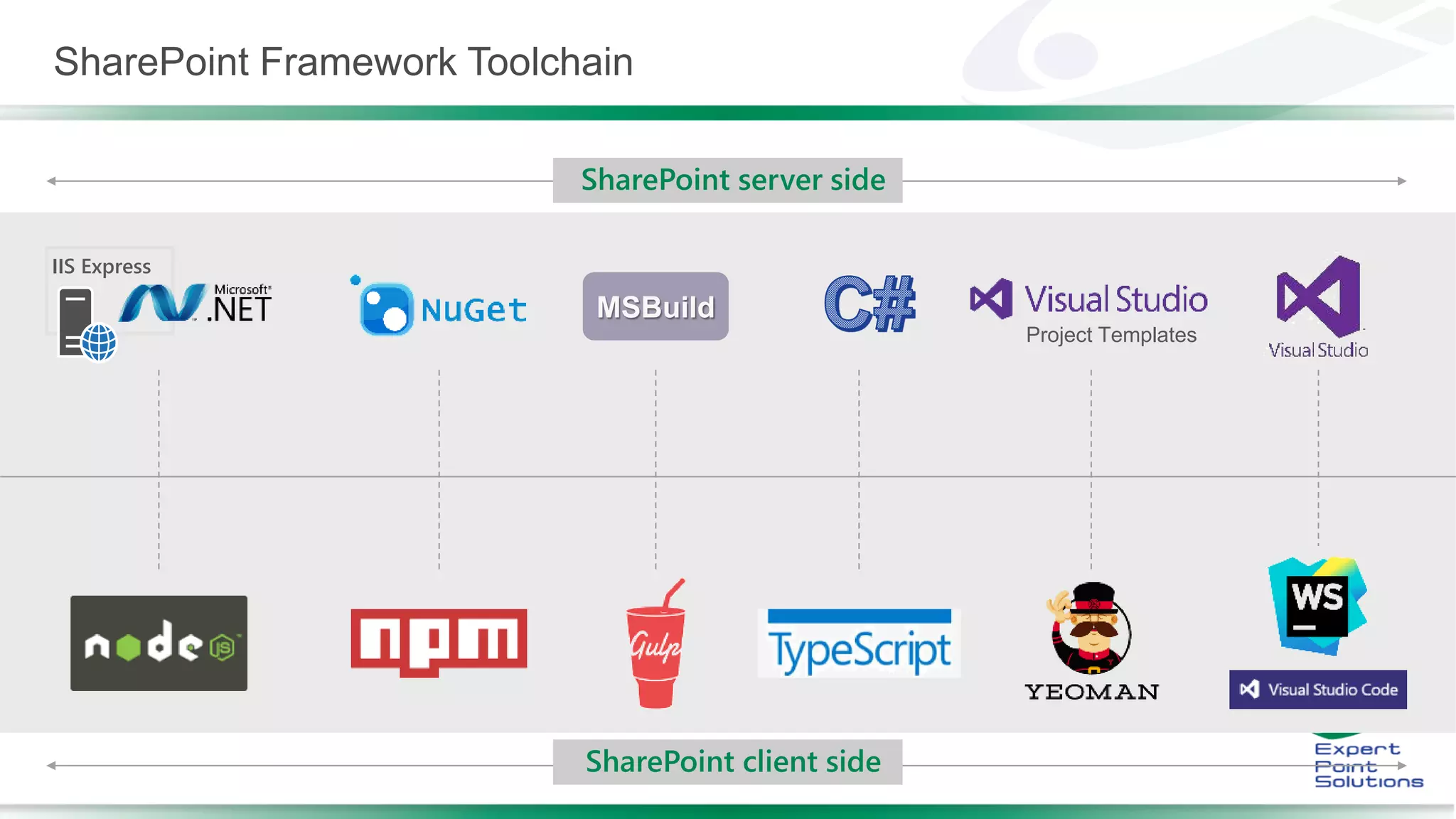
IIS Express
Project Templates
SharePoint Framework Toolchain
SharePoint server side
SharePoint client side
JavaScript Frameworks
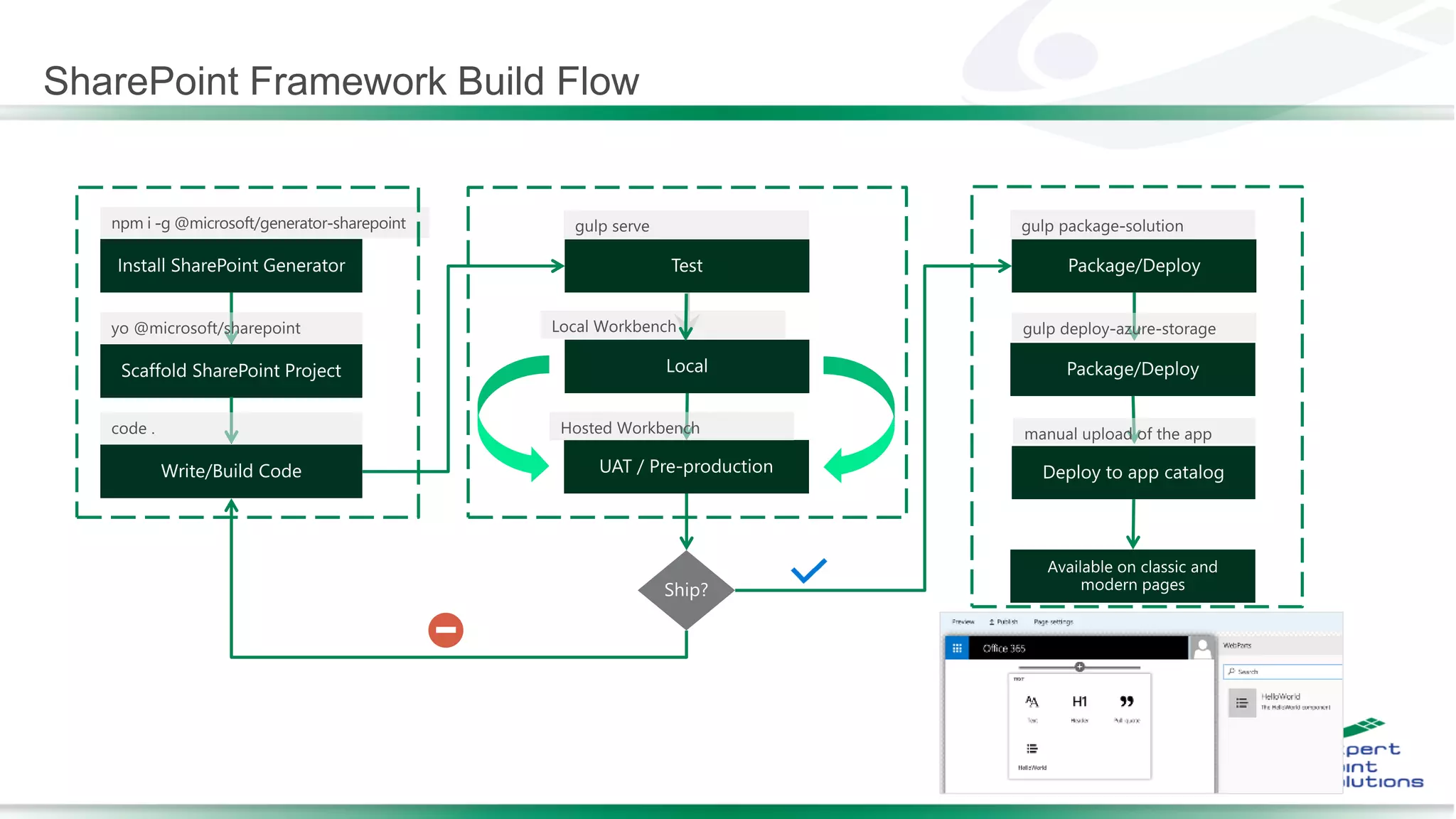
SharePoint Framework Build Flow
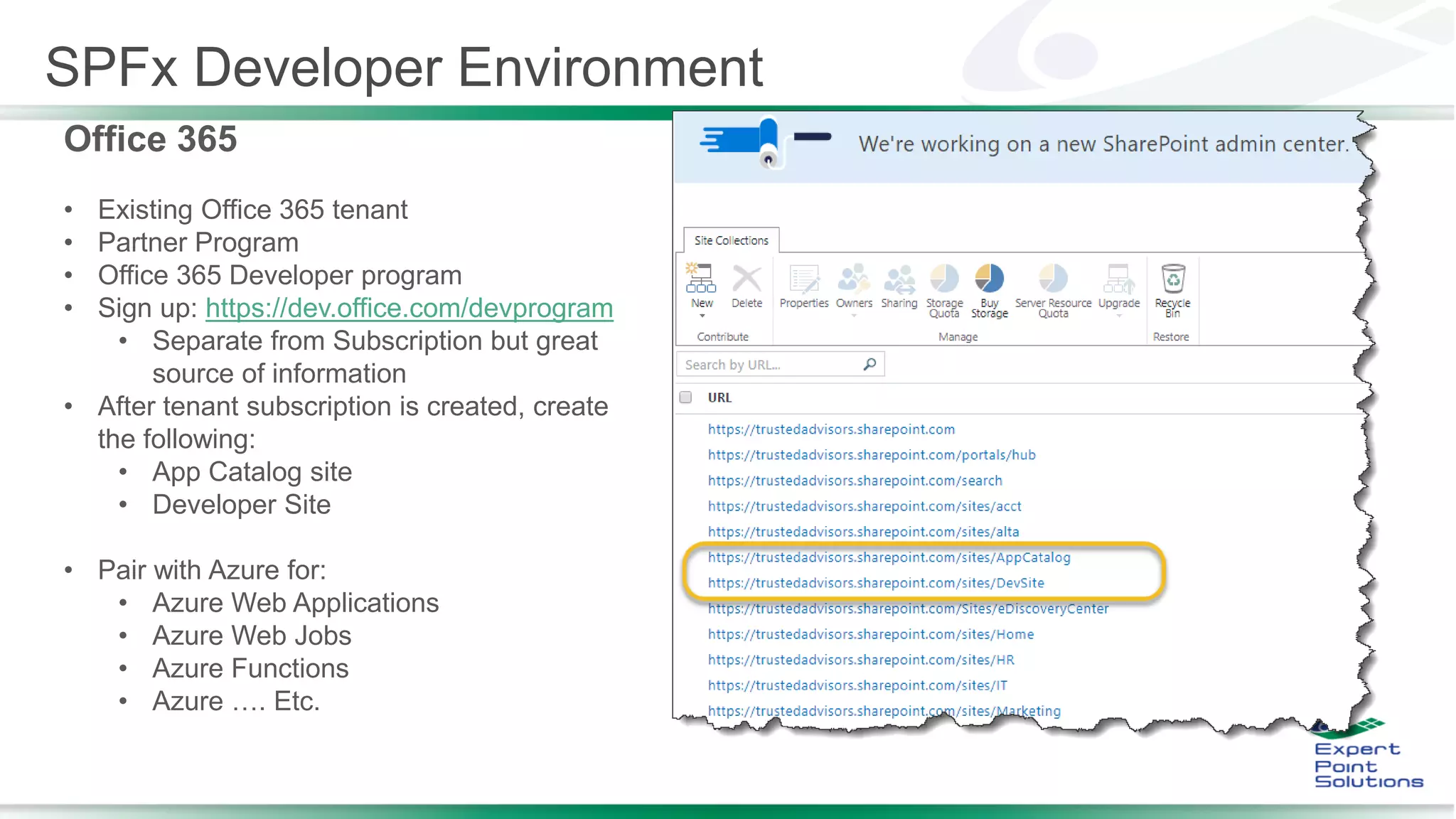
SPFx Developer Environment
Office 365
• Existing Office 365 tenant
• Partner Program
• Office 365 Developer program
• Sign up: https://dev.office.com/devprogram
• Separate from Subscription but great
source of information
• After tenant subscription is created, create
the following:
• App Catalog site
• Developer Site
• Pair with Azure for:
• Azure Web Applications
• Azure Web Jobs
• Azure Functions
• Azure …. Etc.
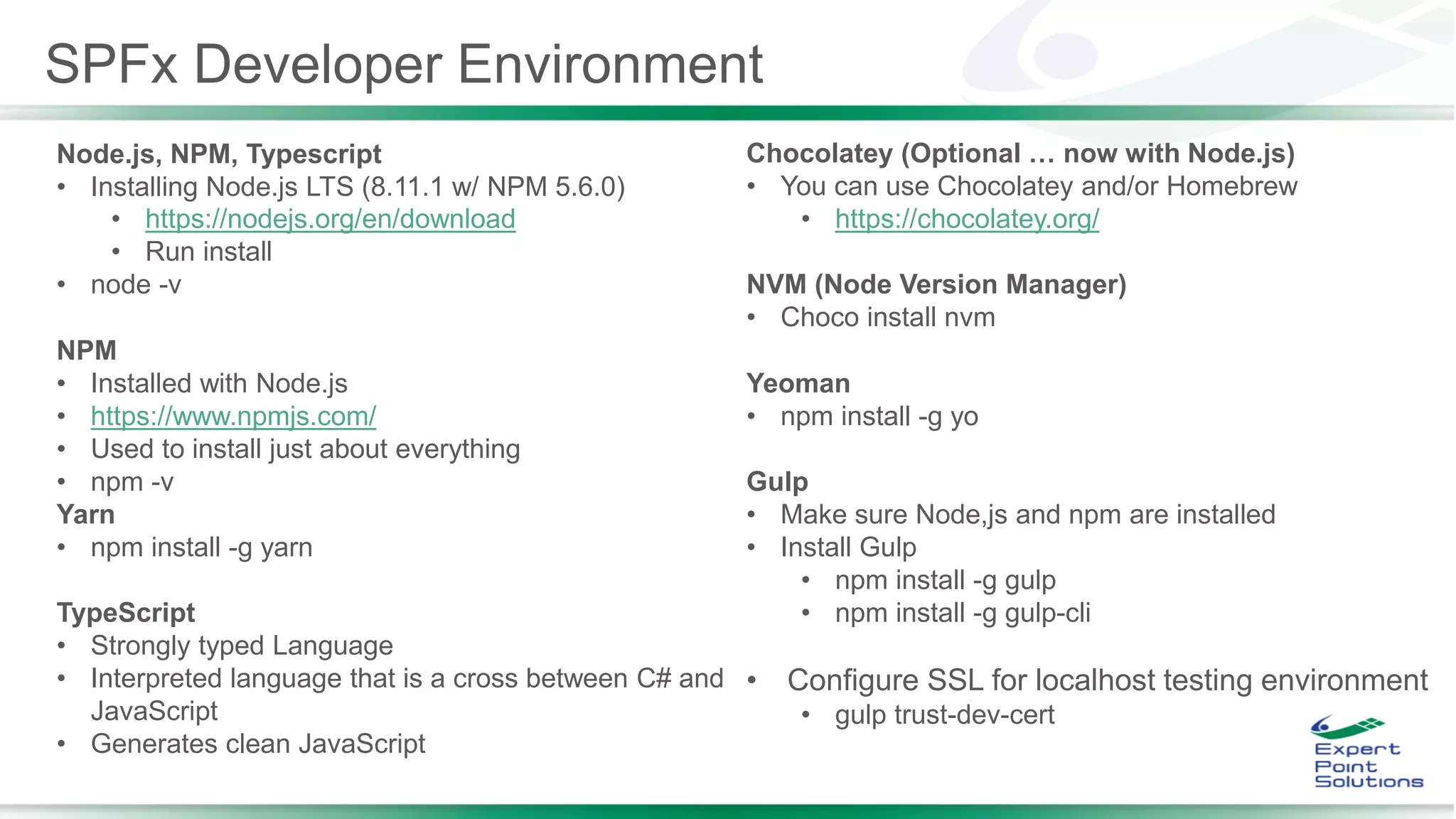
Node.js, NPM, Typescript
• Installing Node.js LTS (8.11.1 w/ NPM 5.6.0)
• https://nodejs.org/en/download
• Run install
• node -v
NPM
• Installed with Node.js
• https://www.npmjs.com/
• Used to install just about everything
• npm -v
Yarn
• npm install -g yarn
TypeScript
• Strongly typed Language
• Interpreted language that is a cross between C# and
JavaScript
• Generates clean JavaScript
Chocolatey (Optional … now with Node.js)
• You can use Chocolatey and/or Homebrew
• https://chocolatey.org/
NVM (Node Version Manager)
• Choco install nvm
Yeoman
• npm install -g yo
Gulp
• Make sure Node,js and npm are installed
• Install Gulp
• npm install -g gulp
• npm install -g gulp-cli
• Configure SSL for localhost testing environment
• gulp trust-dev-cert
SPFx Developer Environment
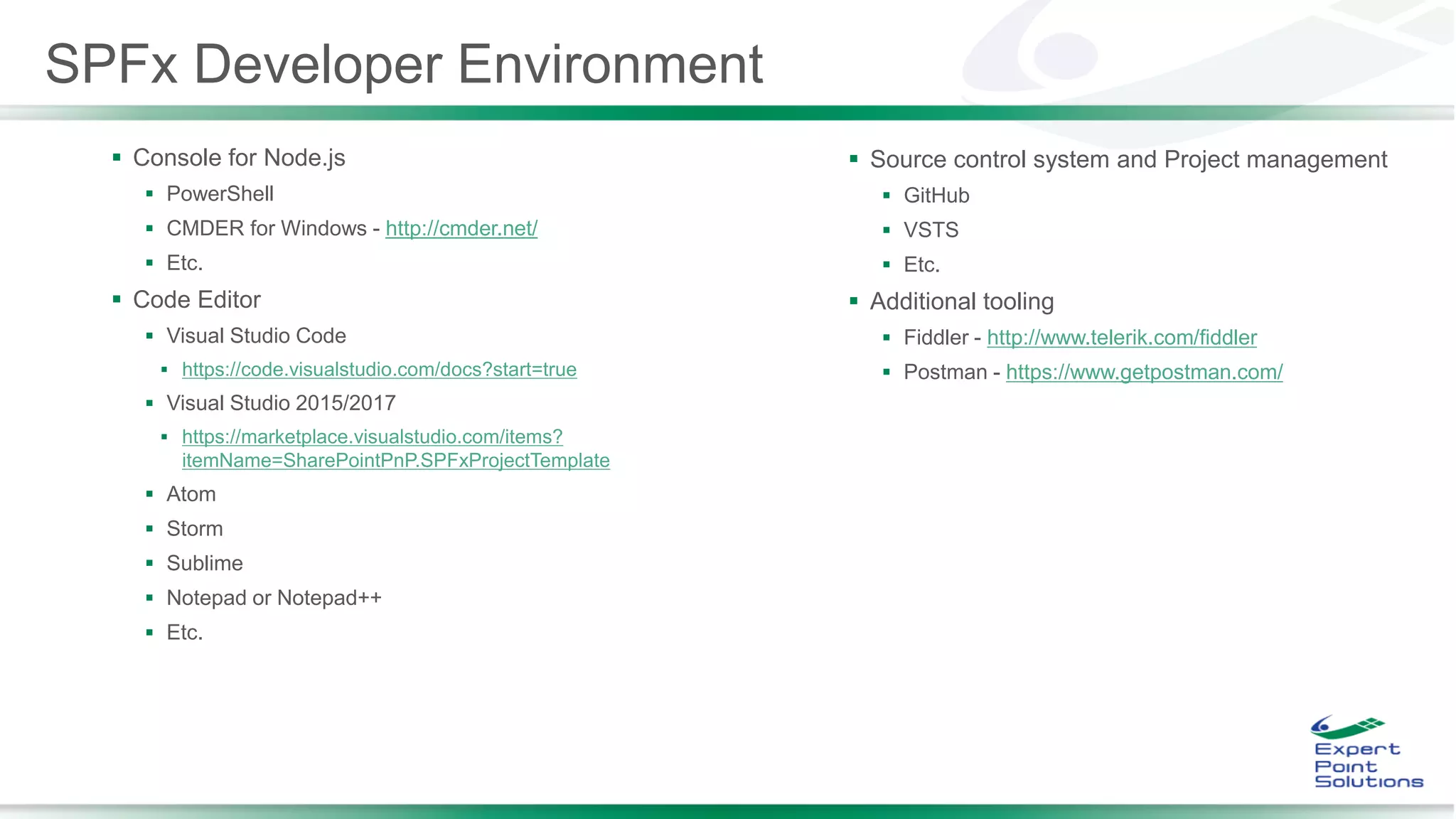
 Console for Node.js
 PowerShell
 CMDER for Windows - http://cmder.net/
 Etc.
 Code Editor
 Visual Studio Code
 https://code.visualstudio.com/docs?start=true
 Visual Studio 2015/2017
 https://marketplace.visualstudio.com/items?
itemName=SharePointPnP.SPFxProjectTemplate
 Atom
 Storm
 Sublime
 Notepad or Notepad++
 Etc.
 Source control system and Project management
 GitHub
 VSTS
 Etc.
 Additional tooling
 Fiddler - http://www.telerik.com/fiddler
 Postman - https://www.getpostman.com/
SPFx Developer Environment
Code Editors
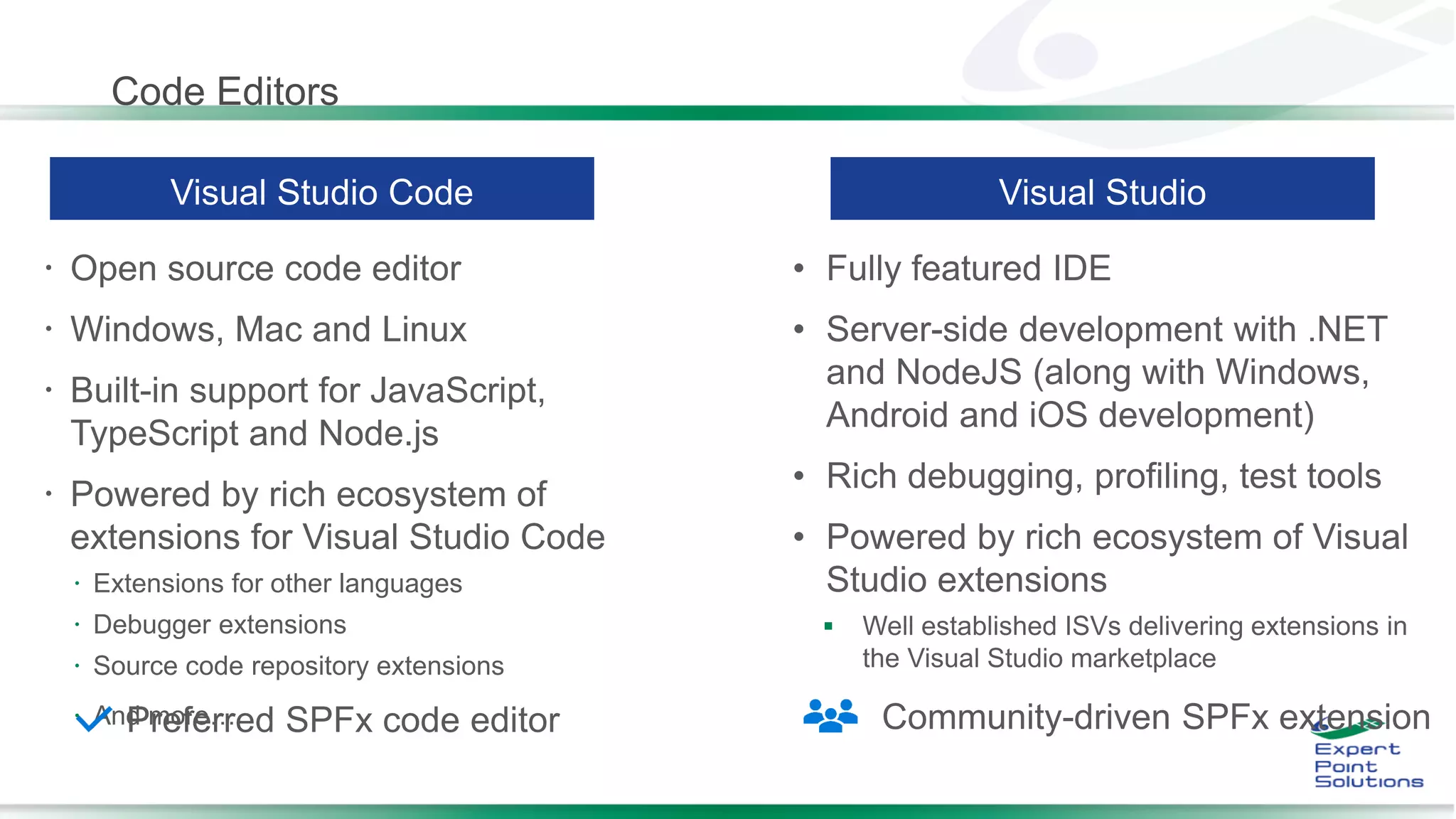
 Open source code editor
 Windows, Mac and Linux
 Built-in support for JavaScript,
TypeScript and Node.js
 Powered by rich ecosystem of
extensions for Visual Studio Code
 Extensions for other languages
 Debugger extensions
 Source code repository extensions
 And more…
•
•
•
•

Community-driven SPFx extensionPreferred SPFx code editor
SPFx - Helloworld
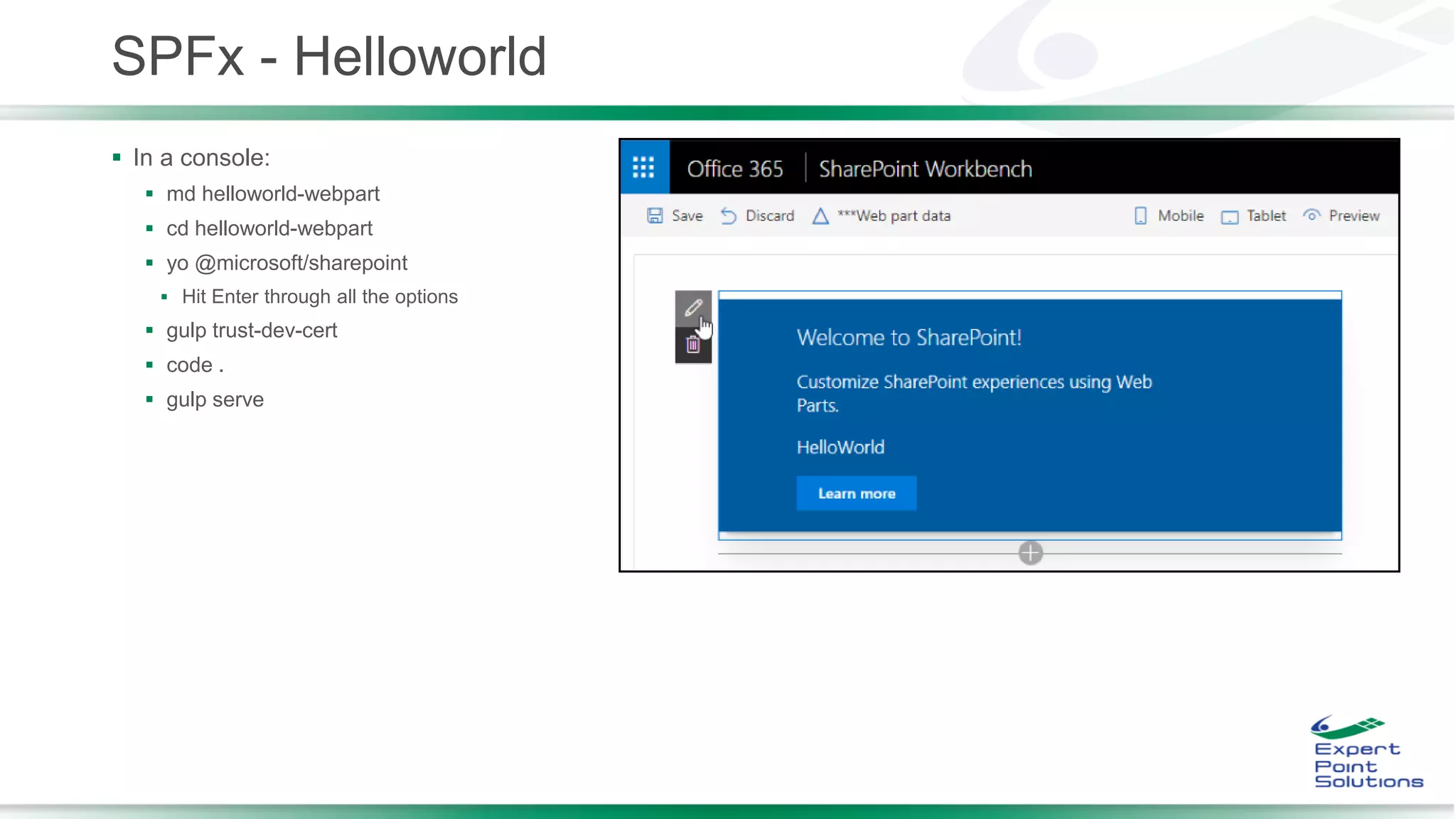
 In a console:
 md helloworld-webpart
 cd helloworld-webpart
 yo @microsoft/sharepoint
 Hit Enter through all the options
 gulp trust-dev-cert
 code .
 gulp serve
Helloworld Deployment
 After making changes, in console:
 Test with real data:
 https://your-sharepoint-tenant.sharepoint.com/_layouts/workbench.aspx
 Packaging:
 cd helloworld-webpart
 Update package-solution.json
 gulp package-solution
 helloworld-webpart.sppkg
 Deploy helloworld-webpart.sppkg to App Catalog
 Add App to a page
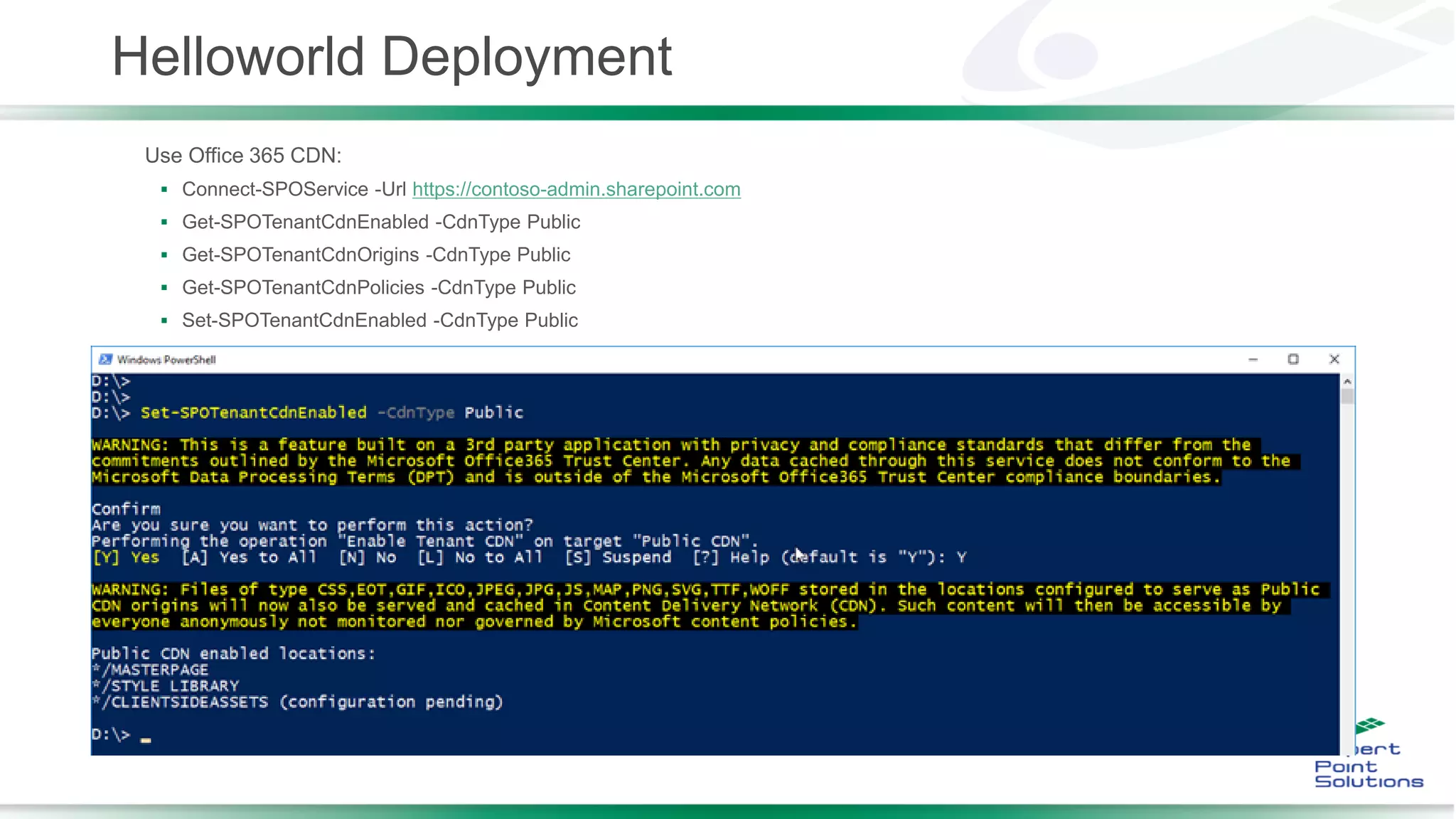
Helloworld Deployment
Use Office 365 CDN:
 Connect-SPOService -Url https://contoso-admin.sharepoint.com
 Get-SPOTenantCdnEnabled -CdnType Public
 Get-SPOTenantCdnOrigins -CdnType Public
 Get-SPOTenantCdnPolicies -CdnType Public
 Set-SPOTenantCdnEnabled -CdnType Public
Beyond Helloworld
 Patterns and Practices Group - https://github.com/SharePoint
 PnP
 SharePoint / Office 365 Developer Patterns and Practices
 PnP-PowerShell
 SharePoint PnP PowerShell CmdLets
 PnP-JS-Core
 Repository for the PnP JavaScript Core component development together with community members
 sp-dev-docs
 SharePoint Developer Documentation
 sp-dev-fx-webparts
 Code samples and developer content targeted towards SharePoint Framework client-side web parts.
 sp-dev-fx-extensions
 Code samples and developer content targeted towards SharePoint Framework client-side extensions.
http://dev.office.com/sharepoint
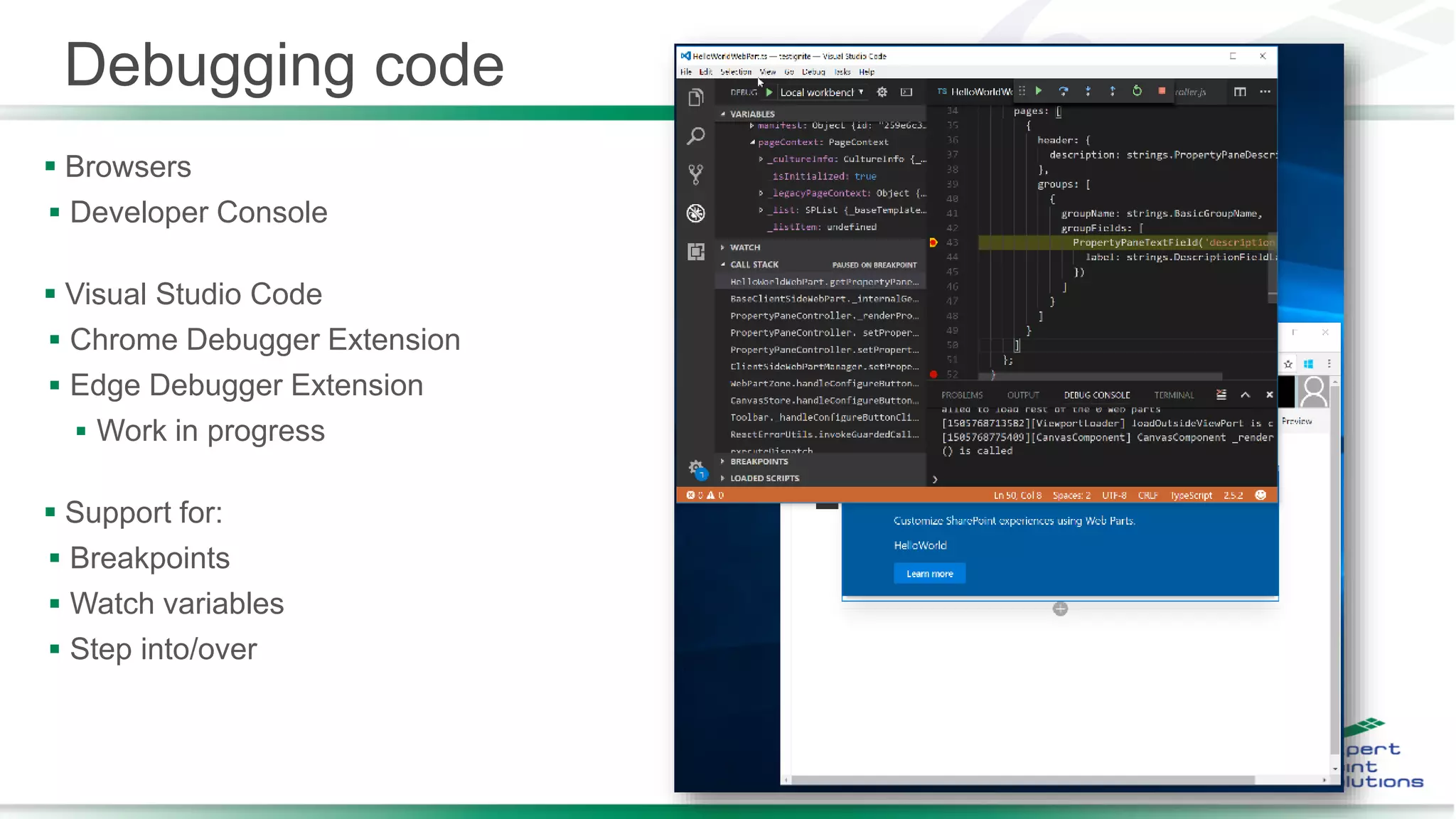
Debugging code
 Browsers
 Developer Console
 Visual Studio Code
 Chrome Debugger Extension
 Edge Debugger Extension
 Work in progress
 Support for:
 Breakpoints
 Watch variables
 Step into/over
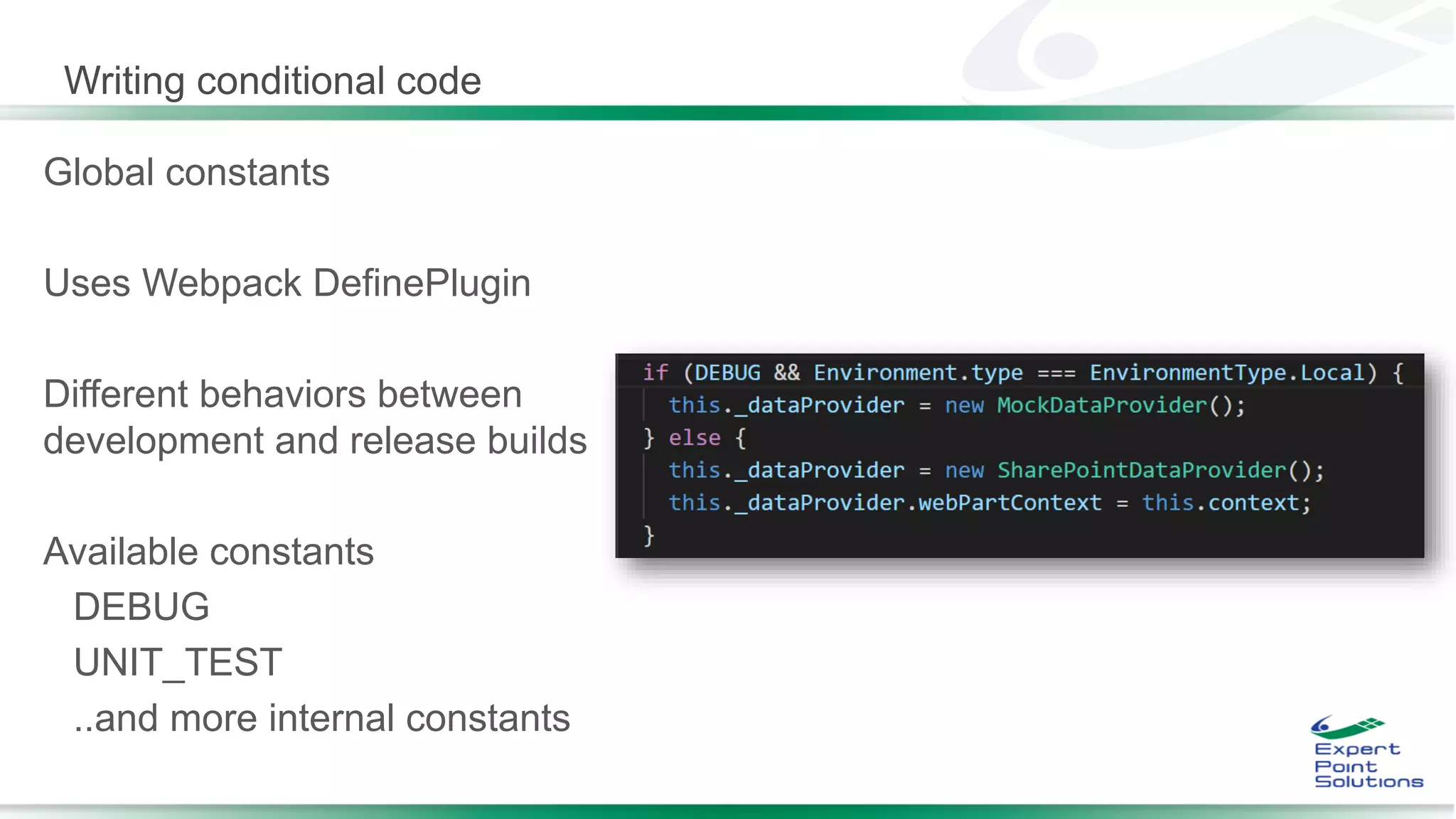
Writing conditional code
Global constants
Uses Webpack DefinePlugin
Different behaviors between
development and release builds
Available constants
DEBUG
UNIT_TEST
..and more internal constants
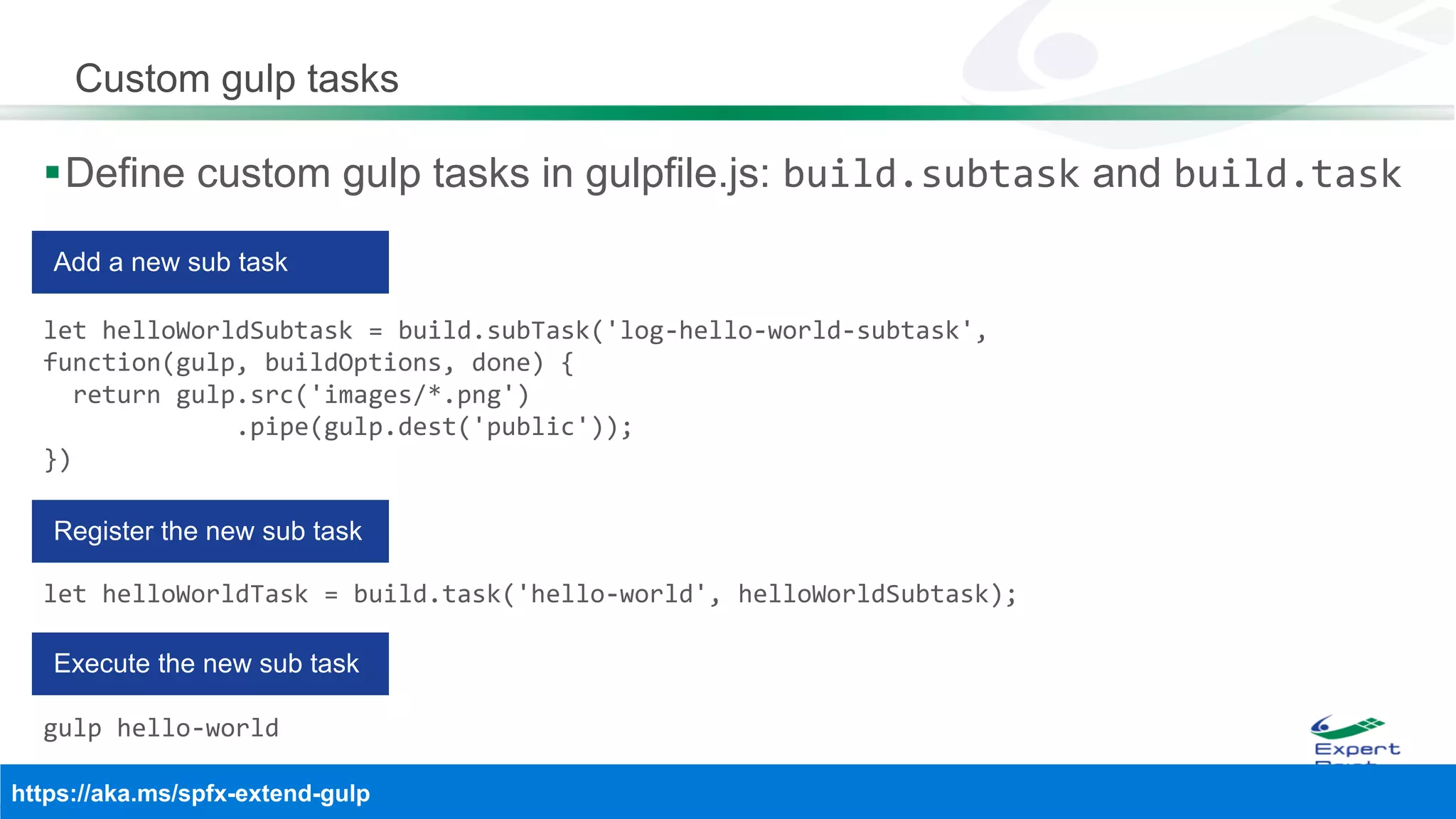
Custom gulp tasks
Define custom gulp tasks in gulpfile.js: build.subtask and build.task
let helloWorldSubtask = build.subTask('log-hello-world-subtask',
function(gulp, buildOptions, done) {
return gulp.src('images/*.png')
.pipe(gulp.dest('public'));
})
let helloWorldTask = build.task('hello-world', helloWorldSubtask);
gulp hello-world
Extend webpack configuration
Define your webpack loaders in gulpfile.js
npm i --save markdown-loader
build.configureWebpack.mergeConfig({
additionalConfiguration: (generatedConfiguration) => {
generatedConfiguration.module.loaders.push([
{ test: /.md$/, loader: "html!markdown" }
]);
return generatedConfiguration;
}
});
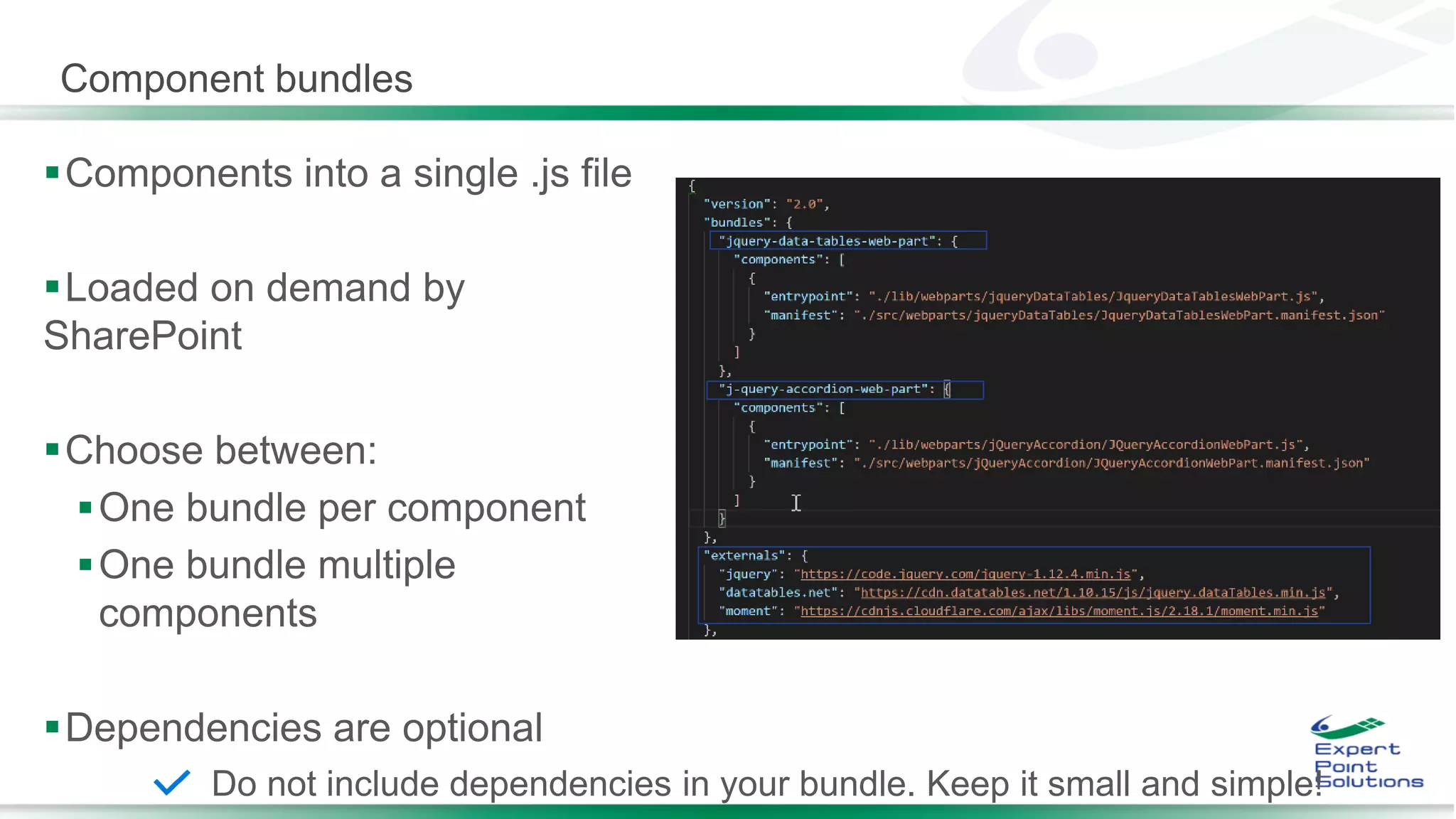
Component bundles
Components into a single .js file
Loaded on demand by
SharePoint
Choose between:
One bundle per component
One bundle multiple
components
Dependencies are optional
Do not include dependencies in your bundle. Keep it small and simple!
Useful Resources
 Tutorials:
 Tutorial 1 - https://www.youtube.com/watch?v=YqUIX2pMUzg
 Tutorial 2 - https://www.youtube.com/watch?v=hYrP6D4FaaU
 Tutorial 3 - https://www.youtube.com/watch?v=BpJ01ahxbiY
 Tutorial 4 - https://www.youtube.com/watch?v=MEZMs8VMVQ0
 http://dev.office.com/sharepoint
 https://dev.office.com/devprogram
 https://docs.microsoft.com/en-us/sharepoint/dev/spfx/sharepoint-framework-overview
 https://github.com/SharePoint/sp-dev-docs/wiki
 https://github.com/SharePoint/sp-dev-docs
 https://github.com/SharePoint/sp-dev-fx-webparts
 https://github.com/SharePoint/PnP-JS-Core
 https://dev.office.com/sharepoint/docs/spfx/web-parts/get-started/build-a-hello-world-web-part
 https://www.youtube.com/playlist?list=PLR9nK3mnD-OXvSWvS2zglCzz4iplhVrKq
 https://chocolatey.org/
 https://developer.microsoft.com/en-us/office/events

Questions
??
?
?
Thank you!
Brian Culver, MCM
Twitter:
@spbrianculver
E-mail:
brian.culver(at)expertpointsolutions.com
Blog:
http://blog.expertpointsolutions.com/
Slides:
http://www.slideshare.net/bculver

How to convert your Full Trust Solutions to the SharePoint Framework (SPFx)

  • 1.
    Brian Culver ●@houstonsptf ● Nov 6, 2018
  • 2.
    About Brian Culver SharePoint Solutions Architect for Expert Point Solutions in Houston, Texas.  Microsoft Certified Master (MCM) in SharePoint  Brian has worked in the Information Technology industry for since 1998 and he has been working with SharePoint since 2005. His deep expertise includes Azure, Office365, SharePoint, ASP.Net, SQL Server and Project Server. He has been involved in many large SharePoint implementations including Internet and Intranet sites, Partner Portals, Enterprise Content Management and Governance, and much custom application integration and development.  Author, Speaker and Blogger  Email : brian.culver(at)expertpointsolutions.com  Twitter : @spbrianculver  LinkedIn : https://www.linkedin.com/in/bculver  Blog : http://blog.expertpointsolutions.com
  • 3.
    Session Agenda  Whatis the SharePoint Framework (SPFx)?  Where does the SharePoint Framework fit?  SharePoint Framework Toolchain  JavaScript Frameworks  SharePoint Framework Build Flow  SharePoint Framework Developer Environment
  • 4.
    What is theSharePoint Framework (SPFx)  Latest release is 1.6  New client-side framework for building Modern UI customizations  https://docs.microsoft.com/en- us/sharepoint/dev/spfx/enterprise-guidance  Built on the well-known web stack  Open model, not tied to Microsoft tools  Works great on the cloud  Available on-premises for SP2016 with Feature Pack 2 ( and newer)  Enterprise-ready when used with back-end services  REST API and micro-services, Azure Functions, etc.  Build client-side Web Parts or client-side Extensions  Some key features of the SharePoint Framework:  Runs in the context of the current user and the connection in the browser. No IFRAMEs for the customization (JavaScript is embedded directly to the page).  The controls are rendered within the page DOM.  The controls are responsive, accessible and mobile friendly.  Developers are able to access the page lifecycle fully, including rendering, loading, serializing and deserializing, configuration changes, and more.  Framework-agnostic. Use any JavaScript framework: React, Knockout, Angular, Bootstrap and more.  The toolchain is based on common open source client development tools such as npm, nvm, TypeScript, Yeoman, Yarn, webpack, and gulp.  Performance is reliable.  End users can use SPFx client-side solutions that are approved by the tenant administrators (or their delegates) on all sites, including self-service team, group, or personal sites.  SPFx web parts can be added to both classic and modern pages. Modern pages can only use client-side web parts.
  • 5.
    Where does theSharePoint Framework fit?  Full Trust Solutions  Server-side code  Full server side API  Only supported on-premise  Visual Studio Only  Farm Scoped  Webparts, Timers Jobs, Event Receivers (Feature, Web, Site, List, etc.)  Sandbox Solutions  Restricted Server-side code  Declarative Solutions only supported in SPO  Visual Studio Only  Site Collection Scoped  Features & Declarative Solutions  Site columns, content types, Lists, List instances, File Resources, etc.  SharePoint Add-in / Apps  Client-side or Server-side code  Client-side API  Execution context was externalized from SharePoint and displayed via IFRAMEs  Visual Studio Only  Tenant and Site Scoped  SharePoint Framework (SPFx)  Client-side code only  Client-sde web parts and extensions  Execution context is in the page (yeah Baby!!)  Open source and cross-platform tooling  Tenant Scoped  Only way to customize modern pages  Responsive, accessible and mobile friendly
  • 6.
    IIS Express Project Templates SharePointFramework Toolchain SharePoint server side SharePoint client side
  • 7.
  • 8.
  • 9.
    SPFx Developer Environment Office365 • Existing Office 365 tenant • Partner Program • Office 365 Developer program • Sign up: https://dev.office.com/devprogram • Separate from Subscription but great source of information • After tenant subscription is created, create the following: • App Catalog site • Developer Site • Pair with Azure for: • Azure Web Applications • Azure Web Jobs • Azure Functions • Azure …. Etc.
  • 10.
    Node.js, NPM, Typescript •Installing Node.js LTS (8.11.1 w/ NPM 5.6.0) • https://nodejs.org/en/download • Run install • node -v NPM • Installed with Node.js • https://www.npmjs.com/ • Used to install just about everything • npm -v Yarn • npm install -g yarn TypeScript • Strongly typed Language • Interpreted language that is a cross between C# and JavaScript • Generates clean JavaScript Chocolatey (Optional … now with Node.js) • You can use Chocolatey and/or Homebrew • https://chocolatey.org/ NVM (Node Version Manager) • Choco install nvm Yeoman • npm install -g yo Gulp • Make sure Node,js and npm are installed • Install Gulp • npm install -g gulp • npm install -g gulp-cli • Configure SSL for localhost testing environment • gulp trust-dev-cert SPFx Developer Environment
  • 11.
     Console forNode.js  PowerShell  CMDER for Windows - http://cmder.net/  Etc.  Code Editor  Visual Studio Code  https://code.visualstudio.com/docs?start=true  Visual Studio 2015/2017  https://marketplace.visualstudio.com/items? itemName=SharePointPnP.SPFxProjectTemplate  Atom  Storm  Sublime  Notepad or Notepad++  Etc.  Source control system and Project management  GitHub  VSTS  Etc.  Additional tooling  Fiddler - http://www.telerik.com/fiddler  Postman - https://www.getpostman.com/ SPFx Developer Environment
  • 12.
    Code Editors  Opensource code editor  Windows, Mac and Linux  Built-in support for JavaScript, TypeScript and Node.js  Powered by rich ecosystem of extensions for Visual Studio Code  Extensions for other languages  Debugger extensions  Source code repository extensions  And more… • • • •  Community-driven SPFx extensionPreferred SPFx code editor
  • 13.
    SPFx - Helloworld In a console:  md helloworld-webpart  cd helloworld-webpart  yo @microsoft/sharepoint  Hit Enter through all the options  gulp trust-dev-cert  code .  gulp serve
  • 14.
    Helloworld Deployment  Aftermaking changes, in console:  Test with real data:  https://your-sharepoint-tenant.sharepoint.com/_layouts/workbench.aspx  Packaging:  cd helloworld-webpart  Update package-solution.json  gulp package-solution  helloworld-webpart.sppkg  Deploy helloworld-webpart.sppkg to App Catalog  Add App to a page
  • 15.
    Helloworld Deployment Use Office365 CDN:  Connect-SPOService -Url https://contoso-admin.sharepoint.com  Get-SPOTenantCdnEnabled -CdnType Public  Get-SPOTenantCdnOrigins -CdnType Public  Get-SPOTenantCdnPolicies -CdnType Public  Set-SPOTenantCdnEnabled -CdnType Public
  • 16.
    Beyond Helloworld  Patternsand Practices Group - https://github.com/SharePoint  PnP  SharePoint / Office 365 Developer Patterns and Practices  PnP-PowerShell  SharePoint PnP PowerShell CmdLets  PnP-JS-Core  Repository for the PnP JavaScript Core component development together with community members  sp-dev-docs  SharePoint Developer Documentation  sp-dev-fx-webparts  Code samples and developer content targeted towards SharePoint Framework client-side web parts.  sp-dev-fx-extensions  Code samples and developer content targeted towards SharePoint Framework client-side extensions. http://dev.office.com/sharepoint
  • 17.
    Debugging code  Browsers Developer Console  Visual Studio Code  Chrome Debugger Extension  Edge Debugger Extension  Work in progress  Support for:  Breakpoints  Watch variables  Step into/over
  • 18.
    Writing conditional code Globalconstants Uses Webpack DefinePlugin Different behaviors between development and release builds Available constants DEBUG UNIT_TEST ..and more internal constants
  • 19.
    Custom gulp tasks Definecustom gulp tasks in gulpfile.js: build.subtask and build.task let helloWorldSubtask = build.subTask('log-hello-world-subtask', function(gulp, buildOptions, done) { return gulp.src('images/*.png') .pipe(gulp.dest('public')); }) let helloWorldTask = build.task('hello-world', helloWorldSubtask); gulp hello-world
  • 20.
    Extend webpack configuration Defineyour webpack loaders in gulpfile.js npm i --save markdown-loader build.configureWebpack.mergeConfig({ additionalConfiguration: (generatedConfiguration) => { generatedConfiguration.module.loaders.push([ { test: /.md$/, loader: "html!markdown" } ]); return generatedConfiguration; } });
  • 21.
    Component bundles Components intoa single .js file Loaded on demand by SharePoint Choose between: One bundle per component One bundle multiple components Dependencies are optional Do not include dependencies in your bundle. Keep it small and simple!
  • 22.
    Useful Resources  Tutorials: Tutorial 1 - https://www.youtube.com/watch?v=YqUIX2pMUzg  Tutorial 2 - https://www.youtube.com/watch?v=hYrP6D4FaaU  Tutorial 3 - https://www.youtube.com/watch?v=BpJ01ahxbiY  Tutorial 4 - https://www.youtube.com/watch?v=MEZMs8VMVQ0  http://dev.office.com/sharepoint  https://dev.office.com/devprogram  https://docs.microsoft.com/en-us/sharepoint/dev/spfx/sharepoint-framework-overview  https://github.com/SharePoint/sp-dev-docs/wiki  https://github.com/SharePoint/sp-dev-docs  https://github.com/SharePoint/sp-dev-fx-webparts  https://github.com/SharePoint/PnP-JS-Core  https://dev.office.com/sharepoint/docs/spfx/web-parts/get-started/build-a-hello-world-web-part  https://www.youtube.com/playlist?list=PLR9nK3mnD-OXvSWvS2zglCzz4iplhVrKq  https://chocolatey.org/  https://developer.microsoft.com/en-us/office/events 
  • 23.
  • 24.
    Thank you! Brian Culver,MCM Twitter: @spbrianculver E-mail: brian.culver(at)expertpointsolutions.com Blog: http://blog.expertpointsolutions.com/ Slides: http://www.slideshare.net/bculver