How to Reduce Your Database
Total Cost of Ownership
with TimescaleDB
November 2019
Presenter
Bob Boule
Product Management
● What’s New in TimescaleDB 1.5?
● Feature Deep Dive: Compression
● Feature Deep Dive: Move Chunks
● Questions
Agenda
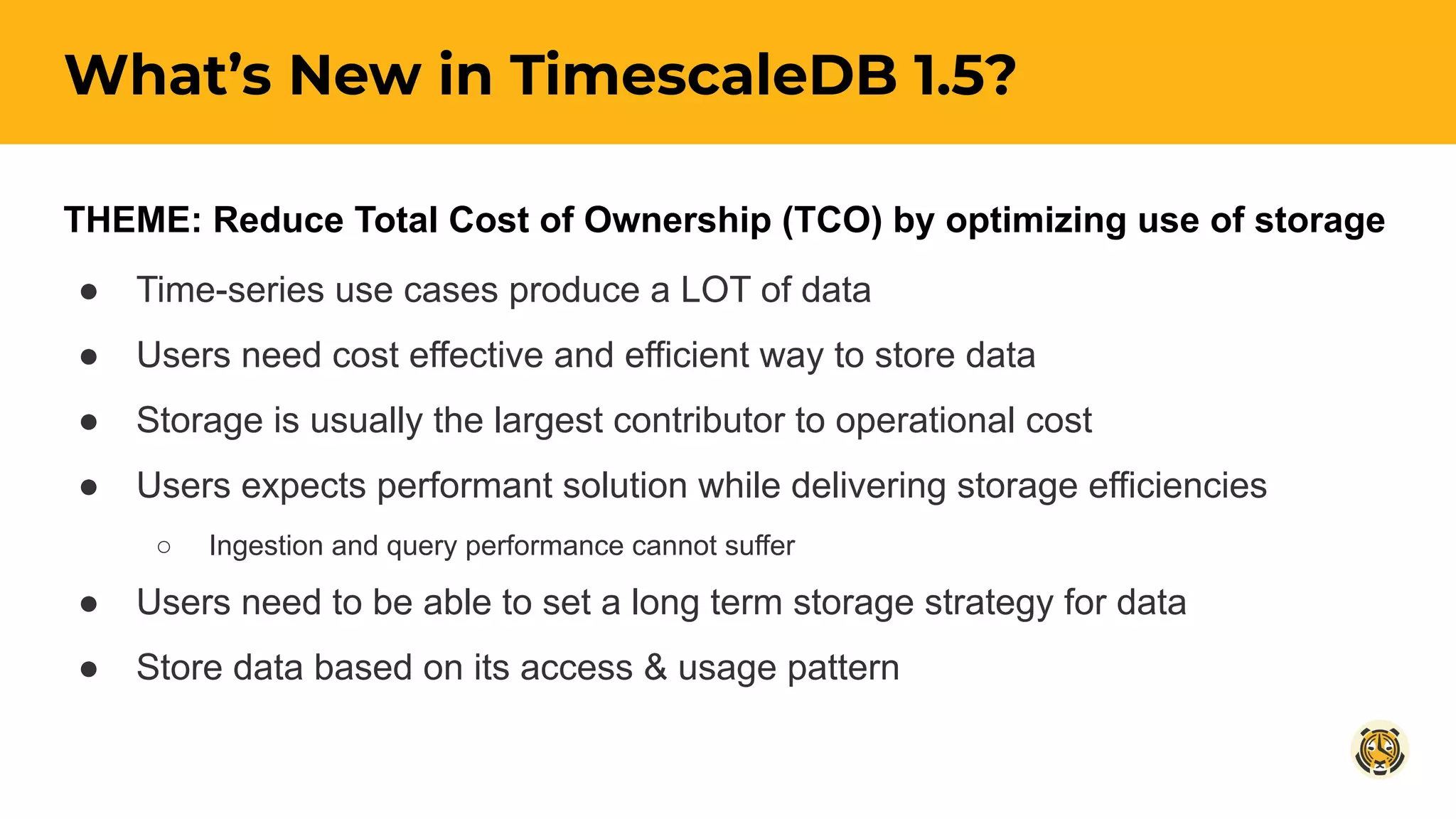
THEME: Reduce Total Cost of Ownership (TCO) by optimizing use of storage
● Time-series use cases produce a LOT of data
● Users need cost effective and efficient way to store data
● Storage is usually the largest contributor to operational cost
● Users expects performant solution while delivering storage efficiencies
○ Ingestion and query performance cannot suffer
● Users need to be able to set a long term storage strategy for data
● Store data based on its access & usage pattern
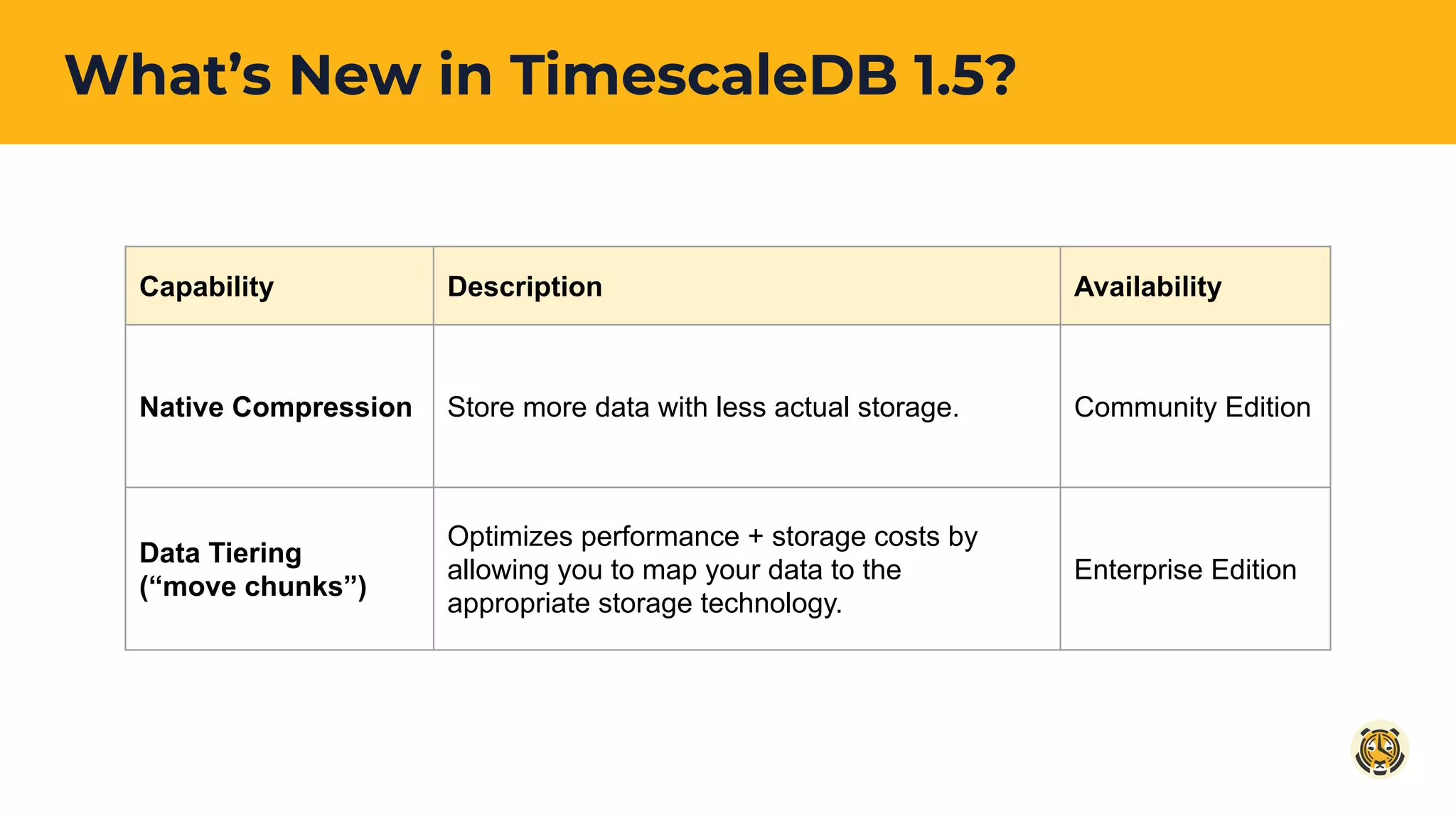
What’s New in TimescaleDB 1.5?
Capability Description Availability
Native Compression Store more data with less actual storage. Community Edition
Data Tiering
(“move chunks”)
Optimizes performance + storage costs by
allowing you to map your data to the
appropriate storage technology.
Enterprise Edition
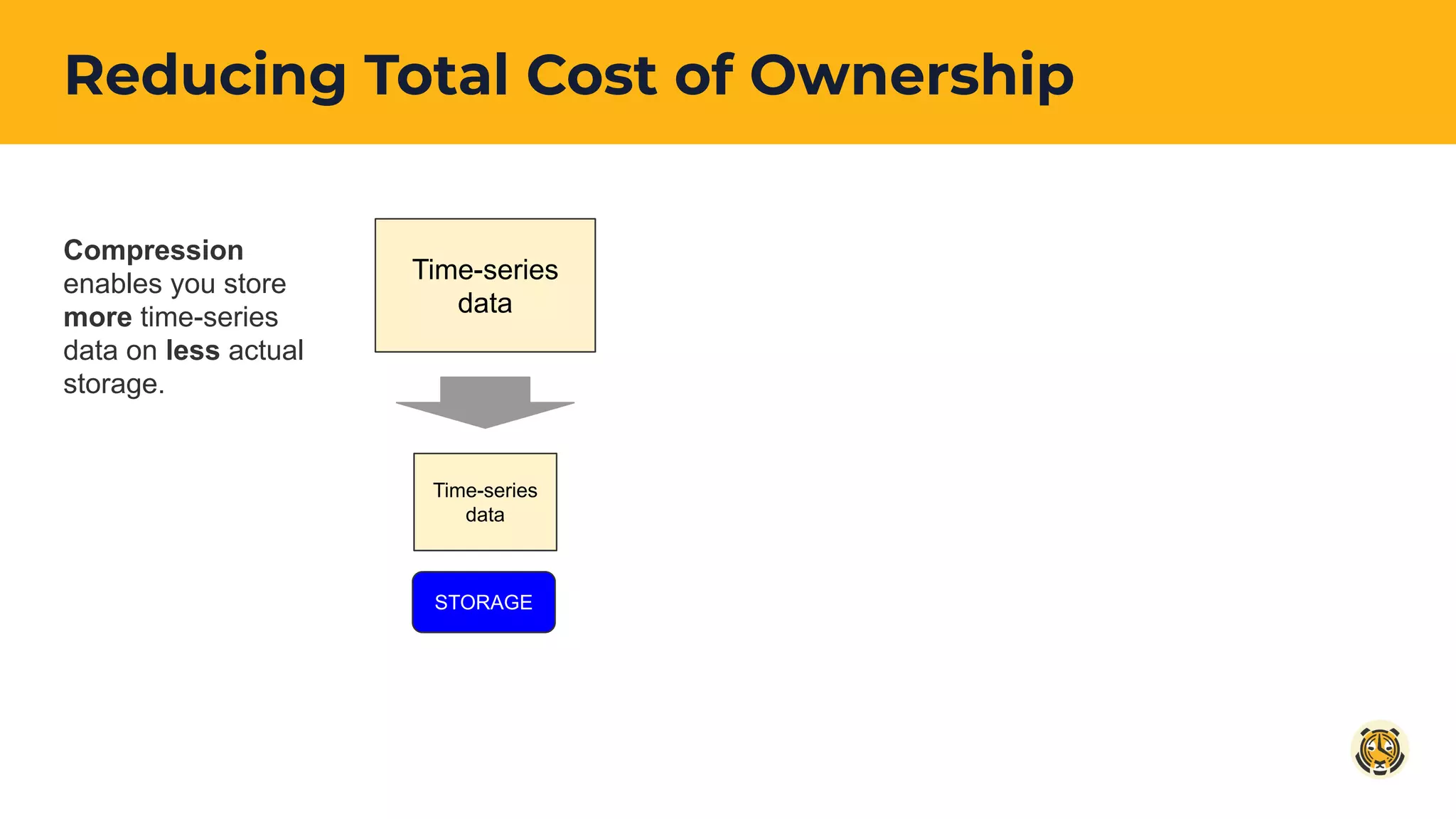
Reducing Total Cost of Ownership
Time-series
data
Time-series
data
STORAGE
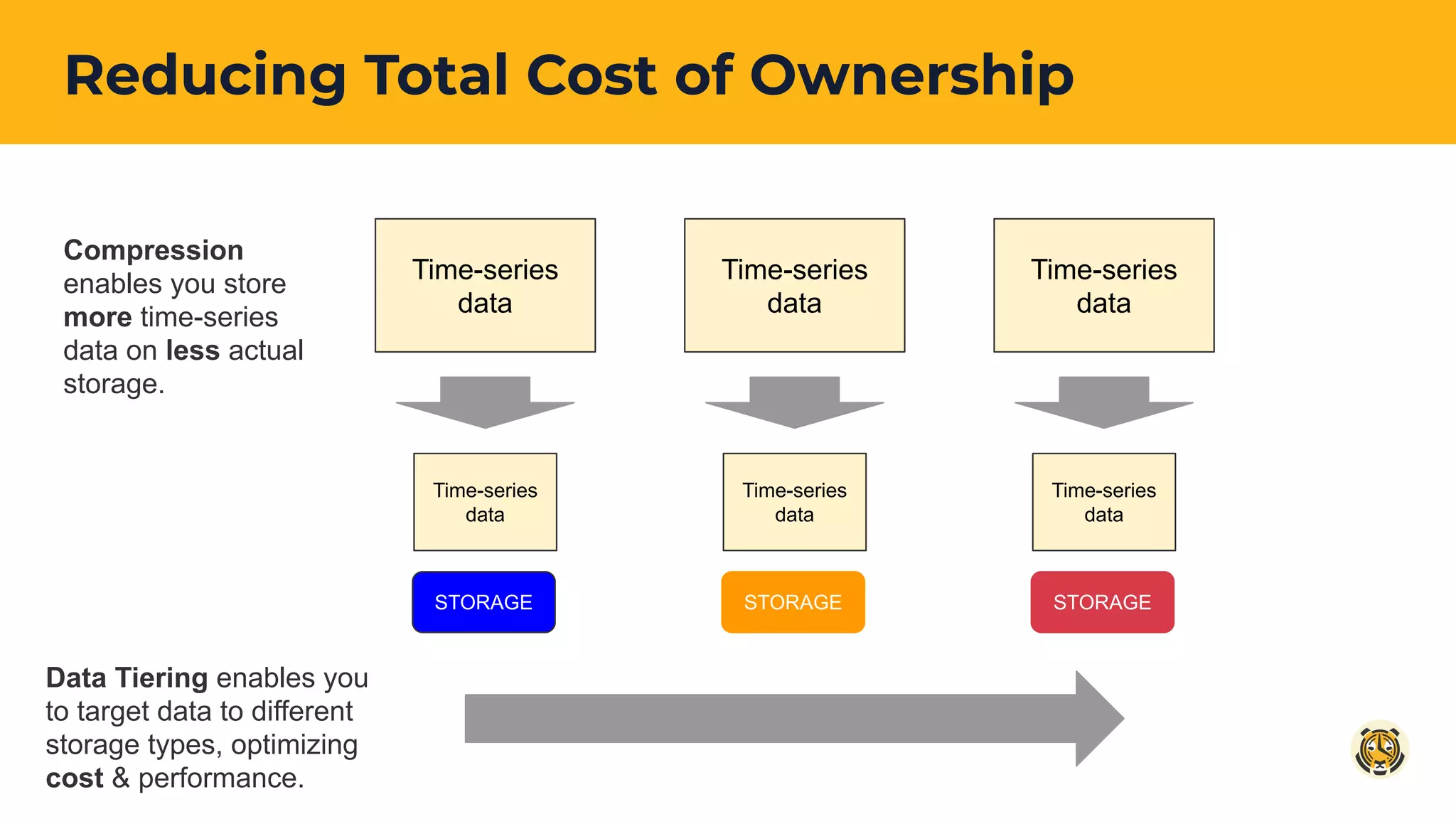
Compression
enables you store
more time-series
data on less actual
storage.
Reducing Total Cost of Ownership
Time-series
data
Time-series
data
STORAGE
Compression
enables you store
more time-series
data on less actual
storage.
Time-series
data
Time-series
data
STORAGE
Time-series
data
Time-series
data
STORAGE
Data Tiering enables you
to target data to different
storage types, optimizing
cost & performance.
Native Compression
COMMUNITY
edition
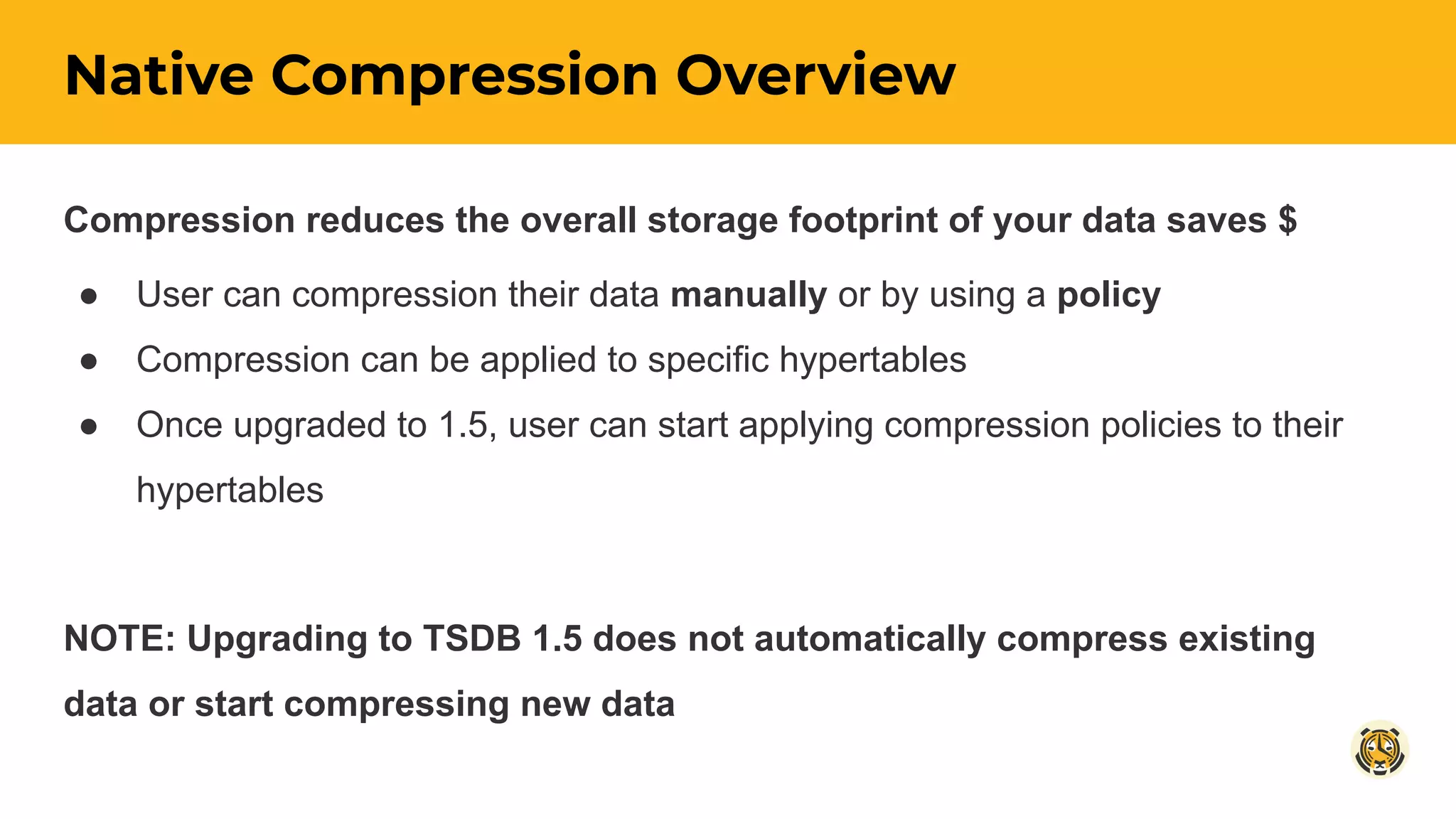
Native Compression Overview
Compression reduces the overall storage footprint of your data saves $
● User can compression their data manually or by using a policy
● Compression can be applied to specific hypertables
● Once upgraded to 1.5, user can start applying compression policies to their
hypertables
NOTE: Upgrading to TSDB 1.5 does not automatically compress existing
data or start compressing new data
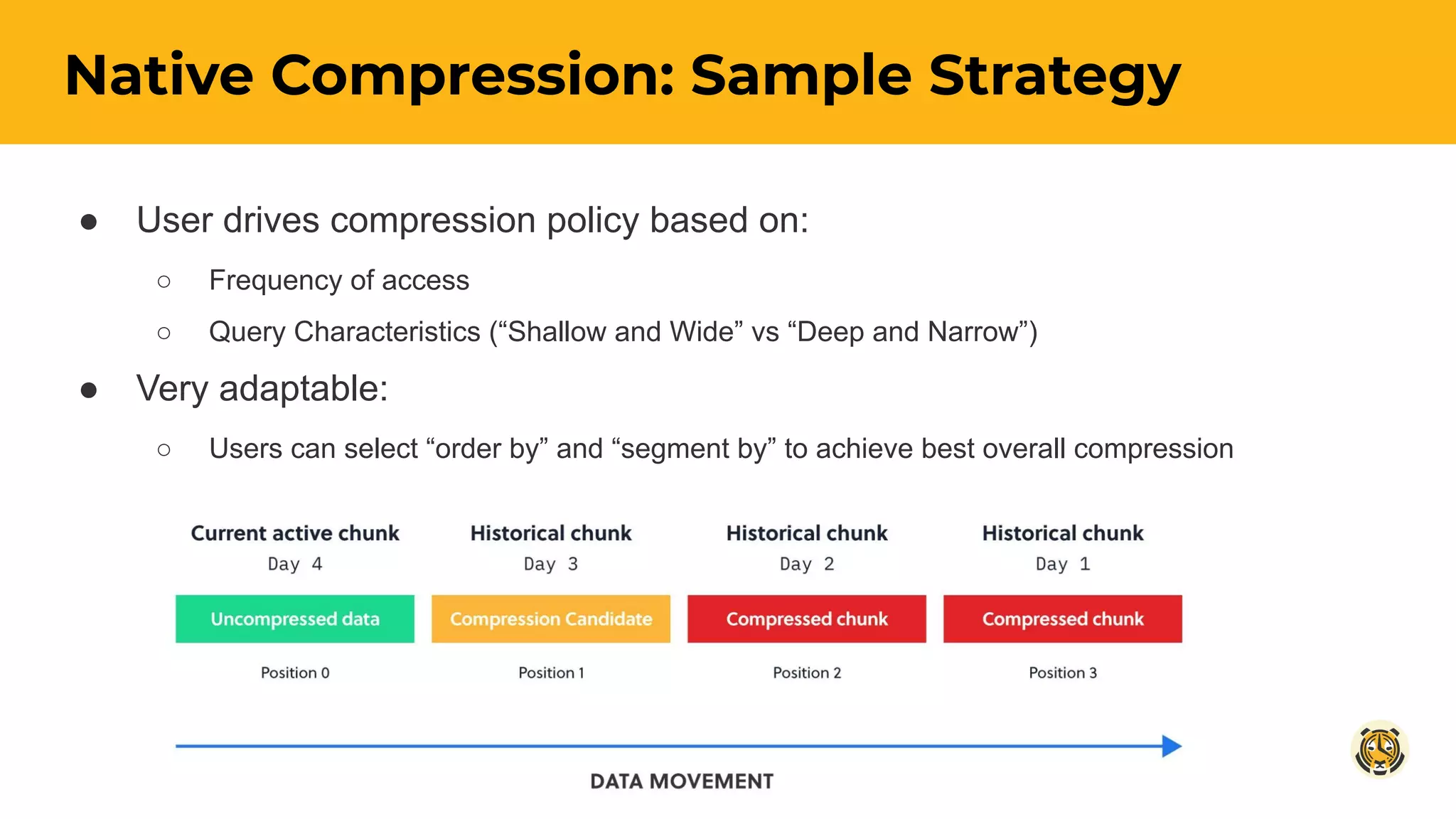
● User drives compression policy based on:
○ Frequency of access
○ Query Characteristics (“Shallow and Wide” vs “Deep and Narrow”)
● Very adaptable:
○ Users can select “order by” and “segment by” to achieve best overall compression
Native Compression: Sample Strategy
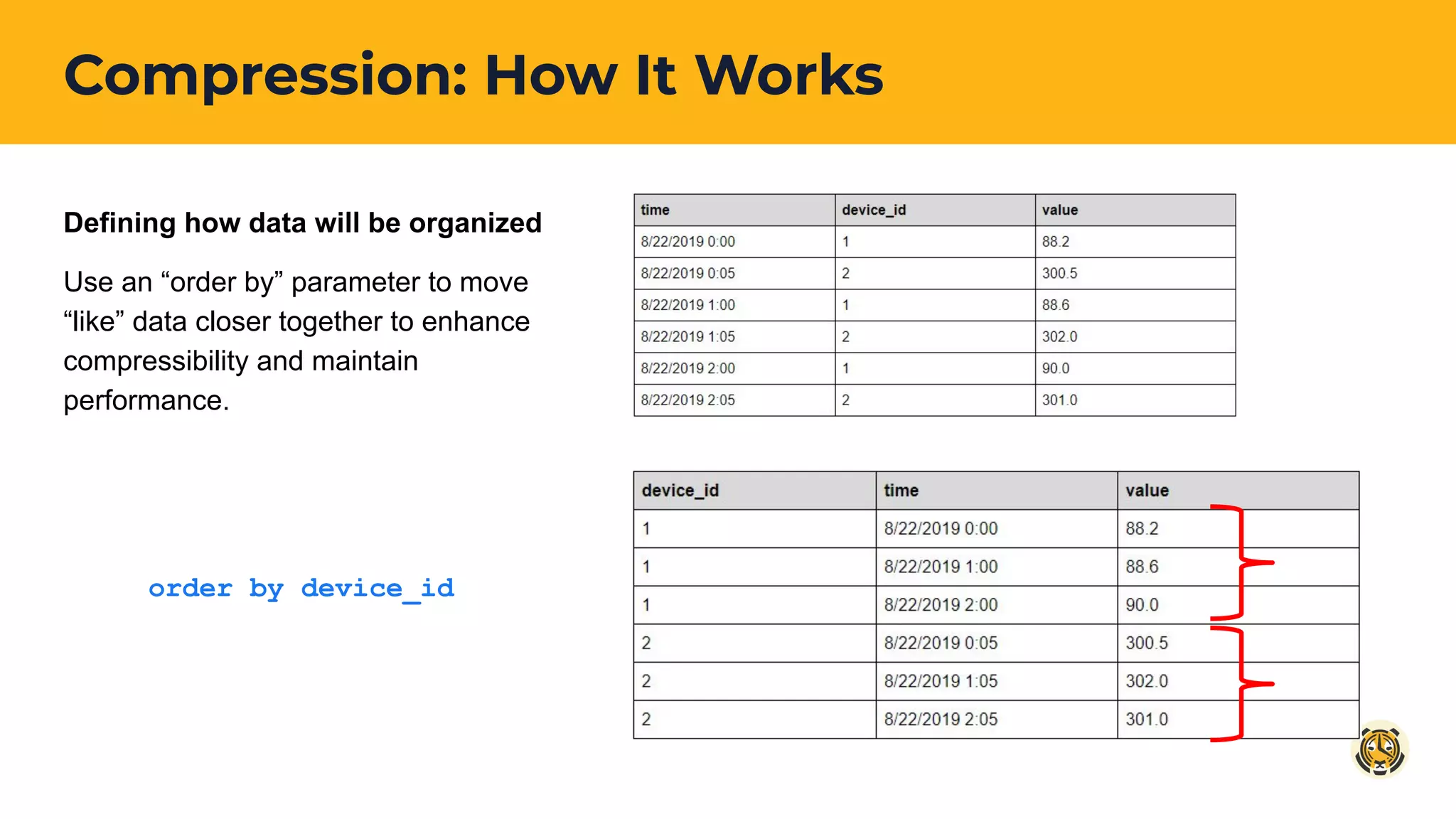
Compression: How It Works
Defining how data will be organized
Use an “order by” parameter to move
“like” data closer together to enhance
compressibility and maintain
performance.
order by device_id
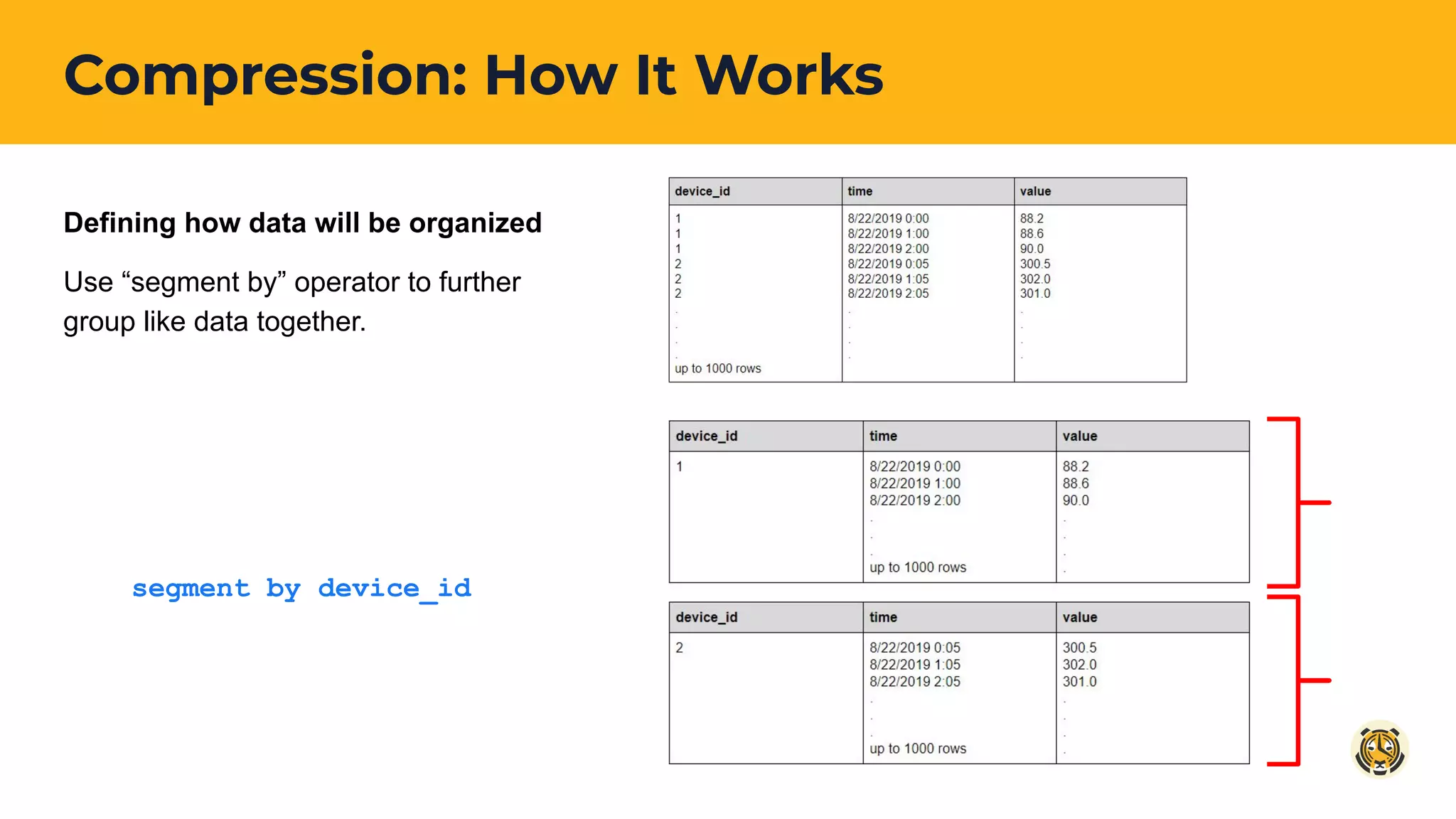
Compression: How It Works
Defining how data will be organized
Use “segment by” operator to further
group like data together.
segment by device_id
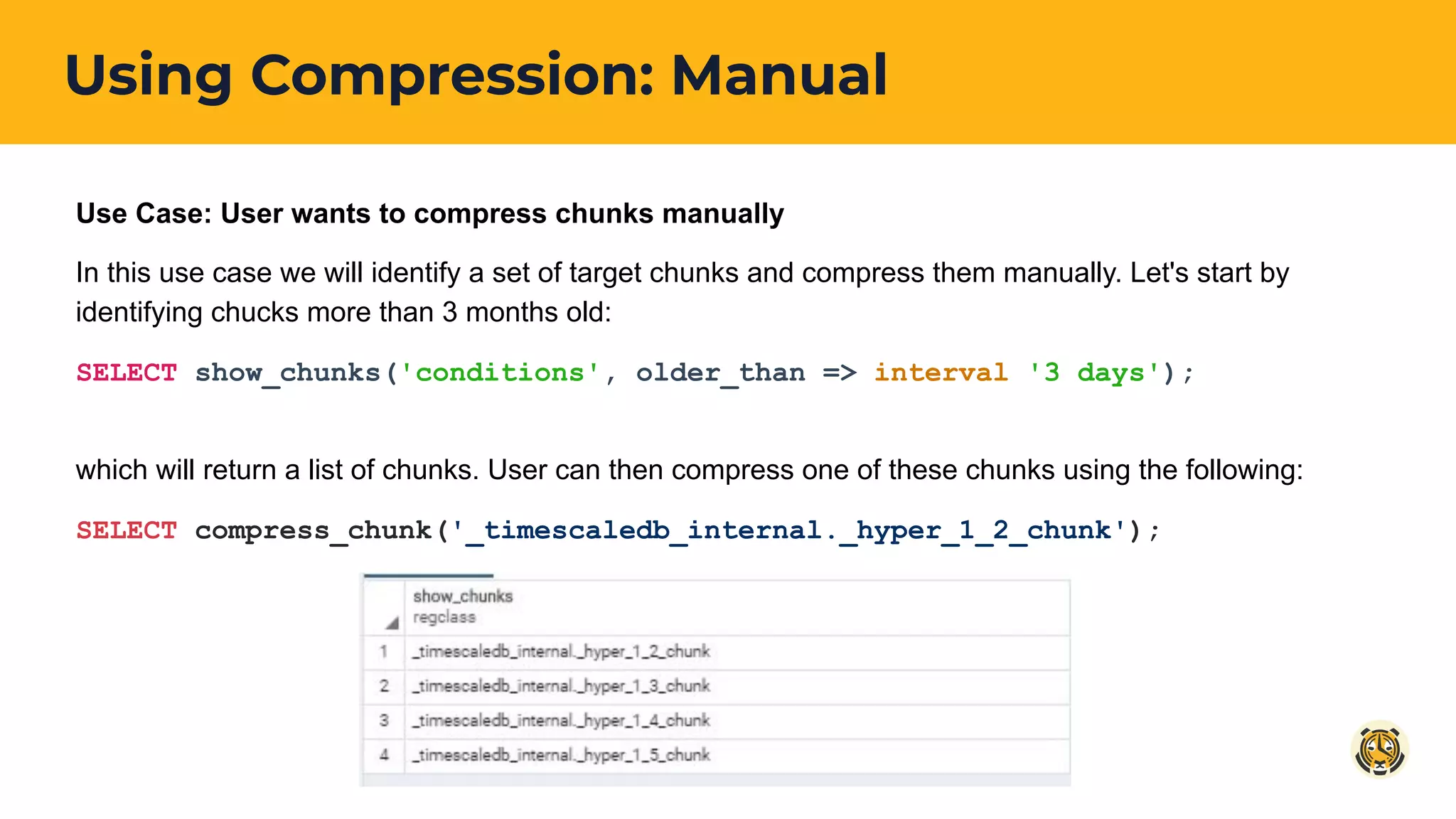
Using Compression: Manual
Use Case: User wants to compress chunks manually
In this use case we will identify a set of target chunks and compress them manually. Let's start by
identifying chucks more than 3 months old:
SELECT show_chunks('conditions', older_than => interval '3 days');
which will return a list of chunks. User can then compress one of these chunks using the following:
SELECT compress_chunk('_timescaledb_internal._hyper_1_2_chunk');
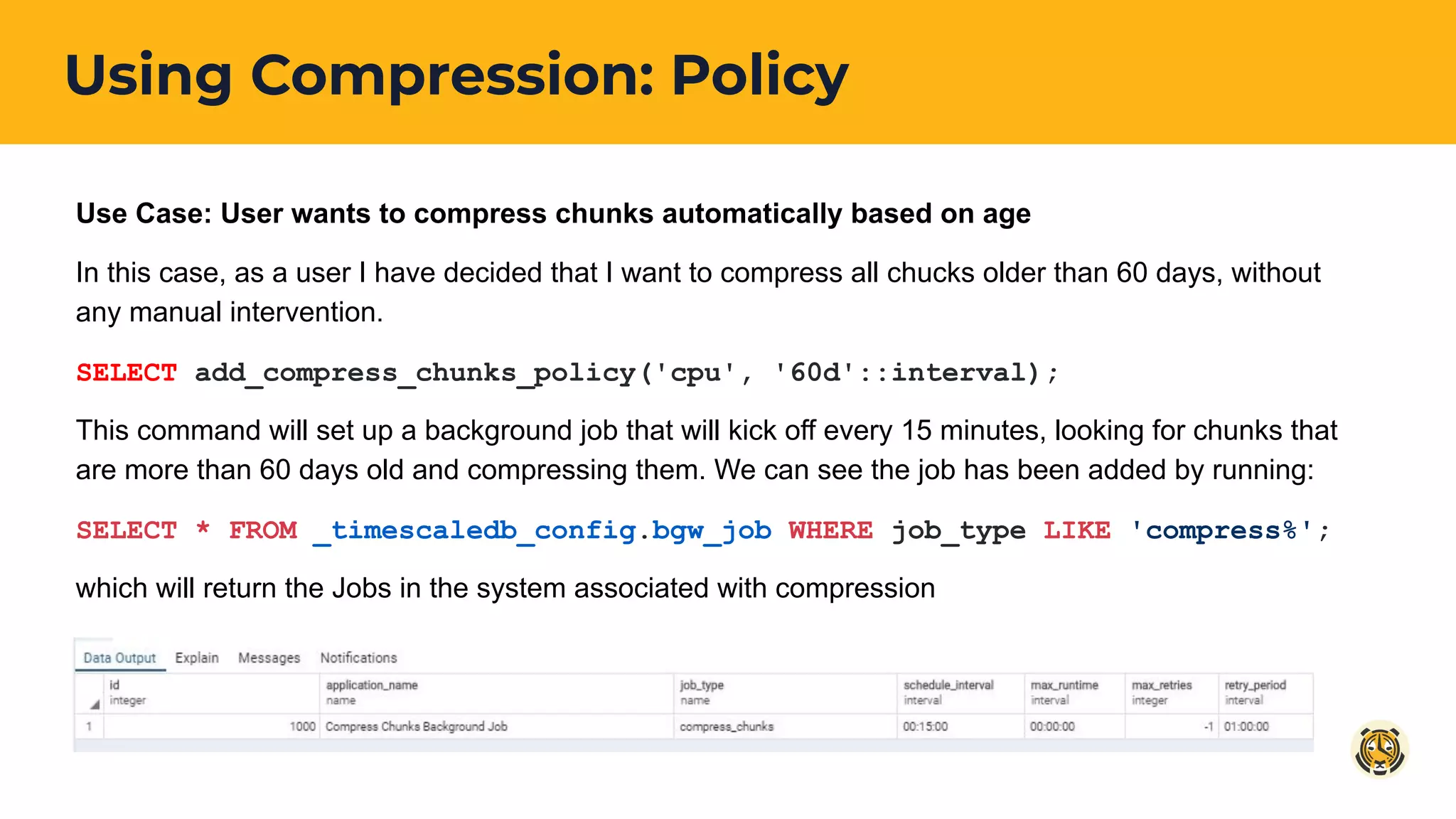
Using Compression: Policy
Use Case: User wants to compress chunks automatically based on age
In this case, as a user I have decided that I want to compress all chucks older than 60 days, without
any manual intervention.
SELECT add_compress_chunks_policy('cpu', '60d'::interval);
This command will set up a background job that will kick off every 15 minutes, looking for chunks that
are more than 60 days old and compressing them. We can see the job has been added by running:
SELECT * FROM _timescaledb_config.bgw_job WHERE job_type LIKE 'compress%';
which will return the Jobs in the system associated with compression
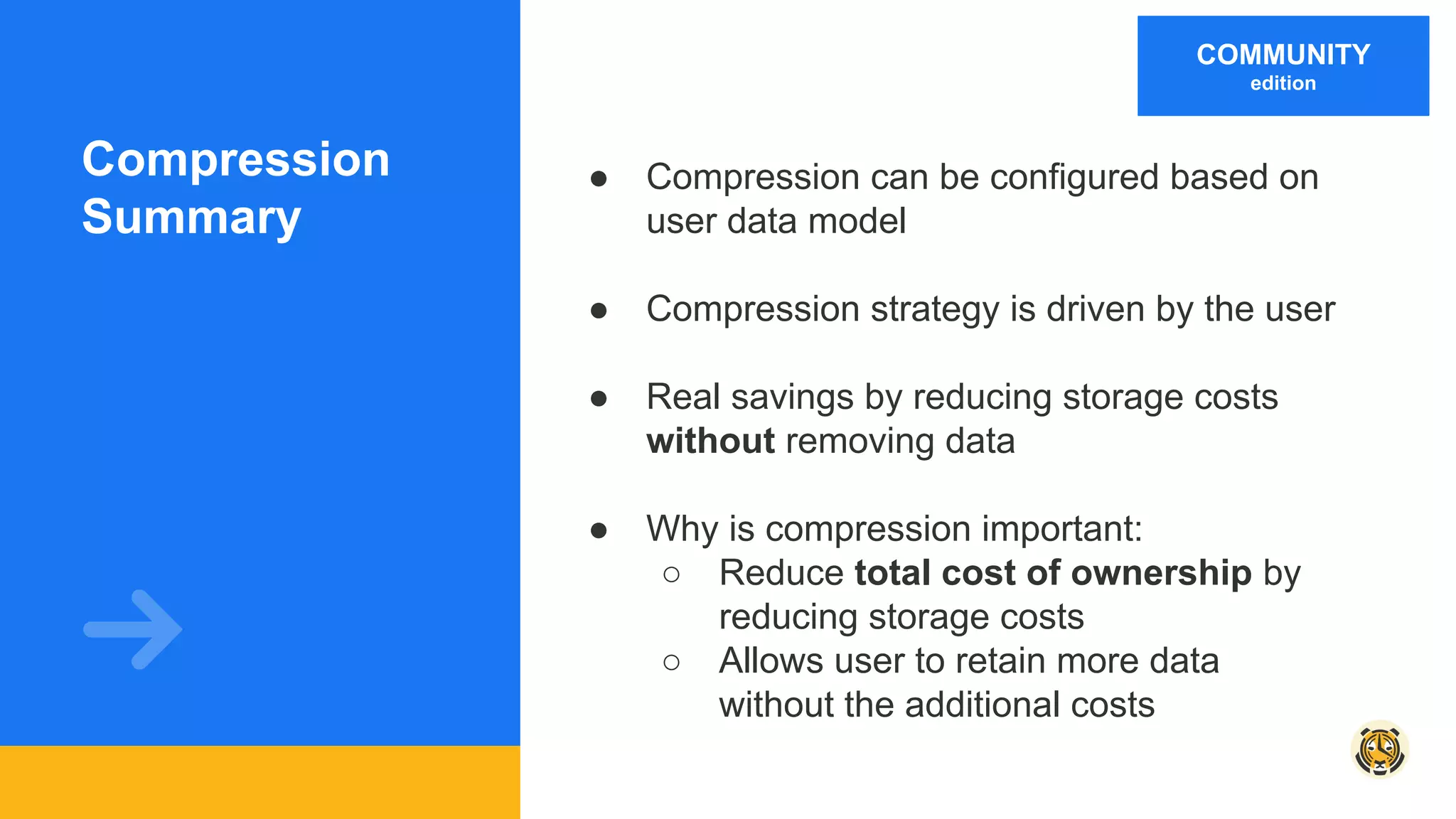
Compression
Summary
● Compression can be configured based on
user data model
● Compression strategy is driven by the user
● Real savings by reducing storage costs
without removing data
● Why is compression important:
○ Reduce total cost of ownership by
reducing storage costs
○ Allows user to retain more data
without the additional costs
COMMUNITY
edition
Data Tiering
(“move chunks”)
ENTERPRISE
edition
Move Chunks
● Reduce storage costs by leveraging more cost effective storage options
● Tier data based on usage / access pattern
● Optimize storage costs by moving infrequently used data to slower / more
cost effective storage
● Combined with compression will allow for overall reduced TCO based on
efficient use of storage
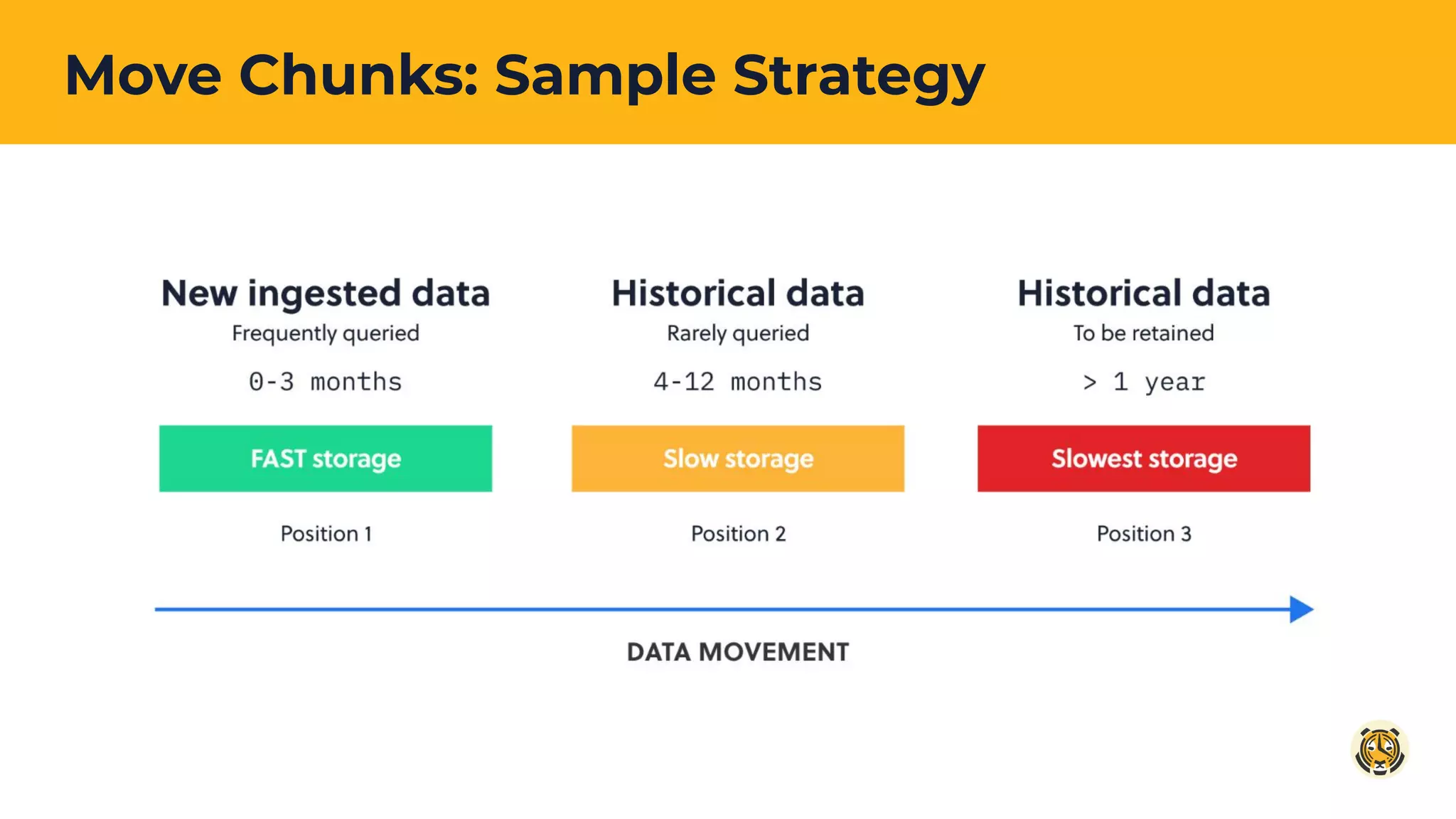
Move Chunks: Sample Strategy
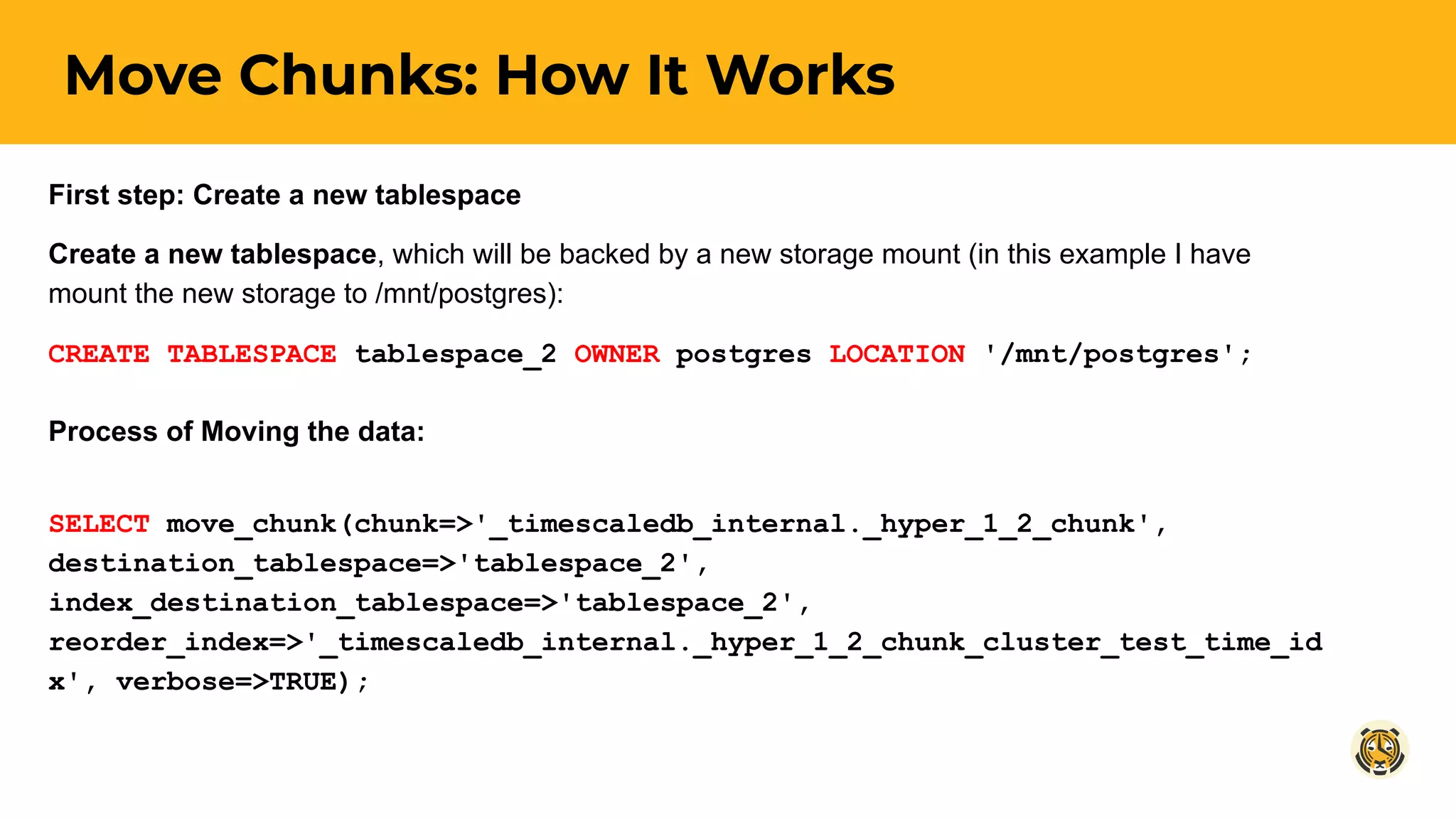
Move Chunks: How It Works
First step: Create a new tablespace
Create a new tablespace, which will be backed by a new storage mount (in this example I have
mount the new storage to /mnt/postgres):
CREATE TABLESPACE tablespace_2 OWNER postgres LOCATION '/mnt/postgres';
Process of Moving the data:
SELECT move_chunk(chunk=>'_timescaledb_internal._hyper_1_2_chunk',
destination_tablespace=>'tablespace_2',
index_destination_tablespace=>'tablespace_2',
reorder_index=>'_timescaledb_internal._hyper_1_2_chunk_cluster_test_time_id
x', verbose=>TRUE);
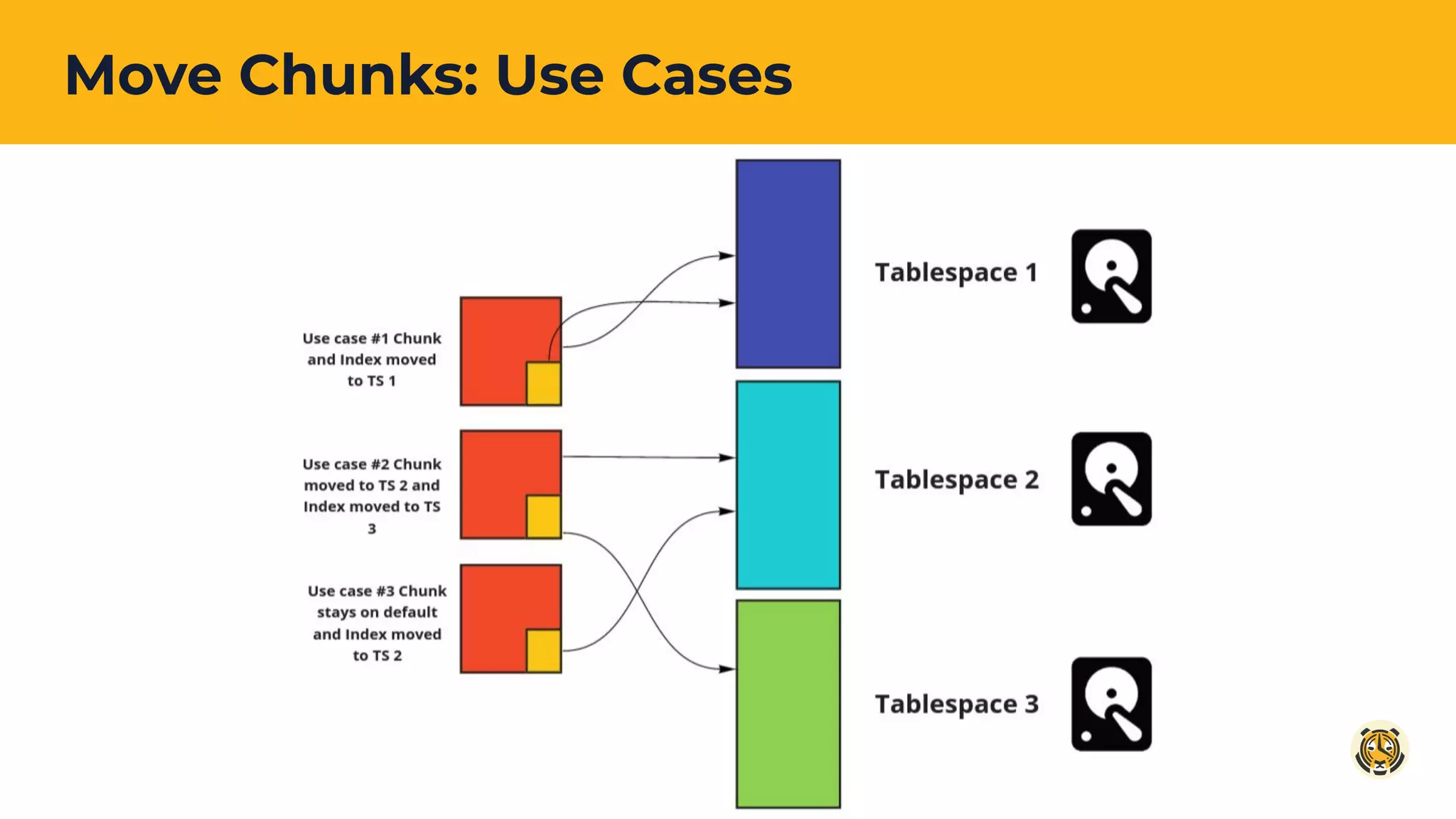
Move Chunks: Use Cases
Data Tiering
Summary
● The ability to move data to cost effective
storage
○ As data ages and is less frequently
queried it can be moved to less
expensive storage
● Help spread the data out over multiple
arrays
● Leverages the ability to create tablespaces
in Postgres and back them with different
storage
ENTERPRISE
edition
Learn more
Native Compression Docs: tsdb.co/WhatsNewCompression
Move Chunks Docs: tsdb.co/WhatsNewMoveChunk
All products: tsdb.co/WhatsNewProducts
Get the latest news and join our community
● blog.timescale.com
● twitter.com/TimescaleDB
● github.com/timescale/TimescaleDB
● slack.timescale.com
Questions?

How to Reduce Your Database Total Cost of Ownership with TimescaleDB

  • 1.
    How to ReduceYour Database Total Cost of Ownership with TimescaleDB November 2019
  • 2.
  • 3.
    ● What’s Newin TimescaleDB 1.5? ● Feature Deep Dive: Compression ● Feature Deep Dive: Move Chunks ● Questions Agenda
  • 4.
    THEME: Reduce TotalCost of Ownership (TCO) by optimizing use of storage ● Time-series use cases produce a LOT of data ● Users need cost effective and efficient way to store data ● Storage is usually the largest contributor to operational cost ● Users expects performant solution while delivering storage efficiencies ○ Ingestion and query performance cannot suffer ● Users need to be able to set a long term storage strategy for data ● Store data based on its access & usage pattern What’s New in TimescaleDB 1.5?
  • 5.
    What’s New inTimescaleDB 1.5? Capability Description Availability Native Compression Store more data with less actual storage. Community Edition Data Tiering (“move chunks”) Optimizes performance + storage costs by allowing you to map your data to the appropriate storage technology. Enterprise Edition
  • 6.
    Reducing Total Costof Ownership Time-series data Time-series data STORAGE Compression enables you store more time-series data on less actual storage.
  • 7.
    Reducing Total Costof Ownership Time-series data Time-series data STORAGE Compression enables you store more time-series data on less actual storage. Time-series data Time-series data STORAGE Time-series data Time-series data STORAGE Data Tiering enables you to target data to different storage types, optimizing cost & performance.
  • 8.
  • 9.
    Native Compression Overview Compressionreduces the overall storage footprint of your data saves $ ● User can compression their data manually or by using a policy ● Compression can be applied to specific hypertables ● Once upgraded to 1.5, user can start applying compression policies to their hypertables NOTE: Upgrading to TSDB 1.5 does not automatically compress existing data or start compressing new data
  • 10.
    ● User drivescompression policy based on: ○ Frequency of access ○ Query Characteristics (“Shallow and Wide” vs “Deep and Narrow”) ● Very adaptable: ○ Users can select “order by” and “segment by” to achieve best overall compression Native Compression: Sample Strategy
  • 11.
    Compression: How ItWorks Defining how data will be organized Use an “order by” parameter to move “like” data closer together to enhance compressibility and maintain performance. order by device_id
  • 12.
    Compression: How ItWorks Defining how data will be organized Use “segment by” operator to further group like data together. segment by device_id
  • 13.
    Using Compression: Manual UseCase: User wants to compress chunks manually In this use case we will identify a set of target chunks and compress them manually. Let's start by identifying chucks more than 3 months old: SELECT show_chunks('conditions', older_than => interval '3 days'); which will return a list of chunks. User can then compress one of these chunks using the following: SELECT compress_chunk('_timescaledb_internal._hyper_1_2_chunk');
  • 14.
    Using Compression: Policy UseCase: User wants to compress chunks automatically based on age In this case, as a user I have decided that I want to compress all chucks older than 60 days, without any manual intervention. SELECT add_compress_chunks_policy('cpu', '60d'::interval); This command will set up a background job that will kick off every 15 minutes, looking for chunks that are more than 60 days old and compressing them. We can see the job has been added by running: SELECT * FROM _timescaledb_config.bgw_job WHERE job_type LIKE 'compress%'; which will return the Jobs in the system associated with compression
  • 15.
    Compression Summary ● Compression canbe configured based on user data model ● Compression strategy is driven by the user ● Real savings by reducing storage costs without removing data ● Why is compression important: ○ Reduce total cost of ownership by reducing storage costs ○ Allows user to retain more data without the additional costs COMMUNITY edition
  • 16.
  • 17.
    Move Chunks ● Reducestorage costs by leveraging more cost effective storage options ● Tier data based on usage / access pattern ● Optimize storage costs by moving infrequently used data to slower / more cost effective storage ● Combined with compression will allow for overall reduced TCO based on efficient use of storage
  • 18.
  • 19.
    Move Chunks: HowIt Works First step: Create a new tablespace Create a new tablespace, which will be backed by a new storage mount (in this example I have mount the new storage to /mnt/postgres): CREATE TABLESPACE tablespace_2 OWNER postgres LOCATION '/mnt/postgres'; Process of Moving the data: SELECT move_chunk(chunk=>'_timescaledb_internal._hyper_1_2_chunk', destination_tablespace=>'tablespace_2', index_destination_tablespace=>'tablespace_2', reorder_index=>'_timescaledb_internal._hyper_1_2_chunk_cluster_test_time_id x', verbose=>TRUE);
  • 20.
  • 21.
    Data Tiering Summary ● Theability to move data to cost effective storage ○ As data ages and is less frequently queried it can be moved to less expensive storage ● Help spread the data out over multiple arrays ● Leverages the ability to create tablespaces in Postgres and back them with different storage ENTERPRISE edition
  • 22.
    Learn more Native CompressionDocs: tsdb.co/WhatsNewCompression Move Chunks Docs: tsdb.co/WhatsNewMoveChunk All products: tsdb.co/WhatsNewProducts Get the latest news and join our community ● blog.timescale.com ● twitter.com/TimescaleDB ● github.com/timescale/TimescaleDB ● slack.timescale.com
  • 23.