


Alan Richardson
“How to
Improve your
Technical Test
Ability”
EvilTester.com
SeleniumSimplified.com
JavaForTesters.com
@EvilTester
@EvilTester 2
@EvilTester 3
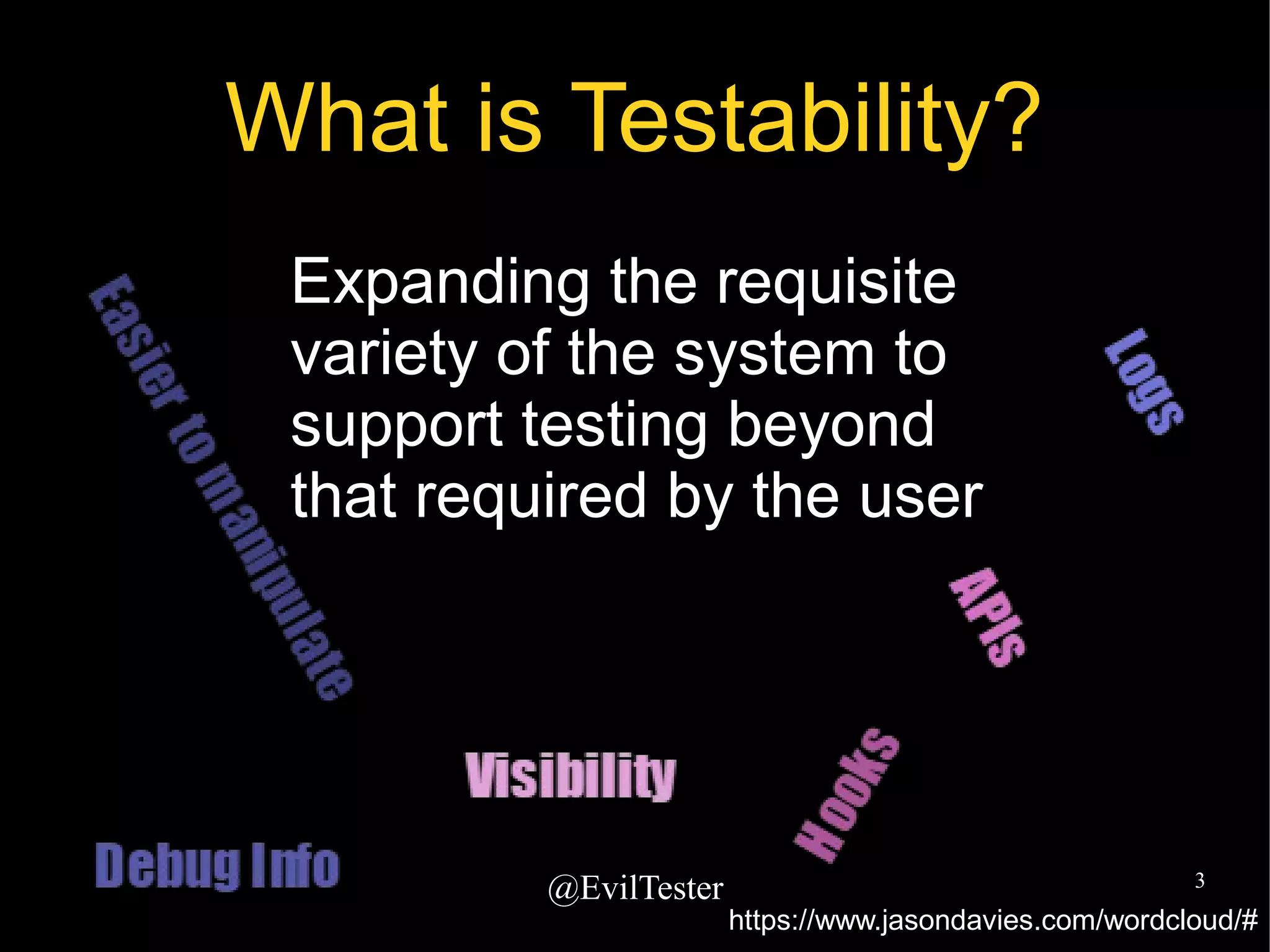
What is Testability?
Expanding the requisite
variety of the system to
support testing beyond
that required by the user
https://www.jasondavies.com/wordcloud/#
@EvilTester 4
Requisite Variety
Stafford Beer on Variety:
"the total number of possible states of a system,
or of an element of a system"
● Ross Ashby “Only variety can destroy variety”
● Stafford Beer “Only variety can absorb variety”
https://www.youtube.com/watch?v=bDRudRhNgy4
@EvilTester 5
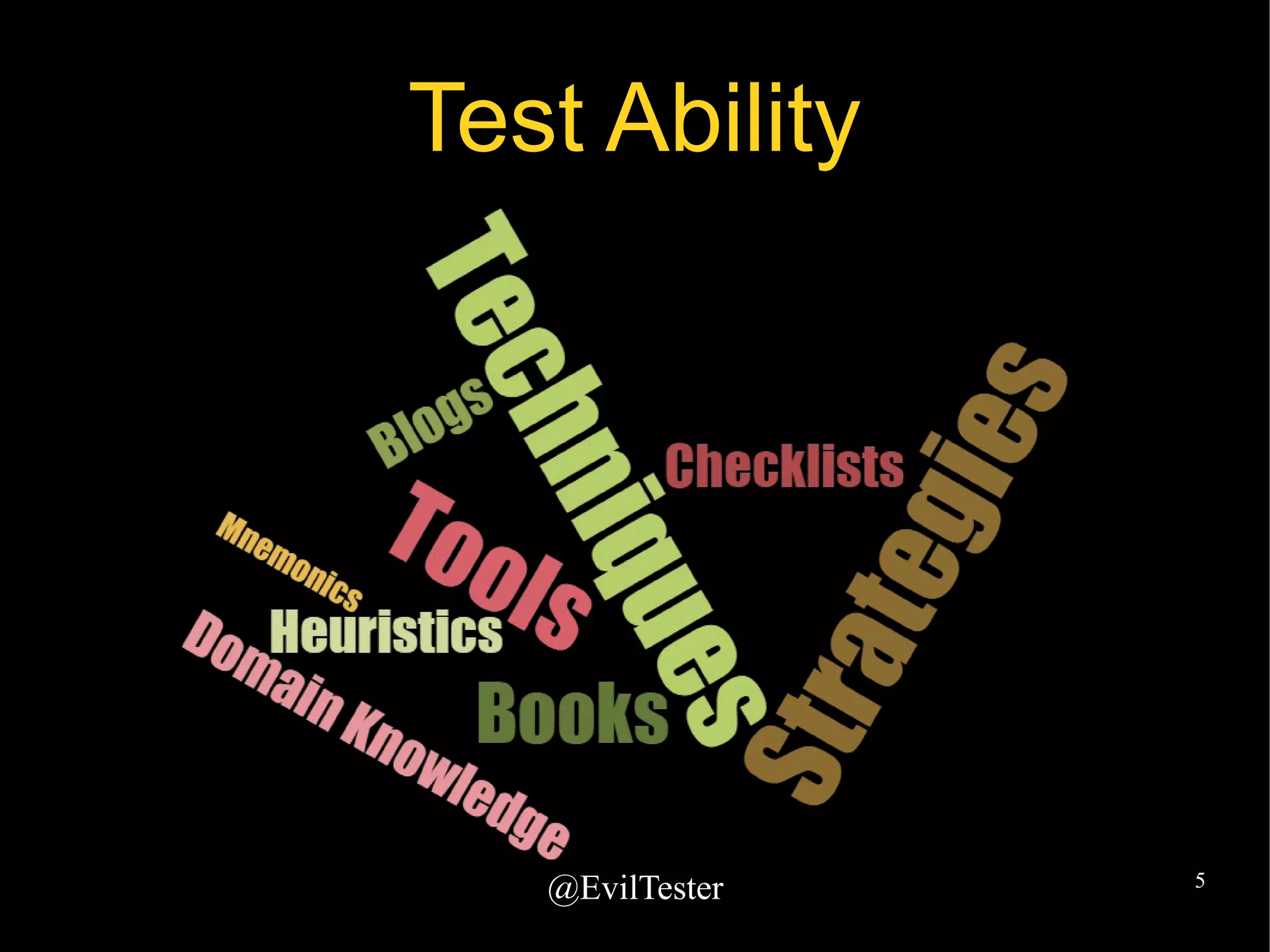
Test Ability
@EvilTester 6
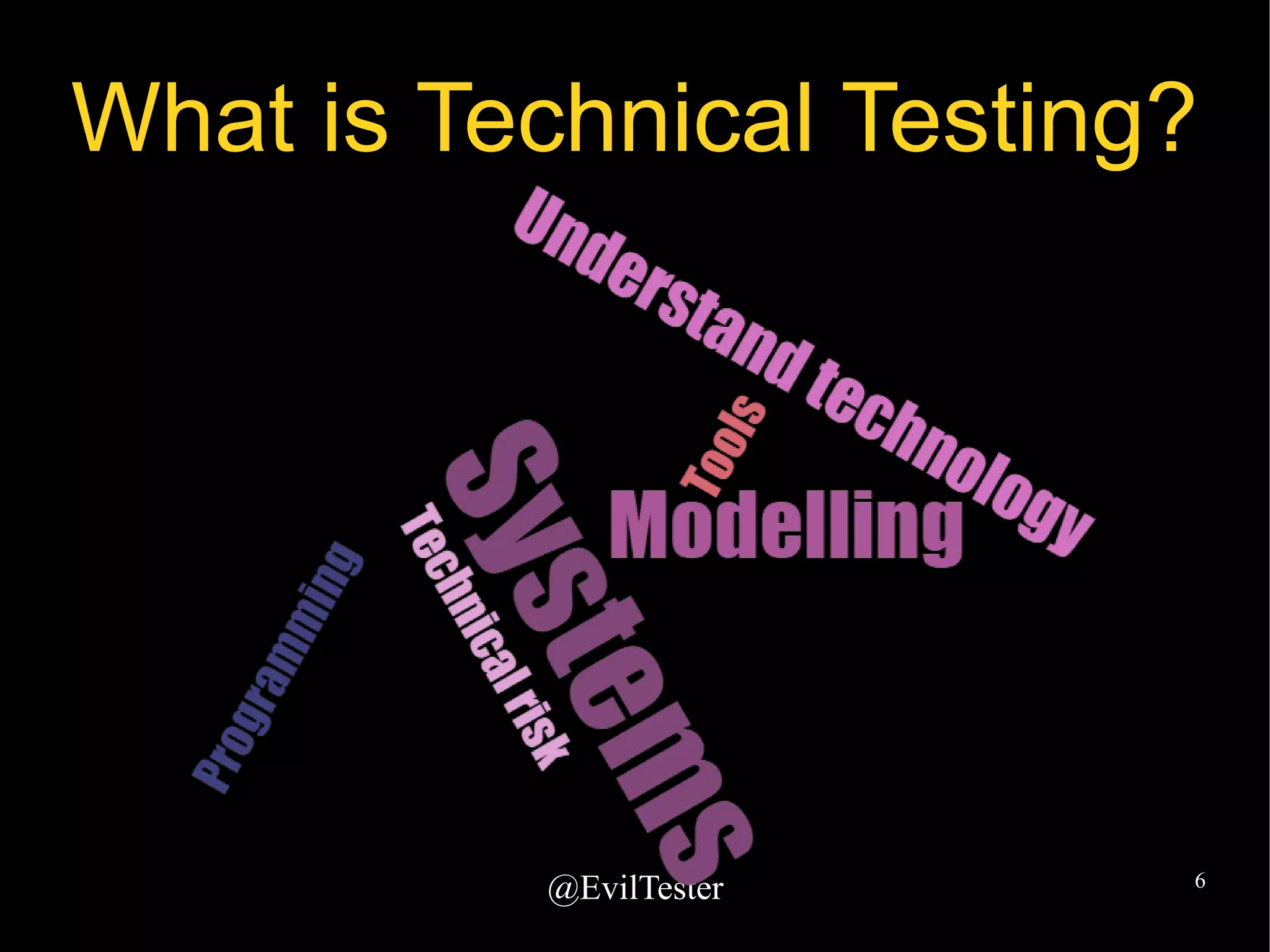
What is Technical Testing?
@EvilTester 7
A reminder to go deeper
â—Ź Am I testing at the deep structures of the
system?
â—Ź Do I use technical risk to inform my testing?
@EvilTester 8
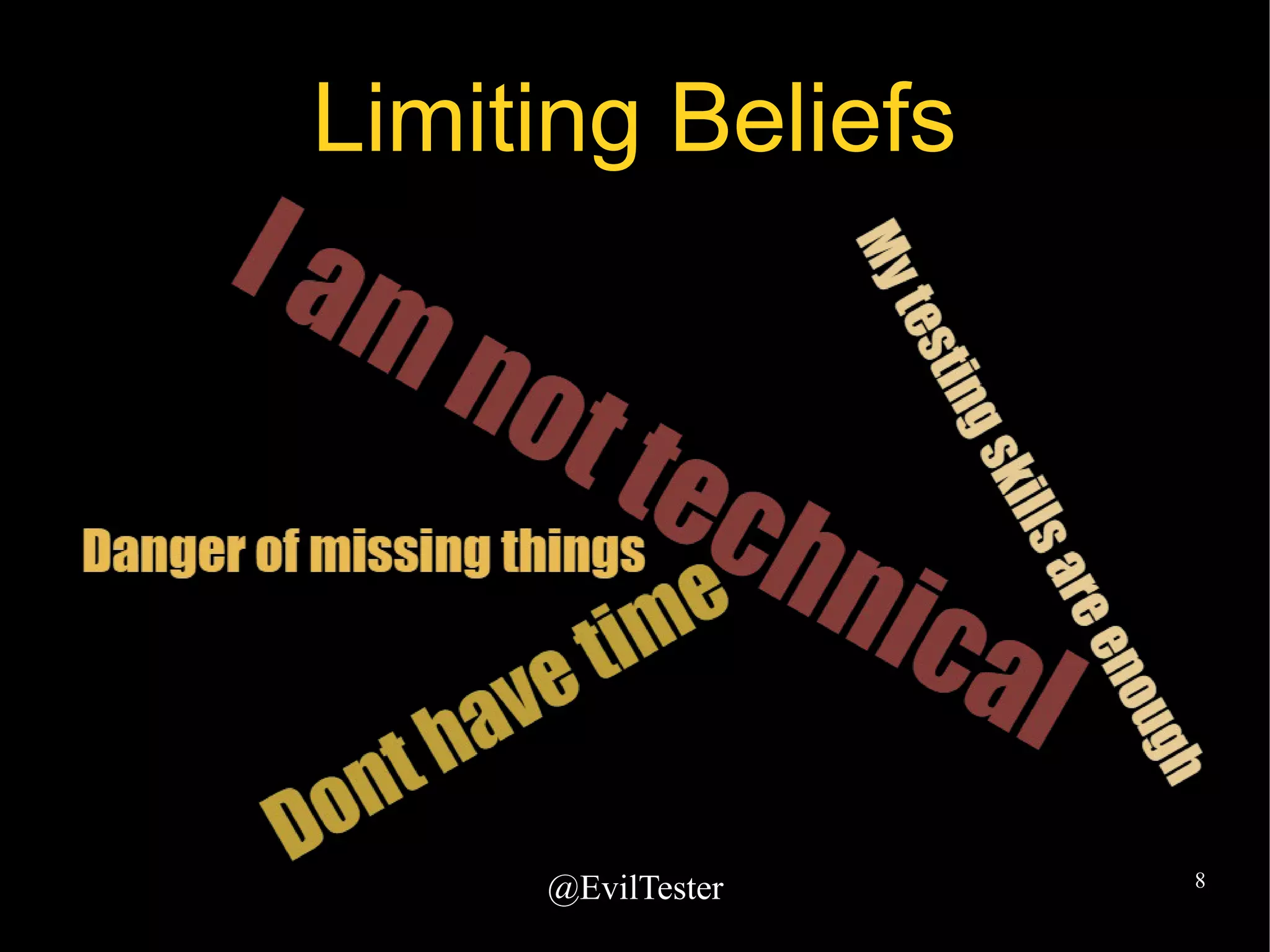
Limiting Beliefs
@EvilTester 9
If you choose not to
do the work...
â—Ź You will be limited in what you can test
â—Ź You will rely on technical people on your
team
@EvilTester 10
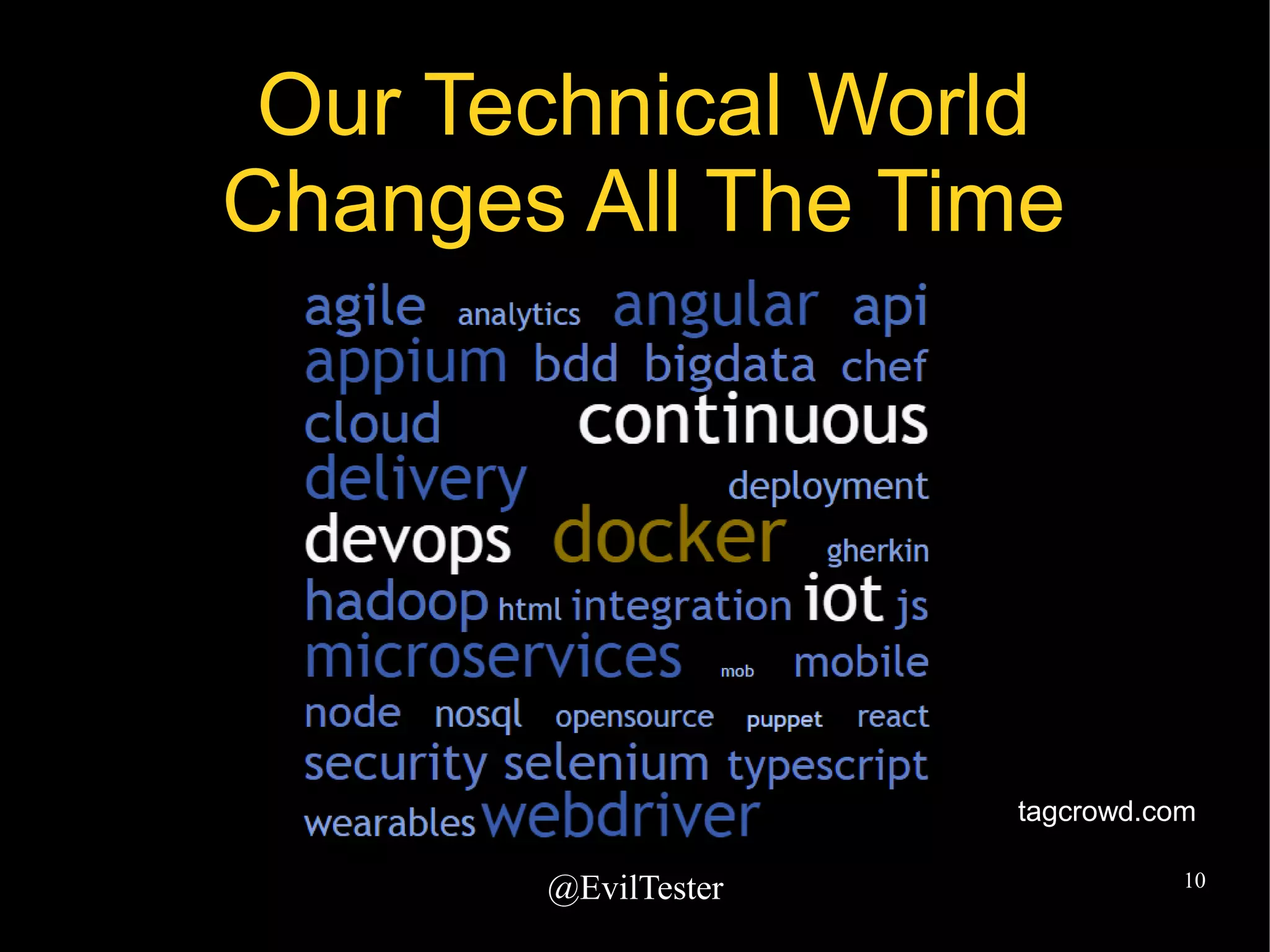
Our Technical World
Changes All The Time
tagcrowd.com
@EvilTester 11
Being Technical
requires constant
learning of new stuff
@EvilTester 12
It's hard work
So take it in in small chunks
â—Ź What technology do you work with?
â—Ź What tools do you use?
â—Ź What programming languages?
â—Ź What limits your testing?
@EvilTester 13
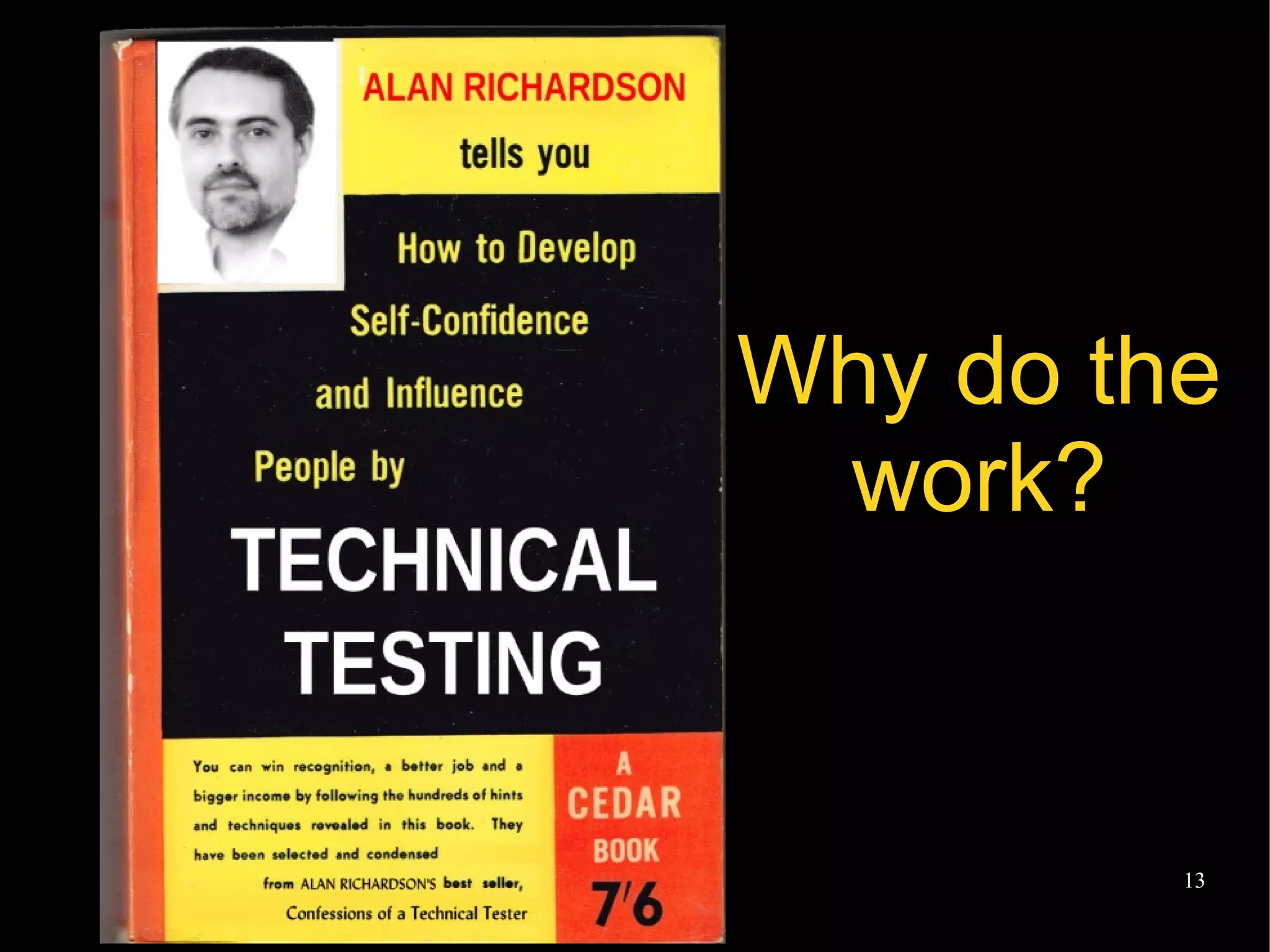
Why do the
work?
@EvilTester 14
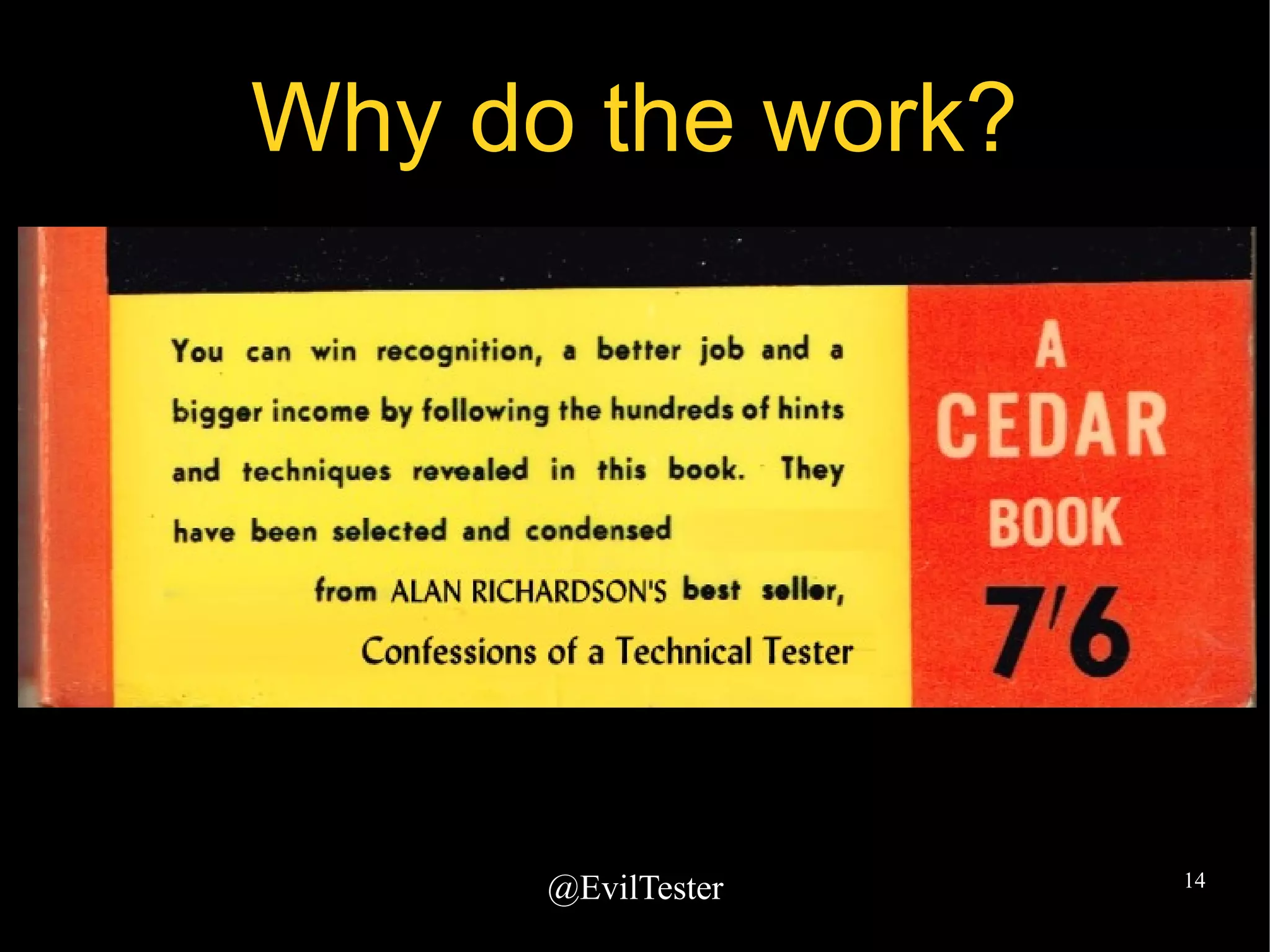
Why do the work?
@EvilTester 15
No, really. Why?
â—Ź To test the system more deeply
â—Ź Increase more variety into your testing
â—Ź Find errors that have escaped notice
â—Ź Improve your technical skills and knowledge
â—Ź Work more closely with developers
â—Ź Find security issues early
â—Ź Improve your testing
@EvilTester 16
At long
last, the
Secrets of
Technical
Testing are
Finally
Revealed
@EvilTester 17
Modelling
“We are powerfully imprisoned in
these Dark Ages simply by the
terms in which we have been
conditioned to think.”
Buckminster Fuller,
Cosmography
http://buckyworld.me/best-bucky-books/
@EvilTester 18
Modelling
â—Ź Collate your current terms and maps
â—Ź Model what you know
â—Ź Informal models
– lists of stuff,
– mind map brain dumps
â—Ź Research and experiment to expand the
models
@EvilTester 19
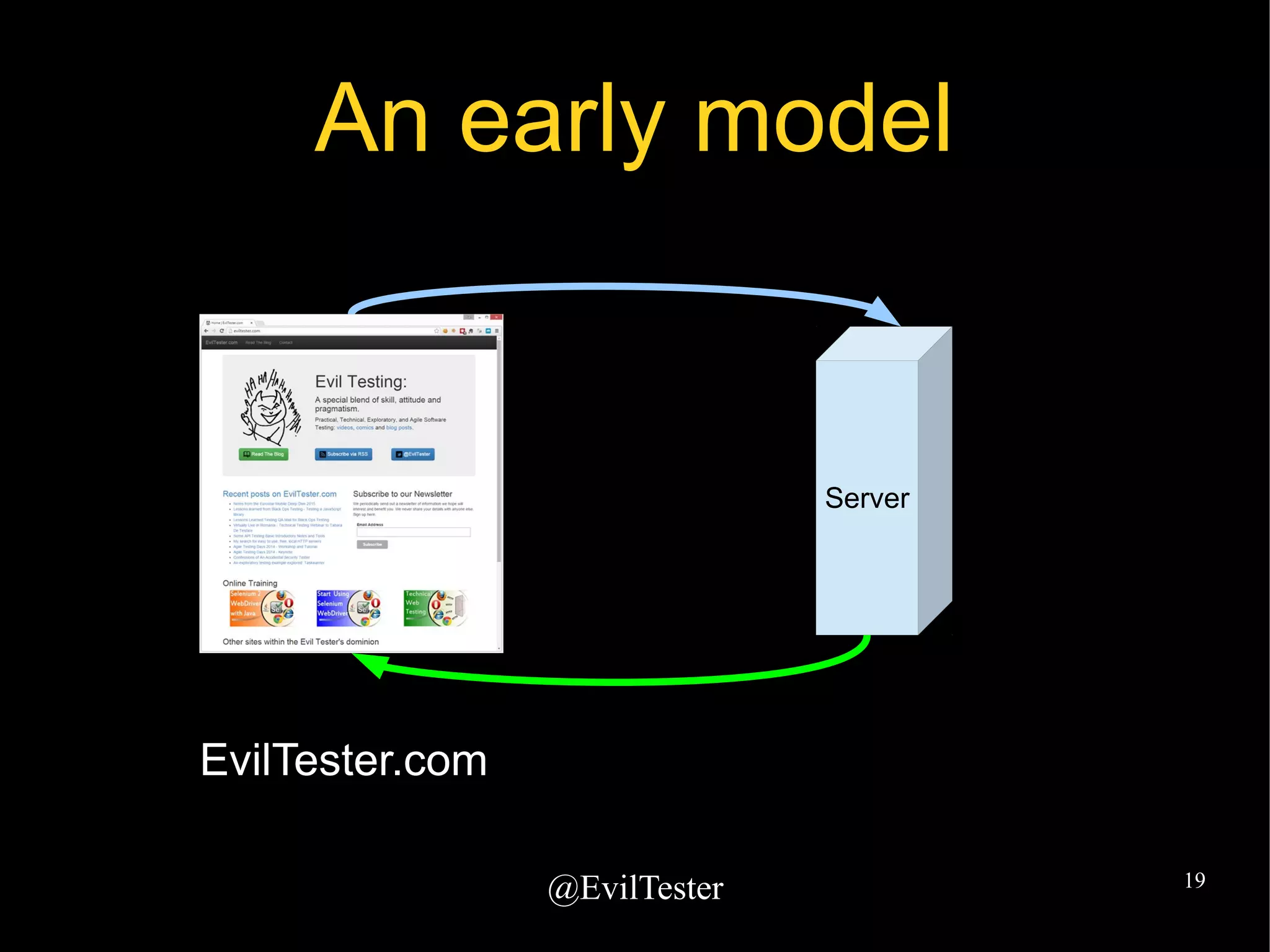
An early model
Server
EvilTester.com
@EvilTester 20
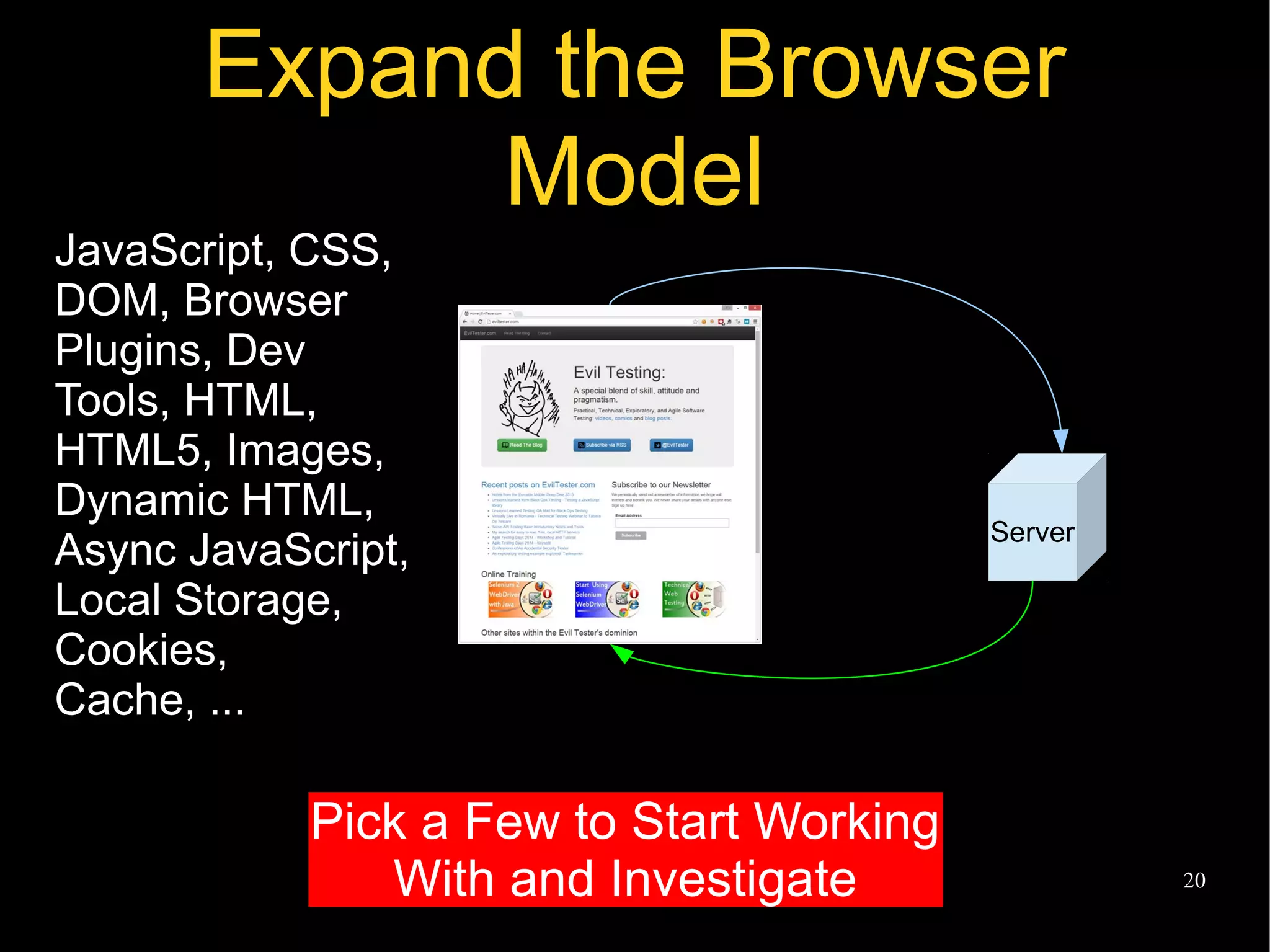
Expand the Browser
Model
Server
JavaScript, CSS,
DOM, Browser
Plugins, Dev
Tools, HTML,
HTML5, Images,
Dynamic HTML,
Async JavaScript,
Local Storage,
Cookies,
Cache, ...
Pick a Few to Start Working
With and Investigate
@EvilTester 21
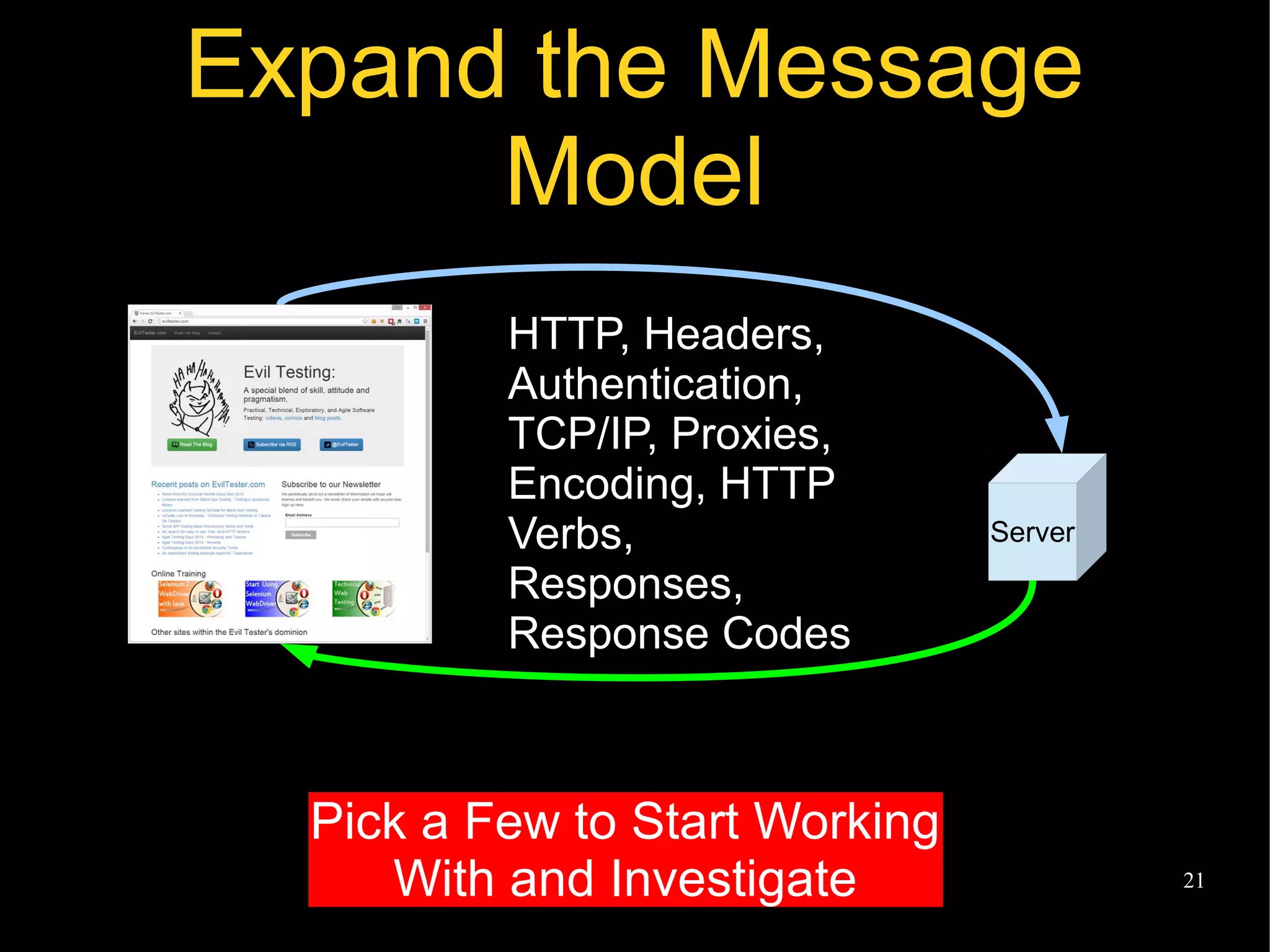
Expand the Message
Model
Server
HTTP, Headers,
Authentication,
TCP/IP, Proxies,
Encoding, HTTP
Verbs,
Responses,
Response Codes
Pick a Few to Start Working
With and Investigate
@EvilTester 22
Modelling
“...the prescription for action is
not difficult to understand. First of
all, we need better models of the
components...”
Stafford Beer,
Designing Freedom
http://www.scio.org.uk/node/12
@EvilTester 23
Explore the Models
â—Ź How can I Observe that?
– What JavaScript files are used?
â—Ź How can I Interrogate that?
– What CSS is applied there?
â—Ź How can I Manipulate that?
– How can I change the HTTP
message sent?
– How can I change the HTTP
status code received?
These questions
help you identify
tools to use
@EvilTester 24
We could use tool capabilities
to expand our models
â—Ź Browser Developer Tools:
– Chrome, Firefox, IE, Safari
â—Ź HTTP Debug Proxies:
– Fiddler, Charles, Owasp ZAP, BurpSuite
â—Ź Plugins:
– FoxyProxy
â—Ź Network Sniffers:
– WireShark
@EvilTester 25
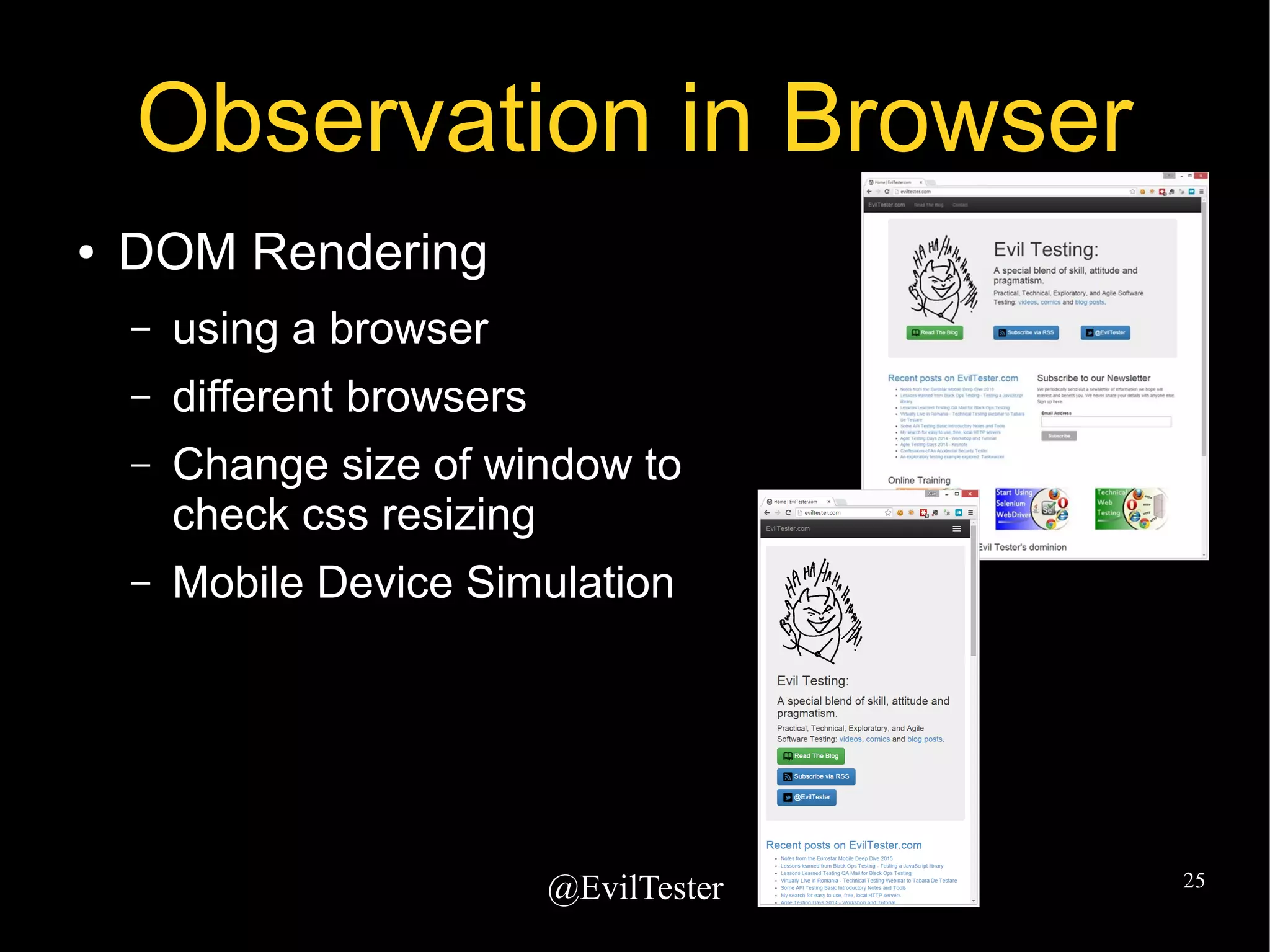
Observation in Browser
â—Ź DOM Rendering
– using a browser
– different browsers
– Change size of window to
check css resizing
– Mobile Device Simulation
@EvilTester 26
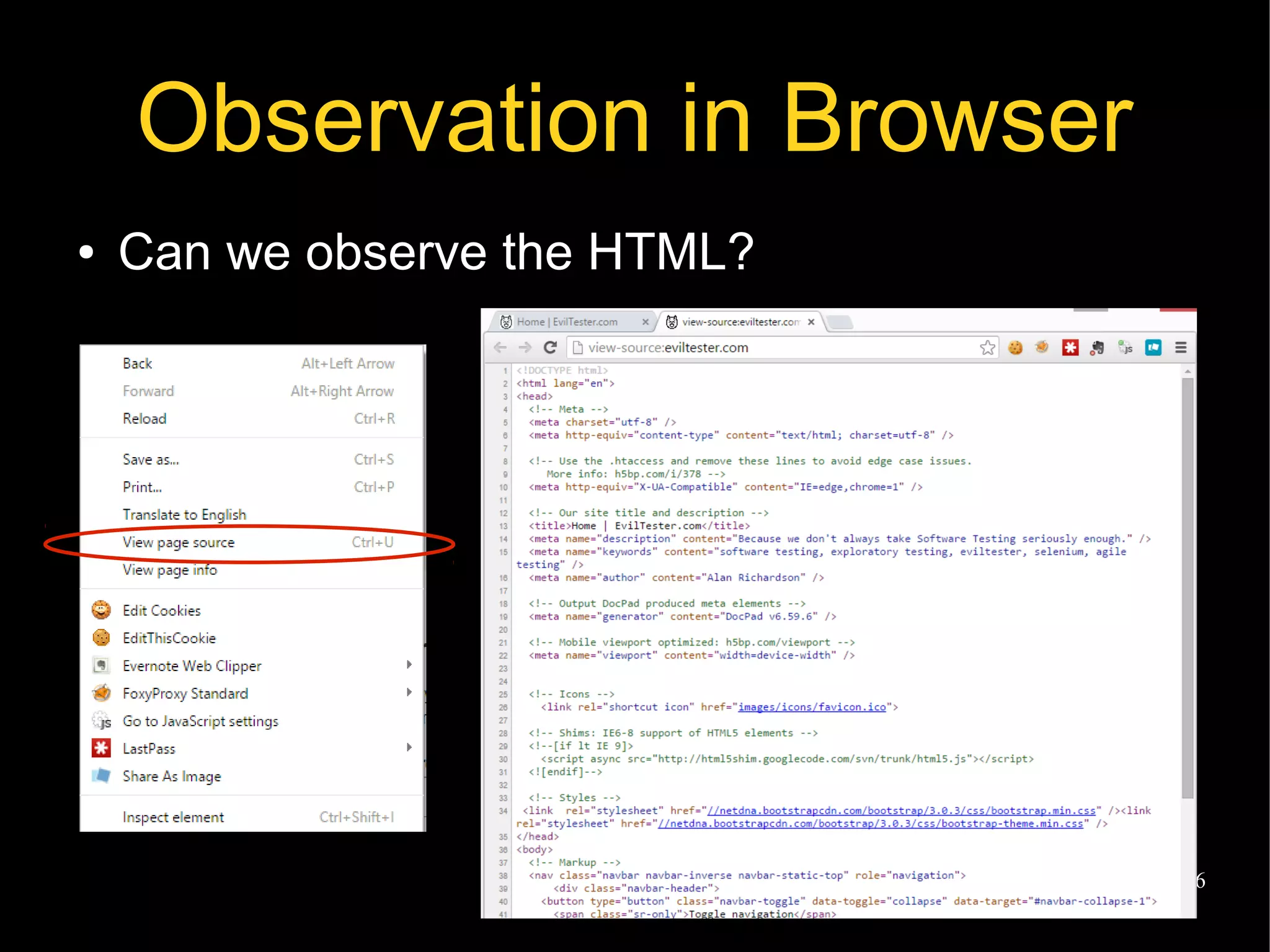
Observation in Browser
â—Ź Can we observe the HTML?
@EvilTester 27
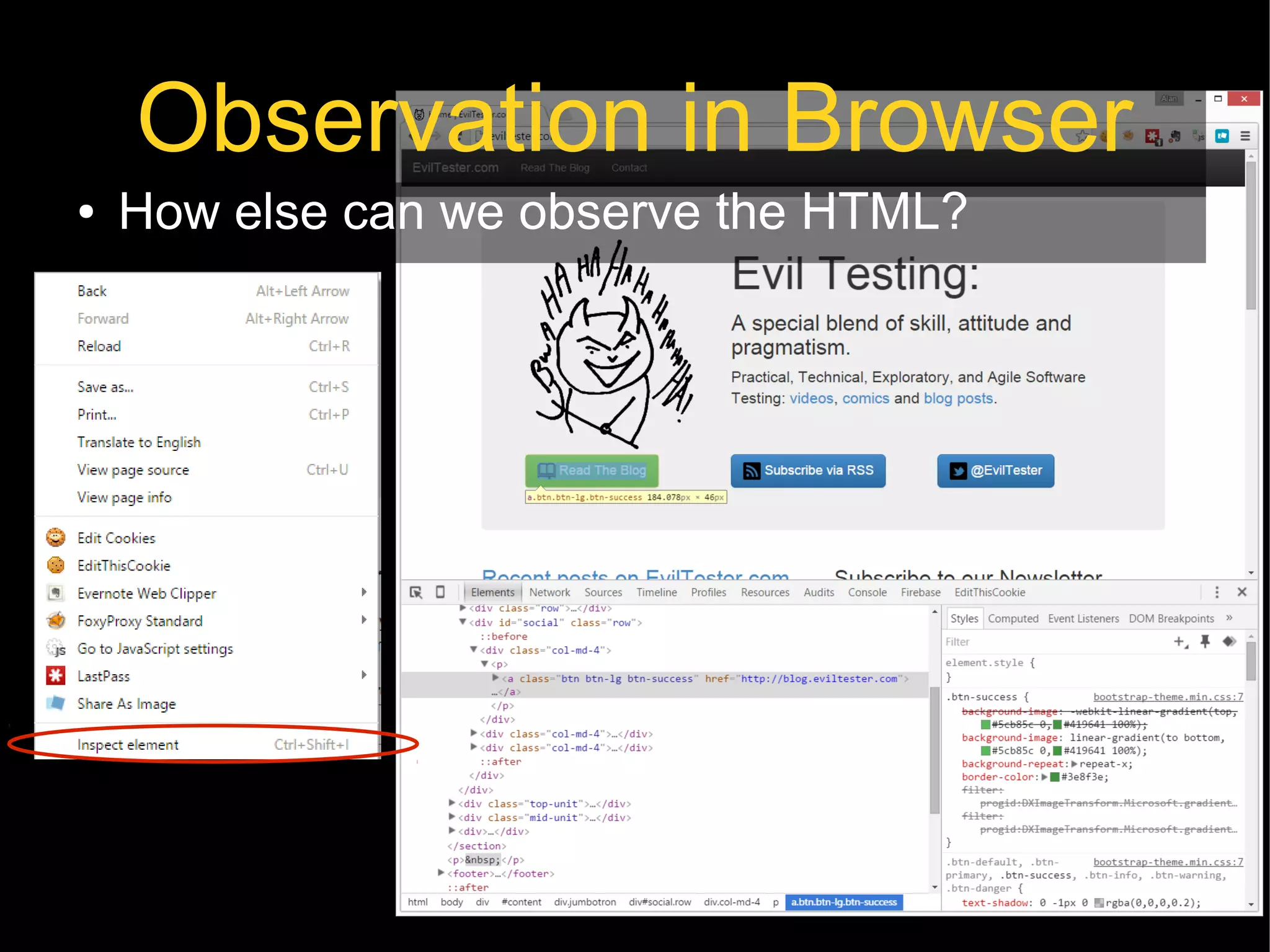
Observation in Browser
â—Ź How else can we observe the HTML?
@EvilTester 28
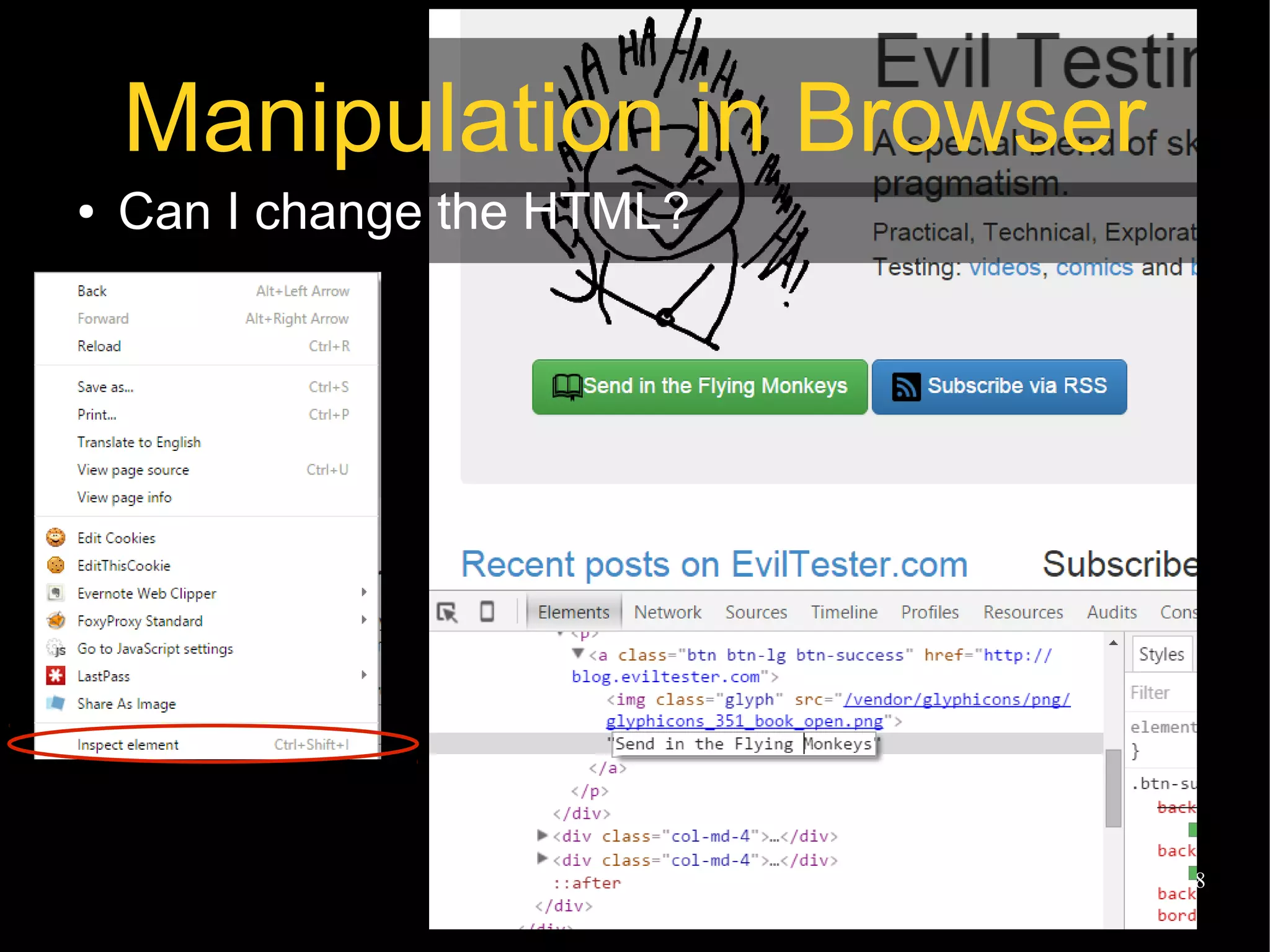
Manipulation in Browser
â—Ź Can I change the HTML?
@EvilTester 29
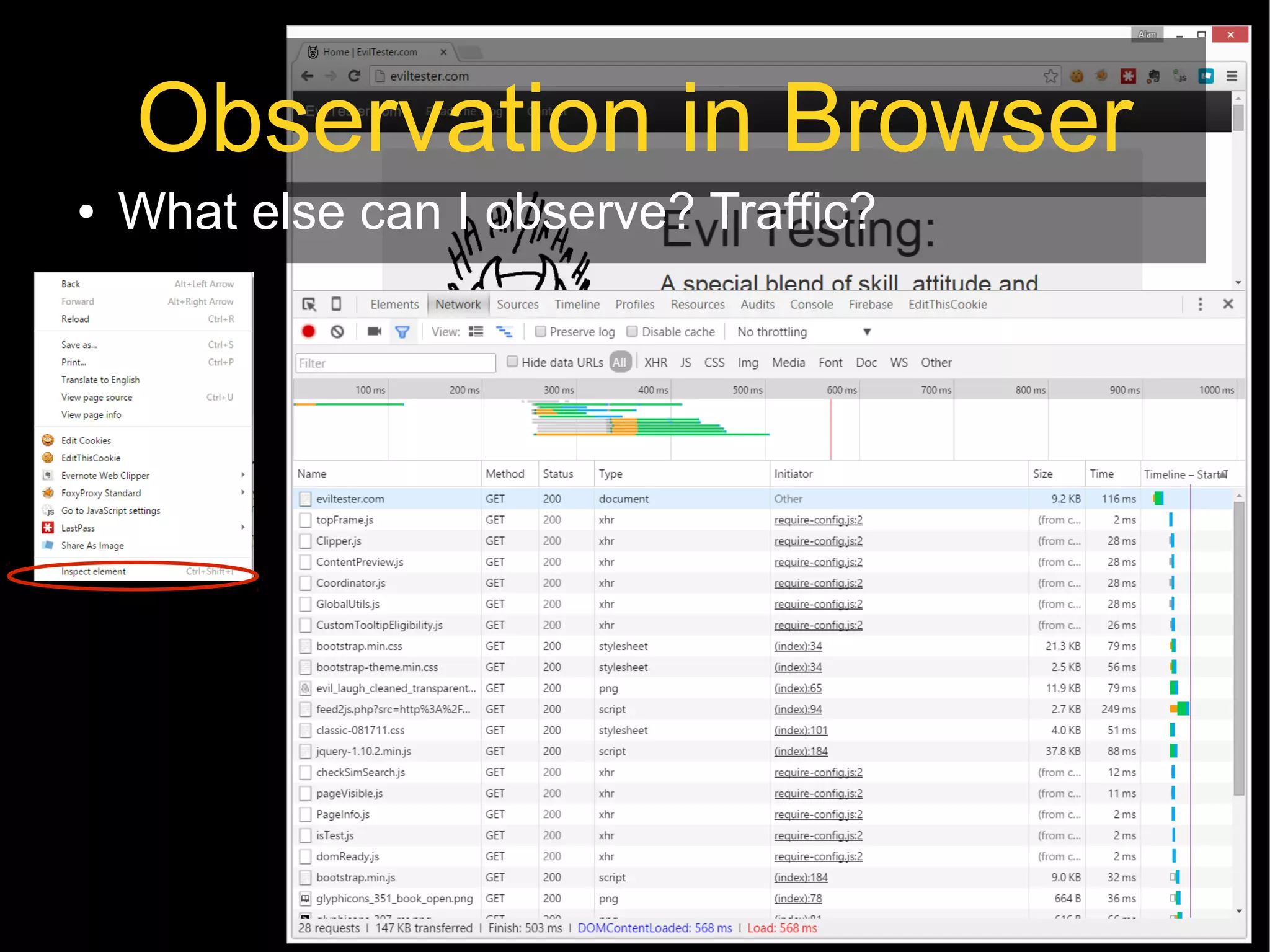
Observation in Browser
â—Ź What else can I observe? Traffic?
@EvilTester 30
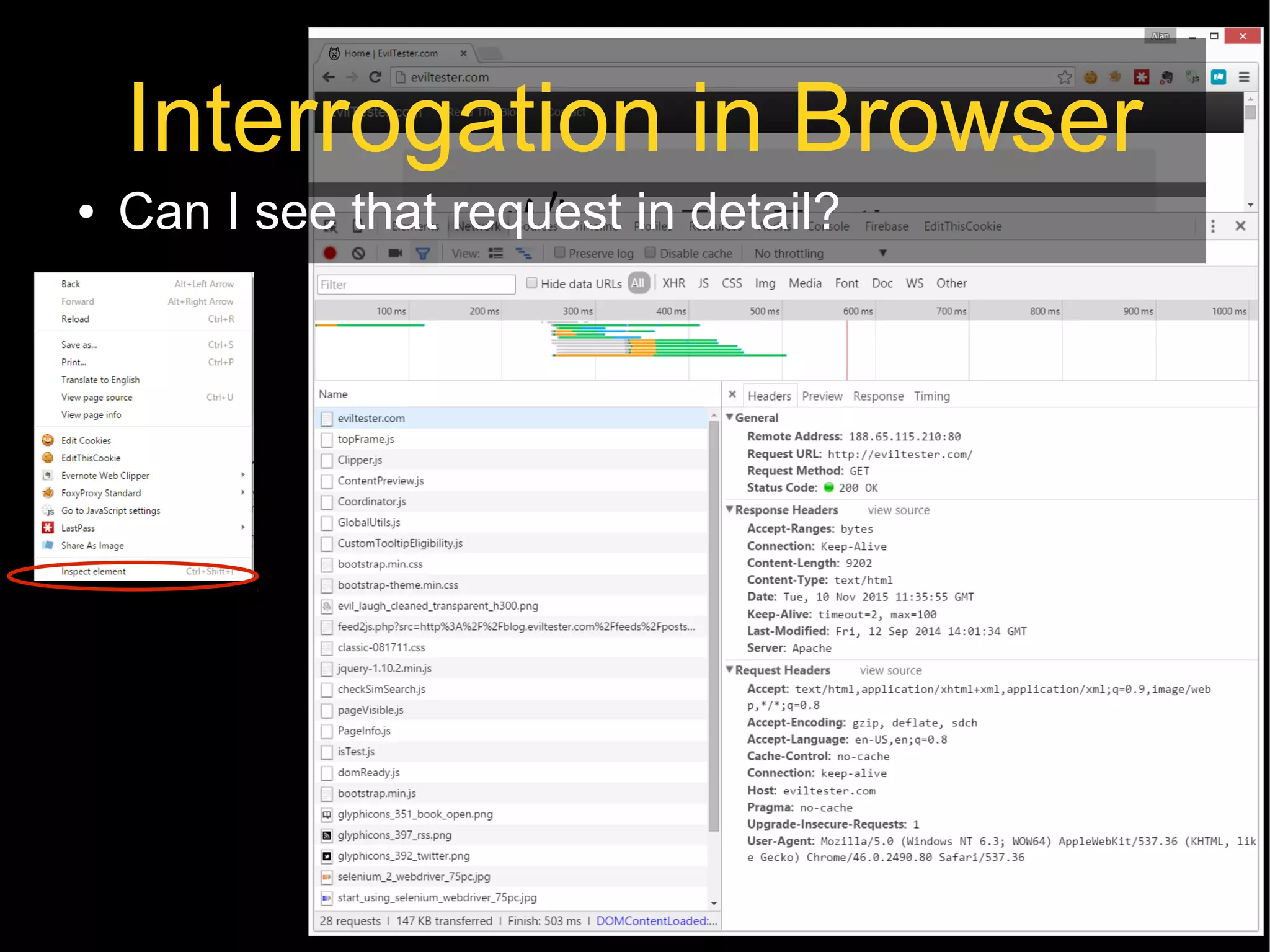
Interrogation in Browser
â—Ź Can I see that request in detail?
@EvilTester 31
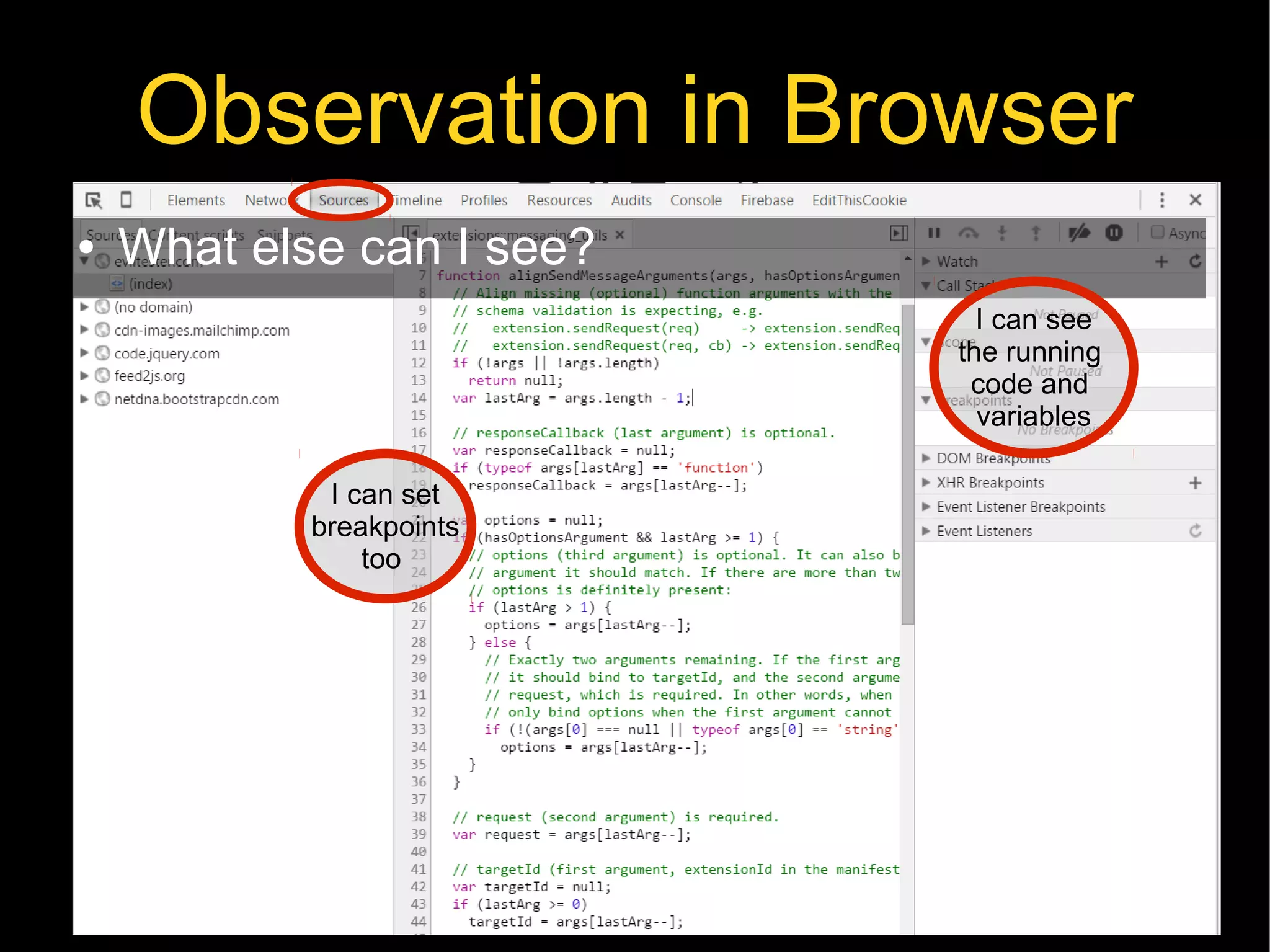
Observation in Browser
â—Ź What else can I see?
I can set
breakpoints
too
I can see
the running
code and
variables
@EvilTester 32
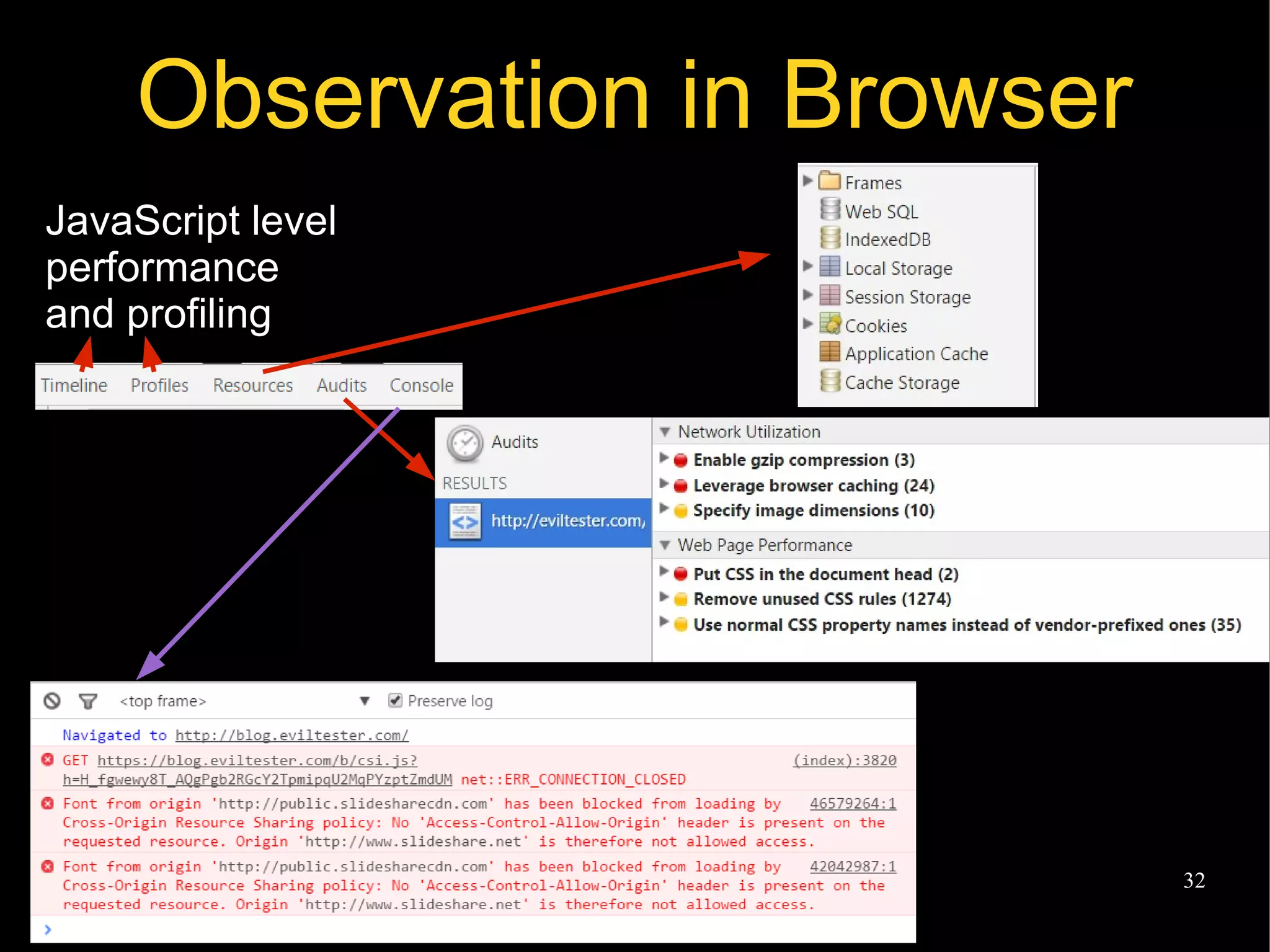
Observation in Browser
JavaScript level
performance
and profiling
@EvilTester 33
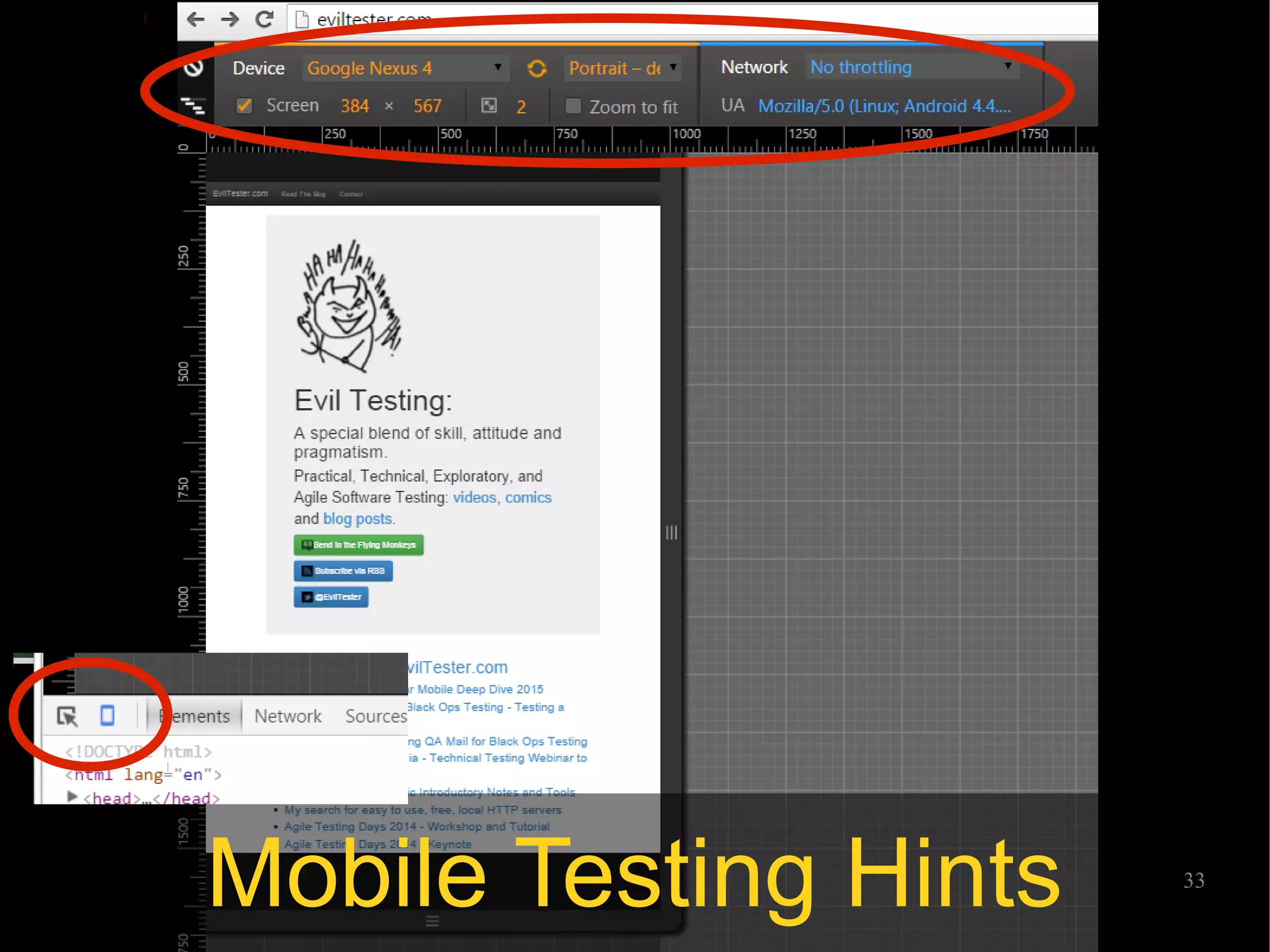
Mobile Testing Hints
@EvilTester 34
Why Observe?
â—Ź Stare in amazement as you see things you've
never seen before
â—Ź Use your Google-Fu to investigate this set of
unknown data with online searches
â—Ź The more you understand, the richer your
model becomes, and the more you will spot
@EvilTester 35
Why Manipulate?
â—Ź Change the DOM to explore boundaries the
GUI doesn't normally let you
â—Ź Enter values to explore the backend validation
rules
â—Ź Get rid of form elements to explore error
conditions
@EvilTester 36
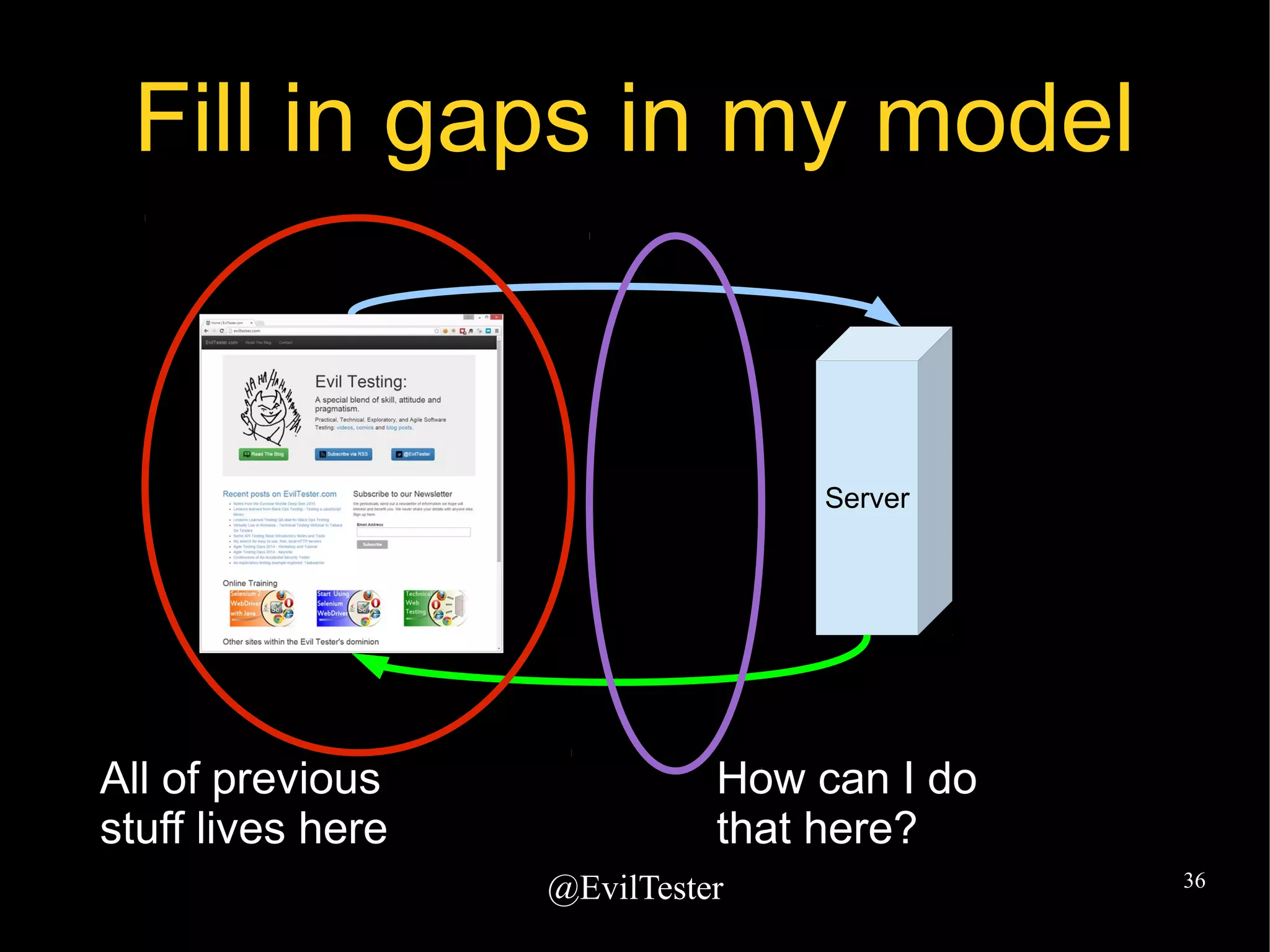
Fill in gaps in my model
Server
All of previous
stuff lives here
How can I do
that here?
@EvilTester 37
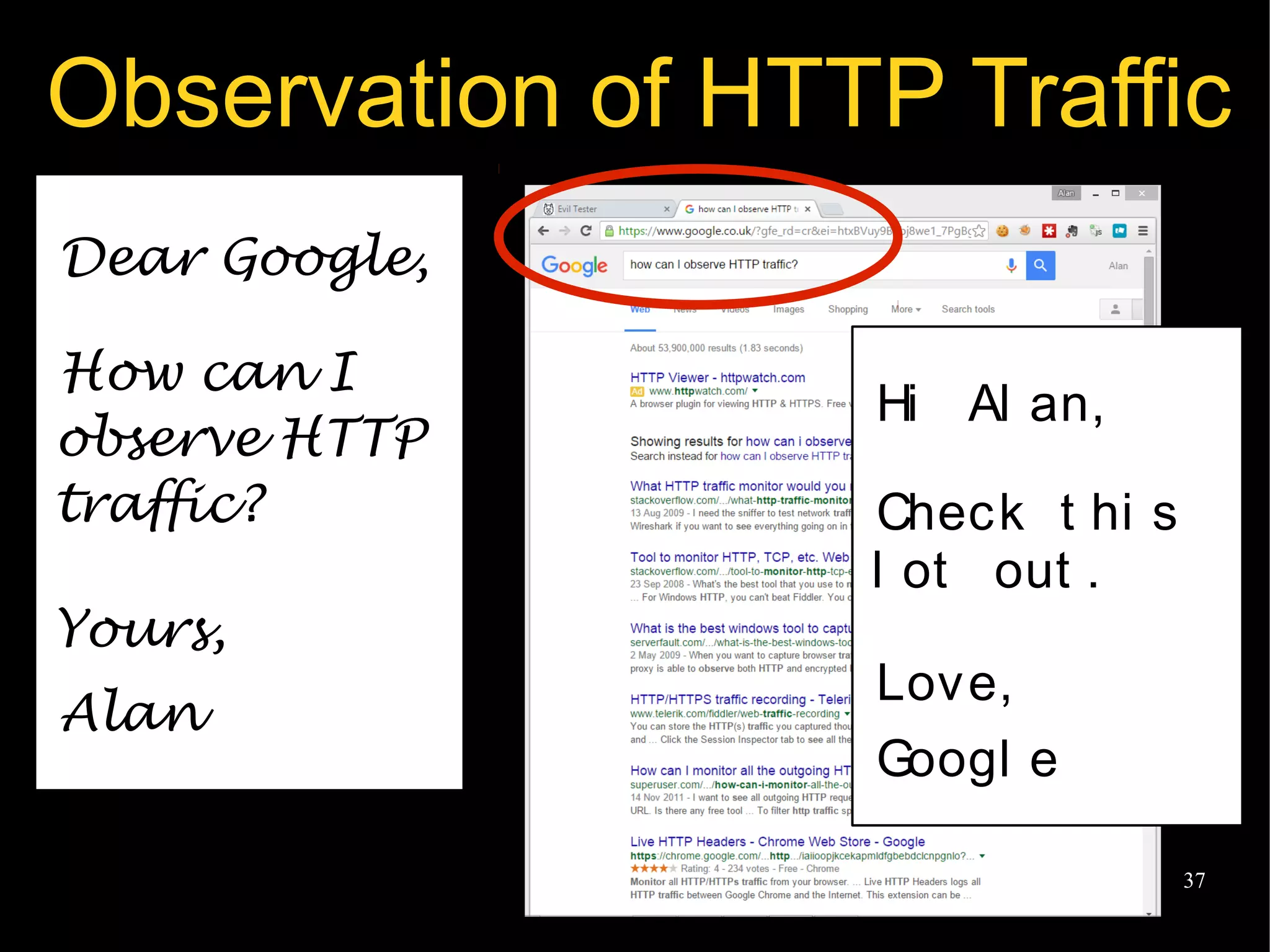
Observation of HTTP Traffic
Dear Google,
How can I
observe HTTP
traffic?
Yours,
Alan
Hi Al an,
Check t hi s
l ot out .
Love,
Googl e
@EvilTester 38
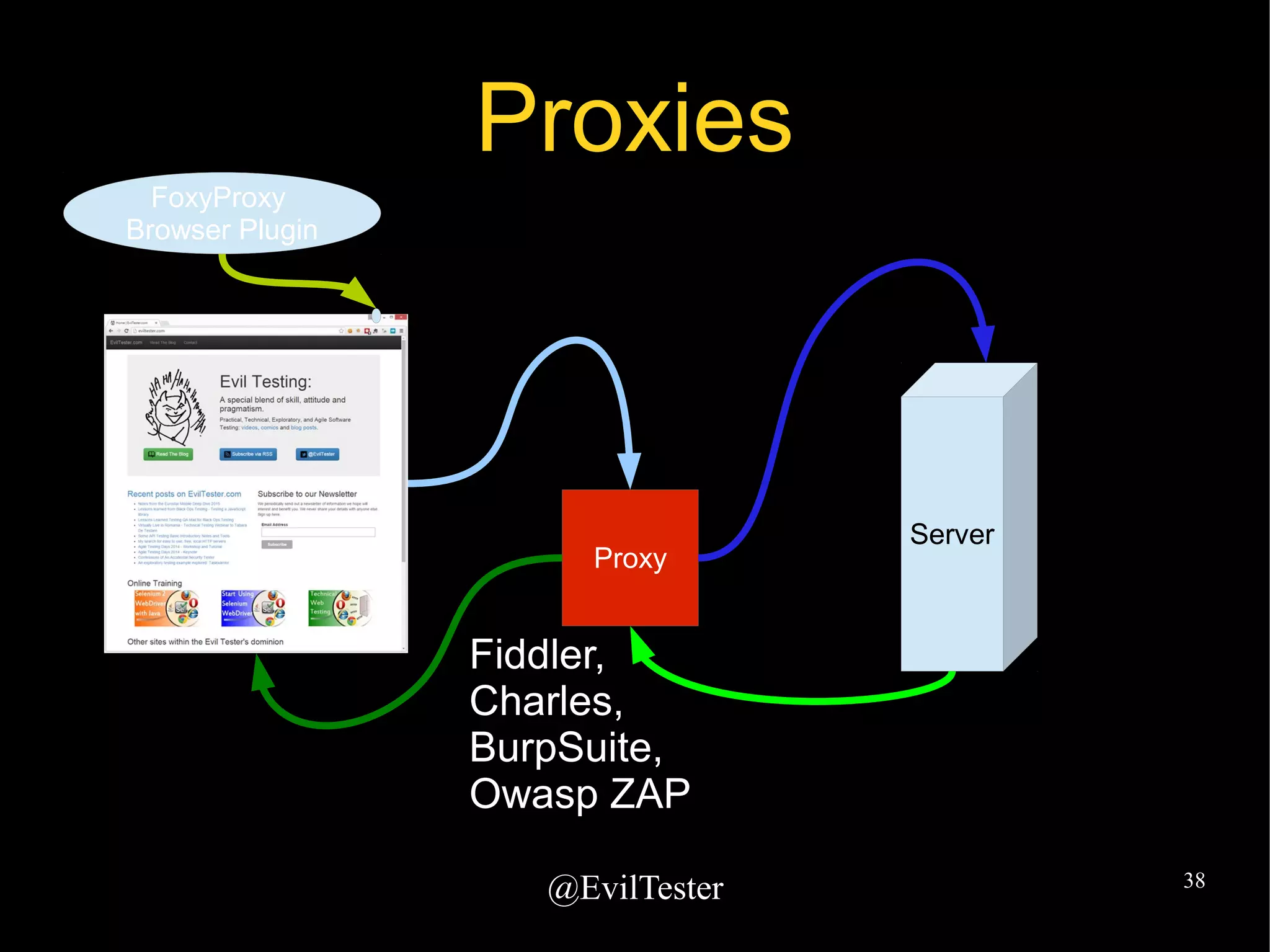
Proxies
Server
Fiddler,
Charles,
BurpSuite,
Owasp ZAP
Proxy
FoxyProxy
Browser Plugin
@EvilTester 39
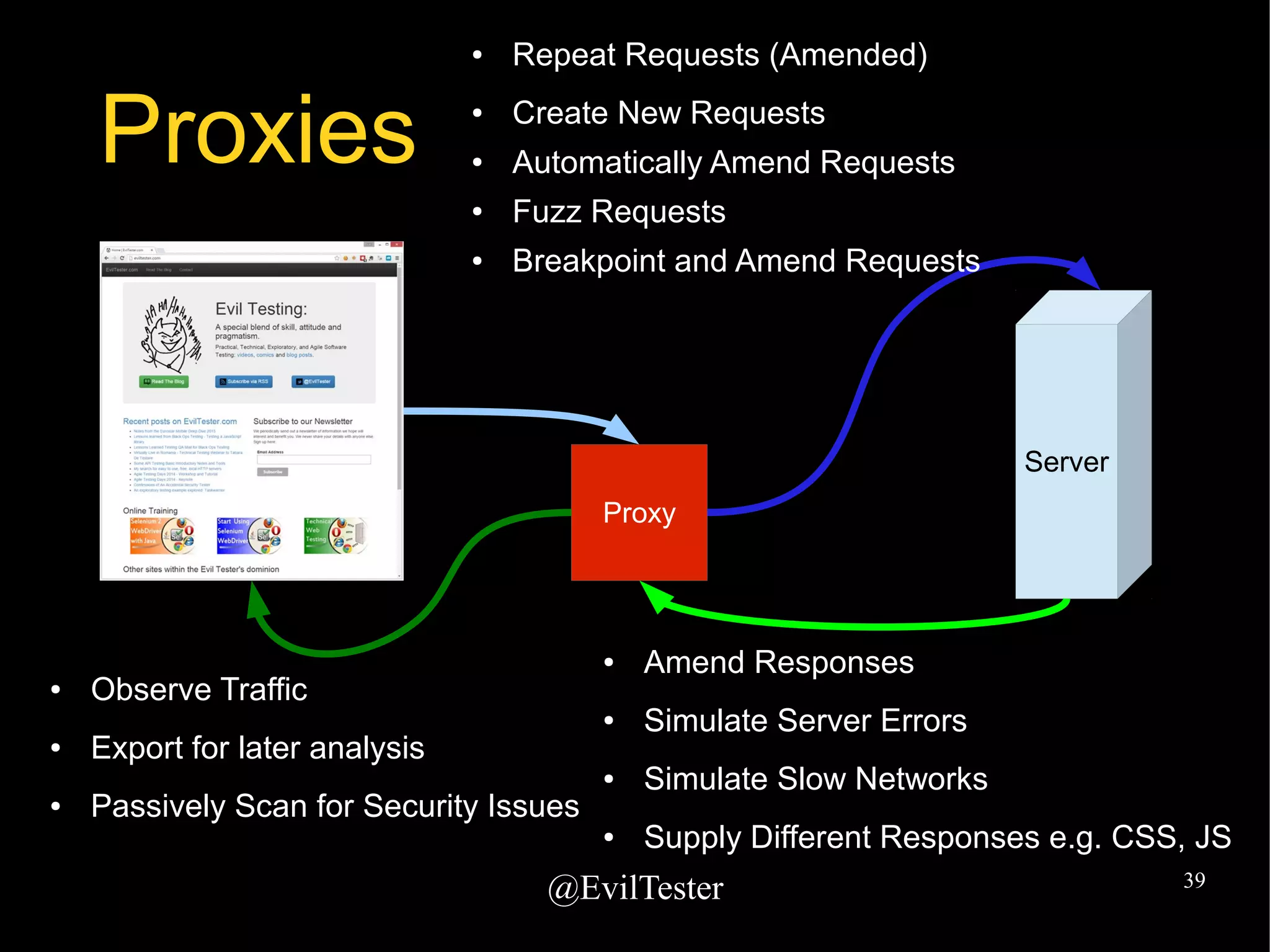
Proxies
Server
Proxy
â—Ź Repeat Requests (Amended)
â—Ź Create New Requests
â—Ź Automatically Amend Requests
â—Ź Fuzz Requests
â—Ź Breakpoint and Amend Requests
â—Ź Observe Traffic
â—Ź Export for later analysis
â—Ź Passively Scan for Security Issues
â—Ź Amend Responses
â—Ź Simulate Server Errors
â—Ź Simulate Slow Networks
â—Ź Supply Different Responses e.g. CSS, JS
@EvilTester 40
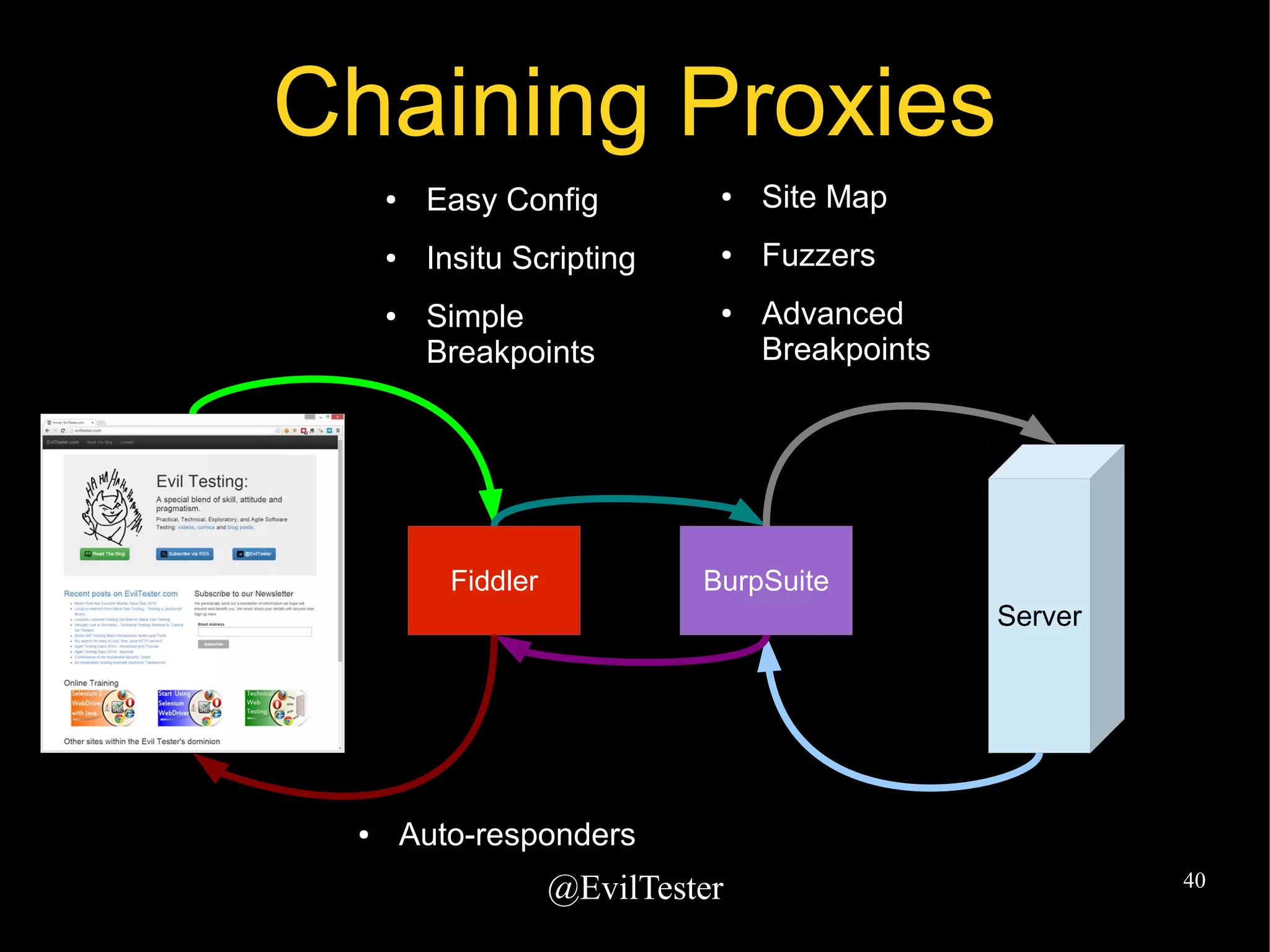
Chaining Proxies
Fiddler BurpSuite
Server
â—Ź Site Map
â—Ź Fuzzers
â—Ź Advanced
Breakpoints
â—Ź Easy Config
â—Ź Insitu Scripting
â—Ź Simple
Breakpoints
â—Ź Auto-responders
@EvilTester 41
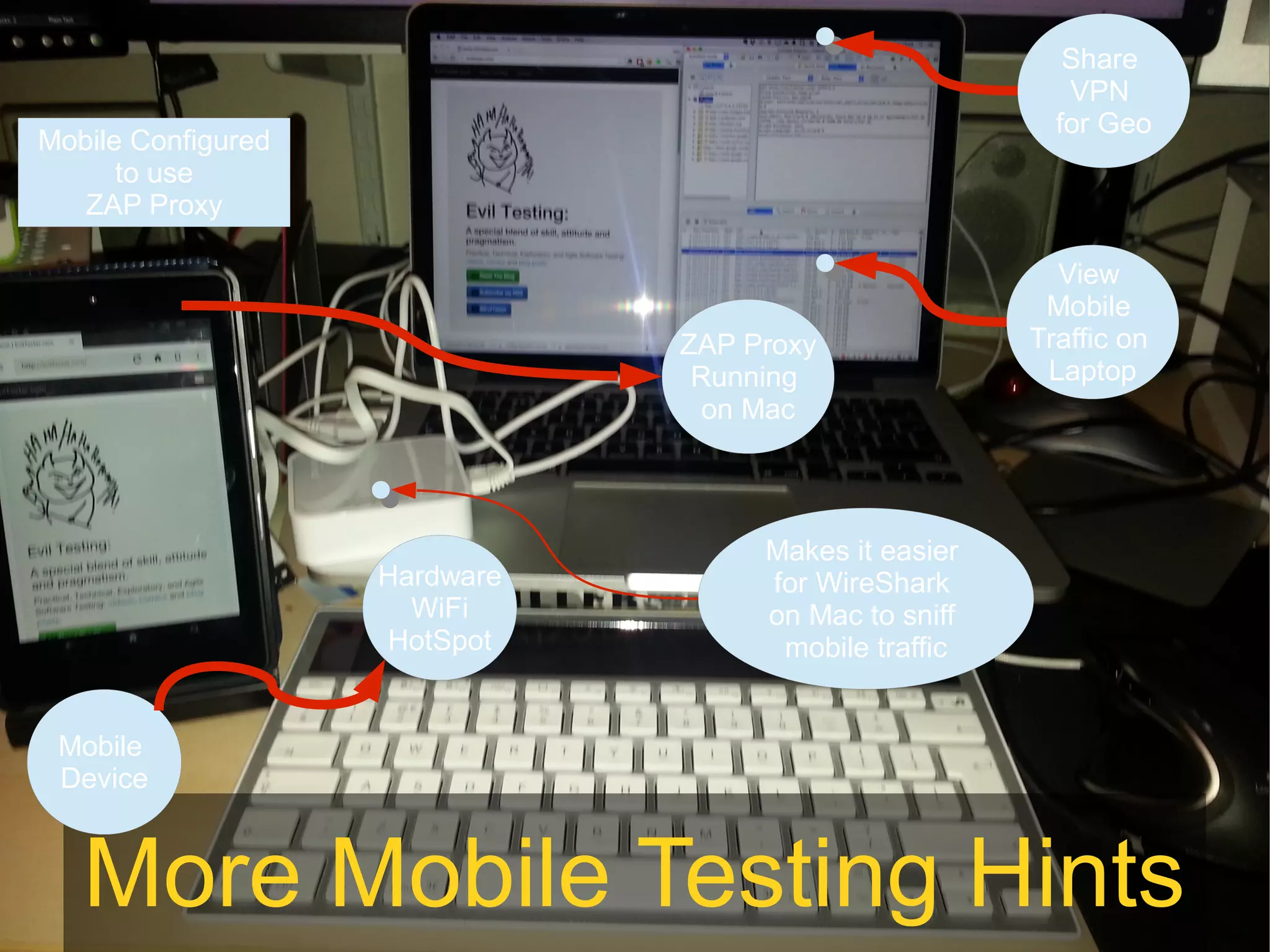
More Mobile Testing Hints
Mobile
Device
Hardware
WiFi
HotSpot
ZAP Proxy
Running
on Mac
Mobile Configured
to use
ZAP Proxy
Makes it easier
for WireShark
on Mac to sniff
mobile traffic
View
Mobile
Traffic on
Laptop
Share
VPN
for Geo
@EvilTester 42
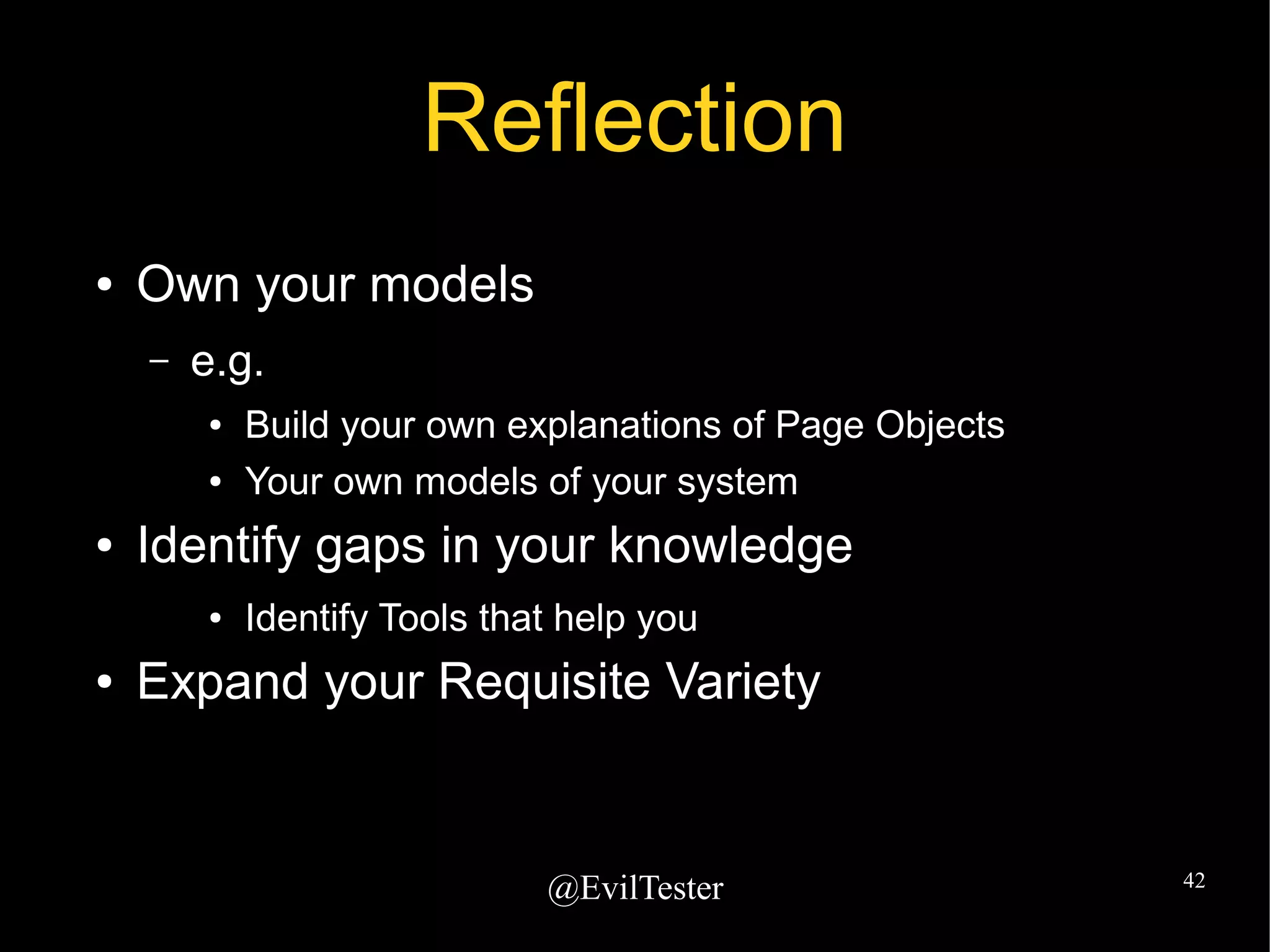
Reflection
â—Ź Own your models
– e.g.
â—Ź Build your own explanations of Page Objects
â—Ź Your own models of your system
â—Ź Identify gaps in your knowledge
â—Ź Identify Tools that help you
â—Ź Expand your Requisite Variety
@EvilTester 43
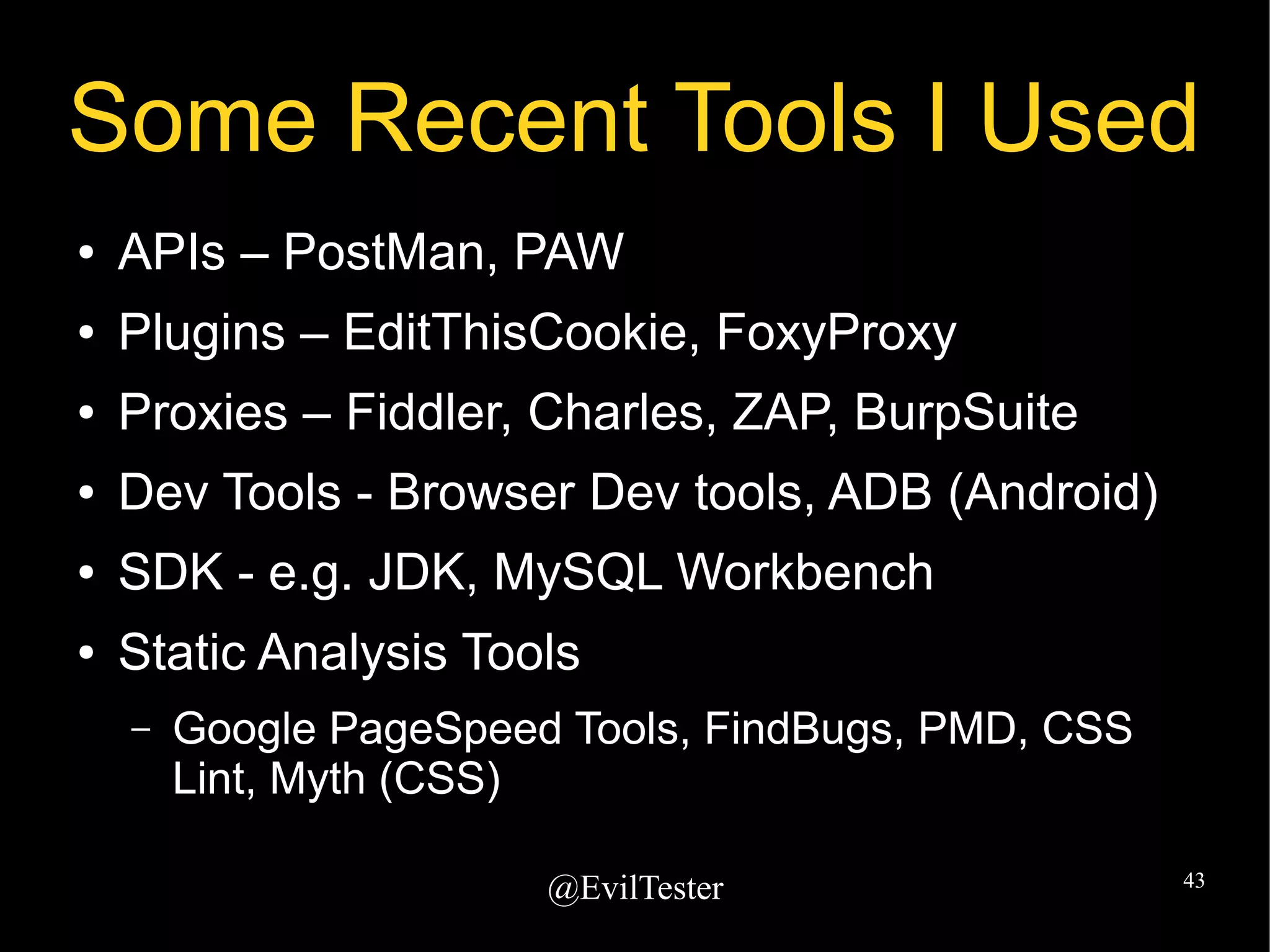
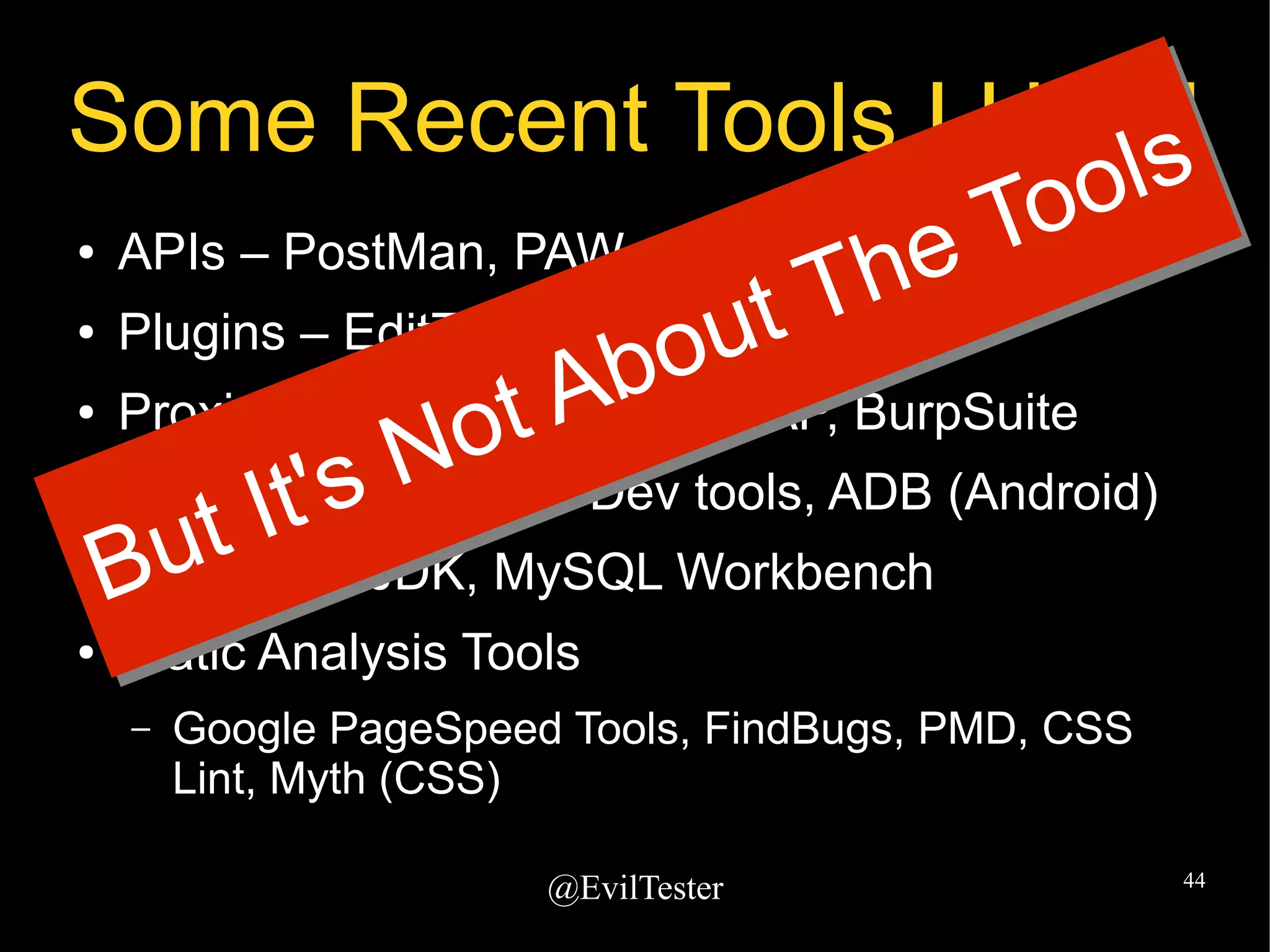
Some Recent Tools I Used
● APIs – PostMan, PAW
● Plugins – EditThisCookie, FoxyProxy
● Proxies – Fiddler, Charles, ZAP, BurpSuite
â—Ź Dev Tools - Browser Dev tools, ADB (Android)
â—Ź SDK - e.g. JDK, MySQL Workbench
â—Ź Static Analysis Tools
– Google PageSpeed Tools, FindBugs, PMD, CSS
Lint, Myth (CSS)
@EvilTester 44
Some Recent Tools I Used
● APIs – PostMan, PAW
● Plugins – EditThisCookie, FoxyProxy
● Proxies – Fiddler, Charles, ZAP, BurpSuite
â—Ź Dev Tools - Browser Dev tools, ADB (Android)
â—Ź SDK - e.g. JDK, MySQL Workbench
â—Ź Static Analysis Tools
– Google PageSpeed Tools, FindBugs, PMD, CSS
Lint, Myth (CSS)
But It's Not About The Tools
@EvilTester 45
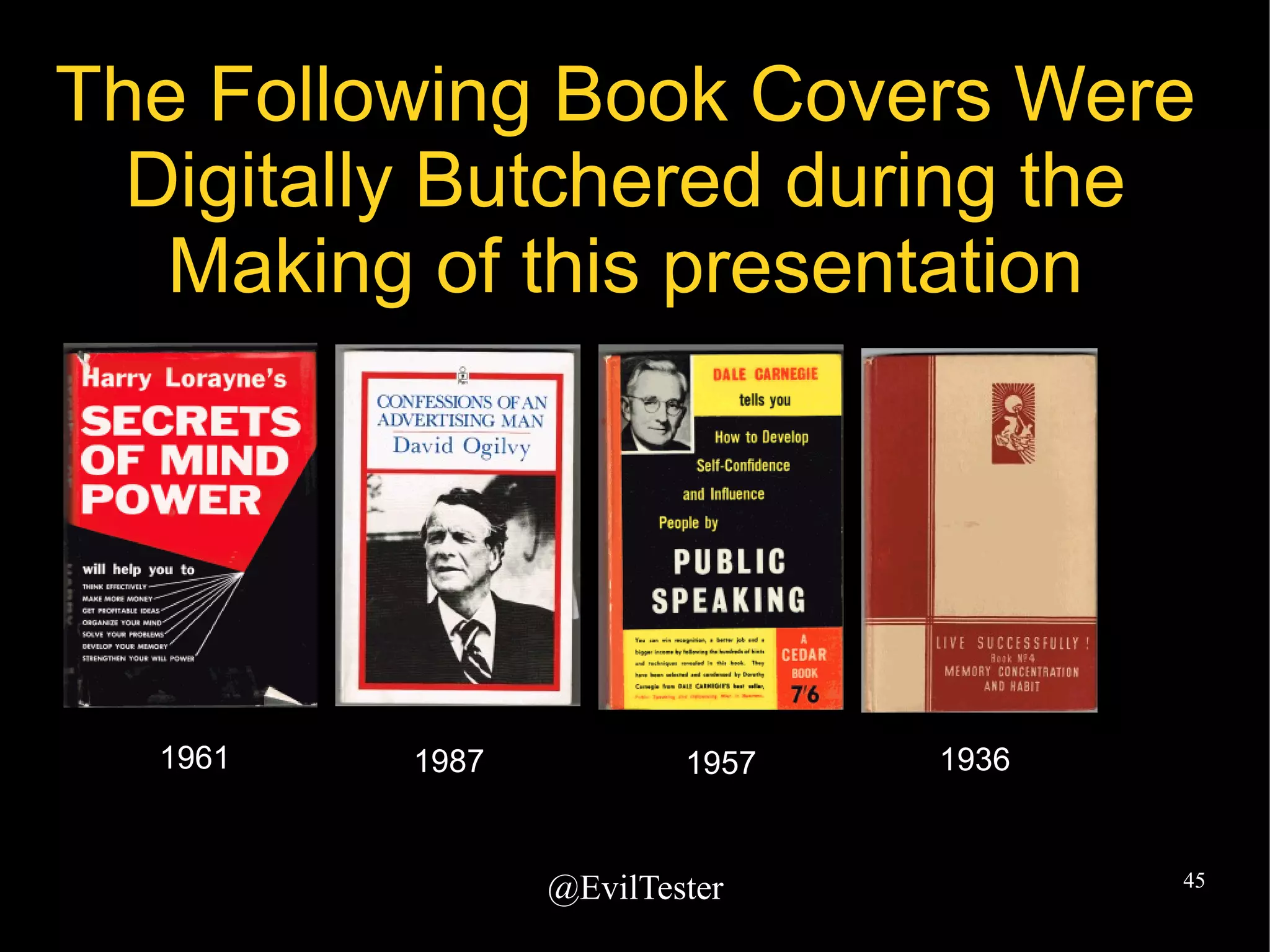
The Following Book Covers Were
Digitally Butchered during the
Making of this presentation
1961 19571987 1936
@EvilTester 46
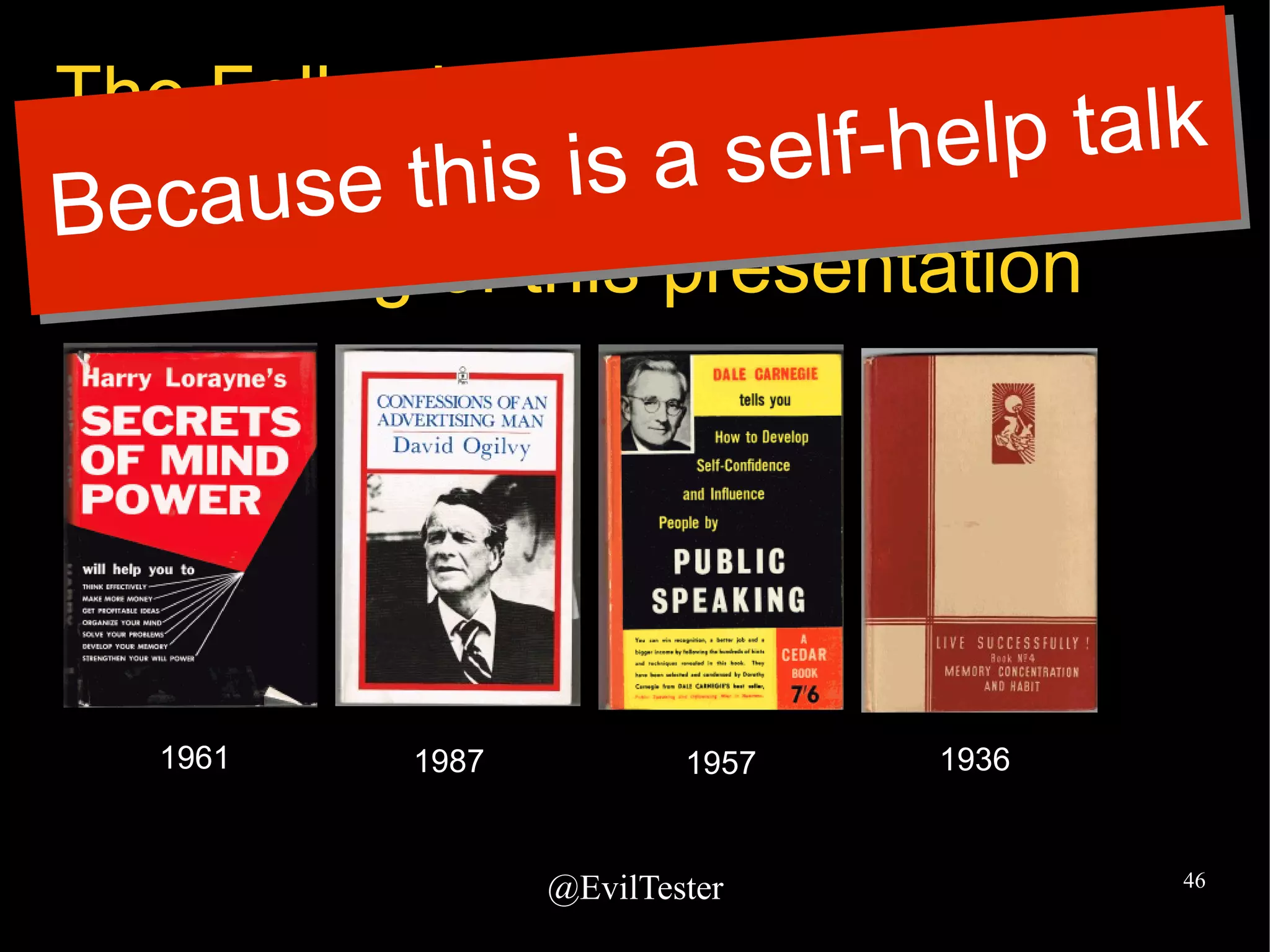
The Following Book Covers Were
Digitally Butchered during the
Making of this presentation
1961 19571987 1936
Because this is a self-help talk
@EvilTester 47
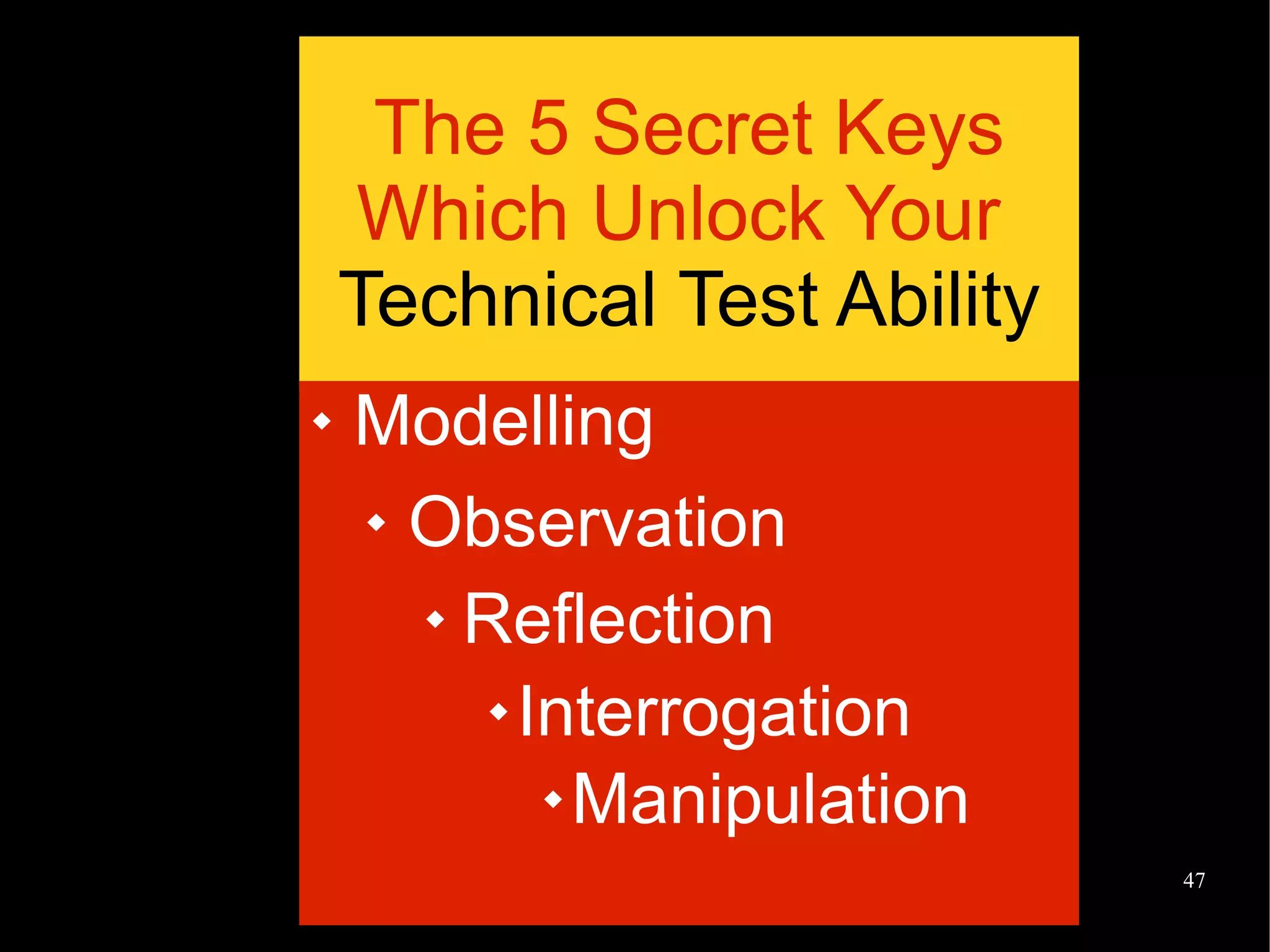
The 5 Secret Keys
Which Unlock Your
Technical Test Ability
 Modelling
 Observation
 Reflection
 Interrogation
 Manipulation
@EvilTester 48
Alan Richardson
@EvilTester
http://EvilTester.com
http://SeleniumSimplified.com
http://JavaForTesters.com

How to Improve Your Technical Test Ability - AADays 2015 Keynote

  • 1.
    Alan Richardson “How to Improveyour Technical Test Ability” EvilTester.com SeleniumSimplified.com JavaForTesters.com @EvilTester
  • 2.
  • 3.
    @EvilTester 3 What isTestability? Expanding the requisite variety of the system to support testing beyond that required by the user https://www.jasondavies.com/wordcloud/#
  • 4.
    @EvilTester 4 Requisite Variety StaffordBeer on Variety: "the total number of possible states of a system, or of an element of a system" ● Ross Ashby “Only variety can destroy variety” ● Stafford Beer “Only variety can absorb variety” https://www.youtube.com/watch?v=bDRudRhNgy4
  • 5.
  • 6.
    @EvilTester 6 What isTechnical Testing?
  • 7.
    @EvilTester 7 A reminderto go deeper â—Ź Am I testing at the deep structures of the system? â—Ź Do I use technical risk to inform my testing?
  • 8.
  • 9.
    @EvilTester 9 If youchoose not to do the work... â—Ź You will be limited in what you can test â—Ź You will rely on technical people on your team
  • 10.
    @EvilTester 10 Our TechnicalWorld Changes All The Time tagcrowd.com
  • 11.
    @EvilTester 11 Being Technical requiresconstant learning of new stuff
  • 12.
    @EvilTester 12 It's hardwork So take it in in small chunks â—Ź What technology do you work with? â—Ź What tools do you use? â—Ź What programming languages? â—Ź What limits your testing?
  • 13.
  • 14.
  • 15.
    @EvilTester 15 No, really.Why? â—Ź To test the system more deeply â—Ź Increase more variety into your testing â—Ź Find errors that have escaped notice â—Ź Improve your technical skills and knowledge â—Ź Work more closely with developers â—Ź Find security issues early â—Ź Improve your testing
  • 16.
    @EvilTester 16 At long last,the Secrets of Technical Testing are Finally Revealed
  • 17.
    @EvilTester 17 Modelling “We arepowerfully imprisoned in these Dark Ages simply by the terms in which we have been conditioned to think.” Buckminster Fuller, Cosmography http://buckyworld.me/best-bucky-books/
  • 18.
    @EvilTester 18 Modelling ● Collateyour current terms and maps ● Model what you know ● Informal models – lists of stuff, – mind map brain dumps ● Research and experiment to expand the models
  • 19.
    @EvilTester 19 An earlymodel Server EvilTester.com
  • 20.
    @EvilTester 20 Expand theBrowser Model Server JavaScript, CSS, DOM, Browser Plugins, Dev Tools, HTML, HTML5, Images, Dynamic HTML, Async JavaScript, Local Storage, Cookies, Cache, ... Pick a Few to Start Working With and Investigate
  • 21.
    @EvilTester 21 Expand theMessage Model Server HTTP, Headers, Authentication, TCP/IP, Proxies, Encoding, HTTP Verbs, Responses, Response Codes Pick a Few to Start Working With and Investigate
  • 22.
    @EvilTester 22 Modelling “...the prescriptionfor action is not difficult to understand. First of all, we need better models of the components...” Stafford Beer, Designing Freedom http://www.scio.org.uk/node/12
  • 23.
    @EvilTester 23 Explore theModels ● How can I Observe that? – What JavaScript files are used? ● How can I Interrogate that? – What CSS is applied there? ● How can I Manipulate that? – How can I change the HTTP message sent? – How can I change the HTTP status code received? These questions help you identify tools to use
  • 24.
    @EvilTester 24 We coulduse tool capabilities to expand our models ● Browser Developer Tools: – Chrome, Firefox, IE, Safari ● HTTP Debug Proxies: – Fiddler, Charles, Owasp ZAP, BurpSuite ● Plugins: – FoxyProxy ● Network Sniffers: – WireShark
  • 25.
    @EvilTester 25 Observation inBrowser ● DOM Rendering – using a browser – different browsers – Change size of window to check css resizing – Mobile Device Simulation
  • 26.
    @EvilTester 26 Observation inBrowser â—Ź Can we observe the HTML?
  • 27.
    @EvilTester 27 Observation inBrowser â—Ź How else can we observe the HTML?
  • 28.
    @EvilTester 28 Manipulation inBrowser â—Ź Can I change the HTML?
  • 29.
    @EvilTester 29 Observation inBrowser â—Ź What else can I observe? Traffic?
  • 30.
    @EvilTester 30 Interrogation inBrowser â—Ź Can I see that request in detail?
  • 31.
    @EvilTester 31 Observation inBrowser â—Ź What else can I see? I can set breakpoints too I can see the running code and variables
  • 32.
    @EvilTester 32 Observation inBrowser JavaScript level performance and profiling
  • 33.
  • 34.
    @EvilTester 34 Why Observe? â—ŹStare in amazement as you see things you've never seen before â—Ź Use your Google-Fu to investigate this set of unknown data with online searches â—Ź The more you understand, the richer your model becomes, and the more you will spot
  • 35.
    @EvilTester 35 Why Manipulate? â—ŹChange the DOM to explore boundaries the GUI doesn't normally let you â—Ź Enter values to explore the backend validation rules â—Ź Get rid of form elements to explore error conditions
  • 36.
    @EvilTester 36 Fill ingaps in my model Server All of previous stuff lives here How can I do that here?
  • 37.
    @EvilTester 37 Observation ofHTTP Traffic Dear Google, How can I observe HTTP traffic? Yours, Alan Hi Al an, Check t hi s l ot out . Love, Googl e
  • 38.
  • 39.
    @EvilTester 39 Proxies Server Proxy â—Ź RepeatRequests (Amended) â—Ź Create New Requests â—Ź Automatically Amend Requests â—Ź Fuzz Requests â—Ź Breakpoint and Amend Requests â—Ź Observe Traffic â—Ź Export for later analysis â—Ź Passively Scan for Security Issues â—Ź Amend Responses â—Ź Simulate Server Errors â—Ź Simulate Slow Networks â—Ź Supply Different Responses e.g. CSS, JS
  • 40.
    @EvilTester 40 Chaining Proxies FiddlerBurpSuite Server â—Ź Site Map â—Ź Fuzzers â—Ź Advanced Breakpoints â—Ź Easy Config â—Ź Insitu Scripting â—Ź Simple Breakpoints â—Ź Auto-responders
  • 41.
    @EvilTester 41 More MobileTesting Hints Mobile Device Hardware WiFi HotSpot ZAP Proxy Running on Mac Mobile Configured to use ZAP Proxy Makes it easier for WireShark on Mac to sniff mobile traffic View Mobile Traffic on Laptop Share VPN for Geo
  • 42.
    @EvilTester 42 Reflection ● Ownyour models – e.g. ● Build your own explanations of Page Objects ● Your own models of your system ● Identify gaps in your knowledge ● Identify Tools that help you ● Expand your Requisite Variety
  • 43.
    @EvilTester 43 Some RecentTools I Used ● APIs – PostMan, PAW ● Plugins – EditThisCookie, FoxyProxy ● Proxies – Fiddler, Charles, ZAP, BurpSuite ● Dev Tools - Browser Dev tools, ADB (Android) ● SDK - e.g. JDK, MySQL Workbench ● Static Analysis Tools – Google PageSpeed Tools, FindBugs, PMD, CSS Lint, Myth (CSS)
  • 44.
    @EvilTester 44 Some RecentTools I Used ● APIs – PostMan, PAW ● Plugins – EditThisCookie, FoxyProxy ● Proxies – Fiddler, Charles, ZAP, BurpSuite ● Dev Tools - Browser Dev tools, ADB (Android) ● SDK - e.g. JDK, MySQL Workbench ● Static Analysis Tools – Google PageSpeed Tools, FindBugs, PMD, CSS Lint, Myth (CSS) But It's Not About The Tools But It's Not About The Tools
  • 45.
    @EvilTester 45 The FollowingBook Covers Were Digitally Butchered during the Making of this presentation 1961 19571987 1936
  • 46.
    @EvilTester 46 The FollowingBook Covers Were Digitally Butchered during the Making of this presentation 1961 19571987 1936 Because this is a self-help talk Because this is a self-help talk
  • 47.
    @EvilTester 47 The 5Secret Keys Which Unlock Your Technical Test Ability  Modelling  Observation  Reflection  Interrogation  Manipulation
  • 48.