1
Testing
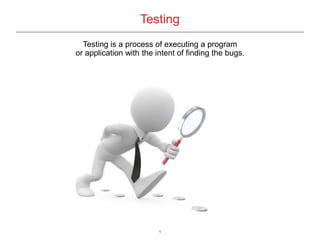
Testing is a process of executing a program
or application with the intent of finding the bugs.
2
Web Testing
Web Testing in simple terms is checking your web page/application for
potential bugs before its made live or before code is moved into the
production environment.
3
Quality Measures
 Timeliness
 Structural Quality
 Content
 Accuracy and Consistency
 Response Time and Latency
 Performance
Quality of the website is very important for the user.
A website with too many broken links, defective images,
may cost a lot for an e-commerce website. Users will
quickly leave for a different site if the website is too
complex and of low quality.
4
Problems in Testing
 In traditional client-server systems, the respective roles of the clients and
servers and their interactions are predefined and static.
 In web applications, however, client side programs and contents may be
generated dynamically
 Compatibility and interoperability are urgent and cause problems that are more
serious than with traditional programs.
 Web applications also have much faster maintenance requirements than most
traditional software.
 Web technologies evolve more rapidly than traditional software technologies.
 Web applications also have features that are not present in client-server and
distributed systems. These include session control, cookies, and the stateless
aspect of HTTP.
 The components may be executed on different server platforms .
 Different browsers may be used.
5
Web Application Testing Checklist:
 Functionality Testing
 Usability testing
 Interface Testing
 Compatibility testing
 Performance Testing
 Security testing
 Crowd Testing
6
Web Testing Tools
 Selenium
 Ibm rational
 Qtp
 Feedback army, chalkmark
 Renorex, alertfox
 Netmechanic
 Loadrunner, jmeter
 Cross, bfbtester
 End user
7
Selenium provides a record/playback tool for authoring tests without learning a
test scripting language (Selenium IDE). It also provides a test domain-specific
language (Selenese) to write tests in a number of popular programming
languages, including Java, C#, Groovy, Perl, PHP, Python and Ruby.
 Selenium IDE
Selenium IDE is a fully-featured Integrated Development Environment (IDE)
that installs as a plugin in Mozilla Firefox and enables developers to test their
web applications through Selenium. With the Selenium IDE, you can record
user interactions with the web browser and play them back to test for errors.
 WebDriver
WebDriver is a tool for automating web application testing, and in particular to
verify that they work as expected. It aims to provide a friendly API that's easy
to explore and understand, easier to use than the Selenium-RC (1.0) API,
which will help to make your tests easier to read and maintain.
What is Selenium?
8
 Easy record and playback
 Intelligent field selection will use IDs, names, or XPath as needed
 Autocomplete for all common Selenium commands
 Walk through tests
 Debug and set breakpoints
 Save tests as HTML, Ruby scripts, or any other format
 Support for Selenium user-extensions.js file
 Option to automatically assert the title of every page
Features
9
Commonly Used Selenium Commands
 open – opens a page using a URL
 click/clickAndWait – performs a click operation, and optionally waits for a new
page to load.
 verifyTitle/assertTitle – verifies an expected page title
 verifyTextPresent – verifies expected text is somewhere on the page
 verifyEelementPresent – verifies an expected UI element, as defined by its
HTML tag, is present on the page.
 verifyText – verifies a table’s expected contents.
 waitForPageToLoad – pauses execution until an expected new page loads.
 waitForElementPresent – pauses execution until an expected UI element,
as defined by its HTML tag is present on the page.
10
Summary
 Site management software is very essential for testing a website before
getting it live. Your site has to be tested, fixed, retested and fully documented.
Any applications utilized in the website have to be tested for performance
and scalability.
 Web testing is still just evolving because software used in the web are
relatively new to other software. Software testing has been around for a
long time. But there are many companies making software for web testing.
A developer need only choose one that meets his needs and his budget.
 A developer's job isn’t finished after the designing and encoding. Web testing
is a very critical part of website development.

Web Testing

  • 1.
    1 Testing Testing is aprocess of executing a program or application with the intent of finding the bugs.
  • 2.
    2 Web Testing Web Testingin simple terms is checking your web page/application for potential bugs before its made live or before code is moved into the production environment.
  • 3.
    3 Quality Measures  Timeliness Structural Quality  Content  Accuracy and Consistency  Response Time and Latency  Performance Quality of the website is very important for the user. A website with too many broken links, defective images, may cost a lot for an e-commerce website. Users will quickly leave for a different site if the website is too complex and of low quality.
  • 4.
    4 Problems in Testing In traditional client-server systems, the respective roles of the clients and servers and their interactions are predefined and static.  In web applications, however, client side programs and contents may be generated dynamically  Compatibility and interoperability are urgent and cause problems that are more serious than with traditional programs.  Web applications also have much faster maintenance requirements than most traditional software.  Web technologies evolve more rapidly than traditional software technologies.  Web applications also have features that are not present in client-server and distributed systems. These include session control, cookies, and the stateless aspect of HTTP.  The components may be executed on different server platforms .  Different browsers may be used.
  • 5.
    5 Web Application TestingChecklist:  Functionality Testing  Usability testing  Interface Testing  Compatibility testing  Performance Testing  Security testing  Crowd Testing
  • 6.
    6 Web Testing Tools Selenium  Ibm rational  Qtp  Feedback army, chalkmark  Renorex, alertfox  Netmechanic  Loadrunner, jmeter  Cross, bfbtester  End user
  • 7.
    7 Selenium provides arecord/playback tool for authoring tests without learning a test scripting language (Selenium IDE). It also provides a test domain-specific language (Selenese) to write tests in a number of popular programming languages, including Java, C#, Groovy, Perl, PHP, Python and Ruby.  Selenium IDE Selenium IDE is a fully-featured Integrated Development Environment (IDE) that installs as a plugin in Mozilla Firefox and enables developers to test their web applications through Selenium. With the Selenium IDE, you can record user interactions with the web browser and play them back to test for errors.  WebDriver WebDriver is a tool for automating web application testing, and in particular to verify that they work as expected. It aims to provide a friendly API that's easy to explore and understand, easier to use than the Selenium-RC (1.0) API, which will help to make your tests easier to read and maintain. What is Selenium?
  • 8.
    8  Easy recordand playback  Intelligent field selection will use IDs, names, or XPath as needed  Autocomplete for all common Selenium commands  Walk through tests  Debug and set breakpoints  Save tests as HTML, Ruby scripts, or any other format  Support for Selenium user-extensions.js file  Option to automatically assert the title of every page Features
  • 9.
    9 Commonly Used SeleniumCommands  open – opens a page using a URL  click/clickAndWait – performs a click operation, and optionally waits for a new page to load.  verifyTitle/assertTitle – verifies an expected page title  verifyTextPresent – verifies expected text is somewhere on the page  verifyEelementPresent – verifies an expected UI element, as defined by its HTML tag, is present on the page.  verifyText – verifies a table’s expected contents.  waitForPageToLoad – pauses execution until an expected new page loads.  waitForElementPresent – pauses execution until an expected UI element, as defined by its HTML tag is present on the page.
  • 10.
    10 Summary  Site managementsoftware is very essential for testing a website before getting it live. Your site has to be tested, fixed, retested and fully documented. Any applications utilized in the website have to be tested for performance and scalability.  Web testing is still just evolving because software used in the web are relatively new to other software. Software testing has been around for a long time. But there are many companies making software for web testing. A developer need only choose one that meets his needs and his budget.  A developer's job isn’t finished after the designing and encoding. Web testing is a very critical part of website development.