A Guide to Testing Web Applications
DevFest 14th Dec 2019 Bishkek
— Alan Richardson
— eviltester.com/conference/
devfestbishkek2019_conference
— EvilTester.com
— @EvilTester
— CompendiumDev.co.uk
@EvilTester 1
Have you ever wondered how other people test
applications? Not in theory, but in practice? What
thought processes are used? How did they model
the application? What tools were used? How did
they track the testing? That's what this talk is all
about. This talk will be based on a short Case Study
of testing an open source web application. Why
open source? Because then there is no commercial
confidentiality about the process, tools or thought
processes.
@EvilTester 2
Alan will explain his thought processes, coverage,
approaches, tools used, risks identified and results
found. And generalise from this into reusable
models and principles that can be applied to your
testing. This covers the What?, and the Why? of
practical exploratory web testing.
@EvilTester 3
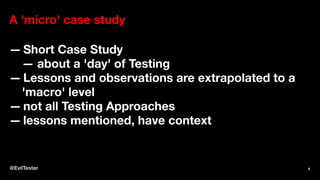
A 'micro' case study
— Short Case Study
— about a 'day' of Testing
— Lessons and observations are extrapolated to a
'macro' level
— not all Testing Approaches
— lessons mentioned, have context
@EvilTester 4
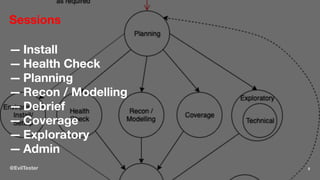
Sessions
— Install
— Health Check
— Planning
— Recon / Modelling
— Debrief
— Coverage
— Exploratory
— Admin
@EvilTester 5
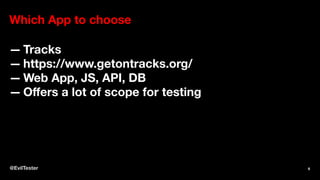
Which App to choose
— Tracks
— https://www.getontracks.org/
— Web App, JS, API, DB
— Offers a lot of scope for testing
@EvilTester 6
@EvilTester 7
Lesson
— Normally we don't get to choose
— Allocate staff based on skills and experience,
— If we don't understand the technology
— we need to manage that as a risk
@EvilTester 8
Environment
Could use:
— Docker
— Local install
— VM
— Cloud hosted
Different risks and constraints.
@EvilTester 9
My Environment Requirements
— proxy traffic
— possibly view DB
— low impact on my machine
@EvilTester 10
Knowledge Constraints
— My Tech knowledge of Docker
— Lower Docker knowledge than VM
— Know how to configure and access DB on VM
— Chosen VM https://www.turnkeylinux.org/tracks
— Issue... old version of tracks
— not a concern for this talk
@EvilTester 11
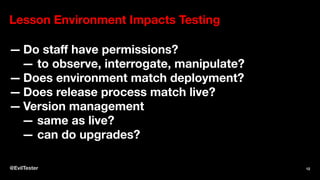
Lesson Environment Impacts Testing
— Do staff have permissions?
— to observe, interrogate, manipulate?
— Does environment match deployment?
— Does release process match live?
— Version management
— same as live?
— can do upgrades?
@EvilTester 12
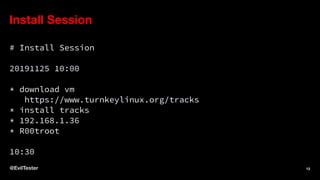
Install Session
# Install Session
20191125 10:00
* download vm
https://www.turnkeylinux.org/tracks
* install tracks
* 192.168.1.36
* R00troot
10:30
@EvilTester 13
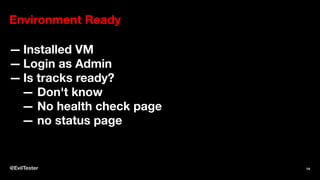
Environment Ready
— Installed VM
— Login as Admin
— Is tracks ready?
— Don't know
— No health check page
— no status page
@EvilTester 14
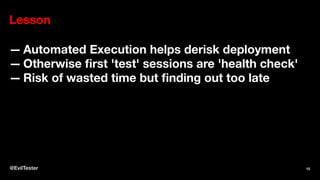
Lesson
— Automated Execution helps derisk deployment
— Otherwise first 'test' sessions are 'health check'
— Risk of wasted time but finding out too late
@EvilTester 15
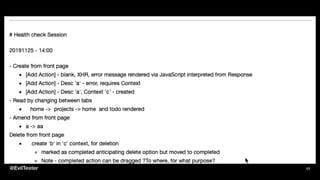
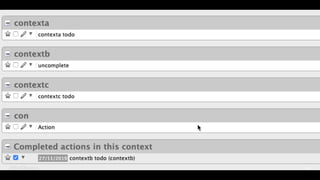
Health Check
— CRUD
— Create, Read, Update, Delete
— Main Areas
— Keep it simple, create a todo
@EvilTester 16
@EvilTester 17
@EvilTester 18
Lessons
— All testing is exploratory, observation
— Exploration boosts (and is constrained by)
technical knowledge of the app
— Time Box Testing
— Need screenshot tools
— gather evidence
— Notes Prior (Plan) (AIMs)
— More Notes During (Actual)
@EvilTester 19
How do I know what to test?
— Requirements
— Stories
— Defects
— Change Requests
— Commits
@EvilTester 20
Planning Session
— Making the decision about what to test
— Planning: exploratory process of weighing up
factors, asking questions and making decisions
— Tacked and planned like any other activity
— do not go too deep
— working with unknowns
— No plan - lose an opportunity
— to effectively target our testing.
@EvilTester 21
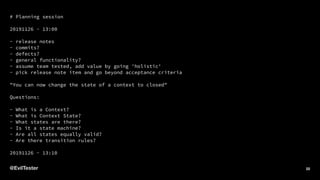
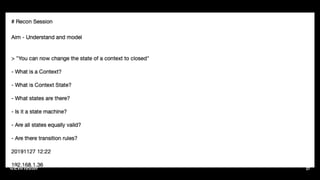
# Planning session
20191126 - 13:00
- release notes
- commits?
- defects?
- general functionality?
- assume team tested, add value by going 'holistic'
- pick release note item and go beyond acceptance criteria
"You can now change the state of a context to closed"
Questions:
- What is a Context?
- What is Context State?
- What states are there?
- Is it a state machine?
- Are all states equally valid?
- Are there transition rules?
20191126 - 13:10
@EvilTester 22
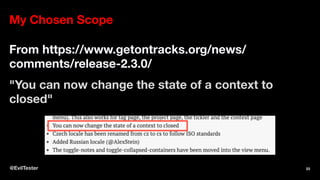
My Chosen Scope
From https://www.getontracks.org/news/
comments/release-2.3.0/
"You can now change the state of a context to
closed"
@EvilTester 23
I am going to
— Test Holistically
— System rather than Story
— Assume other testing has been performed
@EvilTester 24
When I start testing, I don't know what that means
yet.
I have to explore to find out.
@EvilTester 25
Recon Session
@EvilTester 26
@EvilTester 27
Recon Session Findings
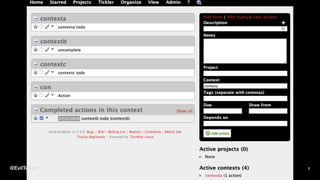
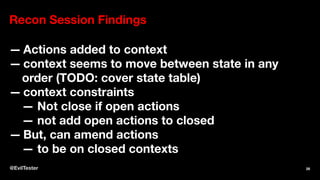
— Actions added to context
— context seems to move between state in any
order (TODO: cover state table)
— context constraints
— Not close if open actions
— not add open actions to closed
— But, can amend actions
— to be on closed contexts
@EvilTester 28
Recon Session Findings
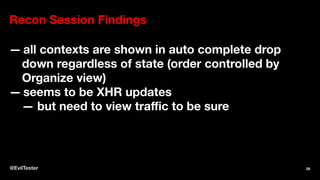
— all contexts are shown in auto complete drop
down regardless of state (order controlled by
Organize view)
— seems to be XHR updates
— but need to view traffic to be sure
@EvilTester 29
Lessons Learned
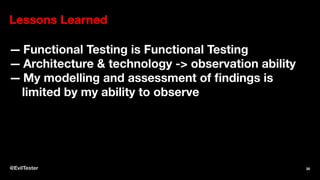
— Functional Testing is Functional Testing
— Architecture & technology -> observation ability
— My modelling and assessment of findings is
limited by my ability to observe
@EvilTester 30
Tooling Lessons Learned
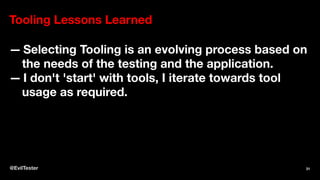
— Selecting Tooling is an evolving process based on
the needs of the testing and the application.
— I don't 'start' with tools, I iterate towards tool
usage as required.
@EvilTester 31
Debrief Session
— Look at what we've done
— Working exploratory means I have to 'step
back' periodically
— Collate Notes
— Identify Issues, Todos, Defects
— Feed into Planning Session
— Refine/Formalise Models
— Modelling Session if 'large'
@EvilTester 32
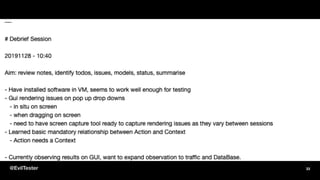
@EvilTester 33
Lessons Learned
— I rely on linear text as much as possible
— text files, markdown, screenshots in /images
— formatting, aesthetics, structure - later
— essential when working on own
— can act as a 'status' report
@EvilTester 34
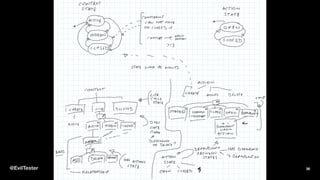
Modelling Session
— "prep a more comprehensive coverage approach
because I didn't 'test' this I did an initial
exploration during recon but the coverage wasn't
documented or thought through well enough."
@EvilTester 35
@EvilTester 36
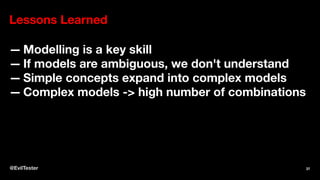
Lessons Learned
— Modelling is a key skill
— If models are ambiguous, we don't understand
— Simple concepts expand into complex models
— Complex models -> high number of combinations
@EvilTester 37
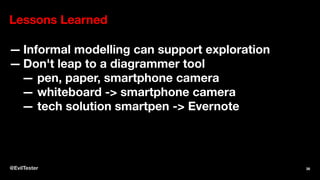
Lessons Learned
— Informal modelling can support exploration
— Don't leap to a diagrammer tool
— pen, paper, smartphone camera
— whiteboard -> smartphone camera
— tech solution smartpen -> Evernote
@EvilTester 38
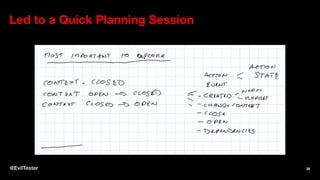
Led to a Quick Planning Session
@EvilTester 39
Lessons Learned
— Modelling and Planning are related
— Planning is prioritising parts of model coverage
— Plan only as far as you need to to support the next
session
@EvilTester 40
Coverage Session
— Actual Testing
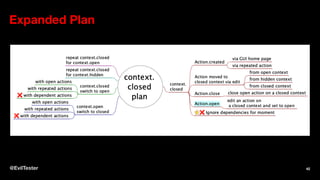
— Mindmap in advance to expand the plan
— kept notes as tested
— missing items from the 'plan'
— added them into my notes
— minimise additional exploration
— focus on 'coverage'
— follow later
@EvilTester 41
Expanded Plan
@EvilTester 42
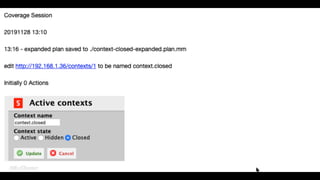
Coverage Session Notes
@EvilTester 43
@EvilTester 44
Lessons Learned
— Gathered more evidence, than during recon
— Expand plans as required
— FreePlane because of build in scripting
— Plan will not be complete
— awarenes of new opportunities
— follow (inscope), or defer
@EvilTester 45
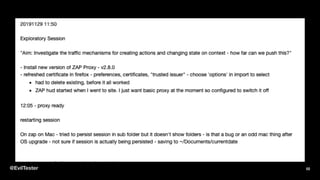
(Technical) Exploratory Session
"Aim: Investigate the traffic mechanisms for creating
actions and changing state on context - how far can
we push this?"
@EvilTester 46
Technical Exploratory Session Difference From
Exploratory Session
— Observation at a technology level
— e.g. traffic, params, headers
— Manipulation at a technical level
— e.g. resend requests, DOM manipulation,
bypass GUI, Tools mandatory
— Technical observation -> new ideas
@EvilTester 47
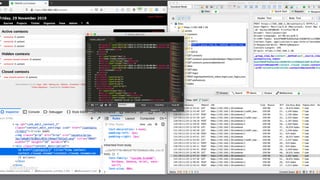
Using
— Firefox (fewer plugins to create noise)
— FoxyProxy plugin (configure Proxy direct)
— Firefox Dev Tools (interrogate/manipulate DOM)
— Owasp ZAP Proxy (Observe, Interrogate,
Manipulate HTTP)
— TextEditor - view XML
— SnagIt - screenshots
— Evernote - note taking
@EvilTester 48
@EvilTester 49
Basic Process
— Work in GUI. Observe impact via HTTP (I can see
if JS or Server validation used)
— Interrogate HTTP Traffic, source of new ideas
— Manipulate (resend) HTTP Traffic
— Repeat HTTP results via DOM manipulation
— keep an eye on time and scope
@EvilTester 50
Notes Overview
@EvilTester 51
@EvilTester 52
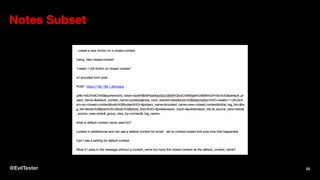
Notes Subset
@EvilTester 53
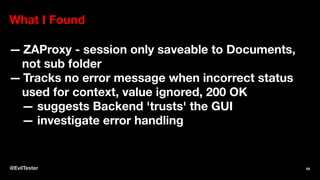
What I Found
— ZAProxy - session only saveable to Documents,
not sub folder
— Tracks no error message when incorrect status
used for context, value ignored, 200 OK
— suggests Backend 'trusts' the GUI
— investigate error handling
@EvilTester 54
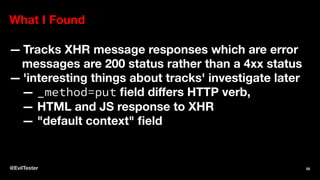
What I Found
— Tracks XHR message responses which are error
messages are 200 status rather than a 4xx status
— 'interesting things about tracks' investigate later
— _method=put field differs HTTP verb,
— HTML and JS response to XHR
— "default context" field
@EvilTester 55
What I Found
— API vs GUI mismatch? a forms API and a JSON
API
— limited observation - did not include DB tools, had
to use System exports to check data.
@EvilTester 56
Tooling Benefits
— dev tools for DOM Inspection and manipulation
— automatically record HTTP session
— proxy HTTP Observation, Inspection &
Manipulation
— easy replay for requests
— easier traffic inspection
@EvilTester 57
Lessons Learned
— Tools can impact testing - lost time tool setup
— More information -> more risk of going off charter
or off time
— Test Ideas that are not possible without tooling
— e.g. duplicate params,
— re-order params
@EvilTester 58
Lessons Learned
— Automated record keeping is a 'backup', I still
copy HTTP request and URLs into my notes
@EvilTester 59
What Did I Not Do/Show? - Automating
— likely factored into "Story" Testing
— start tactical, make it work, refactor to
abstraction layers, become more strategic as
required
— use default tools
— get value out of quickly
— new tools as required
@EvilTester 60
What would I do next (for current scope)?
— API
— repeat GUI and HTTP at API
— assumption - different routing code
— possibly different back end code
— DataBase
— observation and interrogation
@EvilTester 61
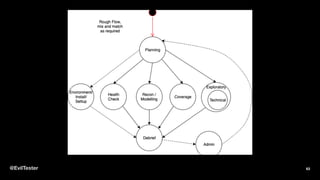
Basic Testing Flow Used
@EvilTester 62
@EvilTester 63
Testing
— 241 minutes (4 hours) spent Testing
— 93 minutes (1.5 hours) hands on
— 2-3+ hours additional admin if 'real' project
Much of Testing goes unnoticed and untracked.
Note taking
- key to gathering evidence
- and making testing visible.
@EvilTester 64
Tooling comes from:
— need
— observation
— interrogation
— manipulation
— admin, evidence
— technology
— can aid/hinder tooling
@EvilTester 65
We explore at all points in our testing
— The more we are focussed on coverage
— the more we constrain our exploration to the
Coverage.
— The more we are focussed on Exploration,
— the more our coverage has to be reverse
engineered from:
— our logs,
— evidence, and notes.
@EvilTester 66
About Alan Richardson
— EvilTester.com
— CompendiumDev.co.uk
— Talotics.com
— @EvilTester
books, youtube, online
training, patreon,
blog, etc.
@EvilTester 67
Social & Contact Links
1. https://www.eviltester.com
2. https://twitter.com/eviltester
3. https://www.linkedin.com/in/eviltester/
4. https://www.youtube.com/user/EviltesterVideos
5. https://instagram.com/eviltester
6. https://facebook.com/eviltester
@EvilTester 68
Section: Edited for length
The slides that follow were not used in the main
presentation due to timing constraints.
@EvilTester 69
Recon Session Findings
— open screens to not update with state unless
refreshed e.g. home, when open and move
context to new state, does not show new state -
can this be used to abuse state? e.g. drag todo as
sub todo on a todo on a closed state and closed
todo that has not refreshed yet?
@EvilTester 70
If this was a real project: Planning
— add this as notes in a Jira task
— add this to kanban board
— discuss with team
— possibly expand further and write up, if not doing
immediately and model is complex
@EvilTester 71
Tooling Lessons Learned
— tooling support for observation, interrogation.
manipulation appropriate for scope and aim
i.e. I didn't use any extra tools for testing, but I did
for planning
@EvilTester 72
In-Sprint, Story and
System Testing
@EvilTester 73
In-sprint testing
— constrained to 'work done' scope
— artificially constrained - no error handling, no
security etc.
— need to track these 'omissions' as coverage gaps
for later testing
— often testing 'bits' of stories
@EvilTester 74
Stories
— Complete chunk of work
— Sometimes span sprints
— 'not complete' but still requiring testing
— Acceptance Criteria testing needs to be revisited
— Automated Execution to cover criteria can help
— Going 'beyond' the story often needs to wait till
story is 'complete'
— Stories often tested in isolation - Automated
@EvilTester 75
System Testing is a vague term
— I'm meaning 'system as a whole'
— Stories in combination i.e. functional flows that
span stories
— Stories in different orders
— Going beyond the story Acceptance Criteria
— Often 'neglected' in Agile Projects
@EvilTester 76
Tracks v2.3.0 Release Notes
https://www.getontracks.org/news/comments/
release-2.3.0/
— Changes
— Bug Fixes
Could review code committed since previous
release.
@EvilTester 77
@EvilTester 78
Is it a real issue?
I cannot create an Action on a closed context. And I
can not change state of a Context to closed when it
has open Actions. But I can amend an Action to
assign it to a closed context.
— Don't know
— On a real project I would not have pursued it so
far, without finding that out first.
— It is the type of issue that would be found via
@EvilTester 79
If it is an issue, when would it be found?
— Structured/Traditional testing
— hopefully during a Q&A, clarification when
writing 'cases/conditions' from the
requirements
— but it might take days/weeks to get to that
point depending on process e.g.
— analyse all test conditions and ideas against
requirements and remove ambiguity - might
@EvilTester 80
If it is an issue, when would it be found?
— Agile
— hopefully during a story understanding or
development session
— if not then, would it be found from following
acceptance criteria?
— probably not, it would be found in the
exploratory testing 'around' the story
Note: questioning and clarifying during analysis is an
@EvilTester 81
Projects make decisions about defects
In this case it seems like a mismatch in states. The
constraint is too easy to bypass if it is an important
constraint e.g.
Instead of creating the Action on a closed context. I
create it on an Active context, then amend the
action to be on a closed context.
But, the impact in terms of system reliability,
@EvilTester 82
What Drives Tooling?
— Observation
— Interrogation
— Manipulation
— Admin
— process support, Evidence Gathering, Note
Taking, etc.
@EvilTester 83
Observation
— seeing in real time
— possibility to quick catch issues
— supports monitoring e.g. alerts on errors in logs
@EvilTester 84
Interrogation
— deep dive 'after'
— could be 'seconds' after, but still 'after'
— more data than can be absorbed quickly
@EvilTester 85
Manipulation
— ability to change the system -defaults, static data
— repeat/amend requests
— use the API
@EvilTester 86
Evidence Gathering
— recorded observations
— note taking
@EvilTester 87
What Drives Tooling ...
Needs of Testing
@EvilTester 88
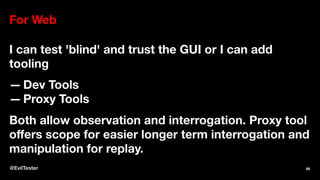
For Web
I can test 'blind' and trust the GUI or I can add
tooling
— Dev Tools
— Proxy Tools
Both allow observation and interrogation. Proxy tool
offers scope for easier longer term interrogation and
manipulation for replay.
@EvilTester 89
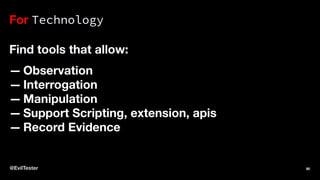
For Technology
Find tools that allow:
— Observation
— Interrogation
— Manipulation
— Support Scripting, extension, apis
— Record Evidence
@EvilTester 90
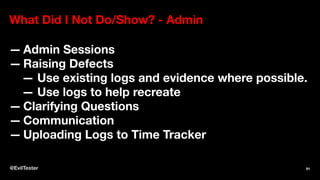
What Did I Not Do/Show? - Admin
— Admin Sessions
— Raising Defects
— Use existing logs and evidence where possible.
— Use logs to help recreate
— Clarifying Questions
— Communication
— Uploading Logs to Time Tracker
@EvilTester 91
Bugs
Testing is not all about bugs.
— The most visible output, are bugs.
— Many projects only care about bugs.
— Testing is a process of deliberate exploration and
coverage.
— Finding bugs is a side-effect of this process.
@EvilTester 92
What do I test?
— Requirements, Stories
— What a User wants to achieve
— Why they want it
— How it has been implemented
— Functional Description
— Technical Risk
— Decisions made during development
— Priorities and Agreed Risk Areas
@EvilTester 93
Taking a System and Beyond View
— assume that testing has been done on the stories
and all stories complete in the sprint and release.
— take a System view and ignore specific 'sprint',
'story' or 'release' requirements. View
functionality as a whole.
— will not review automated execution. Risk of
duplicated effort and scope.
@EvilTester 94
Q: How does a manager
add value on an Agile
Project?
@EvilTester 95
A: By looking at the project holistically.
— Teams are focussed on the functionality that they
are working on.
— Teams often don't have time to look beyond.
— Teams are often not encouraged to think beyond.
Process risk, can be used to drive testing. Look
where others don't.
@EvilTester 96

Devfest 2019-slides

  • 1.
    A Guide toTesting Web Applications DevFest 14th Dec 2019 Bishkek — Alan Richardson — eviltester.com/conference/ devfestbishkek2019_conference — EvilTester.com — @EvilTester — CompendiumDev.co.uk @EvilTester 1
  • 2.
    Have you everwondered how other people test applications? Not in theory, but in practice? What thought processes are used? How did they model the application? What tools were used? How did they track the testing? That's what this talk is all about. This talk will be based on a short Case Study of testing an open source web application. Why open source? Because then there is no commercial confidentiality about the process, tools or thought processes. @EvilTester 2
  • 3.
    Alan will explainhis thought processes, coverage, approaches, tools used, risks identified and results found. And generalise from this into reusable models and principles that can be applied to your testing. This covers the What?, and the Why? of practical exploratory web testing. @EvilTester 3
  • 4.
    A 'micro' casestudy — Short Case Study — about a 'day' of Testing — Lessons and observations are extrapolated to a 'macro' level — not all Testing Approaches — lessons mentioned, have context @EvilTester 4
  • 5.
    Sessions — Install — HealthCheck — Planning — Recon / Modelling — Debrief — Coverage — Exploratory — Admin @EvilTester 5
  • 6.
    Which App tochoose — Tracks — https://www.getontracks.org/ — Web App, JS, API, DB — Offers a lot of scope for testing @EvilTester 6
  • 7.
  • 8.
    Lesson — Normally wedon't get to choose — Allocate staff based on skills and experience, — If we don't understand the technology — we need to manage that as a risk @EvilTester 8
  • 9.
    Environment Could use: — Docker —Local install — VM — Cloud hosted Different risks and constraints. @EvilTester 9
  • 10.
    My Environment Requirements —proxy traffic — possibly view DB — low impact on my machine @EvilTester 10
  • 11.
    Knowledge Constraints — MyTech knowledge of Docker — Lower Docker knowledge than VM — Know how to configure and access DB on VM — Chosen VM https://www.turnkeylinux.org/tracks — Issue... old version of tracks — not a concern for this talk @EvilTester 11
  • 12.
    Lesson Environment ImpactsTesting — Do staff have permissions? — to observe, interrogate, manipulate? — Does environment match deployment? — Does release process match live? — Version management — same as live? — can do upgrades? @EvilTester 12
  • 13.
    Install Session # InstallSession 20191125 10:00 * download vm https://www.turnkeylinux.org/tracks * install tracks * 192.168.1.36 * R00troot 10:30 @EvilTester 13
  • 14.
    Environment Ready — InstalledVM — Login as Admin — Is tracks ready? — Don't know — No health check page — no status page @EvilTester 14
  • 15.
    Lesson — Automated Executionhelps derisk deployment — Otherwise first 'test' sessions are 'health check' — Risk of wasted time but finding out too late @EvilTester 15
  • 16.
    Health Check — CRUD —Create, Read, Update, Delete — Main Areas — Keep it simple, create a todo @EvilTester 16
  • 17.
  • 18.
  • 19.
    Lessons — All testingis exploratory, observation — Exploration boosts (and is constrained by) technical knowledge of the app — Time Box Testing — Need screenshot tools — gather evidence — Notes Prior (Plan) (AIMs) — More Notes During (Actual) @EvilTester 19
  • 20.
    How do Iknow what to test? — Requirements — Stories — Defects — Change Requests — Commits @EvilTester 20
  • 21.
    Planning Session — Makingthe decision about what to test — Planning: exploratory process of weighing up factors, asking questions and making decisions — Tacked and planned like any other activity — do not go too deep — working with unknowns — No plan - lose an opportunity — to effectively target our testing. @EvilTester 21
  • 22.
    # Planning session 20191126- 13:00 - release notes - commits? - defects? - general functionality? - assume team tested, add value by going 'holistic' - pick release note item and go beyond acceptance criteria "You can now change the state of a context to closed" Questions: - What is a Context? - What is Context State? - What states are there? - Is it a state machine? - Are all states equally valid? - Are there transition rules? 20191126 - 13:10 @EvilTester 22
  • 23.
    My Chosen Scope Fromhttps://www.getontracks.org/news/ comments/release-2.3.0/ "You can now change the state of a context to closed" @EvilTester 23
  • 24.
    I am goingto — Test Holistically — System rather than Story — Assume other testing has been performed @EvilTester 24
  • 25.
    When I starttesting, I don't know what that means yet. I have to explore to find out. @EvilTester 25
  • 26.
  • 27.
  • 28.
    Recon Session Findings —Actions added to context — context seems to move between state in any order (TODO: cover state table) — context constraints — Not close if open actions — not add open actions to closed — But, can amend actions — to be on closed contexts @EvilTester 28
  • 29.
    Recon Session Findings —all contexts are shown in auto complete drop down regardless of state (order controlled by Organize view) — seems to be XHR updates — but need to view traffic to be sure @EvilTester 29
  • 30.
    Lessons Learned — FunctionalTesting is Functional Testing — Architecture & technology -> observation ability — My modelling and assessment of findings is limited by my ability to observe @EvilTester 30
  • 31.
    Tooling Lessons Learned —Selecting Tooling is an evolving process based on the needs of the testing and the application. — I don't 'start' with tools, I iterate towards tool usage as required. @EvilTester 31
  • 32.
    Debrief Session — Lookat what we've done — Working exploratory means I have to 'step back' periodically — Collate Notes — Identify Issues, Todos, Defects — Feed into Planning Session — Refine/Formalise Models — Modelling Session if 'large' @EvilTester 32
  • 33.
  • 34.
    Lessons Learned — Irely on linear text as much as possible — text files, markdown, screenshots in /images — formatting, aesthetics, structure - later — essential when working on own — can act as a 'status' report @EvilTester 34
  • 35.
    Modelling Session — "prepa more comprehensive coverage approach because I didn't 'test' this I did an initial exploration during recon but the coverage wasn't documented or thought through well enough." @EvilTester 35
  • 36.
  • 37.
    Lessons Learned — Modellingis a key skill — If models are ambiguous, we don't understand — Simple concepts expand into complex models — Complex models -> high number of combinations @EvilTester 37
  • 38.
    Lessons Learned — Informalmodelling can support exploration — Don't leap to a diagrammer tool — pen, paper, smartphone camera — whiteboard -> smartphone camera — tech solution smartpen -> Evernote @EvilTester 38
  • 39.
    Led to aQuick Planning Session @EvilTester 39
  • 40.
    Lessons Learned — Modellingand Planning are related — Planning is prioritising parts of model coverage — Plan only as far as you need to to support the next session @EvilTester 40
  • 41.
    Coverage Session — ActualTesting — Mindmap in advance to expand the plan — kept notes as tested — missing items from the 'plan' — added them into my notes — minimise additional exploration — focus on 'coverage' — follow later @EvilTester 41
  • 42.
  • 43.
  • 44.
  • 45.
    Lessons Learned — Gatheredmore evidence, than during recon — Expand plans as required — FreePlane because of build in scripting — Plan will not be complete — awarenes of new opportunities — follow (inscope), or defer @EvilTester 45
  • 46.
    (Technical) Exploratory Session "Aim:Investigate the traffic mechanisms for creating actions and changing state on context - how far can we push this?" @EvilTester 46
  • 47.
    Technical Exploratory SessionDifference From Exploratory Session — Observation at a technology level — e.g. traffic, params, headers — Manipulation at a technical level — e.g. resend requests, DOM manipulation, bypass GUI, Tools mandatory — Technical observation -> new ideas @EvilTester 47
  • 48.
    Using — Firefox (fewerplugins to create noise) — FoxyProxy plugin (configure Proxy direct) — Firefox Dev Tools (interrogate/manipulate DOM) — Owasp ZAP Proxy (Observe, Interrogate, Manipulate HTTP) — TextEditor - view XML — SnagIt - screenshots — Evernote - note taking @EvilTester 48
  • 49.
  • 50.
    Basic Process — Workin GUI. Observe impact via HTTP (I can see if JS or Server validation used) — Interrogate HTTP Traffic, source of new ideas — Manipulate (resend) HTTP Traffic — Repeat HTTP results via DOM manipulation — keep an eye on time and scope @EvilTester 50
  • 51.
  • 52.
  • 53.
  • 54.
    What I Found —ZAProxy - session only saveable to Documents, not sub folder — Tracks no error message when incorrect status used for context, value ignored, 200 OK — suggests Backend 'trusts' the GUI — investigate error handling @EvilTester 54
  • 55.
    What I Found —Tracks XHR message responses which are error messages are 200 status rather than a 4xx status — 'interesting things about tracks' investigate later — _method=put field differs HTTP verb, — HTML and JS response to XHR — "default context" field @EvilTester 55
  • 56.
    What I Found —API vs GUI mismatch? a forms API and a JSON API — limited observation - did not include DB tools, had to use System exports to check data. @EvilTester 56
  • 57.
    Tooling Benefits — devtools for DOM Inspection and manipulation — automatically record HTTP session — proxy HTTP Observation, Inspection & Manipulation — easy replay for requests — easier traffic inspection @EvilTester 57
  • 58.
    Lessons Learned — Toolscan impact testing - lost time tool setup — More information -> more risk of going off charter or off time — Test Ideas that are not possible without tooling — e.g. duplicate params, — re-order params @EvilTester 58
  • 59.
    Lessons Learned — Automatedrecord keeping is a 'backup', I still copy HTTP request and URLs into my notes @EvilTester 59
  • 60.
    What Did INot Do/Show? - Automating — likely factored into "Story" Testing — start tactical, make it work, refactor to abstraction layers, become more strategic as required — use default tools — get value out of quickly — new tools as required @EvilTester 60
  • 61.
    What would Ido next (for current scope)? — API — repeat GUI and HTTP at API — assumption - different routing code — possibly different back end code — DataBase — observation and interrogation @EvilTester 61
  • 62.
    Basic Testing FlowUsed @EvilTester 62
  • 63.
  • 64.
    Testing — 241 minutes(4 hours) spent Testing — 93 minutes (1.5 hours) hands on — 2-3+ hours additional admin if 'real' project Much of Testing goes unnoticed and untracked. Note taking - key to gathering evidence - and making testing visible. @EvilTester 64
  • 65.
    Tooling comes from: —need — observation — interrogation — manipulation — admin, evidence — technology — can aid/hinder tooling @EvilTester 65
  • 66.
    We explore atall points in our testing — The more we are focussed on coverage — the more we constrain our exploration to the Coverage. — The more we are focussed on Exploration, — the more our coverage has to be reverse engineered from: — our logs, — evidence, and notes. @EvilTester 66
  • 67.
    About Alan Richardson —EvilTester.com — CompendiumDev.co.uk — Talotics.com — @EvilTester books, youtube, online training, patreon, blog, etc. @EvilTester 67
  • 68.
    Social & ContactLinks 1. https://www.eviltester.com 2. https://twitter.com/eviltester 3. https://www.linkedin.com/in/eviltester/ 4. https://www.youtube.com/user/EviltesterVideos 5. https://instagram.com/eviltester 6. https://facebook.com/eviltester @EvilTester 68
  • 69.
    Section: Edited forlength The slides that follow were not used in the main presentation due to timing constraints. @EvilTester 69
  • 70.
    Recon Session Findings —open screens to not update with state unless refreshed e.g. home, when open and move context to new state, does not show new state - can this be used to abuse state? e.g. drag todo as sub todo on a todo on a closed state and closed todo that has not refreshed yet? @EvilTester 70
  • 71.
    If this wasa real project: Planning — add this as notes in a Jira task — add this to kanban board — discuss with team — possibly expand further and write up, if not doing immediately and model is complex @EvilTester 71
  • 72.
    Tooling Lessons Learned —tooling support for observation, interrogation. manipulation appropriate for scope and aim i.e. I didn't use any extra tools for testing, but I did for planning @EvilTester 72
  • 73.
    In-Sprint, Story and SystemTesting @EvilTester 73
  • 74.
    In-sprint testing — constrainedto 'work done' scope — artificially constrained - no error handling, no security etc. — need to track these 'omissions' as coverage gaps for later testing — often testing 'bits' of stories @EvilTester 74
  • 75.
    Stories — Complete chunkof work — Sometimes span sprints — 'not complete' but still requiring testing — Acceptance Criteria testing needs to be revisited — Automated Execution to cover criteria can help — Going 'beyond' the story often needs to wait till story is 'complete' — Stories often tested in isolation - Automated @EvilTester 75
  • 76.
    System Testing isa vague term — I'm meaning 'system as a whole' — Stories in combination i.e. functional flows that span stories — Stories in different orders — Going beyond the story Acceptance Criteria — Often 'neglected' in Agile Projects @EvilTester 76
  • 77.
    Tracks v2.3.0 ReleaseNotes https://www.getontracks.org/news/comments/ release-2.3.0/ — Changes — Bug Fixes Could review code committed since previous release. @EvilTester 77
  • 78.
  • 79.
    Is it areal issue? I cannot create an Action on a closed context. And I can not change state of a Context to closed when it has open Actions. But I can amend an Action to assign it to a closed context. — Don't know — On a real project I would not have pursued it so far, without finding that out first. — It is the type of issue that would be found via @EvilTester 79
  • 80.
    If it isan issue, when would it be found? — Structured/Traditional testing — hopefully during a Q&A, clarification when writing 'cases/conditions' from the requirements — but it might take days/weeks to get to that point depending on process e.g. — analyse all test conditions and ideas against requirements and remove ambiguity - might @EvilTester 80
  • 81.
    If it isan issue, when would it be found? — Agile — hopefully during a story understanding or development session — if not then, would it be found from following acceptance criteria? — probably not, it would be found in the exploratory testing 'around' the story Note: questioning and clarifying during analysis is an @EvilTester 81
  • 82.
    Projects make decisionsabout defects In this case it seems like a mismatch in states. The constraint is too easy to bypass if it is an important constraint e.g. Instead of creating the Action on a closed context. I create it on an Active context, then amend the action to be on a closed context. But, the impact in terms of system reliability, @EvilTester 82
  • 83.
    What Drives Tooling? —Observation — Interrogation — Manipulation — Admin — process support, Evidence Gathering, Note Taking, etc. @EvilTester 83
  • 84.
    Observation — seeing inreal time — possibility to quick catch issues — supports monitoring e.g. alerts on errors in logs @EvilTester 84
  • 85.
    Interrogation — deep dive'after' — could be 'seconds' after, but still 'after' — more data than can be absorbed quickly @EvilTester 85
  • 86.
    Manipulation — ability tochange the system -defaults, static data — repeat/amend requests — use the API @EvilTester 86
  • 87.
    Evidence Gathering — recordedobservations — note taking @EvilTester 87
  • 88.
    What Drives Tooling... Needs of Testing @EvilTester 88
  • 89.
    For Web I cantest 'blind' and trust the GUI or I can add tooling — Dev Tools — Proxy Tools Both allow observation and interrogation. Proxy tool offers scope for easier longer term interrogation and manipulation for replay. @EvilTester 89
  • 90.
    For Technology Find toolsthat allow: — Observation — Interrogation — Manipulation — Support Scripting, extension, apis — Record Evidence @EvilTester 90
  • 91.
    What Did INot Do/Show? - Admin — Admin Sessions — Raising Defects — Use existing logs and evidence where possible. — Use logs to help recreate — Clarifying Questions — Communication — Uploading Logs to Time Tracker @EvilTester 91
  • 92.
    Bugs Testing is notall about bugs. — The most visible output, are bugs. — Many projects only care about bugs. — Testing is a process of deliberate exploration and coverage. — Finding bugs is a side-effect of this process. @EvilTester 92
  • 93.
    What do Itest? — Requirements, Stories — What a User wants to achieve — Why they want it — How it has been implemented — Functional Description — Technical Risk — Decisions made during development — Priorities and Agreed Risk Areas @EvilTester 93
  • 94.
    Taking a Systemand Beyond View — assume that testing has been done on the stories and all stories complete in the sprint and release. — take a System view and ignore specific 'sprint', 'story' or 'release' requirements. View functionality as a whole. — will not review automated execution. Risk of duplicated effort and scope. @EvilTester 94
  • 95.
    Q: How doesa manager add value on an Agile Project? @EvilTester 95
  • 96.
    A: By lookingat the project holistically. — Teams are focussed on the functionality that they are working on. — Teams often don't have time to look beyond. — Teams are often not encouraged to think beyond. Process risk, can be used to drive testing. Look where others don't. @EvilTester 96