Ed Adams
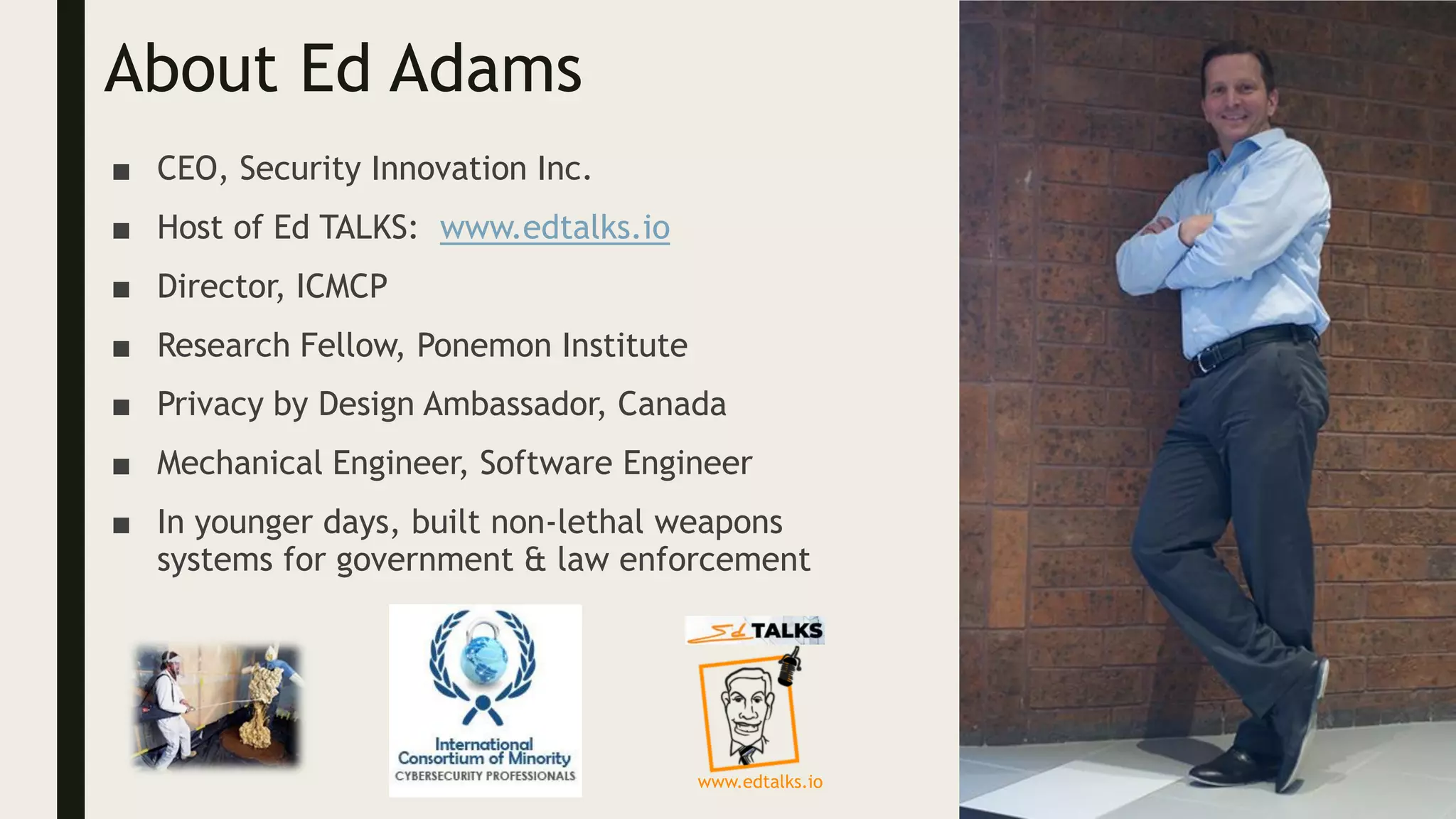
About Ed Adams
■ CEO, Security Innovation Inc.
■ Host of Ed TALKS: www.edtalks.io
■ Director, ICMCP
■ Research Fellow, Ponemon Institute
■ Privacy by Design Ambassador, Canada
■ Mechanical Engineer, Software Engineer
■ In younger days, built non-lethal weapons
systems for government & law enforcement
www.edtalks.io
About Security Innovation
■ Securing software in challenging places….
■ Helping clients get smarter about software security
Assessment: show me the gaps
Standards: set goals and make it easy
Training: enable me to make good decisions
Over
3 Million
Users
Authored
18
Books
Named
6x
Gartner MQ
What am I doing?
■ I’m going to explain common attack and exploitation techniques,
through the power of analogy!
■ There are some great common parallels between computer
security and the real world
■ I will gently guide you from the real world into a high-level
technical understanding
■ Goal: Lay the groundwork of understanding attacks and
vulnerabilities for future
VULNERABILITIES
the failures
INJECTION
FLAWS
Humans + code =
sadness
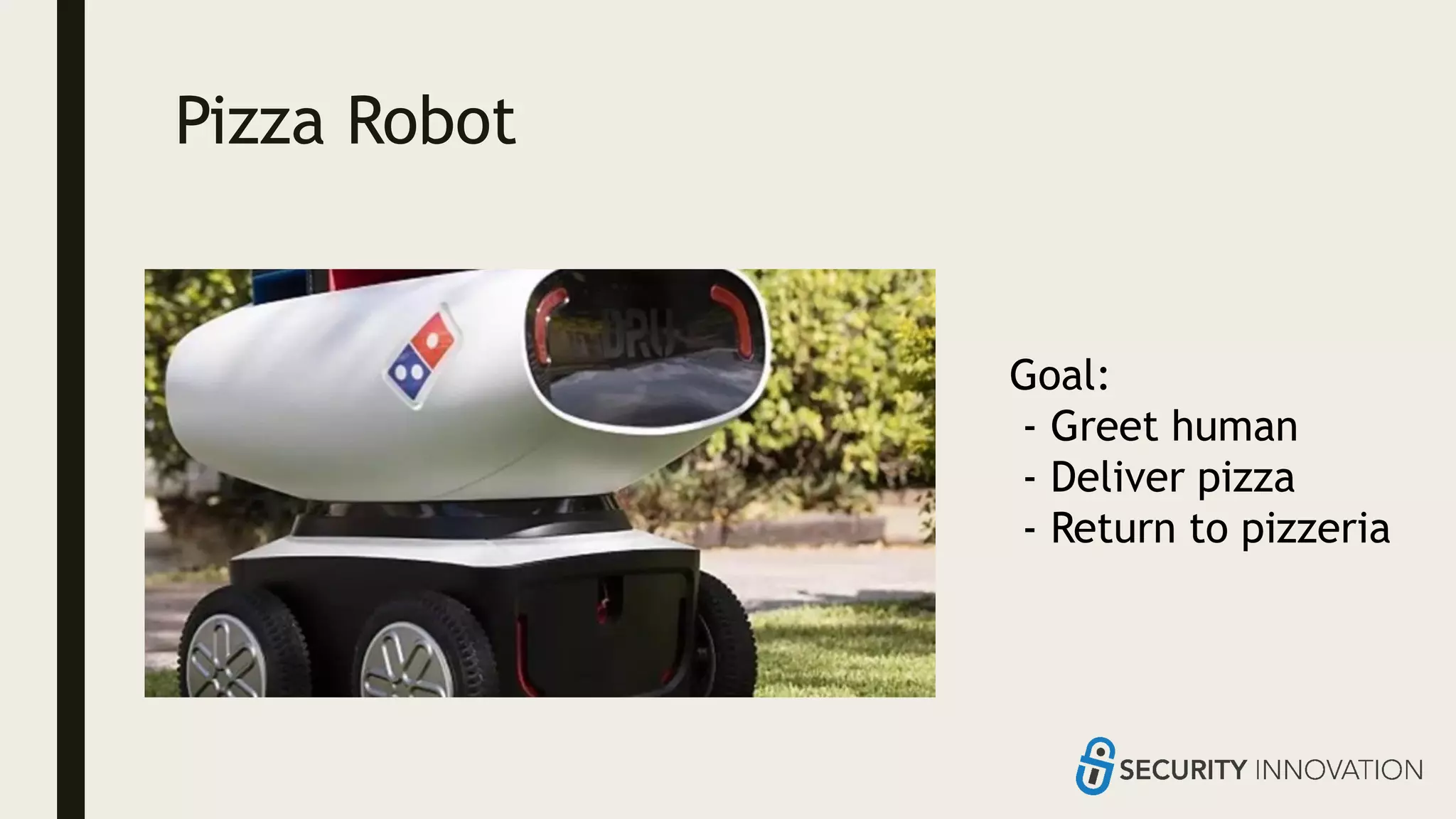
Pizza Robot
Goal:
- Greet human
- Deliver pizza
- Return to pizzeria
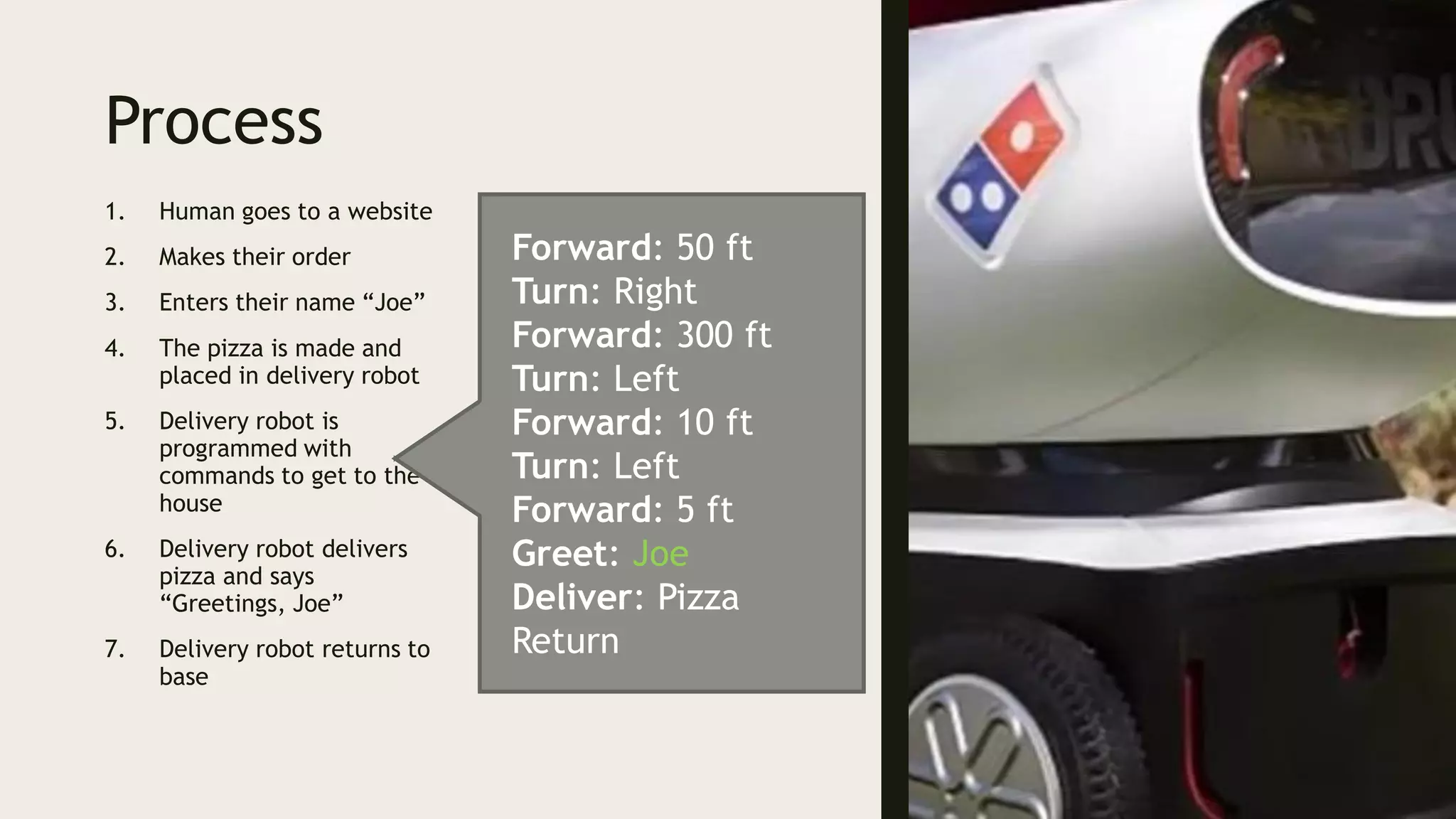
Process
1. Human goes to a website
2. Makes their order
3. Enters their name “Joe”
4. The pizza is made and
placed in delivery robot
5. Delivery robot is
programmed with
commands to get to the
house
6. Delivery robot delivers
pizza and says
“Greetings, Joe”
7. Delivery robot returns to
base
Forward: 50 ft
Turn: Right
Forward: 300 ft
Turn: Left
Forward: 10 ft
Turn: Left
Forward: 5 ft
Greet: Joe
Deliver: Pizza
Return
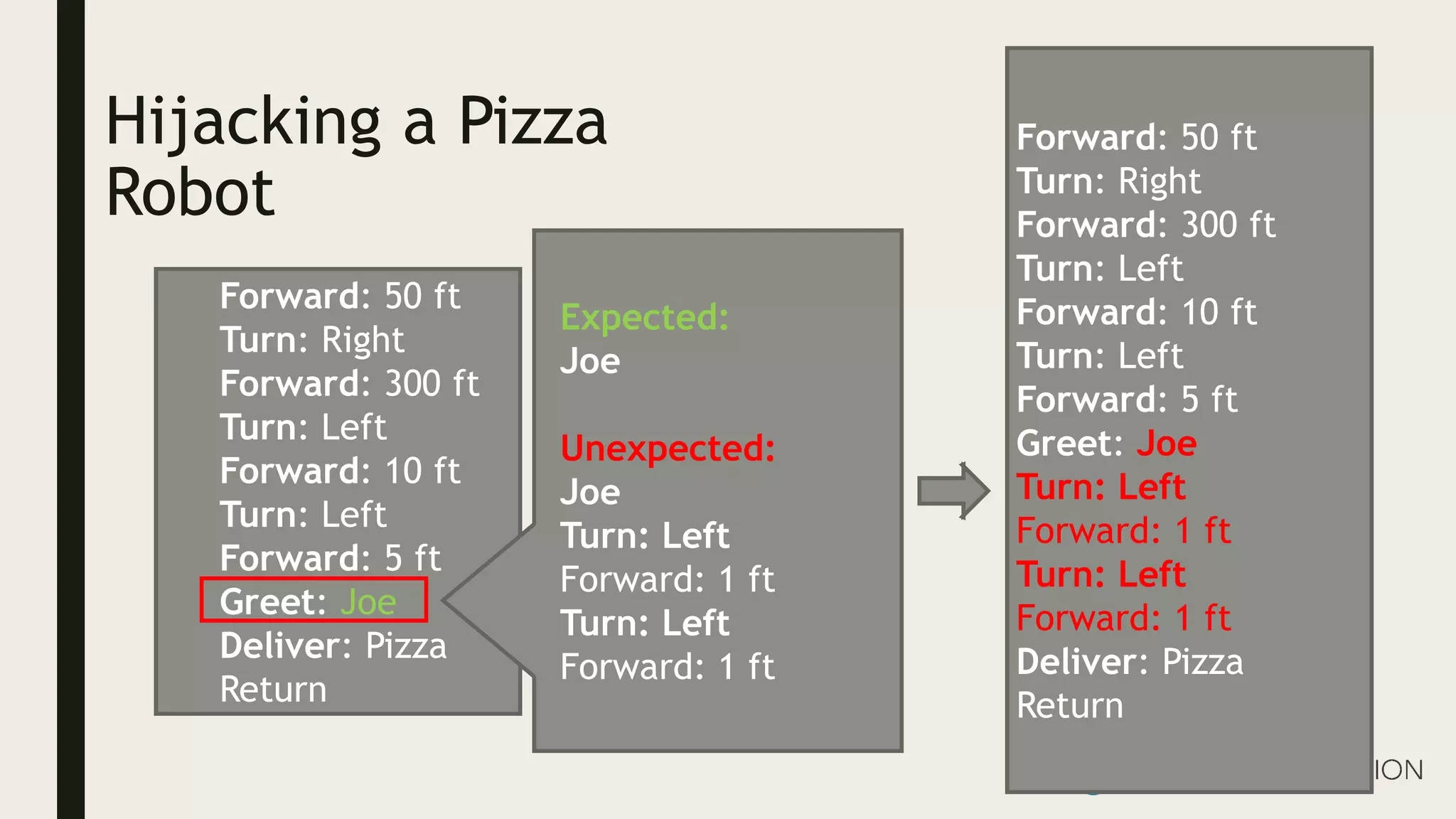
Hijacking a Pizza
Robot
Forward: 50 ft
Turn: Right
Forward: 300 ft
Turn: Left
Forward: 10 ft
Turn: Left
Forward: 5 ft
Greet: Joe
Deliver: Pizza
Return
Expected:
Joe
Unexpected:
Joe
Turn: Left
Forward: 1 ft
Turn: Left
Forward: 1 ft
Forward: 50 ft
Turn: Right
Forward: 300 ft
Turn: Left
Forward: 10 ft
Turn: Left
Forward: 5 ft
Greet: Joe
Turn: Left
Forward: 1 ft
Turn: Left
Forward: 1 ft
Deliver: Pizza
Return
What’s happening!?
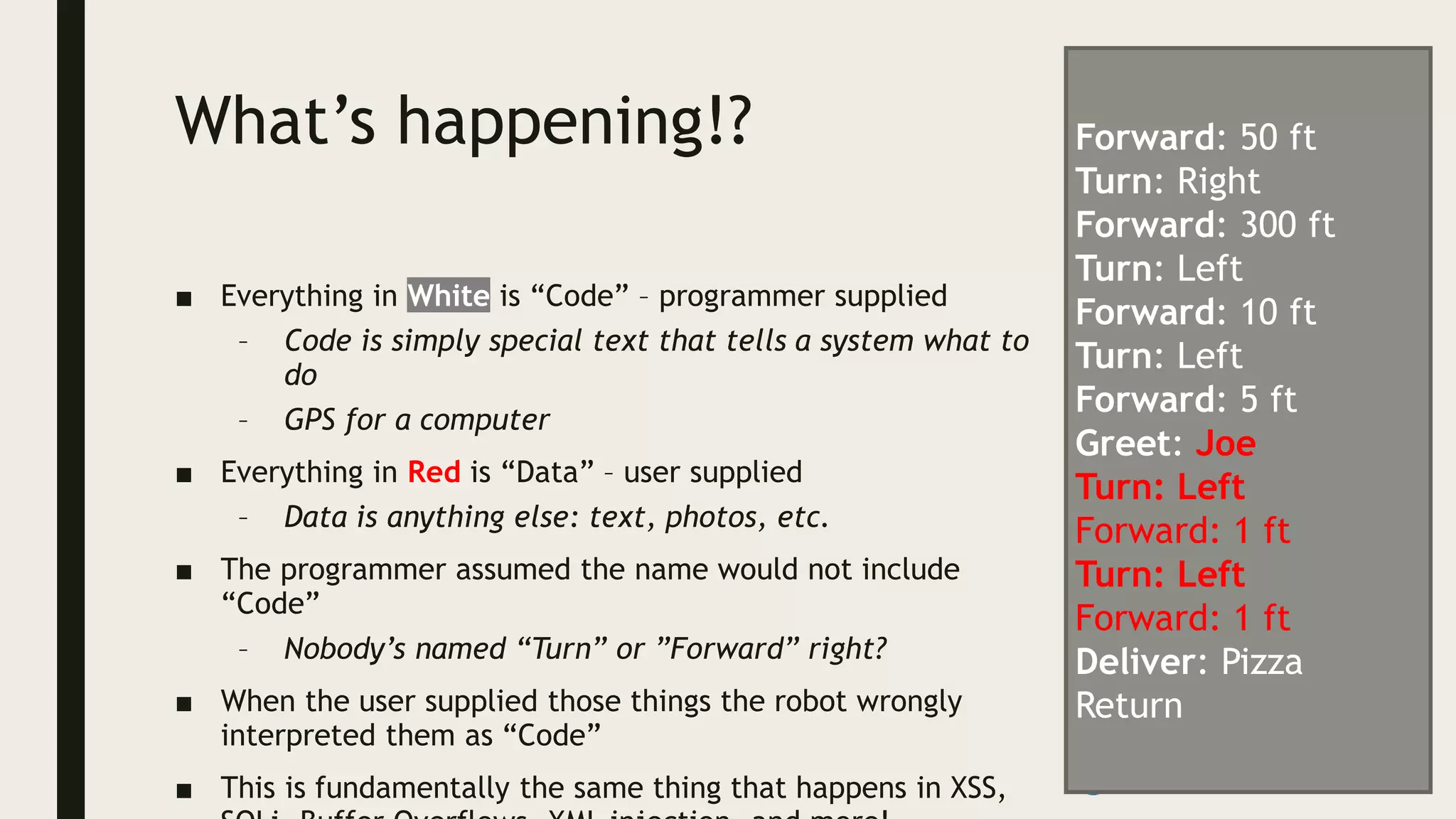
■ Everything in White is “Code” – programmer supplied
– Code is simply special text that tells a system what to
do
– GPS for a computer
■ Everything in Red is “Data” – user supplied
– Data is anything else: text, photos, etc.
■ The programmer assumed the name would not include
“Code”
– Nobody’s named “Turn” or ”Forward” right?
■ When the user supplied those things the robot wrongly
interpreted them as “Code”
■ This is fundamentally the same thing that happens in XSS,
Forward: 50 ft
Turn: Right
Forward: 300 ft
Turn: Left
Forward: 10 ft
Turn: Left
Forward: 5 ft
Greet: Joe
Turn: Left
Forward: 1 ft
Turn: Left
Forward: 1 ft
Deliver: Pizza
Return
XSS & SQLI Time to get real
XSS
Mixing code and
data in the web
browser is
confusing
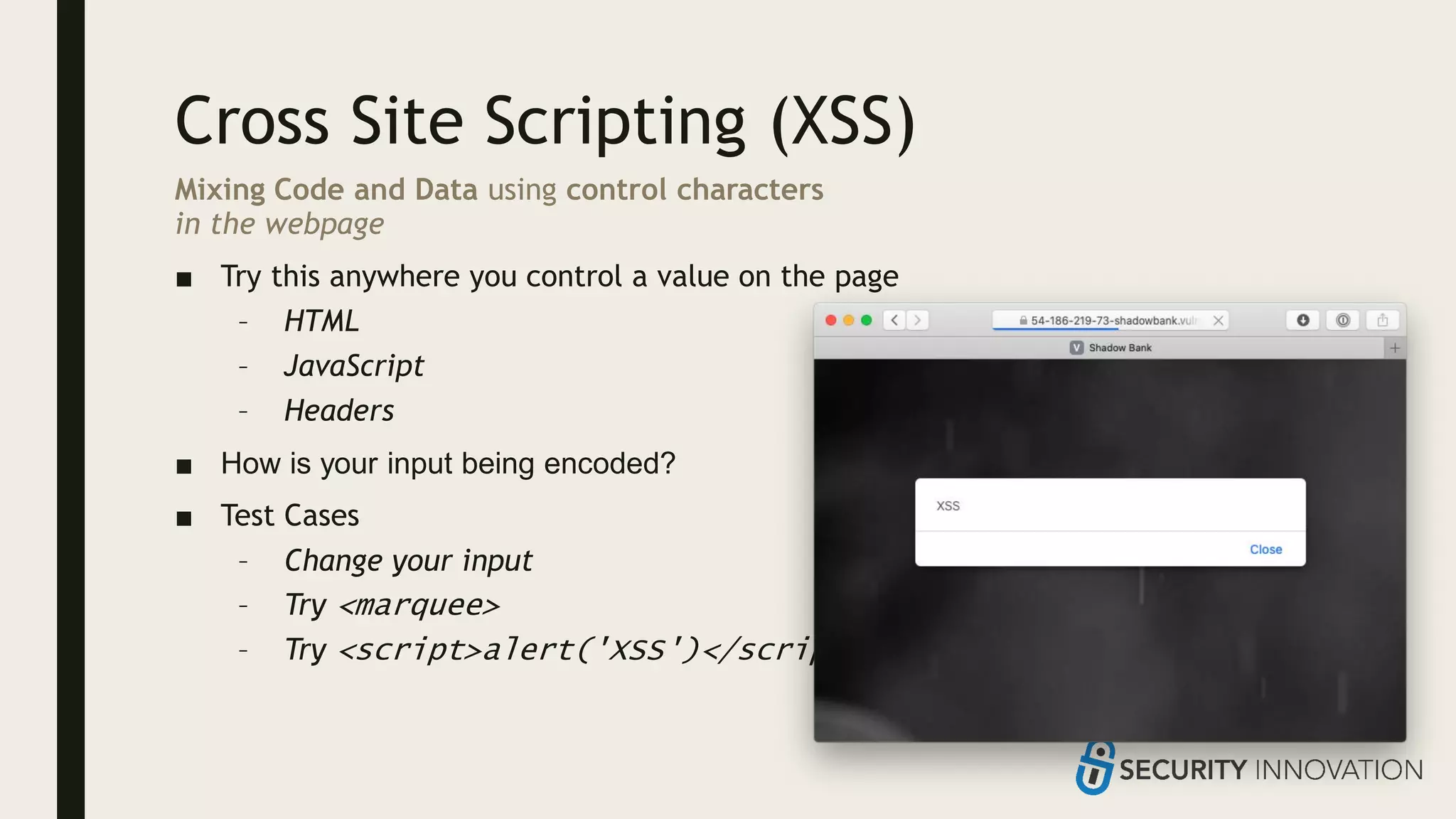
Cross Site Scripting (XSS)
Mixing Code and Data using control characters
in the webpage
■ Try this anywhere you control a value on the page
– HTML
– JavaScript
– Headers
■ How is your input being encoded?
■ Test Cases
– Change your input
– Try <marquee>
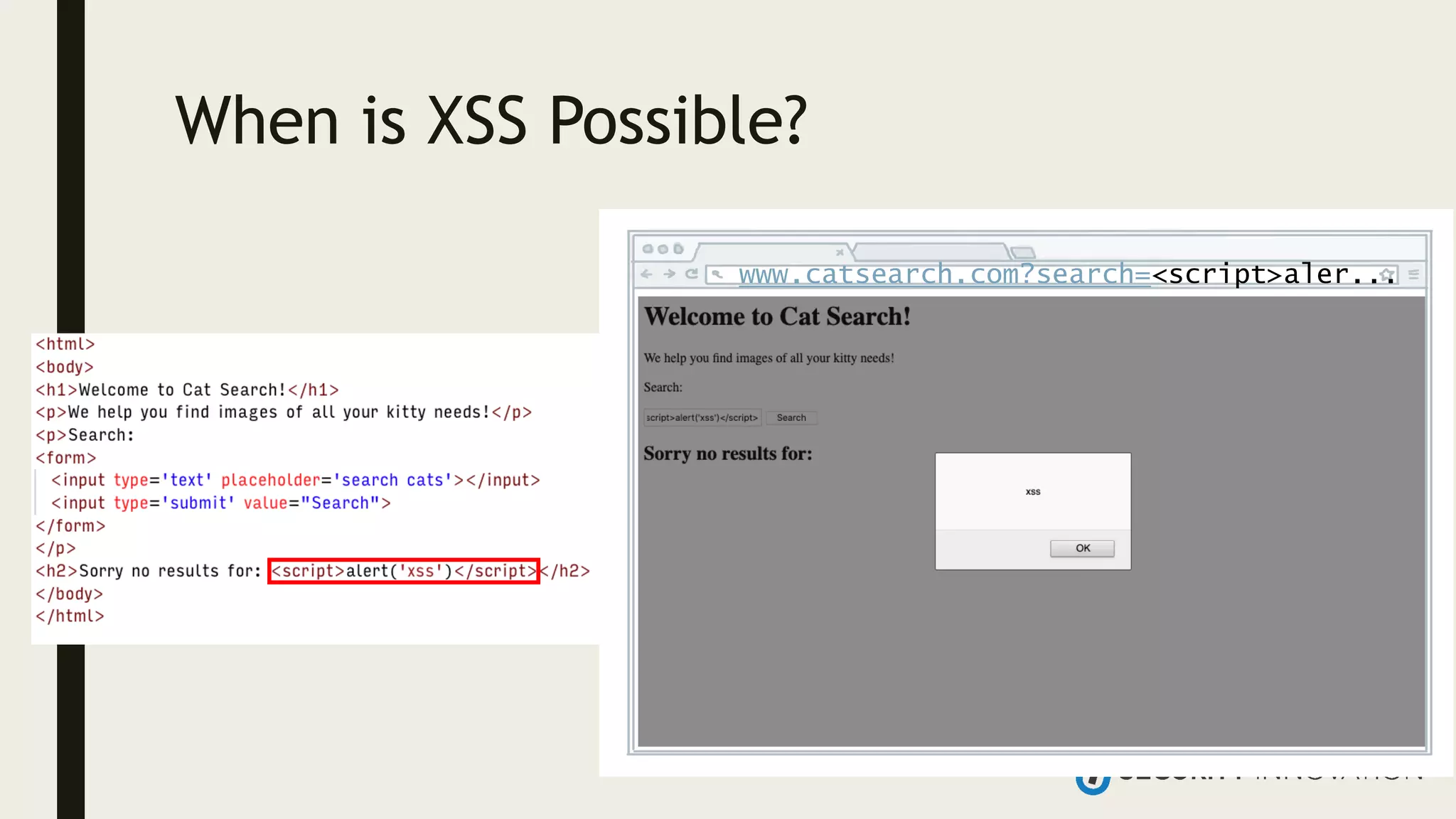
– Try <script>alert('XSS')</script>
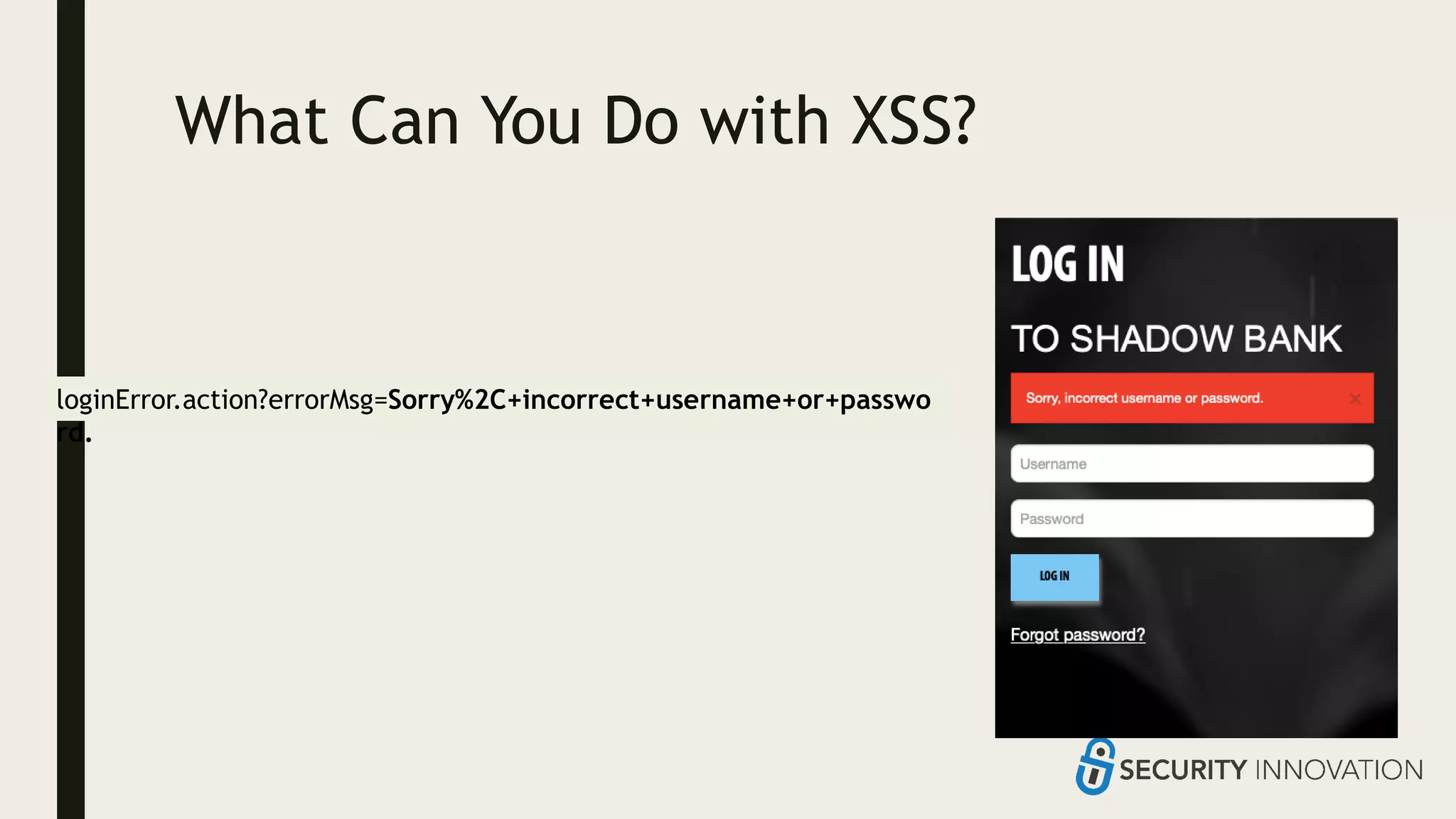
What Can You Do with XSS?
loginError.action?errorMsg=Sorry%2C+incorrect+username+or+passwo
rd.
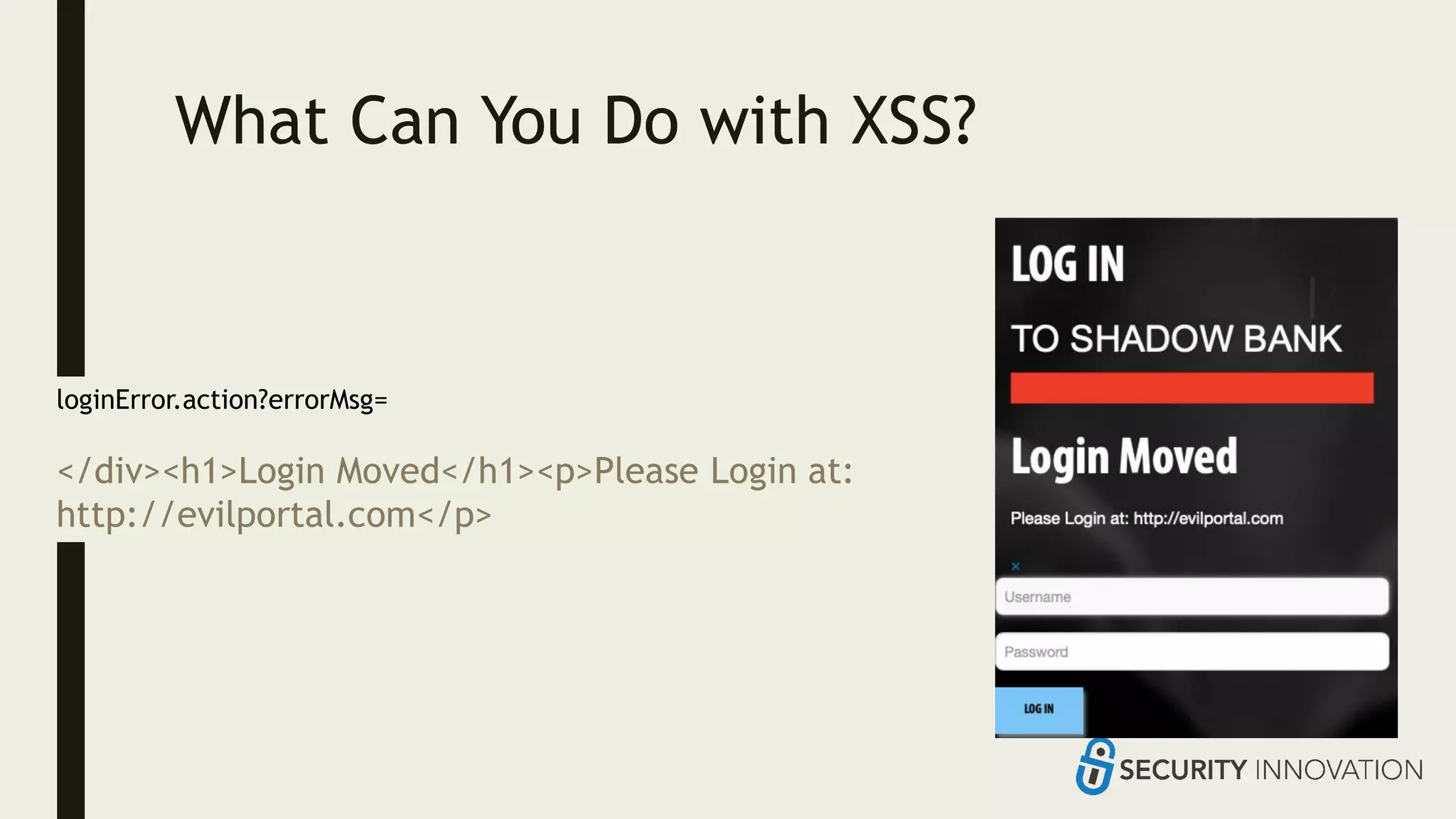
What Can You Do with XSS?
loginError.action?errorMsg=
</div><h1>Login Moved</h1><p>Please Login at:
http://evilportal.com</p>
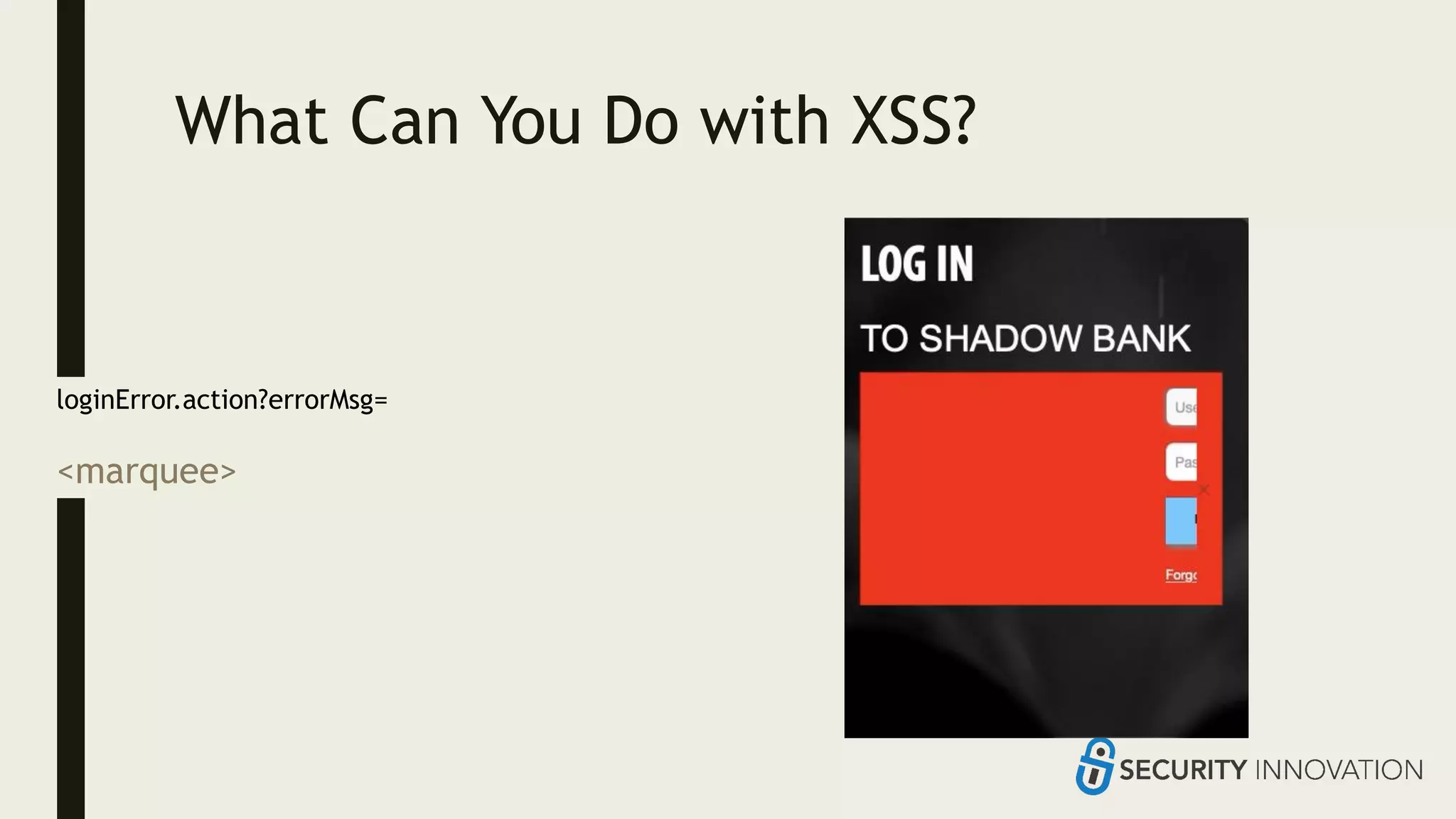
What Can You Do with XSS?
loginError.action?errorMsg=
<marquee>
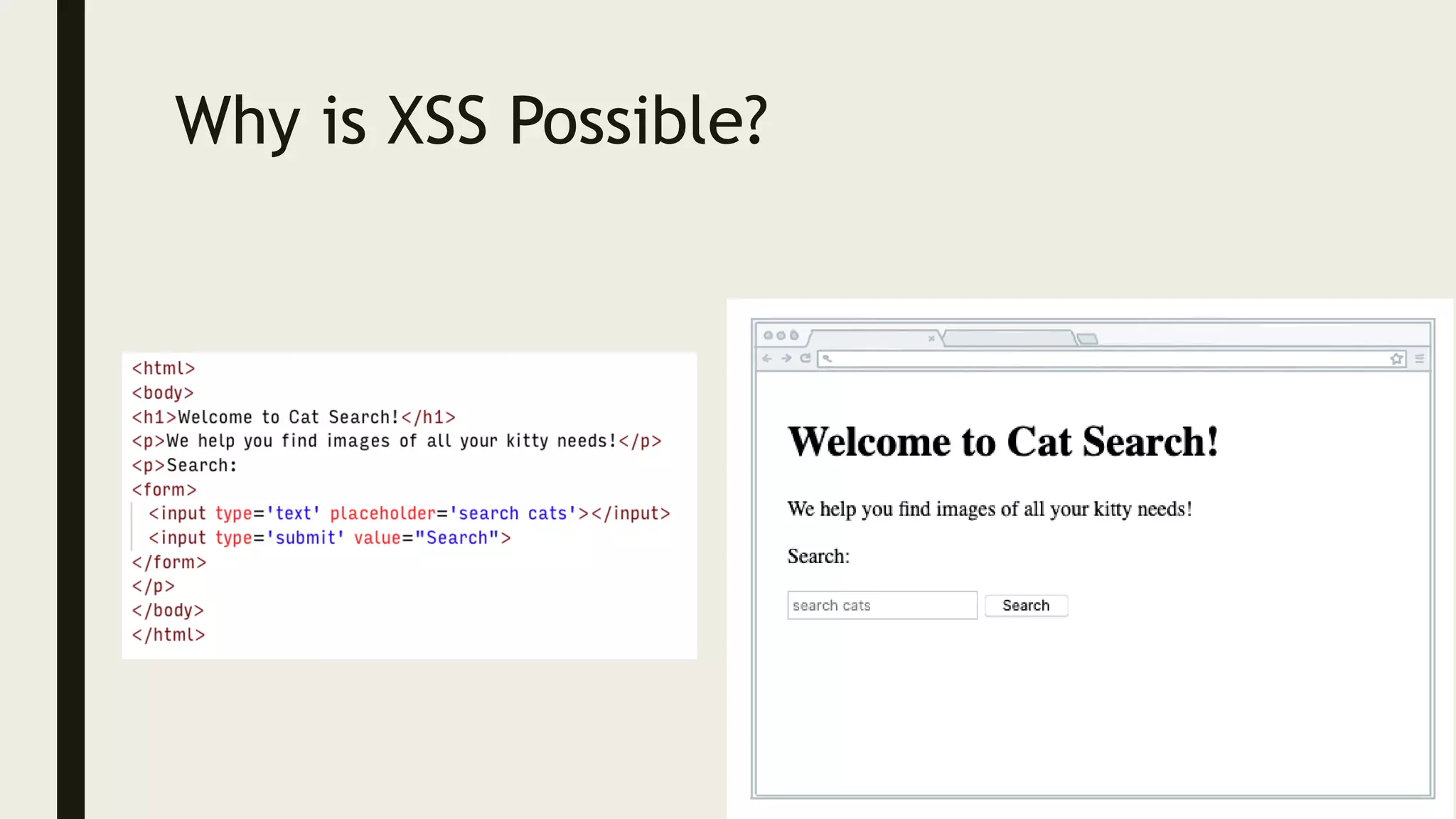
Why is XSS Possible?
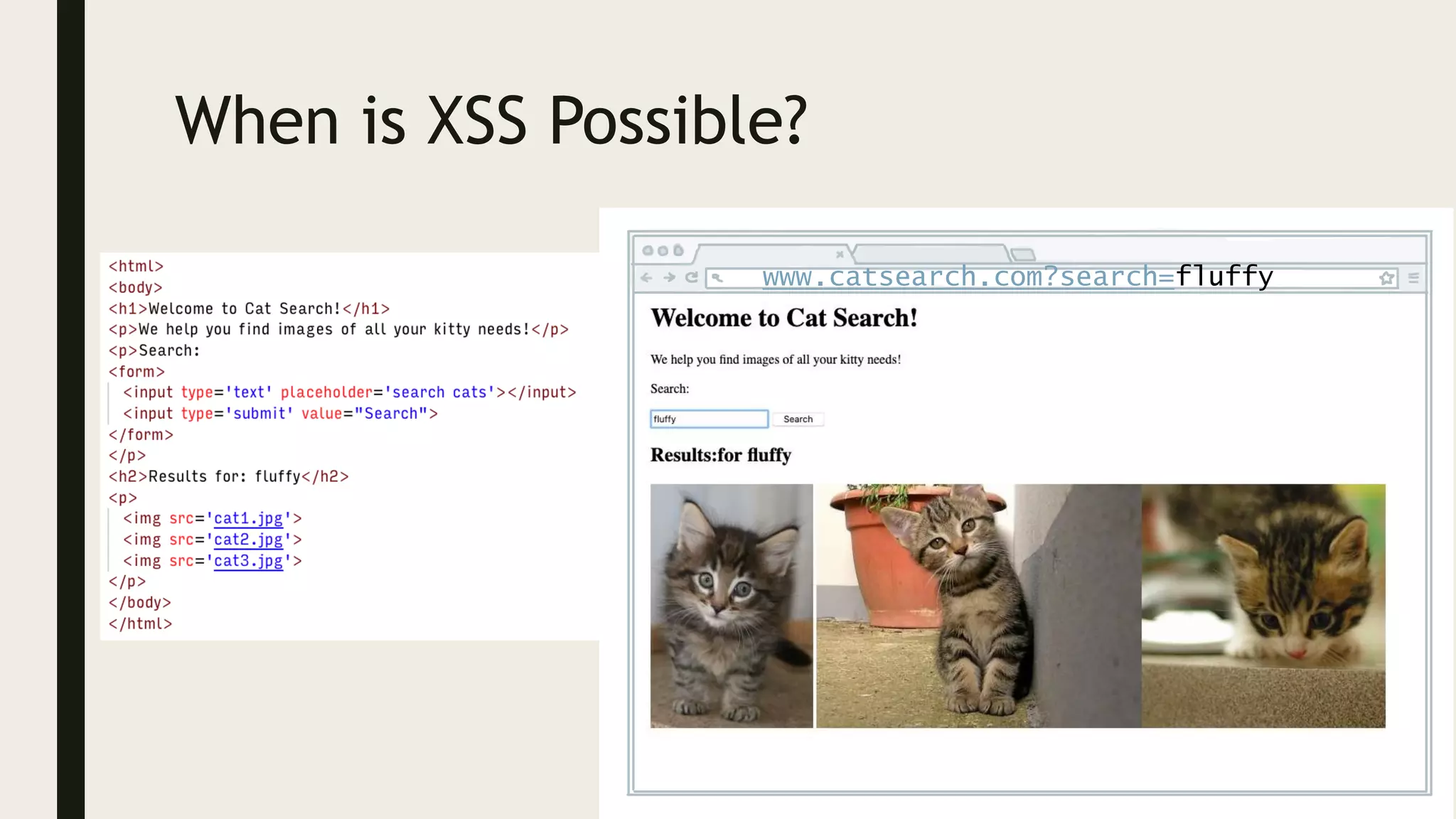
When is XSS Possible?
www.catsearch.com?search=fluffy
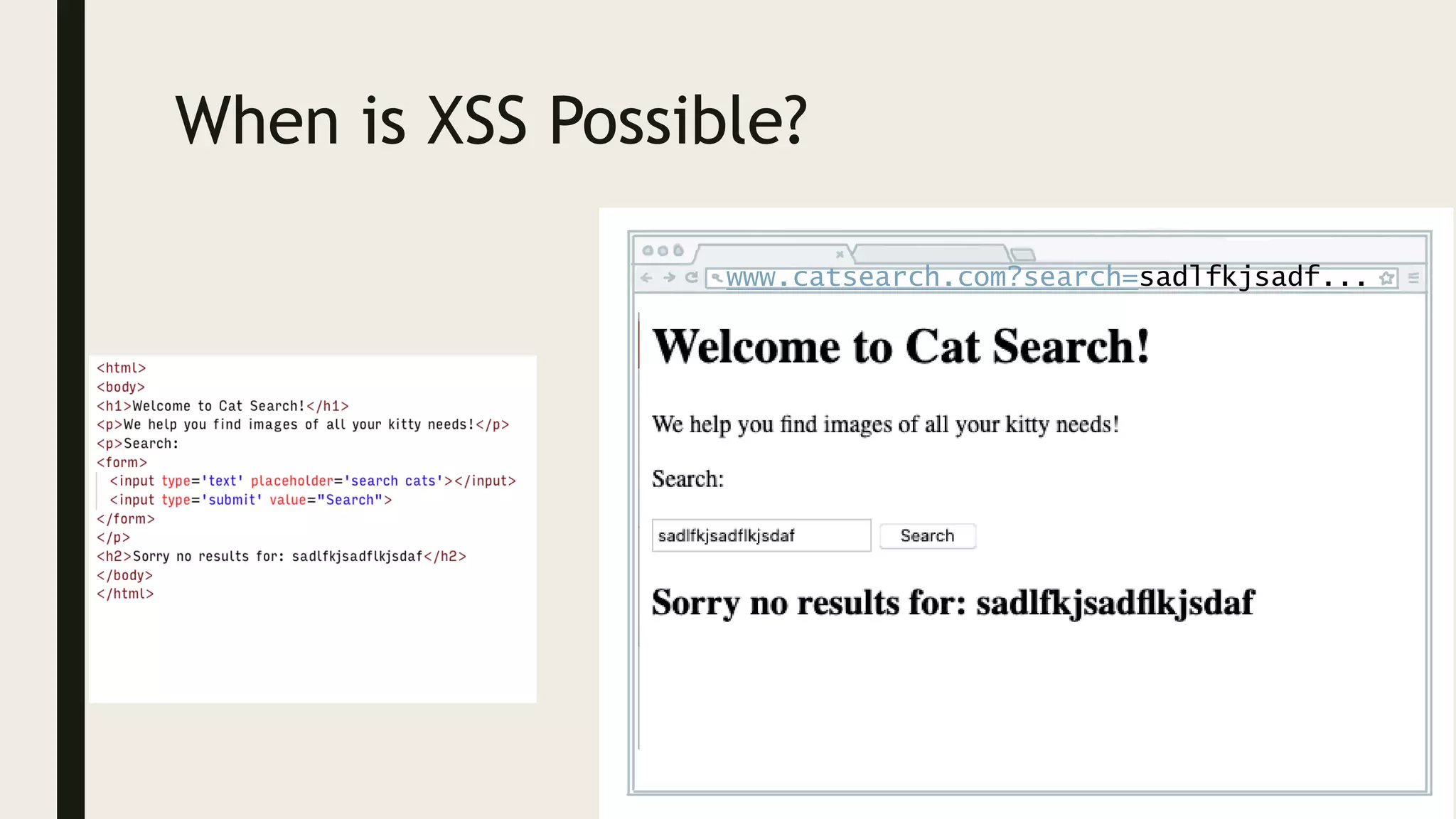
When is XSS Possible?
www.catsearch.com?search=sadlfkjsadf...
When is XSS Possible?
www.catsearch.com?search=<script>aler...
SQL
INJECTION
Mixing code and
data in databases
can be catastrophic
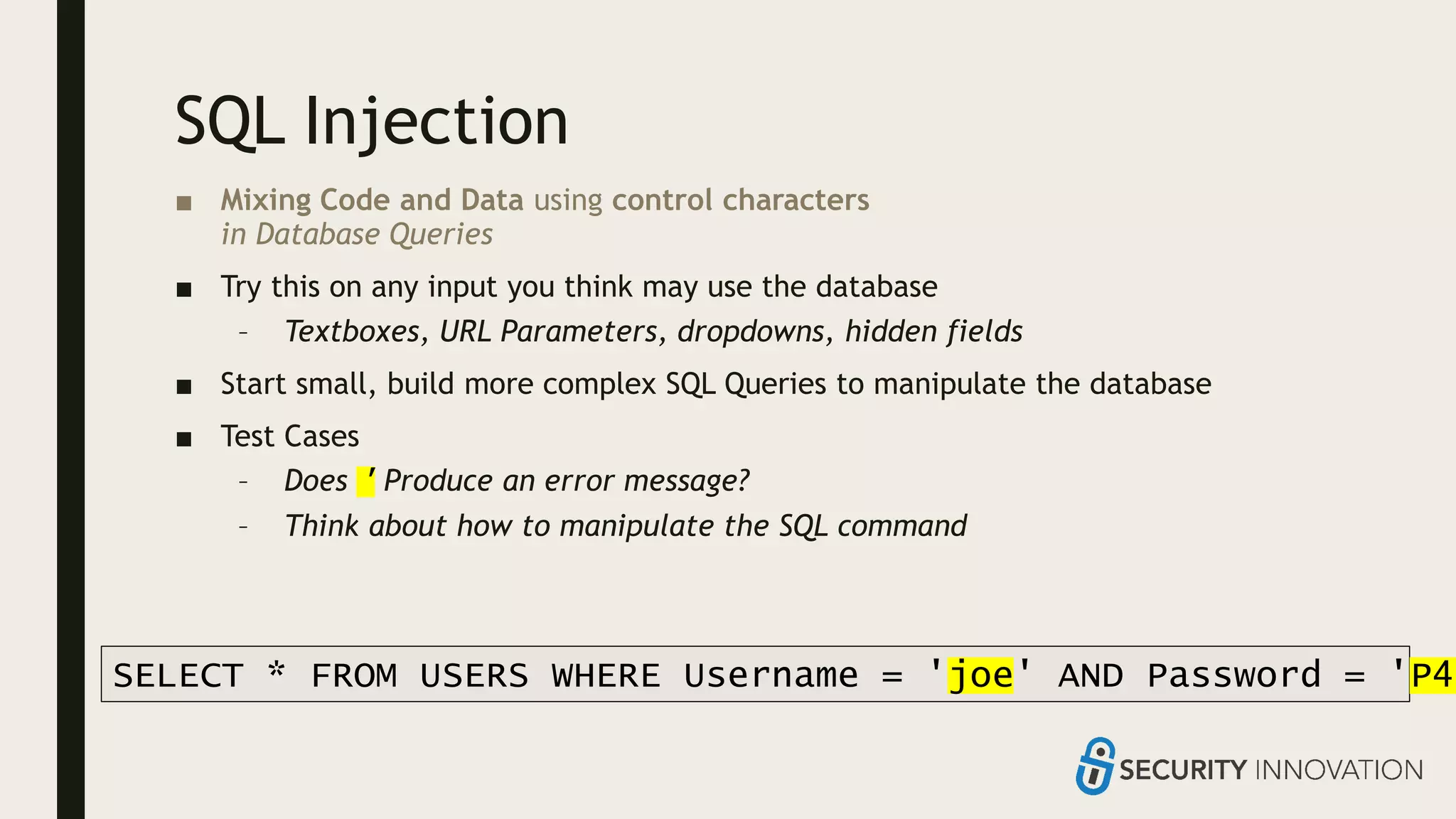
SQL Injection
■ Mixing Code and Data using control characters
in Database Queries
■ Try this on any input you think may use the database
– Textboxes, URL Parameters, dropdowns, hidden fields
■ Start small, build more complex SQL Queries to manipulate the database
■ Test Cases
– Does ' Produce an error message?
– Think about how to manipulate the SQL command
SELECT * FROM USERS WHERE Username = 'joe' AND Password = 'P4S
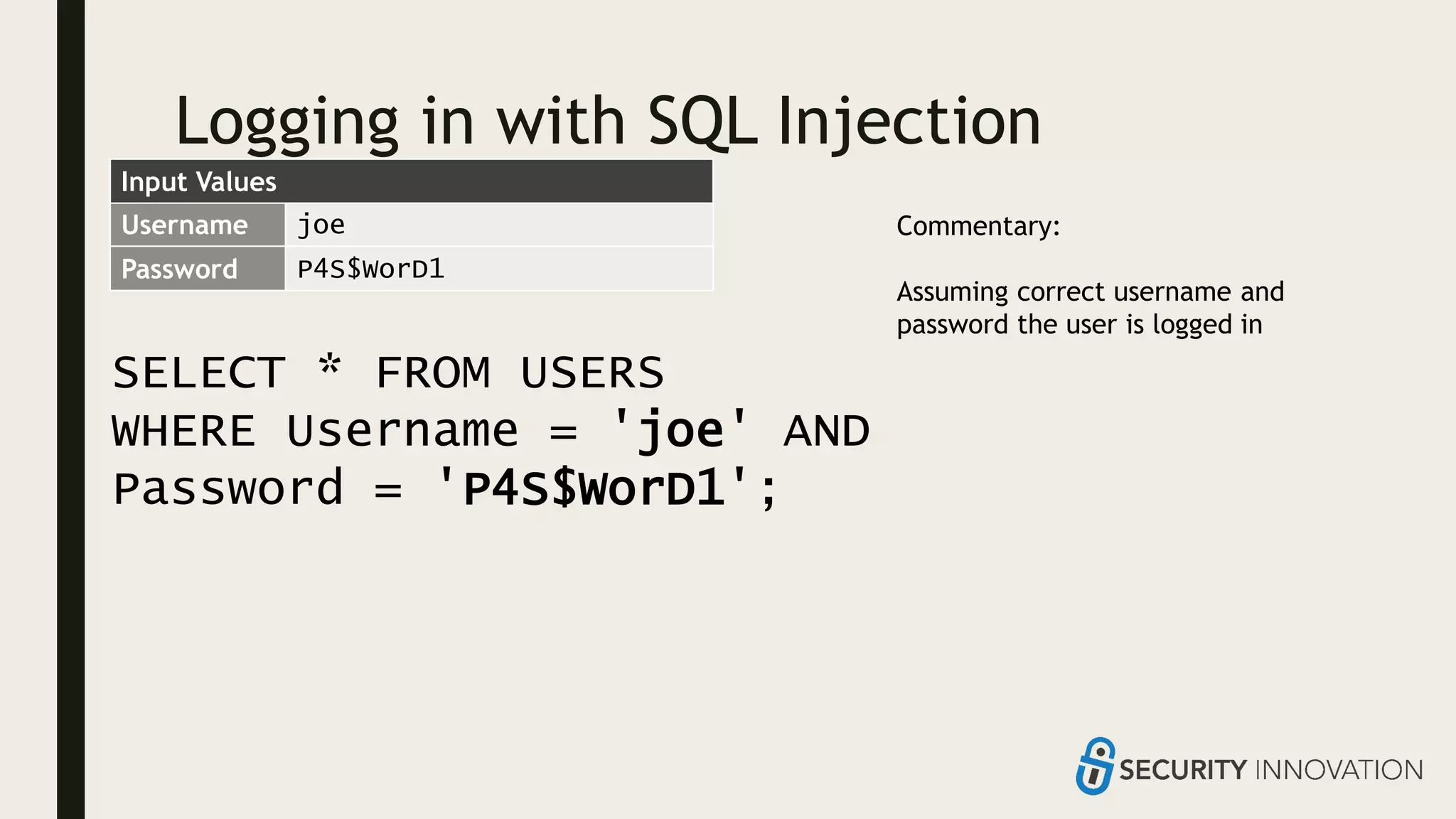
Logging in with SQL Injection
SELECT * FROM USERS
WHERE Username = 'joe' AND
Password = 'P4S$WorD1';
Username joe
Password P4S$WorD1
Commentary:
Assuming correct username and
password the user is logged in
Input Values
Logging in with SQL Injection
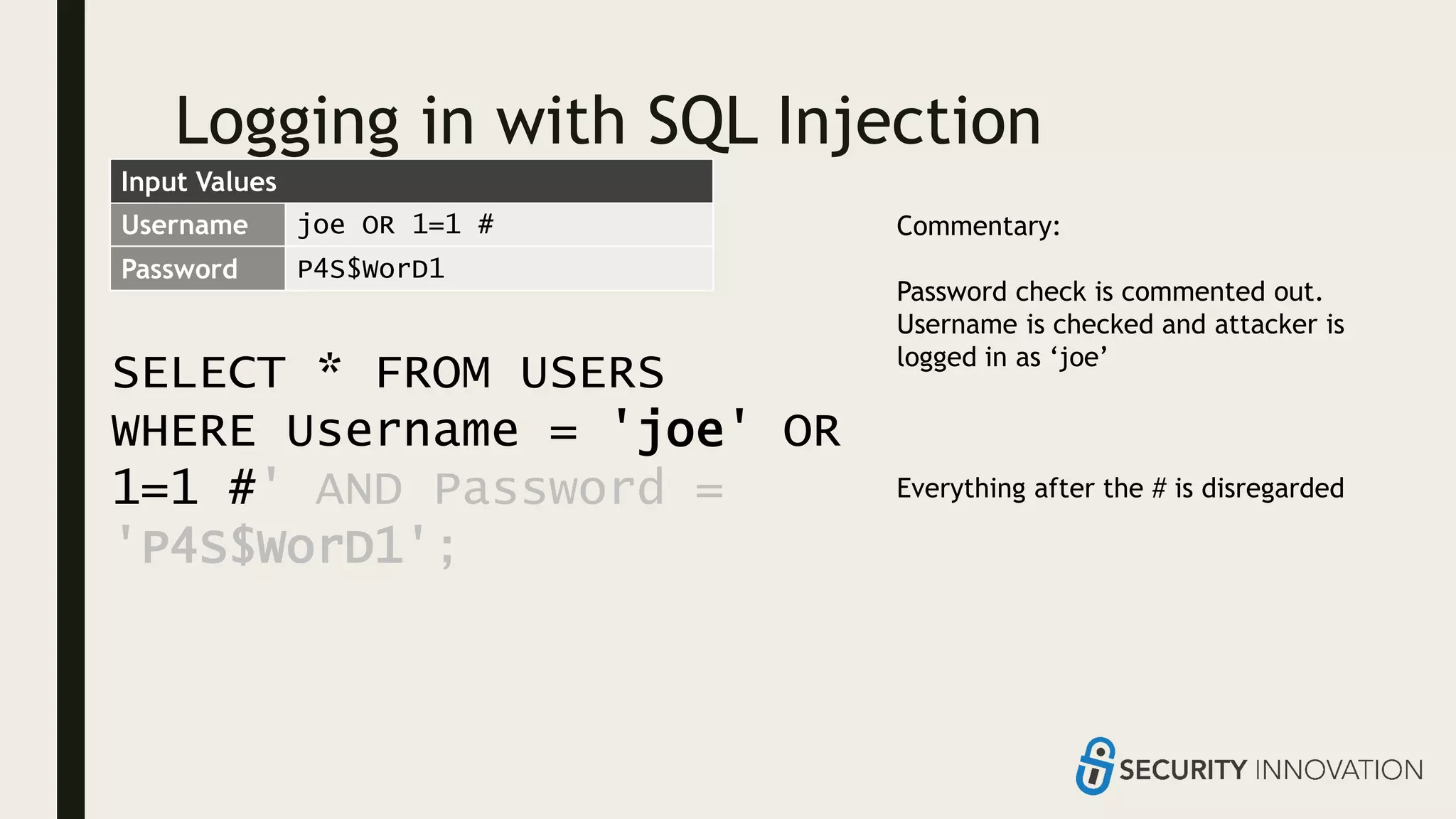
SELECT * FROM USERS
WHERE Username = 'joe' OR
1=1 #' AND Password =
'P4S$WorD1';
Username joe OR 1=1 #
Password P4S$WorD1
Commentary:
Password check is commented out.
Username is checked and attacker is
logged in as ‘joe’
Everything after the # is disregarded
Input Values
Logging in with SQL Injection
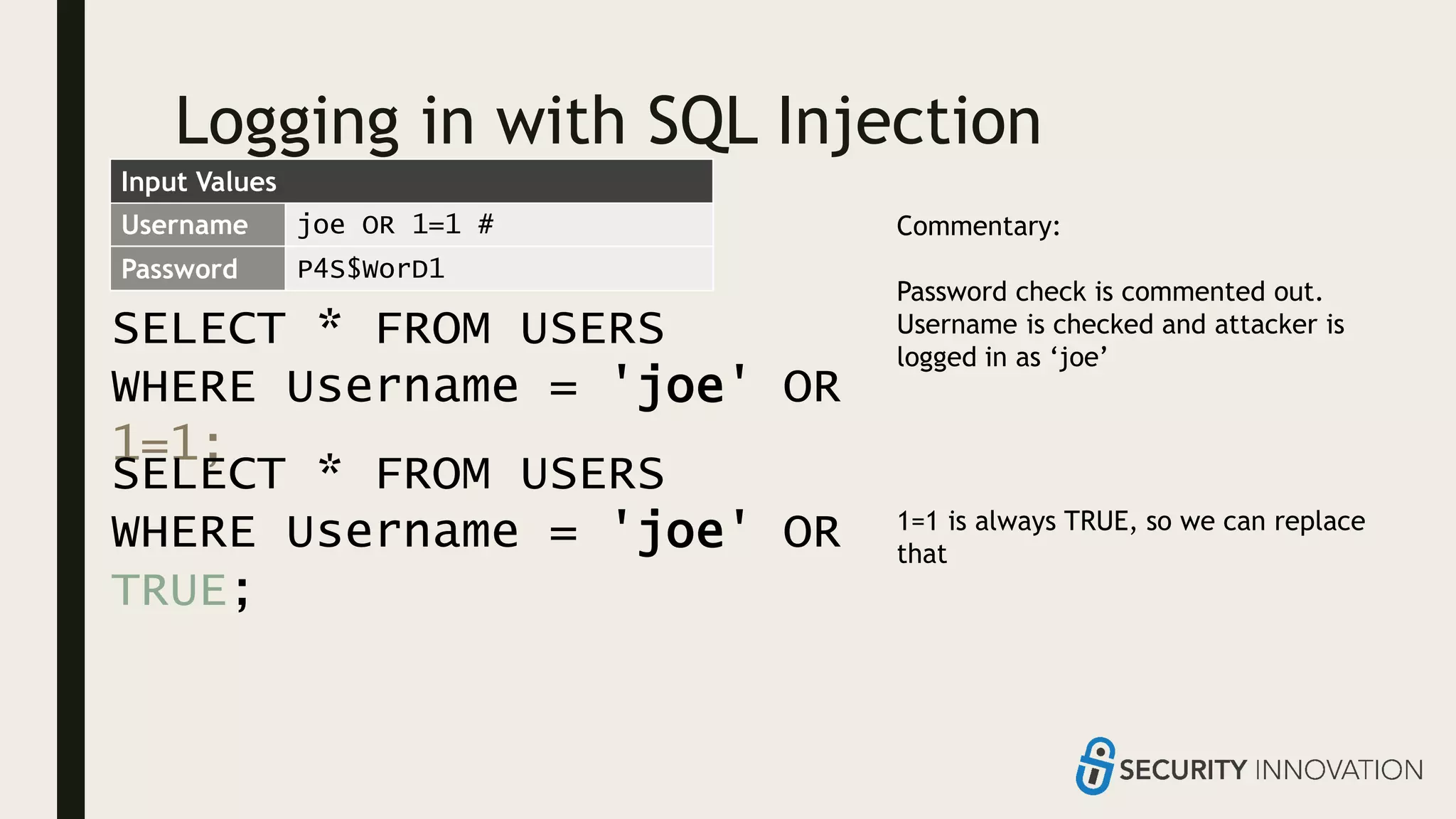
SELECT * FROM USERS
WHERE Username = 'joe' OR
1=1;
Username joe OR 1=1 #
Password P4S$WorD1
Commentary:
Password check is commented out.
Username is checked and attacker is
logged in as ‘joe’
1=1 is always TRUE, so we can replace
that
SELECT * FROM USERS
WHERE Username = 'joe' OR
TRUE;
Input Values
Logging in with SQL Injection
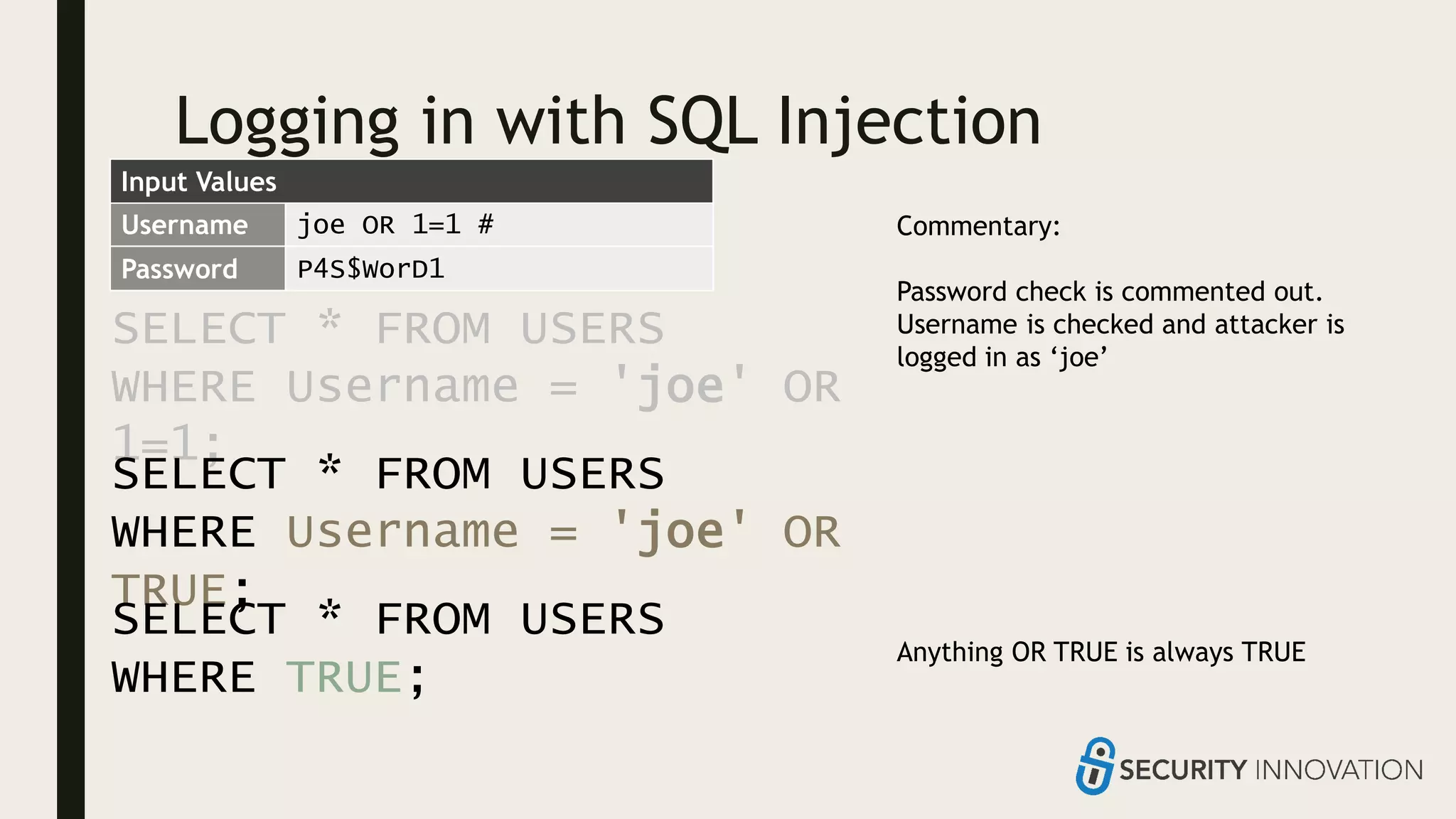
SELECT * FROM USERS
WHERE Username = 'joe' OR
1=1;
Username joe OR 1=1 #
Password P4S$WorD1
Commentary:
Password check is commented out.
Username is checked and attacker is
logged in as ‘joe’
Anything OR TRUE is always TRUE
SELECT * FROM USERS
WHERE Username = 'joe' OR
TRUE;
SELECT * FROM USERS
WHERE TRUE;
Input Values
Logging in with SQL Injection
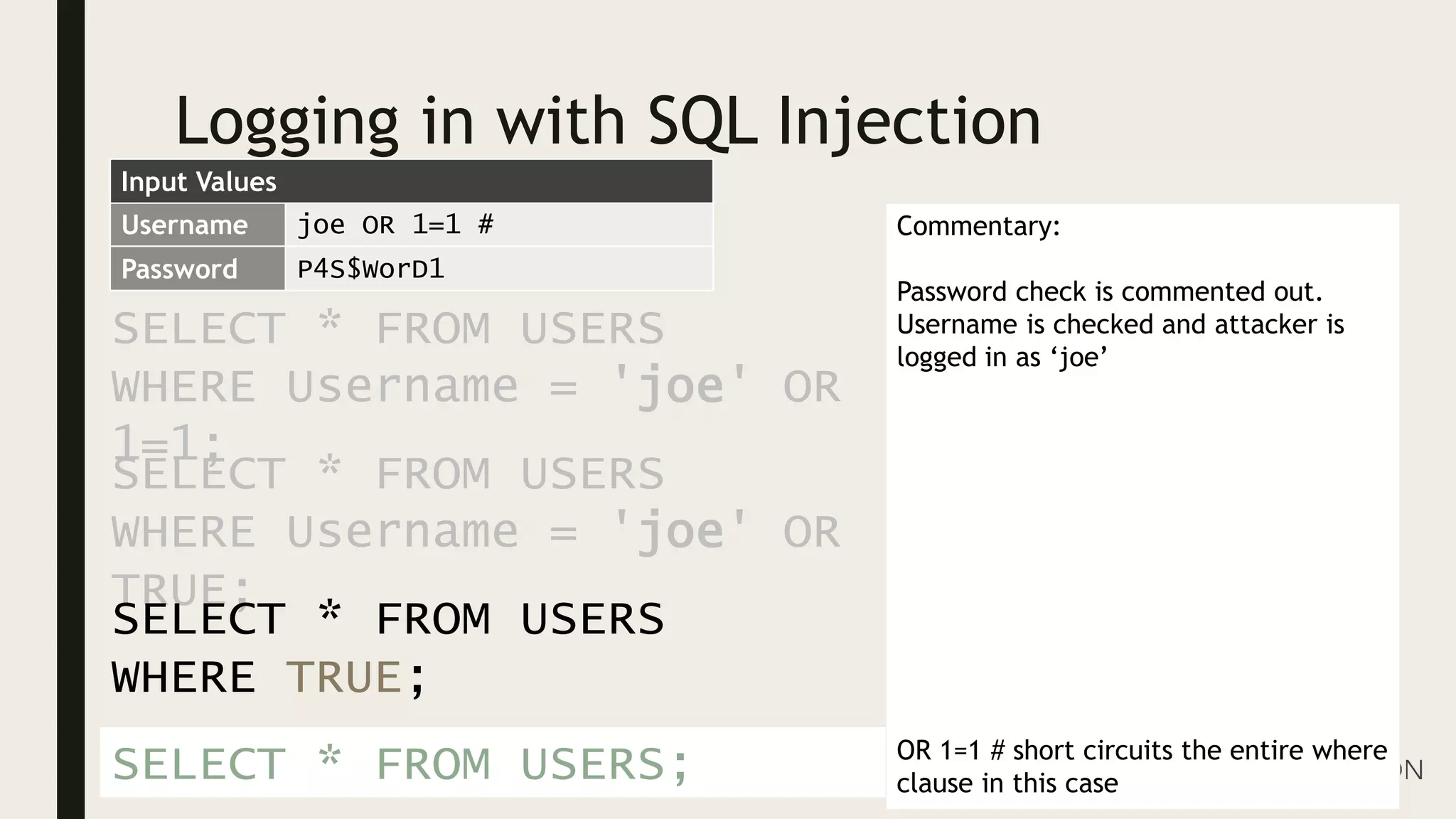
SELECT * FROM USERS
WHERE Username = 'joe' OR
1=1;
Username joe OR 1=1 #
Password P4S$WorD1
Commentary:
Password check is commented out.
Username is checked and attacker is
logged in as ‘joe’
OR 1=1 # short circuits the entire where
clause in this case
SELECT * FROM USERS
WHERE Username = 'joe' OR
TRUE;
SELECT * FROM USERS
WHERE TRUE;
SELECT * FROM USERS;
Input Values
INJECTION FLAWS ALLOW
AN ATTACKER TO INJECT
THEIR OWN CODE INTO
THE PROGRAM
BROKEN
AUTHENTICATION
Check ID at the
door
IS A HI-VIS
VEST
MORE
POWERFUL
THAN ID?
FREE
MOVIES
https://www.vice.com/en_au/article/mgv4gn/chalecos-reflectantes-
entrar-gratis
ENTRANCE
TO THE
ZOO
COLDPLAY?
I wasn't a big
fan of
Coldplay
before I saw
Authentication Issues
■ Many opportunities to make mistakes
– Default or test credentials
– Not storing credentials properly
– Forgetting/Resetting passwords
– Not protecting authentication
tokens properly
– Cookie issues
– Not handing user input safely
– Loss of credentials
– Password reuse
– Not checking credentials properly
– Changing usernames
– Phishing
– Failure to use 2FA
– Overlap with other vulnerabilities
(XSS, CSRF, SQLi, etc.)
■ Verify your users
■ Protect their credentials
■ Protect credential equivalents
PRIVILEGE
ESCALATION
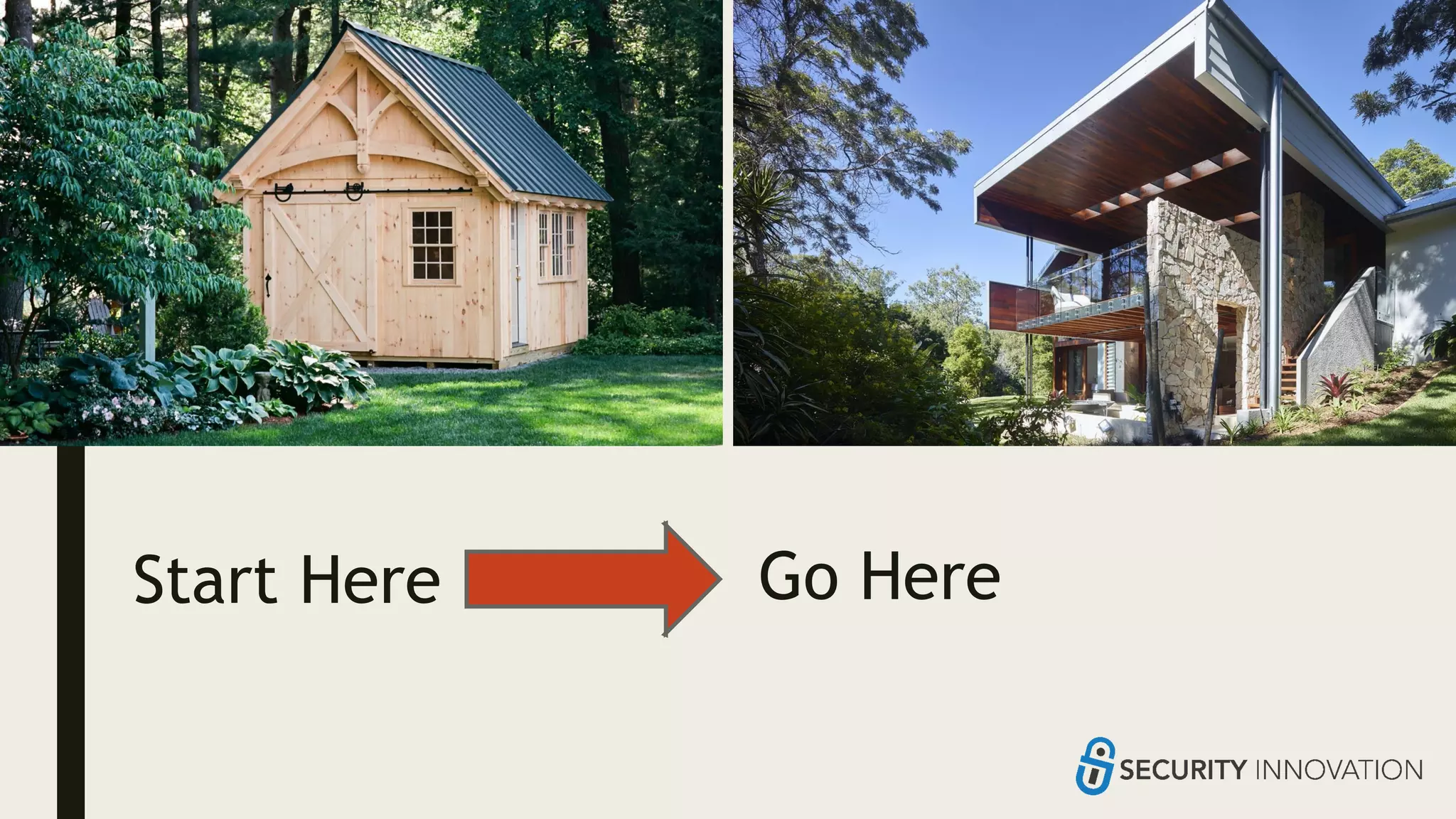
Can I steal your
TV through your
shed?
I want in here I can get in here
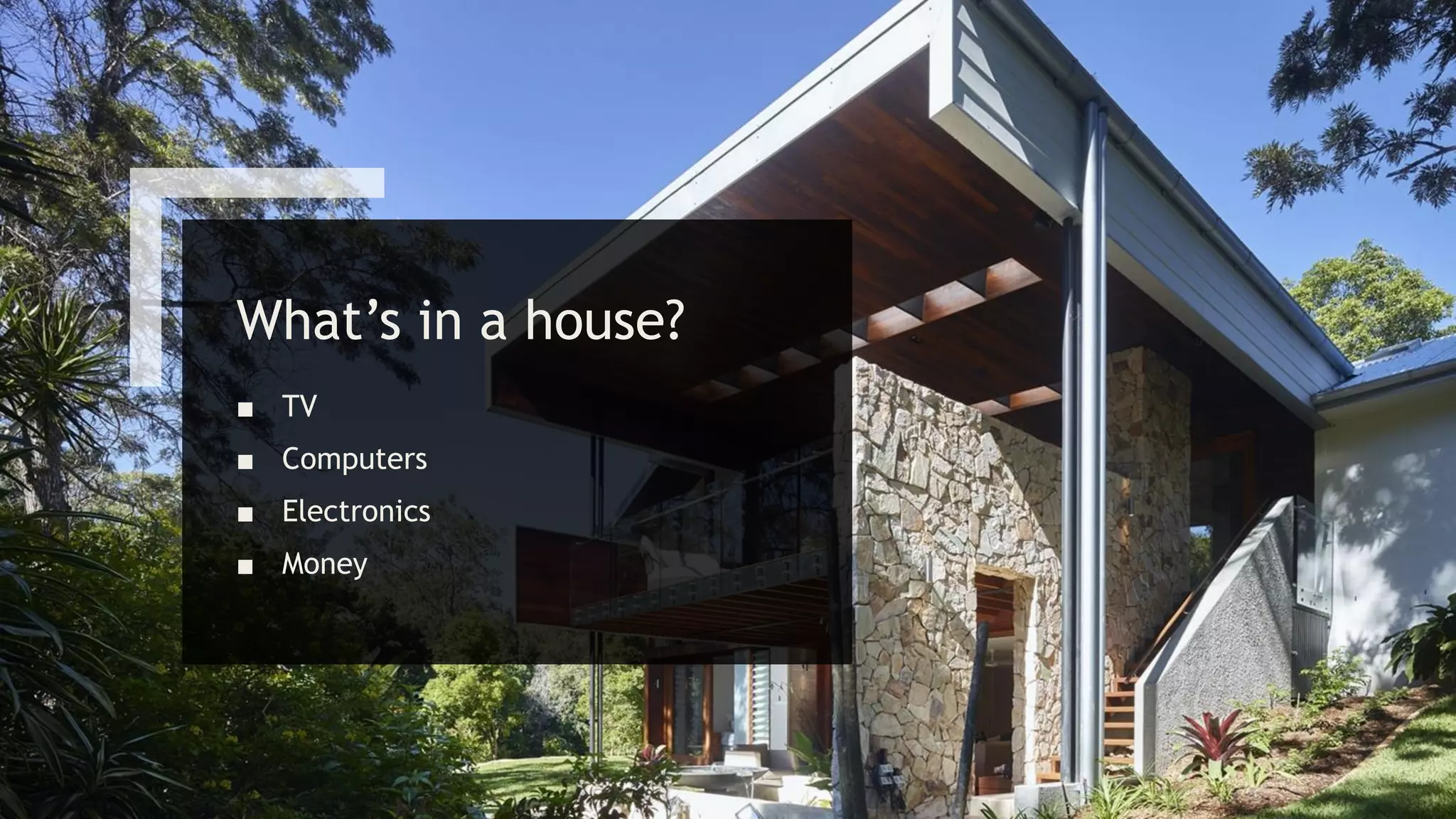
What’s in a house?
■ TV
■ Computers
■ Electronics
■ Money
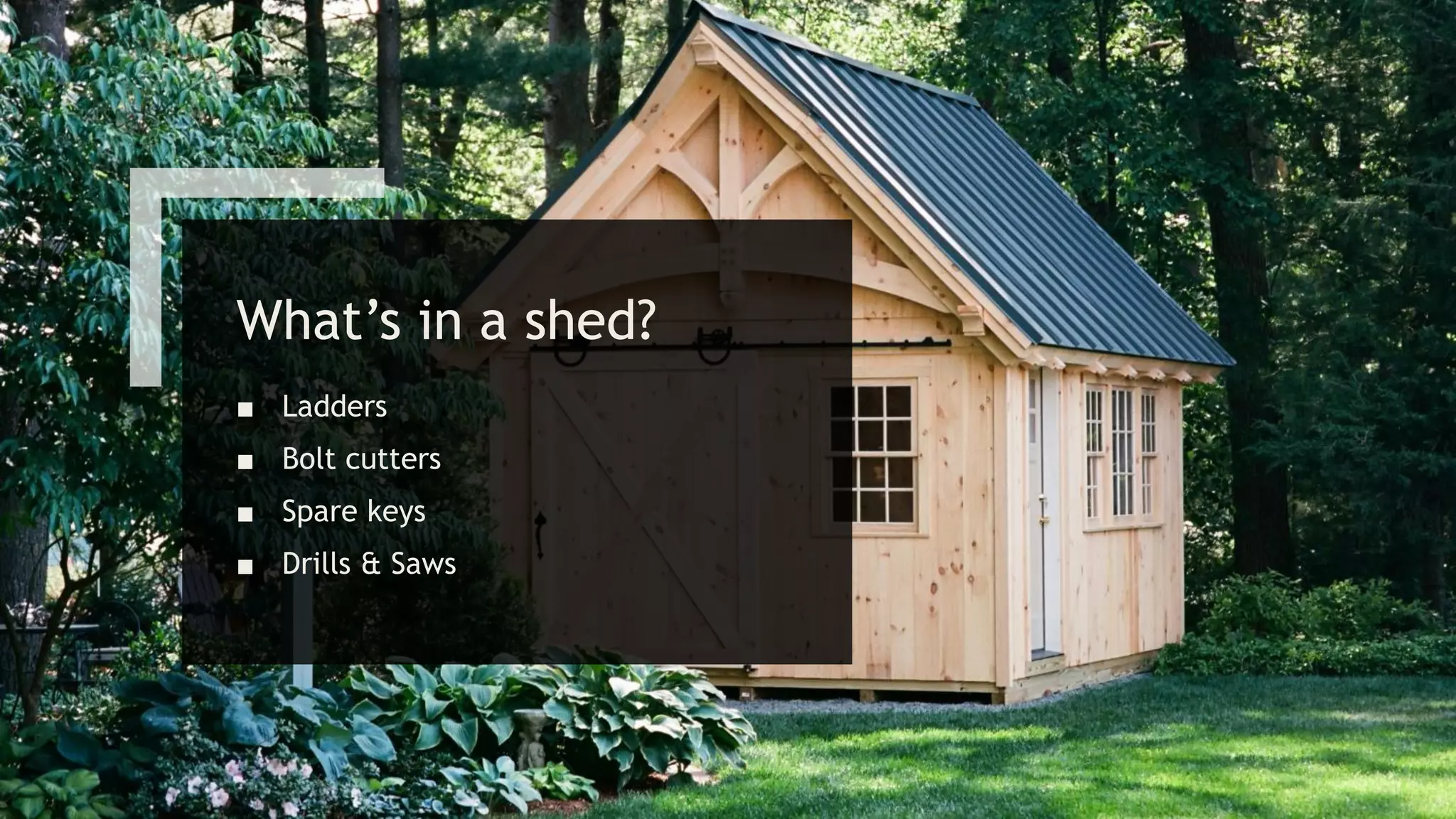
What’s in a shed?
■ Ladders
■ Bolt cutters
■ Spare keys
■ Drills & Saws
Start Here Go Here
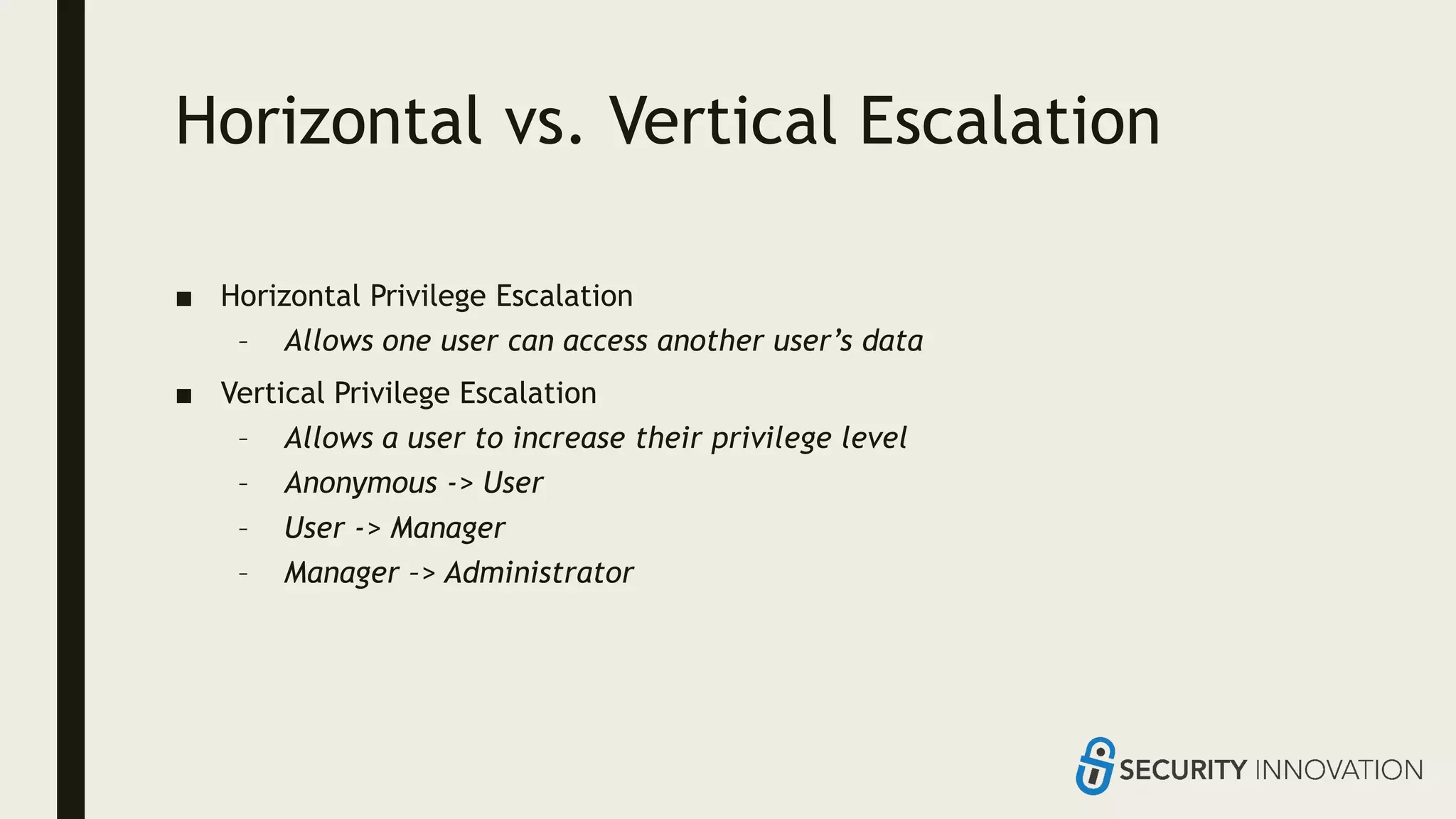
Horizontal vs. Vertical Escalation
■ Horizontal Privilege Escalation
– Allows one user can access another user’s data
■ Vertical Privilege Escalation
– Allows a user to increase their privilege level
– Anonymous -> User
– User -> Manager
– Manager –> Administrator
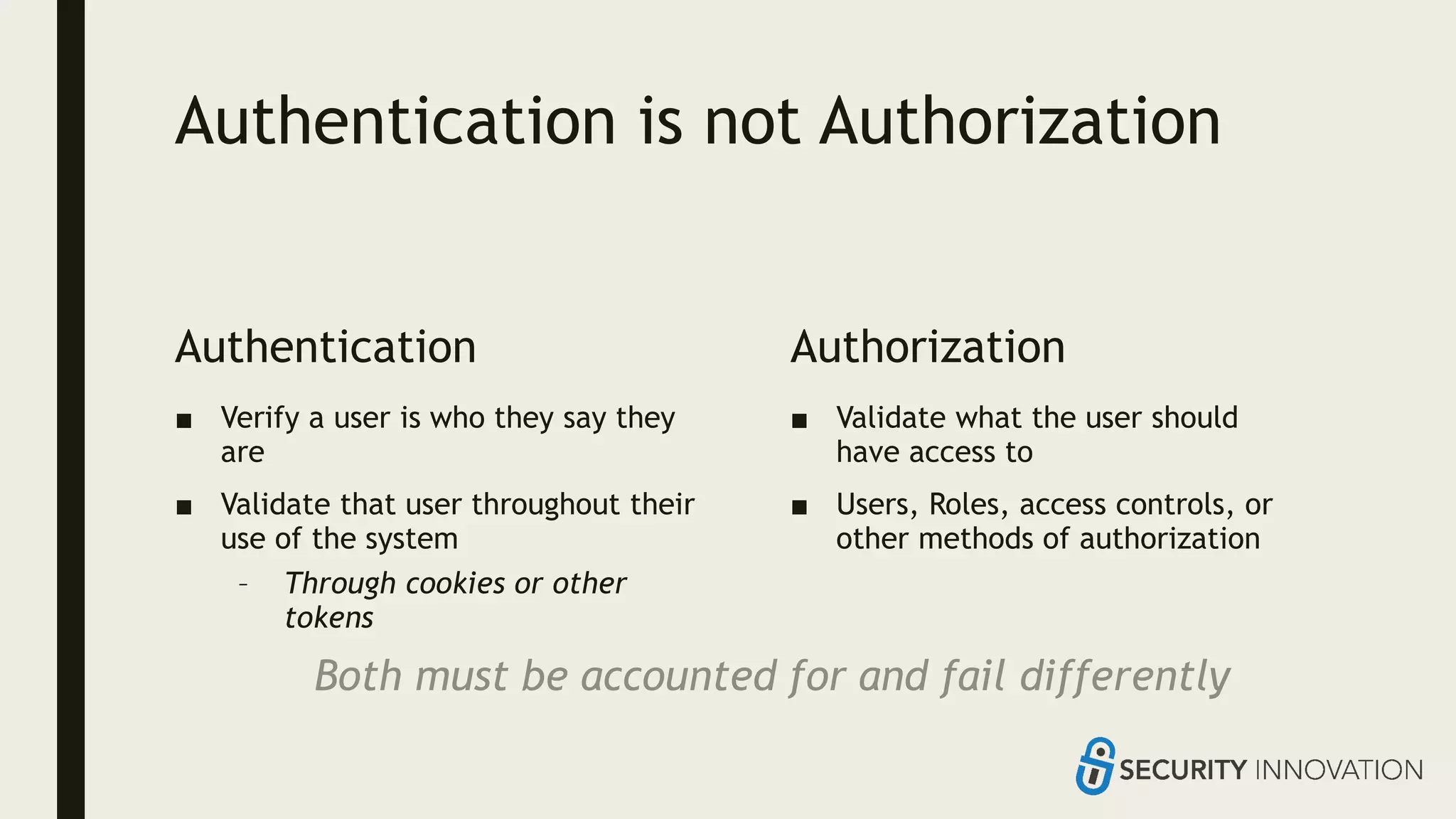
Authentication is not Authorization
Authentication
■ Verify a user is who they say they
are
■ Validate that user throughout their
use of the system
– Through cookies or other
tokens
Authorization
■ Validate what the user should
have access to
■ Users, Roles, access controls, or
other methods of authorization
Both must be accounted for and fail differently
INFORMATION
DISCLOSURE
I bet that guy is in
sales, I can tell by
his suit
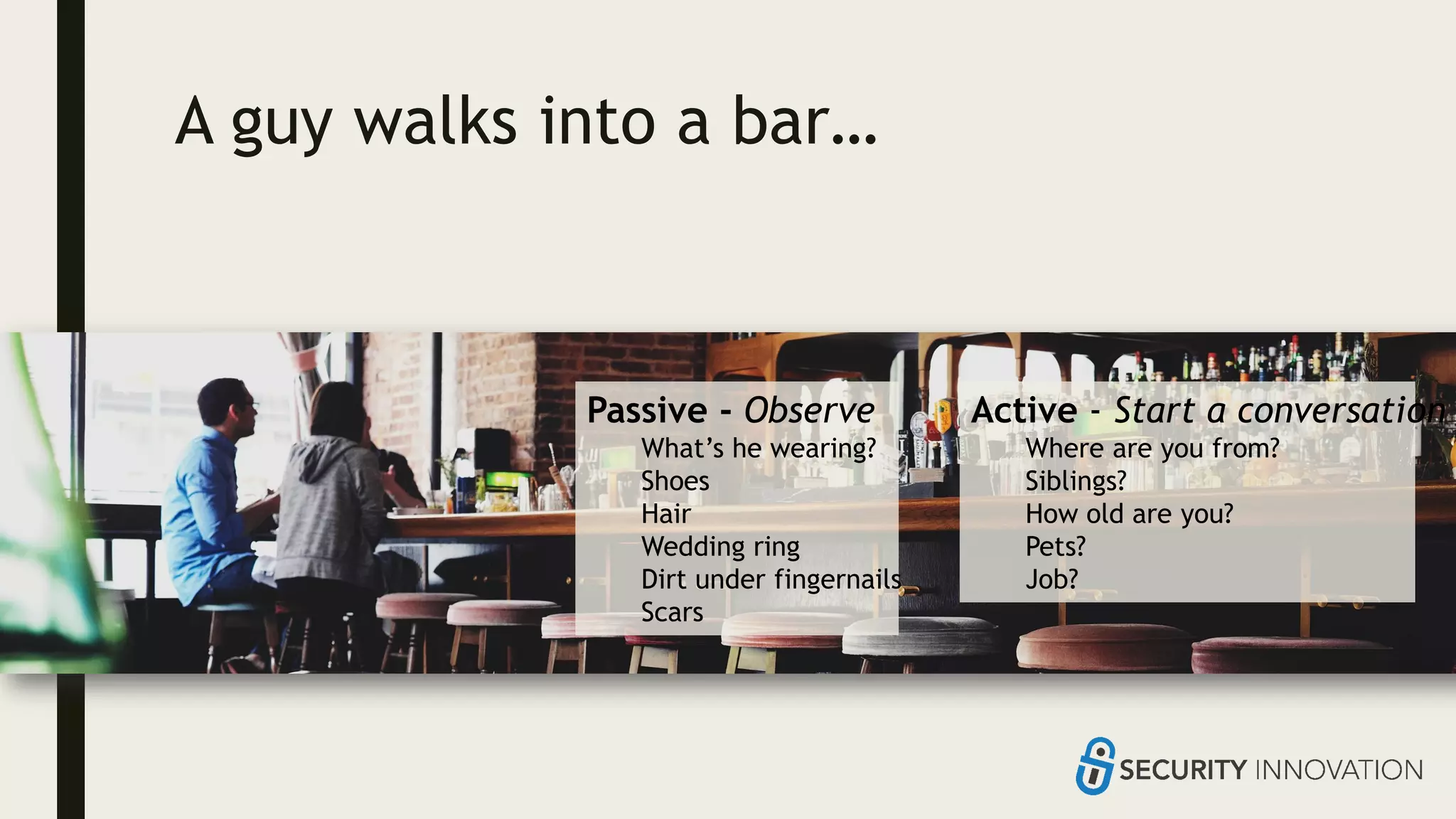
A guy walks into a bar…
Passive - Observe
What’s he wearing?
Shoes
Hair
Wedding ring
Dirt under fingernails
Scars
Active - Start a conversation
Where are you from?
Siblings?
How old are you?
Pets?
Job?
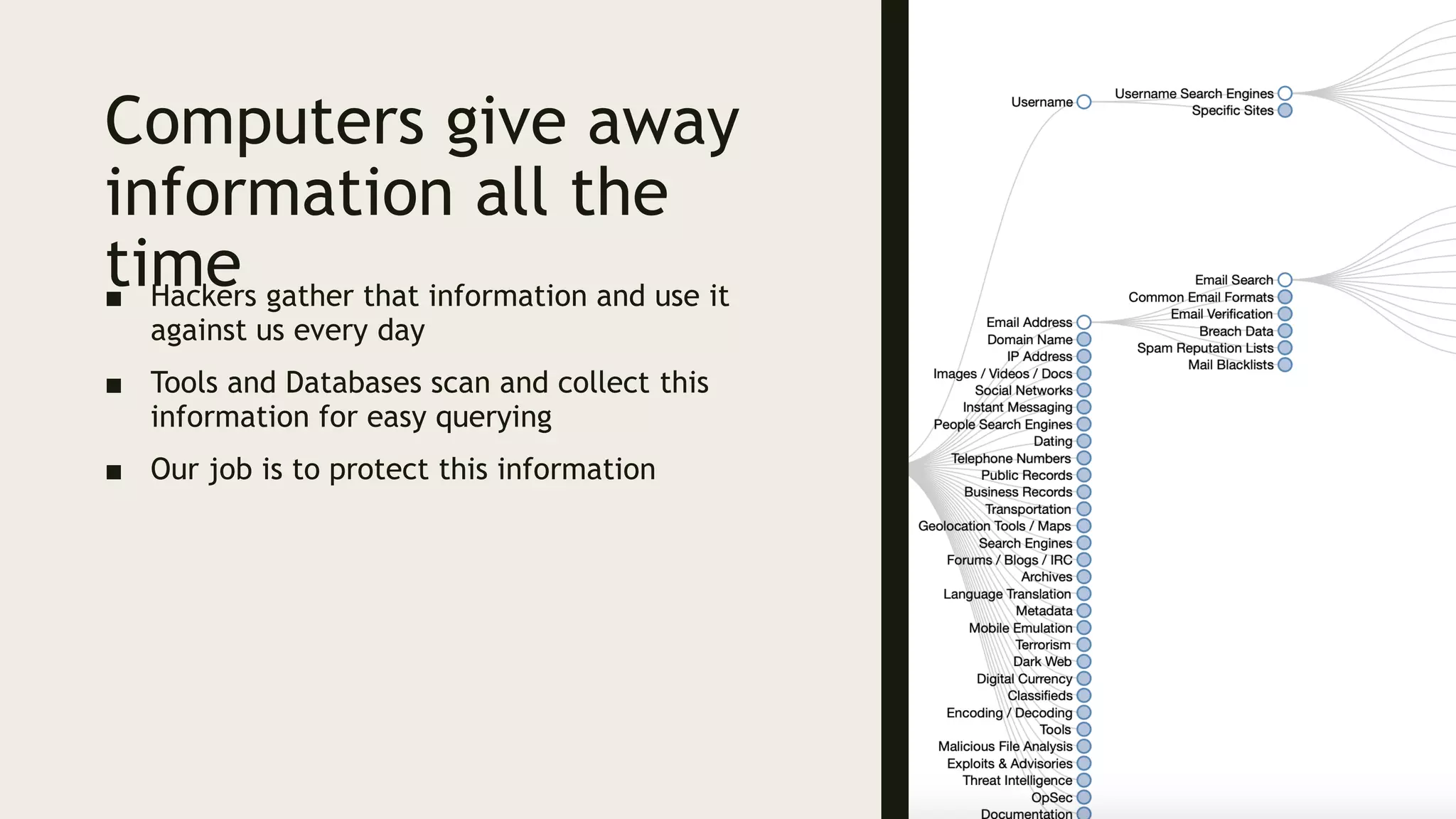
Computers give away
information all the
time■ Hackers gather that information and use it
against us every day
■ Tools and Databases scan and collect this
information for easy querying
■ Our job is to protect this information
PARAMETER
TAMPERING
Control the data
Control the
future
Let’s find some deals!
■ Peel off the tags from some Wonder
Bread
■ Apply tags to fancy bread!
ALWAYS BE
NICE TO
YOUR
MILLENNIALS
Everything a
computer
does starts
with input
Without input a computer
will always do the same thing
Input filtering, processing,
and blocking sets the stage
for everything else
CONFIGURATIO
N ERRORS
Don’t put the
locks on the
wrong side of the
door
Doors,
Windows,
and Locks
Installing a door can be difficult to do
securely
Installing a window so it locks
automatically
Don’t forget to lock your doors and
windows
Did you remember all your doors and
windows?
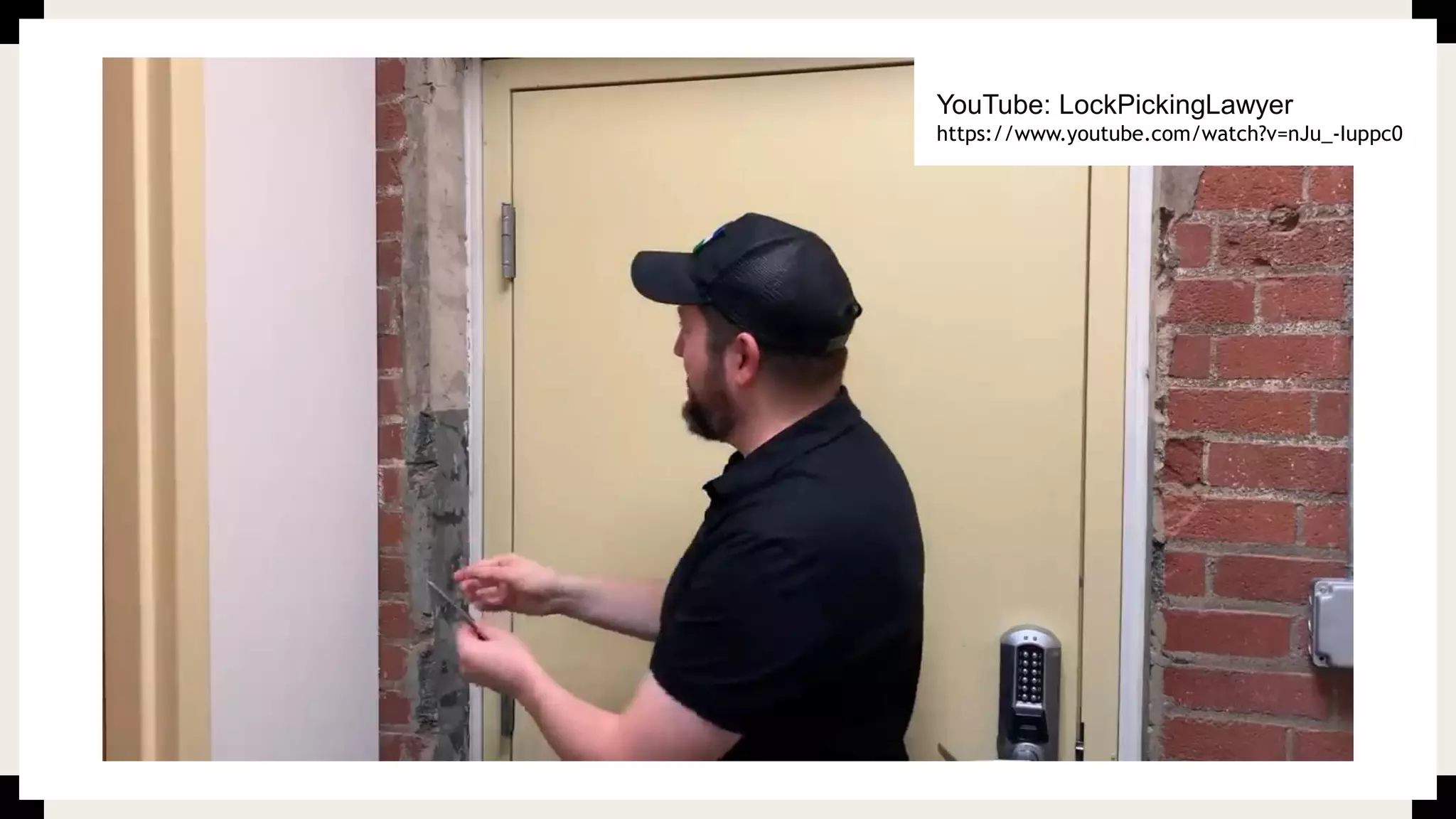
YouTube: LockPickingLawyer
https://www.youtube.com/watch?v=nJu_-Iuppc0
Many software systems can be
configured securely
■ Most software systems don’t come secure by default
■ Insecure use of existing components
– The door is installed poorly
■ Insecure configuration of components
– The lock is misconfigured
■ Insecure defaults are used
– The lock has a reused key or default keycode
Lots of ways that software can fail
■ Communication is a great first step
■ Start the conversation
■ Make it memorable
■ Give people an anchor of understanding
Thank You!
■ @appsec
edadamsboston
www.edtalks.io
eadams@securityinnovation.co
m

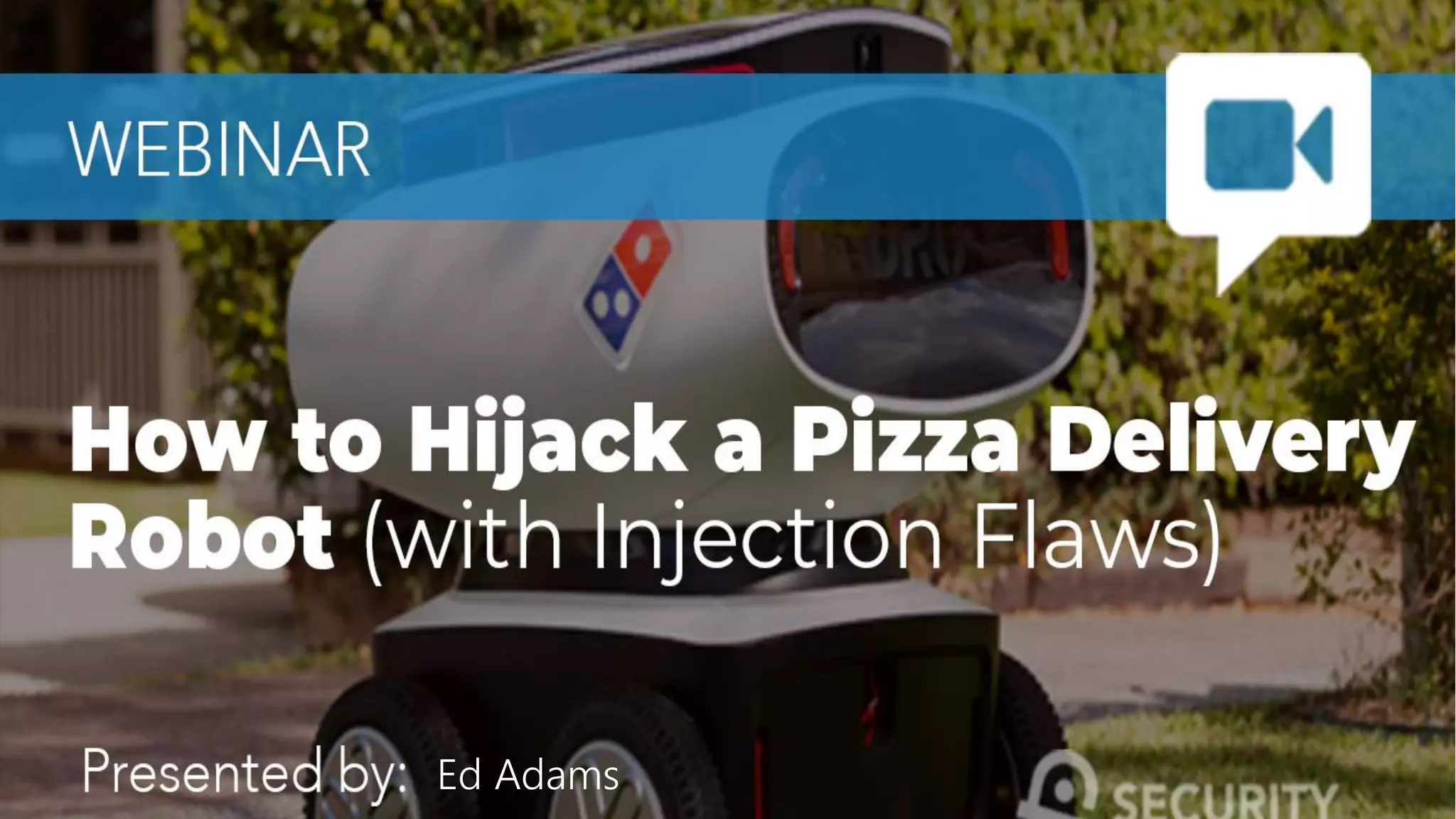
Hijacking a Pizza Delivery Robot (using SQL injection)

  • 1.
  • 2.
    About Ed Adams ■CEO, Security Innovation Inc. ■ Host of Ed TALKS: www.edtalks.io ■ Director, ICMCP ■ Research Fellow, Ponemon Institute ■ Privacy by Design Ambassador, Canada ■ Mechanical Engineer, Software Engineer ■ In younger days, built non-lethal weapons systems for government & law enforcement www.edtalks.io
  • 3.
    About Security Innovation ■Securing software in challenging places…. ■ Helping clients get smarter about software security Assessment: show me the gaps Standards: set goals and make it easy Training: enable me to make good decisions Over 3 Million Users Authored 18 Books Named 6x Gartner MQ
  • 4.
    What am Idoing? ■ I’m going to explain common attack and exploitation techniques, through the power of analogy! ■ There are some great common parallels between computer security and the real world ■ I will gently guide you from the real world into a high-level technical understanding ■ Goal: Lay the groundwork of understanding attacks and vulnerabilities for future
  • 5.
  • 6.
  • 7.
    Pizza Robot Goal: - Greethuman - Deliver pizza - Return to pizzeria
  • 8.
    Process 1. Human goesto a website 2. Makes their order 3. Enters their name “Joe” 4. The pizza is made and placed in delivery robot 5. Delivery robot is programmed with commands to get to the house 6. Delivery robot delivers pizza and says “Greetings, Joe” 7. Delivery robot returns to base Forward: 50 ft Turn: Right Forward: 300 ft Turn: Left Forward: 10 ft Turn: Left Forward: 5 ft Greet: Joe Deliver: Pizza Return
  • 9.
    Hijacking a Pizza Robot Forward:50 ft Turn: Right Forward: 300 ft Turn: Left Forward: 10 ft Turn: Left Forward: 5 ft Greet: Joe Deliver: Pizza Return Expected: Joe Unexpected: Joe Turn: Left Forward: 1 ft Turn: Left Forward: 1 ft Forward: 50 ft Turn: Right Forward: 300 ft Turn: Left Forward: 10 ft Turn: Left Forward: 5 ft Greet: Joe Turn: Left Forward: 1 ft Turn: Left Forward: 1 ft Deliver: Pizza Return
  • 10.
    What’s happening!? ■ Everythingin White is “Code” – programmer supplied – Code is simply special text that tells a system what to do – GPS for a computer ■ Everything in Red is “Data” – user supplied – Data is anything else: text, photos, etc. ■ The programmer assumed the name would not include “Code” – Nobody’s named “Turn” or ”Forward” right? ■ When the user supplied those things the robot wrongly interpreted them as “Code” ■ This is fundamentally the same thing that happens in XSS, Forward: 50 ft Turn: Right Forward: 300 ft Turn: Left Forward: 10 ft Turn: Left Forward: 5 ft Greet: Joe Turn: Left Forward: 1 ft Turn: Left Forward: 1 ft Deliver: Pizza Return
  • 11.
    XSS & SQLITime to get real
  • 12.
    XSS Mixing code and datain the web browser is confusing
  • 13.
    Cross Site Scripting(XSS) Mixing Code and Data using control characters in the webpage ■ Try this anywhere you control a value on the page – HTML – JavaScript – Headers ■ How is your input being encoded? ■ Test Cases – Change your input – Try <marquee> – Try <script>alert('XSS')</script>
  • 14.
    What Can YouDo with XSS? loginError.action?errorMsg=Sorry%2C+incorrect+username+or+passwo rd.
  • 15.
    What Can YouDo with XSS? loginError.action?errorMsg= </div><h1>Login Moved</h1><p>Please Login at: http://evilportal.com</p>
  • 16.
    What Can YouDo with XSS? loginError.action?errorMsg= <marquee>
  • 17.
    Why is XSSPossible?
  • 18.
    When is XSSPossible? www.catsearch.com?search=fluffy
  • 19.
    When is XSSPossible? www.catsearch.com?search=sadlfkjsadf...
  • 20.
    When is XSSPossible? www.catsearch.com?search=<script>aler...
  • 21.
    SQL INJECTION Mixing code and datain databases can be catastrophic
  • 22.
    SQL Injection ■ MixingCode and Data using control characters in Database Queries ■ Try this on any input you think may use the database – Textboxes, URL Parameters, dropdowns, hidden fields ■ Start small, build more complex SQL Queries to manipulate the database ■ Test Cases – Does ' Produce an error message? – Think about how to manipulate the SQL command SELECT * FROM USERS WHERE Username = 'joe' AND Password = 'P4S
  • 23.
    Logging in withSQL Injection SELECT * FROM USERS WHERE Username = 'joe' AND Password = 'P4S$WorD1'; Username joe Password P4S$WorD1 Commentary: Assuming correct username and password the user is logged in Input Values
  • 24.
    Logging in withSQL Injection SELECT * FROM USERS WHERE Username = 'joe' OR 1=1 #' AND Password = 'P4S$WorD1'; Username joe OR 1=1 # Password P4S$WorD1 Commentary: Password check is commented out. Username is checked and attacker is logged in as ‘joe’ Everything after the # is disregarded Input Values
  • 25.
    Logging in withSQL Injection SELECT * FROM USERS WHERE Username = 'joe' OR 1=1; Username joe OR 1=1 # Password P4S$WorD1 Commentary: Password check is commented out. Username is checked and attacker is logged in as ‘joe’ 1=1 is always TRUE, so we can replace that SELECT * FROM USERS WHERE Username = 'joe' OR TRUE; Input Values
  • 26.
    Logging in withSQL Injection SELECT * FROM USERS WHERE Username = 'joe' OR 1=1; Username joe OR 1=1 # Password P4S$WorD1 Commentary: Password check is commented out. Username is checked and attacker is logged in as ‘joe’ Anything OR TRUE is always TRUE SELECT * FROM USERS WHERE Username = 'joe' OR TRUE; SELECT * FROM USERS WHERE TRUE; Input Values
  • 27.
    Logging in withSQL Injection SELECT * FROM USERS WHERE Username = 'joe' OR 1=1; Username joe OR 1=1 # Password P4S$WorD1 Commentary: Password check is commented out. Username is checked and attacker is logged in as ‘joe’ OR 1=1 # short circuits the entire where clause in this case SELECT * FROM USERS WHERE Username = 'joe' OR TRUE; SELECT * FROM USERS WHERE TRUE; SELECT * FROM USERS; Input Values
  • 28.
    INJECTION FLAWS ALLOW ANATTACKER TO INJECT THEIR OWN CODE INTO THE PROGRAM
  • 29.
  • 30.
  • 31.
  • 32.
  • 33.
    COLDPLAY? I wasn't abig fan of Coldplay before I saw
  • 34.
    Authentication Issues ■ Manyopportunities to make mistakes – Default or test credentials – Not storing credentials properly – Forgetting/Resetting passwords – Not protecting authentication tokens properly – Cookie issues – Not handing user input safely – Loss of credentials – Password reuse – Not checking credentials properly – Changing usernames – Phishing – Failure to use 2FA – Overlap with other vulnerabilities (XSS, CSRF, SQLi, etc.) ■ Verify your users ■ Protect their credentials ■ Protect credential equivalents
  • 35.
    PRIVILEGE ESCALATION Can I stealyour TV through your shed?
  • 36.
    I want inhere I can get in here
  • 37.
    What’s in ahouse? ■ TV ■ Computers ■ Electronics ■ Money
  • 38.
    What’s in ashed? ■ Ladders ■ Bolt cutters ■ Spare keys ■ Drills & Saws
  • 39.
  • 40.
    Horizontal vs. VerticalEscalation ■ Horizontal Privilege Escalation – Allows one user can access another user’s data ■ Vertical Privilege Escalation – Allows a user to increase their privilege level – Anonymous -> User – User -> Manager – Manager –> Administrator
  • 41.
    Authentication is notAuthorization Authentication ■ Verify a user is who they say they are ■ Validate that user throughout their use of the system – Through cookies or other tokens Authorization ■ Validate what the user should have access to ■ Users, Roles, access controls, or other methods of authorization Both must be accounted for and fail differently
  • 42.
    INFORMATION DISCLOSURE I bet thatguy is in sales, I can tell by his suit
  • 43.
    A guy walksinto a bar… Passive - Observe What’s he wearing? Shoes Hair Wedding ring Dirt under fingernails Scars Active - Start a conversation Where are you from? Siblings? How old are you? Pets? Job?
  • 44.
    Computers give away informationall the time■ Hackers gather that information and use it against us every day ■ Tools and Databases scan and collect this information for easy querying ■ Our job is to protect this information
  • 45.
  • 46.
    Let’s find somedeals! ■ Peel off the tags from some Wonder Bread ■ Apply tags to fancy bread!
  • 47.
  • 48.
    Everything a computer does starts withinput Without input a computer will always do the same thing Input filtering, processing, and blocking sets the stage for everything else
  • 49.
    CONFIGURATIO N ERRORS Don’t putthe locks on the wrong side of the door
  • 50.
    Doors, Windows, and Locks Installing adoor can be difficult to do securely Installing a window so it locks automatically Don’t forget to lock your doors and windows Did you remember all your doors and windows?
  • 51.
  • 52.
    Many software systemscan be configured securely ■ Most software systems don’t come secure by default ■ Insecure use of existing components – The door is installed poorly ■ Insecure configuration of components – The lock is misconfigured ■ Insecure defaults are used – The lock has a reused key or default keycode
  • 53.
    Lots of waysthat software can fail ■ Communication is a great first step ■ Start the conversation ■ Make it memorable ■ Give people an anchor of understanding
  • 54.