1111
““HOW TO HAIKU”HOW TO HAIKU”
CREATING CURRICULUMCREATING CURRICULUM
TO MEET THE COMMON CORE CHALLENGETO MEET THE COMMON CORE CHALLENGE
Presented by
Dr. Marilyn Brouette
Briones School
Martinez Unified School District
California Consortium of Independent Study
November 18, 2013
2222
PURPOSE OF PRESENTATIONPURPOSE OF PRESENTATION
Present Brief Overview of Common CorePresent Brief Overview of Common Core
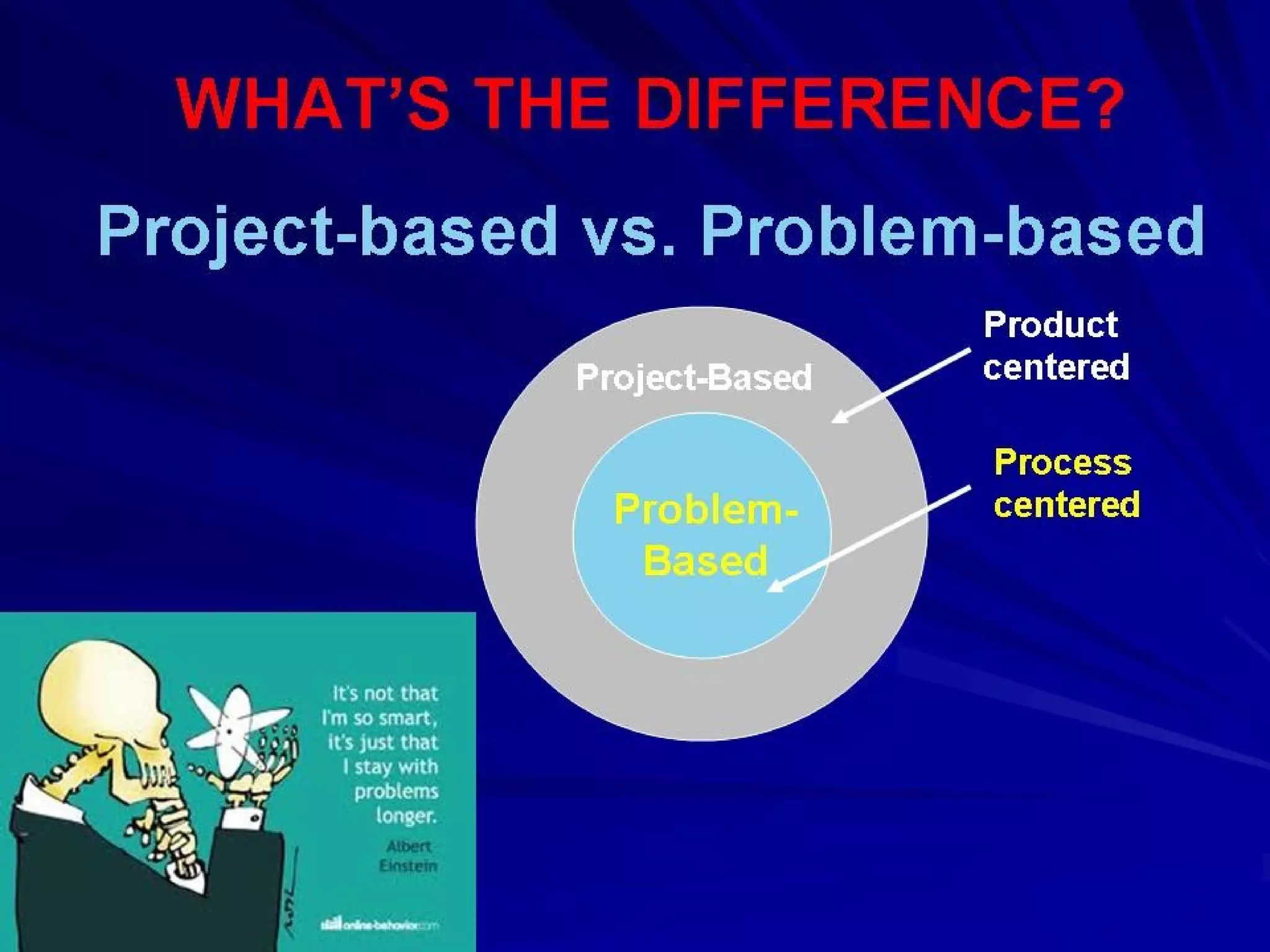
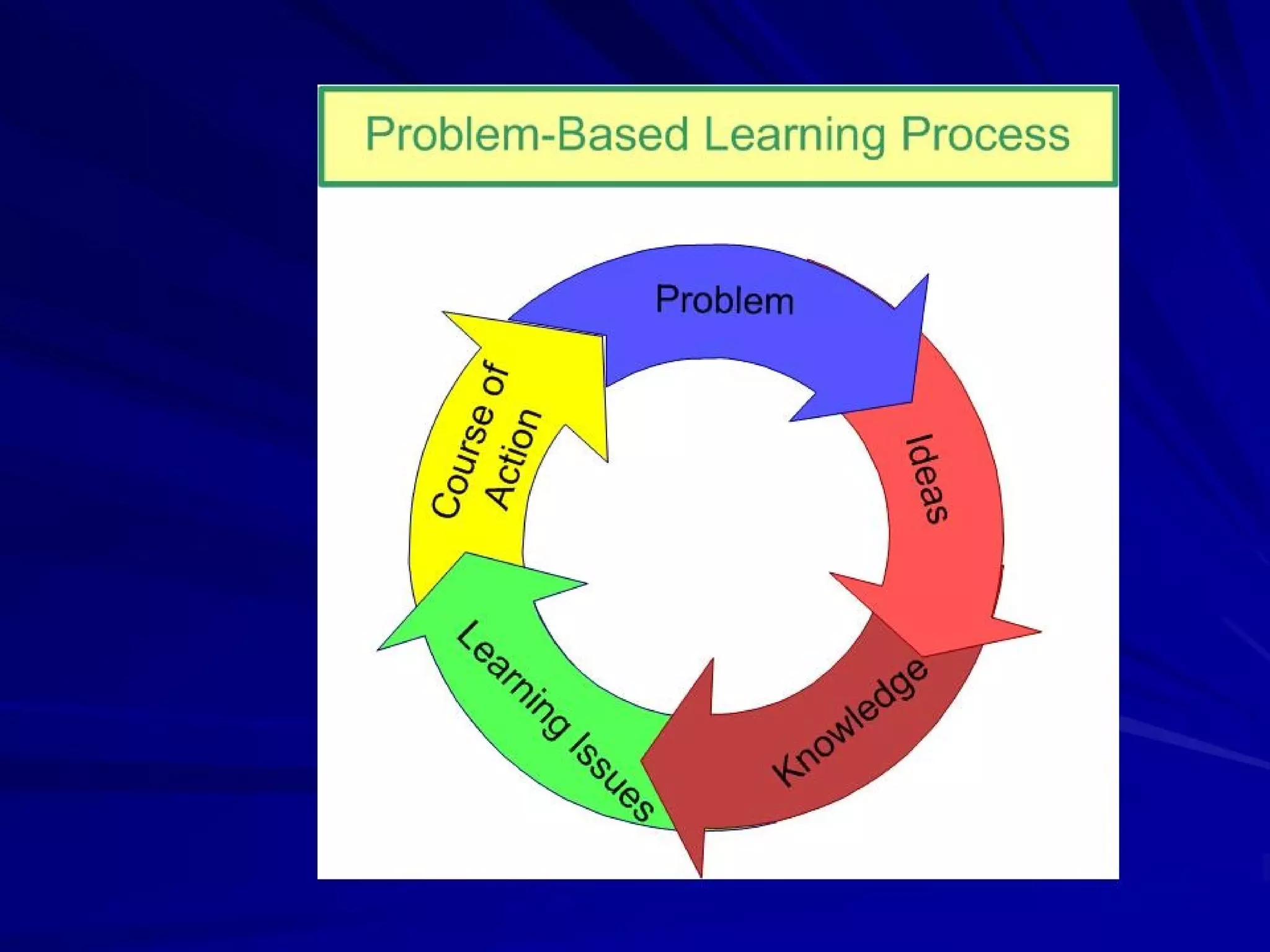
Explore Problem Based LearningExplore Problem Based Learning
““How to Haiku”How to Haiku”
Share Common Core Lesson IdeasShare Common Core Lesson Ideas
3333
COMMON CORECOMMON CORE
THE ESSENTIALSTHE ESSENTIALS
The Common Core standards are designed toThe Common Core standards are designed to
bebe relevant to the real worldrelevant to the real world, reflecting the, reflecting the
knowledge and skills that our young peopleknowledge and skills that our young people
need for success. We will explore whatneed for success. We will explore what
technology tools and resources can help youtechnology tools and resources can help you
beginbegin addressing these new standards inaddressing these new standards in
real and relevant waysreal and relevant ways..
Adapted from Common Core Standards InitiativeAdapted from Common Core Standards Initiative
4444
Intent of Common CoreIntent of Common Core
The Standards guide schools to provide shared
instruction in reading, writing, speaking, listening,
and language. The K–5 standards include
expectations for reading, writing, speaking, listening,
and language applicable to a range of subjects,
including but not limited to ELA. The grades 6–12
standards are divided into two sections, one for ELA
and the other for history/social studies, science, and
technical subjects. This division reflects the place of
ELA teachers in developing students’ literacy skills
while at the same time recognizing that teachers in
other areas must have a role in this development as
well.
5555
Meet the Common Core ChallengeMeet the Common Core Challenge
Make disciplinary knowledge, practice, and cultureMake disciplinary knowledge, practice, and culture
visible to students throughvisible to students through autonomous learningautonomous learning
activitiesactivities that includethat include linking ideaslinking ideas, comparing, comparing
alternatives,alternatives, reflecting on progressreflecting on progress,, critiquing ideascritiquing ideas withwith
guidance and support.guidance and support.
Structure courses to take advantage of theStructure courses to take advantage of the social naturesocial nature
of learningof learning andand social contributions to learningsocial contributions to learning byby
engaging studentsengaging students inin collaborative practicescollaborative practices andand
providing for their mutual support as a helpingproviding for their mutual support as a helping
community.community.
CreateCreate autonomous lifelong learnersautonomous lifelong learners who arewho are collegecollege
and/or career readyand/or career ready..
6666
STUDENTS WHO ARE COLLEGESTUDENTS WHO ARE COLLEGE
AND CAREER READY…AND CAREER READY…
inin mathematicsmathematics::
– care about being precise.care about being precise.
– construct viable argumentsconstruct viable arguments..
– make sense of complex problems andmake sense of complex problems and
persevere in solving them.persevere in solving them.
– look for structurelook for structure..
– look for and express regularity in repeatedlook for and express regularity in repeated
reasoning.reasoning.
– make strategic decisions about themake strategic decisions about the use ofuse of
technological toolstechnological tools..
7777
STUDENTS WHO ARE COLLEGESTUDENTS WHO ARE COLLEGE
AND CAREER READY…AND CAREER READY…
in reading, writing, speaking and language:in reading, writing, speaking and language:
– demonstrate independencedemonstrate independence
– build strong content knowledgebuild strong content knowledge
– respond to the varying demands of audience,respond to the varying demands of audience,
task, purpose, and disciplinetask, purpose, and discipline
– comprehend as well as critiquecomprehend as well as critique
– value evidencevalue evidence
– use technology and digital media strategically anduse technology and digital media strategically and
capablycapably
– come to understand other perspectives andcome to understand other perspectives and
culturescultures
8888
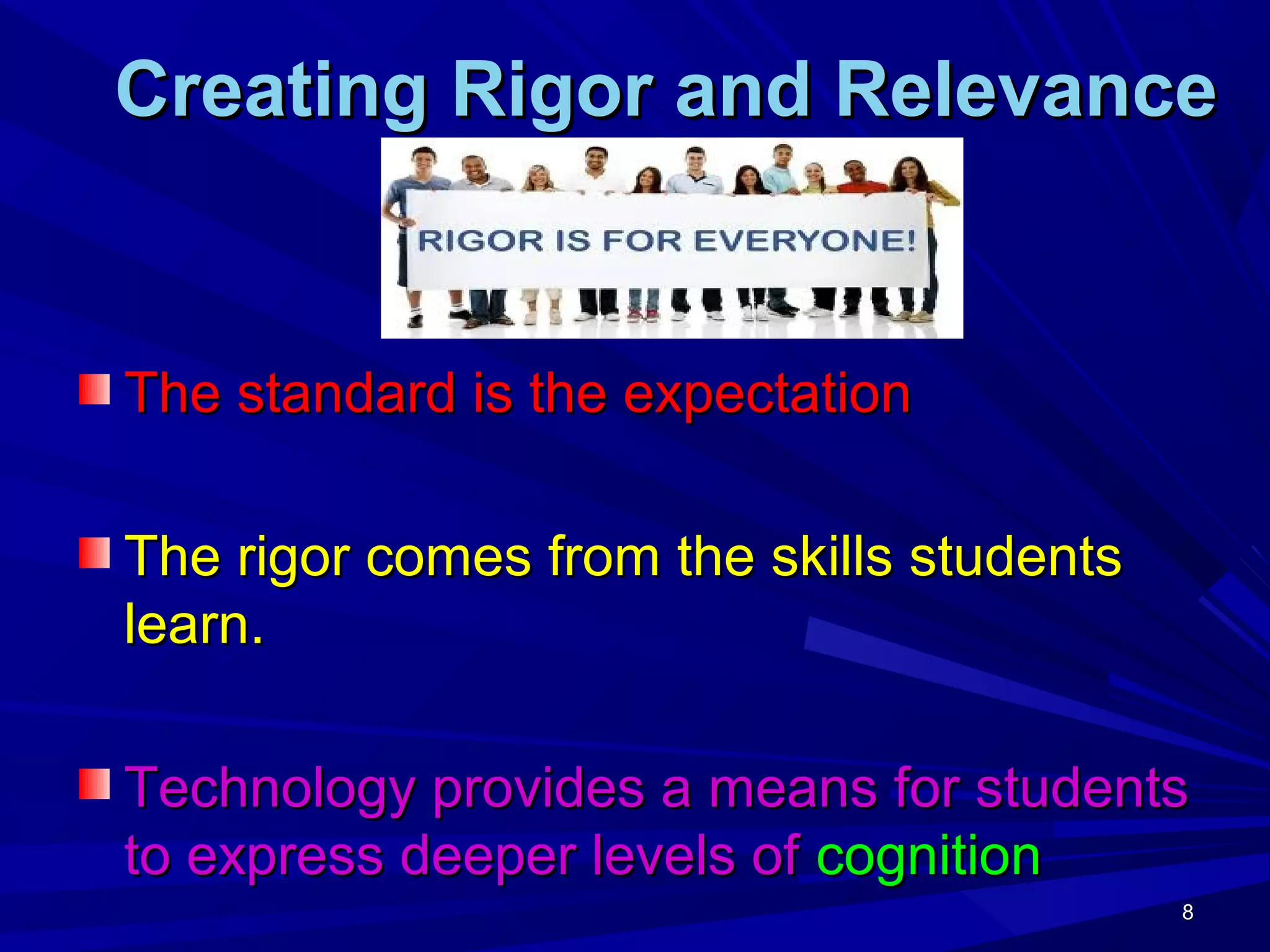
Creating Rigor and RelevanceCreating Rigor and Relevance
The standard is the expectationThe standard is the expectation
The rigor comes from the skills studentsThe rigor comes from the skills students
learn.learn.
Technology provides a means for studentsTechnology provides a means for students
to express deeper levels ofto express deeper levels of cognitioncognition
9999
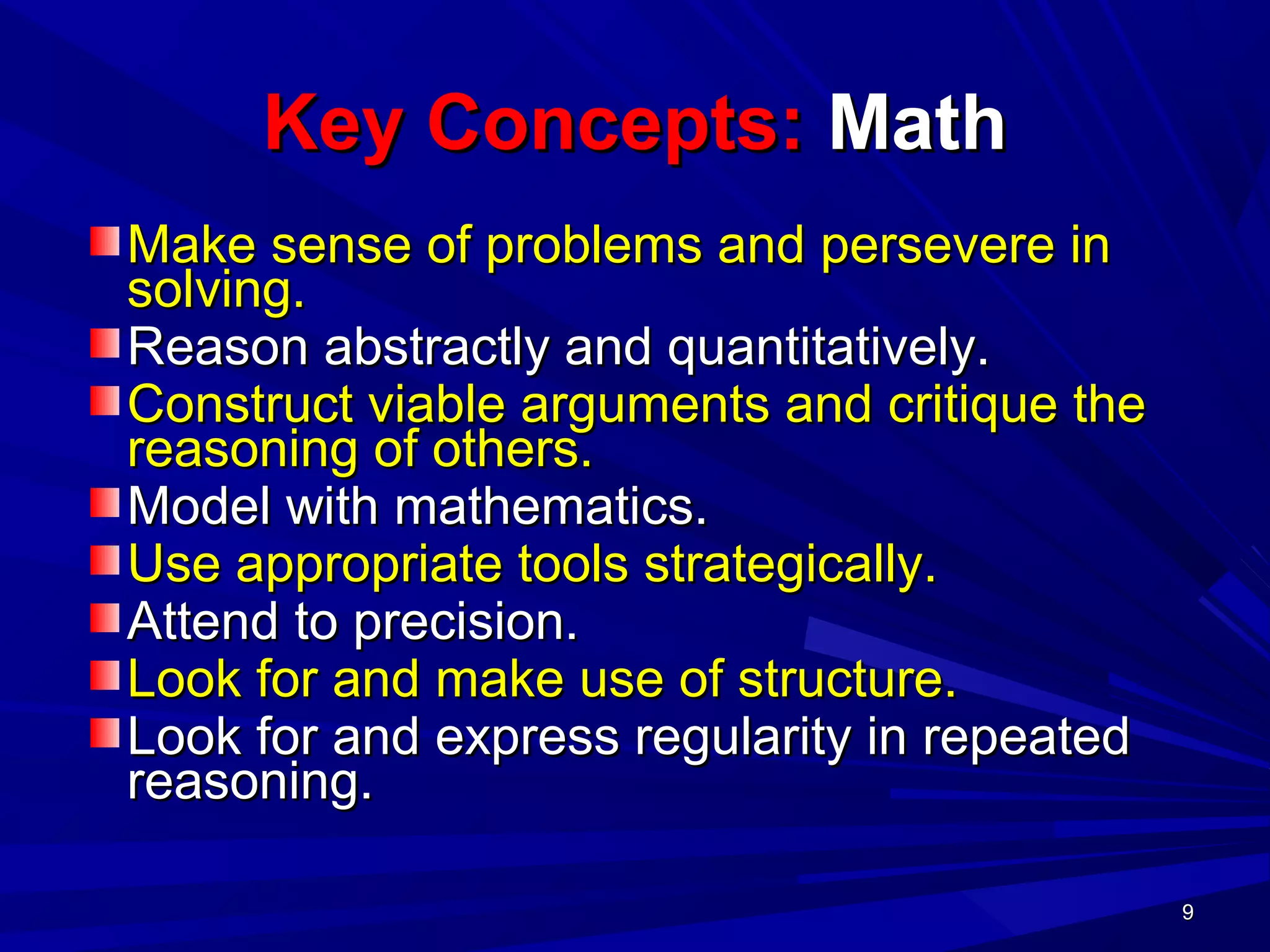
Key Concepts:Key Concepts: MathMath
Make sense of problems and persevere inMake sense of problems and persevere in
solving.solving.
Reason abstractly and quantitatively.Reason abstractly and quantitatively.
Construct viable arguments and critique theConstruct viable arguments and critique the
reasoning of others.reasoning of others.
Model with mathematics.Model with mathematics.
Use appropriate tools strategically.Use appropriate tools strategically.
Attend to precision.Attend to precision.
Look for and make use of structure.Look for and make use of structure.
Look for and express regularity in repeatedLook for and express regularity in repeated
reasoning.reasoning.
10101010
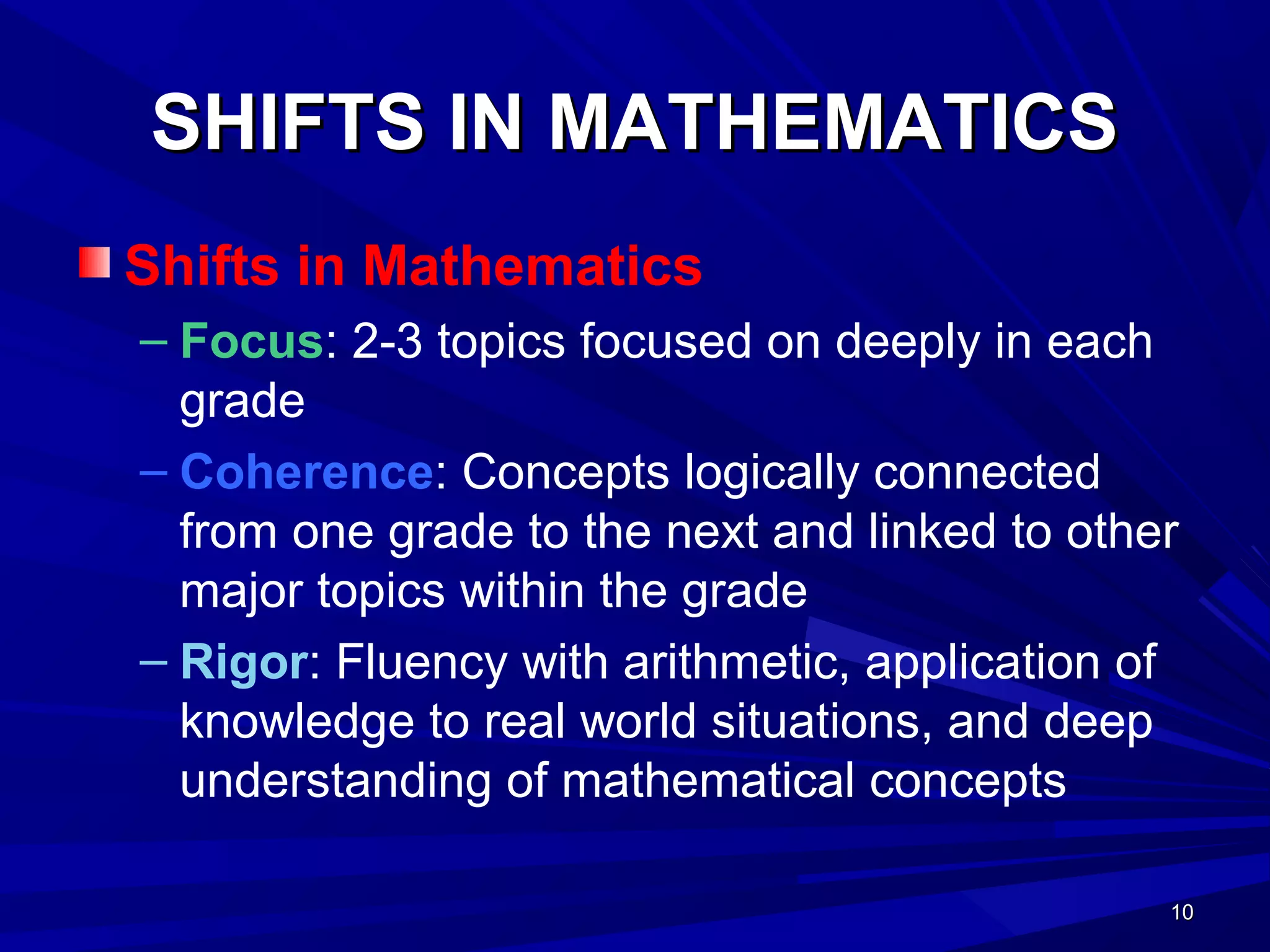
SHIFTS IN MATHEMATICSSHIFTS IN MATHEMATICS
Shifts in Mathematics
– Focus: 2-3 topics focused on deeply in each
grade
– Coherence: Concepts logically connected
from one grade to the next and linked to other
major topics within the grade
– Rigor: Fluency with arithmetic, application of
knowledge to real world situations, and deep
understanding of mathematical concepts
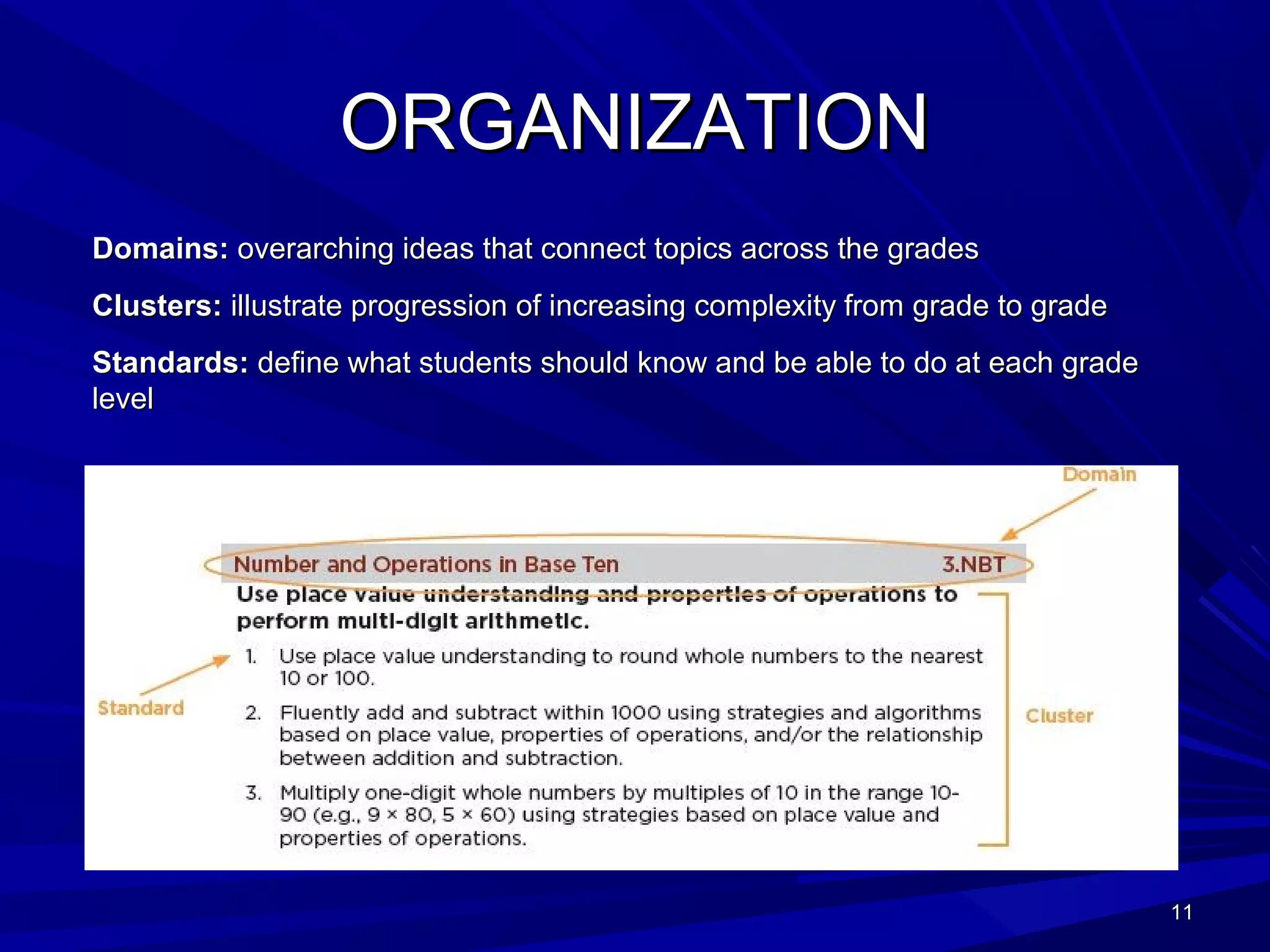
ORGANIZATIONORGANIZATION
Domains:Domains: overarching ideas that connect topics across the gradesoverarching ideas that connect topics across the grades
Clusters:Clusters: illustrate progression of increasing complexity from grade to gradeillustrate progression of increasing complexity from grade to grade
Standards:Standards: define what students should know and be able to do at each gradedefine what students should know and be able to do at each grade
levellevel
1111
1212
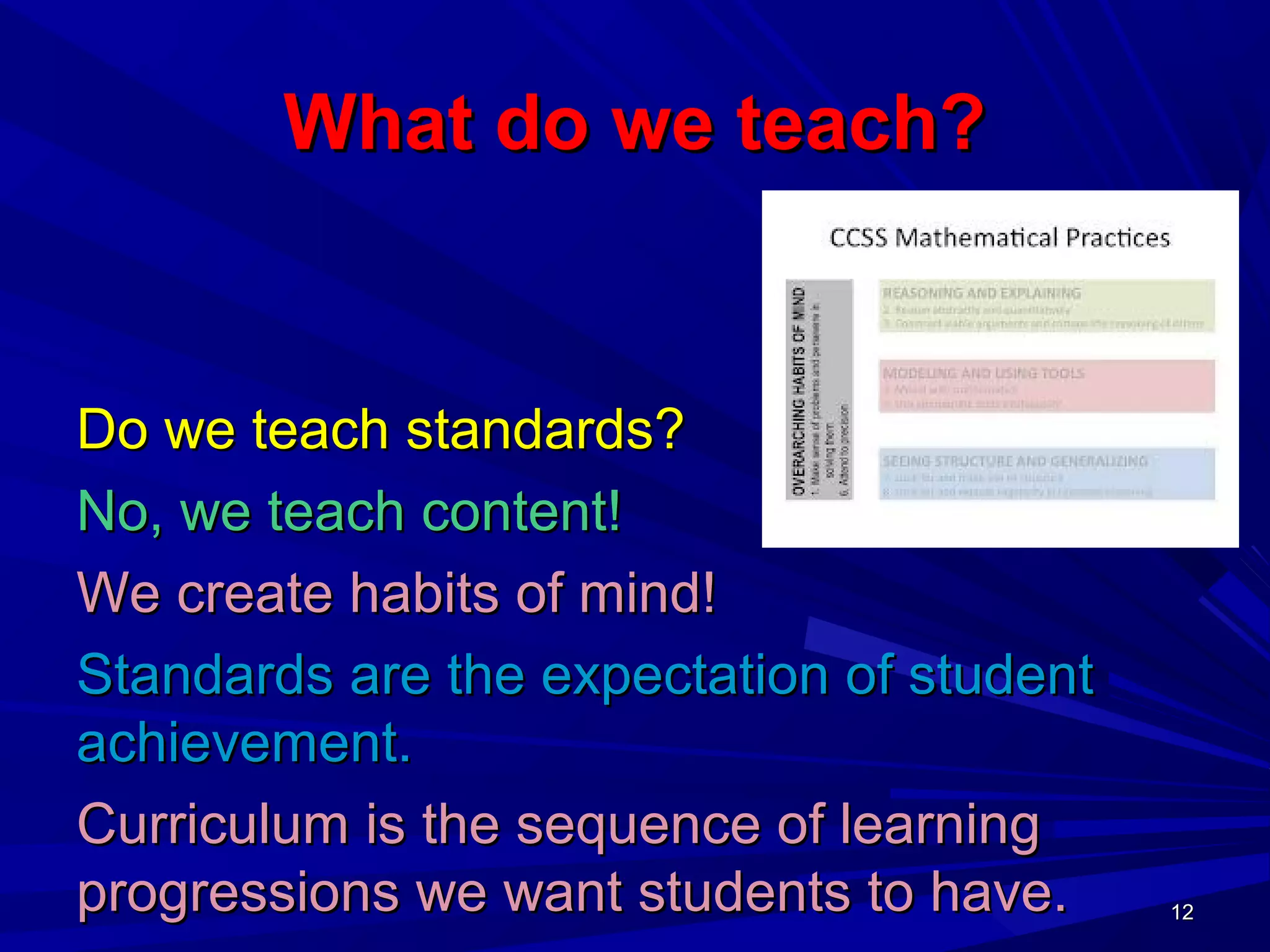
What do we teach?What do we teach?
Do we teach standards?Do we teach standards?
No, we teach content!No, we teach content!
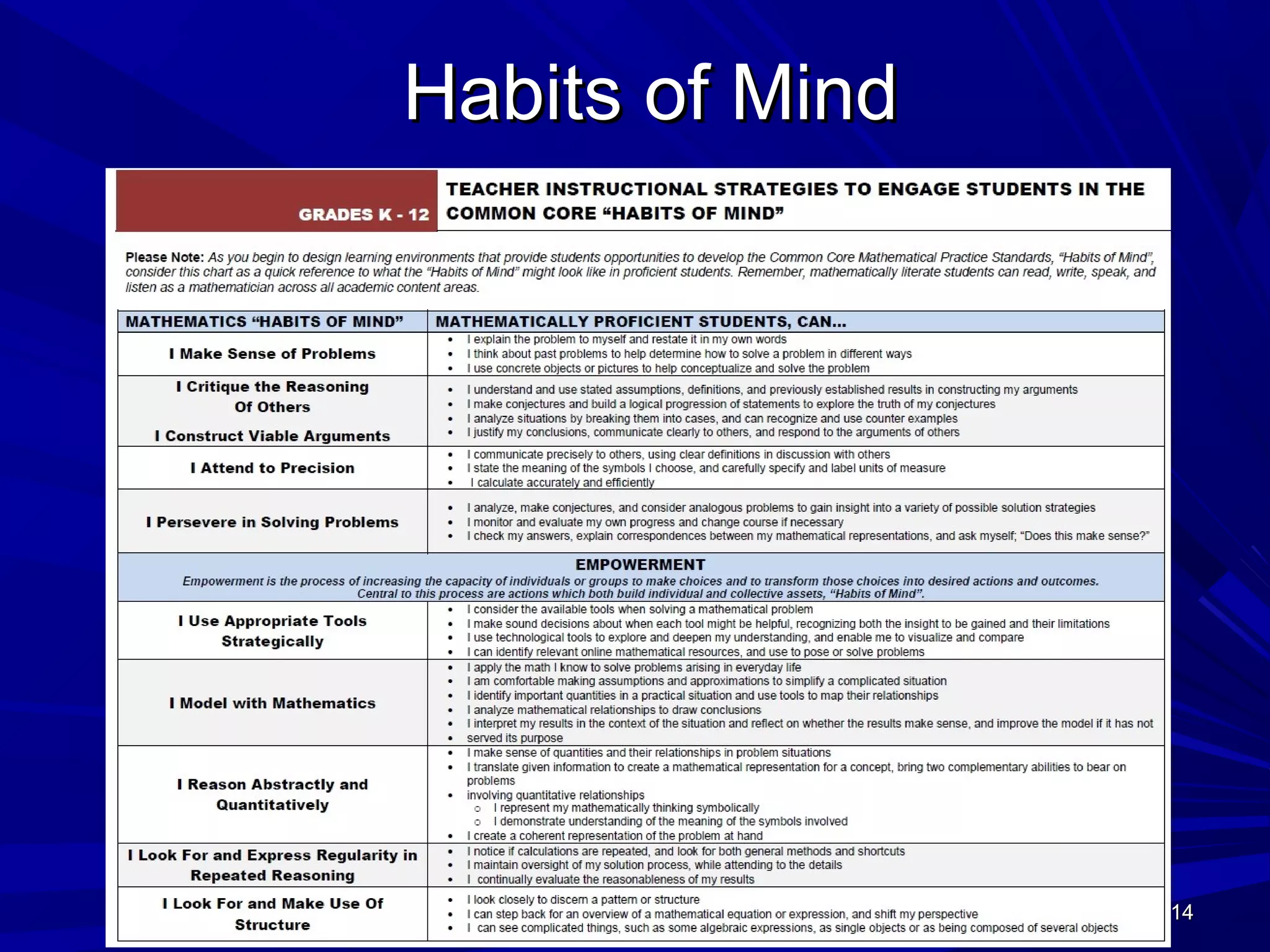
We create habits of mind!We create habits of mind!
Standards are the expectation of studentStandards are the expectation of student
achievement.achievement.
Curriculum is the sequence of learningCurriculum is the sequence of learning
progressions we want students to have.progressions we want students to have. 1212
1313
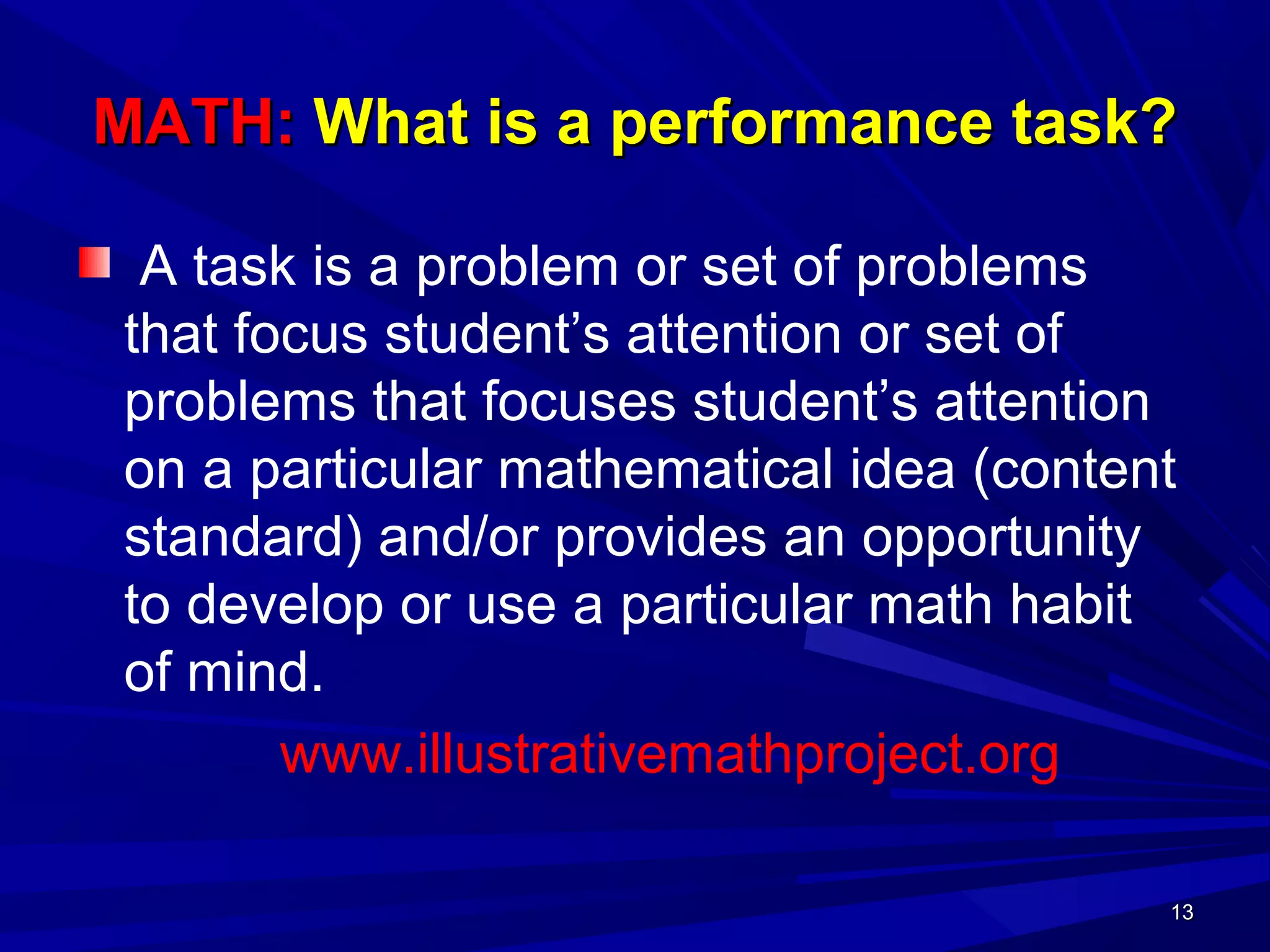
MATH:MATH: What is a performance task?What is a performance task?
A task is a problem or set of problems
that focus student’s attention or set of
problems that focuses student’s attention
on a particular mathematical idea (content
standard) and/or provides an opportunity
to develop or use a particular math habit
of mind.
www.illustrativemathproject.org
1313
1414
Habits of MindHabits of Mind
1414
1515
Sample Performance TaskSample Performance Task
Algebra 1Algebra 1 DomainDomain SSE: Seeing Structure in ExpressionsSSE: Seeing Structure in Expressions
ClusterCluster:: Write expressions in equivalent forms to solve problems.Write expressions in equivalent forms to solve problems.
Judy is working at a retail store over summer
break. A customer buys a $50 shirt that is on
sale for 20% off. Judy computes the discount,
then adds sales tax of 10%, and tells the
customer how much he owes. The customer
insists that Judy first add the sales tax and then
apply the discount. He is convinced that this way
he will save more money because the discount
amount will be larger.
1515
1616
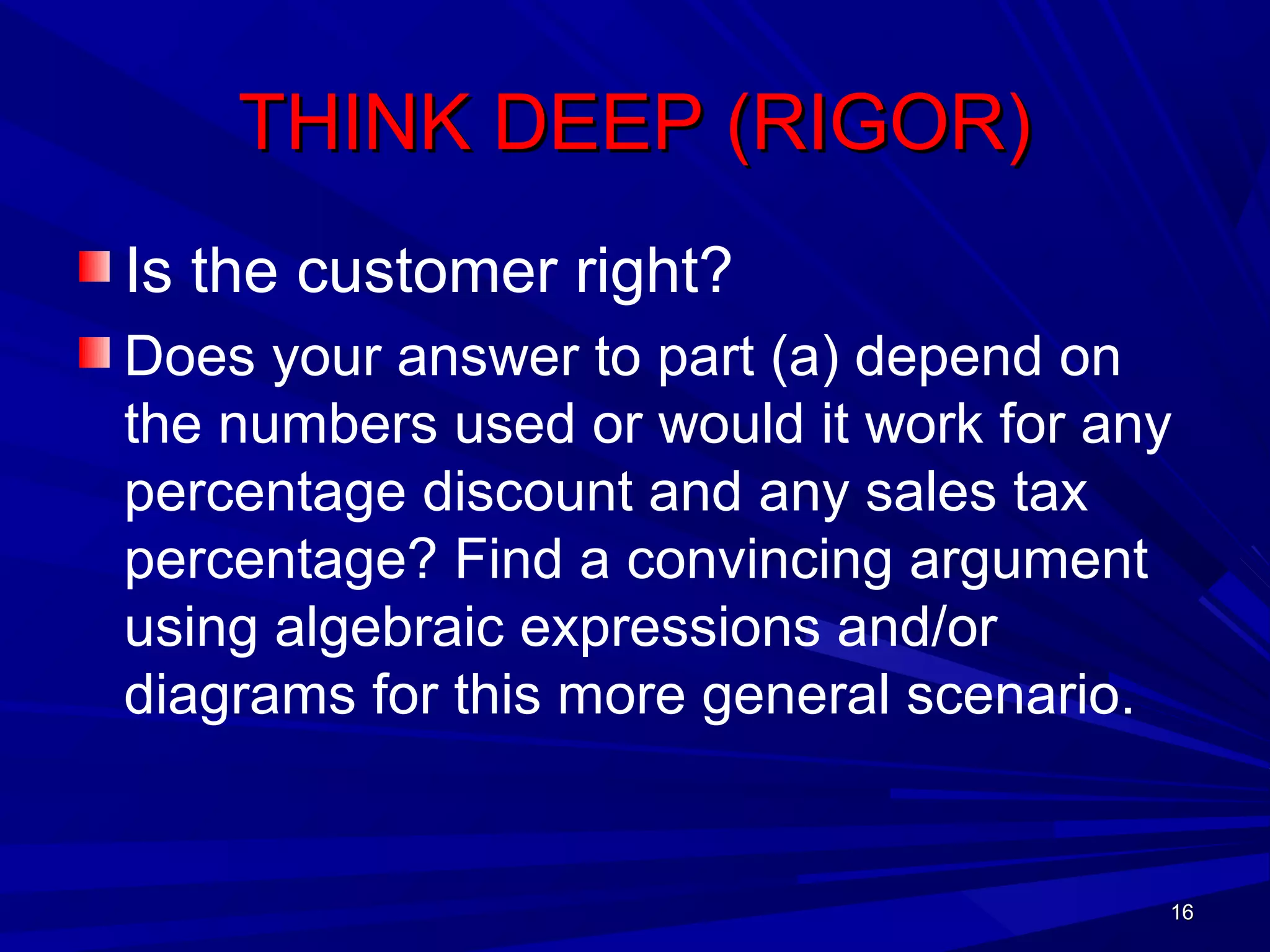
THINK DEEP (RIGOR)THINK DEEP (RIGOR)
Is the customer right?
Does your answer to part (a) depend on
the numbers used or would it work for any
percentage discount and any sales tax
percentage? Find a convincing argument
using algebraic expressions and/or
diagrams for this more general scenario.
1616
1717
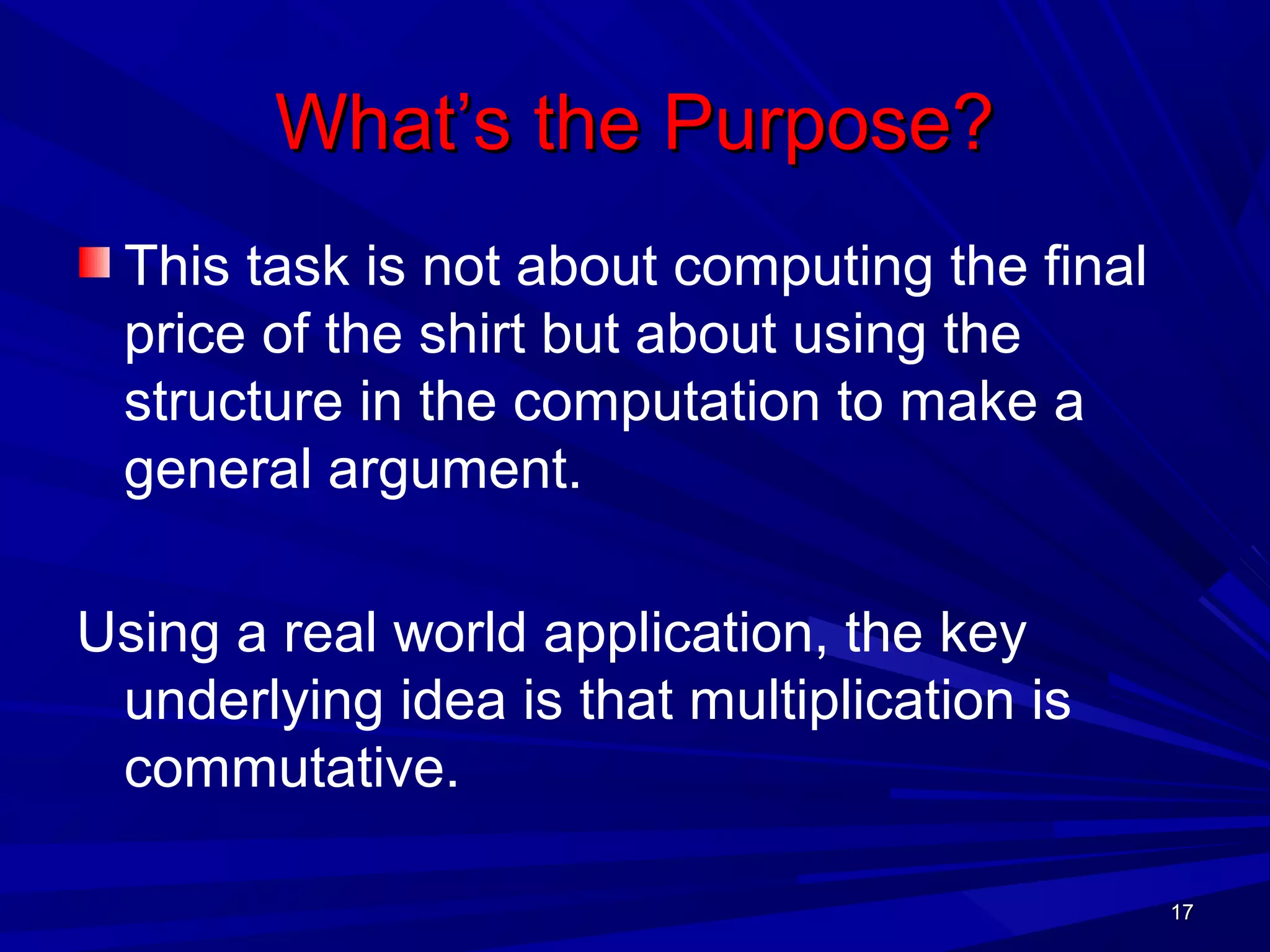
What’s the Purpose?What’s the Purpose?
This task is not about computing the final
price of the shirt but about using the
structure in the computation to make a
general argument.
Using a real world application, the key
underlying idea is that multiplication is
commutative.
1717
1818
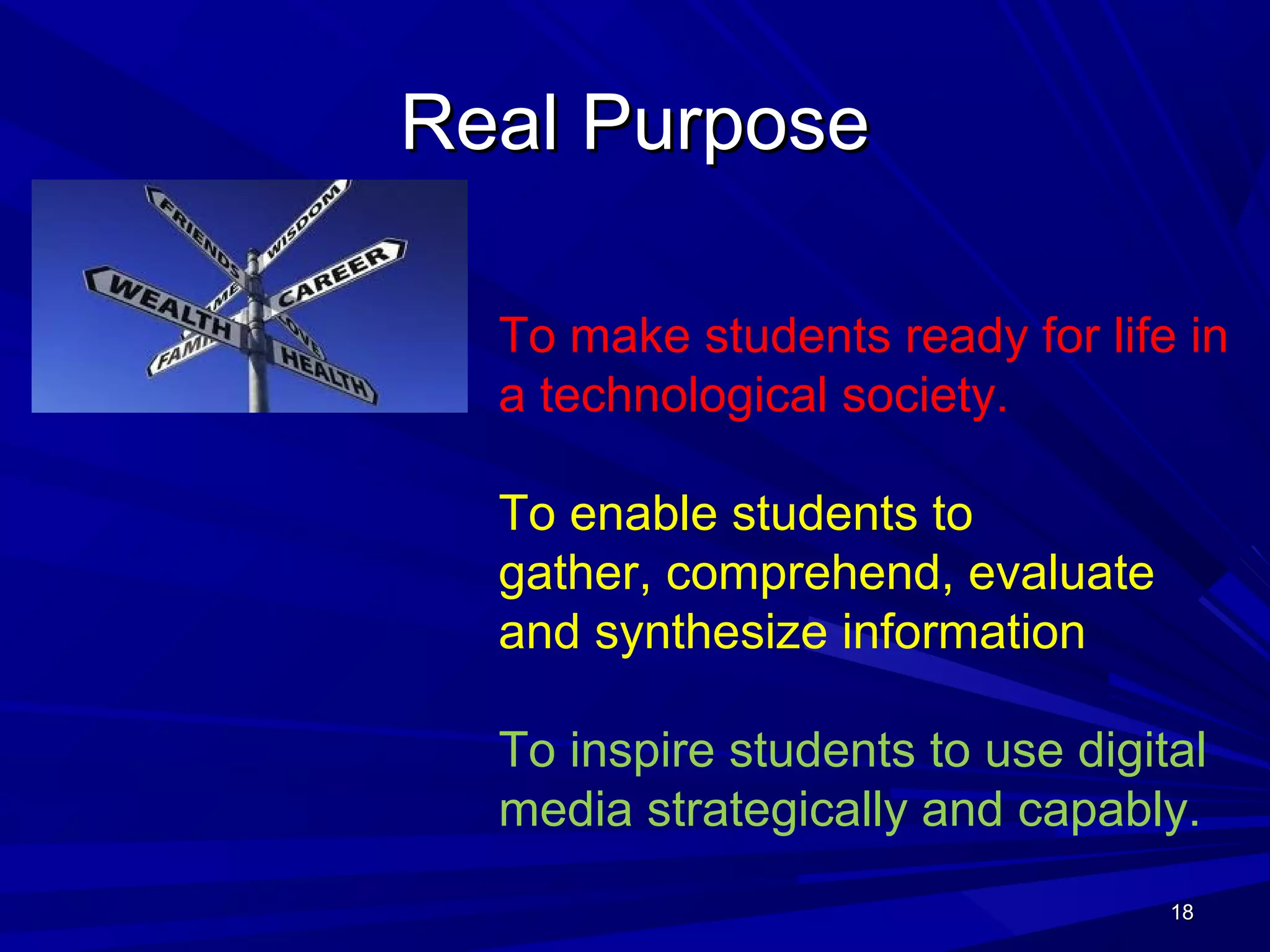
Real PurposeReal Purpose
1818
To make students ready for life in
a technological society.
To enable students to
gather, comprehend, evaluate
and synthesize information
To inspire students to use digital
media strategically and capably.
19191919
Key Concepts:Key Concepts: ELAELA
ReadingReading: Text complexity and the growth: Text complexity and the growth
of comprehensionof comprehension
WritingWriting: Text types, responding to reading,: Text types, responding to reading,
and researchand research
Speaking and ListeningSpeaking and Listening: Flexible: Flexible
communication and collaborationcommunication and collaboration
LanguageLanguage: Conventions, effective use,: Conventions, effective use,
and vocabularyand vocabulary
20202020
ELA SHIFTSELA SHIFTS
Shifts in ELA
– Building knowledge through content-rich
nonfiction and informational texts in
addition to literature
– Reading and writing grounded in evidence
from the text
– Regular practice with complex text and its
academic vocabulary
– These apply to content area (social studies,
science, and technical subject) teachers as
well as to English teachers.
21212121
Vocabulary to Deepen CognitionVocabulary to Deepen Cognition
KNOWLEDGEKNOWLEDGE REASONINGREASONING DEMONSTRATIONDEMONSTRATION PRODUCTPRODUCT
ExplainExplain PredictPredict ObserveObserve DesignDesign
DescribeDescribe InferInfer PerformPerform ProduceProduce
IdentifyIdentify ClassifyClassify ComposeCompose MakeMake
DefineDefine CompareCompare ConductConduct WriteWrite
RecallRecall SummarizeSummarize SpeakSpeak DrawDraw
RecognizeRecognize AnalyzeAnalyze OperateOperate RepresentRepresent
SelectSelect EvaluateEvaluate InvestigateInvestigate DisplayDisplay
ListList GeneralizeGeneralize CollectCollect ModelModel
22222222
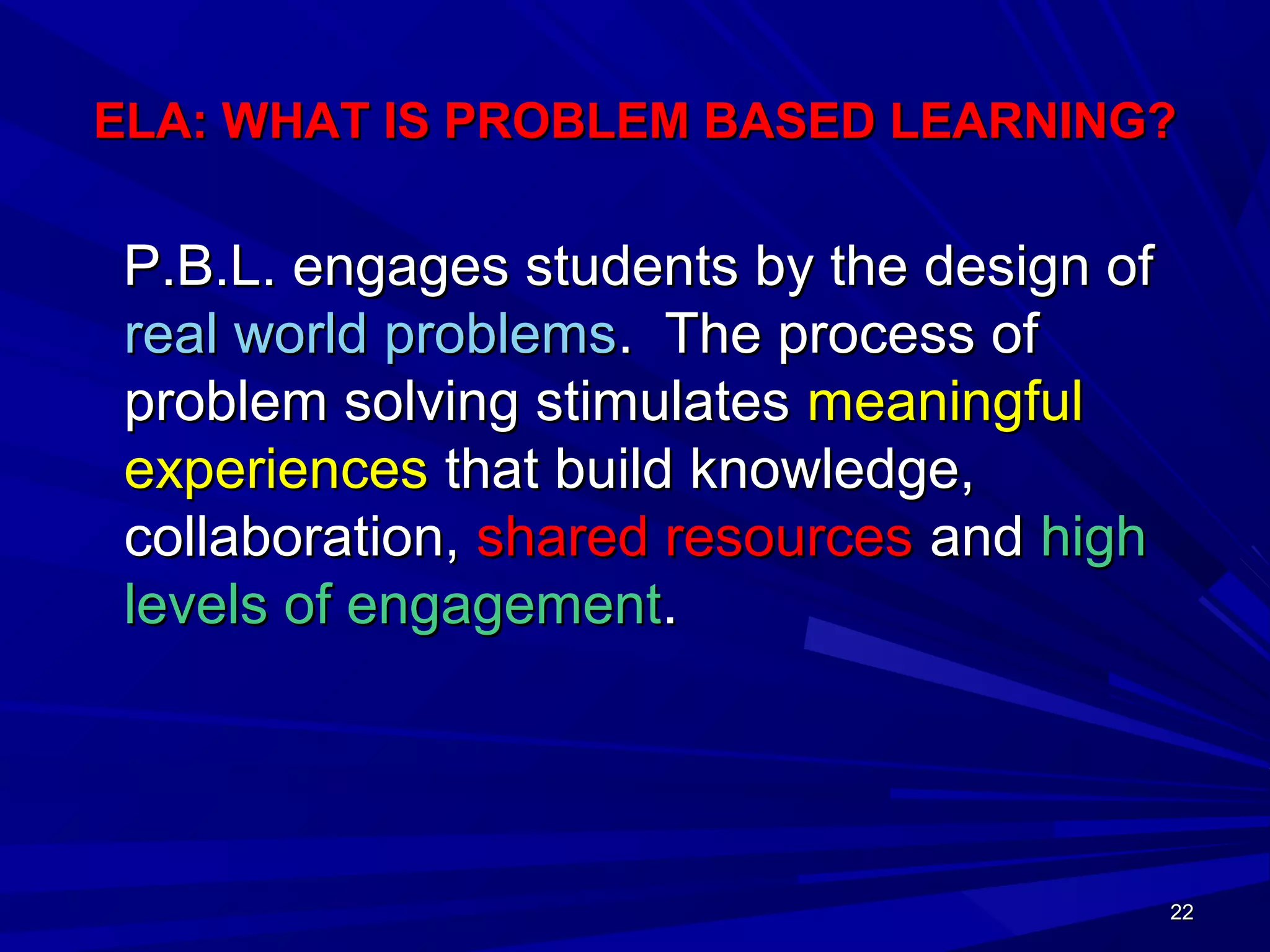
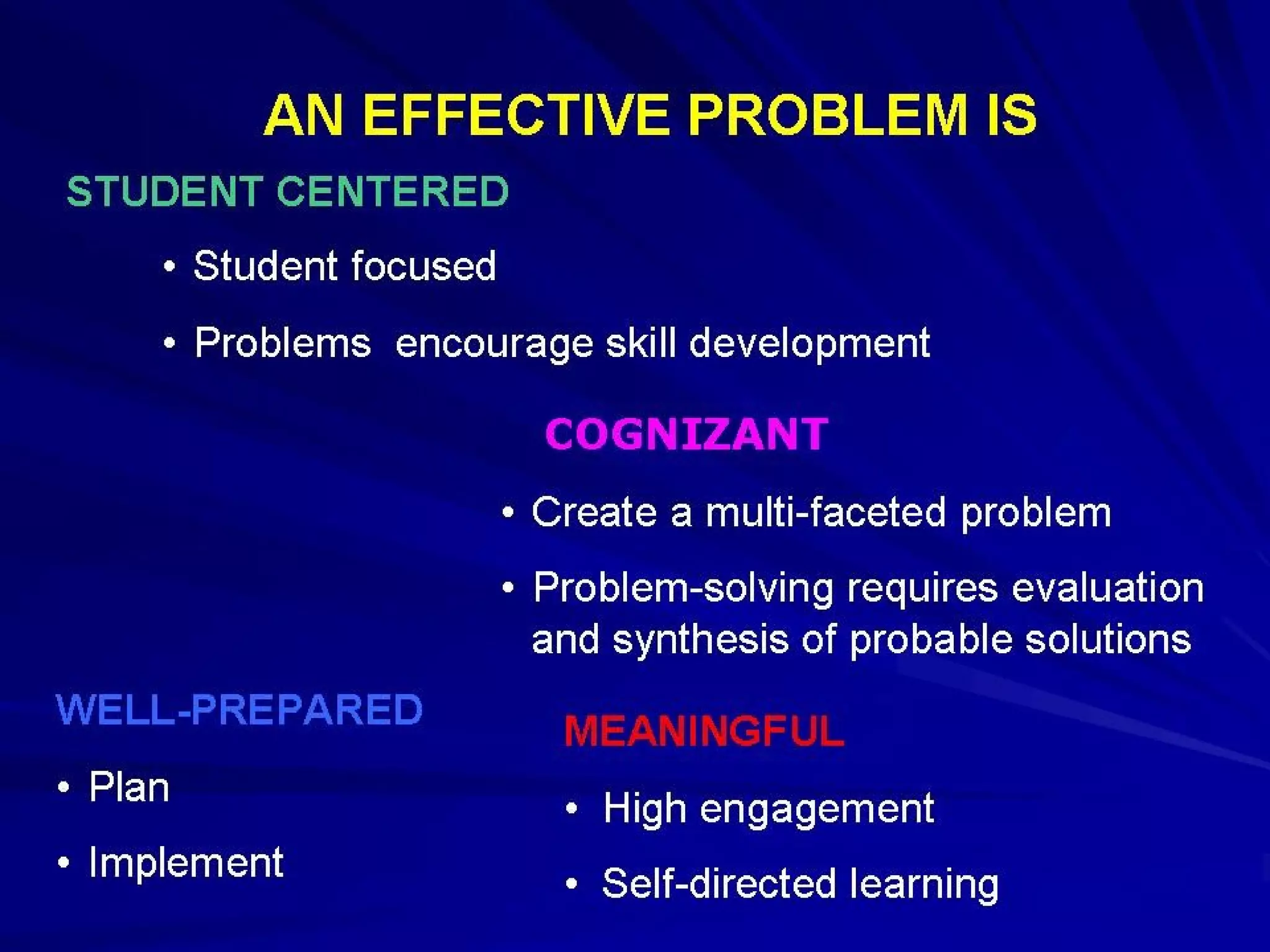
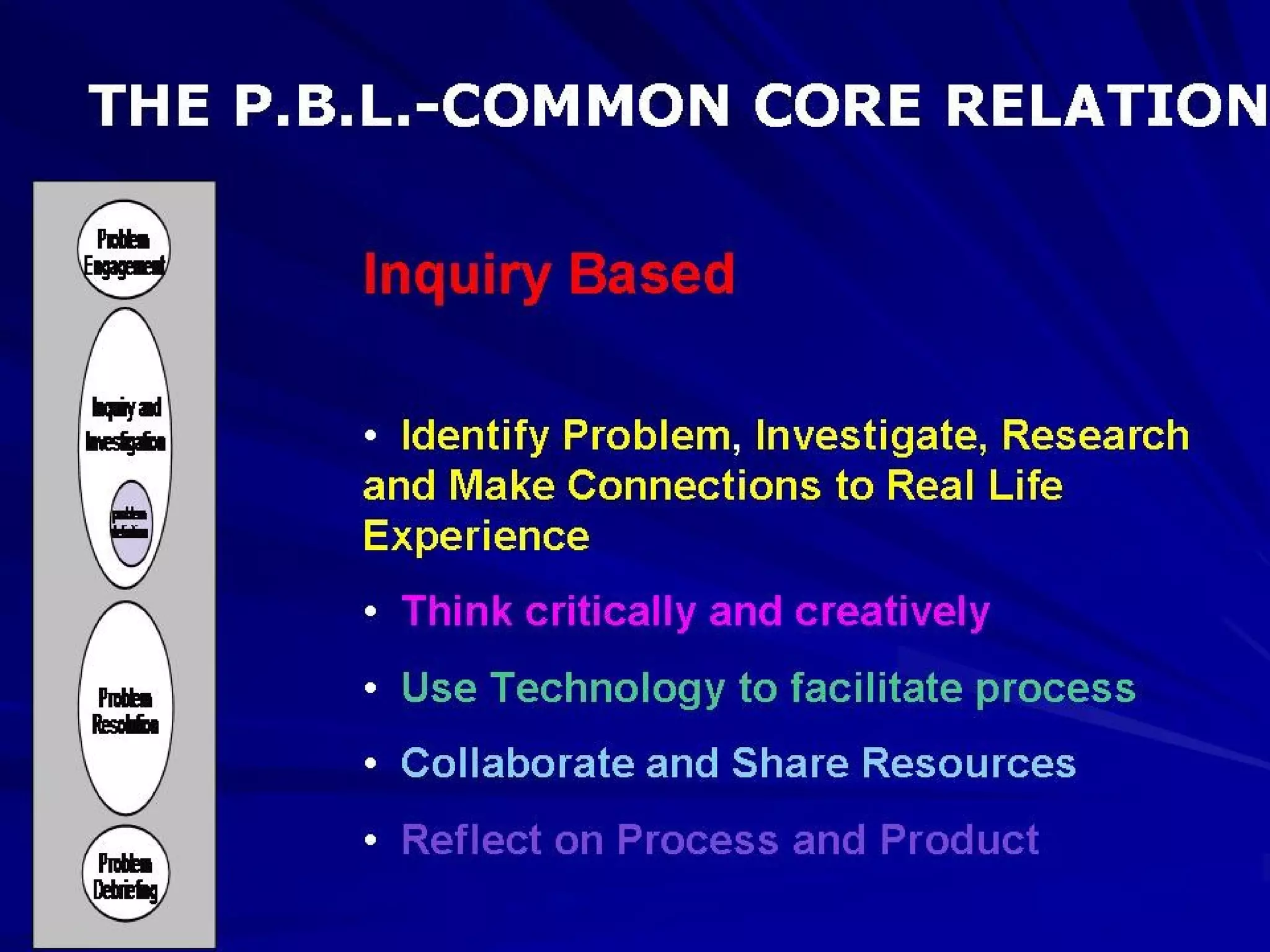
ELA: WHAT IS PROBLEM BASED LEARNING?ELA: WHAT IS PROBLEM BASED LEARNING?
P.B.L. engages students by the design ofP.B.L. engages students by the design of
real world problemsreal world problems. The process of. The process of
problem solving stimulatesproblem solving stimulates meaningfulmeaningful
experiencesexperiences that build knowledge,that build knowledge,
collaboration,collaboration, shared resourcesshared resources andand highhigh
levels of engagementlevels of engagement..
23232323
24242424
25252525
26262626
27272727
28282828
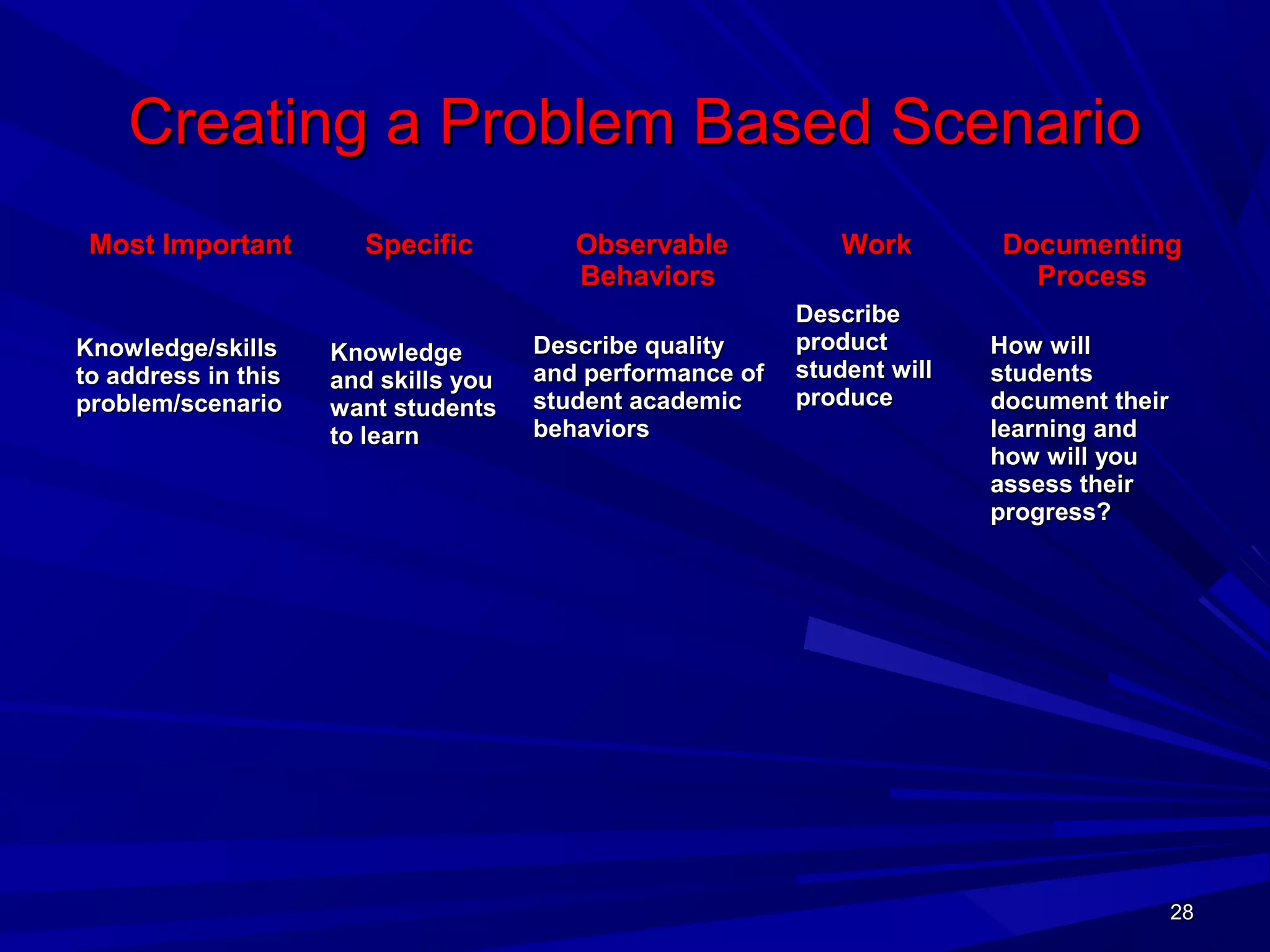
Creating a Problem Based ScenarioCreating a Problem Based Scenario
Most ImportantMost Important
Knowledge/skillsKnowledge/skills
to address in thisto address in this
problem/scenarioproblem/scenario
SpecificSpecific
KnowledgeKnowledge
and skills youand skills you
want studentswant students
to learnto learn
ObservableObservable
BehaviorsBehaviors
Describe qualityDescribe quality
and performance ofand performance of
student academicstudent academic
behaviorsbehaviors
WorkWork
DescribeDescribe
productproduct
student willstudent will
produceproduce
DocumentingDocumenting
ProcessProcess
How willHow will
studentsstudents
document theirdocument their
learning andlearning and
how will youhow will you
assess theirassess their
progress?progress?
29292929
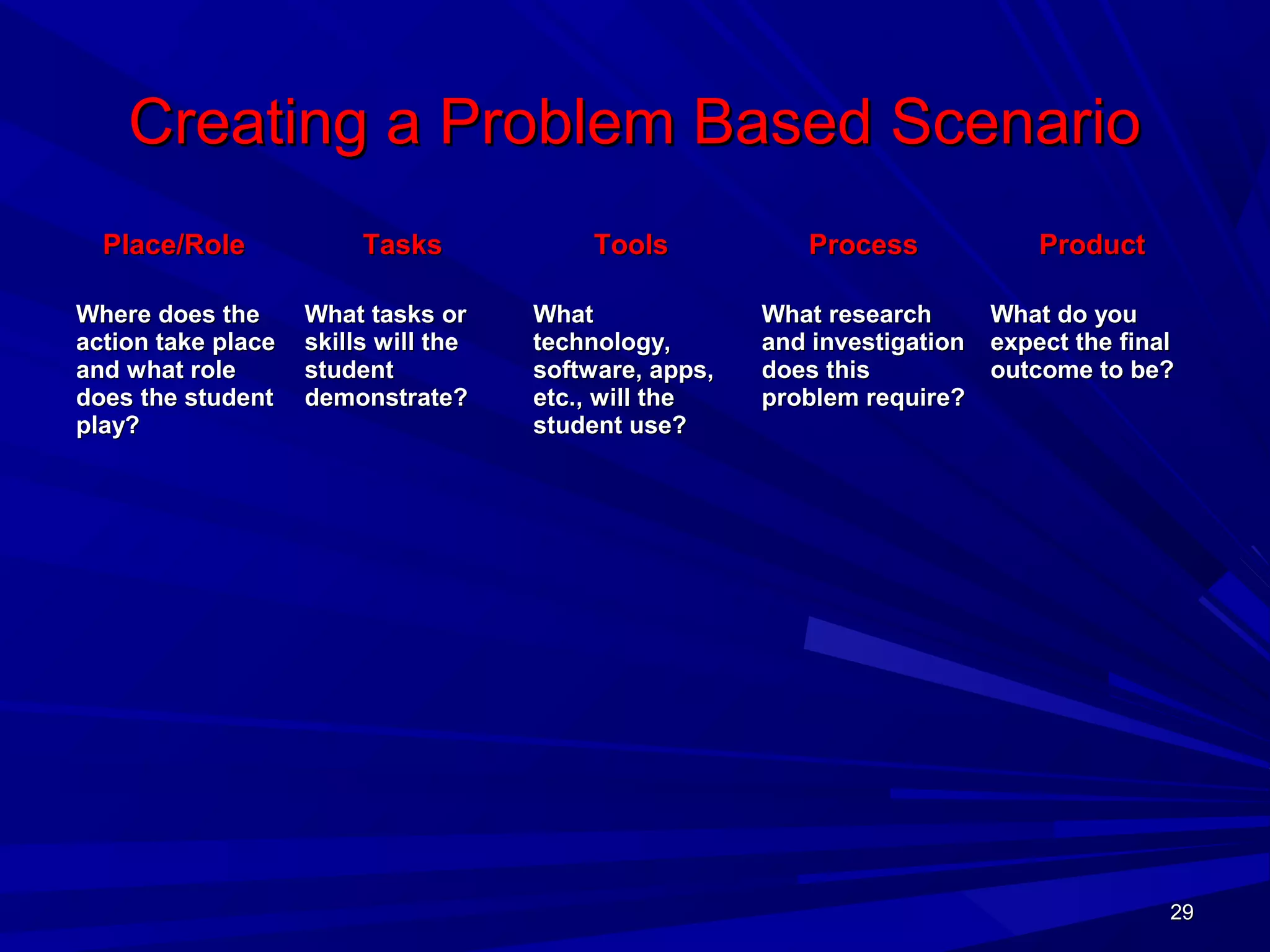
Creating a Problem Based ScenarioCreating a Problem Based Scenario
Place/RolePlace/Role
Where does theWhere does the
action take placeaction take place
and what roleand what role
does the studentdoes the student
play?play?
TasksTasks
What tasks orWhat tasks or
skills will theskills will the
studentstudent
demonstrate?demonstrate?
ToolsTools
WhatWhat
technology,technology,
software, apps,software, apps,
etc., will theetc., will the
student use?student use?
ProcessProcess
What researchWhat research
and investigationand investigation
does thisdoes this
problem require?problem require?
ProductProduct
What do youWhat do you
expect the finalexpect the final
outcome to be?outcome to be?
30303030
CCSS.ELA-Literacy.RST.11-12.9 Synthesize information from a range of sources (e.g., texts,
experiments, simulations) into a coherent understanding of a process, phenomenon, or
concept, resolving conflicting information when possible.
SCENARIO: Minerals in the CongoSCENARIO: Minerals in the Congo
Armed groups earn hundreds of millions of dollars every year by tradingArmed groups earn hundreds of millions of dollars every year by trading
conflict minerals. These minerals are in all our electronics devices.conflict minerals. These minerals are in all our electronics devices.
Government troops and militias fight to control the mines.Government troops and militias fight to control the mines.
What Are Conflict Minerals?What Are Conflict Minerals?
Gold, tin, tantalum, tungsten (the "3 T's"), are mined in eastern Congo andGold, tin, tantalum, tungsten (the "3 T's"), are mined in eastern Congo and
are in all consumer electronics products.are in all consumer electronics products.
Locals in mining communities are forced to take part in the illicit miningLocals in mining communities are forced to take part in the illicit mining
economy. Money earned from the sale of conflict minerals is used foreconomy. Money earned from the sale of conflict minerals is used for
personal profit and to further violent causes.personal profit and to further violent causes.
Minerals are smuggled out of Congo through neighboring countries, thenMinerals are smuggled out of Congo through neighboring countries, then
shipped to smelters around the world for refinement. Once minerals areshipped to smelters around the world for refinement. Once minerals are
processed in this way, it’s difficult to trace their origin. Conflict mineralsprocessed in this way, it’s difficult to trace their origin. Conflict minerals
easily make their way to the U.S. and all over the world in consumereasily make their way to the U.S. and all over the world in consumer
products.products.
Create a presentation to inform a group of concerned citizens aboutCreate a presentation to inform a group of concerned citizens about
conflict minerals. Your presentation must be based on research andconflict minerals. Your presentation must be based on research and
include a plan of action to raise awareness of this issue.include a plan of action to raise awareness of this issue.
Problem Based Scenario: Content Focus - Earth Science/World History
31313131
CCSS.ELA-Literacy.RST.11-12.3 Follow precisely a complex multistep procedure when carrying out
experiments, taking measurements, or performing technical tasks; analyze the specific results based
on explanations in the text.
Scenario:Scenario:
There has been a volcanic eruption of Mt. Diablo. From aerialThere has been a volcanic eruption of Mt. Diablo. From aerial
photos scientists can tell that there is still some wildlife left. Thephotos scientists can tell that there is still some wildlife left. The
island was home to many species, and scientists fear that many ofisland was home to many species, and scientists fear that many of
these species have died out.these species have died out.
It is important to find out what organisms are left. As a field scientistIt is important to find out what organisms are left. As a field scientist
with the Environmental Protection Agency, it is your job to plan thewith the Environmental Protection Agency, it is your job to plan the
search from Briones. You will need to produce resources for thesearch from Briones. You will need to produce resources for the
field scientists on Mt. Diablo. You will be in charge of finding outfield scientists on Mt. Diablo. You will be in charge of finding out
which species of tree are left.which species of tree are left.
Create simple identification charts to distinguish between similarCreate simple identification charts to distinguish between similar
organisms as a quick reference guide. Characteristics of organismsorganisms as a quick reference guide. Characteristics of organisms
which indicate the possible evolution of the organism must be usedwhich indicate the possible evolution of the organism must be used
to establish the correct identity of an organism.to establish the correct identity of an organism.
Problem Based Scenario: Content Focus - Biology
32323232
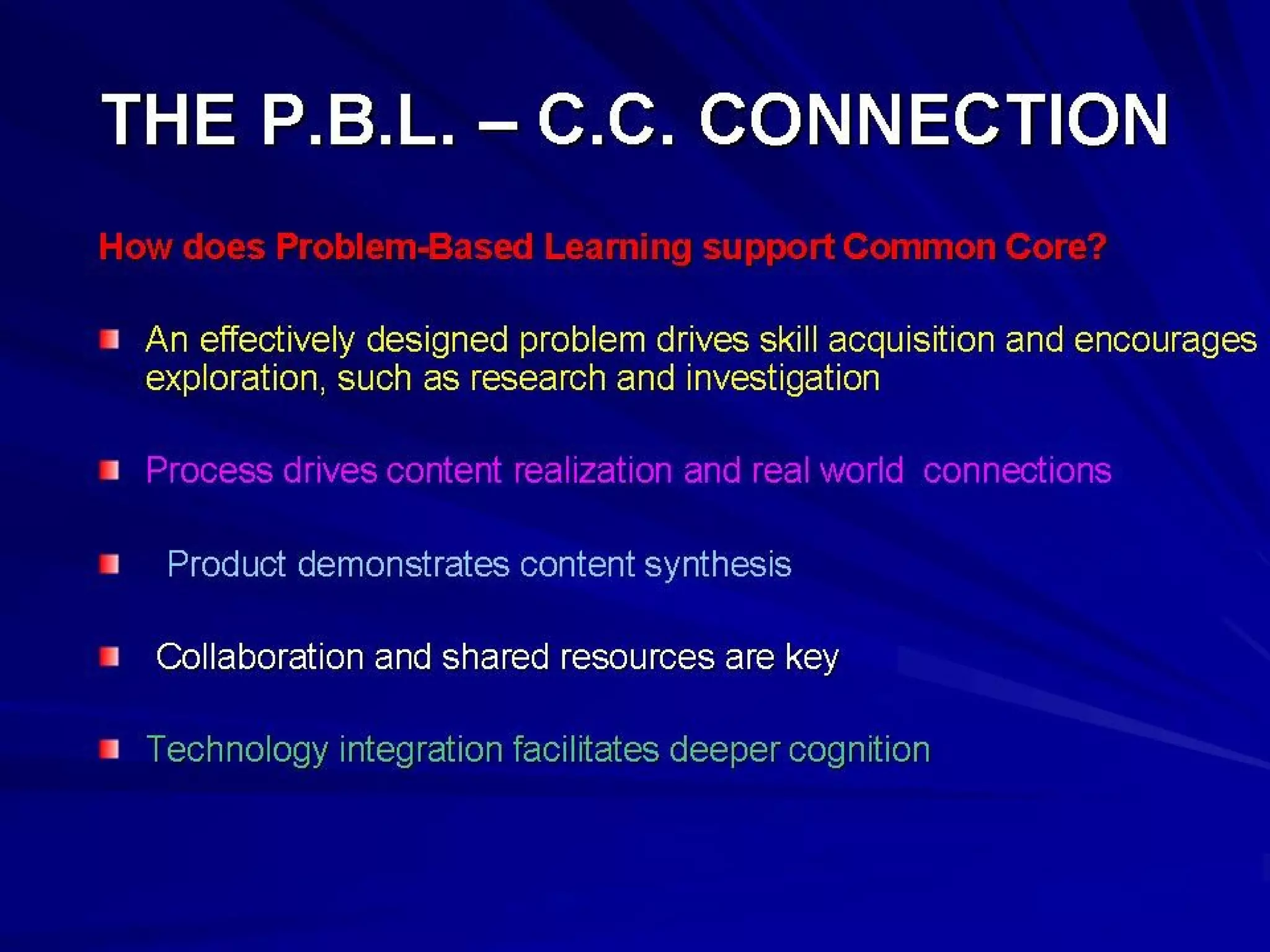
Technology is integral to Common CoreTechnology is integral to Common Core
StudentsStudents employ technology thoughtfullyemploy technology thoughtfully toto
enhance their readingenhance their reading,, writingwriting,, speakingspeaking,,
listeninglistening, and, and languagelanguage use. They tailor theiruse. They tailor their
searches online tosearches online to acquire useful informationacquire useful information
efficientlyefficiently, and they, and they integrate what they learnintegrate what they learn
using technology with what they learn offlineusing technology with what they learn offline..
They are familiar with the strengths andThey are familiar with the strengths and
limitations of various technological tools andlimitations of various technological tools and
mediums and can select and use those bestmediums and can select and use those best
suited to their communication goals.suited to their communication goals.
C.D.E.C.D.E.
33333333
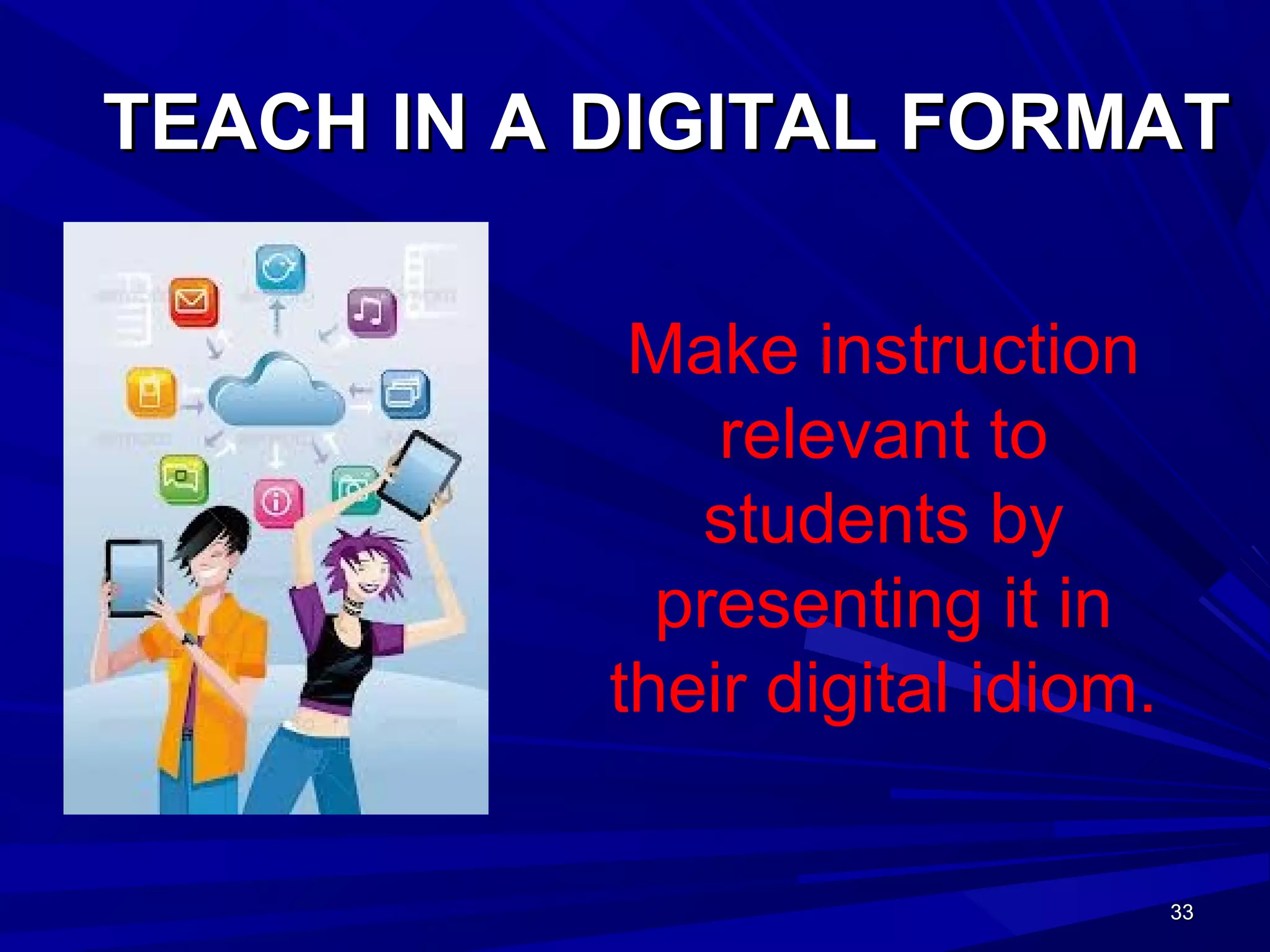
TEACH IN A DIGITAL FORMATTEACH IN A DIGITAL FORMAT
Make instruction
relevant to
students by
presenting it in
their digital idiom.
34343434
Teachers use technology as a tool toTeachers use technology as a tool to
Help students make effective decisionsHelp students make effective decisions
and create new ideasand create new ideas
Help learners recognize when, how, andHelp learners recognize when, how, and
why they learn new materialwhy they learn new material
Help students diagnose personal goals,Help students diagnose personal goals,
strengths, and limitations, and selectstrengths, and limitations, and select
activities compatible with their goalsactivities compatible with their goals..
35353535
Teachers use technology toTeachers use technology to
Provide students with opportunities forProvide students with opportunities for
independent projects tailored to personal goalsindependent projects tailored to personal goals
within an academic discipline.within an academic discipline.
Encourage students to take responsibility forEncourage students to take responsibility for
their own learning -- set realistic goals fortheir own learning -- set realistic goals for
themselves, monitor their own progress, reflectthemselves, monitor their own progress, reflect
on their understanding, and seek guidance fromon their understanding, and seek guidance from
peers as well as instructors.peers as well as instructors.
Create activities that permit students to practiceCreate activities that permit students to practice
these skills.these skills.
36363636
TECHNOLOGY BENEFITSTECHNOLOGY BENEFITS
Increase Student EngagementIncrease Student Engagement
Increase ParticipationIncrease Participation
Provide Access to ResourcesProvide Access to Resources
Improve Recall and ConfidenceImprove Recall and Confidence
Employ Higher Order Thinking SkillsEmploy Higher Order Thinking Skills
Improve CollaborationImprove Collaboration
Connect Students to Peers and ExpertsConnect Students to Peers and Experts
37373737
What is Haiku?What is Haiku?
Haiku is a learning management system.Haiku is a learning management system.
Haiku can be purchased by your districtHaiku can be purchased by your district
Haiku can be used free by individualHaiku can be used free by individual
teachers (2 GB and up to five classes)teachers (2 GB and up to five classes)
Haiku organizes online material andHaiku organizes online material and
meets the common core challenge!meets the common core challenge!
www.haikulms.comwww.haikulms.com
38383838
MEET THE CHALLENGEMEET THE CHALLENGE
The Haiku Discussion Forum provides aThe Haiku Discussion Forum provides a
highly effective avenue for social learninghighly effective avenue for social learning
where students can synthesize andwhere students can synthesize and
analyze informational text in an interactiveanalyze informational text in an interactive
environment.environment.
l
•CCSS.ELA-Literacy.SL.11-12.1d Respond thoughtfully to diverse perspectives;
synthesize comments, claims, and evidence made on all sides of an issue; resolve
contradictions when possible; and determine what additional information or
research is required to deepen the investigation or complete the task.
39393939
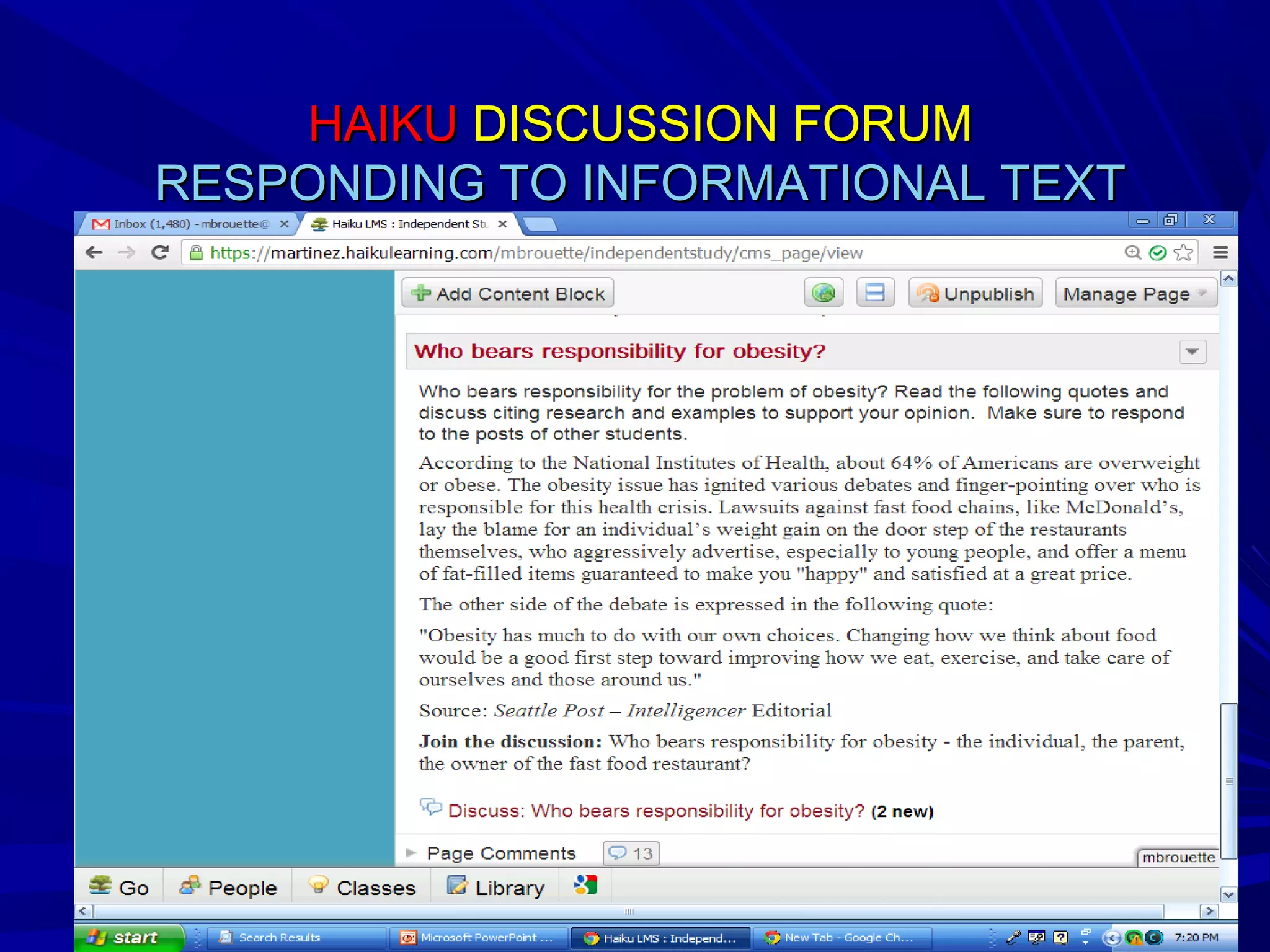
HAIKUHAIKU DISCUSSION FORUMDISCUSSION FORUM
RESPONDING TO INFORMATIONAL TEXTRESPONDING TO INFORMATIONAL TEXT
40404040
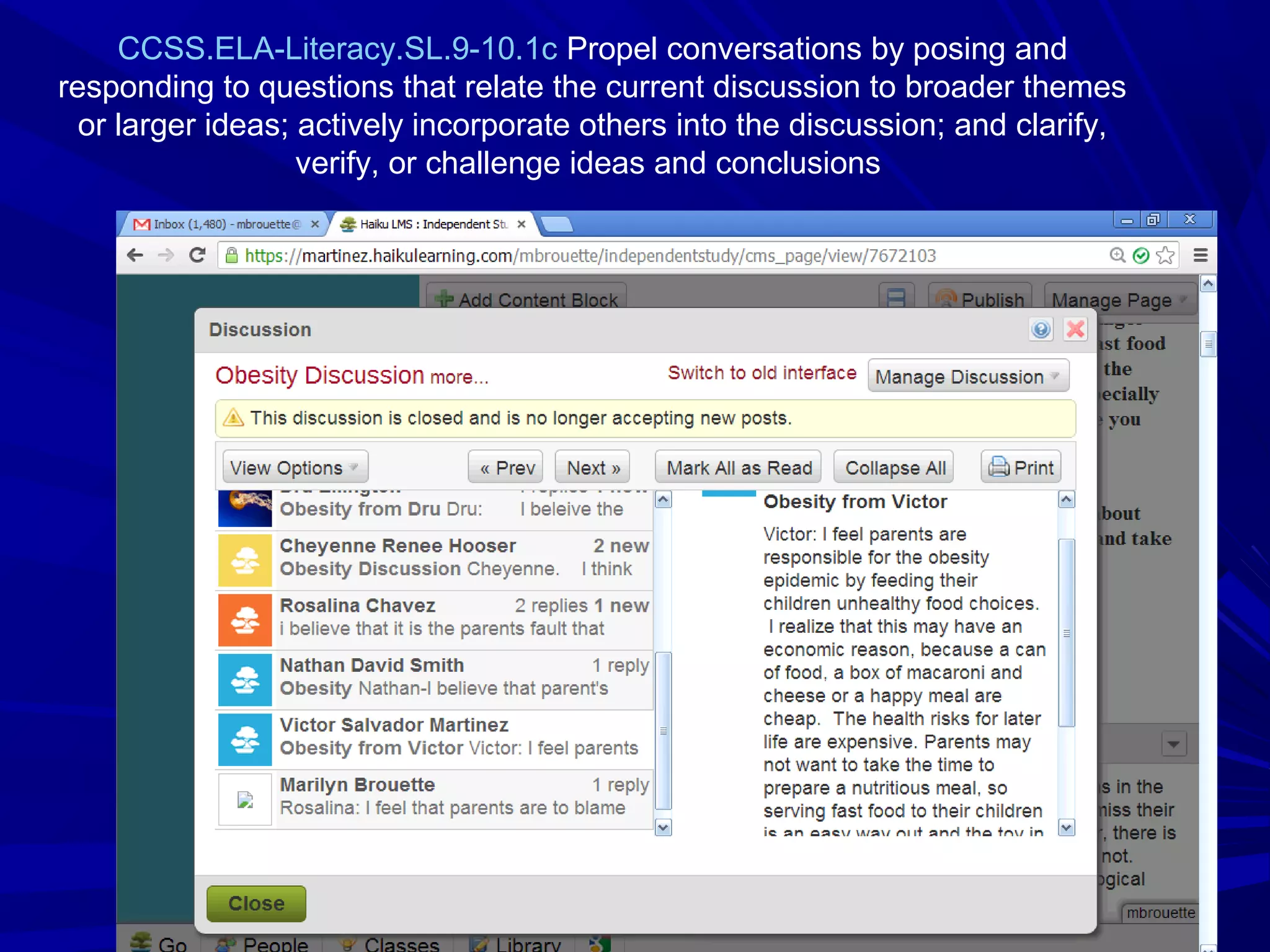
CCSS.ELA-Literacy.SL.9-10.1c Propel conversations by posing and
responding to questions that relate the current discussion to broader themes
or larger ideas; actively incorporate others into the discussion; and clarify,
verify, or challenge ideas and conclusions
41414141
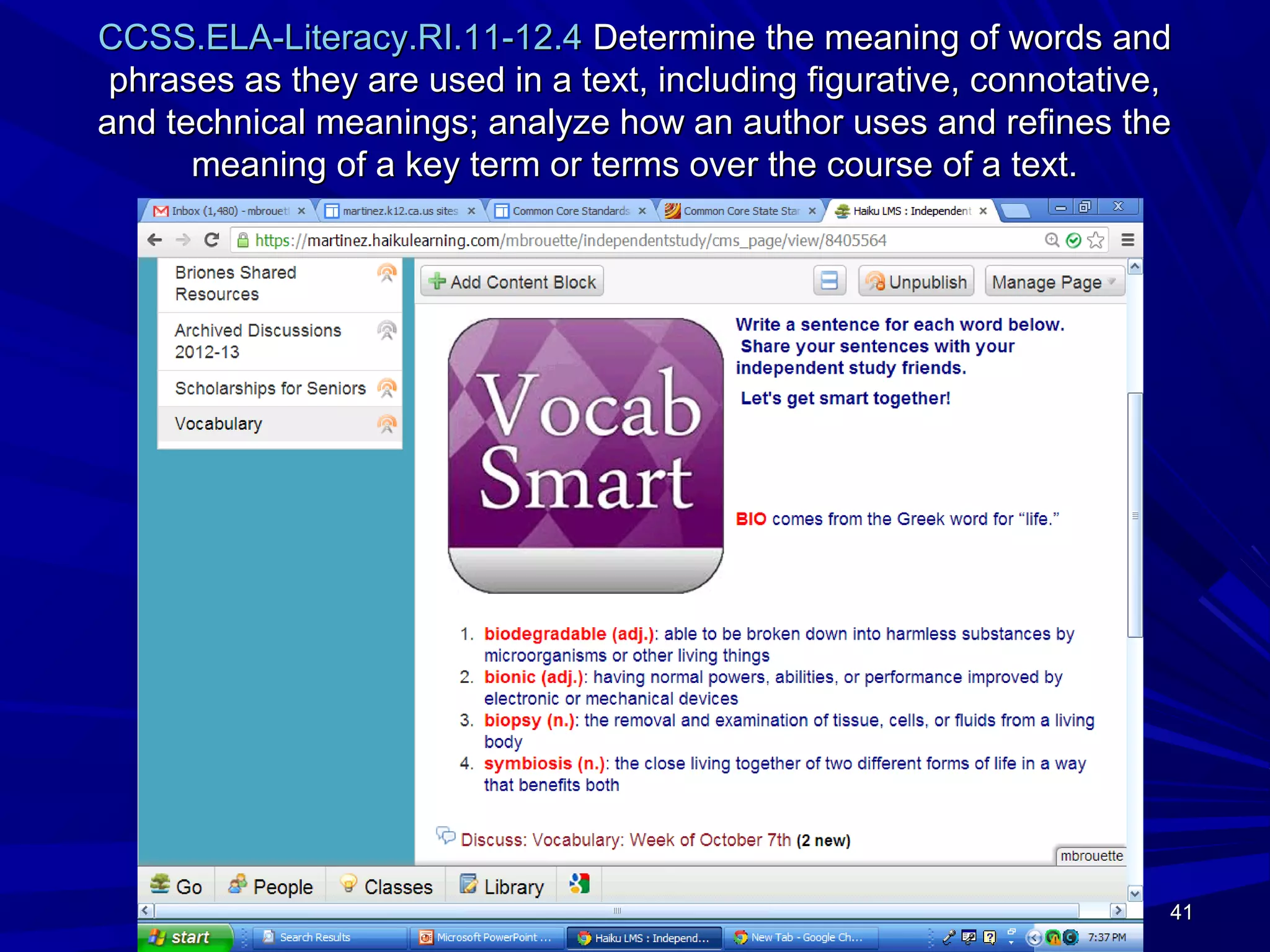
CCSS.ELA-Literacy.RI.11-12.4CCSS.ELA-Literacy.RI.11-12.4 Determine the meaning of words andDetermine the meaning of words and
phrases as they are used in a text, including figurative, connotative,phrases as they are used in a text, including figurative, connotative,
and technical meanings; analyze how an author uses and refines theand technical meanings; analyze how an author uses and refines the
meaning of a key term or terms over the course of a text.meaning of a key term or terms over the course of a text.
42424242
CCSS.ELA-Literacy.SL.11-12.1aCCSS.ELA-Literacy.SL.11-12.1a Come to discussions prepared, having readCome to discussions prepared, having read
and researched material under study; explicitly draw on that preparation byand researched material under study; explicitly draw on that preparation by
referring to evidence from texts and other research on the topic or issue toreferring to evidence from texts and other research on the topic or issue to
stimulate a thoughtful, well-reasoned exchange of ideas.stimulate a thoughtful, well-reasoned exchange of ideas.
HAIKU DISCUSSION FORUMHAIKU DISCUSSION FORUM
How has the "Race for Space"How has the "Race for Space"
transformed the USA, Russia and Chinatransformed the USA, Russia and China
from competitors to partners in thefrom competitors to partners in the
development of communication anddevelopment of communication and
technology?technology?
DiscussDiscuss:: From Competition to CooperationFrom Competition to Cooperation
Content Focus – U.S. History
43434343
HAIKU BASICSHAIKU BASICS
How to Create a ClassHow to Create a Class
How to Roster StudentsHow to Roster Students
How to Create SectionsHow to Create Sections
How to Add ContentHow to Add Content
44444444
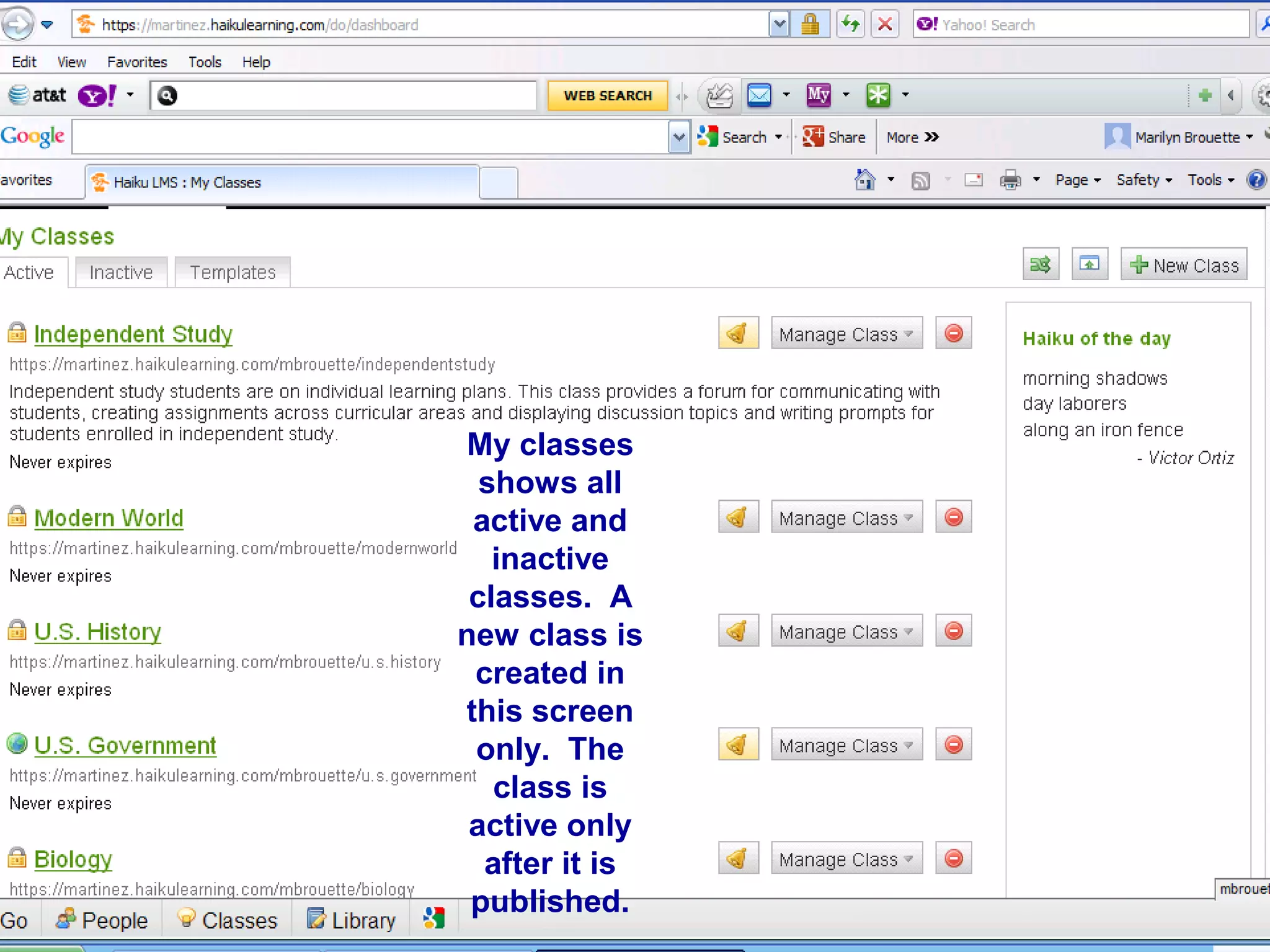
My classes
shows all
active and
inactive
classes. A
new class is
created in
this screen
only. The
class is
active only
after it is
published.
45454545
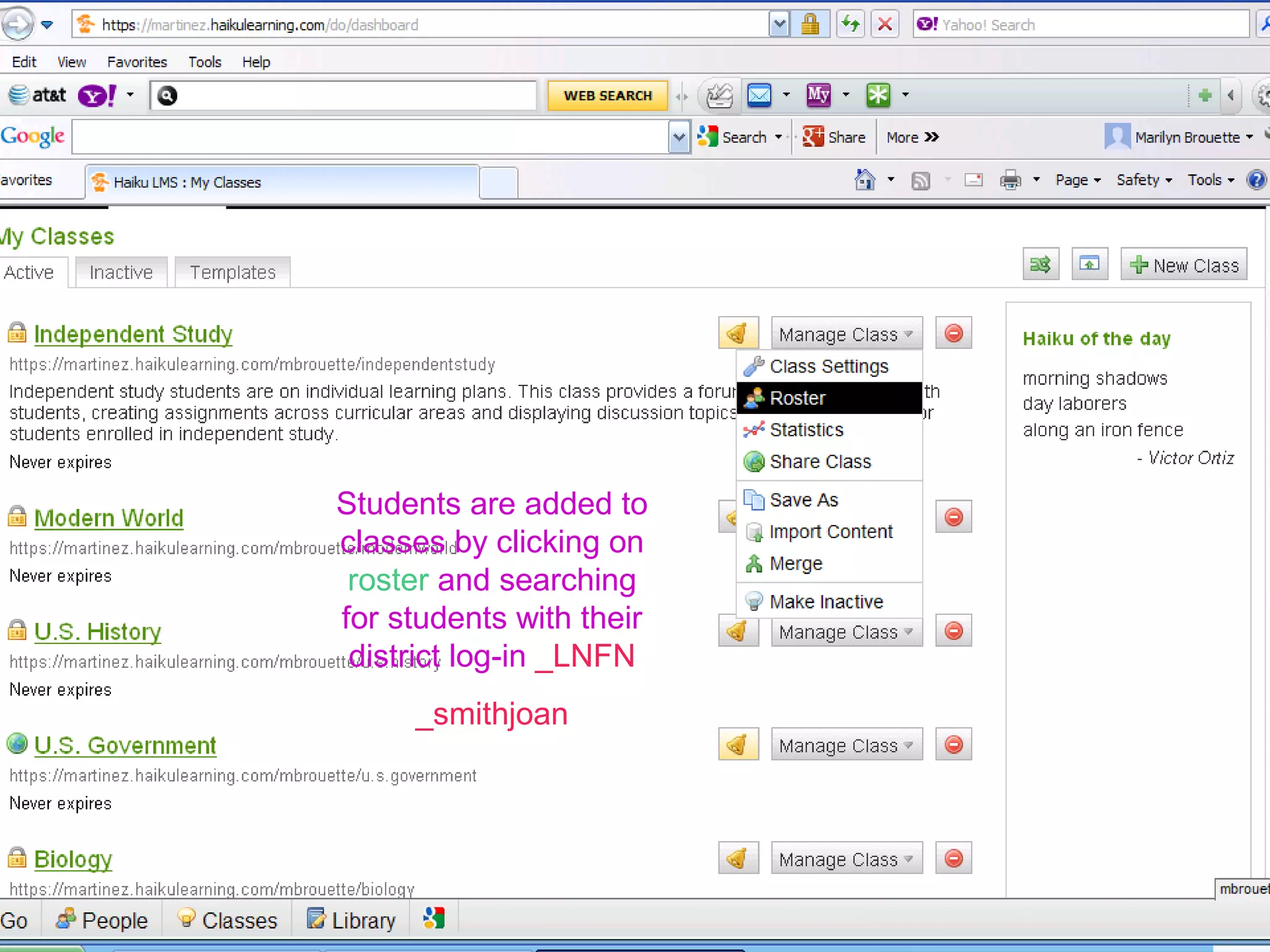
Students are added to
classes by clicking on
roster and searching
for students with their
district log-in _LNFN
_smithjoan
46464646
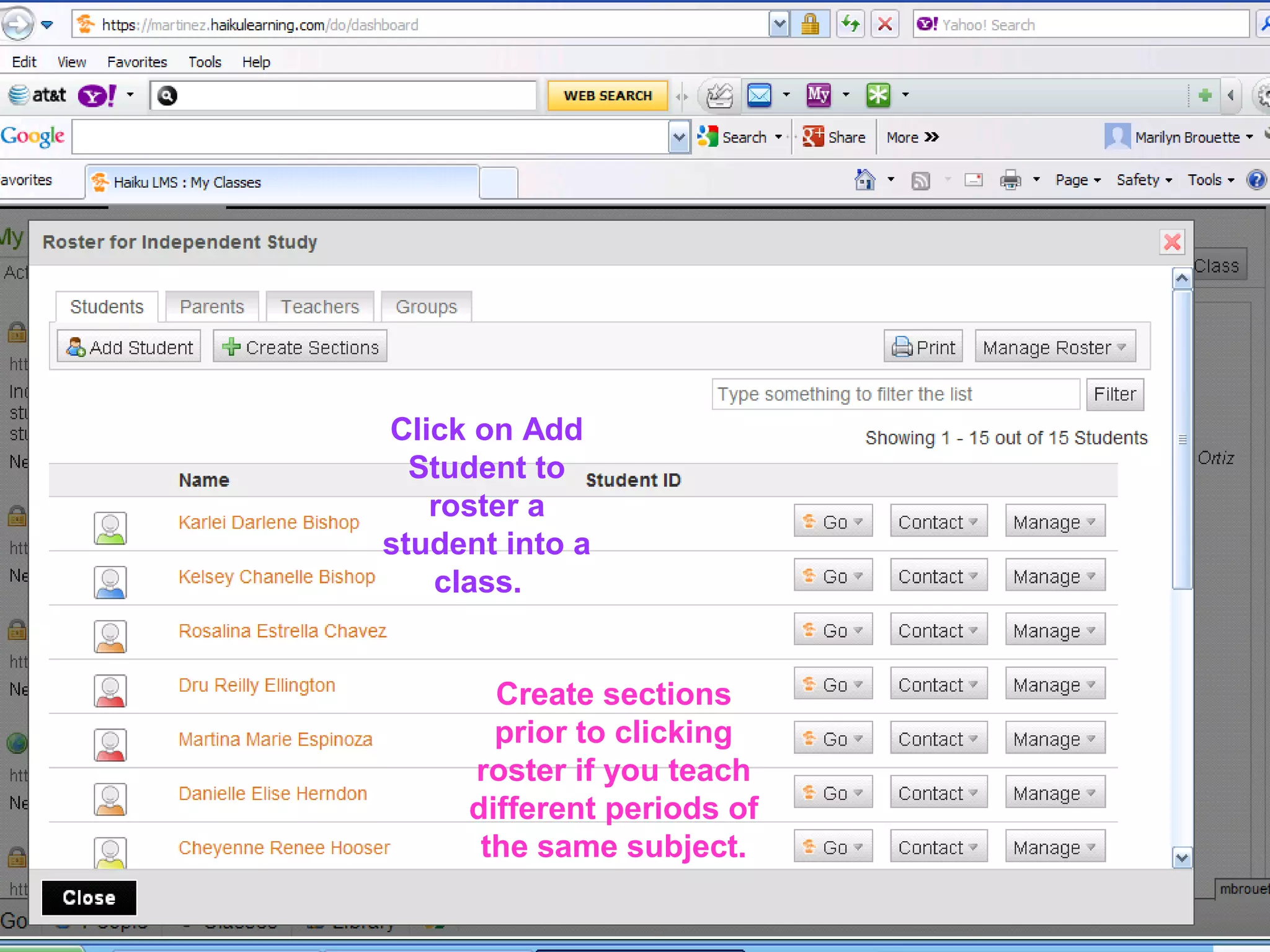
Click on Add
Student to
roster a
student into a
class.
Create sections
prior to clicking
roster if you teach
different periods of
the same subject.
47474747
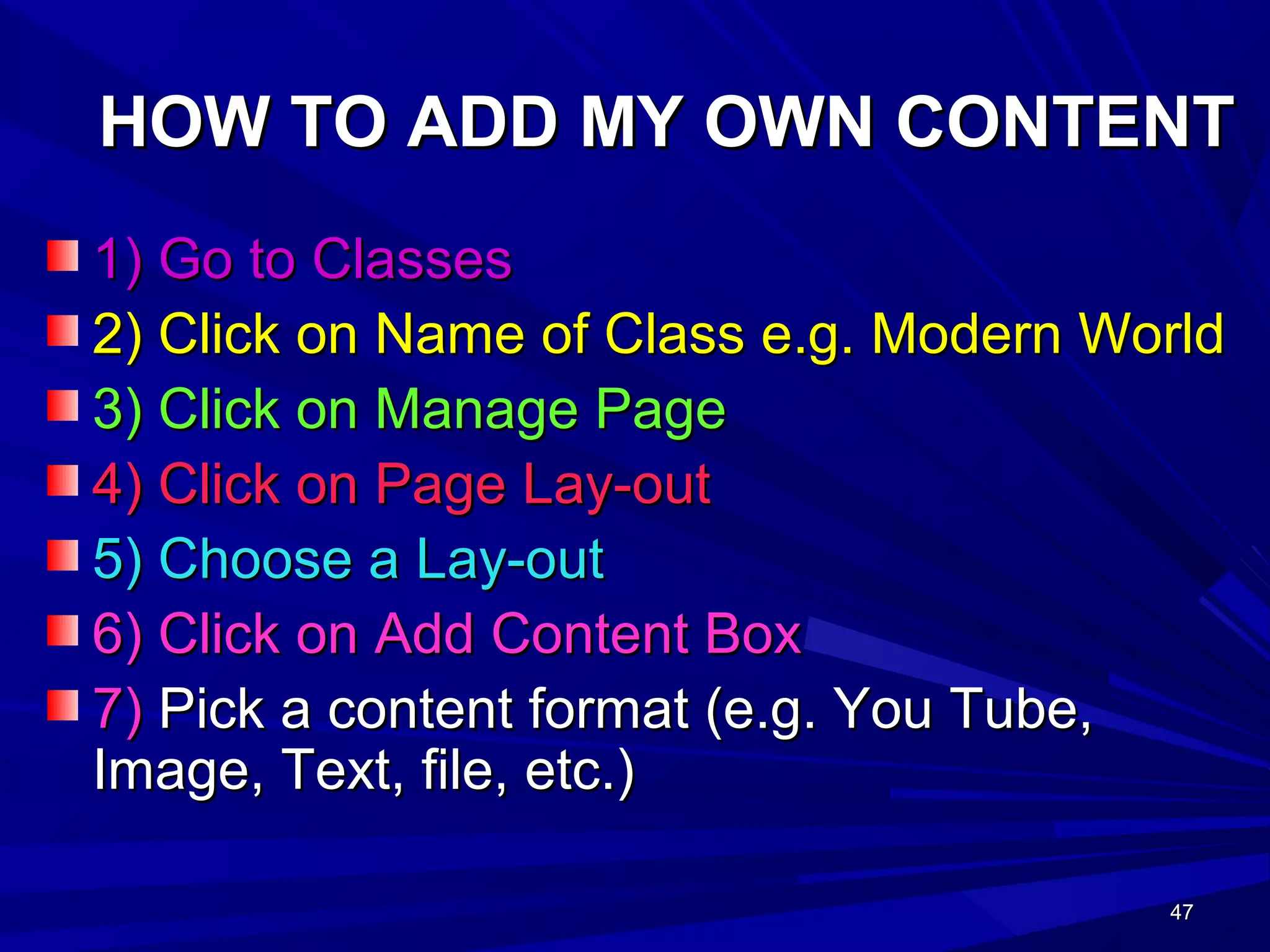
HOW TO ADD MY OWN CONTENTHOW TO ADD MY OWN CONTENT
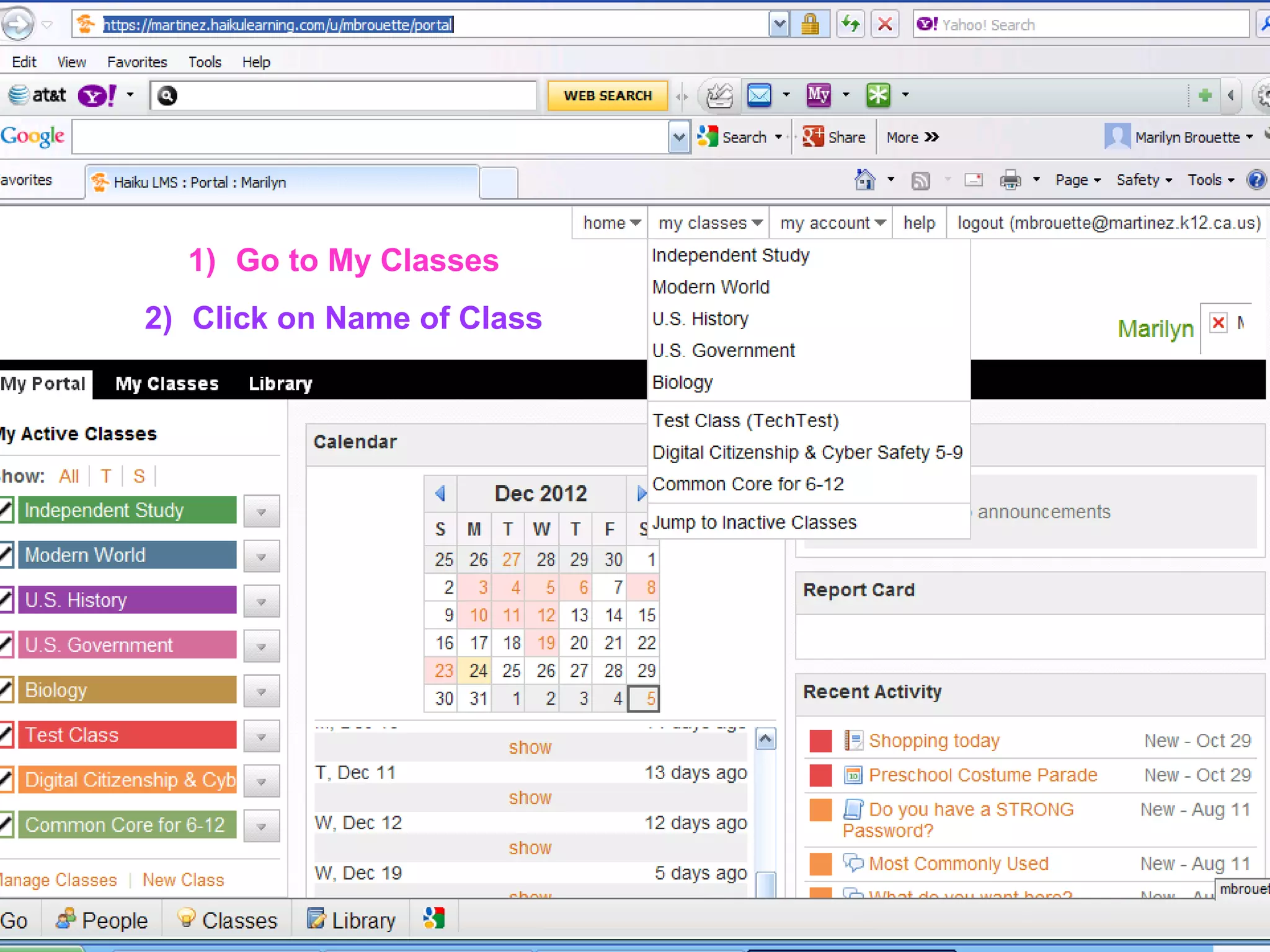
1) Go to Classes1) Go to Classes
2) Click on Name of Class e.g. Modern World2) Click on Name of Class e.g. Modern World
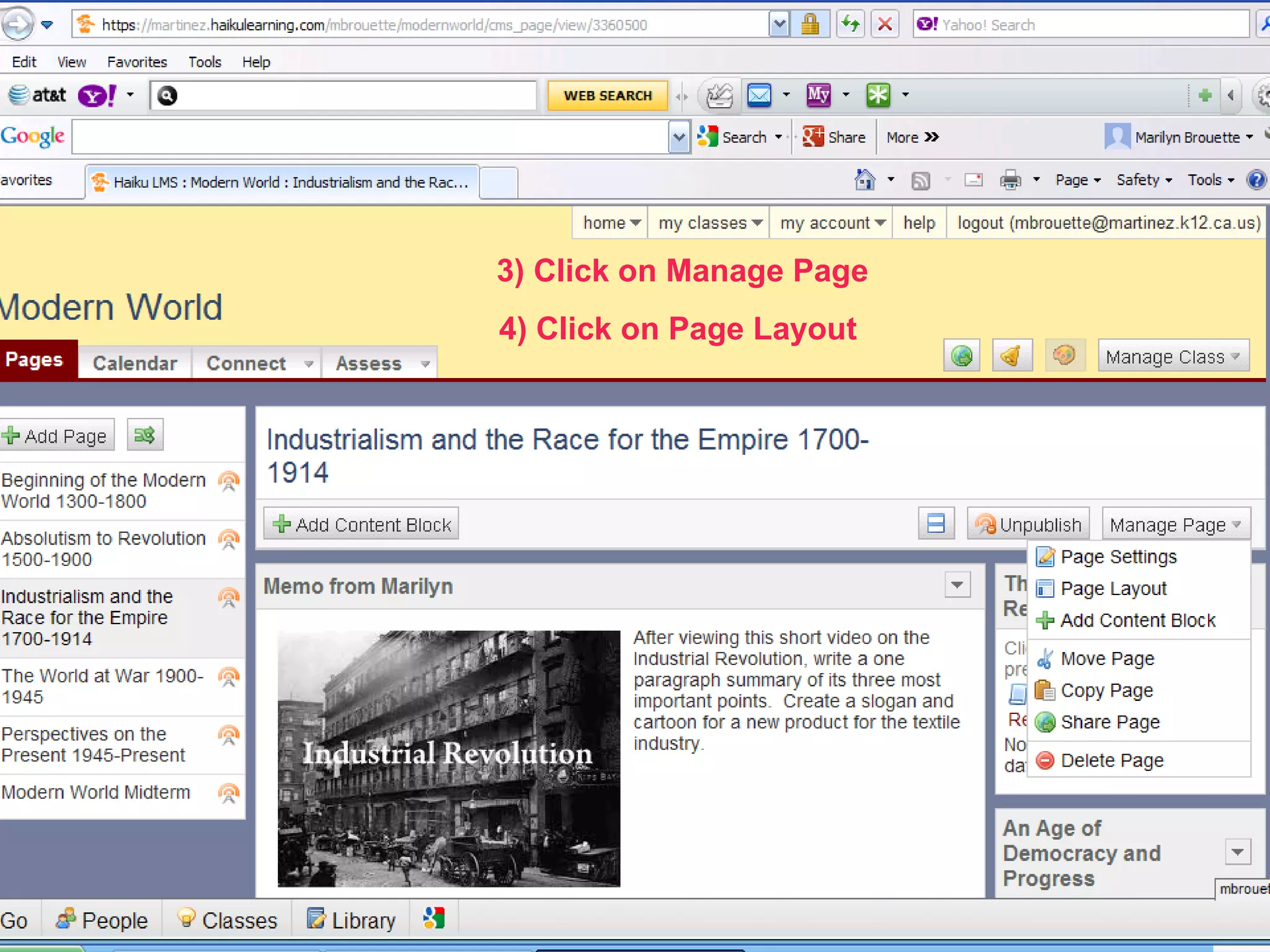
3) Click on Manage Page3) Click on Manage Page
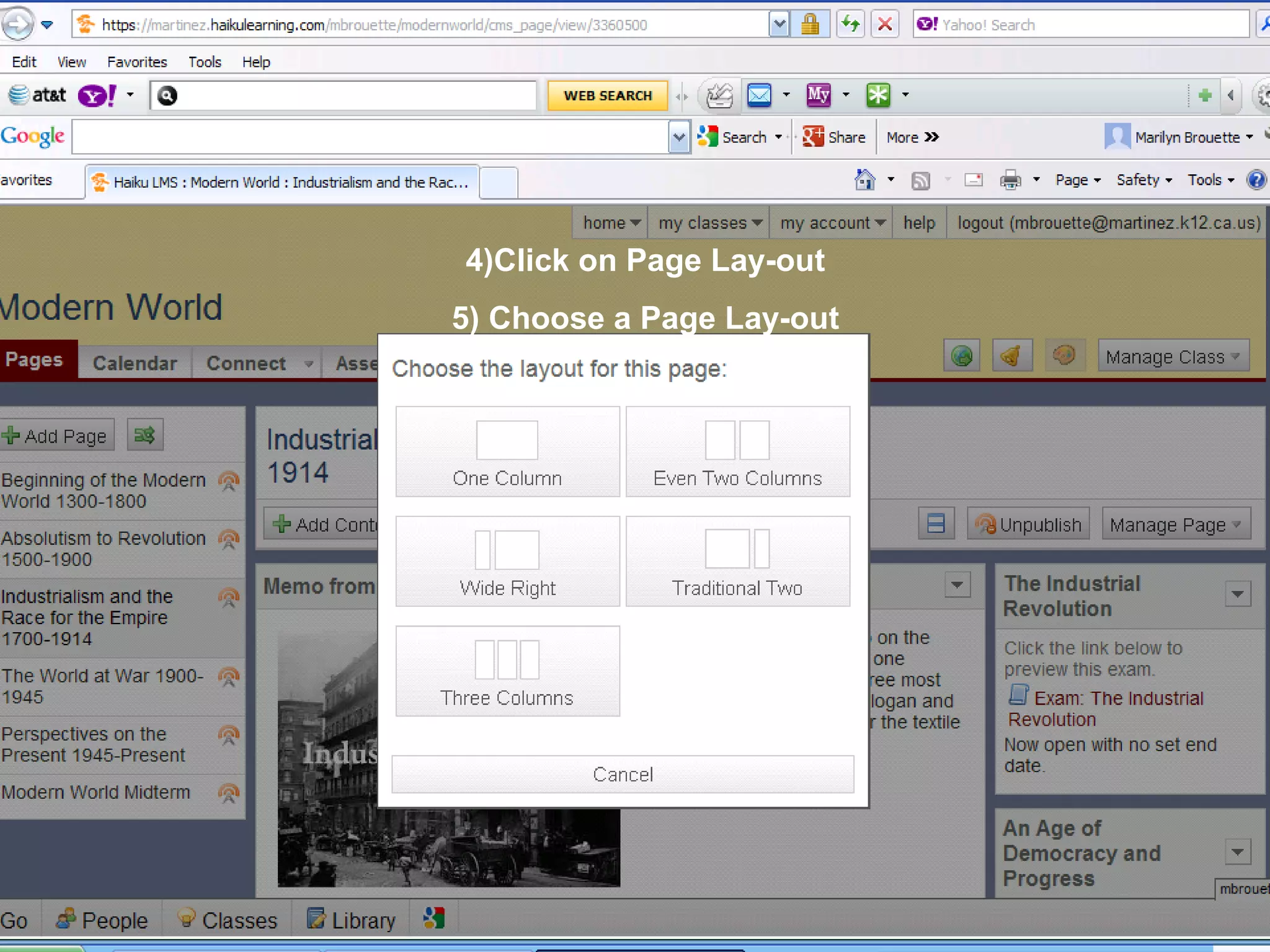
4) Click on Page Lay-out4) Click on Page Lay-out
5) Choose a Lay-out5) Choose a Lay-out
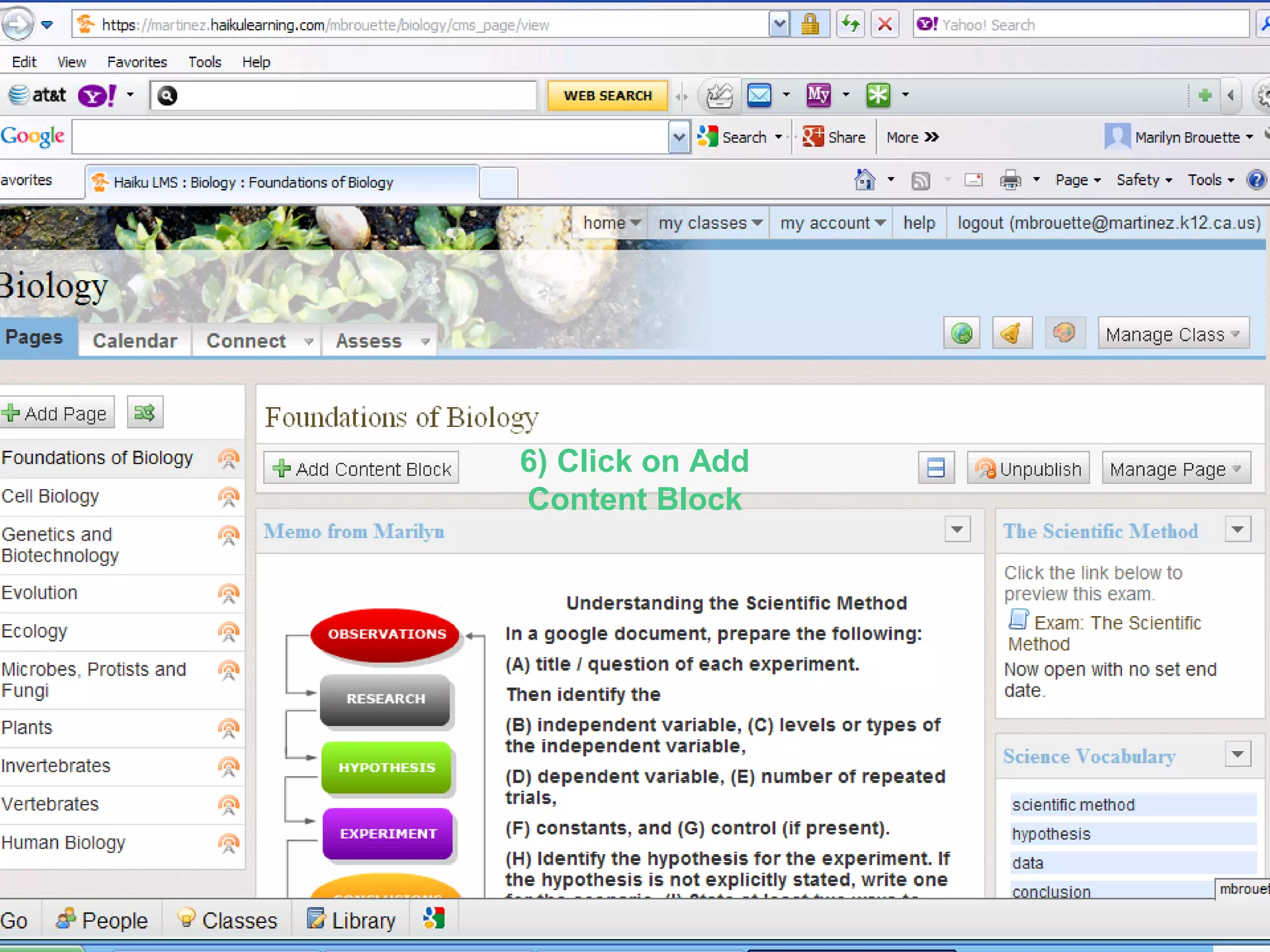
6) Click on Add Content Box6) Click on Add Content Box
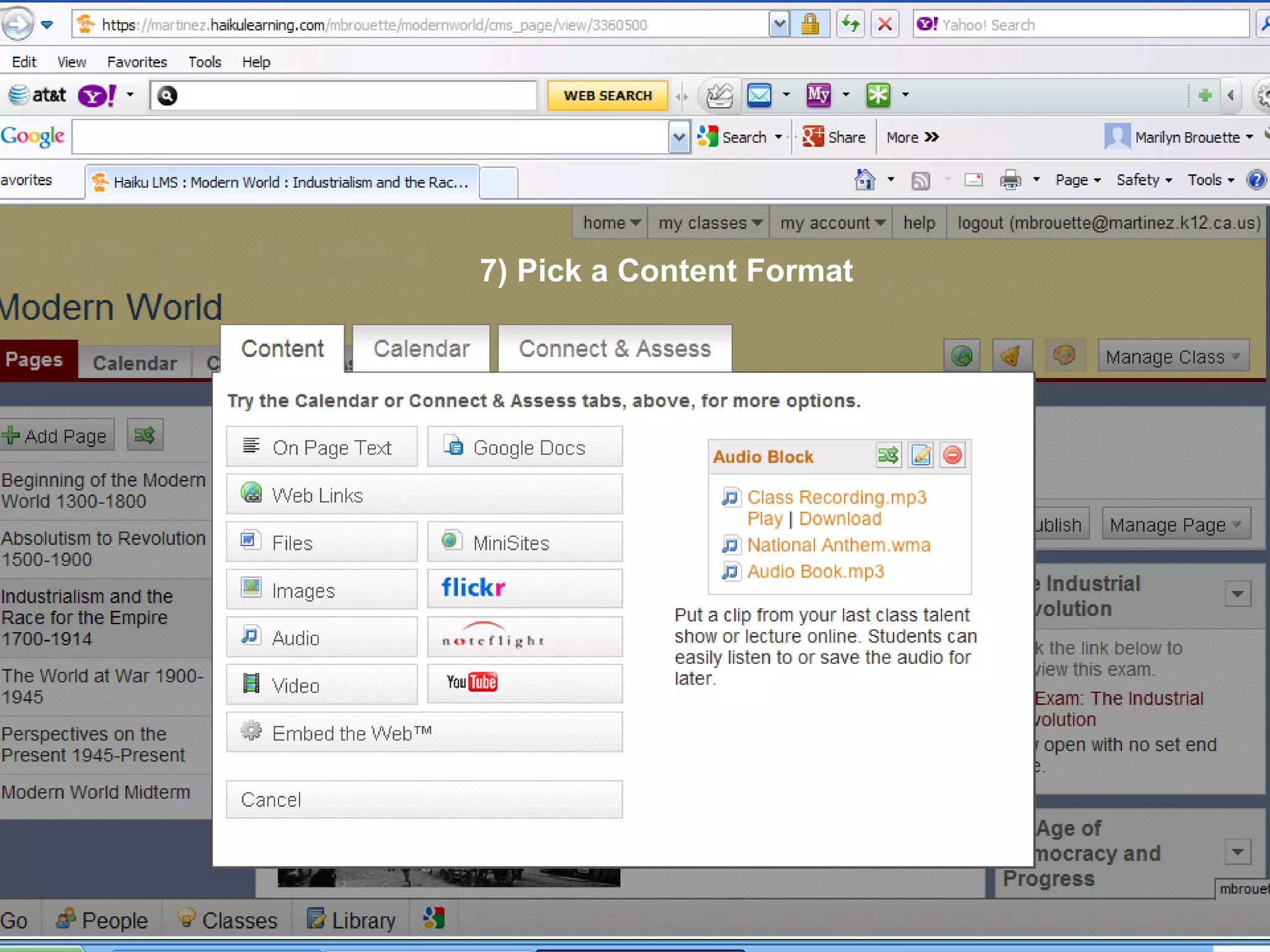
7)7) Pick a content format (e.g. You Tube,Pick a content format (e.g. You Tube,
Image, Text, file, etc.)Image, Text, file, etc.)
48484848
1) Go to My Classes
2) Click on Name of Class
49494949
3) Click on Manage Page
4) Click on Page Layout
50505050
4)Click on Page Lay-out
5) Choose a Page Lay-out
51515151
6) Click on Add
Content Block
52525252
7) Pick a Content Format
53535353
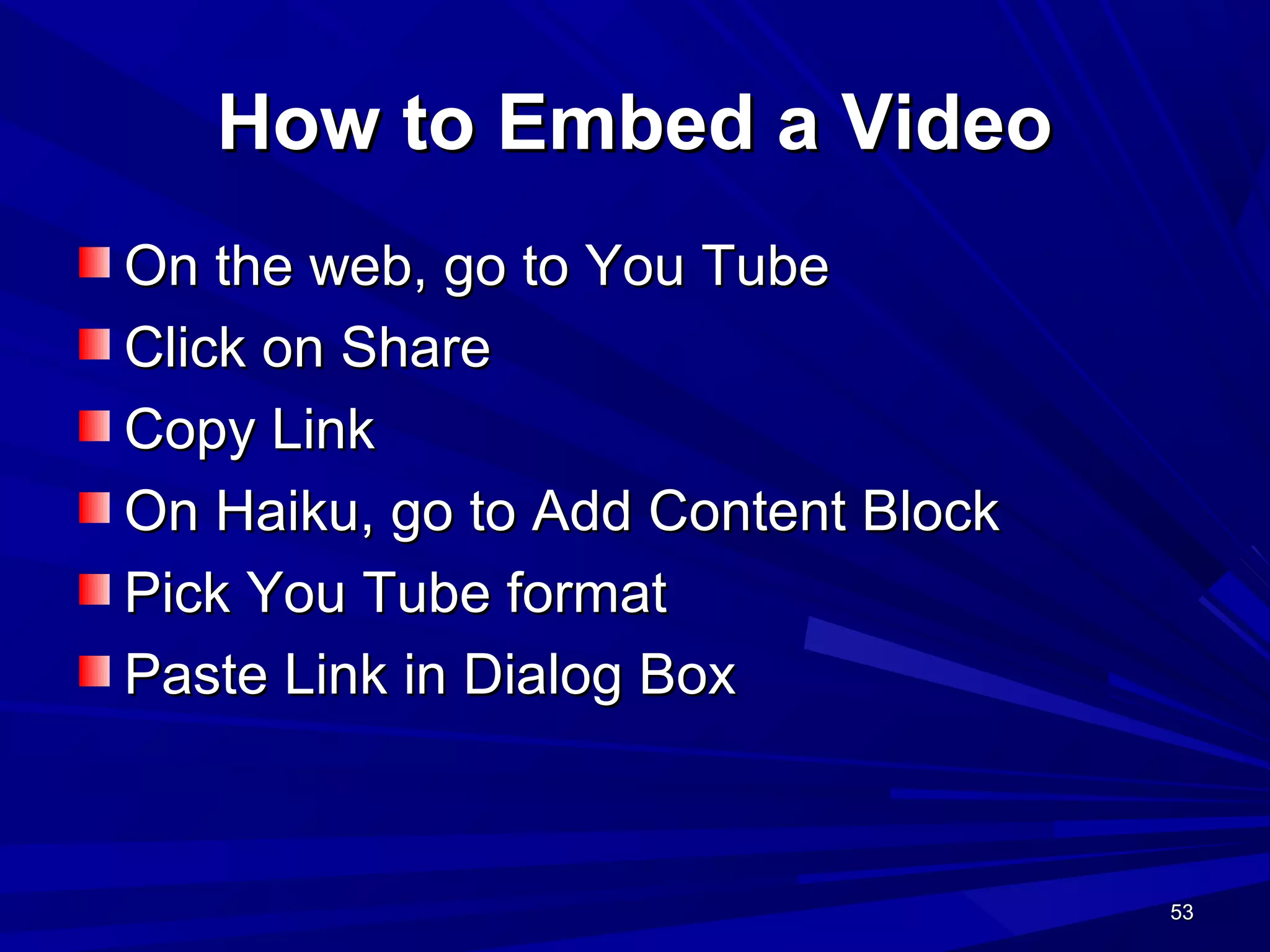
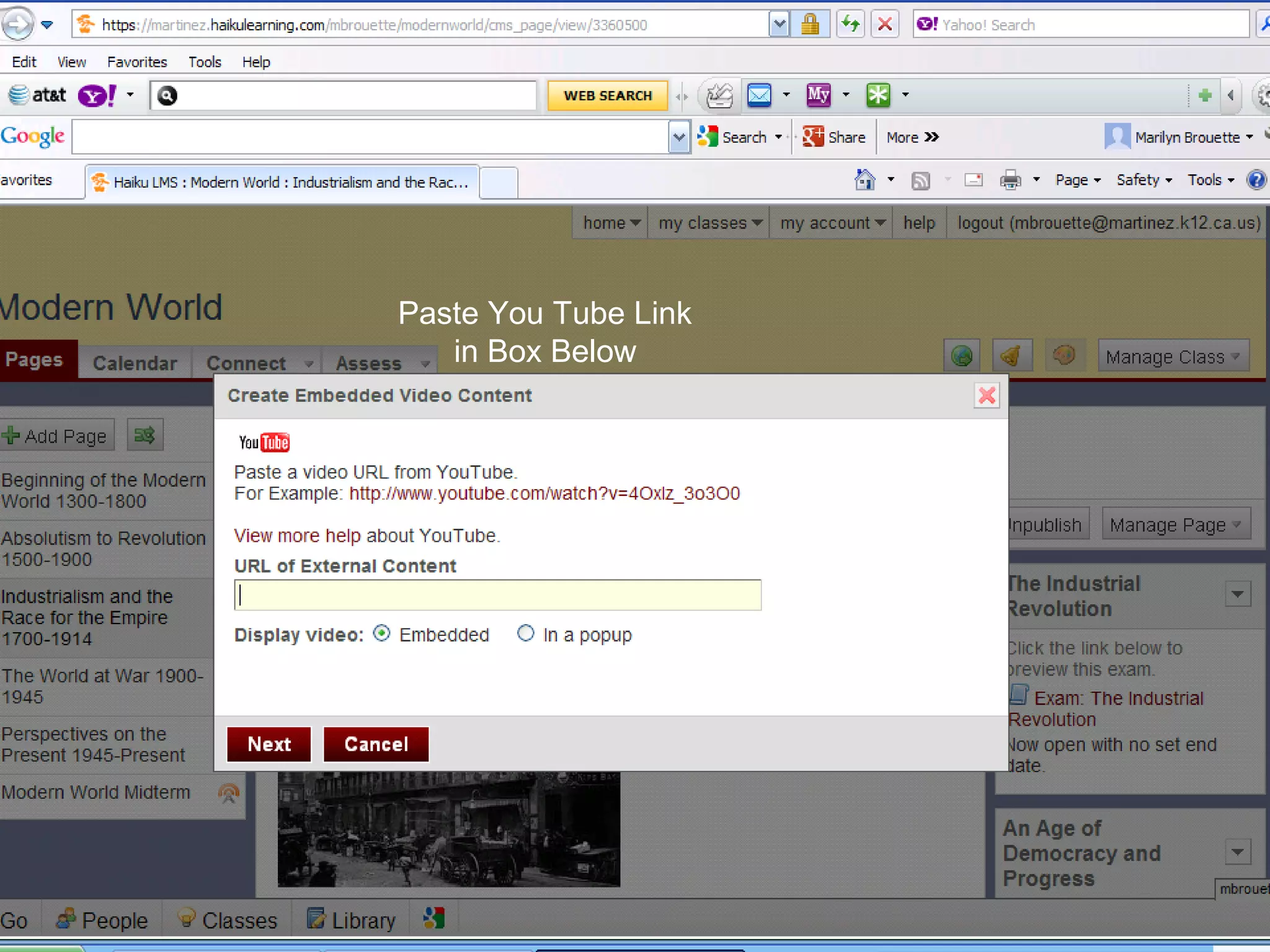
How to Embed a VideoHow to Embed a Video
On the web, go to You TubeOn the web, go to You Tube
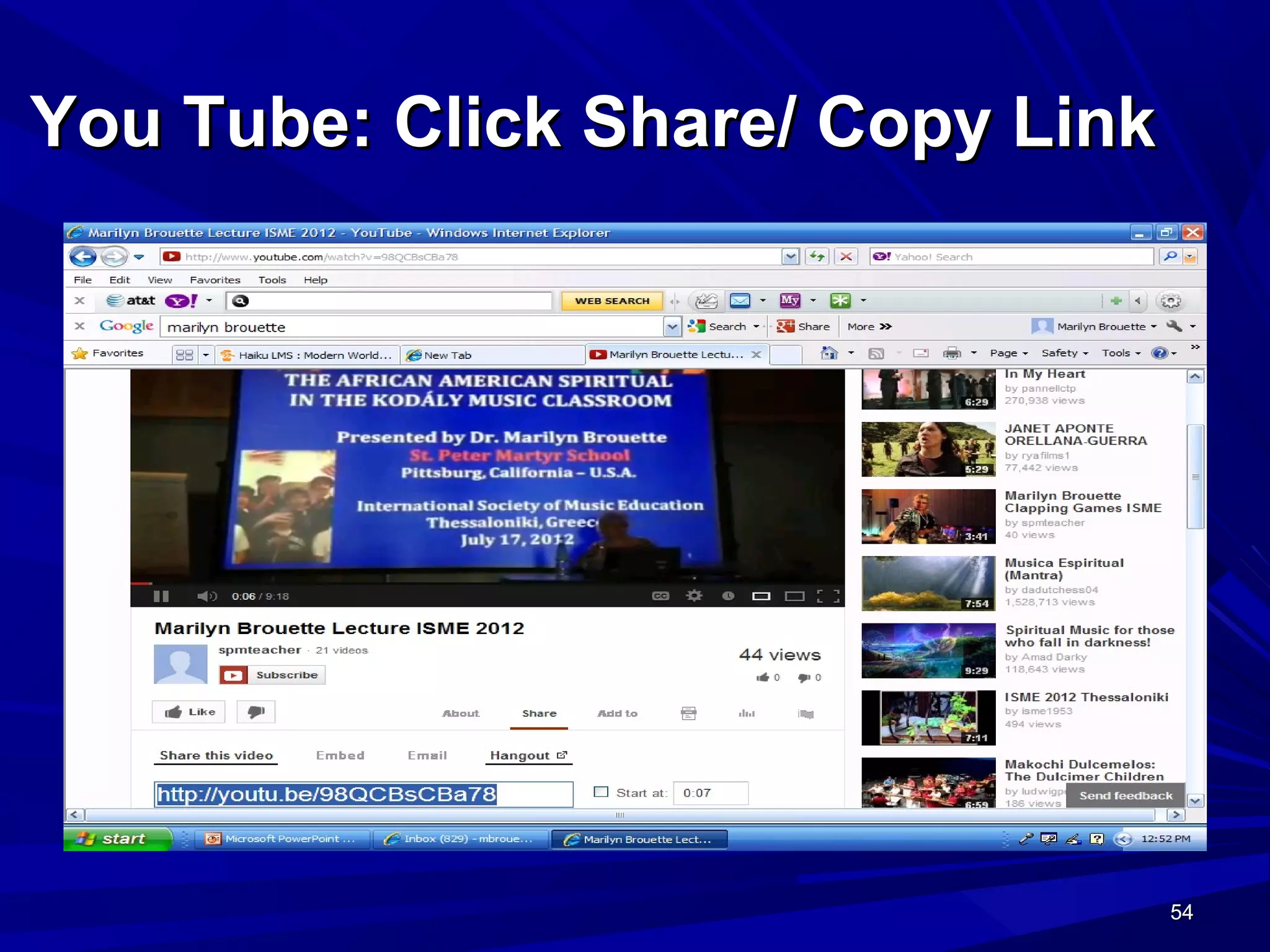
Click on ShareClick on Share
Copy LinkCopy Link
On Haiku, go to Add Content BlockOn Haiku, go to Add Content Block
Pick You Tube formatPick You Tube format
Paste Link in Dialog BoxPaste Link in Dialog Box
54545454
You Tube: Click Share/ Copy LinkYou Tube: Click Share/ Copy Link
55555555
Paste You Tube Link
in Box Below
56565656
Haiku Interactive: “Connect”Haiku Interactive: “Connect”
Click connect to:Click connect to:
Make an announcementMake an announcement
Check assignments in the drop boxCheck assignments in the drop box
Create a Discussion ForumCreate a Discussion Forum
Check for messages in your inboxCheck for messages in your inbox
Create a wikiCreate a wiki
View a wiki that has been createdView a wiki that has been created
57575757
How to Create an AnnouncementHow to Create an Announcement
Click on connectClick on connect
Click on “create announcement”Click on “create announcement”
Type your textType your text
Click saveClick save
Announcements may be used to informAnnouncements may be used to inform
the class of a new assignment, discussionthe class of a new assignment, discussion
forum or any other topic.forum or any other topic.
58585858
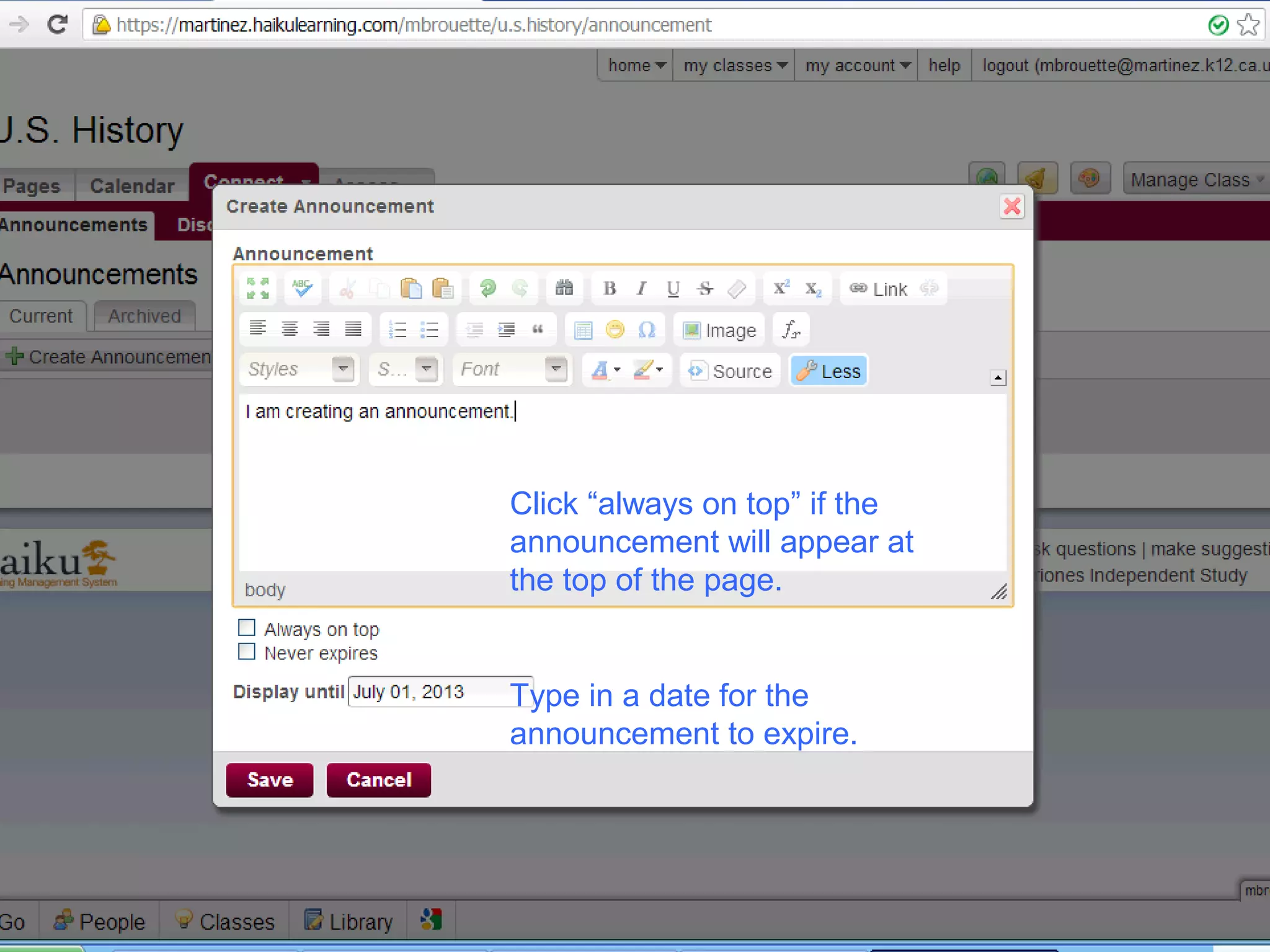
Click “always on top” if the
announcement will appear at
the top of the page.
Type in a date for the
announcement to expire.
59595959
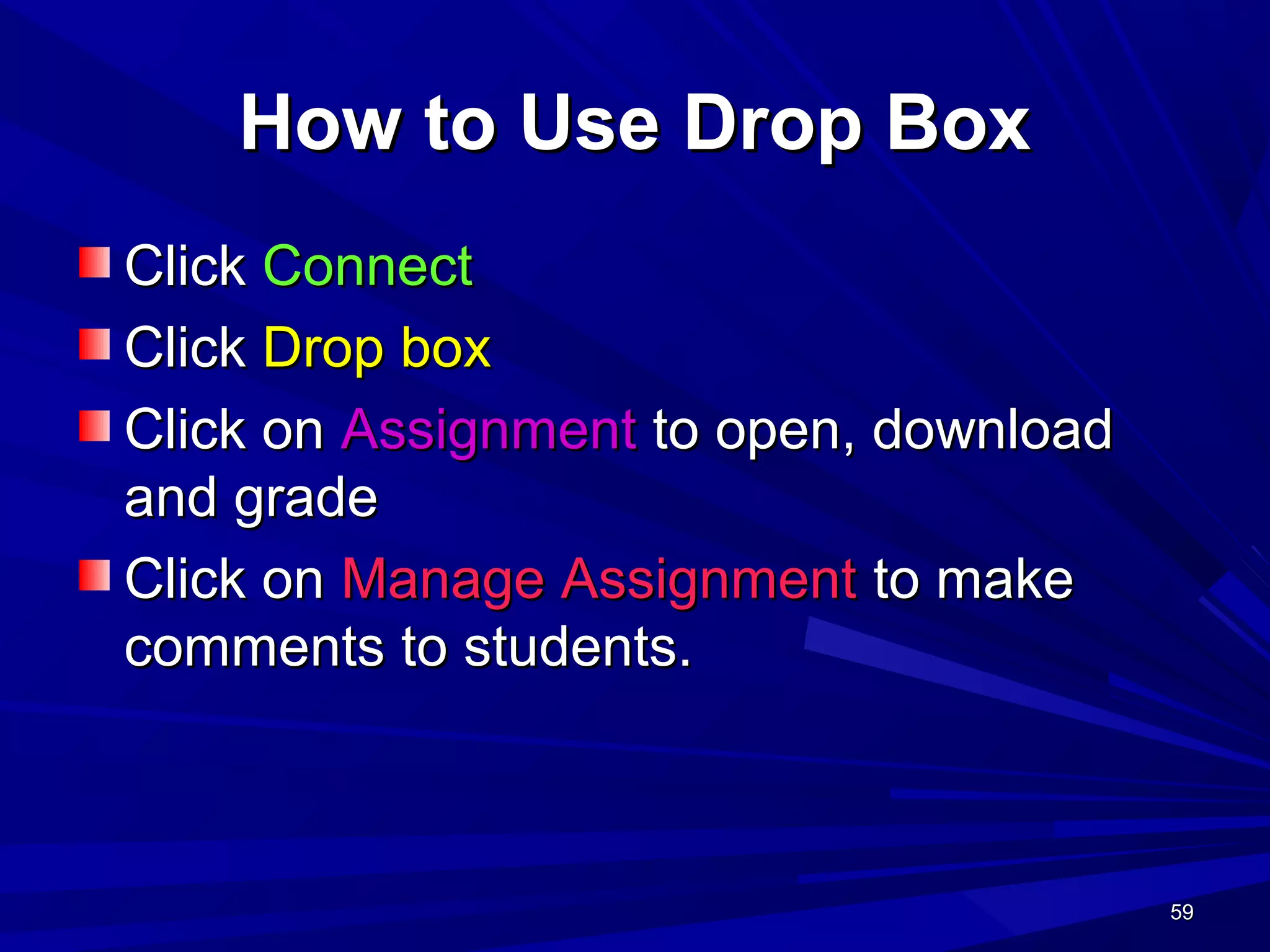
How to Use Drop BoxHow to Use Drop Box
ClickClick ConnectConnect
ClickClick Drop boxDrop box
Click onClick on AssignmentAssignment to open, downloadto open, download
and gradeand grade
Click onClick on Manage AssignmentManage Assignment to maketo make
comments to students.comments to students.
60606060
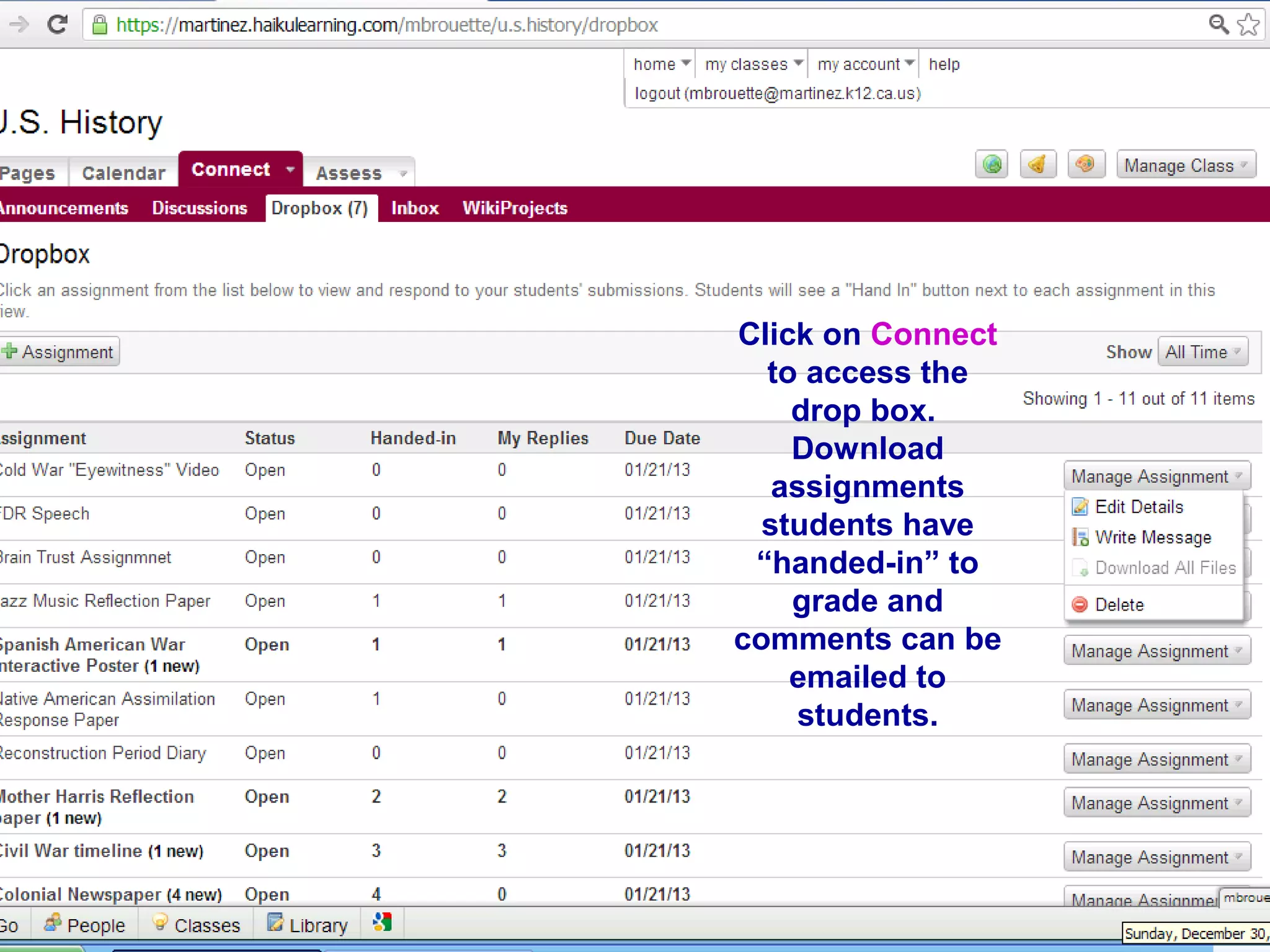
Click on Connect
to access the
drop box.
Download
assignments
students have
“handed-in” to
grade and
comments can be
emailed to
students.
61616161
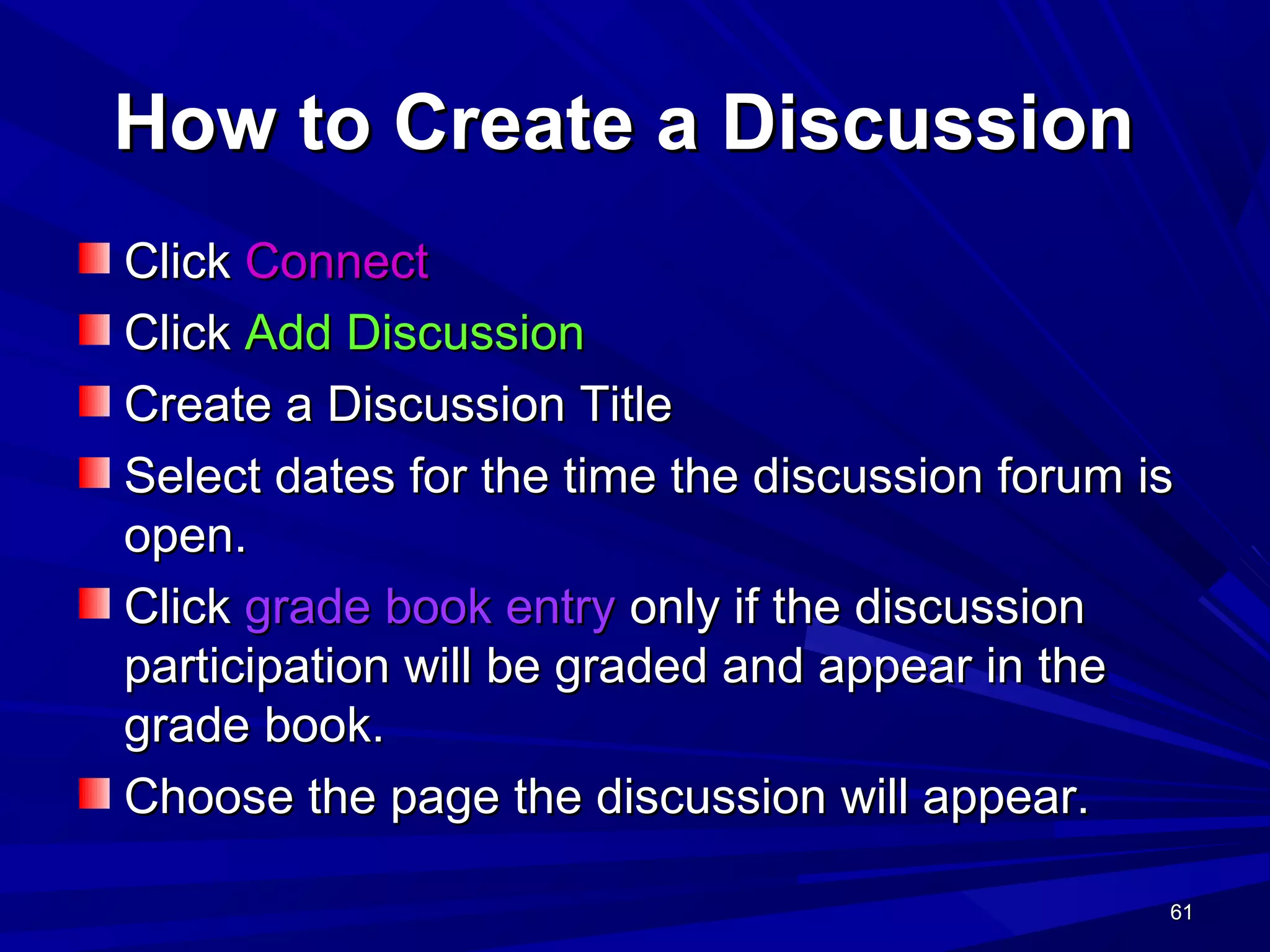
How to Create a DiscussionHow to Create a Discussion
ClickClick ConnectConnect
ClickClick Add DiscussionAdd Discussion
Create a Discussion TitleCreate a Discussion Title
Select dates for the time the discussion forum isSelect dates for the time the discussion forum is
open.open.
ClickClick grade book entrygrade book entry only if the discussiononly if the discussion
participation will be graded and appear in theparticipation will be graded and appear in the
grade book.grade book.
Choose the page the discussion will appear.Choose the page the discussion will appear.
62626262
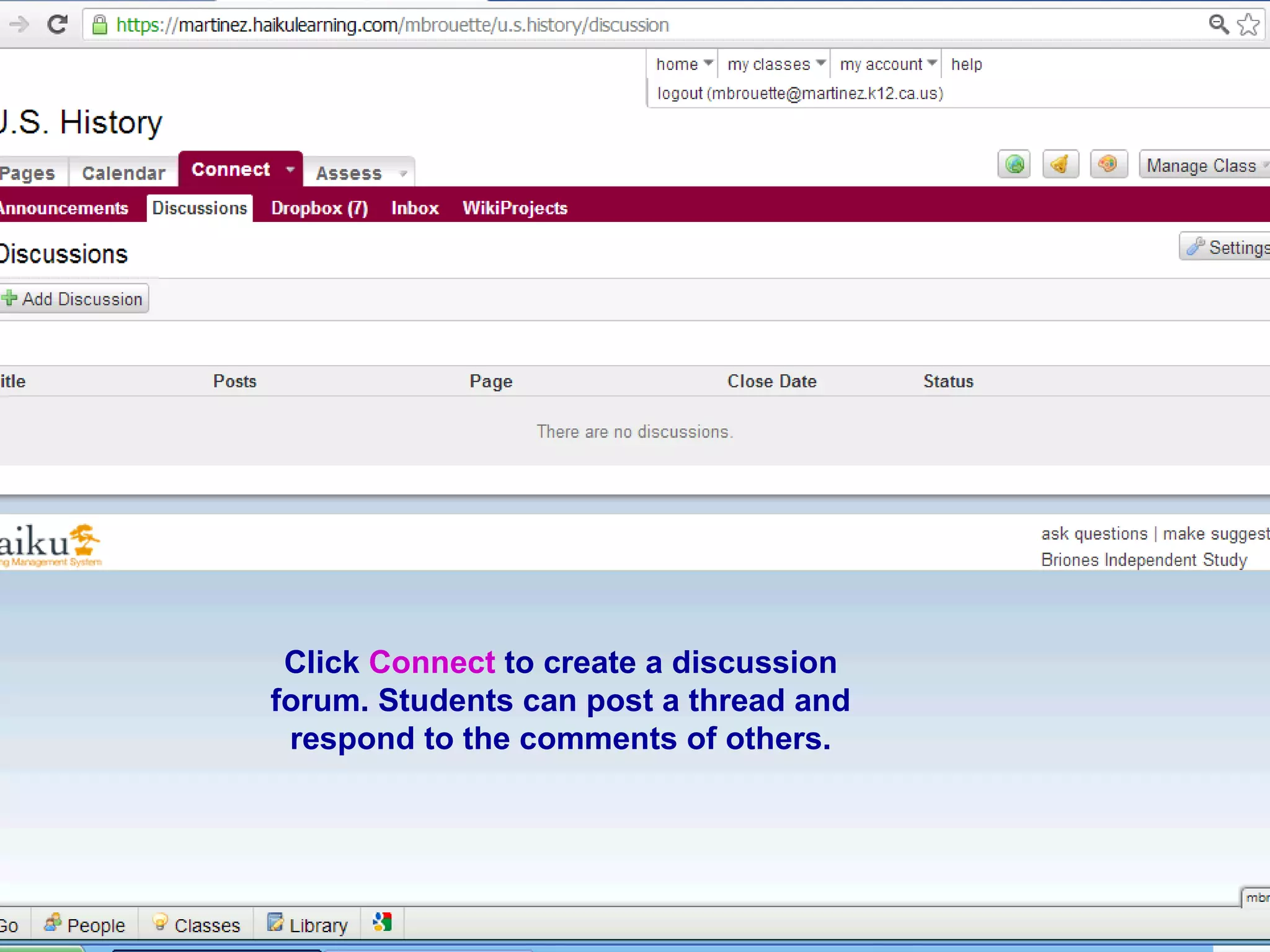
Click Connect to create a discussion
forum. Students can post a thread and
respond to the comments of others.
63636363
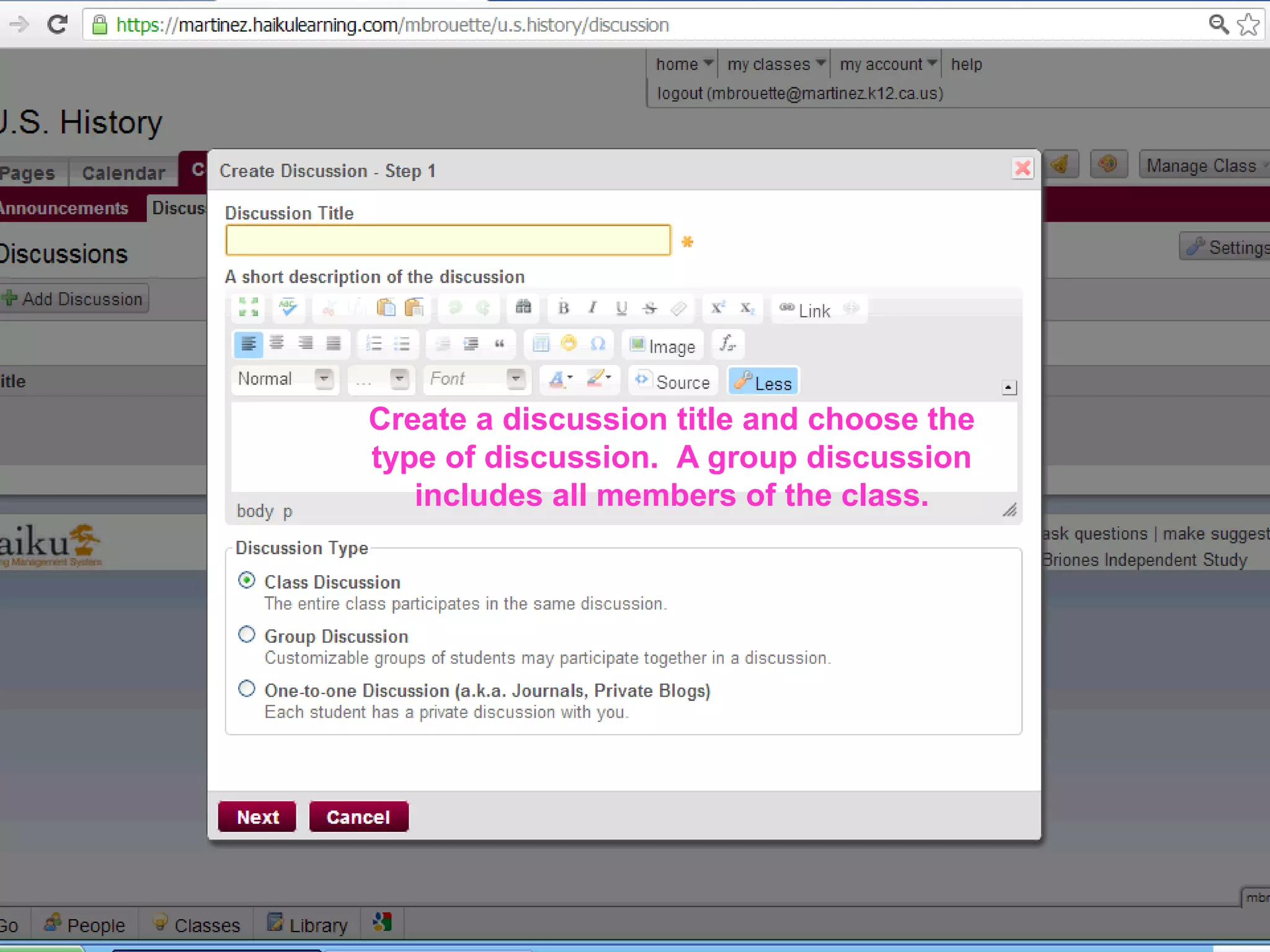
Create a discussion title and choose the
type of discussion. A group discussion
includes all members of the class.
64646464
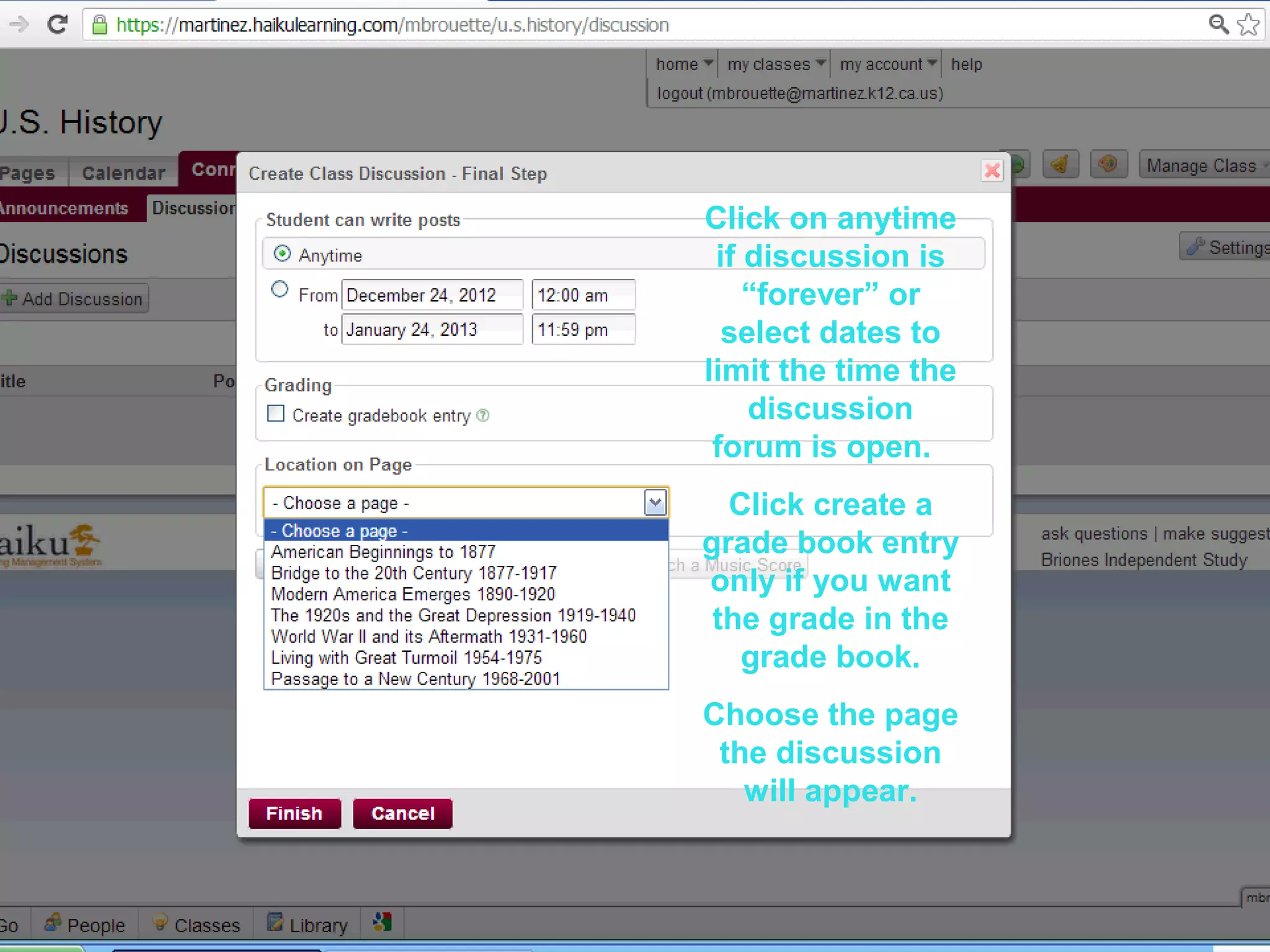
Click on anytime
if discussion is
“forever” or
select dates to
limit the time the
discussion
forum is open.
Click create a
grade book entry
only if you want
the grade in the
grade book.
Choose the page
the discussion
will appear.
65656565
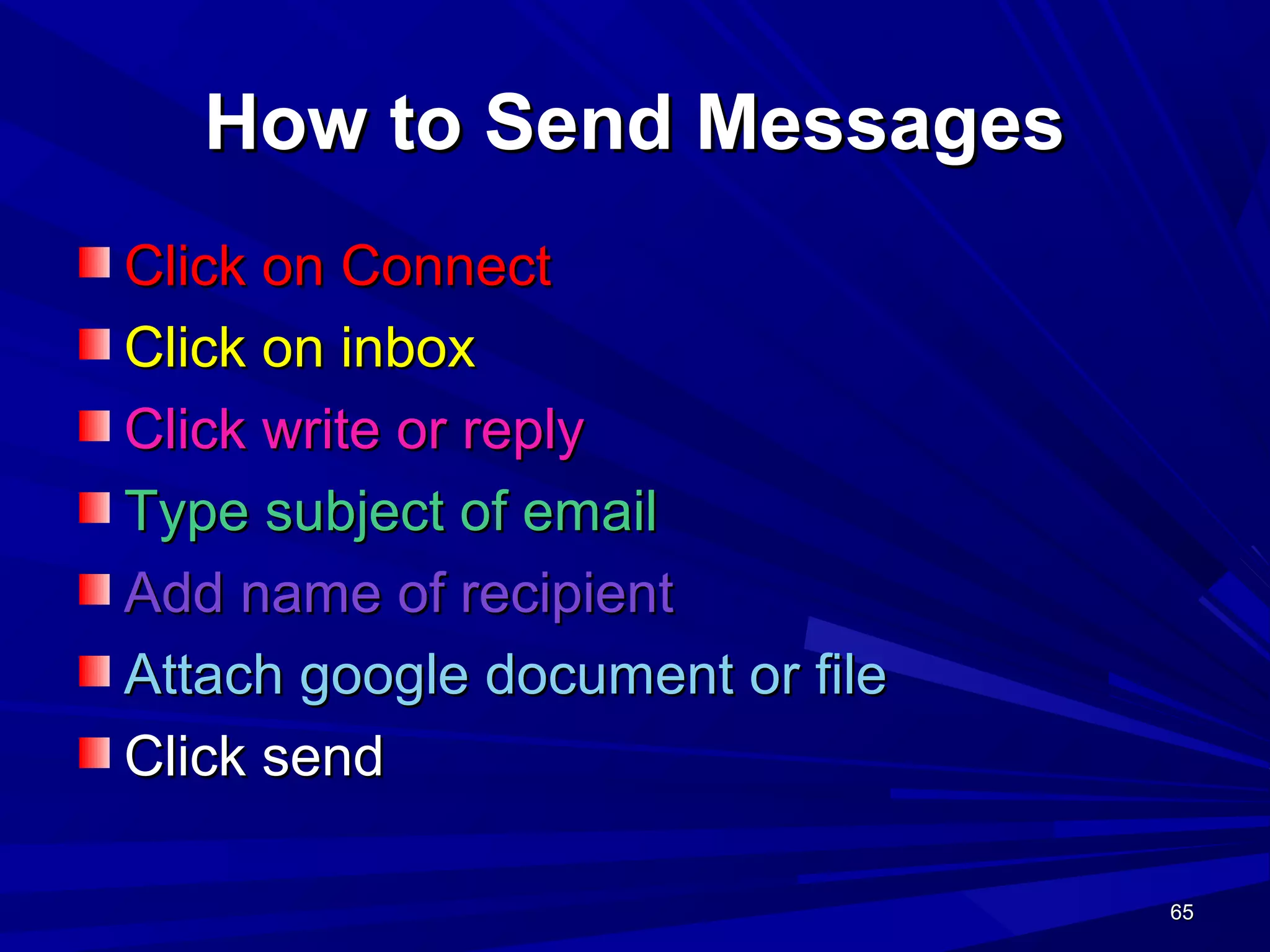
How to Send MessagesHow to Send Messages
Click on ConnectClick on Connect
Click on inboxClick on inbox
Click write or replyClick write or reply
Type subject of emailType subject of email
Add name of recipientAdd name of recipient
Attach google document or fileAttach google document or file
Click sendClick send
66666666
How to useHow to use
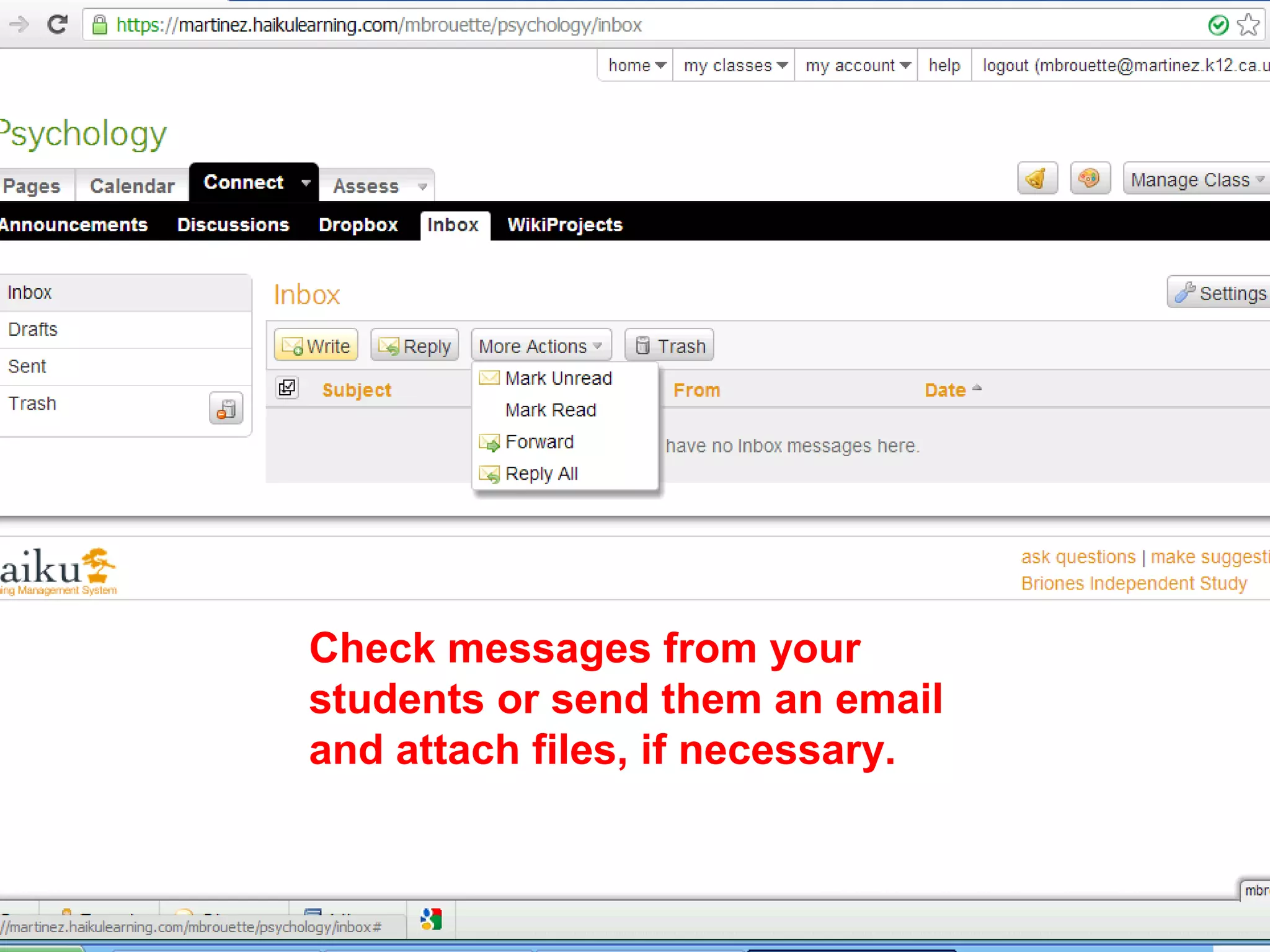
Check messages from your
students or send them an email
and attach files, if necessary.
67676767
WIKI PROJECTSWIKI PROJECTS
Wiki projects are a tool for students toWiki projects are a tool for students to
collaborate and share content they havecollaborate and share content they have
created.created.
Wiki projects can also be used by you as theWiki projects can also be used by you as the
teacher to share activities, forums andteacher to share activities, forums and
content.content.
68686868
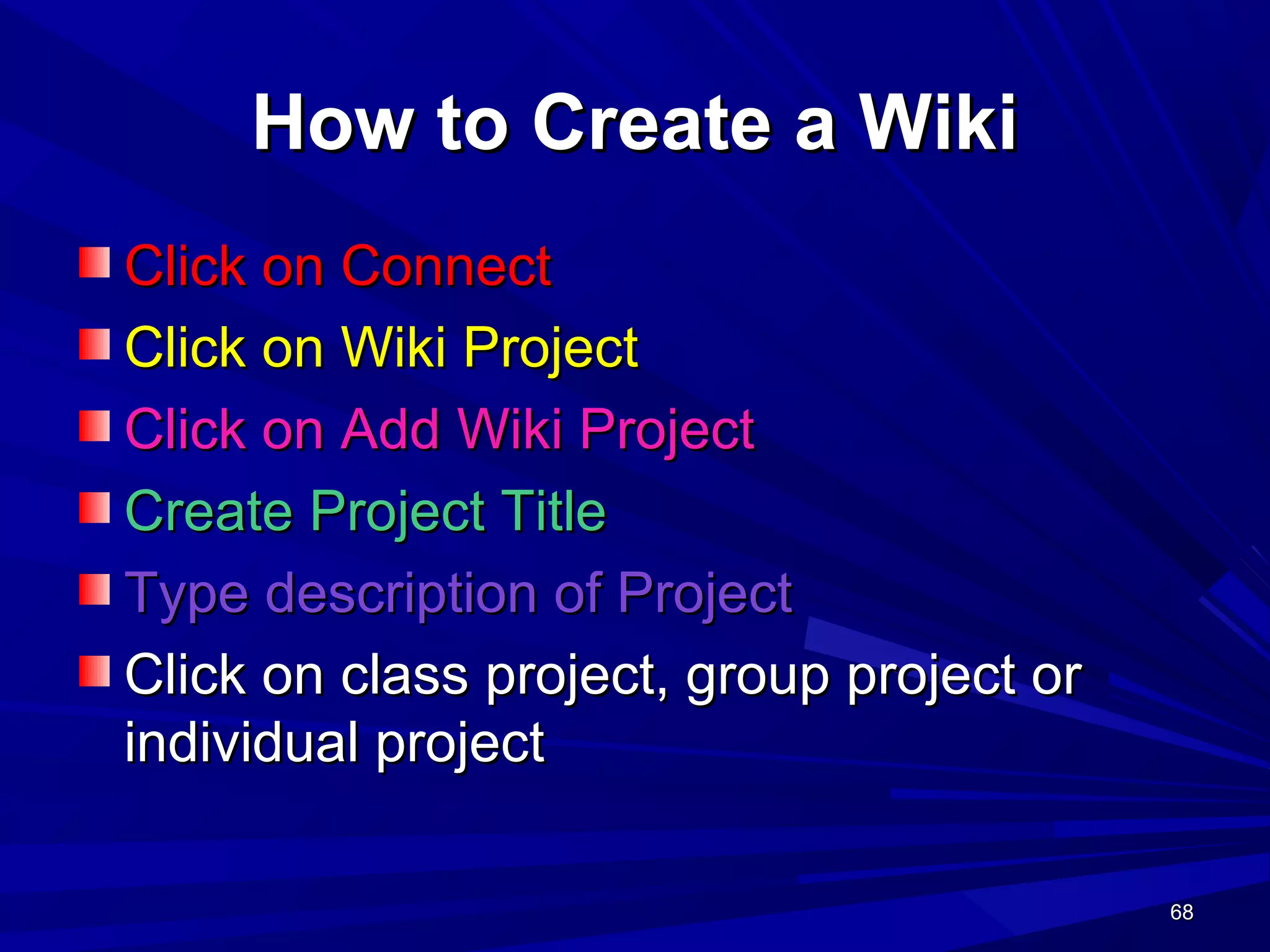
How to Create a WikiHow to Create a Wiki
Click on ConnectClick on Connect
Click on Wiki ProjectClick on Wiki Project
Click on Add Wiki ProjectClick on Add Wiki Project
Create Project TitleCreate Project Title
Type description of ProjectType description of Project
Click on class project, group project orClick on class project, group project or
individual projectindividual project
69696969
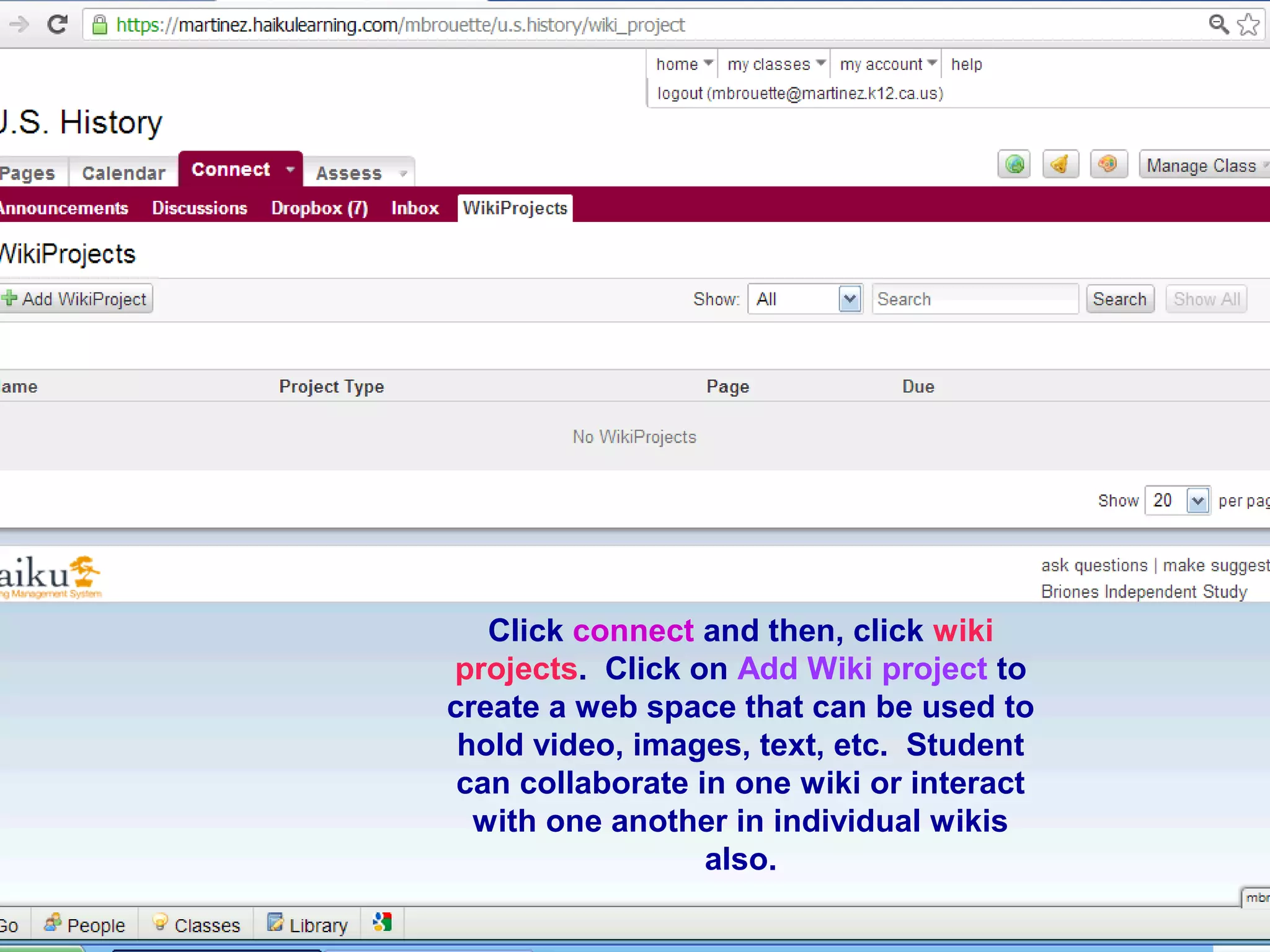
HOW TO CREATE A WIKIHOW TO CREATE A WIKI
Click ConnectClick Connect
Click Wiki ProjectsClick Wiki Projects
Click connect and then, click wiki
projects. Click on Add Wiki project to
create a web space that can be used to
hold video, images, text, etc. Student
can collaborate in one wiki or interact
with one another in individual wikis
also.
70707070
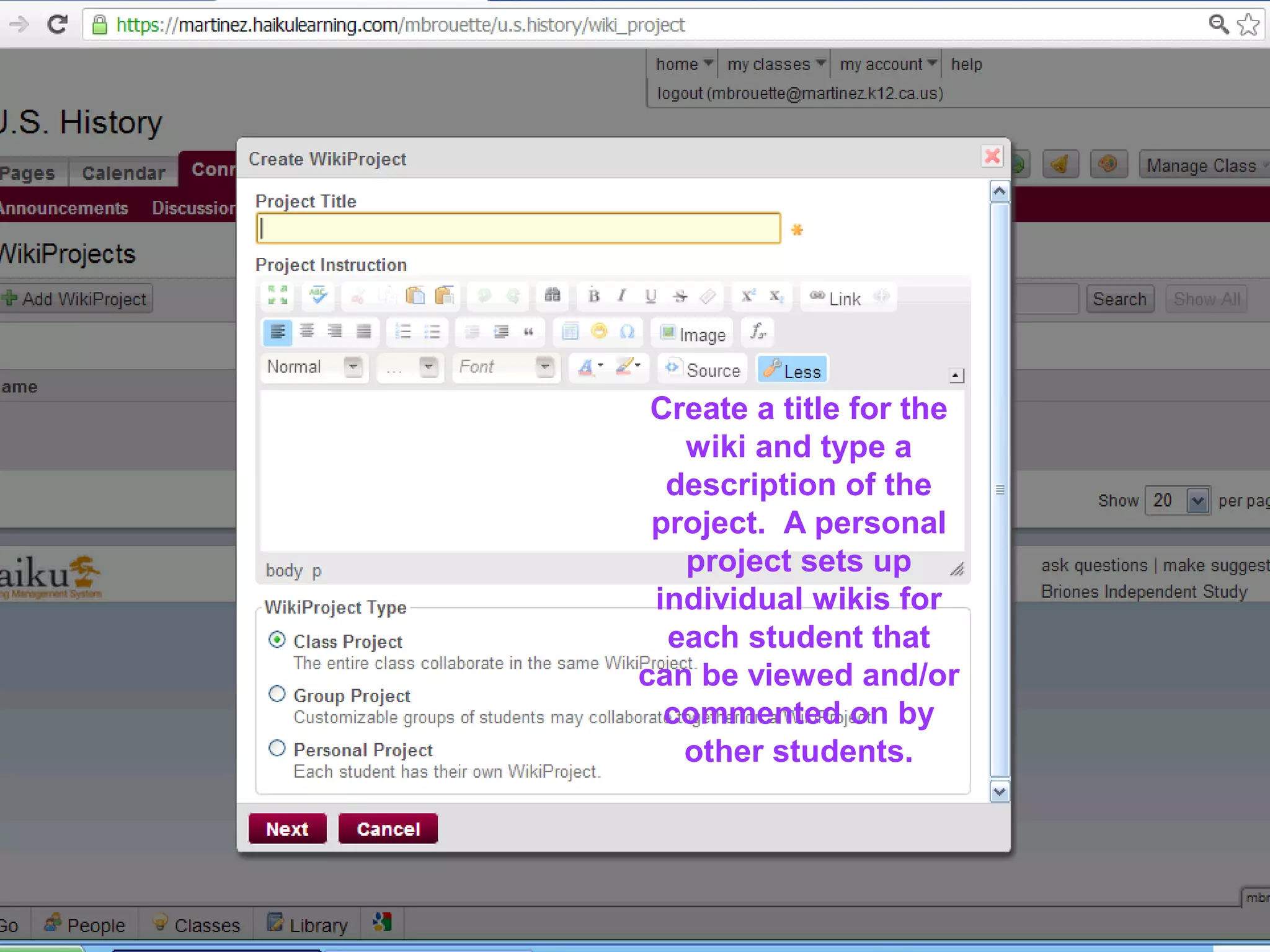
Create a title for the
wiki and type a
description of the
project. A personal
project sets up
individual wikis for
each student that
can be viewed and/or
commented on by
other students.
71717171
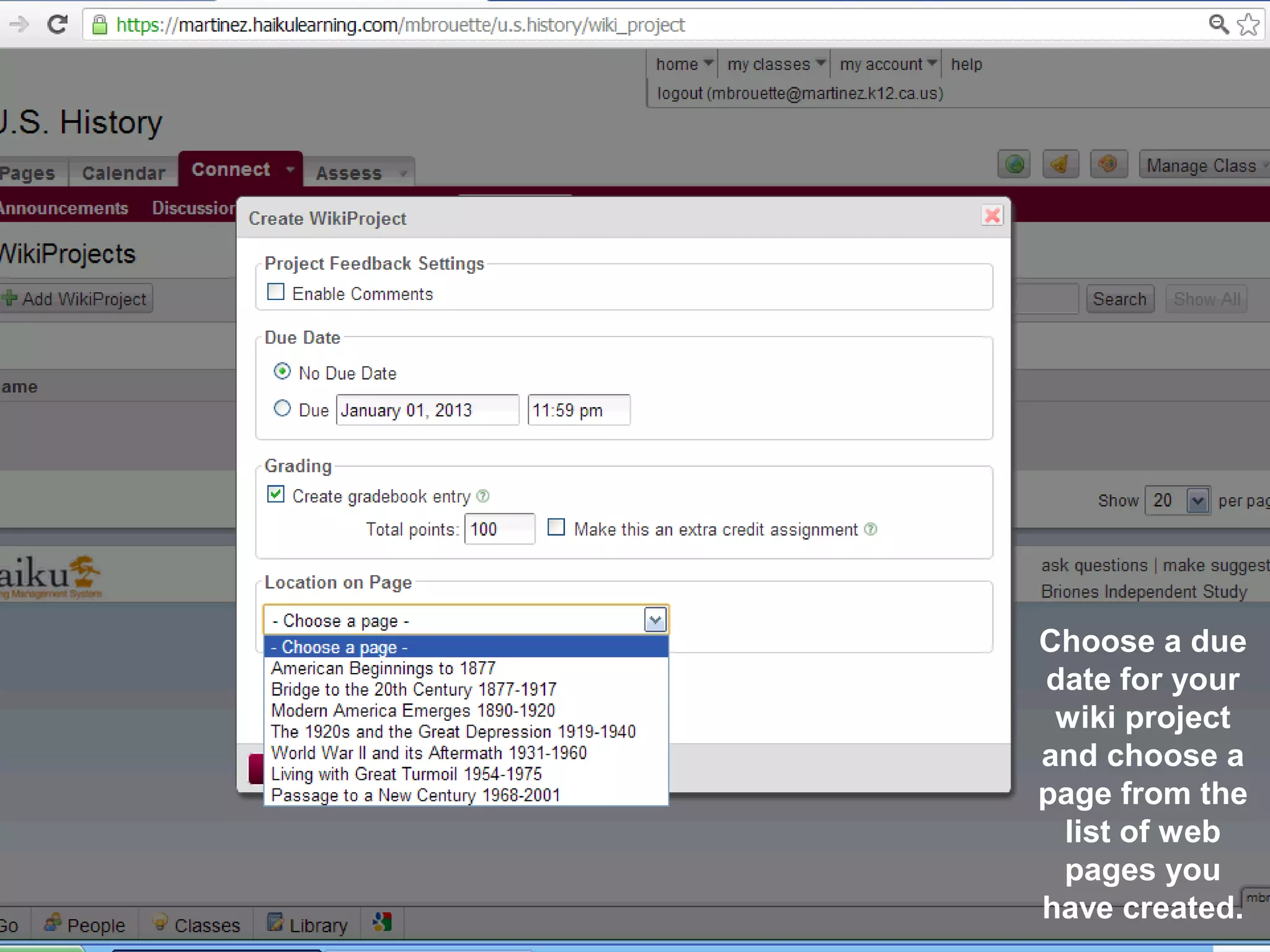
Choose a due
date for your
wiki project
and choose a
page from the
list of web
pages you
have created.
72727272
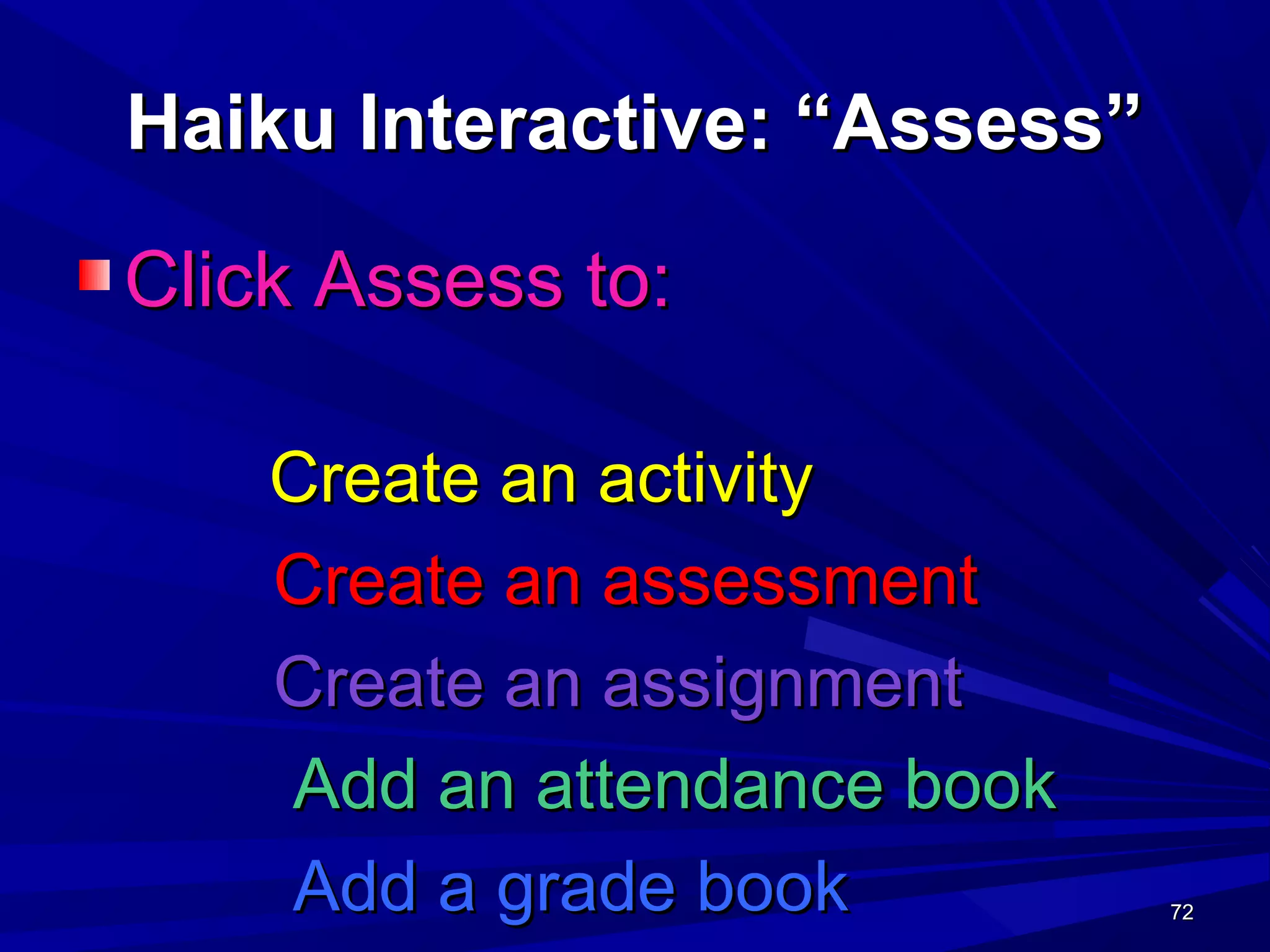
Haiku Interactive: “Assess”Haiku Interactive: “Assess”
Click Assess to:Click Assess to:
Create an activityCreate an activity
Create an assessmentCreate an assessment
Create an assignmentCreate an assignment
Add an attendance bookAdd an attendance book
Add a grade bookAdd a grade book
73737373
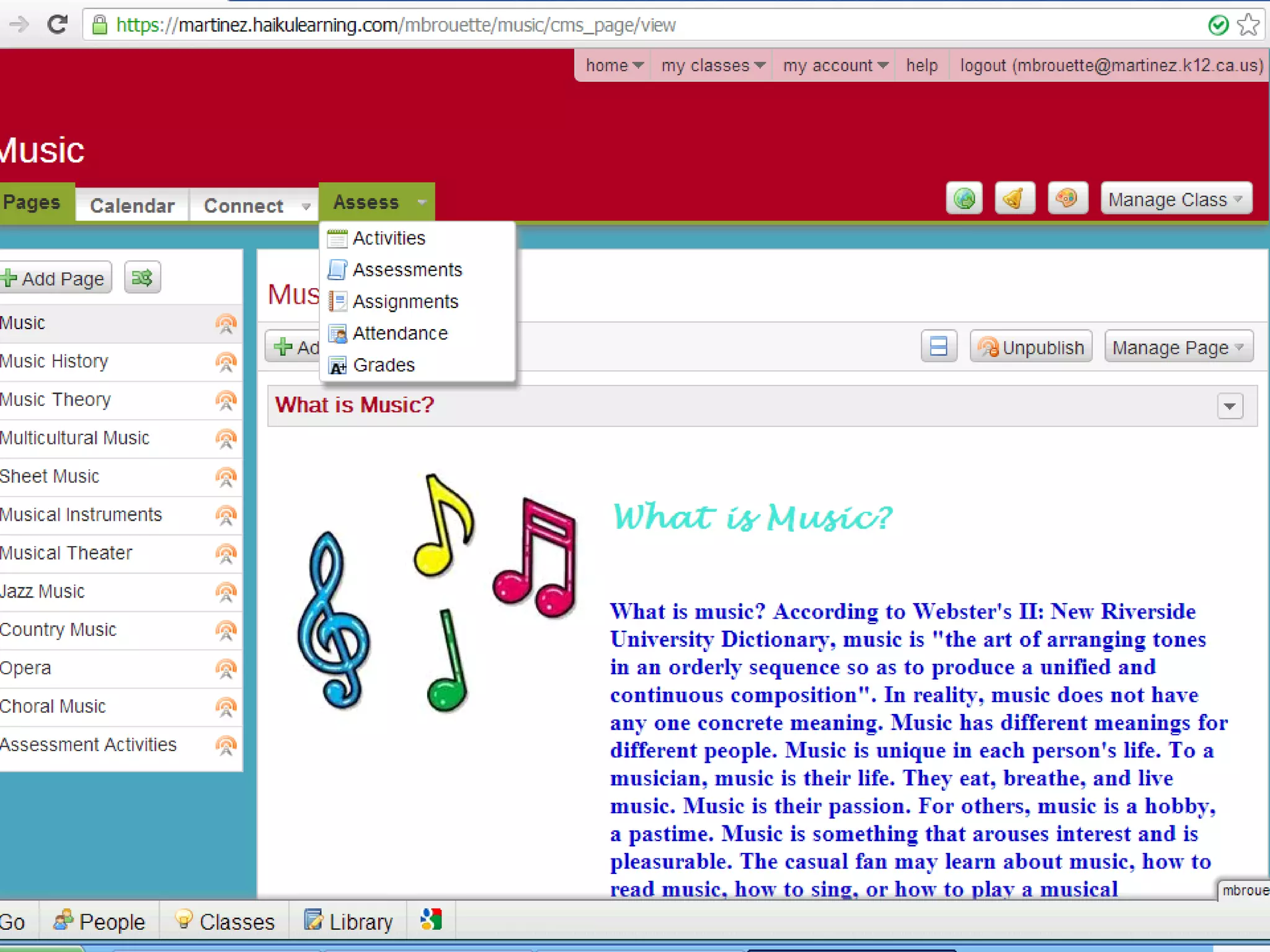
THE ASSESSMENTS TABTHE ASSESSMENTS TAB
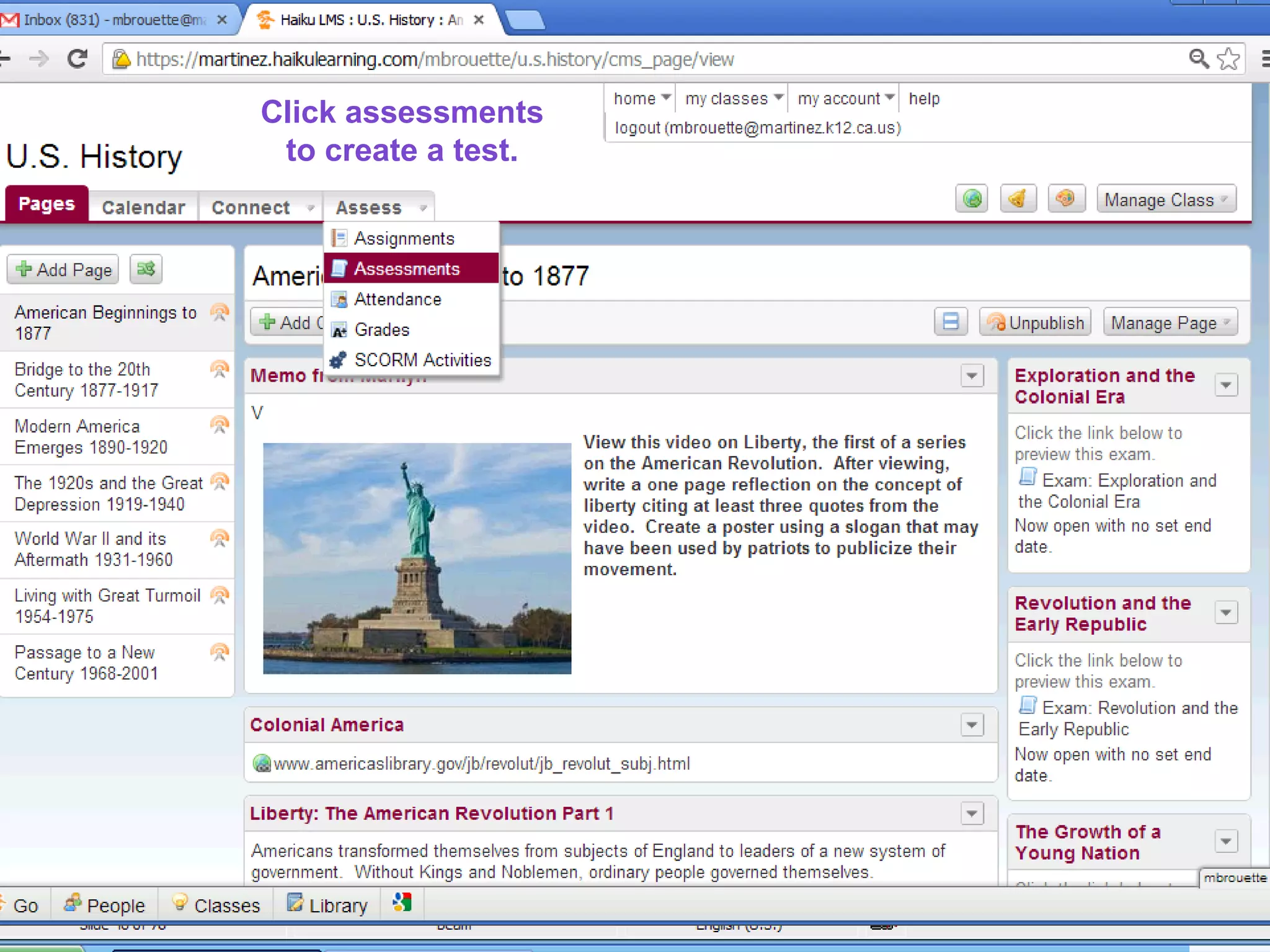
Click assessments to createClick assessments to create
74747474
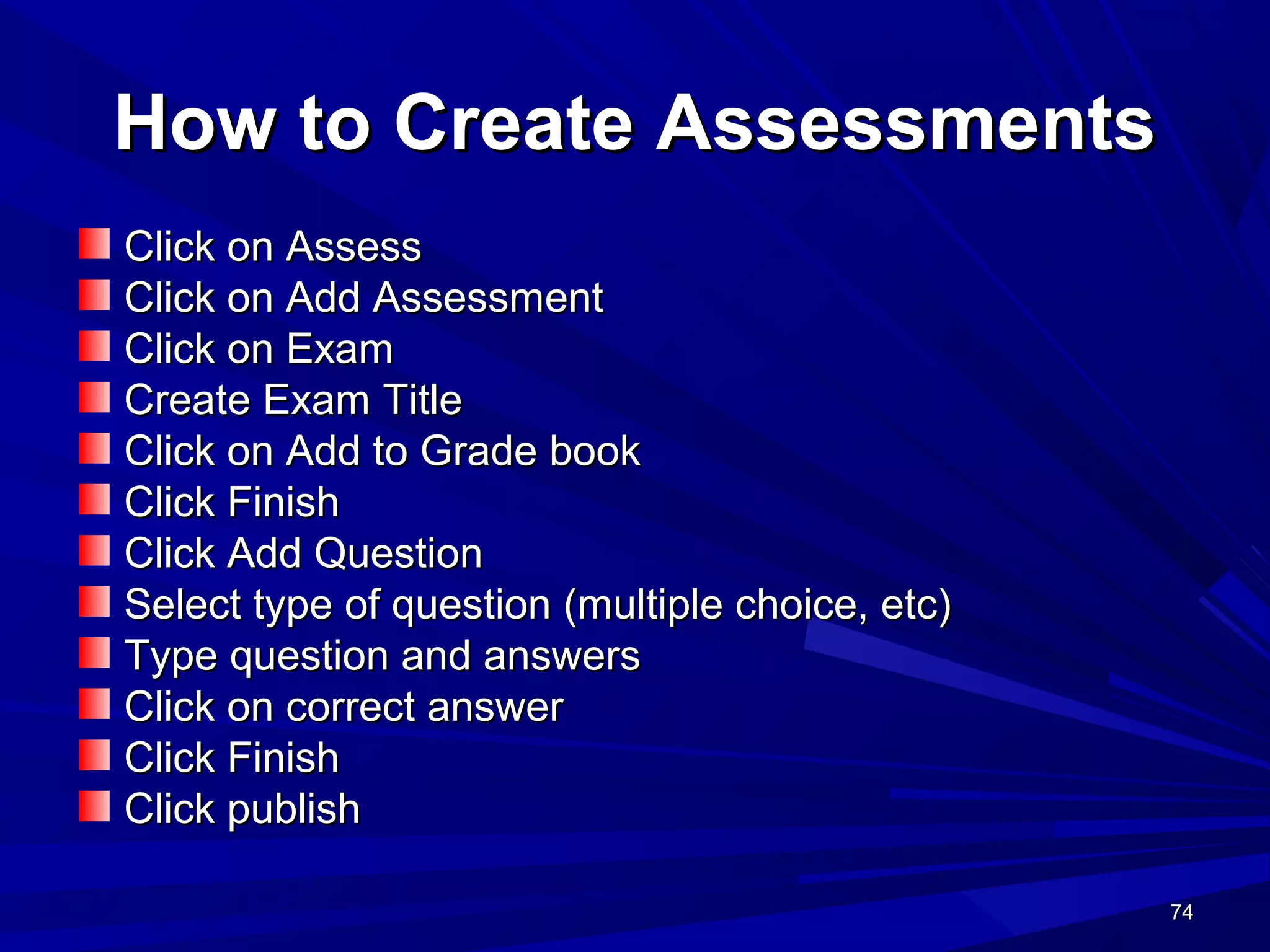
How to Create AssessmentsHow to Create Assessments
Click on AssessClick on Assess
Click on Add AssessmentClick on Add Assessment
Click on ExamClick on Exam
Create Exam TitleCreate Exam Title
Click on Add to Grade bookClick on Add to Grade book
Click FinishClick Finish
Click Add QuestionClick Add Question
Select type of question (multiple choice, etc)Select type of question (multiple choice, etc)
Type question and answersType question and answers
Click on correct answerClick on correct answer
Click FinishClick Finish
Click publishClick publish
75757575
Click assessments
to create a test.
76767676
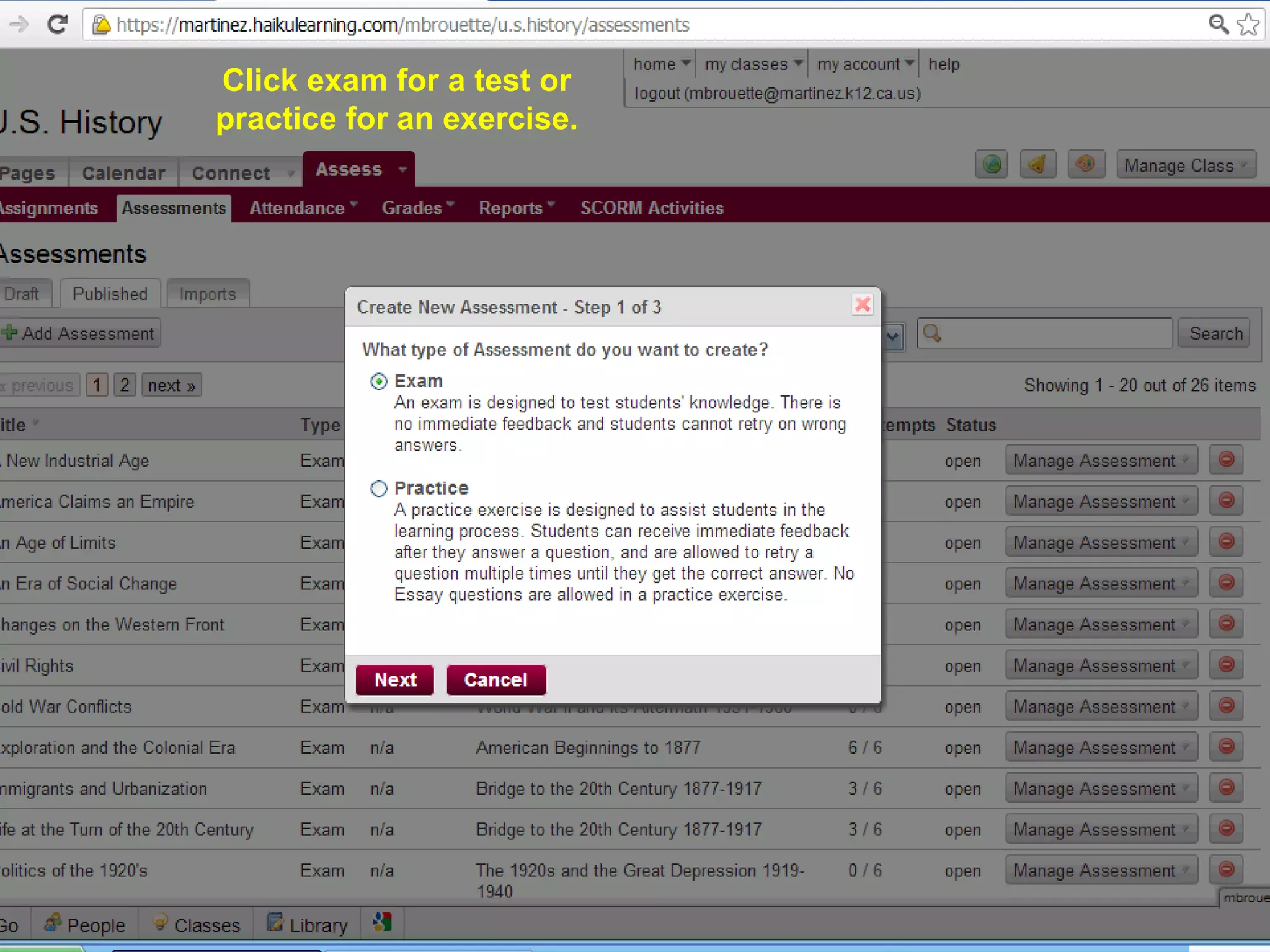
Click exam for a test or
practice for an exercise.
77777777
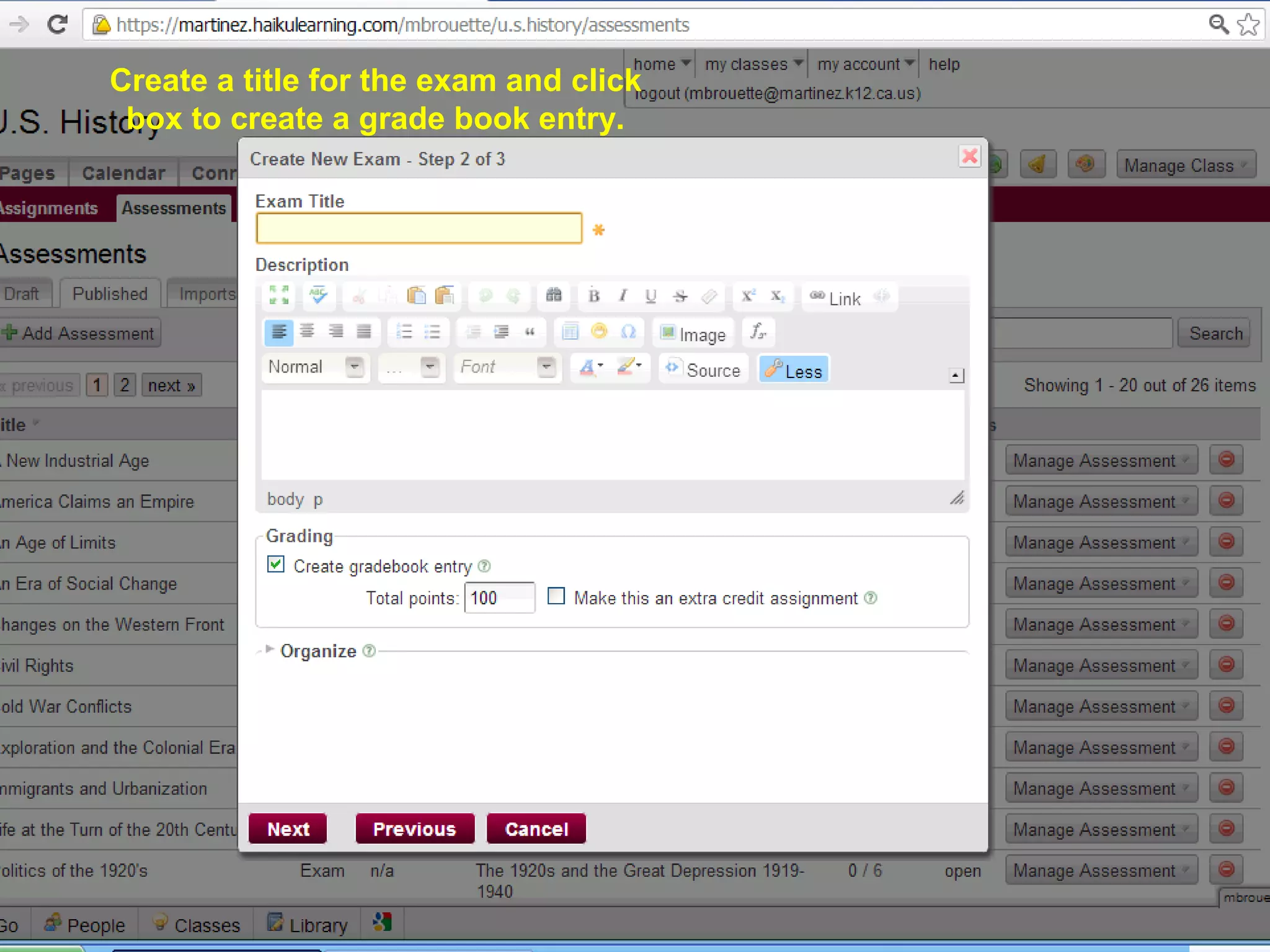
Create a title for the exam and click
box to create a grade book entry.
78787878
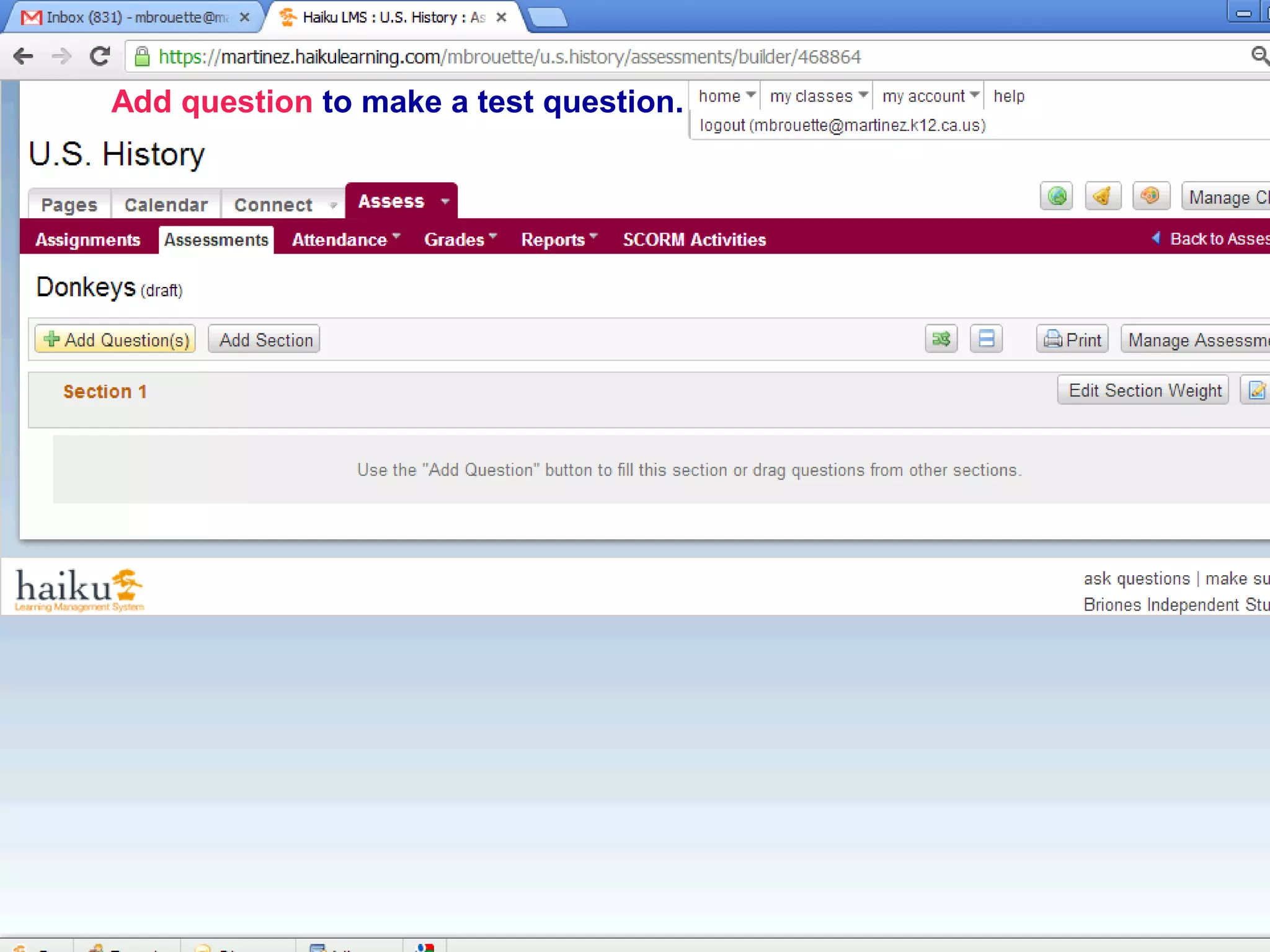
Add question to make a test question.
79797979
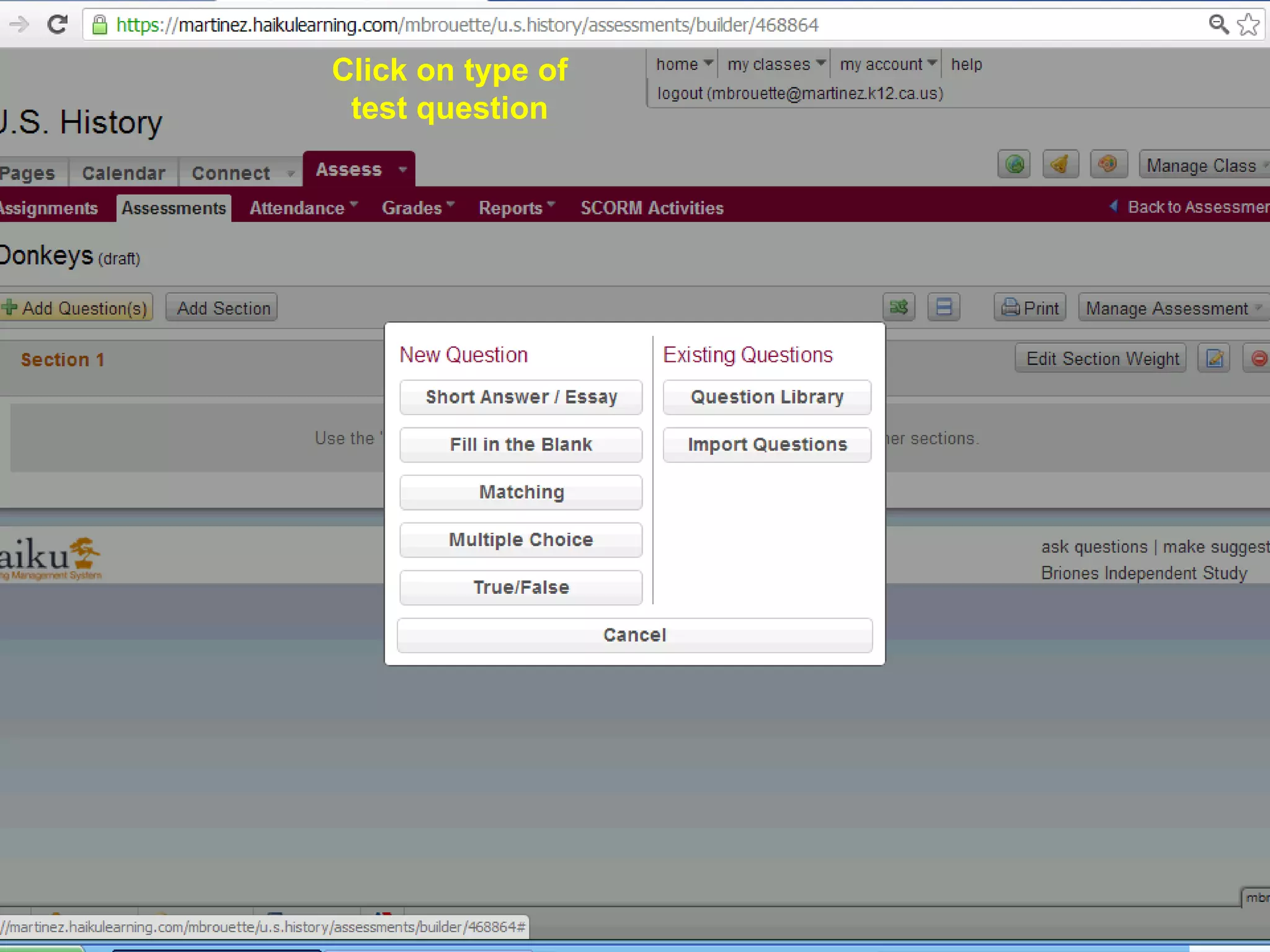
Click on type of
test question
80808080
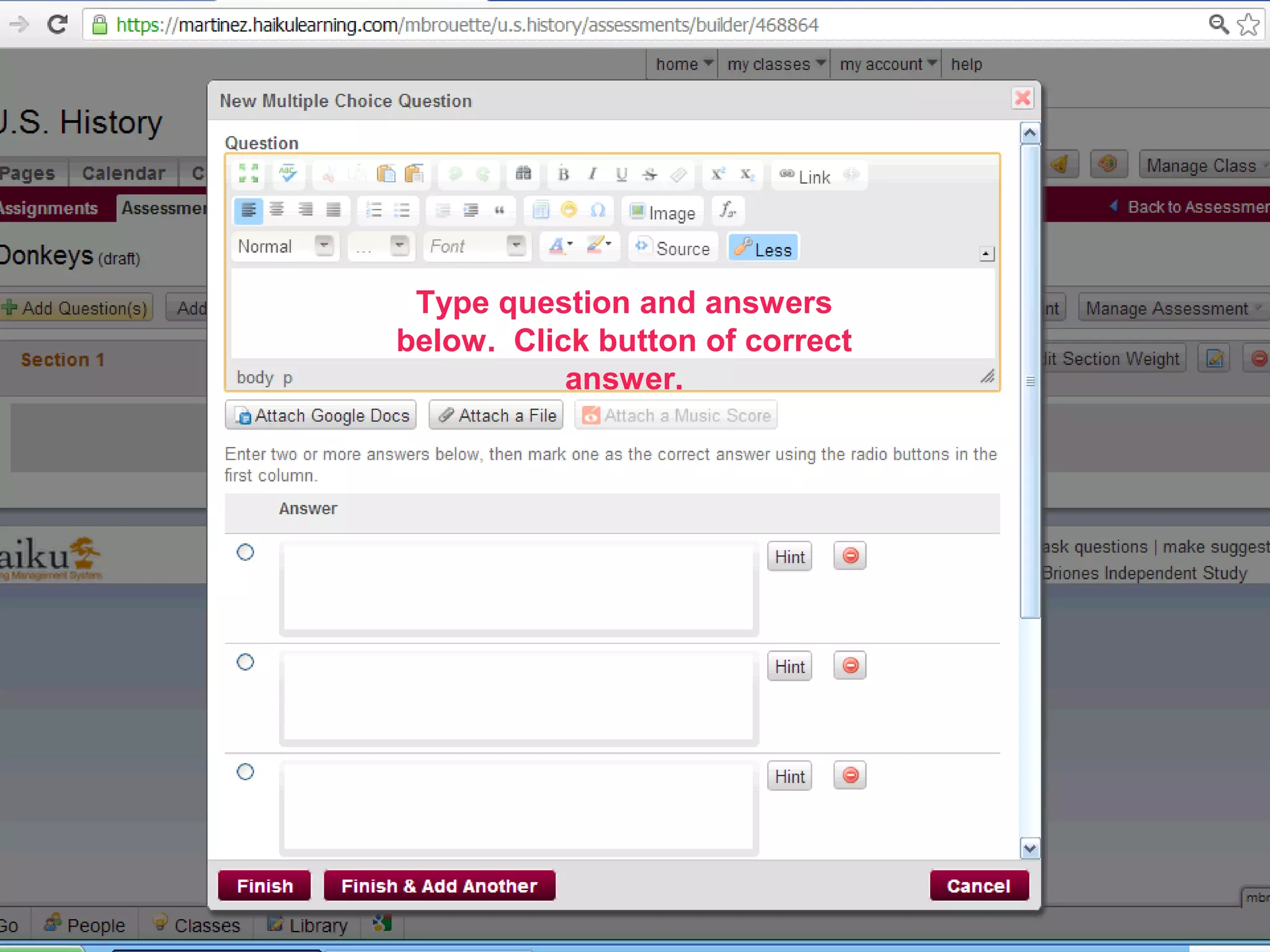
Type question and answers
below. Click button of correct
answer.
81818181
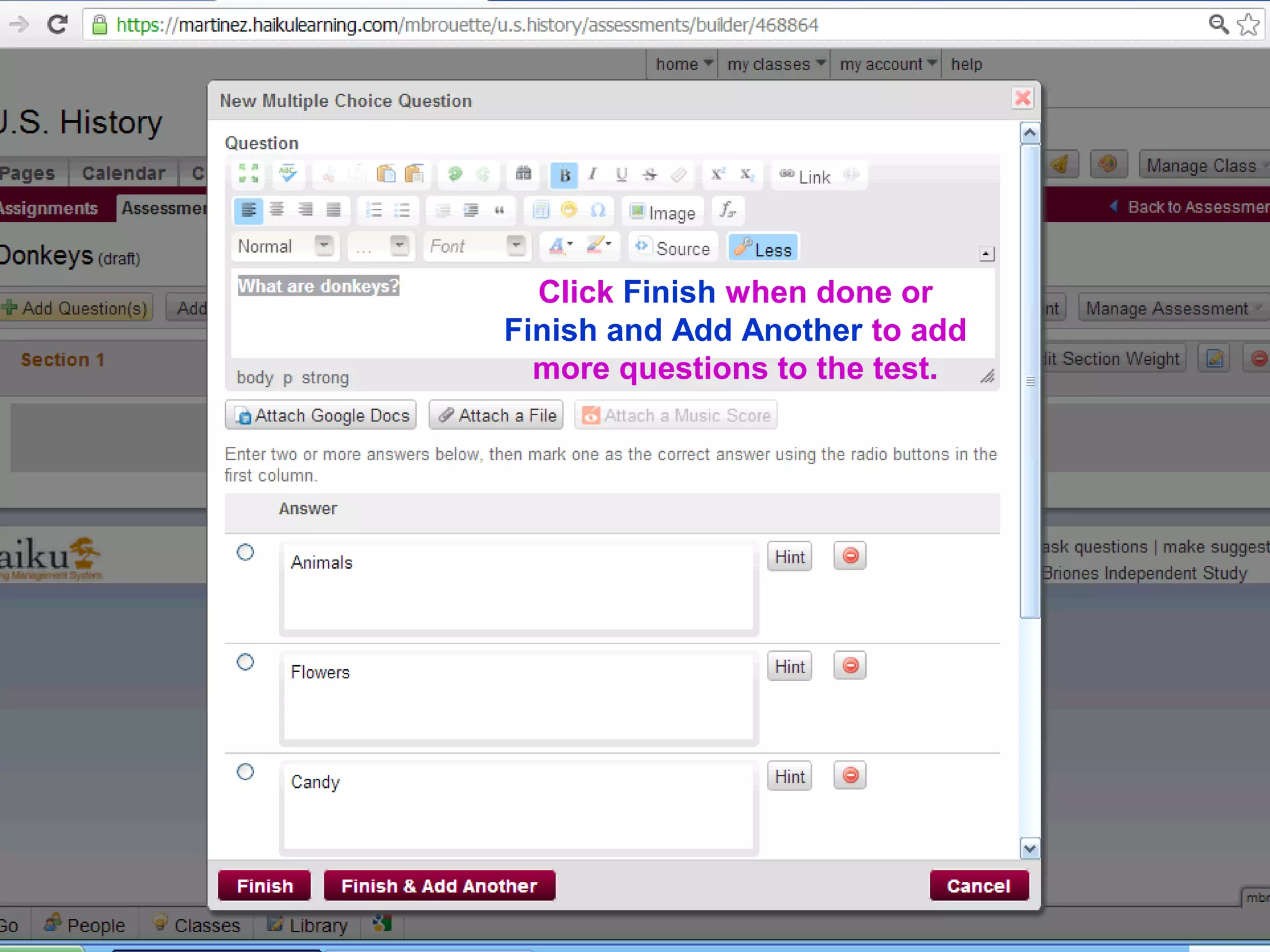
Click Finish when done or
Finish and Add Another to add
more questions to the test.
82828282
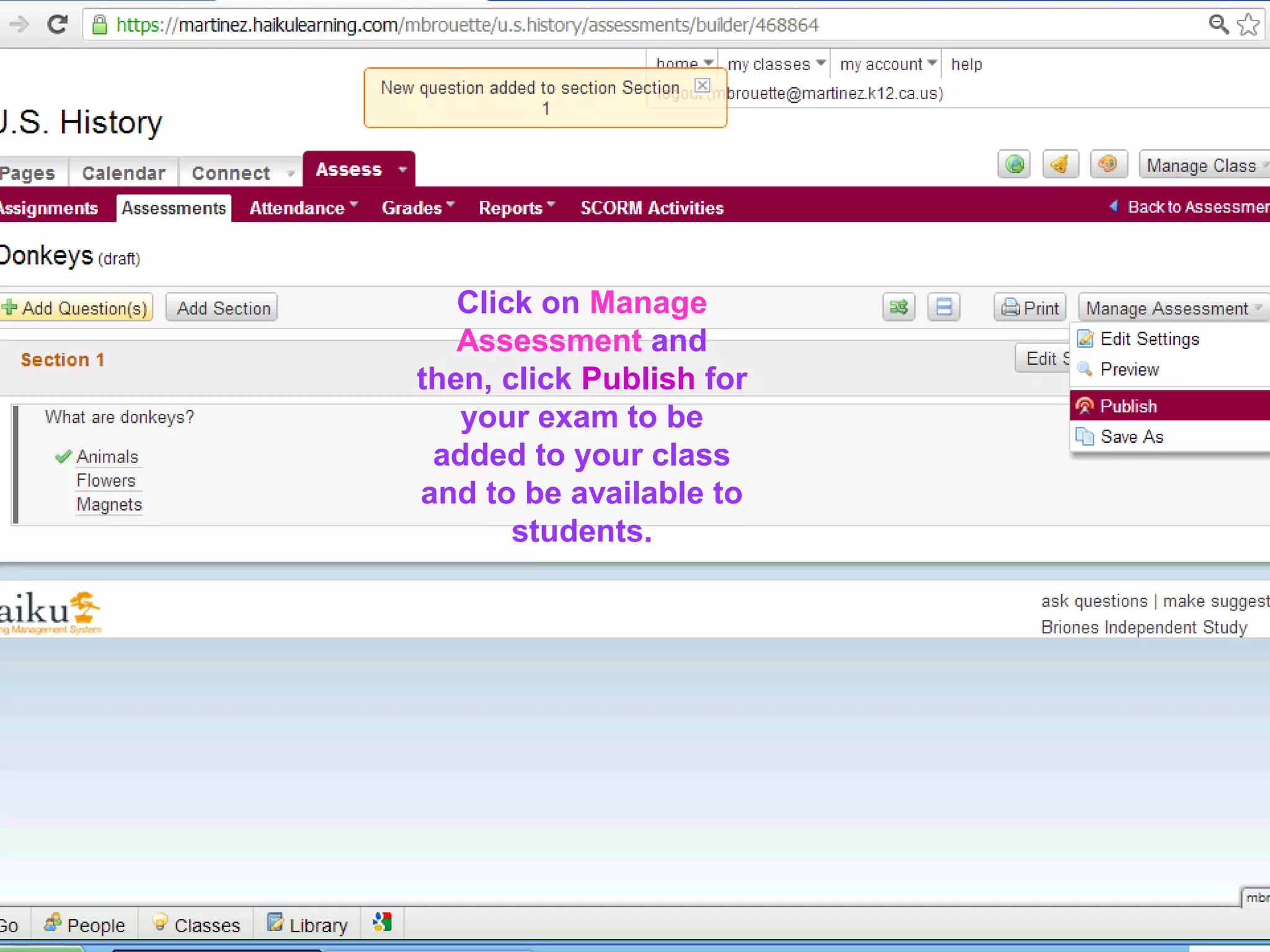
Click on Manage
Assessment and
then, click Publish for
your exam to be
added to your class
and to be available to
students.
83838383
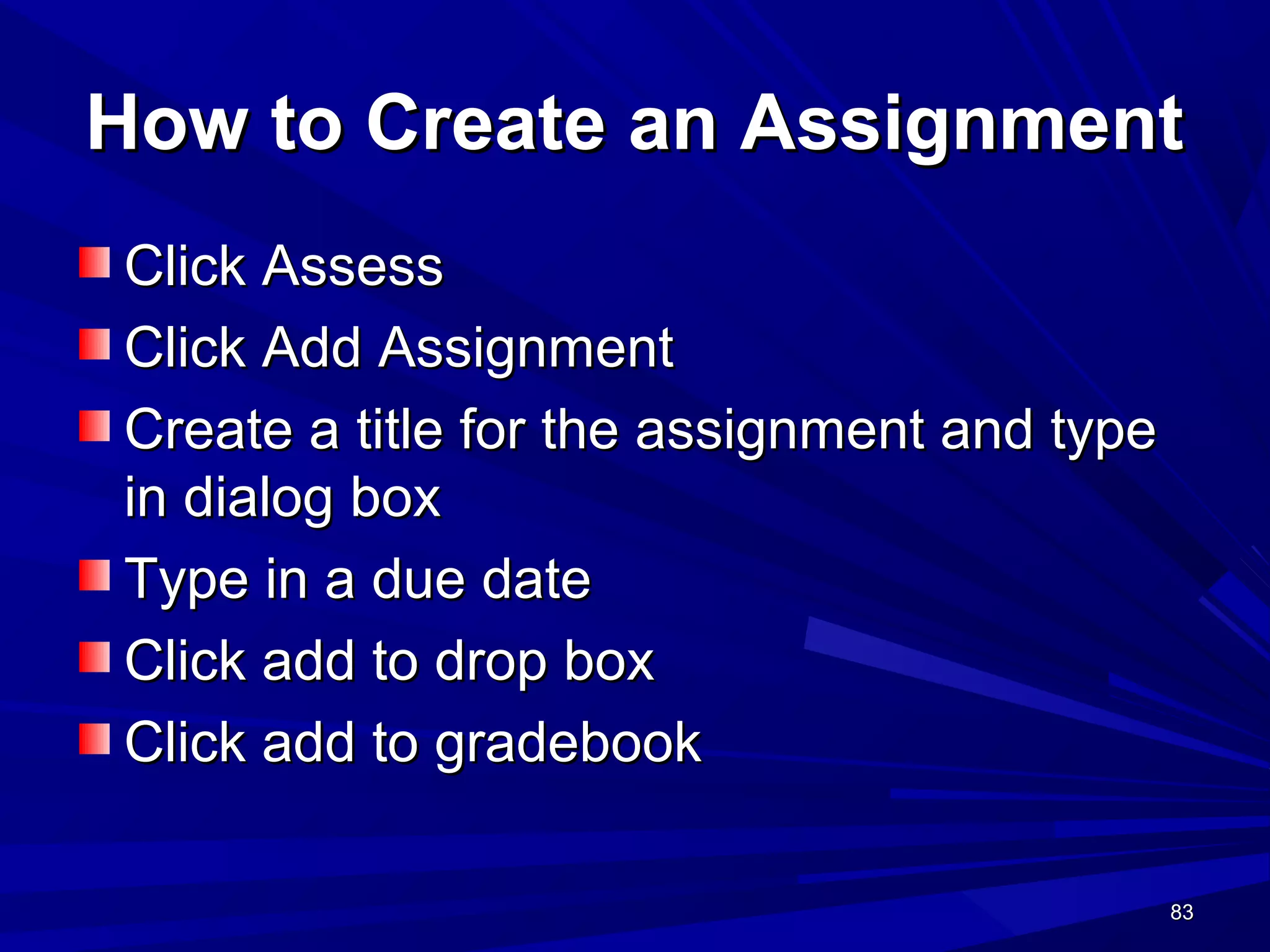
How to Create an AssignmentHow to Create an Assignment
Click AssessClick Assess
Click Add AssignmentClick Add Assignment
Create a title for the assignment and typeCreate a title for the assignment and type
in dialog boxin dialog box
Type in a due dateType in a due date
Click add to drop boxClick add to drop box
Click add to gradebookClick add to gradebook
84848484
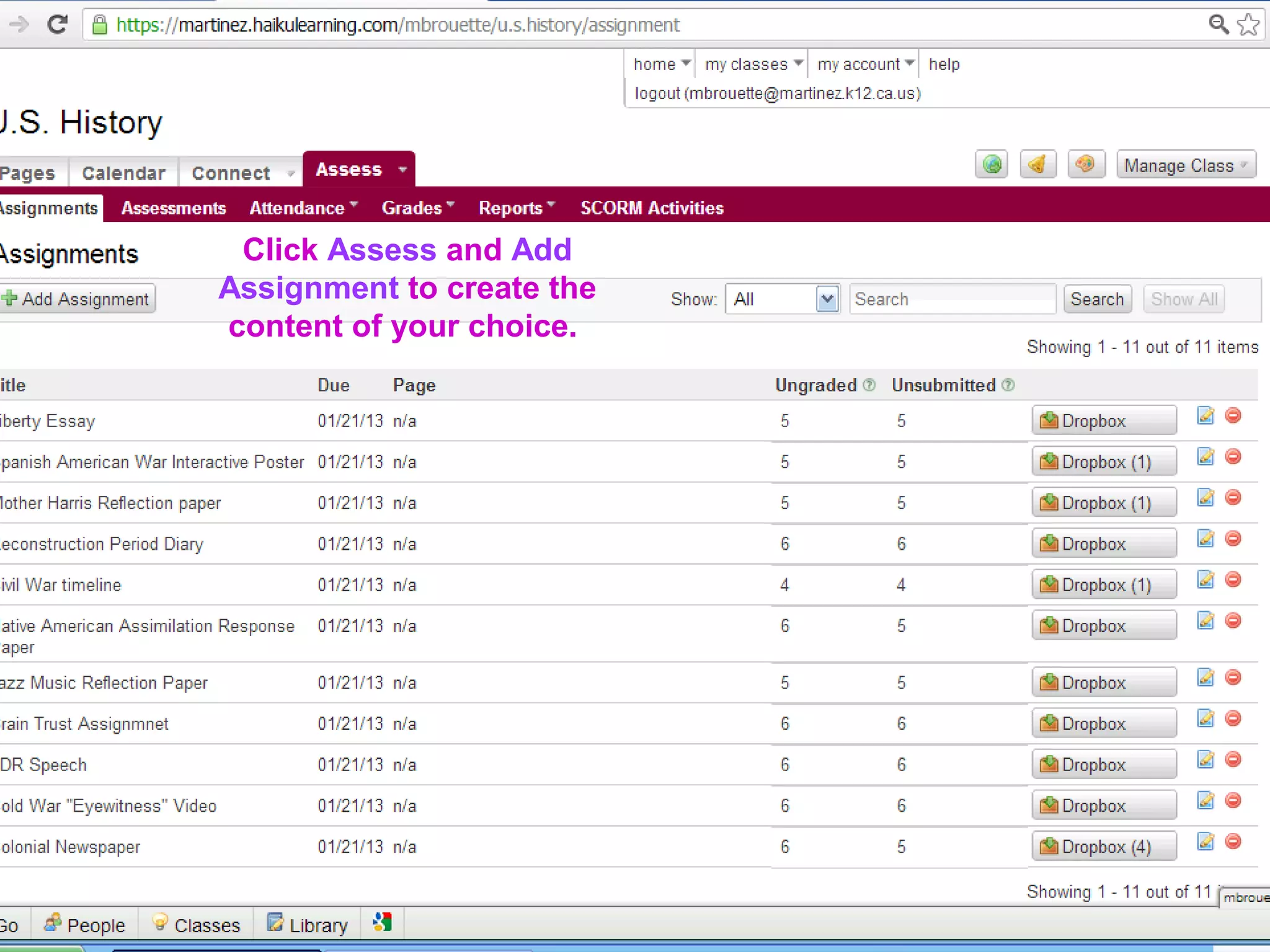
Click Assess and Add
Assignment to create the
content of your choice.
85858585
Haiku and GoogleHaiku and Google
86868686
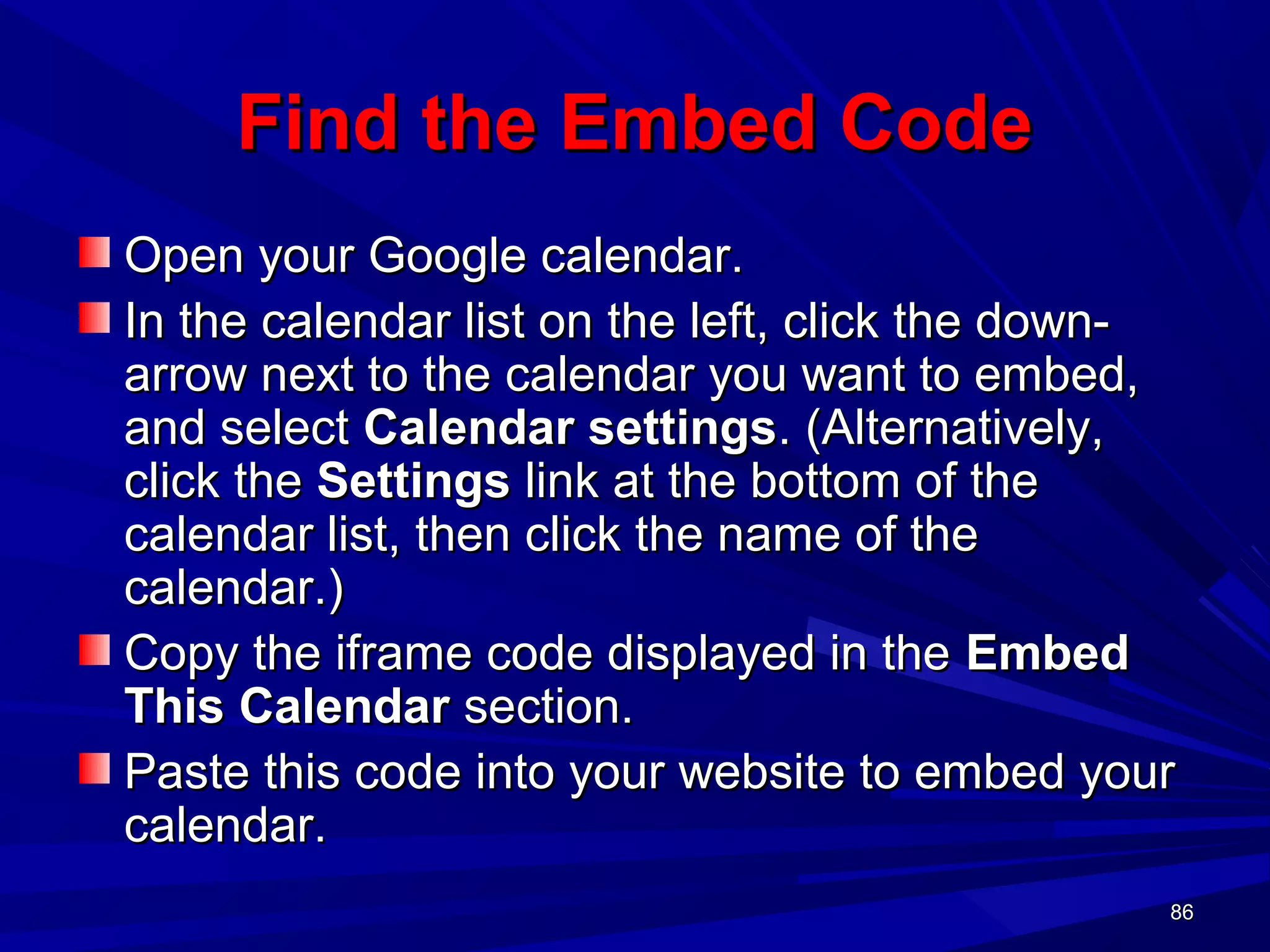
Find the Embed CodeFind the Embed Code
Open your Google calendar.Open your Google calendar.
In the calendar list on the left, click the down-In the calendar list on the left, click the down-
arrow next to the calendar you want to embed,arrow next to the calendar you want to embed,
and selectand select Calendar settingsCalendar settings. (Alternatively,. (Alternatively,
click theclick the SettingsSettings link at the bottom of thelink at the bottom of the
calendar list, then click the name of thecalendar list, then click the name of the
calendar.)calendar.)
Copy the iframe code displayed in theCopy the iframe code displayed in the EmbedEmbed
This CalendarThis Calendar section.section.
Paste this code into your website to embed yourPaste this code into your website to embed your
calendar.calendar.
87878787
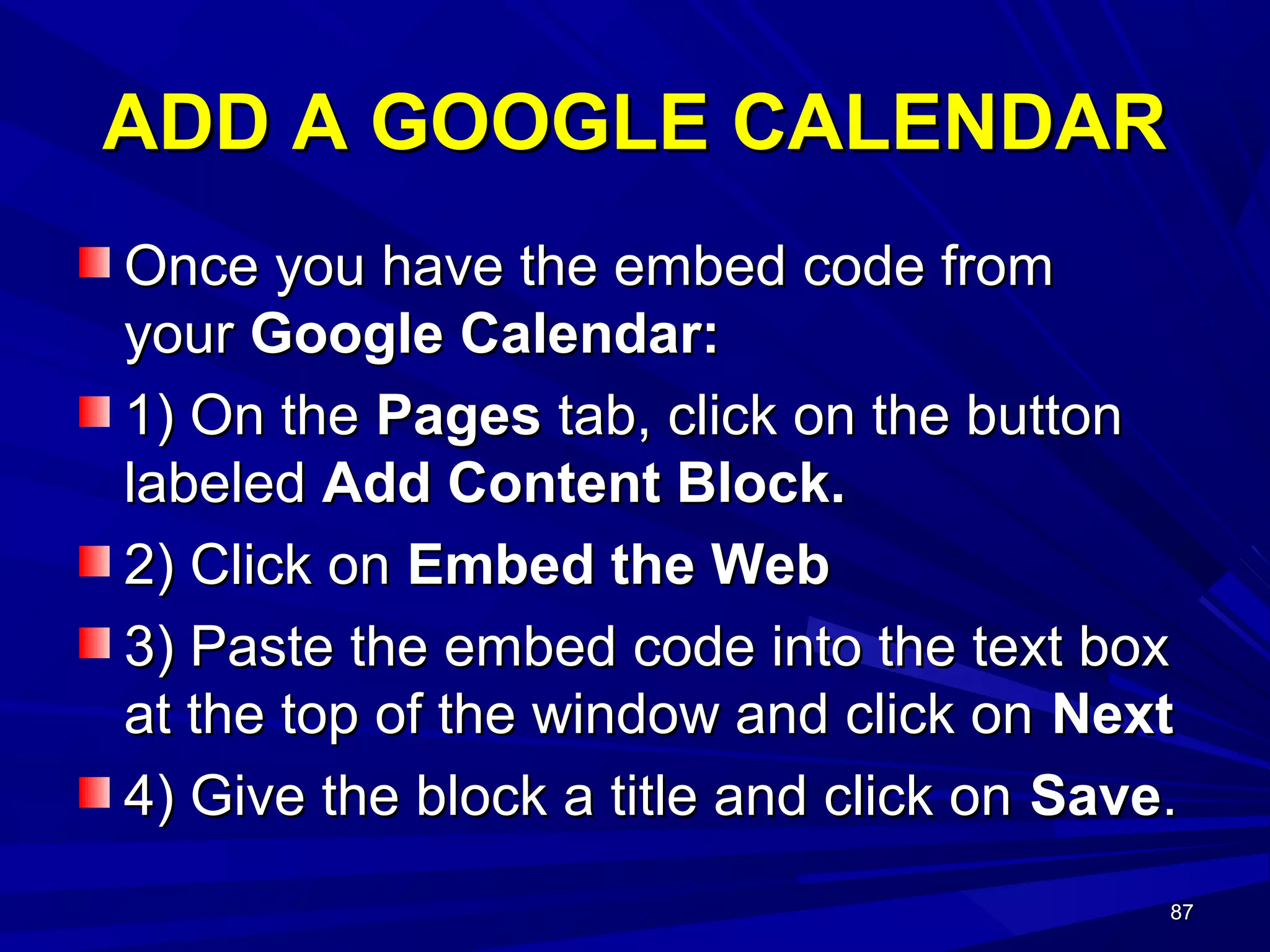
ADD A GOOGLE CALENDARADD A GOOGLE CALENDAR
Once you have the embed code fromOnce you have the embed code from
youryour Google Calendar:Google Calendar:
1) On the1) On the PagesPages tab, click on the buttontab, click on the button
labeledlabeled Add Content Block.Add Content Block.
2) Click on2) Click on Embed the WebEmbed the Web
3) Paste the embed code into the text box3) Paste the embed code into the text box
at the top of the window and click onat the top of the window and click on NextNext
4) Give the block a title and click on4) Give the block a title and click on SaveSave..
88888888
REVIEWREVIEW
 Shared a Brief Overview of Common CoreShared a Brief Overview of Common Core
 Explored Problem Based LearningExplored Problem Based Learning
 Described “Haiku Interactive”Described “Haiku Interactive”
 Shared Common Core Lesson IdeasShared Common Core Lesson Ideas
8989
Contact Information
Thank you for your kind attention.
No curriculum replaces the effectiveness
fostered by building caring relationships
with students. We, who teach independent
study, know that is the most powerful
strategy for fostering the desire to learn.
mbrouette@martinez.k12.ca.us

How to haiku ccis2013 (1)

  • 1.
    1111 ““HOW TO HAIKU”HOWTO HAIKU” CREATING CURRICULUMCREATING CURRICULUM TO MEET THE COMMON CORE CHALLENGETO MEET THE COMMON CORE CHALLENGE Presented by Dr. Marilyn Brouette Briones School Martinez Unified School District California Consortium of Independent Study November 18, 2013
  • 2.
    2222 PURPOSE OF PRESENTATIONPURPOSEOF PRESENTATION Present Brief Overview of Common CorePresent Brief Overview of Common Core Explore Problem Based LearningExplore Problem Based Learning ““How to Haiku”How to Haiku” Share Common Core Lesson IdeasShare Common Core Lesson Ideas
  • 3.
    3333 COMMON CORECOMMON CORE THEESSENTIALSTHE ESSENTIALS The Common Core standards are designed toThe Common Core standards are designed to bebe relevant to the real worldrelevant to the real world, reflecting the, reflecting the knowledge and skills that our young peopleknowledge and skills that our young people need for success. We will explore whatneed for success. We will explore what technology tools and resources can help youtechnology tools and resources can help you beginbegin addressing these new standards inaddressing these new standards in real and relevant waysreal and relevant ways.. Adapted from Common Core Standards InitiativeAdapted from Common Core Standards Initiative
  • 4.
    4444 Intent of CommonCoreIntent of Common Core The Standards guide schools to provide shared instruction in reading, writing, speaking, listening, and language. The K–5 standards include expectations for reading, writing, speaking, listening, and language applicable to a range of subjects, including but not limited to ELA. The grades 6–12 standards are divided into two sections, one for ELA and the other for history/social studies, science, and technical subjects. This division reflects the place of ELA teachers in developing students’ literacy skills while at the same time recognizing that teachers in other areas must have a role in this development as well.
  • 5.
    5555 Meet the CommonCore ChallengeMeet the Common Core Challenge Make disciplinary knowledge, practice, and cultureMake disciplinary knowledge, practice, and culture visible to students throughvisible to students through autonomous learningautonomous learning activitiesactivities that includethat include linking ideaslinking ideas, comparing, comparing alternatives,alternatives, reflecting on progressreflecting on progress,, critiquing ideascritiquing ideas withwith guidance and support.guidance and support. Structure courses to take advantage of theStructure courses to take advantage of the social naturesocial nature of learningof learning andand social contributions to learningsocial contributions to learning byby engaging studentsengaging students inin collaborative practicescollaborative practices andand providing for their mutual support as a helpingproviding for their mutual support as a helping community.community. CreateCreate autonomous lifelong learnersautonomous lifelong learners who arewho are collegecollege and/or career readyand/or career ready..
  • 6.
    6666 STUDENTS WHO ARECOLLEGESTUDENTS WHO ARE COLLEGE AND CAREER READY…AND CAREER READY… inin mathematicsmathematics:: – care about being precise.care about being precise. – construct viable argumentsconstruct viable arguments.. – make sense of complex problems andmake sense of complex problems and persevere in solving them.persevere in solving them. – look for structurelook for structure.. – look for and express regularity in repeatedlook for and express regularity in repeated reasoning.reasoning. – make strategic decisions about themake strategic decisions about the use ofuse of technological toolstechnological tools..
  • 7.
    7777 STUDENTS WHO ARECOLLEGESTUDENTS WHO ARE COLLEGE AND CAREER READY…AND CAREER READY… in reading, writing, speaking and language:in reading, writing, speaking and language: – demonstrate independencedemonstrate independence – build strong content knowledgebuild strong content knowledge – respond to the varying demands of audience,respond to the varying demands of audience, task, purpose, and disciplinetask, purpose, and discipline – comprehend as well as critiquecomprehend as well as critique – value evidencevalue evidence – use technology and digital media strategically anduse technology and digital media strategically and capablycapably – come to understand other perspectives andcome to understand other perspectives and culturescultures
  • 8.
    8888 Creating Rigor andRelevanceCreating Rigor and Relevance The standard is the expectationThe standard is the expectation The rigor comes from the skills studentsThe rigor comes from the skills students learn.learn. Technology provides a means for studentsTechnology provides a means for students to express deeper levels ofto express deeper levels of cognitioncognition
  • 9.
    9999 Key Concepts:Key Concepts:MathMath Make sense of problems and persevere inMake sense of problems and persevere in solving.solving. Reason abstractly and quantitatively.Reason abstractly and quantitatively. Construct viable arguments and critique theConstruct viable arguments and critique the reasoning of others.reasoning of others. Model with mathematics.Model with mathematics. Use appropriate tools strategically.Use appropriate tools strategically. Attend to precision.Attend to precision. Look for and make use of structure.Look for and make use of structure. Look for and express regularity in repeatedLook for and express regularity in repeated reasoning.reasoning.
  • 10.
    10101010 SHIFTS IN MATHEMATICSSHIFTSIN MATHEMATICS Shifts in Mathematics – Focus: 2-3 topics focused on deeply in each grade – Coherence: Concepts logically connected from one grade to the next and linked to other major topics within the grade – Rigor: Fluency with arithmetic, application of knowledge to real world situations, and deep understanding of mathematical concepts
  • 11.
    ORGANIZATIONORGANIZATION Domains:Domains: overarching ideasthat connect topics across the gradesoverarching ideas that connect topics across the grades Clusters:Clusters: illustrate progression of increasing complexity from grade to gradeillustrate progression of increasing complexity from grade to grade Standards:Standards: define what students should know and be able to do at each gradedefine what students should know and be able to do at each grade levellevel 1111
  • 12.
    1212 What do weteach?What do we teach? Do we teach standards?Do we teach standards? No, we teach content!No, we teach content! We create habits of mind!We create habits of mind! Standards are the expectation of studentStandards are the expectation of student achievement.achievement. Curriculum is the sequence of learningCurriculum is the sequence of learning progressions we want students to have.progressions we want students to have. 1212
  • 13.
    1313 MATH:MATH: What isa performance task?What is a performance task? A task is a problem or set of problems that focus student’s attention or set of problems that focuses student’s attention on a particular mathematical idea (content standard) and/or provides an opportunity to develop or use a particular math habit of mind. www.illustrativemathproject.org 1313
  • 14.
  • 15.
    1515 Sample Performance TaskSamplePerformance Task Algebra 1Algebra 1 DomainDomain SSE: Seeing Structure in ExpressionsSSE: Seeing Structure in Expressions ClusterCluster:: Write expressions in equivalent forms to solve problems.Write expressions in equivalent forms to solve problems. Judy is working at a retail store over summer break. A customer buys a $50 shirt that is on sale for 20% off. Judy computes the discount, then adds sales tax of 10%, and tells the customer how much he owes. The customer insists that Judy first add the sales tax and then apply the discount. He is convinced that this way he will save more money because the discount amount will be larger. 1515
  • 16.
    1616 THINK DEEP (RIGOR)THINKDEEP (RIGOR) Is the customer right? Does your answer to part (a) depend on the numbers used or would it work for any percentage discount and any sales tax percentage? Find a convincing argument using algebraic expressions and/or diagrams for this more general scenario. 1616
  • 17.
    1717 What’s the Purpose?What’sthe Purpose? This task is not about computing the final price of the shirt but about using the structure in the computation to make a general argument. Using a real world application, the key underlying idea is that multiplication is commutative. 1717
  • 18.
    1818 Real PurposeReal Purpose 1818 Tomake students ready for life in a technological society. To enable students to gather, comprehend, evaluate and synthesize information To inspire students to use digital media strategically and capably.
  • 19.
    19191919 Key Concepts:Key Concepts:ELAELA ReadingReading: Text complexity and the growth: Text complexity and the growth of comprehensionof comprehension WritingWriting: Text types, responding to reading,: Text types, responding to reading, and researchand research Speaking and ListeningSpeaking and Listening: Flexible: Flexible communication and collaborationcommunication and collaboration LanguageLanguage: Conventions, effective use,: Conventions, effective use, and vocabularyand vocabulary
  • 20.
    20202020 ELA SHIFTSELA SHIFTS Shiftsin ELA – Building knowledge through content-rich nonfiction and informational texts in addition to literature – Reading and writing grounded in evidence from the text – Regular practice with complex text and its academic vocabulary – These apply to content area (social studies, science, and technical subject) teachers as well as to English teachers.
  • 21.
    21212121 Vocabulary to DeepenCognitionVocabulary to Deepen Cognition KNOWLEDGEKNOWLEDGE REASONINGREASONING DEMONSTRATIONDEMONSTRATION PRODUCTPRODUCT ExplainExplain PredictPredict ObserveObserve DesignDesign DescribeDescribe InferInfer PerformPerform ProduceProduce IdentifyIdentify ClassifyClassify ComposeCompose MakeMake DefineDefine CompareCompare ConductConduct WriteWrite RecallRecall SummarizeSummarize SpeakSpeak DrawDraw RecognizeRecognize AnalyzeAnalyze OperateOperate RepresentRepresent SelectSelect EvaluateEvaluate InvestigateInvestigate DisplayDisplay ListList GeneralizeGeneralize CollectCollect ModelModel
  • 22.
    22222222 ELA: WHAT ISPROBLEM BASED LEARNING?ELA: WHAT IS PROBLEM BASED LEARNING? P.B.L. engages students by the design ofP.B.L. engages students by the design of real world problemsreal world problems. The process of. The process of problem solving stimulatesproblem solving stimulates meaningfulmeaningful experiencesexperiences that build knowledge,that build knowledge, collaboration,collaboration, shared resourcesshared resources andand highhigh levels of engagementlevels of engagement..
  • 23.
  • 24.
  • 25.
  • 26.
  • 27.
  • 28.
    28282828 Creating a ProblemBased ScenarioCreating a Problem Based Scenario Most ImportantMost Important Knowledge/skillsKnowledge/skills to address in thisto address in this problem/scenarioproblem/scenario SpecificSpecific KnowledgeKnowledge and skills youand skills you want studentswant students to learnto learn ObservableObservable BehaviorsBehaviors Describe qualityDescribe quality and performance ofand performance of student academicstudent academic behaviorsbehaviors WorkWork DescribeDescribe productproduct student willstudent will produceproduce DocumentingDocumenting ProcessProcess How willHow will studentsstudents document theirdocument their learning andlearning and how will youhow will you assess theirassess their progress?progress?
  • 29.
    29292929 Creating a ProblemBased ScenarioCreating a Problem Based Scenario Place/RolePlace/Role Where does theWhere does the action take placeaction take place and what roleand what role does the studentdoes the student play?play? TasksTasks What tasks orWhat tasks or skills will theskills will the studentstudent demonstrate?demonstrate? ToolsTools WhatWhat technology,technology, software, apps,software, apps, etc., will theetc., will the student use?student use? ProcessProcess What researchWhat research and investigationand investigation does thisdoes this problem require?problem require? ProductProduct What do youWhat do you expect the finalexpect the final outcome to be?outcome to be?
  • 30.
    30303030 CCSS.ELA-Literacy.RST.11-12.9 Synthesize informationfrom a range of sources (e.g., texts, experiments, simulations) into a coherent understanding of a process, phenomenon, or concept, resolving conflicting information when possible. SCENARIO: Minerals in the CongoSCENARIO: Minerals in the Congo Armed groups earn hundreds of millions of dollars every year by tradingArmed groups earn hundreds of millions of dollars every year by trading conflict minerals. These minerals are in all our electronics devices.conflict minerals. These minerals are in all our electronics devices. Government troops and militias fight to control the mines.Government troops and militias fight to control the mines. What Are Conflict Minerals?What Are Conflict Minerals? Gold, tin, tantalum, tungsten (the "3 T's"), are mined in eastern Congo andGold, tin, tantalum, tungsten (the "3 T's"), are mined in eastern Congo and are in all consumer electronics products.are in all consumer electronics products. Locals in mining communities are forced to take part in the illicit miningLocals in mining communities are forced to take part in the illicit mining economy. Money earned from the sale of conflict minerals is used foreconomy. Money earned from the sale of conflict minerals is used for personal profit and to further violent causes.personal profit and to further violent causes. Minerals are smuggled out of Congo through neighboring countries, thenMinerals are smuggled out of Congo through neighboring countries, then shipped to smelters around the world for refinement. Once minerals areshipped to smelters around the world for refinement. Once minerals are processed in this way, it’s difficult to trace their origin. Conflict mineralsprocessed in this way, it’s difficult to trace their origin. Conflict minerals easily make their way to the U.S. and all over the world in consumereasily make their way to the U.S. and all over the world in consumer products.products. Create a presentation to inform a group of concerned citizens aboutCreate a presentation to inform a group of concerned citizens about conflict minerals. Your presentation must be based on research andconflict minerals. Your presentation must be based on research and include a plan of action to raise awareness of this issue.include a plan of action to raise awareness of this issue. Problem Based Scenario: Content Focus - Earth Science/World History
  • 31.
    31313131 CCSS.ELA-Literacy.RST.11-12.3 Follow preciselya complex multistep procedure when carrying out experiments, taking measurements, or performing technical tasks; analyze the specific results based on explanations in the text. Scenario:Scenario: There has been a volcanic eruption of Mt. Diablo. From aerialThere has been a volcanic eruption of Mt. Diablo. From aerial photos scientists can tell that there is still some wildlife left. Thephotos scientists can tell that there is still some wildlife left. The island was home to many species, and scientists fear that many ofisland was home to many species, and scientists fear that many of these species have died out.these species have died out. It is important to find out what organisms are left. As a field scientistIt is important to find out what organisms are left. As a field scientist with the Environmental Protection Agency, it is your job to plan thewith the Environmental Protection Agency, it is your job to plan the search from Briones. You will need to produce resources for thesearch from Briones. You will need to produce resources for the field scientists on Mt. Diablo. You will be in charge of finding outfield scientists on Mt. Diablo. You will be in charge of finding out which species of tree are left.which species of tree are left. Create simple identification charts to distinguish between similarCreate simple identification charts to distinguish between similar organisms as a quick reference guide. Characteristics of organismsorganisms as a quick reference guide. Characteristics of organisms which indicate the possible evolution of the organism must be usedwhich indicate the possible evolution of the organism must be used to establish the correct identity of an organism.to establish the correct identity of an organism. Problem Based Scenario: Content Focus - Biology
  • 32.
    32323232 Technology is integralto Common CoreTechnology is integral to Common Core StudentsStudents employ technology thoughtfullyemploy technology thoughtfully toto enhance their readingenhance their reading,, writingwriting,, speakingspeaking,, listeninglistening, and, and languagelanguage use. They tailor theiruse. They tailor their searches online tosearches online to acquire useful informationacquire useful information efficientlyefficiently, and they, and they integrate what they learnintegrate what they learn using technology with what they learn offlineusing technology with what they learn offline.. They are familiar with the strengths andThey are familiar with the strengths and limitations of various technological tools andlimitations of various technological tools and mediums and can select and use those bestmediums and can select and use those best suited to their communication goals.suited to their communication goals. C.D.E.C.D.E.
  • 33.
    33333333 TEACH IN ADIGITAL FORMATTEACH IN A DIGITAL FORMAT Make instruction relevant to students by presenting it in their digital idiom.
  • 34.
    34343434 Teachers use technologyas a tool toTeachers use technology as a tool to Help students make effective decisionsHelp students make effective decisions and create new ideasand create new ideas Help learners recognize when, how, andHelp learners recognize when, how, and why they learn new materialwhy they learn new material Help students diagnose personal goals,Help students diagnose personal goals, strengths, and limitations, and selectstrengths, and limitations, and select activities compatible with their goalsactivities compatible with their goals..
  • 35.
    35353535 Teachers use technologytoTeachers use technology to Provide students with opportunities forProvide students with opportunities for independent projects tailored to personal goalsindependent projects tailored to personal goals within an academic discipline.within an academic discipline. Encourage students to take responsibility forEncourage students to take responsibility for their own learning -- set realistic goals fortheir own learning -- set realistic goals for themselves, monitor their own progress, reflectthemselves, monitor their own progress, reflect on their understanding, and seek guidance fromon their understanding, and seek guidance from peers as well as instructors.peers as well as instructors. Create activities that permit students to practiceCreate activities that permit students to practice these skills.these skills.
  • 36.
    36363636 TECHNOLOGY BENEFITSTECHNOLOGY BENEFITS IncreaseStudent EngagementIncrease Student Engagement Increase ParticipationIncrease Participation Provide Access to ResourcesProvide Access to Resources Improve Recall and ConfidenceImprove Recall and Confidence Employ Higher Order Thinking SkillsEmploy Higher Order Thinking Skills Improve CollaborationImprove Collaboration Connect Students to Peers and ExpertsConnect Students to Peers and Experts
  • 37.
    37373737 What is Haiku?Whatis Haiku? Haiku is a learning management system.Haiku is a learning management system. Haiku can be purchased by your districtHaiku can be purchased by your district Haiku can be used free by individualHaiku can be used free by individual teachers (2 GB and up to five classes)teachers (2 GB and up to five classes) Haiku organizes online material andHaiku organizes online material and meets the common core challenge!meets the common core challenge! www.haikulms.comwww.haikulms.com
  • 38.
    38383838 MEET THE CHALLENGEMEETTHE CHALLENGE The Haiku Discussion Forum provides aThe Haiku Discussion Forum provides a highly effective avenue for social learninghighly effective avenue for social learning where students can synthesize andwhere students can synthesize and analyze informational text in an interactiveanalyze informational text in an interactive environment.environment. l •CCSS.ELA-Literacy.SL.11-12.1d Respond thoughtfully to diverse perspectives; synthesize comments, claims, and evidence made on all sides of an issue; resolve contradictions when possible; and determine what additional information or research is required to deepen the investigation or complete the task.
  • 39.
    39393939 HAIKUHAIKU DISCUSSION FORUMDISCUSSIONFORUM RESPONDING TO INFORMATIONAL TEXTRESPONDING TO INFORMATIONAL TEXT
  • 40.
    40404040 CCSS.ELA-Literacy.SL.9-10.1c Propel conversationsby posing and responding to questions that relate the current discussion to broader themes or larger ideas; actively incorporate others into the discussion; and clarify, verify, or challenge ideas and conclusions
  • 41.
    41414141 CCSS.ELA-Literacy.RI.11-12.4CCSS.ELA-Literacy.RI.11-12.4 Determine themeaning of words andDetermine the meaning of words and phrases as they are used in a text, including figurative, connotative,phrases as they are used in a text, including figurative, connotative, and technical meanings; analyze how an author uses and refines theand technical meanings; analyze how an author uses and refines the meaning of a key term or terms over the course of a text.meaning of a key term or terms over the course of a text.
  • 42.
    42424242 CCSS.ELA-Literacy.SL.11-12.1aCCSS.ELA-Literacy.SL.11-12.1a Come todiscussions prepared, having readCome to discussions prepared, having read and researched material under study; explicitly draw on that preparation byand researched material under study; explicitly draw on that preparation by referring to evidence from texts and other research on the topic or issue toreferring to evidence from texts and other research on the topic or issue to stimulate a thoughtful, well-reasoned exchange of ideas.stimulate a thoughtful, well-reasoned exchange of ideas. HAIKU DISCUSSION FORUMHAIKU DISCUSSION FORUM How has the "Race for Space"How has the "Race for Space" transformed the USA, Russia and Chinatransformed the USA, Russia and China from competitors to partners in thefrom competitors to partners in the development of communication anddevelopment of communication and technology?technology? DiscussDiscuss:: From Competition to CooperationFrom Competition to Cooperation Content Focus – U.S. History
  • 43.
    43434343 HAIKU BASICSHAIKU BASICS Howto Create a ClassHow to Create a Class How to Roster StudentsHow to Roster Students How to Create SectionsHow to Create Sections How to Add ContentHow to Add Content
  • 44.
    44444444 My classes shows all activeand inactive classes. A new class is created in this screen only. The class is active only after it is published.
  • 45.
    45454545 Students are addedto classes by clicking on roster and searching for students with their district log-in _LNFN _smithjoan
  • 46.
    46464646 Click on Add Studentto roster a student into a class. Create sections prior to clicking roster if you teach different periods of the same subject.
  • 47.
    47474747 HOW TO ADDMY OWN CONTENTHOW TO ADD MY OWN CONTENT 1) Go to Classes1) Go to Classes 2) Click on Name of Class e.g. Modern World2) Click on Name of Class e.g. Modern World 3) Click on Manage Page3) Click on Manage Page 4) Click on Page Lay-out4) Click on Page Lay-out 5) Choose a Lay-out5) Choose a Lay-out 6) Click on Add Content Box6) Click on Add Content Box 7)7) Pick a content format (e.g. You Tube,Pick a content format (e.g. You Tube, Image, Text, file, etc.)Image, Text, file, etc.)
  • 48.
    48484848 1) Go toMy Classes 2) Click on Name of Class
  • 49.
    49494949 3) Click onManage Page 4) Click on Page Layout
  • 50.
    50505050 4)Click on PageLay-out 5) Choose a Page Lay-out
  • 51.
    51515151 6) Click onAdd Content Block
  • 52.
    52525252 7) Pick aContent Format
  • 53.
    53535353 How to Embeda VideoHow to Embed a Video On the web, go to You TubeOn the web, go to You Tube Click on ShareClick on Share Copy LinkCopy Link On Haiku, go to Add Content BlockOn Haiku, go to Add Content Block Pick You Tube formatPick You Tube format Paste Link in Dialog BoxPaste Link in Dialog Box
  • 54.
    54545454 You Tube: ClickShare/ Copy LinkYou Tube: Click Share/ Copy Link
  • 55.
    55555555 Paste You TubeLink in Box Below
  • 56.
    56565656 Haiku Interactive: “Connect”HaikuInteractive: “Connect” Click connect to:Click connect to: Make an announcementMake an announcement Check assignments in the drop boxCheck assignments in the drop box Create a Discussion ForumCreate a Discussion Forum Check for messages in your inboxCheck for messages in your inbox Create a wikiCreate a wiki View a wiki that has been createdView a wiki that has been created
  • 57.
    57575757 How to Createan AnnouncementHow to Create an Announcement Click on connectClick on connect Click on “create announcement”Click on “create announcement” Type your textType your text Click saveClick save Announcements may be used to informAnnouncements may be used to inform the class of a new assignment, discussionthe class of a new assignment, discussion forum or any other topic.forum or any other topic.
  • 58.
    58585858 Click “always ontop” if the announcement will appear at the top of the page. Type in a date for the announcement to expire.
  • 59.
    59595959 How to UseDrop BoxHow to Use Drop Box ClickClick ConnectConnect ClickClick Drop boxDrop box Click onClick on AssignmentAssignment to open, downloadto open, download and gradeand grade Click onClick on Manage AssignmentManage Assignment to maketo make comments to students.comments to students.
  • 60.
    60606060 Click on Connect toaccess the drop box. Download assignments students have “handed-in” to grade and comments can be emailed to students.
  • 61.
    61616161 How to Createa DiscussionHow to Create a Discussion ClickClick ConnectConnect ClickClick Add DiscussionAdd Discussion Create a Discussion TitleCreate a Discussion Title Select dates for the time the discussion forum isSelect dates for the time the discussion forum is open.open. ClickClick grade book entrygrade book entry only if the discussiononly if the discussion participation will be graded and appear in theparticipation will be graded and appear in the grade book.grade book. Choose the page the discussion will appear.Choose the page the discussion will appear.
  • 62.
    62626262 Click Connect tocreate a discussion forum. Students can post a thread and respond to the comments of others.
  • 63.
    63636363 Create a discussiontitle and choose the type of discussion. A group discussion includes all members of the class.
  • 64.
    64646464 Click on anytime ifdiscussion is “forever” or select dates to limit the time the discussion forum is open. Click create a grade book entry only if you want the grade in the grade book. Choose the page the discussion will appear.
  • 65.
    65656565 How to SendMessagesHow to Send Messages Click on ConnectClick on Connect Click on inboxClick on inbox Click write or replyClick write or reply Type subject of emailType subject of email Add name of recipientAdd name of recipient Attach google document or fileAttach google document or file Click sendClick send
  • 66.
    66666666 How to useHowto use Check messages from your students or send them an email and attach files, if necessary.
  • 67.
    67676767 WIKI PROJECTSWIKI PROJECTS Wikiprojects are a tool for students toWiki projects are a tool for students to collaborate and share content they havecollaborate and share content they have created.created. Wiki projects can also be used by you as theWiki projects can also be used by you as the teacher to share activities, forums andteacher to share activities, forums and content.content.
  • 68.
    68686868 How to Createa WikiHow to Create a Wiki Click on ConnectClick on Connect Click on Wiki ProjectClick on Wiki Project Click on Add Wiki ProjectClick on Add Wiki Project Create Project TitleCreate Project Title Type description of ProjectType description of Project Click on class project, group project orClick on class project, group project or individual projectindividual project
  • 69.
    69696969 HOW TO CREATEA WIKIHOW TO CREATE A WIKI Click ConnectClick Connect Click Wiki ProjectsClick Wiki Projects Click connect and then, click wiki projects. Click on Add Wiki project to create a web space that can be used to hold video, images, text, etc. Student can collaborate in one wiki or interact with one another in individual wikis also.
  • 70.
    70707070 Create a titlefor the wiki and type a description of the project. A personal project sets up individual wikis for each student that can be viewed and/or commented on by other students.
  • 71.
    71717171 Choose a due datefor your wiki project and choose a page from the list of web pages you have created.
  • 72.
    72727272 Haiku Interactive: “Assess”HaikuInteractive: “Assess” Click Assess to:Click Assess to: Create an activityCreate an activity Create an assessmentCreate an assessment Create an assignmentCreate an assignment Add an attendance bookAdd an attendance book Add a grade bookAdd a grade book
  • 73.
    73737373 THE ASSESSMENTS TABTHEASSESSMENTS TAB Click assessments to createClick assessments to create
  • 74.
    74747474 How to CreateAssessmentsHow to Create Assessments Click on AssessClick on Assess Click on Add AssessmentClick on Add Assessment Click on ExamClick on Exam Create Exam TitleCreate Exam Title Click on Add to Grade bookClick on Add to Grade book Click FinishClick Finish Click Add QuestionClick Add Question Select type of question (multiple choice, etc)Select type of question (multiple choice, etc) Type question and answersType question and answers Click on correct answerClick on correct answer Click FinishClick Finish Click publishClick publish
  • 75.
  • 76.
    76767676 Click exam fora test or practice for an exercise.
  • 77.
    77777777 Create a titlefor the exam and click box to create a grade book entry.
  • 78.
    78787878 Add question tomake a test question.
  • 79.
    79797979 Click on typeof test question
  • 80.
    80808080 Type question andanswers below. Click button of correct answer.
  • 81.
    81818181 Click Finish whendone or Finish and Add Another to add more questions to the test.
  • 82.
    82828282 Click on Manage Assessmentand then, click Publish for your exam to be added to your class and to be available to students.
  • 83.
    83838383 How to Createan AssignmentHow to Create an Assignment Click AssessClick Assess Click Add AssignmentClick Add Assignment Create a title for the assignment and typeCreate a title for the assignment and type in dialog boxin dialog box Type in a due dateType in a due date Click add to drop boxClick add to drop box Click add to gradebookClick add to gradebook
  • 84.
    84848484 Click Assess andAdd Assignment to create the content of your choice.
  • 85.
  • 86.
    86868686 Find the EmbedCodeFind the Embed Code Open your Google calendar.Open your Google calendar. In the calendar list on the left, click the down-In the calendar list on the left, click the down- arrow next to the calendar you want to embed,arrow next to the calendar you want to embed, and selectand select Calendar settingsCalendar settings. (Alternatively,. (Alternatively, click theclick the SettingsSettings link at the bottom of thelink at the bottom of the calendar list, then click the name of thecalendar list, then click the name of the calendar.)calendar.) Copy the iframe code displayed in theCopy the iframe code displayed in the EmbedEmbed This CalendarThis Calendar section.section. Paste this code into your website to embed yourPaste this code into your website to embed your calendar.calendar.
  • 87.
    87878787 ADD A GOOGLECALENDARADD A GOOGLE CALENDAR Once you have the embed code fromOnce you have the embed code from youryour Google Calendar:Google Calendar: 1) On the1) On the PagesPages tab, click on the buttontab, click on the button labeledlabeled Add Content Block.Add Content Block. 2) Click on2) Click on Embed the WebEmbed the Web 3) Paste the embed code into the text box3) Paste the embed code into the text box at the top of the window and click onat the top of the window and click on NextNext 4) Give the block a title and click on4) Give the block a title and click on SaveSave..
  • 88.
    88888888 REVIEWREVIEW  Shared aBrief Overview of Common CoreShared a Brief Overview of Common Core  Explored Problem Based LearningExplored Problem Based Learning  Described “Haiku Interactive”Described “Haiku Interactive”  Shared Common Core Lesson IdeasShared Common Core Lesson Ideas
  • 89.
    8989 Contact Information Thank youfor your kind attention. No curriculum replaces the effectiveness fostered by building caring relationships with students. We, who teach independent study, know that is the most powerful strategy for fostering the desire to learn. mbrouette@martinez.k12.ca.us