#NJSPUG @pgbhoyar
How to develop maintainable custom
workflows in Office 365/SharePoint Online?
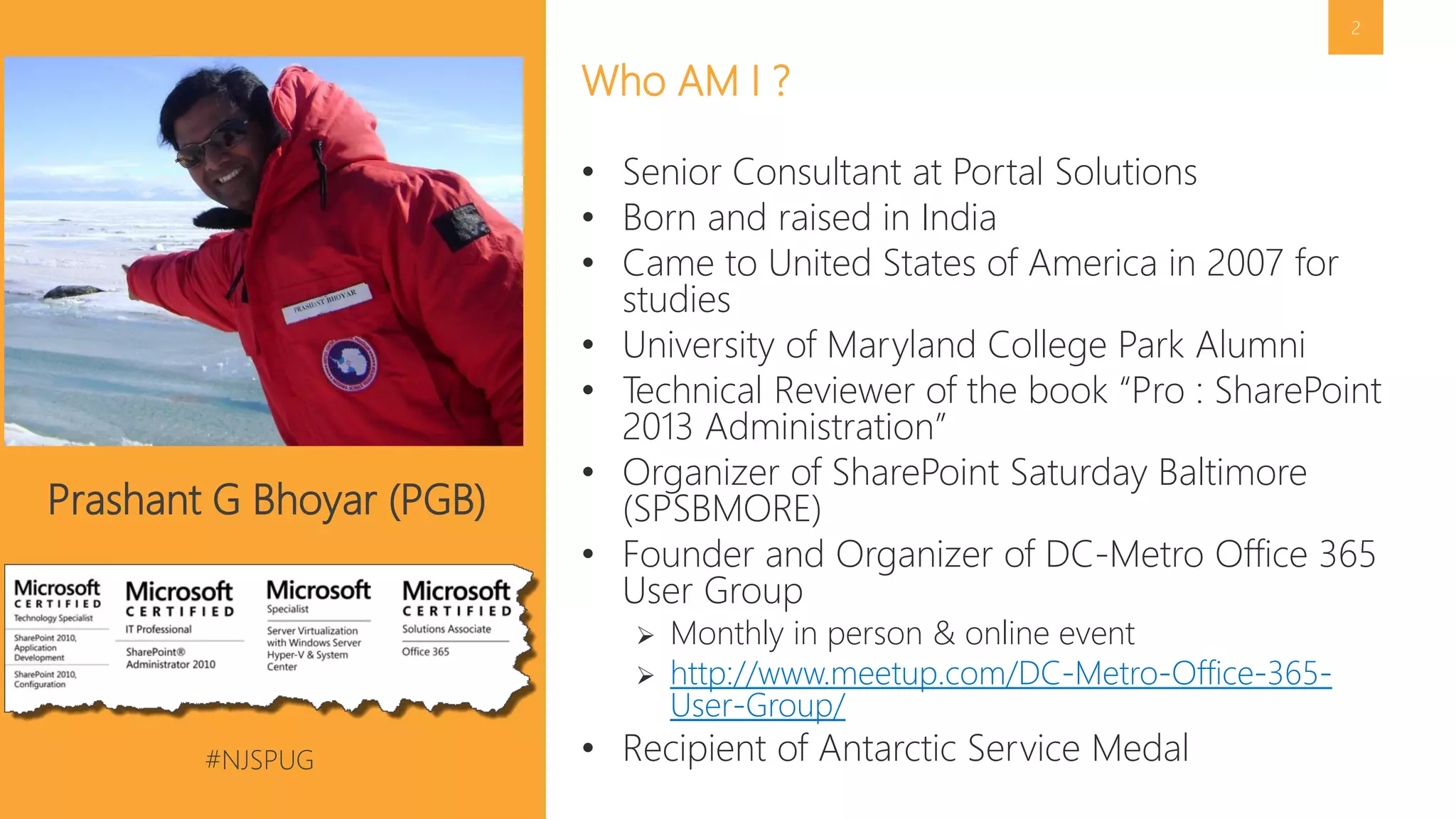
Prashant G Bhoyar (PGB)
New Jersey SharePoint User Group
28 June 2016
#NJSPUG @pgbhoyar
2
• Senior Consultant at Portal Solutions
• Born and raised in India
• Came to United States of America in 2007 for
studies
• University of Maryland College Park Alumni
• Technical Reviewer of the book “Pro : SharePoint
2013 Administration”
• Organizer of SharePoint Saturday Baltimore
(SPSBMORE)
• Founder and Organizer of DC-Metro Office 365
User Group
 Monthly in person & online event
 http://www.meetup.com/DC-Metro-Office-365-
User-Group/
• Recipient of Antarctic Service Medal
Who AM I ?
Prashant G Bhoyar (PGB)
#NJSPUG @pgbhoyar
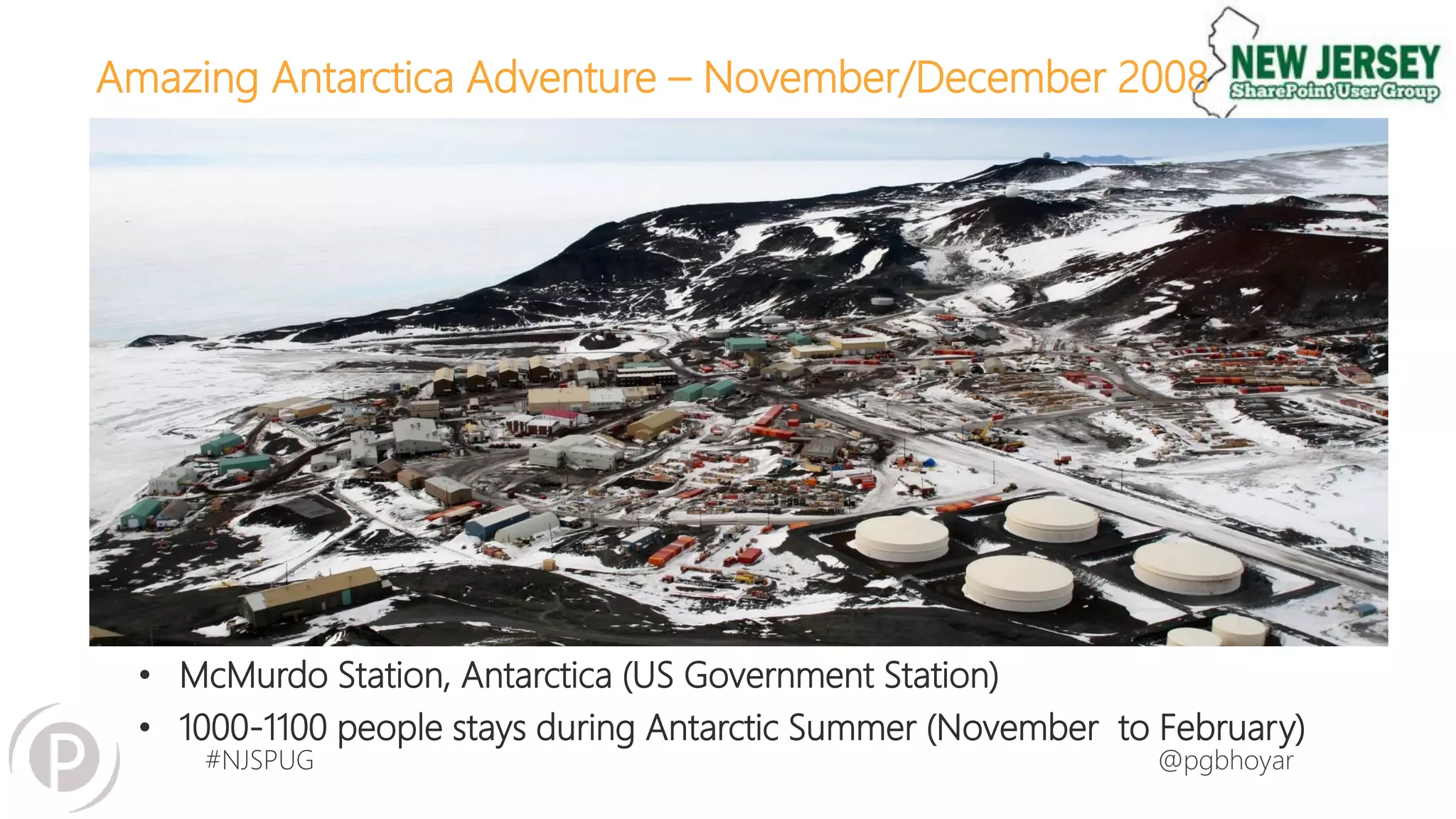
Amazing Antarctica Adventure – November/December 2008
#NJSPUG @pgbhoyar
Amazing Antarctica Adventure – November/December 2008
• McMurdo Station, Antarctica (US Government Station)
• 1000-1100 people stays during Antarctic Summer (November to February)
#NJSPUG @pgbhoyar
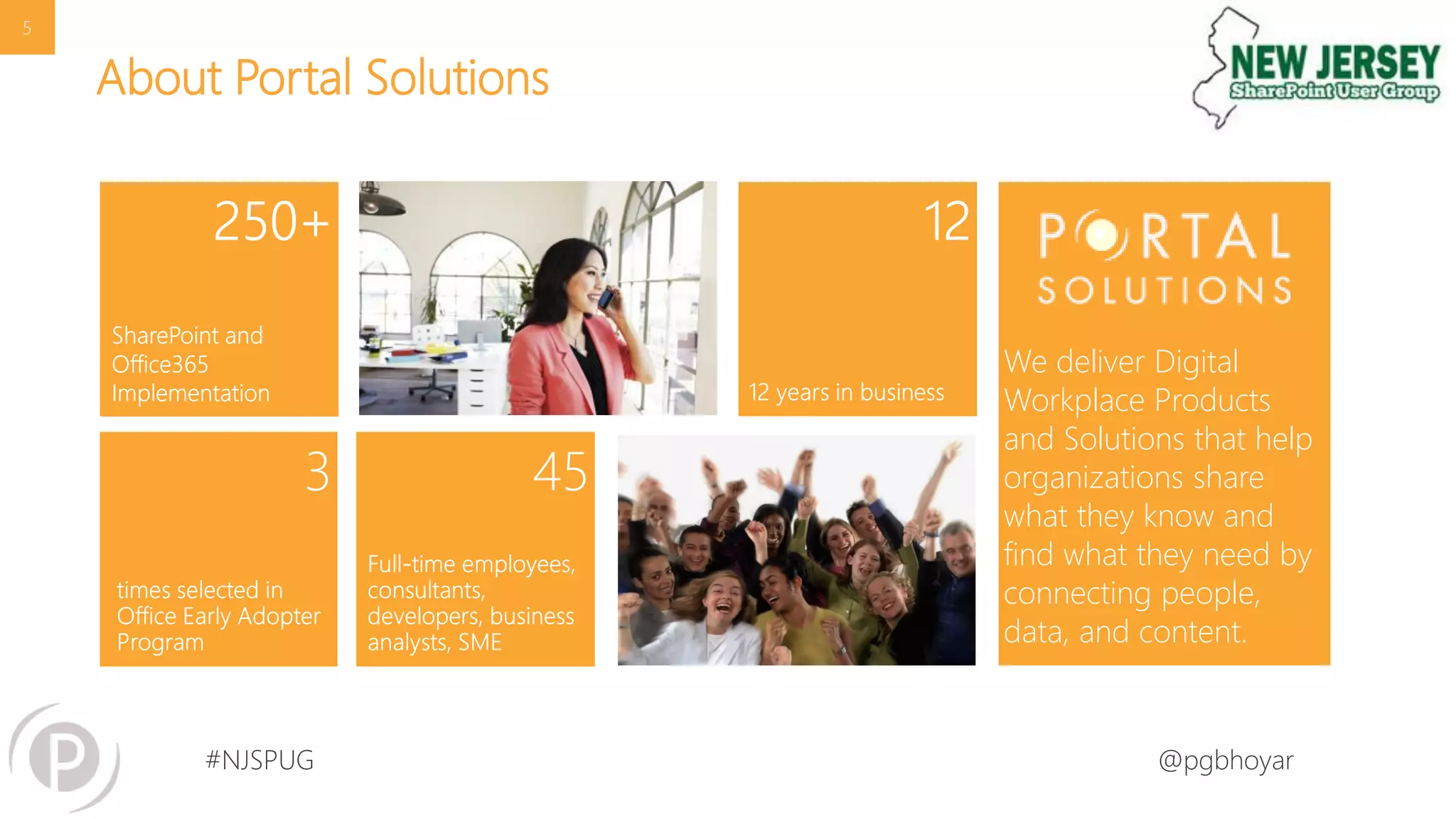
About Portal Solutions
We deliver Digital
Workplace Products
and Solutions that help
organizations share
what they know and
find what they need by
connecting people,
data, and content.
5
#NJSPUG @pgbhoyar
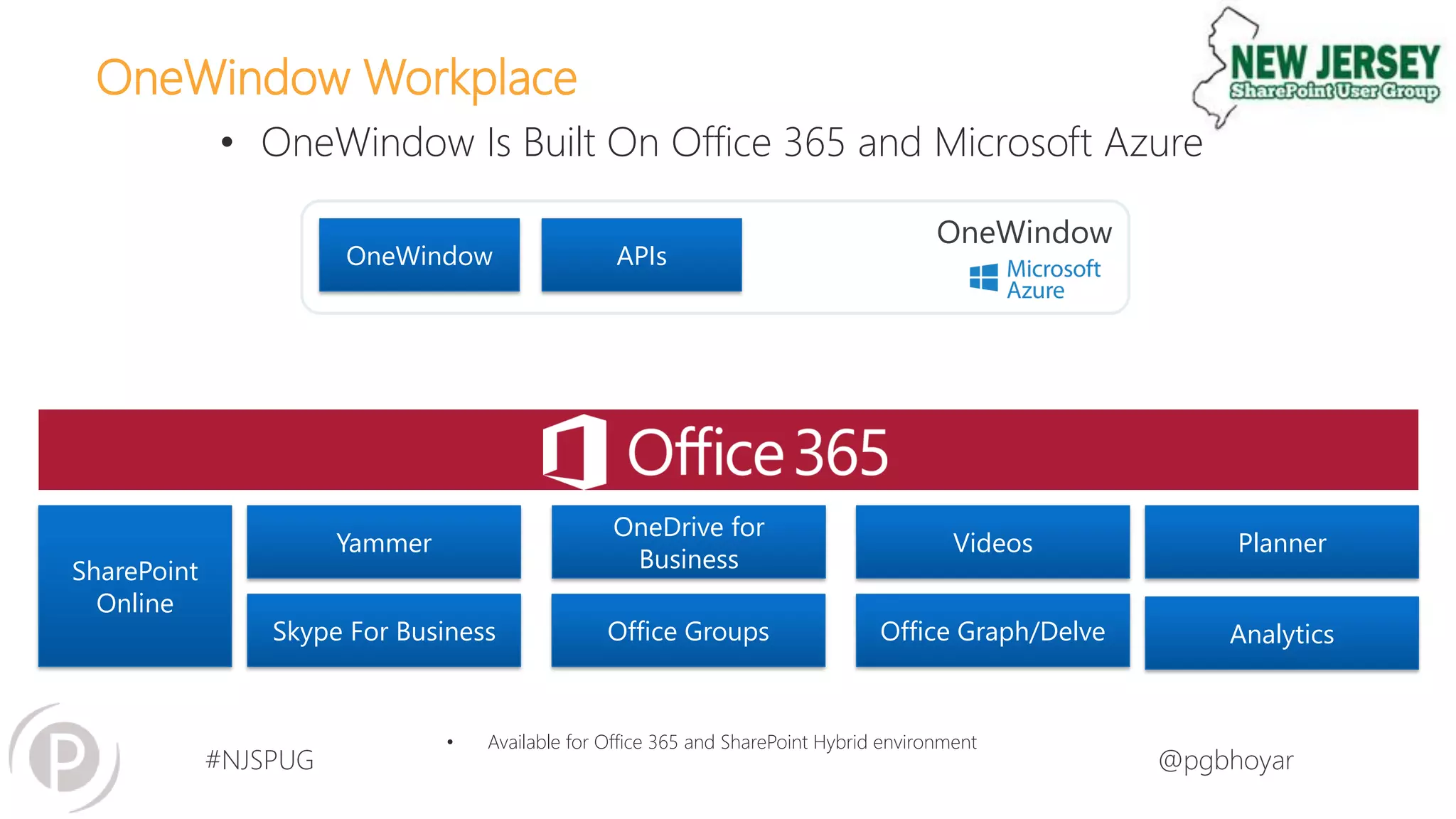
OneWindow Workplace
• OneWindow Is Built On Office 365 and Microsoft Azure
• Available for Office 365 and SharePoint Hybrid environment
OneWindow
Yammer
SharePoint
Online
Skype For Business Office Groups Office Graph/Delve
Videos
OneDrive for
Business
OneWindow APIs
Planner
Analytics
#NJSPUG @pgbhoyar
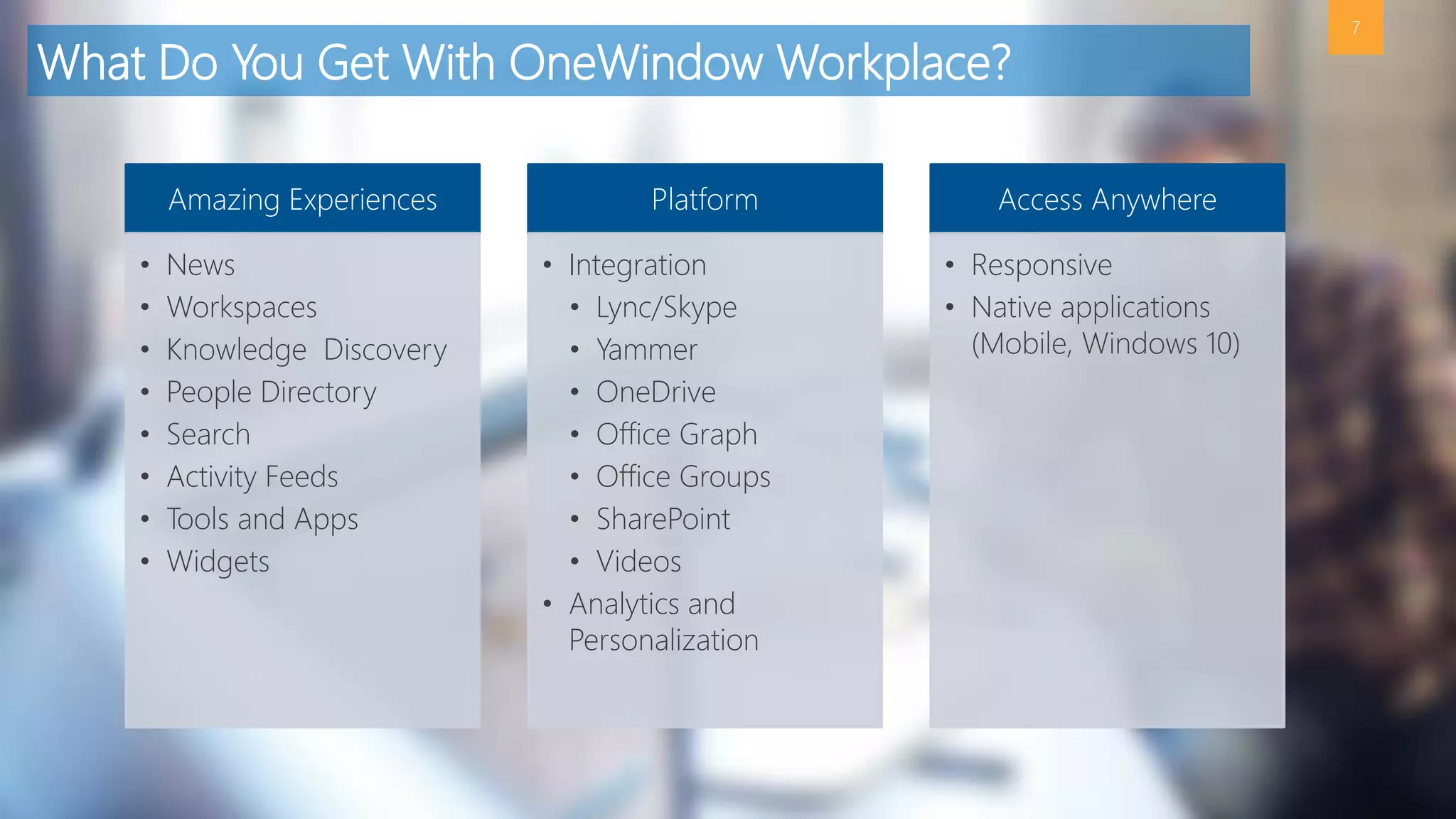
What Do You Get With OneWindow Workplace?
7
Amazing Experiences
• News
• Workspaces
• Knowledge Discovery
• People Directory
• Search
• Activity Feeds
• Tools and Apps
• Widgets
Platform
• Integration
• Lync/Skype
• Yammer
• OneDrive
• Office Graph
• Office Groups
• SharePoint
• Videos
• Analytics and
Personalization
Access Anywhere
• Responsive
• Native applications
(Mobile, Windows 10)
#NJSPUG @pgbhoyar
Next Steps
8
Interested in assessing if OneWindow Workplace
is right for you?
Let’s talk. Click here or go to http://www.onewindowapp.com to learn more.
#NJSPUG @pgbhoyar
• Sharing is Caring
• Ask Questions
 Learn from yesterday, live for today, hope for tomorrow. The
important thing is not to stop questioning. –Albert Einstein
• Let the learning begins…
9
About Today’s Session
Image Source : http://onlyfreewallpaper.com/view/smiley-kitty-1280x1024.html
#NJSPUG @pgbhoyar
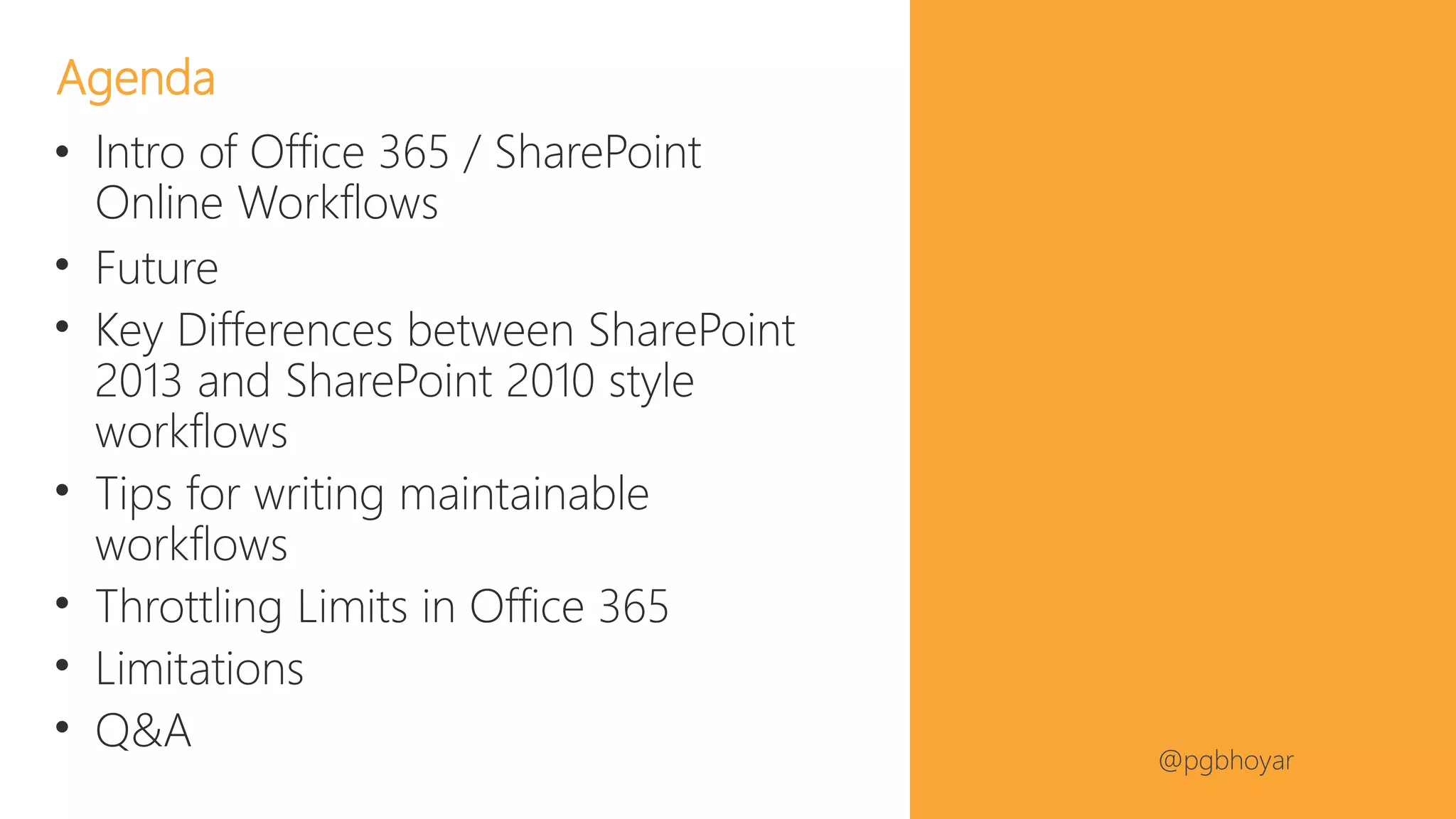
• Intro of Office 365 / SharePoint
Online Workflows
• Future
• Key Differences between SharePoint
2013 and SharePoint 2010 style
workflows
• Tips for writing maintainable
workflows
• Throttling Limits in Office 365
• Limitations
• Q&A
Agenda
#NJSPUG @pgbhoyar
#NJSPUG @pgbhoyar
Audience Poll
• How many of you are IT pros?
• How many of you are Developers?
• How many of you are Power Users?
• How many of you are End Users?
• How many of you develop/manages/maintains the
workflows?
12
#NJSPUG @pgbhoyar
#NJSPUG @pgbhoyar
14
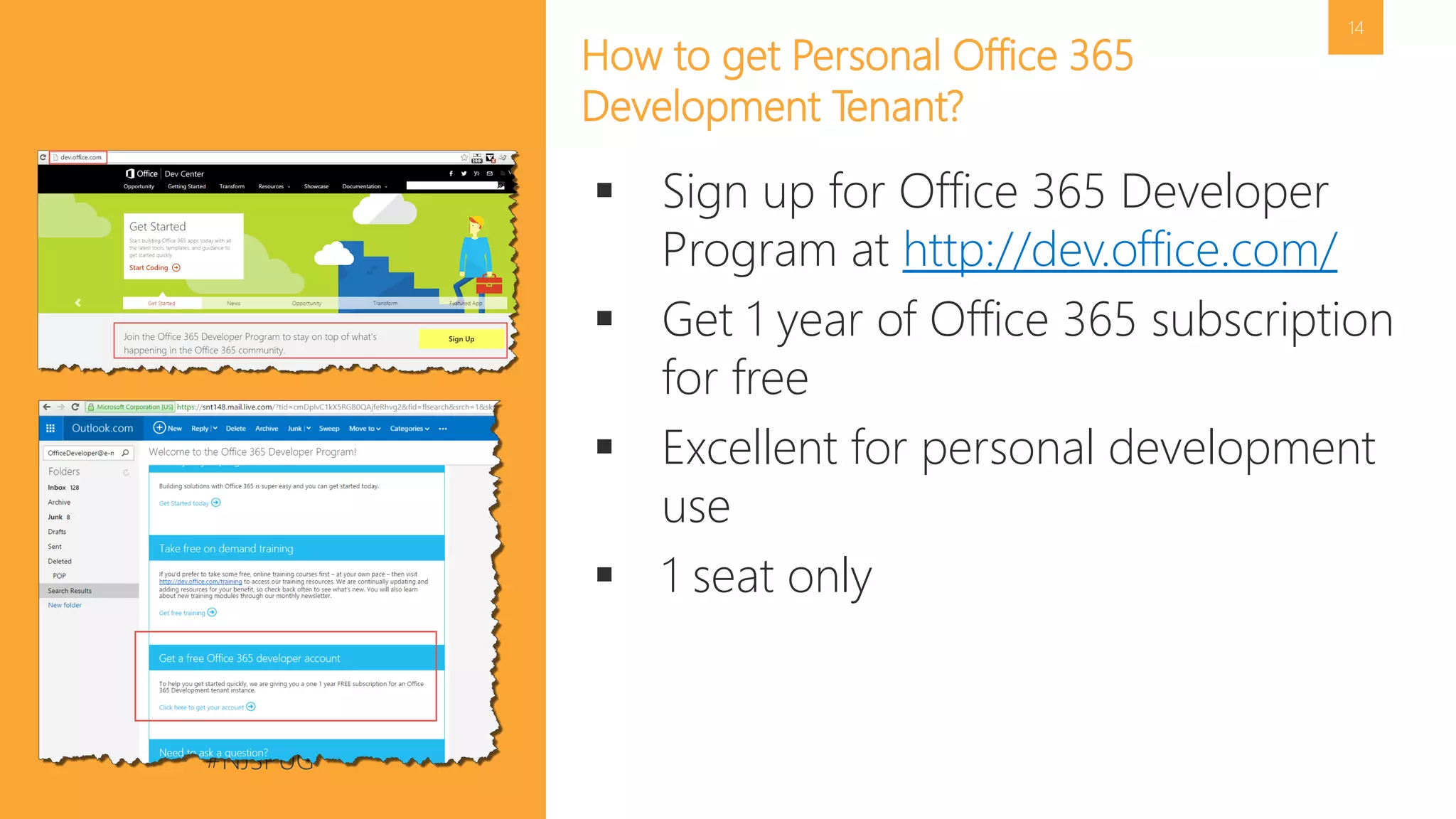
How to get Personal Office 365
Development Tenant?
 Sign up for Office 365 Developer
Program at http://dev.office.com/
 Get 1 year of Office 365 subscription
for free
 Excellent for personal development
use
 1 seat only
#NJSPUG @pgbhoyar
15
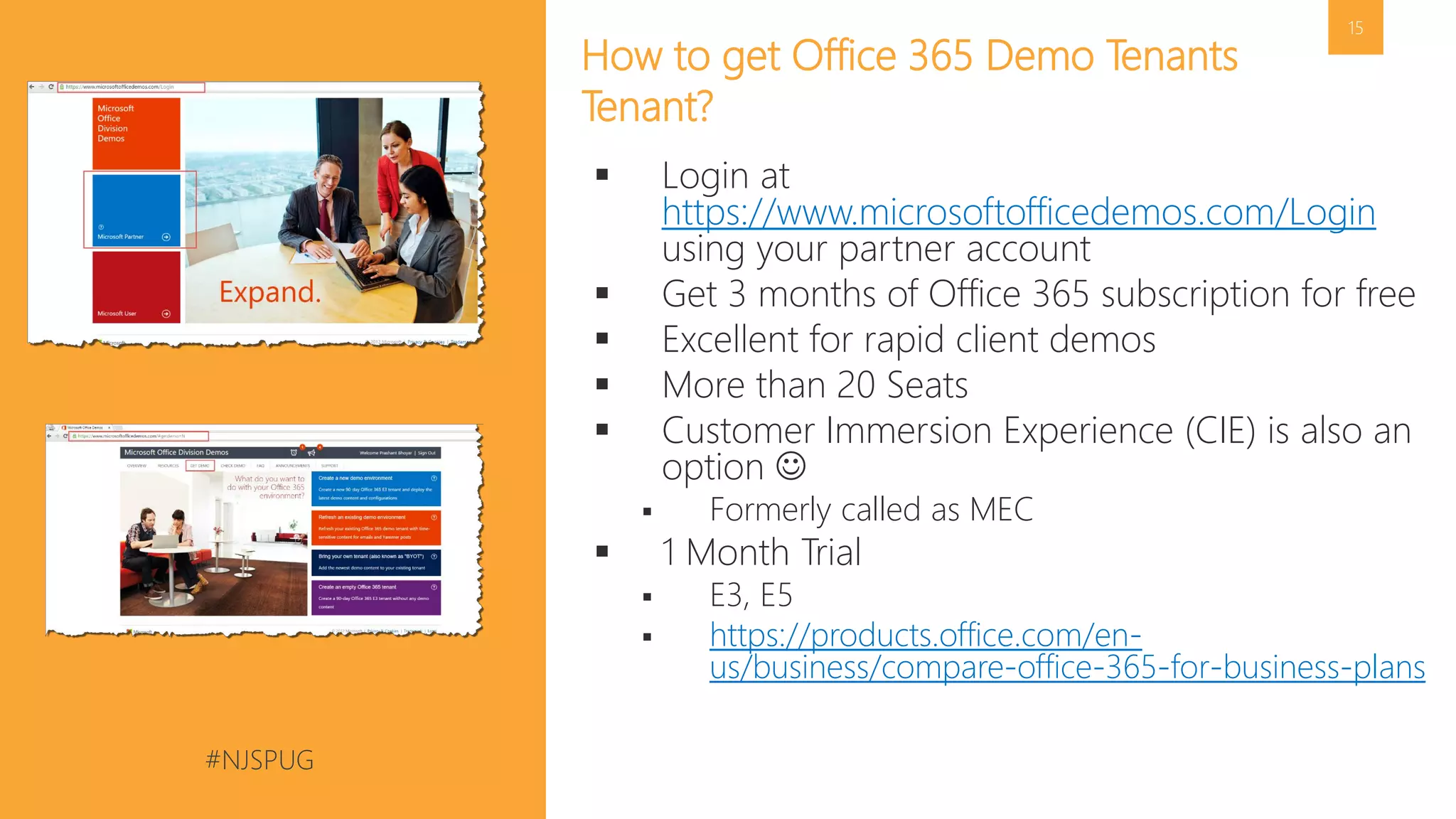
How to get Office 365 Demo Tenants
Tenant?
 Login at
https://www.microsoftofficedemos.com/Login
using your partner account
 Get 3 months of Office 365 subscription for free
 Excellent for rapid client demos
 More than 20 Seats
 Customer Immersion Experience (CIE) is also an
option 
 Formerly called as MEC
 1 Month Trial
 E3, E5
 https://products.office.com/en-
us/business/compare-office-365-for-business-plans
#NJSPUG @pgbhoyar
#NJSPUG @pgbhoyar
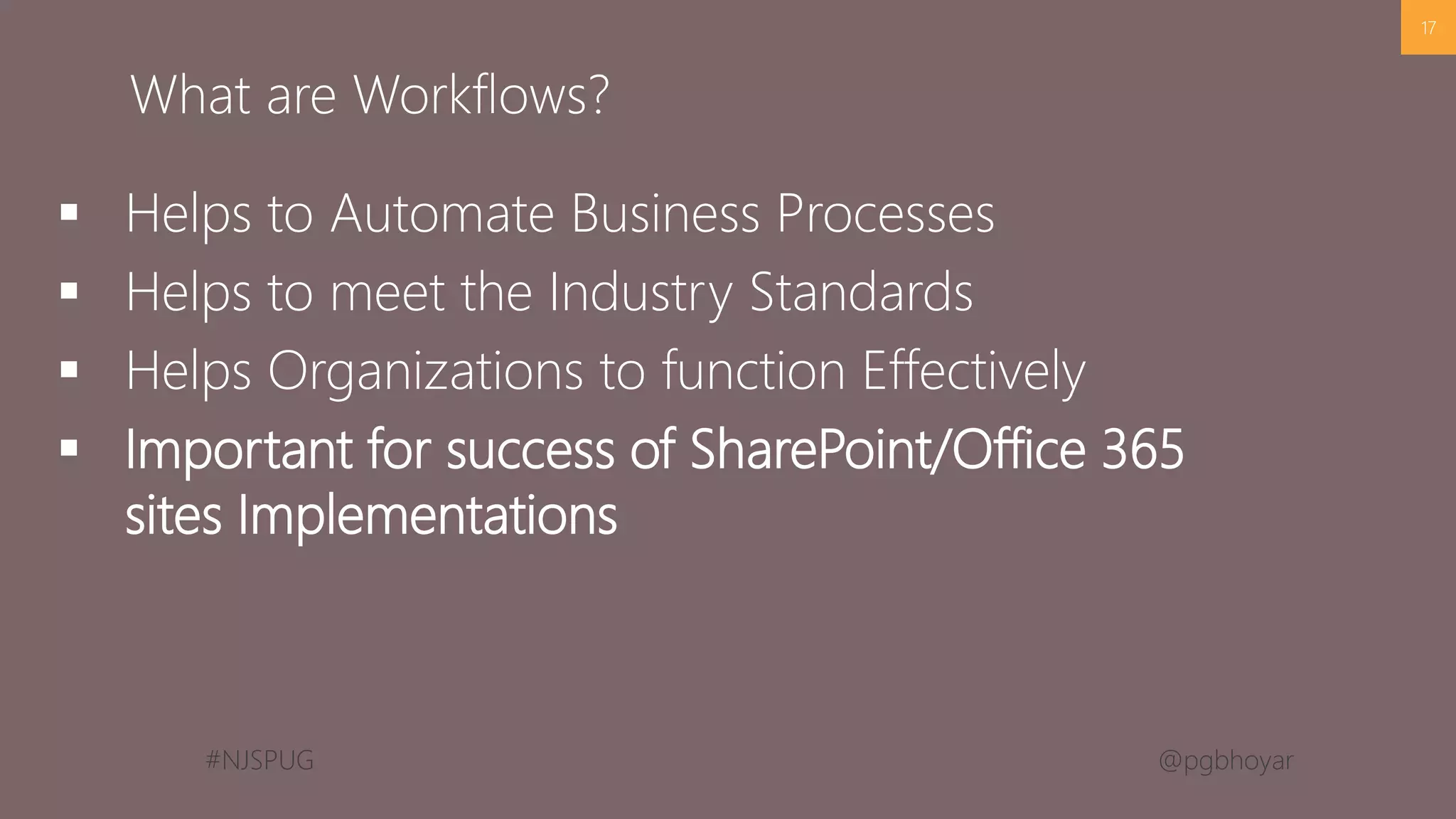
 Helps to Automate Business Processes
 Helps to meet the Industry Standards
 Helps Organizations to function Effectively
 Important for success of SharePoint/Office 365
sites Implementations
17
What are Workflows?
#NJSPUG @pgbhoyar
#NJSPUG @pgbhoyar
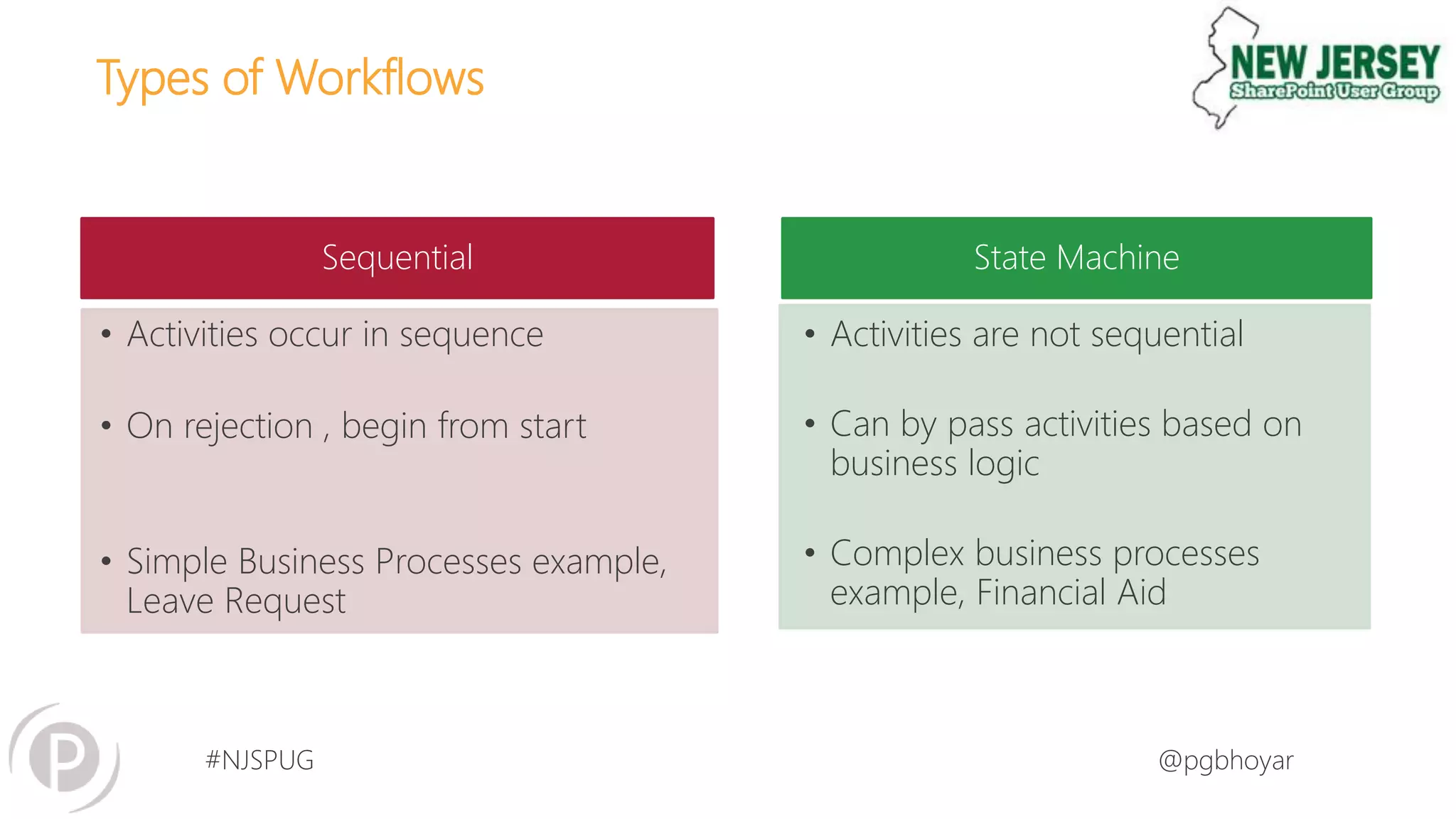
Types of Workflows
Sequential State Machine
• Activities occur in sequence
• On rejection , begin from start
• Simple Business Processes example,
Leave Request
• Activities are not sequential
• Can by pass activities based on
business logic
• Complex business processes
example, Financial Aid
#NJSPUG @pgbhoyar
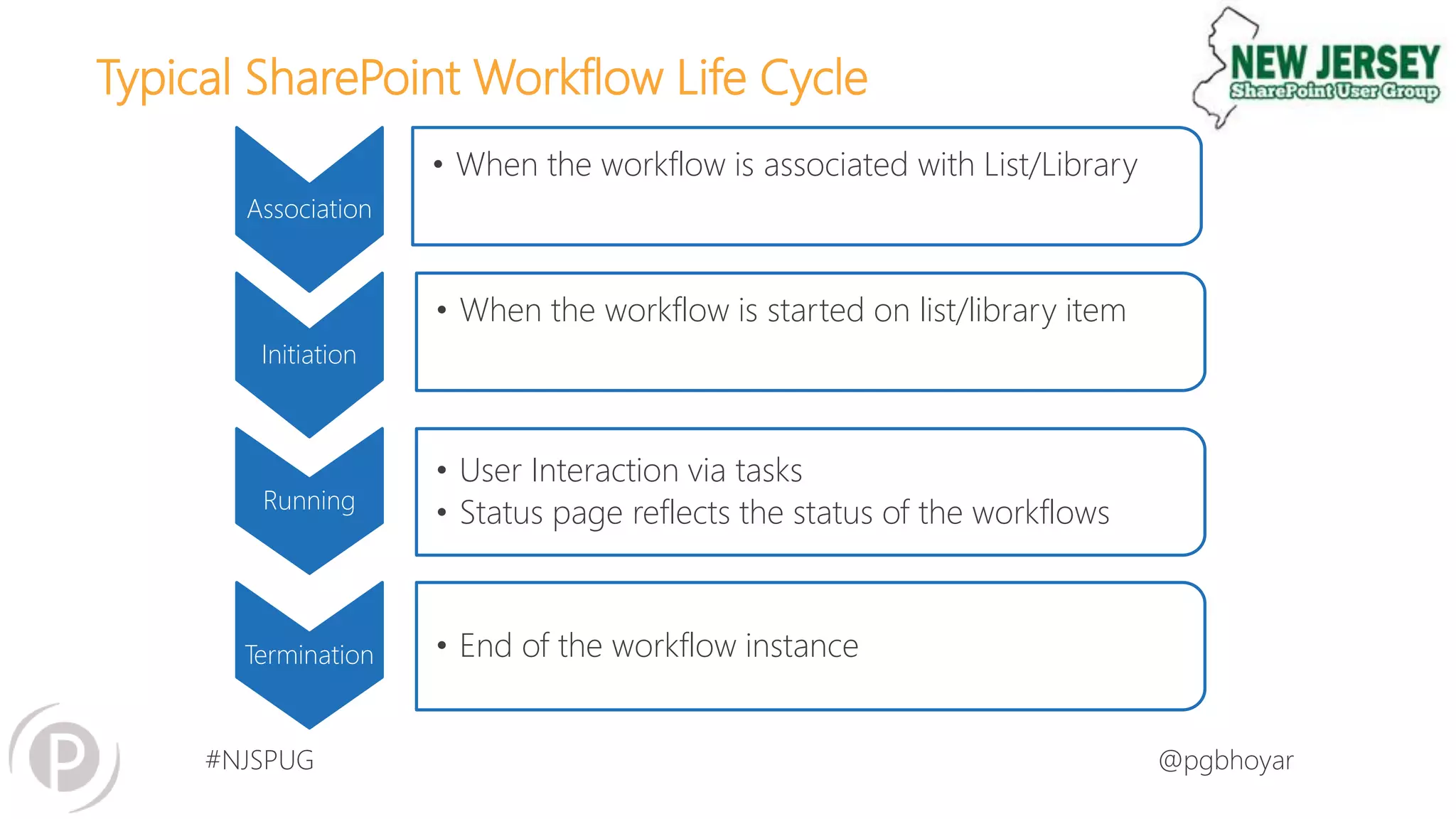
Typical SharePoint Workflow Life Cycle
Initiation
• When the workflow is started on list/library item
Running
• User Interaction via tasks
• Status page reflects the status of the workflows
Termination • End of the workflow instance
Association
• When the workflow is associated with List/Library
#NJSPUG @pgbhoyar
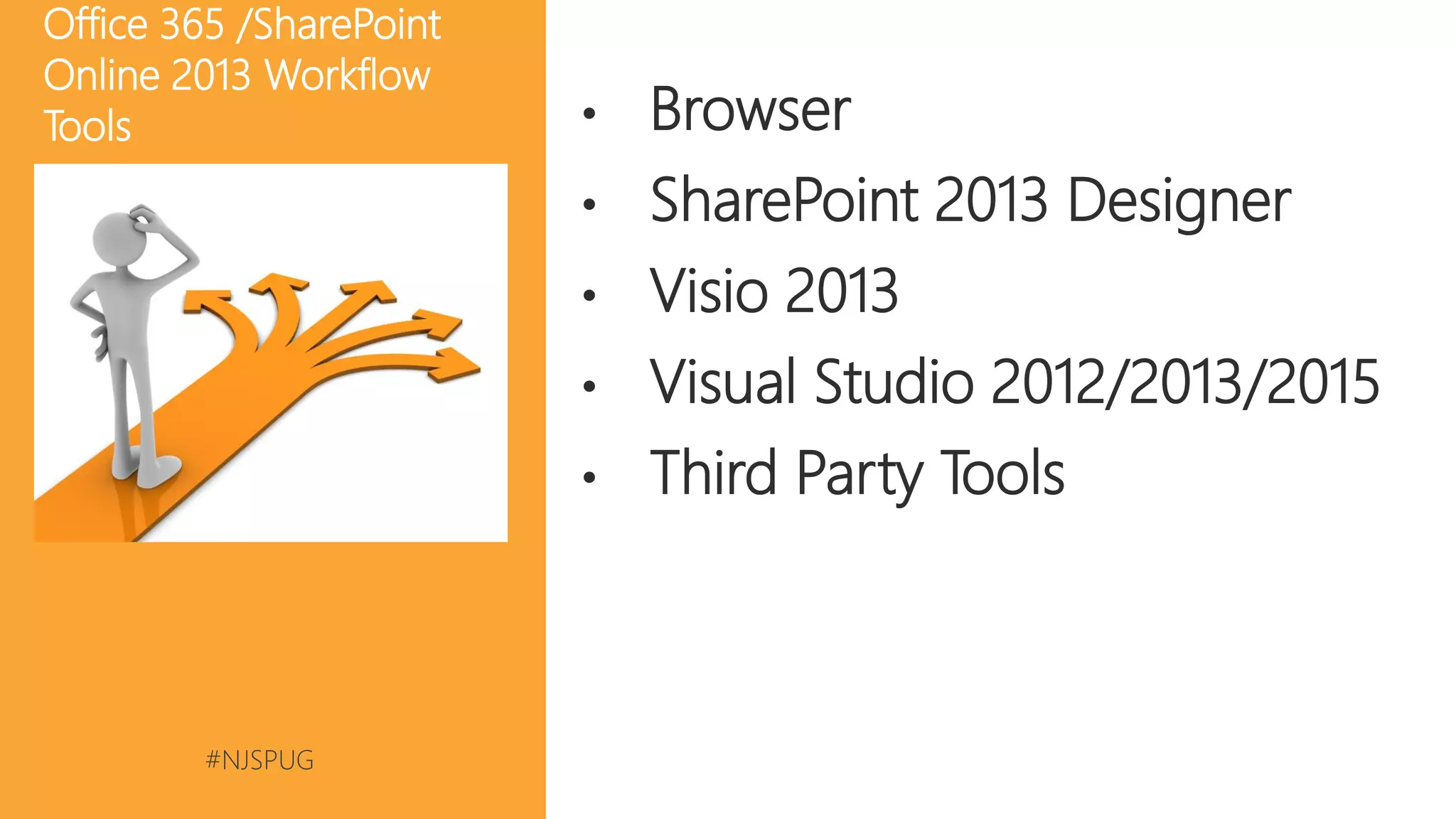
• Browser
• SharePoint 2013 Designer
• Visio 2013
• Visual Studio 2012/2013/2015
• Third Party Tools
Office 365 /SharePoint
Online 2013 Workflow
Tools
#NJSPUG @pgbhoyar
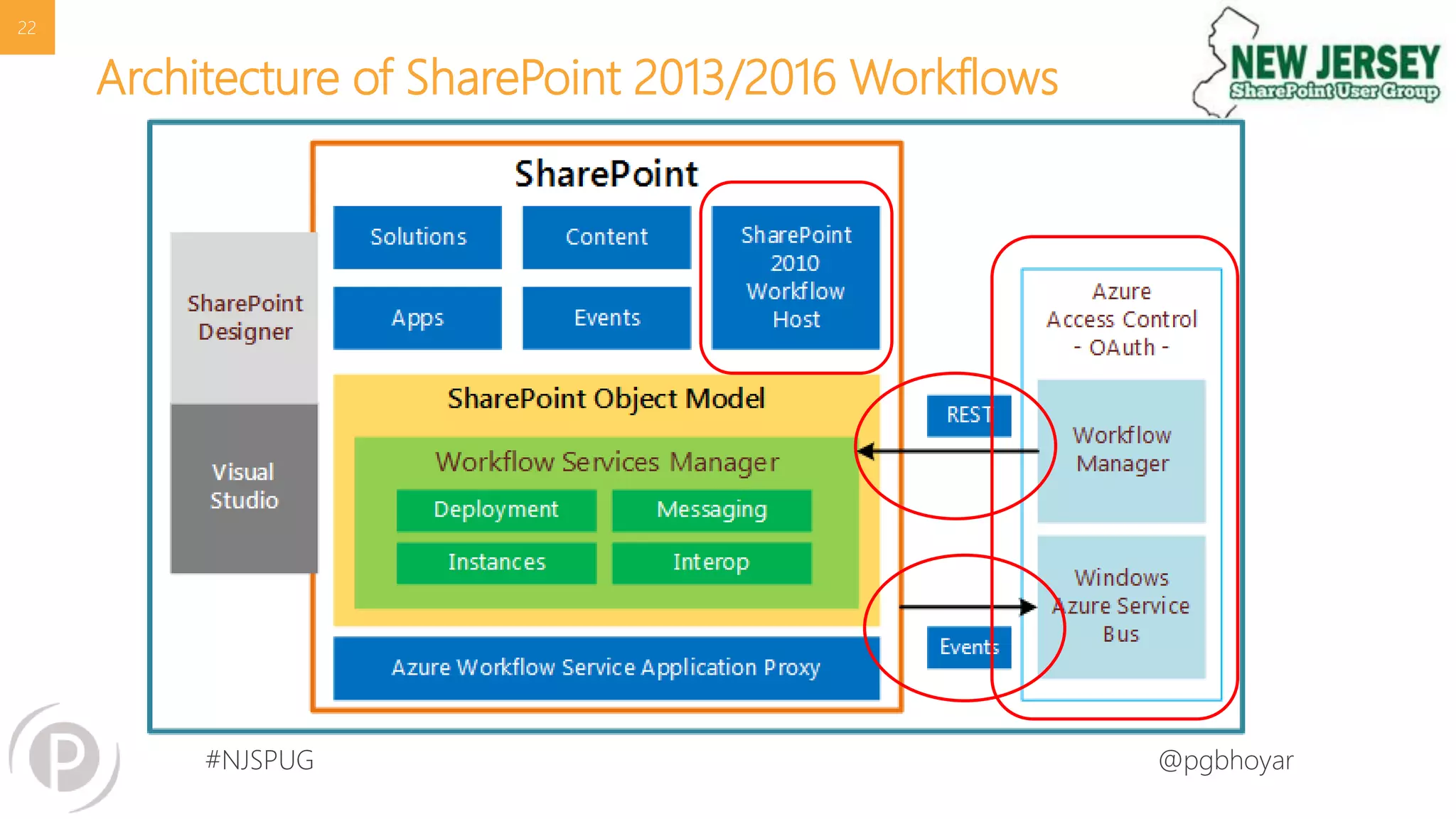
Architecture of SharePoint 2013/2016 Workflows
22
#NJSPUG @pgbhoyar
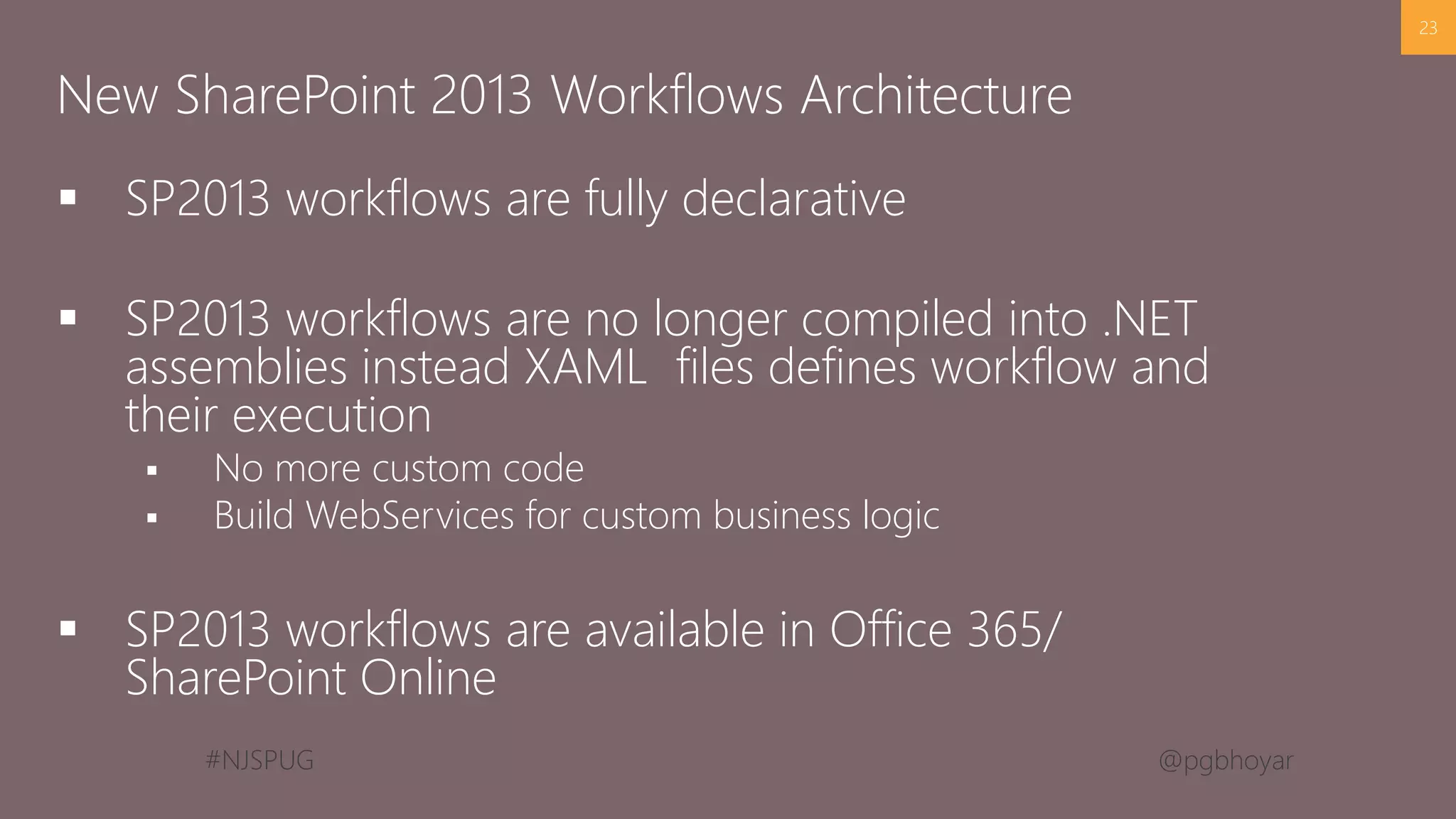
 SP2013 workflows are fully declarative
 SP2013 workflows are no longer compiled into .NET
assemblies instead XAML files defines workflow and
their execution
 No more custom code
 Build WebServices for custom business logic
 SP2013 workflows are available in Office 365/
SharePoint Online
23
New SharePoint 2013 Workflows Architecture
#NJSPUG @pgbhoyar
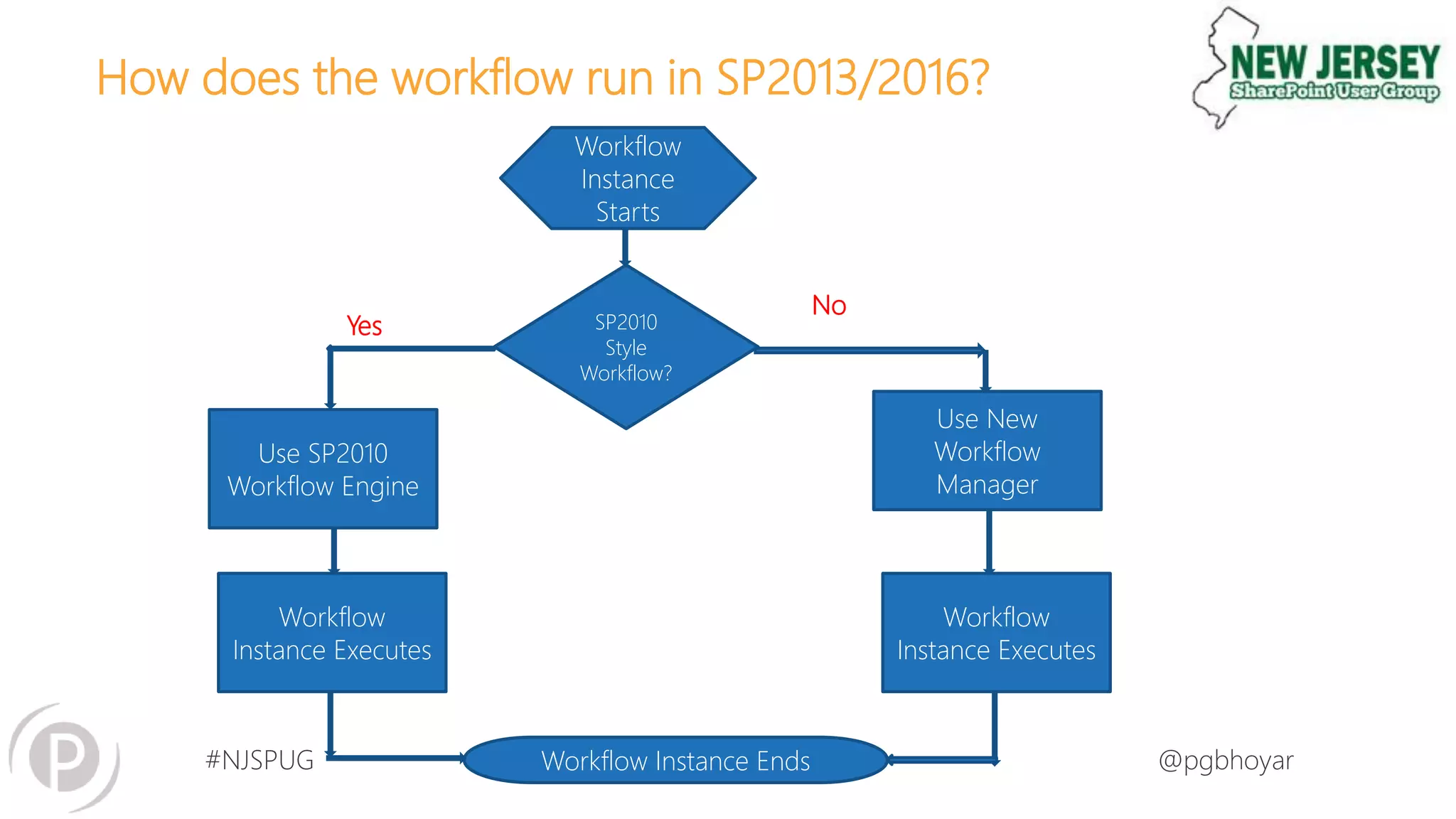
How does the workflow run in SP2013/2016?
Workflow
Instance
Starts
SP2010
Style
Workflow?
Use SP2010
Workflow Engine
Use New
Workflow
Manager
Workflow
Instance Executes
Workflow Instance Ends
Workflow
Instance Executes
Yes
No
#NJSPUG @pgbhoyar
25
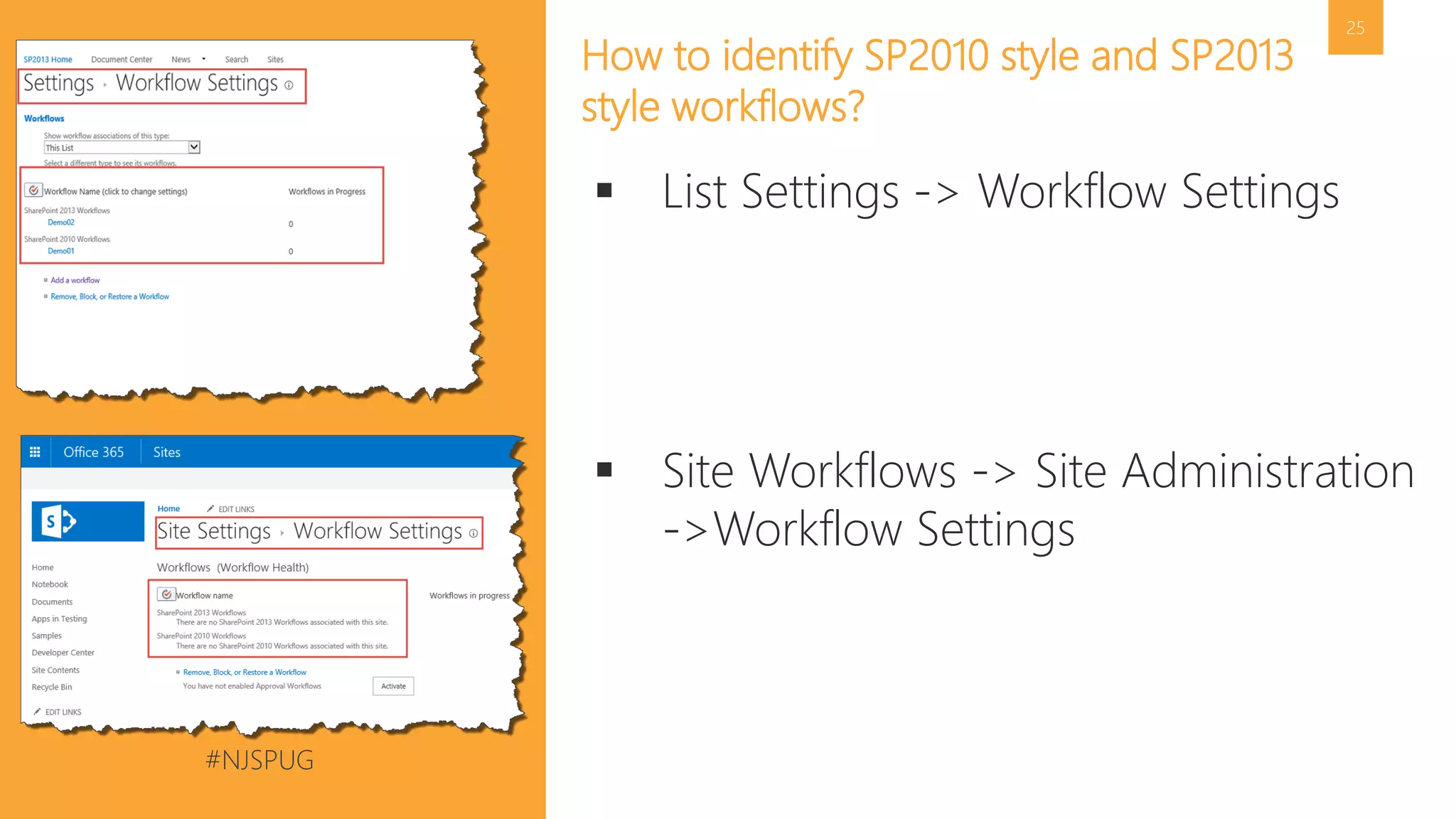
How to identify SP2010 style and SP2013
style workflows?
 List Settings -> Workflow Settings
 Site Workflows -> Site Administration
->Workflow Settings
#NJSPUG @pgbhoyar
#NJSPUG @pgbhoyar
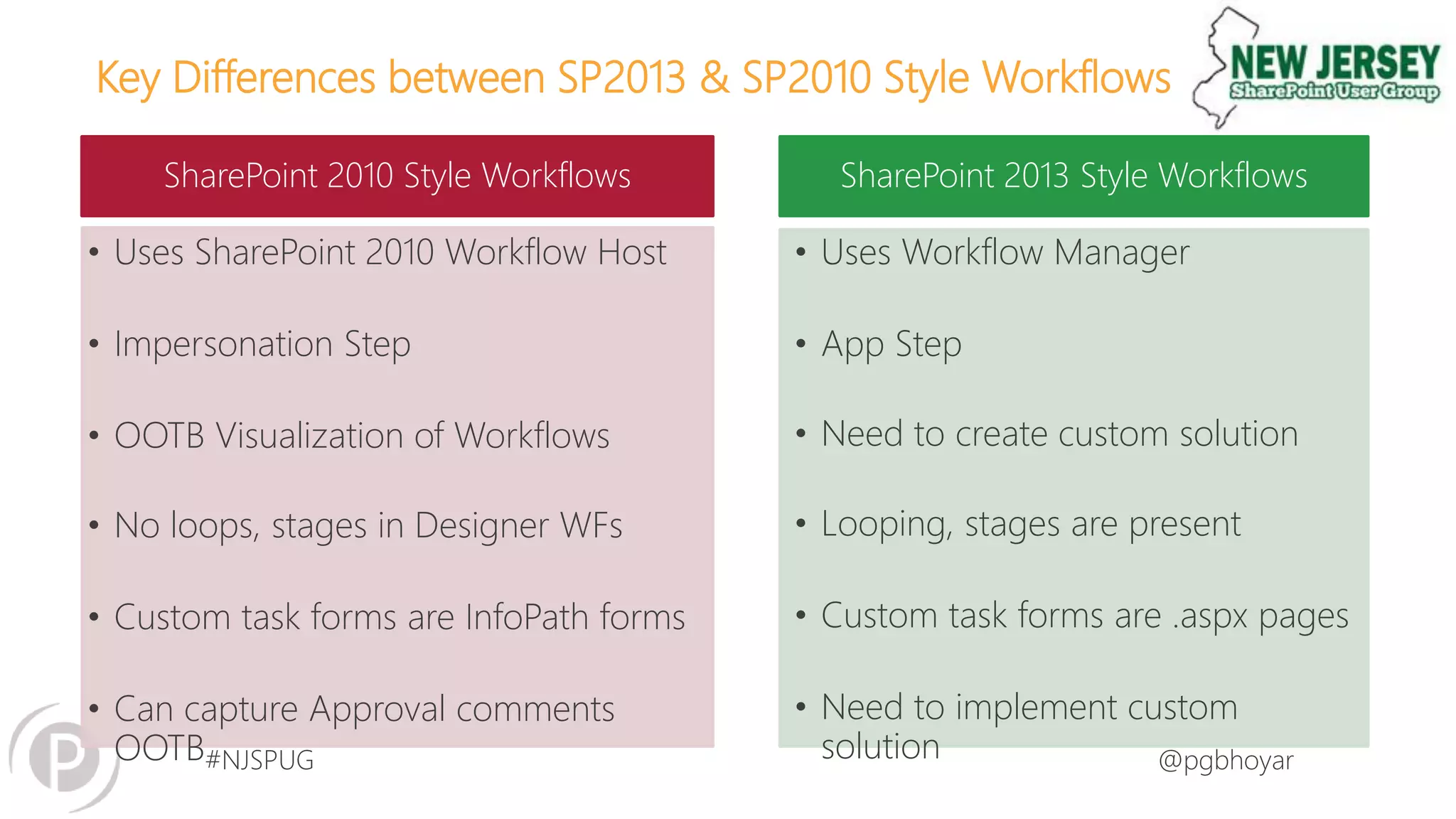
Key Differences between SP2013 & SP2010 Style Workflows
SharePoint 2010 Style Workflows SharePoint 2013 Style Workflows
• Uses SharePoint 2010 Workflow Host
• Impersonation Step
• OOTB Visualization of Workflows
• No loops, stages in Designer WFs
• Custom task forms are InfoPath forms
• Can capture Approval comments
OOTB
• Uses Workflow Manager
• App Step
• Need to create custom solution
• Looping, stages are present
• Custom task forms are .aspx pages
• Need to implement custom
solution
#NJSPUG @pgbhoyar
#NJSPUG @pgbhoyar
#NJSPUG @pgbhoyar
30
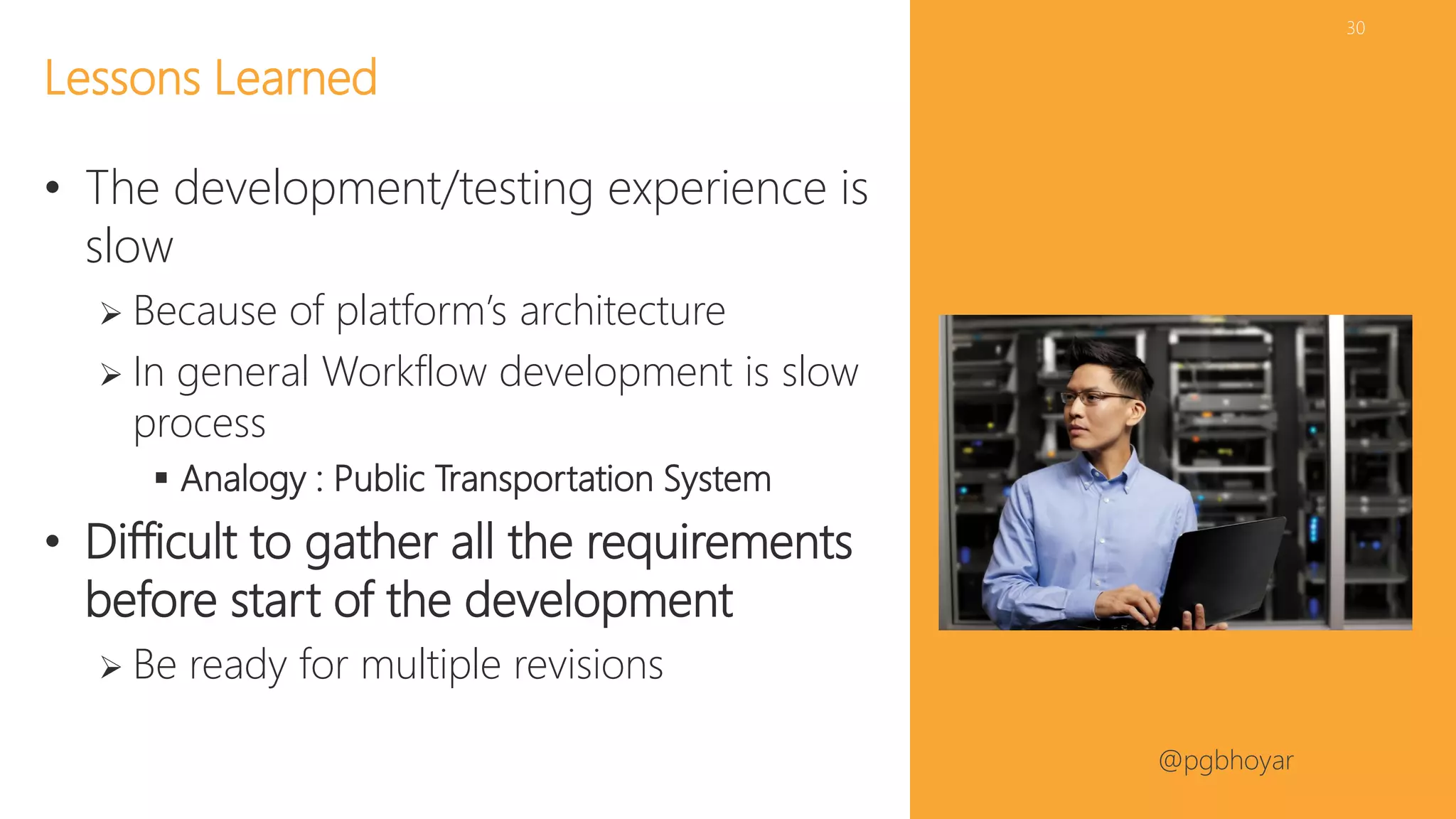
• The development/testing experience is
slow
 Because of platform’s architecture
 In general Workflow development is slow
process
 Analogy : Public Transportation System
• Difficult to gather all the requirements
before start of the development
 Be ready for multiple revisions
Lessons Learned
#NJSPUG @pgbhoyar
#NJSPUG @pgbhoyar
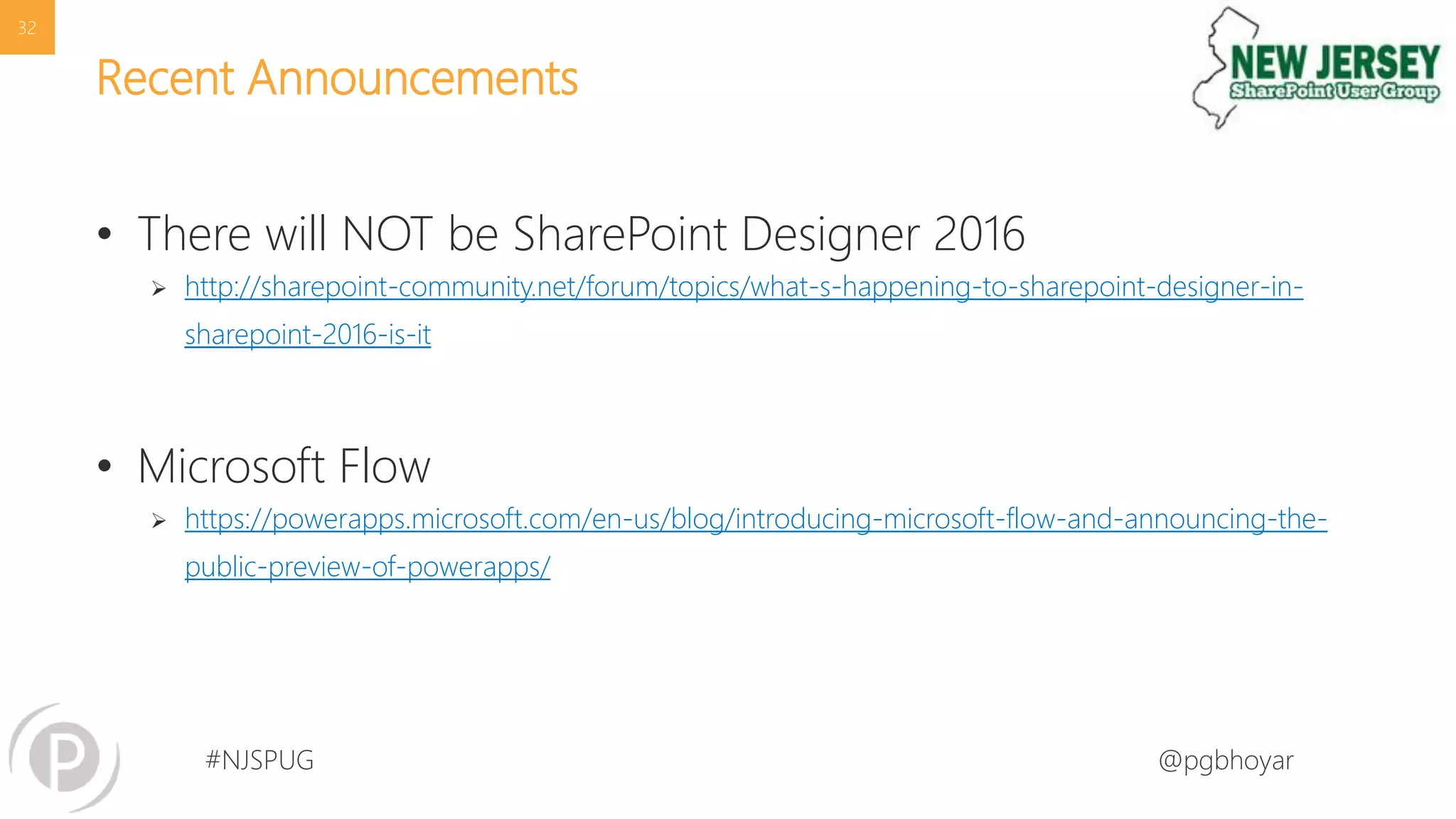
Recent Announcements
• There will NOT be SharePoint Designer 2016
 http://sharepoint-community.net/forum/topics/what-s-happening-to-sharepoint-designer-in-
sharepoint-2016-is-it
• Microsoft Flow
 https://powerapps.microsoft.com/en-us/blog/introducing-microsoft-flow-and-announcing-the-
public-preview-of-powerapps/
32
#NJSPUG @pgbhoyar
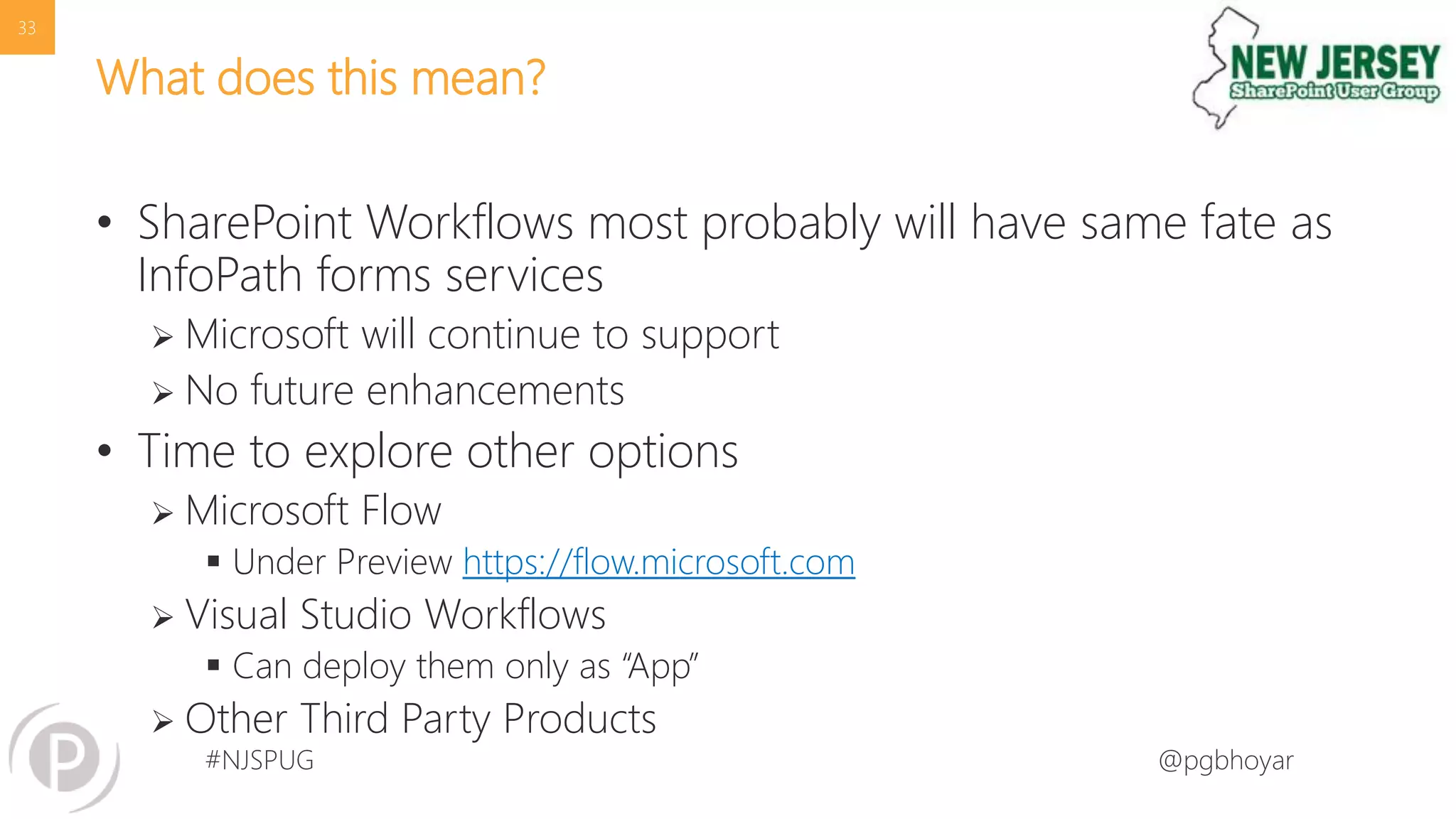
What does this mean?
• SharePoint Workflows most probably will have same fate as
InfoPath forms services
 Microsoft will continue to support
 No future enhancements
• Time to explore other options
 Microsoft Flow
 Under Preview https://flow.microsoft.com
 Visual Studio Workflows
 Can deploy them only as “App”
 Other Third Party Products
33
#NJSPUG @pgbhoyar
#NJSPUG @pgbhoyar
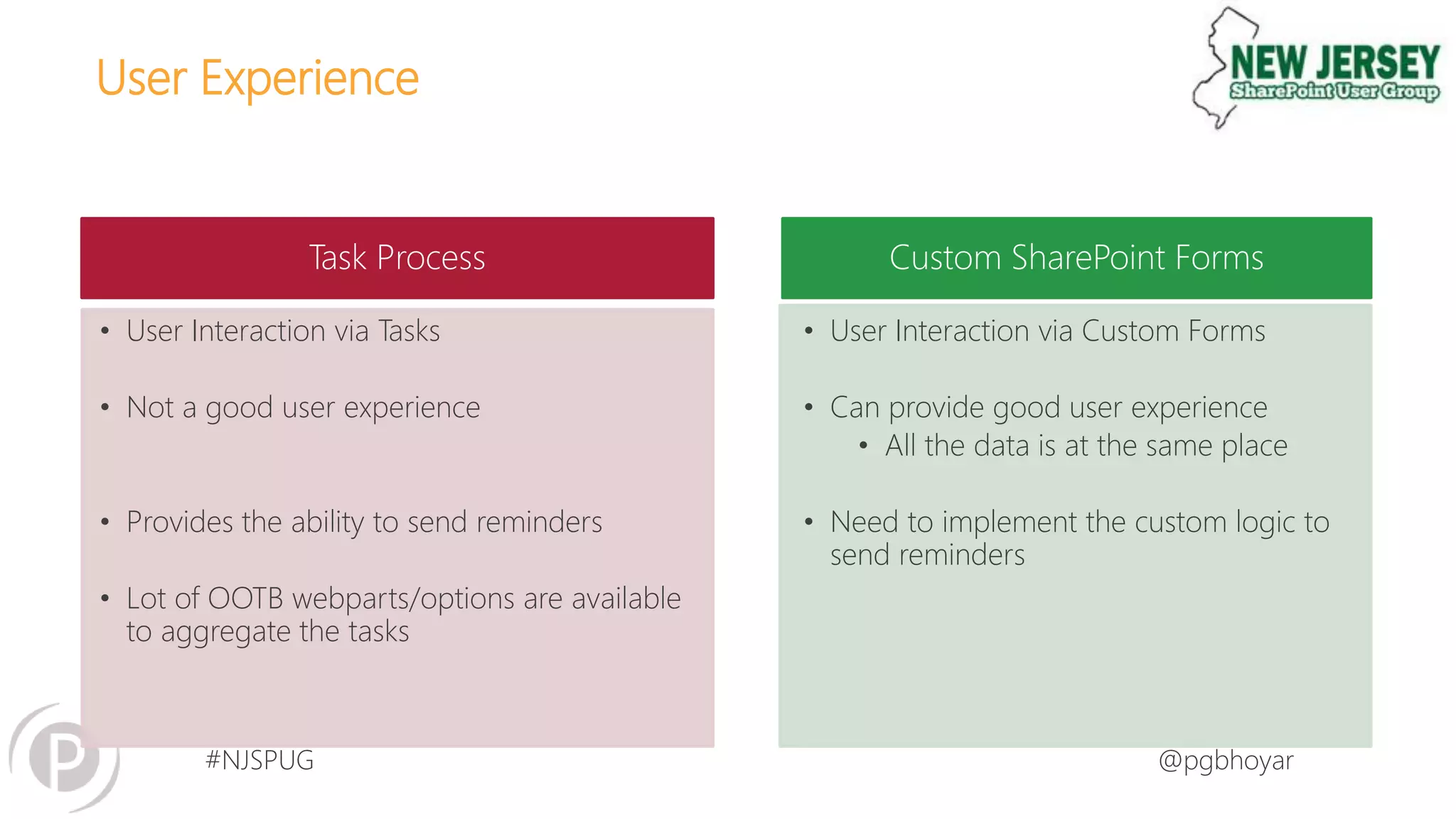
User Experience
Task Process Custom SharePoint Forms
• User Interaction via Tasks
• Not a good user experience
• Provides the ability to send reminders
• Lot of OOTB webparts/options are available
to aggregate the tasks
• User Interaction via Custom Forms
• Can provide good user experience
• All the data is at the same place
• Need to implement the custom logic to
send reminders
#NJSPUG @pgbhoyar
#NJSPUG @pgbhoyar
Tips for developing maintainable custom workflows
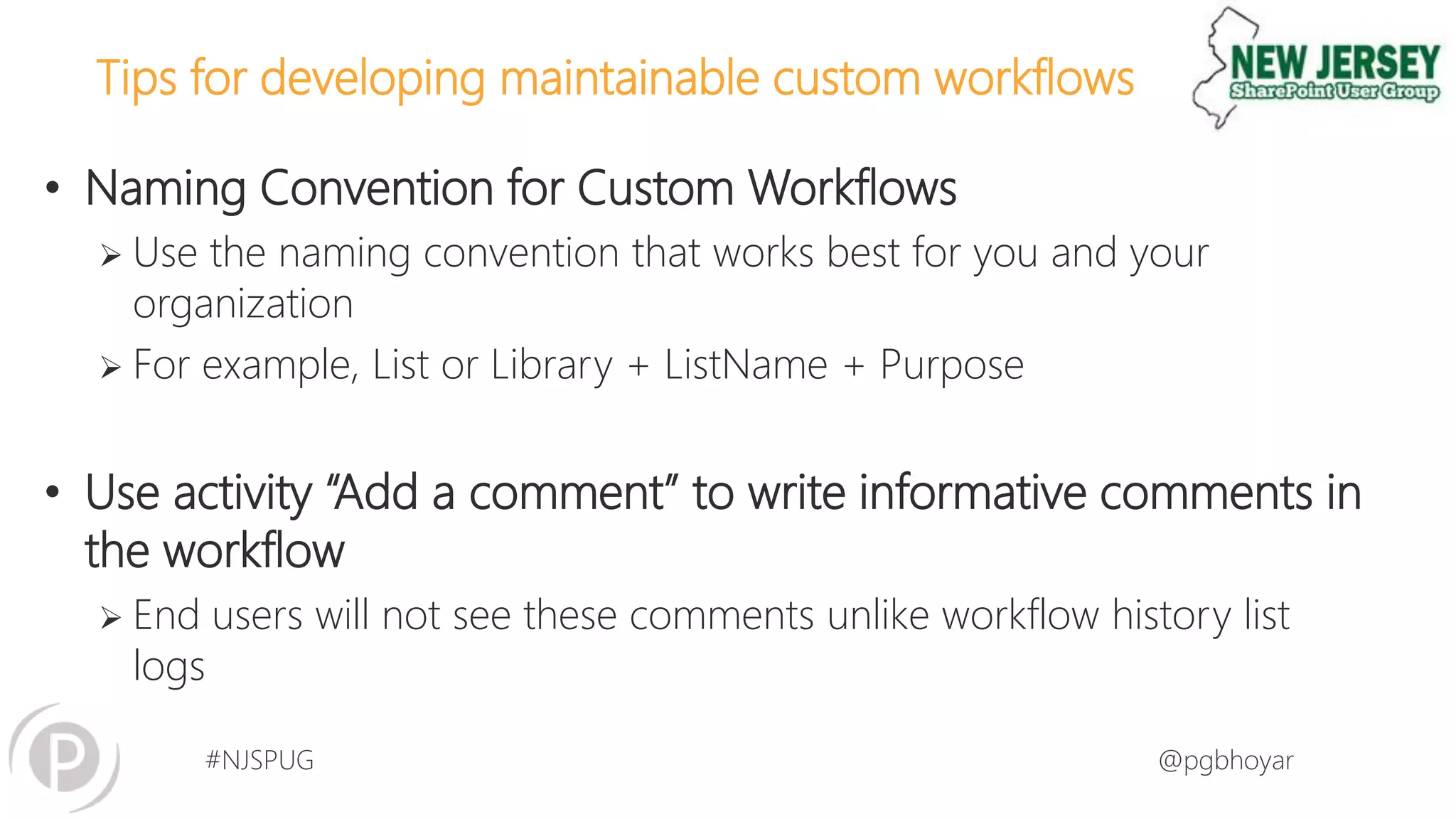
• Naming Convention for Custom Workflows
 Use the naming convention that works best for you and your
organization
 For example, List or Library + ListName + Purpose
• Use activity “Add a comment” to write informative comments in
the workflow
 End users will not see these comments unlike workflow history list
logs
#NJSPUG @pgbhoyar
Tips for developing maintainable custom workflows
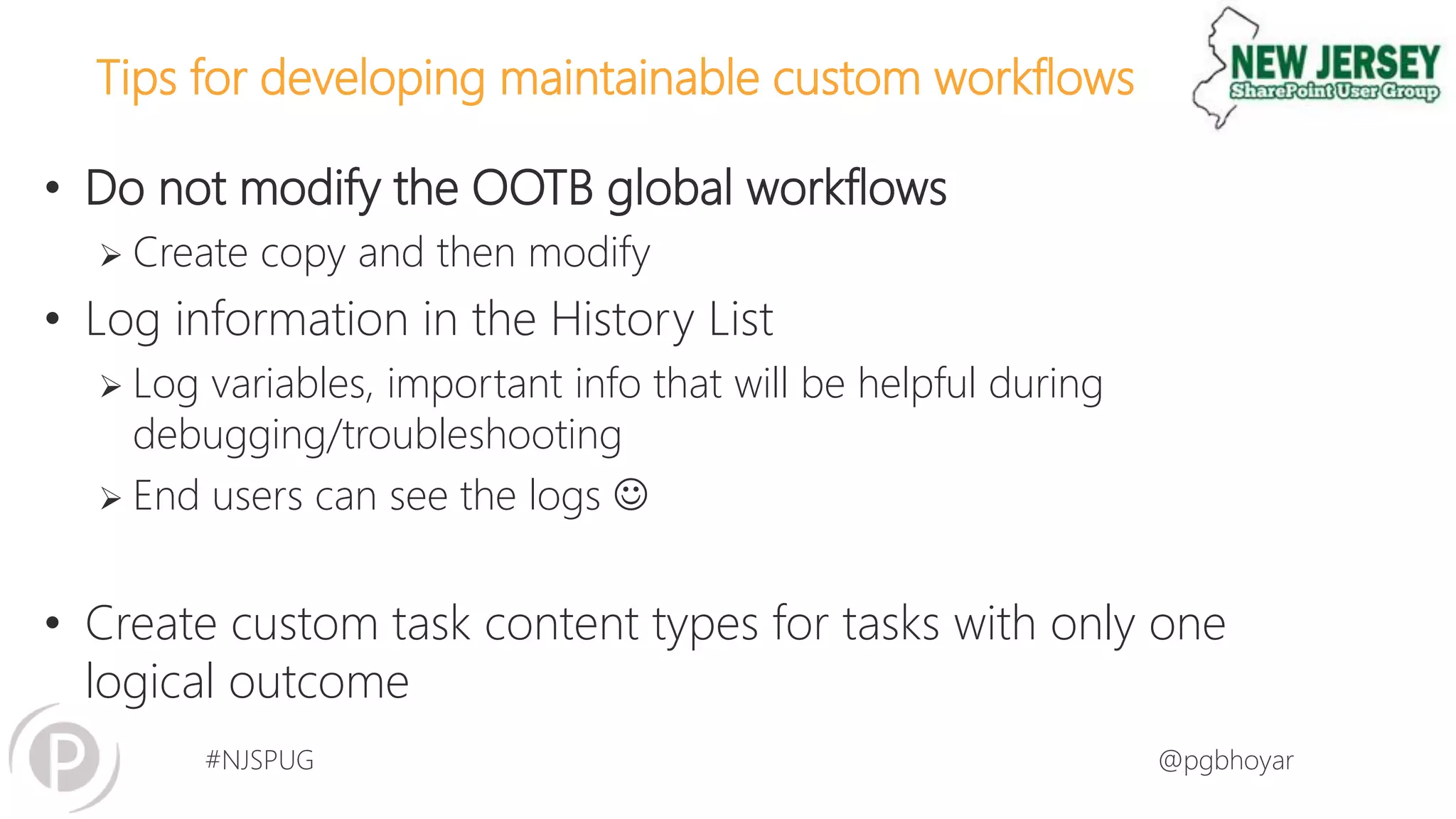
• Do not modify the OOTB global workflows
 Create copy and then modify
• Log information in the History List
 Log variables, important info that will be helpful during
debugging/troubleshooting
 End users can see the logs 
• Create custom task content types for tasks with only one
logical outcome
#NJSPUG @pgbhoyar
Tips for developing maintainable custom workflows
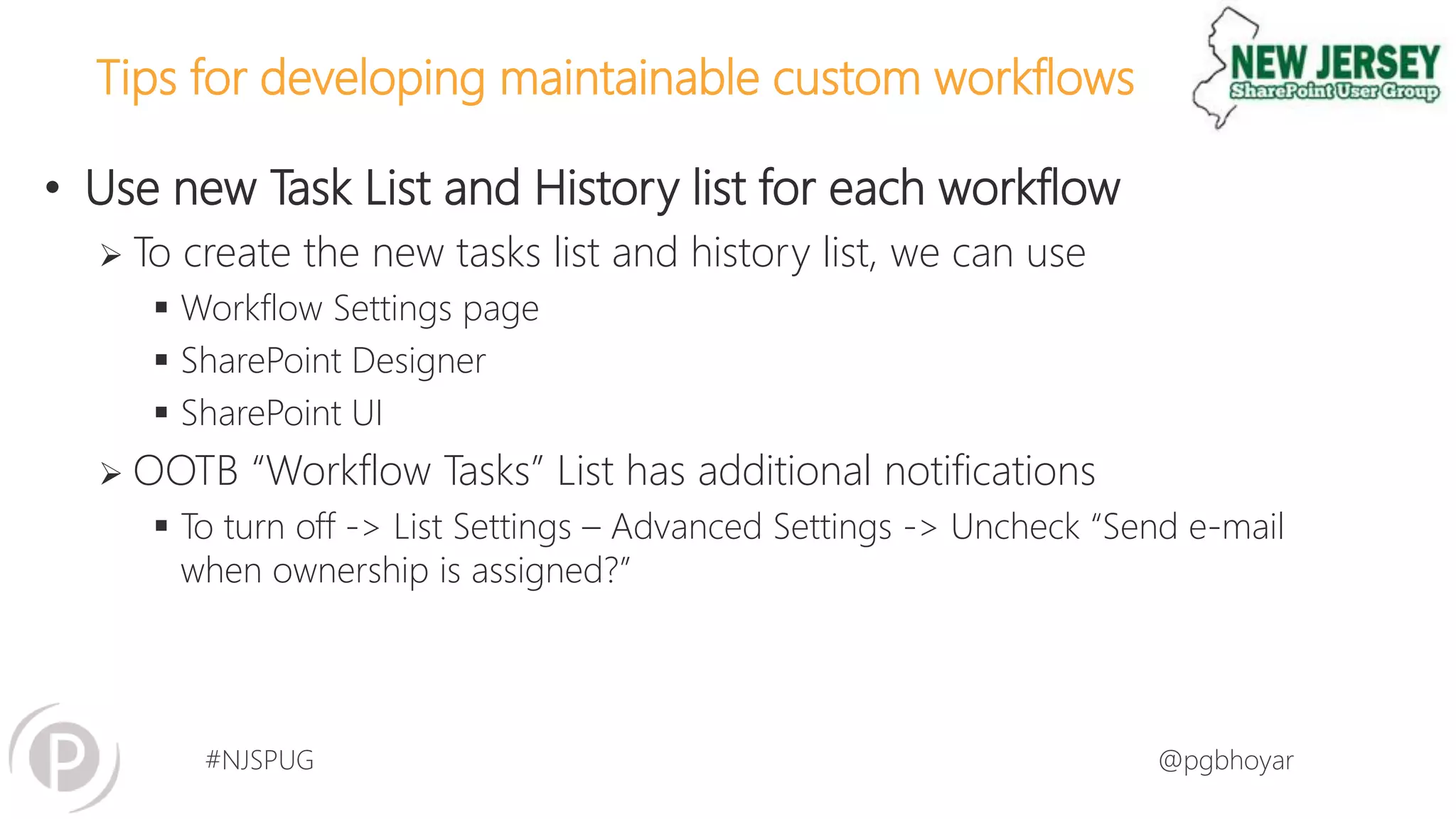
• Use new Task List and History list for each workflow
 To create the new tasks list and history list, we can use
 Workflow Settings page
 SharePoint Designer
 SharePoint UI
 OOTB “Workflow Tasks” List has additional notifications
 To turn off -> List Settings – Advanced Settings -> Uncheck “Send e-mail
when ownership is assigned?”
#NJSPUG @pgbhoyar
Tips for developing maintainable custom workflows
• Don’t create the variable if you don’t have to
 50 is the limit
• Use SharePoint groups to assign the tasks/send emails instead of
individual users
• Keep workflow initiation activity to minimum
#NJSPUG @pgbhoyar
Tips for developing maintainable custom workflows
• Capture the dates of various approval steps
 Good for generating audit logs
• Save the Workflow status in a separate field
 Avoid default workflow name
 Helps if you divide workflows into multiple workflows
• Create a separate Workflow status field as text
 Gives the ability of filtering and sorting
 Approvers love this option
#NJSPUG @pgbhoyar
Tips for developing maintainable custom workflows
• Pay extra attention while modifying the Custom Task content
types
 Task outcome field must be the last field
• Review the workflow starting logic
 Limit how many times the workflow gets started
 Make sure they won’t start unnecessarily after the workflow is ended
successfully
• Restrict the access
#NJSPUG @pgbhoyar
Tips for developing maintainable custom workflows?
• If possible Break down the workflows in multiple WFs
 Helps a lot in development and maintenance
 We can start SharePoint 2010 workflows from SharePoint 2013 only
 We can not start SharePoint 2013 workflows from SharePoint 2013
workflows
 You can use “Wait for field change in current item” to trigger the workflows
• For large lists, don’t remove the workflow, but set to no new
instance
 Do it in non business hours
#NJSPUG @pgbhoyar
Tips for developing maintainable custom workflows
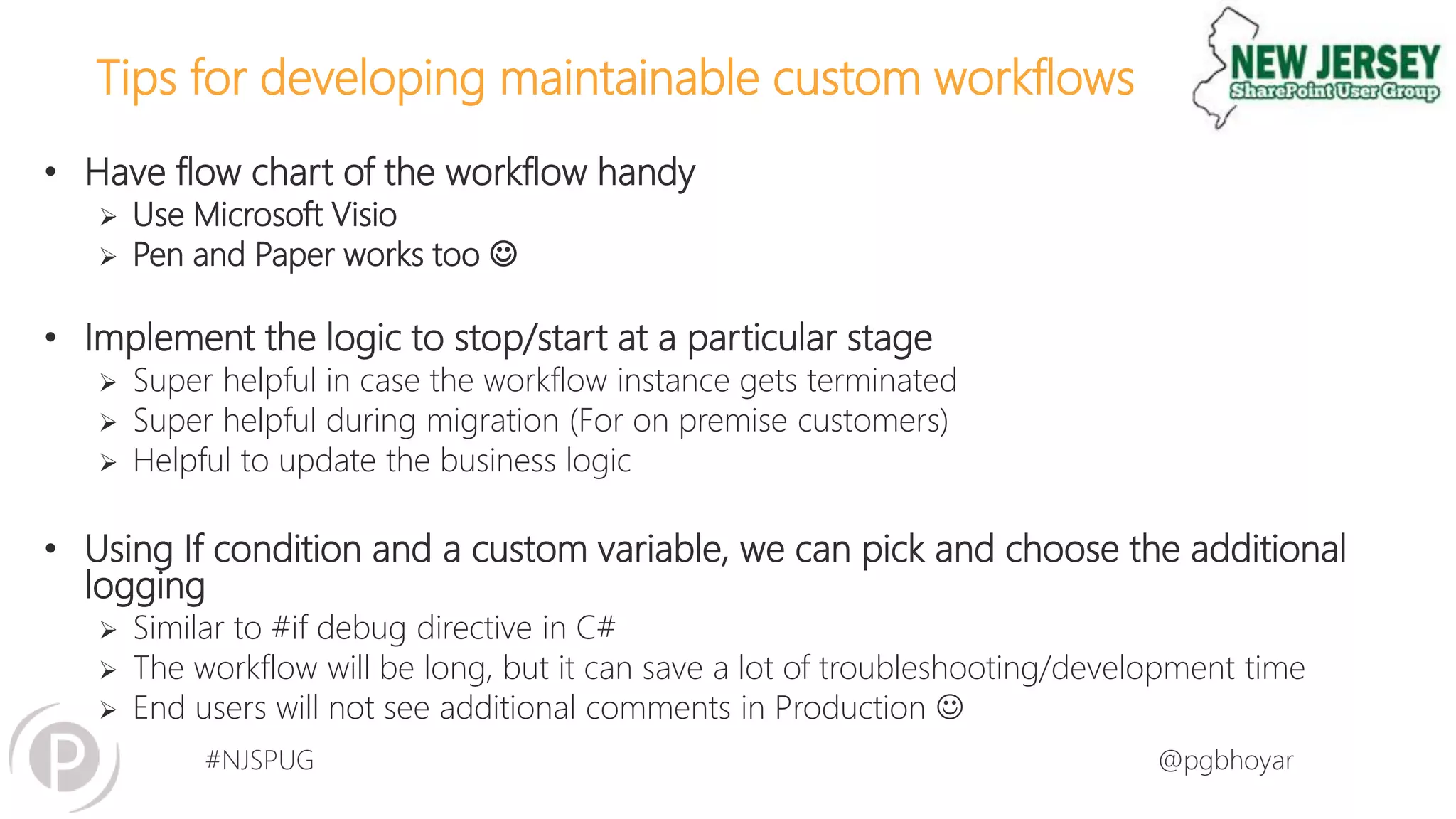
• Have flow chart of the workflow handy
 Use Microsoft Visio
 Pen and Paper works too 
• Implement the logic to stop/start at a particular stage
 Super helpful in case the workflow instance gets terminated
 Super helpful during migration (For on premise customers)
 Helpful to update the business logic
• Using If condition and a custom variable, we can pick and choose the additional
logging
 Similar to #if debug directive in C#
 The workflow will be long, but it can save a lot of troubleshooting/development time
 End users will not see additional comments in Production 
#NJSPUG @pgbhoyar
#NJSPUG @pgbhoyar
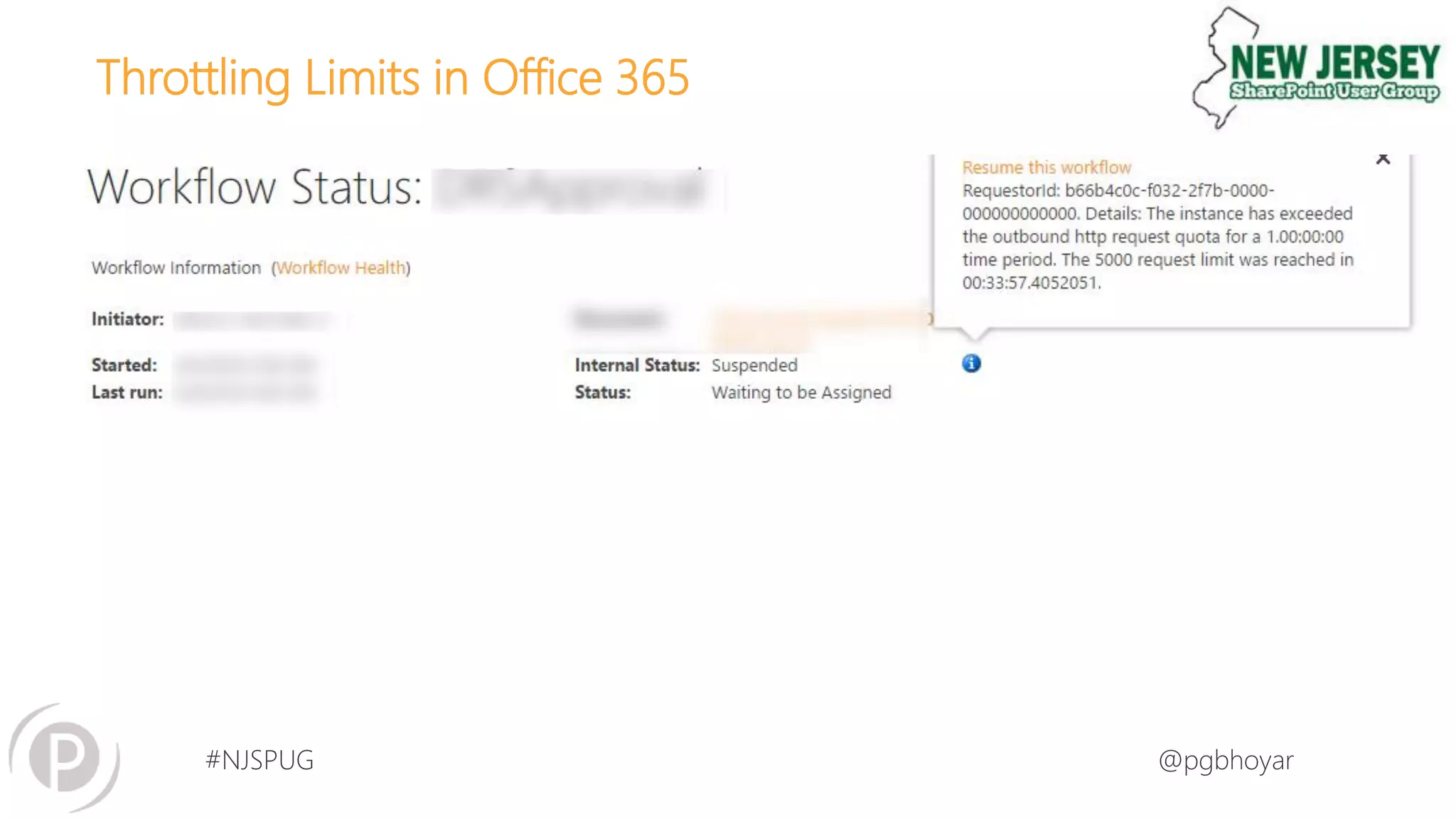
Throttling Limits in Office 365
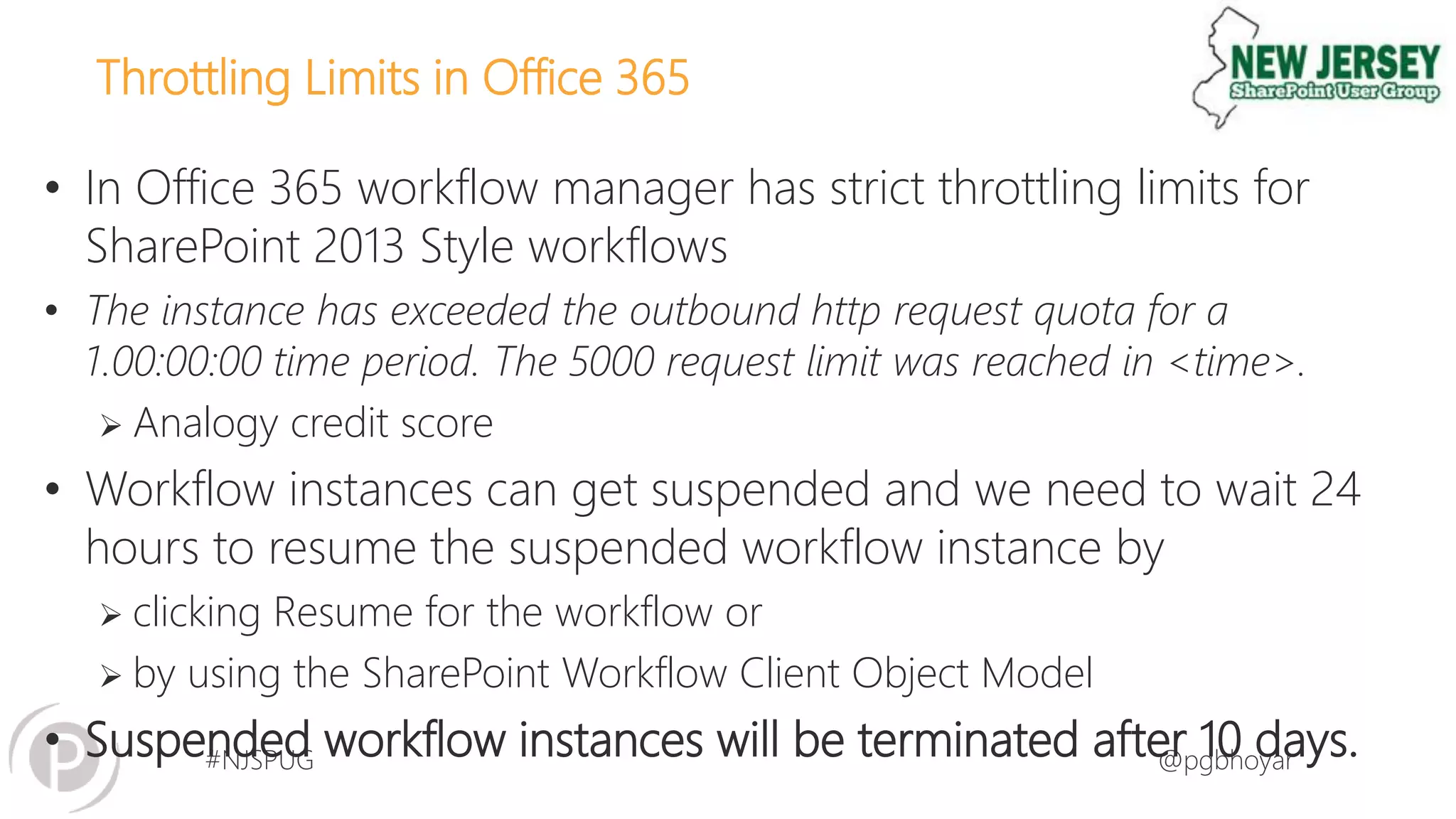
• In Office 365 workflow manager has strict throttling limits for
SharePoint 2013 Style workflows
• The instance has exceeded the outbound http request quota for a
1.00:00:00 time period. The 5000 request limit was reached in <time>.
 Analogy credit score
• Workflow instances can get suspended and we need to wait 24
hours to resume the suspended workflow instance by
 clicking Resume for the workflow or
 by using the SharePoint Workflow Client Object Model
• Suspended workflow instances will be terminated after 10 days.
#NJSPUG @pgbhoyar
Throttling Limits in Office 365
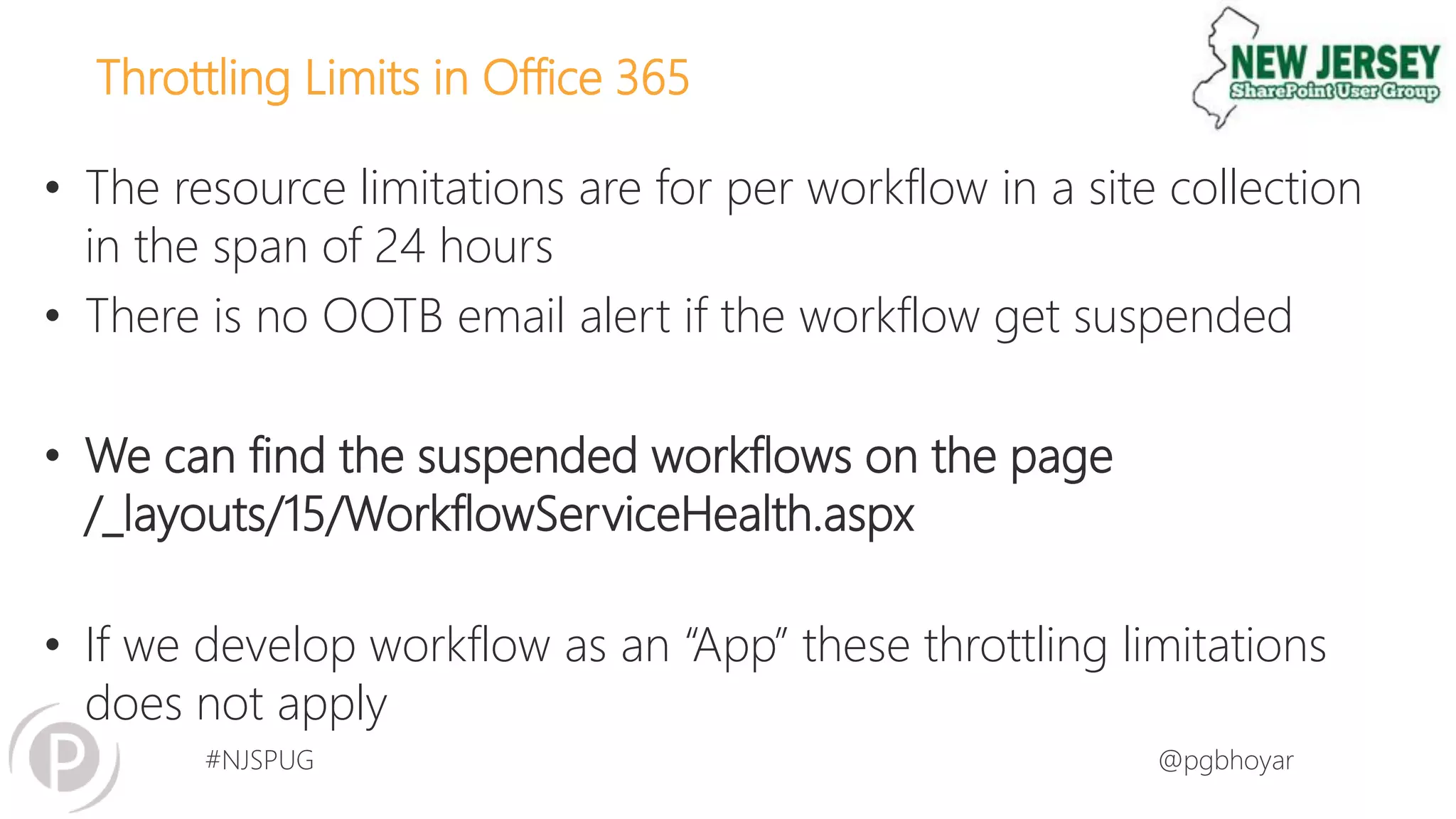
• The resource limitations are for per workflow in a site collection
in the span of 24 hours
• There is no OOTB email alert if the workflow get suspended
• We can find the suspended workflows on the page
/_layouts/15/WorkflowServiceHealth.aspx
• If we develop workflow as an “App” these throttling limitations
does not apply
#NJSPUG @pgbhoyar
Throttling Limits in Office 365
#NJSPUG @pgbhoyar
Throttling Limits in Office 365 – Design Consideration
• Avoid infinite loops
 We may use “Wait for field change in current item”
• Avoid using a workflow to execute complex algorithms
 Workflows are intended to manage document-driven, human
processes and not to dispatch significant computational tasks.
• Avoid the use of the “Wait for Event in List Item" activity
#NJSPUG @pgbhoyar
#NJSPUG @pgbhoyar
51
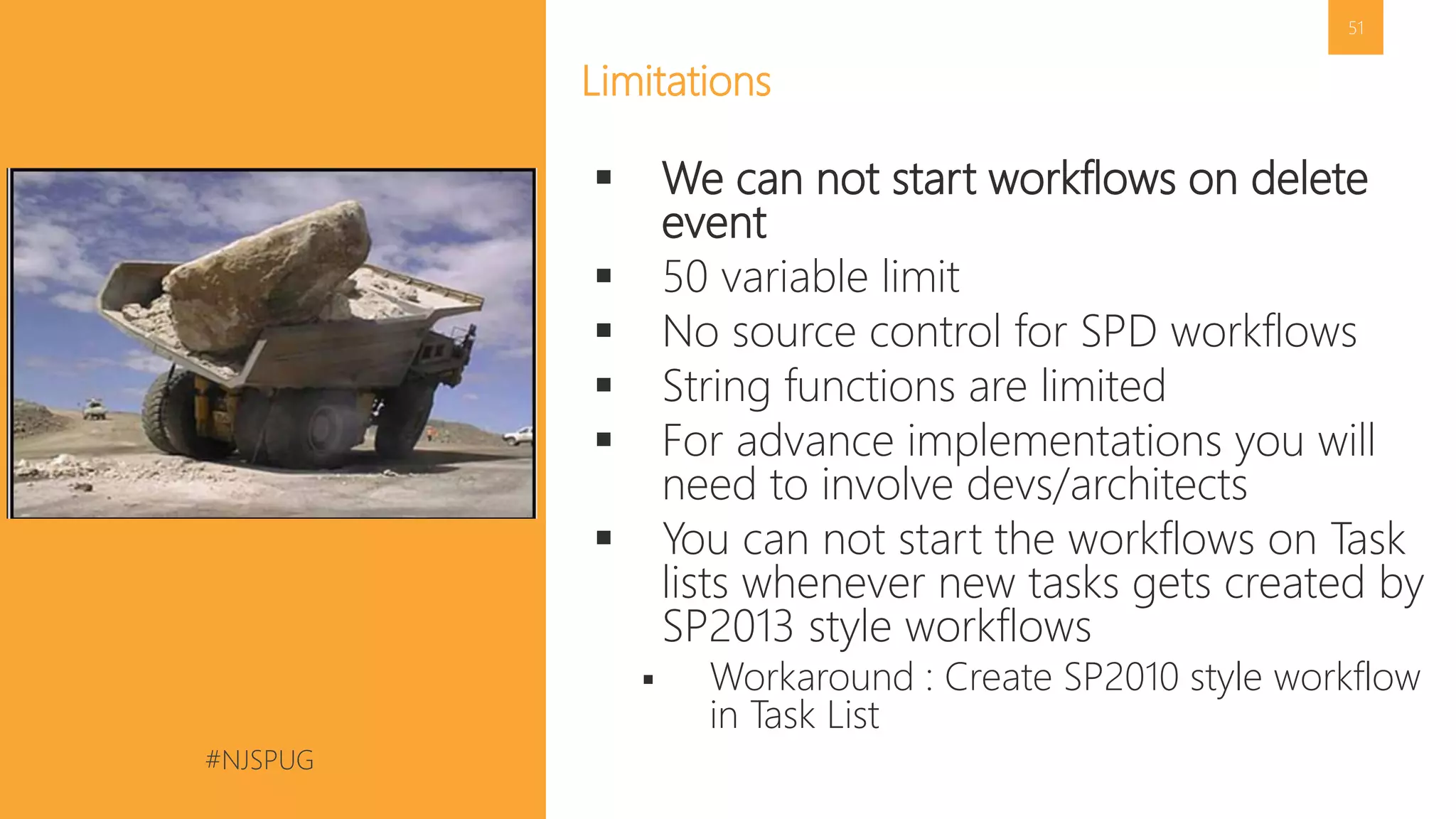
Limitations
 We can not start workflows on delete
event
 50 variable limit
 No source control for SPD workflows
 String functions are limited
 For advance implementations you will
need to involve devs/architects
 You can not start the workflows on Task
lists whenever new tasks gets created by
SP2013 style workflows
 Workaround : Create SP2010 style workflow
in Task List
#NJSPUG @pgbhoyar
Questions? Feedback? Contact me:
 Twitter: @PGBhoyar
 Blog: http://pgbhoyar.com (limited contents)
 Email: pgbhoyar@gmail.com
 Feedback : Please provide feedback
 Email or
 Anonymous Suggestions: https://www.suggestionox.com/r/pgb
Thank You
Organizers, Sponsors and You for Making this Possible.

How to develop maintainable custom Workflows in Office365 SharePoint online 2016_06_28_New Jersey SharePoint User Group

  • 1.
    #NJSPUG @pgbhoyar How todevelop maintainable custom workflows in Office 365/SharePoint Online? Prashant G Bhoyar (PGB) New Jersey SharePoint User Group 28 June 2016
  • 2.
    #NJSPUG @pgbhoyar 2 • SeniorConsultant at Portal Solutions • Born and raised in India • Came to United States of America in 2007 for studies • University of Maryland College Park Alumni • Technical Reviewer of the book “Pro : SharePoint 2013 Administration” • Organizer of SharePoint Saturday Baltimore (SPSBMORE) • Founder and Organizer of DC-Metro Office 365 User Group  Monthly in person & online event  http://www.meetup.com/DC-Metro-Office-365- User-Group/ • Recipient of Antarctic Service Medal Who AM I ? Prashant G Bhoyar (PGB)
  • 3.
    #NJSPUG @pgbhoyar Amazing AntarcticaAdventure – November/December 2008
  • 4.
    #NJSPUG @pgbhoyar Amazing AntarcticaAdventure – November/December 2008 • McMurdo Station, Antarctica (US Government Station) • 1000-1100 people stays during Antarctic Summer (November to February)
  • 5.
    #NJSPUG @pgbhoyar About PortalSolutions We deliver Digital Workplace Products and Solutions that help organizations share what they know and find what they need by connecting people, data, and content. 5
  • 6.
    #NJSPUG @pgbhoyar OneWindow Workplace •OneWindow Is Built On Office 365 and Microsoft Azure • Available for Office 365 and SharePoint Hybrid environment OneWindow Yammer SharePoint Online Skype For Business Office Groups Office Graph/Delve Videos OneDrive for Business OneWindow APIs Planner Analytics
  • 7.
    #NJSPUG @pgbhoyar What DoYou Get With OneWindow Workplace? 7 Amazing Experiences • News • Workspaces • Knowledge Discovery • People Directory • Search • Activity Feeds • Tools and Apps • Widgets Platform • Integration • Lync/Skype • Yammer • OneDrive • Office Graph • Office Groups • SharePoint • Videos • Analytics and Personalization Access Anywhere • Responsive • Native applications (Mobile, Windows 10)
  • 8.
    #NJSPUG @pgbhoyar Next Steps 8 Interestedin assessing if OneWindow Workplace is right for you? Let’s talk. Click here or go to http://www.onewindowapp.com to learn more.
  • 9.
    #NJSPUG @pgbhoyar • Sharingis Caring • Ask Questions  Learn from yesterday, live for today, hope for tomorrow. The important thing is not to stop questioning. –Albert Einstein • Let the learning begins… 9 About Today’s Session Image Source : http://onlyfreewallpaper.com/view/smiley-kitty-1280x1024.html
  • 10.
    #NJSPUG @pgbhoyar • Introof Office 365 / SharePoint Online Workflows • Future • Key Differences between SharePoint 2013 and SharePoint 2010 style workflows • Tips for writing maintainable workflows • Throttling Limits in Office 365 • Limitations • Q&A Agenda
  • 11.
  • 12.
    #NJSPUG @pgbhoyar Audience Poll •How many of you are IT pros? • How many of you are Developers? • How many of you are Power Users? • How many of you are End Users? • How many of you develop/manages/maintains the workflows? 12
  • 13.
  • 14.
    #NJSPUG @pgbhoyar 14 How toget Personal Office 365 Development Tenant?  Sign up for Office 365 Developer Program at http://dev.office.com/  Get 1 year of Office 365 subscription for free  Excellent for personal development use  1 seat only
  • 15.
    #NJSPUG @pgbhoyar 15 How toget Office 365 Demo Tenants Tenant?  Login at https://www.microsoftofficedemos.com/Login using your partner account  Get 3 months of Office 365 subscription for free  Excellent for rapid client demos  More than 20 Seats  Customer Immersion Experience (CIE) is also an option   Formerly called as MEC  1 Month Trial  E3, E5  https://products.office.com/en- us/business/compare-office-365-for-business-plans
  • 16.
  • 17.
    #NJSPUG @pgbhoyar  Helpsto Automate Business Processes  Helps to meet the Industry Standards  Helps Organizations to function Effectively  Important for success of SharePoint/Office 365 sites Implementations 17 What are Workflows?
  • 18.
  • 19.
    #NJSPUG @pgbhoyar Types ofWorkflows Sequential State Machine • Activities occur in sequence • On rejection , begin from start • Simple Business Processes example, Leave Request • Activities are not sequential • Can by pass activities based on business logic • Complex business processes example, Financial Aid
  • 20.
    #NJSPUG @pgbhoyar Typical SharePointWorkflow Life Cycle Initiation • When the workflow is started on list/library item Running • User Interaction via tasks • Status page reflects the status of the workflows Termination • End of the workflow instance Association • When the workflow is associated with List/Library
  • 21.
    #NJSPUG @pgbhoyar • Browser •SharePoint 2013 Designer • Visio 2013 • Visual Studio 2012/2013/2015 • Third Party Tools Office 365 /SharePoint Online 2013 Workflow Tools
  • 22.
    #NJSPUG @pgbhoyar Architecture ofSharePoint 2013/2016 Workflows 22
  • 23.
    #NJSPUG @pgbhoyar  SP2013workflows are fully declarative  SP2013 workflows are no longer compiled into .NET assemblies instead XAML files defines workflow and their execution  No more custom code  Build WebServices for custom business logic  SP2013 workflows are available in Office 365/ SharePoint Online 23 New SharePoint 2013 Workflows Architecture
  • 24.
    #NJSPUG @pgbhoyar How doesthe workflow run in SP2013/2016? Workflow Instance Starts SP2010 Style Workflow? Use SP2010 Workflow Engine Use New Workflow Manager Workflow Instance Executes Workflow Instance Ends Workflow Instance Executes Yes No
  • 25.
    #NJSPUG @pgbhoyar 25 How toidentify SP2010 style and SP2013 style workflows?  List Settings -> Workflow Settings  Site Workflows -> Site Administration ->Workflow Settings
  • 26.
  • 27.
    #NJSPUG @pgbhoyar Key Differencesbetween SP2013 & SP2010 Style Workflows SharePoint 2010 Style Workflows SharePoint 2013 Style Workflows • Uses SharePoint 2010 Workflow Host • Impersonation Step • OOTB Visualization of Workflows • No loops, stages in Designer WFs • Custom task forms are InfoPath forms • Can capture Approval comments OOTB • Uses Workflow Manager • App Step • Need to create custom solution • Looping, stages are present • Custom task forms are .aspx pages • Need to implement custom solution
  • 28.
  • 29.
  • 30.
    #NJSPUG @pgbhoyar 30 • Thedevelopment/testing experience is slow  Because of platform’s architecture  In general Workflow development is slow process  Analogy : Public Transportation System • Difficult to gather all the requirements before start of the development  Be ready for multiple revisions Lessons Learned
  • 31.
  • 32.
    #NJSPUG @pgbhoyar Recent Announcements •There will NOT be SharePoint Designer 2016  http://sharepoint-community.net/forum/topics/what-s-happening-to-sharepoint-designer-in- sharepoint-2016-is-it • Microsoft Flow  https://powerapps.microsoft.com/en-us/blog/introducing-microsoft-flow-and-announcing-the- public-preview-of-powerapps/ 32
  • 33.
    #NJSPUG @pgbhoyar What doesthis mean? • SharePoint Workflows most probably will have same fate as InfoPath forms services  Microsoft will continue to support  No future enhancements • Time to explore other options  Microsoft Flow  Under Preview https://flow.microsoft.com  Visual Studio Workflows  Can deploy them only as “App”  Other Third Party Products 33
  • 34.
  • 35.
    #NJSPUG @pgbhoyar User Experience TaskProcess Custom SharePoint Forms • User Interaction via Tasks • Not a good user experience • Provides the ability to send reminders • Lot of OOTB webparts/options are available to aggregate the tasks • User Interaction via Custom Forms • Can provide good user experience • All the data is at the same place • Need to implement the custom logic to send reminders
  • 36.
  • 37.
    #NJSPUG @pgbhoyar Tips fordeveloping maintainable custom workflows • Naming Convention for Custom Workflows  Use the naming convention that works best for you and your organization  For example, List or Library + ListName + Purpose • Use activity “Add a comment” to write informative comments in the workflow  End users will not see these comments unlike workflow history list logs
  • 38.
    #NJSPUG @pgbhoyar Tips fordeveloping maintainable custom workflows • Do not modify the OOTB global workflows  Create copy and then modify • Log information in the History List  Log variables, important info that will be helpful during debugging/troubleshooting  End users can see the logs  • Create custom task content types for tasks with only one logical outcome
  • 39.
    #NJSPUG @pgbhoyar Tips fordeveloping maintainable custom workflows • Use new Task List and History list for each workflow  To create the new tasks list and history list, we can use  Workflow Settings page  SharePoint Designer  SharePoint UI  OOTB “Workflow Tasks” List has additional notifications  To turn off -> List Settings – Advanced Settings -> Uncheck “Send e-mail when ownership is assigned?”
  • 40.
    #NJSPUG @pgbhoyar Tips fordeveloping maintainable custom workflows • Don’t create the variable if you don’t have to  50 is the limit • Use SharePoint groups to assign the tasks/send emails instead of individual users • Keep workflow initiation activity to minimum
  • 41.
    #NJSPUG @pgbhoyar Tips fordeveloping maintainable custom workflows • Capture the dates of various approval steps  Good for generating audit logs • Save the Workflow status in a separate field  Avoid default workflow name  Helps if you divide workflows into multiple workflows • Create a separate Workflow status field as text  Gives the ability of filtering and sorting  Approvers love this option
  • 42.
    #NJSPUG @pgbhoyar Tips fordeveloping maintainable custom workflows • Pay extra attention while modifying the Custom Task content types  Task outcome field must be the last field • Review the workflow starting logic  Limit how many times the workflow gets started  Make sure they won’t start unnecessarily after the workflow is ended successfully • Restrict the access
  • 43.
    #NJSPUG @pgbhoyar Tips fordeveloping maintainable custom workflows? • If possible Break down the workflows in multiple WFs  Helps a lot in development and maintenance  We can start SharePoint 2010 workflows from SharePoint 2013 only  We can not start SharePoint 2013 workflows from SharePoint 2013 workflows  You can use “Wait for field change in current item” to trigger the workflows • For large lists, don’t remove the workflow, but set to no new instance  Do it in non business hours
  • 44.
    #NJSPUG @pgbhoyar Tips fordeveloping maintainable custom workflows • Have flow chart of the workflow handy  Use Microsoft Visio  Pen and Paper works too  • Implement the logic to stop/start at a particular stage  Super helpful in case the workflow instance gets terminated  Super helpful during migration (For on premise customers)  Helpful to update the business logic • Using If condition and a custom variable, we can pick and choose the additional logging  Similar to #if debug directive in C#  The workflow will be long, but it can save a lot of troubleshooting/development time  End users will not see additional comments in Production 
  • 45.
  • 46.
    #NJSPUG @pgbhoyar Throttling Limitsin Office 365 • In Office 365 workflow manager has strict throttling limits for SharePoint 2013 Style workflows • The instance has exceeded the outbound http request quota for a 1.00:00:00 time period. The 5000 request limit was reached in <time>.  Analogy credit score • Workflow instances can get suspended and we need to wait 24 hours to resume the suspended workflow instance by  clicking Resume for the workflow or  by using the SharePoint Workflow Client Object Model • Suspended workflow instances will be terminated after 10 days.
  • 47.
    #NJSPUG @pgbhoyar Throttling Limitsin Office 365 • The resource limitations are for per workflow in a site collection in the span of 24 hours • There is no OOTB email alert if the workflow get suspended • We can find the suspended workflows on the page /_layouts/15/WorkflowServiceHealth.aspx • If we develop workflow as an “App” these throttling limitations does not apply
  • 48.
  • 49.
    #NJSPUG @pgbhoyar Throttling Limitsin Office 365 – Design Consideration • Avoid infinite loops  We may use “Wait for field change in current item” • Avoid using a workflow to execute complex algorithms  Workflows are intended to manage document-driven, human processes and not to dispatch significant computational tasks. • Avoid the use of the “Wait for Event in List Item" activity
  • 50.
  • 51.
    #NJSPUG @pgbhoyar 51 Limitations  Wecan not start workflows on delete event  50 variable limit  No source control for SPD workflows  String functions are limited  For advance implementations you will need to involve devs/architects  You can not start the workflows on Task lists whenever new tasks gets created by SP2013 style workflows  Workaround : Create SP2010 style workflow in Task List
  • 52.
    #NJSPUG @pgbhoyar Questions? Feedback?Contact me:  Twitter: @PGBhoyar  Blog: http://pgbhoyar.com (limited contents)  Email: pgbhoyar@gmail.com  Feedback : Please provide feedback  Email or  Anonymous Suggestions: https://www.suggestionox.com/r/pgb Thank You Organizers, Sponsors and You for Making this Possible.