
Blogging for Facilitators By: Rlabs
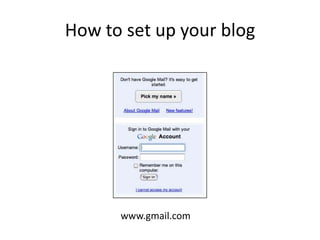
How to set up your blogwww.gmail.com
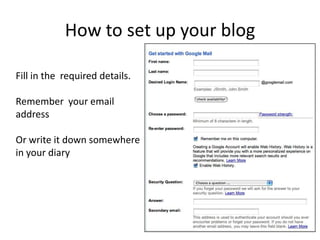
How to set up your blogFill in the  required details.Remember  your email addressOr write it down somewhere in your diary
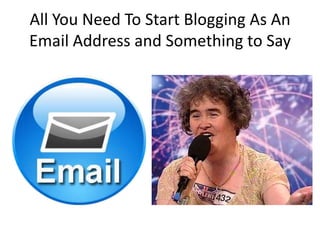
All You Need To Start Blogging As An Email Address and Something to Say
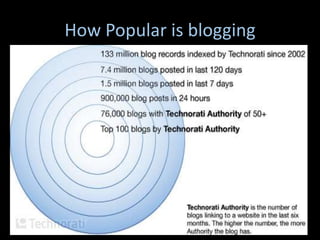
How Popular is blogging
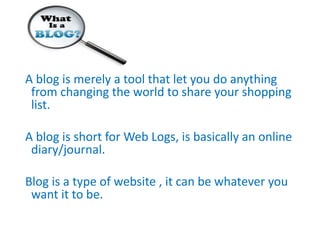
  A blog is merely a tool that let you do anything from changing the world to share your shopping list.  A blog is short for Web Logs, is basically an online diary/journal.   Blog is a type of website , it can be whatever you want it to be.
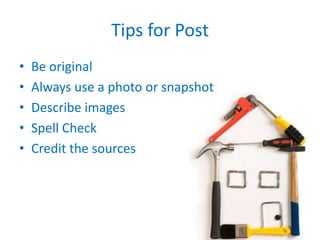
Tips for PostBe originalAlways use a photo or snapshotDescribe imagesSpell CheckCredit the sources
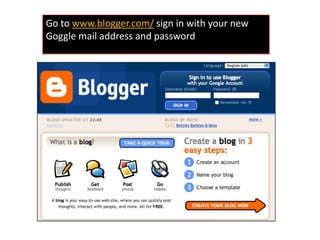
Go to www.blogger.com/sign in with your new Goggle mail address and password
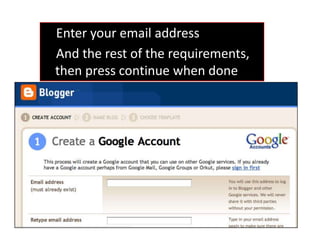
    Enter your email address     And the rest of the requirements, then press continue when done
Give your blog a title (this can be changed)Give your blog a unique address [YOUR NAME] Check if this is available, press the availability button, press continue
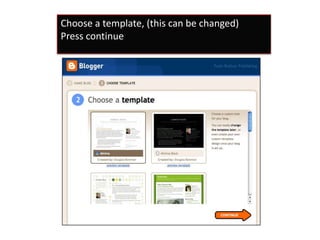
Choose a template, (this can be changed)Press continue
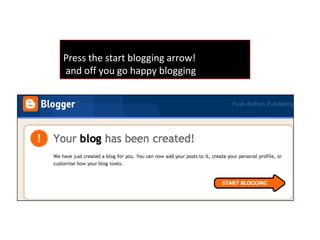
Press the start blogging arrow! and off you go happy blogging
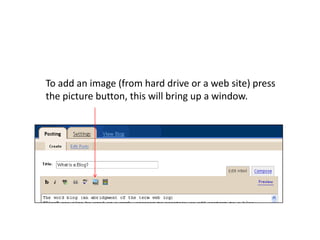
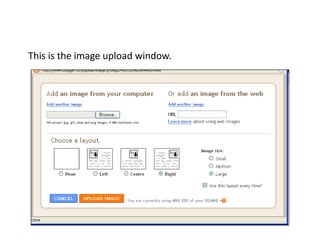
To add an image (from hard drive or a web site) press the picture button, this will bring up a window.
This is the image upload window.
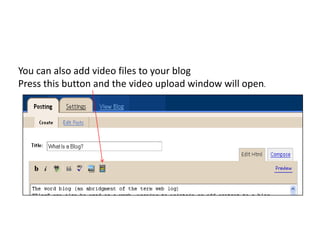
You can also add video files to your blog Press this button and the video upload window will open.
Website: http://rlabs.orgEmail: craig@rlabs.orgBlog: http://kingross.co.za

How to set up your blog

  • 1.
  • 2.
    How to setup your blogwww.gmail.com
  • 3.
    How to setup your blogFill in the required details.Remember your email addressOr write it down somewhere in your diary
  • 4.
    All You NeedTo Start Blogging As An Email Address and Something to Say
  • 5.
  • 7.
    Ablog is merely a tool that let you do anything from changing the world to share your shopping list. A blog is short for Web Logs, is basically an online diary/journal. Blog is a type of website , it can be whatever you want it to be.
  • 9.
    Tips for PostBeoriginalAlways use a photo or snapshotDescribe imagesSpell CheckCredit the sources
  • 10.
    Go to www.blogger.com/signin with your new Goggle mail address and password
  • 11.
    Enter your email address And the rest of the requirements, then press continue when done
  • 12.
    Give your bloga title (this can be changed)Give your blog a unique address [YOUR NAME] Check if this is available, press the availability button, press continue
  • 13.
    Choose a template,(this can be changed)Press continue
  • 14.
    Press the startblogging arrow! and off you go happy blogging
  • 16.
    To add animage (from hard drive or a web site) press the picture button, this will bring up a window.
  • 17.
    This is theimage upload window.
  • 18.
    You can alsoadd video files to your blog Press this button and the video upload window will open.
  • 19.