Hacking VoIP Exposed
David Endler, TippingPoint
Mark Collier, SecureLogix
Agenda
• Introductions
• Casing the Establishment
• Exploiting the Underlying Network
• Exploiting VoIP Applications
• Social Threats (SPIT, PHISHING, etc.)
Introductions
• David Endler, Director of Security
Research for TippingPoint, a division of
3Com
• Mark Collier, CTO for SecureLogix
Corporation
Shameless Plug
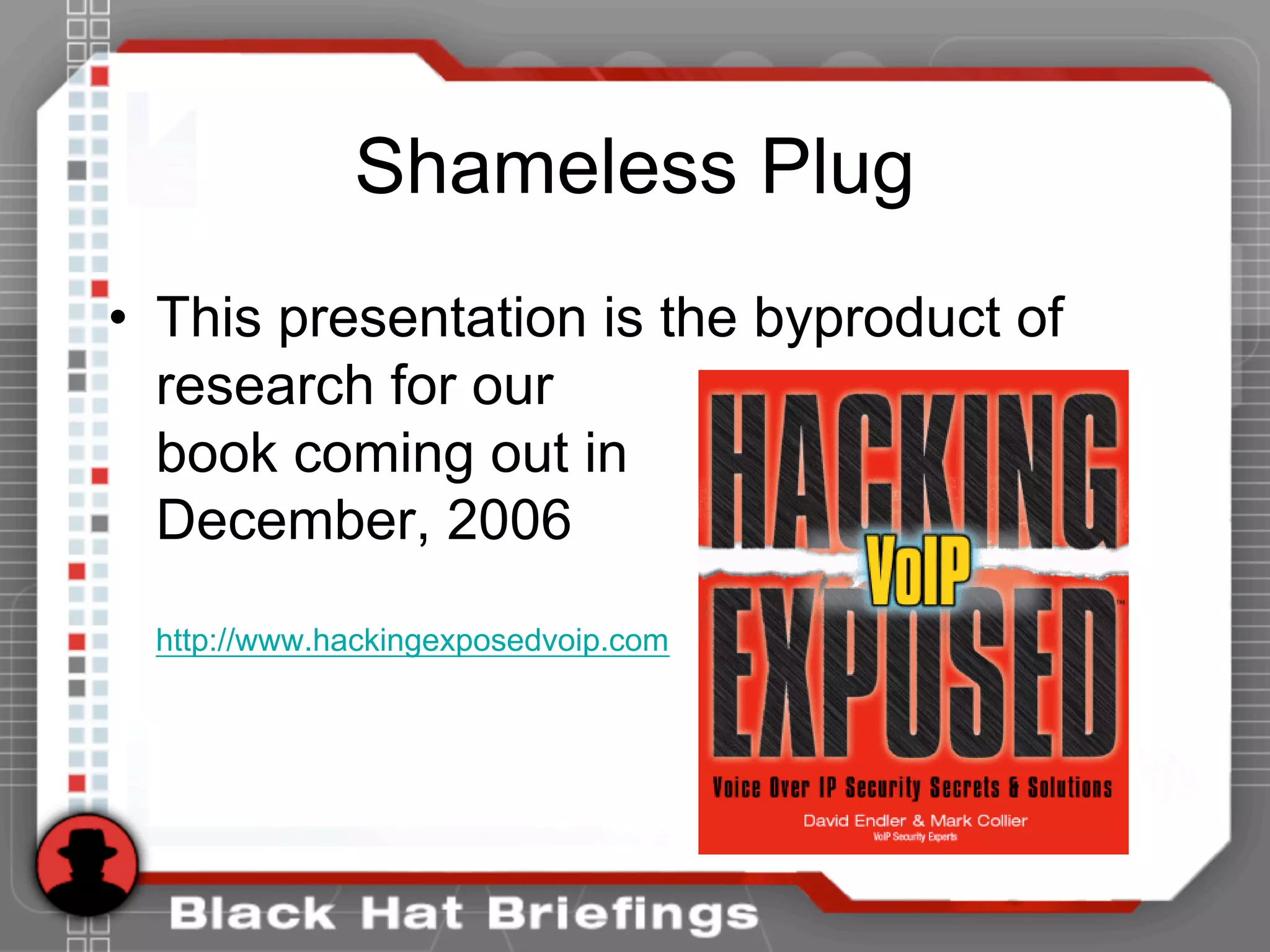
• This presentation is the byproduct of
research for our
book coming out in
December, 2006
http://www.hackingexposedvoip.com
Introduction - VoIP Security
• History has shown that most advances and trends in
information technology (e.g. TCP/IP, Wireless 802.11,
Web Services, etc.) typically outpace the corresponding
realistic security requirements. VoIP is no different.
• As VoIP infrastructure becomes more accessible to the
common script kiddie, so will the occurrence of attacks.
• The most prevalent threats to VoIP deployments today
are the same security threats inherited from the
traditional data networking world.
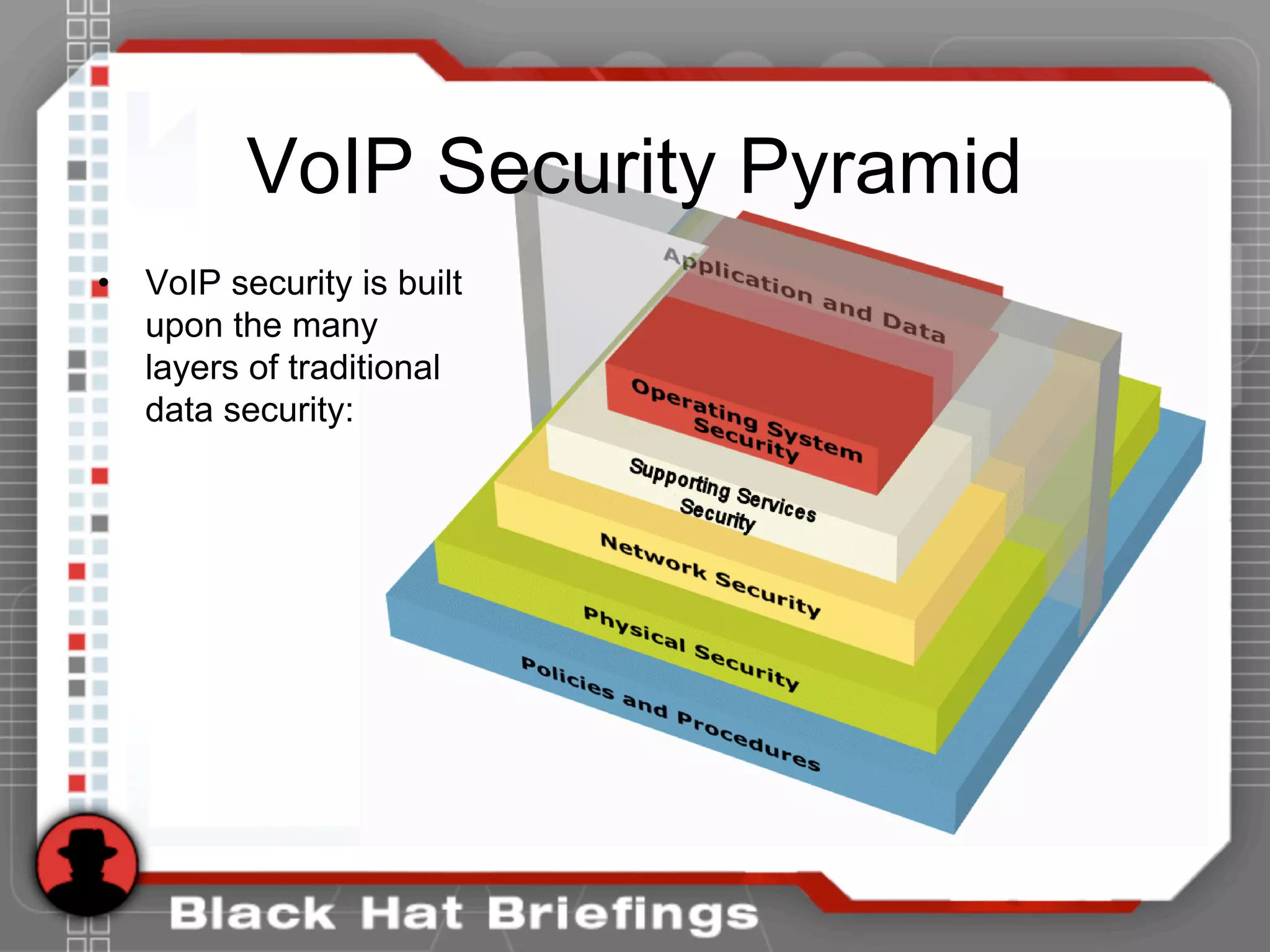
VoIP Security Pyramid
• VoIP security is built
upon the many
layers of traditional
data security:
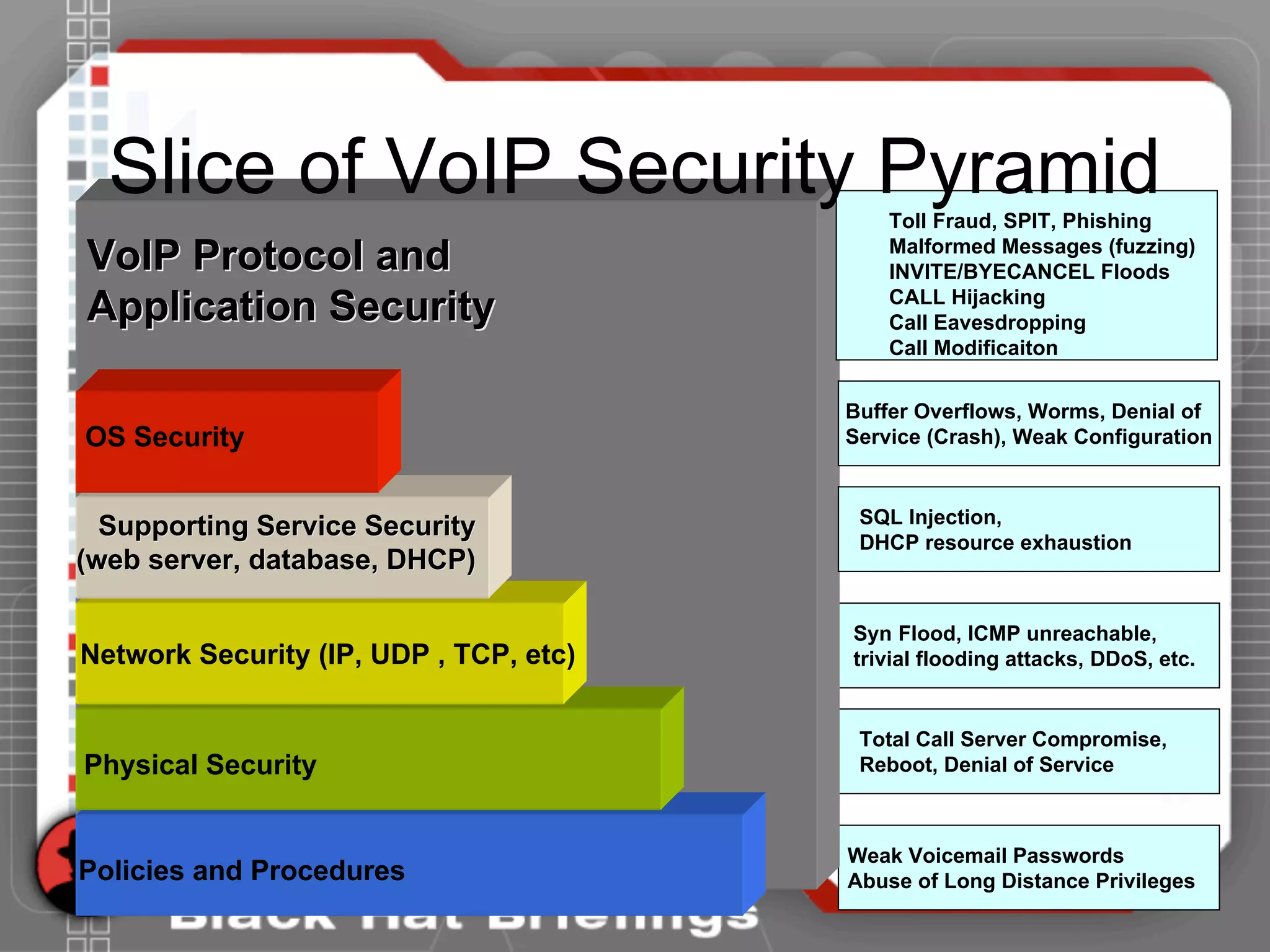
Network Security (IP, UDP , TCP, etc)
Physical Security
Policies and Procedures
OS Security
Supporting Service SecuritySupporting Service Security
(web server, database, DHCP)(web server, database, DHCP)
VoIP Protocol andVoIP Protocol and
Application SecurityApplication Security
Weak Voicemail Passwords
Abuse of Long Distance Privileges
Total Call Server Compromise,
Reboot, Denial of Service
Syn Flood, ICMP unreachable,
trivial flooding attacks, DDoS, etc.
SQL Injection,
DHCP resource exhaustion
Buffer Overflows, Worms, Denial of
Service (Crash), Weak Configuration
Toll Fraud, SPIT, Phishing
Malformed Messages (fuzzing)
INVITE/BYECANCEL Floods
CALL Hijacking
Call Eavesdropping
Call Modificaiton
Slice of VoIP Security Pyramid
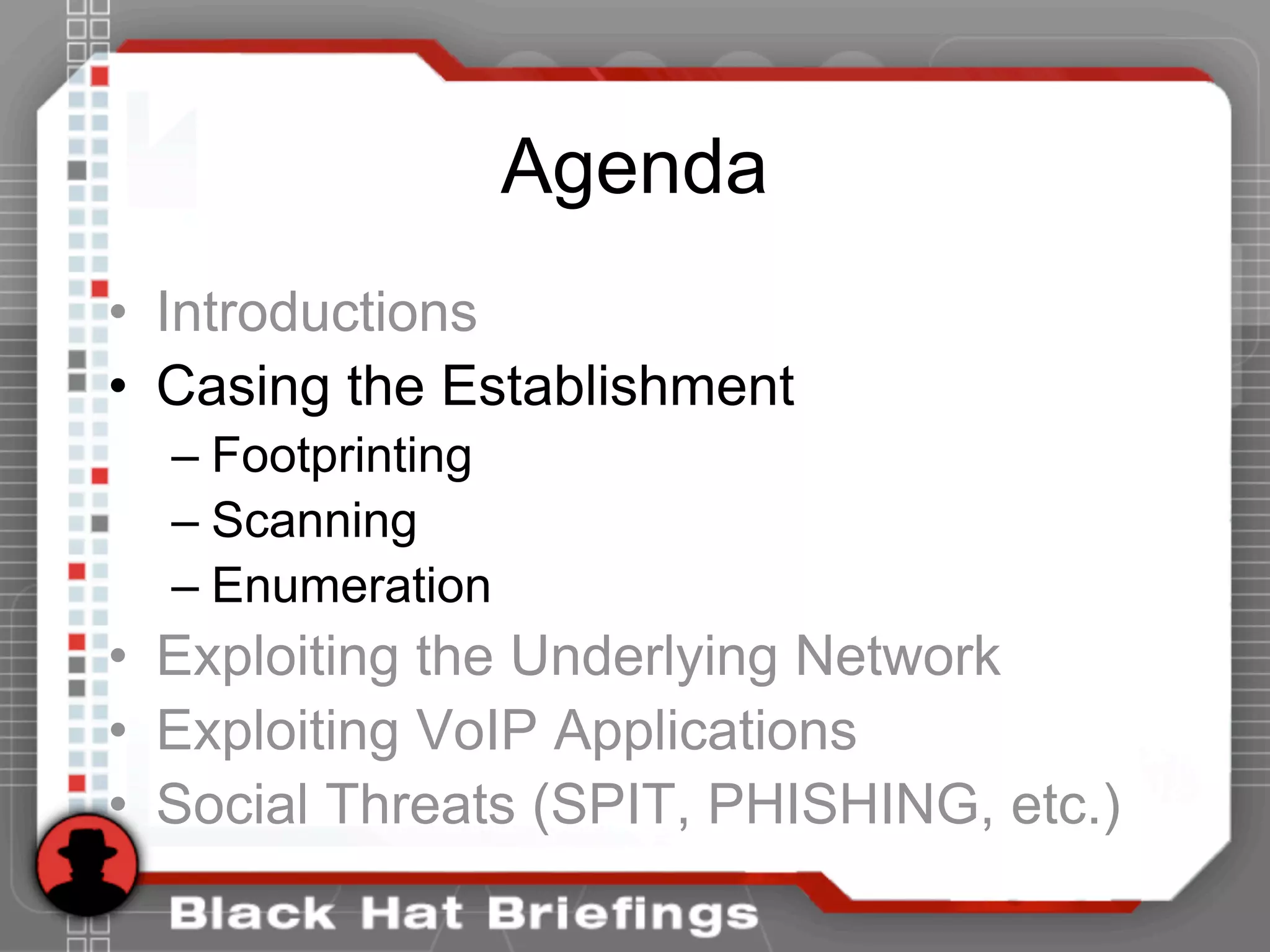
Agenda
• Introductions
• Casing the Establishment
– Footprinting
– Scanning
– Enumeration
• Exploiting the Underlying Network
• Exploiting VoIP Applications
• Social Threats (SPIT, PHISHING, etc.)
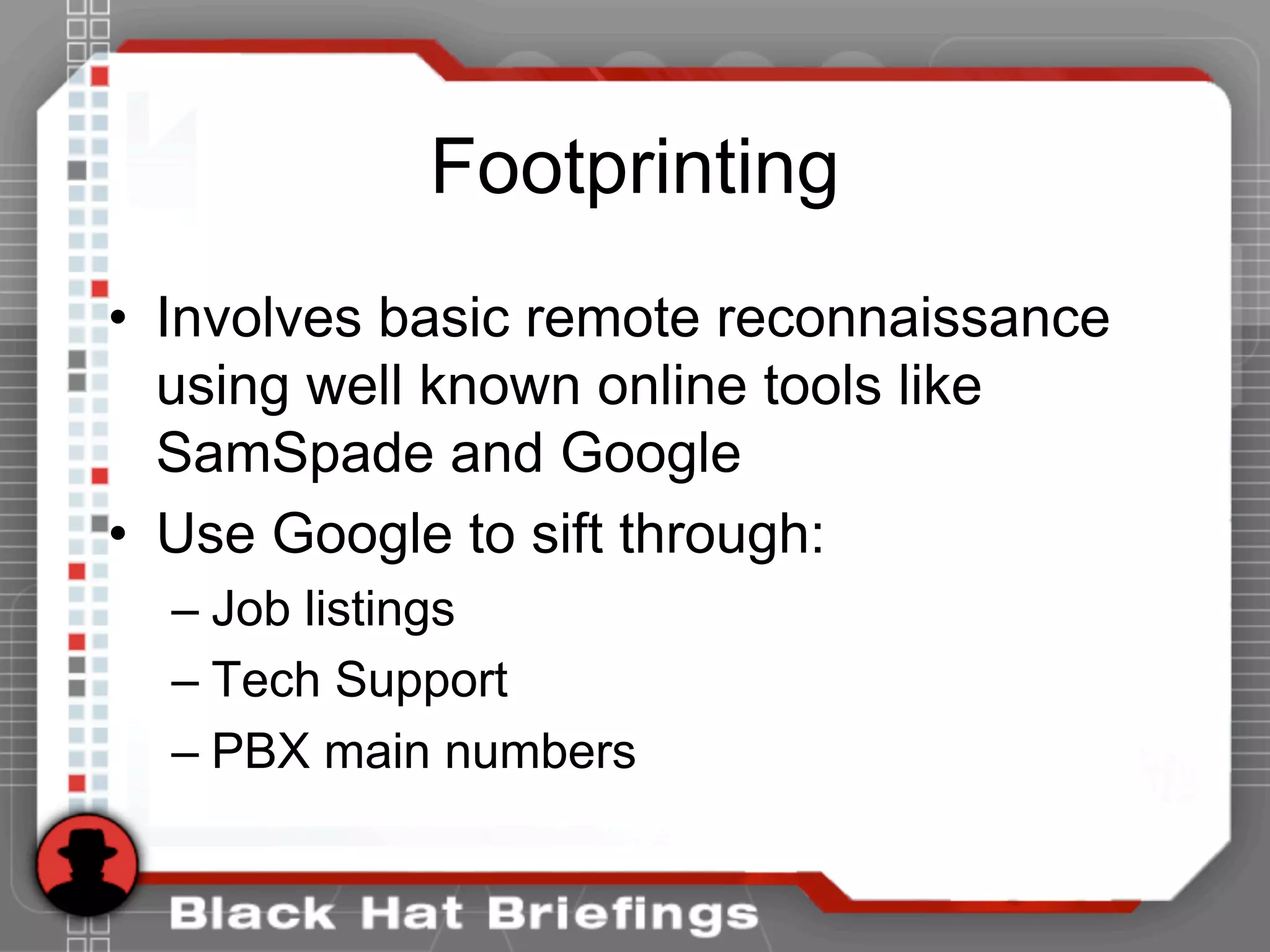
Footprinting
• Involves basic remote reconnaissance
using well known online tools like
SamSpade and Google
• Use Google to sift through:
– Job listings
– Tech Support
– PBX main numbers
Footprinting
• Google Job postings (or directly go to
the target web site):
“Required Technical Skills:
Minimum 3-5 years experience in the management and
implementation of Avaya telephone systems/voice mails:
* Advanced programming knowledge of the Avaya
Communication Servers and voice mails.”
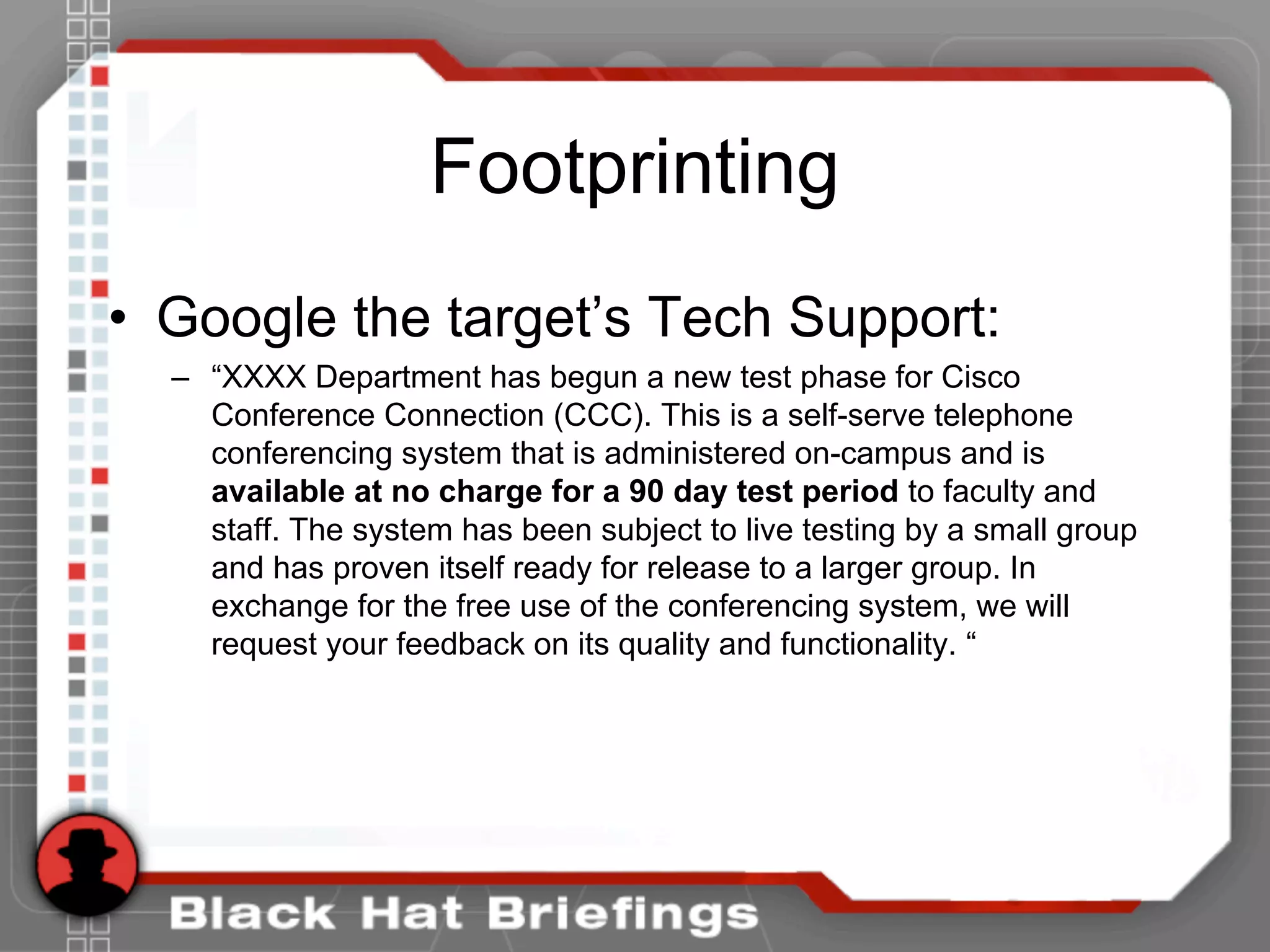
Footprinting
• Google the target’s Tech Support:
– “XXXX Department has begun a new test phase for Cisco
Conference Connection (CCC). This is a self-serve telephone
conferencing system that is administered on-campus and is
available at no charge for a 90 day test period to faculty and
staff. The system has been subject to live testing by a small group
and has proven itself ready for release to a larger group. In
exchange for the free use of the conferencing system, we will
request your feedback on its quality and functionality. “
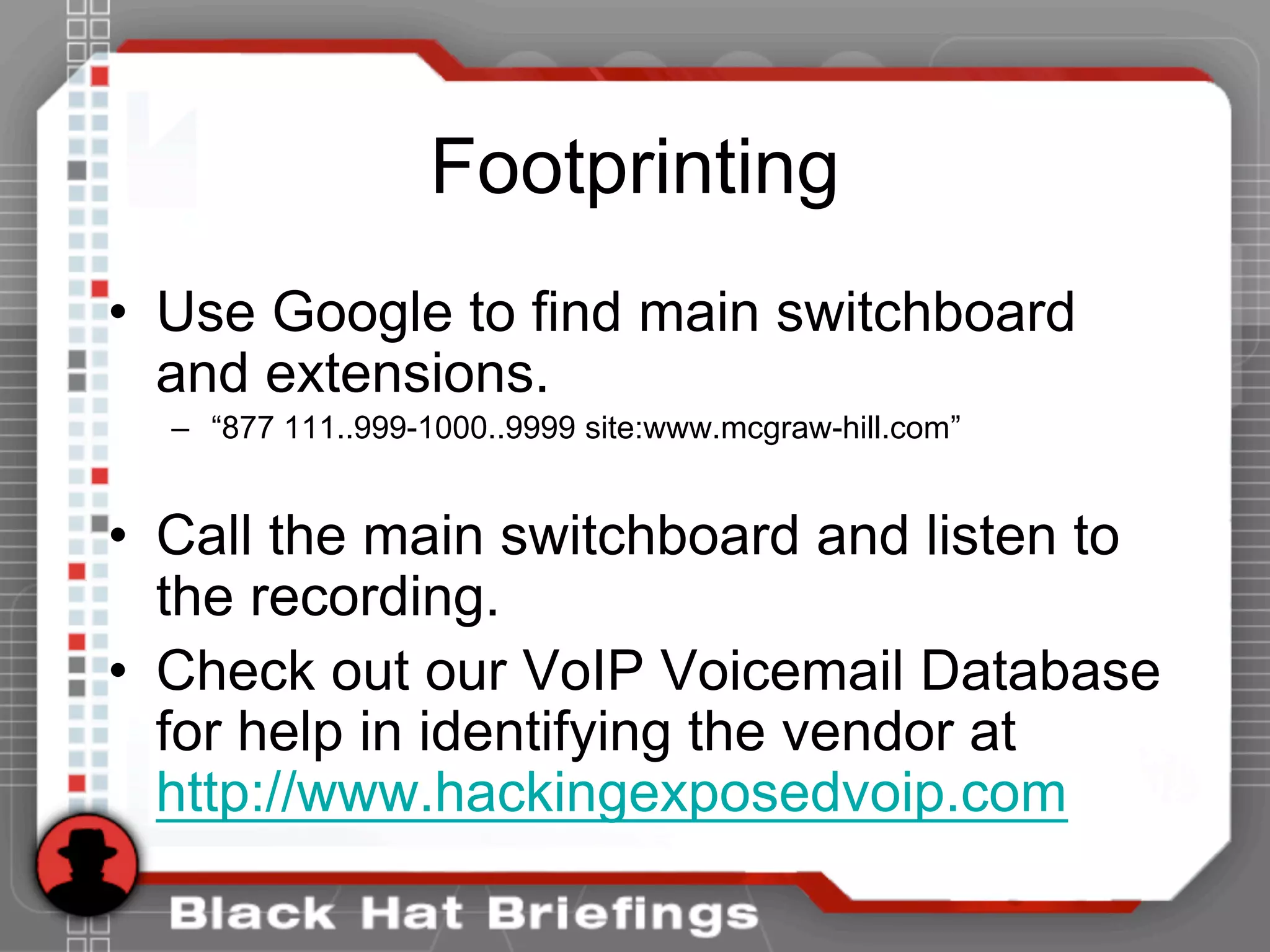
Footprinting
• Use Google to find main switchboard
and extensions.
– “877 111..999-1000..9999 site:www.mcgraw-hill.com”
• Call the main switchboard and listen to
the recording.
• Check out our VoIP Voicemail Database
for help in identifying the vendor at
http://www.hackingexposedvoip.com
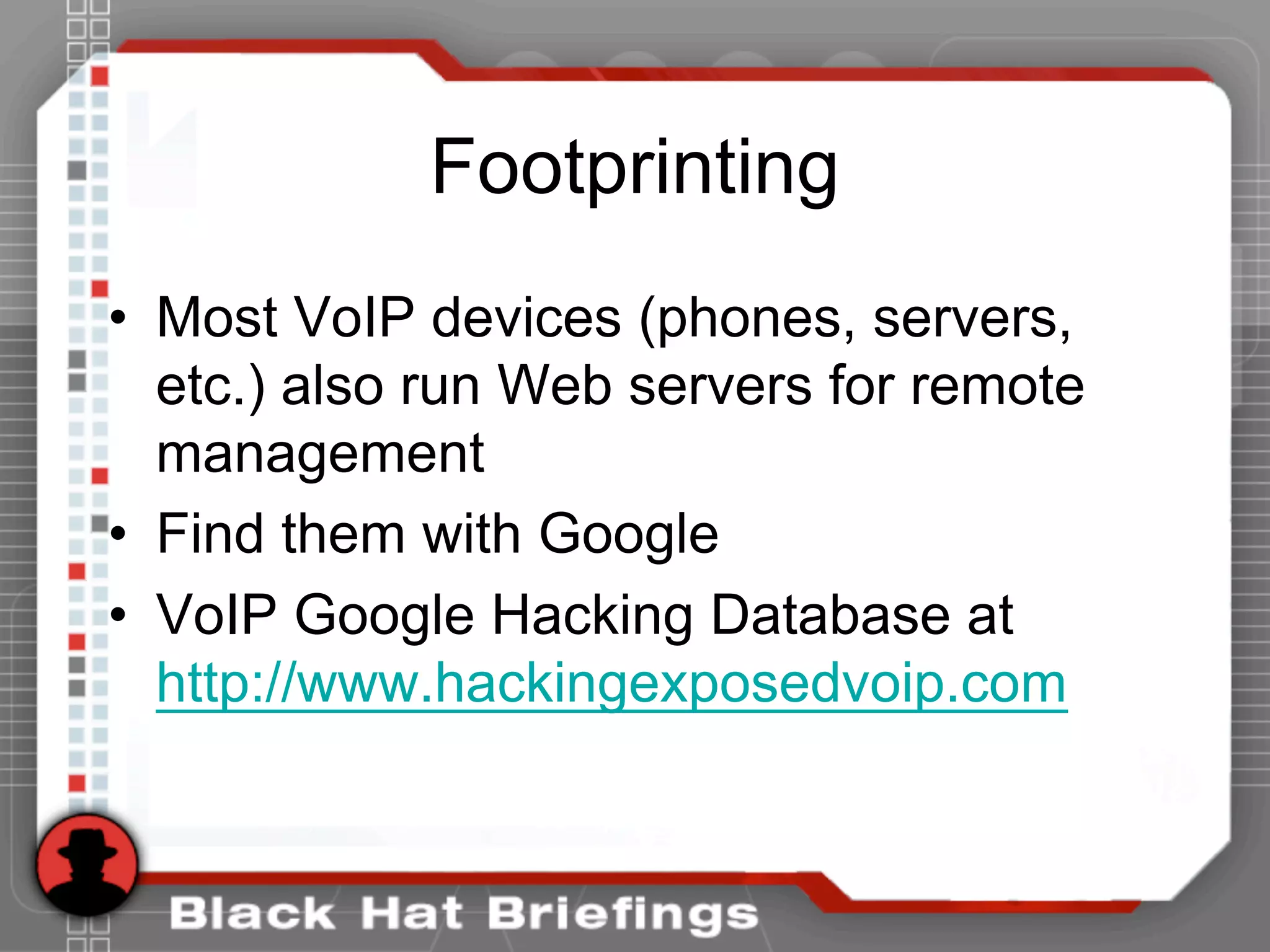
Footprinting
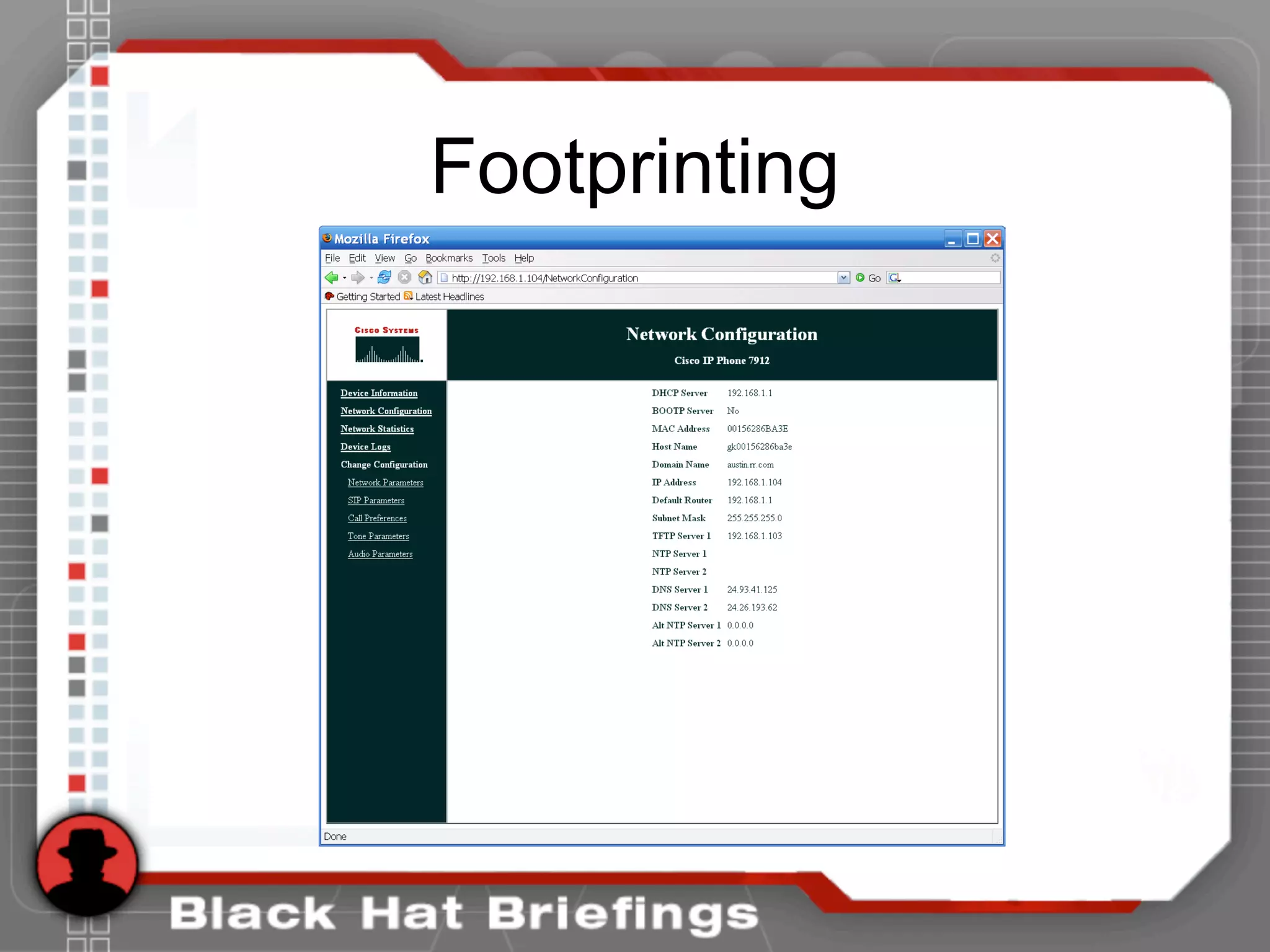
• Most VoIP devices (phones, servers,
etc.) also run Web servers for remote
management
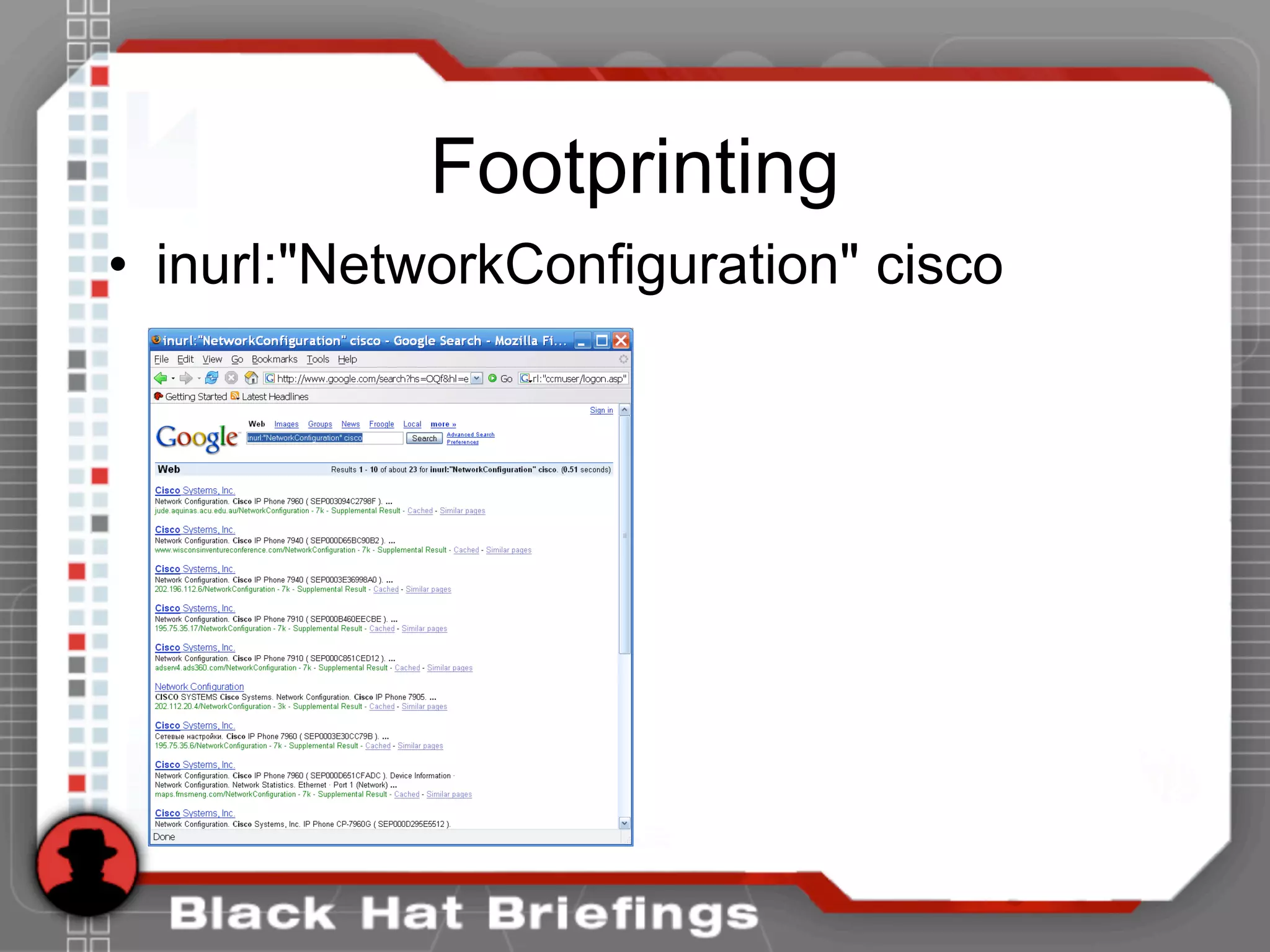
• Find them with Google
• VoIP Google Hacking Database at
http://www.hackingexposedvoip.com
Footprinting
Footprinting
• inurl:"NetworkConfiguration" cisco
Footprinting
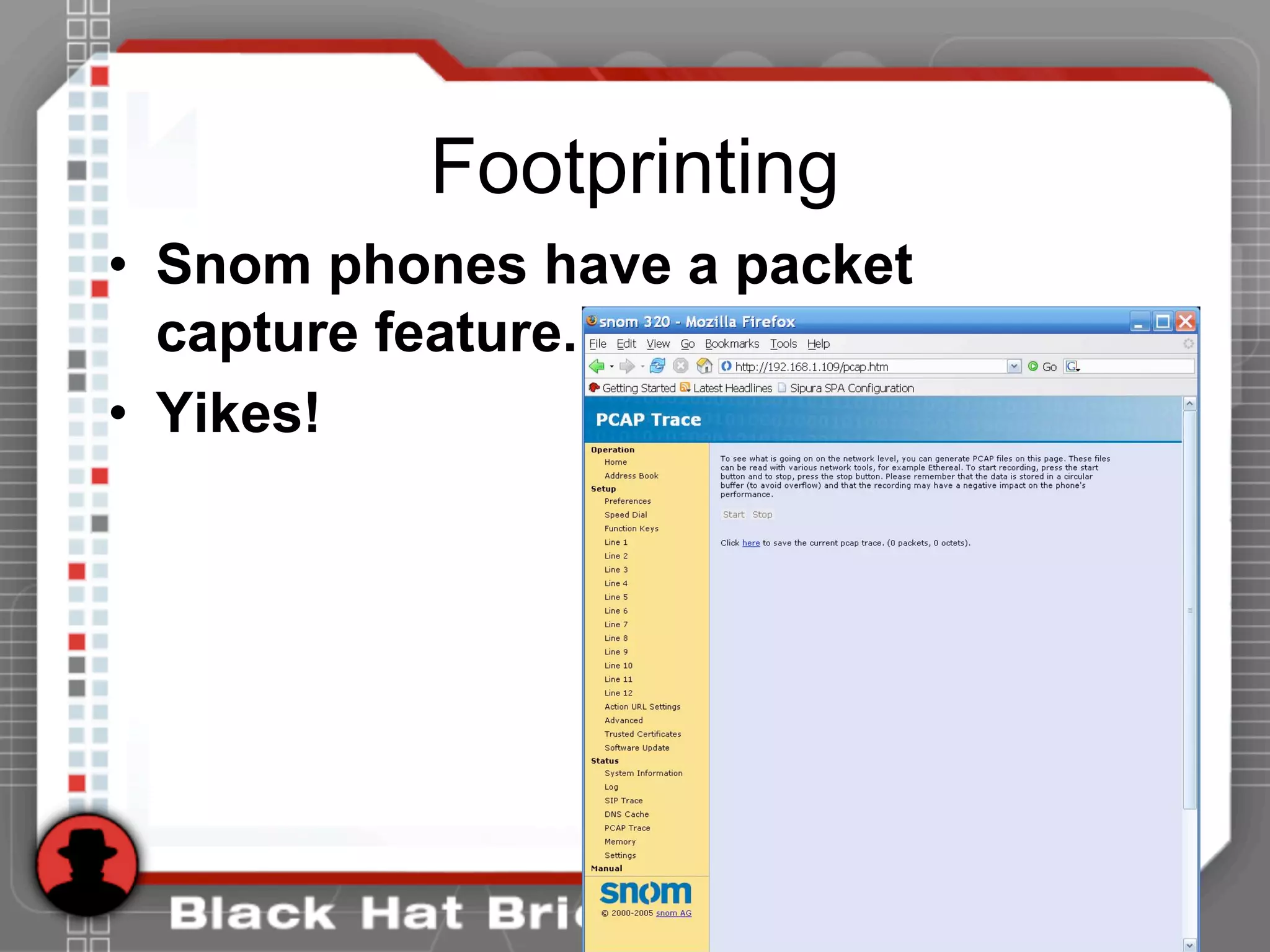
• Snom phones have a packet
capture feature.
• Yikes!
Scanning
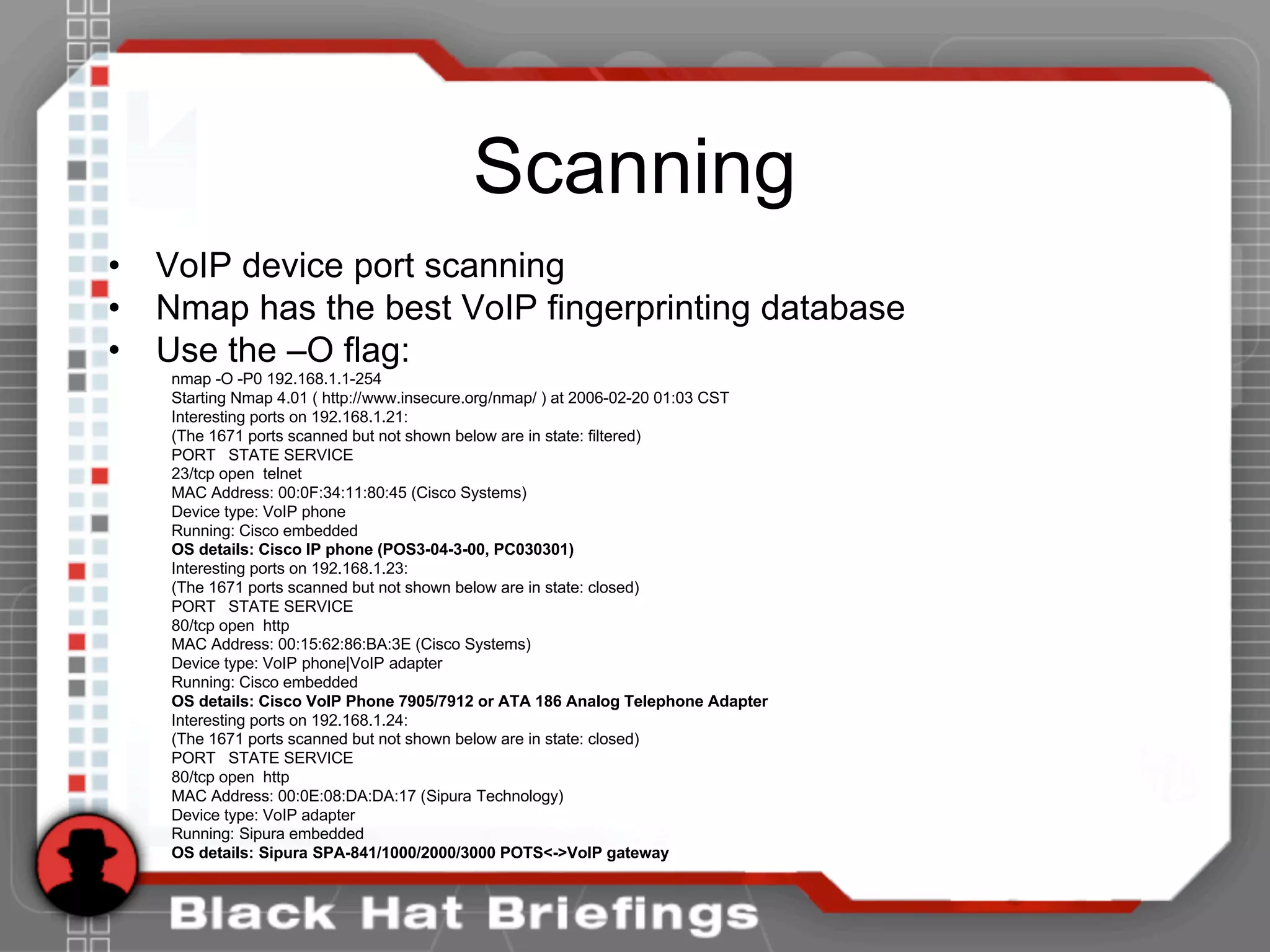
• VoIP device port scanning
• Nmap has the best VoIP fingerprinting database
• Use the –O flag:
nmap -O -P0 192.168.1.1-254
Starting Nmap 4.01 ( http://www.insecure.org/nmap/ ) at 2006-02-20 01:03 CST
Interesting ports on 192.168.1.21:
(The 1671 ports scanned but not shown below are in state: filtered)
PORT STATE SERVICE
23/tcp open telnet
MAC Address: 00:0F:34:11:80:45 (Cisco Systems)
Device type: VoIP phone
Running: Cisco embedded
OS details: Cisco IP phone (POS3-04-3-00, PC030301)
Interesting ports on 192.168.1.23:
(The 1671 ports scanned but not shown below are in state: closed)
PORT STATE SERVICE
80/tcp open http
MAC Address: 00:15:62:86:BA:3E (Cisco Systems)
Device type: VoIP phone|VoIP adapter
Running: Cisco embedded
OS details: Cisco VoIP Phone 7905/7912 or ATA 186 Analog Telephone Adapter
Interesting ports on 192.168.1.24:
(The 1671 ports scanned but not shown below are in state: closed)
PORT STATE SERVICE
80/tcp open http
MAC Address: 00:0E:08:DA:DA:17 (Sipura Technology)
Device type: VoIP adapter
Running: Sipura embedded
OS details: Sipura SPA-841/1000/2000/3000 POTS<->VoIP gateway
Scanning
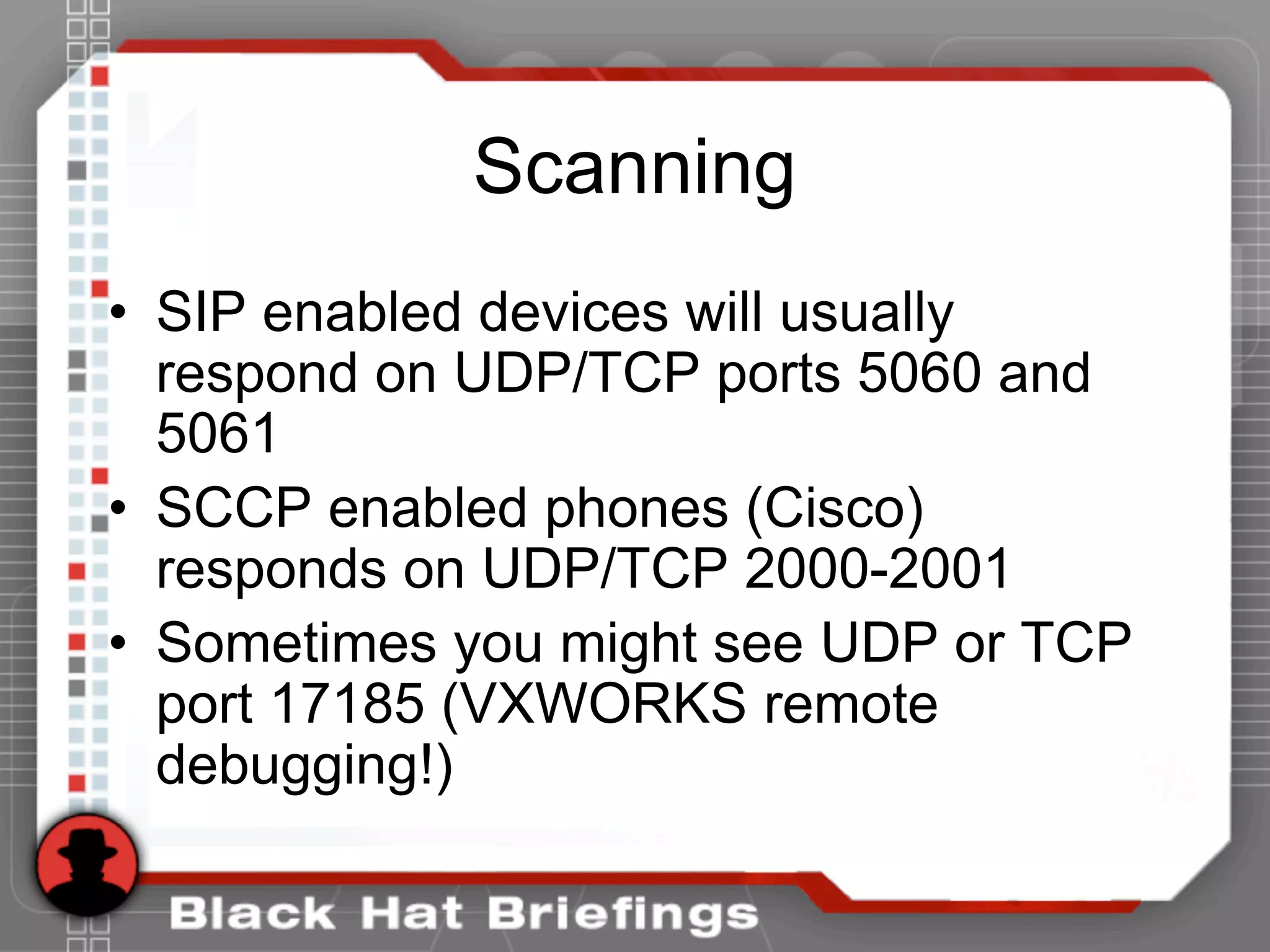
• SIP enabled devices will usually
respond on UDP/TCP ports 5060 and
5061
• SCCP enabled phones (Cisco)
responds on UDP/TCP 2000-2001
• Sometimes you might see UDP or TCP
port 17185 (VXWORKS remote
debugging!)
Enumeration
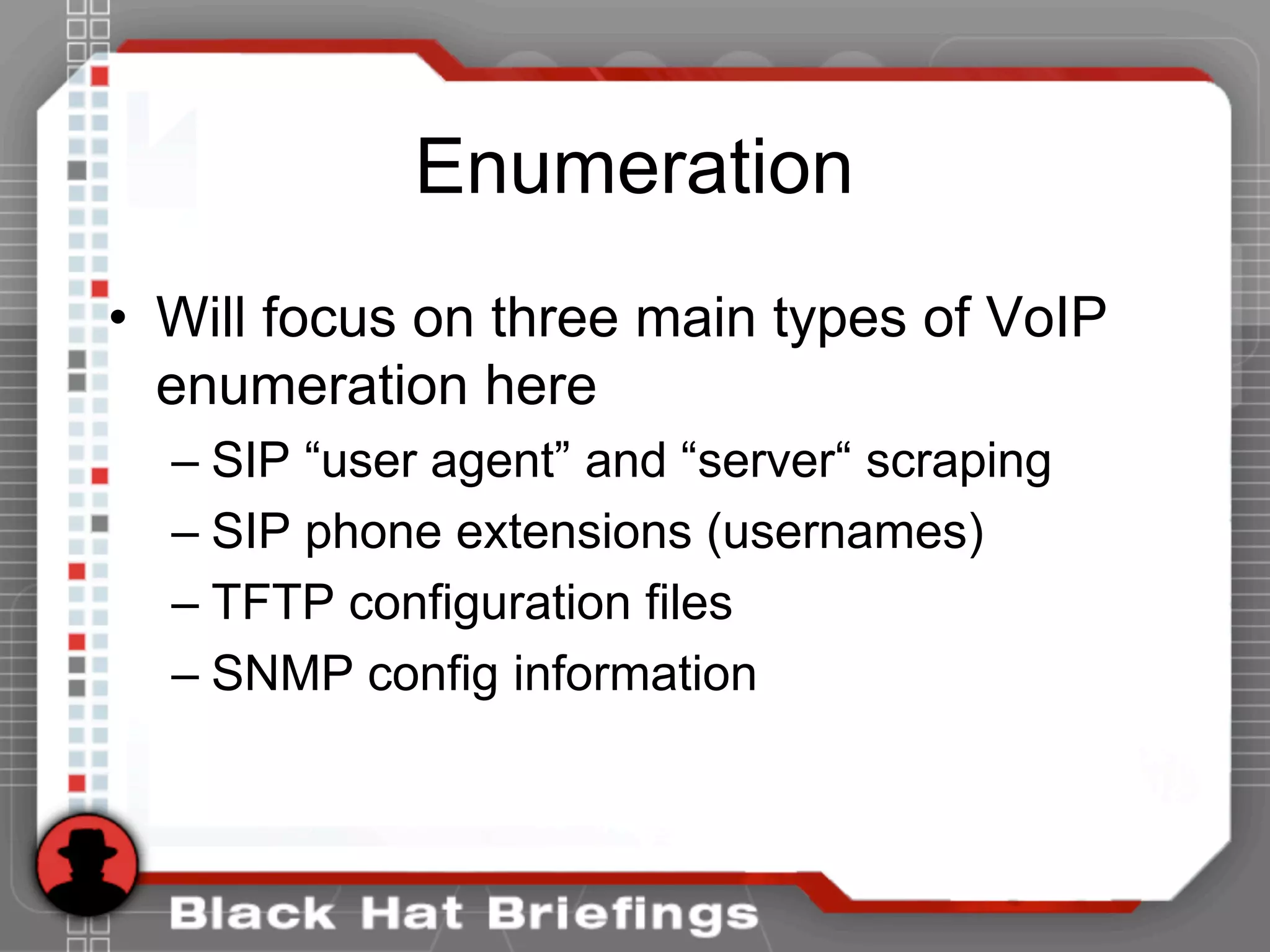
• Will focus on three main types of VoIP
enumeration here
– SIP “user agent” and “server“ scraping
– SIP phone extensions (usernames)
– TFTP configuration files
– SNMP config information
Enumeration
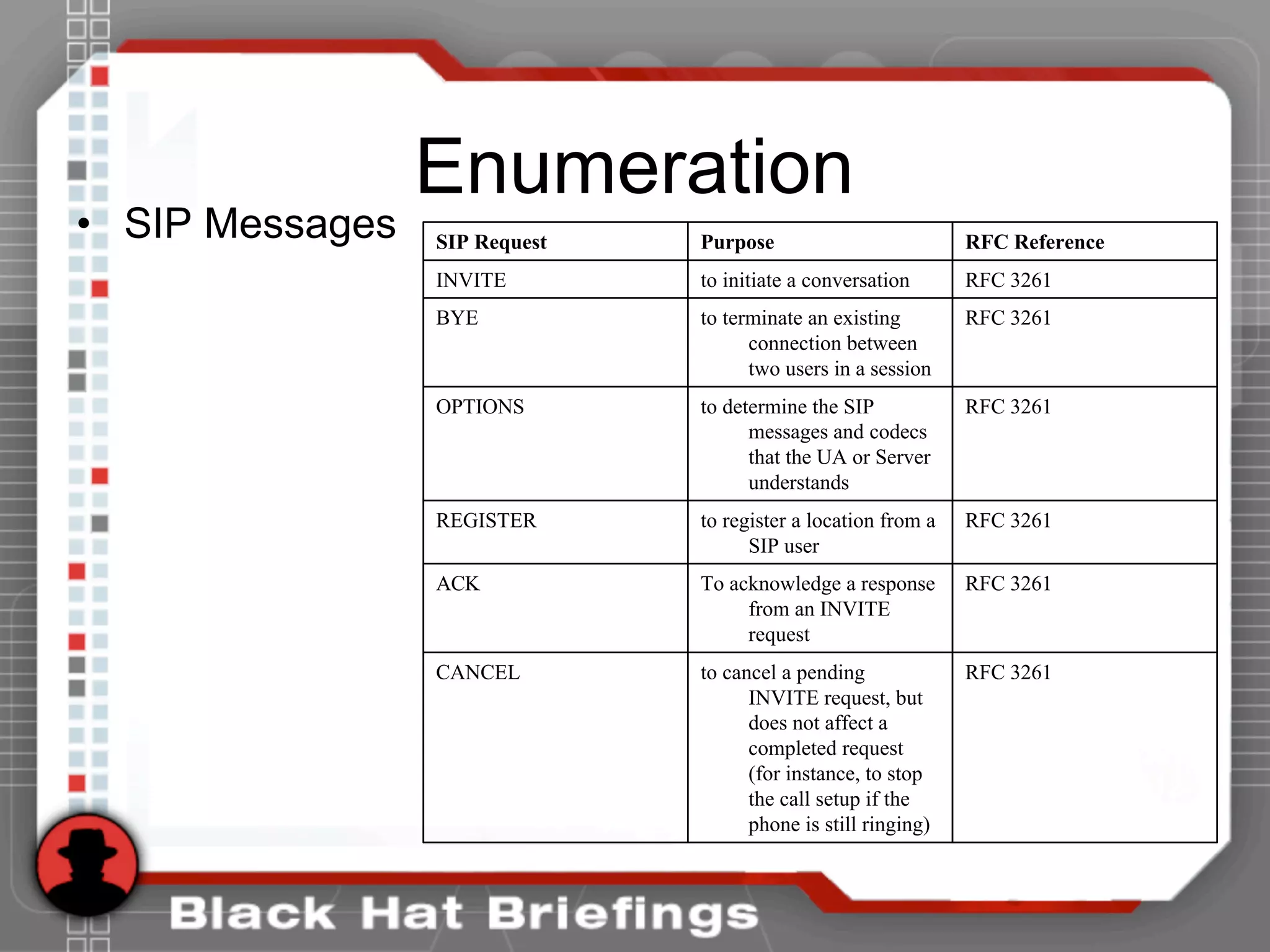
• SIP Messages
RFC 3261to cancel a pending
INVITE request, but
does not affect a
completed request
(for instance, to stop
the call setup if the
phone is still ringing)
CANCEL
RFC 3261To acknowledge a response
from an INVITE
request
ACK
RFC 3261to register a location from a
SIP user
REGISTER
RFC 3261to determine the SIP
messages and codecs
that the UA or Server
understands
OPTIONS
RFC 3261to terminate an existing
connection between
two users in a session
BYE
RFC 3261to initiate a conversationINVITE
RFC ReferencePurposeSIP Request
Enumeration
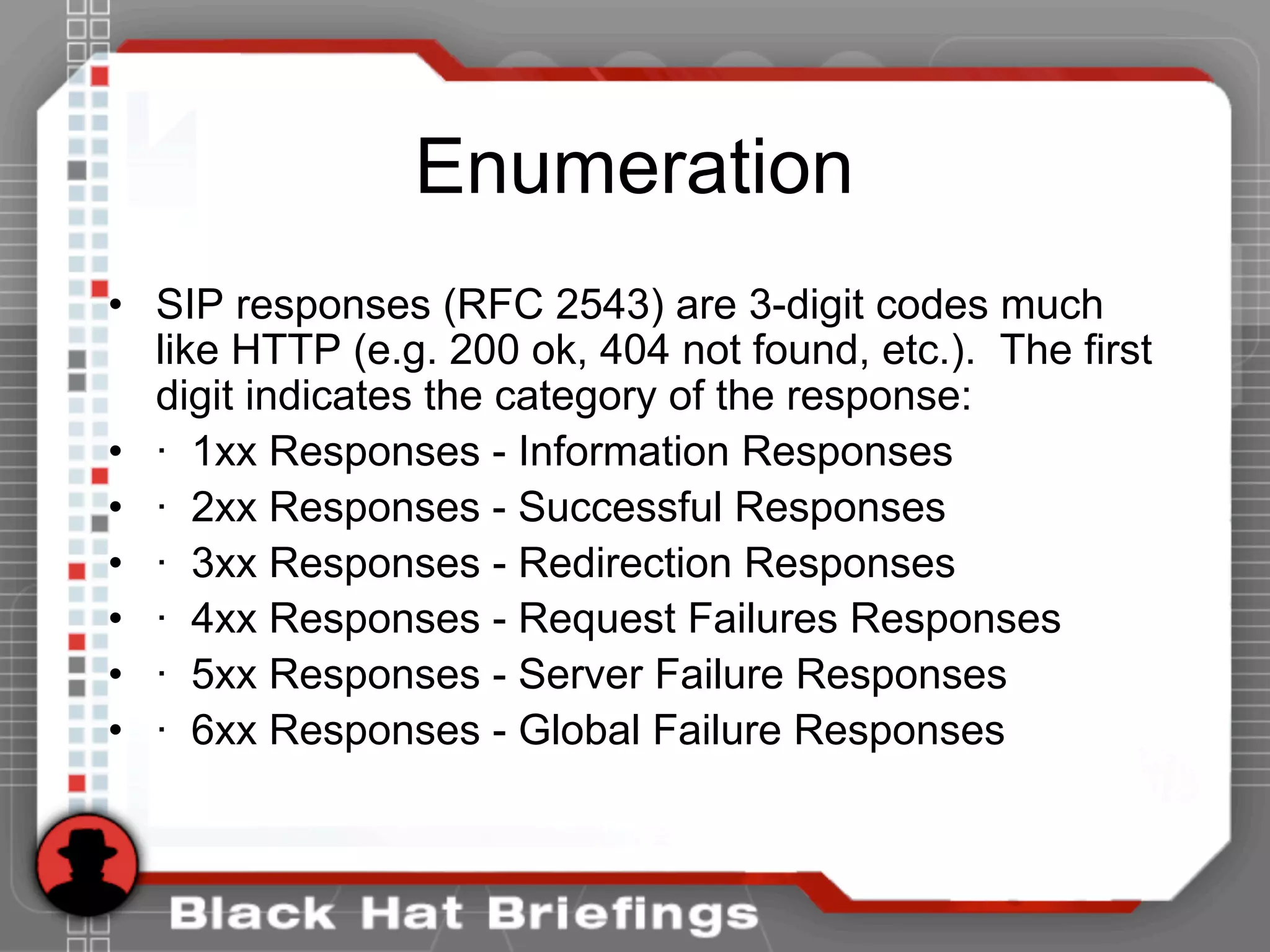
• SIP responses (RFC 2543) are 3-digit codes much
like HTTP (e.g. 200 ok, 404 not found, etc.). The first
digit indicates the category of the response:
• · 1xx Responses - Information Responses
• · 2xx Responses - Successful Responses
• · 3xx Responses - Redirection Responses
• · 4xx Responses - Request Failures Responses
• · 5xx Responses - Server Failure Responses
• · 6xx Responses - Global Failure Responses
Enumeration
• Use the tool netcat to send a simple OPTIONS message
• [root@attacker]# nc 192.168.1.104 5060
OPTIONS sip:test@192.168.1.104 SIP/2.0
Via: SIP/2.0/TCP 192.168.1.120;branch=4ivBcVj5ZnPYgb
To: alice <sip:test@192.168.1.104>
Content-Length: 0
SIP/2.0 404 Not Found
Via: SIP/2.0/TCP 192.168.1.120;branch=4ivBcVj5ZnPYgb;received=192.168.1.103
To: alice <sip:test@192.168.1.104>;tag=b27e1a1d33761e85846fc98f5f3a7e58.0503
Server: Sip EXpress router (0.9.6 (i386/linux))
Content-Length: 0
Warning: 392 192.168.1.104:5060 "Noisy feedback tells: pid=29801 req_src_ip=192.168.1.120
req_src_port=32773 in_uri=sip:test@192.168.1.104 out_uri=sip:test@192.168.1.104 via_cnt==1"
Enumeration
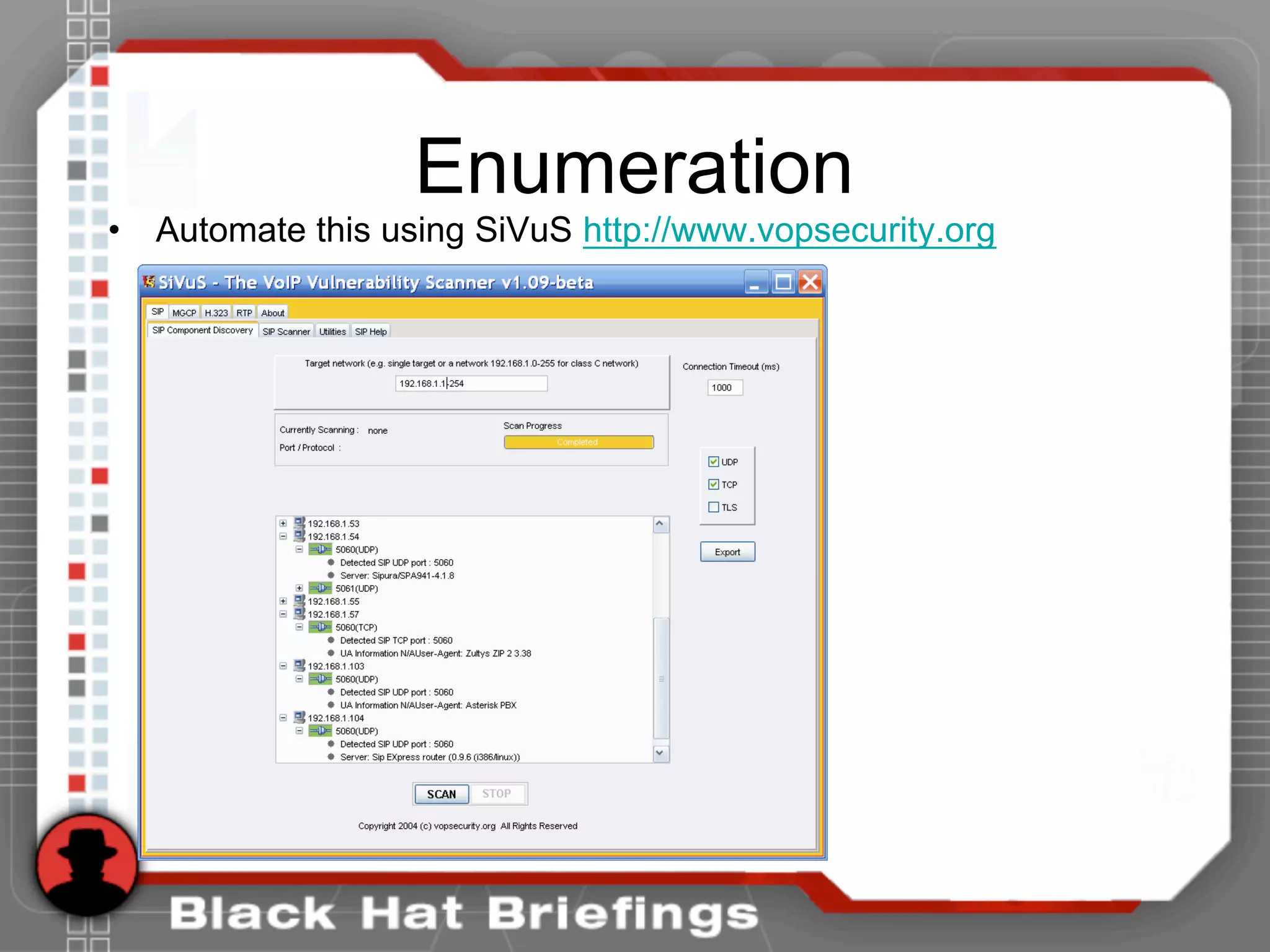
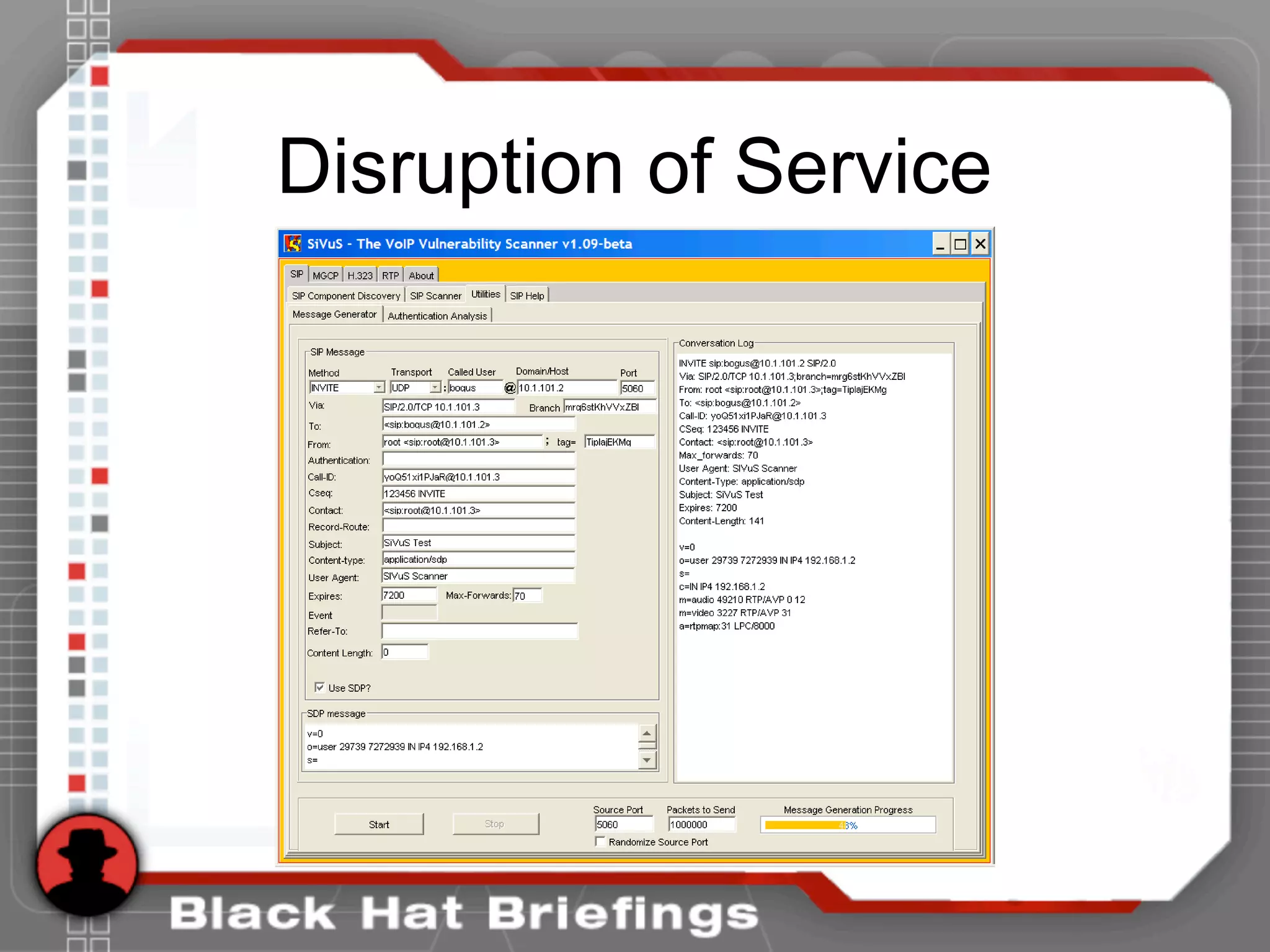
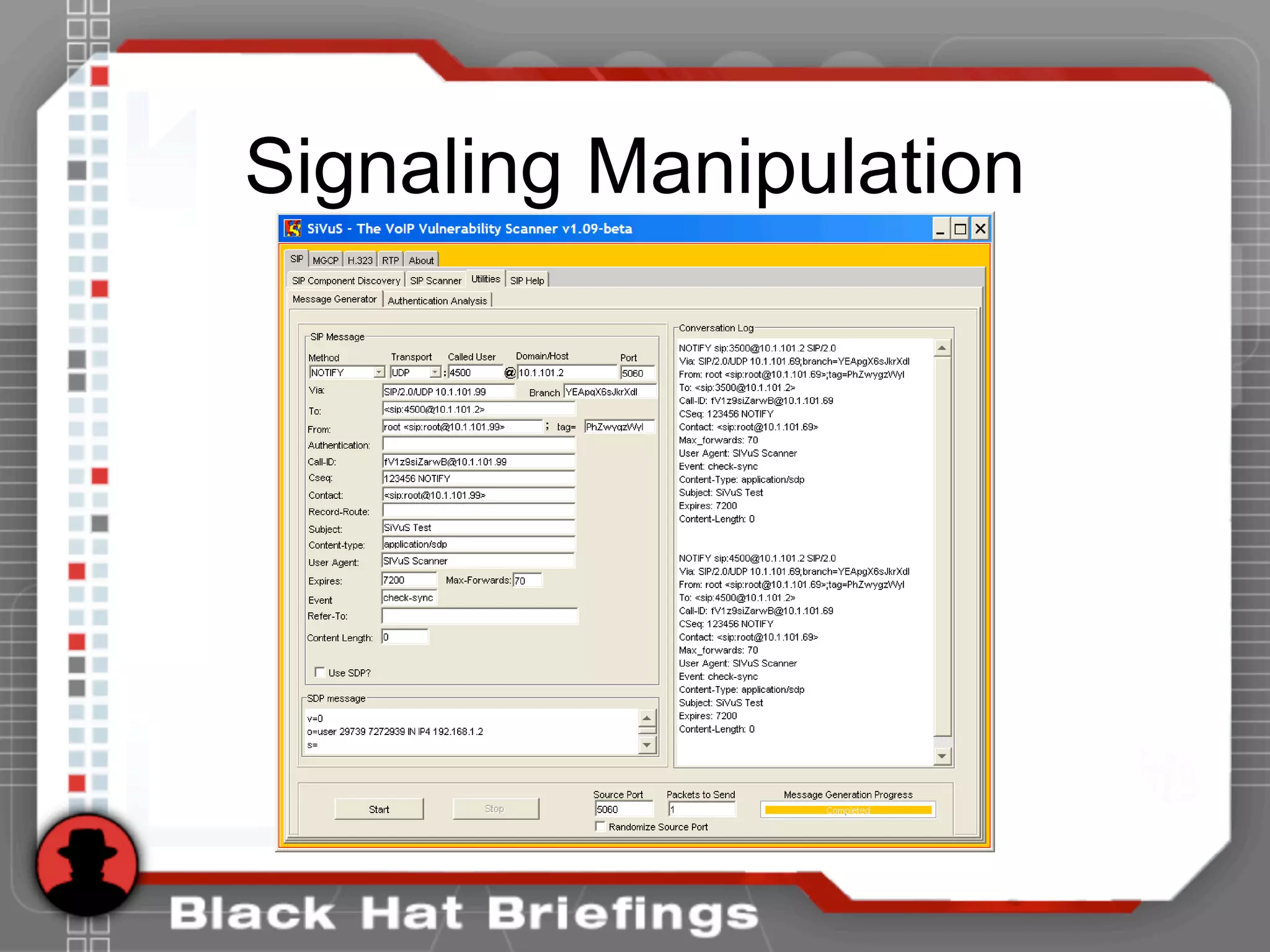
• Automate this using SiVuS http://www.vopsecurity.org
Enumeration
• SIP extensions are useful to an attacker
to know for performing Application
specific attacks (hijacking, voicemail
brute forcing, caller id spoofing, etc.)
• Let’s go back to our netcat example
Enumeration
• Use the tool netcat to send a simple OPTIONS message for a
username “test”. IF the username exists, we would expect a
200 response instead of 404.
• [root@attacker]# nc 192.168.1.104 5060
OPTIONS sip:test@192.168.1.104 SIP/2.0
Via: SIP/2.0/TCP 192.168.1.120;branch=4ivBcVj5ZnPYgb
To: alice <sip:test@192.168.1.104>
Content-Length: 0
SIP/2.0 404 Not Found
Via: SIP/2.0/TCP 192.168.1.120;branch=4ivBcVj5ZnPYgb;received=192.168.1.103
To: alice <sip:test@192.168.1.104>;tag=b27e1a1d33761e85846fc98f5f3a7e58.0503
Server: Sip EXpress router (0.9.6 (i386/linux))
Content-Length: 0
Warning: 392 192.168.1.104:5060 "Noisy feedback tells: pid=29801 req_src_ip=192.168.1.120
req_src_port=32773 in_uri=sip:test@192.168.1.104 out_uri=sip:test@192.168.1.104 via_cnt==1"
Enumeration
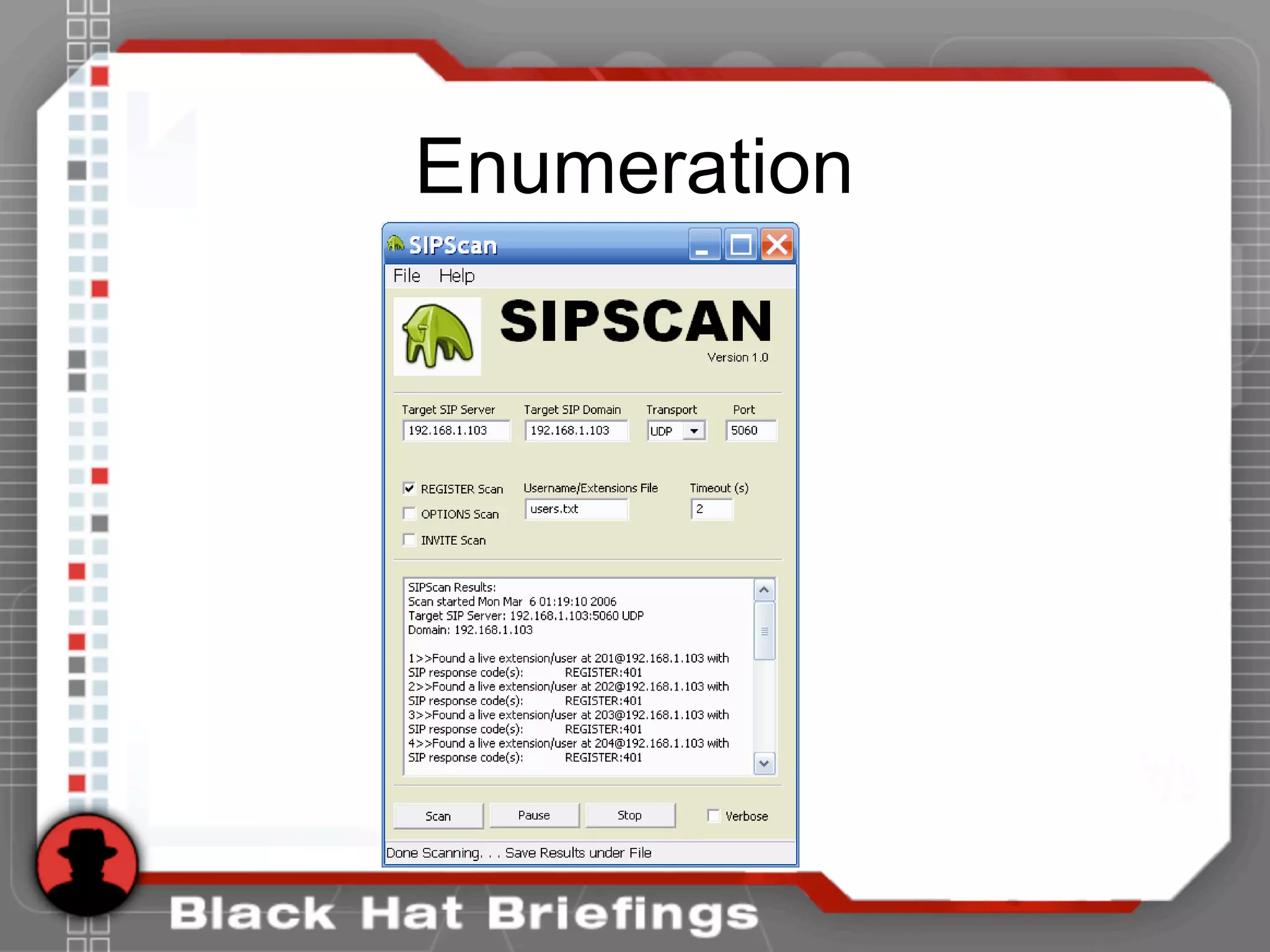
• Let’s automate this. We wrote a tool
called SIPSCAN to help. Available at
http://www.hackingexposedvoip.com
• Not only can you use OPTIONS, but
INVITE and REGISTER as well.
• DEMO of SIPSCAN
Enumeration
Enumeration
• Almost all phones we tested use TFTP
to drawn down their configuration files
• Rarely is TFTP server well protected
• If you can guess the name of the
configuration file, you can download it.
• Config files have passwords, services,
and usernames in them!
Enumeration
• Go to http://www.hackingexposedvoip.com to see a list of commonly
named VoIP config files
• Use a tool called TFTPBRUTE (http://www.hackingexposedcisco.com)
[root@attacker]# perl tftpbrute.pl 192.168.1.103 brutefile.txt 100
tftpbrute.pl, , V 0.1
TFTP file word database: brutefile.txt
TFTP server 192.168.1.103
Max processes 100
Processes are: 1
Processes are: 2
Processes are: 3
Processes are: 4
Processes are: 5
Processes are: 6
Processes are: 7
Processes are: 8
Processes are: 9
Processes are: 10
Processes are: 11
Processes are: 12
*** Found TFTP server remote filename : sip.cfg
*** Found TFTP server remote filename : 46xxsettings.txt
Processes are: 13
Processes are: 14
*** Found TFTP server remote filename : sip_4602D02A.txt
*** Found TFTP server remote filename : XMLDefault.cnf.xml
*** Found TFTP server remote filename : SipDefault.cnf
*** Found TFTP server remote filename : SEP001562EA69E8.cnf
Enumeration
• SNMP is enabled on several VoIP
phones
• Simple SNMP sweeps will garner lots of
juicy information
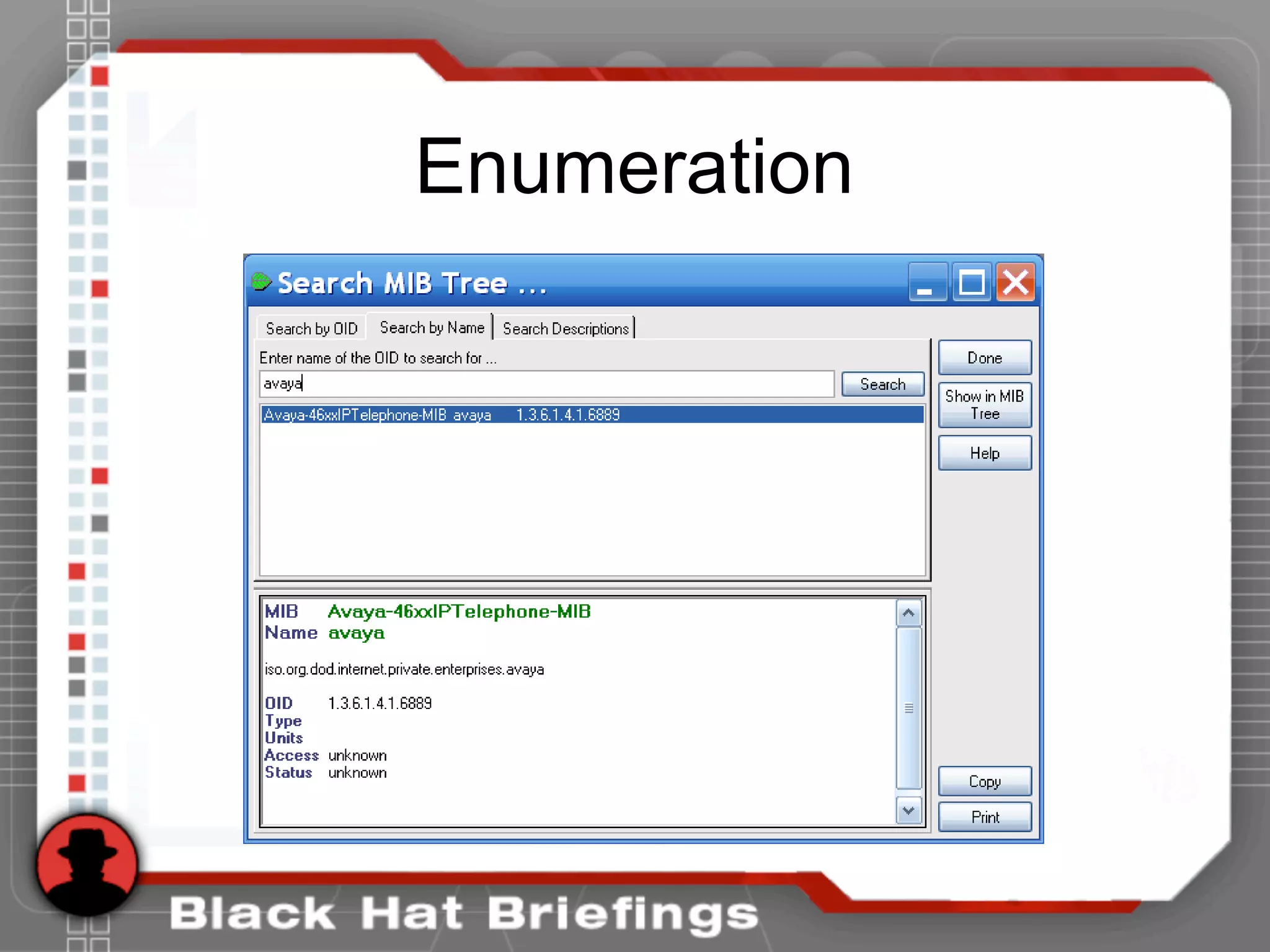
• If you know the device type, you can
snmpwalk with the specific OID
• Find the OID using Solarwinds MIB
database
Enumeration
Enumeration
• [root@domain2 ~]# snmpwalk -c public -v 1 192.168.1.53 1.3.6.1.4.1.6889
• SNMPv2-SMI::enterprises.6889.2.69.1.1.1.0 = STRING: "Obsolete"
• SNMPv2-SMI::enterprises.6889.2.69.1.1.2.0 = STRING: "4620D01B"
• SNMPv2-SMI::enterprises.6889.2.69.1.1.3.0 = STRING: "AvayaCallserver"
• SNMPv2-SMI::enterprises.6889.2.69.1.1.4.0 = IpAddress: 192.168.1.104
• SNMPv2-SMI::enterprises.6889.2.69.1.1.5.0 = INTEGER: 1719
• SNMPv2-SMI::enterprises.6889.2.69.1.1.6.0 = STRING: "051612501065"
• SNMPv2-SMI::enterprises.6889.2.69.1.1.7.0 = STRING: "700316698"
• SNMPv2-SMI::enterprises.6889.2.69.1.1.8.0 = STRING: "051611403489"
• SNMPv2-SMI::enterprises.6889.2.69.1.1.9.0 = STRING: "00:04:0D:50:40:B0"
• SNMPv2-SMI::enterprises.6889.2.69.1.1.10.0 = STRING: "100"
• SNMPv2-SMI::enterprises.6889.2.69.1.1.11.0 = IpAddress: 192.168.1.53
• SNMPv2-SMI::enterprises.6889.2.69.1.1.12.0 = INTEGER: 0
• SNMPv2-SMI::enterprises.6889.2.69.1.1.13.0 = INTEGER: 0
• SNMPv2-SMI::enterprises.6889.2.69.1.1.14.0 = INTEGER: 0
• SNMPv2-SMI::enterprises.6889.2.69.1.1.15.0 = STRING: "192.168.1.1"
• SNMPv2-SMI::enterprises.6889.2.69.1.1.16.0 = IpAddress: 192.168.1.1
• SNMPv2-SMI::enterprises.6889.2.69.1.1.17.0 = IpAddress: 255.255.255.0
• ...
• SNMPv2-SMI::enterprises.6889.2.69.1.4.8.0 = INTEGER: 20
• SNMPv2-SMI::enterprises.6889.2.69.1.4.9.0 = STRING: "503"
Enumeration Countermeasures
• VLAN and logically segment voice and
data services when appropriate
• Patch and update to latest firmware
• Change default passwords and enable SIP
authentication
• Perform vendor installation security
checklist (if it exists)
• Restrict or Disable administrative web
functions
Agenda
• Introductions
• Casing the Establishment
• Exploiting the Underlying Network
– Man in the Middle
– Eavesdropping
• Exploiting VoIP Applications
• Social Threats (SPIT, PHISHING, etc.)
Exploiting the Network
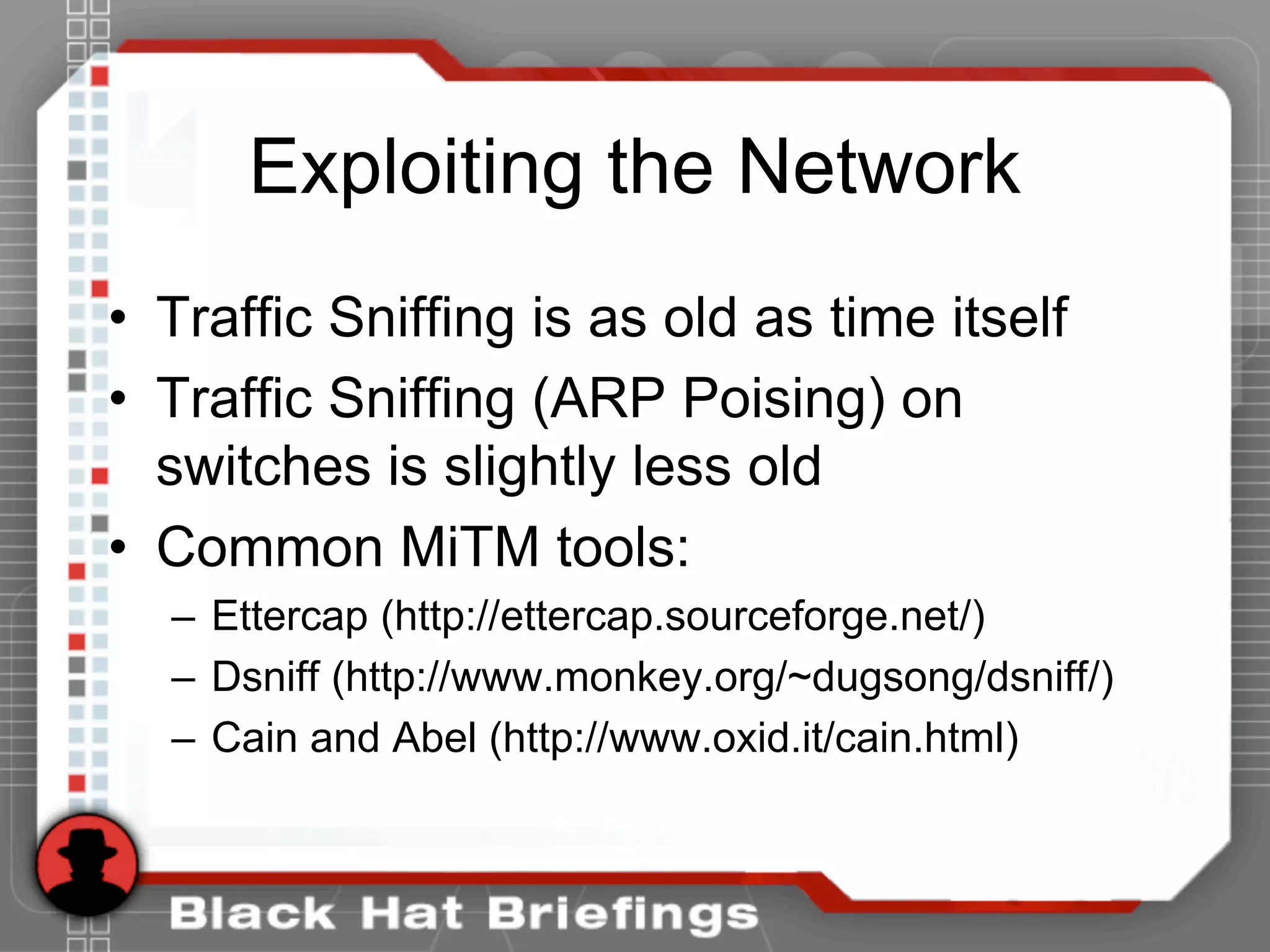
• Traffic Sniffing is as old as time itself
• Traffic Sniffing (ARP Poising) on
switches is slightly less old
• Common MiTM tools:
– Ettercap (http://ettercap.sourceforge.net/)
– Dsniff (http://www.monkey.org/~dugsong/dsniff/)
– Cain and Abel (http://www.oxid.it/cain.html)
Exploiting the Network
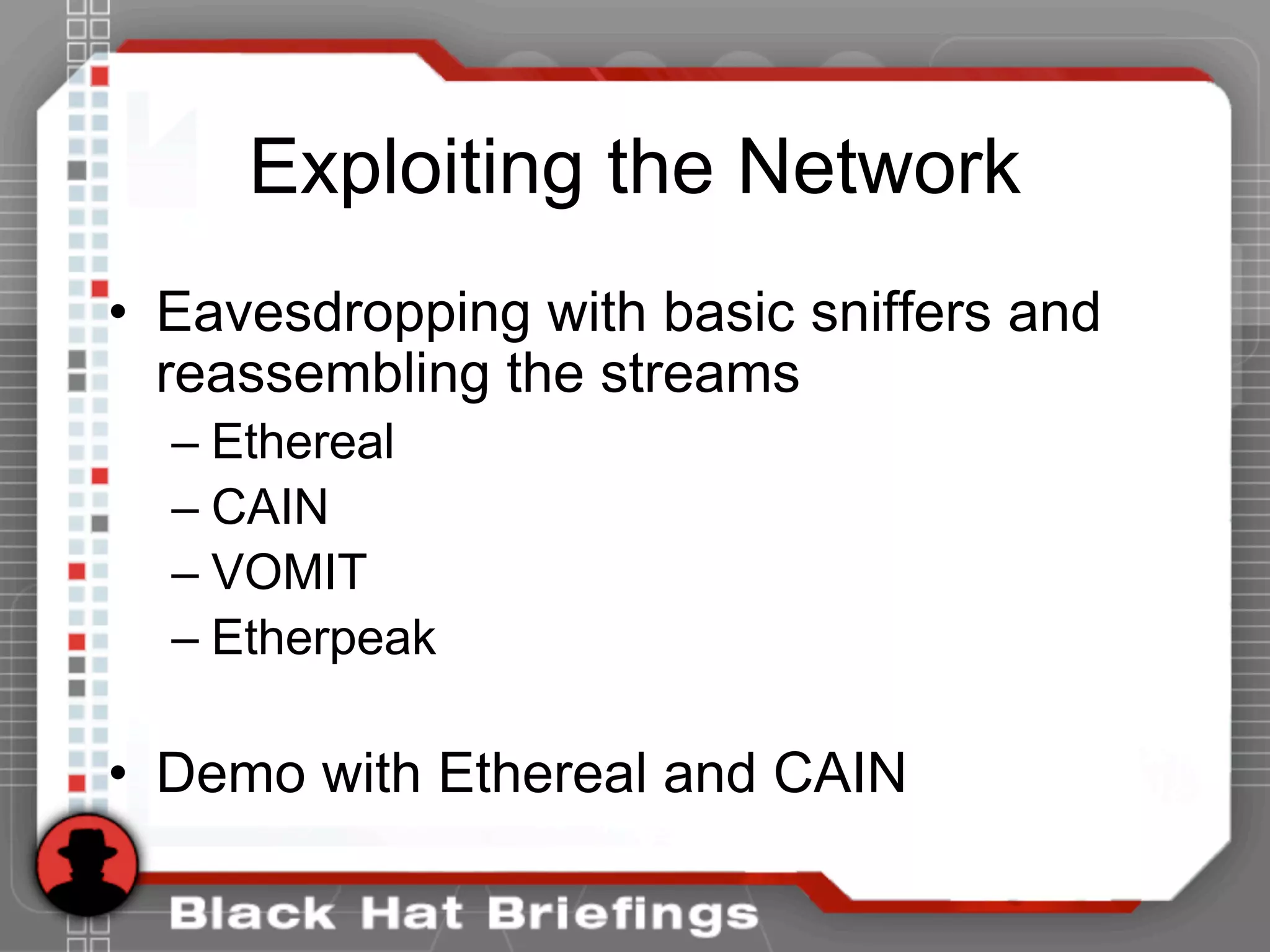
• Eavesdropping with basic sniffers and
reassembling the streams
– Ethereal
– CAIN
– VOMIT
– Etherpeak
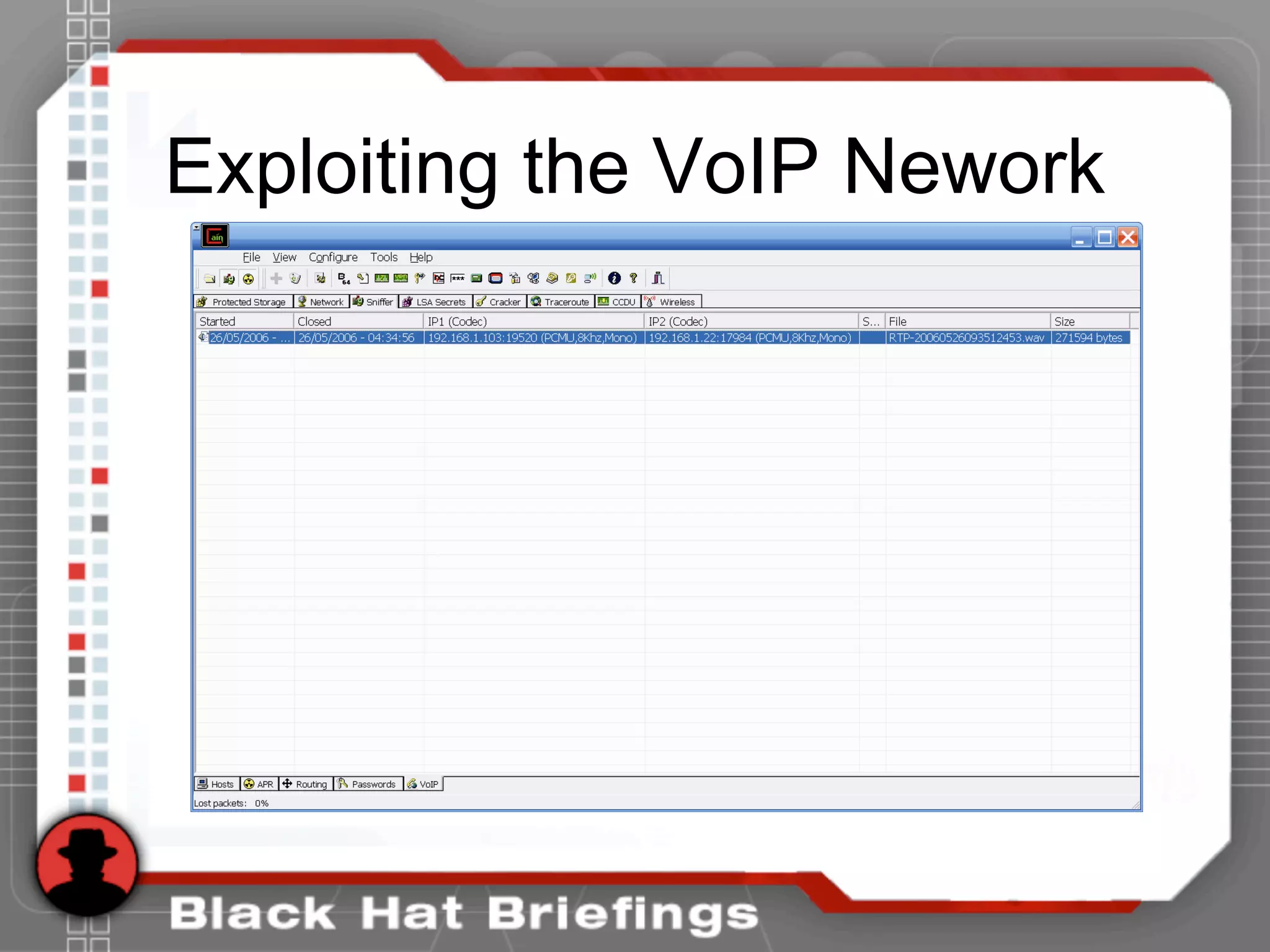
• Demo with Ethereal and CAIN
Exploiting the VoIP Nework
Agenda
• Introductions
• Casing the Establishment
• Exploiting the Underlying Network
• Exploiting VoIP Applications
– Fuzzing
– Disruption of Service
– Signaling Manipulation
• Social Threats (SPIT, PHISHING, etc.)
Fuzzing
• Functional protocol testing (also called “fuzzing”) is
a popular way of finding bugs and vulnerabilities.
• Fuzzing involves creating different types of packets
for a protocol which contain data that pushes the
protocol's specifications to the point of breaking
them.
• These packets are sent to an application, operating
system, or hardware device capable of processing
that protocol, and the results are then monitored for
any abnormal behavior (crash, resource
consumption, etc.).
Fuzzing
• Fuzzing has already led to a wide variety of Denial of
Service and Buffer Overflow vulnerability discoveries in
vendor implementations of VoIP products that use H.323
and SIP.
• PROTOS group from the University of Oulu in Finland
responsible for high exposure vulnerability disclosures in
HTTP, LDAP, SNMP, WAP, and VoIP.
• http://www.ee.oulu.fi/research/ouspg/protos/index.html
Fuzzing
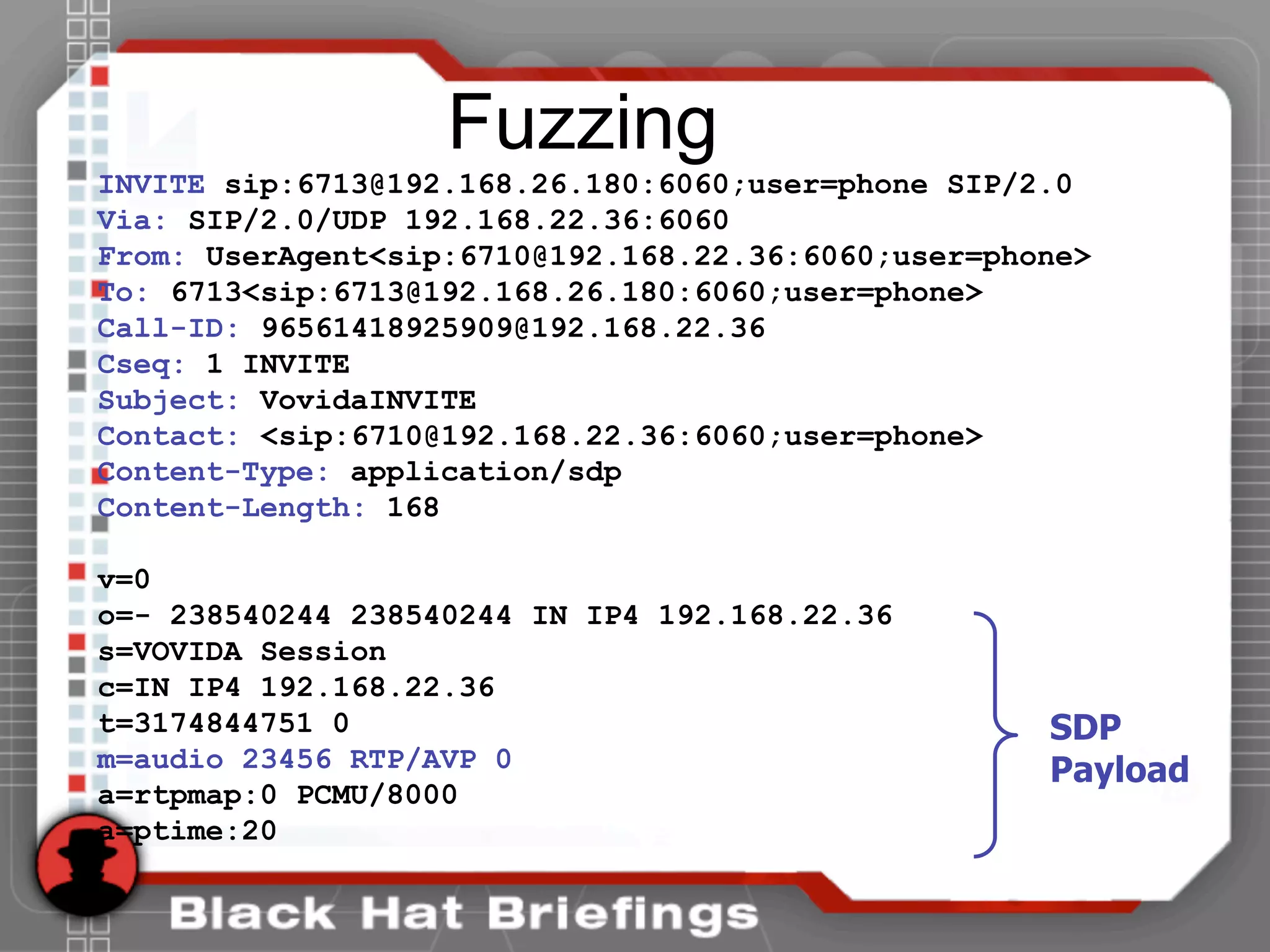
INVITE sip:6713@192.168.26.180:6060;user=phone SIP/2.0
Via: SIP/2.0/UDP 192.168.22.36:6060
From: UserAgent<sip:6710@192.168.22.36:6060;user=phone>
To: 6713<sip:6713@192.168.26.180:6060;user=phone>
Call-ID: 96561418925909@192.168.22.36
Cseq: 1 INVITE
Subject: VovidaINVITE
Contact: <sip:6710@192.168.22.36:6060;user=phone>
Content-Type: application/sdp
Content-Length: 168
v=0
o=- 238540244 238540244 IN IP4 192.168.22.36
s=VOVIDA Session
c=IN IP4 192.168.22.36
t=3174844751 0
m=audio 23456 RTP/AVP 0
a=rtpmap:0 PCMU/8000
a=ptime:20
SDP
Payload
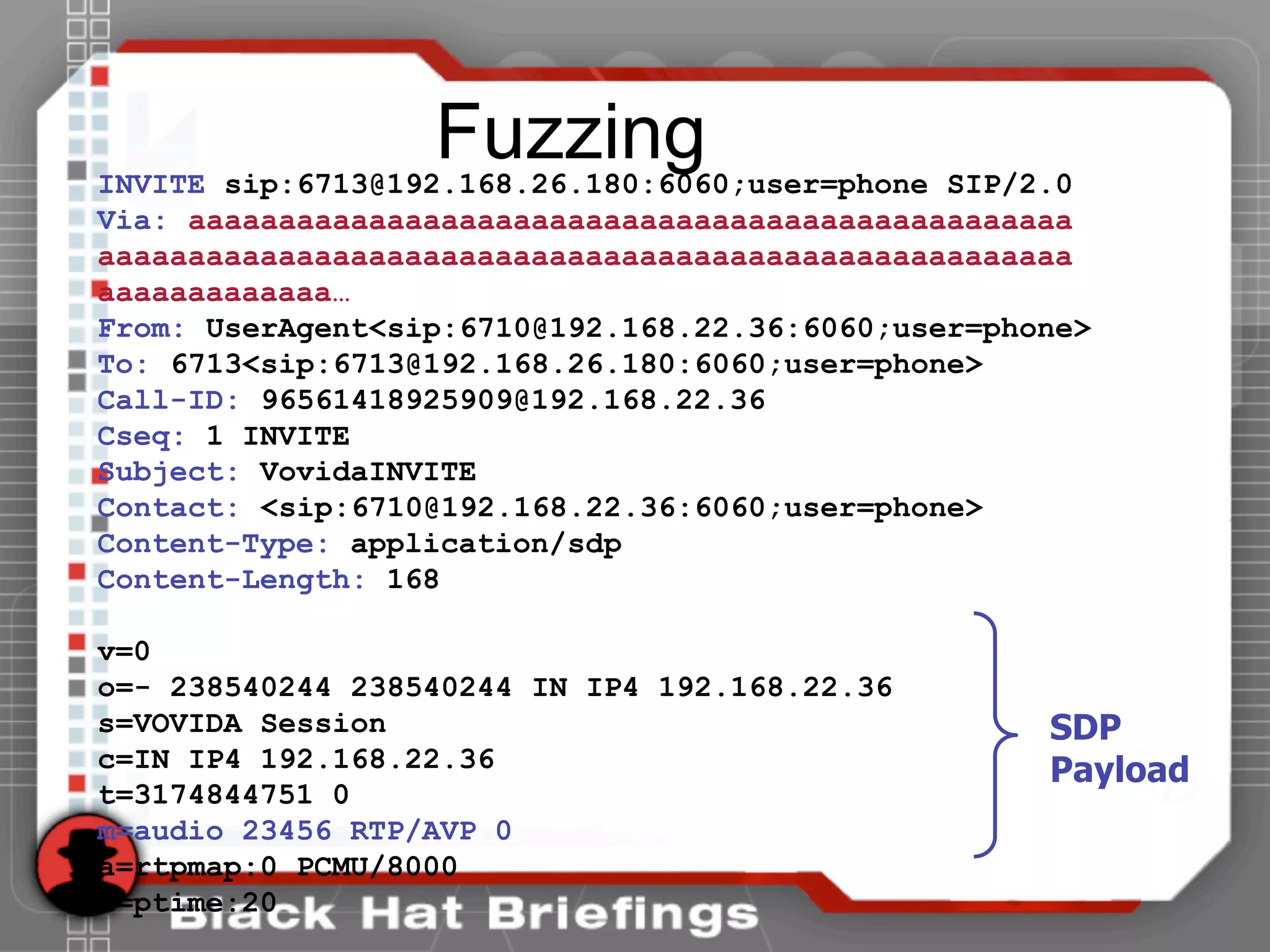
FuzzingINVITE sip:6713@192.168.26.180:6060;user=phone SIP/2.0
Via: aaaaaaaaaaaaaaaaaaaaaaaaaaaaaaaaaaaaaaaaaaaaaaaaa
aaaaaaaaaaaaaaaaaaaaaaaaaaaaaaaaaaaaaaaaaaaaaaaaaaaaaa
aaaaaaaaaaaaa…
From: UserAgent<sip:6710@192.168.22.36:6060;user=phone>
To: 6713<sip:6713@192.168.26.180:6060;user=phone>
Call-ID: 96561418925909@192.168.22.36
Cseq: 1 INVITE
Subject: VovidaINVITE
Contact: <sip:6710@192.168.22.36:6060;user=phone>
Content-Type: application/sdp
Content-Length: 168
v=0
o=- 238540244 238540244 IN IP4 192.168.22.36
s=VOVIDA Session
c=IN IP4 192.168.22.36
t=3174844751 0
m=audio 23456 RTP/AVP 0
a=rtpmap:0 PCMU/8000
a=ptime:20
SDP
Payload
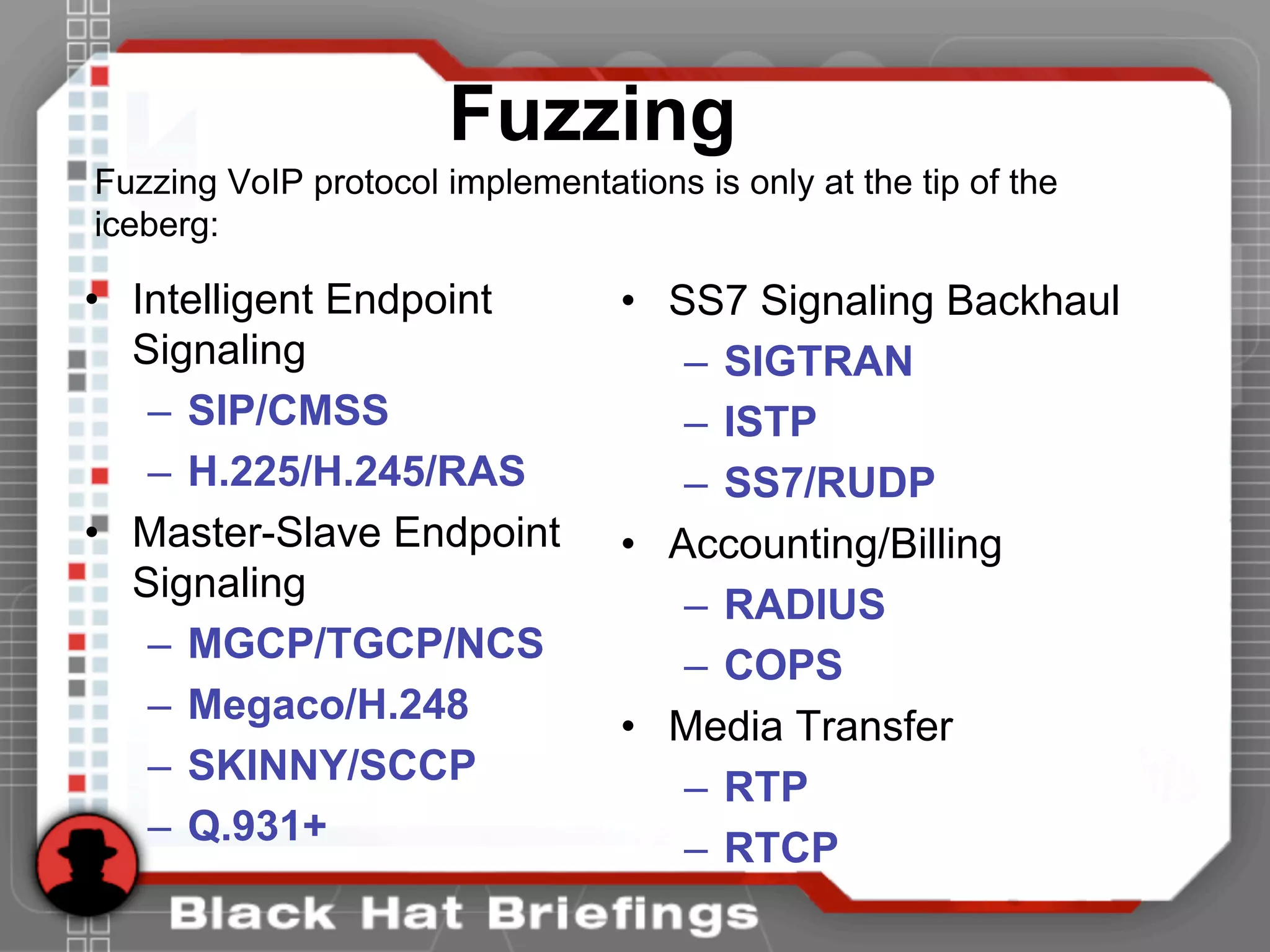
• Intelligent Endpoint
Signaling
– SIP/CMSS
– H.225/H.245/RAS
• Master-Slave Endpoint
Signaling
– MGCP/TGCP/NCS
– Megaco/H.248
– SKINNY/SCCP
– Q.931+
• SS7 Signaling Backhaul
– SIGTRAN
– ISTP
– SS7/RUDP
• Accounting/Billing
– RADIUS
– COPS
• Media Transfer
– RTP
– RTCP
Fuzzing
Fuzzing VoIP protocol implementations is only at the tip of the
iceberg:
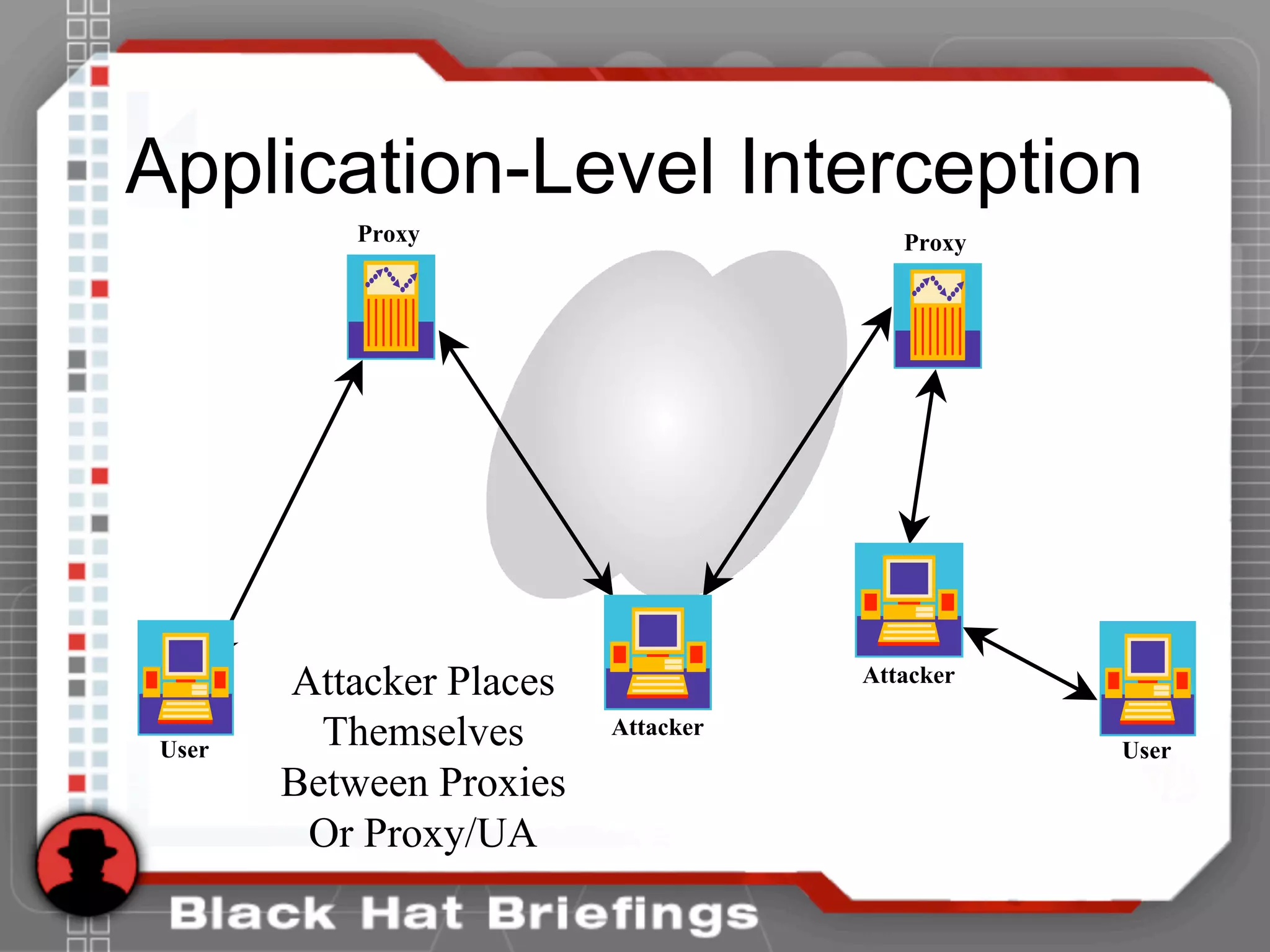
Application-Level Interception
User User
Attacker
Attacker
Proxy Proxy
Attacker Places
Themselves
Between Proxies
Or Proxy/UA
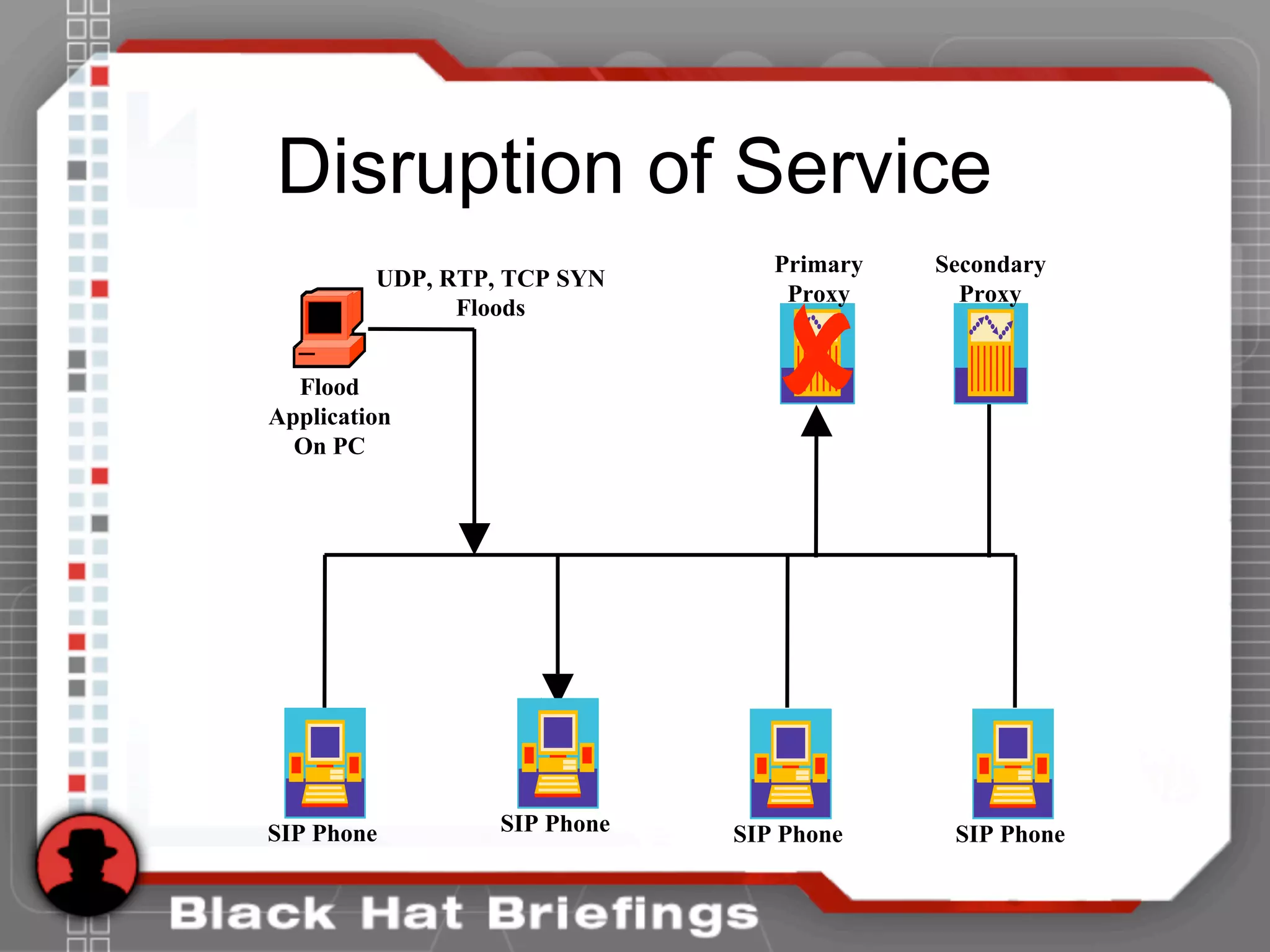
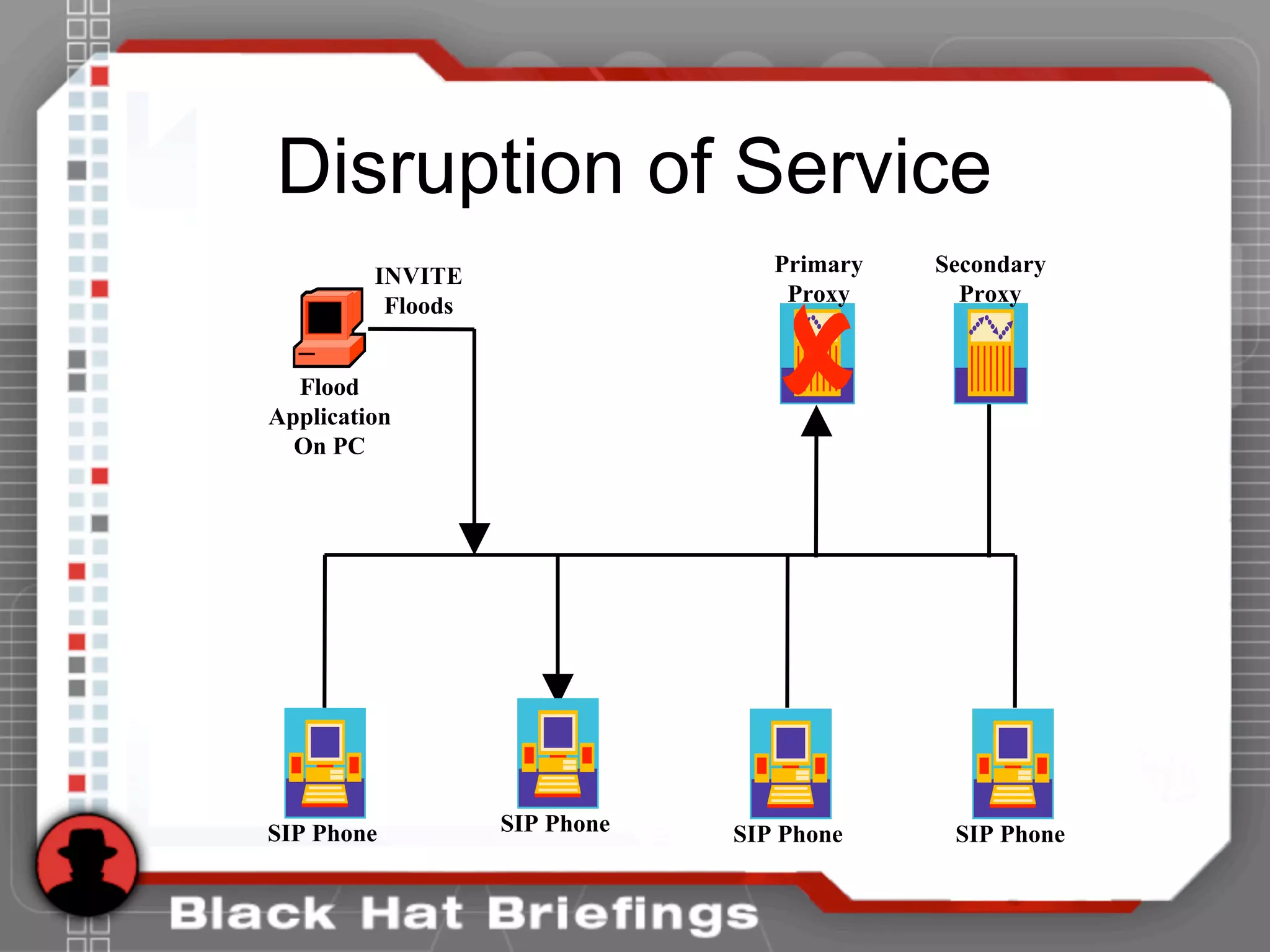
Disruption of Service
SIP Phone
Flood
Application
On PC
UDP, RTP, TCP SYN
Floods
Primary
Proxy
Secondary
Proxy
SIP Phone SIP Phone SIP Phone
Disruption of Service
SIP Phone
Flood
Application
On PC
INVITE
Floods
SIP Phone SIP Phone SIP Phone
Primary
Proxy
Secondary
Proxy
Disruption of Service
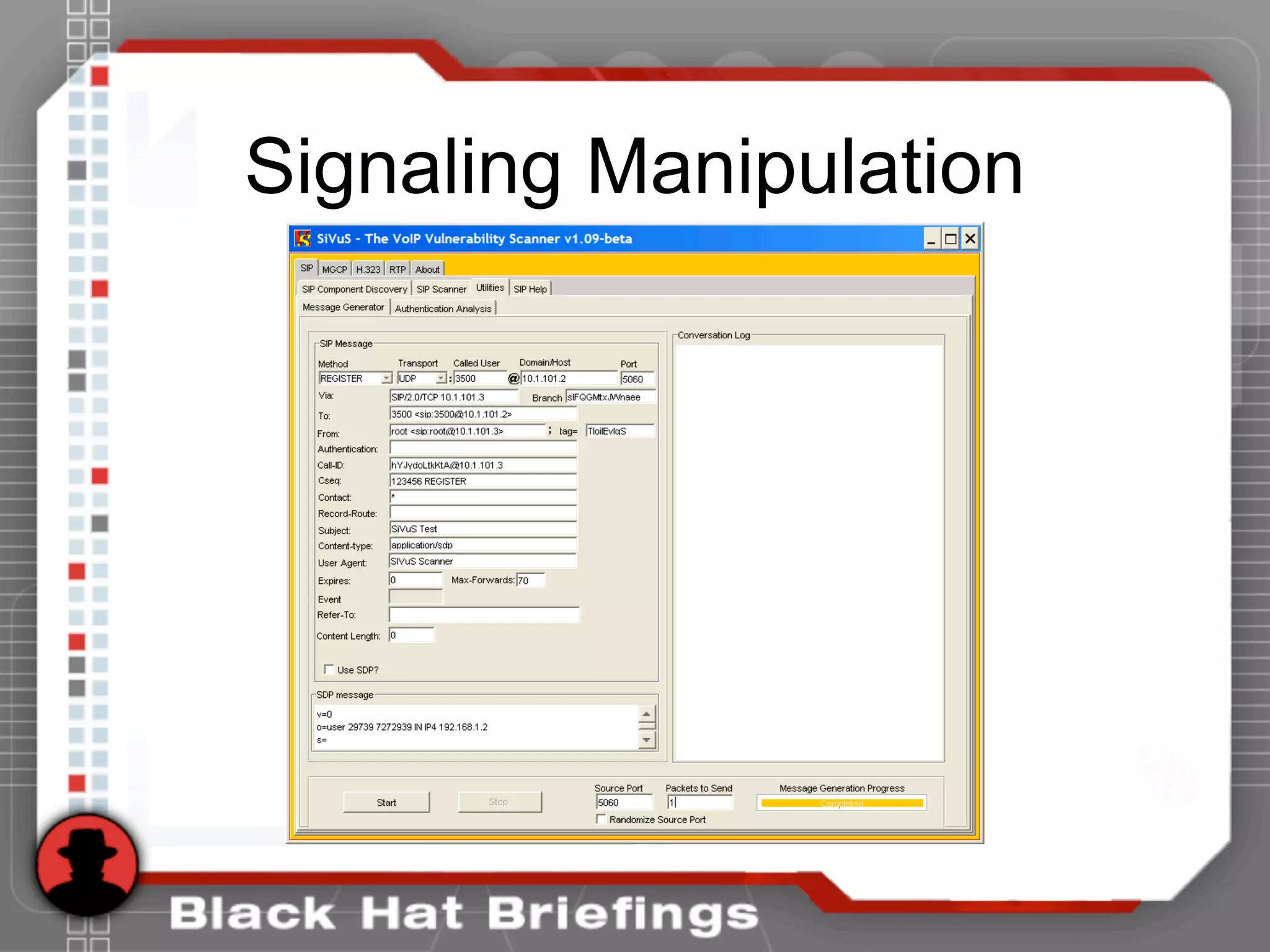
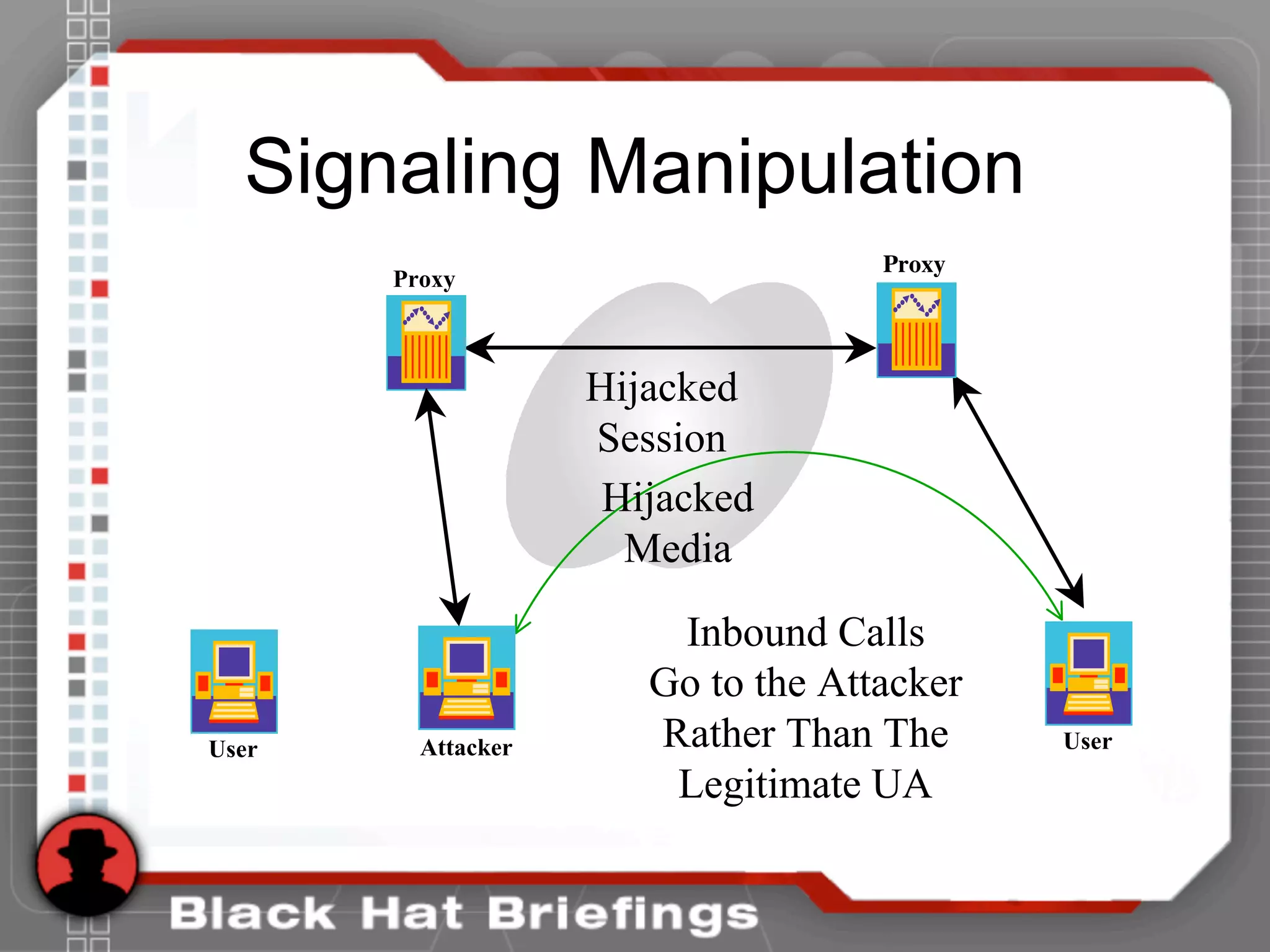
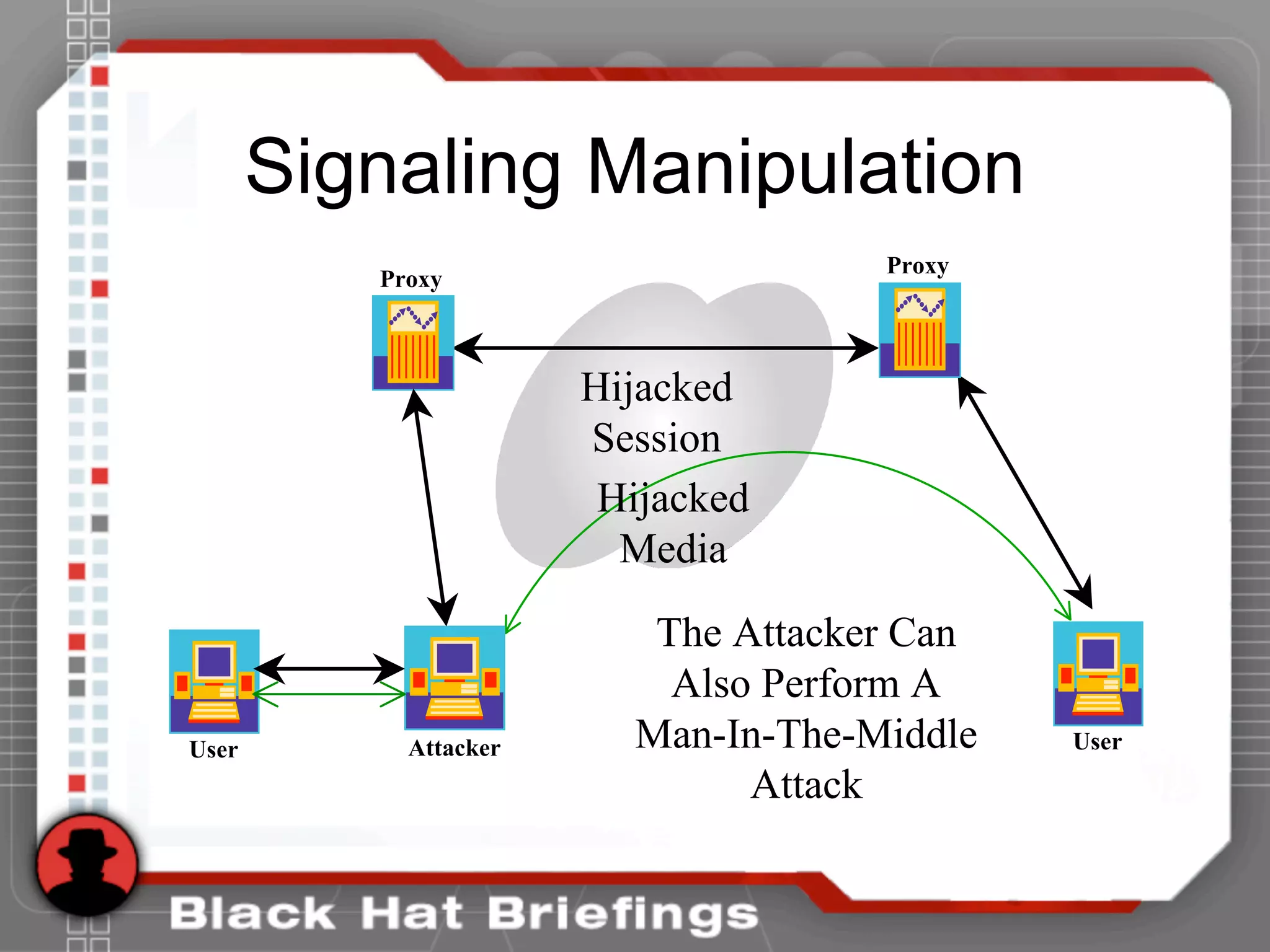
Signaling Manipulation
Proxy
User
Proxy
Attacker
Hijacked
Media
Hijacked
Session
User
Inbound Calls
Go to the Attacker
Rather Than The
Legitimate UA
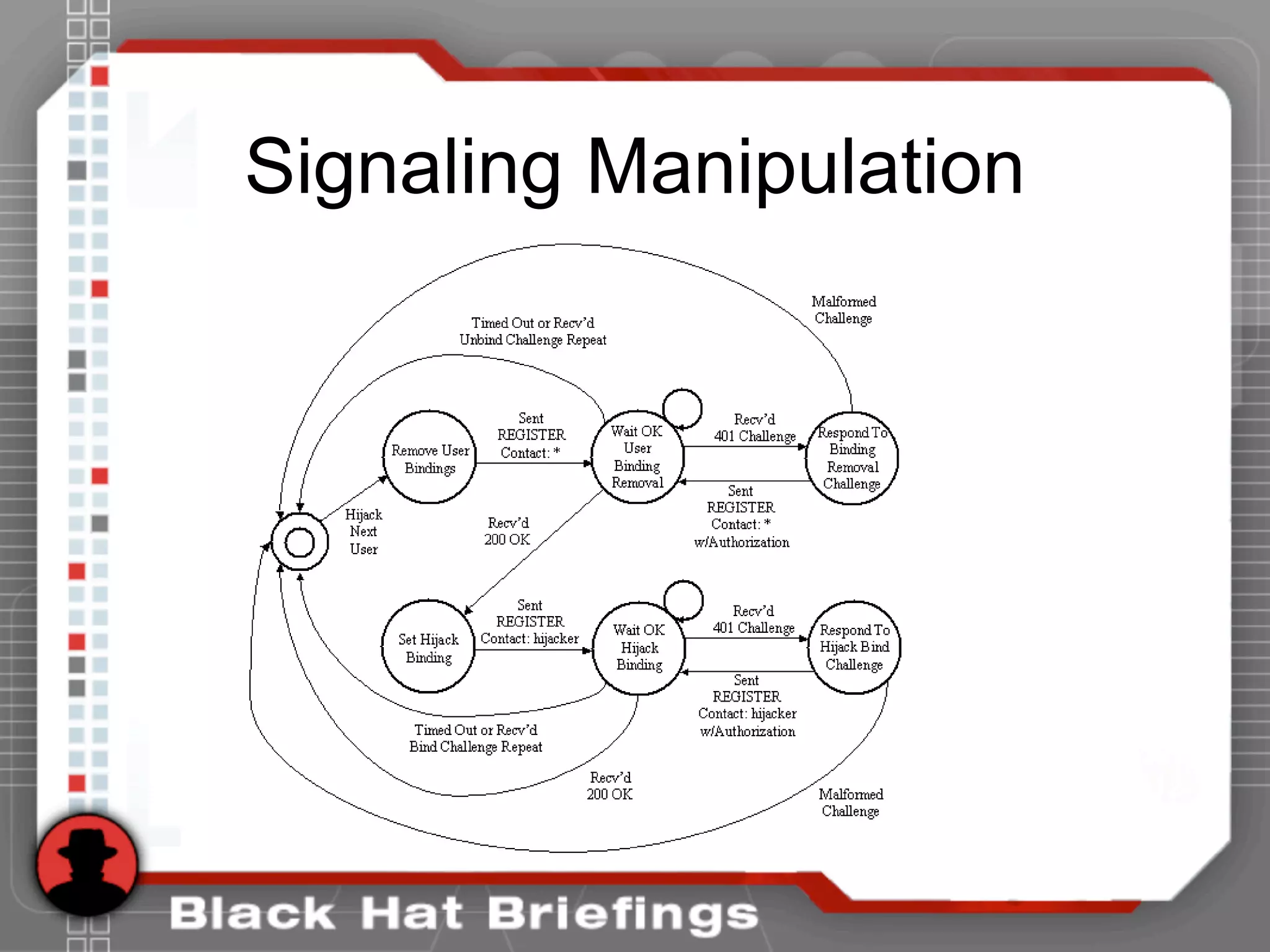
Signaling Manipulation
Proxy
User
Proxy
Attacker
Hijacked
Media
Hijacked
Session
User
The Attacker Can
Also Perform A
Man-In-The-Middle
Attack
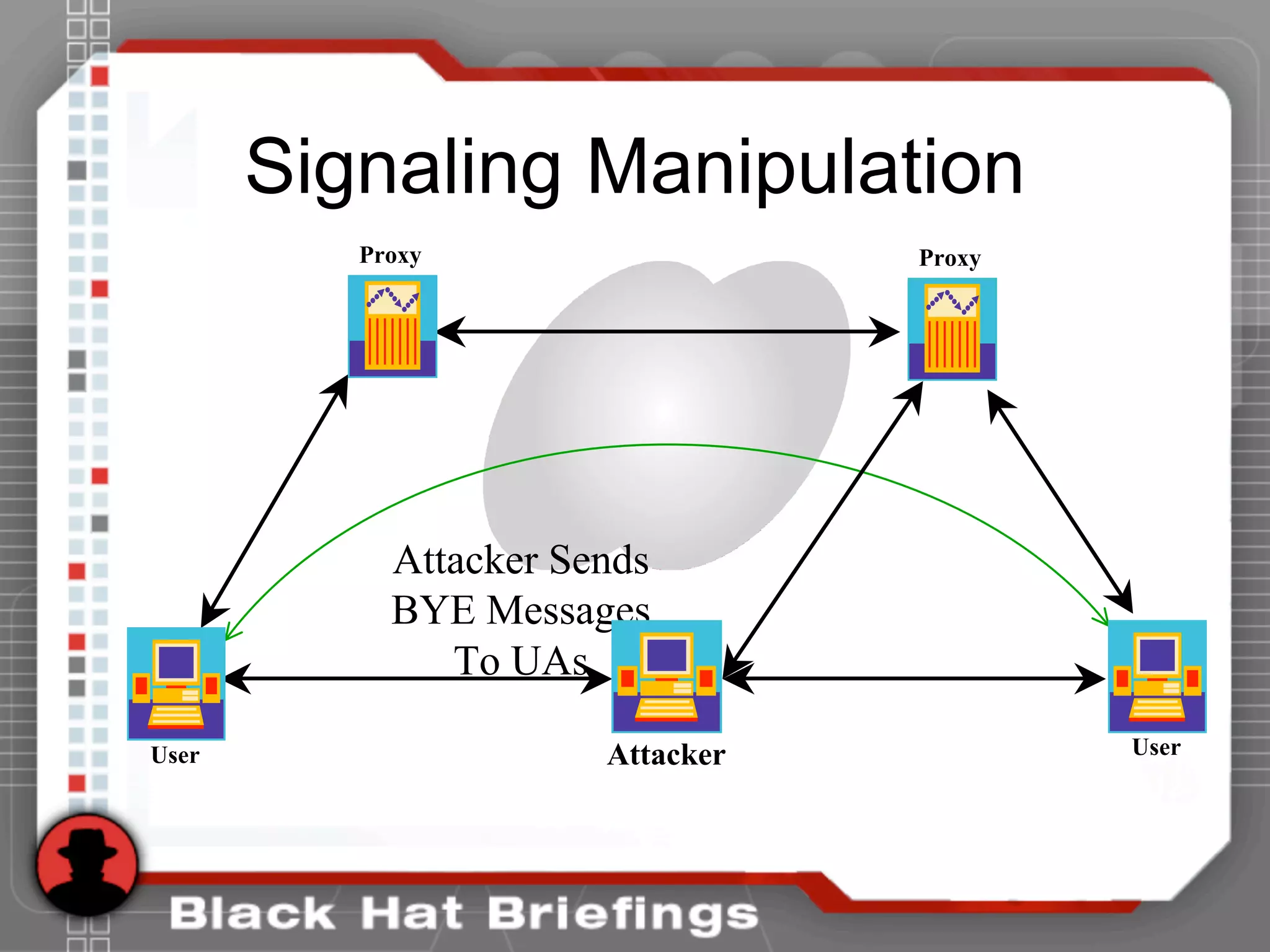
Signaling Manipulation
Attacker Sends
BYE Messages
To UAs
Attacker
Proxy Proxy
User User
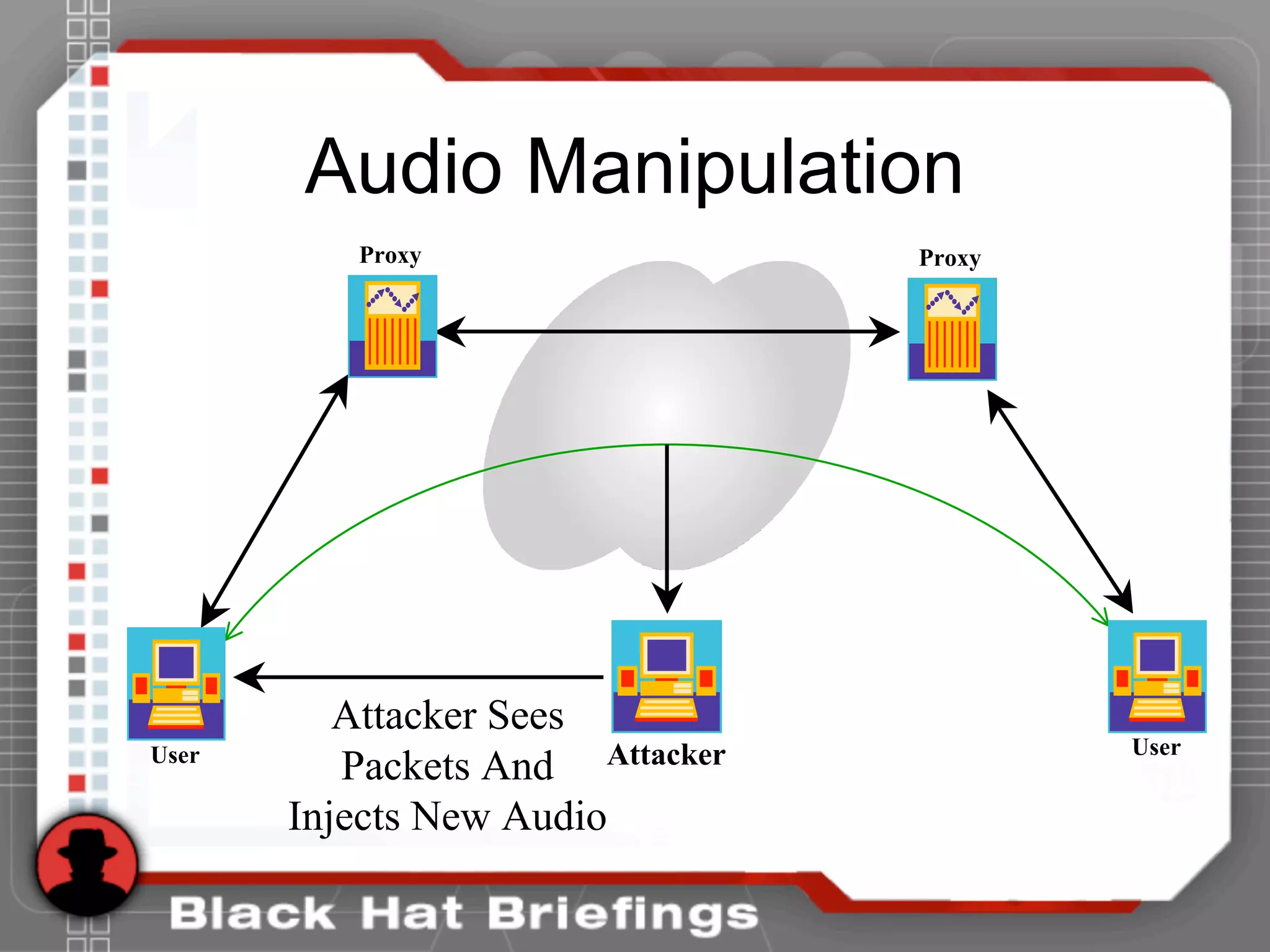
Audio Manipulation
Attacker Sees
Packets And
Injects New Audio
Attacker
Proxy Proxy
User User
Agenda
• Introductions
• Casing the Establishment
• Exploiting the Underlying Network
• Exploiting VoIP Applications
• Social Threats (SPIT, PHISHING, etc.)
– SPIT
– VoIP Phishing
SPIT
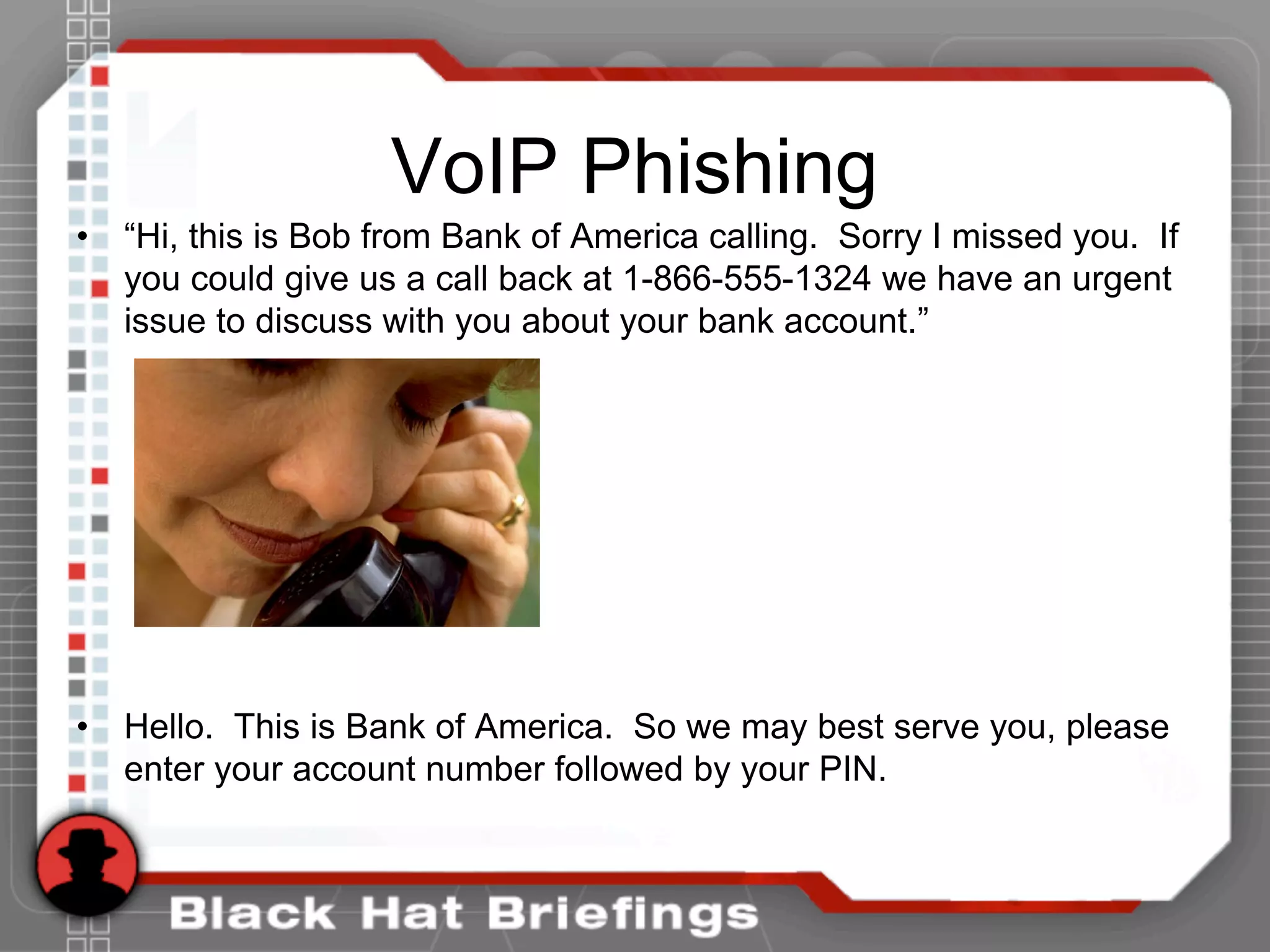
VoIP Phishing
• “Hi, this is Bob from Bank of America calling. Sorry I missed you. If
you could give us a call back at 1-866-555-1324 we have an urgent
issue to discuss with you about your bank account.”
• Hello. This is Bank of America. So we may best serve you, please
enter your account number followed by your PIN.

BlackHat Hacking - Hacking VoIP.

  • 1.
    Hacking VoIP Exposed DavidEndler, TippingPoint Mark Collier, SecureLogix
  • 2.
    Agenda • Introductions • Casingthe Establishment • Exploiting the Underlying Network • Exploiting VoIP Applications • Social Threats (SPIT, PHISHING, etc.)
  • 3.
    Introductions • David Endler,Director of Security Research for TippingPoint, a division of 3Com • Mark Collier, CTO for SecureLogix Corporation
  • 4.
    Shameless Plug • Thispresentation is the byproduct of research for our book coming out in December, 2006 http://www.hackingexposedvoip.com
  • 5.
    Introduction - VoIPSecurity • History has shown that most advances and trends in information technology (e.g. TCP/IP, Wireless 802.11, Web Services, etc.) typically outpace the corresponding realistic security requirements. VoIP is no different. • As VoIP infrastructure becomes more accessible to the common script kiddie, so will the occurrence of attacks. • The most prevalent threats to VoIP deployments today are the same security threats inherited from the traditional data networking world.
  • 6.
    VoIP Security Pyramid •VoIP security is built upon the many layers of traditional data security:
  • 7.
    Network Security (IP,UDP , TCP, etc) Physical Security Policies and Procedures OS Security Supporting Service SecuritySupporting Service Security (web server, database, DHCP)(web server, database, DHCP) VoIP Protocol andVoIP Protocol and Application SecurityApplication Security Weak Voicemail Passwords Abuse of Long Distance Privileges Total Call Server Compromise, Reboot, Denial of Service Syn Flood, ICMP unreachable, trivial flooding attacks, DDoS, etc. SQL Injection, DHCP resource exhaustion Buffer Overflows, Worms, Denial of Service (Crash), Weak Configuration Toll Fraud, SPIT, Phishing Malformed Messages (fuzzing) INVITE/BYECANCEL Floods CALL Hijacking Call Eavesdropping Call Modificaiton Slice of VoIP Security Pyramid
  • 8.
    Agenda • Introductions • Casingthe Establishment – Footprinting – Scanning – Enumeration • Exploiting the Underlying Network • Exploiting VoIP Applications • Social Threats (SPIT, PHISHING, etc.)
  • 9.
    Footprinting • Involves basicremote reconnaissance using well known online tools like SamSpade and Google • Use Google to sift through: – Job listings – Tech Support – PBX main numbers
  • 10.
    Footprinting • Google Jobpostings (or directly go to the target web site): “Required Technical Skills: Minimum 3-5 years experience in the management and implementation of Avaya telephone systems/voice mails: * Advanced programming knowledge of the Avaya Communication Servers and voice mails.”
  • 11.
    Footprinting • Google thetarget’s Tech Support: – “XXXX Department has begun a new test phase for Cisco Conference Connection (CCC). This is a self-serve telephone conferencing system that is administered on-campus and is available at no charge for a 90 day test period to faculty and staff. The system has been subject to live testing by a small group and has proven itself ready for release to a larger group. In exchange for the free use of the conferencing system, we will request your feedback on its quality and functionality. “
  • 12.
    Footprinting • Use Googleto find main switchboard and extensions. – “877 111..999-1000..9999 site:www.mcgraw-hill.com” • Call the main switchboard and listen to the recording. • Check out our VoIP Voicemail Database for help in identifying the vendor at http://www.hackingexposedvoip.com
  • 13.
    Footprinting • Most VoIPdevices (phones, servers, etc.) also run Web servers for remote management • Find them with Google • VoIP Google Hacking Database at http://www.hackingexposedvoip.com
  • 14.
  • 15.
  • 16.
    Footprinting • Snom phoneshave a packet capture feature. • Yikes!
  • 17.
    Scanning • VoIP deviceport scanning • Nmap has the best VoIP fingerprinting database • Use the –O flag: nmap -O -P0 192.168.1.1-254 Starting Nmap 4.01 ( http://www.insecure.org/nmap/ ) at 2006-02-20 01:03 CST Interesting ports on 192.168.1.21: (The 1671 ports scanned but not shown below are in state: filtered) PORT STATE SERVICE 23/tcp open telnet MAC Address: 00:0F:34:11:80:45 (Cisco Systems) Device type: VoIP phone Running: Cisco embedded OS details: Cisco IP phone (POS3-04-3-00, PC030301) Interesting ports on 192.168.1.23: (The 1671 ports scanned but not shown below are in state: closed) PORT STATE SERVICE 80/tcp open http MAC Address: 00:15:62:86:BA:3E (Cisco Systems) Device type: VoIP phone|VoIP adapter Running: Cisco embedded OS details: Cisco VoIP Phone 7905/7912 or ATA 186 Analog Telephone Adapter Interesting ports on 192.168.1.24: (The 1671 ports scanned but not shown below are in state: closed) PORT STATE SERVICE 80/tcp open http MAC Address: 00:0E:08:DA:DA:17 (Sipura Technology) Device type: VoIP adapter Running: Sipura embedded OS details: Sipura SPA-841/1000/2000/3000 POTS<->VoIP gateway
  • 18.
    Scanning • SIP enableddevices will usually respond on UDP/TCP ports 5060 and 5061 • SCCP enabled phones (Cisco) responds on UDP/TCP 2000-2001 • Sometimes you might see UDP or TCP port 17185 (VXWORKS remote debugging!)
  • 19.
    Enumeration • Will focuson three main types of VoIP enumeration here – SIP “user agent” and “server“ scraping – SIP phone extensions (usernames) – TFTP configuration files – SNMP config information
  • 20.
    Enumeration • SIP Messages RFC3261to cancel a pending INVITE request, but does not affect a completed request (for instance, to stop the call setup if the phone is still ringing) CANCEL RFC 3261To acknowledge a response from an INVITE request ACK RFC 3261to register a location from a SIP user REGISTER RFC 3261to determine the SIP messages and codecs that the UA or Server understands OPTIONS RFC 3261to terminate an existing connection between two users in a session BYE RFC 3261to initiate a conversationINVITE RFC ReferencePurposeSIP Request
  • 21.
    Enumeration • SIP responses(RFC 2543) are 3-digit codes much like HTTP (e.g. 200 ok, 404 not found, etc.). The first digit indicates the category of the response: • · 1xx Responses - Information Responses • · 2xx Responses - Successful Responses • · 3xx Responses - Redirection Responses • · 4xx Responses - Request Failures Responses • · 5xx Responses - Server Failure Responses • · 6xx Responses - Global Failure Responses
  • 22.
    Enumeration • Use thetool netcat to send a simple OPTIONS message • [root@attacker]# nc 192.168.1.104 5060 OPTIONS sip:test@192.168.1.104 SIP/2.0 Via: SIP/2.0/TCP 192.168.1.120;branch=4ivBcVj5ZnPYgb To: alice <sip:test@192.168.1.104> Content-Length: 0 SIP/2.0 404 Not Found Via: SIP/2.0/TCP 192.168.1.120;branch=4ivBcVj5ZnPYgb;received=192.168.1.103 To: alice <sip:test@192.168.1.104>;tag=b27e1a1d33761e85846fc98f5f3a7e58.0503 Server: Sip EXpress router (0.9.6 (i386/linux)) Content-Length: 0 Warning: 392 192.168.1.104:5060 "Noisy feedback tells: pid=29801 req_src_ip=192.168.1.120 req_src_port=32773 in_uri=sip:test@192.168.1.104 out_uri=sip:test@192.168.1.104 via_cnt==1"
  • 23.
    Enumeration • Automate thisusing SiVuS http://www.vopsecurity.org
  • 24.
    Enumeration • SIP extensionsare useful to an attacker to know for performing Application specific attacks (hijacking, voicemail brute forcing, caller id spoofing, etc.) • Let’s go back to our netcat example
  • 25.
    Enumeration • Use thetool netcat to send a simple OPTIONS message for a username “test”. IF the username exists, we would expect a 200 response instead of 404. • [root@attacker]# nc 192.168.1.104 5060 OPTIONS sip:test@192.168.1.104 SIP/2.0 Via: SIP/2.0/TCP 192.168.1.120;branch=4ivBcVj5ZnPYgb To: alice <sip:test@192.168.1.104> Content-Length: 0 SIP/2.0 404 Not Found Via: SIP/2.0/TCP 192.168.1.120;branch=4ivBcVj5ZnPYgb;received=192.168.1.103 To: alice <sip:test@192.168.1.104>;tag=b27e1a1d33761e85846fc98f5f3a7e58.0503 Server: Sip EXpress router (0.9.6 (i386/linux)) Content-Length: 0 Warning: 392 192.168.1.104:5060 "Noisy feedback tells: pid=29801 req_src_ip=192.168.1.120 req_src_port=32773 in_uri=sip:test@192.168.1.104 out_uri=sip:test@192.168.1.104 via_cnt==1"
  • 26.
    Enumeration • Let’s automatethis. We wrote a tool called SIPSCAN to help. Available at http://www.hackingexposedvoip.com • Not only can you use OPTIONS, but INVITE and REGISTER as well. • DEMO of SIPSCAN
  • 27.
  • 28.
    Enumeration • Almost allphones we tested use TFTP to drawn down their configuration files • Rarely is TFTP server well protected • If you can guess the name of the configuration file, you can download it. • Config files have passwords, services, and usernames in them!
  • 29.
    Enumeration • Go tohttp://www.hackingexposedvoip.com to see a list of commonly named VoIP config files • Use a tool called TFTPBRUTE (http://www.hackingexposedcisco.com) [root@attacker]# perl tftpbrute.pl 192.168.1.103 brutefile.txt 100 tftpbrute.pl, , V 0.1 TFTP file word database: brutefile.txt TFTP server 192.168.1.103 Max processes 100 Processes are: 1 Processes are: 2 Processes are: 3 Processes are: 4 Processes are: 5 Processes are: 6 Processes are: 7 Processes are: 8 Processes are: 9 Processes are: 10 Processes are: 11 Processes are: 12 *** Found TFTP server remote filename : sip.cfg *** Found TFTP server remote filename : 46xxsettings.txt Processes are: 13 Processes are: 14 *** Found TFTP server remote filename : sip_4602D02A.txt *** Found TFTP server remote filename : XMLDefault.cnf.xml *** Found TFTP server remote filename : SipDefault.cnf *** Found TFTP server remote filename : SEP001562EA69E8.cnf
  • 30.
    Enumeration • SNMP isenabled on several VoIP phones • Simple SNMP sweeps will garner lots of juicy information • If you know the device type, you can snmpwalk with the specific OID • Find the OID using Solarwinds MIB database
  • 31.
  • 32.
    Enumeration • [root@domain2 ~]#snmpwalk -c public -v 1 192.168.1.53 1.3.6.1.4.1.6889 • SNMPv2-SMI::enterprises.6889.2.69.1.1.1.0 = STRING: "Obsolete" • SNMPv2-SMI::enterprises.6889.2.69.1.1.2.0 = STRING: "4620D01B" • SNMPv2-SMI::enterprises.6889.2.69.1.1.3.0 = STRING: "AvayaCallserver" • SNMPv2-SMI::enterprises.6889.2.69.1.1.4.0 = IpAddress: 192.168.1.104 • SNMPv2-SMI::enterprises.6889.2.69.1.1.5.0 = INTEGER: 1719 • SNMPv2-SMI::enterprises.6889.2.69.1.1.6.0 = STRING: "051612501065" • SNMPv2-SMI::enterprises.6889.2.69.1.1.7.0 = STRING: "700316698" • SNMPv2-SMI::enterprises.6889.2.69.1.1.8.0 = STRING: "051611403489" • SNMPv2-SMI::enterprises.6889.2.69.1.1.9.0 = STRING: "00:04:0D:50:40:B0" • SNMPv2-SMI::enterprises.6889.2.69.1.1.10.0 = STRING: "100" • SNMPv2-SMI::enterprises.6889.2.69.1.1.11.0 = IpAddress: 192.168.1.53 • SNMPv2-SMI::enterprises.6889.2.69.1.1.12.0 = INTEGER: 0 • SNMPv2-SMI::enterprises.6889.2.69.1.1.13.0 = INTEGER: 0 • SNMPv2-SMI::enterprises.6889.2.69.1.1.14.0 = INTEGER: 0 • SNMPv2-SMI::enterprises.6889.2.69.1.1.15.0 = STRING: "192.168.1.1" • SNMPv2-SMI::enterprises.6889.2.69.1.1.16.0 = IpAddress: 192.168.1.1 • SNMPv2-SMI::enterprises.6889.2.69.1.1.17.0 = IpAddress: 255.255.255.0 • ... • SNMPv2-SMI::enterprises.6889.2.69.1.4.8.0 = INTEGER: 20 • SNMPv2-SMI::enterprises.6889.2.69.1.4.9.0 = STRING: "503"
  • 33.
    Enumeration Countermeasures • VLANand logically segment voice and data services when appropriate • Patch and update to latest firmware • Change default passwords and enable SIP authentication • Perform vendor installation security checklist (if it exists) • Restrict or Disable administrative web functions
  • 34.
    Agenda • Introductions • Casingthe Establishment • Exploiting the Underlying Network – Man in the Middle – Eavesdropping • Exploiting VoIP Applications • Social Threats (SPIT, PHISHING, etc.)
  • 35.
    Exploiting the Network •Traffic Sniffing is as old as time itself • Traffic Sniffing (ARP Poising) on switches is slightly less old • Common MiTM tools: – Ettercap (http://ettercap.sourceforge.net/) – Dsniff (http://www.monkey.org/~dugsong/dsniff/) – Cain and Abel (http://www.oxid.it/cain.html)
  • 36.
    Exploiting the Network •Eavesdropping with basic sniffers and reassembling the streams – Ethereal – CAIN – VOMIT – Etherpeak • Demo with Ethereal and CAIN
  • 37.
  • 38.
    Agenda • Introductions • Casingthe Establishment • Exploiting the Underlying Network • Exploiting VoIP Applications – Fuzzing – Disruption of Service – Signaling Manipulation • Social Threats (SPIT, PHISHING, etc.)
  • 39.
    Fuzzing • Functional protocoltesting (also called “fuzzing”) is a popular way of finding bugs and vulnerabilities. • Fuzzing involves creating different types of packets for a protocol which contain data that pushes the protocol's specifications to the point of breaking them. • These packets are sent to an application, operating system, or hardware device capable of processing that protocol, and the results are then monitored for any abnormal behavior (crash, resource consumption, etc.).
  • 40.
    Fuzzing • Fuzzing hasalready led to a wide variety of Denial of Service and Buffer Overflow vulnerability discoveries in vendor implementations of VoIP products that use H.323 and SIP. • PROTOS group from the University of Oulu in Finland responsible for high exposure vulnerability disclosures in HTTP, LDAP, SNMP, WAP, and VoIP. • http://www.ee.oulu.fi/research/ouspg/protos/index.html
  • 41.
    Fuzzing INVITE sip:6713@192.168.26.180:6060;user=phone SIP/2.0 Via:SIP/2.0/UDP 192.168.22.36:6060 From: UserAgent<sip:6710@192.168.22.36:6060;user=phone> To: 6713<sip:6713@192.168.26.180:6060;user=phone> Call-ID: 96561418925909@192.168.22.36 Cseq: 1 INVITE Subject: VovidaINVITE Contact: <sip:6710@192.168.22.36:6060;user=phone> Content-Type: application/sdp Content-Length: 168 v=0 o=- 238540244 238540244 IN IP4 192.168.22.36 s=VOVIDA Session c=IN IP4 192.168.22.36 t=3174844751 0 m=audio 23456 RTP/AVP 0 a=rtpmap:0 PCMU/8000 a=ptime:20 SDP Payload
  • 42.
    FuzzingINVITE sip:6713@192.168.26.180:6060;user=phone SIP/2.0 Via:aaaaaaaaaaaaaaaaaaaaaaaaaaaaaaaaaaaaaaaaaaaaaaaaa aaaaaaaaaaaaaaaaaaaaaaaaaaaaaaaaaaaaaaaaaaaaaaaaaaaaaa aaaaaaaaaaaaa… From: UserAgent<sip:6710@192.168.22.36:6060;user=phone> To: 6713<sip:6713@192.168.26.180:6060;user=phone> Call-ID: 96561418925909@192.168.22.36 Cseq: 1 INVITE Subject: VovidaINVITE Contact: <sip:6710@192.168.22.36:6060;user=phone> Content-Type: application/sdp Content-Length: 168 v=0 o=- 238540244 238540244 IN IP4 192.168.22.36 s=VOVIDA Session c=IN IP4 192.168.22.36 t=3174844751 0 m=audio 23456 RTP/AVP 0 a=rtpmap:0 PCMU/8000 a=ptime:20 SDP Payload
  • 43.
    • Intelligent Endpoint Signaling –SIP/CMSS – H.225/H.245/RAS • Master-Slave Endpoint Signaling – MGCP/TGCP/NCS – Megaco/H.248 – SKINNY/SCCP – Q.931+ • SS7 Signaling Backhaul – SIGTRAN – ISTP – SS7/RUDP • Accounting/Billing – RADIUS – COPS • Media Transfer – RTP – RTCP Fuzzing Fuzzing VoIP protocol implementations is only at the tip of the iceberg:
  • 44.
    Application-Level Interception User User Attacker Attacker ProxyProxy Attacker Places Themselves Between Proxies Or Proxy/UA
  • 45.
    Disruption of Service SIPPhone Flood Application On PC UDP, RTP, TCP SYN Floods Primary Proxy Secondary Proxy SIP Phone SIP Phone SIP Phone
  • 46.
    Disruption of Service SIPPhone Flood Application On PC INVITE Floods SIP Phone SIP Phone SIP Phone Primary Proxy Secondary Proxy
  • 47.
  • 48.
  • 49.
  • 50.
  • 51.
  • 52.
  • 53.
    Signaling Manipulation Attacker Sends BYEMessages To UAs Attacker Proxy Proxy User User
  • 54.
    Audio Manipulation Attacker Sees PacketsAnd Injects New Audio Attacker Proxy Proxy User User
  • 55.
    Agenda • Introductions • Casingthe Establishment • Exploiting the Underlying Network • Exploiting VoIP Applications • Social Threats (SPIT, PHISHING, etc.) – SPIT – VoIP Phishing
  • 56.
  • 57.
    VoIP Phishing • “Hi,this is Bob from Bank of America calling. Sorry I missed you. If you could give us a call back at 1-866-555-1324 we have an urgent issue to discuss with you about your bank account.” • Hello. This is Bank of America. So we may best serve you, please enter your account number followed by your PIN.