Histogram Equalization
Histogram of an Image
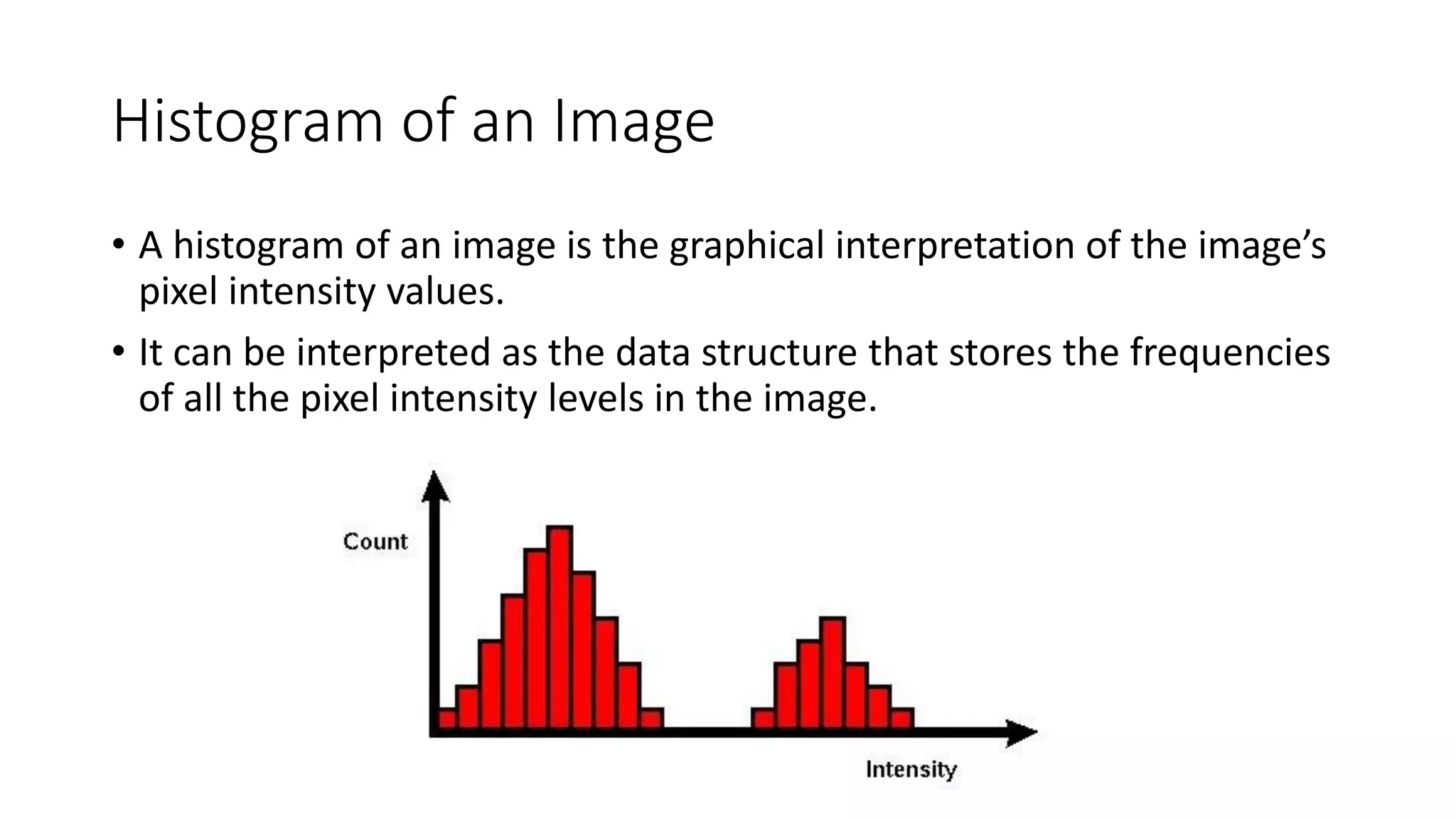
• A histogram of an image is the graphical interpretation of the image’s
pixel intensity values.
• It can be interpreted as the data structure that stores the frequencies
of all the pixel intensity levels in the image.
Histogram of an Image
• The X-axis represents the pixel intensity levels of the image. The intensity level
usually ranges from 0 to 255.
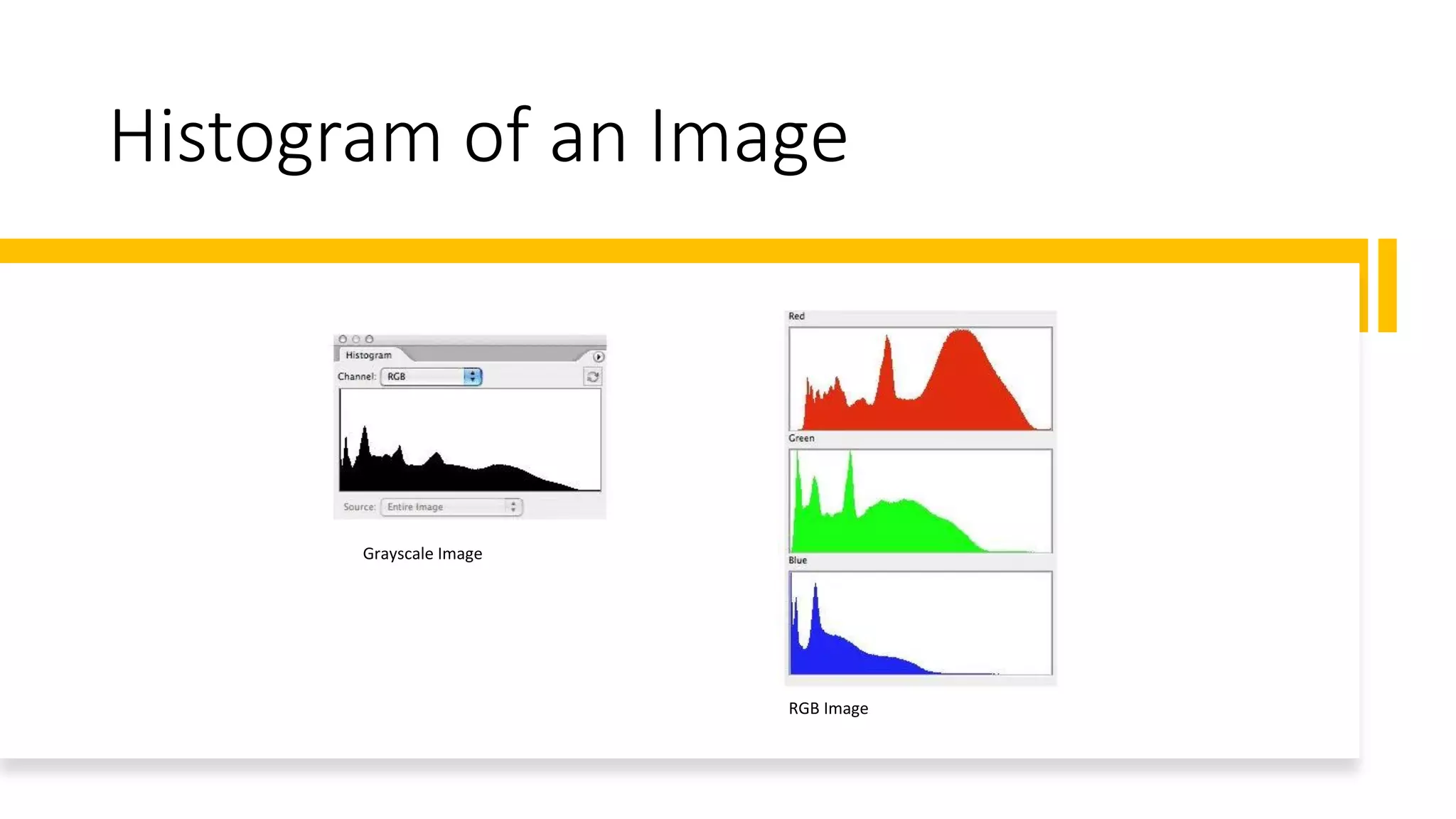
• For a gray-scale image, there is only one histogram, whereas an RGB colored
image will have three 2-D histograms — one for each color.
• The Y-axis of the histogram indicates the frequency or the number of pixels
that have specific intensity values.
Histogram of an Image
Grayscale Image
RGB Image
Histogram Equalization
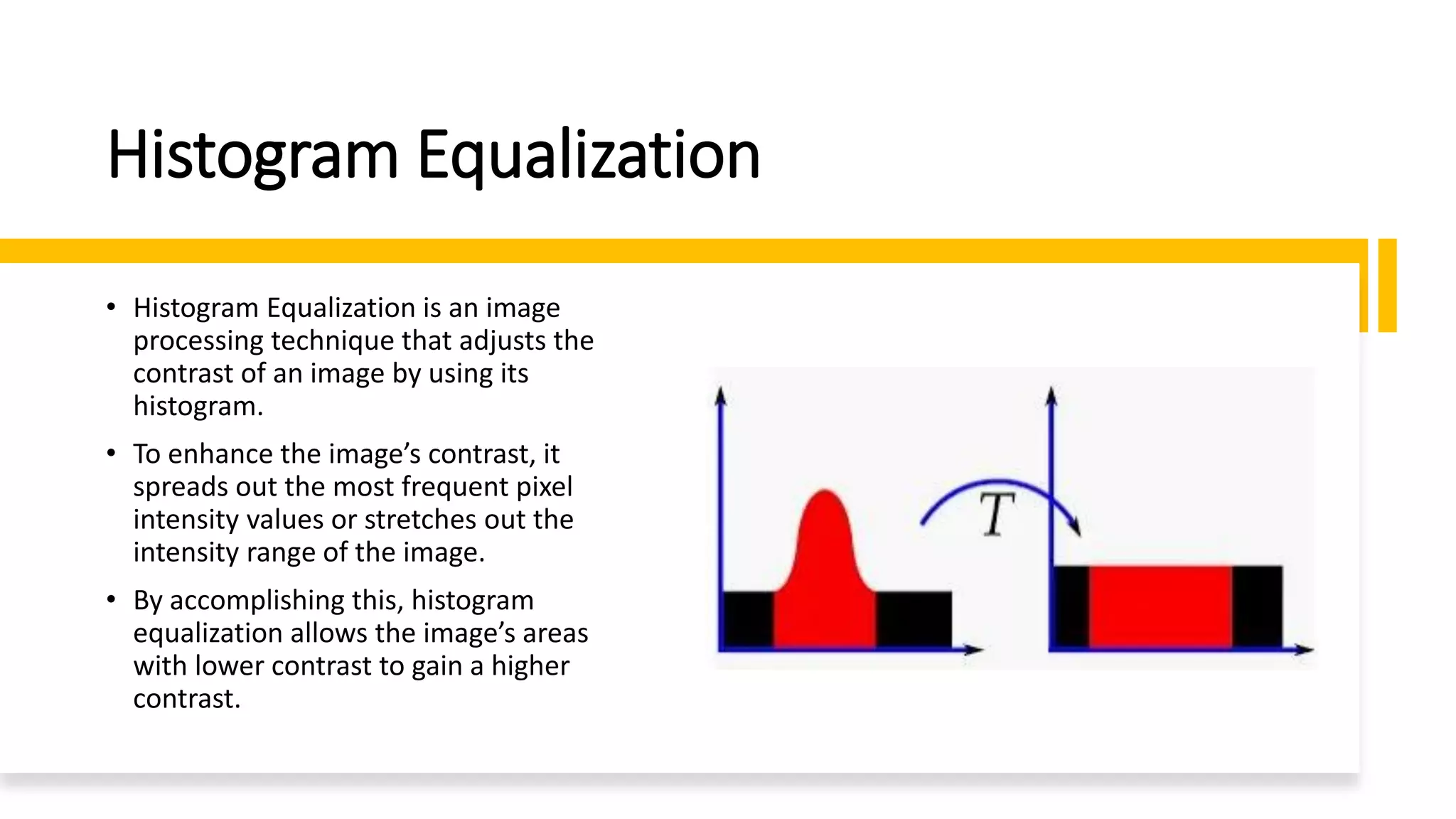
• Histogram Equalization is an image
processing technique that adjusts the
contrast of an image by using its
histogram.
• To enhance the image’s contrast, it
spreads out the most frequent pixel
intensity values or stretches out the
intensity range of the image.
• By accomplishing this, histogram
equalization allows the image’s areas
with lower contrast to gain a higher
contrast.
Why Do You Use Histogram Equalization?
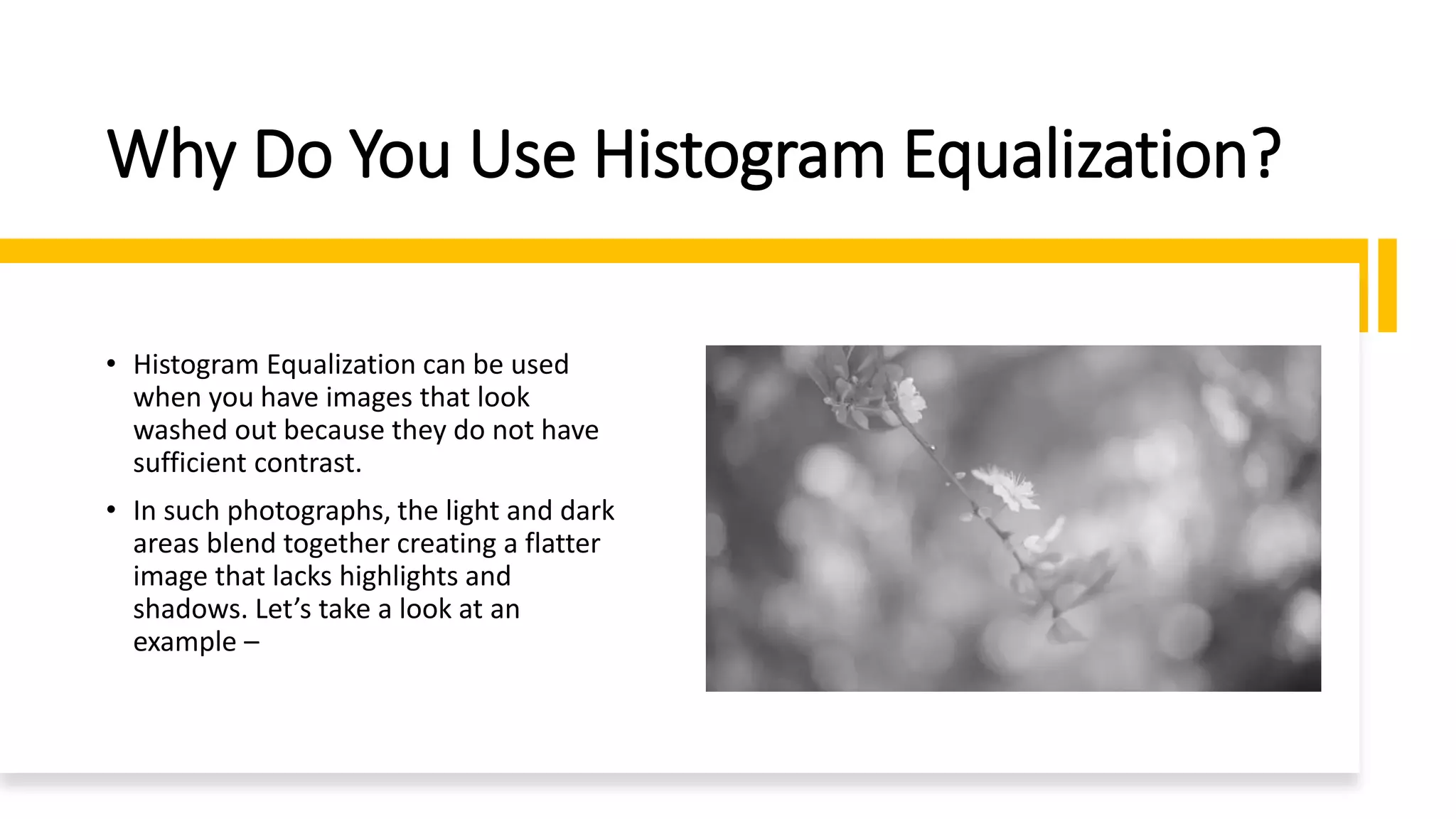
• Histogram Equalization can be used
when you have images that look
washed out because they do not have
sufficient contrast.
• In such photographs, the light and dark
areas blend together creating a flatter
image that lacks highlights and
shadows. Let’s take a look at an
example –
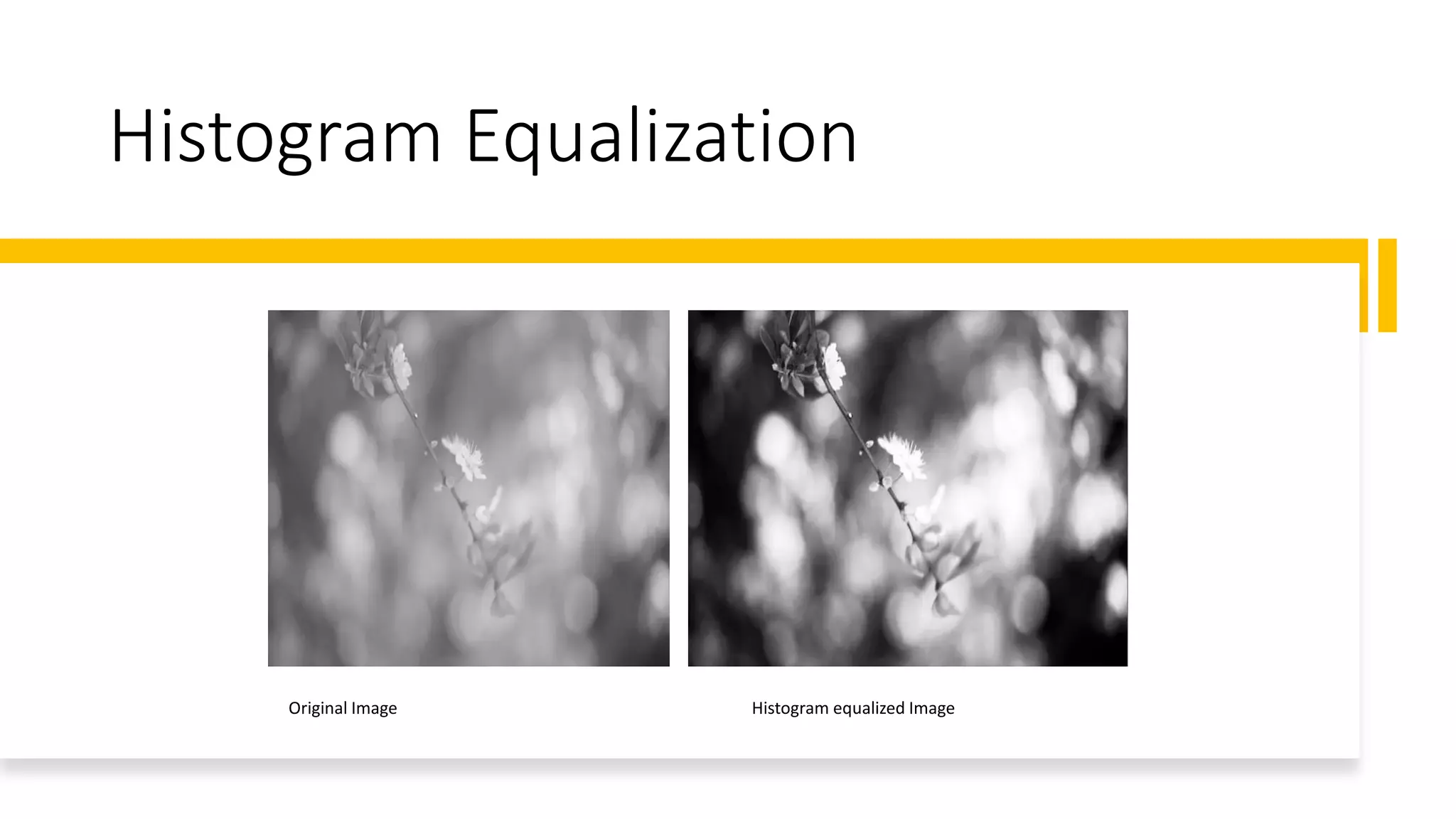
Histogram Equalization
Original Image Histogram equalized Image
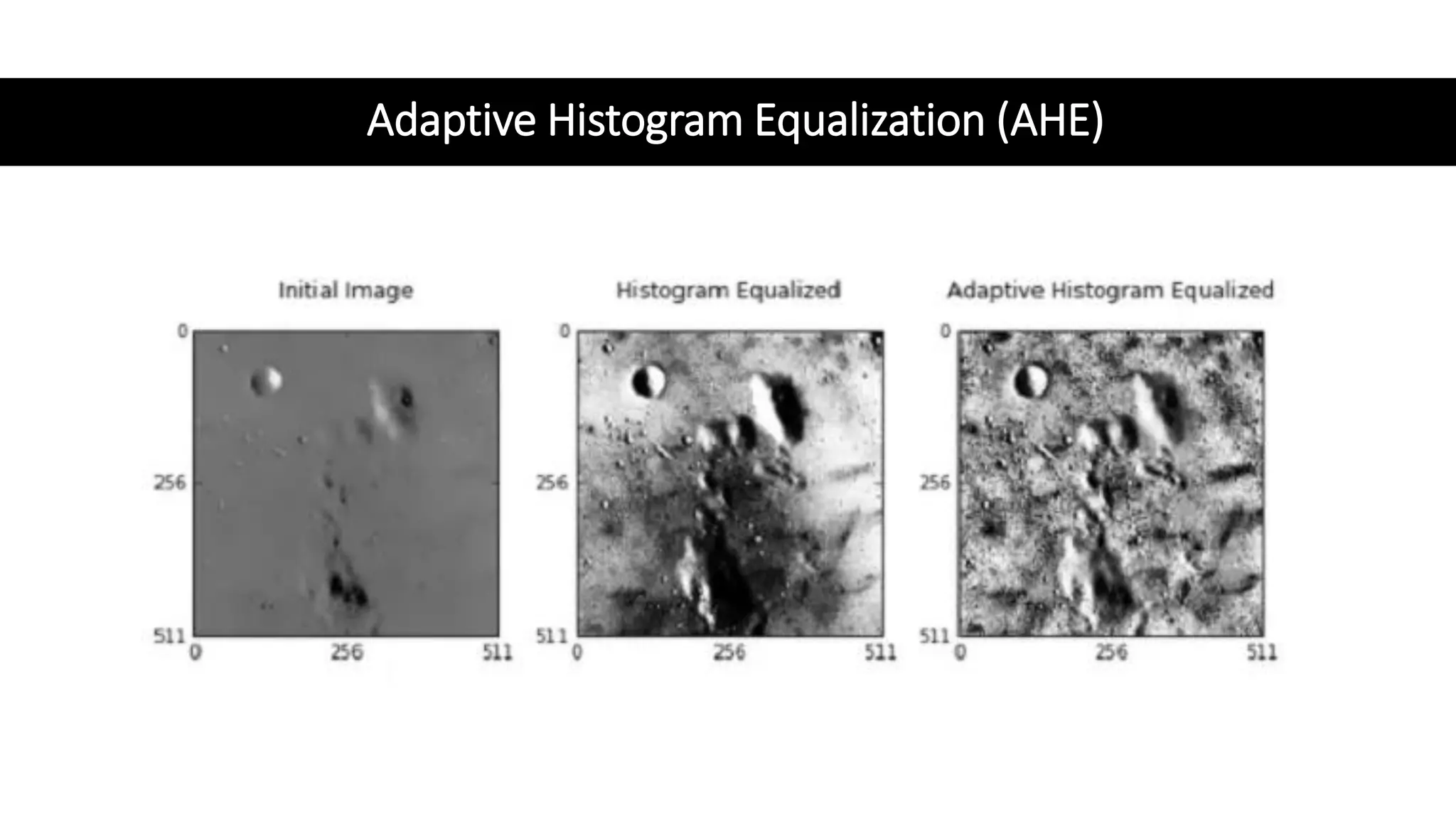
Adaptive Histogram Equalization (AHE)
• Unlike ordinary histogram equalization, adaptive histogram equalization
utilizes the adaptive method to compute several histograms, each
corresponding to a distinct section of the image.
• Using these histograms, this technique spread the pixel intensity values of
the image to improve the contrast.
• Thus, adaptive histogram equalization is better than the ordinary histogram
equalization if you want to improve the local contrast and enhance the edges
in specific regions of the image.
Adaptive Histogram Equalization (AHE)
Contrastive Limited Adaptive Equalization
(CLAHE)
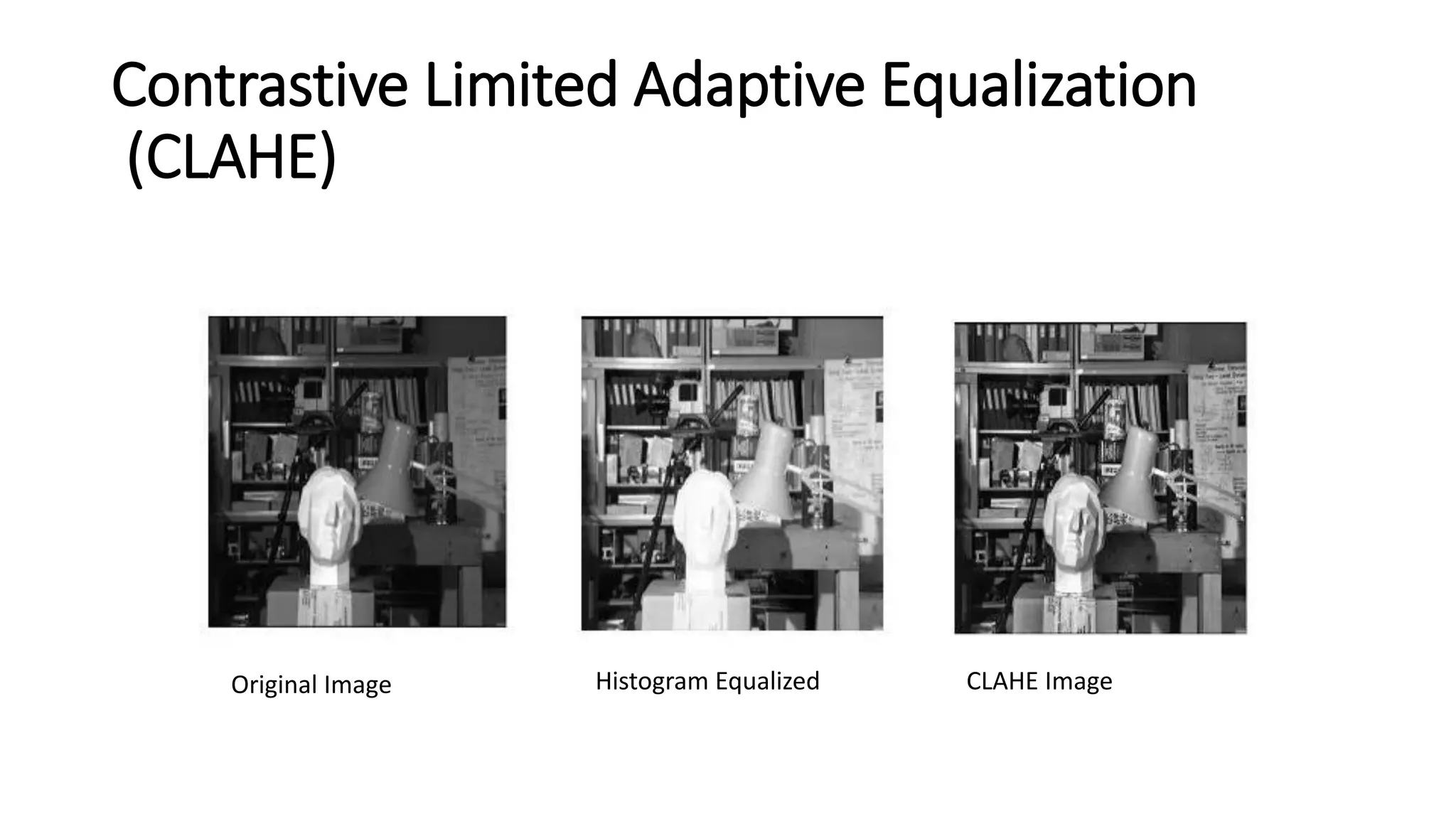
• Contrastive limited adaptive equalization (CLAHE) can be used instead
of adaptive histogram equalization (AHE) to overcome its contrast
overamplification problem.
• In CLAHE, the contrast implication is limited by clipping the histogram
at a predefined value before computing the CDF.
• This clip limit depends on the normalization of the histogram or the
size of the neighborhood region.
• The value between 3 and 4 is commonly used as the clip limit.
Contrastive Limited Adaptive Equalization
(CLAHE)
Original Image Histogram Equalized CLAHE Image

Histogram Equalization.pdf

  • 1.
  • 2.
    Histogram of anImage • A histogram of an image is the graphical interpretation of the image’s pixel intensity values. • It can be interpreted as the data structure that stores the frequencies of all the pixel intensity levels in the image.
  • 3.
    Histogram of anImage • The X-axis represents the pixel intensity levels of the image. The intensity level usually ranges from 0 to 255. • For a gray-scale image, there is only one histogram, whereas an RGB colored image will have three 2-D histograms — one for each color. • The Y-axis of the histogram indicates the frequency or the number of pixels that have specific intensity values.
  • 4.
    Histogram of anImage Grayscale Image RGB Image
  • 5.
    Histogram Equalization • HistogramEqualization is an image processing technique that adjusts the contrast of an image by using its histogram. • To enhance the image’s contrast, it spreads out the most frequent pixel intensity values or stretches out the intensity range of the image. • By accomplishing this, histogram equalization allows the image’s areas with lower contrast to gain a higher contrast.
  • 6.
    Why Do YouUse Histogram Equalization? • Histogram Equalization can be used when you have images that look washed out because they do not have sufficient contrast. • In such photographs, the light and dark areas blend together creating a flatter image that lacks highlights and shadows. Let’s take a look at an example –
  • 7.
    Histogram Equalization Original ImageHistogram equalized Image
  • 8.
    Adaptive Histogram Equalization(AHE) • Unlike ordinary histogram equalization, adaptive histogram equalization utilizes the adaptive method to compute several histograms, each corresponding to a distinct section of the image. • Using these histograms, this technique spread the pixel intensity values of the image to improve the contrast. • Thus, adaptive histogram equalization is better than the ordinary histogram equalization if you want to improve the local contrast and enhance the edges in specific regions of the image.
  • 9.
  • 10.
    Contrastive Limited AdaptiveEqualization (CLAHE) • Contrastive limited adaptive equalization (CLAHE) can be used instead of adaptive histogram equalization (AHE) to overcome its contrast overamplification problem. • In CLAHE, the contrast implication is limited by clipping the histogram at a predefined value before computing the CDF. • This clip limit depends on the normalization of the histogram or the size of the neighborhood region. • The value between 3 and 4 is commonly used as the clip limit.
  • 11.
    Contrastive Limited AdaptiveEqualization (CLAHE) Original Image Histogram Equalized CLAHE Image