




Phoenix
James Taylor
@JamesPlusPlus
http://phoenix-hbase.blogspot.com/
We put the SQL back in NoSQL
https://github.com/forcedotcom/phoenix
In the dawn of time…
Completed
Relational Databases were invented
Completed
But we all know the problems folks ran into
Completed
And then there was HBase
Completed
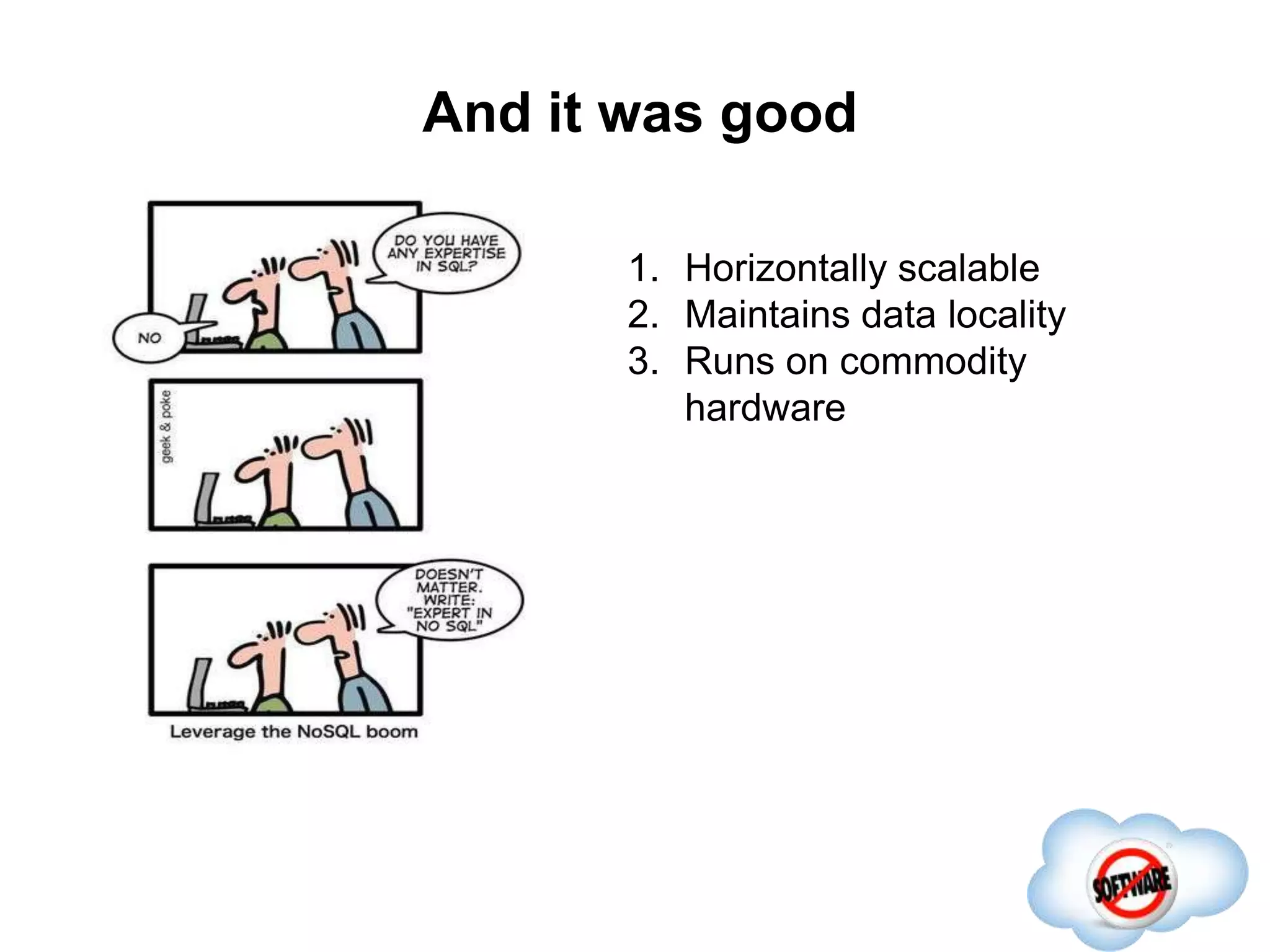
And it was good
Completed
1. Horizontally scalable
And it was good
Completed
1. Horizontally scalable
2. Maintains data locality
And it was good
Completed
1. Horizontally scalable
2. Maintains data locality
3. Runs on commodity
hardware
But somewhere,
something terrible went wrong
Completed
But somewhere,
something terrible went wrong
Completed
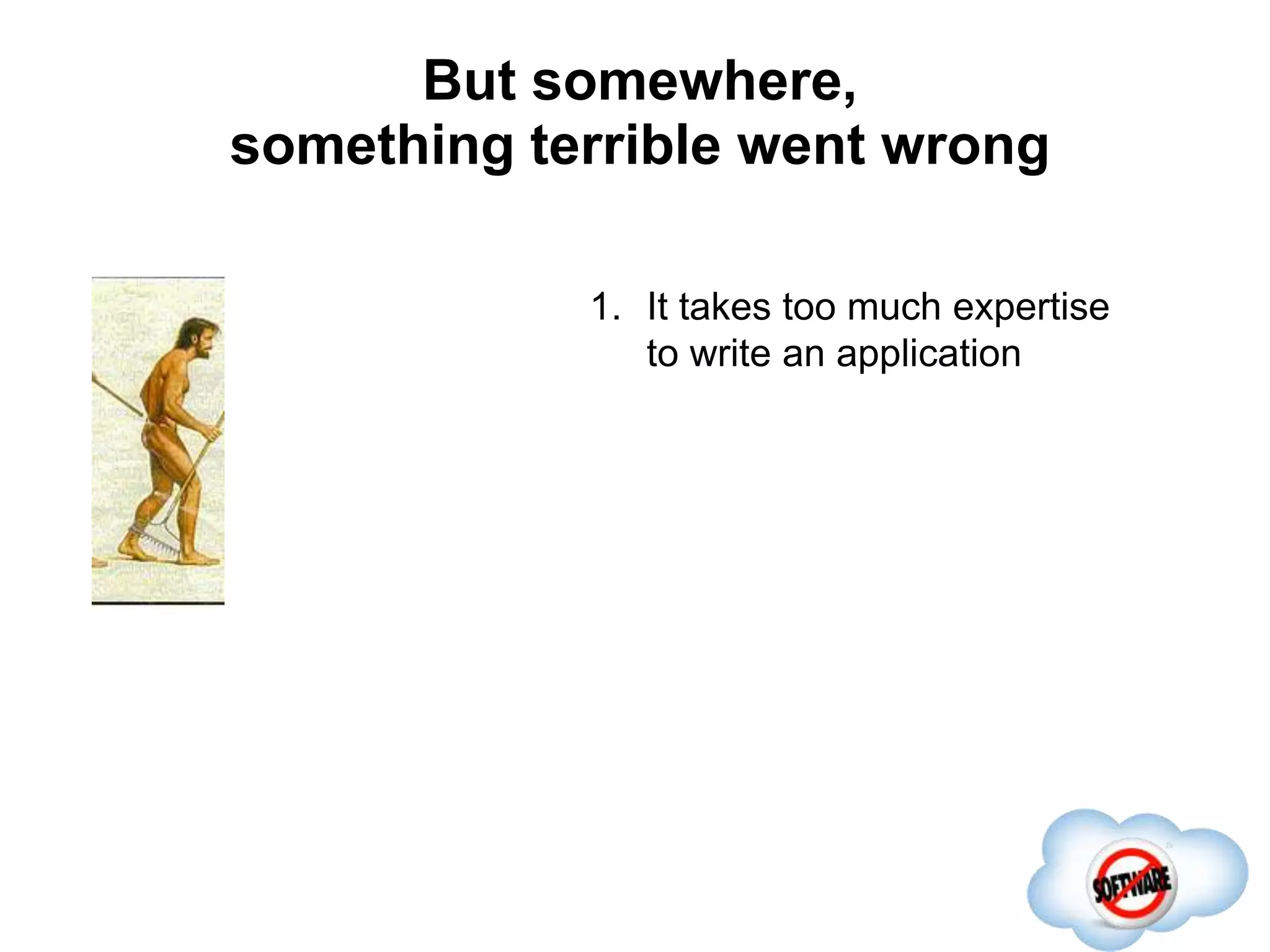
1. It takes too much expertise
to write an application
But somewhere,
something terrible went wrong
Completed
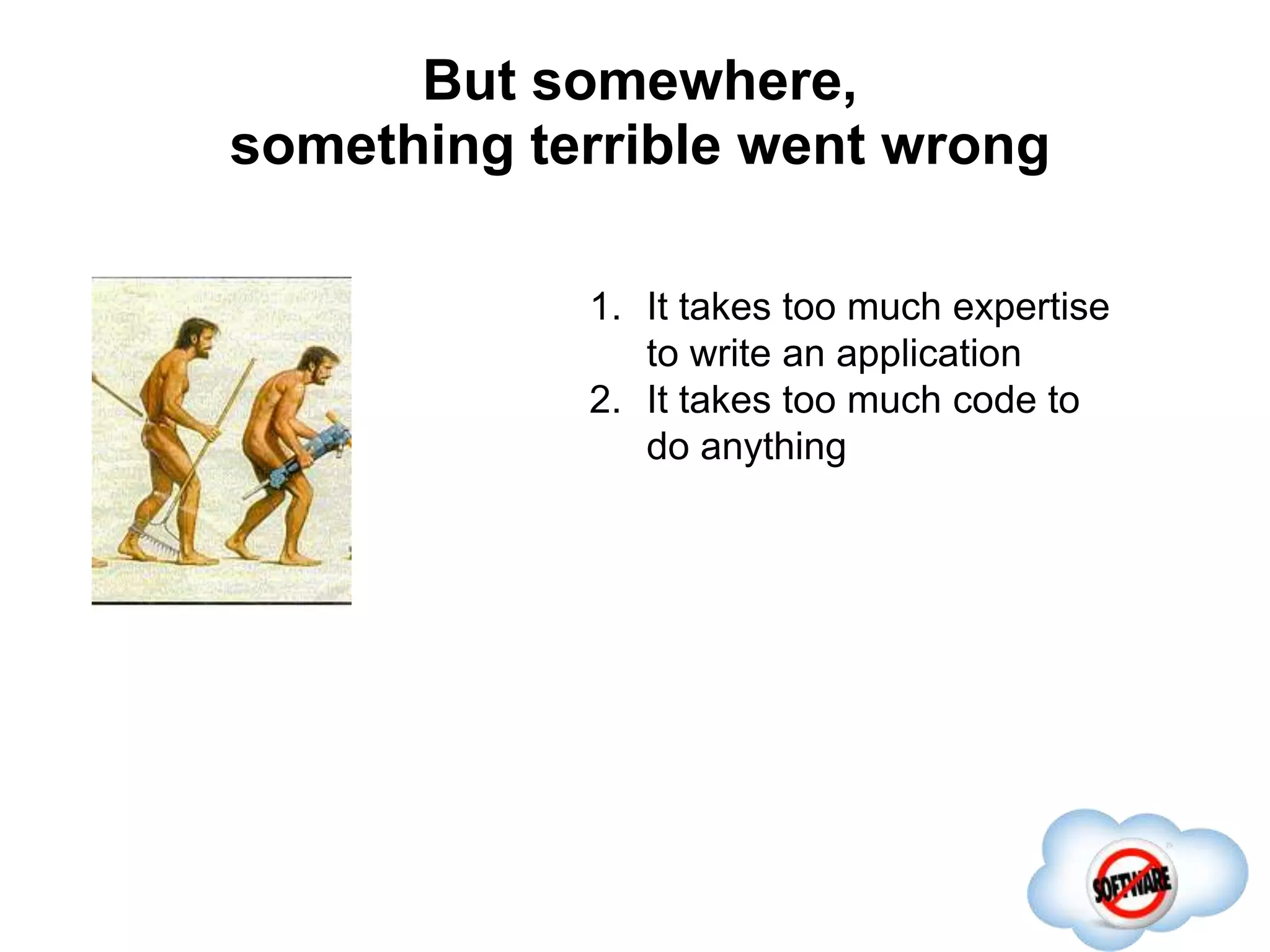
1. It takes too much expertise
to write an application
2. It takes too much code to
do anything
But somewhere,
something terrible went wrong
Completed
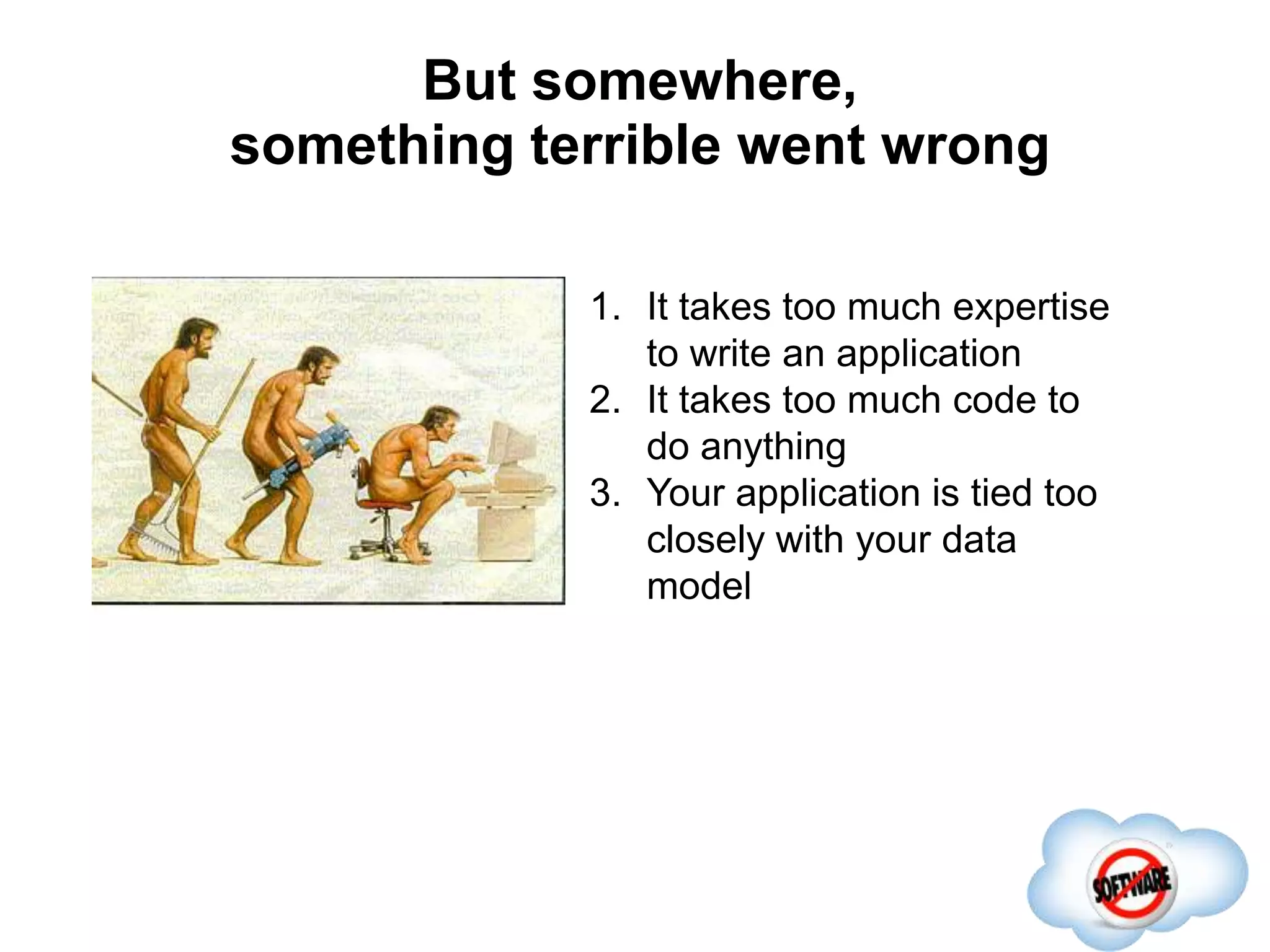
1. It takes too much expertise
to write an application
2. It takes too much code to
do anything
3. Your application is tied too
closely with your data
model
What is Phoenix?
Completed
 SQL skin for HBase
What is Phoenix?
Completed
 SQL skin for HBase
 An alternate client API
What is Phoenix?
Completed
 SQL skin for HBase
 An alternate client API
 An embedded JDBC driver that allows you
to run at HBase native speed
What is Phoenix?
Completed
 SQL skin for HBase
 An alternate client API
 An embedded JDBC driver that allows you
to run at HBase native speed
 Compiles your SQL into native HBase calls
What is Phoenix?
Completed
 SQL skin for HBase
 An alternate client API
 An embedded JDBC driver that allows you
to run at HBase native speed
 Compiles your SQL into native HBase calls
so you don’t have to!
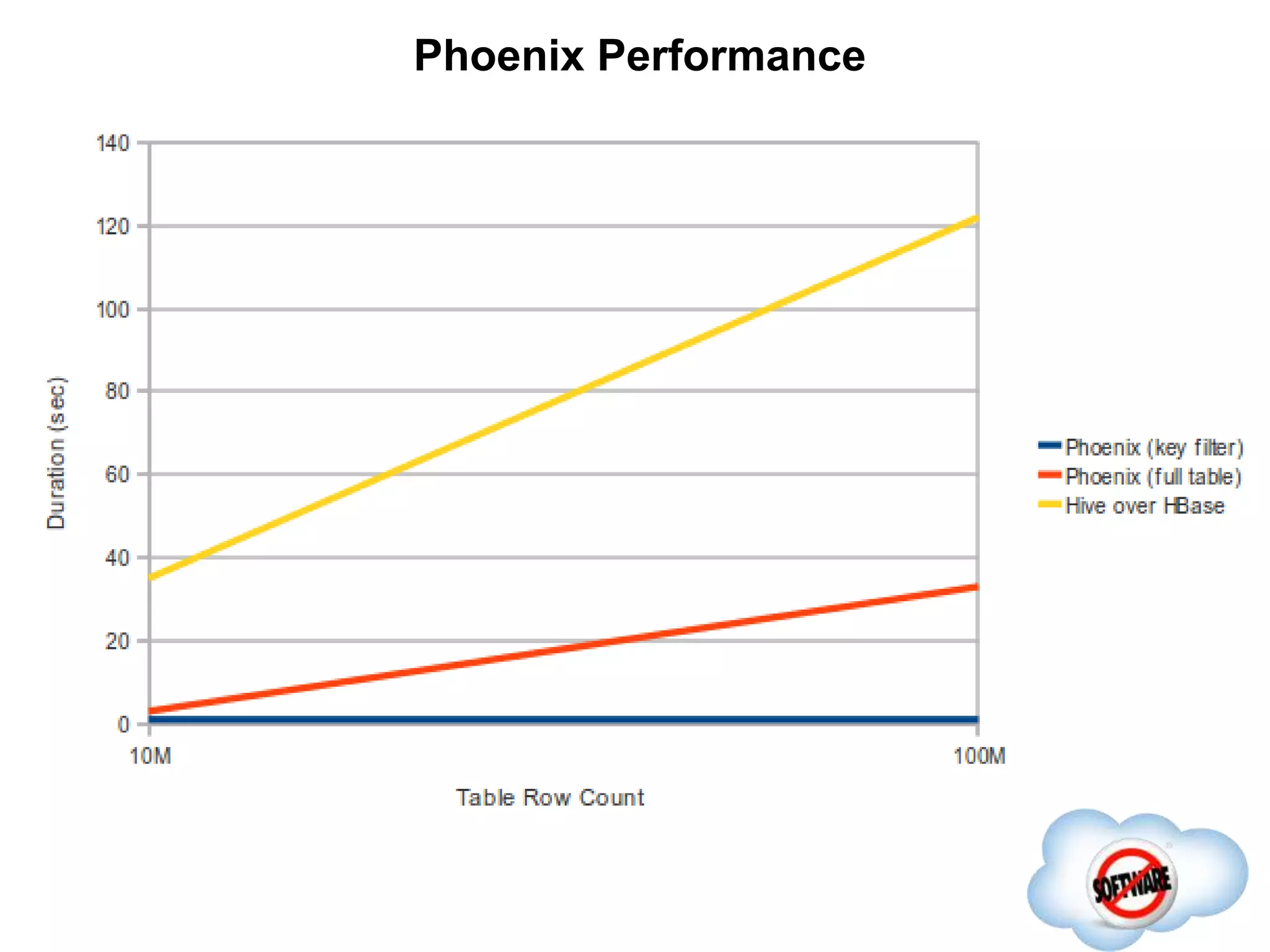
Phoenix Performance
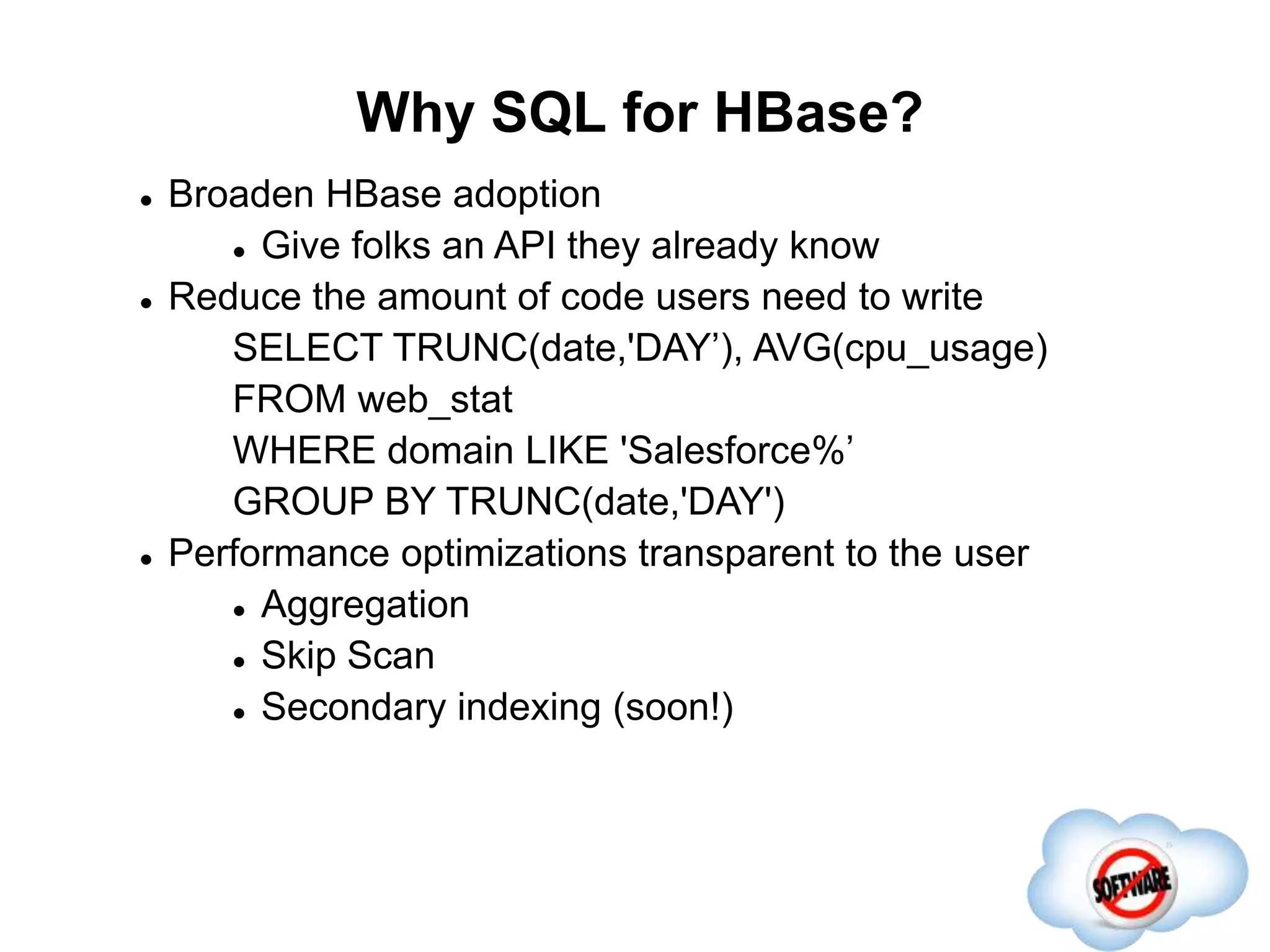
Why SQL for HBase?
Completed
 Broaden HBase adoption
 Give folks an API they already know
Why SQL for HBase?
Completed
 Broaden HBase adoption
 Give folks an API they already know
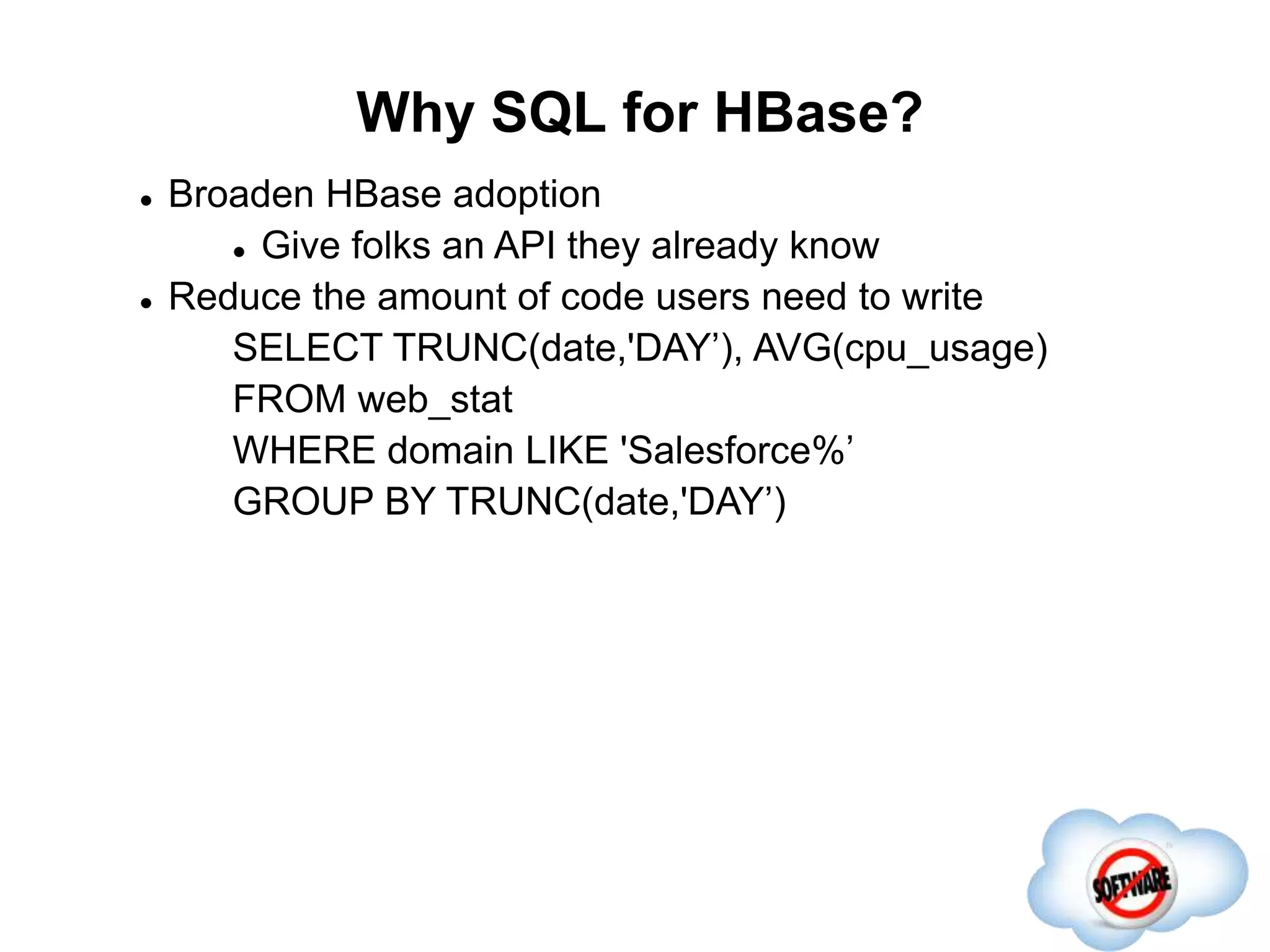
 Reduce the amount of code users need to write
SELECT TRUNC(date,'DAY’), AVG(cpu_usage)
FROM web_stat
WHERE domain LIKE 'Salesforce%’
GROUP BY TRUNC(date,'DAY’)
Why SQL for HBase?
Completed
 Broaden HBase adoption
 Give folks an API they already know
 Reduce the amount of code users need to write
SELECT TRUNC(date,'DAY’), AVG(cpu_usage)
FROM web_stat
WHERE domain LIKE 'Salesforce%’
GROUP BY TRUNC(date,'DAY')
 Performance optimizations transparent to the user
 Aggregation
 Skip Scan
 Secondary indexing (soon!)
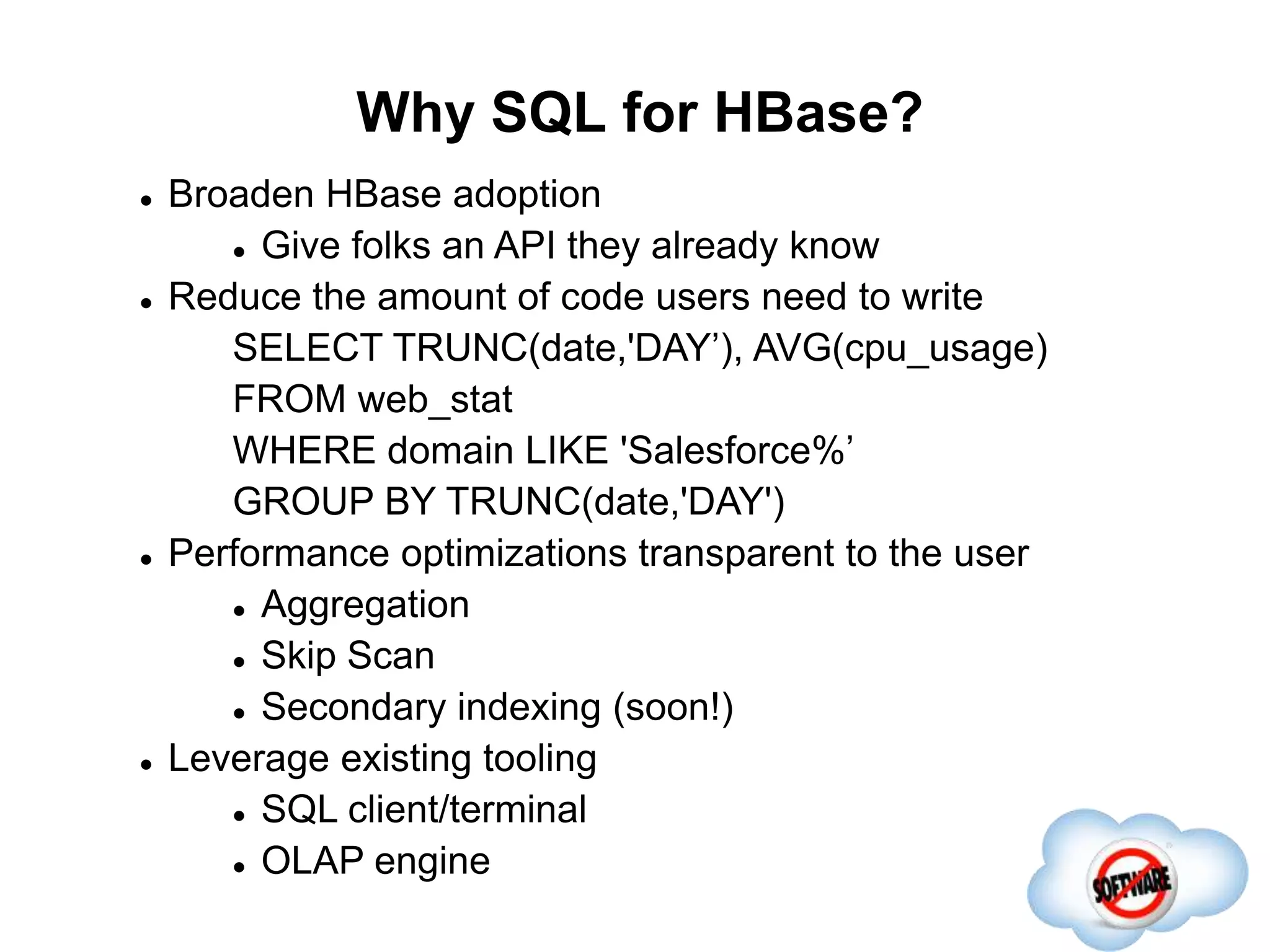
Why SQL for HBase?
Completed
 Broaden HBase adoption
 Give folks an API they already know
 Reduce the amount of code users need to write
SELECT TRUNC(date,'DAY’), AVG(cpu_usage)
FROM web_stat
WHERE domain LIKE 'Salesforce%’
GROUP BY TRUNC(date,'DAY')
 Performance optimizations transparent to the user
 Aggregation
 Skip Scan
 Secondary indexing (soon!)
 Leverage existing tooling
 SQL client/terminal
 OLAP engine
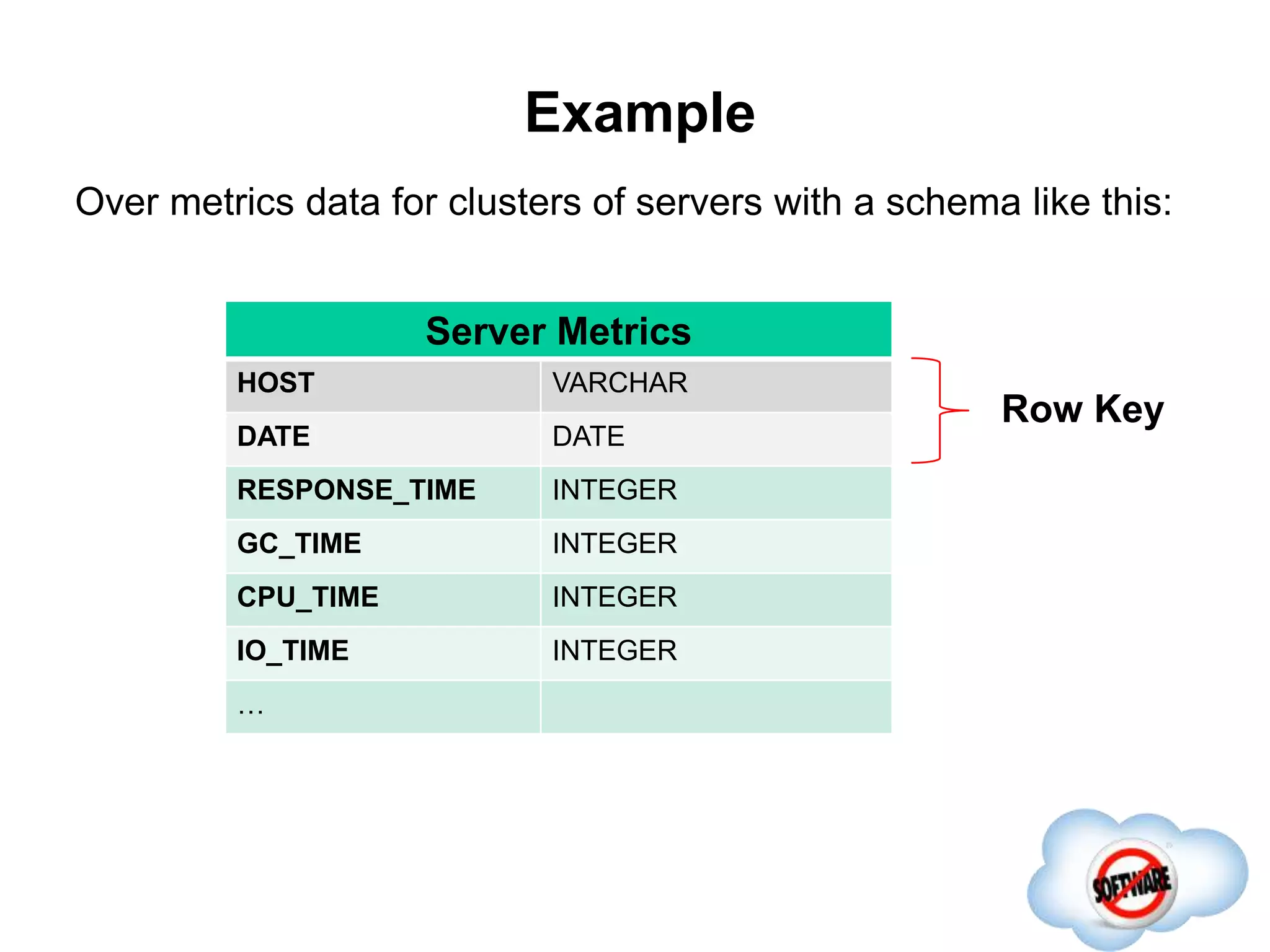
Example
Row Key
Server Metrics
HOST VARCHAR
DATE DATE
RESPONSE_TIME INTEGER
GC_TIME INTEGER
CPU_TIME INTEGER
IO_TIME INTEGER
…
Over metrics data for clusters of servers with a schema like this:
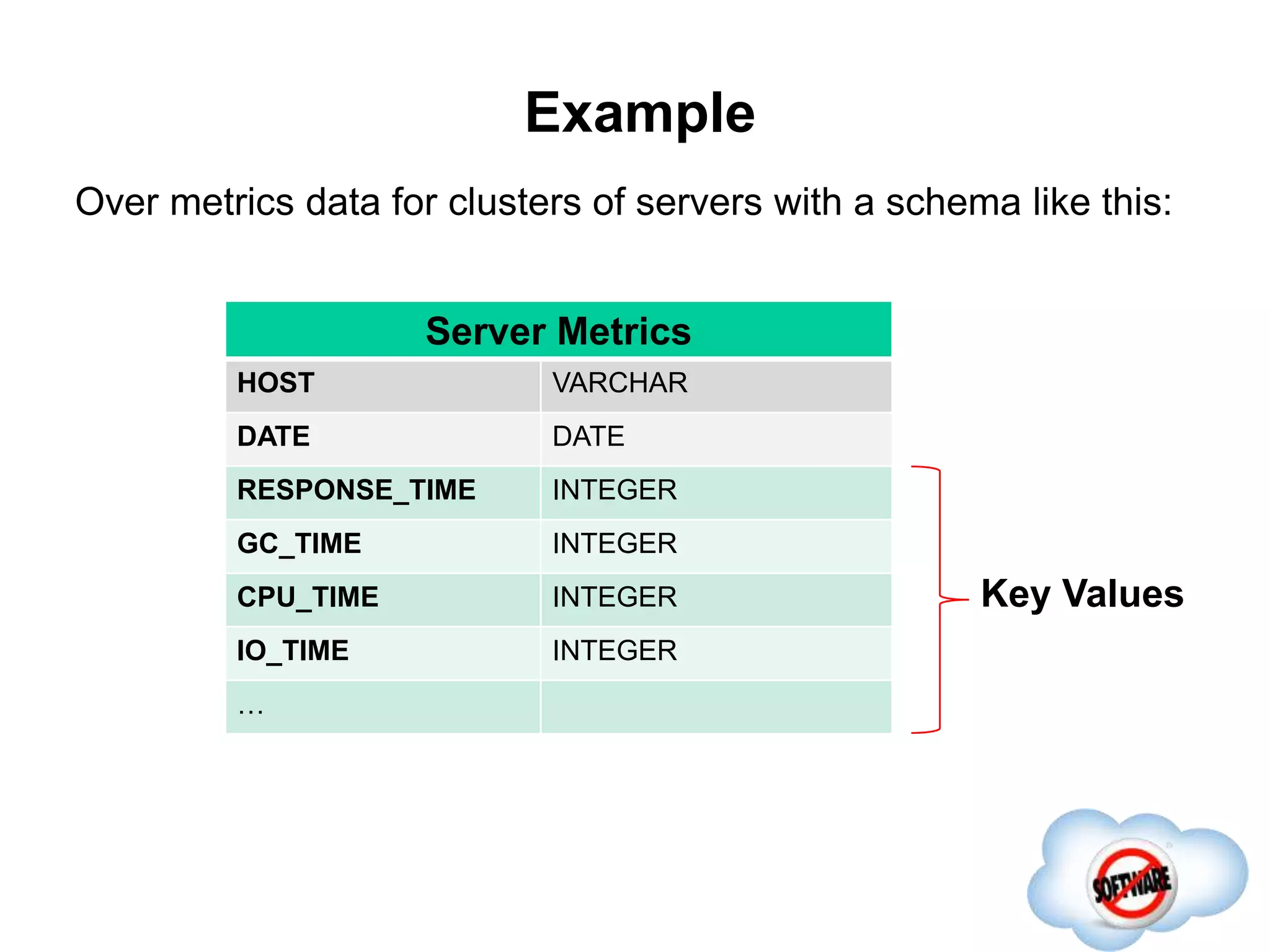
Example
Server Metrics
HOST VARCHAR
DATE DATE
RESPONSE_TIME INTEGER
GC_TIME INTEGER
CPU_TIME INTEGER
IO_TIME INTEGER
…
Over metrics data for clusters of servers with a schema like this:
Key Values
Example
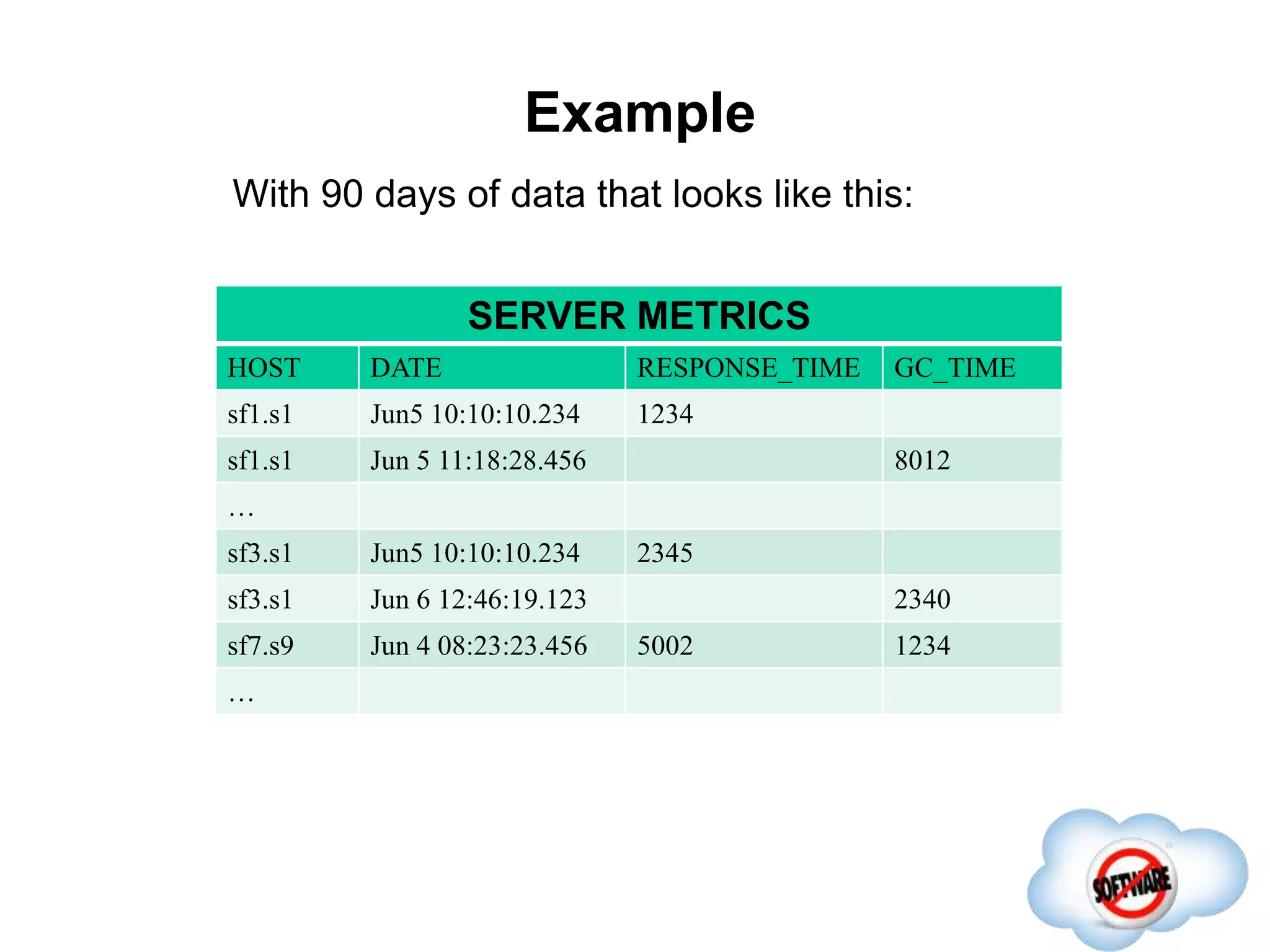
With 90 days of data that looks like this:
SERVER METRICS
HOST DATE RESPONSE_TIME GC_TIME
sf1.s1 Jun5 10:10:10.234 1234
sf1.s1 Jun 5 11:18:28.456 8012
…
sf3.s1 Jun5 10:10:10.234 2345
sf3.s1 Jun 6 12:46:19.123 2340
sf7.s9 Jun 4 08:23:23.456 5002 1234
…
Example
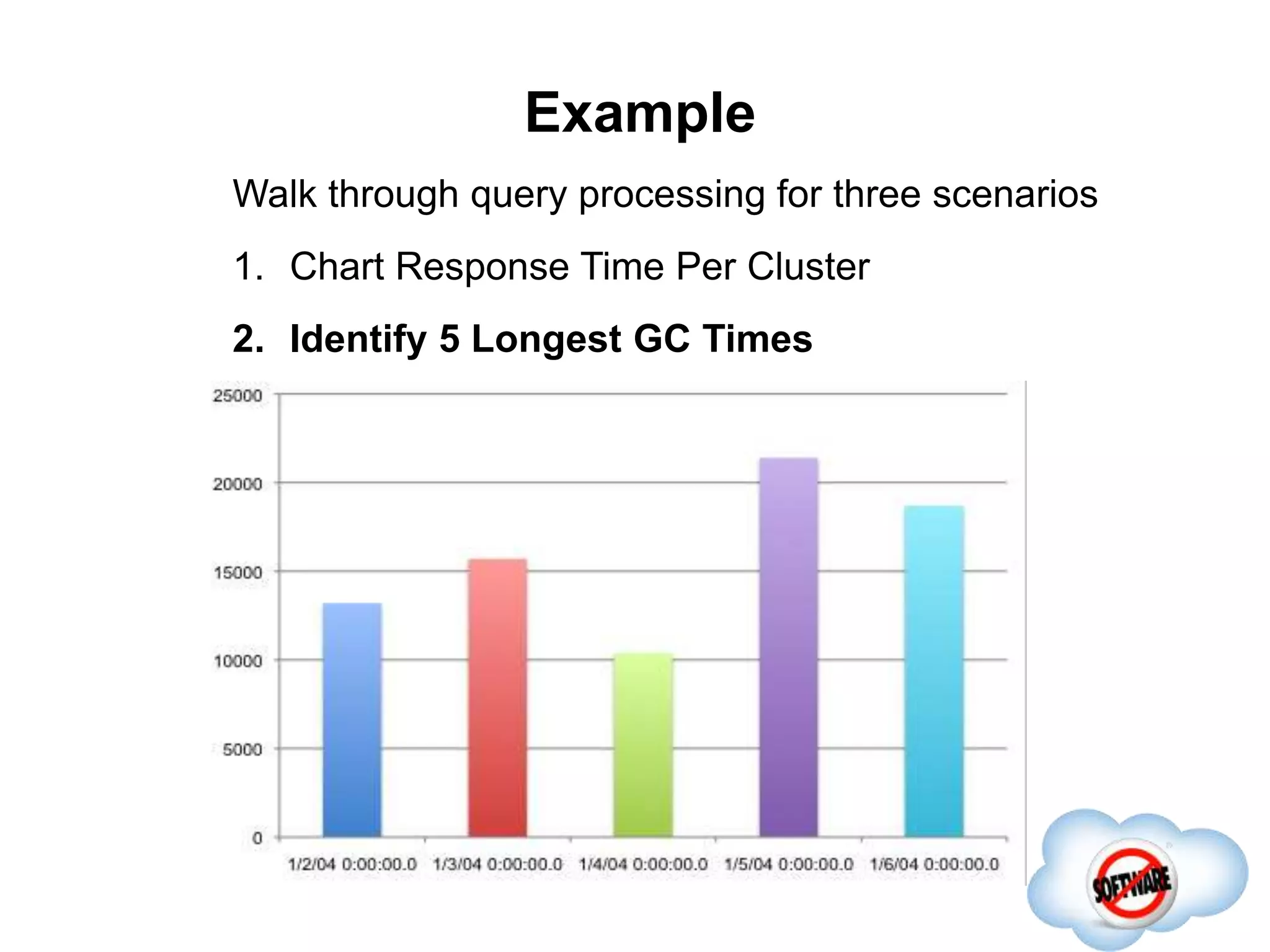
Walk through query processing for three scenarios
1. Chart Response Time Per Cluster
Example
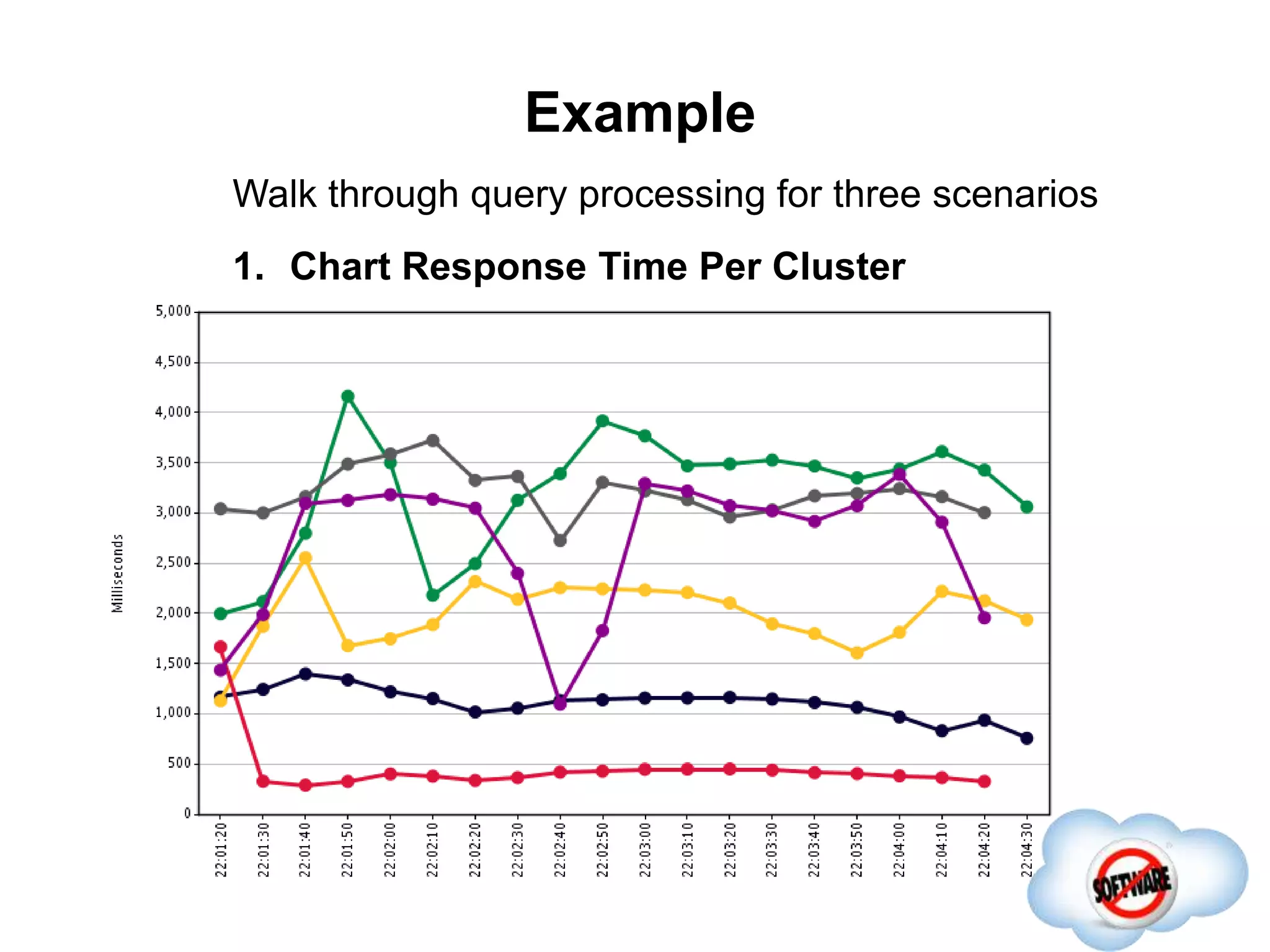
Walk through query processing for three scenarios
1. Chart Response Time Per Cluster
Example
Walk through query processing for three scenarios
1. Chart Response Time Per Cluster
2. Identify 5 Longest GC Times
Example
Walk through query processing for three scenarios
1. Chart Response Time Per Cluster
2. Identify 5 Longest GC Times
Example
Walk through query processing for three scenarios
1. Chart Response Time Per Cluster
2. Identify 5 Longest GC Times
3. Identify 5 Longest GC Times again and again
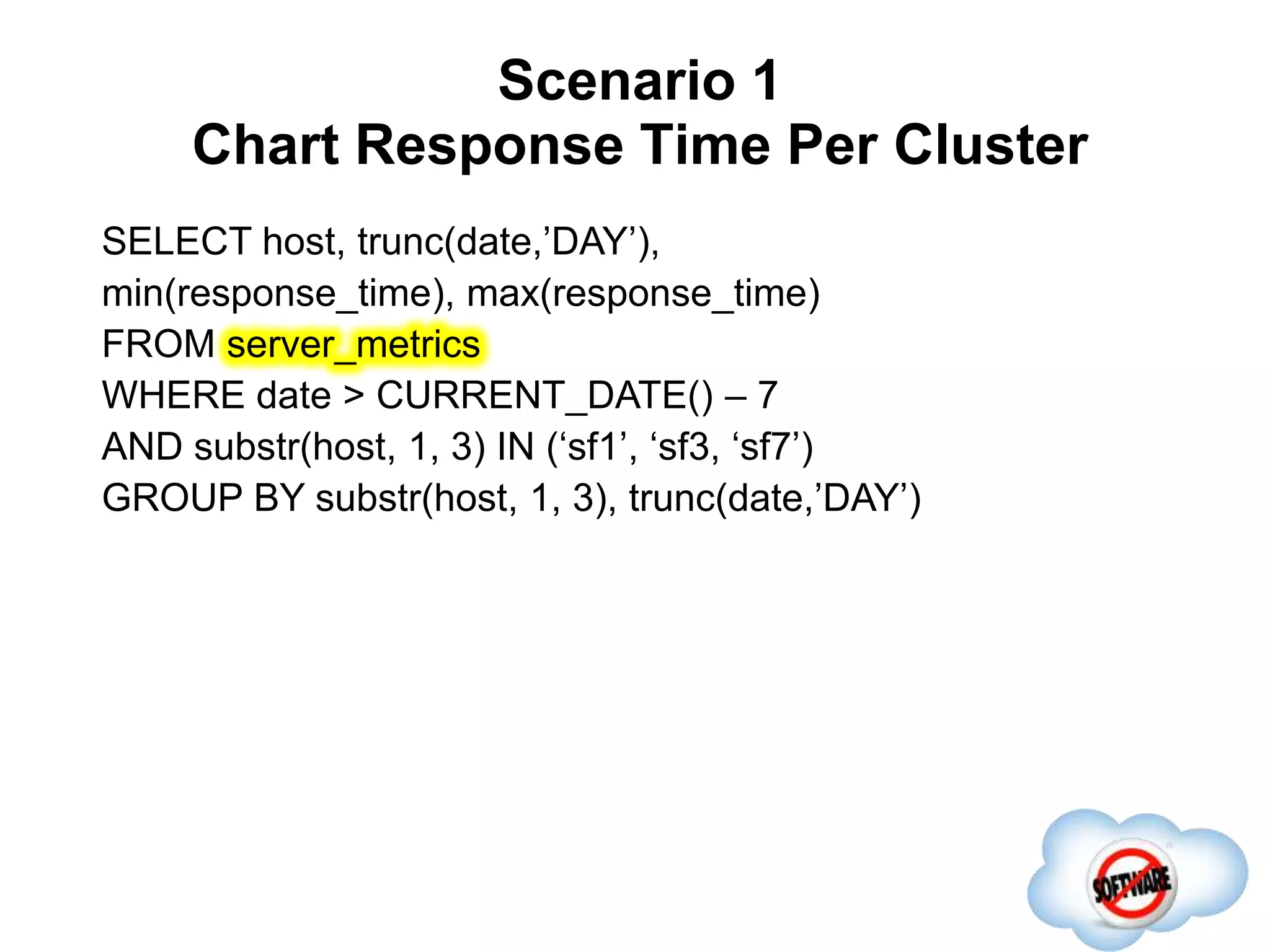
Scenario 1
Chart Response Time Per Cluster
Completed
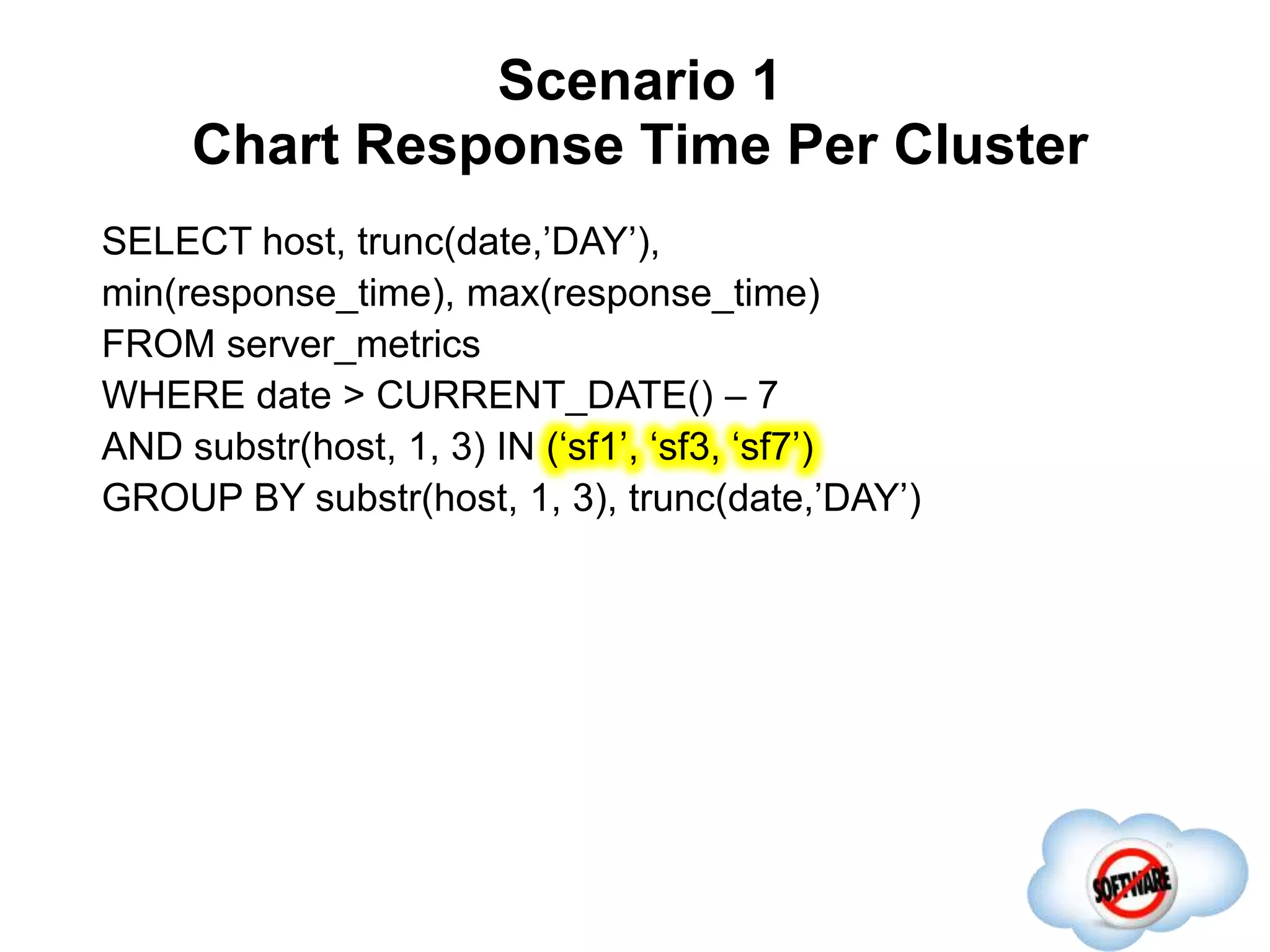
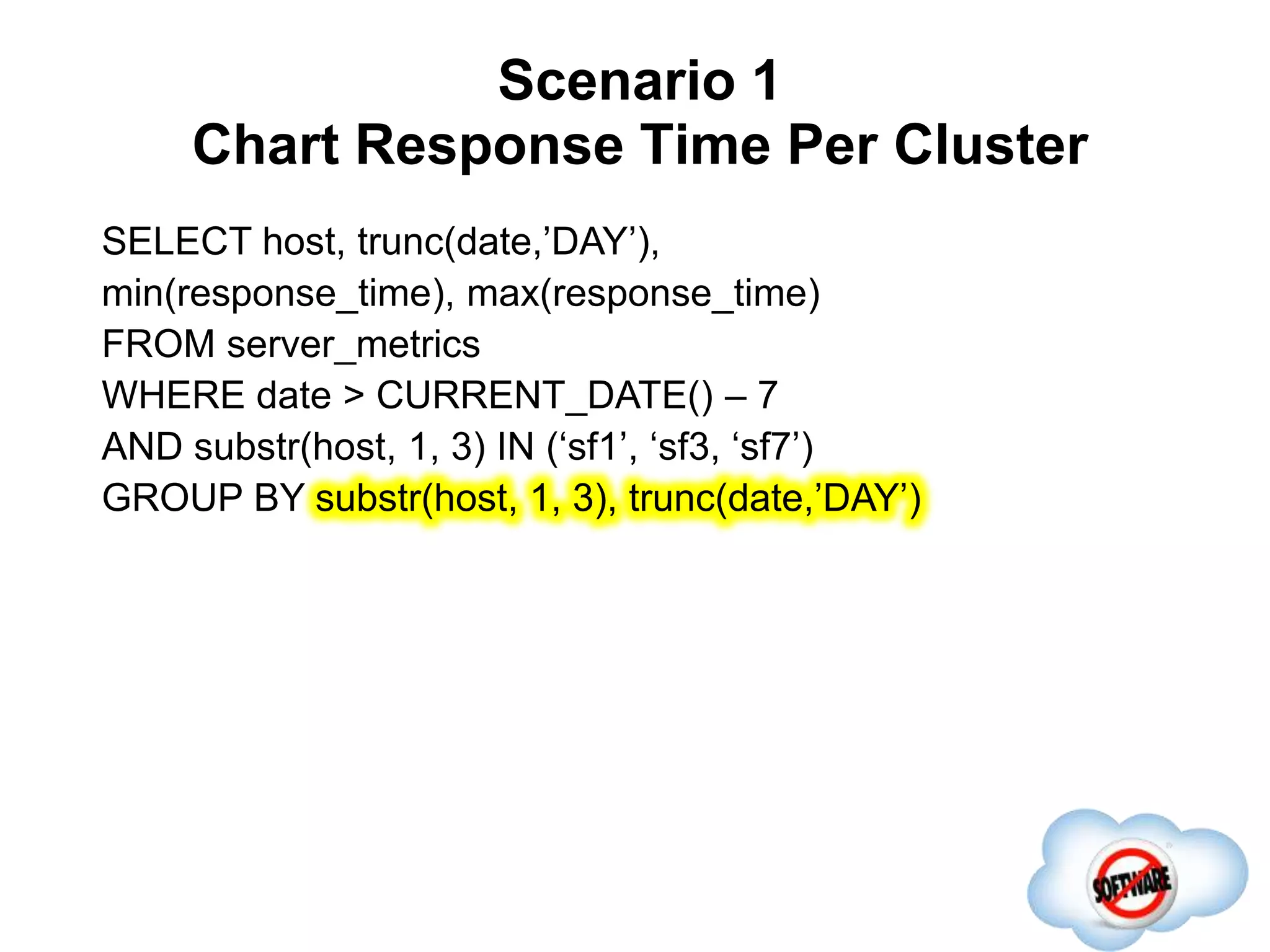
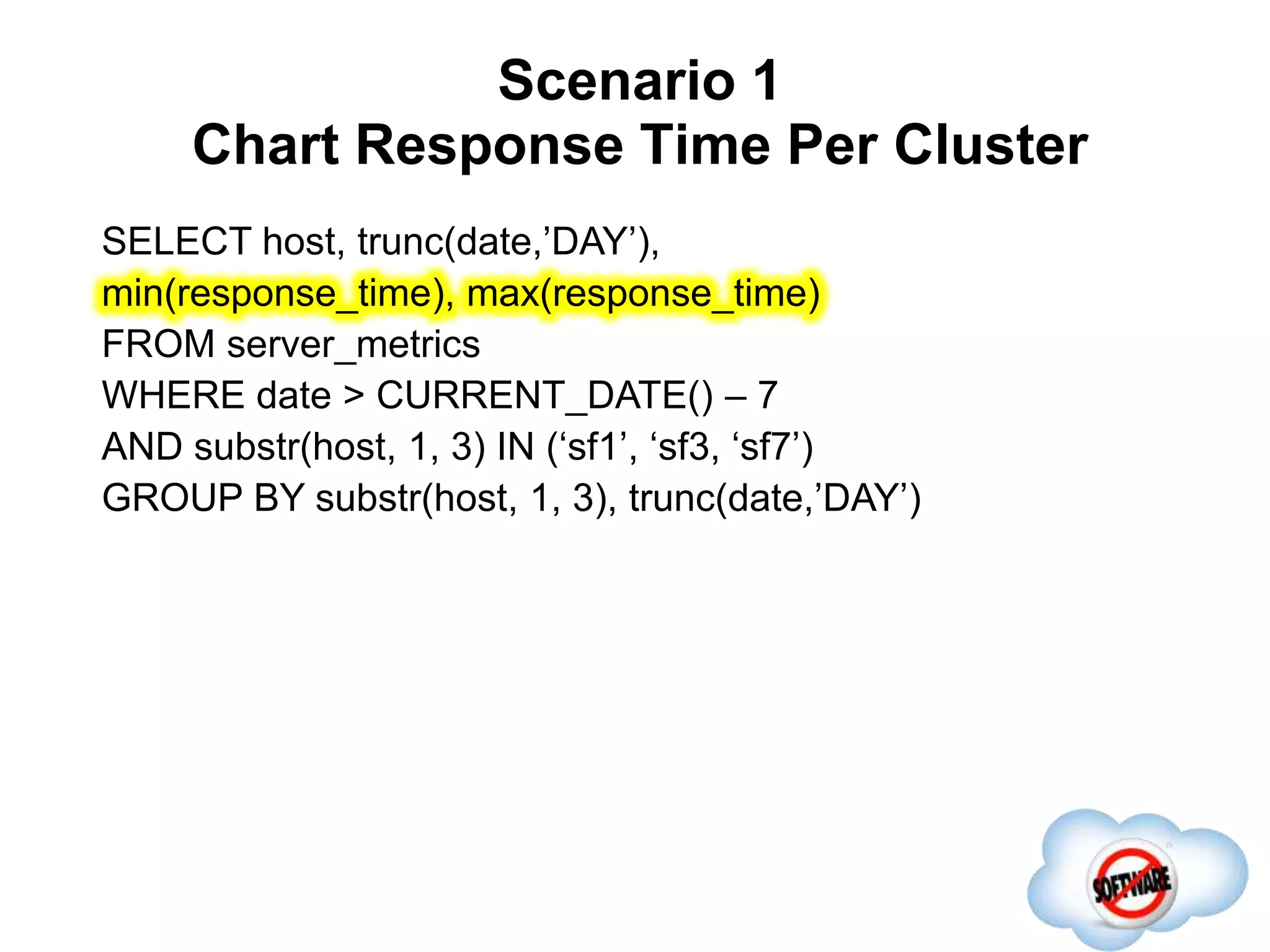
SELECT host, trunc(date,’DAY’),
min(response_time), max(response_time)
FROM server_metrics
WHERE date > CURRENT_DATE() – 7
AND substr(host, 1, 3) IN (‘sf1’, ‘sf3, ‘sf7’)
GROUP BY substr(host, 1, 3), trunc(date,’DAY’)
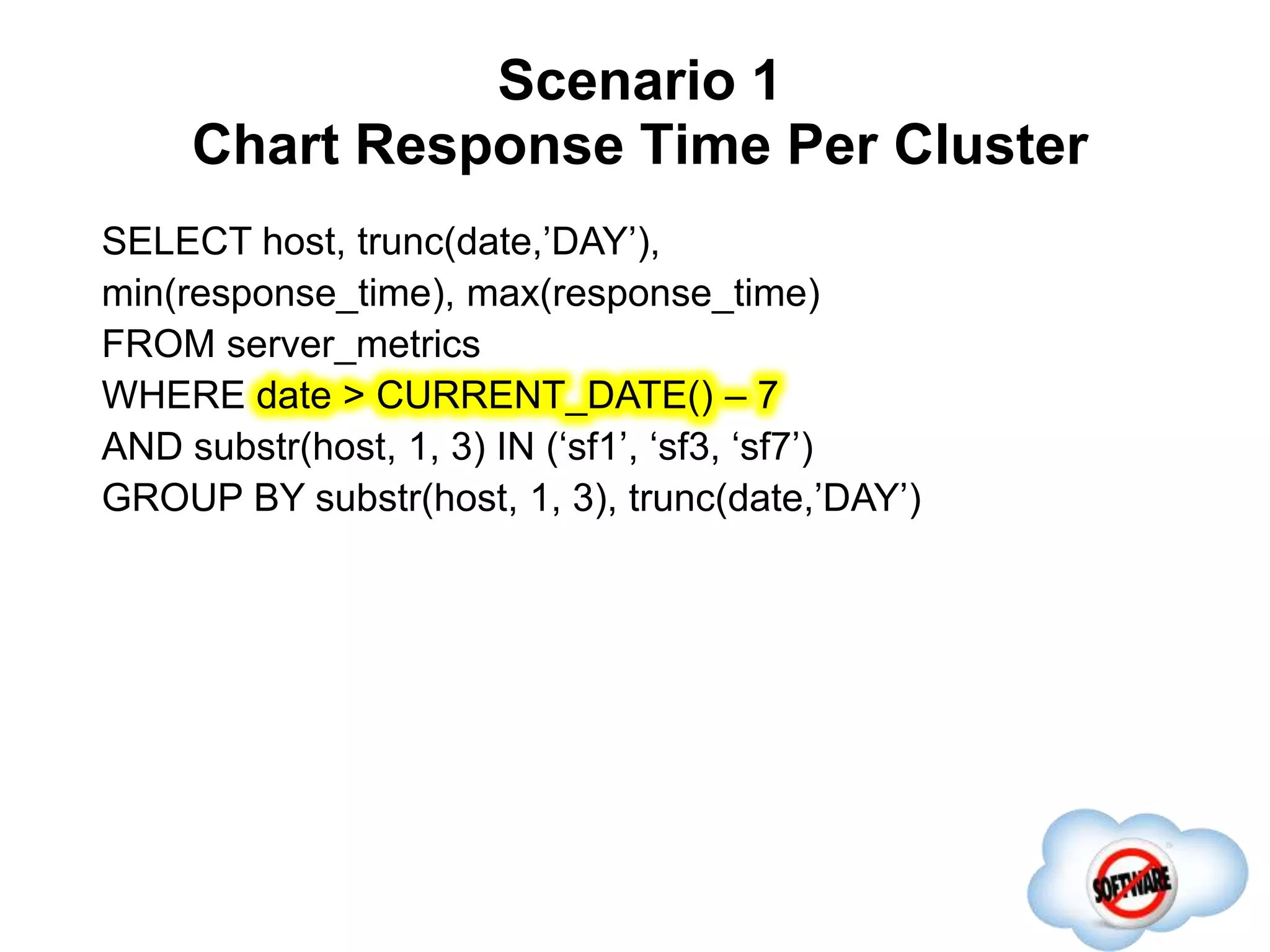
Scenario 1
Chart Response Time Per Cluster
Completed
SELECT host, trunc(date,’DAY’),
min(response_time), max(response_time)
FROM server_metrics
WHERE date > CURRENT_DATE() – 7
AND substr(host, 1, 3) IN (‘sf1’, ‘sf3, ‘sf7’)
GROUP BY substr(host, 1, 3), trunc(date,’DAY’)
Scenario 1
Chart Response Time Per Cluster
Completed
SELECT host, trunc(date,’DAY’),
min(response_time), max(response_time)
FROM server_metrics
WHERE date > CURRENT_DATE() – 7
AND substr(host, 1, 3) IN (‘sf1’, ‘sf3, ‘sf7’)
GROUP BY substr(host, 1, 3), trunc(date,’DAY’)
Scenario 1
Chart Response Time Per Cluster
Completed
SELECT host, trunc(date,’DAY’),
min(response_time), max(response_time)
FROM server_metrics
WHERE date > CURRENT_DATE() – 7
AND substr(host, 1, 3) IN (‘sf1’, ‘sf3, ‘sf7’)
GROUP BY substr(host, 1, 3), trunc(date,’DAY’)
Scenario 1
Chart Response Time Per Cluster
Completed
SELECT host, trunc(date,’DAY’),
min(response_time), max(response_time)
FROM server_metrics
WHERE date > CURRENT_DATE() – 7
AND substr(host, 1, 3) IN (‘sf1’, ‘sf3, ‘sf7’)
GROUP BY substr(host, 1, 3), trunc(date,’DAY’)
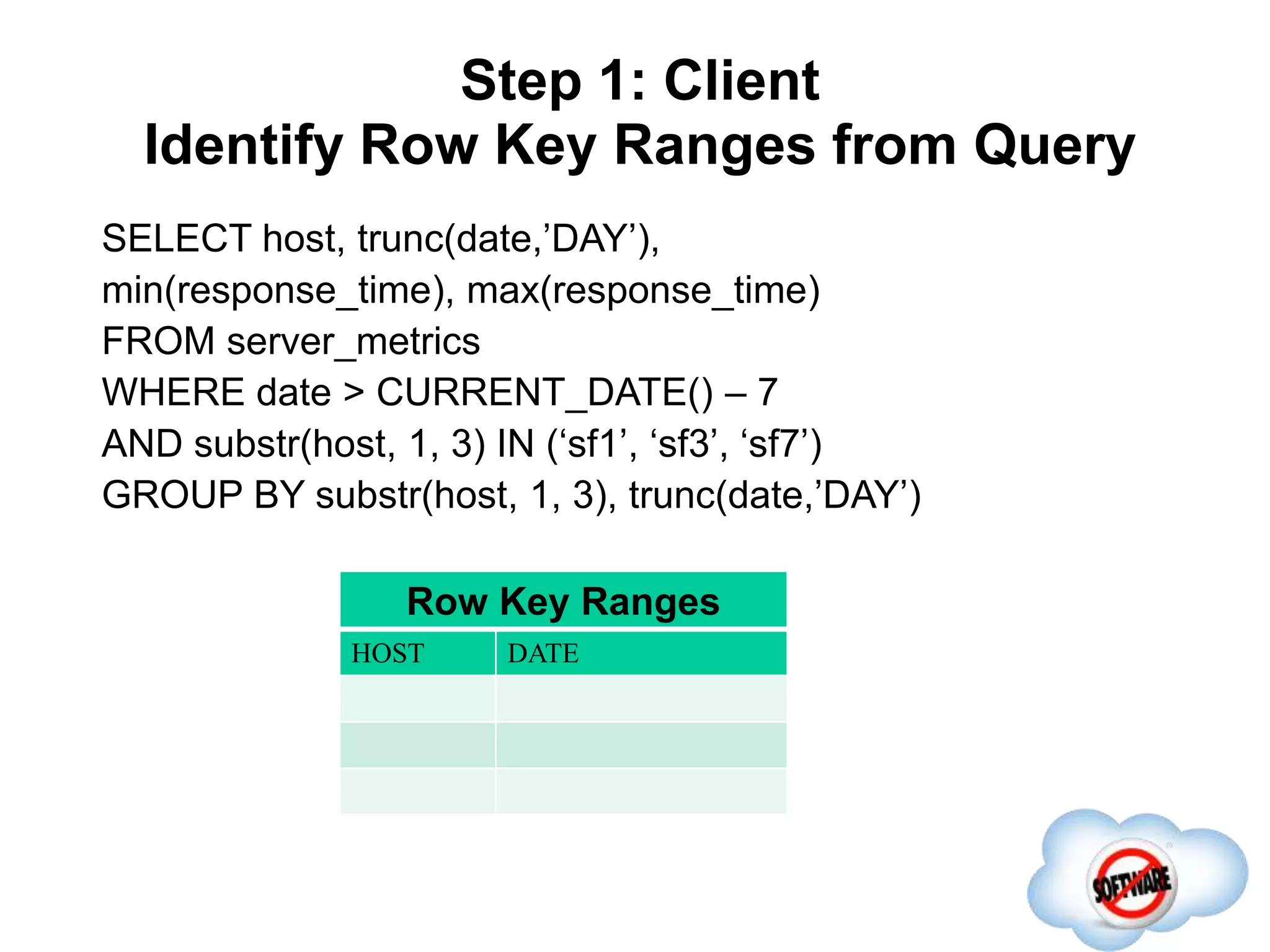
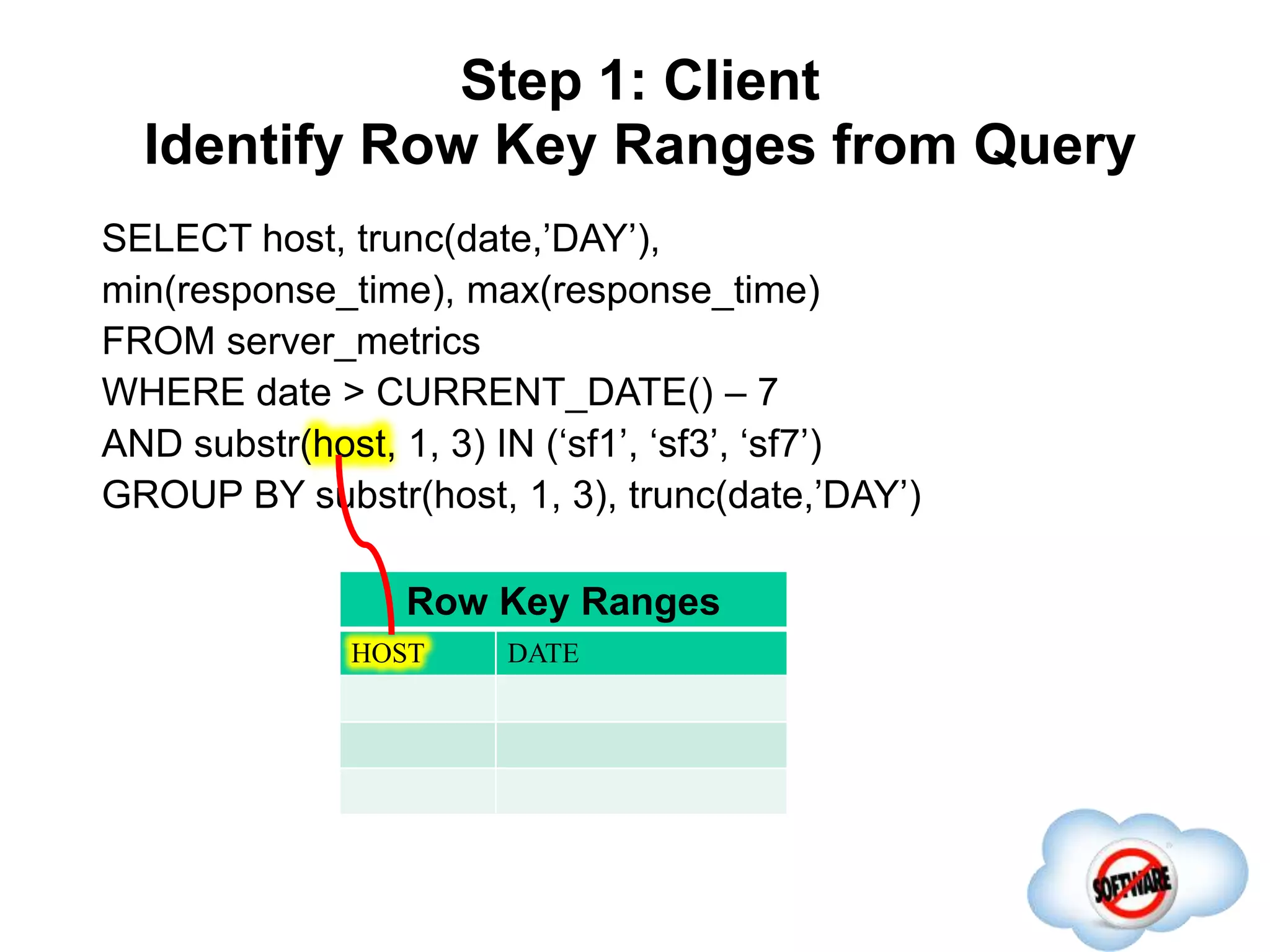
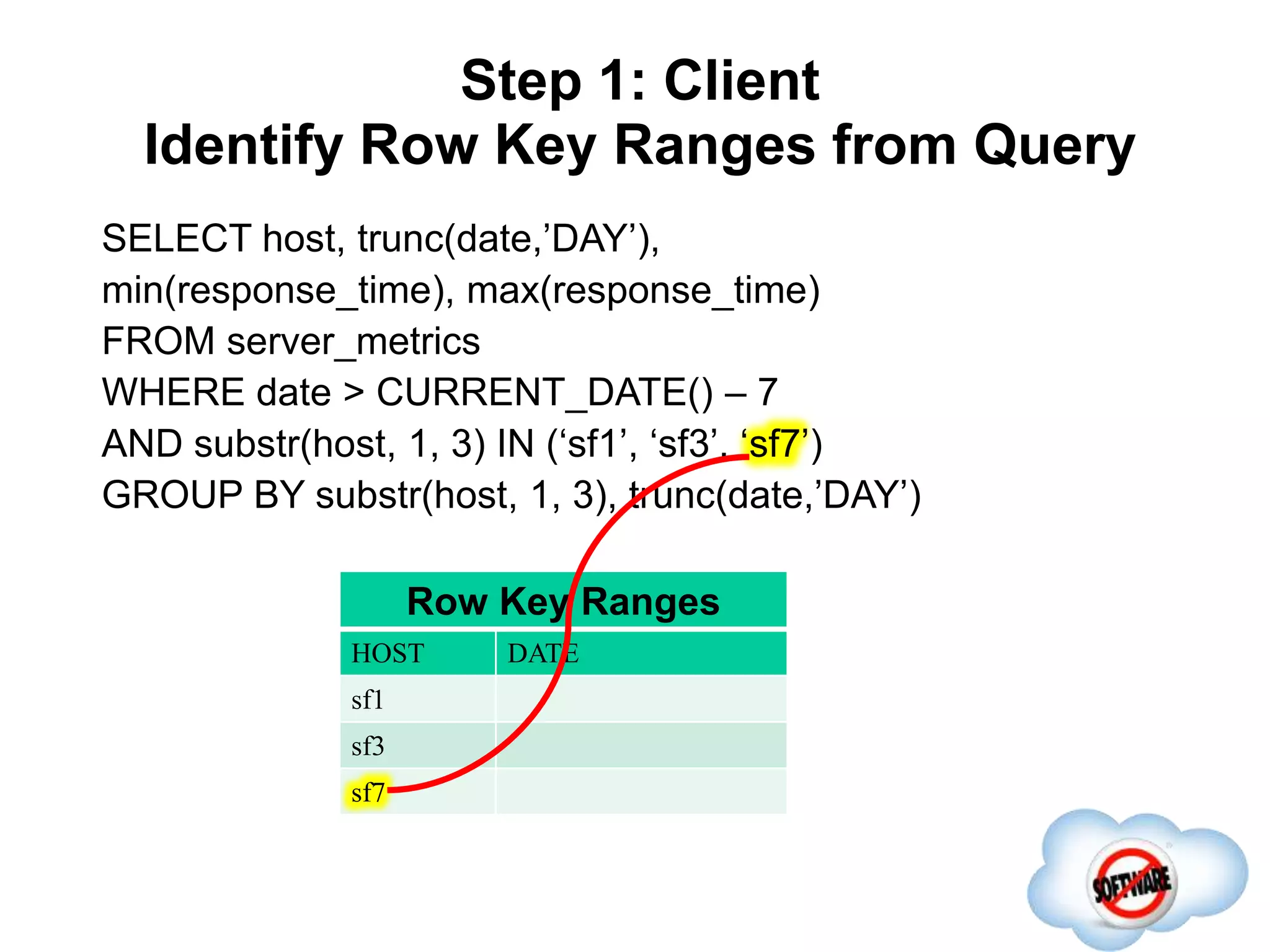
Step 1: Client
Identify Row Key Ranges from Query
Completed
SELECT host, trunc(date,’DAY’),
min(response_time), max(response_time)
FROM server_metrics
WHERE date > CURRENT_DATE() – 7
AND substr(host, 1, 3) IN (‘sf1’, ‘sf3’, ‘sf7’)
GROUP BY substr(host, 1, 3), trunc(date,’DAY’)
Row Key Ranges
HOST DATE
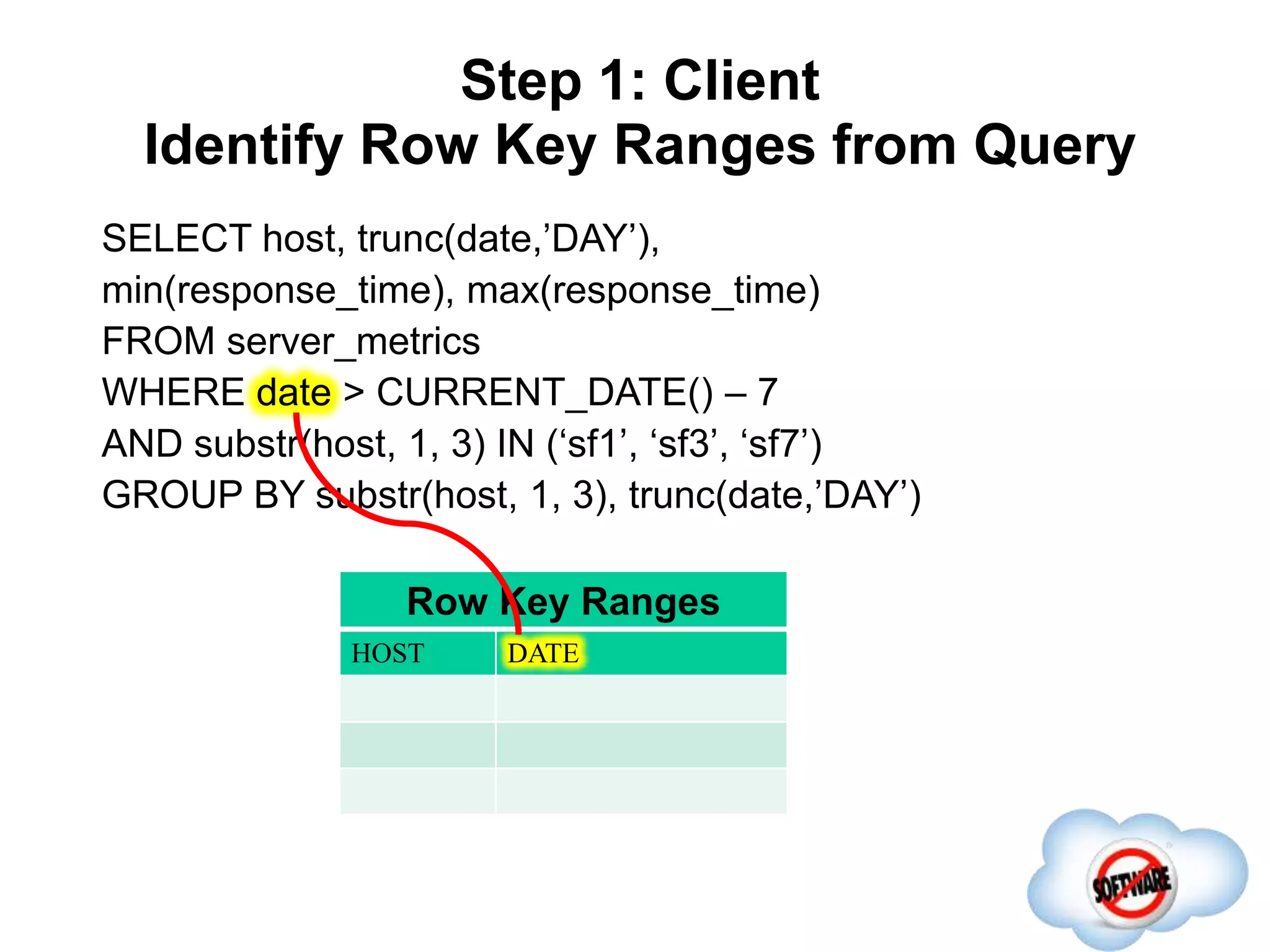
Step 1: Client
Identify Row Key Ranges from Query
Completed
SELECT host, trunc(date,’DAY’),
min(response_time), max(response_time)
FROM server_metrics
WHERE date > CURRENT_DATE() – 7
AND substr(host, 1, 3) IN (‘sf1’, ‘sf3’, ‘sf7’)
GROUP BY substr(host, 1, 3), trunc(date,’DAY’)
Row Key Ranges
HOST DATE
Step 1: Client
Identify Row Key Ranges from Query
Completed
SELECT host, trunc(date,’DAY’),
min(response_time), max(response_time)
FROM server_metrics
WHERE date > CURRENT_DATE() – 7
AND substr(host, 1, 3) IN (‘sf1’, ‘sf3’, ‘sf7’)
GROUP BY substr(host, 1, 3), trunc(date,’DAY’)
Row Key Ranges
HOST DATE
Step 1: Client
Identify Row Key Ranges from Query
Completed
SELECT host, trunc(date,’DAY’),
min(response_time), max(response_time)
FROM server_metrics
WHERE date > CURRENT_DATE() – 7
AND substr(host, 1, 3) IN (‘sf1’, ‘sf3’, ‘sf7’)
GROUP BY substr(host, 1, 3), trunc(date,’DAY’)
Row Key Ranges
HOST DATE
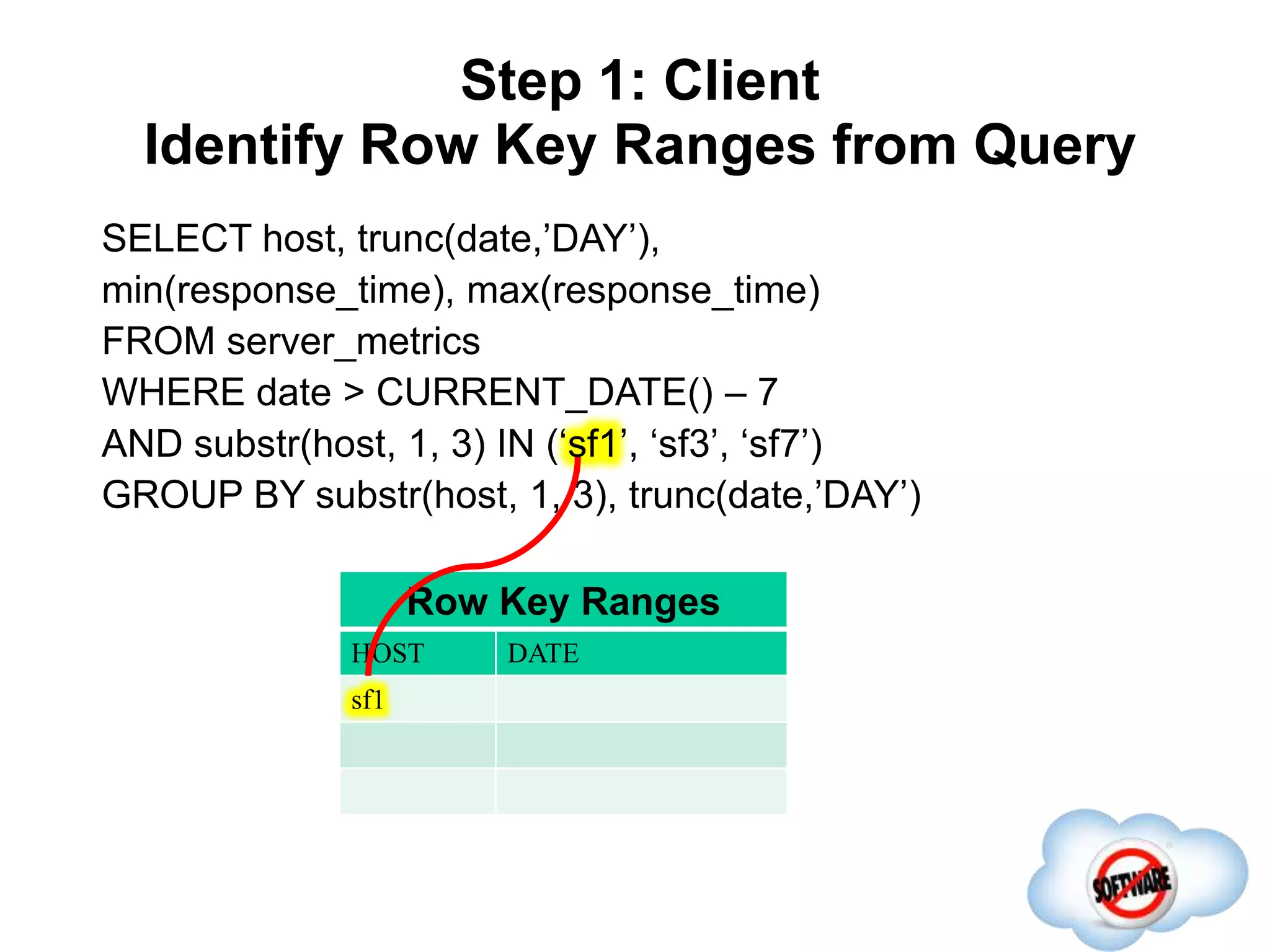
sf1
Step 1: Client
Identify Row Key Ranges from Query
Completed
SELECT host, trunc(date,’DAY’),
min(response_time), max(response_time)
FROM server_metrics
WHERE date > CURRENT_DATE() – 7
AND substr(host, 1, 3) IN (‘sf1’, ‘sf3’, ‘sf7’)
GROUP BY substr(host, 1, 3), trunc(date,’DAY’)
Row Key Ranges
HOST DATE
sf1
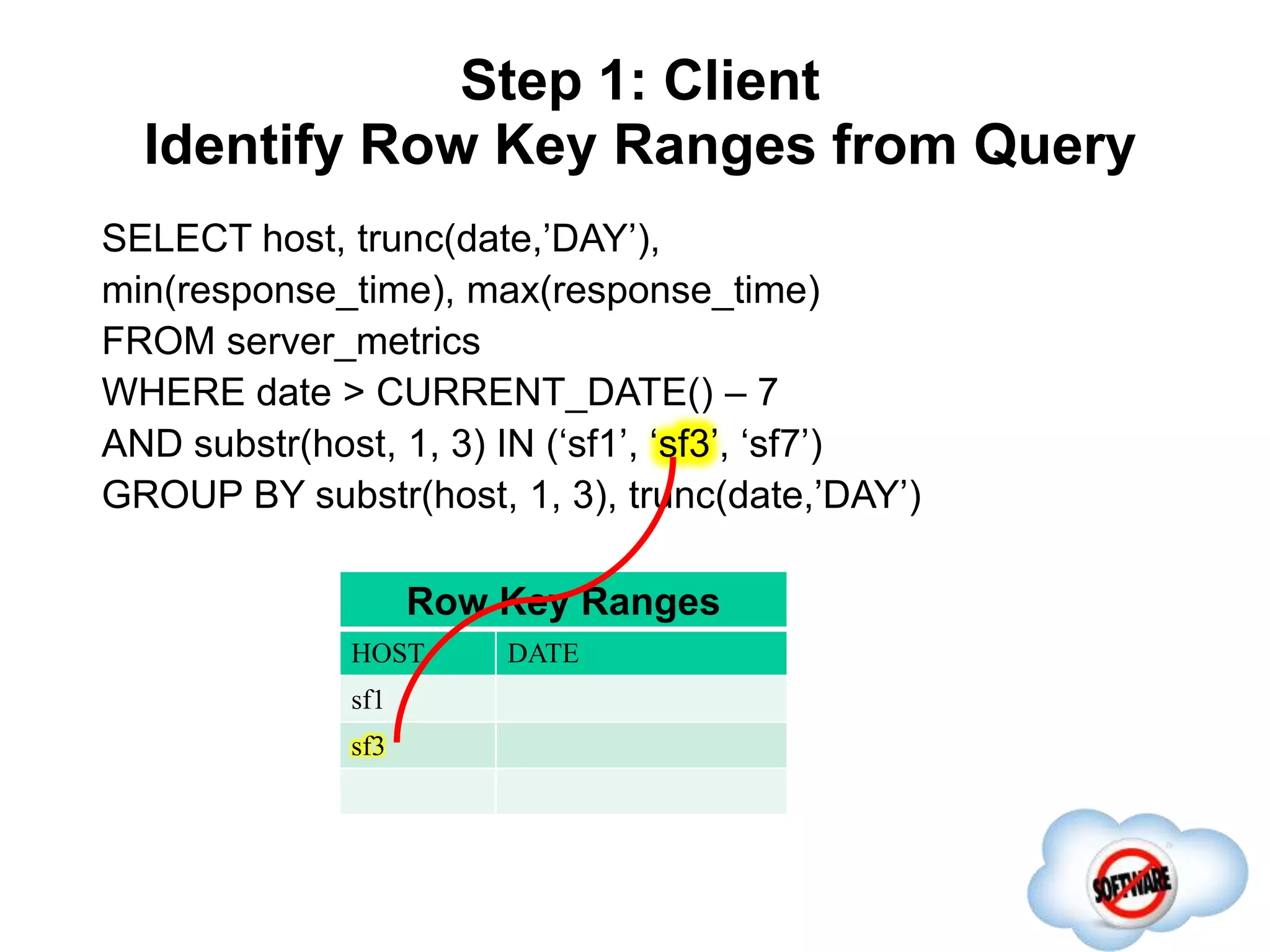
sf3
Step 1: Client
Identify Row Key Ranges from Query
Completed
SELECT host, trunc(date,’DAY’),
min(response_time), max(response_time)
FROM server_metrics
WHERE date > CURRENT_DATE() – 7
AND substr(host, 1, 3) IN (‘sf1’, ‘sf3’, ‘sf7’)
GROUP BY substr(host, 1, 3), trunc(date,’DAY’)
Row Key Ranges
HOST DATE
sf1
sf3
sf7
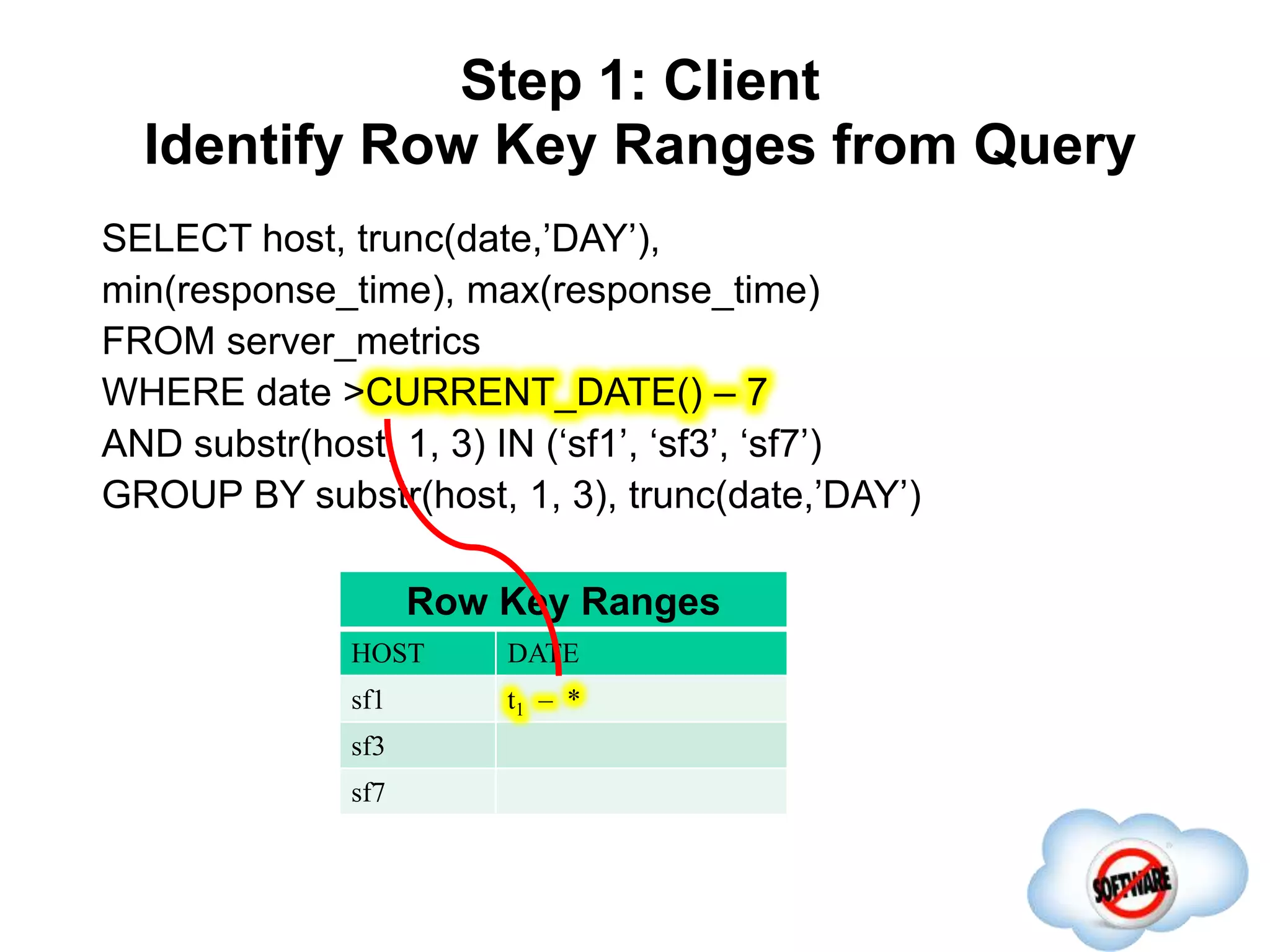
Step 1: Client
Identify Row Key Ranges from Query
Completed
SELECT host, trunc(date,’DAY’),
min(response_time), max(response_time)
FROM server_metrics
WHERE date >CURRENT_DATE() – 7
AND substr(host, 1, 3) IN (‘sf1’, ‘sf3’, ‘sf7’)
GROUP BY substr(host, 1, 3), trunc(date,’DAY’)
Row Key Ranges
HOST DATE
sf1 t1 – *
sf3
sf7
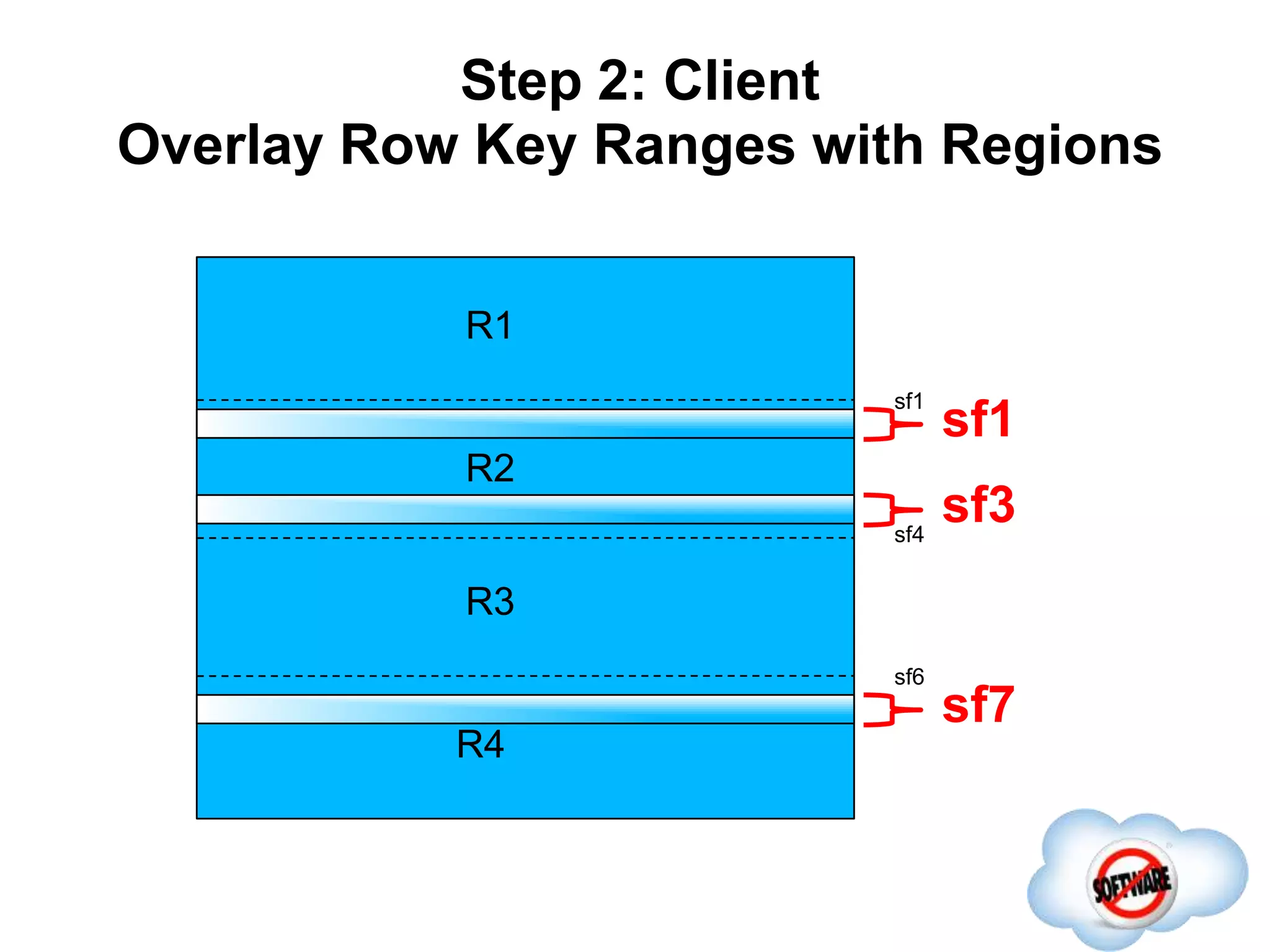
Step 2: Client
Overlay Row Key Ranges with Regions
Completed
R1
R2
R3
R4
sf1
sf4
sf6
sf1
sf3
sf7
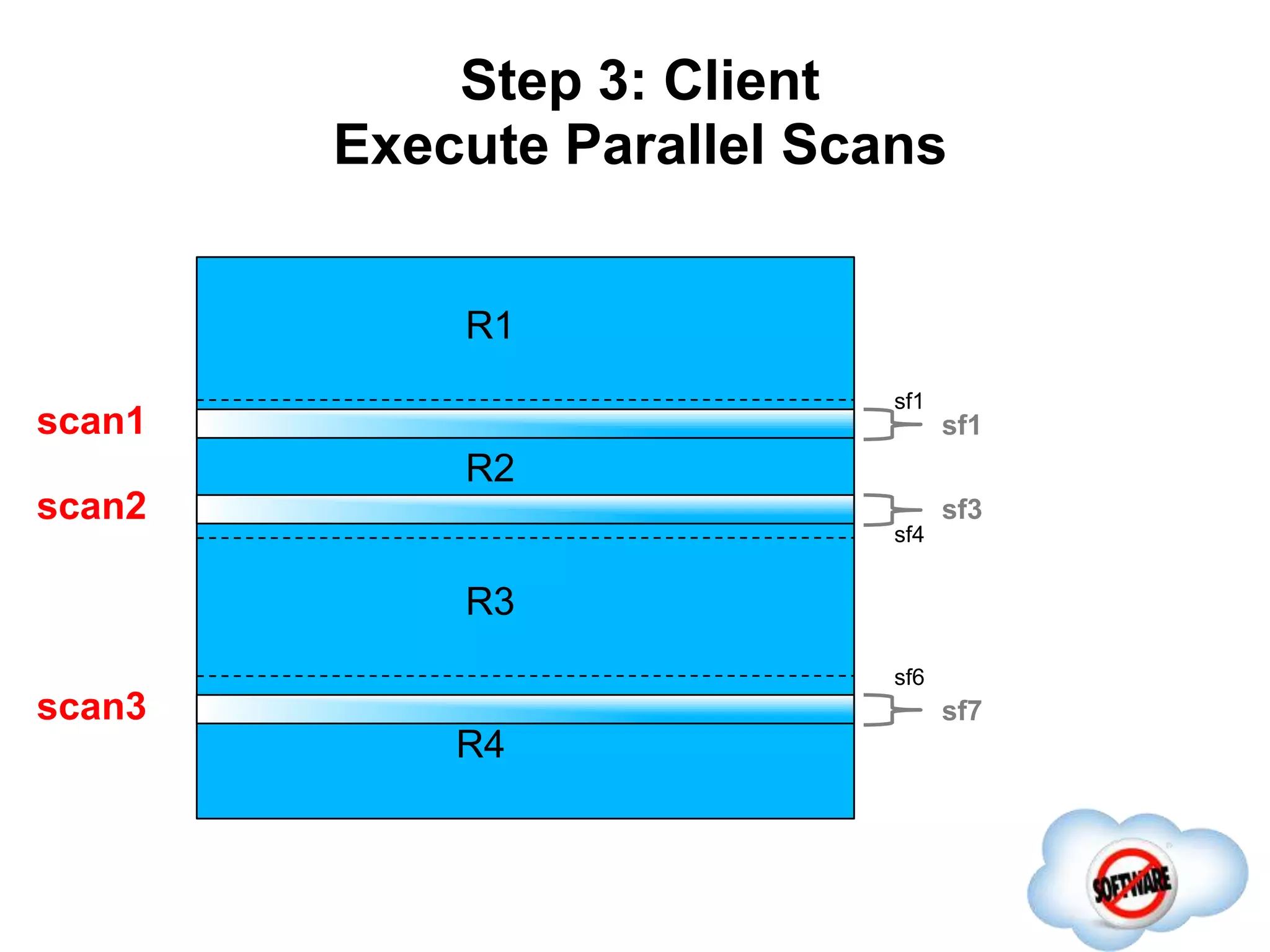
Step 3: Client
Execute Parallel Scans
Completed
R1
R2
R3
R4
sf1
sf4
sf6
sf1
sf3
sf7
scan1
scan3
scan2
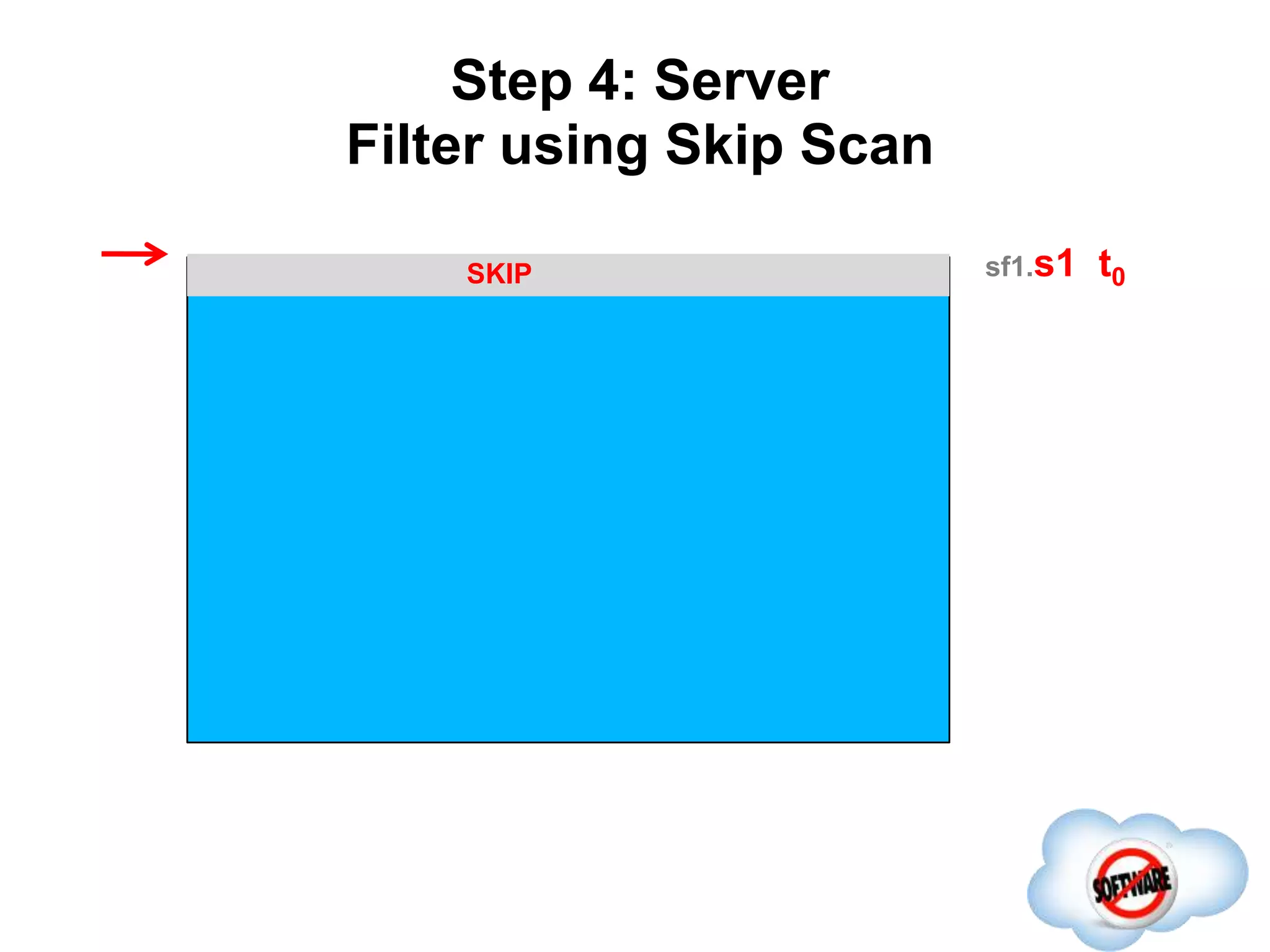
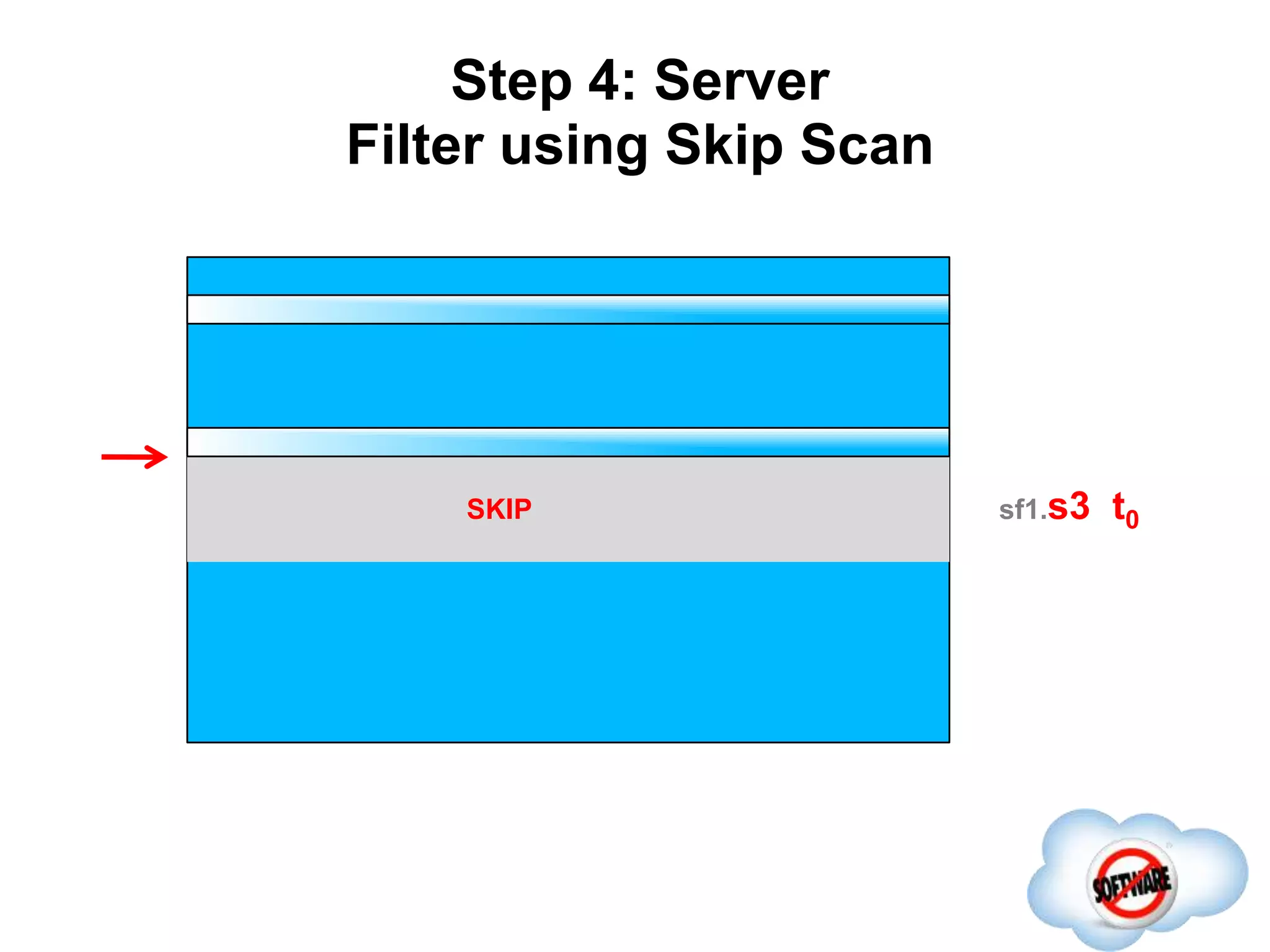
Step 4: Server
Filter using Skip Scan
Completed
sf1.s1 t0SKIP
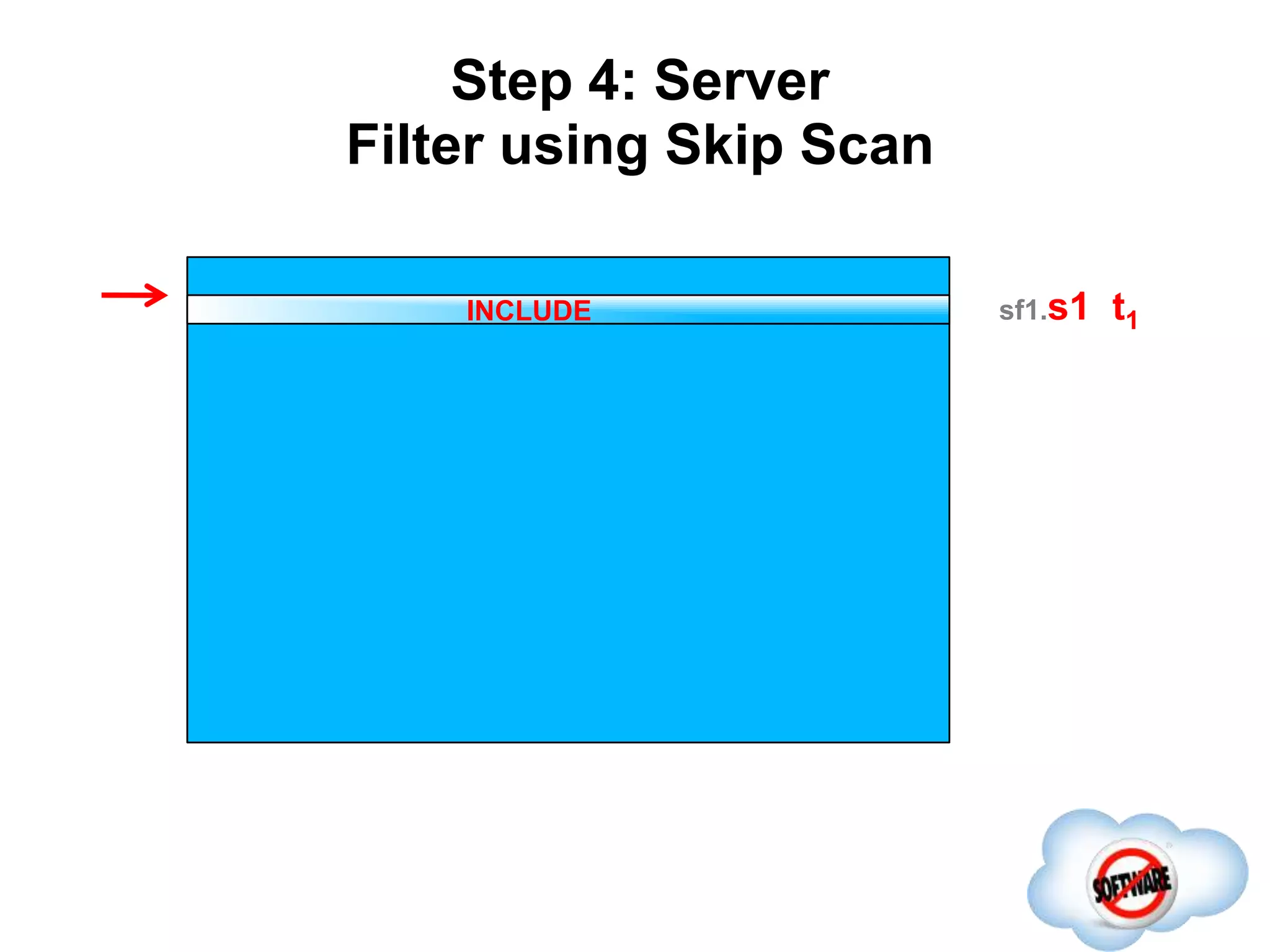
Step 4: Server
Filter using Skip Scan
Completed
sf1.s1 t1INCLUDE
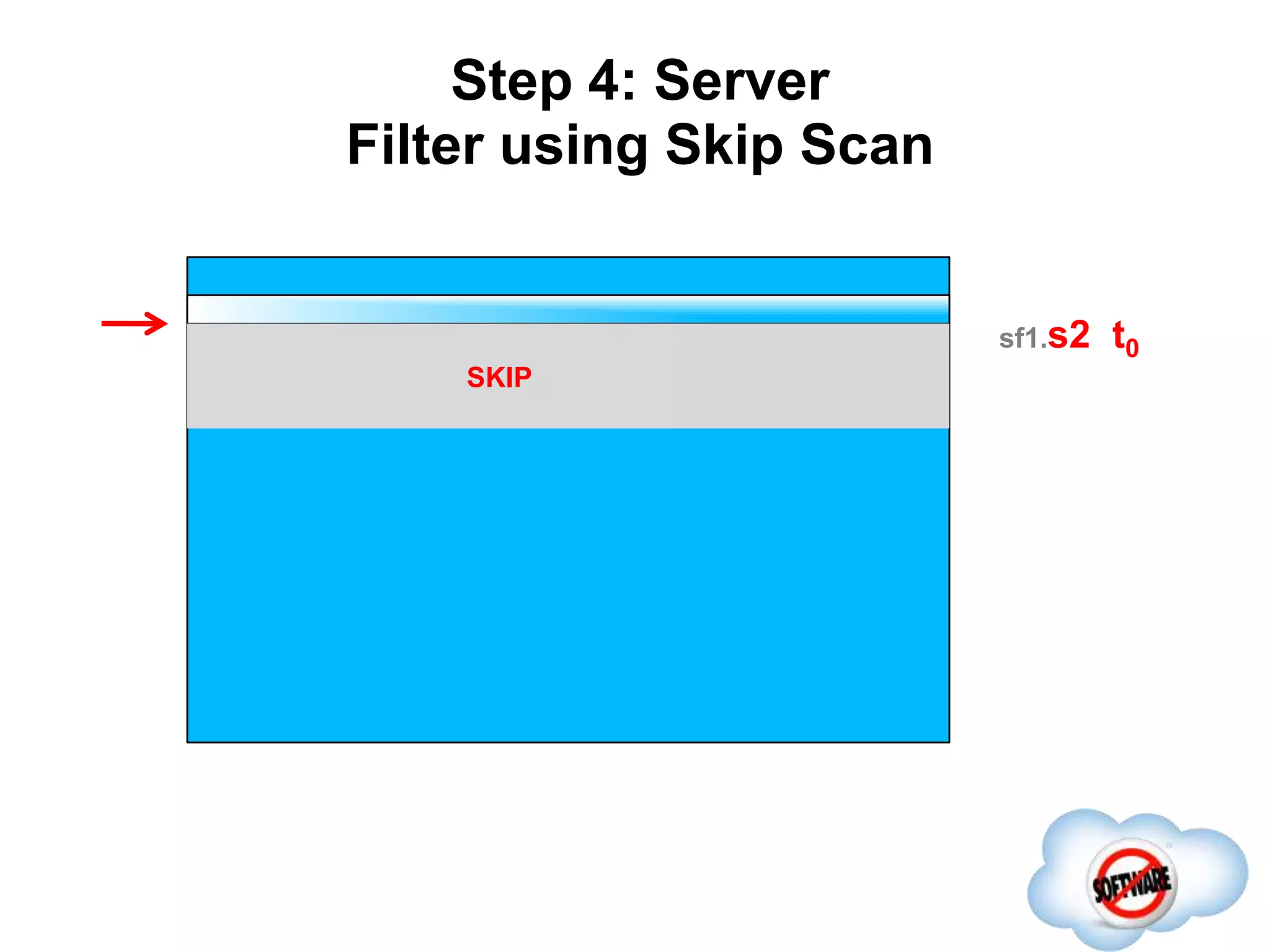
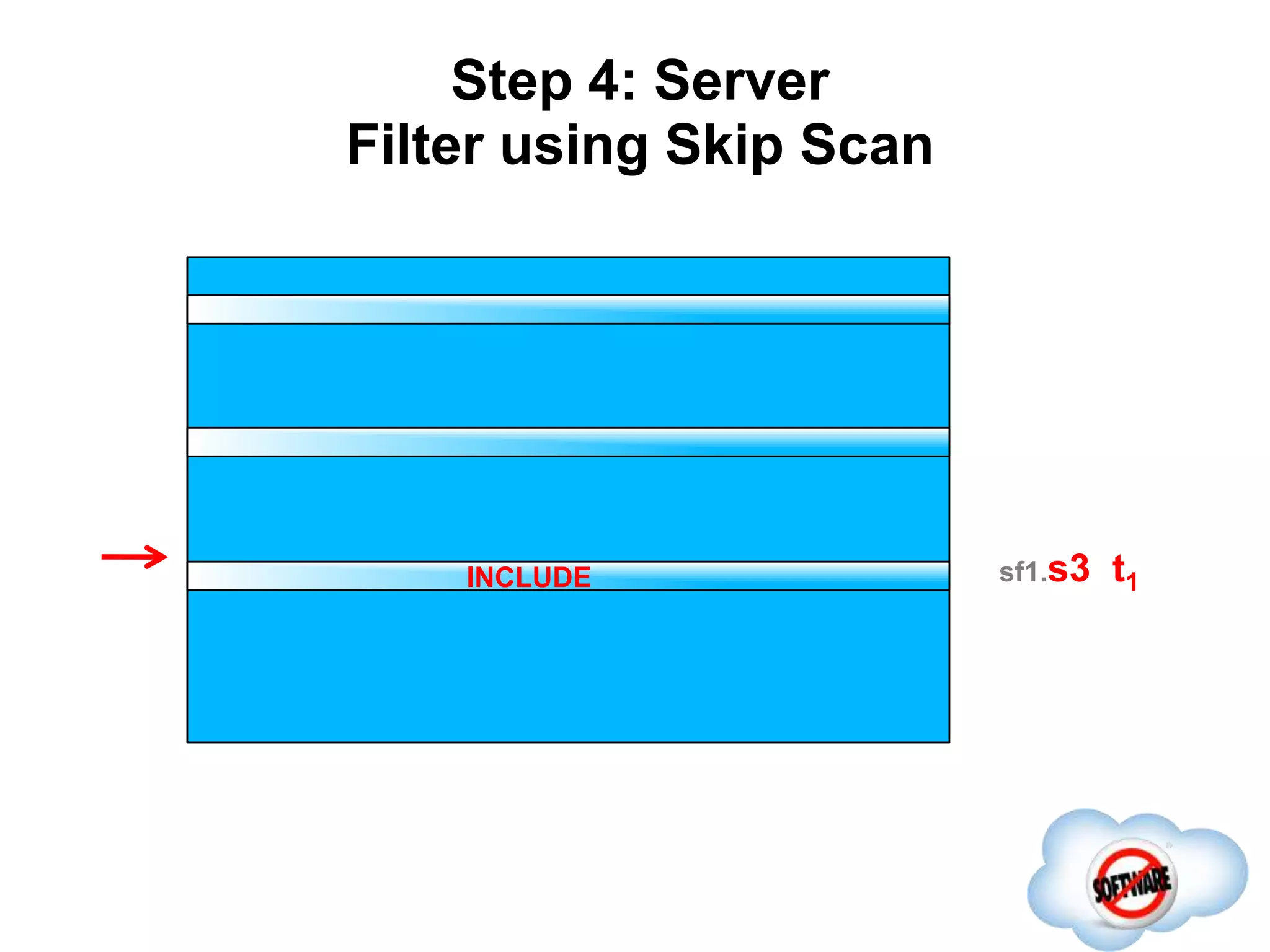
Step 4: Server
Filter using Skip Scan
Completed
sf1.s2 t0
SKIP
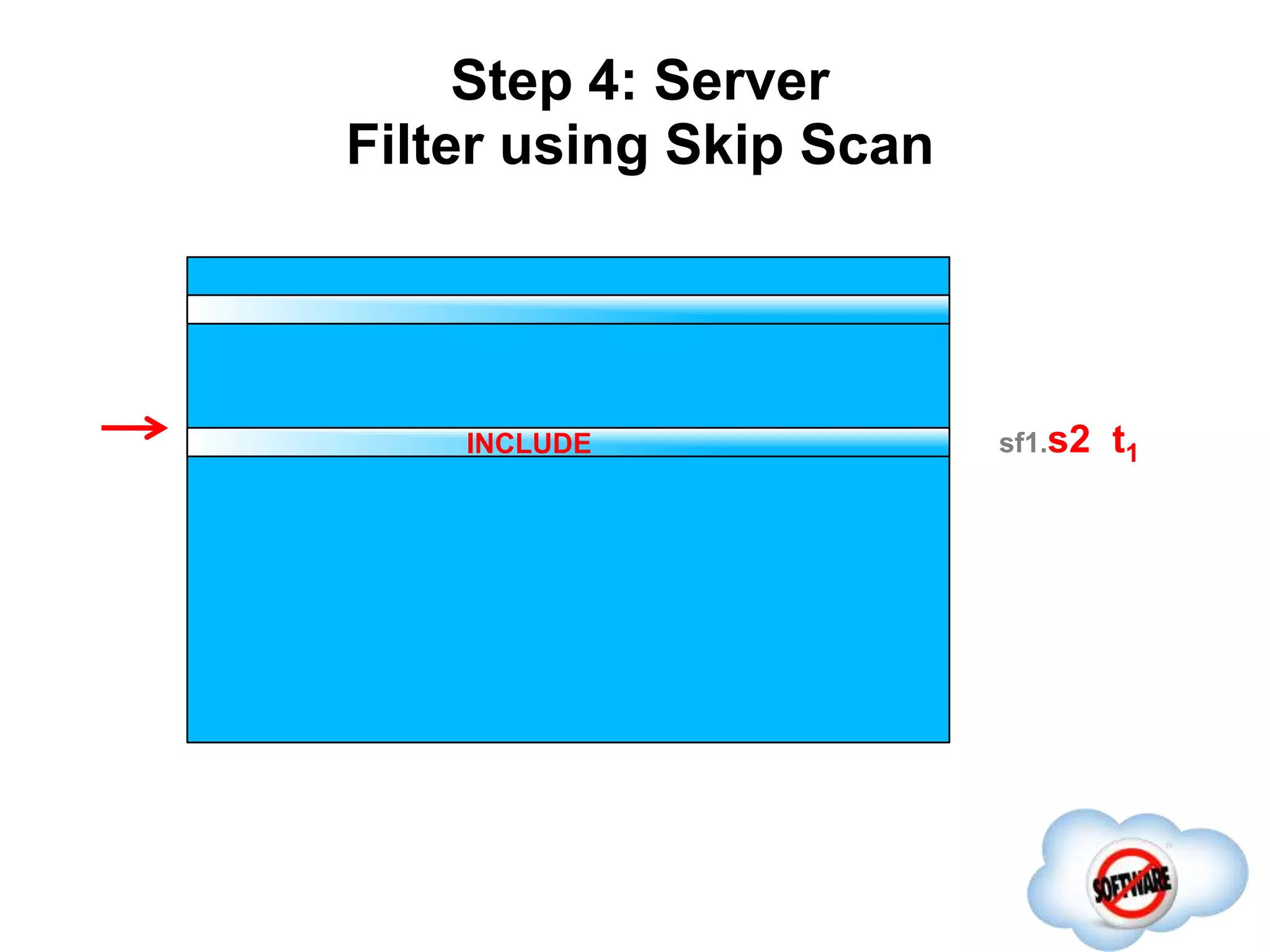
Step 4: Server
Filter using Skip Scan
Completed
sf1.s2 t1INCLUDE
Step 4: Server
Filter using Skip Scan
sf1.s3 t0SKIP
Step 4: Server
Filter using Skip Scan
sf1.s3 t1INCLUDE
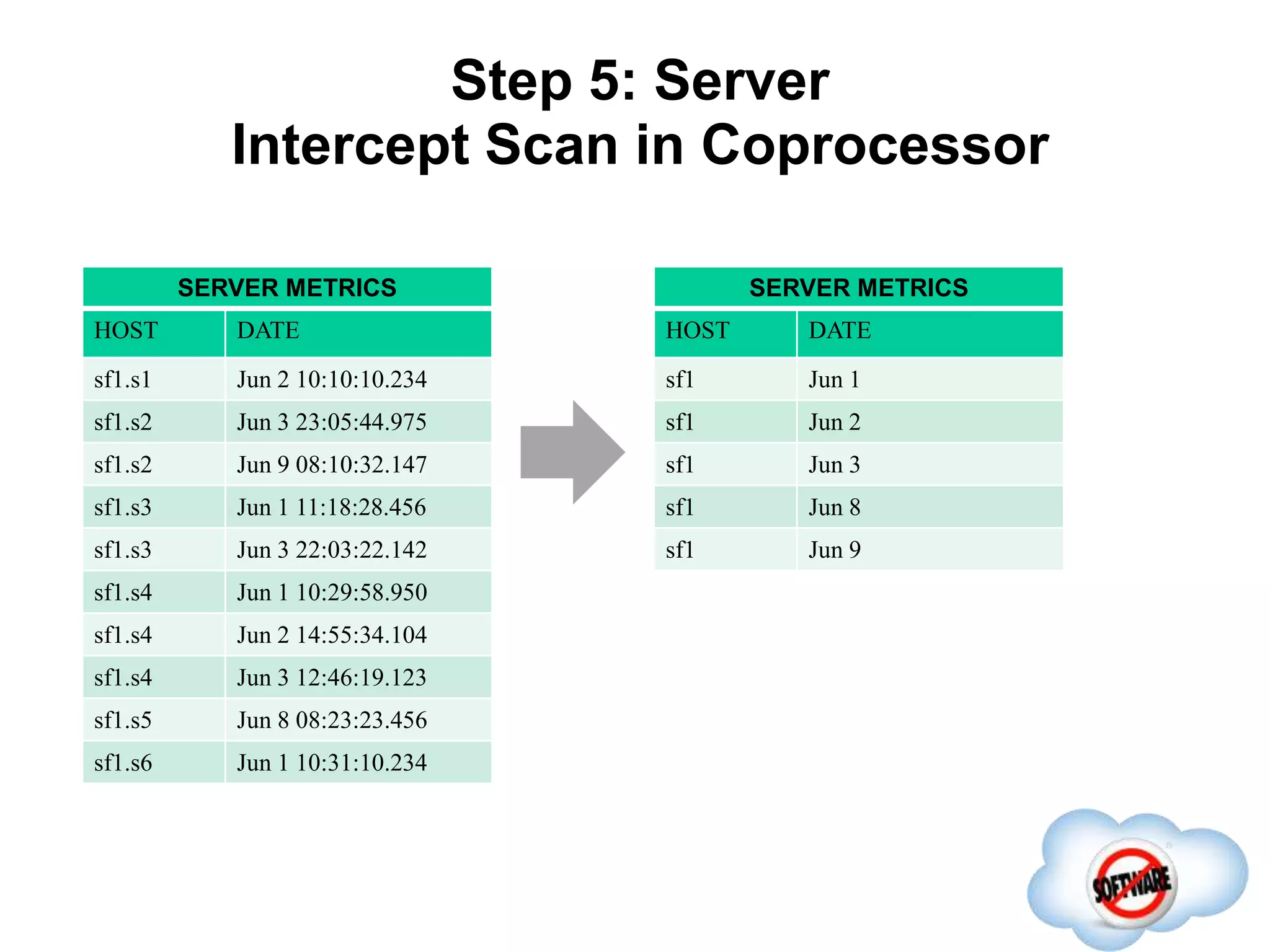
SERVER METRICS
HOST DATE
sf1.s1 Jun 2 10:10:10.234
sf1.s2 Jun 3 23:05:44.975
sf1.s2 Jun 9 08:10:32.147
sf1.s3 Jun 1 11:18:28.456
sf1.s3 Jun 3 22:03:22.142
sf1.s4 Jun 1 10:29:58.950
sf1.s4 Jun 2 14:55:34.104
sf1.s4 Jun 3 12:46:19.123
sf1.s5 Jun 8 08:23:23.456
sf1.s6 Jun 1 10:31:10.234
Step 5: Server
Intercept Scan in Coprocessor
SERVER METRICS
HOST DATE
sf1 Jun 1
sf1 Jun 2
sf1 Jun 3
sf1 Jun 8
sf1 Jun 9
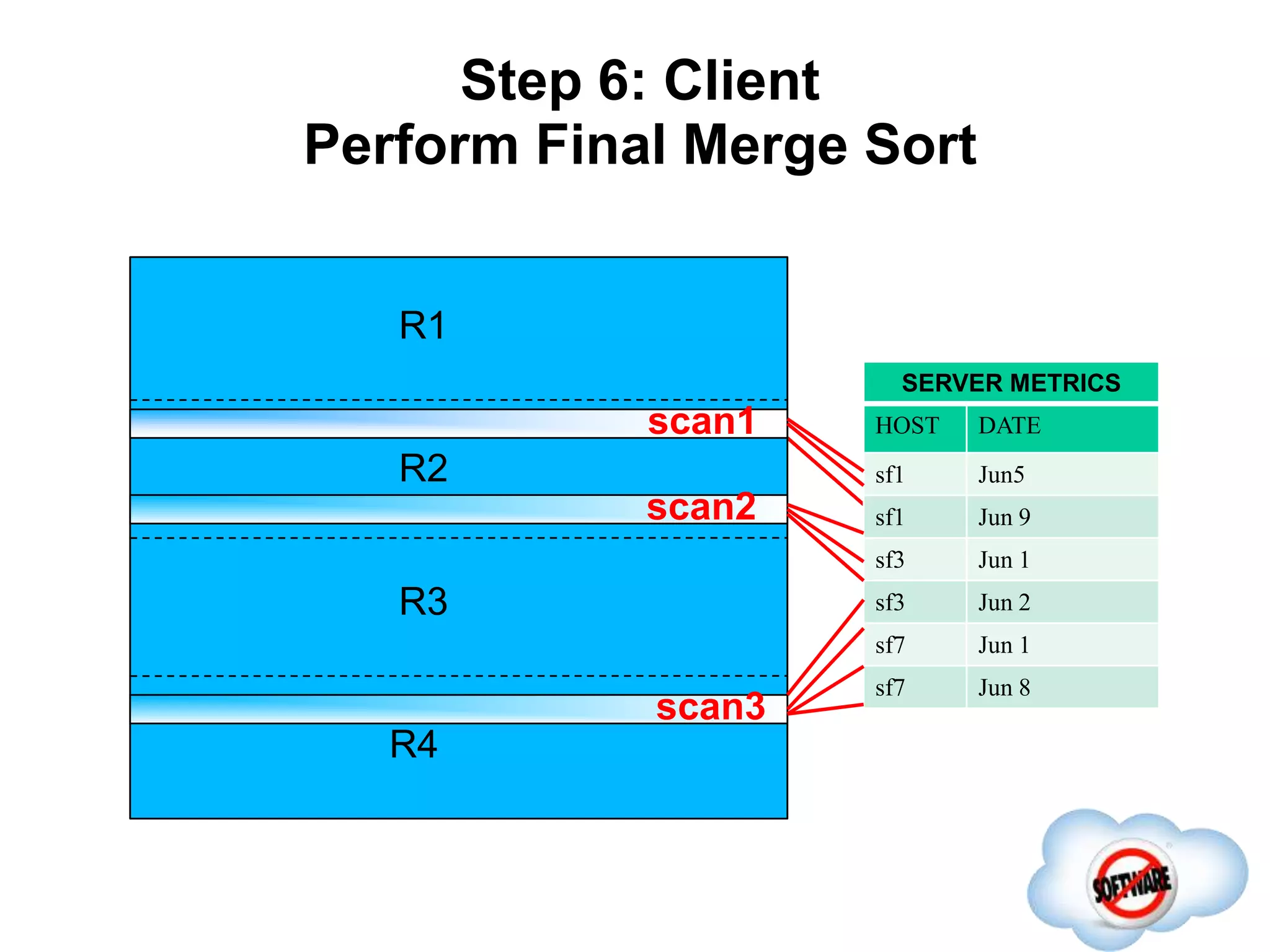
Step 6: Client
Perform Final Merge Sort
Completed
R1
R2
R3
R4
scan1
scan3
scan2
SERVER METRICS
HOST DATE
sf1 Jun5
sf1 Jun 9
sf3 Jun 1
sf3 Jun 2
sf7 Jun 1
sf7 Jun 8
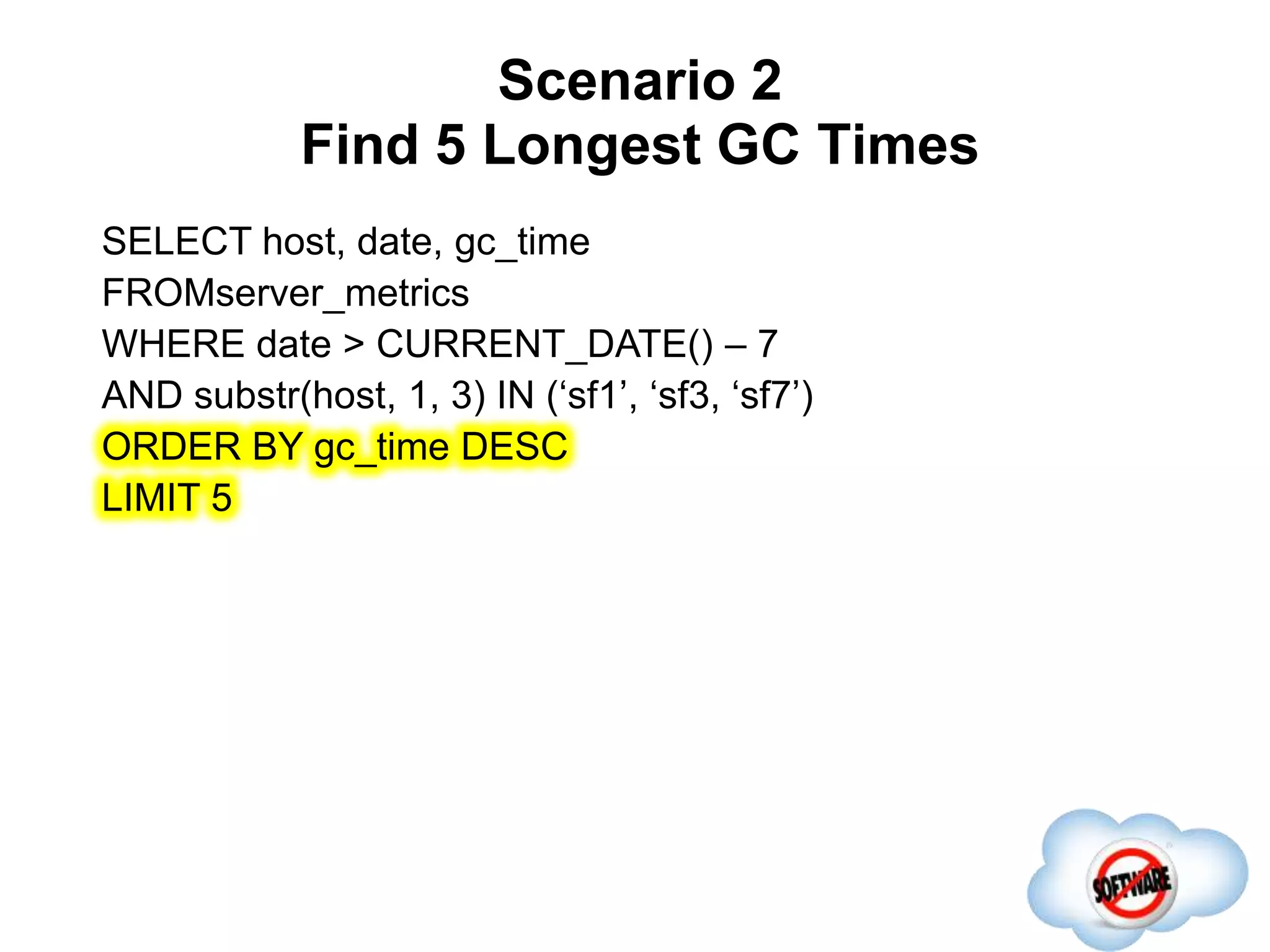
Scenario 2
Find 5 Longest GC Times
Completed
SELECT host, date, gc_time
FROMserver_metrics
WHERE date > CURRENT_DATE() – 7
AND substr(host, 1, 3) IN (‘sf1’, ‘sf3, ‘sf7’)
ORDER BY gc_time DESC
LIMIT 5
Scenario 2
Find 5 Longest GC Times
• Same client parallelization and server skip scan filtering
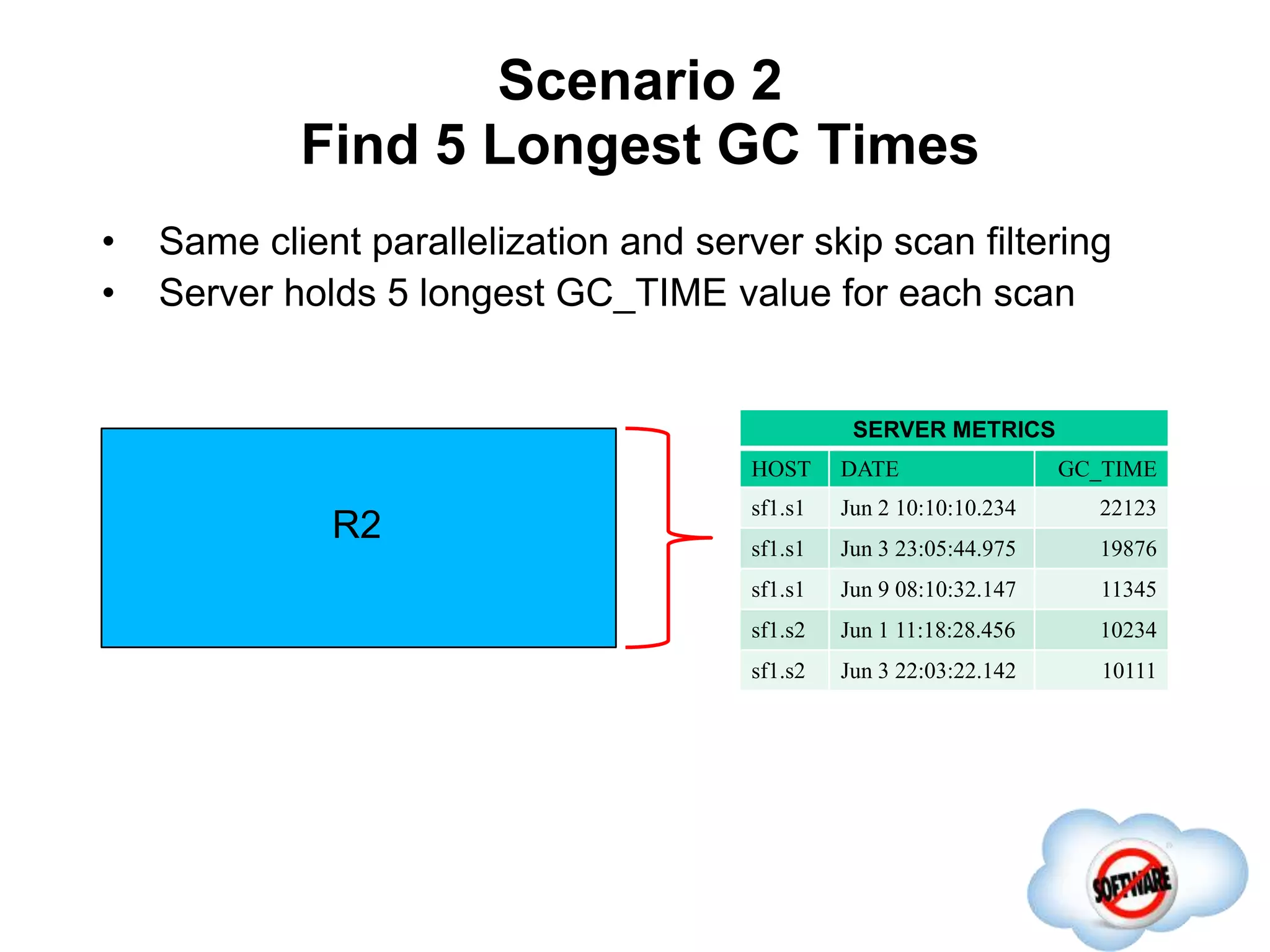
Scenario 2
Find 5 Longest GC Times
Completed
• Same client parallelization and server skip scan filtering
• Server holds 5 longest GC_TIME value for each scan
R2
SERVER METRICS
HOST DATE GC_TIME
sf1.s1 Jun 2 10:10:10.234 22123
sf1.s1 Jun 3 23:05:44.975 19876
sf1.s1 Jun 9 08:10:32.147 11345
sf1.s2 Jun 1 11:18:28.456 10234
sf1.s2 Jun 3 22:03:22.142 10111
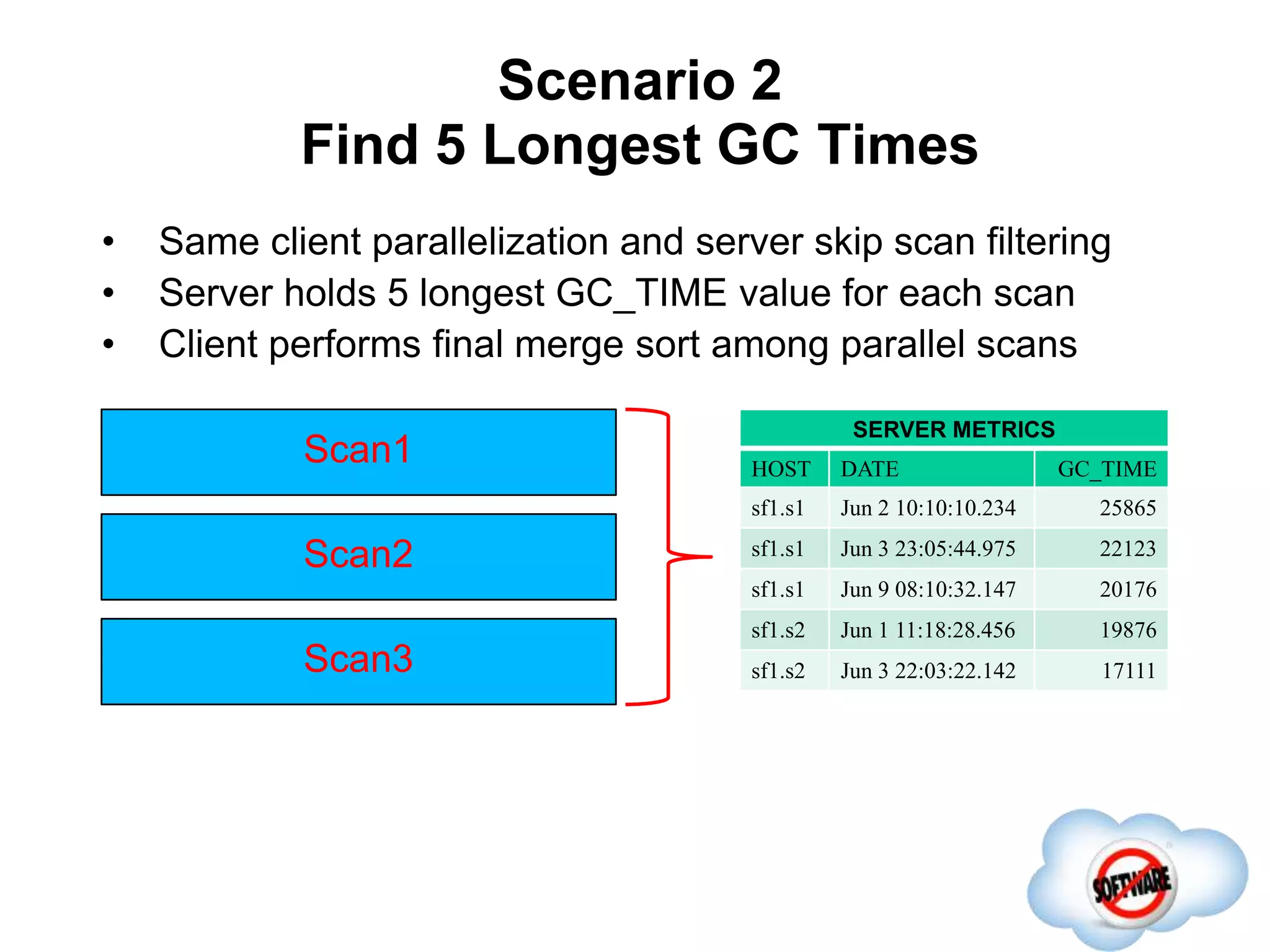
Scenario 2
Find 5 Longest GC Times
Completed
• Same client parallelization and server skip scan filtering
• Server holds 5 longest GC_TIME value for each scan
• Client performs final merge sort among parallel scans
Scan1
SERVER METRICS
HOST DATE GC_TIME
sf1.s1 Jun 2 10:10:10.234 25865
sf1.s1 Jun 3 23:05:44.975 22123
sf1.s1 Jun 9 08:10:32.147 20176
sf1.s2 Jun 1 11:18:28.456 19876
sf1.s2 Jun 3 22:03:22.142 17111
Scan2
Scan3
Scenario 3
Find 5 Longest GC Times
Completed
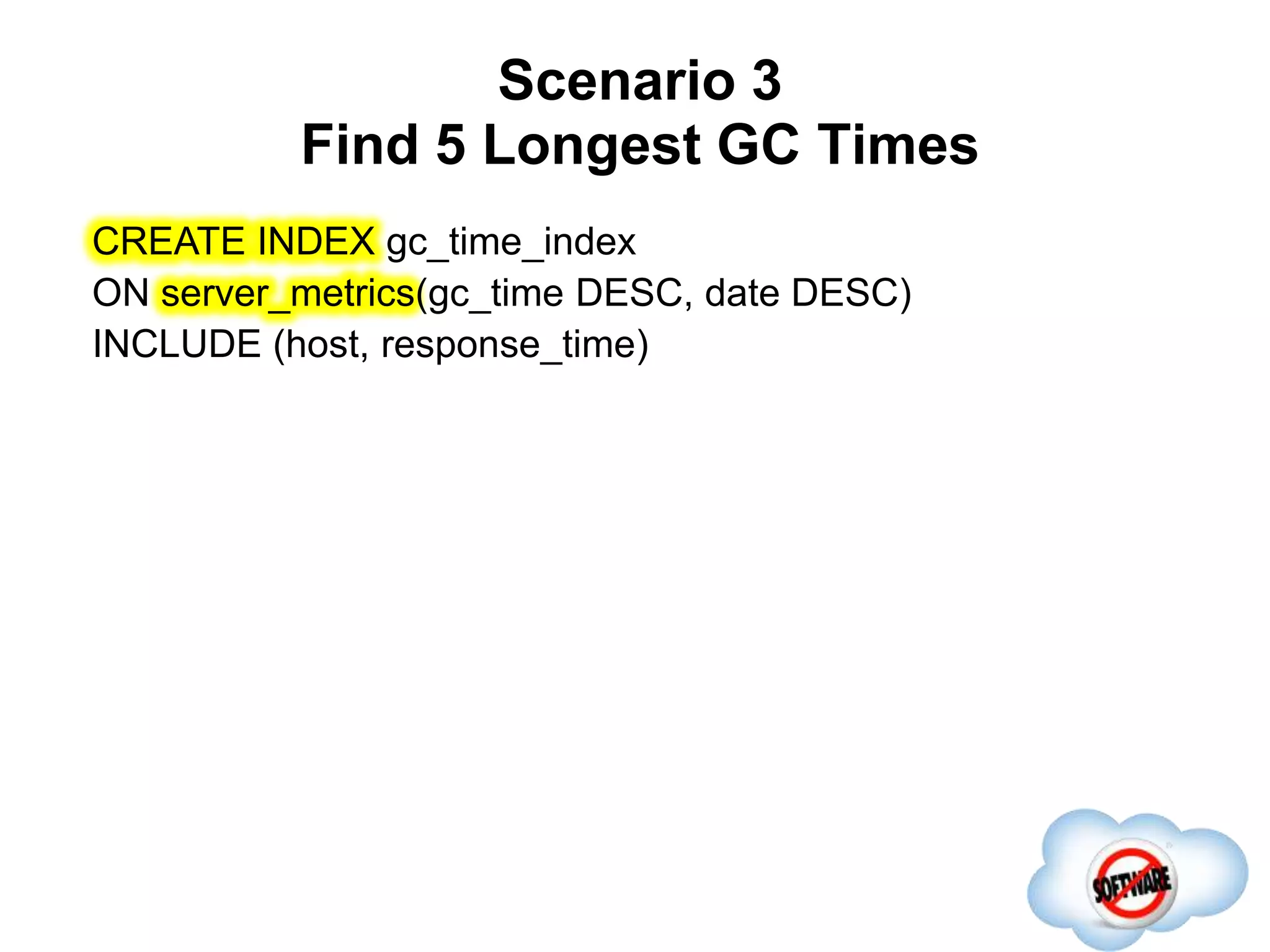
CREATE INDEX gc_time_index
ON server_metrics(gc_time DESC, date DESC)
INCLUDE (host, response_time)
Scenario 3
Find 5 Longest GC Times
Completed
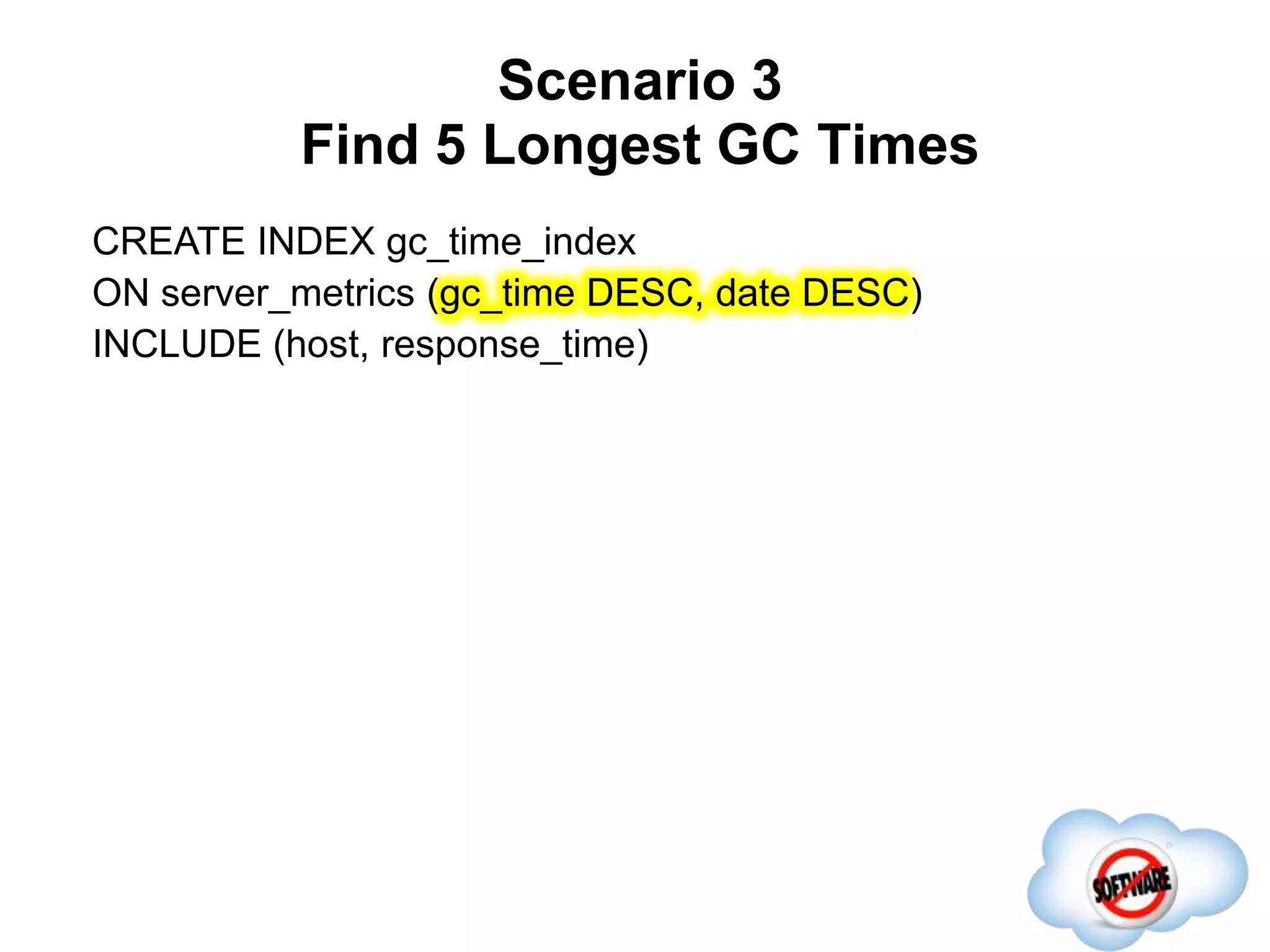
CREATE INDEX gc_time_index
ON server_metrics (gc_time DESC, date DESC)
INCLUDE (host, response_time)
Scenario 3
Find 5 Longest GC Times
Completed
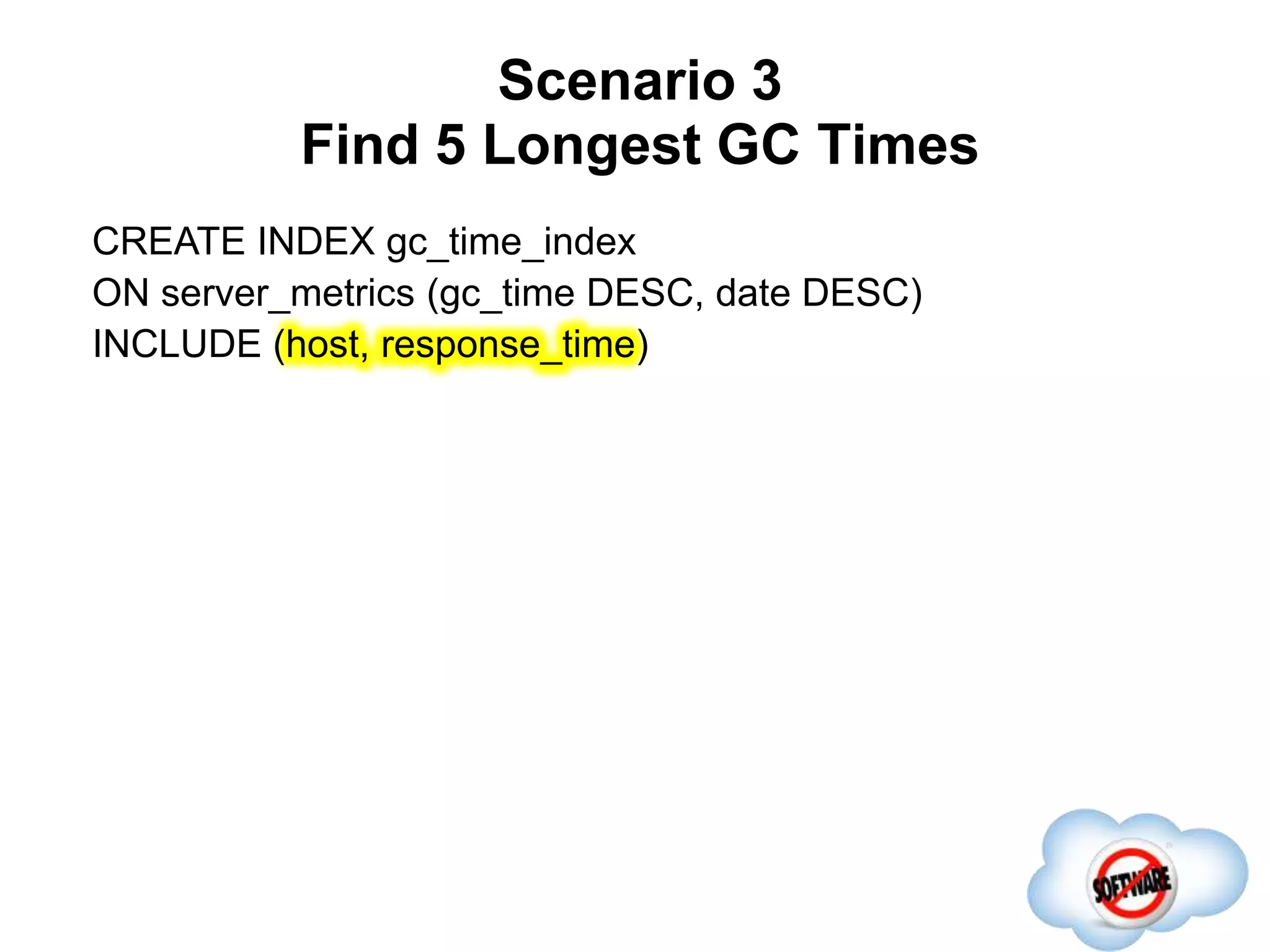
CREATE INDEX gc_time_index
ON server_metrics (gc_time DESC, date DESC)
INCLUDE (host, response_time)
Scenario 3
Find 5 Longest GC Times
Completed
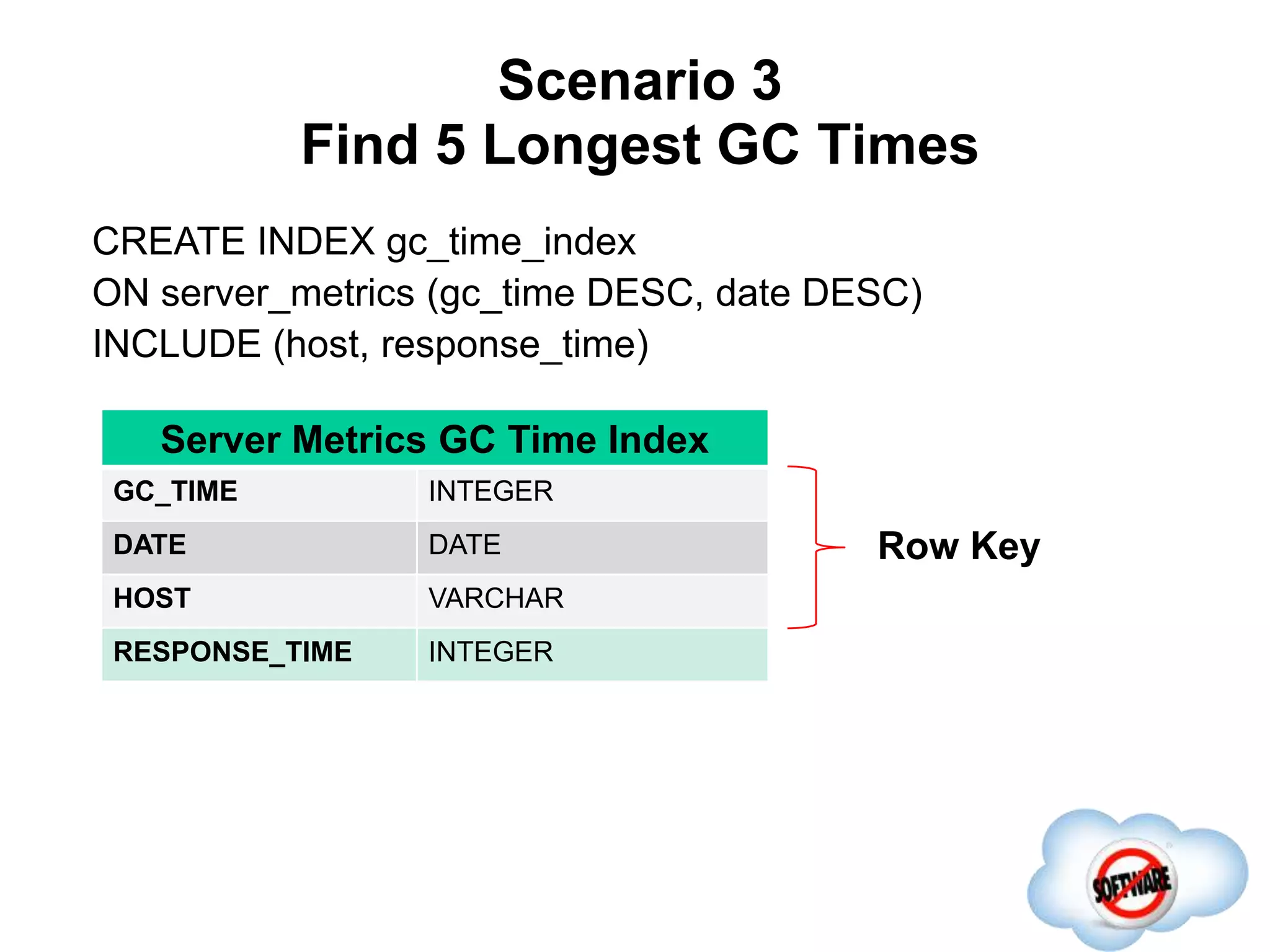
CREATE INDEX gc_time_index
ON server_metrics (gc_time DESC, date DESC)
INCLUDE (host, response_time)
Row Key
Server Metrics GC Time Index
GC_TIME INTEGER
DATE DATE
HOST VARCHAR
RESPONSE_TIME INTEGER
Scenario 3
Find 5 Longest GC Times
Completed
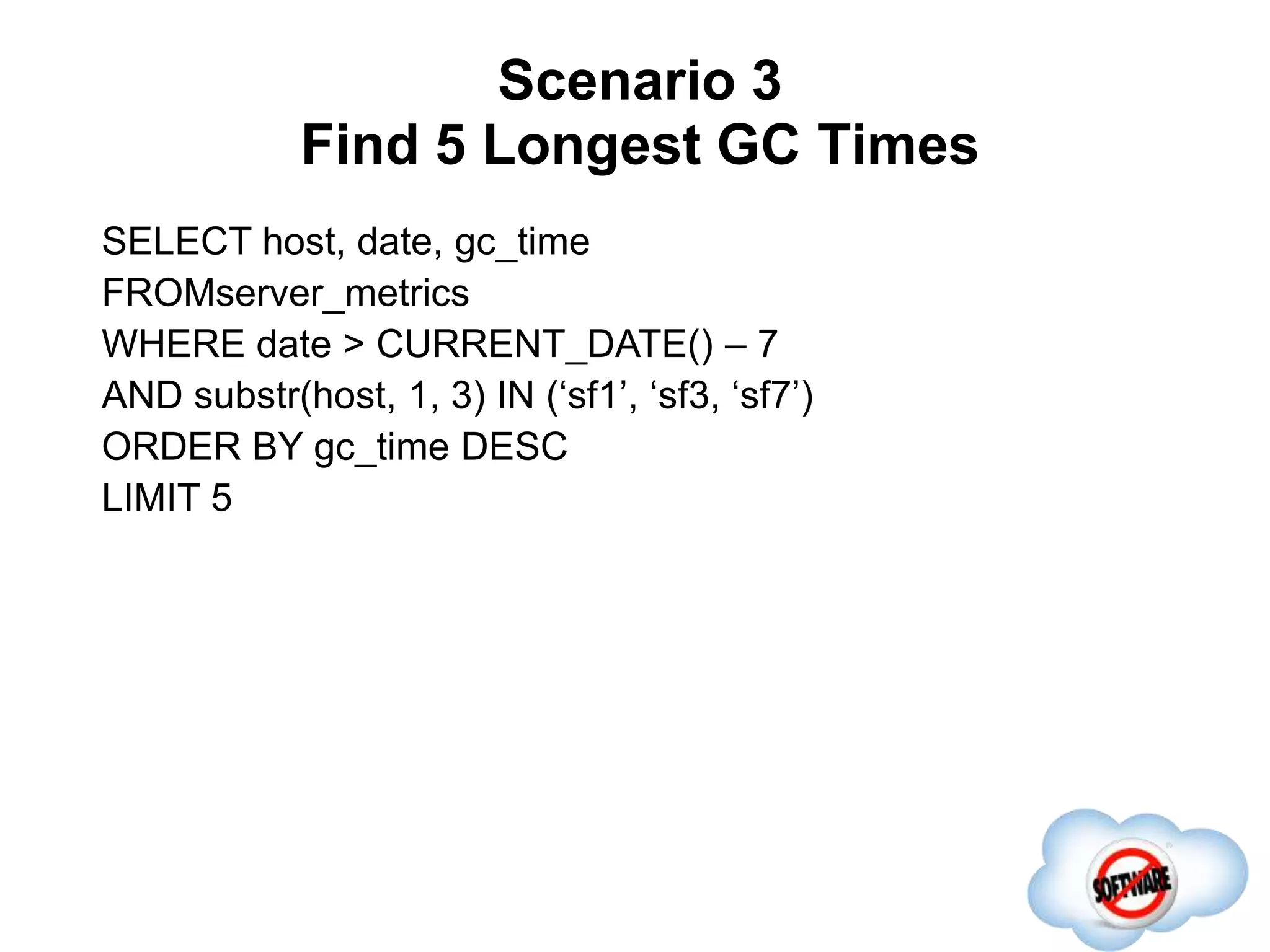
SELECT host, date, gc_time
FROMserver_metrics
WHERE date > CURRENT_DATE() – 7
AND substr(host, 1, 3) IN (‘sf1’, ‘sf3, ‘sf7’)
ORDER BY gc_time DESC
LIMIT 5
Phoenix Roadmap
Completed
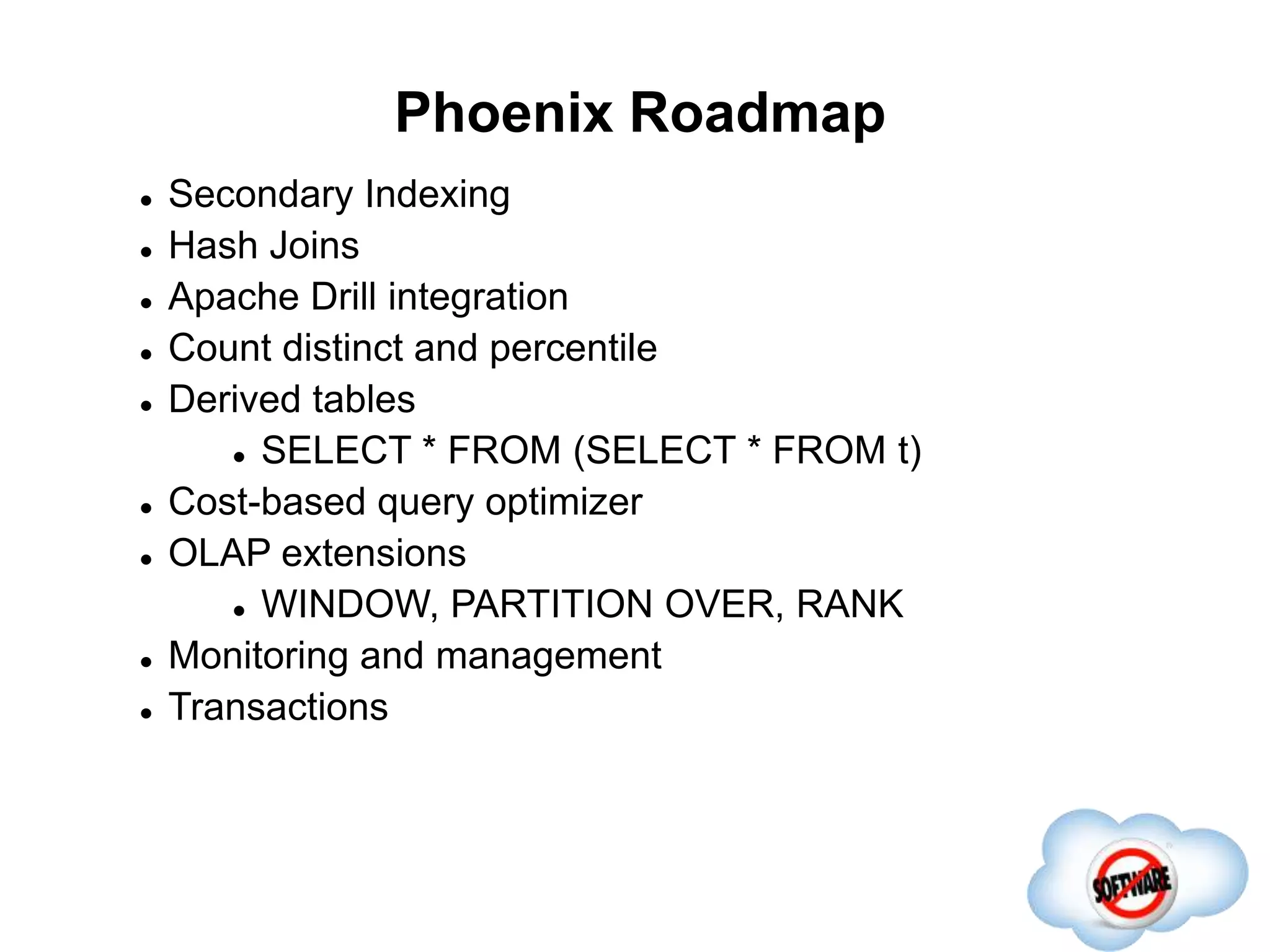
 Secondary Indexing
 Hash Joins
 Apache Drill integration
 Count distinct and percentile
 Derived tables
 SELECT * FROM (SELECT * FROM t)
 Cost-based query optimizer
 OLAP extensions
 WINDOW, PARTITION OVER, RANK
 Monitoring and management
 Transactions
Thank you!
Questions/comments?

HBaseCon 2013: How (and Why) Phoenix Puts the SQL Back into NoSQL

  • 1.
    Phoenix James Taylor @JamesPlusPlus http://phoenix-hbase.blogspot.com/ We putthe SQL back in NoSQL https://github.com/forcedotcom/phoenix
  • 2.
    In the dawnof time… Completed
  • 3.
    Relational Databases wereinvented Completed
  • 4.
    But we allknow the problems folks ran into Completed
  • 5.
    And then therewas HBase Completed
  • 6.
    And it wasgood Completed 1. Horizontally scalable
  • 7.
    And it wasgood Completed 1. Horizontally scalable 2. Maintains data locality
  • 8.
    And it wasgood Completed 1. Horizontally scalable 2. Maintains data locality 3. Runs on commodity hardware
  • 9.
  • 10.
    But somewhere, something terriblewent wrong Completed 1. It takes too much expertise to write an application
  • 11.
    But somewhere, something terriblewent wrong Completed 1. It takes too much expertise to write an application 2. It takes too much code to do anything
  • 12.
    But somewhere, something terriblewent wrong Completed 1. It takes too much expertise to write an application 2. It takes too much code to do anything 3. Your application is tied too closely with your data model
  • 13.
  • 14.
    What is Phoenix? Completed SQL skin for HBase  An alternate client API
  • 15.
    What is Phoenix? Completed SQL skin for HBase  An alternate client API  An embedded JDBC driver that allows you to run at HBase native speed
  • 16.
    What is Phoenix? Completed SQL skin for HBase  An alternate client API  An embedded JDBC driver that allows you to run at HBase native speed  Compiles your SQL into native HBase calls
  • 17.
    What is Phoenix? Completed SQL skin for HBase  An alternate client API  An embedded JDBC driver that allows you to run at HBase native speed  Compiles your SQL into native HBase calls so you don’t have to!
  • 18.
  • 19.
    Why SQL forHBase? Completed  Broaden HBase adoption  Give folks an API they already know
  • 20.
    Why SQL forHBase? Completed  Broaden HBase adoption  Give folks an API they already know  Reduce the amount of code users need to write SELECT TRUNC(date,'DAY’), AVG(cpu_usage) FROM web_stat WHERE domain LIKE 'Salesforce%’ GROUP BY TRUNC(date,'DAY’)
  • 21.
    Why SQL forHBase? Completed  Broaden HBase adoption  Give folks an API they already know  Reduce the amount of code users need to write SELECT TRUNC(date,'DAY’), AVG(cpu_usage) FROM web_stat WHERE domain LIKE 'Salesforce%’ GROUP BY TRUNC(date,'DAY')  Performance optimizations transparent to the user  Aggregation  Skip Scan  Secondary indexing (soon!)
  • 22.
    Why SQL forHBase? Completed  Broaden HBase adoption  Give folks an API they already know  Reduce the amount of code users need to write SELECT TRUNC(date,'DAY’), AVG(cpu_usage) FROM web_stat WHERE domain LIKE 'Salesforce%’ GROUP BY TRUNC(date,'DAY')  Performance optimizations transparent to the user  Aggregation  Skip Scan  Secondary indexing (soon!)  Leverage existing tooling  SQL client/terminal  OLAP engine
  • 23.
    Example Row Key Server Metrics HOSTVARCHAR DATE DATE RESPONSE_TIME INTEGER GC_TIME INTEGER CPU_TIME INTEGER IO_TIME INTEGER … Over metrics data for clusters of servers with a schema like this:
  • 24.
    Example Server Metrics HOST VARCHAR DATEDATE RESPONSE_TIME INTEGER GC_TIME INTEGER CPU_TIME INTEGER IO_TIME INTEGER … Over metrics data for clusters of servers with a schema like this: Key Values
  • 25.
    Example With 90 daysof data that looks like this: SERVER METRICS HOST DATE RESPONSE_TIME GC_TIME sf1.s1 Jun5 10:10:10.234 1234 sf1.s1 Jun 5 11:18:28.456 8012 … sf3.s1 Jun5 10:10:10.234 2345 sf3.s1 Jun 6 12:46:19.123 2340 sf7.s9 Jun 4 08:23:23.456 5002 1234 …
  • 26.
    Example Walk through queryprocessing for three scenarios 1. Chart Response Time Per Cluster
  • 27.
    Example Walk through queryprocessing for three scenarios 1. Chart Response Time Per Cluster
  • 28.
    Example Walk through queryprocessing for three scenarios 1. Chart Response Time Per Cluster 2. Identify 5 Longest GC Times
  • 29.
    Example Walk through queryprocessing for three scenarios 1. Chart Response Time Per Cluster 2. Identify 5 Longest GC Times
  • 30.
    Example Walk through queryprocessing for three scenarios 1. Chart Response Time Per Cluster 2. Identify 5 Longest GC Times 3. Identify 5 Longest GC Times again and again
  • 31.
    Scenario 1 Chart ResponseTime Per Cluster Completed SELECT host, trunc(date,’DAY’), min(response_time), max(response_time) FROM server_metrics WHERE date > CURRENT_DATE() – 7 AND substr(host, 1, 3) IN (‘sf1’, ‘sf3, ‘sf7’) GROUP BY substr(host, 1, 3), trunc(date,’DAY’)
  • 32.
    Scenario 1 Chart ResponseTime Per Cluster Completed SELECT host, trunc(date,’DAY’), min(response_time), max(response_time) FROM server_metrics WHERE date > CURRENT_DATE() – 7 AND substr(host, 1, 3) IN (‘sf1’, ‘sf3, ‘sf7’) GROUP BY substr(host, 1, 3), trunc(date,’DAY’)
  • 33.
    Scenario 1 Chart ResponseTime Per Cluster Completed SELECT host, trunc(date,’DAY’), min(response_time), max(response_time) FROM server_metrics WHERE date > CURRENT_DATE() – 7 AND substr(host, 1, 3) IN (‘sf1’, ‘sf3, ‘sf7’) GROUP BY substr(host, 1, 3), trunc(date,’DAY’)
  • 34.
    Scenario 1 Chart ResponseTime Per Cluster Completed SELECT host, trunc(date,’DAY’), min(response_time), max(response_time) FROM server_metrics WHERE date > CURRENT_DATE() – 7 AND substr(host, 1, 3) IN (‘sf1’, ‘sf3, ‘sf7’) GROUP BY substr(host, 1, 3), trunc(date,’DAY’)
  • 35.
    Scenario 1 Chart ResponseTime Per Cluster Completed SELECT host, trunc(date,’DAY’), min(response_time), max(response_time) FROM server_metrics WHERE date > CURRENT_DATE() – 7 AND substr(host, 1, 3) IN (‘sf1’, ‘sf3, ‘sf7’) GROUP BY substr(host, 1, 3), trunc(date,’DAY’)
  • 36.
    Step 1: Client IdentifyRow Key Ranges from Query Completed SELECT host, trunc(date,’DAY’), min(response_time), max(response_time) FROM server_metrics WHERE date > CURRENT_DATE() – 7 AND substr(host, 1, 3) IN (‘sf1’, ‘sf3’, ‘sf7’) GROUP BY substr(host, 1, 3), trunc(date,’DAY’) Row Key Ranges HOST DATE
  • 37.
    Step 1: Client IdentifyRow Key Ranges from Query Completed SELECT host, trunc(date,’DAY’), min(response_time), max(response_time) FROM server_metrics WHERE date > CURRENT_DATE() – 7 AND substr(host, 1, 3) IN (‘sf1’, ‘sf3’, ‘sf7’) GROUP BY substr(host, 1, 3), trunc(date,’DAY’) Row Key Ranges HOST DATE
  • 38.
    Step 1: Client IdentifyRow Key Ranges from Query Completed SELECT host, trunc(date,’DAY’), min(response_time), max(response_time) FROM server_metrics WHERE date > CURRENT_DATE() – 7 AND substr(host, 1, 3) IN (‘sf1’, ‘sf3’, ‘sf7’) GROUP BY substr(host, 1, 3), trunc(date,’DAY’) Row Key Ranges HOST DATE
  • 39.
    Step 1: Client IdentifyRow Key Ranges from Query Completed SELECT host, trunc(date,’DAY’), min(response_time), max(response_time) FROM server_metrics WHERE date > CURRENT_DATE() – 7 AND substr(host, 1, 3) IN (‘sf1’, ‘sf3’, ‘sf7’) GROUP BY substr(host, 1, 3), trunc(date,’DAY’) Row Key Ranges HOST DATE sf1
  • 40.
    Step 1: Client IdentifyRow Key Ranges from Query Completed SELECT host, trunc(date,’DAY’), min(response_time), max(response_time) FROM server_metrics WHERE date > CURRENT_DATE() – 7 AND substr(host, 1, 3) IN (‘sf1’, ‘sf3’, ‘sf7’) GROUP BY substr(host, 1, 3), trunc(date,’DAY’) Row Key Ranges HOST DATE sf1 sf3
  • 41.
    Step 1: Client IdentifyRow Key Ranges from Query Completed SELECT host, trunc(date,’DAY’), min(response_time), max(response_time) FROM server_metrics WHERE date > CURRENT_DATE() – 7 AND substr(host, 1, 3) IN (‘sf1’, ‘sf3’, ‘sf7’) GROUP BY substr(host, 1, 3), trunc(date,’DAY’) Row Key Ranges HOST DATE sf1 sf3 sf7
  • 42.
    Step 1: Client IdentifyRow Key Ranges from Query Completed SELECT host, trunc(date,’DAY’), min(response_time), max(response_time) FROM server_metrics WHERE date >CURRENT_DATE() – 7 AND substr(host, 1, 3) IN (‘sf1’, ‘sf3’, ‘sf7’) GROUP BY substr(host, 1, 3), trunc(date,’DAY’) Row Key Ranges HOST DATE sf1 t1 – * sf3 sf7
  • 43.
    Step 2: Client OverlayRow Key Ranges with Regions Completed R1 R2 R3 R4 sf1 sf4 sf6 sf1 sf3 sf7
  • 44.
    Step 3: Client ExecuteParallel Scans Completed R1 R2 R3 R4 sf1 sf4 sf6 sf1 sf3 sf7 scan1 scan3 scan2
  • 45.
    Step 4: Server Filterusing Skip Scan Completed sf1.s1 t0SKIP
  • 46.
    Step 4: Server Filterusing Skip Scan Completed sf1.s1 t1INCLUDE
  • 47.
    Step 4: Server Filterusing Skip Scan Completed sf1.s2 t0 SKIP
  • 48.
    Step 4: Server Filterusing Skip Scan Completed sf1.s2 t1INCLUDE
  • 49.
    Step 4: Server Filterusing Skip Scan sf1.s3 t0SKIP
  • 50.
    Step 4: Server Filterusing Skip Scan sf1.s3 t1INCLUDE
  • 51.
    SERVER METRICS HOST DATE sf1.s1Jun 2 10:10:10.234 sf1.s2 Jun 3 23:05:44.975 sf1.s2 Jun 9 08:10:32.147 sf1.s3 Jun 1 11:18:28.456 sf1.s3 Jun 3 22:03:22.142 sf1.s4 Jun 1 10:29:58.950 sf1.s4 Jun 2 14:55:34.104 sf1.s4 Jun 3 12:46:19.123 sf1.s5 Jun 8 08:23:23.456 sf1.s6 Jun 1 10:31:10.234 Step 5: Server Intercept Scan in Coprocessor SERVER METRICS HOST DATE sf1 Jun 1 sf1 Jun 2 sf1 Jun 3 sf1 Jun 8 sf1 Jun 9
  • 52.
    Step 6: Client PerformFinal Merge Sort Completed R1 R2 R3 R4 scan1 scan3 scan2 SERVER METRICS HOST DATE sf1 Jun5 sf1 Jun 9 sf3 Jun 1 sf3 Jun 2 sf7 Jun 1 sf7 Jun 8
  • 53.
    Scenario 2 Find 5Longest GC Times Completed SELECT host, date, gc_time FROMserver_metrics WHERE date > CURRENT_DATE() – 7 AND substr(host, 1, 3) IN (‘sf1’, ‘sf3, ‘sf7’) ORDER BY gc_time DESC LIMIT 5
  • 54.
    Scenario 2 Find 5Longest GC Times • Same client parallelization and server skip scan filtering
  • 55.
    Scenario 2 Find 5Longest GC Times Completed • Same client parallelization and server skip scan filtering • Server holds 5 longest GC_TIME value for each scan R2 SERVER METRICS HOST DATE GC_TIME sf1.s1 Jun 2 10:10:10.234 22123 sf1.s1 Jun 3 23:05:44.975 19876 sf1.s1 Jun 9 08:10:32.147 11345 sf1.s2 Jun 1 11:18:28.456 10234 sf1.s2 Jun 3 22:03:22.142 10111
  • 56.
    Scenario 2 Find 5Longest GC Times Completed • Same client parallelization and server skip scan filtering • Server holds 5 longest GC_TIME value for each scan • Client performs final merge sort among parallel scans Scan1 SERVER METRICS HOST DATE GC_TIME sf1.s1 Jun 2 10:10:10.234 25865 sf1.s1 Jun 3 23:05:44.975 22123 sf1.s1 Jun 9 08:10:32.147 20176 sf1.s2 Jun 1 11:18:28.456 19876 sf1.s2 Jun 3 22:03:22.142 17111 Scan2 Scan3
  • 57.
    Scenario 3 Find 5Longest GC Times Completed CREATE INDEX gc_time_index ON server_metrics(gc_time DESC, date DESC) INCLUDE (host, response_time)
  • 58.
    Scenario 3 Find 5Longest GC Times Completed CREATE INDEX gc_time_index ON server_metrics (gc_time DESC, date DESC) INCLUDE (host, response_time)
  • 59.
    Scenario 3 Find 5Longest GC Times Completed CREATE INDEX gc_time_index ON server_metrics (gc_time DESC, date DESC) INCLUDE (host, response_time)
  • 60.
    Scenario 3 Find 5Longest GC Times Completed CREATE INDEX gc_time_index ON server_metrics (gc_time DESC, date DESC) INCLUDE (host, response_time) Row Key Server Metrics GC Time Index GC_TIME INTEGER DATE DATE HOST VARCHAR RESPONSE_TIME INTEGER
  • 61.
    Scenario 3 Find 5Longest GC Times Completed SELECT host, date, gc_time FROMserver_metrics WHERE date > CURRENT_DATE() – 7 AND substr(host, 1, 3) IN (‘sf1’, ‘sf3, ‘sf7’) ORDER BY gc_time DESC LIMIT 5
  • 62.
    Phoenix Roadmap Completed  SecondaryIndexing  Hash Joins  Apache Drill integration  Count distinct and percentile  Derived tables  SELECT * FROM (SELECT * FROM t)  Cost-based query optimizer  OLAP extensions  WINDOW, PARTITION OVER, RANK  Monitoring and management  Transactions
  • 63.