Hashtags & friends
What is a hashtag? 
 Definition: 
 A hashtag is a word or an unspaced phrase prefixed with 
the number sign ("#"). 
 It is a form of metadata tag. Words or phrases in messages 
on microblogging and social networking services may be 
tagged by entering "#" before them, either as they appear 
in a sentence or appended to it. 
 Hashtags make it possible to group such messages, and a 
search for the hashtag returns the set of messages that 
contain it. A hashtag is only connected to a specific 
medium and can therefore not be linked and connected to 
pictures or messages from different platforms. 
Wikipedia
What is a hashtag? 
 Theme for a conversation
History of the hashtag 
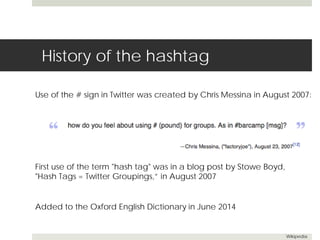
Use of the # sign in Twitter was created by Chris Messina in August 2007: 
Added to the Oxford English Dictionary in June 2014 
Wikipedia 
First use of the term "hash tag" was in a blog post by Stowe Boyd, 
"Hash Tags = Twitter Groupings,” in August 2007
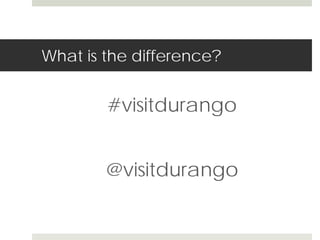
What is the difference? 
#visitdurango 
@visitdurango
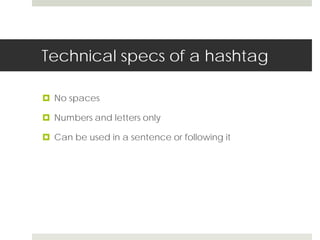
Technical specs of a hashtag 
 No spaces 
 Numbers and letters only 
 Can be used in a sentence or following it
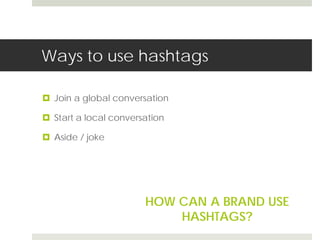
Ways to use hashtags 
 Join a global conversation 
 Start a local conversation 
 Aside / joke 
HOW CAN A BRAND USE 
HASHTAGS?
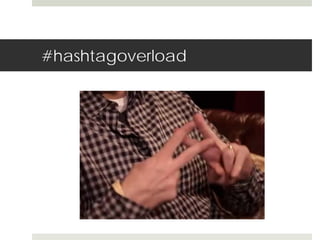
#hashtagoverload
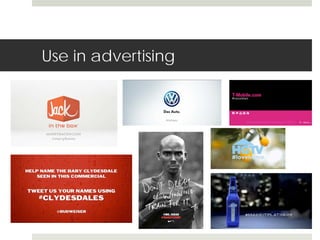
Use in advertising
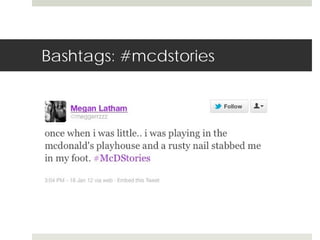
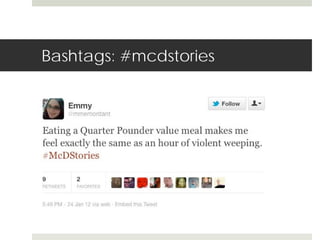
Bashtags: #mcdstories
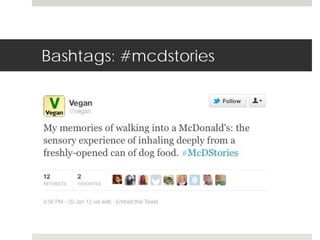
Bashtags: #mcdstories 
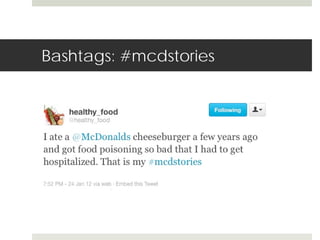
Last Thursday, we planned to use two different hashtags during a 
promoted trend — #meetthefarmers and #mcdstories. 
While #meetthefarmers was used for the majority of the day and 
successful in raising awareness of the Supplier Stories campaign, 
#mcdstories did not go as planned. We quickly pulled 
#mcdstories and it was promoted for less than two hours. 
With all social media campaigns, we include contingency plans 
should the conversation not go as planned. The ability to change 
midstream helped this small blip from becoming something larger. 
--McDonald’s social media director Rick Wion 
Hypervocal..com
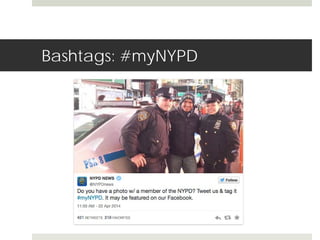
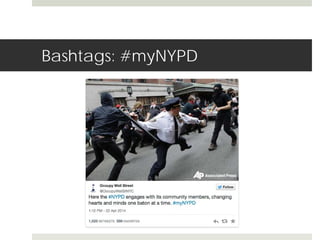
Bashtags: #myNYPD
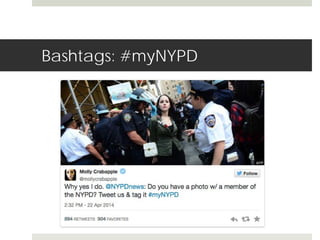
Bashtags: #myNYPD
Bashtags: #myNYPD
Twitter 
An online social networking 
service that enables users 
to send and read short 
140-character messages 
Launched July 15, 2006 
Wikipedia
History of Twitter
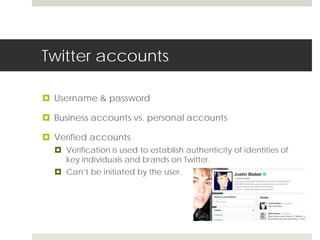
Twitter accounts 
 Username & password 
 Business accounts vs. personal accounts 
 Verified accounts 
 Verification is used to establish authenticity of identities of 
key individuals and brands on Twitter. 
 Can’t be initiated by the user.
Twitter terminology 
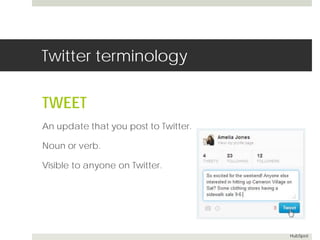
TWEET 
An update that you post to Twitter. 
Noun or verb. 
Visible to anyone on Twitter. 
HubSpot
Twitter terminology 
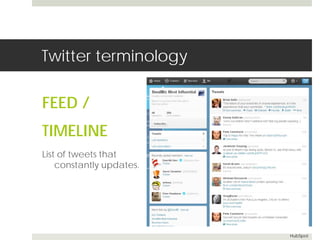
FEED / 
TIMELINE 
List of tweets that 
constantly updates. 
HubSpot
Twitter terminology 
FOLLOWER 
Someone who follows you on 
Twitter. 
They see your updates in 
their feed. 
HubSpot
Twitter terminology 
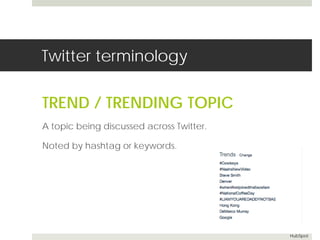
TREND / TRENDING TOPIC 
A topic being discussed across Twitter. 
Noted by hashtag or keywords. 
HubSpot
How to use Twitter 
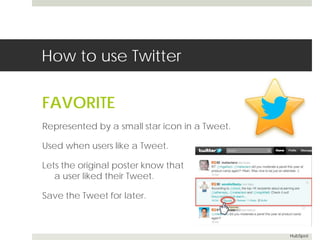
FAVORITE 
Represented by a small star icon in a Tweet. 
Used when users like a Tweet. 
Lets the original poster know that 
a user liked their Tweet. 
Save the Tweet for later. 
HubSpot
How to use Twitter 
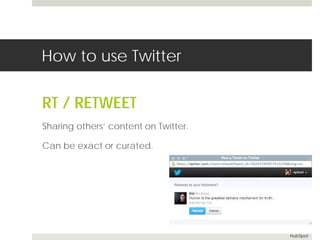
RT / RETWEET 
Sharing others’ content on Twitter. 
Can be exact or curated. 
HubSpot
How to use Twitter 
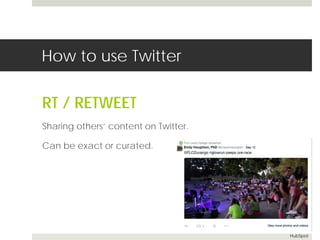
RT / RETWEET 
Sharing others’ content on Twitter. 
Can be exact or curated. 
HubSpot
How to use Twitter 
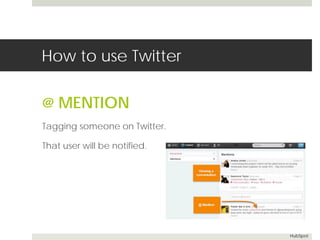
@ MENTION 
Tagging someone on Twitter. 
That user will be notified. 
HubSpot
How to use Twitter 
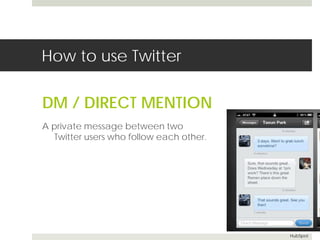
DM / DIRECT MENTION 
A private message between two 
Twitter users who follow each other. 
HubSpot
How to use Twitter 
MT / MODIFIED TWEET 
PRT / PARTIAL RETWEET 
A retweet that has been altered 
to save space. 
Still maintains the original message. 
HubSpot
How to use Twitter 
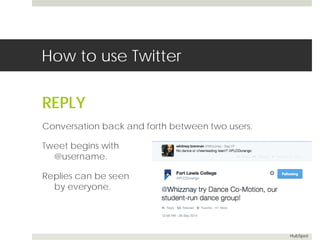
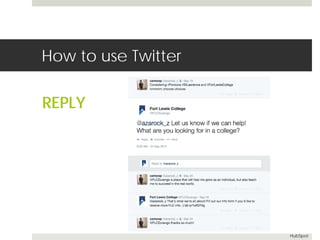
REPLY 
Conversation back and forth between two users. 
Tweet begins with 
@username. 
Replies can be seen 
by everyone. 
HubSpot
How to use Twitter 
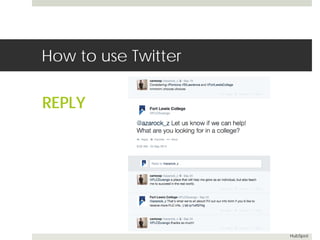
REPLY 
HubSpot
How to use Twitter 
REPLY 
HubSpot
Managing Twitter 
WEB VS. MOBILE
Managing Twitter 
NOTIFICATIONS 
 Notifications tab shows you 
 which of your Tweets have been favorited 
 the latest retweets (of your Tweets) 
 Tweets directed to you (@replies and mentions) 
 your new followers 
 Can be found online, Twitter app, push notifications, 
and web notifications. 
Twitter Help Center
Managing Twitter 
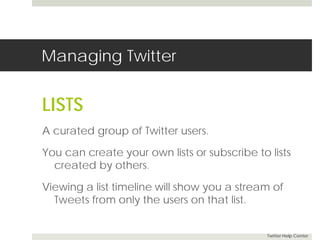
LISTS 
A curated group of Twitter users. 
You can create your own lists or subscribe to lists 
created by others. 
Viewing a list timeline will show you a stream of 
Tweets from only the users on that list. 
Twitter Help Center
Managing Twitter 
MANAGEMENT TOOLS 
Tweetdeck 
Hootsuite / Sprout 
Link shorteners
Instagram 
An online mobile photo-sharing, 
video-sharing 
and social networking 
service that enables its 
users to take pictures 
and videos, and 
share them 
Launched October 2010
Instagram accounts 
 Username & password 
 Business accounts vs. personal accounts 
 Accounts are public by default 
 Mobile access required
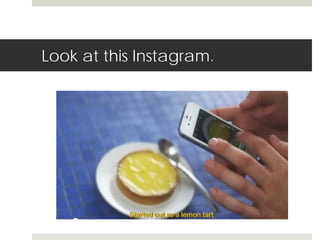
Look at this Instagram.
How to use Instagram 
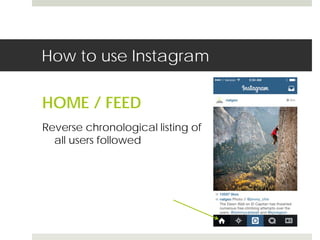
HOME / FEED 
Reverse chronological listing of 
all users followed
How to use Instagram 
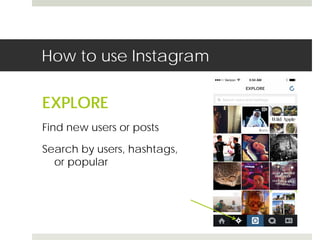
EXPLORE 
Find new users or posts 
Search by users, hashtags, 
or popular
How to use Instagram 
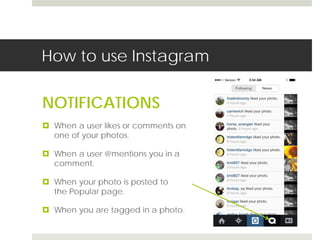
NOTIFICATIONS 
 When a user likes or comments on 
one of your photos. 
 When a user @mentions you in a 
comment. 
 When your photo is posted to 
the Popular page. 
 When you are tagged in a photo.
How to use Instagram 
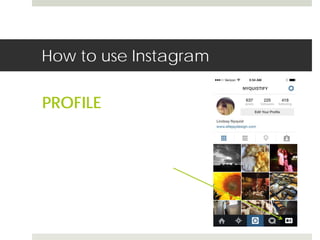
PROFILE
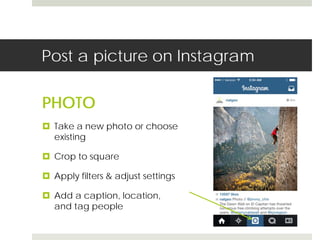
Post a picture on Instagram 
PHOTO 
 Take a new photo or choose 
existing 
 Crop to square 
 Apply filters & adjust settings 
 Add a caption, location, 
and tag people

Hashtags & friends

  • 1.
  • 2.
    What is ahashtag?  Definition:  A hashtag is a word or an unspaced phrase prefixed with the number sign ("#").  It is a form of metadata tag. Words or phrases in messages on microblogging and social networking services may be tagged by entering "#" before them, either as they appear in a sentence or appended to it.  Hashtags make it possible to group such messages, and a search for the hashtag returns the set of messages that contain it. A hashtag is only connected to a specific medium and can therefore not be linked and connected to pictures or messages from different platforms. Wikipedia
  • 3.
    What is ahashtag?  Theme for a conversation
  • 4.
    History of thehashtag Use of the # sign in Twitter was created by Chris Messina in August 2007: Added to the Oxford English Dictionary in June 2014 Wikipedia First use of the term "hash tag" was in a blog post by Stowe Boyd, "Hash Tags = Twitter Groupings,” in August 2007
  • 5.
    What is thedifference? #visitdurango @visitdurango
  • 6.
    Technical specs ofa hashtag  No spaces  Numbers and letters only  Can be used in a sentence or following it
  • 7.
    Ways to usehashtags  Join a global conversation  Start a local conversation  Aside / joke HOW CAN A BRAND USE HASHTAGS?
  • 8.
  • 9.
  • 10.
  • 11.
  • 12.
  • 13.
  • 14.
    Bashtags: #mcdstories LastThursday, we planned to use two different hashtags during a promoted trend — #meetthefarmers and #mcdstories. While #meetthefarmers was used for the majority of the day and successful in raising awareness of the Supplier Stories campaign, #mcdstories did not go as planned. We quickly pulled #mcdstories and it was promoted for less than two hours. With all social media campaigns, we include contingency plans should the conversation not go as planned. The ability to change midstream helped this small blip from becoming something larger. --McDonald’s social media director Rick Wion Hypervocal..com
  • 15.
  • 16.
  • 17.
  • 18.
    Twitter An onlinesocial networking service that enables users to send and read short 140-character messages Launched July 15, 2006 Wikipedia
  • 19.
  • 20.
    Twitter accounts Username & password  Business accounts vs. personal accounts  Verified accounts  Verification is used to establish authenticity of identities of key individuals and brands on Twitter.  Can’t be initiated by the user.
  • 21.
    Twitter terminology TWEET An update that you post to Twitter. Noun or verb. Visible to anyone on Twitter. HubSpot
  • 22.
    Twitter terminology FEED/ TIMELINE List of tweets that constantly updates. HubSpot
  • 23.
    Twitter terminology FOLLOWER Someone who follows you on Twitter. They see your updates in their feed. HubSpot
  • 24.
    Twitter terminology TREND/ TRENDING TOPIC A topic being discussed across Twitter. Noted by hashtag or keywords. HubSpot
  • 25.
    How to useTwitter FAVORITE Represented by a small star icon in a Tweet. Used when users like a Tweet. Lets the original poster know that a user liked their Tweet. Save the Tweet for later. HubSpot
  • 26.
    How to useTwitter RT / RETWEET Sharing others’ content on Twitter. Can be exact or curated. HubSpot
  • 27.
    How to useTwitter RT / RETWEET Sharing others’ content on Twitter. Can be exact or curated. HubSpot
  • 28.
    How to useTwitter @ MENTION Tagging someone on Twitter. That user will be notified. HubSpot
  • 29.
    How to useTwitter DM / DIRECT MENTION A private message between two Twitter users who follow each other. HubSpot
  • 30.
    How to useTwitter MT / MODIFIED TWEET PRT / PARTIAL RETWEET A retweet that has been altered to save space. Still maintains the original message. HubSpot
  • 31.
    How to useTwitter REPLY Conversation back and forth between two users. Tweet begins with @username. Replies can be seen by everyone. HubSpot
  • 32.
    How to useTwitter REPLY HubSpot
  • 33.
    How to useTwitter REPLY HubSpot
  • 34.
  • 35.
    Managing Twitter NOTIFICATIONS  Notifications tab shows you  which of your Tweets have been favorited  the latest retweets (of your Tweets)  Tweets directed to you (@replies and mentions)  your new followers  Can be found online, Twitter app, push notifications, and web notifications. Twitter Help Center
  • 36.
    Managing Twitter LISTS A curated group of Twitter users. You can create your own lists or subscribe to lists created by others. Viewing a list timeline will show you a stream of Tweets from only the users on that list. Twitter Help Center
  • 37.
    Managing Twitter MANAGEMENTTOOLS Tweetdeck Hootsuite / Sprout Link shorteners
  • 38.
    Instagram An onlinemobile photo-sharing, video-sharing and social networking service that enables its users to take pictures and videos, and share them Launched October 2010
  • 39.
    Instagram accounts Username & password  Business accounts vs. personal accounts  Accounts are public by default  Mobile access required
  • 40.
    Look at thisInstagram.
  • 41.
    How to useInstagram HOME / FEED Reverse chronological listing of all users followed
  • 42.
    How to useInstagram EXPLORE Find new users or posts Search by users, hashtags, or popular
  • 43.
    How to useInstagram NOTIFICATIONS  When a user likes or comments on one of your photos.  When a user @mentions you in a comment.  When your photo is posted to the Popular page.  When you are tagged in a photo.
  • 44.
    How to useInstagram PROFILE
  • 45.
    Post a pictureon Instagram PHOTO  Take a new photo or choose existing  Crop to square  Apply filters & adjust settings  Add a caption, location, and tag people