Mike Russell @MikerDzign
Finding your
Twitter Voice
@mikerdzign
• 8,600 tweets
• 1,900 following
• 1,800 followers
• Tweeting since 2008
About me
Co-tweet for
@visitflagstaff
• 5,100 tweets
• 2,000 following
• 5,400 followers
@flagstaff_comm
• 2,100 tweets
• 1,500 following
• 1,500 followers
Beginner Basics
• Twitter: Microblogging service that enables
users to send and read 140-character text
messages, called "tweets".
• Tweets are published online either publicly or
privately.
– Protect my tweets.
Closed vs. Open Social Network ─ What’s the Best Option for Your Company? By Laura Woods @MrsLauraWoods
Sign up its FREE!
• Name, email and password
• Use your business name or real name
Don’t get too cutesy
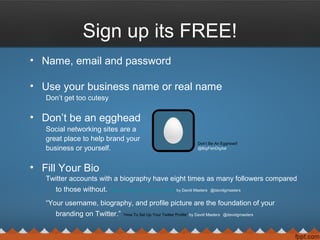
• Don’t be an egghead
Social networking sites are a
great place to help brand your
business or yourself.
• Fill Your Bio
Twitter accounts with a biography have eight times as many followers compared
to those without. “How To Set Up Your Twitter Profile” by David Masters @davidgmasters
“Your username, biography, and profile picture are the foundation of your
branding on Twitter.” “How To Set Up Your Twitter Profile” by David Masters @davidgmasters
Don’t Be An Egghead!
@BigFishDigital
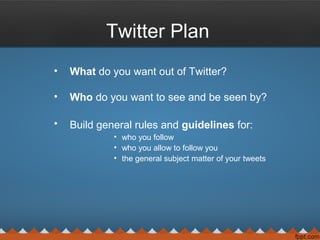
Twitter Plan
• What do you want out of Twitter?
• Who do you want to see and be seen by?
• Build general rules and guidelines for:
• who you follow
• who you allow to follow you
• the general subject matter of your tweets
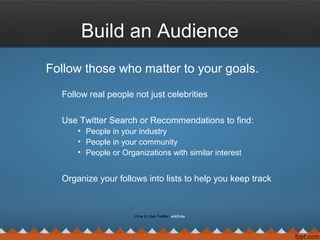
Build an Audience
Follow those who matter to your goals.
Follow real people not just celebrities
Use Twitter Search or Recommendations to find:
• People in your industry
• People in your community
• People or Organizations with similar interest
Organize your follows into lists to help you keep track
How to Use Twitter wikihow
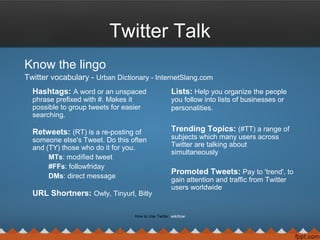
Twitter Talk
Know the lingo
Twitter vocabulary - Urban Dictionary - InternetSlang.com
Hashtags: A word or an unspaced
phrase prefixed with #. Makes it
possible to group tweets for easier
searching.
Retweets: (RT) is a re-posting of
someone else's Tweet. Do this often
and (TY) those who do it for you.
MTs: modified tweet
#FFs: followfriday
DMs: direct message
URL Shortners: Owly, Tinyurl, Bitly
Lists: Help you organize the people
you follow into lists of businesses or
personalities.
Trending Topics: (#TT) a range of
subjects which many users across
Twitter are talking about
simultaneously
Promoted Tweets: Pay to 'trend', to
gain attention and traffic from Twitter
users worldwide
How to Use Twitter wikihow
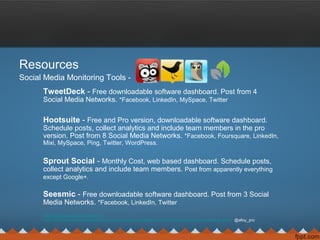
Resources
Social Media Monitoring Tools -
TweetDeck - Free downloadable software dashboard. Post from 4
Social Media Networks. *Facebook, LinkedIn, MySpace, Twitter
Hootsuite - Free and Pro version, downloadable software dashboard.
Schedule posts, collect analytics and include team members in the pro
version. Post from 8 Social Media Networks. *Facebook, Foursquare, LinkedIn,
Mixi, MySpace, Ping, Twitter, WordPress.
Sprout Social - Monthly Cost, web based dashboard. Schedule posts,
collect analytics and include team members. Post from apparently everything
except Google+.
Seesmic - Free downloadable software dashboard. Post from 3 Social
Media Networks. *Facebook, LinkedIn, Twitter
http://alloyproductions.wordpress
.com/2012/05/14/hootsuite-seesmic-sprout-social-or-tweetdeck-who-has-the-best-social-networking-client/ @alloy_pro
Helpful sites
To get you started
Mashable - Covers the top social media news on topics like Facebook,
YouTube,Gmail, Twitter, Amazon, Pinterest and More
Twazzup - Twitter real-time monitoring and analytics
Buffer - Share content to Twitter, Facebook and LinkedIn
Klout - Measures your Twitter influence
Google Alerts - Will email you online mentions of keywords
What to tweet about
Talk about anything that crosses your mind
Keep it human
Don’t over do it
Don’t under do it
Don’t over think it
Do remember this is public
Have fun
Educate
Inform
ENGAGE
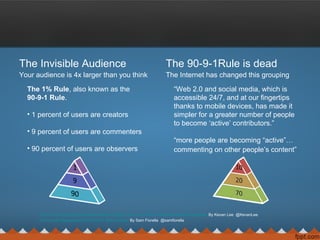
The Invisible Audience
Your audience is 4x larger than you think
The 1% Rule, also known as the
90-9-1 Rule.
• 1 percent of users are creators
• 9 percent of users are commenters
• 90 percent of users are observers
Why Your Social Media Posts Are More Popular Than You Think: Inside the Invisible Audience By Kevan Lee @KevanLee
Community Management:The 90-9-1 Rule is Dead By Sam Fiorella @samfiorella
The 90-9-1Rule is dead
The Internet has changed this grouping
“Web 2.0 and social media, which is
accessible 24/7, and at our fingertips
thanks to mobile devices, has made it
simpler for a greater number of people
to become ‘active’ contributors.”
“more people are becoming “active”…
commenting on other people’s content”
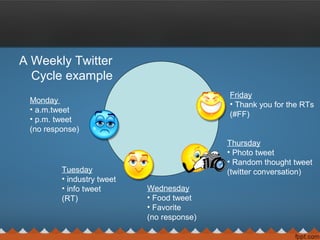
A Weekly Twitter
Cycle example
Monday
• a.m.tweet
• p.m. tweet
(no response)
Tuesday
• industry tweet
• info tweet
(RT)
Wednesday
• Food tweet
• Favorite
(no response)
Thursday
• Photo tweet
• Random thought tweet
(twitter conversation)
Friday
• Thank you for the RTs
(#FF)
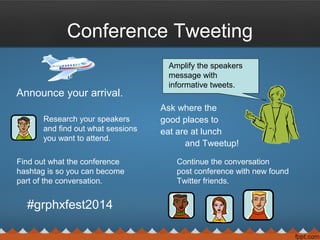
Conference Tweeting
Announce your arrival.
Ask where the
good places to
eat are at lunch
and Tweetup!
Research your speakers
and find out what sessions
you want to attend.
Find out what the conference
hashtag is so you can become
part of the conversation.
#grphxfest2014
Amplify the speakers
message with
informative tweets.
Continue the conversation
post conference with new found
Twitter friends.
Q & A
• Happy Tweeting

Finding your Twitter voice

  • 1.
  • 2.
    @mikerdzign • 8,600 tweets •1,900 following • 1,800 followers • Tweeting since 2008 About me Co-tweet for @visitflagstaff • 5,100 tweets • 2,000 following • 5,400 followers @flagstaff_comm • 2,100 tweets • 1,500 following • 1,500 followers
  • 3.
    Beginner Basics • Twitter:Microblogging service that enables users to send and read 140-character text messages, called "tweets". • Tweets are published online either publicly or privately. – Protect my tweets. Closed vs. Open Social Network ─ What’s the Best Option for Your Company? By Laura Woods @MrsLauraWoods
  • 4.
    Sign up itsFREE! • Name, email and password • Use your business name or real name Don’t get too cutesy • Don’t be an egghead Social networking sites are a great place to help brand your business or yourself. • Fill Your Bio Twitter accounts with a biography have eight times as many followers compared to those without. “How To Set Up Your Twitter Profile” by David Masters @davidgmasters “Your username, biography, and profile picture are the foundation of your branding on Twitter.” “How To Set Up Your Twitter Profile” by David Masters @davidgmasters Don’t Be An Egghead! @BigFishDigital
  • 5.
    Twitter Plan • Whatdo you want out of Twitter? • Who do you want to see and be seen by? • Build general rules and guidelines for: • who you follow • who you allow to follow you • the general subject matter of your tweets
  • 6.
    Build an Audience Followthose who matter to your goals. Follow real people not just celebrities Use Twitter Search or Recommendations to find: • People in your industry • People in your community • People or Organizations with similar interest Organize your follows into lists to help you keep track How to Use Twitter wikihow
  • 7.
    Twitter Talk Know thelingo Twitter vocabulary - Urban Dictionary - InternetSlang.com Hashtags: A word or an unspaced phrase prefixed with #. Makes it possible to group tweets for easier searching. Retweets: (RT) is a re-posting of someone else's Tweet. Do this often and (TY) those who do it for you. MTs: modified tweet #FFs: followfriday DMs: direct message URL Shortners: Owly, Tinyurl, Bitly Lists: Help you organize the people you follow into lists of businesses or personalities. Trending Topics: (#TT) a range of subjects which many users across Twitter are talking about simultaneously Promoted Tweets: Pay to 'trend', to gain attention and traffic from Twitter users worldwide How to Use Twitter wikihow
  • 8.
    Resources Social Media MonitoringTools - TweetDeck - Free downloadable software dashboard. Post from 4 Social Media Networks. *Facebook, LinkedIn, MySpace, Twitter Hootsuite - Free and Pro version, downloadable software dashboard. Schedule posts, collect analytics and include team members in the pro version. Post from 8 Social Media Networks. *Facebook, Foursquare, LinkedIn, Mixi, MySpace, Ping, Twitter, WordPress. Sprout Social - Monthly Cost, web based dashboard. Schedule posts, collect analytics and include team members. Post from apparently everything except Google+. Seesmic - Free downloadable software dashboard. Post from 3 Social Media Networks. *Facebook, LinkedIn, Twitter http://alloyproductions.wordpress .com/2012/05/14/hootsuite-seesmic-sprout-social-or-tweetdeck-who-has-the-best-social-networking-client/ @alloy_pro
  • 9.
    Helpful sites To getyou started Mashable - Covers the top social media news on topics like Facebook, YouTube,Gmail, Twitter, Amazon, Pinterest and More Twazzup - Twitter real-time monitoring and analytics Buffer - Share content to Twitter, Facebook and LinkedIn Klout - Measures your Twitter influence Google Alerts - Will email you online mentions of keywords
  • 10.
    What to tweetabout Talk about anything that crosses your mind Keep it human Don’t over do it Don’t under do it Don’t over think it Do remember this is public Have fun Educate Inform ENGAGE
  • 11.
    The Invisible Audience Youraudience is 4x larger than you think The 1% Rule, also known as the 90-9-1 Rule. • 1 percent of users are creators • 9 percent of users are commenters • 90 percent of users are observers Why Your Social Media Posts Are More Popular Than You Think: Inside the Invisible Audience By Kevan Lee @KevanLee Community Management:The 90-9-1 Rule is Dead By Sam Fiorella @samfiorella The 90-9-1Rule is dead The Internet has changed this grouping “Web 2.0 and social media, which is accessible 24/7, and at our fingertips thanks to mobile devices, has made it simpler for a greater number of people to become ‘active’ contributors.” “more people are becoming “active”… commenting on other people’s content”
  • 12.
    A Weekly Twitter Cycleexample Monday • a.m.tweet • p.m. tweet (no response) Tuesday • industry tweet • info tweet (RT) Wednesday • Food tweet • Favorite (no response) Thursday • Photo tweet • Random thought tweet (twitter conversation) Friday • Thank you for the RTs (#FF)
  • 13.
    Conference Tweeting Announce yourarrival. Ask where the good places to eat are at lunch and Tweetup! Research your speakers and find out what sessions you want to attend. Find out what the conference hashtag is so you can become part of the conversation. #grphxfest2014 Amplify the speakers message with informative tweets. Continue the conversation post conference with new found Twitter friends.
  • 14.
    Q & A •Happy Tweeting