
Hadoop Operations:
Keeping the Elephant Running
Smoothly
Presented By Michael Arnold
Agenda
2
• About the speaker
• Definitions
• Cool Operations tidbits
• Recommended practices
• Lessons learned
Who is Michael
Arnold?
3
• Principal Systems Engineer/Consultant
• Automation geek
• 20 years in IT - 8 of those years with Hadoop
• I help people deal with:
• Servers (physical and virtual)
• Networks
• Server operating systems
• Hadoop distributions
• Making it all run smoothly
Definitions
4
• Hadoop Server Roles
• master
• worker
• edge
• management
• ingest
• database
• Hadoop Cluster Sizes
• Tiny (1-9)
• Small (10-99)
• Medium (100-999)
• Large (1000+)
• Yahoo-sized (4000+)
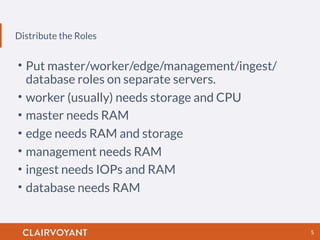
Distribute the Roles
5
• Put master/worker/edge/management/ingest/
database roles on separate servers.
• worker (usually) needs storage and CPU
• master needs RAM
• edge needs RAM and storage
• management needs RAM
• ingest needs IOPs and RAM
• database needs RAM
Use a naming scheme that helps identify the role,
cluster, and even location of the server.
Server Naming
6
master
• plaxhdpm001
• nn01-dc3-va
• master01-
cluster20
worker
• plaxhdps001
• dn01-dc3-va
• worker01-
cluster20
edge
• pladhdpg001
• gt01-dc3-va
• gateway01-
cluster20
management
• plaxhdpc001
• cm01-dc3-va
• mgmt01
Filesystems
• Separate OS filesystems can be helpful:
• /
• /tmp
• /var/log
• Additionally:
• /home on systems with humans logging in
• /var/lib/mysql or /var/lib/pgsql on the database
server(s)
7
Network
8
• Spanning Tree is the Devil. (enable portfast on
server ports)
• LACP ( IEEE 802.3ad) can add bandwidth.
Backups
9
• HDFS backups may look more like delayed cluster
to cluster replication. If you think you can get lots
of TiB of data dumped to tape every night, I have a
tape robot named Larry to sell you.
• HDFS snapshots may be helpful.
• Periodically dump the MySQL/PostgreSQL
databases for Oozie/Hue/Hive/Cloudera Manager.
Redundancy
10
• Redundancy in worker and ingest nodes is a waste.
Worker and ingest nodes are expendable. Make
sure that they can be rebuilt by robots in a short
amount of time.
• Redundancy in master and database nodes may be
desired.
Know your App
11
• Make sure that you know the characteristics of
your application.
• low latency
• streaming
• batch
• interactive
• That way you can know what part of your cluster to
tune. CPU / RAM / IO
Bottlenecks
12
Make sure you know where your cluster’s bottleneck
lies, and how to fix it.
Capacity Planning
13
• How to grow.
• When to grow.
• What to expect when you grow.
Monitor All the
Things!
14
• Monitor everything that is important. Only send
alerts if something is truly broken and can not be
fixed by your robots (you DO have robots, right?)
before the morning.
• One node (of 40) having a failure should be
automatically removed from the cluster, not
sending out alerts at 3 AM.
Automate All the
Things!
15
• Automate. Automate. Automate.
• Even if you have a bunch of shell scripts, that is
better than nothing… But make time to transition
to a CM tool that makes sure that your systems are
always compliant with the requested configuration.
• Ask yourself: “How do I know that the shell scripts
did the right thing?”
Automate All the
Things! (Part 2)
16
• Build yourself an army of robots to deal with
various conditions.
• Installing an OS should be a hands-off affair.
Parallel Execution
17
• You really do need a simultaneous, multi-node
execution tool.
• SSH in a for-loop is so 2010.
• MCollective/Salt/Ansible/Fabric
Upgrading Hadoop
18
In the dark ages of Hadoop, we would install RPMs
and edit XML files by hand… And we liked it. Now we
have parcels and wizards that do all the heavy lifting.
• Test the process on a lab cluster.
• The biggest hurdle is getting your code and
workflows to function after the upgrade.
• Read the release notes!!! (All of them.)
Burn It In
19
• Burn in your new hardware (or make sure your
vendor does it for you).
• One of your disks may just be noticeably slower
than the rest.
• Or maybe the disk backplane is bad.
• Or a network cable isn’t up to spec.
Benchmark
20
• Benchmark your hardware. Things may not
perform as well as you think.
• Tuning filesystems or kernel parameters can lead
to performance gains… Or to performance losses.
• Benchmark the Hadoop applications. Use Terasort,
PiEstimator, YCSB, etc.
• Benchmark your application.
Optimize All the
Things!
21
• Actually, don’t.
• Do not prematurely optimize. Figure out what the
defaults do for you first, and then start tuning.
• It is possible to run out of inodes on a 1TB
filesystem if you incorrectly optimize.
Troubleshooting
22
• RegionServers were being expelled from the
cluster when HBase was under load.
• Kernel upgrade (to EL 6.6) to fix IO pauses.
• If using Cloudera Manager, looking around in /var/
run/cloudera-scm-agent/process can be useful.
Performance Tuning
23
• Increase Java heap. Utilize more RAM.
• Use Jumbo frames. Send 1 frame instead of 6.
• Spread out your IO. More spindles == more IOPs.
• Use JDK 8 and the advanced garbage collection
settings (G1GC for HBase).
• HBase client scanner caching increase to make
HBase-Backed Hive scans faster.
Know your
Workload
24
You can spend all the time in the world trying to get
the best CPU/RAM/HDD/switch/cabinet
configuration, but you are running on pure luck until
you understand your cluster’s workload.
Summary
25
• Tune your monitoring alerts.
• Automate and use parallel execution tools.
• Make sure that your gear works. Benchmark and
burn in.
• Do not optimize before you baseline.
• Know your app and workload.
Michael Arnold
@hadoopgeek
www.linkedin.com/in/michaelarnold
www.clairvoyantsoft.com

Hadoop Operations: Keeping the Elephant Running Smoothly

  • 1.
    Hadoop Operations: Keeping theElephant Running Smoothly Presented By Michael Arnold
  • 2.
    Agenda 2 • About thespeaker • Definitions • Cool Operations tidbits • Recommended practices • Lessons learned
  • 3.
    Who is Michael Arnold? 3 •Principal Systems Engineer/Consultant • Automation geek • 20 years in IT - 8 of those years with Hadoop • I help people deal with: • Servers (physical and virtual) • Networks • Server operating systems • Hadoop distributions • Making it all run smoothly
  • 4.
    Definitions 4 • Hadoop ServerRoles • master • worker • edge • management • ingest • database • Hadoop Cluster Sizes • Tiny (1-9) • Small (10-99) • Medium (100-999) • Large (1000+) • Yahoo-sized (4000+)
  • 5.
    Distribute the Roles 5 •Put master/worker/edge/management/ingest/ database roles on separate servers. • worker (usually) needs storage and CPU • master needs RAM • edge needs RAM and storage • management needs RAM • ingest needs IOPs and RAM • database needs RAM
  • 6.
    Use a namingscheme that helps identify the role, cluster, and even location of the server. Server Naming 6 master • plaxhdpm001 • nn01-dc3-va • master01- cluster20 worker • plaxhdps001 • dn01-dc3-va • worker01- cluster20 edge • pladhdpg001 • gt01-dc3-va • gateway01- cluster20 management • plaxhdpc001 • cm01-dc3-va • mgmt01
  • 7.
    Filesystems • Separate OSfilesystems can be helpful: • / • /tmp • /var/log • Additionally: • /home on systems with humans logging in • /var/lib/mysql or /var/lib/pgsql on the database server(s) 7
  • 8.
    Network 8 • Spanning Treeis the Devil. (enable portfast on server ports) • LACP ( IEEE 802.3ad) can add bandwidth.
  • 9.
    Backups 9 • HDFS backupsmay look more like delayed cluster to cluster replication. If you think you can get lots of TiB of data dumped to tape every night, I have a tape robot named Larry to sell you. • HDFS snapshots may be helpful. • Periodically dump the MySQL/PostgreSQL databases for Oozie/Hue/Hive/Cloudera Manager.
  • 10.
    Redundancy 10 • Redundancy inworker and ingest nodes is a waste. Worker and ingest nodes are expendable. Make sure that they can be rebuilt by robots in a short amount of time. • Redundancy in master and database nodes may be desired.
  • 11.
    Know your App 11 •Make sure that you know the characteristics of your application. • low latency • streaming • batch • interactive • That way you can know what part of your cluster to tune. CPU / RAM / IO
  • 12.
    Bottlenecks 12 Make sure youknow where your cluster’s bottleneck lies, and how to fix it.
  • 13.
    Capacity Planning 13 • Howto grow. • When to grow. • What to expect when you grow.
  • 14.
    Monitor All the Things! 14 •Monitor everything that is important. Only send alerts if something is truly broken and can not be fixed by your robots (you DO have robots, right?) before the morning. • One node (of 40) having a failure should be automatically removed from the cluster, not sending out alerts at 3 AM.
  • 15.
    Automate All the Things! 15 •Automate. Automate. Automate. • Even if you have a bunch of shell scripts, that is better than nothing… But make time to transition to a CM tool that makes sure that your systems are always compliant with the requested configuration. • Ask yourself: “How do I know that the shell scripts did the right thing?”
  • 16.
    Automate All the Things!(Part 2) 16 • Build yourself an army of robots to deal with various conditions. • Installing an OS should be a hands-off affair.
  • 17.
    Parallel Execution 17 • Youreally do need a simultaneous, multi-node execution tool. • SSH in a for-loop is so 2010. • MCollective/Salt/Ansible/Fabric
  • 18.
    Upgrading Hadoop 18 In thedark ages of Hadoop, we would install RPMs and edit XML files by hand… And we liked it. Now we have parcels and wizards that do all the heavy lifting. • Test the process on a lab cluster. • The biggest hurdle is getting your code and workflows to function after the upgrade. • Read the release notes!!! (All of them.)
  • 19.
    Burn It In 19 •Burn in your new hardware (or make sure your vendor does it for you). • One of your disks may just be noticeably slower than the rest. • Or maybe the disk backplane is bad. • Or a network cable isn’t up to spec.
  • 20.
    Benchmark 20 • Benchmark yourhardware. Things may not perform as well as you think. • Tuning filesystems or kernel parameters can lead to performance gains… Or to performance losses. • Benchmark the Hadoop applications. Use Terasort, PiEstimator, YCSB, etc. • Benchmark your application.
  • 21.
    Optimize All the Things! 21 •Actually, don’t. • Do not prematurely optimize. Figure out what the defaults do for you first, and then start tuning. • It is possible to run out of inodes on a 1TB filesystem if you incorrectly optimize.
  • 22.
    Troubleshooting 22 • RegionServers werebeing expelled from the cluster when HBase was under load. • Kernel upgrade (to EL 6.6) to fix IO pauses. • If using Cloudera Manager, looking around in /var/ run/cloudera-scm-agent/process can be useful.
  • 23.
    Performance Tuning 23 • IncreaseJava heap. Utilize more RAM. • Use Jumbo frames. Send 1 frame instead of 6. • Spread out your IO. More spindles == more IOPs. • Use JDK 8 and the advanced garbage collection settings (G1GC for HBase). • HBase client scanner caching increase to make HBase-Backed Hive scans faster.
  • 24.
    Know your Workload 24 You canspend all the time in the world trying to get the best CPU/RAM/HDD/switch/cabinet configuration, but you are running on pure luck until you understand your cluster’s workload.
  • 25.
    Summary 25 • Tune yourmonitoring alerts. • Automate and use parallel execution tools. • Make sure that your gear works. Benchmark and burn in. • Do not optimize before you baseline. • Know your app and workload.
  • 26.