Cluster Management and Automation
with Cloudera Manager
Darren Lo – Software Engineer at Cloudera
Agenda
● Hadoop Installation and Setup
● Diagnosing Problems
● Automating Management Tasks
● Links
Hadoop is...
● Fast-changing
– New features all the time
● Different from other IT projects
– One application on many hosts; not vice-versa
● Complex
– Things you might run: HDFS, MapReduce, Yarn, ZooKeeper,
Oozie, Hive, Pig, HBase, Sqoop, Solr, Cloudera Impala...
● Useful
Many Common Setup Issues
●
Operating system issues
– Transparent Huge Pages
– Ulimits
– Clock Skew
●
Networking issues
– Reverse-lookup does must report FQDN
– NICs can negotiate less than full speed
These are just examples. There are many more!
Let others do the work for you
●
Cloudera's Distribution including Apache
Hadoop (CDH)
– Enterprise-Ready: Tested and deployed in production on 10s of
1000s of nodes
– Enterprise-grade features and innovation
●
Fine-grained Authorization (Sentry)
●
Impala, Search
– 100% open source and Apache licensed
Cloudera Manager
●
Available for free
– Any number of nodes
– Manage all services available in CDH
– Set up, configure, monitor, diagnose, and upgrade
– Complex workflows
– Kerberos
– API
●
5 Years of expertise baked into product
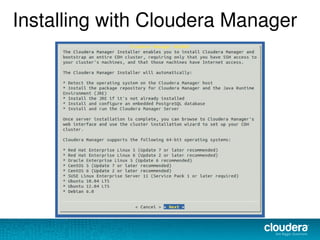
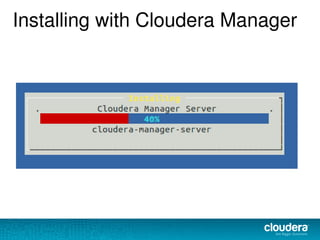
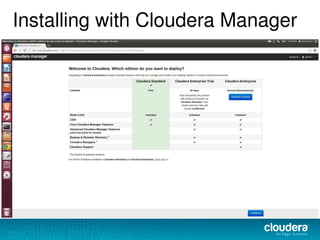
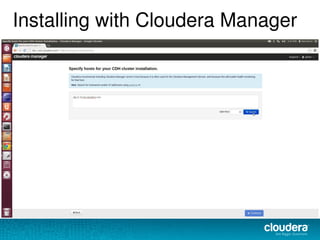
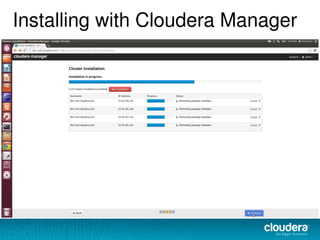
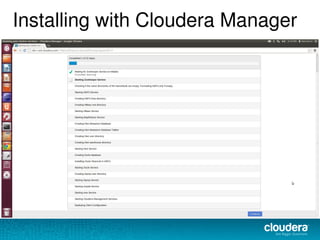
Installing with Cloudera Manager
Installation Complete
● Everything is up and running – Great!
● Add users and start running jobs, and get
a whole new set of challenges – Great...
Next Challenges
● Find, Diagnose and fix problems
– Why are my HBase queries slow?
● View cluster activity
– Who ran the MapReduce job that made my HBase
queries slow?
● Get alerts for any problems that come up
– Outage at 2AM, you want that wake-up call...right?
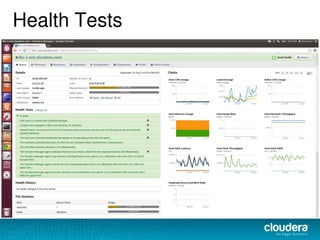
Health Tests
● Common problems that are easy to check
– Are any processes down?
– Are HDFS reads and writes working?
– Are HDFS checkpoints too slow?
– Has a host been swapping?
– Is there too much Clock Skew?
Health Tests
Log Search
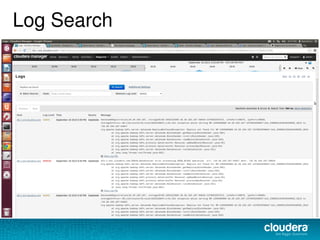
● Grep works great on 1 machine, not 100's
● Useful to answer
– What errors/warnings occurred when my service was slow?
– Has this error occurred before?
– When did a problem start happening?
Log Search
Events and Alerts
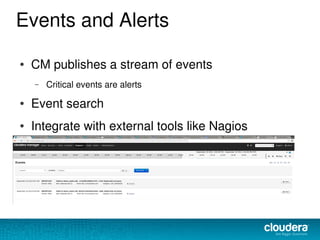
● CM publishes a stream of events
– Critical events are alerts
● Event search
● Integrate with external tools like Nagios
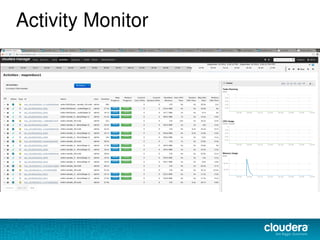
Activity Monitor
● Who was running stuff when the cluster had
problems?
● See who is running MR jobs
– identifies Hive jobs too
Activity Monitor
Metrics and Charts
● Like Log search, a must-have for any distributed
system
● Hadoop services expose many metrics
● Collect and visualize these with
– Cloudera Manager
– Ganglia
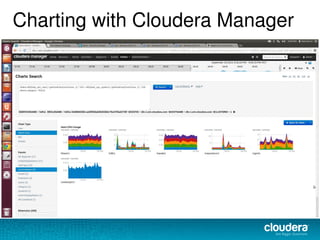
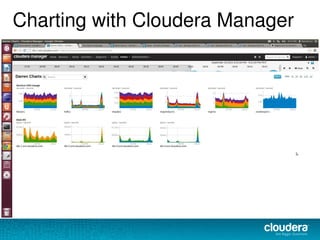
Charting with Cloudera Manager
Next Challenges
● We know how to set up a cluster manually
● We know how to identify, diagnose and fix
issues
● Also need to handle regular tasks
– Grow cluster
– Replace hardware
Cloudera Manager API
●
Setup
– Create / configure cluster and services
– Configure new host to run on cluster
●
Workflows
– Enable HDFS High Availability
– Enable MapReduce JobTracker High Availability
– Decommission / Recommission host
●
Monitoring
– Metrics used for charting available via API
– Health checks, including export to Nagios
– Events
Cloudera Manager API
● http://cloudera.github.com/cm_api/
● Java and Python client bindings
● Shell
● Export health information into Nagios
Common Integration Questions
● Nagios – yes
● Even have tools to help integrate
● Chef – not yet
● Puppet – yes
● Customers use CM and puppet together to press button
and stamp out new cluster
● Snmp – yes
● events published and can be integrated
Links
● Hadoop Operations - A Guide for Developers and Administrators
– Book by Eric Sammer
● CM Architecture blog
– http://blog.cloudera.com/blog/2013/07/how-does-cloudera-manager-work/
● API Examples and Tutorials
– http://cloudera.github.io/cm_api/
– http://blog.cloudera.com/blog/2013/05/how-to-automate-your-hadoop-cluster-from-java/
– http://blog.cloudera.com/blog/2012/09/automating-your-cluster-with-cloudera-manager-api/
● Cloudera Manager installer link and docs
– http://www.cloudera.com/content/support/en/downloads.html
– http://www.cloudera.com/content/cloudera-content/cloudera-docs/CM4Ent/latest/Cloudera-Manager-
Installation-Guide/Cloudera-Manager-Installation-Guide.html
Enterprise Features
● Easily upload support bundle
– Enables proactive support
– Fix problems more quickly
● Rolling Upgrades and Restarts
● Backup and Disaster Recovery
●
Auditing
●
Operational Reports
●
Configuration History and Rollback
● LDAP

Cluster management and automation with cloudera manager

  • 1.
    Cluster Management andAutomation with Cloudera Manager Darren Lo – Software Engineer at Cloudera
  • 2.
    Agenda ● Hadoop Installationand Setup ● Diagnosing Problems ● Automating Management Tasks ● Links
  • 3.
    Hadoop is... ● Fast-changing –New features all the time ● Different from other IT projects – One application on many hosts; not vice-versa ● Complex – Things you might run: HDFS, MapReduce, Yarn, ZooKeeper, Oozie, Hive, Pig, HBase, Sqoop, Solr, Cloudera Impala... ● Useful
  • 4.
    Many Common SetupIssues ● Operating system issues – Transparent Huge Pages – Ulimits – Clock Skew ● Networking issues – Reverse-lookup does must report FQDN – NICs can negotiate less than full speed These are just examples. There are many more!
  • 5.
    Let others dothe work for you ● Cloudera's Distribution including Apache Hadoop (CDH) – Enterprise-Ready: Tested and deployed in production on 10s of 1000s of nodes – Enterprise-grade features and innovation ● Fine-grained Authorization (Sentry) ● Impala, Search – 100% open source and Apache licensed
  • 6.
    Cloudera Manager ● Available forfree – Any number of nodes – Manage all services available in CDH – Set up, configure, monitor, diagnose, and upgrade – Complex workflows – Kerberos – API ● 5 Years of expertise baked into product
  • 7.
  • 8.
  • 9.
  • 10.
  • 11.
  • 12.
  • 13.
  • 14.
  • 15.
    Installation Complete ● Everythingis up and running – Great! ● Add users and start running jobs, and get a whole new set of challenges – Great...
  • 16.
    Next Challenges ● Find,Diagnose and fix problems – Why are my HBase queries slow? ● View cluster activity – Who ran the MapReduce job that made my HBase queries slow? ● Get alerts for any problems that come up – Outage at 2AM, you want that wake-up call...right?
  • 17.
    Health Tests ● Commonproblems that are easy to check – Are any processes down? – Are HDFS reads and writes working? – Are HDFS checkpoints too slow? – Has a host been swapping? – Is there too much Clock Skew?
  • 18.
  • 19.
    Log Search ● Grepworks great on 1 machine, not 100's ● Useful to answer – What errors/warnings occurred when my service was slow? – Has this error occurred before? – When did a problem start happening?
  • 20.
  • 21.
    Events and Alerts ●CM publishes a stream of events – Critical events are alerts ● Event search ● Integrate with external tools like Nagios
  • 22.
    Activity Monitor ● Whowas running stuff when the cluster had problems? ● See who is running MR jobs – identifies Hive jobs too
  • 23.
  • 24.
    Metrics and Charts ●Like Log search, a must-have for any distributed system ● Hadoop services expose many metrics ● Collect and visualize these with – Cloudera Manager – Ganglia
  • 25.
  • 26.
  • 27.
  • 28.
    Next Challenges ● Weknow how to set up a cluster manually ● We know how to identify, diagnose and fix issues ● Also need to handle regular tasks – Grow cluster – Replace hardware
  • 29.
    Cloudera Manager API ● Setup –Create / configure cluster and services – Configure new host to run on cluster ● Workflows – Enable HDFS High Availability – Enable MapReduce JobTracker High Availability – Decommission / Recommission host ● Monitoring – Metrics used for charting available via API – Health checks, including export to Nagios – Events
  • 30.
    Cloudera Manager API ●http://cloudera.github.com/cm_api/ ● Java and Python client bindings ● Shell ● Export health information into Nagios
  • 31.
    Common Integration Questions ●Nagios – yes ● Even have tools to help integrate ● Chef – not yet ● Puppet – yes ● Customers use CM and puppet together to press button and stamp out new cluster ● Snmp – yes ● events published and can be integrated
  • 32.
    Links ● Hadoop Operations- A Guide for Developers and Administrators – Book by Eric Sammer ● CM Architecture blog – http://blog.cloudera.com/blog/2013/07/how-does-cloudera-manager-work/ ● API Examples and Tutorials – http://cloudera.github.io/cm_api/ – http://blog.cloudera.com/blog/2013/05/how-to-automate-your-hadoop-cluster-from-java/ – http://blog.cloudera.com/blog/2012/09/automating-your-cluster-with-cloudera-manager-api/ ● Cloudera Manager installer link and docs – http://www.cloudera.com/content/support/en/downloads.html – http://www.cloudera.com/content/cloudera-content/cloudera-docs/CM4Ent/latest/Cloudera-Manager- Installation-Guide/Cloudera-Manager-Installation-Guide.html
  • 33.
    Enterprise Features ● Easilyupload support bundle – Enables proactive support – Fix problems more quickly ● Rolling Upgrades and Restarts ● Backup and Disaster Recovery ● Auditing ● Operational Reports ● Configuration History and Rollback ● LDAP