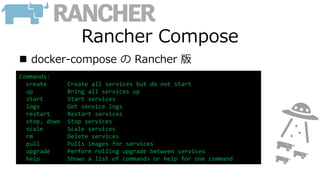
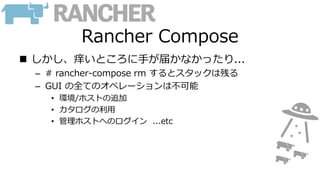
Rancher Compose
docker-composeの Rancher 版
Commands:
create Create all services but do not start
up Bring all services up
start Start services
logs Get service logs
restart Restart services
stop, down Stop services
scale Scale services
rm Delete services
pull Pulls images for services
upgrade Perform rolling upgrade between services
help Shows a list of commands or help for one command
Rancher CLI
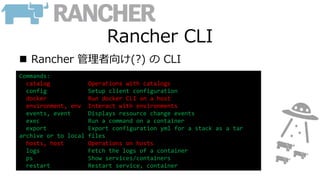
Rancher管理者向け(?) の CLI
Commands:
catalog Operations with catalogs
config Setup client configuration
docker Run docker CLI on a host
environment, env Interact with environments
events, event Displays resource change events
exec Run a command on a container
export Export configuration yml for a stack as a tar
archive or to local files
hosts, host Operations on hosts
logs Fetch the logs of a container
ps Show services/containers
restart Restart service, container
15.
Rancher CLI
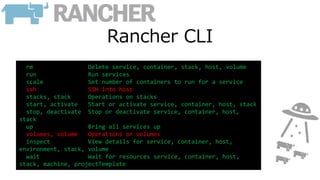
rm Deleteservice, container, stack, host, volume
run Run services
scale Set number of containers to run for a service
ssh SSH into host
stacks, stack Operations on stacks
start, activate Start or activate service, container, host, stack
stop, deactivate Stop or deactivate service, container, host,
stack
up Bring all services up
volumes, volume Operations on volumes
inspect View details for service, container, host,
environment, stack, volume
wait Wait for resources service, container, host,
stack, machine, projectTemplate








![201312 scalr[oss] installation_idcf](https://cdn.slidesharecdn.com/ss_thumbnails/201312scalrossinstallationidcf-131227010319-phpapp01-thumbnail.jpg?width=640&height=640&fit=bounds)


