







Grokking Microservices
in 5 Minutes
Comparing and contrasting monolithic systems
to Lego pieces at the 50,000 foot view.
Andrew Siemer | Developer Springboard
andrew@developerspringboard.com
@asiemer
Andrew Siemer
http://about.me/andrewsiemer
ASP Insider
MS v-TSP (Azure)
Azure Advisor Program
Father of 6. Jack of all trades, master of some.
• How to achieve your
DREAM career
• Discover
• Refine
• Establish
• Advance
• Master
DeveloperSpringboard.com
@devspringboard
Azure Austin
Meetup
An hour of deep dive by technical
leaders with a slant on all things Azure!
API Management, DocumentDB, Search,
Distributed Systems, Microservices
meetup.com/azureaustin
Clear Measure
Workshops
Day long, Clear Measure led, fingers on
keyboards, learn by doing
CQRS, DDD, Event Sourcing, Distributed
Systems, Micro Services
meetup.com/clear-measure-workshop
Introduction
• Monolithic vs. Microservices
• Microservice Cons
• How to do Microservices
Monolithic
vs.
Microservices
Monolithic vs. Microservices
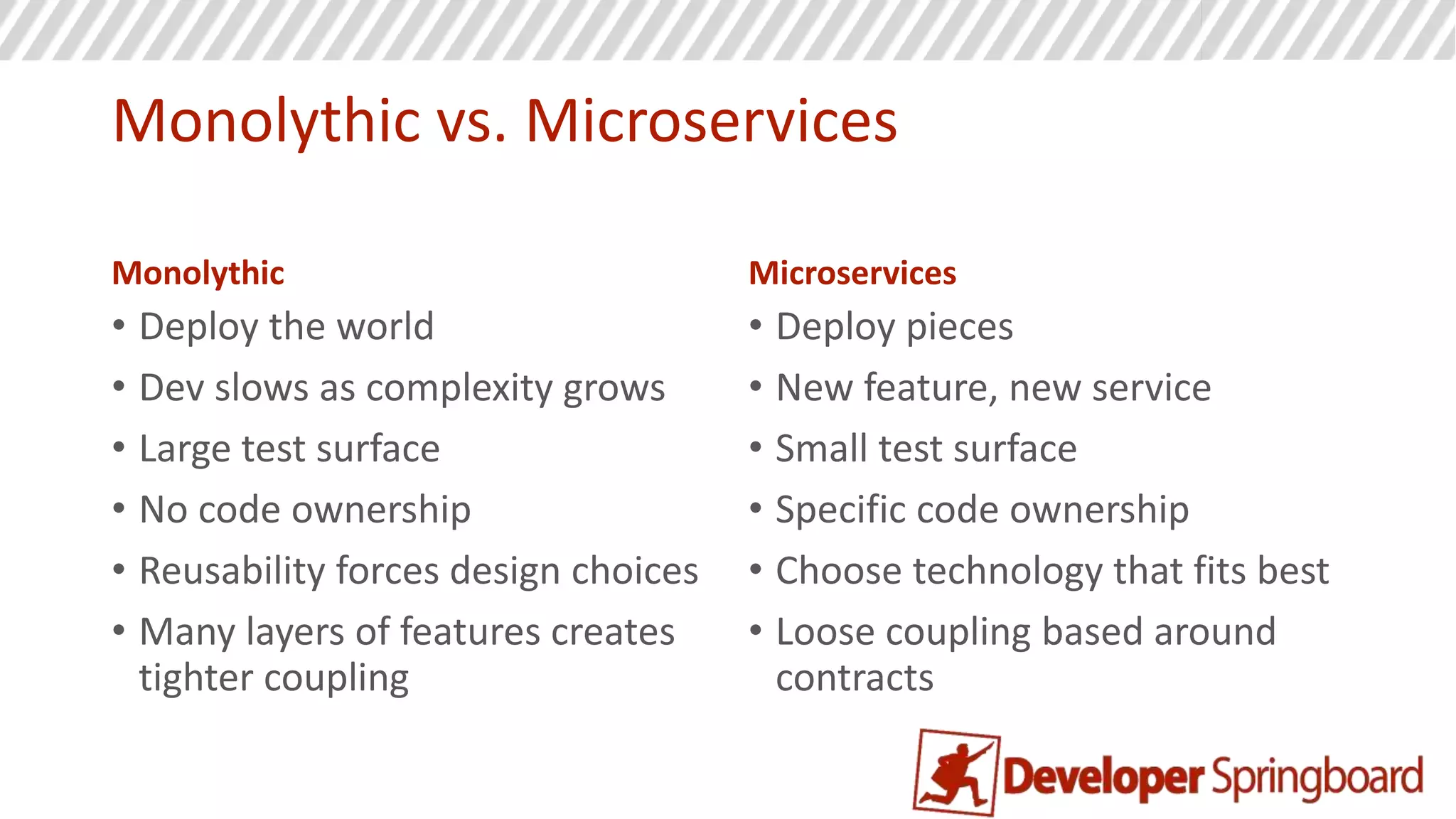
Monolithic
• Deploy the world
• Dev slows as complexity grows
• Large test surface
• No code ownership
• Reusability forces design choices
• Many layers of features creates
tighter coupling
Microservices
• Deploy pieces
• New feature, new service
• Small test surface
• Specific code ownership
• Choose technology that fits best
• Loose coupling based around
contracts
Monolithic vs. Microservices
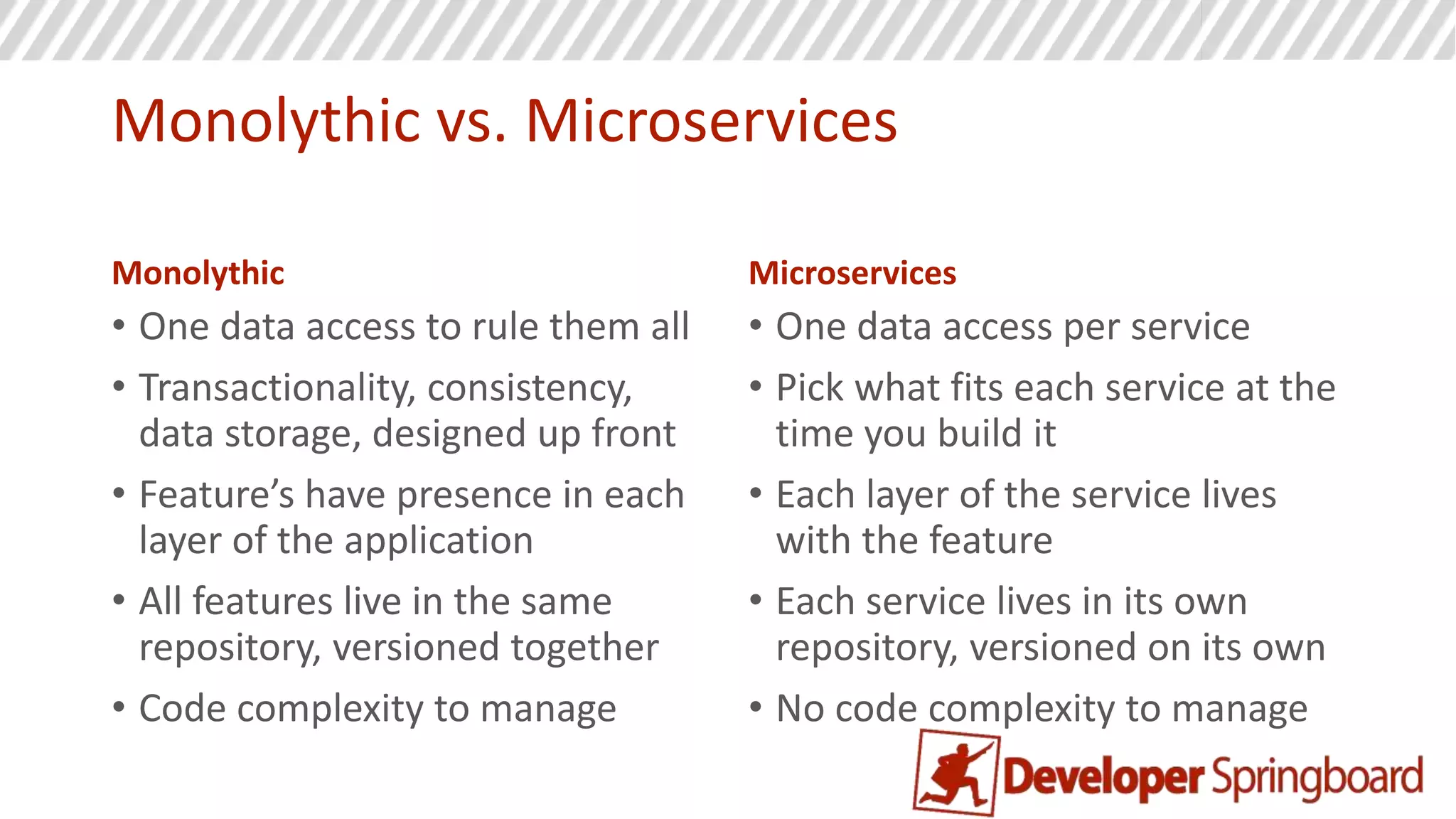
Monolithic
• One data access to rule them all
• Transactionality, consistency,
data storage, designed up front
• Feature’s have presence in each
layer of the application
• All features live in the same
repository, versioned together
• Code complexity to manage
Microservices
• One data access per service
• Pick what fits each service at the
time you build it
• Each layer of the service lives
with the feature
• Each service lives in its own
repository, versioned on its own
• No code complexity to manage
Microservice
Cons
First rule of distributed systems
Don’t! Don’t build distributed software unless you know you absolutely need too.
The complexity of the development story, the management story, and the system
level communication story goes up. Only do this if you know the system will either
be complex, needs to scale, or both.
Complexity vs. Productivity
From:
http://martinfowler.com/bliki/MicroservicePremium.html
Cons
• Deployments require automation
• Logging and monitoring must be centralized
• Governance required for technology adoption
• Learning curve to get it right can be steep
• Lack of design around resiliency can cause cascading failures
How to do
Microservices
Rules for Microservcies
• Each service has a single responsibility
• One code repository per service
• How small? Small enough to fit in your head at one time!
• Common code can be shared as a library and treated like you would
an open source dependency
• Every service runs in its own process (vm, container)
• DDD applied: Domains in different bounded contexts should be
distinct
• Its therefore ok to have duplication!
• Conway’s Law
Conway’s Law
“organizations which design systems ... are constrained to produce designs which
are copies of the communication structures of these organizations”
Rules for Microservices
• Each service can choose its own technology (careful here)
• Always resort to building a new service first
• If the new service is small enough, refactor it into another service as needed
• Splitting services later is harder
• A service should control it’s world
• Separate data store per service
• Separate UI components provided by the service
Data Strategies
A service should store and maintain its own data
• Foreign keys to other systems might be stored as a REST URI
• If you need external data, call a service over keeping your own copy
• Don’t fear data redundancy
• Replication of data is ok if you need it
UI Strategies
A service should provide its own UI components
• When possible, a service serves the entire page
• Services agree on CSS naming conventions
• Centralize shared components such as menu, styles, common
resources
• UI composition only allowed on the client (SPA)
• Create a composite view of UI fragments when embedding data from
many services
Security Strategies
Security context is spread over many services
• Services: authentication, login, authorization, administration
• OAuth2 is great for distributed systems
• Can use a shared cookie across services
Communication Strategies
Everything is allowed, but you should establish one standard
• REST works everywhere…but can be slower
• Strive for loose coupling
• No logic in the communication channel
• NO ESB like BizTalk
• Asynch messaging is great
• Design for resiliency
Testing Strategies
Tests should be on the behalf of the consumer not the producer
• Integration tests are good enough, services are small
• Dependencies should be mocked, only test your service
• Consumers of your service writes tests
• Contribute tests to a test pool which your service must pass
Deployment Strategies
With hundreds of services everything must be automated
• Continuous delivery
• Use deployment pipelines
• Automate everything
Questions?
Andrew Siemer – Developer Springboard
andrewsiemer@gmail.com
(512) 387-1976
@asiemer

Grokking microservices in 5 minutes

  • 1.
    Grokking Microservices in 5Minutes Comparing and contrasting monolithic systems to Lego pieces at the 50,000 foot view. Andrew Siemer | Developer Springboard andrew@developerspringboard.com @asiemer
  • 2.
    Andrew Siemer http://about.me/andrewsiemer ASP Insider MSv-TSP (Azure) Azure Advisor Program Father of 6. Jack of all trades, master of some.
  • 3.
    • How toachieve your DREAM career • Discover • Refine • Establish • Advance • Master DeveloperSpringboard.com @devspringboard
  • 4.
    Azure Austin Meetup An hourof deep dive by technical leaders with a slant on all things Azure! API Management, DocumentDB, Search, Distributed Systems, Microservices meetup.com/azureaustin
  • 5.
    Clear Measure Workshops Day long,Clear Measure led, fingers on keyboards, learn by doing CQRS, DDD, Event Sourcing, Distributed Systems, Micro Services meetup.com/clear-measure-workshop
  • 6.
    Introduction • Monolithic vs.Microservices • Microservice Cons • How to do Microservices
  • 7.
  • 8.
    Monolithic vs. Microservices Monolithic •Deploy the world • Dev slows as complexity grows • Large test surface • No code ownership • Reusability forces design choices • Many layers of features creates tighter coupling Microservices • Deploy pieces • New feature, new service • Small test surface • Specific code ownership • Choose technology that fits best • Loose coupling based around contracts
  • 9.
    Monolithic vs. Microservices Monolithic •One data access to rule them all • Transactionality, consistency, data storage, designed up front • Feature’s have presence in each layer of the application • All features live in the same repository, versioned together • Code complexity to manage Microservices • One data access per service • Pick what fits each service at the time you build it • Each layer of the service lives with the feature • Each service lives in its own repository, versioned on its own • No code complexity to manage
  • 10.
  • 11.
    First rule ofdistributed systems Don’t! Don’t build distributed software unless you know you absolutely need too. The complexity of the development story, the management story, and the system level communication story goes up. Only do this if you know the system will either be complex, needs to scale, or both.
  • 12.
  • 13.
    Cons • Deployments requireautomation • Logging and monitoring must be centralized • Governance required for technology adoption • Learning curve to get it right can be steep • Lack of design around resiliency can cause cascading failures
  • 14.
  • 15.
    Rules for Microservcies •Each service has a single responsibility • One code repository per service • How small? Small enough to fit in your head at one time! • Common code can be shared as a library and treated like you would an open source dependency • Every service runs in its own process (vm, container) • DDD applied: Domains in different bounded contexts should be distinct • Its therefore ok to have duplication! • Conway’s Law
  • 16.
    Conway’s Law “organizations whichdesign systems ... are constrained to produce designs which are copies of the communication structures of these organizations”
  • 17.
    Rules for Microservices •Each service can choose its own technology (careful here) • Always resort to building a new service first • If the new service is small enough, refactor it into another service as needed • Splitting services later is harder • A service should control it’s world • Separate data store per service • Separate UI components provided by the service
  • 18.
    Data Strategies A serviceshould store and maintain its own data • Foreign keys to other systems might be stored as a REST URI • If you need external data, call a service over keeping your own copy • Don’t fear data redundancy • Replication of data is ok if you need it
  • 19.
    UI Strategies A serviceshould provide its own UI components • When possible, a service serves the entire page • Services agree on CSS naming conventions • Centralize shared components such as menu, styles, common resources • UI composition only allowed on the client (SPA) • Create a composite view of UI fragments when embedding data from many services
  • 20.
    Security Strategies Security contextis spread over many services • Services: authentication, login, authorization, administration • OAuth2 is great for distributed systems • Can use a shared cookie across services
  • 21.
    Communication Strategies Everything isallowed, but you should establish one standard • REST works everywhere…but can be slower • Strive for loose coupling • No logic in the communication channel • NO ESB like BizTalk • Asynch messaging is great • Design for resiliency
  • 22.
    Testing Strategies Tests shouldbe on the behalf of the consumer not the producer • Integration tests are good enough, services are small • Dependencies should be mocked, only test your service • Consumers of your service writes tests • Contribute tests to a test pool which your service must pass
  • 23.
    Deployment Strategies With hundredsof services everything must be automated • Continuous delivery • Use deployment pipelines • Automate everything
  • 24.
    Questions? Andrew Siemer –Developer Springboard andrewsiemer@gmail.com (512) 387-1976 @asiemer

Editor's Notes

  • #2 Comparing and contrasting monolithic systems and microservices. Some downsides to microservices How to build microservices
  • #3 I am Andrew Siemer, an ASP Insider, Microsoft VTSP, Azure advisor, sustainable farmer/rancher, father of 6, and general jack of all trades – master of some! I enjoy living in my country – “the united state of TEXAS!” – ‘MERICA, obstacle racing, cowboying, and playing with my monsters
  • #4 Developer Springboard is full of career advice and interesting stories. We try to break down the career process into consumable chunks to help our users build a logical path towards their DREAM career. Come join the conversation and level up your career. DeveloperSpringboard.com
  • #5 If you are in Austin, come see us at the AzureAustin meetup every third Wednesday. Check meetup.com/azureaustin We discuss everything Azure!
  • #6 If you are in Austin come join us at “Clear Measure Workshops”. We strive to tackle tough or new topics with fingers on keyboards. No more than 20 minutes of presentation and slides. Then we break into small groups to learn by doing. Lunch is provided. Bring your laptops. Check meetup.com/clear-measure-workshops
  • #7 In this presentation we will compare and contrast monolithic systems to microservices. We will then take a look at some of the down sides to microservices. And then we will discuss some strategies for building microservices.
  • #9 Deploy everything - or just what changes Patterns to deal with code complexity which adds more complexity – or no code complexity to manage at all Large test surface, never knowing impacts of change – or very small test surface No code ownership from team with shared code base – very specific code ownership – sense of pride Up front designs usually push technical limitations where inappropriate – or choose technology as you need it Tight coupling is very easy – or no coupling by design
  • #10 Up front data access design forced on all features – vs choosing what is best as needed Feature’s have presence spread throughout code – vs having all code for a feature in one place All code is versioned together – vs having each service versioned by itself
  • #14 Pushing out code complexity forces deployment complexity to grow Important that management story is always thought about for hundreds of services Technology adoption must be monitored so that every service doesn’t make a new choice Learning curve is steep compared to what everyone already knows (ntier) Resiliency for service dependencies must be top of mind to keep cascading failures away
  • #16 Single responsibility principle applies to service One code repository enforces physical boundary for each service Small enough should fit in your head Shared libraries should be delivered and managed like an open source project One service to one process to limit service failure replication Duplication is ok to ensure each service just does one thing well
  • #17 A product isn’t the same thing depending on the department you are speaking with at the time Marketing: What can I say about this product to sell it? How can I show this product to make people want it? Inventory: What shelf does that product sit on? How many do I have left? Do I have room for the soon to arrive shipment? Accounting: How much did that product cost? How much did I sell it for?
  • #18 Services are technology independent. Should always build a new service first. Then see if it fits an existing service. Merging in is easy. Refactoring out is hard. A service should control its entire world, state, and UI
  • #19 A service should the source of truth for its data
  • #20 A service should control how it represents its data Its ok to centralize design choices across services (menus, styles, common resources)
  • #21 Security is composed of many services and shared across many other services Authentication / Login Authorization Profile administration OAuth2 works great for distributed systems Shared cookies can work too
  • #22 Having a common form of communication is best REST is great…touch slow Loose coupling No logic in the channel! Asynch messaging internally is preferred Design for resiliency, fail gracefully and in a controlled manner No cascading failures!
  • #23 Test surface is small Integration tests are usually good enough on the team Consumer based tests as part of the deployment pipeline Shared test pool which your service must pass Tests written by consumers to test their expected results – not your planned behaviors
  • #24 Automate everything Deployment pipelines are a must