By,
G. Rajalakshmi,
S. Rajeswari.
•
•
•
•
•
•
•
•
•

Introduction
Why Green Computing?
Pathways to Green Computing
Goals of Green Computing
Advantages of Green Computing
Current trends in Green Computing
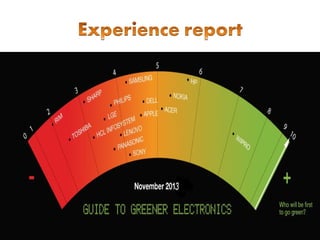
Experience Report
Best - Practices
Conclusion
• Green computing is the study and practice of using computing
resources efficiently.
• It can be described as the environmentally responsible usage
of computer systems and related resources.
• It defines as
 Designing
 Manufacturing
 Disposing of computers
 Servers
Associated subsystems
•
•
•
•
•

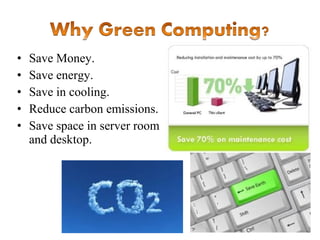
Save Money.
Save energy.
Save in cooling.
Reduce carbon emissions.
Save space in server room
and desktop.
•
•
•
•

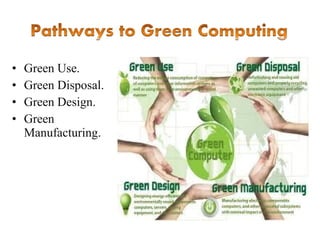
Green Use.
Green Disposal.
Green Design.
Green
Manufacturing.
 Cut down the amount of energy used.
 Minimize the harmful materials.
 Biodegradable materials.
 Extend as far as possible the life of
the equipment.
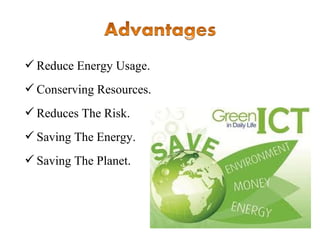
 Reduce Energy Usage.
 Conserving Resources.
 Reduces The Risk.
 Saving The Energy.
 Saving The Planet.
♦
♦
♦
♦

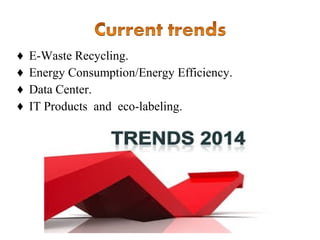
E-Waste Recycling.
Energy Consumption/Energy Efficiency.
Data Center.
IT Products and eco-labeling.
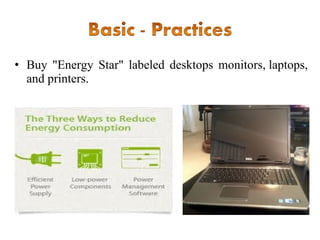
• Buy "Energy Star" labeled desktops monitors, laptops,
and printers.
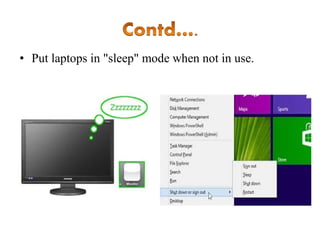
• Put laptops in "sleep" mode when not in use.
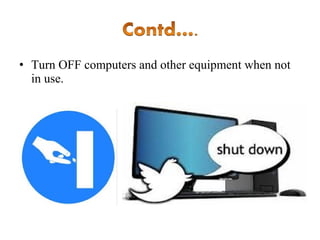
• Turn OFF computers and other equipment when not
in use.
• E-cycling is generally practiced to reduce the amount
of electronic components that are discarded when
users purchase new components.
• Buy the new "Smart Strip" power strip.
• The Smart Strip actually senses how much power
your computer peripherals use.
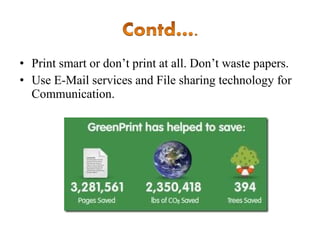
• Print smart or don’t print at all. Don’t waste papers.
• Use E-Mail services and File sharing technology for
Communication.
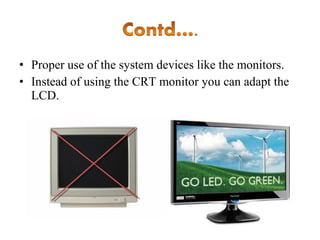
• Proper use of the system devices like the monitors.
• Instead of using the CRT monitor you can adapt the
LCD.
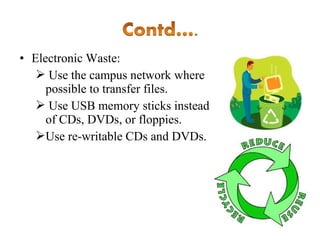
• Electronic Waste:
 Use the campus network where
possible to transfer files.
 Use USB memory sticks instead
of CDs, DVDs, or floppies.
Use re-writable CDs and DVDs.
• Green business opportunities provide consumers with
ecologically sound products and services.
• The greenest computer will not miraculously fall
from the sky one day; it’ll be the product of years of
improvements.
Green computing:Experience report and best practices

Green computing:Experience report and best practices

  • 1.
  • 2.
    • • • • • • • • • Introduction Why Green Computing? Pathwaysto Green Computing Goals of Green Computing Advantages of Green Computing Current trends in Green Computing Experience Report Best - Practices Conclusion
  • 3.
    • Green computingis the study and practice of using computing resources efficiently. • It can be described as the environmentally responsible usage of computer systems and related resources. • It defines as  Designing  Manufacturing  Disposing of computers  Servers Associated subsystems
  • 4.
    • • • • • Save Money. Save energy. Savein cooling. Reduce carbon emissions. Save space in server room and desktop.
  • 5.
  • 6.
     Cut downthe amount of energy used.  Minimize the harmful materials.  Biodegradable materials.  Extend as far as possible the life of the equipment.
  • 7.
     Reduce EnergyUsage.  Conserving Resources.  Reduces The Risk.  Saving The Energy.  Saving The Planet.
  • 8.
    ♦ ♦ ♦ ♦ E-Waste Recycling. Energy Consumption/EnergyEfficiency. Data Center. IT Products and eco-labeling.
  • 10.
    • Buy "EnergyStar" labeled desktops monitors, laptops, and printers.
  • 11.
    • Put laptopsin "sleep" mode when not in use.
  • 12.
    • Turn OFFcomputers and other equipment when not in use.
  • 13.
    • E-cycling isgenerally practiced to reduce the amount of electronic components that are discarded when users purchase new components.
  • 14.
    • Buy thenew "Smart Strip" power strip. • The Smart Strip actually senses how much power your computer peripherals use.
  • 15.
    • Print smartor don’t print at all. Don’t waste papers. • Use E-Mail services and File sharing technology for Communication.
  • 16.
    • Proper useof the system devices like the monitors. • Instead of using the CRT monitor you can adapt the LCD.
  • 17.
    • Electronic Waste: Use the campus network where possible to transfer files.  Use USB memory sticks instead of CDs, DVDs, or floppies. Use re-writable CDs and DVDs.
  • 18.
    • Green businessopportunities provide consumers with ecologically sound products and services. • The greenest computer will not miraculously fall from the sky one day; it’ll be the product of years of improvements.