Page 1
Grails : REST and Web Service
@somkiat
Page 2
REST
• Not really a Technology
• More an Architecture
• Simple
• Communication via plain text, xml, json
• Combine with HTTP method
• Resource-Oriented
Page 3
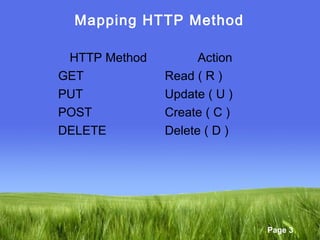
Mapping HTTP Method
HTTP Method Action
GET Read ( R )
PUT Update ( U )
POST Create ( C )
DELETE Delete ( D )
Page 4
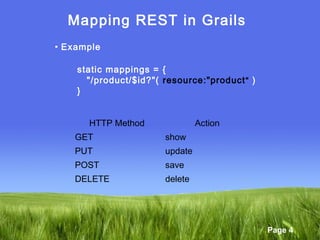
Mapping REST in Grails
• Example
static mappings = {
"/product/$id?"( resource:"product" )
}
HTTP Method Action
GET show
PUT update
POST save
DELETE delete
Page 5
Mapping REST in Grails
• Example
static mappings = {
"/product/$id"(controller:"product",
parseRequest:true ){
action = [
GET:"show",
PUT:"update",
DELETE:"delete",
POST:"save“
]
}
}
Automatic XML
or JSON
Marshaling
Page 6
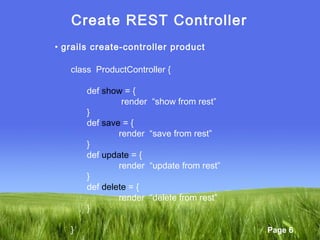
Create REST Controller
• grails create-controller product
class ProductController {
def show = {
render “show from rest”
}
def save = {
render “save from rest”
}
def update = {
render “update from rest”
}
def delete = {
render “delete from rest”
}
}
Page 7
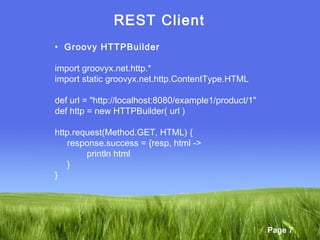
REST Client
• Groovy HTTPBuilder
import groovyx.net.http.*
import static groovyx.net.http.ContentType.HTML
def url = "http://localhost:8080/example1/product/1"
def http = new HTTPBuilder( url )
http.request(Method.GET, HTML) {
response.success = {resp, html ->
println html
}
}
Page 8
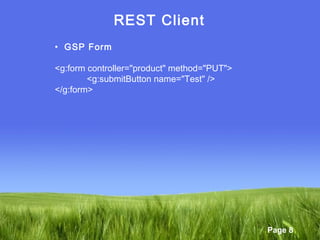
REST Client
• GSP Form
<g:form controller="product" method="PUT">
<g:submitButton name="Test" />
</g:form>
Page 9
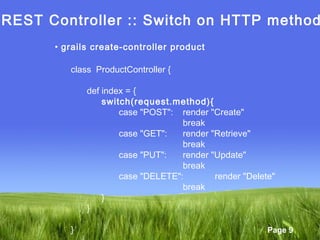
REST Controller :: Switch on HTTP method
• grails create-controller product
class ProductController {
def index = {
switch(request.method){
case "POST": render "Create"
break
case "GET": render "Retrieve"
break
case "PUT": render "Update"
break
case "DELETE": render "Delete"
break
}
}
}
Page 10
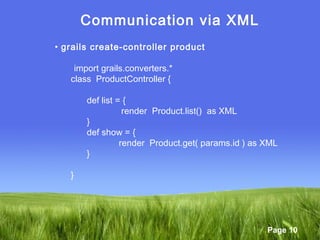
Communication via XML
• grails create-controller product
import grails.converters.*
class ProductController {
def list = {
render Product.list() as XML
}
def show = {
render Product.get( params.id ) as XML
}
}
Page 11
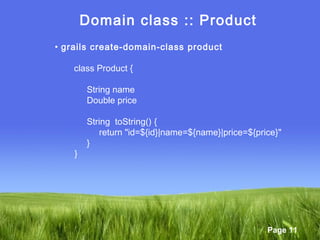
Domain class :: Product
• grails create-domain-class product
class Product {
String name
Double price
String toString() {
return "id=${id}|name=${name}|price=${price}"
}
}
Page 12
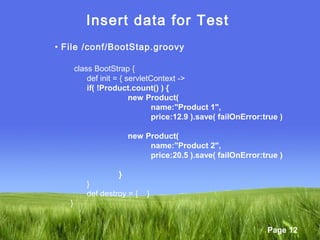
Insert data for Test
• File /conf/BootStap.groovy
class BootStrap {
def init = { servletContext ->
if( !Product.count() ) {
new Product(
name:"Product 1",
price:12.9 ).save( failOnError:true )
new Product(
name:"Product 2",
price:20.5 ).save( failOnError:true )
}
}
def destroy = { }
}
Page 13
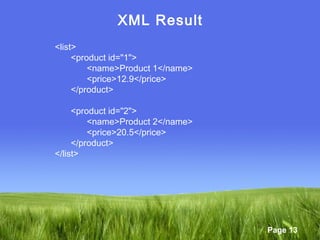
XML Result
<list>
<product id="1">
<name>Product 1</name>
<price>12.9</price>
</product>
<product id="2">
<name>Product 2</name>
<price>20.5</price>
</product>
</list>
Page 14
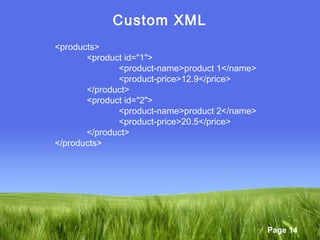
Custom XML
<products>
<product id="1">
<product-name>product 1</name>
<product-price>12.9</price>
</product>
<product id="2">
<product-name>product 2</name>
<product-price>20.5</price>
</product>
</products>
Page 15
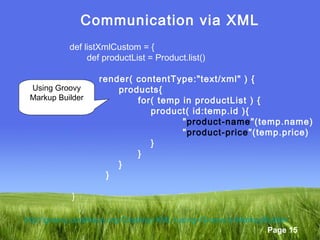
Communication via XML
def listXmlCustom = {
def productList = Product.list()
render( contentType:"text/xml" ) {
products{
for( temp in productList ) {
product( id:temp.id ){
"product-name"(temp.name)
"product-price"(temp.price)
}
}
}
}
}
Using Groovy
Markup Builder
http://groovy.codehaus.org/Creating+XML+using+Groovy's+MarkupBuilder
Page 16
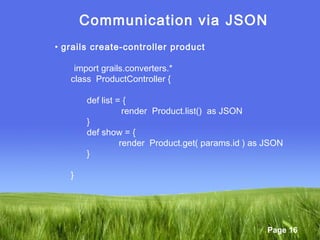
Communication via JSON
• grails create-controller product
import grails.converters.*
class ProductController {
def list = {
render Product.list() as JSON
}
def show = {
render Product.get( params.id ) as JSON
}
}
Page 17
JSON Result
[
{ "class":"example1.Product",
"id":1,
"name":"Product 1",
"price":12.9
},
{
"class":"example1.Product",
"id":2,
"name":"Product 2",
"price":20.5
}
]
Page 18
Content Negotiation
• Allow to return different format based on the request.
• All format in file /conf/Config.groovy
grails.mime.types =
[
html: ['text/html','application/xhtml+xml'],
xml: ['text/xml', 'application/xml'],
text: 'text/plain',
js: 'text/javascript',
rss: 'application/rss+xml',
atom: 'application/atom+xml',
css: 'text/css',
csv: 'text/csv',
all: '*/*',
json: ['application/json','text/json'],
form: 'application/x-www-form-urlencoded',
multipartForm: 'multipart/form-data'
]
Page 19
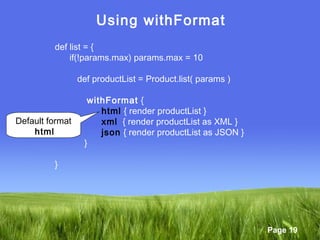
Using withFormat
def list = {
if(!params.max) params.max = 10
def productList = Product.list( params )
withFormat {
html { render productList }
xml { render productList as XML }
json { render productList as JSON }
}
}
Default format
html
Page 20
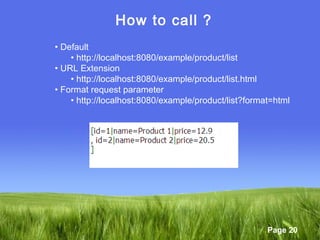
How to call ?
• Default
• http://localhost:8080/example/product/list
• URL Extension
• http://localhost:8080/example/product/list.html
• Format request parameter
• http://localhost:8080/example/product/list?format=html
Page 21
URL Extension
• Disable/Enable in file /conf/Config.groovy
grails.mime.file.extensions = true // Enable ( Default )
grails.mime.file.extensions = false // Disable
Page 22
Define Format parameter in URL Mapping
• Set default format = xml
"/product2/list2" (controller:"product2", action:"list2") {
format = "xml"
}
Page 23
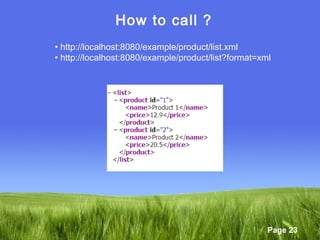
How to call ?
• http://localhost:8080/example/product/list.xml
• http://localhost:8080/example/product/list?format=xml
Page 24
RSS and Atom
• Using Feed plug-in
•http://docs.codehaus.org/display/GRAILS/Feeds+Plugin
• ROME Library
•https://rome.dev.java.net/
Page 25
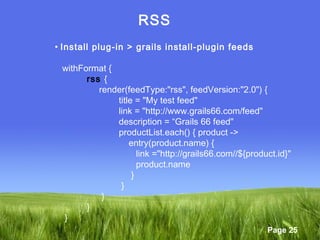
RSS
• Install plug-in > grails install-plugin feeds
withFormat {
rss {
render(feedType:"rss", feedVersion:"2.0") {
title = "My test feed"
link = "http://www.grails66.com/feed"
description = “Grails 66 feed"
productList.each() { product ->
entry(product.name) {
link ="http://grails66.com//${product.id}"
product.name
}
}
}
}
}
Page 26
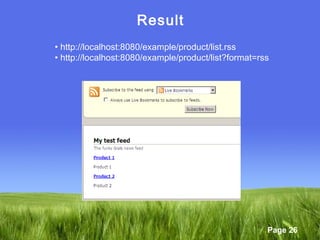
Result
• http://localhost:8080/example/product/list.rss
• http://localhost:8080/example/product/list?format=rss
Page 27
Demo :: REST with DOJO
grails create-app example2
cd example2
grails install-plugin dojo
grails install-dojo
grails create-domain-class product
grails create-controller product
Page 28
Web Service
• Web API
• Access via HTTP
• Executed on remote system
• SOA ( Service-Oriented Architecture )
Page 29
Grails Plug-in
• XFire
• http://xfire.codehaus.org/
• CFX
• http://grails.org/plugin/cxf/
• Axis2
• http://grails.org/plugin/axis2
• Metro
• https://jax-ws-commons.dev.java.net/grails/
Page 30
Thank you

Grails66 web service

  • 1.
    Page 1 Grails :REST and Web Service @somkiat
  • 2.
    Page 2 REST • Notreally a Technology • More an Architecture • Simple • Communication via plain text, xml, json • Combine with HTTP method • Resource-Oriented
  • 3.
    Page 3 Mapping HTTPMethod HTTP Method Action GET Read ( R ) PUT Update ( U ) POST Create ( C ) DELETE Delete ( D )
  • 4.
    Page 4 Mapping RESTin Grails • Example static mappings = { "/product/$id?"( resource:"product" ) } HTTP Method Action GET show PUT update POST save DELETE delete
  • 5.
    Page 5 Mapping RESTin Grails • Example static mappings = { "/product/$id"(controller:"product", parseRequest:true ){ action = [ GET:"show", PUT:"update", DELETE:"delete", POST:"save“ ] } } Automatic XML or JSON Marshaling
  • 6.
    Page 6 Create RESTController • grails create-controller product class ProductController { def show = { render “show from rest” } def save = { render “save from rest” } def update = { render “update from rest” } def delete = { render “delete from rest” } }
  • 7.
    Page 7 REST Client •Groovy HTTPBuilder import groovyx.net.http.* import static groovyx.net.http.ContentType.HTML def url = "http://localhost:8080/example1/product/1" def http = new HTTPBuilder( url ) http.request(Method.GET, HTML) { response.success = {resp, html -> println html } }
  • 8.
    Page 8 REST Client •GSP Form <g:form controller="product" method="PUT"> <g:submitButton name="Test" /> </g:form>
  • 9.
    Page 9 REST Controller:: Switch on HTTP method • grails create-controller product class ProductController { def index = { switch(request.method){ case "POST": render "Create" break case "GET": render "Retrieve" break case "PUT": render "Update" break case "DELETE": render "Delete" break } } }
  • 10.
    Page 10 Communication viaXML • grails create-controller product import grails.converters.* class ProductController { def list = { render Product.list() as XML } def show = { render Product.get( params.id ) as XML } }
  • 11.
    Page 11 Domain class:: Product • grails create-domain-class product class Product { String name Double price String toString() { return "id=${id}|name=${name}|price=${price}" } }
  • 12.
    Page 12 Insert datafor Test • File /conf/BootStap.groovy class BootStrap { def init = { servletContext -> if( !Product.count() ) { new Product( name:"Product 1", price:12.9 ).save( failOnError:true ) new Product( name:"Product 2", price:20.5 ).save( failOnError:true ) } } def destroy = { } }
  • 13.
    Page 13 XML Result <list> <productid="1"> <name>Product 1</name> <price>12.9</price> </product> <product id="2"> <name>Product 2</name> <price>20.5</price> </product> </list>
  • 14.
    Page 14 Custom XML <products> <productid="1"> <product-name>product 1</name> <product-price>12.9</price> </product> <product id="2"> <product-name>product 2</name> <product-price>20.5</price> </product> </products>
  • 15.
    Page 15 Communication viaXML def listXmlCustom = { def productList = Product.list() render( contentType:"text/xml" ) { products{ for( temp in productList ) { product( id:temp.id ){ "product-name"(temp.name) "product-price"(temp.price) } } } } } Using Groovy Markup Builder http://groovy.codehaus.org/Creating+XML+using+Groovy's+MarkupBuilder
  • 16.
    Page 16 Communication viaJSON • grails create-controller product import grails.converters.* class ProductController { def list = { render Product.list() as JSON } def show = { render Product.get( params.id ) as JSON } }
  • 17.
    Page 17 JSON Result [ {"class":"example1.Product", "id":1, "name":"Product 1", "price":12.9 }, { "class":"example1.Product", "id":2, "name":"Product 2", "price":20.5 } ]
  • 18.
    Page 18 Content Negotiation •Allow to return different format based on the request. • All format in file /conf/Config.groovy grails.mime.types = [ html: ['text/html','application/xhtml+xml'], xml: ['text/xml', 'application/xml'], text: 'text/plain', js: 'text/javascript', rss: 'application/rss+xml', atom: 'application/atom+xml', css: 'text/css', csv: 'text/csv', all: '*/*', json: ['application/json','text/json'], form: 'application/x-www-form-urlencoded', multipartForm: 'multipart/form-data' ]
  • 19.
    Page 19 Using withFormat deflist = { if(!params.max) params.max = 10 def productList = Product.list( params ) withFormat { html { render productList } xml { render productList as XML } json { render productList as JSON } } } Default format html
  • 20.
    Page 20 How tocall ? • Default • http://localhost:8080/example/product/list • URL Extension • http://localhost:8080/example/product/list.html • Format request parameter • http://localhost:8080/example/product/list?format=html
  • 21.
    Page 21 URL Extension •Disable/Enable in file /conf/Config.groovy grails.mime.file.extensions = true // Enable ( Default ) grails.mime.file.extensions = false // Disable
  • 22.
    Page 22 Define Formatparameter in URL Mapping • Set default format = xml "/product2/list2" (controller:"product2", action:"list2") { format = "xml" }
  • 23.
    Page 23 How tocall ? • http://localhost:8080/example/product/list.xml • http://localhost:8080/example/product/list?format=xml
  • 24.
    Page 24 RSS andAtom • Using Feed plug-in •http://docs.codehaus.org/display/GRAILS/Feeds+Plugin • ROME Library •https://rome.dev.java.net/
  • 25.
    Page 25 RSS • Installplug-in > grails install-plugin feeds withFormat { rss { render(feedType:"rss", feedVersion:"2.0") { title = "My test feed" link = "http://www.grails66.com/feed" description = “Grails 66 feed" productList.each() { product -> entry(product.name) { link ="http://grails66.com//${product.id}" product.name } } } } }
  • 26.
    Page 26 Result • http://localhost:8080/example/product/list.rss •http://localhost:8080/example/product/list?format=rss
  • 27.
    Page 27 Demo ::REST with DOJO grails create-app example2 cd example2 grails install-plugin dojo grails install-dojo grails create-domain-class product grails create-controller product
  • 28.
    Page 28 Web Service •Web API • Access via HTTP • Executed on remote system • SOA ( Service-Oriented Architecture )
  • 29.
    Page 29 Grails Plug-in •XFire • http://xfire.codehaus.org/ • CFX • http://grails.org/plugin/cxf/ • Axis2 • http://grails.org/plugin/axis2 • Metro • https://jax-ws-commons.dev.java.net/grails/
  • 30.