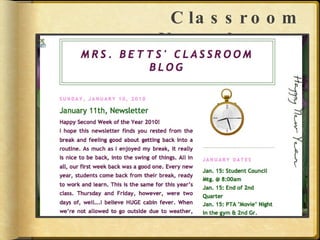
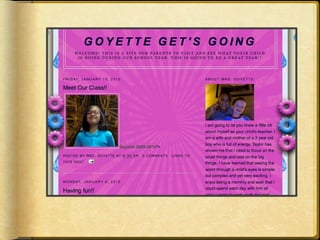
What is a blog? A Web Log Posts are chronological Communication from audience through  commenting Contents can be text, photos, video, or embedded objects.
Why Have a Classroom Blog? Classroom newsletter Constant update for parents Create a strong connection between classroom and home Interactive tool for students Teaching tool that is more than worksheets
Classroom Newsletter:
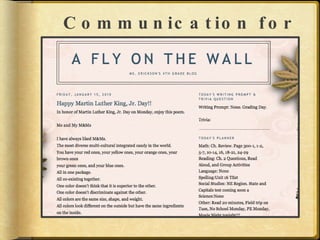
Communication for Parents
 
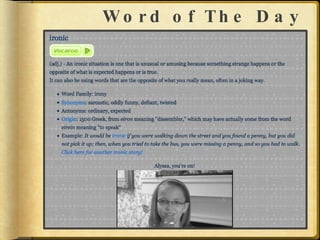
Word of The Day
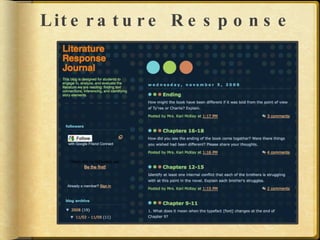
Literature Response
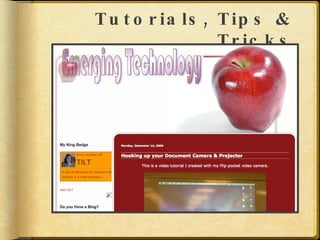
Tutorials, Tips & Tricks
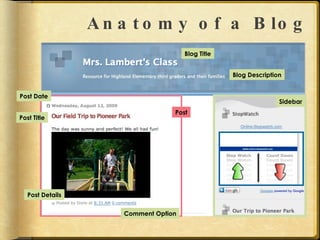
Anatomy of a Blog Blog Title Blog Description Sidebar Comment Option Post Details Post Title Post Date Post
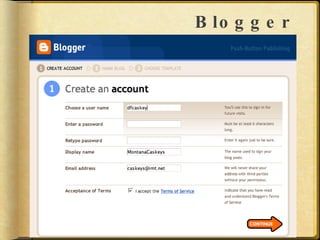
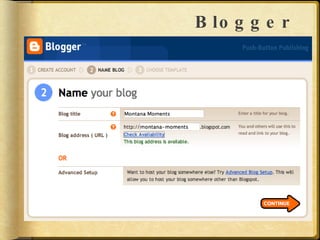
Blogger
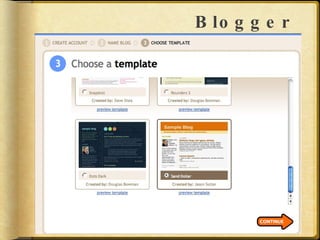
Blogger
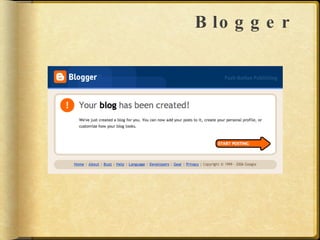
Blogger
Blogger
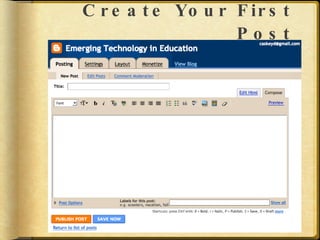
Create Your First Post
Steps in Posting Add a Title Type your content Format your content Add a label (tag) Publish your post
The Dashboard www.blogger.com View & edit your profile Edit posts Change blog settings Change blog layout View your blog Create a new blog
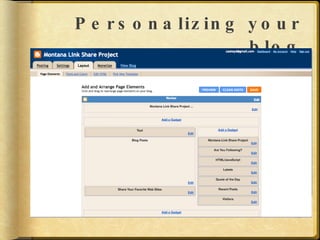
Personalizing your blog
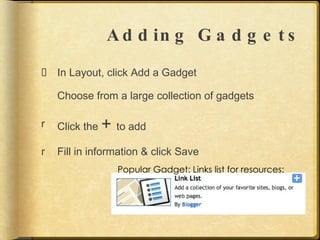
Adding Gadgets In Layout, click Add a Gadget Choose from a large collection of gadgets Click the  +  to add Fill in information & click Save Popular Gadget: Links list for resources:
What’s next?  Start blogging! Add posts Customize your look Layout http://btemplates.com http://www.thecutestblogontheblock.com/ Invite people to read and/or comment
Blogs to visit & explore http://tiltlinkshare.blogspot.com/ http://emergingt.blogspot.com http://www.freetech4teachers.com/ http://www.angelamaiers.com/ http://blog.ted.com/ http://www.tommarch.com/ozblog/

Blogging In Education

  • 1.
  • 2.
    What is ablog? A Web Log Posts are chronological Communication from audience through commenting Contents can be text, photos, video, or embedded objects.
  • 3.
    Why Have aClassroom Blog? Classroom newsletter Constant update for parents Create a strong connection between classroom and home Interactive tool for students Teaching tool that is more than worksheets
  • 4.
  • 5.
  • 6.
  • 7.
  • 8.
  • 9.
  • 10.
    Anatomy of aBlog Blog Title Blog Description Sidebar Comment Option Post Details Post Title Post Date Post
  • 11.
  • 12.
  • 13.
  • 14.
  • 15.
  • 16.
    Steps in PostingAdd a Title Type your content Format your content Add a label (tag) Publish your post
  • 17.
    The Dashboard www.blogger.comView & edit your profile Edit posts Change blog settings Change blog layout View your blog Create a new blog
  • 18.
  • 19.
    Adding Gadgets InLayout, click Add a Gadget Choose from a large collection of gadgets Click the + to add Fill in information & click Save Popular Gadget: Links list for resources:
  • 20.
    What’s next? Start blogging! Add posts Customize your look Layout http://btemplates.com http://www.thecutestblogontheblock.com/ Invite people to read and/or comment
  • 21.
    Blogs to visit& explore http://tiltlinkshare.blogspot.com/ http://emergingt.blogspot.com http://www.freetech4teachers.com/ http://www.angelamaiers.com/ http://blog.ted.com/ http://www.tommarch.com/ozblog/